Category: AI guides

Explore AI guides, tools, and insights to leverage artificial intelligence for content creation, productivity, and digital innovation.

  • Perplexity vs ChatGPT: Which AI actually helps you write better blogs?

    Perplexity vs ChatGPT: Which AI actually helps you write better blogs?

    Should you use an AI that writes beautifully but might get facts wrong, or one that nails the research but writes like a Wikipedia entry?

    That’s essentially the Perplexity vs ChatGPT debate in a nutshell.

    ChatGPT is definitely the most popular tool in the AI space. It writes engaging content, adapts to your voice, and can turn a boring topic into something people actually want to read. The catch? It sometimes sounds confident about things that aren’t quite accurate.

    Perplexity took a different route entirely. Instead of trying to be the best writer, it became the best researcher. Every answer comes with receipts in the form of cited sources. It searches the web in real-time and tells you exactly where it found each piece of information.

    So which one should you use for blog writing

    The honest answer is more nuanced than you might expect. This guide breaks down the Perplexity vs ChatGPT comparison from every angle that matters to bloggers and content marketers.

    We’ll look at real writing samples, compare their actual capabilities, user reviews, and show you exactly where each tool shines or falls short.

    General overview of ChatGPT’s capabilities

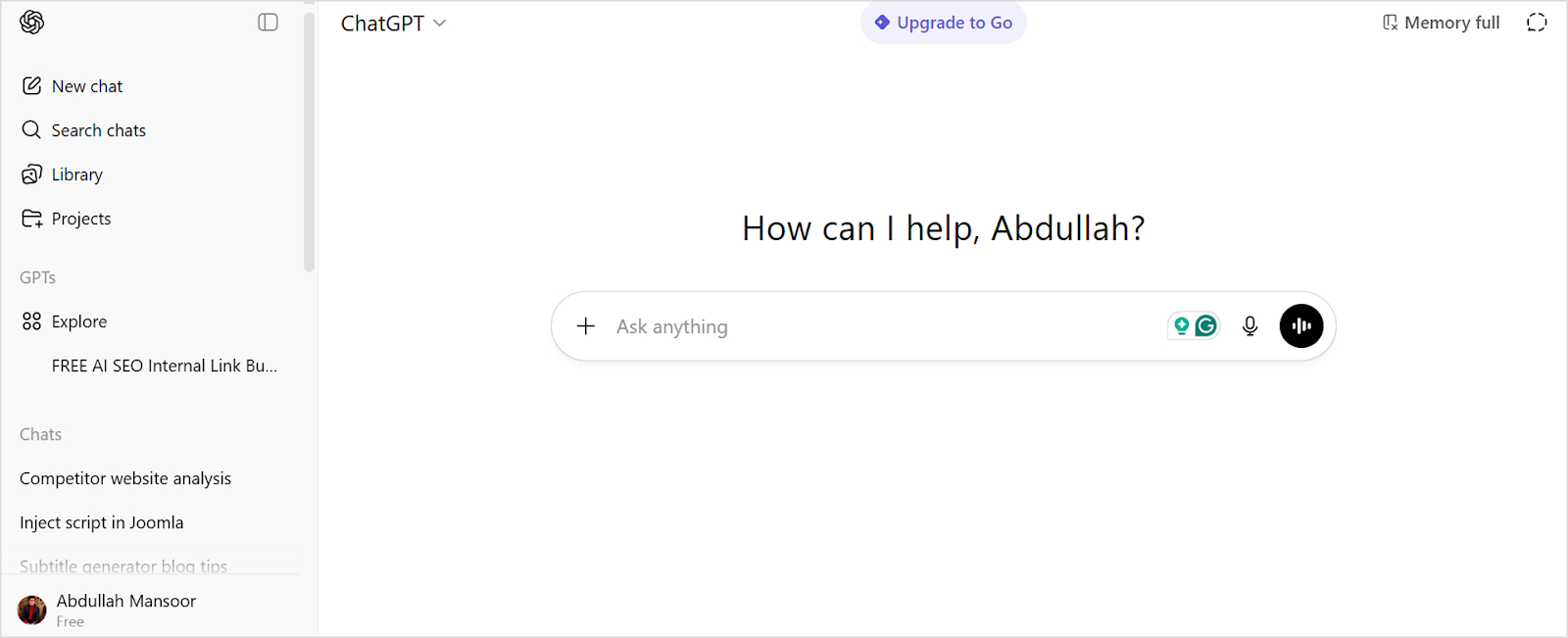
    ChatGPT, developed by OpenAI, has become synonymous with AI writing assistance. It is built on the GPT (Generative Pre-trained Transformer) architecture and excels at producing human-like text across virtually any topic you can imagine.

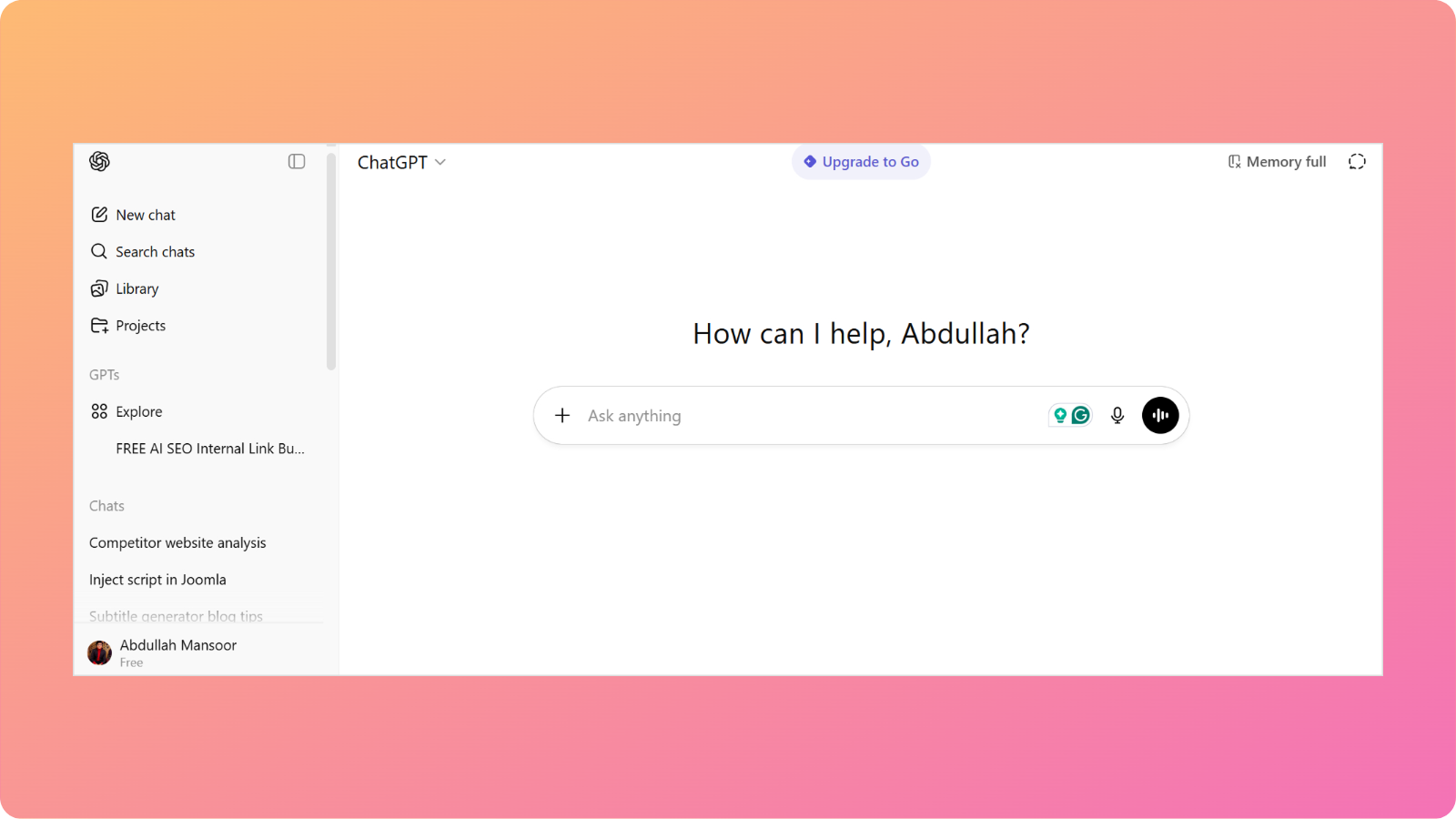
    Chatgpt interface

    ChatGPT offers several compelling advantages to bloggers and content creators:

    • ChatGPT can adapt its style to match your brand voice, whether you need casual blog posts.
    • The tool understands how to incorporate keywords into content without making it sound forced.
    • From outlining entire blog posts to expanding bullet points into full paragraphs, ChatGPT manages the structural elements of writing efficiently. 
    • You can prompt ChatGPT to adjust tone, fix grammar issues, or completely rewrite sections.

    Overall, ChatGPT works best as a versatile writing partner that can produce polished, publication-ready content quickly.

    General overview of Perplexity’s capabilities

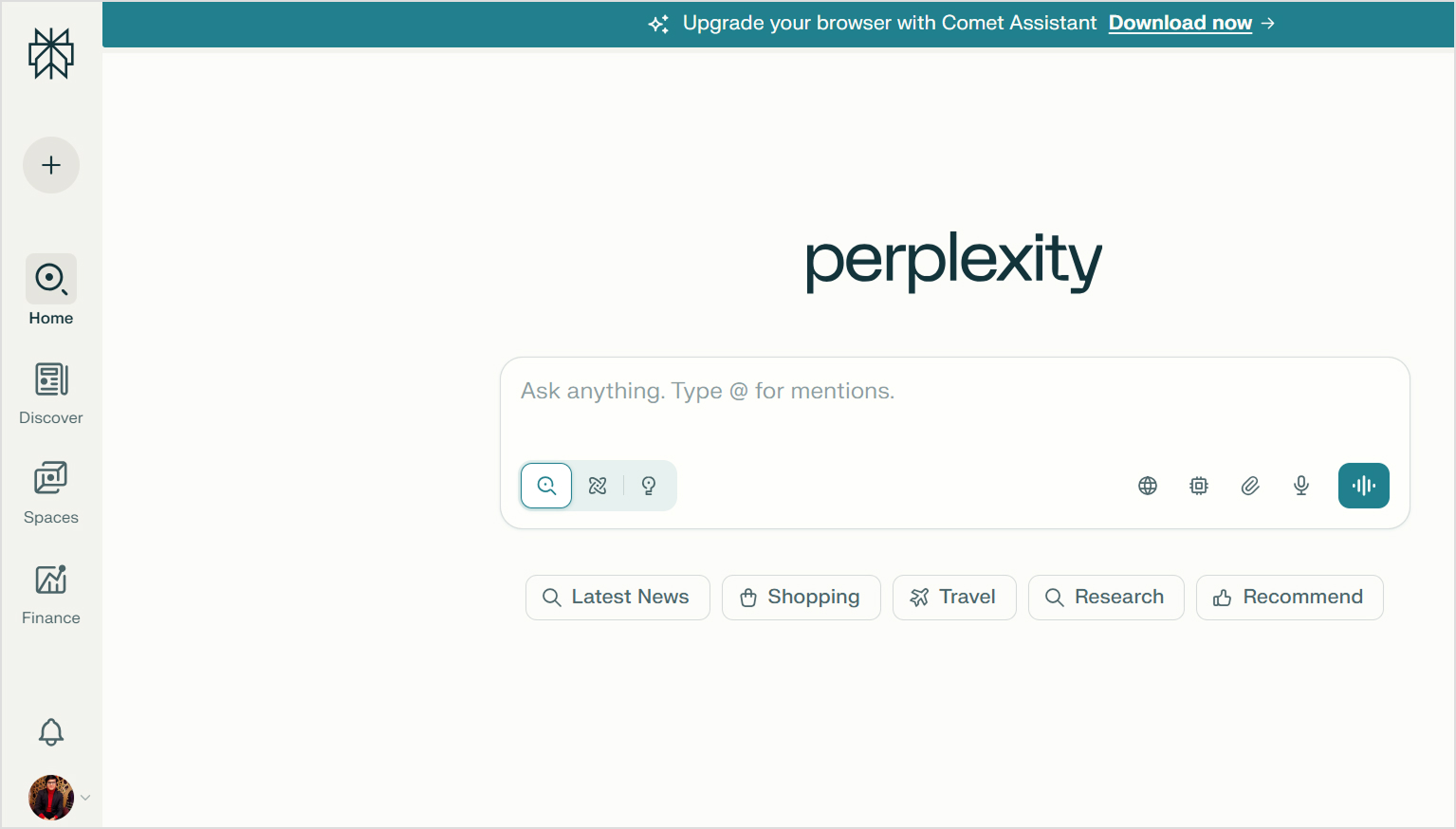
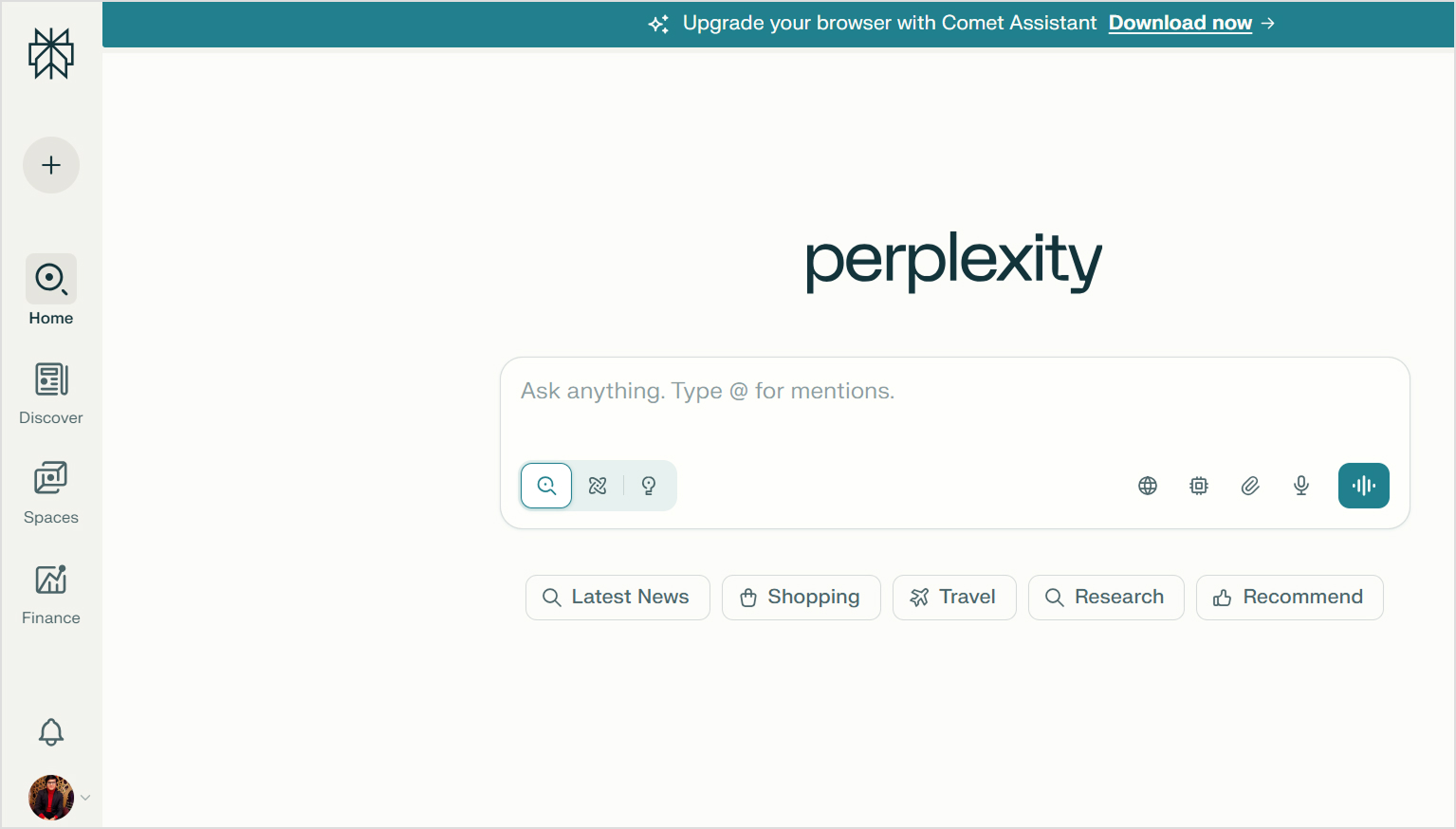
    Perplexity takes a different approach to AI assistance. Instead of focusing purely on content creation, it functions as an AI-powered answer engine that searches the web in real-time and provides cited responses.

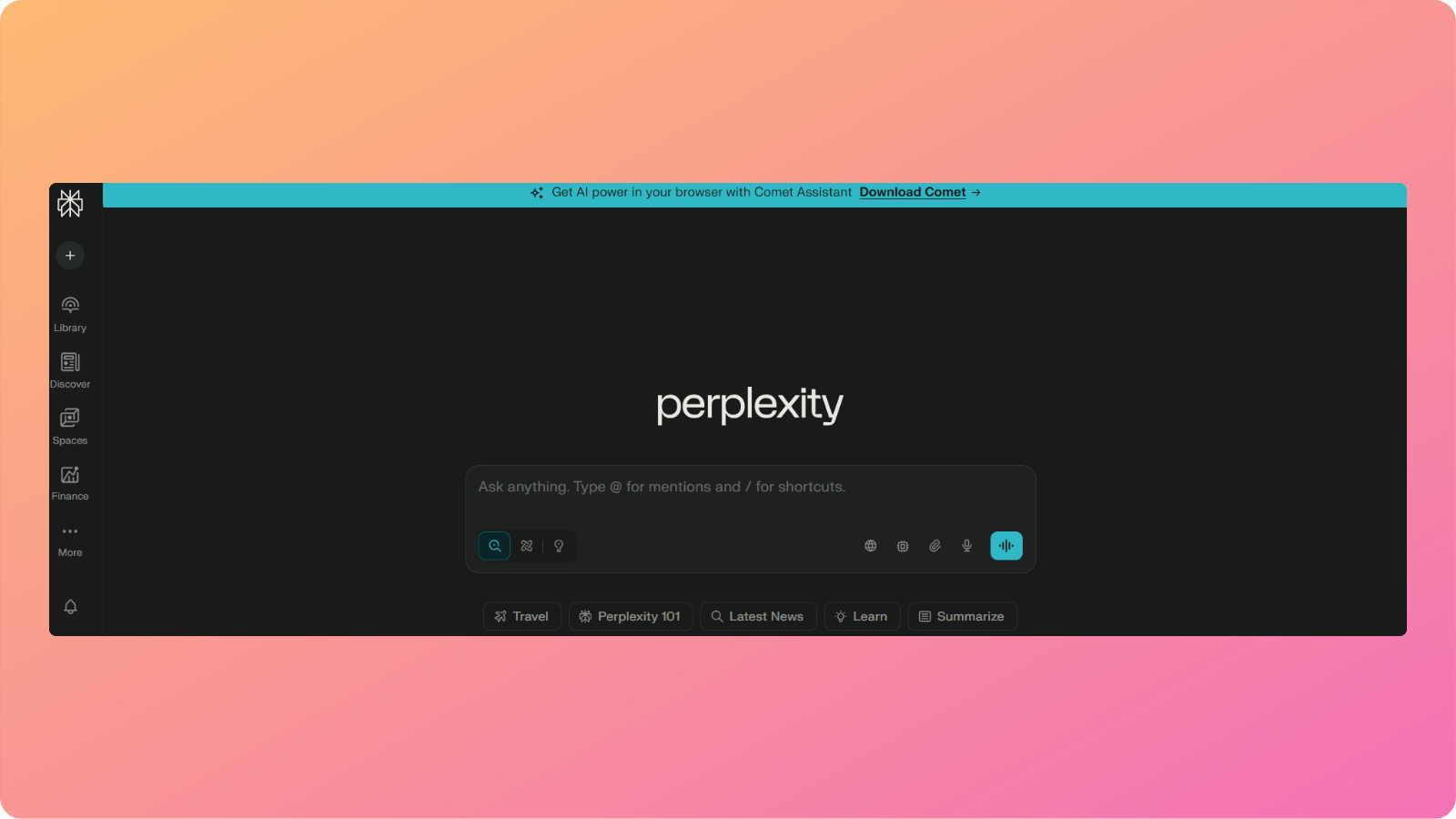
    Perplexity interface

    This fundamental difference shapes how Perplexity serves content creators through these key features:

    • Unlike ChatGPT’s static knowledge base, Perplexity searches current information from across the internet.
    • Every response from Perplexity includes links to the sources it used. This transparency makes fact-checking easier and adds credibility to your research process.
    • Perplexity excels at gathering information from multiple sources and synthesizing it into coherent summaries. 
    • The platform allows conversational follow-ups that refine your research. You can dig deeper into specific aspects without starting new searches from scratch.
    • Perplexity offers specialized search modes (Academic, Writing, Video, etc.) that tailor results to specific content types and quality standards.

    Overall, Perplexity functions as an intelligent research assistant. It is great in situations when you need accurate, current information with verifiable sources rather than creative content generation.

    Comparing Perplexity vs ChatGPT

    The comparison of Perplexity vs ChatGPT shows several key differences between them.

    ChatGPT is built for generation, while Perplexity is built for research. However, both can contribute to the blog writing process in different ways.

    The following table provides a quick side-by-side comparison of ChatGPT vs Perplexity:

    FeaturePerplexityChatGPT
    Content qualityInformational and fact-focused. Less engaging proseFluent and versatile. Can feel formulaic at times
    Research capabilityExcellent real-time web search with source citationsWeb browsing available (Plus), but less research-focused
    ReasoningStrong analytical synthesis from multiple sourcesExcellent reasoning and logic structuring
    Content depthGreat for research depth, weaker for narrative depthGood depth for creative content, can lose focus in very long pieces
    Tone consistencyNeutral and informational toneHighly adaptable to different tones and styles
    SEO understandingLimited SEO optimization featuresExcellent SEO awareness and keyword integration
    Image generationYes. Perplexity Pro users can generate imagesDALL-E integration available (Plus/Pro)
    Source citationsAutomatic citation with every responseNo built-in citation. Manual fact-checking required
    SpeedFast for research, slower for writingGenerally faster for content generation
    Fact accuracyVery high accuracy with real-time web dataCan provide outdated or incorrect facts without web browsing
    Pricing (Paid plan)Pro: $20/month, Max: $200/monthPlus: $20/month, Pro: $200/month
    Best forResearch, fact-gathering, and current informationCreative writing, blog drafting, brand content, social media

    Let’s examine each comparison point in detail.

    Perplexity vs ChatGPT in research

    Perplexity dominates in research capabilities. Its real-time web search pulls current information from across the internet and presents it with source citations. This makes verifying facts straightforward and ensures your content is based on the latest data.

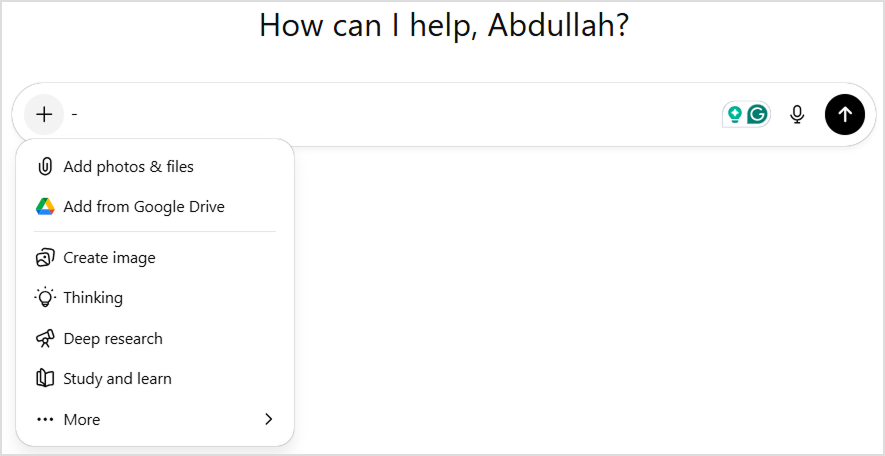
    Perplexity research

    ChatGPT approaches research differently. It relies primarily on its training data, which has a knowledge cutoff (October 2024 for GPT-5). While ChatGPT also includes web browsing capabilities, it’s not as well integrated as Perplexity’s core search functionality.

    ChatGPT research

    Blog writers often need to reference recent statistics, current events, or emerging trends. Perplexity provides a clear advantage here. The cited sources also help build credibility when you’re writing authoritative content.

    Winner: In terms of Perplexity vs ChatGPT for research, Perplexity is the clear winner. It is best for research-heavy content that requires current information and verifiable sources. ChatGPT works better when you’re writing about established topics (evergreen content) that don’t change frequently.

    Perplexity vs ChatGPT in reasoning

    Both tools demonstrate strong reasoning capabilities, but they apply them differently.

    ChatGPT excels at structuring logical arguments and creating coherent narratives. It can build persuasive frameworks, organize information hierarchically, and connect ideas in ways that support specific conclusions. This makes it valuable for opinion pieces, thought leadership, and argumentative content.

    Perplexity’s reasoning shines in synthesis. It analyzes information from multiple sources and identifies patterns, contradictions, and consensus views. This analytical approach helps you understand complex topics from multiple perspectives before writing about them.

    Winner: Use ChatGPT when you need to construct arguments or create logical content structures. Choose Perplexity when you need to analyze diverse viewpoints and turn comprehensive research into actionable insights.

    Perplexity vs ChatGPT in content writing

    A lot of you are likely to be reading this article to understand the role of Perplexity vs ChatGPT for writing. The comparison becomes the most distinct in this area.

    ChatGPT is purpose-built for content generation. It creates engaging introductions, develops ideas with appropriate detail, maintains consistent tone throughout long pieces, and produces content that feels conversational and human. The tool adapts to brand voices, handles creative challenges, and delivers polished drafts that need relatively minor editing.

    Perplexity generates content more as a byproduct of its research function. The writing tends to be informational and straightforward, prioritizing accuracy over engagement. While it can produce text, the output often lacks the narrative flow and stylistic polish that make blog content compelling.

    Winner: ChatGPT is the clear winner for actual content writing. Perplexity is better used as a research tool that sets the foundation of your writing instead of generating the content directly.

    Note: We’ll compare the blog writing results of both Perplexity and ChatGPT in detail later with a real example.

    Perplexity vs ChatGPT in content depth

    Content depth has two dimensions: factual depth and narrative depth.

    Perplexity is best for factual depth. It pulls information from multiple authoritative sources and presents comprehensive overviews of complex topics. The cited sources allow you to dive even deeper into specific aspects that interest you.

    ChatGPT takes the lead for narrative depth. It develops ideas thoroughly, provides relevant examples, and explores implications in ways that create engaging reading experiences. The content feels developed rather than merely informative.

    Winner: Perplexity offers better factual and research depth. ChatGPT delivers better narrative and creative depth.

    Perplexity vs ChatGPT in image generation

    Perplexity can generate images using multiple integrated engines (such as FLUX, DALL·E, Seedream, and Gemini). However, the results vary significantly depending on the model selected, and users often report inconsistent quality and a less polished UI experience.

    perplexity image generation

    ChatGPT, on the other hand, offers more stable, high-quality image generation through its multimodal GPT-4o system. It produces more coherent, detailed visuals and provides a smoother prompting, refinement, and regeneration workflow.

    Chatgpt image generation

    Winner: ChatGPT is the better choice for creating high-quality, consistent visual assets directly alongside written content.

    Perplexity vs ChatGPT in SEO understanding

    ChatGPT has a stronger grasp of SEO principles and practical implementation. It understands keyword placement, meta descriptions, header structure, internal linking concepts, and how to balance optimization with readability. The tool can write content that targets specific search intent while maintaining natural language flow.

    Perplexity approaches SEO more indirectly. While it can research SEO best practices and provide information about optimization strategies, it’s not designed to implement these strategies in the content it generates. The platform is more useful for researching keywords and understanding search landscapes than for creating SEO-optimized articles.

    Winner: ChatGPT is significantly better for creating SEO-optimized blog content. Perplexity is useful for SEO research but not for implementation.

    Creating a real blog with ChatGPT and Perplexity

    To provide a practical comparison of Perplexity vs ChatGPT, we’ll create the same blog post using both platforms. This hands-on test reveals how each tool performs in a real content creation scenario.

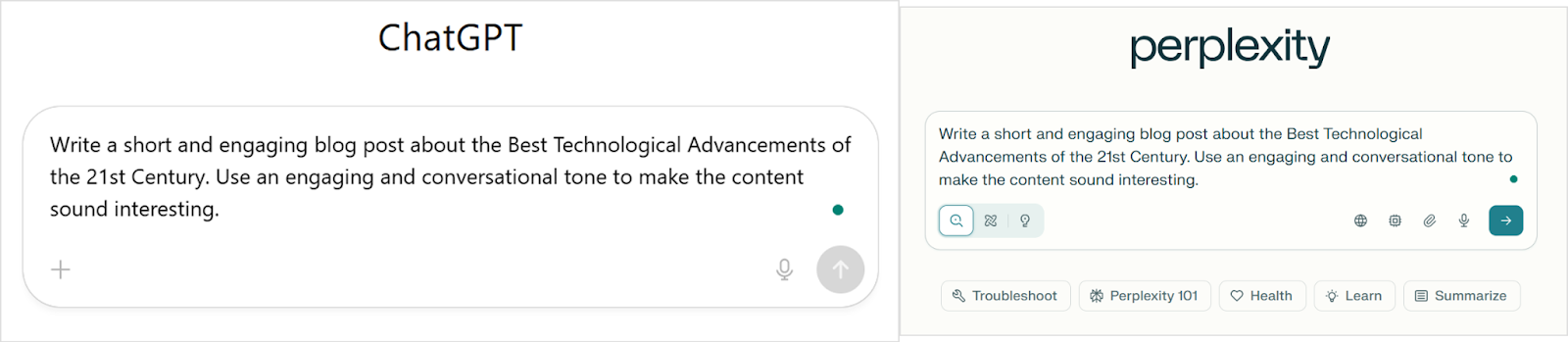
    We’ll use an identical prompt for both tools to ensure a fair comparison:

    “Write a short and engaging blog post about the Best Technological Advancements of the 21st Century. Use an engaging and conversational tone to make the content sound interesting.”

    Cahtgpt vs perplexity

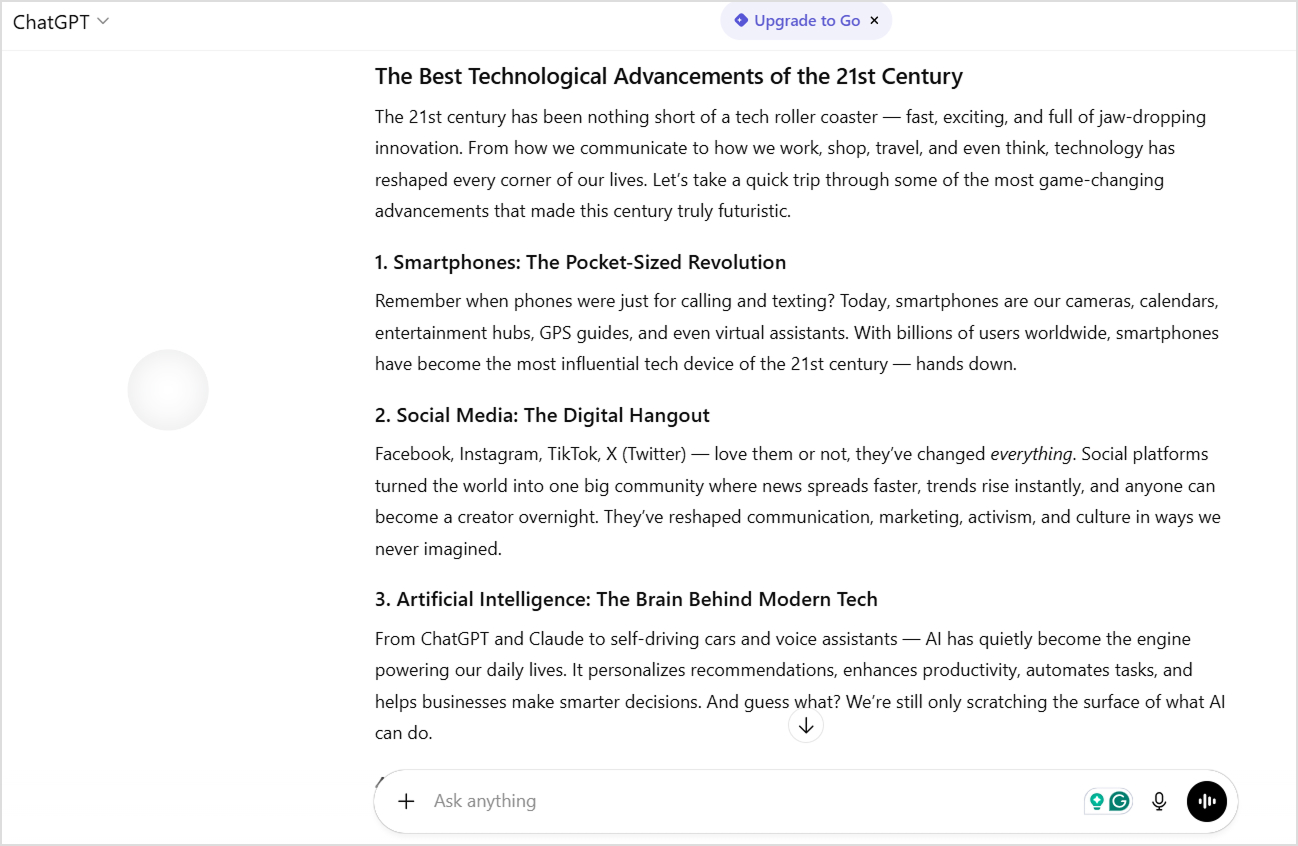
    Analysis of ChatGPT’s writing output

    ChatGPT delivered an energetic, well-organized piece that immediately grabbed attention. The title was straightforward and clear, setting expectations perfectly for what followed.

    Chatgpt article generated

    The introduction opened with vivid imagery: “The 21st century has been nothing short of a tech roller coaster — fast, exciting, and full of jaw-dropping innovation.” This metaphor establishes tone and energy from the first sentence.

    The body used a numbered list format covering ten distinct technological advancements. Each section included a catchy subheading with a descriptive tagline (“Smartphones: The Pocket-Sized Revolution”). 

    The writing maintained consistent energy with phrases like “hands down,” “love them or not,” and “guess what?” that created conversational momentum.

    ChatGPT included rhetorical questions and direct reader engagement throughout. The conclusion tied everything together with forward-looking enthusiasm: “Buckle up — the tech ride is far from over.”

    ChatGPT’s strengths for writing

    ChatGPT’s output shows why it’s become the go-to tool for content creators who need publish-ready blog posts.

    • Highly scannable structure. The numbered list format with bold subheadings made it effortless to skim and find specific topics of interest.
    • Consistent conversational energy. Every section maintained the same engaging, enthusiastic tone without dropping into formal or academic language.
    • Comprehensive coverage. Ten different technologies provided breadth that made the piece feel authoritative and complete.
    • Reader engagement techniques. Rhetorical questions, direct address (“Remember when…”), and casual phrases kept readers involved throughout.
    • Strong opening and closing. Both the introduction and conclusion used memorable imagery and calls to action that bookended the content effectively.
    • Natural keyword integration. Terms like “technological advancements” and “21st century” appeared organically without feeling forced.

    ChatGPT’s weaknesses for writing

    Despite its polished appearance, several telltale signs revealed the content’s AI origins.

    • Predictable structure. The numbered list format, while effective, feels like a template used across millions of AI-generated articles.
    • Generic enthusiasm. Phrases like “game-changing,” “nothing short of,” and “jaw-dropping” are AI writing markers that signal machine-generated content.
    • Surface-level explanations. Each technology got a brief treatment without deep insights or unexpected perspectives that would demonstrate genuine expertise.
    • No sources or data. The content made broad claims about impact without statistics, studies, or citations to back them up.
    • Repetitive transitions. Similar sentence structures and transition patterns appeared throughout, creating a rhythmic predictability.
    • Missing a unique voice. The content could belong to any tech blog, lacking a distinctive personality or perspective that builds brand identity.

    Analysis of Perplexity’s writing output

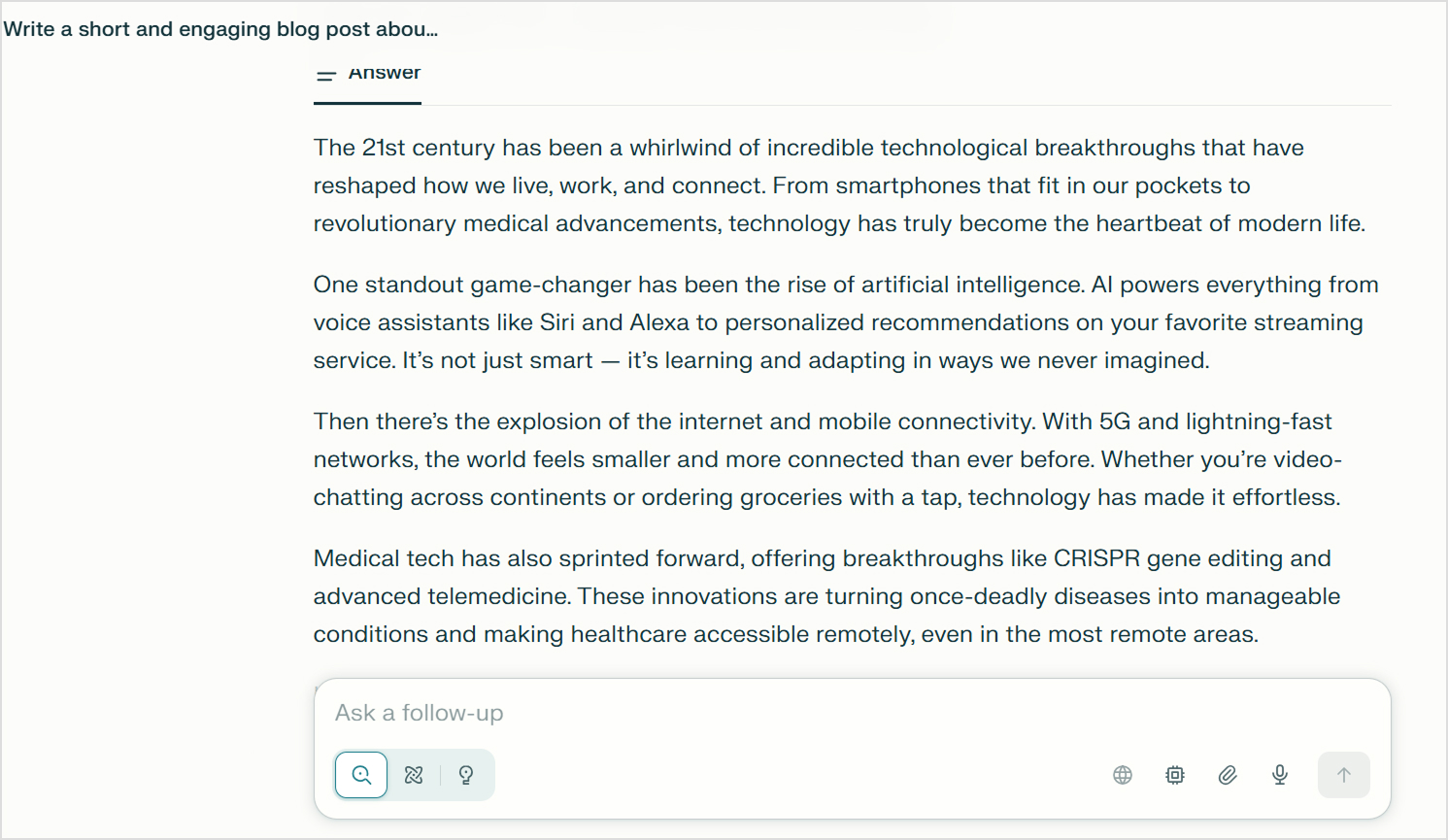
    Perplexity took a noticeably more condensed approach to the same prompt. The content focused on five key technologies rather than attempting comprehensive coverage.

    Perplexity article generated

    The introduction used similar engaging language: “The 21st century has been a whirlwind of incredible technological breakthroughs.” However, it moved quickly into substance rather than extending the setup.

    The body organized information by technology, but without numbered formatting. Each paragraph flowed into the next, creating a more essay-like reading experience. The writing included specific examples like “Siri and Alexa” and mentioned concrete technologies like “CRISPR gene editing” and “5G.”

    The conclusion posed a direct question to readers: “What tech advancement has wowed you the most this century?” This engagement technique invited reflection and potential discussion.

    Perplexity’s strengths for writing

    Perplexity brought a more refined approach to the content, even if it fell short on comprehensiveness.

    • More focused coverage. By covering five technologies instead of ten, each got slightly more thoughtful treatment and context.
    • Specific examples and terminology. Mentioning CRISPR, 5G, and telemedicine added technical credibility that generic descriptions lack.
    • Cleaner prose. The writing avoided some of the more obvious AI clichés that ChatGPT included, creating slightly more natural-sounding content.
    • Thematic organization. Technologies were grouped logically (connectivity, AI, medical, energy) rather than just listed.
    • Reader question ending. The concluding question created an opening for engagement that felt less formulaic than ChatGPT’s metaphorical closing.
    • Varied sentence structure. The content mixed short and long sentences more effectively, improving natural reading rhythm.

    Perplexity’s weaknesses in writing

    Where Perplexity typically shines in research, this output revealed unexpected limitations in content generation.

    • Less comprehensive coverage. Only five technologies meant significant omissions like blockchain, wearables, and 3D printing that readers might expect.
    • Shorter overall length. The content felt somewhat abbreviated compared to what the prompt requested, potentially leaving readers wanting more substance.
    • Limited engagement techniques. Fewer conversational hooks and less personality throughout made it feel more informational than entertaining.
    • No citations despite research focus. Surprisingly, Perplexity didn’t include its characteristic source citations even when making factual claims about technologies.
    • Weaker structural hierarchy. Without numbered lists or bold subheadings, the content was less scannable and harder to navigate quickly.
    • Generic opening. The “whirlwind” metaphor in the introduction felt just as template-driven as ChatGPT’s “roller coaster,” showing both tools rely on similar imagery.

    Summary of Perplexity vs ChatGPT for blog writing

    This practical test reinforces the fundamental difference between Perplexity vs ChatGPT for content creation.

    • ChatGPT excelled at creating engaging, structured blog content that readers can easily scan and enjoy. The numbered format, consistent tone, and comprehensive coverage made it feel like a complete, polished blog post ready for publication with minor edits.
    • Perplexity produced more concise, slightly more sophisticated prose with better specificity in examples. The content felt less template-driven in places, though still generic overall.

    Users’ reviews for Perplexity & ChatGPT

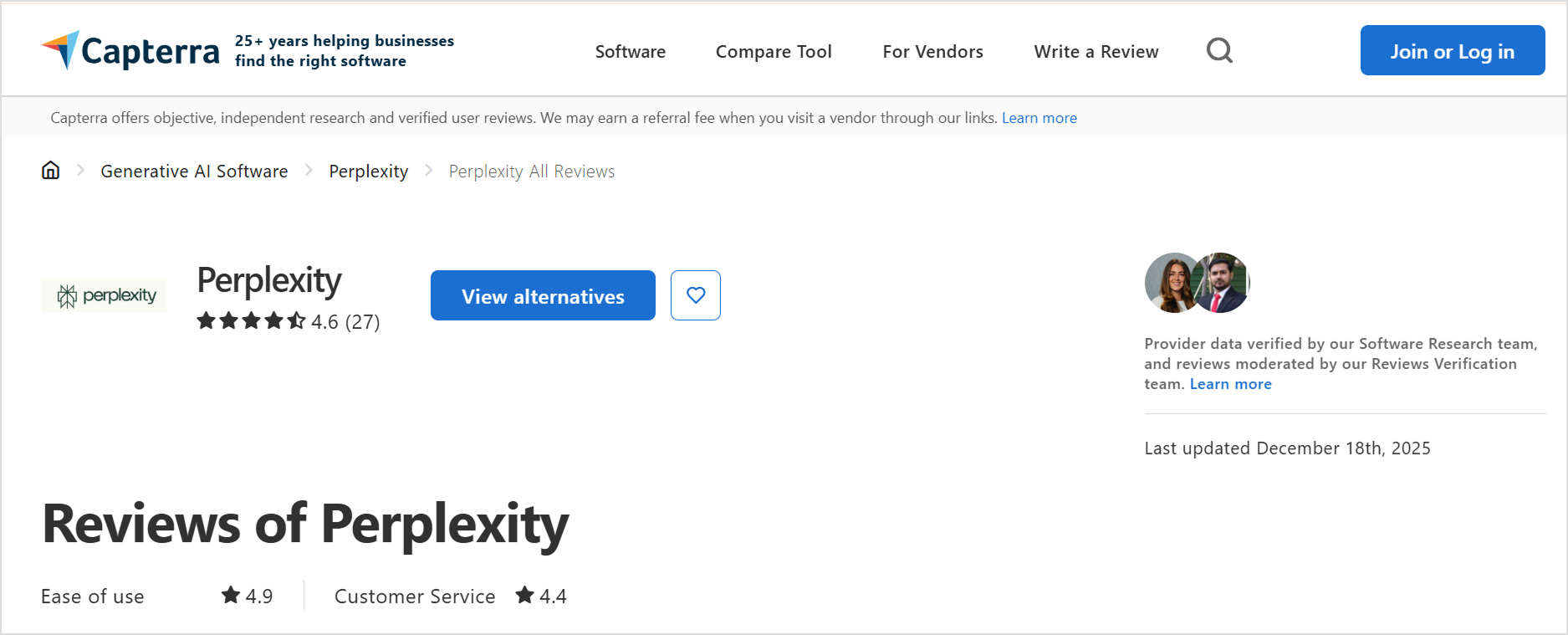
    Real user experiences provide important details when evaluating Perplexity vs ChatGPT. These reviews come from verified users on G2 who use these tools daily in their content workflows, research tasks, and creative projects.

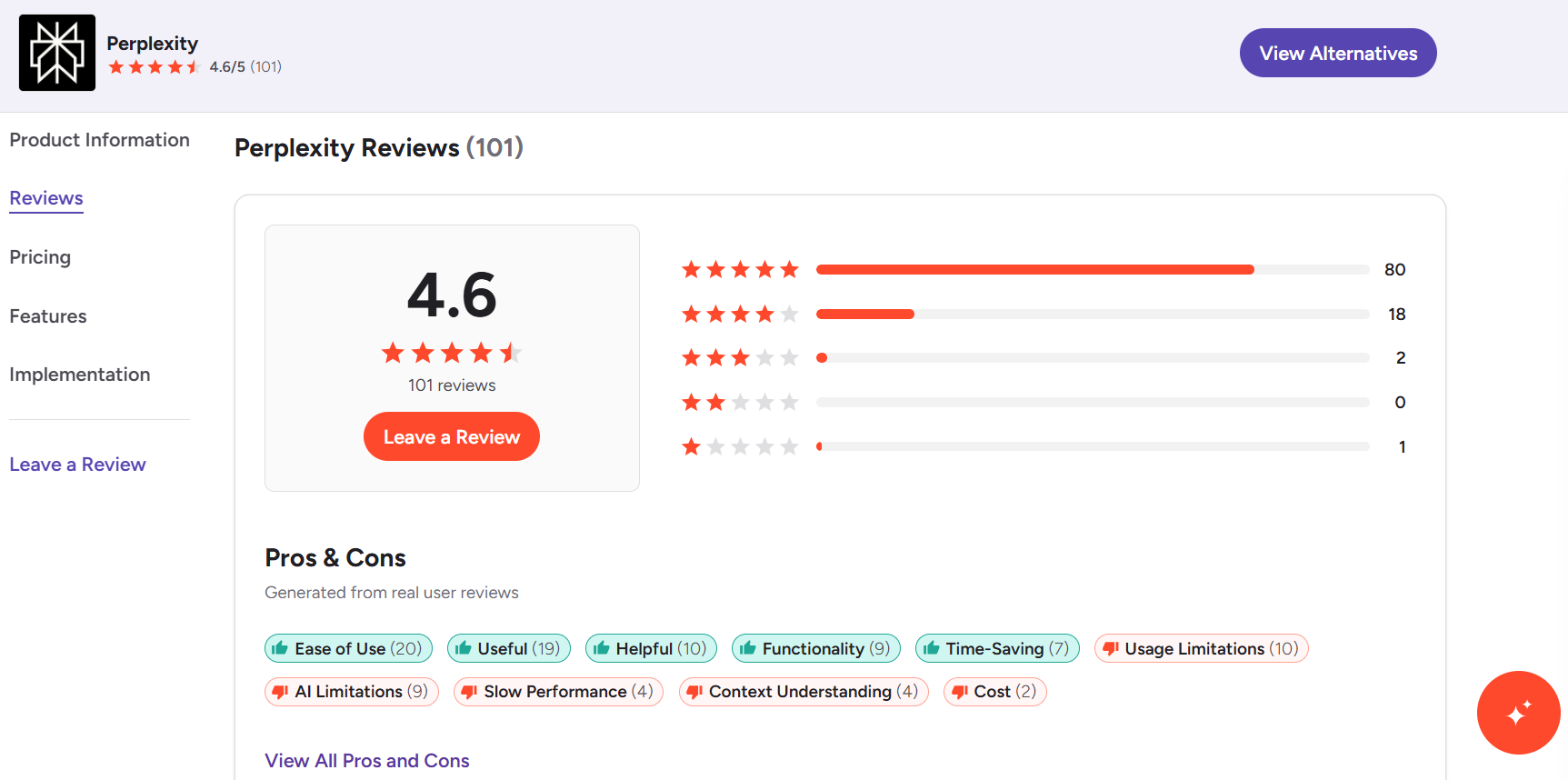
    Overall ratings from G2

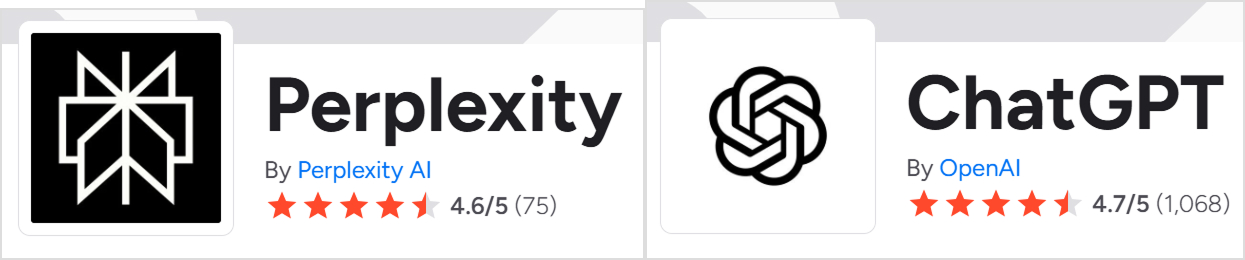
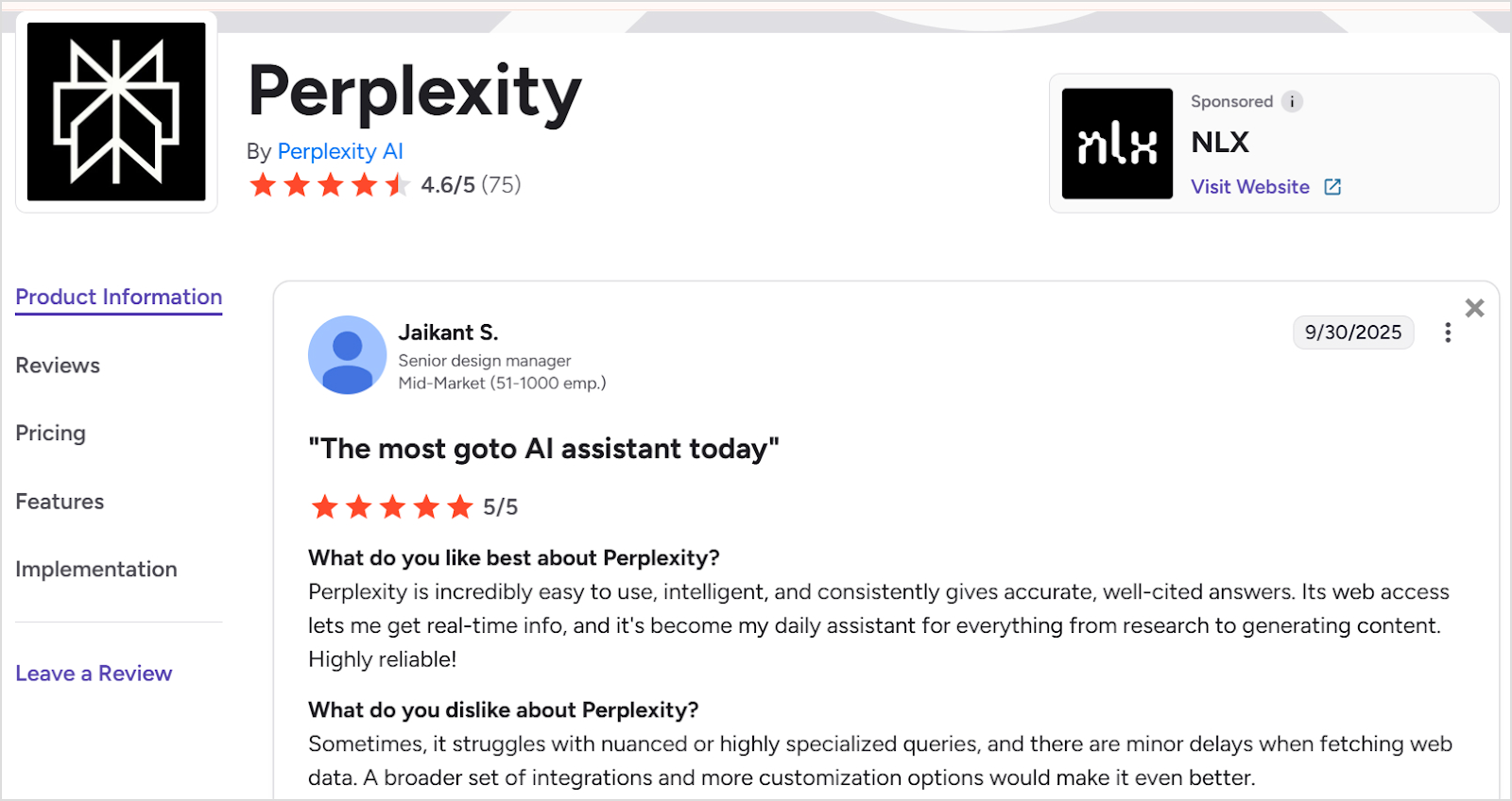
    ChatGPT: 4.7/5 based on 1,068 reviews and Perplexity: 4.6/5 based on 75 reviews

    Both platforms maintain strong ratings, with ChatGPT having significantly more extensive review coverage due to its longer market presence and larger user base. The close ratings suggest both tools deliver substantial value, though they serve different primary purposes.

    Perplexity and chatgpt rating

    What users say about Perplexity

    Perplexity reviews

    Praised for:

    • Accuracy with source citations. Users consistently highlight Perplexity’s reliable, verified answers that come with proper citations. One marketing consultant noted it provides “reliable and verified answers, providing me with enhanced efficiency and time-saving capabilities for diverse tasks like video editing, content writing, and academic processes.”
    • Real-time web access. The ability to fetch current information is a major selling point. A user emphasized that “its web access lets me get real-time info, and it’s become my daily assistant for everything from research to generating content.”
    • Contextual conversation flow. Perplexity maintains context effectively throughout conversations, preventing repetitive mistakes and allowing for deeper exploration of topics without starting over.
    • Easy setup and usability. Multiple reviewers mentioned the smooth onboarding experience with “just a few clicks to get started” and appreciated features like “spaces” that organize research projects.
    • Complex query handling. Users value Perplexity’s “ability to handle complex multi-step tasks swiftly compared to human efforts,” making it particularly useful for in-depth research.

    Common complaints:

    • Inconsistent performance. Some users report that “randomly it will stop understanding basic tasks” and that “language output prompts definitely don’t work right,” requiring frequent verification.
    • Limited language support. The lack of support for certain languages like Sanskrit limits its usefulness for some user segments working with specialized linguistic content.
    • Struggles with specialized queries. Users note it “sometimes struggles with nuanced or highly specialized queries” and experiences “minor delays when fetching web data.”
    • Needs more integrations. Several reviewers requested “a broader set of integrations and more customization options” to enhance workflow efficiency.
    • Verification still required. Despite its citation features, users emphasize that “sometimes you really have to verify everything,” suggesting the citations don’t completely eliminate fact-checking needs.

    What users say about ChatGPT

    Chatgpt reviews

    Praised for:

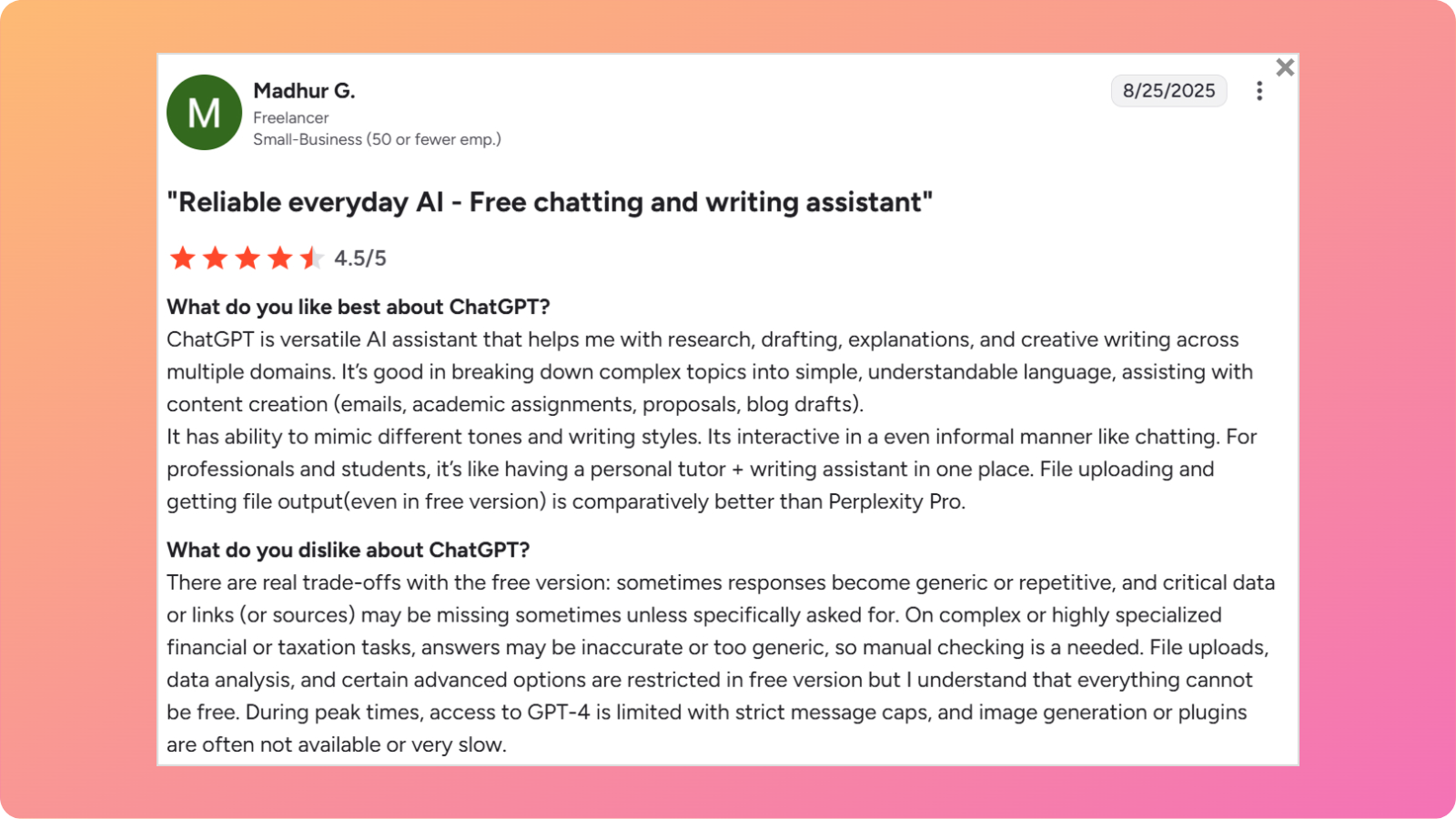
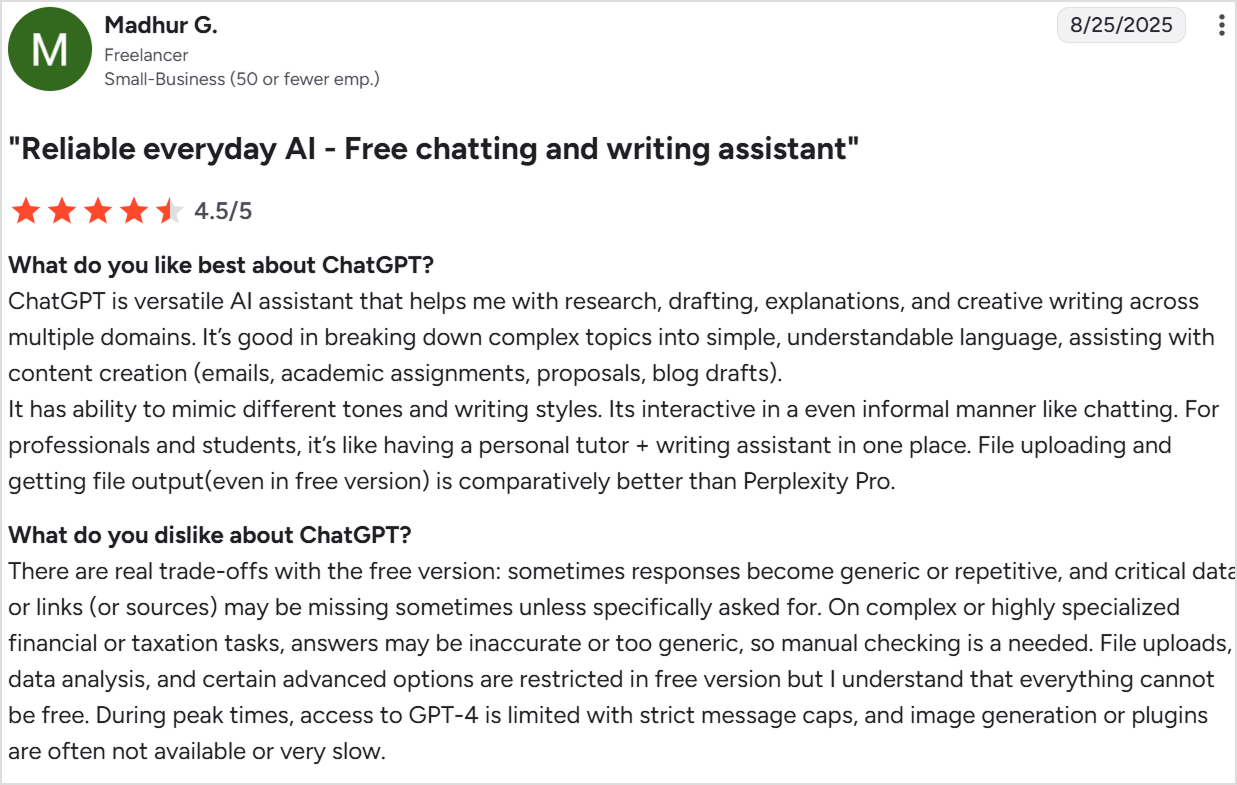
    • Exceptional versatility. Users love ChatGPT’s ability to handle diverse tasks from research to creative writing. One reviewer called it “a versatile AI assistant that helps me with research, drafting, explanations, and creative writing across multiple domains.”
    • Excellent at simplification. ChatGPT excels at “breaking down complex topics into simple, understandable language,” making it valuable for both professionals and students.
    • Tone and style adaptation. The “ability to mimic different tones and writing styles” allows users to match brand voices and adjust content for different audiences effortlessly.
    • Conversational interaction. Users appreciate that it’s “interactive in an even informal manner like chatting,” making the experience feel natural rather than robotic.
    • Time-saving efficiency. Many reviewers mention how ChatGPT “regularly saves me time” by helping with editing, reviewing lines, and speeding up the writing process.
    • Coding assistance. Several users specifically praised its JavaScript and general coding capabilities for development work.
    • File handling capabilities. The ability to upload files and receive file outputs, “even in the free version,” compares favorably to competitors.

    Common complaints:

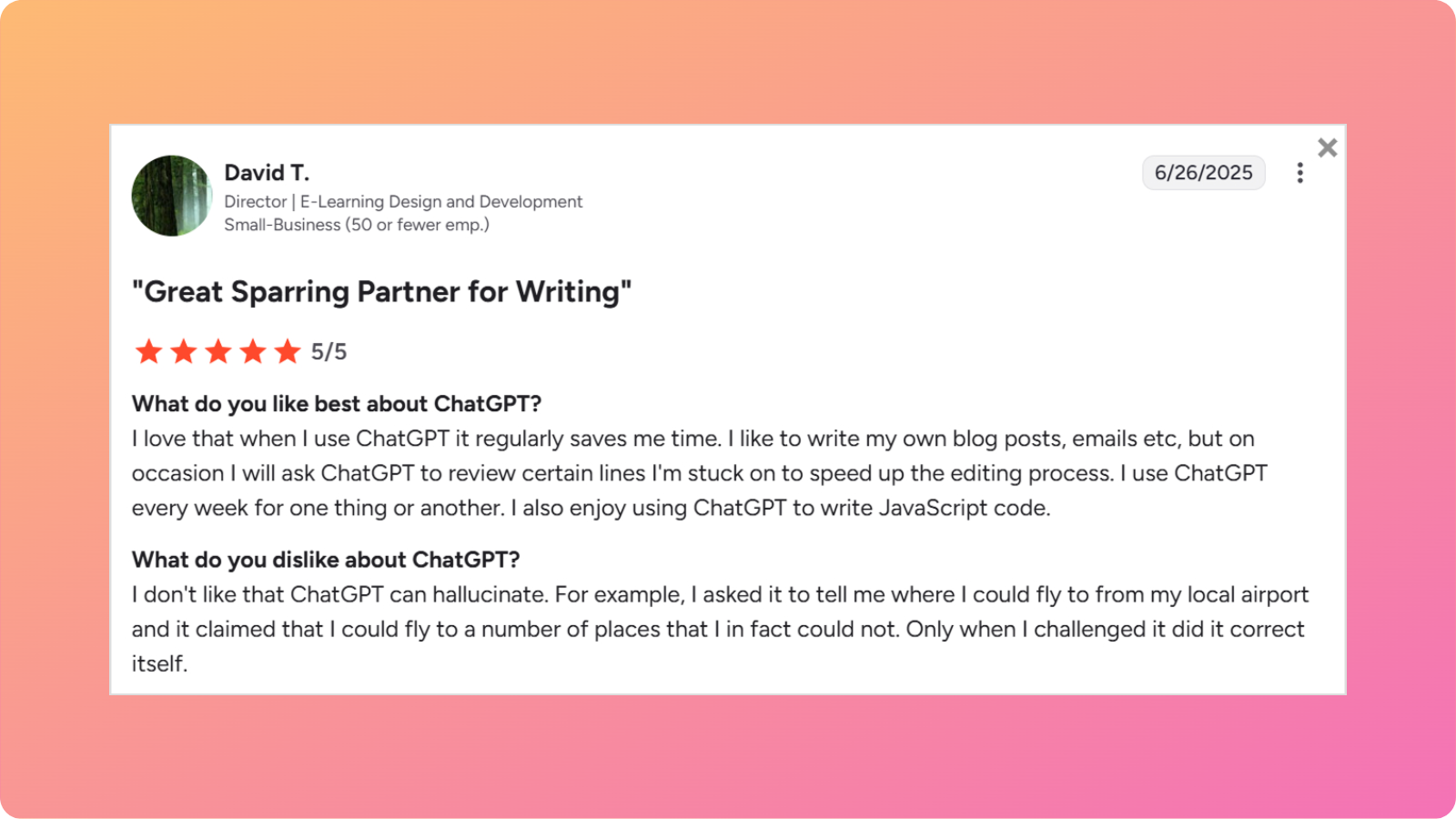
    • Hallucinations and inaccuracies. The most frequent criticism is that ChatGPT “can hallucinate” and provide confidently incorrect information. One user described asking about flights from their local airport and receiving completely wrong information that was only corrected when challenged.
    • Generic and repetitive responses. Free version users note that “sometimes responses become generic or repetitive” and lack the depth available in paid tiers.
    • Missing sources and citations. Users complain that “critical data or links (or sources) may be missing sometimes unless specifically asked for,” requiring manual verification.
    • Inaccurate on specialized topics. For “complex or highly specialized financial or taxation tasks, answers may be inaccurate or too generic, so manual checking is needed.”
    • Free version limitations. Many features like advanced data analysis, certain file types, and consistent GPT-4 access are restricted, with “strict message caps” during peak times.
    • Slow image generation. Users report that “image generation or plugins are often not available or very slow,” impacting workflow efficiency.

    Overall, the reviews reveal a clear usage pattern when comparing Perplexity vs ChatGPT. Users turn to Perplexity when they need accurate, cited information for research-heavy tasks and real-time data. ChatGPT dominates as a “personal tutor + writing assistant in one place” for users who prioritize content creation, creative writing, and conversational interaction.

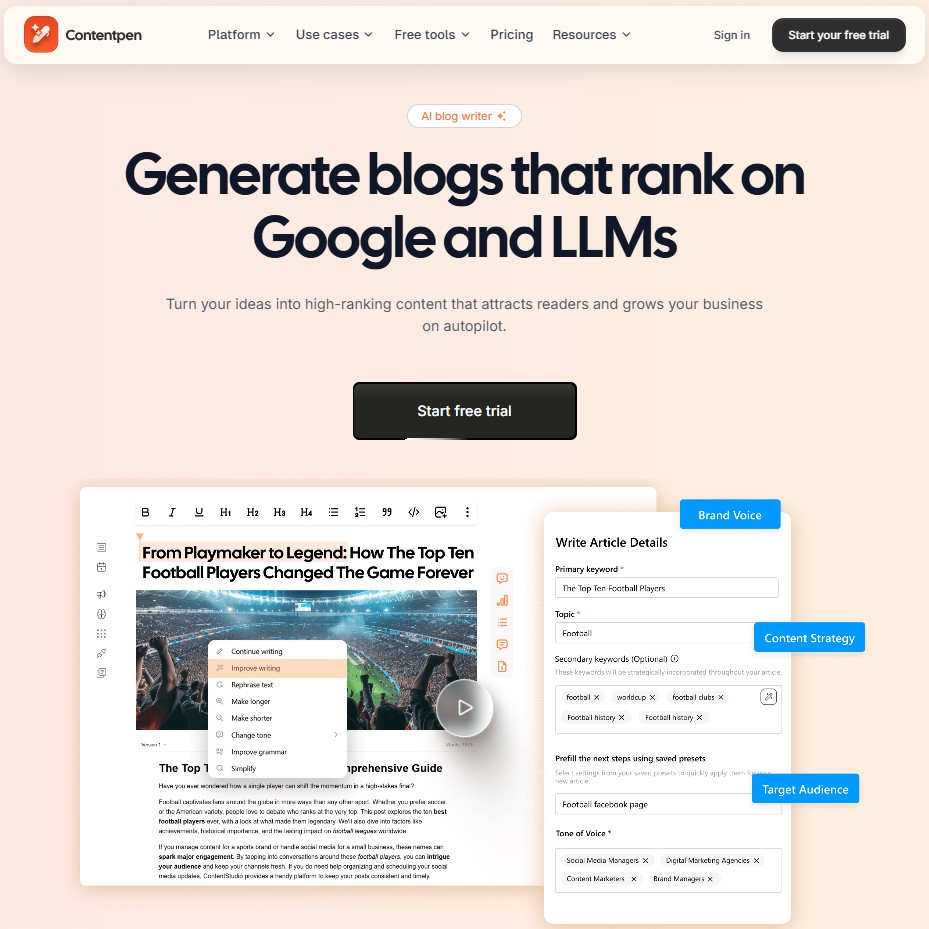
    Contentpen – A better alternative to Perplexity & ChatGPT

    While both Perplexity and ChatGPT offer valuable features for content creators, neither was specifically designed to handle the complete blog creation process from start to finish.Perplexity excels at research but falls short in content generation. ChatGPT produces engaging writing but requires manual fact-checking and research. Both leave significant gaps in a comprehensive content workflow that includes keyword research, SEO optimization, publishing, and performance tracking.

    This AI blog writer bridges these gaps by functioning as an all-in-one content platform rather than just an AI writing assistant. It’s specifically built for bloggers, marketers, and businesses who need to create, optimize, and scale blog content systematically.

    The following table explains why Contentpen is better than both Perplexity and ChatGPT for blog creation:

    FeaturePerplexityChatGPTContentpen
    AI writing quality⚪ Research-focused, less engaging✅ Creative and versatile✅ SEO-focused, brand-aligned, one-click generation
    Keyword research❌ Manual process❌ Manual process✅ Automatic and intelligent
    Research capability✅ Excellent with citations⚪ Good with web browsing✅ Built-in research integration
    SEO & GEO optimization❌ Minimal⚪ Strong when prompted✅ Advanced, automated optimization
    Publishing❌ Manual export and upload❌ Manual export and upload✅ One-click WordPress publishing
    Images & media❌ No visual generation✅ Limited DALL-E access✅ AI-generated visuals included
    Content calendar❌ None❌ None✅ Auto-created and scheduled
    SEO insights❌ None⚪ Limited via plugins✅ Built-in performance tracking
    Source citations✅ Automatic⚪ Limited with web search✅ Optional citation integration
    Scalability⚪ Moderate research volume⚪ High writing volume✅ Unlimited bulk content automation
    Fact-checking✅ Built-in through citations❌ Fully manual✅ Automated verification options

    With Contentpen, you don’t have to choose between research accuracy and writing quality. It combines the research capabilities that make Perplexity valuable with the content generation strengths that make ChatGPT useful, then adds comprehensive SEO and publishing features that neither platform offers.

    The platform handles keyword research automatically, generates optimized content that aligns with your brand voice, creates accompanying visuals, and publishes directly to WordPress. This eliminates the fragmented workflow of using multiple tools and manual processes that slow down content production.

    Similarly, teams and businesses scaling content can enjoy Contentpen’s bulk generation capabilities and built-in content calendar transform content marketing from a tactical challenge into a strategic advantage.

    Final Verdict – Which is better for blog writing?

    The Perplexity vs ChatGPT comparison ultimately comes down to understanding what each tool was built to do.

    Perplexity is an AI-powered research engine that excels at gathering current information, synthesizing multiple sources, and providing cited facts. On the other hand, ChatGPT is a generative AI assistant optimized for content creation, creative writing, and conversational engagement. 

    Neither tool alone provides the complete solution modern content creators actually need. So, if you’re looking to scale content production systematically rather than piecing together workflows from multiple tools, Contentpen offers a more comprehensive solution. It integrates research, writing, SEO optimization, and publishing into a single platform designed specifically for blog content creation.

    Start your free trial of Contentpen today and experience how streamlined content creation can transform your blogging process.

    Frequently asked questions

    When to use Perplexity vs ChatGPT?

    Use Perplexity when you need to research current information, gather facts from multiple sources, or verify claims with citations. It’s ideal for fact-checking, staying updated on recent developments, and building research foundations for content. 
    Choose ChatGPT when you need to write blog posts, create engaging content, generate creative material, or adapt content to specific brand voices. ChatGPT excels at the actual writing process, while Perplexity excels at the research process.

    Is Perplexity AI better than ChatGPT?

    Not necessarily, as they serve different primary purposes. Perplexity is better for research tasks that require current information, source citations, and fact verification. ChatGPT is better for creative writing, content generation, and producing engaging blog posts.
    The “better” tool depends entirely on whether you need research capabilities or content creation capabilities. For comprehensive blog writing workflows, many creators use both tools together.

    Is Perplexity the most powerful AI?

    Perplexity is not the most powerful AI overall, but it’s one of the most powerful AI research tools available. Its strength lies specifically in real-time web search, source synthesis, and information retrieval with citations. Other AI models like ChatGPT, Claude, or specialized AI systems may be more powerful for tasks like creative writing, coding, image generation, or complex reasoning.

    What is the 30% rule in AI?

    The 30% rule in AI suggests that AI should handle approximately 70% of repetitive, routine, and time-consuming tasks, while humans focus on the remaining 30% that requires creativity, strategic thinking, ethical judgment, and critical decision-making.

    What is the knowledge cutoff for Perplexity?

    Perplexity doesn’t have a traditional knowledge cutoff because it performs real-time web searches for each query. It accesses current information from the internet up to the present moment, which means it can provide information about events happening today.

    What is the knowledge cutoff for ChatGPT?

    ChatGPT’s knowledge cutoff depends on the specific version. GPT-5’s training data extends through October 2024, which means its core knowledge stops at that point. However, users can also enable the web search option to search for and incorporate more current information when needed.

  • Claude vs ChatGPT for blog writing: Which AI tool wins?

    Claude vs ChatGPT for blog writing: Which AI tool wins?

    The artificial intelligence (AI) industry is rapidly expanding with more and more Large Language Models (LLMs) like OpenAI’s ChatGPT and Anthropic’s Claude being introduced. Content creation and blog writing are two of the many key areas where AI is changing the workflow, so it is important to choose the right platform to get the best results. 

    While there are many different AI systems and platforms, we’ll be focusing on Claude vs ChatGPT in this article. We’ll determine which of them actually delivers better articles, more engaging blog posts, and content that resonates with readers.

    Let’s start with the basics. 

    Pro Tip: Don’t want to go through the entire debate of Claude vs ChatGPT? Skip to the end to see why Contentpen is the perfect alternative to both of them!

    General overview of ChatGPT’s capabilities

    ChatGPT, developed by OpenAI, is one of the most widely used AI writing tools today. It’s built on an advanced GPT (Generative Pre-trained Transformer) architecture, which is known for producing coherent, engaging, and human-like text across a wide range of topics.

    ChatGPT

    When it comes to content writing and blogging, ChatGPT stands out for its:

    • Strong storytelling and creativity: It can write in diverse tones and styles, ranging from casual blog posts to professional articles. The key thing is to give it the right prompt.
    • SEO and keyword integration: ChatGPT easily incorporates different types of keywords naturally, making it effective for search-optimized content.
    • Research and structure handling: It can outline blog posts, write introductions, expand points with logical flow, and summarize complex topics clearly.
    • Editing and rewriting support: Users can give different prompts to refine tone, grammar, and structure. You can also request rewrites.

    Overall, ChatGPT is a versatile, reliable assistant for anyone looking to generate polished, ready-to-publish written content quickly and efficiently.

    Limitations

    While ChatGPT produces fluent text, its content can sometimes feel formulaic, particularly in introductions and conclusions.

    Writers often notice repetitive phrases like “in today’s digital landscape” or the excessive use of dashes that require editing. The model occasionally prioritizes sounding confident over accuracy, which means fact-checking remains essential for published content.

    General overview of Claude’s capabilities

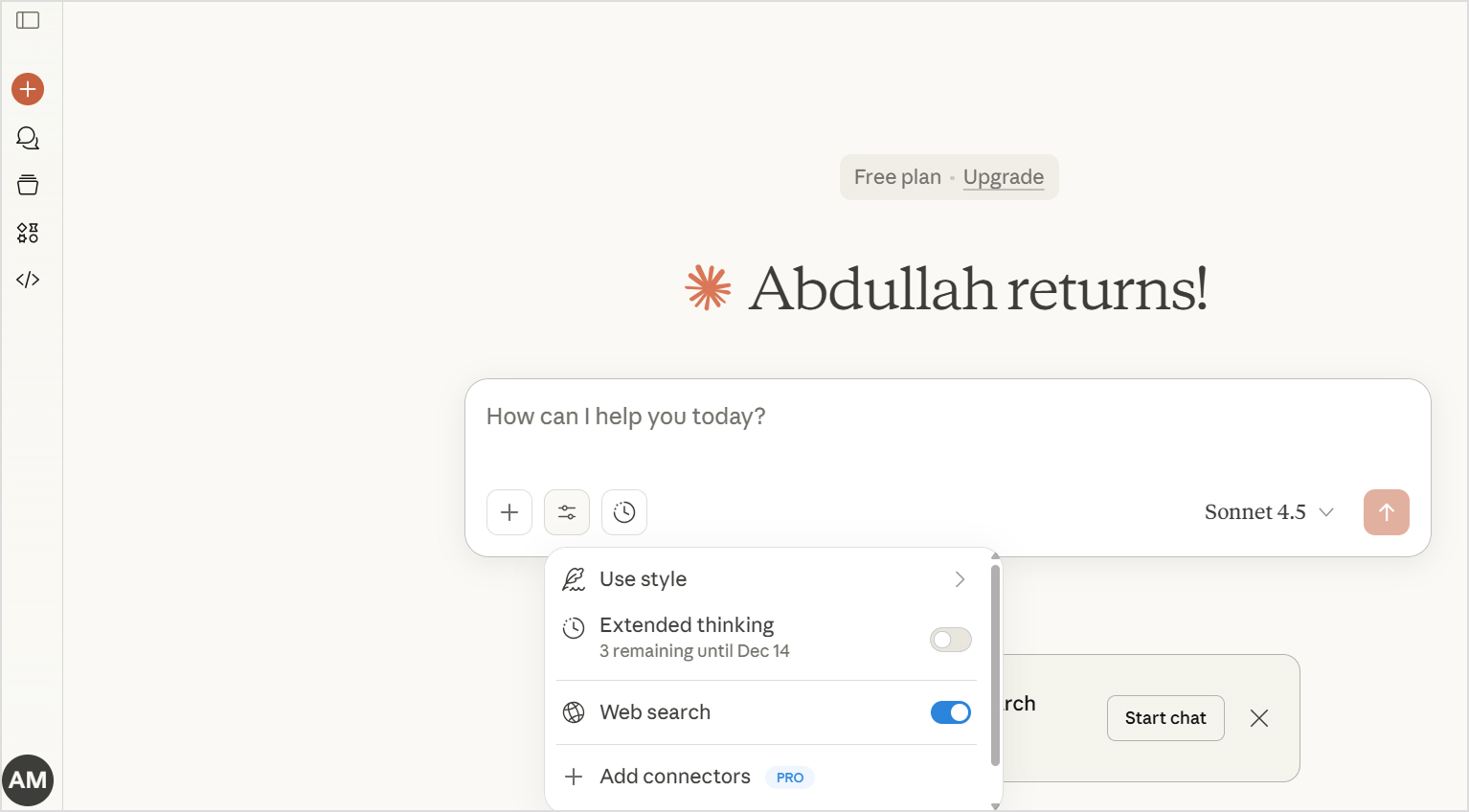
    Claude, developed by Anthropic, is another leading AI writing model known for its natural tone and context-aware writing. Inspired by principles of “Constitutional AI,” Claude is designed to be helpful, honest, and harmless, which makes it a reliable AI tool for long-form writing and editorial work.

    Claude

    Some of the key areas where Claude excels are:

    • Contextual depth: It understands and maintains context over long pieces of text, making it ideal for detailed blogs or guides.
    • Clarity and factual accuracy: Claude focuses on producing content that’s well-reasoned and accurate, minimizing filler or vague statements.
    • Human-like tone: Its writing often feels smooth and conversational, which is suitable for lifestyle or thought-leadership blogs.
    • Summarization and research synthesis: Claude can summarize lengthy research or merge multiple data points into cohesive sections.
    • Ethical and transparent writing: It tends to avoid exaggeration, offering more neutral and trustworthy content.

    In short, Claude’s strength lies in crafting insightful, clear, and well-structured long-form content, which is perfect for writers who prioritize accuracy and depth over flashy language.

    Limitations

    Claude can sometimes be overly cautious, occasionally declining to write content on sensitive topics where other AI models might proceed. For content creators, this means you might occasionally need to rephrase requests. Moreover, some writers find Claude to be slightly slower at generating quick, punchy content compared to ChatGPT’s rapid-fire output.

    Comparing Claude vs ChatGPT

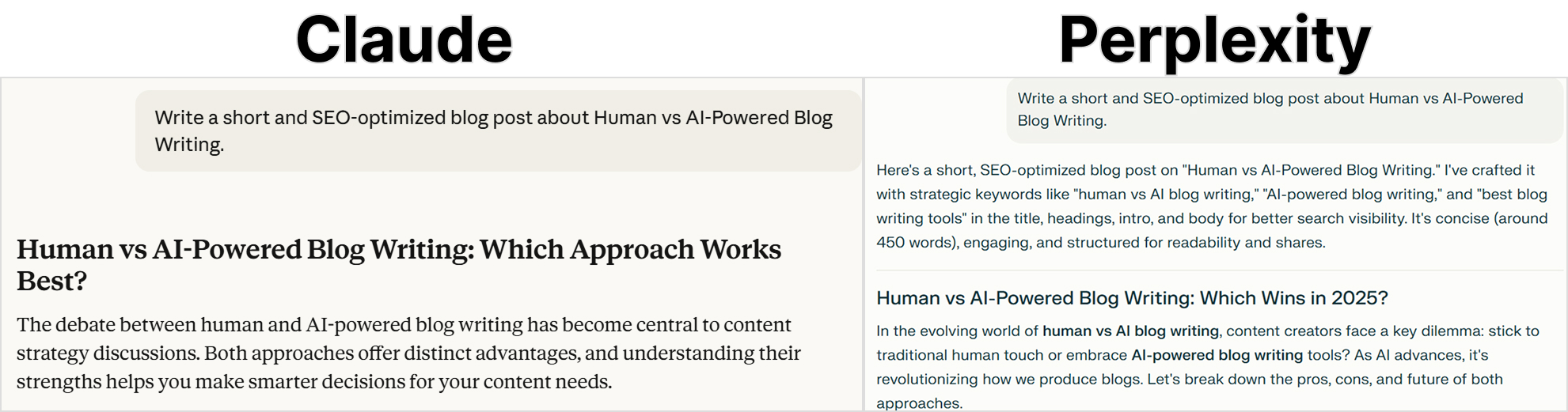
    When it comes to AI-assisted writing, both Claude and ChatGPT deliver impressive results. However, we get to see a real difference between them by comparing their output in terms of research, reasoning, content writing, image generation, and SEO optimization. These are the key areas that matter the most to bloggers and marketers.

    claude vs chatgpt

    The following table shows a quick side-by-side comparison of Claude vs ChatGPT:

    FeatureClaudeChatGPT
    Content qualityNatural, less AI-sounding. Excellent for long-formFluent and versatile. Can feel formulaic at times
    Research capabilityStrong web search integration and takes caution with factsWeb browsing is available (Plus) with an extensive knowledge base
    ReasoningExcellent analytical thinkingStrong reasoning
    Content depthIdeal choice for in-depth articlesGood depth, but can lose focus in very long pieces
    Tone consistencyHighly consistent across long contentGenerally consistent
    SEO understandingUnderstands SEO principles, but requires prompts for implementationExcellent SEO awareness and  keyword integration
    Image generationNot availableDALL-E integration available (Plus/Pro)
    SpeedThoughtful but slightly slowerGenerally faster output
    Fact accuracyAcknowledges uncertainty to ensure maximum accuracyCan give wrong or outdated facts, so manual fact-checking is necessary
    Pricing (Paid plan)Pro: $17/month Max: $100/person/monthPlus: $20/month Pro: $200/month
    Best forLong-form blogs, thought leadership, research articlesVersatile content, quick posts, social media, visuals

    Let’s compare Claude vs ChatGPT in detail:

    Claude vs ChatGPT in research

    ChatGPT excels at collecting information, summarizing data, and organizing research-based content into digestible blog formats. So, it is effective for writers who need fast, structured overviews or topic summaries.

    Claude, on the other hand, prioritizes accuracy and context. It tends to rephrase or validate information in a more natural, fact-driven tone. It is suitable for writers who value reliability and balanced explanations over speed.

    Verdict

    In terms of Claude vs ChatGPT for research, ChatGPT wins for quick and SEO-ready research summaries. If you have access to ChatGPT Plus, you can expect even more accurate results. However, for more detailed explanations, Claude takes the lead.

    Claude vs ChatGPT in reasoning

    Reasoning plays a big role in long-form writing. ChatGPT is excellent for structuring arguments and generating logical outlines. It can also mimic reasoning patterns that suit marketing, product comparisons, or educational blogs.

    Claude, however, has a more analytical reasoning process. It doesn’t just list ideas, but also connects them with deeper insights or cause-and-effect explanations. This is why Claude’s writing is more thoughtful.

    Verdict

    Use ChatGPT for concise and structured reasoning. But if you want deeper and layered logic, you can use Claude.

    Claude vs ChatGPT in content writing

    We’ll be discussing Claude vs ChatGPT for writing in detail later in this article with a blog example. But overall, ChatGPT shines in content writing due to its versatility, as it can easily adapt tone and voice to fit a brand’s identity. 

    You can use ChatGPT to produce everything from catchy blog introductions to detailed how-to guides. Its fluency and creativity make it ideal for marketing and storytelling.

    Claude, meanwhile, delivers editorial-quality writing that feels human and deliberate. It prioritizes flow and readability. It is more suitable for thought leadership, journalism, and reflective blogs.

    Verdict

    ChatGPT performs better for brand-driven and SEO-optimized blogs, while Claude is ideal for long-form writing.

    Claude vs ChatGPT in content depth

    ChatGPT can generate comprehensive outlines and expand sections efficiently. It is an ideal choice when you can write an article section-by-section instead of a one-click article generation.

    On the other hand, Claude emphasizes depth over volume. It dives deep into nuances, examples, and reasoning that make content feel more researched and detailed. Plus, you can expect Claude to write a comprehensive blog post through a single well-designed prompt.

    Verdict

    Claude is better than ChatGPT for nuanced and in-depth writing.

    Claude vs ChatGPT in image generation

    Image generation is one area where ChatGPT is the clear winner because Claude does not support visual generation at all.

    Through integrations like DALL·E, ChatGPT can generate images, illustrations, and visuals directly within the writing process. Claude, however, is text-only, which focuses solely on writing and editing tasks. It can describe visuals effectively, but cannot generate them.

    Verdict

    Use ChatGPT to create visual assets along with written content.

    Claude vs ChatGPT in SEO understanding

    When comparing Claude vs ChatGPT in SEO understanding, the difference is in practical implementation.

    ChatGPT has a strong grasp of on-page SEO elements, including keyword placement, meta descriptions, subheadings, and content flow. It can write optimized blogs that balance readability with search intent.

    Claude, while aware of SEO best practices, leans toward natural readability and human tone over keyword optimization. You have to give it detailed prompts to ensure Claude follows SEO best practices in its writing. 

    Verdict

    ChatGPT is an effective AI tool for SEO-heavy content, while Claude performs better for organic readability.

    Creating a real blog with ChatGPT and Claude

    By now, we’ve compared ChatGPT vs Claude in terms of many different factors. But when it comes to writing, the best way to compare them is to create a real blog. So, in this section, we’ll create a blog post using the same prompt and then compare the writing process, structure, and overall quality.

    This hands-on comparison will help you see how each tool performs when faced with an actual content writing task, from research to final output. 

    Setting up the test

    To make the comparison fair and focused, both Claude and ChatGPT are given the same prompt, tone requirements, and structure expectations.

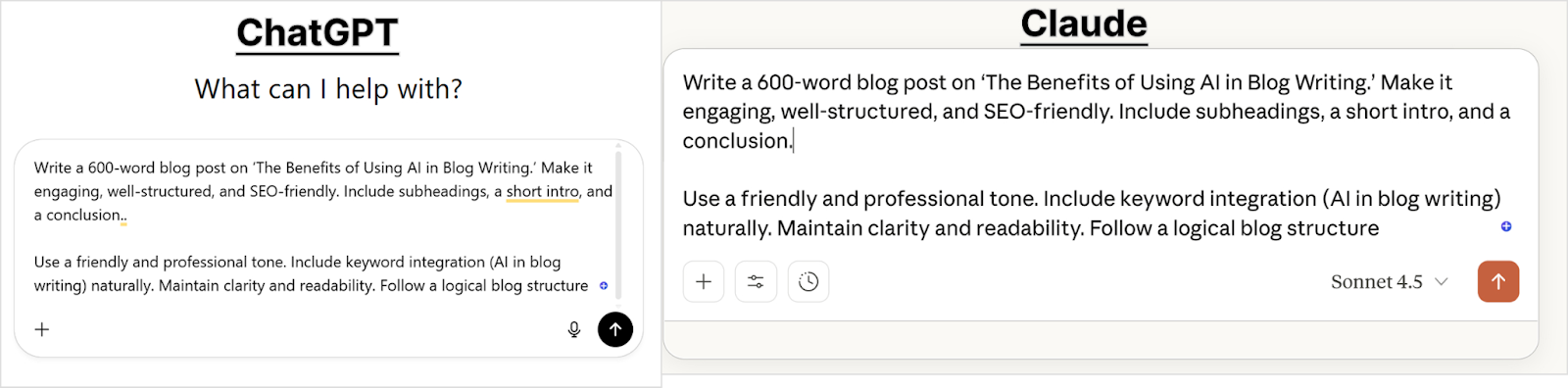
    Prompt used:

    “Write a 600-word blog post on ‘The Benefits of Using AI in Blog Writing.’ Make it engaging, well-structured, and SEO-friendly. Include subheadings, a short intro, and a conclusion.”

    Both AIs are expected to:

    • Use a friendly yet professional tone
    • Include keyword integration naturally
    • Maintain clarity and readability
    • Follow a logical blog structure
    claude vs chatgpt toc creation

    This setup allows us to observe not only the quality of their writing but also how they handle organization, SEO intent, and voice.

    Analysis of ChatGPT’s writing output

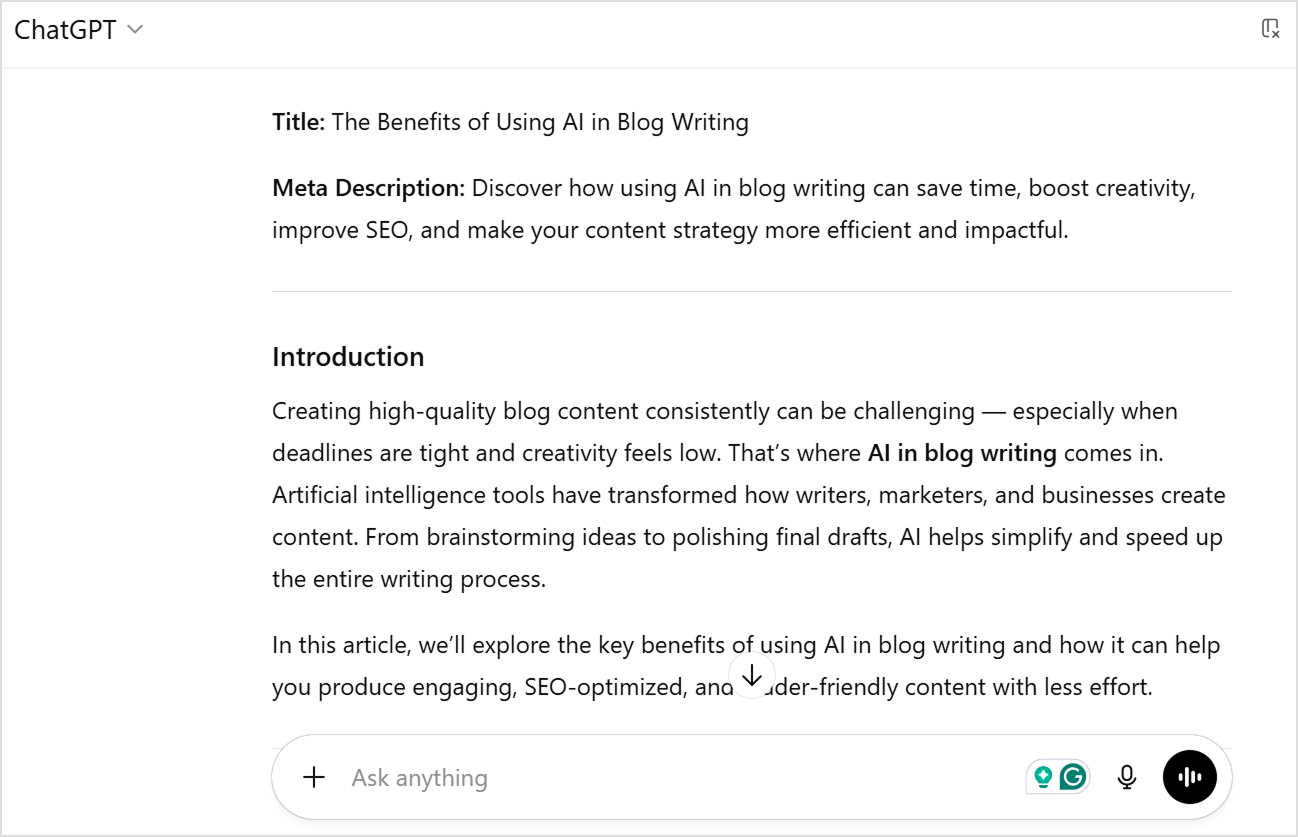
    Chatgpt output

    ChatGPT delivered a comprehensively structured post with clear organization. The title and meta description came automatically, which is great for SEO workflows. The introduction opened with a relatable pain point: “Creating high-quality blog content consistently can be challenging — especially when deadlines are tight and creativity feels low.”

    The structure followed a classic listicle format with numbered benefits. Moreover, each section included bullet-pointed sub-benefits, making the content scannable and easy to digest. 

    Overall, the writing was clear and functional, using straightforward language like “AI tools streamline these steps by…” and “Here’s how AI enhances content quality…”

    ChatGPT’s strengths for writing

    • Immediate SEO readiness: Automatically generated an optimized title and meta description without additional prompting, saving time in the content workflow.
    • Superior formatting structure: Used numbered lists, bullet points, and clear hierarchies that make content highly scannable.
    • Consistent organization: Each benefit section followed the same predictable pattern (introduction → bullet points → explanation), creating a familiar structure that readers expect.
    • Action-oriented language: Phrased benefits as concrete outcomes (“Saves Time,” “Improves Quality”) rather than abstract concepts.
    • Quick reference value: The listicle format makes it easy for readers to extract specific information without reading the entire article.
    • Beginner-friendly: Simple, direct language accessible to all reading levels without sacrificing information density.

    ChatGPT’s weaknesses for writing

    • Generic AI phrases: Included clichés like “in a fraction of the time” and “speaks directly to their interests” that immediately signal AI-generated content.
    • Lacks a distinctive voice: The writing feels template-driven, making it difficult to differentiate from thousands of other AI-written articles on the same topic.
    • Surface-level explanations: Covered breadth effectively but didn’t explore why benefits matter or provide a deeper context that demonstrates expertise.
    • Forced transitions: Phrases like “it complements it beautifully” felt unnatural and overly enthusiastic in ways human writers rarely express.
    • Predictable structure: The rigid numbered format, while scannable, can feel formulaic and reduce engagement for readers seeking more nuanced discussion.
    • Requires significant editing: To make this publication-ready for a brand-building strategy, you’d need to inject personality, remove AI tells, and add unique insight.

    Analysis of Claude’s writing output

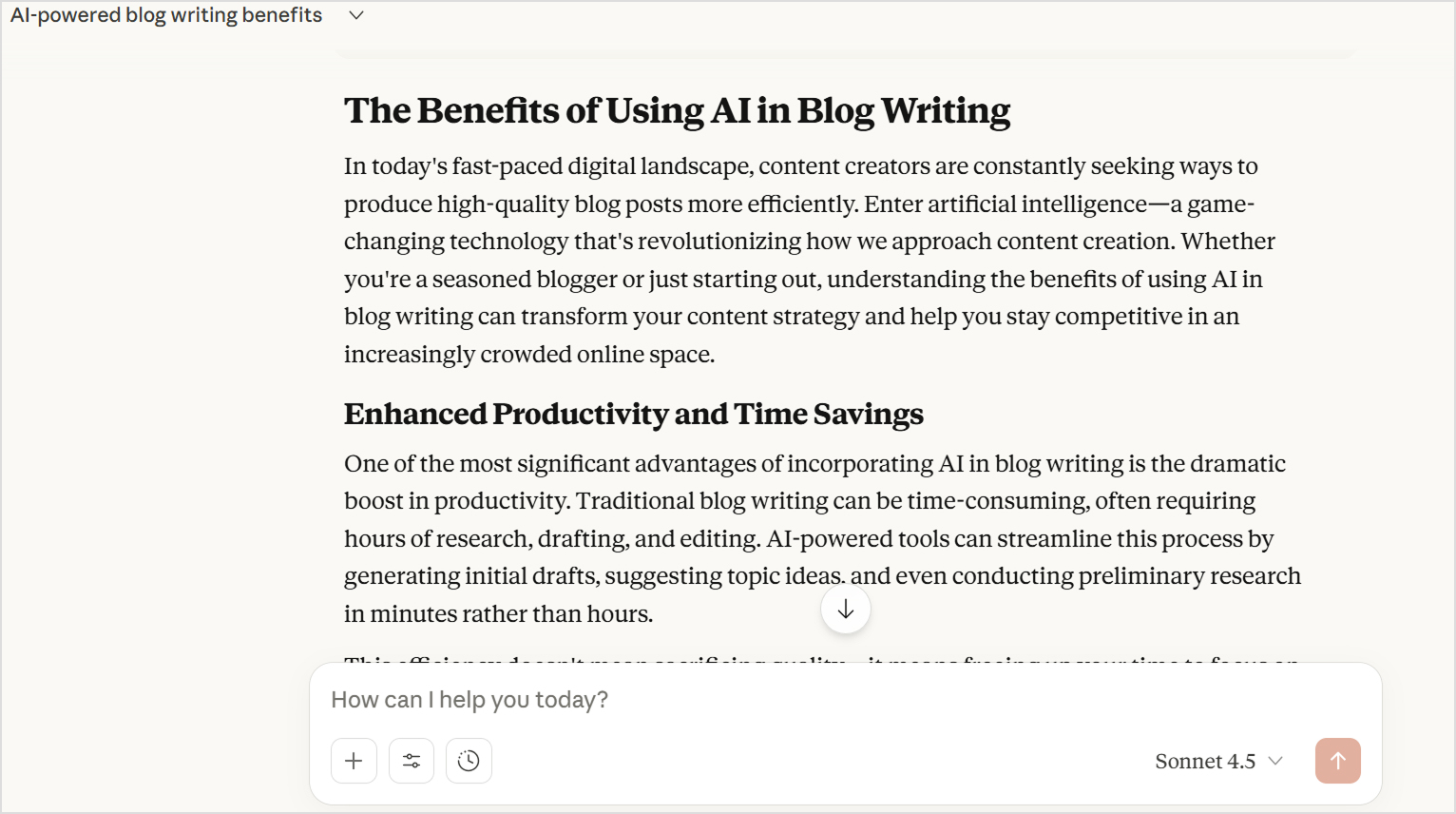
    Claude output

    Claude opened with a more narrative introduction: “In today’s fast-paced digital landscape, content creators are constantly seeking ways to produce high-quality blog posts.” Such an introduction, while engaging, is common in all types of AI-generated blog posts.

    The structure used descriptive H2 headings rather than numbers. Moreover, Claude wrote in flowing paragraphs without bullet points, creating a more article-like reading experience. Each section explored concepts more deeply with explanations of why benefits matter, not just what they are. 

    For example, rather than listing ways AI helps with SEO, Claude explained: “By leveraging AI in blog writing, you can ensure your content is discoverable by your target audience.”

    Claude’s strengths for writing

    • Deeper conceptual explanations: Doesn’t just list benefits but explains the underlying reasoning, helping readers truly understand concepts rather than just memorize tips.
    • Variation in sentence structure: Uses varied sentence structures and more nuanced language to improve the content’s authority.
    • Narrative coherence: Each section builds on previous ideas, creating a cohesive article rather than disconnected tips.
    • Authentic tone: The voice feels like a knowledgeable person sharing insights rather than a bot assembling information.
    • Thoughtful conclusions: Ties concepts together meaningfully instead of generic wrap-ups.
    • Less editing required: Typically needs only 15-20% editing to add brand-specific elements and personal touches.

    Claude’s weaknesses in writing

    • Missing SEO elements: Didn’t automatically provide title tags or meta descriptions, requiring follow-up prompts for complete SEO optimization.
    • Less scannable format: Paragraph-heavy structure makes it harder for skimmers to extract key information quickly, which can reduce engagement for casual readers.
    • Occasional AI clichés: Started with “In today’s fast-paced digital landscape”, which is one of the most overused phrases in both Claude and ChatGPT.
    • Requires formatting work: To match modern blog standards, you’d need to add bullet points, callout boxes, or other visual breaks for better readability.
    • No built-in visual generation: Must use separate tools for images, while ChatGPT offers integrated DALL-E access.
    • Slightly longer generation time: Takes 30-60 seconds more than ChatGPT for equivalent content length.
    • May exceed word counts: Tends to write longer than requested because it develops ideas thoroughly rather than hitting arbitrary targets. It increases the chances of fluff. 

    Summary of Claude vs ChatGPT for blog writing

    When it comes to creating a real blog, both tools perform impressively, but they cater to different goals.

    • ChatGPT feels like a creative content partner, ideal for marketers, bloggers, and SEO writers who want speed, variety, and adaptability.
    • Claude feels more like a skilled editor, ideal for writers who prioritize accuracy, flow, and brand tone consistency over flashy language.

    For this test, ChatGPT delivered more immediately usable content for quick publication. Claude produced higher-quality writing that would perform better for building authority and engaging serious readers, but required additional prompts for SEO elements and formatting optimization.

    The choice between them depends on your content goals and whether you prefer efficiency and flair (ChatGPT) or depth and refinement (Claude).

    Related: Does Google penalize AI content?

    ChatGPT vs Claude: Strengths and weaknesses for content writing

    The following table summarizes the strengths and weaknesses of Claude and ChatGPT:

    AspectChatGPTClaude
    Writing quality✅ Clear, functional, well-organized❌ Generic, template-driven, lacks personality, unless specific prompts are given✅ Natural, human-like prose❌ Occasionally uses AI clichés, especially in intros
    Content structure✅ Excellent formatting with lists and bullets✅ Highly scannable❌ Predictable, formulaic patterns✅ Cohesive narrative flow❌ Paragraph-heavy, less scannable❌ Requires formatting work
    Content depth✅ Covers breadth effectively❌ Surface-level explanations✅ Deeper conceptual explanations❌ May exceed word count targets and add fluff
    SEO readiness✅ Auto-generates titles and meta descriptions✅ Immediate SEO optimization❌ Requires separate prompts for SEO elements✅ Natural keyword integration
    Voice & authenticity✅  Follows brand voice on specific prompts❌ Forced transitions and phrases✅ Harder to identify as AI-written✅ Sophisticated, varied language
    Editing required❌ 30-40% rewrite needed✅ Only 15-20% editing needed
    Speed✅ Faster generation (1-2 min for 1,500 words)❌ Slightly slower (2-3 min for 1,500 words)
    Visual content✅ Integrated DALL-E image generation❌ No built-in image creation
    Best forQuick, scannable blog posts and listicles and how-tosLong-form thought leadership and authority-building content

    Users’ reviews for Claude & ChatGPT

    Real user experiences provide valuable insights beyond technical specifications when evaluating Claude vs ChatGPT for writing.

    G2 and Capterra are two of the most trusted software review platforms where verified users share honest feedback about tools they use daily. These reviews come from actual content creators, marketers, and businesses who rely on these AI assistants in their workflows.

    Overall ratings

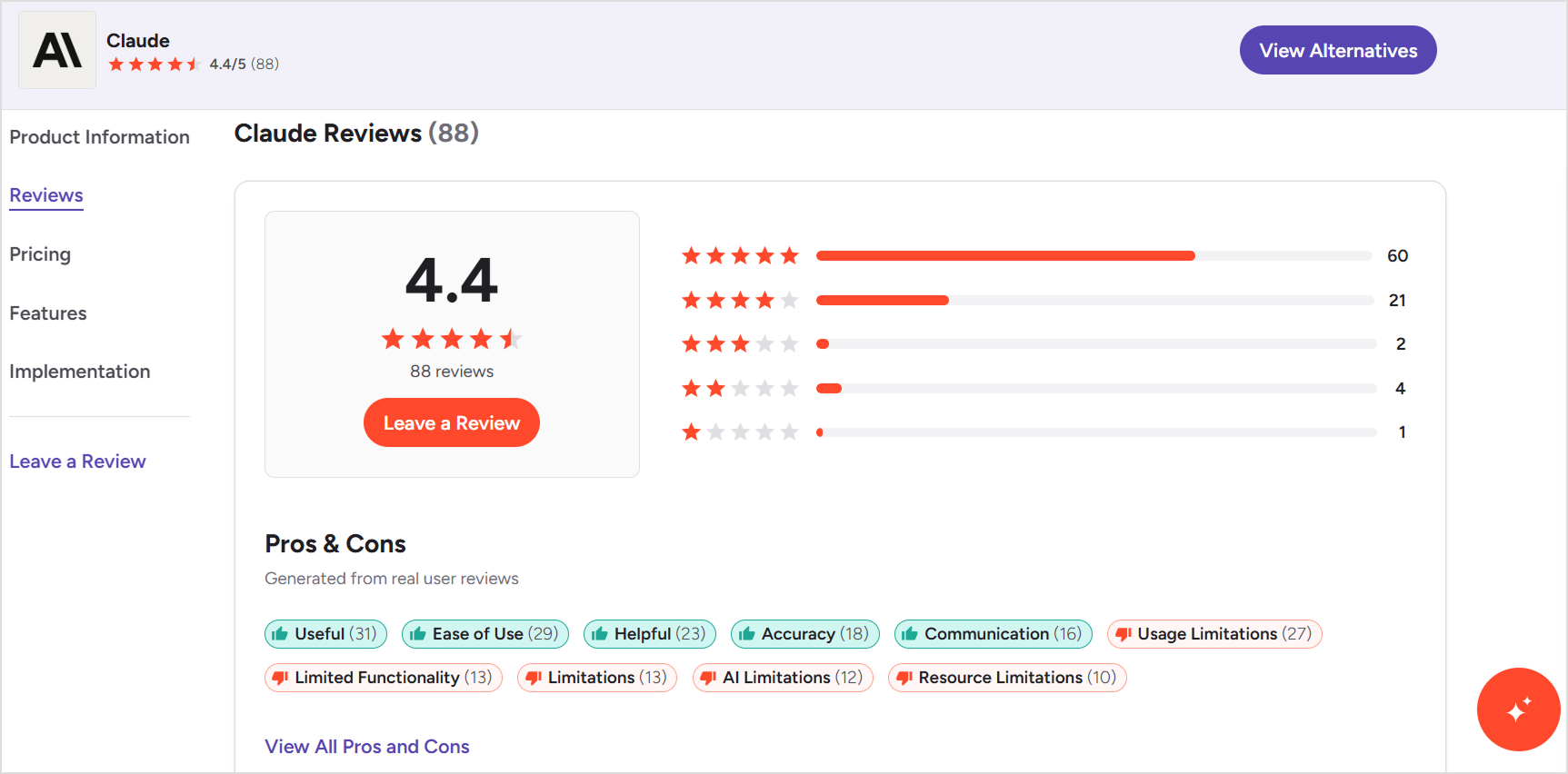
    G2 reviews

    • ChatGPT: 4.7/5 – Higher overall satisfaction score
    • Claude: 4.4/5 – Strong rating with room for growth
    G2 reviews

    Capterra reviews

    • Claude: 4.6/5 – Leading in user satisfaction
    • ChatGPT: 4.5/5 – Closely competitive rating
    Capterra reviews

    Interestingly, Claude scores higher on Capterra while ChatGPT leads on G2, suggesting both platforms have devoted user bases with different priorities and use cases.

    What users say about ChatGPT

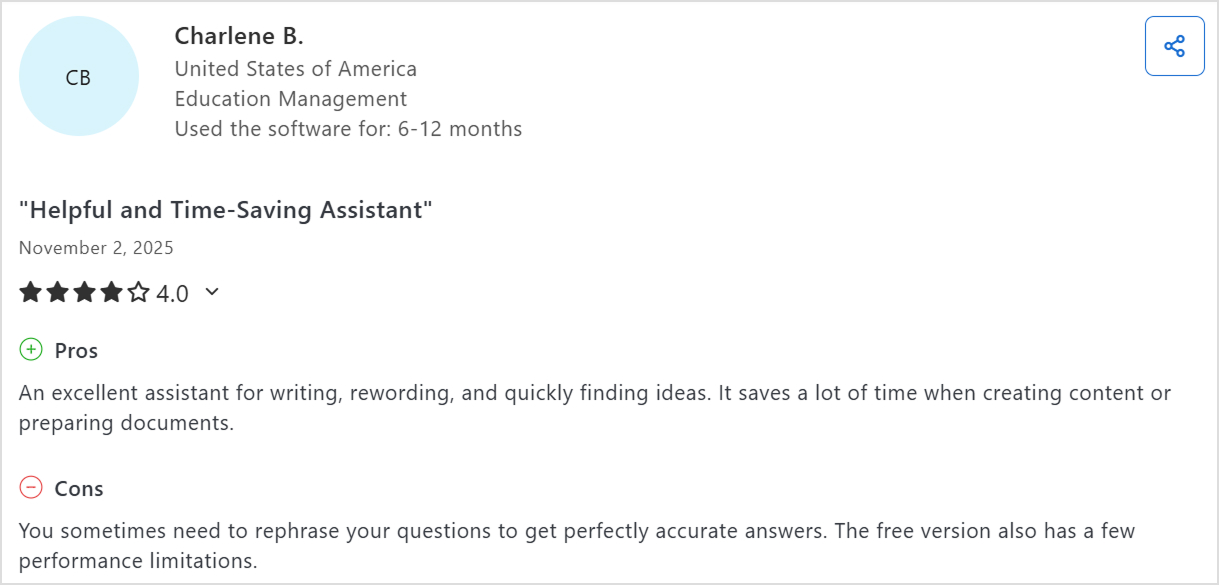
    ChatGPT review

    Praised for:

    • Speed and efficiency: Provides answers instantly, making content creation significantly faster.
    • Ease of use: Intuitive interface that feels like “having a buddy” available 24/7.
    • Overcoming writer’s block: Excellent for getting initial drafts started and eliminating blank page syndrome.
    • Versatility: Handles diverse content types from emails to blog posts, social media captions to academic assignments.
    • Time-saving capabilities: Summarizes long documents quickly and assists with research across multiple domains.
    • Creative collaboration: Acts as a brainstorming partner that provides thoughtful suggestions and fresh perspectives.
    • Breaking down complexity: Excels at simplifying complex topics into understandable language.

    Common complaints:

    • Confidence despite inaccuracy: Often presents wrong or outdated information with complete confidence, requiring rigorous fact-checking.
    • Obviously AI-generated: Content is easily identifiable as machine-written, sounding overly formal and lacking authenticity.
    • Technical glitches: Makes grammatical errors and provides misinformation that undermines reliability.
    • Not a human replacement: Clearly needs human oversight to verify validity, adjust tone, and provide proper context for target audiences.
    • Struggles with niche topics: Limited effectiveness for specialized subjects or recent events.
    • Overly restrictive filters: Safety features sometimes prevent getting the desired responses.
    • Limited image generation: Frustrating restrictions on the number of images that can be created.
    • Free version limitations: Performance constraints affect user experience.

    What users say about Claude

    Claude reviews

    Praised for:

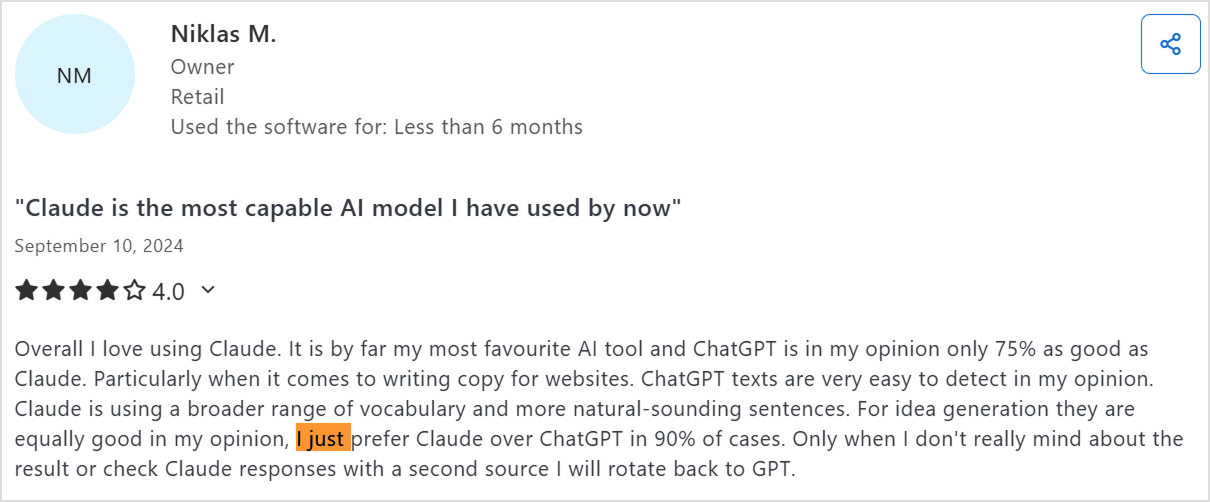
    • Superior to ChatGPT for copywriting: “By far my most favourite AI tool and ChatGPT is in my opinion only 75% as good as Claude” for website copy.
    • Natural-sounding content: Uses broader vocabulary and more natural sentence structures that are harder to detect as AI-generated.
    • Better context retention: Remembers past conversations more effectively and pulls more context from background information.
    • File upload capability: Can upload and summarize documents directly within the platform.
    • Precise information delivery: Provides condensed, well-organized information that simplifies research.
    • Excellent for marketing content: Highly effective for blog articles, brainstorming topics and titles, and business idea development.

    Common complaints:

    • Still reads as AI-generated: Text requires reworking to sound fully authentic despite being better than ChatGPT.
    • Poor link handling: Doesn’t summarize URLs well and sometimes fabricates information when processing links.
    • Usage limitations: Recent implementations of capacity restrictions that convert to shorter responses unless users upgrade (described as “bait and switch”).
    • Needs question rephrasing: Sometimes requires reformulating prompts to get accurate answers.
    • Smaller feature set: Lacks some of the integrated tools available in ChatGPT.

    User Preference Patterns

    One Claude user summarized the comparison perfectly: “I just prefer Claude over ChatGPT in 90% of cases. Only when I don’t really mind about the result or check Claude responses with a second source I will rotate back to GPT.”

    Overall, the reviews confirm what our testing showed that both AI tools excel in different scenarios. Your choice should align with your specific content priorities: ChatGPT for versatility and speed, Claude for natural-sounding, quality-focused content.

    Contentpen – A better alternative to Claude & ChatGPT

    While Claude and ChatGPT are powerful AI writing assistants, they weren’t specifically built to manage the entire blogging process. Both tools can generate quality drafts, but you still need to handle keyword research, SEO optimization, publishing, and performance tracking manually.

    That’s where Contentpen stands out. It’s not just an AI writer, but an all-in-one platform designed to help you write, rank, and scale blogs effortlessly. It is a modern AI-powered blog writer that helps everyone from solo bloggers to enterprises in bulk content creation. 

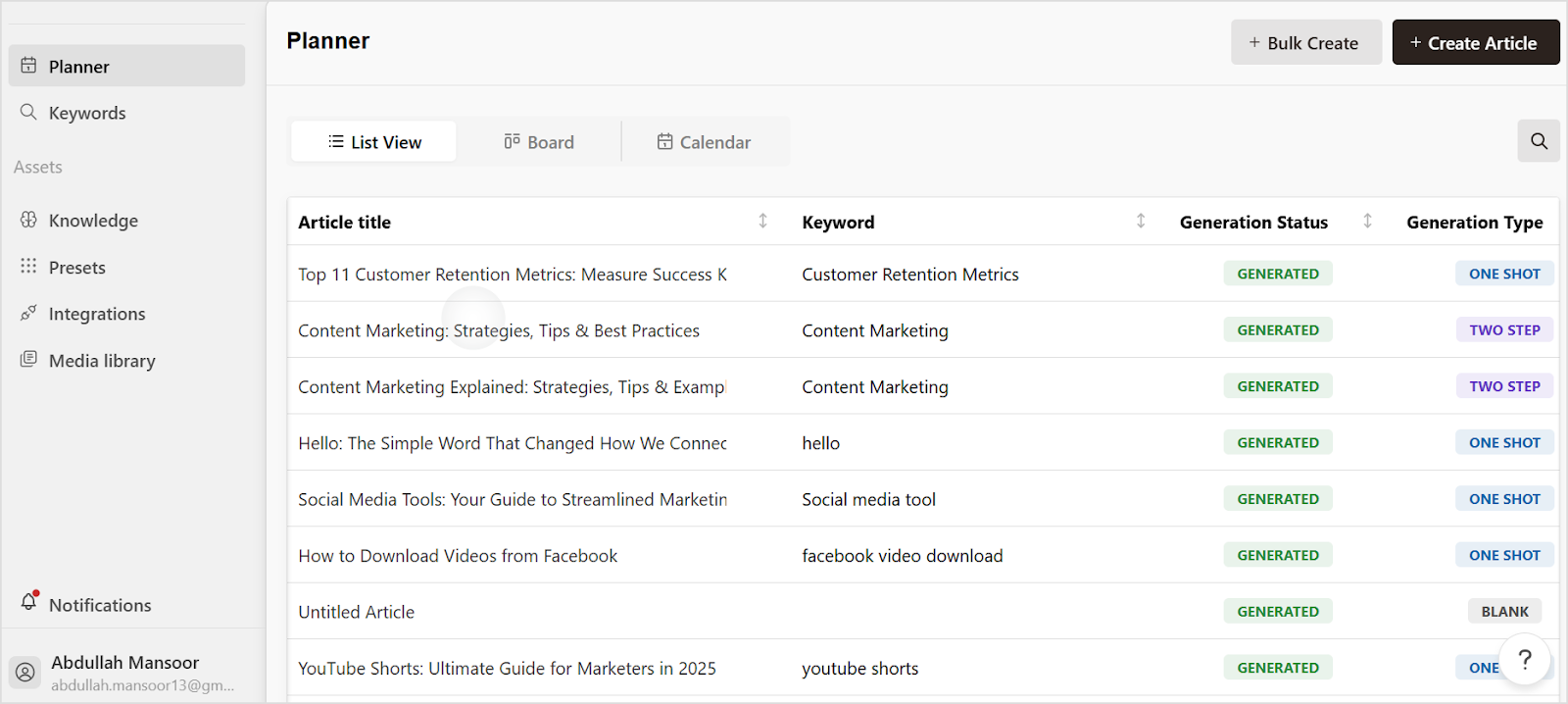
    Contentpen interface

    The following table explains why Contentpen is better than both Claude and ChatGPT:

    FeatureClaudeChatGPTContentpen
    AI writing quality✅ Excellent clarity✅ Creative and versatile✅ SEO-focused, brand-aligned. One-click option available.
    Keyword research❌ Manual❌ Manual✅ Automatic and smart
    SEO & GEO optimization⚪ Basic⚪ Strong✅ Advanced, built-in
    Publishing❌ Manual❌ Manual✅ 1-click to WordPress
    Images & media❌ No✅ Limited✅ AI-generated visuals included
    Content calendar❌ None❌ None✅ Auto-created and scheduled
    SEO insights❌ None⚪ Limited via plugins✅ Built-in SEO insights
    Scalability⚪ Moderate⚪ High✅ Unlimited content automation

    Overall, Claude and ChatGPT are great writing assistants, but Contentpen is the entire content department. It helps you go from idea to traffic-generating blog automatically, ensuring that every post is optimized, engaging, and aligned with your brand.

    Final Verdict – Which is better for blog writing?

    So, which AI wins the Claude vs ChatGPT debate for content writing? The honest answer is it is dependent depends on your priorities. ChatGPT excels at speed, versatility, and immediate SEO optimization, while Claude dominates in content quality, natural language flow, and analytical depth.

    However, if you’re looking beyond individual AI assistants to scale your content marketing systematically, neither ChatGPT nor Claude offers the complete solution content-driven businesses actually need. You need Contentpen to get the combined benefits of AI writing and automated keyword research, bulk content generation, direct WordPress publishing, SEO tracking, and performance optimization in one integrated platform.

    Start your free trial today and see how Contentpen can transform your blogging process.

    Frequently asked questions

    When to use Claude vs ChatGPT?

    Use Claude when you need long-form, factual, and context-rich content — like thought-leadership blogs or editorial pieces. Choose ChatGPT for fast, SEO-focused, and creative content such as blog posts, ad copy, or social media articles.

    Is Claude AI better than ChatGPT?

    Not necessarily, as both of these LLMs excel in different areas. Claude offers clearer reasoning and consistency, while ChatGPT delivers stronger SEO awareness, creativity, and tool integration.

    Is Claude the most powerful AI?

    Claude is one of the most advanced writing models, but not the absolute most powerful. Its strength lies in thoughtful reasoning and context handling, not necessarily in versatility or integrations.

    Is there any AI stronger than ChatGPT?

    It depends on the task. Some AIs like Claude 4.5 or Gemini 2.5 may outperform ChatGPT in reasoning or document analysis, but ChatGPT remains unmatched in creativity and general prompts.

    What is the 30% rule in AI?

    The 30% rule suggests that AI should handle around 70% of repetitive, low-value tasks, allowing humans to focus on the remaining 30% work that requires creativity, ethical judgment, and critical thinking. It ensures AI improves human productivity, instead of replacing it.

    What is the knowledge cutoff for Claude?

    The knowledge cutoff for Claude 4.5 is January 2025. It means Claude can only get knowledge of events from February through November 2025 by using web search to find current information.

    What is the knowledge cutoff for ChatGPT?

    For GPT-5 (ChatGPT’s latest version), the knowledge cutoff is October 2025, though it can access the web for updated, real-time information when browsing is enabled.

  • Best AI tool for writing SEO-rich blog content

    Best AI tool for writing SEO-rich blog content

    Artificial intelligence (AI) is quickly becoming the backbone of successful SEO strategies. A large majority of companies and marketers are already using AI. But the real challenge isn’t adoption. Instead, it is choosing the be st AI tool for writing SEO-rich blog content.

    Among the long list of AI writing tools, Contentpen emerges as the definitive solution for creating SEO-rich blog content that ranks higher, engages readers, and drives meaningful business results.

    This comprehensive guide explores what makes an AI tool truly exceptional for SEO content creation, why Contentpen stands above the competition, and how you can use its capabilities to transform your content marketing strategy. 

    Whether you’re a solo blogger learning how to write blogs faster using AI or managing content for a large enterprise, understanding these principles will help you create content that both search engines and human readers absolutely love.

    Contentpen

    What makes an AI tool ideal for SEO‑rich blog content?

    The best AI tool for writing SEO-rich blog content must excel in three fundamental areas that separate professional-grade platforms from basic text generators. 

    These capabilities determine whether your content will rank on page one or get lost in the digital noise.

    1. Understanding search intent and keyword placement

    Modern SEO success depends on matching content to user intent, not just cramming keywords into paragraphs. The most effective AI tools analyze SERP features to understand what searchers actually want when they type specific queries.

    How advanced AI tools analyze search intent

    Professional platforms examine multiple data sources to understand user needs:

    • “People Also Ask” questions: Reveals related concerns and subtopics users want covered
    • Related search suggestions: Shows semantic variations and related queries
    • Current ranking content types: Identifies whether users prefer guides, comparisons, or quick answers
    • SERP features present: Indicates if Google expects videos, images, or specific content formats

    Four types of search intent

    Search intent analysis

    Source

    Search intent analysis has become the most critical differentiator among AI SEO tools. Advanced platforms categorize queries into four distinct types:

    1. Informational: Users seeking knowledge or answers to questions
    2. Navigational: Users looking for specific websites or brands
    3. Transactional: Users ready to make purchases or take action
    4. Commercial investigation: Users comparing options before buying

    For instance, when someone searches for “best AI tool for writing SEO rich blog content,” they want comparative analysis and actionable recommendations, which is exactly what this article provides.

    Smart keyword integration techniques

    Professional AI tools understand semantic density and keyword relationships within context:

    • Natural keyword weaving: Incorporates target terms organically within sentences
    • Optimal density maintenance: Maintains the recommended 2-3% keyword density
    • Semantic variations: Uses related terms to strengthen topical relevance
    • Contextual placement: Positions keywords where they feel natural and valuable

    This approach helps writers avoid AI detection in writing while maintaining SEO effectiveness.

    2. Ensuring readability and engagement for humans and search engines

    The dual challenge of SEO content lies in satisfying both algorithmic requirements and human preferences. Google’s algorithms increasingly prioritize user engagement metrics like time on page, bounce rate, and social shares. These are all indicators that real people find your content valuable.

    Content structure optimization

    Exceptional AI tools structure content for maximum readability using proven formatting techniques:

    Heading hierarchies:

    • H1 for main title with primary keyword
    • H2 for major sections with secondary keywords
    • H3 for subsections and detailed points
    • H4-H6 for additional organization as needed

    Scannable formatting elements:

    • Strategic bullet points that highlight key information
    • Natural paragraph breaks every 2-3 sentences
    • Bold text for important concepts and keywords
    • Tables and lists for complex data presentation

    Also read: How to structure a blog?

    Technical SEO optimization features

    Content optimization extends beyond basic formatting to include essential technical elements:

    SEO elementOptimal lengthPurpose
    Meta descriptions155 charactersImprove click-through rates
    Title tagsUnder 60 charactersCompelling headlines that rank
    Internal links3-5 per articleKeep readers engaged longer
    Schema markupAs neededEnhanced SERP appearance

    3. Streamlining your workflow for consistency

    Enterprise-level content production requires systematic processes that maintain quality while scaling output. The most valuable AI tools integrate into existing workflows, providing collaborative features that support team-based content creation without sacrificing brand consistency.

    Team collaboration features

    Modern platforms offer comprehensive collaboration capabilities:

    • Multi-user editing like Google Docs
    • Live cursor tracking and user presence
    • Instant save and sync across devices
    • Version history and change tracking
    • Comment systems for feedback and suggestions
    • Approval workflows for quality control
    • Task assignment and deadline tracking
    • Role-based permission management

    Brand consistency maintenance

    Professional AI tools ensure every piece of content reflects your unique brand personality:

    • Customizable style guides: Define tone, brand voice, and messaging parameters
    • Brand voice learning: AI adapts to your preferred communication style
    • Terminology management: Consistent use of industry-specific language
    • Template creation: Standardized formats for different content types

    Workflow automation benefits

    Workflow optimization includes advanced features that transform content marketing into a data-driven process:

    1. Content calendar integration: Schedule and plan content strategically
    2. Automated publishing: Direct posting to CMS platforms
    3. Performance tracking: Connect content creation to business outcomes
    4. Analytics integration: Monitor engagement and optimization opportunities

    This systematic approach transforms content marketing from a creative guessing game into a predictable growth engine.

    Why Contentpen is the best AI tool for writing SEO-rich blog content?

    After extensive analysis of the available AI writing tools, Contentpen consistently outperforms alternatives in the specific areas that matter most for SEO content success. 

    Here’s why it’s become the preferred choice for businesses serious about organic search dominance.

    Many organizations struggle with the dos and don’ts of using AI to generate blog content, but Contentpen addresses these challenges through its specialized approach.

    SEO‑driven outline and structure generator

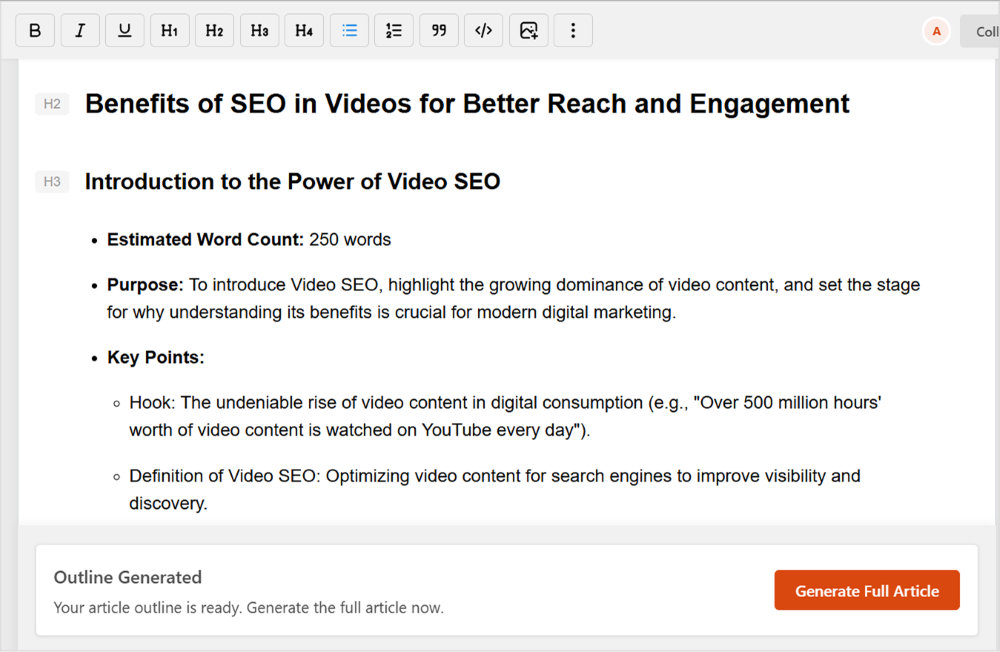
    Contentpen’s outline generation feature represents a quantum leap beyond basic content planning tools. It analyzes top-ranking competitors for your target keywords, identifies content gaps in the current SERP landscape, and creates comprehensive article structures that position your content for search success.

    SEO‑driven outline and structure generator

    The platform’s deep topic research capabilities include automated SERP analysis of top-ranking pages, helping you understand exactly what type of content Google rewards for your specific keywords. 

    This research-driven approach ensures your content covers all the subtopics and semantic keywords that search engines expect, while identifying opportunities to provide unique value that competitors miss.

    Use Contentpen to generate an optimized outline

    Each outline includes optimized heading structures that improve both SEO performance and user experience. The system suggests H1, H2, and H3 tags that create logical information hierarchies while incorporating your target keywords naturally. This strategic approach to content architecture often determines the difference between page one rankings and digital obscurity.

    Built‑in keyword optimization guidance

    Unlike generic AI writing tools that treat keywords as afterthoughts, Contentpen integrates keyword optimization throughout the entire content creation process. The platform provides real-time guidance on keyword density, semantic variations, and strategic placement that maximizes SEO impact without compromising readability.

    Built‑in keyword optimization guidance

    The system’s semantic analysis goes far beyond simple keyword matching. It understands the relationships between related terms and suggests contextually relevant variations that strengthen your content’s topical authority. This sophisticated approach helps your articles rank for dozens of related keywords beyond your primary target.

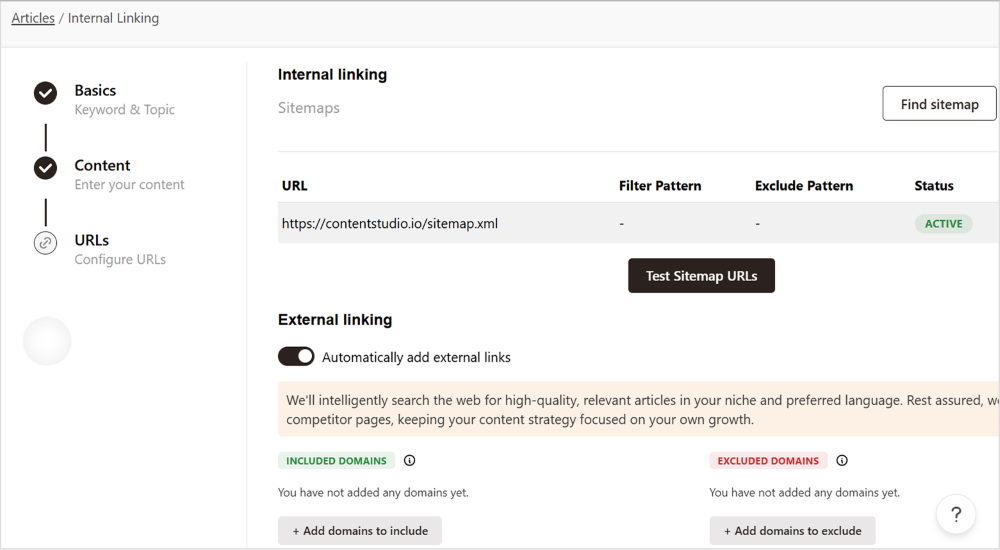
    Linking automation

    Linking automation represents another significant advantage of using Contentpen. It analyzes your existing content library and suggests strategic internal links that boost page authority and improve user engagement. This feature alone can dramatically improve your site’s overall SEO performance by creating stronger topical clusters and keeping readers engaged longer.

    Linking automation

    Related: What is content automation: Key benefits, tools and tips

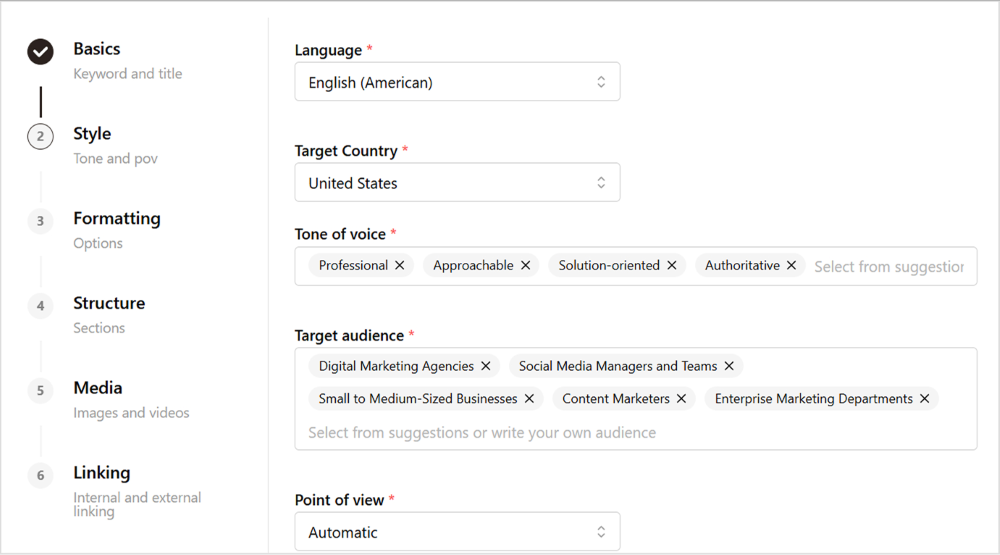
    Natural, human‑like tone and style options

    One of the biggest challenges with AI-generated content is overcoming the robotic, formulaic tone that immediately signals artificial origin to readers. Contentpen addresses this through advanced natural language processing that produces genuinely engaging, conversational content.

    The platform offers multiple tone options that can be fine-tuned to match your brand voice perfectly. Whether you need authoritative expertise for B2B audiences or friendly accessibility for consumer content, the system adapts its writing style while maintaining SEO optimization throughout.

    tone and style options

    Brand voice consistency becomes effortless through Contentpen’s learning capabilities. The more you use the platform, the better it understands your preferred style, terminology, and messaging approach. This creates a feedback loop that continuously improves content quality while reducing the time needed for editing and revision.

    Also read: How to build a brand voice for Contentpen?

    Collaboration and publishing ease

    Content marketing success requires seamless collaboration between writers, editors, SEO specialists, and marketing managers. Contentpen facilitates this through intuitive collaboration features that eliminate the friction typically associated with team-based content production.

    The platform’s approval workflow system ensures quality control while maintaining publication schedules. Team members can provide feedback, suggest revisions, and approve content through a streamlined process that prevents bottlenecks and miscommunication.

    Direct publishing integration with WordPress eliminates the tedious copy-paste process that wastes time and introduces formatting errors. Content flows seamlessly from creation to publication, complete with optimized meta tags, structured data, and internal links that maximize SEO impact from day one.

    Related: How to connect your WordPress with Contentpen?

    Contentpen

    How to create SEO‑optimized blogs with Contentpen?

    Maximizing Contentpen’s capabilities requires a systematic approach that uses each feature strategically. This step-by-step process ensures consistently excellent results while minimizing the time investment required.

    Many users find that following a structured approach helps them create blog content in 10 minutes while maintaining quality standards.

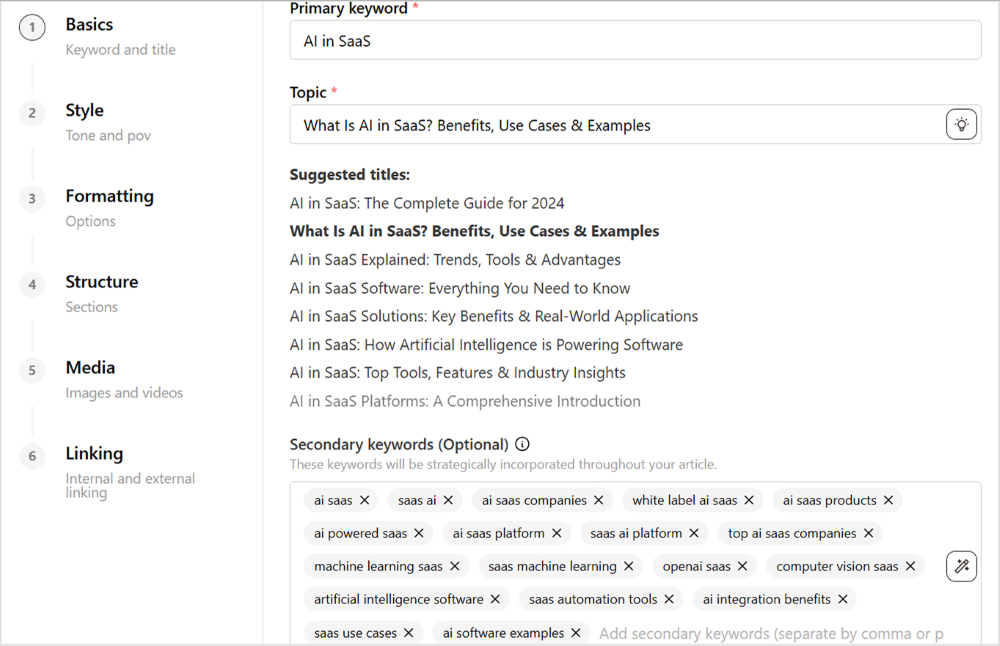
    Step 1: Select your keyword and target audience

    Begin every content project by clearly defining your primary keyword and target audience demographics. Contentpen’s keyword research tools help identify high-opportunity terms with reasonable competition levels and strong commercial intent.

    Primary keyword selection should balance search volume with ranking difficulty based on your domain authority. The platform provides keyword difficulty scores that help you choose targets you can realistically rank for within your timeline and resource constraints.

    Select your keyword and title

    Step 2: Use Contentpen to generate an optimized outline

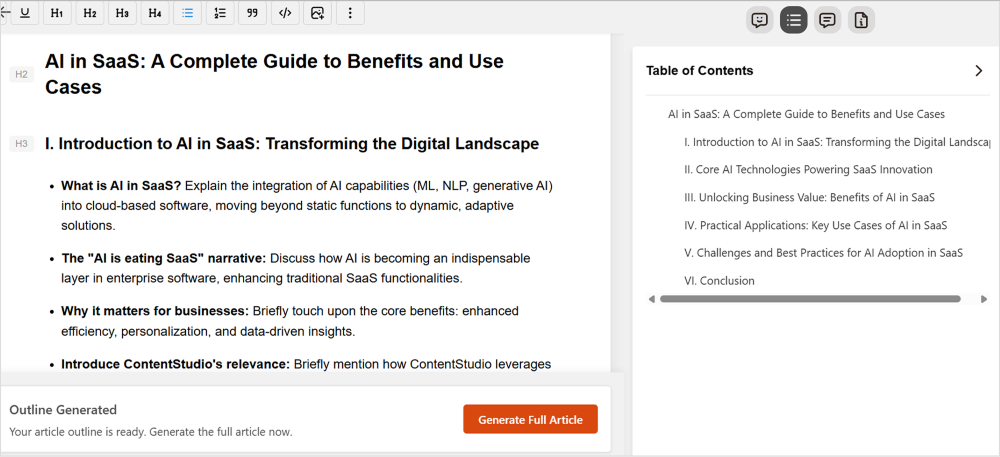
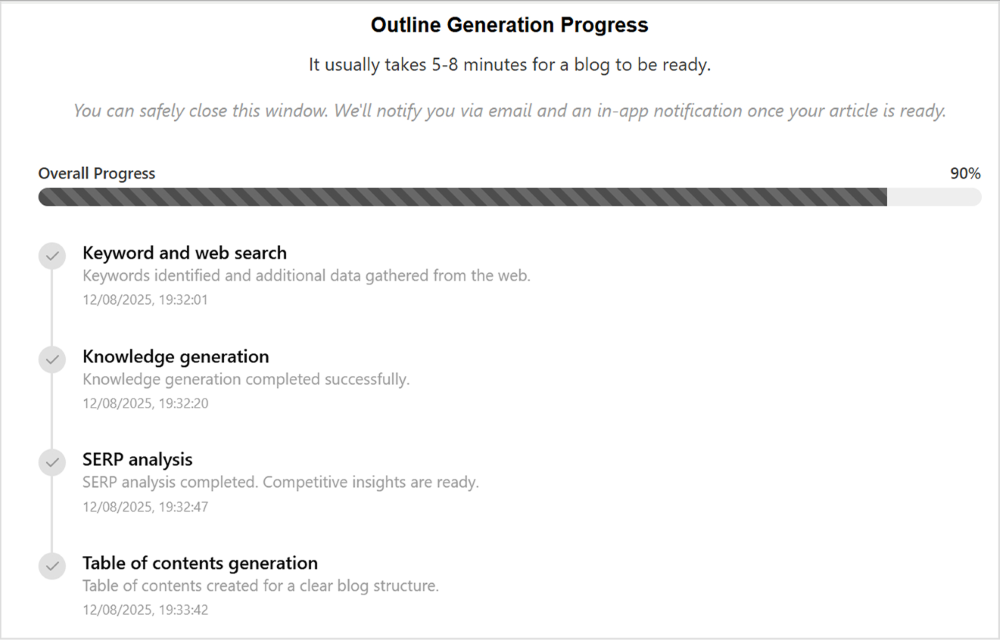
    The outline generation phase sets the foundation for SEO success. Input your target keyword and audience parameters, then allow Contentpen’s AI agents to analyze competitor content, identify semantic keywords, and create a comprehensive content structure.

    Outline optimization includes strategic heading placement that incorporates target keywords naturally while maintaining logical information flow. The system suggests subtopics that comprehensive coverage requires, helping you create pillar content that establishes topical authority.

    Review and customize the generated outline to ensure it aligns with your unique value proposition and brand messaging. While the AI provides excellent structural foundations, your industry expertise and brand personality should guide the final content direction.

    SEO optimized outline

    Step 3: Draft the blog with AI suggestions

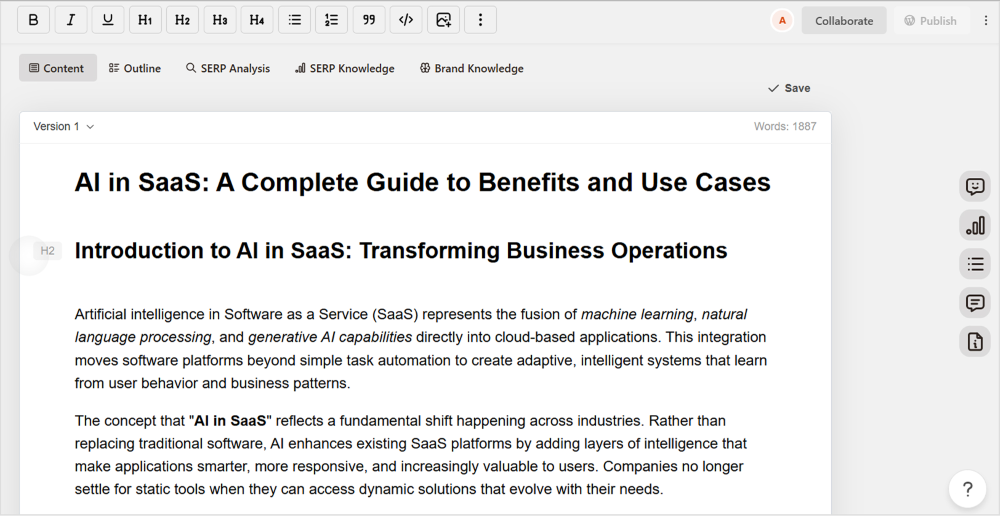
    Contentpen’s writing phase combines artificial intelligence efficiency with strategic SEO integration. The platform generates comprehensive content for each outline section while maintaining a consistent tone and incorporating semantic keywords naturally throughout.

    The AI writing suggestions adapt to your brand voice and industry terminology, creating content that sounds authentically human while meeting all SEO criteria. This balance between optimization and authenticity is crucial for content that performs well in both search rankings and user engagement.

    Draft the blog with AI suggestions

    Related: How to create articles in bulk using Contentpen?

    Step 4: Refine and finalize your blog post

    The refinement phase transforms good AI-generated content into exceptional, publish-ready material. Review each section for accuracy, brand alignment, and value proposition clarity while ensuring all SEO elements are properly optimized.

    Refine and finalize your blog post

    Content enhancement includes fact-checking statistics and claims, adding personal insights that differentiate your content from competitors, and ensuring smooth transitions between sections that improve readability and user experience.

    Optimize meta elements, including title tags, meta descriptions, and image alt text, to maximize SERP performance. Contentpen provides suggestions for these elements, but manual review ensures they align perfectly with your content and brand messaging.

    Step 5: Export and publish

    The final step involves Contentpen’s publishing integrations to streamline content deployment across your digital platforms. The platform maintains formatting, internal links, and SEO elements during the export process, eliminating common technical issues.

    Post-publication monitoring through integrated analytics helps track performance metrics and identify opportunities for content updates or promotion strategies that maximize long-term SEO value.

    Also read: How to fact-check AI-generated content in 7 steps?

    Tips for maximizing SEO results with Contentpen

    Advanced users can unlock even greater value from Contentpen through strategic optimization techniques that compound SEO benefits over time. These approaches transform individual articles into comprehensive content strategies.

    Use the tone options to match your brand voice

    Brand voice consistency across all content creates stronger brand recognition and improves user engagement metrics that influence search rankings. Contentpen’s tone customization features should be calibrated to match your existing successful content and audience preferences.

    Experiment with different tone settings for various content types and audience segments. B2B technical content might require authoritative expertise, while consumer-focused articles benefit from conversational accessibility. The platform’s flexibility accommodates these variations while maintaining overall brand coherence.

    Document your preferred tone settings and style guidelines to ensure consistency across team members and content types. This systematic approach creates a distinctive brand voice that readers recognize and trust, improving both direct engagement and SEO performance.

    Related: How to use tone of voice in writing?

    Experiment with different outlines to suit your audience

    Content structure optimization significantly impacts both user experience and search engine evaluation. Use Contentpen’s outline generator to test different approaches for similar topics, identifying structures that resonate most effectively with your specific audience.

    Analyze performance data from different outline styles to understand what formats drive the best engagement metrics. Some audiences prefer comprehensive, encyclopedia-style coverage, while others respond better to practical, step-by-step guides or comparative analyses.

    Teams can use Contentpen presets to standardize their most effective content formats and maintain consistency across all publications.

    Create personalized content

    Always add your personal touch before publishing

    While Contentpen produces excellent foundational content, human enhancement remains crucial for creating truly exceptional material that stands out in competitive markets. Your unique insights, experiences, and expertise transform good AI content into remarkable thought leadership.

    Add personal anecdotes, case studies, and industry observations that demonstrate authentic expertise and provide value unavailable elsewhere. These human elements create the unique value proposition that search engines increasingly prioritize in their ranking algorithms.

    Conclusion

    Contentpen represents the evolution of AI-powered content creation, specifically engineered for businesses that refuse to compromise between SEO performance and content quality. It’s a comprehensive approach to SEO-rich blog content creation that includes everything from research and outlining through optimization and publishing. 

    eliminates the fragmented workflow that hampers most content marketing efforts.

    Unlike generic AI writing tools that require extensive manual optimization, Contentpen integrates SEO best practices throughout the entire content creation process.

    So, are you ready to transform your content marketing strategy? Start your journey with Contentpen’s AI blog writer today and discover why leading businesses choose it as their best AI tool for writing SEO-rich blog content. Your future search rankings will thank you!

    Frequently asked questions

    How does Contentpen differ from other AI writing tools for SEO?

    Contentpen is specifically built for SEO-rich content creation, featuring integrated keyword research, competitor analysis, automated internal linking, and real-time optimization guidance. Unlike generic AI writers, it understands search intent and structures content for both user engagement and search engine performance.

    Can beginners use Contentpen effectively for SEO content?

    Absolutely! Contentpen’s guided workflow and real-time SEO suggestions make it accessible for beginners while providing advanced features for experienced marketers. The platform includes educational tooltips and best practice recommendations that help users learn SEO principles while creating content.

    How much time can I save using Contentpen for blog creation?

    Most users report 60-80% time savings compared to traditional content creation. The platform handles research, outline generation, initial drafts, and SEO optimization automatically, allowing you to focus on adding unique insights and brand-specific elements.

    Can Contentpen help with content for different industries and niches?

    Yes, Contentpen adapts to various industries through its brand voice learning capabilities and semantic understanding. The platform works effectively for B2B, e-commerce, technology, healthcare, finance, and other sectors by customizing tone, terminology, and content structure for specific audiences.

  • Is AI the future of blog writing services?

    Is AI the future of blog writing services?

    Traditional blog writing services face their biggest disruption yet. With generative AI tools producing content in seconds, businesses are questioning whether they still need human writers.

    AI writing tools have transformed from niche curiosities to mainstream business solutions practically overnight. Content agencies report a common refrain from clients: “Why should we pay for human writers when AI can do it faster and cheaper?”

    The real question isn’t whether AI will impact the industry, it already has. What businesses need to understand is whether AI can truly replace the strategic thinking, deep research, and audience expertise that professional writers provide, or if we’re witnessing the birth of a hybrid approach where human insight directs AI capabilities.

    Let’s examine what’s really happening in the content creation landscape and what it means for the future of professional content writing.

    The evolution of blog writing services

    In the past, the term blog writing service was used for a company that provided content creation to businesses or bloggers. Customers used to place their orders based on the number of words or articles, and the content was delivered accordingly.

    In today’s context, these services could be online SaaS businesses that offer AI-based writing tools and help bloggers and SEO experts generate optimized, value-driven articles within seconds.

    Traditional blog writing service: A quick overview

    Content creation services used to be a go-to solution for companies, agencies, and bloggers looking to scale their output. These typically operated on a straightforward model: clients submitted their article requests, and the service delivered written content in return.

    From the mid-2000s to around 2020, blogging transitioned from a personal hobby into a powerful marketing channel. During this time, demand for content surged. Everyone, from startups to large companies, from influencers to SEO agencies, was leveraging blogs to boost visibility, engage audiences, and drive traffic.

    Some common uses of blog content during this era included:

    • Celebrities sharing personal updates
    • Companies publishing news and announcements
    • SEO professionals creating keyword-rich articles to rank websites
    • Marketers generating leads through helpful blog posts
    • Brands using content to support long-term marketing strategies

    As a result, outsourced content production became essential, especially for businesses that needed consistent publishing at scale. But as content marketing evolved, the limitations of traditional models started to surface.

    Rise of technology in blog writing services

    The rapid development of AI-powered writing tools has significantly reshaped the digital marketing industry. AI tools have become increasingly popular among content creators, offering fast and low-cost solutions for generating written content.

    Contentpen

    As these tools became more advanced and accessible, a wave of early adoption followed. Bloggers, marketers, and agencies began integrating AI into their workflows either to brainstorm, draft, or even fully write articles.

    According to Statista, the market for artificial intelligence has crossed the 244 billion U.S. dollar mark in 2025, which is a considerable jump of nearly 50 billion compared to 2023.

    However, this shift also sparked an interesting debate: Can AI truly replace human writers?

    While AI-generated content can be efficient, it often lacks nuance, emotional depth, and original insights. As a result, many organizations realized the need for human oversight to fact-check and “humanize” AI-written pieces.

    As a result, the traditional model is being redefined. Many clients now expect lower prices and faster delivery, putting pressure on human writers. At the same time, a hybrid approach where human editors refine AI-generated drafts is emerging as a sustainable middle ground.

    How AI is transforming blog writing services

    It’s necessary to shed some light on how AI is shaping the blogosphere, where bloggers are actively adopting AI-powered tools to scale their content publishing.

    AI for SEO blog writing services

    Blog writing services that used to vow to provide SEO-tuned, high-quality material to customers now need to embrace artificial intelligence in their operations to keep up with output demands. Whether it’s outline generation or finding credible sources, AI chat tools can come in handy for SEO content production.

    AI tools replacing manual blog post writing services

    AI writing tools like Contentpen.ai  are quickly replacing manual content creation that took several days to fulfill an order of a handful of articles. Most of the top-tier niche site builders and affiliate bloggers know what those manual services were and how they worked in the past.

    Today, a beginner blogger can hop on a computer and choose an AI-powered tool to crank out several dozen SEO-friendly and well-written articles in any niche. If that’s not an AI revolution, then what is?

    Benefits of AI-powered blog writing services

    Here are some of the benefits of AI-powered content writing:

    1. Faster content creation

    AI tools can generate high-quality content in minutes, helping businesses maintain a consistent publishing schedule.

    2. Cost-effective solution

    AI-based SEO content creation can significantly reduce costs while maintaining quality as compared to hiring a team of full-time writers and editors. So, it’s surely a cost-effective solution.

    3. Built-in SEO tools

    One of the benefits of AI-based content tools is that they come with built-in SEO features, ensuring your content is keyword-optimized and search engine-friendly from the start. Not only does it save money, but it also reduces the time and effort that goes into the process.

    4. Scalable content production

    Whether you need fifty articles or five hundred, AI-powered SEO tools can handle large-scale content demands efficiently.

    5. Brand consistency and tone

    When human writers create articles in large quantities, there is a chance of slight glitches in terms of brand consistency. This is where AI tools can be extremely helpful, as they are trained to match your brand voice, ensuring consistent tone and messaging across all your posts.

    6. Data-driven topic suggestions

    Advanced AI-based writing tools analyze trends and user intent, offering topic ideas that align with SEO goals and audience interests. For instance, Contentpen has a built-in SEO keyword tracker that analyzes the relevant keywords and reports crucial data inside the dashboard.

    7. Easier AI tools integration

    Most of the latest AI content writer tools offer seamless integration with other software, making multiple platform collaborations easier than ever. For instance, Contentpen integrates with WordPress and allows users to directly draft posts in the WordPress dashboard. All you need to do is connect WordPress with Contentpen.

    AI vs. professional blog writing services: Which is better?

    If you want to switch from a professional service to an AI writing tool and are wondering which is better for your online publishing, then this section might help you.

    Comparing quality, cost, and speed

    Here’s a head-to-head comparison of AI-powered blog writing services and professional blog writing services:

    Quality: AI-written content does require some tweaks here and there for the sake of authenticity, fact-checking, and humanizing it. The quality, however, may vary from tool to tool. AI writing tools like Contentpen make it extremely easy for publishers, as they produce the highest-quality, SEO-optimized content within no time.

    The same goes for professional services. For instance, we have heard stories of horrible experiences of ordering articles on X (Twitter). But it doesn’t necessarily mean there aren’t good ones out there. So, it all comes down to who you choose to work with and how much you’re willing to pay.

    Cost: Professional services are hands-down more expensive than any AI tool on the market. The reason is that these companies charge customers either by the word or by the article. Usually, an average article might cost $40 to $150 from these professional services.

    On the other hand, AI writing tools hardly cost anywhere between $20 and $50 per month and provide hundreds of thousands of words every month. Plus, these AI tools often provide highly optimized and ready-to-publish content.

    AI powered blog writing services

    For example, Contentpen.ai can automatically add internal and external links to the article so that the user doesn’t have to do it manually. Adding links to content is one of the essential strategies in the on-page SEO checklist.

    Also read: How to automate internal and external linking using Contentpen

    Speed: Human writers can’t beat AI writers when it comes to speed. Sure, you might want to spend some time proofreading the AI-written content, but still, there is no match.

    Speed is probably one of the key reasons why publishers, bloggers, and SEOs switch to AI writers because they can ramp up on producing content and double-check it later before publishing it.

    Limitations of professional blog writing services in the AI era

    While professional content providers are plenty satisfactory, it doesn’t hurt to weigh new options. For instance, it’s important to consider factors such as the limitations of professional services in the AI era:

    1. Speed of content delivery

    Since professional services heavily rely on human writers, sometimes the speed of article delivery can be an issue. However, most providers pay close attention to the delivery schedule, but there is always a chance of slow delivery.

    2. Lack of authentic brand voice

    Often, professional providers may struggle to fully capture a brand’s unique tone, values, or positioning, which affects the overall brand marketing. The reason why it happens is that these companies have a pool of writers, and every writer has a unique approach to every topic.

    3. Potential SEO blunders

    While human writers can optimize content for keywords, they don’t always understand the search intent behind the article. As a result, it can hurt the SEO effectiveness of a post. On the contrary, it doesn’t happen with AI writers, as they strictly follow the given prompt.

    4. Quality inconsistencies

    Most professional providers prioritize quantity over quality, leading to inconsistencies in grammar, structure, or overall readability, especially if the content is mass-produced.

    5. Undisclosed AI content generation

    One of the issues some clients may face is that they might not be aware when a professional provider uses low-quality AI writing tools to generate content, raising transparency and trust issues if it’s not communicated.

    Why businesses prefer AI for blog content writing services

    Let’s try to comprehend why businesses prefer AI writing tools over traditional content providers and, more importantly, what it means for professionals offering content creation:

    Cost-effectiveness and scalability

    AI-powered content tools are comparatively cheaper than human writers. We’ve briefly touched on how much a high-quality human-written article costs as compared to effective AI writers. Plus, AI tools make content publishing scalable due to their affordable prices and faster delivery.

    Consistency and SEO compliance

    One of the reasons why pro-bloggers, SEOs, and content marketers prefer AI writing tools over traditional providers is the brand consistency and SEO approach. The content written by human writers can sometimes lack brand voice or go off the rails from the SEO standpoint, but AI writers usually don’t make such mistakes.

    Future-proofing your content strategy

    No business wants to stay behind the competition. When the competitors are capitalizing on AI to overcome writer’s block or drafting outlines to publish content at scale, no business can afford to ignore AI in its content strategy.

    Minimum logistical efforts

    Working with a traditional content provider is no easy feat. From choosing the best ones to collaborating with them until the content batch is successfully delivered, it’s a constant struggle. However, AI has made this significantly easier when an AI-based article generator is at your service 24/7.

    How Contentpen redefines blog writing services with AI

    Contentpen.ai blog writing tool

    Contentpen is a powerful AI writer that creates SEO-friendly, high-quality content for bloggers, brands, influencers, and marketers. Let’s uncover how it reshapes content creation using the power of artificial intelligence:

    Affordable blog writing services packages with AI

    The companies that offer AI-powered tools and software are already ahead of their competitors. Contentpen, for instance, provides powerful yet affordable packages, enabling businesses and influencers to utilize AI for generating written content.

    Contentpen pricing packages

    Our pricing packages start as low as $27 per month and go up to $139 per month on the annual billing. Corporate users and agencies can save up to $716 per year on yearly plans. Start your 3-day free trial!

    • Starter plan: $27 per month (when billed annually)
    • Premium plan: $55 per month (when billed annually)
    • Agency plan: $139 per month (when billed annually)

    Automating your blog post writing services with Contentpen

    Contentpen doesn’t just speed up the article creation process, but it also automates publishing for users. Bloggers and marketers can connect WordPress and Ghost sites to their Contentpen accounts and crank out content at scale.To automate creation and publishing, you must integrate your Contentpen account with your WordPress site using the official Contentpen plugin.

    Connecting wordpress with Contentpen

    Once the plugin is installed, access your Contentpen account and go to the Integrations section to connect your account with your WordPress site.

    After the successful integration, you can generate SEO-friendly AI content using Contentpen and automatically publish it on your WordPress site.

    Case studies of major platforms adding AI writing capabilities

    Here are examples of how leading platforms have built generative AI content tools into their services for their users:

    1. Canva’s generative text AI integration

    Canva integrated AI writing capabilities directly into their design platform, allowing users to generate social media captions, ideas, and marketing copy alongside their visual content. Users can input basic prompts and receive multiple caption variations, complete with relevant hashtags and calls-to-action. This feature has streamlined content creation for millions of small businesses and marketers who need both visuals and copy.

    2. Shopify integrates AI for product descriptions

    Shopify introduced AI-powered product description generation for their merchant base. Small business owners can now generate compelling product copy in seconds rather than spending hours writing descriptions. 

    3. Grammarly’s AI writing assistant expansion

    Grammarly evolved from a grammar checker to a comprehensive AI writing assistant. Their AI now helps users generate content ideas, rewrite sentences for clarity, adjust tone, and even compose entire emails and documents. Users report significant time savings in their writing tasks, and Grammarly has seen massive adoption growth as businesses integrate it into their content workflows for everything from marketing copy to internal communications.

    The future of blog writing services: Key trends

    Let’s discuss what the future of content creation holds and how AI writers fit into the picture:

    Shifting from an article writing service to AI-driven content

    The transition from traditional article creation to AI-driven content isn’t coming, it’s already underway. Bloggers, digital marketers, and SEO professionals are increasingly turning to AI tools to produce content at scale. This shift has disrupted the demand for long-form, human-written articles and replaced it with a need for faster, AI-assisted workflows.

    However, this evolution has opened up new and lucrative opportunities, particularly for professionals who can edit, optimize, and personalize AI-generated content. Rather than signaling the end of human involvement, this shift has elevated the role of editors, SEO strategists, and content designers who can transform robotic drafts into compelling, rank-worthy articles.

    Professional content writers are now positioning themselves as AI content collaborators, offering services such as:

    •  AI-to-human content editing 
    • SEO optimization for AI-written drafts
    • Fact-checking AI-generated articles

    Platforms like Contentpen.ai are enabling this transformation, blending AI capabilities with human expertise. As content volume grows exponentially, brands will need trusted partners who can ensure their AI-generated content is reliable, engaging, and search engine optimized.

    It brings a timely opportunity for freelance writers, editors, and SEO professionals to redefine their roles in a post-AI content world by equipping themselves with innovations instead of being replaced.

    AI blog article writing service for niche markets

    AI content creation tools come in handy when they have the ability to serve specific niches. Fewer AI tools can generate highly effective, value-driven content for all niches.

    Most free AI writers are known for generating gibberish answers when asked about certain niche markets. Switching to a random AI tool isn’t going to cut it. Instead, choose the AI writer that could deliver high-quality content in your niche.

    Human-AI collaboration: The hybrid model

    The hybrid model The future of digital content creation is shaped by hybrid workflows, where humans and AI collaborate rather than compete. This emerging model is already gaining traction in areas such as content creation, digital marketing, and social publishing, where speed, scale, and personalization are all critical.

    AI tools now handle the bulk of first drafts, outlines, and keyword optimization. But human creators bring the nuance: verifying facts, injecting personal tone, and aligning content with brand voice and emotional context. This human-AI partnership is not just a workaround, but it’s becoming the new standard instead.

    We’ll likely see the rise of dedicated hybrid roles, such as AI content editors, prompt engineers, and AI-human workflow designers, shaping how content is created, curated, and distributed. In this model, AI isn’t replacing humans; it’s amplifying them.

    FAQs about AI in blog writing services

    What is an AI-powered blog writing service?

    It’s an AI-based article creation tool that allows users to create content within a matter of seconds. AI-powered tools are rapidly replacing traditional (human) content providers.

    Can AI fully replace professional blog writing services?

    AI does have the ability to replace professional providers in most tasks. However, it may lack authenticity where human factors, such as emotions, feelings, past happenings, and personal experiences, are part of the equation.

    Are AI SEO blog writing services as effective as traditional ones?

    Not all AI SEO tools are as good as they claim to be, but there are some excellent AI writing tools available that are worth a shot. For instance, Contentpen is one of the best AI writers on the market that helps businesses, marketers, bloggers, and SEOs create SEO content within minutes.

    What are the advantages of AI blog content writing services?

    The main advantages of AI content creation include faster production, publishing at scale, easier content streamlining, and SEO-friendly creation.

    How does Contentpen’s blog writing services package compare to others?

    Contentpen offers highly competitive pricing packages that are comparatively cheaper than other AI-powered writers. The best part about Contentpen’s packages is that there are three pricing plans to choose from that cater to diverse user needs.

  • The best Jasper AI alternatives: Honest, tested, and reviewed

    The best Jasper AI alternatives: Honest, tested, and reviewed

    Jasper AI has long been a popular choice among marketers and businesses as an AI writing assistant – and it’s easy to see why. For many teams, it was one of the first tools they adopted, delivering solid results in the early stages of AI-assisted content creation.

    However, as content needs have evolved – with greater demand for long-form, SEO-driven, and brand-specific writing – many users have started exploring Jasper competitors and other solutions. Whether you’re looking for a Jasper AI alternative that offers better SEO features, more affordable pricing, or enhanced team collaboration, there are several excellent options available.

    In this comprehensive guide, we’ll highlight the top alternatives to Jasper AI we’ve evaluated – what they excel at, where they fall short, and how different AI blog writer online are different. We’ve tested tools similar to Jasper AI and found some that even outperform it in specific areas.

    Why look beyond Jasper AI?

    Before exploring Jasper alternatives, it’s important to acknowledge Jasper’s strengths: it’s fast, offers a wide range of templates, and works well for short-to-medium copy. However, for teams producing high-volume, long-form, SEO-friendly, and brand-aligned content, it can feel somewhat limited.

    Many businesses have started looking for Jasper AI competitors because Jasper struggles with:

    • In-depth research and structured outlines
    • Maintaining consistent tone across multiple posts
    • Advanced SEO optimization features
    • Cost-effective scaling for larger teams
    • Comprehensive workflow management

    That’s why exploring alternatives to Jasper AI has become essential for growing businesses. Understanding how long it takes to write a blog post with traditional methods versus AI-powered tools can help you appreciate the efficiency gains these alternatives provide.

    1. Contentpen: The ultimate Jasper AI alternative for teams and agencies

    Contentpen - AI blog writing tool

    When searching for the best Jasper AI alternative, Contentpen consistently ranks at the top for teams, agencies, and SEO-driven blogs. Creating Contentpen started with one mission: to fix what other AI writing tools, including tools like Jasper AI, couldn’t deliver.

    Our team rigorously tested a wide range of platforms, spending weeks working with each Jasper competitor and producing real campaigns. We documented their performance in detailed audits and presentations. When we say we tested all the Jasper alternatives, we mean it.

    What makes Contentpen different from other Jasper competitors?

    On-brand, every time: Unlike many Jasper AI alternatives, Contentpen builds a detailed profile of your brand’s tone and voice, ensuring all content feels consistent and authentic – even at scale.

    SEO-driven strategy: While similar to Jasper AI tools focus mainly on content generation, Contentpen’s AI-powered SEO content writing assistant suggests strategic keywords, performs SERP analysis, and builds SEO-friendly outlines to help your content rank. Learn more about the do’s and don’ts of using AI to generate blog content to maximize your content’s effectiveness.

    End-to-end workflow: From ideation to optimization, Contentpen handles it all: drafting long-form articles, adding internal links, crafting meta tags, and suggesting featured images.

    Bulk creation and team collaboration: Easily produce dozens of posts, manage approvals, assign tasks, and keep campaigns on track with a built-in calendar. If you need to create a blog in less than 10 minutes using content presets, Contentpen makes it possible.

    Seamless publishing: Push finished content directly to your CMS with just a few clicks.

    Additional Contentpen features

    • Keyword research and topic suggestions: Discover trending topics to align with your SEO strategy
    • Internal and external link suggestions: Automatically enrich your content with relevant links
    • SEO optimization scoring: Get real-time feedback on search engine optimization
    • “Ask AI” feature: Easily refine drafts or rewrite sections with simple prompts

    Pricing: Plans start at $39/month, with a free trial and custom pricing for agencies or large teams.

    2. Writesonic

    Witesonic

    Writesonic was one of the first Jasper AI alternatives we tested, and it stood out for its versatility. As a solid alternative to Jasper AI, it offers templates for ads, blogs, emails, landing pages, and product descriptions, plus SurferSEO integration.

    This Jasper competitor works well for producing product descriptions, ad headlines, and social media captions quickly. It’s particularly suited for solo marketers or small businesses needing affordable content.

    However, unlike other tools like Jasper AI, Writesonic isn’t designed for long-form strategy or managing campaigns at scale. The drafts often lack brand specificity compared to more advanced Jasper alternatives.

    Pricing: Plans start at $39/month (billed annually).

    3. Copy.ai

    Copy.ai

    Copy.ai offers one of the most user-friendly interfaces among Jasper AI competitors. Its Blog Wizard is intuitive and particularly helpful for drafting content step by step, making it a popular Jasper AI alternative for beginners.

    As one of the alternatives to Jasper AI, Copy.ai excels at idea generation and provides excellent headline and topic inspiration. It also supports real-time collaboration, making it suitable for small teams. However, if you’re curious about how long it takes to write a blog post with different tools, Copy.ai falls somewhere in the middle range.

    Where this Jasper alternative falls short is in SEO planning and maintaining a consistent tone across posts. While effective for quick drafts, it lacks the depth of more comprehensive Jasper competitors.

    Pricing: Free plan available, with paid plans starting at $49/month.

    4. Rytr

    Rytr

    Rytr is surprisingly capable given its low price point, making it an attractive Jasper AI alternative for budget-conscious users. This alternative to Jasper AI works well for social captions, blog outlines, and simple email drafts.

    With wide tone selection, template variety, multi-language support, and a built-in plagiarism checker, Rytr offers impressive functionality compared to other tools like Jasper AI in its price range.

    However, this Jasper alternative is best suited for individual freelancers or casual bloggers. For users requiring research-backed outlines, advanced workflows, or bulk publishing capabilities, other Jasper AI alternatives are more suitable.

    Pricing: Free plan available, with premium starting at just $9/month.

    5. Anyword

    Anyword

    Anyword stands out among Jasper AI competitors thanks to its predictive scoring feature. Each time it generates copy, this Jasper AI alternative provides estimated performance scores tailored to your target audience.

    This makes Anyword particularly appealing for conversion-focused marketers seeking alternatives to Jasper AI with advanced analytics. It allows users to create audience segments and customize messaging accordingly.

    However, when compared to other Jasper alternatives for long-form, SEO-driven content or scaling blog operations, Anyword feels less robust.

    Pricing: Plans start at $49/month, with advanced features for bigger teams.

    6. Peppertype.ai

    Peppertype

    Peppertype.ai offers a solid middle ground among Jasper competitors, providing a clean interface that’s faster than Jasper yet more polished than budget alternatives. This alternative to Jasper AI performs well for short-form tasks like ad copy and product descriptions.

    The platform supports collaboration, making it convenient for teams. However, like many tools similar to Jasper AI, Peppertype.ai lacks the depth and strategic capabilities needed for comprehensive content operations.

    Pricing: Plans start at $35/month, with custom options for teams.

    7. Scalenut

    Scalenut

    Scalenut stands out among Jasper AI alternatives for its strong SEO research capabilities. This Jasper competitor effectively clusters keywords, analyzes competitor content, and identifies SERP gaps that users can target.

    For those whose primary focus is SEO strategy and planning, Scalenut proves to be one of the better Jasper alternatives. Its long-form writing functionality is also reliable compared to other tools like Jasper AI.

    However, its workflow features and brand tone customization are more limited compared to comprehensive Jasper AI competitors.

    Pricing: Starts at $49/month, reasonable given its SEO features.

    8. Frase

    Frase

    Frase is an excellent Jasper AI alternative for strategists who spend more time planning than writing. This alternative to Jasper AI gathers competitor and SERP data, surfaces key audience questions, and helps craft well-structured content briefs.

    While Frase works well as a guide for writers, it falls short compared to other Jasper competitors when it comes to actually creating and publishing high-quality, on-brand content at scale.

    Pricing: Plans start at $45/month, great value for what it offers.

    9. Hypotenuse AI

    Hypotenuse AI

    Hypotenuse AI is a strong Jasper AI alternative for eCommerce users. This alternative to Jasper AI specializes in generating product descriptions, social media captions, and even suggests complementary visuals.

    For long-form blogging, SEO campaigns, or managing content across multiple brands, other Jasper alternatives provide more robust solutions.

    Pricing: Starts at $150/month.

    10. Simplified

    Simplified

    Simplified functions as more than just a writing tool among Jasper AI competitors – it’s a full creative suite. Users can write posts, design graphics, edit videos, and schedule content publishing, all within one platform.

    While convenient for small social media campaigns, for deep, SEO-friendly, long-form content at scale, other Jasper AI alternatives offer more specialized capabilities.

    Pricing: Free version available, with paid plans starting at $29/month.

    Choosing the right Jasper AI alternative

    After exploring and testing these Jasper competitors, one thing is clear: there’s no one-size-fits-all solution. Each alternative to Jasper AI has its own strengths, tailored to different needs.
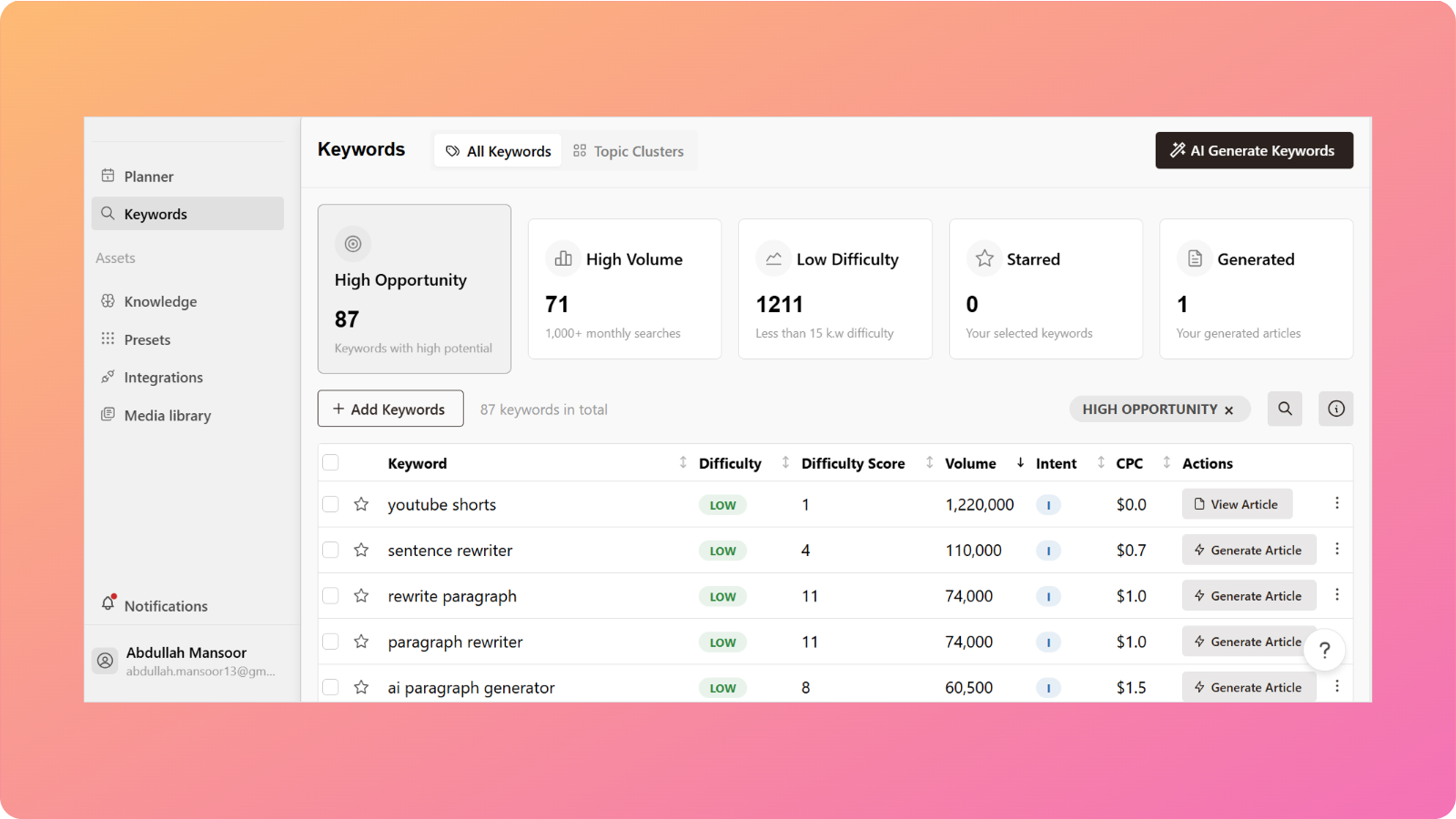
    Tools like Jasper AI, such as Writesonic, Copy.ai, and Rytr, are excellent if you’re creating light, short-form content on a budget. However, for teams, agencies, and businesses that need to produce high-quality, SEO-driven, brand-aligned content at scale, more comprehensive Jasper AI alternatives like Contentpen bring everything together into one powerful platform.
    Contentpen

    Final thoughts on Jasper alternatives

    The landscape of Jasper AI competitors continues to evolve, with each Jasper alternative offering unique advantages. Whether you’re looking for budget-friendly options, SEO-focused tools, or comprehensive content management platforms, there’s a suitable alternative to Jasper AI for your needs.


    Consider your specific requirements – content volume, team size, SEO needs, and budget – when evaluating Jasper alternatives. The right Jasper AI alternative can significantly impact your content marketing success and operational efficiency.
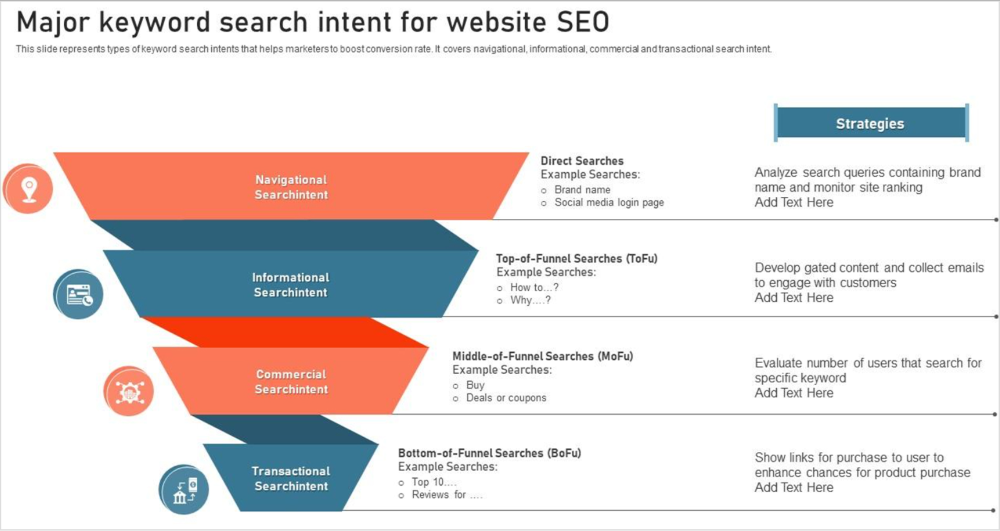
    Ready to experience the difference? Try Contentpen’s AI-powered SEO content generator and see how it can transform your content creation process.

    FAQs: Choosing the right Jasper AI alternative

    How do I choose the right alternative to Jasper AI?

    Consider your goals – if you need fast drafts and social posts, budget Jasper alternatives like Rytr or Copy.ai work well. For scaling high-quality blogs or campaigns, more robust Jasper AI competitors like Contentpen are worth the investment.

    Are free plans among Jasper competitors enough?

    Free plans work for casual use, but if content is central to your business, investing in professional Jasper AI alternatives pays off in quality and efficiency.

    Do all Jasper alternatives support SEO?

    Some Jasper competitors like Scalenut and Frase are more SEO-focused. Contentpen integrates research, outlining, and optimization into one seamless process, making it one of the most comprehensive alternatives to Jasper AI for SEO.

    Can I use multiple tools like Jasper AI together?

    Absolutely – You can pair different Jasper AI alternatives for specific needs. For example, use Contentpen for blogs and Anyword for ad testing to get the best of both Jasper competitors.

  • AI blogs vs human blogs: Which creates better content in 2025?

    AI blogs vs human blogs: Which creates better content in 2025?

    The debate between AI blogs vs human blogs has reached a tipping point. With AI tools for content creation becoming more popular and advanced, businesses are questioning whether they should stick with human writers or embrace artificial intelligence for their content strategy.

    Studies indicate that 88% of marketers are already relying on AI to handle day-to-day tasks. Moreover, it is noted that most people are unable to differentiate between AI-generated and human-written content. 

    This raises an important question: Which approach between AI writing vs human writing actually delivers better results for your blog?

    In this comprehensive comparison, we’ll explore the key differences between AI-written content quality and human blog writing to examine their strengths and weaknesses. It will help you determine the best approach for your content strategy in 2025.

    Contentpen

    What is an AI-generated blog?

    An AI-generated blog is content created using artificial intelligence tools that can research, write, and optimize articles with minimal human intervention. These tools use advanced language models to understand context, analyze search intent, and produce coherent, engaging content.

    The concept of AI blog writing became streamlined with ChatGPT, where users can just enter a few prompts and get a complete AI-generated blog. However, now specialized AI blog writers online like Contentpen are also available that go much beyond simple text generation. 

    They can conduct SERP analysis, understand brand voice, and create content that is specifically optimized for search engines while maintaining readability and engagement.

    Interesting fact: According to Ahrefs’ study, 74% of new webpages include AI content. It means a massive majority of content writers, marketers, and website owners are already using AI to generate website copy and blog posts.

    What is a human-written blog?

    A human-written blog is content created entirely by human writers who bring personal experience, creativity, and emotional intelligence to their work. These writers conduct research, develop unique perspectives, and craft content based on their understanding of the audience and subject matter.

    Human writers excel at storytelling, injecting personality into content, and creating emotional connections with readers. They can draw from personal experiences and adapt their writing style based on feedback and changing trends.

    AI blogs vs human blogs: Key differences

    The following table summarizes the key differences between AI blogs vs human blogs

    AspectAI-generated blogsHuman-written blogs
    SpeedCan create 4,000+ word articles in 10-15 minutesTakes 6-12 hours for detailed articles
    ConsistencyMaintains consistent quality and tone across all contentQuality can vary based on the writer’s mood, experience, and workload
    SEO optimizationBuilt-in SEO features with automatic keyword integrationRequires manual SEO optimization and keyword research
    Cost$10-50 per article, depending on the tool Tip: You can get an article for $2.7 only with Contentpen’s annual plan.$100-500+ per article for quality writers
    ScalabilityCan produce unlimited content simultaneouslyLimited by human capacity and availability
    Research depthInstant access to vast information databasesDeep, nuanced research with critical thinking
    Factual accuracyRequires fact-checking for current eventsBetter at contextual accuracy and real-world validation
    Brand voiceConsistent brand voice once trainedMay require ongoing guidance for brand alignment
    Editing requiredMinimal editing for grammar, moderate for styleExtensive editing for structure, flow, and optimization

    Choosing an advanced AI blog generation tool

    When evaluating AI writing tools for your content strategy, certain features separate basic text generators from sophisticated AI blog writing platforms. 

    Here are the key capabilities that define next-generation AI content creation:

    Multi-agent architecture for superior quality

    The most advanced AI writing platforms don’t rely on a single AI model. Instead, they deploy multiple specialized AI agents working in coordination. The goal of these AI agents is to handle multiple tasks like research, outline creation, writing, SEO optimization, and quality review. This collaborative approach produces significantly higher quality output than traditional single-model tools.

    Intelligent brand voice integration

    Generic AI content often sounds robotic because it lacks brand context. Advanced tools analyze your existing content, website, and competitors to understand your unique voice and audience. This brand knowledge system ensures every piece of content aligns with your brand identity rather than producing disconnected, generic text.

    Complete SEO automation

    Modern AI writing tools go beyond basic keyword stuffing. They automatically integrate keywords naturally, generate optimized meta descriptions, structure content for featured snippets, and even handle internal and external linking strategies. This automation saves hours of manual SEO work while ensuring better search performance.

    End-to-end workflow automation

    The best AI platforms streamline your entire content process. Features like bulk content generation, editorial workflows, and direct publishing capabilities allow you to create a blog in 10 minutes from initial keyword research to a published article.

    Human-level content quality

    Advanced AI tools incorporate sophisticated review systems that check for coherence, factual accuracy, and editorial standards. The output often requires minimal editing and can match the quality of professional human writers, making it difficult for readers to distinguish between AI and human-generated content.

    These features represent the current state-of-the-art in AI content generation. Contentpen is the leading AI writing tool that has successfully integrated all these capabilities into a unified platform that addresses the real challenges businesses face when scaling their content strategies.

    Here’s a complete tutorial on how you can generate a complete blog post using AI:

    How to choose between AI vs human writers for your blog strategy?

    The choice between AI and human writers isn’t always binary. Here are key factors to consider:

    Choose AI writing when:

    • You need to scale content production quickly
    • Budget constraints limit hiring multiple writers
    • You’re targeting competitive keywords requiring frequent content updates
    • Your content strategy focuses on informational rather than highly creative topics
    • You need a consistent brand voice across large volumes of content

    Choose human writers when:

    • Creating thought leadership content requires unique perspectives
    • Writing about sensitive topics that require emotional intelligence
    • Crafting content for high-stakes campaigns or major announcements

    The hybrid approach: Many successful businesses combine both approaches. Use AI for foundational content creation and human writers for refinement, fact-checking, and adding personal touches. This approach can significantly cut your blogging time while maintaining quality.

    Can AI and human writers work together?

    Absolutely. The most effective content strategies in 2025 use both AI efficiency and human creativity. Here’s how this AI blogs vs human blogs collaboration works:

    AI handles the heavy lifting:

    • Initial research and data gathering
    • First draft creation and structure
    • SEO optimization and keyword integration
    • Fact compilation and source identification

    Humans add the finishing touches:

    • Personal anecdotes and unique insights
    • Emotional resonance and storytelling
    • Final quality review and brand alignment
    • Strategic positioning and thought leadership

    Step-by-step AI-human collaboration workflow using Contentpen

    Let’s take a closer look at how you can establish a perfect AI-human content collaboration workflow with Contentpen:

    Step 1: AI-powered research and planning

    Start by letting AI analyze your target keywords, competitors, and audience intent. Contentpen can conduct a comprehensive SERP analysis to identify content gaps and opportunities. This research phase, which traditionally takes hours, can be completed in minutes while providing deeper insights than manual research.

    AI-powered research and planning

    Step 2: Intelligent outline generation

    AI creates a data-driven outline based on what’s currently ranking, user search intent, and your brand positioning. The outline includes optimal heading structures, keyword placement strategies, and content flow recommendations. This ensures your content addresses all relevant subtopics while maintaining logical progression.

    You can edit the AI-generated outline as per your own understanding before creating the actual article. This is a crucial stage where you can add your own creativity through human intervention. 

     outline generation

    Step 3: Content creation with specific brand voice

    The AI generates a comprehensive draft that incorporates your brand voice, integrates keywords naturally, and follows SEO best practices. You don’t have to treat this draft as the final product. Instead, it is recommended that you further enhance it. 

    Step 4: Human enhancement and collaboration

    This is where human creativity shines. Writers add personal experiences, industry insights, and emotional elements. Moreover, you can refine the tone, add storytelling elements, and ensure the content resonates with the target audience on a deeper level.

    enhancement and collaboration

    You can also use the platform’s built-in collaboration features, so teams can review, edit, and optimize content in real-time. The AI continuously suggests improvements for SEO, readability, and structure while humans focus on strategic messaging and brand alignment.

    Step 5: Quality assurance and publishing

    Final review combines AI-powered fact-checking and SEO optimization with human editorial judgment. The content is then published directly through integrated CMS connections, with performance tracking beginning immediately.

    Real-world implementation example

    Consider how a SaaS company might use the AI blogs vs human blogs workflow for a competitive analysis article:

    1. AI research: Analyzes top 20 competitors, identifies 50+ comparison points, and creates feature matrices
    2. Human insight: Adds strategic perspective on market positioning and customer pain points
    3. AI writing: Generates structured comparison tables, feature descriptions, and SEO-optimized sections
    4. Human enhancement: Adds case studies, personal recommendations, and industry commentary
    5. Collaborative editing: Team refines messaging while AI optimizes for search performance

    This approach allows the company to produce detailed and authoritative content in 1-3 hours instead of the 8-12 hours required for fully manual creation, while maintaining the strategic depth and personal touch that drives conversions.

    The key to success is choosing platforms that support this collaborative workflow seamlessly. Tools like Contentpen offer integrated environments where AI generation, human editing, team collaboration, and publishing all happen within the same dashboard, eliminating the friction that often derails hybrid content strategies.

    Final thoughts: AI blogs vs human blogs

    The future of blogging isn’t about choosing between AI blogs vs human blogs, it’s all about finding the right balance for your specific needs and goals. AI writing assistant tools like Contentpen are rapidly closing the quality gap while offering unprecedented efficiency and scalability.

    As we move forward, the most successful content strategies will be those that use AI’s efficiency while preserving the creativity and emotional intelligence that only humans can provide. The key is choosing the right tools and approach for your unique situation.

    So, are you ready to experience the power of advanced AI blog writing? Start your free trial with Contentpen and discover how multiple AI agents can transform your content strategy while maintaining the quality your audience expects.

    Frequently asked questions

    Will Google penalize AI-generated content?

    No, Google doesn’t penalize AI content specifically. Google’s focus is on content quality, not the method of creation. Well-crafted AI-written content quality that provides value to readers and follows SEO best practices performs just as well as human-written content.

    What’s the difference between AI blog writers and AI writing assistants?

    AI blog writers are platforms designed specifically for creating complete blog posts from research to publishing. AI writing assistants are broader tools that help with various writing tasks like editing, brainstorming, and content improvement. Blog writers focus on end-to-end content creation with AI, while assistants support existing human writing processes.

    How do AI writing vs human writing blog content quality comparisons typically turn out?

    Modern AI blog vs human blog writing comparisons show that advanced AI tools can match human quality for informational content, while humans still excel at creative storytelling and emotional connection. The quality gap is narrowing rapidly, with AI often producing more consistent, SEO-optimized content, while humans bring unique perspectives and industry expertise.

    Can AI writing tools understand my brand voice?

    Advanced AI blog writers can learn and replicate your brand voice by analyzing your existing content, style guides, and preferences. The brand voice feature in sophisticated tools ensures consistency across all generated content, moving beyond generic AI output to brand-specific writing.

    How much editing do AI-generated blogs require?

    This varies significantly by tool quality. Premium AI writing tools typically require minimal editing, usually just final review and any brand-specific adjustments. Properly editing AI content can be done in 15-20 minutes versus hours for human-written first drafts.

    Are AI blog writers effective for overcoming writer’s block?

    Absolutely. AI writing tools excel at overcoming writer’s block by providing outlines, generating ideas, and creating first drafts. They’re particularly effective as AI writing assistants that help break through creative barriers and provide structure for human writers to build upon.

    Can AI writing tools help with SEO optimization?

    Yes, modern SEO-friendly blog writing tools automatically optimize for keywords, create meta descriptions, and structure content for search engines. They can analyze SERP data, identify content gaps, and optimize for featured snippets. You can also enhance results with dedicated SEO writing tools for complete optimization.

  • 12 best AI SEO tools in 2025: Tested & ranked by real users

    12 best AI SEO tools in 2025: Tested & ranked by real users

    SEO has evolved from the tedious process of manually researching keywords for hours and crafting content based on educated guesses. Today’s leading marketers use AI-powered analytics that dissect competitor strategies in minutes, generate data-backed content frameworks, and align with search intent using predictive algorithms.

    But here’s the challenge: with over 300 AI SEO tools flooding the market, how do you separate the best from the glorified content spinners?

    We’ve tested the top AI SEO tools for three months, using them on actual websites across different industries.

    This blog shows you exactly which tools work, which ones waste your money, and how to choose the right one for your business.

    Contentpen - The ultimate AI tool

    How do we test these AI SEO tools?

    Before diving into the rankings, let me explain our testing methodology. Each tool was evaluated across five critical criteria:

    • Content quality & SEO optimization: How well does the AI understand search intent and create genuinely helpful content that ranks?
    • Data accuracy & insights: Are the keyword suggestions, competitor analysis, and SEO recommendations based on reliable, up-to-date data?
    • Ease of use & learning curve: Can your team implement and benefit from this tool without extensive training?
    • Integration & workflow: How seamlessly does it fit into existing marketing stacks and content workflows?
    • ROI & Value: Does the tool deliver measurable results that justify its cost?

    We tested each platform using real client websites in different industries, from local businesses to enterprise e-commerce sites. The results might surprise you.

    Quick comparison: Top AI SEO tools at a glance

    ToolBest forStarting priceKey strength
    Contentpen.aiComplete AI SEO content generation$39/monthMulti-agent AI system
    Semrush CopilotSEO strategy & insights$139/monthComprehensive data analysis
    ChatGPTVersatile AI assistant$20/monthFlexible prompt-based tasks
    FraseContent optimization$45/monthSERP analysis integration
    Jasper AILong-form content$49/monthBrand voice consistency
    Surfer SEOOn-page optimization$79/monthContent scoring system
    WritesonicCompetitive analysis$20/monthReal-time competitor insights
    MarketMuseContent strategy$149/monthTopic modeling expertise
    Copy.aiSEO workflows$49/monthAutomation capabilities
    ClearscopeContent quality$189/monthReadability optimization
    SE RankingAll-in-One platform$65/monthComplete SEO suite
    Alli AITechnical SEO$169/monthAutomated optimization

    The 12 best AI SEO tools for 2025

    1. Contentpen.ai – Best AI-powered SEO content generator

    Contentpen creates SEO content using four different AI agents. One agent researches competitors and keywords, another learns your brand’s writing style, the third optimizes content for search engines, and the fourth plans your content calendar and strategy.

    Contentpen - The ultimate AI tool

    What it does: 

    Contentpen transforms the traditional content creation process by automating research, writing, and optimization through intelligent AI agents. The platform analyzes top-ranking competitors, learns your brand voice, creates comprehensive content outlines, generates SEO-optimized articles, and manages your content calendar, ensuring consistency with your brand messaging and search intent alignment.

    Key features

    • Multi-agent AI system: Four specialized AI agents handle research, brand voice, SEO optimization, and content strategy
    • Advanced SERP analysis: Deep competitor analysis with content gap identification and semantic keyword discovery
    • Brand voice cloning: AI learns your writing style and brand personality from existing content samples
    • Content cluster planning: Creates strategic topic clusters to build topical authority
    • WordPress integration: Direct publishing with proper formatting, meta tags, and internal links
    • Keyword opportunity detection: Identifies new keyword opportunities and ranking improvements
    • Performance analytics: Tracks content performance and provides optimization recommendations
    • FAQ development: Generates featured snippet-optimized question sections
    • Content calendar management: Automated scheduling and strategy planning

    Best for

    • Content agencies managing multiple client accounts
    • E-commerce businesses needing product descriptions and blog content at scale
    • SaaS companies requiring technical content that maintains brand consistency
    • Marketing agencies offering AI-powered content services
    • Businesses creating 10+ pieces of content monthly

    Limitations

    • Learning curve for maximizing the multi-agent system
    • Requires initial setup time for brand voice training
    • Limited integration options beyond WordPress

    Pricing

    • Starter plan: $39/month – 10 articles, brand voice training, AI-powered editing, 30 AI images
    • Premium plan: $79/month – 30 articles, brand voice training, AI-powered editing, 100 AI images
    • Agency plan: $199/month – 100 articles, priority support, Bulk article generation, 300 AI images
    • Free trial: 7-day trial available

    2. Semrush Copilot – Best for SEO strategy & insights

    Semrush Copilot is an AI-powered dashboard assistant integrated into the comprehensive Semrush SEO platform. It acts as your personal SEO analyst, automatically monitoring website performance across multiple metrics and delivering personalized, actionable insights instead of overwhelming you with raw data.

    What it does 

    Copilot analyzes your Semrush data from tools like Position tracking, Site audit, and Competitive research, then translates complex metrics into clear, prioritized action items. It monitors your SEO performance 24/7, alerts you to opportunities and threats, and provides specific recommendations for improving your search rankings.

    Key features

    • Personalized daily insights: Automated analysis of your SEO performance with actionable recommendations
    • Competitor monitoring: Real-time alerts about competitor movements and new opportunities
    • Technical SEO alerts: Automatic detection of crawl errors, broken links, and optimization issues
    • Keyword opportunity detection: Identifies new keyword opportunities and ranking improvements
    • Performance trend analysis: Tracks your progress and predicts potential issues
    • Content gap identification: Spots missing content opportunities in your strategy

    Limitations

    • Requires an existing Semrush subscription (higher cost barrier)
    • Limited customization of insight types
    • Can be overwhelming for SEO beginners
    • Insights quality depends on your existing Semrush data setup

    Pricing

    • Pro plan: $139/month – Includes Copilot with fundamental insights
    • Guru plan: $249/month – Enhanced Copilot features and historical data
    • Business plan: $499/month – Full Copilot capabilities with advanced analytics
    • Free trial: 14-day trial available

    3. ChatGPT – Best overall AI assistant for SEO

    ChatGPT is OpenAI’s versatile conversational AI that has become an indispensable tool for SEO professionals. While not specifically designed for SEO, its flexibility and advanced language understanding make it excellent for various optimization tasks when prompted correctly.

    What it does

    ChatGPT is a flexible AI assistant that can handle multiple SEO tasks through custom prompts. It analyzes content, generates SEO-optimized copy, creates detailed outlines based on competitor research, and helps with various optimization strategies, all through conversational interactions.

    chatgpt

    Key features

    • Flexible, prompt engineering: Unlimited customization for any SEO task
    • Content analysis: Evaluate existing content for optimization opportunities
    • Meta tag generation: Creates optimized titles and descriptions at scale
    • SERP analysis: Analyzes competitor content to identify gaps and opportunities
    • FAQ development: Generates featured snippet-optimized question sections
    • Internal linking strategy: Suggests linking opportunities and anchor text variations

    Limitations

    • Requires SEO knowledge to craft effective prompts
    • No built-in SEO data or SERP analysis capabilities
    • Results quality varies significantly based on prompt quality
    • No direct integrations with SEO tools or platforms

    Pricing

    • Free tier: Limited access to GPT-4.1 with usage restrictions
    • ChatGPT plus: $20/month – Access to GPT-4.5, faster responses, priority access
    • Team plan: $200/user/month – Team collaboration features, access to OpenAI o3‑pro

    4. Frase – Best for content optimization

    Frase is an AI-powered content optimization platform that analyzes top-ranking content and provides specific, actionable recommendations for improving its search performance. With data-driven insights, it bridges the gap between content creation and SEO optimization.

    What it does 

    Frase analyzes search engine results pages (SERPs) for your target keywords, examines what makes top-ranking content successful, and provides detailed recommendations for optimizing your content. It combines content research, writing assistance, and optimization scoring in one streamlined workflow.

    frase

    Key features

    • SERP Analysis with topic modeling: Detailed analysis of top-ranking pages with content structure insights
    • AI Article wizard: Step-by-step content creation based on competitor analysis
    • Real-time content scoring: Live optimization feedback as you write
    • Question research tool: Identifies common questions for FAQ optimization
    • Content brief generator: Creates detailed briefs based on top-performer analysis
    • Competitor content comparison: Side-by-side analysis of your content vs. competitors

    Limitations

    • Limited content generation compared to dedicated AI writers
    • Requires manual input for best results
    • SERP analysis is limited to Google search results
    • Can be overwhelming for complete SEO beginners

    Pricing

    • Starter plan: $45/month – 1 user, 15 content projects, SEO analytics for one domain
    • Professional plan: $45/month – 1 user, 30 search queries, advanced features
    • Enterprise plan: $115/month – 3 users, unlimited queries, collaboration tools

    5. Jasper AI – Best for Long-form content

    Jasper AI is a comprehensive AI writing platform that excels at creating long-form, brand-consistent content at scale. Initially focused on copywriting, it has evolved into a powerful tool for businesses that need to maintain consistent messaging across large volumes of SEO content.

    What it does 

    Jasper generates high-quality, long-form content while maintaining your brand voice and style guidelines. It creates comprehensive blog posts, pillar pages, and detailed articles that align with your SEO strategy while ensuring consistency across all content pieces.

    Jasper. AI

    Key features

    • Brand voice training: AI learns and maintains your specific writing style and messaging
    • SEO mode integration: Built-in optimization features with Surfer SEO integration
    • Long-form templates: Pre-built templates for blogs, pillar pages, and comprehensive guides
    • Team collaboration: Multiple users can work within consistent brand guidelines
    • Content expansion: Transforms short briefs into comprehensive, detailed articles
    • Multiple output formats: Blog posts, social content, emails, and more from single inputs

    Limitations

    • The higher learning curve for maximizing brand voice features
    • SEO optimization requires additional tool integrations
    • Can be expensive for smaller teams or individual users
    • Content may require significant editing for technical topics

    Pricing

    • Creator plan: $49/month – 1 user, one brand voice training
    • Pro plan: $69/month – 5 users, three brand voices, AI Image generation & editing toolsets
    • Business plan: Contact them for this – Advanced team features, custom integrations
    • Free trial: 7-day trial available

    6. Surfer SEO – Best for on-page optimization

    Surfer SEO is a data-driven content optimization platform that pioneered the concept of content scoring based on SERP analysis. It provides real-time feedback on how well your content matches the optimization patterns of top-ranking pages for your target keywords.

    What it does 

    Surfer analyzes the top-ranking pages for your target keywords and provides specific optimization recommendations, including keyword density, content length, heading structure, and semantic keyword usage. It offers real-time scoring as you write, ensuring your content meets optimization benchmarks.

    SurferSEO

    Key features

    • Real-time content scoring: Live optimization feedback while writing
    • SERP analyzer: Detailed analysis of top-ranking competitor content
    • Content editor: Writing interface with built-in optimization recommendations
    • Keyword research tool: Data-driven keyword suggestions with difficulty scores
    • Content audit: Analysis of existing content with improvement recommendations
    • Content planning: Strategic planning tools for content clusters and topics

    Limitations

    • Can lead to over-optimization if followed too strictly
    • Focuses heavily on keyword metrics rather than user experience
    • Limited content generation capabilities
    • May not account for brand voice and messaging nuances

    Pricing

    • Essential plan: $79/month – 360 articles, content editor, SERP analyzer
    • Scale plan: $175/month – 1200 articles, advanced features, team collaboration
    • Enterprise plan: Contact Sales for pricing and demo – 300 articles, API access, priority support

    7. MarketMuse – Best for content strategy

    MarketMuse is an AI-powered content intelligence platform that goes beyond individual content pieces to help you build comprehensive content strategies. It uses advanced topic modeling to identify content gaps and develop authority-building content plans for competitive niches.

    What it does 

    MarketMuse analyzes your content against competitors to identify topical gaps, suggests content clusters that build authority, and provides strategic recommendations for content planning. It helps you understand what to write and how individual pieces fit into your broader content strategy.

    MakretMuse

    Key Features

    • Topic modeling and authority analysis: Identifies content gaps and authority-building opportunities
    • Content planning dashboard: Strategic overview of your content landscape vs. competitors
    • Competitive content analysis: Deep analysis of competitor content strategies
    • Content scoring: A quality assessment based on topical coverage and depth
    • Content brief generation: Detailed briefs with strategic context and requirements
    • Content optimization: Recommendations for improving existing content performance

    Limitations

    • Steep learning curve for new users
    • Higher price point than simpler content tools
    • Can be overwhelming for small businesses with simple needs
    • Requires strategic thinking to maximize value

    Pricing

    • Free plan: Limited analysis, 10 queries per month
    • Standard plan: $149/month – 100 queries, content briefs, optimization
    • Team plan: $399/month – Unlimited queries and briefs, team features
    • Premium plan: Custom pricing for enterprise needs

    8. Writesonic – Best for competitive analysis

    Writesonic has evolved from a simple AI writing tool into a comprehensive SEO platform with powerful competitive analysis capabilities. It combines AI-powered content creation with real-time competitive intelligence to help you stay ahead of competitors in fast-moving industries.

    What it does 

    Writesonic analyzes competitor content strategies, identifies trending topics in your industry, and generates content that outperforms competition. It provides real-time insights into competitors’ actions and helps you create superior content based on competitive gaps.

    writersonic

    Key features

    • Real-time competitive analysis: Live monitoring of competitor content and strategy changes
    • Trending topic identification: AI-powered detection of emerging trends in your niche
    • Content gap analysis: Identifies opportunities competitors are missing
    • Multi-format content generation: Blogs, social posts, ads, and more from a single input
    • SERP integration: Creates content based on the current search result analysis
    • Brand voice adaptation: Maintains consistent messaging across all content types

    Limitations

    • Competitive analysis depth varies by industry
    • Content quality can be inconsistent without proper prompting
    • Limited advanced SEO features compared to dedicated SEO tools
    • Requires manual verification of competitive insights

    Pricing

    • Free plan: 10,000 words monthly, basic features
    • Basic plan: $20/month – 100,000 words, competitive analysis
    • Lite plan: $49/month – 300,000 words, collaboration features
    • Standard plan: $99/month – 1,000,000 words, advanced features

    9. Copy.ai – Best for SEO workflows

    Copy.ai has transformed from a simple content generator into a comprehensive workflow automation platform for SEO teams. It specializes in creating systematic, repeatable content creation and optimization processes, making it ideal for teams that want to scale their SEO efforts efficiently.

    What it does 

    Copy.ai automates entire SEO content workflows through customizable templates and multi-step processes. It creates systematic approaches to content creation, from keyword research to final optimization, allowing teams to maintain consistency and quality across all content pieces.

    copy.ai

    Key features

    • Workflow automation: Multi-step processes for complete SEO content creation
    • Template library: Pre-built workflows for common SEO tasks
    • Team collaboration tools: Shared workflows and approval processes
    • Integration capabilities: Connects with popular marketing and SEO tools
    • Custom workflow builder: Create unique processes tailored to your needs
    • Quality control systems: Built-in review and approval mechanisms

    Limitations

    • Requires time investment to set up effective workflows
    • Less flexible than prompt-based AI tools
    • Limited advanced SEO analysis capabilities
    • Can be complex for simple content creation needs

    Pricing

    • Free plan: Limited workflows and monthly credits
    • Starter plan: $49/month – Advanced workflows, unlimited seats
    • Advanced plan: $249/month – Advanced collaboration and integrations

    10. Clearscope – Best for content quality

    Clearscope is a premium content optimization platform that focuses exclusively on helping you create the highest-quality, most comprehensive content possible for your target keywords. It emphasizes content depth, user intent matching, and readability optimization over simple keyword targeting.

    What it does 

    Clearscope analyzes top-performing content to identify not just what keywords to use but also how to structure content for maximum user value and search performance. Based on what actually ranks well, it provides detailed recommendations for improving content quality, readability, and comprehensiveness.

    Clearscope

    Key features

    • Advanced readability analysis: Detailed scoring and recommendations for user engagement
    • Comprehensive keyword research: Intent-based keyword suggestions beyond basic tools
    • Content quality grading: Sophisticated scoring based on multiple quality factors
    • User intent analysis: Deep understanding of what searchers actually want
    • Editor integrations: Real-time optimization within Google Docs and WordPress
    • Content performance prediction: AI-powered predictions of content success

    Limitations

    • Higher price point than most competitors
    • Limited content generation capabilities
    • Steep learning curve for optimization recommendations
    • No free trial; only demos are available

    Pricing

    • Essentials plan: $189/month – Basic optimization features, limited reports
    • Business plan: $399/month – Advanced features, unlimited reports
    • Enterprise plan: Custom pricing – Full feature suite, dedicated support
    • Demo: Available upon request, no free trial

    11. SE Ranking – Best all-in-one platform

    SE Ranking is a comprehensive SEO platform offering a complete suite of optimization tools enhanced with AI capabilities, all at a more affordable price than premium alternatives. It provides everything from rank tracking to content optimization in a single, integrated platform.

    What it does 

    SE Ranking combines traditional SEO tools with AI-powered insights to provide comprehensive website optimization capabilities. It handles rank tracking, technical audits, content optimization, competitor analysis, and performance reporting in one unified dashboard.

    SE Ranking

    Key features

    • Complete SEO suite: Rank tracking, site audits, keyword research, and competitor analysis
    • AI-powered content editor: Smart content optimization with real-time scoring
    • Technical SEO automation: Automated site audits with AI-driven recommendations
    • Competitor intelligence: Comprehensive competitor analysis and monitoring
    • Local SEO tools: Specialized features for local business optimization
    • White-label reporting: Customizable reports for agencies and clients

    Limitations

    • Individual tools may not be as advanced as specialized alternatives
    • Learning curve due to the comprehensive feature set
    • Limited advanced AI features compared to cutting-edge tools
    • Customer support can be slower than premium platforms

    Pricing

    • Essential plan: $65/month – Basic features, suitable for small websites
    • Pro plan: $119/month – Advanced features, multiple projects
    • Business plan: $259/month – Full feature suite, agency tools
    • Free trial: 14-day trial available

    12. Alli AI – Best for technical SEO

    Alli AI is a specialized technical SEO platform that automates complex optimization tasks normally requiring developer resources. It focuses on implementing technical SEO improvements across websites without requiring coding knowledge or extensive development time.

    What it does 

    Alli AI automatically identifies and fixes technical SEO issues across your website, from meta tag optimization to schema markup implementation. It performs bulk optimizations, automates routine technical tasks, and implements SEO best practices at scale without requiring manual coding.

    Alli AI

    Key features

    • Automated technical optimization: Bulk fixes for meta tags, headers, and technical elements
    • Schema markup automation: Automatic generation and implementation of structured data
    • Page speed optimization: Automated improvements for site performance
    • Internal linking automation: AI-powered internal link optimization and management
    • Technical SEO monitoring: Continuous monitoring and fixing of technical issues
    • A/B testing for SEO: Test different optimization approaches automatically

    Limitations

    • High price point compared to content-focused tools
    • Requires careful monitoring to avoid over-optimization
    • Limited content creation capabilities
    • Setup complexity for advanced features

    Pricing

    • Small plan: $169/month – Up to 1 site, basic automation features
    • Consultant plan: $399/month – Up to 5 sites, advanced features, team access
    • Agency plan: $699/month – 15 Sites, API access, AI agents
    • Enterprise plan: $1,249/month – Up to 50 sites, full feature suite
    • Free trial: 10-day trial available
    Contentpen

    How to use AI SEO tools without getting penalized?

    Use AI as a starting point, not the finish line

    AI tools create first drafts and research outlines. You need to add your expertise, real examples, and unique insights before publishing. This combination of AI speed and human knowledge creates content that ranks and provides real value.

    Focus on search intent, not just keywords

    Don’t just stuff keywords into AI-generated content. Make sure your content actually answers what people are searching for. Use AI to analyze top-ranking pages, then create content that solves problems better than competitors.

    Maintain your brand voice

    Train AI tools with your best content so they understand your writing style. Review everything before publishing to ensure it sounds like your brand, not a generic AI writer.

    Fact-check everything

    AI tools can make mistakes or use outdated information. Always verify facts, statistics, and claims before publishing. Add recent examples and current data to keep content accurate and relevant.

    Build E-E-A-T Into Your Content

    Google values Experience, Expertise, Authority, and Trust. Add author bios, personal examples, and case studies, and cite authoritative sources. Link to reputable websites and get quality backlinks to your content.

    Don’t over-optimize

    AI tools might suggest using keywords too frequently. Focus on natural language that helps readers first and search engines second. If content sounds robotic, it needs more human editing.

    Track performance and adjust

    Monitor how AI-generated content performs compared to human-written pieces. Use this data to improve your prompts and processes. Not all AI content will rank well immediately.

    Conclusion

    SEO has changed completely in the past two years. AI blog writer tools now handle tasks that used to take hours of manual work.

    After extensive testing, Contentpen emerges as the leader in comprehensive AI-powered SEO content creation, thanks to its innovative multi-agent approach and laser focus on creating content that ranks.

    For businesses serious about scaling their SEO efforts, combining Contentpen.ai for content creation, Semrush Copilot for strategic insights, and ChatGPT (or a strong ChatGPT alternative like Jasper or Copy.ai) for flexible AI assistance creates a powerful toolkit that can compete with much larger competitors.

    Frequently asked questions

    Are AI SEO tools worth the investment in 2025?

    Absolutely. The time savings alone justify the cost for most businesses. AI SEO tools can reduce content creation time by 70-80% while improving quality and optimization. The key is choosing tools that fit your specific needs and budget.

    Will Google penalize AI-generated content?

    Google doesn’t penalize content based on how it’s created—they focus on quality and user value. AI-generated content that’s well-researched, factually accurate, and serves user intent performs just as well as human-written content.

    Can AI replace human SEO experts?

    Not yet, and probably not entirely. AI excels at data analysis, content optimization, and routine tasks, but humans are still needed for strategy, creativity, and complex problem-solving. The most successful approach combines AI efficiency with human expertise.

    How does Contentpen.ai compare to other AI SEO tools?

    Contentpen.ai stands out for its multi-agent AI system and focus specifically on SEO content creation. While tools like Jasper are great for general content, Contentpen.ai is built specifically for content that needs to rank well in search engines.

  • Will AI replace writers? The truth behind the hype

    Will AI replace writers? The truth behind the hype

    The digital landscape is buzzing with excitement and anxiety about AI writing tools. From Contentpen’s intelligent content generation to ChatGPT’s conversational prowess and Jasper’s marketing copy expertise, artificial intelligence has stormed into the writing world with impressive capabilities. This technological leap forward has sparked a burning question that keeps writers awake at night: Will AI replace writers?

    The short answer? It’s complicated. While AI is undeniably transforming how we approach writing, the reality is far more nuanced than a simple replacement scenario. Let’s dive deep into what this means for writers across every specialty from technical documentation to creative fiction.

    Contentpen

    Key takeaways:

    • AI will not replace skilled writers , it will make them more productive and effective
    • Fiction and medical writers face the lowest risk of being replaced by AI
    • Basic content writers need to evolve by developing strategic and creative skills
    • AI excels at speed and research but lacks human creativity and emotional depth
    • Writers should use AI as a writing assistant, not fear it as competition
    • The future is collaboration between human writers and AI tools
    • Contentpen and similar tools help writers focus on strategy while AI handles routine tasks

    What AI writing tools can actually do

    AI has made remarkable strides in recent years, delivering capabilities that seemed like science fiction just a decade ago:

    • Content generation at lightning speed: Modern AI tools can produce first drafts in minutes rather than hours. Contentpen, for instance, can generate blog posts, social media content, and marketing copy with just a few prompts, significantly reducing the time from concept to completion.
    • Brainstorming and ideation support: Stuck staring at a blank page? AI excels at generating topic ideas, headlines, and content angles. Tools like Contentpen offer intelligent suggestions based on your target keywords and audience preferences.
    • SEO optimization made simple: AI writing assistants can analyze search intent, suggest relevant keywords, and structure content for better search engine visibility taking the guesswork out of SEO content creation.
    • Personalization: AI can adapt tone, style, and messaging for different audience segments, enabling brands to create personalized content for thousands of users without manual customization.
    • Multi-language translation and repurposing: Advanced AI tools can translate content across languages and transform long-form articles into social media posts, email newsletters, or video scripts.

    Learn more about AI-generated content and how it’s transforming content marketing.

    What AI tools can’t replace: The human element

    Despite these impressive capabilities, AI faces significant limitations that highlight why human writers remain irreplaceable:

    Authentic human experience

    AI can mimic emotional language, but it cannot genuinely experience emotions, relationships, or personal struggles that resonate with readers on a deep level.

    Cultural nuance and contextual humor

    Understanding cultural references, local idioms, and timing-dependent humor requires lived experience that AI simply cannot replicate authentically.

    Deep industry expertise

    While AI can process information quickly, it lacks the years of hands-on experience that allows expert writers to identify subtle trends, challenge assumptions, and provide insider perspectives.

    Unique brand voice development

    Creating and maintaining a distinctive brand voice requires understanding company culture, values, and audience relationships in ways that go beyond data analysis.

    Ethical decision-making

    Writers often face complex ethical considerations like what to include, how to frame sensitive topics, and when to challenge popular narratives. This all requires human judgment and moral reasoning.

    Will AI replace specific types of writers?

    Will AI replaceAI capabilitiesReplacement riskHuman advantage
    Technical writersTemplate generation, basic explanationsLowComplex system understanding, audience-specific translation, accuracy in evolving fields
    Content writersGeneric article creation, basic researchMedium (for basic content)Strategic storytelling, audience research, brand development expertise
    Fiction writersPlot ideas, overcoming writer’s blockVery LowCharacter development, emotional depth, authentic human experience
    SEO writersKeyword research, basic optimizationLowSearch intent understanding, user behavior analysis, audience-focused strategy
    Medical writersResearch assistance, initial draftsVery LowRegulatory expertise, ethical oversight, accuracy verification, compliance knowledge
    Freelance writersBasic content productionMedium (for generic work)Specialized expertise, client relationships, strategic partnership positioning
    Script writersBrainstorming, formatting assistanceVery LowDramatic structure, character development, visual storytelling, creative vision

    What would replacing writers with AI even look like?

    Imagine a world where AI handles all writing tasks. Content would become homogenized, lacking the diverse perspectives that make communication rich and engaging. Brands would sound identical, stories would follow predictable patterns, and the authentic human voice that connects with audiences would disappear.

    This scenario reveals why complete replacement isn’t realistic or desirable. Writing isn’t just about arranging words; it’s about making choices that reflect values, experiences, and intentions that resonate with human readers.

    AI Vs Human

    What writing requires: Choice, responsibility, and trust

    Great writing involves three critical elements that remain uniquely human:

    1. Choice: Every word, sentence, and paragraph represents a decision. Writers choose not just what to say, but how to say it, what to emphasize, and what to leave unsaid.

    2.  Responsibility: Writers bear responsibility for accuracy, ethics, and impact. They must consider how their words might affect readers and take ownership of their message.

    3. Trust: Readers trust writers to provide honest, valuable, and authentic content. This trust is built through consistent quality, expertise, and genuine connection elements that require human integrity.

     critical elements of writing

    AI vs. humans: A comparative analysis

    AspectAI capabilitiesHuman strengths
    SpeedGenerate content in minutesThoughtful, deliberate creation
    ConsistencyMaintains tone across large volumesAdapts style contextually
    ResearchProcesses vast information quicklyEvaluates sources critically
    CreativityCombines existing patternsGenerates truly original ideas
    EmotionMimics emotional languageAuthentic emotional connection
    EthicsFollows programmed guidelinesMakes nuanced moral judgments
    ExpertiseAccesses broad knowledge baseProvides deep, specialized insight
    PersonalizationScales to thousands of variationsCreates genuine personal connection
    CostLow variable costsHigher per-hour costs
    Availability24/7 operationLimited by human schedules

    Benefits of using AI as your writing assistant

    Smart writers aren’t fighting AI, they’re actually embracing it as a powerful ally:

    • Eliminate first draft paralysis: AI tools can generate initial drafts, giving writers a starting point to refine and perfect rather than staring at a blank page.
    • Conquer writer’s block: AI can suggest angles, headlines, and approaches when creativity runs dry, keeping projects moving forward.
    • Maintain brand consistency: AI can learn brand voice guidelines and help maintain consistent messaging across all content channels.
    • Quality content creation: By handling research and initial drafts, AI allows writers to focus on strategy, creativity, and refinement, producing more high-quality content.
    • Creative freedom: With AI handling routine tasks, writers have more mental energy for creative problem-solving and innovative content approaches.

    Contentpen: The ultimate AI writing partner for modern writers

    Among the numerous AI writing tools available today, Contentpen has emerged as a standout solution that truly understands the writer’s workflow and challenges. Unlike generic AI tools that simply generate text, Contentpen is specifically designed to enhance human creativity rather than replace it.

    Contentpen - The ultimate AI tool

    What makes Contentpen different?

    While many AI writing tools focus on generic content generation, Contentpen takes a fundamentally different approach, one designed to help serious content marketers, agencies, and businesses create high-quality, brand-aligned, SEO-optimized content that ranks.

    • Brand knowledge & custom intelligence

    When a workspace is created, a dedicated AI agent dives deep into the website, learning unique  brand knowledge, selling points, target audience, and even competitors. One can further enrich this by uploading PDFs, help docs, or any other internal assets giving Contentpen a deeper understanding of your business.

    • Smart keyword & title selection

    Contentpen helps you select target keywords and automatically suggests high-CTR titles based on search intent and audience behavior,  ensuring your content aligns with what your audience is searching for.

    • 2-Step optimized blogs

    Using the insights gathered, Contentpen builds a research-backed outline and SEO-optimized blog in just two simple steps. Providing a solid foundation for crafting high-quality articles that both engage readers and rank on search engines. You can create a blog in 10 minutes, complete with an SEO-friendly structure and table of contents.

    • High-quality first draft

    Unlike generic AI text, Contentpen activates multiple specialized AI agents to generate content for each section  blending brand insights with deep topic research. The result is a well-structured, authoritative first draft that sounds human, resonates with your audience, and reflects your brand’s unique voice.

    • Internal/external linking

    Contentpen adds strategic internal and external links, along with relevant images, to further strengthen the article’s authority and visual appeal  giving you a polished piece ready for immediate publication.

    • Effortless publishing

    With everything complete, your optimized article is ready for publishing. Then, you’ll be able to publish directly to WordPress and other popular CMS platforms from within Contentpen.

    Contentpen

    How Contentpen supports writers (not replaces them)

    Contentpen positions itself as the ideal middle ground between complete AI content automation and traditional writing methods. It recognizes that the best content comes from combining AI efficiency with human creativity, expertise, and strategic thinking.

    Writers using Contentpen report significant improvements in productivity without sacrificing quality, often producing 3x more content while maintaining their authentic voice and creative control.

    The platform serves as a sophisticated writing assistant that learns from your preferences and adapts to your workflow, making it an indispensable tool for writers who want to stay competitive in an AI-driven landscape.

    The future is collaboration, not replacement

    The question “Will AI replace writers?” misses the bigger picture. AI will not replace great writers! it will empower them to do their best work more efficiently and effectively.

    Think of AI writing tools like Contentpen not as threats, but as sophisticated assistants that handle the heavy lifting so you can focus on what humans do best: creating meaningful connections, telling compelling stories, and bringing authentic perspectives to your audience.

    The writers who will thrive in this new landscape are those who embrace AI as a tool for enhancement rather than fear it as competition. They’ll use AI to eliminate busywork, accelerate research, and generate ideas. Then apply their uniquely human skills to create content that truly resonates.

    Hence, AI won’t replace writers who understand their unique value and adapt to new tools. Instead, it will separate strategic, creative writers from those who simply fill pages with words. The future belongs to writers who combine human insight with AI efficiency to create content that’s both scalable and genuinely valuable.

    Frequently asked questions

    Will AI really replace writers?

    No , AI won’t replace great writers, but it will change how content is created. AI can handle repetitive tasks, generate drafts, and assist with research, but it can’t match human creativity, emotional depth, or strategic thinking. Writers who learn to collaborate with AI tools like Contentpen will only become more valuable.

    Is AI a threat to writers?

    AI isn’t a threat to skilled writers , it’s an opportunity. Writers who embrace AI can work faster, scale their output, and focus on higher-level creative tasks. Those who resist may struggle to keep up in a competitive content landscape.

    Are content writers being replaced by AI?

    Basic content writing is becoming more automated  but strategic content creation, brand storytelling, and thought leadership still require a human touch. Instead of replacing content writers, AI tools like Contentpen are helping them write better content in less time.

    Can AI replace script writers?

    AI can assist script writers by generating ideas, dialogue snippets, and formatting  but it can’t replace the creative vision, emotional nuance, or storytelling expertise of human script writers. AI is best used as a tool to enhance, not replace, script writing.

  • Top 10 AI writing tools to speed up your content creation

    Top 10 AI writing tools to speed up your content creation

    AI writing tools have transformed the way we create content – making it faster, easier, and more scalable than ever before. Whether you’re a blogger, marketer, or business owner, AI content writing tools can save you time and deliver impressive results.

    In this list, we’ve rounded up the 10 best AI writing tools available today. From generating SEO blog posts to crafting product descriptions and ad copy, these artificial intelligence writing tools cater to a wide range of content needs. And leading the pack is Contentpen, built to handle bulk content production without sacrificing quality.

    Let’s dive in.

    1. Contentpen – scalable, brand-aligned blog creation

    Contentpen - Ai blog writing tool

    Contentpen is an AI blog generator and one of the best AI writing tools for bulk content generation. Designed specifically for agencies, content teams, and marketers, this AI writing software handles everything from ideation to publishing using a multi-agent system.
    Learn how to write an article using Contentpen for optimal results.

    Key features:

    • Brand-aligned content using your custom voice, tone, and messaging
    • Data-driven keyword and topic suggestions based on intent and SERP analysis
    • Research-backed SEO outlines with headings, questions, and keyword clusters
    • Automated long-form drafting with internal linking and relevant references
    • SEO optimization tools for metadata, alt text, and plagiarism checks
    • Visual generation with AI-created featured and in-line images
    • CMS publishing with direct integration to WordPress and others
    • Team collaboration workflows with Kanban calendars, task assignments, and approvals

    Whether you’re managing one brand or multiple clients, Contentpen empowers your team to create consistent, SEO-optimized content faster and more efficiently—without compromising your brand’s voice or editorial standards.

    Pricing:

    • Free trial: Available
    • Starter: $39/month
    • Premium: $79/month
    • Agency: $199/month

    Best for: Bulk content generation, SEO teams, and agencies
    View pricing

    2. Jasper

    Jasper

    Jasper is one of the recognized AI writing platforms, known for its versatility and ease of use. It’s a popular AI writing tool offering templates for long- and short-form content. It’s among the best AI for writing across marketing campaigns.

    Discover more about what is AI generated content and its applications.

    Key features:

    • Templates for different content types
    • Commands to guide tone and structure
    • Integration with Surfer SEO. Consider exploring 11 best Surfer SEO alternatives in 2025 for more options.
    • Team collaboration features
    • Jasper Art for AI-generated visuals

    Ideal for marketing teams and solopreneurs looking for customizable AI writing support.

    Pricing

    • Creator: $39/month
    • Pro: $59/month
    • Business: Custom pricing

    Best for: Teams needing high-quality, versatile content generation

    3. Copy.ai

    Copy.ai

    Copy.ai is another powerful tool aimed at creating short-form content like ads, emails, social media posts, and product descriptions. It’s one of the best AI content generation tools for marketers.

    Key features:

    • Dozens of content templates
    • Easy-to-use interface
    • Workflow automation for bulk tasks
    • Multilingual support
    • Free plan available

    Copy.ai is best suited for small businesses and entrepreneurs needing quick, snappy copy.

    Pricing

    • Free plan: Available (limited features)
    • Starter: $49/month
    • Advanced: $249/month

    Best for: Quick marketing copy and short-form content

    4. Writesonic

    Writesonic

    Writesonic is popular among budget-conscious users who still want rich content outputs. It supports both short-form and long-form content and includes a chat interface for custom writing instructions. It’s great for blogs, landing pages, and ecommerce content writing.

    For similar tools, check out the best ChatGPT alternatives.

    Key features:

    • Article writer and AI chatbot
    • Landing page and ecommerce copy
    • SEO tools and integrations
    • GPT-4 support in premium plans
    • Image and voice generation add-ons

    Pricing

    Writesonic offers a solid combination of functionality and pricing flexibility.

    • Basic plan: $20/month
    • Lite plan: $49/month
    • Standard: $99/month

    Best for: Affordable content creation for blogs and landing pages

    5. Rytr

    Rytr

    Rytr is known for its simplicity and affordability. Rytr is a straightforward, affordable tool for freelancers. It’s one of the best free AI writing tools to start with.

    Key features:

    • 40+ use cases across content types
    • Simple document editor
    • Built-in plagiarism checker
    • Affordable pricing
    • Browser extension

    If you’re looking for a clean and budget-friendly writing tool, Rytr is a strong choice.

    Pricing:

    • Free plan: $0/month
    • Saver plan: $9/month
    • Unlimited plan: $29/month

    Best for: Individuals and freelancers

    6. Scalenut

    Scalenut

    Scalenut combines AI for writing with deep SEO research. It’s perfect for teams focused on ranking and topic clusters.

    Key features:

    • Topic cluster planning
    • AI content generation
    • Cruise mode for guided writing
    • SERP analysis tools
    • Content brief generator

    Scalenut is great for marketers who want to blend AI efficiency with SEO best practices.

    Pricing:

    • Essential: $49/month
    • Growth: $79/month
    • Pro: $149/month

    Best for: SEO-focused content strategies

    7. Frase

    Frase

    Frase offers SEO-focused AI writing software that studies top-ranking pages and generates optimized content. It’s best suited for content marketers and strategists.

    Key features:

    • Content briefs from top-ranking pages
    • AI-assisted writing and optimization
    • Answer engine for FAQs
    • Topic and keyword suggestions
    • Integrations with Google Search Console

    Frase excels when research and relevance are top priorities.

    Pricing:

    • Starter: $45/month
    • Professional: $115/month
    • Enterprise: Custom

    8. Wordtune

    Wordtune

    Wordtune enhances your existing text. It’s a writing AI tool ideal for rephrasing and improving clarity. It’s perfect for writers who want to improve sentence clarity, rewrite paragraphs, and tailor tone for different audiences.

    Key features:

    • Sentence-level suggestions
    • Tone customization
    • Summarization and expansion tools
    • Chrome extension available
    • Google Docs integration

    Wordtune is best for editors, bloggers, and professionals polishing their own content.

    Pricing:

    • Free plan: Available
    • Plus: $13.99/month
    • Unlimited: $19.99/month

    Best for: Rewriting and improving clarity of text

    9. INK

    Inkforall

    INK is a content writing AI software that includes a proprietary SEO score to improve content visibility.

    Key features:

    • AI content writer
    • SEO content score
    • Readability improvements
    • Plagiarism checker
    • Desktop app

    INK is helpful for those who need writing and ranking assistance in one tool.

    Pricing:

    • Professional: $39/month
    • Enterprise: Custom pricing

    Best for: SEO-focused writers and marketers

    10. Hypotenuse AI

    Hypotenuse.ai

    Hypotenuse AI is tailored for ecommerce businesses that need product descriptions, collection pages, and ads. It is designed for ecommerce product content. It’s one of the best AI content generators for Shopify users.

    Key features:

    • Bulk product description generator
    • AI art generator
    • Shopify integration
    • Tone customization
    • Research-backed blog writing

    If you run an online store, Hypotenuse AI is a tool worth considering.

    Pricing:

    • Basic: $150/month
    • E-commerce Pro: Custom pricing
    • E-commerce Enterprise: Custom pricing

    Best for: Ecommerce content and bulk product descriptions

    Contentpen

    Final thoughts

    Whether you’re looking for an AI writing program to create SEO articles, a content AI writer to produce product pages, or simply the best AI tool for writing blogs, the tools above are excellent choices. With options ranging from free plans to enterprise-grade solutions, these content writing apps cover every use case.

    Want to ensure your AI-generated content remains brand-aligned? Contentpen and similar AI writing assistants can be trained to match your tone and voice, offering superior results for high-volume campaigns.

    Start by identifying your content goals—volume, quality, SEO, or speed—and choose the tool that aligns best with your workflow.

    For those who want to scale up fast without compromising quality, Contentpen remains one of the strongest options out there.

    FAQs about AI writing tools

    What are AI writing tools?

    AI writing tools are software powered by artificial intelligence and natural language processing to create or optimize text. These tools can generate content for blogs, social posts, emails, and more.

    Which is the best AI writing tool for bulk content creation?

    Contentpen is among the best AI writing tools for bulk content creation, thanks to its multi-agent workflow and CMS integration.

    Are AI writing tools SEO-friendly?

    Yes. Many AI tools for writing (like Contentpen) include SEO features such as SERP analysis, keyword suggestions, and on-page SEO scoring.

    Can AI writing tools completely replace human writers?

    AI content writing tools can streamline production, but human writers remain essential for creativity, emotion, and strategy.

    Can AI writing tools help with brand voice consistency?

    Yes, advanced AI tools like Contentpen can analyze your existing content, help docs, and brand materials to learn your unique tone and voice. This ensures every piece of generated content stays aligned with your brand identity—especially helpful for agencies and multi-brand teams.

    Do AI writing tools support publishing directly to my CMS?

    Tools like Contentpen, Writesonic, and Hypotenuse AI allow direct publishing to CMSs like WordPress.

  • How to fact-check AI-generated content in 7 steps?

    How to fact-check AI-generated content in 7 steps?

    Artificial intelligence (AI) has shaken the world with its quick adoption across all mainstream fields, such as medicine, education, engineering, agriculture, IT, and technology.

    This has led to the opening of new information portals through AI-generated content. However, fact-checking AI-generated content has been a challenge since its inception.

    Given that AI can mass-produce content within a few seconds, the chances are that the AI content generators might spit out some misleading information.

    So, to cope with these AI-based content creation challenges, marketers, agencies, and publishers must rely on trusted tools like Contentpen. It’s an advanced AI blog writer and content generator that streamlines AI-based content generation for both personal and professional users.

    The best part about Contentpen is that it equips bloggers, SEOs, marketers, and influencers to create and publish high-quality, SEO-optimized articles within no time.

    fact-check AI-generated content

    Why is it important to fact-check AI content?

    AI-powered content is gaining massive popularity, especially among digital marketing circles. The reason being it’s easy-to-create and affordable for everyone, which makes AI content verification and authentication a challenging task. Therefore, AI content fact-checking has never been this important.

    Let’s go through some of the key reasons for fact-checking AI content:

    Risk of spreading misinformation

    Spreading incorrect information generated with AI can be extremely damaging to your brand. Not only does it hurt your brand voice, but it also affects the audience that consumes the content. This is why it’s important to have a check-and-balance on the AI-generated content.

    AI hallucinations

    While AI content generators can give answers or generate pieces that have low content accuracy, an AI tool may generate content that contains completely unverified, incorrect information. This behavior of AI content creation tools is called AI hallucinations.

    Inaccurate explanation of critical subjects

    One of the key reasons why it’s important to have a fact-checking system for AI content in place is that inaccurate information on critically important subjects, such as medicine, health, fitness, finance, and others, could have serious consequences on people’s lives.

    Reputation at stake

    Reputation is hard to make but even harder to maintain. In the digital marketing world, where every individual and brand wants to dominate the space with high-ranking articles, viral TikTok videos, and million-view YouTube videos, reputation is always at stake. So, publishing AI content without fact-checking puts the brand reputation at risk.

    7 steps to fact-check AI-generated text

    Experienced digital marketers and professional bloggers ensure that they fact-check AI-generated content before they hit publish on their blogs. Here are seven steps to take when fact-checking AI-generated content:

    Step 1: Identify the source and context

    The way AI generates text is that it scans the relevant sources and compiles information based on the collection. Therefore, it’s necessary to take a moment to examine where it came from and what purpose it serves. Blindly trusting or sharing AI-generated content can lead to certain issues.

    You must have some idea about the source of AI-generated text to get a clear picture of it. AI-generated outputs can be shaped by prompts, user intent, or platform defaults, so context matters. Make sure the source of the AI content is identified and mentioned.

    Step 2: Cross-verify claims with trusted sources

    One of the essential steps is the cross-verification of the claims. Don’t accept facts at face value. Check key claims against credible sources such as government websites, well-known media outlets, statistics portals, or academic databases.

    This is especially important for data-driven content (that includes statistics, dates, or numbers) or news-based content. When using AI for content creation, supplement it with your manual research process to ensure accuracy.

    For example, Statista is the go-to website for various types of statistics:

    Statista

    Step 3: Analyze citations and references

    It’s easier to get carried away when generating text with AI-powered writing tools. It’s no surprise that AI can sometimes generate fake or misrepresented citations. When it comes to cited sources, they can be fake or unavailable. So, always check whether the cited sources exist, are properly formatted, and genuinely support the statements made.

    Sometimes, tools like ChatGPT can create hyperlinks based on the prompt, but the pages it’s linking out to don’t exist. 

    ChatGPT

    To solve this, Contentpen comes equipped with built-in sitemap integration, allowing it to automatically add internal links to your content, if you choose to enable it. You can also take advantage of the external linking feature, which keeps your content accurate and SEO-optimized. 

    sitemap integration for internal linking

    It intelligently suggests relevant links from your own site or trusted external sources, so you’re not just linking for the sake of it, you’re linking with purpose. With Contentpen, you can eliminate broken links, strengthen your site structure, and build reader trust with confidence.

    external linking

    Step 4: Use fact-checking tools and extensions

    One of the important aspects of using AI-generated text is the fact-checking. Publishing AI content without proper examination either manually or using a third-party fact-checking tool can have serious consequences. Nobody wants to put their credibility on the line.

    Google Fact Check Explorer

    Fact-checking tools can make your work faster and more reliable, thanks to tools like Google Fact Check Explorer, Snopes, and others. Moreover, browser extensions such as NewsGuard or Media Bias/Fact Check can also help validate trending topics or controversial claims.

    Step 5: Detect bias or hallucination in AI text

    Most AI tools give a heads-up to the users about the possibility of incorrect information. The reason is that these AI models can “hallucinate”, meaning make up facts or inject bias through overly confident or emotionally charged phrases.

    Users are advised to be alert to statements that sound overly definitive without support or sources. Contentpen helps you clean up these biases and tone issues by refining AI drafts into accurate, neutral, and human-sounding content that fits your editorial standards.

    Contentpen

    Step 6: Review data, stats, and quotes separately

    Since AI writing tools can find references or cite sources in the generated content, there is no guarantee that those citations or references are 100% right.

    AI-generated content may mix accurate information with plausible-sounding but incorrect data. Always double-check statistics, dates, and quoted statements using sources like official reports, press releases, or verified interviews.

    The whole point is that don’t blindly rely on automated writing tools alone. Try to build a habit of confirming details manually, especially when publishing content on data-heavy topics.

    Step 7: Consult subject matter experts (if needed)

    You must have seen a tag saying “medically reviewed by [doctor’s name]” on top of the medical or health-related articles. The purpose is to showcase that a subject matter expert verifies this information.

    Source verficication

    However, this verification shouldn’t be limited to medicinal or health content. If you publish content in legal, scientific, finance, and fitness niches, it’s wise to consult experts before publishing.

    AI can mimic confidence or hallucinate without seeming dodgy, so getting a professional’s input can be the difference between credible and misleading content. Whether you’re refining a blog post or publishing an eBook, combine AI support with real-world insights for high-authority publishing.

    Contentpen

    Conclusion

    The purpose of writing this piece about fact-checking AI-generated content is to ensure that the brand’s reputation isn’t affected by low-quality AI-based content.

    When a brand publishes unverified content or doesn’t support the claims with citations, it starts to affect its credibility.

    Since AI tools can add gibberish or link out to non-existent sources, automated fact-checking seems inevitable, especially for publishers that heavily rely on AI writing tools.

    Here are the key takeaways to apply when fact-checking AI-generated content:

    • The answers AI-powered writing tools generate must make sense to a common person. The advanced AI models can work on in-depth scientific and technical topics to assist users.
    • The real-life implementation of the suggested solutions is important. The solutions AI suggests must be doable in real life and shouldn’t be vague, resulting in ambiguity.
    • Users must adhere to the responsible and fair use policy of the AI writing tools to create valuable and effective content that impacts readers’ lives.
    • Users must not solely rely on the AI tools for answering questions related to health, medicine, food, finance, and other sensitive areas.

    No wonder fact-checking for AI-generated content can be a tedious task unless you have a system in place or a tool that streamlines the whole process.

    Contentpen is a state-of-the-art AI blog writing tool that creates and publishes highly effective, SEO-friendly articles without breaking the bank.

    It’s an advanced AI writer that dives deep into the user’s website to gather brand knowledge. Users can also provide brand assets, such as docs or PDFs, to let the AI agent know everything about the brand.

    It can create an effective blog outline that transforms the blog writing purpose. It offers a research-backed structure and semantic SEO build-up from the very base.

    Contentpen employs multiple AI agents that collaborate and work in coherence. Moreover, it’s able to produce both authoritative and engaging content across different social media channels.

    FAQs about fact-checking AI-generated content

    How to fact-check AI information?

    There are several fact-checking AI information tools available on the market, for instance, Automated Fact-Checker and AI Facts Checking are the two popular ones.

    Does Google fact-check AI content?

    Google seems to be working on its fact-checking AI content tool that might be available sometime in the future. However, there are no confirmations whatsoever.

    Does ChatGPT do its fact-checking?

    ChatGPT doesn’t have its fact-checking system in place as of now, but you never know what they come up with in the future. Users have to rely on third-party tools for this.