Digital marketing, or online marketing, refers to all marketing efforts conducted online to attract, engage, and convert users into customers. Modern businesses rely on digital marketing to increase traffic and eventually, revenue.
Unlike traditional marketing practices, digital marketing uses tools and datasets that provide professionals with actionable insights in real time.
That said, digital marketing also comes with its own challenges. With ever-growing digital channels, it is difficult to stay on top of the competition and win a niche.
In this post, we will guide you all about digital marketing: what it is, types, how it is done, and a repeatable structure you can apply today. By the end, you will be able to quantify your findings and make informed decisions to increase ROI for your platforms.
So, let’s explore more, shall we?
Defining digital marketing
Digital marketing is the use of electronic devices and digital channels to promote products, services, or brands. In simple terms, it is any kind of marketing that happens online or on digital screens, including websites, search engines, social media, email, and mobile apps.
Digital marketing started in the 1990s with early websites and email campaigns. In the 2000s, search engines and social media changed how people found brands and how brands reached people.
Now, in 2026, AI, marketing automation, and mobile-first design shape almost every serious digital marketing strategy.
Also read: What is a webhook and how does it work? Explained.
The biggest strength of digital marketing is precision. Instead of sending one message to a broad audience, you can reach specific groups based on their interests, past behavior, location, and stage in the buying process.
This data makes it easier to answer questions regarding content performance and how each channel supports sales, retention, and brand awareness.
Today, digital marketing is not a side project or the job of one team. It runs through product launches, sales outreach, content creation, customer service, and even hiring.
Digital marketing vs. traditional marketing
Traditional marketing uses offline channels such as TV, radio, print ads, flyers, and billboards. These methods are still powerful for broad reach and brand recognition, especially for big consumer brands. The message is usually one-way: the brand speaks, and the audience listens.
On the contrary, digital marketing focuses on screens and online activity. It targets narrow groups based on clear data, such as search terms, interests, age, or zip code.
Another key difference is measurement. Traditional marketing can track some impact through coupon codes or call tracking, but the data is rough. Digital channels report detailed numbers on impressions, clicks, conversions, and revenue. You can adjust campaigns in real time, change budgets, and test new ideas without reprinting anything.
The two methods are not enemies. Many strong brands mix both. A TV spot might build broad awareness, while digital advertising captures people who later search for the brand name. The right mix depends on budget, audience type, and goals.
Types of digital marketing
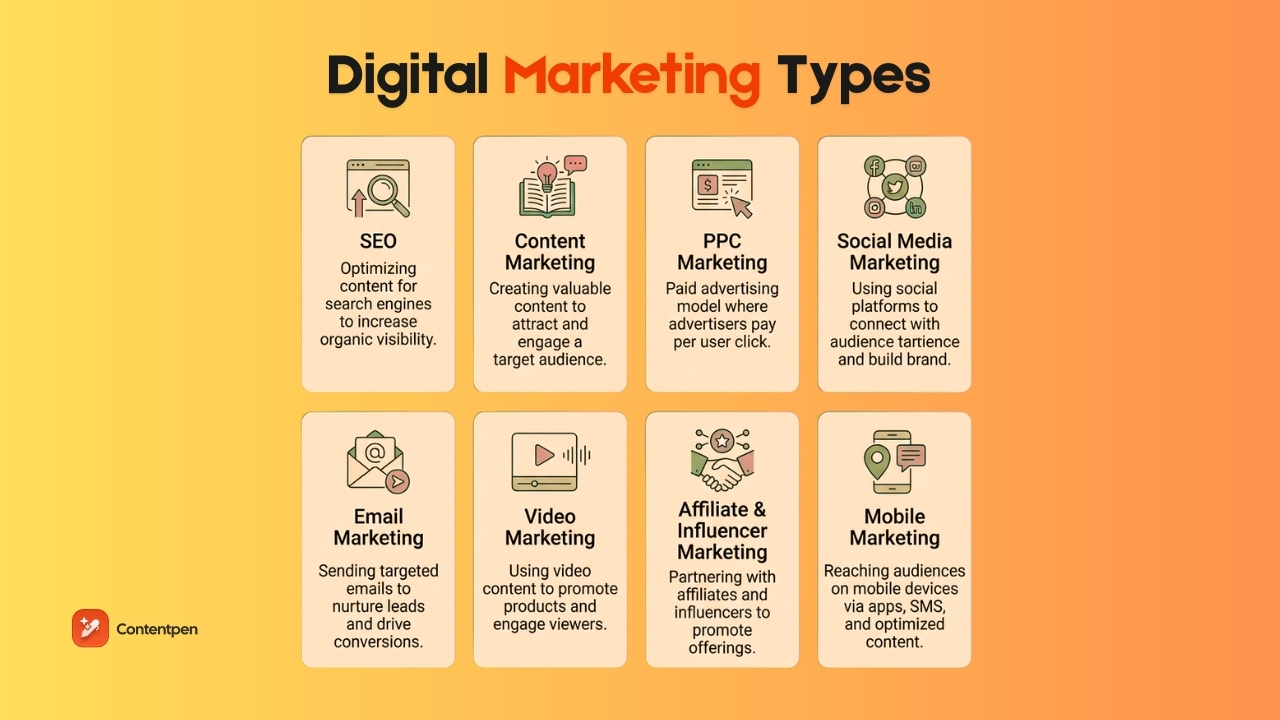
Think of the main types of digital marketing as tools in a toolbox. No brand needs every single one at once. The right mix can vary depending on your use cases and objectives.
1. Search engine optimization (SEO)
Search engine optimization (SEO) in digital marketing is the practice of improving your website and content so that search engines show your pages near the top of results.
SEO has three main parts:
- On-page SEO focuses on the words on your pages, the structure of your content, and your use of keywords that match how people search.
- Off-page SEO refers to links and signals from other sites, which help search engines see your site as trustworthy.
- Technical SEO covers site speed, mobile friendliness, and clean code that help search bots read and index your pages.
In 2026, many customer paths start with a simple search query. That means doing the search engine basics right, and SEO is still one of the best long-term investments you can make.
2. Content marketing
Content marketing is the practice of creating helpful, relevant content to attract and keep a clear audience. Instead of pushing a hard sell, you answer questions, share how-to guides, and provide stories that build trust.
Common formats include blog posts, case studies, eBooks, infographics, newsletters, podcasts, and videos.
“Content is the atomic particle of all digital marketing.” — Rebecca Lieb.
Strong content supports almost every other digital marketing channel:
- Blog posts give search engines something to index.
- Social media posts often link back to deeper content.
- Email sequences point to articles, tutorials, or stories.
The hard part is staying consistent, especially for small teams and agencies.
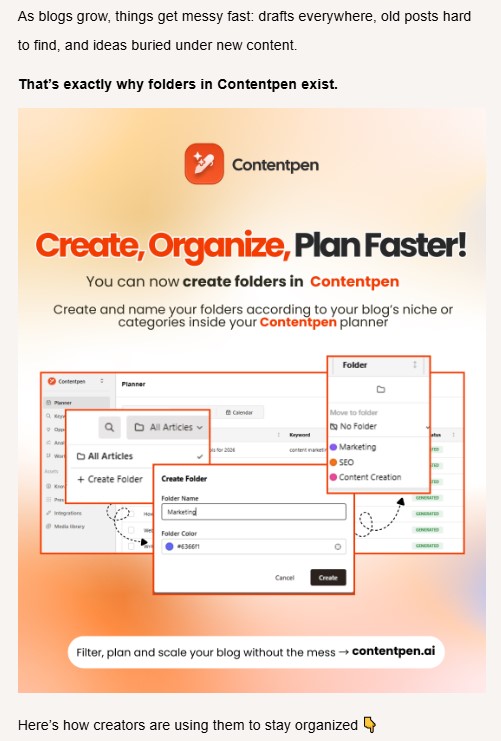
That is where Contentpen helps. It gives you an AI blog creation platform that writes SEO and GEO-focused drafts in your brand voice, does detailed competitor research, and offers one-click publishing.
This kind of support allows content teams and marketing agencies to boost SERP rankings and discoverability in AI overviews.
3. Pay-per-click (PPC) marketing
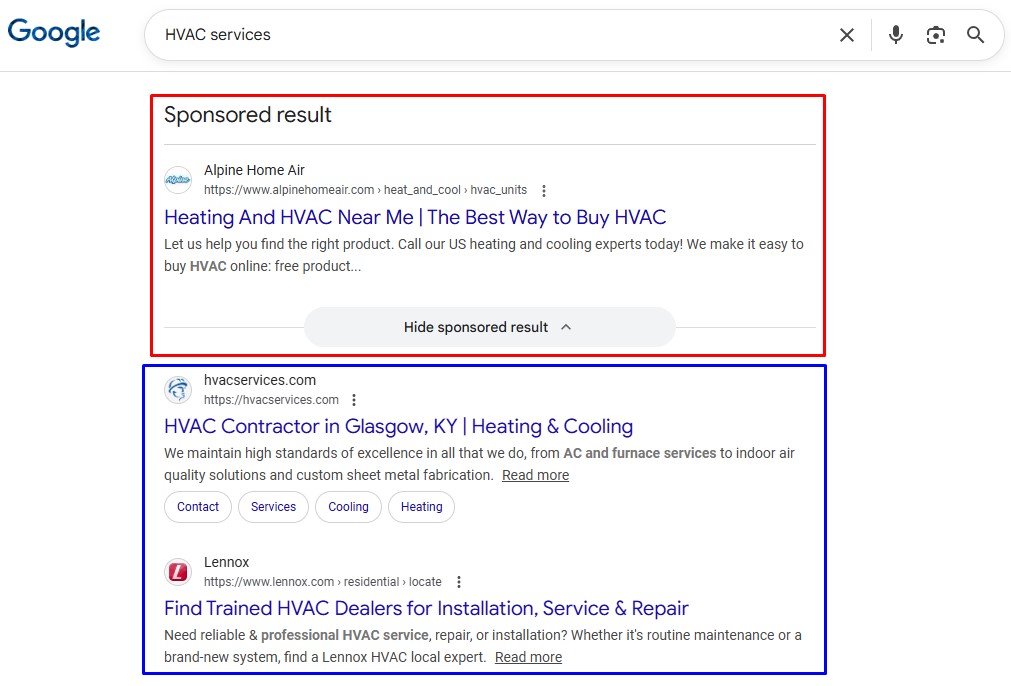
Pay-per-click (PPC) in digital marketing is a model where you pay each time someone clicks your ad. These ads usually show above or beside search results, inside social feeds, or on partner websites as part of display advertising. You choose the keywords or audience you want, write ads, and set bids and budgets.
Platforms such as Google Ads, Microsoft Ads, Meta Ads, LinkedIn Ads, and Amazon Ads run auctions to decide which ads appear. For many companies, PPC is the fastest way to test new offers or reach people who are ready to buy.
The main advantage is speed. Unlike SEO, PPC can send traffic to your site in hours. The tradeoff is cost. Competitive search terms and narrow audiences can be expensive, so campaigns need to be tested and tuned regularly.
4. Social media marketing
Social media marketing uses platforms such as Facebook, Instagram, TikTok, LinkedIn, X, and YouTube to build awareness, connect with people, and drive traffic or sales. It is much more than posting random updates a few times a week.
A clear plan covers:
- Who you want to reach
- What will you talk about
- How often will you post
- How you will respond to comments and messages
B2B brands often focus on LinkedIn and YouTube for thought leadership. Consumer brands lean on Instagram, TikTok, and Facebook for visuals, short videos, and community.
Organic reach on many platforms has declined as more brands compete for attention. That means you need either very engaging content, paid promotion, or both.
5. Email marketing
Email marketing sends targeted messages to people who have opted in to hear from you. It covers newsletters, welcome series, launch campaigns, cart reminders, and post-purchase check-ins.
Email stands out because you own the audience. Algorithms can change on social platforms, but your email list is under your control.
When done well, email remains one of the highest-return channels in online marketing, often driving repeat sales and higher customer lifetime value.
6. Video marketing
Video marketing uses video content to explain, teach, or promote. Long-form videos on YouTube work well for tutorials, comparisons, and deep dives. Short-form clips on TikTok, Instagram Reels, and YouTube Shorts grab quick attention and can spread fast.
Video works because people process visual content quickly and remember it well. A short demo can show how a product works better than heaps of paragraphs. For example, a quick “day in the life” clip can build brand trust much faster than a static image.
The good news is that modern phones and simple editing tools make video more accessible than ever. You can record, edit, and publish videos on the same device, then embed them in blog posts, email campaigns, and ads.
7. Affiliate and influencer marketing
Affiliate marketing pays partners a commission when they send you leads or sales through special links. Influencer marketing pays creators upfront to feature your product in their content.
Both use third-party voices that already have trust with their audiences. An honest review from a blogger or creator often feels more believable than a brand’s self-promotion.
Strong programs match partners with your target audience. A B2B software company might work with niche industry blogs. A fashion brand might work with TikTok creators and Instagram accounts that share styling tips.
8. Mobile marketing
Mobile marketing reaches people on phones and tablets. It includes SMS, push notifications from apps, mobile-friendly websites, social feeds, and even QR codes.
Most web traffic now comes from mobile devices, and many people spend several hours a day on their phones. That makes mobile optimization mandatory, not optional.
Location-based options also matter. You can send offers to users who are near your store, or show local search ads to people within a certain radius. This process is also often called the 4th main part of SEO, or local SEO.
B2B vs. B2C digital marketing
The same digital channels exist for both business-to-business (B2B) and business-to-consumer (B2C) brands, but the way you use them is very different.
In B2B settings, the decision about a purchase often involves several people. A manager may discover a tool, a finance lead checks the numbers, and executives approve the final contract. This creates longer sales cycles and more careful evaluation. B2B digital marketing often leans on detailed content, case studies, webinars, and email nurturing to build trust over time.
B2C decisions are often quicker and more emotional. A shopper watches a short video, likes how a product looks, reads a few reviews, and buys within minutes. B2C digital advertising often uses bold visuals, short copy, and time-sensitive offers to encourage quick action.
Channel priorities also shift. B2B companies usually invest heavily in LinkedIn, webinars, SEO, content marketing, and email.
Meanwhile, B2C brands often focus on Instagram, TikTok, Facebook, display advertising, and influencer campaigns.
Metrics change, too. B2B teams care deeply about lead quality and pipeline value, while B2C teams focus on conversion rate and customer acquisition cost.
How to do digital marketing?
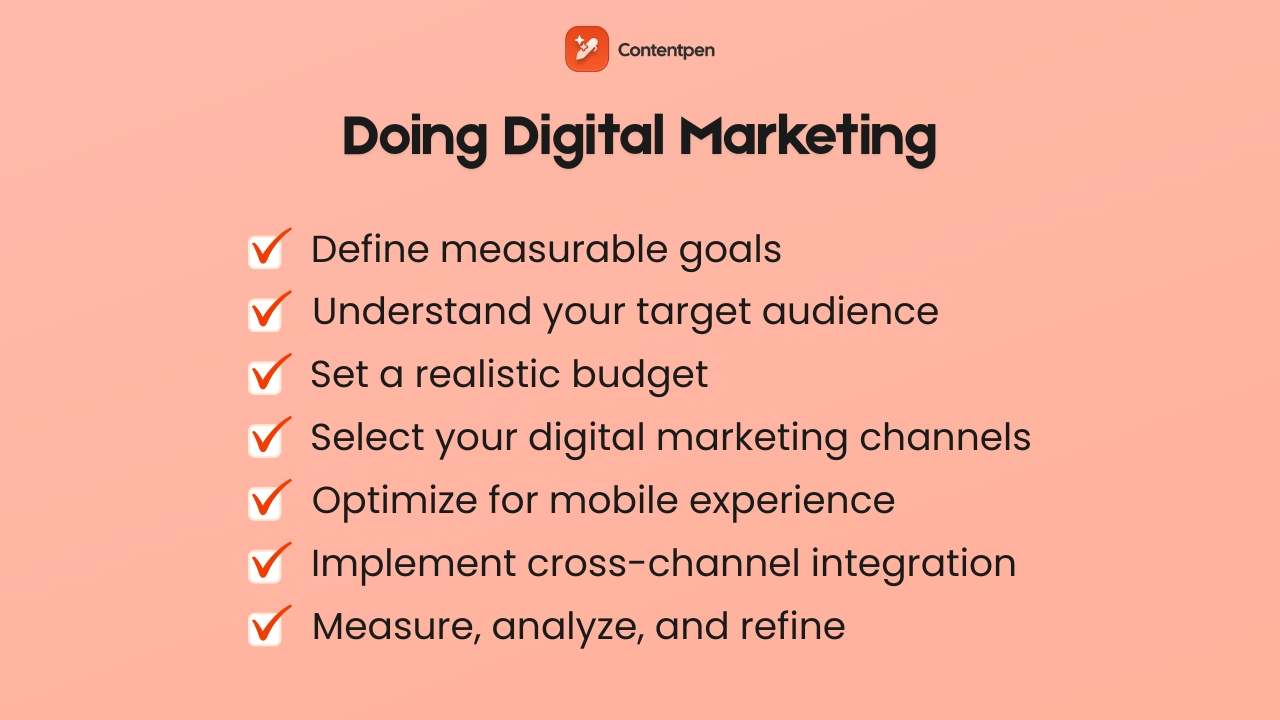
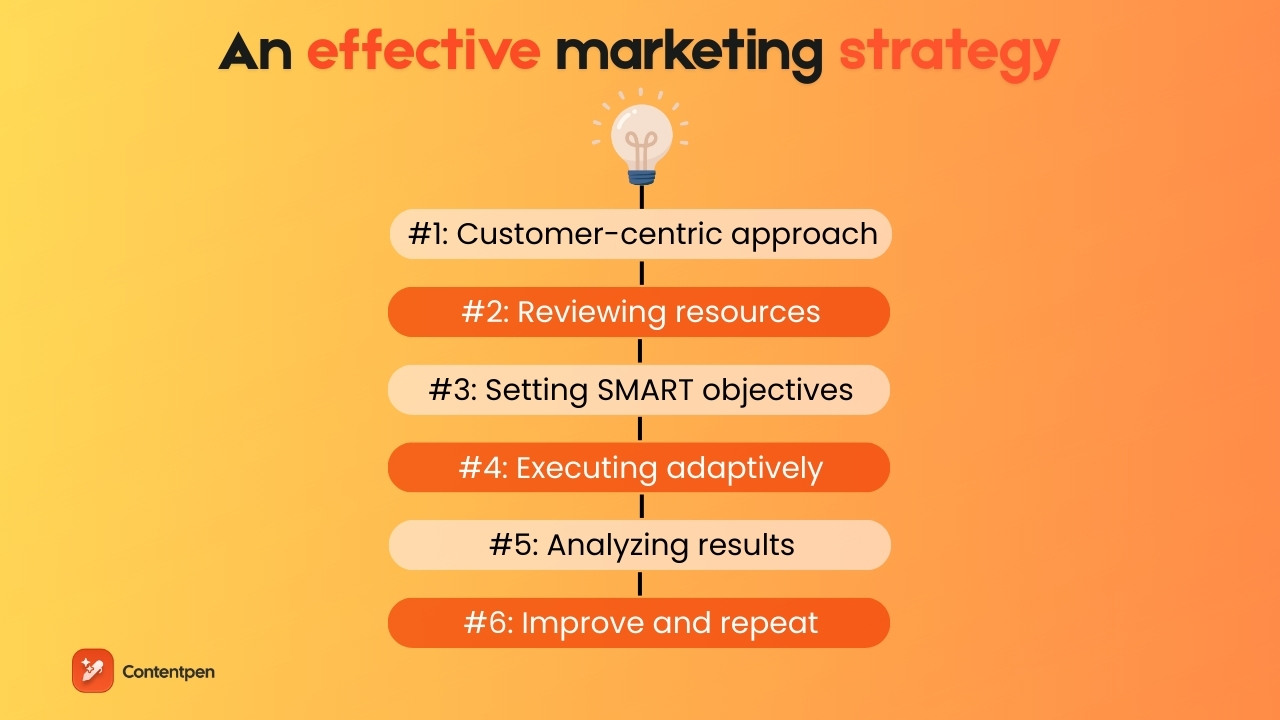
A clear digital marketing strategy connects what you do every week to the business results you care about. The steps below work for startups, growing e-commerce stores, agencies, and even larger digital marketing companies.
Step 1: Define clear, measurable goals
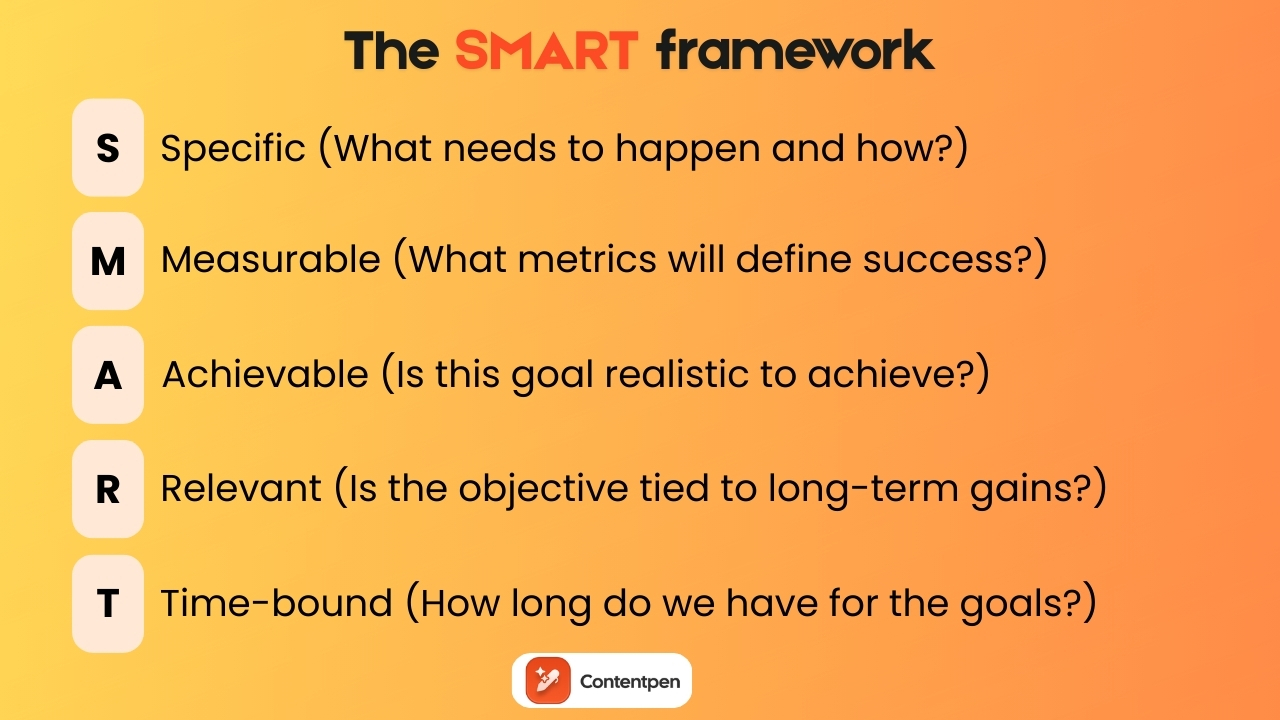
As we’ve covered in the marketing fundamentals blog post, using the SMART framework is the best way to get clear, measurable goals. It dictates setting objectives you can realistically achieve without any time, budget, or scope constraints.
A real-life digital marketing example strategy for a company might look like this:
- “Increase organic website sessions by 40% in 6 months.”
- “Add 1,000 new email subscribers this quarter.”
The key is to tie every marketing goal to a clear business outcome. Traffic targets should support revenue or lead goals. Brand awareness targets should support later performance targets.
For each goal, pick a small set of numbers you will watch closely, such as:
- Conversions
- Sign-ups
- Demo or consultation bookings
Putting these in writing helps align teams and makes it easier to check progress.
Step 2: Identify and understand your target audience
You cannot speak clearly to everyone.
Spend time defining who you want to reach before you draft campaigns. Build simple buyer profiles that include age, role, location, typical problems, goals, and online habits.
Use multiple research methods instead of guessing.
Talk with current customers, run short surveys, study your analytics, and see who interacts with your competitors on social media.
Remember that audiences can differ by platform. Your LinkedIn followers may be managers, while your Instagram followers may be individual users. The better you understand real people, the easier it is to decide which marketing fundamentals fit and what content to create.
Step 3: Establish your budget
Every company has limits, and digital marketing works at many budget levels.
As a simple rule of thumb, many small businesses spend 5-10% of revenue on marketing, with a larger share for brands in rapid growth.
Decide how much you can put toward paid media such as PPC and social ads, and how much you will invest in organic channels like SEO, blog content, and email. Remember that content creation, tools, and staff time are all real costs that you’ll face.
Step 4: Select your digital marketing channels
Now choose where to focus. Base this on where your audience already spends time, which formats they trust, and what your team does well. It is better to run 2 channels carefully than 5 poorly.
Most brands benefit from:
- A strong website with SEO best practices implemented
- A steady content marketing program
- At least one active social platform to entertain, educate, and convert users
Established teams might add PPC ads, a structured email program, or affiliate campaigns. Meanwhile, newer teams often start with organic search, content, and basic social profiles while they learn what to do next.
Step 5: Optimize for mobile experience
Since most people browse and buy on phones, a poor mobile experience can quietly kill your digital marketing results. Google also uses mobile versions of pages when deciding rankings, so this affects both search and conversion.
To optimize your sites for a better mobile experience, test your website, landing pages, and email templates on several phones and tablets.
Generally speaking, pages should load in a few seconds, text should be readable without zoom, and forms should be short and easy to fill out with thumbs.
Also, try to keep the feel and functions similar between the desktop and mobile versions, so people are not confused when they switch devices.
Step 6: Implement cross-channel integration
Digital channels work best when they support each other. For example, you might:
- Publish an SEO-focused blog post
- Promote it with social media updates
- Send it to your email list
- Run a small PPC campaign to boost traffic
The post then becomes a core asset that feeds several channels and continues to drive traffic month after month.
To make this work, keep your brand voice, design, and key messages steady across platforms. Use tools that combine data from ads, email, and website analytics to see the whole picture.
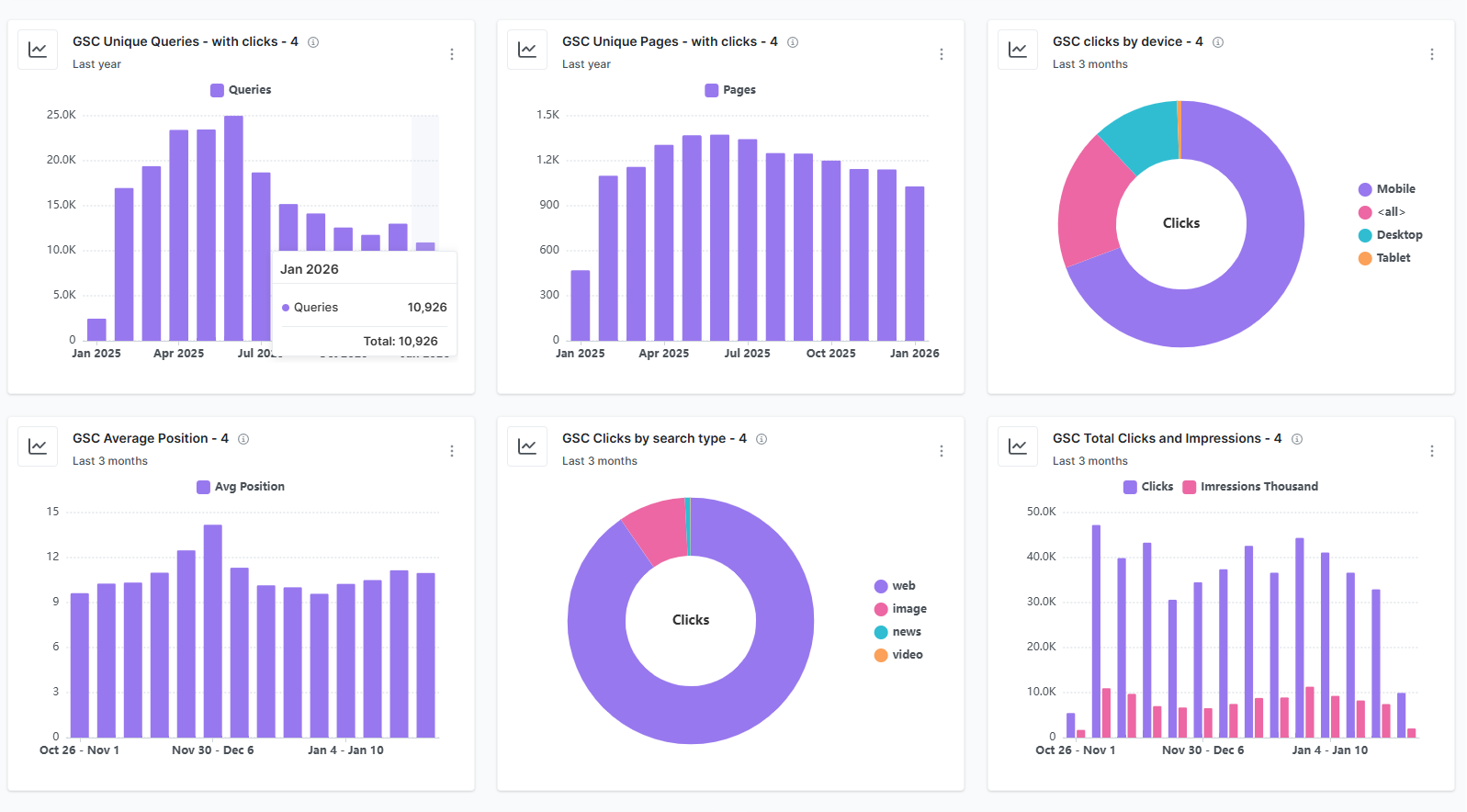
Step 7: Measure, analyze, and refine continuously
Digital marketing is an ongoing process of monitoring, analyzing, and refining strategies consistently.
Therefore, to help your platforms grow steadily, set a regular schedule to review your numbers. Weekly checks work well for paid campaigns, while monthly reviews are fine for SEO and content. Every few months, step back and judge your whole strategy.
Look for patterns instead of single spikes. Double down on content, audiences, or ads that continue to perform, and pause those that do not.
Use simple A/B tests on headlines, calls to action, images, and offers. Let data guide you, but also get feedback from sales calls and customer support. This mix of numbers and real conversations leads to better decisions over time.
Key performance indicators (KPIs) for digital marketing
Key performance indicators (KPIs) are metrics that show how your digital marketing efforts are going. They translate actions into numbers that business leaders understand, making important decisions easier.
Tracking everything can be confusing, so pick a small set of KPIs for each main goal. Below are some common KPIs explained to help you get started.
Click-through rate (CTR)
This metric shows the share of people who clicked a link or ad after seeing it. A higher CTR usually means the message and creative match what the audience wants.
Conversion rate
Conversion rate tracks the share of visitors who complete a desired action on a page or in a funnel. The action might be a sale, a form fill, a trial sign-up, or a download. This metric shows how well your traffic, offer, and page layout work together.
Website traffic
Website traffic measures how many people visit your site in a given time. You can break it down by channel, such as organic search, paid ads, social, email, or direct. Studying these sources helps you see which digital marketing channel drives the most visits.
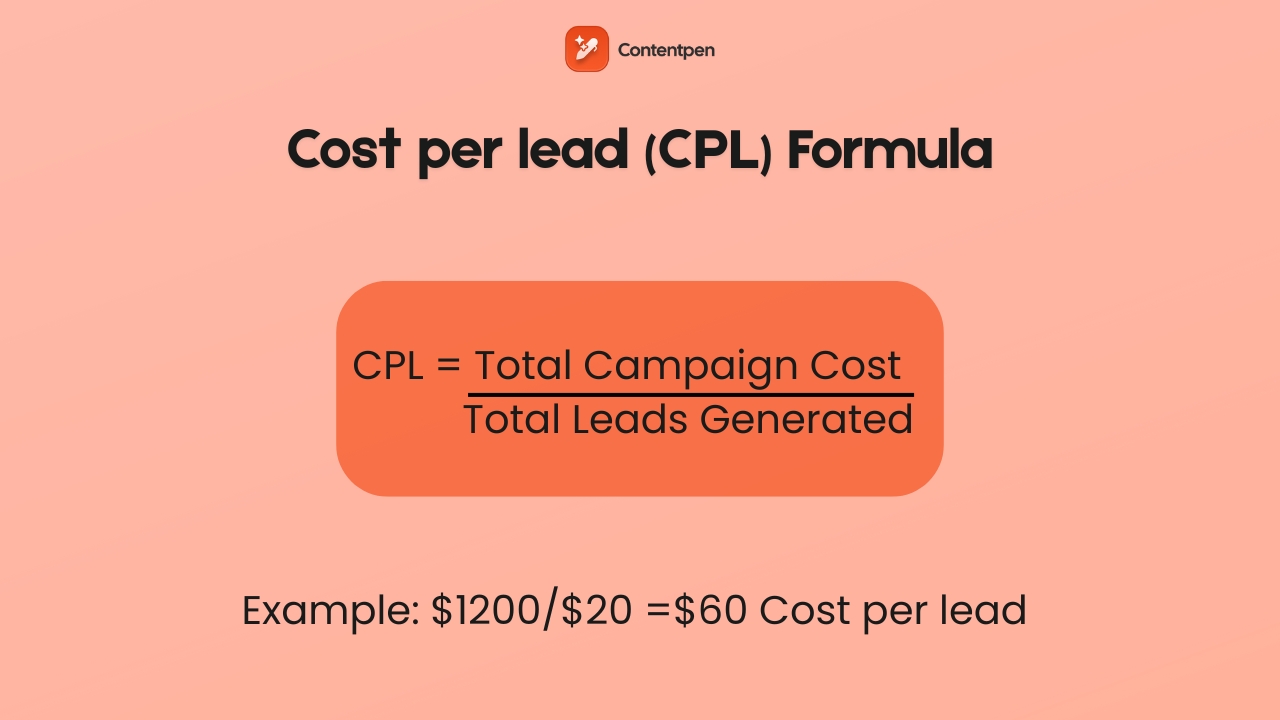
Cost per lead (CPL)
This metric shows how much you spend to acquire each new lead. You divide the total cost of a campaign by the number of leads it created. Comparing CPL across channels helps you move budget toward the most efficient ones.
Cost per acquisition (CPA)
CPA is similar to CPL but focuses on acquiring new customers rather than generating leads. You divide the total cost of a campaign by the number of new paying customers it produced. Lower CPA with steady or growing revenue is a strong sign of progress.
Return on investment (ROI)
ROI compares revenue to spend. You subtract marketing cost from revenue and often express the result as a ratio or percent. While harder to track in long, multi-touch customer journeys, ROI is still the number most executives watch.
Social media engagement rate
This is the percentage of people who interact with a post out of those who saw it. Actions include likes, comments, shares, saves, and clicks. Higher engagement suggests that content speaks to your audience and can lead to better reach over time.
Bounce rate
Bounce rate tells you what share of visitors left without taking any action on your page. A very high bounce rate can mean slow pages, a confusing layout, or mismatched traffic. It is a sign to check content quality and audience targeting.
Email open and click rates
This KPI helps you judge the effectiveness of subject lines and messages. Open rate shows how many people opened the message out of those who received it. Click rate shows how many times a link inside the email is clicked.
Here is a simple way to match goals to main KPIs.
| Goal type | Primary KPIs |
| Awareness | Website traffic, impressions, social media engagement rate |
| Lead generation | Conversion rate, CTR, CPL, email sign-ups |
| Sales and revenue | Conversion rate, CPA, revenue, ROI |
Tools like Google Analytics, ad platform dashboards, and marketing automation systems make these numbers easier to track.
Also read: Webhook vs API: Which one should you use?
Advantages of digital marketing
Digital marketing gives businesses of all sizes a set of strengths that traditional channels alone cannot match.
1. Wider audience reach
One major advantage is reach. You can show ads or content to people in your own neighborhood or on the other side of the globe from the same dashboard.
At the same time, targeting tools let you focus on certain cities, zip codes, or interest groups. This blend of scale and precision is hard to match in offline marketing.
2. Lower starting costs
Cost is another key benefit of digital marketing. Running a TV campaign often requires large upfront fees.
With digital advertising, you can start small, test offers, and raise budgets as results improve. Organic tactics such as SEO, content marketing, and unpaid social media posting mostly require time and planning rather than large media buys.
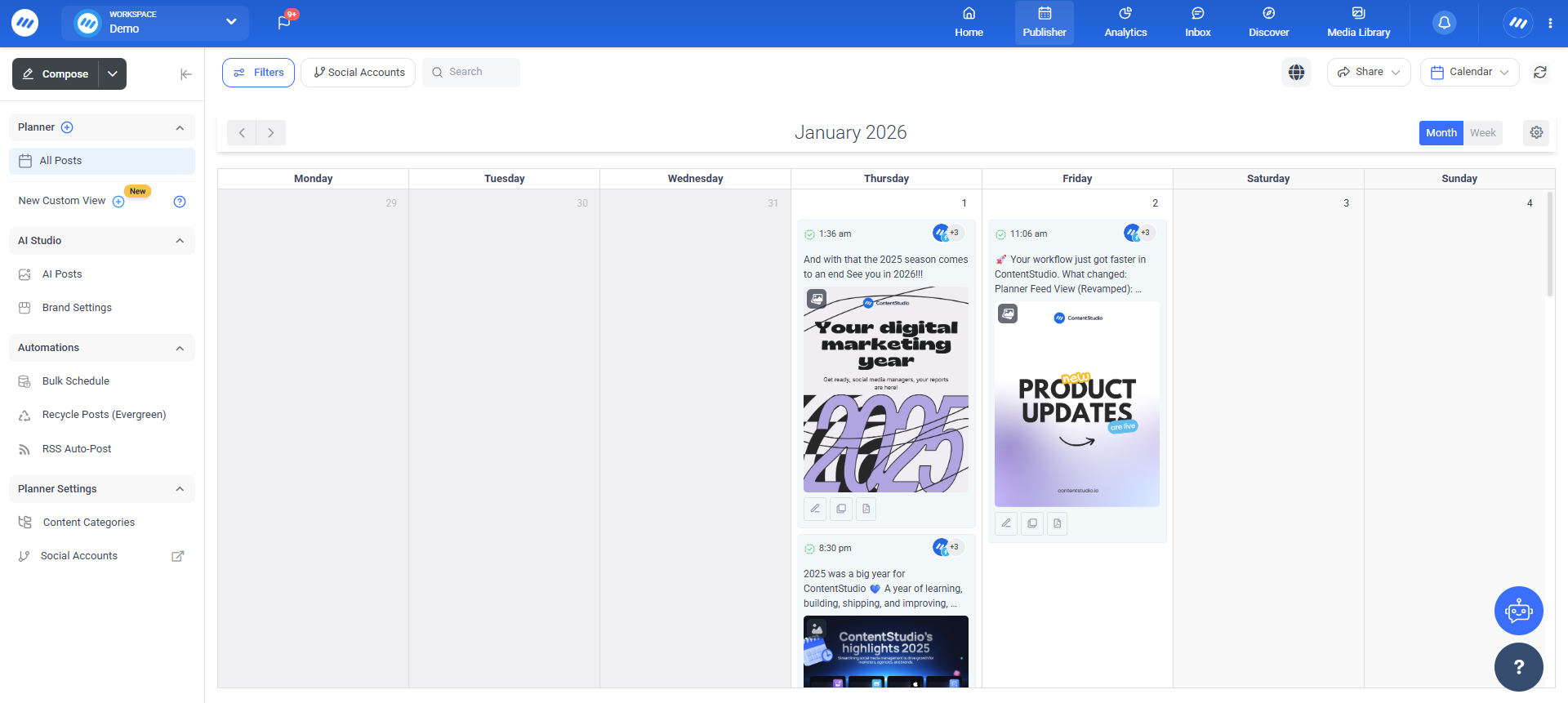
Many content marketing tools and social media management suites, such as ContentStudio, can help you reach audiences at a lower cost and with greater precision.
3. Real-time data availability
Digital marketing also stands out for detailed, near-real-time data.
You do not have to wait months to see if something worked. You can watch impressions, clicks, and conversions roll in, adjust creative, and compare new versions quickly.
This feedback loop supports smarter spending and clearer answers for executives, without involving guesswork.
4. Personalized marketing efforts
Personalization is much stronger online. Based on behavior, purchase history, and interests, you can show different products, headlines, or email flows to different segments.
People are more likely to act when messages feel relevant to them rather than when they receive generalized messaging that can be hit or miss.
5. Ongoing contact
Digital channels also support ongoing contact. Brands can guide people from first touch through research, purchase, and repeat orders with a mix of ads, helpful content, and service messages.
Owned channels, such as email lists and blogs, give you direct access to the customers without relying only on ad costs or social media algorithms.
Digital marketing challenges
Even with all its strengths, digital marketing comes with real challenges. Knowing them in advance helps you plan better and avoid common traps.
1. Constant change in algorithms
One big issue is the constant change in search and social algorithms. A tweak from Google or a social network can raise or lower your reach overnight.
You cannot control these updates, but you can reduce risk by focusing on high-quality content, honest engagement, and a mix of channels rather than relying on a single traffic source.
2. Data privacy concerns
Data privacy also shapes how marketers work. Laws such as GDPR and CCPA require clear consent, easy opt-outs, and careful storage of personal data. Teams that build privacy-first habits and explain data use in plain language tend to earn more trust and avoid legal problems.
3. High competition
Competition is intense. Low entry barriers mean almost any company can start running ads or posting content within hours. Feeds are crowded, inboxes are full, and display advertising appears on many pages.
To stand out, brands need clear positioning, real value, and content that goes deeper than shallow keyword stuffing.
4. Measuring ROI
Measuring true ROI can be tricky. A person might first see a post on social media, then read three blog posts, sign up for email, and only later click a PPC ad and buy.
Giving all credit to the last click misses the role of earlier steps. Therefore, using multi-touch views and looking at the whole path gives a fairer picture of your digital marketing efforts.
5. Data overload
Data overload is another common problem. Dashboards provide dozens of numbers, not all of which matter. Teams can feel lost in reports instead of acting.
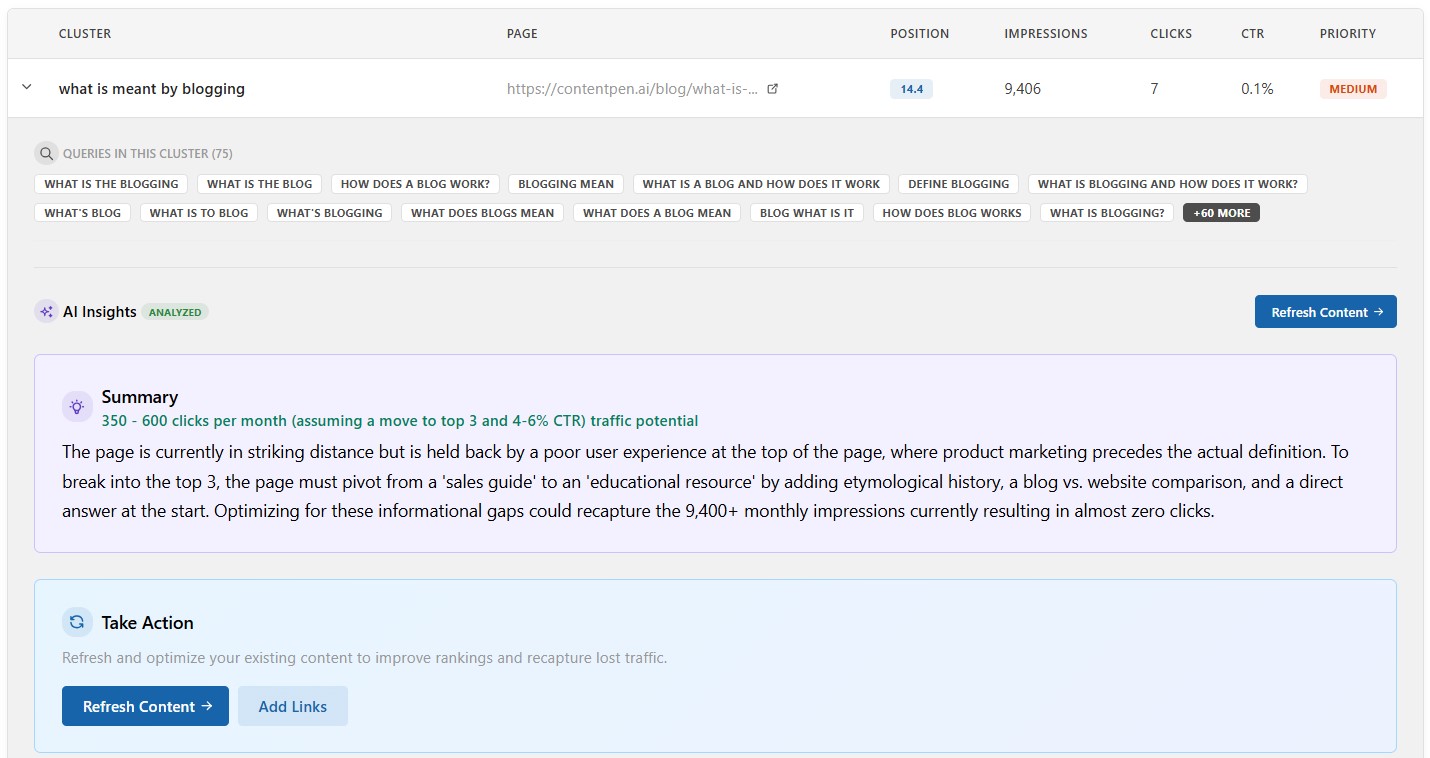
To handle these challenges, many teams turn to smarter tools, such as our AI writer for blogs. It shows clear wins and losses for your pages, along with AI-powered insights you can easily act on without getting lost in busy dashboards or complex interfaces.
6. Content creation
AI content creation may be the hardest ongoing task. Effective digital marketing needs a steady stream of articles, videos, ads, emails, and social posts. Many teams struggle to keep up while also handling strategy and reporting.
Contentpen helps by taking the heavy lifting out of drafting SEO blog content so that marketers can focus on planning and optimization.
7. Implicit marketing bias
Implicit bias adds another challenge in digital marketing. Without care, marketing images, examples, and targeting can favor some groups while leaving out others. This can make parts of your audience feel ignored or offended.
To ensure this doesn’t happen, review creative ideas with team members from diverse backgrounds, use inclusive imagery, and check targeting settings. This can reduce the risk of including bias and help the brand feel more open to a wider range of users.
Future trends in digital marketing for 2026 and beyond
Rapid shifts in technology and behavior are shaping digital marketing in 2026. Teams that test new ideas early often gain an edge. However, the key is to focus on trends that clearly connect with your audience and goals, without overwhelming them with too many new ideas.
AI and machine learning are moving from side projects into daily workflows. They assist with content drafting, audience building, bid management, and predictive analytics.
Voice search continues to grow as smart speakers and assistants like Siri and Alexa become more widespread. People speak to devices in full sentences instead of short keyword phrases.
That means pages that answer natural questions, such as “what is a digital marketing strategy for a small business,” in clear language have an advantage.
Interactive and immersive content is gaining ground. Polls, quizzes, calculators, and augmented reality try-ons often drive more engagement than static posts. These formats invite action rather than passive reading and can provide better data on customer preferences.
Hyper-personalization is becoming more common. Instead of broad segments, AI can help brands adapt messages to each user in real time. This can make offers feel much more relevant to the audience and encourage buying decisions.
Short-form video is likely to remain a core format. TikTok shaped this style, and features such as Instagram Reels and YouTube Shorts show that the idea fits almost every platform. Brands that can tell concise, engaging stories in under a minute will reach more people in feeds.
Staying current means following platform updates, reading trusted marketing blogs, and running small experiments. These efforts may or may not have an immediate impact, but they are an investment for the future.
Digital marketing careers and required skills
Digital marketing careers continue to grow as more companies move budgets from offline to online channels. There is room for deep specialists and broad generalists across industries.
On the specialist side, roles include SEO analyst, PPC manager, social media manager, email marketer, and content writer.
Generalists work as digital marketing managers, content strategists, and heads of growth, coordinating many channels. Agencies and in-house teams both need people who understand how channels connect and how to explain performance.
Core skills cut across these roles, such as:
- Strong writing and clear communication
- Comfort with data and basic analytics tools
- Understanding of how search engines, social platforms, and email systems work
- Ability to plan campaigns and explain results simply
Familiarity with common tools also helps. These include Google Analytics, Google Ads, Meta Business tools, and email services such as Mailchimp or HubSpot.
Running basic analytics with SEO tools such as Semrush or Ahrefs, and content management systems such as WordPress, also helps. Simple design skills with tools like Canva are helpful too, especially in small teams.
There are many paths into the field. Some people study marketing or communications at college. Others build skills through online courses, a focused digital marketing course, or bootcamps. Do whatever feels comfortable to develop the required skills.
Final thoughts
Digital marketing has changed how businesses of every size reach and serve customers. Instead of broad, one-way messages, brands can use data, content, and technology to speak to the right people at the right time.
In this guide, we covered what digital marketing is, how it compares to traditional and online marketing, the main channel types, and how to build a focused plan. You also saw key KPIs, common challenges, and trends that are shaping 2026 and the years ahead.
Content is the thread that ties most digital channels together, and it is often the toughest part to keep up with. If you want to improve your digital marketing with high-quality, search-ready content at scale, then fill out this Contentpen registration today.
Frequently asked questions
There is no single best channel. SEO, content marketing, email, social media, and paid ads work best when combined based on your audience, goals, and budget.
Results vary by channel. PPC and social ads can show results within days or weeks, while SEO and content marketing usually take 3–6 months to deliver consistent growth.
Yes. Digital marketing allows small businesses to compete by targeting niche audiences, using cost-effective channels like SEO and content marketing, and scaling budgets based on performance.
To start a digital marketing agency, choose a niche, build skills or certifications in key channels, create a simple website, get your first clients, and use proper tools to grow efficiently.