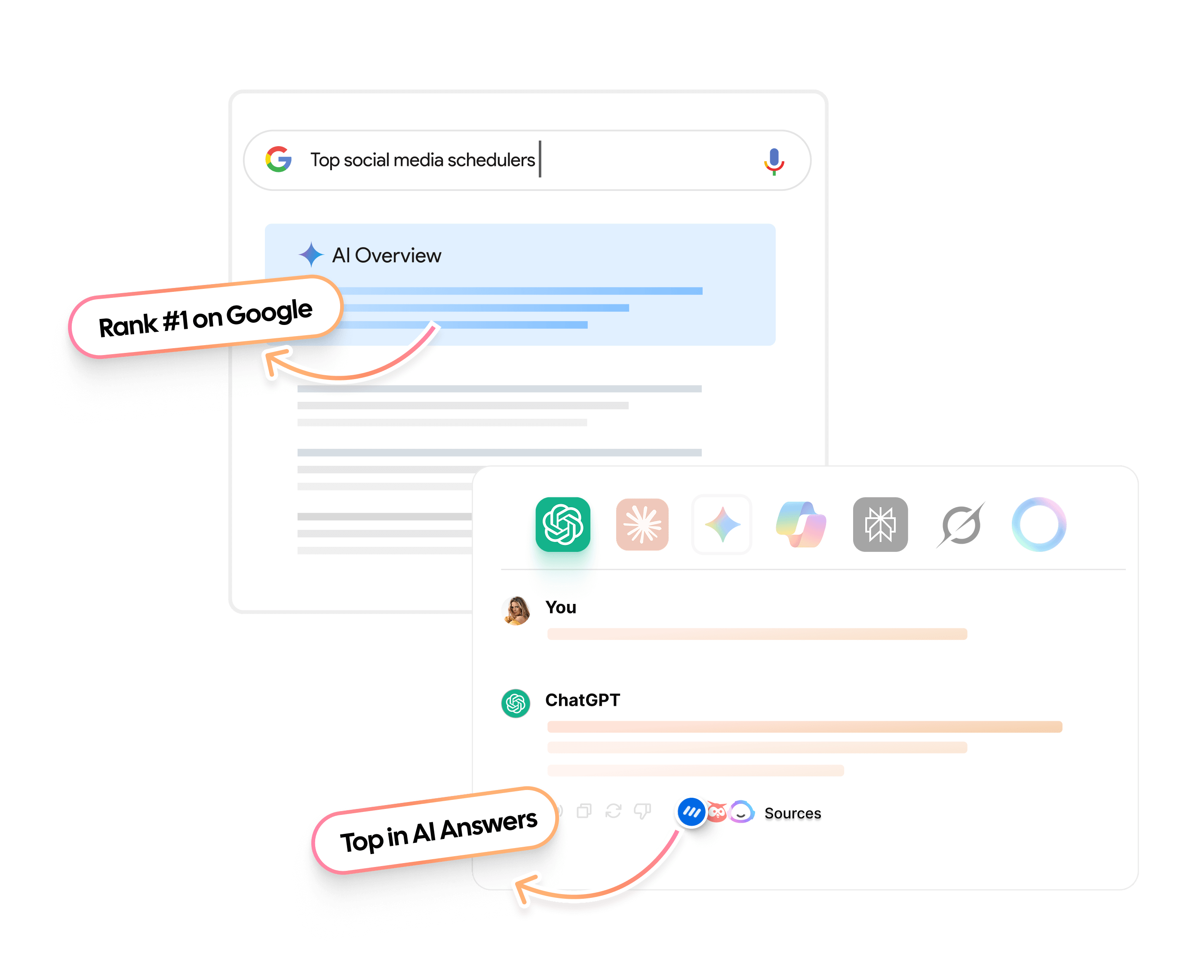
Google handles about 99,000 searches every second, yet a lot of those searches never reach a classic search results page at all. The reason? AI search.
Due to the rise of zero-click searches, it is high time for businesses to think about how AI can find, trust, and use their content inside instant answers.
This is where answer engine optimization (AEO) comes in. It builds on SEO but plays by slightly different rules and with different goals.
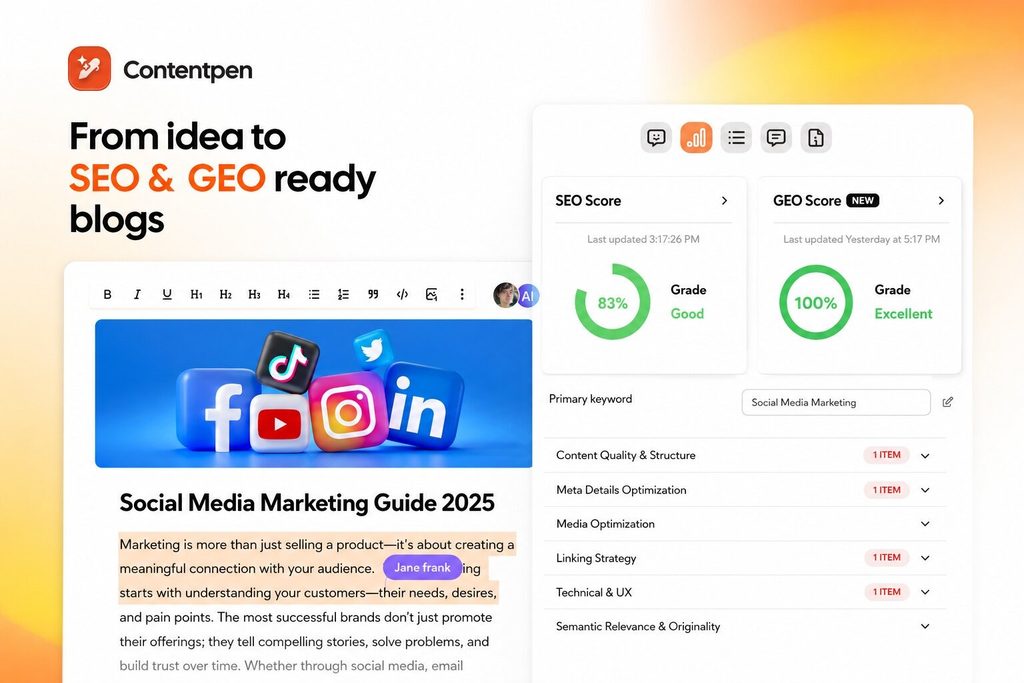
In this post, you will see what AEO actually means, how it compares to SEO, and why it matters right now for your business. It will also give you a simple framework to get started, including some tools that you can use, like Contentpen, to create SEO and AEO/GEO-optimized content.
So, let’s get started, shall we?
What is answer engine optimization (AEO)?
Answer engine optimization is the practice of structuring and improving your content so AI-powered answer engines can easily find, understand, and surface it as an answer to a user’s question.
Instead of only chasing rankings, AEO aims to earn mentions and citations inside those AI-generated replies from:
Search features like Google’s AI Overviews and Bing’s chat-style results.
Voice assistants on phones, smart speakers, and cars.
Answer engines are not traditional search engines. It pulls information from many places, blends it, and returns one clear answer instead of showing you ten links to choose from.
That answer might quote your brand, mention your product by name, or pull a passage from your article. Or it might never discover your platform if you haven’t created your content accordingly.
What is the main goal of AEO?
The main goal of answer engine optimization is simple. When someone asks an AI about a topic, you want that AI to reference your content and your brand. That could be a blog post on your site, a review, a LinkedIn article, or a comment in an industry forum.
AEO work is about raising your chances of being the trusted source across all of those touchpoints. And since answer engines read widely, it is important to keep your brand voice and information consistent across platforms.
Search is turning into chat, and brands now need a question-based SEO strategy that works for both classic SERPs and AI answers. To understand how this fits with your existing work, it helps to compare AEO and SEO side by side.
AEO vs. SEO: What is the difference (and why both still matter)?
A simple way to frame it is this. SEO helps people find your content. Answer engine optimization helps AI systems use that content to answer someone’s question on the spot.
Traditional SEO focuses on rankings, clicks, and traffic. You pick keywords, optimize pages, build backlinks, and measure how often people visit your site and convert.
Meanwhile, AEO focuses on brand mentions, citations, and share of voice inside AI answers. You care less about ten blue links and more about how often a model like ChatGPT picks you as an example when it explains a topic.
Here is how the two compare in more detail.
Aspect
Search engine optimization (SEO)
(Answer engine optimization AEO)
Primary goal
Rank higher in search results and send qualified traffic to your site
Be mentioned or cited inside AI-generated answers and spark trust before the click
Main audience
Human searchers scanning result pages
AI answer engines that read and assemble information for humans
The two disciplines also feed each other. Strong SEO makes your content easier for AI crawlers to discover. If you already rank well and attract links, answer engines are more likely to treat your pages as trustworthy.
At the same time, AEO-friendly formats such as featured snippet optimization, zero-click search optimization, and voice search optimization can also help your classic search performance. This is because better formatting and no-fluff content send positive user signals to search engines.
Why AEO matters for your business right now
Search behavior is shifting fast. More people now start with a question for an AI system when they compare tools, plan big purchases, or look for service providers. They may still use Google, but they ask it a longer, morenatural question and skim the AI Overview before they even glance at the organic results.
That makes sense. Someone who clicks a link after reading an AI answer has already seen context, comparisons, and sometimes rough pricing. They are not just browsing. They are checking the last few details before they talk to sales, start a trial, or book a call.
Being cited by an AI model also acts like a strong third-party nod.
When Google’s AI Overview or an AI answer engine such as Perplexity quotes your brand as an example, it sends a trust signal before a user ever hits your homepage. Over time, that can help smaller teams stand out against bigger competitors that still only think in terms of rankings.
What makes a source trustworthy to AI engines?
Not all content gets cited equally. AI answer engines do not just pull from the most popular pages. They look for signals that tell them a source is reliable, consistent, and genuinely useful.
The clearest pattern, based on how large language models retrieve and weight information, comes down to three things: clarity, consistency, and confirmation (the 3C’s in AEO).
Clarity means your answer is direct and self-contained. A model can lift a 50-word passage from your page and have it make complete sense without surrounding context. Vague or hedged writing gets skipped.
Consistency means your brand says the same things across multiple places. If your website defines AEO one way, your LinkedIn article should also define it the same way to provide an AI engine a clean signal to work with. Conflicting information lowers your chances of being cited.
Confirmation means other sources agree with you. When an AI engine sees the same claim repeated across independent pages, it treats that claim as more trustworthy. This is why off-site presence is essential in AEO. You are not just building brand awareness. You are building the kind of multi-source agreement that makes an LLM confident enough to cite you.
Understanding these three signals changes how you approach content. You stop writing to impress and start writing to be extractable.
Can small websites compete with big names in AEO?
In traditional SEO, no. At least not without building domain authority, backlink profiles, and brand recognition that takes months or years to develop.
AEO works differently in one important way. AI engines optimize for answer quality, not source prestige. A well-structured, clearly written 60-word definition on a DA 40 site can outperform a rambling 3,000-word guide from a major publication. It all depends on the answer provided.
That said, domain authority still matters indirectly. If no other source on the web references your brand, an AI engine has little confirming evidence to work with.
The advantage smaller teams actually have is speed and specificity. You can cover emerging sub-topics, publish original framing, and update content faster than a 500-person marketing team working through editorial queues.
The practical implication: do not try to out-volume the big players. Out-structure them. Write cleaner definitions, tighter comparisons, and more direct how-to answers. That is where the actual competitive gap exists in 2026.
Once you buy into that logic, the next step is learning how to optimize for AI search in a structured way.
How to optimize for answer engines: A practical overview
AEO is not one magic setting. It is a mix of on-site choices, off-site presence, and new ways of measuring success.
At a high level, you will work in three areas:
Make your own content simple for AI to read and quote.
Shape how your brand appears across the wider web.
Track how often you are mentioned or cited so you can adjust your plan.
The sections below give a starter playbook that you can follow in 2026 for better answer engine optimization.
Write clear on-site content
Start by framing content around real questions. Use headings that sound like things a human would ask an AI answer engine, such as ‘what to do after an SEO audit?’
Right under each heading for your blogs or articles, give a short, direct answer in the first 2-3 sentences. This technique is the heart of direct answer SEO and featured snippet optimization. You can then follow with background, examples, and extra detail to support your arguments.
Content formatting also matters. For that, you need to:
Break content into short paragraphs and keep sentences clear.
Add tables when you compare items such as AEO vs SEO metrics.
Use lists when talking about multiple items and write full sentences instead of one-word fragments.
These choices make life easier for both readers and crawlers and support conversational search optimization as well as classic voice search optimization.
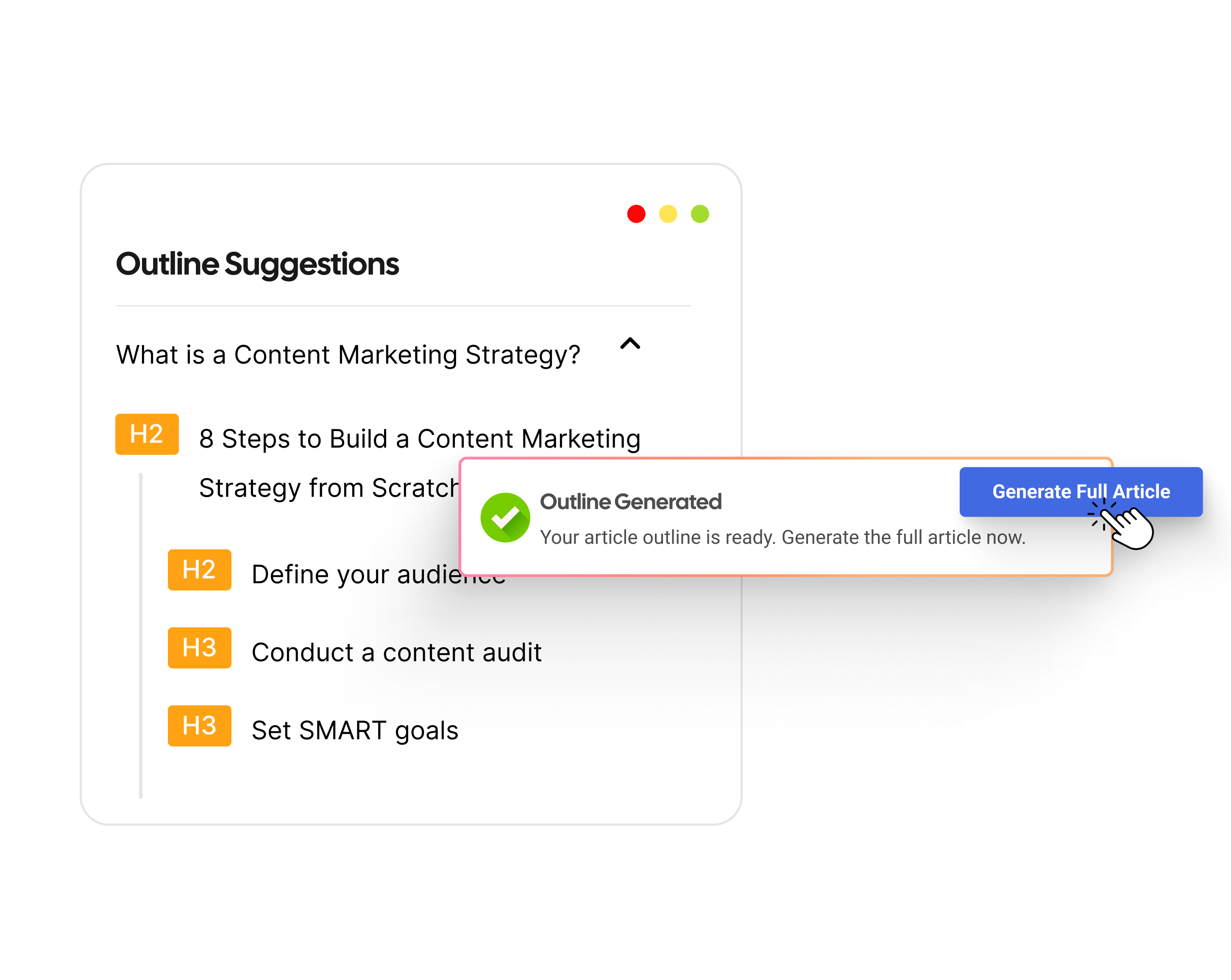
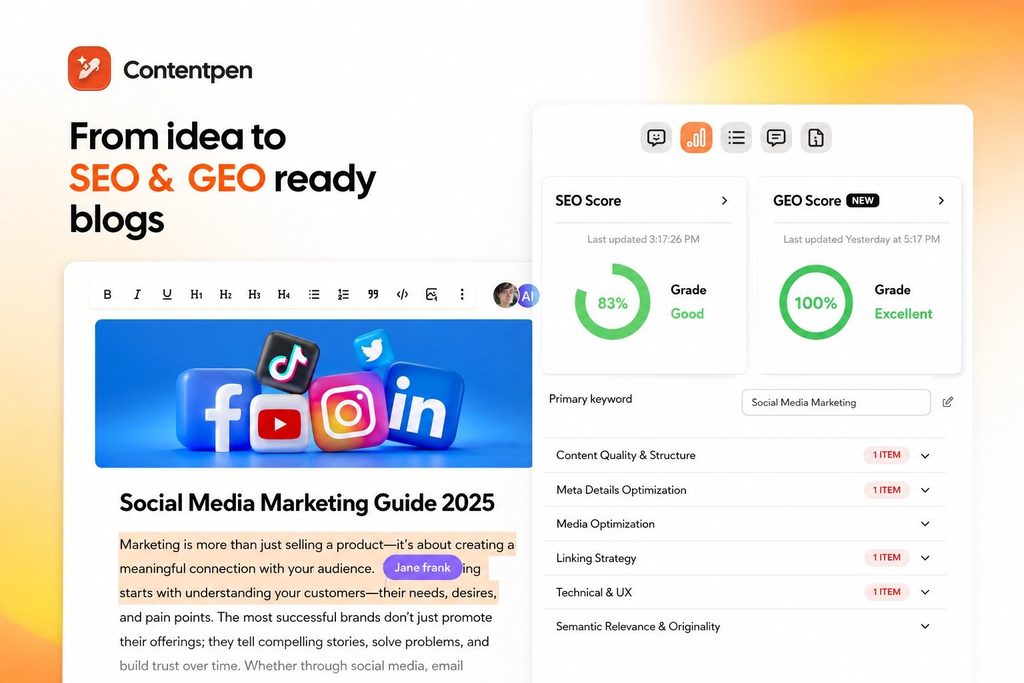
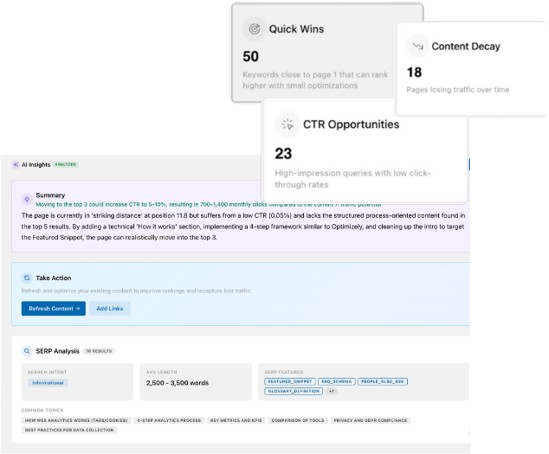
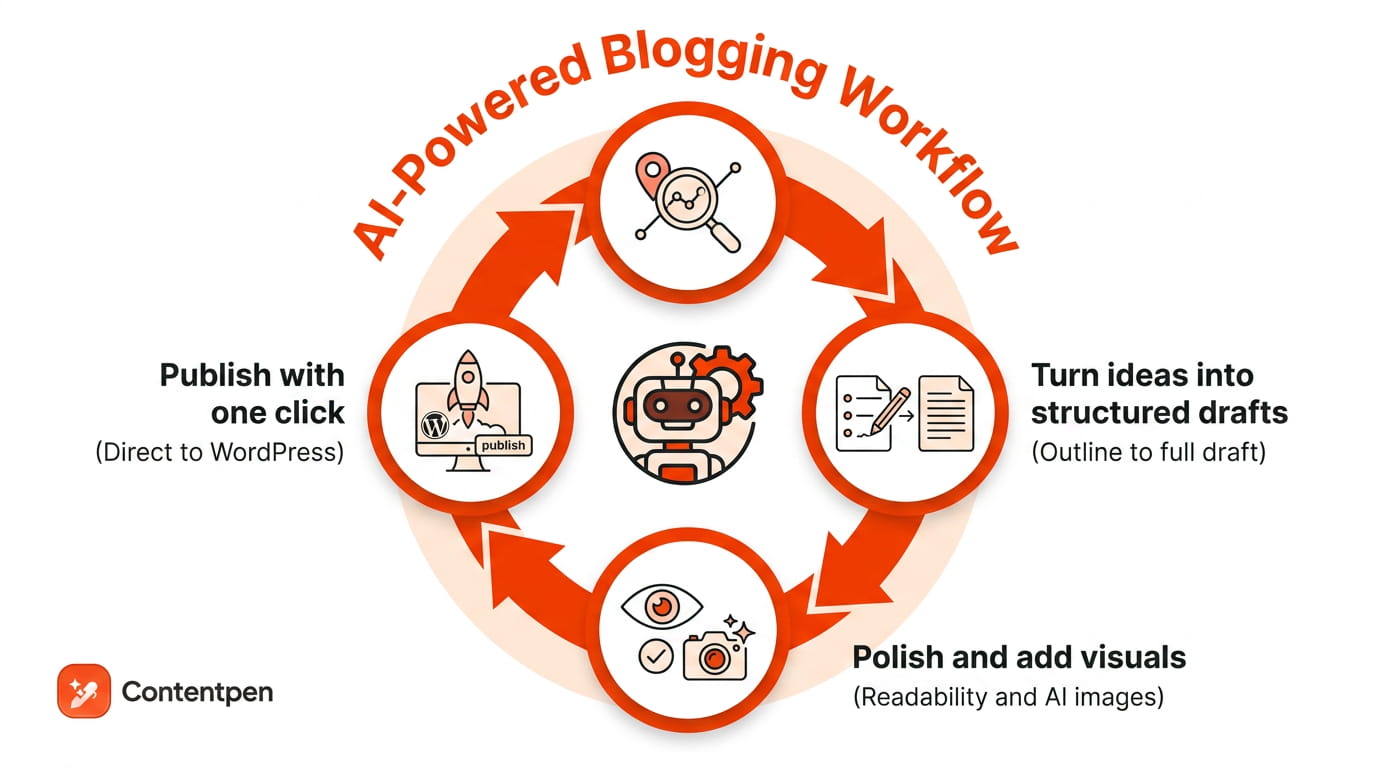
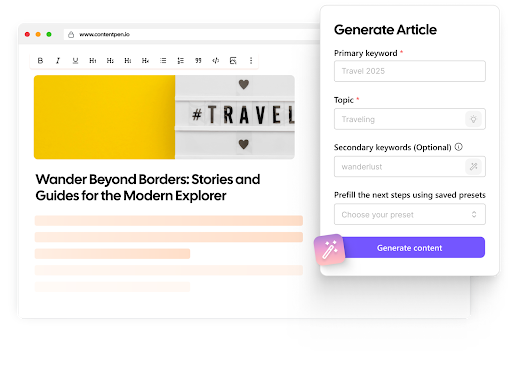
This is where teams turn to a platform like Contentpen. The AI writing tool helps you and your team produce long-form, well-structured blog posts with clear headings and optimized metadata, which support both SEO and AEO efforts.
From outline to publish-ready content
that fills them
Invest time and resources in technical optimization
On the technical side, structured data SEO is now a big part of AEO.
Add schema markup such as FAQPage, HowTo, Article, Product, and LocalBusiness where they fit. This tells both search engines and answer engines exactly what lives on a page.
Keep your site fast, indexable, and well-linked with clear meta tags, an XML sitemap, and reasonable internal links pointing to each important URL. Use Core Web Vitals (CWV) to help your technical optimizations.
Also, make sure your core content is visible in plain HTML and not hidden behind heavy JavaScript, paywalls, or aggressive popups. If an LLM cannot see it, it cannot cite it.
Off-site presence and brand consistency
Answer engines do not stop at your homepage. They read review sites, social feeds, forums, and news articles to figure out which brands seem reliable. Your off-site presence and consistency play a big part in how LLMs talk about you.
You can think of this as giving AI more high-quality places to sample your brand.
Publishing original research, benchmark reports, or helpful explainers on platforms like LinkedIn, industry blogs, and community sites gives answer engines clear hints that you are the topical expert.
When you join conversations on Reddit or niche forums and share clear, non-spammy advice, those threads also become material for generative engine optimization.
Key off-site signals for AEO include:
Thought leadership content on platforms your buyers already read
Community participation on Reddit, Slack groups, or industry forums
Reviews and testimonials on Google, G2, Capterra, Yelp, and similar sites
Consistent business data (name, address, phone) across major directories
Mentions and backlinks from respected publications in your niche
Reviews deserve special focus, especially for local and product-led businesses.
Answer engines read both star ratings and the actual text of reviews for deeper signals. When people write detailed feedback about your service, location, or pricing, that sentiment can later show up in AI-generated summaries.
Over time, you can use AEO optimization tools to monitor how all of this data shows up inside AI answers. We will discuss some of these tools below for your help.
Answer engine optimization tools: What to look for
Because answer engine optimization focuses on mentions and citations, you need a slightly different toolkit from a normal SEO stack. You still care about rankings and traffic, but you also want to know how often AI engines choose your brand when they reply to users.
Tools that track where and how often you appear in AI answers
Tools that help you shape content so you earn more citations
Tools that watch sentiment and share of voice against competitors
You will see visibility and citation trackers that let you test prompts across models such as ChatGPT, Google, and Perplexity, and then log when your brand appears.
Tools in this space show which pages or off-site assets are feeding those responses, so you can double down on what works. They are also useful when you want to measure AI overview optimization in a more structured way.
Another set of tools focuses on share of voice analytics. These platforms compare how often you show up in AI answers against a list of competitors for the same set of questions. That is helpful when you want to report progress on answer engine optimization vs SEO efforts inside your team.
Then there are content creation and structuring tools such as Contentpen. Contentpen’s AI blog creation platform helps you generate long-form articles that follow AEO best practices without manual tweaking.
Write content that’s built to rank, not just read
Create search-optimized blogs aligned with SEO and GEO signals, so your content performs well across search and AI-driven discovery.
Finally, some tools help you track sentiment. They scan AI answers to see whether your brand is framed in a positive, neutral, or negative light. That insight can guide both future PR and content campaigns.
Final thoughts
Search is turning into conversation, and answer engines now sit between your brand and many of your best prospects.
Answer engine optimization adds a new layer to SEO and focuses on direct answers, citations, and how AI systems talk about you, even when users never click a link.
The field is still young, which makes this a good moment to act. Starting now with clear, well-structured content, smart schema usage, and a consistent off-site presence can compound over the next few years as AI-powered search keeps growing.
You do not need a huge team to join this shift. You do need content that speaks your audience’s language and is easy for both humans and models to use.
That is exactly where a platform like Contentpen comes in, giving you a steady stream of high-quality, AEO-friendly articles without adding more chaos to your process.
Frequently asked questions
What is an AEO strategy?
An AEO strategy is a plan for how you will show up inside AI answers over time. It usually includes structuring content around natural language questions, keeping your site fast and readable, building authority on third-party platforms, and tracking brand mentions in AI tools.
How is answer engine optimization different from generative engine optimization?
They overlap but are not the same. Generative engine optimization (GEO) focuses specifically on how generative AI tools, like ChatGPT or Google’s AI Overviews, present your brand in their outputs. AEO is the broader practice that includes GEO but also covers voice assistants, featured snippets, and other direct-answer formats.
What types of content perform best for AEO?
Definitions, comparisons, FAQs, and step-by-step guides consistently perform well for AEO. These content formats (if written properly) give AI engines a clean, self-contained passage to extract and quote in answers.
How long does it take to see AEO results?
Faster than you might expect for AI Overviews, sometimes weeks, if your content is well-structured and indexed. That said, building consistent brand mentions across the wider web can take 3-6 months of sustained off-site presence.
Are you looking for a tool that can help you create publish-ready blogs without the extra hassle? Keep reading on to find out the best AI solution for blog writing.
Perplexity and Claude represent two distinct workflows for AI assistance. One prioritizes research and sourced information, while the other focuses on thoughtful and nuanced writing.
If you are a writer or blogger trying to choose between them, you should understand the Perplexity vs Claude differences in detail to determine which tool actually helps you create better blog content.
This comparison examines Perplexity vs Claude specifically for content writing and blogging tasks. We’ll look at how each handles research, writing quality, content depth, and the practical realities of using them for regular content production.
General overview of Claude’s capabilities
Claude is Anthropic’s AI assistant. It is designed with a focus on being helpful, harmless, and honest. Content writers can use Claude’s features that center on content creation to handle nuanced, complex tasks.
The platform offers multiple model tiers. Claude 4.5 Sonnet handles most tasks efficiently, while Claude 4.5 Opus provides more sophisticated reasoning for complex work.
Key capabilities relevant to bloggers:
Extended context window. Claude can process up to 200,000 tokens in a single conversation, allowing it to work with lengthy documents, maintain context across long writing sessions, and reference substantial source material while writing.
Writing style range. Claude adapts to different tones and formats, from technical documentation to conversational blog posts. It can match provided examples and adjust formality levels based on guidance.
Nuanced instruction following. Claude handles complex, multi-part prompts reasonably well. You can provide detailed briefs with specific requirements, and you can generally expect the output to address most of your criteria.
Artifacts for longer content. The artifacts feature lets Claude create standalone documents, code, and other outputs that you can iterate on separately from the main conversation.
Claude performs well for blogging at different stages, including drafting, expanding outlines, rewriting for clarity, and adapting content for different audiences. The writing tends toward thorough and considered rather than punchy and brief.
Perplexity AI positions itself as a research-first tool. Unlike traditional chatbots that generate responses from training data alone, Perplexity searches the web and synthesizes information from multiple sources.
This research-centric approach has specific implications for content creators. When you ask Perplexity about a topic, it doesn’t just give you an answer; it shows you where that answer came from. Every response includes numbered citations linking to source material.
Core features for bloggers:
Automatic source citation. Each claim connects to its origin, making fact-checking straightforward and helping you build credibility when you need to reference information in your content.
Focus modes. Perplexity lets you limit searches to specific source types: academic papers, Reddit discussions, YouTube videos, or general web results. This targeting helps when you need specific types of research.
Pro Search. The premium feature conducts more thorough research, asks clarifying questions, and provides deeper analysis for complex queries.
Collections. You can organize research by topic, building reference libraries for ongoing content projects.
Multi-model access. Perplexity Pro subscribers can choose from different AI models (including Claude and GPT-4) to generate responses, offering flexibility in how information is synthesized.
The tradeoff is clear: Perplexity prioritizes verifiable accuracy over polished writing. If you need to fact-check AI-generated content, Perplexity’s citation-forward approach makes that easier than with most other AI tools.
Here’s how Perplexity vs Claude compare across key factors for blog content creation:
Feature
Perplexity AI
Claude
Primary strength
Research with citations
Writing quality and nuance
Citation quality
Excellent. Every claim is cited
None. No built-in source linking
Real-time information
Yes, searches live web
Yes, can retrieve real-time information from the web
Writing style
Concise and factual
Adaptable and thorough
Best for
Research, fact-gathering, verification
Drafting, editing, and complex writing tasks
Free tier
Generous with core features
Limited daily messages
Premium cost
$20/month (Pro)
$17/month (Pro)
Context window
Moderate
Very large (200K tokens)
SEO features
None built-in
None built-in
Long-form content
Limited. Outputs are brief
Strong. Maintains coherence
Instruction following
Basic
Detailed and nuanced
Image generation
Available in Pro
Not available
Perplexity vs Claude for research
Perplexity was built for research. Every query triggers a web search and provides inline citations you can verify. Focus mode lets you target academic papers, Reddit discussions, or general web results.
So, bloggers who gather facts, statistics, and current information can find this automated research with built-in verification vital for saving time.
Claude works primarily from training data with a knowledge cutoff, meaning it can’t access current information unless you enable the web search option. What Claude does well is synthesize the information you provide, analyzing multiple sources and extracting insights.
Verdict
Perplexity wins for research as automatic web search with source citations beats relying on potentially outdated training data.
Perplexity reasons well within its research framework, processing information across sources and identifying patterns. Pro Search considers multiple angles and provides nuanced responses.
However, Perplexity stays close to its sources and rarely makes creative leaps or generates insights beyond what it finds online. This is intentional because of its accuracy-first approach.
Claude shows stronger general reasoning abilities, particularly for abstract thinking, argument construction, and analysis that doesn’t require source backing. It explores implications, anticipates counterarguments, and works through complex topics systematically.
Verdict
Claude wins for reasoning. Stronger analytical depth and creative thinking outweigh Perplexity’s source-anchored but more limited reasoning.
Perplexity vs Claude for writing
Perplexity generates text as an extension of its answer function. The output is competent but concise, prioritizing clarity and accuracy over style. Responses are well-organized but not distinctive or engaging.
Claude was designed for sustained writing tasks. The output reads naturally, adapts to different styles, and maintains coherence across longer pieces. It handles shifts between formal and casual, technical and accessible, and can approximate specific brand voices with proper examples.
Verdict
Claude wins for writing. It provides more natural content, a better style range, and stronger long-form capability for actual content creation.
Perplexity achieves depth through the breadth of sources. It pulls information from multiple sites, surfacing details and perspectives you wouldn’t find in a single search. The citation system lets you follow any thread deeper by checking original sources.
Claude handles depth through reasoning and elaboration. Give it a topic, and it explores implications, considers edge cases, and builds comprehensive arguments from its knowledge.
Verdict
It depends. Perplexity offers source-verified breadth, while Claude offers reasoning-driven analytical depth. Choose based on whether you need aggregated facts or developed analysis.
Perplexity vs Claude for image generation
Perplexity includes image generation through DALL-E integration. You can create images directly within your research workflow, which streamlines content creation when you need both information and visuals. On the other hand, Claude doesn’t generate images.
Verdict
Perplexity wins by default. Claude simply doesn’t offer image generation, leaving Perplexity as the only option between the two if you need visuals.
Perplexity has no built-in SEO features but researches SEO topics effectively. Ask about current best practices, search intent, or what’s ranking for target keywords, and it finds relevant, cited information.
Claude also doesn’t have any built-in SEO features, but it understands SEO concepts well and can discuss optimization principles knowledgeably. It analyzes content you paste in, suggesting improvements for headings, structure, and keyword variations.
Verdict
We’ll give a slight edge here to Claude. It provides better SEO assistance and more natural keyword incorporation, though neither of the tools replaces dedicated SEO writing tools.
Creating a real blog with Perplexity and Claude
To see how these tools perform in practice, we gave both the same prompt:
“Write a short and SEO-optimized blog post about Human vs AI-Powered Blog Writing.”
The results reveal apparent differences in how each tool approaches content creation.
Claude’s output
Claude produced a structured article with clear sections, totaling 328 words. The content takes a balanced, analytical approach. Claude explores the nuances of when each approach works best and concludes that the hybrid model is the practical solution. The content reads like something a human editor would produce with minimal revision needed.
Perplexity’s output
Perplexity delivered a more explicitly SEO-optimized piece with bullet points, a numbered structure, and direct keyword inclusion, totaling 340 words.
The approach is more promotional in tone, ending with a direct call-to-action: “Ready to try? Test free AI tools and compare your results!”
Perplexity also personalized the content, and the overall writing leans heavily on lists and short paragraphs, making it scannable but less cohesive as prose. It reads more like a marketing blog than an editorial piece.
What this comparison reveals
The outputs reflect each tool’s core philosophy.
Claude prioritized writing quality, producing prose that flows naturally and makes a coherent argument. Perplexity prioritized SEO signals, producing content structured for search visibility with explicit keywords, bullet points, and actionable formatting.
Neither output was perfect. Claude could have included more concrete examples and data points. Perplexity’s aggressive keyword insertion (“human vs AI blog writing” appears four times in 340 words) appears as over-optimization. Both would benefit from human editing before publication.
Based on the real test and regular usage, here’s where Claude consistently delivers:
Natural prose quality. Claude’s output reads like polished editorial writing. Sentences flow into each other, paragraphs build logically, and the overall piece feels cohesive. You’re getting quality content that needs minimal structural editing.
Balanced, nuanced analysis. Rather than taking a simplistic stance, Claude explored the complexity of human vs AI writing and arrived at a reasoned conclusion. For content that requires weighing multiple perspectives, this analytical depth adds value.
Appropriate restraint. Claude didn’t over-optimize with keyword stuffing or aggressive formatting. The term “human vs AI” appeared naturally rather than being forced into every paragraph.
Professional tone without being sterile. The writing is authoritative but accessible. It sounds like a knowledgeable person explaining something rather than a textbook or a marketing pitch.
Complete argumentation. Claude built toward a conclusion (the hybrid approach) and supported it with reasoning throughout. Readers finish with a clear takeaway and understand why that conclusion makes sense.
Claude’s weaknesses
The test also revealed genuine limitations:
Light on specific data. Claude’s output included no statistics, percentages, or concrete numbers. Claims like “AI handles the heavy lifting” lack the supporting evidence that builds credibility. For data-driven content, you’d need to add specifics yourself.
Conservative formatting. While the restraint on bullet points produced better prose, some readers prefer scannable content. Claude’s wall-of-text approach may not perform as well for audiences who skim rather than read.
Generic examples. The piece discussed human and AI writing in abstract terms without naming specific tools, real companies, or concrete scenarios.
Missed explicit SEO signals. Claude doesn’t automatically provide keyword density, meta description suggestions, or structured SEO data.
Perplexity showed clear advantages in several areas:
Explicit SEO optimization. Perplexity interpreted “SEO-optimized” literally, including the target keyword phrase multiple times, using scannable bullet points, and structuring content for search visibility.
Specific data and claims. The output included concrete numbers (“30-50% time savings,” “5x productivity boost”) and named actual tools (Grok, Jasper, ChatGPT, SEMrush) for readers.
Scannable formatting. Bullet points, short paragraphs, and clear section breaks make Perplexity’s content easy to skim. For audiences who scan before reading, this structure improves engagement.
Action-oriented conclusion. The piece ended with a clear call to action, encouraging readers to test AI tools. For content designed to drive specific behaviors, this direct approach is more effective than Claude’s conclusion.
Perplexity’s weaknesses
The test revealed significant limitations for blog writing:
Choppy prose flow. Individual points are clear, but the piece lacks the cohesive narrative that keeps readers engaged through longer content.
Promotional tone. Phrases like “Lightning-Fast Output” sound like marketing copy rather than editorial content. For blogs aiming to inform rather than sell, this tone may feel off-putting to readers.
Less analytical depth. Perplexity presented information in parallel lists without deeply analyzing the tradeoffs or building a sophisticated argument. The hybrid recommendation appears, but it isn’t as developed as Claude’s.
Inconsistent quality within sections. Some bullet points are insightful while others feel like filler. The quality varies more than Claude’s consistently polished output, requiring more editing to achieve uniform quality.
User reviews for Perplexity and Claude
Real user feedback reveals what marketing pages won’t tell you. Here’s what actual users say about both tools on G2, a software review platform.
Claude user reviews
Users consistently praise Claude for depth and nuanced thinking. One writer noted that Claude “organized a discussion with counterarguments to develop the subject” for their novel, highlighting its strength in complex, analytical conversations.
Technical users appreciate the model architecture. One reviewer highlighted the practical distinction between Opus 4 for “long-running, multi-step reasoning, codebase-scale refactors, and research-style synthesis” and Sonnet 4 for “daily coding, support, and agent sub-tasks”.
The criticisms center on cost and complexity. Technical users note that “Opus 4’s higher output costs and extended thinking can increase spend and latency on verbose sessions,” requiring careful token management.
Perplexity users emphasize speed and research efficiency. One reviewer praised its ability to combine “the power of an AI language model with real-time web search” for “up-to-date, sourced answers almost instantly.” The transparent source citations and clean interface came up repeatedly as standout features.
For workplace use, Perplexity shines in specific scenarios. A marketing professional uses it “daily at work for quick research, getting summaries, and checking facts when preparing marketing or partner reports.”
The limitations users identify align with our testing. Multiple reviewers note that “depth of answers can feel a bit limited compared to GPT-4” and that it’s “less helpful for creative writing or brainstorming.”
Summary of user reviews of Perplexity vs Claude
The rating difference is marginal, but the feedback patterns differ meaningfully. Claude users value depth, reasoning, and the ability to handle complex tasks. Perplexity users value speed, sources, and research efficiency.
For blogging specifically, the reviews suggest Claude fits better when you need analytical depth and polished writing. Perplexity fits better when you need fast, verified research.
Contentpen: A better alternative to Perplexity and Claude for blog writing
Both Perplexity and Claude offer valuable capabilities, but neither is designed specifically for blog content creation. Perplexity excels at research. Claude excels at writing.
But bloggers need a tool to handle the complete content workflow: researching, writing, optimization, and publishing in one focused solution.
Contentpen addresses this gap. Rather than adapting general-purpose AI to blogging, it’s built around what content creators actually need.
Research and writing together. Contentpen handles keyword research natively, helping identify high-opportunity keywords to improve SERP rankings. The writing process incorporates this research, so the content is optimized from the start.
SEO is built into the workflow. Where Perplexity and Claude require separate SEO tools, Contentpen includes SEO scoring that evaluates content as you create it. You see optimization opportunities in real time, along with article meta titles and descriptions.
Complete blog creation. Contentpen generates full, publish-ready blog posts through its blog creation feature. Also, the writing style adapts to your required brand voice, and the flow is much more natural and human-like than other AI tools on the market.
Direct publishing integration. Through integrations and publishing features, Contentpen connects directly to WordPress, Ghost, Wix, and other CMS platforms. This eliminates the copy-paste workflow that general AI tools require.
Scale when you need it. For content teams or bloggers managing multiple sites, bulk content creation lets you produce multiple optimized posts efficiently.
The comparison isn’t entirely fair. Perplexity and Claude serve broader purposes beyond blogging, and they’re valuable for many tasks.
But, for bloggers and content creators specifically seeking tools to improve their content workflow, a purpose-built solution like Contentpen outperforms adapted general-purpose AI.
Final verdict: Which AI is better for blog writing?
After comparing both tools across research, reasoning, writing quality, content depth, and SEO understanding, here’s the straightforward assessment of Perplexity vs Claude:
Choose Perplexity if:
You write fact-heavy content requiring citations
You need current information and real-time web access
You’ll handle the polished writing yourself or with another tool
You want image generation capabilities
Choose Claude if:
Writing quality and style matter most
You produce long-form content requiring sustained coherence
You need help with analysis, arguments, and nuanced thinking
In practice, most bloggers find that these tools serve different functions. You might find that our AI writer for blogs serves you better than juggling multiple AI assistants. However, you are free to test each tool and let the results guide your choice.
Frequently asked questions
Is Perplexity better than Anthropic?
Not entirely. Perplexity and Anthropic serve different purposes. Perplexity is a research tool with web search and citations, while Anthropic’s Claude AI excels at writing and reasoning.
Which AI is better than Claude AI?
It depends on the task. Perplexity beats Claude for research with real-time web access. GPT-5 offers similar writing quality with more integrations. For specific blogging needs, purpose-built tools like Contentpen outperform general AI assistants.
Which is better than Perplexity?
For research with citations, Perplexity remains top-tier. For writing quality, Claude and GPT-5 produce better prose. For complete blog creation with SEO optimization, dedicated platforms like our AI blog writing tool offer more comprehensive solutions than any general-purpose AI.
Is Claude under Perplexity?
No. Claude is developed by Anthropic, while Perplexity is a separate company that offers access to multiple AI models within its platform.
Who are the Big 4 of AI?
The major AI players are OpenAI (ChatGPT), Google (Gemini), Anthropic (Claude), and Meta (Llama). Microsoft is often included due to its OpenAI partnership and Copilot products. Perplexity, while smaller, has carved out a significant niche in AI-powered research.
Who controls Perplexity?
Perplexity AI is an independent company founded in 2022 by Aravind Srinivas (CEO), Denis Yarats, Johnny Ho, and Andy Konwinski. It’s backed by investors, including Jeff Bezos and Nvidia, but operates independently from major tech companies.
Are Claude and Perplexity free?
Both offer free tiers with limitations. Claude’s free version has daily message caps. Perplexity’s free tier limits Pro Searches but offers unlimited basic queries. Both charge a premium to provide users with higher limits and advanced features.
Looking for the best AI assistant for blog writing? Struggling to simplify your workflow and meet publishing deadlines? Worry not, we’ve got you covered with the solution!
With so many options promising to transform your content workflow, two tools always stand out: Perplexity AI and Google’s Gemini.
These platforms have varying working processes for using AI for content creation. Perplexity positions itself as an “answer engine” that prioritizes research and cited information. Gemini offers a more traditional chatbot experience with multimodal capabilities.
But here’s the real question: which one actually helps you write better and SEO-optimized blog posts? Both of them or maybe neither?
This comparison breaks down Perplexity vs Gemini specifically for content writing and blogging. You’ll see how each tool handles research, reasoning, SEO understanding, and the actual writing process.
So, let’s get started.
General overview of Gemini’s capabilities
Gemini represents Google’s flagship AI mode. It is designed to compete directly with ChatGPT and other leading conversational AI systems.
What makes Gemini notable for content writers is its deep integration with Google’s ecosystem and its multimodal architecture.
The platform comes in several tiers. Gemini (formerly Bard) offers free access with solid capabilities, while Gemini Advanced provides access to the more powerful Gemini 3 Pro model through a Google One AI Premium subscription.
Gemini’s core strengths for content creation include:
Real-time information access. Unlike some AI models with fixed knowledge cutoffs, Gemini can pull current information from the web. This proves valuable when writing about trending topics or recent developments.
Google Workspace integration. If you’re already using Google Docs, Gmail, or Drive, Gemini can work directly within these tools. You can draft blog content in Docs with AI assistance built in.
Multimodal understanding. Gemini can analyze images, which helps when you need to describe visuals, create alt text, or generate content based on reference materials.
Long context window. Gemini 3.0 Pro offers an impressive context window (up to 1 million tokens in some configurations), allowing it to process and reference lengthy documents, research papers, or existing content libraries.
Bloggers can use Gemini to handle tasks like generating outlines, expanding on ideas, rewriting sections for clarity, and adapting content for different audiences.
The writing style tends toward conversational and accessible, though it sometimes requires prompting to achieve a specific tone of voice.
One thing to note: Gemini’s responses often feel “safe” and generic without careful prompting. It’s designed to be helpful to a broad audience, which can work against bloggers seeking distinctive, opinionated content.
General overview of Perplexity’s capabilities
Perplexity AI takes a fundamentally different approach to AI assistance. Rather than positioning itself as a general-purpose chatbot, Perplexity focuses on being a research and answer engine. Every response includes citations to its sources, making it a hybrid between a search engine and a conversational AI.
This research-first philosophy has significant implications for content writers. When you ask Perplexity a question, it doesn’t just generate an answer from its training data. Instead, it searches the web, synthesizes information from multiple sources, and presents findings with numbered citations you can verify.
Key features that matter for bloggers:
Source citations on every response. Each claim links back to its origin, making fact-checking straightforward and helping you build credibility in your content.
Focus mode options. Perplexity lets you limit searches to specific source types, including academic papers, YouTube videos, Reddit discussions, or general web results. This helps when you need specific types of research for different content.
Pro Search for complex queries. The premium feature asks clarifying questions and conducts more thorough research, useful for comprehensive blog topics that require depth.
Collections for organizing research. You can save and organize conversations by topic, building a reference library for ongoing content projects.
Perplexity operates on a freemium model. The free tier offers substantial functionality, while Perplexity Pro ($20/month) provides more Pro Searches.
The tradeoff is clear: Perplexity prioritizes accuracy and verifiability over creative content generation. It answers questions rather than writing prose, which affects how you’d integrate it into a blogging workflow.
Comparing Perplexity vs Gemini
Before exploring specific capabilities, here’s a quick comparison of how these tools stack up for blogging and content writing:
Feature
Perplexity AI
Google Gemini
Primary strength
Research and sourced information
Conversational writing and the Google ecosystem
Citation quality
Excellent. Every claim is cited
Limited. Sources are not consistently shown
Real-time information
Yes, with web search
Yes, with Google Search integration
Writing style
Factual and concise
Conversational and adaptable
Best for
Research, fact-gathering, verification
Drafting, brainstorming, rewriting
Free tier
Generous with core features
Full access to the base Gemini model
Premium cost
$20/month
$19.99/month
SEO features
None built-in
None built-in.
Content length handling
Good for short-to-medium content
Excellent with a long context window
Integration options
API, browser extension
Deep Google Workspace integration
Image analysis
Available in Pro
Built into all tiers
Learning curve
Low
Low
Now, let’s get to the details of this comparison by reviewing each tool one by one in each feature and aspect.
Perplexity vs Gemini in research
Research forms the foundation of quality blog content. Both tools approach this task differently, and understanding these differences helps you choose the right one for your workflow.
Perplexity’s research approach
Perplexity treats every query as a research opportunity. When you ask about a topic, it searches multiple sources, synthesizes the information, and presents findings with numbered citations. This happens automatically, without you needing to request sources.
For example, if you’re researching statistics for a blog post about email marketing trends, Perplexity would pull data from recent studies, industry reports, and authoritative sources in a blink. Each statistic links back to its origin, so you can verify accuracy and cite properly in your content.
Free users, however, have limited access to Pro research capabilities.
Gemini’s research approach
Gemini integrates Google Search capabilities, giving it access to current information. However, the experience differs significantly from Perplexity. Gemini synthesizes information more invisibly, often presenting conclusions without clear source attribution.
When Gemini does cite sources, it typically shows them at the end of a response rather than in-text like Perplexity. This makes verification more cumbersome.
Verdict
For research-heavy blog writing, Perplexity wins clearly. The automatic citations, source filtering, and verification-focused design make it significantly more practical for gathering accurate information.
That said, Gemini’s connection to Google’s knowledge graph gives it a strong contextual understanding. Gemini can research, but it requires more prompting and manual verification.
Perplexity vs Gemini in reasoning
Blogging isn’t just about collecting facts. You need to synthesize information, draw connections, build arguments, and guide readers to conclusions. Reasoning capability determines how well an AI can help with these higher-order tasks, streamlining your workflows for success.
Perplexity’s reasoning capability
Perplexity’s reasoning operates within its research-focused framework. It’s good at synthesizing multiple sources into coherent answers and identifying patterns across different pieces of information. When sources conflict, they will often acknowledge the disagreement rather than arbitrarily choosing one position.
However, Perplexity’s reasoning stays close to its sources. It’s less likely to make creative leaps or generate novel insights that go beyond the information it finds.
This is by design (the tool prioritizes accuracy), but it can limit its usefulness for opinion pieces or thought leadership content.
Gemini’s reasoning capability
Gemini shows stronger general reasoning abilities, particularly for abstract or creative thinking tasks. It handles hypotheticals well, can construct arguments from first principles, and generates insights that don’t require direct source backing.
For blog writing, this translates to better brainstorming sessions.
Ask Gemini to explore the implications of a trend, and it will generate multiple angles and perspectives. It’s more comfortable making the kinds of logical leaps that make content interesting rather than just informative.
Gemini edges ahead for reasoning tasks, especially those involving creative thinking, argument construction, or synthesis beyond available sources. Perplexity offers more reliable reasoning when accuracy matters more than insight.
Perplexity vs Gemini in content writing
Both tools can generate text, but they approach the writing process quite differently.
Perplexity’s writing capability
Perplexity generates writing primarily as an extension of its answer functionality. When you ask it to write something, it approaches the task like it’s answering a question about how that content should be written, then provides the result.
The writing quality is competent but not exceptional. Responses tend to be factual, well-organized, and concise. Perplexity won’t give you florid prose, and it typically prioritizes clarity over style.
Gemini’s writing capability
Gemini was designed more explicitly as a conversational AI, and this shows in its writing output. It handles different tones and styles more fluidly, adapts to examples you provide, and produces prose that reads more naturally.
Ask Gemini to write a blog post in a casual, conversational tone, and it genuinely sounds casual and conversational. Request something more formal, and the shift is noticeable. This stylistic flexibility matters for bloggers who need to match specific brand voice guidelines.
Verdict
Gemini is the stronger pure writing tool, offering more stylistic range and better long-form capabilities. Perplexity’s writing serves its research function well, but won’t replace a dedicated writing-focused AI for most blogging needs.
We’ll explore the writing capabilities of both of these tools in the later section as well.
Perplexity vs Gemini in content depth
Content depth refers to how thoroughly a tool can explore a topic, whether it provides comprehensive coverage or only covers it at a surface level.
Perplexity’s approach to depth
Perplexity’s depth comes from its multi-source research capability. When exploring a topic, it pulls information from numerous sources, often surfacing details, perspectives, or data you wouldn’t find in a single search.
The limitation is that Perplexity’s depth stays within what’s already written and indexed. It won’t generate novel analysis or fill gaps where information doesn’t exist online.
Gemini’s approach to depth
Gemini handles depth differently. It can go deep on topics through sustained conversation, building on previous exchanges to explore subtopics and nuances. The long context window means you can have extended discussions without the AI losing track of earlier points.
However, Gemini’s depth comes at the cost of less verification. You’ll get detailed responses, but confirming accuracy requires more effort. The tool also sometimes generates confident-sounding information that turns out to be incorrect or slightly off.
Verdict
Perplexity offers verifiable depth through sourced research. Gemini offers conversational depth through sustained exploration. For factual blog content, Perplexity’s approach is safer. For conceptual or analytical pieces, Gemini’s extended thinking capability can be more useful.
Blog content increasingly relies on visuals, so image generation capability matters for content creators. Both Perplexity and Gemini offer AI image generation, but the results differ noticeably in style and execution.
To test this, we gave both tools the same prompt:
“Generate a realistic image of an overworked blog writer.”
Let’s discuss their results in detail.
Perplexity’s image generation result
The result shows that Perplexity leans heavily into visual storytelling. Every element reinforces the “overworked” theme.
The multiple screens suggest constant work, the junk food implies skipped meals, and the crumpled papers show failed attempts at creating a solid piece of content. It’s almost theatrical in how deliberately it communicates exhaustion.
Gemini’s image generation result
Gemini’s approach feels more understated and naturalistic. Rather than piling on visual cues for exhaustion, Gemini captured a quieter moment of late-night work. The sleeping cat adds a relatable, lived-in quality, making the scene feel less staged.
Verdict
Both tools produced usable images from the same prompt, but they interpreted being “overworked” differently. Perplexity went for dramatic and obvious. Gemini opted for subtle and authentic.
If you are creating images to be used as a blog featured image, Gemini’s output would likely work better because it feels more like a genuine photograph and less like a stock image designed to illustrate a concept.
Perplexity vs Gemini in SEO understanding
Neither Perplexity nor Gemini is designed specifically for AI SEO, but understanding how they handle search engine optimization concepts matters for bloggers focused on organic traffic.
Perplexity for SEO
Perplexity doesn’t have built-in SEO features. It won’t analyze keyword density, suggest meta descriptions based on SERP analysis, or evaluate your content against ranking competitors. What it can do is research SEO topics effectively.
Ask about keyword trends, search intent for specific queries, or current best practices, and Perplexity will find and cite relevant information. It can help you understand what’s ranking for target keywords by searching and synthesizing that content.
Gemini for SEO
Gemini has a slight edge here due to its Google connection. It understands search concepts well and can discuss SEO principles knowledgeably. Ask about on-page SEO best practices, and you’ll get solid, up-to-date guidance.
Gemini can also analyze content from an SEO perspective if you paste it in. It will identify potential improvements, suggest keyword variations, and help optimize headings and structure. This is basic compared to dedicated SEO tools but better than Perplexity’s approach.
Verdict
Neither tool replaces proper SEO writing tools or dedicated optimization platforms. Gemini offers marginally better assistance for SEO thinking, while Perplexity helps more with research about SEO topics. Bloggers serious about search rankings and positions in AI overviews need specialized tools in addition to these chatbots.
Theory only gets you so far. To see Perplexity vs Gemini actually perform for blogging, we gave both the same prompt:
“Write a detailed SEO-optimized blog post on the topic: Impact of AI on Digital Marketing.”
The results revealed fundamental differences in how each tool approaches content creation.
Analysis of Perplexity’s output
Perplexity produced a concise, structured response of about 264 words, organized into clear sections. The content leaned heavily on bullet points and specific statistics (like “conversion rates by up to 30%” and “147% improved segmentation”).
The tool list was particularly detailed, naming specific platforms like ChatGPT, Albert.ai, Optimove, Tidio, Jasper AI, and Copy.ai with brief explanations of each. The writing was functional and information-dense, but read more like a summary or research brief.
Analysis of Gemini’s output
Gemini delivered a substantially longer piece of about 609 words with a more editorial structure. It opened with context about AI becoming “the central nervous system of high-performance marketing” and organized content into narrative sections covering personalization, SEO changes, content creation tradeoffs, predictive analytics, and ethical considerations.
The writing included more nuanced takes, like distinguishing between “AI Shovelware” and quality content, and concluded with a “Future is Hybrid” thesis about human-AI collaboration.
What this comparison reveals
The difference is stark. Perplexity answered the prompt like a research question, providing factual information in a condensed format. Gemini treated it as an actual blog-writing task, producing content with narrative flow, clear section transitions, and a point of view.
Overall, Gemini’s output is closer to a usable first draft for bloggers. You would need to edit for voice and add your own insights, but the structure and flow are there.
That said, neither output was publish-ready. Both lacked the depth, originality, and specific expertise that quality blog content requires.
Gemini’s strengths
Based on our real-world test and general blogging usage, here’s where Gemini consistently delivers:
Substantial content output. Gemini produced 609 words compared to Perplexity’s 264, more than double the length of the same prompt. Bloggers usually need comprehensive content, which Gemini can generate, especially for the first draft.
Editorial structure and flow. The AI marketing blog included proper sections with transitions, a clear thesis, and narrative progression from problem to solution.
Nuanced perspectives. Gemini introduced concepts like “AI Shovelware” to describe low-quality automated content and included a comparison table weighing traditional versus AI-augmented approaches.
Adaptable style. The output demonstrated range, from data-driven sections on predictive analytics to more philosophical conclusions about human creativity.
Practical frameworks. The “2025 Rule” Gemini proposed (use AI for the skeleton, humans for the soul) gives readers an actionable takeaway. This kind of synthesized advice is exactly what blog readers want.
Google ecosystem integration. For writers already in Google Docs, Gmail, and Drive, having AI assistance built into those tools streamlines workflow. You don’t need to copy and paste between applications.
Gemini’s weaknesses
Our test and regular usage reveal these limitations:
Source verification challenges. Gemini’s AI marketing blog included statistics and claims without citations. Statements like “conversion rates by up to 30%” appeared without sources.
Generic phrasing creeps in. Despite the strong structure, Gemini’s output included phrases like “central nervous system of high-performance marketing” and “scientific precision” that lack substance.
Confident presentation of potentially outdated information. Gemini wrote authoritatively about “2025” trends and specific AI capabilities that would need fact-checking. The confident tone can mask uncertainty about accuracy.
Limited specialized optimization. Gemini doesn’t offer SEO scoring, keyword optimization tools, or content performance predictions. You’re getting a writing assistant, not a comprehensive content platform.
Still requires significant human editing. While Gemini produced more blog-ready content than Perplexity, it was still not publishable without substantial revision for voice, accuracy, and originality.
Perplexity’s strengths
Our test and regular usage highlight these advantages of using Perplexity for blog writing:
Information density. Despite being less than half Gemini’s length, Perplexity’s output packed in specific tool names, concrete statistics, and actionable information.
Specific, verifiable claims. Perplexity included statistics like “cutting costs by 30% while lifting sales by 50%” and “147% improved segmentation.” While these still need verification, the tool’s specificity gives you concrete data points to work with.
Practical tool recommendations. Rather than speaking abstractly about AI in marketing, Perplexity named actual platforms and explained what each does. This gives readers immediate next steps, which is valuable for how-to content.
Built-in citation habits. Even in this test where full citations weren’t displayed, Perplexity’s research-first approach means it draws from real sources.
Structured information delivery. The clear sections made information easy to scan and extract. If you’re using AI output as research rather than a draft, this organization helps.
Our test revealed these significant Perplexity limitations for blogging:
Insufficient length for blog content. At 264 words, Perplexity’s output wouldn’t meet minimum standards for most blog posts. It answered the prompt, but didn’t write a detailed blog.
Heavy reliance on bullet points. The output was predominantly lists and bullets with minimal connecting prose. This format works for reference material, but doesn’t create the reading experience blog audiences expect.
No narrative or editorial voice. Perplexity’s response lacked a thesis, point of view, or narrative arc. It presented information without synthesizing it into an argument or story that would engage readers.
Missing transitions and flow. Each section felt disconnected from the others. There was no introduction framing the topic’s importance, and no conclusion tying insights together. The content would need substantial writing to function as a complete blog post.
User reviews for Perplexity and Gemini
Real user feedback often reveals what marketing pages won’t tell you. Here’s what actual users say about both tools on Capterra.
Gemini user reviews
Users consistently praise Gemini’s versatility across professional and creative tasks. One reviewer working in legal drafting noted that Gemini “saves significant time on legal research and document preparation, while also being creative enough for image tasks.”
Image generation receives particular enthusiasm. One user called Gemini’s image capabilities a “killer” feature that made them consider switching to a Gemini-powered smartphone. For bloggers who need occasional visuals alongside their writing, this multimodal strength matters.
The criticisms center on consistency. Users report “occasional output inconsistencies when handling complex or multi-step requests” and note that “some advanced features require manual fine-tuning.” For blog writing, this can lead to frustration when working on longer, more nuanced pieces that require sustained coherence.
Perplexity user reviews
Perplexity users emphasize productivity gains, with one reviewer claiming it “lets me do 5 hours of work in 15 minutes” for document review and drafting. The Spaces feature, which lets users create topic-specific AI workspaces, received praise for helping users build expertise in specific fields over time.
The ability to access multiple AI models from one interface stands out as a differentiator. One user appreciated that Perplexity automatically detects “which model is best for a specific question,” removing the guesswork of choosing between different AI engines.
However, users flag concerns about source depth and accuracy. One user noted that “Perplexity uses fewer sources than others for a Search” and that they encountered hallucinations.
Contentpen: A better alternative to Perplexity and Gemini for blogging
Perplexity vs Gemini reveal significant differences and valuable capabilities of these AI tools for blogging. However, neither is designed specifically for blog content creation and content marketing.
Perplexity excels at research, Gemini at conversational writing, but bloggers often need something that combines research, writing, optimization, and publishing in one interface.
Contentpen was built specifically for this purpose. Rather than adapting a general-purpose AI to blogging, Contentpen approaches the problem from the blogger’s perspective.
Integrated research and writing. Contentpen handles keyword research natively, helping you identify topics with search potential before you start writing.
Built-in SEO options. Where Perplexity and Gemini require separate SEO tools, Contentpen includes SEO scoring and SERP analysis that evaluates content as you create it. You see optimization opportunities in real time rather than after the post goes live.
Full blog creation capability. Contentpen generates complete, publish-ready blog posts. You’re not getting answers to questions or general writing assistance, but rather actual articles formatted and structured for web publication.
Direct publishing integration. Once content is ready, Contentpen connects directly to WordPress and other CMS platforms for integrated publishing. This eliminates the copy-paste workflow that general AI tools require.
Bulk content creation. For content teams or bloggers managing multiple sites, Contentpen scales efficiently. With our AI writer for blogs, you can create multiple optimized posts without any hurdles.
Overall, bloggers specifically looking for tools to improve their content workflow will find Contentpen as their ideal blogging partner.
Final verdict: Which AI is better for blog writing?
After examining both tools across research, reasoning, writing, depth, and SEO understanding, here’s the straightforward assessment:
Choose Perplexity if:
Research accuracy is your top priority
You write fact-heavy content that requires verification
You want citations built into your workflow
You’ll handle the actual writing yourself or with another tool
Choose Gemini if:
You need help with the actual writing process
Your brand needs stylistic flexibility
You work primarily in Google’s ecosystem
You produce long-form content requiring sustained coherence
Consider Contentpen if:
You need an end-to-end blog creation capability
SEO optimization is central to your strategy
You want publishing integration built in
You’re producing content at scale
We hope this analysis helps you choose the right tool for your needs to streamline workflows and boost productivity.
Frequently asked questions
What’s better, Gemini or Perplexity?
Neither is universally better. Perplexity is better for research and fact-checking, while Gemini is better for drafting and long-form writing.
Is Perplexity AI good for content creation?
Perplexity is best for research, sourcing, and data gathering. It’s not ideal for writing full blog posts without heavy editing.
Which AI is better than Perplexity?
Perplexity remains one of the strongest options available for pure research with citations. However, for blog writing specifically, purpose-built tools like Contentpen offer advantages that general AI assistants don’t.
Which AI is better than Gemini?
For blog writing, purpose-built tools like Contentpen often outperform Gemini because they offer built-in SEO and publishing features.
Can you trust Perplexity AI?
Perplexity is more trustworthy than many AI research tools, specifically because it shows its sources. You can verify each claim by clicking the cited reference. That said, you should always fact-check AI-generated content, no matter which tool you use.
Wondering which tools to use for content marketing in 2026? Read this guide to help you decide!
Achieving success in your content marketing efforts depends heavily on the type of tools you use. With the proper support, you can streamline your writing process, enabling you to deliver content quickly and effectively.
That said, choosing from the available tools is becoming challenging. There are too many options right now, and content marketers need clarity to decide on the right tech stack.
This guide cuts through that noise. The 27 tools below are ones that real content teams, agencies, startups, and solo creators still rely on in 2026. Each tool was chosen for its ability to save time, fit into a day‑to‑day workflow, give measurable results, and integrate with other tools.
So, let’s get to the list now, shall we?
What are content marketing tools and why are they used?
Content marketing tools are software or platforms that help you create, manage, and analyze your marketing efforts. These can include, but are not limited to, content creation, SEO research, visual design, social media management, and performance-tracking tools.
These apps can be used for:
Brainstorming ideas: Keyword research, caption generators, email writers, and content planners help you discover new ideas and stay on schedule with content publication.
Editing content: Tools process and analyze text much faster than humans do, giving you opportunities to edit and polish your content before going live.
Optimizing posts: Content marketing tools help you create SEO- and GEO-optimized content, boosting organic traffic for your sites.
Enhancing visuals: Powerful SaaS software can assist content marketers, freelancers, and small business owners in adding appealing, engaging visuals to their content.
Communicating better: Online tools help you write clear, readable messages, making it easier to get your ideas across.
Making data-driven decisions: No more guesswork. Content marketing tools provide valuable, data-backed insights to define the next steps clearly.
While these are some benefits of content marketing tools, their applications are practically endless.
Jump to each section by clicking on the respective links above. Or read on to discover the platforms we recommend for each category, one by one.
Content creation and optimization tools
Writing is a big part of any content marketing strategy. These tools will help you create content at scale while being true to your brand voice.
1. Contentpen: All-in-one solution for blog writing and optimizing
Contentpen creates SEO- and GEO-optimized blogs and articles for you. Use it to rank on SERPs and improve your organic reach.
This content marketing tool helps you create content using different modes: one-shot, two-step, refresh existing text, add internal and external links, or create from scratch.
The tool has an appealing UI that keeps the entry barrier low. You can understand all the features and functions without drowning in menus or options.
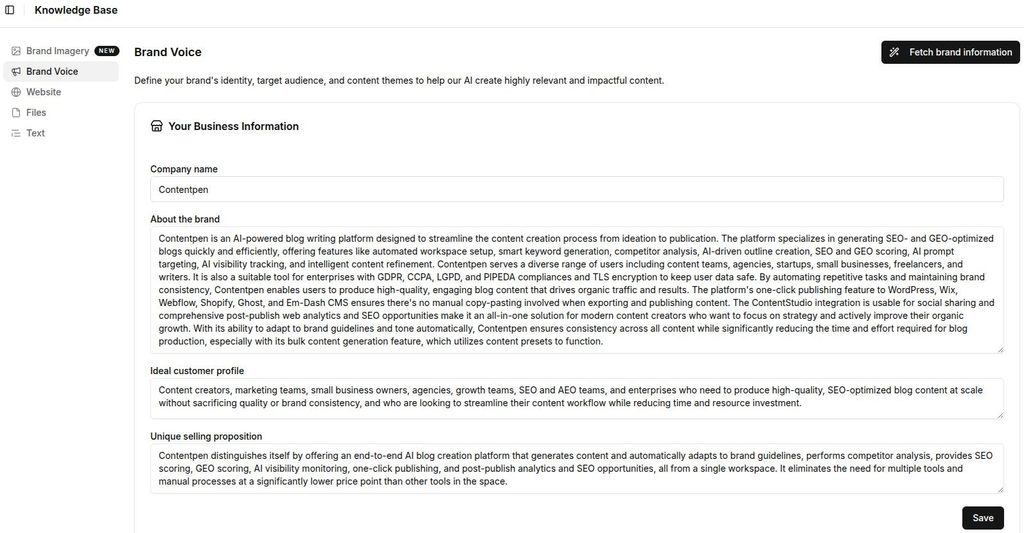
With Contentpen, you can set custom brand knowledge and guidelines to help you write content in your preferred tone and style.
You can also edit the generated content directly in the interface using the ‘Ask AI’ feature without switching windows. The AI assistant will help you replace any written text or create visuals in the blog to support your ideas.
Cons we found
Contentpen is excellent at creating high-quality, SEO-optimized content. But it does take a while to write blogs, especially for more demanding topics.
Pricing
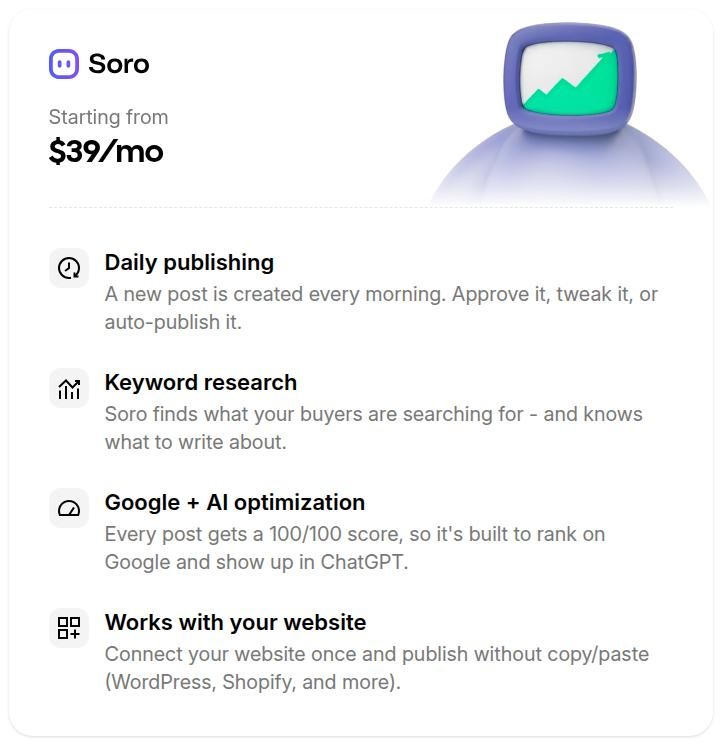
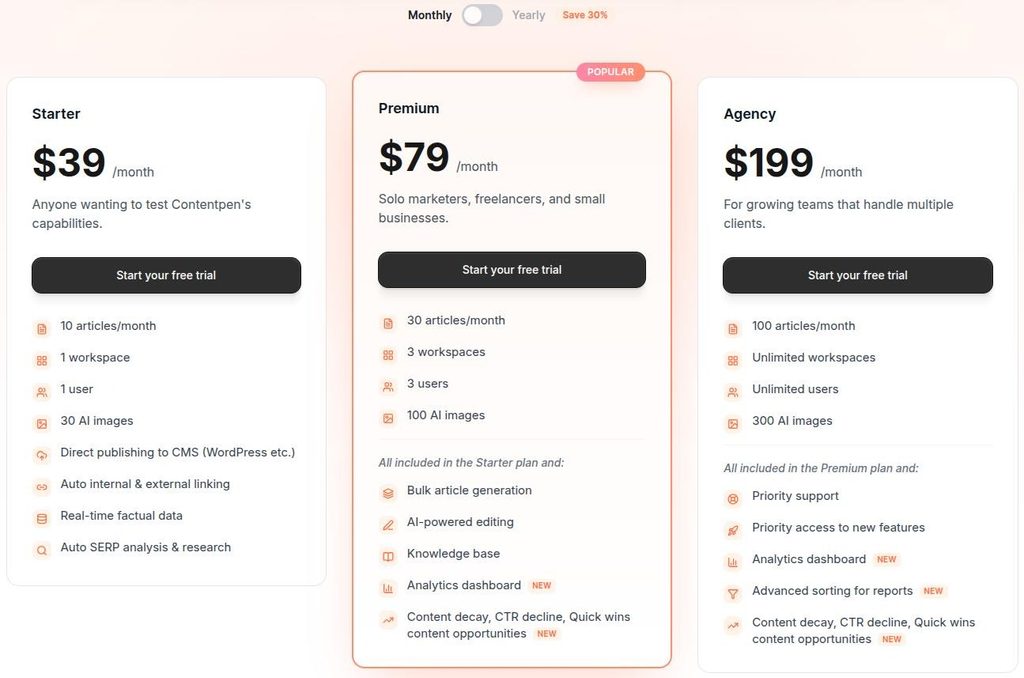
The tool offers a 7-day trial period, and pricing plans start at $39/month.
ChatGPT has evolved far beyond a simple AI chatbot. In 2026, it’s one of the most flexible content creation and optimization tools available for teams that need speed, adaptability, and creative support across different content formats.
The tool generates text from prompts, answers questions, and participates in conversations to deliver the best content for your needs.
How we use ChatGPT
Our team uses ChatGPT as a daily writing and thinking partner. We use it to get content ideas, generate multiple CTA variations for better conversions, and expand on thin sections in our blogs and articles.
What we like about the tool
ChatGPT is handy when you already have a clear idea but need help executing it faster. Instead of staring at a blank page, you can start with rough thoughts and refine them with ease.
Cons we found
ChatGPT doesn’t replace dedicated SEO tools. While it can write optimized content, it doesn’t perform real-time SERP analysis or keyword tracking on its own.
It also requires good prompting. Without clear instructions, the output can feel surface-level or overly broad, leaving inexperienced users to learn how to achieve the best results.
Pricing
You can get free access to the GPT -5 model with some limitations. Pricing starts at $8/month.
Grammarly is more than just a grammar-refinement tool. It also provides suggestions for writing sentences, simplifying language, and using the right tone.
How we use Grammarly
Our team uses Grammarly to produce polished copies for web content, emails, articles, and blog posts. We turn on the Google Docs browser extension to check for typos, grammatical mistakes, and clarity issues before publishing.
What we like about the tool
This content marketing tool excels at subtle improvements that are easy to miss during manual editing. Grammarly doesn’t just flag errors; it explains why a change is suggested, which helps writers improve over time.
Cons we found
Occasionally, Grammarly’s suggestions can feel overly cautious or formal, especially for creative or conversational content. Therefore, human judgment is still necessary while using this tool.
Pricing
You can use this tool for free. Pricing plans start at $30/user/month.
SEO and analytics tools
SEO tools are essential for ranking highly in search engines and capturing the extra value that traffic brings. If you want to boost your organic reach, these tools should be in your consideration.
4. Usermaven: AI-powered SEO analytics
Usermaven is one of the most innovative AI-powered SEO tools on the market in 2026. It is built for teams that want clear, actionable insights without relying on complex dashboards.
How we use Usermaven
We use Usermaven regularly in our workflow to check organic traffic routes to our domains. Our team also uses it to track key metrics, such as visit duration for specific pages, bounce rate, pageviews, and total visitors (recurring and new).
What we like about the tool
Usermaven’s biggest strength is clarity. The platform turns analytics into insights that are easy to understand and act on, even for non-technical users.
The AI-powered analytics and summaries help surface trends, saving time on manual analysis. Its privacy-first approach also makes it a strong alternative to traditional analytics platforms in a cookieless web environment.
Cons we found
Usermaven doesn’t offer the depth of technical SEO insights you’d get from tools like Semrush or Ahrefs. It’s best used alongside SEO tools rather than as a replacement for them.
Pricing
The tool provides a 14-day free trial. Pricing plans start at $84/month.
Semrush is one of the most comprehensive SEO and analytics platforms available in 2026. It offers several features for content marketers looking to perform detailed competitor analysis and draft a suitable keyword strategy.
How we use Semrush
Although we don’t use Semrush currently, our SEO and analytics team does go back to it from time to time. We use it to track ranking, monitor site health, and perform competitor research.
What we like about the tool
Semrush provides a lot of options for search engine optimization. It even offers capabilities for social media and PPC, making it a suitable choice for content marketers in 2026.
Cons we found
The tool’s keyword volume, difficulty, and CPC estimates can be a bit less accurate than those from other options on the market, such as Ahrefs. We also found its UI to be more complex and challenging for beginners to understand.
Semrush’s price is also higher than Ahrefs. That said, they’re both great tools, and you can’t go wrong choosing either one of them.
Pricing
Get a 7-day free trial for Semrush. Pricing starts at $199/month.
6. Ahrefs: Best for planning your SEO strategy
Ahrefs is an excellent tool for marketing specialists who want accurate data for backlink analysis, keyword difficulty assessment, and long-term SEO planning.
How we use Ahrefs
Our team uses Ahrefs to plan content clusters and pillar pages. Ahrefs helps us assess whether a keyword is realistically achievable based on domain strength and backlink profiles.
What we like about the tool
Ahrefs keeps the interface relatively clean despite the amount of data it provides, making it easier to focus on strategy rather than dashboards.
Cons we found
Ahrefs doesn’t offer a free plan, which limits access for beginners. It’s also more focused on analysis than execution. You’ll still need content creation tools to act on the insights Ahrefs provides.
Pricing
Pricing starts at $129/month.
7. Google Keyword Planner: A free keyword tool
Google Keyword Planner is a great option that provides free keyword trends and ideas. It is best used to find keywords for businesses that want to run paid ads.
How we use Google Keyword Planner
We use Google Keyword Planner mainly during the early ideation phase. It helps us discover new keyword variations, understand approximate search volumes, and identify seasonal trends.
What we like about the tool
The most significant advantage is that it’s free and powered by Google’s own data.
It’s simple to use, doesn’t overwhelm you with metrics, and works well for identifying broad keyword opportunities. For beginners, it’s often the easiest way to understand keyword demand without investing in premium tools.
Cons we found
The data lacks precision. Search volumes are often grouped into ranges, making it difficult to accurately prioritize keywords.
It also doesn’t provide insights into competition strength, content gaps, or ranking difficulty, limiting its usefulness for advanced SEO strategies.
Pricing
Free to use with a Google Ads account.
Social media marketing tools
Today, we have many social media management (SMM) tools available. Below are the ones our team recommends using in 2026.
8. ContentStudio: The best overall SMM tool
ContentStudio is one of the most powerful social media management tools in 2026. It’s built for content teams that want to plan, publish, analyze, and repurpose content across multiple platforms from a single dashboard.
How we use ContentStudio
Our team uses ContentStudio daily to manage social publishing across multiple channels. We rely on it to discover trending content ideas in our niche, polish our posts with AI assistance, and schedule content for LinkedIn, Facebook, Instagram, X, and TikTok.
What we like about the tool
ContentStudio is great at content repurposing. You can take a single blog or announcement and turn it into multiple platform-specific posts without rewriting everything manually.
The automation workflows are another highlight. Once set up, they help keep feeds active while reducing manual effort. The UI is clean and intuitive, which makes it easier for teams to collaborate without extensive onboarding.
Cons we found
During our time of using the tool, we found that some advanced automation features take time to configure properly. Also, the tool offers many options, which can confuse beginners.
Pricing
ContentStudio offers a 14-day free trial to test the tool before purchasing. Paid plan starts at $29/month.
9. Buffer: Powerful social scheduling
Buffer is a lightweight and reliable social media scheduling tool designed for simplicity and speed. In 2026, it remains one of our favorite tools for content marketing, which we use occasionally for certain features.
How we use Buffer
Although Buffer isn’t our daily driver, we do use it for maintaining a consistent social presence by managing posting frequency and scheduling posts in advance.
What we like about the tool
One of Buffer’s highlights is its hashtag performance-tracking feature. It shows the hashtags that drove the most visibility, helping you plan your next post strategically.
Cons we found
Buffer lacks advanced automation and in-depth analytics that other tools like ContentStudio offer. Also, it’s not ideal for large teams or for implementing complex social media strategies.
Pricing
The tool offers a free plan with channel restrictions. Pricing plans start at $6/month.
10. Hootsuite: Enterprise SMM tool
Hootsuite is built for organizations managing high volumes of social media content at scale. It is a strong choice for enterprise teams that need advanced control, permissions, and reporting.
How we use Hootsuite
We use Hootsuite to monitor and compare content with our competitors. We also use it for social listening and managing our social communities.
What we like about the tool
Our team at Contentpen has reported on Hootsuite’s strengths, particularly its role-based permissions and approval workflows. Its social listening and monitoring capabilities have helped us stay on top of conversations and trends in real time.
Cons we found
Hootsuite wasn’t built for smaller teams or startups, and it shows through its pricing. The feature set is also way too much for newcomers to handle, setting the entry barrier relatively high.
Pricing
The tool comes with a 30-day trial. The pricing plans start at $149/user/month.
11. Manychat: Best for chatbot automation
Manychat is a chatbot automation platform designed to help brands engage with their audience through messaging apps like Instagram, WhatsApp, TikTok, and Messenger.
How we use Manychat
We use ManyChat to automate customer interactions, capture leads through chat flows, and run interactive social campaigns.
What we like about the tool
Manychat’s visual flow builder makes chatbot creation accessible to even non-technical users. The automation saves time while keeping conversations personalized and responsive.
We also like the integration with CRMs and email tools, which makes it relatively easy to move leads through the funnel.
Cons we found
Manychat requires free plan users to create a new automation for each post they share, which can be time-consuming and tiresome. That’s why we believe that most people will benefit only from a paid plan.
Pricing
Free access for up to 1000 contacts. Pricing starts at $15/month.
12. ShareThis: Innovative social sharing buttons
ShareThis provides attractive social sharing buttons for blog posts and landing pages. By making sharing easy, it increases the chance that good content reaches broader audiences through personal networks.
How we use ShareThis
We use the ShareThis plugin in our WordPress workflow to create social sharing buttons for our website. The tool lets us match the button colors to our site and layout styles, keeping the aesthetic clean and appealing.
What we like about the tool
Since the tool is free, it is a low‑effort way to support natural promotion across networks such as X, LinkedIn, Facebook, and others, directly from content pages. The tool is easy to set up and provides valuable analytical insights into what content gets shared the most.
Cons we found
ShareThis does not offer advanced social media management features compared to other tools in the space, such as ContentStudio.
Pricing
Free to use.
Visual content and design tools
Visuals play a significant role in how content is consumed and remembered. The right design tools help you communicate ideas faster and more effectively.
Below are the visual content and design tools our team recommends using in 2026.
13. Canva: Simplified visual content
Canva is one of the most popular tools for visual content creation and designing. Many content marketers utilize Canva’s simplified design tools and smart AI features to create compelling social media posts, presentations, ads, and more.
How we use Canva
We use Canva to create blog graphics, social media carousels, and newsletter images. The Canva AI helps us input our thoughts in text form to automatically create engaging visuals, saving time and effort in designing media for our content.
What we like about the tool
Canva’s biggest strength is accessibility. The drag-and-drop editor makes it easy for anyone on the team to create consistent, on-brand visuals.
The brand kit feature is handy for companies in maintaining colors, fonts, and logos across all designs. The tool also integrates well with other tools, allowing quick export and collaboration.
Cons we found
Although Canva is very convenient for beginners, it falls short in advanced image manipulation. The content templates are also quite limited, which can hamper productivity and restrict creativity to some extent.
Pricing
Canva is free to use, but there are restrictions on templates, fonts, and graphics. Paid plans start at $15/user/month.
14. Adobe Creative Cloud: Professional design software
Adobe Creative Cloud is the professional choice for visual content creation and design. The CC package includes tools, such as Photoshop, Illustrator, InDesign, Premiere Pro, After Effects, and more.
How we use Adobe Creative Cloud
Our designers use Adobe Photoshop to edit feature images for our web and blog content. They also use Adobe Illustrator to create vector images if needed.
What we like about the tool
Adobe’s tools offer unmatched precision and flexibility. You can create exactly what you envision without template limitations. The Adobe ecosystem also works well together, allowing seamless movement between tools for complex projects.
Cons we found
The tradeoff with Adobe Creative Cloud is learning time and cost. It costs more per month than tools like Canva, and new users need ample training before producing anything worthwhile.
That said, Creative Cloud remains a core part of the tech stack for brands that rely on standout design and rich multimedia creation.
Pricing
Adobe offers a 30-day free trial period for new users. Paid plans start at $69.99/month.
15. CleanSnap: Best for snapshot optimization
CleanSnap is one of the leanest and sleekest snapshot-optimizing tools in the market. You can easily edit your screenshots for blogs, how-to guides, guest posts, social media posts, and much more.
How we use CleanSnap
Our marketers use CleanSnap to add screenshots to how-to guides, guest posts, or posts on social community channels.
What we like about the tool
The tool enables us to produce much crisper, sharper-looking snapshots effortlessly with a single click. Unlike other tools, we don’t need to navigate through several settings and options to produce publish-ready snaps.
Cons we found
CleanSnap cannot fulfill all your visual content creation and design needs. It is merely a supplemental tool that you can use alongside other applications such as Canva or Adobe Creative Cloud.
Pricing
Free to use.
Email marketing tools
Email remains one of the strongest channels for nurturing readers into customers. These tools handle newsletters, automated sequences, and cold outreach for promotion and links.
16. AWeber: Super simple email marketing
AWeber has been in the email space for a long time and is known for strong deliverability. Its interface focuses on core tasks such as building lists, sending broadcasts, and setting up simple automations.
It’s a solid choice for marketers who want reliability and ease of use over advanced experimentation.
How we use AWeber
Our teams use AWeberto to track open and click-through rates for our emails. We also use AWeber and prefer it when we need to set up a simple content promotion campaign without features overwhelming our interface.
What we like about the tool
AWeber’s simplicity is one of the things we like about it. There aren’t many complicated pipelines or visibility channels we have to worry about. It is simple, efficient, and reliable as an email service provider.
Cons we found
Due to the nature of this platform, you are unlikely to find extensive automation options compared to more advanced platforms. Also, the design flexibility is basic, which may not suit highly customized campaigns or newsletters.
Pricing
The paid plans start at $30.00/month.
17. Mailchimp: Best for email design and creation
Mailchimp is one of the most widely used email marketing platforms, primarily known for its polished email design and templates. In 2026, it remains a strong option for teams that prioritize visual appeal for their messages and ease of campaign creation.
How we use Mailchimp
The Contentpen marketing team does not use Mailchimp regularly, but we do use it when we need to manage our segmented lists. It’s often our go-to when presentation matters.
What we like about the tool
Mailchimp’s drag-and-drop editor makes email design easy, making it ideal for newcomers on our team who need some adjustment time.
Secondly, the template library helps speed up campaign creation, especially for product announcements or content launches.
Cons we found
The biggest con we found was that the price increases as your list grows. Enterprises with extensive subscriber lists may not find Mailchimp particularly helpful unless they upgrade to higher-tier plans.
Pricing
Pricing starts at $20/month for 0-500 contacts.
18. Customer.io: Automated email outreach and segmentation
Customer.io is built for data-driven email marketing. It’s designed for teams that want to send highly targeted, behavior-based messages rather than generic broadcasts.
How we use Customer.io
Our team uses Customer.io to send weekly newsletters, product feature updates, and promotional campaigns to our subscribers. It is our daily driver for email marketing and automated customer outreach.
What we like about the tool
Customer.io excels at segmentation and automation. You can build detailed workflows based on user behavior, making campaigns more relevant and effective.
Additionally, the platform integrates well with analytics and product data, which enhances personalization.
Cons we found
The tool’s level of detail may not be suitable for non-technical users. There’s also a hefty price tag for the software, which makes it less suitable for small businesses and startups.
Pricing
Paid plans start at $100/month.
19. Mailshake: Best for cold emails
Mailshake is explicitly designed for cold email outreach. It’s commonly used for partnerships, PR outreach, and sales campaigns.
How we use Mailshake
Our team uses Mailshake to follow up on leads, track replies and engagement, and ensure success for our link-building activities.
What we like about the tool
Mailshake makes it easy to personalize outreach without manual work. The automated follow-ups help increase response rates while saving time and effort. It also integrates with CRMs and other tools, improving workflow efficiency.
Cons we found
Mailshake is only focused on cold outreach. If you want functionality for newsletters or long-term email marketing, then you should be better off with tools like Customer.io or AWeber.
Pricing
The starting price for Milkshake is $29/month.
Many modern platforms also integrate with CCaaS (Contact Center as a Service) solutions to streamline customer communication across email, chat, and support channels, making marketing and customer experience more connected.
However, these email marketing tools still remain a go-to choice for millions of marketers globally.
Video content creation tools
What good is content marketing without videos? These video content creation and ideation tools help you get started on your marketing strategy without any delays.
20. Eyecandy: Best for video inspiration
Eyecandy is a platform designed to help creators and marketers discover high-performing video ideas. Instead of guessing what might work, Eyecandy shows real examples of videos that are already gaining traction, making it easier to spot patterns and trends.
How we use Eyecandy
We rely on Eyecandy to discover trending video ideas in our niche. We also use this content marketing tool to get inspiration for short-form video content on TikTok, Meta, and YouTube.
What we like about the tool
Eyecandy removes creative guesswork. Showing real, high-performing videos helps validate ideas before production. Also, the interface is intuitive, making it easy to browse and save video inspirations for later use.
Cons we found
You still need video editing tools to execute your ideas, as Eyecandy is only suitable for content ideation.
Pricing
Free to use.
21. Frame.io: Easy video review and collaboration
Frame.io is a collaboration tool built specifically for video teams. It simplifies the review and feedback process, making it easier to share videos, collect comments, and manage revisions for visual content.
How we use Frame.io
We use Frame.io when working on a new feature video release and want to get timestamped feedback from other members. Our marketing team also finds the platform useful for sharing and centralizing video content.
What we like about the tool
Frame.io cuts down our time on revisions, helping us move forward with our projects without the constant back-and-forth. This video marketing tool helps boost productivity for all team members involved.
Cons we found
One of the biggest drawbacks with Frame.io is that it is only a collaboration platform. The tool does not provide dedicated video editing or creation features.
Pricing
Free to use with limited resources. Paid plans start at $15/member/month + tax.
22. Alphana: Repurpose videos quickly
Alphana is an AI content manager and video repurposing tool designed to help marketers turn long-form videos into short, shareable clips.
How we use Alphana
Content marketers at Contentpen use Alphana to extract highlights from long-form videos, automate video captions, and create short-form clips for social platforms.
What we like about the tool
The tool reduces time spent on manually editing clips. It is very easy to use, so you don’t need dedicated motion graphic skills to get your work done.
Cons we found
While this tool does include AI-powered features, the outputs still require minor editing and human supervision before publication.
Pricing
Paid plans start at $25/month.
23. Maekersuite: Efficient video research and planning
Maekersuite is a research and planning tool built for video-first content strategies. It helps creators identify trending topics, analyze competitors, and plan videos based on audience demand rather than guesswork.
How we use Maekersuite
Our team uses the tool to research ideas for short and long-form videos for YouTube, X, LinkedIn, and TikTok. The tool also helps us align our thoughts with the audience’s intent.
What we like about the tool
Maekersuite bridges the gap between SEO and video content. The insights make it easier to plan videos that are more likely to perform well, making it particularly useful for YouTube-focused brands.
Cons we found
The tool is more about planning videos than execution. Additionally, the tool may feel unnecessary for teams producing very limited video content.
Pricing
Prices start at $23/month.
Project management and collaboration tools
Strong content programs rely on more than just great creative spirits – they need organized processes. These tools help keep projects and people aligned to maximize productivity.
24. Notion: An all-in-one workspace for everyone
Over the years, Notion has become synonymous with project management and collaboration. The tool provides drag-and-drop workflow builders and unifies data in one place, helping content teams plan, execute, and document their work effectively.
How we use Notion
We used Notion in the past to manage blog pipelines and status updates. Writers can easily track tasks and deadlines on the dashboards, helping them stay on track with their publishing schedules.
What we like about the tool
Notion’s flexibility is its biggest advantage. You can shape it to match your exact workflow rather than adjust your process to fit the tool.
The ability to combine docs, databases, and project boards keeps everything connected and easy to access. It also works well for both small teams and growing organizations.
Cons we found
Setting up a workspace or custom workflows takes a lot of time and effort.
You will have to spend considerable time making everything work and training your team to use the system. This is one of the reasons why we shifted to other alternatives like Jira for our project management and collaboration needs.
Pricing
Free access with basic functionality. The price starts at $12/member/month.
25. Google Workspace: Best for team collaboration
Google Workspace is a collection of productivity tools, including Docs, Sheets, Slides, Gmail, and Drive. It remains one of the most reliable collaboration platforms for content teams in 2026.
Its real-time editing and sharing features make teamwork effortless, especially when you’re juggling multiple deadlines and projects.
How we use Google Workspace
Our team loves Google Workspace for collaboration. Writers and marketers share blog drafts and ideas for short videos through Google Docs. The development and social media teams share essential data in Drive to keep content production moving.
What we like about the tool
Real-time collaboration is where Google Workspace shines. Multiple team members can work on the same document simultaneously without version conflicts.
The ecosystem is stable, fast, and widely adopted, which makes onboarding new collaborators easy. Plus, the integration of Google AI makes Workspace a highly fitting solution for our needs.
Cons we found
The biggest challenge with Google Workspace is organizing data. All members must collectively contribute to proper folder management, which is not a realistic expectation. The result is scattered files, leading to inefficient workflows.
Pricing
Google Workspace is free to use. However, upgrading to the Starter package for $7/user/month unlocks Gemini access and extensive cloud storage.
26. Jira: Visual kanbans, sprints, and more
Jira is a project management tool built initially for software teams, but it has proven valuable for content operations that follow structured workflows.
How we use Jira
Jira powers our general-purpose project management. The tool helps track progress through sprints, enabling the decision-makers to view our bottlenecks and take the mandatory next steps.
What we like about the tool
Jira is quite visual in its approach. You can get attractive dashboards to monitor key metrics and visual Kanban boards to assign ownership and set deadlines.
Cons we found
Jira offers strong visibility into complex workflows. However, it works well only for agencies that have repeatable content production flows.
Pricing
Jira offers a free plan for small teams. Paid plans start at $7.91/user/month.
27. Airtable: Flexible database platform
Airtable blends spreadsheets with databases. For content teams, that means one “base” can track ideas, briefs, drafts, assets, and publishing dates in connected tables. Views such as grid, calendar, and kanban show the same data in different forms depending on the task at hand.
How we use Airtable
Our team does not currently use Airtable. But we did use it to view content inventories, manage editorial calendars, and store content metadata.
What we like about the tool
The visual layouts make Airtable easier to understand. It’s an excellent tool for teams that have outgrown basic spreadsheets due to the scale of their production workflows.
Cons we found
Airtable’s advanced features require time to set up properly. Also, pricing increases with team size and usage.
Pricing
Airtable offers a free plan with limitations. Paid plans start at $24/seat/month.
How to choose the right tool for your content marketing stack
With so many options, it is easy to either overspend or under‑equip a team. A thoughtful process helps match content marketing tools to real needs instead of buying based on buzz.
Assess your team size and workflow
Start by mapping who touches content and how work flows now. A solo creator running a blog and a newsletter has very different needs from an agency with five writers, two strategists, and several designers.
Also consider skill levels. A stack that assumes deep technical knowledge will frustrate non‑specialists.
In such a scenario, our best AI writing tool can help standardize processes across mixed teams by providing a clear, guided workspace for everyone.
Budget considerations and ROI calculations
Next, decide how much you can spend on tools. A practical way is to estimate the cost of current slowdowns.
Example: If one person spends 10 hours each week copying content between Google Docs and WordPress, then a tool like Contenpen that cuts that time to 1 hour has clear value.
Think about where paid tools matter most. Avoid stacking tools that duplicate each other’s functionality to save you extra resources.
Integration and compatibility
A good tool stack should behave like one system. Check whether tools connect through native integrations, APIs, or platforms like Zapier. For example:
Can SEO data feed into your marketing content planner?
Can analytics send data back to a content marketing dashboard that lives in Airtable or Notion?
If WordPress handles publishing, check whether your tool supports one-click publishing. If you want your CRM to function as a lead-nurture software, ensure that email, forms, and chat tools integrate seamlessly without extensive customization.
In this post, we saw all the 27 best content marketing tools that you should use in 2026.
The bottom line is that you don’t have to select every single one of these tools, but be smart in building the right tech stack. Assess your content workflow requirements in depth and weigh the pros and cons of every software before choosing.
Now, we hope you can make the right decision by selecting the most suitable content marketing tools to boost your team’s productivity.
Frequently asked questions
What is content marketing and its tools?
Content marketing is a strategy focused on creating and sharing valuable, relevant content to attract, engage, and convert a target audience. Content marketing tools are the platforms used to develop, optimize, distribute, and analyze this content.
What are the 7 pillars of marketing?
The 7 pillars of marketing are product, price, place, promotion, people, process, physical evidence, and performance. These pillars guide how businesses structure, deliver, and optimize their marketing strategies across channels.
Are there any free content marketing tools?
Yes. Free content marketing tools include ChatGPT (free tier), Google Keyword Planner, Canva (free plan), ShareThis, CleanSnap, Google Workspace (basic), and Notion (free). These tools are suitable for beginners and small teams.
What is Big 4 marketing?
Big 4 marketing refers to the four largest global marketing holding companies, including WPP, Omnicom Group, Publicis Groupe, and Interpublic Group. These firms own and operate major advertising, media, and marketing agencies worldwide.
What are the 5 C’s of digital marketing strategy?
The 5 C’s of marketing strategy are company, customers, competitors, collaborators, and context. They help businesses analyze internal strengths, understand their audience, evaluate the competition, leverage partnerships, and adapt to market conditions.
If you have ever searched for blog examples, chances are you were not just looking to read!
You were looking to understand what a good blog post actually looks like. How it starts, how it flows, and how it keeps people reading.
Writing a blog post sounds simple until you sit down to do it. Suddenly, you are unsure about the tone, the structure, or even how long it should be. That is where real blog post examples help.
In this guide, we will walk through clear, practical blog examples you can learn from and use for inspiration. We will dissect them to help you understand what makes them stand out.
By the end of this post, you will not just see blog post examples. You will understand why they work and how you can apply the same ideas to your own content on Contentpen.ai.
Best blog examples by niche
Different niches need different writing styles and formats. A personal blog will not look the same as a SaaS or marketing blog, and that is completely normal.
That is why looking at blog examples for beginners helps you understand what works best for your topic and audience before you start writing.
Travel blog example
One of the best travel blogs you can learn from is Adventurous Kate. On this blog, Kate shares her personal travel stories, helpful tips, and honest insights from destinations around the world.
1. Adventurous Kate
Here’s why it works so well for travel content:
Niche and unique voice
Focuses on solo female travel, giving the blog a clear identity.
Kate’s personal experiences make the content relatable and authentic.
Content that works
Combines storytelling with practical advice, like safety tips, budgeting, and destination guides.
Posts include actionable tips readers can use immediately on their own trips.
Structure and readability
Uses headings, short paragraphs, and bullet points, making the posts easy to skim.
Integrates engaging images and travel photography to make the content visually appealing.
Takeaways for travel bloggers
Focus on a specific audience to create a strong connection.
Mix personal stories with practical guidance to make your posts both enjoyable and useful.
Present content in a way that is easy to read and visually engaging.
Adventurous Kate is an excellent travel blog example for beginners and experienced writers alike. This is because it shows how combining niche focus, storytelling, and practical tips creates content that people want to read and share.
Personal blog post example
A great personal blog to learn from is Ganges Gal. On this blog, the author shares personal experiences, reflections, and lifestyle stories that feel honest and relatable.
It’s a perfect reference for anyone looking for personal blog post examples to inspire their own writing.
2. Ganges Gal
Ganges Gal shows how personal blogging can engage and inspire readers. Below, we break down the elements that make it successful.
Authentic storytelling
Every post shares real experiences, emotions, and lessons from the author’s life.
Readers feel a personal connection, as if they are having a conversation with the blogger.
Relatability and connection
Covers everyday experiences, lifestyle insights, and personal reflections that resonate with readers.
Encourages engagement because readers see themselves in the stories.
Visual and emotional appeal
Uses images, formatting, and thoughtful reflections to make the content both visually appealing and emotionally engaging.
Short paragraphs and clear sections make it easy to read without losing the storytelling flow.
Takeaways for personal bloggers
Share your own voice and unique perspective to make your posts feel authentic and engaging.
Focus on small, relatable stories or reflections that your readers can connect with in their own lives.
Use casual language, storytelling, and images thoughtfully to create a warm, inviting reading experience.
Food blog example
One of the best food blogs to learn from is Pinch of Yum. This blog shares delicious recipes, cooking tips, and meal inspiration in a way that is approachable for both beginners and seasoned cooks.
3. Pinch of Yum
What makes this blog stand out in the food blogging world is how it combines clear instructions, engaging visuals, and personal touches. Here’s a closer look at why it works so well:
Recipe clarity and usability
Each post provides step-by-step instructions that are easy to follow.
Ingredients and measurements are clearly listed, making it simple for readers to recreate the dishes at home.
Engaging visuals
High-quality photos accompany every recipe, showing the finished dish and, in some cases, the cooking process.
Visuals make the posts more appealing and help readers understand each step better.
Personal touch and storytelling
Posts often include short stories, tips, or anecdotes from the author’s kitchen.
Adds personality to the blog, making it more relatable and enjoyable to read.
Takeaways for food bloggers
Make your instructions clear and easy to follow so readers can succeed.
Use strong visuals to make your content more engaging and easier to understand.
Add personal touches or small stories to connect with your audience and make your blog memorable.
Pinch of Yum is an excellent example of a food blog because it shows how combining clarity, visuals, and personality creates content readers want to try, share, and come back for.
Fashion blog example
A top fashion blog to learn from is Who What Wear. This blog shares the latest trends, style tips, celebrity looks, and shopping guides in a way that’s fun, informative, and easy to navigate.
4. Who What Wear
What makes this fashion blog stand out is its ability to combine trend reporting, practical style advice, and visual inspiration.
Here’s what sets this blog apart and keeps readers coming back for style advice.
Trend awareness and expertise
Covers the latest fashion trends, celebrity styles, and seasonal must-haves.
Positions the blog as a reliable source for current fashion news and guidance.
Visual storytelling
Uses high-quality images, lookbooks, and outfit inspiration to engage readers.
Helps readers visualize trends and how to apply them in real life.
Practical advice and accessibility
Posts include tips on how to style outfits, shop smartly, or adapt trends for different budgets.
Makes fashion content actionable rather than just aspirational.
Takeaways for fashion bloggers
Stay updated on trends to provide timely and relevant content.
Use strong visuals to inspire and guide your audience.
Combine style tips with practical advice so readers can apply ideas to their own wardrobe.
Who What Wear shows how knowing the latest trends keeps content relevant. The blog also uses strong visual storytelling to engage readers. On top of that, actionable style tips make the content practical and valuable for anyone following along.
WordPress blog example
If you’re looking for a WordPress blog that makes technical topics easy to understand, ValueCoders is a great place to start. The blog offers practical tips, tutorials, and insights on building and optimizing websites. It’s a clear example of how even complex WordPress content can be approachable and helpful for readers.
5. ValueCoders
This blog works well because it combines technical expertise with approachable explanations. Here’s what makes it stand out:
Clear tutorials and guides
Offers step-by-step WordPress tutorials that are easy to follow.
Covers a wide range of topics, from plugin setups to performance optimization.
Practical insights
Posts include actionable tips that developers and site owners can implement immediately.
Breaks down complex technical concepts into simple, understandable language.
Organized and user-friendly
Uses headings, numbered steps, and screenshots to make content easy to skim.
Helps readers quickly find the information they need without feeling overwhelmed.
Takeaways for WordPress bloggers
Break down technical topics into simple steps to make them accessible.
Include visuals like screenshots to guide readers through processes.
Focus on practical advice that readers can implement right away.
It is a standout example. This blog covers management strategies, case studies, and trends in the corporate world, making complex business ideas easy to understand.
6. Harvard Business Review (HBR)
Let’s explore the key features that make this business blog a trusted resource for professionals.
Authoritative insights
Offers articles written by industry experts, professors, and thought leaders.
Covers topics like leadership, strategy, innovation, and organizational behavior.
Practical and actionable content
Provides guidance and tips that business professionals can apply in real-world scenarios.
Breaks down complex ideas into examples, frameworks, and step-by-step approaches.
Readable and structured
Uses headings, bullet points, and visuals to make dense topics more approachable.
Allows readers to skim or deep-dive as needed, making the content flexible for busy professionals.
Takeaways for business bloggers
Establish authority by including expert opinions or research-backed insights.
Make complex topics practical and actionable for your audience.
Structure content clearly to make it easy for readers to absorb and implement ideas.
Academic blog example
For students, researchers, and academic writers, The Thesis Whisperer is a standout blog. The blog focuses on writing, research tips, and navigating the challenges of academia.
It’s a clear example of how academic content can be practical, engaging, and easy to follow, making it a perfect resource for those looking for academic blog post examples.
7. The Thesis Whisperer
What makes this academic blog stand out is its combination of expertise and approachable guidance. Here’s what works particularly well:
Expert advice made accessible
Covers topics like thesis writing, research methods, and academic career guidance.
Breaks down complex academic concepts into clear, understandable guidance.
Practical tips for students
Posts include actionable strategies, checklists, and examples students can apply immediately.
Helps readers improve writing, research, and productivity in tangible ways.
Supportive and engaging tone
Uses a friendly, encouraging tone that resonates with students and early-career researchers.
Includes personal stories, reflections, and resources that make the blog relatable and motivating.
Takeaways for academic bloggers
Share expert knowledge in a way that is easy for your audience to understand.
Provide actionable tips, checklists, or examples to help readers implement advice.
Keep your tone supportive and relatable to engage students or beginner readers.
The Thesis Whisperer is an excellent blog example for students as it demonstrates how expert guidance, practical tips, and an encouraging tone can make even complex topics approachable and useful.
Lifestyle blog example
Sincerely Katerina invites readers into a mix of real-life experiences, creative ideas, and everyday inspiration. From wellness routines to travel adventures, the blog gives practical tips while sharing personal stories.
If you’re looking for blog examples about life, this blog shows how personal insights and actionable advice can work together beautifully.
8. Sincerely Katerina
The blog shines because it mixes real-life experiences with actionable ideas. Let’s break down the elements that make it so engaging.
Relatable personal experiences
Shares everyday moments, challenges, and achievements that readers can relate to.
Makes the content feel authentic and approachable, as if the blogger is talking directly to the reader.
Practical lifestyle tips
Includes actionable advice on productivity, wellness, home organization, and travel.
Posts combine inspiration with practical steps readers can implement in their own lives.
Engaging visuals and layout
Uses photos, clean design, and easy-to-read formatting to enhance the content.
Makes posts visually appealing and easy to skim, keeping readers engaged.
Takeaways for lifestyle bloggers
Share personal experiences that your audience can relate to.
Provide practical tips or advice that readers can apply in their daily lives.
Use visuals and clean formatting to make your posts engaging and easy to read.
Technolog blog example
If you want to stay on top of tech news, startups, and innovations, TechCrunch
is a go-to resource. The blog covers breaking news, in-depth analyses, and industry trends, making it a prime example of how a technology blog can be timely, informative, and highly engaging.
9. TechCrunch
What sets this technology blog apart is its ability to combine fast reporting with detailed insights. Here’s how it keeps readers informed and engaged:
Timely news and updates
Covers the latest developments in tech, startups, gadgets, and apps.
Readers can rely on the blog to stay updated with industry trends as they happen.
Expert analysis and insights
Posts include commentary, data-driven insights, and expert opinions.
Goes beyond reporting to explain why news matters and what it means for the industry.
Engaging and structured content
Uses headings, bullet points, and visuals to make articles easy to skim.
Headlines and summaries allow readers to quickly find the stories most relevant to them.
Takeaways for tech bloggers
Combine timely reporting with expert commentary to create value for readers.
Structure content clearly with headings, bullet points, and summaries to improve readability.
Focus on trending topics to keep your blog relevant and engaging.
Home and design blog example
For anyone interested in interior design, decorating tips, or home styling ideas, Style by Emily Henderson is a standout resource. The blog offers creative ideas, room makeovers, and practical design tips, making it a great example of how home and design content can be both inspiring and actionable.
10. Style by Emily Henderson
This blog works because it blends expert design knowledge with approachable advice. Here’s what makes it successful:
Creative and inspiring ideas
Showcases room transformations, decor trends, and styling tips.
Provides readers with inspiration they can adapt to their own spaces.
Practical guidance
Offers step-by-step advice, shopping guides, and DIY tips that are easy to implement.
Helps readers turn ideas into reality without feeling overwhelmed.
Visually engaging presentation
Uses high-quality photos, videos, and layouts to make posts visually appealing.
Organizes content clearly so readers can easily find ideas and tutorials.
Takeaways for home bloggers
Show real-life transformations or before-and-after examples to make ideas relatable.
Highlight practical design tips that readers can realistically implement in their own homes.
Organize content with clear sections and visuals so readers can easily follow and replicate your ideas.
Finance blog example
When it comes to understanding complex financial topics, Finance Watch makes it approachable. The blog provides insights into regulations, market trends, and economic policies, helping readers make sense of finance in a practical way.
11. Finance Watch
Finance Watch keeps readers informed by combining deep expertise with straightforward explanations. Let’s break down how it achieves this:
Expert financial insights
Offers in-depth analysis of financial regulations, market trends, and economic policies.
Written by professionals with strong expertise in finance and economics.
Clear and actionable content
Breaks down complex topics into digestible explanations and summaries.
Provides recommendations and guidance that readers can apply in financial decision-making.
Structured and reader-friendly layout
Uses headings, bullet points, and visuals to make dense content easier to follow.
Helps readers quickly locate the sections most relevant to their interests
Takeaways for finance bloggers
Focus on breaking down complex financial regulations and market trends into practical insights readers can use.
Provide real-world examples or case studies to illustrate abstract concepts.
Use charts, graphs, and tables to visualize data and make dense financial information easy to digest.
Art and photography blog example
If you want to see how professional photographers and artists approach their craft, AGI Fine Art is full of insights that go beyond tutorials. From mastering lighting and composition to understanding emerging art trends, the blog shows how creativity and technique come together in real projects.
12. AGI Fine Art
This blog shines by combining visual inspiration with actionable advice for artists and photographers. Here’s what makes it effective:
Creative guidance and techniques
Offers tutorials, tips, and advice on photography, composition, and art practices.
Helps readers improve their skills and apply techniques to their own projects.
Showcasing artistic work
Features examples of professional artworks and photography to inspire readers.
Encourages creativity by demonstrating different styles, mediums, and approaches.
Engaging and visually rich content
Uses high-quality images, step-by-step visuals, and clear formatting to enhance understanding.
Makes posts both inspiring and easy to navigate for creative learners.
Takeaways for art bloggers
Provide tutorials or step-by-step advice to help readers improve their craft.
Include examples of professional work to inspire creativity and showcase quality standards.
Use high-quality visuals and clear layouts to make content engaging and easy to follow.
Health & wellness blog example
Staying fit and informed about health can feel overwhelming, but ACE Fitness Expert Articles makes it approachable. The blog offers evidence-based tips, exercise routines, and nutrition advice, showing how health and wellness content can be practical, trustworthy, and motivating.
13. ACE Fitness
This blog stands out by combining scientific knowledge with clear, actionable guidance. Here’s why readers keep coming back:
Evidence-based guidance
Provides fitness and wellness advice backed by research and professional expertise.
Ensures readers receive accurate, trustworthy information on exercise, nutrition, and overall health.
Practical, actionable tips
Shares workout plans, nutrition strategies, and lifestyle advice that readers can implement immediately.
Breaks down routines into steps that are easy to follow, whether you’re a beginner or experienced.
Clear structure and readability
Uses headings, bullet points, and visuals like charts and diagrams to make content easy to digest.
Allows readers to skim for the most relevant advice without losing context.
Takeaways for health and wellness bloggers
Base your health content on credible research and expert insights to build trust.
Provide step-by-step instructions or routines so readers can apply advice easily.
Use visuals, headings, and bullet points to make dense wellness topics accessible and engaging.
Types of blog posts examples
Every blog post has its own personality and purpose. Knowing the formats that work can help you plan content that’s both engaging and effective. From educational guides to personal stories, there’s a style for every goal and niche.
Here’s a quick look at some common types of blog posts you can explore:
How-to guides and tutorials: Step-by-step posts that teach readers how to do something, whether it’s setting up a website, cooking a recipe, or mastering a skill.
Listicles and “Best Of” blog posts: Posts organized into lists, like “10 Tips for Better Productivity” or “Best Travel Apps for 2026,” making it easy for readers to skim and absorb information quickly.
Reviews & comparisons blog posts: Posts that evaluate products, services, or tools, often comparing options to help readers make informed decisions.
Personal stories and lifestyle blog posts: Posts where writers share experiences, lessons, or reflections that inspire, entertain, or connect with readers on a personal level.
News & trends blog posts: Posts covering the latest updates, emerging trends, or hot topics in a niche, keeping readers informed and engaged.
Looking at these different styles can help spark ideas for your own content.
The blog posts below show that whether you’re teaching, sharing a story, or analyzing a trend, picking the right format makes your posts more engaging and valuable.
How-to guides and tutorials blog posts example
How-to guides and tutorials are among the most practical types of blog posts you can write. They help readers accomplish a goal, solve a problem, or learn a process from start to finish.
Because they focus on actionable steps, they work exceptionally well for topics where readers are looking to learn something specific.
When to use how-to and tutorial posts?
How-to and tutorial blog posts fit best for content that involves teachable skills or clear actions, such as:
Educational topics: Writing, coding, language learning, or academic skills
Technical processes: Setting up software, troubleshooting tools, or web development
Productivity and workflow: Setting up systems, using apps, planning routines
DIY and lifestyle projects: Recipes, home improvement, fitness routines
These posts are especially helpful when your audience is actively looking to learn something step by step.
14. How to Write a Blog Post by Contentpen
A great real-world example of a how-to post is this guide on “How to write a blog post” from Contentpen:
In this post, the writer breaks a complex topic into clear steps. Instead of assuming the reader already knows blogging basics, the article:
Explains why each step matters
Shows how to do it in practice
Uses clear language without jargon
This makes the post useful for both beginners and experienced writers who want a solid, repeatable process.
Common structure of how-to blog posts
Most successful tutorial posts follow a loose but effective structure. This pattern helps readers follow along and complete the task they came to learn:
1. Introduction
– Explain the problem or task
– Clarify who the post is for
– Set expectations for what readers will learn
2. Step-by-step instructions
– Break the task into logical stages
– Use numbered steps or clear headings
– Keep each step focused and actionable
3. Examples or visuals
– Screenshots, photos, or diagrams that illustrate key points
– Real examples to show the result of each step
4. Tips, warnings, and alternatives
– Common mistakes to avoid
– Shortcuts or best practices
– Different options depending on the reader’s goals
5. Conclusion or next steps
– Recap what was learned
– Suggest related tasks or deeper learning
Listicles and “Best Of” blog posts example
Listicles and “Best Of” posts are some of the easiest types of content for readers to scan and enjoy. They break information into bite-sized chunks, making it simple to skim, absorb, and take action.
These posts work especially well when readers want quick ideas, comparisons, or curated recommendations without having to read a long article.
When to use listicles and “Best Of” posts
This type of post fits best for content that involves:
Curated recommendations: Best tools, resources, apps, books, or software
Tips and ideas: Lists of tips for productivity, writing, design, or lifestyle
Comparisons at a glance: Quick overviews of options with benefits and differences
Inspiration: Things like “top trends,” “creative ideas,” or “best examples” in a niche
Quick value: Posts that are easy to read and share without heavy analysis
Listicles work well for topics where readers want fast takeaways instead of deep explanations.
15. Best AI Tools for Content Creation by Contentpen
In this article, the writer presents a curated list of top AI tools that help with content creation. Instead of explaining each tool in one long paragraph, the post:
Lists each tool clearly with a short summary
Highlights key features readers care about
Helps readers decide which tool might work best for their needs
This makes the content easy to skim and useful, especially for busy readers who want to find options quickly rather than read a long comparison article.
Common structure of listicle and “Best Of” blog posts
Even though listicles can vary in length and topic, most follow a recognizable and effective pattern:
1. Clear headline
– Includes a number (e.g., “9 Best AI Tools…”)
– Tells the reader what they can expect
2. Short intro
– Explains why the list matters
– Sets expectations for what readers will find
3. The list itself
– Each item has a subheading, a short description, and sometimes a visual
– Often includes pros, key features, or tips related to the item
4. Wrap-up
– Quick summary of the list
– Suggests next steps or alternate tools
Reviews & comparisons blog posts example
Reviews and comparison blog posts help readers make decisions. Instead of just explaining a topic, these posts evaluate products, tools, or services and show how they stack up against each other.
This type of content works really well when someone is trying to choose between options and wants honest insights rather than general information.
When to use reviews and comparison posts
This format fits best for topics where people are weighing choices, such as:
Software or tools: Comparing features, pricing, and performance
Gadgets or gear: Evaluating pros and cons of devices or accessories
Services: Reviewing what you get from different providers
Platforms or apps: Helping readers choose which platform suits their needs
Any decision point: Where readers want a side-by-side look before buying or trying
These posts are especially useful when your audience is ready to decide and just needs clear information to help them choose.
In this article, the author compares three link management tools — Bitly, Linktree, and Replug — by listing key features, strengths, and weaknesses for each. Instead of just explaining each tool on its own, the post:
Places the tools side by side so readers can see how they differ
Highlights unique features and typical use cases
Offers insights into pricing and best fit for different audiences
This format helps a reader who’s trying to choose one of these tools make a quick, informed decision without visiting all three websites individually.
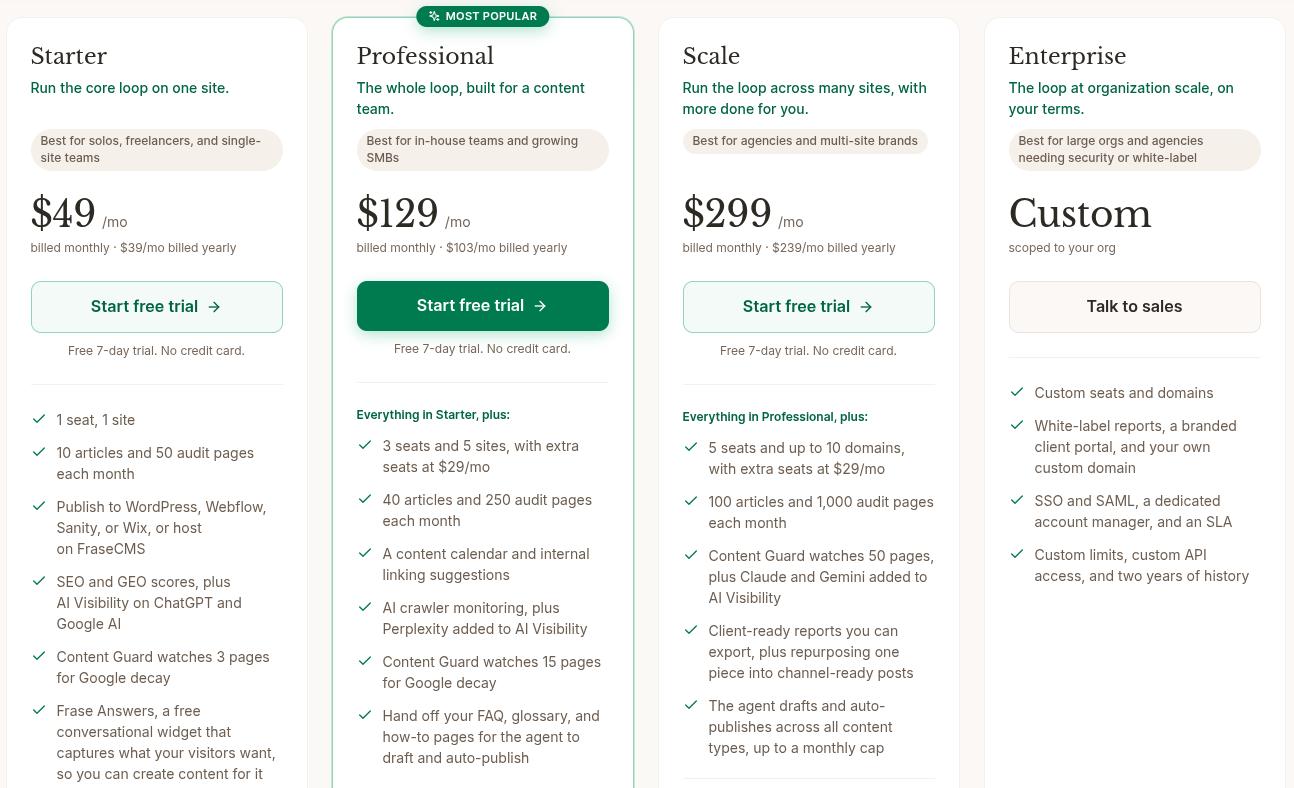
Common structure of review and comparison blog posts
Even though review posts can look different, most successful ones follow a clear and reader-friendly pattern:
1. Introduction
– Explain what is being reviewed or compared
– Set expectations for what the reader will learn
2. Overview of each item
– Give a dedicated section for each product or option
– Include main features, strengths, and any weak points
3. Side-by-side comparison
– Use tables, bullet lists, or highlighted points to compare key aspects
– Helps readers quickly see differences and similarities
4. Pros and cons
– Summarize what’s good and what’s not for each item
– Adds clarity for decision-making
5. Recommendation or conclusion
– Suggest which option fits which audience or use case
– Helps the reader decide based on their priorities
Personal stories and lifestyle blog posts example
Personal stories and lifestyle posts give readers a window into someone’s life, thoughts, experiences, and reflections. Instead of teaching a skill or comparing tools, this type of content works well when the goal is to connect emotionally, inspire, or share authentic life experiences.
When to use personal stories and lifestyle posts
These posts fit best for content that focuses on:
Real experiences and reflections: Sharing what happened, how you felt, and what you learned
Life changes or milestones: Stories about transitions, challenges, or personal growth
Daily routines and lifestyle topics: Wellness, parenting, relationships, travel, hobbies
Opinion with personal context: Views supported by real-life stories rather than abstract analysis
Emotional connection: Posts where readers feel understood, comforted, or motivated
This type of blog is powerful when your audience is looking for connection, relatability, or inspiration.
Cup of Jo mixes personal essays with lifestyle topics, including parenting, travel, relationships, and culture. Instead of just reporting on trends, the blog shares real-life perspectives that feel like conversations with a friend. In many posts, you’ll find:
First-person storytelling that feels honest and warm
Topics grounded in daily life, not theory
Reflections that resonate with readers because they’re relatable
For example, when the author shares stories about parenting or travel mishaps, readers don’t just learn something, they feel something, which builds a strong connection.
Common structure of personal and lifestyle blog posts
Unlike technical or list posts, personal stories don’t follow a strict formula, but many effective ones use a structure like this:
1. Hook or personal moment
– Open with a vivid memory, feeling, or moment that draws the reader in
– Makes readers curious or emotionally engaged from the start
2. Context or background
– Explain what was happening and why it mattered
– Set the scene so readers understand the situation
3. The story
– Share the experience in a narrative form
– Use honest details and personal reflection
4. Insight or takeaway
– Explain what you learned or how the experience changed you
– Helps readers find meaning or relate to the story
5. Closing reflection
– Wrap up with a comment, question, or next step
– Encourages readers to think or respond
News & trends blog posts example
News and trends blog posts focus on what is happening right now. Their goal is to inform readers, explain why something matters, and offer context around recent updates or emerging patterns.
This type of content works best when readers want to stay informed without digging through multiple sources.
When to use news and trends blog posts
This format fits well for content that covers:
Current events: Industry updates, global news, or breaking stories
Emerging trends: Shifts in behavior, technology, or culture
Timely insights: Updates that lose value if published too late
Explainer-style reporting: Helping readers understand complex or fast-moving topics
Ongoing coverage: Topics that evolve and need regular updates
News and trends posts are especially effective when accuracy, clarity, and timing matter.
18. NPR
A strong example of news and trends content is NPR:
NPR covers a wide range of topics, including politics, culture, science, and global events. What makes their content engaging is that it goes beyond reporting headlines. Instead of just stating what happened, NPR focuses on:
Providing background and context
Explaining why the story matters to everyday life
Presenting information in a clear, balanced way
This approach helps readers understand not only the news itself, but also its impact and relevance.
Typical structure of news and trends blog posts
While news content varies by topic, many effective posts follow a structure like this:
1. Clear, timely headline
– States what happened or what trend is emerging
– Helps readers quickly understand the focus
2. Opening summary
– Brief overview of the key update or trend
– Answers the “what” and “why it matters” early
3. Context and background
– Explains what led to the news or trend
– Provides historical or industry context
4. Key details or insights
– Breaks down the most important points
– Uses quotes, data, or examples where needed
5. Broader impact or future outlook
– Explains what this means moving forward
– Helps readers see the bigger picture
Key takeaways from successful blogs
After looking at different blog niches and post types, a few clear patterns stand out. Successful blogs are not just about writing often. They focus on clarity, usefulness, and a real connection with readers.
Here are some important lessons you can apply to your own blog:
Know who you are writing for The strongest blogs speak to a specific audience. They understand readers’ needs, questions, and goals, and create content around that.
Choose the correct format for the topic How-to guides, listicles, comparisons, personal stories, and news posts all serve different purposes. Picking the right format makes your content easier to understand and more engaging.
Keep content easy to read Short paragraphs, clear headings, and simple language help readers stay focused and scroll longer.
Offer real value Whether it’s advice, insights, or inspiration, every post should leave the reader with something useful or meaningful.
Be consistent in tone and quality Blogs that perform well have a recognizable voice and maintain quality across all posts.
Support your content with structure and visuals Good formatting, images, charts, or examples make content more appealing and easier to digest.
Write with honesty and purpose Authentic content builds trust. Readers return to blogs that feel genuine and helpful, not overly promotional.
By applying these takeaways, you can create blog posts that are not only enjoyable to read but also more likely to perform well in search and keep readers coming back.
Create a successful blog with Contentpen in 5 simple steps
Creating high-quality blog content doesn’t have to take hours or require multiple tools. With Contentpen.ai, you can plan, write, optimize, and manage your blog posts from start to finish, all in one place.
Contentpen uses AI to make your blogs SEO-ready, aligned with your brand voice, and easy to publish without technical hurdles.
Here’s how you can build a successful blog with our AI blog writer online in five simple steps:
Step 1: Choose your topic and keywords
Start with a clear idea of what you want to write about and the keywords you want to target. Contentpen helps you generate topic ideas based on search trends and keyword opportunities, so your content has a better chance of ranking in search engines.
How this helps you:
You focus on topics your audience cares about
You avoid guesswork in keyword research
Your blog has stronger SEO potential
Step 2: Build a smart outline
Before you write a complete draft, Contentpen creates a detailed outline that breaks your topic into logical sections. You can review and adjust headings before generating the full article. This ensures your content has a strong structure that readers and search engines both appreciate.
Key benefits:
Precise content flow from the introduction to the conclusion
Better organization for ideas and subtopics
Improved search-friendly structure
Step 3: Generate your draft quickly
With your topic and outline ready, you can generate a complete blog draft in minutes. Contentpen’s AI writes in a human-like tone and incorporates your brand voice, so the content feels natural and authentic.
What you get:
A full draft with headings, paragraphs, and SEO in mind
Original content tailored to your brief
Drafts you can edit or publish right away
Step 4: Optimize and refine
Contentpen doesn’t stop at the first draft. It gives you tools to improve readability, add internal and external links, and optimize for search engines.
You can polish your tone, add visuals, and ensure every section serves the reader by using the ‘Ask AI’ feature.
What to focus on:
Improve clarity and consistency
Add supporting visuals or charts
Ensure links lead to relevant resources
Implementing proper SEO elements
Step 5: Plan, schedule, and publish
Once your post is ready, Contentpen helps you plan and schedule it using a built-in content calendar. You can even publish directly to platforms like WordPress with just a click.
Final touches:
Choose publishing date and time
Manage multiple posts or campaigns
Track performance and refine future posts
Using these five steps with Contentpen makes blogging faster, more strategic, and more effective. Instead of juggling research, drafting, editing, and publishing separately, you can streamline the whole process in one place and focus on creating content that drives traffic and engagement.
Frequently Asked Questions
How do I write a blog?
Start by choosing a topic, creating a simple outline, and writing in a clear and friendly tone. Focus on helping the reader, keep paragraphs short, and end with a useful takeaway or next step.
What are some examples of a personal blog?
Personal blogs often include life experiences, reflections, daily routines, or lessons learned. Blogs that share stories about relationships, travel, or personal growth are common personal blog examples.
How to start a blog writing examples?
You can start a blog by introducing the topic, explaining why it matters, and sharing what the reader will learn. For example, opening with a personal experience or a common problem helps draw readers in.
How does a personal blog look like?
A personal blog usually has a conversational tone, simple layout, and relatable stories. It often includes personal photos, reflections, and posts written in the first person.
How does a blog post look?
A blog post typically includes a title, an introduction, main sections with headings, and a conclusion. It uses short paragraphs, clear formatting, and sometimes images to make reading easy.
The AI assistant marketplace is becoming competitive, with Microsoft Copilot and Google Gemini emerging as two prominent contenders for content creators.
Both platforms promise to help you use AI to write blog posts efficiently, enhance productivity, and deliver quality content, but they take different approaches to achieve these goals.
If you’re a blogger, content marketer, or business owner trying to choose between these AI tools, the decision matters more than you might think.
This comprehensive analysis examines Copilot and Gemini specifically through the lens of content creation. We’ll explore their writing capabilities, research strengths, reasoning abilities, and practical performance across different tasks to help you decide the right tool for your needs.
So, let’s begin, shall we?
General overview of Gemini’s capabilities
Google Gemini is the next-generation AI platform, succeeding Bard and built from the ground up as a multimodal system. This means it understands text, images, code, audio, and video simultaneously.
Gemini’s architecture is divided into different models, including:
Gemini Fast for everyday tasks
Gemini Nano Banana for visual creation
Gemini Thinking for complex reasoning
Gemini Pro for advanced math and coding tasks
Gemini Plus for deep, logical explanations
This allows Google to optimize performance based on task complexity and resource requirements. Content creators get faster responses for simple queries and more thorough analysis when needed.
One of Gemini’s standout features is its native integration with Google’s ecosystem. You can quickly pull information from Gmail, Google Drive, Google Docs, and other services, making research and content organization considerably more efficient.
General overview of Copilot’s capabilities
Microsoft Copilot represents the company’s ambitious entry into the AI assistant space, built on OpenAI’s GPT technology.
Launched initially as Bing Chat, Copilot has evolved into a multifaceted tool that aims to be your comprehensive digital assistant for both work and personal tasks.
The platform offers several distinct advantages for content creators. First, it’s deeply integrated with Microsoft 365 applications, which allows quick workflows for those already invested in Microsoft’s productivity suite.
Copilot also uses Bing’s search infrastructure to access current web information, making it particularly strong when you need up-to-date facts, recent statistics, or breaking news for your content.
The AI can cite sources directly, providing transparency about where information comes from. It is a valuable feature for fact-checking and building credible content.
Powerful Google Search access; fast information retrieval
Editing capabilities
Responsive to feedback; iterates well
Good at revisions but may need explicit direction
Ecosystem advantage
Microsoft 365 deep integration
Google Workspace seamless connectivity
Image handling
Can analyze and discuss images; limited generation
Multimodal processing with image generation capabilities
SEO awareness
Understands SEO concepts; requires prompting for optimization
Natural grasp of search principles; Google Search insights
Pricing (paid plans)
Starts from $19.99/month
Starts from$19.99/month
Now, let’s see the comparison of Copilot vs Gemini in more detail.
Copilot vs Gemini for research
Research forms the foundation of quality content, and both platforms approach information gathering differently.
Copilot’s connection to Bing provides robust search capabilities with transparent source citation. When you ask Copilot to research a topic, it returns information with clear references, making it straightforward to verify claims and add proper citations to your content.
Gemini uses Google’s search dominance and knowledge graph, typically finding information faster and with greater breadth.
The platform can access a broader range of sources and often surfaces niche information that other AI assistants might miss. However, source attribution can be less explicit than Copilot’s numbered citation system.
Verdict
Both Gemini and Copilot perform excellently for research-intensive content such as industry reports, data-driven articles, and comprehensive guides. Copilot edges ahead when you need explicit citations, while Gemini wins on speed and information diversity.
When your content requires persuasive arguments, complex explanations, or logical progression through difficult concepts, reasoning capability becomes crucial.
Copilot, powered by GPT technology, demonstrates strong logical consistency and can construct sophisticated arguments that build methodically toward conclusions.
Gemini shows impressive contextual reasoning, particularly excelling at understanding nuance and subtext within prompts.
The platform can grasp what you’re implying even when you don’t state it explicitly, and it adapts its reasoning to match your apparent intent. This intuitive understanding can save time in back-and-forth clarifications.
Verdict
Copilot’s systematic approach is more structured, while Gemini’s flexibility can seem more natural.
The actual prose these AI assistants generate often determines whether you’re spending 20 minutes or two hours editing.
Copilot tends toward polished, professional writing that works exceptionally well for business blogs, technical documentation, and formal content. The tone can sound a bit conservative, which helps avoid awkward phrasing but can sometimes feel slightly restricted in expression.
Gemini shows greater tonal flexibility, easily shifting from formal to conversational in response to your prompts.
For lifestyle blogs, casual brand voices, or content targeting younger demographics, Gemini often produces writing that feels more relatable and less stiff. This tool demonstrates personality in its responses without sacrificing clarity.
Verdict
Content creators working on corporate blogs may prefer Copilot’s polish, while those targeting consumer audiences might appreciate Gemini’s conversational content.
Copilot vs Gemini in content depth
Superficial content rarely ranks well or engages readers meaningfully. How deeply these AI assistants explore topics significantly impacts content value.
Copilot generally provides thorough coverage when prompted, exploring topics from multiple angles and including supporting details that add substance.
Gemini’s depth varies more depending on how you frame requests. With specific prompting, it can deliver extensive coverage, but initial responses sometimes provide overview-level information that requires follow-up questions to expand.
Verdict
Overall, the blog posts generated by both Copilot and Gemini need substantial development. Copilot may require fewer prompts to achieve the target depth.
However, Gemini’s approach is a little more flexible, allowing you to control which areas receive detailed treatment. Keep in mind that both platforms generate much shorter content and blog posts than dedicated AI writing tools do.
Copilot vs Gemini in SEO understanding
Creating content that ranks requires more than good writing. It demands strategic optimization. Both Copilot and Gemini understand fundamental SEO principles when prompted, but they apply this knowledge differently.
Copilot can structure content with SEO in mind, incorporating keywords naturally, suggesting meta descriptions, and organizing information with header hierarchies that search engines appreciate.
Gemini’s connection to Google Search provides it with theoretical insight into ranking factors, though this doesn’t always translate into noticeably superior SEO performance in practice.
The AI can help with different types of keyword research by suggesting related terms, understanding search intent, and optimizing content for featured snippets.
Verdict
Both assistants work best when you provide explicit SEO parameters rather than expecting them to optimize on their own. Neither should be a part of your complete SEO content marketing strategy, but both can help implement SEO best practices efficiently when directed.
Visual elements enhance blog posts significantly, and the ability to generate images within your writing workflow matters.
Copilot offers DALL-E integration for image generation, enabling you to create custom visuals from text descriptions. The image quality is generally good, though style consistency across multiple images can vary.
Gemini includes Nano Banana for image generation, producing high-quality visuals with strong adherence to prompts. The multimodal architecture means Gemini can reference images you upload, analyze their content, and generate related visuals more cohesively.
The following are the images generated by Copilot and Gemini using the same prompt:
Verdict
Neither platform replaces professional design tools for polished marketing materials. Still, they have significantly improved in a short time and can be used for blog illustrations, concept visuals, and draft imagery.
That said, Gemini’s multimodal foundation gives it a slight edge in understanding visual context over Copilot.
To understand how these platforms perform beyond theoretical comparisons, we conducted an identical test with both AI assistants using the prompt:
“Write a short blog post about the expected scientific breakthroughs in 2026.”
Here’s what each platform delivered:
Aspect
Gemini
Microsoft Copilot
Word count
~530 words
~290 words
Structure
4 distinct breakthrough areas with detailed explanations
5 broader category overviews with less depth per topic
Specific details
Included precise data (34% efficiency for solar cells, NaV1.8 sodium channels, Artemis II 10-day duration)
General concepts without specific metrics or technical details
Formatting
Heavy use of emojis, bullet points, and mathematical notation; visually engaging
Clean professional headers with emojis; more subdued formatting
Tone
Enthusiastic and accessible; consumer-friendly science writing
Professional and measured; business-oriented presentation
Engagement elements
Ended with direct reader questions to encourage interaction
Concluded with the “Why It Matters” section explaining broader implications
Technical accuracy
Specific mechanisms explained (e.g., how targeted pain drugs work)
Broader concepts without deep technical mechanisms
Now, let’s discuss each AI chatbot’s approach.
Gemini’s approach
The output read like a science enthusiast blog. It was detailed, specific, and visually dynamic. Gemini provided concrete examples, such as “power conversion efficiencies exceeding 34%,” and explained the mechanism behind non-addictive pain-relief drugs.
The emoji-heavy formatting and bullet points created an engaging, scannable reading experience suited for general audiences interested in science news.
The content felt complete and ready for publication on a lifestyle or general interest blog. However, the informal styling (emojis, casual language) might not suit corporate or academic contexts without modification.
The response felt more like an executive briefing or professional overview. Copilot covered more categories than Gemini, but with less depth per topic. The writing maintained professionalism throughout, making it immediately appropriate for business blogs or formal publications.
While technically sound, Copilot’s output lacked the specific data points and technical details that establish deep expertise.
Phrases like “next-generation batteries” remained vague, whereas Gemini specified “hybrid perovskite-silicon tandem solar cells.” The content would require additional research to add the concrete details that make scientific writing authoritative.
Verdict
Gemini provided more substance and engagement for general audiences, while Copilot offered cleaner professional framing with less technical depth.
If publishing to a consumer science blog, Gemini’s output would likely perform better. For a corporate technology blog or business publication, Copilot’s tone would require less editing. However, the length of both blogs was insufficient.
User reviews for Copilot and Gemini
Real user experiences from G2 and Capterra reveal how these platforms perform in actual content workflows, highlighting strengths and weaknesses that spec sheets don’t capture.
Gemini users report mixed experiences
A senior customer support executive gives Gemini a perfect 5/5 rating, praising how “fast and responsive it is, especially for everyday writing and research tasks.” He particularly values the integration with the Google ecosystem.
However, another reviewer gave a much harsher assessment, rating it 2.5/5 stars. While acknowledging that “Google Gemini gives valuable information with brilliant formatting,” the user finds the content “very basic and repetitive.”
This split in reviews reveals a pattern that Gemini works well for quick, everyday content tasks and general business communication. But professional writers creating specialized content often find it lacking in depth and accuracy.
Copilot users highlight integration benefits and limitations
A customer experience manager awarded Copilot 5/5 stars. He appreciates that Copilot allows him to “create content directly within Outlook or Word, quickly summarize discussions, and draft messages efficiently without constantly switching between different platforms.”
On the contrary, a verified enterprise user provides a sobering perspective, rating Copilot 2/5 stars and calling it “too costly for the features.”
The user said that the tool “can’t work on long documents. Cannot index full large PDFs. Copilot in Excel works only if data is in a table and makes basic functions only.”
Key insights from user feedback
Both platforms show clear ecosystem advantages. Users already invested in Microsoft 365 or Google Workspace appreciate the integration that keeps workflows within familiar environments.
However, both tools also face criticism for depth and sophistication when handling complex content tasks.
The choice often comes down to what you value more: quick, integrated workflows for routine content (where both excel) or sophisticated, nuanced writing for specialized topics (where both receive criticism, though for different reasons).
Contentpen – A better alternative to Copilot and Gemini
While Copilot and Gemini are powerful general AI assistants, specialized tools designed specifically for content creation offer distinct advantages.
Contentpen represents this category of purpose-built blogging solutions that address limitations found in general-purpose platforms.
Unlike general AI chatbots, Contentpen focuses exclusively on producing high-quality blog posts and articles. The platform combines AI generation with SEO and GEO optimization, making it very useful for digital marketers and content teams.
The system understands content marketing strategy beyond just generating text, as it helps with topic clustering, internal linking suggestions, and content calendar planning.
Teams managing multiple blogs or agencies handling various clients will find Contentpen’s features efficient for streamlining collaboration, approval processes, and bulk content generation.
Final verdict – Which AI is better for blog writing?
After extensive comparison through real testing and user feedback analysis, the answer depends heavily on your specific content-creation context and priorities.
Choose Gemini if you need engaging content with specific data points and technical depth.
Choose Copilot if your priority is professional polish and business-appropriate tone.
The nuanced reality is that neither platform is universally better for blogging and will require significantly more research and manual edits.
So, serious content creators who view blogging as a primary business function can either use both platforms for research and writing, or rely on a unified writing platform like our best AI writing assistant to handle the entire content production workflow.
Frequently asked questions
Is Gemini better than Copilot?
Neither AI is universally better. It really depends on what you need. Gemini shines at creating engaging content, while Copilot delivers reliable, consistent, professional-quality writing, though it may be shorter.
Which is better, ChatGPT or Gemini or Copilot or Perplexity?
Each AI serves a different purpose. ChatGPT stands out for overall writing quality, flexibility, and natural tone, while Gemini excels at visually aligned consumer content. Copilot is ideal for business-focused blogging, while Perplexity excels at providing in-text citations.
Can I replace Copilot with Gemini?
Yes, you can replace Copilot with Gemini, especially if you work in Google Workspace and are deeply tied to Microsoft 365 tools like Word, Outlook, and Teams.
Which AI is better than Gemini?
No single AI is objectively better in every scenario. For content writing specifically, many creators find ChatGPT stronger than Gemini due to its more consistent long-form depth. However, Gemini can outperform others for fast research and visually engaging content.
Can I use ChatGPT instead of Copilot?
Yes, ChatGPT can easily replace Copilot for most writing and blogging tasks. Many users prefer ChatGPT for its more natural, creative, and adaptable output. However, switching means giving up Copilot’s tight integration with Microsoft 365 and its enterprise features.
If you’re a content creator, blogger, or digital marketer trying to decide between Claude and Gemini, you’re not alone. Both AI assistants have carved out impressive niches in the content creation space, but which one actually delivers better results?
In this comprehensive comparison, we’ll put Claude and Gemini head-to-head across multiple aspects that matter most to content creators, writers, bloggers, and editors. We’ll look at their writing outputs, research capabilities, reasoning skills, and much more.
By the end of this guide, you’ll have a clear understanding of which AI assistant aligns best with your content marketing strategy.
Let’s begin, shall we?
General overview of Gemini’s capabilities
Google’s Gemini has positioned itself as a versatile AI assistant with deep integration into the Google ecosystem. Built on advanced language models, Gemini 3 excels at understanding context and generating responses that feel conversational and natural.
One of Gemini’s standout features is its multimodal capabilities, which allow it to process text, images, and other data types simultaneously.
The AI also benefits from Google’s vast knowledge base, which can be particularly useful when you need accurate, up-to-date information.
Claude, developed by Anthropic, has earned a reputation for producing nuanced, thoughtful content that often reads more naturally than typical AI output.
The latest versions, especially Claude Sonnet 4.5, represent significant advances in understanding context, maintaining consistency across long documents, and following complex instructions.
What sets Claude apart is its attention to detail and its ability to adopt different writing styles. Whether you need formal technical documentation or casual, conversational blog posts, Claude adapts remarkably well.
Let’s break down how these two AI assistants stack up across key dimensions that matter for content creation.
Feature
Claude
Gemini
Writing quality
Highly nuanced, natural-sounding prose with excellent tone control
Clear and conversational, though occasionally generic
Research capabilities
Strong reasoning with web search; good at synthesizing information
Direct Google integration; fast access to current information
Content depth
Excellent for long-form, detailed analysis and comprehensive coverage
Good for straightforward topics; can sometimes lack depth
Reasoning
Superior logical flow and argument construction
Solid reasoning with occasional inconsistencies
Style flexibility
Highly adaptable; excels at matching different voices
Consistent style but less range in tone variation
SEO understanding
Good grasp of SEO principles when prompted
Understands SEO basics; benefits from Google’s search knowledge
Context retention
Excellent at maintaining consistency in long documents
Generally good, but may lose context in very long documents
Pricing
Starts at$17/month
Starts at $19.99/month
We will evaluate the two tools fairly to help you choose the best AI chatbot for content creation.
Claude vs Gemini for research
When it comes to research capabilities, both platforms bring different strengths to the table.
Claude’s web search functionality allows it to pull in current information and synthesize findings from multiple sources. The AI excels at analyzing complex topics and presenting information in a structured, logical manner that builds toward clear conclusions.
Gemini, on the other hand, benefits from its deep integration with Google’s knowledge graph and search infrastructure. This gives it an edge when you need quick facts, statistics, or current events.
Verdict
Use Claude for research-heavy content that requires critical thinking and synthesis, but if you need rapid fact-checking or access to the latest news, Gemini’s Google connection gives it an edge.
Reasoning ability separates good AI from great AI, especially when you’re creating content that needs to persuade, explain, or argue a point.
Claude demonstrates exceptional logical consistency, building arguments step by step and maintaining coherence even when dealing with complex, multi-faceted topics.
It is also a great AI tool for content creation because it can anticipate counterarguments and address potential reader objections. It also structures content very well, guiding readers through complex ideas.
Gemini handles reasoning well for simple topics but can sometimes struggle with highly abstract or nuanced arguments. It performs admirably when the reasoning path is relatively direct.
However, Gemini may need more guidance when you’re exploring complex philosophical questions or building specific business cases.
Verdict
Claude’s reasoning capabilities are better than Gemini’s in complex scenarios.
Claude vs Gemini for writing content
The differences between Claude and Gemini become clearer when it comes to content writing and blogging.
In pure writing capability, Claude often produces content that feels more human and less formulaic. The prose flows naturally, transitions feel organic, and the overall reading experience is smooth.
Claude rarely falls into the repetitive patterns or generic phrasing that are common in AI-generated content.
Gemini produces clean, readable content that gets the job done. It’s suitable for basic blogging needs and straightforward explanatory content. However, experienced readers might occasionally detect an AI quality to the writing with specific phrases that feel slightly mechanical.
Verdict
Claude really shines in maintaining a consistent brand voice throughout longer pieces. If you’re writing a 3,000-word comprehensive guide, Claude will keep the same energy and tone from the introduction to the conclusion.
Content depth separates superficial blog posts from truly valuable resources. Let’s compare the two AI tools in terms of this parameter.
Claude excels at exploring subjects deeply, exploring angles that might not be immediately obvious, and providing comprehensive coverage that leaves readers feeling truly informed.
Gemini tends to provide solid coverage of the main points but sometimes stops short of the deeper insights that make content truly exceptional.
Verdict
Gemini is efficient at quickly establishing a good baseline, but you might need to prompt it multiple times to achieve the same depth as Claude. So, Claude is much better than Gemini in terms of content depth.
The image generation feature is a significant differentiator.
Claude does not generate images, whereas Gemini can create pictures through its integration with Google’s image-generation capabilities. So, for content creators who need visual elements alongside their written content, this is an important consideration.
On the other hand, Gemini allows you to request custom images, diagrams, and visual content within the same interface you’re using for writing. This streamlined workflow can be particularly valuable when creating blog posts that require accompanying visuals.
Verdict
Gemini is the clear winner here because Claude does not currently support image generation, as it is only a text-based model.
Claude vs Gemini in SEO understanding
Both AI assistants understand fundamental SEO principles when properly prompted, but they apply this knowledge differently.
Claude can incorporate SEO best practices naturally into content without making it feel forced or keyword-stuffed. It understands how to write for both search engines and humans, which is crucial for modern SEO.
Gemini’s connection to Google provides it with theoretical SEO insights, though this doesn’t always translate into noticeable improvements in practice. It can help with keyword integration, meta descriptions, and header structure when asked with detailed prompts.
Verdict
The reality is that neither AI should be your sole SEO strategy. Both work best when you provide clear SEO parameters and goals, then let them handle the writing within those constraints.
Creating a real blog with Gemini and Claude
Now that we’ve discussed Gemini vs Claude for writing, research, and SEO applications, it is time to put them to a real-world test.
We’ve used both extensively for various blogging projects, and the experience differs in notable ways.
The prompt we’re using for this test is:
‘Write an SEO-optimized blog post about the Upcoming AI Trends in 2026.’
The web search functionality is enabled in Claude and Gemini to get the latest results.
Here is the outcome explained:
Aspect
Claude
Gemini
Word count
1,738 words
695 words
Content depth
Comprehensive coverage with 12 distinct trends, each explained with context and implications
Surface-level overview with 5 trends, minimal explanation of real-world impact
Structure
Well-organized with clear sections, actionable takeaways, and a compelling conclusion
Basic structure with emoji headers, lacking detailed segmentation
Research quality
Integrated current data, statistics, and industry predictions throughout
Generic statements with fewer specific data points or sources
SEO elements
Natural keyword integration, proper header hierarchy, and includes a call-to-action
Basic SEO structure, but less comprehensive optimization
Tone & engagement
Professional yet accessible, maintained reader engagement
Conversational but rushed, felt incomplete
Practical value
Included actionable steps for businesses and professionals
Primarily informational without clear action items
Overall, the difference was striking. Claude delivered a publication-ready article that could serve as pillar content because it was comprehensive, well-researched, and thoroughly covered the topic.
It included specific examples like “generating a five-second AI video requires approximately 3.4 million joules of energy,” concrete market projections, and organized recommendations for different audiences.
Gemini’s output, while functional, reads more like a quick overview or summary. At less than 700 words, it touched on key trends but didn’t explore them deeply enough to establish authority.
Based on real-world testing and practical use, Gemini offers several advantages for specific content scenarios:
Lightning-fast generation: Gemini produces content significantly faster than Claude, making it ideal when you need quick drafts or are working under extreme time pressure.
Perfect for short-form content: The shorter output (695 words in our test) actually works well for quick blog updates, social media posts, or content briefs where brevity is the goal.
Google ecosystem integration: If you’re already living in Google Docs, Drive, and other Workspace tools, Gemini’s integration makes workflows smoother and more efficient.
Lower barrier to entry: Generous free tiers and a straightforward interface make Gemini accessible for bloggers just starting out or testing AI-assisted writing.
Now, let’s review some shortcomings that we noticed for Gemini.
Gemini’s weaknesses
Our head-to-head test revealed several clear limitations, especially when creating comprehensive blog content:
Significantly shorter output: Gemini often underdelivers on content length, requiring multiple prompts to reach target word counts for long-form content.
Surface-level analysis: The AI trends test covered only 5 trends, with minimal depth, versus Claude’s 12, with detailed explanations and real-world implications.
Missing actionable elements: Gemini’s output lacked the practical takeaways and action steps that make content truly valuable to readers.
Requires significant expansion: For comprehensive blog posts, you’ll need multiple iterations to build out the depth and detail necessary for quality content.
Even though it has its drawbacks, Gemini isn’t necessarily a poor tool. It is just better suited to short-form content.
Claude’s strengths
The AI trends test demonstrated why Claude has become the preferred choice for serious content creators:
Exceptional content depth: Claude delivered 1,738 words covering 12 distinct AI trends with detailed explanations, versus Gemini’s 695 words covering just 5 trends. This depth establishes genuine authority.
Rich with specifics: The output included concrete data points and market projections that add credibility and substance.
Natural SEO optimization: Keywords and on-page SEO elements were integrated organically without forced placement or awkward phrasing.
Comprehensive research synthesis: Successfully pulled together current information, statistics, and industry predictions into a cohesive narrative.
These are the reasons why you should consider Claude over Gemini for a daily writing workflow.
Claude’s weaknesses
Despite its strong performance, Claude shows some areas for consideration:
Over-detailed for simple topics: Claude’s thoroughness can feel excessive when you just need a quick, straightforward explanation rather than comprehensive coverage.
No visual content generation: Lacks image creation capabilities, meaning you’ll need separate tools for visual elements to accompany your blog posts.
Higher cost for volume production: For teams producing dozens of articles weekly, Claude’s pricing structure may be a consideration compared to Gemini’s free tiers.
Occasional verbosity: Sometimes, the tool uses more words than necessary to convey points, requiring editorial tightening for more concise content styles.
Working with Claude means you must be willing to sacrifice free model access and manage content without visual overlays in blogs.
User reviews for Claude and Gemini
Real user feedback from Capterra reveals distinct patterns in how content creators experience these platforms day to day.
A user who switched from ChatGPT notes that “Claude delivers much better quality content without the surrounding fluff.”
He particularly appreciates that Claude “writes in a style that is similar to how I write, “eliminating the generic introductions and conclusions that plagued his ChatGPT experience.
The common thread in Claude reviews centers on output quality as users report spending less time curating and editing because the initial results are closer to what they need.
One reviewer called Gemini “probably the best LLM model on the market,” particularly praising its image generation capabilities. They note that “Gemini’s initial response to my first prompt was usually exactly what I needed” and appreciate not having to draft lengthy prompts.
However, other users express concerns about reliability. A business owner gives Google Gemini 3/5 stars, stating: “I find when I use it, I have suggested content that is blatantly untrue, which makes me question the integrity of the AI.”
Key takeaway from user reviews
Claude users prioritize writing quality and consistency, often accepting higher costs for better output that requires less editing. Gemini users value accessibility, speed, and ecosystem integration, though some question its content accuracy for professional use.
The choice often comes down to whether you’re willing to pay more for polished content (Claude) or prefer free access with solid but sometimes unreliable results (Gemini).
Contentpen – A better alternative to Claude and Gemini for content creation
While Claude and Gemini are powerful general-purpose AI assistants, specialized tools designed specifically for content creation offer distinct advantages.
This is where Contentpen comes in. It is a purpose-built blogging solution with automated internal and external linking, as well as SEO and GEO optimization.
The platform combines AI generation with content structuring and provides integrated publishing workflows designed specifically for digital marketers and content teams.
Key features in Contentpen
Below are some of the features that set Contentpen apart from others.
Teams managing multiple blogs or agencies handling various clients can benefit from Contentpen’s streamlined collaboration and approval processes in ways that general-purpose AI tools don’t address.
The platform also maintains a consistent brand voice across articles more reliably than manually prompting general AI assistants for each piece.
Final verdict – Which AI is better for blog writing?
After extensive comparison, the answer between Claude vs Gemini depends significantly on what type of content you’re creating and your specific priorities.
Choose Claude if you’re creating long-form, detailed content where quality is paramount. This includes leadership pieces, comprehensive guides, analytical articles, or any content where you want to establish authority and expertise.
Choose Gemini if you need to produce high volumes of short content quickly, want quick integration with Google’s ecosystem, or require image generation capabilities.
A better option in this regard is our AI writing assistant online, which handles everything from keyword research to content generation and publishing. Try out Contentpen for free and compare it with different AI tools yourself to see how it can help you take your blog writing to the next level.
Frequently asked questions
Which is better, Claude, ChatGPT, or Gemini?
Each AI assistant brings different strengths to content creation. Claude generally produces the most detailed responses. Gemini provides fast responses. ChatGPT offers a middle ground with strong conversational ability and good plugin ecosystem integration.
Who are the Big 4 of AI?
“Big Four AI” primarily refers to the 4 largest professional services firms (Deloitte, PwC, EY, and KPMG) that are rapidly integrating AI to transform their operations.
Which AI is better than Gemini?
For content writing specifically, Claude typically outperforms Gemini in writing quality, depth, reasoning, and tone control. ChatGPT also competes effectively with Gemini, particularly the GPT-5 versions.
What are the limitations of Claude?
Claude has several limitations worth noting. It cannot generate images natively, so it requires separate tools for visual content creation. The AI can sometimes be overly verbose, providing more detail than necessary for simple requests.
Is Gemini AI Pro better than Claude 4?
Based on benchmark data, Claude Opus 4 generally outperforms Gemini 2.5 Pro across most tasks, including text generation, reasoning, and coding.
With so many AI tools and chatbots available today, users often feel confused about which ones to use.
Among all these options, two popular tools stand out: Copilot and ChatGPT, which make them worth comparing.
ChatGPT operates as a standalone writing companion, while Copilot embeds itself directly into your existing Microsoft ecosystem, aiming to make your entire workflow smarter.
This creates an interesting situation for bloggers and content marketers. Do they want an AI that lives inside their productivity tools, or one that excels purely at generating content?
In this detailed comparison of Copilot vs ChatGPT, we’ll examine real-world tool performance and help you determine which tool deserves a permanent spot in your blog creation workflow.
So, let’s start, shall we?
General overview of ChatGPT’s capabilities
ChatGPT is OpenAI’s flagship conversational AI. It is undoubtedly the most recognized name in artificial intelligence. The platform focuses entirely on text generation, creative problem-solving, and interactive dialogue.
Content creators love ChatGPT for several reasons.
Powerful creative writing engine: ChatGPT adapts its output to match virtually any writing style you need. From casual social media posts to formal white papers, it shifts tone naturally to match your instructions.
Exceptional conversational ability: The platform remembers context throughout extended conversations, allowing you to refine ideas iteratively without repeating information or starting over.
Versatile content structuring: ChatGPT handles everything from brainstorming initial concepts to creating detailed outlines, expanding them into complete drafts.
Strong SEO implementation: The tool understands search optimization principles and incorporates keywords strategically while maintaining natural readability.
Iterative refinement support: You can request multiple revisions with different approaches, ask for tone adjustments, or completely restructure content without creating new drafts.
ChatGPT works best as a dedicated writing assistant, giving you full control over the creative process. It’s reliable when you need substantial content produced quickly without switching between multiple tabs.
General overview of Microsoft Copilot’s capabilities
Microsoft Copilot takes a fundamentally different approach by integrating AI assistance directly into tools millions already use daily. These include Word, Outlook, Edge, and the entire Microsoft 365 suite.
Hence, instead of functioning as a separate application, Copilot becomes part of your existing workflow. You can also access the standalone tool on its official website.
Here are some of the key features of Copilot:
Quick Microsoft 365 integration. Copilot works inside Word to draft documents, inside Outlook to compose emails, and across Teams to summarize meetings. This eliminates constant copy-pasting between applications.
Context from your workspace. Because it accesses your existing documents, emails, and files, Copilot can reference your own content when generating new material.
Real-time web search included. Copilot searches the web by default, providing up-to-date facts and recent developments without additional configuration.
Professional workflow optimization. The tool excels at business-focused tasks such as summarizing lengthy email threads, creating presentations from documents, and drafting professional communications that match the corporate tone.
Multi-modal capabilities. Copilot handles text, images, and data visualization within the same interface, allowing you to create more comprehensive content without switching tools.
Essentially, Copilot functions as an AI layer that makes Microsoft’s productivity suite smarter. It shines when you’re already invested in the Microsoft ecosystem and want AI assistance without disrupting established flows.
Comparison table: Copilot vs ChatGPT at a glance
Analyzing Copilot vs ChatGPT requires understanding that they’re optimized for different scenarios. ChatGPT prioritizes pure content creation quality, while Copilot prioritizes workflow integration and productivity enhancement.
The following table provides a quick overview comparing Copilot vs ChatGPT:
Feature
Microsoft Copilot
ChatGPT
Content quality
Professional and competent. Tends toward a formal business tone
Highly versatile and creative. Adapts easily to different styles
Research capability
Built-in web search with current information
Web browsing available (Plus tier) with an extensive knowledge base
Reasoning
Strong for business logic and data synthesis
Excellent for creative problem-solving and argumentation
Content depth
Suitable for business documents, less for creative narratives
Excellent for both creative and informational depth
Tone consistency
Reliable but skews formal
Highly adaptable across tone ranges
SEO understanding
Basic awareness, not optimized for content marketing
Strong SEO implementation and keyword strategy
Image generation
DALL-E 3 integration available (Limited in free plan)
DALL-E 3 integration available (Plus/Pro/Limited in free plan)
Integration
Deep Microsoft 365 integration
Standalone platform
Speed
Fast, especially within Microsoft apps
Generally fast for content generation
Fact accuracy
High accuracy with real-time web data
Requires web browsing for current information
Pricing (Paid plan)
Starts from $19.99/month
Starts from $4/month
Best for
Business documents, Microsoft 365 users, enterprise workflows
Blog writing, creative content, and versatile text generation
Let’s examine each tool in more detail.
Copilot vs ChatGPT in research
Microsoft Copilot includes web search functionality as a standard feature. It automatically retrieves current information, making it reliable for topics that require up-to-date facts or recent developments.
ChatGPT approaches research differently depending on your subscription level. The base model relies on training data with a knowledge cutoff.
The free plan now includes a web search option, but it offers only a limited number of messages, while Go, Plus, and Pro subscribers can enable web browsing across the entire chat.
Verdict
Copilot edges ahead for research convenience, since web searches are always active. ChatGPT matches the capability but requires conscious activation of web browsing mode.
Both platforms demonstrate strong reasoning capabilities applied toward different objectives.
ChatGPT is excellent for building logical arguments, structuring persuasive narratives, and connecting abstract concepts in creative ways. This makes it valuable for opinion pieces, thought leadership content, and articles that require compelling logic.
Copilot focuses on reasoning for productivity tasks and data synthesis. It analyzes information from multiple documents, identifies patterns in your existing content, and creates structured summaries that support decision-making.
Choose ChatGPT for reasoning that builds creative arguments or explores ideas deeply. Select Copilot when you need reasoning applied to business analysis or synthesizing information from existing documents.
Copilot vs ChatGPT in content writing
This is where the Copilot vs ChatGPT comparison reveals the most apparent distinction.
ChatGPT was purpose-built for content generation. It creates compelling introductions, develops ideas with appropriate elaboration, and maintains narrative momentum throughout long pieces. It also adapts to virtually any brand voice or style guide you provide it.
Copilot generates content competently but with a narrower range. The output tends toward professional business communication, which is crisp, clear, and effective, but less dynamic.
It works well for straightforward blog posts, business updates, or informational content that prioritizes clarity over creativity.
Verdict
ChatGPT wins decisively for blog writing that requires creativity, engagement, and versatility in style. Copilot handles professional content adequately but lacks the creative range that content marketers typically need.
Copilot vs ChatGPT in content depth
Content depth can be divided into two aspects: factual comprehensiveness and narrative development.
For factual depth, Copilot performs well by accessing both web information and your existing Microsoft 365 documents. This contextual awareness allows it to create content that aligns with your previous work and incorporates current data.
For narrative depth, ChatGPT provides superior results. It develops ideas thoroughly, explores implications, provides relevant examples, and creates content that feels substantive rather than merely informative.
Verdict
Copilot offers deeper contextualization by referencing your existing content. ChatGPT delivers better narrative depth through creative development and exploration.
Both platforms offer image generation through DALL-E integration, creating a rare area of functional parity.
ChatGPT can generate custom images directly within conversations. The quality is excellent for blog featured images, social media graphics, and visual content that accompanies written material.
Copilot provides similar DALL-E access, allowing image creation within Microsoft applications or through the standalone Copilot interface. The functionality is comparable to ChatGPT’s offering.
Here’s the comparison of Copilot and ChatGPT image generation capabilities using the same prompt: “Create an image of a futuristic blog writer.”
Verdict
Both tools provide effective image generation capabilities, but Copilot’s output seems of higher quality, with improved contrast and more detailed character rendering.
ChatGPT demonstrates stronger SEO awareness and implementation capability. It understands keyword placement strategies, header optimization, meta description creation, internal linking concepts, and how to balance search optimization with natural readability.
Copilot recognizes SEO principles at a basic level but doesn’t implement them as strategically. The tool focuses more on clear business communication than search engine optimization.
Verdict
ChatGPT significantly outperforms Copilot for SEO-optimized blog content. If search visibility is essential to your content marketing strategy, then ChatGPT offers stronger optimization capabilities.
This represents Copilot’s defining advantage. The platform integrates directly with Microsoft Word, Outlook, Teams, PowerPoint, and Excel, eliminating the need to switch applications during content creation.
You can draft blog posts directly in Word with AI assistance, pull information from emails and documents automatically, and maintain your entire workflow within familiar interfaces. For Microsoft 365 users, this integration removes significant friction.
ChatGPT operates as a standalone platform. While the tool does provide an API, the integrations are not as seamless to set up as Copilot.
Verdict
Copilot dominates in workflow integration for Microsoft 365 users. ChatGPT’s standalone approach offers flexibility but introduces extra steps in the content production process.
To evaluate Copilot vs ChatGPT practically, we’ll generate the same blog post using both platforms and analyze the results.
Both tools will receive identical parameters to ensure fair comparison.
Prompt used: “Write a short and engaging blog post about the Best Productivity Hacks for Remote Workers. Use a conversational and practical tone that makes the content actionable.”
This setup reveals not just writing quality but also how each platform approaches practical content, structures advice, and maintains the requested tone.
Analysis of ChatGPT’s writing output
ChatGPT delivered an energetic piece with a relatable opening that immediately connected with remote workers. The title included ‘(That Actually Work!)’ which added personality and credibility from the start.
The introduction used vivid, specific imagery: “until the laundry, notifications, and random kitchen trips team up to destroy your focus.” This specificity made the problem feel real and understood rather than abstract.
The content organized eight productivity hacks using numbered formatting with descriptive headings. Each section began with a clear recommendation, followed by an explanation of why it works and how to implement it.
That said, the tool often repeats its listicle structure and makes claims without providing specific examples.
Analysis of Copilot’s writing output
Microsoft Copilot generated a noticeably more concise approach to the same topic. The introduction used similar relatable framing with “no commute, comfy clothes” before acknowledging challenges like Netflix temptation.
The content covered six productivity hacks with emojis in the headings. This formatting choice added visual interest but gave the content a slightly less professional appearance.
Each section was briefer than ChatGPT’s version, typically 2-3 sentences of explanation, compared with ChatGPT’s more detailed paragraphs.
The Pomodoro Technique appeared explicitly named, while ChatGPT presented the same concept as “50-10 Focus Rule” without attribution.
Having said that, the tone remained friendly but slightly more measured. The writing felt more restrained than ChatGPT’s energetic personality.
Summary of Copilot vs ChatGPT for blog writing
This real-world test clearly demonstrates the difference in writing quality between Copilot and ChatGPT for blog content. Let’s break it down with the following table:
Aspect
ChatGPT
Microsoft Copilot
Overall writing quality
Highly engaging, energetic, and reader-focused
Precise, competent, but more restrained
Tone and personality
Strong conversational voice with memorable phrasing
Friendly but neutral
Reader engagement
Hooks readers early and encourages interaction
Informative, but fewer engagement triggers
Structure and formatting
Well-balanced sections with varied formatting
Concise sections with emoji-based formatting
Creativity and framing
Creative hack names and relatable metaphors
Straightforward, descriptive headings
Depth of explanation
Thorough explanations that build understanding
Brief explanations that prioritize speed
Both chatbots also come with their own limitations. ChatGPT relies on familiar concepts to generate content, whereas Copilot lacks the tonal variations of its counterpart.
Verdict
The test reinforces that ChatGPT remains the stronger choice for writing a blog post that aims to attract, engage, and retain readers.
Copilot’s efficiency and integration benefits don’t compensate for its weaker creative execution and less developed content when the goal is audience-building through compelling blog posts.
User reviews for Copilot and ChatGPT
Real user experiences from verified G2 reviewers provide a valuable perspective when evaluating Copilot vs ChatGPT. These reviews come from professionals and everyday users who utilize these tools in their actual workflows.
Overall G2 ratings
Both AI chatbots are highly ranked on G2 and have the following ratings (as of writing this article).
ChatGPT: 4.7/5 (1,298 reviews) – Higher user satisfaction with larger sample size
Microsoft Copilot: 4.4/5 (156 reviews) – Solid rating from growing user base
ChatGPT’s higher rating and significantly larger review count suggest broader adoption and generally positive user experiences, while Copilot shows strong performance with a smaller but engaged community.
ChatGPT pros
The tool is praised for:
Instant response time: Delivers answers immediately for efficient content creation.
Versatile writing assistance: Handles emails, academic work, proposals, and blog drafts effectively.
Tone adaptability: Successfully mimics different writing styles and maintains conversational flow.
Complex topic breakdown: Excels at simplifying difficult concepts into digestible content.
All-in-one solution: Functions as both a personal tutor and a writing assistant.
File handling: Better upload and output capabilities compared to competitors.
These were some of the strengths that we could include from the user reviews.
ChatGPT cons
Common complaints for ChatGPT included:
Generic responses: Free version produces repetitive or bland content.
Missing sources: Lacks citations and links unless specifically requested.
Specialized topic limitations: Provides inaccurate information for financial, taxation, and niche subjects.
Peak-time limitations: Strict message caps and slow image generation during peak usage.
Technical inconsistencies: Makes grammatical errors and provides misinformation.
Obviously AI-generated: Content clearly identifiable as machine-written without human refinement.
Most drawbacks for ChatGPT revolved around its free version restrictions.
Microsoft Copilot pros
Copilot is praised for:
Source integration: Provides statistics and examples with direct links to sources.
Research efficiency: Eliminates the need to scroll through multiple websites for updated data.
Email composition: Strong performance in writing professional correspondence.
Content variety: Effective for blog ideas, captions, and diverse writing tasks.
Tone control: Offers reasonable control over paragraph length and writing style.
Document integration: Seamlessly summarizes websites and documents for quick insights.
Although the volume of reviews for Copilot was much lower than for ChatGPT, it still has a loyal fanbase due to its MS 365 integration.
Microsoft Copilot cons
According to users, the following were the drawbacks of using Microsoft Copilot:
Overly restrictive policies: Blocks content related to specific topics unnecessarily.
Age verification issues: Doesn’t verify user age before applying content restrictions.
Repetitive output: Messages sometimes sound vague and formulaic.
Limited customer support: Difficult to find help when issues arise.
Human supervision required: Cannot be fully automated and still needs human input to ensure accurate outputs in Microsoft 365 apps.
Document restrictions: Does not fully index large PDFs or lengthy documents.
Copilot performed way less efficiently than ChatGPT at contextual understanding and processing long documents.
Contentpen – A better alternative to Copilot and ChatGPTfor blog writing
Both Microsoft Copilot and ChatGPT offer valuable capabilities, but neither was explicitly designed to completely automate the blog creation process from concept to publication.
Copilot excels at Microsoft 365 integration but falls short in creative blog writing. ChatGPT produces engaging content but operates as a standalone tool requiring manual workflows for research, optimization, and publishing.
Contentpen eliminates this fragmentation by providing an all-in-one platform built specifically for content creation at scale. It combines AI writing quality with automated SEO, research integration, and direct publishing capabilities.
The following table shows why Contentpen surpasses both Copilot and ChatGPT for blog creation:
Contentpen doesn’t force you to choose between integration convenience and writing quality. It combines Copilot’s workflow efficiency with ChatGPT’s content generation strength, then adds comprehensive SEO capabilities and publishing automation that neither platform provides.
Our best AI text generator automates keyword research, internal and external linking, creates accompanying visuals, and publishes directly to WordPress, Ghost, Wix, and Webflow.
The following video explains how exactly you can use Contentpen to create an SEO-optimized article:
Copilot vs ChatGPT: The bottom line
The Copilot vs ChatGPT comparison tells us that the two tools are optimized for fundamentally different purposes.
Microsoft Copilot excels as an integrated productivity assistant, while ChatGPT operates as a dedicated content-generation platform optimized for creative writing, conversational engagement, and versatile text production.
For blog writing, ChatGPT delivers significantly better results. The content feels more natural, engages readers more effectively, and adapts to different brand voices and styles with greater flexibility.
However, bloggers and marketers serious about systematically scaling blog production will find Contentpen to be the perfect purpose-built alternative.
Frequently asked questions
Is Microsoft Copilot worth it?
Yes, if you frequently use Microsoft 365 apps and want faster, automated workflows. Otherwise, ChatGPT may offer more flexibility.
Can Copilot do coding?
Yes, Copilot can turn high-level requirements into working code. However, you must check its accuracy manually.
Is Copilot based on ChatGPT 5?
Yes, Copilot runs on the GPT-5 model from OpenAI. This gives it similar reasoning abilities to ChatGPT, but with deeper Microsoft integration.
What are the 5 applications of AI?
AI can be used for text generation, content analysis, visual generation, predictive modeling using data points, and reasoning for advanced problems. These are just some of the applications of artificial intelligence.
Is Copilot the most powerful AI?
No, it’s powerful for productivity, but not the most powerful overall. Different AIs excel at different tasks.
Google’s Gemini and OpenAI’s ChatGPT are two of the most popular AI tools. But when it comes to choosing between Gemini vs ChatGPT, the choice is not easy for content creators, bloggers, and digital marketers.
Both platforms offer advanced features to help you create engaging content, but they approach the task with varying capabilities. ChatGPT has built a massive user base through its conversational fluency and creative output, while Gemini is backed by Google’s vast search and technical infrastructure.
In this article, we’ll cut through the noise to examine what really matters for writers. We will see which tool produces better content, conducts more effective research, and helps you create blog posts that engage readers and rank well in search results.
General overview of ChatGPT’s capabilities
ChatGPT has established itself as the leading conversational AI because it feels remarkably human in its interactions.
Built on OpenAI’s GPT architecture, it excels at understanding context and maintaining coherent multi-turn conversations. It also adapts its tone to match your needs, whether you’re drafting a technical blog post or a casual article.
The platform’s writing capabilities extend far beyond simple text generation. ChatGPT has strong creative abilities, crafting compelling narratives, generating metaphors, and varying sentence structure to keep readers engaged.
It handles everything from technical documentation to storytelling and media generation with impressive versatility, making it a must-have tool for content creators.
One of ChatGPT’s standout features is its ability to refine and iterate.
You can ask it to make content more concise, restructure arguments, or adjust the tone to align with your brand voice.
However, ChatGPT’s knowledge is limited by its training data cutoff, though the addition of web search capabilities in newer versions helps bridge this gap.
Content creators can make the best use of ChatGPT when they can provide current information or verify facts independently, rather than relying solely on its baseline knowledge.
General overview of Gemini’s capabilities
Gemini arrives on the scene with the full weight of Google’s technological ecosystem behind it.
Unlike ChatGPT, which was developed primarily as a conversational AI, Gemini was designed from the ground up as a multimodal model, meaning it processes and understands text, images, and other data types simultaneously rather than treating them as separate inputs.
The most significant advantage Gemini brings to content creation is its quick integration with Google’s search infrastructure.
When you ask Gemini to research a topic, it doesn’t rely solely on training data, but it actively searches the web. It can cite specific sources, providing a level of factual grounding that’s particularly valuable for blog writers who need accurate, up-to-date information.
Gemini’s approach to writing tends toward precision and structure. The tool demonstrates strong analytical capabilities, breaking down complex topics into logical frameworks and organizing information hierarchically.
Content creators working on informative blog posts, tutorials, or research-heavy articles will find this systematic approach a solid foundation to build on.
That said, some users find Gemini’s responses can occasionally feel more clinical or algorithmic than ChatGPT’s conversational flow.
Comparison Table: Gemini vs ChatGPT at a glance
The following table summarizes the key differences between ChatGPT and Gemini:
Feature
ChatGPT
Gemini
Content creativity
Highly creative with natural, flowing prose
More structured and analytical in approach
Research capabilities
Limited to training data
Native integration with Google Search for real-time information
Source citation
Citations can be generic
Built-in citation with specific source links
Tone adaptability
Excellent at matching diverse tones and styles
Good, but sometimes defaults to a formal academic tone
Long-form coherence
Strong contextual memory across conversations
Solid but may require more explicit reminders
SEO understanding
General SEO knowledge
Better grasp of current search trends
Content depth
Excels at explanatory depth with examples
Strong at comprehensive, fact-based depth
Let’s compare Gemini vs ChatGPT in detail in terms of their core capabilities:
Gemini vs ChatGPT in research
Research capabilities are key to creating high-quality content, code, and other projects. This is where the differences between these AI tools become most apparent.
ChatGPT relies primarily on its training data, which means its research draws on a vast but static knowledge base. When you ask it to research a topic, it synthesizes information it already “knows” rather than seeking out new sources, except when the web search is enabled.
Gemini takes a fundamentally different approach. Its integration with Google Search means it actively retrieves current information from the web, providing citations and links to source material.
Verdict
If we’re strictly talking about blog posts on emerging technologies, recent industry developments, or any time-sensitive topic, Gemini’s research capabilities are far better than ChatGPT’s.
Many professional writers find themselves using both Gemini for initial research and fact-checking, and ChatGPT for actually drafting the content.
Reasoning ability determines how well an AI can construct logical arguments, identify flaws in reasoning, and build coherent narratives throughout long blog posts.
This makes it excellent for opinion pieces, persuasive blog posts, and content that requires building a case through accumulated evidence and examples.
Gemini demonstrates more methodical, step-by-step reasoning, reflecting its Google origins. When presented with complex problems, it tends to break them down into parts, address each systematically, and then synthesize conclusions.
This analytical approach works beautifully for how-to guides, technical tutorials, and educational content.
Verdict
ChatGPT often feels more natural when you’re exploring ideas and need the AI to make intuitive recommendations. Meanwhile, Gemini excels when you need structured analysis and want the reasoning process to be transparent and verifiable.
Content writing involves everything from blog posts to social media captions, and both AI tools bring distinct writing personalities to the task.
ChatGPT’s writing style tends toward fluency and readability. Its sentences flow naturally, transitions feel organic, and the overall reading experience resembles human-written content.
The tool is effective for narrative blog posts, storytelling, and content where engagement depends on maintaining a conversational connection with readers.
Gemini’s writing is more uniform in quality but less personal by default. Its content tends to be well-structured and information-dense, prioritizing clarity and completeness over stylistic flair.
For certain types of blog content, particularly informational articles, guides, and reference material, this straightforward approach serves readers well.
ChatGPT typically requires fewer prompts to capture and maintain a brand voice across multiple pieces. Gemini can certainly adapt to style requirements, but you may need to be more explicit and provide examples of the tone you want to achieve repeatedly.
Gemini vs ChatGPT in media generation
Visuals are the heart of any type of content. These include compelling images or engaging short videos, depending on the type and nature of your work.
ChatGPT integrates with DALL-E, OpenAI’s image-generation model, allowing you to create custom illustrations, blog header images, and other visual content directly within the same interface.
Gemini also offers the newly introduced Nano Banana Pro, which can thoroughly analyze your prompts and create high-quality visuals.
Verdict
We tested the image-generation capabilities of both Gemini and ChatGPT using the same prompt. The result is as follows:
Both tools generated high-quality images as per the prompt. But the image generated by Gemini seems far more realistic than ChatGPT in this instance.
Search engine optimization remains vital for blog success, and an AI tool’s SEO understanding directly impacts how well it can help you create discoverable content.
ChatGPT has general SEO knowledge drawn from its training data, understanding concepts like keyword optimization, meta descriptions, internal linking strategies, and content structure for search engines.
Gemini’s advantage here stems from its Google heritage and search integration. The tool has a more intuitive understanding of what search engines value because it can reference current search results and trending queries.
Verdict
The caveat is that neither tool replaces dedicated SEO writing tools that provide keyword research data, backlink analysis, and technical SEO audits.
Both tools are better viewed as content optimization assistants that help you apply SEO principles during the writing process rather than comprehensive SEO platforms.
Creating a real blog with ChatGPT and Gemini
Theory only gets you so far when evaluating AI writing tools. To understand how ChatGPT and Gemini actually perform for blog writing, we gave both platforms an identical prompt:
“Write an SEO-optimized blog post on the topic: Top Digital Marketing Best Practices.”
The results reveal fundamental differences in how these AI assistants approach content creation.
ChatGPT’s approach and output
ChatGPT immediately structured the post around practical, actionable advice with a clear 2025 timeframe in the title: “Top Digital Marketing Best Practices: What Brands Must Follow in 2025.”
The article opened with an engaging hook about the fast-evolving nature of digital marketing, establishing relevance and urgency right away. The content flowed conversationally, using contractions, varied sentence lengths, and direct address to readers.
ChatGPT organized the post into ten distinct sections, each covering a specific aspect of digital marketing, from content quality to mobile optimization to analytics. The structure felt intuitive, with each section building logically on the previous one.
The tool included practical tips for each section, specific examples of content types that perform well, and recommended SEO tools readers could implement immediately.
However, the piece lacked citations or specific data points to support its claims. When ChatGPT mentioned that “more than 60% of online traffic comes from mobile devices,” it provided no source to prove that statistic.
Gemini’s approach and output
Gemini took a markedly different approach, beginning with a structured SEO data section that outlined the target keyword, secondary keywords, and a meta description. This metadata-first approach immediately signaled a more technical, optimization-focused mindset.
Gemini’s introduction explicitly positioned against common mistakes (“winging it is no longer an option”), establishing the content as corrective guidance for businesses making strategic errors.
The article organized content into seven core sections rather than ten, suggesting a more distilled approach to the topic.
Each section began with a “Why it matters” subsection that provided explicit reasoning before diving into best practices. This structure created a more argumentative, persuasive framework.
The tool demonstrated more substantial conceptual depth in certain areas. The SEO section didn’t just mention keywords, but it also distinguished between search intent categories (buy, learn, navigate) and emphasized matching content to each.
However, Gemini’s prose occasionally felt heavier and less inviting. Sentences like “algorithms favor video content across almost all platforms” conveyed information accurately but lacked the conversational warmth that makes blog content engaging.
Real user experiences often reveal insights that specifications and feature lists can’t capture. According to G2, ChatGPT has a rating of 4.7/5 based on 1,244 reviews, while Gemini has a rating of 4.4/5 based on 324 reviews (as of the time of writing).
The difference in review volume stems from ChatGPT’s longer market presence and broader adoption.
ChatGPT pros
Users consistently praise ChatGPT as a collaborative writing tool. One user describes it as a “great sparring partner for writing,” noting that it “regularly saves me time” when reviewing blog posts and emails.
This collaborative aspect of using ChatGPT to refine specific lines rather than generate everything represents how many professionals actually use the tool.
ChatGPT cons
The most common complaint centers on ChatGPT’s tendency to confidently present incorrect information. One user shared an example of when he asked about flight destinations from his local airport, “it claimed that I could fly to several places that I in fact could not. Only when I challenged it did it correct itself.”
Multiple reviewers emphasize that ChatGPT should NOT be used to replace an actual person.
Gemini pros
Gemini’s access to current information stands out as its most substantial advantage in user reviews.
Users who rely on Gemini for emails and blog articles highlight that “it gives accurate results and the content is also not copied from anywhere else. It creates unique content.” For users concerned about plagiarism or duplicate content, this assurance matters significantly.
Gemini cons
Many users have identified this problem with Gemini, which tends to struggle with maintaining consistency in conversations.
This is a similar problem we encountered in our analysis: you’d have to remind Gemini of the context consistently. Otherwise, it loses all the value in the generated content.
Overall, the review patterns reveal a clear divide. ChatGPT users appreciate its writing quality and collaborative editing capabilities, but warn about factual accuracy and the need for human oversight.
On the other hand, Gemini users value its access to current information and research capabilities but find it lacking for actual content creation, particularly long-form writing.
Contentpen: A better alternative to Gemini and ChatGPT for blog writing
While Gemini and ChatGPT are powerful AI assistants, they were never designed to manage end-to-end blogging workflows.
This is where Contentpen comes in. It represents a different approach entirely, as it is a specialized platform designed specifically for bloggers and content marketers who need to produce high-quality content at scale.
Here are the key features of Contentpen that make it a better alternative to both Gemini and ChatGPT for content creation and scheduling.
Comprehensive keyword research: The tool uses AI to find the best keywords for your niche and brand, increasing your blog’s chances of ranking on Google and other AI search engines.
Pre-planned content calendar: With Contentpen, you can plan months of content automatically, eliminating guesswork and keeping your publishing schedule flowing without manual effort.
One-click publishing: Our AI text generator online lets you publish posts directly to CMS platforms like WordPress, Ghost, Shopify, and Webflow, with complete control over formatting, scheduling, and approvals.
Bulk content creation: With this feature, you can generate dozens of SEO and GEO-ready blogs at once, scaling your content production effortlessly without sacrificing quality.
Automated SERP analysis: Contentpen analyzes SERP gaps in competitor content and identifies opportunities for your blog to rank and stand out.
Consistent brand voice: Contentpen helps you maintain a consistent brand voice, tone, and style. All you have to do is upload your brand guidelines once.
Media generation and control: Each blog post includes high-quality images. You can also control all your visuals in a built-in media library, eliminating the need for separate image creation tools or switching tabs.
Although ChatGPT and Gemini are both great at conducting regular tasks and audits, Contentpen is simply a better choice for complete content automation.
Final verdict: Which AI is better for blog writing?
Choosing between Gemini and ChatGPT isn’t about finding a universal winner, but about matching the tool to your specific blogging needs.
ChatGPT excels at creative, engaging prose with natural flow, making it ideal for personality-driven blogs and content that prioritizes reader connection. Gemini shines in research-heavy, factual content where current information and citations matter most.
The smartest approach is to combine both: use Gemini for research and fact-gathering, then ChatGPT to craft engaging narratives.
Alternatively, you can try Contentpen for content creation and build an efficient workflow that serves your audience and content goals.
Frequently asked questions
Can Gemini overtake ChatGPT?
It’s uncertain. ChatGPT currently leads in adoption and user satisfaction for content writing, but Gemini’s Google integration gives it advantages in research.
Is Gemini more censored than ChatGPT?
Both platforms have censorship policies and safety measures. However, they do allow the creation of standard business and marketing content without significant restrictions.
What is the 30% rule in AI?
The rule suggests that AI should handle 30% of a repetitive task, while humans should perform the remaining 70%, focusing on critical thinking, judgment, and creativity.
What is the knowledge cutoff for Gemini?
Gemini 3 Pro is the latest Gemini model, with a knowledge cutoff of January 2025. With web search enabled, Gemini can access the latest information in real time.
What is the knowledge cutoff for ChatGPT?
ChatGPT’s knowledge cutoff for the GPT 5.2 model is August 2025. However, with web search capabilities, you can access current information.
Should you use an AI that writes beautifully but might get facts wrong, or one that nails the research but writes like a Wikipedia entry?
That’s essentially the Perplexity vs ChatGPT debate in a nutshell.
ChatGPT is definitely the most popular tool in the AI space. It writes engaging content, adapts to your voice, and can turn a boring topic into something people actually want to read. The catch? It sometimes sounds confident about things that aren’t quite accurate.
Perplexity took a different route entirely. Instead of trying to be the best writer, it became the best researcher. Every answer comes with receipts in the form of cited sources. It searches the web in real-time and tells you exactly where it found each piece of information.
The honest answer is more nuanced than you might expect. This guide breaks down the Perplexity vs ChatGPT comparison from every angle that matters to bloggers and content marketers.
We’ll look at real writing samples, compare their actual capabilities, user reviews, and show you exactly where each tool shines or falls short.
General overview of ChatGPT’s capabilities
ChatGPT, developed by OpenAI, has become synonymous with AI writing assistance. It is built on the GPT (Generative Pre-trained Transformer) architecture and excels at producing human-like text across virtually any topic you can imagine.
ChatGPT offers several compelling advantages to bloggers and content creators:
ChatGPT can adapt its style to match your brand voice, whether you need casual blog posts.
The tool understands how to incorporate keywords into content without making it sound forced.
From outlining entire blog posts to expanding bullet points into full paragraphs, ChatGPT manages the structural elements of writing efficiently.
You can prompt ChatGPT to adjust tone, fix grammar issues, or completely rewrite sections.
Overall, ChatGPT works best as a versatile writing partner that can produce polished, publication-ready content quickly.
General overview of Perplexity’s capabilities
Perplexity takes a different approach to AI assistance. Instead of focusing purely on content creation, it functions as an AI-powered answer engine that searches the web in real-time and provides cited responses.
This fundamental difference shapes how Perplexity serves content creators through these key features:
Unlike ChatGPT’s static knowledge base, Perplexity searches current information from across the internet.
Every response from Perplexity includes links to the sources it used. This transparency makes fact-checking easier and adds credibility to your research process.
Perplexity excels at gathering information from multiple sources and synthesizing it into coherent summaries.
The platform allows conversational follow-ups that refine your research. You can dig deeper into specific aspects without starting new searches from scratch.
Perplexity offers specialized search modes (Academic, Writing, Video, etc.) that tailor results to specific content types and quality standards.
Overall, Perplexity functions as an intelligent research assistant. It is great in situations when you need accurate, current information with verifiable sources rather than creative content generation.
The comparison of Perplexity vs ChatGPT shows several key differences between them.
ChatGPT is built for generation, while Perplexity is built for research. However, both can contribute to the blog writing process in different ways.
The following table provides a quick side-by-side comparison of ChatGPT vs Perplexity:
Feature
Perplexity
ChatGPT
Content quality
Informational and fact-focused. Less engaging prose
Fluent and versatile. Can feel formulaic at times
Research capability
Excellent real-time web search with source citations
Web browsing available (Plus), but less research-focused
Reasoning
Strong analytical synthesis from multiple sources
Excellent reasoning and logic structuring
Content depth
Great for research depth, weaker for narrative depth
Good depth for creative content, can lose focus in very long pieces
Tone consistency
Neutral and informational tone
Highly adaptable to different tones and styles
SEO understanding
Limited SEO optimization features
Excellent SEO awareness and keyword integration
Image generation
Yes. Perplexity Pro users can generate images
DALL-E integration available (Plus/Pro)
Source citations
Automatic citation with every response
No built-in citation. Manual fact-checking required
Speed
Fast for research, slower for writing
Generally faster for content generation
Fact accuracy
Very high accuracy with real-time web data
Can provide outdated or incorrect facts without web browsing
Pricing (Paid plan)
Pro: $20/month, Max: $200/month
Plus: $20/month, Pro: $200/month
Best for
Research, fact-gathering, and current information
Creative writing, blog drafting, brand content, social media
Let’s examine each comparison point in detail.
Perplexity vs ChatGPT in research
Perplexity dominates in research capabilities. Its real-time web search pulls current information from across the internet and presents it with source citations. This makes verifying facts straightforward and ensures your content is based on the latest data.
ChatGPT approaches research differently. It relies primarily on its training data, which has a knowledge cutoff (October 2024 for GPT-5). While ChatGPT also includes web browsing capabilities, it’s not as well integrated as Perplexity’s core search functionality.
Blog writers often need to reference recent statistics, current events, or emerging trends. Perplexity provides a clear advantage here. The cited sources also help build credibility when you’re writing authoritative content.
Winner: In terms of Perplexity vs ChatGPT for research, Perplexity is the clear winner. It is best for research-heavy content that requires current information and verifiable sources. ChatGPT works better when you’re writing about established topics (evergreen content) that don’t change frequently.
Both tools demonstrate strong reasoning capabilities, but they apply them differently.
ChatGPT excels at structuring logical arguments and creating coherent narratives. It can build persuasive frameworks, organize information hierarchically, and connect ideas in ways that support specific conclusions. This makes it valuable for opinion pieces, thought leadership, and argumentative content.
Perplexity’s reasoning shines in synthesis. It analyzes information from multiple sources and identifies patterns, contradictions, and consensus views. This analytical approach helps you understand complex topics from multiple perspectives before writing about them.
Winner: Use ChatGPT when you need to construct arguments or create logical content structures. Choose Perplexity when you need to analyze diverse viewpoints and turn comprehensive research into actionable insights.
Perplexity vs ChatGPT in content writing
A lot of you are likely to be reading this article to understand the role of Perplexity vs ChatGPT for writing. The comparison becomes the most distinct in this area.
ChatGPT is purpose-built for content generation. It creates engaging introductions, develops ideas with appropriate detail, maintains consistent tone throughout long pieces, and produces content that feels conversational and human. The tool adapts to brand voices, handles creative challenges, and delivers polished drafts that need relatively minor editing.
Perplexity generates content more as a byproduct of its research function. The writing tends to be informational and straightforward, prioritizing accuracy over engagement. While it can produce text, the output often lacks the narrative flow and stylistic polish that make blog content compelling.
Winner: ChatGPT is the clear winner for actual content writing. Perplexity is better used as a research tool that sets the foundation of your writing instead of generating the content directly.
Note: We’ll compare the blog writing results of both Perplexity and ChatGPT in detail later with a real example.
Perplexity vs ChatGPT in content depth
Content depth has two dimensions: factual depth and narrative depth.
Perplexity is best for factual depth. It pulls information from multiple authoritative sources and presents comprehensive overviews of complex topics. The cited sources allow you to dive even deeper into specific aspects that interest you.
ChatGPT takes the lead for narrative depth. It develops ideas thoroughly, provides relevant examples, and explores implications in ways that create engaging reading experiences. The content feels developed rather than merely informative.
Winner: Perplexity offers better factual and research depth. ChatGPT delivers better narrative and creative depth.
Perplexity can generate images using multiple integrated engines (such as FLUX, DALL·E, Seedream, and Gemini). However, the results vary significantly depending on the model selected, and users often report inconsistent quality and a less polished UI experience.
ChatGPT, on the other hand, offers more stable, high-quality image generation through its multimodal GPT-4o system. It produces more coherent, detailed visuals and provides a smoother prompting, refinement, and regeneration workflow.
Winner: ChatGPT is the better choice for creating high-quality, consistent visual assets directly alongside written content.
ChatGPT has a stronger grasp of SEO principles and practical implementation. It understands keyword placement, meta descriptions, header structure, internal linking concepts, and how to balance optimization with readability. The tool can write content that targets specific search intent while maintaining natural language flow.
Perplexity approaches SEO more indirectly. While it can research SEO best practices and provide information about optimization strategies, it’s not designed to implement these strategies in the content it generates. The platform is more useful for researching keywords and understanding search landscapes than for creating SEO-optimized articles.
Winner: ChatGPT is significantly better for creating SEO-optimized blog content. Perplexity is useful for SEO research but not for implementation.
To provide a practical comparison of Perplexity vs ChatGPT, we’ll create the same blog post using both platforms. This hands-on test reveals how each tool performs in a real content creation scenario.
We’ll use an identical prompt for both tools to ensure a fair comparison:
“Write a short and engaging blog post about the Best Technological Advancements of the 21st Century. Use an engaging and conversational tone to make the content sound interesting.”
Analysis of ChatGPT’s writing output
ChatGPT delivered an energetic, well-organized piece that immediately grabbed attention. The title was straightforward and clear, setting expectations perfectly for what followed.
The introduction opened with vivid imagery: “The 21st century has been nothing short of a tech roller coaster — fast, exciting, and full of jaw-dropping innovation.” This metaphor establishes tone and energy from the first sentence.
The body used a numbered list format covering ten distinct technological advancements. Each section included a catchy subheading with a descriptive tagline (“Smartphones: The Pocket-Sized Revolution”).
The writing maintained consistent energy with phrases like “hands down,” “love them or not,” and “guess what?” that created conversational momentum.
ChatGPT included rhetorical questions and direct reader engagement throughout. The conclusion tied everything together with forward-looking enthusiasm: “Buckle up — the tech ride is far from over.”
ChatGPT’s output shows why it’s become the go-to tool for content creators who need publish-ready blog posts.
Highly scannable structure. The numbered list format with bold subheadings made it effortless to skim and find specific topics of interest.
Consistent conversational energy. Every section maintained the same engaging, enthusiastic tone without dropping into formal or academic language.
Comprehensive coverage. Ten different technologies provided breadth that made the piece feel authoritative and complete.
Reader engagement techniques. Rhetorical questions, direct address (“Remember when…”), and casual phrases kept readers involved throughout.
Strong opening and closing. Both the introduction and conclusion used memorable imagery and calls to action that bookended the content effectively.
Natural keyword integration. Terms like “technological advancements” and “21st century” appeared organically without feeling forced.
ChatGPT’s weaknesses for writing
Despite its polished appearance, several telltale signs revealed the content’s AI origins.
Predictable structure. The numbered list format, while effective, feels like a template used across millions of AI-generated articles.
Generic enthusiasm. Phrases like “game-changing,” “nothing short of,” and “jaw-dropping” are AI writing markers that signal machine-generated content.
Surface-level explanations. Each technology got a brief treatment without deep insights or unexpected perspectives that would demonstrate genuine expertise.
No sources or data. The content made broad claims about impact without statistics, studies, or citations to back them up.
Repetitive transitions. Similar sentence structures and transition patterns appeared throughout, creating a rhythmic predictability.
Missing a unique voice. The content could belong to any tech blog, lacking a distinctive personality or perspective that builds brand identity.
Analysis of Perplexity’s writing output
Perplexity took a noticeably more condensed approach to the same prompt. The content focused on five key technologies rather than attempting comprehensive coverage.
The introduction used similar engaging language: “The 21st century has been a whirlwind of incredible technological breakthroughs.” However, it moved quickly into substance rather than extending the setup.
The body organized information by technology, but without numbered formatting. Each paragraph flowed into the next, creating a more essay-like reading experience. The writing included specific examples like “Siri and Alexa” and mentioned concrete technologies like “CRISPR gene editing” and “5G.”
The conclusion posed a direct question to readers: “What tech advancement has wowed you the most this century?” This engagement technique invited reflection and potential discussion.
Perplexity’s strengths for writing
Perplexity brought a more refined approach to the content, even if it fell short on comprehensiveness.
More focused coverage. By covering five technologies instead of ten, each got slightly more thoughtful treatment and context.
Specific examples and terminology. Mentioning CRISPR, 5G, and telemedicine added technical credibility that generic descriptions lack.
Cleaner prose. The writing avoided some of the more obvious AI clichés that ChatGPT included, creating slightly more natural-sounding content.
Thematic organization. Technologies were grouped logically (connectivity, AI, medical, energy) rather than just listed.
Reader question ending. The concluding question created an opening for engagement that felt less formulaic than ChatGPT’s metaphorical closing.
Varied sentence structure. The content mixed short and long sentences more effectively, improving natural reading rhythm.
Perplexity’s weaknesses in writing
Where Perplexity typically shines in research, this output revealed unexpected limitations in content generation.
Less comprehensive coverage. Only five technologies meant significant omissions like blockchain, wearables, and 3D printing that readers might expect.
Shorter overall length. The content felt somewhat abbreviated compared to what the prompt requested, potentially leaving readers wanting more substance.
Limited engagement techniques. Fewer conversational hooks and less personality throughout made it feel more informational than entertaining.
No citations despite research focus. Surprisingly, Perplexity didn’t include its characteristic source citations even when making factual claims about technologies.
Weaker structural hierarchy. Without numbered lists or bold subheadings, the content was less scannable and harder to navigate quickly.
Generic opening. The “whirlwind” metaphor in the introduction felt just as template-driven as ChatGPT’s “roller coaster,” showing both tools rely on similar imagery.
Summary of Perplexity vs ChatGPT for blog writing
This practical test reinforces the fundamental difference between Perplexity vs ChatGPT for content creation.
ChatGPT excelled at creating engaging, structured blog content that readers can easily scan and enjoy. The numbered format, consistent tone, and comprehensive coverage made it feel like a complete, polished blog post ready for publication with minor edits.
Perplexity produced more concise, slightly more sophisticated prose with better specificity in examples. The content felt less template-driven in places, though still generic overall.
Users’ reviews for Perplexity & ChatGPT
Real user experiences provide important details when evaluating Perplexity vs ChatGPT. These reviews come from verified users on G2 who use these tools daily in their content workflows, research tasks, and creative projects.
Overall ratings from G2
ChatGPT: 4.7/5 based on 1,068 reviews and Perplexity: 4.6/5 based on 75 reviews
Both platforms maintain strong ratings, with ChatGPT having significantly more extensive review coverage due to its longer market presence and larger user base. The close ratings suggest both tools deliver substantial value, though they serve different primary purposes.
What users say about Perplexity
Praised for:
Accuracy with source citations. Users consistently highlight Perplexity’s reliable, verified answers that come with proper citations. One marketing consultant noted it provides “reliable and verified answers, providing me with enhanced efficiency and time-saving capabilities for diverse tasks like video editing, content writing, and academic processes.”
Real-time web access. The ability to fetch current information is a major selling point. A user emphasized that “its web access lets me get real-time info, and it’s become my daily assistant for everything from research to generating content.”
Contextual conversation flow. Perplexity maintains context effectively throughout conversations, preventing repetitive mistakes and allowing for deeper exploration of topics without starting over.
Easy setup and usability. Multiple reviewers mentioned the smooth onboarding experience with “just a few clicks to get started” and appreciated features like “spaces” that organize research projects.
Complex query handling. Users value Perplexity’s “ability to handle complex multi-step tasks swiftly compared to human efforts,” making it particularly useful for in-depth research.
Common complaints:
Inconsistent performance. Some users report that “randomly it will stop understanding basic tasks” and that “language output prompts definitely don’t work right,” requiring frequent verification.
Limited language support. The lack of support for certain languages, like Sanskrit, limits their usefulness for some user segments working with specialized linguistic content.
Struggles with specialized queries. Users note it “sometimes struggles with nuanced or highly specialized queries” and experiences “minor delays when fetching web data.”
Needs more integrations. Several reviewers requested “a broader set of integrations and more customization options” to enhance workflow efficiency.
Verification is still required. Despite its citation features, users emphasize that “sometimes you really have to verify everything,” suggesting the citations don’t completely eliminate fact-checking needs.
What users say about ChatGPT
Praised for:
Exceptional versatility. Users love ChatGPT’s ability to handle diverse tasks from research to creative writing. One reviewer called it “a versatile AI assistant that helps me with research, drafting, explanations, and creative writing across multiple domains.”
Excellent at simplification. ChatGPT excels at “breaking down complex topics into simple, understandable language,” making it valuable for both professionals and students.
Tone and style adaptation. The “ability to mimic different tones and writing styles” allows users to match brand voices and adjust content for different audiences effortlessly.
Conversational interaction. Users appreciate that it’s “interactive in an even informal manner like chatting,” making the experience feel natural rather than robotic.
Time-saving efficiency. Many reviewers mention how ChatGPT “regularly saves me time” by helping with editing, reviewing lines, and speeding up the writing process.
Coding assistance. Several users specifically praised its JavaScript and general coding capabilities for development work.
File handling capabilities. The ability to upload files and receive file outputs, “even in the free version,” compares favorably to competitors.
Common complaints:
Hallucinations and inaccuracies. The most frequent criticism is that ChatGPT “can hallucinate” and provide confidently incorrect information. One user described asking about flights from their local airport and receiving completely wrong information that was only corrected when challenged.
Generic and repetitive responses. Free version users note that “sometimes responses become generic or repetitive” and lack the depth available in paid tiers.
Missing sources and citations. Users complain that “critical data or links (or sources) may be missing sometimes unless specifically asked for,” requiring manual verification.
Inaccurate on specialized topics. For “complex or highly specialized financial or taxation tasks, answers may be inaccurate or too generic, so manual checking is needed.”
Free version limitations. Many features like advanced data analysis, certain file types, and consistent GPT-4 access are restricted, with “strict message caps” during peak times.
Slow image generation. Users report that “image generation or plugins are often not available or very slow,” impacting workflow efficiency.
Overall, the reviews reveal a clear usage pattern when comparing Perplexity vs ChatGPT. Users turn to Perplexity when they need accurate, cited information for research-heavy tasks and real-time data. ChatGPT dominates as a “personal tutor + writing assistant in one place” for users who prioritize content creation, creative writing, and conversational interaction.
Contentpen – A better alternative to Perplexity & ChatGPT
While both Perplexity and ChatGPT offer valuable features for content creators, neither was specifically designed to handle the complete blog creation process from start to finish.Perplexity excels at research but falls short in content generation. ChatGPT produces engaging writing but requires manual fact-checking and research. Both leave significant gaps in a comprehensive content workflow that includes keyword research, SEO optimization, publishing, and performance tracking.
This AI blog writing tool bridges these gaps by functioning as an all-in-one content platform rather than just an AI writing assistant. It’s specifically built for bloggers, marketers, and businesses who need to create, optimize, and scale blog content systematically.
The following table explains why Contentpen is better than both Perplexity and ChatGPT for blog creation:
With Contentpen, you don’t have to choose between research accuracy and writing quality. It combines the research capabilities that make Perplexity valuable with the content generation strengths that make ChatGPT useful, then adds comprehensive SEO and publishing features that neither platform offers.
The platform handles keyword research automatically, generates optimized content that aligns with your brand voice, creates accompanying visuals, and publishes directly to WordPress. This eliminates the fragmented workflow of using multiple tools and manual processes that slow down content production.
Similarly, teams and businesses scaling content can enjoy Contentpen’s bulk generation capabilities and built-in content calendar transform content marketing from a tactical challenge into a strategic advantage.
Final Verdict – Which is better for blog writing?
The Perplexity vs ChatGPT comparison ultimately comes down to understanding what each tool was built to do.
Perplexity is an AI-powered research engine that excels at gathering current information, synthesizing multiple sources, and providing cited facts. On the other hand, ChatGPT is a generative AI assistant optimized for content creation, creative writing, and conversational engagement.
Neither tool alone provides the complete solution modern content creators actually need. So, if you’re looking to scale content production systematically rather than piecing together workflows from multiple tools, Contentpen offers a more comprehensive solution. It integrates research, writing, SEO optimization, and publishing into a single platform designed specifically for blog content creation.
Use Perplexity when you need to research current information, gather facts from multiple sources, or verify claims with citations. It’s ideal for fact-checking, staying updated on recent developments, and building research foundations for content. Choose ChatGPT when you need to write blog posts, create engaging content, generate creative material, or adapt content to specific brand voices. ChatGPT excels at the actual writing process, while Perplexity excels at the research process.
Is Perplexity AI better than ChatGPT?
Not necessarily, as they serve different primary purposes. Perplexity is better for research tasks that require current information, source citations, and fact verification. ChatGPT is better for creative writing, content generation, and producing engaging blog posts. The “better” tool depends entirely on whether you need research capabilities or content creation capabilities. For comprehensive blog writing workflows, many creators use both tools together.
Is Perplexity the most powerful AI?
Perplexity is not the most powerful AI overall, but it’s one of the most powerful AI research tools available. Its strength lies specifically in real-time web search, source synthesis, and information retrieval with citations. Other AI models like ChatGPT, Claude, or specialized AI systems may be more powerful for tasks like creative writing, coding, image generation, or complex reasoning.
What is the 30% rule in AI?
The 30% rule in AI suggests that AI should handle approximately 70% of repetitive, routine, and time-consuming tasks, while humans focus on the remaining 30% that requires creativity, strategic thinking, ethical judgment, and critical decision-making.
What is the knowledge cutoff for Perplexity?
Perplexity doesn’t have a traditional knowledge cutoff because it performs real-time web searches for each query. It accesses current information from the internet up to the present moment, which means it can provide information about events happening today.
What is the knowledge cutoff for ChatGPT?
ChatGPT’s knowledge cutoff depends on the specific version. GPT-5’s training data extends through October 2024, which means its core knowledge stops at that point. However, users can also enable the web search option to search for and incorporate more current information when needed.