Writing articles one by one can slow you down, especially if you’re managing multiple content projects, clients, or websites.
That’s where Contentpen’s bulk article generation feature comes in. It allows you to create dozens of articles using presets and keywords in just a few clicks, saving you hours of manual work.
Whether you’re building a niche blog network or preparing content for the entire month, our AI writer simplifies the process.
In this guide, we’ll walk you through each step of creating articles in bulk using Contentpen and share tips to make the most out of the feature.
Also read: What is AI-generated content?
Step 01: Log in to your Contentpen dashboard
Start by logging in to your Contentpen account. If you don’t have one, you can sign up in seconds. Once inside, head to the main dashboard.
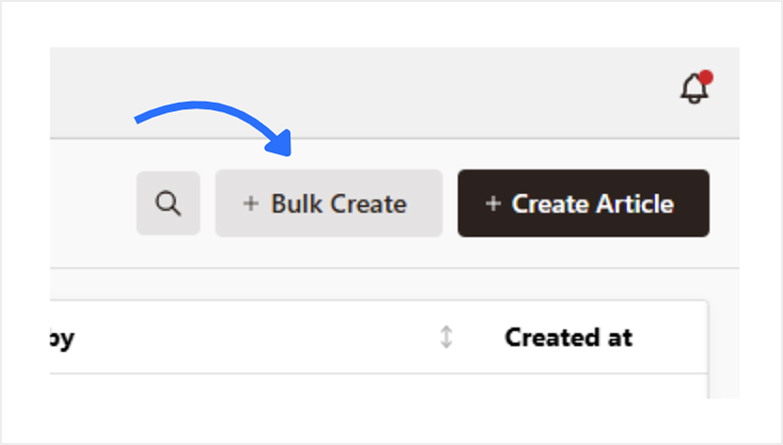
Step 02: Go to the bulk article generator
On the dashboard, look for the option labeled “Bulk Article Generator.” This feature is designed specifically for creating multiple articles in one go.
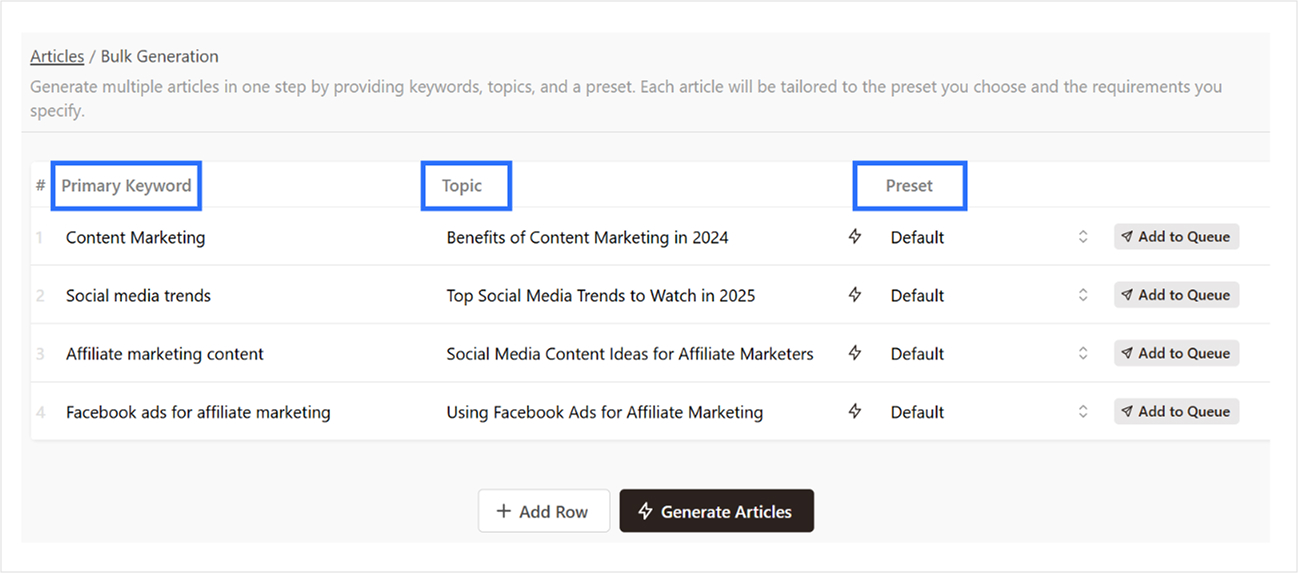
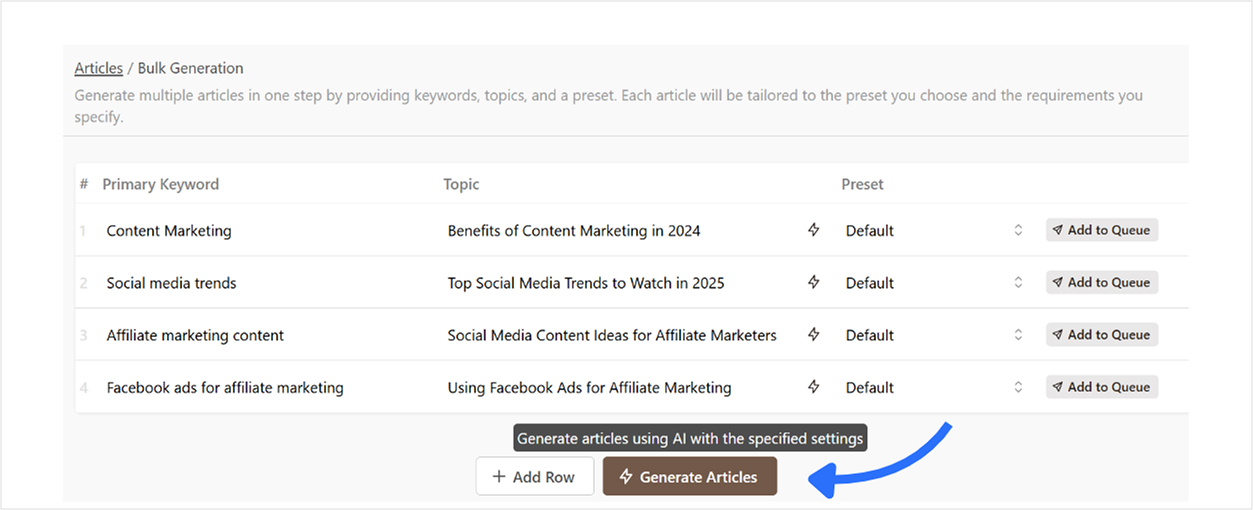
Step 03: Add keywords, topics, and presets
To create articles in bulk:
- Add a primary keyword
- Enter your topic
- Choose a preset if you’ve set one (or just stick with the default template)
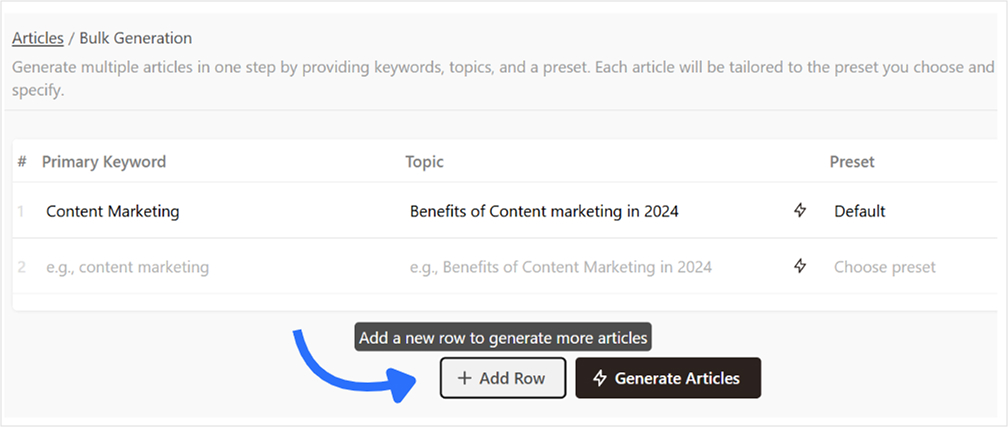
To add a row, just click on “Add Row”.
💡 Tip: Want to generate a topic based on a keyword? Just hit the button next to the topic field, and it will auto-suggest one for you.
Also read: How to write an article using Contentpen?
Step 04: Start bulk article generation
Once your rows are ready, click the “Generate Articles” button. Contentpen will begin generating content based on the inputs you’ve provided. You’ll see real-time status updates on your dashboard.
Step 05: Review, edit, and export your content
Head back to your dashboard once the generation process is complete.
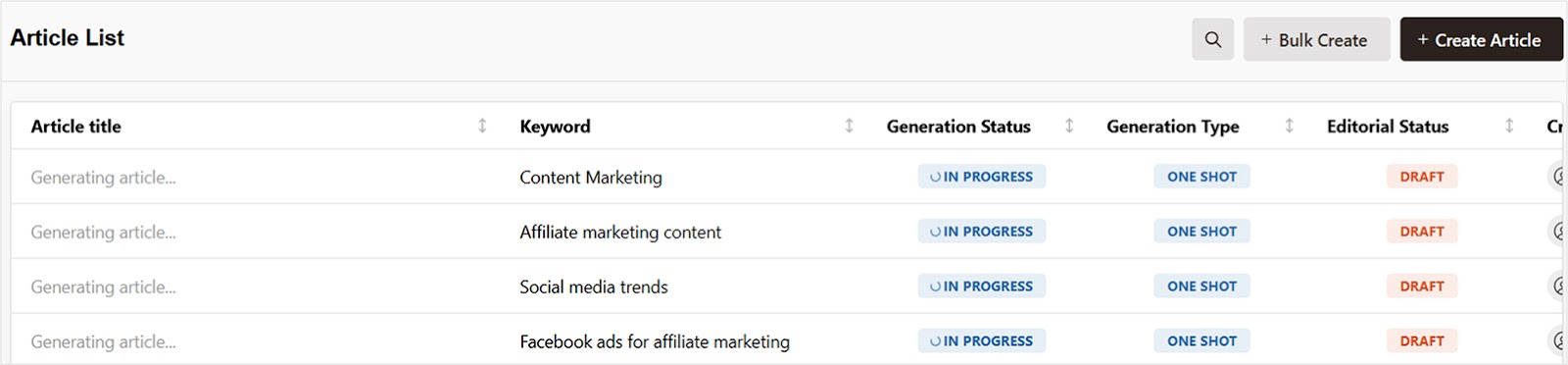
Once all articles are generated, you can:
- Preview each article inside Contentpen’s editor to make quick edits or optimize it further.
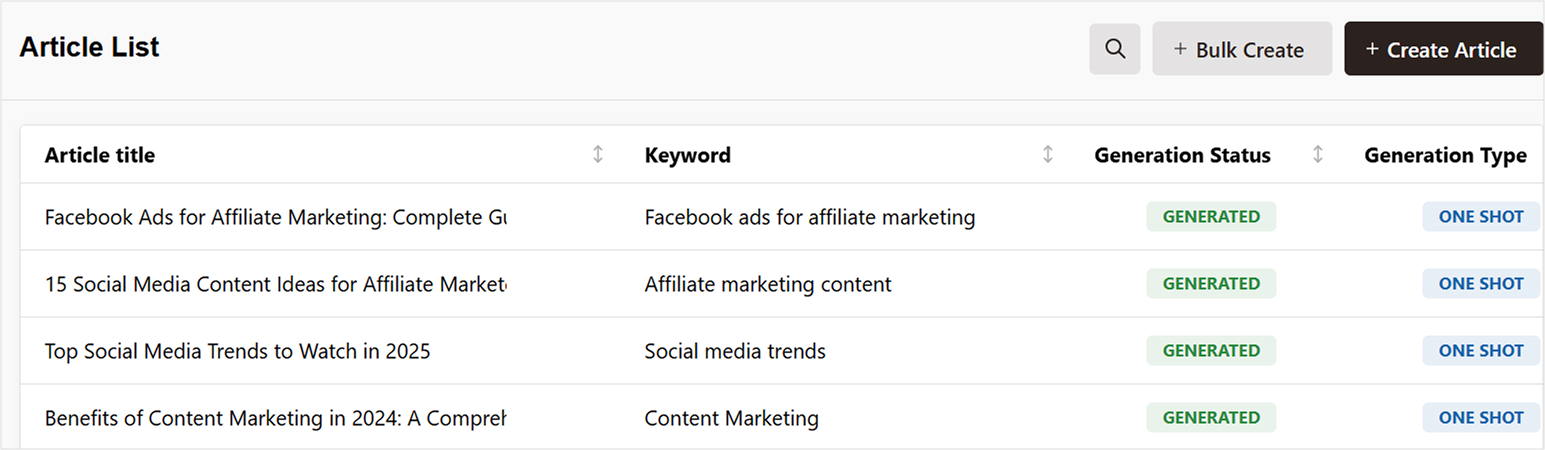
From there, you can:
- Download as .html, .md, or .docx (Google Docs format)
- Publish directly to WordPress (if connected)
Also read: How to connect your WordPress with Contentpen?
Conclusion
If you’re tired of creating content one piece at a time, Contentpen’s bulk article generator is a game-changer when it comes to content automation. It’s fast, flexible, and perfect for marketers, bloggers, agencies, and anyone dealing with high-volume content needs.
Frequently asked questions
It depends on your Contentpen plan. With the premium plan, you can generate up to 30 bulk articles at once, though with the agency plan, you can generate up to 100 articles.
Yes, presets allow you to apply the same formatting, tone, structure, and style to all articles in a single bulk session.
Yes, our AI blog writer online each generate each article uniquely based on the keyword and topic you enter, no duplication across content unless you input repetitive data.
Yes, you can use the same keyword for different topics if you’re targeting variations of the same niche.
Yes, if your WordPress site is connected to Contentpen, you can publish articles in bulk directly from your dashboard.