Google’s AI Overviews are an organic search result page feature that provides AI summaries in response to a user’s query. They appear at the very top of the results page, often recognized as “position zero.”
As of 2026, this summary can handle complex multi-part questions and work across text, voice, and image searches.
This guide explains what Google AI Overview is, how it works, and how it affects organic traffic. It also provides practical, step-by-step advice on how to appear in these overviews and how to improve your brand visibility.
So, let’s get started.
Key takeaways
- AI Overviews typically appear at the top of search results when a user types in a query on Google
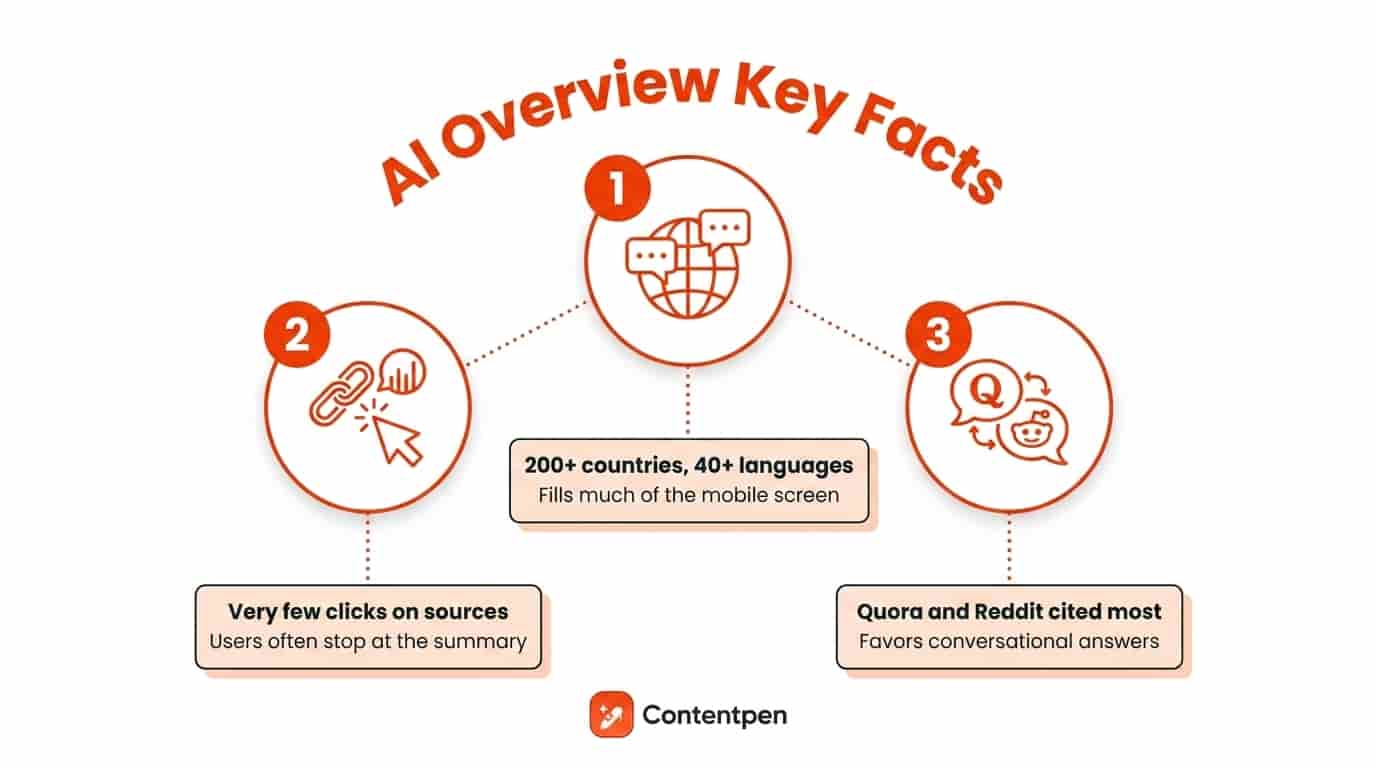
- AI Overviews now reach more than 200 countries and over 40 languages. They can fill around 67% of the desktop screen and 76% of a mobile screen when appearing together with featured snippets
- Public reporting suggests only a very small share of users click the source links shown inside an AI Overview. Many searchers read the summary and stop there, especially for informational intent queries
- One widely cited study by Yahoo found that Quora and Reddit are the most frequent sources inside AI Overviews (as of 2025). This trend shows that AI rewards clear, answer-first content
What are Google AI Overviews?
AI Overviews are a type of highly visible search feature from Google that provides answers to certain queries.
These AI summaries mostly work for informational queries, although Google has now expanded this feature to commercial, transactional, navigational, and even branded queries.
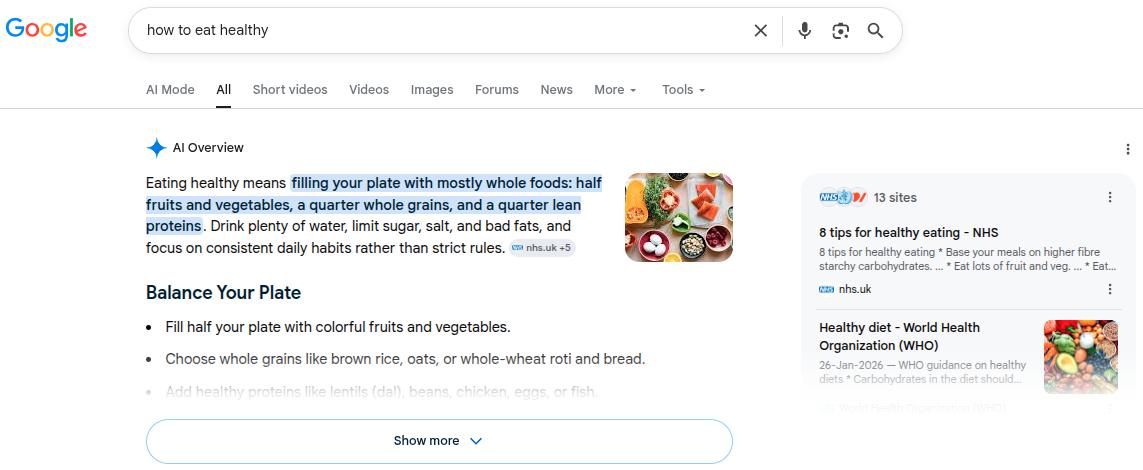
For example, if you type in Google “how to eat healthy,” it will automatically generate an answer for you like this:
How do Google AI Overviews and Google AI mode work together?
Since January 2026, Google has incorporated its chatbot-style AI, called AI mode, inside Google AI Overviews.
You can seamlessly transition to AI mode by clicking the ‘Show more’ button at the end of an AI Overview.
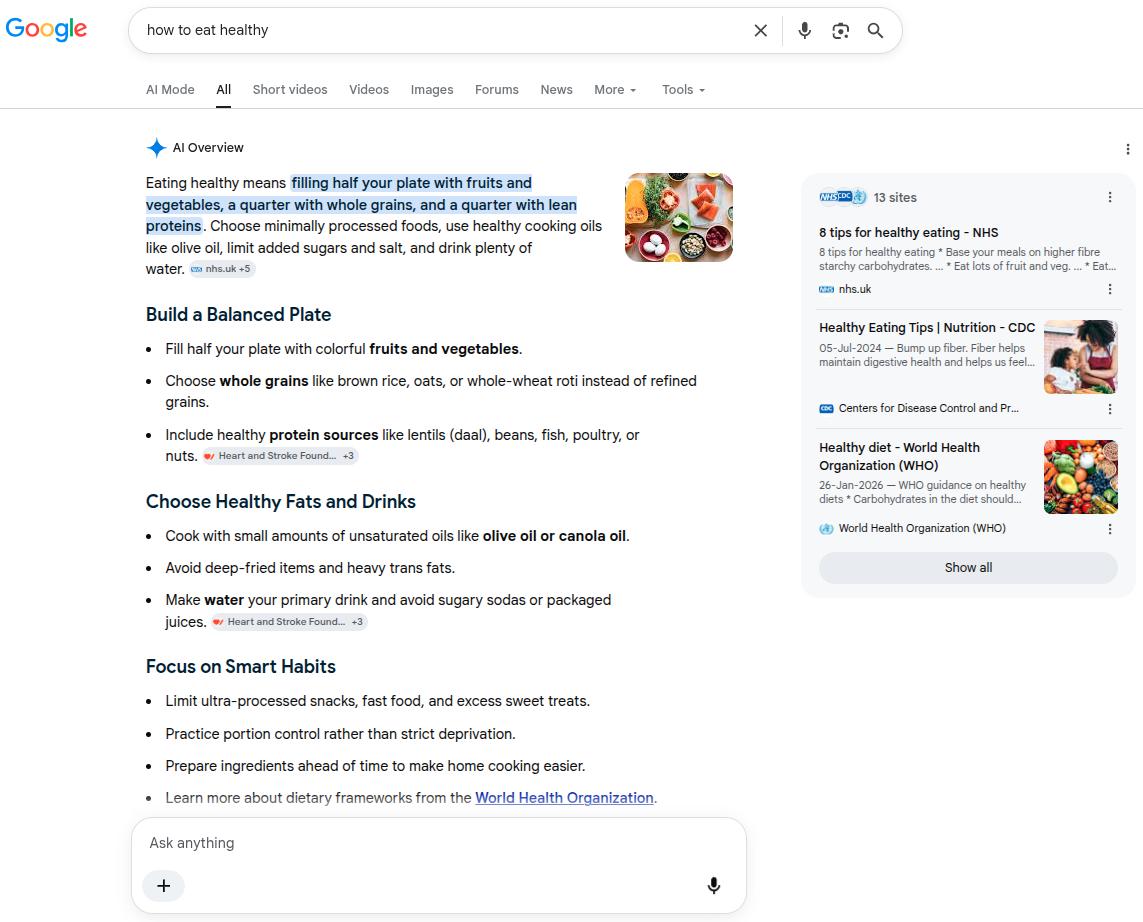
To understand the way these two AI features work, you need to see some differences:
- AI Overviews: These are static text snapshots that appear directly at the top of standard search results for straightforward queries. Overviews synthesize indexed data from different sites to give you a quick summary.
- AI Mode: This is a dedicated, interactive, and conversational search interface designed for multi-part, complex tasks. It allows users to ask continuous follow-up questions to satisfy the searcher’s intent.
According to Google’s guide to search AI features, both AI Overviews and AI Mode use a specialized version of the Gemini 2.5 model.
Both AI features also use the query fan-out process to break down the user’s question into small subparts.
For example, we asked Google’s AI Mode, “How to cut down sugar as a diabetic person who is in their 50s?”
This question essentially had 3 main parts to it.
- The user is asking to cut down on sugar levels
- The user is diabetic
- The user is in their 50s
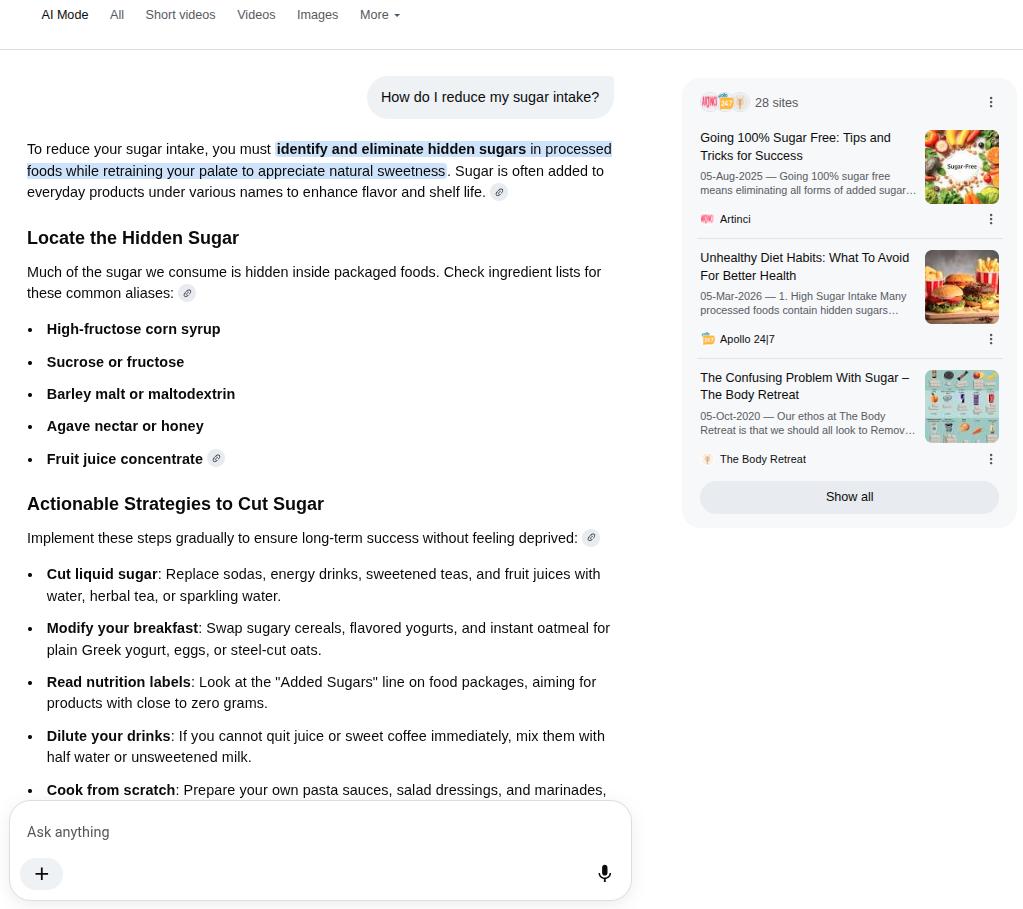
If you look closely, AI Mode included four subparts in its response: cutting down on liquid sugars, portioning food, reading grocery labels, and improving exercise.
The last bit is particularly included to cover the requirements of a mature-age person, showing the query fan-out process being implemented by AI in real time.
Do AI Overviews answer the same every time?
Short answer: No. The reason behind this is the nature of the operation of AI features.
The large language model builds a mental map of key facts, definitions, and steps, then writes a new answer that blends those pieces. This process is similar to the multi-step retrieval and reasoning workflows described in research on agentic AI frameworks and applications.
Since data is being taken from each node on the RAG (retrieval-augmented generation) system probabilistically, the chances are that you’ll see a different answer every time you type a query.
But that doesn’t necessarily mean you’ll get a “wrong” answer. It just means that your answer can vary in phrasing or nuance depth, especially in the case of the AI Mode chatbot that highly rewards detailed prompting.
AI Overview vs featured snippet: What is the difference?
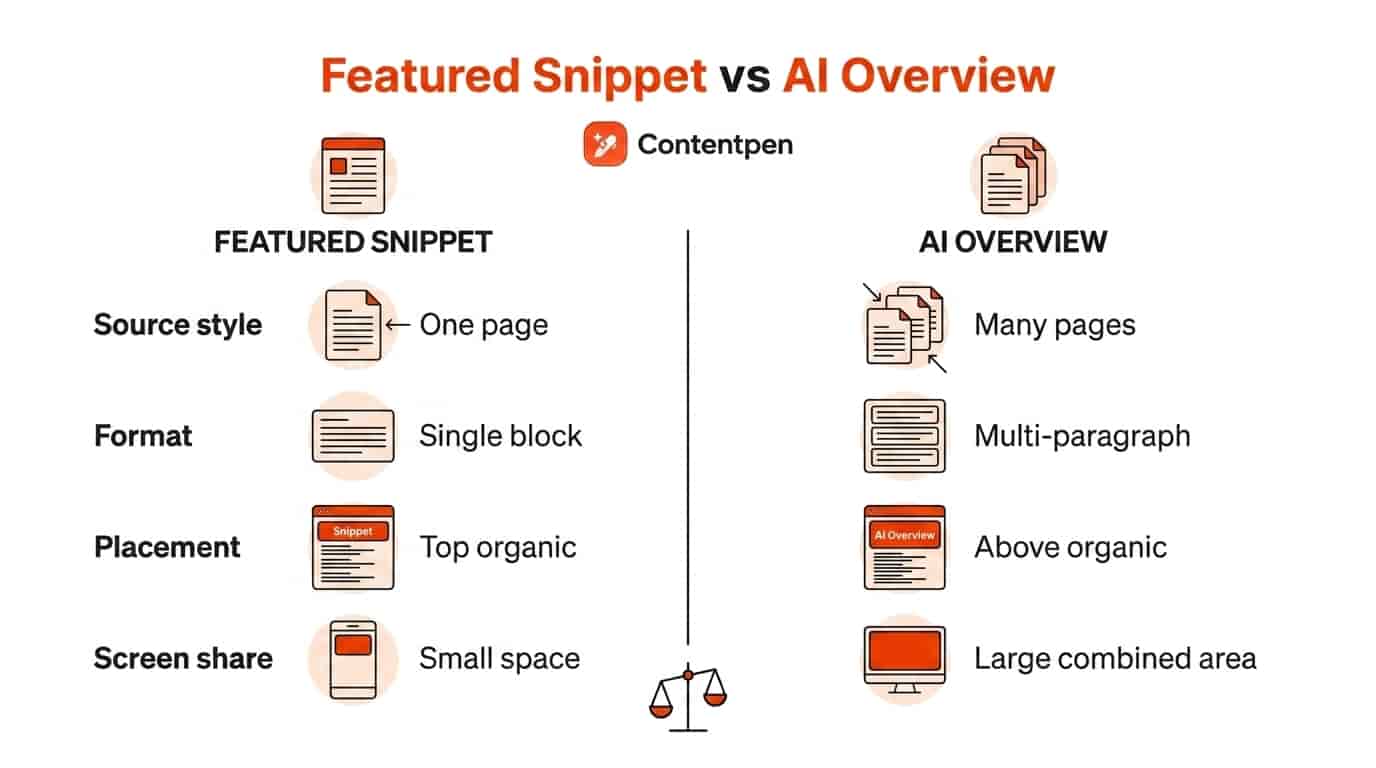
AI Overview and featured snippets both appear at the top of Google Search, but they work in different ways.
A featured snippet is a direct excerpt from a single page that best matches the user’s query. While an AI Overview is a fresh answer written by the model using several pages at once.
Both can appear together on one results page, although AI Overviews have greatly reduced featured snippets in 2026.
Also read: How to turn off AI Overviews.
Here is a quick comparison table to help you understand the differences between them.
| Element | Featured snippet | AI Overview |
| Source style | Exact excerpt from one page | New summary built from many pages |
| Format | One block of text or a simple list | Multi-paragraph answer, often with follow-up prompts |
| Placement | Usually, the top organic spot | Above organic results, sometimes with its own background |
| Screen share | Takes up some space on the first screen | With snippets, it can reach a large share of desktop and mobile screen area (67% and 76%, respectively) |
Where and how can you see AI Overviews in Google Search?
AI Overviews appear for many informational searches in supported countries and languages whenever Google thinks a summary will help.
The feature now reaches more than 200 countries and territories in over 40 languages, although AI Overviews are yet to reach France until August 2026. Google explained the delay in release was because of some “regulatory obstacles.”
Why am I not getting AI Overview on Google consistently?
In most supported regions, the feature is on by default, so the main reasons for not seeing it can relate to the account, app, or query type.
If your Google app or Chrome browser is out of date, the AI layer may not appear consistently, so updating them is a useful first step.
Next, make sure you are logged into a regular Google account and have language settings that match a supported language such as English, Spanish, or Japanese.
Lastly, the appearance of Google AI Overviews also depends on the query asked.
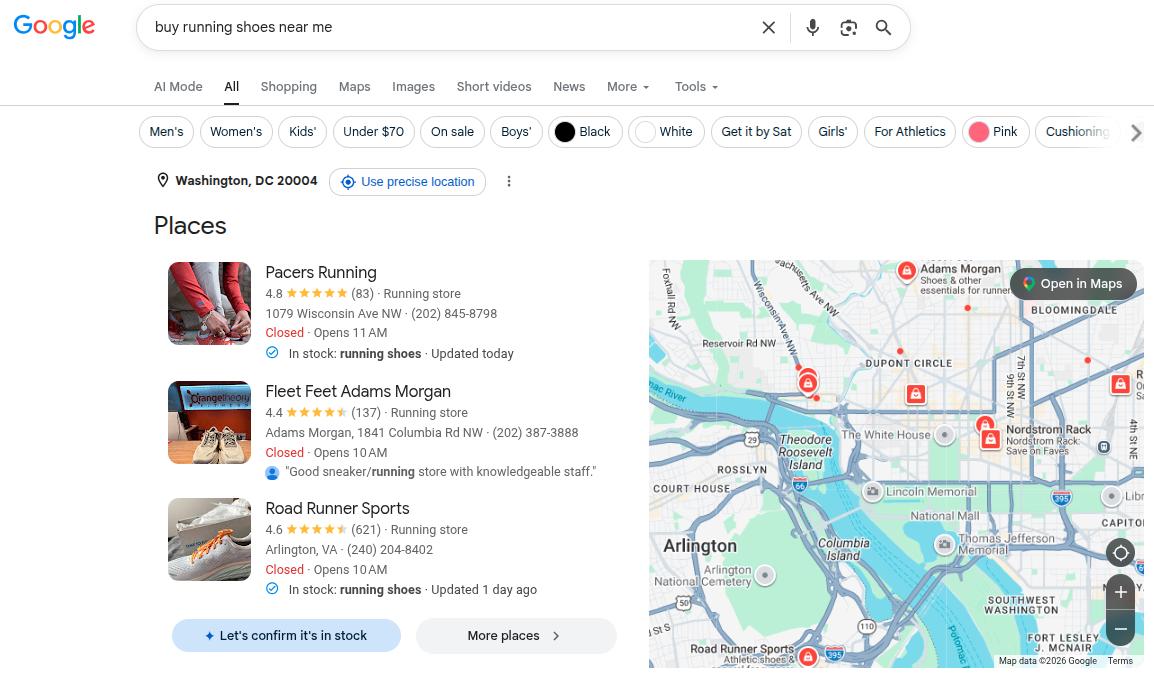
For simple product searches like exact model numbers or clear transactional searches such as “buy running shoes near me,” Google often skips AI Overviews and shows shopping blocks or nearby business cards instead.
What about AI Overviews in Gmail and other Google products?
Gmail does have AI tools that summarize long email threads and suggest replies, powered by Google’s Gemini models, but those are separate from the Search AI Overview feature.
The similar naming confuses a lot of people because both use phrases like AI summary or AI overview in product screens and help pages.
The same pattern shows up in Docs, Drive, and YouTube, where generative tools add summaries or outlines on top of existing content.
While these tools share technology and branding with AI Overview in Google Search, they have separate settings and rollout plans.
How do AI Overviews impact SEO and website traffic?
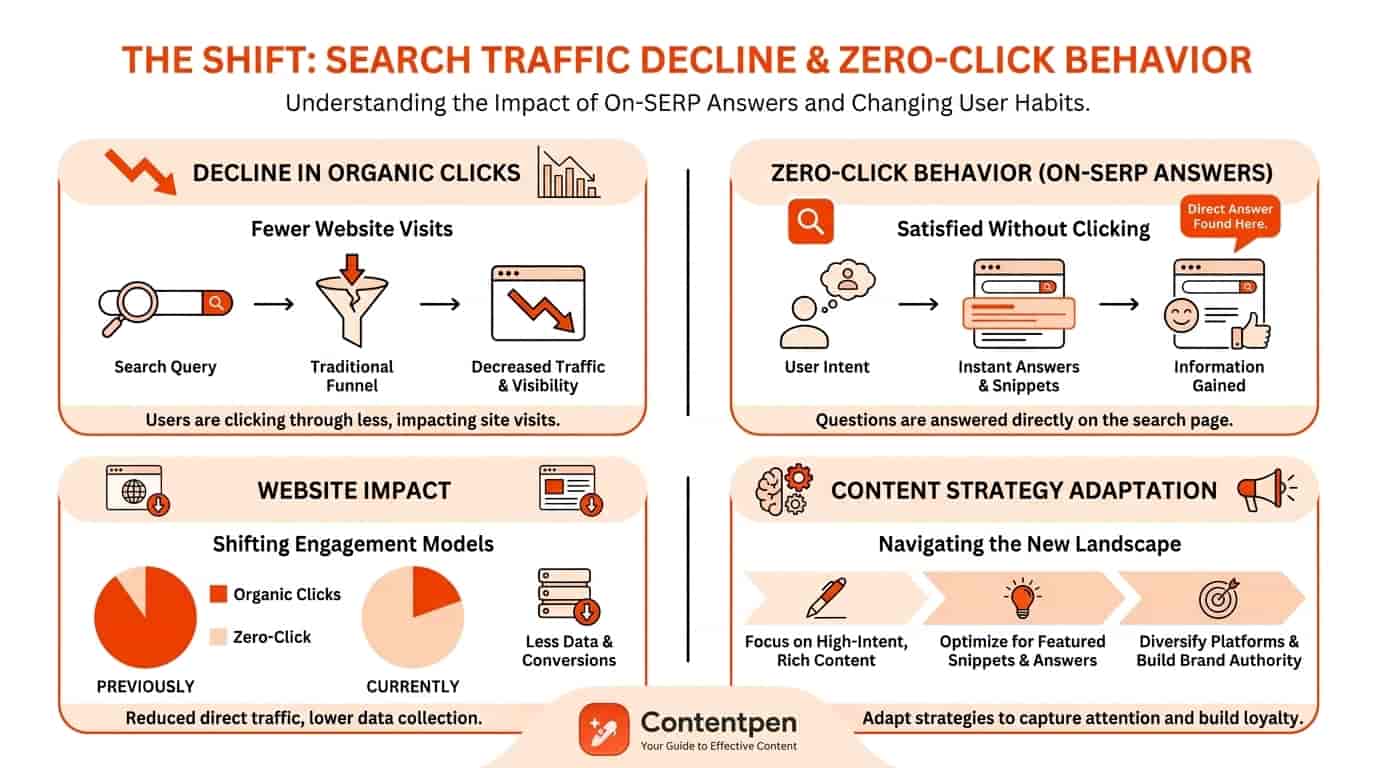
AI Overviews impact SEO and website traffic by sitting above classic organic rankings and often answering the query without a click, also known as zero-click search.
This means brands that are not appearing in AI Overviews risk not being seen at all by users online.
Secondly, AI Overviews cover a large portion of your screen when appearing with featured snippets. For desktops, that is 67% of your screen and 76% for mobile screens. This leaves a little wiggle room for organic blue links to fight for users’ attention.
SEO specialists now have to think about traditional SEO and AI Overview optimization, not just classic ranking factors.
This shift also changes how brands plan content around the funnel.
Top-of-funnel questions, definitions, and basic HowTos are more likely to appear in Google AI Overviews.
Mid- and bottom-of-funnel queries with strong local or transactional intent, such as “best dentist near me” or “pricing for content marketing software”, still tend to send more clicks to websites.
Marketers now watch not only ranking positions but also whether a query shows an AI Overview and how their brand appears, if at all, inside that box.
What do publishers and regulators have to say about AI Overviews?
The traffic impact from AI Overviews appears in both reported data and courtroom claims.
Penske Media, the publisher behind Rolling Stone and The Hollywood Reporter, has alleged that a notable share of searches that could lead to its sites now display an AI Overview above organic results.
Penske Media has claimed that this has harmed its visits and ad income.
In response, Google has replied in public statements that AI Overviews send traffic to a wider variety of sites and help smaller sources get attention. However, that view is still widely contended in 2026.
Legal action in Europe adds another angle. A Munich regional court ruled that AI Overviews make independent, new, and substantive statements rather than simply reflecting third-party content.
This means Google may carry more direct responsibility for content accuracy than it has pledged otherwise.
Together, these disputes show that the impact of AI Overviews on SEO and traffic is real enough for large publishers and regulators to treat it as a serious business and policy issue.
How to optimize your content to rank and appear in AI Overviews
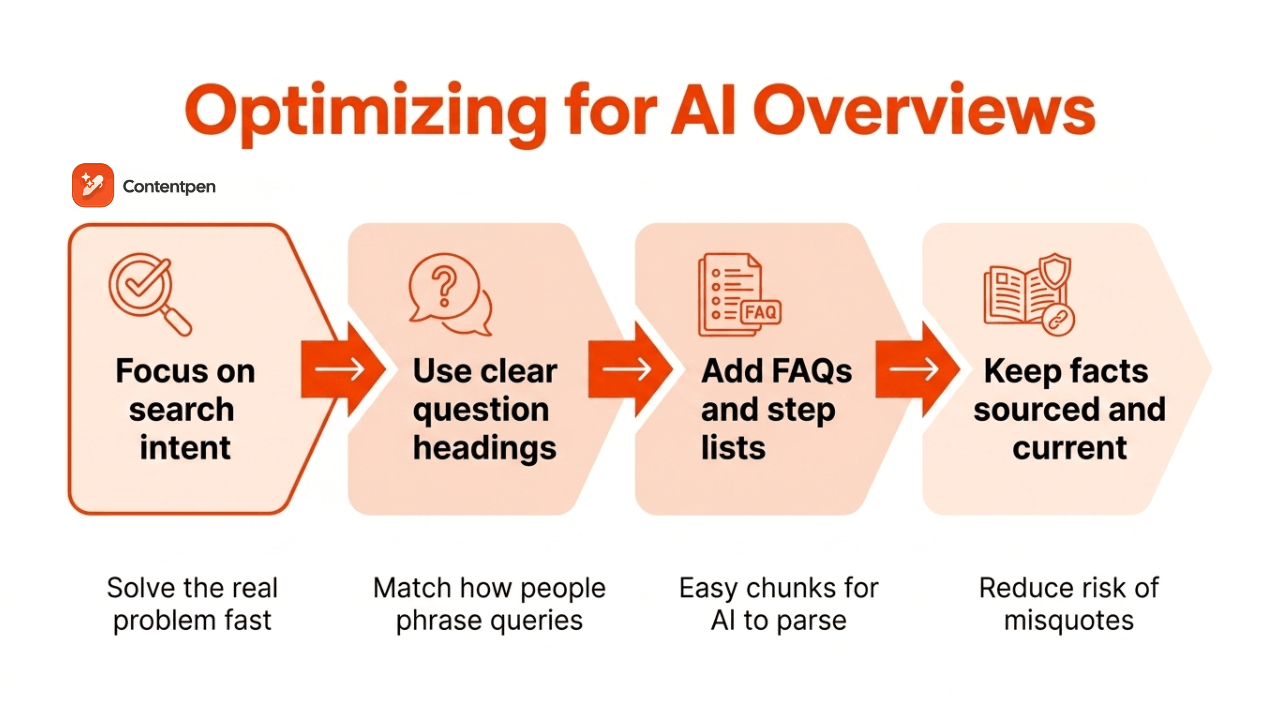
Optimizing content to appear in AI Overviews means shaping pages so Google’s models can easily understand, trust, and reuse them.
The goal is not to “game” the system, but to match how the AI reads structure, intent, and clarity.
This newer practice often goes by the name generative engine optimization, GEO, or AEO, and it sits alongside classic SEO work and technical health.
To adapt your content:
- Focus on search intent, which is the real problem behind each query, and build content that directly solves that problem in the first few lines. Expand with examples, personal experience, and other sections later.
- Use clear headings that mirror how people phrase questions, since Google Search AI Overview can pull in questions directly from voice assistants, such as Siri, Alexa, and Google Assistant.
- Add FAQ sections and simple step lists where they make sense, because both formats map well to the way language models break content into chunks.
- Keep facts up to date and well-sourced. Unclear or outdated claims are more likely to be twisted or misquoted when the AI writes its own summary.
While writing content in an “answer-first” format with good structure does help, what’s most important to appear in AI Overviews and improve brand visibility is to speak with authority.
That means avoiding fluff and adding real depth to the content with anecdotes, real-life examples, case studies (personal or professional), or any other way to add value to readers.
Such content is most likely to be cited by AI engines, regardless if its AI generated or not.
Since Quora and Reddit show up often in the AI cards, brands should treat community presence as part of their AI Overview optimization plan.
Try to provide helpful answers on these platforms that can signal trust to Google’s systems with accurate data.
How Contentpen helps you build AI Overview-ready content
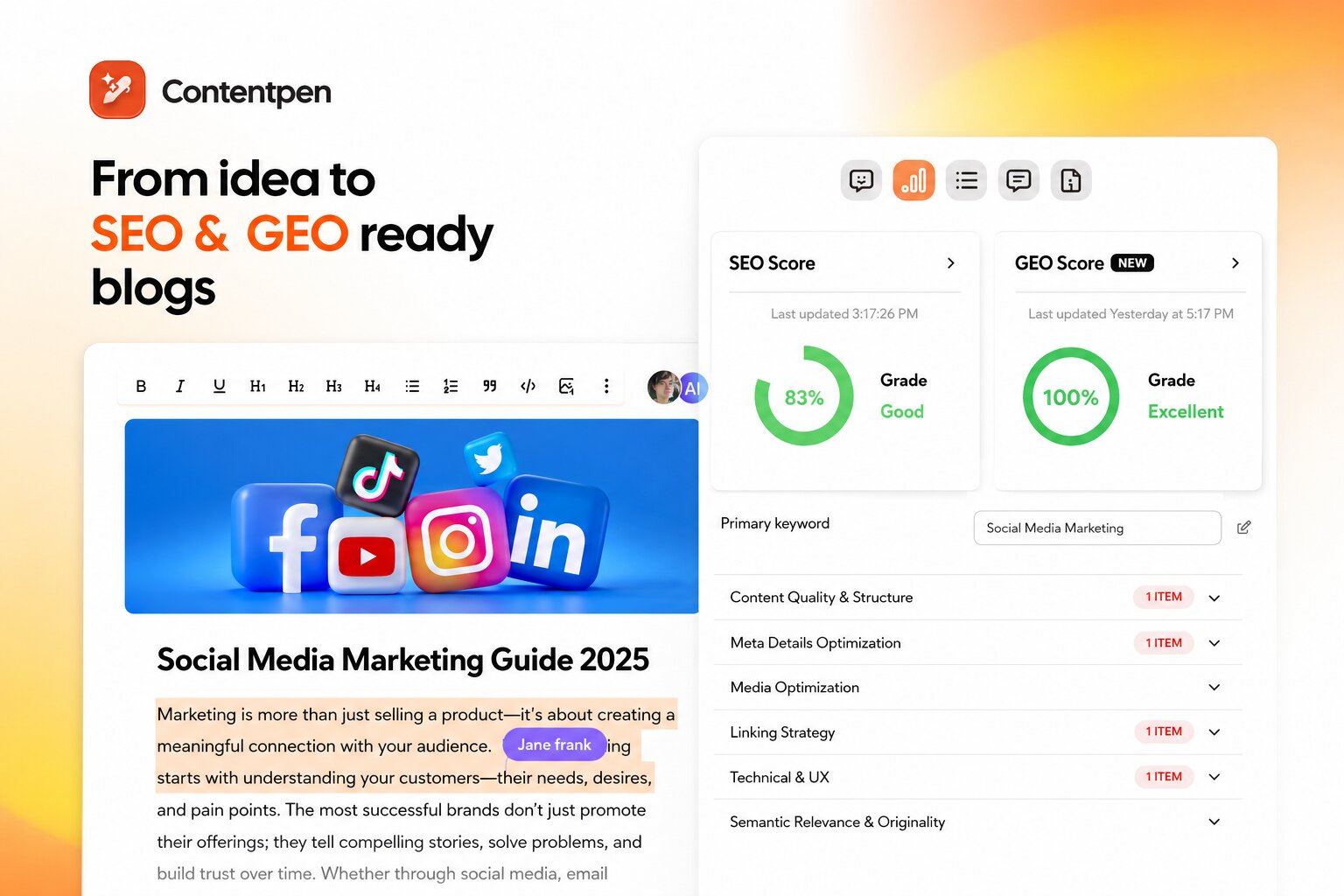
Contentpen is an AEO tool that helps teams produce AI Overview-ready content by guiding every stage from idea to published post in one workspace.
The platform starts with intent-based keyword research, so each article is tied to real questions people ask across Google, Gemini, and other AI assistants.
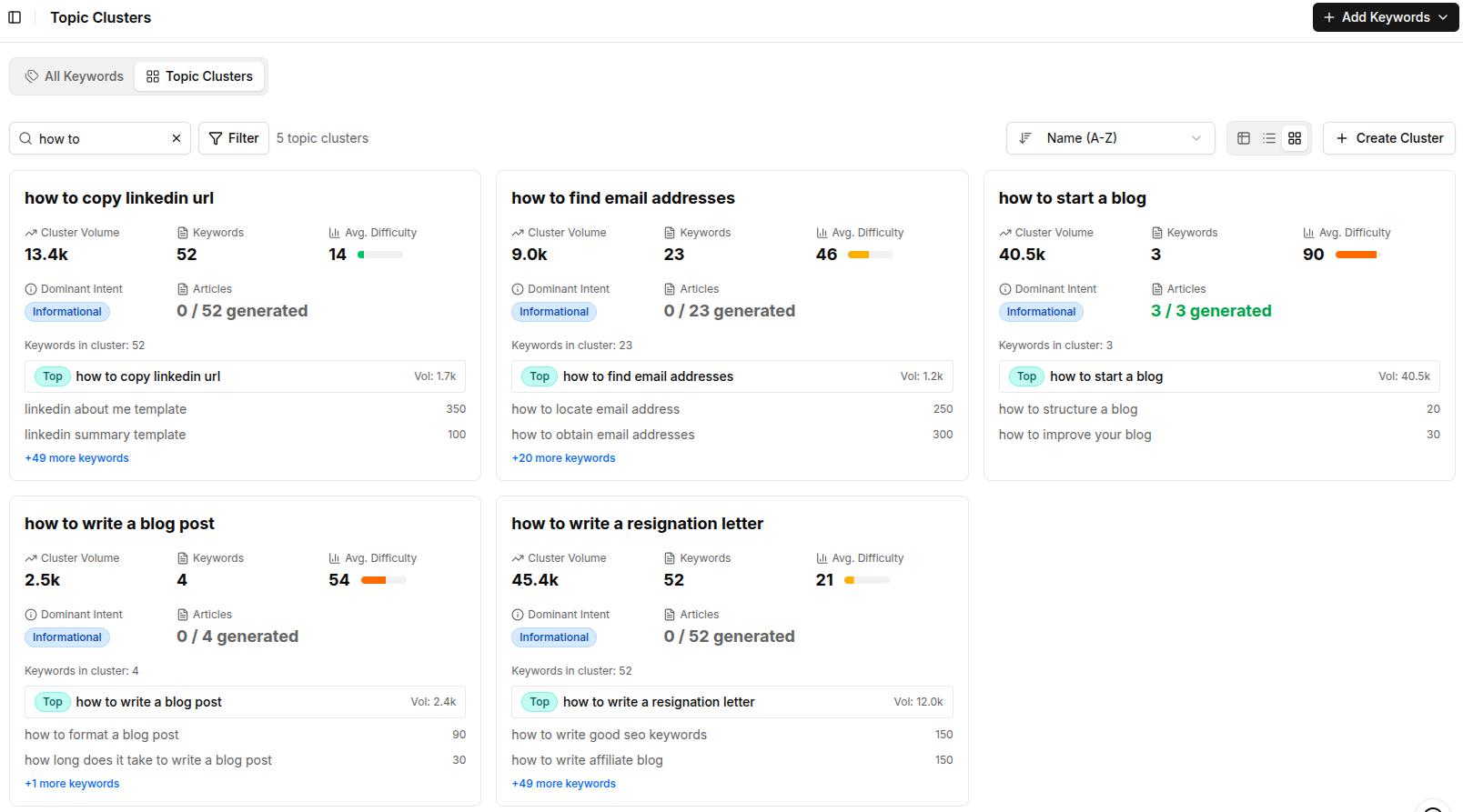
Once a topic is chosen, Contentpen generates detailed outlines for it with answer-first intros, strong headings, and FAQs, which line up well with how AI Overviews select and organize information.
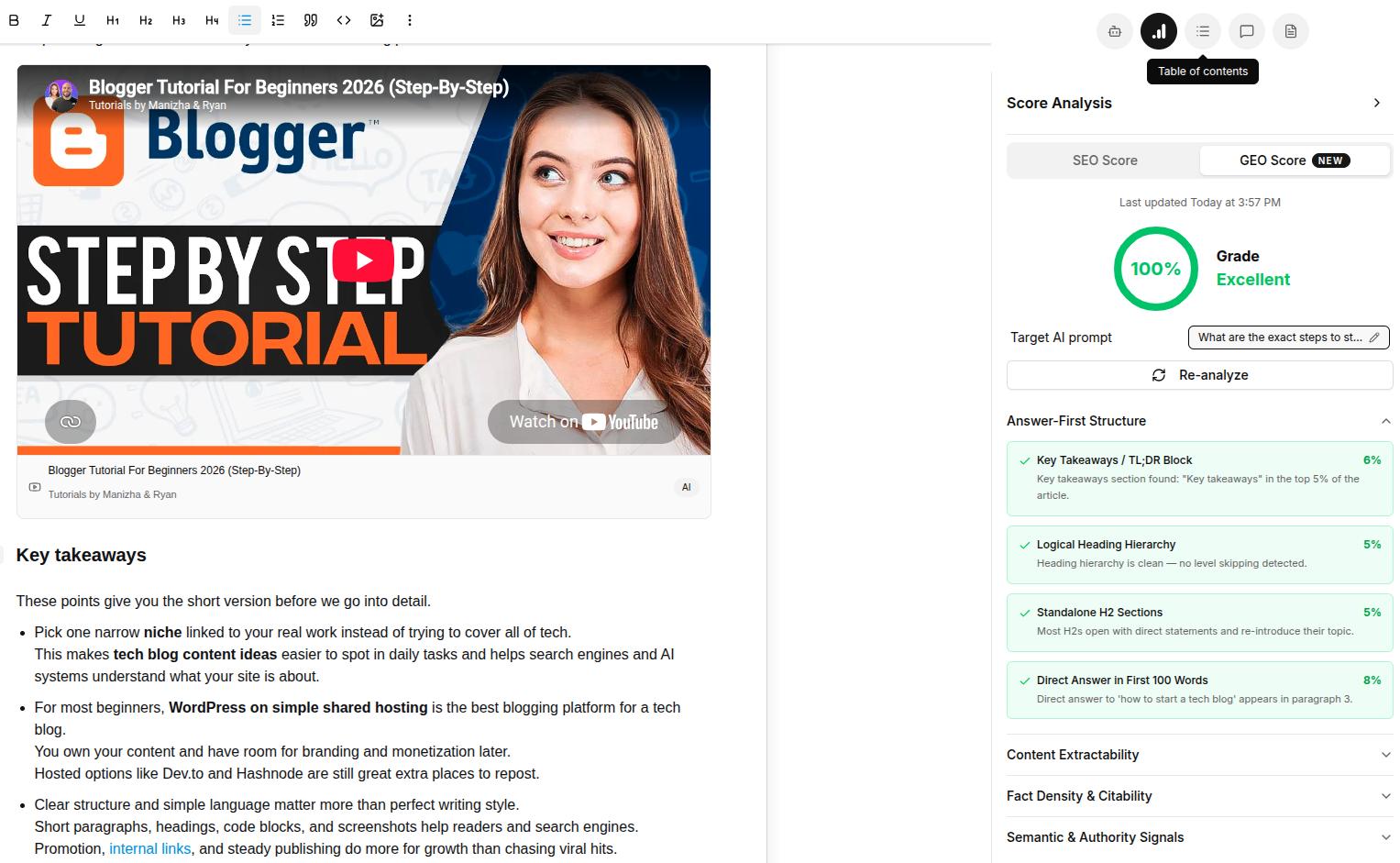
During writing, the tool gives both SEO and GEO scores, pointing out where a draft may confuse readers or AI systems. It nudges writers toward creating clear section openers, consistent terminology, and factual content.
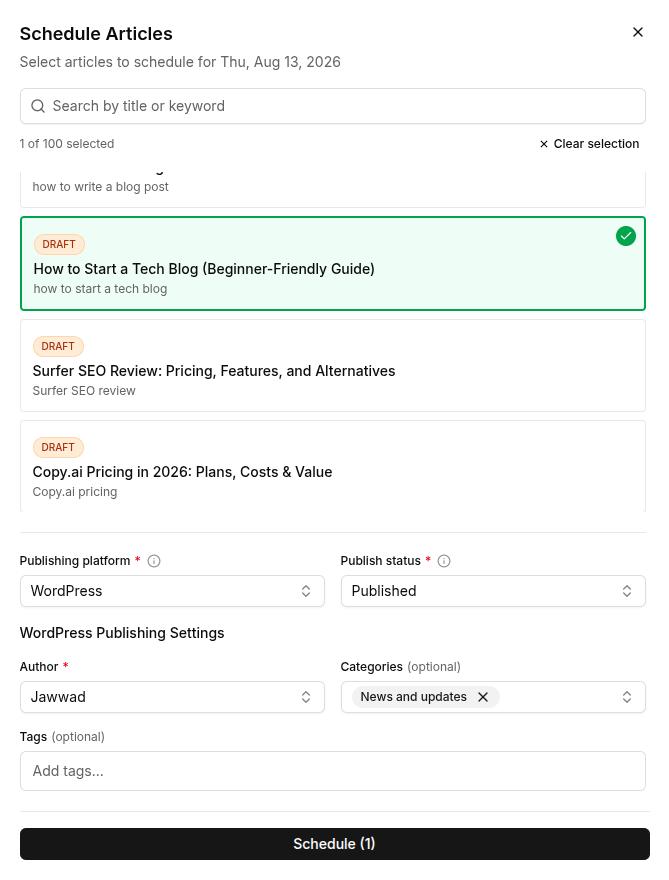
Once the content is ready, you can publish it with one-click publishing or schedule it for later with the content planner.
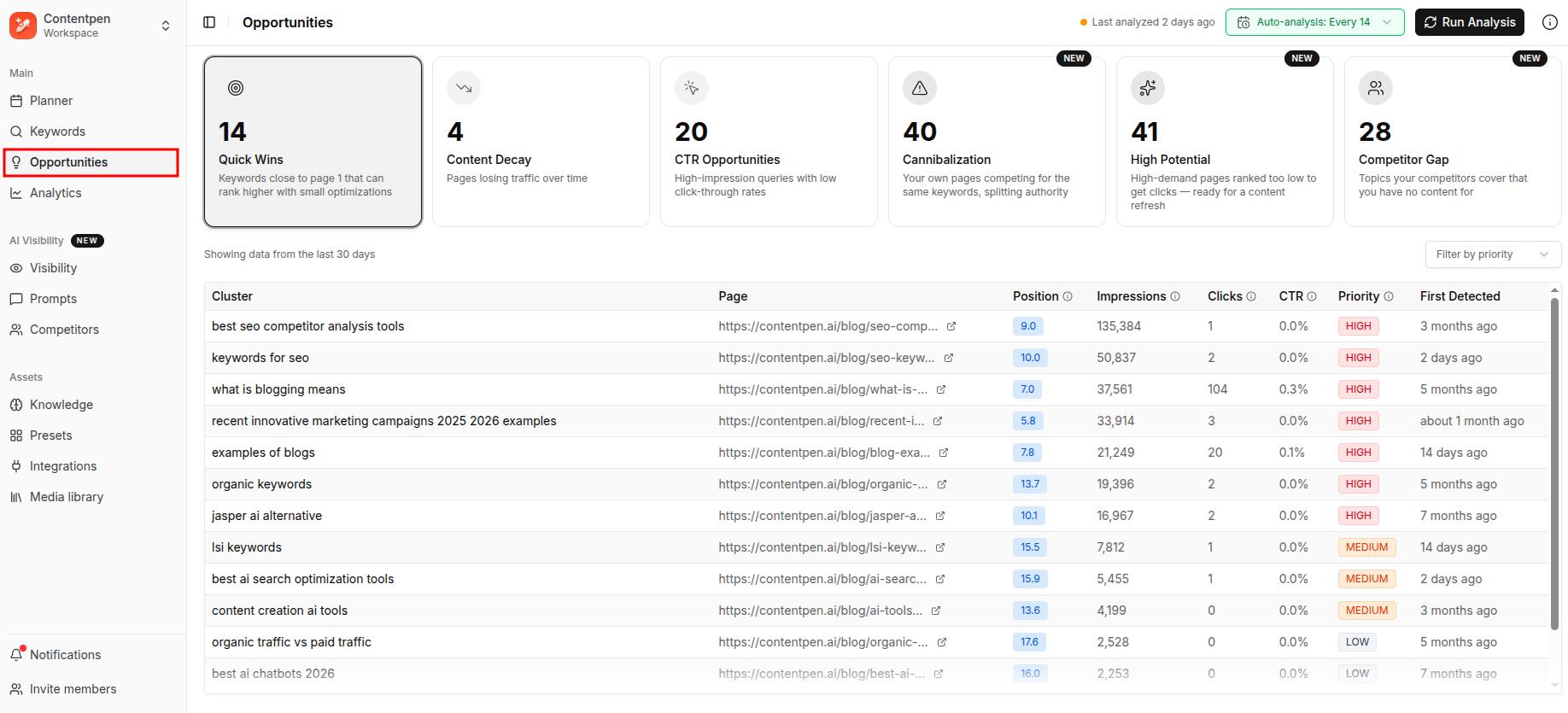
The tool also provides web analytics and the new, improved SEO opportunities that help you identify and fix CTR gaps, cannibalization issues, content decay, and more for published content.
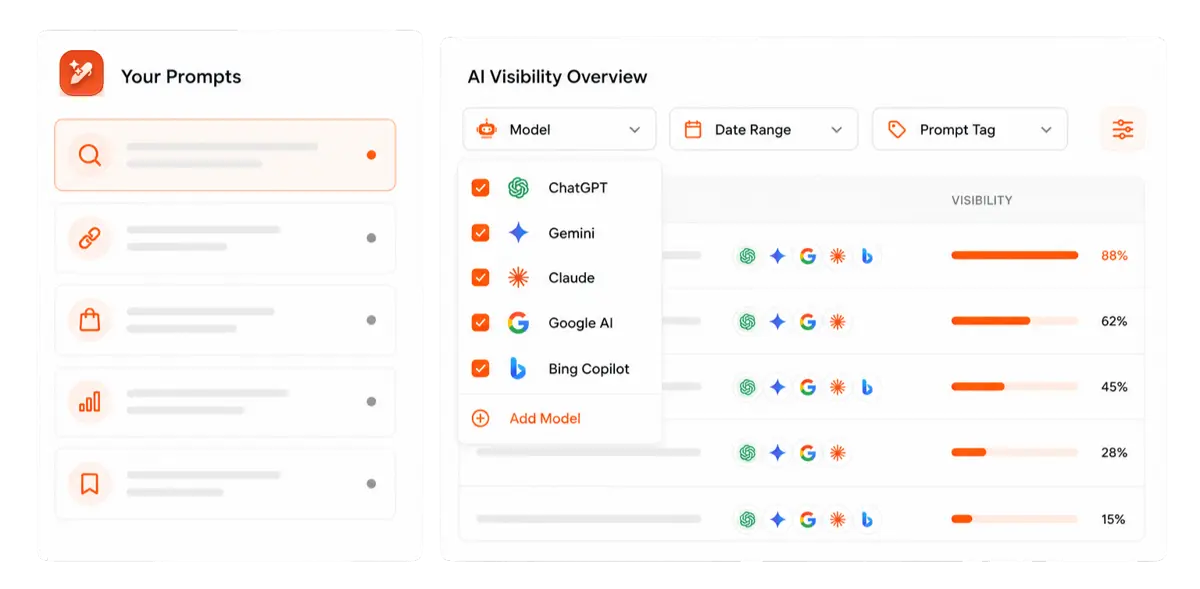
Contentpen’s new AI visibility tool also allows businesses to monitor their AI SOV, audit brand visibility and sentiment, and view exact citation source gaps from competitors.

Find your brand in AI search

Track AI citations, share of voice, and brand sentiment
Find the top sources driving citations
Final thoughts
Google AI Overviews are now a regular part of search in 2026, not a short-term test you can ignore. They sit above traditional results, take a large area above the fold on many devices, and often answer a query without sending a click anywhere.
That new layer of search reshapes how people discover brands and how content teams should plan topics.
AI visibility now depends on being citation-worthy inside AI answers as well as ranking on the classic results page. Clear structure, answer first paragraphs, accurate facts, and steady topic authority give your pages a better shot at being selected than otherwise.
Tools such as Contentpen make that work easier by creating SEO- and GEO-optimized blogs every time, so your content can earn mentions in AI Overviews and sustain SERP rankings.
Frequently asked questions
AI Overview usually appears automatically when you search in a supported country and language. You do not need to flip on a special switch in most cases. That said, short or purely transactional queries may often skip AI Overviews and lead users to organic search results.
Right now, there is no simple global switch that fully turns off AI Overviews for all queries. Users can sometimes reduce how often they see it by using different languages, searching from unsupported regions, or focusing on very specific transactional queries.
People share memes about Google AI Overview because early versions of the AI feature, in 2024, produced some very strange and unsafe answers. Viral examples included telling users to eat rocks for health and suggesting glue on pizza to keep cheese from sliding.
Track which of your target queries trigger an AI Overview, then check whether your domain is cited inside it or not. Rank tracking alone misses this, since a page can hold position one and still get zero AI Overview citations.
AEO examples show that you still gain brand exposure and some trust signal, even without the visit. That said, being cited keeps your site in the pool of sources Google treats as reliable for that topic, which can help with future queries and other AI surfaces.