Category: AEO

Explore answer engine optimization (AEO) guides, strategies, and tips to optimize your content for AI search and improve visibility.

  • Types of schema markup: 25 schemas explained, with uses and 2026 status

    Types of schema markup: 25 schemas explained, with uses and 2026 status

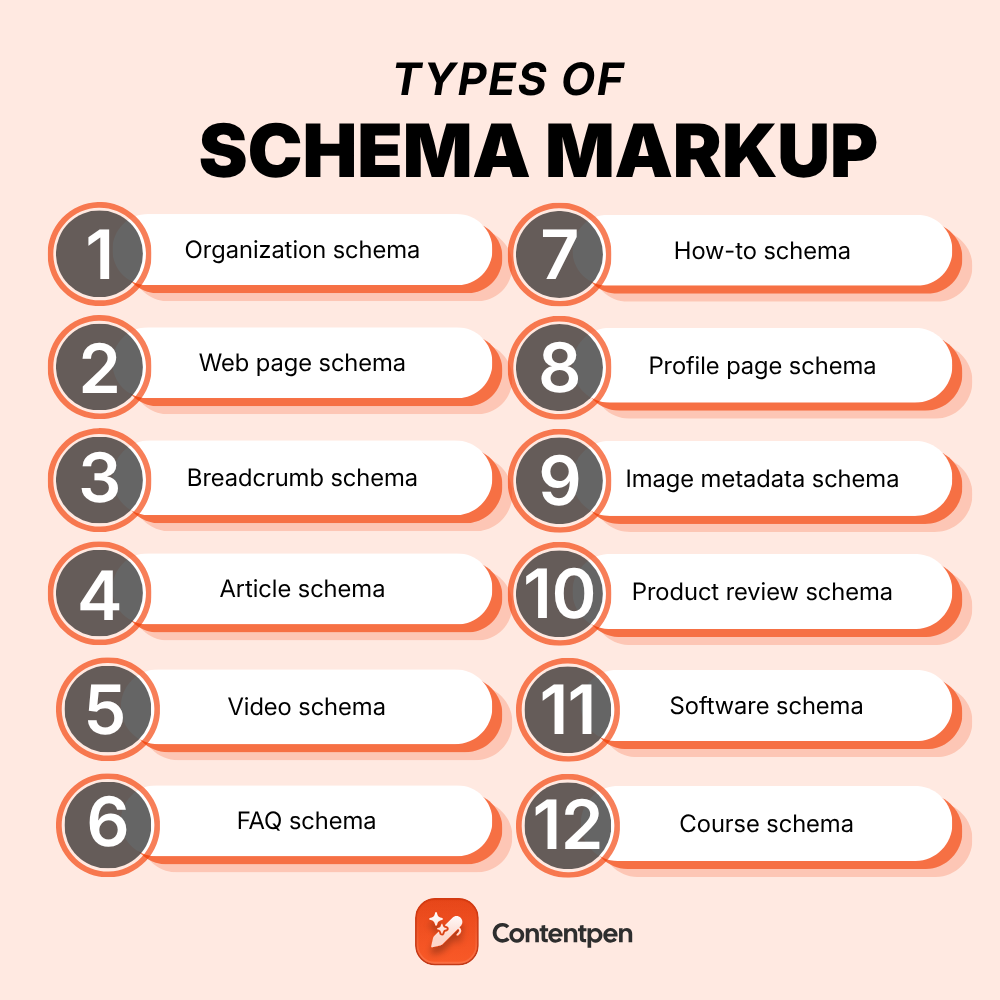
    The main types of schema markup are Organization, LocalBusiness, Person, WebPage, Breadcrumb, Article, Video, FAQ, HowTo, Recipe, Product, Review, AggregateRating, Event, JobPosting, Course, and Dataset. Schema.org defines 826 types in total, but these 25 cover nearly every website. Each one labels a specific kind of content so search engines know exactly what they’re looking at.

    So why do so many sites still get schema wrong? Most lists online haven’t kept up with Google’s changes.

    That means people keep adding FAQ and HowTo markup expecting rich results that Google no longer shows. Meanwhile, useful types like ProfilePage or Dataset get skipped entirely.

    This guide walks through 25 types of schema markup one by one. For each, you’ll see what it does, where it belongs, the key properties, and its 2026 status in Google.

    Key takeaways

    • Schema.org has 826 types, but 25 common schema types cover almost every website’s needs.
    • Most sites only need five to eight types, starting with Organization, WebSite, and Breadcrumb.
    • Google stopped showing HowTo rich results in 2023 and FAQ rich results in May 2026, though both are still valid code.
    • Some types, like Person, WebPage, and Service, never earn a rich result but still help search engines understand entities.
    • Product, Review, and AggregateRating work together to show prices and stars in search.
    • No schema type is required for AI Overviews, but clear entity markup supports how search engines describe your brand.

    How many types of schema markup are there?

    It depends on which list you’re reading. Three numbers explain the whole picture.

    NumberWhat it countsSource
    826Every type in the schema.org vocabulary (version 30.1, September 2026)schema.org full hierarchy
    25Rich result features Google currently documentsGoogle search gallery
    5 to 8Types a typical business site actually usesPractical rule of thumb

    Every schema.org type sits inside one family tree. It starts with Thing, then branches into groups like CreativeWork, Organization, Person, Place, Product, and Event.

    That tree matters.

    A Bakery is a FoodEstablishment, which is a LocalBusiness, which is an Organization, so picking the most specific type gives you every property above it.
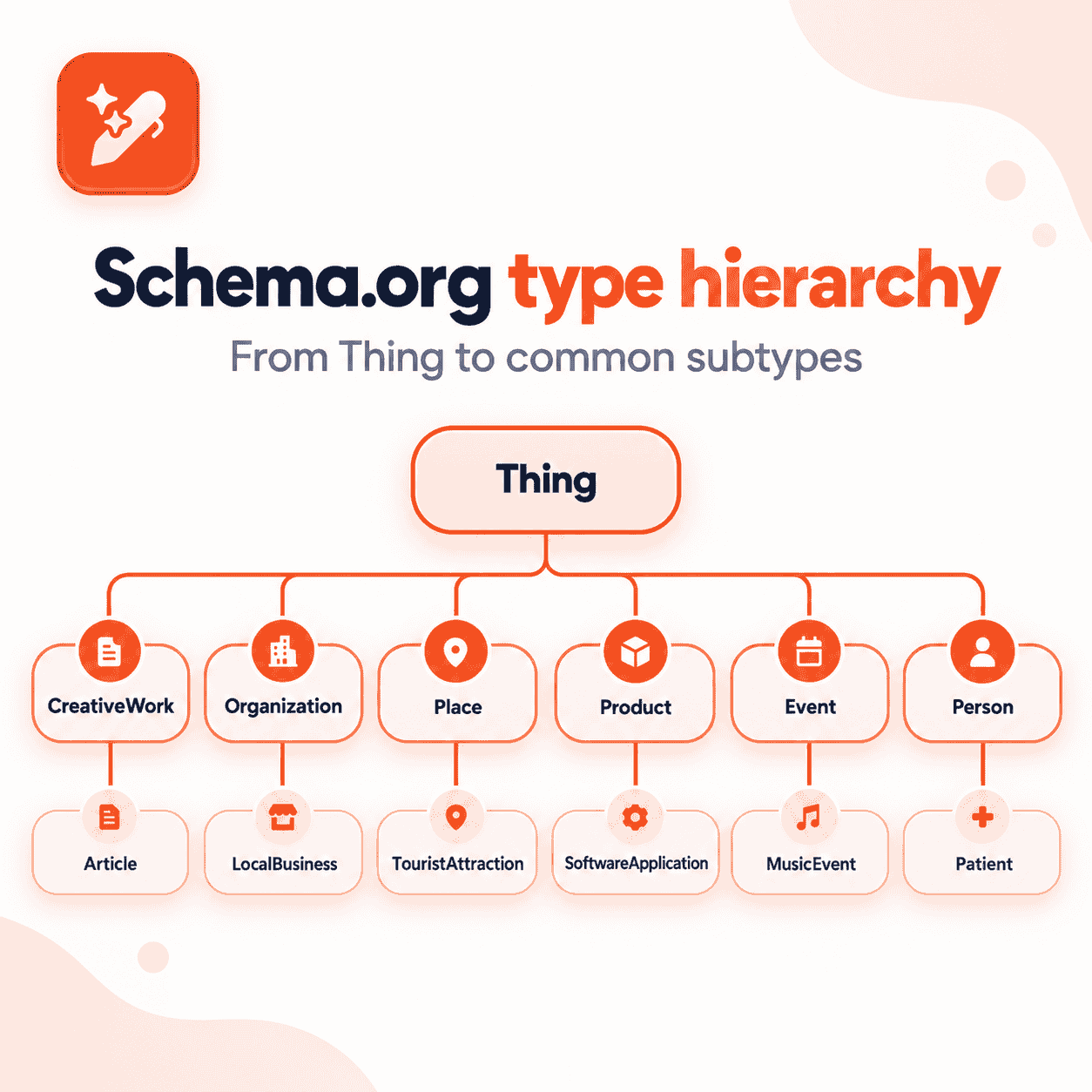
    Schema.org type hierarchy from Thing to common subtypes

    Quick reference: all 25 schema types and their 2026 status

    Short on time? Scan this table first, then jump to the types of schema markup you need.

    #Schema typeBest forGoogle rich result in 2026
    1OrganizationBrand homepage, about pageYes, logo and company details
    2Local businessShops, clinics, restaurantsYes
    3PersonAuthors, founders, team membersNo standalone result
    4Web pageAny pageNo standalone result
    5WebSiteHomepageYes, site names
    6BreadcrumbInner pagesYes
    7ArticleBlog posts, newsYes
    8VideoPages with videoYes
    9FAQFAQ sectionsRetired May 2026
    10How toStep-by-step guidesRetired September 2023
    11RecipeFood and cooking pagesYes
    12BookPublishers, bookstoresLimited (Book actions)
    13Profile pageAuthor and creator pagesYes
    14Discussion forumForums, community threadsYes
    15Q&ASingle-question pages with answersYes
    16Image metadataPhotos and licensed imagesYes
    17ProductProduct pagesYes
    18Product reviewReviewed productsYes, review snippets
    19Aggregate ratingAverage star ratingsYes, inside review snippets
    20SoftwareApps and SaaS productsYes
    21ServiceService pagesNo standalone result
    22EventConcerts, webinars, classesYes
    23Job postingCareers pagesYes
    24CourseCourse catalogsYes, course lists (course info retired)
    25DatasetResearch and open dataYes, in Dataset Search

    Site and entity schema types

    These types describe who you are and how your site is organized. Most websites need several of them.

    1. Organization schema

    Organization schema describes your company as a whole. It’s the anchor that every other type on your site can point back to.

    • Use it on: your homepage or about page.
    • Key properties: name, url, logo, contactPoint, sameAs.
    • Google status: supported, and it can help Google show your logo and company details.

    The sameAs property is worth extra attention. It links your brand to official profiles like LinkedIn, which strengthens your entity.

    2. Local business schema

    LocalBusiness is a more specific kind of Organization for places customers can visit. It has hundreds of subtypes, such as Dentist, Restaurant, and Store.

    • Use it on: each location page, one block per location.
    • Key properties: address, geo, openingHoursSpecification, telephone, priceRange.
    • Google status: supported for local business details.

    Organization or LocalBusiness? Use Organization for the brand, and LocalBusiness for each physical branch. Link each branch back to its parent brand.

    3. Person schema

    Person schema describes an individual, usually an author, founder, or expert. It ties a name to real credentials and profiles.

    • Use it on: author pages, team pages, and inside Article markup.
    • Key properties: name, jobTitle, worksFor, sameAs, image.
    • Google status: no rich result of its own, but it feeds author details and Profile page markup.

    Person markup supports trust. A clearly identified author with real credentials beats an anonymous byline.

    4. Web page schema

    WebPage schema describes the page itself rather than its main subject. It acts as a hub that connects the article, the site, and the breadcrumb trail.

    • Use it on: any page, often added automatically by SEO plugins.
    • Key properties: name, url, isPartOf, breadcrumb, datePublished.
    • Google status: no rich result, but useful for connecting entities with @id.

    Subtypes like AboutPage, ContactPage, and FAQPage tell search engines what kind of page it is.

    5. WebSite schema

    WebSite schema describes your whole site. Google uses it to choose the site name shown above your search results.

    • Use it on: your homepage only.
    • Key properties: name, alternateName, url.
    • Google status: supported for site names.

    It’s also the most common type online. The HTTP Archive Web Almanac 2024 found WebSite JSON-LD on 12.73% of mobile pages, ahead of Organization at 7.16%.

    6. Breadcrumb schema

    BreadcrumbList shows the path from your homepage to the current page. Google can display that trail in place of a raw URL.

    • Use it on: almost every inner page.
    • Key properties: itemListElement, with position, name, and item for each step.
    • Google status: supported.

    Breadcrumbs pair nicely with good internal linking, since both show how your pages connect.

    Content schema types

    These types describe what a page says or shows. Publishers, bloggers, and media sites rely on them most.

    7. Article schema

    Article schema tells search engines a page is a written piece, with a headline, an author, and dates. Use BlogPosting for blogs and NewsArticle for news.

    • Use it on: blog posts, news stories, and guides.
    • Key properties: headline, image, author, datePublished, dateModified, publisher.
    • Google status: supported.

    Article markup works best when the piece is already well organized. It’s worth learning how to structure a blog post before tagging it.

    8. Video schema

    VideoObject schema helps Google show your video’s thumbnail, length, and upload date. Longer videos can also get key moments.

    • Use it on: any page where a video is the main content.
    • Key properties: name, description, thumbnailUrl, uploadDate, duration, contentUrl.
    • Google status: supported.

    9. FAQ schema

    FAQPage schema marks up a list of questions and answers. For years it produced expandable questions under your listing.

    • Use it on: pages with a real FAQ section written by you.
    • Key properties: mainEntity, with Question and acceptedAnswer pairs.
    • Google status: retired. FAQ rich results stopped showing for all sites in May 2026.

    Should you still use it? The code stays valid, so it won’t hurt. The visible FAQ section still helps readers and answer engines, so keep the content either way.

    10. How to schema

    HowTo schema describes step-by-step instructions, with tools, supplies, and time needed for each step.

    • Use it on: tutorials and step-by-step guides.
    • Key properties: name, step (HowToStep), totalTime, tool, supply.
    • Google status: retired. HowTo rich results stopped showing on desktop and mobile in September 2023.

    Clear numbered steps in plain HTML still work well. Readers and AI tools can follow them, markup or not.

    11. Recipe schema

    Recipe schema is one of the oldest and most visual types. It can show cook time, ratings, and calories right in search.

    • Use it on: individual recipe pages.
    • Key properties: name, image, recipeIngredient, recipeInstructions, cookTime, nutrition.
    • Google status: supported, including recipe carousels.

    12. Book schema

    Book schema describes a book’s title, author, and editions. Google also supports Book actions, which let people borrow or buy a book from search.

    • Use it on: book pages from publishers, bookstores, and libraries.
    • Key properties: name, author, isbn, bookFormat, workExample.
    • Google status: limited. Google planned to retire Book actions in 2025, then reversed that in November 2025.

    13. Profile page schema

    ProfilePage schema marks a page that’s mainly about one person or organization. It’s a strong signal for creator and author pages.

    • Use it on: author bios, creator profiles, and user profile pages.
    • Key properties: mainEntity (a Person or Organization), dateCreated, dateModified.
    • Google status: supported.

    14. Discussion forum schema

    DiscussionForumPosting describes threads and posts on forums and community sites. It helps Google surface real conversations.

    • Use it on: forum threads, community posts, and comment-led pages.
    • Key properties: headline, author, datePublished, text, comment.
    • Google status: supported.

    15. Q&A schema

    QAPage schema marks a page built around one question with answers from users. Think support communities, not your own FAQ list.

    • Use it on: pages where users submit answers to a single question.
    • Key properties: mainEntity (Question), acceptedAnswer, suggestedAnswer, answerCount.
    • Google status: supported.

    Not sure whether you need Q&A or FAQ? If you wrote all the answers, it’s FAQ. If users answer, it’s Q&A.

    16. Image metadata schema

    ImageObject markup tells Google who created an image and how it can be licensed. That can add a “Licensable” badge in Google Images.

    • Use it on: photography sites, stock libraries, and original image pages.
    • Key properties: contentUrl, license, acquireLicensePage, creator, creditText.
    • Google status: supported.

    Product, review, and service schema types

    These types matter most for stores, SaaS brands, and service businesses. Price, stock, and stars in a listing can tip a buyer’s choice before they click.

    17. Product schema

    Product schema describes an item you sell. Combined with an Offer, it can show price and availability in search and in Google Shopping.

    • Use it on: individual product pages, not category pages.
    • Key properties: name, image, description, SKU, brand, offers (price, priceCurrency, availability).
    • Google status: supported for product snippets and merchant listings, including shipping and return details.

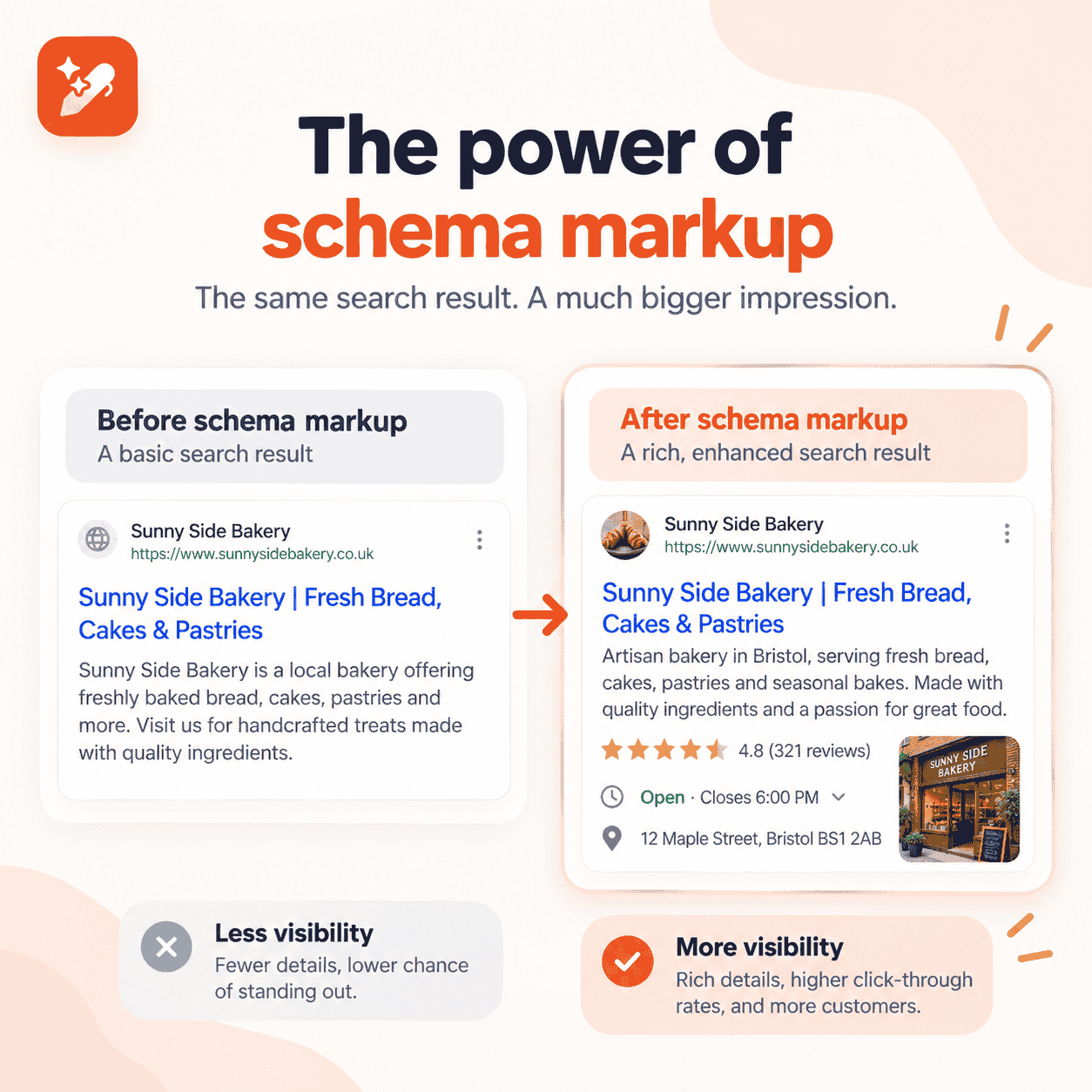
    The payoff can be real. In Google’s structured data case studies, Rotten Tomatoes saw a 25% higher click-through rate on pages with structured data.

    18. Product review schema

    Review schema marks up a single review of a product, with the reviewer and their rating. Editorial review sites use it heavily.

    • Use it on: product review articles and individual customer reviews.
    • Key properties: itemReviewed, author, reviewRating, reviewBody.
    • Google status: supported as review snippets.

    One rule to remember: reviews a business writes about itself aren’t eligible for stars. Keep it to genuine, independent reviews.

    19. Aggregate rating schema

    AggregateRating summarizes many reviews into one average score and count. It’s what produces the “4.7 stars from 128 reviews” line.

    • Use it on: products, recipes, software, and other items with real ratings.
    • Key properties: ratingValue, reviewCount or ratingCount, bestRating.
    • Google status: supported inside review snippets.

    AggregateRating never stands alone. Nest it inside the Product, Recipe, or SoftwareApplication it describes.

    20. Software schema

    SoftwareApplication schema describes apps, games, and SaaS tools. It can show ratings and price in search.

    • Use it on: app landing pages and software product pages.
    • Key properties: name, operatingSystem, applicationCategory, offers, aggregateRating.
    • Google status: supported.

    SaaS brands often overlook this one. It’s a natural fit for pricing and product pages.

    21. Service schema

    Service schema describes something you do rather than something you sell in a box. Think SEO audits, plumbing, or legal advice.

    • Use it on: individual service pages.
    • Key properties: serviceType, provider, areaServed, offers.
    • Google status: no rich result, but it clarifies what your business offers.

    Agencies and consultants get the most from it. Pair each Service with your Organization or LocalBusiness as the provider.

    Event, job, and education schema types

    These types fit content tied to a date, a role, or a learning goal. Each has its own dedicated Google experience.

    22. Event schema

    Event schema describes something happening at a set time, online or in person. It can surface in Google’s event listings.

    • Use it on: event pages for concerts, webinars, workshops, and classes.
    • Key properties: name, startDate, endDate, location, eventStatus, eventAttendanceMode, offers.
    • Google status: supported.

    Update eventStatus if plans change. Google can then show an event as postponed or cancelled.

    23. Job posting schema

    JobPosting schema puts open roles into Google’s job search experience. It’s one of the most valuable types for hiring.

    • Use it on: each individual job listing page.
    • Key properties: title, description, datePosted, validThrough, hiringOrganization, jobLocation, baseSalary.
    • Google status: supported.

    Remove the markup, or set validThrough, once a role is filled. Expired listings frustrate applicants.

    24. Course schema

    Course schema describes a class or training program. Google now uses it for course lists, which show several courses from one provider.

    • Use it on: course catalog and course detail pages.
    • Key properties: name, description, provider, hasCourseInstance, offers.
    • Google status: supported for course lists. The separate Course info result was retired in 2025.

    25. Dataset schema

    Dataset schema describes data tables, research files, and open data. It helps your data appear in Google Dataset Search.

    • Use it on: pages hosting downloadable or public datasets.
    • Key properties: name, description, creator, license, distribution, temporalCoverage.
    • Google status: supported in Dataset Search.

    It’s a niche type, but a powerful one. Research teams and publishers with original data should never skip it.

    Which schema types has Google retired?

    Google has spent the last few years trimming features that rarely helped searchers. Every entry below comes from Google’s own Search Central updates log.

    WhenWhat changed
    May 2026FAQ rich results stopped showing for all sites
    November 2025Practice problem deprecated; Book actions kept after Google reversed its earlier notice
    June 2025Course info, Claim review (Fact check), Estimated salary, Learning video, and Vehicle listing deprecated
    April 2025Special announcement deprecated
    September 2023HowTo rich results removed on desktop and mobile; FAQ limited to well-known government and health sites

    Here’s the key point. Retired features don’t make the code invalid. They simply stop producing a special listing in Google.

    Which types of schema markup should your site use?

    You don’t need all 25. Use this table as a starting kit for your kind of site.

    Site typeMust-have typesAdd when relevant
    Blog or publisherOrganization, WebSite, Breadcrumb, Article, PersonVideo, Profile page, Image metadata
    Ecommerce storeOrganization, WebSite, Breadcrumb, ProductProduct review, Aggregate rating
    Local businessLocal business, WebSite, BreadcrumbService, Event, Product review
    SaaS companyOrganization, WebSite, Software, BreadcrumbArticle, Video, Person
    Agency or consultantOrganization, WebSite, Service, BreadcrumbPerson, Article, Profile page
    Events or educationOrganization, Event or Course, BreadcrumbVideo, Q&A
    Community or forumOrganization, WebSite, Discussion forumQ&A, Profile page
    Research or dataOrganization, Dataset, ArticlePerson, Image metadata

    Start with the must-haves on your top pages. Then roll out the extras once the basics validate cleanly.

    Schema is only one piece of on-page SEO, so don’t skip titles, headings, and content quality along the way.

    Which schema types matter most for AI search?

    The short answer: the ones that define your entity. Organization, Person, Product, and LocalBusiness tell search systems exactly who and what you are.

    Google is clear that you don’t need any special markup to appear in AI features. Its AI features guidance says there’s “no special schema.org structured data that you need to add.”

    Still, consistent entity data helps search engines connect your brand across the web. That supports AI search optimization and the brand mentions behind citation SEO.

    The best way to know if it’s paying off? Track your AI visibility before and after you roll out new markup.

    How Contentpen supports a schema-ready content strategy

    Markup describes your content, but it can’t fix weak content. Contentpen, an AI SEO tool, helps you build pages that each schema type can describe cleanly.

    Write better blogs in less time, without sacrificing quality.

    Let AI handle structure, clarity, and flow while you stay in control of the message.

    Try AI blog writing →
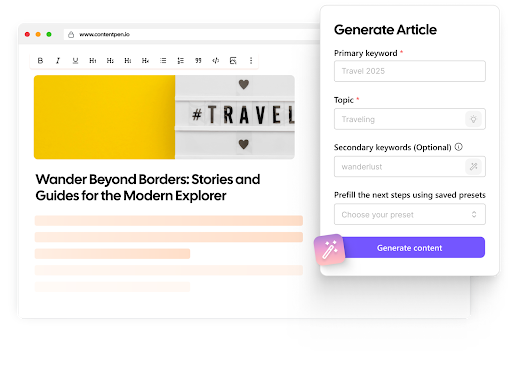
    AI SEO Interface

    Here’s how it fits into your schema workflow:

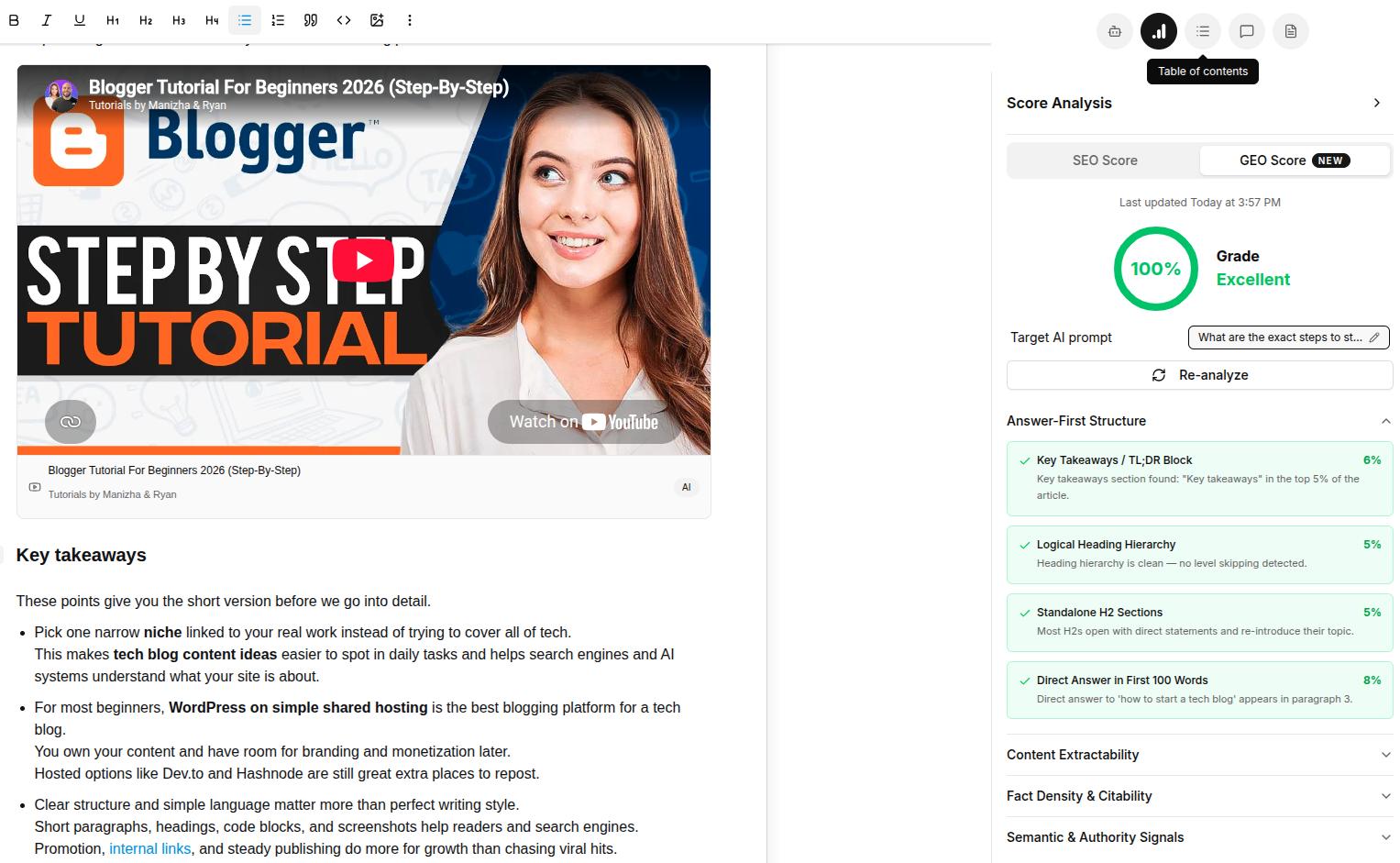
    • Structure built for extraction. The AI search optimization tool scores content with a real-time GEO score and adds key takeaways and a linked table of contents.
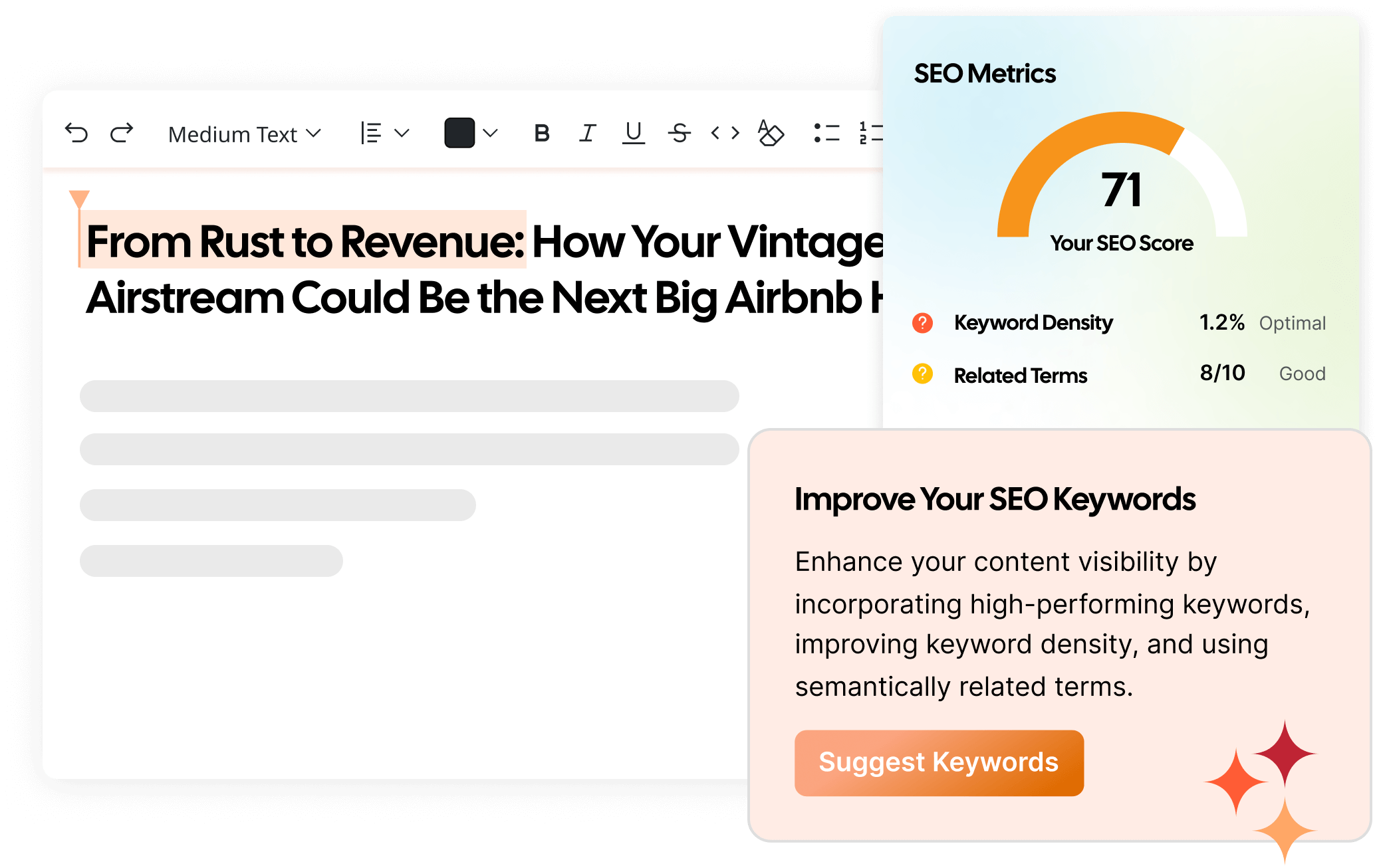
    • Clean article basics. SEO scoring checks heading hierarchy, meta details, image alt tags, and named entities, the same fields Article markup relies on.
    • Publishing to your CMS. Posts go straight to WordPress, Shopify, Webflow, and more, where your schema plugin adds the JSON-LD.
    • Proof it’s working. Website analytics pulls in Search Console data, so you can watch clicks and CTR on pages with new markup.

    Managing schema across dozens of client sites? See how Contentpen for agencies handles content at scale.

    Create rank worthy content at scale

    check

    Faster

    check

    Consistent

    check

    SEO-ready

    check

    Efficient

    Try Bulk Content Creation →
    AI SEO Interface

    Fewer schema types, done well, beat a long list

    There are 25 schema types worth knowing, but no site needs all of them. Chasing every type wastes time on markup that shows nothing.

    Start with the site and entity types, add the ones that match your pages, and treat FAQ and HowTo as optional. Then validate, publish, and check the results in Search Console.

    A short, accurate set of types will always outperform a long, messy one.

    Frequently asked questions

    Can I create my own custom schema type?

    No, search engines only understand types defined in the schema.org vocabulary. If nothing fits exactly, use the closest parent type and add detail with the additionalType property.

    How many schema types can one page have?

    There’s no fixed limit. Most pages carry three to five types, such as Organization, Breadcrumb, WebPage, and Article, linked together with @id.

    Does Google read schema types it doesn’t show as rich results?

    Yes, Google can still parse valid schema.org markup for understanding. It just won’t create a special search feature for unsupported types.

    Do schema types work the same in JSON-LD, Microdata, and RDFa?

    Yes, the type and its properties stay the same in every format. Only the syntax changes, and Google recommends JSON-LD when your setup allows it.

    Will removing deprecated schema hurt my site?

    No. Retired types don’t help or hurt rankings, so removing them mostly cleans up your code.

    Is there a tool that shows which schema types a page uses?

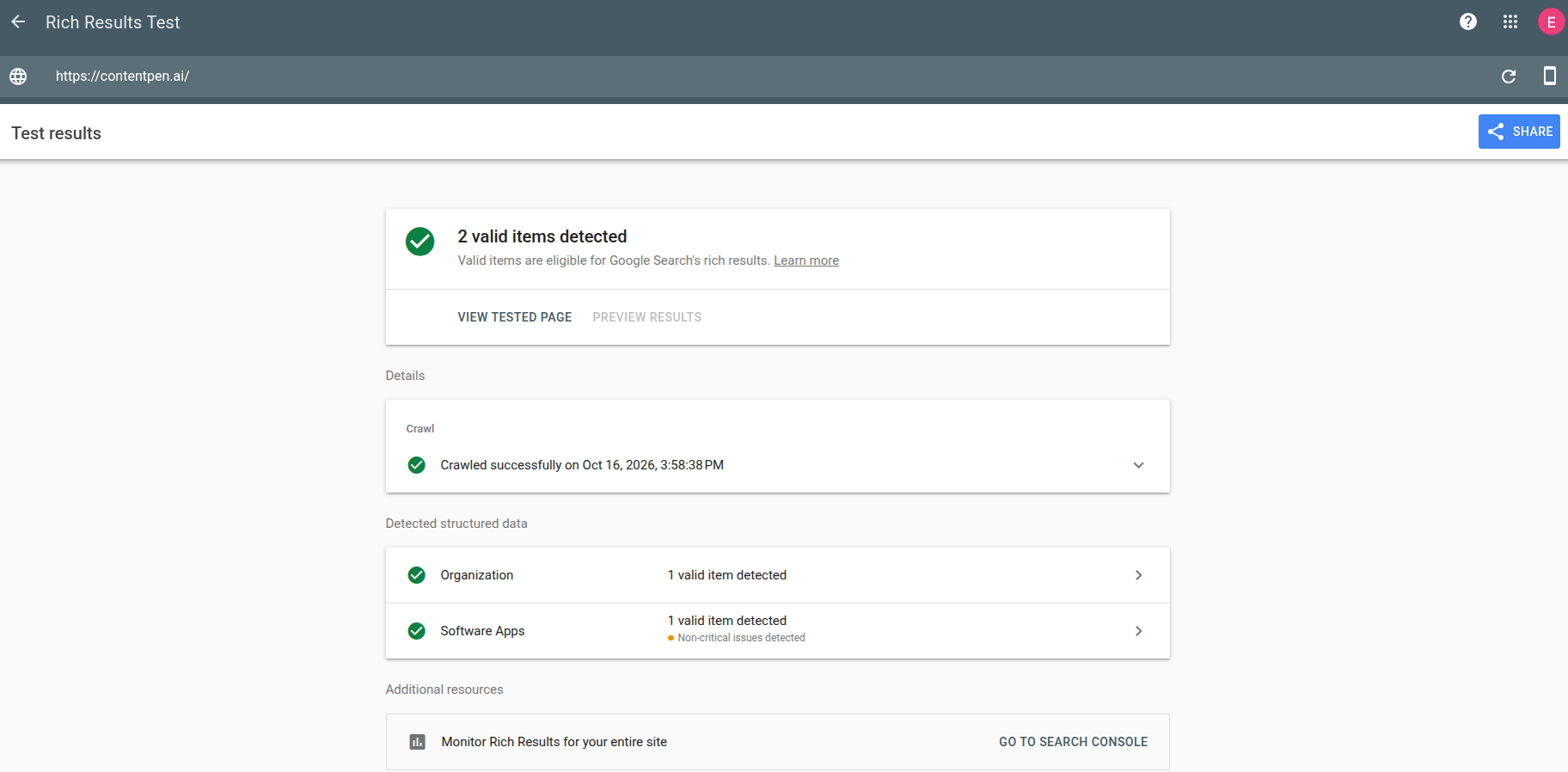
    Yes. Paste any URL into the Schema Markup Validator or Google’s Rich Results Test to see every type on the page and any errors.
  • Does schema markup help AI search? An honest guide

    Does schema markup help AI search? An honest guide

    Schema markup for AI optimization means using structured data to help AI search systems identify your brand, products, and authors without guessing. It won’t get you cited on its own.

    Google says no special schema is needed for AI Overviews, and a 1,885-page study found almost no citation lift. However, schema still strengthens the search indexes and entity data that AI answers draw from.

    Sounds confusing? You’re not alone.

    Half the internet says schema is the secret to AI visibility, and the other half says AI ignores it.

    That noise leads teams to spend weeks on markup and then wonder why ChatGPT still doesn’t mention them. Or they skip schema entirely and leave their entity data a mess.

    This guide sorts the evidence, explains how AI systems actually treat schema, and gives you a seven-step plan plus a way to test it.

    Here’s what we know in 2026.

    Key takeaways

    • Schema markup supports AI optimization indirectly, mainly by making entities clear to search indexes and knowledge graphs.
    • Google states there is no special schema required to appear in AI Overviews or AI Mode.
    • A controlled Ahrefs study of 1,885 pages found AI citations barely moved after adding schema.
    • LLMs that fetch pages live tend to read JSON-LD as plain text, valid or not.
    • Organization, Person, Product, and LocalBusiness, linked with sameAs and @id, matter most.
    • Test it yourself with control pages and AI visibility tracking instead of trusting vendor claims.

    What is schema markup for AI optimization?

    It’s the practice of using schema.org markup to make your content easier for AI-powered search to understand. The goal isn’t a rich result. It’s entity clarity. It’s one small part of generative engine optimization.

    When an AI system builds an answer, it needs to know who you are and what you sell. It also needs to know which facts on your page are current.

    Schema states those facts in a fixed format. Think of it as the fact sheet stapled to your content. It sits beside the broader work of answer engine optimization, which focuses on answers worth quoting.

    How do AI search engines use schema markup?

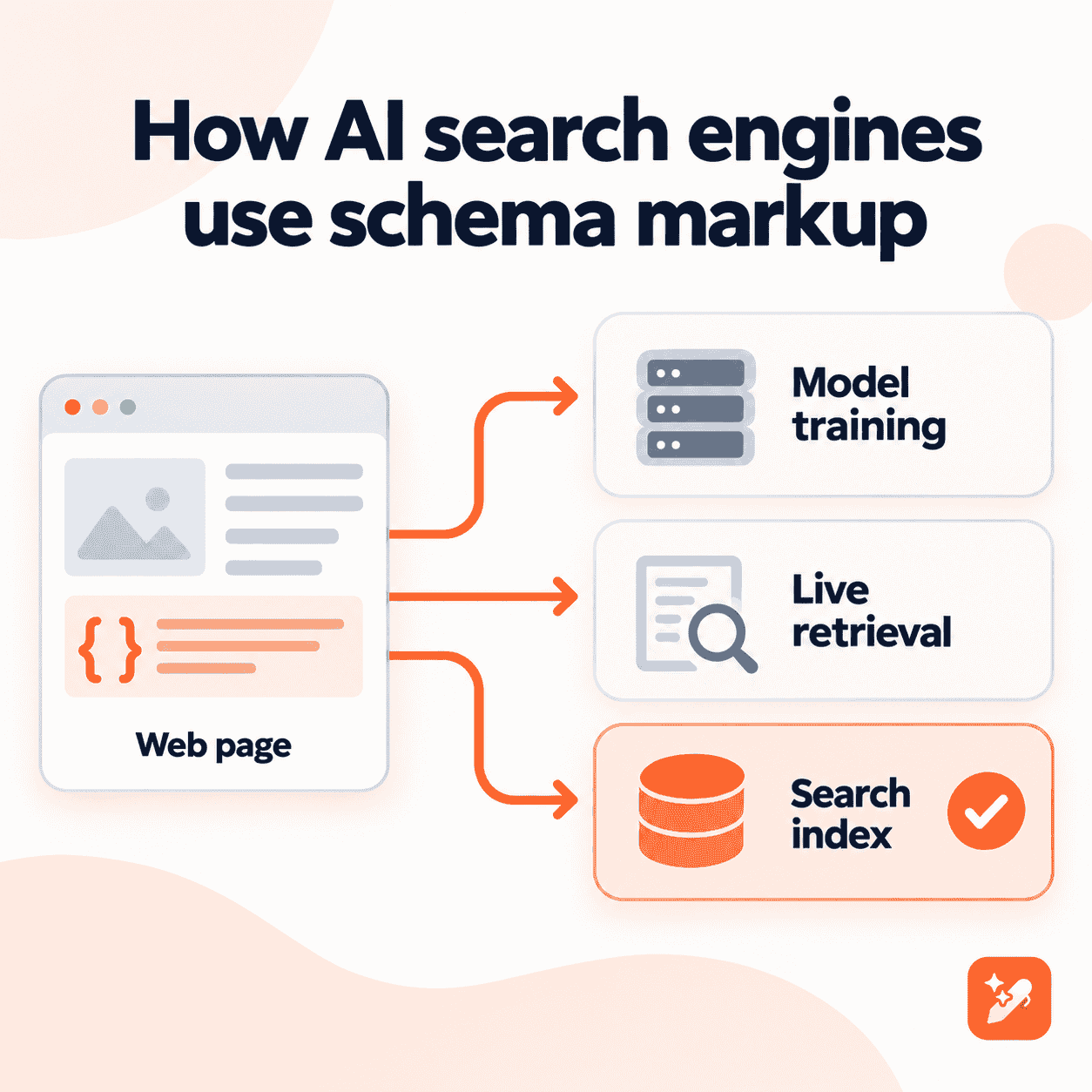
    Here’s where most guides get it wrong. “AI search” isn’t one system, and schema plays a different role in each path.

    PathwayWhat happensDoes schema help?
    Model trainingPages are scraped and cleaned into training textRarely, since common pipelines strip scripts, including JSON-LD
    Live retrievalTools like ChatGPT search or Perplexity fetch a page when answeringPartly, as JSON-LD may be read as plain text, not parsed as schema
    Search index and knowledge graphGoogle and Bing index pages and build entity graphs that AI features draw fromYes, this is where structured data is actually used

    The third path is why schema still matters. Google’s AI Overviews and Bing Copilot lean on the same indexes that have used structured data for years.

    How AI search engines use schema markup across three pathways

    What does the evidence actually say?

    Let’s look at the sources, not the hype. This table pulls together the main statements and studies so far.

    SourceFindingHow strong is it?
    Google, AI features and your website“There’s also no special schema.org structured data that you need to add” for AI Overviews or AI ModeOfficial guidance
    Bing, via Search Engine LandFabrice Canel said at SMX Munich 2025 that schema helps Microsoft’s LLMs understand contentParaphrased report, some dispute the context
    Ahrefs, 1,885 pagesAfter adding schema: AI Overviews citations fell 4.6%, AI Mode rose 2.4%, ChatGPT rose 2.2%Controlled study; only the AI Overview change was significant
    Search Engine Land experimentOnly the page with well-built schema appeared in an AI OverviewThree pages, described by its authors as inconclusive
    Mark Williams-Cook test, via Search Engine RoundtableChatGPT and Perplexity returned an address found only in invalid JSON-LDSmall test, but clear on how live retrieval reads code

    So what’s the verdict? Schema isn’t a citation switch. It’s infrastructure that helps the search side of AI understand you.

    Does ChatGPT read JSON-LD?

    Sometimes, but probably not the way you’d hope. In the Williams-Cook test, ChatGPT pulled a fact from broken JSON-LD, which suggests it read the code as text.

    That means it may notice what’s in your markup. It just doesn’t seem to reward valid schema over the visible content on your page.

    Do you need special schema for AI Overviews?

    No. Google’s guidance says AI Overviews and AI Mode have no extra technical requirements beyond normal Search eligibility.

    It does list one structured data best practice: your markup should match the visible text on the page. Accuracy beats volume.

    Which schema types matter most for AI search?

    Focus on schema types that define who and what you are. These carry the entity facts AI answers repeat most.

    Schema typeWhy it helps AI searchKey properties
    OrganizationConfirms your brand name, logo, and official profilesname, url, logo, sameAs
    PersonTies authors to real credentials and profilesname, jobTitle, worksFor, sameAs
    Product with OfferStates price, availability, and ratings preciselyname, offers, aggregateRating
    LocalBusinessFixes your address, hours, and service areaaddress, openingHoursSpecification, geo
    Article or BlogPostingSignals freshness and authorshipdatePublished, dateModified, author
    BreadcrumbListShows how your topics connectitemListElement

    What about FAQPage? Google stopped showing FAQ rich results in May 2026. A clear, visible FAQ section is still worth keeping, though, because AI tools quote well-formed questions and answers.

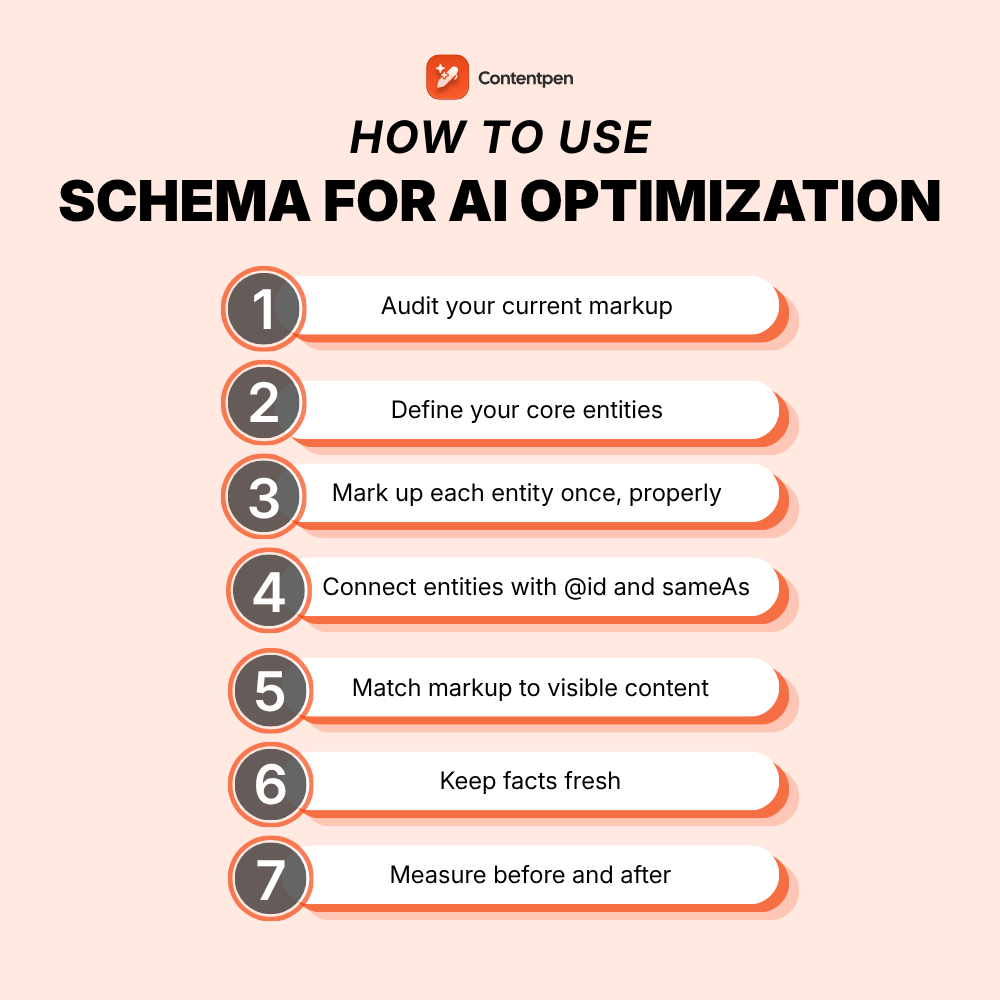
    How to use schema markup for AI optimization in 7 steps

    Ready to put this into practice? Follow these steps in order.

    1. Audit your current markup: Run key pages through the Rich Results Test and the Schema Markup Validator. Note errors, duplicates, and missing types.
    2. Define your core entities: List your brand, key people, products, and locations. Each one should get a single, authoritative page.
    3. Mark up each entity once, properly: Add Organization on the homepage, Person on author pages, and Product or LocalBusiness where relevant.
    4. Connect entities with @id and sameAs: Give each entity a stable @id and link it to its official profiles. This builds one consistent identity.
    5. Match markup to visible content: Every fact in your JSON-LD should appear on the page, with the same price, name, and dates.
    6. Keep facts fresh: Update dateModified and prices whenever the page changes, and never fake freshness.
    7. Measure before and after: Track the AI prompts you care about for a few weeks before the change and a few weeks after.

    This entity-first approach is one of the biggest differences in AI search optimization vs. traditional SEO.

    How can you test whether schema helps your AI visibility?

    Don’t take anyone’s word for it, ours included. Run a simple test on your own site.

    • Pick matched pages: Choose 10 to 20 similar pages and add schema to half of them. Leave the other half as your control group.
    • Track the same prompts: Monitor the questions buyers ask in ChatGPT, Perplexity, Gemini, and Google AI Mode.
    • Wait, then compare: Give it at least four weeks, then compare citation changes between the two groups.
    • Check live retrieval: Put a harmless, unique detail only in your JSON-LD, then ask an AI tool about it.

    A structured AI visibility audit gives you the baseline to make this comparison fair.

    When does schema matter most for AI?

    Not every site gains the same amount. Schema tends to matter more in a few situations:

    • New or small brands that search engines don’t know yet.
    • Ambiguous names that clash with other companies, products, or people.
    • Product catalogs where price and stock change often.
    • Local businesses with several locations or service areas.

    It matters less for well-known brands that already have a clear knowledge panel. That may be why the Ahrefs study, which tested pages already being cited, saw so little change.

    What mistakes hold back schema for AI?

    These errors waste effort or, worse, send conflicting signals.

    • Treating schema as a shortcut: Markup can’t make thin content quotable.
    • Mismatched facts: A price in JSON-LD that differs from the page confuses every system that reads both.
    • Fake freshness: Bumping dateModified without real changes erodes trust.
    • Inconsistent entity names: Using “Brand Inc.” in one place and “Brand” in another splits your identity.
    • Ignoring off-site signals: AI answers lean heavily on mentions elsewhere, which is why share of voice in AI results matters as much as your own code.

    How Contentpen helps you measure AI optimization

    Schema is only worth the effort if you can see whether it moves anything. Contentpen, an AEO tool built for SEO and AI search, gives you that visibility.

    Find your brand in AI search

    check

    Track AI citations, share of voice, and brand sentiment

    check

    Find the top sources driving citations

    Try AI Visibility →
    AI SEO Interface
    • Track AI mentions across seven engines: The AI visibility tool monitors ChatGPT, Google AI, Copilot, Perplexity, Gemini, Grok, and Claude for the prompts you choose.
    • Write content worth citing: The GEO optimization tool scores drafts in real time and flags fixes, so the page under your schema is clear and extractable.
    • Compare before and after: Shareable visibility reports and exportable analytics make your control-group test easy to run and report.
    • Work from your AI assistant: The new Contentpen MCP server connects Claude, ChatGPT, Cursor, and other MCP-compatible assistants to your workspace.

    Contentpen doesn’t generate schema for you. It shows whether your schema and content changes actually change what AI says about your brand.

    AI Visibility is included in every plan. Check Contentpen pricing and start tracking your first prompts.

    Schema is the label, your content is the reason

    Schema markup won’t make AI cite you by itself. The best evidence in 2026 says it’s a supporting layer, not a growth lever.

    What it does well is remove doubt. It tells search indexes exactly who you are, what you offer, and how your pages connect.

    So mark up your core entities, keep the facts accurate, and spend most of your energy on content worth quoting. Then measure, and let your own data decide.

    Frequently asked questions

    Is llms.txt better than schema markup for AI?

    They do different jobs. llms.txt is a proposed file that points AI tools to key pages, while schema describes entities on each page, and Google says neither is required for its AI features.

    Can AI tools generate schema markup for me?

    Yes, tools like ChatGPT or Claude can draft JSON-LD in seconds. Always validate the output, since AI often invents properties or misses required ones.

    Does Perplexity use schema markup?

    Perplexity hasn’t published official guidance on schema. Small tests suggest it reads JSON-LD as plain text when it fetches a page.

    Should I add schema to every page for AI search?

    Start with the pages that define your entities: homepage, about, author, product, and location pages. Blog posts and other content pages can follow once those validate cleanly.

    How long does it take to see AI visibility changes after adding schema?

    Give it at least four to six weeks. Search engines must recrawl your pages, and AI answers shift gradually as indexes update.

    Does Speakable schema help with voice assistants?

    Speakable is still a beta feature in Google’s gallery, with limited support. It’s worth testing for news content, but don’t expect wide voice assistant coverage.

  • SEO vs GEO vs AEO: What each one does and how they work together

    SEO vs GEO vs AEO: What each one does and how they work together

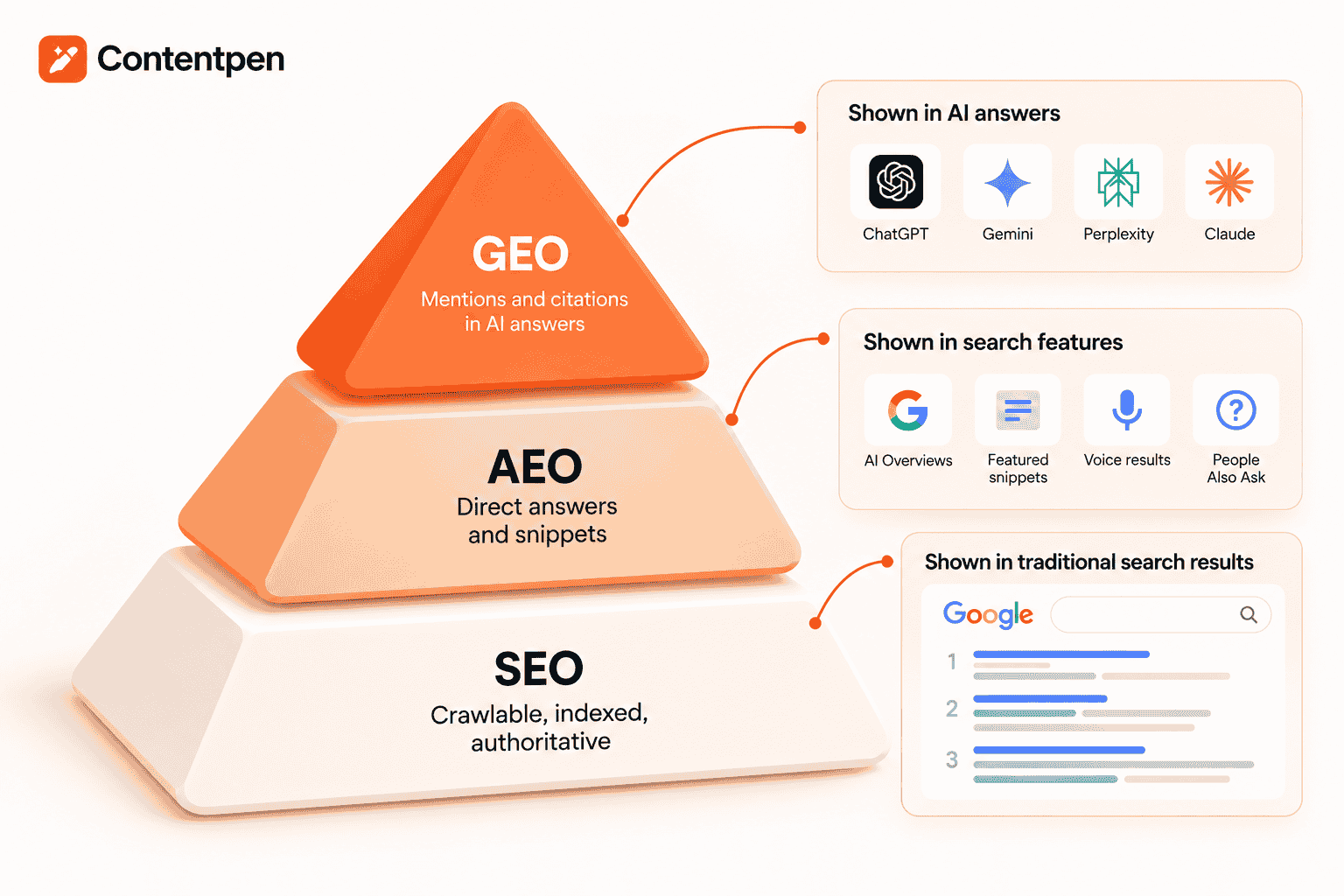
    SEO vs GEO vs AEO comes down to where you want to show up. SEO gets your page ranked in search results. AEO gets your content pulled out as the direct answer, and GEO gets your brand cited inside AI answers from tools like ChatGPT and Gemini.

    All three share one foundation: useful, well-structured content that machines can trust. The difference is the surface you win on and how you measure the win.

    Yet most marketers are being pitched these as three separate services, each with its own playbook and price tag.

    That leaves most teams guessing. Do you rewrite everything for AI? Do you stop building links? Do you hire a “GEO specialist” and hope for the best?

    You don’t need three strategies. You need one content system that ranks, answers, and earns citations at the same time.

    This guide breaks down what each term means, where they overlap, how to measure them, and a 30-day plan to cover all three.

    Let’s start with the basics.

    Key takeaways

    • SEO wins rankings and clicks, AEO wins the direct answer, and GEO wins citations in AI-generated responses.
    • AEO is about being extracted. GEO is about being trusted enough to be one of the few sources an AI blends into its answer.
    • GEO does not replace SEO. AI engines still pull from pages that are crawlable, indexed, and authoritative.
    • AIO, LLMO, AI SEO, and LLM SEO are mostly new labels for parts of AEO and GEO.
    • Each layer needs its own metrics: rankings for SEO, answer ownership for AEO, and citation share for GEO.
    • One well-built page can serve all three if it leads with a clear answer, uses clean structure, and backs claims with sources.

    What do SEO, AEO, and GEO each optimize for?

    Think of them as three questions a search system asks about your content. Should this page rank? Is this the answer? Should I trust and cite this brand?

    SEO, or search engine optimization: earning the ranked spot

    SEO is the practice of getting your pages to rank in the organic results on Google and Bing. The goal is a click to your site.

    It rests on three pillars:

    • On-page work: keywords, headings, meta data, and content that matches what the searcher wants.
    • Technical SEO: crawlability, speed, indexing, canonicals, and mobile usability.
    • Off-page signals: backlinks, brand mentions, and overall authority.

    AEO, or answer engine optimization: becoming the answer

    AEO is the practice of structuring content so a search system can lift it out as the direct answer. That answer might be a featured snippet, a People also ask box, a voice reply, or a line inside Google AI Overviews.

    The focus shifts from the whole page to the single passage. Short, self-contained answers under question-based headings tend to win here.

    GEO, or generative engine optimization: becoming the cited source

    GEO is the practice of making your brand and content the source that large language models cite when they write an answer. Think ChatGPT, Gemini, Perplexity, Claude, Copilot, and Google’s AI Mode.

    The term comes from a 2023 research paper by Aggarwal and colleagues. They found that GEO methods could lift visibility in generative engine responses by up to 40%.

    GEO cares about more than your own pages. It weighs how often trusted third parties mention you, how consistently your brand is described, and whether your content carries facts worth quoting.

    How do SEO, AEO, and GEO compare side by side?

    Let’s line them up. Full forms first, then the details that actually change your workflow.

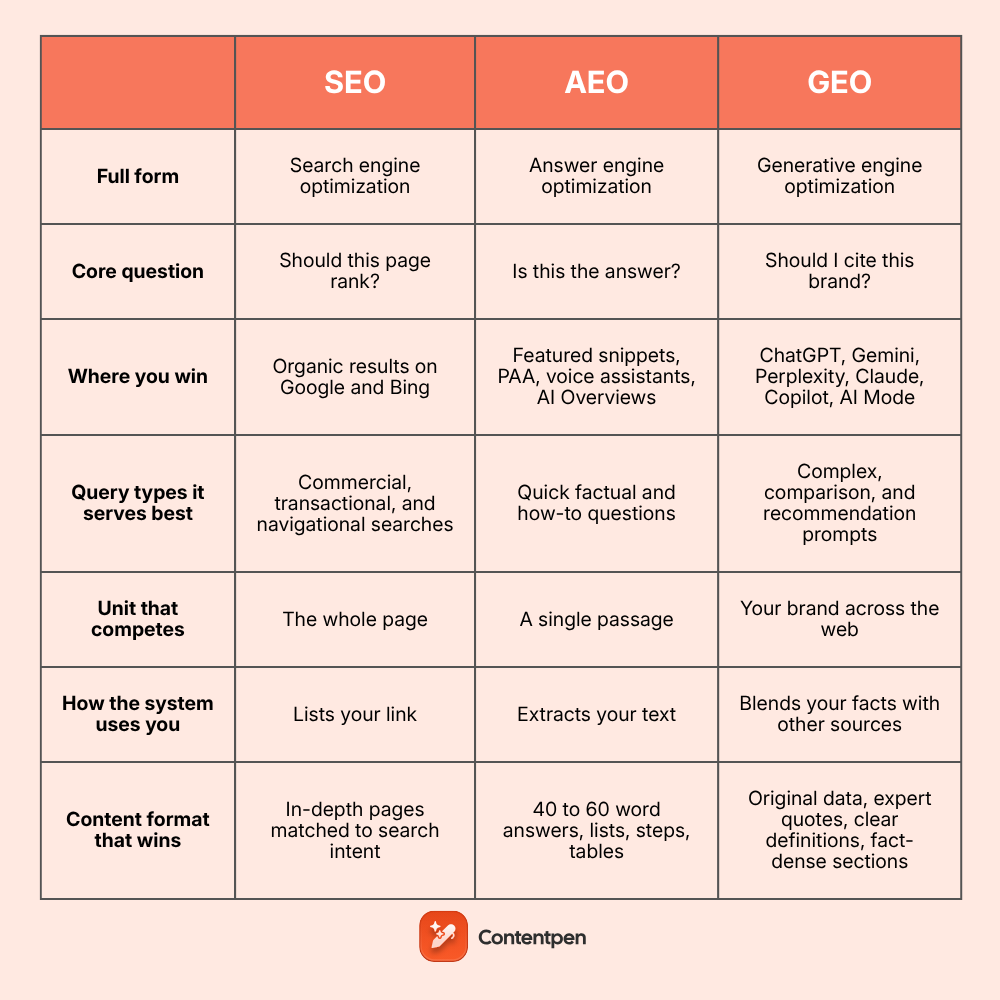
    FactorSEOAEOGEO
    Full formSearch engine optimizationAnswer engine optimizationGenerative engine optimization
    Core questionShould this page rank?Is this the answer?Should I cite this brand?
    Where you winOrganic results on Google and BingFeatured snippets, PAA, voice assistants, AI OverviewsChatGPT, Gemini, Perplexity, Claude, Copilot, AI Mode
    Query types it serves bestCommercial, transactional, and navigational searchesQuick factual and how-to questionsComplex, comparison, and recommendation prompts
    Unit that competesThe whole pageA single passageYour brand across the web
    How the system uses youLists your linkExtracts your textBlends your facts with other sources
    Content format that winsIn-depth pages matched to search intent40 to 60 word answers, lists, steps, tablesOriginal data, expert quotes, clear definitions, fact-dense sections
    Strongest signalsRelevance, backlinks, technical healthClear answers, heading structure, schemaAuthority, third-party mentions, consistent brand info, original data
    Where the work happensMostly on your site, plus link buildingAlmost entirely on your siteOn your site and across reviews, forums, press, and directories
    Key tacticsKeyword research, on-page optimization, technical fixes, link buildingQuestion-based headings, answer-first copy, FAQ and HowTo schemaDigital PR, community presence, sourced stats, entity consistency
    Technical must-havesCrawlable, fast, indexed pages with clean canonicalsValid structured data and clean HTMLAccess for AI crawlers like OAI-SearchBot and PerplexityBot
    Control over the outputHigh: your title and meta show as writtenMedium: your words, chosen by the engineLow: the AI rewrites and blends your content
    Typical outcomeA clickOften a zero-click viewA mention or citation, sometimes a click
    Speed of resultsSlow to build, compounds over timeCan move within weeks on pages that already rankSlowest, follows authority built over months
    Main metricRankings and organic trafficAnswer ownershipCitation share and AI visibility
    Risk if you ignore itAI engines have fewer indexed pages of yours to draw fromCompetitors become the default answerAI tools recommend competitors when buyers ask

    The big takeaway?

    The further right you move in the table, the less you control the final output. That’s why GEO leans so heavily on reputation built outside your own site.

    Is GEO the same as AEO?

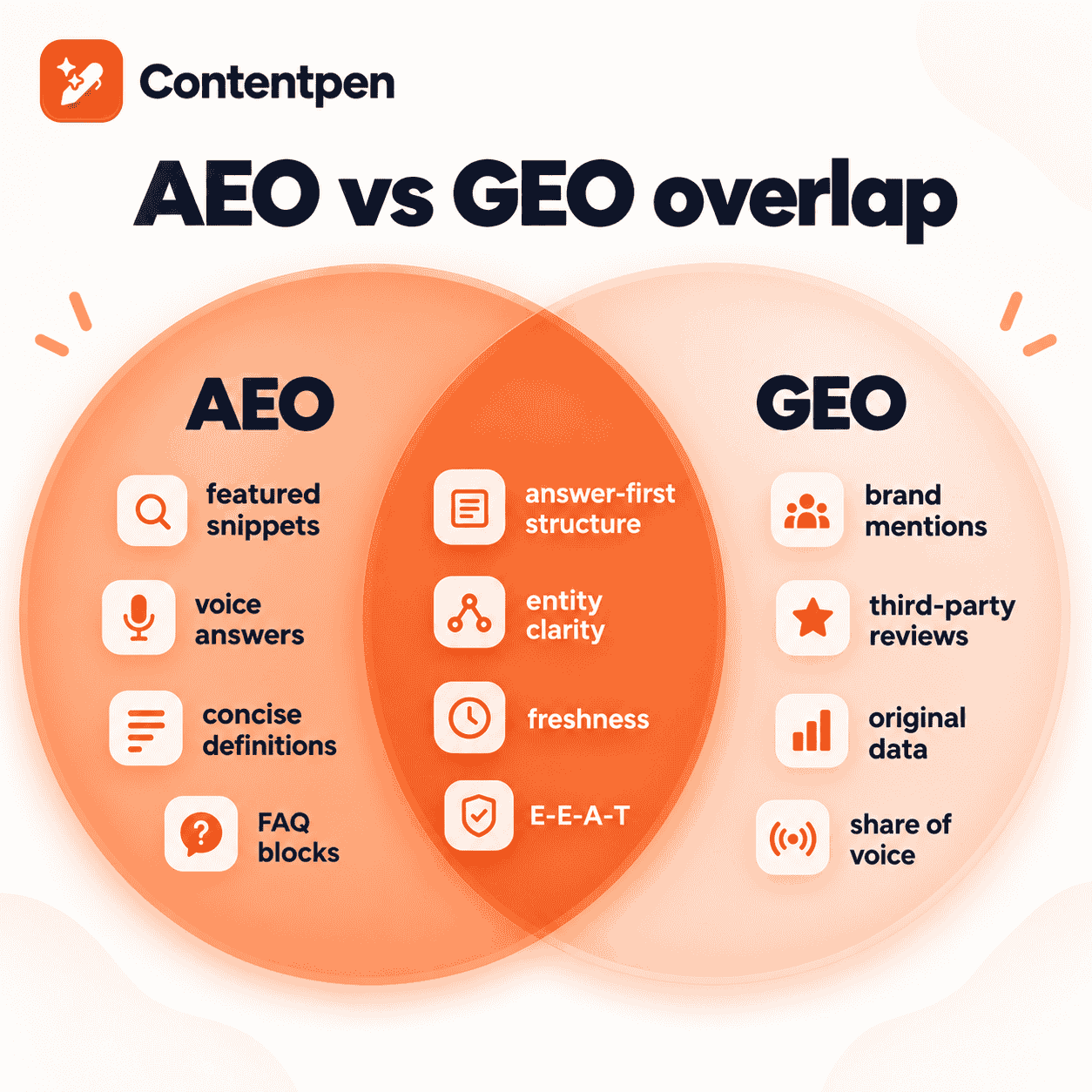
    Not quite, though the line is blurry. Many people now use AEO as an umbrella term for all AI answers, which is where the confusion starts.

    The cleanest way to split them is by what the system does with your content:

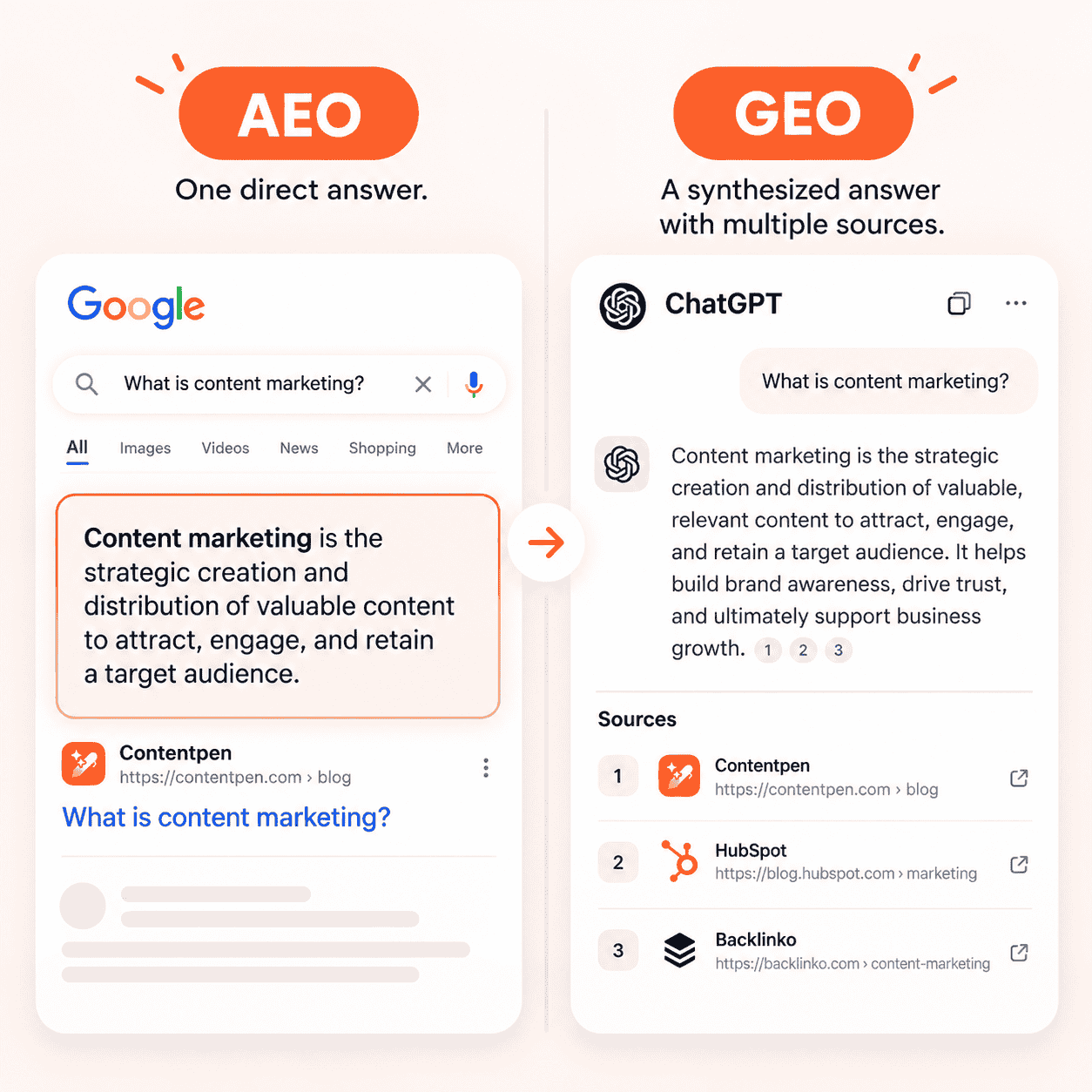
    • AEO is extraction: The engine finds one passage on your page and shows it, often word for word.
    • GEO is synthesis: The engine reads many sources, writes its own answer, and cites a few of them.

    So AEO is mostly won on the page. GEO is won on the page and off it, through reviews, forum threads, directories, and press that mention you.

    Want a concrete AEO vs GEO example? Picture someone asking, “What is a canonical tag?”

    • AEO win: your 45-word definition appears as the featured snippet, exactly as you wrote it.
    • GEO win: someone asks ChatGPT “best way to fix duplicate content issues,” and the answer cites your guide alongside two others.

    Is GEO the same as SEO, or is it replacing it?

    No, on both counts. GEO sits on top of SEO rather than replacing it.

    The reason is simple. AI engines still need to find your content before they can cite it, and most of them lean on web search indexes to do that. If a page can’t be crawled or doesn’t rank anywhere, its odds of being cited drop sharply.

    What changes is the scoring. Traditional SEO rewards relevance and links to a page, while GEO rewards how believable and quotable your brand looks across the whole web.

    Where do AIO, LLMO, and AI SEO fit in?

    If you’ve searched “SEO vs GEO vs AEO vs AIO” or “vs LLMO,” you’ve seen how fast the labels multiply.

    The good news?

    Most of them describe the same work from a slightly different angle.

    TermStands forWhat it usually meansClosest to
    AIOAI optimization, or AI Overview optimizationGetting featured in Google AI Overviews, or AI search in generalAEO
    LLMOLarge language model optimizationShaping how LLMs describe and recommend your brandGEO
    AI SEOAI search engine optimizationSEO practices adapted for AI-driven resultsGEO + AEO
    LLM SEOLLM search engine optimizationSame idea as LLMO, framed as an SEO taskGEO
    GSOGenerative search optimizationOptimizing for hybrid search like Google AI ModeGEO
    SXOSearch experience optimizationSEO plus UX and conversion on the landing pageSEO

    Don’t let the alphabet soup derail your planning. If you cover rankings, extractable answers, and brand authority, you’ve covered every one of these.

    Why does the difference matter for your traffic in 2026?

    Because clicks are getting harder to earn when an AI summary sits on top of the results. The data so far points in one direction.

    • A Pew Research Center study of 900 U.S. adults found users clicked a traditional result on 8% of visits when an AI summary appeared, versus 15% without one.
    • In the same study, people clicked a link inside the AI summary itself on only about 1% of visits.
    • Gartner predicted back in 2024 that traditional search engine volume would drop 25% by 2026 as people shift to AI chatbots and virtual agents.

    What does that mean in practice?

    Ranking alone no longer guarantees attention. You also need to be the answer, and the brand the AI names when it skips the click entirely.

    Understand what’s working, and why with real-time analytics

    Track performance and make smarter content decisions with clear insights.

    View Analytics Dashboard →
    AI SEO Interface

    What does one page built for all three look like?

    This is the part most comparisons skip. You don’t need three versions of a page. You need one page with three layers baked in.

    anatomy of a page optimized for SEO, AEO, and GEO

    Each part of the page pulls its weight in a different way:

    Page elementSEO jobAEO jobGEO job
    Answer in the first 100 wordsMatches search intent fastGives engines a clean passage to liftGives LLMs a quotable summary
    Question-based H2s and H3sTargets long-tail queriesMirrors how people askHelps chunk-level retrieval
    Comparison tablesEarns rich resultsEasy to extractStructured facts LLMs reuse
    Original data and cited statsEarns backlinksAdds precision to answersMakes you citation-worthy
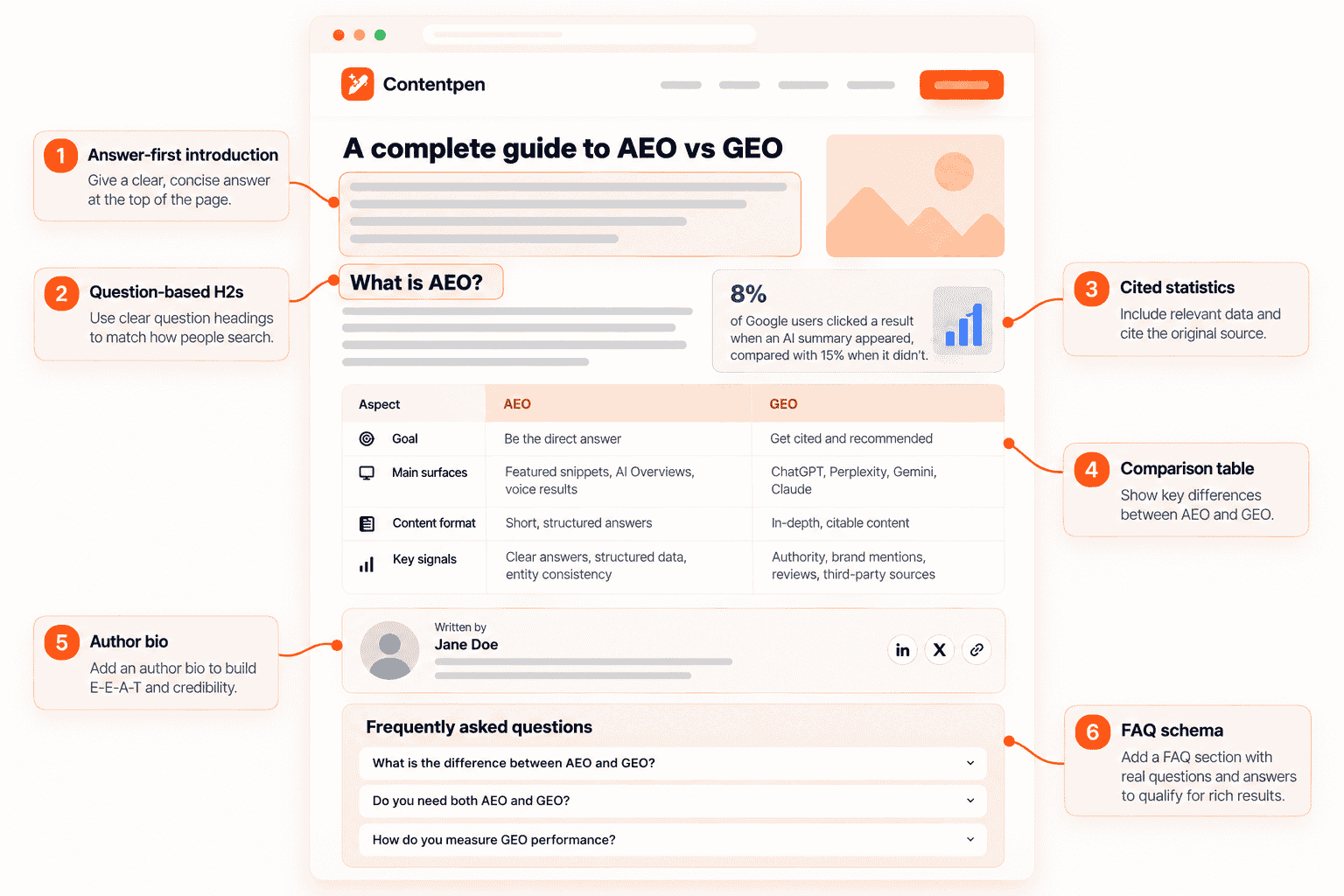
    Author bio with real credentialsSupports E-E-A-TBuilds answer trustStrengthens your brand entity
    FAQ and article schemaEligible for rich resultsClarifies Q&A pairsHelps machines parse context
    Contextual internal linksSpreads authorityConnects related answersShows topical depth

    One tip that pays off across all three: write each section so it makes sense on its own. AI systems often pull a single chunk, not your whole article.

    How do you measure each one?

    This is where teams go wrong most often. They judge GEO with SEO metrics, then decide it isn’t working.

    LayerWhat to trackWhere to find it
    SEORankings, impressions, organic clicks, conversionsGoogle Search Console, Ahrefs, your analytics tool
    AEOFeatured snippets owned, PAA appearances, AI Overview inclusionsRank trackers with SERP feature data, manual checks
    GEOBrand mentions and citations in AI answers, sentiment, share of voice against competitorsAI visibility trackers like Contentpen’s AI visibility tool, prompt testing, referral traffic from AI tools

    A simple rule helps. Keep a single content plan, give each layer its own scorecard, and begin GEO with an AI visibility audit so you have a baseline.

    Find your brand in AI search

    check

    Track AI citations, share of voice, and brand sentiment

    check

    Find the top sources driving citations

    Try AI Visibility →
    AI SEO Interface

    Which one should your team prioritize first?

    Start with SEO if your basics are shaky. Without crawlable, ranking pages, AEO and GEO have very little to work with.

    After that, the right mix depends on how your buyers search:

    Business typeWhere to leanWhy
    Local services and ecommerceSEO first, then AEOBuyers still search with transactional intent and click to buy or book
    B2B SaaSAll three, with GEO risingBuyers ask AI tools to compare vendors before they ever visit a site
    AgenciesAll three, sold as one programClients want rankings and AI visibility, and reporting both sets you apart
    Publishers and educatorsAEO and SEODefinitions and how-to answers are prime snippet and AI Overview material
    New brands with low authorityAEO, then GEOClear answers can win features faster than backlinks can build rank

    Not sure where you stand?

    Pick five questions your buyers ask. Search them on Google, then ask ChatGPT and Perplexity. Where you’re missing tells you where to start.

    A 30-day plan to cover SEO, AEO, and GEO together

    Ready to put this into motion? This is a realistic month for a small team.

    Week 1: Baseline and fix the foundation

    • Record rankings and clicks for your top 20 pages.
    • Run 20 to 30 buyer prompts across AI tools and note who gets cited.
    • Fix crawl errors, broken canonicals, and pages blocked by robots.txt.

    Week 2: Rebuild your top pages for answers

    • Add a direct answer in the first 100 words of each priority page.
    • Turn vague headings into the questions people actually ask.
    • Add a comparison table or step list wherever readers need to choose or act.

    Update existing content without rewriting it that fills them

    check

    Improve outdated posts using live URL analysis

    check

    Refresh SEO, structure, and relevance in minutes

    Try Content Refresh →
    AI SEO Interface

    Week 3: Add proof and structure

    • Replace unsourced claims with stats linked to the original study.
    • Add FAQ and article schema, plus real author bios.
    • Tighten internal linking so related answers point to each other.
    • Fill topic gaps using semantic SEO so each page covers the full subject, not just one keyword.

    Turn existing content into growth opportunities

    check

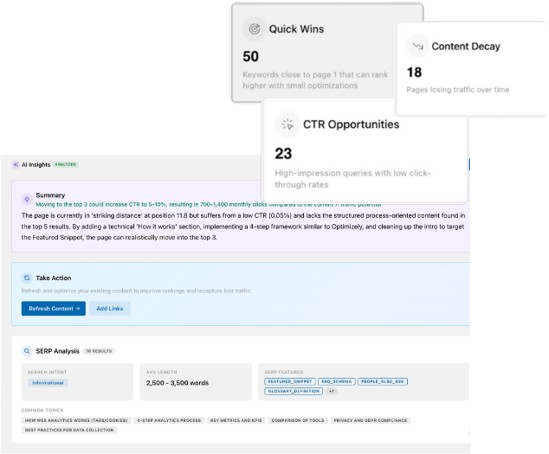
    Identify pages losing traffic or CTR

    check

    Find quick wins to improve clicks and rankings

    Find Content Opportunities →
    AI SEO Interface

    Week 4: Build authority off your site

    • Pitch one data point or expert quote to industry publications.
    • Show up where AI engines look for opinions, using Reddit SEO and relevant communities.
    • Get listed on trusted review sites and directories, a core part of citation SEO.
    • Rerun your week 1 prompts and compare.

    Don’t expect GEO to move in a month. Rankings and snippets can shift within weeks, but AI citations tend to follow authority, and authority takes longer.

    How Contentpen helps you run all three from one workspace

    Juggling a rank tracker, a writing tool, a schema plugin, and an AI monitoring tool gets messy fast. Contentpen is an SEO and AEO tool that brings that whole loop into one place.

    It maps neatly to each layer:

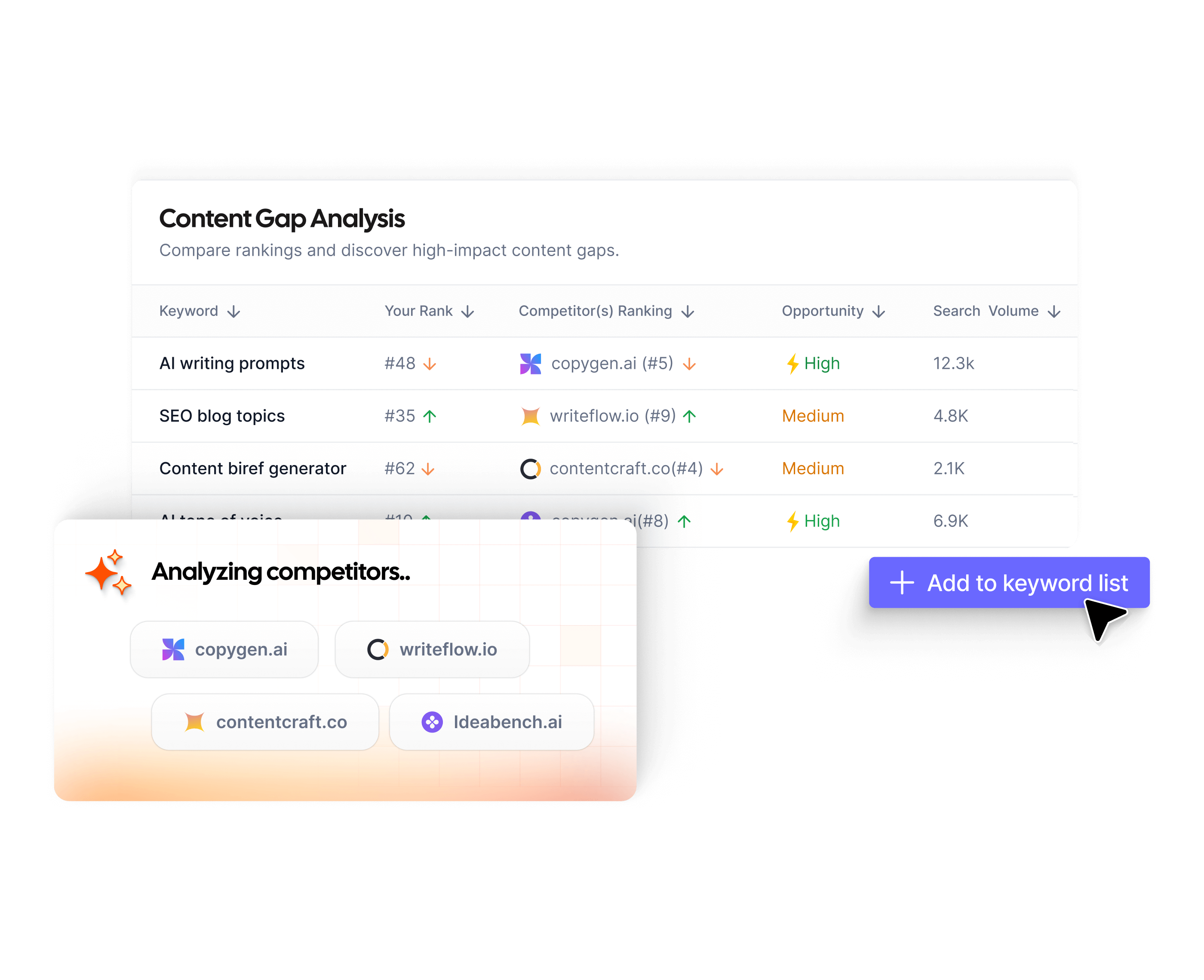
    • For SEO: find what to write with keyword research and topic clusters, then see what top pages cover with SERP and gap analysis. Google Search Console data sits right inside your workspace.
    • For AEO: write in an editor with live SEO and GEO scoring. Failing checks can be fixed with one AI pass, so answers, headings, and structure stay tight.
    • For GEO: AI Visibility tracks how ChatGPT, Google AI, Gemini, Perplexity, Copilot, Grok, and Claude mention your brand. It shows share of voice, sentiment, top cited sources, and the source gaps where competitors get cited and you don’t.

    Once a draft is ready, automated linking and one-click publishing to WordPress, Shopify, Wix, and other CMSs take care of the busywork. Teams can also connect Contentpen to AI assistants through its API and MCP server.

    Managing this for clients? See how Contentpen for agencies handles multiple brands in one account.

    Create rank worthy content at scale

    check

    Faster

    check

    Consistent

    check

    SEO-ready

    check

    Efficient

    Try Bulk Content Creation →
    AI SEO Interface

    Want to see where you stand across search and AI?

    Start with Contentpen today and track your rankings, answers, and AI citations in one place.

    One search strategy, three ways to win

    SEO, AEO, and GEO aren’t rivals. They’re three layers of the same job: making your content easy to find, easy to extract, and easy to trust.

    SEO gets you ranked. AEO gets you chosen as the answer. GEO gets your brand named when an AI writes the answer itself.

    Build one strong page at a time, measure each layer on its own terms, and keep earning mentions beyond your site. Do that, and the labels stop mattering.

    Frequently asked questions

    Do I need separate teams for SEO, AEO, and GEO?

    No. One content team can handle all three with the same workflow. The main additions are answer-first writing, stronger sourcing, and PR or community work for off-site mentions.

    Does schema markup guarantee a spot in AI answers?

    No. Schema helps machines understand your page, but it doesn’t force a citation. Content quality and brand authority still decide whether you get picked. Here’s what the evidence says about schema markup for AI search.

    Should I let AI crawlers access my site?

    If you want AI citations, yes. Blocking bots like OAI-SearchBot or PerplexityBot in robots.txt can keep your pages out of those answers. Some sites block training crawlers like GPTBot but allow search crawlers, so review each one.

    Is voice search part of AEO?

    Yes. Voice assistants read out a single answer, which is exactly what AEO optimizes for. Short, conversational answers under question headings work well for both.

    Can small businesses compete with big brands in GEO?

    They can, especially on niche or local topics. AI engines favor clear, specific, well-sourced answers, and a smaller brand that owns a narrow topic can get cited ahead of a generalist.

    Is AEO still worth doing if AI Overviews reduce clicks?

    Yes. Being the passage the AI pulls from keeps your brand in front of searchers, even without a click. Those impressions often turn into branded searches and direct visits later.

    Does AI-written content hurt my chances in GEO?

    Not by itself. What hurts is thin, generic content with no original insight or sources. Use AI to draft faster, then add real expertise, data, and a clear point of view.

  • Schema markup examples you can copy, paste, and validate

    Schema markup examples you can copy, paste, and validate

    A schema markup is a short block of JSON-LD code that describes a page’s content using the schema.org vocabulary. The simplest one names your organization:

    {“@context”: “https://schema.org“, “@type”: “Organization”, “name”: “Brightleaf”, “url”: “https://example.com”}

    Wrap it in a script tag, paste it into your page, and search engines can read it.

    The trouble is that most guides show schema as screenshots. You can’t copy an image, and retyping code by hand is how errors creep in.

    Worse, many examples online are outdated. Some still promise FAQ rich results that Google stopped showing in 2026.

    Below you’ll find 10 copyable schema markup examples, a connected multi-type example, and the steps to test them.

    Grab the one you need and adapt it.

    Key takeaways

    • Every example here uses JSON-LD, the format Google recommends whenever your setup allows it.
    • Start with Organization, WebSite, and BreadcrumbList, then add page-level types like Article or Product.
    • Always fill Google’s required properties, or valid code still won’t qualify for rich results.
    • Connect multiple types on one page with @graph and @id instead of separate, disconnected blocks.
    • FAQPage code is still valid, but it no longer earns a rich result in Google Search.
    • Test every snippet in the Rich Results Test and the Schema Markup Validator before going live.

    What does a schema markup example look like?

    Every JSON-LD example follows the same pattern. Once you see it, every other snippet becomes easy to read.

    PartWhat it doesExample value
    <script type=”application/ld+json”>Tells the browser this is structured dataWraps every snippet
    @contextNames the vocabulary“https://schema.org”
    @typeNames the thing you’re describing“Organization”, “Product”
    PropertiesThe facts about that thingname, url, price, author
    Nested objectsA thing inside a thingAn Offer inside a Product

    That’s the whole structure. Now let’s look at real examples.

    10 schema markup examples in JSON-LD

    Each snippet below includes the script tag, so you can paste it straight into a page. Swap the sample values for your own.

    1. Organization schema example

    Use this on your homepage or about page. The sameAs list ties your brand to its official profiles.


    <script type=”application/ld+json”>
    {
      “@context”: “https://schema.org”,
      “@type”: “Organization”,
      “name”: “Brightleaf”,
      “url”: “https://example.com”,
      “logo”: “https://example.com/logo.png”,
      “contactPoint”: {
        “@type”: “ContactPoint”,
        “contactType”: “customer support”,
        “email”: “support@example.com”
      },
      “sameAs”: [
        “https://www.linkedin.com/company/brightleaf”,
        “https://x.com/brightleaf”
      ]
    }
    </script>

    2. WebSite schema example

    This one tells Google your preferred site name. Place it on the homepage only.

    <script type=”application/ld+json”>
    {
      “@context”: “https://schema.org”,
      “@type”: “WebSite”,
      “name”: “Brightleaf”,
      “alternateName”: “Brightleaf Studio”,
      “url”: “https://example.com”
    }
    </script>

    3. BreadcrumbList schema example

    Breadcrumbs show the page’s path instead of a raw URL. Each step needs a position, a name, and a link.

    <script type=”application/ld+json”>
    {
      “@context”: “https://schema.org”,
      “@type”: “BreadcrumbList”,
      “itemListElement”: [
        { “@type”: “ListItem”, “position”: 1, “name”: “Home”, “item”: “https://example.com” },
        { “@type”: “ListItem”, “position”: 2, “name”: “Blog”, “item”: “https://example.com/blog” },
        { “@type”: “ListItem”, “position”: 3, “name”: “Schema guide” }
      ]
    }
    </script>

    The last item can skip the item URL, since it’s the current page.

    4. Article schema example

    Use BlogPosting for blog posts and NewsArticle for news. Keep dateModified honest, because stale dates erode trust.

    <script type=”application/ld+json”>
    {
      “@context”: “https://schema.org”,
      “@type”: “BlogPosting”,
      “headline”: “How to plan a content calendar”,
      “image”: “https://example.com/images/calendar.jpg”,
      “datePublished”: “2026-09-02”,
      “dateModified”: “2026-10-10”,
      “author”: {
        “@type”: “Person”,
        “name”: “Sara Khan”,
        “url”: “https://example.com/authors/sara”
      },
      “publisher”: {
        “@type”: “Organization”,
        “name”: “Brightleaf”,
        “logo”: “https://example.com/logo.png”
      }
    }
    </script>

    Article markup works best on content that’s already well built. If you’re still drafting, learn how to write a blog post for SEO first.

    Write better blogs in less time, without sacrificing quality.

    Let AI handle structure, clarity, and flow while you stay in control of the message.

    Try AI blog writing →
    AI SEO Interface

    5. Product schema example

    This is the snippet ecommerce stores ask about most. It combines Product, Offer, and AggregateRating in one block.

    <script type=”application/ld+json”>
    {
      “@context”: “https://schema.org”,
      “@type”: “Product”,
      “name”: “Brightleaf Ceramic Mug”,
      “image”: “https://example.com/images/mug.jpg”,
      “description”: “A 350 ml handmade ceramic mug.”,
      “sku”: “BL-MUG-01”,
      “brand”: { “@type”: “Brand”, “name”: “Brightleaf” },
      “offers”: {
        “@type”: “Offer”,
        “url”: “https://example.com/mug”,
        “price”: “24.00”,
        “priceCurrency”: “USD”,
        “availability”: “https://schema.org/InStock”
      },
      “aggregateRating”: {
        “@type”: “AggregateRating”,
        “ratingValue”: “4.7”,
        “reviewCount”: “128”
      }
    }
    </script>

    Only add ratings that come from real customer reviews shown on the page. Google’s product structured data guide lists the extra properties for merchant listings, such as shipping and returns.

    6. LocalBusiness schema example

    Use the most specific subtype you can, such as Dentist, Restaurant, or Store. Add one block per location page.

    <script type=”application/ld+json”>
    {
      “@context”: “https://schema.org”,
      “@type”: “CafeOrCoffeeShop”,
      “name”: “Brightleaf Cafe”,
      “image”: “https://example.com/images/cafe.jpg”,
      “telephone”: “+1-555-0142”,
      “priceRange”: “$$”,
      “address”: {
        “@type”: “PostalAddress”,
        “streetAddress”: “18 Elm Road”,
        “addressLocality”: “Austin”,
        “addressRegion”: “TX”,
        “postalCode”: “78701”,
        “addressCountry”: “US”
      },
      “geo”: { “@type”: “GeoCoordinates”, “latitude”: 30.2672, “longitude”: -97.7431 },
      “openingHoursSpecification”: [{
        “@type”: “OpeningHoursSpecification”,
        “dayOfWeek”: [“Monday”, “Tuesday”, “Wednesday”, “Thursday”, “Friday”],
        “opens”: “07:00”,
        “closes”: “18:00”
      }]
    }
    </script>

    7. Event schema example

    This works for in-person and online events. Always include eventStatus so you can mark changes like postponements.

    <script type=”application/ld+json”>
    {
      “@context”: “https://schema.org”,
      “@type”: “Event”,
      “name”: “Content Strategy Workshop”,
      “startDate”: “2026-11-20T15:00:00+05:00”,
      “endDate”: “2026-11-20T17:00:00+05:00”,
      “eventStatus”: “https://schema.org/EventScheduled”,
      “eventAttendanceMode”: “https://schema.org/OnlineEventAttendanceMode”,
      “location”: { “@type”: “VirtualLocation”, “url”: “https://example.com/workshop” },
      “organizer”: { “@type”: “Organization”, “name”: “Brightleaf”, “url”: “https://example.com” },
      “offers”: {
        “@type”: “Offer”,
        “price”: “0”,
        “priceCurrency”: “USD”,
        “availability”: “https://schema.org/InStock”,
        “url”: “https://example.com/workshop”
      }
    }
    </script>

    8. Person and ProfilePage schema example

    Use this on author pages. It links a writer to their real-world profiles, which supports expertise signals.

    <script type=”application/ld+json”>
    {
      “@context”: “https://schema.org”,
      “@type”: “ProfilePage”,
      “mainEntity”: {
        “@type”: “Person”,
        “name”: “Sara Khan”,
        “jobTitle”: “Head of Content”,
        “worksFor”: { “@type”: “Organization”, “name”: “Brightleaf” },
        “sameAs”: [“https://www.linkedin.com/in/sarakhan-example”]
      }
    }
    </script>

    9. VideoObject schema example

    Video markup helps Google show thumbnails and durations. The duration uses ISO 8601 format, so 4 minutes 30 seconds is PT4M30S.

    <script type=”application/ld+json”>
    {
      “@context”: “https://schema.org”,
      “@type”: “VideoObject”,
      “name”: “How to brew pour-over coffee”,
      “description”: “A step-by-step pour-over tutorial.”,
      “thumbnailUrl”: “https://example.com/images/pourover.jpg”,
      “uploadDate”: “2026-08-14”,
      “duration”: “PT4M30S”,
      “contentUrl”: “https://example.com/videos/pourover.mp4”
    }
    </script>

    10. FAQPage schema example (and its 2026 status)

    Here’s a heads-up before you copy this one. Google’s Search Central updates log confirms FAQ rich results stopped showing in Google Search in May 2026.

    <script type=”application/ld+json”>
    {
      “@context”: “https://schema.org”,
      “@type”: “FAQPage”,
      “mainEntity”: [{
        “@type”: “Question”,
        “name”: “Do you ship internationally?”,
        “acceptedAnswer”: {
          “@type”: “Answer”,
          “text”: “Yes, we ship to 40 countries. Delivery takes 5 to 10 business days.”
        }
      }]
    }
    </script>

    The code is still valid schema.org, so it won’t cause errors. Just don’t expect expandable questions under your listing. The visible FAQ section on the page still helps readers and answer engines, as many AEO examples show.
    How do you connect several schema types on one page?

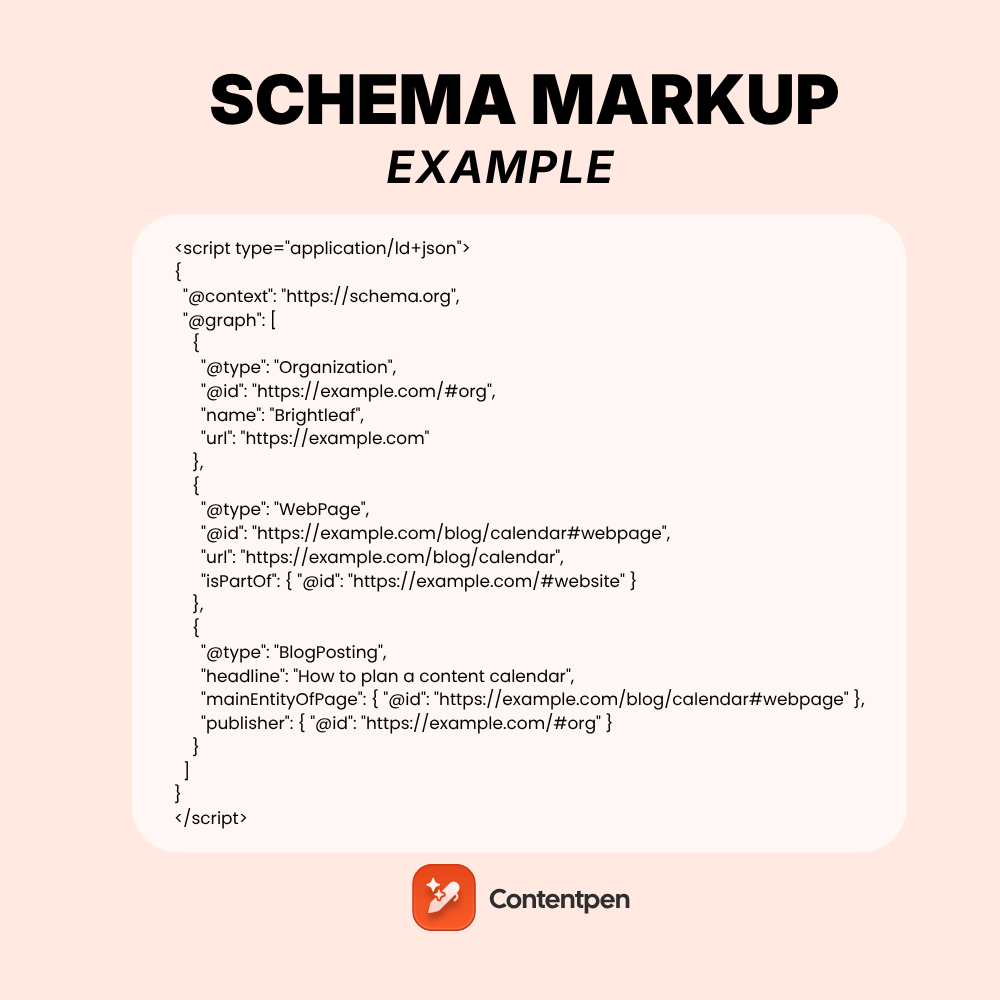
    Most pages need more than one type of schema. Instead of pasting three separate blocks, connect them in a single @graph and link them with @id.

    <script type=”application/ld+json”>
    {
      “@context”: “https://schema.org”,
      “@graph”: [
        {
          “@type”: “Organization”,
          “@id”: “https://example.com/#org”,
          “name”: “Brightleaf”,
          “url”: “https://example.com”
        },
        {
          “@type”: “WebPage”,
          “@id”: “https://example.com/blog/calendar#webpage”,
          “url”: “https://example.com/blog/calendar”,
          “isPartOf”: { “@id”: “https://example.com/#website” }
        },
        {
          “@type”: “BlogPosting”,
          “headline”: “How to plan a content calendar”,
          “mainEntityOfPage”: { “@id”: “https://example.com/blog/calendar#webpage” },
          “publisher”: { “@id”: “https://example.com/#org” }
        }
      ]
    }
    </script>

    Why bother? Each @id works like a name badge. Search engines see one connected story, with the article on the page, the page on the site, and the publisher behind it all.

    Define #website with your WebSite block from example 2, given the same @id.

    JSON-LD vs Microdata vs RDFa: the same example three ways

    All three formats can describe the same organization. Here’s how each one looks.

    JSON-LD keeps the code separate from your HTML:

    <script type=”application/ld+json”>
    { “@context”: “https://schema.org”, “@type”: “Organization”, “name”: “Brightleaf”, “url”: “https://example.com” }
    </script>

    Microdata adds attributes to tags you already have:

    <div itemscope itemtype=”https://schema.org/Organization”>
      <a itemprop=”url” href=”https://example.com”><span itemprop=”name”>Brightleaf</span></a>
    </div>

    RDFa does the same with different attribute names:

    <div vocab=”https://schema.org/” typeof=”Organization”>
      <a property=”url” href=”https://example.com”><span property=”name”>Brightleaf</span></a>
    </div>
    FormatEasy to maintain?Touches your design HTML?Google’s view
    JSON-LDYesNoRecommended
    MicrodataHarderYesSupported
    RDFaHarderYesSupported

    Google’s introduction to structured data recommends JSON-LD where possible. It also shares results like Food Network’s 35% increase in visits after adding structured data to 80% of its pages.

    Where should you paste schema markup?

    JSON-LD can sit in the <head> or the <body>. Where you add it depends on your platform.

    PlatformEasiest way to add schema
    WordPressAn SEO plugin such as Yoast or Rank Math, or a custom HTML block for one-off pages
    ShopifyTheme files (product.liquid or a JSON-LD snippet), or a schema app
    WebflowPage settings, under custom code in the head
    WixSEO settings, under structured data markup
    Next.js or ReactA script tag with type application/ld+json rendered server-side
    Any siteGoogle Tag Manager, though server-rendered code is more reliable

    Render the code on the server whenever you can. Markup injected late by JavaScript can be missed or delayed. It’s one of those technical SEO basics that saves headaches later.

    How do you test a schema markup example?

    Never ship a snippet you haven’t tested. It takes two minutes.

    1. Paste your code or URL into Google’s Rich Results Test to check rich result eligibility.
    2. Run the same code through the Schema Markup Validator to catch general schema.org errors.
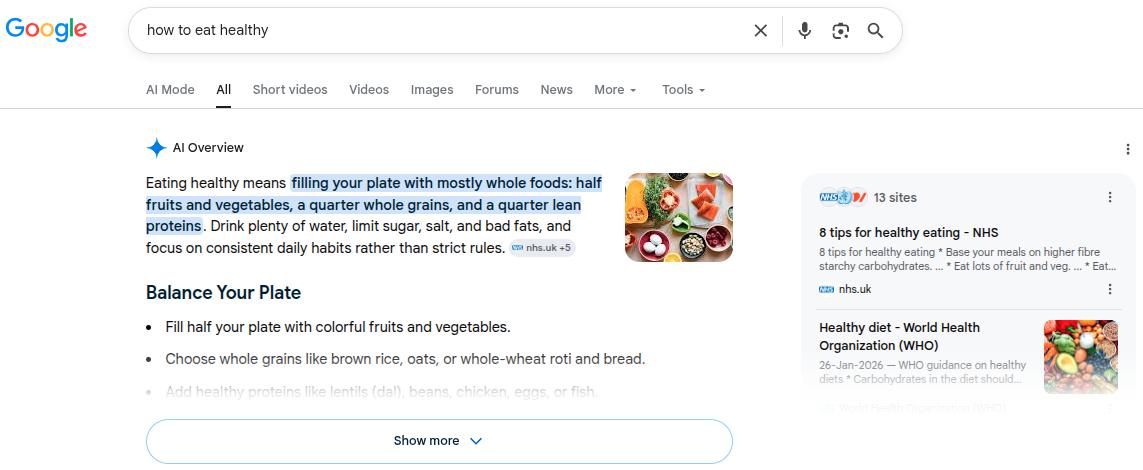
    3. Fix any red errors first, then review the yellow warnings for missing recommended properties.
    4. Publish, then request indexing in Search Console.
    5. Watch the enhancement reports in Search Console over the next few weeks.

    Once rich results appear, compare clicks before and after. Our guide on how to calculate CTR walks through the math.

    esting a schema markup example in Google's Rich Results Test

    What are the most common schema markup errors?

    These are the errors that turn up most often when people adapt an example. Each one has a quick fix.

    ErrorWhy it happensFix
    Missing required fieldExample was trimmed too farCheck Google’s docs for that type’s required list
    Trailing commaLast property ends with a commaRemove it; JSON doesn’t allow trailing commas
    Curly quotesCode was pasted from a word processorRetype quotes as straight quotes
    Wrong date formatDates written as “Oct 10”Use ISO 8601, such as 2026-10-10
    Markup doesn’t match the pagePrice or rating not visible to usersMark up only what visitors can see
    Duplicate blocksPlugin and theme both output schemaTurn one off

    How Contentpen fits into your schema workflow

    A perfect snippet can’t save a weak page. Contentpen, the SEO tool online for SEO and AEO teams, helps you build the page your schema describes.

    • Better source material: The SEO scoring tool checks headings, meta details, alt tags, FAQ blocks, and named entities as you write. Those become the values in your Article markup.
    • Clean handoff to your CMS: Contentpen’s CMS integrations publish posts to WordPress, Shopify, Wix, Webflow, Ghost, and more, where your schema plugin or template adds the JSON-LD. Here’s how to connect WordPress to Contentpen.
    • See what AI engines say: AI visibility tracking shows whether ChatGPT, Perplexity, Gemini, and other engines mention your brand after you publish.

    Find your brand in AI search

    check

    Track AI citations, share of voice, and brand sentiment

    check

    Find the top sources driving citations

    Try AI Visibility →
    AI SEO Interface

    Want every new post to arrive structured, scored, and ready for markup? Try Contentpen on your next article.

    Start with one snippet and build from there

    You don’t need all 10 examples on day one. Start with Organization and WebSite on your homepage, then BreadcrumbList across the site.

    After that, add the page-level type that fits each template, such as Article, Product, or LocalBusiness. Test each one before it goes live.

    Small, accurate snippets beat sprawling ones every time. Copy, adapt, validate, and repeat.

    Frequently asked questions

    Can I use AI to write schema markup?

    Yes, tools like ChatGPT or Claude can draft JSON-LD quickly. Always check the output against Google’s required properties, since AI often invents fields or skips key ones.

    Do I need the same schema on every page?

    No. Organization and WebSite usually live on the homepage, while BreadcrumbList and a page-level type change from page to page.

    Is a schema markup generator better than writing code by hand?

    Generators are faster for common types and reduce syntax errors. Hand-written code gives more control for connected @graph setups or unusual types.
    Can schema markup slow down my website?

    Not noticeably. A JSON-LD block is a few kilobytes of text and doesn’t block page rendering.

    What happens if my schema has warnings but no errors?

    Warnings mean recommended properties are missing. The page can still be eligible, but filling them in gives Google more to work with.

    Can I copy schema markup from a competitor’s site?

    You can study it with a validator, but never reuse their values. Schema must describe your own content, or it breaks Google’s guidelines.

  • GEO vs SEO: What changes when AI answers the search?

    GEO vs SEO: What changes when AI answers the search?

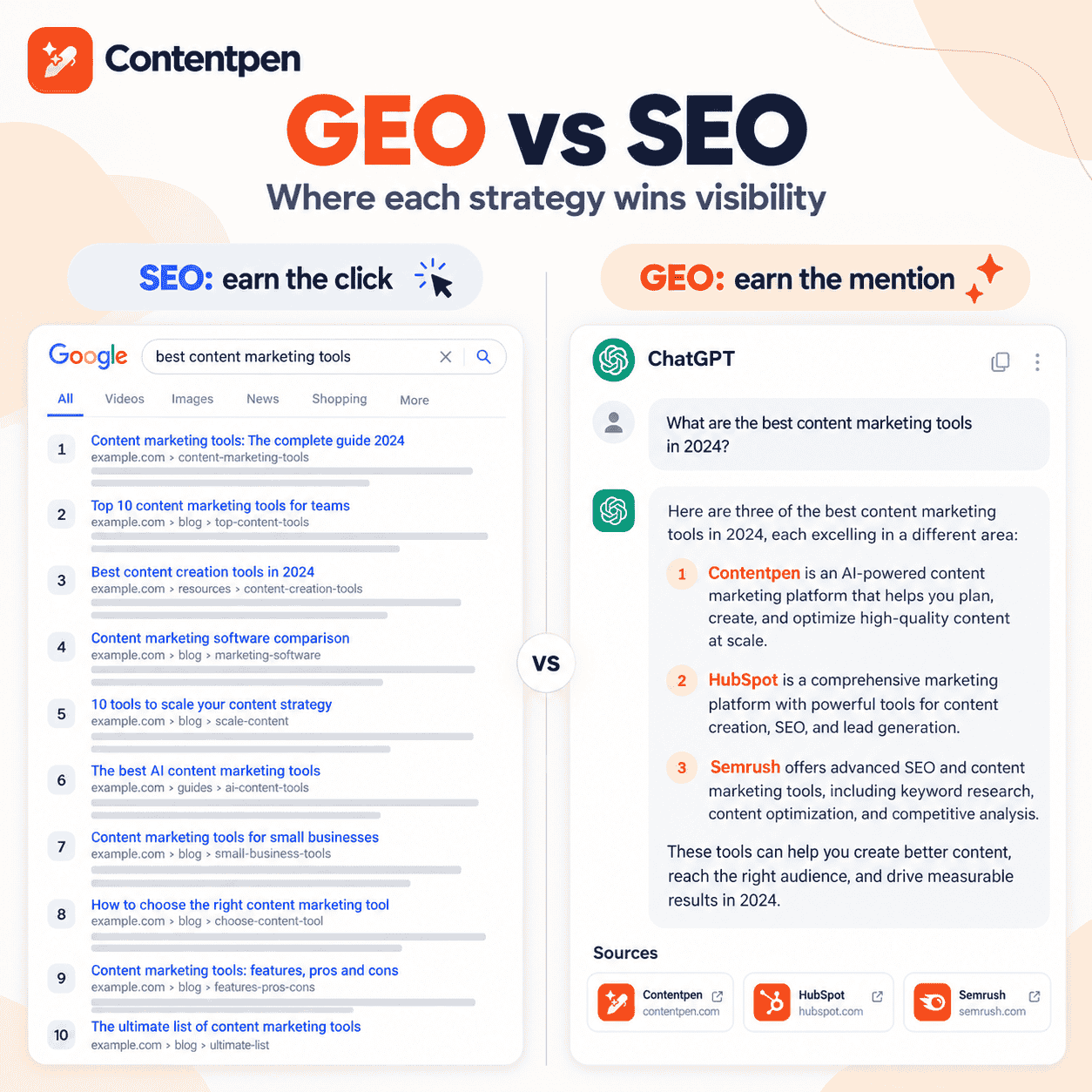
    SEO (search engine optimization) helps your pages rank in Google’s results so people click through. GEO (generative engine optimization) helps your brand get mentioned and cited inside answers written by ChatGPT, Perplexity, Gemini, and Google AI Overviews.

    One earns a position. The other earns a place in the answer itself.

    Think about the last time you asked an AI tool for a recommendation. Did you scroll through ten blue links afterward, or did you trust the three names it gave you?

    Your buyers do the same. SparkToro’s 2026 clickstream study found that 68% of US Google searches now end without a click. Strong rankings still matter, but they no longer guarantee you get seen.

    The smart move isn’t to drop SEO for GEO. It’s to understand what each one rewards and run them as one strategy.

    Below, you’ll see how they differ, how AI engines pick sources, which tactics carry over, and how to split your effort.

    Key takeaways

    • SEO wins rankings and clicks. GEO wins mentions, citations, and recommendations inside AI answers.
    • SEO evaluates whole pages. GEO is judged passage by passage and across everything the web says about your brand.
    • Ranking still helps you get cited, but the link is weakening as AI engines pull from deeper in the results.
    • GEO is not a replacement for SEO. It’s an extra layer built on crawlable, trusted, well-structured content.
    • Measure GEO with share of voice, citation rate, and sentiment alongside rankings and traffic.
    • Most teams can run both with one content process and a small shift in time and priorities.

    What does SEO mean in 2026?

    SEO is the practice of improving your website so search engines rank it higher for relevant queries. The reward is a click from someone who chose your result over the others.

    The core hasn’t changed much. You still need:

    • Content that matches search intent
    • A site Google can crawl, render, and index
    • Backlinks and mentions that signal authority
    • A page experience people actually enjoy

    What has changed is the results page around you. AI Overviews, AI Mode, videos, and forums now compete for the same screen space. 

    What does GEO mean, and where did it come from?

    GEO is the practice of shaping your content and online presence so generative AI engines mention, quote and recommend you. Success isn’t a position on a page. It’s being part of the answer.

    The term comes from a 2023 research paper on generative engine optimization by researchers at Princeton and partner institutions. They showed that content changes like adding statistics, quotes, and sources could lift a page’s visibility in AI responses by up to 40%.

    So what does a generative engine actually do?

    It reads many sources, writes one answer, and credits a handful of them. GEO is about being one of those few, and it sits inside the wider practice of AI search optimization.

    GEO vs SEO Visibility Showdown

    GEO vs SEO: what’s the actual difference?

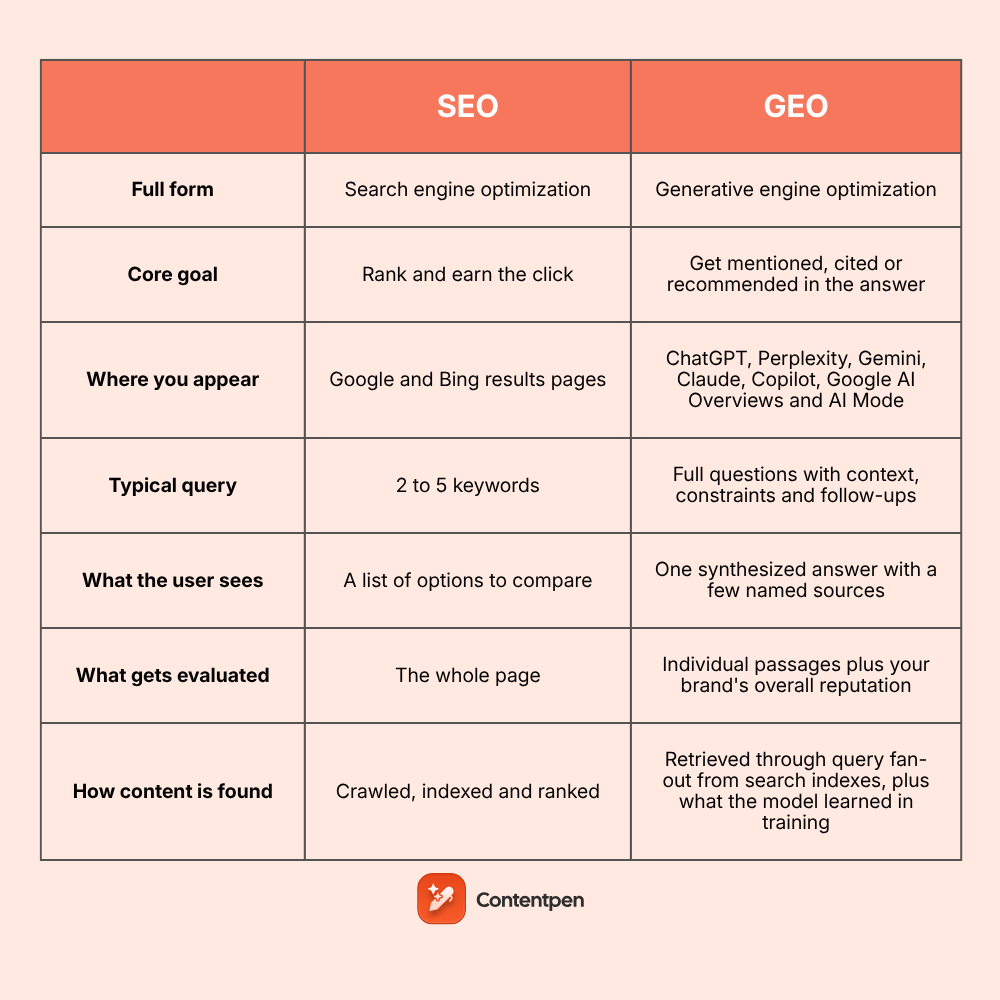
    The biggest shift is what gets judged. SEO scores a page. GEO scores passages from your page plus everything else the web says about your brand.

    DimensionSEOGEO
    Full formSearch engine optimizationGenerative engine optimization
    Core goalRank and earn the clickGet mentioned, cited, or recommended in the answer
    Where you appearGoogle and Bing results pagesChatGPT, Perplexity, Gemini, Claude, Copilot, Google AI Overviews and AI Mode
    Typical query2 to 5 keywordsFull questions with context, constraints, and follow-ups
    What the user seesA list of options to compareOne synthesized answer with a few named sources
    What gets evaluatedThe whole pageIndividual passages plus your brand’s overall reputation
    How content is foundCrawled, indexed and rankedRetrieved through query fan-out from search indexes, plus what the model learned in training
    Main selection signalsRelevance, backlinks, technical health, page experienceClear answers, specific facts, entity consistency, third-party mentions
    Role of linksBacklinks are a core ranking signalUnlinked brand mentions and co-citations matter as much as links
    Content that winsComprehensive pages matched to search intentSelf-contained passages, original data, quotes and comparisons
    Off-site workLink building and digital PRReviews, Reddit and forums, listicles, news coverage and community answers
    Technical focusCrawlability, site speed, Core Web Vitals, schemaSame basics, plus access for AI crawlers and key content in plain HTML text
    Traffic patternClicks are the main payoffMany answers end without a visit, so visibility counts even without clicks
    PersonalizationResults vary mainly by location and deviceAnswers vary by wording, conversation history and follow-up questions
    Success metricsRankings, CTR, organic traffic, conversionsMention rate, citation rate, share of voice, sentiment
    Typical toolsSearch Console, Ahrefs, rank trackersAI visibility trackers and repeated prompt testing
    StabilityFairly stable week to weekAnswers can change between runs, models and updates
    Time to resultsWeeks to months after indexingDays for engines that search live, longer for what models learn in training
    Maturity25+ years, with official search engine guidelinesNamed in 2023, with few official guidelines so far

    One row deserves a second look: what the user sees. In SEO, you compete for attention on a list. In GEO, the AI has already made the shortlist for the user.

    How do AI engines decide which sources to cite?

    No AI company publishes a full formula. Still, most AI search tools follow a similar path when they answer a question.

    1. They expand the question: One prompt becomes several related searches behind the scenes, often called query fan-out.
    2. They retrieve candidate pages: Many pull from a live search index, so crawlable, indexed pages have the edge.
    3. They pick useful passages: Short, self-contained answers with clear facts are easier to lift.
    4. They write the answer: The model blends those passages with what it already knows about each brand.
    5. They attribute sources: A few URLs get cited or linked, and some brands get named without a link.

    This is where SEO and GEO start to drift apart.

    In July 2025, Ahrefs found that about 76% of AI Overview citations came from pages ranking in Google’s top 10. By March 2026, Ahrefs’ updated study put that figure at roughly 38%.

    In other words, ranking still helps.

    But more citations now go to pages that rank lower or not at all, as long as they answer the sub-question well.

    Is GEO replacing SEO?

    No, and the reason is simple. Most AI engines still need the open web to answer fresh questions, and they reach it through search indexes.

    If Google or Bing can’t crawl and trust your page, AI tools built on those indexes are less likely to find it. Google’s own guidance on generative AI features in Search frames this work as part of SEO, not a separate discipline.

    What is changing is the payoff. A top ranking used to mean steady clicks. Now it often means being one input to an answer the user reads without visiting you.

    What does SEO still do for GEO?

    More than most GEO advice admits. A lot of the groundwork is shared.

    • Crawlability and indexing: AI search tools can’t cite what they can’t fetch.
    • Topical authority: A cluster of strong pages signals expertise to rankers and models alike.
    • Backlinks and mentions: Quality SEO backlinks double as trust signals that models pick up.
    • Clear on-page structure: Headings, short paragraphs, and lists help both crawlers and passage extraction.
    • Freshness: Updated facts help you rank and stop AI from repeating stale details about you.

    Know exactly what to fix, before publishing to get it ranked!

    Get real-time SEO feedback while writing, no guesswork, no plugins.

    Try SEO Scoring →
    AI SEO Interface

    If your site already passes a solid on-page SEO checklist, you’ve done much of the GEO prep without realizing it.

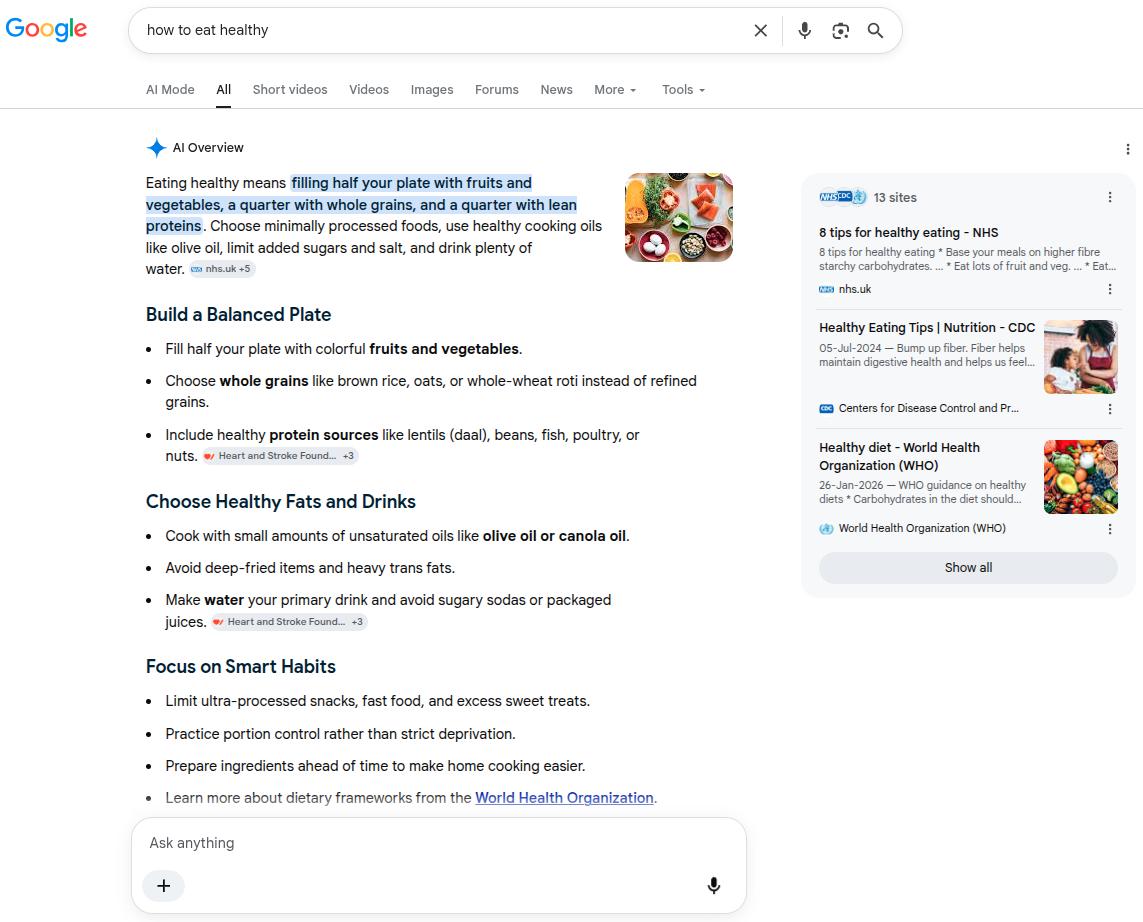
    SEO, AEO and GEO shown as layers of one search strategy

    Where do AEO and AIO fit next to GEO and SEO?

    You’ll see a few more acronyms in this space. Our SEO vs GEO vs AEO guide compares all three.

    Here’s the short version of each full form.

    • SEO (search engine optimization): ranking pages in search results.
    • AEO (answer engine optimization): winning the single direct answer in snippets, voice, and AI Overviews.
    • GEO (generative engine optimization): earning mentions and citations in AI-written answers.
    • AIO (AI optimization): a loose umbrella term, sometimes used just for Google AI Overviews.

    Think of SEO as the foundation, answer engine optimization as the bridge, and GEO as the newest layer. The labels overlap, so focus on the outcome you want rather than the acronym.

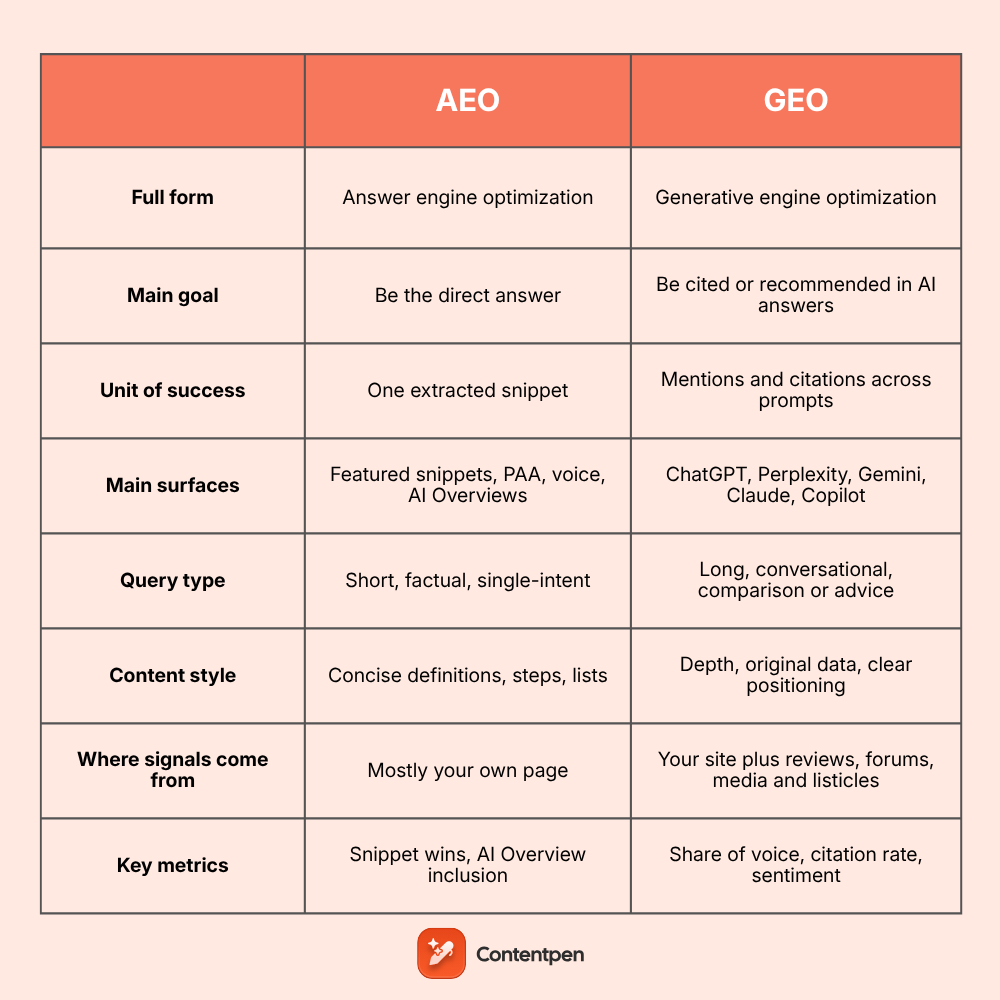
    If you’re deciding between the two AI layers, read AEO vs GEO.

    Which SEO tactics should you keep, and what should you add for GEO?

    You don’t need a second playbook. You need a few additions to the one you have.

    Keep doing this for SEOAdd this for GEO
    Target keywords with clear intentTarget full questions and follow-up prompts buyers ask AI
    Write comprehensive pagesOpen every section with a direct, quotable answer
    Build backlinksEarn brand mentions in reviews, listicles, forums and news
    Optimize title tags and meta descriptionsDescribe your brand, category, and audience the same way everywhere
    Add schema markupPublish original data, quotes and named sources
    Refresh content when rankings dropRefresh when AI answers describe you wrongly or skip you

    Notice the theme? SEO tactics mostly live on your site. GEO tactics push you outward to the places models learn from.

    Each engine also behaves a little differently. Our comparison of how Perplexity and ChatGPT differ shows why it pays to test prompts on more than one.

    How do you measure GEO compared with SEO?

    SEO reporting is mature. GEO reporting is newer, so you’ll need a few fresh metrics next to your usual SEO analytics.

    SEO metricGEO counterpart
    Keyword rankingsMention rate across a fixed set of prompts
    Organic trafficAI referral visits plus branded search lift
    Click-through rateCitation rate (how often your URL is linked)
    Share of top 10 positionsShare of voice versus competitors in AI answers
    Backlink growthGrowth in third-party sources AI engines cite about you

    Run the same prompts every month. AI answers vary between runs, so trends tell you far more than one screenshot.

    Find your brand in AI search

    check

    Track AI citations, share of voice, and brand sentiment

    check

    Find the top sources driving citations

    Try AI Visibility →
    AI SEO Interface

    How should you split time between SEO and GEO?

    There’s no universal ratio, and anyone quoting one is guessing. Your split should follow where your buyers research.

    • New site with little authority: put most effort into SEO basics. AI engines rarely cite brands nobody has heard of.
    • Established site with steady rankings: keep SEO running and move a meaningful slice of time to GEO work like digital PR and prompt tracking.
    • B2B or high-consideration products: lean further into GEO. Buyers often ask AI tools for shortlists before they ever search your brand.
    • Local or transactional businesses: stay SEO-heavy, since many searches still end on maps, product pages, and booking forms.

    Review the split each quarter. If your AI share of voice grows while rankings hold, you’ve found a balance that works.

    What mistakes do teams make when moving from SEO to GEO?

    A few patterns show up again and again.

    1. Pausing SEO to fund GEO: You weaken the foundation AI engines rely on.
    2. Chasing a single AI tool: Visibility in ChatGPT doesn’t guarantee visibility in Gemini or AI Overviews.
    3. Publishing vague thought pieces: Models quote specifics, not opinions without evidence.
    4. Ignoring what others say about you: Outdated reviews and old listicles shape AI answers too.
    5. Expecting overnight results: Off-site mentions take time to build and get picked up.

    How does Contentpen help you run SEO and GEO together?

    Splitting SEO and GEO across separate tools makes it hard to see the full picture. Contentpen keeps both in one workflow, from research to reporting.

    • Spot what to fix first. SEO opportunities surface competitor gaps, pages worth recovering and keyword cannibalization from your Search Console data.
    • Write for rankings and answers. Articles come with key takeaways, FAQs and question-based headings that AI engines can lift easily.
    • Check both scores live. SEO and GEO scoring grades each draft as you write, and “Fix with AI” resolves issues from both sides at once.
    • Optimize for AI search. The AI search optimization tool helps shape content for how AI engines read and cite pages.
    • Track where you show up. AI visibility tracking covers ChatGPT, Google AI, Perplexity, Gemini, Copilot, Grok, and Claude, with share of voice and source gaps.

    You can publish straight to WordPress, Shopify, Wix, and other platforms when a piece is ready.

    Want to rank on Google and get cited by AI from one dashboard? Start with Contentpen’s AI SEO tool today.

    Rank for the click, earn the citation

    SEO and GEO chase different rewards. SEO wins the visit, while GEO wins a spot in the answer before anyone visits.

    They still share the same roots: crawlable pages, real expertise, clear structure, and a trusted brand. Keep your SEO strong, add GEO tactics on top, and measure both every month.

    The brands that do this now will be the names AI keeps repeating later.

    Frequently asked questions

    Is GEO the same as geo-targeting or local SEO?

    No. In this context, GEO means generative engine optimization. Geo-targeting and local SEO are about reaching people in a specific location, which is a separate practice.

    Will GEO traffic show up in Google Analytics?

    Partly. Clicks from ChatGPT, Perplexity and similar tools often appear as referral traffic. Mentions without a click leave no session, so track branded searches and direct visits too.

    Do I need to rewrite my existing content for GEO?

    Usually not. Most pages need restructuring rather than rewriting, such as adding a direct answer under each heading and updating facts.

    Does Google penalize AI-written content in SEO or GEO?

    Google focuses on quality, not on how content was produced. Our breakdown of whether Google penalizes AI content explains where the real risks are.

    How can I check if ChatGPT mentions my brand today?

    Write 10 to 20 questions your buyers would ask, then run them in ChatGPT, Perplexity, Gemini and Google. Note who gets named, which sources get cited and how you’re described.

    Can one person handle both SEO and GEO?

    Yes, at most small and mid-sized companies. The skills overlap heavily, though GEO adds more PR and community work than classic SEO.

  • What is schema markup, and why does every page need it?

    What is schema markup, and why does every page need it?

    Schema markup is a small piece of code you add to a web page to tell search engines exactly what that page is about.

    It uses a shared vocabulary from schema.org to label things like a business name, a product price, an author, or an event date. Google, Bing, and AI search tools read these labels to understand your content, and sometimes reward it with a rich result.

    Search engines are smart, but they still guess. Without clear labels, a page that mentions “Apple” could be about a fruit, a phone, or a record label.

    When they guess wrong, a competitor with star ratings and prices in their listing takes your click. With AI answers now sitting above the links, a fuzzy page is even easier to skip.

    This guide explains schema markup in plain English, shows you real code, and walks through adding and testing it.

    Let’s start with the simple version.

    Key takeaways

    • Schema markup is code, usually JSON-LD, that labels your content with the schema.org vocabulary.
    • It isn’t a direct ranking factor, but rich results can lift clicks. Google’s own case studies show CTR gains of 25% to 82%.
    • Google recommends JSON-LD, which now appears on 41% of web pages.
    • FAQ rich results stopped showing in Google Search in May 2026, so focus on types Google still supports.
    • Google says no special schema is needed for AI Overviews, but markup still helps search engines understand entities.
    • Always validate your code with the Rich Results Test and the Schema Markup Validator.

    What is schema markup in simple terms?

    Think of schema markup as a name tag for your content. Visitors see your page as usual, while search engines see the page plus a tidy label that says “this is a recipe, it takes 30 minutes, and it has 4.8 stars.”

    The code sits in your page’s HTML, usually inside a script tag. Readers never see it, so it won’t touch your design.

    It’s part of technical SEO because it works behind the scenes. Yet it shapes what people actually see in the results.

    A quick before and after

    Here’s how it plays out. Picture a bakery page that reads

    Open 8 to 6, 22 Main Street, call 555-0100.
    • Without schema: a crawler reads plain text and has to infer that “8 to 6” means opening hours.
    • With schema: the same facts are tagged as openingHours, address, and telephone on a Bakery entity.

    The second version leaves nothing to interpret. That clarity is the whole point.

    Search result before and after adding schema markup

    Schema markup vs structured data: are they the same thing?

    Not quite, although most people use the two terms as if they were. This table untangles four terms that often get mixed up.

    TermWhat it meansSimple analogy
    Structured dataAny information organized in a standard, machine-readable formatThe idea of labeling things
    Schema.orgThe shared vocabulary of types and propertiesThe dictionary
    Schema markupStructured data written with the schema.org vocabulary on a web pageThe labels you stick on
    Rich resultsEnhanced listings Google may show based on that markupThe reward you might earn

    In short, all schema markup is structured data. Not all structured data is schema markup, though. Open Graph tags for social previews are structured data too, but they use a different vocabulary.

    How does schema markup work?

    Every piece of schema markup has two parts: a vocabulary and a syntax. Search engines crawl your page, parse the code, and connect those labels to what they already know.

    The vocabulary comes from schema.org

    Google, Microsoft, Yahoo, and Yandex founded schema.org to give the web one common language. Version 30.1, released in September 2026, includes 826 types and 1,540 properties.

    That sounds like a lot. The good news?

    Most websites only need five to eight of them.

    Adoption is massive, too. According to schema.org, more than 45 million domains marked up their pages with over 450 billion schema.org objects as of 2024.

    The syntax: JSON-LD, Microdata, or RDFa

    You can write schema markup in three formats. They all say the same thing in different ways.

    FormatHow it’s addedShare of pages (2024)Best for
    JSON-LDA separate script block in the head or body41%Almost every site, and Google’s preferred format
    MicrodataAttributes inside your existing HTML tags26%Older templates already built this way
    RDFaAttributes inside HTML, also used by Open Graph66%Linked data projects and social tags

    These adoption figures come from the HTTP Archive Web Almanac 2024. RDFa looks high only because Open Graph tags count toward it.

    JSON-LD is the one to watch. Its share grew from 34% of pages in 2022, and Google recommends it whenever your setup allows.

    Why is schema markup important for SEO?

    Schema markup gives search engines certainty. That certainty pays off in a few ways.

    It can turn a plain link into a rich result

    Rich results are listings with extras like star ratings, prices, images, or breadcrumbs. They take more space on the page and pull the eye.

    The numbers back this up. Google’s structured data case studies report:

    • Rotten Tomatoes saw a 25% higher click-through rate on pages enhanced with structured data.
    • Food Network saw a 35% increase in visits after adding it to 80% of its pages.
    • Nestlé measured an 82% higher click-through rate on pages that showed as rich results.

    A better click-through rate means more traffic from rankings you already hold. No new backlinks needed.

    It helps search engines understand entities

    Search engines no longer just match words. They map people, brands, products, and places as entities, then connect them in a knowledge graph.

    Schema markup lets you state those facts outright. A sameAs property, for example, ties your Organization to its LinkedIn or Crunchbase profile.

    It’s the same thinking behind semantic SEO, where meaning matters more than exact-match keywords.

    Is schema markup a ranking factor?

    No, not directly. Google has said for years that structured data alone doesn’t push a page higher.

    But here’s the catch. Schema can still grow traffic through better CTR, eligibility for search features, and clearer entity signals. Treat it as a visibility tool, not a ranking trick.

    Does schema markup help with AI search?

    It’s a fair question. Schema helps AI engines extract your content more easily, but it isn’t directly tied to AI citations.

    Think of it this way. Clean markup hands AI systems your key facts, like your brand name, prices, and authors, in a format they can’t misread.

    Whether they actually cite you is a different matter. That depends on how well your content answers the question and how much the web trusts your brand.

    Write better blogs in less time, without sacrificing quality.

    Let AI handle structure, clarity, and flow while you stay in control of the message.

    Try AI blog writing →
    AI SEO Interface

    Google’s page on AI features and your website states there’s “no special schema.org structured data that you need to add” to appear in AI Overviews or AI Mode. It does ask that your structured data match the visible text on the page.

    Independent data points the same way. When Ahrefs tracked 1,885 pages adding schema, ChatGPT and AI Mode citations moved only about 2%, a change indistinguishable from zero.

    So where does schema still earn its keep? It feeds the search indexes and knowledge graphs that Google AI Overviews and Bing Copilot draw from. That makes it one supporting layer of answer engine optimization, next to clear answers, solid structure, and trusted mentions.

    What are the most common types of schema markup?

    You won’t need all 826 types. These nine cover most websites.

    Schema typeWhere to use itWhat it can unlock in Google
    OrganizationHomepage or about pageLogo and company details
    WebSiteHomepageYour site name in results
    BreadcrumbListMost inner pagesA breadcrumb trail instead of a raw URL
    Article or BlogPostingBlog posts and newsHeadline, image, author, and date details
    Product with OfferProduct pagesPrice, stock status, and review stars
    LocalBusinessLocation pagesHours, address, and map details
    Review or AggregateRatingReviewed itemsStar ratings
    EventEvent pagesEvent listings with dates
    VideoObjectPages with videoThumbnails and key moments

    Our guide to 25 types of schema markup covers the rest.

    One big 2026 change: FAQ rich results stopped appearing in Google Search on May 7, 2026, according to Google’s Search Central updates log. FAQPage is still valid schema.org code, but it no longer earns a special listing.

    Google’s search gallery lists every feature it still supports. Check it before you build anything new.

    What does schema markup look like in code?

    Here’s the bakery from earlier, written as LocalBusiness markup in JSON-LD. You’d paste it into the page’s HTML.

    <script type=”application/ld+json”>
    {
      “@context”: “https://schema.org”,
      “@type”: “Bakery”,
      “name”: “Main Street Bakery”,
      “telephone”: “+1-555-0100”,
      “openingHours”: “Mo-Sa 08:00-18:00”,
      “address”: {
        “@type”: “PostalAddress”,
        “streetAddress”: “22 Main Street”,
        “addressLocality”: “Springfield”,
        “addressCountry”: “US”
      }
    }
    </script>

    Each part has one job:

    • @context tells the crawler you’re using schema.org.
    • @type names the thing you’re describing, here a Bakery, which is a kind of LocalBusiness.
    • Everything else is a property, like the name, phone, hours, and address.

    Check our guide with 20+ schema markup examples to view more samples.

    How do you add schema markup to a website?

    You don’t need to be a developer for most sites. Follow these steps.

    1. Pick the right type: Match the main subject of the page, such as a product, an article, or a location.
    2. Generate the code: Write it by hand, use a schema generator, or ask an AI assistant for a first draft.
    3. Fill the required properties: Google’s documentation lists required and recommended fields for each type.
    4. Add it to the page: Paste the JSON-LD into your template, or use a CMS plugin, theme setting, or Google Tag Manager.
    5. Test before you publish: Run the code through the validation tools below.
    6. Monitor after launch: Search Console flags errors as Google recrawls your pages.

    How do you check if schema markup is working?

    Three free tools cover almost every check you’ll need.

    ToolWhat it checksWhen to use it
    Rich Results TestWhether a page is eligible for Google rich resultsBefore and right after publishing
    Schema Markup ValidatorWhether any schema.org code is validDebugging any type, even ones Google ignores
    Search Console enhancement reportsErrors and valid items across the whole siteOngoing monitoring

    Keep one thing in mind. Passing the validator doesn’t guarantee a rich result, because Google applies its own eligibility rules.

    Make schema checks a standing item in every SEO audit you run.

    Understand what’s working, and why with real-time analytics

    Track performance and make smarter content decisions with clear insights.

    View Analytics Dashboard →
    AI SEO Interface

    Which schema mistakes should you avoid?

    Most schema problems come from a handful of habits. Watch for these:

    • Marking up hidden content: Google’s structured data policies say markup must describe what users can see, or you risk a manual action.
    • Self-serving reviews: Adding star ratings your business wrote about itself breaks the rules.
    • Missing required properties: The code may validate, but it won’t qualify for the feature.
    • Duplicate markup: A theme and a plugin both outputting Organization schema can send mixed signals.
    • Stale values: An old price or dateModified that no longer matches the page erodes trust.
    • The wrong type: LocalBusiness on a blog post confuses more than it helps.

    Run these checks alongside your on-page SEO checklist so nothing slips through.

    How Contentpen helps you get more out of schema markup

    Schema only works as well as the content underneath it. If the page is vague, the markup has nothing solid to describe.

    Contentpen is an SEO AEO tool that makes sure the content is clear, structured, and ready to be understood. It doesn’t write JSON-LD for you, but it handles everything the markup depends on:

    • Live SEO and GEO scoring checks heading hierarchy, answer-box paragraphs, FAQ blocks, meta details, and named entity coverage as you write.
    • AI-extractable structure adds key takeaways and a hyperlinked table of contents, so answer engines can lift your content cleanly.
    • One-click CMS publishing sends posts to WordPress, Shopify, Wix, Webflow, Ghost, and more, where your schema plugin can tag them automatically.
    • The AI visibility tool tracks how ChatGPT, Google AI, Perplexity, Gemini, Copilot, Grok, and Claude mention your brand, so you can see what’s working.

    Find your brand in AI search

    check

    Track AI citations, share of voice, and brand sentiment

    check

    Find the top sources driving citations

    Try AI Visibility →
    AI SEO Interface

    Ready to publish pages that search engines and AI answers both understand? Start your first article in Contentpen today.

    Schema markup turns your page into a clear answer

    Schema markup is a label that removes guesswork. It tells search engines who you are, what you offer, and how each fact on your page fits together.

    It won’t lift rankings by itself. It can, however, win richer listings, sharper entity signals, and a cleaner path into the systems AI answers rely on.

    Start with Organization, WebSite, and BreadcrumbList. Add the types that match your pages, validate everything, and keep the values fresh.

    Frequently asked questions

    How long does schema markup take to show results?

    Google has to recrawl the page first, which can take a few days to a few weeks. Even then, rich results aren’t guaranteed, since Google decides when to show them.

    Is schema markup free to add?

    Yes. The schema.org vocabulary and Google’s testing tools are free. Your only cost is time, or a premium plugin if you’d rather not write code.

    Can I use more than one schema type on a page?

    Yes, and most pages should. A blog post can carry BlogPosting, BreadcrumbList, and Organization together, linked with @graph and @id so search engines see one connected picture.

    Does Bing use schema markup?

    Yes. Microsoft co-founded schema.org, and Bing reads the same markup. At SMX Munich 2025, Bing’s Fabrice Canel said schema helps Microsoft’s LLMs understand content, as reported by Search Engine Land.

    What’s the difference between schema markup and meta tags?

    Meta tags describe the page as a whole, like its title and description for the snippet. Schema markup describes the things inside the page, such as a product, a person, or an event.

    Should every page on my site have schema markup?

    Most pages benefit from at least BreadcrumbList and a page-level type like WebPage or Article. Thin utility pages, such as login or cart pages, don’t need it.

  • AEO vs GEO: What’s the difference and do you need both?

    AEO vs GEO: What’s the difference and do you need both?

    AEO (answer engine optimization) gets your content picked as the single, direct answer to a question. Think featured snippets, voice replies, and Google AI Overviews. GEO (generative engine optimization) gets your brand cited and recommended inside AI-written answers from ChatGPT, Perplexity, Gemini, and Claude.

    So AEO wins the answer. GEO wins the mention.

    Your rankings might look fine while clicks keep slipping. In a Pew Research Center study, Google users clicked a result in just 8% of visits when an AI summary appeared, compared with 15% when it didn’t.

    Meanwhile, half the advice online treats AEO and GEO as rivals. The other half calls them the same thing. You end up with two half-built strategies and no clear way to measure either.

    Once you see what each discipline actually optimizes for, you can build one content system that serves both.

    Let’s break down the differences, the overlap, real examples, and the exact tactics to use.

    Key takeaways

    • AEO targets one extractable answer. GEO targets citations and brand mentions inside synthesized AI responses.
    • AEO success looks like a featured snippet or AI Overview extract. GEO success looks like share of voice across AI engines.
    • Both sit on top of SEO. Google itself says optimizing for its AI features “is still SEO.”
    • Most of the work overlaps: answer-first structure, clear entities, fresh facts, and strong authority signals.
    • GEO leans harder on off-site signals like reviews, Reddit threads, listicles, and press mentions.
    • Measure both with AI visibility metrics, not just rankings and clicks.

    What does AEO mean?

    AEO stands for answer engine optimization. It’s the practice of shaping content so a search or AI system can lift one clean answer straight from your page.

    The idea started in the voice search era. Assistants like Alexa and Siri could read only one answer aloud, so being “the answer” mattered more than being on page one.

    Today, answer engine optimization covers a few surfaces:

    • Featured snippets and People Also Ask boxes
    • Google AI Overviews and AI Mode extracts
    • Voice assistant replies
    • Knowledge panels

    The win is precise. Your sentence, your definition, or your list becomes the response.

    What does GEO mean?

    GEO stands for generative engine optimization. It focuses on how your brand shows up when an AI model writes a full answer by pulling from many sources.

    The term comes from a 2023 research paper by a team from Princeton, Georgia Tech, the Allen Institute for AI, and IIT Delhi. In the original GEO study, the authors found that targeted content changes could boost source visibility by up to 40% in generative engine responses.

    Here, you’re not chasing one slot. You’re trying to be one of the three to five sources a model trusts, quotes, and recommends.

    GEO mostly plays out on:

    • ChatGPT and ChatGPT search
    • Perplexity
    • Gemini and Google AI Mode
    • Claude, Copilot and Grok
    AEO vs GEO example

    How are AEO and GEO different?

    The simplest split is this. AEO optimizes a passage. GEO optimizes a brand’s presence across many passages and many sites.

    FactorAEOGEO
    Full formAnswer engine optimizationGenerative engine optimization
    Main goalBe the direct answerBe cited or recommended in AI answers
    Unit of successOne extracted snippetMentions and citations across prompts
    Main surfacesFeatured snippets, PAA, voice, AI OverviewsChatGPT, Perplexity, Gemini, Claude, Copilot
    Query typeShort, factual, single-intentLong, conversational, comparison or advice
    Content styleConcise definitions, steps, listsDepth, original data, clear positioning
    Where signals come fromMostly your own pageYour site plus reviews, forums, media, and listicles
    Key metricsSnippet wins, AI Overview inclusionShare of voice, citation rate, sentiment
    OriginVoice search, around 2017 and 2018Academic research, 2023

    Notice the “where signals come from” row. That one difference shapes most of your strategy.

    Where do AEO and GEO overlap?

    A well-built page can often win in both places.

    Both approaches reward:

    Venn diagram of AEO vs GEO overlap
    • Answer-first writing: Lead each section with the direct answer, then add context.
    • Clear entities: Name your brand, product, category, and people the same way everywhere.
    • Structure machines can parse: Question-based headings, short paragraphs, tables and lists.
    • Freshness: Updated stats, current years, and accurate product details.
    • Trust signals: Real authors, cited sources, and a consistent reputation off-site.

    That’s why many teams treat AEO as the on-page half of the job and GEO as the on-page plus off-page whole. If you already invest in semantic SEO, you’re halfway there.

    Create topical authority, not isolated posts that fills them

    check

    Group related content into SEO-friendly clusters

    check

    Strengthen rankings with internal relevance

    Try Topical Clustering →
    AI SEO Interface

    AEO vs GEO vs SEO, AIO and LLMO: what’s the full form of each?

    The acronyms keep multiplying. Let’s sort them out in one place.

    TermFull formWhat it focuses on
    SEOSearch engine optimizationRanking pages in traditional search results
    AEOAnswer engine optimizationBeing the single direct answer
    GEOGenerative engine optimizationBeing cited in AI-generated answers
    AIOAI optimization (sometimes AI Overviews optimization)A broad label for optimizing for AI search, or Google AI Overviews specifically
    LLMOLarge language model optimizationHow models understand and describe your brand

    For a full side-by-side of all three, read SEO vs GEO vs AEO.

    SEO is still the base layer. Google’s own guide to generative AI features in Search says optimizing for those features “is still SEO” and that no special schema markup is needed.

    AIO and LLMO mostly overlap with GEO. The labels differ, but the work and the metrics are nearly identical.

    For a deeper look at how AI search optimization compares with traditional SEO, see our full breakdown.

    What do AEO and GEO look like in a real search?

    Theory is easy. Let’s run one query through both lenses.

    The query: “How often should I update old blog posts?”

    The AEO outcome

    Google shows an AI Overview or featured snippet. It pulls a two-sentence answer from one page: “Review high-value posts every three to six months. Update them sooner if rankings, stats, or product details change.”

    The winning page had a question heading that matched the query. The answer sat directly underneath in under 50 words.

    Update existing content without rewriting it that fills them

    check

    Improve outdated posts using live URL analysis

    check

    Refresh SEO, structure, and relevance in minutes

    Try Content Refresh →
    AI SEO Interface

    The GEO outcome

    A user asks ChatGPT: “What’s the best way to keep my old blog content fresh, and which tools help?“

    The model writes a longer answer. It blends advice from several sources, cites three of them, and names a few content refresh tools.

    The brands that got named had something extra. They appeared in comparison articles, had helpful Reddit threads, and published their own refresh data.

    See the pattern? AEO rewarded one tight passage. GEO rewarded a reputation spread across the web. You’ll find more real-world AEO examples in our separate guide.

    Should you focus on AEO or GEO first?

    It depends on how your buyers search. Use this as a starting point.

    Business typeStart withWhy
    Local service businessAEOCustomers ask short, urgent questions on Google and voice
    Publisher or content siteAEOSnippets and AI Overviews drive most of your visibility
    B2B SaaSGEOBuyers ask AI tools for tool comparisons and shortlists
    Ecommerce brandBothProduct questions need AEO; “best X for Y” prompts need GEO
    Marketing agencyBothClients want reporting on Google and AI engines

    Still unsure? Start with AEO on your top 20 pages. It’s faster to ship, and that same structure feeds GEO later.

    Turn existing content into growth opportunities

    check

    Identify pages losing traffic or CTR

    check

    Find quick wins to improve clicks and rankings

    Find Content Opportunities →
    AI SEO Interface

    The pressure to act is real. Gartner predicted that traditional search engine volume would drop 25% by 2026 as people move to AI chatbots and virtual agents.

    How do you optimize content for AEO?

    AEO is mostly an on-page job. Small formatting changes can move the needle quickly.

    Match headings to real questions

    Pull questions from People Also Ask, autocomplete, and your support inbox. Turn them into H2s and H3s word for word where it reads naturally.

    Answer in the first 40 to 60 words

    Put the direct answer right under the heading. Then expand with detail, examples, and caveats.

    Use the format the query expects

    • “What is” queries want a one- or two-sentence definition.
    • “How to” queries want numbered steps.
    • “Best” and “vs” queries want tables and lists.

    Add structured data where it fits

    FAQPage, HowTo, Article schema, and other types of schema help machines read your page. They won’t force a snippet, but they remove ambiguity. Keep your technical SEO basics clean too, so crawlers can reach the page at all.

    Keep each passage self-contained

    AI systems often lift a paragraph out of context. Avoid “as mentioned above” and name the subject in every key answer.

    Write better blogs in less time, without sacrificing quality.

    Let AI handle structure, clarity, and flow while you stay in control of the message.

    Try AI blog writing →
    AI SEO Interface

    How do you optimize content for GEO?

    GEO starts with everything above. Then it asks a bigger question: what does the rest of the web say about you?

    Publish facts worth citing

    Original surveys, benchmarks, and case study numbers give models a reason to quote you. The GEO paper found that adding statistics, quotations, and cited sources were among the strongest levers.

    Build your brand footprint off-site

    Models learn from reviews, forums, listicles and news coverage. Earn mentions on G2, Capterra, industry roundups and relevant communities. A smart Reddit SEO plan can help here.

    Be clear about your positioning

    Say plainly who you serve, what you do, and how you differ. Vague copy gives a model nothing to repeat.

    Earn citations from trusted sources

    Mentions on high-authority sites act like votes for your expertise. That’s the core idea behind citation SEO.

    Connect your content with internal links

    Strong internal linking helps crawlers and models see your topical depth. A cluster of linked pages beats one lonely article.

    How do you measure AEO and GEO results?

    Rankings alone won’t tell you much anymore. You need a mix of classic and AI-specific metrics.

    MetricTracksBest for
    Featured snippet winsPages owning position zeroAEO
    AI Overview inclusionPages cited in Google’s AI answersAEO
    Share of voiceYour mentions vs competitors across promptsGEO
    Citation rateHow often your URLs are linked as sourcesGEO
    SentimentWhether AI describes you positivelyGEO
    AI referral trafficVisits from ChatGPT, Perplexity and othersBoth
    Branded search growthPeople searching your name after seeing it in AIBoth

    Start with a baseline. An AI visibility audit shows where you appear today and which competitors get cited instead.

    Then track monthly. AI answers shift often, so one snapshot can mislead you.

    Find your brand in AI search

    check

    Track AI citations, share of voice, and brand sentiment

    check

    Find the top sources driving citations

    Try AI Visibility →
    AI SEO Interface

    What are the most common AEO and GEO mistakes?

    We see the same slip-ups again and again. Avoid these, and you’re ahead of most competitors.
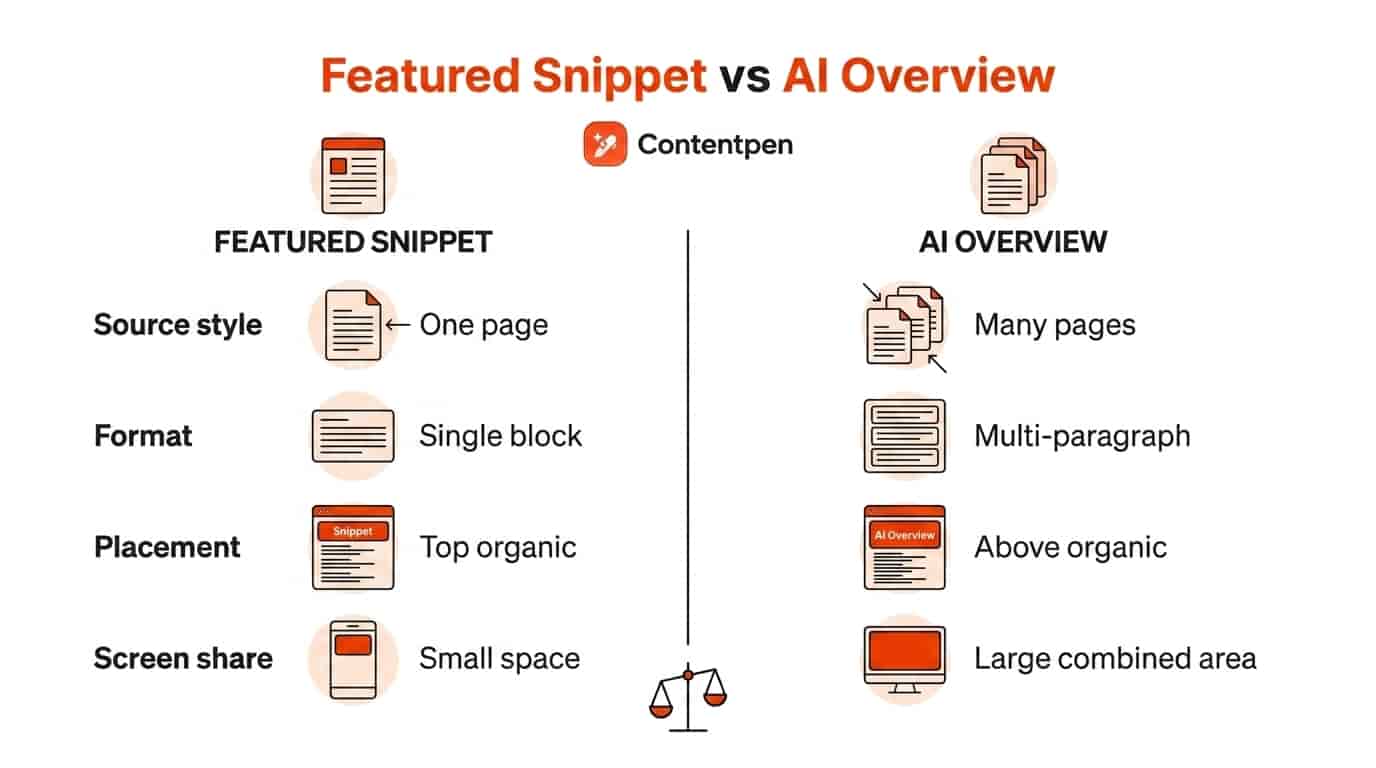
    1. Building separate teams for each acronym: The work overlaps heavily. Split by task, not by label.
    2. Writing “AI-only” content: Thin, robotic pages don’t earn citations from AI or rankings from Google.
    3. Ignoring Google’s AI features: Many teams chase ChatGPT and forget how AI Overviews already shape clicks.
    4. Relying on llms.txt or special markup alone: Google says its Search doesn’t use llms.txt files at all.
    5. Measuring only traffic: Many AI answers are zero-click. Visibility and mentions matter just as much.
    6. Letting facts go stale: Old pricing or outdated stats get your page skipped or, worse, quoted wrongly.

    How can Contentpen help you win at AEO and GEO?

    Running both playbooks by hand means juggling five or six tools. Contentpen puts research, writing, optimization, and AI tracking in one place.

    Here’s how it maps to the work:

    • Find the questions people ask: Keyword research and topic clusters surface the queries worth answering.
    • See what ranking pages cover: SERP and content gap analysis show the angles competitors miss.
    • Write answer-first content: The AI writer builds structured articles with key takeaways, FAQs, and question-based headings.
    • Score as you write: Live SEO and GEO scoring flags gaps, and “Fix with AI” resolves SEO and GEO issues together.
    • Track AI mentions: The AI visibility tool monitors ChatGPT, Google AI, Perplexity, Gemini, Copilot, Grok and Claude, with share of voice and source gaps.
    • Publish in one click: Push to WordPress, Shopify, Wix and other CMSs, or let Autopilot handle the schedule.

    Agencies can also export visibility reports as PDFs or share read-only links with clients.

    Ready to stop guessing? Try Contentpen, the SEO AEO tool built for both search and AI answers.
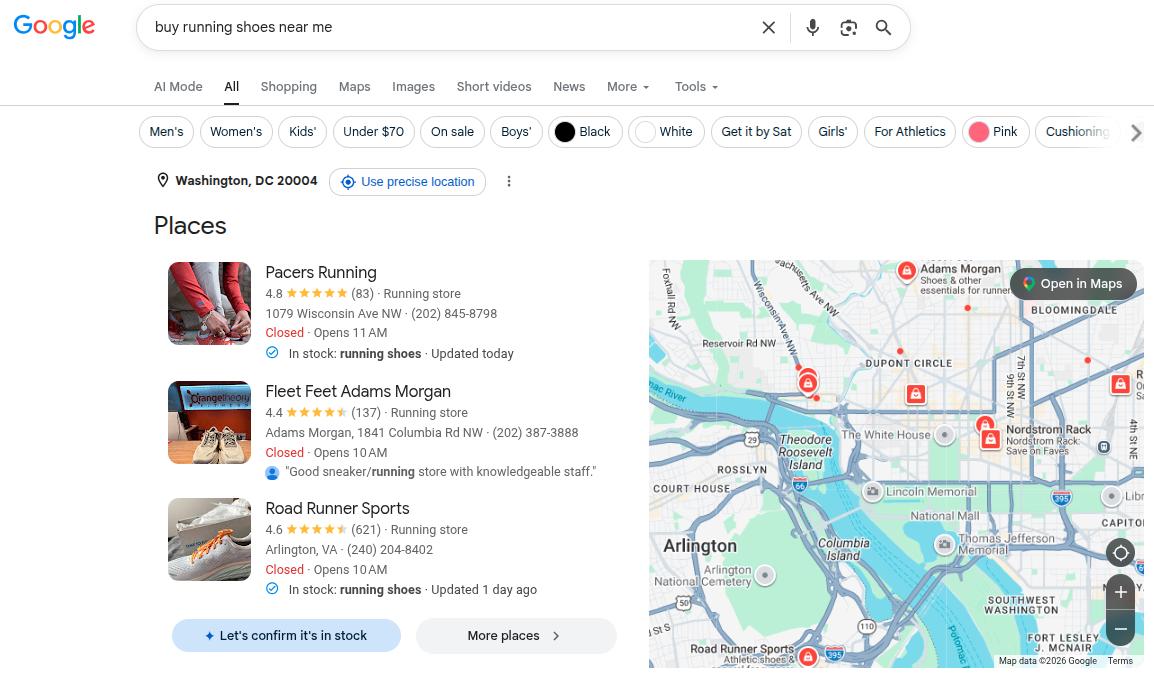
    One content system, two kinds of answers

    AEO and GEO aren’t competing strategies. AEO makes your page the answer. GEO makes your brand part of the conversation.
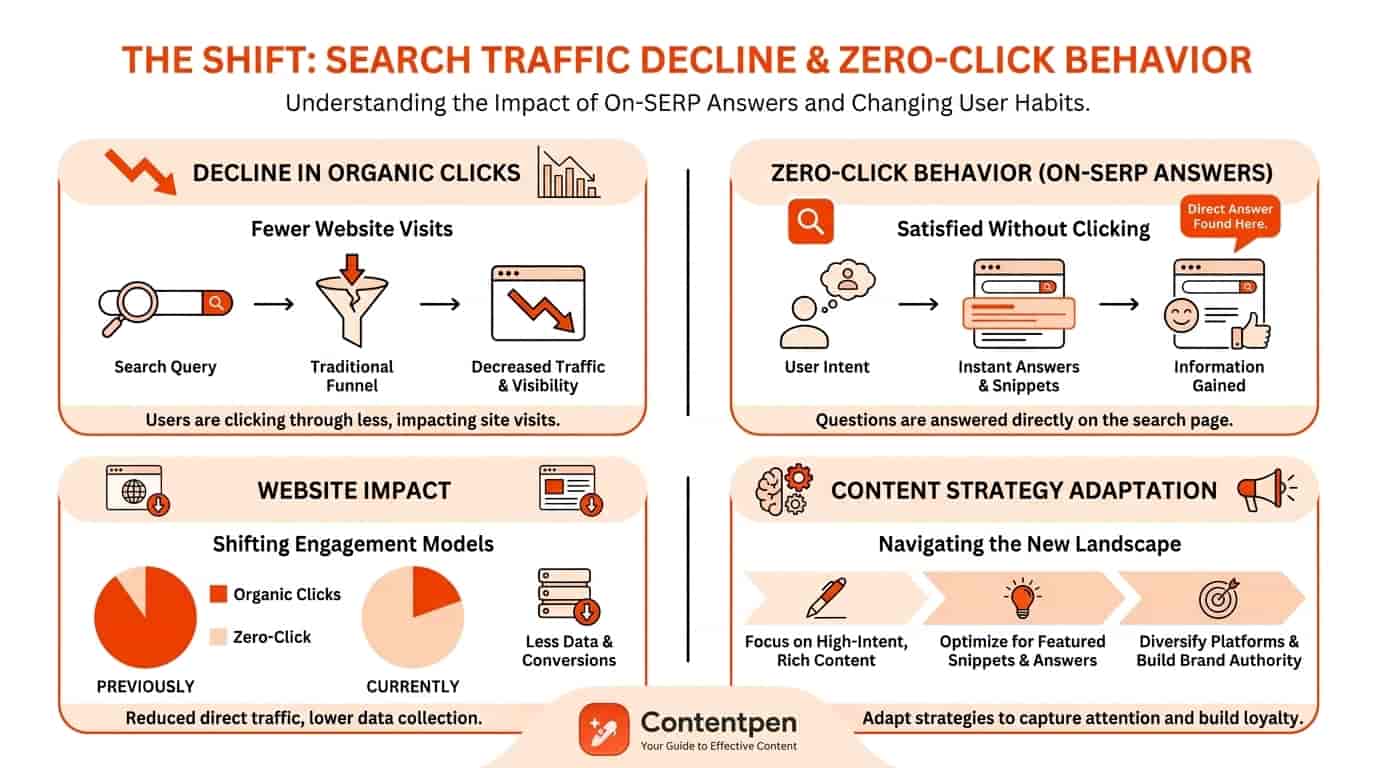
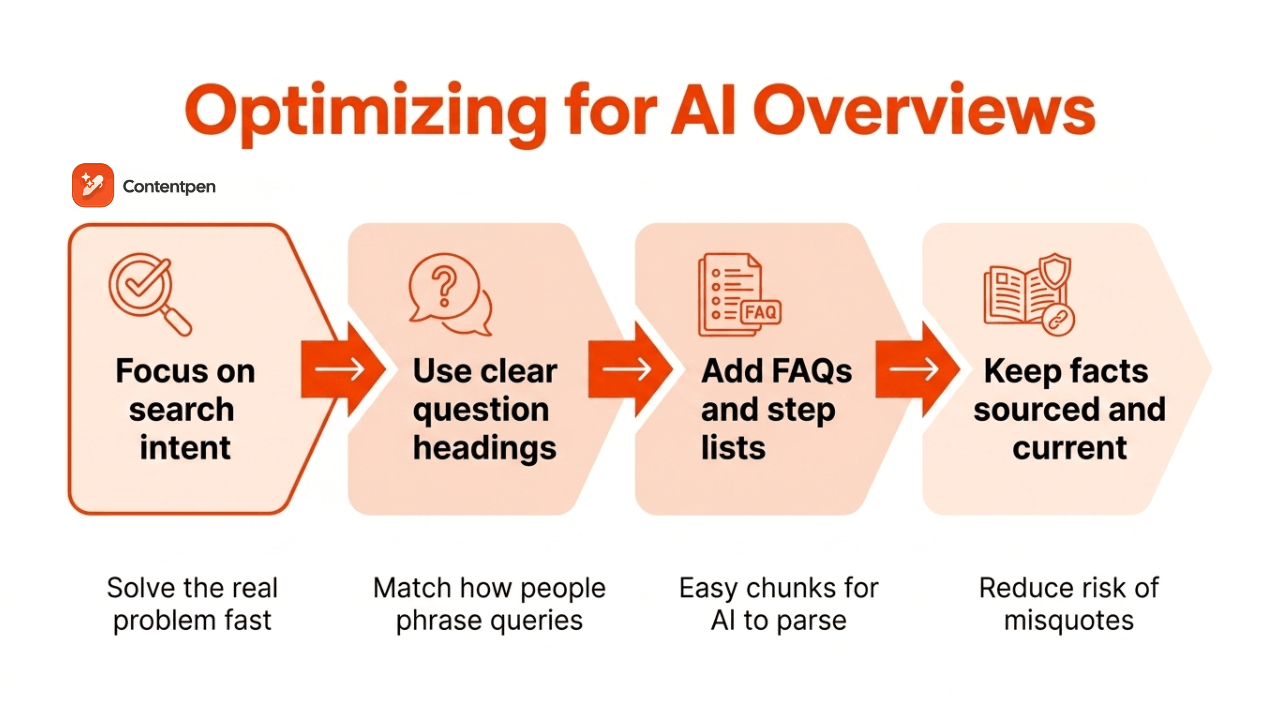
    Both stand on solid SEO. Both reward clear structure, real expertise, and fresh facts.

    Start with answer-first pages, then widen your footprint across the web. Track AI visibility alongside rankings, and you’ll know exactly which half needs more work.

    Frequently asked questions

    Is GEO replacing SEO?

    No. Many AI engines run a live web search before they answer. Pages that rank and get crawled well are far more likely to be pulled in as sources. We cover this in detail in our guide on GEO vs SEO.

    Is AEO only for voice search?

    Not anymore. Voice was its starting point, but AEO now covers featured snippets, People Also Ask, AI Overviews, and chat-style answers on Google.

    Does schema markup help with GEO?

    Indirectly. Organization schema with sameAs links helps confirm who you are across profiles. It won’t earn mentions on its own, though.

    How long do AEO and GEO take to show results?

    AEO changes can show up within weeks once Google recrawls the page. GEO usually takes a few months, since it depends on off-site mentions building up.

    Which AI engine should I optimize for first?

    Start where your buyers already are. Ask a few customers which AI tools they use, then check how each engine answers your top prompts today.

    Can a small business do AEO and GEO on a budget?

    Yes. Rewrite your top pages answer-first, claim your review profiles, and answer real questions in relevant communities. None of that needs a big spend.

    Do AEO and GEO work for non-English content?

    They do. AI engines answer in many languages and often cite local sources. Localized pages with native phrasing give you a better shot in each market.

  • Generative engine optimization (GEO): how to get your content cited by AI

    Generative engine optimization (GEO): how to get your content cited by AI

    Generative engine optimization (GEO) is the practice of shaping your content so AI tools like ChatGPT, Gemini, Perplexity, and Google’s AI Overviews find it, quote it, and cite it in their answers. Think of it as SEO for the answer, not just the link.

    Here’s the problem. Your page can sit at the top of Google and still go unseen, because an AI summary above it already answered the question.

    And it hurts more than it sounds. Ahrefs found that when an AI Overview appears, the top-ranking page gets 34.5% fewer clicks on average.

    The good news? AI engines still need sources, and they lean on pages that are clear, specific, and trustworthy. This guide covers what GEO means, how it differs from SEO, what the research says works, and how to measure it.

    Let’s start with the basics.

    Key takeaways

    • GEO means optimizing content so generative AI engines retrieve, summarize, and cite it.
    • It builds on SEO. Google’s own 2026 guidance calls AI search optimization “still SEO.”
    • In the original GEO study, adding quotes, statistics, and citations lifted visibility by up to 41%. Keyword stuffing made it worse.
    • Success is measured in citations, mentions, and AI share of voice, not only rankings and clicks.
    • Clear answers, real data, first-hand expertise and third-party mentions are your strongest levers.

    What is generative engine optimization?

    Generative engine optimization is the process of making your content easy for large language models (LLMs) to find, understand, and reference. The “engine” here is any tool that writes a response instead of just listing links.

    That includes ChatGPT search, Google AI Overviews and AI Mode, Perplexity, Gemini, Microsoft Copilot, Claude and Grok.

    In plain terms, GEO asks one question. When someone asks AI about your topic, does your brand show up in the answer?

    You’ll also hear it called AI search optimization, LLM optimization (LLMO), or AI optimization (AIO). The labels differ, but the goal is the same.

    Where did the term GEO come from?

    The term took off after a 2023 research paper titled GEO: Generative Engine Optimization, by researchers from IIT Delhi and Princeton University. It was later presented at KDD 2024, a major data mining conference.

    The team tested a set of content changes to see which ones made a source appear more in AI answers. Their headline finding was that the right changes can boost visibility by up to 40%.

    We’ll get into exactly which changes worked a little further down.

    How do generative engines pick which sources to cite?

    Most AI search tools follow a similar three-step loop. Once you see it, every GEO tactic starts to make sense.

    1. Retrieve: The engine runs one or more searches behind the scenes and pulls a shortlist of pages. Google calls this multi-search approach “query fan-out.”
    2. Read and weigh: It scans those pages for passages that directly answer the prompt, and judges how trustworthy each source looks.
    3. Generate and cite: The model writes an answer in its own words, then links the sources it leaned on most.

    So what does that mean for you? You need to be found in step one, quotable in step two, and credible enough to be cited in step three.

    How generative engines choose which sources to cite

    Why does generative engine optimization matter in 2026?

    Because search behavior has already shifted. People ask longer questions, and they accept the AI answer more often.

    • Bain & Company found that about 80% of search users rely on AI summaries for at least 40% of their searches.
    • The same research estimates that zero-click behavior could cut organic web traffic by 15% to 25%.
    • Bain also found that about 60% of searches now end without a click to another site.

    Now here’s the twist. Fewer clicks don’t mean less influence.

    If an AI answer names your brand as the best option, that recommendation lands before anyone visits a website. For agencies and B2B brands, being left out of the answer is the new page two.

    GEO vs SEO vs AEO: what’s the difference?

    All three aim to make your content visible. They just target different places on the results page.

    SEOAEOGEO
    Main goalRank pages in search resultsBe the direct answer to a questionBe cited or mentioned in AI-written answers
    Where you show upBlue links on Google and BingFeatured snippets, voice answers, AI OverviewsChatGPT, Perplexity, Gemini, Copilot, AI Mode
    Query styleShort keywordsQuestionsLong, conversational prompts
    Content focusRelevance, links, technical healthConcise, well-structured answersEvidence, clarity, authority across the web
    Main metricsRankings, clicks, trafficSnippet wins, answer presenceCitations, mentions, AI share of voice

    See SEO vs GEO vs AEO for a side-by-side table

    In practice, the lines blur. Many marketers use AEO and GEO as one discipline, and both sit on top of SEO.

    Want a deeper side-by-side? Read our breakdown of AI search optimization vs traditional SEO.

    Is GEO replacing SEO?

    No. And Google says so directly.

    In its guide to optimizing for generative AI features, Google states that “optimizing for generative AI search is optimizing for the search experience, and thus still SEO.” Its AI features run on the same core ranking and quality systems as regular search.

    That tracks. A page that isn’t indexed can’t be retrieved, and a page that can’t be retrieved can’t be cited.

    So think of GEO as a layer, not a replacement. Strong SEO gets you onto the shortlist. GEO helps you get picked from it.

    Our GEO vs SEO guide covers what changes and what stays the same.

    What did the original GEO research find?

    Here’s where most guides stop short. The GEO paper didn’t just coin a term; it measured how specific edits changed a source’s presence in AI answers.

    Tactic testedWhat it meansChange in visibility vs baseline
    Quotation additionAdding relevant quotes from credible people+41%
    Statistics additionSwapping vague claims for real numbers+31%
    Fluency optimizationMaking text smoother and easier to read+28%
    Cite sourcesReferencing credible sources in the text+27%
    Keyword stuffingRepeating the target keyword more often-8%

    Source: Table 1 of Aggarwal et al., KDD 2024, position-adjusted word count. Percentages calculated against the paper’s baseline score of 19.3.

    The lesson is hard to miss. AI engines reward evidence and clarity, while old keyword tricks actually backfire.

    One caveat is worth knowing. The authors note that results vary by domain, so test what works in your niche.

    How to do generative engine optimization: 8 strategies

    Ready to put this into practice? These eight strategies map back to the research and to how AI engines pull content.

    1. Lead with the answer

    Open each page, and each section, with a one or two sentence answer. AI engines often lift a single passage, so make that passage stand on its own.

    Then add context, examples, and nuance below it. Quick test: if someone read only the first two lines under a heading, would they get the answer?

    Our guide on how to structure a blog walks through this in more detail.

    Write better blogs in less time, without sacrificing quality.

    Let AI handle structure, clarity, and flow while you stay in control of the message.

    Try AI blog writing →
    AI SEO Interface

    2. Add statistics and quotes from real sources

    Replace “most marketers agree” with a number and a source. Add a short quote from a named expert, a customer, or someone on your own team.

    These were the two strongest tactics in the GEO study. Just never invent a figure, because AI engines and readers both punish shaky claims.

    Here’s how to fact-check AI-generated content before it goes live.

    3. Cite primary sources, not roundups

    Link to the original study, documentation, or dataset, not a blog that summarized it. The shorter the trail, the more a claim gets trusted.

    It also protects you from repeating numbers that were wrong to begin with. Learn more about how citations work in SEO.

    4. Format for easy lifting

    Use question-based headings, short paragraphs, bullet lists, and comparison tables. Add a key takeaways block near the top and an FAQ section at the end.

    Structure doesn’t trick the model. It simply makes your best passages easy to find and quote. Our on-page SEO checklist covers the basics.

    5. Show first-hand experience

    Here’s the catch with generic content. AI can already write it, so it has little reason to cite yours.

    Original data, screenshots, test results, and honest opinions give the engine something it can’t produce alone. A quick SERP and content gap analysis shows what everyone else already covers, so you know where your own insight adds something new.

    Pair all of this with real author bios that show each writer’s actual role.

    Get your content cited by AI, not just ranked on Google!

    See your real-time GEO score as you write to make every piece citation-ready.

    Try GEO Scoring →
     GEO Scoring

    6. Get mentioned beyond your own site

    AI answers lean heavily on comparisons, reviews, forums, and industry lists. Earn mentions on trade publications, review platforms, podcasts, and communities like Reddit.

    Keep your brand description consistent everywhere, so models describe you accurately. One warning, though: Google’s guide treats fake or paid-for inauthentic mentions as a spam violation.

    7. Keep pages fresh

    On fast-moving topics, AI engines favor current information. Update stats, dates, pricing, and screenshots on your key pages on a set schedule.

    Show a visible “last updated” date too. If a page is aging, a content refresh is often faster than writing something new.

    Update existing content without rewriting it that fills them

    check

    Improve outdated posts using live URL analysis

    check

    Refresh SEO, structure, and relevance in minutes

    Try Content Refresh →
    AI SEO Interface

    8. Make sure AI crawlers can reach you

    Check that your pages are indexable, and that robots.txt doesn’t block crawlers like Googlebot, Bingbot, OAI-SearchBot, or PerplexityBot. Keep important content in the HTML rather than hidden behind heavy JavaScript.

    If a crawler can’t read the page, nothing else on this list matters. Brush up on technical SEO if you’re unsure where to start.

    What does GEO look like in practice?

    Let’s make this concrete. Say you run a project management tool and want AI to cite you for “how to run a sprint retrospective.”

    Before:

    Sprint retrospectives are very important for agile teams. There are many ways to run them, and every team is different. In this post, we’ll explore some ideas.

    After:

    A sprint retrospective works best as a 45-minute meeting built around three questions: what went well, what didn’t, and what we’ll change next sprint. Across [X] retros, our team cut repeat blockers by [Y]% after limiting each session to two action items with named owners.

    What changed? Quite a lot, in very few words.

    • The answer comes first, in one self-contained passage.
    • Vague filler became a specific format and timeframe.
    • A first-hand result (your real numbers go in the brackets) gives AI something only you can offer.

    Need more inspiration? Browse these answer engine optimization examples.

    How do you measure generative engine optimization?

    Rankings alone won’t tell you much here. You need to track how often AI actually names and links you.

    What to trackWhat it tells youWhere to find it
    AI citationsHow often your URLs are linked as sources in AI answersContentpen’s AI Visibility tool
    Brand mentionsHow often AI names you, with or without a linkContentpen’s AI Visibility tool, or other AI visibility tools running a fixed prompt set
    AI share of voiceYour mentions compared with competitors for the same promptsContentpen’s AI Visibility tool (what is share of voice?)
    Accuracy and sentimentWhether AI describes your brand correctly and positivelyManual review of answers
    Google AI performanceImpressions and clicks from Google’s AI featuresSearch Console’s generative AI performance report
    AI referral trafficVisits from chatgpt.com, perplexity.ai and similarThe referral sources in your analytics tool

    A practical way to start is to pick 20 to 50 prompts your buyers actually ask. Your keyword research, sales calls, and support tickets are good places to find them. Track them weekly and watch the trend, not any single answer.

    Why the trend? AI responses can vary from one run to the next. An AI visibility audit gives you a clean baseline to compare against.

    Find your brand in AI search

    check

    Track AI citations, share of voice, and brand sentiment

    check

    Find the top sources driving citations

    Try AI Visibility →
    AI SEO Interface

    Which GEO myths can you safely ignore?

    GEO has attracted plenty of hype. Google’s own guide and the GEO research put a few popular claims to rest.

    • You need an llms.txt file: Google says its Search doesn’t use these files. They won’t hurt, but they won’t help your Google visibility either.
    • Break every page into tiny chunks: Google says there’s no need, because its systems can find the relevant part of a page on their own.
    • Special schema unlocks AI answers: No special markup is required for AI features. Keep using structured data for rich results.
    • Repeat the keyword for the AI: Keyword stuffing scored below baseline in the GEO study.
    • GEO is a one-time project: AI answers shift as models and sources change, so treat it as ongoing work.

    How Contentpen helps you win AI citations

    Doing all of this by hand across dozens of pages gets heavy fast. Contentpen is an all-in-one SEO and AEO tool that puts research, writing, GEO scoring and AI visibility tracking in one workspace.

    Here’s how it maps to the strategies above:

    • Live SEO and GEO scoring: score drafts as you write, then use Fix with AI to apply SEO and GEO fixes in one go.
    • AI-ready structure: articles come with key takeaways, FAQs and a clean heading hierarchy, all part of Contentpen’s AI search optimization tool.
    • AI Visibility tracking: monitor your prompts across up to seven engines, including ChatGPT, Google AI, Copilot, Gemini, Perplexity, Grok, and Claude, and compare your share of voice with competitors.
    • Automated linking: add internal links and links to credible external sources without the manual hunt.
    • Content refresh: SEO opportunities flag pages worth recovering, so you can update aging posts and keep them citable.
    • One-click publishing: push articles to WordPress, Shopify, Wix, and other CMSs, or let SEO Autopilot handle the routine.

    Want to see where your brand stands in AI answers today? Start your 7-day free trial of Contentpen and run your first AI visibility check.

    GEO is SEO with a new finish line

    Generative engine optimization is about earning a place inside the answer, not just a spot in the list below it. The foundations haven’t changed: be crawlable, be useful, and be trustworthy.

    What has changed is the bar. Clear answers, real numbers, cited sources, and outside mentions now decide who gets quoted.

    Start small. Pick your ten most important pages, rewrite their openings, add evidence, and track a handful of prompts. Then build from there.

    Frequently asked questions

    What does GEO stand for in marketing?

    GEO stands for generative engine optimization. In older marketing contexts, “geo” can also refer to geotargeting by location, so check the context.

    What is generative engine marketing?

    It’s a broader term for all marketing aimed at AI engines. It covers GEO, plus things like brand building on third-party sites and paid placements as AI platforms open up to ads.

    Is GEO the same as AIO or LLMO?

    Mostly, yes. AIO (AI optimization) and LLMO (large language model optimization) describe the same goal of getting visible in AI-generated answers.

    How long does GEO take to show results?

    It depends on the engine. Tools that search the live web can pick up changes once your pages are recrawled, often within weeks.
    What a model “knows” from its training data only shifts when that model is updated, which can take months.

    Can small businesses do GEO without an agency?

    Yes. Most of the work is good content practice: clear answers, real expertise, accurate business listings, and honest reviews. A small business team with the right tool can cover the basics in-house.

    Does AI-written content hurt GEO?

    Not by itself. What matters is whether the content is accurate, original, and useful, which is also how Google views AI content.
    Mass-producing thin pages to game AI answers, though, breaks Google’s spam policies.

    Which AI engine should I optimize for first?

    Start where your audience already searches. For most brands, that means Google’s AI Overviews and ChatGPT, then expand to Perplexity, Gemini, and Copilot as you track results.

  • How to turn off AI Overviews in Google Search? A simple guide

    How to turn off AI Overviews in Google Search? A simple guide

    By default, there is no switch to turn off Google AI Overviews. However, there are certain ways in which you can bypass or “trick” Google’s AI features into not appearing on your screen.

    Closing AI summaries is a choice that some people make to enjoy surfing the web without distractions. That said, as a business, we recommend keeping them on to ensure better AEO efforts.

    In this post, we will learn how to turn off AI Overviews in Google search using 3 different methods. We will also cover a way to turn AI Overviews off on mobile.

    So, let’s get started.

    1. Use the ‘-AI’ tag while searching

    The first method of removing AI Overviews from your search is to use the NOT (-) operator while typing in your query. This method was also mentioned by one of the members in the Google community.

    Let’s say we want to search “how to cook rice” for organic results. We’ll add an “-AI” at the end of the query to avoid getting any AI Overviews in our response.

    AI Overview turned off by using the '-AI' tag in search.

    Instantly, we can see that our trick has worked and there are no AI Overviews present on our screen. Instead, we’ve got an article in the featured snippet, which Google thought covers the searcher’s intent the best.

    2. Switch to Web results

    Have you ever noticed search filters that appear right underneath your search bar? One of these filters is the “Web” filter that helps you remove the AI Overview panel completely.

    How to find and use the 'Web' filter to remove AI Overviews.

    Once you click on this filter, you’ll see only the organic listings for the typed query and no AI summaries at the top.

    Web filter removing AI Overviews.

    Unfortunately, you cannot set the “Web” filter by default, which means that you’ll have to manually set it every time you search.

    Related read: Defining AI search optimization.

    Also, when using this filter, YouTube previews and featured snippets won’t appear on your screen, as you’ve specifically requested Google to show only textual web links.

    3. Add &udm=14 to URLs

    ‘&udm=14’ is a Google search parameter that forces the search engine to show results only with its “Web” filter mode. It is kind of like method 2, but a fancier way to turn off AI Overviews.

    There are multiple ways to go about this:

    i) Append ‘&udm=14’ at the end of each search URL manually

    This one is pretty much straightforward but tedious. Every time you search, you go to the end of your generated URL and add &udm=14 at the end without a space. Tiresome, but works.

    ii) Use the udm14.com website for search

    The second way is to use the udm14.com website to search for something. It basically adds the ‘&udm=14’ search parameter to all your search URLs to turn off AI Overviews.

    Udm14 website landing page.

    Proxy sites like this can read your search queries, so consider your comfort level before proceeding.

    iii) Permanently add ‘&udm=14’ to your Google settings

    Another way to turn off AI Overviews is to use your Google Chrome settings and add the ‘&udm=14’ parameter permanently to your searches. This way, you won’t have to go to proxy sites like udm14.com or compromise on your data privacy.

    Go to chrome://settings/searchEngines on your Chrome browser.

    Next to the ‘Site Search’ section, click the ‘Add’ button and enter the following details:

    Creating custom site search shortcut with the '&udm=14' parameter.

    Name: Google Search

    Shortcut: @web

    URL: https://www.google.com/search?q=%s&udm=14

    After you’re done adding the site search shortcut, make it default. 

    How to make the custom site search shortcut default in Google Chrome.

    Now, Google AI Overviews will be turned off by default the next time you search something up online. But, just like the “Web” filter, you will only see textual search results and no YouTube embeds or featured snippets.

    How to turn off AI Overviews on mobile?

    To turn off AI Overviews on Android or iPhone, follow the given steps:

    Since mobile browsers don’t generally allow the addition of custom search engines as we did previously, we’ll use OpenSearch for this method. 

    OpenSearch is basically a simple XML file that instructs your mobile browser to add the ‘&udm=14’ URL parameter to all your Google searches.

    For Chrome on Android:

    1. Visit TenBlueLinks.org.
    2. Open a new tab on your browser and search for anything on Google (important).
    3. Tap on the three-dot menu in the top right corner.
    4. Choose “Settings”, then “Search engine”.
    5. Select “Google Web” in the “Recently visited” section.

    After this step is done, you’ll officially add the “Web” filter to all your searches on mobile, turning off Google AI Overviews.

    Chrome will show “tenbluelinks.org” as the source where it got the instructions, but all your search queries will be sent directly to Google, not this website. So, your browsing data will be safe while you turn off AI Overviews with this method.

    Repeat the same procedure for iPhone to turn off Google AI on Chrome browser.

    However, keep in mind that this procedure won’t work on the Safari browser. For that, you’ll have to install a separate extension called CSE from the App Store and set the ‘&udm=14’ parameter accordingly in its settings.

    You can also use the “Web” filter on iPhone while searching (as we did in method 2) to turn off AI Overviews.

    Why turning off Google AI Overviews is not recommended for businesses

    As a business, you need to know how your product or service is being mentioned in AI summaries above the organic results. 

    In 2026, 68% of all Google searches end without a click (called zero-click searches). This means if you are not in AI Overviews, you risk not being seen at all.

    Therefore, if you keep your AI Overviews on as a business, you’ll know the status of your business citation in AI answers. Only then would you be able to make the proper amends to your content through GEO or AEO (answer engine optimization) to boost your AI visibility.

    That said, performing GEO or AEO work manually is a lot of hassle. You’ll have to ensure the answer-first formatting in your content, take care of statistical accuracy, not to mention strengthening semantic and authority signals, all by yourself.

    This is where Contentpen supports your journey. The SEO AEO tool scores every draft for SEO and GEO as you write, and Fix with AI resolves issues in both, so your content is built to rank on SERPs and appear in AI summaries.

    Get your content cited by AI, not just ranked on Google!

    See your real-time GEO score as you write to make every piece citation-ready.

    Try GEO Scoring →
     GEO Scoring

    Once you’ve published some content, you can track your AI citations, share of voice, and brand sentiment in Google AI and other AI engines with the AI visibility tool, included in every plan, without switching tabs.

    Summing it up

    Learning how to turn off AI Overviews can be important for a lot of users to surf the Internet freely without getting burdened by AI summaries they never asked for.

    In this post, we saw 3 ways to turn off Google AI Overviews:

    1) adding the ‘-AI’ tag to your search,

    2) using the “Web” filter, and

    3) adding the ‘&udm=14’ search parameter to your URLs.

    We also learned the technique to bypass AI Overviews on mobile devices. However, the method for iPhones can be a bit more complicated than Androids.

    Finally, we learned why not to turn off AI Overviews as a business and saw how you can use tools like Contentpen to help you improve your AI visibility.

    Frequently asked questions

    Is there an automated way to turn off AI Overviews?

    Yes. You can install extensions, such as Bye Bye Google AI, Hide Google AI Overviews, or the Disable AI Overview extension to add the ‘&udm=14’ search parameter automatically to your search URLs.

    Can I use browsers other than Chrome to turn off AI Overviews?

    Yes. You can use the Brave browser to remove AI features entirely from your searches. You can also turn off AI Overviews on Firefox by adding the ‘&udm=14’ search parameter permanently to your browser settings or by using extensions like Hide Google AI Overviews.

    How to turn off AI Overview in Gmail?

    For Gmail, click on the settings gear in the top-right corner and look for the ‘Google Workspace smart features’ section under the ‘General’ tab. Click on ‘Manage Workspace smart features’ and turn off all the toggles. This should remove AI summaries inside Gmail. 

    Why should brands keep their AI Overviews on?

    Businesses should keep AI Overviews so that they can learn how they’re cited inside AI answer engines (if at all), be visible to users, and improve conversions. Your personal preference might be against AI Overviews, but your brand needs AI citations now more than ever.

  • AI Overviews: The complete guide to Google’s AI search

    AI Overviews: The complete guide to Google’s AI search

    Google’s AI Overviews are an organic search results page feature that provides AI summaries in response to a user’s query. They appear at the very top of the results page, often recognized as “position zero.”

    As of 2026, this summary can handle complex multi-part questions and work across text, voice, and image searches.

    This guide explains what Google AI Overview is, how it works, and how it affects organic traffic. It also provides practical, step-by-step advice on how to appear in these overviews and how to improve your brand visibility.

    So, let’s get started.

    Key takeaways

    • AI Overviews typically appear at the top of search results when a user types in a query on Google
    • AI Overviews now reach more than 200 countries and over 40 languages. They can fill around 67% of the desktop screen and 76% of a mobile screen when appearing together with featured snippets
    • Public reporting suggests only a very small share of users click the source links shown inside an AI Overview. Many searchers read the summary and stop there, especially for informational intent queries
    • One widely cited study by Yahoo found that Quora and Reddit are the most frequent sources inside AI Overviews (as of 2025). This trend shows that AI rewards clear, answer-first content

    What are Google AI Overviews?

    Google AI Overviews key takeaways - Contentpen.ai.

    AI Overviews are a type of highly visible search feature from Google that provides answers to certain queries.

    These AI summaries mostly work for informational queries, although Google has now expanded this feature to commercial, transactional, navigational, and even branded queries.

    For example, if you type in Google “how to eat healthy,” it will automatically generate an answer for you like this:

    An AI Overview example for query 'how to eat healthy.'

    How do Google AI Overviews and Google AI mode work together?

    Since January 2026, Google has incorporated its chatbot-style AI, called AI mode, inside Google AI Overviews. 

    You can seamlessly transition to AI mode by clicking the ‘Show more’ button at the end of an AI Overview.

    The 'How to eat healthy' example query expanded to  see Google AI Mode.

    To understand the way these two AI features work, you need to see some differences:

    • AI Overviews: These are static text snapshots that appear directly at the top of standard search results for straightforward queries. Overviews synthesize indexed data from different sites to give you a quick summary. 
    • AI Mode: This is a dedicated, interactive, and conversational search interface designed for multi-part, complex tasks. It allows users to ask continuous follow-up questions to satisfy the searcher’s intent.

    According to Google’s guide to search AI features, both AI Overviews and AI Mode use a specialized version of the Gemini models.

    Both AI features also use the query fan-out process to break down the user’s question into small subparts.

    For example, we asked Google’s AI Mode, “How to cut down sugar as a diabetic person who is in their 50s?”

    This question essentially had 3 main parts to it. 

    1. The user is asking to cut down on sugar levels
    2. The user is diabetic
    3. The user is in their 50s
    Google AI Mode chatbot response to query 'How to cut down sugar as a diabetic person who is in their 50s.'

    If you look closely, AI Mode included four subparts in its response: cutting down on liquid sugars, portioning food, reading grocery labels, and improving exercise. 

    The last bit is particularly included to cover the requirements of a mature-age person. This shows the query fan-out process being implemented by AI in real time.

    Do AI Overviews answer the same every time?

    Short answer: No. The reason behind this is the nature of the operation of AI features.

    The large language model builds a mental map of key facts, definitions, and steps, then writes a new answer that blends those pieces. This process is similar to the multi-step retrieval and reasoning workflows described in research on agentic AI frameworks and applications. 

    Since data is being taken from each node on the RAG (retrieval-augmented generation) system probabilistically, the chances are that you’ll see a different answer every time you type a query.

    But that doesn’t necessarily mean you’ll get a “wrong” answer. It just means that your answer can vary in phrasing or nuance depth.

    AI Overview vs featured snippet: What is the difference?

    AI Overviews vs. Featured Snippets comparison - Contentpen.ai.

    AI Overview and featured snippets both appear at the top of Google Search, but they work in different ways. 

    A featured snippet is a direct excerpt from a single page that best matches the user’s query. An AI Overview is a fresh answer written by the model using several pages at once. 

    Both can appear together on one results page, although AI Overviews have greatly reduced featured snippets in 2026.

    Also read: How to turn off AI Overviews.

    Here is a quick comparison table to help you understand the differences between them.

    ElementFeatured snippetAI Overview
    Source styleExact excerpt from one pageNew summary built from many pages
    FormatOne block of text or a simple listMulti-paragraph answer, often with follow-up prompts
    PlacementUsually, the top organic spotAbove organic results, sometimes with its own background
    Screen shareTakes up some space on the first screenWith snippets, it can reach a large share of desktop and mobile screen area (67% and 76%, respectively)

    Where and how can you see AI Overviews in Google Search?

    AI Overviews appear for many informational searches in supported countries and languages whenever Google thinks a summary will help. 

    The feature now reaches more than 200 countries and territories in over 40 languages. France was one of the last major markets to get it: Google launched AI Overviews and AI Mode there on July 22, 2026, after a delay it attributed to “regulatory obstacles.”

    Why am I not getting AI Overview on Google consistently?

    In most supported regions, the feature is on by default, so the main reasons for not seeing it can relate to the account, app, or query type. 

    If your Google app or Chrome browser is out of date, the AI layer may not appear consistently, so updating them is a useful first step.

    Next, make sure you are logged into a regular Google account and have language settings that match a supported language such as English, Spanish, or Japanese. 

    Lastly, the appearance of Google AI Overviews also depends on the query asked.

    For simple product searches like exact model numbers or clear transactional searches such as “buy running shoes near me,” Google often skips AI Overviews and shows shopping blocks or nearby business cards instead.

    AI Overviews replaced with local business cards and shop names for a transactional, local keyword.

    What about AI Overviews in Gmail and other Google products?

    Gmail does have AI tools that summarize long email threads and suggest replies, powered by Google’s Gemini models, but those are separate from the Search AI Overview feature. 

    The similar naming confuses a lot of people because both use phrases like AI summary or AI overview in product screens and help pages.

    The same pattern shows up in Docs, Drive, and YouTube, where generative tools add summaries or outlines on top of existing content. 

    While these tools share technology and branding with AI Overview in Google Search, they have separate settings and rollout plans. 

    How do AI Overviews impact SEO and website traffic?

    SEO traffic impact due to the rise of AI Overviews in 2026.

    AI Overviews impact SEO and website traffic by sitting above classic organic rankings and often answering the query without a click, also known as zero-click search. 

    This means brands that are not appearing in AI Overviews risk not being seen at all by users online.

    Secondly, AI Overviews cover a large portion of your screen when appearing with featured snippets. For desktops, that is 67% of your screen and 76% for mobile screens. This leaves a little wiggle room for organic blue links to fight for users’ attention.

    SEO specialists now have to think about traditional SEO and AI Overview optimization, not just classic ranking factors.

    This shift also changes how brands plan content around the funnel. 

    Top-of-funnel questions, definitions, and basic HowTos are more likely to appear in Google AI Overviews. 

    Mid- and bottom-of-funnel queries with strong local or transactional intent, such as “best dentist near me” or “pricing for content marketing software”, still tend to send more clicks to websites. 

    Marketers now watch not only ranking positions but also whether a query shows an AI Overview and how their brand appears, if at all, inside that box.

    What do publishers and regulators have to say about AI Overviews?

    The traffic impact from AI Overviews appears in both reported data and courtroom claims. 

    Penske Media, the publisher behind Rolling Stone and The Hollywood Reporter, has alleged that a notable share of searches that could lead to its sites now display an AI Overview above organic results.

    Penske Media has claimed that this has harmed its visits and ad income. 

    In response, Google has replied in public statements that AI Overviews send traffic to a wider variety of sites and help smaller sources get attention. However, that view is still widely contested in 2026.

    Legal action in Europe adds another angle. A Munich regional court ruled that AI Overviews make independent, new, and substantive statements rather than simply reflecting third-party content.

    This means Google may carry more direct responsibility for content accuracy than it has pledged otherwise.

    Together, these disputes show that the impact of AI Overviews on SEO and traffic is real enough for large publishers and regulators to treat it as a serious business and policy issue.

    How to optimize your content to rank and appear in AI Overviews

    How to optimize content for AI Overviews - Contentpen.ai.

    Optimizing content to appear in AI Overviews means shaping pages so Google’s models can easily understand, trust, and reuse them. 

    The goal is not to “game” the system, but to match how the AI reads structure, intent, and clarity.

    This newer practice often goes by the name generative engine optimization, GEO, or AEO, and it sits alongside classic SEO work and technical health.

    To adapt your content:

    • Focus on search intent, which is the real problem behind each query, and build content that directly solves that problem in the first few lines. Expand with examples, personal experience, and other sections later.
    • Use clear headings that mirror how people phrase questions, including spoken questions. Searches made by voice or with conversational phrasing tend to be longer.
    • Add FAQ sections and simple step lists where they make sense, because both formats map well to the way language models break content into chunks.
    • Keep facts up to date and well-sourced. Unclear or outdated claims are more likely to be twisted or misquoted when the AI writes its own summary.

    Writing content in an “answer-first” format with good structure does help. But what’s most important to appear in AI Overviews and improve brand visibility is to speak with authority.

    That means avoiding fluff and adding real depth to the content with anecdotes, real-life examples, case studies (personal or professional), or any other way to add value to readers.

    Such content is most likely to be cited by AI engines, regardless of whether it’s AI-generated or not.

    Since Quora and Reddit show up often in the AI cards, brands should treat community presence as part of their AI Overview optimization plan.

    Try to provide helpful answers on these platforms that can signal trust to Google’s systems with accurate data.

    How Contentpen helps you build AI Overview-ready content

    Contentpen SEO and AEO tool.

    Contentpen is an AEO tool that helps teams produce AI Overview-ready content by guiding every stage from idea to published post, then tracking whether AI engines cite it.

    The platform starts with intent-based keyword research, so each article is tied to real questions people ask across Google, Gemini, and other AI assistants.

    HowTo topical clusters and keywords researched for the user by Contentpen.

    Once a topic is chosen, Contentpen generates detailed outlines for it with answer-first intros, strong headings, and FAQs, which line up well with how AI Overviews select and organize information.

    A blog example shown in the Contentpen editor for the topic 'How to start a tech blog.'

    During writing, the tool gives both SEO and GEO scores, pointing out where a draft may confuse readers or AI systems. Fix with AI resolves issues in both scores in one pass, helping writers create clear section openers, consistent terminology, and factual content.

    'How to start a tech blog' example in Contentpen with SEO and GEO score.

    Once the content is ready, you can publish it with one-click publishing or schedule it for later with the content planner.

    Content scheduling inside Contentpen.ai.

    The tool also provides web analytics and the new, improved SEO opportunities that help you identify and fix CTR gaps, cannibalization issues, content decay, and more for published content.

    New, updated SEO opportunities inside Contentpen.ai.

    Contentpen’s AI visibility tool also allows businesses to monitor their AI SOV, audit brand visibility and sentiment, and view exact citation source gaps from competitors.

    Find your brand in AI search

    check

    Track AI citations, share of voice, and brand sentiment

    check

    Find the top sources driving citations

    Try AI Visibility →
    AI SEO Interface

    Final thoughts

    Google AI Overviews are now a regular part of search in 2026, not a short-term test you can ignore. They sit above traditional results, take a large area above the fold on many devices, and often answer a query without sending a click anywhere. 

    That new layer of search reshapes how people discover brands and how content teams should plan topics.

    AI visibility now depends on being citation-worthy inside AI answers as well as ranking on the classic results page. Clear structure, answer-first paragraphs, accurate facts, and steady topic authority give your pages a better shot at being selected than otherwise.

    Tools such as Contentpen make that work easier by creating SEO- and GEO-optimized blogs every time and tracking whether AI Overviews cite them, so you can earn mentions in AI answers while sustaining your SERP rankings.

    Frequently asked questions

    How do you get the AI Overview to show up for your search?

    AI Overview usually appears automatically when you search in a supported country and language. You do not need to flip on a special switch in most cases. That said, short or purely transactional queries may often skip AI Overviews and lead users to organic search results.

    How can you remove or turn off AI Overview results?

    Right now, there is no simple global switch that fully turns off AI Overviews for all queries. Users can sometimes reduce how often they see it by using different languages, searching from unsupported regions, or focusing on very specific transactional queries.

    Why do people meme about Google’s AI Overviews?

    People share memes about Google AI Overview because early versions of the AI feature, in 2024, produced some very strange and unsafe answers. Viral examples included telling users to eat rocks for health and suggesting glue on pizza to keep cheese from sliding.

    How do you measure AI Overview visibility?

    Track which of your target queries trigger an AI Overview, then check whether your domain is cited inside it or not. Rank tracking alone misses this, since a page can hold position one and still get zero AI Overview citations.

    What happens if your site is cited in an AI Overview but doesn’t get clicked?

    AEO examples show that you still gain brand exposure and some trust signal, even without the visit. That said, being cited keeps your site in the pool of sources Google treats as reliable for that topic, which can help with future queries and other AI surfaces.