SEO automation tools are software that runs repeatable search tasks for you, like monitoring rankings, auditing your site, linking pages, reporting, and publishing content. They lie somewhere in between programmatic SEO and simple search engine optimization tools.
The best SEO automation tools in 2026 depend on which job you want off your plate. Some platforms automate technical fixes, while others may provide general workflow AI automation.
In today’s post, we compare the top 14 SEO automation tools, plus some bonus platforms that you can use today to enhance productivity for your team. By the end, you’ll also see which stack to build depending on the team size and resources available.
So, let’s get started.
Key takeaways
- SEO automation tools run recurring search work like monitoring, audits, linking, reporting, and publishing. They differ from programmatic SEO tools or generic SEO tools that collect or analyze data only.
- Contentpen suits teams that want keyword research, writing, publishing, and content refreshes to run as one workflow with optional approval checkpoints.
- Workflow builders like n8n and Gumloop give you the most control, but you build and maintain every workflow yourself.
- Free tools such as Data Studio, Search Console, and the free tier of Screaming Frog can automate monitoring and reporting before you spend anything.
- Whatever you pick, keep a person in charge of anything that goes public and confirm you can roll changes back.
What are SEO automation tools?
SEO automation means using software, scripts, or AI to run repeatable optimization work without a person doing every step by hand. SEO automation tools are the products that do that work, from crawlers that check your site every week to agents that publish and refresh articles.
Three types of automated SEO tools
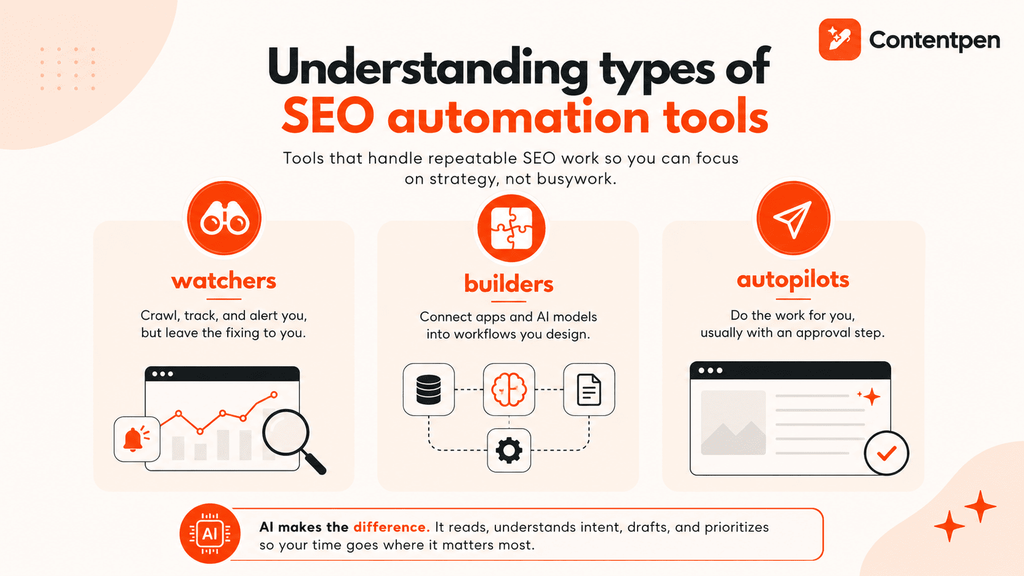
Most SEO automation tools fall into one of three groups.
- Watchers: Crawl, track, and alert you, but leave the fixing to you.
- Builders: Connect apps and AI models into workflows you design.
- Autopilots: Do the work for you, usually with an approval step.
The AI layer matters most for builders and autopilots. Modern SEO automation AI can read a page, group keywords by intent, draft an outline, or decide which alert deserves attention. That judgment is what separates today’s SEO tool AI from older rule-based platforms.
SEO automation tools vs programmatic SEO tools vs SEO tools
These three terms overlap significantly today, so it helps to separate them by the question each one answers.
| SEO automation tools | Programmatic SEO tools | SEO tools | |
| Main question | Which recurring SEO tasks can run without a human? | How can a person publish many pages from one template and a dataset? | What does the data say, and what should the person do next? |
| Typical output | Alerts, fixes, reports, scheduled posts, workflows | Hundreds or thousands of template-based pages | Keyword, backlink, and ranking data |
| How it runs | On a schedule or trigger, continuously | In batches, per campaign | Mostly when you open them |
| Examples | OTTO SEO, n8n, Conductor Monitoring | SEOmatic, WP All Import, Airtable | Ahrefs, Semrush |
Some products sit in multiple columns. For instance, Semrush is both an SEO data tool and a “watcher.” Similarly, Contentpen can generate pages at scale as well as run recurring search engine optimization tasks.
Our list today focuses on the tools that can perform recurring SEO tasks for you to eliminate manual hand-offs and improve overall team productivity.
How did we choose the best SEO automation tools in 2026?
To enter a tool on our list, we reviewed its workflow firsthand, product documentation, pricing, product pages, and independent user reviews from platforms like G2, Capterra, and Product Hunt. We evaluated every tool against the same seven-point criteria.
| Criteria | What we looked for | Why it matters |
| Automation depth | Does it run a full job or only part of one? | Half-automated jobs still need manual hand-offs |
| Human control | Approval modes, rollback, change logs | Mistakes should never go public unchecked |
| Setup effort | Time and skill needed before the first useful run | A tool nobody sets up saves no time |
| Integrations | Search Console, SEO analytics tools, CMS platforms, communication channels, and APIs | Automation breaks when data stays trapped in one tool |
| AI search coverage | Tracking or optimizing for ChatGPT, Gemini, Google AI, and other AI chatbots | Pages now need AI citations as well as SERP rankings |
| Cost | Real price after credits, seats, and add-ons | Usage limits can raise the cost quickly |
| Reliability | Retries, alerts, and clear errors | Silent failures are the worst kind of automation bug |
Pricing below reflects public list prices in October 2026. Many vendors change plans often, so confirm numbers on each pricing page before you buy.
Top SEO automation tools compared head-to-head
This SEO automation tools list is grouped by the task each tool automates. Use the table first, then jump to the tools that match your work.
| Tool | Best for | Type | Starting price | Standout feature |
| Contentpen | Keyword-to-published content workflow | Autopilot | $79/month for Autopilot (billed annually) | Plans, writes, publishes, and refreshes with optional approval checkpoints |
| OTTO SEO | Technical and on-page fixes | Autopilot | $79/month (billed annually) | Applies fixes through a pixel, with an approval mode |
| n8n | Custom workflows | Builder | Free self-hosted, and paid plans start at $20/month on cloud | Visual workflows with community SEO templates |
| Gumloop | No-code AI agents | Builder | Free plan available, paid starts from $37/month | LLM steps inside workflows |
| Zapier | Connecting apps | Builder | Free plan, paid starts from $19.99/month (annual) | 9,000+ app integrations |
| Semrush | All-in-one monitoring | Watcher | $165.17/month (billed annually) | Scheduled audits and position alerts for SEO and AI search |
| Screaming Frog | Technical crawls | Watcher | Free up to 500 URLs, then $279/year | Command-line scheduled crawls |
| Sitebulb | Visual audits | Watcher | From $18/month, scheduling on Pro | Scheduled audits with comparisons |
| Conductor Monitoring | Real-time change alerts | Watcher | Custom | 24/7 site monitoring for AI and search visibility |
| Clearscope | Content decay | Watcher | $129/month | Decay detection tied to Search Console |
| LinkWhisper | Internal linking on WordPress | Autopilot for links | $97/year | Link suggestions and auto-linking rules |
| SE Ranking | Scheduled client reports | Watcher | $103.20/month (billed annually) | White-label reports sent on a schedule |
| Ahrefs | Backlink and competitor alerts | Watcher | $108/month (billed annually) | Alerts and scheduled reports |
| Data Studio | Free dashboards | Watcher | Free | Auto-refreshing dashboards |
Now let’s look at each tool in more detail.
Best SEO automation tools for content and technical autopilots
Autopilots do the work and not only report on it. That makes approval steps and rollback options the most important things to check.
1. Contentpen
Best for: Businesses that want keyword research, writing, publishing, and content refreshes to run as one workflow.
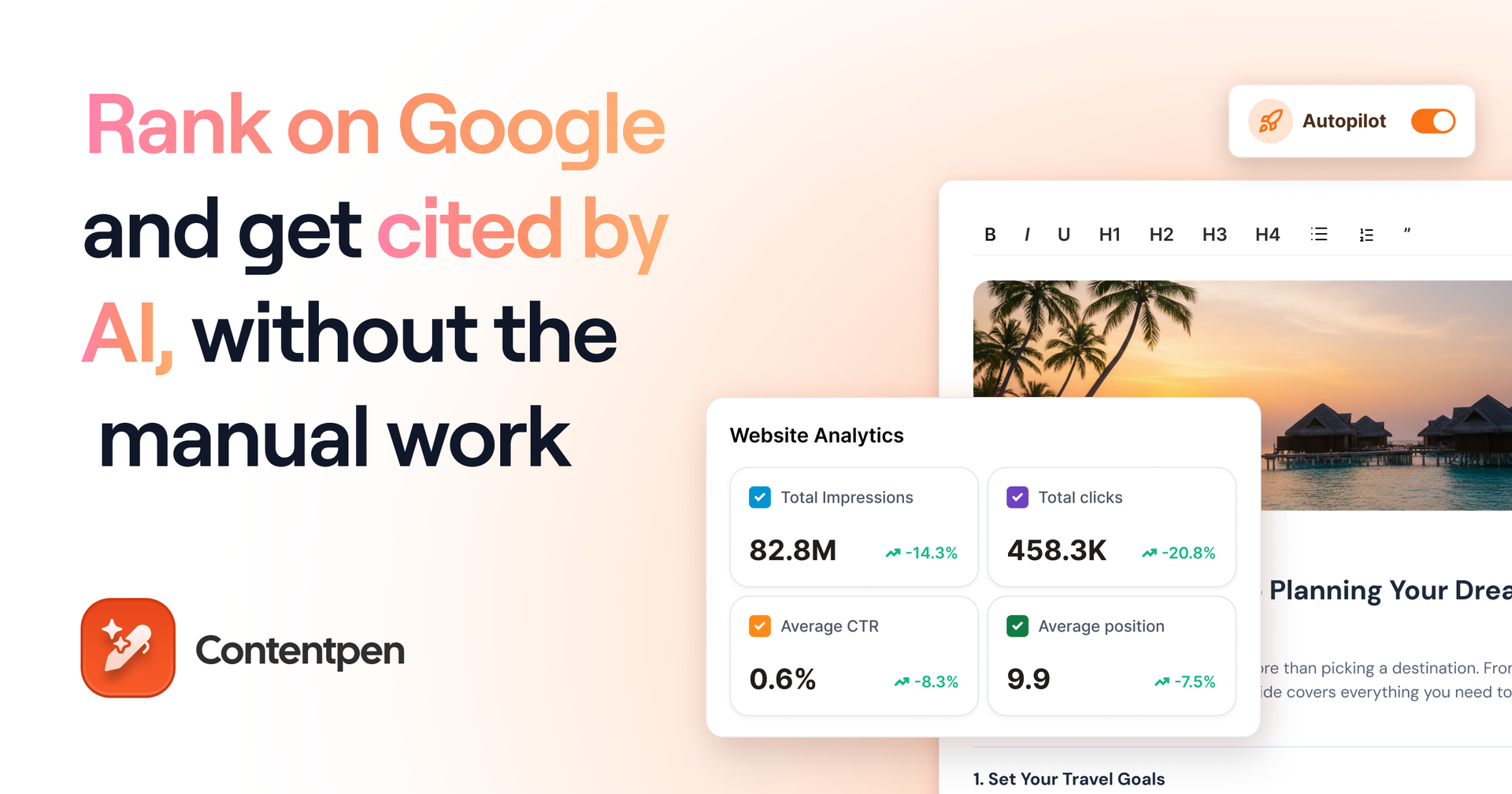
Contentpen is a powerful SEO and AEO platform in 2026. It finds keywords with demand, builds the outline from SERP and gap analysis, writes and scores the draft for SEO and GEO, and publishes it to your CMS.
The automation does not stop at publishing. SEO opportunities flag content decay, weak click-through rates, and cannibalization issues. Then, you can refresh content with AI so older articles get maintained without a manual audit.
Key features:
- SEO Autopilot: SEO Autopilot plans, writes, and publishes new articles and refreshes on a schedule with the approval checkpoints that you set.
- Publishing: With direct publishing, your content goes live on WordPress, Ghost, Wix, Webflow, Shopify, and EmDash CMS platforms. You can also share social updates with the ContentStudio integration.
- Auto-interlinking: Each draft gets internal and external links placed automatically where they help a reader.
- SEO and GEO scoring: Every draft is scored for winning Google rankings and AI citations before it goes live.
- AI visibility tracking: The AI visibility tool tracks mentions, share of voice, position, and sentiment across 7 AI engines, depending on plan.
- API and webhooks: A public API and webhooks come with every plan, so you can trigger other workflows when content publishes.
Real teams use this setup. NETK5 Technology saved roughly $500 a month on SEO and AEO tasks without adding headcount.
Pros:
- The tool covers research, writing, publishing, refreshing, and post-publish tracking in one place
- Approval checkpoints are available, so nothing publishes unseen
- The Content Refresh feature updates decaying pages to regain organic traffic
- Branded images ensure your content is visually consistent
Cons:
- Autopilot and SEO opportunities start on the Growth plan
- It has no backlink database or technical crawler
Pricing:
The Starter plan costs $39/month billed annually (12 articles, no Autopilot). The Growth plan costs $79/month and adds Autopilot and SEO opportunities with 40 articles per month. Sign up for the 7-day free trial.
Pro tip: Start with approval checkpoints before and after the draft. Loosen them only after you have reviewed a few weeks of output.
2. OTTO SEO by Search Atlas
Best for: Teams that want technical and on-page fixes applied automatically
OTTO SEO is the AI agent inside Search Atlas. It scans your site, finds issues, and applies fixes like titles, schema, canonicals, and redirects. Changes can go live through Cloudflare, your CMS, or a one-time pixel install, and an approval mode lets you review the changes first.
The tool connects to Google Analytics and Search Console to gain access to first-party data. Search Atlas also covers content creation and off-page tasks like automated link building and press release distribution, which makes it broader than a pure technical SEO tool.
Key features:
- Automated on-page fixes: Titles, schema, canonicals, and redirects get updated from the agent’s findings.
- Approval mode: You can review changes before they deploy.
- Flexible deployment: Choose Cloudflare, a CMS connection, or a pixel.
- Wider suite: Keyword research, site auditing, content tools, and AI search visibility tracking sit in the same account.
Pros:
- Removes the developer queue for routine technical fixes
- Approval mode keeps a person in control
- Covers many SEO jobs under one subscription
Cons:
- The wide feature set takes time to learn
- Pixel-based changes can depend on an active subscription, so ask about the cancellation policy before you commit
- Costs can scale rapidly as you add more sites
Pricing:
The starter plan costs $79/month (billed annually) and includes one OTTO site activation. A 7-day trial is available to test the platform before committing.
Pro tip: Switch on approval mode for your first month, then sample the change log weekly to see which fixes you would have made yourself.
Best SEO automation tools for building your own workflows
Workflow builders give you the most flexibility in SEO automation. The trade-off is that you design, test, and maintain every workflow yourself.
3. n8n
Best for: Technical marketers who want custom SEO automation workflows without paying per step.
n8n is a visual workflow builder that connects apps through blocks called nodes. For SEO, that means you can pull Search Console data, compare it week over week, ask an AI model to group the results, and post a summary to Slack, all on a schedule.
Key features:
- Visual workflows: Nodes for Search Console, Google Sheets, Slack, email, and AI models.
- Community templates: Ready-made workflows cover SEO tasks like indexing checks, keyword cannibalization reports, and Search Console analysis.
- Code step: You can add custom JavaScript code when a node cannot do what you need.
- Self-hosting: The free Community Edition runs on your own cloud server.
Pros:
- Highly flexible, with ready-made community templates to start from
- Billing counts one execution per workflow run, not per step
- Free self-hosting for teams that can manage a server
Cons:
- You build and maintain every workflow yourself
- Keyword data and AI model APIs bill separately
- Polling workflows that run every few minutes can use up an execution allowance quickly
Pricing:
The Community Edition is free to self-host, though you pay for hosting. Cloud Starter costs $20/month billed annually for 2,500 executions, and Pro costs about $50/month for 10,000 executions.
Pro tip: Connect your publishing platform’s webhook to n8n so a new article can trigger an indexing check and a Slack message automatically.
4. Gumloop
Best for: Marketers who want AI agents for SEO tasks without writing code.
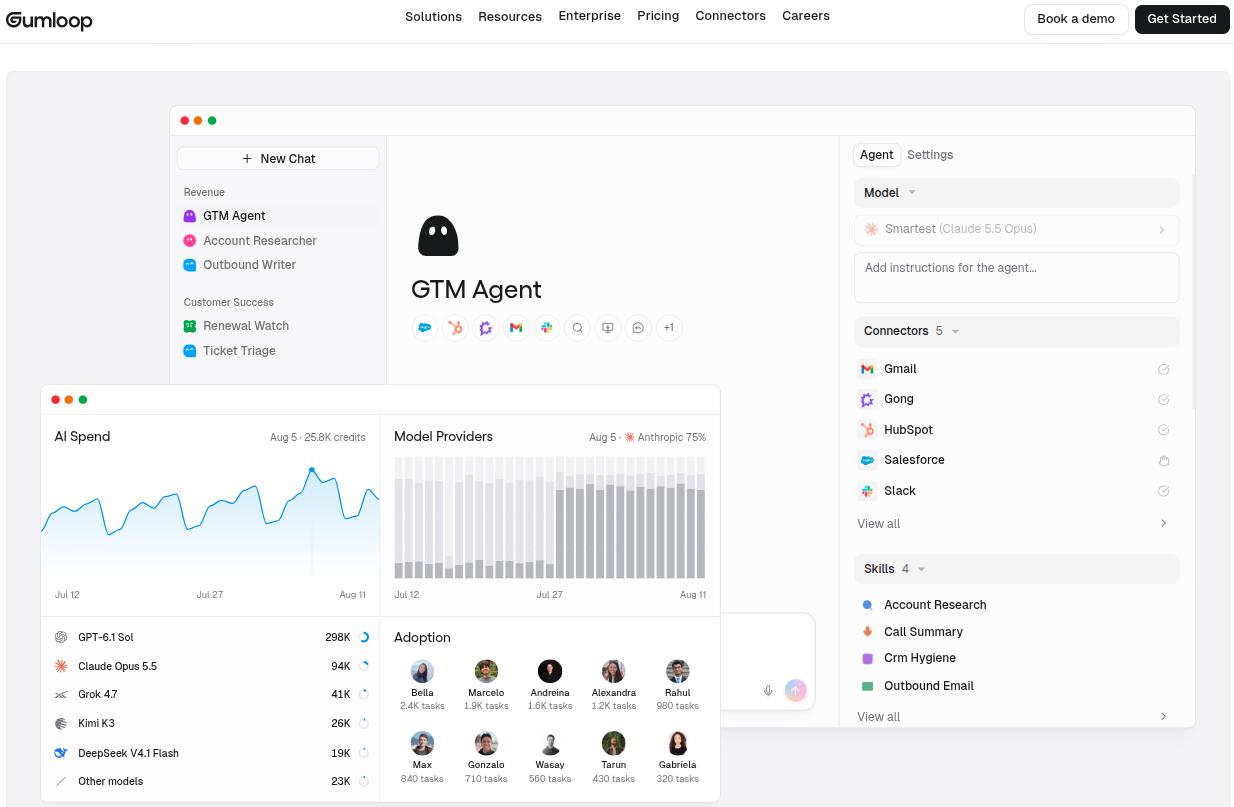
Gumloop is a no-code platform for building AI workflows. It feels similar to Zapier or Make, but it adds a language model layer, so a workflow can read, summarize, and rewrite text and not only move data around.
SEO teams use it for tasks like scraping search results, drafting outlines, analyzing keyword lists, and proofreading drafts before they publish. Because it has no SEO data of its own, it works best next to a keyword or analytics source.
Key features:
- Nodes, flows, and subflows: Drag tools and models onto a canvas, connect them, and reuse parts inside larger workflows.
- AI steps: Language models can classify, summarize, or rewrite content inside a flow.
- App connections: Google Sheets, Slack, Airtable, Gmail, and other common apps.
Pros:
- Easier to learn than a low-code tool like n8n
- Handles content and text generation tasks that plain SEO automation tools cannot
- A free plan lets you test the platform before paying
Cons:
- AI actions consume credits, so heavy workflows cost more
- It brings no keyword, ranking, or crawl data of its own
Pricing:
A free plan is available, and paid plans start at $37/month. Usage runs on credits, so confirm the current allowance on the pricing page before you build anything at a larger scale.
Pro tip: Start with a single low-risk flow, like proofreading a draft or exporting keyword data to a sheet, and watch how many credits one run uses. Scale to heavier AI steps only after you know the cost per run.
5. Zapier
Best for: Teams that want simple trigger-and-action automation between the SEO tools they already use.
Zapier is not an SEO tool, but it holds a lot of SEO workflows together. It connects more than 9,000 apps, so a ranking drop in one tool can create a task in another and a message in Slack.
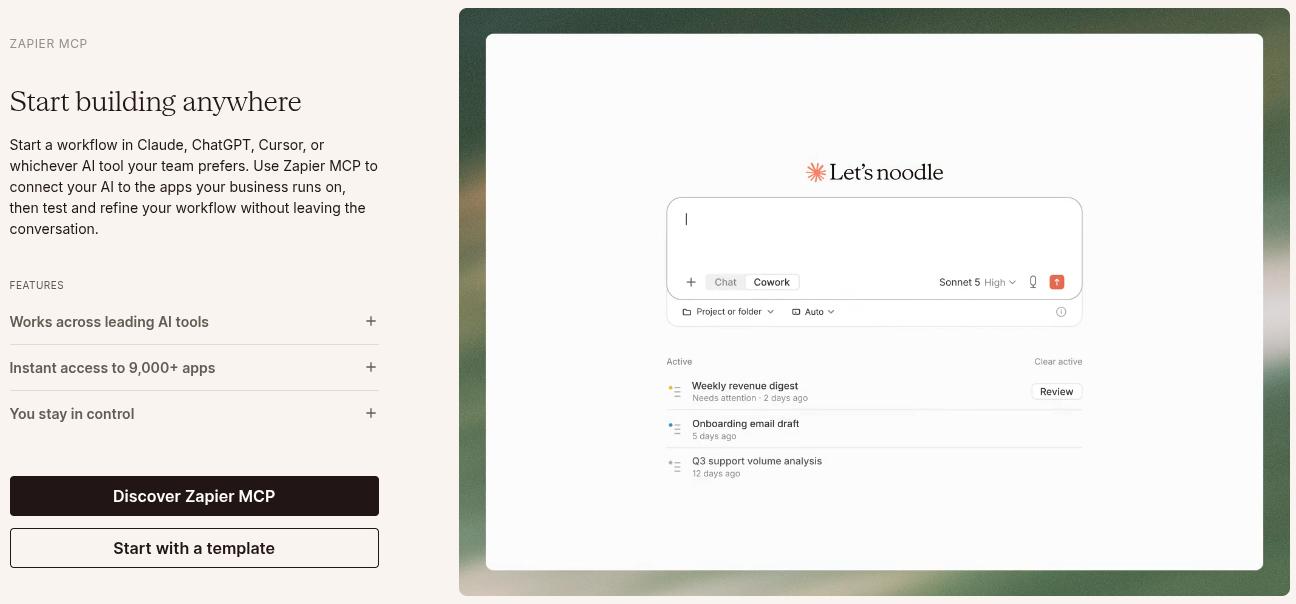
The tool also offers an MCP server, which allows you to start a workflow on ChatGPT, Claude, and Cursor without leaving the conversation.
Key features:
- Multi-step workflows: Add conditions and branches so different events trigger different actions.
- SEO integrations: Works with Semrush, Ahrefs, Search Console, and Google Analytics.
- Scheduling and polling: Run on a schedule or check for new data regularly.
- Error handling: Failed steps retry and send notifications.
Pros:
- The fastest workflow builder to set up for non-technical teams
- Very wide app coverage
- Retry logic keeps routine workflows running
Cons:
- Task-based pricing climbs as workflows multiply
- Polling triggers can lag by several minutes, depending on your plan
- Debugging a broken workflow across several apps can take time
Pricing:
Zapier has a free plan that you can use to test the platform. Paid plans start at $19.99/month, which provides 750 tasks and webhooks.
Pro tip: Add a filter step before every alert, such as a minimum click threshold, so one page dropping slightly does not trigger a Slack message. Fewer, but consolidated alerts get read more often.
Best SEO automation tools for monitoring and audits
Monitoring and audit tools surface technical and on-page gaps and errors site-wide. Their value comes from how quickly and swiftly they can perform their tasks for your team.
6. Semrush
Best for: SEO and AEO teams that want scheduled audits, rank tracking, and reports in one dashboard.
Semrush automates monitoring across much of the SEO stack. Position Tracking records daily movement across locations and SERP features, Site Audit runs on a schedule, and backlink monitoring flags new and lost links.
SEO reports can arrive on their own, which is where agencies save the most hours. Its AI Visibility Toolkit adds prompt tracking across ChatGPT, Google AI Mode, Gemini, and Perplexity.
Key features:
- Scheduled Site Audit: The tool crawls on a schedule and groups issues by severity.
- Position Tracking: Daily tracking provides alerts for ranking drops and competitor gains.
- Automated reports: You can get white-label PDF or web reports delivered on a schedule.
- Backlink monitoring: Semrush also flags toxic links and can generate disavow files.
- API access: The tool feeds custom dashboards and other automation tools.
Pros:
- Huge keyword and backlink databases
- Report automation saves real hours and manual work for agencies
- Mature AI visibility reporting with sentiment and source analysis
Cons:
- It is expensive, and extra seats add up the cost quickly
- Audits of large JavaScript-heavy sites can take a lot of time to complete
- The tool tells you what to fix but does not apply the fixes for you
Pricing:
Semrush pricing starts at $165.17/month (billed annually) for SEO and AI search. You can try the free plan, with which you can track 10 keywords in Position Tracking and monitor one website.
Pro tip: Set position alerts on the 20 to 30 keywords tied to revenue before you track your whole list. A short alert list keeps the signal clear.
7. Screaming Frog
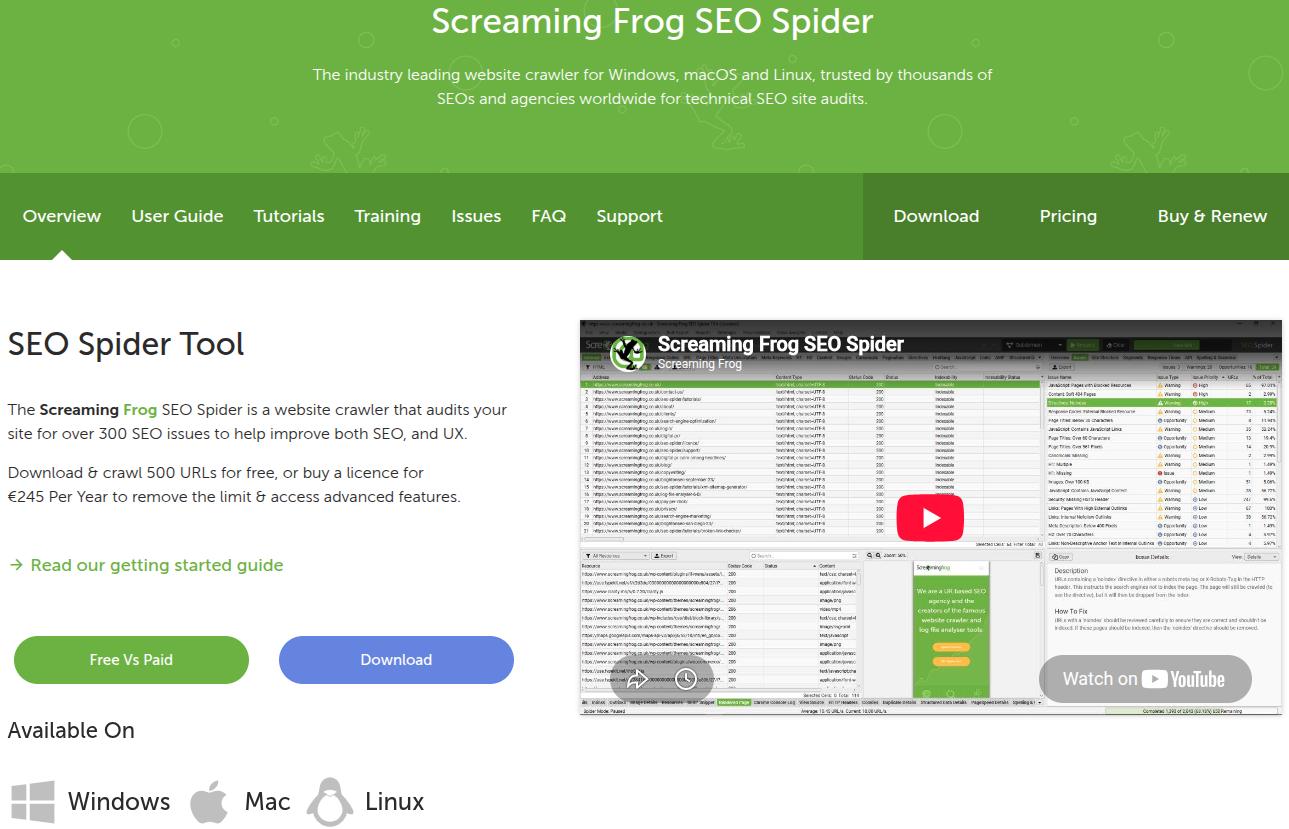
Best for: Technical SEO professionals who want deep crawls on their own schedule and budget.
Screaming Frog SEO Spider is a desktop crawler that records status codes, redirects, canonicals, titles, headings, schema, and internal links for your site. With command-line scheduling, crawls and exports can run automatically.
You can run scheduled crawls on the computer where the software is installed. This keeps costs low but also means the machine needs to be available for use when the crawl starts.
Key features:
- Custom extraction: Pull any page element with XPath, CSS paths, or regex.
- API integrations: Combine crawl data with Search Console, Google Analytics, and PageSpeed data.
- AI features: Crawl as an AI bot and run custom prompts against every page.
Pros:
- Free for up to 500 URLs
- An affordable annual license for unlimited crawling
- Extremely detailed and configurable
Cons:
- It has a steep learning curve and an outdated interface
- Large crawls use your computer’s memory and processing power
- There is no built-in reporting, so exports need manual hand-offs
Pricing:
The tool is free to use for up to 500 URLs. A paid license costs $279/year per user.
Pro tip: Schedule a monthly crawl of only your top page templates and compare it against last month. Smaller crawls finish faster and still catch most regressions and ranking drops for your site.
8. Sitebulb
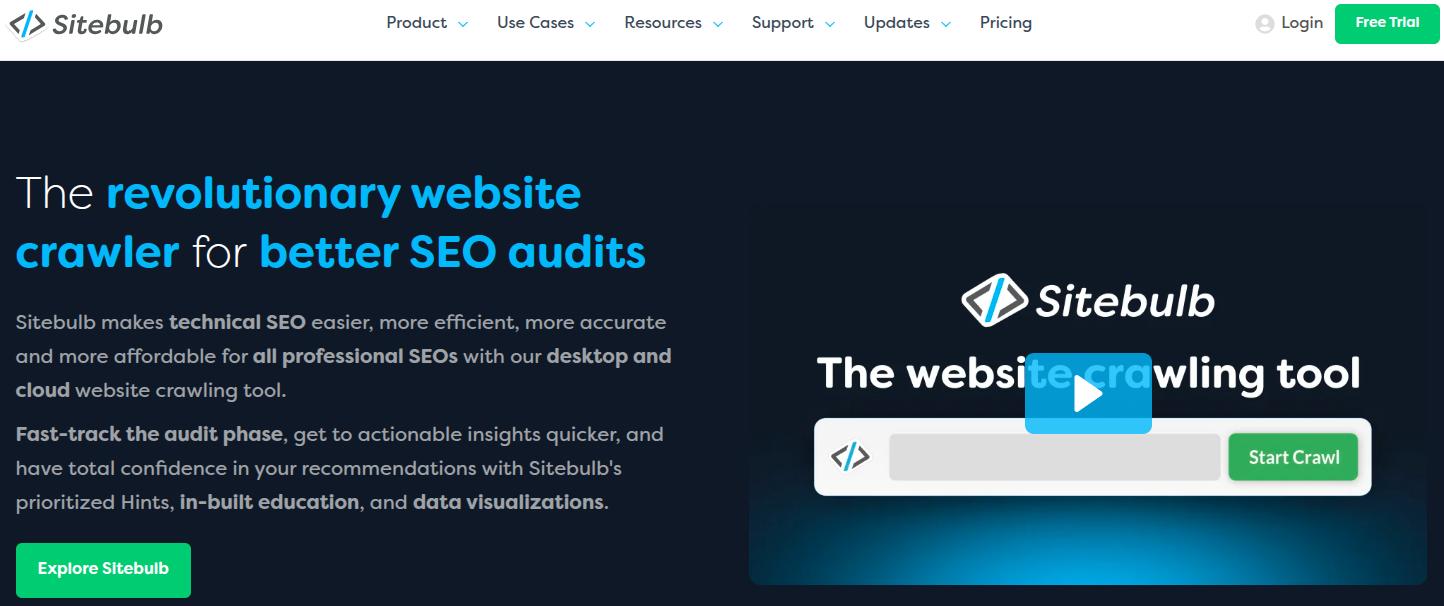
Best for: Teams that need audit results developers and clients can understand with ease.
Sitebulb is a site crawler that turns findings into prioritized hints with plain explanations, and not just raw exports. On the Pro plan, you can schedule audits and compare them over time, which makes rank or traffic drops after a release easy to spot.
It comes as a desktop app and as a cloud version for larger sites and shared access. Sitebulb also offers an accessibility audit tool to ensure WCAG compliance for businesses.
Key features:
- Scheduled audits and comparisons: See what changed between crawls on the Pro plan.
- Hint-based prioritization: Issues come with explanations and affected URLs.
- Visual site architecture: Diagrams show internal linking and crawl depth.
- Reporting: Branded PDF reports plus Data Studio dashboards built from Sitebulb data.
Pros:
- Findings are easy to explain to non-technical stakeholders
- Audit comparisons make post-release checks faster
- Report-ready output saves formatting time
Cons:
- Scheduled audits require the Pro plan
- Large crawls can run slower than in Screaming Frog
- Desktop license limits collaboration unless you move to the pricier cloud plan
Pricing:
The Lite plan starts at $18/month, and Pro starts at $42/month. Cloud plans cost much more than desktop licenses. A free 14-day trial is available to test the tool before buying.
Pro tip: Schedule an SEO audit right after a new site release and use the comparison view to see what changed. That turns Sitebulb into a regression check and not only a periodic report.
9. Conductor Monitoring
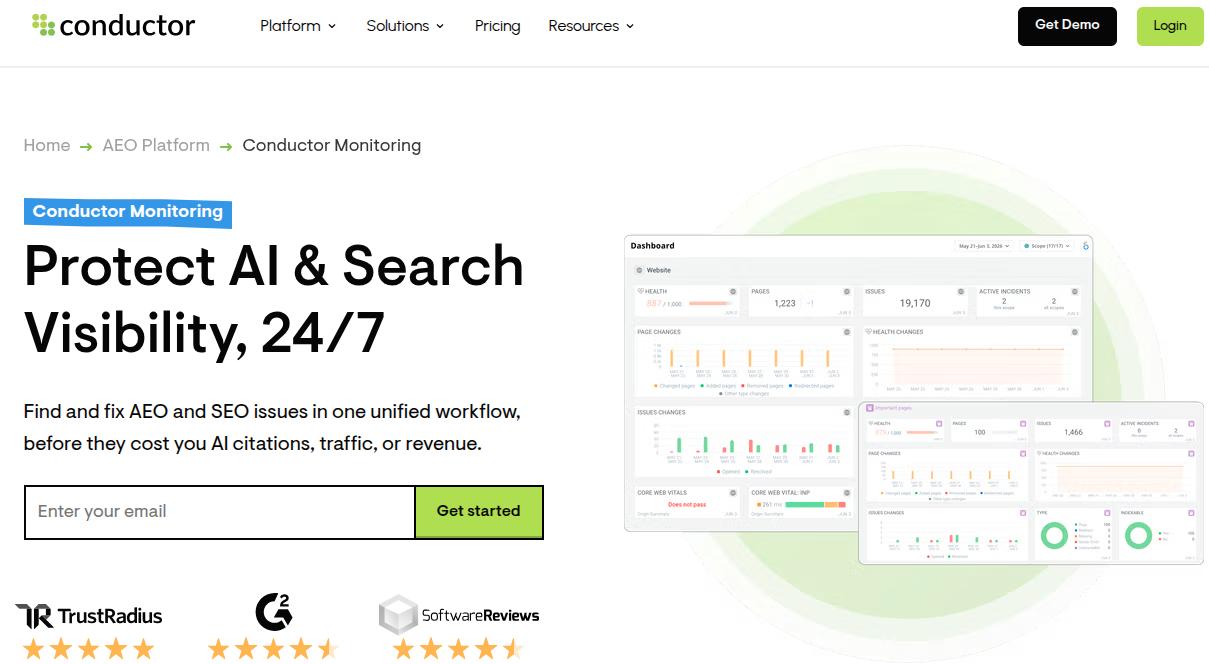
Best for: Teams that want to know the moment a site change breaks SEO, without waiting for the next crawl.
Conductor Monitoring is part of Conductor’s AEO platform lineup. It watches your site around the clock and tracks changes as they happen. Instead of waiting for the next scheduled crawl, it alerts you to on-page issues and page changes before they affect rankings.
Key features:
- Real-time change tracking: Records what changed on each page and when.
- Alerts: Flags on-page issues and important changes as they appear.
- Continuous audits: Keeps technical checks running without a manual crawl.
Pros:
- Catches changes between scheduled crawls
- Gives developers and SEO professionals a shared change log
- Works well for sites with frequent releases
Cons:
- Pricing is available only on request
- The platform leans toward enterprises, so it’s not justifiable for smaller businesses
- Alert thresholds need tuning, and it reports problems without fixing them
Pricing:
Custom pricing. You can request a free demo from their customer success team.
Pro tip: Route alerts for noindex tags, canonical changes, and robots.txt edits to the developer channel and everything else to a weekly digest. This way, critical alerts stay loud and clear, while minor ones stay quiet.
Best SEO automation tools for content maintenance and internal linking
Published content decays and internal links drift. These tools automate that maintenance so it does not wait for a quarterly cleanup.
10. Clearscope

Best for: Editorial teams that want automatic decay alerts alongside content grading.
Clearscope is known as a content optimization tool, but its most useful automation feature is content decay monitoring. It connects to Google Search Console, finds pages losing traffic and rankings, and shows which ones need a refresh.
That replaces the manual date-range comparison most teams run in Search Console once a quarter.
Key features:
- Content decay monitoring: Flags declining pages from Search Console data.
- Content grading: Scores drafts against top-ranking pages, from A to F, with suggested terms to add for better coverage.
- Internal link suggestions: Recommends internal links as you edit to ensure better connected content.
- Editor integrations: Works inside Google Docs and WordPress.
Pros:
- Turns decay detection into an ongoing process
- Clean interface that writers pick up quickly
- Unlimited sharing and exporting on every plan
Cons:
- Premium pricing for a focused tool
- AI visibility tracking covers only three AI engines
- It flags decay but does not rewrite or publish the update
Pricing:
The Essentials plan costs $129/month, the Business plan costs $399/month, and the Enterprise plan is set to custom pricing. A 14-day free trial is available to test the platform before purchasing.
Pro tip: Review the decay list monthly and sort it by lost clicks before you assign refreshes.
11. LinkWhisper
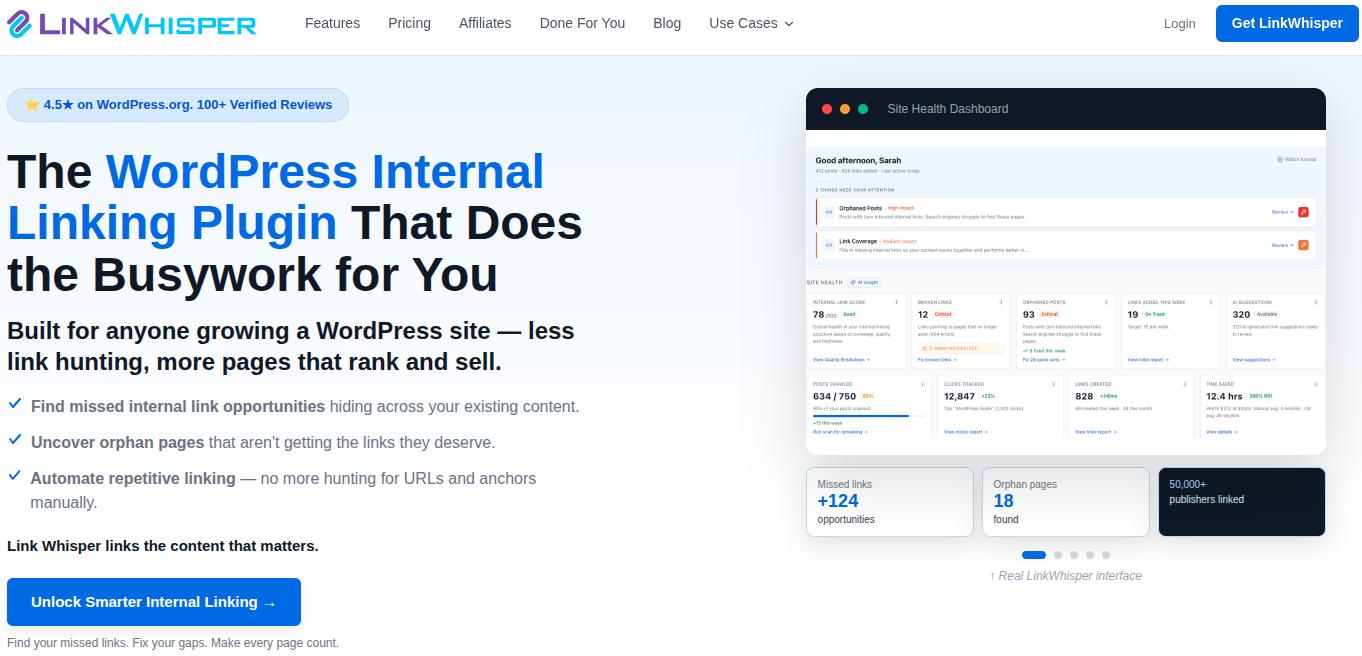
Best for: WordPress sites with a large archive of posts that need better internal linking.
LinkWhisper is a WordPress plugin that suggests internal links as you write and inserts them in one click. Auto-linking rules add links for keywords you choose, and a report flags orphan pages that no other page links to.
Key features:
- Link suggestions: The tool shows link suggestions in the editor while you write.
- Auto-linking rules: LinkWhisper inserts links for keywords you set.
- Reports: You can get orphan content and broken link reports.
- Search Console integration: Connects link data to real search performance.
Pros:
- A fast fix for orphan pages
- Installs in minutes and works inside the WordPress editor
- Reports show where your link structure is weak
Cons:
- It works only on WordPress
- Suggestions need your approval outside of auto-linking rules
- It uses annual billing only, and the Starter license covers only one site
Pricing:
Starter plan costs $97/year for one site. The Growth plan costs $197/year for 2-3 sites, the Pro plan costs $297/year for 10 sites, and the Agency plan costs $497/year for 50 WordPress sites.
Pro tip: Fix the orphan pages from the report first, and then turn on auto-linking rules. The linking automation rules work best when the pages they link to already deserve the traffic.
Best SEO automation tools for reporting and alerts
These types of SEO automation tools keep your numbers in front of the right people without a weekly scramble.
12. SE Ranking
Best for: Agencies and in-house teams that need branded reports to go out on their own.
SE Ranking covers rank tracking, site audits, backlinks, and competitor research with a gentler learning curve than the other tools on the list. Its automation strength is reporting, with white-label reports delivered on a schedule.
Local teams get a rank tracker that plots results on a map grid. Base plans include daily prompt tracking across several AI models, and an add-on extends that to AI Overviews, AI Mode, Perplexity, and ChatGPT.
Key features:
- Scheduled white-label reports: Combines rankings, audits, backlinks, and traffic in reports.
- Local tracking: The tool offers map-grid rank tracking plus Google Business Profile and review tools.
- AI search tracking: You can track mentions, citations, and sentiment through dashboards.
- Mobile apps: iOS and Android access for quick checks.
Pros:
- Strong agency features and multi-location support
- Reviews, listings, and reports sit in one place
- Easy to learn compared with larger SEO suites
Cons:
- Data depth lags behind Semrush and Ahrefs
- Reporting is functional rather than flexible
- Deeper AI tracking costs extra
Pricing:
The core pricing starts at $103.20/month, and the Growth plan costs $223.20/month (both billed annually). You get a 14-day free trial to test the platform before committing.
Pro tip: Build one report template per client type and schedule it once. Keep the summary text in plain language and focused on 3-4 metrics, so clients can read it with ease.
13. Ahrefs
Best for: SEO professionals who want alerts on backlinks, keywords, and competitors without opening dashboards every day.
Ahrefs is best known for its backlink index and competitor research. Its automation comes from alerts and scheduled reports, so you hear about new and lost backlinks, keyword movements, and mentions without checking the dashboard manually.
Read more about Ahrefs alternatives if you are comparing more options in this space.
Key features:
- Alerts: The tool notifies you about backlink, keyword, and mention changes.
- Scheduled Site Audit: It runs recurring crawls and emails the results.
- Content Gap: Ahrefs shows keywords competitors rank for that you do not.
- Brand Radar and Bot Analytics: The tool also shows AI visibility data and AI crawler activity on your site.
Pros:
- Excellent backlink and competitor data behind every alert
- Alerts replace a lot of manual checking
- AI visibility included on paid plans
Cons:
- It does not write, fix, or publish anything
- White-label reporting is limited, and advanced reporting costs extra
- Higher tiers get expensive fast
Pricing:
The Lite plan starts at $108/month, and the Standard plan costs $208/month (billed annually). Enterprises can request a custom quote.
Pro tip: Start with alerts for lost backlinks from referring domains. Recovering a lost link is usually easier than winning a new one.
14. Data Studio
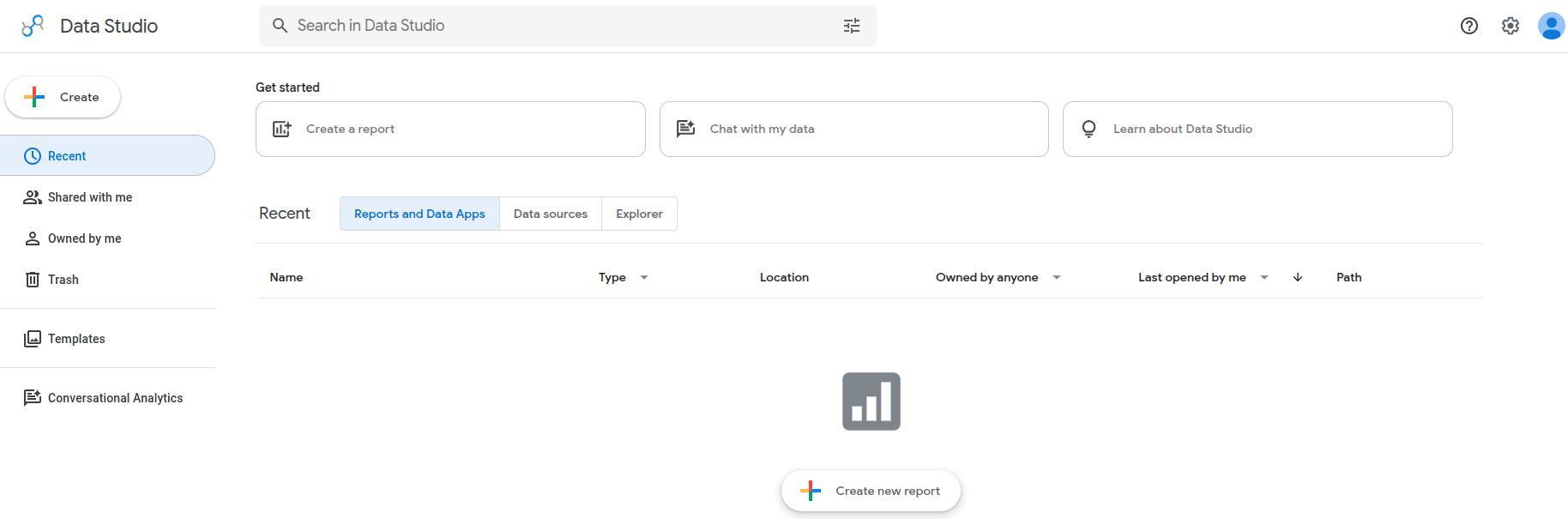
Best for: Anyone who wants free dashboards that refresh on their own.
Looker Studio, now called Data Studio, is Google’s free dashboard tool. Connect Search Console, Google Analytics, and other sources once, and your charts update automatically without exports. You can add a client’s logo and colors, then share a live link to the report.
It is the easiest way to automate SEO reporting for free, which makes it one of the best SEO tools for beginners.
Key features:
- Search Console and GA4 connectors: Pull live data into one view.
- Templates: Start from a ready-made SEO dashboard and trim it.
- Branding and sharing: Custom dashboards that clients can open any time.
Pros:
- Free to use
- Clients can check a live link to see all numbers displayed
- Flexible enough to grow with your reporting needs
Cons:
- It shows data but does not fix anything
- Complex dashboards take time to build
- Some third-party data connectors cost extra
Pricing:
Data Studio is free to use.
Pro tip: Keep each dashboard to five or six metrics, like clicks, impressions, declining pages, and AI referral visits. Fewer charts get read more often and more easily.
Bonus SEO automation tools
These extra tools fill gaps the main list leaves open. Combine them with the SEO automation tools above to build a stack that fits your needs.
| Tool | Use it for | Limitation |
| Make | Visual multi-step automations on a canvas, for people who prefer that to Zapier’s list layout | Larger scenarios get harder to debug as they grow |
| Alli AI | Deploying on-page changes across many sites through one code snippet | Changes focus on technical on-page work |
| Lumar | Continuous crawling and monitoring for very large sites | Custom pricing and an enterprise focus |
| Botify | Large-site crawling, log file analysis, and automated technical SEO monitoring | Custom pricing, and built for enterprise-scale sites, so it’s overkill for small ones |
| AccuRanker | On-demand rank checks when you run SEO experiments | Rank tracking only, so it needs other tools alongside it for a complete picture |
| Surfer | Content scoring and AI visibility tracking | Document credits cap output on lower plans |
| Rank Math | Schema, redirects, and sitemaps inside WordPress | WordPress only, and its AI writing credits are sold separately |
| Google Search Console | Free indexing and performance data, plus an API that works behind many workflows discussed earlier | Reports lag by a day or two |
| IndexNow | Telling participating search engines the moment a page publishes or changes | Participation varies by search engine |
| Google Apps Script with Google Sheets | Free scheduled scripts that pull data into a spreadsheet | Needs some comfort with code |
| Page Optimizer Pro | Budget on-page recommendations | Covers on-page work but covers little ground elsewhere |
Always make sure to read product documentation and integration details to see if it works with your existing stack or not.
How to choose the right SEO automation tools
To pick the right SEO automation tool, you first need to choose the SEO task that you need automated immediately. Ask which recurring task you did by hand at least three times last month, then match it to a tool type.
If that task is publishing and refreshing content, Contentpen is built for that. It handles competitor gap analysis, keyword research, drafting, SEO scoring, publishing, and refreshes in one workspace, so your team reviews outputs and does not run each step by hand.

From outline to publish-ready content that fills them
Structured
Consistent
SEO-aligned
Fast
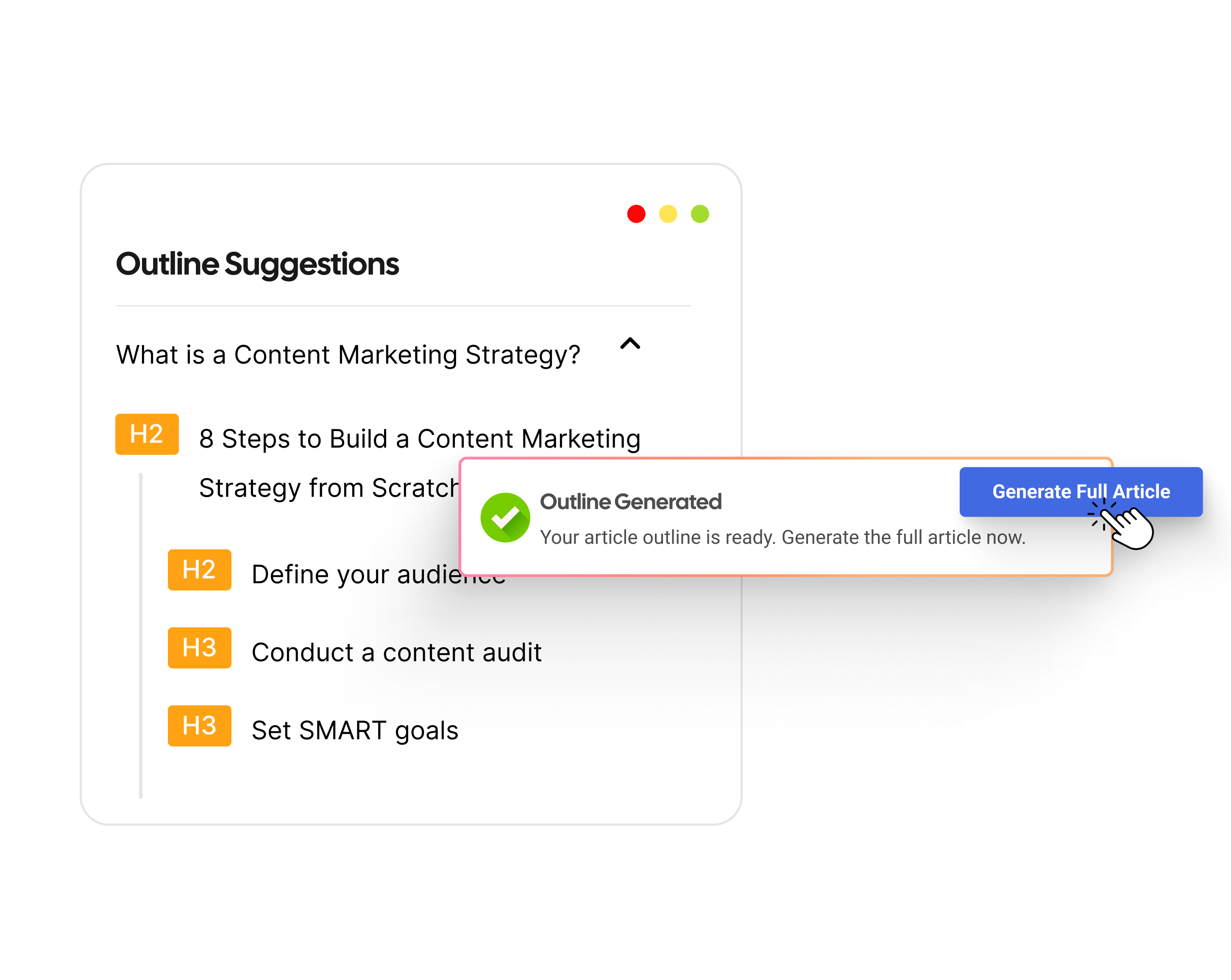
Besides Contentpen, there are some other tools that we can recommend for specific use cases:
- Technical fixes: Pick OTTO SEO to find and apply fixes automatically. You can also choose Screaming Frog or Sitebulb to surface issues and fix them later yourself.
- Custom cross-app workflows: Use n8n, Gumloop, or Zapier for this purpose.
- Backlink and competitor alerts: Ahrefs is the best for backlink data depth and receiving automated alerts.
- Real-time site monitoring: Conductor Monitoring is the best option for real-time 24/7 site monitoring. However, it can be very costly for small businesses.
- Client reporting: SE Ranking and Data Studio are the best when it comes to client reporting.
You can also mix free and paid tools together to create your stack. For instance, you can pick Google Search Console and Data Studio for monitoring, plus one autopilot tool for the content automation heavy lifting.
Building the right SEO automation stack
The right SEO automation tool stack depends on your team size, skills, and budget. These combinations cover the most common setups.
| Team | Start with | Approximate cost |
| Beginners and side projects | Google Search Console, Data Studio, Screaming Frog free version | $0/month |
| Freelancers and small businesses | Contentpen Starter package plus the free Google stack | From $39/month billed annually |
| Growth marketers and content teams | Contentpen Growth package, Screaming Frog paid license, and Data Studio | About $100 to $105/month |
| SEO and AEO teams | n8n, Ahrefs Lite package, Contentpen Scale plan, and Screaming Frog paid license | About $350/month plus API costs |
| Agencies | Contentpen Agency plan, SE Ranking, and Sitebulb Pro | About $500/month |
| Enterprises | Conductor Monitoring, Semrush, and Contentpen for content operations | Custom |
Please note that the closer an SEO task sits to your public image, the more approval it should need. Scanning and reporting can run freely, while publishing and site changes should pass through a human operator.
Google’s spam policies also apply to automated content at scale. Review a small batch of output before you widen the scope, and keep your own examples, data, and judgment in anything that goes live.
Final thoughts
The best SEO automation tools are the ones that remove a task you repeat every week without adding a new one.
For custom workflows, n8n is hard to beat. For technical fixes, OTTO SEO is worth a look, and for monitoring and reporting, Semrush, Conductor Monitoring, and Data Studio each win in their own capacity.
If your goal is steady organic growth and winning AI citations through content, then Contentpen is the best choice. Its SEO Autopilot runs that loop with the approval checkpoints you choose, allowing your team to scale without increasing headcount or manual hand-offs.
Write content that’s built to rank, not just read
Create search-optimized blogs aligned with SEO and GEO signals, so your content performs well across search and AI-driven discovery.
Try SEO Blogging FREE →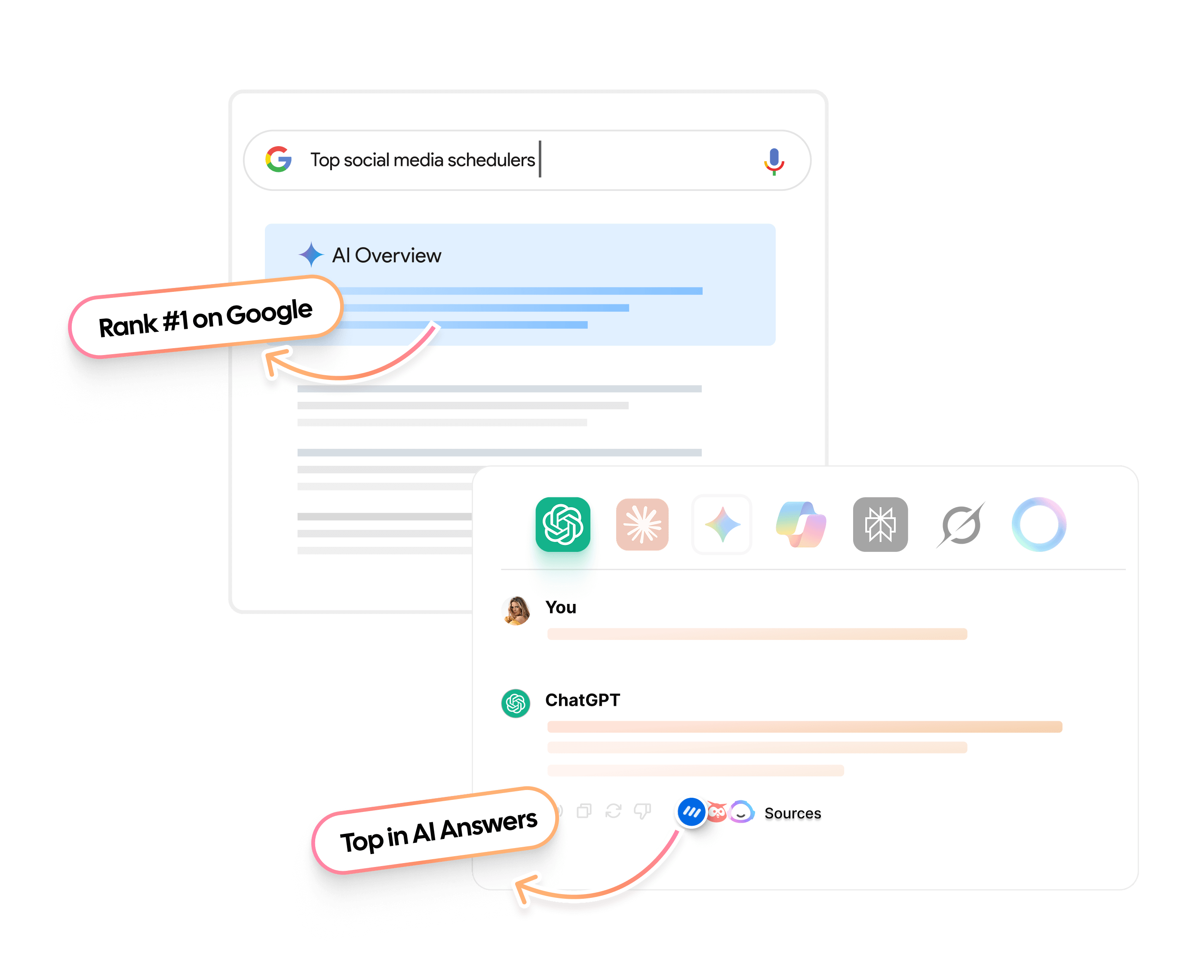
Frequently asked questions
The best automated SEO tool is the one that removes the task you repeat most. For content publishing, you can use Contentpen, while OTTO SEO is suitable for technical fixes. For free SEO reporting, you can use tools like Google Search Console with Data Studio.
It depends on how the tool makes changes. Content you publish through your CMS stays live after you cancel. Tools that deploy fixes through a script or pixel can stop applying those fixes when the subscription ends.
Measure before and after results of using a tool. Write down how many hours each recurring task takes by hand. After automating, count the minutes you spend reviewing outputs and fixing errors. If review time is close to the manual time, then tighten the automation rules or choose a different tool.
In most cases, yes. Contentpen includes a public API and webhooks on every plan, so n8n or Zapier can react when an article publishes. A common setup posts a Slack message, logs the URL in a sheet, and starts an indexing check.
Usually yes, if you limit the access. Search Console has permission levels, so use a restricted user when a tool only needs to read data. Connect through Google’s official sign-in and never share a password.
Match the schedule to how fast the data changes and how fast you can act on it. Alerts for broken pages suit continuous or daily checks. Rank checks suit daily or weekly runs, while full crawls suit weekly or monthly runs.