Author: Jawwad

  • The complete SEO analytics guide: Tools, tips, and examples

    The complete SEO analytics guide: Tools, tips, and examples

    Search results feel very different now than they did a few years ago. There are AI summaries at the top and boxes with quick answers that people read. 

    In 2026, SEO analytics acts as a map that helps you understand this search experience, rather than relying on guesswork. Modern AI tools bring SEO analytics into everyday workflows, making it much easier to see user behavior and boost organic traffic in real time.

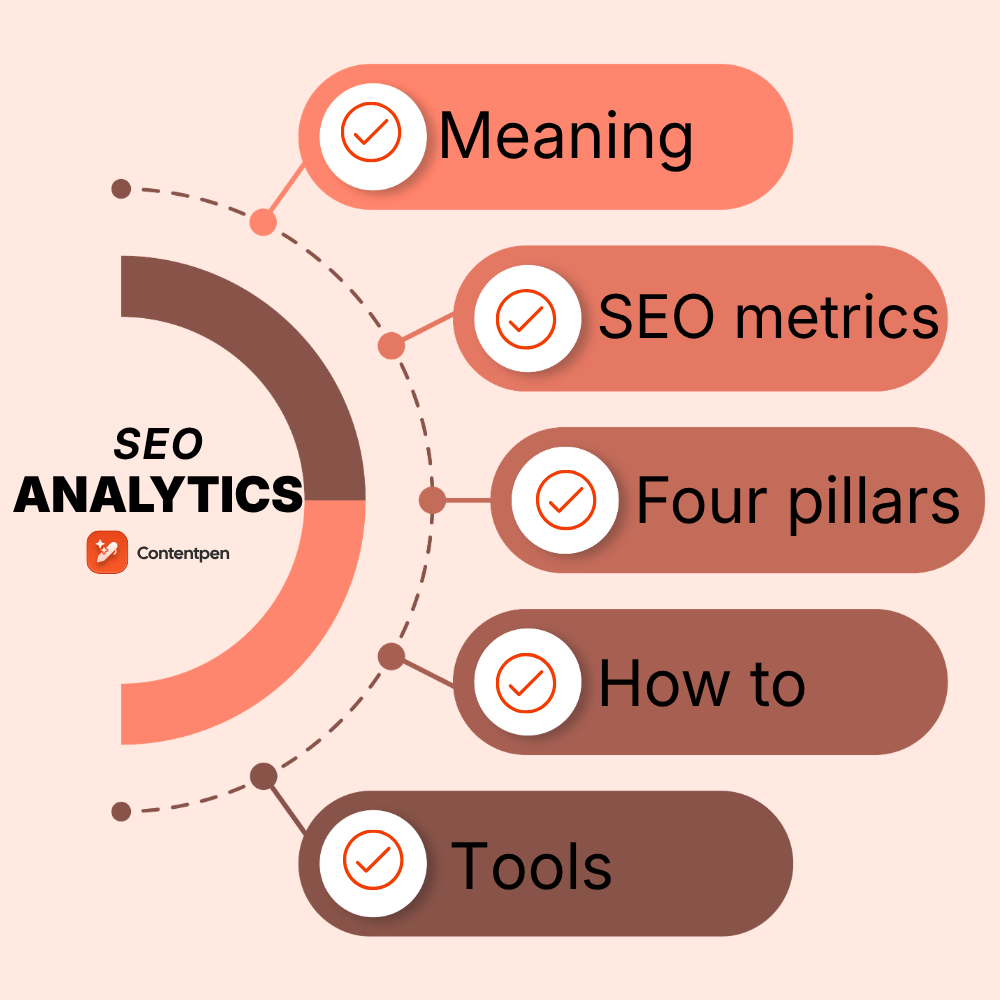
    By reading this guide, you’ll get a clear picture of what SEO analytics mean, which metrics matter, and how to run a practical website analysis. You’ll also see how built-in analytics in Contentpen help you make smart SEO decisions without complex dashboards.

    So, let’s get started.

    What is SEO analytics, and why does it matter in 2026?

    At its core, SEO analytics is the practice of collecting, reading, and acting on data about how a site performs in organic search.
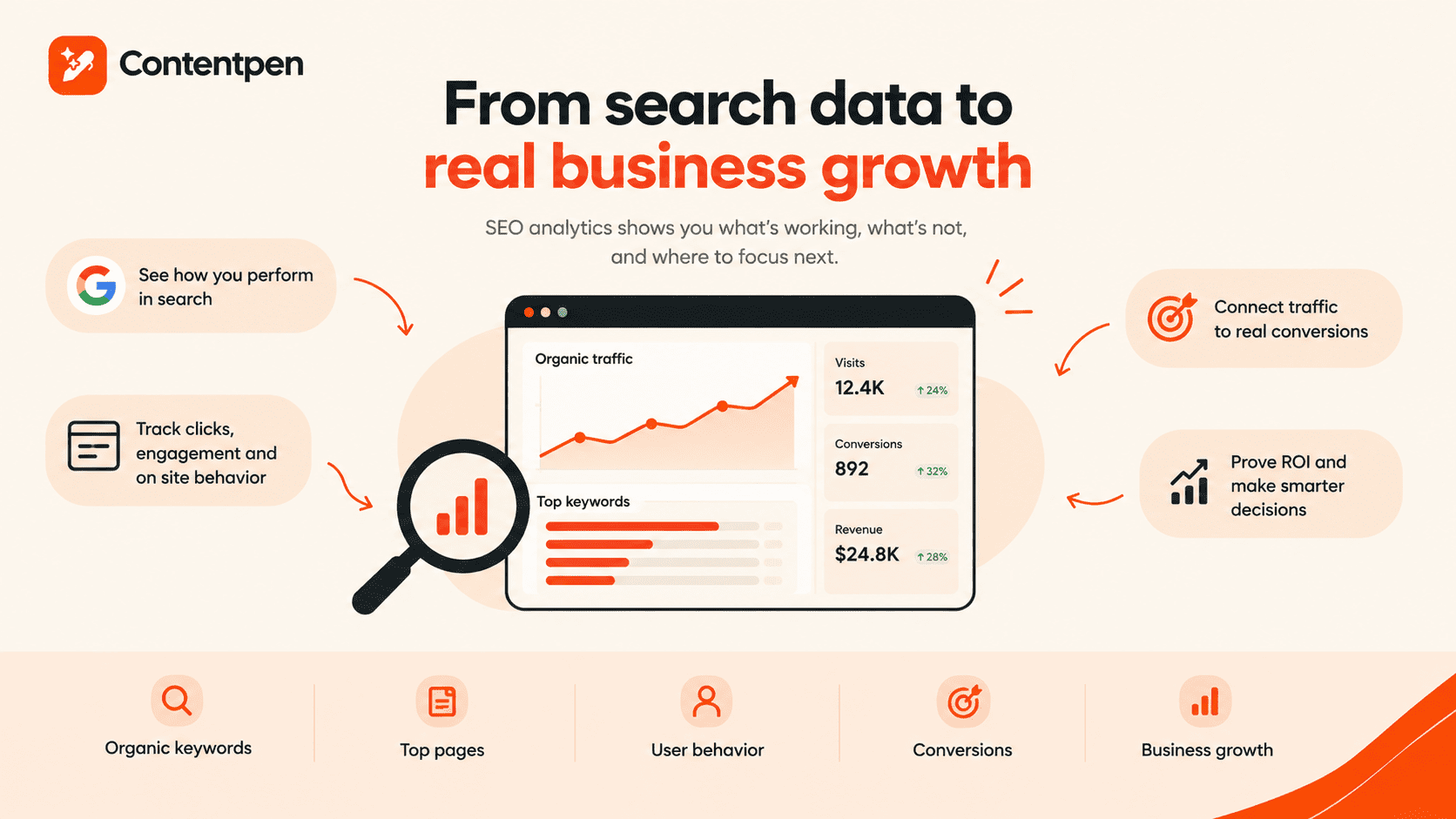
    How SEO analytics help business growth.

    It connects what happens in Google Search and other engines with what happens on the site: traffic, engagement, leads, and revenue.

    Old-school reporting focused on vanity metrics like keyword position or total visits. Those numbers can look good on a slide, but they do not indicate the correct user behavior. 

    Modern SEO analytics goes further. It links website traffic analysis with sign-ups, deals, and customer lifetime value. In tools such as Google Analytics 4, teams can tie organic visits to conversions and see which organic keywords and pages drive real business.

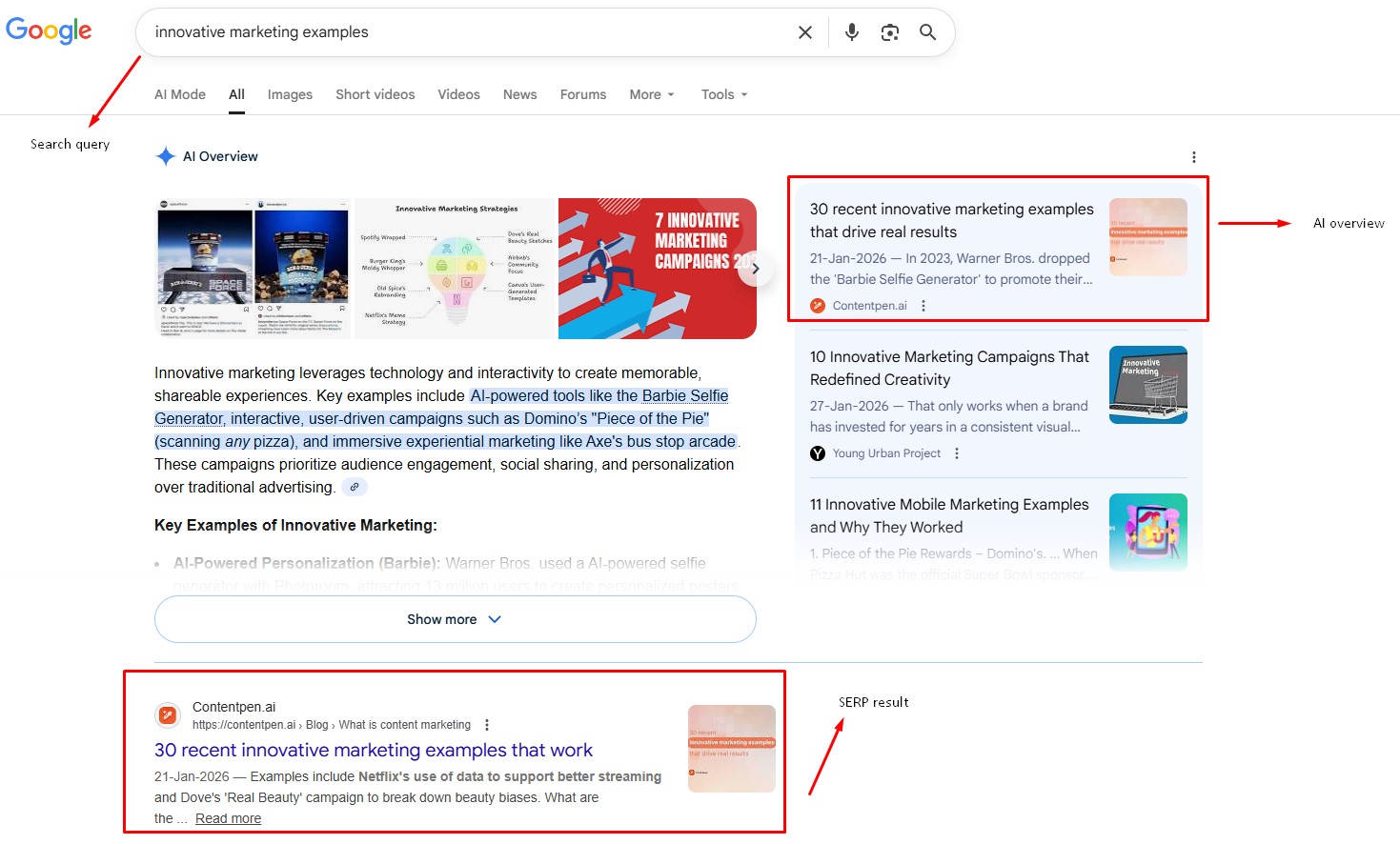
    In 2026, this matters even more because of how search has changed. Google’s AI Overviews mean many searches end without an action. Therefore, competition for the remaining organic clicks is intense. 

    To keep up, teams need SEO analytics that show not only where they appear in results, but also:

    • How often do people choose their snippet
    • How long do visitors stay
    • How many visitors take action

    Without this view, it is tough to prove SEO return on investment or defend budgets.

    The most significant shift is that SEO analytics is no longer only an expert sport. Content marketers, freelance writers, and small business owners now use search engine optimization keyword analysis in their daily tools. 

    When analytics informs content planning and writing, teams can double down on topics and formats that already work without a second thought.

    Essential SEO metrics every marketer should track

    Many tools show hundreds of numbers, but only a few should guide decisions. Strong SEO analytics start with a focused set of metrics that match business goals.
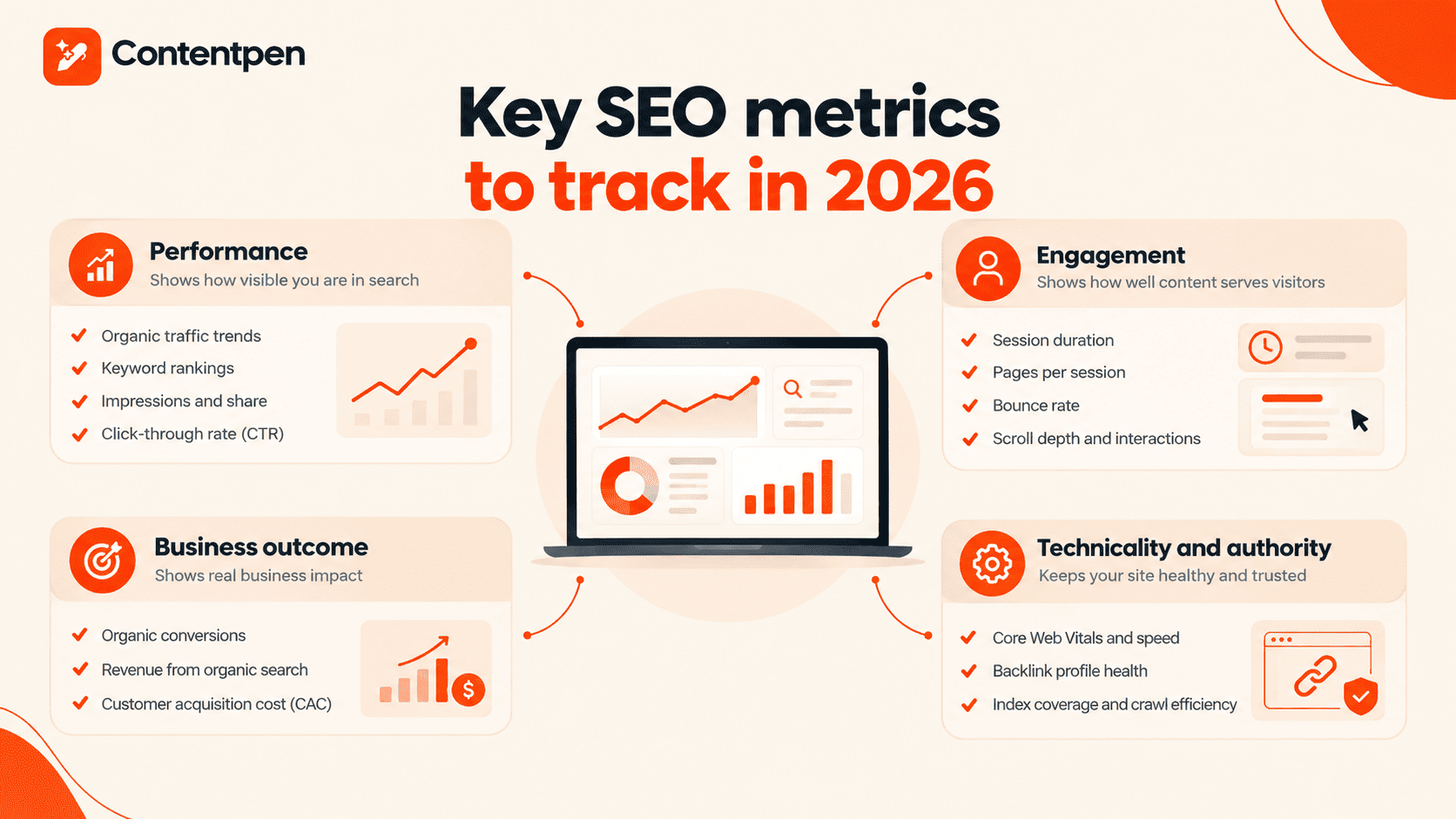
    Key SEO metrics to track in 2026.

    These can be grouped into performance, engagement, business outcomes, technical or authority signals, and AI search visibility.

    Performance

    Performance metrics show how visible a site is in search:

    • Organic traffic trends reveal whether content gains or loses reach week by week.
    • Keyword rankings and website keyword rankings highlight where the site stands for target terms and how well it holds featured spots such as snippets or AI Overviews.
    • Impressions and impression share give context by showing how often the site appears, even when users do not click.
    • Click-through rate (CTR) links this all together by showing how attractive titles and descriptions are compared with other results.

    Engagement

    Engagement metrics reveal how well content serves visitors after the click:

    • Average session duration and pages per session show whether users explore several pages or leave quickly.
    • Bounce rate and top exit pages highlight where people often give up, which can point to misaligned intent or weak calls to action.
    • More advanced SEO analytics tools also track scroll depth and interaction events such as button clicks or downloads.

    These details help connect search engine optimization keyword analysis with real on-page behavior.

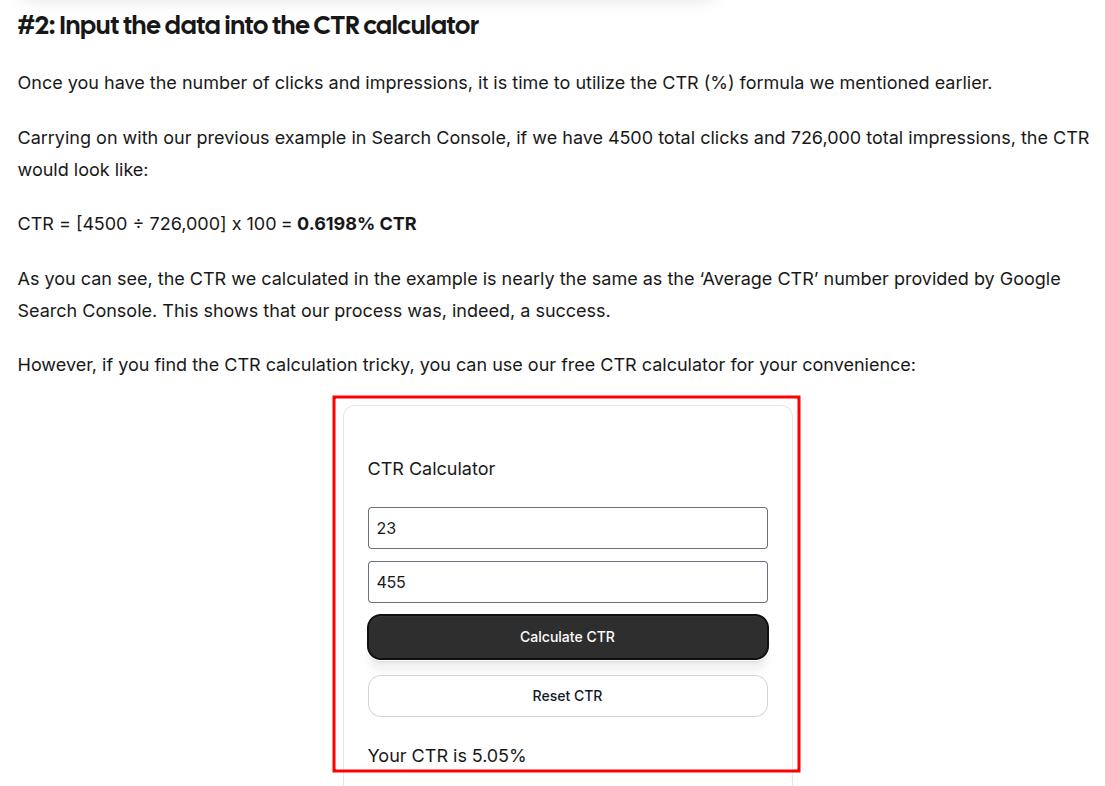
    Also read: How to calculate CTR?

    Business outcome

    Business outcome metrics speak in terms that leaders and stakeholders care about:

    • Organic conversions measure how many visitors from search take key actions such as signing up or buying.
    • Revenue from organic search and customer acquisition cost (CAC) for SEO show how search compares with other channels in a complete search engine marketing analysis.

    When SEO analytics is integrated correctly, teams can see whether organic traffic grows while cost per acquisition falls or remains steady.

    Technicality and authority

    Technical and authority metrics provide the base layer for all the other numbers:

    • Core Web Vitals scores, page load speed, and mobile usability checks indicate how smooth the user experience is on your website.
    • Backlink profile health shows how strong the site appears from the outside of your platform.
    • Index coverage and crawl efficiency reports help teams catch broken links and blocked pages.

    AI search visibility

    AI search metrics show how often AI engines mention and cite your brand, which traditional analytics tools can’t see:

    • AI share of voice shows how often your brand appears in AI answers for prompts in your category, compared with competitors.
    • Citations show which of your pages AI engines link to, and which sources they cite instead of you.
    • Sentiment shows whether AI answers describe your brand positively, neutrally, or negatively.

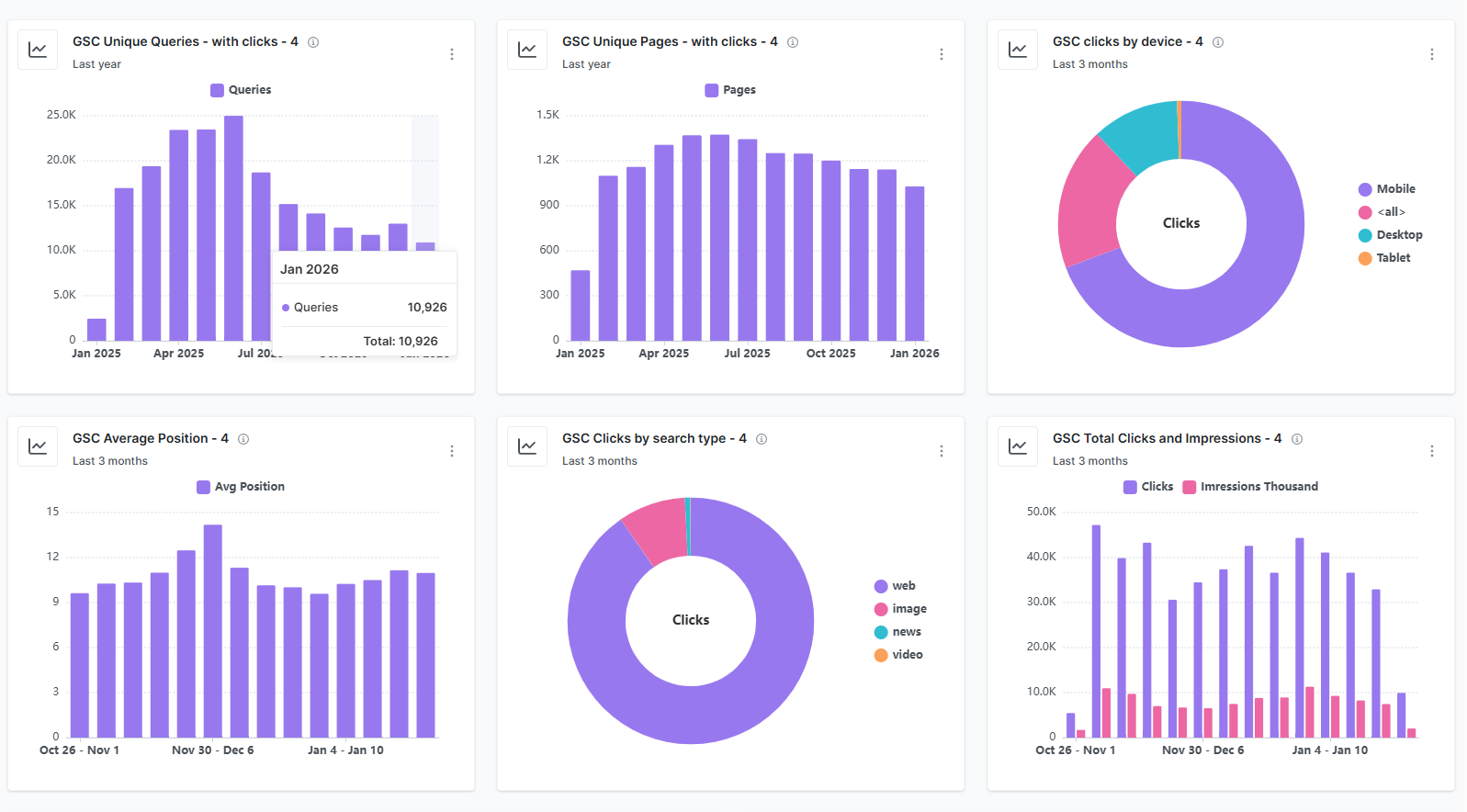
    Tools like Contentpen’s AI visibility tracking, measure these automatically across up to seven AI engines.

    A simple dashboard that mixes a few metrics from each group keeps SEO analytics focused. Many AI tools now adjust these dashboards based on your goals so that the most useful web analytics sit at the top.

    A helpful rule: 

    “If a metric never changes your decisions, it’s a vanity metric.” 

    Therefore, you should focus on the numbers that regularly shape your key objectives and try to improve them for better results.

    That’s a lot of metrics to keep straight, so if any of the terms above are unfamiliar, our SEO glossary has a plain and simple explanation for each.

    The four pillars of SEO: Understanding what to measure
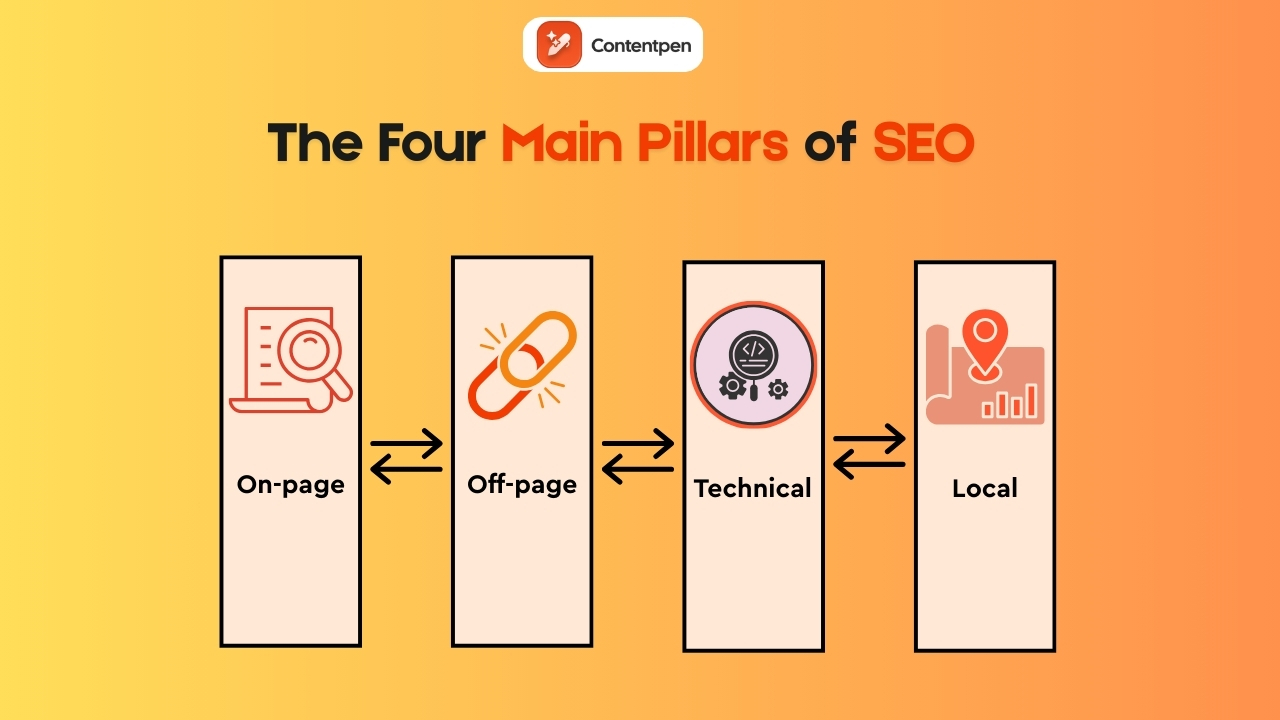
    4 pillars of SEO - Contentpen.ai.

    When people talk about SEO, they often mix many different ideas, which makes SEO analytics harder than it has to be. A simple way to think about the work is through four pillars:

    Each pillar covers a part of your web page SEO analysis and gives clear targets for what to measure and improve.

    On-page SEO

    This pillar looks at how each page speaks to both users and search engines. It covers:

    • Keyword use and topical coverage
    • Headings and subheadings
    • Title tags and meta descriptions
    • Internal links
    • Content quality and clarity

    In SEO analytics terms, key on-page metrics include:

    • Click-through rate (CTR) from search results
    • Dwell time and average time on page
    • Bounce rate
    • Keyword rankings for each page

    These numbers help show which topics and formats hold attention and which ones lose visitors fast.

    Off-page SEO

    This area covers authority and trust signals that live outside the site. Backlinks, brand mentions, and referring domains all fall under this category. In practice, that means tracking not only how many sites link back, but also how relevant and trusted those sites are.

    Off-page SEO analytics helps answer questions such as:

    • How strong is our domain compared with direct competitors?
    • Which content attracts the best links?
    • Where should we focus: Digital PR or outreach?

    Clear off-page reporting supports smarter link-building efforts and brand visibility.

    Together, these four pillars create the measurement framework that modern SEO analytics relies on.

    Technical SEO

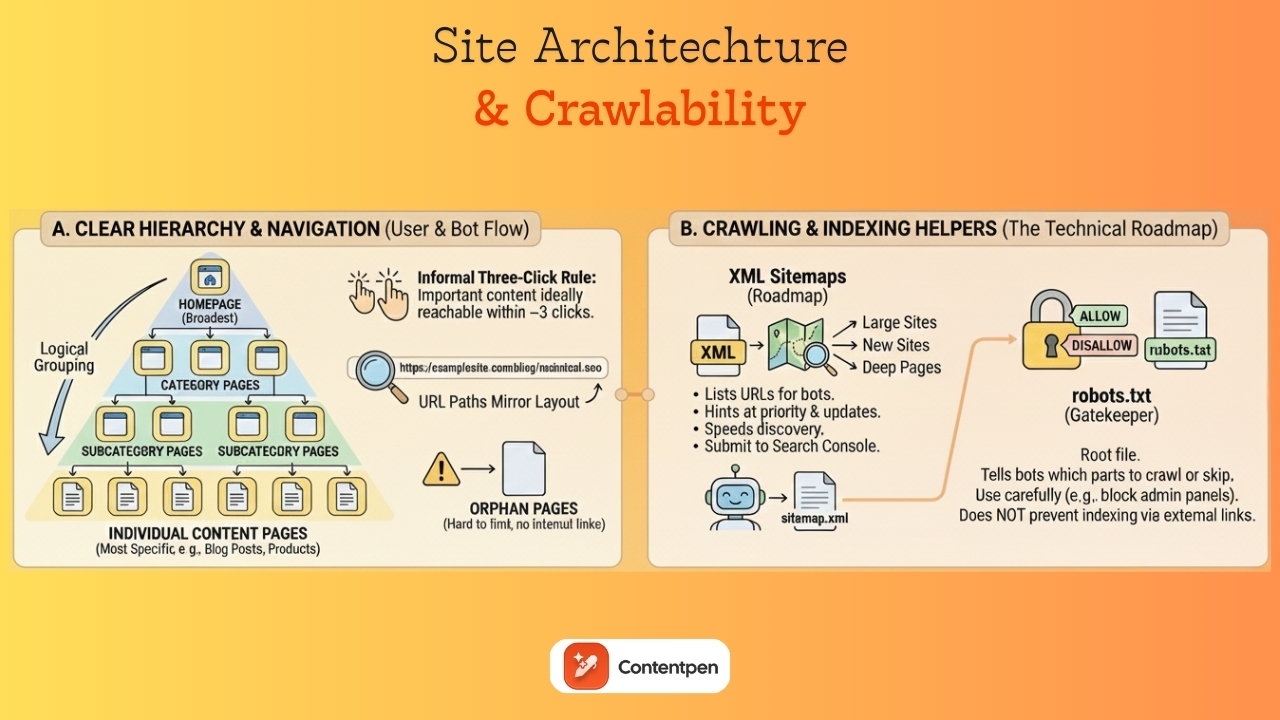
    Even the best content fails if search engines cannot crawl and index it easily. This pillar looks at:

    • Site speed and Core Web Vitals scores
    • Mobile usability
    • Crawl errors and broken links
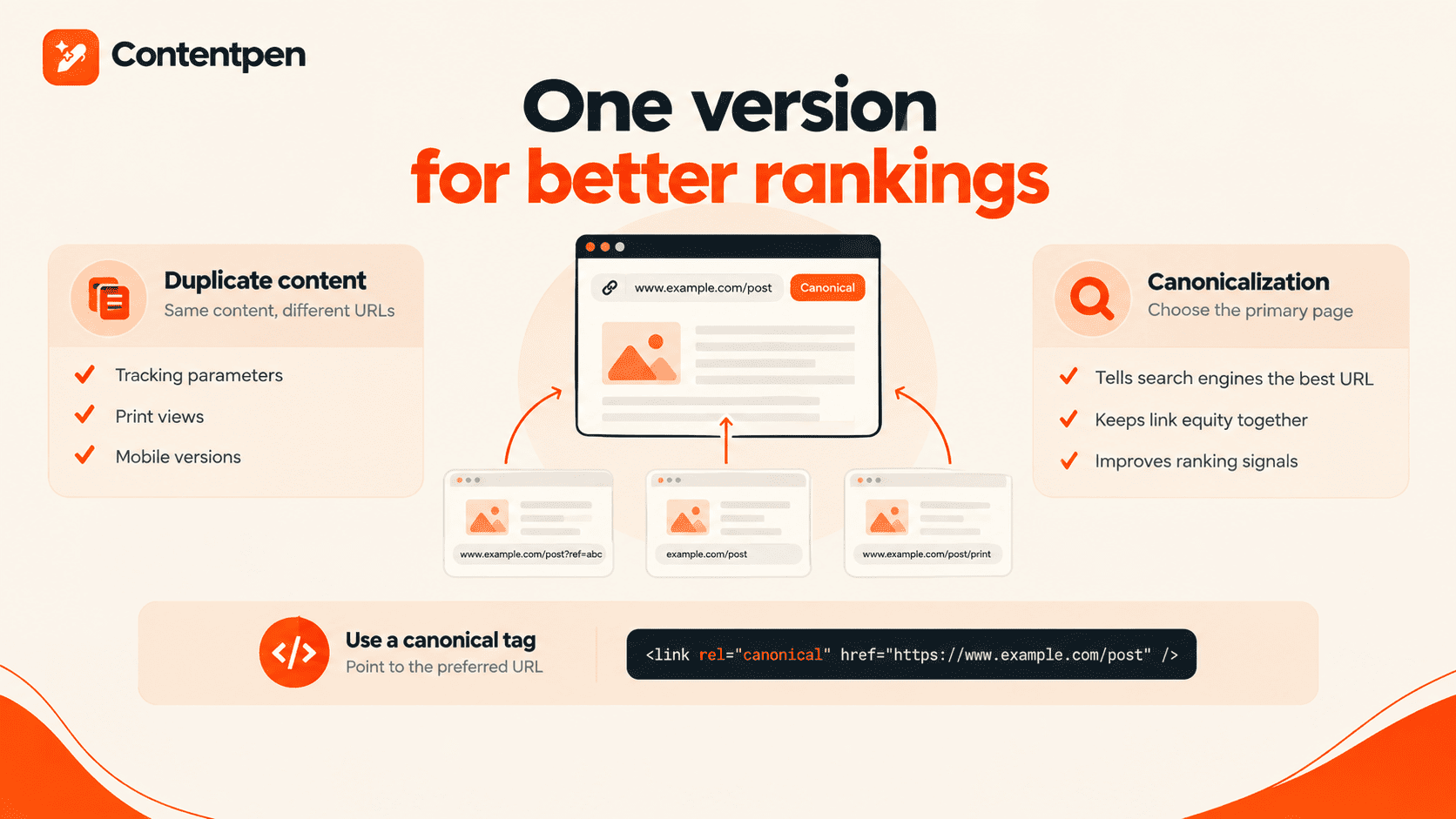
    • Index coverage and canonical tags

    Good SEO analytics here rely on tools such as Google Search Console for index reports and PageSpeed Insights for performance checks. The aim is simple: remove friction so both users and crawlers move smoothly through the site.

    Local SEO

    Local SEO analytics matter a lot for physical locations and service areas. Here, teams focus on:

    • Google Business Profile data
    • Google Maps pack rankings
    • Local keyword performance
    • Calls, direction requests, and menu clicks from search

    When these numbers improve, it usually shows that the business is winning nearby searches and getting local traffic.

    How to perform a practical SEO analysis with a step-by-step framework
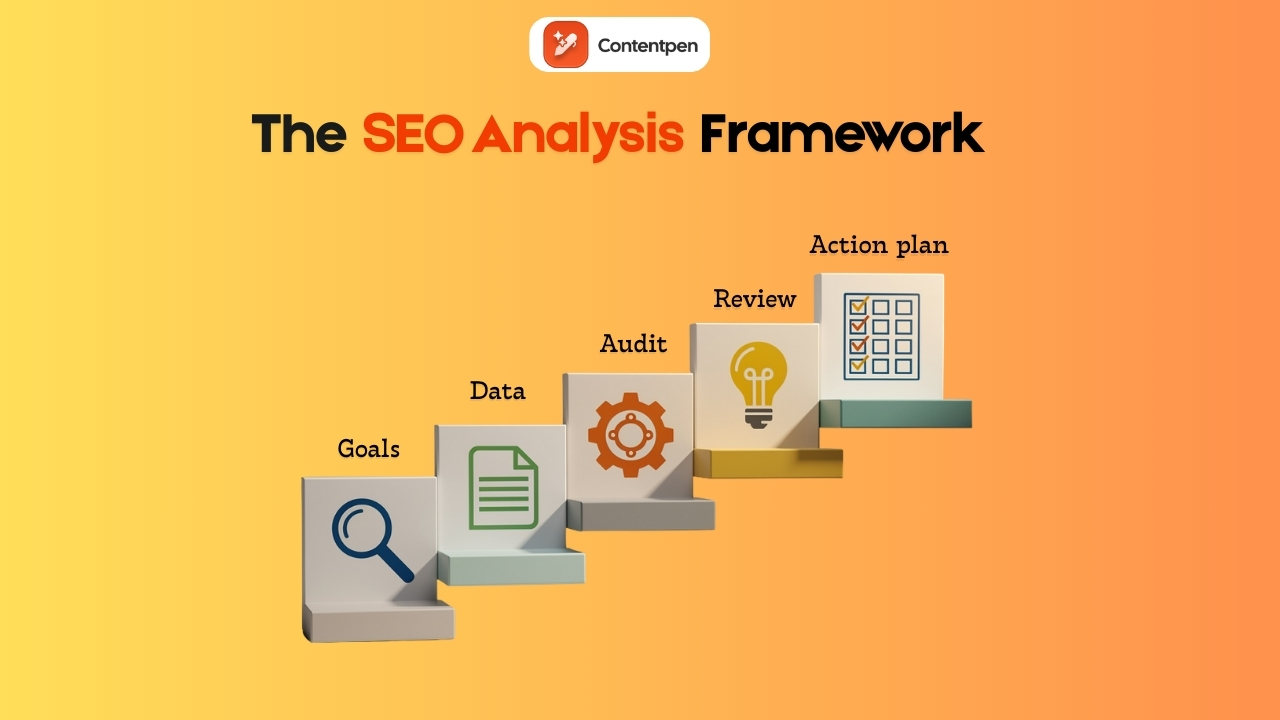
    The SEO analysis framework - Contentpen.ai.

    Without a clear process, SEO analytics turns into random clicks across charts. A simple framework keeps the work grounded in outcomes rather than noise:

    • Step #1: Define clear goals
    • Step #2: Gather baseline data
    • Step #3: Run a technical health audit
    • Step #4: Review content performance
    • Step #5: Turn findings into an action plan

    Now, let’s see each of these steps in more detail.

    Step #1: Define clear goals and success metrics

    Start from business needs rather than rankings. For example, the goal might be to:

    • Add fifty qualified leads from organic search each month
    • Increase demo requests by 20%
    • Grow self-serve revenue from search by a set amount

    Once that is clear, pick numbers that match, such as:

    • Conversion rate
    • Revenue from search
    • Key keyword groups that support priority offerings

    Write these goals down. These will guide all subsequent decisions and prevent the analysis from drifting from focus.

    Step #2: Gather baseline data

    Next, collect the data that shows your starting point:

    • Pull query, impression, and click data from Google Search Console.
    • Pull traffic, engagement, and conversion data from Google Analytics 4 so that search engine optimization analysis links directly to outcomes.
    • Use an SEO analytics tool, such as Ahrefs or Semrush, for extra website analysis, current website keyword rankings, and backlink analytics.
    • Check competitor web traffic analysis and their top-ranking pages, so the team knows the starting point in the market.

    Modern AI-driven tools, such as Usermaven, can automate much of this collection, ensuring consistent analytics over time.

    Step #3: Run a technical SEO audit

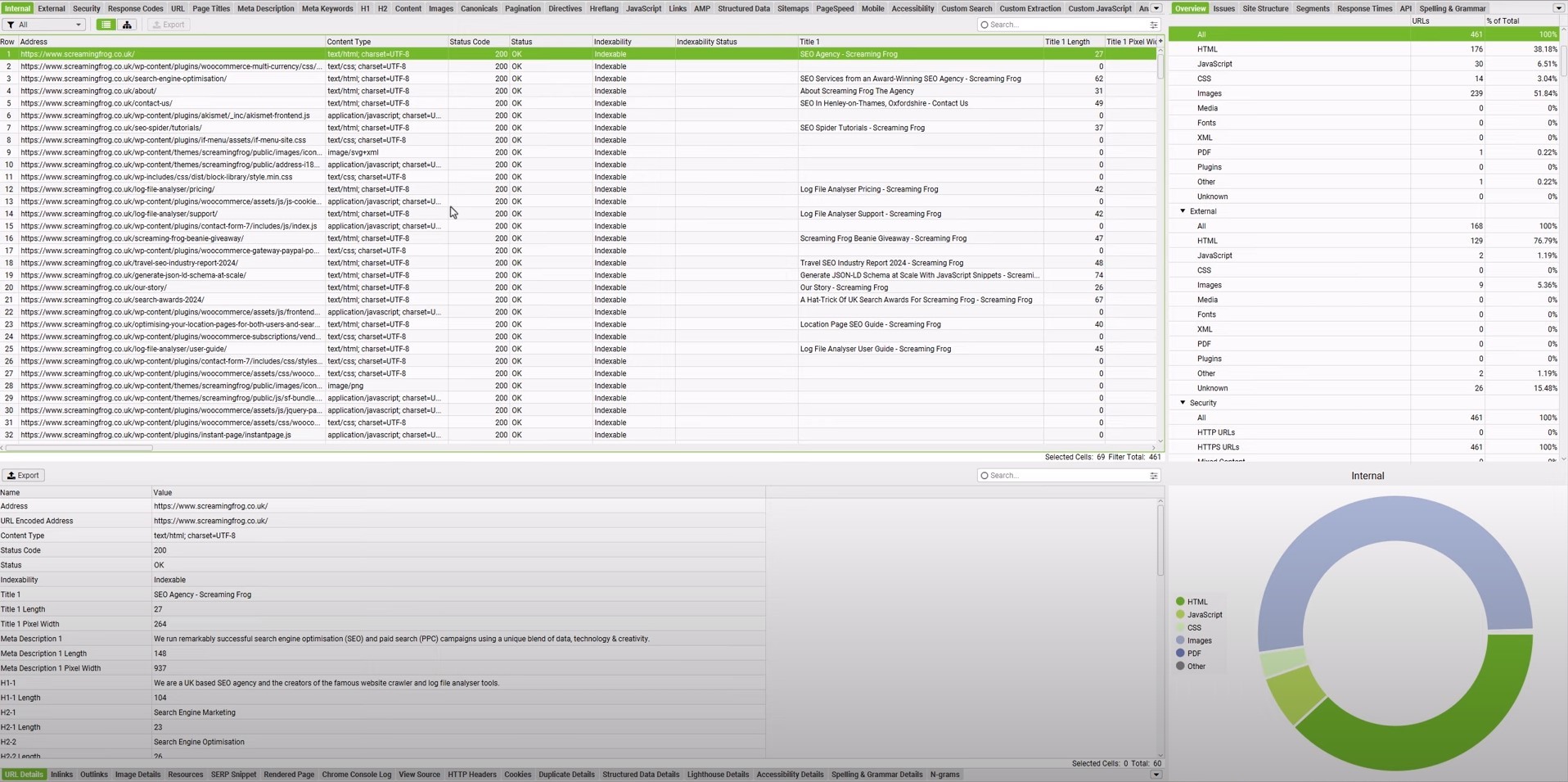
    This part of SEO analytics checks for crawl errors, slow pages, and index problems. Tools such as Screaming Frog scan the site in detail to help you surface these issues with the SEO audit.

    At the page level, this means reviewing title tags, meta descriptions, and performance for key URLs. Once these basics are in place, the content has a fair chance of ranking and converting.

    Step #4: Review content performance and find gaps

    Look in Google Analytics 4 for landing pages that already drive strong organic conversions and long sessions. Note what these pieces have in common, such as:

    Then run keyword analysis and create keyword gap reports across competitors to see which valuable terms they rank for that your site has missed so far. 

    Use keyword analysis in Google Analytics and Google Search Console together to map search queries to pages and SEO performance metrics. From here, build a list of:

    • New topics to cover
    • Existing articles to update
    • Pages to consolidate if they overlap too much

    Step #5: Turn findings into an action plan

    Group issues and ideas by impact and effort, then tackle easy, high-impact items first, such as:

    • Fixing broken technical items on important pages
    • Refreshing posts that already rank on page one but sit just below the top spots
    • Improving internal links to high-value pages

    Set simple deadlines to start working toward securing top positions on search results and AI discovery platforms. Plan a monthly mini-review and a deeper quarterly review to track progress.

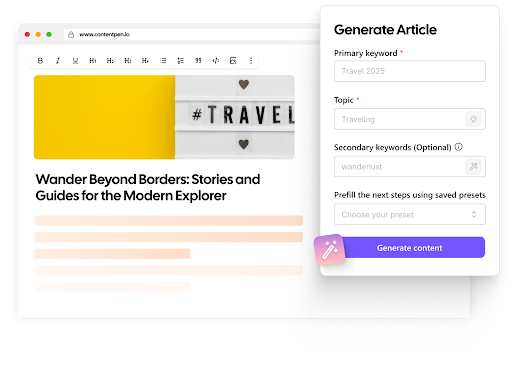
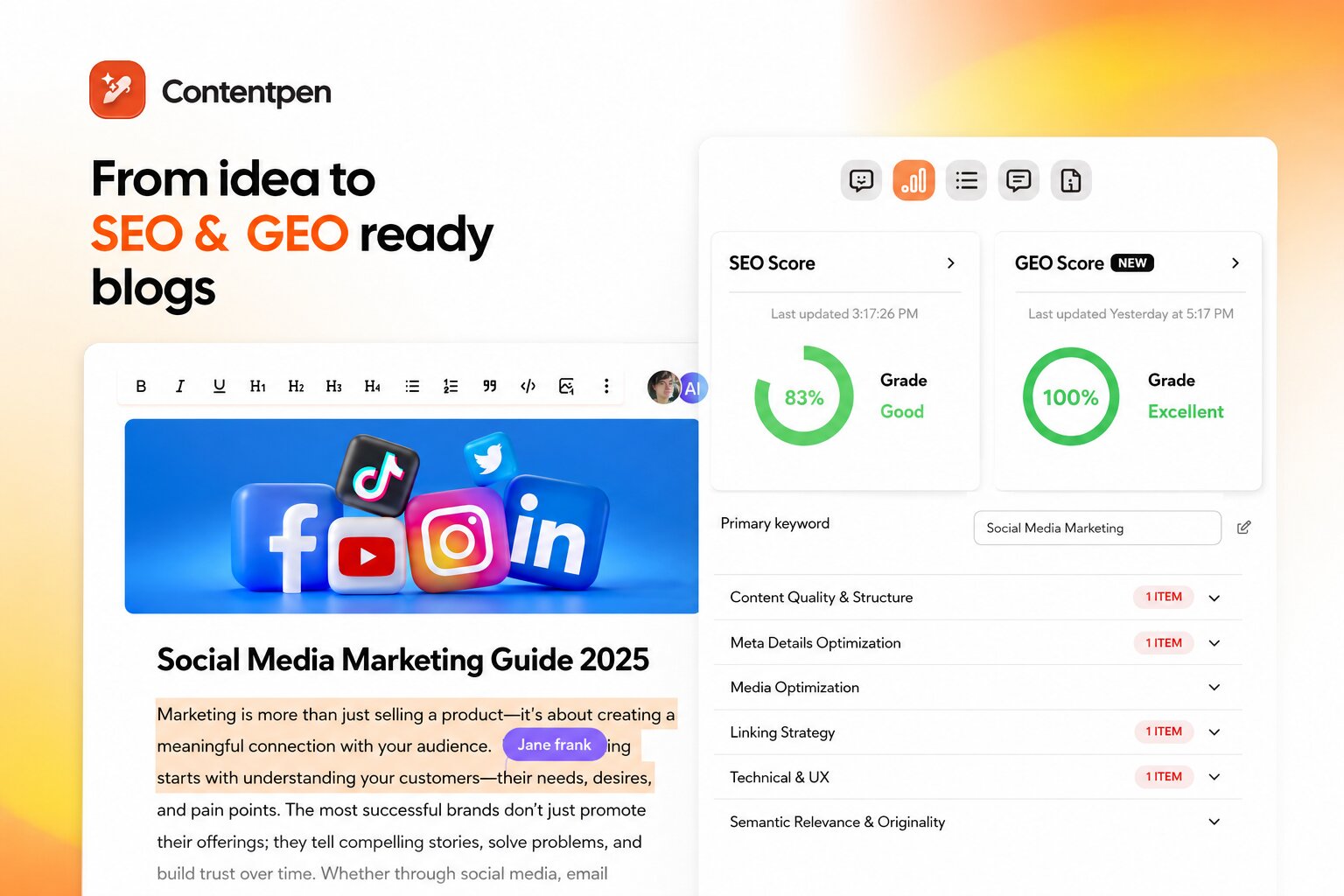
    Tools like Contentpen can shorten the process by blending web SEO analysis with blog creation. So, writers can see an on-page SEO checklist, GEO scores, and content gaps while drafting and publishing posts.
    Write content that’s built to rank, not just read

    Create search-optimized blogs aligned with SEO and GEO signals, so your content performs well across search and AI-driven discovery.

    Try SEO Blogging FREE →
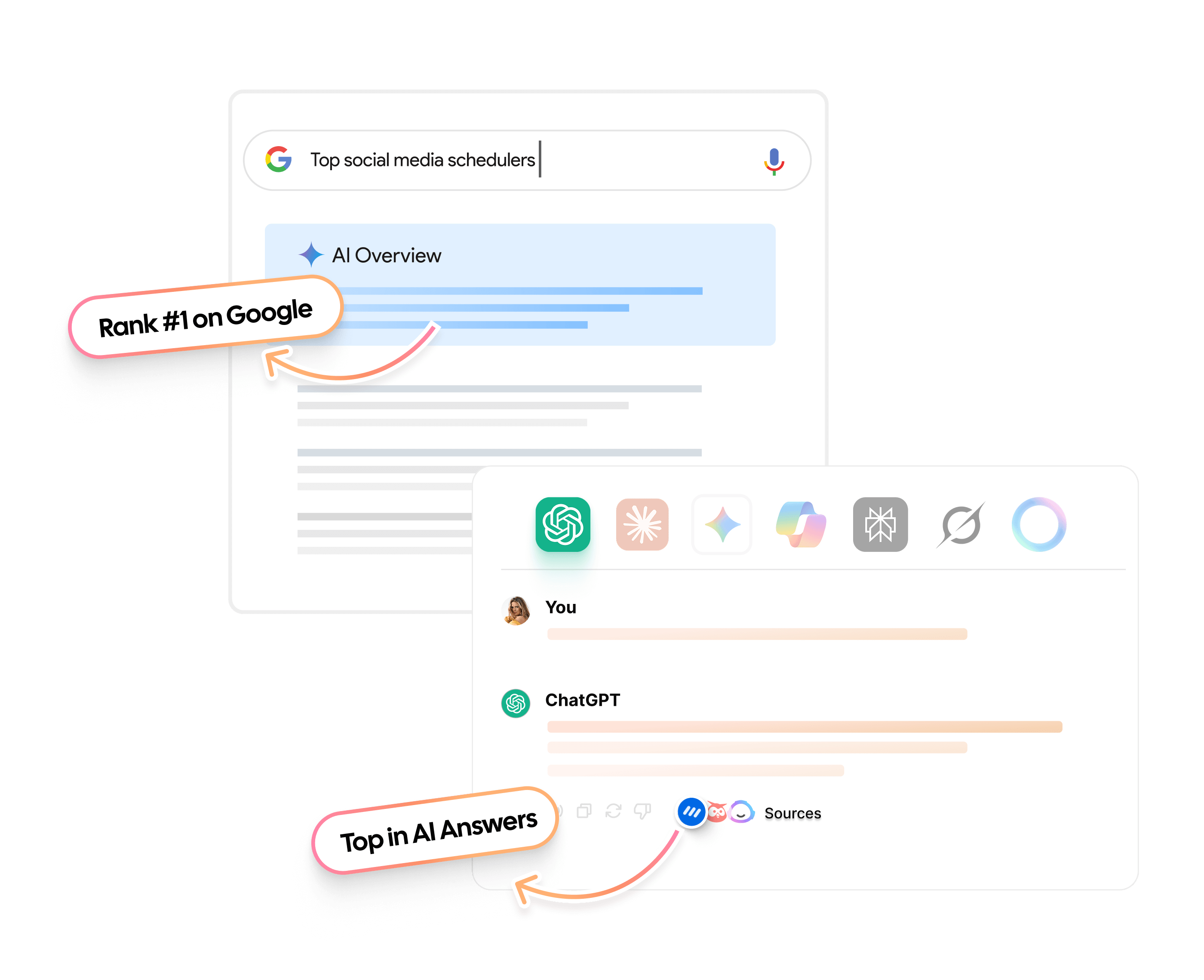
    AI SEO Interface

    Integrating SEO analytics into your content strategy

    A strong content strategy starts and ends with data. SEO analytics shows what people search for, which pages they read, and where they fall off. When that information feeds directly into planning and writing, each new piece stands a better chance of ranking and converting.

    Let analytics guide content planning

    Use keyword analysis and keyword gap data to build the editorial calendar. Focus on topics that mix:

    • Search volume
    • Clear intent
    • Strong business value

    Web SEO analysis can also reveal which formats work best in a niche, for example:

    • Long how-to guides
    • Quick checklists
    • Videos
    • Comparison pages

    With this input, teams can decide not only what to write but also how to present it.

    Build a feedback loop

    Publish content, then watch SEO analytics in Google Search Console and Google Analytics 4 for a few weeks. Check:

    • The number of queries you receive
    • Click-through rates
    • Engagement and conversion metrics

    If a page gets strong impressions but weak clicks, improve the title and description. If people visit but bounce fast, rework the intro or adjust the offer. 

    Schedule regular content audits to update or merge underperforming pages. Over time, this turns content work into a steady cycle rather than random sprints.

    Choosing the right SEO analytics tools in 2026

    The best SEO analytics tools are not the ones with the most features. They are the ones your team actually uses every day to make better decisions. 

    In 2026, successful teams build lightweight, goal-driven stacks that connect analytics directly to content, conversions, and growth.

    Rather than listing every tool again, this section focuses on how to choose the right SEO analytics setup based on your team’s needs, skills, and goals.

    Match tools to your SEO goals

    Different goals require different analytics strengths:

    • Content growth teams need tools that connect keyword insights directly to writing, editing, and publishing.
    • Revenue-driven teams need analytics that tie organic traffic to conversions, pipeline, and revenue.
    • Technical SEO teams need deep crawl data, performance monitoring, and index diagnostics.
    • Local businesses need visibility into map rankings, calls, and location-based engagement.

    Strong SEO analytics starts by defining which of these outcomes matter most and choosing tools that serve them well.

    A modern SEO analytics stack (simple and effective)

    For most teams, a practical setup looks like this:

    • Search performance layer: Tools that show how your site appears in search and which queries drive impressions and clicks.
    • Behavior and conversion layer: Analytics that connect organic traffic to engagement, sign-ups, and revenue.
    • Content and execution layer: A platform that blends SEO analytics directly into content creation, so insights turn into action immediately.

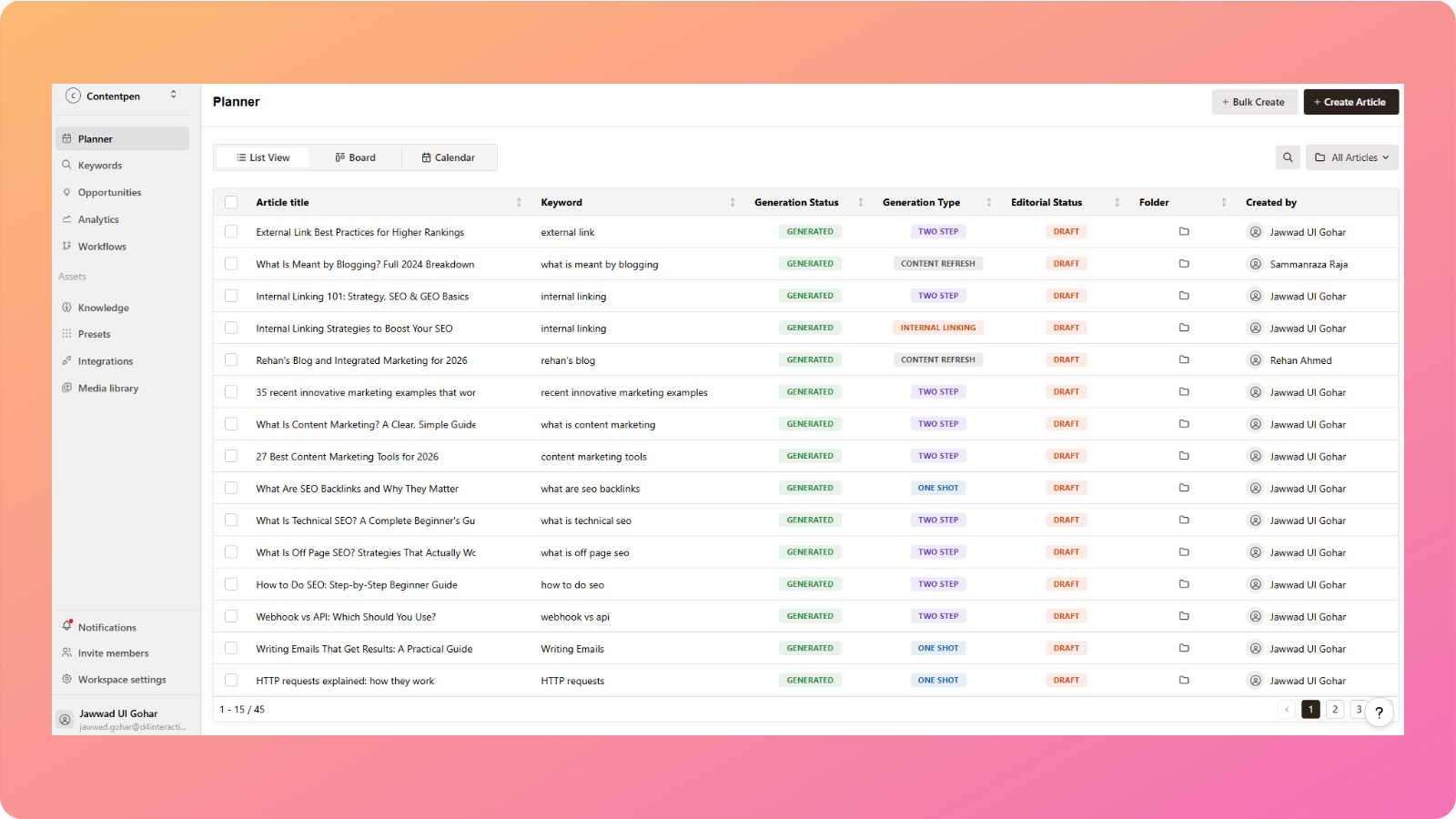
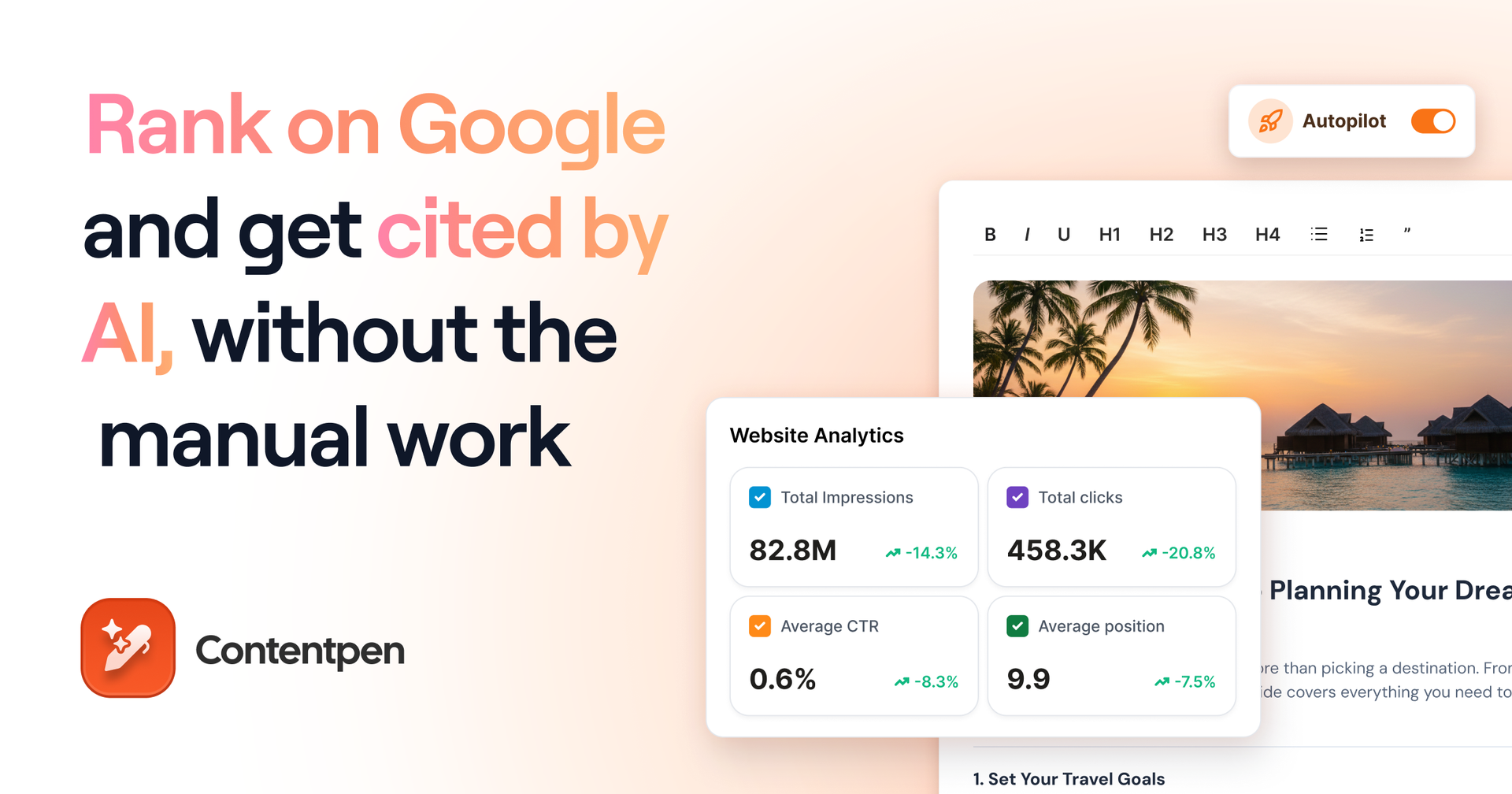
    This is where Contentpen becomes the center of the workflow. It is a workspace where web analytics, AI visibility tracking, and SEO opportunities actively shape what gets written, updated, and published.
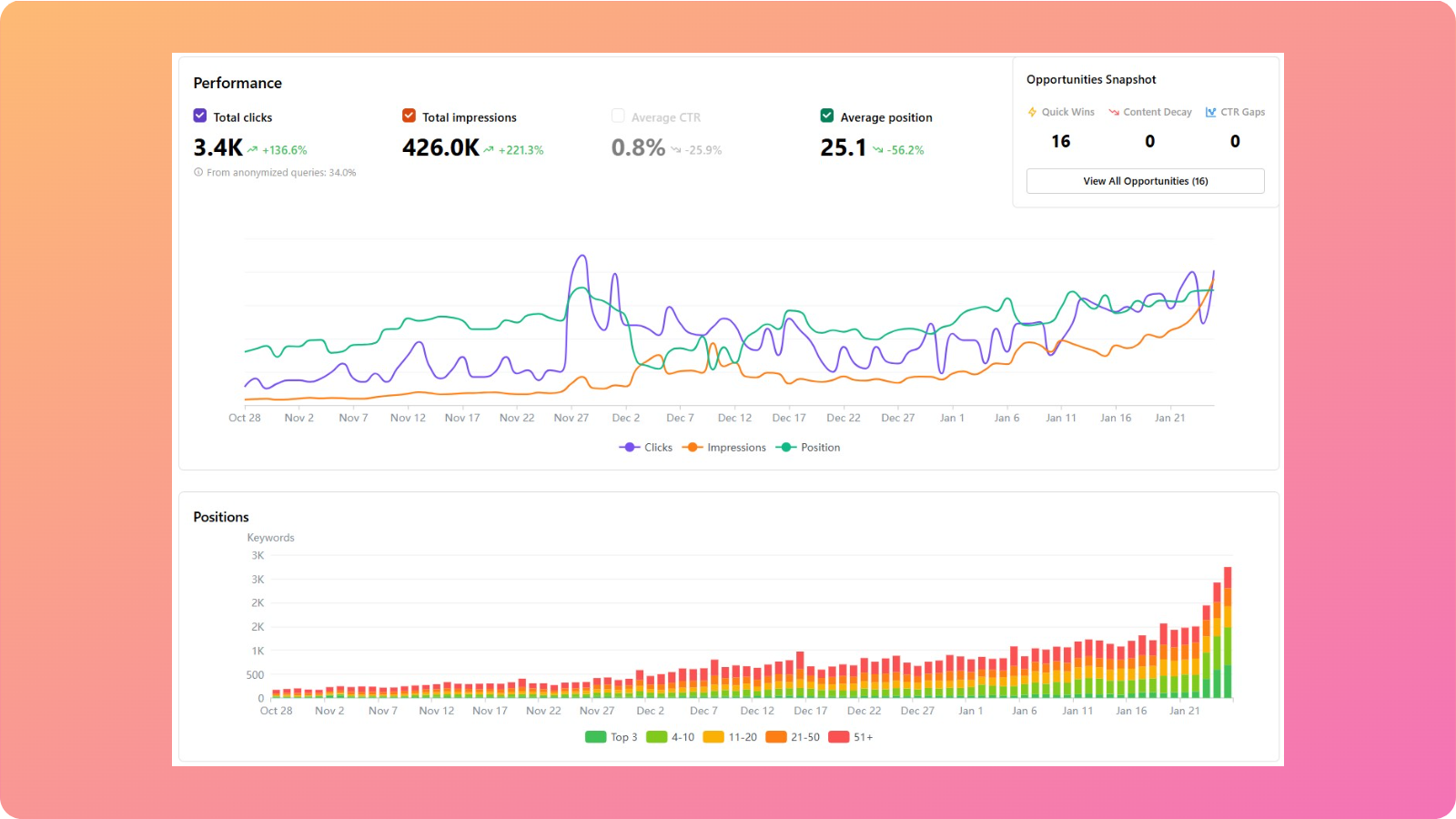
    Contentpen analytics with SEO opportunities snapshot - Contentpen.ai.

    Quick comparison: SEO analytics tool categories

    Tool categoryTool exampleBest forCore SEO analytics roleTypical limitations
    Search performance toolsGoogle Search ConsoleVisibility trackingQueries, impressions, clicks, index coverageLimited content or conversion insights
    Web analytics toolsUsermavenBehavior & revenue trackingEngagement, conversions, attributionWeak keyword and ranking context
    All-in-one SEO suitesSemrushDeep SEO researchKeyword research, backlinks, and rank trackingHeavy, complex, costly
    Integrated content + SEO platformsContentpenContent teamsSEO analytics and AI visibility tracking embedded in writing & publishingLess focus on raw backlink data

    This structure helps teams see not just what tools exist, but what role each plays in a complete SEO analytics system.

    Why integrated platforms outperform fragmented stacks

    Traditional SEO workflows split analytics across multiple tools. This creates delays, data silos, and lost momentum.

    Integrated SEO analytics platforms like Contentpen solve this by:

    • Surfacing keyword opportunities inside the writing flow
    • Providing live SEO scoring while drafting
    • Highlighting content gaps before publishing
    • Keeping brand voice, structure, and optimization aligned at scale

    Instead of analyzing first and writing later, teams now analyze while writing, which dramatically shortens the time from insight to impact.

    Choosing tools by team type

    Here’s how different teams typically structure their SEO analytics stack:

    • Solo creators & small businesses: Lightweight analytics + Contentpen for writing, optimization, and publishing.
    • Content teams & startups: Search performance tools + conversion analytics + Contentpen as the central execution hub.
    • Agencies & enterprise teams: Advanced SEO suites for research and reporting + Contentpen for scalable content production and optimization.

    The common thread across all setups: SEO analytics works best when it directly informs content decisions, not when it lives in separate reports.

    Advanced SEO analytics strategies in 2026

    SEO analytics can move beyond simple reports into smarter, AI-assisted work. The big change in 2026 is that tools no longer just show what happened. Many now suggest the next steps and estimate the impact before changes go live.

    How AI is transforming SEO analytics

    On the AI side, several capabilities have become common:

    • Anomaly detection: Instead of a person spotting a sudden drop in traffic weeks later, AI flags the change within a day, often linking it to a specific update, device type, or region.
    • Personalized keyword difficulty: Instead of one generic score, AI looks at your domain strength, content history, and backlink analytics to judge if a keyword is realistic for your site.
    • Forecasting: Some platforms can estimate traffic ranges for planned articles, giving teams a sense of likely returns before they invest many hours.

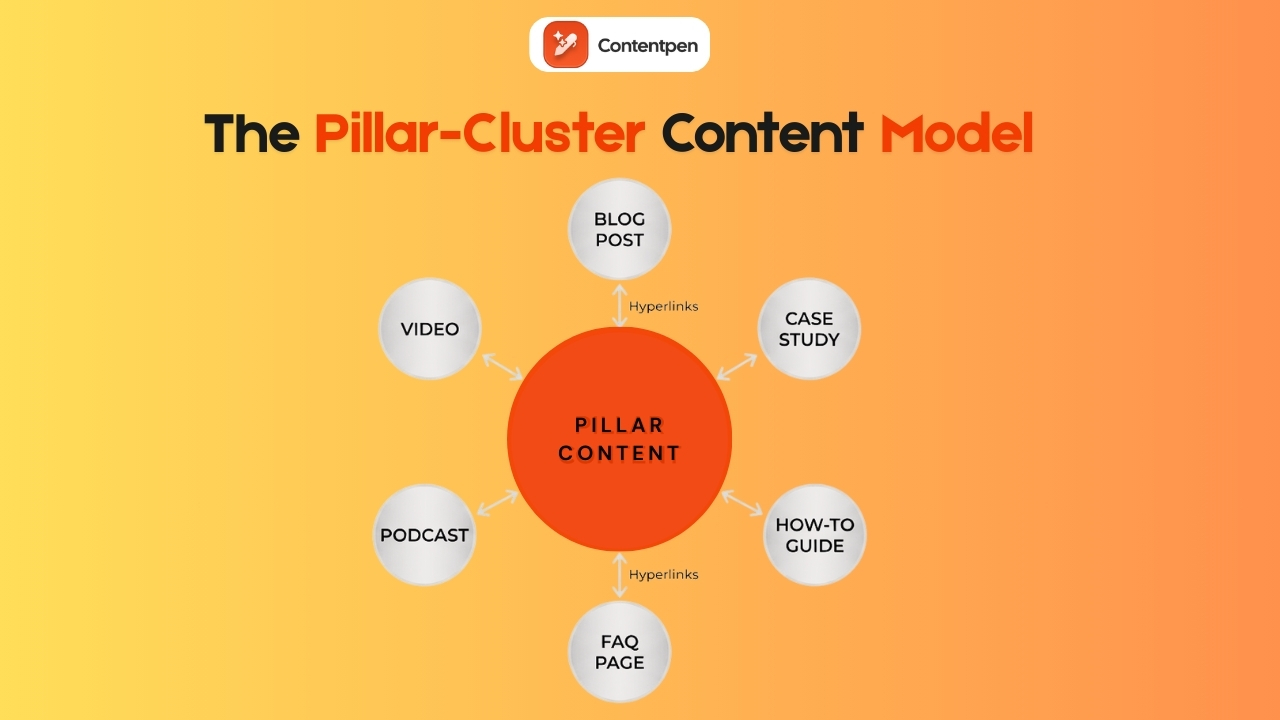
    AI-driven topic clustering is another powerful method. Rather than staring at hundreds of phrases, teams can use AI to group them into clear themes or content hubs. Each hub then gets a main guide page with more focused pieces around it. 

    This approach aligns with how modern search understands topics, making internal linking plans much simpler. 

    AI can also scan existing pages and give specific on-page suggestions as part of your SEO analytics work, such as:

    • Improving headings
    • Adding missing subtopics
    • Updating outdated facts

    This is, however, just a starting point for your smart analysis. You can discover other tools that work well for you and incorporate their suggestions, one at a time, to see if you get the desired results.

    Using competitive intelligence to outperform rivals

    Competitor analysis is necessary to win a niche and the relevant audience. Here are some of the useful methods used in this regard:

    • Keyword gap analysis: Highlights terms where several rivals rank but your site does not.
    • Backlink gap analysis: Lists sites that link to competitors yet ignore your domain, which sets up targeted outreach plans.
    • SERP feature tracking: Shows which content types (tools, checklists, guides) hold the most share of attention over time.

    These tactics fit into broader search engine marketing analysis, helping you secure top spots and greater organic visibility.

    Tracking brand visibility in AI-driven search results

    A new frontier in SEO analytics is tracking brand presence in AI-driven search, especially as the Google vs ChatGPT market share situation continues to evolve and reshape how users discover information. That includes how often your brand or content appears in:

    • Google AI Overviews
    • Chat-style assistants
    • AI-powered search engines such as Perplexity

    To perform well here, sites benefit from:

    • Clear authorship
    • Strong E-E-A-T signals (experience, expertise, authority, trust)
    • Accurate, well-structured content that other sources reference

    Our AEO tool can help here by providing AI search optimization features. It guides writers toward clear structure, full coverage of topics, and proper internal and external linking.

    The tool also helps you track your AI visibility in popular AI chatbots, including ChatGPT, Google AI, Copilot, Gemini, Perplexity, Grok, and Claude.

    Find your brand in AI search

    check

    Track AI citations, share of voice, and brand sentiment

    check

    Find the top sources driving citations
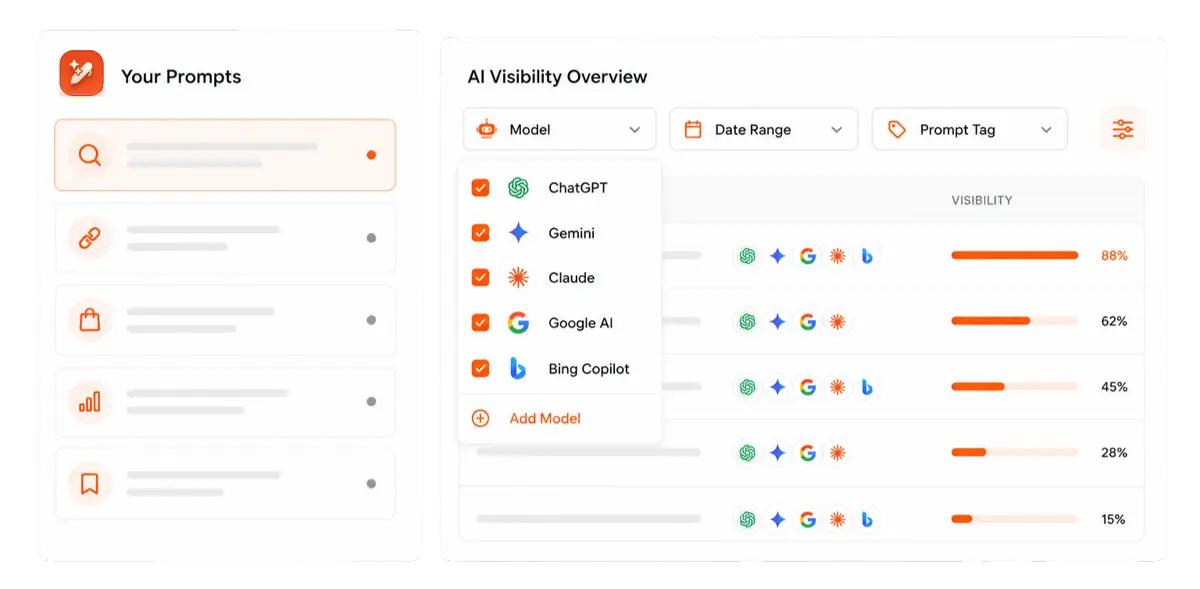
    Try AI Visibility →
    AI SEO Interface

    As a result, your content is more likely to be cited in both classic results and AI summaries or overviews.

    Common SEO analytics mistakes and how to avoid them

    Even strong teams fall into common traps when it comes to SEO analytics. The good news is that these mistakes are easy to fix once they are visible.

    Mistake #1: Using too many SEO analytics tools without a clear system

    It is tempting to sign up for every free SEO analysis, rank tracker, and site audit. The result is often confusion, since numbers do not match and reports are hard to compare. A stronger plan is to pick a small stack, one that shows clear analysis and no noise.

    Mistake #2: Ignoring technical SEO signals in analytics

    Some teams publish many articles, yet still struggle because pages load slowly or crawlers hit errors. Regular technical checks, as part of ongoing SEO analytics, catch these issues early.

    Fixing speed issues, broken links, and mobile layouts often improves performance across many pages at once.

    Mistake #3: Treating SEO analytics as a one-time project

    Running a big SEO audit once a year and then forgetting about it means changes in search or on the site go unseen. Therefore, a light monthly review and a deeper quarterly review keep SEO analytics fresh without taking over the calendar.

    Also, don’t let SEO sit in a silo. Linking data across tools provides a comprehensive view of search engine marketing analytics and helps demonstrate how organic, paid, and other channels work together.

    Summing it up

    SEO analytics turns data into a clear action plan for marketers, agencies, and businesses. In 2026, AI summaries, rich results, and changing user habits make simple rank reports far too shallow.

    The main message is simple. You don’t need deep technical expertise for SEO analytics, but you do need a more innovative approach to improve rankings. Use the right tech stack and have a step-by-step framework to keep the four main pillars of SEO aligned.

    The real edge comes from steady, small improvements. Run regular reviews, update existing content, track your visibility in AI search alongside traditional rankings, and try one or two advanced tactics as the team grows.

    Frequently asked questions

    What is the full form of SEO analytics?

    SEO analytics stands for search engine optimization analytics.

    Is SEO analytics free?

    Yes. You can perform SEO analytics for free using tools like Google Search Console and Google Analytics 4. Paid tools offer deeper insights, but free tools are enough to start.

    Where can I get an SEO audit report?

    You can get an SEO audit report from tools like Google Search Console, Ahrefs, Semrush, AIOSEO, or Screaming Frog. Many platforms also offer instant online audit reports for free.

    What is the difference between SEO analytics and web analytics?

    SEO analytics focuses only on organic search traffic, meaning how people find your site through search engines and what they do afterward. Web analytics covers all traffic sources, including paid ads, social media, email, and direct visits.

    How often should I perform SEO analytics reviews?

    Most sites should check key metrics weekly for sudden changes, review performance monthly for trends and content updates, and run a deeper content strategy review quarterly. This keeps SEO decisions timely without becoming overwhelming.

    How do I know if my SEO analytics efforts are working?

    Your SEO analytics are working if organic traffic leads to more conversions, the CAC from search stays stable, and you can clearly connect rankings to business outcomes. If rankings rise but revenue doesn’t, your analytics strategy needs adjustment.
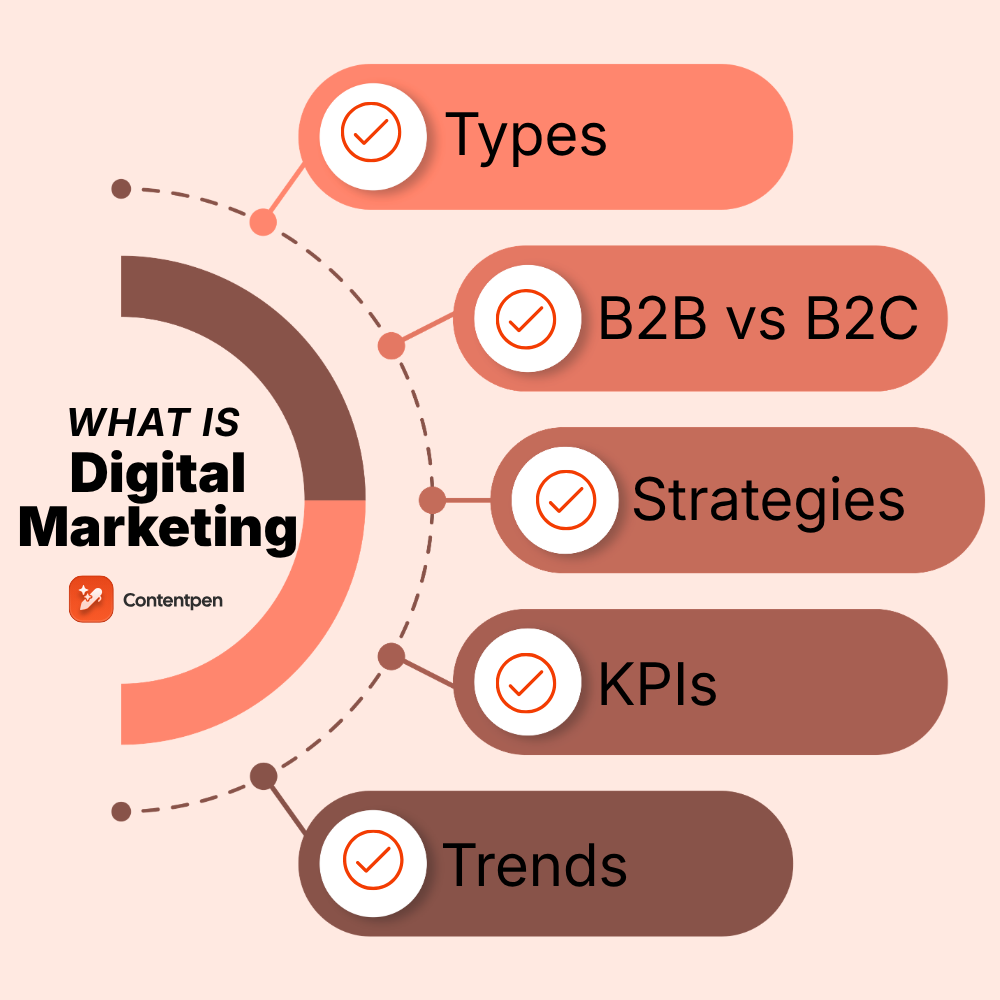
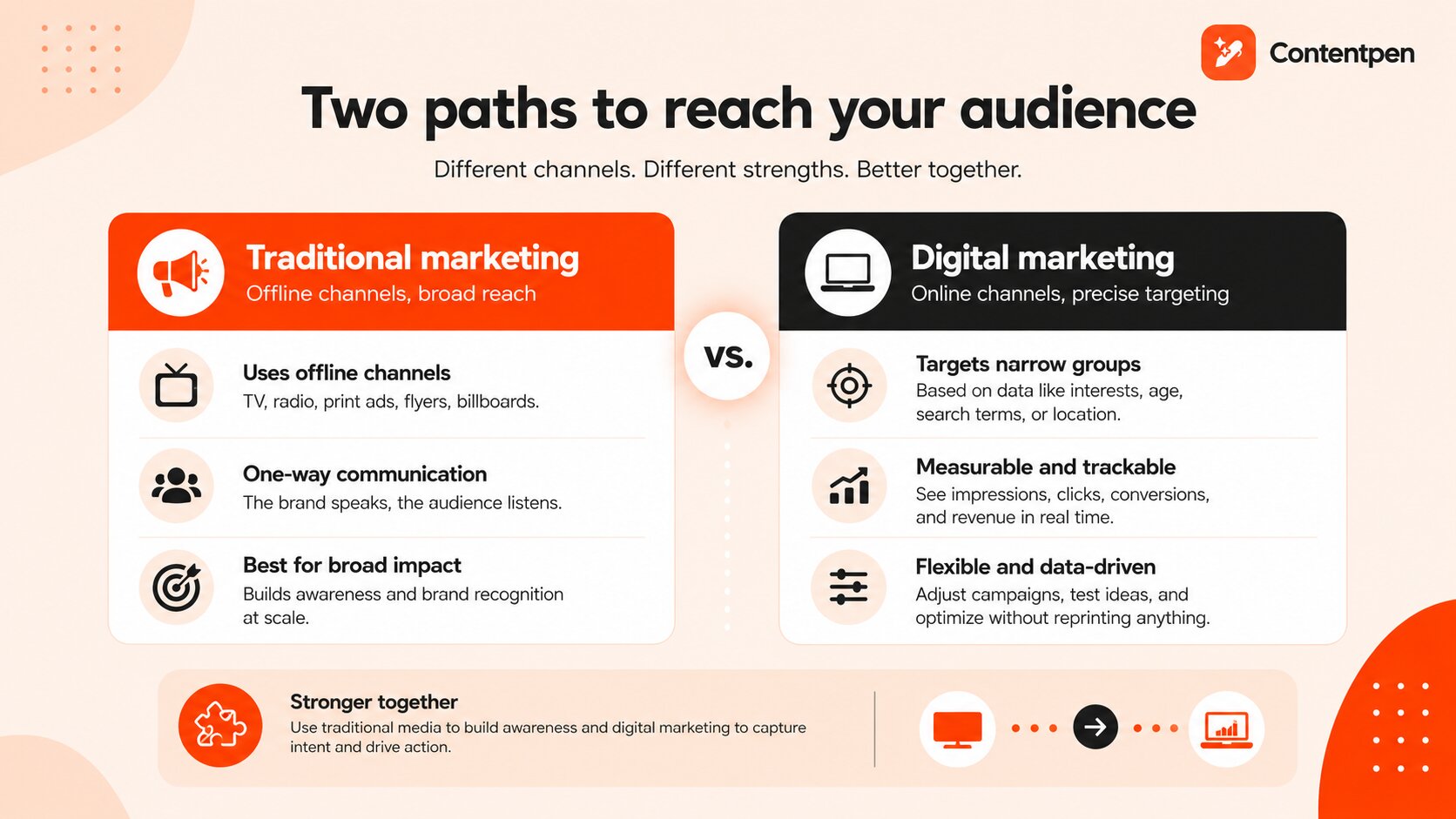
  • What Is Digital Marketing? Meaning, Types, Examples & Strategy (2026)

    What Is Digital Marketing? Meaning, Types, Examples & Strategy (2026)

    Digital marketing is the use of internet-connected channels, including search, social media, email, and content, to reach, engage, and convert target audiences into customers.

    Modern businesses rely on digital marketing to increase traffic and, eventually, revenue.

    Unlike traditional marketing practices, digital marketing uses tools and datasets that provide professionals with actionable insights in real time.

    That said, digital marketing also comes with its own challenges. With ever-growing digital channels, it is difficult to stay on top of the competition and win a niche.

    In this post, we will discuss everything about digital marketing: what it is, types, how it is done, and a repeatable structure you can apply today. By the end, you will be able to quantify your findings and make informed decisions to increase ROI for your platforms.

    So, let’s get started.

    What is digital marketing?

    Digital marketing is the use of electronic devices and digital channels to promote products, services, or brands.

    In simple words, think of digital marketing as putting up a shop sign, but instead of a physical street, your sign appears on Google, Instagram, YouTube, and email inboxes.

    You choose who sees it, when they see it, and you can change it anytime based on what’s working.

    A brief digital marketing history (1990s – today)

    Digital marketing started in the 1990s with early websites and email campaigns. In the 2000s, search engines and social media changed how people found brands and how brands reached people. 

    Now, in 2026, AI, marketing automation, and mobile-first design shape almost every serious digital marketing strategy.

    Also read: What is a webhook and how does it work? Explained.

    Therefore, digital marketing is not a side project today or the job of one team. It runs through product launches, sales outreach, content creation, and customer service.

    Digital marketing vs. traditional marketing

    Traditional marketing uses offline channels such as TV, radio, print ads, flyers, and billboards. These methods are still powerful for broad reach and brand recognition, especially for big consumer brands. The message is usually one-way: the brand speaks, and the audience listens.

    On the contrary, digital marketing focuses on screens and online activity. It targets narrow groups based on clear data, such as search terms, interests, age, or zip code.

    A key difference worth noting between these two types of marketing is measurement.
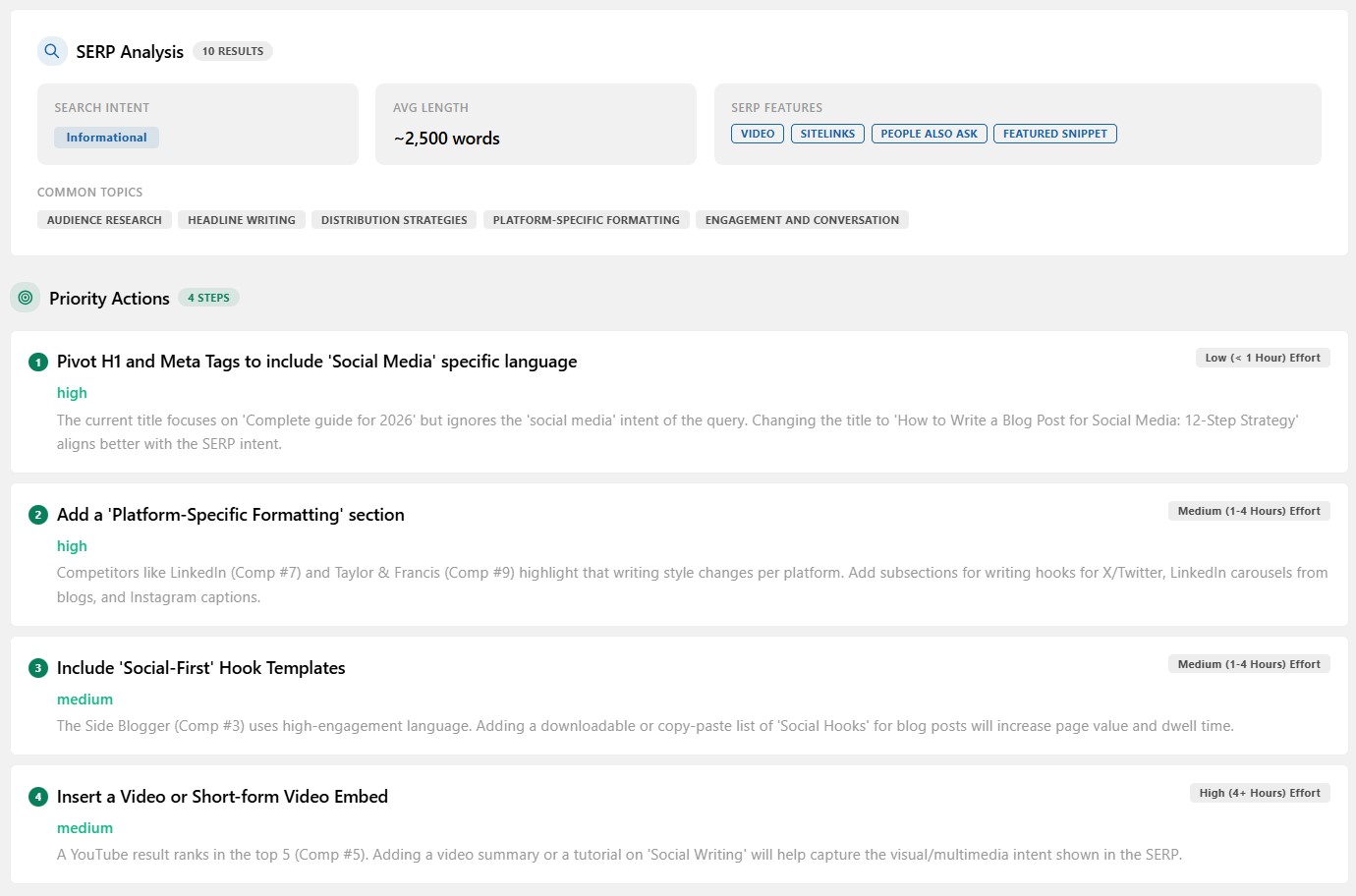
    Traditional marketing can track some impact through coupon codes or call tracking, but the data is rough.

    On the other hand, digital marketing reports provide detailed numbers on impressions, clicks, conversions, and revenue. You can adjust campaigns in real time, change budgets, and test new ideas without reprinting anything.

    Traditional vs. digital marketing - Contentpen.ai.

    The two methods are not enemies. Many strong brands mix both. A TV spot might build broad awareness, while digital advertising captures people who later search for the brand name. The right mix depends on budget, audience type, and goals.

    Inbound vs. outbound digital marketing

    Before diving into the specific types of digital marketing, it helps to understand the two broad approaches that shape how any strategy is built.

    Inbound marketingOutbound marketing
    Attracts people who are already looking to buyReaches people whether or not they are looking for a product or service
    Examples include SEO, content marketing, and organic socialExamples include PPC ads, display advertising, cold calling, and email
    Lower cost per lead (CPL) over timeFaster results, higher short-term cost
    Builds long-term brand authorityBest for new offers or time-sensitive campaigns

    Most successful brands run both in parallel. Inbound builds the foundation. Outbound accelerates it.

    Types of digital marketing

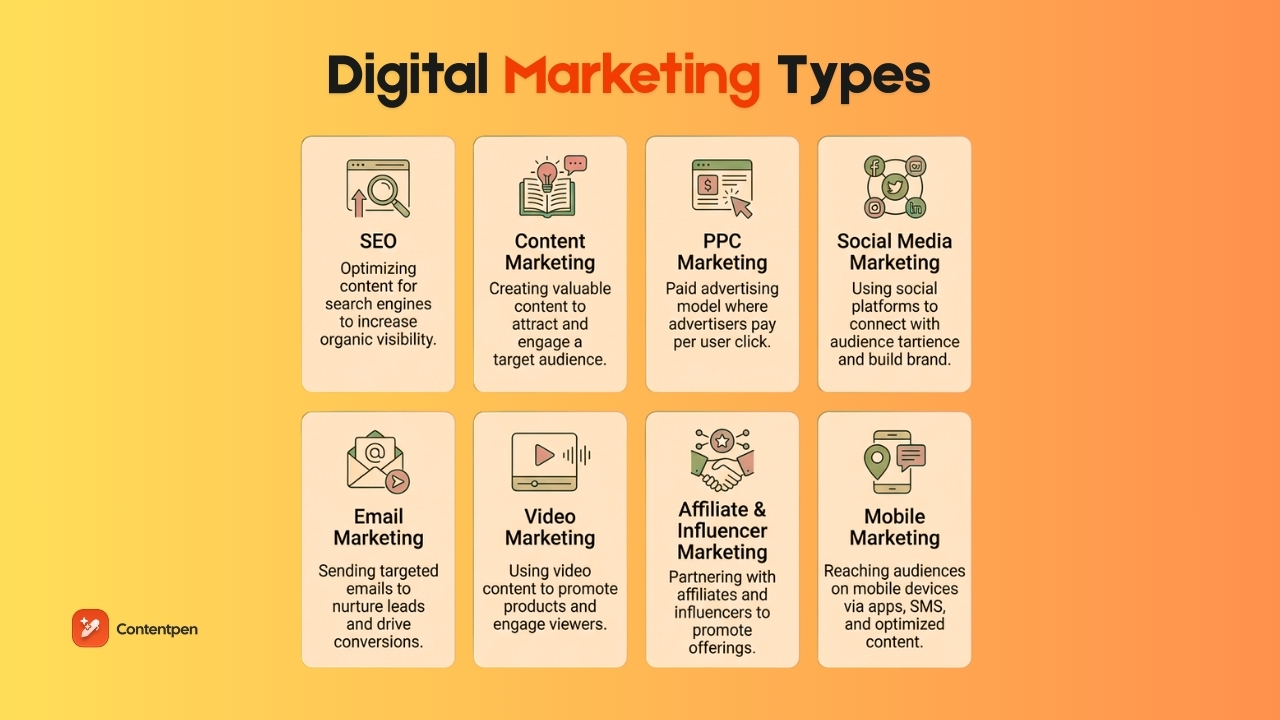
    Types of digital marketing - Contentpen.ai.

    Think of the main types of digital marketing as tools in a toolbox. No brand needs every single one at once. The right mix can vary depending on your use cases and objectives.

    1. Search engine optimization (SEO)

    Search engine optimization (SEO) in digital marketing is the practice of improving your website and content so that search engines show your pages near the top of the results.

    SEO is mainly divided into four main parts:

    • On-page SEO focuses on the words on your pages, the structure of your content, and your use of organic keywords that match how people search.
    • Off-page SEO refers to links and signals from other sites, which help search engines see your site as trustworthy.
    • Technical SEO covers site speed, mobile-friendliness, and clean code that help search bots read and index your pages.
    • Local SEO is about appearing for searches in your neighborhood as a service- or product-based business.

    In 2026, many customer paths start with a simple search query. That means doing the search engine basics right while also making your content AI search-optimized.

    Real-world example:

    Healthline ranks for thousands of medical queries by structuring every article around a specific patient search intent, matching the exact question someone types before anything else.

    Read more: AEO examples worth studying in 2026.

    2. Content marketing

    Content marketing is the practice of creating helpful, relevant content to attract and keep a clear audience. Instead of pushing a hard sell, you answer questions, share how-to guides, and provide stories that build trust. 

    Common formats include blog posts, case studies, eBooks, infographics, newsletters, podcasts, and videos.

    “Content is the atomic particle of all digital marketing.” — Rebecca Lieb.

    Strong content supports almost every other digital marketing channel:

    • Blog posts give search engines something to index.
    • Social media posts often link back to deeper content.
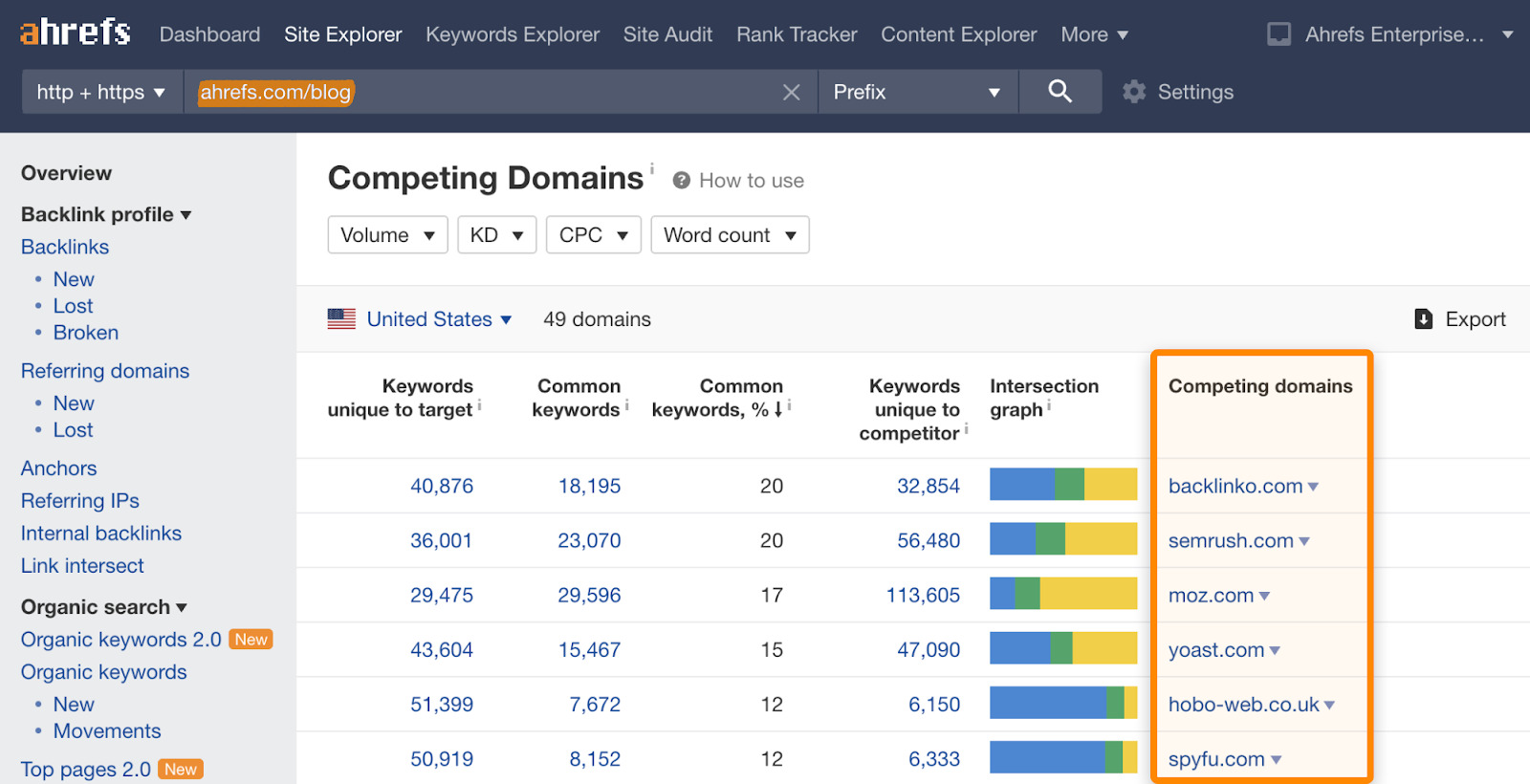
    • Reddit, Quora, Medium, and review platform mentions boost off-page signals and AI citability.
    • Email sequences point to articles, tutorials, or stories, encouraging users to take action.

    The hard part is staying consistent, especially for small teams and agencies. 

    That is where Contentpen helps. It gives you an AI blog creation platform that writes SEO and GEO-focused drafts in your brand voice.

    Besides that, the tool does detailed competitor research and offers one-click content publishing to help you boost your productivity.

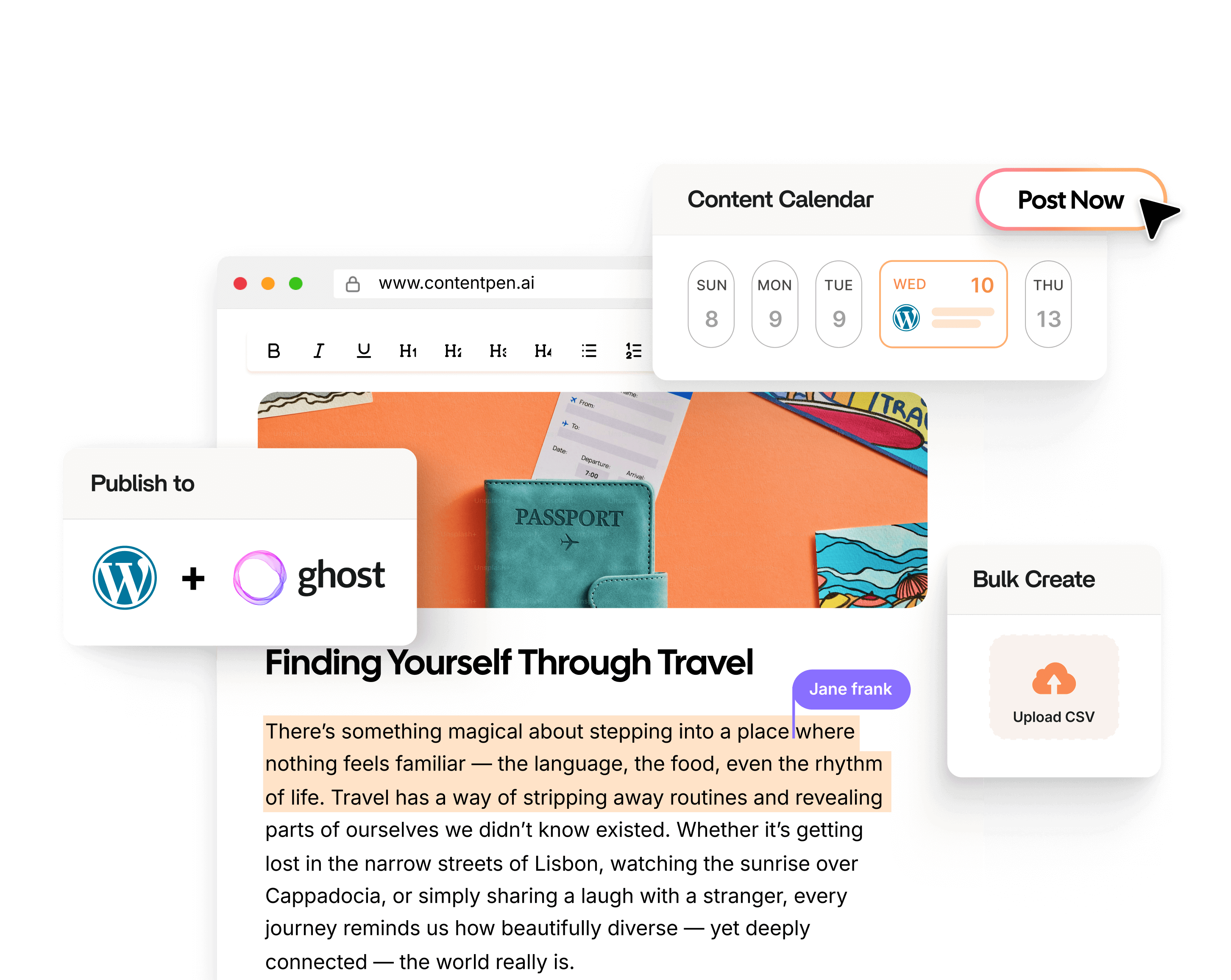
    Publish content directly to your CMS, without copy-pasting

    Move from draft to live post in a single step. No hassle, no errors!

    Try One-click Publishing →
    AI SEO Interface

    This kind of support allows content teams and marketing agencies to boost SERP and AI visibility without much manual effort.

    Real-world example:

    Contentpen grew from 3000 organic traffic to 30,000 in just 3 months (Feb to March, 2026). How? By providing helpful, reliable, people-first content that audiences genuinely love reading and citing.

    If we can do it, you can too. Try Contentpen and see the difference in your ROI from content marketing efforts.

    3. Pay-per-click (PPC) marketing

    Pay-per-click (PPC) in digital marketing is a model where you pay each time someone clicks your ad. These ads usually show above or beside search results, inside social feeds, or on partner websites as part of display advertising.

    In PPC marketing, you choose the keywords or audience you want, write ads, and set bids and budgets accordingly.

    Platforms such as Google Ads, Microsoft Ads, Meta Ads, LinkedIn Ads, and Amazon Ads run auctions to decide which ads appear. For many companies, PPC is the fastest way to test new offers or reach new audiences.

    The main advantage is speed. Unlike SEO, PPC can send traffic to your site in hours or a couple of days.

    That said, the trade-off is cost. Competitive search terms and narrow audiences can be expensive, so campaigns need to be tested and tuned regularly.

    Real-world example:

    Notion bids on keywords like “best note-taking app.” Anyone considering switching tools sees Notion’s ad first, before any organic result, helping them boost conversions.

    4. Social media marketing

    Social media marketing uses platforms such as Facebook, Instagram, TikTok, LinkedIn, X, and YouTube to build brand awareness, connect with people, and drive traffic or sales. It is much more than posting random updates a few times a week.

    A clear plan covers:

    • Who do you want to reach?
    • What will you talk about and create?
    • How often will you post?
    • How will you respond to comments and messages?

    B2B brands often focus on LinkedIn and YouTube for thought leadership. Consumer brands lean on Instagram, TikTok, and Facebook for visuals, short videos, and community outreach.

    Organic reach on many platforms has declined as more brands compete for attention in a similar space. That means you need either very engaging content, paid promotion, or both to work for you.

    For ecommerce brands running paid social, a Facebook and TikTok ad spy tool takes the guesswork out of paid promotion by showing which competitor ads are actively scaling, so you know what creative angles and products are already working before you spend.

    Real-world example:

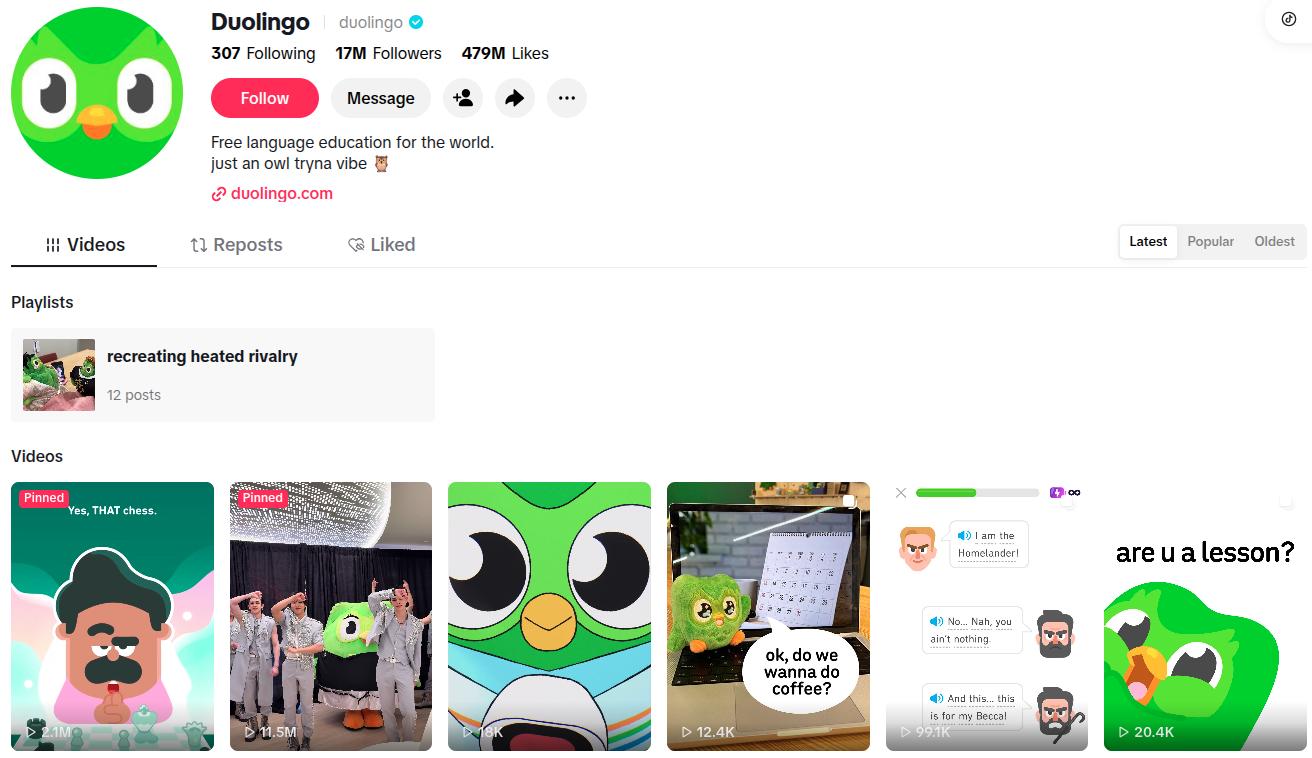
    Duolingo grew to over 17 million TikTok followers not by promoting its app directly, but by leaning into brand humor and trending formats, making people laugh first and download second.

    Duolingo TikTok following.

    Read more: 30+ recent innovative marketing examples from top brands.

    5. Email marketing

    Email marketing sends targeted messages to people who have opted in to hear from you. It covers newsletters, welcome series, launch campaigns, cart reminders, and post-purchase check-ins.

    Email stands out because you own the audience. Algorithms can change on social platforms, but your email list is under your control. 

    When done well, email remains one of the highest-return channels in digital marketing, often driving repeat sales and higher customer lifetime value.

    Real-world example:

    Spotify’s annual Wrapped campaign is an email-first event that uses personalized listening data to drive millions of opens and organic social shares.

    6. Video marketing

    Video marketing uses video content to explain, teach, or promote. Long-form videos on YouTube work well for tutorials, comparisons, and deep dives.

    On the other hand, short-form clips on TikTok, Instagram Reels, and YouTube Shorts grab quick attention and can spread quickly from user to user.

    Video marketing works well because people process visual content quickly and remember it well. A short demo can show how a product works better than heaps of paragraphs.

    For example, a quick “day in the life” clip can build brand trust much faster than a static image.

    The good news is that modern phones and simple video editing tools make video more accessible than ever. You can record, edit, and publish videos on the same device, then embed them in blog posts, email campaigns, and ads.

    To make your process even faster and easier, you can access advanced models like Kling AI directly through invideo Agent, giving you a full suite of AI video tools to create high-quality content.
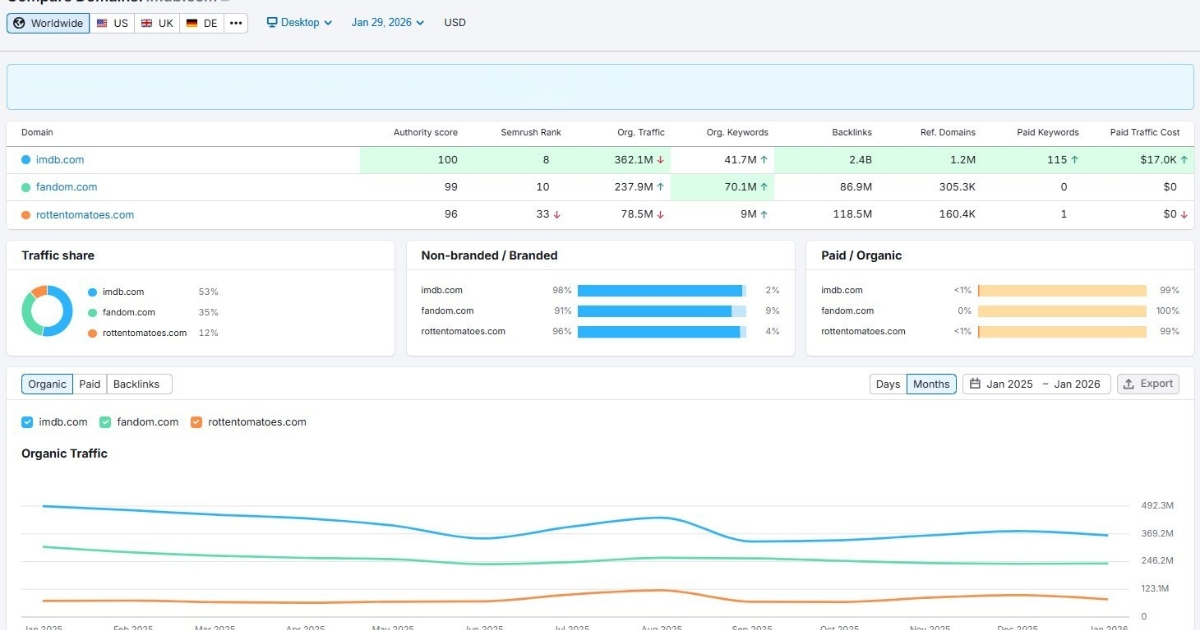
    Real-world example:

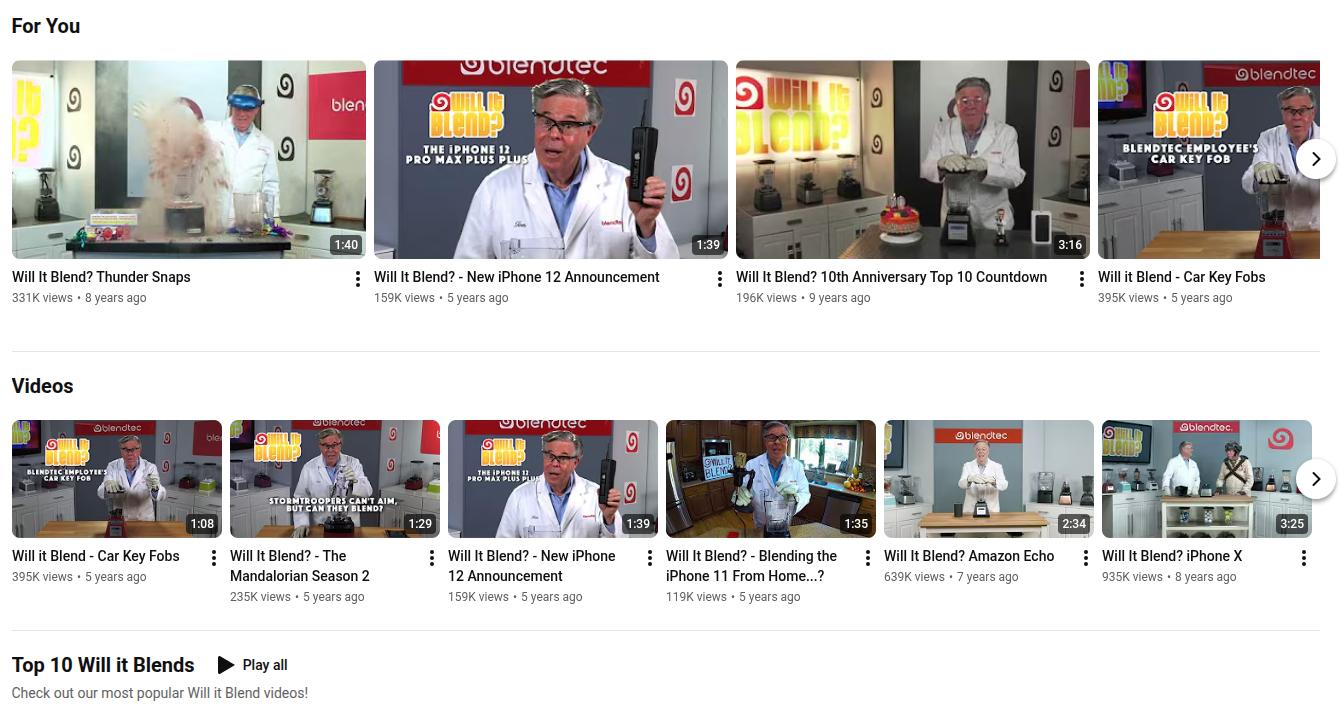
    Blendtec’s “Will It Blend?” YouTube series turned a blender company into a viral sensation. Short product demo videos, each under two minutes, drove millions of views and measurably increased retail sales.

    Blendtec's 'Will it blend?' video marketing campaign on YouTube.

    7. Affiliate and influencer marketing

    Affiliate marketing pays partners a commission when they send you leads or sales through special links. Influencer marketing pays creators upfront to feature your product in their content.
    Both use third-party voices that already have the trust of their audiences. An honest review from a blogger or creator often feels more believable than a brand’s self-promotion.
    Strong programs match partners with your target audience. A B2B software company might work with niche industry blogs. A fashion brand might work with TikTok creators and Instagram accounts that share styling tips.

    Real-world example:

    The New York Times’ Wirecutter publishes independent product reviews that include affiliate links. Readers trust the editorial tone, and every purchase made through those links earns the publication a commission.

    The New York Times' Wirecutter landing page.

    8. Mobile marketing

    Mobile marketing means reaching people on phones and tablets. Businesses convey their offers through SMS, push notifications from apps, mobile-friendly websites, social feeds, and even design QR codes to connect offline materials with digital experiences.

    Most web traffic now comes from mobile devices, and many people spend several hours a day on their phones. That makes mobile optimization mandatory, not optional.

    Location-based options also matter. You can send offers to users who are near your store or show local search ads to people within a certain radius, supporting your local SEO efforts.

    Real-world example:

    Starbucks uses its rewards mobile app to collect behavioral data, send personalized push notifications about nearby store offers, and trigger loyalty points that keep customers returning.

    Starbucks' rewards mobile app.

    B2B vs. B2C digital marketing

    Before we dive deep into the differences between B2B and B2C digital marketing, let’s quickly see their details below:

    FactorB2BB2C
    Decision makerMultiple stakeholdersUsually, a single entity
    Sales cycleWeeks to monthsMinutes to days
    Key channelsLinkedIn, webinars, email, SEOInstagram, TikTok, Facebook, influencer marketing
    Content typeCase studies, whitepapers, demosShort videos, reviews, UGC content
    Primary metricLead quality, pipeline valueConversion rate, CAC

    In B2B settings, the decision about a purchase often involves several people. A manager may discover a tool, a finance lead checks the numbers, and executives approve the final contract. This creates longer sales cycles and more careful evaluation.

    B2B digital marketing often leans on detailed content, case studies, webinars, and email nurturing to build trust over time.

    On the contrary, B2C decisions are often quicker and more emotional. A shopper watches a short video, likes how a product looks, reads a few reviews, and buys within minutes.

    B2C digital advertising often uses bold visuals, short copy, and time-sensitive offers to encourage quick action.

    Channel priorities also shift. B2B companies usually invest heavily in LinkedIn, webinars, SEO, content marketing, and email. 

    Meanwhile, B2C brands often focus on Instagram, TikTok, Facebook, display advertising, and influencer campaigns. 

    Metrics change, too. B2B teams care deeply about lead quality and pipeline value, while B2C teams focus on conversion rate and customer acquisition cost.

    How to do digital marketing?

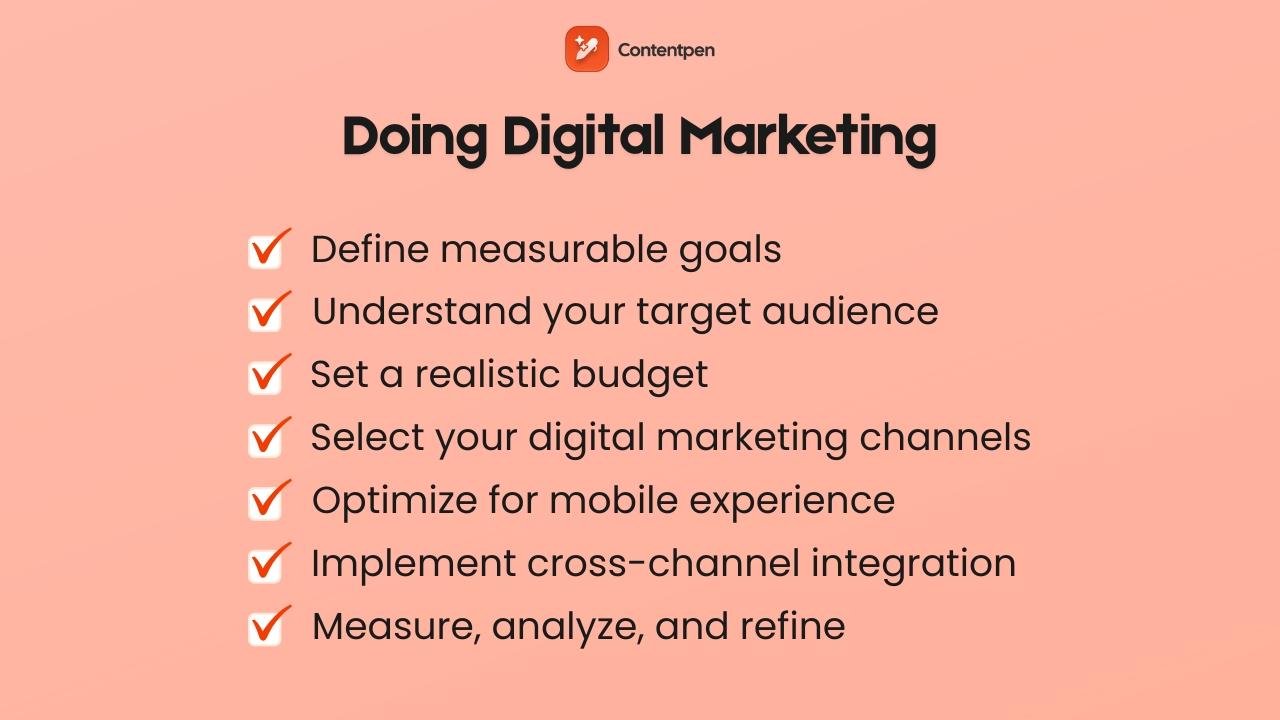
    Doing digital marketing steps - Contentpen.ai

    A clear digital marketing strategy connects what you do every week to the business results you care about. The steps below work for startups, growing e-commerce stores, agencies, and even larger digital marketing companies.

    Step 1: Define clear, measurable goals

    As we’ve covered in the marketing fundamentals blog post, using the SMART framework is the best way to get clear, measurable goals. It dictates setting objectives you can realistically achieve without any time, budget, or scope constraints. 

    A real-life digital marketing example strategy for a company might look like this:

    • “Increase organic website sessions by 40% in 6 months.”
    • “Add 1,000 new email subscribers this quarter.”

    The key is to tie every marketing goal to a clear business outcome. For each goal, pick a small set of numbers you will watch closely, such as:

    • Conversions
    • Sign-ups
    • Demo or consultation bookings

    Putting these in writing helps align teams and makes it easier to check progress.

    Step 2: Identify and understand your target audience

    You cannot speak clearly to everyone. 

    Spend time defining who you want to reach before you draft campaigns. Build simple buyer personas that include age, role, location, typical problems, goals, and online habits.

    Use multiple research methods instead of guessing. 

    Talk with current customers, run short surveys, study your analytics, and see who interacts with your competitors on social media. 

    Remember that audiences can differ by platform. Your LinkedIn followers may be managers, while your Instagram followers may be individual users.

    The better you understand real people, the easier it is to decide which marketing fundamentals fit and what content to create.

    Step 3: Establish your budget

    Every company has some limits or constraints, and digital marketing works at many budget levels. 

    As a simple rule of thumb, if you are a small business, spend 5-10% of revenue on marketing. Obviously, this figure will change depending on the size and scale of the company.

    Decide how much you can put toward paid media such as PPC and social ads, and how much you will invest in organic channels like SEO, blog content, and email. Remember that content creation tools and staff time are all real costs that you’ll face.

    Step 4: Select your digital marketing channels

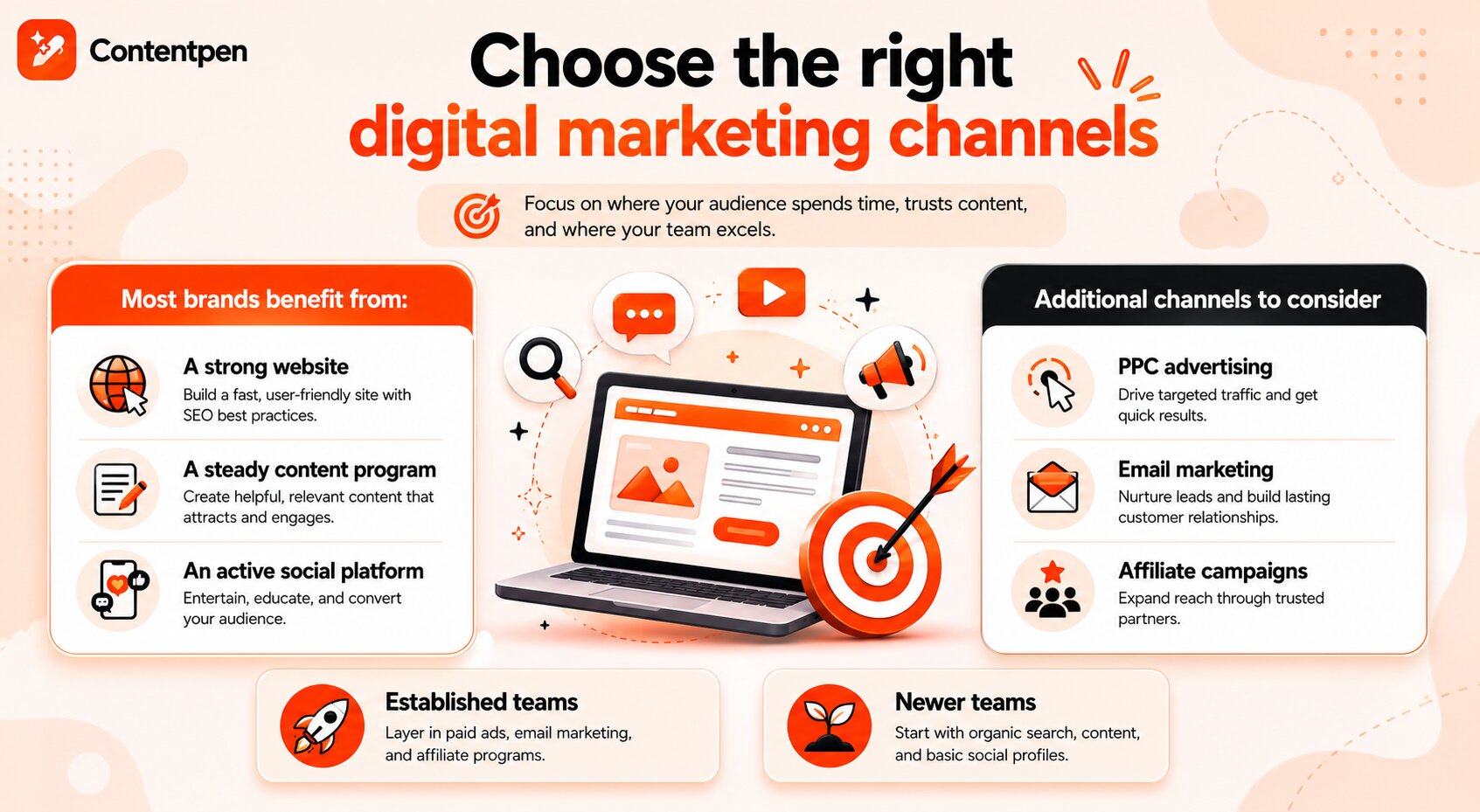
    Choosing the right digital marketing channel - Contentpen.ai.

    Now choose where to focus. Base this on where your audience already spends time, which formats they trust, and what your team does well.

    Most brands benefit from:

    • A strong website with SEO best practices implemented
    • A steady content marketing program
    • At least one active social platform to entertain, educate, and convert users

    Established teams might add PPC ads, a structured email program, or affiliate campaigns. Meanwhile, newer teams often start with organic search, content, and basic social profiles.

    Step 5: Optimize for mobile experience

    Since most people browse and buy on phones, a poor mobile experience can quietly kill your digital marketing results. Google also uses mobile versions of pages when deciding rankings, so this affects both search and conversion.

    To optimize your sites for a better mobile experience, test your website, landing pages, and email templates on several phones and tablets. 

    Generally speaking, pages should load in a few seconds, text should be readable without zoom, and forms should be short and easy to fill out with thumbs. 

    Step 6: Implement cross-channel integration

    Digital channels work best when they support each other. For example, you might:

    • Publish an SEO-focused blog post
    • Promote it with social media updates
    • Send it to your email list
    • Run a small PPC campaign to boost traffic

    The post then becomes a core asset that feeds several channels and continues to drive traffic month after month.

    To make this work, keep your brand voice, design, and key messages steady across platforms. Use tools that combine data from ads, email, and website analytics to see the whole picture.

    Step 7: Measure, analyze, and refine continuously

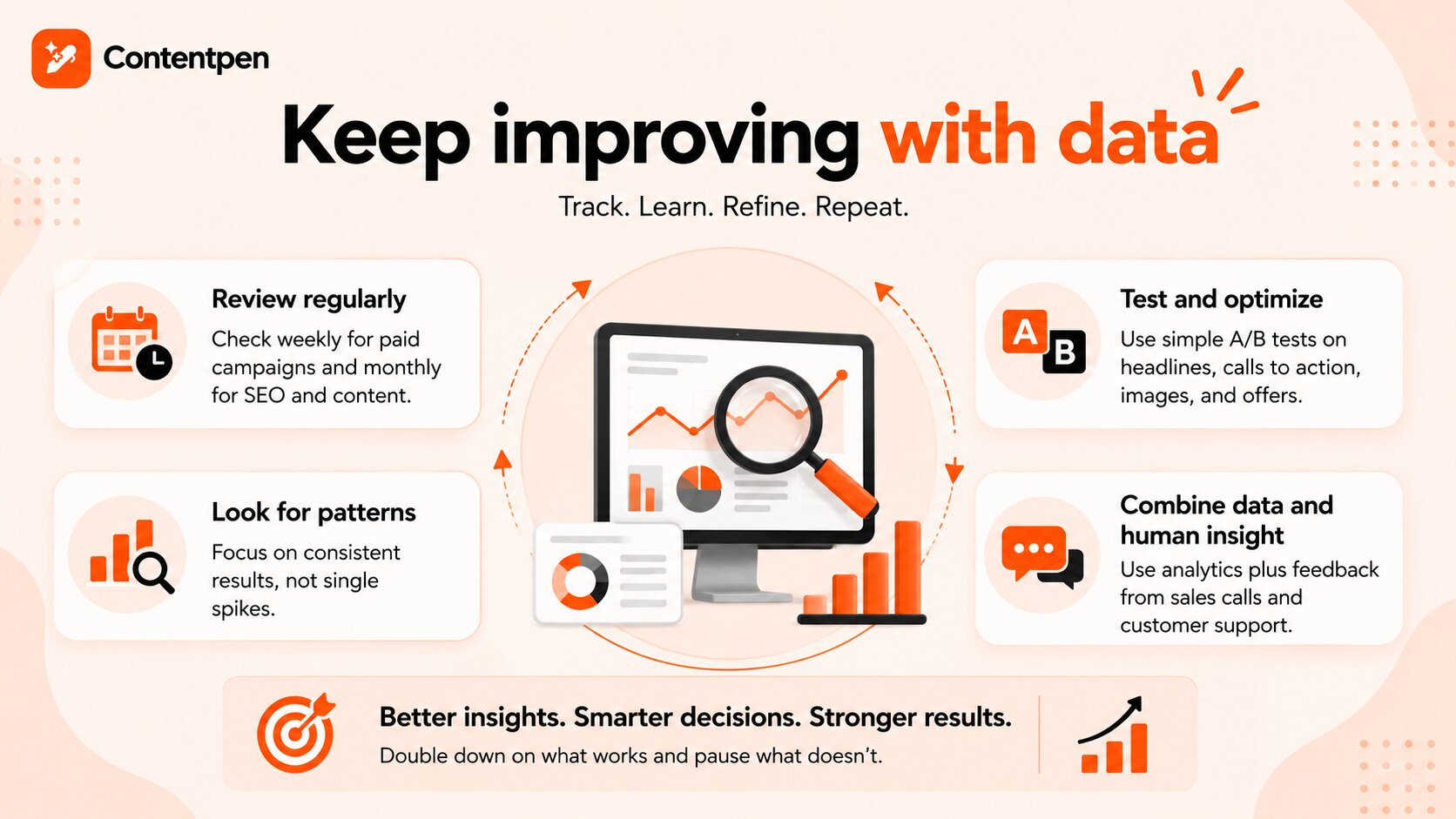
    Improve digital marketing processes with measuring, tracking, and analyzing efforts.

    Digital marketing is an ongoing process of monitoring, analyzing, and refining strategies consistently.

    Therefore, to help your platforms grow steadily, set a regular schedule to review your numbers. Weekly checks work well for paid campaigns, while monthly reviews are fine for SEO and content. Every few months, step back and judge your whole strategy.

    Look for patterns instead of single spikes. Double down on content, audiences, or ads that continue to perform, and pause those that do not. 

    Use simple A/B tests on headlines, calls to action, images, and offers. Let data guide you, but also get feedback from sales calls and customer support. This mix of numbers and real conversations leads to better decisions over time.

    Key performance indicators (KPIs) for digital marketing

    Key performance indicators (KPIs) are metrics that show how your digital marketing efforts are going. They translate actions into numbers that business leaders understand, making important decisions easier.

    Tracking everything can be confusing, so pick a small set of KPIs for each main goal. Below are some common KPIs explained to help you get started.

    Click-through rate (CTR)

    CTR shows the share of people who clicked a link or ad after seeing it. A higher CTR usually means the message and creative match what the audience wants.

    Conversion rate

    Conversion rate tracks the share of visitors who complete a desired action on a page or in a funnel. The action might be a sale, a form fill, a trial sign-up, or a download. This metric shows how well your traffic, offer, and page layout work together.

    Website traffic

    Website traffic measures how many people visit your site in a given time. You can break it down by channel, such as organic search, paid ads, social, email, or direct.

    Studying these sources helps you see which digital marketing channel drives the most visits.

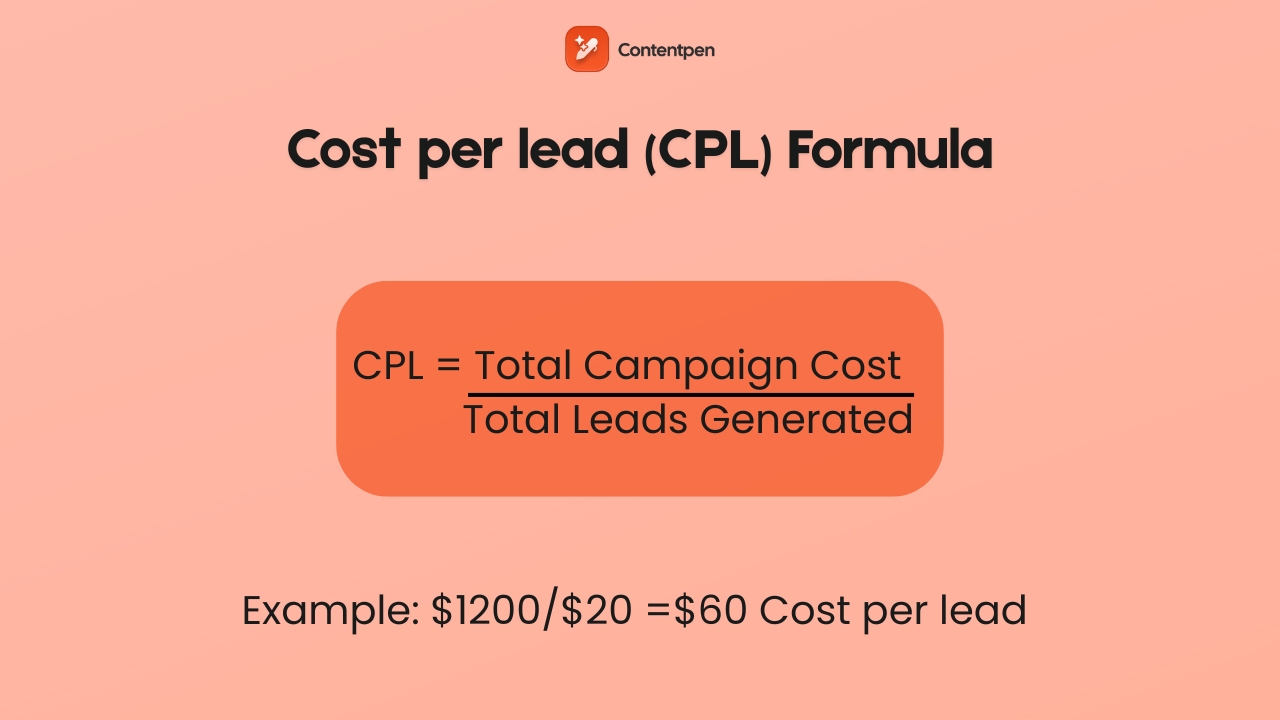
    Cost per lead (CPL)

    This metric shows how much you spend to acquire each new lead. You divide the total cost of a campaign by the number of leads it created.

    Calculating CPL with example - Contentpen.ai

    Comparing CPL across channels helps you move budget toward the most efficient ones.

    Cost per acquisition (CPA)

    CPA is similar to CPL but focuses on acquiring new customers rather than generating leads.

    You divide the total cost of a campaign by the number of new paying customers it produced. Lower CPA with steady or growing revenue is a strong sign of progress.

    Return on investment (ROI)

    ROI compares revenue to spend.

    You subtract marketing cost from revenue and often express the result as a ratio or percent. While harder to track in long customer journeys, ROI is still the number most executives watch.

    Social media engagement rate

    This is the percentage of people who interact with a post out of those who saw it. Actions include likes, comments, shares, saves, and clicks.

    Higher engagement suggests that content speaks to your audience and can lead to better reach over time.

    Bounce rate

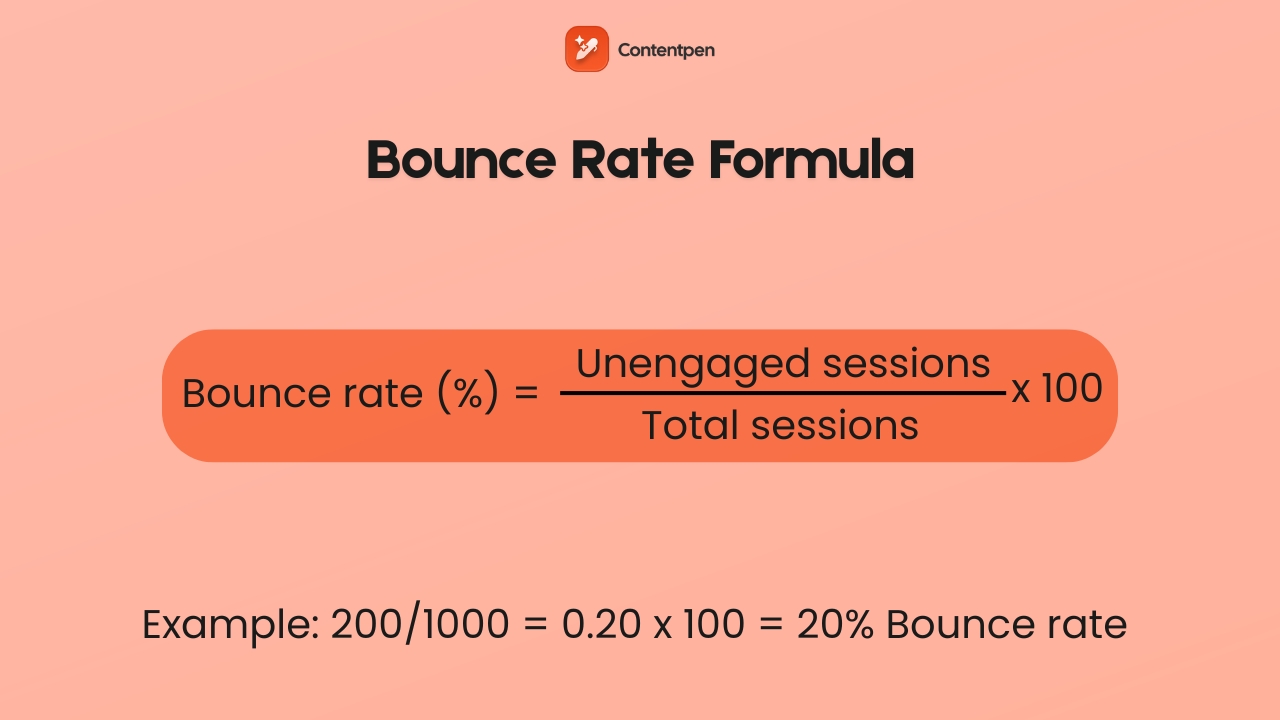
    Bounce rate tells you what share of visitors left without taking any action on your page.

    Bounce rate formula - Contentpen.ai.

    A very high bounce rate can mean slow pages, a confusing layout, or mismatched traffic. It is a sign to check content quality and audience targeting.

    Email open and click rates

    This KPI helps you judge the effectiveness of subject lines and messages. Open rate shows how many people opened the message out of those who received it. Click rate shows how many times a link inside the email is clicked.

    Below are all the different types of digital marketing KPIs summarized according to each goal type in the customer journey.

    Goal typePrimary KPIs to watch
    AwarenessWebsite traffic, impressions, social media engagement rate
    Lead generationConversion rate, CTR, CPL, email sign-ups
    Sales and revenueConversion rate, CPA, revenue, ROI

    Tools like Google Analytics, ad platform dashboards, and marketing automation systems make these numbers easier to track.

    Also read: Webhook vs API: Which one should you use?

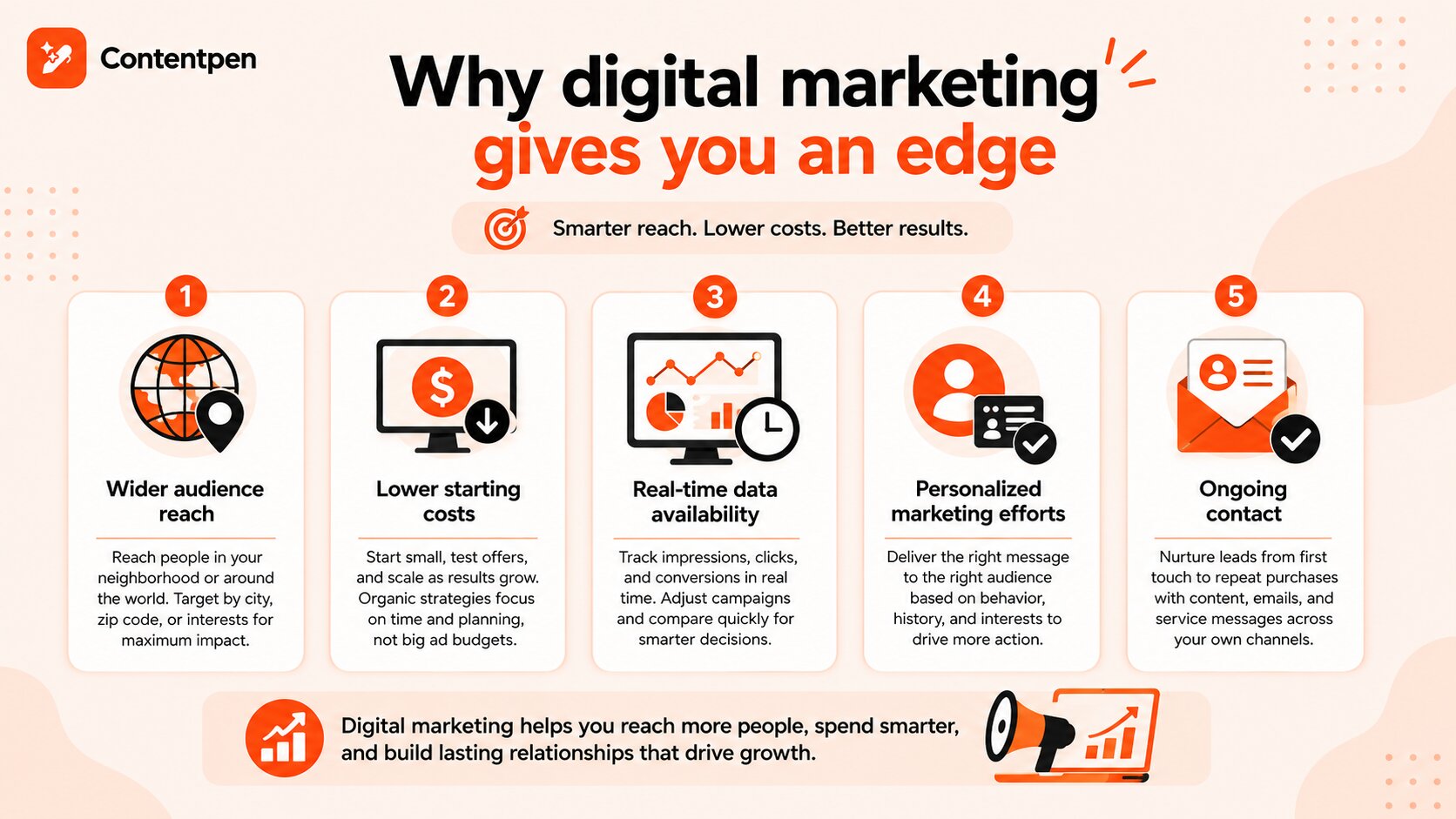
    Advantages of digital marketing

    Digital marketing gives businesses of all sizes a set of strengths that traditional channels alone cannot match.

    Digital marketing advantages in 2026.

    1. Wider audience reach

    One major advantage is reach. You can show ads or content to people in your own neighborhood or on the other side of the globe from the same dashboard. 

    At the same time, targeting tools let you focus on certain cities, zip codes, or interest groups. This blend of scale and precision is hard to match in offline marketing.

    2. Lower starting costs

    Cost is another key benefit of digital marketing. Running a TV campaign often requires large upfront fees. 

    With digital advertising, you can start small, test offers, and raise budgets as results improve. Organic tactics such as SEO, content marketing, and unpaid social media posting mostly require time and planning rather than large media buys.

    Many digital marketing tools and social media management suites, such as ContentStudio, can help you reach audiences at a lower cost and with greater precision.

    3. Real-time data availability

    Digital marketing also stands out for detailed, near-real-time data. 

    You do not have to wait months to see if something worked. You can watch impressions, clicks, and conversions roll in, adjust creative, and compare new versions quickly. 

    This feedback loop supports smarter spending and clearer answers for executives, without involving guesswork.

    4. Personalized marketing efforts

    Personalization is much stronger online. Based on behavior, purchase history, and interests, you can show different products, headlines, or email flows to different segments. 

    People are more likely to act when messages feel relevant to them rather than when they receive generalized messaging that can be hit or miss.

    5. Ongoing contact

    Digital channels also support ongoing contact. Brands can guide people from first touch through research, purchase, and repeat orders with a mix of ads, helpful content, and service messages. 

    Owned channels, such as email lists and blogs, give you direct access to customers without relying only on ad costs or social media algorithms.

    Digital marketing challenges

    Even with all its strengths, there are many real digital marketing challenges. Knowing them in advance helps you plan better and avoid common traps.

    1. Constant change in algorithms

    One big issue is the constant change in search and social algorithms. A tweak from Google or a social network can raise or lower your reach overnight. 

    You cannot control these updates, but you can reduce risk by focusing on high-quality content, honest engagement, and a mix of channels rather than relying on a single traffic source.

    2. Data privacy concerns

    Data privacy also shapes how marketers work. Laws such as GDPR and CCPA require clear consent, easy opt-outs, and careful storage of personal data. Teams that build privacy-first habits and explain data use in plain language tend to earn more trust and avoid legal problems.

    3. High competition

    Competition is intense. Low entry barriers mean almost any company can start running ads or posting content within hours. Feeds are crowded, inboxes are full, and display advertising appears on many pages. 

    To stand out, brands need clear positioning, real value, and content that goes deeper than shallow keyword stuffing.

    Also read: How to start digital marketing as a beginner.

    4. Measuring ROI

    Measuring true ROI can be tricky. A person might first see a post on social media, then read three blog posts, sign up for email, and only later click a PPC ad and buy. 

    Giving all credit to the last click misses the role of earlier steps. Therefore, using multi-touch views and looking at the whole path gives a fairer picture of your digital marketing efforts.

    5. Data overload

    Data overload is another common problem. Dashboards provide dozens of numbers, not all of which matter. Teams can feel lost in reports instead of acting. 

    To handle these challenges, many teams turn to smarter tools, such as our SEO AEO tool. It shows clear wins and losses for your pages, along with AI-powered insights you can easily act on without getting lost in busy dashboards or complex interfaces.

    6. Content creation

    AI content creation may be the hardest ongoing task. Effective digital marketing needs a steady stream of articles, videos, ads, emails, and social posts. Many teams struggle to keep up while also handling strategy and reporting. 

    Contentpen helps by taking the heavy lifting out of drafting SEO blog content so that marketers can focus on planning and optimization.

    Write content that’s built to rank, not just read

    Create search-optimized blogs aligned with SEO and GEO signals, so your content performs well across search and AI-driven discovery.

    Try SEO Blogging FREE →
    AI SEO Interface

    7. Implicit marketing bias

    Implicit bias adds another challenge in digital marketing. Without care, marketing images, examples, and targeting can favor some groups while leaving out others. This can make parts of your audience feel ignored or offended. 

    To ensure this doesn’t happen, review creative ideas with team members from diverse backgrounds, use inclusive imagery, and check targeting settings. This can reduce the risk of including bias and help the brand feel more open to a wider range of users.

    Future trends in digital marketing for 2026 and beyond

    Rapid shifts in technology and behavior are shaping digital marketing in 2026. Teams that test new ideas early often gain an edge. However, the key is to focus on trends that clearly connect with your audience and goals, without overwhelming them with too many new ideas.

    AI and machine learning are moving from side projects into daily workflows. They assist with content drafting, audience building, bid management, and predictive analytics.

    Voice search continues to grow as smart speakers and assistants like Siri and Alexa become more widespread. People speak to devices in full sentences instead of short keyword phrases. 

    That means pages that answer natural questions, such as “what is a digital marketing strategy for a small business,” in clear language have an advantage.

    Interactive and immersive content is gaining ground. Polls, quizzes, calculators, and augmented reality try-ons often drive more engagement than static posts. These formats invite action rather than passive reading and can provide better data on customer preferences.

    Hyper-personalization is becoming more common. Instead of broad segments, AI can help brands adapt messages to each user in real time. This can make offers feel much more relevant to the audience and encourage buying decisions.

    Short-form video is likely to remain a core format. TikTok shaped this style, and features such as Instagram Reels and YouTube Shorts show that the idea fits almost every platform. Brands that can tell concise, engaging stories in under a minute will reach more people in feeds.

    Read more: Digital marketing trends 2026.

    Staying current means following platform updates, reading trusted marketing blogs, and running small experiments. These efforts may or may not have an immediate impact, but they are an investment for the future.

    Digital marketing careers and required skills

    Digital marketing careers continue to grow as more companies move budgets from offline to online channels. There is room for both deep specialists and broad generalists across industries.

    Digital marketing job roles and salaries

    On the specialist side, roles include SEO analyst, PPC manager, social media manager, email marketer, and content writer. Generalists work as digital marketing managers, content strategists, and heads of growth, coordinating many channels.

    Agencies and in-house teams need people who understand how channels connect and how to explain performance.

    RoleAvg. salary (US)Focus
    Digital Marketing Specialist$72,997Channel management across SEO, email, or social
    Social Media Manager$55,569Platform strategy and community
    Digital Marketing Analyst$83,156Campaign data, KPIs, and performance insights
    Digital Marketing Manager$130,357Cross-channel strategy, team leadership, and budget

    The above salary figures are sourced from Glassdoor. Please note that these figures vary significantly by company size, location, and experience.

    Core skills for digital marketers

    Core skills cut across these roles:

    • Strong writing and clear communication
    • Comfort with data and basic analytics tools
    • Understanding of how search engines, social platforms, and email systems work
    • Ability to plan campaigns and explain results simply

    Familiarity with common tools also helps. These include Google Analytics, Google Ads, Meta Business tools, and email services such as Mailchimp or HubSpot.

    Running basic analytics with SEO tools such as Semrush or Ahrefs and content management systems such as WordPress also helps. Simple design skills with tools like Canva are helpful too, especially in small teams.

    How to get into digital marketing

    There are many paths into the field. Some people study marketing or communications at college. Others build skills through online courses, a focused digital marketing course, or bootcamps.

    Platforms like Google, HubSpot, Meta, and Coursera all offer free or low-cost certifications that are widely recognized by employers. Building a small portfolio, whether through freelance work, a personal blog, or managing ads for a local business, is often more valuable than any certificate on its own.

    Final thoughts

    Digital marketing has changed how businesses of every size reach and serve customers. Instead of broad, one-way messages, brands can use data, content, and technology to speak to the right people at the right time.

    In this guide, we covered what digital marketing is, how it compares to traditional and online marketing, the main channel types, and how to build a focused plan. You also saw key KPIs, common challenges, and trends that are shaping 2026 and the years ahead.

    Content is the thread that ties most digital channels together, and it is often the toughest part to keep up with. If you want to improve your digital marketing with high-quality, search-ready content at scale, then fill out this Contentpen registration today.

    Frequently asked questions

    What is digital marketing in simple words?

    Digital marketing is promoting products or services using online channels such as search engines, websites, social media, email, and digital ads to attract customers and grow sales.

    What is the most effective digital marketing channel?

    There is no single best channel. SEO, content marketing, email, social media, and paid ads work best when combined based on your audience, goals, and budget.

    How long does it take to see results from digital marketing?

    Results vary by channel. PPC and social ads can show results within days or weeks, while SEO and content marketing usually take 3–6 months to deliver consistent growth.

    Can small businesses succeed with digital marketing?

    Yes. Digital marketing allows small businesses to compete by targeting niche audiences, using cost-effective channels like SEO and content marketing, and scaling budgets based on performance.


    What digital marketing course should I take?

    Google’s Digital Marketing and E-Commerce Professional Certificate on Coursera is a strong starting point. For SEO specifically, Semrush and Ahrefs Academy both offer free, practical training modules.

    How do I start a digital marketing agency?

    To start a digital marketing agency, choose a niche, build skills or certifications in key channels, create a simple website, get your first clients, and use proper tools to grow efficiently.

  • Marketing fundamentals 101: Everything you need to know

    Marketing fundamentals 101: Everything you need to know

    Most marketing failures happen not because of bad ideas, but because teams skip the fundamentals. In 2026, that mistake costs more than ever.

    Marketing isn’t just ads, social posts, and catchy slogans. In reality, it is a system built on research, clear positioning, testing, and continuous improvement.

    While it is true that AI has made the work of digital marketers quite easy, you still need to learn the digital marketing fundamentals to be effective in selling. 

    Establishing the basics of digital marketing can also help you maintain a lasting connection with your audience, which increases long-term returns for your business.

    This post covers the digital marketing essentials and introduces Contentpen as a tool to help with SEO-optimized content to improve outreach and visibility. By the end, you will have a clear, practical view of marketing fundamentals and a simple checklist to plan better campaigns.

    So, let’s get started.

    What is marketing?

    Marketing is the process of identifying, attracting, engaging, and retaining customers by delivering value that meets their needs.

    It is done to:

    • Create brand awareness
    • Drive revenue
    • Generate leads
    • Convert leads to buyers
    • Establish customer loyalty

    Many still think marketing is just paid advertising. However, it is about connecting with your audience’s pain points: understanding the problems they face and providing solutions through your offerings.

    “Marketing is no longer about the stuff that you make, but about the stories you tell.” — Seth Godin

    Digital marketing vs traditional marketing

    Traditional marketing means reaching prospects through offline modes, such as billboards, print ads, and TV commercials.

    Digital marketing focuses on reaching customers through digital channels, such as email, social media, and search engines.

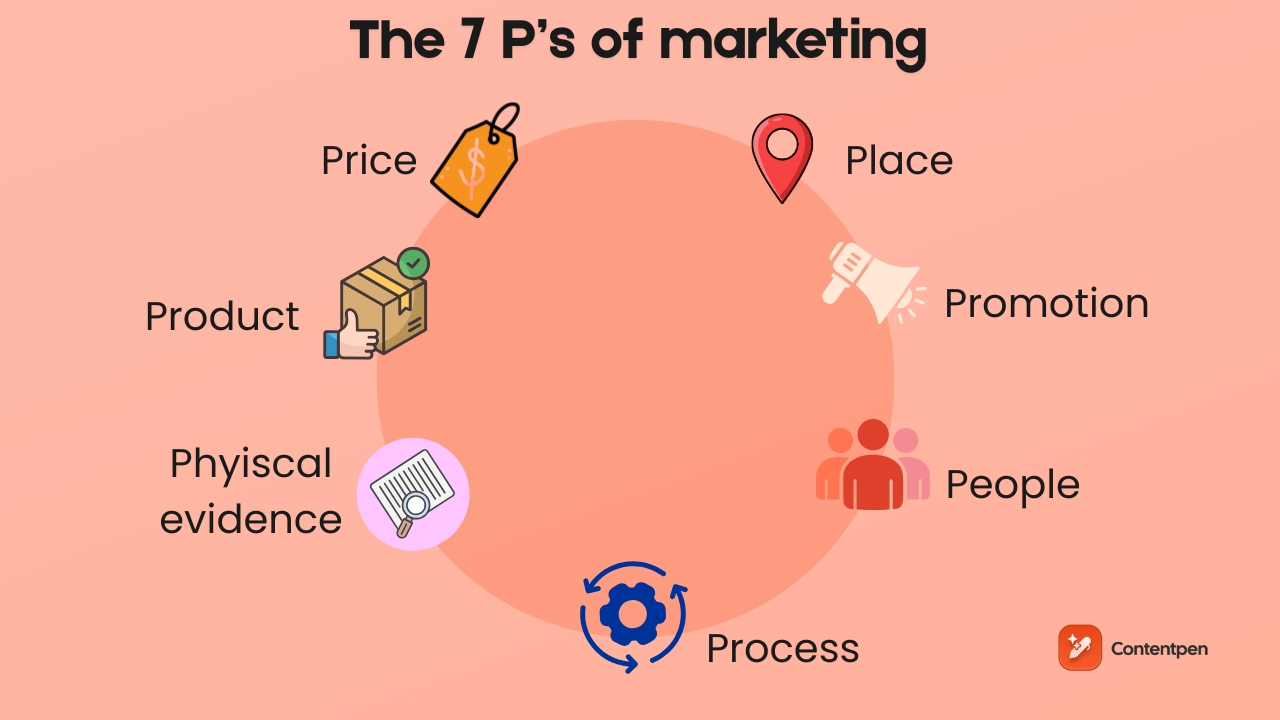
    The marketing mix: Understanding the 7 Ps of marketing

    The 7 Ps of marketing - Contentpen.ai

    The marketing mix is a classic framework that helps beginners and even professionals think through every part of a marketing strategy. 

    It began as the 4 Ps of marketing, introduced by Professor Jeromy McCarthy in 1960. Now, the new, extended 7 P framework works well with new digital marketing tools and acts as a checklist for marketing teams and agencies.

    When used well, the 7 Ps of marketing keep campaigns grounded in reality. They force clear answers to basic questions such as what is being offered, who it helps, how people get it, and what the buying experience feels like. 

    When any one of these areas is weak, even the greatest creative ideas and thoughts struggle to perform.

    #1: Product

    Product is the starting point for every plan. It covers what is being sold, what problem it solves, and why someone should care. 

    Strong content marketing begins with a deep understanding of the product and not just its features. It focuses on the outcomes it creates for a specific group of people, even if the cost is high.

    Also read: How to start digital marketing as a beginner.

    #2: Price

    Price sends a signal about quality and positioning. A premium price suggests high value, while a lower price suggests accessibility for the general public and affordability. Keen professionals look at perceived value, competitor pricing, and audience expectations before choosing a pricing model. 

    For example, a B2B tool might use a monthly subscription with tiers, while a consumer product might lean on simple flat pricing with occasional promotions that do not weaken long-term perceived value.

    #3: Place

    Place refers to where and how customers access the offer. That can mean a physical store, a website, a marketplace, or a mix of these. 

    The same product can feel completely different depending on where it appears. A product listed on a polished, fast site with clear copy seems trustworthy, while the same item on a clumsy site feels risky.

    #4: Promotion

    Promotion covers every way a brand communicates with its audience. That includes ads, social posts, blog articles, events, and emails such as welcome sequences and newsletters.

    The key is that all promotional activities should align with the other Ps. If a product is positioned as high-end but promoted with low-effort messages, the signal becomes mixed, and results suffer.

    #5: People

    People include everyone involved in the customer experience. That ranges from sales teams and support reps to account managers and founders who post on social media. 

    One-off conversations, chat replies, and help desk emails all shape how a user “feels” about your brand. Once that feeling is associated, it’s hard to forget.

    #6: Process

    Process describes how the product gets into customers’ hands and what the experience feels like along the way. For an e-commerce shop, this might mean clicking an ad to check out and proceed to delivery. For a service-based business, it could mean onboarding users, providing updates, and promptly reporting to the stakeholders. 

    Clear, simple steps reduce friction and build trust for brands.

    #7: Physical evidence

    Physical evidence is the visible proof that a brand exists and is professional. For digital-first companies, this might be the design of their website, the quality of their content, or the way packaging looks when something arrives. 

    For physically active companies, this means showing up in neighborhoods through local SEO and creating outlets that attract buyers and encourage them to visit and come in. 

    Together, the 7 Ps of marketing shape the full experience a customer remembers and talks about to their inner circle, including friends and family. Over time, these experiences shape your brand image, which can either uplift or haunt you in the future.

    Common types of marketing you should know

    There are many ways to approach marketing, and no single method fits every case. Most effective plans combine several types at once.

    B2C marketing

    Business-to-consumer (B2C) marketing focuses on individuals buying for their own needs. These campaigns often aim for reach and emotional appeal. Messages highlight convenience, fun, status, or comfort, and the buying cycle is usually short. 

    A clothing brand, for example, might rely on visual social posts, simple offers, and influencer partnerships to drive sales.

    B2B marketing

    Business-to-business (B2B) marketing targets organizations instead of individuals. Here, purchases tend to be larger and slower, with multiple people involved in the decision.

    In B2B marketing, messaging leans on logic, return on investment, risk reduction, and long-term support. Channels often include LinkedIn, webinars, case studies, and detailed guides that show expertise.

    A useful way to compare B2C vs B2B marketing would be to look at these aspects:

    AspectB2C MarketingB2B Marketing
    Target audienceIndividual consumersBusinesses and organizations
    Buying motiveEmotion, lifestyle, and personal desireLogic, ROI, performance, and risk reduction
    Purchase valueLower, individual purchases [focus on frequency]Higher, bulk, or contract-based purchases [focus on maximizing value]
    Decision processUsually one personMultiple stakeholders involved
    Sales cycleShort and fastLonger and more complex
    Message styleSimple, emotional, aspirationalDetailed, data-driven, evidence-based
    Primary channelsSocial media, ads, influencers, emailLinkedIn, webinars, case studies, whitepapers
    Content focusEntertainment, brand appeal, quick benefitsExpertise, long-term value, problem-solving
    Relationship focusShort-term conversionsLong-term partnerships and support

    For example, the same software product might be sold directly to consumers as a simple tool and to companies as a productivity gain with numbers to back it up.

    Learn more: Types of digital marketing worth knowing in 2026.

    Outbound marketing

    Outbound marketing is the classic push style of marketing. A brand reaches out first through channels like display ads, TV, radio, direct mail, or cold outreach. 

    This approach can help build broad brand awareness and works well when speed is more important than precise audience or market targeting. The thing is that some people find outbound marketing clingy, which is why your message must be clear and concise so that you get the most out of your efforts.

    For cold outreach to work, you also need accurate contact data. Many B2B teams compare Zoominfo competitors to find a prospecting database that fits their budget and targeting needs.

    Inbound marketing

    Inbound marketing is a pull-style marketing approach where you generate leads by attracting people with valuable content and experiences they seek.

    For inbound, you can include blogging, podcasting, video series, and search-friendly resources that answer real questions. Over time, this builds trust and turns strangers into subscribers and repeat customers of your brand.

    In practice, it is not about inbound vs outbound marketing; it is about mixing both methods well for maximum return on investment:

    • Use outbound to reach new audiences quickly.
    • Use inbound to educate, build trust, and nurture those audiences until they are ready to buy.

    Search engine marketing (SEM)

    Search engine marketing (SEM) is the practice of driving website traffic from search engines through paid ads (PPC), organic search engine optimization (SEO), or both.

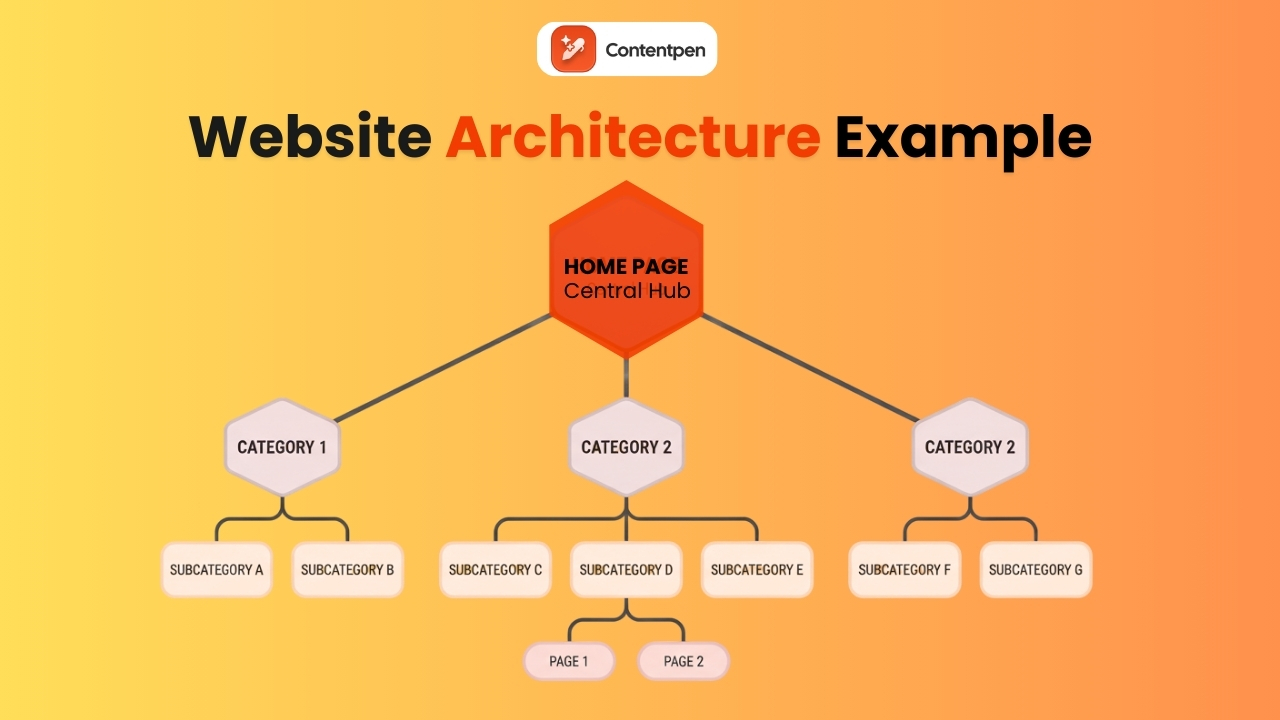
    SEO includes using the right keywords in the right manner (headings, metadata, body content, anchor text, image alt text) throughout your website. It also includes using a fitting slug or URL for each page and setting up a proper site hierarchy through breadcrumbs and internal linking.

    While organic SEO is slow and steady, PPC (pay-per-click) marketing can deliver immediate results through paid ads. 

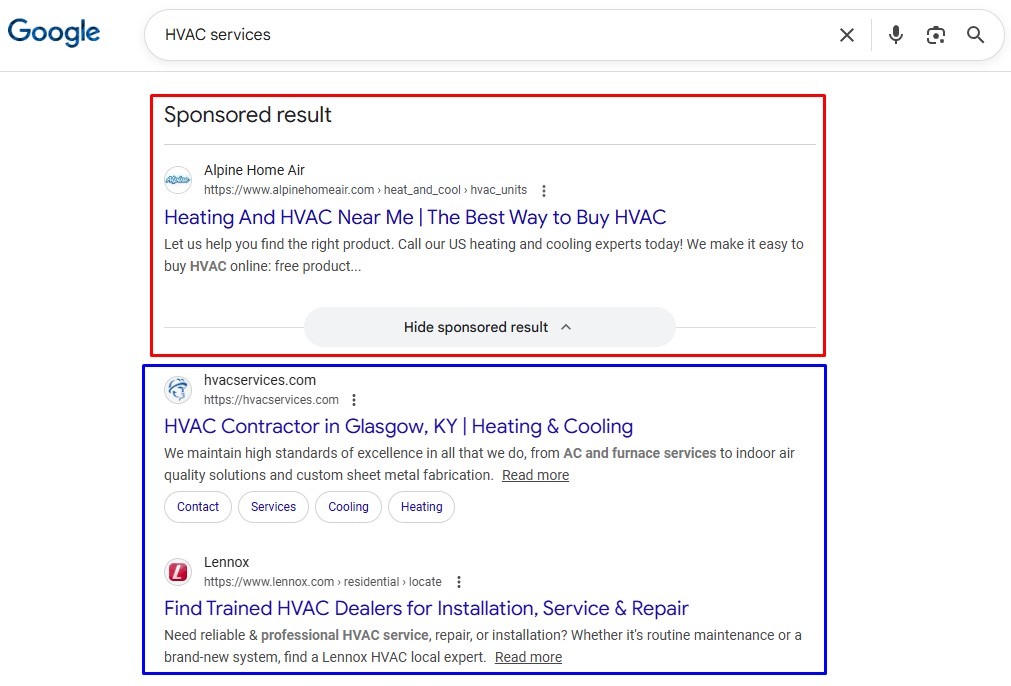
    Here’s how both of these look in a real search result:

    PPC vs SEO result comparison

    The results in the red box are sponsored (PPC), so regardless of their SEO, they will appear on top for a particular search query. Meanwhile, organic SEO can be a bit tricky and time-consuming to apply, but it does provide long-lasting results for your business.

    Content marketing

    Content marketing is one of the digital marketing essentials. It uses articles, guides, videos, and other formats to educate and support an audience.

    Content marketing is all about being customer-centric. This means keeping the audience at the heart of the content and addressing their queries as they arise. According to Dr. Jeff Haddox, good content should include storytelling to engage and inform customers appropriately.

    AI-powered platforms such as Contentpen make content marketing much easier by helping teams create SEO-friendly articles and campaign content at scale while maintaining a consistent brand voice.

    Write content that’s built to rank, not just read

    Create search-optimized blogs aligned with SEO and GEO signals, so your content performs well across search and AI-driven discovery.

    Try SEO Blogging FREE →
    AI SEO Interface

    Email marketing

    Email marketing connects directly with people who have already shown interest in your offerings in some manner.

    With proper segmentation and personalization, emails can deliver the right message at the right time, such as onboarding tips, product updates, or special offers. 

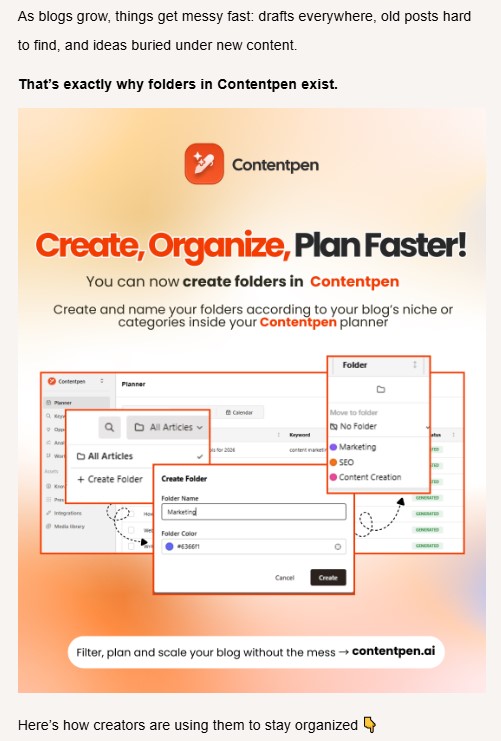
    Here’s one example of how you do product updates right for better conversions:

    Email marketing example - Contentpen.ai

    Emails encourage users to visit your website and make purchases. It remains a powerful marketing channel, with an estimated 4.73 billion users globally in 2026.

    Utilizing affordable email marketing platforms allows businesses of all sizes to execute these tailored campaigns efficiently without stretching their budget.

    Social media marketing

    Social media marketing helps brands meet people where they already spend time. These include platforms such as TikTok, Facebook, Instagram, LinkedIn, and others.

    This type of marketing uses both organic posts and paid promotion (for example, Meta Ads) to boost impressions and brand presence.

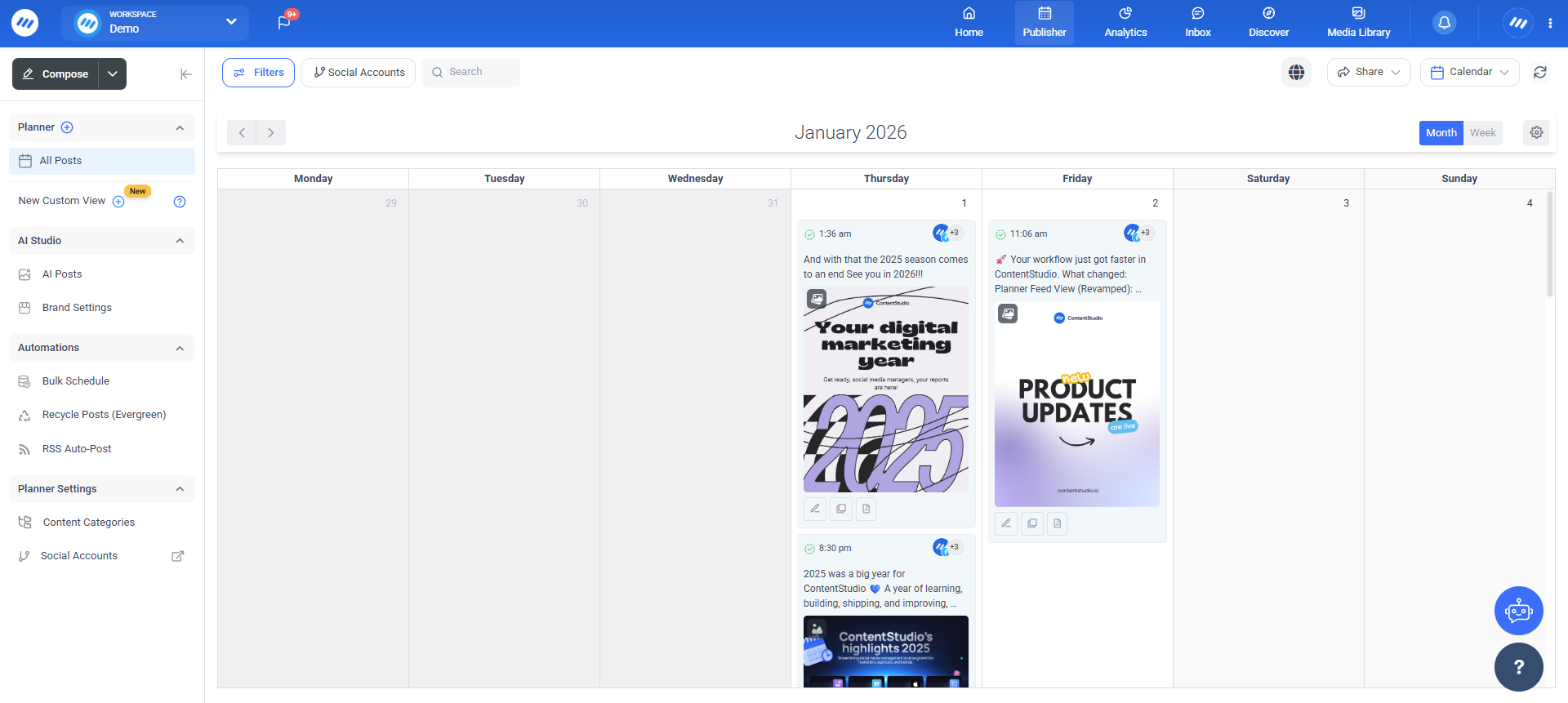
    Today, you can find many tools for social media marketing to ease your workload; one we recommend is ContentStudio. 

    ContentStudio main interface - ContentStudio.io

    The tool provides smart scheduling and AI-powered content generation to grow your social channels without much hassle.

    Affiliate marketing

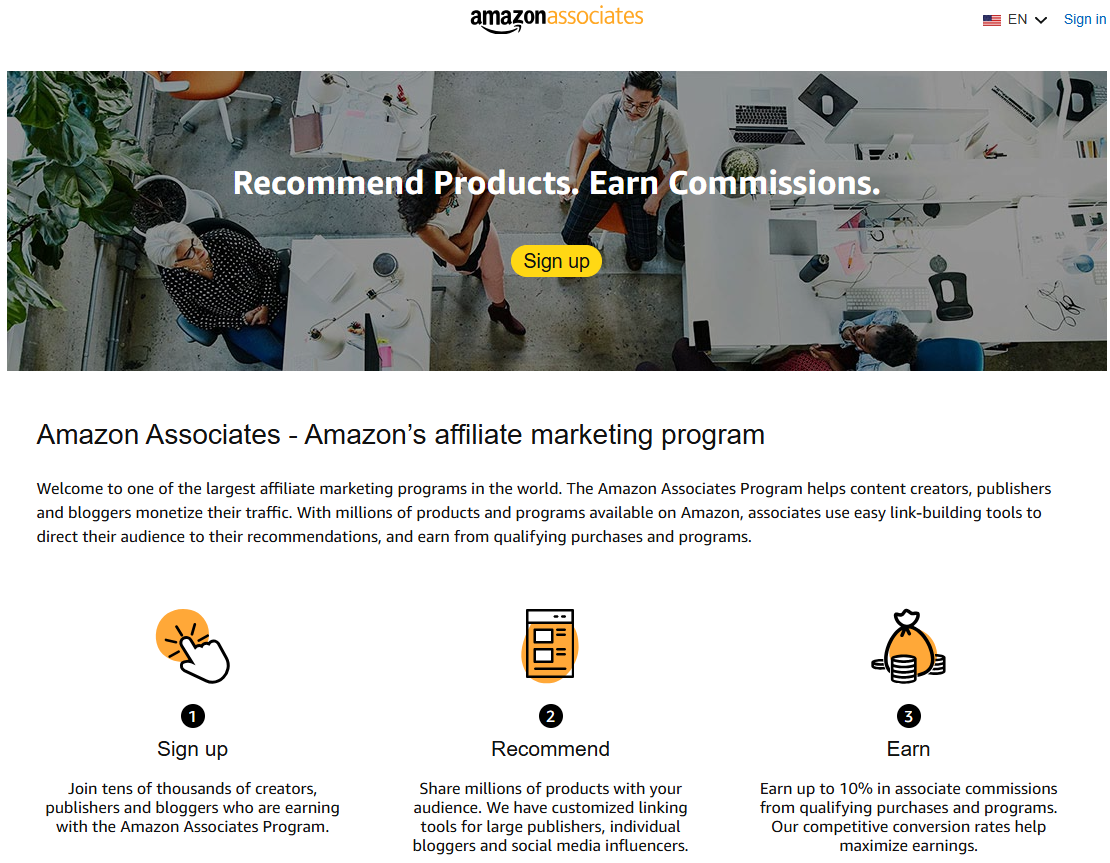
    Affiliate marketing extends reach by paying partners only when they drive traffic or sales. A famous example would be the Amazon affiliate program, which pays partners when a buyer makes a purchase through their link.

    Amazon affiliate program

    When these channels support each other, online marketing fundamentals become much easier to apply in daily work.

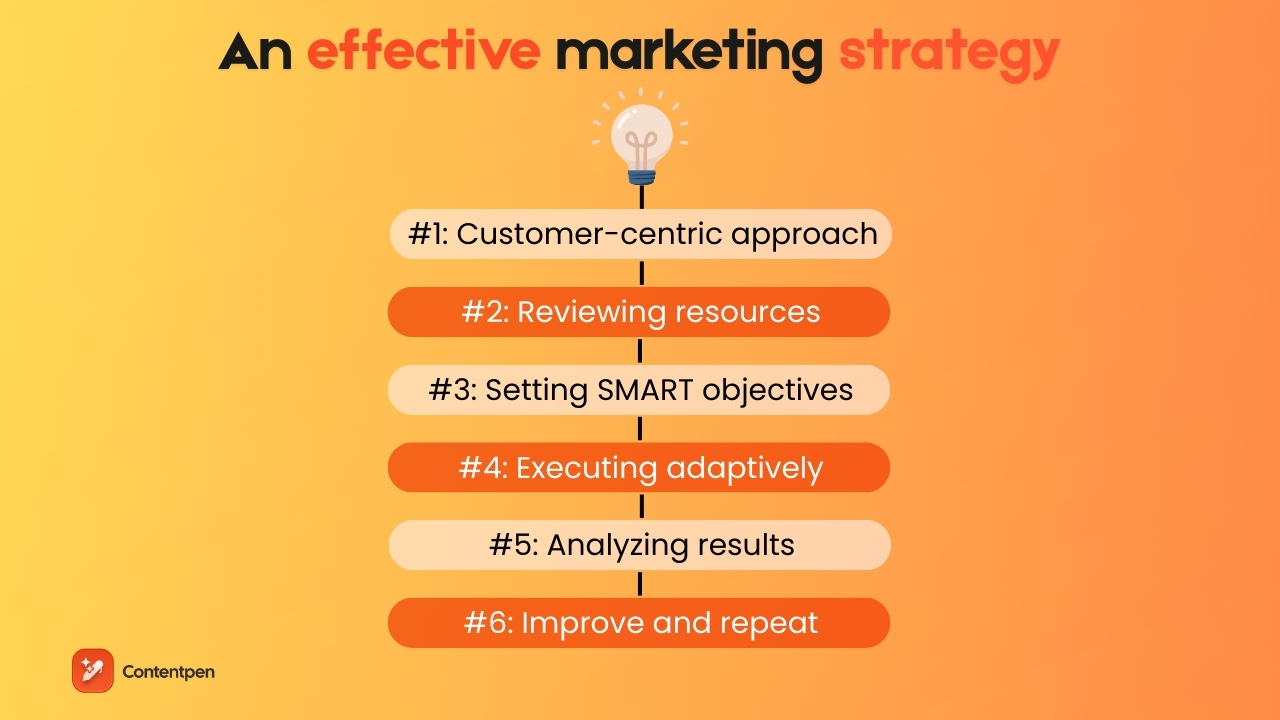
    Building an effective marketing strategy: A step-by-step approach

    Effective marketing strategy - Contentpen.ai

    Even strong individual tactics fall flat without a clear plan. Digital marketing strategy turns marketing fundamentals into a structured path that guides teams on what to do first, what to measure, and how to adjust. 

    A good strategy is not a rigid document that never changes. It is a clear starting point that improves through testing and reflection.

    A simple step-based approach helps any professional move from idea to action without getting stuck.

    Step #1: Start with a customer-centric approach

    Start with a customer-focused mindset. It is important to spend time learning who the audience is, what they care about, and what blocks them from progress. 

    You can use interviews, surveys, support tickets, and social comments to hear real voices from your customers. Turn these insights into short personas that guide messaging and offer design.

    For instance, a fast-food chain specializing in beef burgers may receive customer feedback that the patties are often too thick or difficult to chew. They can address this feedback by making their burgers easier to swallow and by marketing with a tagline like “A juicy, tender burger that melts in your mouth.”

    From this example, we can learn that getting into the customer’s mindset is important, but delivering the promised value is equally important.

    Step #2: Review resources and wider environment

    While providing value is essential, building a winning marketing strategy requires honesty about the budget, time, and skills required for the effort.

    You may want to give the most tender burgers out there in the market, but if you don’t have the resources to do so, you can’t — not in the long run anyway.

    Therefore, the goal is to pick battles that a team can realistically win instead of chasing every idea that pops into one’s head.

    To review your current strengths, weaknesses, opportunities, and threats, you need to analyze your business in detail. Apply different techniques, such as the SWOT analysis, to help you out.

    Through a SWOT analysis, you can also see how your competitors are winning and where you can take the lead, banking on what you do best.

    Step #3: Set clear, measurable objectives

    A winning marketing strategy is less about high aspirations and more about execution. This means that to achieve your objectives, you need a system you can always rely on to deliver sustainable results.

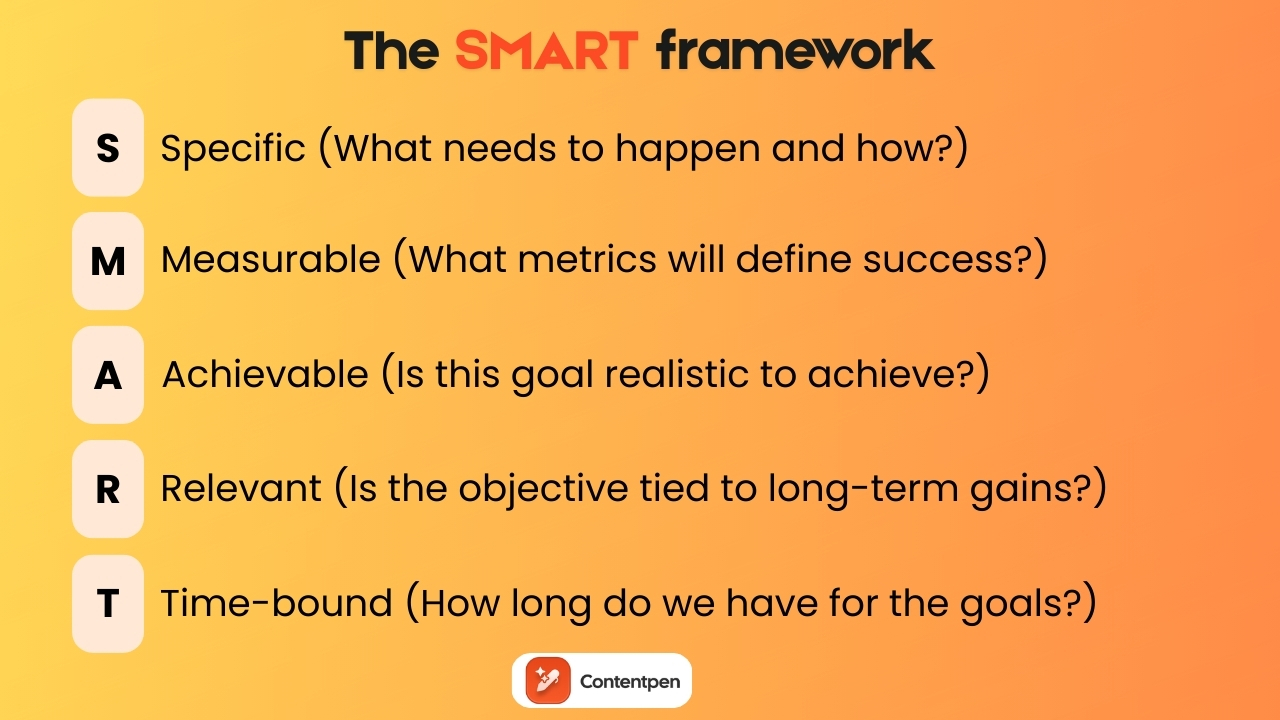
    You can consider using the SMART (Specific, Measurable, Attainable, Realistic, Time-bound) framework. This means setting realistic goals you can achieve within a set time limit. 

    The SMART framework - Contentpen.ai

    SMART dictates that rather than setting a goal of “get more leads,” a better approach can be to “add 100 qualified leads from organic search within 6 months.” 

    These kinds of targets make it easier to proceed with your digital marketing strategy and to assess later if a plan worked or not.

    Step #4: Execute while staying ready to adapt

    Once a plan is in motion, new data will appear. Teams should commit to a direction for long enough to see patterns, but not hold onto a plan that clearly fails. This fine line is difficult to tread, but not impossible. 

    A general rule of thumb during this stage is to do the ABCs correctly:

    • Always make sure that the decision you’re making right now is aimed toward opportunity, not just defense.
    • Be ready to shift gears and utilize any help you can get (consultants, peer advice, etc.)
    • Catch underperforming factors or resources and try your best to replace or improve them.

    While each business is unique, using guesswork is no longer an option, especially in 2026. You need data-backed decisions if you want to win the market.

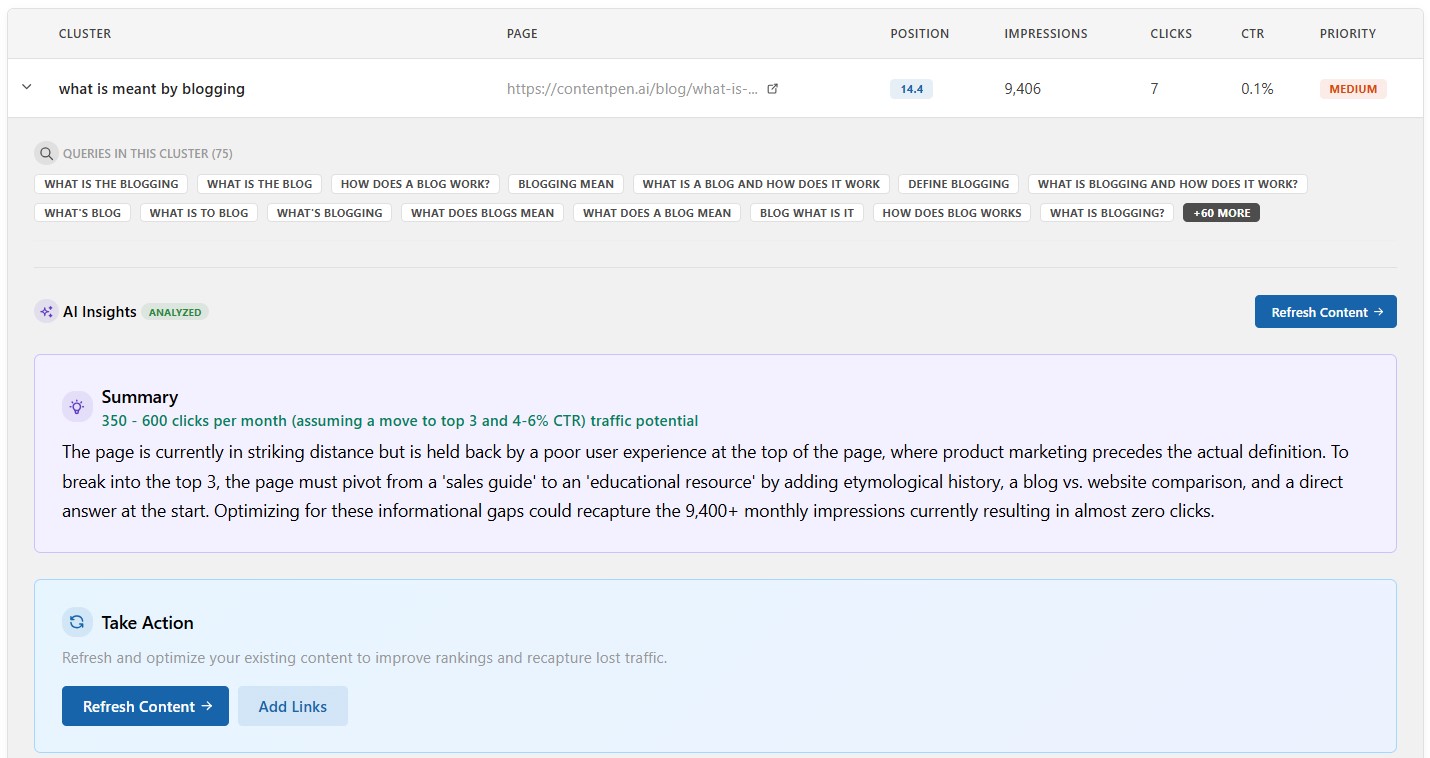
    This is where Contentpen comes in. With its ‘opportunities’ features, the tool helps identify decaying content pages and quick wins to help you move in the right direction with your content marketing strategies.

    Opportunities page - Contentpen.ai

    Since much of the content creation and SEO scoring is handled by the AI agents, you are free to adjust campaigns and not just wrestle with empty pages.

    Step #5: Analyze results in a structured way

    A marketing strategy is not effective if it’s not implemented properly. And that requires analyzing the results or the data in a proper way.

    Start by checking analytics, attribution reports, and feedback. You can also hold regular review meetings to help teams see which channels and messages performed well and which still require more effort. 

    You can also use tools like Usermaven to view real-time analytics, user journeys, and visualize trends for building a better understanding of your data.

    Usermaven interface - Usermaven.com

    Such tools help you make better strategic decisions that pay off in the long run and support sustainable development goals for your business.

    Step #6: Improve and repeat the cycle

    Last but not least, keep improving your strategies and efforts, and make this a repeatable practice.

    If nothing else is working, try A/B testing your content. A simple test, such as changing the subject line or call-to-action button, can reveal what people actually respond to. 

    Over time, this loop keeps marketing strategy fresh and helps counter the natural decline in performance that occurs when a single tactic is used for too long. This mindset keeps strategies flexible while still rooted in clear marketing fundamentals.

    The future of marketing: Adapting to marketing trends and changes

    Marketing does not stand still for long. New channels emerge, audience expectations shift, and economic conditions fluctuate. In this era of hyper-personalization, professionals who hold onto strong marketing fundamentals while staying open to change tend to make better long-term decisions.

    Related read: Emerging digital marketing trends 2026.

    One important area is shifting demographics and culture. Younger generations may care more about social impact, transparency, and authenticity. Older groups might value stability, service, and clear guarantees. 

    Social movements and current events also shape how messages land. Marketers who pay attention to these changes can adjust their tone and topics, so campaigns feel timely rather than tone-deaf.

    Technology is another constant source of change. Artificial intelligence, voice search, short-form video, and augmented reality (AR) are changing how people discover and interact with brands.

    AI tools now support content planning, writing, image generation, and personalization at a scale that manual work cannot match.

    Also read: What is a webhook?

    However, marketers do not need to chase every new tool. Instead, they should understand how these shifts affect their audience and where they can gain an advantage.

    Through all of this, a commitment to continuous learning keeps skills sharp. Reading current marketing fundamentals notes, taking an occasional marketing fundamentals course, and watching what top brands do build a habit of steady improvement. Over time, this becomes the difference between another casual attempt to win a niche and real success.

    Final thoughts

    Mastering marketing fundamentals is one of the best career investments you can make. These ideas explain why some campaigns feel smooth and effective while others burn time and budget without clear results. 

    With a solid grasp of customer insights, core marketing principles, and channel understanding, it becomes much easier to design content that serves both the audience and the business.

    These fundamentals do not belong only to big brands or specialist teams. They guide everything from a solo creator’s email list to a large agency pitch deck.

    The barrier to entry has never been lower. Books, articles, and courses make learning accessible, while an AI SEO tool, such as Contentpen, helps turn strategy into consistent content with far less effort.

    Frequently asked questions

    What are the 4 A’s of marketing?

    The 4 As of marketing are acceptability, affordability, accessibility, and awareness. When all four are aligned, customers are more likely to trust your brand, find your product, afford it, and choose it over competitors.

    What are the 5 C’s of marketing fundamentals?

    The five C framework stands for company, customers, competitors, collaborators, and climate. It is a simple way to analyze a situation before planning a marketing strategy across contexts, taking into account legal, social, and economic factors that may affect outcomes.

    What is the 5 1 5 rule in marketing?

    The 5 1 5 rule says that within 5 seconds, someone should understand your product. Within 1 minute, they should be able to extract a clear insight, and within the next 5 minutes, they should be able to make a decision.

    How can I learn marketing fundamentals without a marketing degree?

    With the rapid decentralization of data, understanding fundamental marketing concepts has become easier. Many users learn through self-study and practice rather than a formal degree. Applying ideas to a current job, side project, or small client can also turn theory into skill.

    How long does it take to master marketing fundamentals?

    Learning the basic ideas can happen in a few months of focused reading and practice. That is enough time to understand the main marketing concepts. Deeper mastery takes longer because it depends on running campaigns, reading real numbers, and seeing both wins and losses.

  • Search Engine Basics: How Search Engines Work in 2026

    Search Engine Basics: How Search Engines Work in 2026

    The gap between great content and real visibility almost always comes down to search engine basics. 

    Search engines sit between almost every question and almost every click. Studies show that over 80% of online experiences begin with a search query. When users discover and understand a page, traffic starts flowing. When they do not, even the best ideas stay hidden.

    Search engines can seem mysterious and deeply technical, yet the core ideas are simple enough for any marketer, writer, or founder to grasp. Once those basics click, terms like crawling, indexing, and ranking stop sounding like jargon and start feeling like a clear checklist.

    By the end of this guide, you will understand what a search engine does, why that matters for business growth, and how to apply SEO fundamentals in a practical way.

    So, let’s get started.

    What is a search engine, and why does it matter?

    How search engine works diagram - Contentpen.ai.

    A search engine is a web-based tool that helps people find information on the Internet. It does not scan the live internet from scratch every time someone types a query. Instead, it searches a massive prebuilt database of pages, often called the index, and uses algorithms to decide which ones to show.

    This difference between the index and the live web sits at the heart of search engine basics. When you type a keyword, you are really asking the search engine to look inside its index and return the best matches. 

    As of 2025, Google’s index alone contains information from billions of pages and occupies well over 100 million gigabytes in size across many data centers.

    For a business, that index is where visibility lives. If a page is not in the index, it cannot appear in results at all. If it is in the index but looks weak or unclear to the algorithm, it will sit many pages deep, where almost nobody clicks. 

    That is why search engine optimization focuses so heavily on making pages easy to understand and appealing to search engines.

    Different search engines use different indexes and algorithms, which is why Google’s and Bing’s results may vary for the same query. This is demonstrated in the statistical analysis of the search engines study, which compares major search platforms side by side.

    Also explore: SEO glossary: 250+ terms explained.

    For marketers and content teams, understanding the split between index and algorithm makes SEO planning easier.

    How does the Google search engine work step by step?

    Search engine architecture - Contentpen.ai.

    Every page that appears in a result goes through the same three‑stage process: crawling, indexing, and ranking (or serving). Google’s in-depth guide to how a search engine works provides official documentation on each phase.

    To put it briefly, the three stages function as:

    • Crawling – Discovery, where bots follow links and read pages.
    • Indexing – Organization, where those pages are analyzed and added to the database.
    • Ranking and serving – Decision, where the engine matches a query to the best pages it already knows.

    This process never stops. Crawlers revisit sites, indexes update, and rankings shift as content changes, links appear, and user behavior moves. 

    Not all pages make it through each stage. Some never get crawled, some are crawled but not stored, and some are indexed but rarely or never shown.

    Here is a breakdown of those stages in the table below.

    StageWhat happensKey question for you
    CrawlBots discover URLs and fetch page contentCan search engines find and reach your pages?
    IndexSystems analyze content and add it to the search databaseIs your content clear and of high enough quality?
    ServeAlgorithms match queries to indexed pages and order the resultsDoes your page look like the best answer?

    When you hear people talk about search engine basics or SEO for beginners, they are usually talking about how to help a site move smoothly through this path. Technical SEO covers crawling and indexing, while on-page and off-page SEO influence how pages perform in the serving stage.

    Step #1: Crawling – How do search engines work to discover your content?

    Crawling is the stage where search engines learn that your pages exist. Since there is no master list of all URLs on the internet, engines use automated programs called crawlers, bots, or spiders to follow links and fetch content. Google’s crawler is often called Googlebot.

    These crawlers start with known URLs, fetch pages, and discover new ones by following links, gradually mapping the web over time.

    In simpler words, crawling in a search engine is the raw data‑gathering step. For any business that cares about SEO basics, this is where visibility starts.

    How crawlers find pages with links and sitemaps

    Crawlers rely on two main pathways to find content:

    • Internal links that connect one page to another
    • Sitemaps that act like a directory you hand to the search engine

    Internal and external links are preferred by path crawlers most of the time. When a crawler lands on a page, it looks through the links in the HTML and adds new ones to its to‑visit list. That means your internal linking structure matters a lot, because pages that are buried with no links pointing at them are much harder for bots to discover. 

    When you make sure important pages are linked from menus, category pages, and other high‑traffic content, you help crawlers find and revisit those key URLs.

    Sitemaps provide a second line of help. An XML sitemap lists important pages and optional details such as last-modified dates. Many modern content platforms can generate this file automatically, making it easy for teams without advanced technical skills to rank.

    When you submit that sitemap through tools like Google Search Console, you give crawlers a direct map of what matters on your site. Using both methods together is far stronger than relying on only one.

    Frequency rendering and limitations with crawlers

    Crawling is not random. Search engines decide how often to visit each site, how many URLs to fetch, and how deep to go based on several signals.

    Important factors include:

    • Popularity – Pages and sites that attract many links and visits tend to get crawled more often.
    • Update habits – A news site that publishes multiple times a day sends a clear signal to crawlers to return often, while a static brochure site might be checked far less often.
    • Technical health – Clean site structure and fast server response let crawlers fetch more pages without strain.

    Modern crawlers do more than read HTML. Googlebot, for example, can render pages with a headless browser similar to Chrome. That means it can run JavaScript, load dynamic content, and see most of what a human visitor sees. This is very important for single‑page apps and sites that depend on scripts for core content.

    Crawling still has limits. Robots.txt files can block entire folders or an entire site if misconfigured. Pages behind logins or paywalls are off‑limits. 

    Also, orphan pages with no internal or external links may never be found, and slow or error-prone servers can cause crawlers to back off.

    Step #2: Indexing — How do search engines work to organize and store information?

    Indexing begins after a page has been crawled. At this point, the search engine tries to understand the content and decide where and how to store it in the index.

    During indexing, the engine processes text, layout, links, and structured data. It records which words appear, which phrases stand out, and how the content is organized with headings, lists, and other markup. 

    It also looks at signals such as language, country targeting, and mobile readiness, all of which are now considered important ranking factors.

    What information gets stored in the index

    When a page is indexed, the system does not keep just one flat copy of the text. It stores several kinds of information that help with matching and ranking:

    • Words and phrases – Which terms appear on the page, how often, and in which positions? Titles, headings, and early paragraphs carry more weight than text in footers.
    • HTML and metadata – Title tags, meta descriptions, header tags (H1, H2, H3), and image alt text all provide clues about the topic. Schema markup can describe products, events, articles, How-to guides, etc., in a much more structured way.
    • Broader signals – Primary language, likely geographic focus, freshness, mobile friendliness, and engagement patterns for similar pages. Over time, backlink information and user interactions also contribute to the stored profile for that URL.

    Common filler words, often called stop words, are sometimes ignored to save space and make indexing more efficient.

    Canonicalization and managing duplicate content

    Canonicalization and managing duplicate content.

    The web overflows with near‑duplicate pages. The same content can appear at multiple URLs because of tracking parameters, print views, mobile versions, or simple copy‑paste behavior. Search engines need a way to sort through these clusters so that results are not filled with duplicate pages.

    Canonicalization is the process of selecting a single version from a set of duplicates. The engine tries to find the best representative page and treats that URL as the primary one for ranking purposes. Other versions are still noticed but are treated as alternates.

    Duplicates can arise for many reasons. For example:

    • An online store might show the same product under different categories with different URL paths.
    • A blog might have both www and non‑www versions, or show the same article with and without tracking codes.
    • Sometimes mobile and desktop versions live on separate subdomains.

    You can help the engine choose the correct page by using canonical tags. 

    A rel=”canonical” tag in the HTML head points to the preferred URL for that content. 

    When used well, this tag keeps link equity from splitting across many copies and makes ranking signals clearer.

    Common indexing problems and fixes

    Even when crawling looks healthy, pages can fail to make it into the index. Most of the time, this comes down to content quality, blocking rules, or site structure.

    • Thin content – If a page has only a few lines of text or feels spammy, search engines may mark it as crawled but not indexed.
    • Noindex directives – Meta robots directives such as noindex are useful on thank‑you pages or admin areas that should be excluded from search results. Problems arise when they end up on important pages by mistake during a template change or redesign.
    • Complex architecture and heavy JavaScript – If key content only appears after user actions, or if the HTML structure gives little hint about the topic, the engine may struggle to understand the page.

    Creating helpful content is usually the most reliable long‑term fix for businesses and platforms of all types. However, not all businesses can generate such content or create such user experiences.

    Which is why you need tools like Contentpen to help. It automatically generates high-quality, beautifully structured SEO and GEO-optimized content at scale while handling internal and external linking.

    The best part is that this SEO platform also supports integrations with your favorite CMS platforms, such as WordPress, Ghost, Wix, and others. So, you don’t need to switch tabs when publishing content and always meet your deadlines.

    Step #3: Serving results — how do search engines work to decide what you see?

    Searching training and development on Google search bar.

    Ranking and serving are the stages most people notice. It is what happens after someone types a query into the search box and presses Enter. For most people, that box is the browser’s address bar, which Chrome labels ‘search Google or type a URL‘. The search engine now has to choose which of its billions of indexed pages to show and how to order them.

    The process starts with query processing. The system parses the user’s input, infers intent, converts words into its internal numerical form, and compares it against the index. It looks for pages that match not only the literal keywords but also related concepts and common patterns for that type of search.

    The results appear on the Search Engine Results Page (SERP). This page can include standard blue links, local map results, image carousels, videos, product cards, and featured snippets that try to answer the question right away. The layout changes based on what the engine believes the searcher wants in that moment.

    Behind the scenes, hundreds of ranking factors influence which pages rise to the top. These factors fall into groups such as relevance, content quality, authority, user context, and technical health.

    Query processing from the search box to the results

    When a query comes in, the search engine first cleans and interprets it. It may correct spelling, expand abbreviations, or guess that certain words form a known phrase. Then it converts that processed query into the same kind of numerical tokens used in the index.

    Next, the engine uses math to compare the query tokens with the tokens stored for each page. It looks for close matches, related terms, and patterns that signal a strong answer. This matching step happens extremely quickly.

    Search operators give users more control when searching for specific information. Typically, this is how to use a search engine for routine tasks in a daily workflow:

    Search operatorWhat it doesExample
    “”Search for the exact phrase that mentions this word or phrase“NVIDIA”
    OR / ISearch for results related to either one term or the otherNVIDIA OR AMD
    ANDSearch for results related to both terms mentionedNVIDIA AND AMD
    –Search for results that don’t mention a specific wordNVIDIA -AMD
    Site:Search for results from a specific siteSite:NVIDIA.com
    inConvert one unit to another£84 in USD

    There are many more search operators you can use to narrow results and find the information you need quickly.

    These operators, mainly Site: and “”, are useful for competitive research, content audits, and technical checks. These also help you see how many of your pages are visible to the audience and which require your attention for editing.

    The main ranking factors and what really matters

    While search algorithms use hundreds of inputs, many of them boil down to a few main themes. If you keep these in mind while planning content and technical work, you can cover most of what matters for search engine optimisation basics:

    • Relevance – Does the page match the searcher’s intent and query? Pages that repeat a phrase without real depth often lose out to pages that answer questions in a clear, thorough way.
    • Content quality – Search systems look for signs of expertise, author bylines that make sense for the topic, clear sourcing, and original thought. They pay attention to grammar, readability, and structure because those details affect how helpful a piece feels.
    • Authority – This flows mostly through links. A strong backlink profile includes links from relevant sites, a natural mix of anchor text, and steady growth over time.
    • User context and experience – Location, language, device type, and past behavior all influence which results someone sees. Technical factors such as page speed, mobile readiness, HTTPS, and clean site architecture also matter.

    You cannot buy higher organic rankings. 

    Paid ads can give a site visible placements marked as sponsored, but the main results depend on how well the algorithm scores your pages across all these areas.

    What you can do, instead, is focus on SEO basics rather than looking for shortcuts.

    How SERP features change based on search intent

    SERPs and Google AI Overviews explained.

    The SERP format shifts based on what the engine believes the user wants, often referred to as search intent.

    • For local intent searches, such as pizza near me, the SERP often shows a map with nearby businesses, star ratings, and quick buttons to call or get directions. For these searches, local SEO basics and a strong Google Business Profile matter a lot.
    • For informational intent searches, such as how to write a blog post, you may see a featured snippet at the top that pulls a short answer from one page. In this case, clear headings, direct answers, and well‑structured content can help you earn the top spot.
    • In commercial intent searches, such as best SEO competitive analysis tools, review snippets, and product grids often appear. Comparison content, rich product data, and honest reviews do well here.
    • For navigational intent searches, such as Contentpen login, results mostly show brand pages that help users quickly reach a specific site.

    Studying these types of search intents before picking target keywords is a smart move. It shows what kind of content Google expects for each phrase and gives a clearer sense of how to shape your own pages for better SERP and AI Overview visibility.

    How to optimize for search engines with SEO fundamentals

    Good search engine optimization basics rest on three pillars:

    • Access – Crawlers need clear paths and fast responses.
    • Clarity – Algorithms need well‑organized, helpful content.
    • Authority – Users and other sites need reasons to trust and recommend your pages.

    Now, let’s see each of these aspects in more detail.

    Crawling optimization to ensure content discoverability

    Crawling optimization focuses on making your site easy and safe for bots to explore. Even small steps here can lead to better coverage.

    Site architecture and crawlability - Contentpen.ai.
    • Create and submit XML sitemaps. Many content management systems automatically generate these files that list key URLs. By submitting them to GSC, you give crawlers a clear overview of your site.
    • Build a clear internal linking structure. Every important page should be reachable within a few clicks from the home page, ideally through logical category and subcategory paths.
    • Keep robots.txt files clean and focused. Regular SEO audits after site changes can catch accidental blocking of key folders. Monitoring crawl errors and coverage reports in Search Console lets you spot repeated issues, such as broken redirects or error pages.

    On larger sites, considering crawl budget and trimming very low‑value pages or thin filters can keep crawlers focused on the URLs that matter most.

    Indexing optimization to make your content index-worthy

    Indexing optimization is about giving search engines content that is worth storing and easy to understand. It sits at the crossroads of content quality and technical setup.

    High‑quality, original content remains the foundation. That means writing pieces that cover a topic in real depth, speaking from experience where possible, and adding examples or data that readers cannot get from a quick skim elsewhere. 

    When you combine this with thoughtful keyword use, you support both users and algorithms.

    Our on-page SEO checklist helps convey that value:

    • Clear, descriptive title tags that include primary keywords
    • Honest meta descriptions that invite organic clicks
    • A clean hierarchy of H1, H2, and H3 headings
    • Descriptive alt text on images

    Technical signals matter here as well. A mobile‑friendly design, HTTPS security, and clean canonical tags reduce noise and help the index represent your site correctly. 

    Structured data with schema markup can highlight products, reviews, FAQs, and more in a format the engine understands at a glance.

    When you find thin pages with little value, either improve them or fold them into stronger related content so they do not weigh down the index profile.

    Ranking optimization to compete for top positions

    Ranking optimization pulls together keyword strategy, content quality, authority building, and user experience. This is where SEO marketing basics and more advanced tactics meet.

    • Keyword targeting – Good research helps you find phrases with real search volume and clear intent that fit your business. Long‑tail keywords often offer a balance of focused intent and realistic competition, especially for newer sites.
    • Better content than current winners – Better content does not always mean longer, but it does mean writing articles that are clearer, more helpful, and provide up‑to‑date information. You can add original data, expert commentary, step‑by‑step walkthroughs, or visuals that make hard ideas simple.
    • Authority building through backlinks – Earning links from strong, relevant sites through guest posts, partnerships, digital PR, and genuinely useful assets builds trust with algorithms. Avoid schemes that trade or buy links in unnatural ways.
    • User experience – Fast load times, smooth scrolling, stable layout, and readable typography all help visitors stay longer and engage more. Clear calls to action and helpful internal links keep people exploring instead of increasing bounce rate.

    For local businesses, claiming and optimizing a Google Business Profile, building consistent local citations, and gathering reviews play important roles in how well you show up in map packs.

    Scale your SEO with Contentpen

    Contentpen main interface - Contentpen.ai.

    Optimizing content for search engines is a tough ask, especially if you have a lot of pages to manage. Researching topics, drafting or refreshing content, and even choosing and implementing the right keywords become a mess.

    This is where a platform like Contentpen comes in. It is built to help teams ship SEO‑focused content faster without losing quality. It can draft well‑structured articles that already follow search engine basics, suggest on‑page improvements as you work, and keep formatting consistent across your site.

    Inside Contentpen, integrated SEO scoring highlights strengths and gaps in each draft. You can see whether titles use the right terms and whether headings fully cover the topic. Competitor insights show which topics and keywords others already win, so you can spot gaps and decide where a new article has a real chance to rank.

    Write better blogs in less time, without sacrificing quality.

    Let AI handle structure, clarity, and flow while you stay in control of the message.

    Try AI blog writing →
    AI SEO Interface

    Once a piece is ready, one‑click publishing shortens the time between idea and live page, which helps Google crawl and index your work sooner. 

    For teams handling many clients or brands, this mix of AI‑powered drafting, real‑time SEO guidance, and fast publishing makes it much easier to maintain content velocity while sticking to core SEO fundamentals.

    Final thoughts

    Search engines may run on vast data centers and complex math, but the path from your page to a search result follows a simple three‑step process. 

    First, crawlers need to find and fetch your content. Then, indexing systems need to understand it and store it. Finally, ranking algorithms check whether your answers help resolve common user queries to display them in the top results.

    When you understand search engine basics, SEO no longer feels like a mystery. It becomes a checklist you can apply to every new page and see organic traffic in no time.

    Modern tools such as Contentpen can help your SEO and GEO efforts by planning, writing, and publishing SEO‑ready content at scale. The strategic thinking still comes from you, but the heavy lifting gets lighter.

    Frequently asked questions

    How long does it take for a new page to appear in search results?

    New pages can start appearing in search results within a few days, but it can also take several weeks. The speed depends on factors such as how often your site is crawled, how strong your domain is, and whether you submit the page via tools like Google Search Console.

    Can I control how often search engines crawl my website?

    You cannot set an exact crawl schedule, but you can influence how often bots visit. Fast, stable servers and fresh content published on a steady schedule encourage more frequent crawls. Clean sitemaps and strong internal links also help crawlers move through your site efficiently.

    What is a quick way to check whether my pages are indexed?

    One quick method is to search Google using the site: operator, such as typing site:example.com plus a keyword related to your page. This shows pages from your domain that Google currently indexes.

    Why do my rankings fluctuate daily?

    Small ranking shifts from day to day are normal and happen to almost every site. Personalization can also change what you see compared to what others see. Competitor updates and new content entering the index can also add more movement.

    Do social media signals affect search rankings?

    Most evidence suggests that social metrics such as likes and shares are not direct ranking factors in Google’s core algorithm. However, social activity can still help SEO indirectly. When content spreads widely, more people discover it, improving your share of voice in the niche.

    What is the single most important ranking factor?

    No algorithm relies on a single signal, and search engines have repeatedly said that rankings are based on a mix of different factors. For starters, write high‑quality content that closely matches search intent, followed by strong, relevant backlinks and a solid technical foundation.

  • 12 SEO competitor analysis tools to outsmart your competition

    12 SEO competitor analysis tools to outsmart your competition

    Competition gets to everyone, us included. The best way to deal with it is to keep tabs on your competitors to see what they’re doing better than you. This includes their ad placements, messaging, audience engagement, and much more.

    But surface-level tracking isn’t any good for you. You need specialized tools to benchmark performance, identify gaps in your content strategy, and provide actionable insights. This is why you need SEO competitor analysis tools to simplify the process and help you win the market.

    In this post, we tested and ranked the 12 best SEO competitor analysis tools in 2026 to help you outsmart your competition. In the end, we will also provide you with an easy framework to help you choose the right tool for your needs.

    So, let’s get started.

    What is an SEO competitor analysis tool?

    SEO competitor analysis tools help you see what others in your niche are doing to win reach, audience attention, and customer retention.

    More specifically, these tools analyze backlink profiles, keyword rankings, domain authority, and organic traffic of your competitors. 

    The insights the tools provide inform everything, from on-page SEO to content marketing strategy, enabling you to capture the market with ease.

    Also read: Search engine basics: How they work and why they matter.

    Why are SEO competitor analysis tools used? (Their purpose)

    SEO competitor analysis tools help you understand why competitors rank higher, which strategies drive their traffic, and where you can outperform them using data-backed decisions.

    They eliminate the need to perform manual SEO site audits. Therefore, the tools save time and resources, allowing you to actually implement strategies rather than wasting time on spreadsheets and numbers.

    Also read: Best AI chatbots for professionals in 2026.

    How did we test these tools?

    We thoroughly researched all the tools with hands-on trials, user reviews, and feature analysis. Our criteria to select each tool depended upon:

    • Data accuracy: How accurate is the data provided?
    • User experience: Is the tool easy enough to use without training?
    • Key features: What does the tool offer beyond the basics?
    • Pricing: Does the tool justify its price tag?
    • Customer support: Will you be able to get some support when things go wrong?

    Comparison table: SEO competitor analysis tools at a glance

    Let’s see our list of the best SEO competitor analysis tools while considering all the aspects we discussed above.

    ToolBest ForCore StrengthKey LimitationStarting Price
    ContentpenContent teams and agenciesCompetitor content gaps, AI visibility benchmarking, and bulk creationFree trial only lasts 7 days$49/month
    AhrefsSEO professionalsIndustry-leading backlink dataExpensive for small teams$129/month
    SemrushAll-in-one marketing teamsSEO, PPC, content, and social analysisBacklink data is weaker than Ahrefs$199/month
    TapClicksAgencies and enterprisesPPC competitor intelligence & reportingLimited organic SEO featuresNot disclosed
    SpyFuSMBs and consultantsAffordable keyword and PPC competitor researchLess accurate traffic data$39/month
    Moz ProSEO specialistsDomain Authority tracking and clean UISmaller link index$49/month
    SE RankingAgencies on a budgetWhite-label SEO competitor trackingLearning curve$65/month
    SimilarwebMarket analystsTraffic analytics and audience insightsHigh pricing$199/month
    BuzzSumoContent marketersViral content and influencer trackingLimited keyword SEO data$199/month
    SerpstatGrowing businessesKeyword clustering and topical dominanceHigher price for small teams$199/month
    VisualpingCompetitive monitoring teamsWebsite change alerts in real timeNo SEO metricsFrom $10/month
    WhitesparkLocal SEO agenciesCitation tracking and local rankingsNot useful for global SEO effortsFrom $1/location/month

    We’ve selected tools that support a wide range of use cases and industries, so pick whichever one you think suits you best.

    1. Contentpen

    Competitor analysis using the opportunities feature - Contentpen.ai.

    Best for: Agencies, small businesses, and creators that prioritize content creation and SEO optimization at scale with up-to-date competitor data.

    Contentpen is an all-in-one SEO and AEO platform that helps you identify content gaps, see how you compare with competitors in AI search, and take priority actions right now to improve rankings and AI visibility. It is like your personal writing assistant that allows you to outsmart your rivals with less manual work and hassle.

    Key features

    Pros

    • AI-powered SEO opportunities surface quick wins, losses, and keyword cannibalization to save time on competitor analysis.
    • Competitor Gap Analysis uses the competitors saved in your knowledge base to find topics they rank for that you have no content on, with no extra setup.
    • Bulk content creation enables small businesses and agencies to stand toe-to-toe with big industry names.
    • A built-in media library helps users stand out from competitors with high-quality visuals.
    • Integrations with WordPress, Webflow, Shopify, Ghost, Wix, and EmDash enable faster publishing to beat competitors on trending topics.
    • AI visibility tracking benchmarks your share of voice against competitors across up to 7 AI engines and shows the sources AI engines cite for them but not for you. You can export these source gaps as an outreach list.

    Cons

    • No backlink analysis.
    • Free trial only lasts 7 days.

    Pricing

    Paid plans start at $49/month, or $39/month billed annually.

    2. Ahrefs

    Ahrefs SEO competitor analysis.

    Best for: SEO professionals who need comprehensive backlink analysis and competitor tracking for effective off-page strategies with one of the largest link databases available.

    Ahrefs has earned its reputation as the go-to tool for understanding why a competitor outranks you. Its Site Explorer feature is unmatched for reverse-engineering a rival’s link-building strategy, helping you rank for competitive keywords and in niche markets.

    Key features

    • Up-to-date crawler data
    • Content gap tool
    • Rank tracker with SERP feature monitoring
    • Site audit

    Pros

    • Keyword explorer provides accurate search volume and keyword difficulty scores.
    • Historical data lets you track competitor trends over months or years.
    • One of the most extensive and most frequently updated backlink indexes in the industry.

    Cons

    • Premium pricing puts it out of reach for solopreneurs and small teams.
    • Reporting features feel less intuitive compared to SEMrush.

    Pricing

    Paid plans start at $129/month.

    3. Semrush

    Semrush competitor analysis.

    Best for: Marketing teams that need an all-in-one platform covering SEO, PPC, content, and social media competitor analysis.

    Semrush is known for its usefulness and adaptability when performing competitor analysis. It helps you uncover top SEO keywords and backlinks, and identify gaps in your content strategy. You can also use its AI-powered insights to secure and maintain top search positions.

    Key features

    • Competitor advertising research
    • Keyword gap analysis
    • Domain overview
    • Topic research for content

    Pros

    • Combines SEO, PPC, content, and social media competitor analysis in one dashboard.
    • Position tracking updates daily and can monitor local rankings across cities for comprehensive competitor analysis.
    • The content analyzer compares your articles directly with top-ranking competitor pages.

    Cons

    • Report export limits on lower-tier plans can be frustrating for agencies.
    • Backlink data isn’t as comprehensive as Ahrefs.

    Pricing

    Paid plans start at $199/month.

    4. TapClicks

    TapClicks landing page.

    Best for: Marketing agencies and enterprise teams that need unified PPC competitor intelligence, reporting, and campaign management on a single platform.

    TapClicks, formerly known as iSpionage, provides competitive PPC research, along with campaign management, client reporting, and performance analytics. You can research competitor ads, launch your own campaigns, and report on results without switching tools.

    Key features

    • Landing page monitoring
    • Unified reporting dashboard
    • Campaign management tools
    • Keyword competition analysis

    Pros

    • Ad intelligence integrates directly with campaign execution and reporting.
    • Historical ad data reveals seasonal patterns and long-term strategy shifts.
    • Automated reporting saves hours every week for agency teams.

    Cons

    • The platform can feel complex with so many modules.
    • Organic SEO features are less robust than dedicated tools like Ahrefs.

    Pricing

    Not disclosed on the official site.

    5. SpyFu

    SpyFu competitor analysis interface.

    Best for: Small businesses and consultants who need an affordable, straightforward competitor keyword and PPC research tool.

    Just like its name suggests, SpyFu looks through your competitors’ strategies and keeps you informed of all their moves. It doesn’t have the polished SEO competitor analysis capabilities of Semrush or the backlink depth of Ahrefs, but it’s surprisingly powerful for its price.

    Key features

    • Adwords advisor for PPC campaigns
    • Link-building opportunities
    • Kombat tool for competitor comparison
    • Keyword research with historical data

    Pros

    • Unlimited search queries and data exports, even on lower-tier plans.
    • Custom reporting templates save time for agencies managing multiple clients.
    • Affordable entry point for freelancers, startups, and small businesses.

    Cons

    • Traffic estimates can be less accurate for smaller websites.
    • Limited international data compared to Semrush.

    Pricing

    Paid plans start at $39/month.

    6. Moz Pro

    Moz Pro landing page.

    Best for: SEO specialists who value clean, user-friendly interfaces and prioritize domain authority tracking.

    Moz Pro has been a staple in the SEO community for years, and for good reason. Its Domain Authority (DA) metric is still the industry standard for quickly assessing a competitor’s SEO strength, helping you inform your ranking strategies.

    Key features

    • Link explorer for backlink analysis
    • Rank tracker with local SEO monitoring
    • Page optimization recommendations
    • Site crawl metrics

    Pros

    • A clean, intuitive interface makes onboarding new team members quick and easy.
    • Custom reports can be white-labeled for agency use.
    • SEO professionals can quickly find weak spots in their platforms to outrank rivals.

    Cons

    • Smaller link index compared to Ahrefs.
    • The keyword database is smaller than Semrush.

    Pricing

    Paid plans start at $49/month.

    7. SE Ranking

    SE Ranking competitor analysis.

    Best for: Teams that need a full SEO competitor analysis suite with white-label reporting at a mid-tier price point.

    SE Ranking is a solid all-rounder with strong competitor tracking, keyword research, and AI-powered insights that agencies love. The platform punches above its weight class, especially given how much it costs compared to the big names. 

    Key features

    • Visibility rating
    • Share of voice with competitors
    • SERP analysis
    • Comparing multiple rivals at once

    Pros

    • Page changes monitor alerts you when competitors update key pages.
    • Free to sign up without excessive screens or pop-ups.
    • On-page SEO checker compares your content directly to top-ranking pages.

    Cons

    • No social media competitor tracking on the free plan.
    • There is a slight learning curve compared to other tools, like SpyFu.

    Pricing

    Paid plans start at $65/month.

    8. Similarweb

    Similarweb competitor analysis.

    Best for: Analysts who need detailed traffic analytics and audience insights beyond traditional SEO metrics.

    Similarweb is a handy SEO competitor intelligence tool that provides detailed traffic analytics to its users. You can see a rival’s top traffic sources, audience demographics, engagement metrics, and even which apps they’re investing in, allowing you to take the lead.

    Key features

    • Website analysis
    • SEO backlinks analytics
    • Extensive search tracking
    • Gen AI intelligence

    Pros

    • Audience Insights reveal competitor demographics and interests.
    • Market share reports help identify who’s winning in your niche and where.
    • Traffic journey shows how users move between competitor sites.

    Cons

    • The price can be too high for small businesses and teams.
    • Takes time to learn and implement.

    Pricing

    Paid plans start at $199/month.

    9. BuzzSumo

    BuzzSumo competitor analysis.

    Best for: Content marketers and social media managers who need to track viral competitor content and influencer engagement.

    BuzzSumo is the tool we turn to when we need to see which competitor articles are being shared, linked to, and discussed across social media. Instead of tracking ranking, BuzzSumo shows you what’s resonating with real audiences, helping you quickly and effectively.

    Key features

    • Content analyzer
    • Influencer search
    • Competitor alerts
    • Question analyzer

    Pros

    • Social engagement metrics go beyond SEO to show real audience interest.
    • Backlink data, when integrated with social shares, provides a full picture of content performance.
    • Chrome extension lets you analyze any page on the go.

    Cons

    • Less focused on traditional SEO metrics like keyword rankings.
    • Pricing scales quickly if you need more searches and alerts.

    Pricing

    Paid plans start at $199/month.

    10. Serpstat

    Serpstat landing page.

    Best for: Growing businesses that need an affordable all-in-one SEO platform with strong keyword clustering features.

    Serpstat is particularly useful for grouping related keywords into clusters, which makes content planning much more strategic. Serpstat helps you identify the broader topic areas where competitors dominate and provides the data to take them down, improving reach and visibility.

    Key features

    • Missing keywords to find gaps
    • Batch analysis to compare up to 200 domains
    • Text analytics to reverse-engineer top-ranking content
    • Smart keyword profiles

    Pros

    • API access allows for custom integrations and automated reporting.
    • Supports multiple countries and languages.
    • Keyword clustering reduces content overlap and improves topical authority.

    Cons

    • Backlink data can be less current for smaller websites.
    • The user interface feels less polished than that of premium competitors.

    Pricing

    Paid plans start at $199/month.

    11. Visualping

    Visualping interface

    Best for: Marketers and competitive intelligence teams who need real-time alerts when competitors change their websites.

    Visualping watches competitor websites like a hawk and alerts you the second something changes. We use it to monitor competitor pricing pages, product launches, and blog post updates to see how others in our space are modifying their web pages and strategies.

    Key features

    • Visual change detection
    • Selective monitoring 
    • Scheduled checks 
    • Team collaboration 

    Pros

    • Simple, focused tool that’s easy to set up and use immediately.
    • Alerts can be customized by changing the threshold to reduce noise.
    • API access for integrating alerts into your existing workflow.
    • Works on any website, including password-protected and JavaScript-heavy pages.

    Cons

    • No SEO metrics or keyword tracking.
    • Limited analysis features compared to full-suite platforms.

    Pricing

    Customizable payment plans, starting at $10/month and changing depending on the number of pages you scan.

    12. Whitespark

    Whitespark landing page

    Best for: Local SEO specialists and agencies focused on citation building and local search competitor tracking.

    Whitespark is purpose-built for local SEO. If your business depends on local visibility, this tool is essential. It helps you see exactly where your competitors are listed online, which citations they’ve built, and how their local rankings stack up against yours.

    Key features

    • Local citation finder
    • Google Business Profile rank tracker
    • Reputation builder for reviews
    • Local search audit

    Pros

    • Review monitoring shows how competitors manage their online reputation, enabling you to handle reviews as well.
    • Built-in outreach tools streamline the citation-building process for your business.
    • Edit locations in bulk to save time and effort while performing local SEO optimization.

    Cons

    • Narrowly focused on local SEO, so it won’t help with broader organic strategies.
    • Pricing can add up quickly for agencies managing multiple locations.

    Pricing

    Customizable payment plans, starting at $1/location/month, and change depending on the number of locations you set up or optimize.

    Best free SEO competitor analysis tools (what Google offers)

    Not every team has the budget for premium platforms. The good news is that you can start competitor website analysis without spending a cent, especially if you know where to look within Google’s own ecosystem.

    Google offers a surprising number of free competitor analysis tools that give you genuine insights, even if they lack the polish and depth of paid platforms. 

    Here’s what actually works:

    Google Search

    Don’t overlook the simplest Google competitor analysis tool of all: the search bar itself.

    Run manual searches for your target keywords and study what ranks on page one. 

    Look at:

    • Title tags and meta descriptions of SERP pages
    • Content length and structure
    • Multimedia elements (images, videos, infographics)
    • External and internal links

    This hands-on approach to competitor analysis isn’t scalable, but it’s free and fast, and it gives you a gut-level sense of what Google rewards in your niche.

    Google Search Console

    If you have access to a competitor’s domain (or you’re analyzing your own site against rivals), Google Search Console shows which queries drive impressions and clicks. 

    You can see:

    • Which pages rank for specific keywords
    • Average position in search results
    • Click-through rates by query

    While you won’t get direct competitor data, you can reverse-engineer their strategy by analyzing your own Search Console reports and comparing them to what you see ranking in the SERPs.

    Also read: Google Gemini vs ChatGPT comparison.

    Google Trends

    Google Trends is one of the most underrated free competitor analysis tools. It shows:

    • Which topics and queries are trending in your industry
    • Seasonal patterns that affect search volume
    • Regional interest in specific keywords

    Use it to see what competitors are likely targeting based on rising trends, then validate those hunches with your own keyword research.

    Google Analytics

    If you’re running Google Ads, the Auction Insights report inside Google Analytics and Google Ads reveals how your ad performance stacks up against competitors bidding on the same keywords. You can see:

    This is especially useful for PPC competitor analysis when you’re trying to figure out who’s outbidding you and by how much.

    Google Merchant Center

    For e-commerce brands, Google Merchant Center offers two helpful reports:

    • Price competitiveness report: Shows how your product pricing compares to competitors in Google Shopping.
    • Best sellers list: Reveals which products in your category are performing best.

    These reports help you adjust pricing and product positioning without needing a separate competitor website analysis tool.

    Google News and Alerts

    Set up Google Alerts to track when competitors publish new content, get mentioned in the press, or rank for priority keywords. 

    Alerts won’t give you traffic data or backlink profiles, but they keep you informed about competitor activity in real time. This is especially useful if you’re tracking content marketing moves from your rivals, trying to outsmart them quickly and for free.

    How to choose the right SEO competitor analysis tool for your needs

    Choosing a competitor analysis tool online isn’t about finding the “best” on the market. It is about finding the one that fits your team, your budget, and the type of competitor research you actually need to do.

    Some tools are built for agencies running dozens of client campaigns. Others are designed for solo marketers who need quick wins without too much complexity. 

    Here is a simple framework to help you narrow down your options and pick the right tool for your needs:

    Define what you need to track

    Start by listing the competitor metrics that matter most to your SEO strategy:

    • Organic keywords and rankings: Tools like Ahrefs, Semrush, and Contentpen excel in this area.
    • AI search visibility: Contentpen tracks how often AI engines like ChatGPT, Gemini, and Perplexity mention you versus your competitors, along with sentiment and the sources they cite.
    • Backlink profiles: You can use tools such as Ahrefs and Moz Pro to get up-to-date backlink data on your competitors and plan your next move accordingly.
    • PPC and ad campaigns: For this purpose, you can utilize SEO competitor tools, such as TapClicks and SpyFu, which specialize in paid search intelligence.
    • Content performance and social shares: BuzzSumo can be your go-to for monitoring competitor social shares and performance.
    • Local SEO and citations: Tools like Whitespark can be used for local SEO and citation monitoring.
    • Website changes and updates: Visualping is a solid choice for checking competitor site updates in real time, helping you develop new strategies to outsmart your rivals.

    Narrowing down which competitive intelligence metrics you want greatly simplifies choosing the right tool.

    After reviewing information, you can use AI meeting note-taking apps to capture topic priorities, decisions, and follow-up tasks, helping turn competitor research into a concrete content plan.

    Also read: How to do SEO?

    Consider your team size and skill level

    Not every tool is built for every user. Some platforms assume you already know SEO inside and out. Others are designed to onboard beginners quickly. Therefore, it is crucial to keep your workforce in mind while choosing an SEO competitor analysis tool.

    • Solo marketers and small teams: Look for simple, affordable tools like Visualping, SpyFu, or Contentpen that do not require much training and are highly affordable.
    • Agencies managing multiple clients: At this level, you will want white-label reporting, API access, and bulk analysis features, especially if you’re running a SaaS web design agency. These features can be found in tools like SE Ranking, Semrush, or TapClicks.
    • Enterprise teams: Platforms like Similarweb offer advanced data integrations and custom dashboards for larger teams. If your purpose is to create and optimize content, our SEO AEO tool also offers collaborative and integration capabilities.

    As a general rule of thumb, if your team is small, choose a tool with a clean interface and strong support. Do not create extra hurdles in your workflow, as this will defeat the whole purpose of selecting a tool.

    Also read: Best AI tool for writing SEO-rich blog content.

    Set a realistic budget

    As you’ve seen earlier with our list, SEO competitor analysis tools range from $10/month to well over $500/month. However, price does not always equal value, not for all teams, anyway.

    Do not overpay for features you will not use. If you only need keyword research and rank tracking, a mid-tier plan from Contentpen or SE Ranking will serve you better than an expensive all-in-one SEO suite, such as Semrush or Ahrefs.

    Test before you commit

    Most competitor analysis tools online, like Contentpen, offer free trials. Use them.

    Spend a week running real competitor website analysis on your actual rivals. Check how accurate the data feels, how easy the interface is to navigate, and whether the insights actually help you make the right decisions or not.

    Pay attention to:

    • Data freshness: Are keyword rankings and backlink profiles updated regularly?
    • Export and reporting: Can you pull clean reports without hitting frustrating limits?
    • Customer support: Will you get help when you can’t figure something out?

    The best tool is the one you will actually use consistently, not the one with the longest feature list.

    Think about workflow integration

    If you already use tools for content creation, publishing, or project management, check whether your SEO competitor analysis tool integrates with them.

    Contentpen, for example, connects directly to WordPress, Webflow, Shopify, Ghost, Wix, and EmDash, so you can research, write, and publish without switching platforms. It also offers webhooks and a Public API so you can build your own workflows without any hurdles.

    Other tools, such as Semrush, integrate with Google Analytics, Google Search Console, and dozens of marketing apps. These integrations save time and reduce the risk of data falling through the cracks.

    Prioritize actionable insights

    Some tools give you mountains of data but no clear next steps. Others highlight exactly what to do next.

    Look for platforms that surface quick wins and content gaps, rather than just showing you charts. Tools like Contentpen excel at this by turning competitor research into actionable items, such as writing an article on a particular keyword or optimizing a specific heading on a blog.

    Also read: The ultimate guide to optimized content marketing for SEO success.

    TL;DR: If a tool makes you feel smarter and more focused after using it, that is a good sign. If it leaves you overwhelmed and confused, keep looking.

    Summing it up

    SEO competitor analysis tools help you surface what your rivals are doing, how they’re doing it, and where you can take the lead. These tools power strategies and decision-making, defining the modern SEO framework.

    Choosing a suitable tool for competitor analysis in 2026 can be tricky, especially with so many options on the market. We hope our guide helped you pick the right tool for your needs so you can excel without limits.

    If you want to see real ranking keyword opportunities and detailed competitor insights for your content, sign up now at Contentpen.

    Frequently asked questions

    How often should I run competitor analysis?

    Most teams should review competitors monthly, with deeper audits quarterly. Highly competitive niches may require weekly monitoring to stay ahead of ranking shifts and content changes.

    Can I use multiple SEO competitor analysis tools at the same time?

    Yes, and many teams do. Most businesses layer a backlink-focused tool with a content or keyword tool like Contentpen or Semrush. The key is avoiding overlap that wastes budget. Pick tools that complement each other rather than duplicate the same data.

    Do SEO competitor analysis tools show real traffic numbers?

    Most tools provide traffic estimates based on models, rather than exact data. While not perfect, these estimates are accurate enough for competitive benchmarking and trend analysis.

    Can SEO competitor analysis tools help with content planning?

    Yes. Tools, such as Contentpen, reveal content gaps, top-performing competitor pages, keyword clusters, and search intent patterns that directly inform content strategy and topic prioritization.

    Do I need coding or technical skills to use SEO competitor analysis tools?

    No. Most modern tools are designed for marketers and content teams without requiring coding knowledge. However, some advanced features, such as API integrations or custom reporting, may need technical support.

    How long does it take to see results after using competitor analysis insights?

    It depends on what changes you make. Quick wins, such as optimizing title tags or targeting low-competition keywords, can show ranking improvements within weeks. Greater efforts, such as publishing content, typically take two to six months to noticeably affect rankings.

  • What is anchor text, and why does it matter for your SEO strategy?

    What is anchor text, and why does it matter for your SEO strategy?

    Anchor text is the clickable text in a hyperlink that you see and interact with on web pages. It looks simple, yet it plays a huge role in how pages appear in search results.

    With so many types of anchor text, rules, and warnings about penalties, it is easy to feel unsure about what to do next.

    This is why we created this guide to cover everything about anchor texts. We will see how anchor text works in SEO, with examples and practical best practices you can apply right away to see ranking gains and traffic improvements.

    You will also see how an AI-powered platform like Contentpen can guide anchor choices as you write, so you get consistent internal links without manual work.

    So, let’s begin, shall we?

    Anchor text basics explained

    Anchor text is a relevance signal that helps search engines connect pages to topics. They serve as a roadmap for people to learn more about your services and offerings, and they tell readers what to expect on the destination page.

    But when anchor text is random, generic, or stuffed with keywords, it does more harm than good.

    In HTML, the anchor text sits between the opening and closing <a> tags. 

    Here’s how it looks:

    Anchor text in HTML - Contentpen.ai

    This is anchor text in HTML form, and it is what Google crawlers read during link analysis.

    Anchor text has a dual role:

    • It helps users decide whether to click.
    • It helps search engines interpret the topic and relevance of the linked page.

    The same principle applies when an image functions as a link. In this case, search engines rely on the image’s alt attribute to understand the link’s context. Because images contain no visible anchor text, the alt value becomes the primary descriptive signal.

    For example:

    <a href="/reddit-seo"><img src="reddit-seo-checklist.png" alt="Reddit SEO checklist"></a>

    Here, Google treats “Reddit SEO checklist” as the anchor text, helping associate the destination page even without visible link text.

    Why anchor text matters for SEO

    Anchor text matters because it provides context to Google. When many pages link to the same URL with relevant link text, the search engine can guess the topic of that page with more confidence. 

    If several trusted sites link with text like “what is off-page SEO,” that page is more likely to rank for searches related to off-page SEO guides.

    John Mueller from Google has explained that anchor text helps Google understand what a page is about, but it is “just one of many factors” the system uses.

    Also read: SEO glossary: 250+ terms to know in 2026.

    Anchor text also affects how link equity flows. When an authoritative site links with descriptive backlink anchor text, it passes both authority and topical relevance. 

    That is why a strong link anchor can move rankings, while a weakly descriptive anchor text often does far less, even if it comes from an authoritative source.

    To put it simply, relevant anchor text helps with:

    • Keyword and topic relevance
    • Stronger signals from high-quality backlinks
    • Better user expectations and click-through rates
    • Clearer internal navigation for readers and crawlers

    Now, let’s see the types of anchor texts and different scenarios where you can utilize them for better search engine optimization.

    Types of anchor text and when to use them

    Types of anchor text - Contentpen.ai

    Not all anchor text looks the same. A healthy anchor text strategy uses a mix of styles, so your profile seems natural and helpful rather than forced. Each type comes with strengths and risks, which you can balance with a simple mental anchor text formula (we’ll get to it later).

    Exact-match

    Exact-match anchors use the exact keyword that the target page wants to rank for. 

    Example: A link with the text “what is on-page SEO” pointing to a guide with the same focus. 

    Exact-match anchors send very clear relevance signals, so you should use them sparingly for important internal links.

    Partial-match

    Partial-match anchors include the main keyword plus other words. 

    Example: A phrase like “18 best blog examples you can learn from in 2026” can be a partial match for the focus keyword of ‘best blog examples’.

    This style fits better inside real sentences and feels more natural to readers. These types of anchors also work well for most internal links and many outreach efforts.

    Branded

    Branded anchors use only your brand name.

    Example: Contentpen. 

    These anchors help build brand strength and trust. They tend to look normal to Google because many people use brand names when linking to sites they know.

    Compound

    These combine your brand name and a relevant phrase. 

    Example: Text such as “Contentpen SEO tools” falls in this group. 

    These anchors link brand and topic in a way that supports both awareness and rankings.

    Naked

    Naked anchors show the raw URL as the anchor text.

    Example: A naked URL can be like “https://contentpen.com.” 

    People often use this style in forums, comments, and quick mentions. These links are less descriptive, yet they still count as part of a natural mix of hyperlink anchor text on the web.

    Generic

    These types of anchor texts are very general and less descriptive about the target page.

    Example: “click here,” “read more,” or “this article.” 

    Such anchors rarely help users or search engines determine the page’s topic. In most cases, it is better to avoid generic anchors and replace them with more descriptive ones.

    Image

    Image link anchors rely on the image alt text. 

    Example: 

    On-page SEO checklist

    (alt text: on-page SEO checklist)

    When image alt text is descriptive, it acts as the anchor text meaning for search engines. If the alt field is empty, the image link provides almost no context.

    Related

    Related keyword anchors use terms that are close to your main topic but not exact matches. 

    Example: For a page about “best AI chatbot for professionals,” a phrase like “AI automation tools” can serve as a related anchor. 

    This style helps you show Google the broader topic cluster around a page.

    Page title

    Page title anchors match the exact title of the target page. 

    Example: A link that uses “What is technical SEO? Your complete guide to getting started” as the anchor text. Writers often use this style when they cite articles, so it feels natural in many contexts.

    Here’s a breakdown of each anchor text type at a glance and its use cases at a glance:

    Anchor typeExampleMain use case
    Exact matchAnchor text strategyStrong relevance, use in moderation
    Partial matchGuide to anchor text strategyNatural linking is the most common
    BrandedContentpenBrand building and trust
    Brand + keywordContentpen SEO toolsBrand + topical relevance
    Naked URLhttps://contentpen.comMentions, profiles, citations
    GenericClick hereAvoid when you can. Not recommended
    Image (via alt text)alt=”on-page SEO checklist”Visual links with context
    Related keywordInternal linking tipsTopic clustering and synonyms
    Page titleFull article titleCitations and references

    You may also use this anchor text formula to help you get started:

    Anchor Text = Relevant Keyword + Natural Flow of Text

    Anchor text formula example - Contentpen.ai

    However, this formula is a general best practice and may vary based on your brand guidelines and SEO strategy.

    How do I create anchor text?

    Creating anchor text starts with understanding the page you are linking to and choosing words that clearly describe it in a natural sentence. Instead of thinking in terms of keywords first, think in terms of meaning and usefulness.

    Here’s a simple process you can follow every time.

    Identify the core topic of the destination page

    Ask yourself one question:

    What would I tell someone about this page in one short phrase?

    That phrase becomes the foundation of your anchor text. For example, if the page explains how to audit a website for SEO, your anchor should reflect that purpose rather than a vague action.

    Place the link inside a relevant sentence

    Anchor text should live inside a sentence that already supports the topic of the linked page. Instead of adding a link at the end of a paragraph, embed it where the topic naturally appears. This improves readability and strengthens topical relevance for search engines.

    Write the anchor as part of the sentence

    Good anchor text feels like normal language, not a tag or label.

    For example, instead of writing:

    Click here to read our SEO audit guide.

    Write:

    Our SEO audit guide explains how to evaluate your site’s performance step by step. 

    This keeps the content smooth and user-focused.

    Keep the anchor centered on one idea

    Each anchor should represent a single concept. Avoid stacking multiple ideas into one link or using overly long phrases.

    If a sentence introduces two different topics, it is better to use two separate links rather than forcing one long anchor.

    Adjust the wording based on context

    The same page can be linked with different anchor texts depending on the context. A guide about internal linking might be referenced as:

    • “Internal linking strategy” in one article
    • “How to structure internal links” in another

    This variation helps search engines better understand the page without repeating the same phrase over and over again.

    Anchor text best practices

    Anchor text best practices - Contentpen.ai

    Good anchor text feels natural to readers and helpful to search engines. When you plan an anchor text strategy, it helps to think about the user first and the algorithm second.

    The words you choose for an anchor must match the content of the target page. If a link says “keyword research guide” yet points to a pricing page, visitors will feel tricked. Over time, that kind of behavior can lead to lower engagement and weaker trust signals in search.

    Natural flow also matters. If the phrase feels bolted on just to add a keyword, rewrite the line. Remember that internal links are not only about the clickable words. They also rely on the surrounding copy.

    To keep things practical, you can follow a few simple rules:

    Be watchful of keyword stuffing

    Watch for keyword stuffing in anchors and nearby text. If a sentence repeats the same keyword several times just to squeeze it in, it weakens the copy. 

    Before Google’s Penguin update in 2012, many sites used exact keyword anchor text again and again to gain rankings. However, that tactic created unnatural link profiles, and Penguin went after those patterns.

    Here’s one example from Google that can help you understand what to avoid while using your anchor texts:

    Google example of keyword stuffing

    Modern Google is much smarter. It looks at anchor text, the sending page, the receiving page, domain quality, and the overall mix of anchors. 

    Exact and partial-match keyword anchor text still helps when it looks natural. Yet heavy repetition, spammy phrases, and off-topic anchors can trigger spam filters.

    A single, well-placed keyword anchor text within a single logical phrase usually sends a stronger, safer signal.

    Make the links visible

    Make sure links stand out visually on your pages. Use contrast and underlines carefully so people can see which words they can click.

    When you make links visible, you also improve your platform’s dwell time. Users notice more of your pages and check them out, giving a highly positive signal to Google, Bing, and other search engines and AI discovery tools.

    Monitor anchor texts

    Review your anchor mix regularly with SEO tools. Online tools such as Ahrefs, Semrush, and Moz can show your internal and external linking anchor text types and ratios. Use the tool suggestions to gain rankings and retain users on your platforms.

    Consider the accessibility of links

    Screen readers often read link text aloud, so phrases like “this article” or “click here” can be confusing. Clear anchors, such as “anchor text best practices,” are much easier to understand.

    Also, make sure to keep the anchors short and sweet. We recommend keeping it to 5 words or less.

    How Contentpen streamlines anchor text optimization

    Manually checking every link on a site and thinking through anchor text for each one takes time. It is even harder when a team manages hundreds of articles and has several writers, each with a different style. 

    In that setup, maintaining a healthy, consistent anchor text profile across the entire site can feel almost impossible.

    Contentpen tackles this problem inside the writing workflow. As an end-to-end AI blog creation platform, it guides content teams from draft to SEO review in one place. 

    Contentpen anchor text and link edit options - Contentpen.ai

    Its integrated SEO scoring highlights on-page gaps, including missed opportunities for helpful internal links. Writers see those insights as they work, so they adjust anchors before content goes live.

    Contentpen helps you automate internal and external linking. The tool selects the most suitable anchor text based on context and topic as it generates your blog. This removes the need for manual link placement entirely.

    You can think of it as an AI blog writing tool equipped with an anchor text generator that follows all the SEO best practices to help you rank on Google.

    The platform also supports smarter planning. With built-in SERP and competitor analysis, you can study how top sites in your niche use links and anchor types. That insight makes it easier to design an SEO anchor text strategy that lines up with what already works in your niche.

    Contentpen keeps teams in a single workspace for all tasks, eliminating the need to jump between tools to manage anchor optimization. 

    Over time, that leads to a site where keyword anchor text, related terms, and branded anchors follow a clear pattern without heavy manual review.

    Concluding thoughts

    Anchor text may look like a small detail, yet it carries a lot of weight. Those clickable words guide users through your content and tell search engines what each linked page is about. When that link text matches the topic, both people and algorithms get better signals.

    The goal is balance. An innovative approach mixes branded, partial-match, related, exact-match, and other anchor text types in a way that feels human. You want anchors that are relevant, clear, and easy to read, without sliding into keyword stuffing or spammy patterns.

    A good first step is to perform a simple audit of your internal links. Look for generic anchors and repeated phrases, then replace them with clear, keyword-rich anchor text that accurately reflects the target page.

    If you want help placing anchors throughout the platform, use Contentpen. Integrate anchor text optimization into your normal content process so your links deliver more today.

    Frequently asked questions

    What is the ideal anchor text ratio for SEO?

    There is no universal ratio. The best approach is a natural distribution of branded, partial-match, related, and occasional exact-match anchors that reflects real editorial linking behavior.

    Can I use the same anchor text for multiple internal links?

    You can, but using varied, relevant anchor phrases helps search engines better understand the page’s topic and improves the quality of internal links.

    How do I check my current anchor text profile?

    Use SEO analytics tools like Ahrefs, Semrush, or Moz to analyze backlink anchors, and site crawlers or CMS exports to review internal anchors across your pages.

    What is anchor text in SEO, with an example?

    For example, a link text that says “how to do SEO” and points to a relevant checklist article or guide is an example of an anchor text in SEO. Now, search engines will associate that page with broader SEO topics.

    What is anchor text in reading?

    In reading, anchor text is the visible part of a link that guides readers to related information. It acts as a navigation cue that connects one piece of content to another.

    Does anchor text matter for no-follow links?

    Yes. Clear anchor text improves user understanding, click behavior, and overall content clarity for no-follow links.

  • What is an external link? Guide to better link-building in 2026

    What is an external link? Guide to better link-building in 2026

    An external link is a hyperlink that points from your website to another domain, or vice versa. It serves as a vote of confidence, endorsing the offerings of the linked platform and signaling to search engines and users that the linked page is worth a visit.

    While many users know the basic definition of the term, their external linking strategies are weak and inefficient. The result? They leave a lot of ranking potential on the table.

    This guide walks through the basics of what an external hyperlink is, how search engines judge link quality, and how to build a powerful inbound and outbound link profile.

    By the end, you’ll also see how Contentpen helps automate external linking.

    So, let’s get started.

    Key takeaways

    • An external link connects one domain to another, and search engines use it to judge a page’s popularity, trust, and topical relevance.
    • Link quality depends on signals like the trust of the linking domain, topical relevance, anchor text, and link diversity, not just raw link counts.
    • The strongest inbound link profiles come from linkable assets, broken link building, and relationship-first outreach.
    • Outbound links should always help the reader, and the right rel attributes (sponsored, ugc, nofollow) should be placed on the links.
    • External links need regular audits to catch link rot and unsafe domains, and Contentpen helps by producing link-worthy content and automating internal and external linking.

    Defining external links for SEO

    An external link connects one domain to another. When another site links to yours, that’s a backlink (or inbound link). When you link from your content to another site, that’s an external link in SEO.

    On a technical level, an external link looks like this in HTML:

    <a href="https://www.example.com/">Helpful SEO guide</a>

    The href attribute holds the URL of the page on another domain. The visible part between the tags is the anchor text.

    To a user, it is just a clickable phrase. To a search engine, it is a clue about what the linked page covers.

    Links became important when Google introduced PageRank. The idea was simple: a link from one page to another counted like a vote. The more quality votes a page earned, the more important it seemed. 

    Over time, the model grew more advanced, but the core concept stayed. A strong external link from an authoritative source passes link equity and signals that a page has value.

    Today, search engines use each external link to judge several things: popularity, trust, and topical relevance. They look at:

    • How many high‑quality sites point to a page
    • Who is doing the linking
    • How closely the topics match
    • Which words appear in the anchor text

    Together, these factors help search engines decide how a page should rank.

    External links vs internal links: Understanding the difference

    Internal links connect pages within your own website and help organize content, guide users, and distribute link equity.

    On the other hand, external links point from your site to other domains and help provide context, cite sources, and connect your content to the wider web.

    As we’ve already highlighted earlier in our internal linking guide, both types of links are essential for SEO.

    Also read: How to do SEO?

    Internal links strengthen your site’s structure, and external links improve your site’s credibility.

    How search engines evaluate external link quality

    External links visualized - Contentpen.ai.

    Search engines evaluate external links based on six core signals:

    • Trust level of the linking domain. A link from a long‑standing news site, a respected .edu, or a known industry blog carries more weight than one from a site with thin, duplicated, or spam content.
    • Popularity of the source page: A mention from a page that has many strong backlinks passes more link equity than a link buried on an orphan page with no visitors.
    • Topical relevance: If a page about technical SEO links to your article on off-page SEO, the match in subject tells search engines that your content belongs in that bigger topic of search engine optimization.
    • Anchor text: The words used in the anchor text give search engines a hint about what the target page covers.
    • Link diversity: Earning links from many domains signals broader support than getting many links from a single site.
    • Ownership patterns: If several domains are owned by the same company and link heavily to one another, those links often carry less significance than true third‑party mentions.

    TL; DR: Search engines have become quite good at spotting clear self‑promotion techniques.

    Collectively, these signals tell search engines about the quality of an inbound link a website earns.

    Building a powerful inbound link profile

    Modern link building should not feel like tricks or shortcuts. The best approach is to write a blog post that solves real problems or answers real questions that users might have.

    Then, you can help the right people discover those pages with SEO and GEO techniques so they can decide to link to your content.

    Building a strong inbound link profile starts with:

    • Creating linkable assets (blogs, How-To guides, templates, etc.)
    • Utilizing broken link building (asking webmasters to replace a bad link on their page with yours)
    • Investing in ethical outreach (genuinely inviting similar-niche sites to invest in link-building)

    Let’s discuss these one by one to help you get started.

    Creating linkable content assets

    Linkable assets are pieces of content that are comprehensive, well-structured, and answer all common user queries for the topic.

    They mostly contain stuff that you cannot find elsewhere, like a CTR calculator, an executive summary template, or internal statistics that people would want to share or link to.

    CTR calculator by Contentpen.ai.

    You should also include:

    • Clear definitions
    • Visual diagrams
    • Real-world examples
    • Actionable best practices

    When a guide becomes the go-to resource for a topic, it can attract backlinks for years.

    Also read: What is CTR? Explained for beginners.

    Using broken link-building to your advantage

    Broken link building involves finding dead outbound links on relevant sites and offering your content as a replacement.

    Since you are helping the site owner fix a problem, they are more likely to consider your suggestion.

    That said, try to send a personalized message to the site owner. Do not use generic email templates as they won’t help you get noticed.

    Investing in ethical outreach

    Ethical outreach is about bringing your linkable assets to the right people without sliding into spam.

    The mindset should be relationship-first. Editors and creators hear from many people who only want a backlink. Stand out by caring about your work. 

    In each email, Reddit DM, or LinkedIn message, mention a specific article you liked and why your resource fits their audience.

    Explain clearly how linking to your page would help their readers understand a topic better. Keep the note short and respectful of their time.

    Timing matters too. Reach out soon after you publish a significant asset, while your own energy and focus are high.

    If your content ties into a fresh trend or news story, mention that link. Editors often look for timely resources to share to give their platforms a healthy boost in organic traffic.

    A few simple habits keep outreach effective:

    • Make the link easy to add by suggesting natural anchor text and where it could fit in their article.
    • Avoid pushy follow‑ups. One gentle reminder after a week or two is fine. Daily nags or guilt trips are not. You want to be seen as helpful, not as a constant source of pressure.
    • Track your outreach in a simple sheet or CRM. Note who you contacted, when, and how they responded. This helps you avoid sending repeat messages and lets you see which approaches work best.

    When done well, healthy outreach turns strangers into partners and external links into the natural next step of a real connection. This practice also helps improve your share of voice in the niche.

    Outbound linking best practices for SEO

    When people hear “external links and SEO,” they often think only about getting backlinks.

    Outbound linking best practices - Contentpen.ai.

    Outbound links matter as well. How you link from your content to other sites affects user trust, search engine signals, and even how other publishers see your brand.

    The starting point is simple. Every external link on your website should help the reader clearly. It might:

    • Back up a claim
    • Show comprehensive research behind a short quote
    • Provide a useful calculator or tool
    • Share an official source or policy

    Anchor text placement matters too. Links that appear inside the main body of your content usually carry more weight than a long list of references at the bottom. They are easier for readers to notice and feel more natural.

    Setting up proper rel attributes

    Link attributes provide search engines with more information about the nature of each external link.

    rel= ”dofollow”

    For most editorial links to trusted sources, a normal dofollow link is fine. It lets you pass on a vote of confidence to the site that you endorse its offerings.

    In HTML, they look like the following:

    <a href="https://example.com/">Standard Dofollow Link</a>

    Most modern content management platforms, like WordPress, have built-in options to manage these link rel attributes. So, chances are that you won’t see these HTML codes written like that, ever. But you should know their details, regardless.

    rel= ”sponsored”

    Use this rel attribute if you want to tell the crawler that the page you’re linking to is a sponsorship, not a free third-party endorsement.

    <a href="https://example.com/" rel="sponsored">Affiliate Product Link</a>

    This includes sponsorships, ads, and many affiliate links, which are quite popular in blogging.

    rel= ”ugc”

    The rel=”ugc” attribute stands for user‑generated content. Use it for external links in comments, forums, and other areas where visitors can post their own URLs.

    <a href="https://example.com/" rel="ugc">User Posted Link</a>

    This tells search engines that you did not place those links yourself.

    rel= ”nofollow”

    These types of rel attributes are used when you don’t want to endorse the external linked page or its services.

    <a href="https://example.com/" rel="nofollow">Nofollow Link</a>

    Site owners also use nofollow to avoid leaking link equity to their competitors in the same niche.

    rel = “multiple values”

    You can assign multiple rel attributes to a single link to give search engines clearer signals about its purpose.

    For example, if a link is both paid and user-generated, you can combine attributes like this: rel= ”sponsored ugc”.

    <a href="https://example.com/" rel="nofollow sponsored">Paid + Nofollow Link</a>
    
    OR
    
    <a href="https://example.com/" rel="nofollow ugc">User Content + Nofollow Link</a>

    These tags can also be listed together using commas, like rel= ”sponsored, ugc”.

    From a user experience perspective, open links to external sites in a new tab. That way, visitors can explore the resource without losing their place on your page. 

    Whatever you choose, keep the behavior consistent across your content.

    Managing and maintaining your external link profile

    External links are not a ‘set it and forget it’ task. Over time, pages move, domains expire, and once‑helpful resources turn into spam.

    Managing external link profile - Contentpen.ai.

    If you never review your links to external sites, your content can quietly fill up with dead or unsafe links, also called link rot.

    Managing an SEO external links profile means keeping outbound links healthy and monitoring external backlinks pointing in. 

    The goal is to protect user experience, maintain your site’s standing with search engines, and identify new growth opportunities.

    When you find a broken external link on your website, there are several options:

    • If the link is no longer important, remove it from the page. This is the fastest fix and avoids sending people to an error page.
    • If the information is still useful, try to find a replacement on another trusted site.
    • If the content moved within the same site, update the link to the new URL by adding a successful redirect.
    • If no replacement exists and the source was important, look for an archived version of the page you can link to.

    You also need to watch for hijacked or compromised domains that were once trustworthy but are now spammy or filled with scraped articles from every niche imaginable.

    Remove or replace all the unsafe external links to avoid penalties to your rankings. Use tools like Screaming Frog for a deep technical SEO audit of your links.

    Screaming Frog detailed link audit for a website.

    The tool will show you error codes for all your links. Then, you can promptly resolve the issues to keep your link profile clean and healthy.

    Other important tools for monitoring and analyzing external links

    Manually tracking external links doesn’t scale. The right tools help you monitor backlinks, audit outbound links, and catch problems before they affect rankings.

    • Google Search Console is the best free starting point. It shows who links to your site, which pages earn backlinks, and how Google views your domain.
    • Ahrefs and Semrush are powerful paid tools for deep backlink analysis, broken link discovery, and outreach research.
    • Wayback Machine lets you review archived versions of dead pages and recover lost references when needed.

    For most solo creators, Google Search Console plus one paid backlink tool is enough. Larger teams may use multiple tools for analysis, outreach, and link audits.

    How Contentpen helps you create link-worthy content

    Contentpen for SEO and GEO-ready blogs.

    Every strong external link strategy starts with content worth linking to. Without that, even the best outreach plan struggles.

    This is where Contentpen becomes a powerful partner and helps you rank on Google.

    Contentpen is an end‑to‑end AI blog creation platform. It helps marketing teams, agencies, and solo creators produce high‑quality, long‑form content with minimal effort.

    The platform’s integrated SEO scoring and AI optimization guide you while you write to rank better in search engines and get cited by AI.

    It takes care of essential on‑page SEO factors such as headings, keyword usage, structure, and readability, and provides you with content that is easily discoverable.

    Contentpen can also automate internal and external linking to help site owners finish their drafts with confidence and successfully implement their link-building strategies.

    Contentpen brings research, drafting, optimization, publishing, and post-publish analytics into a single workflow. Therefore, you spend less time bouncing between tools and more time on link-building efforts.

    Final thoughts

    External links are one of the clearest signals search engines use to decide which pages deserve to rank.

    Success with SEO external links is not about tricks. It blends solid technical understanding with consistent content creation and real relationships.

    Tools and platforms such as Contentpen help you use AI to write blog posts and produce the kind of content that naturally attracts external links.

    A simple next step is to start small and concrete. Audit your current outbound links, fix obvious problems, and improve weak content. Then plan one or two new linkable assets and start reaching out to others.

    Frequently asked questions

    What is an external link symbol?

    An external link is commonly shown as a small box with an arrow pointing to the upper right (↗). In Unicode, it can also be represented as U+1F517.

    How are external links in HTML used?

    External links in HTML use the anchor tag (<a>) with the href attribute. The target URL goes inside the href attribute, and the clickable text appears between the tags.

    Why are my external links not opening in Chrome?

    External links may not open due to incorrect HTML, browser extensions, cached data, or security settings. Check that your links are clickable, clear your browser cache, and disable any conflicting extensions.

    What are external links in Obsidian?

    In Obsidian, external links use Markdown format: [link text](URL). Place the visible anchor text in square brackets and the target URL in parentheses.

    How to get external links?

    To earn reputable SEO backlinks, create high-quality, helpful content and promote it through outreach, partnerships, and organic sharing.

    How many external links should a page have?

    There is no fixed number of external links per page. A good guideline is to include only as many links as needed to add value, typically 3–10 high-quality, relevant links for a standard blog post.

  • Perplexity vs Claude: Which AI is better for blog writing?

    Perplexity vs Claude: Which AI is better for blog writing?

    Are you looking for a tool that can help you create publish-ready blogs without the extra hassle? Keep reading on to find out the best AI solution for blog writing.

    Perplexity and Claude represent two distinct workflows for AI assistance. One prioritizes research and sourced information, while the other focuses on thoughtful and nuanced writing. 

    If you are a writer or blogger trying to choose between them, you should understand the Perplexity vs Claude differences in detail to determine which tool actually helps you create better blog content.

    This comparison examines Perplexity vs Claude specifically for content writing and blogging tasks. We’ll look at how each handles research, writing quality, content depth, and the practical realities of using them for regular content production. 

    General overview of Claude’s capabilities

    Claude is Anthropic’s AI assistant. It is designed with a focus on being helpful, harmless, and honest. Content writers who use AI for content creation can rely on Claude’s features to handle nuanced, complex tasks.

    Claude main interface

    The platform offers multiple model tiers. Claude 4.5 Sonnet handles most tasks efficiently, while Claude 4.5 Opus provides more sophisticated reasoning for complex work. 

    Key capabilities relevant to bloggers:

    • Extended context window. Claude can process up to 200,000 tokens in a single conversation, allowing it to work with lengthy documents, maintain context across long writing sessions, and reference substantial source material while writing.
    • Writing style range. Claude adapts to different tones and formats, from technical documentation to conversational blog posts. It can match provided examples and adjust formality levels based on guidance.
    • Nuanced instruction following. Claude handles complex, multi-part prompts reasonably well. You can provide detailed briefs with specific requirements, and you can generally expect the output to address most of your criteria.
    • Artifacts for longer content. The artifacts feature lets Claude create standalone documents, code, and other outputs that you can iterate on separately from the main conversation.

    Claude performs well for blogging at different stages, including drafting, expanding outlines, rewriting for clarity, and adapting content for different audiences. The writing tends toward thorough and considered rather than punchy and brief.

    Also read: Claude vs ChatGPT.

    General overview of Perplexity’s capabilities

    Perplexity AI positions itself as a research-first tool. Unlike traditional chatbots that generate responses from training data alone, Perplexity searches the web and synthesizes information from multiple sources.

    Perplexity main interface

    This research-centric approach has specific implications for content creators. When you ask Perplexity about a topic, it doesn’t just give you an answer; it shows you where that answer came from. Every response includes numbered citations linking to source material.

    Core features for bloggers:

    • Automatic source citation. Each claim connects to its origin, making fact-checking straightforward and helping you build credibility when you need to reference information in your content.
    • Focus modes. Perplexity lets you limit searches to specific source types: academic papers, Reddit discussions, YouTube videos, or general web results. This targeting helps when you need specific types of research.
    • Pro Search. The premium feature conducts more thorough research, asks clarifying questions, and provides deeper analysis for complex queries.
    • Collections. You can organize research by topic, building reference libraries for ongoing content projects.
    • Multi-model access. Perplexity Pro subscribers can choose from different AI models (including Claude and GPT-4) to generate responses, offering flexibility in how information is synthesized.

    The tradeoff is clear: Perplexity prioritizes verifiable accuracy over polished writing. If you need to fact-check AI-generated content, Perplexity’s citation-forward approach makes that easier than with most other AI tools.

    Also read: Perplexity vs ChatGPT.

    Comparing Perplexity vs Claude

    Here’s how Perplexity vs Claude compare across key factors for blog content creation:

    FeaturePerplexity AIClaude
    Primary strengthResearch with citationsWriting quality and nuance
    Citation qualityExcellent. Every claim is citedNone. No built-in source linking
    Real-time informationYes, searches live webYes, can retrieve real-time information from the web
    Writing styleConcise and factualAdaptable and thorough
    Best forResearch, fact-gathering, verificationDrafting, editing, and complex writing tasks
    Free tierGenerous with core featuresLimited daily messages
    Premium cost$20/month (Pro)$17/month (Pro)
    Context windowModerateVery large (200K tokens)
    SEO featuresNone built-inNone built-in
    Long-form contentLimited. Outputs are briefStrong. Maintains coherence
    Instruction followingBasicDetailed and nuanced
    Image generationAvailable in ProNot available

    Perplexity vs Claude for research

    Perplexity was built for research. Every query triggers a web search and provides inline citations you can verify. Focus mode lets you target academic papers, Reddit discussions, or general web results. 

    So, bloggers who gather facts, statistics, and current information can find this automated research with built-in verification vital for saving time.

    Perplexity web search functionality

    Claude works primarily from training data with a knowledge cutoff, meaning it can’t access current information unless you enable the web search option. What Claude does well is synthesize the information you provide, analyzing multiple sources and extracting insights.

    Verdict

    Perplexity wins for research as automatic web search with source citations beats relying on potentially outdated training data. 

    Also read: Claude vs Gemini.

    Perplexity vs Claude for reasoning

    Perplexity reasons well within its research framework, processing information across sources and identifying patterns. Pro Search considers multiple angles and provides nuanced responses.

    However, Perplexity stays close to its sources and rarely makes creative leaps or generates insights beyond what it finds online. This is intentional because of its accuracy-first approach.

    Claude shows stronger general reasoning abilities, particularly for abstract thinking, argument construction, and analysis that doesn’t require source backing. It explores implications, anticipates counterarguments, and works through complex topics systematically. 

    Verdict

    Claude wins for reasoning. Stronger analytical depth and creative thinking outweigh Perplexity’s source-anchored but more limited reasoning.

    Perplexity vs Claude for writing

    Perplexity generates text as an extension of its answer function. The output is competent but concise, prioritizing clarity and accuracy over style. Responses are well-organized but not distinctive or engaging.

    Claude was designed for sustained writing tasks. The output reads naturally, adapts to different styles, and maintains coherence across longer pieces. It handles shifts between formal and casual, technical and accessible, and can approximate specific brand voices with proper examples. 

    Verdict

    Claude wins for writing. It provides more natural content, a better style range, and stronger long-form capability for actual content creation.

    Also read: How to use AI for content creation.

    Perplexity vs Claude for content depth

    Perplexity achieves depth through the breadth of sources. It pulls information from multiple sites, surfacing details and perspectives you wouldn’t find in a single search. The citation system lets you follow any thread deeper by checking original sources.

    Claude handles depth through reasoning and elaboration. Give it a topic, and it explores implications, considers edge cases, and builds comprehensive arguments from its knowledge.

    Verdict

    It depends. Perplexity offers source-verified breadth, while Claude offers reasoning-driven analytical depth. Choose based on whether you need aggregated facts or developed analysis.

    Perplexity vs Claude for image generation

    Perplexity includes image generation through DALL-E integration. You can create images directly within your research workflow, which streamlines content creation when you need both information and visuals. On the other hand, Claude doesn’t generate images. 

    Perplexity image creation functionality

    Verdict

    Perplexity wins by default. Claude simply doesn’t offer image generation, leaving Perplexity as the only option between the two if you need visuals.

    Also read: Perplexity vs Gemini.

    Perplexity vs Claude in SEO understanding

    Perplexity has no built-in SEO features but researches SEO topics effectively. Ask about current best practices, search intent, or what’s ranking for target keywords, and it finds relevant, cited information. 

    Claude also doesn’t have any built-in SEO features, but it understands SEO concepts well and can discuss optimization principles knowledgeably. It analyzes content you paste in, suggesting improvements for headings, structure, and keyword variations.

    Verdict

    We’ll give a slight edge here to Claude. It provides better SEO assistance and more natural keyword incorporation, though neither of the tools replaces dedicated SEO writing tools.

    Creating a real blog with Perplexity and Claude

    To see how these tools perform in practice, we gave both the same prompt:

    “Write a short and SEO-optimized blog post about Human vs AI-Powered Blog Writing.”

    Perplexity vs Claude blog writing comparison

    The results reveal apparent differences in how each tool approaches content creation.

    Claude’s output

    Claude produced a structured article with clear sections, totaling 328 words. The content takes a balanced, analytical approach. Claude explores the nuances of when each approach works best and concludes that the hybrid model is the practical solution. The content reads like something a human editor would produce with minimal revision needed.

    Perplexity’s output

    Perplexity delivered a more explicitly SEO-optimized piece with bullet points, a numbered structure, and direct keyword inclusion, totaling 340 words. 

    The approach is more promotional in tone, ending with a direct call-to-action: “Ready to try? Test free AI tools and compare your results!” 

    Perplexity also personalized the content, and the overall writing leans heavily on lists and short paragraphs, making it scannable but less cohesive as prose. It reads more like a marketing blog than an editorial piece.

    What this comparison reveals

    The outputs reflect each tool’s core philosophy. 

    Claude prioritized writing quality, producing prose that flows naturally and makes a coherent argument. Perplexity prioritized SEO signals, producing content structured for search visibility with explicit keywords, bullet points, and actionable formatting.

    Neither output was perfect. Claude could have included more concrete examples and data points. Perplexity’s aggressive keyword insertion (“human vs AI blog writing” appears four times in 340 words) appears as over-optimization. Both would benefit from human editing before publication.

    Also read: 12 best SEO competitor analysis tools.

    Claude’s strengths

    Based on the real test and regular usage, here’s where Claude consistently delivers:

    • Natural prose quality. Claude’s output reads like polished editorial writing. Sentences flow into each other, paragraphs build logically, and the overall piece feels cohesive. You’re getting quality content that needs minimal structural editing.
    • Balanced, nuanced analysis. Rather than taking a simplistic stance, Claude explored the complexity of human vs AI writing and arrived at a reasoned conclusion. For content that requires weighing multiple perspectives, this analytical depth adds value.
    • Appropriate restraint. Claude didn’t over-optimize with keyword stuffing or aggressive formatting. The term “human vs AI” appeared naturally rather than being forced into every paragraph.
    • Professional tone without being sterile. The writing is authoritative but accessible. It sounds like a knowledgeable person explaining something rather than a textbook or a marketing pitch.
    • Complete argumentation. Claude built toward a conclusion (the hybrid approach) and supported it with reasoning throughout. Readers finish with a clear takeaway and understand why that conclusion makes sense.

    Claude’s weaknesses

    The test also revealed genuine limitations:

    • Light on specific data. Claude’s output included no statistics, percentages, or concrete numbers. Claims like “AI handles the heavy lifting” lack the supporting evidence that builds credibility. For data-driven content, you’d need to add specifics yourself.
    • Conservative formatting. While the restraint on bullet points produced better prose, some readers prefer scannable content. Claude’s wall-of-text approach may not perform as well for audiences who skim rather than read.
    • Generic examples. The piece discussed human and AI writing in abstract terms without naming specific tools, real companies, or concrete scenarios.
    • Missed explicit SEO signals. Claude doesn’t automatically provide keyword density, meta description suggestions, or structured SEO data.

    Also read: 12 best AI SEO tools.

    Perplexity’s strengths

    Perplexity showed clear advantages in several areas:

    • Explicit SEO optimization. Perplexity interpreted “SEO-optimized” literally, including the target keyword phrase multiple times, using scannable bullet points, and structuring content for search visibility.
    • Specific data and claims. The output included concrete numbers (“30-50% time savings,” “5x productivity boost”) and named actual tools (Grok, Jasper, ChatGPT, SEMrush) for readers.
    • Scannable formatting. Bullet points, short paragraphs, and clear section breaks make Perplexity’s content easy to skim. For audiences who scan before reading, this structure improves engagement.
    • Action-oriented conclusion. The piece ended with a clear call to action, encouraging readers to test AI tools. For content designed to drive specific behaviors, this direct approach is more effective than Claude’s conclusion.

    Perplexity’s weaknesses

    The test revealed significant limitations for blog writing:

    • Choppy prose flow. Individual points are clear, but the piece lacks the cohesive narrative that keeps readers engaged through longer content.
    • Promotional tone. Phrases like “Lightning-Fast Output” sound like marketing copy rather than editorial content. For blogs aiming to inform rather than sell, this tone may feel off-putting to readers.
    • Less analytical depth. Perplexity presented information in parallel lists without deeply analyzing the tradeoffs or building a sophisticated argument. The hybrid recommendation appears, but it isn’t as developed as Claude’s.
    • Inconsistent quality within sections. Some bullet points are insightful while others feel like filler. The quality varies more than Claude’s consistently polished output, requiring more editing to achieve uniform quality.

    User reviews for Perplexity and Claude

    Real user feedback reveals what marketing pages won’t tell you. Here’s what actual users say about both tools on G2, a software review platform.

    Claude user reviews

    Claude user reviews

    Users consistently praise Claude for depth and nuanced thinking. One writer noted that Claude “organized a discussion with counterarguments to develop the subject” for their novel, highlighting its strength in complex, analytical conversations.

    Technical users appreciate the model architecture. One reviewer highlighted the practical distinction between Opus 4 for “long-running, multi-step reasoning, codebase-scale refactors, and research-style synthesis” and Sonnet 4 for “daily coding, support, and agent sub-tasks”.

    The criticisms center on cost and complexity. Technical users note that “Opus 4’s higher output costs and extended thinking can increase spend and latency on verbose sessions,” requiring careful token management.

    Also read: Perplexity vs Gemini: An honest comparison for content writers

    Perplexity user reviews

    Perplexity user reviews

    Perplexity users emphasize speed and research efficiency. One reviewer praised its ability to combine “the power of an AI language model with real-time web search” for “up-to-date, sourced answers almost instantly.” The transparent source citations and clean interface came up repeatedly as standout features.

    For workplace use, Perplexity shines in specific scenarios. A marketing professional uses it “daily at work for quick research, getting summaries, and checking facts when preparing marketing or partner reports.”

    The limitations users identify align with our testing. Multiple reviewers note that “depth of answers can feel a bit limited compared to GPT-4” and that it’s “less helpful for creative writing or brainstorming.”

    Summary of user reviews of Perplexity vs Claude

    The rating difference is marginal, but the feedback patterns differ meaningfully. Claude users value depth, reasoning, and the ability to handle complex tasks. Perplexity users value speed, sources, and research efficiency.

    For blogging specifically, the reviews suggest Claude fits better when you need analytical depth and polished writing. Perplexity fits better when you need fast, verified research.

    Contentpen: A better alternative to Perplexity and Claude for blog writing

    Both Perplexity and Claude offer valuable capabilities, but neither is designed specifically for blog content creation. Perplexity excels at research. Claude excels at writing. 

    But bloggers need a tool to handle the complete content workflow: researching, writing, optimization, and publishing in one focused solution.

    Contentpen SEO and AEO tool.

    Contentpen addresses this gap. Rather than adapting general-purpose AI to blogging, it’s built around what content creators actually need.

    • Research and writing together. Contentpen handles keyword research natively, helping identify high-opportunity keywords to improve SERP rankings. The writing process incorporates this research, so the content is optimized from the start.
    • SEO is built into the workflow. Where Perplexity and Claude require separate SEO tools, Contentpen includes SEO scoring that evaluates content as you create it. You see optimization opportunities in real time, along with article meta titles and descriptions.
    • Complete blog creation. Contentpen generates full, publish-ready blog posts through its blog creation feature. Also, the writing style adapts to your required brand voice, and the flow is much more natural and human-like than other AI tools on the market.
    • Direct publishing integration. Through integrations and content publishing features, Contentpen connects directly to WordPress, Webflow, Shopify, Ghost, Wix, and EmDash. This eliminates the copy-paste workflow that general AI tools require.
    • Scale when you need it. For content teams or bloggers managing multiple sites, bulk content creation lets you produce multiple optimized posts efficiently.

    The comparison isn’t entirely fair. Perplexity and Claude serve broader purposes beyond blogging, and they’re valuable for many tasks. 

    But, for bloggers and content creators specifically seeking tools to improve their content workflow, a purpose-built solution like Contentpen outperforms adapted general-purpose AI.

    Also read: Use AI to write blog posts.

    Final verdict: Which AI is better for blog writing?

    After comparing both tools across research, reasoning, writing quality, content depth, and SEO understanding, here’s the straightforward assessment of Perplexity vs Claude:

    Choose Perplexity if:

    • You write fact-heavy content requiring citations
    • You need current information and real-time web access
    • You’ll handle the polished writing yourself or with another tool
    • You want image generation capabilities

    Choose Claude if:

    • Writing quality and style matter most
    • You produce long-form content requiring sustained coherence
    • You need help with analysis, arguments, and nuanced thinking

    In practice, most bloggers find that these tools serve different functions. You might find that our AI writer for blogs serves you better than juggling multiple AI assistants. However, you are free to test each tool and let the results guide your choice.

    Frequently asked questions

    Is Perplexity better than Anthropic?

    Not entirely. Perplexity and Anthropic serve different purposes. Perplexity is a research tool with web search and citations, while Anthropic’s Claude AI excels at writing and reasoning.

    Which AI is better than Claude AI?

    It depends on the task. Perplexity beats Claude for research with real-time web access. GPT-5 offers similar writing quality with more integrations. For specific blogging needs, purpose-built tools like Contentpen outperform general AI assistants.

    Which is better than Perplexity?

    For research with citations, Perplexity remains top-tier. For writing quality, Claude and GPT-5 produce better prose. For complete blog creation with SEO optimization, dedicated platforms like our AI blog writing tool offer more comprehensive solutions than any general-purpose AI.

    Is Claude under Perplexity?

    No. Claude is developed by Anthropic, while Perplexity is a separate company that offers access to multiple AI models within its platform.

    Who are the Big 4 of AI?

    The major AI players are OpenAI (ChatGPT), Google (Gemini), Anthropic (Claude), and Meta (Llama). Microsoft is often included due to its OpenAI partnership and Copilot products. Perplexity, while smaller, has carved out a significant niche in AI-powered research.

    Who controls Perplexity?

    Perplexity AI is an independent company founded in 2022 by Aravind Srinivas (CEO), Denis Yarats, Johnny Ho, and Andy Konwinski. It’s backed by investors, including Jeff Bezos and Nvidia, but operates independently from major tech companies.

    Are Claude and Perplexity free?

    Both offer free tiers with limitations. Claude’s free version has daily message caps. Perplexity’s free tier limits Pro Searches but offers unlimited basic queries. Both charge a premium to provide users with higher limits and advanced features.

  • Perplexity vs Gemini: An honest comparison for content writers

    Perplexity vs Gemini: An honest comparison for content writers

    Looking for the best AI assistant for blog writing? Struggling to simplify your workflow and meet publishing deadlines? Worry not, we’ve got you covered with the solution!

    With so many options promising to transform your content workflow, two tools always stand out: Perplexity AI and Google’s Gemini.

    These platforms have varying working processes for using AI for content creation. Perplexity positions itself as an “answer engine” that prioritizes research and cited information. Gemini offers a more traditional chatbot experience with multimodal capabilities.

    But here’s the real question: which one actually helps you write better and SEO-optimized blog posts? Both of them or maybe neither? 

    This comparison breaks down Perplexity vs Gemini specifically for content writing and blogging. You’ll see how each tool handles research, reasoning, SEO understanding, and the actual writing process. 

    So, let’s get started.

    General overview of Gemini’s capabilities

    Gemini represents Google’s flagship AI mode. It is designed to compete directly with ChatGPT and other leading conversational AI systems. 

    What makes Gemini notable for content writers is its deep integration with Google’s ecosystem and its multimodal architecture.

    Gemini main interface

    The platform comes in several tiers. Gemini (formerly Bard) offers free access with solid capabilities, while Gemini Advanced provides access to the more powerful Gemini 3 Pro model through a Google One AI Premium subscription. 

    Gemini’s core strengths for content creation include:

    • Real-time information access. Unlike some AI models with fixed knowledge cutoffs, Gemini can pull current information from the web. This proves valuable when writing about trending topics or recent developments.
    • Google Workspace integration. If you’re already using Google Docs, Gmail, or Drive, Gemini can work directly within these tools. You can draft blog content in Docs with AI assistance built in.
    • Multimodal understanding. Gemini can analyze images, which helps when you need to describe visuals, create alt text, or generate content based on reference materials.
    • Long context window. Gemini 3.0 Pro offers an impressive context window (up to 1 million tokens in some configurations), allowing it to process and reference lengthy documents, research papers, or existing content libraries.

    Bloggers can use Gemini to handle tasks like generating outlines, expanding on ideas, rewriting sections for clarity, and adapting content for different audiences. 

    The writing style tends toward conversational and accessible, though it sometimes requires prompting to achieve a specific tone of voice.

    Also read: Copilot vs Gemini: The ultimate 2026 showdown

    One thing to note: Gemini’s responses often feel “safe” and generic without careful prompting. It’s designed to be helpful to a broad audience, which can work against bloggers seeking distinctive, opinionated content.

    General overview of Perplexity’s capabilities

    Perplexity AI takes a fundamentally different approach to AI assistance. Rather than positioning itself as a general-purpose chatbot, Perplexity focuses on being a research and answer engine. Every response includes citations to its sources, making it a hybrid between a search engine and a conversational AI.

    Perplexity AI main interface

    This research-first philosophy has significant implications for content writers. When you ask Perplexity a question, it doesn’t just generate an answer from its training data. Instead, it searches the web, synthesizes information from multiple sources, and presents findings with numbered citations you can verify.

    Key features that matter for bloggers:

    • Source citations on every response. Each claim links back to its origin, making fact-checking straightforward and helping you build credibility in your content.
    • Focus mode options. Perplexity lets you limit searches to specific source types, including academic papers, YouTube videos, Reddit discussions, or general web results. This helps when you need specific types of research for different content.
    • Pro Search for complex queries. The premium feature asks clarifying questions and conducts more thorough research, useful for comprehensive blog topics that require depth.
    • Collections for organizing research. You can save and organize conversations by topic, building a reference library for ongoing content projects.

    Perplexity operates on a freemium model. The free tier offers substantial functionality, while Perplexity Pro ($20/month) provides more Pro Searches.

    Also read: Perplexity vs ChatGPT: Which AI helps you write better blogs?

    The tradeoff is clear: Perplexity prioritizes accuracy and verifiability over creative content generation. It answers questions rather than writing prose, which affects how you’d integrate it into a blogging workflow.

    Comparing Perplexity vs Gemini

    Before exploring specific capabilities, here’s a quick comparison of how these tools stack up for blogging and content writing:

    FeaturePerplexity AIGoogle Gemini
    Primary strengthResearch and sourced informationConversational writing and the Google ecosystem
    Citation qualityExcellent. Every claim is citedLimited. Sources are not consistently shown
    Real-time informationYes, with web searchYes, with Google Search integration
    Writing styleFactual and conciseConversational and adaptable
    Best forResearch, fact-gathering, verificationDrafting, brainstorming, rewriting
    Free tierGenerous with core featuresFull access to the base Gemini model
    Premium cost$20/month$19.99/month
    SEO featuresNone built-inNone built-in.
    Content length handlingGood for short-to-medium contentExcellent with a long context window
    Integration optionsAPI, browser extensionDeep Google Workspace integration
    Image analysisAvailable in ProBuilt into all tiers
    Learning curveLowLow

    Now, let’s get to the details of this comparison by reviewing each tool one by one in each feature and aspect.

    Perplexity vs Gemini in research

    Research forms the foundation of quality blog content. Both tools approach this task differently, and understanding these differences helps you choose the right one for your workflow.

    Perplexity’s research approach

    Perplexity treats every query as a research opportunity. When you ask about a topic, it searches multiple sources, synthesizes the information, and presents findings with numbered citations. This happens automatically, without you needing to request sources.

    For example, if you’re researching statistics for a blog post about email marketing trends, Perplexity would pull data from recent studies, industry reports, and authoritative sources in a blink. Each statistic links back to its origin, so you can verify accuracy and cite properly in your content. 

    Free users, however, have limited access to Pro research capabilities. 

    Perplexity upgrade to pro screen

    Gemini’s research approach

    Gemini integrates Google Search capabilities, giving it access to current information. However, the experience differs significantly from Perplexity. Gemini synthesizes information more invisibly, often presenting conclusions without clear source attribution.

    When Gemini does cite sources, it typically shows them at the end of a response rather than in-text like Perplexity. This makes verification more cumbersome.

    Gemini main interface

    Verdict

    For research-heavy blog writing, Perplexity wins clearly. The automatic citations, source filtering, and verification-focused design make it significantly more practical for gathering accurate information. 

    That said, Gemini’s connection to Google’s knowledge graph gives it a strong contextual understanding. Gemini can research, but it requires more prompting and manual verification.

    Perplexity vs Gemini in reasoning

    Blogging isn’t just about collecting facts. You need to synthesize information, draw connections, build arguments, and guide readers to conclusions. Reasoning capability determines how well an AI can help with these higher-order tasks, streamlining your workflows for success.

    Perplexity’s reasoning capability

    Perplexity’s reasoning operates within its research-focused framework. It’s good at synthesizing multiple sources into coherent answers and identifying patterns across different pieces of information. When sources conflict, they will often acknowledge the disagreement rather than arbitrarily choosing one position.

    However, Perplexity’s reasoning stays close to its sources. It’s less likely to make creative leaps or generate novel insights that go beyond the information it finds. 

    This is by design (the tool prioritizes accuracy), but it can limit its usefulness for opinion pieces or thought leadership content.

    Gemini’s reasoning capability

    Gemini shows stronger general reasoning abilities, particularly for abstract or creative thinking tasks. It handles hypotheticals well, can construct arguments from first principles, and generates insights that don’t require direct source backing.

    For blog writing, this translates to better brainstorming sessions. 

    Ask Gemini to explore the implications of a trend, and it will generate multiple angles and perspectives. It’s more comfortable making the kinds of logical leaps that make content interesting rather than just informative.

    Also read: Gemini vs ChatGPT: The ultimate comparison for blog writers.

    Verdict

    Gemini edges ahead for reasoning tasks, especially those involving creative thinking, argument construction, or synthesis beyond available sources. Perplexity offers more reliable reasoning when accuracy matters more than insight.

    Perplexity vs Gemini in content writing

    Both tools can generate text, but they approach the writing process quite differently.

    Perplexity’s writing capability

    Perplexity generates writing primarily as an extension of its answer functionality. When you ask it to write something, it approaches the task like it’s answering a question about how that content should be written, then provides the result.

    The writing quality is competent but not exceptional. Responses tend to be factual, well-organized, and concise. Perplexity won’t give you florid prose, and it typically prioritizes clarity over style.

    Gemini’s writing capability

    Gemini was designed more explicitly as a conversational AI, and this shows in its writing output. It handles different tones and styles more fluidly, adapts to examples you provide, and produces prose that reads more naturally.

    Ask Gemini to write a blog post in a casual, conversational tone, and it genuinely sounds casual and conversational. Request something more formal, and the shift is noticeable. This stylistic flexibility matters for bloggers who need to match specific brand voice guidelines.

    Verdict

    Gemini is the stronger pure writing tool, offering more stylistic range and better long-form capabilities. Perplexity’s writing serves its research function well, but won’t replace a dedicated writing-focused AI for most blogging needs.

    We’ll explore the writing capabilities of both of these tools in the later section as well. 

    Perplexity vs Gemini in content depth

    Content depth refers to how thoroughly a tool can explore a topic, whether it provides comprehensive coverage or only covers it at a surface level.

    Perplexity’s approach to depth

    Perplexity’s depth comes from its multi-source research capability. When exploring a topic, it pulls information from numerous sources, often surfacing details, perspectives, or data you wouldn’t find in a single search.

    The limitation is that Perplexity’s depth stays within what’s already written and indexed. It won’t generate novel analysis or fill gaps where information doesn’t exist online.

    Gemini’s approach to depth

    Gemini handles depth differently. It can go deep on topics through sustained conversation, building on previous exchanges to explore subtopics and nuances. The long context window means you can have extended discussions without the AI losing track of earlier points.

    However, Gemini’s depth comes at the cost of less verification. You’ll get detailed responses, but confirming accuracy requires more effort. The tool also sometimes generates confident-sounding information that turns out to be incorrect or slightly off.

    Verdict

    Perplexity offers verifiable depth through sourced research. Gemini offers conversational depth through sustained exploration. For factual blog content, Perplexity’s approach is safer. For conceptual or analytical pieces, Gemini’s extended thinking capability can be more useful.

    Also read: Claude vs Gemini: The ultimate showdown for content creators in 2026.

    Perplexity vs Gemini for image generation

    Blog content increasingly relies on visuals, so image generation capability matters for content creators. Both Perplexity and Gemini offer AI image generation, but the results differ noticeably in style and execution.

    To test this, we gave both tools the same prompt: 

    “Generate a realistic image of an overworked blog writer.”

    Image creation comparison: Perplexity vs Gemini

    Let’s discuss their results in detail.

    Perplexity’s image generation result

    The result shows that Perplexity leans heavily into visual storytelling. Every element reinforces the “overworked” theme. 

    The multiple screens suggest constant work, the junk food implies skipped meals, and the crumpled papers show failed attempts at creating a solid piece of content. It’s almost theatrical in how deliberately it communicates exhaustion.

    Gemini’s image generation result

    Gemini’s approach feels more understated and naturalistic. Rather than piling on visual cues for exhaustion, Gemini captured a quieter moment of late-night work. The sleeping cat adds a relatable, lived-in quality, making the scene feel less staged.

    Verdict

    Both tools produced usable images from the same prompt, but they interpreted being “overworked” differently. Perplexity went for dramatic and obvious. Gemini opted for subtle and authentic. 

    If you are creating images to be used as a blog featured image, Gemini’s output would likely work better because it feels more like a genuine photograph and less like a stock image designed to illustrate a concept. 

    Perplexity vs Gemini in SEO understanding

    Neither Perplexity nor Gemini is designed specifically for AI SEO, but understanding how they handle search engine optimization concepts matters for bloggers focused on organic traffic.

    Perplexity for SEO

    Perplexity doesn’t have built-in SEO features. It won’t analyze keyword density, suggest meta descriptions based on SERP analysis, or evaluate your content against ranking competitors. What it can do is research SEO topics effectively. 

    Ask about keyword trends, search intent for specific queries, or current best practices, and Perplexity will find and cite relevant information. It can help you understand what’s ranking for target keywords by searching and synthesizing that content.

    Gemini for SEO

    Gemini has a slight edge here due to its Google connection. It understands search concepts well and can discuss SEO principles knowledgeably. Ask about on-page SEO best practices, and you’ll get solid, up-to-date guidance.

    Gemini can also analyze content from an SEO perspective if you paste it in. It will identify potential improvements, suggest keyword variations, and help optimize headings and structure. This is basic compared to dedicated SEO tools but better than Perplexity’s approach.

    Verdict

    Neither tool replaces proper SEO writing tools or dedicated optimization platforms. Gemini offers marginally better assistance for SEO thinking, while Perplexity helps more with research about SEO topics. Bloggers serious about search rankings and positions in AI overviews need specialized tools in addition to these chatbots.

    Also read: Top SEO competitor analysis tools.

    Creating a real blog with Gemini and Perplexity

    Theory only gets you so far. To see Perplexity vs Gemini actually perform for blogging, we gave both the same prompt: 

    “Write a detailed SEO-optimized blog post on the topic: Impact of AI on Digital Marketing.”

    The results revealed fundamental differences in how each tool approaches content creation.

    Analysis of Perplexity’s output

    Perplexity AI blog output

    Perplexity produced a concise, structured response of about 264 words, organized into clear sections. The content leaned heavily on bullet points and specific statistics (like “conversion rates by up to 30%” and “147% improved segmentation”).

    The tool list was particularly detailed, naming specific platforms like ChatGPT, Albert.ai, Optimove, Tidio, Jasper AI, and Copy.ai with brief explanations of each. The writing was functional and information-dense, but read more like a summary or research brief.

    Analysis of Gemini’s output

    Google Gemini blog output

    Gemini delivered a substantially longer piece of about 609 words with a more editorial structure. It opened with context about AI becoming “the central nervous system of high-performance marketing” and organized content into narrative sections covering personalization, SEO changes, content creation tradeoffs, predictive analytics, and ethical considerations.

    The writing included more nuanced takes, like distinguishing between “AI Shovelware” and quality content, and concluded with a “Future is Hybrid” thesis about human-AI collaboration.

    What this comparison reveals

    The difference is stark. Perplexity answered the prompt like a research question, providing factual information in a condensed format. Gemini treated it as an actual blog-writing task, producing content with narrative flow, clear section transitions, and a point of view.

    Overall, Gemini’s output is closer to a usable first draft for bloggers. You would need to edit for voice and add your own insights, but the structure and flow are there.

    That said, neither output was publish-ready. Both lacked the depth, originality, and specific expertise that quality blog content requires.

    Gemini’s strengths

    Based on our real-world test and general blogging usage, here’s where Gemini consistently delivers:

    • Substantial content output. Gemini produced 609 words compared to Perplexity’s 264, more than double the length of the same prompt. Bloggers usually need comprehensive content, which Gemini can generate, especially for the first draft.
    • Editorial structure and flow. The AI marketing blog included proper sections with transitions, a clear thesis, and narrative progression from problem to solution.
    • Nuanced perspectives. Gemini introduced concepts like “AI Shovelware” to describe low-quality automated content and included a comparison table weighing traditional versus AI-augmented approaches.
    • Adaptable style. The output demonstrated range, from data-driven sections on predictive analytics to more philosophical conclusions about human creativity.
    • Practical frameworks. The “2025 Rule” Gemini proposed (use AI for the skeleton, humans for the soul) gives readers an actionable takeaway. This kind of synthesized advice is exactly what blog readers want.
    • Google ecosystem integration. For writers already in Google Docs, Gmail, and Drive, having AI assistance built into those tools streamlines workflow. You don’t need to copy and paste between applications.

    Gemini’s weaknesses

    Our test and regular usage reveal these limitations:

    • Source verification challenges. Gemini’s AI marketing blog included statistics and claims without citations. Statements like “conversion rates by up to 30%” appeared without sources.
    • Generic phrasing creeps in. Despite the strong structure, Gemini’s output included phrases like “central nervous system of high-performance marketing” and “scientific precision” that lack substance.
    • Confident presentation of potentially outdated information. Gemini wrote authoritatively about “2025” trends and specific AI capabilities that would need fact-checking. The confident tone can mask uncertainty about accuracy.
    • Limited specialized optimization. Gemini doesn’t offer SEO scoring, keyword optimization tools, or content performance predictions. You’re getting a writing assistant, not a comprehensive content platform.
    • Still requires significant human editing. While Gemini produced more blog-ready content than Perplexity, it was still not publishable without substantial revision for voice, accuracy, and originality.

    Perplexity’s strengths

    Our test and regular usage highlight these advantages of using Perplexity for blog writing:

    • Information density. Despite being less than half Gemini’s length, Perplexity’s output packed in specific tool names, concrete statistics, and actionable information.
    • Specific, verifiable claims. Perplexity included statistics like “cutting costs by 30% while lifting sales by 50%” and “147% improved segmentation.” While these still need verification, the tool’s specificity gives you concrete data points to work with.
    • Practical tool recommendations. Rather than speaking abstractly about AI in marketing, Perplexity named actual platforms and explained what each does. This gives readers immediate next steps, which is valuable for how-to content.
    • Built-in citation habits. Even in this test where full citations weren’t displayed, Perplexity’s research-first approach means it draws from real sources.
    • Structured information delivery. The clear sections made information easy to scan and extract. If you’re using AI output as research rather than a draft, this organization helps.

    Also read: Perplexity vs Claude: Which AI is better for blog writing.

    Perplexity’s weaknesses

    Our test revealed these significant Perplexity limitations for blogging:

    • Insufficient length for blog content. At 264 words, Perplexity’s output wouldn’t meet minimum standards for most blog posts. It answered the prompt, but didn’t write a detailed blog.
    • Heavy reliance on bullet points. The output was predominantly lists and bullets with minimal connecting prose. This format works for reference material, but doesn’t create the reading experience blog audiences expect.
    • No narrative or editorial voice. Perplexity’s response lacked a thesis, point of view, or narrative arc. It presented information without synthesizing it into an argument or story that would engage readers.
    • Missing transitions and flow. Each section felt disconnected from the others. There was no introduction framing the topic’s importance, and no conclusion tying insights together. The content would need substantial writing to function as a complete blog post.

    User reviews for Perplexity and Gemini

    Real user feedback often reveals what marketing pages won’t tell you. Here’s what actual users say about both tools on Capterra.

    Gemini user reviews

    Gemini user reviews Capterra

    Users consistently praise Gemini’s versatility across professional and creative tasks. One reviewer working in legal drafting noted that Gemini “saves significant time on legal research and document preparation, while also being creative enough for image tasks.”

    Image generation receives particular enthusiasm. One user called Gemini’s image capabilities a “killer” feature that made them consider switching to a Gemini-powered smartphone. For bloggers who need occasional visuals alongside their writing, this multimodal strength matters.

    The criticisms center on consistency. Users report “occasional output inconsistencies when handling complex or multi-step requests” and note that “some advanced features require manual fine-tuning.” For blog writing, this can lead to frustration when working on longer, more nuanced pieces that require sustained coherence.

    Perplexity user reviews

    Perplexity AI user reviews Capterra

    Perplexity users emphasize productivity gains, with one reviewer claiming it “lets me do 5 hours of work in 15 minutes” for document review and drafting. The Spaces feature, which lets users create topic-specific AI workspaces, received praise for helping users build expertise in specific fields over time.

    The ability to access multiple AI models from one interface stands out as a differentiator. One user appreciated that Perplexity automatically detects “which model is best for a specific question,” removing the guesswork of choosing between different AI engines.

    However, users flag concerns about source depth and accuracy. One user noted that “Perplexity uses fewer sources than others for a Search” and that they encountered hallucinations.

    Contentpen: A better alternative to Perplexity and Gemini for blogging

    Contentpen SEO and AEO tool.

    Perplexity vs Gemini reveal significant differences and valuable capabilities of these AI tools for blogging. However, neither is designed specifically for blog content creation and content marketing. 

    Perplexity excels at research, Gemini at conversational writing, but bloggers often need something that combines research, writing, optimization, and publishing in one interface.

    Contentpen was built specifically for this purpose. Rather than adapting a general-purpose AI to blogging, Contentpen approaches the problem from the blogger’s perspective.

    • Integrated research and writing. Contentpen handles keyword research natively, helping you identify topics with search potential before you start writing.
    • Built-in SEO options. Where Perplexity and Gemini require separate SEO tools, Contentpen includes SEO and GEO scoring and SERP analysis that evaluates content as you create it. You see optimization opportunities in real time rather than after the post goes live.
    • Full blog creation capability. Contentpen generates complete, publish-ready blog posts. You’re not getting answers to questions or general writing assistance, but rather actual articles formatted and structured for web publication.
    • Direct publishing integration. Once content is ready, Contentpen connects directly to WordPress and other CMS platforms for integrated publishing. This eliminates the copy-paste workflow that general AI tools require.
    • Bulk content creation. For content teams or bloggers managing multiple sites, Contentpen scales efficiently. With our AI writer for blogs, you can create multiple optimized posts without any hurdles.

    Overall, bloggers specifically looking for tools to improve their content workflow will find Contentpen as their ideal blogging partner.

    Final verdict: Which AI is better for blog writing?

    After examining both tools across research, reasoning, writing, depth, and SEO understanding, here’s the straightforward assessment:

    Choose Perplexity if:

    • Research accuracy is your top priority
    • You write fact-heavy content that requires verification
    • You want citations built into your workflow
    • You’ll handle the actual writing yourself or with another tool

    Choose Gemini if:

    • You need help with the actual writing process
    • Your brand needs stylistic flexibility
    • You work primarily in Google’s ecosystem
    • You produce long-form content requiring sustained coherence

    Consider Contentpen if:

    • You need an end-to-end blog creation capability
    • SEO optimization is central to your strategy
    • You want publishing integration built in
    • You’re producing content at scale

    We hope this analysis helps you choose the right tool for your needs to streamline workflows and boost productivity.

    Frequently asked questions

    What’s better, Gemini or Perplexity?

    Neither is universally better. Perplexity is better for research and fact-checking, while Gemini is better for drafting and long-form writing.

    Is Perplexity AI good for content creation?

    Perplexity is best for research, sourcing, and data gathering. It’s not ideal for writing full blog posts without heavy editing.

    Which AI is better than Perplexity?

    Perplexity remains one of the strongest options available for pure research with citations. However, for blog writing specifically, purpose-built tools like Contentpen offer advantages that general AI assistants don’t.

    Which AI is better than Gemini?

    For blog writing, purpose-built tools like Contentpen often outperform Gemini because they offer built-in SEO and publishing features.

    Can you trust Perplexity AI?

    Perplexity is more trustworthy than many AI research tools, specifically because it shows its sources. You can verify each claim by clicking the cited reference. That said, you should always fact-check AI-generated content, no matter which tool you use.

  • Internal linking: The complete strategy guide for SEO and AI search

    Internal linking: The complete strategy guide for SEO and AI search

    How do the links on your webpages work? Do you know how to keep your audience engaged for longer? Find out everything related to internal linking in this post.

    Internal links are hyperlinks that connect one page on a site to another, while being on the same domain.

    Internal links are vital for both search engine optimization and the audience. For people, they act like signposts that show where to go next. For search engines, interlinking is a path for crawling that helps them understand your content.

    With this guide, we will walk you through everything you need to know to build an effective internal linking strategy. We will also discuss tools you can use to save time and effort when creating your site structure.

    So, let’s get started.

    How do internal links work?

    Passing authority through internal linking - Contentpen.ai.

    Googlebot and other search engine crawlers follow internal links to discover pages, understand how they relate to each other, and decide how often to crawl them. 

    Here is a simple internal link example in HTML form:

    <a href=”https://www.yoursite.com/contact”>Contact us</a>

    This code tells the browser to send the user from one page on your domain to the Contact page.

    Good internal linking in SEO is not just about individual links. It is about how those links structure your content so people and crawlers can understand it.

    Also read: Search engine basics: How they work and why they matter.

    Types of internal linking

    Mainly, there are 7 types of internal links:

    #1: Navigational links

    These links are mostly found in the header menu, main navigation, and sometimes large sidebar menus. They point to core areas such as the homepage, service pages, pricing, and main blog categories.

    #2: Contextual links

    Contextual links are often called in‑text links. They are mostly found inside the body of a post and connect related topics, like an article about external linking to a guide on technical SEO basics. 

    Contextual internal link example.

    Because they live within content and carry descriptive anchor text, contextual links usually have the most significant SEO impact and do much of the work for topic relevance.

    #3: Footer links

    These appear at the bottom of each page. They often point to contact pages, legal pages, FAQs, careers, or a simple HTML sitemap. 

    Footer link example.

    Footer links may not be as powerful as contextual links, but they still help crawlers reach supporting pages and help visitors find “boring” but important information.

    #4: Sidebar links

    Sidebar blocks often show “recent posts,” “popular posts,” or “related resources.”

    When used well, sidebar links reduce the number of clicks required to reach deeper content and encourage visitors to view more pages per session. 

    For large blogs, sidebar modules are a simple way to build internal links at scale.

    #5: Breadcrumb links

    Breadcrumb links show where a user is inside the site structure, in a path like Home > Blog > SEO > Internal linking.

    These types of internal links help visitors jump back to a higher level, and they give search engines a clear view of how categories and subcategories relate on your website.

    Breadcrumb link example.

    If you see this example above, our ‘What is SEO‘ guide is placed in the ‘SEO’ category, under the ‘blogs’ main section.

    #6: Image links

    These types of internal links appear when a clickable image points to another internal page. You can place image links in alt text to point to a target page.

    Search engines read the image alt text much like they read anchor text, so make sure to write alt text with much clarity and focus.

    #7: Call‑to‑action (CTA) links

    These are links inside banners, buttons, or in‑content prompts, such as “Book a demo” or “See pricing.”

    CTA links focus more on conversions than on navigation, but they still contribute to interlinking SEO strategies by tying informative content to key pages.

    What is the difference between internal and external linking?

    Internal and external linking both matter for SEO, but they do very different jobs.

    Here is a simple comparison between them:

    AspectInternal linksExternal links
    Domain scopeConnect pages on the same domainConnect a page on your domain to a different domain
    Primary purposeGuide navigation, build site structure, and share authority within the siteCite sources, add context, and send or receive referral traffic
    SEO impactImprove crawlability, spread PageRank, and strengthen topical relevanceWhen other sites link to you, they raise your domain’s authority. Part of off-page SEO.
    Control levelFully under your controlYou control only the links you place out; backlinks from others are up to them.
    ExampleLinking from a blog about internal linking strategy to your SEO services page.Linking from that same blog to a research article on a university site.

    In terms of AEO, external links to vital data, statistics, and other high-authority domains signal topical command to AI platforms, increasing your AI citability.

    Internal links affect AI search optimization indirectly. They show good SEO habits to Google, Bing, and other search engines, which ultimately uplifts your AEO as well.

    How to build an effective internal linking strategy

    Good internal linking is not random. It is a simple, repeatable process that lines up with business goals and the way people search. 

    Instead of sprinkling links wherever they fit, you should design a map and add links that follow it.

    The steps below work for blogs, SaaS sites, ecommerce stores, and even lean startup sites.

    These will help you build internal links that support conversions, build topical authority, and keep crawl paths clean as your content library grows.

    Step #1: Plan your site structure and hierarchy

    Website architecture explained - Contentpen.ai.

    The classic site model looks like a top-down diagram. At the top is the homepage. Below that sit category or pillar pages.

    Then, under each pillar page, there are subcategories, followed by individual posts, guides, or product pages.

    This structure works well because it matches how users think. People expect to start from a broad topic, then click down into more specific answers as they move deeper into your site.

    Search engines and AI platforms love the same pattern because it sends a clear signal about which pages are broad overviews and which are narrow subtopics.

    “A good rule of thumb is to keep any important page no more than three clicks away from the homepage.”

    Step #2: Identify your most important pages

    Not all pages are equal. A strong internal linking strategy starts by deciding which URLs deserve the most attention, both as link targets and as sources that should send links to others.

    Focus on three main page groups:

    • Business‑critical pages:
      These include core service pages, high‑intent product pages, pricing, demo, and lead forms. If these pages do not rank well or receive enough traffic, the rest of your SEO work will feel weaker.
    • Pillar pages:
      These are in‑depth resources that target broad, valuable keywords, such as “email marketing starter guide.” Pillars are ideal landing pages for topic clusters and deserve significant internal focus.
    • Authority pages:
      See pages that have earned many backlinks or high search traffic. They are perfect sources to link to conversion pages, new content, and underperforming posts.

    Once you have this list of pages sorted, you’ll have a clear picture of which pages should receive more internal focus.

    Step #3: Implement the pillar- cluster content model

    Pillar-cluster content model explained - Contentpen.ai.

    The pillar‑ cluster model is one of the clearest ways to organize content and internal links for SEO and GEO. It makes the site easy to navigate while also sending a strong topical signal to search engines and AI systems.

    A pillar page is a broad, comprehensive coverage of a core topic. For example, what is content marketing can serve as a pillar for future articles in the same niche. 

    Pillars give readers a big‑picture view, cover main subtopics, and answer common high‑level questions. They are often long‑form content and are meant to rank for competitive keywords.

    Cluster content consists of more detailed posts, videos, or other content types that cover specific angles of the pillar topic. For a pillar, clusters might include:

    • Blog posts. For example, the post “30 recent innovative marketing examples” appears as a cluster under the pillar ‘What is content marketing?’
    • Videos
    • Podcasts
    • How-to guides
    • FAQ pages
    • Case studies

    The linking pattern is simple but powerful:

    • The pillar links out to every cluster page with descriptive anchor text.
    • Each cluster links back to the pillar.
    • Sibling clusters interlink when it is genuinely helpful.

    This creates a tight web of content around a single, broad topic, helping search engines understand that your site covers the subject in depth.

    HubSpot built a 4.5M-visitor blog on exactly this structure — see how HubSpot scaled with topic clusters.

    Step #4: Link strategically from high‑authority pages

    Some pages on a site carry far more SEO weight than others, usually because they have earned many external backlinks or strong search traffic.

    These pages are internal linking gold. They are where you can pass authority to other important URLs with just a few new links. 

    To utilize your high-authority pages for better internal linking, you can:

    • Use tools like Ahrefs or Semrush to list pages with the most organic traffic
    • Review those pages and look for natural places to add links
    • Include key service pages, new cluster posts, or other target pages identified

    However, if adding links manually in the content is challenging for you, try to automate internal linking with Contentpen.

    Improve SEO with automated linking that fills them

    check

    Adds context-aware internal and external links automatically

    check

    Uses relevant anchor text to improve SEO and content flow

    Try Auto-Interlinking →
    AI SEO Interface

    Our tool intelligently identifies the best, most authoritative pages on your site using your sitemap and adds internal links to your content by itself.

    Step #5: Support every new piece of content

    Every new article, product page, or resource needs support from day one. Publishing without adding internal links is like putting a book on a library shelf with no index.

    Right after publishing a new page, identify 3-5 older but relevant posts that could link to it. A quick way to find these pages is with a Google search using the site operator. 

    For example, type site:yourdomain.com “internal linking” into Google to find all your previous pages where that phrase already appears.

    Open the best matches and add natural, contextual links to the new page referencing the old posts.

    This habit prevents orphan pages and speeds up indexing. It also gives the new content a base level of authority from day one.

    Why internal linking matters for SEO and GEO success

    Google representatives have described internal linking as one of the best ways to guide Google and visitors to important pages on a website. 

    In modern SEO and GEO, internal linking does even more. By connecting related articles and resources, you create a mini knowledge graph on your domain. 

    Why internal linking matters for SEO and GEO success.

    Then, the AI systems use internal links to understand how concepts connect, which pages cover core ideas, and which content shows depth. That makes internal linking one of the few on‑page SEO tactics that support both classic rankings and future AI‑driven visibility at the same time.

    By performing internal linking for your pages, you can:

    • Improve crawlability and indexing for your pages – Internal linking improves crawlability and indexing. Search engine bots move through the web by following links.
    • Distribute link equity throughout the platform – Smart interlinking in SEO helps distribute link equity and authority. 
    • Establish a proper site hierarchy – Internal linking helps search engines read the site’s hierarchy. When the homepage links to category pages, and those link to detailed posts, then Google sees a clear “parent and child” relationship.
    • Enhance user engagement – Internal linking also helps improve user engagement. When visitors always have a clear, relevant next click, they stay longer, view more pages, and are more likely to convert.

    AI Overviews and search engine results also show your pages more often if they’re tied together with sensible internal linking and cover the information required directly.

    Internal linking best practices for maximum impact

    Once the structure and priorities are clear, it is time to focus on how to place internal links to help both users and search engines.

    Internal linking best practices to follow in 2026 - Contentpen.ai.

    #1: Use descriptive, keyword‑rich anchor text

    Anchor text is the clickable text of a link. Internal linking should give readers and search engines a clear idea of what to expect on the linked page. So, instead of vague phrases, use specific wording to link to your internal pages.

    You can also use keyword variations or long-tail keywords to get descriptive anchor texts, which are preferred for voice chat optimization.

    As an example, consider a page about internal linking strategy. It might have anchors like:

    • SEO internal linking strategy
    • How to plan internal linking
    • Internal link structure guide

    Mixing related phrases like this feels natural to readers and gives search engines extra context without sounding spammy.

    #2: Avoid duplicate anchor text for different pages

    Using the same anchor text to point to different URLs can confuse search engines. If two pages both receive links with the anchor “SEO services”, Google has a harder time knowing which page should rank for that phrase.

    When every key page has its own set of descriptive anchors, search engines can map keywords to URLs more confidently. That clarity reduces the risk of your own pages competing against each other.

    #3: Prioritize placement and position

    Where you place an internal link on a page matters almost as much as what it says.

    Try to place at least one important internal link early in the content, as many users never scroll to the very bottom. This is especially true for links pointing to high‑value targets, such as pillar or key conversion pages.

    #4: Use “dofollow” links (avoid nofollow)

    By default, links are dofollow, which means search engines can crawl them and pass PageRank through them. For internal linking, that is exactly what you want. Internal links exist to share authority across the site and guide crawlers.

    Also read: Defining share of voice (SOV).

    If an internal link has a rel=”nofollow” attribute, it acts like a blocked road for authority. Search engines can still see the link, but they are told not to pass value through it. 

    Therefore, you should use nofollow for certain external links, such as untrusted user‑generated content or third-party content that you do not endorse.

    #5: Don’t overdo it: Prioritize quality over quantity

    There is no perfect number of internal links per page. Google can crawl hundreds of links on a single page, but that does not mean people want to see them. A page full of links can feel noisy, and each link may receive less attention and less authority.

    #6: Focus on the quality and relevance of internal links

    As a general rule of thumb, use about 2-5 strong contextual internal links in blog posts of about 1,000 to 1,500 words.

    That said, longer posts can include as many links as needed to clearly justify and explain the topic.

    If a page starts to look cluttered, review all internal links and remove those that are outdated, duplicated, or only loosely related to the context.

    Also read: How to do SEO: A complete step-by-step guide for beginners.

    How to automate internal linking using Contentpen

    While dedicated SEO tools are suitable for internal linking analysis, they will not place the links into your content.

    This is where our SEO tool comes in. It simplifies the linking process by automatically adding contextual, high-quality internal and external links to your content as you write.

    With Contentpen, you can also add internal links to articles that you’ve already written or produced in your pipeline.

    Explore templates page - Contentpen.ai.

    For this method to work, simply select the ‘Add internal and external links’ template button.

    Enter your focus keyword and main title, and start uploading your content for effective interlinking.

    Fetching content for internal linking - Contentpen.ai.

    Upload the required content either through the article URL or by pasting text into the box.

    After this, the AI writer will automatically add internal links with highly relevant anchor text and natural placements.

    Once the process is finished, you can click the newly added internal links in your blogs to open more options. Here, you can change the link text and URL or remove them completely.

    Editing and updating internal links in content - Contentpen.ai.

    You can also click on the ‘Find internal links’ option to surface more relevant pages from your site, granting you full control over your interlinking efforts. Automated linking is one of the reasons teams switch to Contentpen.

    Summing it up

    Internal linking is an effective SEO strategy that guides search engine crawlers and AI systems through your pages and makes it easier for users to navigate your platform.

    Having said that, many professionals still struggle to implement effective internal linking best practices, resulting in orphan pages, high bounce rates, and more.

    This guide was written to help individuals, agencies, and businesses rank higher in SERPs and AI Overviews, making their platforms SEO- and GEO-ready with minimal effort.

    In the end, we also saw how Contentpen can help automate internal and external links, further simplifying this process for your convenience.

    FAQs on internal linking

    What is an internal linking website?

    Internal linking on a website means connecting different pages within the same domain using hyperlinks. A website where pages are intentionally connected through internal links to support navigation, crawling, and content hierarchy is likely to rank higher than others.

    Should I use exact‑match anchor text for internal links?

    You can use exact-match anchor text, but do so sparingly. Prefer natural variations to avoid over-optimization and keyword cannibalization.

    What’s the difference between deep links and shallow links?

    Deep links point to internal pages beyond the homepage or category level. Shallow links point to top-level pages, such as the homepage or main categories.

    How do I find internal linking opportunities?

    You can find internal linking opportunities by using a mix of manual checks and SEO audit tools. For faster and scalable execution, use Contentpen to automatically scan your sitemap, identify relevant linking opportunities, and insert natural internal links accordingly.