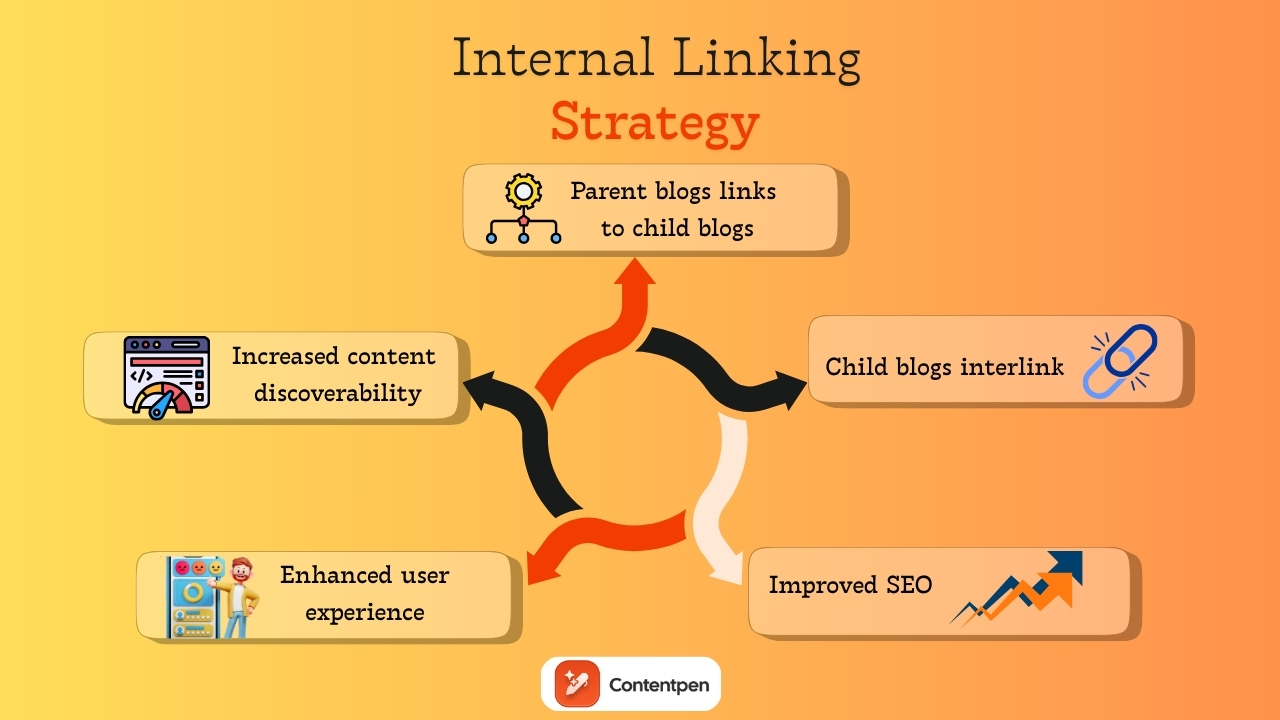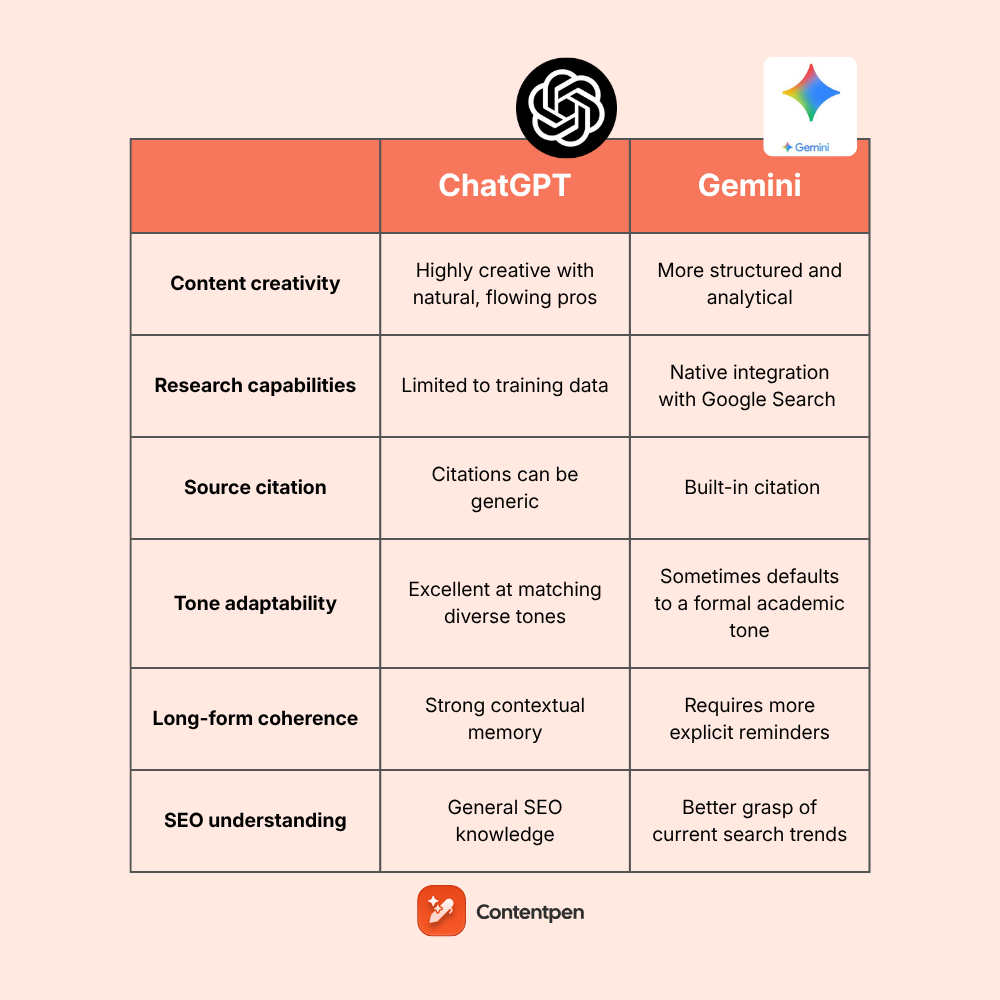
Effective internal and external linking is essential for SEO, guiding users through your website and building content authority.
Proper links help search engines understand your site structure and direct readers to related content. While manual linking works for smaller sites, it becomes time-consuming and error-prone as your content grows.
Automation streamlines this process by scanning your site and inserting valuable links without manual effort, saving time and ensuring consistency.
Wondering how much time manual linking costs you?
By the end of this guide, you’ll see how Contentpen makes internal and external linking simple and scalable, whether you’re a small business owner, content manager, or SEO specialist.
So, let’s get started.
Why automate internal and external linking?
Manual link management quickly becomes overwhelming as your content volume increases. When you handle links on a case-by-case basis, inconsistencies inevitably emerge, with some pages receiving too many links while others remain underlinked or completely disconnected.
This uneven approach not only wastes precious time but also creates an imbalanced site structure that confuses both users and search engines.
Manual linking creates several challenges as your content grows:
Time-consuming process that diverts resources from content creation.
Inconsistent implementation leading to an unbalanced site structure.
Difficulty in maintaining links as content volume increases.
Higher risk of missing linking opportunities.
Challenges in identifying the most valuable linking connections.
Automated linking eliminates these challenges by systematically scanning your entire website for linking opportunities and inserting links based on predefined rules and contextual relevance.
Take a look at the table below, where all of this information is summarized, telling you why exactly it is a good idea to automate internal and external linking with Contentpen.
Manual linking
Automated linking with Contentpen
A slow process that needs constant attention.
Saves hours of work through intelligent automation
Inconsistent implementation across content
Ensures a uniform linking strategy site-wide
Links are often added based on convenience rather than strategy
Strategic link placement based on relevance and SEO value
Difficult to scale as the content library grows
Effortlessly scales with expanding content libraries
Prone to human error and oversight
Systematically identifies all potential linking opportunities
Requires ongoing manual review to maintain
Self-maintains with minimal oversight required
The benefits extend beyond mere time savings. Automated linking creates a balanced link profile that clearly signals site relevance and authority to search engines, driving improved search visibility and organic traffic.
Linking automation also prevents broken links, orphaned pages, and thin content areas while strengthening your overall site architecture.
Getting started: Automating linking with Contentpen
Automating linking with Contentpen is simple and integrates easily into your content workflow:
Start by logging in to your Contentpen account. From the dashboard, you’ll see a menu on the left. From there, go to Knowledge -> Website.
Here, you’ll spot the “Find Sitemap” and “Add sitemap” options. Click on ‘Find Sitemap’ for now and proceed with the next steps.
Step 01: Find your sitemap
If you don’t know your sitemap, Contentpen will help you find it using its built-in system. Simply add your domain and click on the ‘Find My Sitemap’ button to proceed.
Step 02: Add your sitemap
Once our SEO platform detects your sitemap, it will display it in the following manner:
Click on the ‘Add’ button to include your sitemap(s), which will make Contentpen ready to automate internal and external linking for your content.
Step 03: Filter internal links (optional)
After adding your sitemap, use Contentpen’s filtering options to exclude specific internal links you don’t want inserted. This helps you maintain control over your link strategy by avoiding redundant or low-priority pages, such as ‘Thank you’, ‘checkout screens’, or others.
Once you are done with adding a filtering or exclusion pattern, keep the ‘Automatically crawl and add links to knowledge base’ slider on and hit the ‘Save Sitemap’ button to proceed.
Step 04: Manage your sitemaps
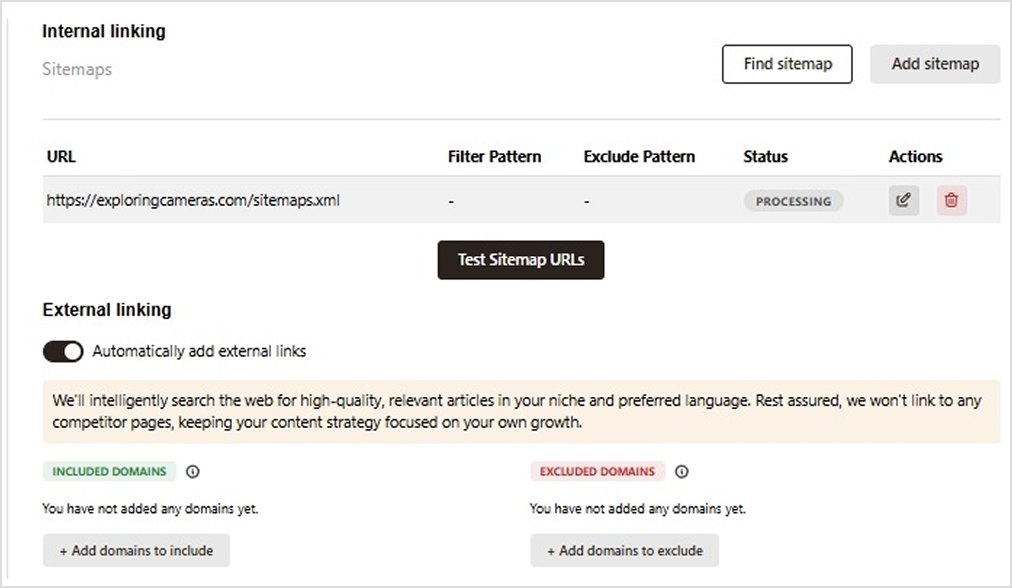
After a bit of processing, your sitemap(s) will appear with a status indicator as shown below.
Now you can test your sitemap URLs to check if all the internal pages are getting accessed properly.
You can also edit/remove page entries as needed from the ‘Sitemap Test Results’ screen to ensure smooth internal linking in content.
Step 05: Enable external linking
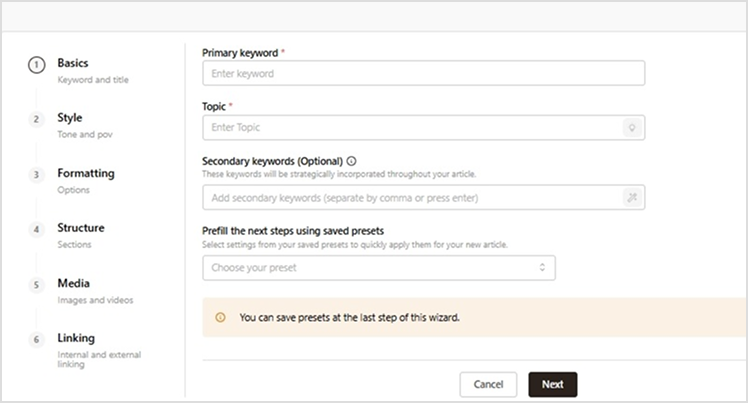
After you’re done setting up internal linking, go to ‘Create Article – > Content Template ->Linking’ settings. Turn on the external linking slider if you want Contentpen to automatically insert relevant external links.
The tool will automatically find and place high-quality external sources in your content based on your niche and language preferences.
Pro tip: Specify which domains you want to include or exclude from external links. This keeps your content free from competitor links and ensures only trusted sources are used, such as .edu domains or high-authority sites in your industry.
Step 06: Test your links
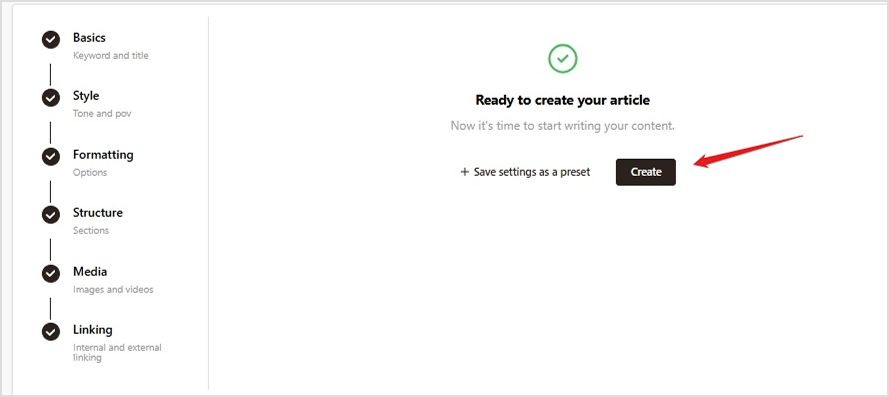
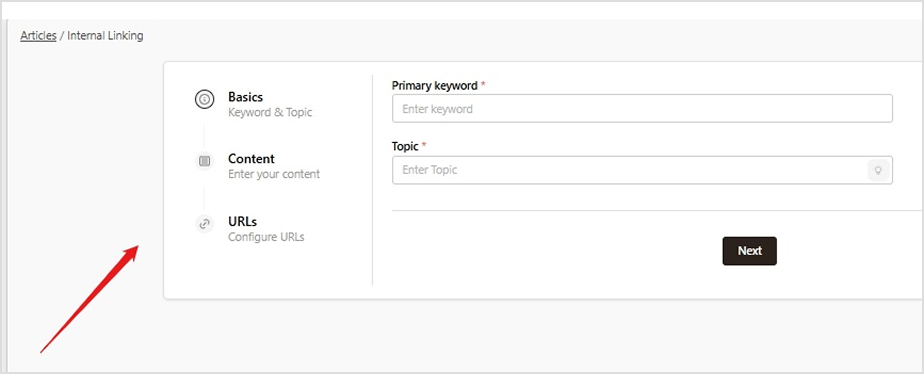
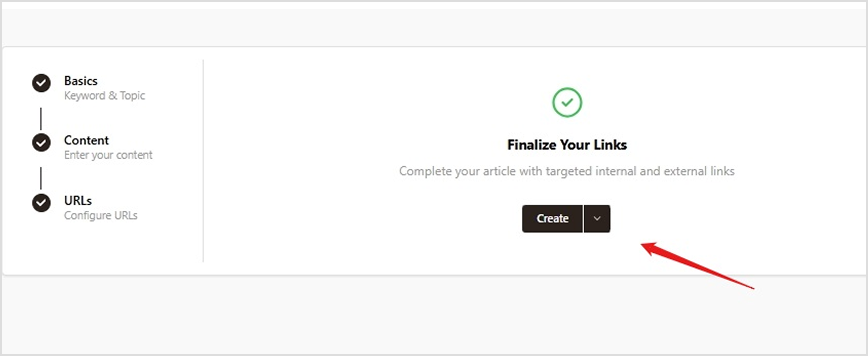
Click ‘Next’ to move forward and create an article in Contentpen.
Automating internal and external linking is no longer a luxury; it’s a necessity. As content grows, manual linking becomes unmanageable and inconsistent.
Contentpen solves this with intelligent automation, offering sitemap integration, contextual link suggestions, and customizable presets to keep your site structure strategic and user-friendly.
With Contentpen by your side, you can rank on Google, as you get better crawlability, improved authority flow, and smoother user journeys, without the manual effort. It lets you focus on creating valuable content while ensuring every page is meaningfully connected.
Frequently asked questions
Does automated linking work for websites with multiple languages?
Yes. Contentpen automates internal and external links for non-English websites. It supports 50+ languages, so you’ll never have to face any trouble with automatic linking.
How many internal links does Contentpen insert per article?
There’s no limit to how many internal links Contentpen inserts in an article. It places links based only on the context of the content.
Can I prioritize certain pages to receive more internal links?
Yes. The tool provides a ‘Custom Instructions’ setting while creating or refreshing a piece of content. Here, you can write directly to the AI to prioritize more internal links for a cornerstone content or a pillar page.
Will automated linking hurt my content’s readability?
No. Contentpen is designed to preserve the natural reading flow. It places links contextually and intelligently on anchor texts, ensuring that the reader experience remains seamless and engaging.
Can I automate linking for content I publish outside of Contentpen?
Yes. Our tool provides the option for you to refresh your existing content by using the‘add internal and external links’ template.
In 2026, creating content at scale is no longer optional; it’s a necessity. AI writing tools have become essential for businesses looking to produce more content quickly without compromising on quality.
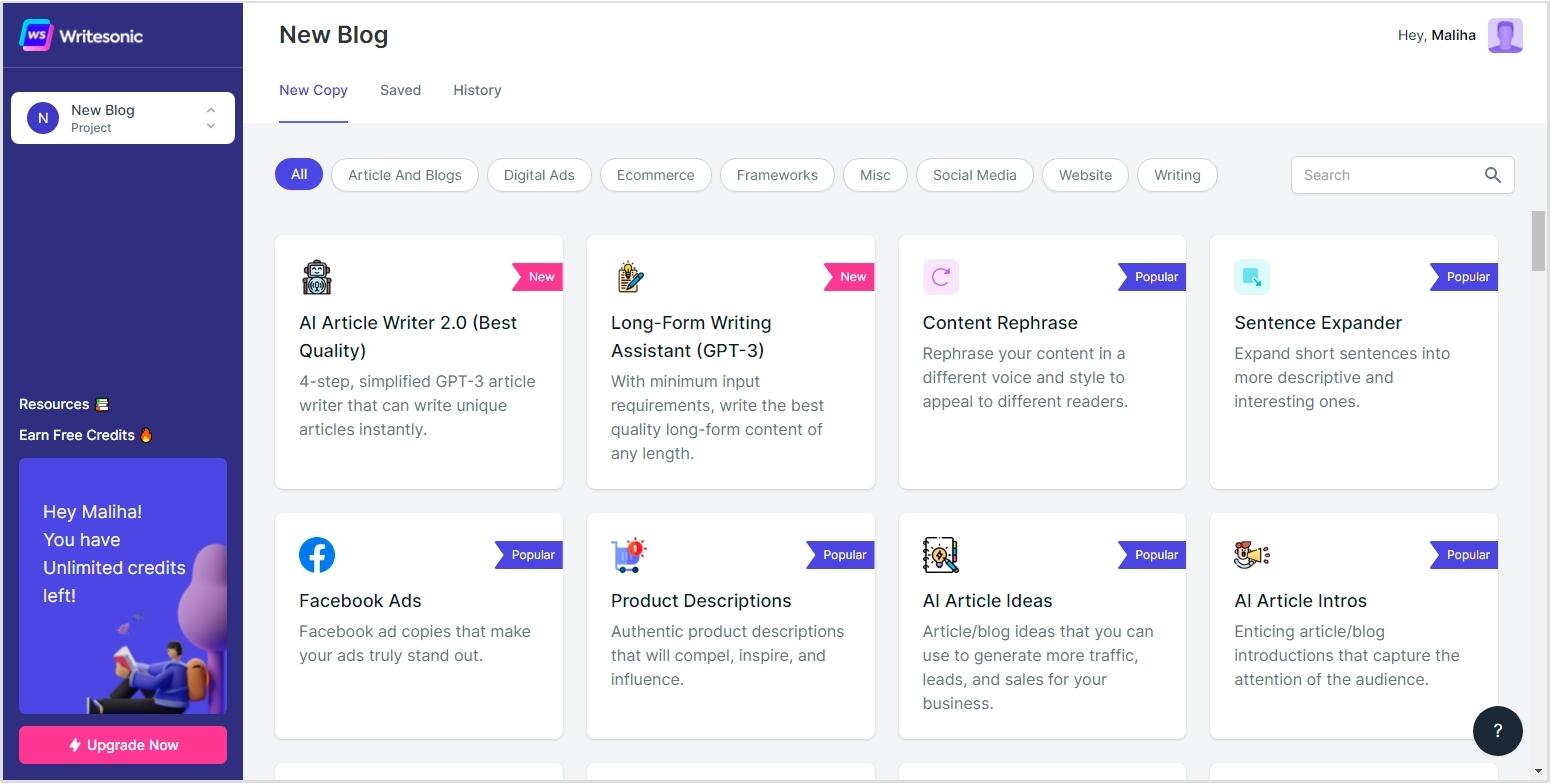
While Writesonic is a popular choice, it’s not perfect. Its credit-based pricing can get expensive as needs grow, and some users report inconsistent quality with long-form content. Others feel its SEO tools fall short in ranking performance.
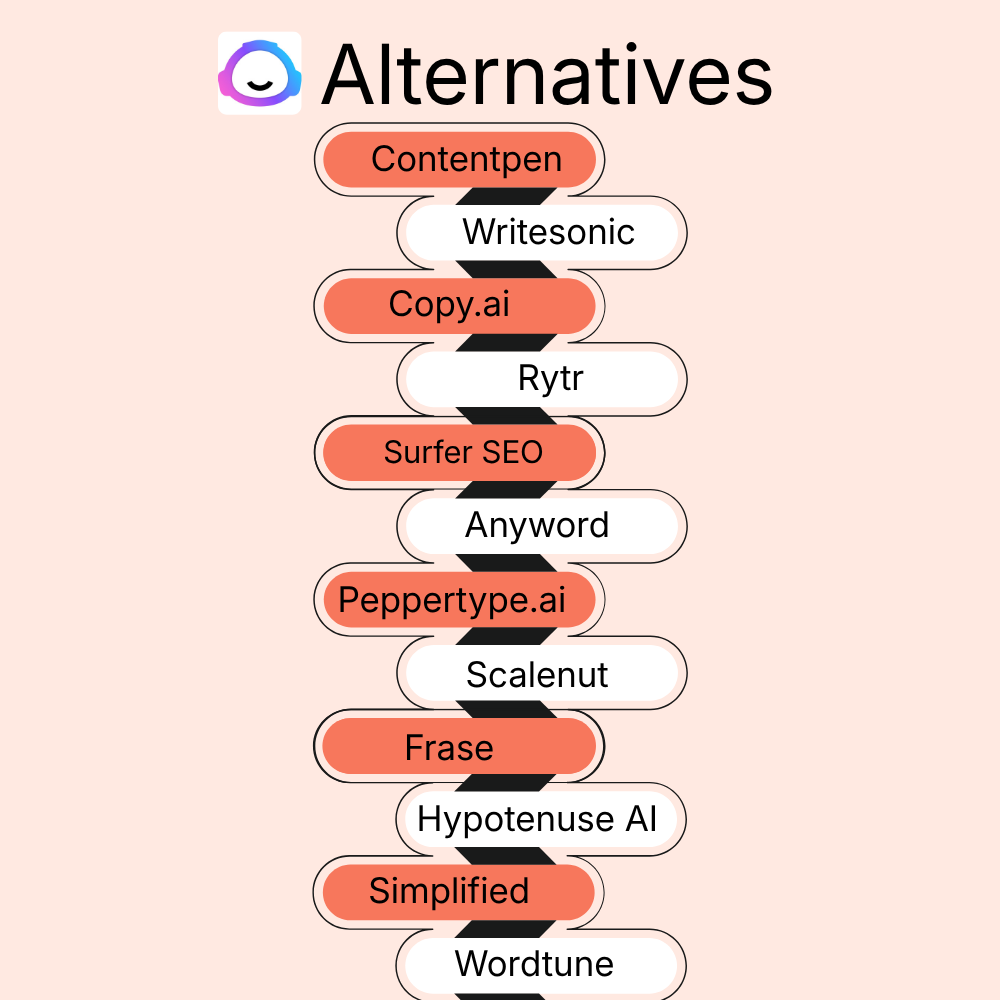
Fortunately, we have many more tools available today that can serve as the best Writesonic alternatives in 2026. In this guide, we’ll explore these options by comparing features, pricing, and use cases to help you find the right fit for your content goals.
The biggest problem with Writesonic right now is that it has started offering all the features in one place. It has an AI optimization engine, SEO audits, an AI article writer, and AI search visibility tracking.
The problem is the specialization. Each aspect of SEO and GEO-optimized content is covered, but users feel that neither completely fulfils its purpose. This is why they consider Writesonic alternatives.
Other problems include cost, inconsistent quality, limited SEO, and collaboration features.
1. Cost scalability concerns
Writesonic’s credit-based pricing model can be very confusing for businesses. Also, as content requirements scale up, costs can increase dramatically, often exceeding initial budget projections.
The platform’s premium pricing for higher-quality outputs also forces uncomfortable tradeoffs between content quality and budget constraints. In such cases, the Writesonic free version is of no use.
2. Inconsistent content quality
The most frequently cited reason for seeking Writesonic alternatives is inconsistent output quality, particularly for longer-form content.
Users report that while the Writesonic article writer can produce acceptable short-form content, quality degrades noticeably as word count increases.
3. Limited advanced SEO capabilities
As search algorithms have grown more sophisticated in 2026, Writesonic’s relatively basic SEO features have fallen behind industry leaders. The platform lacks advanced capabilities for:
Even though Writesonic offers generative engine optimization (GEO), free users can’t access these features, at least not until they sign up to the platform.
4. Workflow and collaboration friction
Modern content production typically involves multiple collaborators, which WriteSonic lacks compared to its alternatives.
Teams report challenges with managing approval workflows, tracking content revisions, feedback implementation, and integrating with other tools.
11 alternatives to Writesonic that are worth considering in 2026
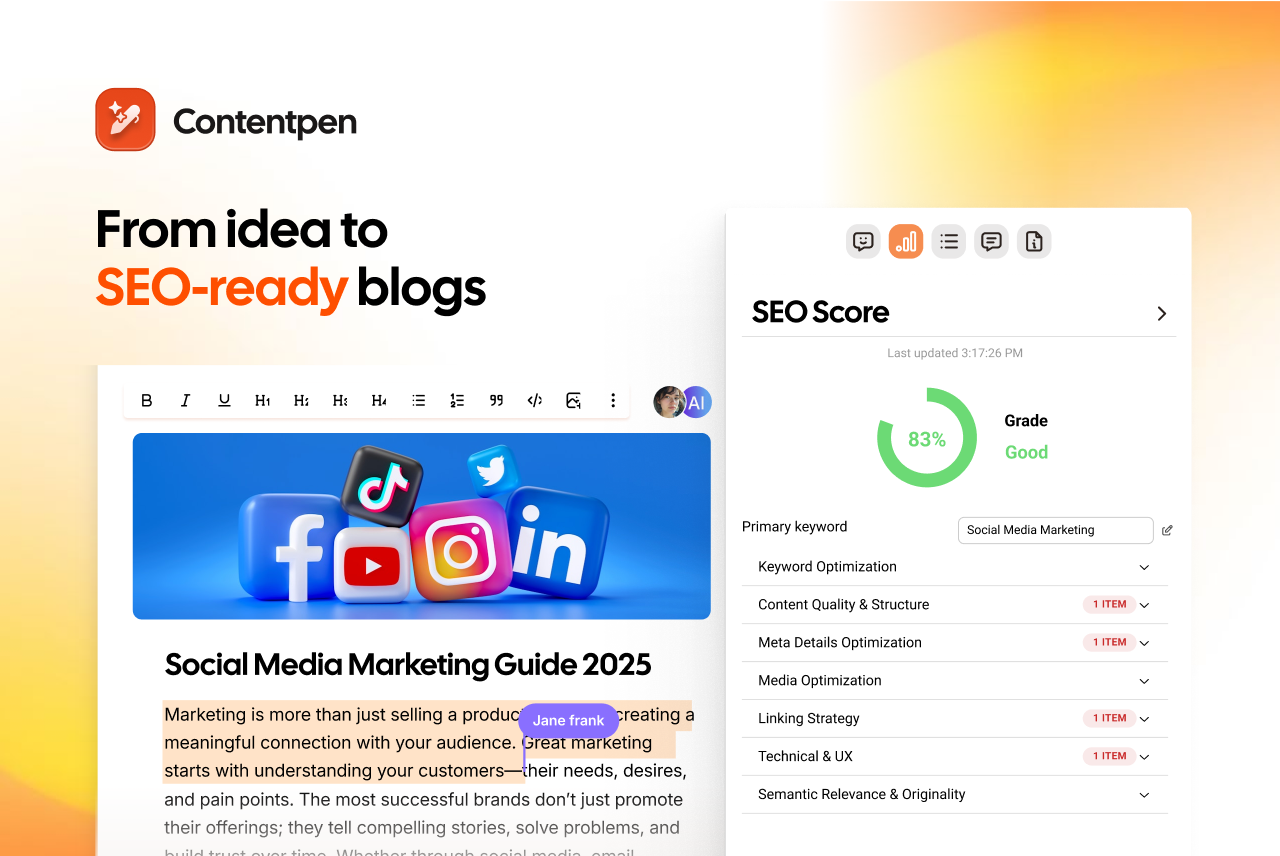
1. Contentpen
Best for: SEO and GEO-optimized blogs with AI-powered insights for better ranking opportunities.
Contentpen is a strong alternative to Writesonic in creating high-quality, SEO-optimized blog content that drives measurable traffic and conversions.
Unlike general-purpose AI writing tools, Contentpen was built from the ground up to focus on creating blog posts that rank in SERPs and AI Overviews.
Pros:
Advanced SEO optimization: Contentpen aligns your content with search intent and conducts in-depth competitor analysis. It identifies content gaps and optimizes meta details, heading structure, and other on-page SEO elements for higher rankings.
Intelligent linking: Unlike WriteSonic, Contentpen uses your sitemap for strategic internal linking based on semantic relevance, not just keywords. It maintains optimal link density and ensures natural use of anchor text.
Automatic image generation: Contentpen generates contextually relevant, high-quality images for specific content sections. Contentpen’s in-article and feature images also come with suitable alt texts, helping you with image optimization as well.
Cons:
Limited trial period: The tool offers only a 7-day trial, which may be too short for many users to evaluate the AI blog writer’s performance.
Learning curve: If you are new to content writing and creation, you may take a while to get used to the requirements to publish a rank-ready piece.
Best for: Brand-led campaigns that require detailed tone and voice customization.
When we compare Jasper AI vs Writesonic in day-to-day production workflows, the biggest difference comes down to campaign depth vs article automation.
Writesonic is faster when generating standalone blog drafts. Jasper, on the other hand, is built to orchestrate entire marketing ecosystems: ads, landing pages, emails, and long-form assets under one brand voice.
Pros:
Smarter brand voice training: Jasper has a stronger brand voice system that helps users keep their tone consistent across content using their custom brand knowledge.
Unlimited generation on higher tiers: Writesonic’s credit model creates scaling anxiety for businesses. Jasper’s unlimited words model on paid tiers makes cost forecasting far more predictable as content production increases.
Deeper template infrastructure: Jasper and Writesonic both offer a similar number of standard templates (50+). However, Jasper’s template output is much richer than Writesonic.
Cons:
Requires structured prompting: The prompting part is extensive with Jasper, especially when producing long-form articles, blog posts, or case studies.
Too expensive for SMBs: Jasper is not for startups and small businesses because it falls into the premium tier.
Pricing:
Pricing starts at $59/seat/month (billed annually).
3. Copy.ai
Best for: Sales and outbound copy generation.
Copy.ai excels at creating conversion-oriented content, with particular strength in sales copy, email sequences, and marketing materials that drive audience action.
Pros:
Faster ideation cycle: When testing multiple ad angles, Copy.ai produces usable variations quicker than Writesonic.
Stronger persuasive writing: In our testing, we found that Copy.ai’s writing feels far more persuasive, lively, and natural than Writesonic’s. Cold outreach, sales emails, ad hooks, and product messaging feel sharper and more conversion-aware.
Cons:
Limited SERP optimization: Copy.ai falls short in SEO capabilities compared to Contentpen and other tools on the list.
Less suited to organic traffic strategies: The tool performs better in paid acquisition workflows than inSEO ecosystems.
Pricing:
Price is $24/month (billed annually).
4. Rytr
Best for: Budget AI writing.
The Writesonic vs Rytr comparison comes up often, especially among users searching for Rytr writing tools or budget AI writers. Rytr offers accessible AI writing capabilities at an affordable price, making it particularly attractive to budget-conscious users and small businesses.
However, from our testing, the tradeoff is clear: cost vs depth. Writesonic delivers a stronger long-form structure, while Rytr wins on affordability and simplicity.
Pros:
Faster short-form drafting: Rytr generates captions, emails, and blog drafts more quickly than Writesonic and with less prompting and effort.
Simpler UI: The tool offers a simpler UI, making onboarding easier than Writesonic’s detailed feature suite.
Support for 30+ languages: Rytr supports more languages than Writesonic, enabling users from different regions to create their content with ease.
Cons:
Thinner long-form content: Longer content, such as articles, blogs, and guest posts, can appear to lack value. The same argument can be reworded to lengths, and no deep competitor analysis causes content to lose SERP value.
Abrupt structural endings: Sometimes articles are cut mid-thought, requiring manual editing to complete.
Pricing:
Pricing starts at $7.50/month (billed annually).
5. Surfer SEO
Best for: SEO content optimization for better ranking and visibility.
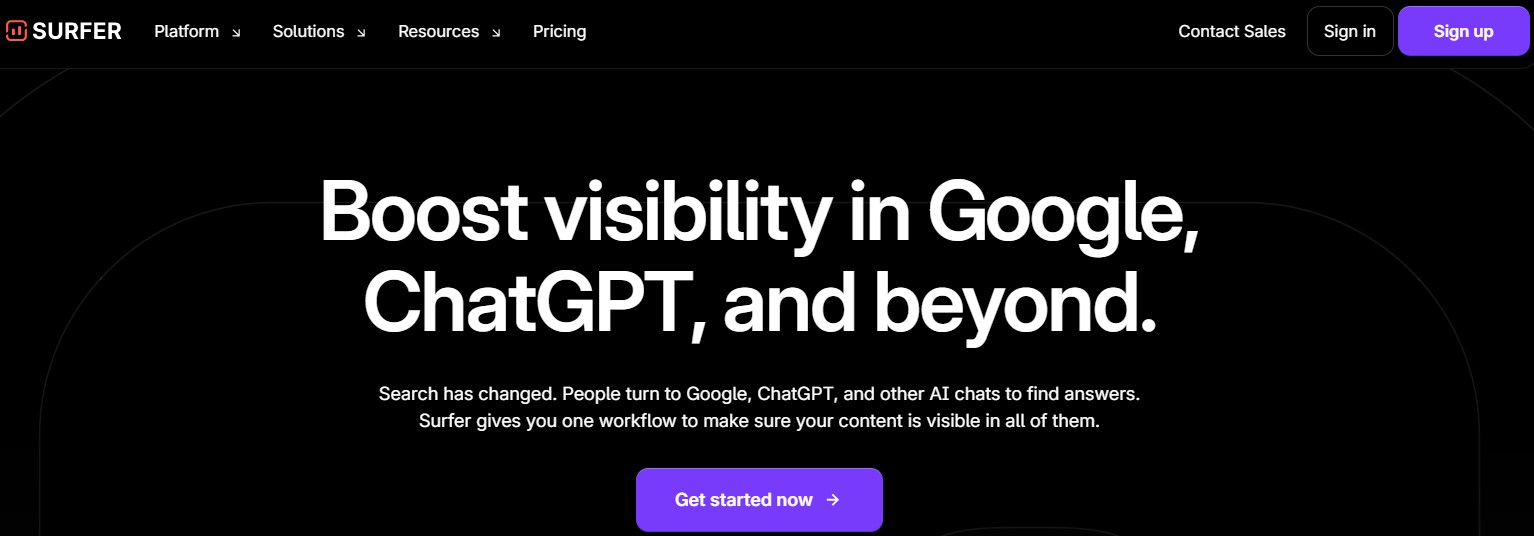
Surfer SEO is primarily an SEO-content optimizer first and an AI writer second. However, we’ve found it to be a good alternative to Writesonic, especially for bloggers who prefer improved CTR and conversion rates over other KPIs.
Pros:
Strong NLP keyword mapping: The tool suggests semantically relevant keywords that Google is likely to rank for a particular query. Though WriteSonic does support AI search optimization, the keywords it provides aren’t as well-suited as those from Surfer SEO.
SEO audit feature: Surfer audits your underperforming posts in detail and surfaces important actions to address.
Built-in content scoring: Similar to Contentpen, Surfer SEO also provides built-in content scoring that forecasts your performance for AI overviews and SERPs.
Cons:
Needs pairing with other tools: Surfer SEO may enhance your wording to improve search engine performance through rewriting or other methods. However, it is not an independent writing tool.
Data overload: Beginners may find it difficult to navigate the interface because there are many SEO metrics displayed at once.
Pricing:
Pricing starts at $99/month (billed annually).
6. Frase.io
Best for: Generating comprehensive SEO content briefs.
Frase is a powerful Writesonic alternative in all the ways imaginable. Just like Writesonic, Frase also conducts keyword research, tracks AI visibility, writes, and optimizes content in one window.
What sets Frase.io apart from Writesonic is its ability to write naturally smooth, readable content while providing comprehensive SERP analysis.
Pros:
Question mining: Frase.io extracts questions from the People Also Ask (PAA) sections for a particular query and incorporates them into your content. Although Writesonic can generate FAQs, they’re not as comprehensive or as rank-worthy as Frase.
SEO content briefs: The tool provides in-depth SEO briefs for bloggers, content marketers, and freelancers, allowing them to see all SERP gaps quickly and effectively.
Answer engine and intent alignment: Frase specifically structures content for answer engines, such as AI Overviews. It also creates blog posts and articles based on the search intent.
Cons:
Random system crashes: The website and competitor analyzer can sometimes crash unexpectedly, which can be frustrating when dealing with tight deadlines and jammed content pipelines.
Interface takes time to learn: Frase.io requires time to master all its features and options, with some trial and error to create compelling content.
Best for: Combining multiple AI creation workflows in one place.
When we evaluate Simplified vs Writesonic, the difference becomes clear almost immediately. Writesonic is built primarily for content generation and SEO workflows, while Simplified positions itself as an all-in-one marketing creation suite.
Simplified offers a comprehensive creative ecosystem that extends beyond AI writing to include design, video, and social media management tools in a unified interface.
Pros:
Stronger social media workflow: Simplified includes post schedulers, caption generators, hashtag suggestions, and platform formatting. Writesonic can generate captions, but Simplified helps you actually package and publish campaigns end-to-end.
Built-in collaboration for creatives: With Simplified, you can assign designs, review visuals, and approve copy within shared workspaces, something Writesonic’s editorial collaboration layer doesn’t fully cover.
AI asset creation: The tool covers a wide range of AI asset creation, including images and videos for reels, ad campaigns, and YouTube content. This becomes a major production advantage over writing-only tools like Writesonic.
Cons:
Weaker long-form writing: Since Simplified is not a dedicated AI writer, it struggles to produce long-form content in terms of accuracy, coherence, and comprehensiveness.
Limited SERP and SEO optimization: Simplified can improve readability for better SEO performance, but that’s about it. It does not have extended SERP, SEO, or GEO features like other tools on the list.
Pricing:
Pricing starts at $19/month (billed annually).
8. Wordtune
Best for: Rewriting and editing content for maximum readability and clarity.
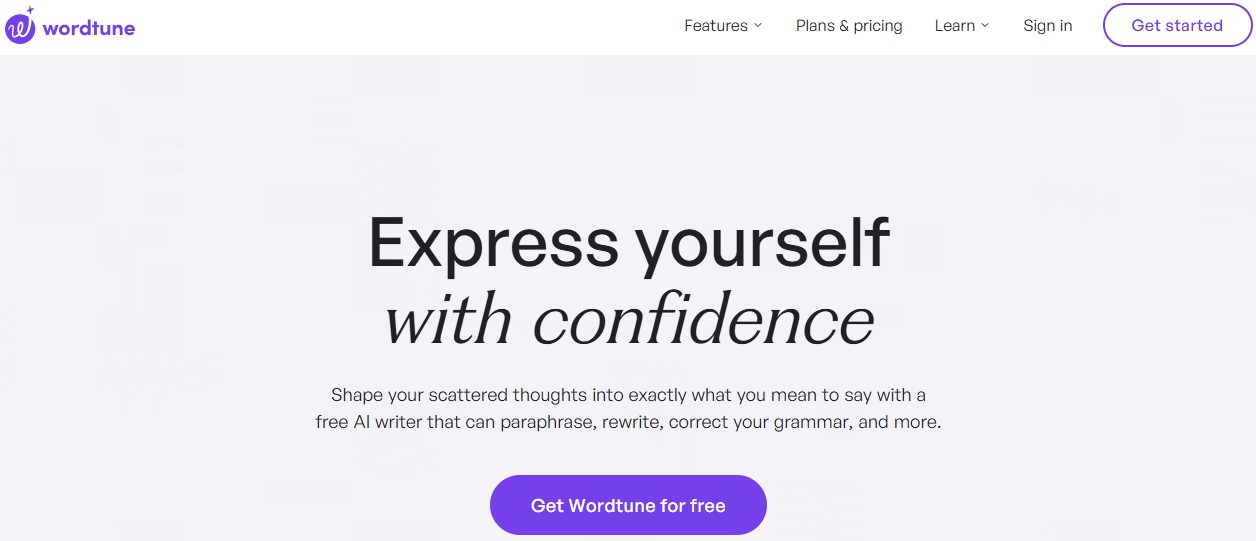
Wordtune takes a different approach by focusing primarily on improving and rewriting existing content rather than generating it from scratch, making it an excellent companion to other writing tools.
Pros:
Powerful tonal consistency: Whether you’re continuing an existing thought or rewriting a complete paragraph, Wordtune ensures that the selected tone remains consistent.
Strong grammar + fluency suggestions: Wordtune provides very reasonable grammar and fluency suggestions without over-optimizing the content. This makes your posts rank-worthy with minimal manual effort.
Diverse integration: You can use Wordtune inside Google Docs, Gmail, and browsers using extensions. On the other hand, Writesonic’s integrations are quite limited, which diminishes any productivity gains.
Cons:
Requires prompting for long-form content: You need to consistently provide prompts to Wordtune to generate pillar content or cornerstone blog posts. This makes it not so suitable for longer blog posts, articles, or case studies.
No SEO optimization: Wordtune does not provide any SEO optimization features, so you’ll have to pair it with other SEO tools to extract the best results.
Pricing:
Pricing starts at $9.99/month (billed annually).
9. Scalenut
Best for: Creating long-form SEO content.
Scalenut competes more directly with Writesonic’s long-form and SEO optimization stack. It combines AI writing, SERP analysis, and content optimization, making it closer to Surfer + AI writer hybrids.
Pros:
Cruise Mode for long-form SEO articles: Cruise Mode is a smart addition from Scalenut, helping users write human-first, AI-cited content for better growth.
Topical clustering: Scalenut’s topical clustering is more comprehensive than Writesonic, especially for keywords with informational and commercial intent.
Detailed backlink insights: This WriteSonic alternative offers backlink data, keyword planning, and social listening capabilities, making it a unique addition to our list.
Complex UI: The user interface is another challenge with Scalenut, especially for marketing beginners who are new to content creation.
Pricing:
Pricing starts at $30/month (billed annually).
10. Anyword
Best for: Monitoring paid ad performance and optimizing messaging.
Anyword differentiates itself with predictive performance scoring that forecasts content effectiveness before publication, helping marketers optimize messaging for maximum impact.
Pros:
Ad copy optimization across paid channels: Writesonic leans toward blog posts and organic acquisition, while Anyword excels in paid ecosystems. Anyword provides stronger outputs for Meta ads, Google Ads, and display campaigns.
Audience persona targeting: Anyword tailors messaging to specific audience segments, which makes it easier to produce funnel-specific copy. In comparison, Writesonic’s audience targeting feels broader and less effective for niche markets.
Enterprise-grade campaign testing workflows: Anyword allows users to generate multiple ad variations and prioritize them based on predicted ROI. This reduces the time and resources wasted during A/B testing.
Cons:
Expensive compared to other AI writers: Anyword falls into the premium pricing bracket. For businesses evaluating cost vs scale, Writesonic’s pricing model is more accessible.
Not designed for organic traffic flows: There’s minimal keyword clustering, competitor benchmarking, or search intent mapping. This makes Anyword less suitable for organic traffic optimization or detailed ranking strategies.
Pricing:
Pricing starts at $39/month (billed annually).
11. Article Forge
Best for: Content automation with minimal human input.
Article Forge takes content automation to the extreme by generating complete articles from minimal input, making it the fastest but least customizable option among Writesonic alternatives.
Pros:
Built-in LSI keyword integration: The platform automatically includes semantically related terms, helping articles appear more contextually relevant without manual keyword mapping.
Useful for low-competition content scaling: Article Forge’s main benefit is its content creation speed. It is ideal for filler blog posts and similar content that don’t require much depth.
Minimal input requirement: Unlike Writesonic, which often benefits from structured prompts, outlines, or optimization settings, Article Forge requires very little human input, making it an ideal content-automation companion.
Cons:
Weak brand voice control: There’s limited ability to train tone, messaging, or stylistic consistency, making it harder for brands to maintain identity across content channels.
Minimal SEO optimization: Article Forge does not provide any in-depth competitor analysis, search intent mapping, or content scoring features, which costs it a point against Writesonic.
Pricing:
Pricing starts at $27/month/user (billed annually).
Ready to transform your content strategy?
After conducting a comprehensive analysis of the top Writesonic alternatives available in 2026, Contentpen clearly emerges as the superior choice for businesses serious about creating high-quality, SEO-optimized blog content.
While each alternative offers distinctive strengths, Contentpen’s specialized focus on AI content creation, combined with its advanced SEO capabilities and innovative SEO analytics approach, makes it the ideal solution.
Companies looking to drive sustainable traffic and conversions through content marketing should consider Contentpen as their daily driver.
Frequently asked questions
Why should I choose a Writesonic alternative in 2026?
While Writesonic remains a popular AI writing tool, users have expressed concerns about its credit-based pricing model, inconsistent quality of long-form content, limited advanced SEO features, and collaboration tools.
Are there any Writesonic alternatives that handle long-form content creation?
Yes. Tools like Contentpen are made for long-form blog posts to boost AI discoverability and SERP results. It handles the entire production workflow, from ideation and keyword selection to content generation and publishing, all in a single window.
How do Writesonic alternatives handle SEO and AEO?
It varies. Some tools, such as Jasper, integrate with other SEO platforms, while others, like Contentpen, conduct keyword research and clustering, competitor research, and have built-in SEO scoring. Frase is another Writesonic competitor that structures content for answer engines.
Why Contentpen stands out amongst other Writesonic alternatives?
Contentpen is the best Writesonic alternative because it offers advanced SEO optimization, brand voice consistency, intelligent linking, and streamlined approval workflows without switching a single tool. This makes it effective for SEO and GEO-optimized content at scale.
Looking for strong Surfer SEO alternatives? Tired of all the old ways of trying to get the content ranked? Don’t worry, we’ve got you covered.
Although Surfer SEO has dominated content optimization, its high price point and feature limitations have many marketers seeking alternatives.
These 12 powerful tools offer similar or superior capabilities at often more affordable prices, with some unique features that Surfer doesn’t offer.
If you’re looking for powerful AI-driven content creation software, SEO analytics, better workflow integration, or specialized optimization capabilities, then this post is for you.
So, let’s get started.
Why do people look for a Surfer SEO alternative?
Surfer SEO remains popular for its data-driven content optimization, but users consistently report four key pain points:
#1: Hidden costs beyond subscriptions
The challenge with Surfer isn’t just the base subscription ($99-$299 monthly); it’s the accumulation of additional costs that impact budgets. The pricing structure includes:
Extra charges when exceeding the monthly content credit limits
Premium fees for AI-written articles ($9 per article on top of subscription).
Additional costs for using advanced features like SERP Analyzer
You should also note that there is no Surfer SEO lifetime deal available. So, the prices can scale quickly for large businesses, especially those that require bulk content.
#2: Data complexity
Surfer’s dashboard presents users with an overwhelming array of data points. These include NLP scores, content scores, keyword density graphs, SERP feature analysis, and dozens of other metrics. Such UI complexity creates several workflow obstacles:
Writers face significant learning curves before effectively using the platform
Content creation slows as teams navigate complex optimization recommendations
Organizations often need dedicated specialists to interpret Surfer’s data effectively
#3: The content quality concern
Following Surfer’s recommendations often leads to content prioritizing optimization metrics over reader experience. It creates several issues:
Content can become awkwardly structured to accommodate keyword placement requirements
Similar content patterns emerge across different topics due to formulaic optimization approaches
Over-optimization sometimes triggers search engine quality filters, counteracting ranking efforts
User engagement metrics may suffer despite improved technical optimization scores
#4: Limited AI integration
While Surfer eventually added AI writing capabilities, they present significant limitations compared to dedicated alternatives:
AI features exist as expensive add-ons rather than integrated core functionality
The writing workflow feels disconnected from the optimization process
Output quality typically requires substantial editing for brand voice alignment and factual accuracy
The AI capabilities haven’t evolved as rapidly as specialized content creation platforms
Comparing the best Surfer alternatives at a glance
Tool
Starting Price
AI Writing Strength
SEO Optimization Depth
Best For
G2 Rating
Contentpen
$27/mo
⭐⭐⭐⭐⭐
⭐⭐⭐⭐
SEO and GEO-optimized blog generation and publication
4.9/5
Frase
$39/mo
⭐⭐⭐⭐
⭐⭐⭐⭐
Content briefs + AI optimization
4.8/5
Clearscope
$129/mo
⭐⭐
⭐⭐⭐⭐⭐
Enterprise content teams
4.9/5
MarketMuse
Custom
⭐⭐⭐
⭐⭐⭐⭐⭐
Topical authority strategy
4.6/5
Jasper
$59/seat/mo
⭐⭐⭐⭐⭐
⭐⭐
AI-first marketing teams
4.7/5
Content Harmony
$42/mo
⭐
⭐⭐⭐⭐ (Research-first)
Agencies & strategists
4.8/5
Scalenut
$30/mo
⭐⭐⭐⭐
⭐⭐⭐⭐
Budget SEO teams
4.7/5
SE Ranking
$65/mo
⭐⭐⭐⭐
⭐⭐⭐⭐
All-in-one SEO users
4.8/5
Dashword
$99/mo
⭐⭐
⭐⭐⭐⭐
Readability-focused teams
4.5/5
NeuronWriter
$19/mo
⭐⭐⭐
⭐⭐⭐⭐
Multilingual SEO
4.4/5
Semrush
$129/mo
⭐⭐⭐
⭐⭐⭐⭐
Full-scale SEO strategy
4.5/5
WriterZen
$75/mo
⭐⭐⭐
⭐⭐⭐⭐
Keyword research + planning
4.7/5
Surfer SEO sits primarily in the “NLP optimization-first” category. The tools above either improve on Surfer’s AI capabilities, expand into full SEO suites, reduce pricing barriers, or shift the workflow toward research-first or strategy-driven content production.
1. Contentpen
Contentpen delivers fully optimized articles without the typical AI hallmarks. Contentpen stands apart from Surfer SEO by generating entire blog posts using specialized AI agents rather than just optimizing existing content.
Contentpen offers three pricing tiers: Starter ($27/month for 10 articles), Premium ($55/month for 30 articles), and Agency ($139/month for 100 articles), billed annually.
Frase delivers Surfer SEO’s optimization power with superior AI writing capabilities at less than half the price. This platform excels at content research, optimization, and AI-assisted writing, offering the closest feature set to Surfer SEO.
Key advantages over Surfer SEO
Significantly more affordable ($39/month vs. Surfer’s $99/month entry price)
Superior content brief creation capabilities with more detailed insights
More generous allowance of content reports per month
Better AI writing assistant with contextual understanding
More robust question research features (SERP, People Also Ask, Quora, Reddit)
Content creation capabilities
A powerful AI-powered writing assistant
40+ AI copywriting templates for various content types
Content brief generator with headings and FAQ suggestions
Clearscope provides a clean interface and a powerful content grading system, making it a preferred tool for large content teams needing precision and ease of use.
Despite its high price point, it delivers some interesting features over Surfer SEO, making it a powerful Surfer SEO alternative.
Key advantages over Surfer SEO
More accurate NLP analysis powered by IBM Watson
Cleaner, more intuitive user interface
Superior content grading system (letter grades A+ to F)
More reliable correlation between content score and rankings
Better integration with enterprise content workflows
Content creation capabilities
Content grading system that correlates strongly with ranking potential
Relevant terms suggestions with importance ratings
Competitor content structure analysis
Readability scoring and optimization
Comprehensive keyword data integration
Content history tracking for performance optimization
Limitations
Significantly higher price point than most Surfer SEO alternatives
A limited number of content reports per plan
Less comprehensive AI writing capabilities than some Surfer SEO competitors
A steeper learning curve for maximizing content scores
It may be overkill for smaller businesses or individual content creators
Pricing structure
Clearscope’s essentials plan starts at $129 per month and includes limited reports. Business plan is $399/month, and a custom enterprise plan is also available.
4. MarketMuse
MarketMuse is an AI-powered content intelligence platform that builds actual topical authority through comprehensive research.
Unlike Surfer’s focus on individual content optimization, MarketMuse excels at building expansive topic research and clustering capabilities.
Key advantages over Surfer SEO
Superior topic cluster analysis for building site-wide authority
More comprehensive content inventory and auditing
Better identification of content gaps and opportunities
More sophisticated competitor analysis
Focus on topical authority rather than just keyword optimization
Content creation capabilities
AI-generated content briefs with comprehensive topic coverage
Content scoring based on the depth and breadth of keywords
Content inventory and auditing
AI-powered topic suggestions and content plan generation
Limitations
Very high price point compared to most alternatives
Overwhelming interface for beginners
Complex data may require SEO expertise to interpret effectively
Overkill for businesses focusing on individual content pieces rather than a comprehensive strategy
Pricing structure
MarketMuse offers four pricing tiers: Free, Optimize, Research, and Strategy, with custom pricing.
5. Jasper AI
Jasper is a powerful AI-powered content creation platform that generates blog posts, product descriptions, full-length articles, and more, thanks to its extensive template library.
While Surfer SEO focuses heavily on optimization metrics, Jasper is built primarily for content generation at scale with customized brand voice and tone settings.
Key advantages over Surfer SEO
Significantly stronger AI writing capabilities
Advanced brand voice training and memory features
More stable and coherent long-form content generation
Far better integration options with other SEO, CMS, productivity, and automation platforms
Wider language support for all types of content creation tools
Content creation capabilities
AI chat workflows for rewriting, expansion, and ideation
Marketing and conversion-focused content templates
Multi-channel content repurposing to populate several marketing channels at once
Smarter AI understands input text well to create, edit, or optimize existing content
Limitations
No native SERP-based NLP optimization engine
Needs heavy human editing on occasion to ensure accuracy in content
Can become costly at scale
Pricing structure
Jasper.AI pricing starts at $59/seat/month for the Pro plan (billed annually). It also offers a Business plan with custom pricing.
Content Harmony competes with Surfer SEO from a strategy-first perspective. Rather than optimizing content after writing, Content Harmony focuses on building comprehensive research-driven content briefs before drafting begins.
The tool serves as a powerful alternative to Surfer SEO for agencies and SEO strategists who prioritize structure, intent alignment, and SERP research in their daily workflow.
Key advantages over Surfer SEO
Deep SERP intent analysis
Question extraction from search results (People Also Ask)
Competitor topic mapping and gap identification
Faster research workflows for agencies
Content creation capabilities
Detailed content brief generation with headings and questions
Keyword grouping and topic modeling
Outline exports for writers and teams
Search intent mapping for better writing
SERP feature breakdown
Limitations
No built-in AI writing functionality
Focused primarily on research and briefing
Requires additional tools for content generation and optimization
Pricing structure
Content Harmony pricing varies based on the number of writing workflows required. Starting at $42/month billed annually (5 workflows) and rising to $719/month billed annually (150 workflows), with higher rates for Enterprise Plans.
7. Scalenut
Scalenut stands out with its affordability while still providing powerful AI writing and SEO optimization features. This makes it a strong Surfer SEO alternative and perfect for budget-conscious marketers who don’t want to sacrifice quality.
Key advantages over Surfer SEO
Superior topic research and AI article writing capabilities
“Cruise Mode” provides more control in content creation than Surfer’s approach
SERP-based clustering offers a more powerful analysis than Surfer
Analyzes the top 30 ranking pieces to create content
Content creation capabilities
Comprehensive brief generator with H2 and H3 heading suggestions and FAQs
Content outline creation with writing points
Advanced NLP and machine learning technologies for real-time SEO scoring
SEO content editor with keyword suggestions and competitor insights
One-click content optimization with “Fix-it” technology
Limitations
SEO document limits may be restrictive for high-volume content teams
Some users report occasional inconsistencies in AI-generated content
Advanced features may require upgrading to higher-tier plans
Limited template customization options compared to some Surfer competitors
Pricing structure
Scalenut’s Starter Plan, which includes 5 ready-to-rank GEO articles, starts at $30/month (billed annually). It offers a 7-day free trial and significant discounts on annual plans.
8. SE Ranking
SE Ranking provides a complete SEO toolset that includes rank tracking, site auditing, and competitor analysis, along with a Surfer SEO-like content editor.
Key advantages over Surfer SEO
Part of a comprehensive SEO suite (better value if you need other SEO tools)
More extensive keyword data with search volume, keyword difficulty, and competition metrics
Can set recommendations for title, description, and slug, not just body content
AI Writer includes 11 different writing tones
Collaborative features don’t require a subscription for invited users
Supports multiple languages, including English, French, German, Dutch, Italian, Russian, Portuguese, Spanish, Ukrainian, and Japanese
Content creation capabilities
Proprietary AI-powered algorithm for content generation
AI Writer can produce short and long content pieces on any topic
Generates headlines (H1), headings, and subheadings
Creates metadata optimized for target keywords
Drawing up detailed content briefs with word count, keyword, and structure recommendations
Quality score assessment for content
Limitations
Entry-level plan limits may be restrictive (15 articles, 3 plagiarism checks)
The learning curve when using the full SEO suite features
Some users report occasional AI output inconsistencies
It may be overwhelming for users who only need content optimization
Mobile experience is not as robust as the desktop interface
Additional costs for scaling up article counts and AI word usage
Pricing structure
SE Ranking’s content marketing module starts at $65/month for 15 articles, with higher tiers at $103/month and $203/month that offer increased capacity.
The content optimization platform focuses on quality over keyword stuffing. Dashword takes a more sophisticated approach to content optimization than Surfer SEO, prioritizing readability and user experience alongside SEO factors for more natural, high-quality content.
Key advantages over Surfer SEO
Simplifies content optimization by showing only relevant, actionable data
Groups keyword variations intelligently (e.g., “trip” and “trips” are treated as the same keyword)
Better content brief generation with a drag-and-drop interface
Focuses on producing quality content rather than just keyword optimization
Interface with less overwhelming data
Content creation capabilities
Content optimization with real-time feedback
Keyword research and suggestions based on SERP analysis
Competitor content structure analysis
FAQ identification and integration
Content scoring from F- to A+ for optimization quality
Meta description generator built-in
Limitations
Higher starting price than some alternatives ($99/month)
Limited to 30 content reports on the entry-level plan
Lacks some of the advanced AI capabilities of newer platforms
Limited integrations
Less comprehensive SEO tools beyond content optimization
Pricing structure
Dashword offers a free trial. Plans start at $99/month for 30 content reports and five user seats, with business plans starting at $349/month.
10. NeuronWriter
NeuronWriter is a budget-friendly, multilingual content optimization powerhouse. Its support for over 19 languages and affordable pricing stand out, making it an excellent choice for international businesses or content creators working across multiple language markets.
Key advantages over Surfer SEO
Significantly more affordable starting at $19/month vs. Surfer’s $99/month
Allows adding keywords from GSC directly in the writing workflow
Includes AI writing capabilities in the base plan
Offers lifetime deals, which Surfer doesn’t
Content creation capabilities
NLP-driven content optimization with real-time scoring
Competitor SERP analysis of top-ranking pages
Content ideas generation based on competitor research
AI-generated content outlines and draft creation
Content brief development with heading suggestions
Limitations
Limited content management features compared to other Surfer SEO alternatives
Some users report occasional inconsistencies in language support quality
Smaller user community and support resources
Basic reporting capabilities compared to enterprise alternatives
Less robust team collaboration features
Limited integration options with other marketing tools
Pricing structure
NeuronWriter starts at $19/month for the Bronze Plan, with Silver ($37/month), Gold ($57/month), Platinum ($77/month), and Diamond ($97/month) plans for expanded features.
11. Semrush
Semrush is not just a Surfer SEO alternative; it is a full-scale SEO ecosystem. It contains tools for managing organic traffic and paid clicks, including the ability to write, edit, and optimize content for both types of campaigns.
Key advantages over Surfer SEO
Comprehensive keyword research database
Rank tracking and competitor analysis
Advanced backlink analytics
Technical SEO auditing tools
Integrated content creation and optimization tools
Content creation capabilities
Content template generation based on top-ranking competitors
Powerful AI article generator to create coherent, long-form content
AI search optimizer to enhance search rankings
On-page SEO recommendations for title, meta description, and structure
Performance tracking for published content
Limitations
Content editor is less specialized and detailed than Surfer’s NLP engine
Interface can feel overwhelming for content-only users
AI writing features are less advanced compared to dedicated AI writing platforms
Higher pricing is not suitable for many startups or small businesses
Pricing structure
While the complete SEO suite is more expensive, the core Semrush writing features are available for a starting price of $60/month (billed annually).
WriterZen is an end-to-end content creation platform with superior keyword research capabilities.
It excels at discovering valuable keyword opportunities and organizing them into effective content plans, making it ideal for content marketers who want to own the entire creation process.
Key advantages over Surfer SEO
Superior keyword research with a unique “Golden Filter” feature
More comprehensive keyword clustering and planning capabilities
End-to-end support from topic discovery to content creation
Better organization of the content creation workflow
Integrated plagiarism checking
Content creation capabilities
Topic discovery tool for generating content ideas
Keyword Explorer powered by Google’s database
Content creator with NLP optimization
Built-in AI writing assistance
Limitations
The higher price point for a complete package of features
The steeper learning curve for maximizing keyword research capabilities
Limited AI writing capabilities compared to dedicated AI writing tools
Some users report occasional data discrepancies in keyword metrics
Less intuitive content editor than some alternatives
Pricing structure
WriterZen offers one-time plans: the keyword research plan starts at $75, the All-In-One Basic at $150/month, and the All-In-One Advanced at $225/month.
Summing it up
In 2026, there are many Surfer SEO alternatives available, offering diverse options for every content need and budget.
For instance, Frase and NeuronWriter stand out for their minimal pricing, while enterprise teams might prefer the established accuracy of Clearscope or MarketMuse.
All in all, the best choice depends on your specific needs and your focus on content creation, optimization, distribution, or analytics.
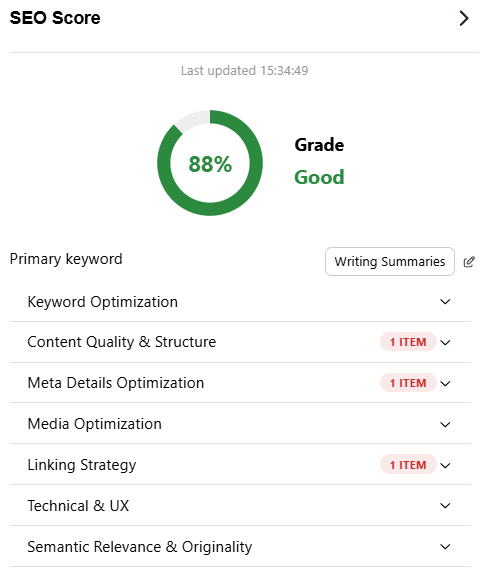
However, if you require all of those things in one place, then look no further than Contentpen. It is one of the best Surfer SEO alternatives as it provides an SEO score, along with relevant on-page optimization tips, linking automation, and detailed analytics, all in one place.
Frequently asked questions
Are there any Surfer SEO alternative free versions available?
Yes. You can use Market Muse’s free plan (stays free) to perform basic SEO audits and content optimizations. However, you will be limited to only 10 queries/month.
Can ChatGPT do SEO and be used as a Surfer SEO alternative?
Yes and no. While ChatGPT is a great tool to get started with SEO tasks, it is not a full-pledged SEO and GEO-focused content creation software. Furthermore, ChatGPT requires extensive prompting to produce measurable results, which is time-consuming, to say the least.
What are the best Surfer SEO alternatives that generate publish-ready articles?
Many Surfer alternatives, including Contentpen, Semrush, Frase, Scalenut, and WriterZen, can generate complete, publish-ready blog posts and articles with the required optimization to rank in SERPs and AI Overviews.
Which Surfer SEO alternative stands out the most?
Contentpen distinguishes itself from other Surfer SEO alternatives due to its ability to include SEO scoring, automate internal and external links, and SEO opportunities and analytics in one window.
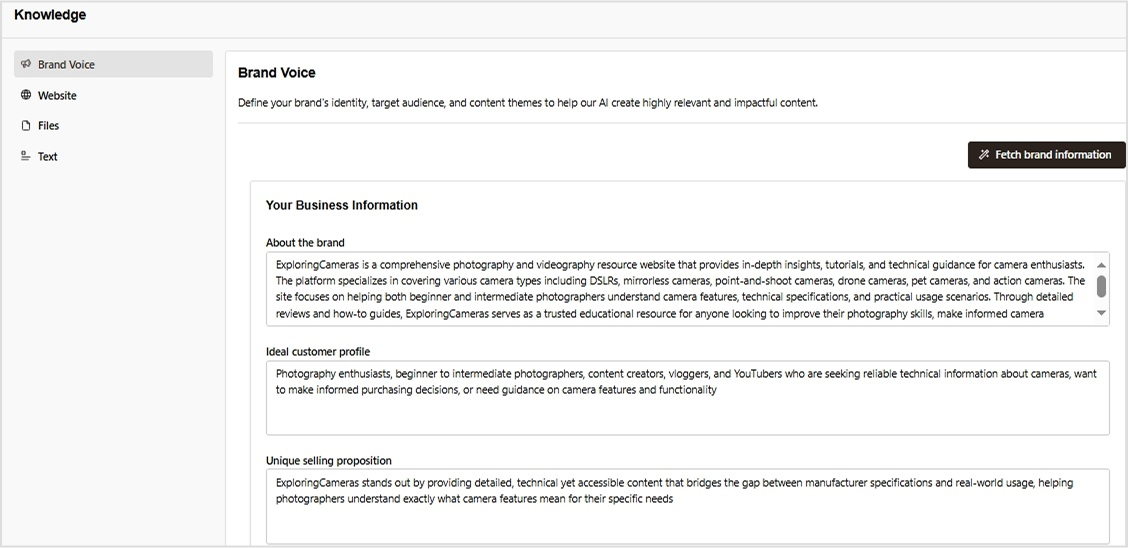
Brand voice is the distinct personality of a business that helps it stand out from others. It is one of the leading factors why some companies get a lot of traffic while others are never discovered.
Building a brand voice for Contentpen is surprisingly simple. With just a few easy steps, you’ll be ready to publish tone-consistent content that is bound to engage, educate, and convert.
No matter if you are a small business with multiple writers or a freelancer, the brand voice feature is definitely going to be very helpful to you. By using it, you can build trust with the audience in no time.
So, let’s break down how you can use AI to develop a distinct, human, and memorable brand voice for your business.
A step-by-step guide to setting up your brand voice
The good part about Contentpen is that you don’t have to build a brand voice manually like most other writing tools. The AI text generator does most of the work once you sign in and add your website details.
Step 01: Sign in and enter your website
Once you sign in to Contentpen, enter your website URL and name in the designated fields to start building your brand voice.
From there, the platform goes to work instantly. It pulls your website’s content, tone, and language patterns to generate a preliminary brand voice profile.
Step 02: Let AI analyze your content
Contentpen uses AI to scan your existing website copy, blog posts, product descriptions, and even metadata. It identifies your tone, style, and audience preferences to create a brand voice that reflects your current content identity.
The analysis covers three areas:
Business identity: Your brand persona (About the brand), ICP (Ideal Customer Profile), and USP (Unique Selling Point).
Audience targeting: Your author persona, target audience, voice, and competitors in the same niche.
Content strategy: Your content themes (pillars) to align with your brand goals. Also, you can add any suggested tags manually that can help categorize your content for AI visibility and discovery.
Step 03: Save and apply across your content
Once you’re happy with the setup, you can save your brand voice and start using it instantly with the suggested topics.
Contentpen will now automatically align with your chosen brand voice for every blog post you write. You can click ‘Create Article’ to instantly make a blog, or choose ‘Skip for Now’ to access your main dashboard and write later.
Write content that’s built to rank, not just read
Create search-optimized blogs aligned with SEO and GEO signals, so your content performs well across search and AI-driven discovery.
Additional step: Refine or update your brand voice anytime
Not satisfied with the auto-generated voice or want to tweak it to align with your evolving brand personality? No problem. Contentpen gives you full control to manually adjust it. Here’s how:
Head to your Contentpen dashboard.
From the left-hand menu, click on “Knowledge”, then select “Brand voice.”
In this section, you can manually update details like your USPs, target audience, author persona, tone, and more. Once you’ve made your changes, you can head out to the main dashboard, and Contentpen will automatically save all your details for the next draft.
Final thoughts
In 2026, brand voice isn’t just about logos and color palettes – it’s about how you sound. Whether you’re a startup or a growing digital brand, your voice is your vibe. It tells your audience who you are, what you stand for, and why they should care.
The AI writing tool makes it incredibly easy to build a brand voice that stays consistent across all your content. It helps you establish your brand and improve share of voice in your niche with ease.
Frequently asked questions
Do I need any technical skills to build a brand voice on Contentpen?
Not at all. Contentpen is built for ease: just sign in, add your website, and the AI will do the rest to determine your brand voice.
Can I manually adjust the brand voice Contentpen creates?
Yes! You can refine or completely update your brand voice anytime from the dashboard under the “Knowledge” settings.
How does Contentpen analyze my content?
It uses AI to analyze tone, sentence structure, vocabulary, and audience targeting patterns across your existing content.
What if I don’t have a website yet?
You can still build your brand voice manually by inputting your brand persona, target audience, USPs, tone, and content themes directly into the platform.
Is the tool suitable for startups or solo creators?
Absolutely. Contentpen is perfect for small teams or individuals who want to build a consistent and professional brand voice without a full-scale creative team.
Connecting your WordPress site to Contentpen is quick and easy. This integration allows you to seamlessly manage, schedule, and publish content from Contentpen directly to your WP dashboard without any manual work.
With just a few clicks, you can connect your site, install the Contentpen plugin, and start pushing content live, all from one place.
So, let’s get started.
Step 01: Copy your Contentpen “API key”
Start by logging into your Contentpen account. If you don’t have one yet, sign up at Contentpen.
Go to the “Integration” tab in the left menu.
Enter your WordPress site URL and click “Connect WordPress.”
Then, copy the API Key that appears.
Once you’ve copied your API key, it’s time to install the Contentpen WordPress plugin.
Step 02: Install the Contentpen WordPress plugin
Log in to your WordPress admin panel. In the left-hand sidebar menu, hover over “Plugins” and then click “Add Plugin.”
In the search bar at the top right, type “Contentpen.” You should see the official Contentpen plugin in the search results. Look for a plugin with the Contentpen logo and a description.
Once you’ve found the correct plugin, click the “Install Now” button next to it.
After the plugin has been installed, the “Install Now” button will change to “Activate.” Click “Activate” to enable the plugin on your WordPress site.
Step 03: Connect your WordPress site to your Contentpen account
Once the plugin is activated, connect it to your Contentpen account.
Now, you need to find the Contentpen settings. After activation, a new menu item for “Contentpen” might appear in your WordPress sidebar.
Go into the ‘Contentpen’ settings and paste the API key you copied earlier to link your WordPress site.
Save or update the settings to confirm the connection between Contentpen and your WP account.
Step 04: Verify the connection from WordPress
Once you’ve connected WordPress to the AI writing tool, it is time to verify the connection from Contentpen.
Click on the ‘Verify Connection’ button in the WordPress integrations tab and wait for a while.
You will get a notification pop-up confirming that you have a successful connection with WordPress.
You can also upload images that Contentpen generates directly to WordPress by using the slider at the bottom of the WP integration page.
How to publish a blog directly from Contentpen to WordPress
Let’s say you’ve just finalized a blog post draft in Contentpen. Instead of downloading and manually uploading it into WordPress, you can now:
Step 01: Click on the content piece you want to publish.
Step 02: Hit the “Publish” button in the top right corner.
Step 03: A pop-up will appear, allowing you to choose an author, assign categories, and add relevant tags for the post. You can also choose to send the content to your WP as a draft instead of publishing it directly.
Step 04: When you’re ready, hit the “Publish Post” button, and your blog will go live on your website instantly.
Final thoughts
You’re all set! With Contentpen connected to WordPress, you can schedule, manage, and publish content without ever leaving the platform.
From here, you might want to explore scheduling posts in advance, enabling image uploads, or creating content directly from the AI writing assistant app.
Remember to keep the plugin updated to stay compatible with new features as they roll out. Also, check out Contentpen blogs for more information about the tool and see how you can utilize it to write SEO-optimized content with convenience.
From outline to publish-ready content
that fills them
Once logged into Contentpen, go to the “Integration” tab in the left menu, enter your WordPress site URL, click “Connect WordPress,” and your API key will be generated there.
Do I need any coding skills to connect Contentpen with WordPress?
Not at all! The setup involves simple copy-paste steps and plugin installation with no coding required.
Can I disconnect Contentpen from WordPress anytime?
Yes, you can remove the plugin or reset the integration from your Contentpen account at any time.
Is it safe to use my API key in WordPress?
Yes, your API key is unique to your account and securely links Contentpen with your site. However, never share it publicly or with untrusted users.
What should I do if the connection between Contentpen and WordPress fails?
Try these quick fixes first:
– API key not working: Re-copy it fresh from the Integration tab and avoid any stray spaces in the link – Plugin not visible after installation: Refresh the plugins page or reinstall the plugin from WordPress – Connection still failing: Check that your WordPress site URL is entered correctly in Contentpen (include https://)
If none of these work, disconnect and reconnect from the Integration tab, or contact Contentpen support for help.
As the name suggests, your brand voice is the unique expression of your brand’s personality, vision, and custom preferences.
It’s the distinctive character that comes through in all your brand’s communications – whether written, spoken, or visual.
Your brand voice is a unique blend of your USPs (Unique Selling Propositions), ICPs (Ideal Customer Profiles), and overall brand persona tailored to your target audience.
It defines how your brand communicates – through word choice, tone, rhythm, and style – and serves as the verbal reflection of your identity and core values.
In today’s blog, we’ll see why brand voice matters, explore its key components, and share tips to help you develop one that resonates.
So, without any further ado – let’s get started!
Why brand voice matters?
When consumers encounter thousands of marketing messages daily, brands with inconsistent or generic voices simply fade into the background.
1. Brand recognition and recall
Just as we recognize friends by their speech patterns without seeing them, consumers can recognize brands through their distinctive communication style. A consistent voice creates memorable impressions that stick with customers even when they’re not actively engaging with your content.
2. Trust and authenticity
When your voice remains consistent across all touchpoints, it signals reliability and authenticity to your audience. Conversely, an inconsistent voice creates cognitive dissonance and can undermine trust. Imagine if your bank suddenly started using slang-filled, casual messaging after years of formal communication.
3. Differentiation in crowded markets
In industries where product differentiation is challenging, a distinctive brand voice can provide a competitive edge. Consider how brands like Dollar Shave Club disrupted the razor industry not through revolutionary products but through a fresh, irreverent voice that stood apart from established competitors.
4. Emotional connection
The right brand voice can forge emotional bonds with audiences by reflecting shared values, aspirations, or worldviews. This emotional connection goes beyond functional benefits, creating a deeper brand loyalty.
5. Consistency across teams and channels
A documented brand voice provides guidelines for everyone creating content for your brand, from in-house teams to external agencies, ensuring consistency even as your communication channels multiply.
The emotional flavor or attitude in your messaging (e.g., friendly, professional)
Sets the mood and helps match your brand’s vibe to your audience’s expectations.
Unique Selling Proposition (USP)
The distinctive feature or benefit that makes the brand stand out from competitors.
It helps to clearly define the brand’s niche and sets it apart in the marketplace, making it memorable to the audience.
Brand persona
The core goal behind your communication (e.g., to inspire, to inform, to sell)
Ensures your messaging stays focused and consistent across channels.
Key themes
The beliefs and principles that guide your brand voice
Builds trust and helps connect with like-minded audiences.
Targeted audience
How well your voice aligns with your target audience’s preferences
Makes your messaging feel relevant and relatable, boosting engagement.
How to use AI to create your brand voice?
With the rise of AI, developing that unique voice is no longer reserved for big teams or agencies. Today, smart tools can help you define how your brand sounds and ensure that tone stays consistent across every piece of content.
Introducing Contentpen – The ultimate AI writing tool
Contentpen is an AI-powered content creation platform that helps you establish a distinct tone of voice. And keep it consistent across every channel with ease. With customizable content presets, you can define your brand personality once and apply it to everything from blog posts to ad copy.
Need to scale?
Contentpen’s bulk article generation lets you produce high-quality, on-brand content in minutes – not days. Plus, built-in SEO optimization ensures your content doesn’t just sound great; it performs, too.
Whether you’re managing one brand or juggling several, our AI content writing app makes it effortless to stay true to your voice while expanding your online presence.
Brand voice in action: Examples
Looking at successful brands can provide inspiration for developing your own voice:
The New York Times: Authoritative and thoughtful
The Times maintains a voice of reasoned authority – formal without being stuffy, intelligent without being pretentious, and serious without being devoid of humanity.
ContentStudio: Professional and action-oriented
ContentStudio talks with you in crisp, action-driven language, powerful enough to fuel complex campaigns but approachable enough for every team member. It’s clear, step-by-step prompts guide you from ideation through scheduling to performance insights, so you can craft, publish, and optimize social content that truly connects and converts with ease.
Wendy’s: Irreverent and bold
Particularly on social media, Wendy’s has cultivated a sassy, irreverent voice that’s unafraid to challenge competitors directly and use humor to connect with younger audiences. Just like this
Common challenges business face when setting a brand voice
Developing and maintaining a consistent brand voice often involves navigating several challenges:
1. Scaling across large organizations
As companies grow, maintaining voice consistency becomes more complex. Creating clear guidelines, providing ongoing training, and establishing content review processes can help address this challenge.
2. Adapting to new platforms
Each new communication channel may require adaptations of your voice while maintaining its core elements. For example, your LinkedIn content might use a more professional tone than your TikTok content, but both should still be recognizably your brand.
3. Balancing global consistency with local relevance
International brands must consider how their voice translates across cultures and languages, often requiring flexibility to respect local communication norms while maintaining global brand cohesion.
4. Managing voice during crises
Difficult situations may require temporary adjustments to your typical voice, showing appropriate sensitivity while remaining authentic to your brand identity.
Measuring brand voice effectiveness
While somewhat subjective, several approaches can help evaluate your brand voice:
Audience perception surveys: Ask customers to describe your brand’s personality based on your communications
Content engagement metrics: Monitor how audiences respond to content that exemplifies your voice
Brand recognition tests: See if audiences can identify your brand from unbranded content samples
Consistency audits: Regularly review content across channels for voice alignment
Team adoption measurement: Assess how consistently team members apply voice guidelines
Conclusion
Brand voice is far more than a marketing nicety – it’s a strategic asset that shapes how audiences perceive, remember, and connect with your brand.
In an increasingly digital marketplace where consumers encounter countless messages daily, a distinctive, consistent, and authentic voice helps your brand cut through the noise and build meaningful relationships with your audience.
By thoughtfully developing your brand voice based on your fundamental values and audience needs, then systematically implementing it across all communications, you create a powerful tool for brand recognition, differentiation, and emotional connection that delivers measurable business benefits.
FAQs on brand voice
What is a brand voice?
A brand voice is the unique personality and tone a company uses in its communications, reflecting its values and connecting with its audience.
Why is a consistent brand voice important?
Consistency builds trust and recognition, ensuring all brand messages align and resonate with the target audience.
How can AI assist in developing a brand voice?
AI tools can analyze existing content to identify tone patterns and help generate new content that maintains a consistent brand voice.
What challenges do businesses face in establishing a brand voice?
Challenges include maintaining consistency across platforms, adapting to different audiences, and ensuring all team members adhere to the established voice.
Remember when creating a blog post meant spending hours drafting content, formatting text, adding images, and then going through multiple editing rounds? Those days are becoming obsolete. Content creation has transformed from a lengthy, meticulous process into something anyone can efficiently create a blog in 10 minutes.
This revolution in blogging has democratized content production, allowing writers of all experience levels to publish professional-quality articles without excessive time investment.
The good news is that modern content creation tools have transformed this process. What once took hours can now be accomplished in minutes without sacrificing quality.
This revolution in content production empowers writers of all experience levels to publish professional-quality articles efficiently and consistently.
Let’s see how you can create a blog post in 10 minutes.
What is the best way to create a blog in 10 minutes?
Creating a blog the traditional way is exhausting. From researching the topic, drafting content, optimizing for SEO, to finally formatting everything, it can easily take hours, if not days. And if you’re managing multiple tasks or clients, that time adds up fast. The pressure to consistently produce high-quality content can feel overwhelming and unsustainable.
Introducing Contentpen – The best AI blog writer online
Contentpen is an AI blog writing tool designed to help users create high-quality, SEO-optimized content efficiently.
The 10-minute content creation system explained
Here’s the streamlined workflow that makes 10-minute content creation possible:
1. Pick your topic and angle (1 minute)
Begin by identifying what specific value you’ll deliver to readers. Instead of broad topics like “digital marketing,” focus on targeted angles like “how small businesses can use email marketing to increase repeat purchases.” This clarity creates a natural structure for your content and helps you stay focused during the writing phase.
2. Set up your content preset (2 minutes)
This is where Contentpen truly shines. Configure your content preset once with settings that match your content goals:
Tone of voice: Select from options like “clear and straightforward,” “professional but approachable,” “helpful and solution-focused,” or “confident without being pushy.” This setting ensures a consistent voice across all your content without constant conscious adjustment.
Target audience: Define precisely who you’re writing for – marketing professionals, business owners, IT managers, product teams, or other specific groups. This setting helps you maintain appropriate terminology and examples throughout your content.
Formatting preferences: Choose which text treatments to apply automatically. Enable bold formatting for key concepts, italics for emphasis, tables for data presentation, pull quotes for important insights, and list formatting for scannable information.
Structure elements: Select your preferred article length (small, medium, or large) and additional sections like key takeaways, conclusions, and FAQs. These structural elements create reader-friendly content without requiring manual formatting.
Linking strategy: Configure how you want internal and external links handled. Set up automatic internal linking to your existing content and control which external domains to include or exclude.
3. Write your content (5 minutes)
With your preset handling of all formatting and structural decisions, you can focus entirely on your ideas. This is pure content creation – no more switching between writing and formatting modes. The preset acts like a professional editor working alongside you, automatically implementing your predetermined style preferences as you write.
Since you don’t need to worry about how your content will look, you can dedicate your full attention to explaining concepts clearly, providing valuable insights, and connecting with your readers. Many writers report that this focused approach not only saves time but also improves the quality of their writing.
4. Add visuals (1 minute)
Visuals dramatically improve reader engagement, but finding, sizing, and positioning images often becomes a time-sink. Your Contentpen preset handles these technical aspects automatically:
Featured images are properly sized and positioned
In-article images maintain consistent formatting
Tables follow your predetermined styling
Visual hierarchy remains consistent across all content
Simply select the images you want to include, and your preset ensures they enhance your content without disrupting your writing flow.
5. Review and publish (1 minute)
With structural and formatting elements handled automatically, your final review can focus entirely on content quality. Quickly scan for:
Clarity of your main points
Coherence of your overall argument
Any obvious grammatical issues
Effectiveness of your headline
Once satisfied, you can publish with confidence, knowing your content maintains professional quality and brand consistency – all created in just 10 minutes.
This streamlined approach doesn’t just save time – it fundamentally changes the content creation experience. By removing technical distractions, Contentpen lets you focus on what truly matters: sharing your expertise and connecting with your audience through valuable content.
How Contentpen presets transform content creation
Think of presets as your personal content production team – a designer, editor, and SEO specialist working silently in the background while you focus solely on your ideas. Let’s explore how each component of this system works together to revolutionize your content creation process:
Style settings that establish your consistent voice
Every writer knows that maintaining a consistent tone across multiple articles is challenging. Without a system, your writing voice might shift depending on your mood or energy level. Contentpen solves this through style presets that provide a consistent framework:
Tone of voice options include:
Clear and straightforward: Direct language that prioritizes simplicity and clarity, ideal for instructional content or technical explanations
Professional but approachable: Balanced tone that conveys expertise while remaining conversational, perfect for business blogs and thought leadership
Helpful and solution-focused: Empathetic tone that emphasizes practical answers to reader problems, great for how-to content
Confident without being pushy: Authoritative voice that presents strong opinions while respecting different perspectives
Target audience settings ensure your content speaks directly to:
Marketing professionals and teams: Using appropriate terminology and examples relevant to marketers’ daily challenges
Product managers and teams: Framing concepts in terms of product development cycles and user experience
Business owners and founders: Focusing on practical implementation and business outcomes rather than theory
IT managers and developers: Incorporating technical specificity while maintaining accessibility
Digital marketing agencies: Addressing agency-specific workflows and client relationship considerations
When you select these style settings, Contentpen subtly guides your writing process. For example, if you’ve selected “helpful and solution-focused” for a business owner audience, the system might suggest more actionable subheadings and practical examples instead of theoretical discussions.
Formatting options that create visual consistency
Readers form impressions about your content quality within seconds, largely based on visual presentation. Inconsistent formatting signals amateur content, while consistent styling builds trust. Contentpen’s formatting presets automatically implement your visual preferences:
Text formatting elements you can automate include:
Bold for important keywords: Drawing attention to critical terms and concepts that define your topic
Italic for subtle emphasis: Creating natural reading rhythm by highlighting key phrases
Tables for organized data: Presenting comparative information in consistently styled, scannable formats
Quotes for testimonials or insights: Setting apart important statements with distinctive styling
Lists for easily scannable information: Breaking complex processes into digestible steps with consistent formatting
Heading case consistency options include:
Title case: How to Create a Blog in Less Than 10 Minutes
Sentence case: How to create a blog in less than 10 minutes
lowercase: how to create a blog in less than 10 minutes
When implemented across dozens or hundreds of articles, these consistent formatting choices create a professional, cohesive reading experience that builds trust with your audience. Rather than spending time manually formatting each element, your preset applies these styling decisions automatically.
Structure settings that enhance readability
Content structure significantly impacts how readers engage with your ideas. Well-structured content leads readers naturally from introduction to conclusion, while poor structure creates confusion and abandonment. Contentpen’s structure presets implement proven readability principles:
Article structure options include:
Small articles (3-4 headings): Concise content focused on a single specific topic or question
Medium articles (5-8 headings): Comprehensive coverage of broader subjects with multiple subtopics
Large articles (8+ headings): In-depth explorations of complex topics with detailed subsections
Additional structural elements you can automatically include:
Key takeaways: Summary sections highlighting essential points for readers who scan
Conclusion: Synthesized wrap-ups that reinforce main arguments and provide closure
FAQs: Anticipatory question-and-answer sections addressing common reader concerns
Featured images: Consistently positioned and sized visual elements that enhance engagement
In-article visuals: Strategically placed images that break up text and illustrate concepts
These structure settings don’t just save time – they implement proven readability principles that keep readers engaged. When readers encounter content with a familiar, logical structure, they can focus on your ideas rather than struggling to follow your organization.
Linking strategies that strengthen your content ecosystem
Strategic linking transforms standalone articles into interconnected content ecosystems that boost SEO performance and reader engagement. However, managing links manually across dozens or hundreds of articles becomes impossibly complex. Contentpen’s linking presets automate this process:
Internal linking capabilities include:
Sitemap integration: Automatically identifying relevant connection points within your existing content
Content relationship mapping: Building logical pathways between related topics
Instead of spending hours manually identifying and inserting links, your preset implements your linking strategy automatically across all content.
Three real examples of Contentpen presets in action
Let’s explore three scenarios demonstrating how different preset configurations serve specific content needs:
The marketing consultant’s educational blog
Scenario: Jessica runs a digital marketing consultancy and needs to regularly publish educational content for potential clients.
Preset configuration:
Style: Professional but approachable tone targeting business owners and marketing professionals
Formatting: Bold for key marketing terms, italics for emphasis, lists for step-by-step instructions
Structure: Medium articles (5-8 headings) with conclusion and FAQs sections
Linking: Automatic internal linking to related marketing resources on her site
Why this works: This preset creates professionally structured content that positions Jessica as an expert while making complex marketing concepts accessible to business owners. The consistent formatting and helpful additional sections (like FAQs) enhance readability and demonstrate thoroughness.
Time-saving benefit: Jessica can focus entirely on sharing her marketing expertise without worrying about formatting consistency or structure. Her articles always look professional and maintain the same helpful tone that her audience expects.
The SaaS company’s product updates
Scenario: A software company needs to regularly publish product updates and feature announcements.
Preset configuration:
Style: Clear and straightforward tone targeting IT managers and developers
Formatting: Tables for feature comparisons, bullet lists for key changes
Structure: Small articles (3-4 headings) with a key takeaways section highlighted at the top
Linking: Internal links to documentation and previous feature announcements
Why this works: This preset configuration creates concise, well-organized product updates that technical audiences can quickly scan for relevant information. The consistent structure helps regular readers know exactly where to look for the information they need.

Time-saving benefit: Multiple team members can contribute to product update articles while maintaining perfect consistency in branding, terminology, and presentation, critical for technical documentation.
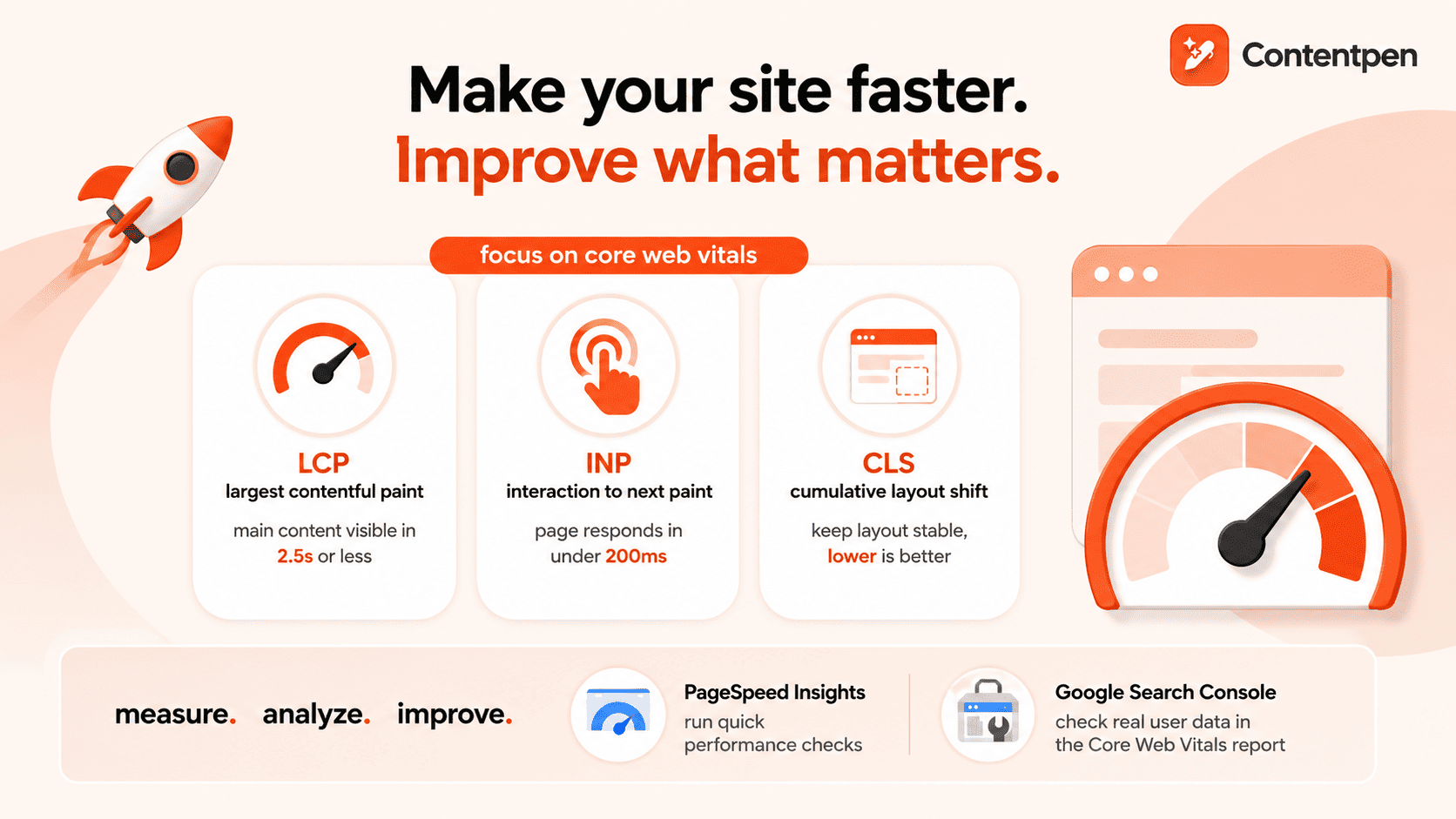
The travel blogger’s destination guides
Scenario: Marco creates in-depth travel guides about international destinations.
Preset configuration:
Style: Helpful and solution-focused tone targeting travel enthusiasts
Formatting: Quotes for local insights, bulleted lists for packing tips
Structure: Large articles (8+ headings) with featured images and in-article photography
Linking: External linking enabled to trusted travel resources and booking sites
Why this works: This preset creates comprehensive, visually rich travel guides with consistent sections that readers come to expect (accommodations, local transportation, must-see attractions). The helpful tone and solution-focused approach build trust with travelers planning their trips.
Time-saving benefit: Marco can create detailed travel guides in a fraction of the typical time, allowing him to publish more frequently and cover more destinations. The preset ensures that his guides maintain the same quality and structure that his audience values.
Why blogs still matter in a world full of videos?
Today, videos are everywhere. TikTok, YouTube, and Instagram clips fill our screens daily. With so much video content, you might wonder if blogs are still worth creating. The answer is a strong yes. Written content offers unique benefits that videos simply cannot replace.
Better visibility in search engines
When people search for information online, written content still shows up more often in results. Search engines like Google can understand text much better than video content. This means:
Blogs help more people find your website through searches
Written content can rank for many different search terms at once
Search engines can better understand what your site is about through your writing
Links between your blog posts help search engines see your site as valuable
Text is easier for search engines to read and recommend to others
Content that lasts longer
Unlike social media posts that disappear quickly, blog articles can bring value for years:
A good blog post can continue getting readers long after you publish it
You can easily update old posts to keep them current
Your collection of articles builds up over time, creating a valuable resource
Helpful content continues solving people’s problems for years
Older posts keep working for you without additional effort
Turning readers into customers
Blog content is excellent at guiding people toward becoming customers:
You can naturally include a call to action at key points in your articles
Readers can sign up for more content while reading your blog
People often feel more comfortable considering purchases while reading
You can offer downloadable resources in exchange for contact information
Written comparisons and reviews help people make buying decisions
Explaining complex topics thoroughly
Some subjects need detailed explanations that videos can’t provide effectively:
Readers can go through the information at their own speed
Complex ideas often need careful reading to understand
Technical details and data are easier to present in text
Step-by-step instructions are simple to follow in written form
People can easily refer back to specific parts of your article
Reaching more types of people
Written content works for people in situations where video doesn’t:
People with hearing problems can access written content easily
Blogs work for people with slow internet connections
Text can be translated into other languages more accurately
People can read blogs at work without needing headphones
Screen readers can convert text for people with visual impairments
Easier and cheaper to create
Blog content typically needs fewer resources than good videos:
You only need a computer to write
No special equipment or editing software required
Writing usually takes less time than video production
Text is easier to fix and update later
One person can handle the entire writing process
What readers prefer
Many people still prefer reading in certain situations:
Professional information is often easier to understand in writing
People like to scan written content during work hours
Technical instructions are clearer in text form
In-depth topics benefit from the structure of written content
Some people simply prefer reading to watching videos
Working with videos, not against them
Blogs and videos can work together effectively:
Blog posts can expand on ideas from your videos
Written content can provide details to support video demonstrations
Articles make information from videos searchable
Adding videos to blog posts increases engagement
Written content brings different people to your site than videos alone
How Contentpen changes the content creation game
Content creation technology has fundamentally transformed what’s possible for writers and publishers. With platforms like Contentpen and the power of content presets, you can transform your ideas into polished, professional articles in just minutes. This efficiency doesn’t just save time – it enables more consistent publishing, broader topic coverage, and ultimately, greater audience impact.
Frequently asked questions
How can I create quality content so quickly?
The 10-minute approach works because it separates content creation from technical formatting. By using structured outlines and content presets, you can focus purely on your ideas while automation handles the presentation aspects. It’s like having a professional designer and editor working alongside you in real-time.
Does content presets limit my creativity or make my blog look generic?
Unlike basic templates, modern content presets offer sophisticated customization while maintaining design coherence. Contentpen’s presets handle technical formatting while still allowing your unique voice and style to shine through. You can also modify presets to create a signature look for your content.
How do content presets differ from regular blog templates?
Templates typically control only the basic layout, while content presets manage dozens of parameters, including typography, spacing, image handling, interactive elements, and platform-specific optimizations. They’re much more comprehensive and specifically designed for efficient content production rather than just visual presentation.
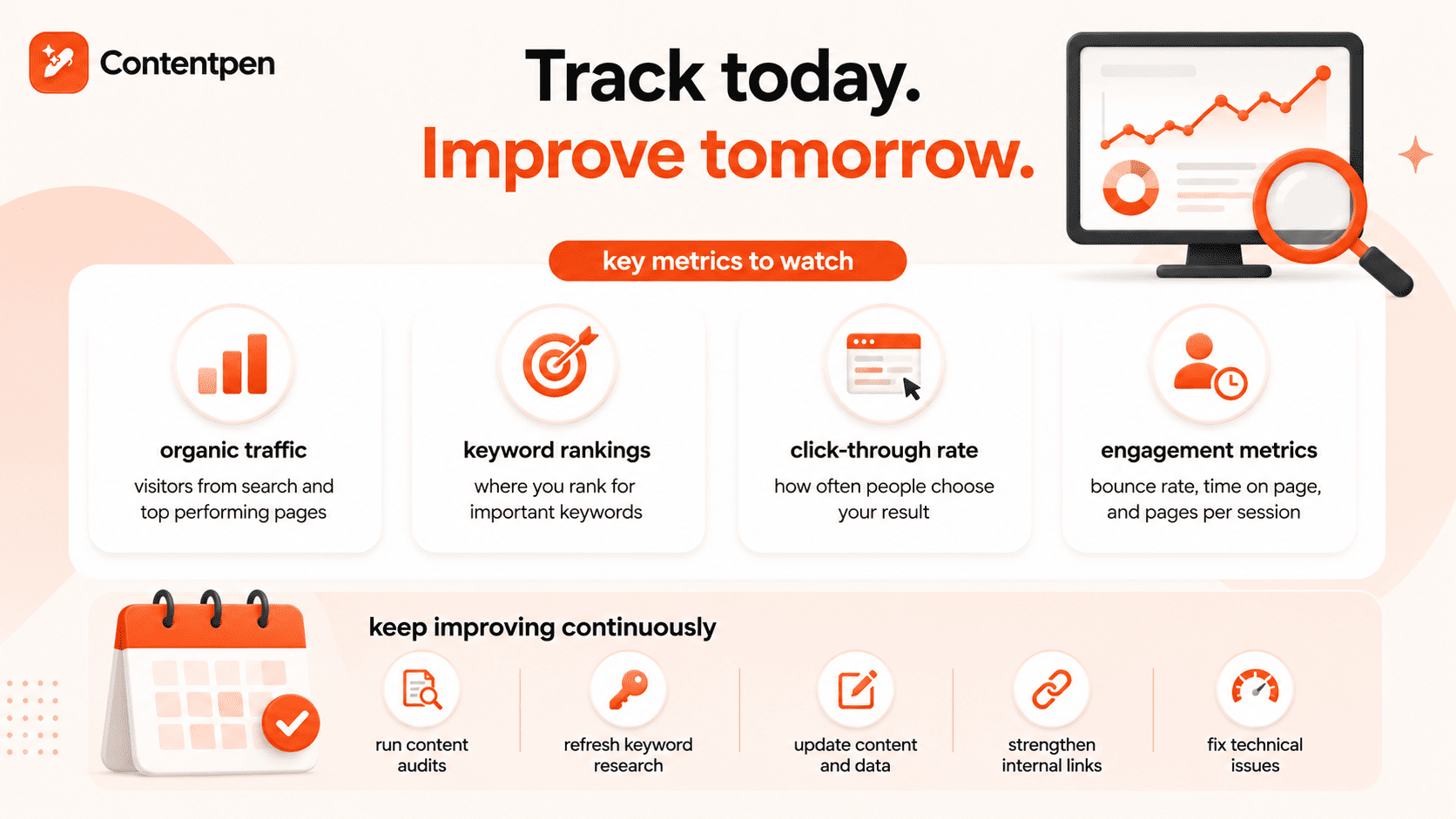
Can I use the 10-minute approach if I’m not a professional writer?
Absolutely. In fact, this approach particularly benefits non-professional writers by providing structure and handling technical aspects of content creation. The preset system acts as a guide, helping you organize your thoughts while ensuring a professional presentation.
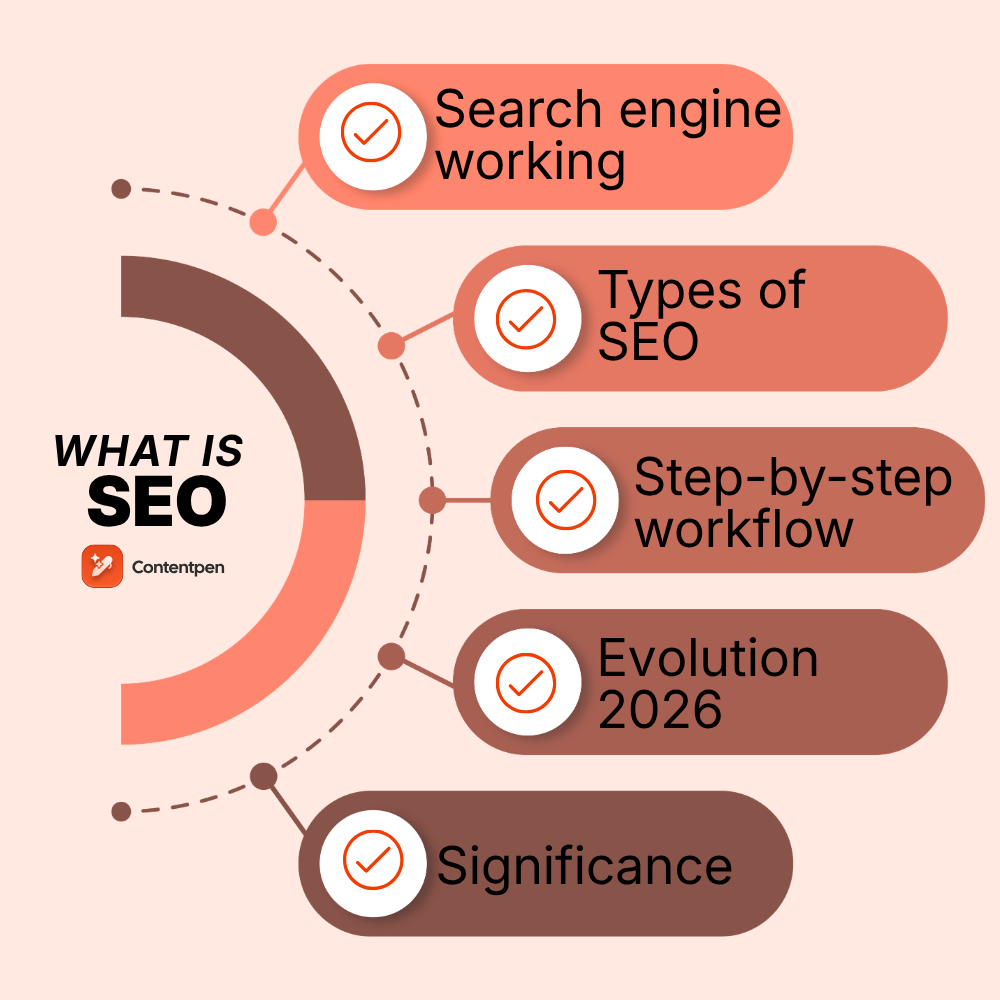

Can content created this quickly perform well in search engines?
Yes. Search engines prioritize valuable, well-structured content – which this approach delivers. Contentpen’s presets include SEO-friendly formatting, heading structures, and metadata optimization. Your content’s search performance ultimately depends on its value to readers, not how long it took to create.
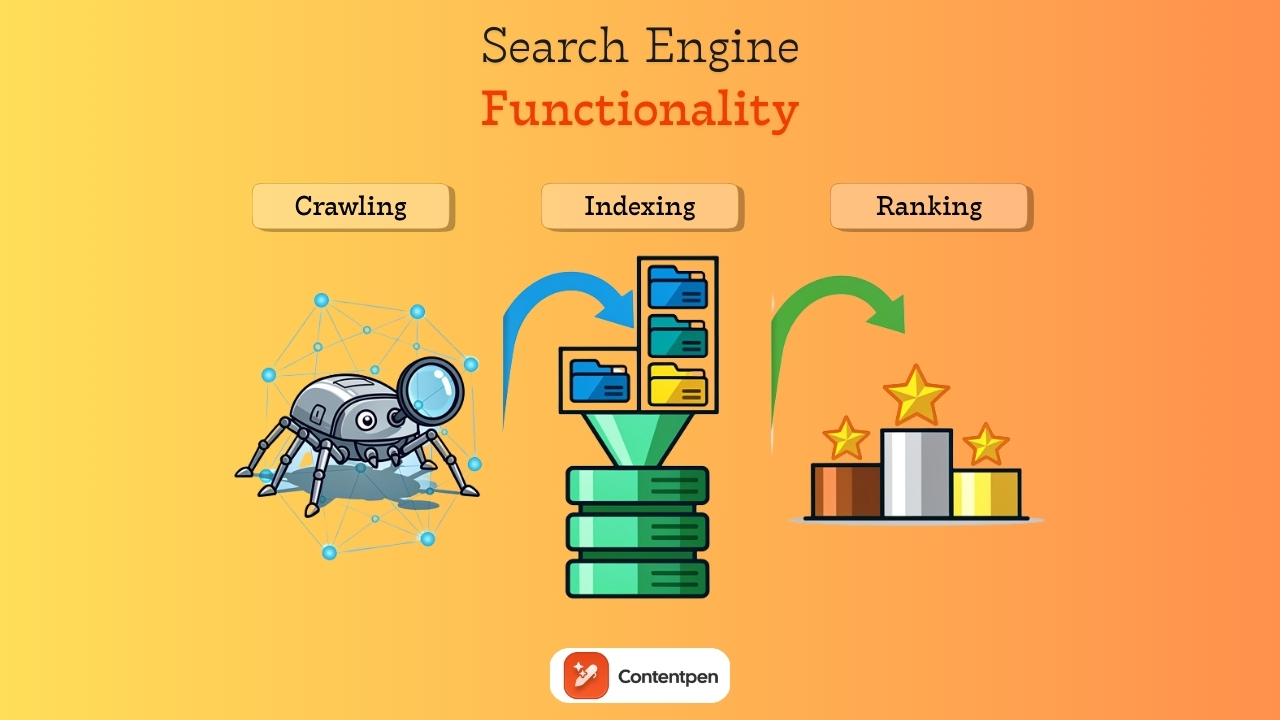
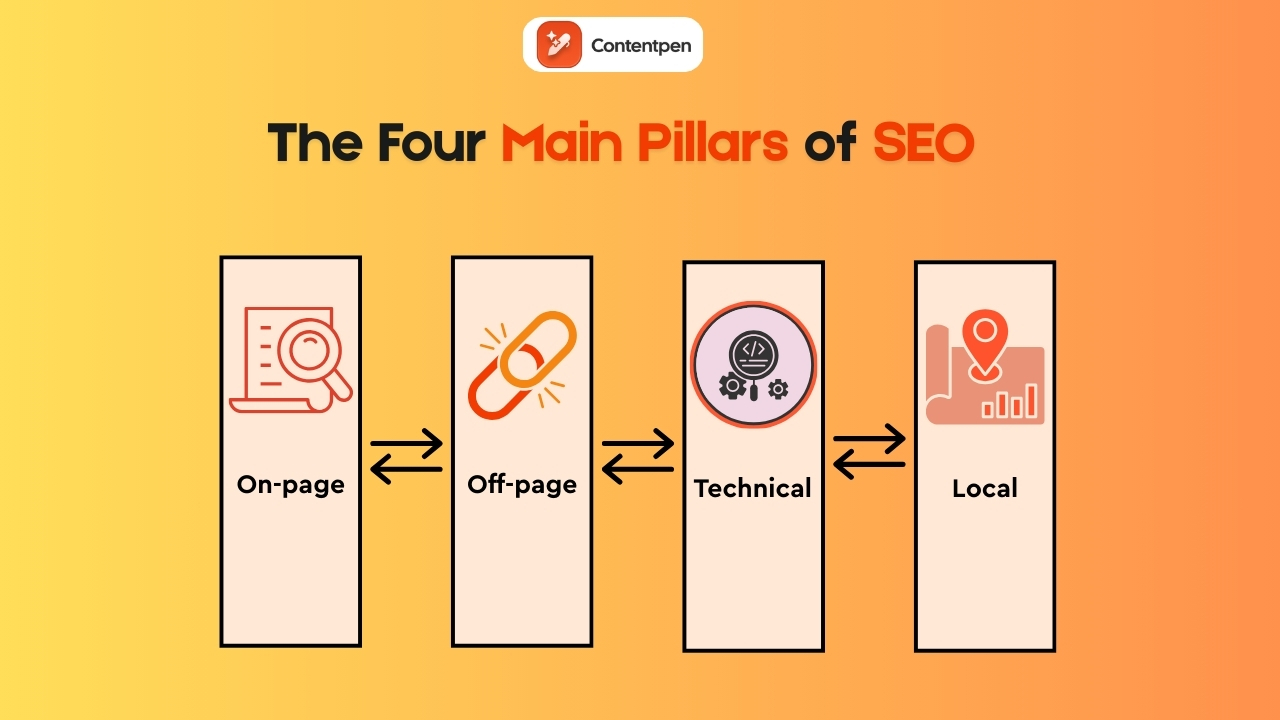
How can I make my quickly created content stand out from competitors?
Focus on bringing unique perspectives, original insights, or exclusive information to your topics. While presets handle formatting consistency, your distinct viewpoint and expertise will differentiate your content. Consider incorporating only original research, personal experiences, or specialized knowledge that you can provide.
Can I still personalize my content when using presets?
Absolutely. Presets handle the technical and design foundation, but you maintain complete control over your content, voice, and creative direction. You can also customize presets to align perfectly with your brand identity while retaining all the time-saving benefits.
Creating high-quality content consistently is tough, especially when you’re racing against deadlines, out of ideas, or short on resources. That’s where AI tools for content creation step in to transform the game.
From generating blog topics and social captions to designing images and videos for posts, AI-powered platforms are helping marketers, creators, and teams produce content faster and smarter.
With the right tools in your stack, you can save hours of manual effort, streamline your content workflow, and focus more on strategy and creativity rather than repetitive tasks. But with so many tools available, finding the best ones for your needs can be overwhelming.
That’s why we’ve handpicked 17 of the best AI tools for content creation, each offering unique features to help you write, design, plan, and publish content more efficiently.
Let’s explore, shall we?
Why use AI content creation tools?
AI content creation tools are transforming how businesses and creators approach content marketing. Here are five key benefits of using these tools:
Speedy content production: An AI writer can generate ideas, outlines, and drafts in minutes, cutting down hours of work and freeing you up for strategy and fine-tuning.
Boosted creativity: Stuck in a creative rut? AI offers fresh angles, catchy headlines, and unique suggestions to keep your content sharp and inspired.
Cost-efficient output: Skip the high costs of hiring multiple creators. AI tools handle repetitive tasks with bulk-creation options, helping you produce high-quality content on a leaner budget.
Better SEO performance: With built-in SEO scoring and optimization features, AI tools suggest keywords, structure, and metadata to improve search rankings and drive traffic.
Consistent brand messaging: AI helps maintain a unified brand voice across all platforms, keeping your messaging consistent.
AI tools are also great for startups and agencies looking to communicate their inner creativity without requiring many hard skills.
How we tested these tools: Our selection criteria (methodology)
We evaluated each tool fairly, based on the following four pillars:
Output quality and reliability: Does the tool produce content that requires minimal human intervention, or does it hallucinate? We prioritized tools known for factual accuracy and high-quality media asset creation.
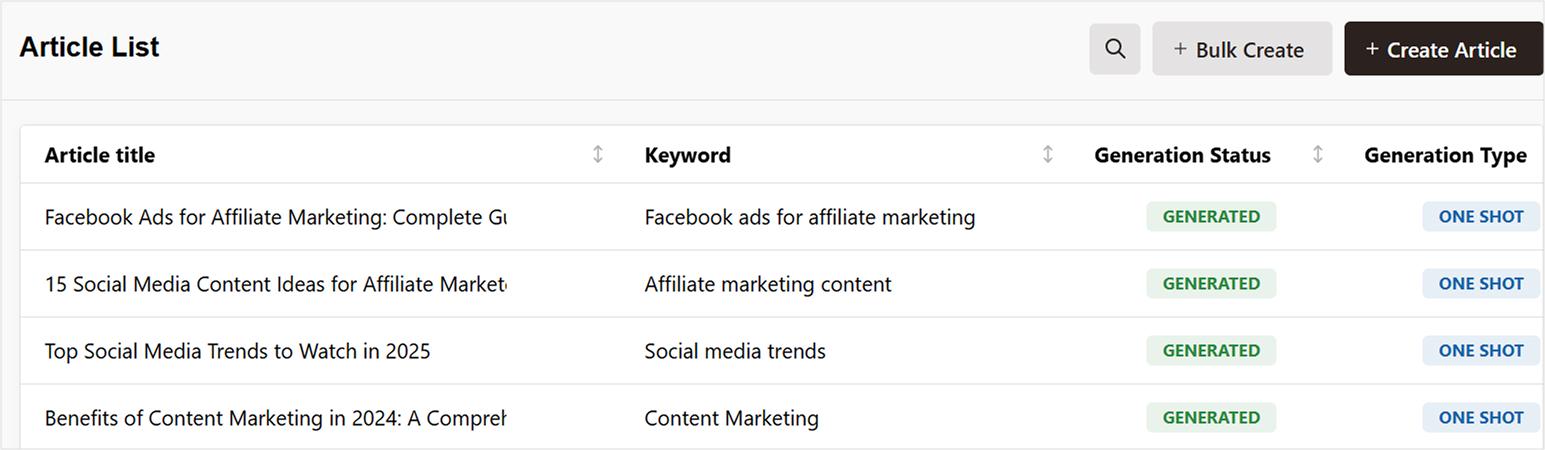
Workflow Integration: In 2026, the only tools we consider worthwhile are those that integrate freely with others without discrepancies or hiccups. Therefore, we looked for robust API support and “Zapier-friendly” ecosystems where possible.
Ease of use vs. power: We balanced beginner-friendly interfaces (like Canva) with “power-user” platforms (like Surfer SEO) to ensure there’s a fit for every skill level.
Value for Money: We analyzed whether the features justified the monthly subscription, especially for solo creators versus scaling agencies.
While this is a fairly straightforward methodology, our team of expert marketers and SEO specialists personally tested these tools to ensure the selection is honest and properly reviewed.
17 best AI content creation tools compared head-to-head
Below are all the best AI content creation tools in 2026 that you need to consider for your tech stack.
Tool
Primary Use Case
Standout Feature
G2 Rating
Starting Price
Contentpen
SEO- and GEO-ready blog generation
Automated topical clustering and analytics
4.9 ⭐
$27/mo
Surfer SEO
SEO strategy
Real-time “Content Score”
4.8 ⭐
$99/mo
HubSpot
AI-assisted content creation
CRM-connected workflows
4.4 ⭐
$20/mo
Neuron Writer
Semantic SEO
NLP-driven SERP analysis
4.8 ⭐
$19/mo
Jasper.AI
Enterprise AI writing
“Brand Voice” memory
4.7 ⭐
$59/seat/mo
Copy.AI
Marketing and sales
GTM automated workflows
4.9 ⭐
$24/mo
ElevenLabs
Realistic voiceovers
Emotional speech inflection
4.5 ⭐
$5/mo
Murf AI
Corporate eLearning
Built-in “Studio” & Canva Sync
4.7 ⭐
$19/mo
HeyGen
Video messaging
Lip-sync video translation
4.8 ⭐
$24/mo
Synthesia
Training videos
160+ AI digital twins
4.7 ⭐
$18/mo
Descript
Video/audio editing
Text-based “Overdub” Editing
4.6 ⭐
$12/mo
Canva
Visual design
“Magic studio” suite
4.7 ⭐
$15/mo
InVideo
Video creation and editing
Automatic scene generation
4.4 ⭐
$28/mo
Grammarly
Content editing and polishing
Contextual tone detection
4.7 ⭐
$12/mo
ContentStudio
Complete social media management
AI image and video generation
4.6 ⭐
$25/mo
Rytr
Budget AI content creation
Built-in plagiarism checker
4.7 ⭐
$9/mo
Pictory
Video highlights
Script-to-video shorts
4.6 ⭐
$19/mo
Now, let’s read more details about each of these tools.
1. Contentpen
Contentpen is a game-changing AI writer for blogs built to help businesses scale their content production effortlessly without compromising on quality or SEO performance. While tools like Jasper require manual prompting, Contentpen’s automated topical clustering allowed us to map out a 30-day content calendar in one click, with post scheduling already taken care of.
The tool is also very useful for identifying quick wins and decaying pages, so your content strategies are always up-to-date.
Learning curve for new users, given the step-wise process to generate content
Pricing:
Starter: $27/month
Premium: $55/month
Agency: $139/month
2. Surfer SEO
Surfer SEO is a powerful content optimization tool designed to help marketers, content creators, and SEO professionals create high-ranking content with ease. It analyzes top-performing pages for your target keyword and provides actionable recommendations to improve your content’s structure, keyword usage, and on-page SEO elements.
HubSpot Content AI Agent is an AI-powered content creation tool built directly into HubSpot’s marketing and CMS ecosystem. It’s designed to help marketers, content creators, and businesses generate blog posts, landing page copy, emails, and social content faster while keeping everything connected to campaigns, CRM data, and marketing workflows.
Key features:
AI-generated blog posts, emails, and landing page copy
Content repurposing and rewriting assistance
CRM-connected personalization
Integrated SEO and campaign workflows
AI visibility tracking with HubSpot AEO
Pros:
Combines content creation with AI visibility optimization
Built directly into HubSpot’s marketing ecosystem
Streamlines content creation and campaign execution
Useful for multi-channel marketing workflows
Strong integration with CRM and automation tools
Cons:
Best suited for teams already using HubSpot
Advanced capabilities require paid plans
Less focused on deep SEO optimization when compared to specialized SEO tools
Pricing:
Free plan available
Starter: $20/month
Professional: $100/month
Enterprise: Custom pricing
4. Neuron Writer
Neuron Writer is a semantic SEO powerhouse that goes beyond basic keyword stuffing by using NLP (Natural Language Processing) to understand the “why” behind the search results. It’s built specifically for content strategists who need to outrank high-authority competitors by closing the topical gap and optimizing for semantic relevance in real-time.
Key features:
Competitor content scoring and insights
Built-in content outlines and structure templates
Internal linking and schema recommendations
Strong collaboration features with folder tracking
Pros:
Simplifies complex SEO insights for non-technical users
Direct “One-Click” export to WordPress and Shopify
Excellent price-to-value ratio for scaling agencies
Cons:
The interface can be visually overwhelming for beginners
Focuses primarily on long-form blogs
Some tools, like plagiarism checking, may require higher plans
Pricing:
Bronze plan: $23/month
Silver plan: $45/month
Gold plan: $69/month
Platinum plan: $93/month
Diamond plan: $117/month
5. Jasper.AI
Jasper offers AI text generation for a wide range of content types, from landing pages to full marketing campaigns. Key tools include Remix for reworking existing content, an interactive chat for brainstorming, and a handy Chrome extension.
Copy.ai is an AI-powered writing tool designed to help marketers, entrepreneurs, and content creators generate engaging copy in seconds. It offers a wide range of templates for social media posts, blogs, product descriptions, emails, and more, making it a versatile option for both short-form and long-form content needs.
Key features:
The blog post wizard quickly generates full-length blog posts
Brand voice customization
Workflow automation
Multi-language support in 25+ languages
Pros:
Fast content generation
A wide range of templates
More than 2,000 third-party integrations
Cons:
Limited long-form content control
No built-in SEO optimization
Dependence on prompt quality
Pricing:
Chat: $24/month
Enterprise: Custom pricing
7. ElevenLabs
ElevenLabs is a next-generation voice creation tool that uses advanced AI to generate natural, expressive speech from text. Unlike generic text-to-speech tools, it focuses on nuanced voice modulation, emotional inflection, and realistic delivery, making it perfect for narrations, podcasts, video voiceovers, and accessibility content.
Key features:
The Eleven v3 Model supports more than 70 languages
Voice cloning supported (where permitted)
API support for integration with other platforms
Conversational AI with human-like responding capabilities
Industry-leading accuracy for live speech-to-text transcription
Pros:
Extremely low latency makes it perfect for real-world applications
Flexible customization for different content types
Works well with video and multimedia tools
Large library of “Community Voices” categorized by mood and use case
Cons:
Usage-based credit systems can be confusing and expensive for long-term projects
Focused solely on audio generation
Some advanced voice cloning features require verification or higher tiers
Pricing:
Starter: $5/month
Creator: $11/month
Pro: $99/month
Scale: $330/month
Business: $1320/month
Enterprise: Custom pricing
8. Murf AI
Murf is an advanced AI tool designed to create realistic voiceovers, podcasts, and other audio content without the need for professional voice actors or audio engineers. The platform uses AI to convert text into natural-sounding speech, making it perfect for a wide range of applications, from explainer videos and presentations to audiobooks and podcasts.
Key features:
Lifelike voices with customizations available
Audio syncing
Real-time collaboration options
Pros:
Easy-to-use interface suitable for beginners
Option to adjust voices according to brand guidelines with prompting
Supports more than 33 global languages
Cons:
Voices may sound robotic or unnatural in certain contexts
No video editing features available
Output quality can vary depending on the clarity and complexity of the original text
Pricing:
Free: $0/month
Creator: $19/month
Business: $66/month
Enterprise: Custom
9. HeyGen
HeyGen is a specialized AI video studio designed to eliminate the need for cameras, studios, and actors. By using digital twins and “Avatar IV” technology, HeyGen allows brands to create realistic video messages and presentations with animated avatars that convey their ideas with accurate lip-sync.
Key features:
Seamlessly dub and lip-sync video content into 175+ languages
Text-to-video with animated avatar generation
Custom background and branding options
Pre-built templates for quick production
Pros:
Customizable avatars and scenes
Requires no video production skills to use
Accurate presenter nuances and facial expressions with lip sync
Cons:
Voices may sound robotic or unnatural in certain contexts
No video editing features available
Output quality can vary depending on the clarity and complexity of the original text
Takes a long while to provide reasonable outputs
Pricing:
Free: $0/month
Creator: $24/month
Pro: $79/month
10. Synthesia
Synthesia is a leading AI video platform that allows users to generate full videos using realistic digital presenters. It’s ideal for training materials, explainer content, and corporate communications where human-style delivery is important. With Synthesia, you can write a script and get a broadcast-quality video in minutes.
Key features:
SOC 2 compliance, ensuring high-level protection for sensitive training data
Realistic full-body avatar visibility with natural micro-gestures and movements
Interactive AI avatars can answer employee questions in real-time
Automatically turns technical documents into storyboarded video drafts
Pros:
Built-in screen recorder and media library for easy “How-to” video creation
230+ AI presenter avatars available
160+ languages and dialects supported
Cons:
Avatars can feel slightly more “corporate” and less “expressive” compared to HeyGen’s avatars
The personal plan limits the number of video scenes you can create
Pricing:
Basic: $0/month
Starter: $14/month
Creator: $49/month
Enterprise: Custom pricing
11. Descript
Descript is an all-in-one audio and video editor that treats media like a text document. Instead of wrestling with complex timelines, you edit your video by deleting or rearranging words in the transcript, while its AI “Underlord” handles the tedious production tasks.
Key features:
Comes with a powerful conversational assistant that executes intricate video editing commands only through text
Overdub voice replication ensures you say the right words
Performs eye-contact correction to ensure camera-aligned sight
One-click filler word removal, such as “ums,” “uhs,” and repetitive “likes.”
Pros:
Extremely intuitive, even for beginners
Reduces content editing and publication times for teams
Perfect for podcasters and YouTubers who do not use traditional non-linear editors (NLEs)
Multi-track remote recording allows you to record high-quality guests directly in the app
Cons:
Not focused on visual effects or animation
Heavy reliance on cloud processing can lead to system slowdowns
Pricing:
Hobbyist: $16/person/month
Creator: $24/person/month
Business: $50/person/month
12. Canva
Canva has evolved from a simple graphic design tool into a powerful AI-driven content creation platform. It’s best known for its user-friendly drag-and-drop interface, which makes designing social media posts, presentations, marketing materials, and videos accessible to everyone, with no design skills required.
Key features:
Customizable brand kits
Magic Write (AI writing assistant)
Magic Design (instant design generation)
Magic Edit (AI-powered image editing)
Team collaboration
Pros:
Combines visual design and AI writing in one tool
Extremely beginner-friendly with pre-made templates
Great for social media, marketing visuals, and quick content generation
Affordable pricing for individuals and small teams
Cons:
Limited content elements and graphics
Some advanced features are locked behind paid plans
Video content generation and animations need further development
Pricing:
Free: $0/year/person
Pro: $120/year/person
Business: $200/year/person
Enterprise: Custom
13. InVideo
InVideo is an AI-driven video creation platform designed to simplify the video production process for marketers, content marketers, and businesses. It allows users to create high-quality videos quickly with minimal effort, even if they have no prior video editing experience.
Key features:
Automatic scene generation
Text-to-video capabilities
Smart video editing
Extensive media library
Ready-to-use templates
Voiceover and audio integration
Pros:
Easy-to-use interface
Time-saving AI tools that automate video creation tasks
Large selection of templates and stock media
Affordable pricing, with both free and premium options
Cons:
Limited advanced editing features
AI-generated scripts and videos may lack creativity or nuance
Export quality is limited on free plans
May require additional manual editing to perfect the final video
Pricing:
Free: $0/month
Plus: $28/month
Max: $50/month
Generative: $100/month
Team: $899/month
Enterprise: Custom pricing
14. Grammarly
Grammarly is one of the most popular AI writing tools, designed to help users write clear, mistake-free, and impactful content across multiple platforms.
Beyond basic proofreading, Grammarly offers advanced features like tone detection, style suggestions, and clarity improvements, ensuring your writing matches your intent and audience. Its plagiarism checker is especially useful for content creators aiming to produce original content.
Key features:
Real-time grammar, spelling, and punctuation checks
Style guide and brand tone consistency tools for teams
Pros:
Easy-to-use interface
Enhanced content clarity, engagement, and correctness
Helpful tone detector and rewrite suggestions
Works across multiple tools and platforms
Cons:
Limited features in the free version
May over-correct or suggest unnecessary changes for creative writing
Not primarily a content generation tool
Pricing:
Free: $0/month
Premium: $12/user/month
Business: Custom
15. ContentStudio
ContentStudio is designed to help marketers, content creators, and businesses generate high-quality, engaging content faster and more efficiently. The tool uses the latest AI models to generate top-notch videos and photos for your social media posts, along with catchy captions that boost engagement.
Key features:
Multiple photo styles
Quick prompts and predefined prompts library
Support for 6 global languages
Customizable brand guidelines
Relevant hashtag suggestions
Pros:
Smart team collaboration with approval workflows
Multi-modal inputs are accepted to create media assets
Powerful social media content scheduling
Detailed post analytics to inform posting strategies
Cons:
Dependency on the type of prompt used
AI performs best for short-form content
Pricing:
Standard: $19/month
Advanced: $49/month
Agency Unlimited: $99/month
16. Rytr
Rytr is an AI writing assistant designed for creators seeking affordable, fast, and reliable text generation for blogs, emails, social posts, and more. While simpler than other enterprise tools, it strikes a strong balance between ease of use and quality output, making it a solid choice for freelancers and small businesses.
Key features:
Powered by Copyscape to ensure 100% original output
The tool analyzes your writing style to create a tone that mimics your brand
Selectable settings from “None” to “Max” to control how wild the AI gets in creativity
Multiple content templates available for common formats
Allows you to give direct, custom instructions for unique text outputs
Pros:
Clean, beginner-friendly interface
Generates reasonable quality content quickly
Budget-friendly with a free tier available
Cons:
Lacks deep SEO implementation in content
Not designed for long-form blog drafting
Pricing:
Free: $0/month
Unlimited: $9/month
Premium: $29/month
17. Pictory
Pictory is an AI video creator focused on transforming text content into shareable video clips. The tool automates the entire workflow, whether you want to repurpose blog posts, turn scripts into visuals, or create short social videos. It selects scenes, captions, and the best highlights from other content sources to create TikTok Reels or short-form videos to improve engagement.
Key features:
Robust article-to-video functionality to summarize the key points into a storyboarded video
Automatic video captioning that increases social media engagement
Brand kit option available to save custom settings
AI voiceover support
Pros:
Excellent for “faceless” YouTube channels and quick content repurposing
Zero video editing skills required; the AI handles the scene transitions and music
A massive library of Getty and Storyblocks clips is included in the subscription
Cons:
Automated visuals may require manual refinement
Limited control over complex animations compared to tools like InVideo
Pricing:
Starter: $25/month
Professional: $35/month
Team: $119/month
Enterprise: Custom
Which is the best AI tool for content creators?
If you’re looking for the best AI tool for content creators, Contentpen stands out as the top choice.
Here’s why Contentpen leads the pack:
Deep brand-voice integration ensures that every piece of content sounds like you
Built-in SEO optimization drives more organic visibility with minimal manual effort
AI insights let you know about quick wins, CTR opportunities, and content decays
Content workflows, pipelines, and publishing tools keep teams in sync and make scaling production easy.
Write content that’s built to rank, not just read
Create search-optimized blogs aligned with SEO and GEO signals, so your content performs well across search and AI-driven discovery.
Whether you’re a solo creator or part of a growing team, Contentpen helps you easily create discoverable SERP and AI-overview-worthy content that keeps driving traffic and leads for your business.
Final words
AI tools have transformed the way content is created, helping marketers, creators, and businesses produce high-quality content faster and more efficiently than ever before.
From generating blog posts and social media captions to designing visuals and optimizing for SEO, these AI-powered tools offer smart solutions for every stage of content creation.
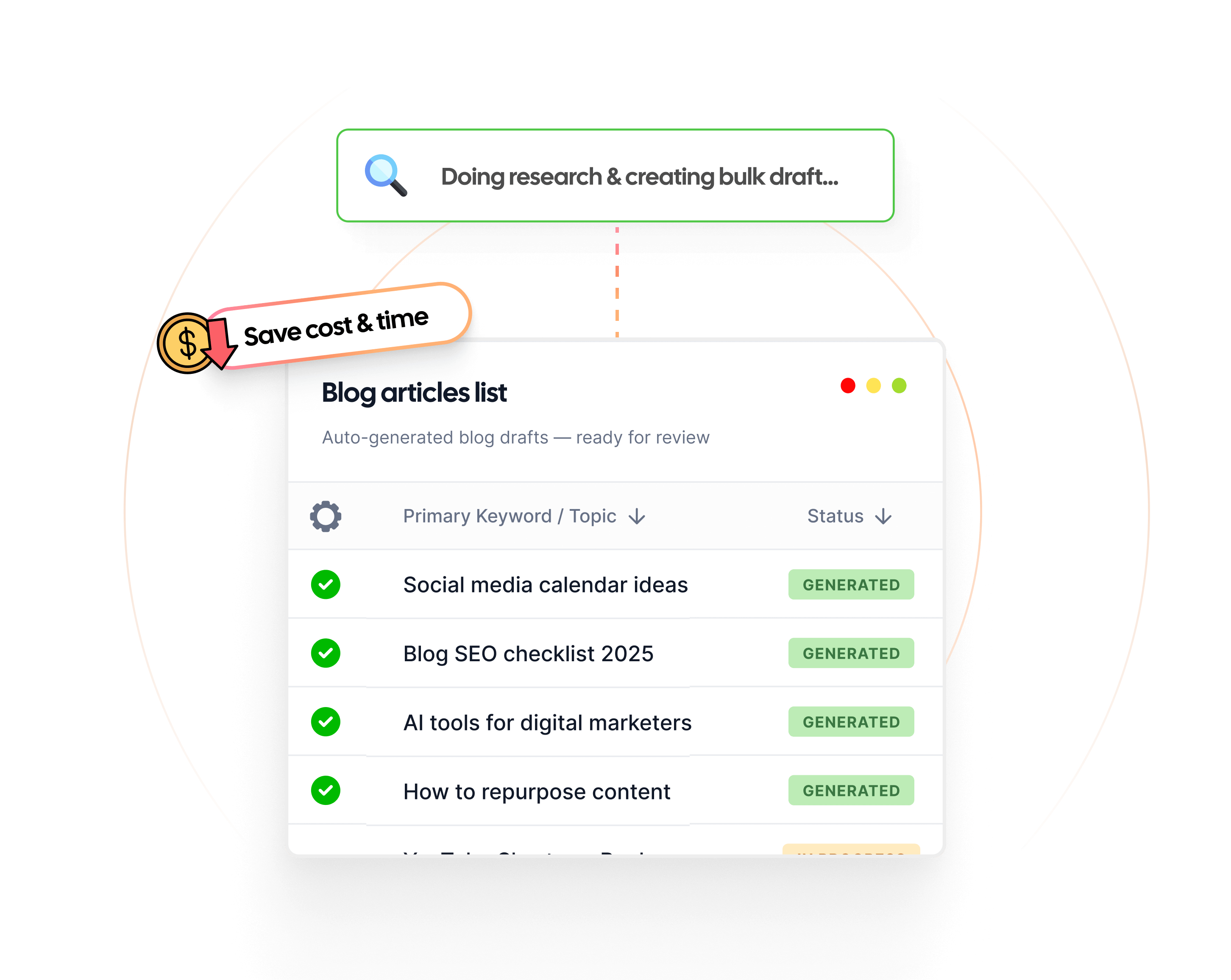
That said, let’s get one thing clear here: AI is not here to replace creativity. It’s here to enhance it.
The ideal approach is to allow these tools to handle the heavy lifting so you can focus on what matters most: crafting content that connects and converts.
Frequently asked questions
What are AI content creation tools?
AI content creation tools use artificial intelligence to generate, optimize, and edit content such as blog posts, social media captions, videos, and graphics with minimal manual effort.
Can I legally publish a book written by AI?
Probably not. If you want to author a book, you must be the one to write it. While it is completely fine to take inspiration from or use AI tools for specific portions of the content, overreliance on them will not make the work legally yours, and the resulting work will also be weak and shallow.
What are the 7 types of AI?
The 7 types of AI include superintelligent AI, general AI, narrow AI, self-aware AI, Theory of Mind AI, Limited Memory AI, and Reactive Machines. These artificial intelligence categories are organized by training frameworks and real-world use cases.
What are the top 5 AI tools?
While your use case may be different, our top 5 AI tools of all time are: Contentpen, Canva, Grammarly, ContentStudio, and ElevenLabs. These tools complete the tech stack, covering everything from text generation and optimization to video, images, and audio content.
Are AI writing tools good for SEO?
Yes, many AI writing tools include built-in SEO features, such as keyword suggestions, content scoring, and optimization tips, to help your content rank higher on search engines.
Are AI content tools suitable for beginners?
Most AI content creation tools are user-friendly and designed for beginners. They offer templates, guided workflows, and automation features to make the process easy, even for non-experts.
How to set up your Contentpen workspace? A beginner’s guide
Setting up your Contentpen workspace is super easy, and it only takes a few minutes to get started.
Whether you’re a content marketer, agency, or brand strategist, this setup guide will help you personalize your workspace and tailor it to your content needs.
So let us walk you through the steps:
A step-by-step guide to create a Contentpen workspace
To get started, simply sign up for your Contentpen account by entering your name, email address, and a secure password. You can also add your team or brand name if you’d like, and choose the company type. This will help Contentpen decide your niche and show related content suggestions when you write or optimize articles.
Once that’s done, click on “Create Account”, and you’re in!
Step 01: Add your brand details
Start by entering your basic brand details:
Workspace name
Workspace URL
Workspace timezone
Once you enter the details, Contentpen will analyze the information for further customization.
Step 02: Automated brand information
After you’ve added your brand info in the SEO platform, the AI agent jumps into action. It automatically pulls key brand elements from your website, including:
Your ideal customer profile (ICP)
Your unique selling proposition (USP)
You’re free to tweak or add more details here if needed. Once everything looks good, hit “Next.”
Step 03: Adjust the targeted audience
On the next screen, you’ll come across another automated section containing author persona, target audience, brand voice, and competitors’ details.
The platform auto-generates:
An author persona
Your target audience profile
Your brand voice
A list of top competitors
Everything is editable. Keep what works, remove what doesn’t, and make sure it matches your brand’s personality and goals.
Step 04: Set up your content strategy
Finally, you’ll be asked to fine-tune your content strategy.
Here, you can add or remove content pillars that are not relevant to you or your business/service. Once you’re done, click “Next,” and you’re all set!
That’s it – your workspace is ready!
You’ll be redirected to the main Contentpen dashboard, where you can begin creating content effortlessly.
Write content that’s built to rank, not just read
Create search-optimized blogs aligned with SEO and GEO signals, so your content performs well across search and AI-driven discovery.
Contentpen now natively supports Ghost, Wix, Webflow, ContentStudio.io, WordPress, and Shopify integrations. It also connects with Google Search Console to surface website analytics.
For CMS platforms, such as WordPress, first add the Contentpen plugin to the account, then paste the full URL of your site into Contentpen.
Voila! Integration made easy!
You can also create customized workflows using our ‘Webhooks‘ feature so you can receive real-time notifications (success or failure) about your blogs.
#2: Customize appearance
Contentpen supports both ‘Light’ and ‘Dark’ modes to help you feel accustomed to your workspace. The appearance is set to ‘System’ by default.
After customizing the appearance settings, you can also upload your own avatar and change your display name if needed.
#3: Create and organize articles with folders
Contentpen simplifies content organization with folders that you can create and edit.
To create a folder, go to ‘Workspace Settings -> Folders’ option.
Here, you can choose a color for the folder to simplify content sorting.
Then, click on ‘Create’. And just like that, you have created your first content folder!
Now you can visit your content planner and add the articles to the created folder to streamline your writing workflow.
#4: Assign team members to your workspace
You can add team members to your workspace by simply navigating to ‘Workspace Settings -> Team Members’ screen and clicking the ‘Add Team Member’ button.
Here, include the team members’ work email and assign them a proper access role.
Then, click the ‘Invite’ button, and that’s it. Your teammate will now be on board once they click and join Contentpen with the link they receive in their email.
#5: Choose your editorial workflow
Another thing we recommend is selecting the editorial workflow under workspace settings.
Contentpen offers two options: ‘Simple Workflow’ (for small teams) and ‘Approval-Based Workflow’ (for large teams).
Choose whichever one suits your team size and needs with a single click.
Final thoughts
Setting up the Contentpen workspace is a straightforward process. It hardly takes a few minutes to start publishing high-quality, SEO- and GEO-ready blogs that gauge the audiences and boost organic traffic for better conversions.
With just a few easy steps, you’ve set the foundation for a content workflow that’s smart, organized, and built around your brand. Whether you’re writing solo or collaborating with a team, your workspace is now fully tailored to your needs.
Frequently asked questions
Can I update my brand details later?
Yes! All brand details, including workspace name, URL, and time zone, can be edited anytime from your settings.
Is Contentpen suitable for agencies managing multiple clients?
Absolutely. You can create and switch between multiple workspaces. You can also choose your own editing workflow, making it easy to manage content strategies for different clients.
Will I lose progress if I don’t complete the setup in one go?
No, Contentpen auto-saves your progress, so you can resume setup anytime from where you left off.
What happens after setup? Can I start publishing immediately?
Once your setup is complete, you’ll land on the Contentpen dashboard, where you can start creating and scheduling content right away.
Is there a free trial to explore the platform before committing?
Definitely! Contentpen offers a 7-day free trial so you can explore all features and see how it fits your workflow before upgrading to the paid plan.
These days, almost everyone has access to AI tools or AI blog writers. But having AI at your fingertips doesn’t automatically make you a better writer.
The real advantage comes from knowing how to use AI the right way – choosing the best tools, applying the right techniques, and blending AI’s efficiency with your unique voice.
While AI can speed up the writing process, relying on it without a clear strategy often leads to content that feels generic or lacks personality.
That’s why it’s essential to know which AI tools are best for blog writing, how to guide them with clear prompts, and when to refine the output to make it your own.
Today, we’ll cover practical strategies to help you understand how to use AI to write blog posts– from selecting the right platform to using techniques that make your content engaging, authentic, and SEO-friendly.
Let’s dive in and see how you can create blog posts that capture attention and deliver value – without losing the personal touch that makes your writing unique.
Key takeaways
Efficiency & scalability: AI significantly reduces the time and cost associated with blog post creation, allowing for increased content output.
Quality & consistency: With proper prompt engineering and human editing, AI can produce high-quality, consistent content that aligns with your brand voice.
SEO optimization: AI tools assist in keyword optimization, headline generation, and image optimization, enhancing your blog’s search engine visibility.
Content authenticity: While AI is a powerful tool, maintaining originality and authenticity requires human oversight, including fact-checking and personalization.
Strategic implementation: A successful AI tool involves a clear content strategy, effective prompt creation, and a thorough editing process.
Tool selection: Choosing the right AI tool is vital. Contentpen provides many features that assist greatly in the creation of AI blog posts.
Human touch is vital: AI is a tool, not a replacement. Human editing and brand voice implementation are critical.
Why do you need to use AI to write blog posts in 2026?
The demand for fresh, engaging content is higher than ever. According to a 2023 report by HubSpot, businesses that publish 16+ blog posts per month generate 3.5x more traffic than those that publish fewer than four. However, creating this volume of content manually is time-consuming and expensive.
An AI writing assistant like Contentpen is designed to streamline the process, enabling you to produce high-quality blogs in a fraction of the time. By 2026, it’s estimated that most businesses will use AI tools for content creation, making it essential to adopt this technology now to stay competitive.
The evolution of blog content creation
Gone are the days when blog writing was solely a manual process. With advancements in natural language processing (NLP) and machine learning, AI tools can now generate coherent, engaging, and SEO-friendly content.
For example, Contentpen uses cutting-edge AI to assist with everything from brainstorming ideas to crafting full-length articles. This evolution has not only made content creation faster but also more accessible to non-writers.
Time and cost analysis: Traditional vs. AI-assisted writing
Creating blog posts can be both time-consuming and costly, especially when relying on traditional methods. With AI-assisted tools like Contentpen, businesses can streamline the writing process without sacrificing quality. Here’s a quick comparison:
Aspect
Traditional writing
AI-assisted writing
Time per blog post
Approximately 4-6 hours. A study by MIT researchers found that professionals using traditional methods took longer to complete writing tasks. Source
Approximately 1-2 hours. The same MIT study reported that participants using AI tools completed tasks 40% faster. Source
Cost per post (freelance)
$500 – $5,000. According to a Deloitte report, the average cost for producing a single piece of high-quality content using traditional methods can range significantly based on complexity and requirements. Source
Up to 60% reduction in costs. A 2021 report by Market Research Future estimates that businesses utilizing AI for content creation can reduce costs by up to 60%. Source
Consistency
Varies by the writer. Traditional methods rely heavily on an individual writer’s style and consistency.
High consistency with proper prompts. AI tools can maintain a consistent tone and style across content pieces when guided effectively.
Scalability
Limited scalability due to human resource constraints.
Highly scalable. AI tools can generate large volumes of content quickly, facilitating rapid scaling.
These findings suggest that AI-assisted writing tools can significantly enhance productivity and reduce costs while maintaining or improving content quality.
On the other hand, AI-assisted writing speeds up the process, reducing the time needed to produce an AI blog post to just 1-2 hours. With tools like Contentpen, the cost per post also drops significantly, making it a cost-effective solution for businesses looking to scale their content production.
Plus, with the right prompts, AI can maintain a consistent tone and style across all your content, ensuring a cohesive brand voice.
08 essential steps to write blog posts with AI
Writing blog posts with AI involves a series of essential steps to ensure the content is engaging, SEO-friendly, and aligned with your brand voice.
AI-assisted blogs can save time, reduce costs, and improve productivity while maintaining high quality. The following steps outline how to effectively leverage AI tools like Contentpen for blog writing.
1. Select the right AI tool
Choosing the right AI writing tool is essential for creating high-quality content that meets your goals. Look for a platform that offers robust features, such as SEO optimization, tone customization, and versatile content generation, like Contentpen.
Contentpen is a great choice, known for its user-friendly interface, advanced AI capabilities, and ability to produce engaging, well-structured content quickly.
It integrates seamlessly with your workflow, supports collaboration if needed, and enhances productivity by automating time-consuming writing tasks.
2. Conduct research and prepare key details
Thorough research is crucial for creating relevant and engaging content. Start by identifying your target audience and understanding their preferences, pain points, and interests. Gather essential keywords to optimize your content for search engines and align with your SEO strategy.
Clearly define your content objectives – whether it’s to inform, persuade, or drive conversions – to ensure the AI generates content that meets your goals.
Outline the main points, structure, and tone of your blog post to provide the AI with a clear framework. This includes defining the introduction, key sections, and conclusion to maintain coherence and readability.
3. Craft clear and detailed AI prompts
The quality of AI-generated content depends on the prompts you provide. Be specific and include key details such as:
Target audience: Define who the content is for.
Tone and style: Specify if the tone should be professional, conversational, or playful.
Main points: Highlight essential topics to cover.
For example, instead of saying, “Write a blog about AI,” use a detailed prompt like: “Write a 1,000-word blog post for small business owners on how AI can improve productivity. Focus on cost-effective tools like Contentpen, with practical examples and tips.”
4. Edit and refine AI-generated content
While AI-generated drafts provide a solid foundation, refining them ensures your content resonates with your audience and aligns with your brand identity. Use Contentpen’s editing features to enhance and personalize the content:
Adjust tone and style: Tailor the language, tone, and style to match your brand’s voice, whether it’s professional, conversational, or authoritative.
Add personalization and examples: Strengthen engagement by incorporating personal anecdotes, real-life case studies, or industry-specific examples that showcase expertise and credibility.
Ensure accuracy and credibility: Verify facts, statistics, and references to maintain reliability and build trust with your readers.
This combination of AI efficiency and human creativity results in high-quality content that is both engaging and authentic. You can also use the humanize AI text tool to smooth out robotic sentence structures and repetitive patterns, ensuring your writing sounds natural, fluid, and free of AI “tells.”
5. Optimize keywords naturally
Effective keyword integration is crucial for both search engine visibility and reader engagement. AI tools like Contentpen analyze your content to identify keywords that align with user intent and search engine algorithms.
Unlike traditional manual research, AI ensures that keywords are seamlessly woven into your text without overstuffing – enhancing readability while improving search rankings.
For example, if your blog focuses on “AI productivity tools,” You can provide Contentpen-related long-tail keywords such as “affordable AI tools for small businesses” or “boost productivity with AI automation.” This strategic use of keywords not only attracts search traffic but also ensures your content remains natural, engaging, and valuable to readers.
6. Write click-worthy headlines and meta descriptions
Headlines and meta descriptions are essential for attracting clicks from search results, so they must be both compelling and clear. AI tools can generate multiple headline variations, allowing you to choose the most attention-grabbing option while ensuring it aligns with your content’s purpose.
For example, if you’re writing about “AI productivity tools,” AI might suggest headlines like “Boost Your Productivity with AI Tools: Top Picks for 2024” and meta descriptions like “Discover the best AI productivity tools to streamline your workflow, save time, and boost efficiency for your business.” This combination enhances both search visibility and user engagement.
7. Optimize images for SEO and speed
Visual elements not only enhance user engagement but also play a vital role in SEO. AI tools like Contentpen help optimize your images by:
Generating descriptive alt text: AI suggests alt text that accurately describes your images, improving accessibility and making your visuals more discoverable in search engine image results. For example, instead of “AI tool screenshot,” AI might recommend “Dashboard of AI productivity tool showcasing automated task management.”
By combining engaging visuals with optimized SEO practices, you can boost both user engagement and search engine performance.
8. Build a strong internal linking structure
Internal linking is essential for both SEO and user engagement. It helps search engines crawl your site more efficiently while encouraging readers to explore related content. AI tools like Contentpen can scan your content and automatically add relevant internal links that align with your topic and keywords.
For example, if you’re writing about “AI content creation,” AI might recommend linking to posts such as “AI productivity hacks” or “Choosing the Right AI Writing Tool.”
By strategically linking to blog posts, landing pages, or product pages, you not only improve your site’s SEO performance but also guide readers through your content ecosystem, increasing time spent on your website.
Transform your content creation with Contentpen
Creating high-quality content consistently can be challenging, but Contentpen makes the process faster and more efficient. Whether you’re drafting blog posts, social media captions, or website copy, this AI-powered tool streamlines your workflow, saving you time while maintaining quality.
From outline to publish-ready content
that fills them
From brainstorming ideas to hitting publish, Contentpen simplifies every step of content creation. Its intuitive interface is easy to navigate, making it perfect for beginners, while its advanced features cater to the needs of seasoned writers. With AI-driven suggestions and real-time feedback, you can focus more on creativity and less on tedious tasks.
Smart features that set Contentpen apart
Contentpen offers a suite of powerful features designed to elevate your writing:
AI article generation: Quickly create SEO-optimized articles using AI. Simply provide a primary keyword and topic, and choose from preset templates to generate engaging content.
Bulk article generation: Save time by generating multiple articles at once. Add multiple rows with different keywords and topics, then generate them in a single click.
Internal & external link suggestions: Automatically add relevant internal and external links to improve both SEO and user experience.
Image generation with alt text: Generate and insert images complete with alt text, enhancing both visual appeal and accessibility.
Feature image addition: Automatically add feature images to make your content visually engaging from the start.
Brand voice customization: Ensure consistency in your content by aligning with your brand’s unique tone of voice. Adjust the writing style to match your desired formal, conversational, or playful tone.
Content presets: Choose from various presets to generate content tailored to specific needs, ensuring each article fits the intended purpose and platform.
Knowledge base integration: Incorporate information from your knowledge base to generate accurate and contextually relevant content.
Planner: Stay organized with a built-in content planner that helps you schedule and manage your content pipeline efficiently.
Collaboration tools: Easily collaborate with team members by inviting them to the platform, streamlining the review and editing process.
“Ask AI” feature: Add AI-generated prompts directly within your draft, allowing quick additions or modifications wherever needed.
Additionally, Contentpen includes SEO optimization features such as:
SEO score tracking: Monitor your content’s SEO score with a visual grade indicator to ensure it’s optimized for search engines.
Keyword optimization: Ensure primary and secondary keywords are used effectively.
Meta details optimization: Optimize meta titles and descriptions to improve search visibility.
Technical SEO factors: Ensure your content meets technical SEO best practices.
User engagement elements: Enhance the user experience by adding engaging elements like CTAs, interactive content, and visuals.
Starting with Contentpen is quick and straightforward:
Select the Generate Article with AI template.
Enter your primary keyword and topic.
Choose a preset that suits your content style.
Click Generate Articles and let AI do the work.
Within seconds, you’ll have a draft ready for review. Enhance it with internal and external links, adjust the tone to match your brand voice, and add media assets for a polished, professional post.
Easily share your draft with your team by adding members to collaborate in real-time. Whether you need a single blog or multiple articles in bulk, Contentpen helps you deliver engaging content with ease.
Quality assurance for AI-written content
Ensuring the quality of AI-generated content is crucial for maintaining credibility, readability, and engagement. While AI tools can streamline the writing process, human oversight is essential to ensure accuracy, originality, and alignment with your brand voice. Let’s explore key techniques to maintain high-quality content.
Ensuring authenticity and compliance
Use an AI detection tool to verify content doesn’t appear blatantly automated
Incorporate unique insights and personal examples to enhance readability
Maintain a natural flow with diverse sentence structures
Refining content with human expertise
Verify facts and statistics for accuracy
Simplify complex sentences and remove jargon
Add personality with a unique voice and conversational elements
Integrate keywords naturally for SEO integrity
Maintaining consistency
Use tools like Google Docs or Notion to organize and label drafts
Document major edits and feedback
Analyze engagement metrics to refine future content
Content authenticity checklist
Fact-check all information using reliable sources
Ensure originality with plagiarism checkers (Grammarly, Copyscape, Duplichecker)
Add unique insights and personal experiences to differentiate your content
Common mistakes to avoid
Over-relying on AI without human refinement
Using vague prompts instead of specific, detailed ones
Neglecting to add personal judgment and creativity
By combining AI efficiency with human creativity, you’ll create content that’s both engaging and credible.
Conclusion
Using AI to write blog posts is no longer a futuristic concept – it’s a game-changing reality that’s transforming content creation. By integrating tools like Contentpen into your workflow, you can streamline the writing process, reduce costs, and consistently produce high-quality, SEO-optimized content that resonates with your audience.
Write content that’s built to rank, not just read
Create search-optimized blogs aligned with SEO and GEO signals, so your content performs well across search and AI-driven discovery.
Ready to elevate your blogging experience? Sign up for Contentpen today and experience the future of content creation!
FAQs on AI blog writing
What is AI blog writing, and how does it work?
AI blog writing uses machine learning algorithms to generate content based on user inputs. Tools like Contentpen analyze prompts and produce coherent, engaging articles.
How much does it cost to write blog posts with AI?
Costs vary, but AI tools like Contentpen are significantly more affordable than hiring freelance writers.
Will AI replace human writers completely?
No, AI is a tool to assist writers, not replace them. Human creativity and oversight remain essential.
Can search engines detect AI-written content?
Search engines focus on content quality, not its origin. Ensure your content is valuable and well-optimized.
How long does it take to write a blog post with AI?
With tools like Contentpen, you can create a blog post in 1-2 hours, including editing.
Do I need writing experience to use AI writing tools?
No, AI tools are designed to be user-friendly for both beginners and experts.
How does Contentpen help in creating better blog posts?
Contentpen offers SEO optimization, tone customization, and smart editing features to enhance content quality.
What types of blog posts can I create with AI?
You can create a wide range of content, including how-to guides, listicles, case studies, and more.