If you’re creating content that ranks, converts, and stands out, finding the right keywords is half the battle. In Contentpen, spotting high opportunity keywords, those with good traffic potential and low competition, is a breeze if you know where to look.
Here’s a step-by-step guide to help you uncover keywords that bring results.
Step 01: Log in to your Contentpen dashboard
Once you’re logged in, go to the “Keywords” tab in the left-hand menu.
Step 02: Add keywords manually or generate with AI
You’ll be taken to a new window where you will be given two options.
You can either:
Add keywords manually, or use AI to generate keywords.
Click “Add keywords” to enter your own keywords manually, then click “Save”
You can add a broad topic, seed keyword, or niche.
Or, use the AI-generated keywords button in the top right corner if you don’t have specific keywords in mind.
After entering your keywords, you’ll see five filter cards at the top of the page:
High-opportunity
High-volume
Low difficulty
Starred
Generated
Click on the “High-opportunity” card to filter your list.
Contentpen will now display keywords with high potential based on your inputs.
Step 04: Analyze the keyword metrics
Each keyword will show useful data such as:
Difficulty, Difficulty Score, Volume, Intent, CPC, and Action options. These help you choose the keywords with the best ranking potential
Step 05: Generate articles instantly (Optional)
Once you’ve selected a keyword, click on “Generate article” to start creating content right away. No switching tabs or tools, Contentpen handles it all in one place.
Benefits of using high-opportunity keywords for your content
Here are the top benefits of using high-opportunity keywords for your content:
1. Faster rankings with less competition
High-opportunity keywords typically have lower competition, meaning fewer websites are actively targeting them. This allows your content to rank higher in search engine results more quickly, especially if your website is relatively new or doesn’t have a high domain authority.
Instead of struggling to outrank established competitors on broad, high-difficulty keywords, you can focus on terms where you have a realistic chance of appearing on the first page.
These keywords often align with specific search intent. Users searching for them usually have a clear idea of what they’re looking for, whether it’s information, a solution, or a product.
By targeting these terms, you’re more likely to attract visitors who are genuinely interested in your content, product, or service, resulting in higher engagement and conversion rates.
3. Higher return on content investment
Creating content requires time, research, and resources. High-opportunity keywords help you get more value from that investment.
Since these keywords are easier to rank for and still offer decent traffic potential, you can achieve meaningful SEO results without a large budget or a long wait. This is especially beneficial for small teams, startups, and solo marketers aiming for efficiency.
4. Smarter content planning and topic selection
Focusing on high-opportunity keywords allows you to build a content strategy around real search gaps in your niche. You’re not just creating random content, you’re addressing actual queries that aren’t yet fully answered by competitors.
This not only improves your chances of ranking but also positions your brand as a valuable and helpful resource in your industry.
High-opportunity keywords are identified through clear SEO metrics such as search volume, keyword difficulty, cost-per-click (CPC), and user intent.
This means you’re making informed decisions based on actual data, not just assumptions. It ensures that the topics you target have both demand and potential, reducing the risk of wasting time on content that won’t perform.
Final words
High-opportunity keywords = faster rankings, more traffic, and better results. With Contentpen’s keyword research tools, you’re not guessing; you’re building content around real data and real potential.
So before you write, let our AI blog post generator guide you to the keywords that move the needle. 🚀
Frequently asked questions
What are high-opportunity keywords in Contentpen?
High-opportunity keywords are search terms with a good balance of low competition and high traffic potential. These keywords are easier to rank for and more likely to bring targeted traffic to your content.
Can I use Contentpen’s keyword research tool without any keyword ideas?
Yes! Contentpen offers an AI-generated keyword feature. Simply enter a broad topic or niche, and the tool will suggest relevant, high-opportunity keywords for you.
How accurate is the keyword data in Contentpen?
Contentpen provides keyword metrics like difficulty score, search volume, CPC, and intent, powered by reliable data sources to help you make informed decisions.
Can I create an article directly from a keyword in Contentpen?
Absolutely. Once you’ve selected a keyword, you can click on “Generate article” and Contentpen will instantly create a draft based on that keyword.
What’s the difference between high-volume and high-opportunity keywords?
High-volume keywords have a large number of searches but may also be highly competitive. High-opportunity keywords strike a better balance by offering decent volume with lower competition, making them ideal for quicker ranking.
Writing articles one by one can slow you down, especially if you’re managing multiple content projects, clients, or websites.
That’s where Contentpen’s bulk article generation feature comes in. It allows you to create dozens of articles using presets and keywords in just a few clicks, saving you hours of manual work.
Whether you’re building a niche blog network or preparing content for the entire month, our AI writer simplifies the process.
In this guide, we’ll walk you through each step of creating articles in bulk using Contentpen and share tips to make the most out of the feature.
Start by logging in to your Contentpen account. If you don’t have one, you can sign up in seconds. Once inside, head to the main dashboard.
Step 02: Go to the bulk article generator
On the dashboard, look for the option labeled “Bulk Article Generator.” This feature is designed specifically for creating multiple articles in one go.
Step 03: Add keywords, topics, and presets
To create articles in bulk:
Add a primary keyword
Enter your topic
Choose a preset if you’ve set one (or just stick with the default template)
To add a row, just click on “Add Row”.
💡 Tip: Want to generate a topic based on a keyword? Just hit the button next to the topic field, and it will auto-suggest one for you.
Once your rows are ready, click the “Generate Articles” button. Contentpen will begin generating content based on the inputs you’ve provided. You’ll see real-time status updates on your dashboard.
Step 05: Review, edit, and export your content
Head back to your dashboard once the generation process is complete.
Once all articles are generated, you can:
Preview each article inside Contentpen’s editor to make quick edits or optimize it further.
From there, you can:
Download as .html, .md, or .docx (Google Docs format)
If you’re tired of creating content one piece at a time, Contentpen’s bulk article generator is a game-changer when it comes to content automation. It’s fast, flexible, and perfect for marketers, bloggers, agencies, and anyone dealing with high-volume content needs.
Frequently asked questions
How many articles can I generate at once?
It depends on your Contentpen plan. With the premium plan, you can generate up to 30 bulk articles at once, though with the agency plan, you can generate up to 100 articles.
Can I use the same template for all articles?
Yes, presets allow you to apply the same formatting, tone, structure, and style to all articles in a single bulk session.
Does the tool generate unique articles for each keyword/topic?
Yes, our AI blog writer online each generate each article uniquely based on the keyword and topic you enter, no duplication across content unless you input repetitive data.
Can I reuse the same keyword in multiple rows?
Yes, you can use the same keyword for different topics if you’re targeting variations of the same niche.
Can I bulk publish to WordPress directly?
Yes, if your WordPress site is connected to Contentpen, you can publish articles in bulk directly from your dashboard.
SEO has evolved from the tedious process of manually researching keywords for hours and crafting content based on educated guesses. Today’s leading marketers use AI-powered analytics that dissect competitor strategies in minutes, generate data-backed content frameworks, and align with search intent using predictive algorithms.
But here’s the challenge: with over 300 AI SEO tools flooding the market, how do you separate the best from the glorified content spinners?
We’ve tested the top AI SEO tools for three months, using them on actual websites across different industries.
This blog shows you exactly which tools work, which ones waste your money, and how to choose the right one for your business.
How do we test these AI SEO tools?
Before diving into the rankings, let me explain our testing methodology. Each tool was evaluated across five critical criteria:
Content quality & SEO optimization: How well does the AI understand search intent and create genuinely helpful content that ranks?
Data accuracy & insights: Are the keyword suggestions, competitor analysis, and SEO recommendations based on reliable, up-to-date data?
Ease of use & learning curve: Can your team implement and benefit from this tool without extensive training?
Integration & workflow: How seamlessly does it fit into existing marketing stacks and content workflows?
ROI & Value: Does the tool deliver measurable results that justify its cost?
We tested each platform using real client websites in different industries, from local businesses to enterprise e-commerce sites. The results might surprise you.
Quick comparison: Top AI SEO tools at a glance
Tool
Best for
Starting price
Key strength
Contentpen.ai
Complete AI SEO content generation
$39/month
Multi-agent AI system
Semrush Copilot
SEO strategy & insights
$139/month
Comprehensive data analysis
ChatGPT
Versatile AI assistant
$20/month
Flexible prompt-based tasks
Frase
Content optimization
$45/month
SERP analysis integration
Jasper AI
Long-form content
$49/month
Brand voice consistency
Surfer SEO
On-page optimization
$79/month
Content scoring system
Writesonic
Competitive analysis
$20/month
Real-time competitor insights
MarketMuse
Content strategy
$149/month
Topic modeling expertise
Copy.ai
SEO workflows
$49/month
Automation capabilities
Clearscope
Content quality
$189/month
Readability optimization
SE Ranking
All-in-One platform
$65/month
Complete SEO suite
Alli AI
Technical SEO
$169/month
Automated optimization
The 12 best AI SEO tools for 2026
1. Contentpen.ai – Best AI-powered SEO content generator
Contentpen creates SEO content using four different AI agents. One agent researches competitors and keywords, another learns your brand’s writing style, the third optimizes content for search engines, and the fourth plans your content calendar and strategy.
What it does:
Contentpen transforms the traditional content creation process by automating research, writing, and optimization through intelligent AI agents. The platform analyzes top-ranking competitors, learns your brand voice, creates comprehensive content outlines, generates SEO-optimized articles, and manages your content calendar, ensuring consistency with your brand messaging and search intent alignment.
Key features
Multi-agent AI system: Four specialized AI agents handle research, brand voice, SEO optimization, and content strategy
Advanced SERP analysis: Deep competitor analysis with content gap identification and semantic keyword discovery
Brand voice cloning: AI learns your writing style and brand personality from existing content samples
2. Semrush Copilot – Best for SEO strategy & insights
Semrush Copilot is an AI-powered dashboard assistant integrated into the comprehensive Semrush SEO platform. It acts as your personal SEO analyst, automatically monitoring website performance across multiple metrics and delivering personalized, actionable insights instead of overwhelming you with raw data.
What it does
Copilot analyzes your Semrush data from tools like Position tracking, Site audit, and Competitive research, then translates complex metrics into clear, prioritized action items. It monitors your SEO performance 24/7, alerts you to opportunities and threats, and provides specific recommendations for improving your search rankings.
Key features
Personalized daily insights: Automated analysis of your SEO performance with actionable recommendations
Competitor monitoring: Real-time alerts about competitor movements and new opportunities
Technical SEO alerts: Automatic detection of crawl errors, broken links, and optimization issues
Keyword opportunity detection: Identifies new keyword opportunities and ranking improvements
Performance trend analysis: Tracks your progress and predicts potential issues
Content gap identification: Spots missing content opportunities in your strategy
Limitations
Requires an existing Semrush subscription (higher cost barrier)
Limited customization of insight types
Can be overwhelming for SEO beginners
Insights quality depends on your existing Semrush data setup
Pricing
Pro plan: $139/month – Includes Copilot with fundamental insights
Guru plan: $249/month – Enhanced Copilot features and historical data
Business plan: $499/month – Full Copilot capabilities with advanced analytics
Free trial: 14-day trial available
3. ChatGPT – Best overall AI assistant for SEO
ChatGPT is OpenAI’s versatile conversational AI that has become an indispensable tool for SEO professionals. While not specifically designed for SEO, its flexibility and advanced language understanding make it excellent for various optimization tasks when prompted correctly.
What it does
ChatGPT is a flexible AI assistant that can handle multiple SEO tasks through custom prompts. It analyzes content, generates SEO-optimized copy, creates detailed outlines based on competitor research, and helps with various optimization strategies, all through conversational interactions.
Key features
Flexible, prompt engineering: Unlimited customization for any SEO task
Content analysis: Evaluate existing content for optimization opportunities
Meta tag generation: Creates optimized titles and descriptions at scale
SERP analysis: Analyzes competitor content to identify gaps and opportunities
FAQ development: Generates featured snippet-optimized question sections
Internal linking strategy: Suggests linking opportunities and anchor text variations
Limitations
Requires SEO knowledge to craft effective prompts
No built-in SEO data or SERP analysis capabilities
Results quality varies significantly based on prompt quality
No direct integrations with SEO tools or platforms
Pricing
Free tier: Limited access to GPT-4.1 with usage restrictions
Team plan: $200/user/month – Team collaboration features, access to OpenAI o3‑pro
4. Frase – Best for content optimization
Frase is an AI-powered content optimization platform that analyzes top-ranking content and provides specific, actionable recommendations for improving its search performance. With data-driven insights, it bridges the gap between content creation and SEO optimization.
What it does
Frase analyzes search engine results pages (SERPs) for your target keywords, examines what makes top-ranking content successful, and provides detailed recommendations for optimizing your content. It combines content research, writing assistance, and optimization scoring in one streamlined workflow.
Key features
SERP Analysis with topic modeling: Detailed analysis of top-ranking pages with content structure insights
AI Article wizard: Step-by-step content creation based on competitor analysis
Real-time content scoring: Live optimization feedback as you write
Question research tool: Identifies common questions for FAQ optimization
Content brief generator: Creates detailed briefs based on top-performer analysis
Competitor content comparison: Side-by-side analysis of your content vs. competitors
Limitations
Limited content generation compared to dedicated AI writers
Requires manual input for best results
SERP analysis is limited to Google search results
Can be overwhelming for complete SEO beginners
Pricing
Starter plan: $45/month – 1 user, 15 content projects, SEO analytics for one domain
Professional plan: $45/month – 1 user, 30 search queries, advanced features
Jasper AI is a comprehensive AI writing platform that excels at creating long-form, brand-consistent content at scale. Initially focused on copywriting, it has evolved into a powerful tool for businesses that need to maintain consistent messaging across large volumes of SEO content.
What it does
Jasper generates high-quality, long-form content while maintaining your brand voice and style guidelines. It creates comprehensive blog posts, pillar pages, and detailed articles that align with your SEO strategy while ensuring consistency across all content pieces.
Key features
Brand voice training: AI learns and maintains your specific writing style and messaging
SEO mode integration: Built-in optimization features with Surfer SEO integration
Long-form templates: Pre-built templates for blogs, pillar pages, and comprehensive guides
Team collaboration: Multiple users can work within consistent brand guidelines
Content expansion: Transforms short briefs into comprehensive, detailed articles
Multiple output formats: Blog posts, social content, emails, and more from single inputs
Limitations
The higher learning curve for maximizing brand voice features
SEO optimization requires additional tool integrations
Can be expensive for smaller teams or individual users
Content may require significant editing for technical topics
Pricing
Creator plan: $49/month – 1 user, one brand voice training
Pro plan: $69/month – 5 users, three brand voices, AI Image generation & editing toolsets
Business plan: Contact them for this – Advanced team features, custom integrations
Free trial: 7-day trial available
6. Surfer SEO – Best for on-page optimization
Surfer SEO is a data-driven content optimization platform that pioneered the concept of content scoring based on SERP analysis. It provides real-time feedback on how well your content matches the optimization patterns of top-ranking pages for your target keywords.
What it does
Surfer analyzes the top-ranking pages for your target keywords and provides specific optimization recommendations, including keyword density, content length, heading structure, and semantic keyword usage. It offers real-time scoring as you write, ensuring your content meets optimization benchmarks.
Key features
Real-time content scoring: Live optimization feedback while writing
SERP analyzer: Detailed analysis of top-ranking competitor content
Content editor: Writing interface with built-in optimization recommendations
Keyword research tool: Data-driven keyword suggestions with difficulty scores
Content audit: Analysis of existing content with improvement recommendations
Content planning: Strategic planning tools for content clusters and topics
Limitations
Can lead to over-optimization if followed too strictly
Focuses heavily on keyword metrics rather than user experience
Limited content generation capabilities
May not account for brand voice and messaging nuances
MarketMuse is an AI-powered content intelligence platform that goes beyond individual content pieces to help you build comprehensive content strategies. It uses advanced topic modeling to identify content gaps and develop authority-building content plans for competitive niches.
What it does
MarketMuse analyzes your content against competitors to identify topical gaps, suggests content clusters that build authority, and provides strategic recommendations for content planning. It helps you understand what to write and how individual pieces fit into your broader content strategy.
Key Features
Topic modeling and authority analysis: Identifies content gaps and authority-building opportunities
Content planning dashboard: Strategic overview of your content landscape vs. competitors
Competitive content analysis: Deep analysis of competitor content strategies
Content scoring: A quality assessment based on topical coverage and depth
Content brief generation: Detailed briefs with strategic context and requirements
Content optimization: Recommendations for improving existing content performance
Limitations
Steep learning curve for new users
Higher price point than simpler content tools
Can be overwhelming for small businesses with simple needs
Requires strategic thinking to maximize value
Pricing
Free plan: Limited analysis, 10 queries per month
Standard plan: $149/month – 100 queries, content briefs, optimization
Team plan: $399/month – Unlimited queries and briefs, team features
Premium plan: Custom pricing for enterprise needs
8. Writesonic – Best for competitive analysis
Writesonic has evolved from a simple AI writing tool into a comprehensive SEO platform with powerful competitive analysis capabilities. It combines AI-powered content creation with real-time competitive intelligence to help you stay ahead of competitors in fast-moving industries.
What it does
Writesonic analyzes competitor content strategies, identifies trending topics in your industry, and generates content that outperforms competition. It provides real-time insights into competitors’ actions and helps you create superior content based on competitive gaps.
Key features
Real-time competitive analysis: Live monitoring of competitor content and strategy changes
Trending topic identification: AI-powered detection of emerging trends in your niche
Content gap analysis: Identifies opportunities competitors are missing
Multi-format content generation: Blogs, social posts, ads, and more from a single input
SERP integration: Creates content based on the current search result analysis
Brand voice adaptation: Maintains consistent messaging across all content types
Limitations
Competitive analysis depth varies by industry
Content quality can be inconsistent without proper prompting
Limited advanced SEO features compared to dedicated SEO tools
Requires manual verification of competitive insights
Copy.ai has transformed from a simple content generator into a comprehensive workflow automation platform for SEO teams. It specializes in creating systematic, repeatable content creation and optimization processes, making it ideal for teams that want to scale their SEO efforts efficiently.
What it does
Copy.ai automates entire SEO content workflows through customizable templates and multi-step processes. It creates systematic approaches to content creation, from keyword research to final optimization, allowing teams to maintain consistency and quality across all content pieces.
Key features
Workflow automation: Multi-step processes for complete SEO content creation
Template library: Pre-built workflows for common SEO tasks
Team collaboration tools: Shared workflows and approval processes
Integration capabilities: Connects with popular marketing and SEO tools
Custom workflow builder: Create unique processes tailored to your needs
Quality control systems: Built-in review and approval mechanisms
Limitations
Requires time investment to set up effective workflows
Advanced plan: $249/month – Advanced collaboration and integrations
10. Clearscope – Best for content quality
Clearscope is a premium content optimization platform that focuses exclusively on helping you create the highest-quality, most comprehensive content possible for your target keywords. It emphasizes content depth, user intent matching, and readability optimization over simple keyword targeting.
What it does
Clearscope analyzes top-performing content to identify not just what keywords to use but also how to structure content for maximum user value and search performance. Based on what actually ranks well, it provides detailed recommendations for improving content quality, readability, and comprehensiveness.
Key features
Advanced readability analysis: Detailed scoring and recommendations for user engagement
Business plan: $399/month – Advanced features, unlimited reports
Enterprise plan: Custom pricing – Full feature suite, dedicated support
Demo: Available upon request, no free trial
11. SE Ranking – Best all-in-one platform
SE Ranking is a comprehensive SEO platform offering a complete suite of optimization tools enhanced with AI capabilities, all at a more affordable price than premium alternatives. It provides everything from rank tracking to content optimization in a single, integrated platform.
What it does
SE Ranking combines traditional SEO tools with AI-powered insights to provide comprehensive website optimization capabilities. It handles rank tracking, technical audits, content optimization, competitor analysis, and performance reporting in one unified dashboard.
Key features
Complete SEO suite: Rank tracking, site audits, keyword research, and competitor analysis
AI-powered content editor: Smart content optimization with real-time scoring
Technical SEO automation: Automated site audits with AI-driven recommendations
Competitor intelligence: Comprehensive competitor analysis and monitoring
Local SEO tools: Specialized features for local business optimization
White-label reporting: Customizable reports for agencies and clients
Limitations
Individual tools may not be as advanced as specialized alternatives
Learning curve due to the comprehensive feature set
Limited advanced AI features compared to cutting-edge tools
Customer support can be slower than premium platforms
Pricing
Essential plan: $65/month – Basic features, suitable for small websites
Pro plan: $119/month – Advanced features, multiple projects
Business plan: $259/month – Full feature suite, agency tools
Free trial: 14-day trial available
12. Alli AI – Best for technical SEO
Alli AI is a specialized technical SEO platform that automates complex optimization tasks normally requiring developer resources. It focuses on implementing technical SEO improvements across websites without requiring coding knowledge or extensive development time.
What it does
Alli AI automatically identifies and fixes technical SEO issues across your website, from meta tag optimization to schema markup implementation. It performs bulk optimizations, automates routine technical tasks, and implements SEO best practices at scale without requiring manual coding.
Key features
Automated technical optimization: Bulk fixes for meta tags, headers, and technical elements
Schema markup automation: Automatic generation and implementation of structured data
Page speed optimization: Automated improvements for site performance
Internal linking automation: AI-powered internal link optimization and management
Technical SEO monitoring: Continuous monitoring and fixing of technical issues
A/B testing for SEO: Test different optimization approaches automatically
Limitations
High price point compared to content-focused tools
Requires careful monitoring to avoid over-optimization
Limited content creation capabilities
Setup complexity for advanced features
Pricing
Small plan: $169/month – Up to 1 site, basic automation features
Consultant plan: $399/month – Up to 5 sites, advanced features, team access
Agency plan: $699/month – 15 Sites, API access, AI agents
Enterprise plan: $1,249/month – Up to 50 sites, full feature suite
Free trial: 10-day trial available
How to use AI SEO tools without getting penalized?
Use AI as a starting point, not the finish line
AI tools create first drafts and research outlines. You need to add your expertise, real examples, and unique insights before publishing. This combination of AI speed and human knowledge creates content that ranks and provides real value.
Focus on search intent, not just keywords
Don’t just stuff keywords into AI-generated content. Make sure your content actually answers what people are searching for. Use AI to analyze top-ranking pages, then create content that solves problems better than competitors.
Maintain your brand voice
Train AI tools with your best content so they understand your writing style. Review everything before publishing to ensure it sounds like your brand, not a generic AI writer.
Fact-check everything
AI tools can make mistakes or use outdated information. Always verify facts, statistics, and claims before publishing. Add recent examples and current data to keep content accurate and relevant.
Build E-E-A-T Into Your Content
Google values Experience, Expertise, Authority, and Trust. Add author bios, personal examples, and case studies, and cite authoritative sources. Link to reputable websites and get quality backlinks to your content.
Don’t over-optimize
AI tools might suggest using keywords too frequently. Focus on natural language that helps readers first and search engines second. If the content sounds robotic, it needs more human editing.
Track performance and adjust
Monitor how AI-generated content performs compared to human-written pieces. Use this data to improve your prompts and processes. Not all AI content will rank well immediately.
Conclusion
SEO has changed completely in the past two years. AI tools now handle tasks that used to take hours of manual work.
After extensive testing, Contentpen emerges as the best seo platform for agencies, thanks to its innovative multi-agent approach and laser focus on creating content that ranks.
For businesses serious about scaling their SEO efforts, combining Contentpen.ai for content creation, Semrush Copilot for strategic insights, and ChatGPT (or a strong ChatGPT alternative like Jasper or Copy.ai) for flexible AI assistance creates a powerful toolkit that can compete with much larger competitors.
Frequently asked questions
Are AI SEO tools worth the investment in 2026?
Absolutely. The time savings alone justify the cost for most businesses. AI SEO tools can reduce content creation time by 70-80% while improving quality and optimization. The key is choosing tools that fit your specific needs and budget.
Will Google penalize AI-generated content?
Google doesn’t penalize content based on how it’s created—they focus on quality and user value. AI-generated content that’s well-researched, factually accurate, and serves user intent performs just as well as human-written content.
Can AI replace human SEO experts?
Not yet, and probably not entirely. AI excels at data analysis, content optimization, and routine tasks, but humans are still needed for strategy, creativity, and complex problem-solving. The most successful approach combines AI efficiency with human expertise.
How does Contentpen.ai compare to other AI SEO tools?
Contentpen.ai stands out for its multi-agent AI system and focus specifically on SEO content creation. While tools like Jasper are great for general content, Contentpen.ai is built specifically for content that needs to rank well in search engines.
AI-generated content quickly transforms how individuals and businesses create written, visual, and audio material. From blog posts and product descriptions to social media captions and marketing videos, artificial intelligence is now capable of producing content that closely mimics human creativity.
This shift isn’t just a passing trend; it’s becoming an essential tool in modern content strategies, offering speed, efficiency, and scalability like never before.
But what exactly is AI-generated content, and how does it work? In this article, we’ll explore the fundamentals of AI-driven content creation, the tools behind it, its benefits and limitations, and how it compares to traditional human-made content.
Whether you’re a marketer, writer, or curious reader, understanding AI-generated content is key to staying ahead in the evolving digital landscape.
What is AI-generated content?
AI-generated content refers to any type of media; text, images, video, or audio created with artificial intelligence. Instead of relying solely on human input, this content is produced using machine learning models that can understand context, patterns, and language structures to generate human-like results.
For example, a marketer might use an AI writing tool like Contentpen to generate a blog post outline or a complete article based on a short prompt such as “Top 5 social media trends for 2026.” The AI will analyze the prompt, draw from its training data, and produce coherent and relevant content within seconds.
AI-generated content can range from social media captions and product descriptions to music tracks and digital artwork, making it a powerful resource for creators and businesses looking to scale content production quickly and efficiently.
Types of AI-generated content
AI can produce various content formats depending on the purpose and platform. Here are the most common types:
Text-based content: Blog posts, articles, social media captions, emails, product descriptions, ad copy.
Visual content: AI-generated images, infographics, and designs.
Audio content: Voiceovers, podcast scripts, and AI-cloned voices for narration or interactive media.
Video content: Scriptwriting, subtitles, and even fully AI-generated video clips or avatars.
Interactive content: Chatbot conversations, quizzes, personalized recommendations, and customer support flows.
Each type uniquely serves in modern marketing and communication, helping creators and teams scale content faster than ever.
How does AI generate content?
Aspect
Description
Core technologies
Uses Natural Language Processing (NLP) and Machine Learning (ML) to understand and generate text.
Training data
Trained on vast datasets like books, websites, articles, and more to learn structure, grammar, and tone.
Language models
Models like Contentpen predict words and generate coherent content based on the input.
Visual content creation
Tools like DALL·E and Midjourney turn text prompts into images using AI-based image generation models.
Audio and music
AI can clone voices or compose music by identifying and mimicking patterns in sound data.
Human vs. AI creation
Humans use intuition and experience; AI relies on data and algorithms to simulate creativity.
In short, AI mimics how humans create content, but instead of intuition and experience, it relies on data and algorithms.
Uses of AI-generated content
AI-generated content is transforming how individuals and businesses create, scale, and manage content. Here are some of the most common and impactful use cases:
Blog writing & SEO
AI blog writer tools like Contentpen help generate keyword-optimized articles, meta descriptions, and blog outlines—making it easier to maintain content consistency and improve search rankings.
Social media content
Platforms like ContentStudio use AI to create engaging captions, hashtags, and platform-specific posts, saving time and boosting engagement.
Email marketing
AI assists in writing personalized subject lines, email bodies, and product recommendations—improving open and conversion rates.
E-commerce product descriptions
Retailers use AI to automatically generate thousands of product descriptions while maintaining tone and structure across listings.
Customer support & chatbots
AI powers chatbots, auto-replies, and help center content, offering 24/7 support and reducing the need for manual intervention.
Video scripts & podcast outlines
Creators use AI to draft scripts, show notes, and episode summaries for YouTube, TikTok, and podcasts. Marketers also use avatars from tools, such as the avatar generator, to turn scripts into professional videos without cameras, studios, or actors.
Internal reports & summaries
AI helps teams generate meeting notes, executive summaries, and status updates quickly and consistently.
Benefits of using AI for content creation
AI is reshaping content creation by offering practical advantages that help creators, marketers, and businesses work faster and smarter. Here are the key benefits explained:
1. Speed and efficiency
AI can produce content in seconds that might take human hours or even days to create. Whether generating an article outline, writing a product description, or designing a social media post, AI helps streamline repetitive tasks and accelerates content workflows. This allows teams to focus more on strategy and creativity.
2. Scalability
One of AI’s biggest advantages is its ability to consistently create a large volume of content. Brands managing multiple platforms or targeting global audiences can use AI to generate variations of content quickly, making it easier to scale campaigns without burning out internal teams.
3. Cost-effectiveness
Hiring writers, designers, or video editors for every piece of content can be expensive. AI reduces this burden by automating parts of the process, lowering production costs. While it may not replace human expertise in all areas, it can handle simpler, high-volume tasks at a fraction of the cost.
4. Multilingual capabilities
Many AI tools support content generation in multiple languages. This helps businesses reach international audiences without needing a separate translator or writer for each market. AI can localize content while maintaining tone and context, speeding up global content strategies.
5. Consistency and personalization
AI can consistently follow brand guidelines, tone, and messaging across all pieces of content. At the same time, it can personalize messages at scale, for example, by creating customized email subject lines or ad copy based on user behavior or preferences.
When used strategically, AI boosts productivity and enhances brands’ communication with their audiences, making it a valuable asset in today’s content-driven world.
Popular tools for AI content generation
With the rise of AI in content creation, a wide range of tools have emerged, each offering unique features to help writers, marketers, and businesses scale their efforts. Below are some of the most widely used and trusted AI content generation tools:
1. Contentpen
Contentpen is a powerful AI content generation tool designed to help businesses scale their content output efficiently without sacrificing quality or SEO performance. Built for growth-driven teams, it blends speed, creativity, and optimization to simplify content production across the board.
Key features:
Bulk content generation
Automated keyword suggestions
Built-in SEO optimization tools
Deep brand voice analysis and integration
Built-in content approval workflow
Multiple specialized AI agents
Direct WordPress publishing integration
Pricing:
Starter: $27/month
Premium: $55/month
Agency: $139/month
2. ContentStudio’s AI Assistant
ContentStudio’s AI Assistant is designed to help marketers, content creators, and businesses generate high-quality, engaging content faster and more efficiently.
Its customizable writing tones, text enhancement, and a predefined prompt library make the job easy. The AI assists in creating social media captions, generating images, generating text from images, hashtags, and more, all tailored to your brand voice and audience.
Best for: Generating and editing short-form social media content and images.
3. Canva & Canva Magic Write
Canva is no longer a simple graphic design tool but an efficient AI-driven content creation platform. Its user-friendly drag-and-drop interface makes designing social media posts, presentations, and videos accessible to everyone without any pro-level design skills.
Canva Write Magic is an AI writing tool built into Canva that assists in generating short-form content for presentations, social posts, and designs. It pairs well with Canva’s visual editing features.
Best for: Designers and marketers who want quick, AI-powered copy for visual content.
Choosing the right AI tool depends on your specific content goals, whether you need fast output, tailored copy, or polished language. Many professionals use a combination of tools to generate, refine, and scale content efficiently.
AI-Generated content vs human-written content
As AI becomes more prevalent in content creation, it’s important to understand how it compares to traditional human writing. Each approach has its strengths and weaknesses, and the best results often come from knowing when to use one over the other or how to combine both.
The table below will provide a quick glance:
Aspect
AI-generated content
Human-written content
Speed & volume
Extremely fast; can create high volumes of content in seconds
Slower, but allows for thoughtful, deliberate writing
Highly creative; draws on unique experiences, emotions, and storytelling
Accuracy
Can generate factual errors; does not verify information
Can research and fact-check for reliable, up-to-date content
Tone & voice
Can imitate tone styles but may lack brand consistency or nuance
Captures subtle tone variations and maintains consistent brand voice
Cost & Efficiency
Low cost, high efficiency for repetitive tasks
Higher cost, but with greater attention to detail and quality
Emotional connection
Lacks emotional depth; harder to build authentic audience relationships
Connects with readers on a deeper, emotional level
Best used for
Product descriptions, social media posts, drafts, bulk content
Storytelling, opinion pieces, thought leadership, sensitive or in-depth topics
AI-generated content is a powerful tool for fast, scalable content production, but it can’t fully replace human insight, creativity, and emotional intelligence. The most effective content strategies often combine both, letting AI handle the heavy lifting while humans polish, guide, and elevate the final output.
Is AI content ethical and legal?
As AI-generated content becomes more widespread, important ethical and legal questions arise. Understanding these concerns is critical for creators and businesses to use AI responsibly and avoid pitfalls.
1. Copyright and intellectual property
One of the most significant legal questions around AI content is ownership. Since AI models learn from vast amounts of existing work, there’s a debate over whether AI-generated content infringes on copyright. For example, in 2023, the U.S. Copyright Office clarified that works created entirely by AI without human authorship may not qualify for copyright protection. However, copyright can be claimed if a human edits or guides the AI output.
Example: OpenAI’s content is governed by usage policies that clarify user ownership of AI-generated content, but creators must ensure that they do not infringe on copyrighted material used in training.
2. Transparency and disclosure
Ethical use of AI content often involves disclosing when AI generates or assists content. This transparency builds trust with audiences and avoids misleading readers who might assume all content is human-created.
Example: The Associated Press openly stated it uses AI to generate earnings reports and weather updates, but clarifies when content is AI-assisted to maintain credibility.
3. Bias and fairness
AI models can inherit biases from the data they were trained on, leading to discriminatory or unfair content. For example, facial recognition AI and language models have shown biases against minority groups due to unbalanced datasets.
Example: IBM’s AI Fairness 360 toolkit helps developers detect and mitigate bias in AI models.
AI-generated content can unintentionally spread false or misleading information because AI doesn’t verify facts. For example, during the COVID-19 pandemic, some AI-generated content circulated misinformation, highlighting the need for human review.
Example: Fact-checking organizations like Snopes emphasize the importance of human oversight for AI content.
5. Job displacement concerns
The rise of AI in content creation has sparked debates about potential job losses among writers, editors, and creatives. However, AI is also seen as a tool to augment human work rather than replace it entirely.
Example: The World Economic Forum reports that while AI may displace some jobs, it will also create new roles focused on managing and enhancing AI technology.
6. Compromised SEO rankings
Although AI can help optimize content for search engines, overreliance on it can lead to keyword stuffing or content that lacks true value, both of which can hurt SEO rankings. Additionally, since AI draws from large datasets, there’s a possibility of unintentionally reproducing phrases that are too similar to existing content, raising plagiarism concerns.
7. Lack of human emotion and creativity
AI struggles to replicate human nuance, emotional intelligence, and storytelling ability. It can’t truly empathize with readers or deliver content with a unique voice or flair. This can be a disadvantage in content where tone, emotional resonance, or originality is key, such as brand campaigns or opinion pieces.
AI-generated content offers incredible possibilities, but ethical and legal considerations must guide its use. Transparency, accountability, and human involvement are key to ensuring AI supports creativity without compromising trust or integrity. Staying informed about evolving laws and best practices will help users navigate this complex landscape responsibly.
Wrapping up: The future of AI in content generation
AI is not just a trend; it’s reshaping how content is ideated, created, distributed, and optimized. As the technology advances, its role in content creation will continue to evolve, moving beyond assistance into true collaboration with human writers.
In the near future, we can expect AI tools to become more context-aware, better at understanding nuance, and more integrated across creative workflows. Personalized content at scale, real-time language translation, and predictive content strategies will become the norm.
Writers and marketers will work alongside AI as co-creators using it to speed up production, test variations, and unlock deeper insights from data.
However, human creativity, emotion, and storytelling will remain irreplaceable. The future lies in striking the right balance: letting AI handle repetitive tasks while humans lead with originality, empathy, and ethical judgment.
In essence, AI won’t replace content creators; it will empower them to do more, faster, and smarter.
FAQs on AI-generated content
What is AI-generated content?
AI-generated content refers to text, images, audio, or video created by artificial intelligence tools or algorithms, often trained on large datasets. These tools can produce blog posts, product descriptions, social media content, and more with minimal human input.
How does AI create content?
AI uses natural language processing (NLP) and machine learning to understand patterns in data. It analyzes existing content and then generates new material based on prompts or instructions given by the user.
What types of content can AI generate?
AI can create a wide range of content, including articles, marketing copy, social media posts, emails, poetry, code, images, and even videos. The quality and accuracy depend on the tool and the input provided.
Is AI-generated content original?
Yes, AI-generated content is typically original in the sense that it produces unique outputs based on training data. However, it’s essential to review for accuracy, tone, and potential plagiarism—especially for sensitive or factual content.
Can AI-generated content replace human writers?
AI can assist or speed up content creation, but it’s not a full replacement for human creativity, critical thinking, or emotional nuance. The best results often come from combining AI with human editing and oversight.
Content doesn’t just need to be created, it needs to stay relevant, accurate, and engaging. That’s why Contentpen’s article refresh feature is a game-changer for bloggers, marketers, and SEO professionals alike.
Whether you’re updating outdated stats, improving SEO, or giving your piece a modern twist, Contentpen makes refreshing articles quick and simple.
In this guide, we’ll walk you through step-by-step instructions on how to refresh an existing article in Contentpen.
Why refresh an existing article?
Before diving in, let’s quickly understand the value of refreshing content:
Boost SEO performance – Google loves fresh content.
Update outdated information – Stats, trends, and tools change.
Improve readability and structure – Content evolves as user expectations shift.
Optimize for conversions – Refresh your CTAs or align with new campaign goals.
Instead of writing from scratch, Contentpen allows you to breathe new life into existing content with minimal effort.
Step-by-step: How to refresh an existing article in Contentpen
Step 01: Start from the dashboard
Log into your Contentpen account. Once you’re inside, you’ll land directly on the main dashboard.
From here, click the “Create Article” button in the top right corner. A popup will appear with three options. Select “Start Blank.”
Step 02: Add your content
You’ll now have a blank canvas to work with. Here, paste the article you want to refresh.
Important: Analyze the existing content
Before you start making edits, take a moment to read through the entire article. Ask yourself the following questions:
Is the content still relevant?
Does it have outdated information?
Are there any broken links or outdated statistics?
Can you add any new insights, case studies, or recent trends?
Having a clear picture of what needs updating will guide your editing process.
Step 03: Click on “Ask AI”
Once your content is added, it’s time to start the refresh process.
On the right-hand menu, you’ll see the “Ask AI” option. Click on it, and the Contentpen AI bot will appear.
Tip: Use tools like Contentpen’s SEO assistant to check keyword optimization for your title and meta description.
Step 04: Give instructions to the Contentpen AI bot
You can give the AI bot specific instructions for what you want to improve. Some example prompts include:
“Add internal linking suggestions for related blog posts on our site.”
“Adjust the tone to fit better a younger audience (20–30 years old).”
“Add a FAQ section addressing common reader questions.”
Or simply say: “Update this content based on the latest data and SEO trends.”
Bonus tip:Rewrite specific paragraphs sentences or change the tone for clarity. If a paragraph feels awkward or unclear, Contentpen can help rephrase it more readably.
The AI can also modify the tone of specific sections to match your brand voice, whether you want it to be more casual, formal, or persuasive.
Step 05: Enjoy your updated content
Once the AI processes your request, you’ll receive a refreshed version of your article. Review it, make any necessary manual tweaks, and you’ll be good to go.
Once you’re happy with the updates, hit the “Publish” button. Contentpen will automatically save and publish the refreshed article. You can also choose to schedule the update for a later time if preferred.
How to refresh an already published article?
Let’s say you want to update a previously published piece. Here’s how to do that:
Log into your Contentpen account – If you haven’t already, sign in.
Navigate to your dashboard – You’ll see a list of all your saved or published articles.
Locate your article – Click the “Edit” button next to the article you want to refresh. This will open the content editor where you can make all necessary updates.
Refreshing your article? Don’t forget about the visuals:
Replace outdated images with fresh ones
Optimize image sizes for better load times
Add descriptive alt text for SEO
Contentpen allows you to easily integrate visuals, infographics, and even video content to enhance engagement.
Check your CTAs
Make sure your calls-to-action are still relevant to your current goals or campaigns.
Check formatting
Ensure headings, lists, and spacing look clean and consistent.
Test links and image visibility
Click through all internal and external links and confirm all visuals load properly.
Final thoughts
Refreshing your existing articles with our blog writer is an effective way to ensure your content remains relevant, valuable, and optimized for both search engines and readers. By following these steps, you can quickly and easily update your content, improve SEO, and maintain a high-quality blog. Make it a regular practice to refresh older articles to keep them competitive and engaging.
Frequently asked questions
Can I refresh an article without starting from scratch in Contentpen?
Yes! Contentpen allows you to paste and edit your existing article directly. You can update content, change tone, improve SEO, and more, without rewriting the whole thing.
Will Contentpen keep my original formatting during the refresh?
Contentpen maintains most of your formatting, but it’s always a good idea to review headings, lists, and spacing in the preview before publishing the refreshed version.
How can I make sure my refreshed content is SEO-friendly?
Use the built-in SEO assistant in Contentpen to check your keywords, meta tags, and headings. You can also instruct the AI to optimize your article based on the latest SEO trends.
Can Contentpen help rewrite just certain paragraphs or sentences?
Absolutely. You can highlight specific sections and ask the AI to rephrase them for clarity, adjust tone, or improve readability—without changing the rest of your content.
Effective internal and external linking is essential for SEO, guiding users through your website and building content authority. Proper links help search engines understand your site structure and direct readers to related content. While manual linking works for smaller sites, it becomes time-consuming and error-prone as your content grows.
Automation streamlines this process by scanning your site and inserting valuable links without manual effort, saving time and ensuring consistency.
Wondering how much time manual linking costs you?
By the end of this guide, you’ll see why automating your linking strategy boosts SEO, improves crawlability, and enhances user engagement. Contentpen makes this process simple and scalable, whether you’re a small business owner, content manager, or SEO specialist.
Why automate internal and external linking?
Manual link management quickly becomes overwhelming as your content volume increases. When you handle links on a case-by-case basis, inconsistencies inevitably emerge, with some pages receiving too many links while others remain underlinked or completely disconnected. This uneven approach not only wastes precious time but also creates an imbalanced site structure that confuses both users and search engines.
Manual linking creates several challenges as your content grows:
Time-consuming process that diverts resources from content creation
Inconsistent implementation leading to unbalanced site structure
Difficulty in maintaining links as content volume increases
Higher risk of missed linking opportunities
Challenges in identifying the most valuable linking connections
Automated linking eliminates these challenges by systematically scanning your entire website for linking opportunities and inserting connections based on predefined rules and contextual relevance. Small business owners can maintain a professional site structure without hiring additional staff, while marketing teams can ensure linking consistency across hundreds or thousands of pages with minimal effort.
Manual linking
Automated linking with Contentpen
A slow process that needs constant attention.
Saves hours of work through intelligent automation
Inconsistent implementation across content
Ensures uniform linking strategy site-wide
Links often added based on convenience rather than strategy
Strategic link placement based on relevance and SEO value
Difficult to scale as content library grows
Effortlessly scales with expanding content libraries
Prone to human error and oversight
Systematically identifies all potential linking opportunities
Requires ongoing manual review to maintain
Self-maintains with minimal oversight required
How much of your workweek currently goes toward manual link-building and maintenance tasks?
The benefits extend beyond mere time savings. Automated linking creates a balanced link profile that clearly signals site relevance and authority to search engines, driving improved search visibility and organic traffic.
It prevents common issues like broken links, orphaned pages, and thin content areas while strengthening your overall site architecture. For websites with extensive content libraries, automation transforms linking from an insurmountable task into a strategic advantage that consistently supports your SEO goals.
Getting started: Automating linking with Contentpen
Automating linking with Contentpen is simple and integrates easily into your content workflow:
Start by logging in to your Contentpen account. From the dashboard you’ll see a feature menu on teh left from there go to Knowledge> Website.
You’ll spot the “Add sitemap” and “Find Sitemap” option
Step 01: Add your sitemap
Upload your sitemap so Contentpen can understand your website’s internal structure.
Step 02: Filter internal links (Optional step)
Use Contentpen’s filtering options to exclude specific internal links you don’t want inserted. This helps you maintain control over your link strategy by avoiding redundant or low-priority pages.
Step 03: Manage your sitemaps
Once added, your sitemap(s) will appear with status indicators. You can test URLs or edit/remove entries as needed. Internal linking works based on these sitemaps – no keyword filtering or domain exclusions are needed for this step.
Step 04: Enable external linking (optional)
Turn on the external linking toggle if you want Contentpen to automatically insert relevant external links. It will find high-quality articles based on your niche and language preferences.
Pro tip: Specify which domains you want to include or exclude from external links. This keeps your content free from competitor links and ensures only trusted sources are used.
Step 05: Proceed to next step
Click Next to move forward and continue setting up the rest of your content optimization.
The benefits of automated linking for SEO and user experience
Implementing automated linking delivers substantial advantages for both your site’s search engine performance and visitor experience:
Boosted search engine crawlability and indexing
Strategic distribution of authority across your site
Improved page rankings for key content
Enhanced user navigation and engagement
Reduced likelihood of orphaned pages
Consistent implementation of your linking strategy
Boosting search engine crawlability and indexing
Automated internal linking creates clear pathways for search engine bots to discover and index every corner of your website. Pages that might otherwise remain isolated (commonly called “orphan pages”) become seamlessly integrated into your site’s structure through contextually relevant links.
When search engines can easily navigate your site, they’re more likely to discover, crawl, and index all your valuable content. This comprehensive linking network signals to Google and other search engines that your site is well-organized and thorough – qualities that positively influence your overall rankings.
Improved crawlability also means that updates and new content get picked up more quickly, keeping your site fresh and relevant in search results. Each automated internal link acts as a signpost, guiding both users and crawlers through your content ecosystem and ensuring that no valuable page gets overlooked or undervalued in search results.
Distributing authority and improving page rankings
Internal links distribute authority (sometimes called “link juice”) from high-performing pages to those that need a ranking boost. Automated linking systems ensure this distribution happens strategically and consistently across your entire website.
By identifying your cornerstone content and automatically linking it to related, less prominent pages, the system helps elevate the overall ranking potential of your site. This balanced flow of authority distribution enhances individual page rankings while supporting a cohesive site-wide SEO strategy that builds on your existing strengths.
Have you noticed certain pages on your site performing well while others struggle to gain visibility?
Automation minimizes human error in authority distribution and ensures important pages receive necessary attention at scale. With methodical link placement, every page benefits from the collective strength of your website, leading to noticeable improvements in search engine visibility and performance across your entire content library.
Enhancing user navigation and engagement
Well-placed internal links guide readers naturally through your content, directing them to related articles and valuable resources they might otherwise miss. This intuitive navigation encourages visitors to spend more time exploring your site, reducing bounce rates and increasing engagement metrics that search engines value.
Automated linking ensures every content piece connects logically to related topics, creating a seamless user journey that feels natural rather than forced. As visitors find it easier to locate relevant information, their overall experience improves significantly – they’re more likely to view multiple pages, return for future visits, and perceive your site as an authoritative resource.
The interconnected environment created through automated linking serves both functional and strategic purposes, making navigation intuitive while simultaneously strengthening your site’s topical authority in the eyes of search engines.
Conclusion
Automating internal and external linking is no longer a luxury – it’s essential for scaling content marketing. As content grows, manual linking becomes unmanageable and inconsistent, hurting SEO and user experience.
Contentpen solves this with intelligent automation, offering sitemap integration, contextual link suggestions, and customizable presets to keep your site structure strategic and user-friendly.
With Contentpen by your side, you can rank on Google, as you get better crawlability, improved authority flow, and smoother user journeys – without the manual effort.
It lets you focus on creating valuable content while ensuring every page is meaningfully connected. As search engines prioritize relevance and experience, automated linking gives you a lasting edge.
Frequently asked questions
Why is internal linking important for SEO?
Internal linking helps search engines understand your website structure and distribute link equity across your pages. It also guides users to related content, increasing time on site and improving engagement metrics that support better rankings.
How does Contentpen automate internal linking?
Contentpen uses your website’s sitemap to identify related pages and automatically inserts contextually relevant internal links. This ensures comprehensive coverage and consistent implementation across all content without manual effort.
How does Contentpen choose external links?
Contentpen scans your content for relevant topics and context, then recommends authoritative external sources that match your content’s theme. It also allows you to block competitor domains to avoid linking to unwanted sources.
Will automated linking hurt my content’s readability?
No. Contentpen is designed to preserve the natural reading flow. It places links contextually and intelligently, ensuring that the reader experience remains seamless and engaging.
How does Contentpen handle existing content?
Contentpen scans your entire site, including existing pages, and inserts links based on contextual relevance and sitemap structure. This ensures older content also benefits from updated and strategic linking.
Who should use Contentpen?
Contentpen is ideal for content marketers, SEO professionals, editors, and website owners who manage growing content libraries and want to scale their linking strategy without sacrificing quality or consistency.
In 2026, creating content at scale is no longer optional; it’s a necessity. AI writing tools have become essential for businesses looking to produce more content quickly without compromising on quality.
While Writesonic is a popular choice, it’s not perfect. Its credit-based pricing can get expensive as needs grow, and some users report inconsistent quality with long-form content. Others feel its SEO tools fall short in ranking performance.
Fortunately, we have many more tools available today that can serve as the best Writesonic alternatives in 2026. In this guide, we’ll explore these options by comparing features, pricing, and use cases to help you find the right fit for your content goals.
The biggest problem with Writesonic right now is that it has started offering all the features in one place. It has an AI optimization engine, SEO audits, an AI article writer, and AI search visibility tracking.
The problem is the specialization. Each aspect of SEO and GEO-optimized content is covered, but users feel that neither completely fulfils its purpose. This is why they consider Writesonic alternatives.
Other problems include cost, inconsistent quality, limited SEO, and collaboration features.
1. Cost scalability concerns
Writesonic’s credit-based pricing model can be very confusing for businesses. Also, as content requirements scale up, costs can increase dramatically, often exceeding initial budget projections.
The platform’s premium pricing for higher-quality outputs also forces uncomfortable tradeoffs between content quality and budget constraints. In such cases, the Writesonic free version is of no use.
2. Inconsistent content quality
The most frequently cited reason for seeking Writesonic alternatives is inconsistent output quality, particularly for longer-form content.
Users report that while the Writesonic article writer can produce acceptable short-form content, quality degrades noticeably as word count increases.
3. Limited advanced SEO capabilities
As search algorithms have grown more sophisticated in 2026, Writesonic’s relatively basic SEO features have fallen behind industry leaders. The platform lacks advanced capabilities for:
Even though Writesonic offers generative engine optimization (GEO), free users can’t access these features, at least not until they sign up to the platform.
4. Workflow and collaboration friction
Modern content production typically involves multiple collaborators, which WriteSonic lacks compared to its alternatives.
Teams report challenges with managing approval workflows, tracking content revisions, feedback implementation, and integrating with other tools.
11 alternatives to Writesonic that are worth considering in 2026
1. Contentpen
Best for: SEO and GEO-optimized blogs with AI-powered insights for better ranking opportunities.
Contentpen is a strong alternative to Writesonic in creating high-quality, SEO-optimized blog content that drives measurable traffic and conversions.
Unlike general-purpose AI writing tools, Contentpen was built from the ground up to focus on creating blog posts that rank in SERPs and AI Overviews.
Pros:
Advanced SEO optimization: Contentpen aligns your content with search intent and conducts in-depth competitor analysis. It identifies content gaps and optimizes meta details, heading structure, and other on-page SEO elements for higher rankings.
Intelligent linking: Unlike WriteSonic, Contentpen uses your sitemap for strategic internal linking based on semantic relevance, not just keywords. It maintains optimal link density and ensures natural use of anchor text.
Automatic image generation: Contentpen generates contextually relevant, high-quality images for specific content sections. Contentpen’s in-artice and feature images also come with suitable alt texts, helping you with image optimization as well.
Cons:
Limited trial period: The tool offers only a 7-day trial, which may be too short for many users to evaluate the AI blog writer’s performance.
Learning curve: If you are new to content writing and creation, you may take a while to get used to the requirements to publish a rank-ready piece.
Best for: Brand-led campaigns that require detailed tone and voice customization.
When we compare Jasper AI vs Writesonic in day-to-day production workflows, the biggest difference comes down to campaign depth vs article automation.
Writesonic is faster when generating standalone blog drafts. Jasper, on the other hand, is built to orchestrate entire marketing ecosystems: ads, landing pages, emails, and long-form assets under one brand voice.
Pros:
Smarter brand voice training: Jasper has a stronger brand voice system that helps users keep their tone consistent across content using their custom brand knowledge.
Unlimited generation on higher tiers: Writesonic’s credit model creates scaling anxiety for businesses. Jasper’s unlimited words model (on paid tiers) makes cost forecasting far more predictable as content production increases.
Deeper template infrastructure: Jasper offers 100+ templates as compared to Writesonic’s 50+ templates. Also, Writesonic templates feel narrower compared to others, especially outside blog use cases.
Cons:
Requires structured prompting: The prompting part is extensive with Jasper, especially when producing long-form articles, blog posts, or case studies.
Too expensive for SMBs: Jasper is not for startups and small businesses because it falls into the premium tier.
Pricing:
Pricing starts at $59/seat/month (billed annually).
3. Copy.ai
Best for: Sales and outbound copy generation.
Copy.ai excels at creating conversion-oriented content, with particular strength in sales copy, email sequences, and marketing materials that drive audience action.
Pros:
Faster ideation cycle: When testing multiple ad angles, Copy.ai produces usable variations quicker than Writesonic.
Free plan accessibility: Copy.ai offers free tool access with a generous word limit, allowing marketers to get started with no investment.
Stronger persuasive writing: In our testing, we found that Copy.ai’s writing feels far more persuasive, lively, and natural than Writesonic’s. Cold outreach, sales emails, ad hooks, and product messaging feel sharper and more conversion-aware.
Cons:
Limited SERP optimization: Copy.ai falls short in SEO capabilities compared to Contentpen and other tools on the list.
Less suited to organic traffic strategies: The tool performs better in paid acquisition workflows than inSEO ecosystems.
Pricing:
Price is $24/month (billed annually).
4. Rytr
Best for: Budget AI writing.
The Writesonic vs Rytr comparison comes up often, especially among users searching for Rytr writing tools or budget AI writers. Rytr offers accessible AI writing capabilities at an affordable price, making it particularly attractive to budget-conscious users and small businesses.
However, from our testing, the tradeoff is clear: cost vs depth. Writesonic delivers a stronger long-form structure, while Rytr wins on affordability and simplicity.
Pros:
Faster short-form drafting: Rytr generates captions, emails, and blog drafts more quickly than Writesonic and with less prompting and effort.
Simpler UI: The tool offers a simpler UI, making onboarding easier than Writesonic’s detailed feature suite.
Support for 30+ languages: Rytr supports more languages than Writesonic, enabling users from different regions to create their content with ease.
Cons:
Thinner long-form content: Longer content, such as articles, blogs, and guest posts, can appear to lack value. The same argument can be reworded to lengths, and no deep competitor analysis causes content to lose SERP value.
Abrupt structural endings: Sometimes articles are cut mid-thought, requiring manual editing to complete.
Pricing:
Pricing starts at $7.50/month (billed annually).
5. Surfer SEO
Best for: SEO content optimization for better ranking and visibility.
Surfer SEO is primarily an SEO-content optimizer first and an AI writer second. However, we’ve found it to be a good alternative to Writesonic, especially for bloggers who prefer improved CTR and conversion rates over other KPIs.
Pros:
Strong NLP keyword mapping: The tool suggests semantically relevant keywords that Google is likely to rank for a particular query. Though WriteSonic does support AI search optimization, the keywords it provides aren’t as well-suited as those from Surfer SEO.
SEO audit feature: Surfer audits your underperforming posts in detail and surfaces important actions to address.
Built-in content scoring: Similar to Contentpen, Surfer SEO also provides built-in content scoring that forecasts your performance for AI overviews and SERPs.
Cons:
Needs pairing with other tools: Surfer SEO may enhance your wording to improve search engine performance through rewriting or other methods. However, it is not an independent writing tool.
Data overload: Beginners may find it difficult to navigate the interface because there are many SEO metrics displayed at once.
Pricing:
Pricing starts at $99/month (billed annually).
6. Frase.io
Best for: Generating comprehensive SEO content briefs.
Frase is a powerful Writesonic alternative in all the ways imaginable. Just like Writesonic, Frase also conducts keyword research, tracks AI visibility, writes, and optimizes content in one window.
What sets Frase.io apart from Writesonic is its ability to write naturally smooth, readable content while providing comprehensive SERP analysis.
Pros:
Question mining: Frase.io extracts questions from the People Also Ask (PAA) sections for a particular query and incorporates them into your content. Although Writesonic can generate FAQs, they’re not as comprehensive or as rank-worthy as Frase.
SEO content briefs: The tool provides in-depth SEO briefs for bloggers, content marketers, and freelancers, allowing them to see all SERP gaps quickly and effectively.
Answer engine and intent alignment: Frase specifically structures content for answer engines, such as AI Overviews. It also creates blog posts and articles based on the search intent.
Cons:
Random system crashes: The website and competitor analyzer can sometimes crash unexpectedly, which can be frustrating when dealing with tight deadlines and jammed content pipelines.
Interface takes time to learn: Frase.io requires time to master all its features and options, with some trial and error to create compelling content.
Best for: Combining multiple AI creation workflows in one place.
When we evaluate Simplified vs Writesonic, the difference becomes clear almost immediately. Writesonic is built primarily for content generation and SEO workflows, while Simplified positions itself as an all-in-one marketing creation suite.
Simplified offers a comprehensive creative ecosystem that extends beyond AI writing to include design, video, and social media management tools in a unified interface.
Pros:
Stronger social media workflow: Simplified includes post schedulers, caption generators, hashtag suggestions, and platform formatting. Writesonic can generate captions, but Simplified helps you actually package and publish campaigns end-to-end.
Built-in collaboration for creatives: With Simplified, you can assign designs, review visuals, and approve copy within shared workspaces, something Writesonic’s editorial collaboration layer doesn’t fully cover.
AI asset creation: The tool covers a wide range of AI asset creation, including images and videos for reels, ad campaigns, and YouTube content. This becomes a major production advantage over writing-only tools like Writesonic.
Cons:
Weaker long-form writing: Since Simplified is not a dedicated AI writer, it struggles to produce long-form content in terms of accuracy, coherence, and comprehensiveness.
Limited SERP and SEO optimization: Simplified can improve readability for better SEO performance, but that’s about it. It does not have extended SERP, SEO, or GEO features like other tools on the list.
Pricing:
Pricing starts at $19/month (billed annually).
8. Wordtune
Best for: Rewriting and editing content for maximum readability and clarity.
Wordtune takes a different approach by focusing primarily on improving and rewriting existing content rather than generating it from scratch, making it an excellent companion to other writing tools.
Pros:
Powerful tonal consistency: Whether you’re continuing an existing thought or rewriting a complete paragraph, Wordtune ensures that the selected tone remains consistent.
Strong grammar + fluency suggestions: Wordtune provides very reasonable grammar and fluency suggestions without over-optimizing the content. This makes your posts rank-worthy with minimal manual effort.
Diverse integration: You can use Wordtune inside Google Docs, Gmail, and browsers using extensions. On the other hand, Writesonic’s integrations are quite limited, which diminishes any productivity gains.
Cons:
Requires prompting for long-form content: You need to consistently provide prompts to Wordtune to generate pillar content or cornerstone blog posts. This makes it not so suitable for longer blog posts, articles, or case studies.
No SEO optimization: Wordtune does not provide any SEO optimization features, so you’ll have to pair it with other SEO tools to extract the best results.
Pricing:
Pricing starts at $9.99/month (billed annually).
9. Scalenut
Best for: Creating long-form SEO content.
Scalenut competes more directly with Writesonic’s long-form and SEO optimization stack. It combines AI writing, SERP analysis, and content optimization, making it closer to Surfer + AI writer hybrids.
Pros:
Cruise Mode for long-form SEO articles: Cruise Mode is a smart addition from Scalenut, helping users write human-first, AI-cited content for better growth.
Topical clustering: Scalenut’s topical clustering is more comprehensive than Writesonic, especially for keywords with informational and commercial intent.
Detailed backlink insights: This WriteSonic alternative offers backlink data, keyword planning, and social listening capabilities, making it a unique addition to our list.
Complex UI: The user interface is another challenge with Scalenut, especially for marketing beginners who are new to content creation.
Pricing:
Pricing starts at $30/month (billed annually).
10. Anyword
Best for: Monitoring paid ad performance and optimizing messaging.
Anyword differentiates itself with predictive performance scoring that forecasts content effectiveness before publication, helping marketers optimize messaging for maximum impact.
Pros:
Ad copy optimization across paid channels: Writesonic leans toward blog posts and organic acquisition, while Anyword excels in paid ecosystems. Anyword provides stronger outputs for Meta ads, Google Ads, and display campaigns.
Audience persona targeting: Anyword tailors messaging to specific audience segments, which makes it easier to produce funnel-specific copy. In comparison, Writesonic’s audience targeting feels broader and less effective for niche markets.
Enterprise-grade campaign testing workflows: Anyword allows users to generate multiple ad variations and prioritize them based on predicted ROI. This reduces the time and resources wasted during A/B testing.
Cons:
Expensive compared to other AI writers: Anyword falls into the premium pricing bracket. For businesses evaluating cost vs scale, Writesonic’s pricing model is more accessible.
Not designed for organic traffic flows: There’s minimal keyword clustering, competitor benchmarking, or search intent mapping. This makes Anyword less suitable for organic traffic optimization or detailed ranking strategies.
Pricing:
Pricing starts at $39/month (billed annually).
11. Article Forge
Best for: Content automation with minimal human input.
Article Forge takes content automation to the extreme by generating complete articles from minimal input, making it the fastest but least customizable option among Writesonic alternatives.
Pros:
Built-in LSI keyword integration: The platform automatically includes semantically related terms, helping articles appear more contextually relevant without manual keyword mapping.
Useful for low-competition content scaling: Article Forge’s main benefit is its content creation speed. It is ideal for filler blog posts and similar content that don’t require much depth.
Minimal input requirement: Unlike Writesonic, which often benefits from structured prompts, outlines, or optimization settings, Article Forge requires very little human input, making it an ideal content-automation companion.
Cons:
Weak brand voice control: There’s limited ability to train tone, messaging, or stylistic consistency, making it harder for brands to maintain identity across content channels.
Minimal SEO optimization: Article Forge does not provide any in-depth competitor analysis, search intent mapping, or content scoring features, which costs it a point against Writesonic.
Pricing:
Pricing starts at $27/month/user (billed annually).
Ready to transform your content strategy?
After conducting a comprehensive analysis of the top Writesonic alternatives available in 2026, Contentpen clearly emerges as the superior choice for businesses serious about creating high-quality, SEO-optimized blog content.
While each alternative offers distinctive strengths, Contentpen’s specialized focus on AI content creation, combined with its advanced SEO capabilities and innovative SEO analytics approach, makes it the ideal solution.
Companies looking to drive sustainable traffic and conversions through content marketing should consider Contentpen as their daily driver.
Frequently asked questions
Why should I choose a Writesonic alternative in 2026?
While Writesonic remains a popular AI writing tool, users have expressed concerns about its credit-based pricing model, inconsistent quality of long-form content, limited advanced SEO features, and collaboration tools.
Are there any Writesonic alternatives that handle long-form content creation?
Yes. Tools like Contentpen are made for long-form blog posts to boost AI discoverability and SERP results. It handles the entire production workflow, from ideation and keyword selection to content generation and publishing, all in a single window.
How do Writesonic alternatives handle SEO and AEO?
It varies. Some tools, such as Jasper, integrate with other SEO platforms, while others, like Contentpen, conduct keyword research and clustering, competitor research, and have built-in SEO scoring. Frase is another Writesonic competitor that structures content for answer engines.
Why Contentpen stands out amongst other Writesonic alternatives?
Contentpen is the best Writesonic alternative because it offers advanced SEO optimization, brand voice consistency, intelligent linking, and streamlined approval workflows without switching a single tool. This makes it effective for SEO and GEO-optimized content at scale.
Looking for strong Surfer SEO alternatives? Tired of all the old ways of trying to get the content ranked? Don’t worry, we’ve got you covered.
Although Surfer SEO has dominated content optimization, its high price point and feature limitations have many marketers seeking alternatives.
These 12 powerful tools offer similar or superior capabilities at often more affordable prices, with some unique features that Surfer doesn’t offer.
If you’re looking for powerful AI-driven content creation software, SEO analytics, better workflow integration, or specialized optimization capabilities, then this post is for you.
So, let’s get started.
Why do people look for a Surfer SEO alternative?
Surfer SEO remains popular for its data-driven content optimization, but users consistently report four key pain points:
#1: Hidden costs beyond subscriptions
The challenge with Surfer isn’t just the base subscription ($99-$299 monthly); it’s the accumulation of additional costs that impact budgets. The pricing structure includes:
Extra charges when exceeding the monthly content credit limits
Premium fees for AI-written articles ($9 per article on top of subscription).
Additional costs for using advanced features like SERP Analyzer
You should also note that there is no Surfer SEO lifetime deal available. So, the prices can scale quickly for large businesses, especially those that require bulk content.
#2: Data complexity
Surfer’s dashboard presents users with an overwhelming array of data points. These include NLP scores, content scores, keyword density graphs, SERP feature analysis, and dozens of other metrics. Such UI complexity creates several workflow obstacles:
Writers face significant learning curves before effectively using the platform
Content creation slows as teams navigate complex optimization recommendations
Organizations often need dedicated specialists to interpret Surfer’s data effectively
#3: The content quality concern
Following Surfer’s recommendations often leads to content prioritizing optimization metrics over reader experience. It creates several issues:
Content can become awkwardly structured to accommodate keyword placement requirements
Similar content patterns emerge across different topics due to formulaic optimization approaches
Over-optimization sometimes triggers search engine quality filters, counteracting ranking efforts
User engagement metrics may suffer despite improved technical optimization scores
#4: Limited AI integration
While Surfer eventually added AI writing capabilities, they present significant limitations compared to dedicated alternatives:
AI features exist as expensive add-ons rather than integrated core functionality
The writing workflow feels disconnected from the optimization process
Output quality typically requires substantial editing for brand voice alignment and factual accuracy
The AI capabilities haven’t evolved as rapidly as specialized content creation platforms
Comparing the best Surfer alternatives at a glance
Tool
Starting Price
AI Writing Strength
SEO Optimization Depth
Best For
G2 Rating
Contentpen
$27/mo
⭐⭐⭐⭐⭐
⭐⭐⭐⭐
SEO and GEO-optimized blog generation and publication
4.9/5
Frase
$39/mo
⭐⭐⭐⭐
⭐⭐⭐⭐
Content briefs + AI optimization
4.8/5
Clearscope
$129/mo
⭐⭐
⭐⭐⭐⭐⭐
Enterprise content teams
4.9/5
MarketMuse
Custom
⭐⭐⭐
⭐⭐⭐⭐⭐
Topical authority strategy
4.6/5
Jasper
$59/seat/mo
⭐⭐⭐⭐⭐
⭐⭐
AI-first marketing teams
4.7/5
Content Harmony
$42/mo
⭐
⭐⭐⭐⭐ (Research-first)
Agencies & strategists
4.8/5
Scalenut
$30/mo
⭐⭐⭐⭐
⭐⭐⭐⭐
Budget SEO teams
4.7/5
SE Ranking
$65/mo
⭐⭐⭐⭐
⭐⭐⭐⭐
All-in-one SEO users
4.8/5
Dashword
$99/mo
⭐⭐
⭐⭐⭐⭐
Readability-focused teams
4.5/5
NeuronWriter
$19/mo
⭐⭐⭐
⭐⭐⭐⭐
Multilingual SEO
4.4/5
Semrush
$129/mo
⭐⭐⭐
⭐⭐⭐⭐
Full-scale SEO strategy
4.5/5
WriterZen
$75/mo
⭐⭐⭐
⭐⭐⭐⭐
Keyword research + planning
4.7/5
Surfer SEO sits primarily in the “NLP optimization-first” category. The tools above either improve on Surfer’s AI capabilities, expand into full SEO suites, reduce pricing barriers, or shift the workflow toward research-first or strategy-driven content production.
1. Contentpen
Contentpen delivers fully optimized articles without the typical AI hallmarks. Contentpen stands apart from Surfer SEO by generating entire blog posts using specialized AI agents rather than just optimizing existing content.
Contentpen offers three pricing tiers: Starter ($27/month for 10 articles), Premium ($55/month for 30 articles), and Agency ($139/month for 100 articles), billed annually.
Frase delivers Surfer SEO’s optimization power with superior AI writing capabilities at less than half the price. This platform excels at content research, optimization, and AI-assisted writing, offering the closest feature set to Surfer SEO.
Key advantages over Surfer SEO
Significantly more affordable ($39/month vs. Surfer’s $99/month entry price)
Superior content brief creation capabilities with more detailed insights
More generous allowance of content reports per month
Better AI writing assistant with contextual understanding
More robust question research features (SERP, People Also Ask, Quora, Reddit)
Content creation capabilities
A powerful AI-powered writing assistant
40+ AI copywriting templates for various content types
Content brief generator with headings and FAQ suggestions
Clearscope provides a clean interface and a powerful content grading system, making it a preferred tool for large content teams needing precision and ease of use.
Despite its high price point, it delivers some interesting features over Surfer SEO, making it a powerful Surfer SEO alternative.
Key advantages over Surfer SEO
More accurate NLP analysis powered by IBM Watson
Cleaner, more intuitive user interface
Superior content grading system (letter grades A+ to F)
More reliable correlation between content score and rankings
Better integration with enterprise content workflows
Content creation capabilities
Content grading system that correlates strongly with ranking potential
Relevant terms suggestions with importance ratings
Competitor content structure analysis
Readability scoring and optimization
Comprehensive keyword data integration
Content history tracking for performance optimization
Limitations
Significantly higher price point than most Surfer SEO alternatives
A limited number of content reports per plan
Less comprehensive AI writing capabilities than some Surfer SEO competitors
A steeper learning curve for maximizing content scores
It may be overkill for smaller businesses or individual content creators
Pricing structure
Clearscope’s essentials plan starts at $129 per month and includes limited reports. Business plan is $399/month, and a custom enterprise plan is also available.
4. MarketMuse
MarketMuse is an AI-powered content intelligence platform that builds actual topical authority through comprehensive research.
Unlike Surfer’s focus on individual content optimization, MarketMuse excels at building expansive topic research and clustering capabilities.
Key advantages over Surfer SEO
Superior topic cluster analysis for building site-wide authority
More comprehensive content inventory and auditing
Better identification of content gaps and opportunities
More sophisticated competitor analysis
Focus on topical authority rather than just keyword optimization
Content creation capabilities
AI-generated content briefs with comprehensive topic coverage
Content scoring based on the depth and breadth of keywords
Content inventory and auditing
AI-powered topic suggestions and content plan generation
Limitations
Very high price point compared to most alternatives
Overwhelming interface for beginners
Complex data may require SEO expertise to interpret effectively
Overkill for businesses focusing on individual content pieces rather than a comprehensive strategy
Pricing structure
MarketMuse offers four pricing tiers: Free, Optimize, Research, and Strategy, with custom pricing.
5. Jasper AI
Jasper is a powerful AI-powered content creation platform that generates blog posts, product descriptions, full-length articles, and more, thanks to its extensive template library.
While Surfer SEO focuses heavily on optimization metrics, Jasper is built primarily for content generation at scale with customized brand voice and tone settings.
Key advantages over Surfer SEO
Significantly stronger AI writing capabilities
Advanced brand voice training and memory features
More stable and coherent long-form content generation
Far better integration options with other SEO, CMS, productivity, and automation platforms
Wider language support for all types of content creation tools
Content creation capabilities
AI chat workflows for rewriting, expansion, and ideation
Marketing and conversion-focused content templates
Multi-channel content repurposing to populate several marketing channels at once
Smarter AI understands input text well to create, edit, or optimize existing content
Limitations
No native SERP-based NLP optimization engine
Needs heavy human editing on occasion to ensure accuracy in content
Can become costly at scale
Pricing structure
Jasper.AI pricing starts at $59/seat/month for the Pro plan (billed annually). It also offers a Business plan with custom pricing.
Content Harmony competes with Surfer SEO from a strategy-first perspective. Rather than optimizing content after writing, Content Harmony focuses on building comprehensive research-driven content briefs before drafting begins.
The tool serves as a powerful alternative to Surfer SEO for agencies and SEO strategists who prioritize structure, intent alignment, and SERP research in their daily workflow.
Key advantages over Surfer SEO
Deep SERP intent analysis
Question extraction from search results (People Also Ask)
Competitor topic mapping and gap identification
Faster research workflows for agencies
Content creation capabilities
Detailed content brief generation with headings and questions
Keyword grouping and topic modeling
Outline exports for writers and teams
Search intent mapping for better writing
SERP feature breakdown
Limitations
No built-in AI writing functionality
Focused primarily on research and briefing
Requires additional tools for content generation and optimization
Pricing structure
Content Harmony pricing varies based on the number of writing workflows required. Starting at $42/month billed annually (5 workflows) and rising to $719/month billed annually (150 workflows), with higher rates for Enterprise Plans.
7. Scalenut
Scalenut stands out with its affordability while still providing powerful AI writing and SEO optimization features. This makes it a strong Surfer SEO alternative and perfect for budget-conscious marketers who don’t want to sacrifice quality.
Key advantages over Surfer SEO
Superior topic research and AI article writing capabilities
“Cruise Mode” provides more control in content creation than Surfer’s approach
SERP-based clustering offers a more powerful analysis than Surfer
Analyzes the top 30 ranking pieces to create content
Content creation capabilities
Comprehensive brief generator with H2 and H3 heading suggestions and FAQs
Content outline creation with writing points
Advanced NLP and machine learning technologies for real-time SEO scoring
SEO content editor with keyword suggestions and competitor insights
One-click content optimization with “Fix-it” technology
Limitations
SEO document limits may be restrictive for high-volume content teams
Some users report occasional inconsistencies in AI-generated content
Advanced features may require upgrading to higher-tier plans
Limited template customization options compared to some Surfer competitors
Pricing structure
Scalenut’s Starter Plan, which includes 5 ready-to-rank GEO articles, starts at $30/month (billed annually). It offers a 7-day free trial and significant discounts on annual plans.
8. SE Ranking
SE Ranking provides a complete SEO toolset that includes rank tracking, site auditing, and competitor analysis, along with a Surfer SEO-like content editor.
Key advantages over Surfer SEO
Part of a comprehensive SEO suite (better value if you need other SEO tools)
More extensive keyword data with search volume, keyword difficulty, and competition metrics
Can set recommendations for title, description, and slug, not just body content
AI Writer includes 11 different writing tones
Collaborative features don’t require a subscription for invited users
Supports multiple languages, including English, French, German, Dutch, Italian, Russian, Portuguese, Spanish, Ukrainian, and Japanese
Content creation capabilities
Proprietary AI-powered algorithm for content generation
AI Writer can produce short and long content pieces on any topic
Generates headlines (H1), headings, and subheadings
Creates metadata optimized for target keywords
Drawing up detailed content briefs with word count, keyword, and structure recommendations
Quality score assessment for content
Limitations
Entry-level plan limits may be restrictive (15 articles, 3 plagiarism checks)
The learning curve when using the full SEO suite features
Some users report occasional AI output inconsistencies
It may be overwhelming for users who only need content optimization
Mobile experience is not as robust as the desktop interface
Additional costs for scaling up article counts and AI word usage
Pricing structure
SE Ranking’s content marketing module starts at $65/month for 15 articles, with higher tiers at $103/month and $203/month that offer increased capacity.
The content optimization platform focuses on quality over keyword stuffing. Dashword takes a more sophisticated approach to content optimization than Surfer SEO, prioritizing readability and user experience alongside SEO factors for more natural, high-quality content.
Key advantages over Surfer SEO
Simplifies content optimization by showing only relevant, actionable data
Groups keyword variations intelligently (e.g., “trip” and “trips” are treated as the same keyword)
Better content brief generation with a drag-and-drop interface
Focuses on producing quality content rather than just keyword optimization
Interface with less overwhelming data
Content creation capabilities
Content optimization with real-time feedback
Keyword research and suggestions based on SERP analysis
Competitor content structure analysis
FAQ identification and integration
Content scoring from F- to A+ for optimization quality
Meta description generator built-in
Limitations
Higher starting price than some alternatives ($99/month)
Limited to 30 content reports on the entry-level plan
Lacks some of the advanced AI capabilities of newer platforms
Limited integrations
Less comprehensive SEO tools beyond content optimization
Pricing structure
Dashword offers a free trial. Plans start at $99/month for 30 content reports and five user seats, with business plans starting at $349/month.
10. NeuronWriter
NeuronWriter is a budget-friendly, multilingual content optimization powerhouse. Its support for over 19 languages and affordable pricing stand out, making it an excellent choice for international businesses or content creators working across multiple language markets.
Key advantages over Surfer SEO
Significantly more affordable starting at $19/month vs. Surfer’s $99/month
Allows adding keywords from GSC directly in the writing workflow
Includes AI writing capabilities in the base plan
Offers lifetime deals, which Surfer doesn’t
Content creation capabilities
NLP-driven content optimization with real-time scoring
Competitor SERP analysis of top-ranking pages
Content ideas generation based on competitor research
AI-generated content outlines and draft creation
Content brief development with heading suggestions
Limitations
Limited content management features compared to other Surfer SEO alternatives
Some users report occasional inconsistencies in language support quality
Smaller user community and support resources
Basic reporting capabilities compared to enterprise alternatives
Less robust team collaboration features
Limited integration options with other marketing tools
Pricing structure
NeuronWriter starts at $19/month for the Bronze Plan, with Silver ($37/month), Gold ($57/month), Platinum ($77/month), and Diamond ($97/month) plans for expanded features.
11. Semrush
Semrush is not just a Surfer SEO alternative; it is a full-scale SEO ecosystem. It contains tools for managing organic traffic and paid clicks, including the ability to write, edit, and optimize content for both types of campaigns.
Key advantages over Surfer SEO
Comprehensive keyword research database
Rank tracking and competitor analysis
Advanced backlink analytics
Technical SEO auditing tools
Integrated content creation and optimization tools
Content creation capabilities
Content template generation based on top-ranking competitors
Powerful AI article generator to create coherent, long-form content
AI search optimizer to enhance search rankings
On-page SEO recommendations for title, meta description, and structure
Performance tracking for published content
Limitations
Content editor is less specialized and detailed than Surfer’s NLP engine
Interface can feel overwhelming for content-only users
AI writing features are less advanced compared to dedicated AI writing platforms
Higher pricing is not suitable for many startups or small businesses
Pricing structure
While the complete SEO suite is more expensive, the core Semrush writing features are available for a starting price of $60/month (billed annually).
WriterZen is an end-to-end content creation platform with superior keyword research capabilities.
It excels at discovering valuable keyword opportunities and organizing them into effective content plans, making it ideal for content marketers who want to own the entire creation process.
Key advantages over Surfer SEO
Superior keyword research with a unique “Golden Filter” feature
More comprehensive keyword clustering and planning capabilities
End-to-end support from topic discovery to content creation
Better organization of the content creation workflow
Integrated plagiarism checking
Content creation capabilities
Topic discovery tool for generating content ideas
Keyword Explorer powered by Google’s database
Content creator with NLP optimization
Built-in AI writing assistance
Limitations
The higher price point for a complete package of features
The steeper learning curve for maximizing keyword research capabilities
Limited AI writing capabilities compared to dedicated AI writing tools
Some users report occasional data discrepancies in keyword metrics
Less intuitive content editor than some alternatives
Pricing structure
WriterZen offers one-time plans: the keyword research plan starts at $75, the All-In-One Basic at $150/month, and the All-In-One Advanced at $225/month.
Summing it up
In 2026, there are many Surfer SEO alternatives available, offering diverse options for every content need and budget.
For instance, Frase and NeuronWriter stand out for their minimal pricing, while enterprise teams might prefer the established accuracy of Clearscope or MarketMuse.
All in all, the best choice depends on your specific needs and your focus on content creation, optimization, distribution, or analytics.
However, if you require all of those things in one place, then look no further than Contentpen. It is one of the best Surfer SEO alternatives as it provides an SEO score, along with relevant on-page optimization tips, linking automation, and detailed analytics, all in one place.
Frequently asked questions
Are there any Surfer SEO alternative free versions available?
Yes. You can use Market Muse’s free plan (stays free) to perform basic SEO audits and content optimizations. However, you will be limited to only 10 queries/month.
Can ChatGPT do SEO and be used as a Surfer SEO alternative?
Yes and no. While ChatGPT is a great tool to get started with SEO tasks, it is not a full-pledged SEO and GEO-focused content creation software. Furthermore, ChatGPT requires extensive prompting to produce measurable results, which is time-consuming, to say the least.
What are the best Surfer SEO alternatives that generate publish-ready articles?
Many Surfer alternatives, including Contentpen, Semrush, Frase, Scalenut, and WriterZen, can generate complete, publish-ready blog posts and articles with the required optimization to rank in SERPs and AI Overviews.
Which Surfer SEO alternative stands out the most?
Contentpen distinguishes itself from other Surfer SEO alternatives due to its ability to include SEO scoring, automate internal and external links, and SEO opportunities and analytics in one window.
In our previous blog, we broke down the concept of brand voice – what it is, why it matters, and the different types. Today, we’re taking it a step further and showing you exactly how to build your brand voice using Contentpen.
The best part? It’s surprisingly simple. With just a few easy steps, you’ll have your brand voice ready in no time.
But here’s the twist: you don’t need a huge creative team to craft it anymore. Thanks to Contentpen’s automation, the entire process takes just minutes.
Let’s break down how you can use AI (like the tech behind Contentpen) to develop a distinct, human, and memorable brand voice.
A step-by-step guide to setting up your brand voice
The good part about Contentpen is that you don’t have to build a brand voice manually like most other writing tools. As Contentpen automatically fetches all the data for you.
For example when you sign in and add your website URL and name it automatically adds in all the details for you.
However if you want to manually change or customize you brand voice or any other component. You can do that too as well.
Step 01: Sign in and enter your website
Once you sign in to Contentpen, all you need to do is enter your website URL and name.
From there, the platform goes to work instantly. It pulls your website’s content, tone, and language patterns to generate a preliminary brand voice profile.
Step 02: Let AI analyze your content
Contentpen uses AI to scan your existing website copy, blog posts, product descriptions, and even metadata. It identifies your tone, style, and audience preferences to create a brand voice that reflects your current content identity.
Business identity – define your brand persona, USPs, and ISPs
Audience targeting – set your author persona, audience profile, voice, and competitors
Content strategy – add key content themes to align with your goals
It’s perfect for brands that are rebranding or want to experiment with multiple voices for different campaigns.
Step 03: Save and apply across your content
Once you’re happy with the setup, you can lock in your brand voice and start using it instantly. Contentpen will now automatically align with your chosen brand voice for every blog post.
Additional step: Refine or update your brand voice anytime
Not satisfied with the auto-generated voice or want to tweak it to align with your evolving brand personality? No problem. Contentpen gives you full control to manually adjust it. Here’s how:
Head to your Contentpen dashboard.
From the left-hand menu, click on “Knowledge”, then select “Brand voice.”
In this section, you can either:
Refetch all information to regenerate your brand voice based on your current website.
Or manually update details like your USPs, target audience, author persona, tone, and more.
Once you’ve made your changes, just click “Save,” and your new brand voice will be applied across your content moving forward.
Conclusion
In 2026, brand identity isn’t just about logos and color palettes – it’s about how you sound. Whether you’re a startup or a growing digital brand, your voice is your vibe. It tells your audience who you are, what you stand for, and why they should care.
Our AI writing tool makes it incredibly easy to create a distinct, human, and memorable tone that speaks directly to your audience.
FAQs on brand voice with Contentpen
Do I need any technical skills to build a brand voice on Contentpen?
Not at all. Contentpen is built for ease, just sign in, add your website, and let AI do the heavy lifting.
Can I manually adjust the brand voice Contentpen creates?
Yes! You can refine or completely update your brand voice anytime from the dashboard under the “Knowledge” section.
How does Contentpen analyze my content?
It uses AI to scan your existing website copy, product pages, blog posts, and metadata to identify patterns in tone, language, and audience preferences.
What if I don’t have a website yet?
You can still build your brand voice manually by inputting your brand persona, target audience, USPs, tone, and content themes directly into the platform.
Is this suitable for startups or solo creators?
Absolutely. Contentpen is perfect for lean teams or individuals who want to build a consistent and professional brand voice without hiring a full creative team.
Connecting your WordPress site to Contentpen is quick and easy. This integration allows you to seamlessly manage, schedule, and publish AI-generated or team-approved content from Contentpen directly into your WordPress dashboard.
You’ll be able to skip the manual uploads and enjoy a smoother publishing experience. With just a few clicks, you can connect your site, install the Contentpen plugin, and start pushing content live – all from one place.
Let’s get started
Step 01: Copy your Contentpen “API key”
Start by logging into your Contentpen account. If you don’t have one yet, sign up at contentpen.
Go to the “Integration” tab in the left menu.
Enter your WordPress site URL and click “Connect WordPress.”
Click “Connect WordPress.” Copy the API Key that appears.
Once you’ve copied your API key, it’s time to install the Contentpen WordPress plugin.
Step 02: Install the Contentpen WordPress plugin
Log in to your WordPress admin panel. In the left-hand sidebar menu, hover over “Plugins” and then click “Add Plugin.”
In the search bar at the top right, type “Contentpen.” You should see the official Contentpen plugin in the search results. Look for a plugin with the Contentpen logo and a description.
Once you’ve found the correct plugin, click the “Install Now” button next to it.
After the plugin has been installed, the “Install Now” button will change to “Activate.” Click “Activate” to enable the plugin on your WordPress site.
Step 03: Connect your WordPress site to your Contentpen account
Once the plugin is activated, you’ll usually need to connect it to your Contentpen account.
Now, you need to find the Contentpen settings. After activation, a new menu item for “Contentpen” might appear in your WordPress sidebar.
In the Contentpen settings, paste the API key you copied earlier to link your WordPress site.
Save or update the settings to verify the connection from both the WordPress plugin and the Contentpen account.
Verify the connection from WordPress
Verify connection from Contentpen
After connecting, you can begin publishing and scheduling Contentpen content directly to WordPress.
Here’s how to publish a blog directly from Contentpen to WordPress
Let’s say you’ve just finalized a blog post draft in Contentpen. Instead of downloading and manually uploading it into WordPress, you can now:
Step 01: Click on the content piece you want to publish.
Step 02: Hit the “Publish” button in the corner.
Step 03: A pop-up will appear, allowing you to choose an author, assign categories, and add relevant tags.
Step 04: When you’re ready, hit “Publish Post” in the pop-up, your blog will go live on your website as well as WordPress instantly.
Conclusion
You’ve successfully connected your WordPress site with our AI writing assistant app. This integration allows you to leverage the content management capabilities of Contentpen while maintaining the familiar WordPress publishing environment.
Remember to regularly check for plugin updates to ensure compatibility and access to new features.
For more information or technical support, contact our support team through your dashboard.
Frequently asked questions
Where can I find my API key in Contentpen?
Once logged into Contentpen, go to the “Integration” tab in the left menu, enter your WordPress site URL, click “Connect WordPress,” and your API key will be generated there.
Do I need any coding skills to connect Contentpen with WordPress?
Not at all! The setup involves simple copy-paste steps and plugin installation – no coding is required.
Can I disconnect Contentpen from WordPress anytime?
Yes, you can remove the plugin or reset the integration from your Contentpen account at any time.
Is it safe to use my API key in WordPress?
Yes, your API key is unique to your account and securely links Contentpen with your site. However, never share it publicly or with untrusted users.

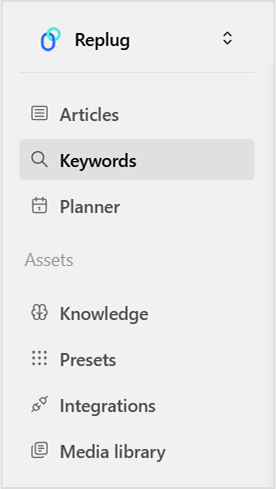
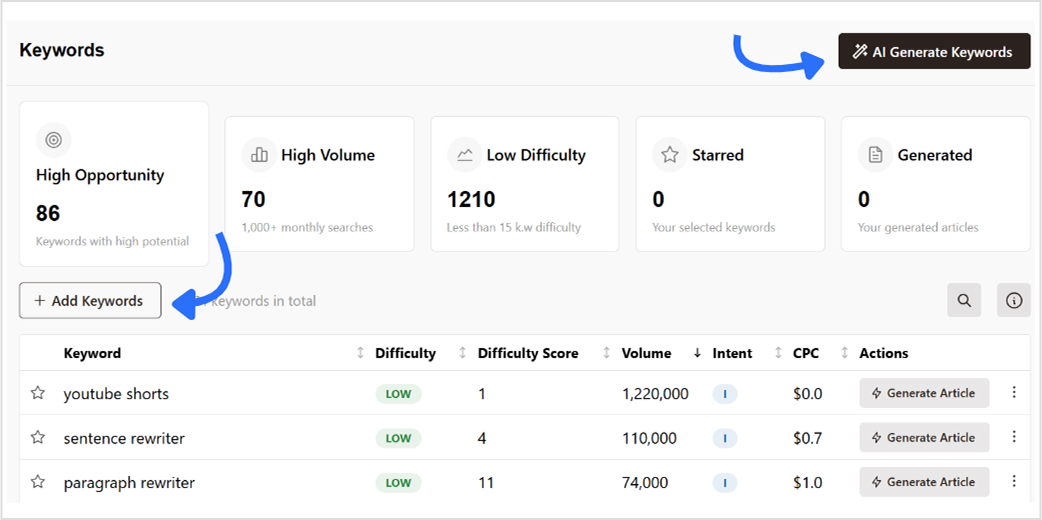
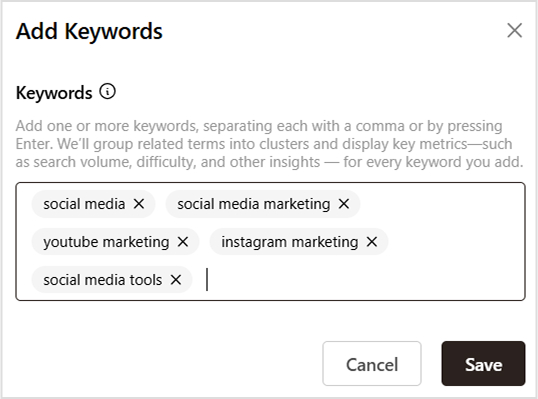
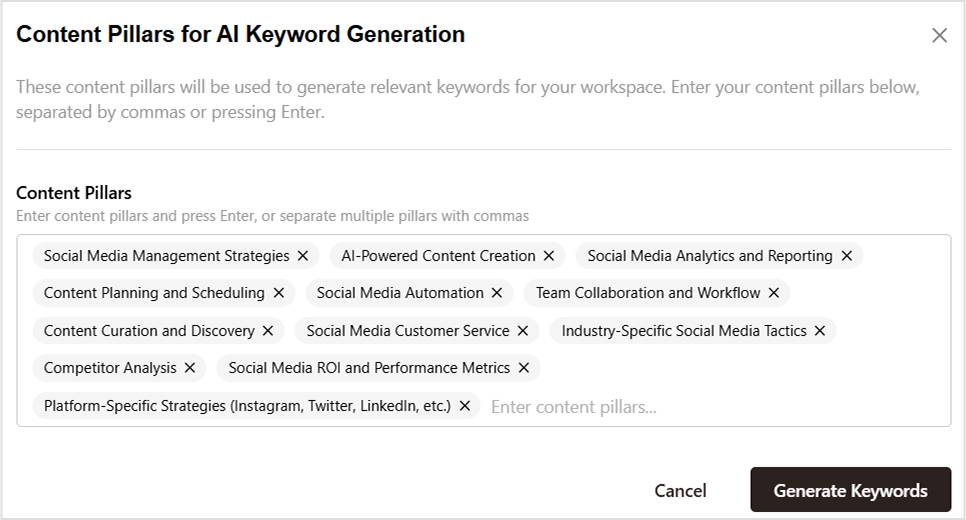
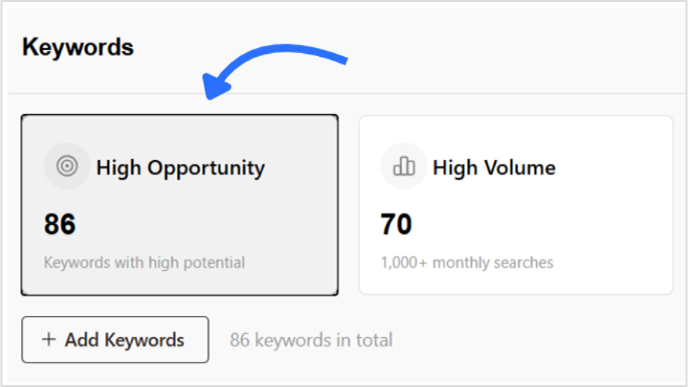
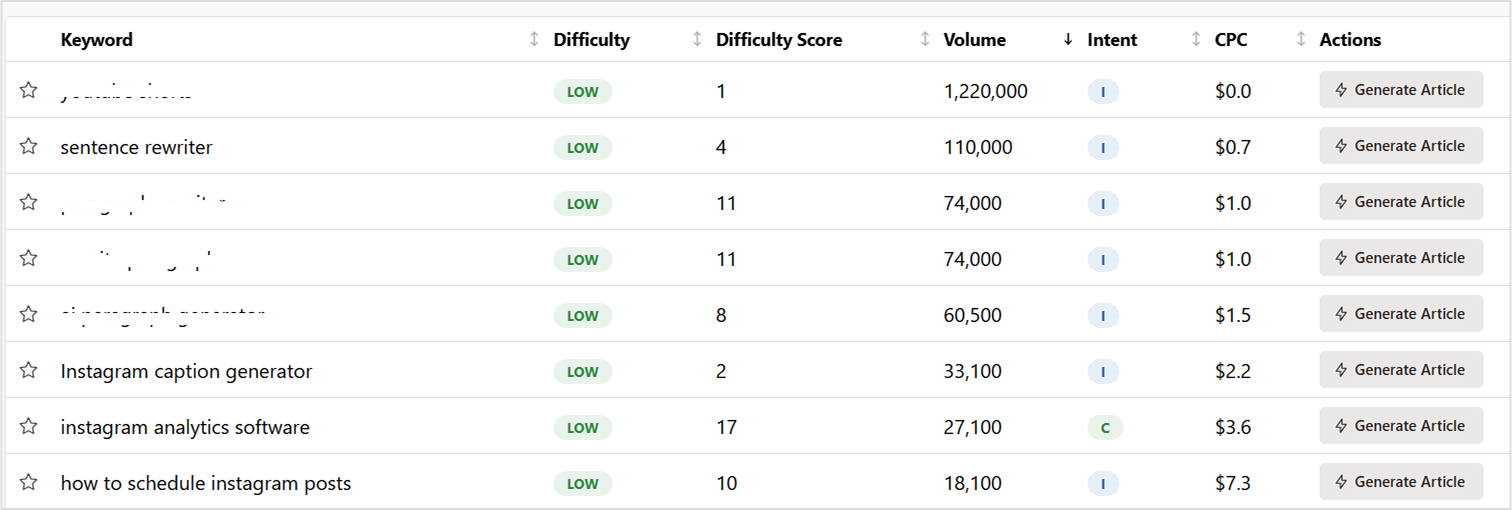


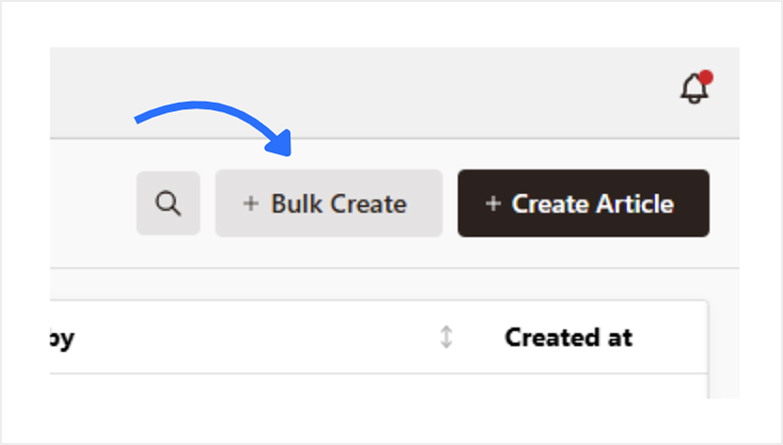
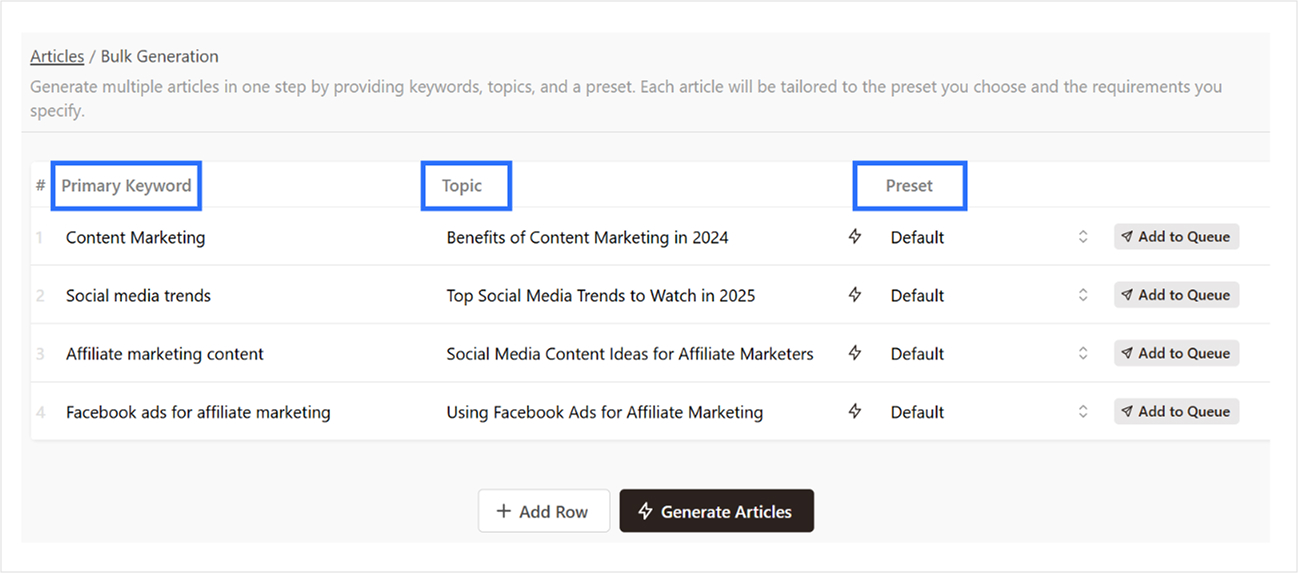

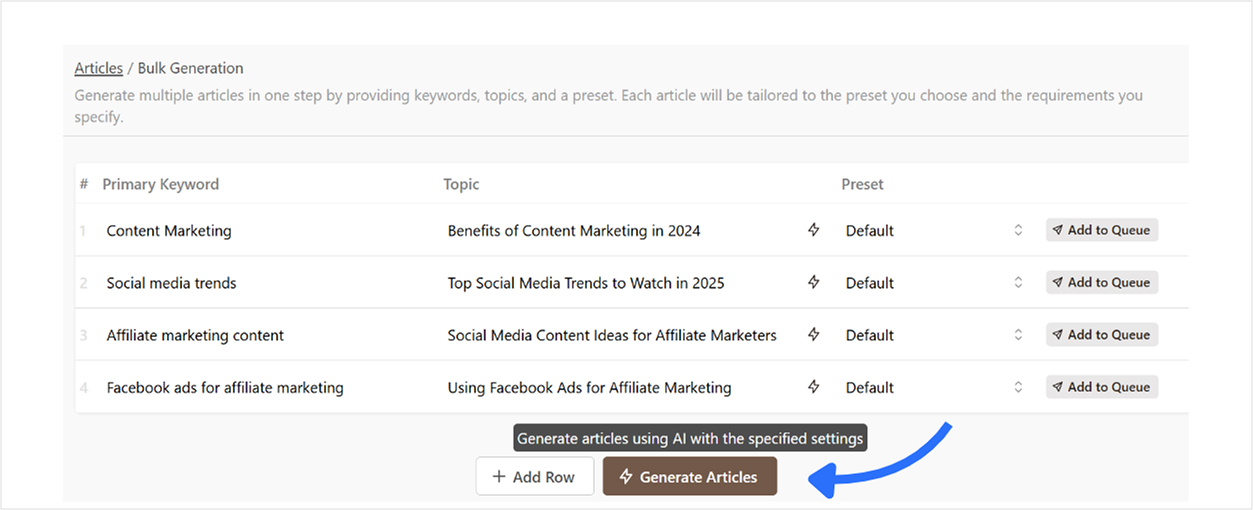
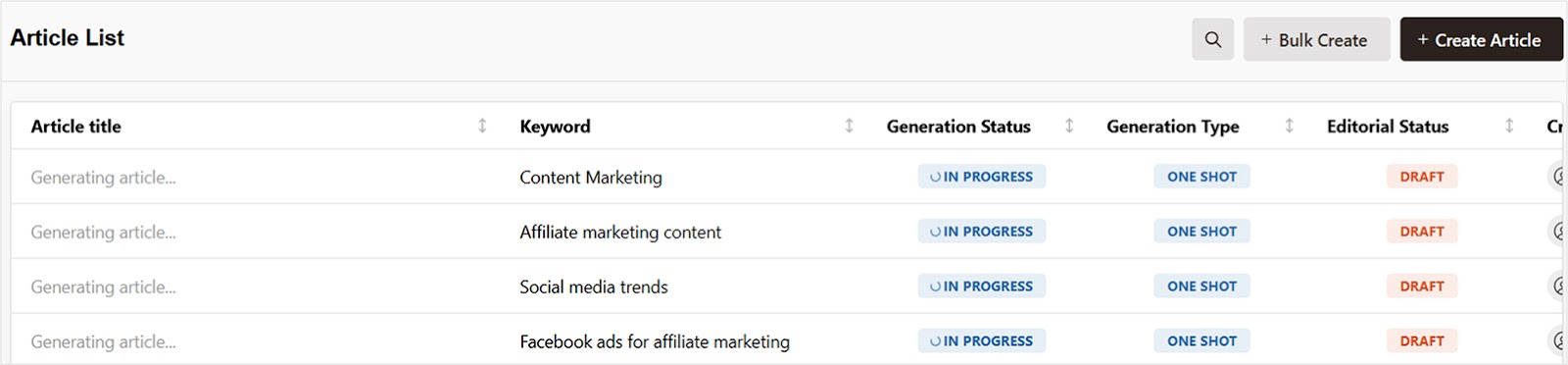
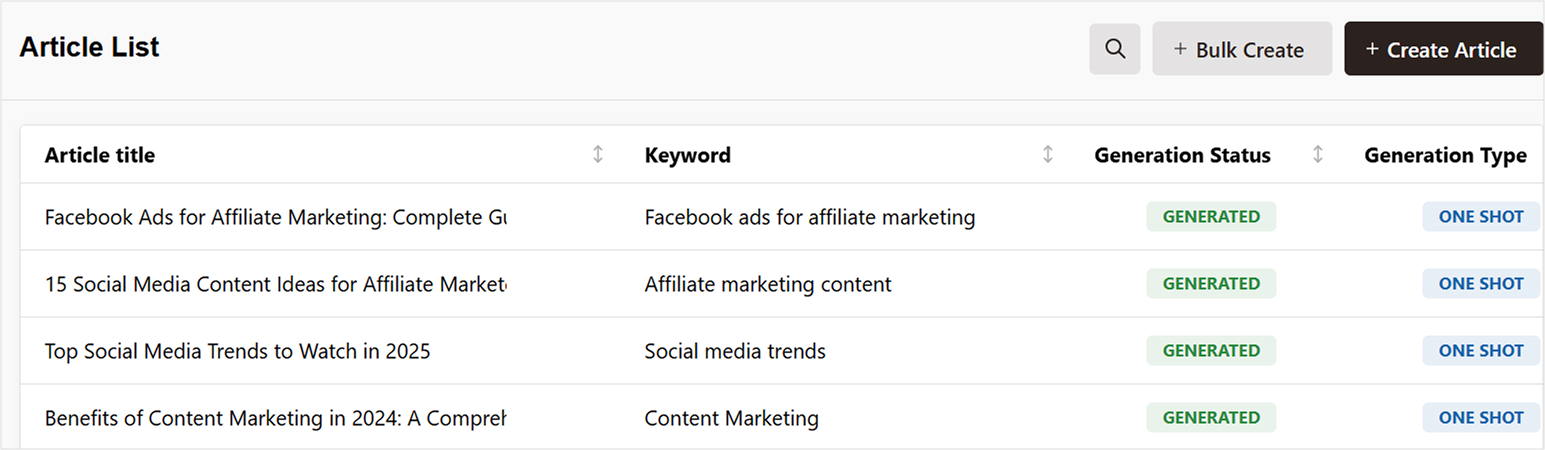




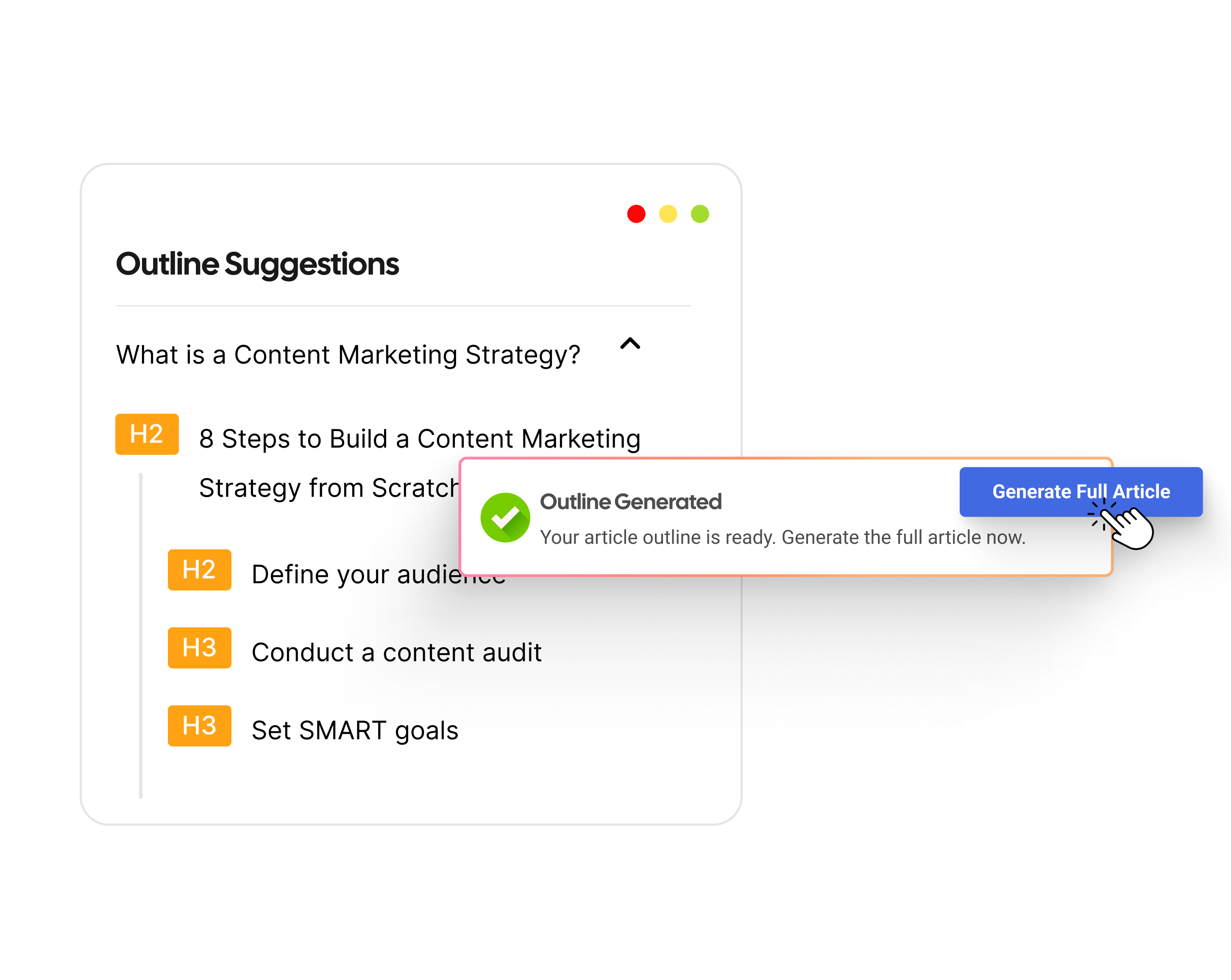
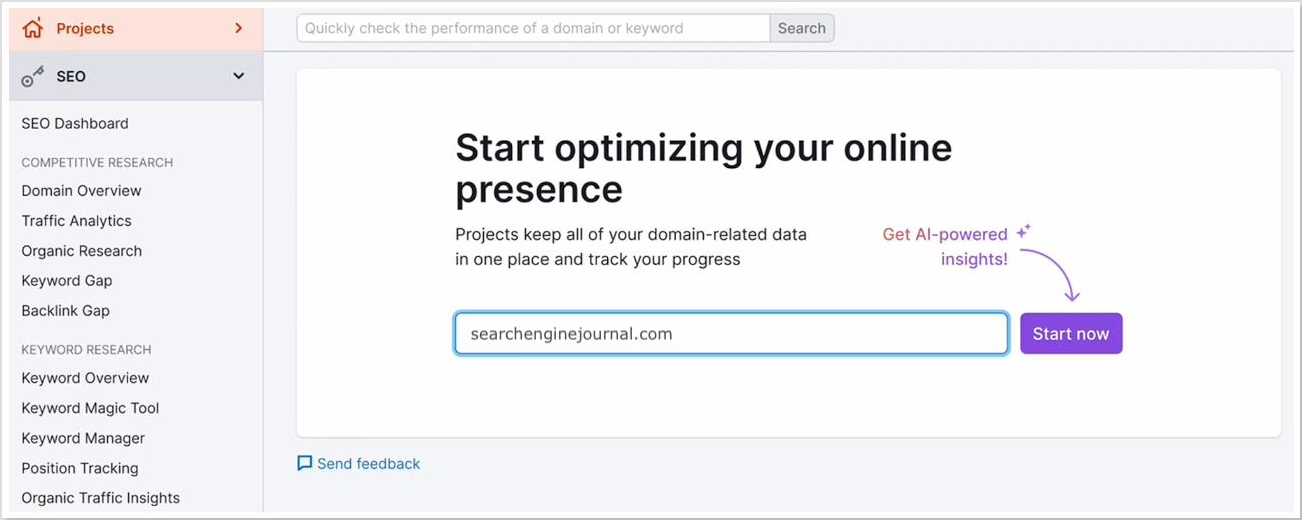
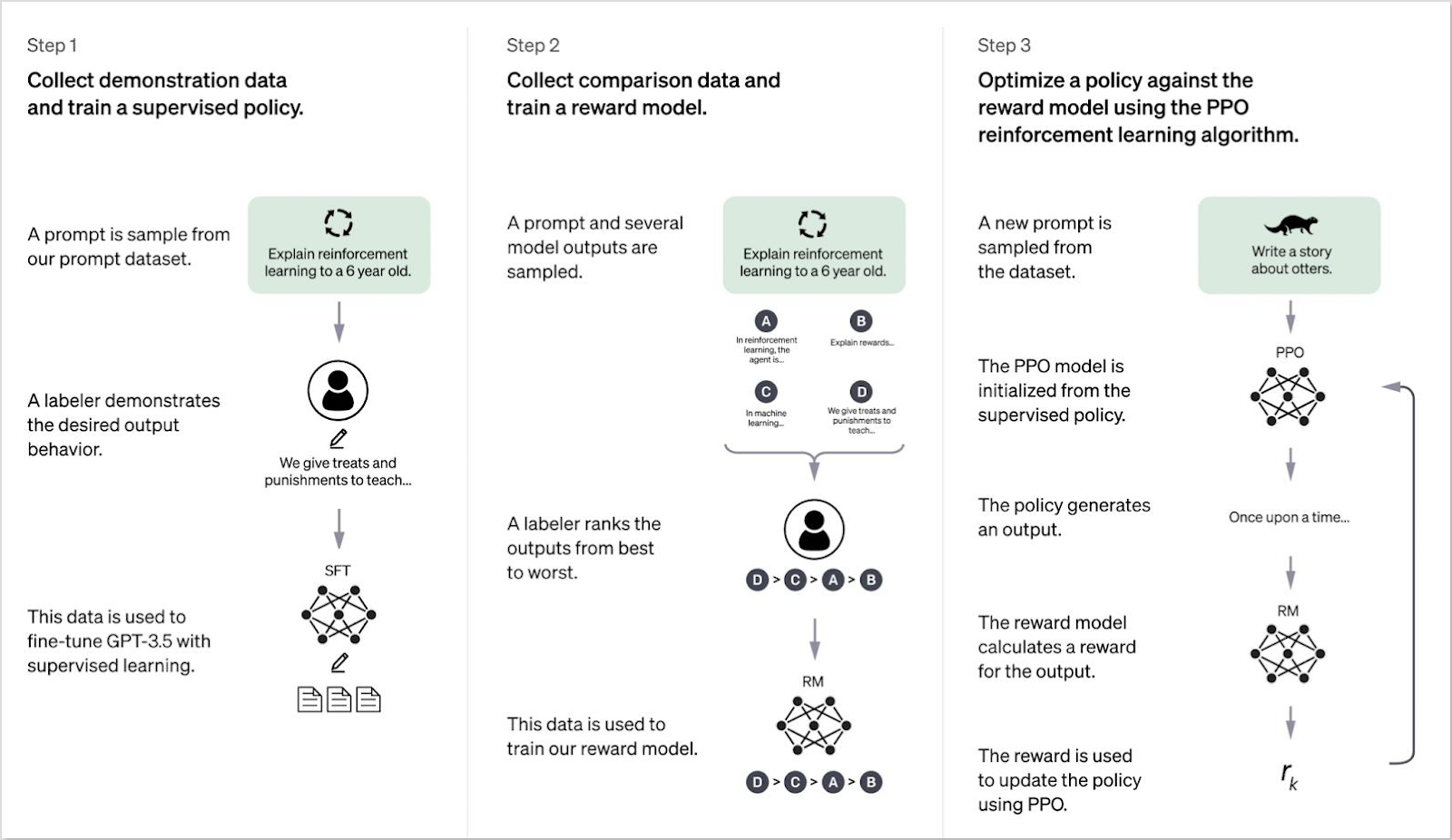
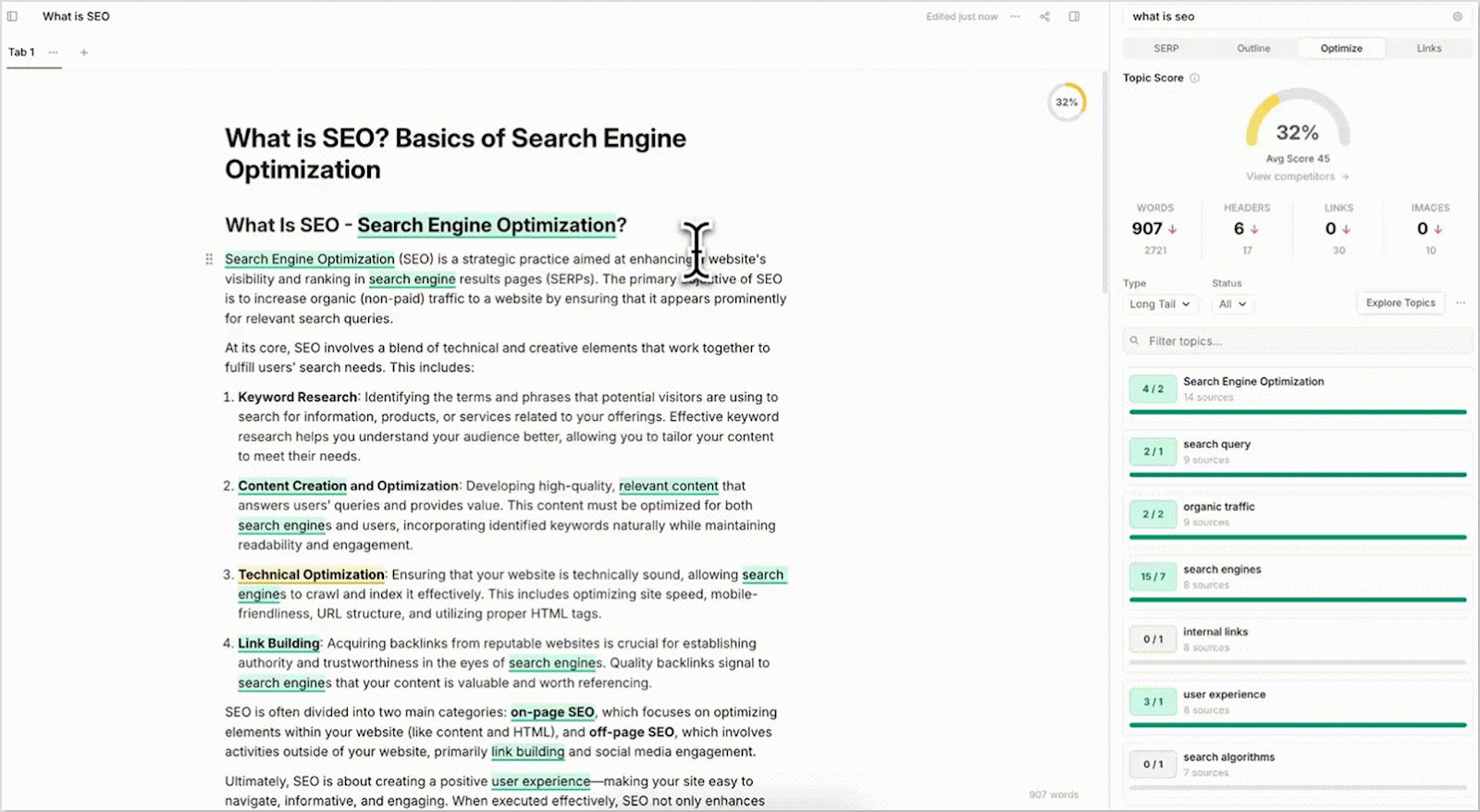
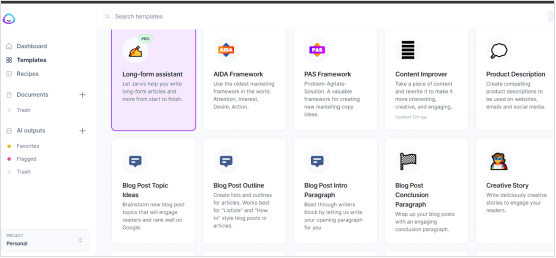
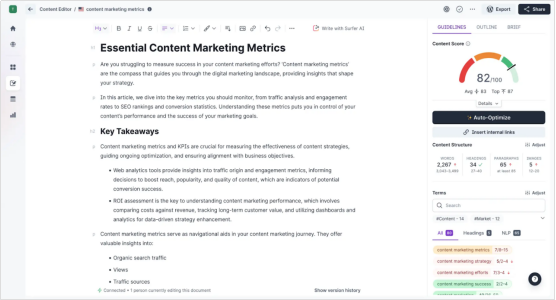
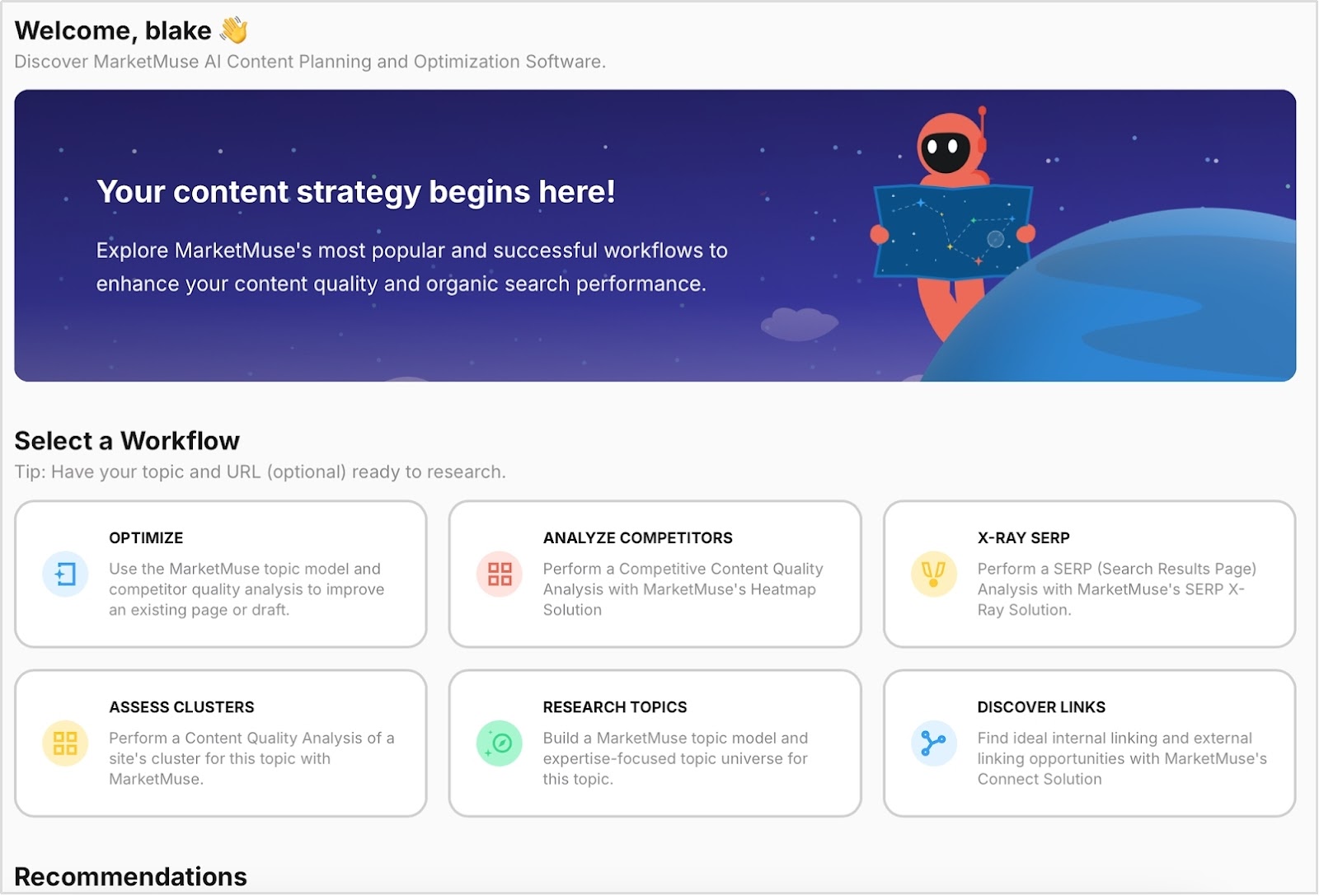

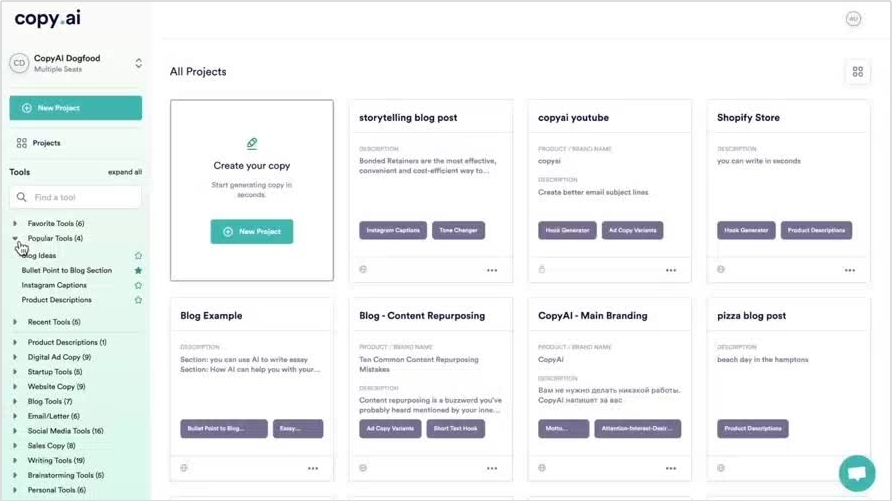
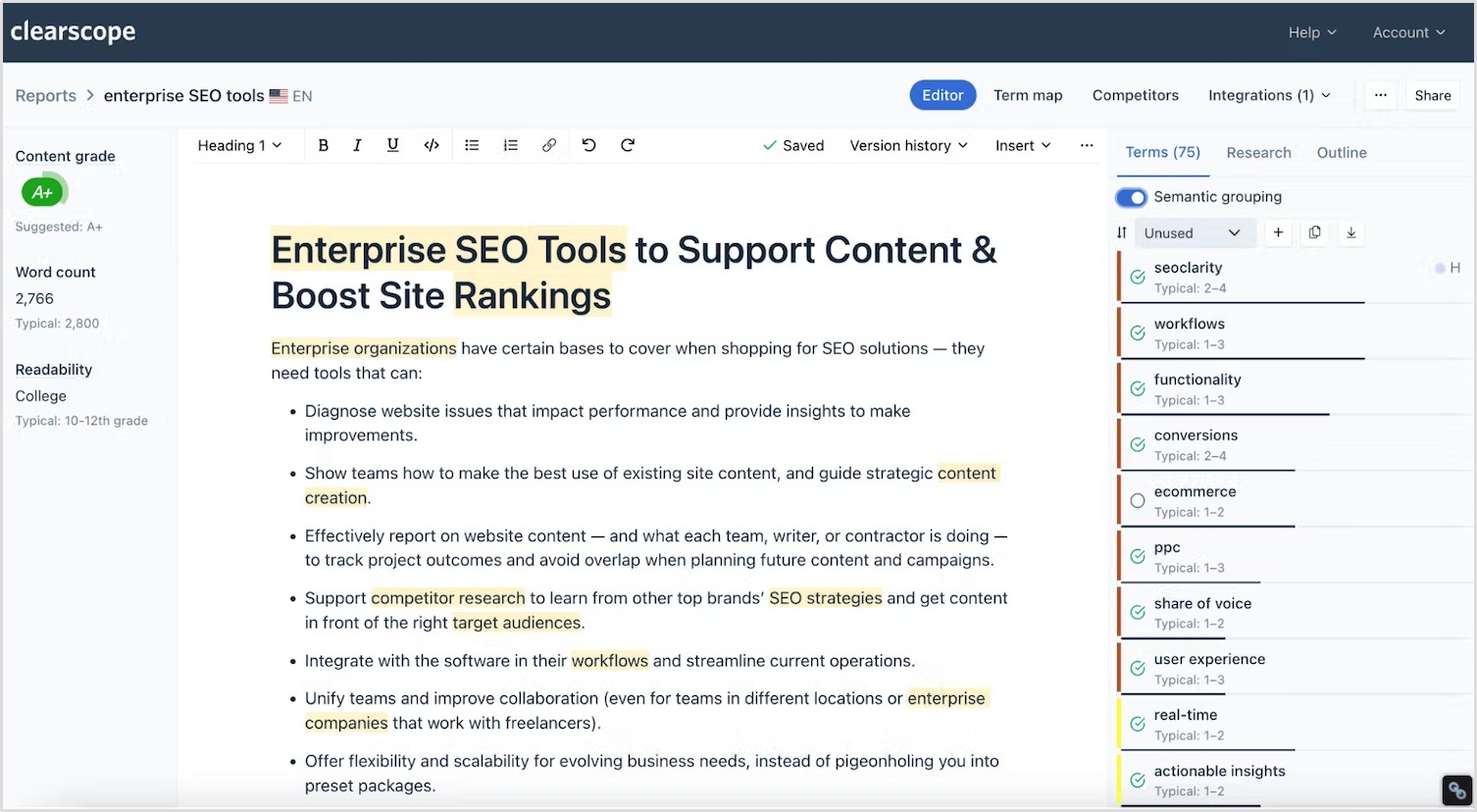
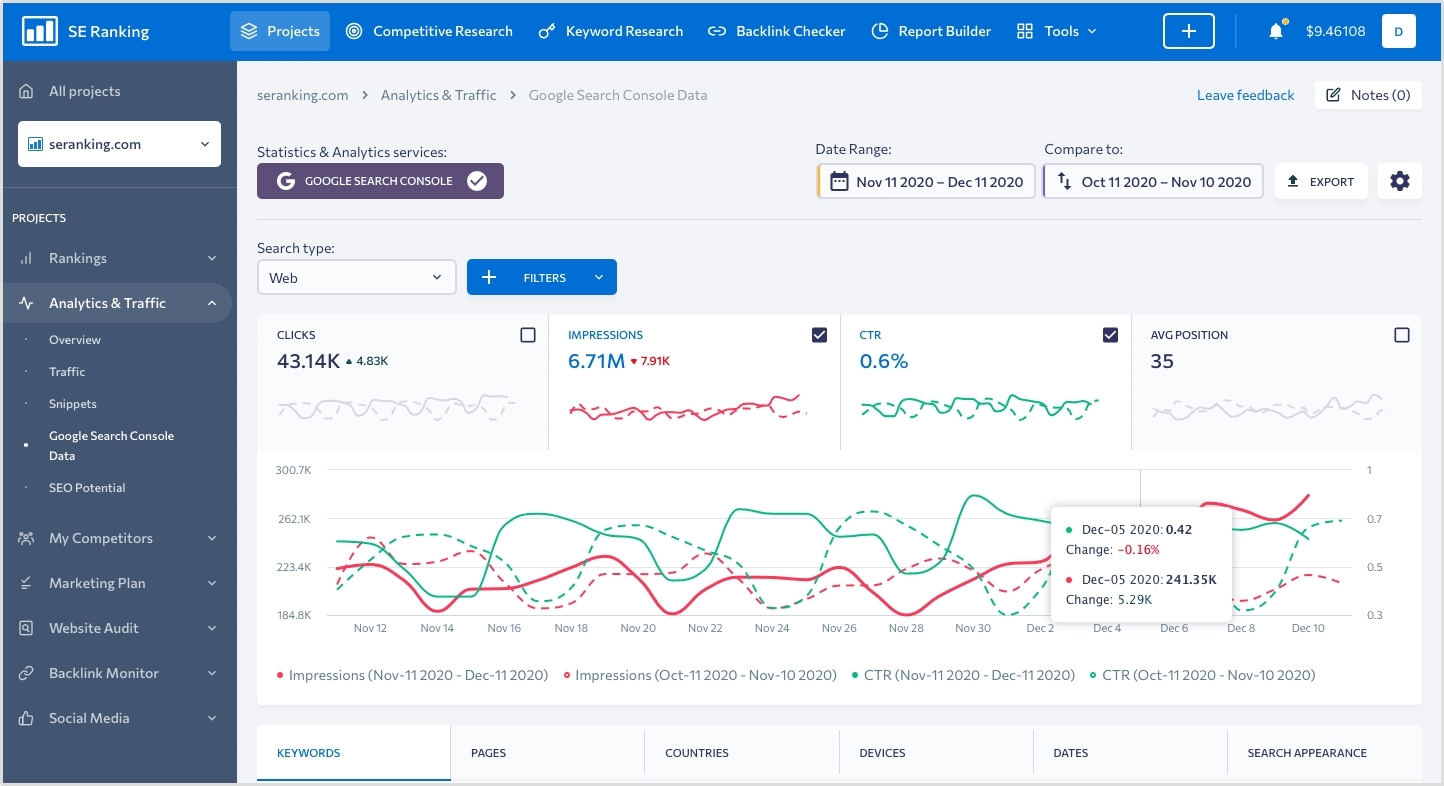
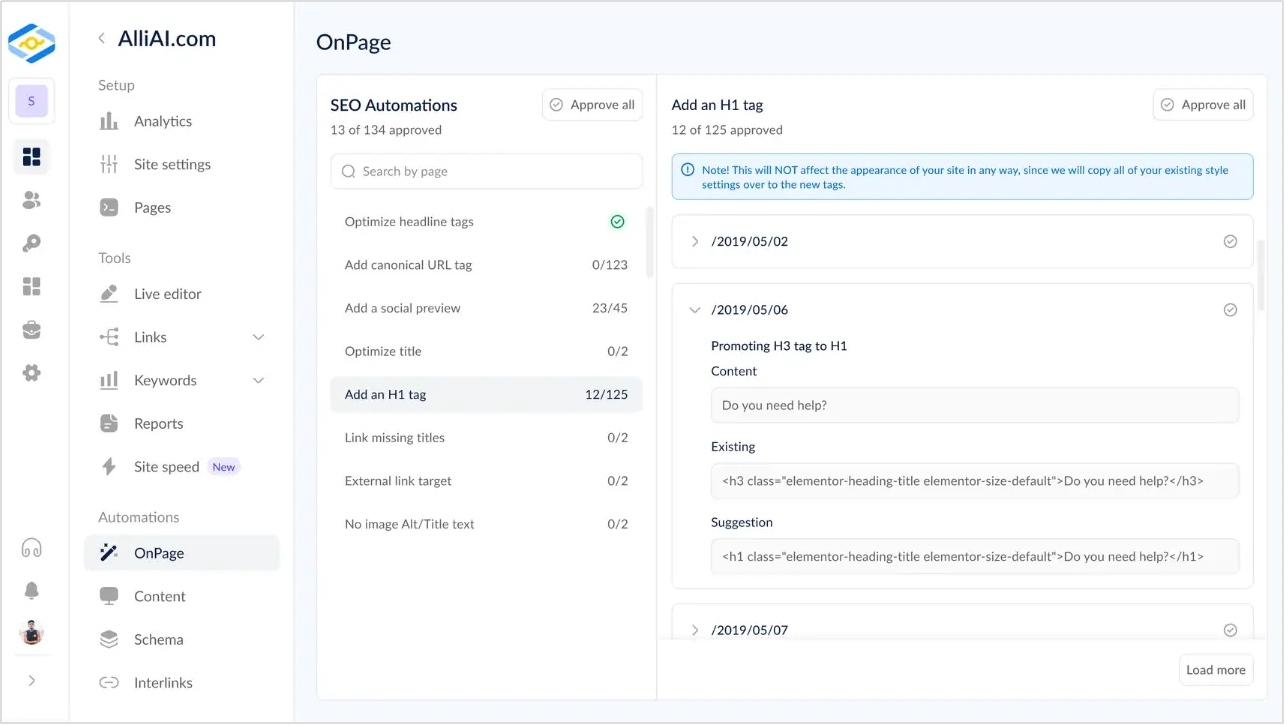


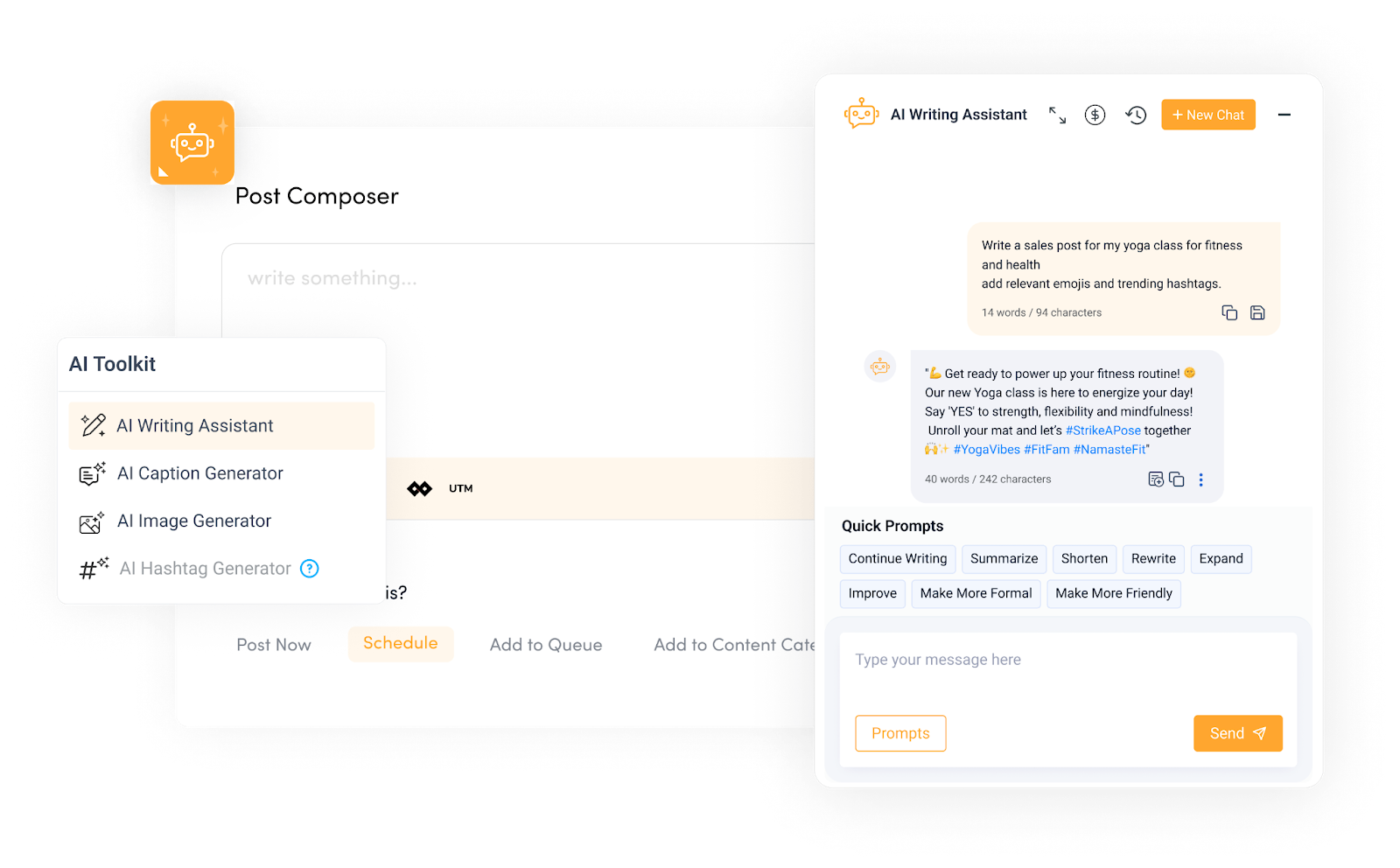






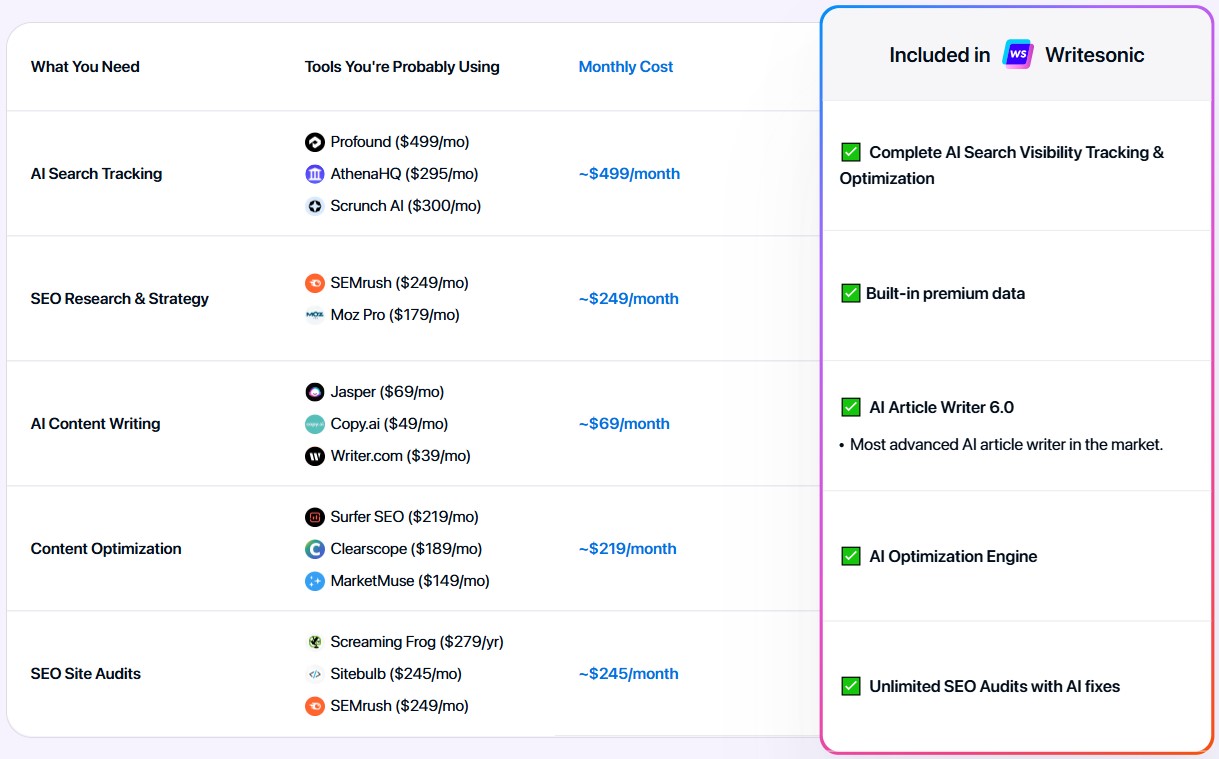
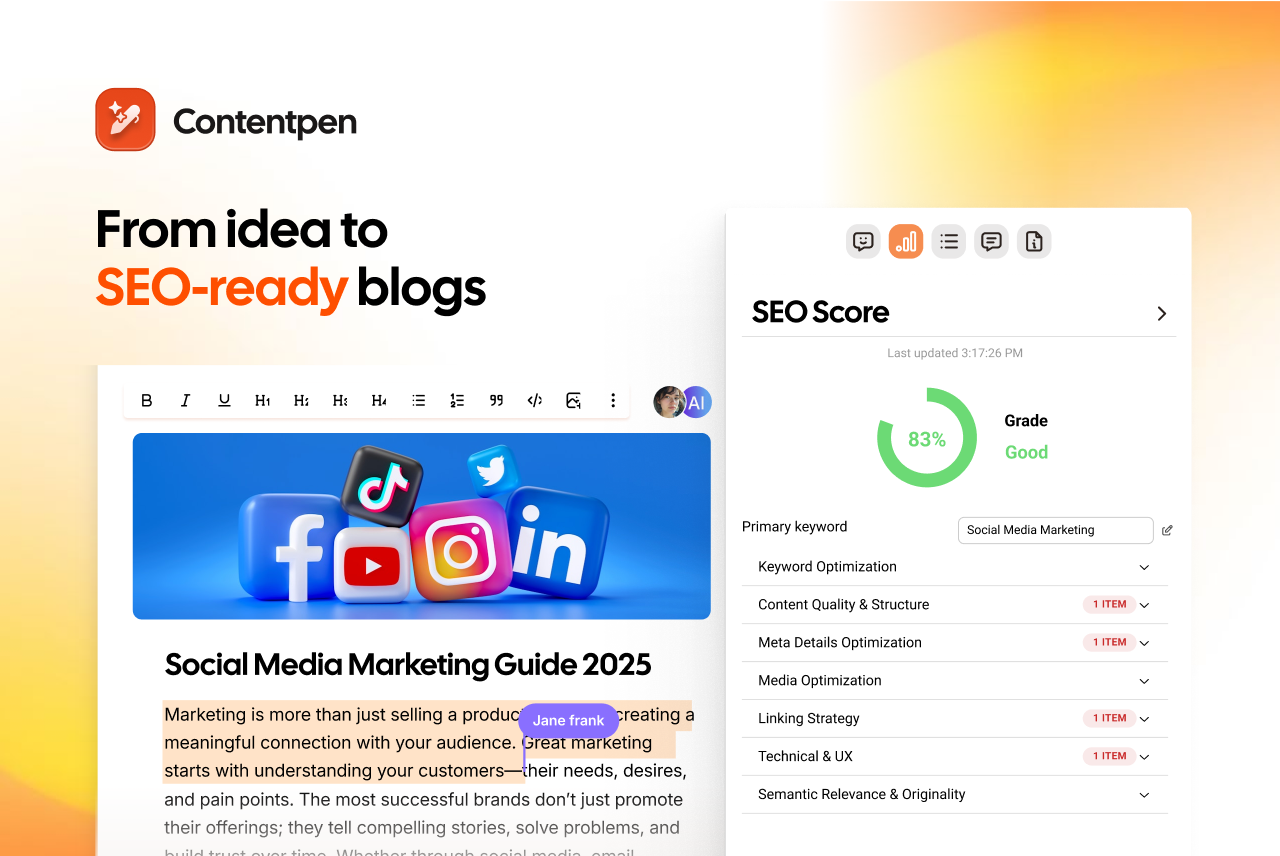





![The best Surfer SEO alternative in 2026 [tested and compared]](https://internal-blog.contentpen.ai/wp-content/uploads/2025/05/Best-Surfer-SEO-Alternatives-.png)