Author: Jawwad

  • How to turn off AI Overviews in Google Search? A simple guide

    How to turn off AI Overviews in Google Search? A simple guide

    By default, there is no switch to turn off Google AI Overviews. However, there are certain ways in which you can bypass or “trick” Google’s AI features into not appearing on your screen.

    Closing AI summaries is a choice that some people make to enjoy surfing the web without distractions. That said, as a business, we recommend keeping them on to ensure better AEO efforts.

    In this post, we will learn how to turn off AI Overviews in Google search using 3 different methods. We will also cover a way to turn AI Overviews off on mobile.

    So, let’s get started.

    1. Use the ‘-AI’ tag while searching

    The first method of removing AI Overviews from your search is to use the NOT (-) operator while typing in your query. This method was also mentioned by one of the members in the Google community.

    Let’s say we want to search “how to cook rice” for organic results. We’ll add an “-AI” at the end of the query to avoid getting any AI Overviews in our response.

    AI Overview turned off by using the '-AI' tag in search.

    Instantly, we can see that our trick has worked and there are no AI Overviews present on our screen. Instead, we’ve got an article in the featured snippet, which Google thought covers the searcher’s intent the best.

    2. Switch to Web results

    Have you ever noticed search filters that appear right underneath your search bar? One of these filters is the “Web” filter that helps you remove the AI Overview panel completely.

    How to find and use the 'Web' filter to remove AI Overviews.

    Once you click on this filter, you’ll see only the organic listings for the typed query and no AI summaries at the top.

    Web filter removing AI Overviews.

    Unfortunately, you cannot set the “Web” filter by default, which means that you’ll have to manually set it every time you search.

    Related read: Defining AI search optimization.

    Also, when using this filter, YouTube previews and featured snippets won’t appear on your screen, as you’ve specifically requested Google to show only textual web links.

    3. Add &udm=14 to URLs

    ‘&udm=14’ is a Google search parameter that forces the search engine to show results only with its “Web” filter mode. It is kind of like method 2, but a fancier way to turn off AI Overviews.

    There are multiple ways to go about this:

    i) Append ‘&udm=14’ at the end of each search URL manually

    This one is pretty much straightforward but tedious. Every time you search, you go to the end of your generated URL and add &udm=14 at the end without a space. Tiresome, but works.

    ii) Use the udm14.com website for search

    The second way is to use the udm14.com website to search for something. It basically adds the ‘&udm=14’ search parameter to all your search URLs to turn off AI Overviews.

    Udm14 website landing page.

    Proxy sites like this can read your search queries, so consider your comfort level before proceeding.

    iii) Permanently add ‘&udm=14’ to your Google settings

    Another way to turn off AI Overviews is to use your Google Chrome settings and add the ‘&udm=14’ parameter permanently to your searches. This way, you won’t have to go to proxy sites like udm14.com or compromise on your data privacy.

    Go to chrome://settings/searchEngines on your Chrome browser.

    Next to the ‘Site Search’ section, click the ‘Add’ button and enter the following details:

    Creating custom site search shortcut with the '&udm=14' parameter.

    Name: Google Search

    Shortcut: @web

    URL: https://www.google.com/search?q=%s&udm=14

    After you’re done adding the site search shortcut, make it default. 

    How to make the custom site search shortcut default in Google Chrome.

    Now, Google AI Overviews will be turned off by default the next time you search something up online. But, just like the “Web” filter, you will only see textual search results and no YouTube embeds or featured snippets.

    How to turn off AI Overviews on mobile?

    To turn off AI Overviews on Android or iPhone, follow the given steps:

    Since mobile browsers don’t generally allow the addition of custom search engines as we did previously, we’ll use OpenSearch for this method. 

    OpenSearch is basically a simple XML file that instructs your mobile browser to add the ‘&udm=14’ URL parameter to all your Google searches.

    For Chrome on Android:

    1. Visit TenBlueLinks.org.
    2. Open a new tab on your browser and search for anything on Google (important).
    3. Tap on the three-dot menu in the top right corner.
    4. Choose “Settings”, then “Search engine”.
    5. Select “Google Web” in the “Recently visited” section.

    After this step is done, you’ll officially add the “Web” filter to all your searches on mobile, turning off Google AI Overviews.

    Chrome will show “tenbluelinks.org” as the source where it got the instructions, but all your search queries will be sent directly to Google, not this website. So, your browsing data will be safe while you turn off AI Overviews with this method.

    Repeat the same procedure for iPhone to turn off Google AI on Chrome browser.

    However, keep in mind that this procedure won’t work on the Safari browser. For that, you’ll have to install a separate extension called CSE from the App Store and set the ‘&udm=14’ parameter accordingly in its settings.

    You can also use the “Web” filter on iPhone while searching (as we did in method 2) to turn off AI Overviews.

    Why turning off Google AI Overviews is not recommended for businesses

    As a business, you need to know how your product or service is being mentioned in AI summaries above the organic results. 

    In 2026, 68% of all Google searches end without a click (called zero-click searches). This means if you are not in AI Overviews, you risk not being seen at all.

    Therefore, if you keep your AI Overviews on as a business, you’ll know the status of your business citation in AI answers. Only then would you be able to make the proper amends to your content through GEO or AEO (answer engine optimization) to boost your AI visibility.

    That said, performing GEO or AEO work manually is a lot of hassle. You’ll have to ensure the answer-first formatting in your content, take care of statistical accuracy, not to mention strengthening semantic and authority signals, all by yourself.

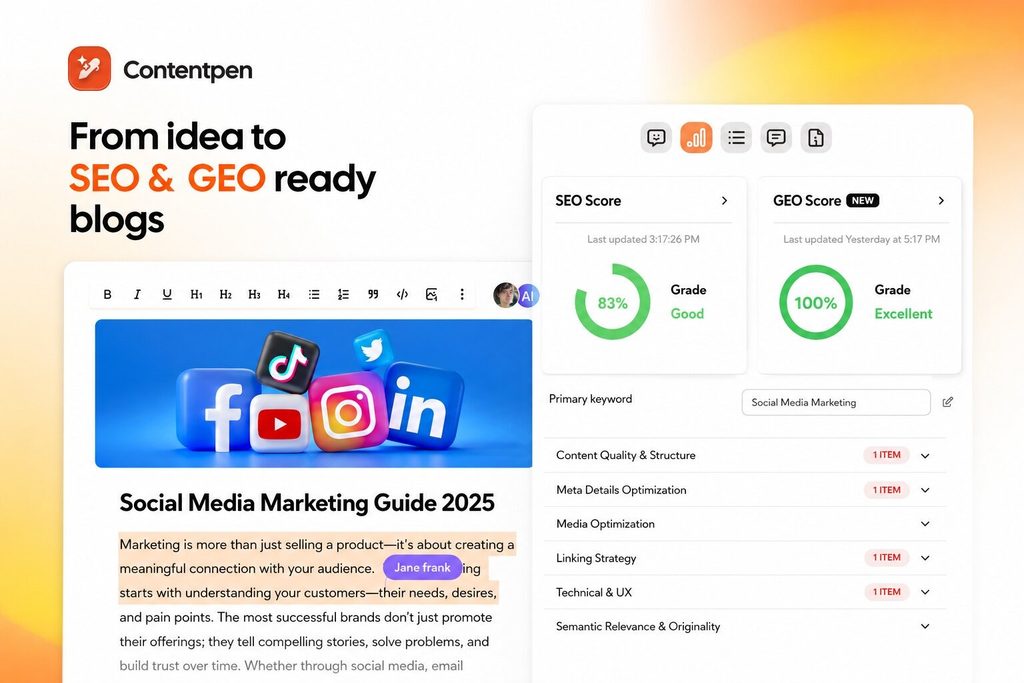
    This is where Contentpen supports your journey. The AI blog writer provides SEO- and GEO-optimized content by default that not only helps you rank on SERPs, but also helps you appear more frequently in AI summaries.

    Get your content cited by AI, not just ranked on Google!

    See your real-time GEO score as you write to make every piece citation-ready.

    Try GEO Scoring
     GEO Scoring

    Once you’ve published some content, you can see your progress in AI citations and learn about your brand sentiment using the AI visibility tool, without switching tabs.

    Summing it up

    Learning how to turn off AI Overviews can be important for a lot of users to surf the Internet freely without getting burdened by AI summaries they never asked for.

    In this post, we saw 3 ways to turn off Google AI Overviews: 1) using the ‘-AI’ tag while searching, the “Web” filter, or adding the ‘&udm=14’ search parameter to your URLs.

    We also learned the technique to bypass AI Overviews on mobile devices. However, the method for iPhones can be a bit more complicated than Androids.

    Finally, we learned why not to turn off AI Overviews as a business and saw how you can use tools like Contentpen to help you improve your AI visibility.

    Frequently asked questions

    Is there an automated way to turn off AI Overviews?

    Yes. You can install extensions, such as Bye Bye Google AI, Hide Google AI Overviews, or the Disable AI Overview extension to add the ‘&udm=14’ search parameter automatically to your search URLs.

    Can I use browsers other than Chrome to turn off AI Overviews?

    Yes. You can use the Brave browser to remove AI features entirely from your searches. You can also turn off AI Overviews on Firefox by adding the ‘&udm=14’ search parameter permanently to your browser settings or by using extensions like Hide Google AI Overviews.

    How to turn off AI Overview in Gmail?

    For Gmail, click on the settings gear in the top-right corner and look for the ‘Google Workspace smart features’ section under the ‘General’ tab. Click on ‘Manage Workspace smart features’ and turn off all the toggles. This should remove AI summaries inside Gmail. 

    Why should brands keep their AI Overviews on?

    Businesses should keep AI Overviews so that they can learn how they’re cited inside AI answer engines (if at all), be visible to users, and improve conversions. Your personal preference might be against AI Overviews, but your brand needs AI citations now more than ever.

  • Search Engine Marketing (SEM): Complete beginner’s guide (2026)

    Search Engine Marketing (SEM): Complete beginner’s guide (2026)

    Search engine marketing (SEM) is paid promotion on search engines like Google and Bing that puts your ads in front of people who are already searching for what you sell. It ties what users type into Google to short text ads and charges you when someone clicks (pay-per-click).

    This guide walks through what search engine marketing means, how SEM compares to SEO, and how to build a simple strategy without wasting resources.

    You will also see practical examples, common mistakes to avoid, and how strong content supports all of your campaigns.

    So, let’s get started.

    Key takeaways

    • SEM means paid advertisements on platforms like Google Ads and Microsoft Advertising. Think of it as showing paid text or shopping ads when someone searches for a matching keyword on Google, Bing, Yahoo, or any other search engine.
    • Paid search ads run on pay-per-click pricing, so you pay when a user actually clicks rather than when they only see your ad.
    • Search engine optimization and search engine marketing work best together. SEO builds long-term organic visibility, SEM fills short-term gaps, tests new keywords fast, and sends data back into your SEO marketing plans.
    • Costs for search ads depend on how many companies bid on the same keyword, where people see the ad, and how strong your account is.
    • Strong content gives SEM and SEO something to point at so that clicks can actually turn into leads or sales.

    What is search engine marketing?

    Search engine marketing is paid promotion that shows your ads on search engine results pages (SERPs) when people type in certain keywords. 

    In practice, it means using platforms like Google Ads and Microsoft Advertising to show ads, and you pay when someone clicks. Most marketers now use SEM to describe pay-per-click search ads only.

    When you run SEM, you pick keywords that match your offer, write short ads, choose a target audience, and set bids. When users search those keywords on Google or Bing, your ad can show at the top or bottom of the results, often above the organic listings. 

    Google search text ad sponsored for keyword 'Cheap iPhones.'

    Google calls these placements sponsored results, and they are labeled so users can see they are ads. A large share of clicks still go to those top paid results because they match what people just typed.

    While SEO takes months to build, you can launch search ads instantly, reach people with high purchase intent, and collect useful data fast. 

    Related read: Learn how to do SEO in 2026.

    Why search engine marketing matters for your business

    Search engine marketing matters for your business because many online searches start with a simple query on Google, Bing, or Yahoo. If your brand does not show up there, a competitor will take that click and possibly that customer. 

    Paid search lets you claim that shelf space right away, even while your SEO work grows in the background.

    High buying intent is another reason why businesses like SEM. Compared to a social media post that interrupts someone scrolling, a user searching on Google is focused and closer to a decision. Seeing your ad might bring them closer to conversion quicker than you’d expect.

    How does search engine marketing work?

    How SEM works - Contentpen.ai.

    Search engine marketing works through keyword auctions that match your ads to user searches and price clicks based on bids and relevance. 

    When a user enters a query, Google Ads or Microsoft Advertising scans all active campaigns that target related keywords. 

    The system runs an instant auction that ranks ads using bid amount and quality score (ad relevance), expected click-through rate, and landing page experience.

    Also read: How to calculate CTR?

    From a marketer’s view, you start by doing keyword research with tools like Google Keyword Planner, Semrush, or Ahrefs. 

    You group related phrases into ad groups and write search ads that match the wording people use. Then you set daily budgets and maximum bids for each keyword or ad group so you control spend.

    The user experience looks simple, even though the auction is complex behind the scenes. 

    A searcher types a term like “roof repair Chicago” into Google Search. On the results page, they see several text ads at the top under the ‘Sponsored Results’ labels, then a map pack, then organic listings. 

    Google search result for keyword 'roof repair Chicago.'

    If they click your ad, Google charges you a fee based on the winning auction price and sends the user to your landing page.

    You can then measure what happens after that click using Google Analytics, Microsoft Clarity, or built-in conversion tracking inside Google Ads.

    You can track leads, purchases, phone calls, and even in-store visits in some cases. Over time, you adjust bids, pause weak keywords, test new ad copy, and improve your SEM campaigns.

    Search engine marketing examples in action

    Imagine you’re a local marketing agency that might bid on queries similar to “SEO service near me” or “SEO agency near me” to reach nearby clients.

    When someone in that city types the phrase into Google, they see a short ad that highlights audits, monthly reporting costs, and a link to book a call. That ad will take the user straight to your landing page that explains packages and adds a simple booking form.

    Also read: What is citation SEO?

    Similarly, a SaaS company might target phrases like “best project management tool” or “team task tracking software” and send users to a free trial sign-up page from the text ad.

    Over time, a well-run Google Ads account can grow paid traffic and increase conversions quickly. The key is that those gains come from many small changes, not one quick trick.

    SEM vs SEO: What’s the difference?

    SEM vs. SEO comparison.

    SEM and SEO both try to earn visibility on search engines, but they work in different ways. 

    SEO, or search engine optimization, focuses on improving your site so it ranks higher in the organic results without direct ad spend. SEM focuses on paid placements where you buy clicks through platforms like Google Ads and Microsoft Advertising.

    With SEO, you research keywords, improve site structure, speed, and content, and earn backlinks over time either naturally or through off-page efforts.

    Google, Bing, and other search engines then crawl your pages and decide where to place you in the unpaid results. You do not pay when someone clicks, but you invest time and budget into content, technical SEO fixes, and tools.

    With SEM, you choose target keywords, write ads, set bids, and pay each time someone clicks. Your placements are labeled as ads and stop showing as soon as you pause the budget. 

    Besides search engines, you can also place ads on other popular platforms, like Reddit, LinkedIn, and Quora, to boost off-page presence.

    Also read: What is Reddit SEO?

    Both types of search engine visibility techniques rely on smart keyword work and writing solid content, but they differ in cost model, timeline, and control.

    Below are all their differences summed up:

    AspectSEOSEM
    Cost modelNo direct fee per click, but you fund content, technical work, and toolsYou pay for each click based on keyword bids and quality score
    SpeedSlow to build, often months before rankings move for new pagesFast activation, ads can show within hours of launch
    DurabilityKeeps sending organic traffic once you rank pagesStops the moment you pause, spend, or hit daily limits
    PlacementOrganic listings in the main results, maps, and rich snippetsSponsored text or shopping ads labeled as paid results
    ControlLess control over exact rank and timing, more tied to algorithmsMore control through bids, budgets, and precise targeting options

    Smart growth teams do not see this as an SEM vs. SEO rivalry. Instead, they try to incorporate both into their plans.

    Organic pages that already rank well can reduce how much you need to bid on certain terms, saving paid budget for new markets or bottom-of-funnel keywords.

    How content supports your search engine marketing

    Strong content is not separate from SEM. It is what makes your ads work better.

    A user who clicks your ad and lands on a thin or generic page tends to bounce fast. That hurts your quality score and raises your cost per click over time. A user who lands on a clear, well-structured page is more likely to stay, trust your offer, and convert.

    Content also feeds your organic side. Blog posts, guides, and FAQs can rank for the informational queries your ads are not built to catch, while your paid campaigns cover the high-intent, transactional keywords.

    Over time, this lets you shift some budget away from keywords your content already ranks for, which lowers your blended cost per acquisition.

    This is also where SEM data becomes useful outside the ad account. The search terms and landing pages that convert well in your campaigns tell you exactly what to write about next and which pages need better on-page optimization to hold that traffic organically.

    Contentpen supports this loop directly. It is an AI writing tool that takes you from topic ideas to ready-to-publish articles, with research, outlining, and SEO and GEO structure built into the workflow. 

    Write content that’s built to rank, not just read

    Create search-optimized blogs aligned with SEO and GEO signals, so your content performs well across search and AI-driven discovery.

    Try SEO Blogging FREE
    AI SEO Interface

    The tool also provides web analytics and SEO opportunities to help you sustain organic positions while your text ads retain paid traffic.

    What are the main types of search engine marketing?

    Types of search engine marketing - Contentpen.ai.

    The five main types of search engine marketing include standard text search ads, shopping ads, and contextual placements that extend beyond the results page. All of these connect back to a core PPC model where advertisers pay when a user interacts with the ad.

    Text search ads or Responsive Search Ads (RSA) are the most common format. These are the short ads you see at the top of Google and Bing when you search, made up of headlines, descriptions, and a visible URL path to the landing page.

    Shopping ads show product images, prices, and ratings pulled from a feed in Google Merchant Center or Microsoft Merchant Center. 

    Shopping ad example for keyword 'buy bottle juicer.'

    Retailers often use these heavily because they give searchers visual clues before the click. This format works well for ecommerce brands that need to show price and design upfront.

    Contextual advertising, or display ads, are banners on partner sites that show advertisements to visitors based on the targeted user demographic or behavior.

    Search remarketing lets you show ads to people who have already visited your site or used your app. By bidding more on these warm audiences, you can bring back users who browsed but did not convert. This can improve conversion rates and lower blended acquisition costs.

    Besides all this, a newer type of ad, called AI Overviews advertisements, is starting to show up in 2026.

    Google AI Overviews example of search engine marketing for the keyword 'best SEO services.'

    Recent changes mean Search and Shopping ads can appear alongside or within these AI summaries, especially in the US region.

    How much does search engine marketing cost?

    This depends on your industry, your goals, and how carefully you manage campaigns. There is no standard monthly fee because SEM uses auctions, so your actual cost per click changes based on competition and quality score

    A local bakery might pay under $2 for many clicks, while a national B2B software brand could see CPCs over $20 on trending terms.

    In Google Ads and Bing Ads, you usually set a daily budget for each campaign and a maximum bid for each keyword. The platform will try to bring you clicks within those limits, raising and lowering bids during the day based on competition. 

    If your budget runs out, your ads stop showing until the next day.

    Higher ad positions tend to cost more per click but also bring more traffic and often more conversions. 

    A study by FirstPageSage shows that moving from the second to the top ad position can increase traffic by close to 50% in some industries. That gain is only worth it if your profit per conversion is higher than the extra spend, which is why ROI tracking matters.

    To keep SEM profitable, you need to track cost per conversion and compare it to the revenue that conversion brings. This is easier in e-commerce, where you can see revenue in Google Analytics or your shopping platform. 

    In lead generation, you may use a CRM like HubSpot or Salesforce to connect ad clicks to signed deals.

    Factors that affect your SEM budget

    Factors that affect SEM budget.

    Several main factors push your search engine marketing budget up or down. Learning them early helps you choose a realistic starting spend and avoid shock when you test new keywords.

    • Industry and keyword competition have a huge impact because higher-value leads attract more bidders. Legal, insurance, and software often see some of the highest CPCs because a single client can be worth thousands of dollars.
    • Quality score and landing page relevance decide how much you pay compared to rivals for the same position. If your ad copy matches the keyword and your landing page gives a strong experience on mobile, Google can reward you with lower CPCs.
    • Targeting choices like geography, device type, and audience layers also shape your costs. Narrow location targeting around profitable areas can keep your spend focused on people who can actually buy from you.
    • Account structure and campaign settings matter more than many beginners expect. Mixing different types of keywords in a single ad group makes it hard to write relevant ads, which can affect click-through rates. Careful grouping is required for better results.

    How do you create a search engine marketing strategy?

    You create a search engine marketing strategy by setting clear goals, choosing target keywords, planning budgets, and building ads and pages that work together. 

    A good plan keeps you from chasing every new feature in Google Ads or suggestion you see online. Instead, it gives you a small, testable starting point that you can grow over time.

    SEM campaign checklist.

    Step #1: Define goals and target audiences

    Start by defining who you want your ads to reach and what you want to achieve from your investment.

    Depending on the business type, niche, and size, your goals could be to fill forms, get phone calls, increase online transactions, or improve repeat purchases.

    For example, a SaaS B2B marketing agency may focus on getting contact form sign-ups, while an e-commerce brand may prioritize visibility for its product listing on a focused keyword.

    Write your ad requirements down. Then describe your ideal customer, including their job role, location, and common questions, before you select keywords.

    Step #2: Build a starter keyword list

    The second step is to build a starter keyword list that mixes branded, non-branded, and long-tail keywords for your offer. 

    The reason why long-tail phrases perform better is due to their specificity. If you target a query like ‘Buy an iPhone used under $200’ instead of a generic ‘buy an iPhone’, you get:

    A. Lower competition and bids for the keyword since not a lot of rivals would target it.

    B. Higher-intent customers who aren’t just looking around but are ready to purchase.

    For assistance, you can use Google Keyword Planner or Semrush search engine marketing tools to find terms with clear intent and realistic competition. 

    Then, you should group related keywords into tight ad groups so your ad copy can speak directly to what users search for.

    Pro tip: You can also use a simple Google search to identify long-tail keyword variations and ideas. Take our ‘bottle juice’ example into consideration. Notice the semantic phrases recommended by Google in response to the seed phrase.

    'Buy bottle juicer' example with semantic keywords highlighted.

    This means you can try to bid on keywords like ‘buy bottle juicer under $10’, ‘buy bottle juicer used’, ‘buy bottle juicer electric’, or any other variation instead of a generic, highly competitive keyword.

    Step #3: Choose your platforms and budgets

    Once you’ve finalized your keyword list, choose the platforms where you want to run the advertisements.

    Choose your platforms and budgets based on where your audience searches the most. Many US businesses start with Google Ads, then add Microsoft Advertising to reach Bing and Yahoo users at a lower average CPC. 

    Pick modest daily budgets at first so you can gather data without risking overspending in the first week.

    Step #4: Write ad copy

    Writing ad copy is one of the most crucial steps in building a successful search engine marketing plan.

    You need to match what the user is searching for and provide them with a clear call to action (CTA).

    A text search ad on Google typically consists of the following components:

    • Headline: This is the main seller of the ad, immediately telling the user about your service or product. Headlines are displayed at the top with a typical limit of 30 characters each.
    • Description: This is where you get into some more details of your offerings. These typically have a 90-character limit each.
    • Landing page: This is the page where users will “land” when they click your ad (more on this in step 5).
    Ad copy example shown for a Google text ad for the keyword 'HVAC services in USA.'

    You might see our above example and see that the headline and descriptions as a whole are not under the designated character limits. That is because they are stitched together by Google when displaying the Responsive Search Ad (RSA).

    For example, take the first sponsored result into account. The headline “Alpine Home Air Products” is joined together with a vertical pipe “|” to the other headline variation submitted by the business, “Unbeatable Value.” Both of which are under 30 characters (with spaces).

    The same is the case with the ad’s description. The sentence from “Heating and cooling solutions” to “We prioritize your needs” is one description, while the other description starts after the period, both of which are under 90 characters.

    This is how Google displays RSA in 2026.

    To meet all these criteria for ads and capture more clicks, copywriters must be extremely skilled in understanding the audience’s psyche and using it to their own advantage.

    Top copywriters tap into trust and urgency cues to trigger FOMO (fear of missing out). Most businesses also use time-sensitive bonuses, such as “25% until Christmas Eve” or something similar, to convince shoppers to make the decision.

    Good ad copy also matches the intent of the landing page and briefly tells users what they’ll find on the main page once they click.

    Step #5: Build and refine landing pages

    Building on your ad copy, the landing pages must be able to quickly deliver the information the users are looking for without any hiccups.

    In order to write a good landing page copy, think in terms of what looks prettier and is easier to process for the buyers. This is where writing meets design.

    Refining landing pages means:

    • Optimizing pages to load fast on mobile
    • Making the buy buttons easily accessible and functional (across devices)
    • Adding social proof to instill trust
    • Ensuring shorter forms and fewer manual steps before purchasing

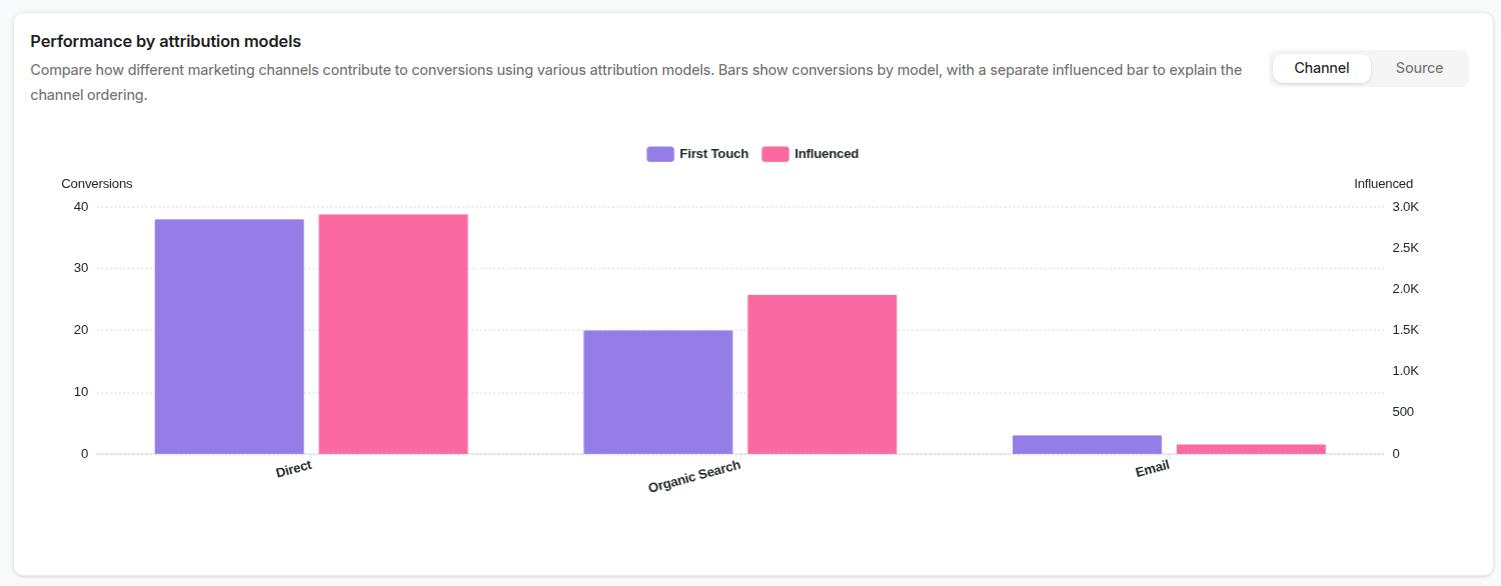
    Finally, to track conversions on your site, use smart SEO analytics and attribution tools like Usermaven to help.

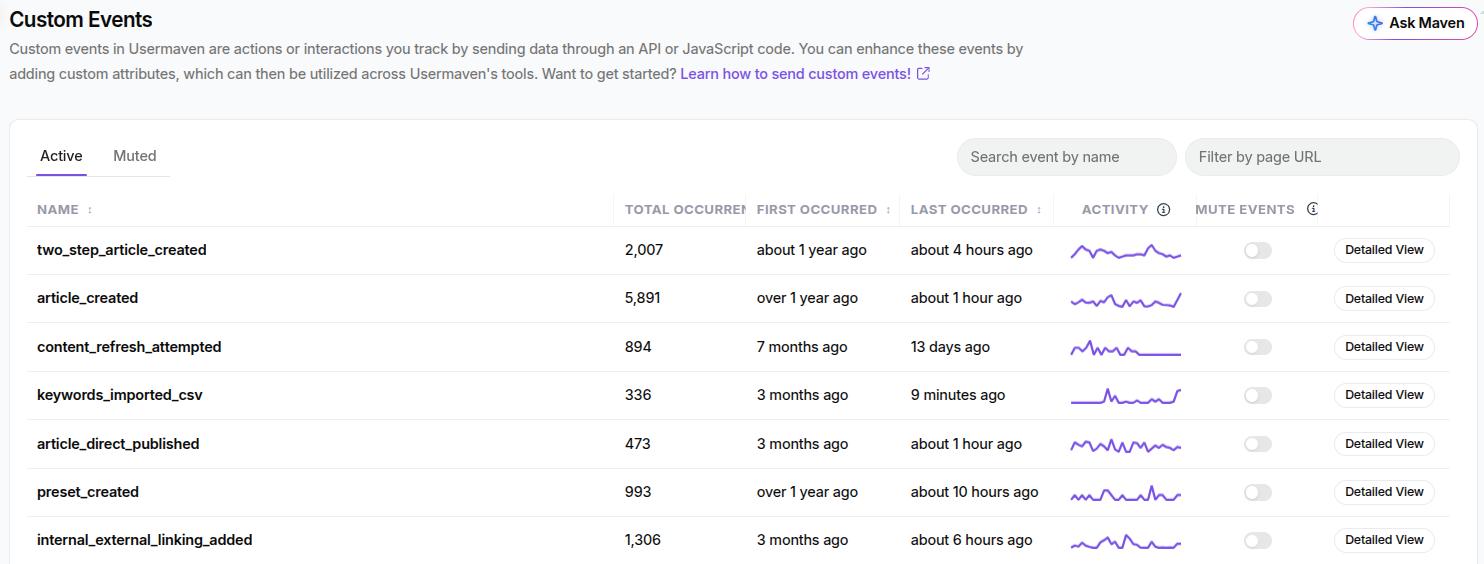
    Add the exact landing page button on UM using the “Auto-Captured Events” feature and see what keyword bids actually brought conversions for you.

    Once you get the hang of it, try A/B testing different variations of your landing page copy for different markets. See what is working with the help of the tools and proceed with that strategy in the future.

    Step #6: Set account hygiene

    The last step is to set up proper core account hygiene so your search engine marketing optimization work is easier later.

    Start by adding negative keywords for obvious mismatches, choose sensible match types, and separate brand and non-brand terms. 

    Then, schedule weekly reviews to pause weak ads, adjust bids, and test new ideas to extract the maximum benefit from your SEM strategy without wasting any resources.

    What common SEM mistakes should you avoid, and how?

    Several common SEM mistakes can drain your budget or hide your best opportunities if you do not watch for them.

    #1: Skipping negative keywords

    One frequent mistake is skipping negative keywords, which tell Google Ads and Bing Ads which searches you do not want. Without them, your ads may show on loosely related or low-intent searches that never convert, which raises costs and muddies your data.

    To solve this, you should review search term reports regularly and add negative keywords to block irrelevant traffic. 

    For example, if you sell paid courses and see many clicks for “free training,” add that as a negative phrase. Over a few weeks, this clears out waste and shifts budget toward queries that have a real chance to convert.

    #2: Sending all traffic to the home page

    Another mistake is sending all traffic to the home page instead of building focused landing pages. When ad copy, keywords, and pages do not align, users feel lost and bounce. Google also notices this mismatch and lowers your quality score, forcing you to pay more to stay visible.

    A fix is to work toward matching the search intent

    If your ad promotes “24-hour emergency HVAC repair,” the landing page headline should mention that exact service and availability. Strong matches like this can raise click-through rates and quality scores while also helping visitors trust your offer.

    #3: Focusing on vanity metrics

    A third issue is watching only clicks and impressions instead of downstream results. 

    It is easy to feel good when a campaign shows high click-through rates, but if few people fill out forms or purchase, something is off. 

    Contrary to popular belief, often the fix lies in tightening keywords, clarifying offers, or adjusting forms, not in raising bids.

    Check quality scores and conversion numbers at least once a week instead of only looking at total spend. When you see low scores, ask whether the keywords are too broad, the ads are off-topic, or the landing page is slow on mobile. 

    Fixing those root problems usually brings better results than simply adding more budget to a weak campaign.

    #4: Failing to perform A/B testing

    New advertisers also forget to test different ad creatives and extensions. Running a single ad per group makes it hard to know whether better wording could lift performance or targeting a different keyword. 

    Simple A/B tests can reveal big gains with minimal risk and must be considered by digital marketers.

    Set up structured testing for ads and pages instead of changing everything at once. Rotate two or three ads per group, let them gather enough clicks, then keep the winner and test a new variant. Apply the same habit to landing pages by trying different headlines, offers, or layouts.

    The bottom line

    Search engine marketing gives you fast, targeted access to people who are already looking for answers, products, or services like yours. 

    When used well, SEM can bring in leads or sales within days and teach you a lot about how your market searches. If used poorly, it can turn into an expensive guessing game that burns budget without clear return.

    The most durable approach is to pair SEM with SEO and strong content so that paid and organic channels work together. SEO builds the long-term base, while SEM fills gaps, supports launches, and offers a testing ground for new messages and offers.

    Frequently asked questions

    What are the advantages and disadvantages of SEM?

    Search engine marketing brings quick visibility, detailed targeting, and clear metrics. However, SEM campaigns need constant monitoring, and the gains from ads can drop drastically once you run out of budget.

    Should you hire an agency or run search engine marketing yourself?

    It depends on your budget, time, and in-house skills. Google Ads is self-serve, so users with smaller budgets can start in-house and learn through hands-on testing. As your campaigns scale, consider hiring an agency or an external SEM professional to manage your work.

    Is search engine marketing worth it for small businesses?

    Yes, search engine marketing can work well for small businesses when they keep targeting tight and budgets modest. Local service companies, restaurants, and shops can set radius-based campaigns so only nearby customers see the ads.

    How long does it take to see results from SEM campaigns?

    You can see traffic and basic results from SEM within hours or days of launching your first campaign. Ads start showing as soon as they pass review and enter eligible auctions.

    Are there free tools to learn SEM basics?

    Yes, several free tools and courses can help you learn SEM from scratch. Google Skillshop offers Google Ads training and certifications at no cost. You can also use the Google Ads demo account to practice building campaigns without spending real money.

  • AI Overviews: The complete guide to Google’s AI search

    AI Overviews: The complete guide to Google’s AI search

    Google’s AI Overviews are an organic search result page feature that provides AI summaries in response to a user’s query. They appear at the very top of the results page, often recognized as “position zero.”

    As of 2026, this summary can handle complex multi-part questions and work across text, voice, and image searches.

    This guide explains what Google AI Overview is, how it works, and how it affects organic traffic. It also provides practical, step-by-step advice on how to appear in these overviews and how to improve your brand visibility.

    So, let’s get started.

    Key takeaways

    • AI Overviews typically appear at the top of search results when a user types in a query on Google
    • AI Overviews now reach more than 200 countries and over 40 languages. They can fill around 67% of the desktop screen and 76% of a mobile screen when appearing together with featured snippets
    • Public reporting suggests only a very small share of users click the source links shown inside an AI Overview. Many searchers read the summary and stop there, especially for informational intent queries
    • One widely cited study by Yahoo found that Quora and Reddit are the most frequent sources inside AI Overviews (as of 2025). This trend shows that AI rewards clear, answer-first content

    What are Google AI Overviews?

    Google AI Overviews key takeaways - Contentpen.ai.

    AI Overviews are a type of highly visible search feature from Google that provides answers to certain queries.

    These AI summaries mostly work for informational queries, although Google has now expanded this feature to commercial, transactional, navigational, and even branded queries.

    For example, if you type in Google “how to eat healthy,” it will automatically generate an answer for you like this:

    An AI Overview example for query 'how to eat healthy.'

    How do Google AI Overviews and Google AI mode work together?

    Since January 2026, Google has incorporated its chatbot-style AI, called AI mode, inside Google AI Overviews. 

    You can seamlessly transition to AI mode by clicking the ‘Show more’ button at the end of an AI Overview.

    The 'How to eat healthy' example query expanded to  see Google AI Mode.

    To understand the way these two AI features work, you need to see some differences:

    • AI Overviews: These are static text snapshots that appear directly at the top of standard search results for straightforward queries. Overviews synthesize indexed data from different sites to give you a quick summary. 
    • AI Mode: This is a dedicated, interactive, and conversational search interface designed for multi-part, complex tasks. It allows users to ask continuous follow-up questions to satisfy the searcher’s intent.

    According to Google’s guide to search AI features, both AI Overviews and AI Mode use a specialized version of the Gemini 2.5 model.

    Both AI features also use the query fan-out process to break down the user’s question into small subparts.

    For example, we asked Google’s AI Mode, “How to cut down sugar as a diabetic person who is in their 50s?”

    This question essentially had 3 main parts to it. 

    1. The user is asking to cut down on sugar levels
    2. The user is diabetic
    3. The user is in their 50s
    Google AI Mode chatbot response to query 'How to cut down sugar as a diabetic person who is in their 50s.'

    If you look closely, AI Mode included four subparts in its response: cutting down on liquid sugars, portioning food, reading grocery labels, and improving exercise. 

    The last bit is particularly included to cover the requirements of a mature-age person, showing the query fan-out process being implemented by AI in real time.

    Do AI Overviews answer the same every time?

    Short answer: No. The reason behind this is the nature of the operation of AI features.

    The large language model builds a mental map of key facts, definitions, and steps, then writes a new answer that blends those pieces. This process is similar to the multi-step retrieval and reasoning workflows described in research on agentic AI frameworks and applications

    Since data is being taken from each node on the RAG (retrieval-augmented generation) system probabilistically, the chances are that you’ll see a different answer every time you type a query.

    But that doesn’t necessarily mean you’ll get a “wrong” answer. It just means that your answer can vary in phrasing or nuance depth, especially in the case of the AI Mode chatbot that highly rewards detailed prompting.

    AI Overview vs featured snippet: What is the difference?

    AI Overviews vs. Featured Snippets comparison - Contentpen.ai.

    AI Overview and featured snippets both appear at the top of Google Search, but they work in different ways. 

    A featured snippet is a direct excerpt from a single page that best matches the user’s query. While an AI Overview is a fresh answer written by the model using several pages at once. 

    Both can appear together on one results page, although AI Overviews have greatly reduced featured snippets in 2026.

    Also read: How to turn off AI Overviews.

    Here is a quick comparison table to help you understand the differences between them.

    ElementFeatured snippetAI Overview
    Source styleExact excerpt from one pageNew summary built from many pages
    FormatOne block of text or a simple listMulti-paragraph answer, often with follow-up prompts
    PlacementUsually, the top organic spotAbove organic results, sometimes with its own background
    Screen shareTakes up some space on the first screenWith snippets, it can reach a large share of desktop and mobile screen area (67% and 76%, respectively)

    Where and how can you see AI Overviews in Google Search?

    AI Overviews appear for many informational searches in supported countries and languages whenever Google thinks a summary will help. 

    The feature now reaches more than 200 countries and territories in over 40 languages, although AI Overviews are yet to reach France until August 2026. Google explained the delay in release was because of some “regulatory obstacles.”

    Why am I not getting AI Overview on Google consistently?

    In most supported regions, the feature is on by default, so the main reasons for not seeing it can relate to the account, app, or query type. 

    If your Google app or Chrome browser is out of date, the AI layer may not appear consistently, so updating them is a useful first step.

    Next, make sure you are logged into a regular Google account and have language settings that match a supported language such as English, Spanish, or Japanese. 

    Lastly, the appearance of Google AI Overviews also depends on the query asked.

    For simple product searches like exact model numbers or clear transactional searches such as “buy running shoes near me,” Google often skips AI Overviews and shows shopping blocks or nearby business cards instead.

    AI Overviews replaced with local business cards and shop names for a transactional, local keyword.

    What about AI Overviews in Gmail and other Google products?

    Gmail does have AI tools that summarize long email threads and suggest replies, powered by Google’s Gemini models, but those are separate from the Search AI Overview feature

    The similar naming confuses a lot of people because both use phrases like AI summary or AI overview in product screens and help pages.

    The same pattern shows up in Docs, Drive, and YouTube, where generative tools add summaries or outlines on top of existing content. 

    While these tools share technology and branding with AI Overview in Google Search, they have separate settings and rollout plans. 

    How do AI Overviews impact SEO and website traffic?

    SEO traffic impact due to the rise of AI Overviews in 2026.

    AI Overviews impact SEO and website traffic by sitting above classic organic rankings and often answering the query without a click, also known as zero-click search

    This means brands that are not appearing in AI Overviews risk not being seen at all by users online.

    Secondly, AI Overviews cover a large portion of your screen when appearing with featured snippets. For desktops, that is 67% of your screen and 76% for mobile screens. This leaves a little wiggle room for organic blue links to fight for users’ attention.

    SEO specialists now have to think about traditional SEO and AI Overview optimization, not just classic ranking factors.

    This shift also changes how brands plan content around the funnel. 

    Top-of-funnel questions, definitions, and basic HowTos are more likely to appear in Google AI Overviews. 

    Mid- and bottom-of-funnel queries with strong local or transactional intent, such as “best dentist near me” or “pricing for content marketing software”, still tend to send more clicks to websites. 

    Marketers now watch not only ranking positions but also whether a query shows an AI Overview and how their brand appears, if at all, inside that box.

    What do publishers and regulators have to say about AI Overviews?

    The traffic impact from AI Overviews appears in both reported data and courtroom claims. 

    Penske Media, the publisher behind Rolling Stone and The Hollywood Reporter, has alleged that a notable share of searches that could lead to its sites now display an AI Overview above organic results.

    Penske Media has claimed that this has harmed its visits and ad income

    In response, Google has replied in public statements that AI Overviews send traffic to a wider variety of sites and help smaller sources get attention. However, that view is still widely contended in 2026.

    Legal action in Europe adds another angle. A Munich regional court ruled that AI Overviews make independent, new, and substantive statements rather than simply reflecting third-party content.

    This means Google may carry more direct responsibility for content accuracy than it has pledged otherwise.

    Together, these disputes show that the impact of AI Overviews on SEO and traffic is real enough for large publishers and regulators to treat it as a serious business and policy issue.

    How to optimize your content to rank and appear in AI Overviews

    How to optimize content for AI Overviews - Contentpen.ai.

    Optimizing content to appear in AI Overviews means shaping pages so Google’s models can easily understand, trust, and reuse them. 

    The goal is not to “game” the system, but to match how the AI reads structure, intent, and clarity.

    This newer practice often goes by the name generative engine optimization, GEO, or AEO, and it sits alongside classic SEO work and technical health.

    To adapt your content:

    • Focus on search intent, which is the real problem behind each query, and build content that directly solves that problem in the first few lines. Expand with examples, personal experience, and other sections later.
    • Use clear headings that mirror how people phrase questions, since Google Search AI Overview can pull in questions directly from voice assistants, such as Siri, Alexa, and Google Assistant.
    • Add FAQ sections and simple step lists where they make sense, because both formats map well to the way language models break content into chunks.
    • Keep facts up to date and well-sourced. Unclear or outdated claims are more likely to be twisted or misquoted when the AI writes its own summary.

    While writing content in an “answer-first” format with good structure does help, what’s most important to appear in AI Overviews and improve brand visibility is to speak with authority.

    That means avoiding fluff and adding real depth to the content with anecdotes, real-life examples, case studies (personal or professional), or any other way to add value to readers.

    Such content is most likely to be cited by AI engines, regardless if its AI generated or not.

    Since Quora and Reddit show up often in the AI cards, brands should treat community presence as part of their AI Overview optimization plan.

    Try to provide helpful answers on these platforms that can signal trust to Google’s systems with accurate data.

    How Contentpen helps you build AI Overview-ready content

    Contentpen for SEO and GEO-ready blogs.

    Contentpen helps teams produce AI Overview-ready content by guiding every stage from idea to published post in one workspace. 

    The platform starts with intent-based keyword research, so each article is tied to real questions people ask across Google, Gemini, and other AI assistants.

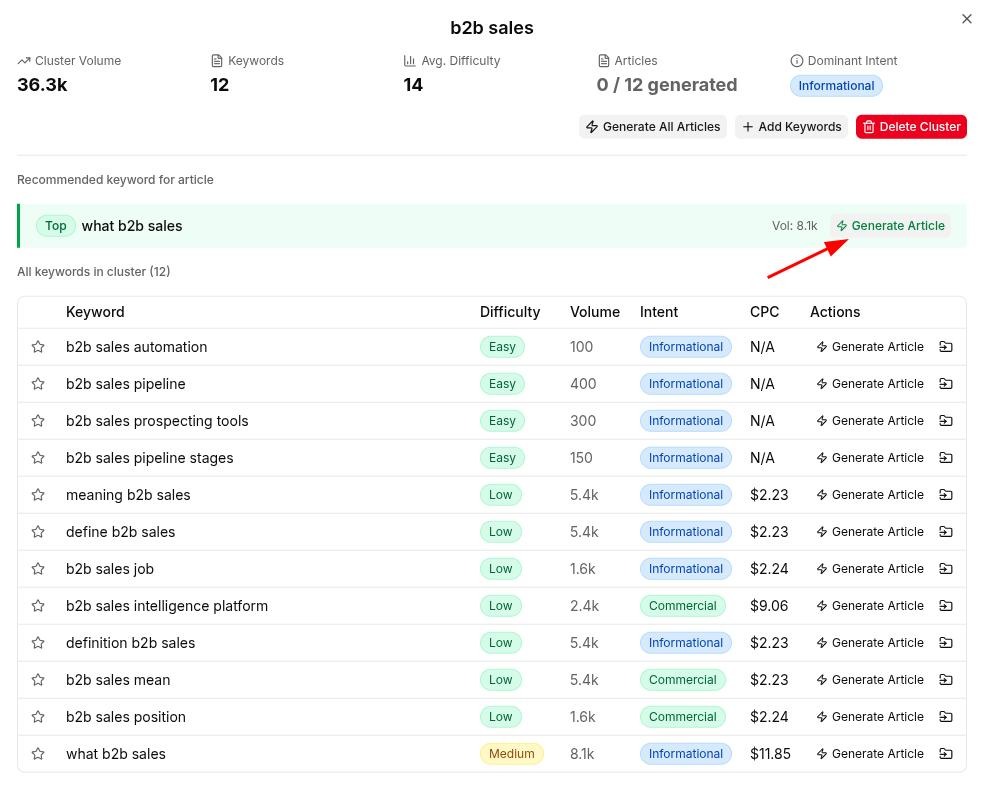
    HowTo topical clusters and keywords researched for the user by Contentpen.

    Once a topic is chosen, Contentpen generates detailed outlines for it with answer-first intros, strong headings, and FAQs, which line up well with how AI Overviews select and organize information.

    A blog example shown in the Contentpen editor for the topic 'How to start a tech blog.'

    During writing, the tool gives both SEO and GEO scores, pointing out where a draft may confuse readers or AI systems. It nudges writers toward creating clear section openers, consistent terminology, and factual content. 

    'How to start a tech blog' example in Contentpen with SEO and GEO score.

    Once the content is ready, you can publish it with one-click publishing or schedule it for later with the content planner.

    Content scheduling inside Contentpen.ai.

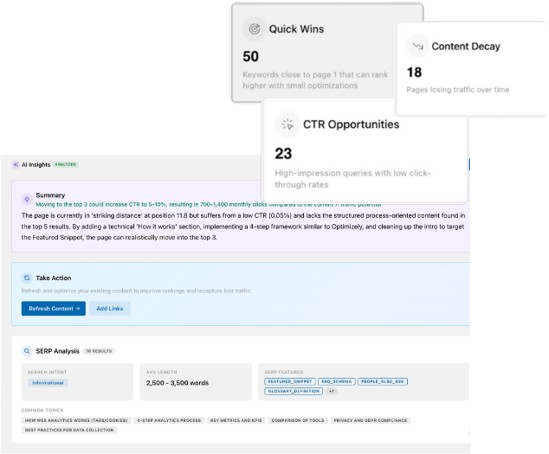
    The tool also provides web analytics and the new, improved SEO opportunities that help you identify and fix CTR gaps, cannibalization issues, content decay, and more for published content.

    New, updated SEO opportunities inside Contentpen.ai.

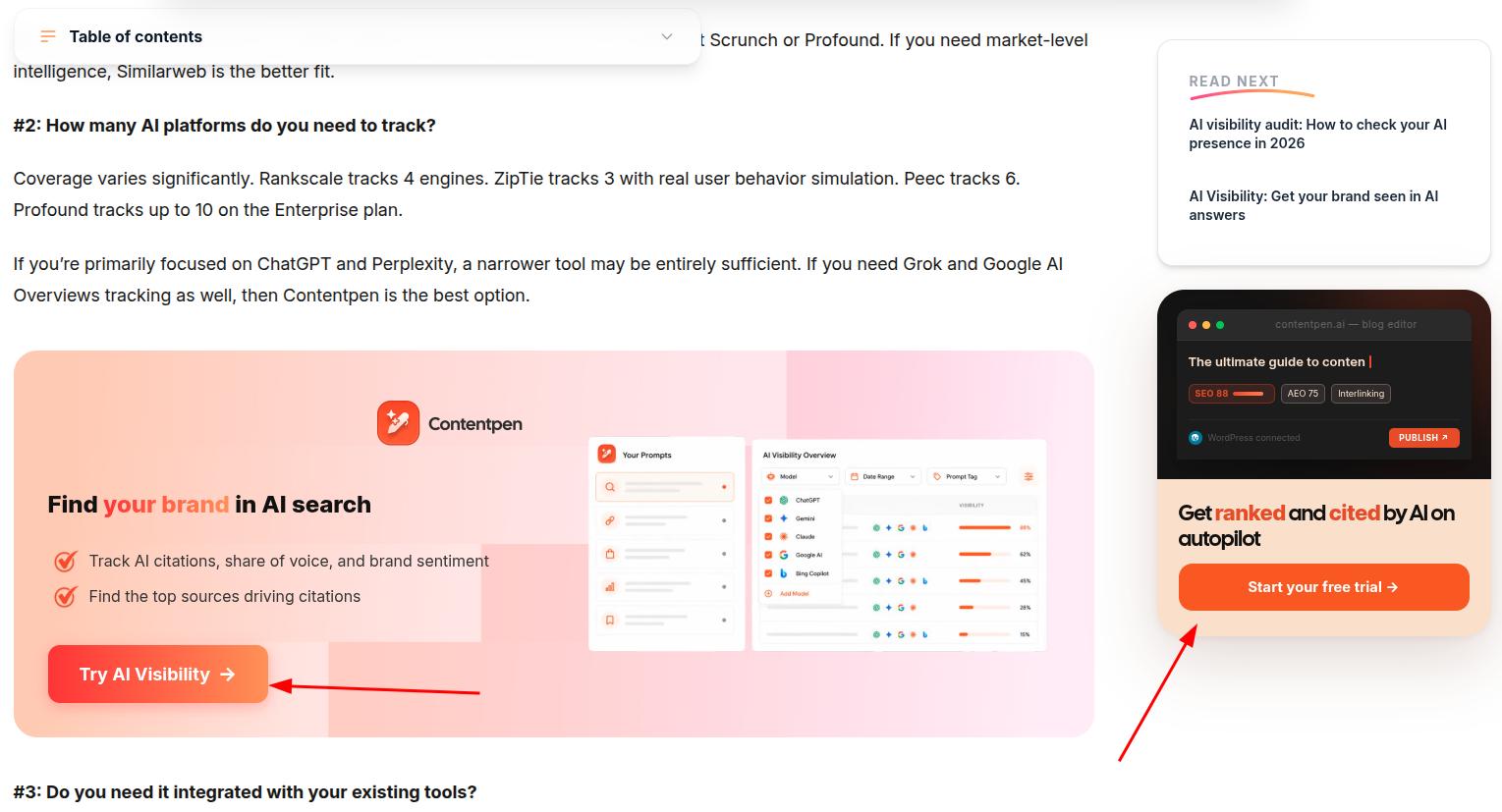
    Contentpen’s new AI visibility tool also allows businesses to monitor their AI SOV, audit brand visibility and sentiment, and view exact citation source gaps from competitors.

    Find your brand in AI search

    check

    Track AI citations, share of voice, and brand sentiment

    check

    Find the top sources driving citations

    Try AI Visibility
    AI SEO Interface

    Final thoughts

    Google AI Overviews are now a regular part of search in 2026, not a short-term test you can ignore. They sit above traditional results, take a large area above the fold on many devices, and often answer a query without sending a click anywhere. 

    That new layer of search reshapes how people discover brands and how content teams should plan topics.

    AI visibility now depends on being citation-worthy inside AI answers as well as ranking on the classic results page. Clear structure, answer first paragraphs, accurate facts, and steady topic authority give your pages a better shot at being selected than otherwise.

    Tools such as Contentpen make that work easier by creating SEO- and GEO-optimized blogs every time, so your content can earn mentions in AI Overviews and sustain SERP rankings.

    Frequently asked questions

    How do you get the AI Overview to show up for your search?

    AI Overview usually appears automatically when you search in a supported country and language. You do not need to flip on a special switch in most cases. That said, short or purely transactional queries may often skip AI Overviews and lead users to organic search results.

    How can you remove or turn off AI Overview results?

    Right now, there is no simple global switch that fully turns off AI Overviews for all queries. Users can sometimes reduce how often they see it by using different languages, searching from unsupported regions, or focusing on very specific transactional queries.

    Why do people meme about Google’s AI Overviews?

    People share memes about Google AI Overview because early versions of the AI feature, in 2024, produced some very strange and unsafe answers. Viral examples included telling users to eat rocks for health and suggesting glue on pizza to keep cheese from sliding.

    How do you measure AI Overview visibility?

    Track which of your target queries trigger an AI Overview, then check whether your domain is cited inside it or not. Rank tracking alone misses this, since a page can hold position one and still get zero AI Overview citations.

    What happens if your site is cited in an AI Overview but doesn’t get clicked?

    AEO examples show that you still gain brand exposure and some trust signal, even without the visit. That said, being cited keeps your site in the pool of sources Google treats as reliable for that topic, which can help with future queries and other AI surfaces.

  • Surfer SEO pricing 2026: Complete breakdown of what you get

    Surfer SEO pricing 2026: Complete breakdown of what you get

    Surfer SEO pricing in 2026 starts at $49/month billed yearly for the Discovery plan and reaches $999/month for the Enterprise plan. There are a total of 5 main pricing plans and an AI Search Analytics product priced separately. 

    This guide explains every Surfer SEO pricing tier, how monthly vs. annual billing works, and when those costs make sense. 

    It also compares Surfer with Semrush, Ahrefs, and an all-in-one content platform like Contentpen so you can choose tools that suit your needs.

    Key takeaways

    • Surfer SEO has 5 main plans with annual billing prices that start at $49/month and go up to $999/month. Each higher tier adds more documents, tracked pages, AI prompts, and collaboration features for larger teams
    • A 7-day free trial is available for new credit cards on the Pro plan
    • Annual billing for Surfer SEO includes approximately a 20% discount compared to monthly billing
    • For teams that want an all-in-one content platform, Contentpen costs less overall and provides more value

    What are Surfer SEO pricing plans in 2026?

    Surfer SEO pricing tiers depicted with plan limits.

    Surfer SEO provides 5 pricing plans in 2026 plus an AI Search Analytics product for AI visibility monitoring. These subscriptions scale from solo writers and freelancers to large enterprises that need advanced security and compliance features.

    All prices below reflect Surfer SEO cost on annual billing in USD, as of writing this article.

    PlanAnnual price (per month)Documents per yearPages trackedAI prompts trackedBest for
    Discovery$49/month12010NoneFreelancers and solo writers
    Standard$99/month3605025 per week in ChatGPTSmall teams and early-stage agencies
    Pro$182/monthSame as Standard20050 per day across ChatGPT, Perplexity, Google AI, GeminiGrowth teams and agencies with several brands
    Peace of Mind$299/monthUnlimited500Same as ProLarge content programs that need API access
    Enterprise$999/monthCustomCustomCustomEnterprises that need SSO and advanced support

    Discovery is the entry tier plan, with 120 content documents and 10 pages tracked, which suits low-volume content work. The Standard plan jumps to 360 documents and introduces AI prompt tracking, basic integrations, audits, and rank drop alerts.

    The Pro plan keeps 360 documents but expands to 5 brand workspaces, 50 prompts refreshed daily across ChatGPT, Perplexity, Google AI Overview, and Gemini, plus internal linking.

    Peace of Mind unlocks unlimited documents, 100 prompts per day, API access, and larger team and history limits. While the Enterprise plan at $999/month brings custom limits, SSO, legal onboarding, and advisory support for complex organizations.

    Besides these plans, Surfer SEO offers a standalone AI Search Analytics package that starts at $158/month (billed annually). It helps you track up to 100 prompts daily, unlocks access to 5 workspaces, and displays share of voice metrics.

    How much does Surfer SEO cost monthly vs. annually?

    Surfer SEO pricing plans billed annually, 2026.

    Annual billing for Discovery, Standard, Pro, Peace of Mind, and AI Search Analytics plans provides a roughly 20% discount.

    Surfer PlanBilled MonthlyBilled AnnuallyYearly Total (Monthly Billing)Yearly Total (Annual Billing)You Save Per Year
    Discovery$59/month$49/month$708$588$120
    Standard$119/month$99/month$1,428$1,188$240
    Pro$219/month$182/month$2,628$2,184$444
    Peace of Mind$359/month$299/month$4,308$3,588$720
    EnterpriseStarting at $999/monthCustomCustomCustomCustom

    From the pricing table above, the trade-off is simple. Annual billing locks in the lower rate overall while monthly billing keeps the flexibility of cancelling the subscription after 30-days.

    When you compare monthly vs. annual billing, keep these points in mind:

    • Short-term projects or testing phases fit better with true month-to-month billing, even at a higher rate.
    • Stable content programs that publish regularly often save more with yearly payment.
    • Teams with seasonal work can start on monthly billing, prove value, then switch to annual billing once usage is steady.

    As a new Surfer SEO user, you do get a 7-day free trial of the Pro plan, which includes the content editor, Surfy AI assistant, content scores, audits, keyword research, and AI visibility tracking.

    Is Surfer SEO worth the price?

    Surfer SEO price and value compared with competitors - Contentpen.ai.

    The answer to this question depends on how much content you publish and how strongly you use AI visibility tools. 

    For a freelance writer or small business who ship a few articles per month, the Discovery or Standard plan can be enough to bring real leads. 

    However, for agencies and in-house marketing and serious SEO teams, the Pro and Peace of Mind tiers make more sense. 

    These plans unlock multi-brand workspaces, daily AI prompt tracking across ChatGPT, Perplexity, Google AI Overview, and Gemini, with internal linking and API access. 

    This takes us back to our question “Is Surfer worth it?” Honestly, no. Not for an established business anyway. 

    As a proper scaling team, you’ll be spending somewhere between $200 and $300 for the required AI visibility and content creation features, especially since starting packages won’t cover all your needs.

    That is way more costly than what many other Surfer SEO alternatives are offering at much cheaper rates today.

    How does Surfer SEO compare with other tools in terms of value?

    Here is a simple comparison of Surfer SEO against other tools many teams consider using in 2026.

    ToolMain focusStarting price (billed annually)AI answer trackingFree trial
    Surfer SEOContent scoring and AI visibility$49/monthYes on Standard and above7-day Pro trial
    SemrushBroad SEO and PPC suite$117.33/month for SEO planYes on higher plansLimited free trial
    AhrefsBacklink and keyword data$108/month for Lite planLimited AI prompt tracking on higher plansNo standard free trial
    ContentpenEnd-to-end AI blog creation$54 ($27 each for the SEO and AEO platform)Yes, for 7 AI chatbots on the AEO subscription7-day free trial

    Semrush pricing starts higher than Surfer, but covers a wider SEO stack with PPC tools and deep competitor data. Ahrefs pricing also sits above Surfer at most tiers, but the tool shines for providing backlink and keyword history data access to its users.

    Contentpen takes a different path. It combines keyword research, SERP analysis, AI drafting, SEO and GEO scoring, and one-click publishing in a single workspace. 

    It also offers AI visibility monitoring for up to 7 AI chatbots, which is a much wider coverage than any other tool in this space.

    Find your brand in AI search

    check

    Track AI citations, share of voice, and brand sentiment

    check

    Find the top sources driving citations

    Try AI Visibility
    AI SEO Interface

    A smart approach is to run free trials for the AI SEO tools and test the workflow for at least a week. See whether the current tool removes your friction points. If not, consider trying another Surfer alternative until you find the right match.

    Final thoughts

    Steps to choose the right Surfer SEO plan in 2026.

    Surfer SEO pricing in 2026 ranges from $49/month billed yearly on Discovery to $999/month for the Enterprise plan.

    For most teams, the Pro plan at $182/month (billed annually) is the sweet spot with the right mix of AI content creation and search analytics features included. 

    That said, the right plan depends on how many articles you push each month, how many pages you want to track, and whether consistent AI prompt monitoring really matters to you.

    Our suggestion would be to start with the smallest tier that actually covers your content volume and revisit your Surfer SEO subscription once traffic and revenue grow. 

    Frequently asked questions

    Is Surfer SEO any good?

    Surfer SEO is a strong content optimization tool, trusted by over 150,000 users and brands such as FedEx, ClickUp, Shopify, and Square. However, the value still depends on your content volume requirements and whether you use AI prompt tracking daily, weekly, or not at all.

    Is SEO dead or evolving in 2026?

    SEO is not dead in 2026. It is shifting toward visibility inside AI answers from tools such as ChatGPT, Perplexity, and Gemini. Tools like Surfer SEO and Contentpen reflect this change and work towards GEO by providing GEO scores, AI prompt targeting, and more features.

    What’s the difference between Surfer SEO and the Keyword Surfer extension?

    Surfer SEO is the paid content optimization and AI visibility platform, with content scores, audits, and prompt tracking. Keyword Surfer is a free Chrome extension that shows basic search volume and keyword ideas inside Google search results.

    Are there any good Surfer SEO alternatives for smaller budgets?

    Yes, teams can consider Contentpen as a cost-effective Surfer alternative that provides an AI blog writer, content optimization, and search visibility tracking in one place. Pricing starts at just $54/month (billed annually) for the SEO and AEO platform, or $78/month (billed monthly).

  • Surfer SEO review 2026: Is it worth your money?

    Surfer SEO review 2026: Is it worth your money?

    Surfer SEO is a powerful tool for on-page guidance and competitor-aware suggestions. But if you also want keyword research, rank tracking, AI search analytics, and publishing in one place, then you might want to look elsewhere.

    This Surfer SEO review covers how the tool works, pricing details, strengths, weaknesses, and how it compares to Jasper, Semrush, SE Ranking, and Contentpen. By the end, you will be able to choose the right tool for your workflow needs.

    So, let’s get started, shall we?

    Key takeaways

    • Surfer SEO is an on-page content optimization platform built around its Content Editor and Content Score
    • Pricing starts with the Discovery plan at $59/month (billed monthly) or $49/month (billed yearly)
    • Surfer works best for content teams focused on single-page optimization, while agencies needing deep reporting often need Semrush, Ahrefs, or SE Ranking
    • Tools like Contentpen offer a fuller content workflow from research to AI drafting, GEO-focused formatting, and one-click publishing at a lower price point

    Learning about Surfer SEO: How does it work?

    Surfer SEO landing page 2026.

    Surfer SEO is a powerful on-page optimization and content generation platform that starts by taking your brand details into account and finding topic ideas for it. Then, it will guide you to target a keyword and create content for it.

    While targeting a phrase, Surfer will pull in pages already ranking on Google for it and analyze on-page signals across those results. It looks at word count, headings, related terms, questions, and internal and external links on sites that already win traffic and get cited by AI.

    Then, inside the Content Editor, you either paste an existing draft or start from scratch. Surfer will show a Content Score, recommended word count, and a live checklist of terms to add or expand for better ranking.

    In 2026, Surfer also includes an AI tracker that keeps tabs on how your brand appears in ChatGPT, Perplexity, Google AI Overviews, and Gemini.

    Beyond the editor, Surfer SEO helps users spot pages that could gain rankings with small updates using its Content Audit module.

    Together, these features keep Surfer centered on one task: turning live SERP data into writing suggestions and content that users can post to enhance their AI and search visibility.

    How did we test Surfer SEO?

    To test Surfer SEO, we gave it two tasks: one for writing content from scratch (Surfer AI) and one for optimizing an existing one (with Surfy). We also saw our existing content performance inside the Content Audit module to understand our ranking gaps.

    Writing content with Surfer

    The major writing workflow with Surfer goes like this: You choose a keyword or take one from Surfer’s recommendations based on your brand details.

    Then, the tool will conduct deep AI and Google research to pull in all the required parameters to make your content rank. After that, you can select your brand voice, custom instructions for an article, and the content type you want to create (e.g., listicle, comparison post, etc.)

    Before it writes a word, Surfer AI will show you the outline that it has created for your phrase by scraping 10+ sources from Google and AI chatbots. Then, it will create a piece of content, displaying your Content Score, from 0 – 100, NLP phrases, and other details in the editor.

    Surfer SEO Content Editor.

    Credits: Surfer Content Editor.

    The AI-generated articles also have images in them, but these are less on-brand and more generic fillers. If visual content is of essence to you, try using a tool like Contentpen to include your brand guidelines and knowledge while creating in-article or featured images.

    Content optimization and editing

    This is where Surfer SEO really shines. You can input your draft and let the tool auto-optimize it for better Google rankings and AI visibility. 

    If you feel like having a bit of manual control here, you can use the suggested terms in your content by yourself. The terms will turn green as you use them in your content, showing a sign of progress.

    Another reason why on-page SEO optimization felt like a charm with Surfer SEO is its Content Structure feature inside the editor. 

    The tool lets you analyze what headings, format, and number of images your competitors have used to outrank you on your target keyword. This helps you cover those gaps before publishing to allow better organic traffic flowing to your platform.

    Finally, you can insert internal links with Surfer’s help and conduct a pre-publish review with readability, plagiarism, and AI readability checks. Once the article is finalized, you can publish to WordPress or export it to your device for later use.

    Surfer SEO pros and cons

    Surfer SEO strengths vs. weaknesses 2026.

    After our detailed testing of the platform, we were able to conclude the following pros and cons of the system.

    Where Surfer SEO pulls ahead

    In all honesty, Surfer’s content editing has always been top-notch. It has been its secret sauce for years now, besides a few other winning points that we’ve listed below in 2026.

    1. Topical mapping: Surfer’s topical clusters help users establish authority in a space or niche. It meticulously plans and surfaces topics that you should cover to increase share of voice and online visibility.
    2. Content output: We personally didn’t expect Surfer AI’s first draft to be good, but it was reasonably readable, structured, and properly formatted with bullets and tables.
    3. Auto-optimize: The auto-optimize feature quickly ticks off your on-page optimization checklist without any manual intervention. Sure, the output may still need a human pass before publishing, but it is a nice-to-have, nevertheless.
    4. Pre-publish checks: Our content team enjoyed having a “final-final check” before publishing to ensure nothing embarrassing slips through at the end.

    Some of the pros that we didn’t mention on purpose were borderline between “meh” and “I guess it’s a pro.” 

    For example, the image generation feature is a positive point, but since you can’t control what visuals you generate, the usefulness of this option quickly fades away. 

    Similarly, there is AI search tracking, but only 4 major AI models are supported. Tools in this space are offering much more AI coverage than this and at a much lower price point (more on this later).

    Where Surfer SEO falls short

    Now coming on to Surfer SEO cons, these were the shortcomings we were able to identify for the tool:

    1. Over-optimization of content: Surfer over-optimizes content to improve NLP term coverage, which can make your pages read robotic. For instance, it would change “best singing microphones” to “best vocal microphones.” Not wrong, just a bit off-putting.
    2. Heavy AI credit usage: As a Surfer user, your AI credits will run out quicker than you expect because you get limited AI article and image generations per month, and before you know it, you’ll be required to top up your account with additional credits.
    3. Generic filler content for non-English users: Agencies working with Spanish and German sites often mention grammar issues and less accurate term suggestions during audits, even though those languages are officially supported.
    4. Weak e-commerce output: Some users report applying Surfer’s recommendations across their category and product pages and seeing poor results because the suggestions favor long-form informational content over concise transactional copy.

    At the end, this user review from Fabiano perfectly sums up our experience with Surfer SEO:

    A user review on Trustpilot, discussing how Surfer SEO is an okay platform.

    Just like Fabiano, we also feel that Surfer could be doing a lot more than what it is doing right now, especially at this price point. Speaking of which, it is time now to explore Surfer pricing in more detail.

    How much does Surfer SEO cost?

    Surfer SEO pricing tiers discussed, billed annually - Contentpen.ai.

    According to the official Surfer SEO pricing page, the Discovery plan starts at $49/month when billed yearly or $59/month when billed monthly.

    That tier lets you:

    • Create or optimize 120 documents
    • Track 10 pages
    • Use AI SEO optimization guidelines
    • Access Surfy, the AI SEO assistant

    The Standard plan jumps to $99/month billed yearly or $119/month billed monthly and supports 360 documents plus 25 AI prompts refreshed weekly.

    It adds:

    • AI visibility tracking for ChatGPT
    • WordPress and Google Docs integrations
    • Brand knowledge features
    • Plagiarism checks
    • Basic team collaboration
    Surfer SEO official pricing plans 2026, billed annually.

    For heavier use, the Pro plan costs $182/month billed yearly or $219/month and targets agencies or larger teams. It keeps the 360 document cap, but increases tracked AI prompts to 50, refreshed daily.

    The Peace of Mind plan, priced at $299/month billed yearly or $359/month billed monthly, unlocks:

    • Unlimited documents
    • 100 daily AI prompts
    • Advanced SERP analysis
    • Zapier integration
    • API access

    There is also a separate AI Search Analytics product starting at approximately $158/month plus an Enterprise plan at $999 for custom limits and white-label support.

    Compared with other content optimization tools, Surfer usually sits in the mid to higher range.

    For context:

    ToolEntry planStarting Price (billed annually)Plan limits
    ContentpenStarter$27/month10 articles, 1 workspace (SEO); AEO starts separately at $27/month (billed annually)
    SE RankingCore$103.20/month10 projects, 2,000 daily keyword checks
    JasperPro$59/seat/month1 seat, Jasper Canvas, 2 Brand Voices, 3 Audiences
    SemrushSEO Pro$117.33/month5 projects, 500 tracked keywords
    ClearscopeEssentials$129/month50 tracked prompts, 50 pages, 20 drafts/month
    Surfer SEODiscovery$49/month120 documents, 10 tracked pages

    Now let’s see how Surfer SEO holds up against other competitors in terms of features and functionalities.

    How does Surfer SEO compare to other tools?

    Surfer can be worth the spend, especially if you publish at least several SEO pieces each month.

    But if your biggest needs are backlink analysis, technical audits, full AI search reporting, or an end-to-end blogging workflow, then you should consider other Surfer SEO alternatives.

    Surfer SEO vs Contentpen

    Surfer SEO focuses on scoring and improving content you already planned or drafted, while Contentpen aims to cover the full life cycle of an SEO blog post.

    With Contentpen, teams can:

    • Research keywords and build topic clusters
    • Generate detailed briefs based on search intent
    • Create AI drafts that follow those briefs
    • Apply SEO and GEO checks on structure and metadata
    • Push articles live with one-click publishing and no-code webhooks

    Surfer’s strength is precise optimization against current search results, but you still need other tools like Contentpen for outlines, scheduling, and web analytics.

    Surfer SEO vs Jasper

    Jasper AI exists to produce marketing copy across formats, from landing pages to ad text and emails, with strong brand voice controls.

    Surfer, by contrast, expects either a human or another AI tool like Jasper to produce the first draft with facts verified and tone checked for consistency.

    Even though Surfer does offer a separate AI writer, its main job starts once content is finalized with all these checks.

    Many teams plug Jasper into Surfer’s Content Editor so Jasper writes the draft and Surfer shapes it for search before publication.

    Surfer SEO vs Semrush

    Semrush is an all-around SEO and competitive research suite, while Surfer is a specialist focused on on-page content.

    The Semrush SEO plan covers:

    • Rank tracking for large keyword sets
    • Keyword research with extensive databases
    • Site audits and technical recommendations
    • AI search reports across models like ChatGPT and Gemini

    If you already have Semrush for monitoring and reporting, adding Surfer gives better on-page depth.

    However, Semrush alone may be enough for teams that do not publish large volumes of written content or that rely more on technical and backlink gains.

    Surfer SEO vs SE Ranking

    SE Ranking positions itself as a broad SEO platform with rank tracking, backlink checks, and site audits, while Surfer narrows its focus to on-page optimization.

    Surfer alone will not replace the monitoring and reporting features SE Ranking already covers, but it can add sharper content scoring, creation, and audit options for writers.

    The bottom line

    Surfer SEO bottom line: Is it worth it in 2026?

    Surfer SEO has earned a strong reputation for writers and content teams that focus on long-form articles and service pages.

    The Content Editor and Audit tools give practical, data-backed guidance that can lift traffic when used with solid writing and smart topic choices.

    At the same time, non-English gaps, over-optimization of content, and ecommerce limitations are real concerns.

    Agencies and enterprises almost always pair Surfer with broader platforms like Semrush, SE Ranking, or an end-to-end content system such as Contentpen to handle research, rank tracking, and publishing.

    Write content that’s built to rank, not just read

    Create search-optimized blogs aligned with SEO and GEO signals, so your content performs well across search and AI-driven discovery.

    Try SEO Blogging FREE
    AI SEO Interface

    Frequently asked questions

    Is Surfer SEO free to try?

    Yes, you can get a 7-day free trial for Surfer on its Pro plan (only applicable for new accounts), but a credit card is required to commence the trial.

    What is a good Surfer SEO content score to aim for?

    A Content Score above 70-80 is usually considered ready to publish, because it means your page matches most competitive on-page signals. For very tough queries, aim closer to the range top pages reach inside Surfer instead of chasing a fixed number.

    Can Surfer AI write entire articles for me automatically?

    Surfer AI can draft full articles from a single keyword and tone selection, so you get a structured post without starting from a blank page. However, that output often needs human editing for voice, nuance, and business-specific details.

    What are some Surfer SEO integrations still available?

    Surfer directly integrates with Chrome, Google Docs, and other online apps as a browser extension. It also offers native connections with CMS platforms like WordPress and Contentful. For other Surfer integrations, you might have to build them through Zapier.

    What happened to Surfer SEO after its 2025 Positive acquisition?

    In 2025, Surfer SEO was acquired by Positive Group, which also owns email and CRM products, and now serves as its AI search visibility division. The core tools still work, but teams should watch for future pricing or roadmap shifts tied to the wider product family.

  • Copy.ai pricing 2026: Plans, costs, and value guide

    Copy.ai pricing 2026: Plans, costs, and value guide

    Copy.ai pricing in 2026 starts at $29/month for the Chat plan, which includes 5 seats and unlimited chat words. An Enterprise tier comes with custom pricing, guided onboarding, and advanced security features. However, there is no free plan or trial available.

    In this guide, we explain what each Copy.ai pricing plan includes, how the cost scales, and whether it is worth it for your use case or not. We will also see Contentpen for teams focused mainly on SEO and GEO content rather than full GTM automation.

    So, let’s get started.

    Key takeaways

    • Copy.ai pricing now starts at $29/month for the Chat plan, with no permanent free tier for new signups.
    • The Enterprise plan adds custom pricing and support for large, complex teams.
    • Copy.ai gives the best value when a team uses agents, Workflows, and integrations across marketing and sales.
    • Freelancers, small businesses, and growth teams might want to check out other Copy.ai alternatives in 2026 for better value.

    What is Copy.ai, and why did its pricing change in 2026?

    Copy.ai's evolution from an AI copywriting tool to a GTM-first platform.

    Copy.ai is now an AI go-to-market platform, not just a basic copywriting app, and that shift explains the newer pricing model.

    The tool started with simple GPT-based writing but now focuses on cross-team workflows, sales enablement, and revenue operations.

    The company launched in 2020 as one of the first GPT-3-based tools for ads, product descriptions, and blog ideas. It grew fast among marketers and founders who wanted quick text from OpenAI models without heavy setup or prompting.

    Over time, Copy.ai expanded into multi-step workflows, agents, and deep integrations with tools like Salesforce, HubSpot, and Gong. That pushed it closer to platforms like Fullcast, which focuses on revenue operations.

    In October 2025, Fullcast acquired Copy.ai and started using it as the generative engine inside its Fullcast Propel product.

    That move pulled pricing toward seats, usage, and automation credits rather than simple word counts.

    Today, Copy.ai prices itself more like a GTM automation platform than a writer aimed at individual bloggers or freelancers.

    That is why Copy.ai pricing can feel high for small teams but makes more sense for sales, marketing, and RevOps groups working together.

    What are Copy.ai’s pricing plans and costs in 2026?

    Copy.ai pricing in 2026 has two types of plans: self-serve and Enterprise.

    Copy.ai monthly pricing.

    Self-serve plans currently include the ‘Chat’ plan, which starts at $29/month (billed monthly) or $24/month (billed annually), with 20% savings on the annual plan. This plan includes:

    • 5 seats
    • Access to OpenAI, Anthropic, and Gemini models
    • Unlimited words in Chat
    • Unlimited Chat Projects

    Besides this plan, users can get the ‘Enterprise’ plan that provides:

    • Guided jumpstart implementation
    • 20+ integrations and API access
    • Customizable Workflows
    • Designated account and support team
    • Enterprise-grade security and protocols

    Chat works well for small marketing teams, founders, and content writers who mainly want fast drafts and ideas.

    If you do not need Workflow credits or deep CRM integrations yet, this entry plan keeps Copy.ai cost under control.

    Enterprise buyers get guided Jumpstart implementation, which means structured onboarding with specialists from the vendor.

    They also gain full API access, bulk Workflow runs, and more than 20 native integrations, including connections to Salesforce, HubSpot, and Slack. You can also set up connections with other apps through Zapier, Make, or n8n.

    Security features at this level include SOC 2 Type II and GDPR compliance, SSO, SCIM, and detailed roles and permissions. A dedicated account team handles support and helps teams turn internal processes into Workflows.

    Is Copy.ai worth paying for?

    We covered this in our Copy.ai review as well: Copy.ai can be worth the price when a team actually uses its Workflows, agents, and integrations across sales and marketing.

    Is Copy.ai worth paying for in 2026?

    If you only need simple AI writing, the cost may feel high compared to lighter tools, and you won’t even use all the features available in the platform.

    Copy.ai tends to deliver the strongest return for B2B SaaS companies and revenue teams that run many Workflows every day. If your team uses Salesforce, HubSpot, and outreach tools heavily, the automation features can replace some manual work or agency spend.

    For freelancers, solo creators, or content-first small businesses, Contentpen.ai is a much better choice. It also caters to the needs of growth marketers and SEO and AEO teams due to its post-publishing analytics and deep content optimization features.

    Besides that, Contentpen is also suitable for enterprises looking to generate content at scale with GDPR compliance and TLS encryption included. The AI visibility layer ensures that PR and brand teams are aware of their sentiment, share of voice, and competitor gaps at all times.

    What happened to the Copy.ai free plan?

    Copy.ai once had a free plan with a 2,000-word cap, which helped many users test its AI writing features before committing. However, that entry point is no longer available to new signups.

    That means anyone starting in 2026 and onward must choose a paid plan to get started. There is no setup fee listed on the current pricing page, so you only pay the subscription itself.

    Please note that you can utilize Copy.ai tools for free, such as an email subject line generator, hook generator, paraphrasing tool, etc., but not the base platform.

    How does Copy.ai pricing compare to other tools?

    Copy.ai pricing reflects its role as a go-to-market platform that mixes writing with revenue workflows.

    Jasper, Writesonic, and Scalenut lean more toward content creation and SEO and GEO tasks. The big gap shows up when you compare how they scale with teams and automation.

    Copy.ai scales by seats and Workflow credits, which benefits large sales and marketing groups. Whereas tools like Jasper scale by content features.

    Compared with using ChatGPT directly, Copy.ai costs more but offers brand voice, permission control, and CRM integrations.

    However, content teams whose main job is to only publish SEO friendly blog posts may not need full GTM automation.

    Copy.ai vs Jasper pricing

    Copy.ai vs. Jasper.ai pricing comparison.

    Jasper’s Pro plan currently lists at $69/seat/month on its pricing page

    Jasper AI pricing covers features like content templates, brand voices, and a canvas for long-form drafts.

    Copy.ai’s Chat plan is cheaper per month and includes 5 seats with unlimited chat-based projects and words.

    In short, Jasper is a costlier tool than Copy AI, but fits teams who care about tone-consistent marketing content across multiple content distribution channels.

    Copy.ai is only better suited to companies that want AI to support both content creation and structured sales processes.

    When a dedicated blogging platform like Contentpen makes more sense

    Contentpen AI blogging tool features.

    A platform like Contentpen focuses on end-to-end blog creation rather than broad GTM automation.

    For many content and SEO teams, that narrow focus lines up better with real work and budget needs.

    Contentpen provides:

    It also supports GEO efforts with its AI search optimization tool and provides AI visibility and prompt tracking for up to 7 chatbots.

    Because the workflow is tuned for ranking blog content, teams do not pay for features like sales sequences or CRM sync they never use.

    Therefore, if your main goal is to grow traffic and leads through articles, it often makes sense to start with a focused blog platform like Contentpen.

    Write content that’s built to rank, not just read

    Create search-optimized blogs aligned with SEO and GEO signals, so your content performs well across search and AI-driven discovery.

    Try SEO Blogging FREE
    AI SEO Interface

    The bottom line

    Copy.ai pricing in 2026 ranges from $29 per month for the Chat plan to custom deals at the Enterprise level. The step-up adds more seats and Workflow credits, which matters most for teams that rely on automation across sales and marketing.

    The platform offers strong value for B2B companies that will run many Workflows and connect AI directly to tools like Salesforce and HubSpot.

    For freelancers, early-stage startups, founders, and SEO and AEO teams, the same price Copy.ai offers may feel heavy compared to other options in the space.

    For the next steps, match your plan choice to clear use cases and expected volume to avoid overpaying. Consider Copy.ai alternatives if you want the best tool for your needs.

    Frequently asked questions

    How much does Copy.ai cost per month for a small team?

    For a small team, Copy.ai currently starts at $29 per month on the Chat plan. That price includes 5 seats and unlimited chat words. If you choose annual billing, the effective monthly price drops to $24, billed as $288 per year.

    Is Copy.ai free or paid in 2026?

    In 2026, Copy.ai is fully paid for new users. The older free plan with limited words is no longer available for fresh signups. Anyone who wants access now needs to choose at least the entry-level paid plan to get started.

    Does Copy.ai offer a free trial?

    Copy.ai does not clearly advertise a standard free trial on its current pricing page. Terms can change, so it is worth checking the signup flow for any trial offers. You may also see limited-time promotions during special campaigns.

    How do Workflow credits affect my monthly cost?

    Workflow credits control how many automated processes your team can run in a month. Chat usage stays unlimited, but each Workflow run consumes credits, with complex flows using more per run. If you run out, you can buy extra credits or upgrade your plan at any time.

    How do I use Copy.ai for free right now?

    Since the permanent free plan is gone, there is no full-featured free tier for Copy.ai. The closest options are short live promos from the company, trying alternatives with free trials, or starting with the lowest-cost Chat plan and limited seats before committing.

  • What is Surfer SEO? Complete guide for 2026

    What is Surfer SEO? Complete guide for 2026

    Writing content that ranks and also shows up in AI answers feels harder in 2026. Algorithms shift, AI summaries steal clicks, and old methods of “gaming” SEO no longer work. If you are asking what is Surfer SEO and how it fits in this new reality, you are not alone.

    Surfer SEO is an AI-powered content optimization and visibility platform that studies top-ranking pages, scores your draft, and guides you to match what already wins in Google and AI search. 

    In this guide, you will see what Surfer SEO does, its pricing, where it shines, where it falls short, and how other tools, including Contentpen, fill the gaps. 

    Keep reading to decide if it belongs in your stack this year.

    Key takeaways

    • Surfer SEO scores your content against more than 500 on-page signals and current top competitors. This means the tool focuses on structure, headings, word count, and topical coverage, not only keywords.
    • The flagship Surfer SEO content editor and the content audit tool handle most on-page work. The editor guides you while you write or paste drafts, and the audit tool finds quick wins in older posts.
    • Surfer SEO pricing currently starts at $59 per month on monthly billing, then climbs as you add documents and advanced features. Higher tiers add deeper SERP analysis and AI search analytics. There is no Surfer SEO free trial or permanent free plan.
    • Contentpen is a solid Surfer SEO alternative for creating SEO– and GEO-optimized blogs and articles at scale.

    What is Surfer SEO?

    Surfer SEO landing page 2026.

    Surfer SEO is a content optimization and AI visibility platform that studies current search results and gives you real-time guidelines for structure, keywords, and content depth. It was recently acquired by the French technology group Positive in 2025.

    Surfer reverse-engineers the top pages for your target query using more than 500 on-page signals. 

    These signals include things like average word count, heading patterns, related phrases, and internal link use. Then, you can write with Surfer to create content that ranks on Google and gets cited by AI systems.

    You can also paste your existing drafts into Surfer to get on-page SEO pointers and boost your organic traffic and visibility.

    The platform has also shifted its NLP algorithms toward Generative Engine Optimization (GEO). Surfer says its system can now improve the chances of your content being cited by AI tools such as ChatGPT, Perplexity, Gemini, and Google AI Overviews.

    In short, Surfer is a data-backed content optimization tool for writers, agencies, and SEO teams that want their pages to match real-world winners in both search and AI answers.

    What are Surfer SEO’s key features?

    Surfer AI brings research, writing support, auditing, and automation together in one place so your team can handle on-page work without hopping across many tools.

    You start with keyword research and SERP analysis, then move into the Surfer SEO content editor while writing. After publishing, you use the content audit and AI visibility tools to refresh and expand content accordingly. 

    Here is how each part fits into a real workflow.

    The content editor: Your real-time writing assistant

    The Surfer SEO content editor is where most writers spend their time. You open a new document, drop in your primary keyword, and the editor scans the current top results. 

    Surfer then suggests a target word count, heading count, and paragraph range that match what Google already favors for your query.

    While you write, the tool assigns a 0 to 100 SEO content score in the sidebar. It also shows a list of NLP and LSI keywords that you should cover for that topic to improve rankings. 

    Surfer Content Score feature 2026.

    As you use those terms in natural sentences, they turn green, and your score rises, which gives a clear sense of progress.

    There is also a Surfer SEO extension that brings these on-page guidelines into Google Docs and other browser tabs where you already work. You can share each draft’s link with other team members as well to ensure better collaboration.

    Content audit: Fixing pages that aren’t performing

    The content audit feature is the Surfer SEO audit tool for pages that already exist. You give Surfer a URL and a main keyword, and it collects metrics such as current Content Score, ranking position, estimated traffic, and click-through rate.

    Surfer SEO Content Audit.

    The audit then suggests specific ways to refresh that content in kind of a similar way that Contentpen’s SEO opportunities work.

    Surfer can point out missing important phrases, weak headings, or sections that are too thin compared to current winners. It also suggests internal link opportunities, which many teams forget to add manually.

    On top of that, the audit reports surface small technical tweaks like title tag length, meta description length, and basic page speed hints. However, you’ll still need a full technical SEO audit tool to detect and fix deep site issues.

    Keyword research and the SERP analyzer

    Surfer SEO’s keyword research happens inside the app and through a free Chrome extension. You type a seed phrase and get related keywords with search volume, intent, and a Relative Difficulty Score that reflects how tough ranking may be for that keyword.

    For deeper insight, the SERP Analyzer breaks down the current first page in extreme detail.

    The tool reports things like average word count, keyword frequency, how many words appear above the fold, and how many H2 headings top pages use. It also checks image alt text and external links.

    This level of data is helpful, but it can also over-optimize content in our opinion. If you try to copy every single metric, your post can become stiff and hard to read, which usually hurts readability instead of helping it.

    The best approach is to use these patterns as clues, not strict rules, and keep the reader experience front and center.

    AI content creation capabilities

    The AI capabilities of Surfer include both Surfy and Surfer AI, which can create blog sections or full posts, respectively.

    • Surfer AI: This is Surfer’s complete AI article generator that can take you from a keyword to a complete draft, including on-page optimization.
    • Surfy: Think of Surfy as an AI writing assistant that helps you rewrite sentences and edit paragraphs, but not generate complete prose.

    Surfer also adds automation through Brand Voice and other AI tools.

    You can train the system on your brand knowledge so AI outputs match your tone and message more closely. That way, even AI-assisted drafts stay closer to your style.

    AI visibility and sentiment tracking

    One of the few things we liked about Surfer was its shift toward tracking AI brand visibility and sentiment.

    The platform, under Positive’s influence, has moved to strategizing and reporting on these important metrics, especially in an era where AEO is taking up brands by storm.

    With Surfer’s AI tracker, you get to monitor your mentions and competitor source gaps in 4 AI models, including ChatGPT, Perplexity, Google AI, and Gemini. 

    Sure, this might not be the most comprehensive AI coverage in this space, as other tools like Contentpen which provides an AI visibility tool for 7 major AI models.

    However, it is a step in the right direction for Surfer, especially from its beginning as a simple content optimization tool.

    Integrations and API access

    You can integrate Surfer directly in WordPress, Contentful, Jasper AI, and ChatGPT. You can also get the Surfer browser extension to work directly in Google Docs and other tabs online.

    Surfer AI integrations.

    Though the integration list for Surfer is limited, its Zapier connection eventually opens up a lot of avenues for agencies and growth marketers looking to create their own custom workflows.

    That said, we believe that the CMS integrations are quite limited in Surfer as compared to other alternatives like Contentpen, Frase, and others in the space.

    You can also get Surfer API as an add-on or on higher price tiers, such as Peace of Mind and Enterprise.

    How much does Surfer SEO cost?

    Surfer now uses several plans with different limits, plus a separate AI Search Analytics product for tracking mentions across AI tools. Prices on its site are shown below, billed monthly.

    Surfer updated pricing in 2026, billed monthly.
    • Discovery: $59/month; Create or optimize 10 documents
    • Standard: $119/month; Create or optimize 30 documents, AI visibility tracking, 25 AI prompts
    • Pro: $219/month; Get 50 AI prompts, 5 brand workspaces, and custom voices
    • Peace of Mind: $359/month; Create and optimize unlimited documents, 100 AI prompts, advanced SERP analysis, and API access
    • Enterprise: $999/month; Tailored packages, SSO and enterprise security features included

    Please keep in mind that these are the packages for the full AI SEO platform. The AI Search Analytics platform is charged separately with custom pricing.

    It is also important to note that the ‘Start for Free’ buttons are gimmicky, as you don’t get a free plan or Surfer trial. You only get a 7-day money-back guarantee.

    Is Surfer SEO worth it?

    Deciding if Surfer is worth it means going beyond what is Surfer SEO on paper and looking at how it feels in real-life use. 

    For many SEO specialists, agencies, and freelance writers, it ranks among the best SEO writing tool options for on-page work. For others, the cost or data style makes them lean toward other Surfer SEO alternatives.

    On the positive side, Surfer’s content editor makes on-page work easier for users. Writers see direct feedback through the Content Score, suggested headings, and NLP phrases, which speeds up optimization tasks.

    Collaboration is easy too, since you can share edits with teammates and plug guidelines into Google Docs or WordPress through the Surfer SEO Chrome extension.

    However, there are trade-offs

    The heavy focus on matching every suggested keyword can tempt teams into keyword stuffing just to chase a perfect score. The built-in Surfer SEO keyword research tool is fine for simple use but lags behind Semrush or Ahrefs for deep strategy. 

    Some users also find the SERP Analyzer overwhelming, with so many metrics that it is hard to know where to focus.

    Some Surfer SEO alternatives to consider

    So far, it is clear that Surfer is not for everyone. It has its areas where it shines, but severely lags behind in others.

    If you want to understand some of the best Surfer SEO alternatives in the market, then take a look at this table below.

    ToolBest forStarting price (billed monthly)Standout feature
    ContentpenAI-drafted, SEO- and GEO-ready blogs$39/monthEnd-to-end workflow from idea to publish-ready post
    Surfer SEOOn-page optimization and AI visibility$59/monthContent editor with 500+ signals and AI visibility
    ClearscopeHigh-end content scoring and keyword grading$129/monthSimple A to F content grades with strong suggestions
    SemrushAll-round SEO, PPC, and competitor research$139.95/monthBroad SEO and AEO suite with rank tracking and site audits

    TL;DR: If your main need is to polish drafts and refresh old content, then Surfer is often worth the spend.

    But, if you want one place to research, draft, and ship long-form content with less manual effort, a content-first platform like Contentpen may give better value.

    Write content that’s built to rank, not just read

    Create search-optimized blogs aligned with SEO and GEO signals, so your content performs well across search and AI-driven discovery.

    Try SEO Blogging FREE
    AI SEO Interface

    Final thoughts

    Surfer is strongest when it acts as a guide that shapes and upgrades text you already wrote with readers in mind.

    If used this way, the tool keeps posts aligned with what Google and AI tools already favor. However, it is less effective as a full writing engine, even though Surfer AI does try to fill that gap. 

    You will usually get the best results with Surfer SEO when skilled writers or editors lead your content strategy, then use Surfer to tighten coverage, headings, and internal links.

    That is how you avoid robotic tone and keyword stuffing while producing quality content.

    Frequently asked questions

    Is Surfer SEO free to try?

    Surfer SEO is not fully free, but it does offer some limited free AI tools. You can test parts of the Surfer content editor and related features during their 7-day money-back guarantee period before going all in.

    Can Surfer SEO write content for me?

    Surfer SEO can write content for you through its Surfer AI and Surfy options. However, most teams treat this as a starting point because the text often needs strong human editing to avoid repetition and keep brand voice sharp.

    Does Surfer SEO offer a certification?

    Surfer Academy does offer certifications for SEO and GEO professionals. These are helpful for learning but are not an industry license.

    Is Surfer SEO legit and safe to use?

    Yes, Surfer SEO is legit and widely used by marketers, agencies, and enterprises worldwide. Also, there have been no major public concerns about its data safety in 2026.

    Which AI is best for SEO in 2026?

    There is no single best AI for SEO in 2026, because needs differ a lot. For on-page scoring, Surfer and Clearscope stand out. For full content creation focused on SEO and GEO, Contentpen is arguably the best choice.

  • Copy.ai review in 2026: Everything you need to know

    Copy.ai review in 2026: Everything you need to know

    Copy.ai is a GTM-first content creation tool that regularly shows up on almost every AI tool list online. It is a powerful platform for creating ads, landing pages, emails, newsletters, and short-form content for other marketing channels.

    We spent real time inside the platform, working through quick campaigns and longer content tasks. We checked our experience against what other users report on review sites to form a comprehensive Copy.ai review.

    This post is our honest verdict. We will share where Copy.ai delivers, where it falls short, and who it’s genuinely worth paying for in 2026.

    So, let’s get into it, shall we?

    Key takeaways

    • Copy.ai is a strong tool for short-form marketing copy and GTM workflows like prospecting and lead enrichment. It’s a weaker fit for long-form, SEO-driven content
    • Copy.ai’s self-serve Chat plan costs $29/month billed monthly, or $24/month billed annually, with no free plan or free trial available
    • User reviews highlight bugs in the system, lack of consistent customer support, and content quality problems
    • If long-form SEO- and GEO-optimized content is your priority, then Contentpen is a much stronger match

    Who is Copy.ai built for today?

    Copy.ai landing page.

    Copy.ai launched in 2020 as an AI copywriting tool for freelancers, small business owners, and in-house marketers. 

    Since 2024, that positioning has shifted hard toward GTM (go-to-market) tasks for sales, marketing, and revenue teams who want to automate outreach and content production together.

    That shift shows up everywhere in the product. Chat remains the entry point for one-off writing tasks, and Workflows let you chain research, drafting, and system actions into a repeatable process.

    What’s worth knowing for this review is that Copy.ai’s original copywriting toolkit hasn’t disappeared. 

    The 90+ content templates, AIDA and PAS messaging frameworks, and the Blog Wizard are all still there. They just sit a layer behind the current Chat-first design.

    Our experience using Copy.ai

    Getting started took a couple of minutes. Onboarding nudges you toward setting up Brand Voice and Infobase before generating anything.

    The clearest gap in quality showed up between Chat and Workflows. A single Chat prompt felt close to using any general AI assistant, like ChatGPT or Google Gemini. The output you get is hit or miss, as the tool sacrifices quality for faster content production.

    On the other hand, Workflows consistently produced cleaner, more structured output than Chat, but also took longer to set up with more parameters and brand context involved.

    The Prospecting Cockpit stood out the most for sales use cases. It pulls account and contact research automatically, so outreach drafts start from real context instead of a blank template.

    Prospecting Cockpit use case - Copy.ai.

    Short-form content held up well across the board. We tried several ad variations, email copy, and social captions, and the content came out to be very usable with only minor editing required.

    The older Blog Wizard could still turn a title and brief into a full draft, but the structure needed real reshaping once exported. Also, longer pieces occasionally drifted off topic or repeated the same point in different words, which made the content feel like fluff.

    Anything generated past a few hundred words needs a genuine fact-check pass and editing before it goes near a CMS or a social platform for publishing.

    Copy.ai pros and cons

    Below are some of the pros and cons that we discovered for Copy.ai after our thorough testing of the platform.

    What works

    • Workflow automation is genuinely more advanced than most tools in this category, chaining research, writing, and system actions into one process
    • Prospecting Cockpit and account intelligence features add real value for sales teams specifically, not just marketing
    • Short-form output (ads, emails, social captions) is fast and usable with minimal editing
    • The legacy template library, AIDA and PAS frameworks in particular, is a genuinely useful shortcut for marketers who need a persuasive copy structure

    What doesn’t work

    • Long-form output often needs heavy restructuring and a full fact-check pass before publishing
    • No free plan or free trial, so there’s no way to test the paid experience before committing
    • Content generation in the Copy AI app can stall mid-output on longer runs, based on both our testing and recurring user reports
    Copy.ai user reporting that the tool stopped working in the middle of an output.
    • Brand voice consistency drifts across sessions, even with tone settings configured

    What real users are saying

    On Trustpilot, Copy.ai holds a 1.8 out of 5 rating from 196 reviews (as of writing this post). This is genuinely a meaningful red flag for anyone considering getting a Copy.ai paid plan.

    Trustpilot user reviews for Copy.ai.

    Independent, unincentivized reviews on Trustpilot describe a consistent cluster of complaints: 

    • Accounts locked out with no way back in
    • Support tickets going unanswered for months
    • Saved projects or progress disappearing mid-task

    Several reviewers specifically mention being unable to get help canceling a subscription, or even getting a refund, after losing account access.

    Copy.ai customer support problem, as highlighted by a user on Trustpilot.

    Reddit sentiment tends to land in the middle. Users generally find it useful for beating writer’s block and speeding up first drafts, but rarely describe it as a full replacement for a dedicated writer or specialized SEO tools.

    Copy.ai pricing

    Copy.ai’s self-serve entry point is the Chat plan, priced at $29/month billed monthly or $24/month billed annually. It includes 5 seats and unlimited words and projects inside Chat.

    Copy.ai monthly pricing.

    Beyond that, Copy.ai moves to a custom Enterprise plan built around full GTM workflows, enterprise-grade security controls, and API access. There is currently no free plan or free trial, so testing the tool means committing to a paid plan first.

    Is Copy.ai worth it?

    That depends entirely on what you need Copy.ai to do.

    If you’re a sales or GTM team that wants prospecting research, lead enrichment, and outreach automation tied together in one workflow, then yes. It can also work for you if you only need persuasive, structured short-form copy for ads, landing pages, and emails.

    However, if you’re a solo content creator, freelancer, small business, or enterprise looking for a long-form AI writer that handles keyword research, SEO, and GEO, then Copy.ai isn’t worth it.

    Copy.ai also doesn’t provide any post-publishing insights, which tools like Contentpen cover in this space. Therefore, you need to keep looking for Copy.ai alternatives.

    Copy.ai alternatives worth considering

    Copy.ai isn’t the only option available for content creation, and that’s why we’re surfacing some important tools for your content needs in 2026.

    ToolBest forLong-form contentStarting price
    Copy.aiGTM workflows and short-form marketing copyNeeds heavy editing and fact-checking$29/month
    JasperBrand-consistent content across marketing channelsStronger structure, still needs review$69/seat/month
    ChatGPTGeneral writing and brainstorming, no workflow needsGood with detailed prompting$20/month
    ContentpenSEO- and GEO-optimized blog content at scaleBuilt specifically for this$39/month

    If your needs are general (drafting, brainstorming, editing) without workflow automation, a standard AI assistant like ChatGPT is good enough.

    However, if you want a workflow similar to Copy.ai but with more reliable brand voice controls, then Jasper is worth considering.

    Finally, if your priority is long-form, SEO- and GEO-optimized blog content specifically, then use Contentpen as your daily driver.

    Contentpen’s entire process, from keyword research, drafting, internal linking, and publishing, to post-publish analytics and AI visibility monitoring, is built around ranking and maintaining content for maximum organic growth. That is something rare, especially at this price point.

    Write content that’s built to rank, not just read

    Create search-optimized blogs aligned with SEO and GEO signals, so your content performs well across search and AI-driven discovery.

    Try SEO Blogging FREE
    AI SEO Interface

    Wrapping up

    Copy.ai has become a genuinely capable GTM platform, and it shows in the parts that matter most for sales and marketing teams. It provides users with workflows, prospecting research, and fast short-form output that they need to show up in spaces where competitors already are.

    Where it struggles is depth and nuance, especially for long-form content that needs heavy editing before publishing.

    If SEO- and GEO-driven blog content is what drives your growth, then Contentpen is a stronger fit. It also provides an AI search optimization and ranking opportunities layer that Copy.ai ignores completely.

    Get your content cited by AI, not just ranked on Google!

    See your real-time GEO score as you write to make every piece citation-ready.

    Try GEO Scoring
     GEO Scoring

    Frequently asked questions

    Is Copy.ai free or paid? 

    Paid only. There’s no free plan or free trial. Plans start at $29/month billed monthly, or $24/month billed annually.

    Is Copy.ai safe to use? 

    Copy.ai offers enterprise-grade security controls on its custom plans. That said, multiple user reviews report account access and login issues, so it’s worth enabling any available account security options and keeping your own backup of important work.

    Copy.ai vs Jasper, which is better? 

    Copy.ai leans toward GTM workflow automation: prospecting, CRM enrichment, multi-step processes. Jasper leans toward brand-consistent marketing content across channels. Pick either tool based on whether you need workflow automation or tighter brand voice control.

    What do Copy.ai reviews on Reddit say?

    Sentiment is mixed. Users find it useful for first drafts and beating writer’s block, but rarely describe it as a full replacement for a dedicated writer or SEO tool.

  • What is Copy.ai? A complete guide to the AI GTM platform (2026)

    What is Copy.ai? A complete guide to the AI GTM platform (2026)

    Copy.ai has repositioned itself as an AI-native GTM (go-to-market) platform, aimed at sales, marketing, and operations teams who want to automate entire content workflows. 

    That shift has left a lot of people asking the same basic question: what is Copy.ai actually for now, and is it still worth using today?

    This guide breaks down what Copy.ai is, what it’s used for, its core features, and who it’s genuinely built for in 2026.

    So, let’s get into it, shall we?

    Key takeaways

    • Copy.ai is used for AI writing, multi-step workflow automation, sales prospecting, and content creation, not just one-off blog posts or ad copy
    • Core components include Chat, Workflows, Actions, Tables, Infobase, and Brand Voice.
    • Copy.ai pricing starts with a self-serve ‘Chat’ plan at $29/month
    • Contentpen is a likely replacement for teams looking to generate SEO- and GEO-optimized content

    What is Copy.ai?

    Copy.ai landing page.

    Copy.ai is an AI-native go-to-market (GTM) platform. It was founded in 2020 by Paul Yacoubian and Chris Lu as a straightforward AI copywriting tool.

    Back then, the pitch was simple. Feed it a prompt, pick a template, and get marketing copy in seconds.

    That is not what Copy.ai is anymore.

    Since 2024, the platform has repositioned around a bigger idea: GTM AI. Instead of just generating text, Copy.ai now provides an infrastructure for sales, marketing, and revenue operations teams who want to automate entire workflows with ease.

    So what is the Copy.ai tool actually doing under the hood? 

    At a technical level, it combines a chat interface, a workflow builder, and an “intelligence layer” that connects to your company’s data and external systems to produce valuable content. The goal is to let all types of teams build automated processes without involving coding.

    What is Copy.ai used for today?

    In 2026, Copy.ai serves many purposes. It can be used to create short-form (ad copies, landing pages, emails, newsletters) and long-form (blogs, articles) content using 90+ pre-made templates. Users can also create custom workflows if they want to fulfil their content needs.

    #1: Content creation

    This is still the most familiar use case. Marketers use Copy.ai to draft blog posts, landing pages, ad copy, email sequences, and social captions. Brand Voice training helps keep that output aligned with a company’s tone without adding any filler content.

    #2: Sales prospecting and outreach

    Copy.ai’s Prospecting Cockpit is built with powerful AI agents to research accounts and contacts, then draft personalized outreach at scale. 

    Prospecting Cockpit use case - Copy.ai.

    The tool is aimed squarely at sales development representatives trying to fill the pipeline with leads and contacts faster without any manual effort.

    #3: Automating GTM tasks

    This is the part that separates current-day Copy.ai from its 2021 self. 

    Workflows in Copy.ai chain together multiple AI actions, research steps, and system integrations into one automated process. 

    Copy.ai Workflows 2026.

    For example, a single workflow could research a prospect, draft a personalized email, and log it in a CRM, all without the involvement of a human operator.

    #4: Lead and account intelligence

    Copy.ai connects to CRMs and other GTM systems through Zapier to enrich lead and account data automatically.

    This allows Copy.ai to reduce manual research time for sales and marketing teams and move their business across different markets and regions.

    #5: Translation and localization

    Copy AI supports content creation for 25+ languages, aimed at teams that need consistent messaging across markets for every campaign. You can also translate text directly in Chat or set up automated workflows to localize marketing copy at scale.

    Content Translation and Localization - Copy.ai.

    Core features of Copy.ai

    By far the most valuable functionality that Copy AI offers is GTM AI

    Copy.ai GTM AI features.

    The tool provides AI agents that carry out all the GTM tasks for you. Whether it’s email or web copy, Copy AI ensures your needs are covered in one place, without creating GTM bloat.

    Besides GTM AI, we also have other core features that you should know about in 2026.

    Chat

    Chat is Copy.ai’s conversational interface that looks and feels just like ChatGPT or any other AI chatbot. You can access OpenAI, Anthropic, and Gemini models directly inside it, and use it for one-off writing tasks, brainstorming, or quick edits.

    AI agents and workflows

    Workflows are Copy.ai’s core differentiator. They let you codify a repeatable process, like “create an account plan” or “draft an SEO article,” by stitching together AI actions, research steps, and integrations into one automated sequence.

    Users can also design custom pipelines to help them draft content at scale, covering touchpoints that they like.

    Actions

    Actions are the individual building blocks inside a workflow. Each Action lets a user tap into a specific AI capability (generating text, pulling data, scanning a website) without needing to understand the underlying AI mechanics.

    Tables

    Tables function as a queryable data layer that consolidates information from different sources, so workflows can pull consistent, unified data. This core Copy.ai feature helps users eliminate scattered spreadsheets and improve working throughput.

    Infobase

    Infobase is a centralized repository for a company’s core information. It is used to store and inform Copy AI about all the internal knowledge and references necessary to generate brand-accurate content.

    Want to find better AI writing tools than Copy.ai? Read our guide on Copy.ai alternatives to choose the right tool for your needs.

    Brand Voice

    Brand Voice feature lets teams define a consistent tone and personality so outputs sound exactly how your brand does, regardless of which team member or workflow generated them.

    Integrations

    Copy.ai advertises more than 2,000 integrations, including Salesforce, HubSpot, Gong, Outreach, and others. It achieves most of these connections through Zapier.

    Copy.ai integrations 2026.

    It also offers API access for businesses and enterprises to help them incorporate the tool in your existing workflow.

    How to use Copy.ai

    Getting started with Copy.ai takes just a few minutes. Here’s how.

    1. Create an account

    Sign up on Copy.ai’s website using your email or Google account. You’ll be asked a few questions about your team and use case, which Copy.ai uses to tailor your starting workspace.

    Copy.ai login.

    2. Set up Brand Voice and Infobase

    Before generating anything, it’s worth spending a few minutes here. Upload writing samples so Brand Voice can learn your tone, and add company details, product info, or messaging guidelines to Infobase.

    This step matters more than it seems. Skipping it usually means generic-sounding output later, which will be useless to you anyway.

    3. Decide between Chat and a Workflow

    For a one-off task, like drafting a single email or rewriting a paragraph, Chat is the faster route. Just type your prompt and pick a model.

    For a repeatable process, like researching a lead and drafting personalized outreach every time a new contact comes in, build a Workflow instead. 

    This is where Copy.ai’s Actions come in, letting you chain research, writing, and CRM steps together without hassle.

    4. Connect your integrations

    If you’re automating anything tied to sales or marketing systems, connect your CRM or other tools at this stage. This is what lets a Workflow actually act on your data, not just generate text in isolation.

    5. Generate and review

    Run your Chat prompt or trigger your Workflow. Review the output for accuracy and tone before it goes anywhere. 

    Copy.ai speeds up content drafting immensely. However, please note that just like other AI tools, it doesn’t replace a final human edit or pass.

    6. Refine and reuse content

    Save what works. Both Chat conversations and Workflows can be revisited and reused, so you’re not rebuilding the same process every time.

    Is Copy.ai better than ChatGPT?

    To be fair, both of these tools are built for different jobs, so “better” depends on what you’re comparing them for.

    ChatGPT is a general-purpose AI assistant. It can write, brainstorm, and answer questions across almost any topic. However, it doesn’t come with built-in GTM workflows, CRM integrations, or brand voice training out of the box.

    Copy.ai is purpose-built for sales and marketing teams that want repeatable, automated workflows layered on top of AI writing. 

    If your work is genuinely GTM-specific (prospecting, lead enrichment, multi-step campaign production), then Copy.ai will add more value to you than a generic AI chatbot.

    However, if you just need help drafting or editing text without workflow automation, a general AI assistant like ChatGPT, Claude, Gemini, or others might be enough for your needs.

    Final thoughts

    Copy.ai has changed more than most tools in this category. What began as a simple, template-driven AI copywriter is now a workflow automation platform built for sales, marketing, and operations teams working on GTM campaigns.

    That shift is a good thing for teams trying to automate repetitive sales and marketing tasks. However, it is not suitable for freelancers or content teams who just want an AI writer for SEO growth and AI visibility.

    For that, you may find Contentpen to be a much better fit. On top of long-form content generation, our AI blog writer also provides post-publishing analytics and an SEO opportunities layer with AI visibility monitoring, all of which Copy.ai doesn’t cover at all.

    Write content that’s built to rank, not just read

    Create search-optimized blogs aligned with SEO and GEO signals, so your content performs well across search and AI-driven discovery.

    Try SEO Blogging FREE
    AI SEO Interface

    Frequently asked questions

    Is Copy.ai free? How much does Copy.ai cost?

    No, Copy.ai is not free to use. You can gain paid access, starting at $29/month billed monthly, which includes 5 seats, unlimited words, and Chat projects. Enterprises can get a custom quote according to their needs.

    What is the Copy.ai app best for

    Copy.ai is best for short-form marketing copy, sales outreach, and teams that want to automate multi-step GTM processes, like creating email sequences, ad sets, or LinkedIn posts. It is not primarily built as a long-form SEO content engine like Contentpen.

    Is Copy.ai worth paying for?

    Yes. Copy.ai is worth it for GTM teams that want to automate prospecting, lead enrichment, or multi-step campaign workflows. It is not suitable for solo writers and small businesses focused purely on long-form content or performing SEO or GEO tasks.

    Does Copy.ai require technical skills to use? 

    No. The Actions and Workflows system is designed so non-technical users can build automated processes without writing code.

    Can I cancel my Copy.ai paid plan anytime? 

    Yes. You can cancel your paid Copy.ai plan anytime, but it depends on the tier you’re on. Self-serve plans can be cancelled through account billing settings. Annual contracts or custom Enterprise plans cannot be cancelled mid-term without contacting the sales and support team.

  • Jasper AI features 2026: What Jasper actually does for you?

    Jasper AI features 2026: What Jasper actually does for you?

    Jasper AI’s marketing features keep getting broader. Some of these are Agents, Canvas, Grid, Studio, and Jasper IQ, but this is just scratching the surface. 

    With multiple content creation templates and options, It’s easy to lose track of what each feature actually does for your campaigns.

    This guide breaks down every core Jasper AI feature on its own, what it’s for, and who it’s built for. If you’re deciding whether to sign up, this is the feature-by-feature version you should read today.

    Let’s break it down.

    Key takeaways

    • Jasper AI’s features fall into three main groups: Brand intelligence (Jasper IQ), content creation (Canvas, Chat, Agents, Grid), and workflow tools (Studio, Templates). 
    • Jasper IQ, Canvas, and Essential Agents are available on the Pro plan. Grid, Studio, Advanced Agents, and enterprise governance features require the Business plan. 
    • Jasper can read and write in 80+ languages, with a dedicated Translation Agent supporting 27 languages for accurate content localization.
    • Jasper AI marketing use cases span blog content, ad copy, email, social captions, and now GEO and AI search optimization through its Semrush-powered Optimization Agent.

    #1: Jasper Brand Intelligence

    One of the most prominent features of Jasper AI is its ability to maintain consistent brand voice across different types of content. Whether it’s ads, emails, landing pages, or technical blogs, Jasper will ensure that your words look and feel the same.

    Jasper IQ: Ensure on-brand content

    Jasper Brand IQ feature.

    Jasper IQ is the layer that makes Jasper different from a generic chatbot. It’s not a single feature. It’s made up of 3 important elements that feed context into everything else Jasper generates:

    1. Brand Voices: This is what defines your tone, vocabulary, and style rules so output sounds exactly like your brand. 
    2. Knowledge Assets: Upload product docs, style guides, and brand guidelines to help Jasper reference these when writing, which cuts down on generic AI filler content.
    3. Audiences: This helps Jasper understand who you’re writing for so tone and messaging adjust automatically in each section. It acts like a rule layer that enforces formatting and grammar preferences across every piece of content.

    Once these are set up, Jasper automatically applies the brand settings across Canvas, Chat, Agents, and Grid. That’s the whole point of Jasper IQ: set your brand context once, and stop repeating your prompts for every writing task.

    #2: Jasper Content Creation

    Jasper’s content creation feature is made up of three distinct layers: Canvas, Jasper Chat, AI agents, and Grid. Let’s explore them in more detail.

    Canvas: Jasper’s content workspace

    Jasper Canvas feature.

    Canvas is where most day-to-day writing happens. It behaves like a document editor, but every command inside it (rewrite, expand, summarize, change tone) pulls data from your Brand Voice and Knowledge Assets automatically.

    It’s built for teams that want to go from a blank page to a finished draft inside one workspace, without switching tools.

    Besides all this, Canvas also supports grouping related assets together so you can perform the whole campaign planning and share it with your team in one place.

    Jasper Chat

    Jasper Chat is Jasper’s conversational AI interface, which looks and feels similar to ChatGPT, Claude, and other AI chatbots

    The difference is that it pulls in your Brand Voice and Knowledge Base by default. So quick answers and brainstorms already sound like how your brand thinks.

    It’s best for fast, one-off tasks, like gathering headline ideas, summarizing research, or getting a quick first pass on the draft before moving into Canvas for the full article.

    Jasper Agents: Essential vs. Advanced

    Agents are Jasper’s biggest shift from being another ‘AI writer’ to an ‘AI marketing system.’ Instead of a single prompt and response, an Agent handles a defined job from start to finish.

    Jasper AI Agents.

    Essential Agents that come with the Pro plan cover the core workflows most teams need, for example:

    • Writing blogs and long-form content
    • Generating social captions 
    • Ad copies for Meta platforms 
    • Creating Google Email sequences

    Advanced Agents that unlock on the Business plan handle more complex, multi-step workflows:

    • Campaign agents that turn one brief into a coordinated, multi-channel release
    • Competitor analysis and research
    • Content translation agent across 27 languages 
    • The content optimization agent, which scores content for AI citation readiness using Jasper’s Semrush integration

    If your team’s needs are mostly single-channel content, then Essential Agents on the Pro plan will be enough for you. If you need multi-channel campaign coordination, then you’d need Advanced Agents on the Business plan.

    Related read: Jasper AI pricing in 2026.

    Jasper Grid: Bulk content at scale

    Grid is Jasper’s answer for bulk content creation. Instead of generating one asset at a time, you set up a single workflow with a topic, keyword, and audience structure. Then, you can run it across multiple rows in one pass to produce content at scale.

    It’s the feature that matters most if your team produces high volumes of similar content. For example, product descriptions across a large catalog or localized versions of the same campaign across different markets. 

    However, please note that Jasper Grid unlocks only on the Business plan with custom pricing quotes for enterprises.

    #3: Jasper workflow tools

    Besides providing content templates (apps), agents, chat, Canvas, and brand intelligence features, Jasper.ai also provides some crucial workflow tools for businesses.

    Jasper Studio: The no-code AI app builder

    Jasper Studio 2026.

    Jasper Studio lets marketers build custom AI agents and workflows without a developer. If none of Jasper’s existing 50+ templates or agents fit a recurring task your team runs, then Jasper Studio is where you’d build one that does.

    Please note that this is also a Business-plan-only feature, and it’s aimed at teams with repeatable, specific workflows worth automating rather than one-off content needs.

    Templates library

    Beyond Canvas and Agents, Jasper offers 50+ specialized templates for narrower jobs, such as creating product descriptions, YouTube descriptions, AIDA- and PAS-framework-supported copies, and more.

    Content templates are the quickest way to get a structured first draft for a specific format without setting up an Agent or working in Canvas from scratch.

    However, the outputs that you receive from templates can be a bit too generic or repetitive. Therefore, the content may require manual editing before publishing.
    Related read: Honest Jasper AI review in 2026.

    #4: Other important features Jasper AI offers

    Lastly, we also have some important Jasper.ai features to discuss that provide a lot of value to many users.

    AI Image Suite (Jasper Art)

    Jasper’s built-in image generator, or Jasper Art, handles more than basic image generation. It can create visuals, remove backgrounds, upscale resolution, and produce product-style shots in accordance with your brand context.

    The text-to-image function helps you visualize your thinking, which can improve audience retention on your landing pages and emails.

    This is genuinely a very useful feature for your team if you need on-brand visuals alongside written content and don’t want to pay for a separate image tool.

    Multilingual and translation support

    Jasper can read and write in over 80 languages, which covers general content generation for global teams. 

    For dedicated localization work, the Translation Agent handles 27 languages specifically, with glossary enforcement so brand and product terminology stays consistent across markets.

    Jasper Translation Agent.

    This matters most for global marketing teams running the same campaign across regions, where inconsistent terminology or wording can create real brand problems.

    Enterprise governance and security features

    Business plan customers get a set of controls aimed directly at larger organizations. These include SOC Type II and GDPR compliance. 
    You also get Single-Sign On (SSO) identity management and AI audit logs to track how AI is being used across the company.
    Jasper content governance feature.

    Besides these features, you get content governance and admin permissions to manage who can access what.

    These options don’t affect content quality directly. But they matter a lot for teams operating in regulated industries, such as legal, IT, or finance.

    Jasper integrations and Chrome extension

    Jasper integrations 2026.

    Jasper connects natively to tools like Google Drive, Microsoft SharePoint, Box, and Semrush, with thousands more available through Zapier integration, including HubSpot and Slack

    The ‘Jasper Everywhere’ Chrome extension brings Jasper’s content templates into your browser, so you can generate content directly inside Gmail and Google Docs.

    Jasper AI interface: What using Jasper actually looks like

    The Jasper interface is closer to a modern document editor.

    Jasper interface 2026.

    Credits: Dan – Smart Tutorials.

    Canvas looks and feels like Google Docs with an AI panel built in, while Jasper Chat sits alongside it for quick questions. 

    However, AI agents and Jasper Grid live in their own dedicated views, since they’re built for ongoing jobs rather than single, one-off tasks.

    If you’ve used Google Docs or Notion, you will start to get the hang of Jasper’s layout within 2-3 sessions.

    How to use Jasper AI: Getting started in 5 steps

    Want to learn how to get started with Jasper AI? Don’t worry, we’ve got you covered.

    1. Sign up and log in: Start with the 7-day Pro trial at Jasper.ai. A credit card is required, and there’s no permanent free plan. 
    Avail 7-day free trial from Jasper.ai.
    1. Set up Jasper IQ: After adding your billing details and getting to the main interface, add at least one Brand Voice and a few Knowledge Assets before generating anything. This step is what makes the rest of Jasper’s output usable. 
    2. Pick your workspace: Use Canvas for a single piece of long-form content or Grid if you’re producing content in bulk. You can also directly input in the Chat what you want to create, and the tool will automatically choose the AI agents fit for your task.
    1. Generate and refine: Use Canvas commands (rewrite, expand, adjust tone) to shape the first draft rather than treating the output as final. 
    2. Export or publish: Push finished content to Webflow CMS (directly supported by Jasper) or export the copy as a PDF or DOCX file, depending on your choice.

    You can repeat these steps in the same order if you want or set up your own custom writing workflow that suits your needs.

    Jasper AI features and benefits: Quick recap

    Here’s a quick recap of Jasper’s features and what each module does for you in real-life workflows:

    FeatureWhat it doesPlan
    Jasper IQStores brand voice, knowledge, and audiences to generate consistent contentPro (limited), Business (unlimited)
    CanvasProvides a document-style, collaborative content workspacePro
    Jasper ChatConversational AI chatbot that contains your brand contextPro
    Essential AgentsMade for performing single-channel content workflowsPro
    Advanced AgentsBuilt for multi-step, multi-channel workflowsBusiness
    GridBulk content generationBusiness
    StudioNo-code custom agent builderBusiness
    AI Image SuiteGenerates on-brand images and visuals with editing controlsPro
    Translation AgentLocalizes content in 27 languages with glossary rulesBusiness
    Governance toolsSSO, audit logs, admin permissionsBusiness

    If you’ve evaluated Jasper feature-by-feature and still think something is missing for your liking, then you can try any Jasper AI alternative to better suit your needs.

    The bottom line

    Jasper’s feature set has genuinely made it grow past a simple ‘AI writing assistant.’ Jasper IQ, Agents, and Grid are built for teams that need brand-consistent content at real volume, not just faster first drafts.

    That said, if your team’s priority is SEO and GEO-focused blog content at scale, then you can consider Contentpen to fulfil your needs. 

    The tool handles SEO scoring, AI search optimization, and AI visibility monitoring in one place so you can ship content that ranks on Google and wins AI citations with ease.

    Write content that’s built to rank, not just read

    Create search-optimized blogs aligned with SEO and GEO signals, so your content performs well across search and AI-driven discovery.

    Try SEO Blogging FREE
    AI SEO Interface

    Frequently asked questions

    What does Jasper AI actually do?

    Jasper AI generates tone-consistent marketing content across blogs, ads, email, and social media, using your voice and knowledge settings to keep output on-brand without repeating context in every prompt.

    What are Jasper’s main features?

    Jasper IQ (brand voice and knowledge), Canvas, Jasper Chat, Agents, Grid, Studio, the AI Image Suite, and a 50+ template library can all be considered its core features.

    Is there a Jasper AI free download?

    No. Jasper AI is entirely browser-based with no desktop or mobile app. You can access it by logging in at app.jasper.ai after signing up for the 7-day trial or a paid plan. Users can download the Jasper extension from Chrome Web Store to use the tool in their browser tabs as well.

    Can Jasper AI create videos?

    No. Jasper doesn’t generate video content itself, but its templates include video and YouTube script writing, which can feed into a separate video production tool.

    What do Jasper AI’s fees actually cover?

    The Pro plan $69/seat/month (billed monthly) covers Jasper IQ basics, Canvas, Chat, Essential Agents, and the Image Suite. Grid, Studio, Advanced Agents, and enterprise governance features require the custom-priced Business plan.

    How do I log into Jasper AI?

    Jasper AI is accessed at app.jasper.ai using the email or SSO credentials tied to your account. New users log in through the same page after signing up for the 7-day Pro trial.