A content calendar is a written schedule used by teams to organize what content gets published, when it goes live, and who owns each task.
If you have ever missed a posting deadline or scrambled to write a caption an hour before it was due, you already know why this matters.
Content teams juggle blogs, social posts, emails, and videos all at once, and without one shared plan, things can slip through the cracks quite quickly.
This guide answers exactly what a content calendar is and why businesses rely on one to stay organized and consistent. You will learn what a good calendar includes, how it differs from an editorial calendar or a social media calendar, and how to build one step by step.
Once you see the full picture, building your own calendar becomes a lot less intimidating.
Key takeaways
- A content calendar is a schedule that helps you track what you publish, when it goes live, where it posts, and who is responsible for it.
- It differs slightly from an editorial calendar, a social media calendar, and a content plan, though the terms often overlap.
- A solid content calendar tracks status, platform, SEO details, and assigned owners for every piece of content.
- Templates range from free Google Sheets and Google Calendar to dedicated content software like Contentpen.
What is a content calendar?
A content calendar combines a calendar, a scheduling app, and a project tracker into one system for organizing content across every channel a business uses.
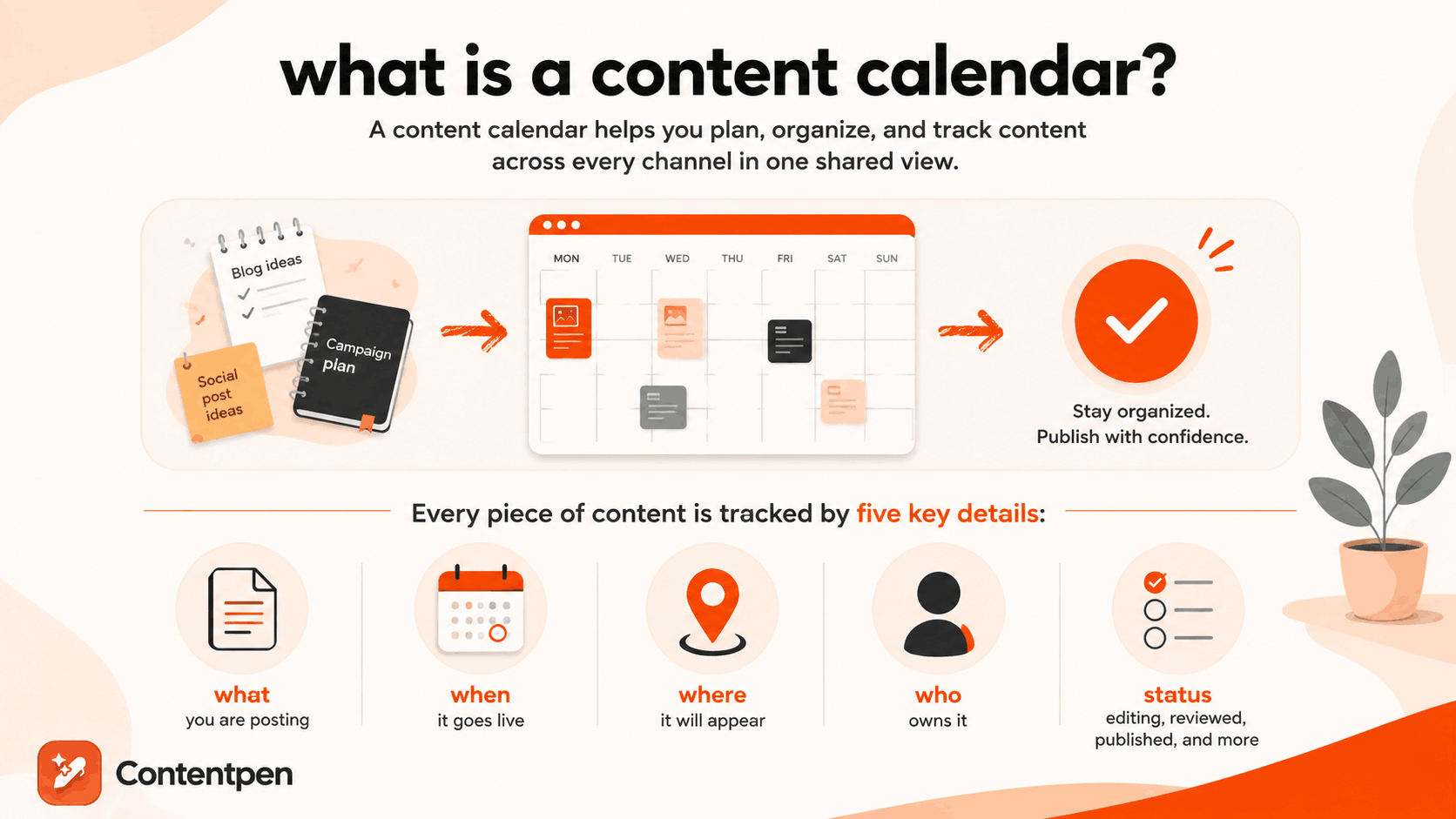
Instead of keeping blog deadlines in one notebook and social post ideas in another, everything lives in a single, shared view. This gives marketing teams, freelancers, and business owners a clear picture of what has been published, what is coming up, and what still needs attention.
At its core, a content calendar tracks five things for every piece of content:
- What you are posting
- When it goes live
- Where it will appear
- Who owns it
- Current status (e.g., editing, reviewed, published, etc.)
Some calendars are simple, holding just a few rows in a spreadsheet. Others are built into full content marketing platforms with automation, team collaboration, and analytics baked in.
Either way, the goal stays the same: turning content creation into a planned process rather than a last-minute scramble.
What should a content calendar include?
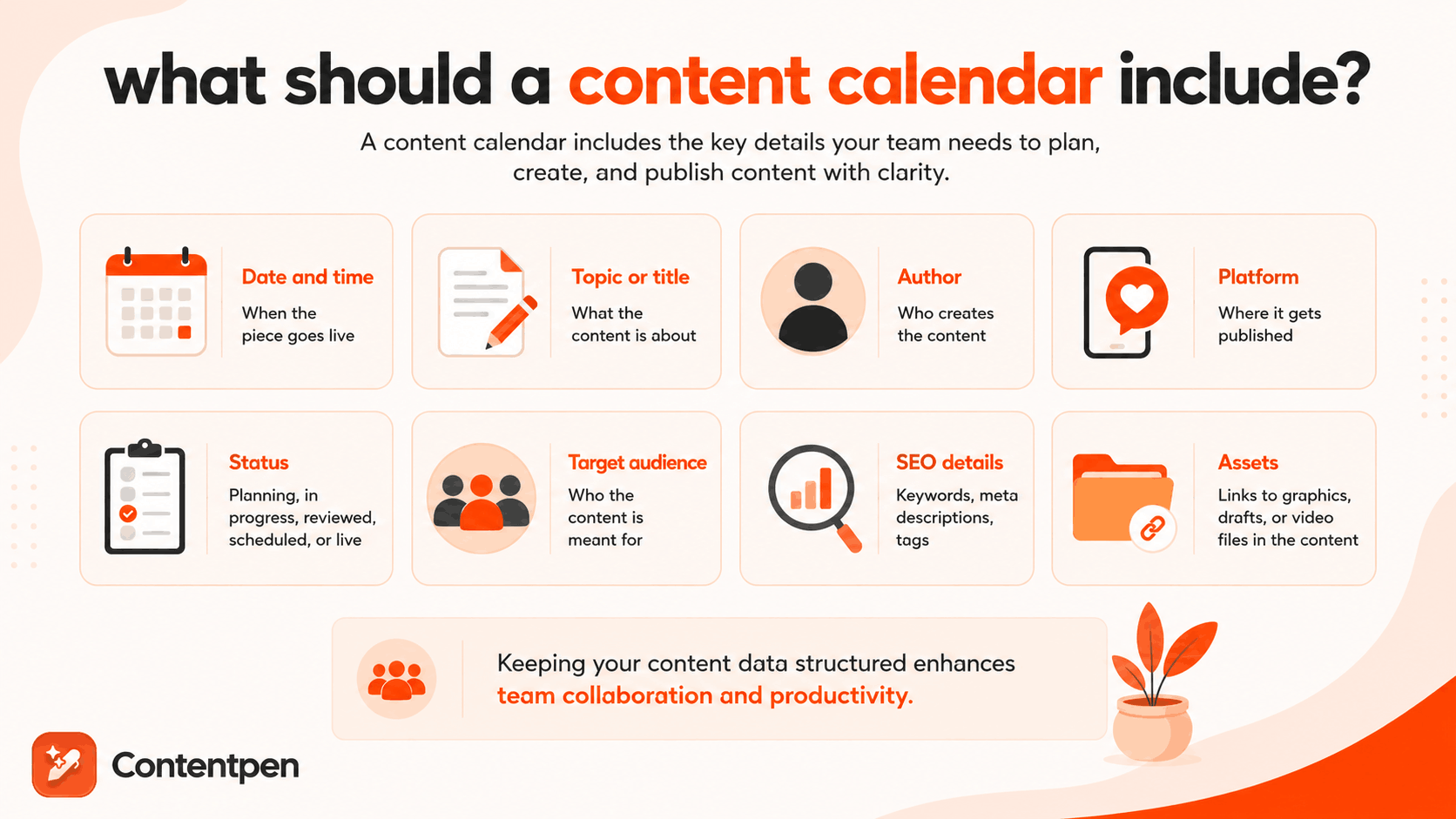
A content calendar should include enough detail that anyone on the team can look at it and know exactly what needs to happen next.
Most calendars organize this information into columns or fields that stay consistent across every entry.
| Field | Purpose |
| Date and time | When the piece goes live |
| Topic or title | What the content is about |
| Author | Who creates the content |
| Platform | Where it gets published |
| Status | Planning, in progress, reviewed, scheduled, or live |
| Target audience | Who the content is meant for |
| SEO details | Keywords, meta descriptions, tags |
| Assets | Links to graphics, drafts, or video files in the content |
Even though your requirements for a content calendar can be different, keeping your content data in a structured form is a good idea to enhance team collaboration and productivity.
Why is a content calendar important?
A content calendar solves multiple problems for your teams, one of which is centralizing all content activities to enhance collaboration.
Besides that, a content calendar:
- Keeps publishing consistent: Search engines and audiences both reward regular output. A calendar makes that regularity possible.
- Stops work from getting duplicated or missed: When everyone can see what is planned, nobody writes the same post twice or forgets a deadline because it lived in someone’s head.
- Shows gaps before they become problems: A quick glance at a calendar organized by content type reveals if you are publishing five blog posts and zero social updates in a given month.
- Gives every piece of content an owner: Status fields and assigned names mean nothing depends on memory. If a draft is stuck, you know exactly who to ask.
- Ties content back to goals: A calendar that includes SEO details and target outcomes for a week or a month keeps content decisions grounded in strategy rather than guesswork.
Teams that skip a content calendar tend to notice the cost later, usually as missed deadlines, duplicated work, or a content mix that quietly drifted away from what the business actually needed.
How is a content calendar different from other similar terms?
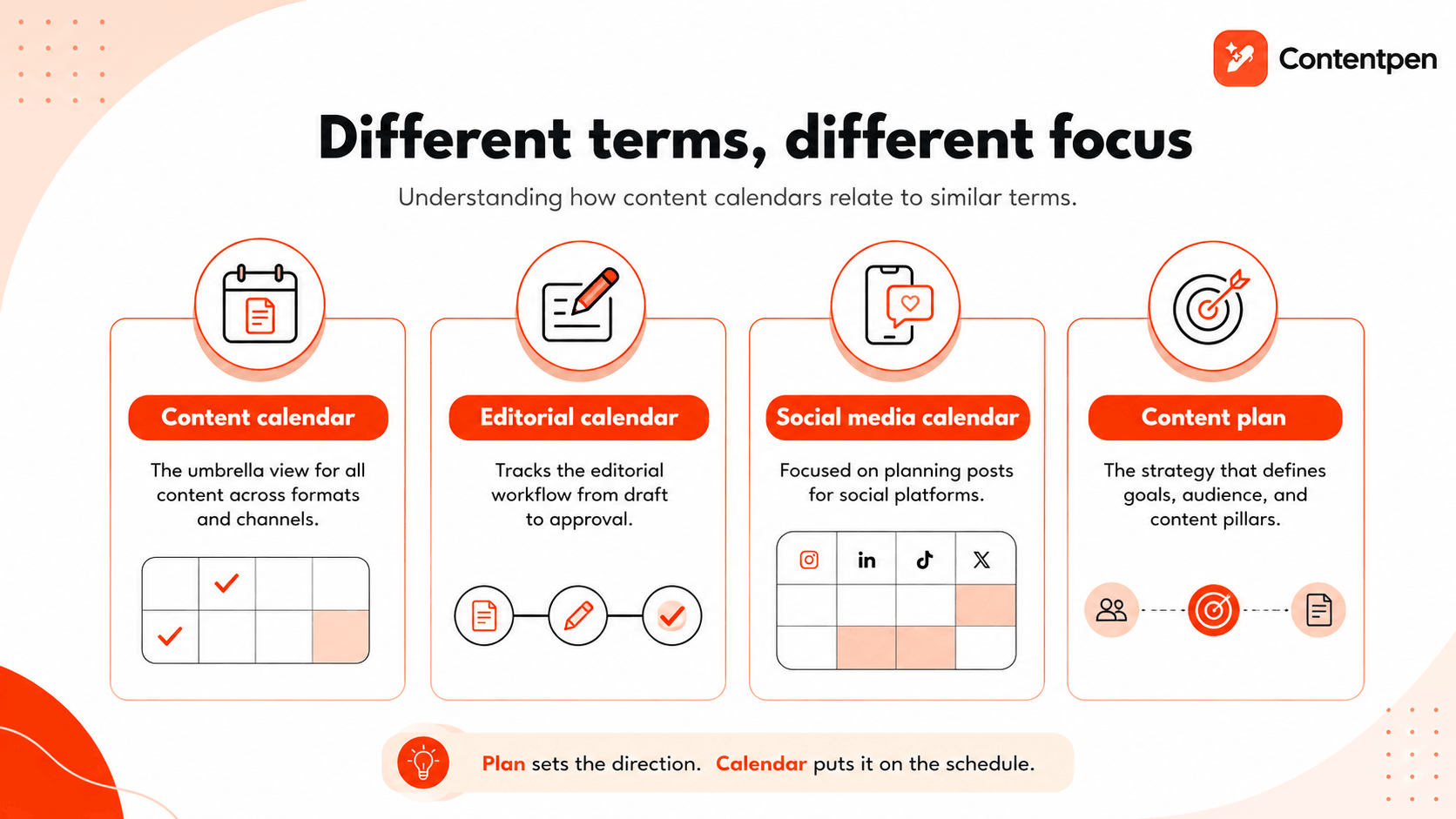
A content calendar overlaps heavily with terms like editorial calendar, social media calendar, and content plan, but each one carries a slightly different scope.
Marketers often use these words interchangeably, which causes confusion when researching tools or templates. The main difference usually comes down to what type of content is being tracked and whether the document is strategic or tactical.
What is an editorial calendar?
An editorial calendar is often used interchangeably with a content calendar, though it traditionally leans toward written and blog-focused content.
Take Contentpen’s content calendar as an example:
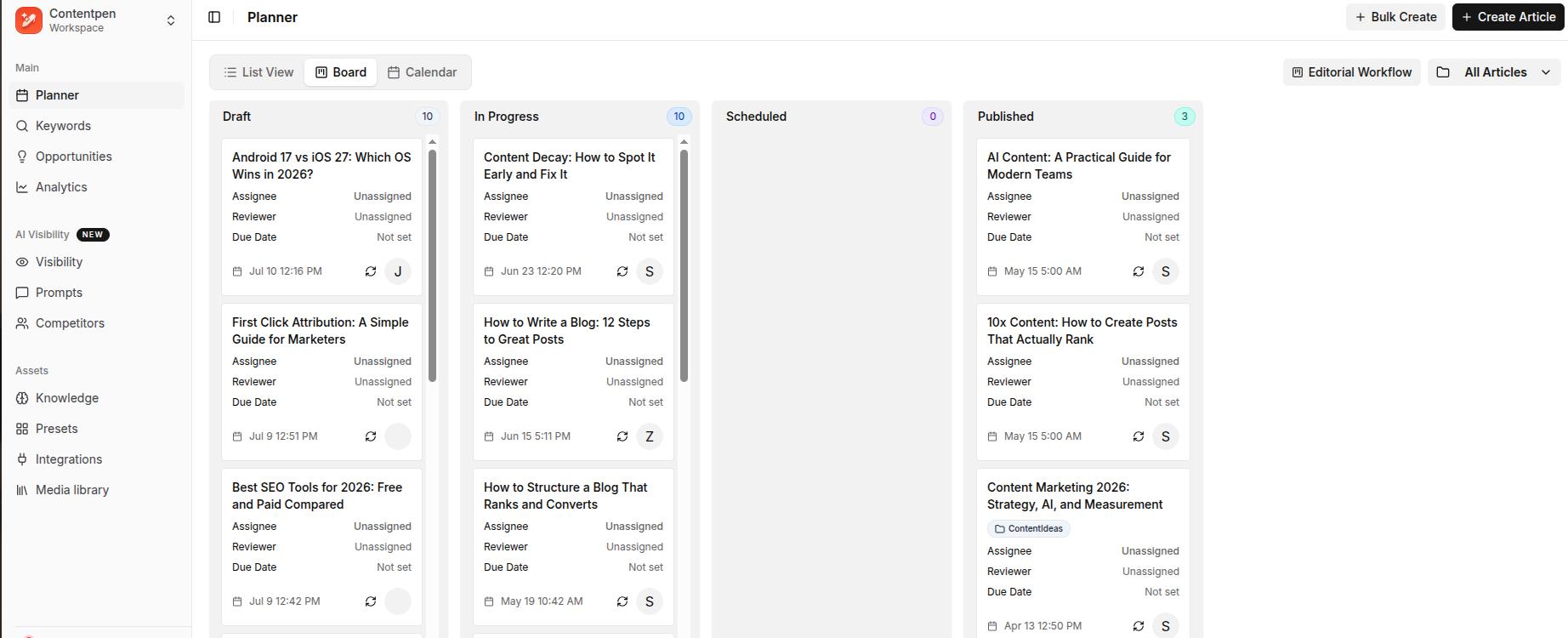
It tracks the editorial workflow, meaning drafts, edits, and approvals, rather than just publish dates. Many teams use the terms as synonyms today, especially once blogs, newsletters, and social posts all live in one shared system.
What is a social media content calendar?
A social media content calendar focuses on planning posts across platforms such as Instagram, LinkedIn, and TikTok. It usually looks like a grid or monthly view, with each entry showing the platform icon, caption, hashtags, and a linked image or video.
Take ContentStudio’s content calendar as an example:
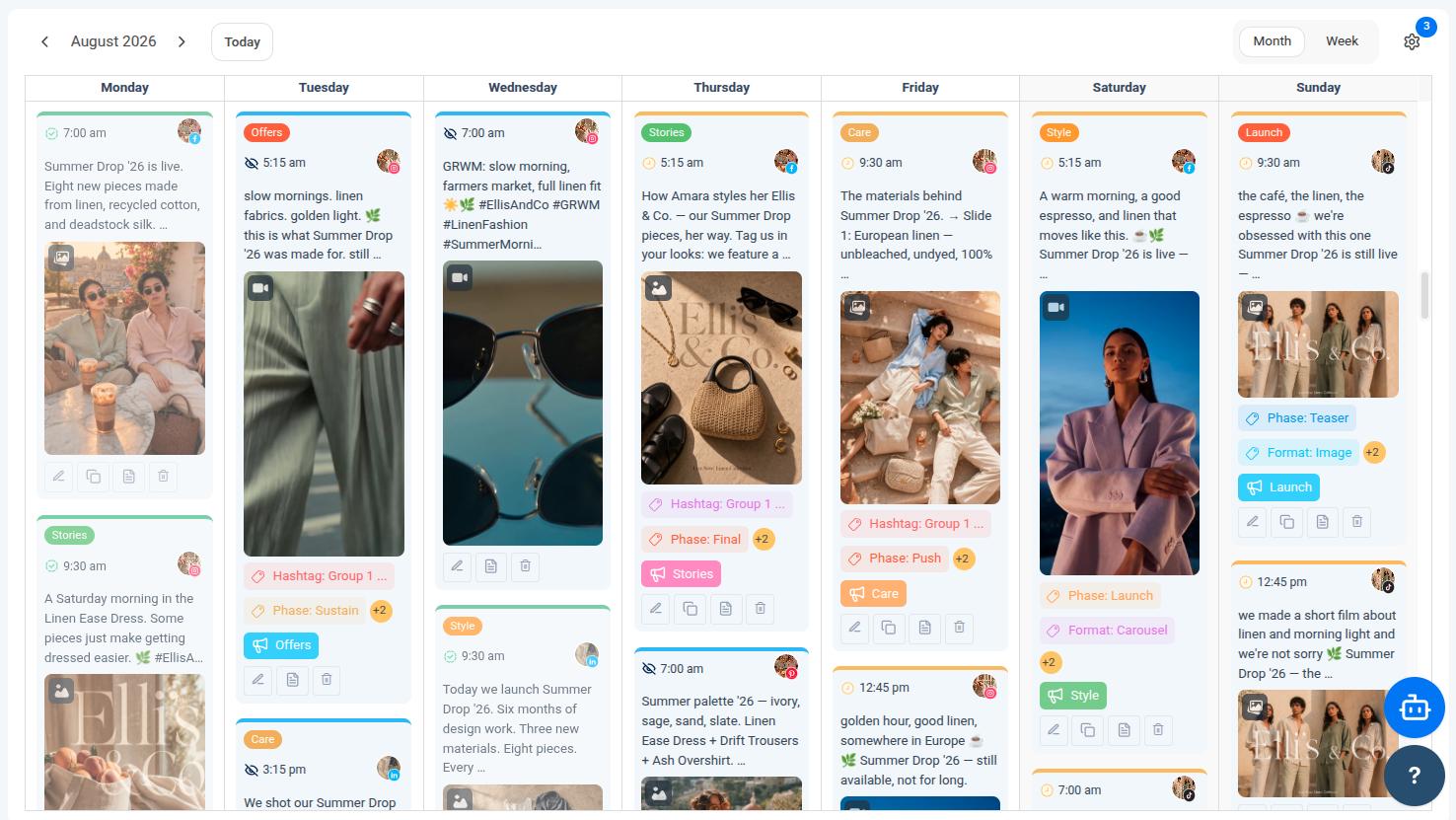
Because social platforms move fast, these calendars often get updated daily or weekly, with room for trending topics to be added later.
What is the difference between a content plan and a content calendar?
A content plan is the strategy behind your content, covering goals, audience, and content pillars, while a content calendar is the tactical schedule that puts that strategy into action.
The plan answers why you are creating content and for whom. The calendar answers when each piece is published and who is responsible for it. You need both, since a calendar without a plan often produces content that has no clear direction.
How do you make a content calendar?
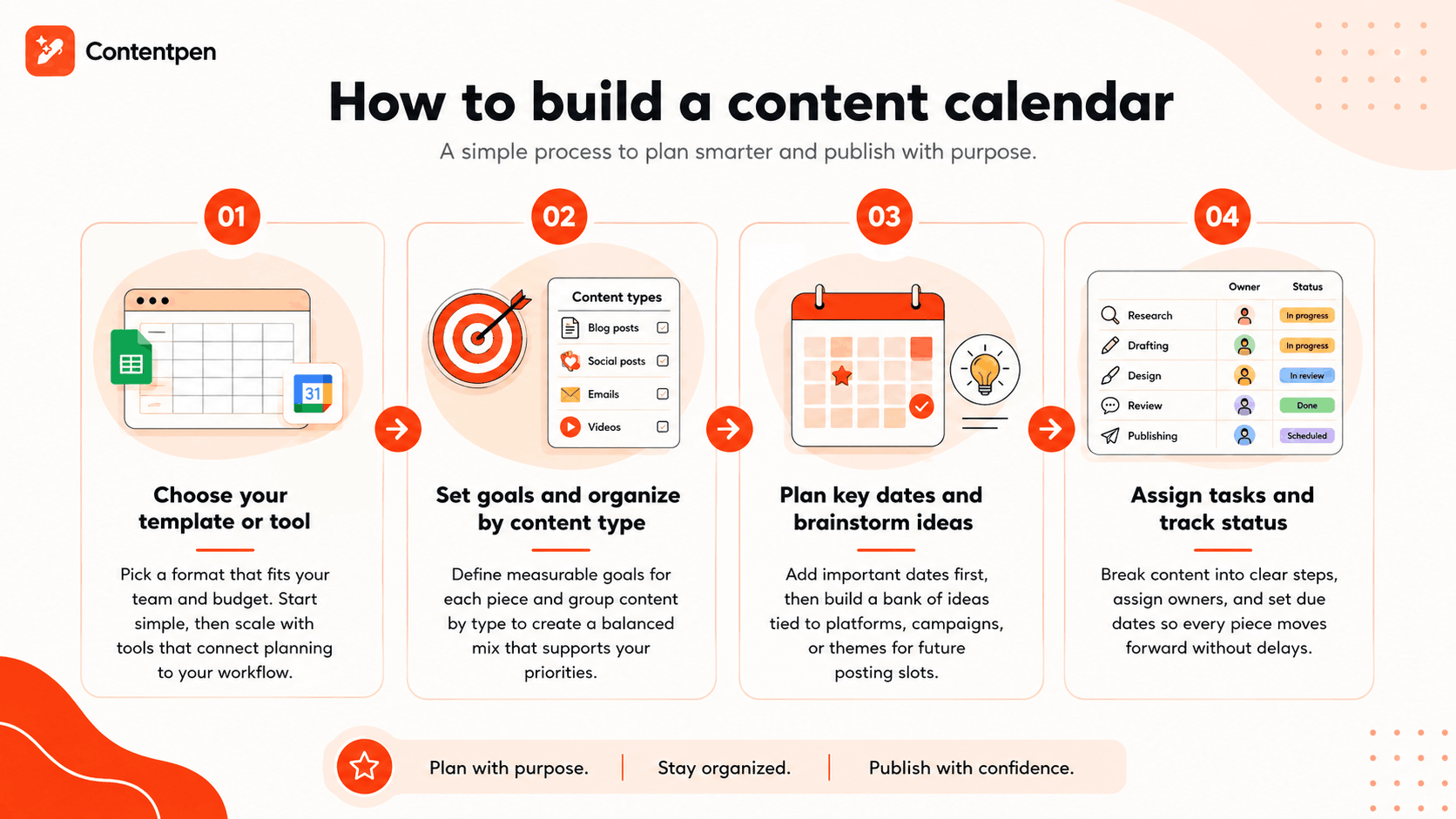
You make a content calendar by choosing a format, setting goals, organizing content by type, and then filling in dates, owners, and tasks for each planned piece.
The process works whether you are managing a single blog or coordinating content across an entire marketing team. Breaking it into smaller steps makes the whole thing far less overwhelming, and it gives you a repeatable system you can reuse every month or quarter.
#1: Choose your template or tool
Start by picking a format that matches your team’s size and budget, since the right tool depends heavily on how complex your content operation is.
Google Sheets and Google Calendar work well as free starting points for solo creators or very small teams, offering flexibility in planning content without any cost.
As your content volume grows, a dedicated platform becomes more useful, especially one that connects planning directly to the writing process.
Contentpen, for example, includes a built-in content calendar alongside keyword research and drafting tools, so you can decide what belongs on the calendar based on real search demand rather than guesswork.


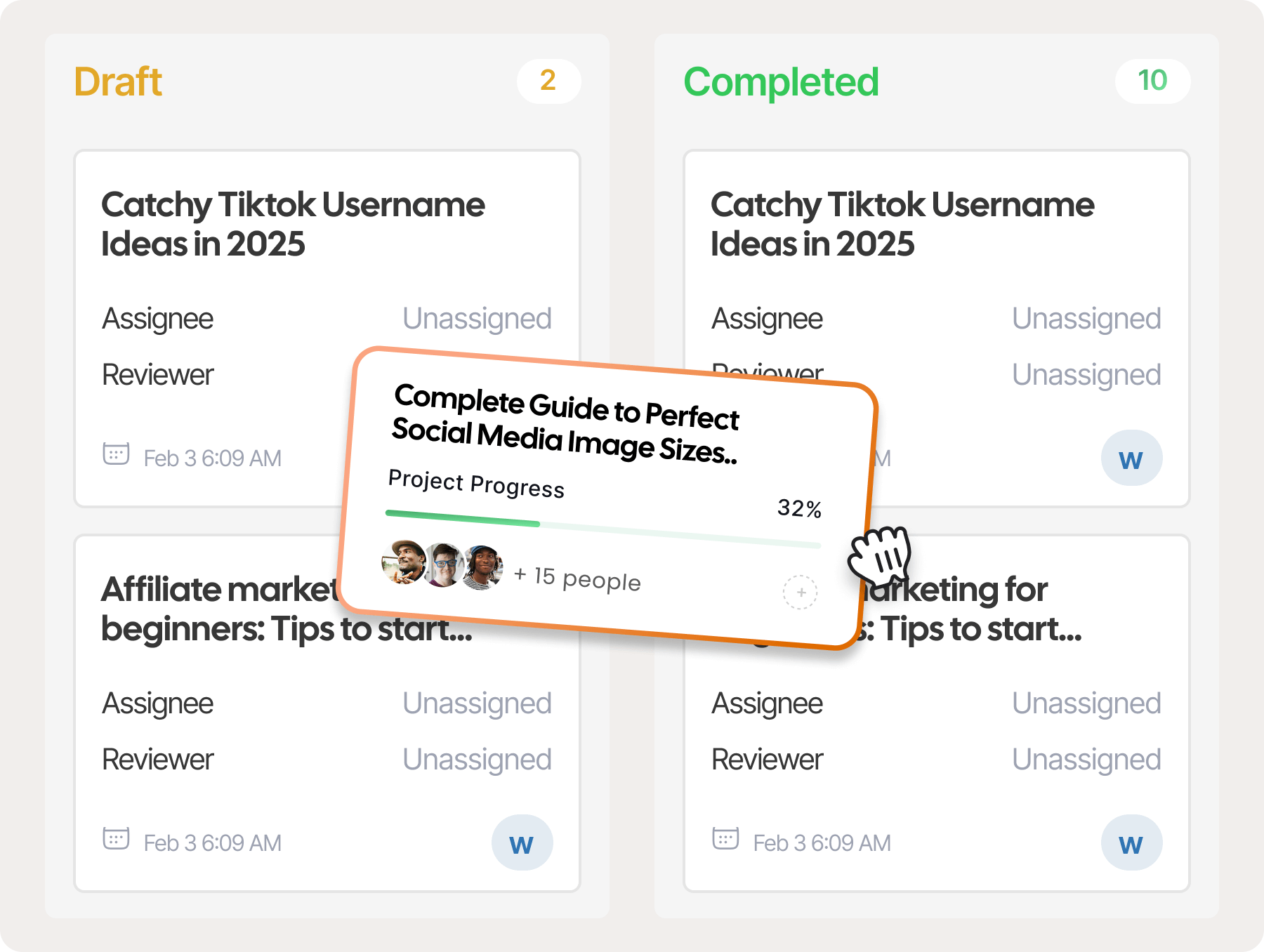
Its no-code webhook integrations can also automate handoffs, such as logging a scheduled post or notifying your team once a draft moves into review.
#2: Set goals and organize by content type
Every piece of content on your calendar should have a measurable goal, whether that is traffic, engagement, or conversions, so you can judge its performance later.
Group your planned content by type, such as blog posts, social updates, email campaigns, and videos, to spot gaps in your mix before they become a problem. This step turns a blank calendar into one built around clear priorities and goals.
#3: Plan key dates and brainstorm ideas
Mark holidays, product launches, and industry events on your calendar first, since these dates often shape what content needs to go out and when.
From there, build a running list of content ideas tied to specific platforms, hashtags, or campaigns. Keeping this list separate from your scheduled entries gives you a pool of ready ideas whenever a posting slot opens up.
A free social media content calendar template can be found on Hootsuite.
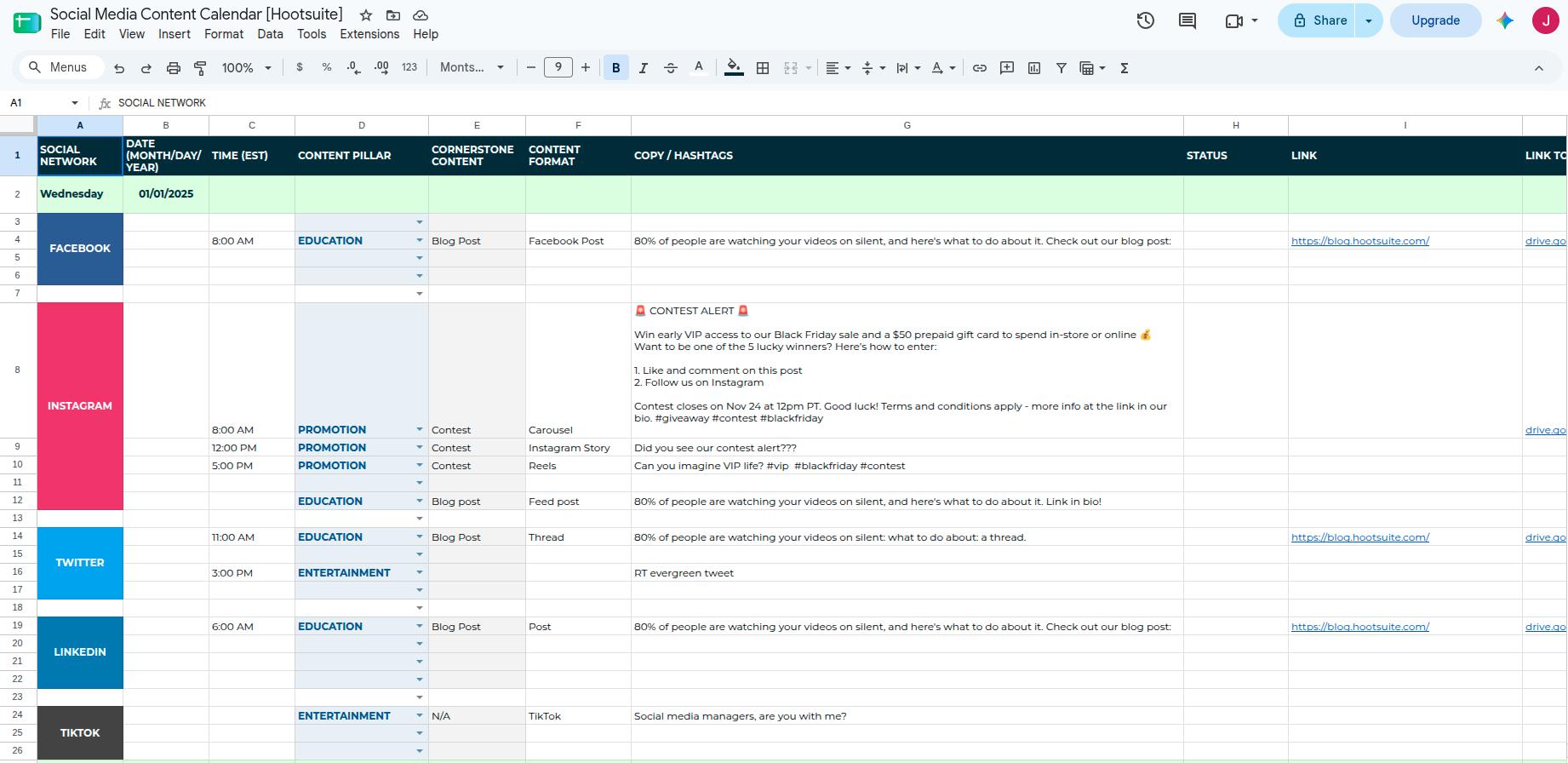
You can download this free content calendar by adding your business information and details.
#4: Assign tasks and track status
Break each piece of content into smaller steps, such as research, drafting, design, review, and publishing, rather than tracking just the final deadline. Assign an owner and a due date to every step so nothing depends on memory alone.
Common content calendar formats used in 2026
Below are some common content calendar formats widely used by teams:
| Format | Best for | Pros | Cons |
| Grid or spreadsheet | Teams tracking many details per post | Fully customizable columns | Filtering content can be difficult |
| Weekly or monthly calendar view | Visualizing posting frequency at a glance | Familiar layout, quick to scan | Can miss out on key asset details |
| Project management style (Kanban boards) | Teams that work in weekly, monthly, or quarterly sprints | Good for filtering and sifting through data | Challenging to understand at a glance |
| Blank template | Brainstorming before scheduling | Flexible, low commitment | Creating everything from scratch |
Different formats suit different working styles, and most teams eventually settle on one that matches how they think about their content.
A simple content calendar example
Picture a couple of rows on a spreadsheet, something like this:
- Date: August 25th
- Blog title: “5 Email Marketing Tips for Small Businesses”
- Platform: Company blog
- Keyword: “Email marketing tips”
- Author: Sarah
- Status: Scheduled
That one row filled tells anyone on the team exactly what is happening without needing to ask. Such is the power of content calendars.
Final thoughts
A content calendar brings order to what would otherwise be a chaotic mix of deadlines, platforms, and half-finished ideas.
It saves time, keeps your posting schedule consistent, and makes it far easier to align content with real business goals instead of publishing on instinct.
Starting simple with a spreadsheet or Google Calendar is more than enough when you are just getting going.
As your content volume grows, scaling up to a dedicated tool like Contentpen makes sense, since it connects planning directly to writing, optimizing, and publishing in one workspace.
The important part is starting somewhere and building the habit of planning ahead rather than reacting at the last minute.
Frequently asked questions
A content marketing calendar is simply another name for a content calendar, usually with a stronger focus on marketing campaigns. It tracks the same core details, including publish dates, platforms, and owners, but often ties each entry to a specific campaign goal.
A media calendar is often used interchangeably with a content or editorial calendar, though it sometimes leans toward paid media or public relations scheduling. It tracks when press releases, paid ads, or media placements go out, alongside regular content.
A content calendar theme, also called a content pillar, is a recurring topic or focus area that guides what gets scheduled during a given period. For example, a business might dedicate a month to customer success stories or seasonal promotions. Themes keep content varied while still staying aligned with broader marketing goals.
Yes, free templates are widely available through Google Sheets and Google Calendar, making them accessible starting points for solo creators or small teams. Many organizations customize a basic spreadsheet template with tabs for content ideas and a running schedule.
Most marketing teams plan social content at least a month ahead while leaving room for flexibility. Larger campaigns, such as holiday promotions or product launches, often get planned a full quarter or even a year in advance.