If your blog doesn’t have structure, your reader doesn’t stand a chance.
It’s a harsh truth, but it’s the one that separates high-performing blog posts from those that get lost in the endless scroll of the internet. Structure is the unsung hero of great content. It shapes your writing, helps your readers find clarity, and makes your content easier to digest, rank, and share.
Whether you’re writing for personal branding, SEO, affiliate marketing, or lead generation, this guide will show you exactly how to structure your blog for maximum engagement and impact.
We’ll also explore how Contentpen, your AI writing assistant, can help speed up every step of the process, from generating SEO-friendly outlines to writing compelling intros and formatting each section.
Why blog structure matters more than ever?
Gone are the days when dumping 1,000 words onto a page counted as a blog post.
If you look at high-performing blog examples, you’ll notice they all follow a clear structure. Strong introductions, skimmable sections, and logical flow are what separate successful blog posts from ones that get ignored.
Today’s readers are time-starved. They skim, scan, and bounce quickly if your blog doesn’t capture their attention in the first few seconds. And on the technical side, Google’s search algorithm prioritizes well-structured content, because that’s what people actually want to read.
Learn more about on-page SEO best practices.
Here’s how a strong blog structure serves both your readers and your business goals:
- Short paragraphs, subheadings, and bullet points make your content easy to scan and digest.
- Clear headings, optimized formatting, and internal links help search engines understand and rank your content.
- A logical flow keeps readers hooked and encourages them to read more.
- Strategic placement of CTAs nudges readers toward taking action.
- A clean, consistent structure shows professionalism and attention to detail.
- Well-formatted blogs are easier to navigate for readers using assistive technologies.
- Readable, visually appealing posts are more likely to be shared on social media.
- A repeatable structure reduces the time spent planning each new post.
- Scannable layouts and engaging visuals keep readers browsing.
- A clear, organized structure simplifies editing and repurposing content.
In short: structure isn’t decoration. It’s a strategy.

The ideal blog structure (Step-by-step breakdown)
There’s no one-size-fits-all approach to blogging, but there is a core structure that works well across nearly every format.
Use this as your go-to blueprint for writing any blog:
1. Craft a compelling headline (H1)
Your headline is your blog’s front door. It decides whether readers even enter.
A great H1 grabs attention, offers value, and includes your target keyword. It’s written more for people than for search engines, but it should appeal to both.
What makes a headline effective?
- Clarity over cleverness: Avoid confusing metaphors or clickbait.
- Benefit-driven: Focus on what the reader will gain.
- Keyword-aligned: But keep it natural, no stuffing.
- Emotional or curiosity-driven: Use power words and numbers when possible.
Examples:
- Blogging Tips for Everyone
- How to Structure a Blog: A Complete Guide for Content Success
- The Only Blog Writing Template You’ll Ever Need (Backed by SEO Experts)
2. Write a hooking introduction
The average reader decides whether to stay or leave your blog post within 8 seconds. That means your introduction must hook them fast.
The best introductions do three things:
- Hook with a relatable stat, question, or bold statement.
- Frame the problem your reader is facing.
- Promise a solution by reading the blog.
Think of your intro as a contract with your reader, you’re promising to solve their problem if they stick with you.
Example:
You’ve got great ideas, but your blog isn’t ranking. You’re putting in the effort, but traffic’s not moving. The issue? You’re skipping the structure. In this guide, you’ll learn how to format your content for readers and Google—and how to do it 10x faster using AI.
Contentpen helps you write this part quickly and naturally. Just drop your topic and tone, and let AI handle the rest. (Need help getting started? Try this step-by-step guide on how to create a blog in 10 minutes.)
3. Break content into clear subheadings (H2, H3)
No one likes a text dump.
Subheadings (like this one!) are critical for making your content scannable and SEO-friendly. They break your blog into logical sections and help readers navigate with ease, especially on mobile.
Here’s how to structure them:
- H2: Used for primary sections (e.g., “Why Blog Structure Matters”)
- H3: Used to support H2s (e.g., under “Why Blog Structure Matters,” you might have “Improves Readability” or “Boosts SEO”)
- H4+ (optional): Only for deeply nested details, usually unnecessary
Best practices:
- Write subheadings as questions to boost snippet potential.
- Include your target keyword in at least 1–2 H2s naturally.
- Keep them concise and meaningful.
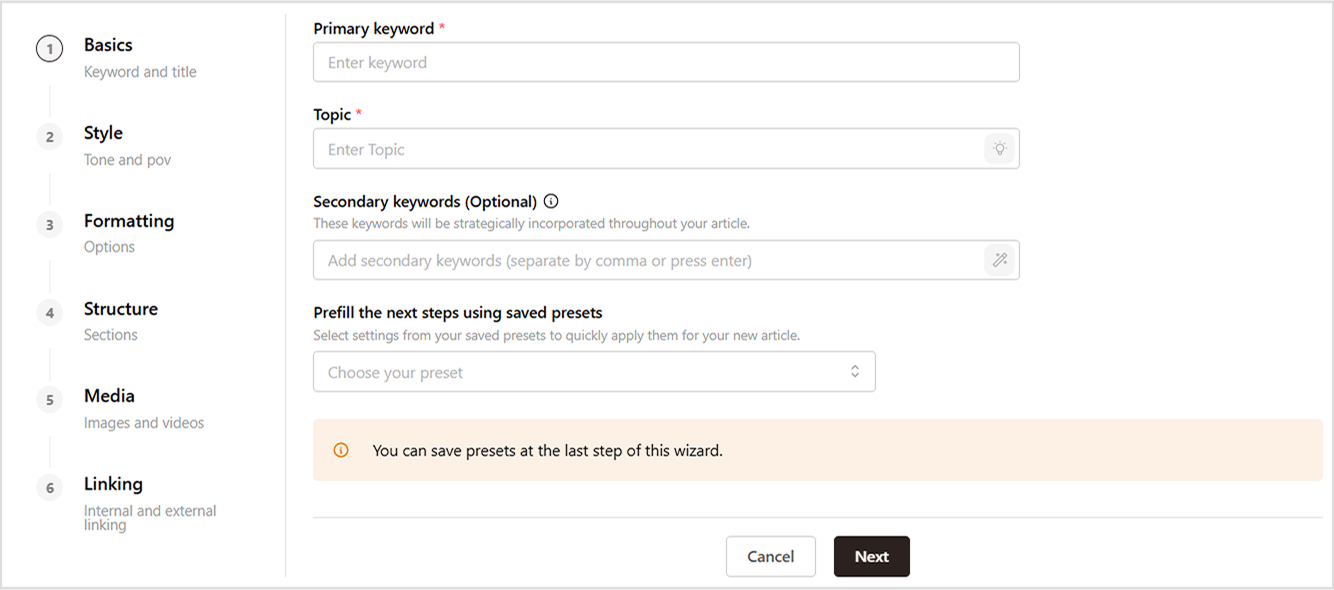
Not sure where to start? Try Contentpen now! You’ll get a complete H2/H3 structure tailored to your topic. It also offers a two-step AI blog structure builder that saves hours.
4. Deliver the body content with clarity
Now that your blog is mapped out, it’s time to fill in the value.
This is where you educate, entertain, or inspire your audience. It’s also where most blogs lose readers, either by going too long without value or dumping too much info at once.
Follow these formatting rules:
- Short paragraphs: 2–4 lines max
- Use bullets and numbered lists
- Highlight keywords or takeaways
- Break up text with visuals, quotes, or tables
Don’t try to impress with big words. Use clear, conversational language, even if you’re writing for a technical niche. Don’t try to impress with big words. Use clear, conversational language. Explore how to humanize AI content for a better connection with readers.
5. Add internal & external links
Links make your content stronger, both for user experience and SEO.
- Internal links help readers explore more on your site and improve your SEO by distributing link equity.
- External links to authoritative sources increase trust and give your blog more credibility.
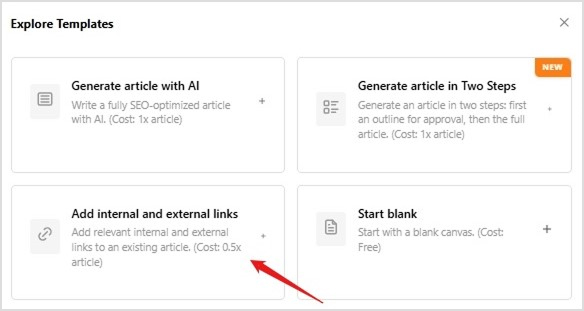
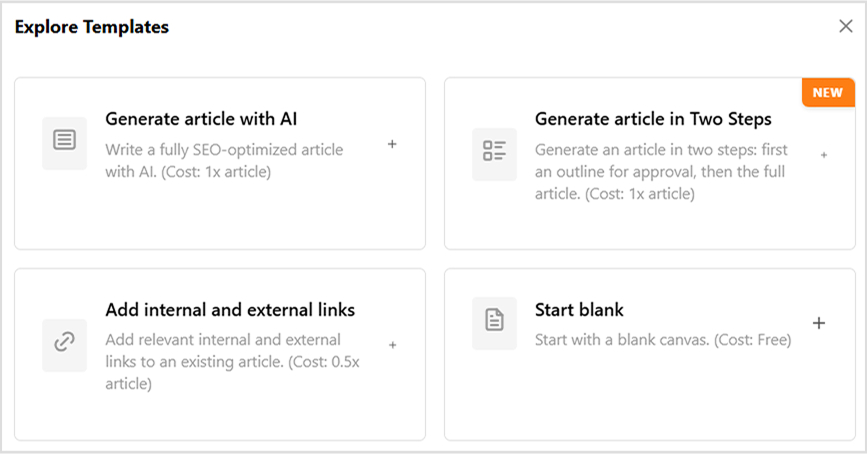
Discover how to automate internal and external linking using Contentpen.
Examples:
- Internal: Planning your content calendar? Try this AI blog idea generator.
- External: As HubSpot reports, blogs with internal linking perform 40% better in organic search.
Tips:
- Link naturally within relevant anchor text.
- Avoid keyword-stuffing in anchor links.
- Make sure all external links open in a new tab.
6. Use visuals to support key points
Humans process images faster than text. A great visual can often say more than 3 paragraphs.
Visuals:
- Make content easier to scan and digest
- Support tutorial steps or explanations
- Help break up long-form text
- Improve dwell time and scroll depth
Visual ideas:
- Infographics
- Charts and graphs
- Screenshots
- GIFs and tutorial clips
- Block quotes in stylized formats
Pro tip: When writing guides or tutorials, aim to include one visual every 200–300 words.
7. Write a strong conclusion & Call-to-Action (CTA)
The conclusion is where you tie everything together—and tell the reader what to do next.
A good conclusion:
- Summarizes key takeaways
- Repeats the reader’s problem and your solution
- Provides a clear CTA
Examples:
Blog structure isn’t optional, it’s the key to higher traffic, better rankings, and more conversions. Now that you know the formula, put it to work with your next post. Or better yet, let Contentpen help you write, format, and optimize it.
CTA:
Ready to create structured blogs in half the time?
Try Contentpen – The AI blog writer.
Different types of posts need different structures
Not all blog posts should follow the same structure. The best organization depends on your content type and goals.
A. How-to and tutorial posts
- Instructional content works best with a clear, step-by-step structure:
- Introduction: Explain what readers will accomplish and why it matters
- Prerequisites: List any tools, skills, or setup required
- Step-by-step instructions: Number each step clearly with specific actions
- Troubleshooting: Address common problems or mistakes
- Conclusion: Summarize what they’ve accomplished and suggest next steps
Each step should be actionable and specific. Instead of “Optimize your content,” write “Add your target keyword to your headline and first paragraph.”
B. List posts
List-based content should follow this structure:
- Introduction: Promise a specific number of items and explain the selection criteria
- Individual list items: Use consistent formatting for each item
- Conclusion: Summarize the key themes and provide next steps
Organize your list logically, by importance, difficulty, or chronologically. This helps readers find the most relevant information for their situation.
C. Problem-solution posts
When addressing specific challenges, use this structure:
- Problem identification: Clearly describe the issue your audience faces
- Impact explanation: Help readers understand why this problem matters
- Solution presentation: Provide your recommended approach
- Implementation steps: Break down how to apply your solution
- Results: Explain what success looks like
This structure works particularly well when your audience might not fully understand the scope or importance of the problem you’re solving.
D. Case study posts
Success stories and case studies should follow a narrative structure:
- Background: Set up the situation and challenge
- Approach: Describe the strategy or solution implemented
- Results: Share specific outcomes and metrics
- Lessons learned: Extract actionable insights for readers
- How to apply: Help readers adapt the approach to their situation
Include specific details and numbers when possible. Concrete results are more convincing than vague claims about “improved performance.”
How Contentpen helps you structure better blogs
If writing a blog is hard, structuring one is harder. From creating outlines to formatting H2s, adding internal links, writing compelling intros, and wrapping it all up with SEO polish, it’s easy to get overwhelmed.
That’s exactly why Contentpen exists.
It’s your all-in-one AI writer designed to help you brainstorm, structure, write, and optimize blog content in minutes, not hours.
Here’s how Contentpen goes beyond surface-level content creation and becomes your go-to blog structuring partner:
Brand-aligned content from the start
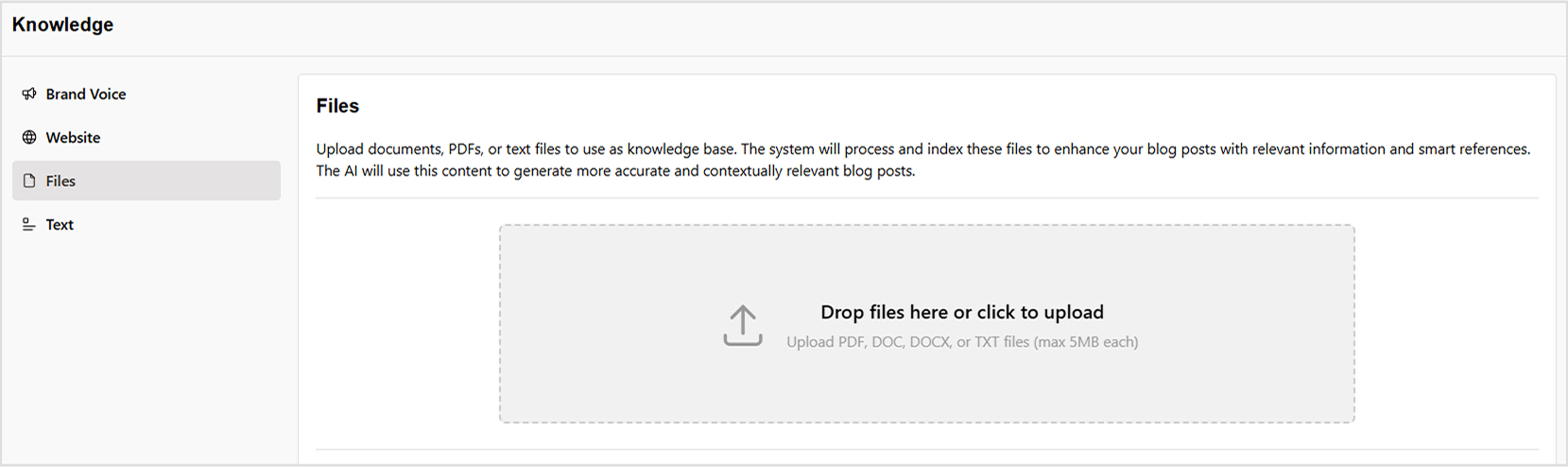
Every time you set up a workspace in Contentpen, it learns your website, tone, audience, services, and even your competitors. Upload your internal docs (like PDFs or help guides), and Contentpen customizes your writing assistant with brand-specific intelligence. This ensures your blog’s structure, style, and messaging reflect your unique identity, right from the introduction to the final CTA.
Learn more about building brand voice in Contentpen.
Smart keyword and title suggestions
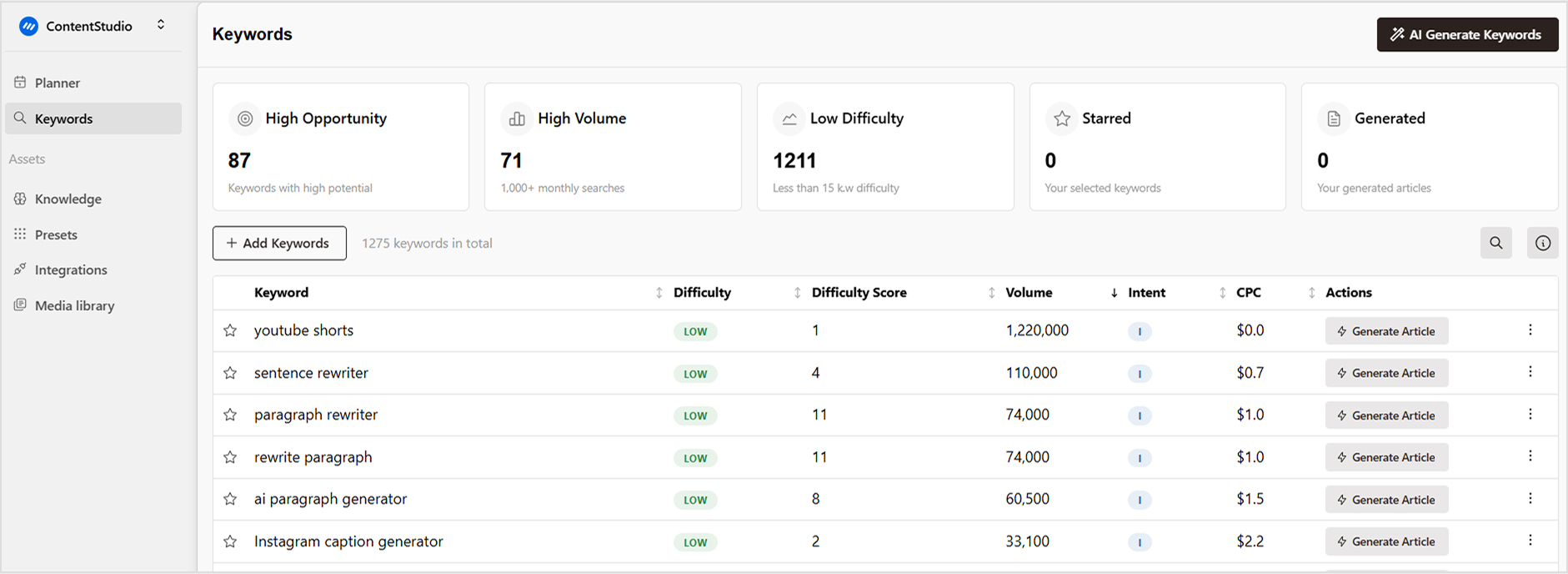
Structuring your blog starts with a great headline, and Contentpen makes it effortless. It uses AI to:
- Analyze keyword intent
- Recommend high-CTR titles
- Ensure alignment with SEO and reader interest
You don’t have to brainstorm 10 options or run manual research. Contentpen’s Title Generator does it all, helping you start strong every time.
Also, explore how to find high-opportunity keywords in Contentpen.
2-step blog structuring & outline builder
What sets Contentpen apart is its two-step blog generation system:
- Step 1: Build a research-backed outline with a table of contents, H2/H3 structure, and section breakdown
- Step 2: Generate a full blog around that structure using topic-specific AI agents
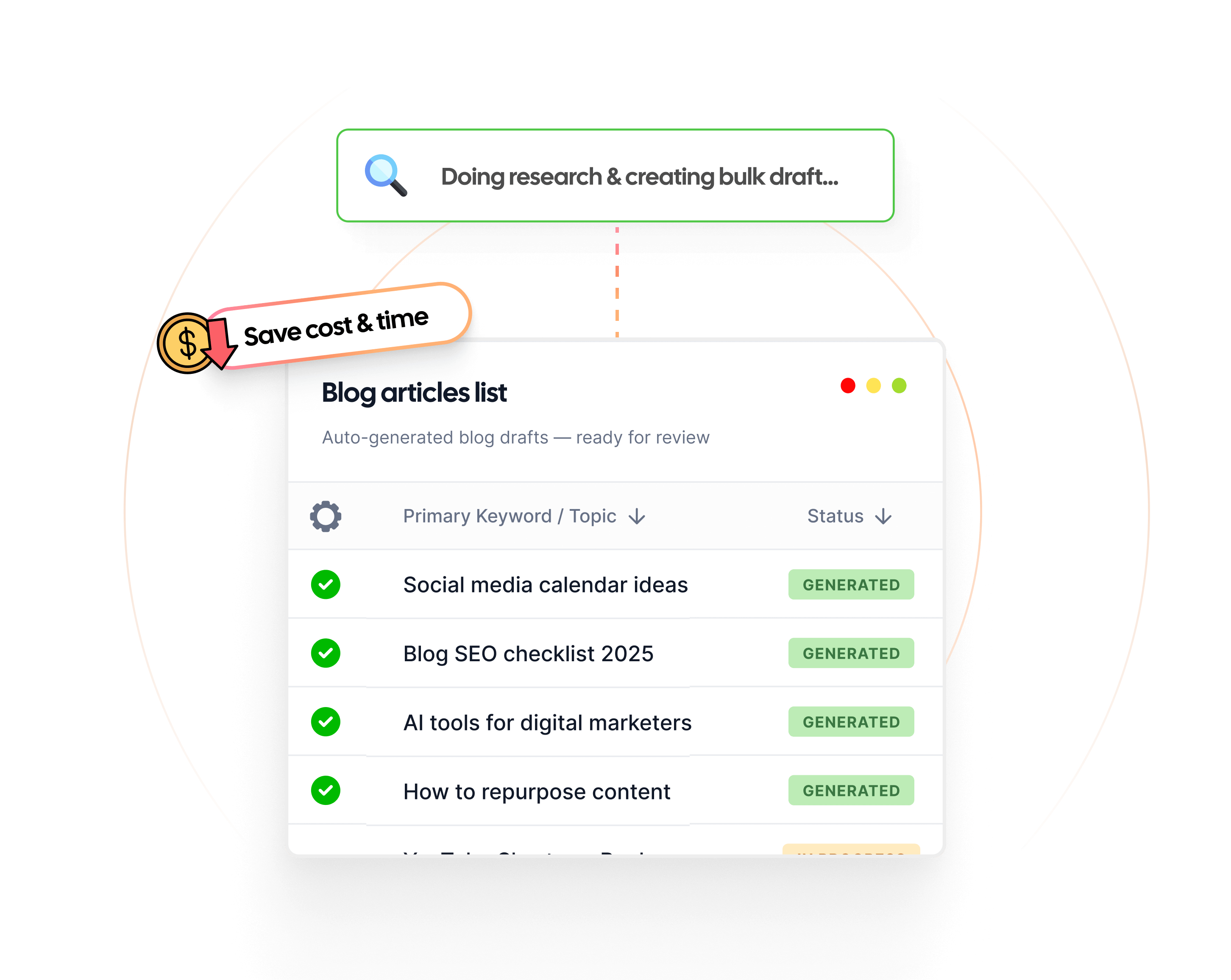
This process saves hours of outlining and ensures your post flows naturally from top to bottom. Read the full guide on how to create articles in bulk using Contentpen.
One-click formatting with your saved presets
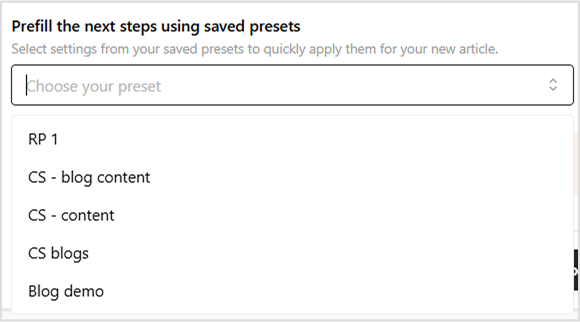
One of Contentpen’s most time-saving features is its “Saved Presets. Whether you’re creating a how-to guide, listicle, case study, or opinion piece, you can select from pre-saved templates that already include H2/H3 heading structures, bullet point formatting, recommended image placement, and more.
This means your blog follows a proven, high-conversion structure from the very first draft, with no need to reformat manually.
Check out this blog on writing blogs faster using Contentpen.
High-quality first drafts that read like you
Once the structure is in place, Contentpen uses multiple AI models to create intelligent, human-like content. Each section is crafted with topic depth, factual accuracy, and branded tone, so your blog:
- Sounds authentic
- Reads smoothly
- Engages real human readers
Even better? Each paragraph is formatted for easy scanning, using bolding, bullets, and line breaks, all part of an effective structure.
Seamless internal & external linking
No need to manually add backlinks or citations. Contentpen automatically inserts:
- Relevant internal links to your blog library (boosting SEO)
- External links to authoritative sources
- Visuals like images or embeds for enhanced readability
It’s blog optimization, built in.

One-click publishing to WordPress and CMS
Once your post is structured, written, and optimized, Contentpen lets you publish directly to WordPress or your CMS without switching platforms. No copy-pasting, no formatting nightmares. Just hit publish, and you’re live.
AI-powered content calendar Built In
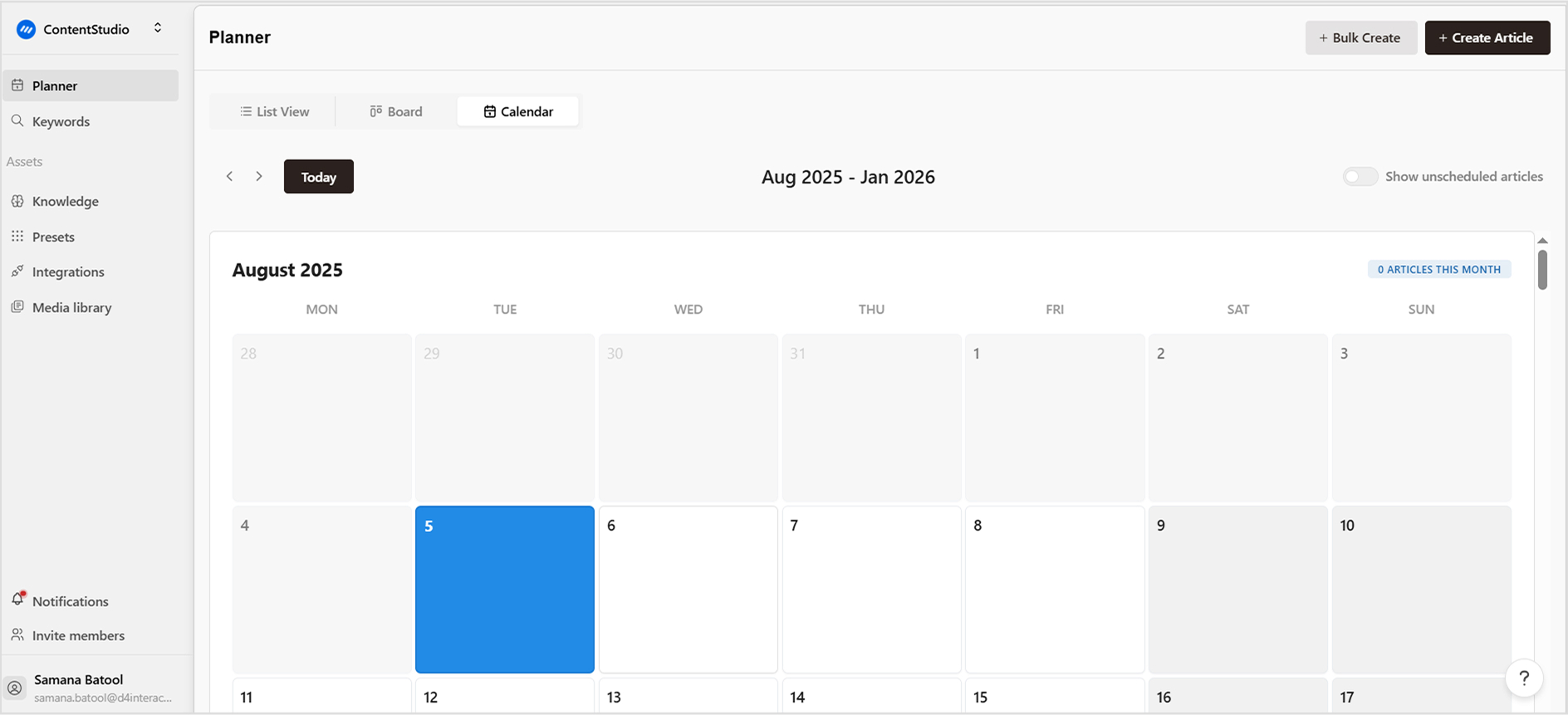
Beyond writing, Contentpen helps you plan and schedule your entire content pipeline. With integrated calendar features and AI-suggested publishing times, you can keep your content engine running smoothly, without spreadsheets or separate tools.
Perfect for structuring every blog you write
Whether you’re writing listicles, how-to guides, product comparisons, or thought leadership blogs, Contentpen gives you a repeatable structure for success:
- Compelling headline
- Hooked intro
- Logical H2/H3 flow
- SEO-rich formatting
- CTA-driven conclusions
It’s not just an AI writer. It’s your full blog structuring system.
Improve your blog structure today
Understanding blog structure is only powerful when you put it into action. Start by auditing your existing posts to identify what’s working and where structure is missing. Analyze your best-performing blogs, notice their introductions, H2/H3 usage, flow, and CTAs.
For your next blog, spend a few extra minutes upfront. Create a structured outline including your hook, problem, solutions, and conclusion. Use Contentpen to speed things up and ensure your structure supports both readers and search engines.
Don’t try to fix everything at once. Start with one improvement, like writing better introductions, then move to stronger subheadings, and eventually your CTAs. Over time, these small refinements lead to significantly better engagement and results.
Well-structured content not only attracts more traffic but also keeps readers engaged, improves SEO, and helps drive conversions. If you’re unsure how to humanize and polish your blog content, explore how to make AI content sound natural or automate internal linking to boost performance effortlessly.
FAQs on structuring a blog
Between 1,500 and 2,500 words is considered ideal for SEO and engagement. Contentpen helps tailor the length based on your topic and competition.
Use 4–6 H2s per blog and 1–3 H3s under each as needed. Keep a logical flow and avoid over-nesting.
Yes. A blog with no visuals is harder to digest and won’t perform as well. Include relevant images every 300 words or so.
Absolutely. Contentpen is built to assist with outlines, formatting, paragraph flow, and SEO, all with minimal manual effort.
Ignoring structure altogether. Even great content can fail without proper formatting, flow, and CTAs.