Blog

  • 9 best ChatGPT alternatives in 2025

    9 best ChatGPT alternatives in 2025

    As content creators, we’ve tested numerous alternatives searching for tools offering better customization and more natural-sounding output.

    Among the promising contenders is Contentpen, which we’ve recently incorporated into our workflow with impressive results.

    Whether you’re frustrated by ChatGPT’s downtime, knowledge limitations, or simply need something better tailored to your industry, this guide explores ten alternatives that could transform your content strategy.

    Tool Key featureLimitation 
    ContentpenSpecializes in creating highly customizable content with built-in SEO optimization toolsLimited integration options with third-party applications
    Google GeminiSeamless multimodal capabilities combining text, image, and data analysis in one promptInconsistent performance across creative writing tasks
    ClaudeProcesses and references extremely long documents up to 200,000 tokensFewer specialized tools and plugins than competing platforms
    Perplexity AIReal-time web search with cited sources for up-to-date, verifiable informationLess effective for creative content than fact-based research
    Jasper AIComprehensive content marketing suite with business-specific templatesHigher pricing tiers for advanced features that small teams need
    Meta AIExceptional handling of cultural references and conversational languageLimited customization for business-specific content requirements
    ChatsonicVoice-enabled content creation with multiple brand persona optionsInconsistent persona maintenance throughout longer content pieces
    WritesonicLong-form content toolkit with integrated plagiarism-checkingSteep learning curve to master all available features
    Microsoft CopilotSeamless integration with Microsoft 365 productivity applicationsLess versatile for content creation outside the Microsoft ecosystem
    ClickUpAI writing capabilities within a complete project management systemLimited advanced writing features like tone adjustment or content optimization

    What is ChatGPT, and what can it be used for?

    ChatGPT is an advanced language model developed by OpenAI that has revolutionized how we interact with artificial intelligence. Released in late 2022, it quickly became the fastest-growing consumer application in history, reaching 100 million users within just two months of its launch.

    At its core, ChatGPT is a large language model trained on vast amounts of text data, enabling it to engage in human-like conversations, answer questions, and assist with various tasks. The model has seen several iterations, with GPT-4 and its subsequent updates bringing significant improvements in reasoning, creativity, and technical capabilities.

    Why look for ChatGPT alternatives?

    While ChatGPT remains a powerful and widely used AI tool, several significant limitations might lead users to seek alternatives. Let’s explore these limitations with specific examples:

    1. Knowledge cutoff and outdated information

    ChatGPT’s knowledge is limited to its training cutoff date, which can be problematic for users needing current information. 

    Example:

    • A financial analyst needs real-time market data analysis, but ChatGPT can’t access current stock prices or market trends
    • A researcher looking for the latest scientific publications finds that ChatGPT’s knowledge doesn’t include recent breakthroughs
    • A journalist writing about current events can’t get accurate information about ongoing developments

    2. Inconsistent response quality

    ChatGPT’s outputs can vary significantly in quality, especially for complex tasks:

    Example:

    • A programmer might receive different solutions to the same coding problem across multiple attempts
    • A content creator might notice varying quality in writing style and tone of voice within the same session
    • A business analyst might get inconsistent interpretations of the same data set

    3. Limited specialized knowledge

    Despite its broad knowledge base, ChatGPT may struggle with deep domain expertise:

    Example:

    • A medical researcher needs a detailed analysis of specific protein interactions, but ChatGPT provides only surface-level information
    • An aerospace engineer requires specialized calculations that ChatGPT can’t perform accurately
    • A legal professional needs jurisdiction-specific legal interpretations that ChatGPT isn’t qualified to provide

    4. Context window limitations

    ChatGPT’s context window restricts its ability to handle long conversations or extensive documents:

    Example:

    • A writer working on a novel can’t maintain consistency across multiple chapters due to context limitations
    • A data analyst can’t process and analyze large datasets in a single conversation
    • A researcher can’t maintain context when reviewing a lengthy academic paper

    5. Creative limitations and repetitive patterns

    While capable of creative tasks, ChatGPT can fall into predictable patterns:

    • A marketing team notices similar phrasings across multiple generated ad copies
    • A content creator observes repetitive story structures in generated content
    • A songwriter finds that generated lyrics follow too-similar patterns

    6. Potential for generating incorrect or biased information

    While ChatGPT provides informative responses based on its training data, it is not infallible. Some key concerns include:

    • Factual inaccuracies: Since the AI does not verify information in real-time, it may generate outdated or incorrect answers, especially for rapidly evolving topics like scientific discoveries, medical research, or current events.
    • Bias in responses: ChatGPT’s responses can reflect biases in its training data. This may result in skewed perspectives on certain social, political, or cultural issues.
    • Lack of real-time fact-checking: Unlike AI models with internet access, ChatGPT does not cross-check sources, making it less reliable for fact-sensitive applications like journalism, legal research, or academic work.

    7. Limited ability to understand context without explicit explanation

    While ChatGPT can follow a conversation, it does not always fully grasp nuances, implied meanings, or deep contextual dependencies. Key challenges include:

    • Loss of context in long conversations: As a session extends, earlier parts of the discussion may become less relevant, requiring users to restate information frequently.
    • Difficulty understanding sarcasm, humor, or cultural references: AI models still struggle with figurative language, making them less effective for specific creative writing tasks or casual conversations.
    • Ambiguity in instructions: ChatGPT may misinterpret user intent if prompts are vague, leading to irrelevant or generic responses.

    8. No direct internet access in its base form

    One of ChatGPT’s most significant drawbacks is its lack of real-time internet browsing capabilities, leading to the following issues:

    • Inability to fetch live data: ChatGPT cannot provide stock market updates, sports scores, breaking news, or live weather reports unless integrated with external tools.
    • No verification of information: Since it relies on pre-existing data, it cannot verify the latest trends, regulations, or business strategies.
    • Dependency on external plugins: While there are ways to integrate ChatGPT with the internet, this feature is not available by default in its base form, making it less convenient than AI tools with built-in browsing.

    11. No ability to generate, edit, or manipulate images directly

    ChatGPT is a text-based AI, meaning it lacks built-in capabilities for image processing, which presents limitations such as:

    • No image generation: Unlike tools such as MidJourney or DALL·E, ChatGPT cannot create visuals from text prompts.
    • No editing or enhancement features: Users looking for AI-driven photo editing, design, or video manipulation must rely on external tools.
    • Not suitable for graphic design needs: ChatGPT is not an alternative to design-focused AI platforms like Canva AI or Adobe Firefly.

    Read-up: Does Google penalize AI content?

    Understanding these limitations helps users choose the right tool for their specific needs, so we’ll now explore the top alternatives available in 2025.

    9 alternatives of ChatGPT that are worth using

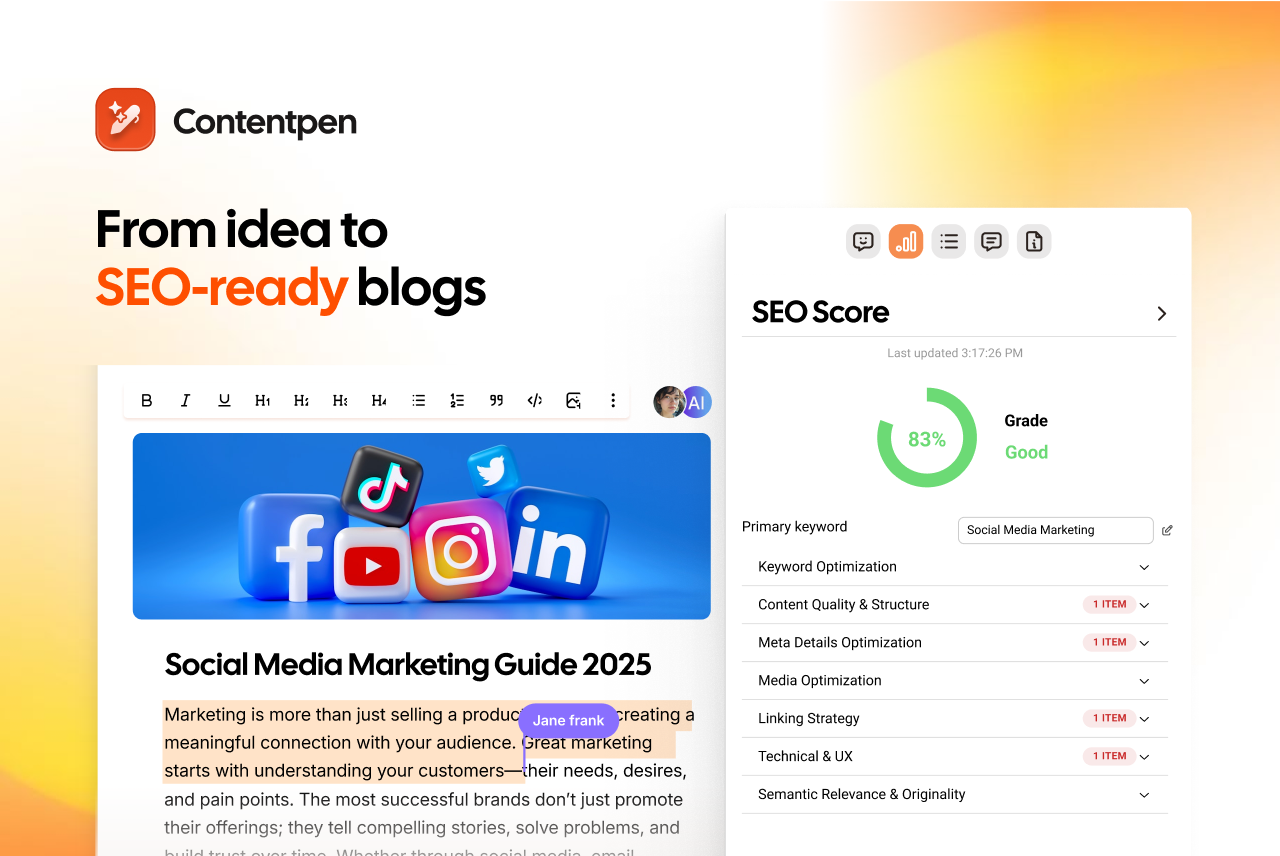
    1. Contentpen: The all-in-one content powerhouse

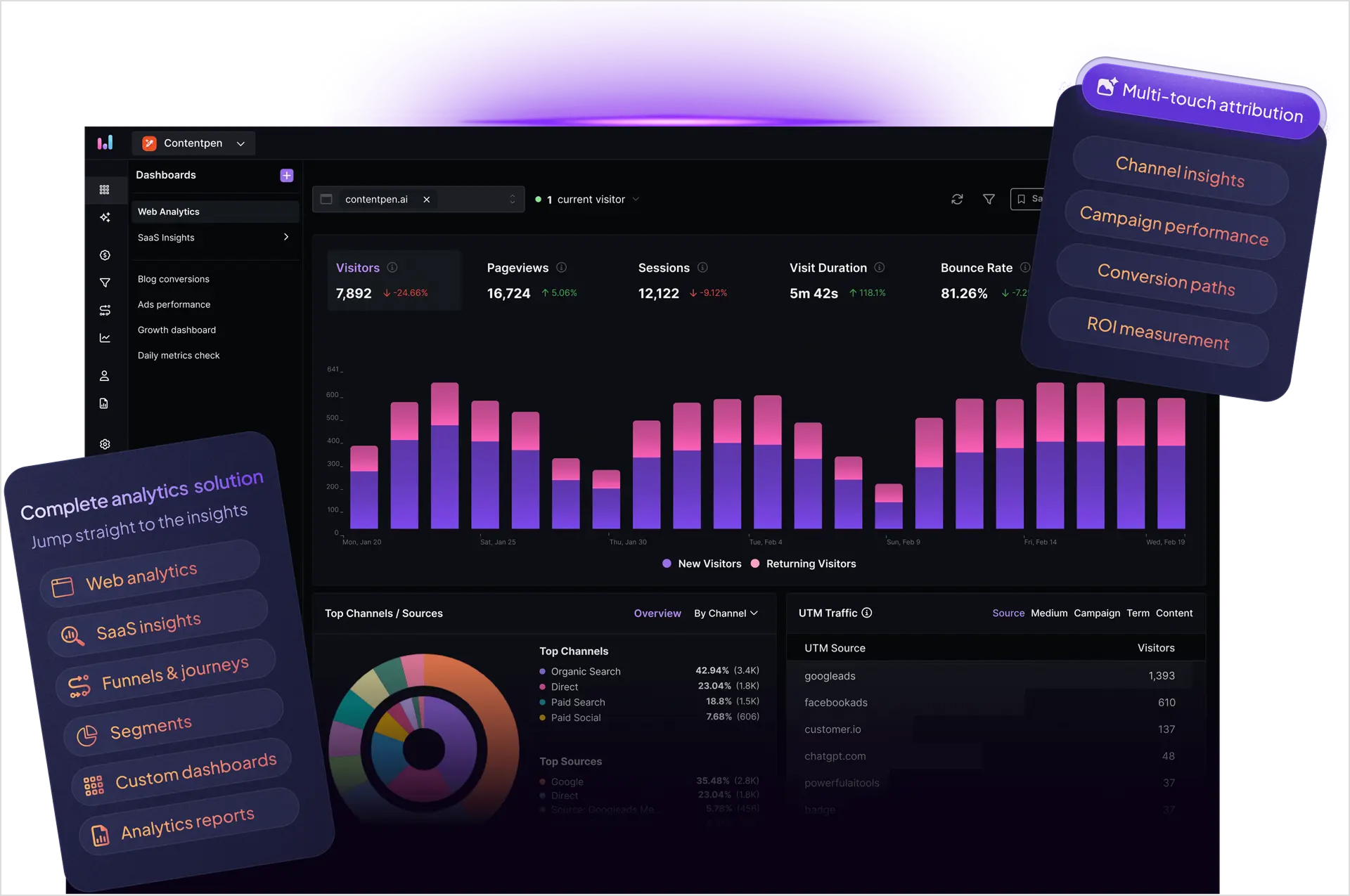
    content AI - content generation tool

    Contentpen represents a revolutionary approach to AI-powered content creation, specifically designed for businesses seeking to scale their content production while maintaining quality and SEO effectiveness.

    Key features:

    • Team of specialized AI agents working in coherence
    • Deep brand voice analysis and integration
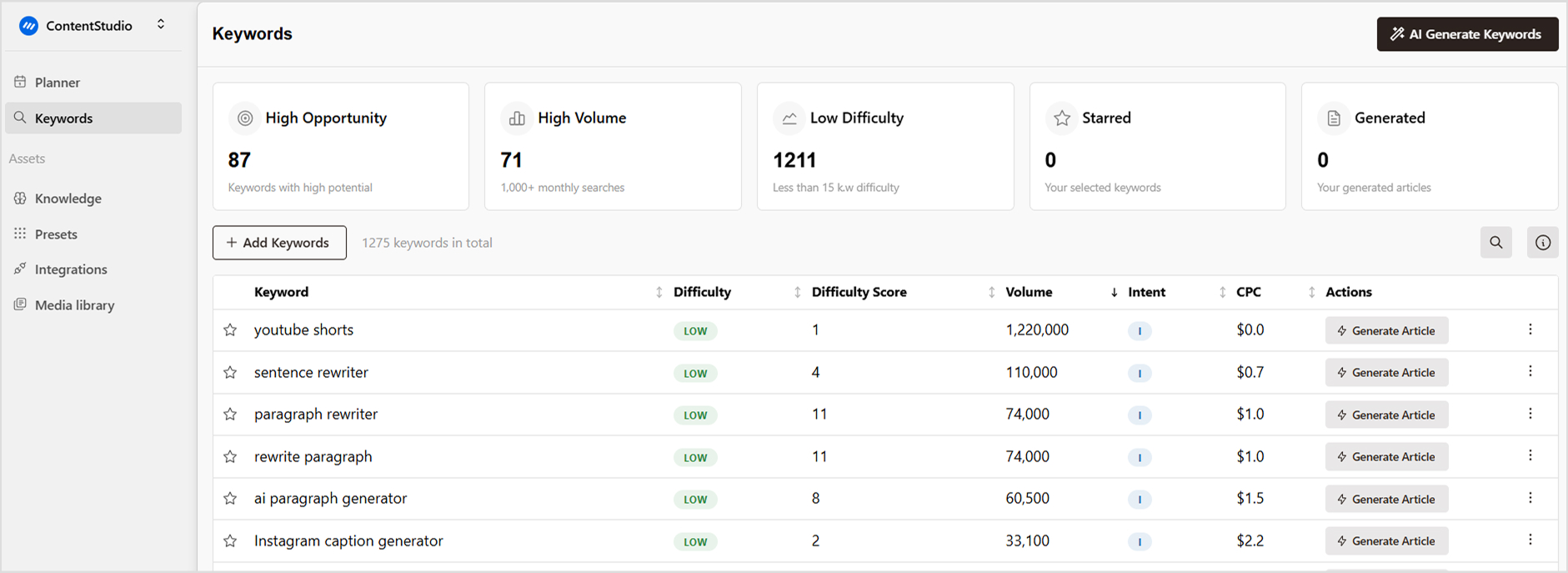
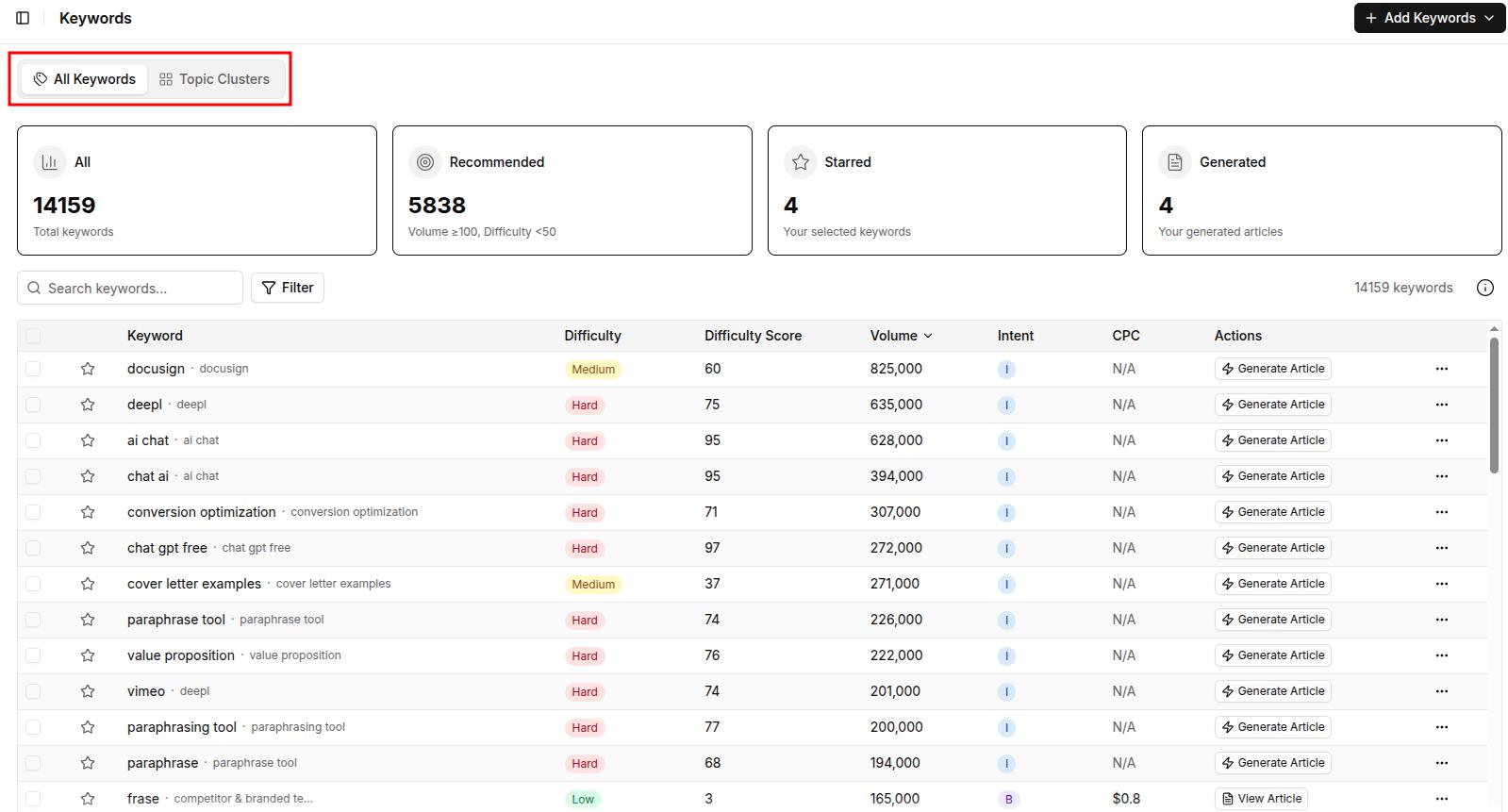
    • Automated SEO optimization and keyword research
    • Built-in content approval workflow
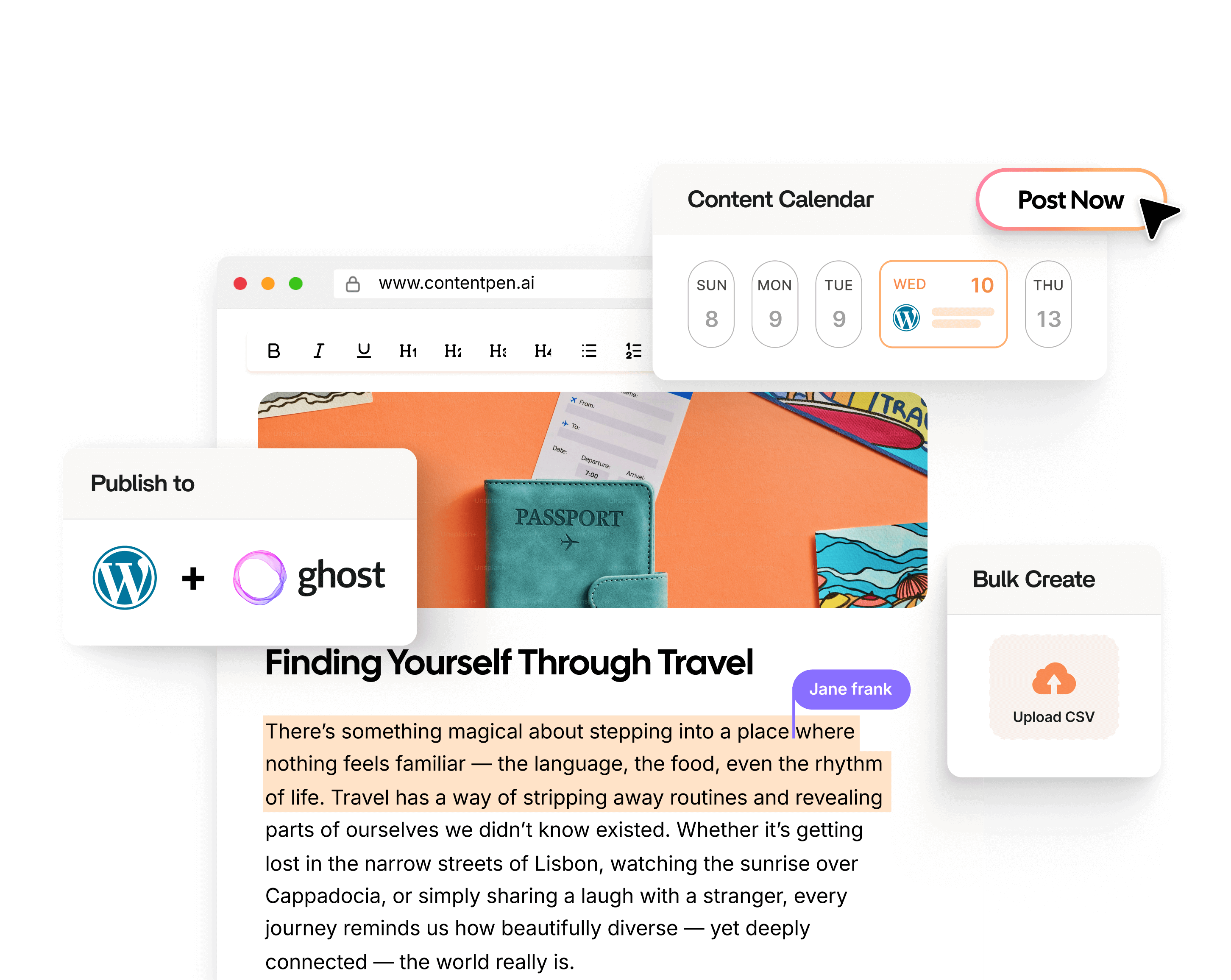
    • Direct WordPress publishing integration
    • Bulk content generation capabilities
    • Content refresh and update tools

    Best used for:

    • Creating SEO-optimized blog content at scale
    • Managing comprehensive content marketing campaigns
    • Automating content research and optimization
    • Maintaining brand consistency across content
    • Streamlining team collaboration and approval processes

    Unique advantages:

    • Multiple AI agents working together instead of a single model
    • Integrated brand knowledge management
    • Automated title and keyword suggestions based on search intent
    • Built-in SEO optimization tools
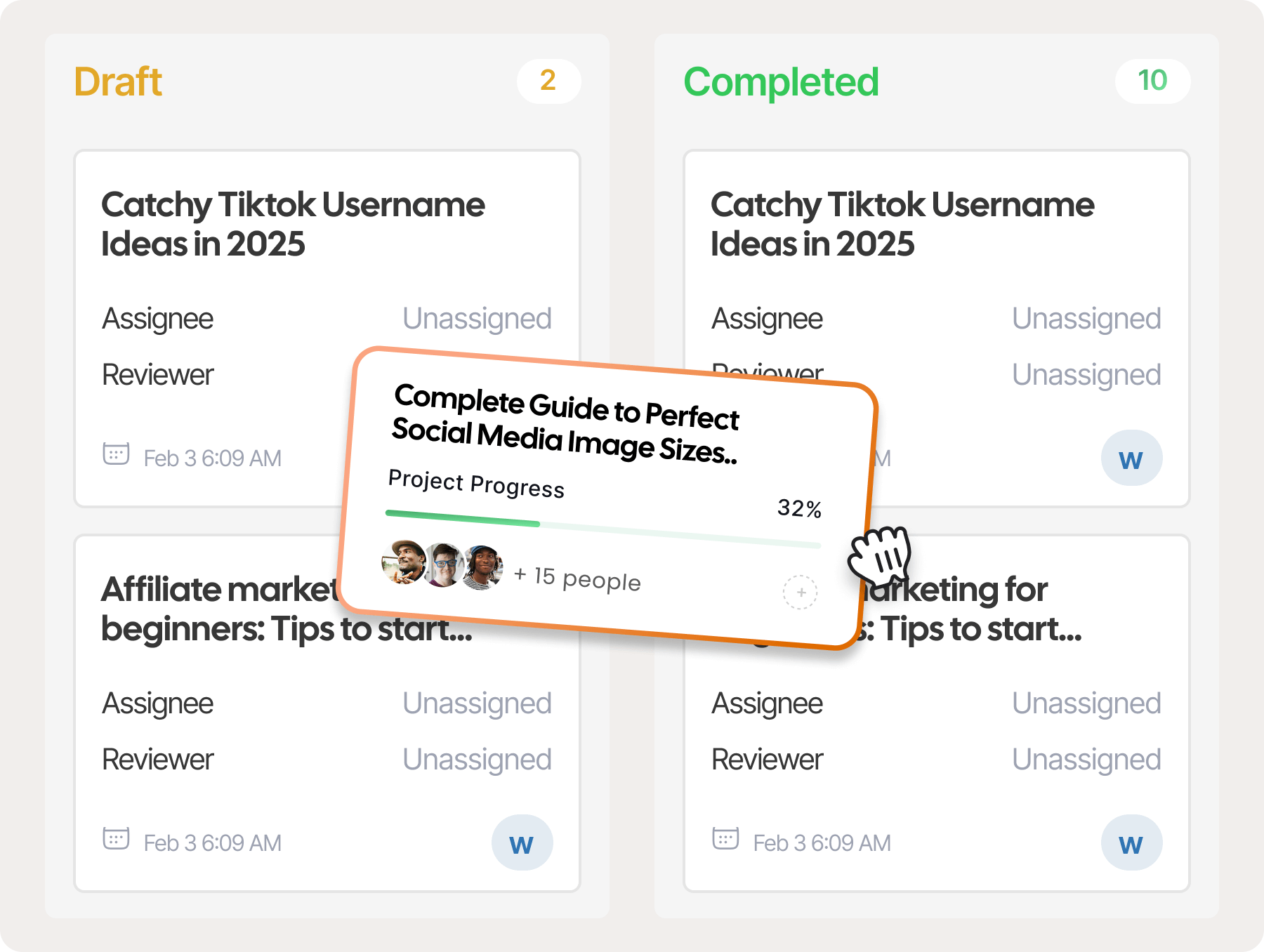
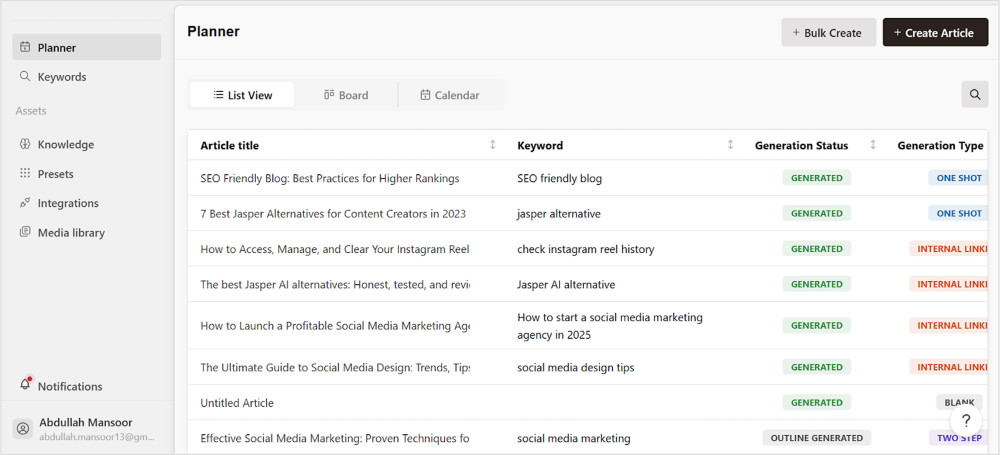
    • Visual content pipeline management with Kanban board

    Limitations:

    • Primarily focused on blog content creation
    • May require initial setup time for brand voice training
    • Premium features restricted to higher-tier plans

    2. Google Gemini: Advanced multimodal capabilities

    Gemini

    Google’s Gemini Ultra represents the tech giant’s most advanced AI model, combining multimodal capabilities with powerful reasoning abilities. This model has particularly distinguished itself in scientific and technical applications.

    Key features:

    • Multimodal processing (text, images, code, and audio)
    • Real-time internet access for up-to-date information
    • Advanced mathematical and scientific reasoning
    • Seamless integration with Google’s ecosystem
    • Strong performance in multilingual tasks

    Limitations:

    • Some features are restricted to enterprise customers
    • Requires Google account for access
    • Variable performance across different languages

    3. Claude 

    Claude

    While sharing the same foundational technology, Claude distinguishes itself through its enhanced capabilities in handling complex, long-form content and creative tasks. It’s particularly valued for its ability to maintain context over extended conversations.

    Key features:

    • Extended context window for longer conversations
    • Superior creative writing capabilities
    • Advanced document analysis and summarization
    • Improved memory management across conversations
    • Enhanced emotional intelligence in responses

    Limitations:

    • Higher cost compared to other alternatives
    • More resource-intensive
    • May be overpowered for simple tasks

    4. Perplexity AI: Real-time intelligence with internet access

    Perplexity

    Perplexity AI revolutionizes the AI assistant landscape by offering real-time information access and sophisticated analysis capabilities. It stands out for its ability to provide up-to-date, cited information online.

    Key features:

    • Real-time internet access and search
    • Source citation for information
    • Interactive search refinement
    • Visual information processing
    • Academic paper analysis
    • News summarization
    • Multi-turn conversations with context
    • Academic literature review

    Limitations:

    • Limited creative content capabilities compared to dedicated writing assistants.
    • Inconsistent source quality when pulling from real-time web searches.
    • Minimal personalization options for output format, tone, or style.

    5. Jasper AI: Creative content mastery

    JAsper

    Jasper AI specializes in creative content generation, offering a suite of tools designed specifically for marketing professionals, content creators, and business communicators.

    Key features:

    • Brand voice customization
    • Multiple content templates
    • SEO optimization tools
    • Team collaboration features
    • Multi-language support
    • Art generation capabilities
    • Campaign management tools
    • Extensive template library

    Limitations:

    • Steep pricing structure that puts advanced features out of reach for individual users
    • Requires significant prompt engineering skills to achieve consistent quality outputs
    • Lacks the depth of specialized industry knowledge for highly technical content creation

    6. Meta AI: Open innovation and accessibility

    Meta ai

    Meta AI represents Meta’s commitment to open-source AI development, offering powerful language models and tools that can be customized and deployed for various applications.

    Key features:

    • Open-source architecture
    • Customizable model training
    • Multiple model sizes available
    • Research-focused development
    • Community-driven improvements
    • Multimodal capabilities
    • Low resource requirements
    • Transparent development
    • Regular updates and improvements

    Limitations:

    • Lacks dedicated business content templates for marketing and sales materials
    • Limited customization options for controlling output length and formatting
    • Restricted integration capabilities with third-party productivity tools

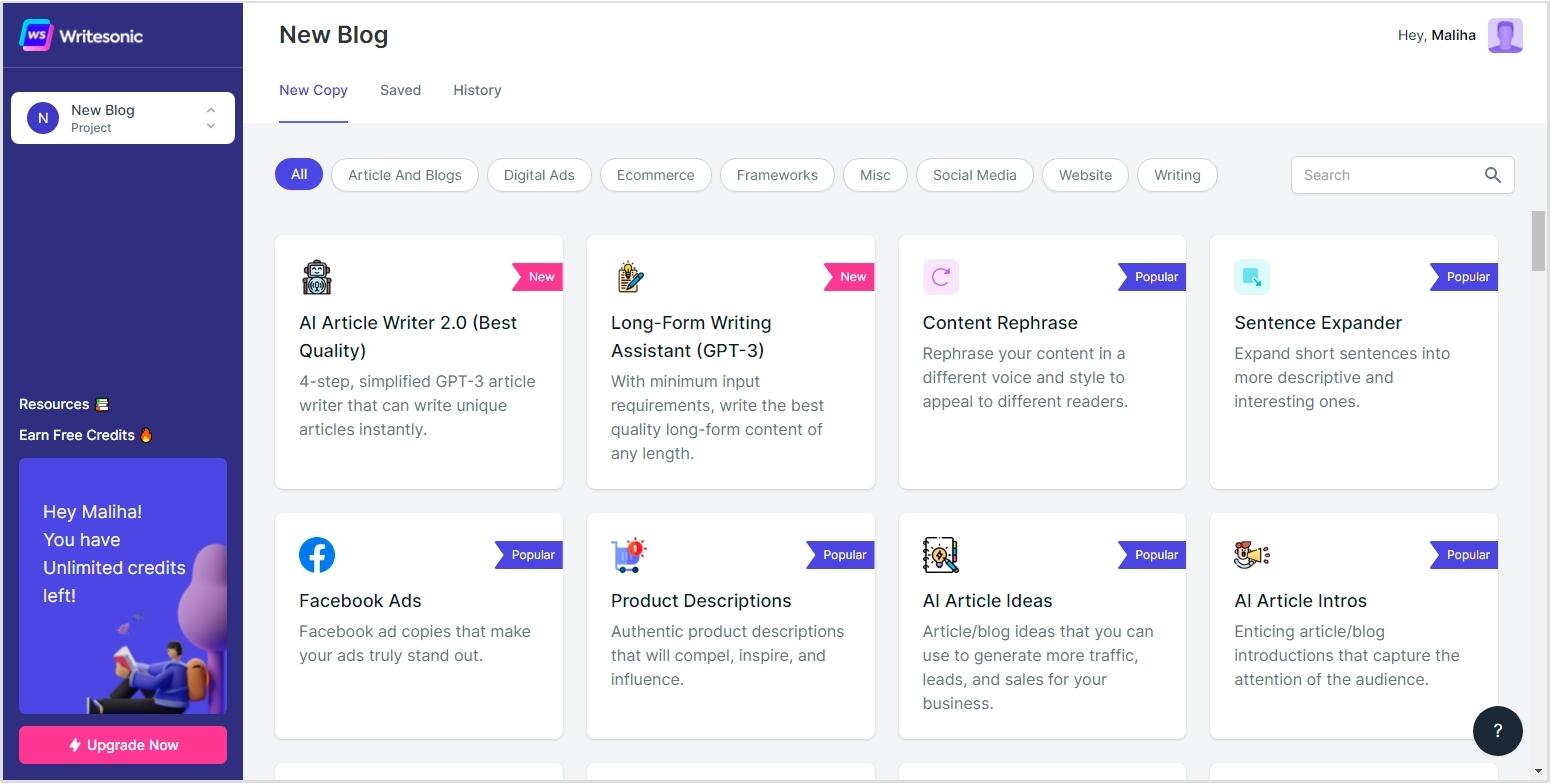
    7. Writesonic: Efficiency in content creation

    Writesonic

    Writesonic focuses on streamlining the content creation process with its comprehensive suite of writing and optimization tools, particularly valuable for marketing and business content. It particularly helps in creating engaging content and interactive experiences.

    Key features:

    • AI article writer
    • Landing page generator
    • Product description creator
    • SEO optimization tools
    • Multilingual content support
    • A/B testing capabilities
    • Automated content scheduling

    Limitations:

    • Inconsistent quality when generating content outside standard marketing formats
    • Limited capabilities for editing and refining already-generated content

    8. Microsoft Copilot: Enterprise integration champion

    Copilot

    Microsoft Copilot (formerly Bing Chat Enterprise) represents Microsoft’s comprehensive approach to AI assistance, deeply integrated with the Microsoft 365 ecosystem and enterprise workflows.

    Key features:

    • Seamless Microsoft 365 integration
    • Enterprise-grade security
    • Document analysis and creation
    • Code generation and analysis
    • Real-time collaboration tools
    • Data visualization capabilities
    • Natural language querying

    Limitations:

    • Limited effectiveness when used outside the Microsoft ecosystem of applications
    • Struggles with highly specialized industry content requiring deep domain expertise
    • Lacks advanced customization options for controlling content tone and style

    9. ClickUp: AI-powered productivity suite

    Click up

    ClickUp combines project management with AI capabilities, offering a unique blend of productivity tools and intelligent assistance for teams and individuals.

    Key features:

    • AI-powered task management
    • Smart document creation
    • Automated workflow generation
    • Project timeline optimization
    • Meeting summary generation
    • Natural language processing
    • Custom automation builder
    • All-in-one productivity solution
    • Customizable workspace views

    Limitations:

    • Writing tools secondary to project management features, resulting in less robust content capabilities
    • Limited advanced writing features like tone adjustment or content optimization
    • Fewer content templates compared to dedicated AI writing platforms

    Conclusion

    When looking for ChatGPT alternatives, focus on what matters in your workflow: current information, specialized content creation, or integration with existing tools? The right choice varies by individual requirements.

    Among the ChatGPT competitors we’ve covered, Contentpen distinguishes itself with industry-specific optimization that understands niche terminology. While not universal, it strikes a balance between customization and performance that many AI content creation tools miss.

    Truth is, the best AI content writer tool depends entirely on your specific needs. We suggest test-driving several options to discover which alternative truly enhances your creative process.

    FAQs on ChatGPT alternatives

    What AI tool is best for marketing content?

    Contentpen is a top choice for marketers, as it offers brand voice customization, SEO tools, and much more.

    Why should I consider alternatives to ChatGPT?

    While ChatGPT is powerful, it has limitations such as outdated knowledge, inconsistent responses, and lack of real-time internet access. Alternatives may offer better customization, industry-specific knowledge, or enhanced features.

    What is ChatGPT, and why has it gained popularity?

    ChatGPT is an AI language model developed by OpenAI, known for its human-like text generation. It became widely popular due to its ability to assist with tasks like writing, coding, and answering queries.

    Can any of these alternatives generate images?

    Yes, Contentpen and Google Gemini have image-generation capabilities, unlike ChatGPT, which is limited to text-based outputs.

  • What is content automation: Key benefits, tools and tips

    What is content automation: Key benefits, tools and tips

    Content creation isn’t just about producing high-quality posts anymore – it’s about efficiency, scalability, and maximizing impact. That’s where content automation comes in. 

    By automating the time-consuming tasks of brainstorming ideas, writing, designing visuals, and scheduling posts across multiple platforms, marketers can streamline their workflow and boost productivity.

    With the right AI blog writer and best content marketing practices, businesses can curate and distribute content at an unprecedented scale. 

    While some believe automation tools are costly, the reality is that organizations see a $5.44 return for every dollar spent on marketing automation. This proves that automation isn’t just a convenience—it’s a powerful investment for businesses looking to scale efficiently.

    But how does content marketing automation actually work? What tools and strategies can help you maximize results?

    In this blog post, we’ll break down everything you need to know—from how content automation works to the best tools and strategies for implementing it successfully.

    Let’s start with the basics.

    What is content automation?

    Content automation

    Content automation refers to the use of technology and software tools to streamline, optimize, and partially automate the processes involved in content marketing. 

    It includes everything from content planning and creation to distribution and performance tracking, utilizing artificial intelligence, machine learning, and other advanced technologies to reduce manual intervention while maintaining content quality.

    At its core, content automation is about working smarter, not harder. Think of it as having a digital assistant that handles repetitive tasks while you focus on strategy and creativity. 

    With content automation, businesses can:

    • Generate high-quality blog posts, social media captions, and ad copy automatically.
    • Schedule and distribute content across multiple channels with minimal effort.
    • Optimize content performance through AI-driven insights and analytics.
    • Maintain brand consistency while scaling content production.

    How does content automation work?

    Content automation leverages AI, NLP, ML, and workflow automation to streamline content creation, optimization, and distribution. Instead of manually managing content, businesses use automation tools to generate, schedule, and optimize with minimal effort.

    Core technologies behind content automation:

    • Artificial intelligence (AI): AI analyzes data to suggest topics, keywords, and formats. Tools like Contentpen generate optimized blog posts in clicks.
    • Natural language processing (NLP): NLP enhances content quality, making it more readable and SEO-friendly.
    • Machine learning (ML): ML learns from interactions, optimizing strategies and automating A/B testing. Tools like Grammarly and SEMrush provide personalized recommendations.
    • Workflow automation: Automates tasks like content research, scheduling, multi-channel distribution, and performance analysis.

    Also read: Does Google ranks AI content?

    How to use content marketing automation?

    Content marketing automation streamlines your workflow, saving time and effort while maintaining consistency and quality. 

    However, to make the most of automation, you need the right strategies and tools. Here’s how to effectively use content marketing automation for maximum impact.

    1. Define your content marketing goals

    Before implementing automation, clearly define your objectives. Ask yourself:

    • Do you want to generate more leads?
    • Are you aiming to improve engagement on your blog?
    • Do you need to boost website traffic?

    By setting specific goals, you can choose the right automation tools and strategies to align with your business needs.

    1. Identify the right tasks to automate

    Not every part of content marketing should be automated. The key is to automate repetitive tasks while maintaining a human touch where needed. 

    Here are some key areas where automation works best:

    a. Content research

    • Use AI-powered tools to analyze trending topics, keywords, and competitors.
    • Automate search intent analysis to create content that aligns with user needs.

    b. Content creation

    • AI writing assistants can help generate blog drafts, captions, and ad copies.
    • Automated content outlines ensure better structure and SEO optimization.

    c. Social media scheduling

    • Schedule posts in advance across multiple platforms.
    • Use AI to determine the best times to post based on audience behavior.

    d. Email marketing

    • Set up automated email sequences for welcome messages, follow-ups, and promotions.
    • Personalize emails with AI-driven recommendations.

    e. Performance tracking & reporting

    • Automate analytics reports to measure content effectiveness.
    • Get insights on engagement, conversions, and areas for improvement.
    1. Choose the right content automation tools

    To successfully automate your content marketing efforts, you need the right tools. Different tools serve different purposes, so make sure you are choosing the ones that fit your specific needs. We will be discussing the usage of some of the top content automation tools in detail in the later section. 

    1. Maintain a balance between automation and human touch

    While automation improves efficiency, content marketing still requires creativity and authenticity. To maintain a human touch:

    • Personalize AI-generated content before publishing.
    • Use automation for efficiency but keep storytelling and branding elements human-driven.
    • Engage directly with your audience by responding to comments and messages manually.
    1. Monitor and optimize your automation strategy

    Automation is not a set-it-and-forget-it solution. Regularly analyze your content’s performance and make adjustments as needed.

    • Track key metrics like engagement, CTR, and conversion rates.
    • Test different content formats and posting schedules.
    • Continuously refine automated processes to improve results.

    Top content automation tools

    Content automation is only as effective as the tools you use. Whether you’re looking to streamline content creation, social media management, email marketing, or ad campaigns, choosing the right automation tools can save time, improve efficiency, and maximize results.

    Here’s a list of the top content automation tools categorized by their purpose:

    1. Contentpen: SEO-optimized content generation

    Contentpen 

    Contentpen is a next-generation AI-driven content automation tool designed to create high-impact, SEO-optimized blogs.

    Unlike generic AI writing tools, Contentpen is powered by multiple AI agents that work collaboratively to research, create, and refine content that aligns perfectly with your brand’s voice.

    The key features of ContentPen that make it one of the best content automation tools are:

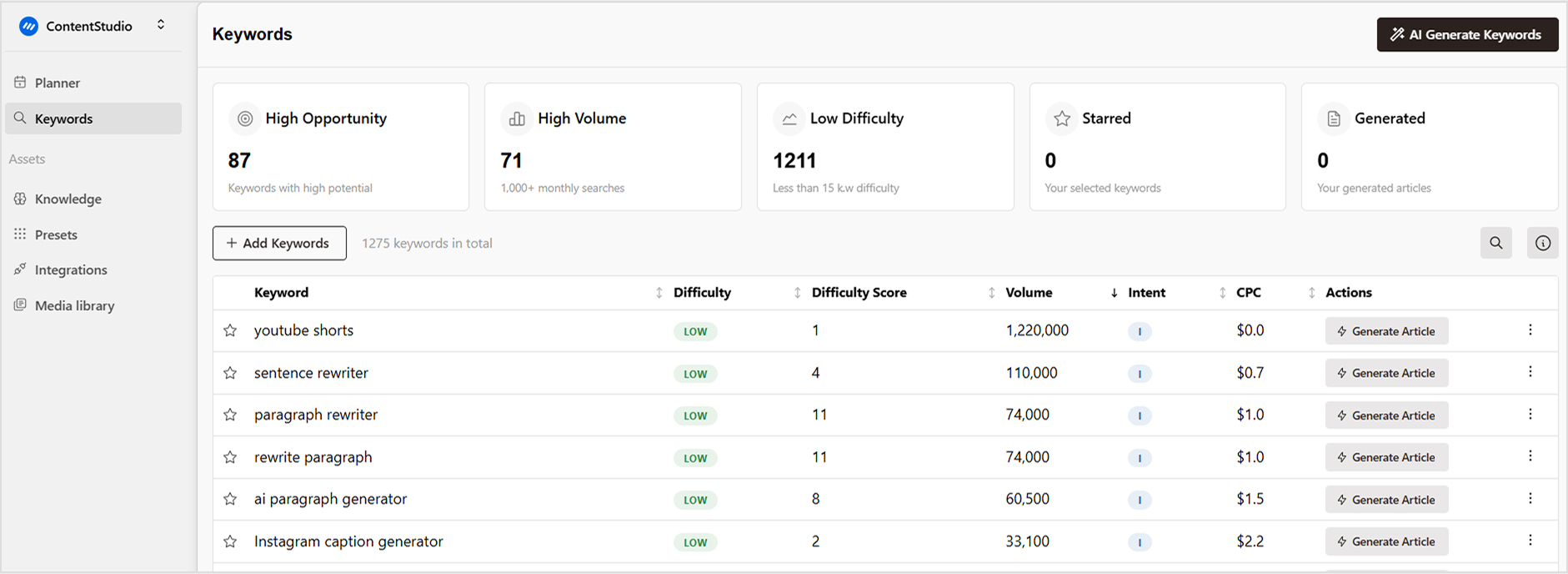
    • AI-powered brand learning: Contentpen’s AI deeply analyzes your brand, audience, and competitors to generate relevant and engaging content.
    • Automated keyword & title selection: Get high-CTR title suggestions based on search intent.
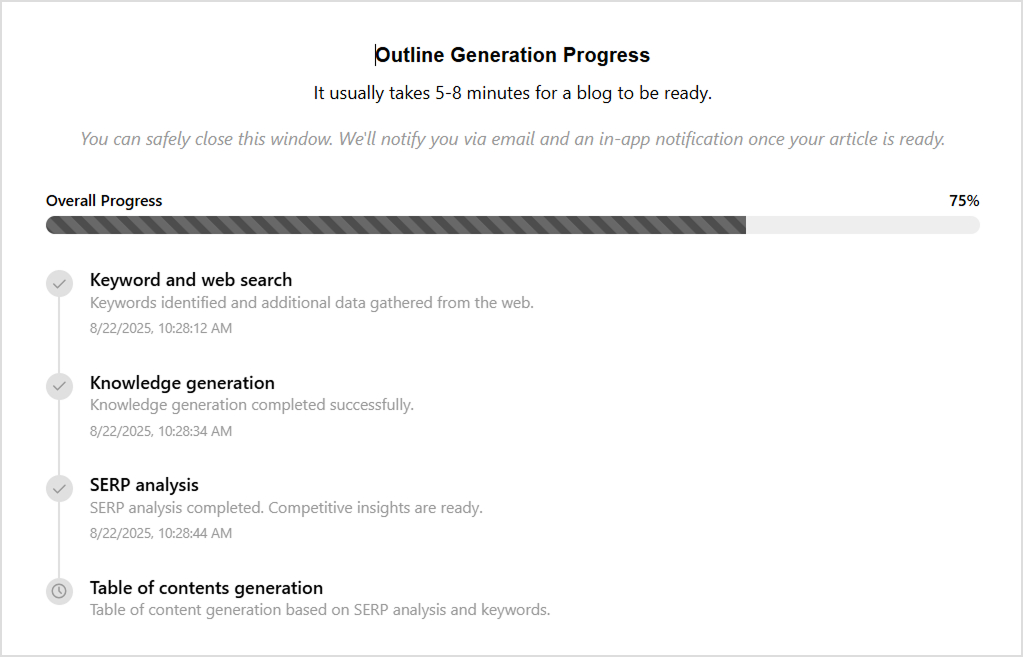
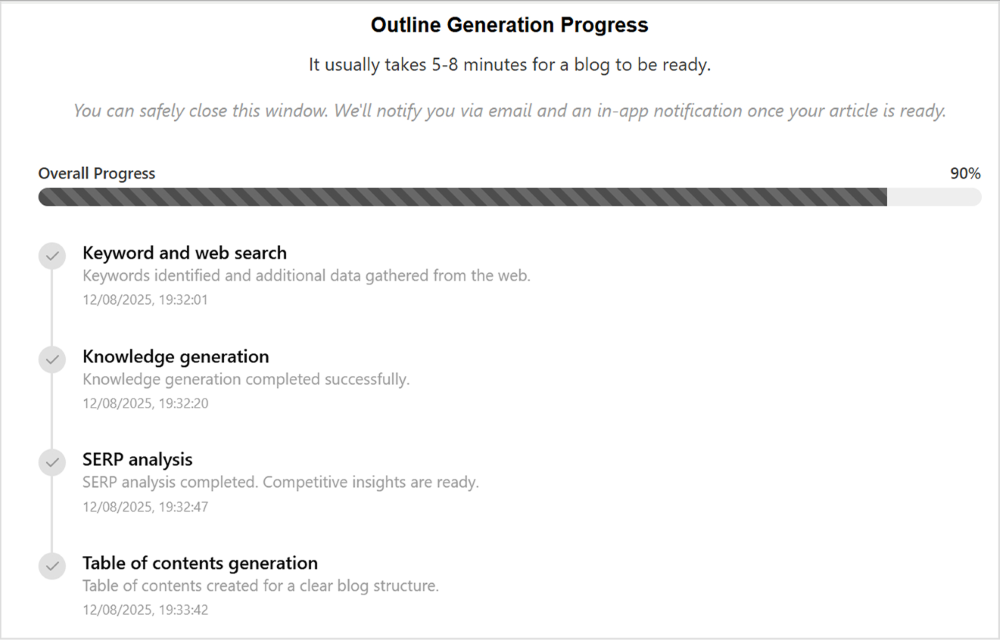
    • Deep topic research: Conducts SERP analysis and content gap analysis to create data-driven content.
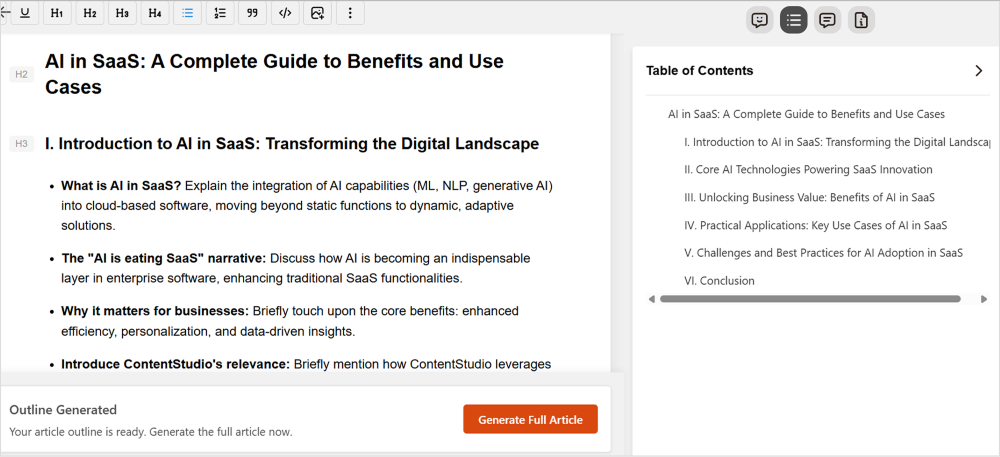
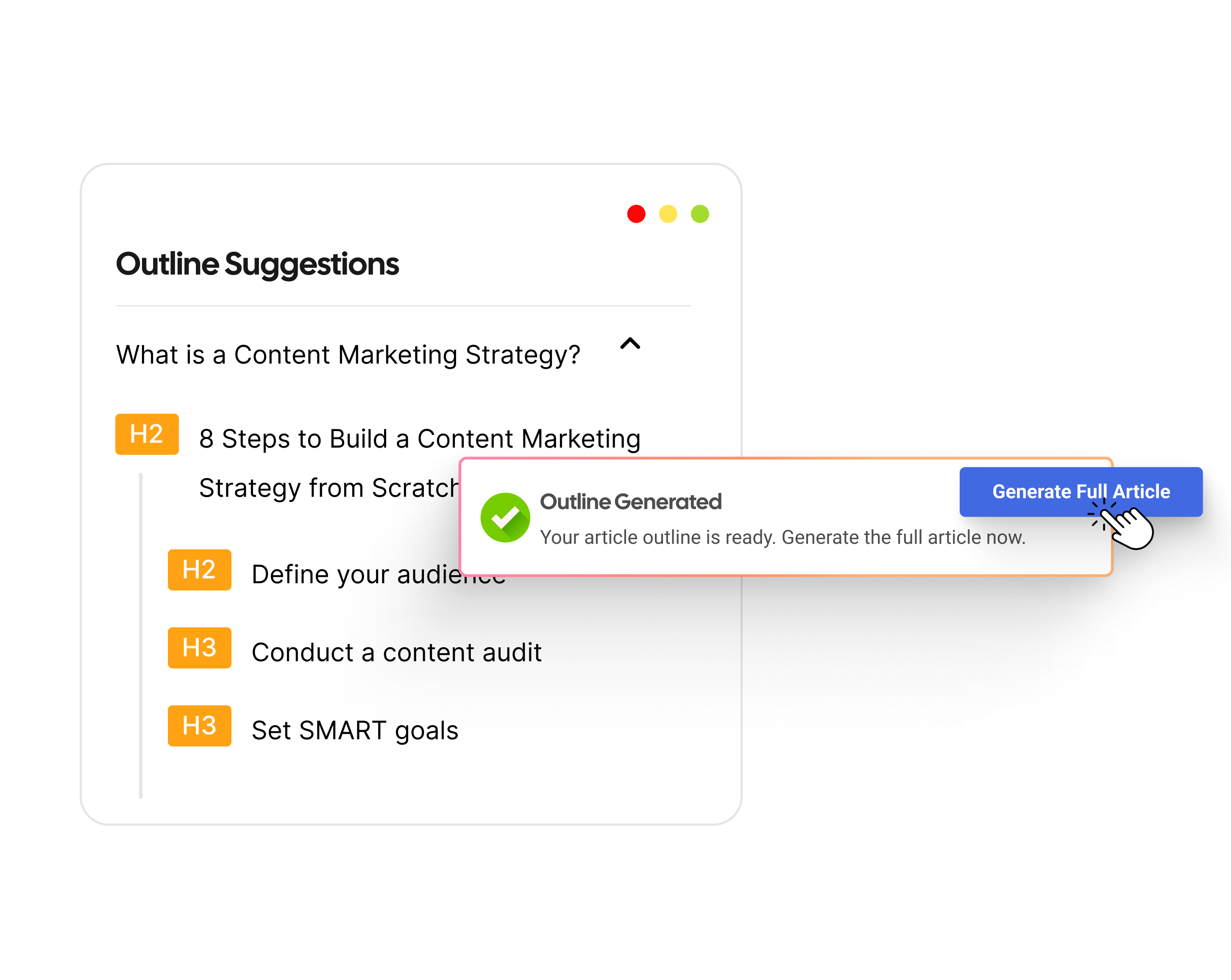
    • Optimized blog outline: Generates a structured, research-backed outline for SEO-friendly articles.
    • High-quality first draft: AI agents collaborate to generate authoritative, engaging content.
    • SEO optimization & quality review: The tool refines content based on the latest SEO guidelines.
    • Final enhancements: Adds strategic internal and external links, relevant images, and other SEO elements.
    • Easy publishing: Contentpen can integrate with WordPress and other CMS platforms for quick and easy publishing.
    • Bulk content generation: Scale content creation without sacrificing quality.
    • Article refreshing: Update and optimize existing blogs for continued relevance.
    • Approval workflow for teams & clients: Supports collaboration and content approval processes.

    With Contentpen, businesses can automate and scale content production while maintaining quality and brand consistency.

    Also read: How to write an article using Contentpen?

    2. Canva: Visual content and design automation

    Creating high-quality images, graphics, and videos is essential for content marketing. Visual content automation tools streamline design, editing, and branding with minimal effort.

    Canva is one of the most popular design tools for automating visual content creation. It offers a vast collection of templates, drag-and-drop functionality, and AI-powered design suggestions.

    Canva Interface

    Whether you need social media graphics, presentations, infographics, or marketing materials, Canva simplifies the design process without requiring advanced skills.

    Some of the key features of Canva are:

    • Pre-designed templates: Thousands of customizable templates for social media, blogs, ads, and more.
    • Brand kit: Ensures consistency by allowing you to save logos, fonts, and colors.
    • AI-powered magic resize: Instantly resizes designs for different platforms.
    • AI text-to-image tool: Generates unique visuals based on descriptions.
    • Video editing & animation: Automates video creation with transitions, music, and text overlays.

    Canva’s automation features make it an excellent tool for marketers looking to streamline content production without compromising quality.

    Other notable visual content automation tools

    While Canva is a leading choice, several other tools offer automation for visual content:

    • Adobe Express: AI-powered image editing and branding tool with quick design templates.
    • DALL·E (by OpenAI): Generates high-quality AI-created images from text prompts.
    • Lumen5 & Pictory: Converts blog posts into engaging video content using AI.
    • Postnitro: An AI-driven carousel creator for Instagram, LinkedIn, and other platforms.

    Each tool brings unique features to the table, allowing marketers to automate and enhance their visual content creation process efficiently.

    3. ContentStudio: Manage and automate your social media presence

    Managing multiple social media accounts manually is exhausting. Social media automation tools streamline scheduling, posting, and engagement tracking, helping businesses maintain a consistent online presence.

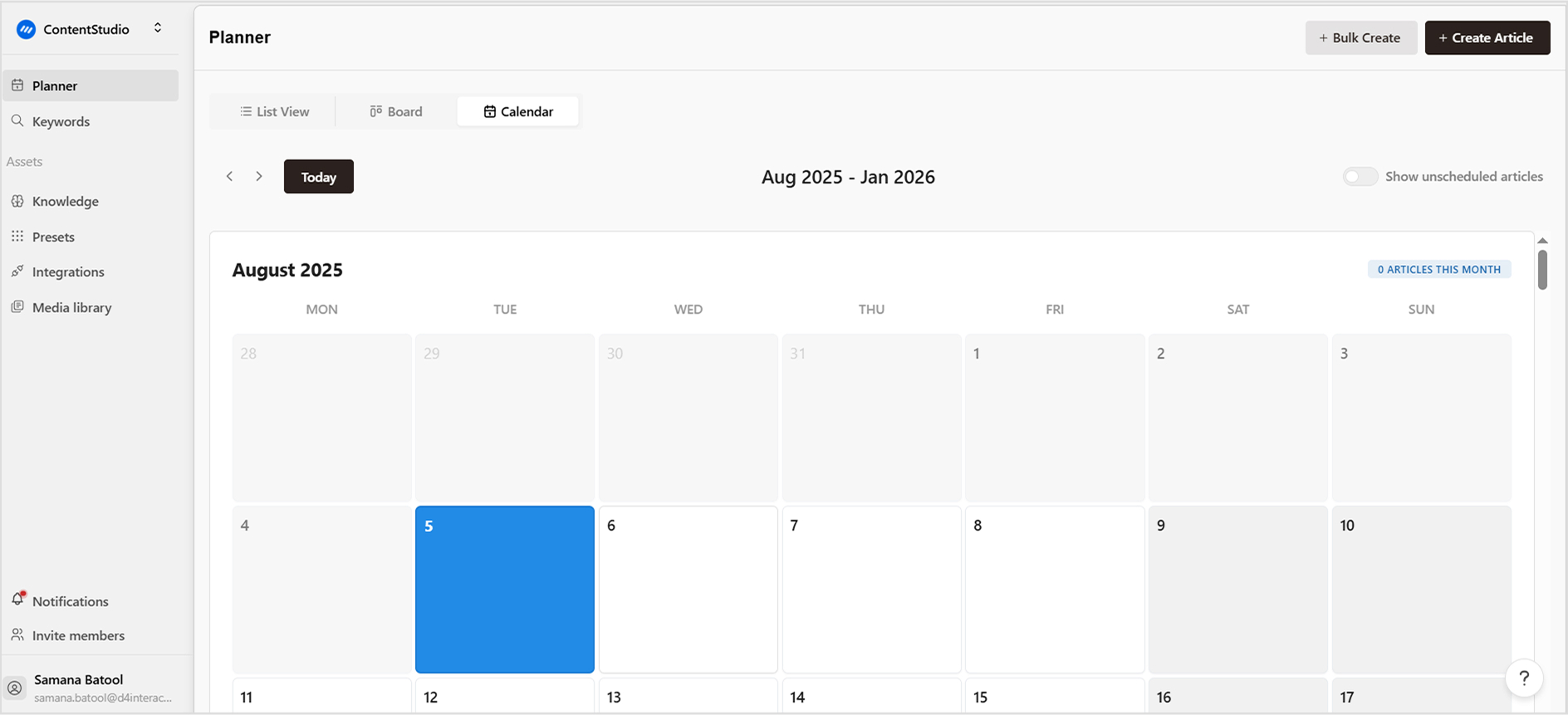
    ContentStudio is a comprehensive social media management tool that simplifies content creation, scheduling, and publishing while providing valuable analytics.

    ContentStudio Calendar

    It helps businesses and marketers automate workflows, ensuring efficiency and consistency across multiple social media platforms. The key features that make ContentStudio the best way to manage your social media presence are:

    • Post scheduling and publishing: Plan and schedule posts across multiple social media platforms from a single dashboard.
    • AI-generated captions and hashtags: Get smart suggestions to improve engagement and reach.
    • Content discovery and curation: Find trending topics and relevant articles to share with your audience.
    • Social inbox management: Monitor and respond to messages, comments, and mentions in one place.
    • Collaboration and approval workflow: Work with teams, set roles, and get approvals before publishing.
    • Performance analytics: Track engagement, reach, and audience behavior with detailed insights.

    Other notable social media automation tools

    While ContentStudio is a leading choice, other tools offer automation capabilities for social media management:

    • Zapier: Connects social media apps, automating cross-platform posting.
    • Buffer: Schedules and publishes content while providing analytics on engagement.
    • Hootsuite: Manages multiple accounts and tracks audience interactions.
    • Sprout Social: Combines publishing, engagement, and analytics in one platform.

    Each of these tools helps streamline social media marketing, making it easier to maintain a strong and active online presence.

    4. Mailchimp: Email marketing & ad automation

    Email and ad automation tools personalize campaigns, optimize budgets, and track performance in real time. They streamline email marketing workflows, enable personalized outreach, optimize ad spending with AI-driven insights, and improve ROI through automated A/B testing and audience segmentation.

    Mailchimp is one of the most powerful email marketing platforms, offering automation features that help businesses send personalized and targeted emails at scale. Its AI-driven insights optimize email performance and audience engagement.

    Mailchimp Website

    You can automate your email marketing with Mailchimp through these features:

    • Automated email sequences: Set up drip campaigns, welcome emails, and follow-up messages with ease.
    • Audience segmentation: Categorize subscribers based on behavior, demographics, and preferences for better targeting.
    • AI-powered recommendations: Get smart content suggestions and send-time optimization for higher engagement.
    • A/B testing: Test different subject lines, content, and send times to improve campaign effectiveness.
    • E-commerce integration: Connect with Shopify, WooCommerce, and other platforms to send abandoned cart emails and product recommendations.
    • Performance analytics: Track email open rates, click-through rates, and conversions with real-time insights.

    Other notable email and ad automation tools

    While Mailchimp is a leading email automation platform, other tools excel in ad and campaign automation:

    • HubSpot: A complete marketing automation tool with email, CRM, and sales integration.
    • Google Ads automation: Uses AI-powered smart bidding and audience targeting to optimize ad spend.
    • Meta (Facebook) Ads Manager: Automates ad campaigns with AI-driven audience insights and bidding strategies.
    • Adzooma & Smartly.io: AI-powered platforms for automating and optimizing ad campaigns across multiple channels.

    These tools help businesses enhance their email and advertising strategies, ensuring better reach, engagement, and return on investment.

    5. AI-powered chatbots & customer support tools

    AI-powered chatbots handle customer queries, FAQs, and lead generation, enhancing customer support and engagement. They automate responses, reduce wait times, improve lead generation with AI-driven interactions, and free up human teams for higher-value tasks.

    Intercom is a powerful AI chatbot and customer support tool that helps businesses provide instant, personalized responses to customer inquiries. It automates conversations while allowing seamless handoff to human agents when needed.

    Intercom Dashboard

    The key features of Intercom are:

    • AI-powered chatbots: Automate customer support, lead qualification, and FAQs.
    • Proactive messaging: Engage visitors with targeted messages based on behavior.
    • Workflow automation: Automate ticket routing and customer support workflows.
    • Omnichannel support: Manage conversations across websites, apps, and social media.

    Other notable chatbot & customer support tools

    While Intercom is a leading chatbot solution, other tools offer powerful automation features:

    • ManyChat & MobileMonkey: AI chatbots for social media and website engagement.
    • Drift: Conversational marketing chatbot focused on lead generation.
    • ChatGPT (API Integration): Custom AI chatbot integration for businesses.

    These AI-powered tools enhance customer interactions, improve response times, and help businesses scale customer support without increasing overhead costs.

    Also read: Best ChatGPT alternatives

    6. Usermaven: AI-powered analytics & reporting

    Tracking content performance is critical for continuous improvement. AI-powered analytics tools collect data, generate reports, and offer actionable insights automatically, helping businesses refine their content strategies.

    Usermaven is a simple yet powerful AI-driven analytics tool that provides real-time insights without requiring coding or developer involvement.

    Usermaven Dashboard

    It is an excellent alternative to GA4, offering accurate event tracking, AI-powered reporting, and privacy-friendly analytics.

    • No-code event tracking: Automatically tracks key user actions without developer dependency.
    • AI-powered funnel analysis: Identifies optimization opportunities in customer journeys.
    • AI-powered attribution: Accurately links conversions to their source channels.
    • User journey insights: AI-driven analytics to understand behavior and improve engagement.
    • Real-time data & segmentation: Provides instant insights to optimize content and marketing strategies.
    • Privacy-friendly & GDPR-compliant: Ensures data security and compliance with global privacy regulations.

    Other notable AI analytics & reporting tools

    While Usermaven is an excellent choice, other tools also offer powerful AI-driven insights:

    • Google Analytics: AI-powered website performance tracking.
    • HubSpot & Marketo: AI-driven marketing analytics for campaign performance.

    By using Usermaven, businesses can gain deeper insights, make data-driven decisions, and optimize their strategies with AI-powered automation.

    08 benefits of content automation

    Benefits of content automation

    Content automation is much more than a simple, time-saving strategy. It is, in fact, a powerful marketing approach that helps you increase efficiency, consistency, and ROI.

    These tools allow businesses to streamline content ideas production, increase engagement, and scale content marketing efforts without any significant increase in the workload. 

    The following are the key benefits of content automation:

    1. Saves time & increases productivity: Creating, managing, and distributing content manually can be overwhelming. Content automation eliminates repetitive tasks like writing posts, designing visuals, and scheduling updates – allowing marketers to focus on strategy and creativity.
    2. Ensures consistency across platforms: A strong brand presence requires consistent messaging, tone, and posting frequency. Content automation tools ensure your blogs, social media updates, and emails are published on time and in sync across all platforms.
    3. Improves content quality & optimization: AI-powered automation tools analyze SEO trends, readability, and engagement metrics to optimize content for better reach and performance. This results in higher search rankings and improved audience engagement.
    4. Boosts engagement & personalization: Content automation allows brands to deliver personalized content based on user behavior, demographics, and preferences—enhancing engagement and conversions.
    5. Maximizes ROI & marketing efficiency: With content automation, businesses can reach larger audiences, generate leads, and drive conversions more effectively.
    6. Reduces errors & improves workflow: Manual content creation and scheduling often lead to errors, inconsistencies, and missed deadlines. Automation minimizes mistakes by streamlining processes and ensuring accuracy.
    7. Helps scale content marketing efforts: As businesses grow, handling content manually becomes unsustainable. Automation enables brands to scale content marketing efficiently—producing more content without requiring additional resources.
    8. Enhances content repurposing: Automation makes it easy to repurpose existing content across different formats, extending its reach and lifespan.

    Best practices for automating content marketing

    Successfully automating content marketing requires a strategic approach to ensure efficiency without compromising quality. 

    Here are some best practices to follow:

    Best practice Description
    Set clear goalsDefine specific objectives, such as lead generation, engagement, or brand awareness, to guide your automation strategy.
    Use the right toolsChoose automation platforms that fit your needs, such as AI content generators, social media schedulers, and email automation tools.
    Segment your audienceUse automation to deliver personalized content based on user behavior, preferences, and past interactions.
    Maintain content qualityAutomation speeds up processes, but human oversight is essential to ensure accuracy, relevance, and brand consistency.
    Schedule content strategicallyAutomate content distribution at optimal times to maximize reach and engagement using data-driven insights.
    Use AI for content personalizationUse AI-powered tools to tailor content recommendations, product suggestions, and messaging for different audience segments.
    Monitor performance metricsRegularly track key performance indicators (KPIs) such as engagement rates, conversions, and ROI to refine your strategy.
    Avoid over-automationBalance automation with a human touch to keep interactions genuine and maintain strong audience relationships.
    Repurpose content efficientlyUse automation to transform long-form content into multiple formats (e.g., blogs into social posts, videos, or newsletters) to extend its reach.
    Keep testing and optimizingContinuously experiment with different automation techniques, content formats, and posting times to improve results.

    Real-life examples of content automation

    In 2025, content automation is no longer a futuristic concept—it’s already shaping how leading brands create, distribute, and personalize content at scale. 

    By using AI, machine learning, and automation tools, companies across various industries are improving efficiency, enhancing customer experiences, and driving engagement. 

    Here are some real-world examples of content automation in action.

    1. Content creation: The Washington Post
      Heliograf, The Washington Post’s internal AI tool, generates news reports on sports, finance, and politics. This allows journalists to focus on in-depth reporting while ensuring speed and accuracy.
    2. Dynamic content: Amazon
      Amazon uses AI to personalize product recommendations and homepage content to boost conversion rates.
    3. Customer engagement: Coca-Cola
      The Share a Coke campaign replaced the logo with names, driving massive engagement. AI-powered data analysis helped optimize messaging and distribution strategies.
    4. AI-powered chatbots: Sephora
      Sephora’s chatbots provide beauty recommendations and customer support on digital platforms. They analyze user preferences to offer personalized product suggestions.
    5. Automated video creation: Bloomberg
      Cyborg AI automates financial news summaries by processing earnings reports. This ensures Bloomberg publishes breaking news faster than traditional analysts.
    6. AI-driven content recommendations: Spotify
      Spotify’s AI curates playlists like Discover Weekly by analyzing listening habits. This personalization enhances user experience and increases engagement.

    Conclusion

    Content automation is revolutionizing the way businesses create and distribute content. By leveraging AI-driven tools and best practices, marketers can improve efficiency, maintain consistency, and drive better results. Platforms like Contentpen make it easier than ever to scale content production while ensuring quality and SEO optimization.

    However, automation should complement—not replace—human creativity. The key to success lies in finding the right balance between technology and strategic oversight.

    By continuously refining automation workflows and monitoring performance, businesses can build a sustainable, high-impact content marketing strategy that delivers long-term success.

    FAQs on content automation

    What is an example of content automation?

    An example of content automation is Contentpen, which generates SEO-optimized blog posts at a scale of a few minutes. 

    What are the four types of automation?

    The four main types are fixed automation (pre-set processes), programmable automation (adjustable sequences), flexible automation (AI-driven adaptability), and intelligent automation (AI and machine learning-based decision-making).

    How does content automation work?

    Content automation uses AI, machine learning, and data analysis to generate, personalize, and distribute content efficiently, reducing manual effort and increasing productivity.

    How to use AI to automate content?

    AI can be used for content automation by using tools like Contentpen to choose a relevant blog title, incorporate keywords, and generate SEO-friendly content.

  • How to write an article using Contentpen?

    How to write an article using Contentpen?

    Writing a well-structured, engaging article is easier than ever with Contentpen’s AI blog writer. This powerful tool helps you generate, customize, and optimize content with just a few clicks. 

    Whether you’re crafting a quick blog post or a detailed guide, Contentpen streamlines the process, saving you time while maintaining quality. 

    In this guide, we’ll walk you through each step to help you create, refine, and publish your content effortlessly. Let’s get started! 

    What is Contentpen? 
    Contentpen is an AI-powered writing assistant designed to help users create high-quality, SEO-optimized content efficiently.

    How to write an article using Contentpen in a few clicks?

    Step 1: Sign up or log in

    Visit the Contentpen website and click “Sign up” if you’re a new user or “Log in” if you already have an account. Enter your credentials and access your dashboard.

    Step 2: Create a new article

    Once inside the dashboard, navigate to the “Article list” section. Click on the “New article” button in the upper left corner to start writing.

    create new article

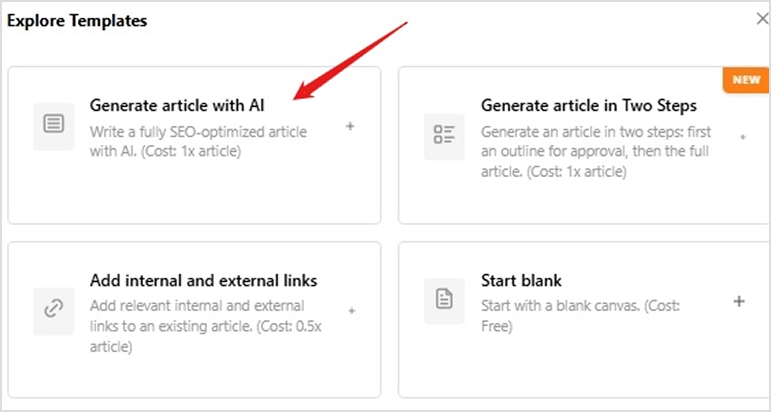
    Step 3: Choose a template

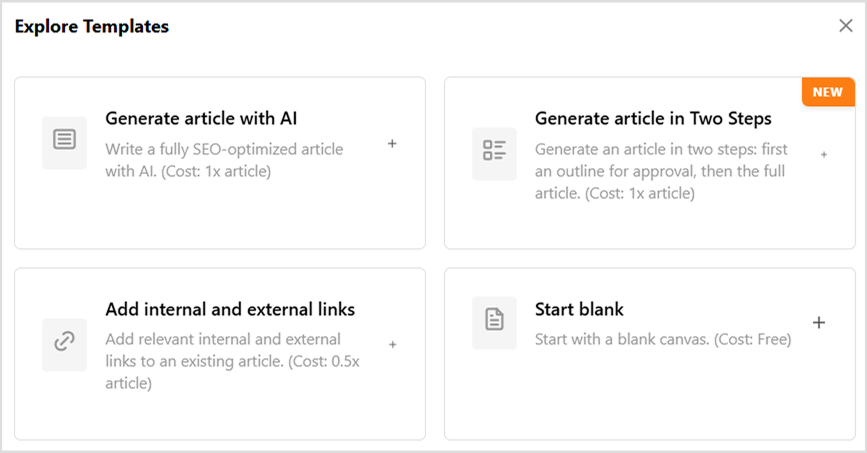
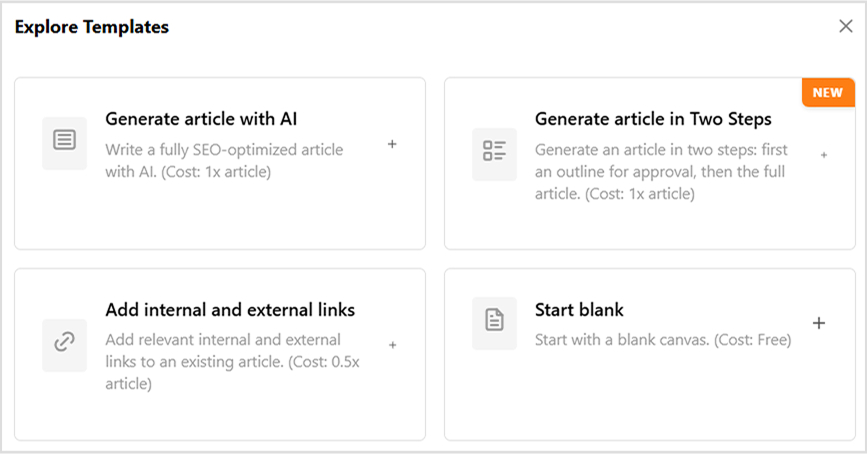
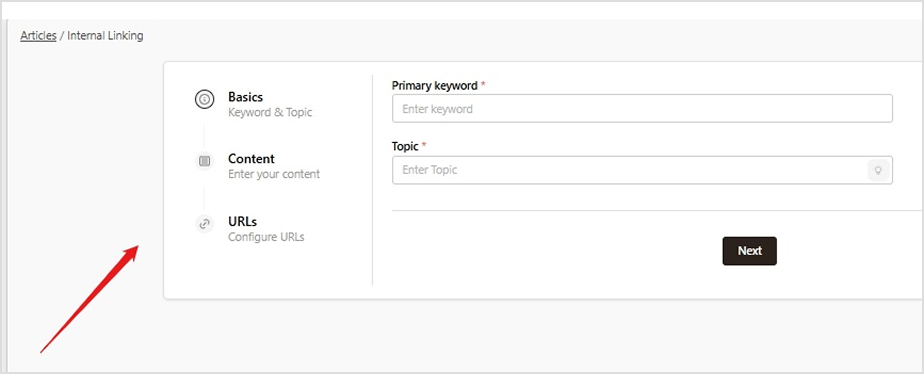
    Select a template based on your needs—whether you want to create a quick article, add links, or start with a blank canvas.

    choose template

    Step 4: Customize your article settings

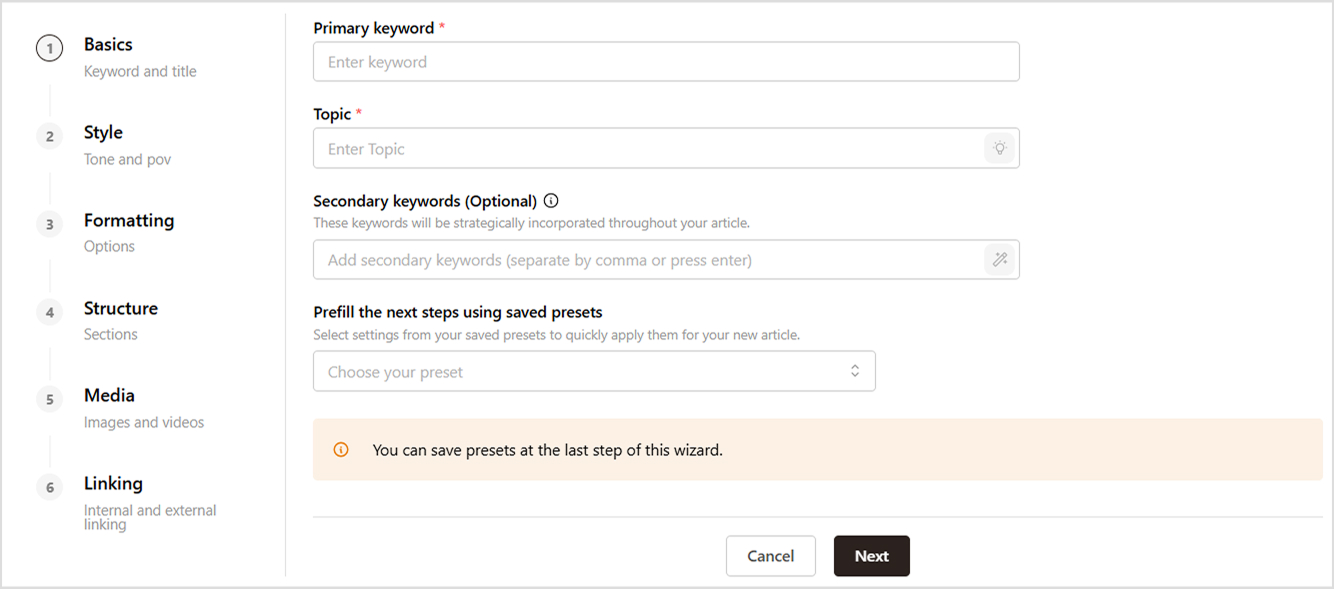
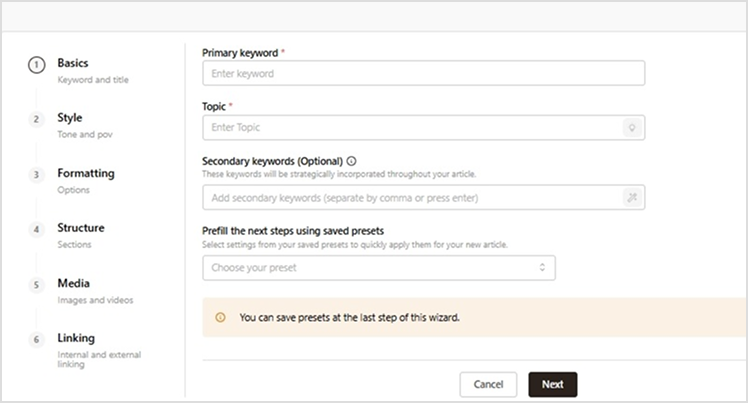
    Contentpen offers five key customization categories:

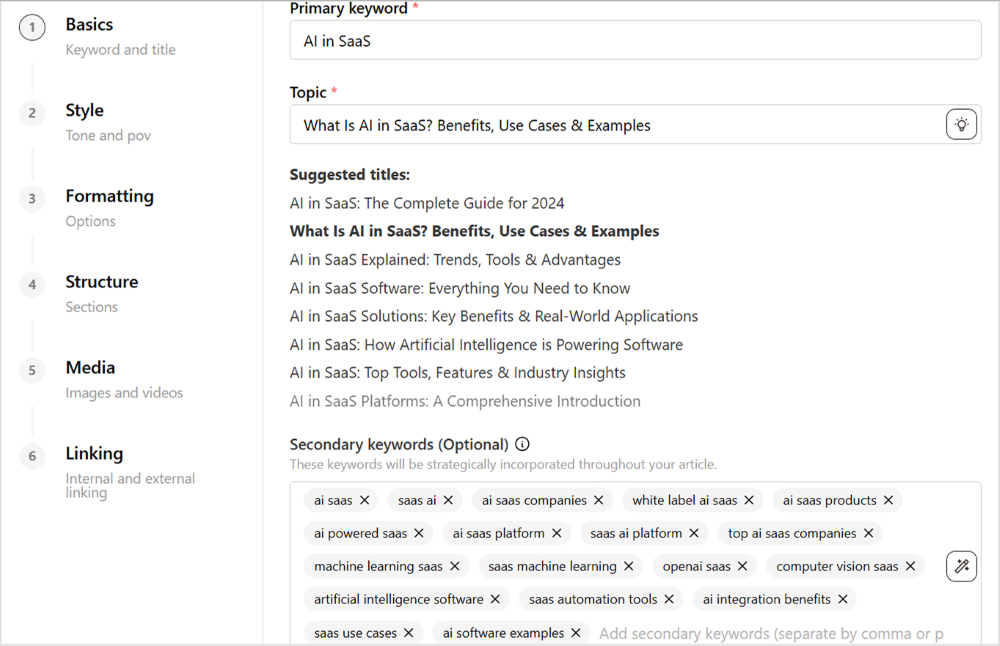
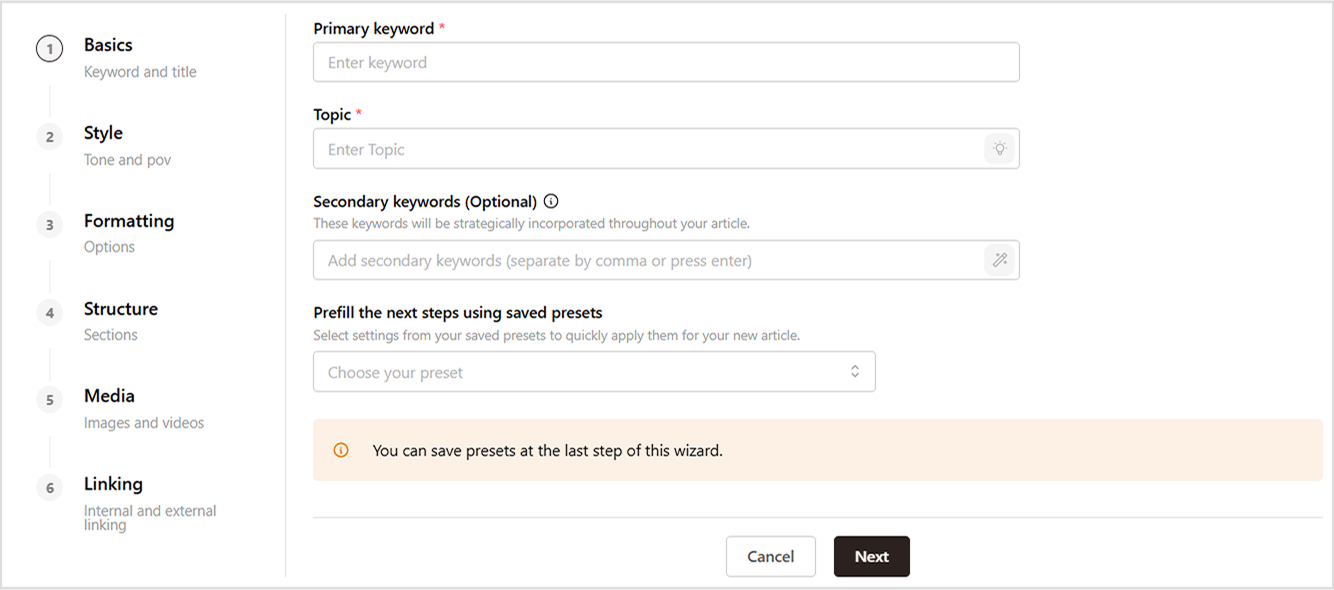
    • Basics – Add primary and secondary keywords to optimize your article. Save your changes to proceed.
    add keywords
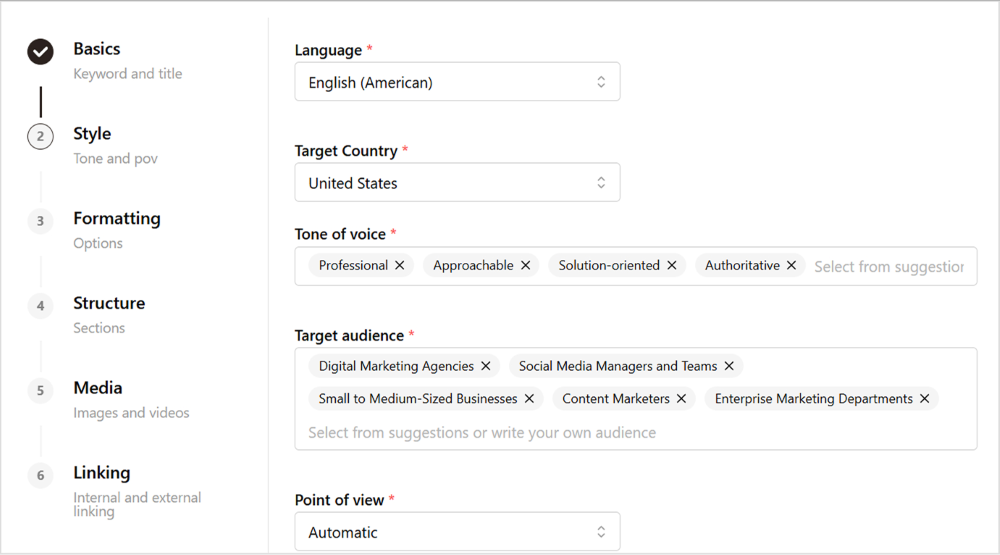
    • Style –  Define the tone of voice, target audience, and point of view.
    set tone of voice
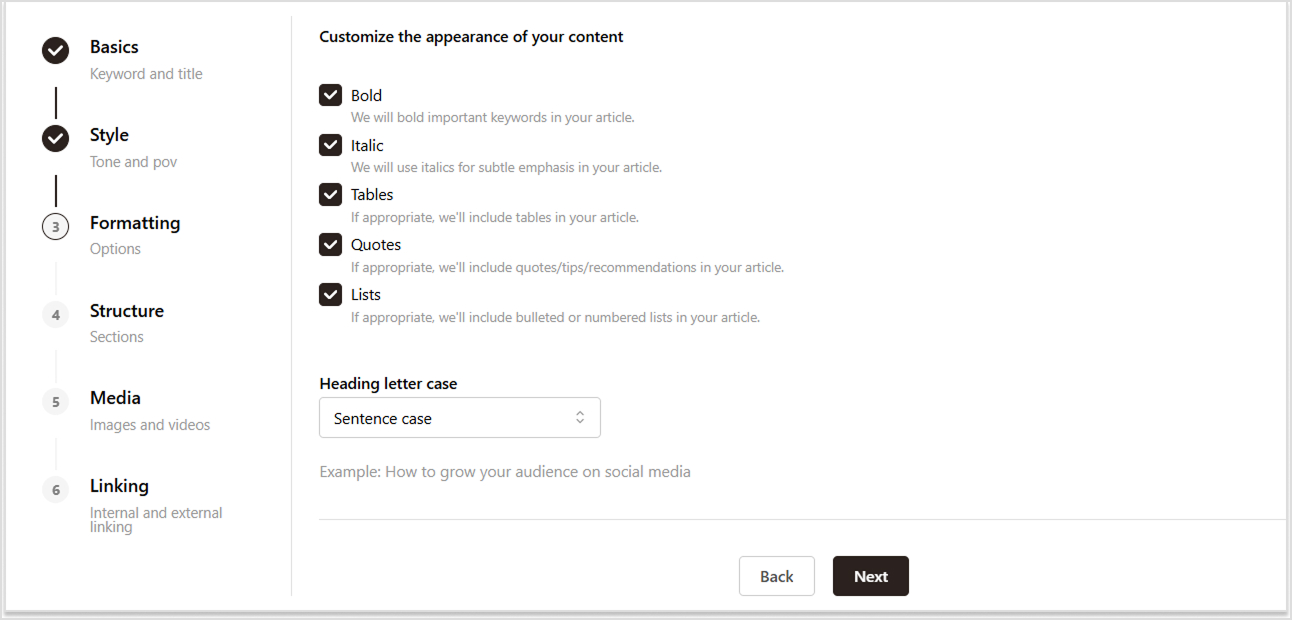
    • Structure – Choose formatting options like bold, italics, and bullet points.
    set structure
    • Formatting – Set the number of headings, additional sections.
    choose no. of headings

    or set image style.

    image style
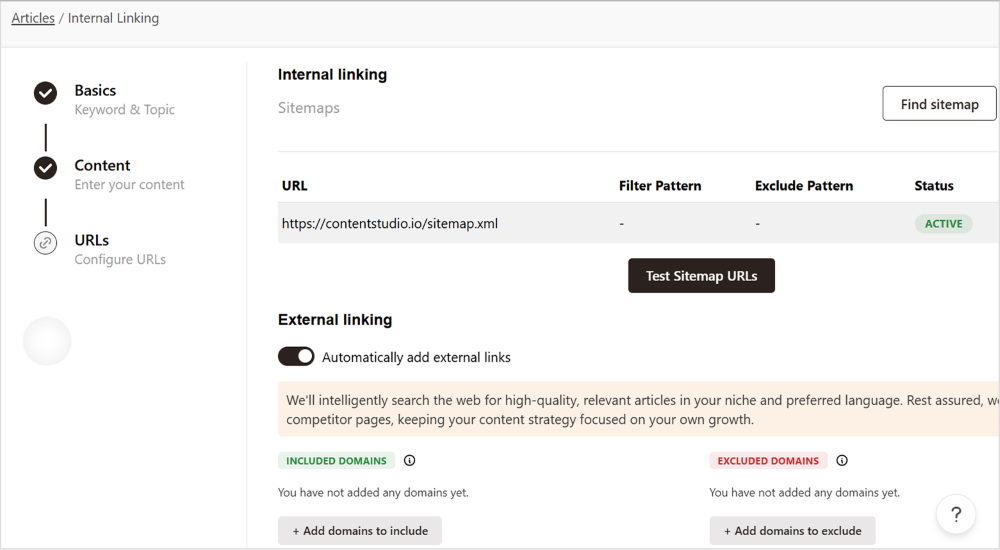
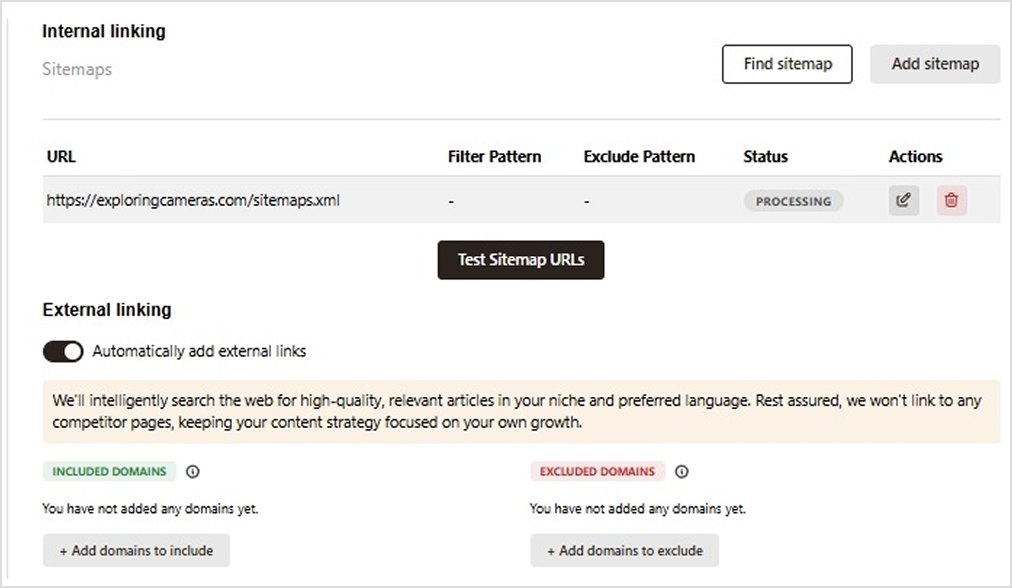
    • Linking – Enable internal and external linking or add a sitemap.
    set internal external linking

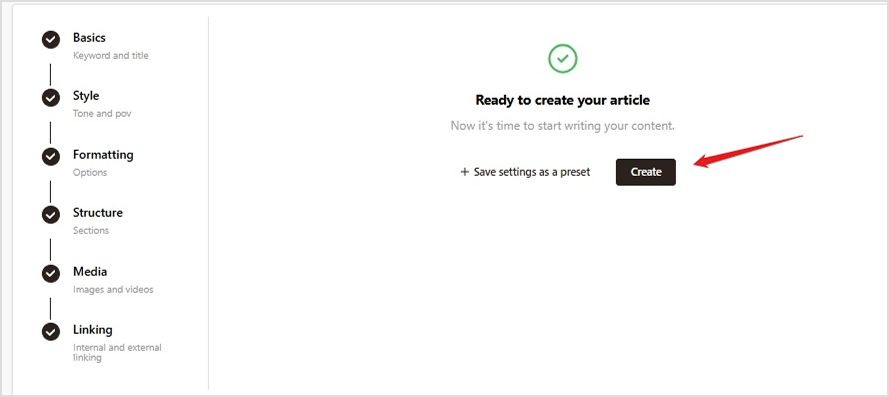
    Step 6: Export & publish

    Save your article and export it in your preferred format (Word, PDF, HTML, etc.). If supported, you can directly publish it on platforms like WordPress or Medium. Share it with your team for feedback and final edits.

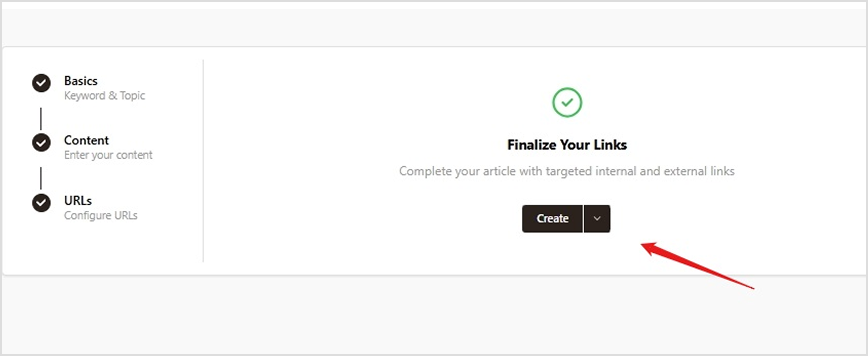
    Now that you have learned how to effortlessly create content using Contentpen. Learn more on speed up your blog writing using AI.

    FAQs on article writing

    What are the best practices for using Contentpen efficiently?

    To get the best results, provide clear input, use relevant keywords, adjust AI-generated content to match your style, and review before publishing.

    How does Contentpen compare to other AI writing tools?

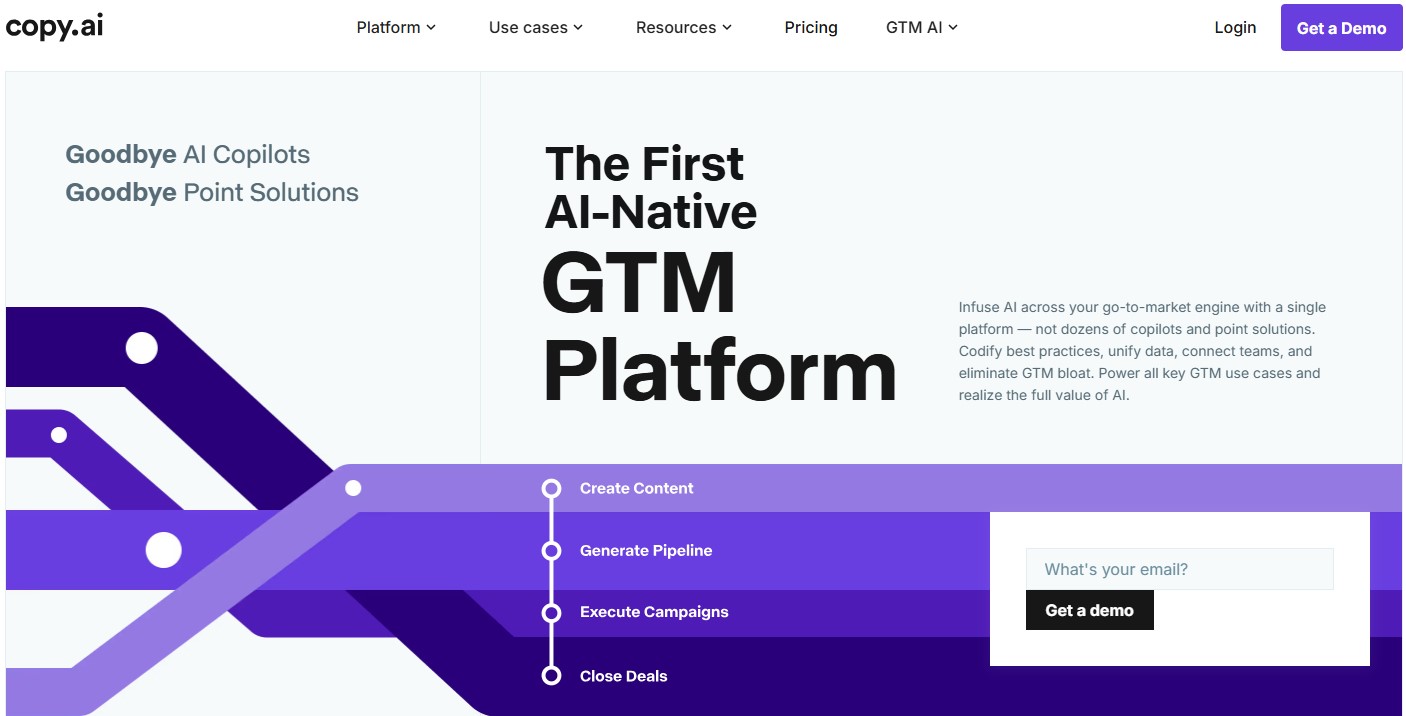
    Contentpen competes with tools like Jasper and Copy.ai by offering user-friendly features, SEO optimization, and customizable writing styles.

    Is the content generated by Contentpen SEO optimized?

    Yes, Contentpen ensures that every article is optimized for SEO by satisfying search intents, reviewing competitors’ content, and integrating keywords and meta details.

    Can I customize and edit the articles before publishing?

    Absolutely. You have full control over the articles and can review, customize, and edit any content before it goes live to ensure it fits your specific needs.

    Can I use Contentpen for multiple websites or projects?

    Yes, you can create multiple workspaces to manage the content of different brands separately. Each workspace allows the AI to learn from past activities, ensuring improved performance and relevance over time.

    What happens if I’m not satisfied with the content?

    You can request revisions or edit the content as needed. Contentpen also offers support to ensure the content meets your standards.

    Does Google punish AI content?

    Yes, Google can penalize AI-generated content if it’s deemed low-quality, lacks originality, or doesn’t provide value to users. Quality and relevance are key factors for SEO.

  • Does Google penalize AI content?

    Does Google penalize AI content?

    The short answer is No!

    “No, Google doesn’t penalize AI-generated content if it’s used appropriately”, says Google.

    The widespread adoption of AI in content creation has sparked considerable debate about its potential impact on search engine rankings, particularly whether Google penalizes AI-generated content.

    This overview explores the potential implications of AI on rankings, factors Google may consider when evaluating such content, and how creators can use AI blog writer tools responsibly to produce high-quality content that meets Google’s standards.

    Key takeaways

    • No, Google does not punishes AI-genereated content.
    • Yes, Google can detect AI-generated content.
    • Adhere to the Google guidelines related to the helpful content and EEAT.
    • AI content can rank on Google. However, humanize and edit where necessary.
    • Contentpen, the best content generation tool to look for in 2025

    1.0 Understanding AI generated content:

    AI-generated content refers to text, images, videos, or any other forms of media created by artificial intelligence algorithms without direct human input or creativity. These algorithms, often driven by machine learning and natural language processing, can produce content that mimics human writing styles, facts, and structure.

    At the core of many AI content creation tools are technologies like machine learning and natural language processing (NLP). Machine learning allows these systems to analyze and learn from large volumes of data, improving their ability to generate relevant and coherent content over time. Meanwhile, NLP enables the AI to understand and produce human-like language, allowing it to craft narratives that closely resemble those written by people.

    The capabilities of AI-generated content have evolved significantly. For instance, AI can now create articles that range from simple reports to complex blogs, mimicking various writing styles and tones depending on the intended audience. Additionally, it can generate visual content, such as images and graphics, that meets specific themes or design requirements. In the realm of videos, AI can even assist in editing and producing films or promotional content based on predefined scripts or concepts.

    The million-dollar question is whether Google can detect and truly rank AI-generated content or not.

    Let’s take a deep dive into it.

    2.0 Can Google detect and penalize AI content?

    Yes, Google can detect AI-generated content to some extent. While, Google’s algorithms do not explicitly penalize AI-generated content merely for being AI-generated and it does not specifically target AI-generated content. Its algorithms are designed to assess content quality, relevance, and adherence to Google’s guidelines.

    Google’s algorithms use various signals to identify content that may be generated by AI. This includes examining writing styles, structure, coherence, and even specific patterns that are more prevalent in AI-generated texts compared to human-written content.

    2.1 So, is AI content good or bad for SEO?

    AI-generated content can be a bit of a double-edged sword for SEO, right? On one hand, it’s super efficient for cranking out lots of content that’s optimized for specific keywords.

    But here’s the catch: if that content lacks a personal touch or feels too generic, it’s probably not going to resonate with your audience. Nobody wants to read something that sounds robotic or offers no real insights. Think of it this way: it’s like bland food that no one actually enjoys it!

    So, the secret sauce? Pairing AI with that all-important human touch. It’s all about making sure your content not only checks the SEO boxes, but also connects with readers in a meaningful way. So, while AI can be a great tool, don’t forget to sprinkle in that personal touch to truly engage your audience!

    Danny Sullivan, Google’s Search Liaison, clarified this in 2022, stating:

    “Using AI doesn’t make content inherently against our guidelines. If content is helpful and created for people first, it will do well regardless of how it was produced.”

    The myth that AI-generated content can get penalized by search engines has been debunked. Let’s further support this with relevant data and insights.

    2.2 Semrush analysis shows Google can successfully rank AI-generated content

    Semrush took a deep dive into the actual search engine results pages (SERPs) by picking 20,000 random keywords and examining the top 20 results on Google for each one. They compared how AI-generated content stacks up against human-written content in those top search positions. 

    So, what did they find? Let’s take a look at the results!

    While it’s true that human-written content often has a bit of an edge over AI-generated pieces, the difference isn’t as big as you might think.

    Take a look at the numbers: 57% of AI-generated content and 58% of content created by humans made it into the top 10. In fact, lots of people have found that AI-assisted writing can perform just as well as, or even better than, what humans come up with. So, it’s pretty clear that AI is making some impressive strides!

    You can find the detailed Semrush study here.

    3.0 How to create AI generated content that ranks on Google?

    Getting the most out of AI in content creation involves:

    • Using top-quality AI tools
    • Following Google Search’s guidelines

    3.1 Use the best content creation tools

    Using the right tools to create AI-generated content can significantly enhance the quality and effectiveness of your output. These advanced tools not only streamline the writing process but also help in generating ideas, improving grammar, and ensuring content relevance. 

    With various tools available in the market today, each offering unique features tailored to different aspects of content creation, it can be overwhelming to choose the best one. However, one tool that has truly blown me away is Contentpen.

    Contentpen is an AI content generation tool that combines deep research with your brand’s voice to craft high-impact, SEO-optimized articles that outperform your competition and help it rank on SERPs. 

    3.1.1 Multiple AI-powered brand agents

    Contentpen AI is a comprehensive writing tool that utilizes multiple specialized agents to streamline and enhance the content creation process, leveraging advanced artificial intelligence technology to ensure every piece of writing aligns with your brand’s identity and meets high-quality standards.

    • Brand Knowledge agent: An AI that learns and understands your brand’s voice, unique selling points, target audience, and competitors to tailor content effectively.
    • SERP Analysis agent: An AI that conducts in-depth research to analyze search engine results, identifying top-ranking pages and strategies that resonate with your audience.
    SERP analysis agent to avoid Google penalties-Contentpen
    • Copywriter agent: An AI that drafts engaging content based on selected keywords and SEO practices, creating compelling articles that align with your brand’s narrative.
    Copywriting agent
    • Reviewer agent: An AI that meticulously reviews and refines the draft, ensuring it meets quality standards and adheres to proven SEO guidelines for optimal performance.
    Internal linking
    • Optimization agent: An AI that enhances the article by adding strategic internal and external links, relevant images, and other elements to ensure comprehensive SEO optimization.
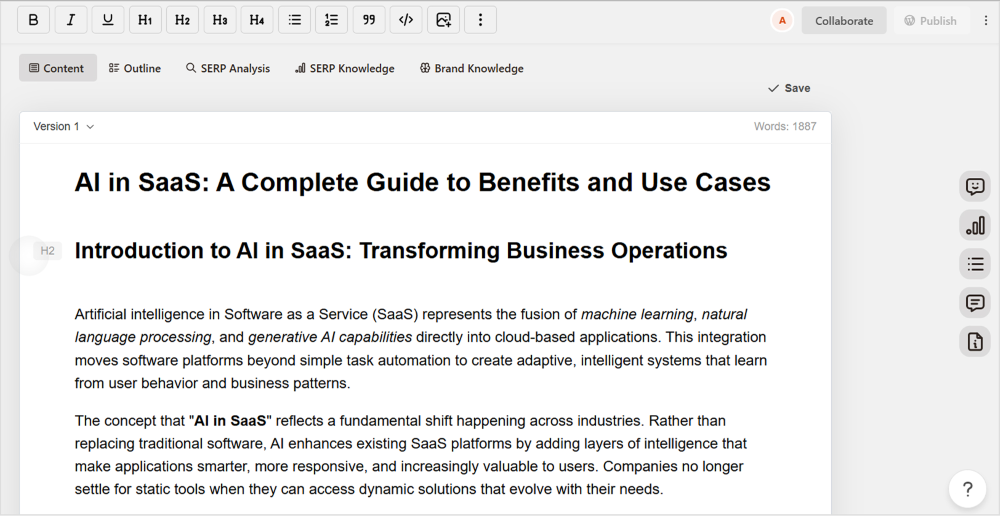
    Optimization agent

    3.1.2 Automate your blog publishing direct to your CMS

    Publish to CMS

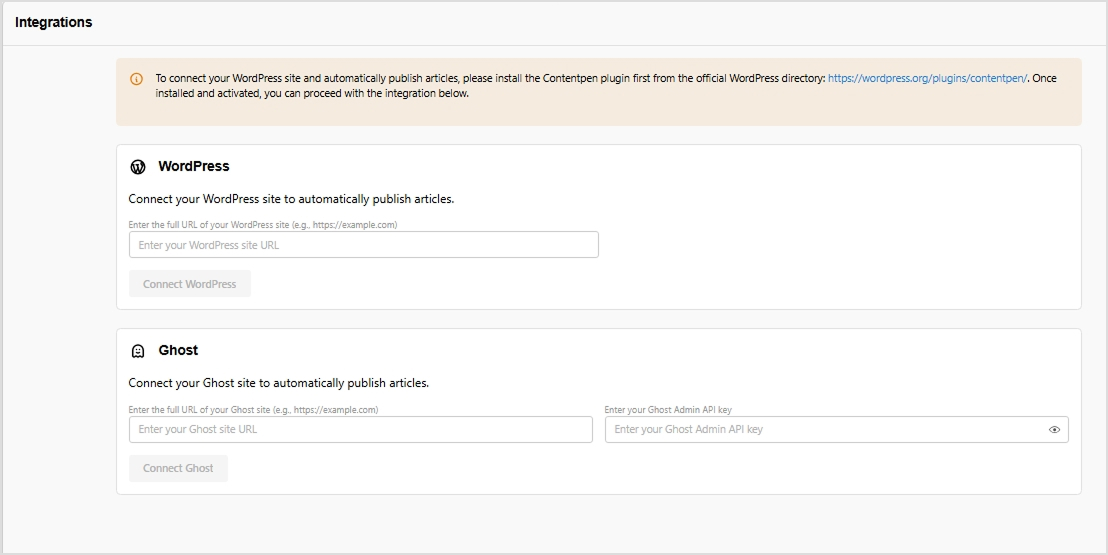
    Contentpen is designed to seamlessly integrate with WordPress, eliminating the frustrations of manual uploads and tedious formatting. With just a simple click, you can publish your posts directly to your site or even schedule them for a later date. This means you can spend less time on administrative tasks and more time focusing on what truly matters: creating incredible, engaging content that captivates your audience.

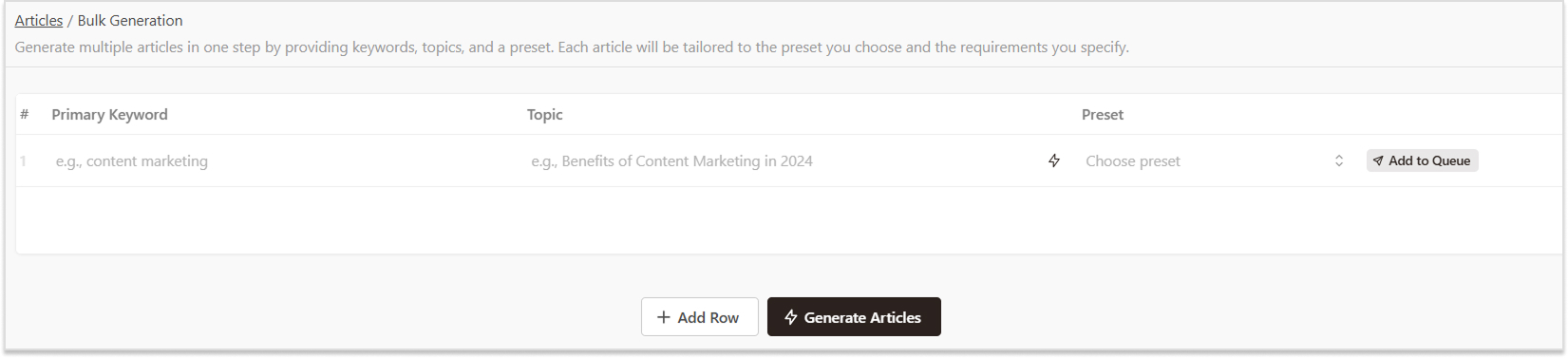
    3.1.3 Generate blogs in bulk for content publishing at scale

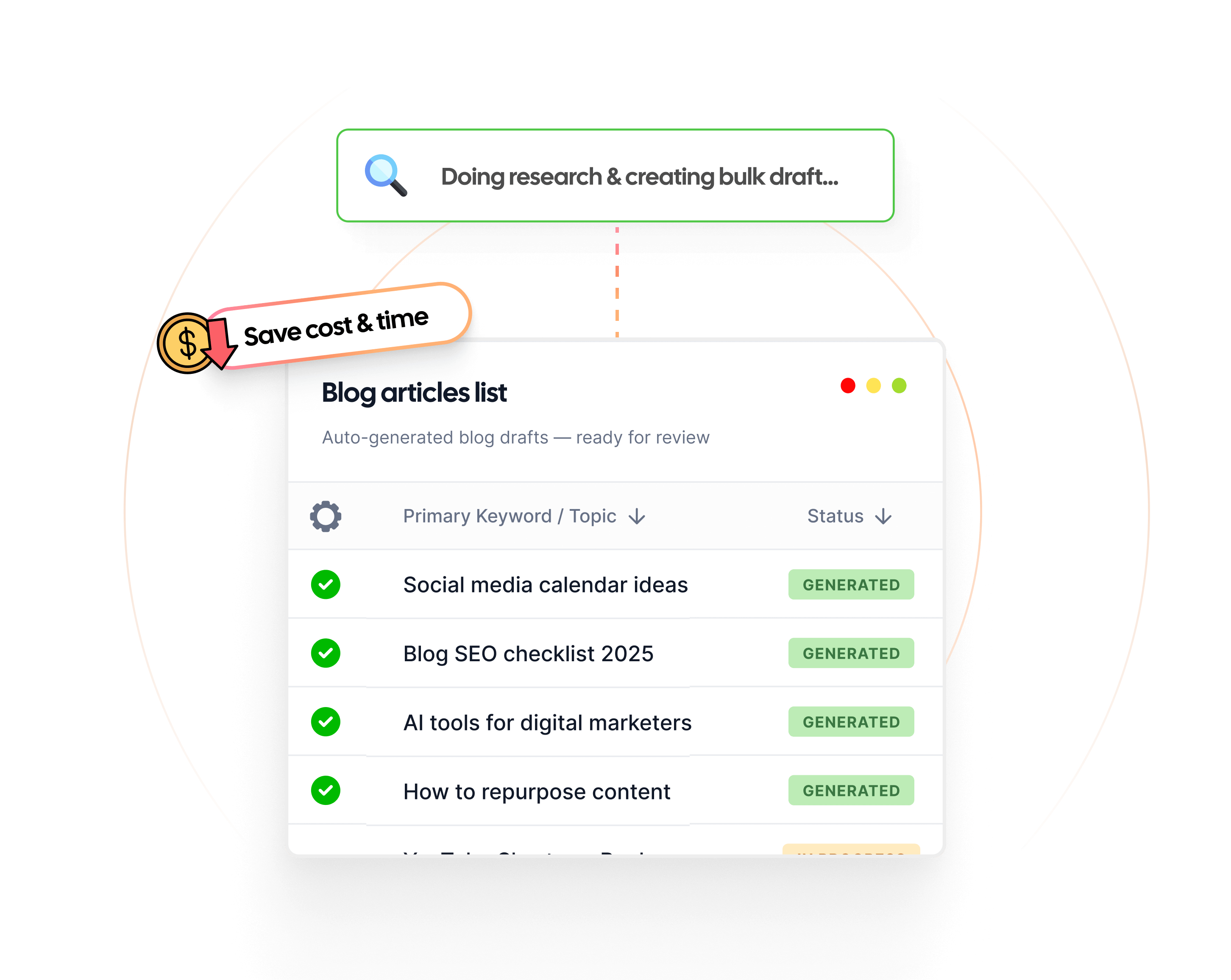
    Contentpen has introduced a game-changer with its bulk generation feature, designed specifically for content creators looking to amplify their efforts.Contentpen’s bulk generation capability streamlines the content creation process, allowing you to generate multiple pieces of content effortlessly.

    3.1.3 Streamline your task with approval workflow

    Contentpen- AI content generation tool

    The approval workflow transforms the way teams collaborate. The approval workflow allows for real-time feedback, making it easy for team members to voice their opinions and for clients to provide their insights instantly. This transparency fosters a collaborative environment where ideas can be shared freely, and adjustments can be made promptly, ensuring that each piece of content is polished to perfection before it goes live.

    3.1.4 Ask AI

    The magic of Contentpen lies not only in its efficiency but also in its ability to optimize and improve any content piece through its Ask AI feature.

    Contentpen vs others

    FeaturesContentpenOthers
    (GPT+Deepseek+Gemini+Claude+Perplexity etc.) 
    Direct publishing to WordPressYesNo
    Tailored for high-quality blog contentYesNo
    Integrated SEO optimizerYesNo
    Understands search intent and toneYesNo
    Kanban board for task managementYesNo
    All-in-one blog creation toolYesNo
    Brand-specific content creationYesNo
    Multiple AI agents for superior contentYesNo
    Collaboration-friendly designYesNo

    3.2 Follow Google Search’s guideline to generate AI content

    3.2.1 Automation can create helpful content

    While content automation, including AI, is allowed for content generation, using it primarily to manipulate search rankings violates Google’s spam policies. This means that content created solely to exploit search ranking loopholes risks being flagged as spam. Google employs sophisticated algorithms, like SpamBrain, to detect such practices, which can lead to penalties such as lower rankings or removal from search results. Therefore, content creators should prioritize delivering genuine value, ensuring that AI is used to enhance content quality rather than deceive search engines.

    3.2.2 Focus on E-A-T: 

    Create content that is well-researched and informative. Make sure it meets the needs of your audience. Google prioritizes content that demonstrates E-E-A-T. AI-generated content that lacks credible sources or authorial expertise could be penalized. Strive to create original and unique content that offers a fresh perspective or valuable insights.

    3.2.3 User intent and relevance: 

    Google rewards high-quality content, however it is produced. So create content that satisfies user intent and is relevant to the search query. AI-generated content that fails to address user needs or is irrelevant to the query could be ranked lower.

    3.2.4 Human oversight and editing: 

    Human involvement is crucial to ensure AI-generated content meets quality standards and aligns with brand voice and messaging. Adding personal insights and examples can make the content more engaging and relevant.

    3.2.5 Technical quality: 

    Google expects content to be well-written, formatted, and free of errors. AI-generated content that is poorly written or contains technical errors could be penalized.

    3.2.6 Avoid deceptive practices:

    Don’t create content just to trick search engines into ranking higher. Focus on providing real value to users. Ensure your content reflects its true purpose. Avoid clickbait or misleading headlines that can annoy users.

    3.2.7 Regularly update content:

    Keep your content current and relevant. Regular updates help reflect new information and meet user needs effectively.

    Conclusion

    AI has the potential to revolutionize content creation and significantly impact search engine rankings. By understanding the factors Google considers when evaluating AI-generated content and following responsible AI use guidelines, creators can leverage AI’s power to produce high-quality content that meets Google’s standards and achieves high search rankings.

    Potential implications of AI on search engine rankings

    • Quality and relevance: AI has the potential to generate high-quality, relevant content at scale, which could positively impact search rankings. However, if AI-generated content lacks originality, depth, or accuracy, it could negatively affect rankings.
    • Efficiency and speed: AI can automate repetitive content creation tasks, enabling faster content production and potentially improving rankings by increasing content freshness and frequency. However, overreliance on AI without human oversight could lead to low-quality content and harm rankings.
    • User experience: AI can personalize content and enhance user experience, which could indirectly improve rankings by increasing engagement and reducing bounce rates. Conversely, poorly executed AI-generated content could lead to a negative user experience and lower rankings.

    Frequently asked questions

    Does Google rank AI content?

    Yes, Google ranks AI-generated content, but it applies the same criteria it uses for all content. The content must be valuable, relevant, original, and created with user experience in mind. If AI-generated content fulfills these criteria and is well-optimized, it can rank effectively.Add image

    Will AI replace SEO?

    AI is unlikely to replace SEO but will transform how SEO is practiced. AI can enhance tasks such as keyword research, content creation, and data analysis, allowing SEO professionals to focus more on strategy and creativity. Rather than replacing, AI will serve as a tool to improve efficiency and effectiveness in SEO.

    How much AI content is acceptable by Google?

    There isn’t a specific threshold for “acceptable” AI content, but it should meet quality standards set by Google. The focus should be on providing valuable, relevant content that engages users. A best practice is to view AI as an assistant for generating drafts and ideas rather than a replacement for human creativity and oversight.

    What factors Google may consider when evaluating AI-generated content?

    Google evaluates AI-generated content based on several key factors:
    Quality and relevance: Content must provide real value to users, answering their queries effectively.
    E-A-T (expertise, authoritativeness, trustworthiness): Google looks for content created by experts in the field, with authoritative sources and accuracy.
    Originality: Avoidance of plagiarism and ensuring the content adds unique perspectives or information.
    User engagement: Metrics such as click-through rates, time spent on the page, and bounce rates can indicate how useful the content is to users.
    Adherence to guidelines: Content must adhere to Google’s guidelines against spammy behavior and manipulation.

    How can I get started with using AI for SEO?

    To start using AI for SEO:
    Identify tools:
     Research and select AI-powered tools such as content generators, keyword research tools, and analytics platforms.
    Keyword optimization: Use AI to generate keyword ideas by inputting topics relevant to your niche.
    Content creation: Utilize AI writers to draft content, ensuring to edit and enhance it for quality and relevance.
    Data analysis: Employ AI for analyzing performance metrics, understanding user behavior, and optimizing your website accordingly.
    Stay updated: Follow industry trends on AI developments and adapt your strategy based on new features and best practices.

  • How to use tone of voice in writing?

    How to use tone of voice in writing?

    Ever read something that felt cold and robotic,

    when it should’ve been warm and engaging?  

    Or maybe a message that sounded too casual when it needed authority? 

    That’s where tone of voice comes in – it shapes how your words connect with readers. Whether you’re crafting blog posts, sales copy, or emails, getting the right tone is crucial.

    With tools like Contentpen’s AI blog writer, you don’t have to guess. This powerful tool helps you adjust your writing tone effortlessly, ensuring your content sounds exactly how you want – professional, friendly, persuasive, or anything in between. 

    In this guide, we’ll explore how to use tone effectively and how Contentpen makes it easier than ever.

    What is tone of voice in writing?
    Tone of voice in writing refers to the way your words express emotions, personality, and intent. It’s how your content “sounds” to the reader – whether formal, casual, enthusiastic, or authoritative.

    Different types of tone of voice in writing with examples

    The tone of voice in writing defines how your message is perceived. It influences emotions, engagement, and brand identity.

    Here are some common types of tones, along with examples:

    1. Formal tone

    Used in professional, academic, or business settings where clarity and respect are essential.

    Example:

    “We appreciate your inquiry and will review your request shortly. Please expect a response within 24 hours.”

    2. Informal tone

    Conversational, friendly, and relaxed – often used in blogs, social media, or casual emails.

    Example:

    “Hey there! Just letting you know we got your request. We’ll get back to you ASAP!”

    3. Persuasive tone

    Encourages action, often seen in marketing, sales, or opinion pieces.

    Example:

    “Don’t miss out on this exclusive deal – sign up today and save 30%!”

    4. Authoritative tone

    Establishes credibility and expertise, commonly used in thought leadership and industry-specific content.

    Example:

    “Based on extensive research, our latest report outlines the key strategies for business growth in 2024.”

    5. Empathetic tone

    Shows understanding and compassion, often used in customer support, healthcare, or sensitive communications.

    Example:

    “We understand that delays can be frustrating. Our team is actively working to resolve the issue, and we appreciate your patience.”

    6. Humorous tone

    Lighthearted and entertaining, used to engage audiences and make content more relatable.

    Example:

    “Mondays are tough, but at least there’s coffee. And if that’s not enough, we’ve got a 20% discount to brighten your day!”

    7. Inspirational tone

    Encourages and motivates, commonly seen in personal development, fitness, or leadership content.

    Example:

    “Your dreams are within reach – take the first step today, and success will follow!”

    8. Storytelling tone

    Engages readers through narratives and experiences, often used in branding and content marketing.

    Example:

    “Five years ago, we started in a small garage with one vision – to revolutionize the way businesses grow online. Today, we’re helping thousands achieve that goal.”

    9. Sarcastic/Ironic tone

    Adds humor with a playful or exaggerated twist, often used for entertainment or social media.

    Example:

    “Oh great, another Monday! Just what we needed – more emails and less sleep.”

    10. Urgent tone

    Creates a sense of immediacy to drive action, often used in sales and promotions.

    Example:

    “Only a few hours left! Grab your deal before it’s gone forever!”

    How to control and adapt your tone easily?

    Maintaining a consistent brand voice in writing is key to building trust. Fortunately, with advancements in AI technology, managing your brand voice has never been easier.

    One of the most effective ways to achieve this is using an AI-powered writing assistant like Contentpen.

    Meet Contentpen – Your AI-powered writing assistant

    Brand voice generators, such as Contentpen, take the stress out of content automation, helping you automate, simplify, and scale your workflow effortlessly. With AI-driven precision, your brand voice stays consistent while you focus on crafting impactful blogs.

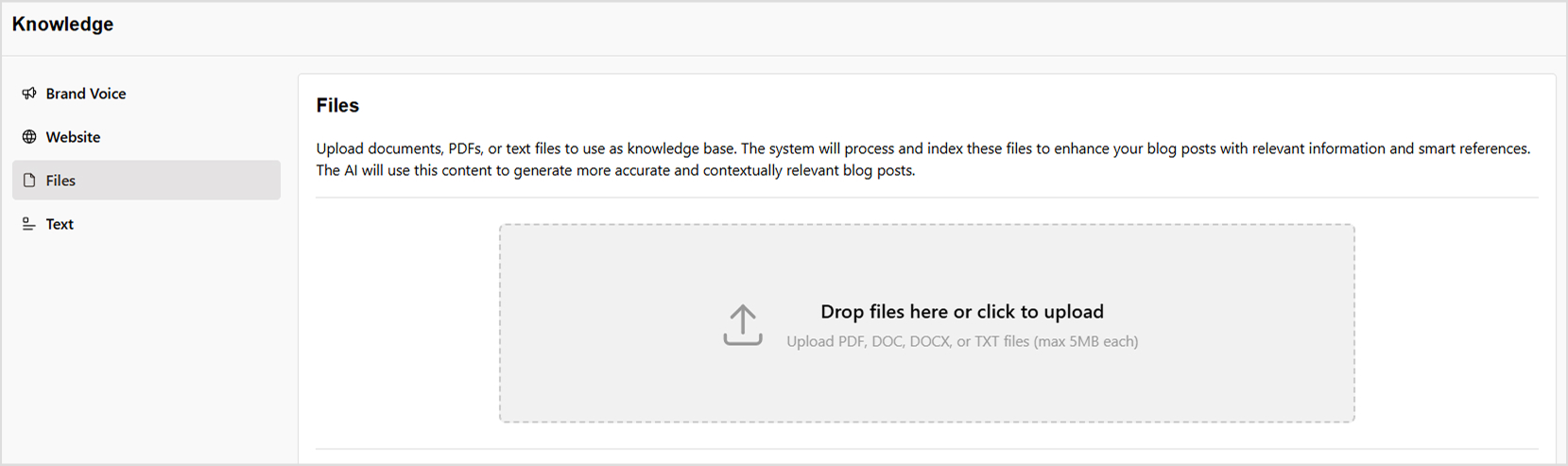
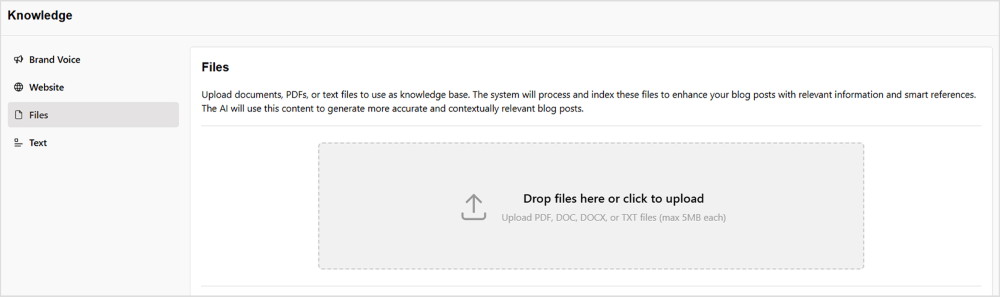
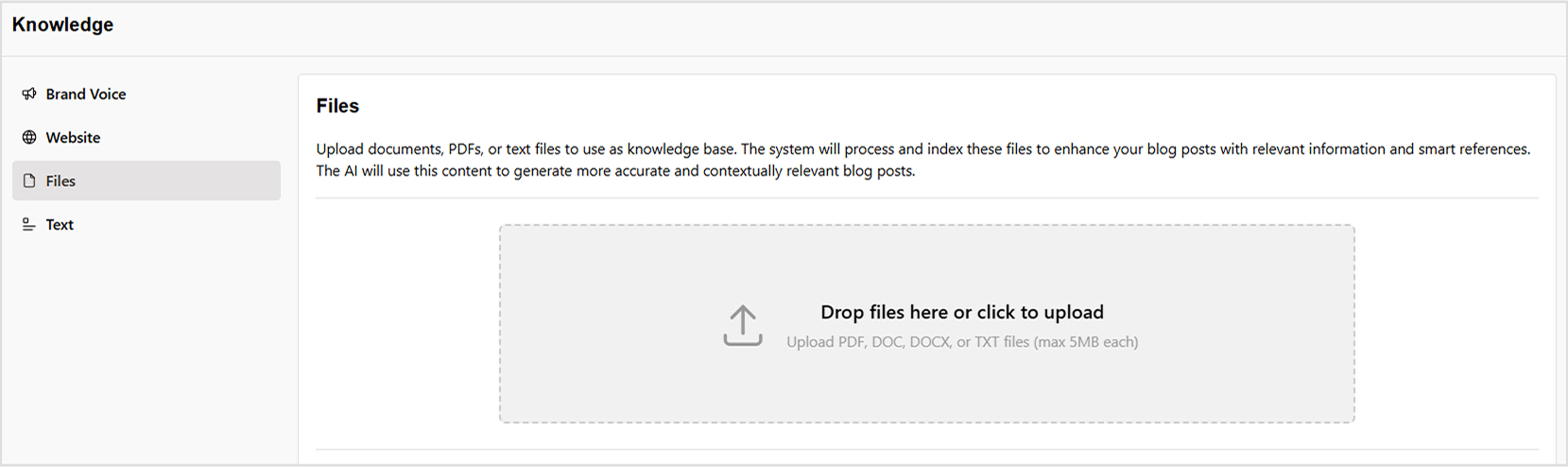
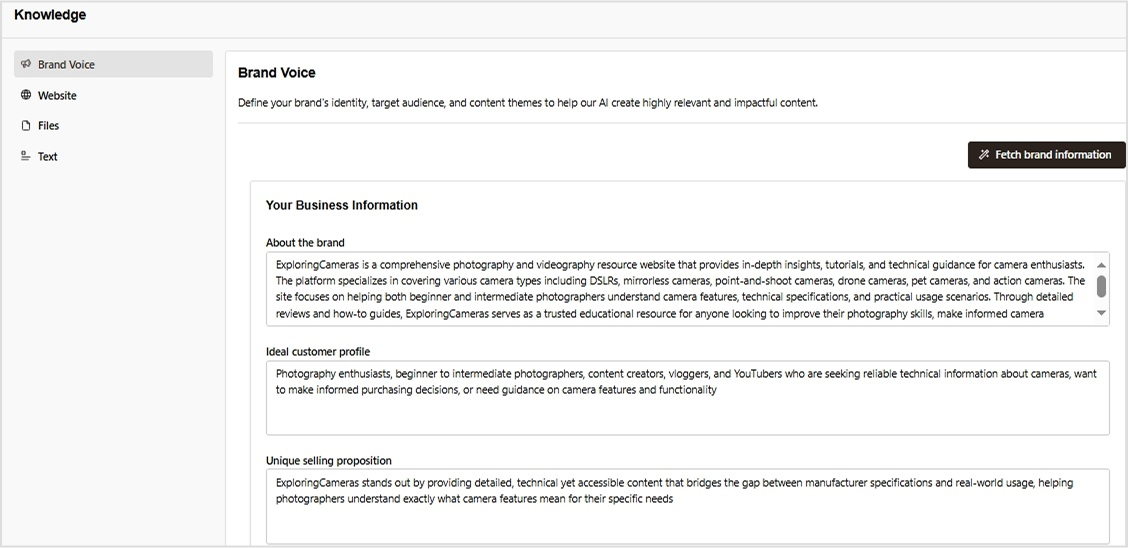
    Upon setting up a workspace, a powerful AI agent meticulously studies your website, grasping everything from your brand identity and key differentiators to your audience and competition. You can also supplement its learning by providing PDFs, help guides, or additional reference materials.

    tone of voice

    What can Contentpen do for you?

    Optimized blog outlines

    • Research-backed structure for better readability
    • Semantic SEO approach for strong on-page optimization

    High-quality first drafts

    • Multiple AI agents working in sync for precision
    • Blends brand research with engaging storytelling

    Seamless quality review & publishing

    • AI-powered optimization for tone, clarity, and impact
    • Direct publishing to WordPress and other CMS platforms
    quick content publishing

    Keyword & title optimization

    • AI-powered title suggestions to boost CTR
    • Aligns with search intent for better rankings
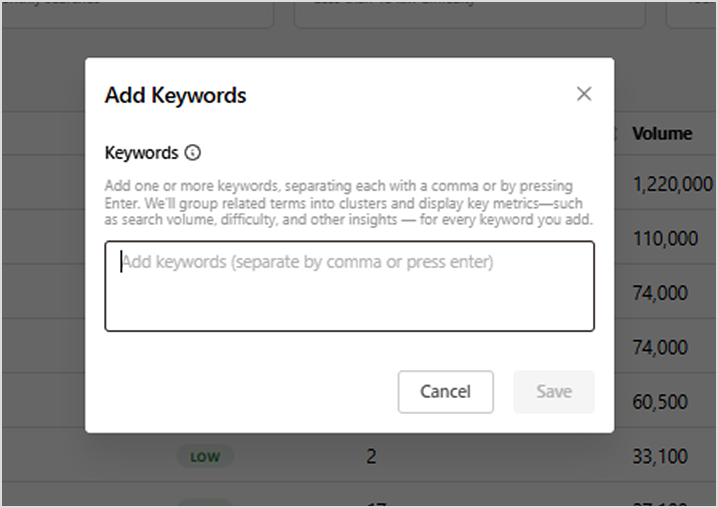
    • Keyword clustering for a strategic content plan

    Deep research & SERP analysis

    • Advanced AI bot for competitive analysis
    • Identifies content gaps to help you rank higher

    Besides that, Contentpen can add relevant images, videos, and internal and external links to make your blog posts more engaging and informative.

    Learn more: How to write an article using Contentpen?

    05 tips for controlling the tone of voice effectively

    Here are five essential tips to help you refine your tone and ensure it aligns with your intended communication style.

    1. Choose the right words

    The words you choose greatly influence the tone of your writing. In informal settings, swapping complex jargon for simpler words makes your content more approachable and easier to understand. 

    When writing persuasively, using powerful verbs can strengthen your message and make it more compelling. In professional or technical writing, keeping terminology precise ensures clarity and maintains credibility.

    2. Adjust sentence structure

    Sentence structure impacts how your message is perceived. Short, direct sentences create a sense of urgency and make information more digestible. 

    In contrast, longer and more descriptive sentences are ideal for storytelling or formal writing, as they provide depth and context while maintaining a sophisticated tone.

    3. Mind the punctuation

    Punctuation adds subtle cues that shape the tone of your writing. Exclamation marks (!) convey excitement or enthusiasm, making statements feel more lively. Ellipses (…) can introduce suspense or a casual, conversational tone. 

    Meanwhile, periods (.) maintain a neutral or professional tone, ensuring clarity and formality where needed. Choosing the right punctuation helps set the mood and intent of your message.

    4. Adapt based on medium

    The medium you’re writing for also affects tone. Emails, blog posts, and social media content each require a different approach. 

    An email to a colleague may be professional yet friendly, while a blog post can be conversational and informative. Understanding the expectations of different platforms helps you adjust your tone accordingly.

    5. Read aloud & edit

    Reading your content aloud is a simple yet effective way to fine-tune your tone. It helps you catch inconsistencies, awkward phrasing, or unintended shifts in mood.

    Once you’ve identified areas for improvement, careful editing ensures your tone aligns with your intended audience and purpose, making your message clearer and more impactful.

    Final thoughts

    Getting the tone of voice right isn’t just about sounding good – it’s about making real connections with your audience. Whether you’re writing a blog, sales pitch, or social post, the way your words “feel” can make all the difference. 

    By choosing the right words, structuring sentences effectively, and using tools brand voice generators like Contentpen, you can refine your tone and write blogs effortlessly.

    So, instead of second-guessing, let AI help you craft messages that are clear, engaging, and true to your brand voice.

    FAQs on tone of voice

    How to identify the right tone?

    To identify the right tone, consider your audience, purpose, and platform. Match formality to the context, ensuring clarity, engagement, and consistency.Add image

    How can I maintain a consistent tone in my writing?

    Define your tone beforehand and stick to a structured style. Regular editing and reading aloud help ensure consistency.

    What are common mistakes to avoid when setting the tone?

    Avoid sudden shifts in tone, excessive formality or informality, and overuse of punctuation. Always align tone with audience and purpose.

    Why use an AI-powered writing assistant?

    AI-powered writing assistants, such as Contentpen, are designed to streamline the content creation process while ensuring your brand voice remains consistent across all platforms.
    Why is tone important?

    Your brand voice tone is important because it helps you build connections, strengthens brand identity, enhances clarity, and drives action.