Schema markup is a small piece of code you add to a web page to tell search engines exactly what that page is about.
It uses a shared vocabulary from schema.org to label things like a business name, a product price, an author, or an event date. Google, Bing, and AI search tools read these labels to understand your content, and sometimes reward it with a rich result.
Search engines are smart, but they still guess. Without clear labels, a page that mentions “Apple” could be about a fruit, a phone, or a record label.
When they guess wrong, a competitor with star ratings and prices in their listing takes your click. With AI answers now sitting above the links, a fuzzy page is even easier to skip.
This guide explains schema markup in plain English, shows you real code, and walks through adding and testing it.
Let’s start with the simple version.
Key takeaways
- Schema markup is code, usually JSON-LD, that labels your content with the schema.org vocabulary.
- It isn’t a direct ranking factor, but rich results can lift clicks. Google’s own case studies show CTR gains of 25% to 82%.
- Google recommends JSON-LD, which now appears on 41% of web pages.
- FAQ rich results stopped showing in Google Search in May 2026, so focus on types Google still supports.
- Google says no special schema is needed for AI Overviews, but markup still helps search engines understand entities.
- Always validate your code with the Rich Results Test and the Schema Markup Validator.
What is schema markup in simple terms?
Think of schema markup as a name tag for your content. Visitors see your page as usual, while search engines see the page plus a tidy label that says “this is a recipe, it takes 30 minutes, and it has 4.8 stars.”
The code sits in your page’s HTML, usually inside a script tag. Readers never see it, so it won’t touch your design.
It’s part of technical SEO because it works behind the scenes. Yet it shapes what people actually see in the results.
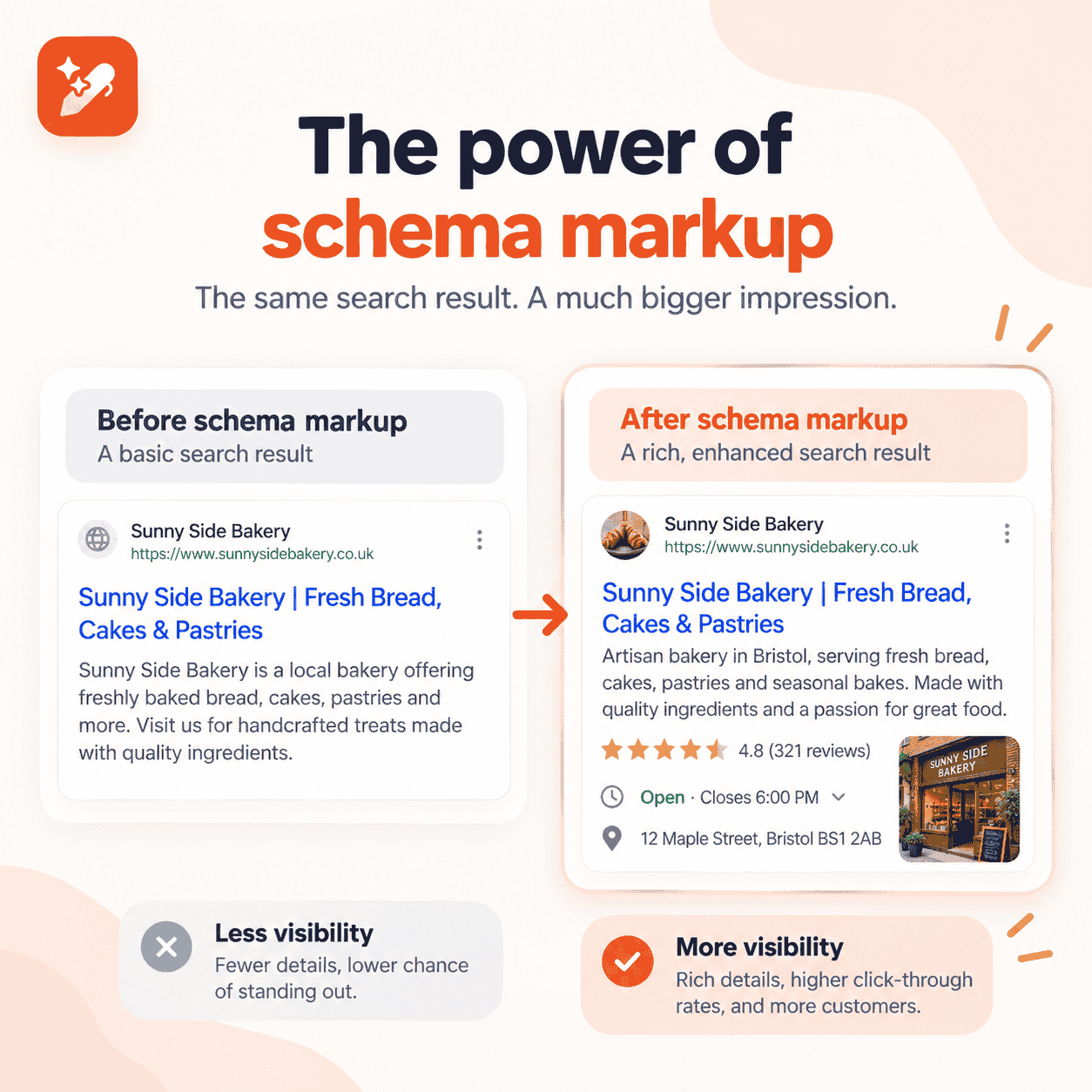
A quick before and after
Here’s how it plays out. Picture a bakery page that reads
| Open 8 to 6, 22 Main Street, call 555-0100. |
- Without schema: a crawler reads plain text and has to infer that “8 to 6” means opening hours.
- With schema: the same facts are tagged as openingHours, address, and telephone on a Bakery entity.
The second version leaves nothing to interpret. That clarity is the whole point.
Schema markup vs structured data: are they the same thing?
Not quite, although most people use the two terms as if they were. This table untangles four terms that often get mixed up.
| Term | What it means | Simple analogy |
|---|---|---|
| Structured data | Any information organized in a standard, machine-readable format | The idea of labeling things |
| Schema.org | The shared vocabulary of types and properties | The dictionary |
| Schema markup | Structured data written with the schema.org vocabulary on a web page | The labels you stick on |
| Rich results | Enhanced listings Google may show based on that markup | The reward you might earn |
In short, all schema markup is structured data. Not all structured data is schema markup, though. Open Graph tags for social previews are structured data too, but they use a different vocabulary.
How does schema markup work?
Every piece of schema markup has two parts: a vocabulary and a syntax. Search engines crawl your page, parse the code, and connect those labels to what they already know.
The vocabulary comes from schema.org
Google, Microsoft, Yahoo, and Yandex founded schema.org to give the web one common language. Version 30.1, released in September 2026, includes 826 types and 1,540 properties.
That sounds like a lot. The good news?
Most websites only need five to eight of them.
Adoption is massive, too. According to schema.org, more than 45 million domains marked up their pages with over 450 billion schema.org objects as of 2024.
The syntax: JSON-LD, Microdata, or RDFa
You can write schema markup in three formats. They all say the same thing in different ways.
| Format | How it’s added | Share of pages (2024) | Best for |
|---|---|---|---|
| JSON-LD | A separate script block in the head or body | 41% | Almost every site, and Google’s preferred format |
| Microdata | Attributes inside your existing HTML tags | 26% | Older templates already built this way |
| RDFa | Attributes inside HTML, also used by Open Graph | 66% | Linked data projects and social tags |
These adoption figures come from the HTTP Archive Web Almanac 2024. RDFa looks high only because Open Graph tags count toward it.
JSON-LD is the one to watch. Its share grew from 34% of pages in 2022, and Google recommends it whenever your setup allows.
Why is schema markup important for SEO?
Schema markup gives search engines certainty. That certainty pays off in a few ways.
It can turn a plain link into a rich result
Rich results are listings with extras like star ratings, prices, images, or breadcrumbs. They take more space on the page and pull the eye.
The numbers back this up. Google’s structured data case studies report:
- Rotten Tomatoes saw a 25% higher click-through rate on pages enhanced with structured data.
- Food Network saw a 35% increase in visits after adding it to 80% of its pages.
- Nestlé measured an 82% higher click-through rate on pages that showed as rich results.
A better click-through rate means more traffic from rankings you already hold. No new backlinks needed.
It helps search engines understand entities
Search engines no longer just match words. They map people, brands, products, and places as entities, then connect them in a knowledge graph.
Schema markup lets you state those facts outright. A sameAs property, for example, ties your Organization to its LinkedIn or Crunchbase profile.
It’s the same thinking behind semantic SEO, where meaning matters more than exact-match keywords.
Is schema markup a ranking factor?
No, not directly. Google has said for years that structured data alone doesn’t push a page higher.
But here’s the catch. Schema can still grow traffic through better CTR, eligibility for search features, and clearer entity signals. Treat it as a visibility tool, not a ranking trick.
Does schema markup help with AI search?
It’s a fair question. Schema helps AI engines extract your content more easily, but it isn’t directly tied to AI citations.
Think of it this way. Clean markup hands AI systems your key facts, like your brand name, prices, and authors, in a format they can’t misread.
Whether they actually cite you is a different matter. That depends on how well your content answers the question and how much the web trusts your brand.

Write better blogs in less time, without sacrificing quality.
Let AI handle structure, clarity, and flow while you stay in control of the message.
Try AI blog writing →
Google’s page on AI features and your website states there’s “no special schema.org structured data that you need to add” to appear in AI Overviews or AI Mode. It does ask that your structured data match the visible text on the page.
Independent data points the same way. When Ahrefs tracked 1,885 pages adding schema, ChatGPT and AI Mode citations moved only about 2%, a change indistinguishable from zero.
So where does schema still earn its keep? It feeds the search indexes and knowledge graphs that Google AI Overviews and Bing Copilot draw from. That makes it one supporting layer of answer engine optimization, next to clear answers, solid structure, and trusted mentions.
What are the most common types of schema markup?
You won’t need all 826 types. These nine cover most websites.
| Schema type | Where to use it | What it can unlock in Google |
|---|---|---|
| Organization | Homepage or about page | Logo and company details |
| WebSite | Homepage | Your site name in results |
| BreadcrumbList | Most inner pages | A breadcrumb trail instead of a raw URL |
| Article or BlogPosting | Blog posts and news | Headline, image, author, and date details |
| Product with Offer | Product pages | Price, stock status, and review stars |
| LocalBusiness | Location pages | Hours, address, and map details |
| Review or AggregateRating | Reviewed items | Star ratings |
| Event | Event pages | Event listings with dates |
| VideoObject | Pages with video | Thumbnails and key moments |
One big 2026 change: FAQ rich results stopped appearing in Google Search on May 7, 2026, according to Google’s Search Central updates log. FAQPage is still valid schema.org code, but it no longer earns a special listing.
Google’s search gallery lists every feature it still supports. Check it before you build anything new.
What does schema markup look like in code?
Here’s the bakery from earlier, written as LocalBusiness markup in JSON-LD. You’d paste it into the page’s HTML.
| <script type=”application/ld+json”> { “@context”: “https://schema.org”, “@type”: “Bakery”, “name”: “Main Street Bakery”, “telephone”: “+1-555-0100”, “openingHours”: “Mo-Sa 08:00-18:00”, “address”: { “@type”: “PostalAddress”, “streetAddress”: “22 Main Street”, “addressLocality”: “Springfield”, “addressCountry”: “US” } } </script> |
Each part has one job:
- @context tells the crawler you’re using schema.org.
- @type names the thing you’re describing, here a Bakery, which is a kind of LocalBusiness.
- Everything else is a property, like the name, phone, hours, and address.
How do you add schema markup to a website?
You don’t need to be a developer for most sites. Follow these steps.
- Pick the right type: Match the main subject of the page, such as a product, an article, or a location.
- Generate the code: Write it by hand, use a schema generator, or ask an AI assistant for a first draft.
- Fill the required properties: Google’s documentation lists required and recommended fields for each type.
- Add it to the page: Paste the JSON-LD into your template, or use a CMS plugin, theme setting, or Google Tag Manager.
- Test before you publish: Run the code through the validation tools below.
- Monitor after launch: Search Console flags errors as Google recrawls your pages.
How do you check if schema markup is working?
Three free tools cover almost every check you’ll need.
| Tool | What it checks | When to use it |
|---|---|---|
| Rich Results Test | Whether a page is eligible for Google rich results | Before and right after publishing |
| Schema Markup Validator | Whether any schema.org code is valid | Debugging any type, even ones Google ignores |
| Search Console enhancement reports | Errors and valid items across the whole site | Ongoing monitoring |
Keep one thing in mind. Passing the validator doesn’t guarantee a rich result, because Google applies its own eligibility rules.
Make schema checks a standing item in every SEO audit you run.
Understand what’s working, and why with real-time analytics
Track performance and make smarter content decisions with clear insights.
View Analytics Dashboard →
Which schema mistakes should you avoid?
Most schema problems come from a handful of habits. Watch for these:
- Marking up hidden content: Google’s structured data policies say markup must describe what users can see, or you risk a manual action.
- Self-serving reviews: Adding star ratings your business wrote about itself breaks the rules.
- Missing required properties: The code may validate, but it won’t qualify for the feature.
- Duplicate markup: A theme and a plugin both outputting Organization schema can send mixed signals.
- Stale values: An old price or dateModified that no longer matches the page erodes trust.
- The wrong type: LocalBusiness on a blog post confuses more than it helps.
Run these checks alongside your on-page SEO checklist so nothing slips through.
How Contentpen helps you get more out of schema markup
Schema only works as well as the content underneath it. If the page is vague, the markup has nothing solid to describe.
Contentpen is an SEO AEO tool that makes sure the content is clear, structured, and ready to be understood. It doesn’t write JSON-LD for you, but it handles everything the markup depends on:
- Live SEO and GEO scoring checks heading hierarchy, answer-box paragraphs, FAQ blocks, meta details, and named entity coverage as you write.
- AI-extractable structure adds key takeaways and a hyperlinked table of contents, so answer engines can lift your content cleanly.
- One-click CMS publishing sends posts to WordPress, Shopify, Wix, Webflow, Ghost, and more, where your schema plugin can tag them automatically.
- The AI visibility tool tracks how ChatGPT, Google AI, Perplexity, Gemini, Copilot, Grok, and Claude mention your brand, so you can see what’s working.
Find your brand in AI search

Track AI citations, share of voice, and brand sentiment
Find the top sources driving citations
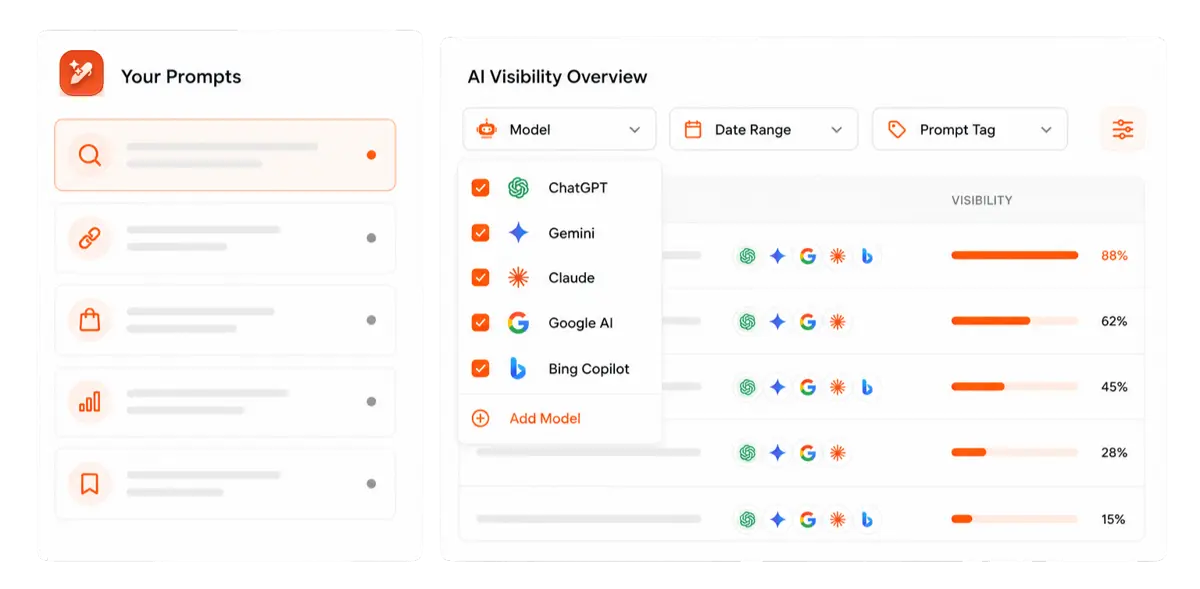
Ready to publish pages that search engines and AI answers both understand? Start your first article in Contentpen today.
Schema markup turns your page into a clear answer
Schema markup is a label that removes guesswork. It tells search engines who you are, what you offer, and how each fact on your page fits together.
It won’t lift rankings by itself. It can, however, win richer listings, sharper entity signals, and a cleaner path into the systems AI answers rely on.
Start with Organization, WebSite, and BreadcrumbList. Add the types that match your pages, validate everything, and keep the values fresh.
Frequently asked questions
Google has to recrawl the page first, which can take a few days to a few weeks. Even then, rich results aren’t guaranteed, since Google decides when to show them.
Yes. The schema.org vocabulary and Google’s testing tools are free. Your only cost is time, or a premium plugin if you’d rather not write code.
Yes, and most pages should. A blog post can carry BlogPosting, BreadcrumbList, and Organization together, linked with @graph and @id so search engines see one connected picture.
Yes. Microsoft co-founded schema.org, and Bing reads the same markup. At SMX Munich 2025, Bing’s Fabrice Canel said schema helps Microsoft’s LLMs understand content, as reported by Search Engine Land.
Meta tags describe the page as a whole, like its title and description for the snippet. Schema markup describes the things inside the page, such as a product, a person, or an event.
Most pages benefit from at least BreadcrumbList and a page-level type like WebPage or Article. Thin utility pages, such as login or cart pages, don’t need it.