Author: Eeman Bokhari

  • 23 best product blog examples to inspire your own in 2026

    23 best product blog examples to inspire your own in 2026

    Most product blogs quietly lose money. They publish on a schedule, almost nobody reads them, and six months later someone in a meeting asks why “content” never worked.

    The blogs that actually pull their weight look nothing like a corporate newsroom. They read like a resource the customer genuinely wanted to find.

    Below you will find 23 examples grouped by type, a short breakdown of what each one does well, and the exact patterns you can copy. 

    Stick around for the framework and the step-by-step build at the end, because that is the part most “best blog” roundups leave out.

    BlogCategoryBest known for
    HubSpotSaaSSegmented topic clusters and templates
    AhrefsSaaSProduct-led SEO tutorials
    IntercomSaaSOpinionated product and support content
    HotjarSaaSData-backed UX and CRO content
    Mixpanel (The Signal)SaaSSingle, data-focused editorial thesis
    UserpilotSaaSOnboarding content plus a video hub
    Monday.comSaaSLong-form SEO and topical authority
    SparkToroSaaSFounder-led whiteboard video
    Paddle (ProfitWell)SaaSPricing teardowns
    DropboxSaaSProductivity thought leadership
    Peach & LilyEcommerceEducational skincare with soft CTAs
    Care/ofEcommerceMedically reviewed wellness content
    Floyd (Stay Floyd)EcommerceReal Airbnb product showcases
    Beavertown BreweryEcommerceNiche guides with product links
    BrooklinenEcommerceShoppable visual listicles
    PetlibroEcommerceFast organic growth from a late start
    RotabullB2BOwning a hyper-specific niche
    EverlywellB2BRelatable topics for a niche product
    WynterB2BPractitioner-written GTM content
    Lenny’s NewsletterProduct managementResearch plus operator interviews
    Product TalkProduct managementContinuous discovery frameworks
    SVPGProduct managementLong-term product leadership authority
    Product Marketing AllianceProduct marketingA hub of articles, video, and events

    What is a product blog?

    A product blog is a blog run by a company to support a product, usually to attract the right audience, educate potential buyers, and move them toward a purchase or signup. 

    It sits on the brand’s own domain and blends helpful, search-friendly content with subtle product tie-ins. Basically, it grows organic traffic while quietly building trust in what the company sells.

    That definition covers a wide range in practice.

    • A SaaS product blog might publish long how-to guides that rank on Google. 
    • An ecommerce product blog might publish buying guides and brand stories that lead readers toward the shop. 
    • A product team’s blog might publish frameworks and lessons that build a following among practitioners.

    All three are product blogs. They just serve different products and audiences.

    From outline to publish-ready content that fills them

    check

    Structured

    check

    Consistent

    check

    SEO-aligned

    check

    Fast

    Generate Outlines FREE
    AI SEO Interface

    How we chose these product blog examples

    Not every high-traffic blog is worth copying, and not every beautiful blog earns its keep. To make this list, a blog had to do at least three of the following well:

    • Serve a clearly defined audience rather than “everyone”
    • Publish content people actually search for or want to share
    • Tie content back to the product without turning every post into a sales pitch
    • Show a repeatable format the team can produce consistently
    • Drive a measurable business result, such as organic traffic, signups, or sales

    With that filter in place, here are the examples, grouped by the kind of product each blog supports.

    SaaS product blog examples

    Software companies live or die by content, since a large share of their organic traffic and signups can come from the blog. These are the SaaS product blogs worth studying.

    1. HubSpot blog

    HubSpot is the reference point most marketers reach for, and for good reason. The company runs several blogs (marketing, sales, service, and more), and much of that content is available to non-customers. 

    The strength is breadth plus depth: templates, ultimate guides, how-tos, and original research, all neatly segmented by audience so a reader lands exactly where they need to be.

    • What to copy: build topic clusters around your buyer’s real questions, then package the best posts with downloadable templates that capture emails.

    2. Ahrefs blog

    Ahrefs turned its blog into one of the clearest examples of product-led content. Posts teach SEO using the tool itself, so readers learn a skill and see the product in action at the same time. 

    The company reportedly grew to tens of millions in annual recurring revenue with very little paid acquisition, in large part because of this content approach.

    • What to copy: weave your product into the tutorial as the natural way to complete the task, rather than bolting a call to action onto the end.

    3. Intercom blog

    Intercom’s blog pairs practical support and product content with strong, opinionated points of view on how software should be built and how customers should be served. That mix of tactics and opinion is what keeps people subscribing rather than reading one post and leaving.

    • What to copy: publish a real perspective, not just neutral how-tos. A clear opinion gives readers a reason to come back and a reason to share.

    4. Hotjar blog

    Hotjar sells heatmaps and behavior analytics, and its blog reflects that DNA. Posts on user research, conversion, and UX are packed with data, examples, and resources, which makes the content useful whether or not you use the product.

    • What to copy: lead with data and concrete examples. Content that shows evidence outperforms content that only asserts.

    5. Mixpanel (The Signal)

    Mixpanel’s blog, The Signal, is built around a single promise: using data to build better products. That editorial focus keeps the content coherent, so readers always know what they will get and why it connects to the product.

    • What to copy: give your blog one clear editorial thesis that mirrors what your product helps people do.

    6. Userpilot blog

    Userpilot’s blog is a strong resource on onboarding, product adoption, and retention. Beyond written guides, it runs a hub of video content for readers who would rather watch than read, which widens its reach across formats.

    • What to copy: repurpose your best posts into video or short clips so the same idea can travel across more channels.

    7. Monday.com blog

    Monday.com built serious topical authority through long-form SEO content. Its comprehensive guides rank for competitive terms and pull in steady organic traffic through strategic internal linking and deep coverage of a topic rather than thin, scattered posts.

    • What to copy: pick a handful of high-value topics and cover them more thoroughly than anyone else, then interlink them into a cluster.

    8. SparkToro blog

    SparkToro, led by Rand Fishkin, leans on founder-led educational video. Short whiteboard-style clips explain marketing concepts, product trends, and how-tos, and they double as blog content and social fuel.

    • What to copy: put a credible human face on the content. Founder-led and expert-led posts build trust faster than a faceless brand voice.

    9. Paddle (formerly ProfitWell) blog

    The ProfitWell blog, now part of Paddle, became known for pricing teardowns and subscription strategy, content aimed squarely at the exact people who buy the product. The teardown format is memorable, repeatable, and genuinely useful.

    • What to copy: invent a signature format (a teardown, a scorecard, a recurring series) that becomes associated with your brand.

    10. Dropbox blog

    Dropbox blends thought leadership with practical productivity and collaboration advice, organized into clear categories that reflect how people actually work. It shows that even a very large brand can keep a blog focused and readable.

    • What to copy: organize content around the reader’s job, not your internal team structure.

    Write better blogs in less time, without sacrificing quality.

    Let AI handle structure, clarity, and flow while you stay in control of the message.

    Try AI blog writing
    AI SEO Interface

    Ecommerce and DTC product blog examples

    Ecommerce blogs face a harder road than they used to, with AI overviews and marketplace giants competing for attention. The brands that still win treat the blog as brand building and organic discovery, not just a coupon delivery system.

    11. Peach & Lily

    DTC skincare brand Peach & Lily runs an educational blog. Nearly every post teaches something, such as the difference between retinol and retinoid, before connecting naturally to a relevant product. 

    A first-purchase discount offer on the blog gives readers a low-friction reason to convert.

    • What to copy: educate first, sell second, and place one clear, gentle incentive where an engaged reader can act on it.

    12. Care/of

    Care/of, a DTC vitamin and supplement brand, publishes clean, fast-loading, well-written content that is medically reviewed and backed by scientific studies. In a crowded wellness market, that credibility is the differentiator.

    • What to copy: in any space where trust is fragile, add review, citations, and expert sign-off to your content.

    13. Floyd (Stay Floyd)

    Furniture brand Floyd built a genuinely original blog concept with Stay Floyd, which showcases real Airbnb spaces furnished with Floyd products. Instead of chasing search traffic like everyone else, the brand created showroom-style experiences without owning a single showroom.

    • What to copy: if the whole category is fighting over the same keywords, invent a content angle no competitor can easily copy.

    14. Beavertown Brewery

    Beavertown pairs a bold, colorful visual identity with niche content its audience loves, such as an in-depth beer guide that links directly to the relevant products at the bottom of the page. The brand knows exactly who it is talking to.

    • What to copy: match your blog’s look and voice to your brand identity, then link products contextually inside genuinely useful posts.

    15. Brooklinen

    Home goods brand Brooklinen publishes relevant listicles and guides with beautiful photography and click-through-to-product content. It is a clean model of turning informational posts into a smooth path to the shop.

    • What to copy: give visual products visual content, and make the jump from reading to buying effortless.

    16. Petlibro

    Pet care brand Petlibro is proof that it is not too late to start. The company launched in 2020 but did not begin blogging until 2022, and its organic footprint has since grown substantially, reportedly ranking for tens of thousands of keywords according to Semrush data.

    • What to copy: consistency compounds. A blog started today can still build meaningful organic traffic within a couple of years.

    B2B product blog examples

    B2B product blogs succeed by embracing a narrow audience instead of trying to appeal to the average consumer.

    17. Rotabull

    Rotabull sells aviation parts, a topic irrelevant to almost everyone. Rather than forcing a connection to everyday life, its blog leans fully into the aviation niche and speaks directly to the people who actually buy.

    • What to copy: do not dilute your content trying to be relatable to outsiders. Serve your niche and own it.

    18. Everlywell

    Everlywell sells at-home health tests, a specific product with a niche audience. Its blog manages to feel both relatable to a general reader and specific to the brand’s authority, which widens the top of the funnel without losing focus.

    • What to copy: curate topics that sit at the overlap of what your audience searches for and what your product uniquely qualifies you to say.

    19. Wynter

    Wynter, a messaging and content analytics tool, runs a wide-ranging blog worth reading even if you never become a customer. Its posts are written by practicing marketers, which keeps them practical, and guest authors add variety and thought leadership.

    • What to copy: bring in credible guest practitioners to add range and authority your in-house team cannot cover alone.

    Product management blog examples

    These blogs support the discipline of building products, and they are the model to study if your “product” is expertise, a community, or a career-focused audience.

    20. Lenny’s Newsletter

    Lenny Rachitsky’s newsletter and blog stand out for research-driven product insight, mixing data, personal anecdotes, and interviews with operators. It has become a consistent must-read on retention, prioritization, growth, and real-world frameworks.

    • What to copy: combine original research with practitioner interviews so each post offers something readers cannot get elsewhere.

    21. Product Talk

    Teresa Torres’s Product Talk focuses on continuous product discovery and building products that deliver real value. The evidence-based approach, paired with workshops, podcasts, and templates, gives readers something to do, not just something to read.

    • What to copy: attach a tool, template, or workshop to your ideas so readers can put them into practice immediately.

    22. SVPG insights

    The Silicon Valley Product Group blog, led by Marty Cagan, is a cornerstone resource on product leadership, discovery, and scaling. It shows the long-term authority a blog can build when it stays consistent to a clear philosophy for years.

    • What to copy: pick a philosophy and defend it consistently over time. Authority is cumulative.

    Product marketing blog examples

    If your product touches positioning, launches, or go-to-market, these product marketing blogs are the ones to learn from.

    23. Product Marketing Alliance

    The Product Marketing Alliance grew from a community into an “everything you need to know” resource, combining articles, webinars, white papers, and podcasts, with topics cross-referenced so readers can move from one idea to the next without hitting a dead end.

    What to copy: turn a blog into a hub by connecting related content and formats, so one visit becomes several.

    Two more product marketing blogs worth bookmarking: 

    • Casey Winters (Casey Accidental) publishes deep, formula-driven pieces on scaling and growth.
    • Ravi Mehta shares frameworks like his product manager competency map that readers save and reuse. 

    Both prove that a personal blog with a strong point of view can outperform a polished corporate one.

    Types of product blogs

    Once you have seen enough blog examples, the categories start to repeat. Most product blogs fall into one of these types, and many blend a few:

    • Educational or how-to blogs that teach a skill and show the product as the natural tool for the job, like Ahrefs and Hotjar
    • Buying-guide and comparison blogs that help shoppers decide, common in ecommerce and DTC
    • Thought-leadership blogs that build authority through opinion and original research, like Lenny’s Newsletter and SVPG
    • Brand-story and behind-the-scenes blogs that humanize the company and build loyalty, like Floyd
    • Product-update and changelog blogs that keep existing users informed and engaged
    • Community and hub blogs that pull together articles, video, and events, like Product Marketing Alliance

    Picking a primary type keeps your blog focused. Trying to be all six at once is how blogs turn into noise.

    How to start your own product blog

    You do not need a huge team or budget to apply what these examples teach. Here is a practical sequence to follow.

    1. Define one audience and one job

    Write down exactly who you are serving and the single job your blog helps them do. Specific beats broad every time.

    1. Choose your primary blog type

    Decide whether you are leading with education, buying guides, thought leadership, or brand storytelling, then let that shape your calendar. 

    1. Do keyword and question research

    List the terms and questions your audience actually searches, and prioritize topics where you can be genuinely more useful than what already ranks.Here is a guide to help you do keyword research.

    1. Build topic clusters, not one-off posts

    Group related articles around a core theme and interlink them, the way Monday.com built topical authority. This is a core element of semantic SEO

    1. Create a signature format

    Pick one repeatable content type or blog format your team can produce well and often, so your blog builds a recognizable identity.

    1. Weave the product in naturally

    Show your product as the obvious way to act on the advice, rather than tacking on a hard sell.

    1. Add one clear next step to every post

    A relevant template, a discount, a demo, or a subscribe box gives engaged readers somewhere to go.

    1. Publish consistently and update older posts

    A steady cadence plus refreshing your best content is what compounds into organic traffic over time.

    1. Measure what matters

    Track organic traffic, signups, and revenue influenced by content, not just raw pageviews, and double down on what moves the business.

    Product blog post examples you can create with Contentpen

    Knowing which blogs to admire is one thing. Knowing which posts to actually write is another. 

    Below are seven product blog post formats that reliably earn traffic and conversions, and every one of them is quick to research, draft, optimize, and publish with Contentpen.

    Product review blog post

    • What it is: an honest, detailed review of a product, either your own or a related one in your space, covering features, pros and cons, pricing, and who it is best for.
    • Sample: Contentpen Review: Is This AI Writer Worth It?
    • Why it works: review keywords attract high-intent readers who are close to buying, and a balanced, credible review builds the trust that pushes them to a decision.

    Product launch blog post

    • What it is: an announcement that introduces a new product or feature, explains the problem it solves, and shows readers exactly how to get started.
    • Sample: Introducing Bulk Generation: Draft a Week of Posts in Minutes
    • Why it works: launch posts turn a release into a story, give your audience a reason to act now, and can earn backlinks and shares when the launch is genuinely useful.

    Educational product blog post

    • What it is: a teaching-first post that helps readers solve a real problem, with your product woven in as the natural way to get it done.
    • Sample: How to automate internal and external linking 
    • Why it works: educational content pulls in top-of-funnel search traffic and, like Ahrefs and Hotjar, demonstrates your product’s value instead of just claiming it.

    Product comparison blog post

    • What it is: a side-by-side comparison of two or more options, such as “[your product] vs [competitor]” or “best alternatives to [tool].”
    • Sample: Contentpen vs Jasper: Which Fits Solo Creators vs Teams?
    • Why it works: comparison searches signal strong buying intent, and owning the comparison lets you frame the decision fairly while showing where you genuinely win.

    Product how-to or tutorial blog post

    • What it is: a practical, step-by-step walkthrough of using your product to complete a specific task.
    • Sample: How to create articles in bulk using Contentpen?
    • Why it works: tutorials serve existing users and prospects at the same time, cut down on support requests, and rank for long-tail terms that competitors often ignore.

    Product roundup or listicle blog post

    • What it is: a curated “best of” list, such as “best [category] tools for [audience],” with your product included and honestly positioned.
    • Sample: Best SEO Tools for 2026: Free and Paid Compared
    • Why it works: listicles are highly shareable, rank well for popular category terms, and let you appear right alongside the names your audience already trusts. This very article is an example of the format.

    Product case study or customer success story

    • What it is: the story of how a real customer used your product to reach a specific result, with concrete numbers wherever possible.
    • Sample: How an SEO Consultant Ranked #4 on Google With Zero Backlinks
    • Why it works: case studies are bottom-of-funnel proof that turns interested readers into buyers by showing the outcome is real and repeatable.

    Contentpen can handle the keyword research, drafting, and publishing for each one, so the bottleneck becomes your ideas rather than your production.

    To sum it up, 

    The through-line across all 23 of these product blog examples is simple: they stopped treating the blog as a place to talk about themselves and started treating it as a resource their audience wanted. 

    Pick the two or three examples closest to your own product, borrow the pattern rather than the surface, and give it enough consistent time to compound. That is the entire game.

    Frequently asked questions

    What makes a good product blog?

    A good product blog serves a clearly defined audience, publishes content people actually want, and ties back to the product without turning every post into a sales pitch. The best examples also have a signature format, build in credibility with data or expert review, and stay consistent over time.

    Do product blogs still work in 2026?

    Yes, though the bar is higher. With AI overviews answering more queries directly, thin content struggles, but blogs that offer distinctive value, original research, strong brand storytelling, or hyper-specific niche expertise, still drive meaningful traffic and sales. Petlibro’s growth after starting late is a clear example.

    How is a product blog different from a product marketing blog?

    A product blog is any company blog built to support a product, which can be SaaS, ecommerce, or B2B. A product marketing blog is more specific, focusing on positioning, launches, messaging, and go-to-market strategy. Product Marketing Alliance is a product marketing blog, while Peach & Lily is an ecommerce product blog.

    How often should a product blog publish?

    Consistency matters more than raw frequency. Many strong blogs publish weekly, but the real driver of results is a steady cadence you can maintain, paired with regularly updating your best-performing older posts.

    How do product blogs make money?

    They rarely sell directly. Instead, they attract the right audience through search and sharing, build trust with useful content, and guide readers toward a signup, demo, template download, or purchase. Ahrefs and HubSpot both show how a blog can become a primary acquisition channel.

  • eCommerce blog examples: 25 of the best (and how to build one that ranks and sells)

    eCommerce blog examples: 25 of the best (and how to build one that ranks and sells)

    An ecommerce blog example is a real online store’s blog, or a specific post inside it, that uses content to build a brand, rank in search, and move readers closer to a purchase. The best ones read like a magazine rather than a sales pitch.

    Standouts include Glossier’s Into The Gloss, Patagonia’s The Cleanest Line, REI’s Uncommon Path, and buying guides from retailers like Lowe’s. 

    Below you will find 25 ecommerce blog examples grouped by what they do well. Plus a step-by-step framework for building a blog of your own that actually earns traffic and sales.

    Use this guide two ways. Skim the examples for inspiration and steal the formats that fit your brand. Then follow the build section to turn that inspiration into a blog that ranks.

    Key takeaways

    • The best ecommerce blog examples pick one clear purpose (brand, search, community, or sales) and commit to it.
    • Brands like Glossier, Patagonia, and REI win on brand and community, while retailers like Lowe’s and Sous Chef win by pairing useful content with direct product links.
    • Proven post formats (buying guides, how-tos, recipes, gift guides, and answer posts) reliably move readers toward a purchase.
    • To rank, put a direct answer up top, target real search intent, cover the topic thoroughly, link internally, and refresh content over time.
    • A blog is worth it only if you back it with a strategy, a cadence, and clear KPIs.

    What counts as an ecommerce blog?

    An ecommerce blog is a content section on an online store’s website (or a standalone site owned by the brand) where the company publishes articles, guides, interviews, recipes, and stories related to what it sells and the world its customers care about.

    It is different from a media publication because the goal sits behind the content: attract the right audience through search and social, build trust and brand affinity, and gently guide readers toward products. 

    A strong blog does three jobs at once:

    • Brings in new visitors through search engine optimization and shareable content.
    • Builds brand and loyalty by giving people a reason to return that is not a discount code.
    • Supports revenue through internal links, buying guides, and product recommendations placed inside genuinely useful content.

    With that definition in place, here are the examples.

    Best ecommerce brand blog examples

    These are full brand blogs that show what “great” looks like across different industries and strategies. Rather than list them at random, they are grouped by the main thing each one does well, so you can find the model closest to your own brand.

    Editorial and magazine style blogs

    1. Glossier, Into The Gloss 

    Glossier famously grew out of a beauty blog, and the blog still reads like an independent magazine rather than a storefront. Interviews, routines, and trend pieces speak to the customer’s wider interests. 

    Its links point both to Glossier products and to outside brands, which keeps the content feeling honest instead of promotional.

    Glossier, Into The Gloss

    2. Away, Here Magazine 

    Away, Here Magazine 

    The luggage brand runs a minimalist travel publication with city guides, essays, and interviews. Product mentions are light. The payoff is association: readers come for travel inspiration and leave thinking of Away as a travel brand, not just a suitcase maker.

    3. Wolf & Badger, The Magazine

    Wolf & Badger, The Magazine

    Structured around content pillars such as creators, environment, and inspiration. This blog captures search demand with pieces like gift and jewellery guides, then quietly links back to relevant products with a “shop the article” style section.

    4. Lick, the Magazine

    Lick, the Magazine

     The paint and wallpaper brand calls its blog a “Magazine” and fills it with “how to,” “best of,” and “top” style home decor articles. The volume and consistency let a young brand look like an authority in a crowded category.

    Write better blogs in less time, without sacrificing quality.

    Let AI handle structure, clarity, and flow while you stay in control of the message.

    Try AI blog writing
    AI SEO Interface

    SEO driven blogs built to capture search demand

    5. Bulletproof, the Learn hub 

    Bulletproof, the Learn hub 

    Filed under a “Learn” heading, Bulletproof’s content targets high-intent nutrition and keto search queries. It is a textbook example of using a blog to own a niche in organic search and build topical authority around a product line.

    6. The Sports Edit, Editorial

    The Sports Edit, Editorial

    This activewear retailer builds content around health, nutrition, and sustainability queries that its buyers are already searching for. Search sits at the core of the strategy, but the writing stays on brand.

    7. Rhone, Pursuit

    Rhone, Pursuit

    Rhone’s blog answers specific fitness and wellness questions with clear subheadings and links to credible sources, which is exactly the structure search engines reward. It also leans into male mental health, a topic that differentiates the brand.

    8. DAME, The Pioneer

    DAME, The Pioneer

    The sustainable period care brand answers commonly searched, sometimes taboo questions in detail, then nudges gently toward its products near the end of each piece. Answering real questions well is what earns featured snippets and “People also ask” placements.

    Recipe and how-to blogs that sell products directly

    9. Kettle & Fire

    Kettle & Fire

    The bone broth brand publishes clean eating recipes that naturally feature its own products. Recipe content attracts high-volume searches and puts the product in the reader’s hands at the exact moment they are planning a meal.

    10. Sous Chef, The Bureau of Taste

    Sous Chef, The Bureau of Taste

    This premium cookware and ingredients retailer runs recipes and buying guides such as how to choose the best soy sauce. The content draws search traffic and drives revenue directly, because every ingredient and tool mentioned is for sale on the same site.

    Community, mission, and brand-building blogs

    11. Patagonia, The Cleanest Line

    Patagonia, The Cleanest Line

    Patagonia blends adventure storytelling with environmental activism through both video and writing. The blog is inseparable from the brand’s mission, which is why it builds such deep loyalty.

    12. REI, Uncommon Path

    REI, Uncommon Path

    The outdoor co-op mixes practical outdoor advice with content about its community commitments. It reinforces the co-op identity and gives members a reason to feel invested.

    13. Mad Happy, The Local Optimist

    Mad Happy, The Local Optimist

    This apparel brand runs a mental health-focused hub with articles, podcasts, playlists, and expert interviews. It rarely sells directly, yet the alignment between mission and content builds unusually strong brand affinity.

    14. Outdoor Voices, The Recreationalist

    Outdoor Voices, The Recreationalist

    A laid-back editorial space covering recreation, wellness, and lifestyle that matches the brand’s “doing things daily” positioning.

    15. Thinx, Periodical

    Thinx, Periodical

    The period underwear brand created a content platform around inclusivity, health, and real stories, with heavy internal linking that keeps readers moving between articles and products.

    More brands worth studying

    To go beyond the usual list, these ecommerce blogs are also strong models:

    16. Gymshark Central: Workout guides, athlete features, and nutrition content that fuel one of the strongest fitness communities online.

    17. Beardbrand: Grooming education and styling how-tos that built an audience before the products became household names.

    18. Chewunt and pet retailers like Chewy (BeChewy): Pet care advice, checklists, and heartfelt stories that pair naturally with product recommendations.

    19. Blume, HelloBlume content: Skincare and wellness education aimed squarely at a Gen Z audience.

    20. Solo Stove: Fire pit and outdoor living guides that help buyers picture the lifestyle before they buy.

    The best ecommerce blogs pick one clear job (brand, search, community, or direct sales), commit to it, and keep the writing genuinely useful. They never feel like a catalogue with paragraphs.

    From outline to publish-ready content that fills them

    check

    Structured

    check

    Consistent

    check

    SEO-aligned

    check

    Fast

    Generate Outlines FREE
    AI SEO Interface

    Ecommerce blog post examples that drive sales

    Sometimes you do not need a whole new blog, you need proven post formats. These are individual article types that consistently move readers toward buying, with examples of how big retailers use them.

    Buying guides

    A retailer like Lowe’s publishes guides such as tools that make a paint job easier, with product links on every step. The reader gets help, the store gets a warm buyer. Bed Bath & Beyond style candle buying guides work the same way.

    DIY and how-to content 

    Step-by-step projects that require products the store happens to sell. Home improvement and craft retailers dominate here.

    Seasonal and gift guides 

    Time-relevant posts like layering tips for autumn (Zappos style) or Easter and holiday gift roundups (Toys R Us style) that solve a specific, calendar-driven problem.

    Designer and founder interviews

    Retailers such as Neiman Marcus interview the creators behind the products, adding story and desirability, with every item linked for purchase.

    Interactive content and quizzes

    Overstock style price-guessing and product-match quizzes that entertain first and route to a product page second.

    Personal transformation stories 

    A HomeGoods style “how one couch changed my living room” narrative that shows products in a real context and links each item.

    The pattern across all of these: the content leads with value, and the product link is the natural next step rather than an interruption.

    Best ecommerce blog publications to follow and learn from

    If your goal is to read ecommerce blogs to grow your own business (a common reason people search this term), these industry publications are the most useful to follow. They are grouped by what they are best for.

    Platform and foundational blogs

    • Shopify Blog: The broadest resource for merchants, covering store setup, marketing, shipping, and platform updates.
    • BigCommerce Blog: Deeper, scaling-focused content with case studies and guest posts from established brands.
    • WooCommerce Blog: Practical guidance for stores built on WordPress and WooCommerce.

    Entrepreneurship and growth

    • A Better Lemonade Stand: In-depth, well-researched guides for launching and growing a lean store.
    • eCommerceFuel: Strategy and operations content aimed at serious, multi-figure merchants.
    • Practical Ecommerce: Hands-on answers to everyday merchant problems like cart abandonment and checkout friction.

    Marketing, email, and retention

    • HubSpot Blog: Long-term strategy on customer journeys, retention, and lifecycle marketing.
    • Klaviyo Blog: Email and SMS automation tailored to ecommerce.
    • Omnisend Blog: Multichannel messaging and marketing automation.
    • Yotpo Blog: Loyalty, reviews, and user-generated content.

    SEO, conversion, and specialist topics

    What makes a great ecommerce blog

    The examples above share a set of traits. If you want yours to compete, aim for these.

    1. A clear, single purpose: Decide whether the blog exists mainly for search traffic, brand building, community, or direct sales. Trying to do all four with equal weight usually produces a blog that does none well.
    2. Content tied to what customers actually care about: The topics extend beyond the product into the customer’s wider life and interests, which is what earns repeat readers.
    3. Search intent baked in: Great blogs target questions and phrases their buyers are already typing into Google, then answer them more completely than anyone else.
    4. A consistent brand voice and look: The blog feels like a natural extension of the store, not a generic content mill.
    5. Smart, non-pushy internal links: Products and related articles are linked where they genuinely help, guiding readers deeper without a hard sell.
    6. A publishing rhythm: Consistency signals authority to both readers and search engines. A steady cadence beats an occasional burst.

    Types of ecommerce blog content that work

    Not sure what to publish? These formats perform reliably for online stores:

    • Buying and comparison guides (“best X for Y,” “X vs Y”)
    • How-to and tutorial posts that use your products
    • Recipes (for food, kitchen, and wellness brands)
    • Gift guides and seasonal roundups
    • Answer posts that resolve a single common question
    • Founder, maker, and customer interviews and stories
    • Trend reports and original data or surveys
    • Sustainability, mission, and behind-the-scenes content
    • Quizzes and interactive tools
    • Buyer education (“how to choose,” “what to look for”)

    A healthy blog mixes search-driven workhorses (guides and answer posts) with brand-building pieces (stories and mission content).

    Why ecommerce brands have blogs

    The reasons a blog earns its place come down to three benefits, plus a few honest caveats.

    The case for a blog

    • Brand building: A blog lets you express values and personality on topics that reach beyond your catalogue, which reinforces who you are in a crowded market.
    • Customer retention: Useful or entertaining content gives customers a reason to return between purchases, turning one-time buyers into a loyal audience.
    • SEO and discovery: A blog is how you target high volume search queries your product and category pages cannot rank for on their own, bringing in visitors who did not know your brand yet.

    The honest arguments against

    • It takes real resources: Planning, writing, editing, promotion, and maintenance add up. A neglected blog can hurt more than help.
    • It needs a defined strategy and KPIs: Without clear goals, a blog drifts and becomes impossible to justify.
    • It can distract from the core store: Too much content, or content that belongs on product pages, can pull people out of the buying journey.
    • It is not right for every brand: Some audiences, and some luxury positionings, may not engage with a blog, though this is more often an execution problem than a rule.

    If you can commit to a strategy and a cadence, the benefits usually outweigh the costs. If you cannot, it is better to wait than to launch a blog you will abandon.

    How to start an ecommerce blog, step by step

    This is the part the ranking competitors leave out. Here is a practical path from zero to a blog that works.

    Step 1 – Define one primary goal: Traffic, brand, community, or sales. Write it down and let it guide every later decision.

    Step 2 – Know your audience and their questions: List the problems, curiosities, and decisions your customers face before and after buying.

    Step 3 – Do keyword research: Use tools to find the search terms behind those questions, prioritising ones with real volume and buyer intent that you can realistically rank for.

    Step 4 – Build a content plan around topic clusters: Group related posts around a core theme so they support each other and signal authority.

    Step 5 – Choose formats that fit each topic: Match buying guides, how-tos, answer posts, and stories to intent.

    Step 6 – Set a realistic publishing cadence: One strong post a week beats five thin ones followed by silence.

    Step 7 – Write for humans first, then optimise: Lead with value, then add the on-page SEO elements below.

    Step 8 – Add internal links and clear next steps: Point readers to related articles and relevant products.

    Step 9 – Promote every post: Email, social, and outreach do the work search cannot do on day one.

    Step 10 – Measure, update, and refresh: Track results and periodically update older posts to keep them ranking.

    How to start an ecommerce blog with Contentpen, step by step

    The manual process above works, but it asks you to juggle a keyword tool, a writing document, an SEO checker, an image editor, and your store’s CMS, then repeat it for every post.

    Contentpen is an AI SEO and AEO content platform that folds that entire workflow into one place, from keyword research to publishing and tracking. 

    Here is how the same ten steps look when you run them through Contentpen.

    1. Set your goal and let it learn your brand
      Contentpen analyses your website, existing content, and brand assets to build a knowledge base of your voice, tone, audience, and competitors. Every draft is aligned to your brand from the first version, so you skip the “make it sound like us” rewrite.
    2. Find your audience’s real questions automatically
      Instead of guessing, Contentpen maps what your customers are actually searching and surfaces high-intent, “real money” keywords tied to buyer demand.
    3. Do keyword research and clustering in one step
      The platform groups related keywords into topical clusters that build authority, and runs SERP analysis and content gap detection to show exactly where competitors are winning and where the openings are.
    4. Get a research-backed outline
      Contentpen generates a structured, semantic SEO outline aligned to search intent, with suggested title, target prompt, and secondary keywords, so you are not staring at a blank page.
    5. Choose format and structure with presets
      You pick tone of voice, audience, article length, and extra sections like key takeaways, table of contents, conclusion, and FAQs. Presets keep messaging consistent across every post.
    6. Generate a high-quality first draft
      Specialised AI agents handle research, drafting, and optimisation together, producing a comprehensive article written in your brand voice rather than a generic template.
    7. Optimise for search, and AI answers as you write
      Every draft comes with a live SEO and AEO score plus one-click fixes, so posts launch ready to rank and to surface in AI answers, not patched up after they underperform.
    8. Add internal and external links automatically
      Contentpen places smart internal links using your sitemap and finds high-authority external sources based on context and relevance, which is one of the most tedious parts of manual blogging.
    9. Generate images and publish in one click
      It creates a feature image and in-article visuals in your chosen style, then publishes directly to Shopify, WordPress, Wix, Webflow, or Ghost, so nothing gets stuck in a copy-paste handoff.
    10. Track, refresh, and scale
      Built-in analytics show your search rankings and AI visibility down to the page and prompt level, flag traffic opportunities, and support content refresh workflows. Bulk generation and multi-language output (50+ languages) let you scale a consistent blog without adding headcount.

    Ecommerce blog SEO best practices

    To actually rank for terms like “ecommerce blog examples,” follow these fundamentals:

    • Target one primary keyword per post, plus closely related secondary terms.
    • Put a direct answer near the top, ideally within the first hundred words, to win featured snippets and satisfy readers fast.
    • Use a clear heading structure with your keyword in the title and in relevant subheadings.
    • Write comprehensive content that covers the topic more completely than competing pages.
    • Add internal links to related posts and to category and product pages.
    • Earn external links through genuinely useful, linkable content like original data and guides.
    • Optimise for on-page basics: descriptive title tag, compelling meta description, clean URL, and alt text on images.
    • Answer related questions in an FAQ section to capture “People also ask” results.
    • Keep pages fast and mobile-friendly, since both affect rankings and conversions.
    • Refresh older content on a schedule so it does not decay.

    How to measure ecommerce blog success

    Tie the blog to numbers from the start. Track:

    • Organic traffic and keyword rankings for target terms.
    • Engagement: time on page, pages per session, and scroll depth.
    • Returning visitors, a signal of loyalty and brand building.
    • Email sign-ups driven by blog content.
    • Assisted conversions and revenue, using analytics to see how blog readers eventually buy.
    • Internal link clicks from articles to product and category pages.

    Which metrics matter most depends on the primary goal you set in step one.

    Ready to build one? Start by writing down a single goal and ten questions your customers ask before they buy. That list is the seed of a blog that ranks and sells.

    Frequently asked questions

    How often should an ecommerce blog publish?

    Consistency matters more than volume. A single strong, well-optimised post per week usually outperforms a burst of thin posts followed by silence.

    Can a blog actually increase ecommerce sales?

    Yes, when content leads with value and links naturally to relevant products. Buying guides, recipes, and how-tos are especially effective because they reach buyers at the moment they are deciding.

    Are blogs still a thing in 2026?

    Yes, blogs are very much still a thing in 2026, and for ecommerce they matter more than ever. A blog is still one of the most reliable ways to rank in Google, and it now does double duty by feeding AI answer engines like ChatGPT, Gemini, and Perplexity, which pull from well-structured written content when they answer buyer questions.

    What are the 7 C’s of e-commerce?

    The 7 C’s of e-commerce are a framework for designing an effective online customer experience: context, content, community, customization, communication, connection, and commerce. A blog directly strengthens several of these at once, especially content, community, and communication, which is why it remains a core part of a strong ecommerce strategy.

  • 30+ best travel blog examples to inspire your own in 2026 (and why each one works)

    30+ best travel blog examples to inspire your own in 2026 (and why each one works)

    Looking for travel blog examples? The best ones to study right now are Nomadic Matt (budget travel), The Blonde Abroad (solo female travel), Wander Lush (destination deep-dives), Salt in Our Hair (design and photography), NOMADasaurus (adventure travel), Migrationology (food travel), and Travel Babbo (family travel).

    Each of these blogs nails a specific niche, a recognizable visual style, and a clear way of making money. This is exactly what separates a blog that ranks and earns from one that fades out. 

    Below you will find 30 standout examples grouped by niche, a breakdown of what makes each one work, real writing examples you can copy the structure of, and a step-by-step path to launch your own.

    Whether you want to follow these blogs for trip inspiration or reverse-engineer them to build something of your own, this guide gives you both the shortlist and the strategy behind it.

    What makes a great travel blog?

    Before the list, it helps to know what you are actually looking at. A blog can have gorgeous photos and still fail, because the things that make a travel blog genuinely good are not always the obvious ones. 

    Every strong example in this guide shares most of these traits:

    • A clear niche: The best blogs are known for one thing. Solo female travel, luxury stays, van life, food, one specific region. A niche makes the blog memorable and makes it far easier to rank in search.
    • A distinct voice: Generic writing reads like a brochure. Great travel blogs sound like a real person with opinions, humor, and honesty about the bad parts of travel, not just the highlight reel.
    • Strong, consistent visuals: You do not need to be a professional photographer, but you do need a recognizable look. Consistent editing, clean layouts, and fast-loading images all signal quality to both readers and Google.
    • Genuinely useful content: Itineraries, budgets, maps, and practical tips give people a reason to save, share, and come back. Inspiration alone rarely converts into loyal readers.
    • A working business model: Behind almost every long-running blog is a mix of affiliate links, ads, digital products, or sponsored work. If you plan to blog seriously, study how the examples below actually earn.

    Keep these five traits in mind as you read. They are the difference between a blog you admire and a blog you can learn from.

    Write better blogs in less time, without sacrificing quality.

    Let AI handle structure, clarity, and flow while you stay in control of the message.

    Try AI blog writing
    AI SEO Interface

    The best travel blog examples by niche

    Rather than throw 20 random blogs at you, here are the standouts sorted by the niche they own. This makes it easier to find the examples closest to the blog you want to build.

    Solo travel blog examples

    1. The Blonde Abroad 

    The Blonde Abroad 

    It is one of the most recognizable solo female travel blogs online. What makes it a strong example is consistency. 

    It includes a signature pastel aesthetic, seasonal design touches, and content built specifically around women traveling alone, from safety guides to destination-specific packing lists. The branding is so tight that the site feels like a lifestyle magazine.

    2. Adventurous Kate 

    Adventurous Kate 

    This blog is worth studying for a different reason. Kate built her reputation on blunt honesty, covering the messy and occasionally scary sides of solo travel that most blogs skip. 

    It proves that a strong point of view can be a competitive advantage, not a liability.

    3. Young Adventuress

    Young Adventuress

    It shows how personality carries a blog. The writing is funny, opinionated, and unmistakably human, which keeps readers coming back for the writer as much as the destinations.

    4. Teacake Travels

    Teacake Travels

    This is a good example of a blog that owns a clear mission: encouraging and equipping solo female travelers to visit places others might consider off-limits. That focused purpose gives every post a reason to exist and builds a fiercely loyal readership.

    Couple and partner travel blog examples

    5. Salt in Our Hair 

    Salt in Our Hair

    This blog is a masterclass in design-led travel blogging. Run by a couple, the site pairs polished photography with clean layouts and detailed, map-driven itineraries. It also loads fast, which many visually heavy blogs fail at, and that performance is part of why it ranks so well.

    6. The Common Wanderer 

    The Common Wanderer 

    It is a great example of a couple blog with a mission. Alongside beautiful photography, the pair focus on responsible and sustainable travel, giving the blog a purpose that goes beyond pretty pictures and helps it stand out in a crowded space.

    7. Find Us Lost

    Find Us Lost

    It blends editorial-quality photography with well-researched destination guides. It reads like a modern travel magazine and is a good model if you want a refined, aspirational feel.

    8. Flying the Nest

    Flying the Nest

    This is a strong example of a couple who expanded into video without losing the blog. Having traveled to dozens of countries, they show how a partner team can scale across platforms while keeping an uplifting, approachable tone.

    Family travel blog examples

    9. Travel Babbo

    Travel Babbo

    It is arguably the standout family travel blog. The premise is simple and memorable: a dad who travels the world with his kids, letting each child pick a destination. 

    That hook, plus genuinely strong photography, makes it instantly distinctive in a niche that can feel repetitive.

    10. Adventure Mom

    Adventure Mom

    It is a solid example of family and outdoor travel aimed at parents who want active trips rather than theme parks. It shows how serving a specific type of family reader builds a loyal audience.

    11. The Worldwide Webers

    It proves how far a memorable hook can carry a family blog. Following a family who travel with a very young child to unusual destinations, it turns an unexpected premise into a recognizable identity.

    12. The Traveling Praters

    The Traveling Praters

    This blog is a great example of family and road-trip travel focused on the United States. It shows the value of covering your own backyard in depth, from quirky roadside attractions to local restaurants, which is a smart, lower-competition angle for new bloggers.

    Adventure and backpacking blog examples

    13. NOMADasaurus 

    NOMADasaurus

    It is one of the best examples of an adventure travel blog done right. The couple behind it specializes in off-the-beaten-path and overland travel. 

    Moreover, their detailed guides to hard-to-reach regions rank well precisely because so few blogs cover them in depth.

    14. Expert Vagabond 

    Expert Vagabond 

    This blog pairs adventurous trips with clean, content-first design. It is a good example of a blog that stays useful, delivering quick, scannable information without burying the practical details under long personal stories.

    15. Nomadic Matt

    Nomadic Matt

    It is one of the most successful travel blogs in the world, built on budget and backpacking advice. 

    Study it for its enormous library of practical, SEO-friendly guides and its ecosystem of books, courses, and a community. It is the clearest example of a hobby blog turned full business.

    16. Sidetracked Magazine

    Sidetracked Magazine

    It takes adventure blogging to a cinematic level, combining first-person expedition stories with immersive photography and layouts. It is the example to study if you want long-form adventure journalism rather than quick tips.

    Luxury and design-led travel blog examples

    17. Roadbook

    Roadbook

    This blog looks and reads like a high-end print magazine, with striking typography, minimal design, and a focus on stylish hotels, restaurants, and bars. If you want an aspirational, aesthetic-first blog, this is the bar.

    18. The Flore 

    The Flore 

    It is another example of magazine-style storytelling, combining bold typography with immersive, scroll-friendly photo essays. It shows how design choices alone can set a blog apart from template-driven competitors.

    19. RICE / POTATO 

    RICE / POTATO 

    This is a design-forward blog that signals how much its creators care about visuals from the first scroll. A quirky color scheme and carefully composed imagery make even a simple list feel intentional and premium.

    20. Anywhere We Roam

    Anywhere We Roam

    It uses a clean, gallery-style layout as a blank canvas for atmospheric photography and immersive writing. It is a great example of how restraint in design can make strong content feel even more powerful.

    From outline to publish-ready content that fills them

    check

    Structured

    check

    Consistent

    check

    SEO-aligned

    check

    Fast

    Generate Outlines FREE
    AI SEO Interface

    Budget and long-term travel blog examples

    21. Indie Traveller 

    Indie Traveller 

    It is worth studying on its own as a budget example. Run by a solo blogger, it mixes a distinctive color palette with well-organized, genuinely helpful backpacking guides. 

    It proves you can keep a unique identity without sacrificing usefulness, which is a hard balance to strike.

    22. The World Incorporated

    The World Incorporated

    Speaks to a huge, underserved audience: people with full-time jobs who still want to travel. 

    By showing that you do not have to quit your career to see the world, it carves out a relatable angle most nomad blogs ignore.

    23. Ten Miles Behind Me

    Ten Miles Behind Me

    Ten Miles Behind Me is a strong example of purpose-driven solo travel on a budget, blending adventure with volunteering and giving back. That combination of honesty and heart is exactly what builds trust with readers.

    Food and culture travel blog examples

    24. Migrationology 

    Migrationology 

    This blog built an entire brand around food travel. The blog and its companion videos guide readers to authentic local eats around the world, and the tightly focused niche makes it a go-to resource. 

    It is a great example of picking one lens, in this case food, and owning it completely.

    25. Roads & Kingdoms

    Roads & Kingdoms

    It takes a documentary approach to travel, food, and culture, with long-form storytelling you rarely see elsewhere. Roads & Kingdoms is a strong model if you want to lead with narrative journalism rather than quick tips.

    26. Cookiesound 

    This is a mother-daughter photography duo whose blog leans into honest, sometimes gritty storytelling about off-the-beaten-path places. It is a great reminder that showing the real, unpolished side of travel can be more compelling than a perfect highlight reel.

    Photography-driven and lifestyle blog examples

    27. Wander Lush 

    Wander Lush 

    Proves that highly detailed written content and clean, minimal design can coexist. Run by a writer and photographer, it is packed with practical destination guides while keeping a distraction-free look that lets the photography breathe.

    28. Along Dusty Roads 

    Along Dusty Roads 

    Pairs standout travel photography with in-depth guides, and is a good example of how a strong visual identity can make even practical, information-heavy posts feel premium.

    29. World of Wanderlust 

    World of Wanderlust 

    It is a long-running example built on warm, curated photography and an easy-to-navigate layout. This blog shows how a consistent editing style, in this case grainy and nostalgic, can become part of a blog’s identity.

    30. HeyCiara 

    HeyCiara 

    HeyCiara is the example to study if you want a lively, colorful alternative to minimalism. Its vibrant photography and social-media-ready style show how to bring a trendy, personality-driven vibe into the blogging format.

    Personal travel blog examples

    The trip that changed the way I see travel

    Why I stopped planning every minute of my trips

    What I packed vs. what I actually used

    My travel habits that other people might find weird

    Wix travel blog examples

    Hotels & B&Bs blog templates from Wix

    Apartments & hostels blog templates from Wix

    Travel services blog templates from Wix

    Travel blog examples for students

    10 cheap destinations for students

    The real cost to travel as a student (and how to cut it)

    How to plan your first international trip as a student?

    How I balanced studying and traveling abroad?

    View more: 120+ blog examples for students, ideas, and templates (2026)

    WordPress travel blog examples

    NYC.fr

    Le Breuil, Commune du Beaujolais

    360° Travel Surf

    Travel blog writing examples worth copying

    Studying whole blogs is useful, but you also learn a lot by studying individual post formats. These are the post types that consistently perform, with the structure you can adapt.

    The detailed itinerary 

    Posts like “3 days in Lisbon” or “one week in Georgia” work because they answer a complete question a traveler is already searching for. Its structure includes a quick intro, a day-by-day breakdown, a map, budget notes, and where to stay. 

    The personal narrative 

    A first-person story about a single powerful experience builds connection and voice. It will not always rank, but it turns visitors into readers. 

    Notes From the Road and Adventurous Kate are strong examples.

    The practical destination guide

    The workhorse of SEO. Think “things to do in,” “where to stay in,” or “is it safe to visit.” These capture search traffic and are easy to fill with affiliate links to hotels and tours.

    The list post 

    Roundups like this one, “best places for solo travel” or “cheapest countries to visit,” are highly shareable and rank for broad keywords. Keep each entry tight and skimmable.

    The how-to and resource post

    “How to start a travel blog,” “how to find cheap flights,” or gear guides. These often earn the most per visitor because readers arrive ready to take action and buy.

    A well-rounded blog uses all five. The itineraries and guides bring search traffic, the narratives build loyalty, and the resource posts pay the bills.

    How to start your own travel blog

    Feeling inspired by the examples? Here is the short version of how to turn that inspiration into a live blog.

    Step 1. Pick your niche and angle

    Decide what you want to be known for before you write a word. Solo travel, a specific region, budget backpacking, luxury stays, food. A focused niche is the single biggest predictor of early success.

    Step 2. Choose a platform and hosting

    Self-hosted WordPress remains the most flexible choice for a blog you intend to grow and monetize. You will need a hosting provider and a domain name to get started. Beginner-friendly hosts keep costs low at the start and let you scale up later.

    Step 3. Design for clarity, not clutter

    Study the examples above. The best blogs use clean layouts, fast-loading images, easy navigation, and very few pop-ups. Good design gets out of the reader’s way.

    Step 4. Write content people are actually searching for

    Start with practical guides and itineraries tied to real search queries, then sprinkle in personal stories for personality. This balance is how you earn both traffic and loyal readers.

    Step 5. Plan how you will earn early

    Even if you make nothing for months, build with affiliate links, an email list, and eventually digital products or ads in mind. Every successful example above has a business model behind it.

    Step 6. Be consistent and patient

    Almost every blog on this list took years to reach its current level. Publish regularly, improve your photography and writing over time, and keep going when growth feels slow.

    Here is an ideal travel blog format you’d want to follow: CP Sample

    How to write the perfect travel blog with Contentpen

    Studying great examples is one thing, but consistently producing posts that match their quality and actually rank is where most new bloggers get stuck. 

    This is where an AI content platform like Contentpen can help, so you can spend more time traveling and less time wrestling with SEO. 

    Unlike a basic AI writer that just spits out a draft and stops, Contentpen is built as a full workflow (from keywords to drafting, optimization, and publishing) for content that ranks in both traditional search and AI tools like ChatGPT and Perplexity.

    Here is how to use it to write a travel blog post the right way:

    1. Start with keyword research, not a blank page 

    Before writing, let Contentpen surface the high-intent keywords real travelers are searching for, along with SERP and competitor gap analysis. Instead of guessing, you write about topics that already have demand, which is exactly what every ranking example in this guide does.

    2. Generate a structured outline first. 

    Rather than accepting a full post in one click, use the two-step route and review the outline before anything is written. This lets you shape the structure the way the best travel blogs do, with a strong intro, logical sections, and the itinerary or guide format your readers expect.

    3. Draft with SEO and AEO scoring built in. 

    As Contentpen writes, every draft is scored for both SEO and answer-engine optimization, then fixed for you. That means your travel post is structured to rank on Google and to get cited by AI search, without you needing to be an SEO expert.

    4. Add internal and external links automatically. 

    Strong internal linking is one of the quiet ranking factors most new bloggers ignore. Contentpen adds relevant internal and external links for you, strengthening your site structure the way established blogs do.

    5. Keep your voice and check originality. 

    AI is a starting point, not the finish line. Edit the draft so it sounds like you, add your own photos and firsthand stories. The best travel blogs win on genuine experience, so this human layer matters.

    6. Publish in one click and track what works. 

    Contentpen integrates with WordPress for direct publishing, and its analytics and AI visibility monitoring show you what is performing so you can refresh and improve posts over time. 

    Content that gets updated is content that keeps ranking.

    Used this way, Contentpen handles the research, structure, and optimization while you focus on the parts only you can provide: real experiences, honest opinions, and original photography. 

    That combination of AI efficiency and human authenticity is the fastest path to a travel blog that both reads well and ranks.

    Travel blog title ideas you can use

    Once you know what to write, you still have to name it. 

    A strong name or headline is often the difference between a click and a scroll-past. So, here is a bank of ideas you can adapt for both your blog itself and the posts you publish on it.

    Travel blog post title ideas

    For individual posts, the best titles promise a clear payoff and, where possible, include the sort of phrase people actually search for. 

    Use these as templates and swap in your own destinations:

    • The perfect 3 days in [destination]: a complete itinerary. 
    • 10 things I wish I knew before visiting [destination]. 
    • Is [destination] worth it? An honest guide. 
    • [Destination] on a budget: how to see it for less. 
    • The best time to visit [destination] (and when to avoid it). 
    • A first-timer’s guide to [destination]. 
    • 15 unmissable things to do in [destination]. 
    • How I spent one week in [destination] for under [budget]. 
    • [Destination] with kids: a family-friendly guide. 
    • Solo female travel in [destination]: everything you need to know. 
    • Where to stay in [destination]: the best areas and hotels. 
    • The ultimate [destination] packing list. 
    • 24 hours in [destination]: how to make the most of a short stay. 
    • Hidden gems in [destination] the guidebooks miss. 
    • [Destination] vs [destination]: which should you visit? 
    • What nobody tells you about visiting [destination]. 
    • A local’s guide to eating your way through [destination]. 
    • The most beautiful places in [destination] for photography. 
    • How to plan a trip to [destination] step by step. 
    • My honest review of [experience or tour] in [destination].

    The pattern to copy: lead with a number, a timeframe, or a clear promise, keep it specific, and make sure the title matches what the reader will actually find inside.

    Travel blog name ideas

    If you are still naming your blog, aim for something short, memorable, and flexible enough to grow with you. Avoid boxing yourself into one destination unless that is your deliberate niche. 

    Here are ideas to spark your own:

    • Wander and Roam
    • The Restless Route
    • Passport and Pins
    • Beyond the Map
    • Slow Roads Ahead
    • The Curious Compass
    • Far and Fond
    • Wide Eyed Wanderer
    • The Detour Diaries
    • Salt and Sand Stories
    • Wanderust
    • The Roaming Hour
    • Off Map Journal
    • Two Packs and a Plan
    • The Wander Notebook
    • Long Way Around
    • Golden Hour Travels
    • The Nomad Thread
    • Postcards and Potholes
    • Here to There

    Before you commit, check that the matching domain name and social handles are available, and say the name out loud to make sure it is easy to spell and share.

    Common travel blog mistakes to avoid

    The examples above are worth studying, but so are the mistakes that keep most new blogs invisible. 

    Avoid these:

    • Trying to cover every destination and topic, which leaves you ranking for nothing.
    • Copying the generic, template-driven look of every other blog instead of building an identity. 
    • Writing brochure-style content with no personality or honesty. 
    • Ignoring SEO basics, so nobody ever finds your posts. 
    • Overloading pages with pop-ups and huge unoptimized images that slow the site to a crawl. 
    • Giving up right before the traffic starts to compound, usually somewhere in the first year.

    Sidestep those, and you are already ahead of most of the field.

    Start building your own example today!

    The travel blogs in this guide did not become worth studying by accident. They picked a niche, committed to a voice, invested in design, and built practical content on top of genuine stories.

    Use them the way the best bloggers use each other, as a source of ideas rather than a template to copy.

    Pick the two or three examples closest to the blog you want to build, study exactly how they structure their posts and their business, and then start creating something that only you could make.

    That is how the next blog worth adding to a list like this one gets built.

    Happy blogging!

    Frequently asked questions

    Do travel bloggers get paid?

    Yes. Travel bloggers earn through affiliate links for hotels, tours, and gear, display advertising, sponsored content, and digital products like ebooks and courses. The examples in this guide all use some combination of these, though income depends heavily on traffic and niche.

    How long are most travel blog posts?

    Practical guides and itineraries that aim to rank in search tend to run 1,500 to 3,000 words so they can fully answer a reader’s question. Personal narrative posts can be much shorter, since their goal is connection rather than search traffic.

    What is the best way to start a travel blog?

    The best way to start a travel blog post is with a hook that pulls the reader in and quickly signals what they will get. Open with a vivid moment, a surprising fact, a relatable problem, or the direct answer to what they searched for, rather than a slow “in this post I will” preamble.
    For guides and itineraries, giving the key takeaway in the first few lines also helps you rank, since it matches what both readers and search engines are looking for. Keep the intro short, promise clear value, and get to the useful content fast.

  • Search Google or Type a URL: Which to use when? A complete guide

    Search Google or Type a URL: Which to use when? A complete guide

    Every time you open a new browser tab, you see the same gray placeholder text: search Google or type a URL.

    Most people click into that box out of habit, typing whatever comes to mind without stopping to think about which method actually gets them where they’re going faster or safer. That single line of text hides two different ways of browsing the web, and picking the wrong one can cost you time or send you somewhere you didn’t intend.

    This blog breaks down what that address bar, known as the Omnibox, actually does. It covers when searching Google beats typing a URL, when the opposite is true, and a few tips for sharper searches along the way.

    By the end, you’ll know exactly when to search and when to type, plus how to do both a little smarter.

    Key takeaways

    • The Omnibox merges search and direct web address entry into one address bar field, a Chrome feature that debuted in 2011.
    • Typing a URL wins on speed and accuracy when you already know your destination.
    • Searching Google wins on flexibility when you’re exploring a topic or unsure of the exact address.
    • Quotation marks and the site operator turn a messy search into a precise one within seconds.
    • Strong, well-structured content helps a brand get found whether someone searches for it by name or types the address straight in.

    What does “search Google or type a URL” actually mean?

    What the Omnibox does in browsers.

    Search Google or type a URL describes the two jobs one address bar performs, letting you either run a search or jump straight to a website.

    Browser makers call this box the Omnibox, a blend of omni (meaning all) and box, because it handles both direct browsing and search from a single field. Before Chrome introduced this merged bar in 2011, the address bar existed purely for web addresses, and searching meant opening google.com separately.

    Firefox, Microsoft Edge, and Safari have since adopted similar designs, making the dual-purpose box a standard part of nearly every modern browser. Whether you search Google or type a URL, both routes are aiming for the same outcome. They just take different roads to get there.

    Using the Google search option

    Choosing the search side of the Omnibox means typing keywords instead of an address. Chrome sends that phrase to Google, which returns a results page full of matching sites, letting you pick whichever link fits best.

    Google search for the term 'bbc news.'

    Using the type-a-URL option

    Choosing the type-a-URL option means entering a site’s full address instead of keywords. Press Enter, and the browser sends you straight there, skipping the results page entirely as long as the address is typed correctly.

    type a url, such as 'bbc.com.'

    What is a URL?

    A URL, short for uniform resource locator, is simply a website’s complete web address, such as:

    https://www.nytimes.com. 

    It tells your browser exactly which server to contact and which page to load, which is why a single typo can send you somewhere unexpected.

    Extra things the Omnibox can do

    Extra Omnibox shortcuts and tools.

    Beyond search and direct entry, the Omnibox packs in a handful of shortcuts that save real time during the day. It can handle math on the spot, estimate conversions, and even remember where you’ve already been.

    • Quick math, such as typing 12*8= for an instant 96 without opening a calculator.
    • Unit and currency conversions, handled right there without a separate app or website.
    • Autocomplete suggestions pulled from your bookmarks and browsing history as you type.
    • Extensions that add custom shortcuts, tuned to your own daily workflow.

    When should you search Google instead of typing a URL?

    Searching Google instead of typing a URL makes sense whenever you don’t have the exact address memorized. 

    A few common scenarios make the case for search over a direct address:

    • You don’t know the website’s name. If you can’t recall who offers what you’re looking for, a search surfaces options instead of leaving you stuck guessing at a domain.
    • You’ve forgotten how a brand spells its domain. Search absorbs small misspellings and near-matches, where a typed URL simply fails on a single wrong letter.
    • You want to compare a few sources before settling on one. A results page hands you several options side by side, rather than committing to a single destination upfront.
    • You’re researching a broad topic. Search shines when you want a range of perspectives or answers rather than one fixed page.

    Specific keywords make a bigger difference than most people expect in each of these cases, since a vague phrase tends to surface generic pages instead of the exact answer you actually need.

    How to search Google step by step

    Running an effective Google search only takes a few steps, and doing them in order keeps the results relevant to what you actually want.

    1. Open Google.com, or simply start typing your query directly into the Omnibox.
    2. Use specific keywords rather than a vague, general phrase.
    3. Press Enter or click the search button.
    4. Scan the results page and click the link that best matches your intent.

    Typing straight into the Omnibox instead of opening Google’s homepage first saves you a click, since Chrome sends the query along without needing a separate stop.

    Downsides of searching

    Searching does carry a real cost, mainly time. Reaching your destination usually takes two page loads, first the results page, then the site itself, compared to just one load when typing a URL directly. 

    A site that isn’t well optimized for search engines might not even appear on page one. That forces you to refine your query or dig through several more pages before finding what you actually need.

    When should you type a URL instead of searching?

    Typing a URL instead of searching makes sense whenever you already know the exact address you want to reach. 

    A few common scenarios make the case for typing over search:

    • You visit a site often enough to remember it. Frequent destinations don’t need a detour through search results when the address is already second nature.
    • You’ve copied a link from an email or document. Pasting straight into the Omnibox skips search entirely and lands you exactly where the link points.
    • You want to skip the results page and land on a known page right away. Typing sends you directly there, with no scanning or clicking through a list of options first.
    • You only remember part of the address. Even a partial entry often works, since browsers autocomplete based on your history the moment you start typing.
    • You want a specific page within a site you already trust. Typing the domain followed by a keyword can narrow things down without ever leaving the address bar.

    Speed, accuracy, and flexibility compared

    Comparison of search versus typing a URL.

    Deciding whether to search Google or type a URL comes down to three factors: speed, accuracy, and flexibility, and each method wins on a different one depending on the situation.

    FactorSearch GoogleType a URL
    SpeedSlower, since it loads a results page firstFaster, when you already know the address
    AccuracyHigh with specific keywords, though rankings varyPerfect if typed correctly, risky if misspelled
    FlexibilityStrong, surfaces multiple sources to compareLimited, sends you to one fixed destination

    A typo in a typed URL can lead to a broken link or, worse, a page built to mimic a real site. Search avoids that particular risk but trades it for the extra step of scanning results before landing anywhere.

    What are some pro tips for smarter Google searching?

    Tips for smarter Google searches.

    Most people end up switching between both approaches throughout the day, depending on how familiar the destination already is.

    A few small habits make Google searches noticeably more precise, cutting the time spent scrolling past irrelevant links.

    Two tricks stand out for anyone who searches often: quotation marks for exact phrases and the site operator for narrowing results to one domain. 

    Both work directly inside the Omnibox, so there’s no need to open Google’s homepage first.

    Search an exact phrase with quotation marks

    Wrapping a phrase in quotation marks tells Google to match that exact wording instead of a loose combination of the words.

    A search for 
    [chocolate chip cookie recipe] 
    without quotes returns pages containing those words scattered anywhere on the page, in any order, mixed with recipes for other desserts entirely. 
    __________________________________________
    Typing 
    [“chocolate chip cookie recipe”] 
    with the quotes instead returns only pages containing that precise phrase together, filtering out results that merely mention chocolate, chips, or cookies separately.

    It’s a fast way to cut through noisy, overly broad results.

    Search within one website using the site operator

    The site operator limits results to a single domain, which helps when a website’s own search bar isn’t good enough.

    The format is 
    site:websiteURL.com search term,
    and there’s no space between site and the domain, though there is a space before the keyword that follows.

    Typing site:www.nytimes.com sports, for example, returns only pages on that domain mentioning sports, filtering out every other website from the page entirely.

    How brand visibility affects your choice

    So, the blog built with answer-first intros, clear headings, and solid FAQs helps a brand surface quickly whether someone searches by name or eventually starts typing the address straight from memory. 

    This structure matters twice over:

    • It helps traditional search engines rank the page higher
    • It helps AI-powered search tools pull accurate answers directly from the content when summarizing results.

    Contentpen builds this kind of SEO- and AI-search-ready content for teams that want both outcomes at once. The goal is ranking well today, while becoming memorable enough that visitors start typing the address in directly over time.

    Write content that’s built to rank, not just read

    Create search-optimized blogs aligned with SEO and GEO signals, so your content performs well across search and AI-driven discovery.

    Try SEO Blogging FREE
    AI SEO Interface

    For a content team, that means less guesswork around structure and more consistency across every blog a brand publishes. It is exactly the gap that turns occasional searchers into direct-navigation regulars.

    So should you type a URL or search in Google? The conclusion!

    Neither typing a URL nor searching Google is the universally better choice, since the right call depends entirely on whether you already know your destination or still need to find it. 

    Typing wins when you’re headed somewhere familiar, while searching wins when you’re exploring, comparing, or unsure of the exact address. The most efficient browsing habit is switching between both freely, based on what a given moment actually calls for.

    For brands, the bigger opportunity is building content solid enough that people eventually skip the search step altogether. Contentpen helps content teams create findable, citable content from the very first draft, the kind readers search for today and type straight to tomorrow.

    Frequently asked questions

    What is Google URL Inspection?

    Google URL Inspection is a tool that shows you Google’s indexed version of a specific page and checks whether that page can be indexed at all. It reveals structured data, linked pages, and overall indexing status, helping site owners spot problems before they hurt visibility.

    How do I set Google as my default Omnibox search engine in Chrome?

    Open Chrome, click the three dots in the upper right corner, and select Settings. Go to the Search engines tab, choose Manage search engines and site search, then scroll down and set Google.com as your default. Every Omnibox query now runs through Google automatically.

    Can I use voice search instead of typing?

    Yes, click the microphone icon in the search bar, allow microphone access when prompted, then speak your query aloud. Google processes the spoken request the same way it handles typed text and returns matching results.

    How do I check if a search result is trustworthy?

    Check the source’s authority, its purpose, and how current the information is. Reputable sites usually list clear contact details and copyright notices. Cross-referencing the claim against a couple of other independent sources is the fastest way to confirm whether it holds up.

    Why does Google sometimes show no autocomplete suggestions?

    This usually happens when a search term is brand new, rarely searched by others, or violates Google’s content policies. Autocomplete relies on popularity patterns, so obscure or restricted terms simply don’t generate enough data to display suggestions.

  • 120+ blog examples for students, ideas, and templates (2026)

    120+ blog examples for students, ideas, and templates (2026)

    Staring at a blank page when you need blog examples for students is usually not a lack of ideas. 

    The real problem is picking a clear purpose, structure, and audience so the post does not feel like another random diary entry.

    The best blog examples for students fall into five clear types: personal and reflective blogs, academic or course blogs, portfolio and career blogs, niche subject blogs, and university-hosted student blogs.

    This guide breaks down what makes each one work. You’ll also get 120+ title ideas, six copy-and-paste templates, a platform comparison, and a step-by-step plan so you can publish your first post this week.

    So, if you want your next blog post to feel clear and useful, not vague and messy, keep reading.

    Key takeaways

    • Pick your blog type first: personal, academic, portfolio, niche, or university-hosted.
    • Choose the post’s job before its topic: reflect, help, document, explain, argue, or prove.
    • Use the 120+ blog title examples as ready-made starting points, swapping in your own major, city, or campus.
    • Keep your first post short enough to actually finish, and let the title decide the length.
    • Run every draft through the SEO checklist, and in the early months, judge yourself on consistency, not view counts.
    • Use a template or a tool like Contentpen to speed up the draft, but keep the lived detail and voice yours.

    What makes a good student blog post?

    A good student blog post feels focused, specific, and easy to skim on a phone. Strong posts speak to one clear reader and leave that person with a simple next step.

    Most weak sample blog writing for students fails on focus. The writer tries to talk to all students at once, jumps between topics, and never lands on one clear lesson. 

    Better posts do five things well:

    • They start with one job, such as helping a first-year handle finals.
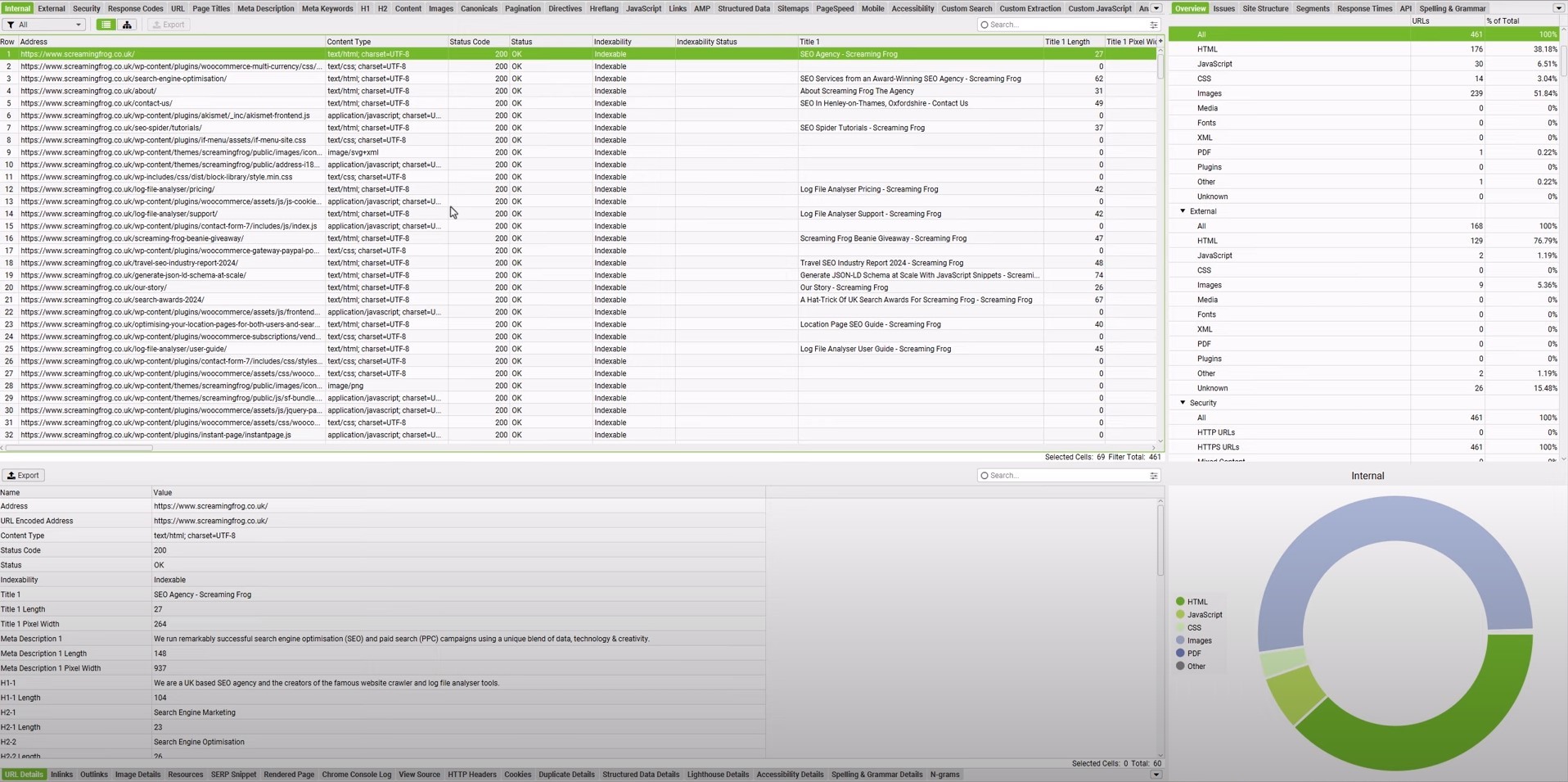
    • They picture one reader, such as an anxious high school senior.
    • They use concrete details instead of vague claims, like naming the exact library floor or app they use.
    • They use headings and short paragraphs so a tired classmate can scan between lectures.
    • They end with a takeaway, such as a checklist or a question to reflect on.

    The 5 types of student blogs (pick yours first)

    Before you look at examples, decide which kind of blog you are building. Most students skip this step, which is why their blog feels blurry. 

    There are five main types.

    1. Personal and reflective blogs

    These document your journey: first semester, changing majors, burnout, homesickness, growth.

    They are the easiest to start because the only research you need is your own honest experience. The University of London and Bournemouth student blogs live mostly here.

    2. Academic and course blogs

    Sometimes a professor sets these as graded assignments, and sometimes you start one to think publicly about your field.

    They lean on process notes, reading responses, and lab or seminar reflections.

    3. Portfolio and career blogs

    Built to prove skill. Each post is a case study, a project write-up, or an internship reflection.

    This is the type recruiters and admissions readers care about most, because it shows what you can do, not just what you think.

    4. Niche or subject-expert blogs

    You pick one narrow lane, for example organic chemistry study methods, indie game design, or campus food on a budget, and become the student people search for on that topic.

    Niche blogs rank fastest because they are specific.

    5. University-hosted student blogs

    Many schools host a student blog and invite current students to contribute.

    You get an instant audience and credibility without building your own site. If your university runs one, it is often the smartest place to start.

    How to choose: 

    • If you want reach and low setup, contribute to a university-hosted blog. 
    • If you want a career asset you control, start a portfolio blog. 
    • If you just want to build the writing habit, start personal or niche.

    Write better blogs in less time, without sacrificing quality.

    Let AI handle structure, clarity, and flow while you stay in control of the message.

    Try AI blog writing
    AI SEO Interface

    Six types of student blog posts (and when to use each)

    Before you pick a topic, pick the purpose of what you want to achieve with the blog. In total, there are six different types of student blog posts you can write.

    Six types of student blog posts.
    1. Reflect turns experience into a lesson. It fits first semester stories, burnout tales, and posts where a failure or surprise changed how you think.
    2. Help solves a real problem another student faces, such as building a study plan, budgeting, or moving to a new city.
    3. Document shows a process over time, for example a day in the life, a study abroad semester, or a capstone project log.
    4. Explain breaks a complex topic into plain language, such as a lab method, a theory in psychology, or how a data set was built.
    5. Argue takes a position on a campus issue, policy, or trend and backs it up with reasons and counterpoints.
    6. Prove turns a project into a case study that shows your skills and growth. It is ideal for portfolios and student blog post samples linked in resumes.

    First, pick the purpose, then write the title. Most students do the opposite, which is why their posts feel unfocused.

    Real blog examples for students from top universities

    These are current, live blogs, not theory. For each one, note the specific move you can copy.

    University of London student blog

    Students from around the world share study experiences, cultural adjustment, and life alongside their degrees. 

    Steal this: Your lived experience is already an angle. You do not need expert status to write something worth reading.

    View here: University of London student blog.

    Bournemouth “a day in the life” student blog

    Posts like “a day in my life on Talbot Campus” work because they stay concrete: one day, one campus, one emotional shift. 

    Steal this: A narrow scope makes a better post than a broad one.

    Duke Fuqua MQM student blog

    Posts such as “surviving and thriving: tips for international students” turn a genuine pain point plus first-hand experience into a useful guide. 

    Steal this: Turn your hardest adjustment into practical advice for the next person.

    Princeton undergraduate student blog

    Posts range from “48 hours in Princeton, NJ” to “from Pokemon passion to thesis.” 

    Steal this: Make a local guide specific enough to actually follow, and show how a personal interest can connect to serious academic work.

    Northwestern research student blog

    Research reflections that still feel human explain what the work was, why it mattered, and how it changed the writer. 

    Steal this: Explain both the project and your own growth inside it.

    View here: Northwestern research student blog.

    Stanford Lifestyle Medicine student blog

    Students publish evidence-backed explainers, not just personal updates. 

    Steal this: Students can absolutely write research-driven pieces when they translate complex ideas clearly.

    View here: Stanford Lifestyle Medicine student blog.

    Anderson University “my top study tips”

    This blog gives simple, experience-based advice that works because it was actually tested. 

    Steal this: Do not overcomplicate a useful post.

    International and everyday examples worth studying

    The examples above skew toward the US and UK, so widen your reference set on purpose. 

    Look at student union blogs at your own institution, Medium tags like “student life,” student write-ups on Dev.to and Hashnode for tech, and study-abroad diaries hosted by exchange programs.

    These show the same principle in a lower-pressure setting: one honest voice, one clear scope.

    Steal this: You do not need a famous school to write a great post. A clear voice and a narrow scope work anywhere.

    From outline to publish-ready content that fills them

    check

    Structured

    check

    Consistent

    check

    SEO-aligned

    check

    Fast

    Generate Outlines FREE
    AI SEO Interface

    Blog examples for students of different niches

    Here are real blog examples for students across a range of niches. Find the one closest to your field and note the move that makes it work.

    Travel blog examples for students

    Food blog examples for students

    Personal blog examples for students

    Short blog examples for students

    Music blog examples for students

    Business blog examples for students

    Blog examples for students grade 6

    Read: 18 best blog examples you can learn from in 2026.

    120+ student blog post ideas and title examples

    Use these as exact titles or swap in your major, city, campus, or year. They are grouped so you can jump to your situation.

    Settling in and finding your feet

    • The three things that made my first month feel less overwhelming
    • My move-in day checklist, and the stuff I actually forgot
    • How I turned a random dorm floor into a group of friends
    • The first campus tradition I did not understand, and now love
    • What commuting to university taught me about time
    • How I stopped comparing my start to everyone else’s highlight reel
    • My honest week-one diary as a transfer student
    • The unexpected place on campus that became my second home
    • How I found my people in a course of 400 strangers
    • What I would pack differently if I started over

    Study systems that actually stick

    • The revision timetable I finally kept for a whole term
    • How I turned messy lecture notes into revision cards in 20 minutes
    • My phone-in-another-room rule and what it did to my focus
    • Active recall versus rereading: my two-week experiment
    • How I plan a 3,000-word essay before writing a single line
    • The reading trick that got me through a 40-page paper
    • How I use past papers to predict exam questions
    • My low-effort system for never missing a deadline again
    • What group study actually does for me, and when it backfires
    • How I revise a subject I secretly find boring

    Deadlines, exams, and pressure

    • The night before a final: my honest routine
    • How I recovered after bombing my first midterm
    • What deadline week looks like when three collide
    • My anti-panic plan for walking into an exam hall
    • How I stopped procrastinating with one 10-minute rule
    • The feedback that stung, and how it changed my writing
    • How I handle a module I am close to failing
    • What resitting a paper taught me about myself
    • How I built a calmer relationship with grades
    • The excuses I used to make, and what replaced them

    Life in halls and around campus

    • Living with strangers: the house rules that saved us
    • How I split chores and bills without any awkward conversations
    • My favorite cheap night out, and the free ones I like more
    • The society I joined on a whim that changed my degree
    • How I dealt with a noisy flatmate without a fight
    • My honest take on freshers week as an introvert
    • The campus jobs worth having, ranked by a student who tried them
    • How I built a routine when no one was checking on me
    • What I learned volunteering on campus for a term
    • The small kindnesses that made a huge campus feel smaller

    Choosing, changing, and surviving your major

    • Why I switched majors halfway through, and what it cost me
    • How I picked a degree when I liked five subjects
    • A day in the life of a [your major] student, hour by hour
    • The module everyone dreads, and how I got through it
    • What my degree is actually like versus what the prospectus promised
    • Skills my course teaches that are not on the syllabus
    • How I chose my dissertation topic without overthinking it
    • The optional class that turned out to matter most
    • What I would tell someone deciding between [major A] and [major B]
    • How I explain my niche degree at family dinners

    Explain your field in plain language

    • What my subject really means, minus the jargon
    • A five-minute guide to [core concept in your field]
    • The one idea from my course that changed how I see the world
    • What people get wrong about studying [your subject]
    • How [your field] shows up in everyday life
    • A beginner’s map of [your discipline] for the curious
    • The most misunderstood term in my subject, explained
    • Why [a boring-sounding topic] is secretly fascinating
    • What a typical assignment in my course actually involves
    • How I would teach my hardest module to a 12-year-old

    Research, curiosity, and thinking out loud

    • What I found when I actually read the sources behind a headline
    • My first taste of real research, and how messy it was
    • The question my course could not answer, so I looked myself
    • What shadowing a PhD student taught me about academia
    • How I turned a seminar debate into a blog post
    • The paper that quietly changed my mind this year
    • What I learned presenting my work to people who disagreed
    • A student’s honest guide to reading a scientific study
    • How I fact-checked a claim everyone in my class believed
    • Why I started writing about my field for non-experts

    Building career proof as a student

    • How I landed an internship with almost no experience
    • Turning a class assignment into a portfolio piece: a walkthrough
    • What went into my first proper CV, and what I cut
    • The cold email that got me a reply, broken down
    • How I documented a project so recruiters could follow it
    • My first interview: the questions that caught me off guard
    • What a mentor told me that changed my job search
    • How I built a simple portfolio site in a weekend
    • The freelance gig that taught me more than a module
    • What I wish I had started building in first year

    Money, food, and student life admin

    • How I run my week on a tight student budget
    • Five meals I cook on repeat that cost almost nothing
    • The subscriptions I cancelled and never missed
    • How I track spending without an intimidating spreadsheet
    • My honest breakdown of where my student loan actually goes
    • The student discounts I use that most people forget
    • How I meal-prep on a Sunday in under an hour
    • What I learned the first time I ran out of money mid-term
    • My system for keeping receipts, deadlines, and emails from piling up
    • How I saved for a trip while studying full time

    Energy, health, and staying steady

    • What burnout felt like before I had a word for it
    • The small morning habit that steadies my whole day
    • How I built a sleep routine that survived exam season
    • My honest experience of homesickness, and what helped
    • What I do on the days I cannot face the library
    • How I stay active when my week is packed
    • The line between pushing myself and running on empty
    • How I asked for support when I finally needed it
    • Why rest stopped feeling like laziness to me
    • What helped my anxiety more than any productivity hack

    Creative life and side projects

    • The hobby I refused to give up during term
    • How I started [drawing, coding, filming, writing] with no experience
    • The side project that taught me more than my degree
    • My favorite corners of campus for reading and drawing
    • How I keep making things when I am busy and tired
    • The playlist that got me through revision, and its story
    • What running a small student account taught me about consistency
    • The book that reshaped how I think this year
    • How I turned a random interest into a real skill
    • Why I make things nobody asked me to make

    Digital life, tools, and AI

    • The apps that actually earned a place on my phone
    • How I use AI for coursework, and the lines I will not cross
    • My distraction-free study setup, tested over a term
    • How I cleaned up my online presence before job hunting
    • The free tools I would recommend to any new student
    • What I learned building a study system in Notion
    • How I back up my work so a dead laptop cannot ruin a term
    • The browser habits that quietly wreck my focus
    • My honest review of the tools my university pushes on us
    • How I decide when a tool is helping or just busywork

    Studying abroad and life across borders

    • My first month studying in a country I had never visited
    • What no one tells you about being an international student
    • How I made a new city feel like home in one semester
    • The culture shock moments that still make me laugh
    • How I handled study abroad on a small budget
    • What I packed for a year abroad, and what was pointless
    • The friendships that formed fastest far from home
    • How I stayed connected to home without living online
    • What studying abroad changed about how I see my own country
    • My honest advice for anyone nervous about going alone

    Create rank worthy content at scale

    check

    Faster

    check

    Consistent

    check

    SEO-ready

    check

    Efficient

    Try Bulk Content Creation
    AI SEO Interface

    Steps to turn any of these titles into a finished blog

    If you have picked a title from the lists and want a structured, search-ready first draft in minutes rather than hours, an AI blog writer like Contentpen is built for exactly this. 

    It is less a “type a prompt, get a paragraph” tool and more an end-to-end workflow that researches, drafts, optimizes, and publishes.

    Here is how you would turn one of the titles above into a finished post.

    Step # 1. Set up your workspace and voice

    Add your blog and, if you have any brand or tone notes, upload them so the drafts come out sounding like you rather than like a generic tool.

    This one step is what stops the output reading as bland, and you can train it on your style over time.

    Step # 2. Drop in your chosen title or keyword

    Take a title such as “how I revised for my first exam block without all-nighters” and feed it in.

    Contentpen suggests a primary keyword plus supporting secondary keywords tied to what people actually search, so your post is aimed at a real query from the start.

    Step # 3. Let it scan the competition

    Before drafting, the platform runs SERP and competitor gap analysis.

    This shows you what the currently ranking posts cover and where the openings are.

    This is the same “cover everything they do, then add more” logic that helps a page outrank, done for you in a couple of minutes.

    Step #4. Pick how much control you want

    You can generate the full blog in one click, take a two-step route where you approve the outline before it writes, or start from a blank document and write alongside the AI.

    Step #5. Let it optimize, then you review and finalize

    Each draft is scored for SEO and for AI-search visibility (so it can surface in tools like ChatGPT and Perplexity, not just Google).

    The tool adds relevant internal and external links automatically to help you finish your blog quickly.

    There is also a built-in plagiarism check, which matters given everything said earlier in this guide about originality.

    Step #6. Publish and track

    When it is ready, you can push it straight to WordPress in one click and then watch how it performs, refreshing it later as it climbs or stalls.
    Just sign up on Contentpen, try it for free, and begin generating optimized blogs with AI like never before. 

    Six copy-and-paste blog templates for students

    Here is a quick view of the six core templates you can turn into student blog writing guides, worksheets, or internal briefs.
    Pick the one that matches your post’s job, fill in the blanks, and you will have a first draft in under an hour.
    Template nameTitle formulaBest use caseQuick structure
    Personal storyWhat Experience Taught Me About Bigger LessonReflection on a turning point or mistakeStart with one vivid moment, describe what you expected, describe what happened, explain how your thinking changed, end with advice for the reader
    How-to guideHow to Specific Goal as a StudentStudy tips, campus survival, money, productivityName the problem, say who this guide is for, outline clear steps in order, warn about common mistakes, finish with a short checklist
    Day in the lifeA Day in the Life of Role or Major StudentCampus life, study abroad, timetable examplesSet expectations, walk through morning, classes, and evening, mention surprises, close with three takeaways for someone considering the same path
    Research explainerWhat Concept or Debate Actually Means in Plain EnglishMajor specific content, lab work, senior thesisName the confusing term, explain it simply, give one concrete example, say why it matters, clear up a common myth, finish with the key point
    Opinion or commentaryWhy Policy, Trend, or Habit Needs to ChangeCampus issues, education trends, field debatesState your claim, give context, share at least two reasons, mention the strongest counterpoint, suggest a better approach, end with a clear stance
    Portfolio or case studyHow I Built Project and What I LearnedDesign work, coding projects, research, client workDescribe the project and goal, explain limits like time or tools, show your process step by step, share the final result, list what worked and what you would change, list skills used

    1: Personal story (the Reflect job)

    • Title formula: What [experience] taught me about [bigger lesson]. 
    • Structure: Open with one concrete moment, explain what you expected, show what actually happened, explain what changed in your thinking, then pull out the lesson for the reader.

    2: How-to guide (the Help job)

    • Title formula: How to [specific goal] as a student. 
    • Structure: Name the problem, say who it is for, walk through the steps in order, add common mistakes, then end with a quick checklist.

    3: Day in the life (the Document job)

    • Title formula: A day in the life of a [major, role, or year] student. 
    • Structure: Set expectations, morning routine, classes or work, afternoon challenges, evening reset, what surprised you, then three takeaways for someone considering the same path.

    4: Research explainer (the Explain job)

    • Title formula: What [concept or debate] actually means, in plain English. 
    • Structure: State the confusing term, explain it simply, give one concrete example, explain why it matters, clear up one misunderstanding, then end with the big takeaway.

    5: Opinion or commentary (the Argue job)

    • Title formula: Why [policy, trend, or habit] needs to change. 
    • Structure: State your claim, give context, present two reasons, address the strongest counterargument, propose a better path, then end with a clear takeaway.

    6: Portfolio or case study (the Prove job)

    • Title formula: How I built [project], and what I learned. 
    • Structure: Describe the project and goal, explain the constraints, walk through your process, show the result, share what worked, share what you would improve, then list the skills you used.

    How to format and length-check a student blog post

    Six steps to format a blog post.

    A simple, repeatable format helps every example of a blog post for students feel clear, even when the topic is complex. Most strong posts follow the same six-step flow.

    StepWhat it doesSimple tip
    TitleSets clear topic and readerUse words your reader would type in search
    HookPulls the reader into the postStart with one scene, question, or problem
    ContextExplains why the topic matters nowLink it to a class, deadline, or goal
    Main sectionsOrganizes the idea into chunksUse 3 to 5 short subheadings
    ProofMakes the post feel realAdd numbers, routines, or mini stories
    EndingGives a clear takeawaySuggest one action or question

    To make this format practical, you can:

    • Turn the table into a checklist they tick off before publishing.
    • Ask peer reviewers to comment on each step, not just grammar.
    • Store a filled-in sample template in your course or content wiki as a reference.

    How long should a student blog post be?

    Word counts for blog post types.

    The answer depends on the job of the post. Use these ranges when you plan or assign student blog templates.

    Post typeWord count rangeWhen to use
    Quick reflection or update300 to 600 wordsSmall personal stories, campus snapshots, or class prompts
    How-to or opinion piece800 to 1,200 wordsStudy guides, advice posts, or commentary on an issue
    Deep dive or portfolio case study1,200 to 2,000 wordsResearch explainers, project write-ups, or internship recaps

    For your very first post, resist the urge to write an epic. A tight, finished piece you can complete in one or two sittings will always beat an ambitious draft that sits half-written for a month. 

    Match the length to what the title honestly requires, then stop.

    A student blogging SEO checklist

    If you want your posts to be found, not just published, run each one through this checklist before you hit publish.

    • Target one keyword phrase. Pick something specific like “organic chemistry study tips,” not “study tips.”
    • Put the keyword in the title, the first 100 words, and one H2. Naturally, not stuffed.
    • Answer the search intent fast. Give the direct answer near the top, then expand.
    • Use descriptive subheadings. They help readers skim and help search engines understand structure.
    • Write a meta description under 155 characters that includes your keyword and a reason to click.
    • Add internal and external links. Link to your other posts and to credible sources.
    • Use descriptive image file names and alt text.
    • Aim for a readable URL slug that contains the keyword, for example /organic-chemistry-study-tips.
    • Answer follow-up questions a reader would have, which also helps you rank for related searches.

    Specificity is your advantage. “Study tips” is too broad for a new blog to rank, but “how to study for organic chemistry without losing your mind” targets a real query real students search.

    Best platforms for a student blog compared

    The platform matters less than actually publishing, but the right fit removes friction. Here is a quick comparison.

    PlatformBest forCostNotes
    WordPress.comAll-round bloggingFree tier, paid upgradesHuge ecosystem, skills transfer later
    MediumWriting with a built-in audienceFreeEasy to start, less control over design and SEO
    SubstackNewsletter-style blogsFreeGreat if you want email subscribers
    Notion (public pages)Simple, fast, no setupFreeMinimal design control, quick to publish
    Hashnode or Dev.toTech and coding studentsFreeDeveloper audience, good for portfolios
    Webflow or CarrdPortfolio and career sitesFree tier, paid upgradesMore design control, better for a personal brand
    University-hosted blogInstant audience and credibilityFreeCheck whether your school invites contributors

    If you are unsure, start on a free platform, build the habit, and migrate later once you know what kind of blog you want.

    Summing it up

    The students whose blogs get read are rarely the best writers. They are the ones who made a few clear decisions before typing: who this is for, what job the post does, and what the reader should walk away with.

    Everything in this guide exists to help you make those decisions faster and publish instead of endlessly planning

    So pick one post type and one title from the lists above. Draft it with a template or generate a first draft with Contentpen. Then layer in the specific, slightly imperfect detail that only you can add. 

    Publish that one post this week and then make it a routine.

    Happy blogging!

    Frequently asked questions

    Are blogs still a thing in 2026?

    Yes, and arguably more than before. Blogs remain one of the few channels you fully own, unlike a social feed that can change its rules overnight. They now do double duty as well. A good post ranks in Google and also gets pulled into AI tools like ChatGPT and Perplexity.

    How to start a simple blog?

    Keep the first version tiny. Pick a free platform such as WordPress.com, Medium, or a public Notion page, choose one clear topic or reader, and write a single honest post rather than building a whole site first.

    What is the most commonly used blog?

    WordPress is by far the most widely used blogging platform. It powers a large share of all websites and blogs online, from personal sites to major publications. It is popular because it works for beginners and advanced users alike.

    Can a student blog help with internships or grad school?

    Yes, a student blog can support internships and grad school applications by serving as proof of work. Posts that explain projects, share research in plain language, or document long-term efforts help reviewers see your skills.

    Do I need my own website to start a blog?

    No, you do not need your own website to begin. Free platforms such as WordPress.com or Blogger work well for a first round of student blog post samples. You can move to a custom domain later.

    Should I use my real name on my student blog?

    It depends on your goal and comfort level. For career-facing blogs that link to resumes or LinkedIn, a real name helps people remember and find you. For more personal or experimental writing, a pseudonym can protect privacy.

    How often should I post on my student blog?

    There is no fixed posting schedule you must follow. Once a week can work if you have time, but one solid post each month is better than several rushed ones.

    Can I use AI tools to help write my student blog?

    Yes, AI tools can support your blog, but they should not replace your own voice. They are helpful for brainstorming topics, building outlines, and checking grammar. Specific stories, campus details, and honest opinions still need to come from you.

  • Perplexity vs ChatGPT: Which AI actually helps you write better blogs?

    Perplexity vs ChatGPT: Which AI actually helps you write better blogs?

    Should you use an AI that writes beautifully but might get facts wrong, or one that nails the research but writes like a Wikipedia entry?

    That’s essentially the Perplexity vs ChatGPT debate in a nutshell.

    ChatGPT is definitely the most popular tool in the AI space. It writes engaging content, adapts to your voice, and can turn a boring topic into something people actually want to read. The catch? It sometimes sounds confident about things that aren’t quite accurate.

    Perplexity took a different route entirely. Instead of trying to be the best writer, it became the best researcher. Every answer comes with receipts in the form of cited sources. It searches the web in real-time and tells you exactly where it found each piece of information.

    So which one should you use for blog writing

    The honest answer is more nuanced than you might expect. This guide breaks down the Perplexity vs ChatGPT comparison from every angle that matters to bloggers and content marketers.

    We’ll look at real writing samples, compare their actual capabilities, user reviews, and show you exactly where each tool shines or falls short.

    General overview of ChatGPT’s capabilities

    ChatGPT, developed by OpenAI, has become synonymous with AI writing assistance. It is built on the GPT (Generative Pre-trained Transformer) architecture and excels at producing human-like text across virtually any topic you can imagine.

    Chatgpt interface

    ChatGPT offers several compelling advantages to bloggers and content creators:

    • ChatGPT can adapt its style to match your brand voice, whether you need casual blog posts.
    • The tool understands how to incorporate keywords into content without making it sound forced.
    • From outlining entire blog posts to expanding bullet points into full paragraphs, ChatGPT manages the structural elements of writing efficiently. 
    • You can prompt ChatGPT to adjust tone, fix grammar issues, or completely rewrite sections.

    Overall, ChatGPT works best as a versatile writing partner that can produce polished, publication-ready content quickly.

    General overview of Perplexity’s capabilities

    Perplexity takes a different approach to AI assistance. Instead of focusing purely on content creation, it functions as an AI-powered answer engine that searches the web in real-time and provides cited responses.

    Perplexity interface

    This fundamental difference shapes how Perplexity serves content creators through these key features:

    • Unlike ChatGPT’s static knowledge base, Perplexity searches current information from across the internet.
    • Every response from Perplexity includes links to the sources it used. This transparency makes fact-checking easier and adds credibility to your research process.
    • Perplexity excels at gathering information from multiple sources and synthesizing it into coherent summaries. 
    • The platform allows conversational follow-ups that refine your research. You can dig deeper into specific aspects without starting new searches from scratch.
    • Perplexity offers specialized search modes (Academic, Writing, Video, etc.) that tailor results to specific content types and quality standards.

    Overall, Perplexity functions as an intelligent research assistant. It is great in situations when you need accurate, current information with verifiable sources rather than creative content generation.

    Also read: Perplexity vs Claude: Which AI is better for blog writing.

    Comparing Perplexity vs ChatGPT

    The comparison of Perplexity vs ChatGPT shows several key differences between them.

    ChatGPT is built for generation, while Perplexity is built for research. However, both can contribute to the blog writing process in different ways.

    The following table provides a quick side-by-side comparison of ChatGPT vs Perplexity:

    FeaturePerplexityChatGPT
    Content qualityInformational and fact-focused. Less engaging proseFluent and versatile. Can feel formulaic at times
    Research capabilityExcellent real-time web search with source citationsWeb browsing available (Plus), but less research-focused
    ReasoningStrong analytical synthesis from multiple sourcesExcellent reasoning and logic structuring
    Content depthGreat for research depth, weaker for narrative depthGood depth for creative content, can lose focus in very long pieces
    Tone consistencyNeutral and informational toneHighly adaptable to different tones and styles
    SEO understandingLimited SEO optimization featuresExcellent SEO awareness and keyword integration
    Image generationYes. Perplexity Pro users can generate imagesDALL-E integration available (Plus/Pro)
    Source citationsAutomatic citation with every responseNo built-in citation. Manual fact-checking required
    SpeedFast for research, slower for writingGenerally faster for content generation
    Fact accuracyVery high accuracy with real-time web dataCan provide outdated or incorrect facts without web browsing
    Pricing (Paid plan)Pro: $20/month, Max: $200/monthPlus: $20/month, Pro: $200/month
    Best forResearch, fact-gathering, and current informationCreative writing, blog drafting, brand content, social media

    Let’s examine each comparison point in detail.

    Perplexity vs ChatGPT in research

    Perplexity dominates in research capabilities. Its real-time web search pulls current information from across the internet and presents it with source citations. This makes verifying facts straightforward and ensures your content is based on the latest data.

    Perplexity research

    ChatGPT approaches research differently. It relies primarily on its training data, which has a knowledge cutoff (October 2024 for GPT-5). While ChatGPT also includes web browsing capabilities, it’s not as well integrated as Perplexity’s core search functionality.

    ChatGPT research

    Blog writers often need to reference recent statistics, current events, or emerging trends. Perplexity provides a clear advantage here. The cited sources also help build credibility when you’re writing authoritative content.

    Winner: In terms of Perplexity vs ChatGPT for research, Perplexity is the clear winner. It is best for research-heavy content that requires current information and verifiable sources. ChatGPT works better when you’re writing about established topics (evergreen content) that don’t change frequently.

    Also read: Perplexity vs Gemini 2026 comparison.

    Perplexity vs ChatGPT in reasoning

    Both tools demonstrate strong reasoning capabilities, but they apply them differently.

    ChatGPT excels at structuring logical arguments and creating coherent narratives. It can build persuasive frameworks, organize information hierarchically, and connect ideas in ways that support specific conclusions. This makes it valuable for opinion pieces, thought leadership, and argumentative content.

    Perplexity’s reasoning shines in synthesis. It analyzes information from multiple sources and identifies patterns, contradictions, and consensus views. This analytical approach helps you understand complex topics from multiple perspectives before writing about them.

    Winner: Use ChatGPT when you need to construct arguments or create logical content structures. Choose Perplexity when you need to analyze diverse viewpoints and turn comprehensive research into actionable insights.

    Perplexity vs ChatGPT in content writing

    A lot of you are likely to be reading this article to understand the role of Perplexity vs ChatGPT for writing. The comparison becomes the most distinct in this area.

    ChatGPT is purpose-built for content generation. It creates engaging introductions, develops ideas with appropriate detail, maintains consistent tone throughout long pieces, and produces content that feels conversational and human. The tool adapts to brand voices, handles creative challenges, and delivers polished drafts that need relatively minor editing.

    Perplexity generates content more as a byproduct of its research function. The writing tends to be informational and straightforward, prioritizing accuracy over engagement. While it can produce text, the output often lacks the narrative flow and stylistic polish that make blog content compelling.

    Winner: ChatGPT is the clear winner for actual content writing. Perplexity is better used as a research tool that sets the foundation of your writing instead of generating the content directly.

    Related: Claude vs ChatGPT for blog writing.

    Note: We’ll compare the blog writing results of both Perplexity and ChatGPT in detail later with a real example.

    Perplexity vs ChatGPT in content depth

    Content depth has two dimensions: factual depth and narrative depth.

    Perplexity is best for factual depth. It pulls information from multiple authoritative sources and presents comprehensive overviews of complex topics. The cited sources allow you to dive even deeper into specific aspects that interest you.

    ChatGPT takes the lead for narrative depth. It develops ideas thoroughly, provides relevant examples, and explores implications in ways that create engaging reading experiences. The content feels developed rather than merely informative.

    Winner: Perplexity offers better factual and research depth. ChatGPT delivers better narrative and creative depth.

    Also read: Copilot vs ChatGPT: Which AI wins for blog writing, research, and content depth?

    Perplexity vs ChatGPT in image generation

    Perplexity can generate images using multiple integrated engines (such as FLUX, DALL·E, Seedream, and Gemini). However, the results vary significantly depending on the model selected, and users often report inconsistent quality and a less polished UI experience.

    perplexity image generation

    ChatGPT, on the other hand, offers more stable, high-quality image generation through its multimodal GPT-4o system. It produces more coherent, detailed visuals and provides a smoother prompting, refinement, and regeneration workflow.

    Chatgpt image generation

    Winner: ChatGPT is the better choice for creating high-quality, consistent visual assets directly alongside written content.

    Related: Gemini vs ChatGPT comparison.

    Perplexity vs ChatGPT in SEO understanding

    ChatGPT has a stronger grasp of SEO principles and practical implementation. It understands keyword placement, meta descriptions, header structure, internal linking concepts, and how to balance optimization with readability. The tool can write content that targets specific search intent while maintaining natural language flow.

    Perplexity approaches SEO more indirectly. While it can research SEO best practices and provide information about optimization strategies, it’s not designed to implement these strategies in the content it generates. The platform is more useful for researching keywords and understanding search landscapes than for creating SEO-optimized articles.

    Winner: ChatGPT is significantly better for creating SEO-optimized blog content. Perplexity is useful for SEO research but not for implementation.

    Related: 12 SEO competitor analysis tools in 2026.

    Creating a real blog with ChatGPT and Perplexity

    To provide a practical comparison of Perplexity vs ChatGPT, we’ll create the same blog post using both platforms. This hands-on test reveals how each tool performs in a real content creation scenario.

    We’ll use an identical prompt for both tools to ensure a fair comparison:

    “Write a short and engaging blog post about the Best Technological Advancements of the 21st Century. Use an engaging and conversational tone to make the content sound interesting.”

    Cahtgpt vs perplexity

    Analysis of ChatGPT’s writing output

    ChatGPT delivered an energetic, well-organized piece that immediately grabbed attention. The title was straightforward and clear, setting expectations perfectly for what followed.

    Chatgpt article generated

    The introduction opened with vivid imagery: “The 21st century has been nothing short of a tech roller coaster — fast, exciting, and full of jaw-dropping innovation.” This metaphor establishes tone and energy from the first sentence.

    The body used a numbered list format covering ten distinct technological advancements. Each section included a catchy subheading with a descriptive tagline (“Smartphones: The Pocket-Sized Revolution”). 

    The writing maintained consistent energy with phrases like “hands down,” “love them or not,” and “guess what?” that created conversational momentum.

    ChatGPT included rhetorical questions and direct reader engagement throughout. The conclusion tied everything together with forward-looking enthusiasm: “Buckle up — the tech ride is far from over.”

    Also read: The ultimate list of SEO writing tools that actually improve rankings.

    ChatGPT’s strengths for writing

    ChatGPT’s output shows why it’s become the go-to tool for content creators who need publish-ready blog posts.

    • Highly scannable structure. The numbered list format with bold subheadings made it effortless to skim and find specific topics of interest.
    • Consistent conversational energy. Every section maintained the same engaging, enthusiastic tone without dropping into formal or academic language.
    • Comprehensive coverage. Ten different technologies provided breadth that made the piece feel authoritative and complete.
    • Reader engagement techniques. Rhetorical questions, direct address (“Remember when…”), and casual phrases kept readers involved throughout.
    • Strong opening and closing. Both the introduction and conclusion used memorable imagery and calls to action that bookended the content effectively.
    • Natural keyword integration. Terms like “technological advancements” and “21st century” appeared organically without feeling forced.

    ChatGPT’s weaknesses for writing

    Despite its polished appearance, several telltale signs revealed the content’s AI origins.

    • Predictable structure. The numbered list format, while effective, feels like a template used across millions of AI-generated articles.
    • Generic enthusiasm. Phrases like “game-changing,” “nothing short of,” and “jaw-dropping” are AI writing markers that signal machine-generated content.
    • Surface-level explanations. Each technology got a brief treatment without deep insights or unexpected perspectives that would demonstrate genuine expertise.
    • No sources or data. The content made broad claims about impact without statistics, studies, or citations to back them up.
    • Repetitive transitions. Similar sentence structures and transition patterns appeared throughout, creating a rhythmic predictability.
    • Missing a unique voice. The content could belong to any tech blog, lacking a distinctive personality or perspective that builds brand identity.

    Analysis of Perplexity’s writing output

    Perplexity took a noticeably more condensed approach to the same prompt. The content focused on five key technologies rather than attempting comprehensive coverage.

    Perplexity article generated

    The introduction used similar engaging language: “The 21st century has been a whirlwind of incredible technological breakthroughs.” However, it moved quickly into substance rather than extending the setup.

    The body organized information by technology, but without numbered formatting. Each paragraph flowed into the next, creating a more essay-like reading experience. The writing included specific examples like “Siri and Alexa” and mentioned concrete technologies like “CRISPR gene editing” and “5G.”

    The conclusion posed a direct question to readers: “What tech advancement has wowed you the most this century?” This engagement technique invited reflection and potential discussion.

    Perplexity’s strengths for writing

    Perplexity brought a more refined approach to the content, even if it fell short on comprehensiveness.

    • More focused coverage. By covering five technologies instead of ten, each got slightly more thoughtful treatment and context.
    • Specific examples and terminology. Mentioning CRISPR, 5G, and telemedicine added technical credibility that generic descriptions lack.
    • Cleaner prose. The writing avoided some of the more obvious AI clichés that ChatGPT included, creating slightly more natural-sounding content.
    • Thematic organization. Technologies were grouped logically (connectivity, AI, medical, energy) rather than just listed.
    • Reader question ending. The concluding question created an opening for engagement that felt less formulaic than ChatGPT’s metaphorical closing.
    • Varied sentence structure. The content mixed short and long sentences more effectively, improving natural reading rhythm.

    Perplexity’s weaknesses in writing

    Where Perplexity typically shines in research, this output revealed unexpected limitations in content generation.

    • Less comprehensive coverage. Only five technologies meant significant omissions like blockchain, wearables, and 3D printing that readers might expect.
    • Shorter overall length. The content felt somewhat abbreviated compared to what the prompt requested, potentially leaving readers wanting more substance.
    • Limited engagement techniques. Fewer conversational hooks and less personality throughout made it feel more informational than entertaining.
    • No citations despite research focus. Surprisingly, Perplexity didn’t include its characteristic source citations even when making factual claims about technologies.
    • Weaker structural hierarchy. Without numbered lists or bold subheadings, the content was less scannable and harder to navigate quickly.
    • Generic opening. The “whirlwind” metaphor in the introduction felt just as template-driven as ChatGPT’s “roller coaster,” showing both tools rely on similar imagery.

    Summary of Perplexity vs ChatGPT for blog writing

    This practical test reinforces the fundamental difference between Perplexity vs ChatGPT for content creation.

    • ChatGPT excelled at creating engaging, structured blog content that readers can easily scan and enjoy. The numbered format, consistent tone, and comprehensive coverage made it feel like a complete, polished blog post ready for publication with minor edits.
    • Perplexity produced more concise, slightly more sophisticated prose with better specificity in examples. The content felt less template-driven in places, though still generic overall.

    Users’ reviews for Perplexity & ChatGPT

    Real user experiences provide important details when evaluating Perplexity vs ChatGPT. These reviews come from verified users on G2 who use these tools daily in their content workflows, research tasks, and creative projects.

    Overall ratings from G2

    ChatGPT: 4.7/5 based on 1,068 reviews and Perplexity: 4.6/5 based on 75 reviews

    Both platforms maintain strong ratings, with ChatGPT having significantly more extensive review coverage due to its longer market presence and larger user base. The close ratings suggest both tools deliver substantial value, though they serve different primary purposes.

    Perplexity and chatgpt rating

    What users say about Perplexity

    Perplexity reviews

    Praised for:

    • Accuracy with source citations. Users consistently highlight Perplexity’s reliable, verified answers that come with proper citations. One marketing consultant noted it provides “reliable and verified answers, providing me with enhanced efficiency and time-saving capabilities for diverse tasks like video editing, content writing, and academic processes.”
    • Real-time web access. The ability to fetch current information is a major selling point. A user emphasized that “its web access lets me get real-time info, and it’s become my daily assistant for everything from research to generating content.”
    • Contextual conversation flow. Perplexity maintains context effectively throughout conversations, preventing repetitive mistakes and allowing for deeper exploration of topics without starting over.
    • Easy setup and usability. Multiple reviewers mentioned the smooth onboarding experience with “just a few clicks to get started” and appreciated features like “spaces” that organize research projects.
    • Complex query handling. Users value Perplexity’s “ability to handle complex multi-step tasks swiftly compared to human efforts,” making it particularly useful for in-depth research.

    Common complaints:

    • Inconsistent performance. Some users report that “randomly it will stop understanding basic tasks” and that “language output prompts definitely don’t work right,” requiring frequent verification.
    • Limited language support. The lack of support for certain languages, like Sanskrit, limits their usefulness for some user segments working with specialized linguistic content.
    • Struggles with specialized queries. Users note it “sometimes struggles with nuanced or highly specialized queries” and experiences “minor delays when fetching web data.”
    • Needs more integrations. Several reviewers requested “a broader set of integrations and more customization options” to enhance workflow efficiency.
    • Verification is still required. Despite its citation features, users emphasize that “sometimes you really have to verify everything,” suggesting the citations don’t completely eliminate fact-checking needs.

    What users say about ChatGPT

    Chatgpt reviews

    Praised for:

    • Exceptional versatility. Users love ChatGPT’s ability to handle diverse tasks from research to creative writing. One reviewer called it “a versatile AI assistant that helps me with research, drafting, explanations, and creative writing across multiple domains.”
    • Excellent at simplification. ChatGPT excels at “breaking down complex topics into simple, understandable language,” making it valuable for both professionals and students.
    • Tone and style adaptation. The “ability to mimic different tones and writing styles” allows users to match brand voices and adjust content for different audiences effortlessly.
    • Conversational interaction. Users appreciate that it’s “interactive in an even informal manner like chatting,” making the experience feel natural rather than robotic.
    • Time-saving efficiency. Many reviewers mention how ChatGPT “regularly saves me time” by helping with editing, reviewing lines, and speeding up the writing process.
    • Coding assistance. Several users specifically praised its JavaScript and general coding capabilities for development work.
    • File handling capabilities. The ability to upload files and receive file outputs, “even in the free version,” compares favorably to competitors.

    Common complaints:

    • Hallucinations and inaccuracies. The most frequent criticism is that ChatGPT “can hallucinate” and provide confidently incorrect information. One user described asking about flights from their local airport and receiving completely wrong information that was only corrected when challenged.
    • Generic and repetitive responses. Free version users note that “sometimes responses become generic or repetitive” and lack the depth available in paid tiers.
    • Missing sources and citations. Users complain that “critical data or links (or sources) may be missing sometimes unless specifically asked for,” requiring manual verification.
    • Inaccurate on specialized topics. For “complex or highly specialized financial or taxation tasks, answers may be inaccurate or too generic, so manual checking is needed.”
    • Free version limitations. Many features like advanced data analysis, certain file types, and consistent GPT-4 access are restricted, with “strict message caps” during peak times.
    • Slow image generation. Users report that “image generation or plugins are often not available or very slow,” impacting workflow efficiency.

    Overall, the reviews reveal a clear usage pattern when comparing Perplexity vs ChatGPT. Users turn to Perplexity when they need accurate, cited information for research-heavy tasks and real-time data. ChatGPT dominates as a “personal tutor + writing assistant in one place” for users who prioritize content creation, creative writing, and conversational interaction.

    Contentpen – A better alternative to Perplexity & ChatGPT

    While both Perplexity and ChatGPT offer valuable features for content creators, neither was specifically designed to handle the complete blog creation process from start to finish.Perplexity excels at research but falls short in content generation. ChatGPT produces engaging writing but requires manual fact-checking and research. Both leave significant gaps in a comprehensive content workflow that includes keyword research, SEO optimization, publishing, and performance tracking.

    This AI blog writing tool bridges these gaps by functioning as an all-in-one content platform rather than just an AI writing assistant. It’s specifically built for bloggers, marketers, and businesses who need to create, optimize, and scale blog content systematically.

    The following table explains why Contentpen is better than both Perplexity and ChatGPT for blog creation:

    FeaturePerplexityChatGPTContentpen
    AI writing quality⚪ Research-focused, less engaging✅ Creative and versatile✅ SEO-focused, brand-aligned, one-click generation
    Keyword research❌ Manual process❌ Manual process✅ Automatic and intelligent
    Research capability✅ Excellent with citations⚪ Good with web browsing✅ Built-in research integration
    SEO & GEO optimization❌ Minimal⚪ Strong when prompted✅ Advanced, automated optimization
    Publishing❌ Manual export and upload❌ Manual export and upload✅ One-click WordPress publishing
    Images & media❌ No visual generation✅ Limited DALL-E access✅ AI-generated visuals included
    Content calendar❌ None❌ None✅ Auto-created and scheduled
    SEO insights❌ None⚪ Limited via plugins✅ Built-in performance tracking
    Source citations✅ Automatic⚪ Limited with web search✅ Optional citation integration
    Scalability⚪ Moderate research volume⚪ High writing volume✅ Unlimited bulk content automation
    Fact-checking✅ Built-in through citations❌ Fully manual✅ Automated verification options

    With Contentpen, you don’t have to choose between research accuracy and writing quality. It combines the research capabilities that make Perplexity valuable with the content generation strengths that make ChatGPT useful, then adds comprehensive SEO and content publishing features that neither platform offers.

    The platform handles keyword research automatically, generates optimized content that aligns with your brand voice, creates accompanying visuals, and publishes directly to WordPress. This eliminates the fragmented workflow of using multiple tools and manual processes that slow down content production.

    Similarly, teams and businesses scaling content can enjoy Contentpen’s bulk generation capabilities and built-in content calendar, transforming content marketing from a tactical challenge into a strategic advantage.

    Final Verdict – Which is better for blog writing?

    The Perplexity vs ChatGPT comparison ultimately comes down to understanding what each tool was built to do.

    Perplexity is an AI-powered research engine that excels at gathering current information, synthesizing multiple sources, and providing cited facts. On the other hand, ChatGPT is a generative AI assistant optimized for content creation, creative writing, and conversational engagement. 

    Neither tool alone provides the complete solution modern content creators actually need. So, if you’re looking to scale content production systematically rather than piecing together workflows from multiple tools, Contentpen offers a more comprehensive solution. It integrates research, writing, SEO optimization, and publishing into a single platform designed specifically for blog content creation.

    Start your free trial of Contentpen today and experience how streamlined content creation can transform your blogging process.

    Frequently asked questions

    When to use Perplexity vs ChatGPT?

    Use Perplexity when you need to research current information, gather facts from multiple sources, or verify claims with citations. It’s ideal for fact-checking, staying updated on recent developments, and building research foundations for content. 
    Choose ChatGPT when you need to write blog posts, create engaging content, generate creative material, or adapt content to specific brand voices. ChatGPT excels at the actual writing process, while Perplexity excels at the research process.

    Is Perplexity AI better than ChatGPT?

    Not necessarily, as they serve different primary purposes. Perplexity is better for research tasks that require current information, source citations, and fact verification. ChatGPT is better for creative writing, content generation, and producing engaging blog posts.
    The “better” tool depends entirely on whether you need research capabilities or content creation capabilities. For comprehensive blog writing workflows, many creators use both tools together.

    Is Perplexity the most powerful AI?

    Perplexity is not the most powerful AI overall, but it’s one of the most powerful AI research tools available. Its strength lies specifically in real-time web search, source synthesis, and information retrieval with citations. Other AI models like ChatGPT, Claude, or specialized AI systems may be more powerful for tasks like creative writing, coding, image generation, or complex reasoning.

    What is the 30% rule in AI?

    The 30% rule in AI suggests that AI should handle approximately 70% of repetitive, routine, and time-consuming tasks, while humans focus on the remaining 30% that requires creativity, strategic thinking, ethical judgment, and critical decision-making.

    What is the knowledge cutoff for Perplexity?

    Perplexity doesn’t have a traditional knowledge cutoff because it performs real-time web searches for each query. It accesses current information from the internet up to the present moment, which means it can provide information about events happening today.

    What is the knowledge cutoff for ChatGPT?

    ChatGPT’s knowledge cutoff depends on the specific version. GPT-5’s training data extends through October 2024, which means its core knowledge stops at that point. However, users can also enable the web search option to search for and incorporate more current information when needed.

  • How to write a blog post: 12 steps, format, and distribution

    How to write a blog post: 12 steps, format, and distribution

    Writing a blog post might seem an easy process, due to which not many people wonder how to write a blog post. However, if you are thinking of being a serious blogger and want your content to do well in search engines, you should know about the strategic process of writing a blog post.

    From choosing the right keywords and topic to hitting that publish button, we’ll cover the essential elements that separate mediocre blog posts from those that drive real results. 

    Let’s deconstruct the systematic approach of how to write a blog post to create engaging content that their audience actually wants to read.

    Step 1: Pick a topic and purpose

    Never make the mistake of starting typing right away. You must have a clear direction and vision. The best blog posts solve specific problems or answer particular questions that your audience has.

    You can pick the right topic by:

    • Brainstorming topics that align with your expertise and your readers’ interests.
    • Consider what goals you want to achieve with your blog post.
    • Knowing whether you are trying to educate your audience, drive traffic to a product page, establish thought leadership, or simply engage your community.
    • Having a clear purpose to guide your writing.
    • Analyzing trending topics in your industry. Check what questions people are asking on social media, and review comments on your previous posts for inspiration.

    Tools like Google Trends, Answer The Public, Contentpen, or even a simple Google search can reveal what people are actively searching for.

    Step 2: Research the topic

    Now comes the detective work. Thorough research is what separates amateur blog posts from professional, authoritative content.

    You should start by gathering information from credible sources, industry reports, case studies, and expert opinions. Don’t just rely on surface-level information like the one available in basic AI searches or overviews.

    Instead, you should dig deeper to find unique angles, recent statistics, and fresh perspectives that your competitors might have missed.

    This research phase is also where you’ll discover supporting evidence for your main points and find real-world examples to illustrate your concepts. Take notes as you research and organize your findings. You’ll be surprised how much more confident and authoritative your writing becomes when you’re working from a solid foundation of well-researched information.

    Step 3: Know your audience

    Writing without knowing your audience is like cooking without knowing who’s coming to dinner. You need to understand who you’re writing for, what they care about, and how they prefer to consume information.

    Create a mental picture of your ideal reader to answer questions like:

    • What challenges are they facing?
    • What’s their level of expertise on your topic?
    • Are they looking for quick tips or in-depth analysis?
    • Do they prefer a casual, conversational tone or more formal, professional language?

    Consider where your audience is in their customer journey as well. Are they just becoming aware of a problem, actively searching for solutions, or ready to make a decision? This understanding will help you write content that meets them exactly where they are.

    Related: How to write short blog posts that still deliver value?

    Step 4: Create an outline

    Many writers miss the mark when they skip the outline and jump straight into writing. It is a big mistake because a solid outline is your roadmap, ensuring your post flows logically and covers all the important points without unnecessary details.

    An ideal outline has:

    • All the main points are arranged in a logical order.
    • Each major point should support your overall thesis or purpose.
    • Breakdown of main points into sub-points or supporting details. This structure will become your headings and subheadings.

    You don’t need to get overwhelmed by trying to make your outline perfect. Consider it as a living document that you can adjust as you write. The end goal is to have a clear structure that keeps you on track and ensures you don’t forget any relevant information.

    Bonus tip: Use Contentpen’s “generate article in two steps” option to create an outline and modify it as per your requirements before creating a full-fledged article.

    Outline generation - contentpen

    Step 5: Write a strong headline

    Your headline is your first impression, and often your last chance to grab a reader’s attention. Since we are living in a digital era where people scroll past hundreds of headlines daily, yours needs to stand out and clearly communicate the value you’re offering.

    Effective headlines often include:

    • Numbers
    • Power words
    • Specific outcomes

    They should be specific enough to set clear expectations but intriguing enough to encourage clicks. Think about what would make you stop scrolling and click on an article.

    You should also test different headline variations if you’re unsure. You can also look at successful headlines in your industry for inspiration, but make sure yours feels authentic to your brand voice and accurately represents your content.

    Step 6: Draft the content

    Now the component of how to write a blog post includes actually writing your content. Start with a compelling introduction that hooks your readers and clearly states what they’ll gain from reading your post. Then work through your outline, expanding each point into full paragraphs.

    There is a lot of fluff on the internet, so if you want your content to truly stand out, you should write in a conversational tone, as if you’re explaining the topic to a friend. Use short paragraphs, varied sentence lengths, and transitional phrases to keep your content flowing smoothly.

    You don’t have to worry about perfection in your first draft. Instead, focus on getting your ideas down on paper initially and then refining them in future revisions. Make sure you are backing up your points with examples, data, or anecdotes. Stories and specific examples make abstract concepts more relatable and memorable for your readers.

    Step 7: Add media & links

    Text-only blog posts can feel overwhelming and boring. You can enhance the readability with the strategic use of images, videos, infographics, or other media elements to break up your content and make it more engaging and easier to digest.

    Moreover, choose visuals that directly support your content rather than just decorative images. Screenshots, charts, diagrams, or relevant photos can help illustrate your points and provide visual breaks for your readers.

    Also, don’t forget the importance of linking. Internal links to your other relevant content and external links to authoritative sources provide additional value to readers and can help with your SEO efforts.

    Related: How to automate internal and external linking using Contentpen

    Step 8: Edit & proofread

    This step separates professional content from amateur blog posts. After you’ve finished your first draft, take a break before editing. Fresh eyes will catch issues you missed while deep in the writing process.

    Some of the key questions to consider in the editing stage are:

    • Does your post flow logically?
    • Are your main points clear and well-supported?
    • Is the tone consistent throughout?

    Once the big questions are answered, you can move to sentence-level editing for clarity, conciseness, and impact.

    Finally, proofread for grammar, spelling, and punctuation errors. You can use tools like Grammarly for this purpose as well.

    Reading your post aloud can also help you catch awkward phrasing or run-on sentences that might trip up your readers.

    Also read: How to format a blog post? Complete guide

    Step 9: Optimize for SEO

    SEO optimization doesn’t mean stuffing keywords everywhere. Instead, it means making your content easily discoverable and valuable to both search engines and human readers.

    On page SEO optimization - contentpen

    Some of the key aspects of SEO are:

    • Include your target keyword naturally in your title, headers, and throughout your content.
    • Write compelling meta descriptions that accurately summarize your post and encourage clicks from search results. 
    • Use header tags (H1, H2, H3) to structure your content clearly.
    • Include alt text for your images.

    Overall, you need to focus on creating genuinely helpful content that answers searchers’ questions thoroughly. With AI-generated content becoming more and more popular, search engines are getting even better at recognizing and rewarding high-quality, user-focused content.

    Also read: The ultimate 15-step on-page SEO checklist for 2025

    Step 10: Write a call-to-action (CTA)

    Every blog post should guide readers toward the next step. Whether it’s subscribing to your newsletter, downloading a resource, checking out a product, or simply reading another post, give your readers a clear direction.

    Make your CTA specific and action-oriented. Instead of generic phrases like “click here,” use language that clearly communicates the benefit of taking action. “Download our free template” or “Get started with your free trial” are much more compelling.

    Place your CTA naturally within your content where it makes sense, not just awkwardly placed at the end of your post.

    Step 11: Format & finalize

    Good formatting makes your content scannable and reader-friendly. This is why you should use plenty of white space, bullet points, and subheadings to break up long blocks of text.

    Most readers scan before they read, so make it easy for them to find the information they’re looking for. Also, it is vital to check that your blog post looks good on both desktop and mobile devices. With most people reading blogs on their phones, mobile-friendly formatting is essential for user experience.

    Step 12: Publish & share

    By following the 11 steps discussed till now, you’ve put in all the time and effort required to write an engaging blog post. Now it’s time to get your content in front of readers. Publish your post and immediately share it across your social media channels, email newsletter, and any other distribution channels you use.

    Make sure you don’t just publish and forget. The real work of promoting your content begins with an effective content marketing strategy after you hit the publish button. But we’ll dive deeper into that in the next section.

    Ideal blog post structure

    Having a consistent blog post format makes writing easier and creates a better experience for your readers. Let’s look at the blog post template that works for most topics and industries, along with an example:

    Title/headline

    Your title should be clear, compelling, and include your target keyword when it makes sense. It’s the first thing readers see, so make it count.

    title or headline - contentpen

    Introduction

    Your blog post introduction should hook readers immediately and clearly explain what they’ll learn or gain from reading your post. Keep it concise but compelling to give readers a reason to keep reading without giving everything away upfront.

    A good introduction often starts with a relatable problem, an interesting statistic, or a thought-provoking question. Then it bridges to your main topic and outlines what the post will cover.

    Blog introduction - contentpen

    Main body (Organized by sections)

    An ideal blog post format has a main body that is organized efficiently in terms of sections with clear subheadings. Each section should cover one main point and flow naturally to the next. Moreover, you should use a mix of paragraphs, bullet points, and numbered lists to keep your content varied and engaging.

    body content - contentpen

    Supporting media

    Strategically place images, videos, infographics, or other visual elements throughout your post to support your points and provide visual breaks. Don’t just add media for decoration, as these elements should add value.

    Email marketing - contentpen

    Conclusion with call-to-action (CTA)

    Wrap up your post by summarizing your main points and reinforcing the key takeaways. A strong conclusion leaves readers feeling satisfied and clear about what they’ve learned. Moreover, CTA is an important part of the conclusion to guide readers toward their next step.

    Blog CTA - contentpen

    Extras (Optional)

    Depending on your post and audience, you might want to include additional elements, such as:

    • FAQs section to address common questions related to your topic
    • Related posts to keep readers engaged with links to similar content
    • Author bio to build credibility and connection with your audience

    What to do after publishing your blog post?

    Publishing your post is just the beginning. Here are the key things you can do maximize the reach and impact of your blog posts:

    Share on social media

    Craft unique posts for each social platform that highlight different aspects of your blog post. Don’t just share the same message everywhere. Instead, customize your approach to each platform’s audience and format preferences.

    Send to your email list

    Your email subscribers are your most engaged audience. Send them a dedicated email featuring your new post, or include it in your regular newsletter with a compelling preview. You can build a large email list over time.

    Optimize for SEO

    Monitor your post’s performance in search results and make improvements over time. Add internal links from other relevant posts on your site, and look for opportunities to earn backlinks from other websites.

    Engage with readers

    Respond to comments on your post and social media shares. Engagement signals to search engines that your content is valuable and helps build relationships with your audience. It also helps in keeping the readers coming back to your blog.

    Repurpose content

    Turn your blog post into other content formats. For instance, you can create social media graphics with key quotes, record a podcast episode on the topic, or develop a presentation for speaking opportunities.

    Build backlinks

    Reach out to other websites in your industry that might find your post valuable. Guest posting, participating in industry discussions, and building relationships with other creators can help earn quality backlinks. It will also boost the ranking of your content and get more organic traffic.

    Track performance

    Use analytics tools to monitor how your post performs. Track metrics like page views, time on page, social shares, and conversions to understand what resonates with your audience. Use this data to further improve your blog posts.

    Update over time

    Keep your content fresh and accurate by updating it periodically. Add new information, update statistics, and refresh examples to maintain its value and search rankings. Evergreen topics might not require frequent updates, but you should analyze the written content from time to time to ensure readers are getting correct and updated information.

    Conclusion

    Writing an engaging and optimized blog post is both an art and a science. By following this systematic approach of how to write a blog post in 12 steps from initial topic research to post-publication promotion, you’ll create content that not only serves your audience but also drives real results for your brand.

    Remember, great blog writing improves with practice. The key is to follow an ideal blog post format and structure and provide genuine value to your readers. The most important step is simply getting started and remaining consistent with your publishing schedule. Plus, an AI blog writer like Contentpen can help you in your blogging journey by creating outlines as well as complete SEO-optimized blog posts.

    Frequently Asked Questions

    What is an example of a blog post?

    A blog post is any article published on a blog, such as “10 healthy dinner recipes,” “How to start a small digital marketing business,” or “The ultimate guide to social media marketing.” There are many different types of blog posts, such as how-to guides, listicles, personal stories, industry news, and opinion pieces. If you want to see how these formats look in real life, exploring different blog post examples can be very helpful.

    Do personal bloggers get paid?

    Yes, personal bloggers can earn money through various methods, including affiliate marketing, sponsored posts, selling digital products, offering consulting services, display advertising, and selling courses or ebooks.

    What are the four main parts of a blog?

    The four main parts of a blog are:
    1. Header containing the blog title, navigation menu, and branding
    2. Main content area where blog posts are displayed)
    3. Sidebar featuring widgets like recent posts, categories, or social media links
    4. Footer containing copyright information, additional links, and contact details
    These elements create the overall structure and user experience of a blog.

    Who pays you as a blogger?

    Bloggers can be paid by various sources, including:
    – Companies for sponsored content
    – Affiliate programs for promoting products
    – Advertising networks for display ads
    – Readers who purchase products or services
    – Clients for freelance writing work
    – Businesses for consulting or speaking opportunities.
    Some bloggers also earn through membership sites, online courses, or selling their own products.

    What are the three types of blogs?

    The three main types of blogs are:
    1. Personal blogs that share personal experiences, thoughts, and lifestyle content
    2. Business blogs are available on companies’ websites for marketing, customer education, and brand building
    3. Niche blogs focusing on specific topics like travel, food, technology, or finance
    Each type serves different purposes and audiences, but all aim to provide valuable content to their readers.

    What should the first sentence of a blog be?

    The first sentence of a blog post should immediately grab the reader’s attention and clearly relate to your topic. It could be a surprising statistic, a thought-provoking question, a relatable problem statement, or a bold declaration.

    How to write a blog post on WordPress?

    Writing a blog post on WordPress is possible in a few steps. First, you’ll log into your dashboard, then navigate to “Posts” and click “Add New” to open the editor.
    Start by entering a compelling title at the top. Next, use the intuitive block editor to create your content, easily adding paragraphs, formatting text, inserting images, and building lists. Before publishing, look at the settings sidebar to choose relevant categories and tags so readers can discover your post.
    If you’re using an SEO plugin, this is also where you’d write a concise meta description to optimize how it appears in search results. Finally, use the “Preview” button to ensure everything looks perfect, and when you’re satisfied, click “Publish” to share your post with the world!

    How to write a blog post on Shopify?

    Writing a blog post using Shopify’s built-in blogging feature is quick and perfect for e-commerce content.
    To get started, navigate to your Shopify admin panel, click on “Online Store,” and then select “Blog Posts.” From there, hit the “Create blog post” button. You’ll then enter your title and craft the body of your content using the user-friendly rich text editor.
    Before you save, be sure to optimize your post by setting a strong SEO title and description—this helps people find it on Google. Finally, you can select relevant tags for better organization, choose your publication settings (whether it’s live or a draft), and click “Save” or “Publish” to complete the process. Shopify keeps its blogging feature simple but effective, letting you focus on creating great content to support your store.

  • Claude vs ChatGPT for blog writing: Which AI tool wins?

    Claude vs ChatGPT for blog writing: Which AI tool wins?

    The artificial intelligence (AI) industry is rapidly expanding with more and more Large Language Models (LLMs) like OpenAI’s ChatGPT and Anthropic’s Claude being introduced. Content creation and blog writing are two of the many key areas where AI is changing the workflow, so it is important to choose the right platform to get the best results. 

    While there are many different AI systems and platforms, we’ll be focusing on Claude vs ChatGPT in this article. We’ll determine which of them actually delivers better articles, more engaging blog posts, and content that resonates with readers.

    Let’s start with the basics. 

    Pro Tip: Don’t want to go through the entire debate of Claude vs ChatGPT? Skip to the end to see why Contentpen is the perfect alternative to both of them!

    General overview of ChatGPT’s capabilities

    ChatGPT, developed by OpenAI, is one of the most widely used AI writing tools today. It’s built on an advanced GPT (Generative Pre-trained Transformer) architecture, which is known for producing coherent, engaging, and human-like text across a wide range of topics.

    When it comes to content writing and blogging, ChatGPT stands out for its:

    • Strong storytelling and creativity: It can write in diverse tones and styles, ranging from casual blog posts to professional articles. The key thing is to give it the right prompt.
    • SEO and keyword integration: ChatGPT easily incorporates different types of keywords naturally, making it effective for search-optimized content.
    • Research and structure handling: It can outline blog posts, write introductions, expand points with logical flow, and summarize complex topics clearly.
    • Editing and rewriting support: Users can give different prompts to refine tone, grammar, and structure. You can also request rewrites.

    Overall, ChatGPT is a versatile, reliable assistant for anyone looking to generate polished, ready-to-publish written content quickly and efficiently.

    Related: Gemini vs ChatGPT: The ultimate comparison

    Limitations

    While ChatGPT produces fluent text, its content can sometimes feel formulaic, particularly in introductions and conclusions.

    Writers often notice repetitive phrases like “in today’s digital landscape” or the excessive use of dashes that require editing. The model occasionally prioritizes sounding confident over accuracy, which means fact-checking remains essential for published content.

    General overview of Claude’s capabilities

    Claude, developed by Anthropic, is another leading AI writing model known for its natural tone and context-aware writing. Inspired by principles of “Constitutional AI,” Claude is designed to be helpful, honest, and harmless, which makes it a reliable AI tool for long-form writing and editorial work.

    Some of the key areas where Claude excels are:

    • Contextual depth: It understands and maintains context over long pieces of text, making it ideal for detailed blogs or guides.
    • Clarity and factual accuracy: Claude focuses on producing content that’s well-reasoned and accurate, minimizing filler or vague statements.
    • Human-like tone: Its writing often feels smooth and conversational, which is suitable for lifestyle or thought-leadership blogs.
    • Summarization and research synthesis: Claude can summarize lengthy research or merge multiple data points into cohesive sections.
    • Ethical and transparent writing: It tends to avoid exaggeration, offering more neutral and trustworthy content.

    In short, Claude’s strength lies in crafting insightful, clear, and well-structured long-form content, which is perfect for writers who prioritize accuracy and depth over flashy language.

    Related: Claude vs Gemini 2026 comparison.

    Limitations

    Claude can sometimes be overly cautious, occasionally declining to write content on sensitive topics where other AI models might proceed. For content creators, this means you might occasionally need to rephrase requests. Moreover, some writers find Claude to be slightly slower at generating quick, punchy content compared to ChatGPT’s rapid-fire output.

    Comparing Claude vs ChatGPT

    When it comes to AI-assisted writing, both Claude and ChatGPT deliver impressive results. However, we get to see a real difference between them by comparing their output in terms of research, reasoning, content writing, image generation, and SEO optimization. These are the key areas that matter the most to bloggers and marketers.

    The following table shows a quick side-by-side comparison of Claude vs ChatGPT:

    FeatureClaudeChatGPT
    Content qualityNatural, less AI-sounding. Excellent for long-formFluent and versatile. Can feel formulaic at times
    Research capabilityStrong web search integration and takes caution with factsWeb browsing is available (Plus) with an extensive knowledge base
    ReasoningExcellent analytical thinkingStrong reasoning
    Content depthIdeal choice for in-depth articlesGood depth, but can lose focus in very long pieces
    Tone consistencyHighly consistent across long contentGenerally consistent
    SEO understandingUnderstands SEO principles, but requires prompts for implementationExcellent SEO awareness and  keyword integration
    Image generationNot availableDALL-E integration available (Plus/Pro)
    SpeedThoughtful but slightly slowerGenerally faster output
    Fact accuracyAcknowledges uncertainty to ensure maximum accuracyCan give wrong or outdated facts, so manual fact-checking is necessary
    Pricing (Paid plan)Pro: $17/month Max: $100/person/monthPlus: $20/month Pro: $200/month
    Best forLong-form blogs, thought leadership, research articlesVersatile content, quick posts, social media, visuals

    Let’s compare Claude vs ChatGPT in detail:

    Claude vs ChatGPT in research

    ChatGPT excels at collecting information, summarizing data, and organizing research-based content into digestible blog formats. So, it is effective for writers who need fast, structured overviews or topic summaries.

    Claude, on the other hand, prioritizes accuracy and context. It tends to rephrase or validate information in a more natural, fact-driven tone. It is suitable for writers who value reliability and balanced explanations over speed.

    Also read: Perplexity vs Claude: Which AI is better for blog writing?

    Verdict

    In terms of Claude vs ChatGPT for research, ChatGPT wins for quick and SEO-ready research summaries. If you have access to ChatGPT Plus, you can expect even more accurate results. However, for more detailed explanations, Claude takes the lead.

    Claude vs ChatGPT in reasoning

    Reasoning plays a big role in long-form writing. ChatGPT is excellent for structuring arguments and generating logical outlines. It can also mimic reasoning patterns that suit marketing, product comparisons, or educational blogs.

    Claude, however, has a more analytical reasoning process. It doesn’t just list ideas, but also connects them with deeper insights or cause-and-effect explanations. This is why Claude’s writing is more thoughtful.

    Verdict

    Use ChatGPT for concise and structured reasoning. But if you want deeper and layered logic, you can use Claude.

    Claude vs ChatGPT in content writing

    We’ll be discussing Claude vs ChatGPT for writing in detail later in this article with a blog example. But overall, ChatGPT shines in content writing due to its versatility, as it can easily adapt tone and voice to fit a brand’s identity. 

    You can use ChatGPT to produce everything from catchy blog introductions to detailed how-to guides. Its fluency and creativity make it ideal for marketing and storytelling.

    Claude, meanwhile, delivers editorial-quality writing that feels human and deliberate. It prioritizes flow and readability. It is more suitable for thought leadership, journalism, and reflective blogs.

    Verdict

    ChatGPT performs better for brand-driven and SEO-optimized blogs, while Claude is ideal for long-form writing.

    Claude vs ChatGPT in content depth

    ChatGPT can generate comprehensive outlines and expand sections efficiently. It is an ideal choice when you can write an article section-by-section instead of a one-click article generation.

    On the other hand, Claude emphasizes depth over volume. It dives deep into nuances, examples, and reasoning that make content feel more researched and detailed. Plus, you can expect Claude to write a comprehensive blog post through a single well-designed prompt.

    Verdict

    Claude is better than ChatGPT for nuanced and in-depth writing.

    Also read: Best AI tool for writing SEO-rich blog content.

    Claude vs ChatGPT in image generation

    Image generation is one area where ChatGPT is the clear winner because Claude does not support visual generation at all.

    Through integrations like DALL·E, ChatGPT can generate images, illustrations, and visuals directly within the writing process. Claude, however, is text-only, which focuses solely on writing and editing tasks. It can describe visuals effectively, but cannot generate them.

    Verdict

    Use ChatGPT to create visual assets along with written content.

    Claude vs ChatGPT in SEO understanding

    When comparing Claude vs ChatGPT in SEO understanding, the difference is in practical implementation.

    ChatGPT has a strong grasp of on-page SEO elements, including keyword placement, meta descriptions, subheadings, and content flow. It can write optimized blogs that balance readability with search intent.

    Claude, while aware of SEO best practices, leans toward natural readability and human tone over keyword optimization. You have to give it detailed prompts to ensure Claude follows SEO best practices in its writing. 

    Verdict

    ChatGPT is an effective AI tool for SEO-heavy content, while Claude performs better for organic readability.

    Related: Best SEO competitor analysis tools in 2026.

    Creating a real blog with ChatGPT and Claude

    By now, we’ve compared ChatGPT vs Claude in terms of many different factors. But when it comes to writing, the best way to compare them is to create a real blog. So, in this section, we’ll create a blog post using the same prompt and then compare the writing process, structure, and overall quality.

    This hands-on comparison will help you see how each tool performs when faced with an actual content writing task, from research to final output. 

    Setting up the test

    To make the comparison fair and focused, both Claude and ChatGPT are given the same prompt, tone requirements, and structure expectations.

    Prompt used:

    “Write a 600-word blog post on ‘The Benefits of Using AI in Blog Writing.’ Make it engaging, well-structured, and SEO-friendly. Include subheadings, a short intro, and a conclusion.”

    Both AIs are expected to:

    • Use a friendly yet professional tone
    • Include keyword integration naturally
    • Maintain clarity and readability
    • Follow a logical blog structure
    claude vs chatgpt toc creation

    This setup allows us to observe not only the quality of their writing but also how they handle organization, SEO intent, and voice.

    Analysis of ChatGPT’s writing output

    Chatgpt output

    ChatGPT delivered a comprehensively structured post with clear organization. The title and meta description came automatically, which is great for SEO workflows. The introduction opened with a relatable pain point: “Creating high-quality blog content consistently can be challenging — especially when deadlines are tight, and creativity feels low.”

    The structure followed a classic listicle format with numbered benefits. Moreover, each section included bullet-pointed sub-benefits, making the content scannable and easy to digest. 

    Overall, the writing was clear and functional, using straightforward language like “AI tools streamline these steps by…” and “Here’s how AI enhances content quality…”

    ChatGPT’s strengths for writing

    • Immediate SEO readiness: Automatically generated an optimized title and meta description without additional prompting, saving time in the content workflow.
    • Superior formatting structure: Used numbered lists, bullet points, and clear hierarchies that make content highly scannable.
    • Consistent organization: Each benefit section followed the same predictable pattern (introduction → bullet points → explanation), creating a familiar structure that readers expect.
    • Action-oriented language: Phrased benefits as concrete outcomes (“Saves Time,” “Improves Quality”) rather than abstract concepts.
    • Quick reference value: The listicle format makes it easy for readers to extract specific information without reading the entire article.
    • Beginner-friendly: Simple, direct language accessible to all reading levels without sacrificing information density.

    ChatGPT’s weaknesses for writing

    • Generic AI phrases: Included clichés like “in a fraction of the time” and “speaks directly to their interests” that immediately signal AI-generated content.
    • Lacks a distinctive voice: The writing feels template-driven, making it difficult to differentiate from thousands of other AI-written articles on the same topic.
    • Surface-level explanations: Covered breadth effectively but didn’t explore why benefits matter or provide a deeper context that demonstrates expertise.
    • Forced transitions: Phrases like “it complements it beautifully” felt unnatural and overly enthusiastic in ways human writers rarely express.
    • Predictable structure: The rigid numbered format, while scannable, can feel formulaic and reduce engagement for readers seeking more nuanced discussion.
    • Requires significant editing: To make this publication-ready for a brand-building strategy, you’d need to inject personality, remove AI tells, and add unique insight.

    Analysis of Claude’s writing output

    Claude output

    Claude opened with a more narrative introduction: “In today’s fast-paced digital landscape, content creators are constantly seeking ways to produce high-quality blog posts.” Such an introduction, while engaging, is common in all types of AI-generated blog posts.

    The structure used descriptive H2 headings rather than numbers. Moreover, Claude wrote in flowing paragraphs without bullet points, creating a more article-like reading experience. Each section explored concepts more deeply with explanations of why benefits matter, not just what they are. 

    For example, rather than listing ways AI helps with SEO, Claude explained: “By leveraging AI in blog writing, you can ensure your content is discoverable by your target audience.”

    Claude’s strengths for writing

    • Deeper conceptual explanations: Doesn’t just list benefits but explains the underlying reasoning, helping readers truly understand concepts rather than just memorize tips.
    • Variation in sentence structure: Uses varied sentence structures and more nuanced language to improve the content’s authority.
    • Narrative coherence: Each section builds on previous ideas, creating a cohesive article rather than disconnected tips.
    • Authentic tone: The voice feels like a knowledgeable person sharing insights rather than a bot assembling information.
    • Thoughtful conclusions: Ties concepts together meaningfully instead of generic wrap-ups.
    • Less editing required: Typically needs only 15-20% editing to add brand-specific elements and personal touches.

    Claude’s weaknesses in writing

    • Missing SEO elements: Didn’t automatically provide title tags or meta descriptions, requiring follow-up prompts for complete SEO optimization.
    • Less scannable format: Paragraph-heavy structure makes it harder for skimmers to extract key information quickly, which can reduce engagement for casual readers.
    • Occasional AI clichés: Started with “In today’s fast-paced digital landscape”, which is one of the most overused phrases in both Claude and ChatGPT.
    • Requires formatting work: To match modern blog standards, you’d need to add bullet points, callout boxes, or other visual breaks for better readability.
    • No built-in visual generation: Must use separate tools for images, while ChatGPT offers integrated DALL-E access.
    • Slightly longer generation time: Takes 30-60 seconds more than ChatGPT for equivalent content length.
    • May exceed word counts: Tends to write longer than requested because it develops ideas thoroughly rather than hitting arbitrary targets. It increases the chances of fluff. 

    Also read: The ultimate list of SEO writing tools.

    Summary of Claude vs ChatGPT for blog writing

    When it comes to creating a real blog, both tools perform impressively, but they cater to different goals.

    • ChatGPT feels like a creative content partner, ideal for marketers, bloggers, and SEO writers who want speed, variety, and adaptability.
    • Claude feels more like a skilled editor, ideal for writers who prioritize accuracy, flow, and brand tone consistency over flashy language.

    For this test, ChatGPT delivered more immediately usable content for quick publication. Claude produced higher-quality writing that would perform better for building authority and engaging serious readers, but required additional prompts for SEO elements and formatting optimization.

    The choice between them depends on your content goals and whether you prefer efficiency and flair (ChatGPT) or depth and refinement (Claude).

    Related: Does Google penalize AI content?

    ChatGPT vs Claude: Strengths and weaknesses for content writing

    The following table summarizes the strengths and weaknesses of Claude and ChatGPT:

    AspectChatGPTClaude
    Writing quality✅ Clear, functional, well-organized❌ Generic, template-driven, lacks personality, unless specific prompts are given✅ Natural, human-like prose❌ Occasionally uses AI clichés, especially in intros
    Content structure✅ Excellent formatting with lists and bullets✅ Highly scannable❌ Predictable, formulaic patterns✅ Cohesive narrative flow❌ Paragraph-heavy, less scannable❌ Requires formatting work
    Content depth✅ Covers breadth effectively❌ Surface-level explanations✅ Deeper conceptual explanations❌ May exceed word count targets and add fluff
    SEO readiness✅ Auto-generates titles and meta descriptions✅ Immediate SEO optimization❌ Requires separate prompts for SEO elements✅ Natural keyword integration
    Voice & authenticity✅  Follows brand voice on specific prompts❌ Forced transitions and phrases✅ Harder to identify as AI-written✅ Sophisticated, varied language
    Editing required❌ 30-40% rewrite needed✅ Only 15-20% editing needed
    Speed✅ Faster generation (1-2 min for 1,500 words)❌ Slightly slower (2-3 min for 1,500 words)
    Visual content✅ Integrated DALL-E image generation❌ No built-in image creation
    Best forQuick, scannable blog posts and listicles and how-tosLong-form thought leadership and authority-building content

    Users’ reviews for Claude & ChatGPT

    Real user experiences provide valuable insights beyond technical specifications when evaluating Claude vs ChatGPT for writing.

    G2 and Capterra are two of the most trusted software review platforms where verified users share honest feedback about tools they use daily. These reviews come from actual content creators, marketers, and businesses who rely on these AI assistants in their workflows.

    Overall ratings

    G2 reviews

    • ChatGPT: 4.7/5 – Higher overall satisfaction score
    • Claude: 4.4/5 – Strong rating with room for growth
    G2 reviews

    Capterra reviews

    • Claude: 4.6/5 – Leading in user satisfaction
    • ChatGPT: 4.5/5 – Closely competitive rating
    Capterra reviews

    Interestingly, Claude scores higher on Capterra while ChatGPT leads on G2, suggesting both platforms have devoted user bases with different priorities and use cases.

    What users say about ChatGPT

    ChatGPT review

    Praised for:

    • Speed and efficiency: Provides answers instantly, making content creation significantly faster.
    • Ease of use: Intuitive interface that feels like “having a buddy” available 24/7.
    • Overcoming writer’s block: Excellent for getting initial drafts started and eliminating blank page syndrome.
    • Versatility: Handles diverse content types from emails to blog posts, social media captions to academic assignments.
    • Time-saving capabilities: Summarizes long documents quickly and assists with research across multiple domains.
    • Creative collaboration: Acts as a brainstorming partner that provides thoughtful suggestions and fresh perspectives.
    • Breaking down complexity: Excels at simplifying complex topics into understandable language.

    Common complaints:

    • Confidence despite inaccuracy: Often presents wrong or outdated information with complete confidence, requiring rigorous fact-checking.
    • Obviously AI-generated: Content is easily identifiable as machine-written, sounding overly formal and lacking authenticity.
    • Technical glitches: Makes grammatical errors and provides misinformation that undermines reliability.
    • Not a human replacement: Clearly needs human oversight to verify validity, adjust tone, and provide proper context for target audiences.
    • Struggles with niche topics: Limited effectiveness for specialized subjects or recent events.
    • Overly restrictive filters: Safety features sometimes prevent getting the desired responses.
    • Limited image generation: Frustrating restrictions on the number of images that can be created.
    • Free version limitations: Performance constraints affect user experience.

    What users say about Claude

    Claude reviews

    Praised for:

    • Superior to ChatGPT for copywriting: “By far my most favourite AI tool and ChatGPT is in my opinion only 75% as good as Claude” for website copy.
    • Natural-sounding content: Uses broader vocabulary and more natural sentence structures that are harder to detect as AI-generated.
    • Better context retention: Remembers past conversations more effectively and pulls more context from background information.
    • File upload capability: Can upload and summarize documents directly within the platform.
    • Precise information delivery: Provides condensed, well-organized information that simplifies research.
    • Excellent for marketing content: Highly effective for blog articles, brainstorming topics and titles, and business idea development.

    Common complaints:

    • Still reads as AI-generated: Text requires reworking to sound fully authentic despite being better than ChatGPT.
    • Poor link handling: Doesn’t summarize URLs well and sometimes fabricates information when processing links.
    • Usage limitations: Recent implementations of capacity restrictions that convert to shorter responses unless users upgrade (described as “bait and switch”).
    • Needs question rephrasing: Sometimes requires reformulating prompts to get accurate answers.
    • Smaller feature set: Lacks some of the integrated tools available in ChatGPT.

    User Preference Patterns

    One Claude user summarized the comparison perfectly: “I just prefer Claude over ChatGPT in 90% of cases. Only when I don’t really mind about the result or check Claude responses with a second source I will rotate back to GPT.”

    Overall, the reviews confirm what our testing showed that both AI tools excel in different scenarios. Your choice should align with your specific content priorities: ChatGPT for versatility and speed, Claude for natural-sounding, quality-focused content.

    Contentpen – A better alternative to Claude & ChatGPT

    While Claude and ChatGPT are powerful AI writing assistants, they weren’t specifically built to manage the entire blogging process. Both tools can generate quality drafts, but you still need to handle keyword research, SEO optimization, publishing, and performance tracking manually.

    That’s where Contentpen stands out. It’s not just an AI writer, but an all-in-one platform designed to help you write, rank, and scale blogs effortlessly. It is a modern AI writing assistant that helps everyone from solo bloggers to enterprises in bulk content creation. 

    Contentpen interface

    The following table explains why Contentpen is better than both Claude and ChatGPT:

    FeatureClaudeChatGPTContentpen
    AI writing quality✅ Excellent clarity✅ Creative and versatile✅ SEO-focused, brand-aligned. One-click option available.
    Keyword research❌ Manual❌ Manual✅ Automatic and smart
    SEO & GEO optimization⚪ Basic⚪ Strong✅ Advanced, built-in
    Publishing❌ Manual❌ Manual✅ 1-click to WordPress
    Images & media❌ No✅ Limited✅ AI-generated visuals included
    Content calendar❌ None❌ None✅ Auto-created and scheduled
    SEO insights❌ None⚪ Limited via plugins✅ Built-in SEO insights
    Scalability⚪ Moderate⚪ High✅ Unlimited content automation

    Overall, Claude and ChatGPT are great writing assistants, but Contentpen is the entire content department. It helps you go from idea to traffic-generating blog automatically, ensuring that every post is optimized, engaging, and aligned with your brand.

    Final Verdict – Which is better for blog writing?

    So, which AI wins the Claude vs ChatGPT debate for content writing? The honest answer is it is dependent depends on your priorities. ChatGPT excels at speed, versatility, and immediate SEO optimization, while Claude dominates in content quality, natural language flow, and analytical depth.

    However, if you’re looking beyond individual AI assistants to scale your content marketing systematically, neither ChatGPT nor Claude offers the complete solution content-driven businesses actually need. You need Contentpen to get the combined benefits of AI writing and automated keyword research, bulk content generation, direct WordPress publishing, SEO tracking, and performance optimization in one integrated platform.

    Start your free trial today and see how Contentpen can transform your blogging process.

    Frequently asked questions

    When to use Claude vs ChatGPT?

    Use Claude when you need long-form, factual, and context-rich content — like thought-leadership blogs or editorial pieces. Choose ChatGPT for fast, SEO-focused, and creative content such as blog posts, ad copy, or social media articles.

    Is Claude AI better than ChatGPT?

    Not necessarily, as both of these LLMs excel in different areas. Claude offers clearer reasoning and consistency, while ChatGPT delivers stronger SEO awareness, creativity, and tool integration.

    Is Claude the most powerful AI?

    Claude is one of the most advanced writing models, but not the absolute most powerful. Its strength lies in thoughtful reasoning and context handling, not necessarily in versatility or integrations.

    Is there any AI stronger than ChatGPT?

    It depends on the task. Some AIs like Claude 4.5 or Gemini 2.5 may outperform ChatGPT in reasoning or document analysis, but ChatGPT remains unmatched in creativity and general prompts.

    What is the 30% rule in AI?

    The 30% rule suggests that AI should handle around 70% of repetitive, low-value tasks, allowing humans to focus on the remaining 30% work that requires creativity, ethical judgment, and critical thinking. It ensures AI improves human productivity, instead of replacing it.

    What is the knowledge cutoff for Claude?

    The knowledge cutoff for Claude 4.5 is January 2025. It means Claude can only get knowledge of events from February through November 2025 by using web search to find current information.

    What is the knowledge cutoff for ChatGPT?

    For GPT-5 (ChatGPT’s latest version), the knowledge cutoff is October 2025, though it can access the web for updated, real-time information when browsing is enabled.

  • 15+ Top Black Friday software deals 2025 you don’t want to miss

    15+ Top Black Friday software deals 2025 you don’t want to miss

    Black Friday 2025 is here, and with it comes the biggest wave of software deals of the year. Whether you’re a content creator, marketer, or entrepreneur, this is the perfect time to upgrade your digital toolkit without breaking the bank. 

    From AI writing assistants and SEO platforms to project management and design tools, top brands are offering massive discounts.

    But with hundreds of promotions flying around, finding the real value deals can get overwhelming. That’s why we’ve done the digging for you!

    Below, you’ll find a handpicked list of the best Black Friday software deals of 2025, tools that can actually help you create better content, scale your business, and save time.

    1. Contentpen.ai

    Contentpen BF deal

    ContentPen.ai is an advanced AI-powered writing and content-generation platform built for creators, marketers, and businesses that want to produce high-quality content fast. 

    It helps you craft blogs, social media posts, email campaigns, ad copy, and SEO-optimized articles in minutes, all with natural tone, factual consistency, and your brand’s voice. With built-in templates, collaboration tools, and smart editing suggestions, ContentPen.ai helps users turn ideas into publish-ready content in no time. 

    It feels like having a full creative team right at your fingertips.

    • Black Friday offer: 

    This Black Friday, ContentPen.ai is offering 20% off on all monthly plans and a massive 50% off on all annual plans, the biggest discount of the year.

    • How to avail: 

    The offer is automatically applied at checkout, so there’s no need to enter any promo codes. Simply purchase on ContentPen.ai between 20th and 30th November 2025, and the discount will reflect instantly on your selected plan.

    2. Replug.io

    Replug BF deal

    Replug.io is a powerful link-management and retargeting tool that helps marketers turn every shared link into a conversion opportunity. It lets you add call-to-action (CTA) overlays, track link performance, and even retarget users who click your shared URLs.

    It’s particularly useful for content creators, affiliate marketers, and social-media managers who share curated links and want to extract more value from them.

    • Black Friday offer: 

    Flat 60% off on all annual plans, one of the biggest discounts Replug has ever offered.

    • How to avail: 

    The discount is automatically applied at checkout, so there’s no need for any promo code. Simply visit Replug.io between 20th and 30th November and choose your annual plan.

    3. ContentStudio

    Contentstudio BF deal

    ContentStudio is an all-in-one content marketing and social-media management platform designed for creators, agencies, and brands. It lets you plan, collaborate, and schedule content across multiple social networks, analyze performance, and even discover trending topics through its AI-powered content discovery engine.

    It’s a favorite among marketing teams looking to centralize all their content workflows.

    • Black Friday offer:

    40% off on your first annual plan, perfect for new users wanting to get started at a big discount.

    • How to avail:

    The discount is automatically applied at checkout; no coupon code required. Just sign up on ContentStudio.io between 20th and 30th November to claim the offer.

    4. PostNitro

    PostNitro Black friday deal

    PostNitro is a dynamic social-media scheduling and analytics tool tailored for creators, marketers, and small businesses.

    It simplifies content planning, automates posting, and provides actionable insights to help users grow faster across platforms like LinkedIn, X, Instagram, and Facebook. The intuitive dashboard and AI-powered scheduling suggestions make it a solid time-saver for busy teams.

    • Black Friday offer:

    20% off on all monthly plans and 40% off on all annual plans.

    • How to avail:

    Use promo code BF20OFFMONTHLY for monthly plans.
    Use promo code BF40OFFANNUAL for annual plans.
    Just visit PostNitro.io and apply the appropriate code at checkout.

    5. Vadoo AI

    Vadoo BF deal

    Vadoo AI is an all-in-one AI video generator designed to transform text prompts, images, audio, and URLs into stunning videos.

    It empowers creators to effortlessly produce short-form social media content by automatically generating visuals, voiceovers, captions, and background music, no editing skills required. With smart automation, it can turn plain text into dynamic videos, create faceless videos using AI-generated visuals and scripts, and even repurpose blog posts or written content into short, shareable video formats.

    Vadoo also allows users to add B-rolls, background music, transitions, effects, and more, offering powerful editing tools to refine videos before uploading them to platforms like YouTube and Instagram. With its user-friendly interface, Vadoo AI streamlines the entire video creation process, enabling users to produce professional-quality content with ease and efficiency.

    • Black Friday offer:

    Get a 30% discount on the annual Pro or Advance Plans. Valid from 21-Nov-2025 to 5-Dec-2025.

    • How to avail:

    Apply BF30 and access the deal.

    6. Pixpa

    Pixpa BF deal

    Pixpa is an all-in-one, no-code website builder for creatives and small businesses to create beautiful, professional websites with an in-built online store, a dynamic blog, client galleries, ecommerce galleries, a photo gallery app, and marketing tools. Pixpa’s versatile platform has everything you need to showcase your work, share ideas, and sell your work online without any coding knowledge.

    • Black Friday offer:

    Get up to 55% discount on Pixpa’s annual plans. Valid from Nov 28 – Dec 31 2025.

    • How to avail:

    Use this promo code BLFPIXPA55 and access the deal.

    7. Consolto

    Consolto BF deal

    Consolto is an all-in-one customer engagement powerhouse, offering everything from AI chatbot and live chat to booking software and video meetings. It replaces four tools with one sleek platform designed to convert website visitors into real conversations and paying customers.

    • Black Friday offer:

    40% off for the first year, valid from October 25th – December 4th, 2025

    • How to avail:

    Use the promo code 40OFFBF2025 and access the deal.

    8. Snov.io

    Snov.io BF deal

    Snov.io’s sales automation tool lets teams turn clean lead data into personalized, scalable outreach, without juggling multiple apps. Build multistep email sequences with scheduling, delays, and if/then logic; personalize with custom fields and liquid tags; and let the AI Email Writer draft tailored opens, follow-ups, and variants.

    Track opens, clicks, replies, and outcomes, auto-stop on reply, and route leads with tags or webhooks. Bulk actions, a Chrome extension, and CRM/API sync keep pipelines updated, while verification and throttling protect deliverability.

    • Black Friday offer:

    Snov.io’s Black Friday runs November 24–December 3 with 50% off annual, 30% off 6-month, and 10% off 3-month plans. Discount applies to full prices, not stackable; monthly plans, add-ons, and token purchases are excluded.

    • How to avail:

    Go to snov.io/pricing between Nov 24–Dec 3 and sign in or create an account.
    Pick an annual (50% off), 6-month (30% off), or 3-month (10% off) plan — the discount will auto-apply at checkout (no code needed).
    Confirm the discounted total before paying. Note: monthly plans, add-ons, and token purchases aren’t eligible, and discounts can’t be combined.
    Existing users: open Billing → Change plan to upgrade with the promo.

    9. Acowebs WooCommerce

    Acowebs WooCommerce BF deal

    If you’re running a WooCommerce store and want to super-charge it without the usual tool-tangling, Acowebs is your plugin playground.

    From bulk discounts and checkout tweaks to wishlist boosts and currency switches, their suite gives e-commerce folks extra power without going crazy.

    This Black Friday, it’s a smart move for store owners, agencies managing multiple client stores, and freelancers alike to catch more for less. Improving your store now means you’ll reap the rewards all year. Don’t let this one slip by!

    • Black Friday offer:

    Up to 30% off on all products from 26th November till 4th December 2025

    • How to avail:

    Discount applied automatically at checkout.

    10. Botsify

    Botsify BF deal

    Botsify is an AI Agent builder platform that helps businesses create intelligent, context-aware agents to automate support, sales, and engagement across web and messaging channels, no coding or workflows required. It’s trusted by 150,000+ creators, founders, and small businesses worldwide.

    • Black Friday offer:

    Get lifetime access to Botsify’s AI Agent Builder, no monthly fees!

    $99 Lifetime Deal (Regular $49/month)

    $499 Lifetime Agency Deal (Regular $199/month, includes white-label platform & reselling rights)

    Valid until 6th December 2025.

    • How to Avail:

    No coupon code needed, the discount is auto-applied.
    Simply visit this page to claim your offer

    11. Plerdy

    Plerdy BF deal

    Plerdy is an all-in-one website analysis tool designed for Conversion Rate Optimization (CRO) & SEO. It allows businesses to track, analyze, and convert visitors into buyers with AI assistance. Features include UX analytics, e-commerce insights, AI-powered reports, heatmap capabilities, and A/B Testing.

    • Black Friday offer:

    50% OFF on annual plans, valid from 11/14 – 12/03, 2025

    • How to Avail:

    Use promo code plerdyBF2025. Just visit the page, and apply the appropriate code at checkout.

    12. StoreAgent

    StoreAgent Black Friday deal

    StoreAgent is an AI toolkit designed for WooCommerce stores that automates customer chats, product content creation, and insights. With StoreAgent Chat, you can answer shopper questions in real time using your catalog data, improving engagement and conversions.

    StoreAgent Content helps you generate SEO-optimized product descriptions, tags, review summaries, and category descriptions, keeping your listings informative and appealing. This helps you save time, sell smarter, and deliver a better shopping experience.

    • Black Friday offer:

    Up to 60% off on all plugins and bundles, valid from November 24, 2025 to December 4, 2025

    • How to Avail:

    Visit their pricing page and choose the bundle you prefer.

    13. PaperForm

    Paperform BF deal

    Paperform is a beautiful and powerful AI form builder for small businesses to easily create all kinds of forms, surveys, quizzes, payments and scheduling in one place. It combines flexible design tools with powerful features like payments, automation, conditional logic, and integrations, making it easy to build anything from surveys and quizzes to booking forms and product pages.

    • Black Friday offer:

    Get 50% off your first year of Paperform Essentials, starting at $14.50/month. Valid from November 14th – Dec 1 UTC.

    • How to Avail:

    Visit their deal page and use the code PFBF25 within the applicable dates.

    14. PaperSign

    Papersign BF deal

    Papersign makes it easy and cost effective to get documents signed online. It is a streamlined e-signature and document-workflow tool built by Paperform.

    It enables users to upload an existing PDF or create a document from scratch, add signature fields, send it for signing, and track its status in real-time. Papersign Pro comes with unlimited documents signed per month.

    • Black Friday offer:

    Get 50% off your first year of Papersign Pro, starting at $10/month. Valid from November 14th – Dec 1 UTC.

    • How to Avail:

    Visit their deal page and use the code PFBF25 within the applicable dates.

    15. Stepper

    Stepper BF deal

    Stepper is an AI first workflow automation platform built for SMBs and Solopreneurs to easily automate at scale.

    Instead of wiring complicated logic by hand, you can simply describe what you want in natural language, and Stepper will help generate the workflow steps. Stepper Pro comes with unlimited runs within fair use.

    • Black Friday offer:

    Get 50% off your first year of Stepper Pro (which is $9.50/month). Valid from November 14th – Dec 1 UTC.

    • How to Avail:

    Visit their deal page and use the code PFBF25 within the applicable dates.

    16. CodedThemes

    CodedThemes

    CodedThemes stands out with exclusive discounts on its high-quality, customizable admin dashboard templates, designed to streamline web and mobile app development.

    Known for responsive designs and clean code, CodedThemes specializes in templates built with popular frameworks like Bootstrap, React, Angular, and Vue, making it easier for developers to create visually appealing and functional interfaces.

    • Black Friday offer:

    Flat 40% OFF on store wide purchases. Valid from 24th November to 7th December 2025.

    • How to Avail:

    Visit their website and use the code BFCM2025 at checkout.

    17. SubtitleBee

    Subtitlebee BF deal

    SubtitleBee is an AI-powered subtitle generator designed to boost video engagement and accessibility by creating accurate, multilingual captions in over 120 languages.

    It allows you to automatically transcribe and translate audio, add overlay text using more than 350 creative fonts, and crop or resize videos for various social media platforms. You can also export videos with or without watermarks and download subtitles in formats such as VTT, ASS, SRT, and TXT, making SubtitleBee a versatile all-in-one tool for enhancing and optimizing your video content.

    • Black Friday offer:

    20% off on monthly plans and up to 32% off on annual plans, from November 1st to December 4th, 2025

    • How to avail

    Use the code BEE20 at checkout.

    18. NoCodeBundle

    NoCodeBundle BF deal

    NoCodeBundle is your go-to hub for discovering the best no-code tools, AI apps, SaaS platforms, and curated bundles for every workflow.

    NoCodeBundle offers a curated directory of top no-code tools, exclusive deals and bundled offers, and smart workflow-based recommendations to help users choose the right solutions. It also includes premium newsletter insights for staying updated with trends, along with beginner-friendly resources to make it easy for anyone to get started in the no-code ecosystem.

    • Black Friday offer:

    This Black Friday, you can unlock NoCodeBundle Premium Newsletter Membership for FREE – giving you exclusive deals, expert picks, and early-bird offers. Free subscription to the First 200 users from Valid email domains (after verification). Valid from November 28th – December 24th.

    • How to avail

    Visit the page and the coupon is applied automatically at checkout.

    19. NordPass

    Nordpass BF deal

    NordPass is a password management service that gives you a secure vault for your credentials, dark-web monitoring, multi-factor authentication, import/export options and cross-device sync. It’s built for both individuals and teams who want better online security.

    • Black Friday offer:

    A 58% discount on the 24-month plan, bringing the total cost down to about US$35, plus an extra 4 months free.

    • How to avail:

    Visit the NordPass deal page and select the 24-month plan; the discount appears applied.

    20. Hostinger Website Builder

    Hostinger BF deal

    Hostinger’s Website Builder is a platform that offers drag-and-drop website creation, blogging tools, e-commerce functionality, AI website writer/image generator, SEO assistant, mobile editing, and more. It’s positioned as a lower-cost alternative to bigger names like Wix or Squarespace.

    • Black Friday offer:

    Up to 80% off regular pricing on Premium plan (e.g., $12.19/month down to $2.49/month) or Business plan (from $13.99/month to $3.29/month).

    • How to avail:

    Visit the Hostinger Website and select the plan; the discount appears applied.

    21. MagicPost

    MagicPost

    MagicPost is a content-management tool built specifically for creators on LinkedIn. It enables you to plan, author, schedule and manage LinkedIn posts with better engagement through templates, insights and automation. If your blog audience is content creators or personal brands, this is a tool many of them will find relevant.

    • Black-Friday offer:

    50% off on all annual plans, and 25% off on monthly plans. For example, the Creator Plan (normal ~$348/year) drops to ~$168/year.

    • How to avail:

    Visit the MagicPost site during the promotion window; either the discount is auto-applied or use the code (if provided) at checkout.

    Black Friday 2025 is shaping up to be a goldmine for creators, marketers, and businesses looking to scale smartly without overspending. From powerful automation platforms and social media tools to all-in-one content suites, these limited-time offers give you the chance to upgrade your digital toolkit for a fraction of the cost. Whether you’re streamlining your workflow, boosting engagement, or amplifying your content strategy, the right software can make all the difference.

    Make sure to grab your favorite deals before they expire; most of them are live only through the end of November.

  • How to turn your blog into a profitable online business

    How to turn your blog into a profitable online business

    “How can we earn money from a blog?” “Can I earn money from a blog website?” “Is blogging profitable?”

    These are not some random thoughts, but some of the most asked questions about blogging. People who are just starting their blogging journey or thinking of creating a blog website are often curious about whether this is a profitable thing to do. 

    So, let’s answer this core question: yes, it is definitely possible to earn money from blogging

    But the process of turning your blog into a profitable online business is not necessarily a smooth journey, as you have to be familiar with different methods to monetize your blog. Moreover, there are some bloggers who earn only a few hundred dollars monthly, while others are able to generate a six-figure income from blogging by using multiple income streams. 

    In this comprehensive article, you’ll learn about seven different methods to earn money from blog writing, along with practical tips to accelerate this process. 

    1. Ad networks

    Ad networks remain the most popular monetization method for both new and experienced bloggers. They’re relatively easy to implement and provide passive income once your blog starts getting good traffic.

    Ad networks

    Working of ad networks

    Ad networks like Google AdSense and Mediavine act as intermediaries between advertisers and publishers. They place display ads on your blog, and you earn money based on impressions (views) or clicks. Hence, the more traffic you generate, the higher your earnings potential.

    Popular ad network options

    • Google AdSense: Best for beginners with no traffic requirements, though earnings per thousand impressions (RPM) tend to be lower ($1-5)
    • Mediavine: Requires 50,000 monthly sessions, offers higher RPMs ($15-25). It offers excellent support.
    • Raptive: Premium network requiring 100,000+ monthly pageviews, highest RPMs ($20-40)
    • Ezoic: AI-driven ad optimization, accepts smaller sites, and helps maximize revenue through testing

    Pros and cons

    Ad networks provide truly passive income once set up, requiring minimal ongoing effort. However, they can impact site speed and user experience if not implemented carefully. You’ll also need substantial traffic before earnings become meaningful. This traffic typically starts from 10,000+ monthly visitors.

    Pro tip: Google AdSense does not have any minimum traffic requirement, but you should not apply for it with a completely new blog. Instead, first establish your blog and get sufficient traffic to maximize your chances of being accepted into the AdSense program. 

    The key is balancing ad placement with user experience. Too many ads can drive readers away, while too few leave money on the table. Premium networks handle this optimization automatically, which is why their higher traffic requirements often justify the wait.

    2. Private advertising

    Once you’ve built an engaged audience, selling ad space directly to companies can be significantly more profitable than ad networks. Private advertising puts you in control of pricing, placement, and the types of ads appearing on your blog.

    Why private advertising pays more

    When you eliminate the ad network middleman, you keep 100% of revenue instead of splitting it 50/50 or worse. A banner ad that would earn you $200 monthly through an ad network might fetch $500-1,000 sold directly to an advertiser.

    How to land private advertisers

    Start by creating a dedicated “Advertise With Us” page outlining your traffic stats, audience demographics, and available ad placements. Research companies that sell products your readers would love, then reach out with personalized pitches explaining the value you offer.

    In terms of pricing, you have to calculate your rates based on traffic volume, audience engagement, and niche specificity. Highly targeted niche blogs can charge premium rates even with modest traffic because advertisers value reaching qualified prospects. Most bloggers charge $50-500+ monthly per banner spot, depending on placement and audience quality.

    Remember that success with private advertising requires treating it like a business relationship. You must deliver on promises, provide performance reports, and make it easy for advertisers to work with you. Happy advertisers often renew contracts and refer others, creating stable, recurring revenue.

    3. Affiliate offers

    Statistics show that the global affiliate marketing industry is worth over $19 billion in 2025, and 64% of affiliate marketers use blogging as their primary channel. It means affiliate marketing is one of the most lucrative ways to earn money from blog posts

    Affiliate offers

    Affiliate marketing via blog posts involves recommending products you genuinely use and believe in to your audience. When readers purchase through your unique affiliate links, you can earn a commission that can even be up to 50% or more.

    Top affiliate program categories:

    The affiliate marketing process involves partnering with companies that offer affiliate programs. You receive unique tracking links from those companies, and when readers use your links to make purchases, you earn commissions.

    You don’t have to manage any inventory, shipping, or customer service on your end. Instead, you need to focus on crafting engaging blog posts with honest recommendations to help your audience buy the right product or service.

    Some of the best affiliate program categories are:

    • Amazon Associates: Easy to start with a massive product selection, but low commissions (1-10%)
    • Software/SaaS: High recurring commissions (20-50%) with long cookie windows. Suitable for tech blogs
    • Digital products: Offers 30-75% commissions on courses, ebooks, and templates
    • Financial services: Credit cards and banking apps offer $50-200+ per approved application
    • Web hosting: Companies like Bluehost and SiteGround pay $50-150+ per signup

    Creating effective affiliate content

    The best affiliate content solves problems while naturally incorporating product recommendations. Comprehensive blog posts comparing products, tutorials showing how to use tools, and honest reviews all convert well.

    Remember that transparency is crucial, so you should always disclose affiliate relationships and never recommend products solely for commissions. Your reputation and reader trust are worth more than any single sale. 

    So, focus on creating quality content that genuinely helps your audience, and affiliate income will follow naturally.

    Advanced affiliate strategies

    • Create dedicated resource pages listing your favorite tools with affiliate links
    • Write comparison posts targeting buyer-intent keywords
    • Build email sequences that nurture subscribers toward affiliate offers
    • Use bonus incentives (free guides, templates) to increase conversions through your links

    4. Create & sell info products

    Information products (or “info products”) are digital educational materials that teach people how to solve specific problems or achieve desired outcomes.

    Unlike physical products, info products have no inventory costs, shipping hassles, or manufacturing limitations. Once created, they can be sold infinitely with near-zero marginal costs.

    Create & sell info products

    Info products are incredibly scalable, so whether you sell 10 copies or 10,000, your profit margins remain exceptional. You keep 100% of revenue minus payment processing fees, and successful digital products like ebooks, templates, and online courses generate passive income long after creation.

    Types of profitable info products

    Here are some of the most profitable info products you can create and sell:

    • Ebooks and guides: Quick to create, easy to distribute, perfect for beginners. Price ranges from $5-100+, depending on depth and niche.
    • Online courses: Higher perceived value than ebooks and can range between $100-1000+. You can also combine video, text, assignments, and community access for premium offerings.
    • Templates and tools: Spreadsheets, design templates, checklists, and worksheets solve specific problems. These have lower pricing between ($5-50) but high volume potential.
    • Membership sites: Recurring revenue model providing ongoing access to exclusive content, community, or resources.

    Identification and creation of info product opportunities

    You should pay attention to the questions your blog readers ask repeatedly. These represent knowledge gaps you can fill profitably. Moreover, review blog comments, email replies, and social media interactions to explore pain points people will pay to solve.

    Once you have identified the right opportunities, you can start by validating demand before investing months into creation. For this purpose, survey your audience, pre-sell a beta version, or create a minimum viable product to test interest. Using AI can help you write blog posts fast to promote your products.

    Once you’ve confirmed demand, create your product with implementation in mind. People buy transformations, not information, so focus on actionable steps that help them achieve specific outcomes.

    Pricing strategy

    Don’t undervalue your expertise. Your product’s value isn’t determined by creation time but by the value it provides. For instance, a $200 course that helps someone land a $75,000 job or save 50 hours monthly is worth every penny.

    5. Sell services online

    Using your blog to attract high-value service clients creates an immediate income stream while building your audience. Many successful bloggers earn more from services than from any other monetization method, especially in their first few years.

    Sell services online

    Service opportunities for bloggers

    Some of the most popular service opportunities for bloggers are:

    • Consulting and coaching: Share your expertise one-on-one or in small groups. Rates range from $100-500+ per hour, depending on your niche and positioning.
    • Freelance writing: If you run a blog, you can write for others. Blog writing services can command $0.10-$1+ per word for quality content.
    • Content creation services: Offer to manage content strategy, create social media posts, or produce videos for businesses in your niche.
    • Design and development: If you have technical skills, your blog proves your capabilities while attracting clients.
    • Speaking and workshops: As your authority grows, companies and conferences pay thousands for keynote speeches and training sessions.

    Using your blog as a portfolio

    Every article you publish demonstrates your expertise and communication skills to potential clients. A well-structured blog is one that showcases your ability to organize ideas, explain complex topics, and engage readers, which is exactly what clients want.

    You should also create case studies highlighting results you’ve achieved. Moreover, include a clear “Work With Me” page outlining your services, process, and testimonials. You should make it highly easy for qualified leads to book discovery calls.

    Pricing the services for profit

    New service providers often undercharge, afraid to lose opportunities. Instead, price based on value delivered, not hours worked. If your consulting helps a business generate $50,000 in additional revenue, $5,000 is a bargain.

    Start with project-based pricing rather than hourly to capture the value of expertise and speed. As you gain experience, you’ll complete work faster, so hourly pricing punishes efficiency while project rates reward it.

    6. Sponsorships

    Sponsored content partnerships allow you to earn money from blog websites by collaborating with brands to create content featuring their products or services. This is different from private banner ads because sponsorships integrate naturally into your editorial calendar while providing value to readers.

    Sponsorships

    Types of sponsorship deals

    You can partner up with different sponsors in different ways, such as:

    • Sponsored posts: Brands pay you to write articles featuring their products. Rates typically range from $100-10,000+, depending on your traffic and engagement.
    • Sponsored social shares: Companies pay for social media posts promoting their content or products to your audience.
    • Sponsored newsletters: Email list sponsorships can command premium rates since subscribers are highly engaged.
    • Ambassador programs: Long-term relationships where you become a brand representative, creating ongoing content over months or years.

    Finding sponsorship opportunities

    If you’re ready to start earning from brand collaborations, join influencer platforms like ACTIVATE, AspireIQ, or Collabor8. 

    These networks make it easy to connect with brands that are actively searching for bloggers and creators to work with. Other than these platforms, you should not hesitate to reach out directly. You can find companies whose products genuinely fit your content and audience, and send them a personalized pitch along with your media kit.

    Creating a compelling media kit

    Think of your media kit as your blog’s resume. It should highlight key stats like your website traffic, audience demographics, engagement rates, and past collaborations. Include a few testimonials from happy clients if you have them. 

    Keep the design clean, on-brand, and visually engaging. Remember, marketers typically go through dozens of pitches a week, so make yours easy to skim and hard to forget.

    Setting sponsorship rates

    When setting your rates, consider your monthly traffic, email list size, social reach, and how specific your niche is. 

    As a general rule, you can charge $25–$100 per 1,000 monthly pageviews for a sponsored post. If your content targets a highly specific or engaged audience, don’t hesitate to charge more, as brands will gladly pay extra to reach the right people.

    Maintaining editorial integrity

    Your readers trust you, so you must protect that trust by only promoting brands and products that you truly believe in and that align with your content. Always disclose sponsorships clearly, and make sure you have final say over the content. 

    Remember, one poorly chosen partnership can undo years of credibility and connection with your audience.

    7. Subscriptions

    Subscription models create predictable, recurring revenue by providing exclusive content or experiences to paying members. This monetization method builds loyal communities while generating stable income independent of traffic fluctuations.

    Subscriptions

    Subscription model options

    Some of the major subscription models are:

    • Membership sites: Members-only area with exclusive content, resources, or community access. Monthly fees typically range from $9-99+, depending on the value provided.
    • Premium content: Use platforms like Patreon or Substack to offer bonus content to subscribers while keeping your main blog free.
    • Private communities: Create exclusive forums, Slack channels, or Discord servers where members network and learn together.
    • Content licensing: Allow businesses to republish your content for a monthly fee, common in B2B niches.

    Building a successful subscription website

    A thriving subscription model starts with one simple rule: offer something your free content can’t. 

    Think exclusive deep-dive tutorials, downloadable templates, behind-the-scenes access, or even a private community where members can connect directly with you and each other. People don’t just pay for information, but they pay for results, experiences, and relationships.

    Before you launch, ask your most loyal readers what kind of premium content they’d actually value. Then, start small. 

    Invite a beta group to test your offer, gather honest feedback, and fine-tune everything. Reward those early supporters with “founding member” discounts, so they’ll not only help you improve your product but also become your biggest advocates when you go public.

    Retention strategies

    Acquiring members is exciting, but keeping them is where real growth happens. In order to retain paying customers, you should:

    • Regularly engage your community with fresh, meaningful content
    • Conduct exclusive Q&A sessions
    • Do live workshops, member spotlights, and interactive events. 
    • Provide special offers to make your subscribers feel seen and appreciated.
    • Always ask for feedback and act on it.

    Keep an eye on your churn rate (members lost ÷ total members) every month. Generally, you should aim to stay under 5%, because even a small bump in retention can make a huge difference in long-term revenue and brand loyalty.

    Tips to make money through blogging

    The process of learning how to earn money from blog websites does not end with just analyzing the monetization methods. Instead, you must be familiar with effective tips that can help you earn money from blogging. 

    You need to remember that success in blog monetization is not random, as it follows predictable patterns. 

    The following strategies separate hobbyists from full-time bloggers earning substantial incomes:

    Tip #1: Pick a profitable niche

    Not all niches offer equal monetization potential. For example, financial blogs might earn $30+ RPM from ads while entertainment blogs struggle to hit $5. So, you should choose topics where you can demonstrate expertise AND where audiences have money to spend on solutions.

    Some of the most profitable niches typically include:

    • Business and marketing
    • Personal finance and investing
    • Health and fitness
    • Technology and software
    • Professional development

    Research competitor blogs to understand revenue potential because if others are monetizing successfully in your niche, you can too.

    Tip #2: Focus on quality content

    Quality content creation is non-negotiable. Search engines reward comprehensive, well-researched articles that satisfy user intent. Moreover, readers share and link to valuable content, amplifying your reach organically.

    You should invest time in thorough research, clear writing, and helpful examples because one exceptional 3,000-word guide can outperform ten shallow 500-word posts every time. Moreover, using AI SEO writing tools can help you maintain quality while increasing output, but always add your unique perspective and expertise.

    Tip #3: Build an email list early

    Your email list is your most valuable asset, as it’s the one audience platform you truly own. Social algorithms change, search rankings fluctuate, but your email list remains accessible regardless of external factors.

    A successful email marketing strategy involves:

    • Start collecting emails from day one. 
    • Offer valuable lead magnets (free guides, checklists, templates) in exchange for email addresses. 
    • Nurture subscribers with helpful content, building trust before promoting products or services.

    Most blog revenue comes from email, whether through affiliate promotions, product launches, or service inquiries. This is the reason why bloggers with 10,000 engaged subscribers often earn more than those with 100,000 monthly visitors but no list.

    Tip #4: Master SEO & traffic growth

    No traffic means no income, regardless of how many monetization methods you implement. Understanding SEO fundamentals and consistently applying them separates successful blogs from abandoned ones.

    Start with keyword research to identify topics people actively search for. Use SEO writing tools to optimize content structure, meta descriptions, and internal linking. Focus on creating genuinely helpful content that answers questions comprehensively.

    Target a mix of keywords, including:

    • Quick wins: Long-tail keywords with lower competition
    • Money keywords: High commercial intent terms that drive conversions
    • Authority keywords: Competitive terms that build credibility as you rank

    Remember, consistency matters more than perfection. You can even publish one well-optimized article weekly instead of ten articles randomly.

    Tip #5: Diversify monetization

    Relying on a single income stream creates vulnerability. What happens if Google updates your ad account, your affiliate program closes, or algorithm changes tank your traffic?

    This is why successful bloggers diversify across multiple monetization methods. For instance, you can earn money from a blog website in this structure:

    • 30% from affiliate marketing
    • 25% from sponsored content
    • 20% from digital products
    • 15% from ad networks
    • 10% from services

    This distribution protects you from changes affecting any single revenue source. Generally, you should start with one or two methods, then gradually add others as you grow.

    Tip #6: Build authority

    Authority attracts opportunities. When you’re recognized as an expert in your niche, brands approach you with sponsorships, speaking opportunities emerge, and readers eagerly purchase your products. It also helps you in link building and off-page SEO.

    Build authority through:

    • Consistent, high-quality content demonstrating expertise
    • Guest posting on established publications in your niche
    • Speaking at virtual or in-person events
    • Earning backlinks from respected sources
    • Engaging authentically with your community
    • Sharing original research or case studies

    Establishing your brand voice helps you stand out in crowded niches. Readers connect with authentic personalities, not generic content factories.

    Tip #7:Use analytics to double down

    Data reveals what’s working and what’s wasting your time. Review analytics monthly to identify your highest-performing content, primary traffic sources, and most profitable monetization channels.

    Questions to ask:

    • Which posts generate the most traffic? Create more content on similar topics
    • Where does traffic come from? Double down on your best channels
    • Which monetization methods produce the highest ROI? Prioritize and optimize them
    • What’s your bounce rate? High bounces indicate content-audience mismatches

    Analytics tools provide insights, but action drives results. Use data to inform decisions, then test, measure, and iterate continuously.

    Tip #8: Treat it like a business

    The difference between earning $500 monthly versus $5,000+ monthly often comes down to mindset. Hobbyists write when inspired; professionals maintain publishing schedules. Hobbyists hope for income; professionals track metrics and optimize systematically.

    Set revenue goals, create quarterly plans, track expenses, and measure ROI on your time investments. Decide which tasks to handle yourself versus outsourcing. Learn about content automation to free up hours weekly for strategy and relationship building.

    Tip #9: Be patient but consistent

    Most successful bloggers earn little in their first 6-12 months. Building traffic, authority, and income takes time, but consistency compounds dramatically. Many bloggers quit right before breakthrough moments. The ones who persist through initial slow growth often look back 18 months later, amazed at their progress.

    Tip #10: Network & learn

    The blogging community is remarkably generous. Other bloggers share strategies, promote each other’s content, and collaborate on projects. Isolation limits growth, while connection accelerates it.

    So, you should join blogging communities, attend virtual conferences, and engage authentically with others in your niche. The relationships you build lead to guest posting opportunities, collaboration projects, and knowledge sharing that accelerate your growth.

    You should also keep studying successful bloggers in your niche and analyze their monetization methods. How do they structure content? What topics do they cover? The bottom line is that you don’t need to reinvent the wheel, but adapt proven strategies to your unique voice and audience.

    How can Contentpen help?

    Consistent, high-quality content is the foundation of every successful money-making blog. But creating multiple well-structured blog posts weekly while managing monetization strategies, networking, and audience building is overwhelming.

    This is where our AI blog writer streamlines your content creation process using advanced AI that understands SEO requirements and your brand voice. Instead of spending hours researching, outlining, and writing, you can:

    • Generate SEO-optimized content quickly: Contentpen analyzes top-ranking content for your target keywords and creates comprehensive articles that satisfy search intent while incorporating your unique perspective.
    Generate SEO-optimized content
    • Maintain consistent publishing: Bulk article creation lets you generate multiple posts at once, building a content buffer that keeps your blog active even during busy periods.
    Maintain consistent publishing
    Preserve your brand voice
    • Optimize existing content: Refresh underperforming articles to recapture rankings and improve conversions without starting from scratch.
    • Streamline publishing: WordPress integration lets you publish directly from Contentpen to your blog, saving time on formatting and uploads.

    The time you save on content creation can be reinvested in relationship building, monetization optimization, and strategic planning, activities that directly increase your blog income.

    To sum it up, the process to earn money from blog writing is not a get-rich-quick scheme, but it’s a legitimate path to building substantial passive income, flexibility, and professional fulfillment. 

    The bloggers generating four, five, or six-figure incomes didn’t find overnight success. Instead, they strategically combined multiple monetization methods, consistently created valuable content, and persisted through initial slow growth.

    Frequently asked questions

    How much money can a blog make?

    Blog income varies dramatically based on niche, traffic, monetization strategy, and effort invested. New blogs typically earn $0-500 monthly in their first year. Established blogs with 50,000+ monthly visitors commonly generate $2,000-10,000 monthly.

    How much do you make per 1,000 views on a blog?

    Revenue per thousand pageviews (RPM) ranges from $5-50+, depending on your monetization mix and niche. Basic ad networks like Google AdSense generate $3-8 RPM. Premium networks like Mediavine or AdThrive deliver $15-40 RPM. Blogs monetizing through affiliates and digital products can exceed $100 RPM since these methods convert visitors into buyers at higher values than display advertising alone.

    How long does it take to make $500 per month blogging?

    Most bloggers reach $500 monthly income within 12-18 months of consistent effort, publishing 2-4 quality articles weekly. Some in lucrative niches with effective monetization strategies achieve this in 6-9 months. The timeline depends on your niche, content quality, SEO effectiveness, and monetization methods.

    Who pays bloggers?

    Bloggers receive payment from multiple sources. Ad networks (Google AdSense, Mediavine) pay based on impressions or clicks. Companies pay directly for sponsored content and banner advertising. Affiliate programs provide commissions when readers purchase through your links. Readers themselves pay for digital products, courses, memberships, and services.

    How much do Google ads pay you?

    Google AdSense typically pays $0.20-$2.50 per click, though rates vary significantly by niche and advertiser competition. For display ads shown but not clicked, you earn approximately $3-8 per thousand pageviews (RPM). Financial, legal, and insurance niches earn higher rates ($5-15 RPM) while entertainment and lifestyle niches earn lower rates ($1-5 RPM).

    Is it possible to make money with a 1-year blog?

    Absolutely. Many bloggers generate meaningful income within their first year, especially in profitable niches with effective monetization strategies. While first-year income typically ranges from $500-$3,000 annually for consistent bloggers, some exceed $10,000+ by focusing on SEO, building email lists, and implementing multiple income streams. The key is treating your blog like a business from day one rather than waiting until you have massive traffic before monetizing.