Author: Eeman Bokhari

  • Top 10 AI writing tools to speed up your content creation

    Top 10 AI writing tools to speed up your content creation

    AI writing tools have transformed the way we create content – making it faster, easier, and more scalable than ever before. Whether you’re a blogger, marketer, or business owner, AI content writing tools can save you time and deliver impressive results.

    In this list, we’ve rounded up the 10 best AI writing tools available today. From generating SEO blog posts to crafting product descriptions and ad copy, these artificial intelligence writing tools cater to a wide range of content needs. And leading the pack is Contentpen, built to handle bulk content production without sacrificing quality.

    Let’s dive in.

    1. Contentpen – scalable, brand-aligned blog creation

    Contentpen - Ai blog writing tool

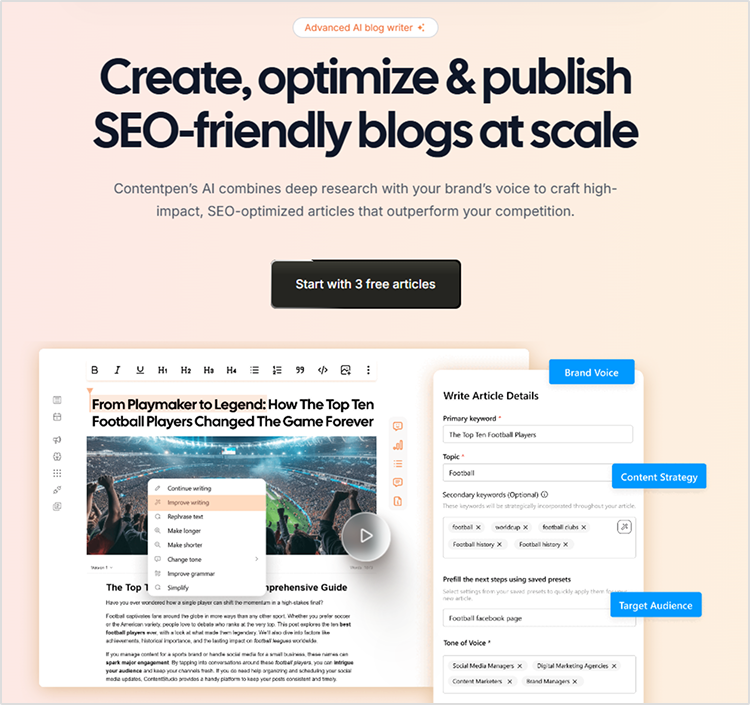
    Contentpen is the best AI writing tool for bulk content generation. Designed specifically for agencies, content teams, and marketers, this AI writing software handles everything from ideation to publishing using a multi-agent system.
    Learn how to write an article using Contentpen for optimal results.

    Key features:

    • Brand-aligned content using your custom voice, tone, and messaging
    • Data-driven keyword and topic suggestions based on intent and SERP analysis
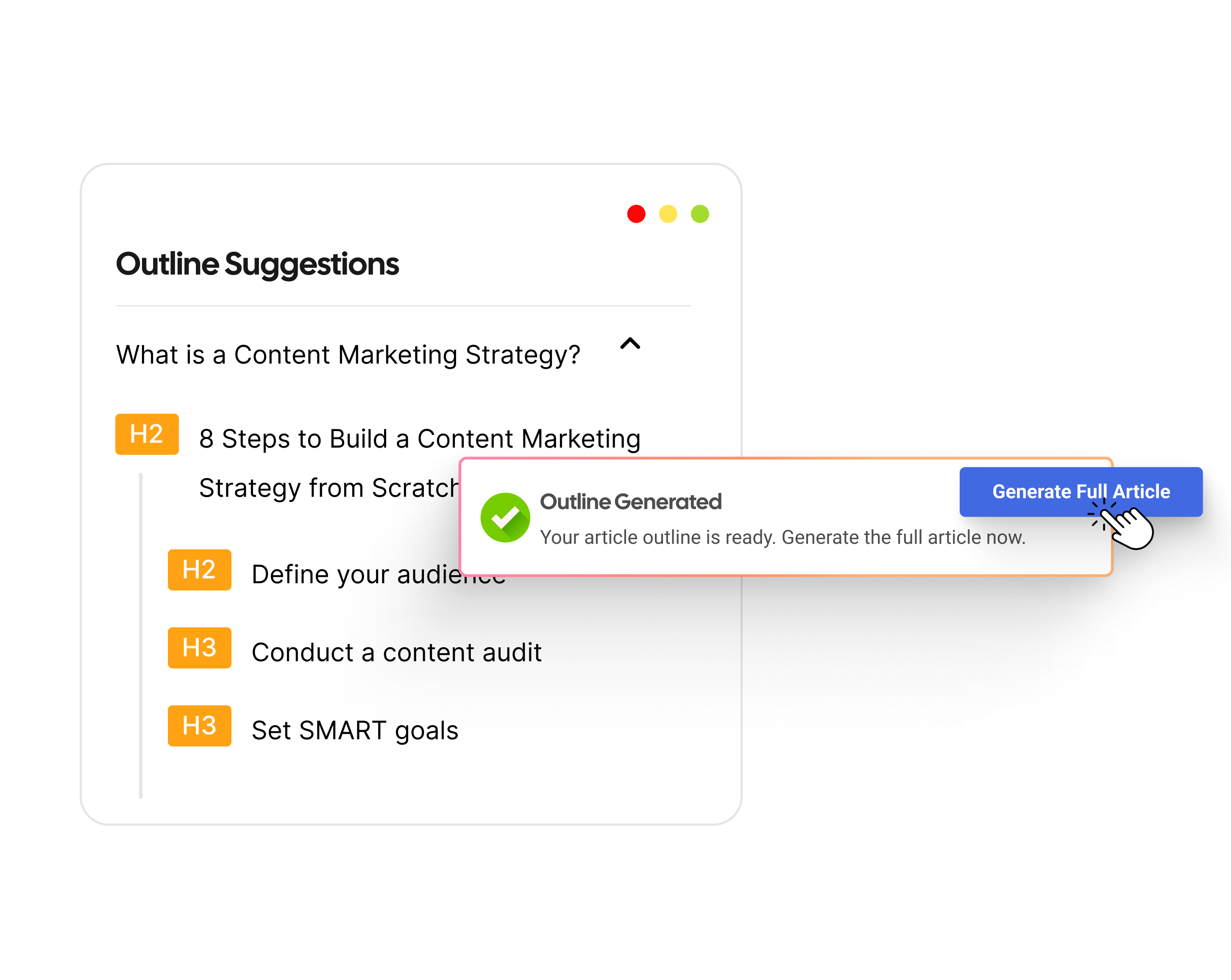
    • Research-backed SEO outlines with headings, questions, and keyword clusters
    • Automated long-form drafting with internal linking and relevant references
    • SEO optimization tools for metadata, alt text, and plagiarism checks
    • Visual generation with AI-created featured and in-line images
    • CMS publishing with direct integration to WordPress and others
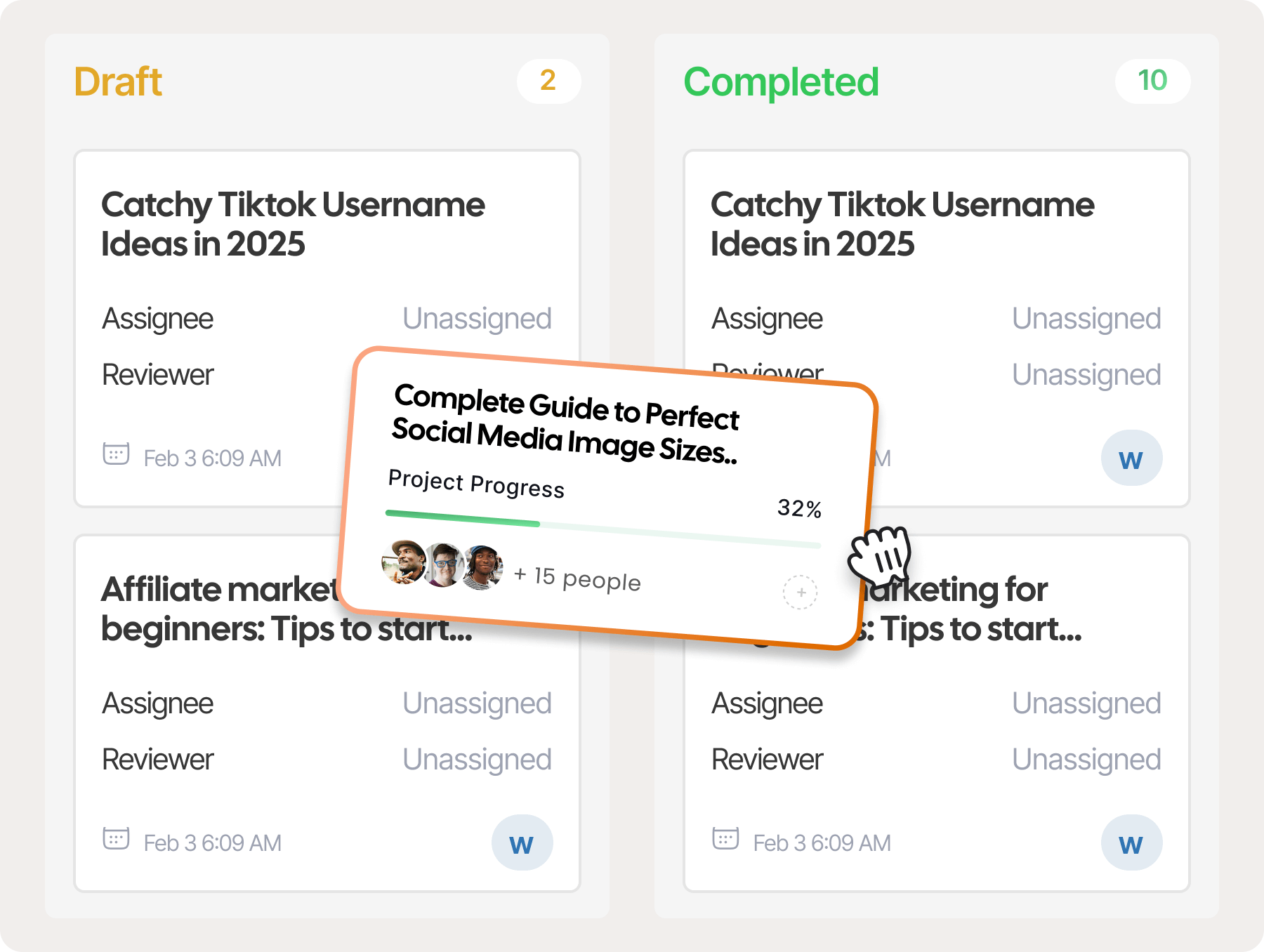
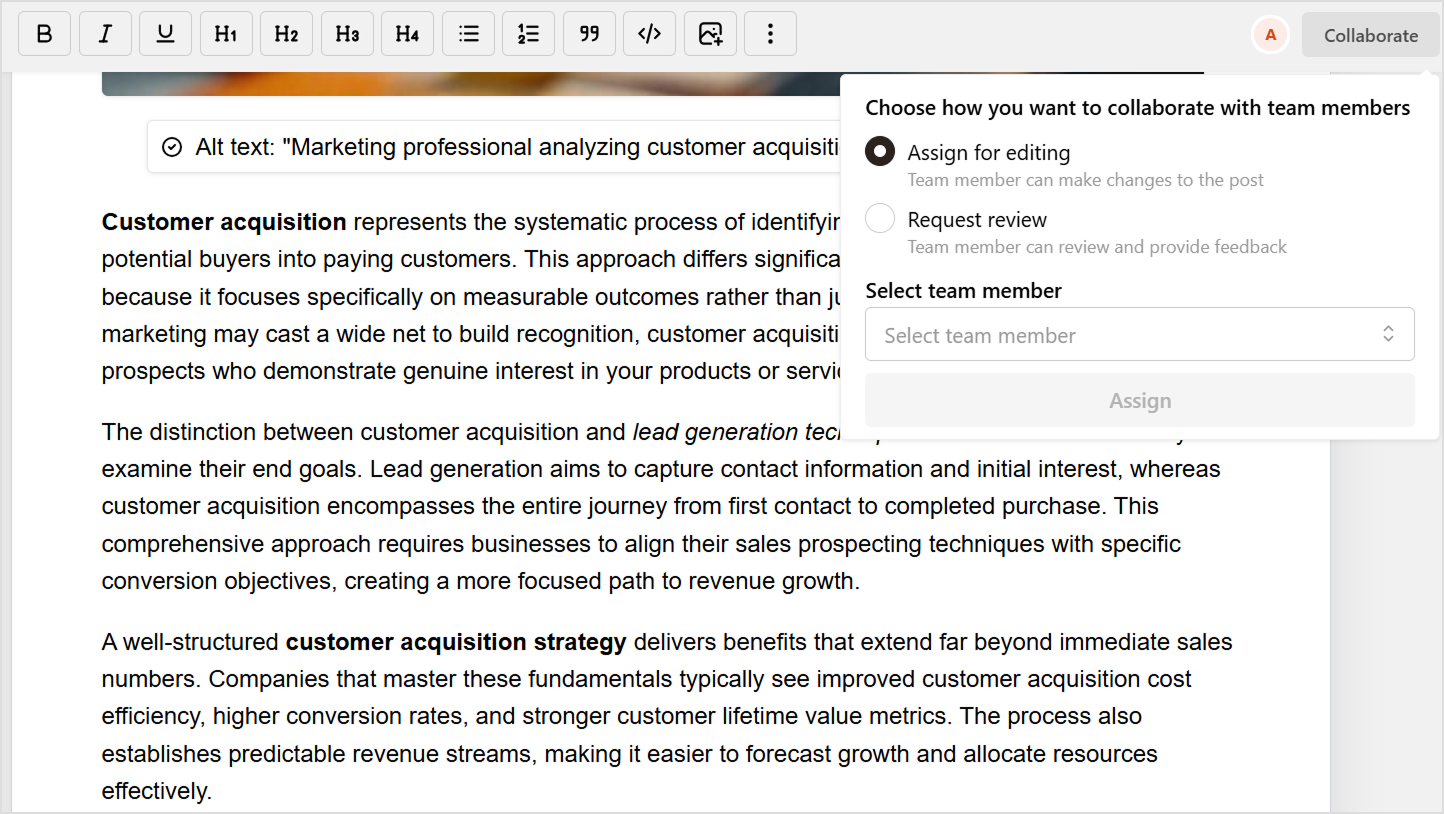
    • Team collaboration workflows with Kanban calendars, task assignments, and approvals

    Improve SEO with automated linking that fills them

    check

    Adds context-aware internal and external links automatically

    check

    Uses relevant anchor text to improve SEO and content flow

    Try Auto-Interlinking
    AI SEO Interface

    Whether you’re managing one brand or multiple clients, Contentpen empowers your team to create consistent, SEO-optimized content faster and more efficiently—without compromising your brand’s voice or editorial standards.

    Pricing:

    • Free trial: Available
    • Starter: $39/month
    • Premium: $79/month
    • Agency: $199/month

    Best for: Bulk content generation, SEO teams, and agencies
    View pricing

    2. Jasper

    Jasper

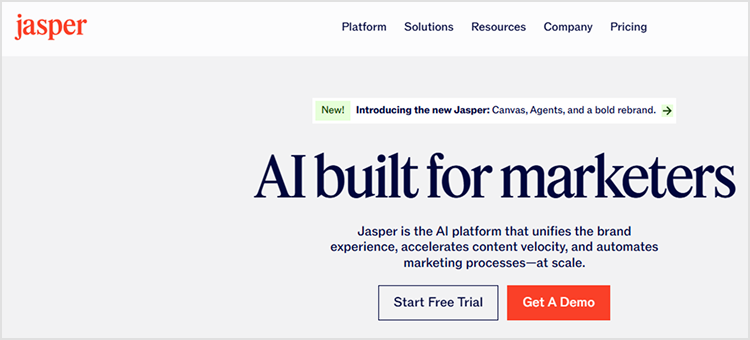
    Jasper is one of the recognized AI writing platforms, known for its versatility and ease of use. It’s a popular AI writing tool offering templates for long- and short-form content. It’s among the best AI for writing across marketing campaigns.

    Discover more about what is AI generated content and its applications.

    Key features:

    • Templates for different content types
    • Commands to guide tone and structure
    • Integration with Surfer SEO. Consider exploring the 11 best Surfer SEO alternatives for more options.
    • Team collaboration features
    • Jasper Art for AI-generated visuals

    Ideal for marketing teams and solopreneurs looking for customizable AI writing support.

    Pricing

    • Creator: $39/month
    • Pro: $59/month
    • Business: Custom pricing

    Best for: Teams needing high-quality, versatile content generation

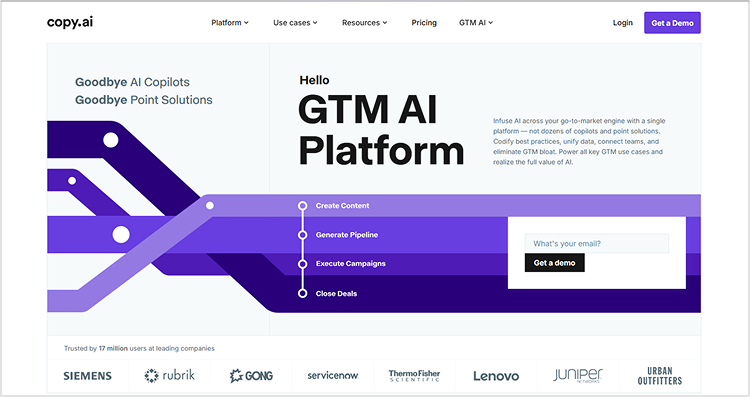
    3. Copy.ai

    Copy.ai

    Copy.ai is another powerful tool aimed at creating short-form content like ads, emails, social media posts, and product descriptions. It’s one of the best AI content generation tools for marketers.

    Key features:

    • Dozens of content templates
    • Easy-to-use interface
    • Workflow automation for bulk tasks
    • Multilingual support
    • Free plan available

    Copy.ai is best suited for small businesses and entrepreneurs needing quick, snappy copy.

    Pricing

    • Free plan: Available (limited features)
    • Starter: $49/month
    • Advanced: $249/month

    Best for: Quick marketing copy and short-form content

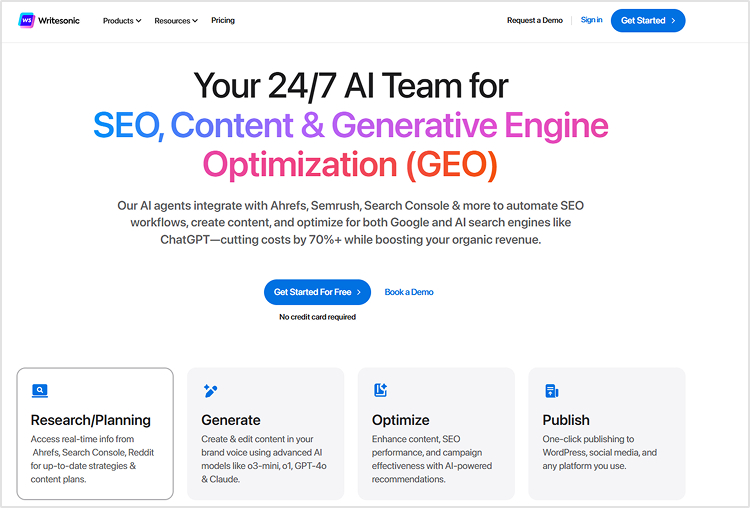
    4. Writesonic

    Writesonic

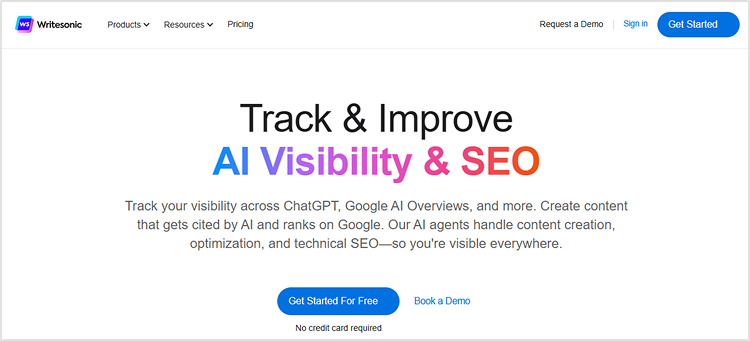
    Writesonic is popular among budget-conscious users who still want rich content outputs. It supports both short-form and long-form content and includes a chat interface for custom writing instructions. It’s great for blogs, landing pages, and ecommerce content writing.

    For similar tools, check out the best ChatGPT alternatives.

    Key features:

    • Article writer and AI chatbot
    • Landing page and ecommerce copy
    • SEO tools and integrations
    • GPT-4 support in premium plans
    • Image and voice generation add-ons

    Also read: 10+ best Writesonic alternatives in 2026.

    Pricing

    Writesonic offers a solid combination of functionality and pricing flexibility.

    • Basic plan: $20/month
    • Lite plan: $49/month
    • Standard: $99/month

    Best for: Affordable content creation for blogs and landing pages

    5. Rytr

    Rytr

    Rytr is known for its simplicity and affordability. Rytr is a straightforward, affordable tool for freelancers. It’s one of the best free AI writing tools to start with.

    Key features:

    • 40+ use cases across content types
    • Simple document editor
    • Built-in plagiarism checker
    • Affordable pricing
    • Browser extension

    If you’re looking for a clean and budget-friendly writing tool, Rytr is a strong choice.

    Pricing:

    • Free plan: $0/month
    • Saver plan: $9/month
    • Unlimited plan: $29/month

    Best for: Individuals and freelancers

    6. Scalenut

    Scalenut

    Scalenut combines AI for writing with deep SEO research. It’s perfect for teams focused on ranking and topic clusters.

    Key features:

    • Topic cluster planning
    • AI content generation
    • Cruise mode for guided writing
    • SERP analysis tools
    • Content brief generator

    Scalenut is great for marketers who want to blend AI efficiency with SEO best practices.

    Pricing:

    • Essential: $49/month
    • Growth: $79/month
    • Pro: $149/month

    Best for: SEO-focused content strategies

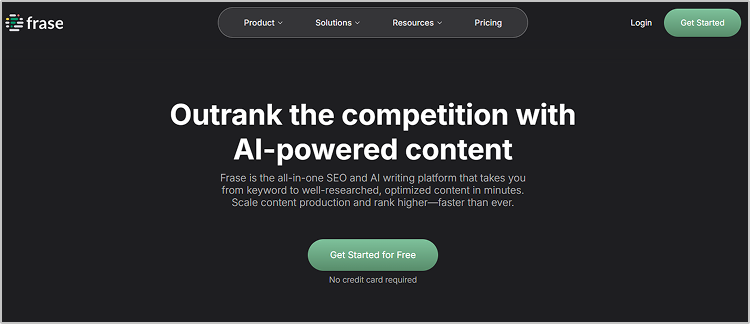
    7. Frase

    Frase

    Frase offers SEO-focused AI writing software that studies top-ranking pages and generates optimized content. It’s best suited for content marketers and strategists.

    Key features:

    • Content briefs from top-ranking pages
    • AI-assisted writing and optimization
    • Answer engine for FAQs
    • Topic and keyword suggestions
    • Integrations with Google Search Console

    Frase excels when research and relevance are top priorities.

    Pricing:

    • Starter: $45/month
    • Professional: $115/month
    • Enterprise: Custom

    8. Wordtune

    Wordtune

    Wordtune enhances your existing text. It’s a writing AI tool ideal for rephrasing and improving clarity. It’s perfect for writers who want to improve sentence clarity, rewrite paragraphs, and tailor tone for different audiences.

    Key features:

    • Sentence-level suggestions
    • Tone customization
    • Summarization and expansion tools
    • Chrome extension available
    • Google Docs integration

    Wordtune is best for editors, bloggers, and professionals polishing their own content.

    Pricing:

    • Free plan: Available
    • Plus: $13.99/month
    • Unlimited: $19.99/month

    Best for: Rewriting and improving clarity of text

    9. INK

    Inkforall

    INK is a content writing AI software that includes a proprietary SEO score to improve content visibility.

    Key features:

    • AI content writer
    • SEO content score
    • Readability improvements
    • Plagiarism checker
    • Desktop app

    INK is helpful for those who need writing and ranking assistance in one tool.

    Pricing:

    • Professional: $39/month
    • Enterprise: Custom pricing

    Best for: SEO-focused writers and marketers

    10. Hypotenuse AI

    Hypotenuse.ai

    Hypotenuse AI is tailored for ecommerce businesses that need product descriptions, collection pages, and ads. It is designed for ecommerce product content. It’s one of the best AI content generators for Shopify users.

    Key features:

    • Bulk product description generator
    • AI art generator
    • Shopify integration
    • Tone customization
    • Research-backed blog writing

    If you run an online store, Hypotenuse AI is a tool worth considering.

    Pricing:

    • Basic: $150/month
    • E-commerce Pro: Custom pricing
    • E-commerce Enterprise: Custom pricing

    Best for: Ecommerce content and bulk product descriptions

    Create rank worthy content at scale

    check

    Faster

    check

    Consistent

    check

    SEO-ready

    check

    Efficient

    Try Bulk Content Creation
    AI SEO Interface

    Final thoughts

    Whether you’re looking for an AI writing program to create SEO articles, a content AI writer to produce product pages, or simply the best AI tool for writing blogs, the tools above are excellent choices. With options ranging from free plans to enterprise-grade solutions, these content writing apps cover every use case.

    Want to ensure your AI-generated content remains brand-aligned? Contentpen and similar AI writing assistants can be trained to match your tone and voice, offering superior results for high-volume campaigns.

    Start by identifying your content goals—volume, quality, SEO, or speed—and choose the tool that aligns best with your workflow.

    For those who want to scale up fast without compromising quality, Contentpen remains one of the strongest options out there.

    FAQs about AI writing tools

    What are AI writing tools?

    AI writing tools are software powered by artificial intelligence and natural language processing to create or optimize text. These tools can generate content for blogs, social posts, emails, and more.

    Which is the best AI writing tool for bulk content creation?

    Contentpen is among the best AI writing tools for bulk content creation, thanks to its multi-agent workflow and CMS integration.

    Are AI writing tools SEO-friendly?

    Yes. Many AI tools for writing (like Contentpen) include SEO features such as SERP analysis, keyword suggestions, and on-page SEO scoring.

    Can AI writing tools completely replace human writers?

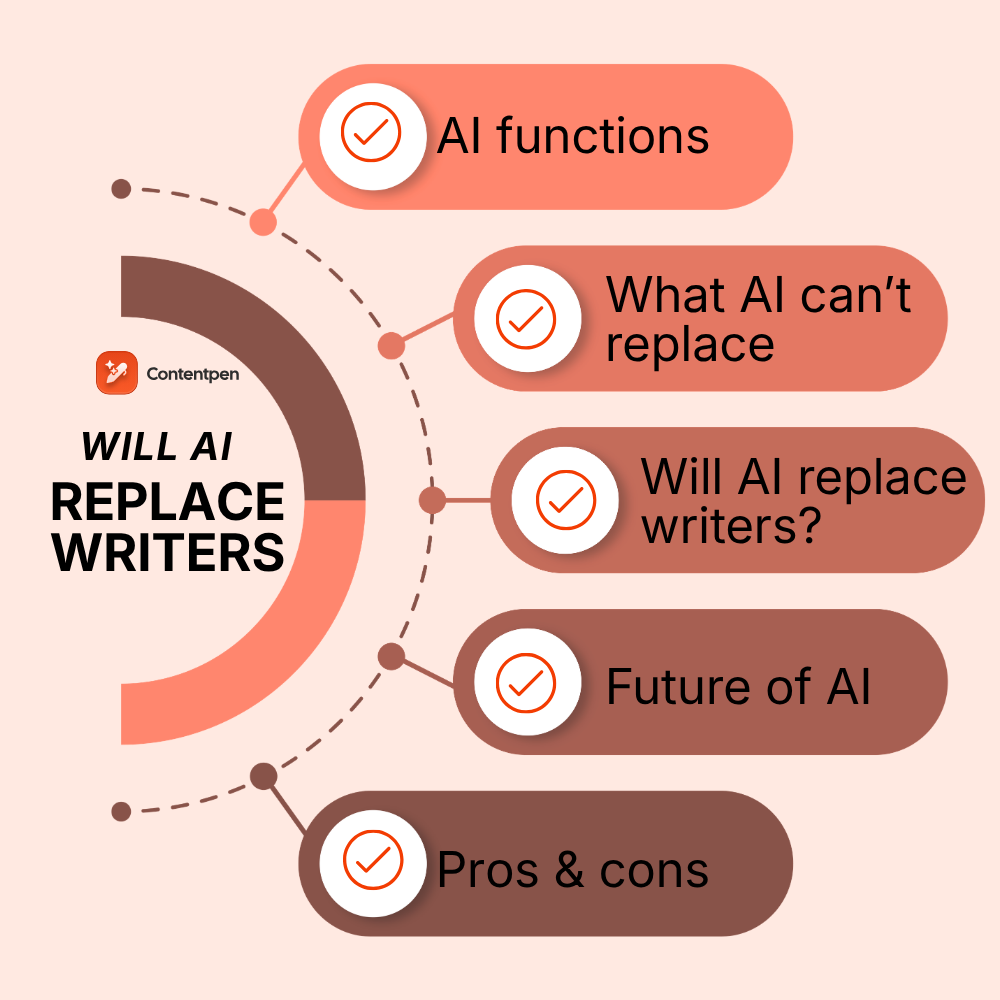
    AI content writing tools can streamline production, but human writers remain essential for creativity, emotion, and strategy.

    Can AI writing tools help with brand voice consistency?

    Yes, advanced AI tools like Contentpen can analyze your existing content, help docs, and brand materials to learn your unique tone and voice. This ensures every piece of generated content stays aligned with your brand identity—especially helpful for agencies and multi-brand teams.

    Do AI writing tools support publishing directly to my CMS?

    Tools like Contentpen, Writesonic, and Hypotenuse AI allow direct publishing to CMSs like WordPress.

  • How long does it take to write a blog post?

    How long does it take to write a blog post?

    Blogging has changed quite a bit since the advent of AI tools, but some things have never changed. Budding bloggers are still curious about that magic question: “How long does it take to write a blog post?”

    The common answer to this question is that it depends on each blogger’s writing process. It’s not fair to fixate on the duration of blog post writing. Sure, speed is the mark of a professional blogger, but there’s more to this.

    Almost every seasoned blogger goes through multiple stages of blog post creation to complete a worth-reading piece.

    In this post, we’ll explore what the experts say, share some studies, and then break down how long it should take to write a blog post, plus how tools like Contentpen can help speed things up without compromising quality.

    What do studies say about average blog writing time?

    The duration of the blog post writing can be influenced by niche, the blogger’s experience, the subject matter, and the article’s size.

    However, a lot of bloggers still want to get into this rabbit hole. So, let’s take a look at some of the studies about average blog writing time:

    average time to write a blog post

    Nina from SheKnowsSEO ran a poll across different all of these social media channels asking followers about this very question. She found out that 40.3% followers said 5-6 hours and 32.2% followers said 3-4 hours.

    how long does it takes to write a blog post on google

    Neil Patel also shared his statistics about how long it takes to write a blog post that ranks in Google, even in the AI-generated content era. He revealed the average blog writing time from 2015 to 2025. In 2015, it took 2 hours and 10 minutes to write a blog post on average, whereas in 2025, it took 2 hours and 59 minutes to write a blog post.

    These studies tell us that it usually takes 3 to 5 hours to write a blog post, but this can vary depending on different factors.

    How long does it take to write a blog post, and how much time does each stage take?

    Here are the stages involved, from finding the idea to hitting the publish button in your content management system:

    i. Ideation

    Ideation is the earliest stage in the process. It’s the time when you start brainstorming ideas for blog posts. You can draw inspiration from trending topics, frequently asked questions, your personal experiences, or competitor content. A good blog idea should be relevant to your target audience, timely, and capable of delivering value.

    ii. Keyword research

    Several keyword research tools like Ahrefs, Semrush, and Google Keyword Planner help bloggers and SEOs find keywords people are actively searching for. Striking a balance between high search volume and low competition is the way to go.

    iii. Blog outline

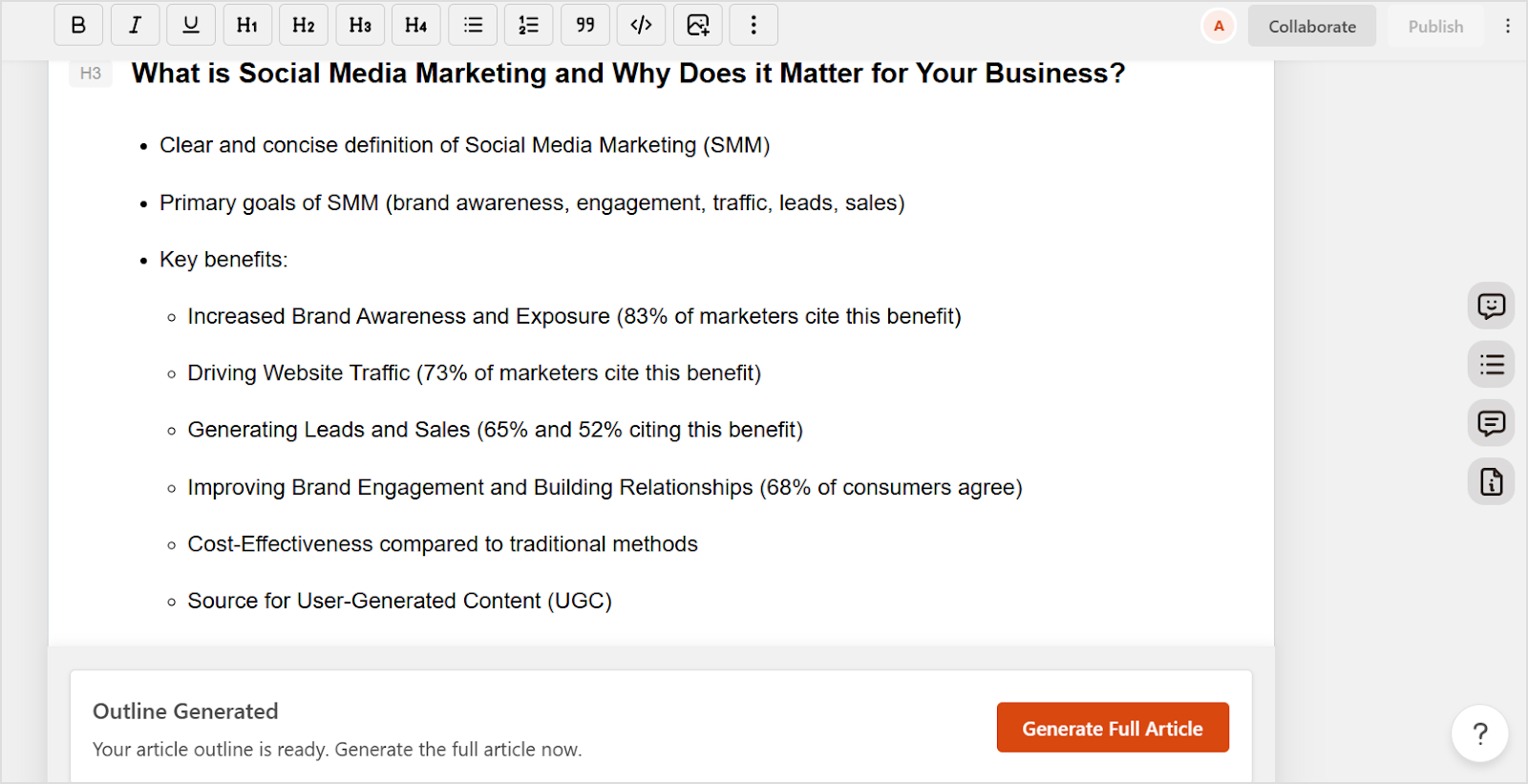
    Before starting to write the article, create an outline to organize your thoughts. It’s best to break your topic into main sections using H2, H3, and H4 subheadings. Add bullet points or short notes under each section to stay focused while writing. A clear outline improves the article’s structure and helps deliver the right message.

    iv. First draft

    The first draft is crucial to writing an impactful piece. Write your first draft based on the blog outline as soon as possible. Focus on getting your ideas down without worrying too much about structure, formatting, and grammar. Use a conversational tone, support your points with examples or data, and aim to keep your readers engaged throughout.

    v. Editing phase

    After finishing the first draft, revise your content for clarity, structure, grammar, and engagement. Remove unnecessary words, improve sentence flow, and ensure smooth transitions between sections. Don’t hesitate to go through several times during the editing phase to refine your message.

    vi. Image creation

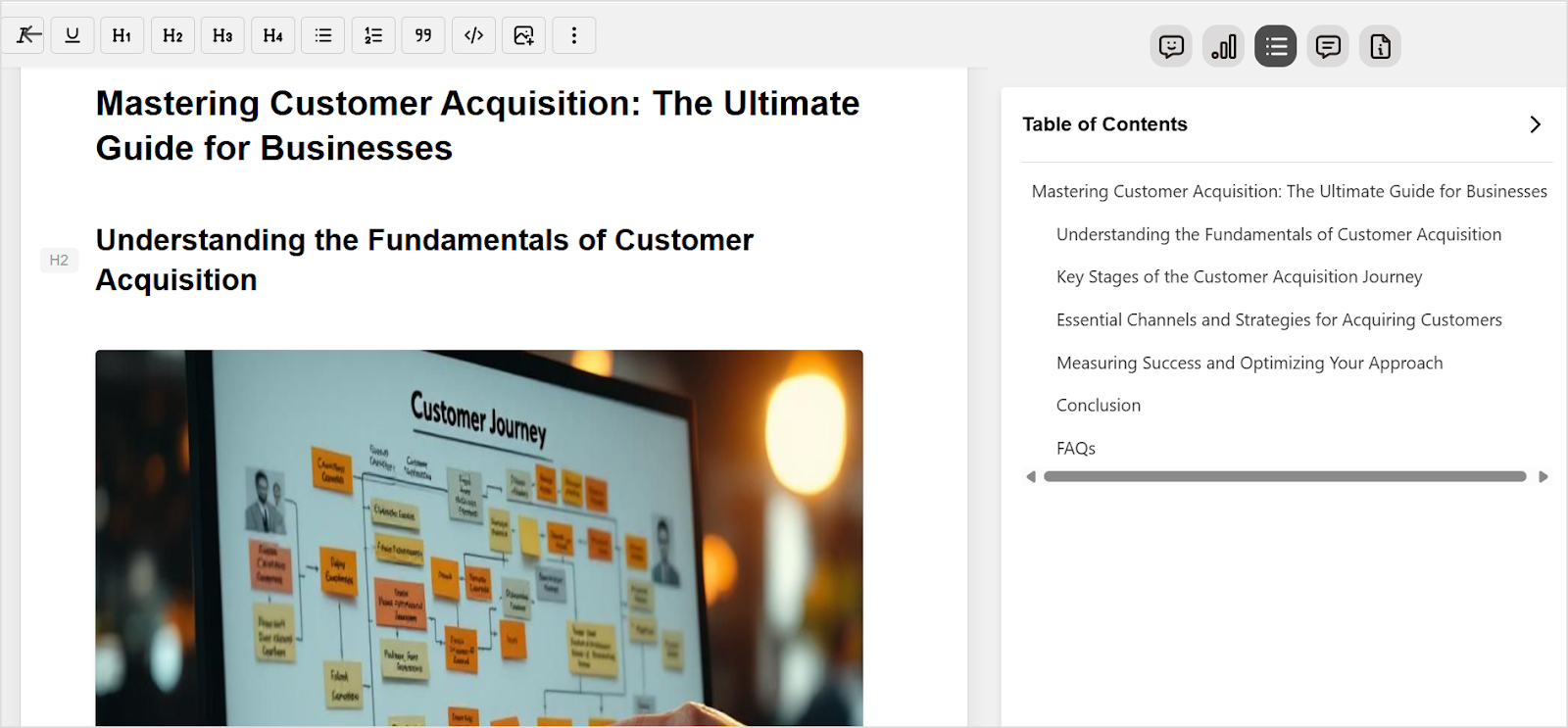
    Images make your blog post more engaging and easier to understand. Blog post images include screenshots, infographics, featured images, and other example images that support the message. Try tools like Canva or VistaCreate to design custom images, and don’t forget to optimize image size and file names for SEO.

    vii. Grammar check

    Run your content through grammar-checking tools like Grammarly or Quillbot to catch spelling and grammar issues. Also, check for sentence clarity, passive voice, and wordiness. A well-polished blog post builds trust with readers and reflects professionalism. So, don’t rush to hit publish after the editing phase. Instead, take your time to improve the article.

    viii. Formatting

    Formatting is a critical phase in the blog writing process. Format your blog post to enhance readability, attract eyeballs, and improve engagement. Use headings, bullet points, short paragraphs, and bold text for emphasis. Make sure all links work correctly, and the article contains the basic sections, such as the intro, body, and conclusion.

    ix. Publishing/scheduling

    Once everything is perfectly done, it’s time to upload your blog post to your blogging platform and add essential elements like SEO metadata, images, internal links, and external links. After completing this process, you can publish the blog post immediately or schedule it according to your blog content calendar.

    How to write blog posts faster without losing quality?

    Speeding up your content creation process doesn’t have to mean compromising on quality. The key is to use a smart AI-powered writing assistant like Contentpen — a powerful SEO content writer for bloggers designed to help you generate content, expand on ideas, and overcome writer’s block while maintaining a consistent tone and structure.

    1. Pick your topic and define a clear angle

    Start by narrowing down your topic. Instead of writing about broad subjects like “digital marketing,” choose specific angles such as “how small businesses can use email marketing to boost repeat sales.” A focused topic gives your blog a clear direction, improves reader engagement, and speeds up the writing process.

    2. Set up your content preset in Contentpen

    This is where Contentpen truly sets itself apart. It allows you to create a customized content preset to match your brand voice and style.

    • Tone of voice: Choose from options like clear and helpful, professional and friendly, or confident but concise to keep your tone consistent across every blog post.
    • Target audience: Specify exactly who you’re writing for—be it marketers, SaaS founders, freelancers, or product teams.
    • Formatting preferences: Automate how key ideas are styled—use bold for emphasis, bullet points for easy scanning, and tables or quotes where needed.
    • Article structure: Set your ideal post length and enable optional sections like FAQs, takeaways, or a conclusion to make every post reader-friendly.
    • Linking strategy: Configure how internal and external links are handled to ensure SEO-friendliness and maintain trustworthiness.

    With all these presets in place, Contentpen handles the structure, tone, and formatting while you focus on the actual content.

    3. Write without distractions

    Now that your preset is in place, you can dive straight into writing. Contentpen ensures formatting and style consistency in the background, so you don’t need to switch between writing and editing modes.

    This lets you put all your energy into explaining ideas clearly, building arguments, and adding value. Writers often find that this workflow leads to better writing in less time.

    4. Add visuals seamlessly

    Visuals make blog posts more engaging, but manually handling them can eat up time. With Contentpen:

    • Featured images are automatically sized and placed
    • In-content visuals retain a consistent style
    • Tables are formatted neatly
    • The overall visual hierarchy stays intact

    You simply choose the right images—Contentpen ensures they look great and don’t disrupt your workflow.

    5. Review and schedule with ease

    With structure and formatting already handled, your review can focus purely on content quality. Look over the main takeaways, flow, grammar, and headline effectiveness. Once you’re happy, either publish it right away or schedule it for later.

    Factors that affect the duration of writing a blog post

    Before we discuss the debate about how long it takes to write a blog post, it’s essential to discuss the factors that determine that time.

    1. Time constraints

    Time constraints refer to the hurdles that limit the amount of time available to complete a task. Each individual has different time constraints depending on their day job, working hours, or part-time gigs.

    2. Writer’s block

    Writer’s block is a condition in which writers fail to think and write about the topic they want to write about. It freezes their creative thinking, resulting in frustration and demotivation.

    3. Clarity of thoughts

    Clarity of thoughts means the person is mentally ready to take the challenge head-on. It shows that the person is pretty clear about the pathway and prepared to move forward with confidence.

    4. Mental and physical health

    Both mental and physical health are crucial to the creative writing process and surely impact the duration of writing a blog post.

    5. Workload or multiple jobs

    One of the factors that affects quite a lot of bloggers is the workload or juggling multiple jobs at once. When someone is buried under a lot of work or managing multiple projects, this person might not be able to complete the tasks on time.

    Now, let’s discuss various stages of blog post writing and publishing just to clear the context.

    Conclusion

    Due to time constraints and obligations, bloggers optimize their processes to make the most of their time.

    While it shouldn’t matter how long it takes to write a blog post, it’s important to keep track of the time as we’re on the clock. Therefore, we learned that it takes somewhere between 3 to 6 hours to write a blog post.

    However, make sure that the content is helpful, valuable, and worth sharing. At the end of the day, nobody cares how long it took you to write that blog post. All that matters is what “value” it delivers.

    So, be mindful of that and put out blog posts that make an impact!

    FAQs about blog post writing duration

    How long does it take to write a 1000-word blog post?

    A 1000-word blog post shouldn’t take any longer than 2 hours. However, there are always exceptions to the rule.

    Is a 500-word blog post too short?

    Usually, a 500-word blog post is considered concise unless it completely answers the query and satisfies the readers.  

    How long should SEO blogs be?

    There are no hard and fast rules for the length of SEO blog posts. However, it’s best to write slightly longer yet relevant articles than competitors in the SERP.

    How many words should a blog post be for SEO 2026?

    SEO has changed siginificantly in 2026, and will continue to do so going forward. However, the blog post length should be somewhere between 3,000 to 4,000 words.

  • How to fact-check AI-generated content in 7 steps?

    How to fact-check AI-generated content in 7 steps?

    Artificial intelligence (AI) has shaken the world with its quick adoption across all mainstream fields, such as medicine, education, engineering, agriculture, IT, and technology.

    This has led to the opening of new information portals through AI-generated content. However, fact-checking AI-generated content has been a challenge since its inception.

    Given that AI can mass-produce content within a few seconds, the chances are that the AI content generators might spit out some misleading information.

    So, to cope with these AI-based content creation challenges, marketers, agencies, and publishers must rely on trusted tools like Contentpen. It’s an advanced AI blog content generator that streamlines AI-based content generation for both personal and professional users.

    Write better blogs in less time, without sacrificing quality.

    Let AI handle structure, clarity, and flow while you stay in control of the message.

    Try AI blog writing
    AI SEO Interface

    The best part about Contentpen is that it equips bloggers, SEOs, marketers, and influencers to create and publish high-quality, SEO-optimized articles in no time.

    fact-check AI-generated content

    Why is it important to fact-check AI content?

    AI-powered content is gaining massive popularity, especially among digital marketing circles. The reason is that it’s easy to create and affordable for everyone, making AI content verification and authentication challenging. Therefore, AI content fact-checking has never been this important.

    Let’s go through some of the key reasons for fact-checking AI content:

    Risk of spreading misinformation

    Spreading incorrect information generated with AI can be extremely damaging to your brand. Not only does it hurt your brand voice, but it also affects the audience that consumes the content. This is why it’s important to have checks and balances on AI-generated content.

    AI hallucinations

    While AI content generators can give answers or generate pieces that have low content accuracy, an AI tool may generate content that contains completely unverified, incorrect information. This behavior of AI content creation tools is called AI hallucinations.

    Inaccurate explanation of critical subjects

    One of the key reasons why it’s important to have a fact-checking system for AI content in place is that inaccurate information on critically important subjects, such as medicine, health, fitness, finance, and others, could have serious consequences on people’s lives.

    Reputation at stake

    Reputation is hard to make but even harder to maintain. In the digital marketing world, where every individual and brand wants to dominate the space with high-ranking articles, viral TikTok videos, and million-view YouTube videos, reputation is always at stake. So, publishing AI content without fact-checking puts the brand reputation at risk.

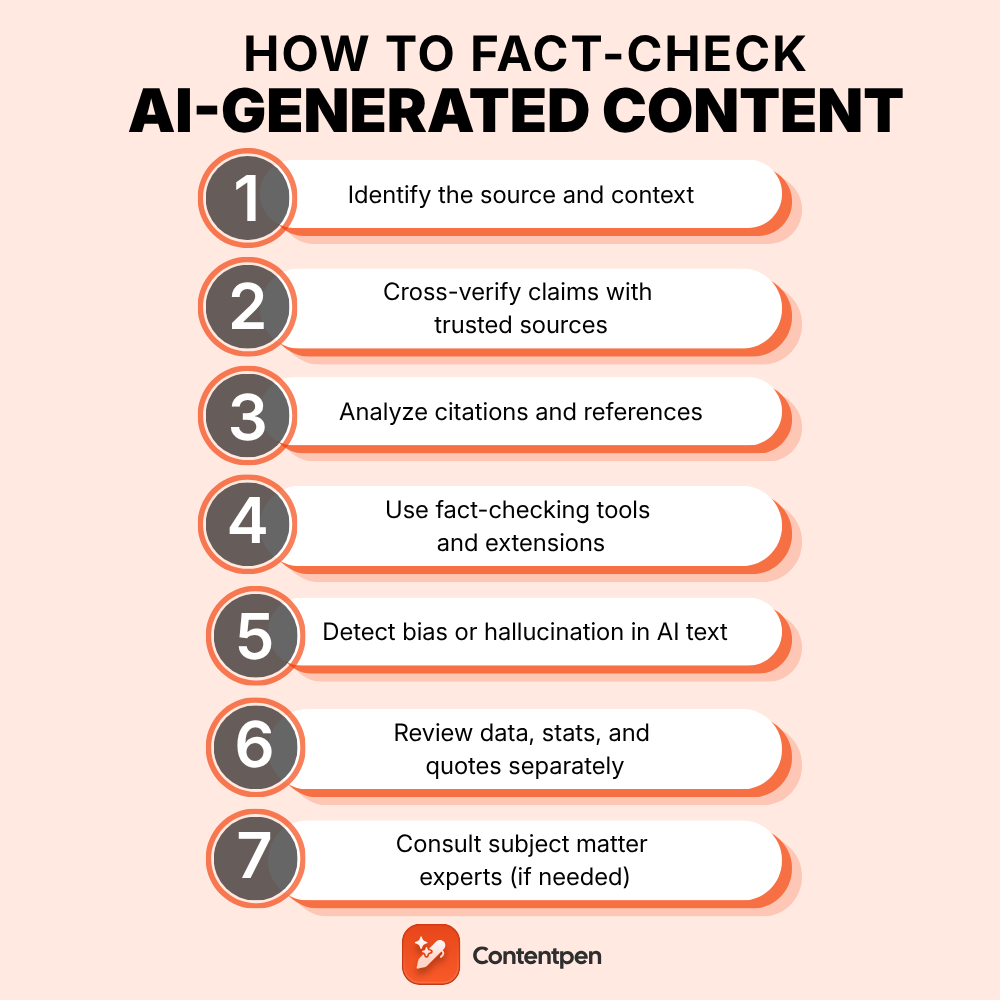
    7 steps to fact-check AI-generated text

    Experienced digital marketers and professional bloggers ensure they fact-check AI-generated content before publishing on their blogs. Here are seven steps to take when fact-checking AI-generated content:

    Step 1: Identify the source and context

    AI generates text by scanning relevant sources and compiling information from them. Therefore, it’s necessary to take a moment to examine its origin and purpose. Blindly trusting or sharing AI-generated content can lead to certain issues.

    You must have some idea of the source of AI-generated text to get a clear picture. AI-generated outputs can be shaped by prompts, user intent, or platform defaults, so context matters. Make sure the source of the AI content is identified and mentioned.

    Step 2: Cross-verify claims with trusted sources

    One of the essential steps is the cross-verification of the claims. Don’t accept facts at face value. Check key claims against credible sources such as government websites, well-known media outlets, statistics portals, or academic databases.

    This is especially important for data-driven content (that includes statistics, dates, or numbers) or news-based content. When using AI for content creation, supplement it with your manual research process to ensure accuracy.

    For example, Statista is the go-to website for various types of statistics:

    Statista

    Step 3: Analyze citations and references

    It’s easier to get carried away when generating text with AI-powered writing tools. It’s no surprise that AI can sometimes generate fake or misrepresented citations. When it comes to cited sources, they can be fake or unavailable. So, always check whether the cited sources exist, are properly formatted, and genuinely support the statements made.

    Sometimes, tools like ChatGPT can create hyperlinks based on the prompt, but the pages it’s linking out to don’t exist. 

    ChatGPT

    To solve this, Contentpen comes equipped with built-in sitemap integration, allowing it to automatically add internal links to your content if you choose to enable it. You can also take advantage of the external linking feature, which keeps your content accurate and SEO-optimized. 

    sitemap integration for internal linking

    It intelligently suggests relevant links from your own site or trusted external sources, so you’re not just linking for the sake of it; you’re linking with purpose. With Contentpen, you can eliminate broken links, strengthen your site structure, and build reader trust with confidence.

    external linking

    Step 4: Use fact-checking tools and extensions

    One important aspect of using AI-generated text is fact-checking. Publishing AI content without proper examination, either manually or using a third-party fact-checking tool, can have serious consequences. Nobody wants to put their credibility on the line.

    Google Fact Check Explorer

    Fact-checking tools can make your work faster and more reliable, thanks to tools like Google Fact Check Explorer, Snopes, and others. Moreover, browser extensions such as NewsGuard or Media Bias/Fact Check can also help validate trending topics or controversial claims.

    Step 5: Detect bias or hallucination in AI text

    Most AI tools give a heads-up to the users about the possibility of incorrect information. The reason is that these AI models can “hallucinate”, meaning make up facts or inject bias through overly confident or emotionally charged phrases.

    Users are advised to be alert to statements that sound overly definitive without support or sources. Contentpen helps you clean up these biases and tone issues by refining AI drafts into accurate, neutral, and human-sounding content that fits your editorial standards.

    Contentpen

    Step 6: Review data, stats, and quotes separately

    Since AI writing tools can find references or cite sources in the generated content, there is no guarantee that those citations or references are 100% right.

    AI-generated content may mix accurate information with plausible-sounding but incorrect data. Always double-check statistics, dates, and quoted statements using sources like official reports, press releases, or verified interviews.

    The whole point is that you don’t blindly rely on automated writing tools alone. Try to build a habit of confirming details manually, especially when publishing content on data-heavy topics.

    Step 7: Consult subject matter experts (if needed)

    You must have seen a tag saying “medically reviewed by [doctor’s name]” on top of the medical or health-related articles. The purpose is to showcase that a subject matter expert verifies this information.

    Source verficication

    However, this verification shouldn’t be limited to medicinal or health content. If you publish content in legal, scientific, finance, and fitness niches, it’s wise to consult experts before publishing.

    AI can mimic confidence or hallucinate without seeming dodgy, so getting a professional’s input can be the difference between credible and misleading content. Whether you’re refining a blog post or publishing an eBook, combine AI support with real-world insights for high-authority publishing.

    Conclusion

    The purpose of writing this piece about fact-checking AI-generated content is to ensure that the brand’s reputation isn’t affected by low-quality AI-based content.

    When a brand publishes unverified content or doesn’t support the claims with citations, it starts to affect its credibility.

    Since AI tools can add gibberish or link out to non-existent sources, automated fact-checking seems inevitable, especially for publishers that heavily rely on AI writing tools.

    Here are the key takeaways to apply when fact-checking AI-generated content:

    • The answers AI-powered writing tools generate must make sense to a common person. The advanced AI models can work on in-depth scientific and technical topics to assist users.
    • The real-life implementation of the suggested solutions is important. The solutions AI suggests must be doable in real life and shouldn’t be vague, resulting in ambiguity.
    • Users must adhere to the responsible and fair use policy of the AI writing tools to create valuable and effective content that impacts readers’ lives.
    • Users must not solely rely on the AI tools for answering questions related to health, medicine, food, finance, and other sensitive areas.

    No wonder fact-checking for AI-generated content can be a tedious task unless you have a system in place or a tool that streamlines the whole process.

    Contentpen is a state-of-the-art AI blog writing tool that creates and publishes highly effective, SEO-friendly articles without breaking the bank.

    It’s an advanced AI writer that dives deep into the user’s website to gather brand knowledge. Users can also provide brand assets, such as docs or PDFs, to let the AI agent know everything about the brand.

    It can create an effective blog outline that transforms the blog writing purpose. It offers a research-backed structure and semantic SEO build-up from the very base.

    Contentpen employs multiple AI agents that collaborate and work in coherence. Moreover, it’s able to produce both authoritative and engaging content across different social media channels.

    FAQs about fact-checking AI-generated content

    How to fact-check AI information?

    There are several fact-checking AI information tools available on the market, for instance, Automated Fact-Checker and AI Fact-Checking are two popular ones.

    Does Google fact-check AI content?

    Google seems to be working on its fact-checking AI content tool that might be available sometime in the future. However, there are no confirmations whatsoever.

    Does ChatGPT do its fact-checking?

    ChatGPT doesn’t have its fact-checking system in place as of now, but you never know what it will come up with in the future. Users have to rely on third-party tools for this.

  • How to set up brand knowledge in Contentpen: 05 simple steps

    How to set up brand knowledge in Contentpen: 05 simple steps

    Creating high-quality content consistently is one of the biggest challenges modern brands face, especially when working with multiple writers or relying on AI assistance.

    That’s where the brand knowledge feature in Contentpen comes in. It allows you to define your brand’s identity, voice, target audience, and strategic messaging, all in one place, so every piece of content reflects your unique positioning.

    Whether you’re a B2B SaaS company, digital marketing agency, or content manager running multiple campaigns, aligning your content with your brand identity helps build trust, improve conversions, and save time. 

    In this guide, you’ll learn how to build brand knowledge in Contentpen using its four key components: brand voice, website, files, and text snippets. Each step ensures the AI writes in your voice, for your audience, with content that supports your marketing and business goals.

    So, let’s get started.

    What is brand knowledge in Contentpen?

    Brand knowledge in Contentpen is a foundational feature that trains the AI to understand your brand’s identity, voice, audience, and messaging framework. 

    Instead of starting from scratch every time you generate content, you can preload essential brand information, so Contentpen consistently produces accurate, on-brand outputs.

    The brand knowledge setup consists of four integrated components:

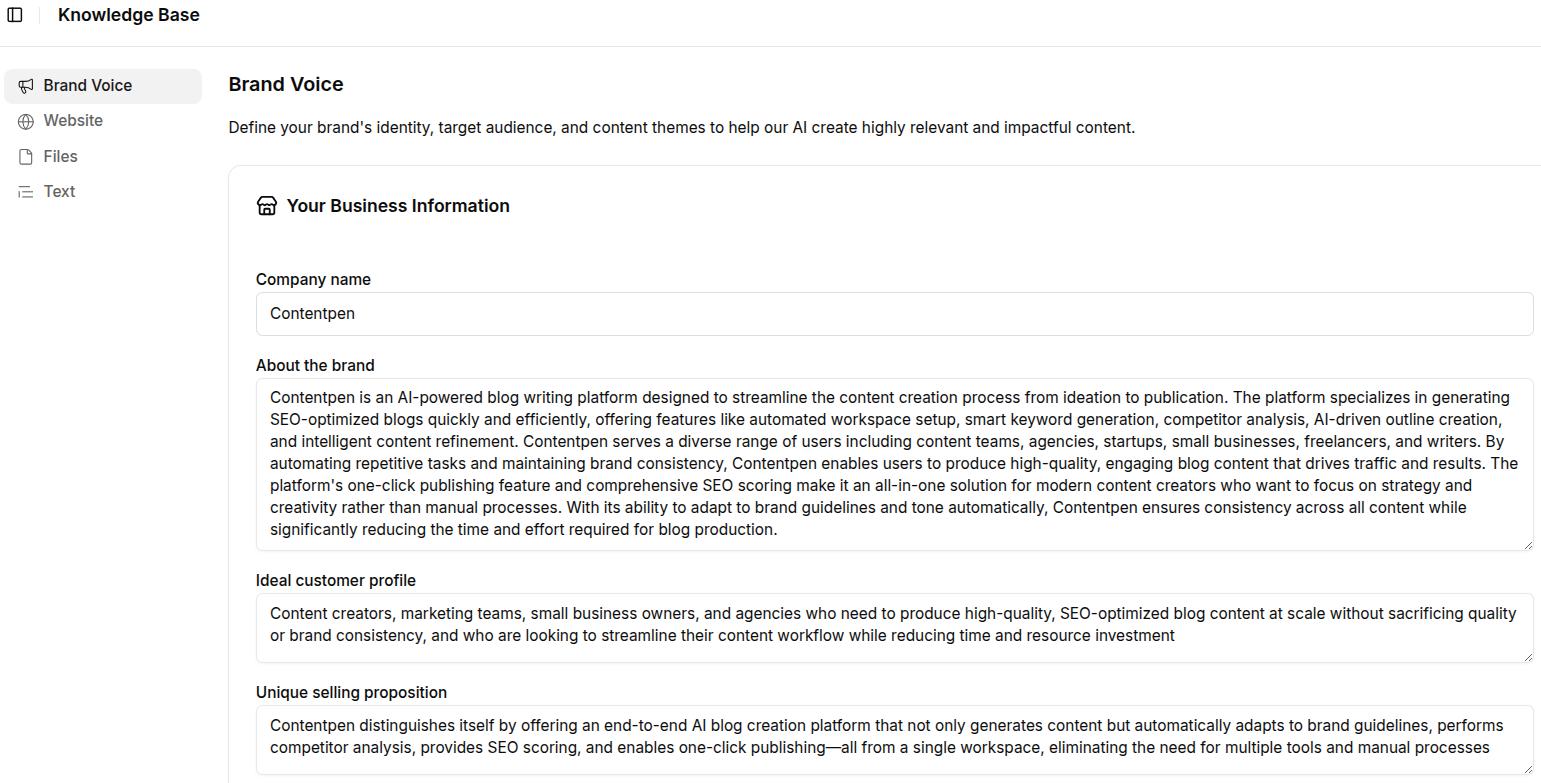
    • Brand voice: Define the basics of your brand: name, about, ideal customer profile (ICP), and a unique selling proposition (USP). There are also options to add author persona, target audience, brand voice, competitors, and your content pillars.
    • Website: Add your sitemap so Contentpen can automatically crawl and understand your site structure. This improves both the accuracy of content references and the quality of internal linking.
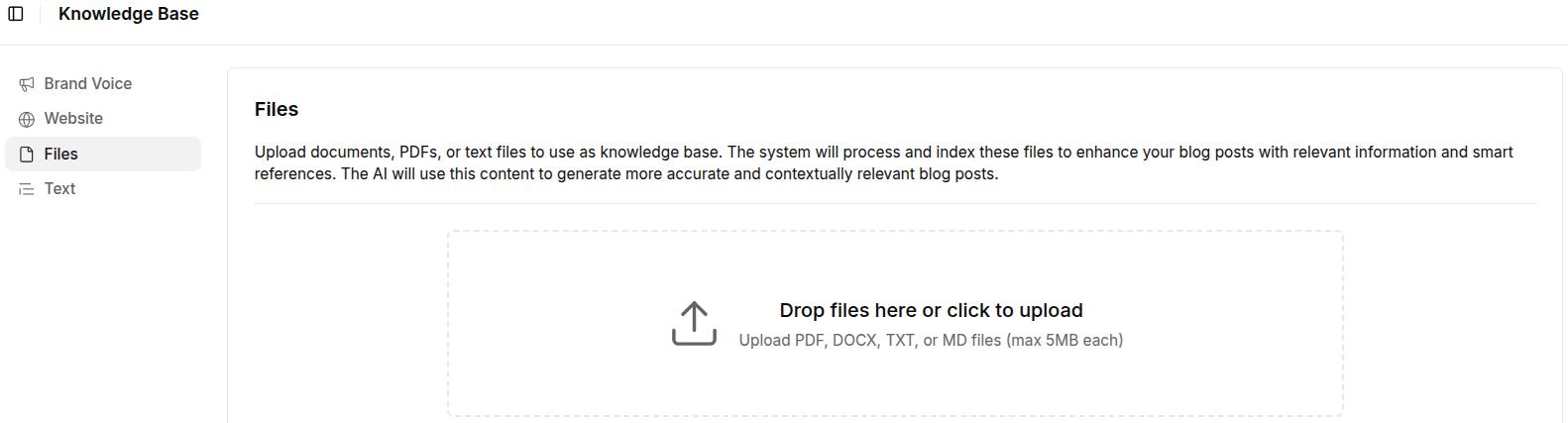
    • Files: Upload internal documents such as brand guidelines, product decks, or past content that reflect your voice and messaging.
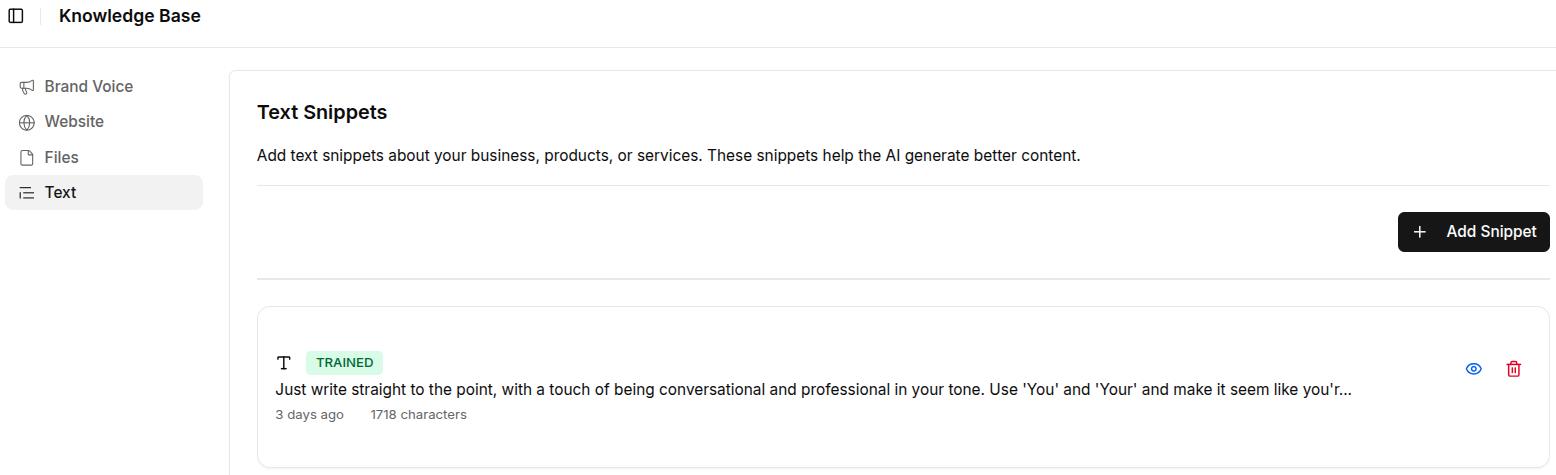
    • Text snippets: Create reusable blocks of copy (e.g., product descriptions, taglines, value props) to maintain consistency across assets.

    This central system acts as your brand’s memory inside Contentpen, making it easier to scale content creation while preserving voice, relevance, and messaging clarity.

    Write content that’s built to rank, not just read

    Create search-optimized blogs aligned with SEO and GEO signals, so your content performs well across search and AI-driven discovery.

    Try SEO Blogging FREE
    AI SEO Interface

    Why aligning content with your brand identity matters

    Customers’ interaction with your content shapes how they perceive your brand. If your messaging, tone, or positioning is inconsistent, it creates confusion, weakens trust, and reduces the likelihood of engagement or conversion.

    Aligning content with your brand identity ensures that every blog post reflects your unique voice and values, regardless of who is writing in your team.

    Here’s why it matters:

    • Consistency builds trust: When your tone, vocabulary, and message stay consistent across channels, it reinforces brand recognition and credibility.
    • Saves editing time: Writers and marketers spend less time reworking AI-generated content because it already sounds “on-brand” from the first draft.
    • Improves content performance: Clear, targeted messaging resonates better with the intended audience, resulting in higher engagement, lower bounce rates, and improved conversions.
    • Supports SEO and internal linking: A clearly defined brand voice and page structure help the AI generate SEO-aligned content with proper internal links, driving more organic traffic to key pages.

    By configuring brand knowledge in Contentpen, you’re improving content creation and turning it into a strategic asset that accurately and consistently reflects your brand.

    From outline to publish-ready content that fills them

    check

    Structured

    check

    Consistent

    check

    SEO-aligned

    check

    Fast

    Generate Outlines FREE
    AI SEO Interface

    How to build brand knowledge in Contentpen?

    Setting up brand knowledge in Contentpen is a one-time configuration that enables the AI to fully understand and replicate your brand’s identity, but it must be regulated regularly.

    Follow these five steps to complete your setup:

    Step 1: Log in or sign up to Contentpen

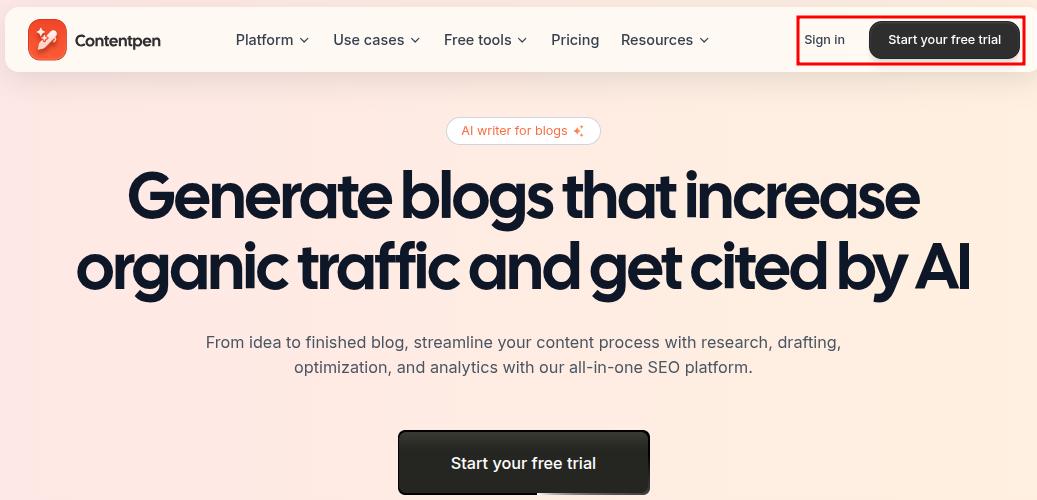
    To begin, go to our AI writing assistant app and log in to your workspace. If you don’t have an account yet, click ‘Start your free trial’ and create one.

    Contentpen main landing page showing the 'Sign-in' and 'Start your free trial' buttons.

    Once you’re inside, navigate to the Knowledge tab from the left-hand sidebar. This is where you’ll manage all components of your brand knowledge setup.

    Also read: How to set up your Contentpen workspace?

    Step 2: Define your brand voice

    Navigate to Knowledge → Brand Voice.

    Fill out the following fields:

    • About the brand: Describe what your company does, your core offering, and brand values.
    • Ideal customer profile: Identify who your target users are, include roles (e.g., marketing managers, founders), industries, and their key pain points.
    • Unique selling proposition (USP): Clearly explain what sets your product or service apart from competitors.
    Screenshot showing brand voice settings in Knowledge Base inside Contentpen.

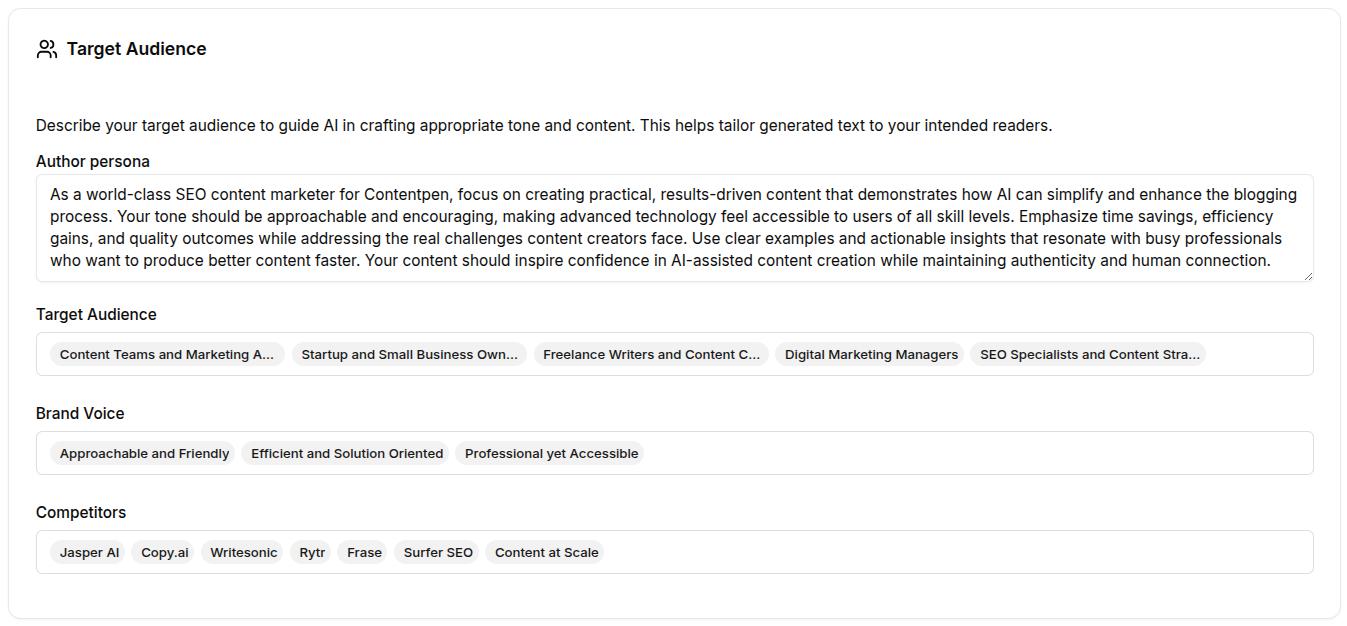
    Still within the brand voice section:

    • Define your author persona: What kind of character is narrating your brand content? Specify their tone, confidence level, and point of view.
    • Add relevant Target Audience Tags (e.g., growth marketers, SaaS product leads, early-stage founders).
    • Select brand voice tags such as “Professional but approachable,” “Clear and straightforward,” or “Helpful and solution-focused.”
    • List competitors to help the AI differentiate your tone and messaging.
    Brand voice settings continued: Author persona, target audience, and competitors shown.

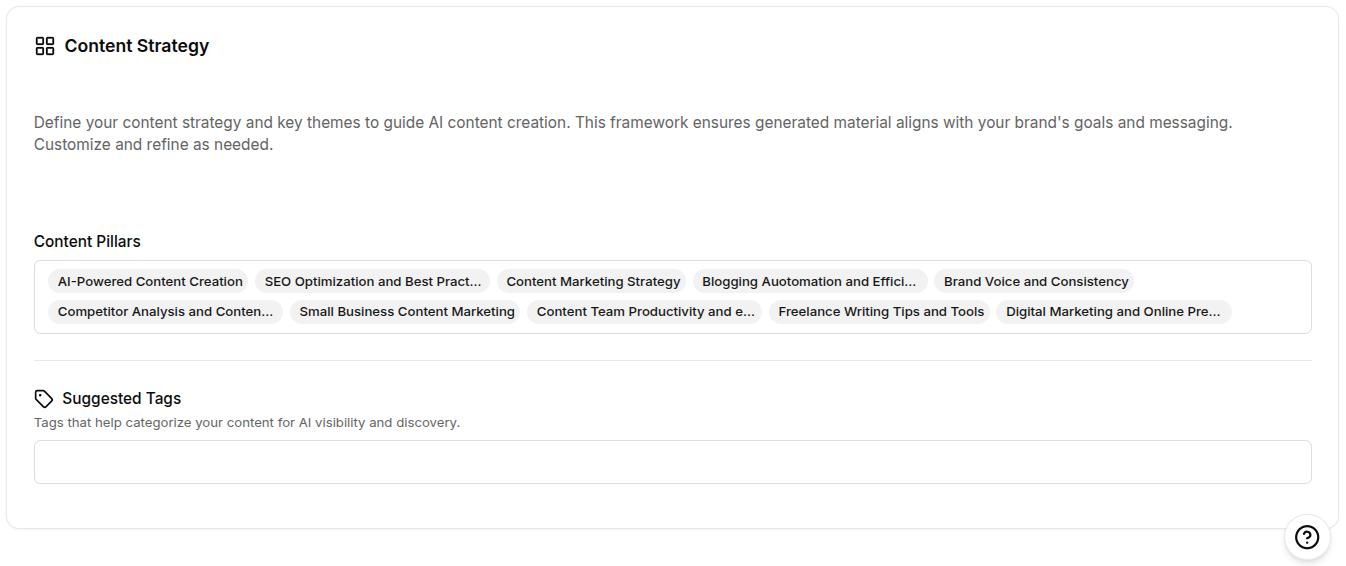
    Then, establish content strategy pillars to guide AI-generated content topics. For example:

    • SEO and analytics
    • Content marketing
    • SaaS growth
    • AI in marketing
    Brand voice settings continued: Content strategy settings showing content pillar and suggested tags.

    These details train the AI to create content that’s relevant, audience-specific, and in line with your brand’s positioning.

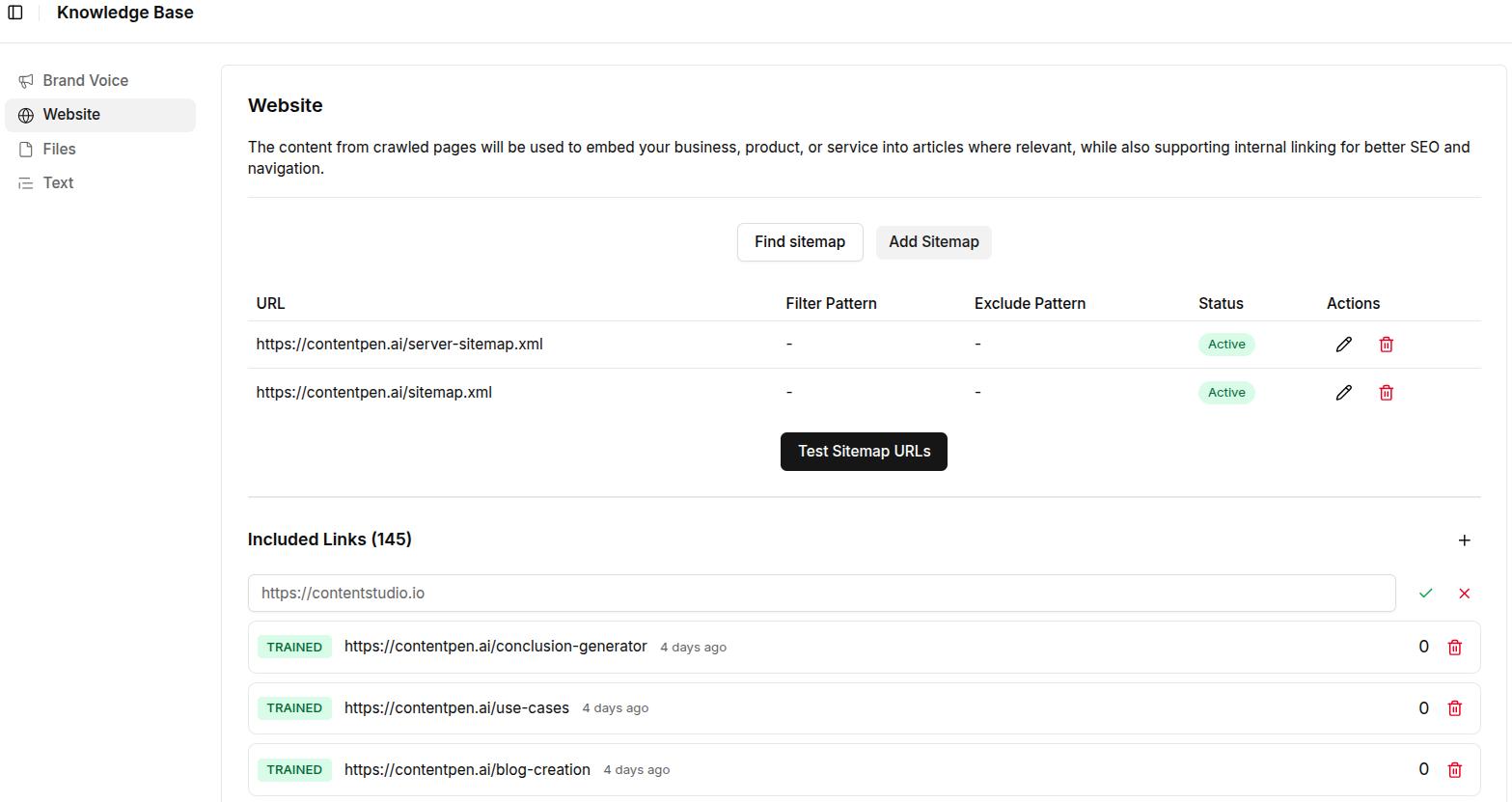
    Step 3: Add your website’s sitemap

    Navigate to Knowledge → Website.

    Click Add Sitemap or use the Find Sitemap option for automatic detection. Once added:

    • Review the pages pulled from your sitemap.
    • Use the Exclude Pattern feature to omit irrelevant sections (e.g., /blog/* or /careers).
    • Click Test Sitemap URLs to confirm everything is properly indexed.
    Knowledge-base, website settings showing sitemap added for Contentpen.

    Why it matters: The sitemap enables the AI to reference your actual site content for accuracy and SEO.

    Step 4: Upload branded reference files

    Go to Knowledge → Files.

    Upload content-rich documents like:

    • Brand guidelines
    • Product brochures or one-pagers
    • Internal messaging frameworks
    • Tone-of-voice documentation

    Supported formats: PDF, DOCX, DOC, TXT, and MD files (each under 5MB)

    Files settings to update brand knowledge in Contentpen.

    These files provide the AI with real examples of your brand’s language, structure, and positioning, improving the contextual quality of content generation.

    Step 5: Create reusable text snippets

    Go to Knowledge → Text.

    Click + Add Snippet and input short, reusable pieces of copy (up to 5000 characters) such as:

    • Product descriptions
    • Taglines or slogans
    • Boilerplate value props
    • CTA templates
    Screenshot showing dummy text snippet added to improve Contentpen's performance.

    Snippets are particularly useful for ensuring consistent messaging across blog intros, feature highlights, meta descriptions, or social captions.

    Also read: How to use Contentpen presets to save time and write faster.

    Best practices to manage your brand knowledge setup

    Once your brand knowledge is set up in Contentpen, keeping it updated and aligned with your evolving strategy is key to ensuring long-term content quality and consistency. Here are a few best practices to follow:

    1. Update your inputs regularly

    • Refresh your Brand Voice inputs whenever your positioning, messaging, or target audience changes.
    • Add new customer segments or content themes as your business grows or pivots.
    • Keep your author persona aligned with any shifts in tone (e.g., moving from formal to conversational).

    2. Replace outdated content sources

    • Revisit the “Files” section every few months to remove or replace outdated assets.
    • Upload the latest product one-pagers, feature documents, or revised brand guidelines to reflect current messaging.

    3. Expand your text snippet library

    • Add new snippets as you develop fresh CTAs, headlines, or copy frameworks.
    • Monitor frequently reused language in your campaigns and standardize it inside the Text section.

    4. Monitor AI-generated content for alignment

    • Review the tone, vocabulary, and message of AI-generated outputs to ensure they match your expectations.
    • Provide feedback internally or refine Brand Knowledge inputs when outputs don’t align with the brand identity.

    5. Collaborate across teams

    • Work with marketing, product, and leadership teams to capture a complete and accurate brand voice.
    • Centralize feedback from stakeholders and reflect it in the Brand Knowledge configuration.

    Final thoughts

    Brand Knowledge in Contentpen is more than a configuration panel; it’s the foundation for producing AI-assisted content that actually sounds like your brand. 

    By taking the time to define your tone, clarify your audience, upload key documents, and set strategic messaging pillars, you’re giving the AI everything it needs to write with confidence and clarity.

    As your business evolves, updating your Brand Knowledge inputs keeps your content aligned, relevant, and strategically on point. 

    If you’re serious about building a brand that resonates across every channel, Brand Knowledge is not just helpful; it’s essential.

    Frequently asked questions

    What is brand knowledge in Contentpen?

    Brand knowledge is a core feature in Contentpen that allows you to preload your brand’s identity, tone, audience, and messaging strategy. This helps the AI generate consistent, on-brand content across all formats.

    Can I use brand knowledge for multiple brands or clients?

    Currently, brand knowledge is designed to align AI output with one brand at a time. If you manage content for multiple brands, you’ll need to configure and switch between workspaces manually.

    What kind of files should I upload to the Files section?

    Upload any document that reflects your brand’s voice, tone, and positioning. This includes brand guidelines, product brochures, messaging frameworks, internal training docs, and approved blog samples.

    How often should I update my brand knowledge inputs?

    Update your brand knowledge setup whenever there are changes in product features, brand messaging, target audience, and website structure. Review it at least quarterly to ensure all data remains current.

  • How to use Contentpen presets to save time and write faster

    How to use Contentpen presets to save time and write faster

    If you’re writing blog posts regularly, you already know how much effort goes into just getting started. It’s tedious. It’s inconsistent. And it eats up more time than the actual writing.

    Now imagine you could skip all of that with one click.

    That’s what presets in Contentpen are for. They help you save your ideal article setup, including voice, structure, formatting, and linking settings, so you never have to start from scratch again.

    Whether you’re blogging manually or already using our AI writer, this guide will show you how presets cut hours from your blogging workflow and help you publish faster.

    So, let’s get started.

    What are presets in Contentpen?

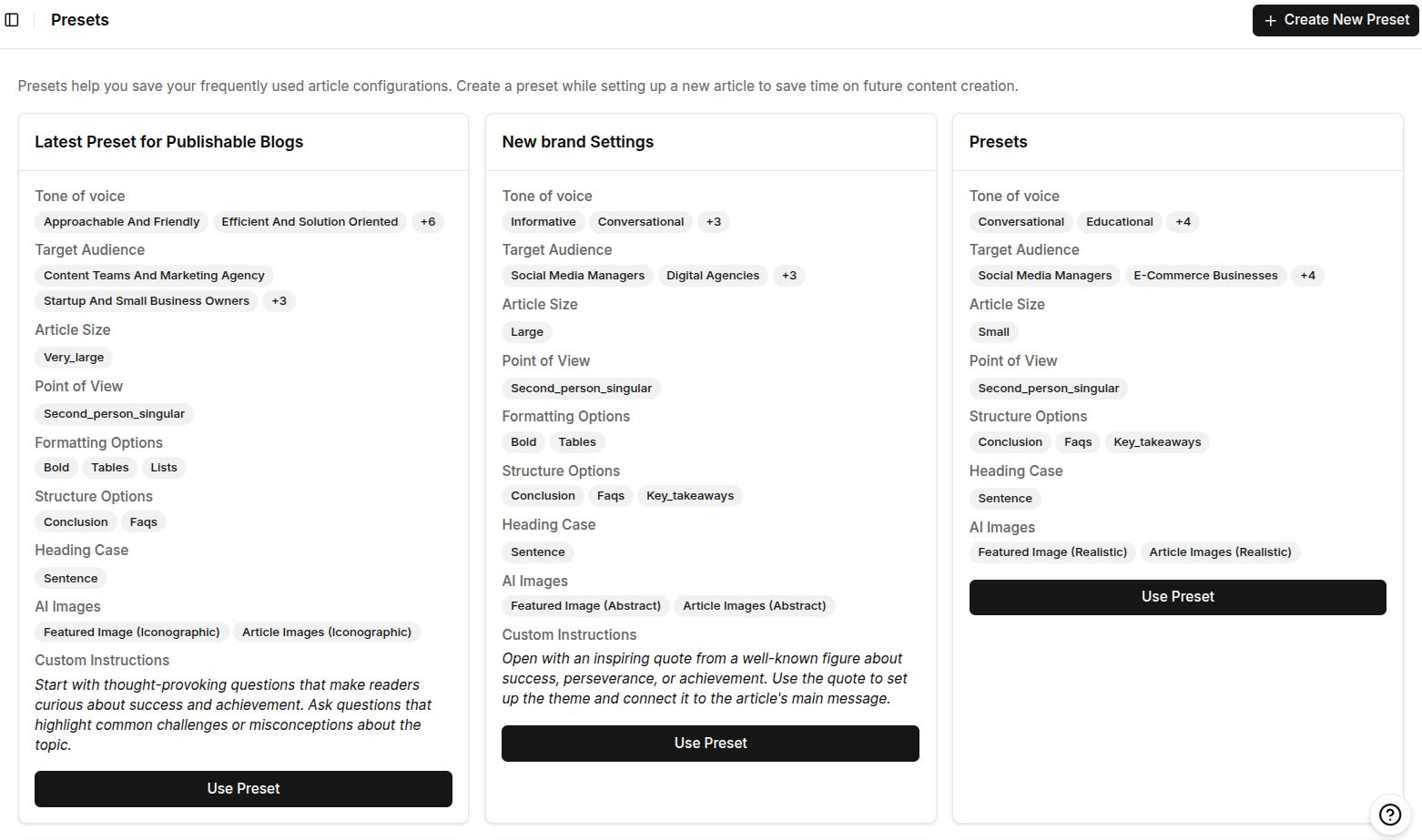
    Screenshot showing some pre-made content presets inside Contentpen.

    Presets are reusable content blueprints that let you predefine exactly how your articles should be written and structured inside Contentpen.

    Think of them as your saved writing formula. Instead of selecting the same tone, adjusting formatting, picking section types, or setting up internal links every time, you define it once and apply it instantly to any new article.

    Each preset includes the following 5 options and subcategories:

    #1: Style:

    • Language and target country
    • Tone of voice
    • Target audience and POV (point of view)

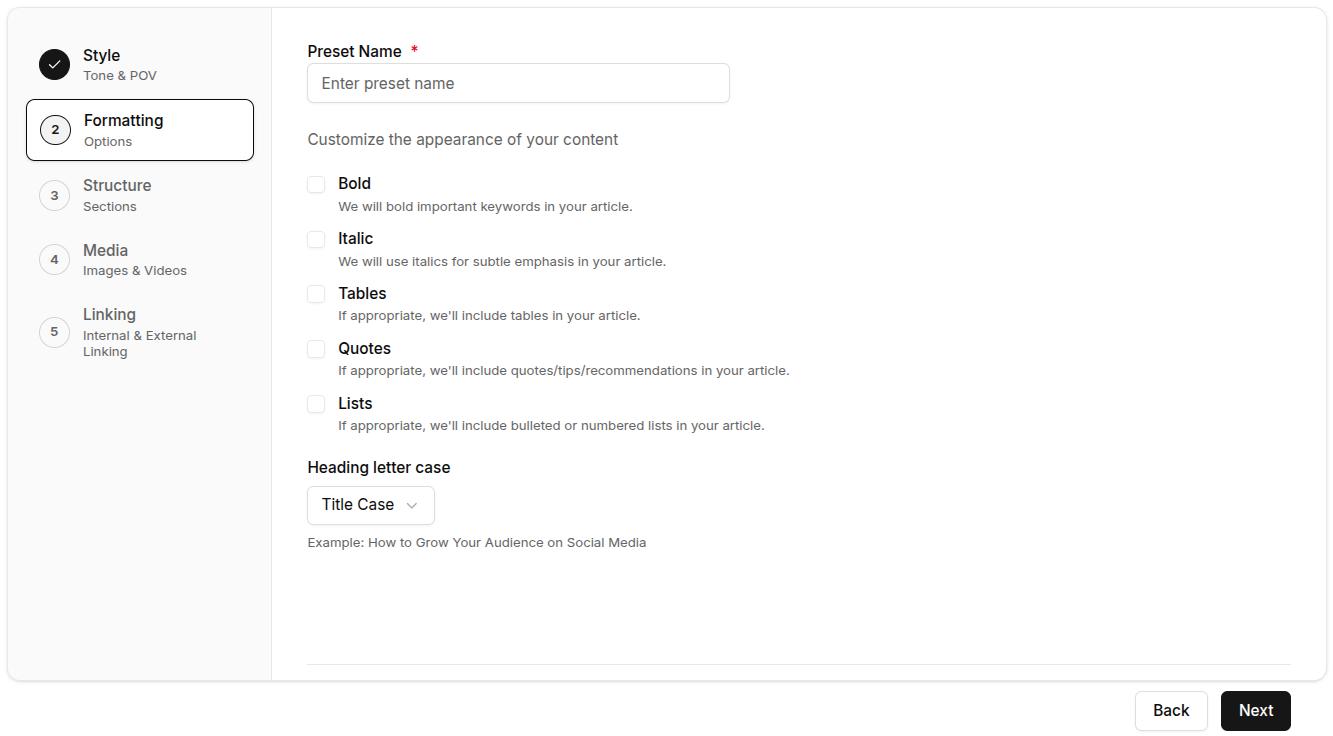
    #2: Formatting:

    • Preferred formatting (bold, italics, tables, quotes, and lists)
    • Heading letter case

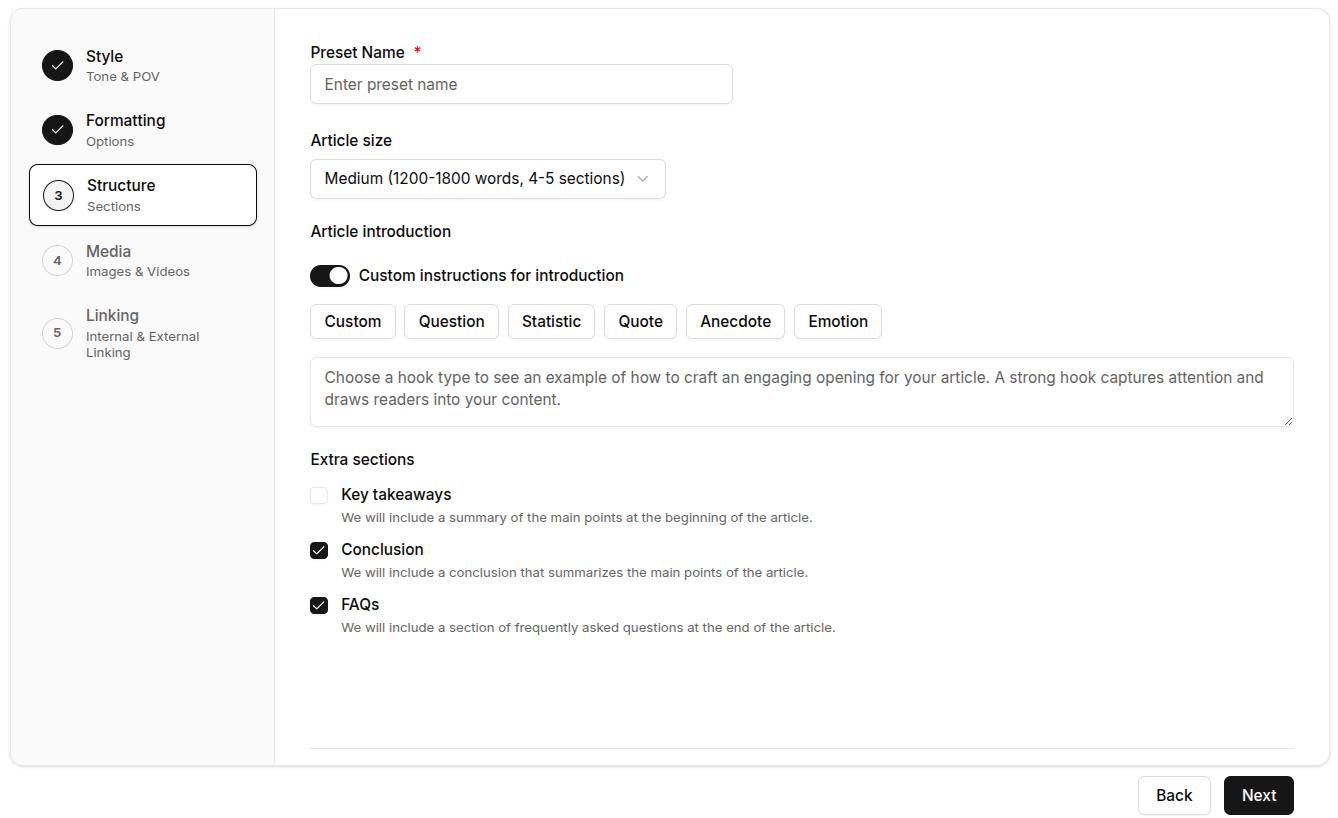
    #3: Structure:

    • Article size
    • Introduction style
    • Extra sections (key takeaways, conclusion, and FAQs)

    #4: Media:

    • Featured image styles
    • In-article image styles

    #5: Linking:

    • Internal linking rules using your sitemap
    • External linking preferences (include or exclude specific domains)

    Once set, you or your team can apply a preset with a single click, so every blog starts with your exact preferences already in place.

    Why Contentpen presets matter for your blogging workflow

    If you’re still doing everything manually and trying to keep every post consistent, you’re spending hours on tasks that can be automated.

    Contentpen presets eliminate that friction. The feature turns your best practices into repeatable systems. Here’s how:

    • Save time: Stop redoing the same setup for every article.
    • Ensure consistency: Every article follows the same tone, structure, and standards, whether you or a team member writes it.
    • Scale without stress: As your content volume grows, presets make it easy to maintain quality at speed.
    • Reduce manual errors: Never forget a formatting rule, section type, or linking guideline again.
    • Reclaim your creative energy: With the busywork handled, you can focus on your content strategy.

    This is the feature that makes switching from legacy tools to Contentpen worth it.

    Write content that’s built to rank, not just read

    Create search-optimized blogs aligned with SEO and GEO signals, so your content performs well across search and AI-driven discovery.

    Try SEO Blogging FREE
    AI SEO Interface

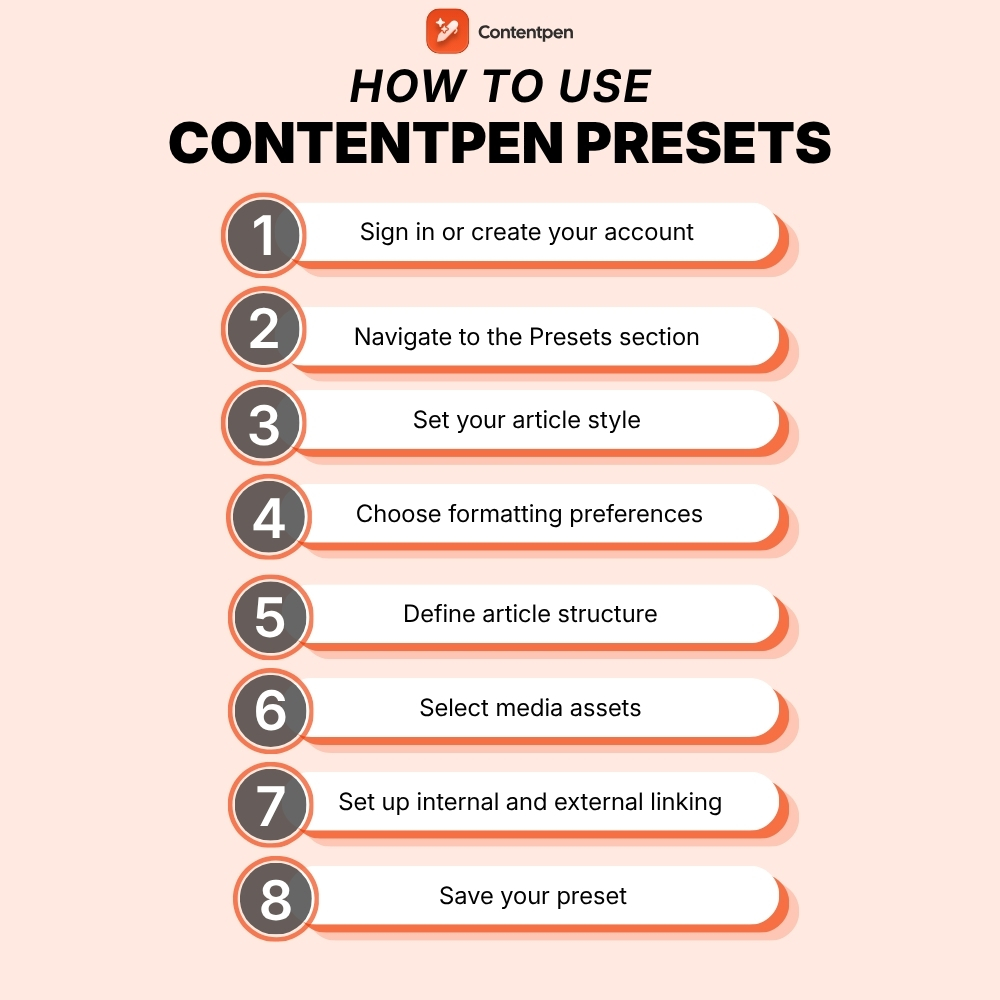
    How to use Contentpen presets: 8 simple steps

    Follow these easy steps to create a content preset inside Contentpen that fits your writing style, structure, and content goals.

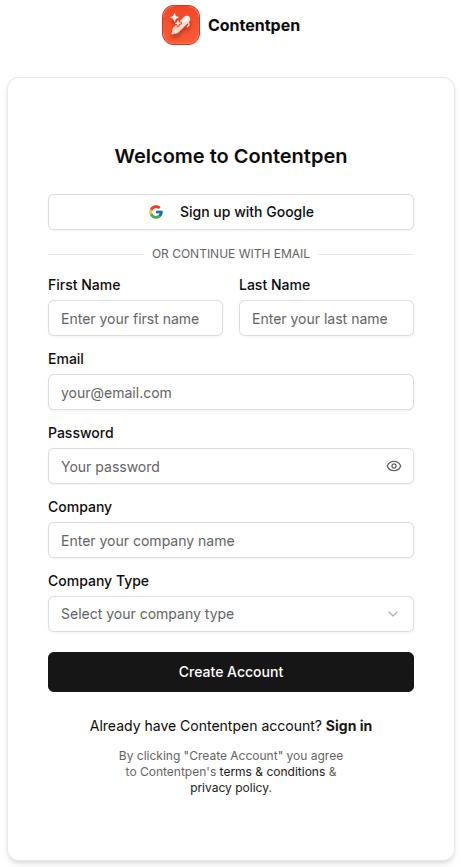
    1. Sign in or create your account

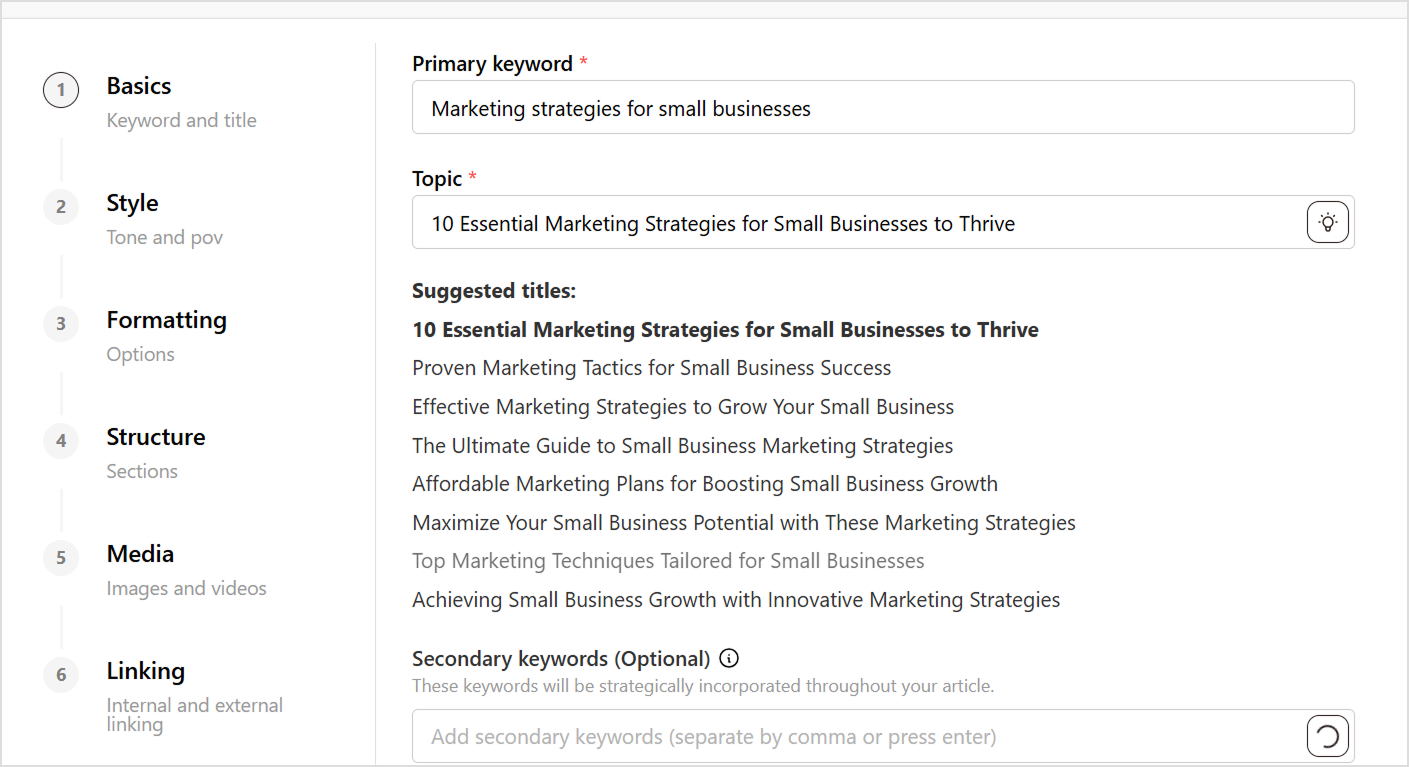
    To get started, log in to your Contentpen account. 

    Sign up screen - Contentpen.ai.

    If you’re new, sign up and start your free 7-day trial. Presets are available to all users and can be created as soon as you access your Contentpen workspace.

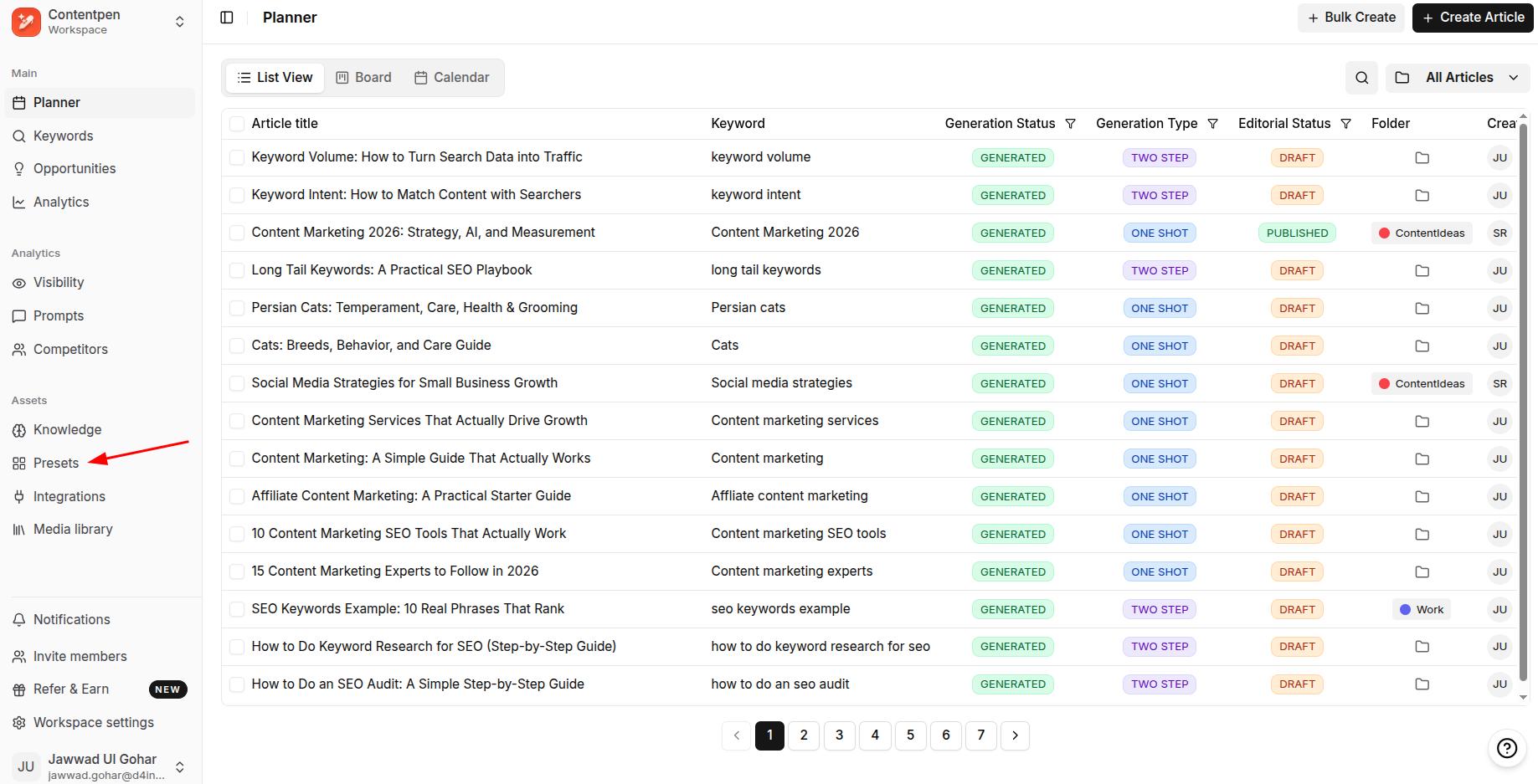
    Screenshot showing 'Presets' option under 'Assets' in the main Contentpen workspace.

    Once you are in the main dashboard, go to Presets.

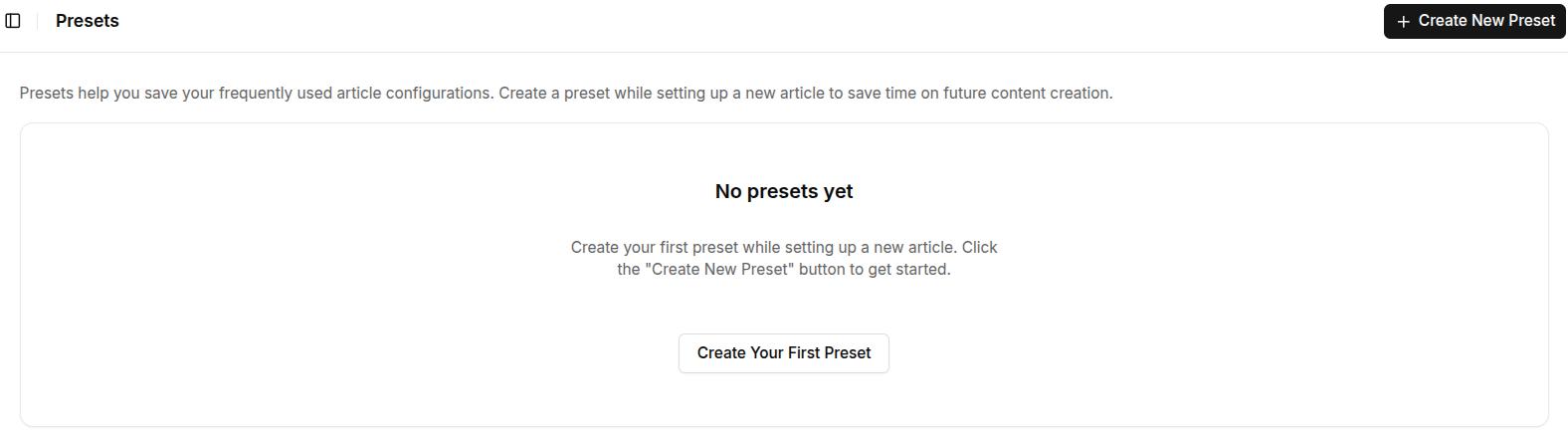
    2. Create a new content preset

    Click Create New Preset to begin setting yours up.

    Creating a new Contentpen preset.

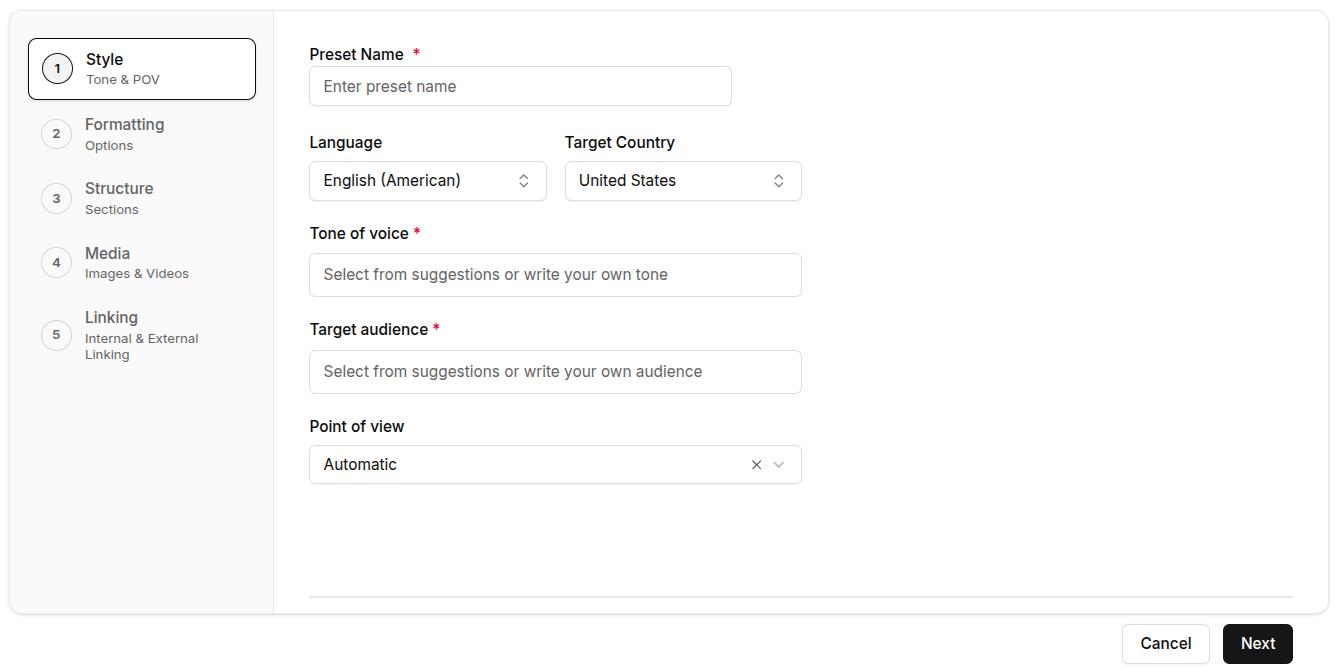
    3. Set your article style

    In this step, you’ll define how your content should sound, the tone, audience, and point of view. These settings help ensure that every article reflects your brand voice and connects with the right readers.

    • Preset name: Enter a preset name that you can easily remember and refer to later on.
    • Language and target country: Contentpen now supports more than 50 global languages. After selecting a language, choose your target country (this option is set to the United States by default).
    • Tone of voice: Choose from predefined options like professional, conversational, formal, authoritative, educational, casual, and others. 
    • Target audience: Select the type of reader you’re writing for, such as marketers, founders, agency owners, startups, enterprises, etc.
    • Point of view: Choose first person singular (I/me/my), first person plural (We/us/our), second singular (You/your), or second person plural (You all/your). You can also let this option be on ‘Automatic’ to let Contentpen decide your POV automatically.
    Article style settings, including language, target country, tone of voice, target audience, and POV.

    4. Choose formatting preferences

    Next, decide how your content should appear visually. These formatting rules help standardize your content and reduce post-editing work.

    Toggle on or off the following elements:

    • Bold: Automatically bold key phrases for emphasis
    • Italic: Subtly change the appearance of certain ideas
    • Tables: Display structured data clearly
    • Quotes: Include callouts or tips
    • Lists: Use bullet points or numbers where needed

    You can also choose your heading capitalization: Title Case, sentence case, lowercase, or unchanged (recommended for non-English users).

    Formatting options for content preset, including appearance options and heading letter case.

    5. Define article structure

    Now, outline how your blogs should be built, from length to extra sections and intro hooks.

    Article size: Select from:

    • Small (800-1200 words, 3–4 sections)
    • Medium (1200–1800 words, 4–5 sections)
    • Large (1800–2500 words, 5–7 sections)
    • Very Large (2500–3500 words, 7–10 sections)

    Custom introduction (optional): Choose how your articles should begin. Click on this slider to reveal options, including:

    • Custom
    • Question
    • Statistic
    • Quote
    • Anecdote
    • Emotional opener

    Optional sections: Enable or disable these:

    • Key Takeaways (blog summary at the top)
    • Conclusion
    • FAQs
    Screenshot showing content structure settings, including article size, introduction style, and extra sections.

    6. Select media assets

    On this step, choose the type of images you want generated for your blog. You can select from the following options:

    • 1 featured image
    • 3 – 4 high-quality in-article images
    Media options inside Contentpen preset for featured and in-article images.

    You can create images in 12 different styles: Realistic, Abstract, Cartoon, Flat Design, Iconographic, Minimalist, Oil Painting, Pastel, Pencil Sketch, Branded, Vintage, and Watercolor.

    This ensures every article is pre-structured the way you want and visually appealing to enhance audience engagement.

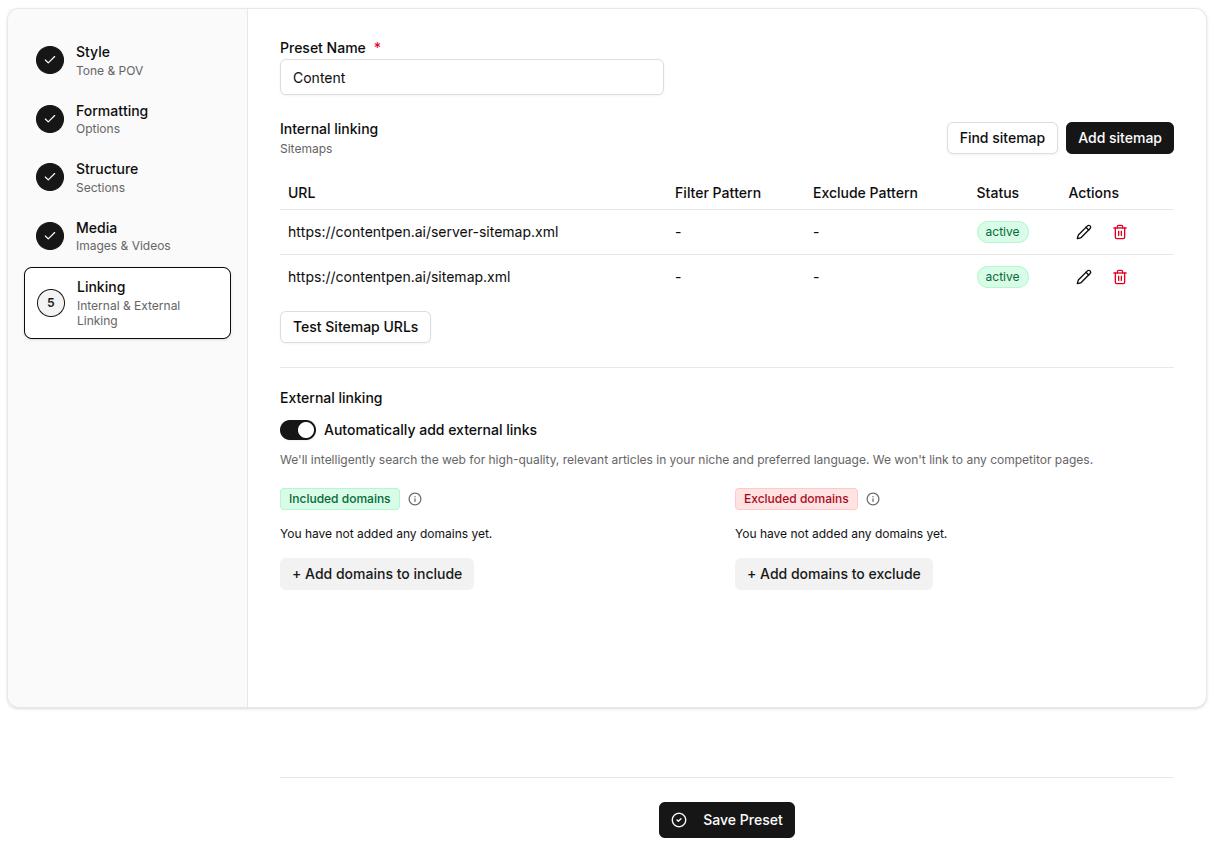
    7. Set up internal and external linking

    Good linking boosts SEO and increases dwell time for your platforms. Here’s how you can automate it inside your content preset:

    Internal linking:

    • Add/Find Sitemap: Manually paste your sitemap URL or use the ‘Find Sitemap’ feature to let Contentpen discover your website links.
    • Edit Sitemap: Click the pencil icon next to your added sitemap to edit it. Include only blog pages (e.g., /blog/*) and exclude non-content paths (e.g., /admin/). Then enable ‘Automatically crawl and add links to knowledge base’ and click update.
    • Test Sitemap URLs: Once you’re done adding the sitemap, you can click the ‘Test Sitemap’ button to verify it.

    Also read: How to add a sitemap in Contentpen?

    External linking:

    • Auto-linking toggle: Automatically add external links to trusted sources in your niche.
    • Included domains: Whitelist reliable sources you’d like linked in articles.

    • Excluded domains: Prevent links to competitors or irrelevant sites by adding their domains in the excluded section.
    Internal and external linking options for the Contentpen preset.

    8. Save your preset

    Once everything is configured, click Save Preset.

    It will now appear in your Presets list and can be instantly applied to any future article, so your content creation starts with all the right settings, every time.

    Final thoughts

    Presets in Contentpen aren’t just a convenience; they’re a content creation advantage. By eliminating repetitive setup tasks, ensuring brand consistency, and speeding up your workflow, presets help you publish more high-quality content in less time.

    Content presets take the guesswork out of every new article, so you can write with focus and publish with confidence. This feature makes our tool useful for freelancers looking to streamline their process or agencies aiming for scale.

    Write better blogs in less time, without sacrificing quality.

    Let AI handle structure, clarity, and flow while you stay in control of the message.

    Try AI blog writing
    AI SEO Interface

    Frequently asked questions

    Can I create multiple presets for different content types?

    Yes, you can create as many presets as you need. For example, one for SEO how-to guides, another for founder blogs, and a separate one for product announcements, each with its own tone, length, and structure.

    Can I edit or update a preset after I’ve created it?

    Yes, you can go back to any saved preset, make changes, and update it to match your evolving content needs. You can also duplicate a preset to create a variation without starting over.

    Do I need to use a preset every time I create an article?

    No, using a preset is optional. If you prefer to customize settings manually for a specific post, you can skip the preset and configure everything on the spot. Presets are there to speed things up when you need them.

    How do presets help with brand consistency?

    Presets standardize tone, structure, and formatting across every article, so whether you’re writing solo or with a team, your content always looks and sounds on-brand.

    Is using presets better than writing manually in Google Docs or a CMS?

    Yes, significantly. Manual workflows often involve repeating setup steps, copying old formats, and manually linking. Contentpen presets eliminate that repetition, reduce human error, and streamline your writing process, so you can focus on creating content, not configuring it.

  • How to rewrite a paragraph using AI?

    How to rewrite a paragraph using AI?

    Rewriting content is a super important part of the writing process; it helps you fine-tune your tone, make things easier to understand, and keep your readers hooked.    

    But doing it manually can be time-consuming and often overwhelming, especially when you’re short on time or creativity. That’s where AI tools come in handy.

    AI-powered writing assistants help you rewrite paragraphs quickly while maintaining the original meaning. 

    One such easy-to-use tool is Contentpen,

    An ultimate AI blog generator that combines deep research with your brand’s voice to craft high-impact, SEO-optimized articles that outperform your competition.

    Let’s walk through how you can use Contentpen to rewrite a paragraph in just a few clicks.

    Step 01: Access your dashboard

    • Go to your Contentpen dashboard and click on “Create Article”
    • Choose the “Start blank” option to begin a new article from scratch.
    start blank

    Step 02: Add your content

    • You’ll be redirected to the editor window, where you can paste or write your content.
    add content you wnat to rewrite

    Step 03: Select the paragraph

    • Highlight the paragraph you want to rewrite. Once selected, a small “Ask AI to edit or rephrase” bar will appear above it.
    Ask AI

    Step 04: Choose the rephrase option

    • Click on the bar and select “Rephrase text” from the available options, such as “Improve writing,” “Make longer,” “Simplify,” or “Change tone.”
    rephrase text
    • Press Enter, and the AI will rewrite the selected paragraph.
    replace text

    Step 05: Apply the new version

    You can click “Replace section” to update the original or choose to add it below the existing paragraph, whichever suits your workflow.

    rephrased text

    Also read: How to write an article using Contentpen?

    Conclusion

    Rewriting pragraphs doesn’t have to be time-consuming. With Contentpen’s AI-powered editor, you can enhance your writing instantly. Whether you’re editing for clarity, tone, or variety, the rephrase tool helps you polish your content with just a few clicks.

    Frequently asked questions

    Can Contentpen rewrite entire articles or just paragraphs?

    Yes, Contentpen can help you rewrite entire articles or specific paragraphs, highlight the text you want to improve, and let the AI handle the rest.

    Does the rewrite tool change the meaning of my content?

    No, the tool is designed to maintain the original intent while improving wording, tone, and clarity.

    Can I choose different tones when rewriting a paragraph?

    Absolutely! Alongside the rephrase option, you can select different tones like formal, casual, or persuasive to match your content’s purpose.

    Is Contentpen beginner-friendly?

    Yes, the interface is intuitive and easy to use, even if you’ve never worked with AI writing tools before.

  • How to add a sitemap in Contentpen?

    How to add a sitemap in Contentpen?

    A sitemap is an XML file that lists your site’s important URLs, such as pages, videos, and other files. It helps search engines like Google discover and index your content more efficiently. But its usefulness doesn’t stop at search engines.
    Sitemaps also allow tools like Contentpen to automate internal linking for your blogs and articles. The best news? This process is only a one-time effort and doesn’t require manual tweaking as you add content.

    Curious to learn more? Let’s check how to add a sitemap in Contentpen with all methods considered.

    2 ways to add a sitemap in Contentpen

    There are two ways in which you can enter your sitemap in our AI writing tool:

    • Through ‘Knowledge Base’ settings
    • Through ‘Presets’ options

    Let’s review them in more detail.

    Using the Knowledge Base settings

    Step 1: Sign in or create an account on Contentpen to access the main dashboard.

    Sign up screen - Contentpen.ai.

    Step 2: From there on, see the ‘Knowledge’ button from the left-side navbar and click on it.

    Selecting the 'Knowledge' settings from the main dashboard.

    Step 3: Then, click the ‘Website’ option to proceed with setting up your sitemap in Contentpen.

    Website settings, leading to the sitemap adding screen.

    On this screen, you see two buttons, ‘Find Sitemap’ and ‘Add Sitemap.’

    Usually, sitemaps follow a familiar pattern: 

    https://yoursite.com/sitemap.xml

    Or

    https://yoursite.com/server-sitemap.xml

    Step 4: If you know yours, click ‘Add Sitemap’ to proceed with the XML sitemap integration inside Contentpen.

    Adding sitemap screen - Contentpen.ai.

    On this screen, you can use the Filter and Exclude Pattern (optional) fields as well. In simpler terms, it means:

    • Filter Pattern – To only include selected categories or pages you prefer to show. For instance, ‘/blog/’.
    • Exclude Pattern – To leave out specific pages you don’t want found or crawled from the sitemap. For example, ‘/admin/’.

    Also read: Search engine basics: How they work and why they matter.

    Step 5: Alternatively, if you don’t know your sitemap or want this process to be completely automated, then use the ‘Find Sitemap’ button.

    'Find Your Sitemap' screen with the website URL occupying https://contentpen.ai/.

    At this screen, enter your domain and hit the ‘Find My Sitemap’ button to let Contentpen automatically discover your XML file(s).

    Contentpen automatically discovering XML sitemaps for a website.

    Step 6: Once discovered, click ‘Add’ to include your sitemap in Contentpen and proceed with the same configuration steps as shown earlier in step 4.

    'Adding sitemap' screen for the server sitemap of Contentpen.

    Finally, you can test your added sitemap using the ‘Test Sitemap URLs ‘ button.

    Note: Keep the ‘Automatically crawl and add links to knowledge base’ slider on to help Contentpen learn contextual details from your pages. This will ensure smooth internal linking and better on-brand content for your blogs.

    Using the Presets settings

    Step 1: For the second method of adding your sitemap to Contentpen, go to the ‘Presets’ options from the main dashboard.

    Presets settings shown on the main content planner - Contentpen.ai.

    Then, click on the ‘Create New Preset’ button to proceed.

    Creating a new Contentpen preset.

    Step 2: Once you are at the preset settings, set up your ‘Style’, ‘Formatting’, ‘Structure’, and ‘Media’ details, as shown in the ‘How to use Contentpen presets’ blog.

    Step 3: After all the other preset options are done, go down to the final ‘Linking’ option.

    Linking option inside the Presets settings - Contentpen.ai.

    Here you will find the same ‘Find sitemap’ and ‘Add sitemap’ buttons as in the previous method.

    Repeat step 4, or steps 5 and 6 from the Knowledge Base method to achieve a successful Contentpen sitemap setup.

    Note: You can toggle external links on or off from this screen. Use this feature to add or exclude domains that you don’t want as outbound sources in your content to strengthen your link profile and automate internal and external linking.

    Final thoughts

    Adding a sitemap in our SEO platform is simple, quick, and designed to make internal linking easier. Whether you prefer to let the system handle it automatically or want to add or adjust it manually, the process is smooth and flexible.

    Plus, with powerful customization options like exclude and filter patterns, you stay in full control of what shows up in your content.

    Once your sitemap is set up, you can fully automate your linking and content structure, saving hours on manual SEO work.

    From outline to publish-ready content that fills them

    check

    Structured

    check

    Consistent

    check

    SEO-aligned

    check

    Fast

    Generate Outlines FREE
    AI SEO Interface

    Frequently asked questions

    Can I add multiple sitemaps to Contentpen?

    Yes. If your website has more than one sitemap (e.g., a separate one for blog posts and products), you can add each one individually through the Knowledge Base or Presets settings.

    Does Contentpen use my sitemap for anything other than internal linking?

    Yes. Once crawled, your sitemap helps Contentpen build a knowledge base of your existing content, which it uses to generate more contextually relevant and on-brand articles.

    Is it possible to include only selected pages in my sitemap?

    Yes. The “Filter pattern” feature lets you specify which pages or categories you want to include, giving you complete control of your internal links.

    Will my sitemap update automatically when I publish new content?

    If you’ve enabled the automated feature, then yes. Your sitemap will update in real time as you publish new content.

    What happens if I change my website URL?

    In that case, you’ll need to update your sitemap settings with the new URL. You can either fetch it automatically again or manually paste the new sitemap.

    Do I need any technical skills to use the sitemap feature?

    Not at all. Whether you’re using the automated or manual method, the process is beginner-friendly and takes just a few clicks.

  • How to avoid AI detection in writing: A guide to humanizing AI content

    How to avoid AI detection in writing: A guide to humanizing AI content

    AI-generated content is everywhere now—blog posts, essays, marketing copy, social media captions, product descriptions, and even professional reports.

    Tools like ChatGPT and Jasper make writing easier, but they also come with a challenge: AI detection systems are getting smarter.

    If you’re a writer, student, or professional, knowing how to avoid AI detection in writing is key to keeping your work authentic.

    The good news? You can humanize AI-generated content with the right techniques, making it sound natural and uniquely yours.

    This guide will show you exactly how to tweak AI-written text so it feels like something only a human could create. Let’s dive in!

    What is AI detection?

    AI detection is the process of identifying whether a piece of content – text, images, audio, or video – has been created by artificial intelligence instead of a human.

    At its core, AI detection works by comparing a given piece of content against known human-created content and identifying inconsistencies.

    These inconsistencies arise because AI models generate text using probability-based predictions rather than organic thought processes.

    As a result, AI-generated content often exhibits patterns that are more structured, repetitive, and predictable compared to human writing.

    AI detection is widely used in various fields, including:

    • Academia – To detect AI-assisted assignments and prevent academic dishonesty.
    • Publishing & journalism – To ensure articles are written by humans and maintain editorial integrity.
    • Marketing & SEO – To assess content originality and authenticity for search engines and readers.
    • Legal & compliance – To verify authorship and ensure transparency in official documents.

    How does AI detection work?

    AI detection algorithms examine multiple characteristics of a text to determine whether it was likely generated by an AI. These include:

    CharacteristicsDescription
    Statistical analysisAI-generated text often follows predictable structures and word choices, distinguishing it from human writing.
    Perplexity & burstinessHuman writing has natural variations in sentence length and complexity, whereas AI text is more uniform and structured.
    Linguistic cuesAI-generated content lacks emotional depth, inconsistencies, and contextual adaptability, common in human writing.
    Metadata & hidden markersSome AI-generated text includes invisible markers or metadata that indicate AI authorship, making detection easier.

    By analyzing these elements, AI detection models can identify AI-generated content with increasing accuracy.

    Strategies to avoid AI detection in writing

    To effectively avoid AI detection, it’s important to understand how AI-generated content is identified. AI detection tools analyze patterns, sentence structures, and predictability in writing. 

    Strategies to avoid AI detection in writing

    1. Humanize the text

    One of the most effective ways to avoid AI detection is to humanize the text. This involves making the content sound more natural and less robotic. Here are some tips to achieve this:

    • Vary sentence structure: AI-generated content often has a uniform sentence structure. Mix short and long sentences to create a more natural flow. This mimics human writing patterns and reduces predictability.
    • Use idioms and colloquialisms: Incorporate idiomatic expressions and colloquial language that are less likely to be used by AI. Phrases like “a blessing in disguise” or “hit the nail on the head” add a conversational tone.
    • Add personal anecdotes: Including personal stories or experiences can make the content feel more authentic and human. A brief personal insight or a relatable scenario enhances engagement.
    • Use active voice: AI-generated content often relies on passive voice. Switching to active voice can make the text more engaging and human-like. For example, “The team completed the project” sounds more natural than “The project was completed by the team.”
    • Introduce emotion: Adding emotional elements such as humor, excitement, or empathy makes the content feel more personal and human-written.

    2. Edit and revise

    Editing is crucial when it comes to avoiding AI detection. Even the best AI-generated content can benefit from a human touch. Here’s how to edit effectively:

    • Rephrase sentences: Rewrite sentences to make them less predictable and more unique. Avoid formulaic structures that AI tends to follow.
    • Add nuance: Introduce subtle nuances and variations in tone that are difficult for AI to replicate. This could include rhetorical questions or varied pacing in writing.
    • Check for consistency: Ensure that the content is consistent in style and tone throughout. Inconsistencies can be a red flag for AI detection tools.
    • Read aloud: Reading the content aloud can help identify unnatural phrasing and robotic patterns.
    • Use a second pair of eyes: Having someone else review the content can help pinpoint areas that sound overly mechanical or structured.

    3. Use AI writing tools wisely

    While AI writing tools are incredibly useful, they should be used as a starting point rather than the final product. Here’s how to use them wisely:

    • Combine multiple tools: Different AI writing tools are used to generate content, and then the outputs are blended to create a more diverse and less detectable text.
    • Customize outputs: Most AI tools allow you to customize the output by adjusting parameters like tone, style, and complexity. Experiment with these settings to produce more human-like content.
    • Avoid over-reliance: Don’t rely solely on AI-generated content. Use it as a foundation and build upon it with your own insights and creativity.
    • Infuse unique perspectives: AI-generated content often lacks originality. Adding fresh viewpoints, unique examples, and personal insights can enhance authenticity.

    4. Incorporate human elements

    Adding human elements to your content can significantly reduce the chances of it being flagged as AI-generated.

    Here’s how to do it:

    • Include opinions and perspectives: Share your own opinions, perspectives, and insights to make the content more personal and less generic.
    • Use real-world examples: Incorporate real-world examples and case studies that are relevant to the topic. This adds depth and authenticity to the content.
    • Engage with the audience: Write in a conversational tone and engage with the reader by asking questions or encouraging them to think critically.
    • Break the rules occasionally: AI tends to follow strict grammatical rules. Humans, on the other hand, sometimes break grammar conventions for emphasis or effect, making writing feel more natural.

    5. Leverage paraphrasing tools

    Paraphrasing tools can be a valuable asset in avoiding AI detection. These tools can help you rephrase AI-generated content to make it less detectable.

    Here’s how to use them effectively:

    • Choose the right tool: Select a paraphrasing tool that offers advanced options for rephrasing, such as changing sentence structure and word choice.
    • Rephrase strategically: Focus on rephrasing key sections of the content, especially those that are more likely to be flagged by AI detection tools.
    • Review the output: Always review the paraphrased content to ensure it maintains the original meaning and flows naturally.
    • Manually adjust where needed: Automated paraphrasing may sometimes produce awkward phrasing. Tweaking the output manually enhances readability.

    6. Use plagiarism checkers

    Plagiarism checkers can help you identify and eliminate any content that may be flagged as AI-generated.

    Here’s how to use them:

    • Run a plagiarism check: Use a plagiarism checker to scan your content for any similarities with existing AI-generated text.
    • Make necessary adjustments: If the plagiarism checker flags any content, make the necessary adjustments to ensure it’s unique and original.
    • Cross-check with AI detection tools: After making adjustments, cross-check the content with AI detection tools to ensure it’s no longer detectable.
    • Rewrite high-risk sections: AI-generated content often appears similar across different pieces. Identifying and reworking these sections enhances uniqueness.

    7. Focus on quality and depth

    High-quality, in-depth content is less likely to be flagged as AI-generated.

    Here’s how to achieve this:

    • Research thoroughly: Conduct thorough research on the topic to ensure your content is accurate and well-informed.
    • Provide detailed insights: Offer detailed insights, analysis, and explanations that go beyond surface-level information.
    • Use credible sources: Cite credible sources and references to add authority and credibility to your content.
    • Avoid generic content: AI-generated text often lacks depth. Adding substantial analysis and expert opinions improves authenticity.

    8. Experiment with different writing styles

    Experimenting with different writing styles can help you create content that is less predictable and more human-like.

    Here’s how to do it:

    • Try different tones: Experiment with different tones, such as formal, informal, persuasive, or informative, to see which one works best for your content.
    • Mix writing styles: Combine different writing styles, such as narrative, descriptive, and expository, to create a more diverse and engaging piece.
    • Adapt to the audience: Tailor your writing style to the target audience, taking into account their preferences, interests, and level of expertise.
    • Switch perspectives: Writing in first-person, second-person, or third-person voice can create variation and make the content less robotic.

    9. Use AI detection tools to your advantage

    Ironically, AI detection tools can be used to your advantage when trying to avoid AI detection.

    Here’s how:

    • Test your content: Run your content through AI detection tools to see if it gets flagged. Use the feedback to make necessary adjustments.
    • Analyze the results: Analyze the results from the AI detection tools to identify patterns or characteristics that may be giving away the AI-generated nature of your content.
    • Iterate and improve: Continuously iterate and improve your content based on the feedback from AI detection tools until it passes as human-written.
    • Identify common AI pitfalls: Understanding what triggers AI detection helps refine content accordingly.

    10. Stay updated on AI detection trends

    AI detection technology is constantly evolving, so it’s essential to stay updated on the latest trends and developments.

    Here’s how:

    • Follow industry news: Keep an eye on industry news and updates related to AI detection technology.
    • Join online communities: Join online communities and forums where professionals discuss AI detection and share tips and strategies.
    • Experiment with new tools: Experiment with new AI writing and detection tools to stay ahead of the curve and adapt your strategies accordingly.
    • Monitor detection algorithms: Understanding how AI detection tools evolve can help you refine your approach continuously.

    By implementing these strategies, you can create content that appears more organic, engaging, and human-like. Avoiding AI detection isn’t just about tricking algorithms; it’s about producing high-quality, authentic writing that resonates with readers.

    As AI detection tools evolve, staying adaptable and refining your approach will help maintain the natural flow and originality of your content.

    Ethical considerations in AI-generated content

    While knowing how to avoid AI detection is useful, it’s equally important to consider the ethical implications of AI-generated content.

    Misuse can lead to trust issues, legal concerns, and reputational damage. Here are key ethical considerations to keep in mind:

    Ethical considerations in AI-generated content

    1. Transparency: Disclose AI usage

    Being transparent about AI-generated content helps maintain trust with your audience. If AI is used to assist in content creation, consider disclosing it. For example:

    • Ethical approach: “This article was created with AI assistance and edited by a human for accuracy.”
    • Unethical approach: Passing off AI-generated content as entirely human-written without any modifications.

    2. Originality: Avoid plagiarism

    AI tools should be used to enhance creativity, not replace it. Always ensure your content is original and not copied from other sources. Ways to maintain originality include:

    • Paraphrasing thoughtfully: Instead of copy-pasting AI outputs, rewrite them in your own words.
    • Adding unique insights: Infuse personal experiences, opinions, or industry-specific expertise.
    • Using plagiarism checkers: Tools like Copyscape or Grammarly can help ensure content remains unique.

    3. Quality: Prioritize value over automation

    AI-generated content should not compromise quality. Instead of mass-producing low-quality articles, focus on creating high-value content that benefits the reader. Consider:

    • Fact-checking AI outputs: Verify AI-generated data to prevent misinformation.
    • Enhancing readability: Edit AI-generated text to improve clarity and engagement.
    • Avoiding keyword stuffing: AI may overuse keywords for SEO, but natural integration improves readability and ranking.

    4. Compliance: Follow legal and ethical guidelines

    AI content should align with ethical and legal standards to prevent misleading or deceptive practices. Ensure:

    • Adherence to regulations: Content should comply with copyright laws and data privacy regulations like GDPR.
    • Avoiding manipulation: AI should not be used to create false narratives, deepfakes, or misleading product claims.
    • Respect for cultural sensitivities: AI might lack cultural awareness, so reviewing content for appropriateness is crucial.

    By considering these ethical guidelines, you can use our AI writing tool online responsibly while maintaining credibility and trust with your audience.

    Conclusion

    As AI technology continues to evolve, staying updated on the latest trends and developments is crucial. By following the strategies outlined in this guide and considering the ethical implications, you can create high-quality, undetectable content that resonates with your audience and stands the test of time.

    Remember, the goal is not to deceive but to enhance your writing with the help of AI while maintaining authenticity and originality. With the right approach, you can harness the power of AI to create compelling, human-like content that avoids detection and delivers value to your readers.

    FAQs on AI-generated content

    How can I make AI-generated content more original?

    To make AI-generated content more original:
    – Add your own insights, opinions, and expertise.
    – Conduct additional research to include unique data or examples.
    – Blend content from multiple AI tools to create a diverse output.
    – Use plagiarism checkers to ensure the content is unique.

    How can I stay updated on AI detection trends?

    To stay updated on AI detection trends:
    – Follow industry blogs and news outlets covering AI and content creation.
    – Join online communities or forums focused on AI writing tools and detection.
    – Experiment with new AI writing and detection tools as they are released.
    – Attend webinars or conferences on AI and content creation.

    Is it ethical to use AI-generated content without disclosure?

    The ethics of using AI-generated content depends on the context. In most cases, it’s best to be transparent about using AI tools, especially in academic or professional settings. However, using AI as a tool (without misrepresentation) is generally acceptable if the goal is to enhance creativity and productivity.

    Can AI-generated content rank well on search engines?

    Yes, AI-generated content can rank well on search engines if it is high-quality, original, and optimized for SEO. However, search engines like Google prioritize content that demonstrates expertise, authoritativeness, and trustworthiness (E-A-T), so human input is often necessary to achieve these qualities.

    What should I do if my content is flagged as AI-generated?

    If your content is flagged as AI-generated:
    – Review the flagged sections and rephrase them to sound more human-like.
    – Add personal insights, examples, or anecdotes to enhance authenticity.
    – Test the revised content using AI detection tools to ensure it passes.

  • How to use AI for content creation?

    How to use AI for content creation?

    AI-powered content creation is changing the way businesses, marketers, and writers produce high-quality content.

    By automating research, structuring, and optimization, AI-driven content creation tools help streamline the writing process while maintaining relevance and engagement.

    This guide will walk you through how to use AI for content creation, covering essential steps, best practices, and optimization techniques.

    How does AI work for content creation?

    Content creation has traditionally been a manual process requiring extensive research, writing, and editing. However, AI has transformed this landscape by automating content generation, from ideation to final drafts. By leveraging advanced algorithms, AI-powered content creation tools can analyze vast amounts of data, understand context, and generate human-like text efficiently.

    How AI analyzes data, understands context, and generates text?

    At its core, AI for content creation relies on natural language processing (NLP) and machine learning to interpret text patterns and produce coherent content. These systems are trained on extensive datasets, enabling them to:

    • Extract relevant information by scanning sources such as articles, reports, and search trends.
    • Understand language structure and intent to create contextually accurate responses.
    • Generate well-structured content that aligns with the tone and style required for different formats.

    AI-powered content creation tools can analyze input prompts to produce original text that mimics human writing while maintaining clarity and relevance.

    The role of AI-powered content creation in automating writing

    One of the biggest advantages of AI-powered content creation is its ability to streamline writing tasks. AI can assist with:

    • Generating blog posts and articles based on specific topics and keywords.
    • Rewriting existing content to improve readability and engagement.
    • Enhancing consistency in tone and messaging across multiple platforms.

    This automation reduces the time and effort needed to create high-quality content, allowing marketers and businesses to scale their content strategies more efficiently. A modern AI blog-writing tool goes beyond simple text generation.

    Platforms like Contentpen AI integrate AI-driven capabilities to:

    • Assist with SEO optimization by suggesting relevant keywords and readability improvements.
    • Improve writing quality through grammar and style enhancements.
    • Enable bulk content production without sacrificing consistency or engagement.

    By incorporating AI content creation software into their workflows, content creators can produce high-performing content faster while maintaining accuracy and relevance.

    How to use AI for content ideation and research?

    Finding relevant content topics is one of the biggest challenges in content marketing. Traditional brainstorming often leads to repetitive ideas, missed opportunities, or content that doesn’t align with audience search intent.

    AI content creation tools solve this problem by analyzing vast amounts of data, identifying trending topics, and suggesting content ideas that are optimized for SEO and engagement.

    Businesses can streamline ideation, improve research efficiency, and develop content that resonates with their audience by using AI content creation software. 

    Content ideas strategies

    Here’s how to leverage AI for better content ideation and research.

    1. Analyze trends using AI content creation software

    Before selecting a topic, it’s essential to validate demand by analyzing real-time trends and audience interests. AI content creation software scans search engines, social media, and competitor content to uncover topics with high engagement potential.

    • Identifies emerging trends by analyzing recent search behavior.
    • Tracks competitor performance to detect content gaps.
    • Monitors audience engagement to align content with what users care about.

    Instead of relying on intuition, AI ensures every topic is backed by data, making content more relevant and impactful.

    2. Generate high-impact topic ideas with AI

    Once AI identifies trending topics, it generates content ideas that align with search intent and audience demand. This prevents businesses from creating outdated or low-performing content.

    • Creates SEO-driven content topics based on keyword and search trend analysis.
    • Structure topic ideas into detailed outlines for easier content creation.
    • Suggests multiple content angles to differentiate from existing articles.

    For example, instead of “AI content creation tools”, AI might suggest:

    • “Best AI content creation tools for businesses in 2024”
    • “How AI content creation software can improve content marketing results”

    These AI-generated ideas ensure your content stands out and addresses specific audience needs.

    3. Refine and personalize topics using an AI writer

    Not all content topics are one-size-fits-all. An AI writer helps refine topic ideas by adjusting them based on audience preferences, content formats, and engagement goals.

    • Optimizes headlines for higher engagement and SEO rankings.
    • Recommends content formats (guides, comparisons, or listicles) based on user intent.
    • Align tone and structure to match your brand voice and target audience.

    For example, if AI suggests “AI writing tools”, an AI writer can refine it into:

    • “Top 5 AI writing tools to streamline your content workflow” (List format)
    • “How AI writing tools can help marketers improve content quality” (Educational tone)

    This ensures content ideas are structured for maximum impact and user engagement.

    4. Use AI-driven keyword research to validate topic potential

    A great topic isn’t enough—it must be backed by strong keyword research to ensure high search visibility. AI-driven keyword research helps businesses target the right audience with minimal competition.

    • Identifies high-volume, low-competition keywords to improve rankings.
    • Analyzes search intent to match content with what users are looking for.
    • Uncovers long-tail keyword opportunities to reach niche audiences.

    For example, instead of “AI content creation tools”, AI might suggest:

    • “Best AI content creation tools for small businesses” (Less competitive)
    • “AI content writing tools that improve SEO rankings” (High-intent, targeted search query)

    How to create high-quality content using Contentpen’s AI writer?

    Creating high-quality content efficiently requires a structured approach. Contentpen’s AI-powered writing tools help you generate, refine, and optimize content that is SEO-friendly, engaging, and aligned with your brand’s voice. Whether you’re writing blog posts, articles, or marketing content, this step-by-step guide will show you how to use Contentpen to streamline your content creation process.

    Step 1: Define your topic and keywords

    The foundation of any great piece of content starts with a well-defined topic and the right keywords. Contentpen helps streamline this process by allowing you to:

    • Enter a primary keyword to establish the main focus of your content.
    • Add secondary keywords to ensure broader coverage and context.
    • Use saved presets to maintain a consistent format and structure.

    By providing clear input, you ensure that AI generates content that is relevant, targeted, and optimized for search rankings.

    Contentpen-Set your keywords

    Step 2: Customize tone and writing style

    Your content should align with your brand voice and audience expectations. Contentpen allows you to:

    • Select a tone of voice (e.g., professional, conversational, authoritative).
    • Define your target audience (marketers, business owners, developers, etc.).
    • Choose the point of view (first-person, second-person, or third-person).

    These settings guide the AI writer, ensuring the output is tailored for your audience and engages them in the right way.

    Contentpen- Set your brand voice

    Step 3: Set formatting preferences for better readability

    Well-structured content improves readability and engagement. Contentpen gives you control over how your content is presented by allowing you to:

    • Bold key phrases to highlight important points.
    • Italicize text for emphasis or stylistic preference.
    • Use tables for structured data and clear comparisons.
    • Include quotes for expert insights and authoritative references.
    • Organize content with bullet points and numbered lists.
    • Set heading styles to ensure consistency across your content.

    With these customization options, your AI-generated content will not only be informative but also visually appealing and easy to scan.

    Contentpen- Formatting

    Step 4: Generate content with structured sections and media

    Before finalizing content creation, Contentpen allows you to enhance your article’s structure and visual appeal. You can:

    • Define the article length (short, medium, or long-form).
    • Add extra sections such as key takeaways, FAQs, and conclusions.
    Contentpen -AI structure
    • Select a featured image that aligns with your article.
    • Choose in-article images with different styles (realistic, abstract, cartoon).
    Contentpen- AI images

    By incorporating well-structured sections and visuals, your content becomes more engaging, informative, and easy to digest.

    Step 5: Automate internal and external linking

    Effective linking improves SEO, content navigation, and authority, making it a crucial step in AI-powered content creation. Contentpen simplifies this by offering both internal linking suggestions and external linking automation to enhance the content structure and discoverability.

    Internal linking for better content navigation

    Adding relevant internal links helps connect different pieces of content, improving user experience and SEO. Contentpen allows users to:

    • Find and add a sitemap to ensure seamless internal linking.
    • Automatically detect related content to strengthen topic clusters.
    • Improve content engagement by guiding readers to relevant pages.

    External linking for authority and credibility

    Quality outbound links enhance content depth and credibility. Contentpen’s AI ensures:

    • Relevant, high-quality external links are suggested based on niche and language preferences.
    • Competitor pages are excluded, keeping your strategy focused on growth.
    • SEO benefits are maximized by linking to authoritative sources without keyword dilution.

    By leveraging AI-driven internal and external linking, businesses can enhance content visibility, engagement, and search rankings while keeping content strategy streamlined and effective.

    Contentpen Internal linking

    Step 6: Click ‘Create’ to generate your article

    Once all preferences are set, click the “Create” button, and Contentpen’s AI content creation software will generate a fully structured article within seconds.

    During this process, the AI:

    • Develops content based on your selected keywords and tone.
    • Structure headings, subheadings, and paragraphs logically.
    • Applies formatting, readability, and SEO best practices.

    In just a few moments, you’ll have a fully written draft, significantly reducing the time and effort spent on manual writing.

    Step 7: Review, refine, and optimize your article

    AI-generated content provides a strong foundation, but the final touch ensures it meets quality, accuracy, and engagement standards. Contentpen offers advanced editing and collaboration features so you can:

    • Manually refine sections for improved clarity and flow.
    • Regenerate specific sections by giving AI new prompts inside the article.
    • Find internal linking opportunities to connect related content.
    • Discover external linking suggestions to add authoritative references.
    • Use comments and collaboration tools to work with your team on final edits.

    This step ensures that your content is polished, optimized, and ready for publication, giving you complete control over the final quality and brand alignment.

    How to train AI to improve content quality over time?

    AI is more than just a tool for content generation—it is a system that learns and improves over time. By leveraging AI-driven content creation, businesses can refine AI models to match their brand voice, enhance content quality, and align with audience preferences.

    When properly trained, AI content creation software becomes more effective at producing high-value, engaging, and optimized content with each use.

    AI learns from feedback and iterations

    AI continuously adapts based on user inputs, edits, and refinements, ensuring that content evolves to meet quality standards. Every time AI-generated content is reviewed, AI analyzes those changes to make better decisions in the future.

    • AI tracks user modifications to improve tone, structure, and accuracy.
    • Feedback loops refine AI-generated outputs, ensuring consistency and alignment with brand messaging.
    • Pattern recognition helps AI adapt to common content structures and industry-specific writing styles.

    By consistently reviewing and fine-tuning AI-generated drafts, businesses can train AI to produce content that requires less editing over time.

    How AI-driven content creation adapts based on user input?

    Unlike static content templates, AI-driven content creation allows for real-time adaptability. AI refines its outputs by analyzing how users interact with content, making adjustments based on:

    • Keyword placement and optimization to enhance SEO performance.
    • Content structure modifications based on formatting and readability preferences.
    • Tone and messaging refinements that align with audience expectations.

    For example, if users frequently adjust AI-generated introductions to include data-driven insights, AI will start prioritizing industry statistics and authoritative references in future drafts. This iterative learning process ensures continuous improvement and brand consistency.

    Customizing AI for your brand’s content needs

    To maximize AI’s potential, businesses need to train AI to align with their brand identity and audience preferences. This can be done by:

    • Providing sample articles as a reference for tone, style, and structure.
    • Defining brand-specific terminology and preferred phrases.
    • Guiding AI with structured prompts to generate content that fits specific brand guidelines.

    By fine-tuning AI’s understanding of brand voice and messaging, businesses can eliminate generic outputs and ensure content uniqueness.

    What are the best AI content creation tools?

    Choosing the best AI tools for content creation can significantly improve efficiency, quality, and SEO performance. With advanced AI content creation tools, businesses can generate blog posts, social media content, and marketing copy faster while maintaining accuracy and engagement.

    Here are some of the best AI tools for content creation:

    • Contentpen – A powerful AI writing assistant that generates high-quality, SEO-optimized content tailored to brand voice.
    • Jasper AI – Ideal for long-form content creation with various templates and tone customization.
    • Copy.ai – Best for short-form content like social media captions and ad copy.
    • Writesonic – A great tool for AI-generated blogs, product descriptions, and landing pages.
    • Grammarly – Enhances AI-generated content with grammar, tone, and readability improvements.

    Why Contentpen AI stands out for SEO and content quality?

    Among the best AI tools for content creation, Contentpen AI stands out due to its SEO-driven approach, customizable content generation, and brand consistency features.

    Integrated SEO optimizer

    Unlike generic AI writing tools, Contentpen is built to optimize content for search rankings while maintaining high readability and engagement.

    SEO-optimized content generation

    • Keyword integration – Automatically suggests and incorporates high-ranking keywords for better visibility.
    • Internal and external linking recommendations – Helps improve on-page SEO and authority.
    • Structured content – Generates SEO-friendly headings, meta descriptions, and optimized formatting to rank higher on search engines.

    High-quality, brand-aligned content

    • Customizable tone and style – Ensures consistency across all content formats.
    • Advanced formatting controls – Allows users to fine-tune structure, readability, and engagement.
    • AI-driven content refinement – Users can regenerate, edit, and collaborate to ensure accuracy and brand alignment.

    With Contentpen AI, businesses can create well-structured, engaging, and SEO-optimized content that not only ranks well but also resonates with their target audience. 

    FAQs about using AI for content creation

    How does AI help overcome writer’s block?

    AI helps overcome writer’s block by generating topic ideas, outlines, and content drafts instantly. When struggling with ideas, AI can provide structured suggestions to kickstart the writing process.

    Can AI assist in repurposing existing content?

    Yes, AI can assist in repurposing existing content by transforming blog posts into social media captions, email newsletters, or video scripts. Repurposing content with AI allows businesses to maximize content value across multiple platforms.

    How does AI personalize content for different audiences?

    AI personalizes content by analyzing audience preferences, tone, and language style. By using AI, businesses can generate customized messaging tailored to specific reader demographics.

    Can AI help in creating long-form content?

    Yes, AI can help in creating long-form content by structuring articles, expanding sections, and ensuring a logical flow. AI-generated long-form content maintains consistency while improving readability.

    How do AI tools handle industry-specific content?

    AI tools handle industry-specific content by adapting to niche topics and technical language. With proper training, AI can generate detailed and relevant content that aligns with industry standards.

  • How to write an article using Contentpen?

    How to write an article using Contentpen?

    Writing a well-structured, engaging article is easier than ever with Contentpen. This powerful AI writing tool online helps you generate, customize, and optimize content with just a few clicks. 

    Whether you’re crafting a quick blog post or a detailed guide, Contentpen streamlines the process, saving you time while maintaining quality. 

    In this guide, we’ll walk you through each step to help you create, refine, and publish your content effortlessly.

    So, let’s get started! 

    What is Contentpen?

    Contentpen is an AI-powered writing assistant designed to help users create high-quality, SEO- and GEO-optimized content efficiently.

    SEO-ready blogs - Contentpen.ai.

    The tool comes with the following features:

    • SEO scoring: Contentpen analyzes your meta title and description, content readability, and internal and external linking to provide a realistic SEO score. This scoring helps you identify the areas for improvement and take relevant action.
    • Keyword research: Contentpen automatically displays keyword difficulty, search volume, and intent for keywords relevant to your niche to help you plan and write content that ranks and converts. 
    • Built-in media library: The media library manages all the uploaded media in one place. You can also store all the in-article and featured images Contentpen generates for you and categorize them using tags and attributes for better searchability.
    • SERP analysis: The SEO platform analyzes all top competitors for a target keyword and creates outlines and writes content that helps you beat your rivals with confidence.
    • Integrated publishing: With Contentpen, you can publish directly to Ghost, Wix, Webflow, Shopify, WordPress, and ContentStudio. The one-click publishing streamlines workflows and helps you meet deadlines.
    • Website analytics: See your total clicks, impressions, CTR, and average position directly from Google Search Console in real-time. The tool helps you avoid tool switching so that you can focus on the metrics that matter without compromising productivity.
    • SEO opportunities: Contentpen surface top page changes (winners) and pages that have lost traffic (losers) so that you can take appropriate action quickly. The AI-powered suggestions also show what you need to do to regain the top SERP positions.

    Some other features, such as bulk content generation, content scheduling, etc., also come bundled in the ‘Premium’ package, which you can try with the free 7-day Contentpen trial today.

    From outline to publish-ready content that fills them

    check

    Structured

    check

    Consistent

    check

    SEO-aligned

    check

    Fast

    Generate Outlines FREE
    AI SEO Interface

    Steps to write SEO and GEO-optimized articles with Contentpen

    Now that you know the details about our platform, let’s discuss the flow of writing an actual article with Contentpen.

    Step 1: Sign up or log in

    Visit the Contentpen website and click “Sign up” if you’re a new user or “Log in” if you already have an account.

    Sign up screen - Contentpen.ai.

    Enter your details, including first and last name, email, password, company name, and type. For first-time users, you will be requested to enter your card details, but don’t worry, you won’t be charged anything. You will gain access to our free 7-day trial, which you can cancel at any time.

    After entering all the information, enter your credentials and access your main Contentpen dashboard.

    Step 2: Create a new article

    Once inside the dashboard, navigate to the “Planner” section. Click on the “Create Article” button in the upper right corner to start writing.

    Create article button to start a new blog - Contentpen.ai.

    Step 3: Choose a template

    Once you click this button, you’ll see the template screen. Here, you can choose between the following 5 templates:

    5 different content templates in Contentpen.
    • Generate article with AI: In this mode, Contentpen will create an article in one shot using just your content preset, focus keyword, and secondary keywords.
    • Generate an article in Two Steps: This template works in a two-step process: Contentpen will first create a blog outline, which you can edit or modify according to your needs, before generating the final article.
    • Refresh Existing Content: If you don’t want to start from scratch, you can also refresh content by adding angles missed by competitors to give you a ranking edge. This mode also generates relevant blog visuals to enhance audience engagement and CTR.
    • Add internal and external links: With this template, the AI blog writer only modifies the internal and external links in your existing content. However, before choosing this option, make sure you’ve set up the sitemap in Contentpen properly.
    • Start blank: If you don’t want to receive any AI-generated text and want the creative control yourself, you can start blank. During your write-up, you can take help from our ‘Ask AI’ assistant to refine the clarity and delivery of content.

    Step 4: Customize your article settings

    Contentpen offers 6 key customization categories to make the best possible blogs for your requirements.

    • Basics – Add your primary keyword, topic, and secondary keywords, or use our integrated AI for help. Include any custom instructions if needed. Then, choose your Contentpen preset and the content folder before clicking ‘Next’ to proceed.
    Basic keyword settings including title and secondary keywords - Contentpen.ai.
    • Style –  Define the tone of voice, target audience, and point of view you want for your article. You can also choose from 50+ languages to write your article and multiple target countries for a better impact.
    Tone of voice settings in Contentpen.ai.
    • Formatting – Choose formatting options like bold, italics, tables, quotes, and lists for your content. Select the heading letter case before moving on to the next stage.
    Content formatting options to choose from - Contentpen.ai.
    • Structure – Set the article size (content length). Here, you can also give custom instructions for the article introduction. Finally, tick the extra sections needed in the blog, for instance, key takeaways, conclusions, and FAQs. Click ‘Next’ to proceed.
    Content structure settings inside Contentpen.ai.
    • Media – Select the type of featured and in-article images you want generated for the article. You can choose between 12 different visual styles to make your content look exactly how you like.
    Built-in media library - Contentpen.ai.
    • Linking – At this screen, you can customize your internal and external links. Add your sitemap if you haven’t already to enable internal linking. Include or exclude domains that you don’t want to see as external links, or toggle them off entirely.
    AI linking assistant for internal and external links - Contentpen.ai.

    Pro tip: Use the ‘Test Sitemap URL’ button to double-check if Contentpen can access your site structure for effective internal linking.

    Step 5: Generate the article

    After completing all the article settings, you may see the ‘Ready to create your article’ screen, where you’ll be asked to save your current settings as a preset or continue to create the article.

    The final screen before article generation - Contentpen.ai.

    After you click ‘Create’, wait for a while until Contentpen is done processing your request. The time taken to complete processing depends on the type of content template and the length of the article selected.

    Step 6: Review and optimize your article

    If you’ve closely followed all the steps so far, you’ll now see the tool’s output: a complete SEO- and GEO-optimized article.

    A complete GEO- and SEO-optimized article created with Contentpen.ai.

    Once Contentpen generates your article, do a quick review before publishing.

    • Check your SEO score by clicking the right-hand panel. Contentpen analyzes your meta title and description, keyword usage, readability, and linking strategy to flag what’s working and what’s not. Work through the suggestions to further enhance the SEO score.
    SEO score settings - Contentpen.ai.
    • Refine with Ask AI. If any section feels off, highlight it and use the ‘Ask AI’ assistant to rephrase, expand, or adjust it. You can also give it broader instructions like “make the introduction more conversational” or “shorten the conclusion.”
    • Review SEO article settings, including its metadata, slug, target keyword, audience persona, and editorial status.
    • Add comments in the blog to help your teammates understand your point of view for a particular angle and work together to further polish the article.

    Want to go deeper? If you’re revisiting an article that’s already live and losing traffic, check out our step-by-step guide on how to refresh an existing article in Contentpen.

    Step 7: Export and publish

    Finally, it is time to export and publish your article. There are multiple things that you can do here:

    • View the content outline and verify the content structure followed by the tool.
    Content outline - Contentpen.ai.
    • Check SERP analysis to compare how other pages are written for the same target keyword.
    • SERP knowledge to verify the data gathered by Contentpen from top pages to write the article.
    • Brand knowledge implementation: how Contentpen utilized your product or services to create relevant CTAs.

    After you’re done. You can:

    • Share the article link with your team for feedback.
    • Assign the content for editing or review. 
    • Publish directly to your blog on WordPress, Wix, Webflow, Shopify, or Ghost CMS platform.
    • Save your article and export it in your preferred format, as HTML, Markdown, or .docx, to your device.

    Now that you have learned how to write an article using Contentpen, put your knowledge to the test and create stellar pieces today!

    Write content that’s built to rank, not just read

    Create search-optimized blogs aligned with SEO and GEO signals, so your content performs well across search and AI-driven discovery.

    Try SEO Blogging FREE
    AI SEO Interface

    FAQs on article writing

    What are the best practices for using Contentpen efficiently?

    To get the best results, provide clear input instructions to Contentpen. Provide relevant keywords that serve your purpose well, adjust the AI-generated content style and tone to your preference, and review the output once before publishing.

    Is the content generated by Contentpen SEO optimized?

    Yes, Contentpen ensures that every article is SEO and GEO optimized by satisfying search intents, reviewing competitors’ content, and integrating the right keywords and meta details.

    Can I use Contentpen for multiple websites or projects?

    Yes, you can create multiple workspaces to manage the content of different brands separately. Each workspace allows the AI to learn from past activities, ensuring improved performance and relevance over time.

    What happens if I’m not satisfied with the content?

    You can request revisions from the AI assistant or edit the content as needed. Contentpen also offers support to ensure the content meets your standards.

    Can I go back to each article setting after publishing the content?

    Yes. Contentpen enables you to go back and regenerate your article using different settings through its ‘Regenerate article’ feature.