Author: Eeman Bokhari

  • Perplexity vs ChatGPT: Which AI actually helps you write better blogs?

    Perplexity vs ChatGPT: Which AI actually helps you write better blogs?

    Should you use an AI that writes beautifully but might get facts wrong, or one that nails the research but writes like a Wikipedia entry?

    That’s essentially the Perplexity vs ChatGPT debate in a nutshell.

    ChatGPT is definitely the most popular tool in the AI space. It writes engaging content, adapts to your voice, and can turn a boring topic into something people actually want to read. The catch? It sometimes sounds confident about things that aren’t quite accurate.

    Perplexity took a different route entirely. Instead of trying to be the best writer, it became the best researcher. Every answer comes with receipts in the form of cited sources. It searches the web in real-time and tells you exactly where it found each piece of information.

    So which one should you use for blog writing

    The honest answer is more nuanced than you might expect. This guide breaks down the Perplexity vs ChatGPT comparison from every angle that matters to bloggers and content marketers.

    We’ll look at real writing samples, compare their actual capabilities, user reviews, and show you exactly where each tool shines or falls short.

    General overview of ChatGPT’s capabilities

    ChatGPT, developed by OpenAI, has become synonymous with AI writing assistance. It is built on the GPT (Generative Pre-trained Transformer) architecture and excels at producing human-like text across virtually any topic you can imagine.
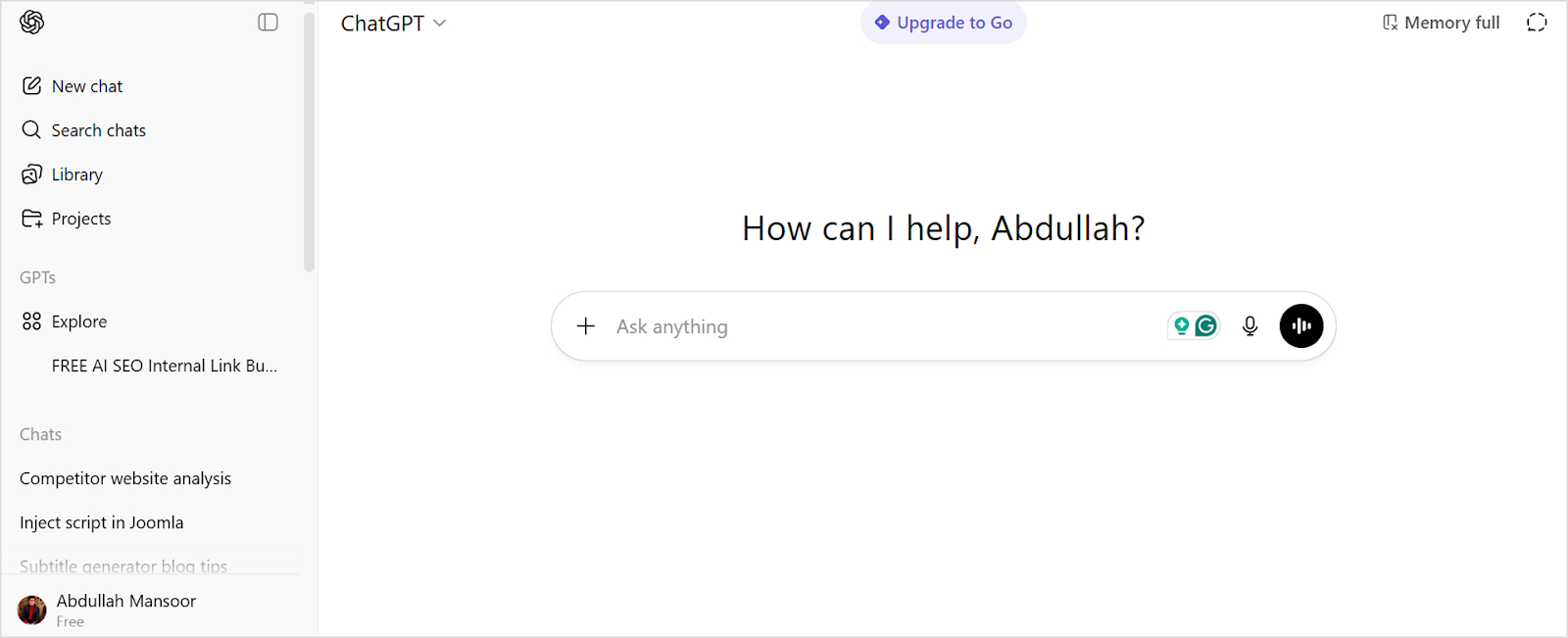
    Chatgpt interface

    ChatGPT offers several compelling advantages to bloggers and content creators:

    • ChatGPT can adapt its style to match your brand voice, whether you need casual blog posts.
    • The tool understands how to incorporate keywords into content without making it sound forced.
    • From outlining entire blog posts to expanding bullet points into full paragraphs, ChatGPT manages the structural elements of writing efficiently. 
    • You can prompt ChatGPT to adjust tone, fix grammar issues, or completely rewrite sections.

    Overall, ChatGPT works best as a versatile writing partner that can produce polished, publication-ready content quickly.

    General overview of Perplexity’s capabilities

    Perplexity takes a different approach to AI assistance. Instead of focusing purely on content creation, it functions as an AI-powered answer engine that searches the web in real-time and provides cited responses.
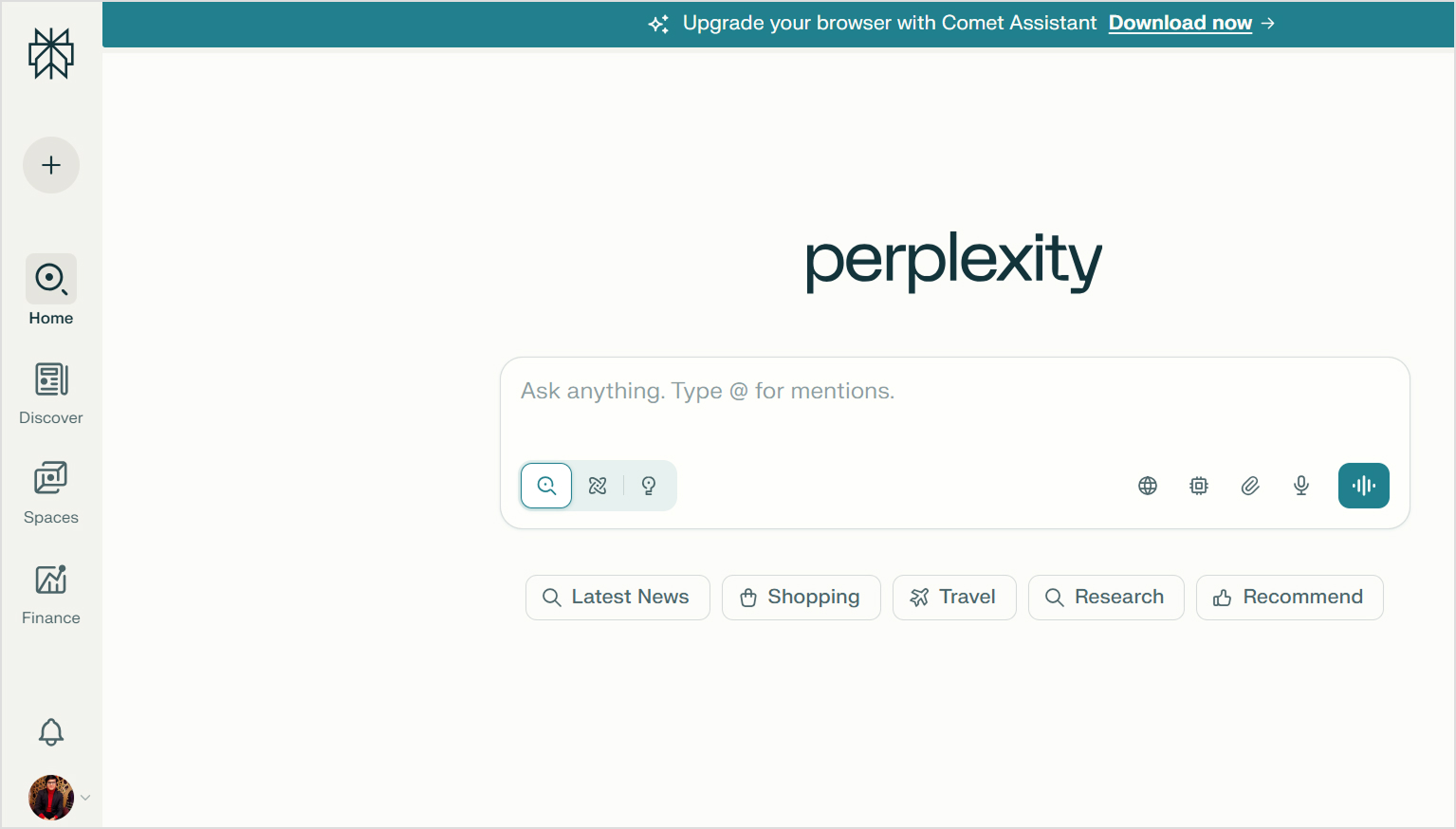
    Perplexity interface

    This fundamental difference shapes how Perplexity serves content creators through these key features:

    • Unlike ChatGPT’s static knowledge base, Perplexity searches current information from across the internet.
    • Every response from Perplexity includes links to the sources it used. This transparency makes fact-checking easier and adds credibility to your research process.
    • Perplexity excels at gathering information from multiple sources and synthesizing it into coherent summaries. 
    • The platform allows conversational follow-ups that refine your research. You can dig deeper into specific aspects without starting new searches from scratch.
    • Perplexity offers specialized search modes (Academic, Writing, Video, etc.) that tailor results to specific content types and quality standards.

    Overall, Perplexity functions as an intelligent research assistant. It is great in situations when you need accurate, current information with verifiable sources rather than creative content generation.

    Comparing Perplexity vs ChatGPT

    The comparison of Perplexity vs ChatGPT shows several key differences between them.

    ChatGPT is built for generation, while Perplexity is built for research. However, both can contribute to the blog writing process in different ways.

    The following table provides a quick side-by-side comparison of ChatGPT vs Perplexity:

    FeaturePerplexityChatGPT
    Content qualityInformational and fact-focused. Less engaging proseFluent and versatile. Can feel formulaic at times
    Research capabilityExcellent real-time web search with source citationsWeb browsing available (Plus), but less research-focused
    ReasoningStrong analytical synthesis from multiple sourcesExcellent reasoning and logic structuring
    Content depthGreat for research depth, weaker for narrative depthGood depth for creative content, can lose focus in very long pieces
    Tone consistencyNeutral and informational toneHighly adaptable to different tones and styles
    SEO understandingLimited SEO optimization featuresExcellent SEO awareness and keyword integration
    Image generationYes. Perplexity Pro users can generate imagesDALL-E integration available (Plus/Pro)
    Source citationsAutomatic citation with every responseNo built-in citation. Manual fact-checking required
    SpeedFast for research, slower for writingGenerally faster for content generation
    Fact accuracyVery high accuracy with real-time web dataCan provide outdated or incorrect facts without web browsing
    Pricing (Paid plan)Pro: $20/month, Max: $200/monthPlus: $20/month, Pro: $200/month
    Best forResearch, fact-gathering, and current informationCreative writing, blog drafting, brand content, social media

    Let’s examine each comparison point in detail.

    Perplexity vs ChatGPT in research

    Perplexity dominates in research capabilities. Its real-time web search pulls current information from across the internet and presents it with source citations. This makes verifying facts straightforward and ensures your content is based on the latest data.
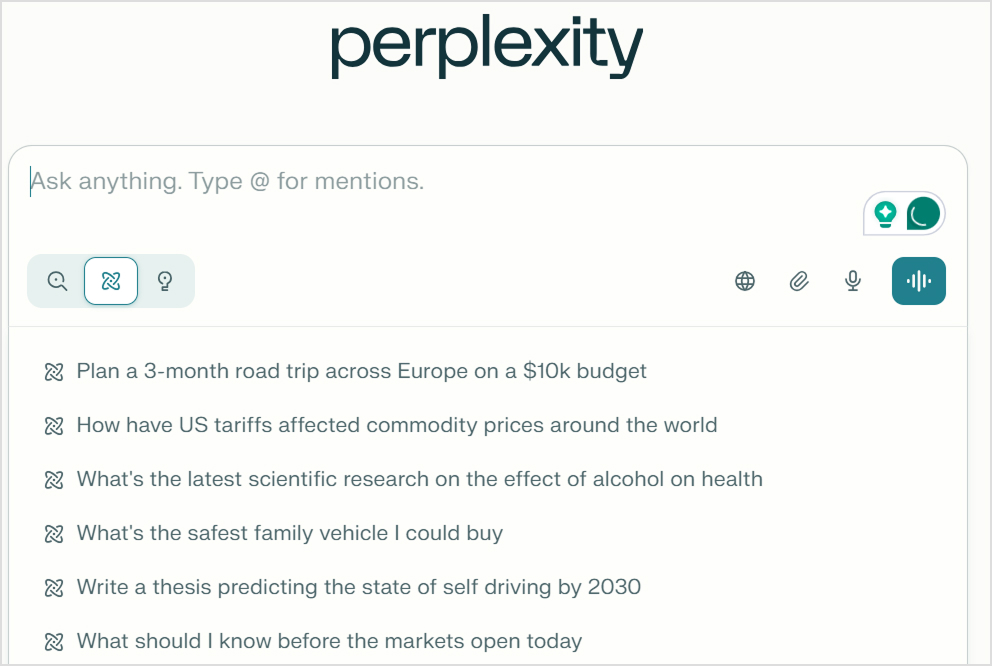
    Perplexity research

    ChatGPT approaches research differently. It relies primarily on its training data, which has a knowledge cutoff (October 2024 for GPT-5). While ChatGPT also includes web browsing capabilities, it’s not as well integrated as Perplexity’s core search functionality.
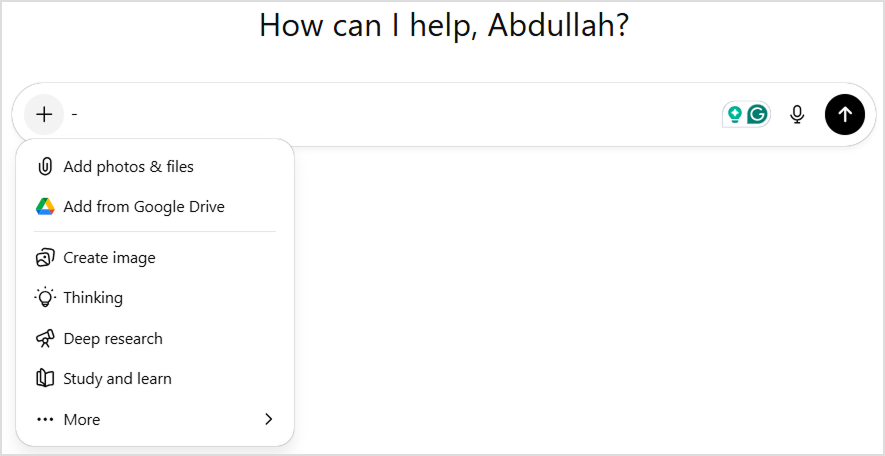
    ChatGPT research

    Blog writers often need to reference recent statistics, current events, or emerging trends. Perplexity provides a clear advantage here. The cited sources also help build credibility when you’re writing authoritative content.

    Winner: In terms of Perplexity vs ChatGPT for research, Perplexity is the clear winner. It is best for research-heavy content that requires current information and verifiable sources. ChatGPT works better when you’re writing about established topics (evergreen content) that don’t change frequently.

    Perplexity vs ChatGPT in reasoning

    Both tools demonstrate strong reasoning capabilities, but they apply them differently.

    ChatGPT excels at structuring logical arguments and creating coherent narratives. It can build persuasive frameworks, organize information hierarchically, and connect ideas in ways that support specific conclusions. This makes it valuable for opinion pieces, thought leadership, and argumentative content.

    Perplexity’s reasoning shines in synthesis. It analyzes information from multiple sources and identifies patterns, contradictions, and consensus views. This analytical approach helps you understand complex topics from multiple perspectives before writing about them.

    Winner: Use ChatGPT when you need to construct arguments or create logical content structures. Choose Perplexity when you need to analyze diverse viewpoints and turn comprehensive research into actionable insights.

    Perplexity vs ChatGPT in content writing

    A lot of you are likely to be reading this article to understand the role of Perplexity vs ChatGPT for writing. The comparison becomes the most distinct in this area.

    ChatGPT is purpose-built for content generation. It creates engaging introductions, develops ideas with appropriate detail, maintains consistent tone throughout long pieces, and produces content that feels conversational and human. The tool adapts to brand voices, handles creative challenges, and delivers polished drafts that need relatively minor editing.

    Perplexity generates content more as a byproduct of its research function. The writing tends to be informational and straightforward, prioritizing accuracy over engagement. While it can produce text, the output often lacks the narrative flow and stylistic polish that make blog content compelling.

    Winner: ChatGPT is the clear winner for actual content writing. Perplexity is better used as a research tool that sets the foundation of your writing instead of generating the content directly.

    Note: We’ll compare the blog writing results of both Perplexity and ChatGPT in detail later with a real example.

    Perplexity vs ChatGPT in content depth

    Content depth has two dimensions: factual depth and narrative depth.

    Perplexity is best for factual depth. It pulls information from multiple authoritative sources and presents comprehensive overviews of complex topics. The cited sources allow you to dive even deeper into specific aspects that interest you.

    ChatGPT takes the lead for narrative depth. It develops ideas thoroughly, provides relevant examples, and explores implications in ways that create engaging reading experiences. The content feels developed rather than merely informative.

    Winner: Perplexity offers better factual and research depth. ChatGPT delivers better narrative and creative depth.

    Perplexity vs ChatGPT in image generation

    Perplexity can generate images using multiple integrated engines (such as FLUX, DALL·E, Seedream, and Gemini). However, the results vary significantly depending on the model selected, and users often report inconsistent quality and a less polished UI experience.

    perplexity image generation

    ChatGPT, on the other hand, offers more stable, high-quality image generation through its multimodal GPT-4o system. It produces more coherent, detailed visuals and provides a smoother prompting, refinement, and regeneration workflow.

    Chatgpt image generation

    Winner: ChatGPT is the better choice for creating high-quality, consistent visual assets directly alongside written content.

    Perplexity vs ChatGPT in SEO understanding

    ChatGPT has a stronger grasp of SEO principles and practical implementation. It understands keyword placement, meta descriptions, header structure, internal linking concepts, and how to balance optimization with readability. The tool can write content that targets specific search intent while maintaining natural language flow.

    Perplexity approaches SEO more indirectly. While it can research SEO best practices and provide information about optimization strategies, it’s not designed to implement these strategies in the content it generates. The platform is more useful for researching keywords and understanding search landscapes than for creating SEO-optimized articles.

    Winner: ChatGPT is significantly better for creating SEO-optimized blog content. Perplexity is useful for SEO research but not for implementation.

    Creating a real blog with ChatGPT and Perplexity

    To provide a practical comparison of Perplexity vs ChatGPT, we’ll create the same blog post using both platforms. This hands-on test reveals how each tool performs in a real content creation scenario.

    We’ll use an identical prompt for both tools to ensure a fair comparison:

    “Write a short and engaging blog post about the Best Technological Advancements of the 21st Century. Use an engaging and conversational tone to make the content sound interesting.”
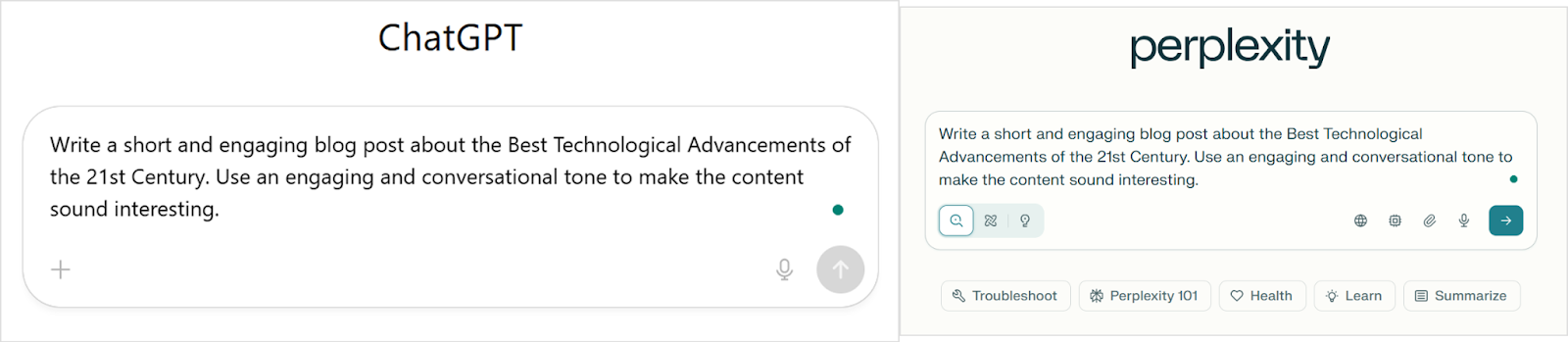
    Cahtgpt vs perplexity

    Analysis of ChatGPT’s writing output

    ChatGPT delivered an energetic, well-organized piece that immediately grabbed attention. The title was straightforward and clear, setting expectations perfectly for what followed.
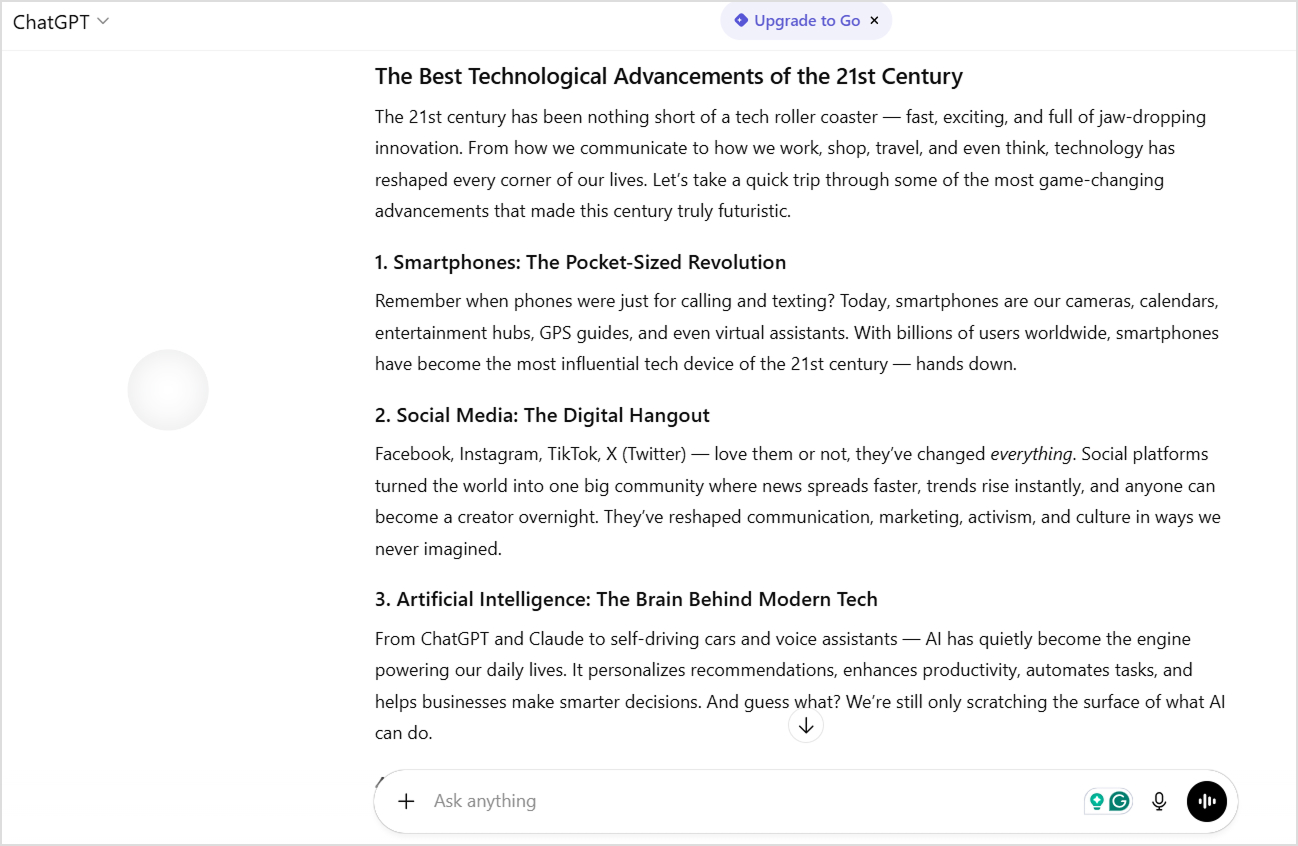
    Chatgpt article generated

    The introduction opened with vivid imagery: “The 21st century has been nothing short of a tech roller coaster — fast, exciting, and full of jaw-dropping innovation.” This metaphor establishes tone and energy from the first sentence.

    The body used a numbered list format covering ten distinct technological advancements. Each section included a catchy subheading with a descriptive tagline (“Smartphones: The Pocket-Sized Revolution”). 

    The writing maintained consistent energy with phrases like “hands down,” “love them or not,” and “guess what?” that created conversational momentum.

    ChatGPT included rhetorical questions and direct reader engagement throughout. The conclusion tied everything together with forward-looking enthusiasm: “Buckle up — the tech ride is far from over.”

    ChatGPT’s strengths for writing

    ChatGPT’s output shows why it’s become the go-to tool for content creators who need publish-ready blog posts.

    • Highly scannable structure. The numbered list format with bold subheadings made it effortless to skim and find specific topics of interest.
    • Consistent conversational energy. Every section maintained the same engaging, enthusiastic tone without dropping into formal or academic language.
    • Comprehensive coverage. Ten different technologies provided breadth that made the piece feel authoritative and complete.
    • Reader engagement techniques. Rhetorical questions, direct address (“Remember when…”), and casual phrases kept readers involved throughout.
    • Strong opening and closing. Both the introduction and conclusion used memorable imagery and calls to action that bookended the content effectively.
    • Natural keyword integration. Terms like “technological advancements” and “21st century” appeared organically without feeling forced.

    ChatGPT’s weaknesses for writing

    Despite its polished appearance, several telltale signs revealed the content’s AI origins.

    • Predictable structure. The numbered list format, while effective, feels like a template used across millions of AI-generated articles.
    • Generic enthusiasm. Phrases like “game-changing,” “nothing short of,” and “jaw-dropping” are AI writing markers that signal machine-generated content.
    • Surface-level explanations. Each technology got a brief treatment without deep insights or unexpected perspectives that would demonstrate genuine expertise.
    • No sources or data. The content made broad claims about impact without statistics, studies, or citations to back them up.
    • Repetitive transitions. Similar sentence structures and transition patterns appeared throughout, creating a rhythmic predictability.
    • Missing a unique voice. The content could belong to any tech blog, lacking a distinctive personality or perspective that builds brand identity.

    Analysis of Perplexity’s writing output

    Perplexity took a noticeably more condensed approach to the same prompt. The content focused on five key technologies rather than attempting comprehensive coverage.
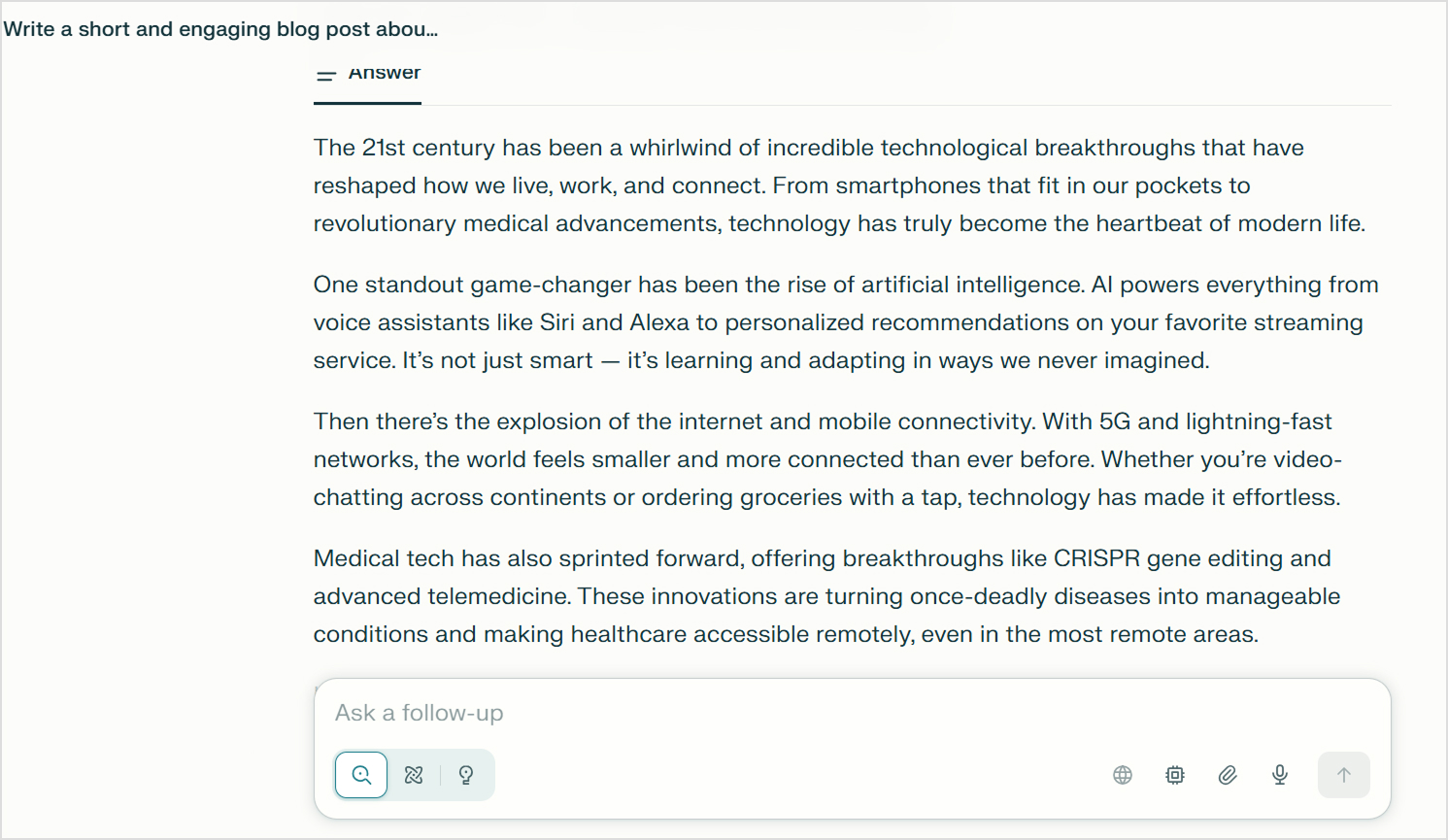
    Perplexity article generated

    The introduction used similar engaging language: “The 21st century has been a whirlwind of incredible technological breakthroughs.” However, it moved quickly into substance rather than extending the setup.

    The body organized information by technology, but without numbered formatting. Each paragraph flowed into the next, creating a more essay-like reading experience. The writing included specific examples like “Siri and Alexa” and mentioned concrete technologies like “CRISPR gene editing” and “5G.”

    The conclusion posed a direct question to readers: “What tech advancement has wowed you the most this century?” This engagement technique invited reflection and potential discussion.

    Perplexity’s strengths for writing

    Perplexity brought a more refined approach to the content, even if it fell short on comprehensiveness.

    • More focused coverage. By covering five technologies instead of ten, each got slightly more thoughtful treatment and context.
    • Specific examples and terminology. Mentioning CRISPR, 5G, and telemedicine added technical credibility that generic descriptions lack.
    • Cleaner prose. The writing avoided some of the more obvious AI clichés that ChatGPT included, creating slightly more natural-sounding content.
    • Thematic organization. Technologies were grouped logically (connectivity, AI, medical, energy) rather than just listed.
    • Reader question ending. The concluding question created an opening for engagement that felt less formulaic than ChatGPT’s metaphorical closing.
    • Varied sentence structure. The content mixed short and long sentences more effectively, improving natural reading rhythm.

    Perplexity’s weaknesses in writing

    Where Perplexity typically shines in research, this output revealed unexpected limitations in content generation.

    • Less comprehensive coverage. Only five technologies meant significant omissions like blockchain, wearables, and 3D printing that readers might expect.
    • Shorter overall length. The content felt somewhat abbreviated compared to what the prompt requested, potentially leaving readers wanting more substance.
    • Limited engagement techniques. Fewer conversational hooks and less personality throughout made it feel more informational than entertaining.
    • No citations despite research focus. Surprisingly, Perplexity didn’t include its characteristic source citations even when making factual claims about technologies.
    • Weaker structural hierarchy. Without numbered lists or bold subheadings, the content was less scannable and harder to navigate quickly.
    • Generic opening. The “whirlwind” metaphor in the introduction felt just as template-driven as ChatGPT’s “roller coaster,” showing both tools rely on similar imagery.

    Summary of Perplexity vs ChatGPT for blog writing

    This practical test reinforces the fundamental difference between Perplexity vs ChatGPT for content creation.

    • ChatGPT excelled at creating engaging, structured blog content that readers can easily scan and enjoy. The numbered format, consistent tone, and comprehensive coverage made it feel like a complete, polished blog post ready for publication with minor edits.
    • Perplexity produced more concise, slightly more sophisticated prose with better specificity in examples. The content felt less template-driven in places, though still generic overall.

    Users’ reviews for Perplexity & ChatGPT

    Real user experiences provide important details when evaluating Perplexity vs ChatGPT. These reviews come from verified users on G2 who use these tools daily in their content workflows, research tasks, and creative projects.

    Overall ratings from G2

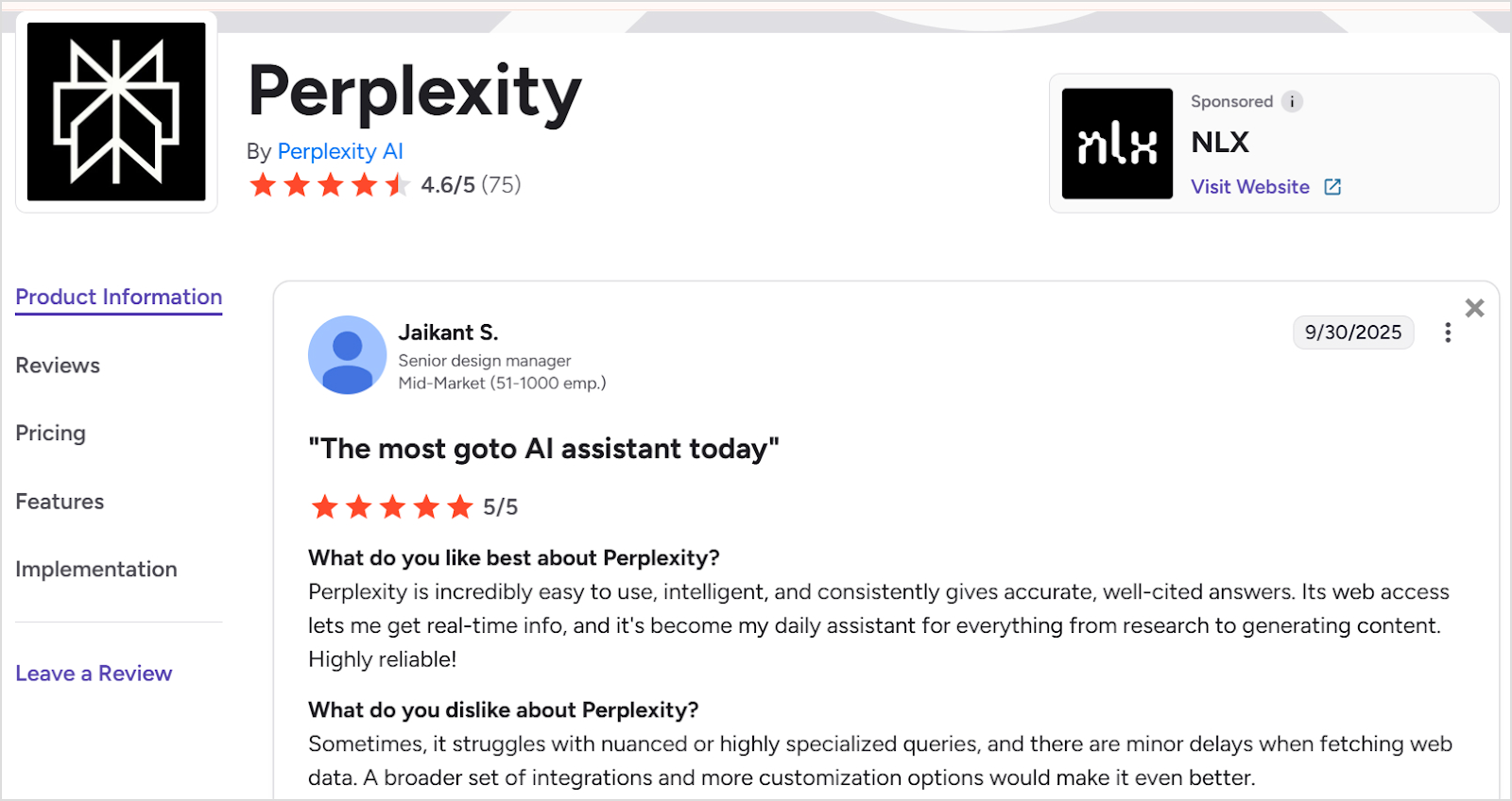
    ChatGPT: 4.7/5 based on 1,068 reviews and Perplexity: 4.6/5 based on 75 reviews

    Both platforms maintain strong ratings, with ChatGPT having significantly more extensive review coverage due to its longer market presence and larger user base. The close ratings suggest both tools deliver substantial value, though they serve different primary purposes.

    Perplexity and chatgpt rating

    What users say about Perplexity

    Perplexity reviews

    Praised for:

    • Accuracy with source citations. Users consistently highlight Perplexity’s reliable, verified answers that come with proper citations. One marketing consultant noted it provides “reliable and verified answers, providing me with enhanced efficiency and time-saving capabilities for diverse tasks like video editing, content writing, and academic processes.”
    • Real-time web access. The ability to fetch current information is a major selling point. A user emphasized that “its web access lets me get real-time info, and it’s become my daily assistant for everything from research to generating content.”
    • Contextual conversation flow. Perplexity maintains context effectively throughout conversations, preventing repetitive mistakes and allowing for deeper exploration of topics without starting over.
    • Easy setup and usability. Multiple reviewers mentioned the smooth onboarding experience with “just a few clicks to get started” and appreciated features like “spaces” that organize research projects.
    • Complex query handling. Users value Perplexity’s “ability to handle complex multi-step tasks swiftly compared to human efforts,” making it particularly useful for in-depth research.

    Common complaints:

    • Inconsistent performance. Some users report that “randomly it will stop understanding basic tasks” and that “language output prompts definitely don’t work right,” requiring frequent verification.
    • Limited language support. The lack of support for certain languages like Sanskrit limits its usefulness for some user segments working with specialized linguistic content.
    • Struggles with specialized queries. Users note it “sometimes struggles with nuanced or highly specialized queries” and experiences “minor delays when fetching web data.”
    • Needs more integrations. Several reviewers requested “a broader set of integrations and more customization options” to enhance workflow efficiency.
    • Verification still required. Despite its citation features, users emphasize that “sometimes you really have to verify everything,” suggesting the citations don’t completely eliminate fact-checking needs.

    What users say about ChatGPT
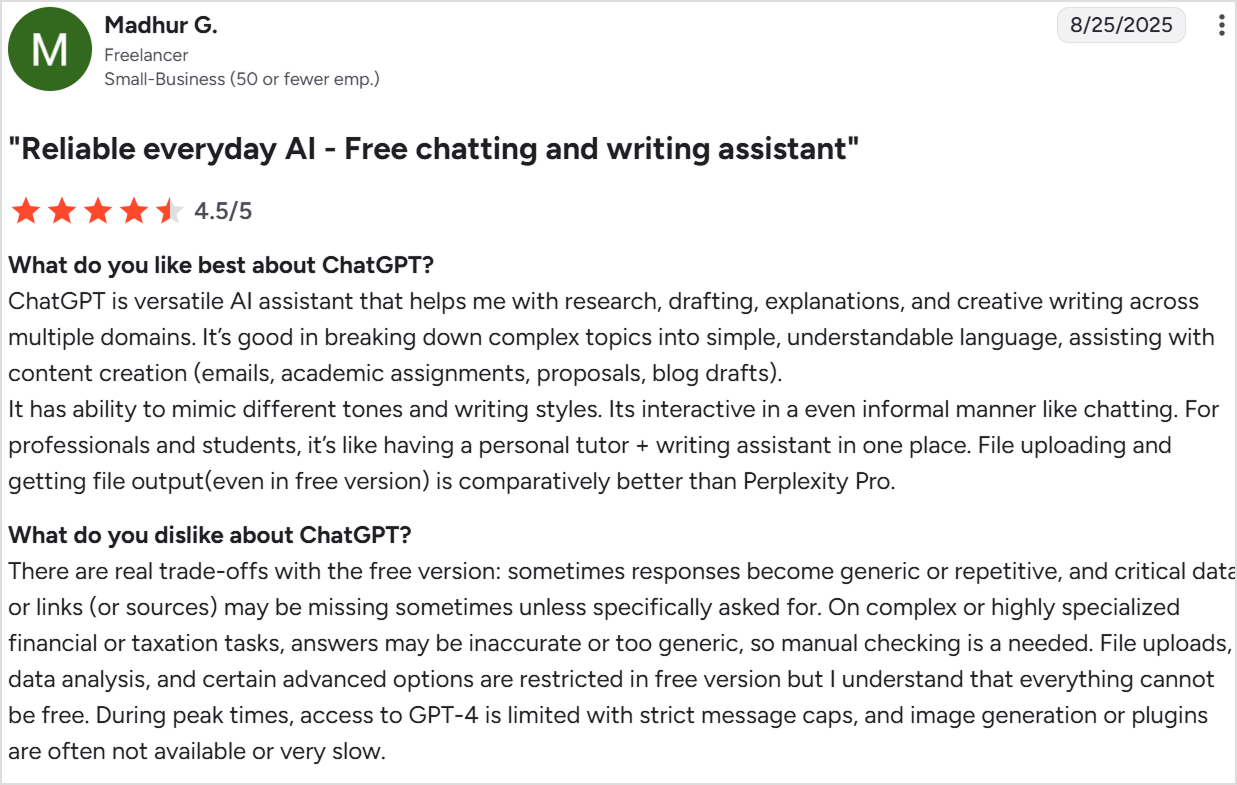
    Chatgpt reviews

    Praised for:

    • Exceptional versatility. Users love ChatGPT’s ability to handle diverse tasks from research to creative writing. One reviewer called it “a versatile AI assistant that helps me with research, drafting, explanations, and creative writing across multiple domains.”
    • Excellent at simplification. ChatGPT excels at “breaking down complex topics into simple, understandable language,” making it valuable for both professionals and students.
    • Tone and style adaptation. The “ability to mimic different tones and writing styles” allows users to match brand voices and adjust content for different audiences effortlessly.
    • Conversational interaction. Users appreciate that it’s “interactive in an even informal manner like chatting,” making the experience feel natural rather than robotic.
    • Time-saving efficiency. Many reviewers mention how ChatGPT “regularly saves me time” by helping with editing, reviewing lines, and speeding up the writing process.
    • Coding assistance. Several users specifically praised its JavaScript and general coding capabilities for development work.
    • File handling capabilities. The ability to upload files and receive file outputs, “even in the free version,” compares favorably to competitors.

    Common complaints:

    • Hallucinations and inaccuracies. The most frequent criticism is that ChatGPT “can hallucinate” and provide confidently incorrect information. One user described asking about flights from their local airport and receiving completely wrong information that was only corrected when challenged.
    • Generic and repetitive responses. Free version users note that “sometimes responses become generic or repetitive” and lack the depth available in paid tiers.
    • Missing sources and citations. Users complain that “critical data or links (or sources) may be missing sometimes unless specifically asked for,” requiring manual verification.
    • Inaccurate on specialized topics. For “complex or highly specialized financial or taxation tasks, answers may be inaccurate or too generic, so manual checking is needed.”
    • Free version limitations. Many features like advanced data analysis, certain file types, and consistent GPT-4 access are restricted, with “strict message caps” during peak times.
    • Slow image generation. Users report that “image generation or plugins are often not available or very slow,” impacting workflow efficiency.

    Overall, the reviews reveal a clear usage pattern when comparing Perplexity vs ChatGPT. Users turn to Perplexity when they need accurate, cited information for research-heavy tasks and real-time data. ChatGPT dominates as a “personal tutor + writing assistant in one place” for users who prioritize content creation, creative writing, and conversational interaction.

    Contentpen – A better alternative to Perplexity & ChatGPT

    While both Perplexity and ChatGPT offer valuable features for content creators, neither was specifically designed to handle the complete blog creation process from start to finish.Perplexity excels at research but falls short in content generation. ChatGPT produces engaging writing but requires manual fact-checking and research. Both leave significant gaps in a comprehensive content workflow that includes keyword research, SEO optimization, publishing, and performance tracking.

    This AI blog writer bridges these gaps by functioning as an all-in-one content platform rather than just an AI writing assistant. It’s specifically built for bloggers, marketers, and businesses who need to create, optimize, and scale blog content systematically.

    The following table explains why Contentpen is better than both Perplexity and ChatGPT for blog creation:

    FeaturePerplexityChatGPTContentpen
    AI writing quality⚪ Research-focused, less engaging✅ Creative and versatile✅ SEO-focused, brand-aligned, one-click generation
    Keyword research❌ Manual process❌ Manual process✅ Automatic and intelligent
    Research capability✅ Excellent with citations⚪ Good with web browsing✅ Built-in research integration
    SEO & GEO optimization❌ Minimal⚪ Strong when prompted✅ Advanced, automated optimization
    Publishing❌ Manual export and upload❌ Manual export and upload✅ One-click WordPress publishing
    Images & media❌ No visual generation✅ Limited DALL-E access✅ AI-generated visuals included
    Content calendar❌ None❌ None✅ Auto-created and scheduled
    SEO insights❌ None⚪ Limited via plugins✅ Built-in performance tracking
    Source citations✅ Automatic⚪ Limited with web search✅ Optional citation integration
    Scalability⚪ Moderate research volume⚪ High writing volume✅ Unlimited bulk content automation
    Fact-checking✅ Built-in through citations❌ Fully manual✅ Automated verification options

    With Contentpen, you don’t have to choose between research accuracy and writing quality. It combines the research capabilities that make Perplexity valuable with the content generation strengths that make ChatGPT useful, then adds comprehensive SEO and publishing features that neither platform offers.

    The platform handles keyword research automatically, generates optimized content that aligns with your brand voice, creates accompanying visuals, and publishes directly to WordPress. This eliminates the fragmented workflow of using multiple tools and manual processes that slow down content production.

    Similarly, teams and businesses scaling content can enjoy Contentpen’s bulk generation capabilities and built-in content calendar transform content marketing from a tactical challenge into a strategic advantage.

    Final Verdict – Which is better for blog writing?

    The Perplexity vs ChatGPT comparison ultimately comes down to understanding what each tool was built to do.

    Perplexity is an AI-powered research engine that excels at gathering current information, synthesizing multiple sources, and providing cited facts. On the other hand, ChatGPT is a generative AI assistant optimized for content creation, creative writing, and conversational engagement. 

    Neither tool alone provides the complete solution modern content creators actually need. So, if you’re looking to scale content production systematically rather than piecing together workflows from multiple tools, Contentpen offers a more comprehensive solution. It integrates research, writing, SEO optimization, and publishing into a single platform designed specifically for blog content creation.

    Start your free trial of Contentpen today and experience how streamlined content creation can transform your blogging process.

    Frequently asked questions

    When to use Perplexity vs ChatGPT?

    Use Perplexity when you need to research current information, gather facts from multiple sources, or verify claims with citations. It’s ideal for fact-checking, staying updated on recent developments, and building research foundations for content. 
    Choose ChatGPT when you need to write blog posts, create engaging content, generate creative material, or adapt content to specific brand voices. ChatGPT excels at the actual writing process, while Perplexity excels at the research process.

    Is Perplexity AI better than ChatGPT?

    Not necessarily, as they serve different primary purposes. Perplexity is better for research tasks that require current information, source citations, and fact verification. ChatGPT is better for creative writing, content generation, and producing engaging blog posts.
    The “better” tool depends entirely on whether you need research capabilities or content creation capabilities. For comprehensive blog writing workflows, many creators use both tools together.

    Is Perplexity the most powerful AI?

    Perplexity is not the most powerful AI overall, but it’s one of the most powerful AI research tools available. Its strength lies specifically in real-time web search, source synthesis, and information retrieval with citations. Other AI models like ChatGPT, Claude, or specialized AI systems may be more powerful for tasks like creative writing, coding, image generation, or complex reasoning.

    What is the 30% rule in AI?

    The 30% rule in AI suggests that AI should handle approximately 70% of repetitive, routine, and time-consuming tasks, while humans focus on the remaining 30% that requires creativity, strategic thinking, ethical judgment, and critical decision-making.

    What is the knowledge cutoff for Perplexity?

    Perplexity doesn’t have a traditional knowledge cutoff because it performs real-time web searches for each query. It accesses current information from the internet up to the present moment, which means it can provide information about events happening today.

    What is the knowledge cutoff for ChatGPT?

    ChatGPT’s knowledge cutoff depends on the specific version. GPT-5’s training data extends through October 2024, which means its core knowledge stops at that point. However, users can also enable the web search option to search for and incorporate more current information when needed.
  • How to write a blog post: 12 steps, format, and distribution

    How to write a blog post: 12 steps, format, and distribution

    Writing a blog post might seem an easy process, due to which not many people wonder how to write a blog post. However, if you are thinking of being a serious blogger and want your content to do well in search engines, you should know about the strategic process of writing a blog post.

    From choosing the right keywords and topic to hitting that publish button, we’ll cover the essential elements that separate mediocre blog posts from those that drive real results. 

    Let’s deconstruct the systematic approach of how to write a blog post to create engaging content that their audience actually wants to read.

    Step 1: Pick a topic and purpose

    Never make the mistake of starting typing right away. You must have a clear direction and vision. The best blog posts solve specific problems or answer particular questions that your audience has.

    You can pick the right topic by:

    • Brainstorming topics that align with your expertise and your readers’ interests.
    • Consider what goals you want to achieve with your blog post.
    • Knowing whether you are trying to educate your audience, drive traffic to a product page, establish thought leadership, or simply engage your community.
    • Having a clear purpose to guide your writing.
    • Analyzing trending topics in your industry. Check what questions people are asking on social media, and review comments on your previous posts for inspiration.

    Tools like Google Trends, Answer The Public, Contentpen, or even a simple Google search can reveal what people are actively searching for.

    Step 2: Research the topic

    Now comes the detective work. Thorough research is what separates amateur blog posts from professional, authoritative content.

    You should start by gathering information from credible sources, industry reports, case studies, and expert opinions. Don’t just rely on surface-level information like the one available in basic AI searches or overviews.

    Instead, you should dig deeper to find unique angles, recent statistics, and fresh perspectives that your competitors might have missed.

    This research phase is also where you’ll discover supporting evidence for your main points and find real-world examples to illustrate your concepts. Take notes as you research and organize your findings. You’ll be surprised how much more confident and authoritative your writing becomes when you’re working from a solid foundation of well-researched information.

    Step 3: Know your audience

    Writing without knowing your audience is like cooking without knowing who’s coming to dinner. You need to understand who you’re writing for, what they care about, and how they prefer to consume information.

    Create a mental picture of your ideal reader to answer questions like:

    • What challenges are they facing?
    • What’s their level of expertise on your topic?
    • Are they looking for quick tips or in-depth analysis?
    • Do they prefer a casual, conversational tone or more formal, professional language?

    Consider where your audience is in their customer journey as well. Are they just becoming aware of a problem, actively searching for solutions, or ready to make a decision? This understanding will help you write content that meets them exactly where they are.

    Related: How to write short blog posts that still deliver value?

    Step 4: Create an outline

    Many writers miss the mark when they skip the outline and jump straight into writing. It is a big mistake because a solid outline is your roadmap, ensuring your post flows logically and covers all the important points without unnecessary details.

    An ideal outline has:

    • All the main points are arranged in a logical order.
    • Each major point should support your overall thesis or purpose.
    • Breakdown of main points into sub-points or supporting details. This structure will become your headings and subheadings.

    You don’t need to get overwhelmed by trying to make your outline perfect. Consider it as a living document that you can adjust as you write. The end goal is to have a clear structure that keeps you on track and ensures you don’t forget any relevant information.

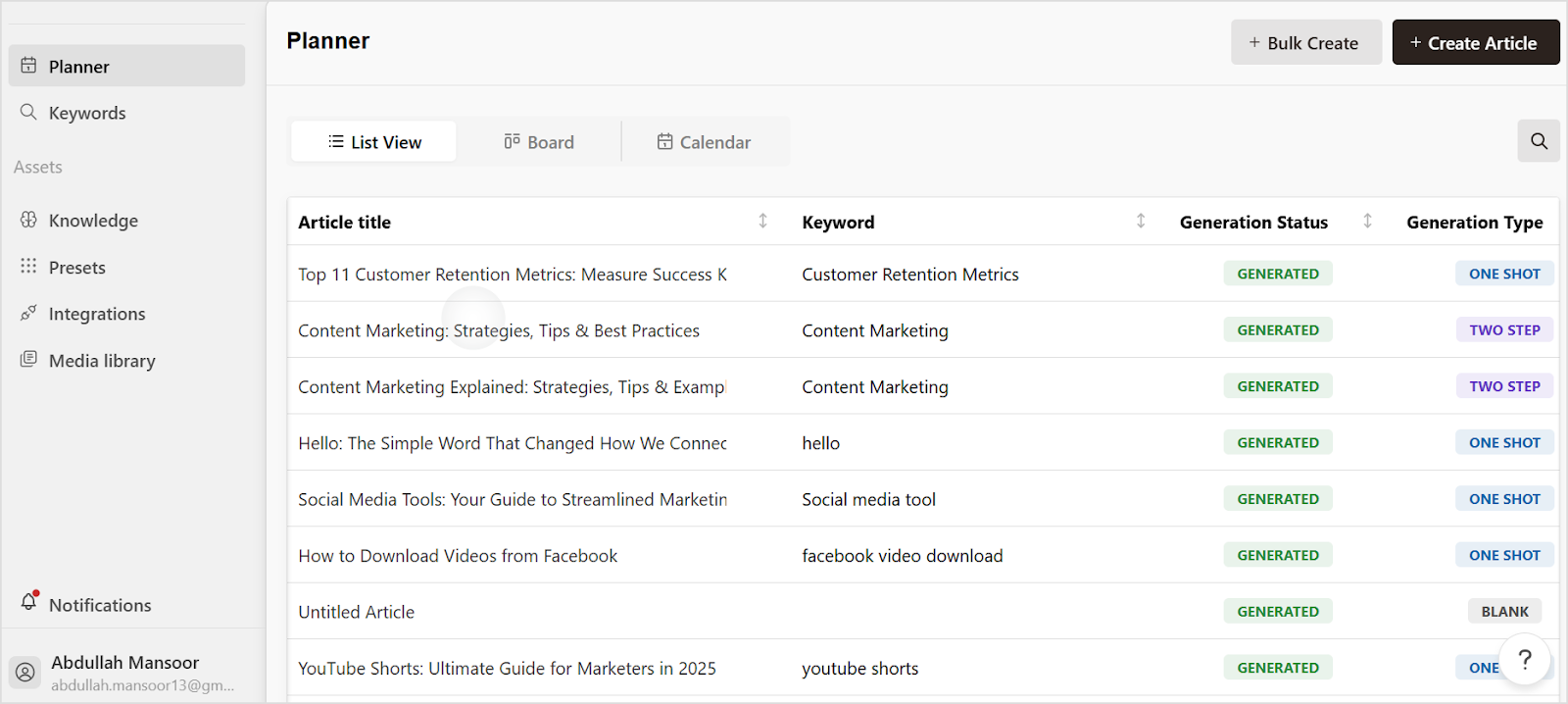
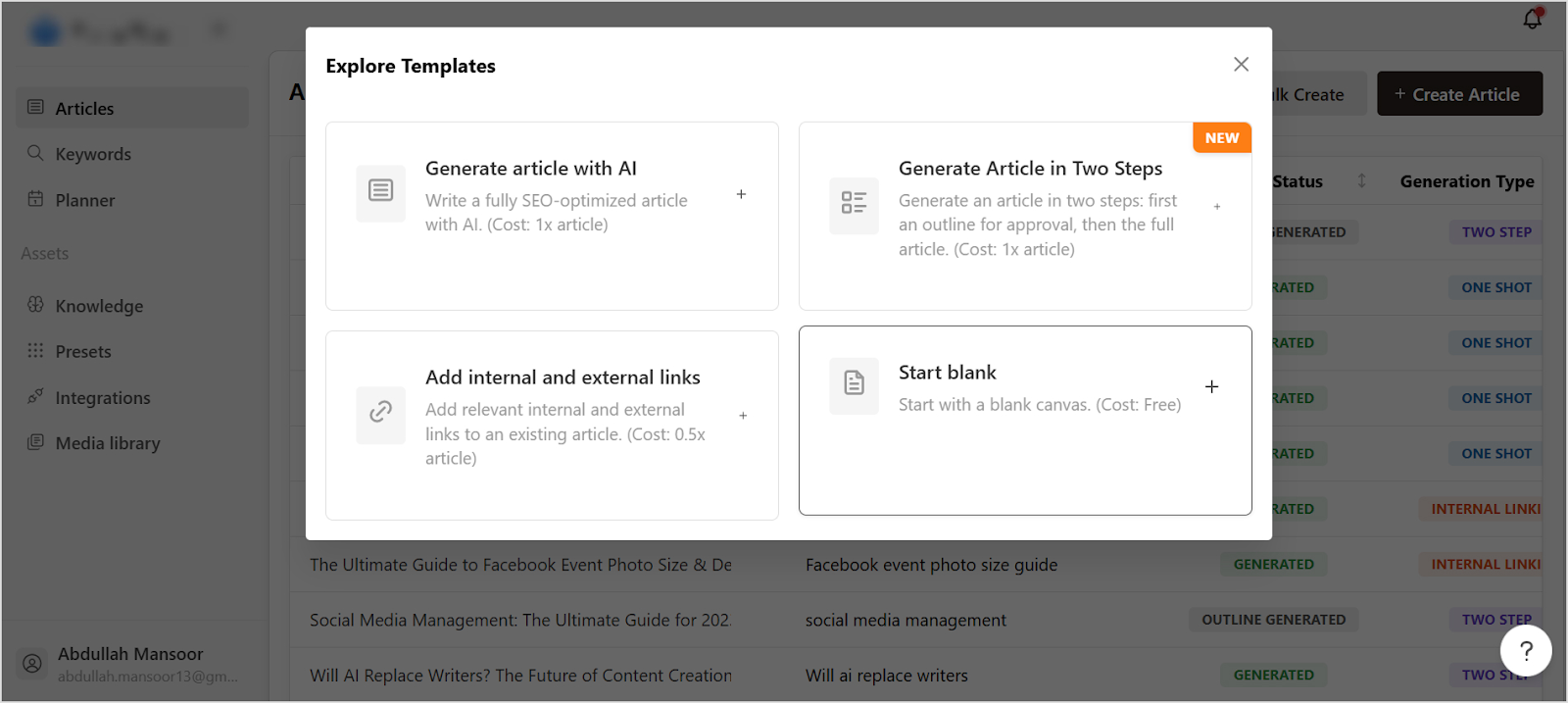
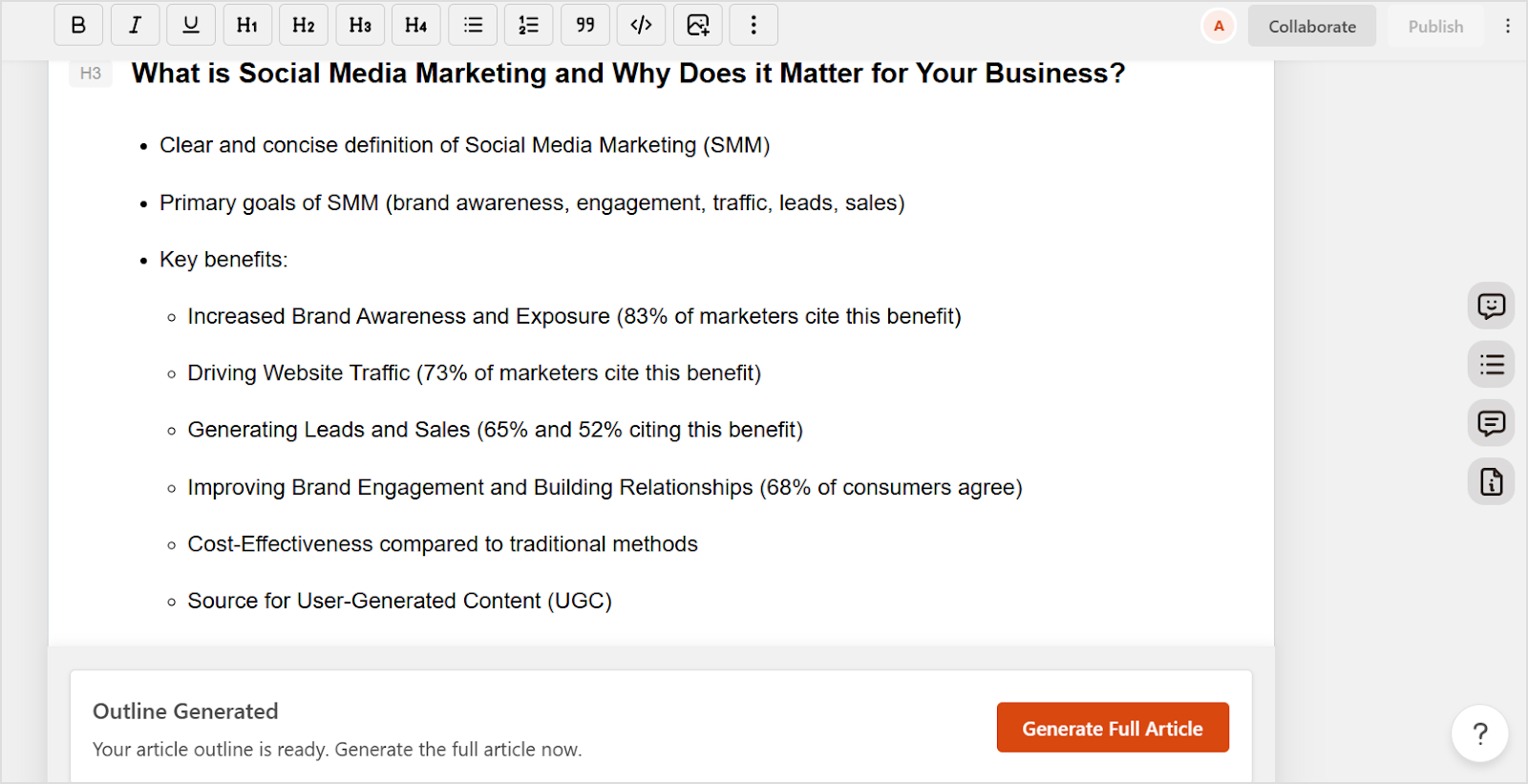
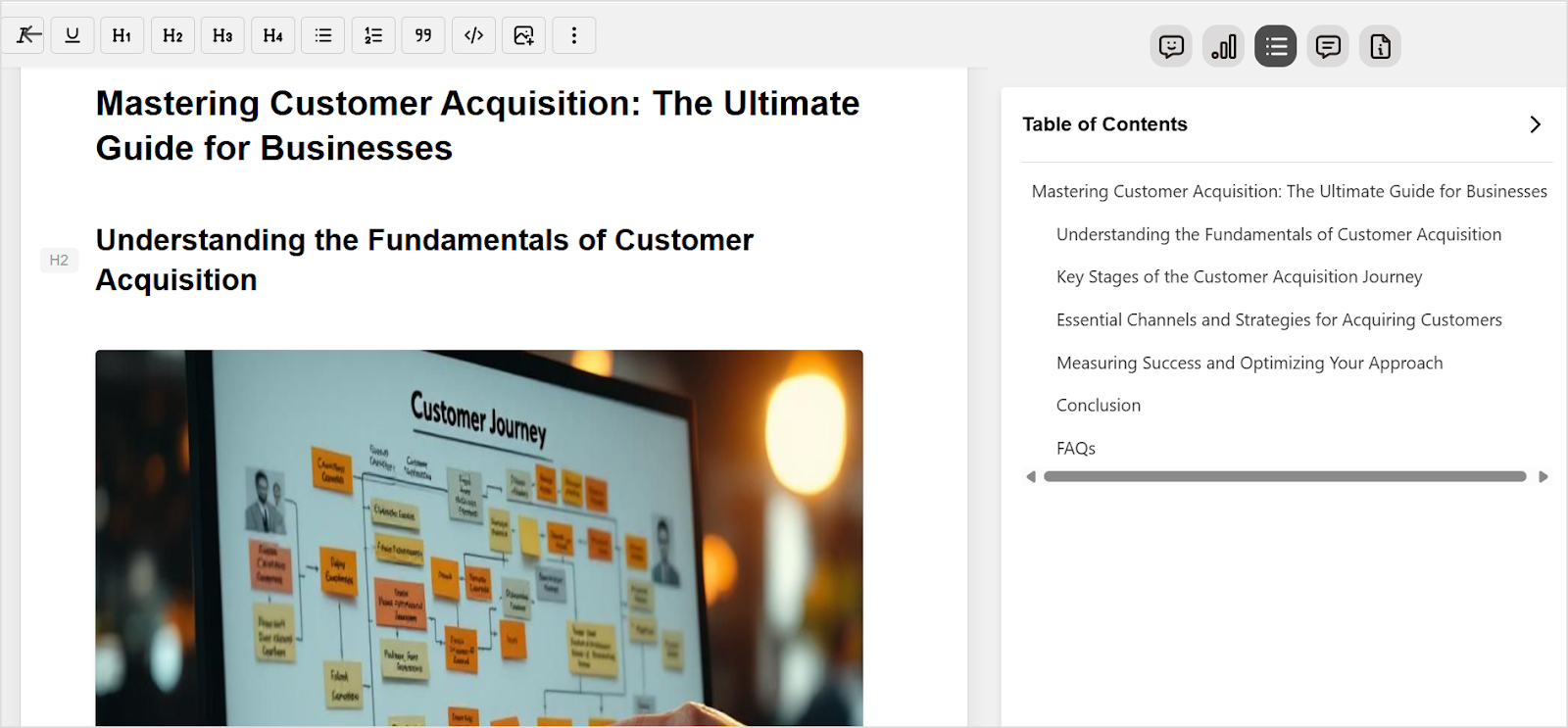
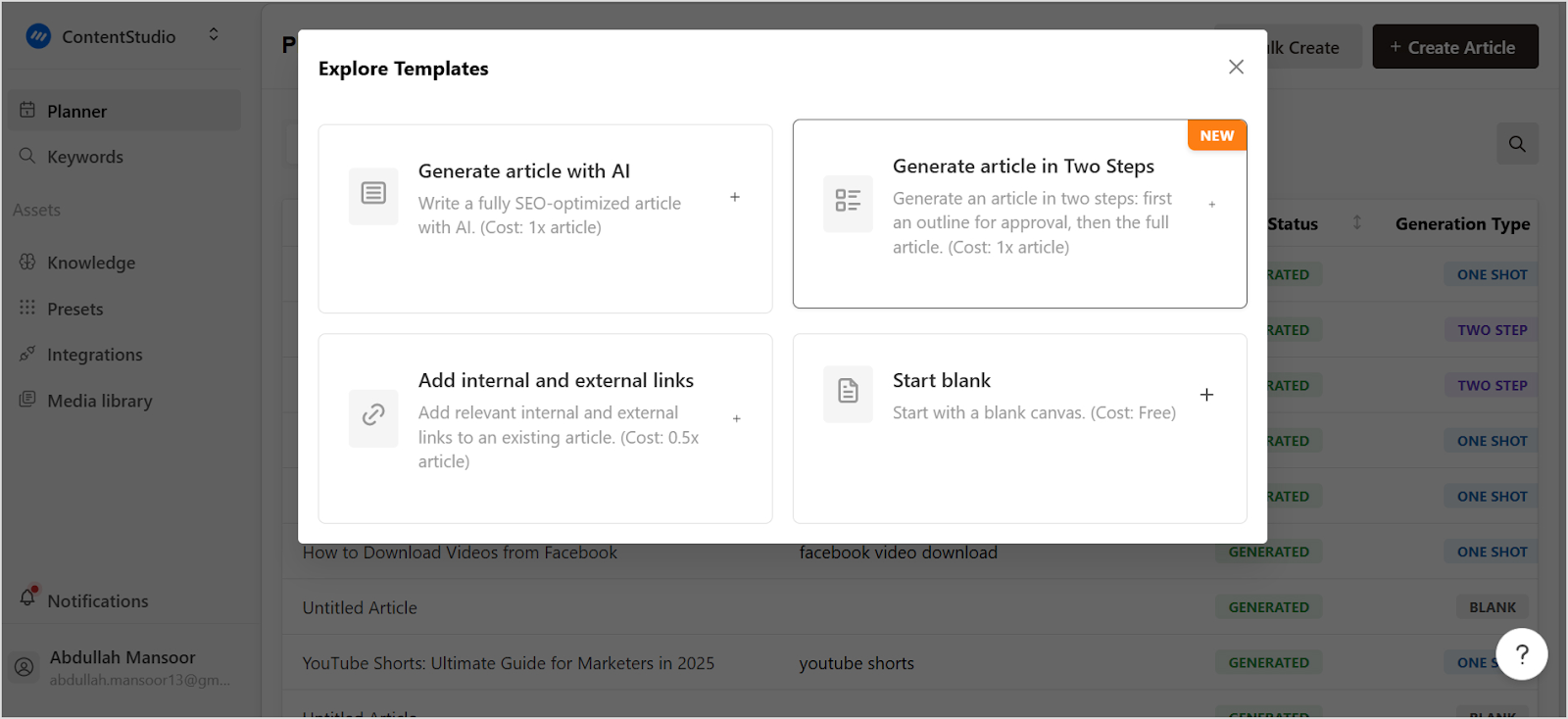
    Bonus tip: Use Contentpen’s “generate article in two steps” option to create an outline and modify it as per your requirements before creating a full-fledged article.

    Outline generation - contentpen

    Step 5: Write a strong headline

    Your headline is your first impression, and often your last chance to grab a reader’s attention. Since we are living in a digital era where people scroll past hundreds of headlines daily, yours needs to stand out and clearly communicate the value you’re offering.

    Effective headlines often include:

    • Numbers
    • Power words
    • Specific outcomes

    They should be specific enough to set clear expectations but intriguing enough to encourage clicks. Think about what would make you stop scrolling and click on an article.

    You should also test different headline variations if you’re unsure. You can also look at successful headlines in your industry for inspiration, but make sure yours feels authentic to your brand voice and accurately represents your content.

    Step 6: Draft the content

    Now the component of how to write a blog post includes actually writing your content. Start with a compelling introduction that hooks your readers and clearly states what they’ll gain from reading your post. Then work through your outline, expanding each point into full paragraphs.

    There is a lot of fluff on the internet, so if you want your content to truly stand out, you should write in a conversational tone, as if you’re explaining the topic to a friend. Use short paragraphs, varied sentence lengths, and transitional phrases to keep your content flowing smoothly.

    You don’t have to worry about perfection in your first draft. Instead, focus on getting your ideas down on paper initially and then refining them in future revisions. Make sure you are backing up your points with examples, data, or anecdotes. Stories and specific examples make abstract concepts more relatable and memorable for your readers.

    Step 7: Add media & links

    Text-only blog posts can feel overwhelming and boring. You can enhance the readability with the strategic use of images, videos, infographics, or other media elements to break up your content and make it more engaging and easier to digest.

    Moreover, choose visuals that directly support your content rather than just decorative images. Screenshots, charts, diagrams, or relevant photos can help illustrate your points and provide visual breaks for your readers.

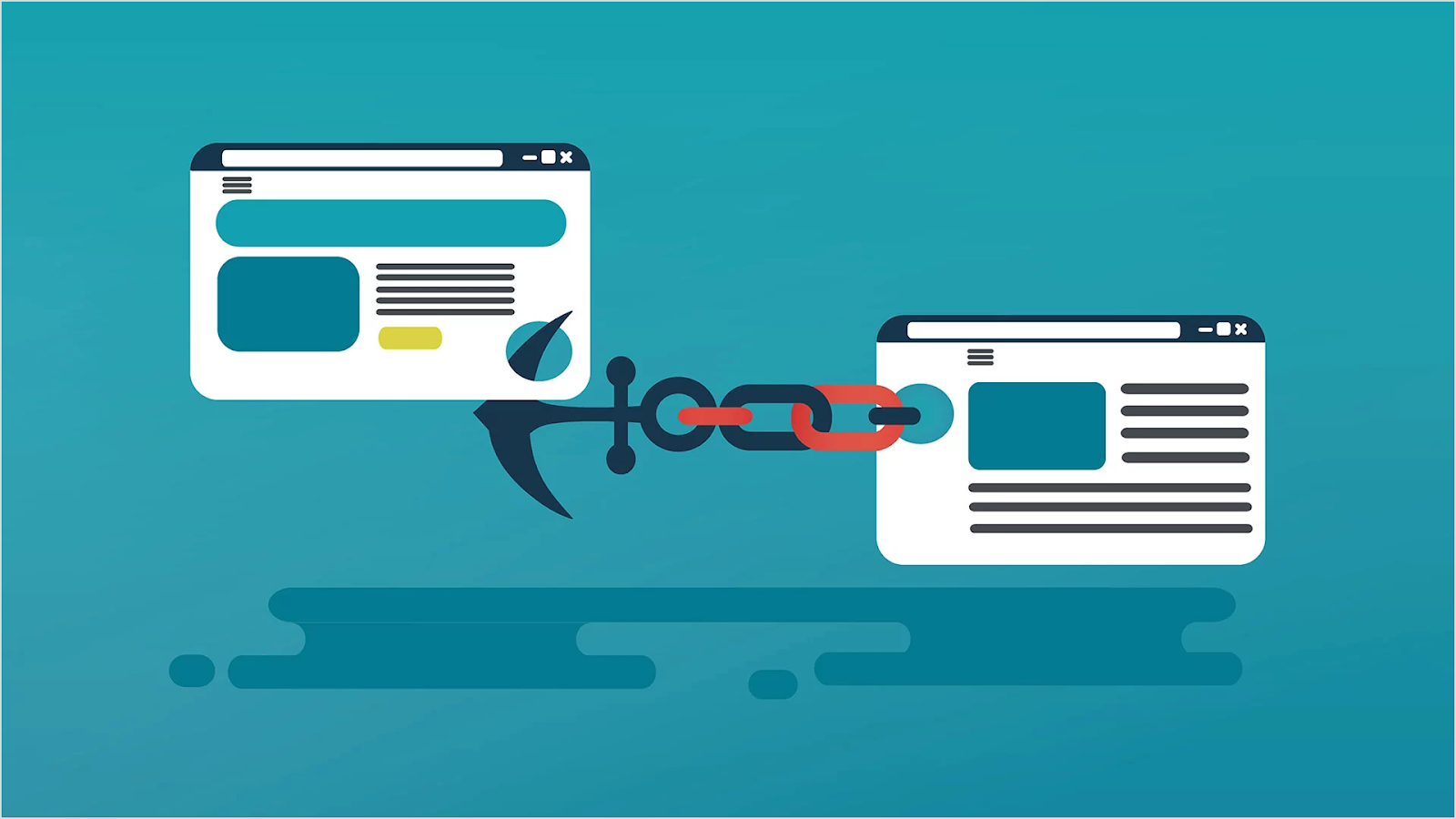
    Also, don’t forget the importance of linking. Internal links to your other relevant content and external links to authoritative sources provide additional value to readers and can help with your SEO efforts.

    Related: How to automate internal and external linking using Contentpen

    Step 8: Edit & proofread

    This step separates professional content from amateur blog posts. After you’ve finished your first draft, take a break before editing. Fresh eyes will catch issues you missed while deep in the writing process.

    Some of the key questions to consider in the editing stage are:

    • Does your post flow logically?
    • Are your main points clear and well-supported?
    • Is the tone consistent throughout?

    Once the big questions are answered, you can move to sentence-level editing for clarity, conciseness, and impact.

    Finally, proofread for grammar, spelling, and punctuation errors. You can use tools like Grammarly for this purpose as well.

    Reading your post aloud can also help you catch awkward phrasing or run-on sentences that might trip up your readers.

    Also read: How to format a blog post? Complete guide

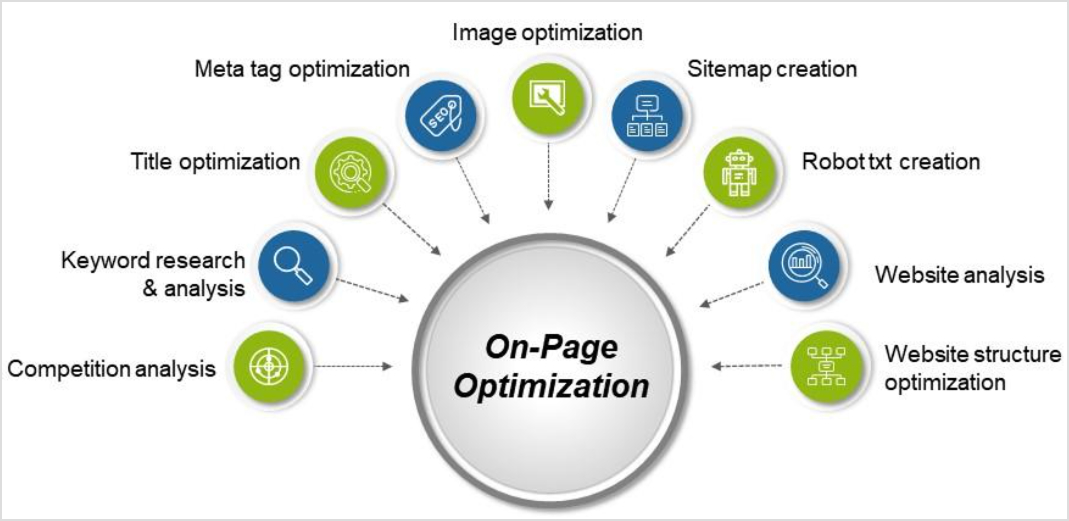
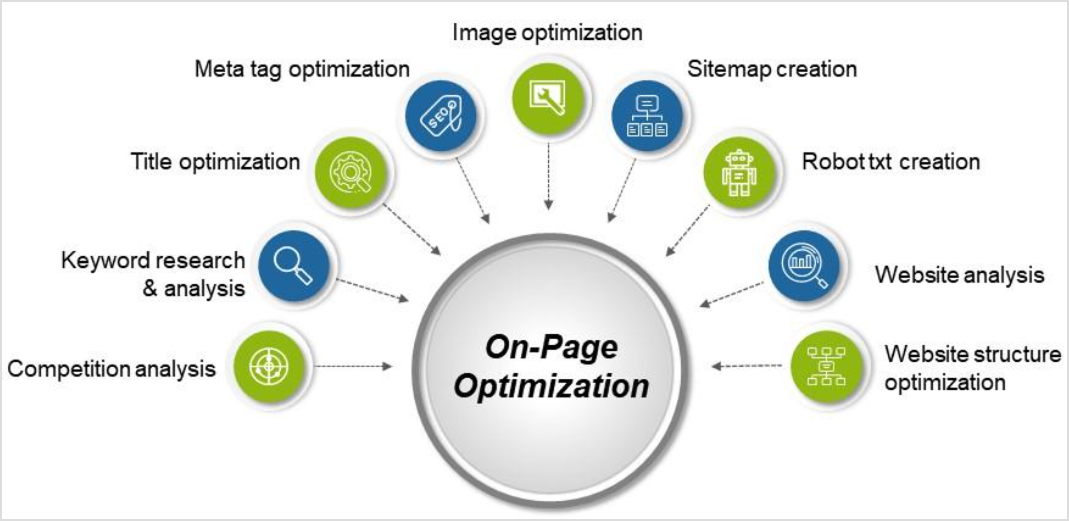
    Step 9: Optimize for SEO

    SEO optimization doesn’t mean stuffing keywords everywhere. Instead, it means making your content easily discoverable and valuable to both search engines and human readers.

    On page SEO optimization - contentpen

    Some of the key aspects of SEO are:

    • Include your target keyword naturally in your title, headers, and throughout your content.
    • Write compelling meta descriptions that accurately summarize your post and encourage clicks from search results. 
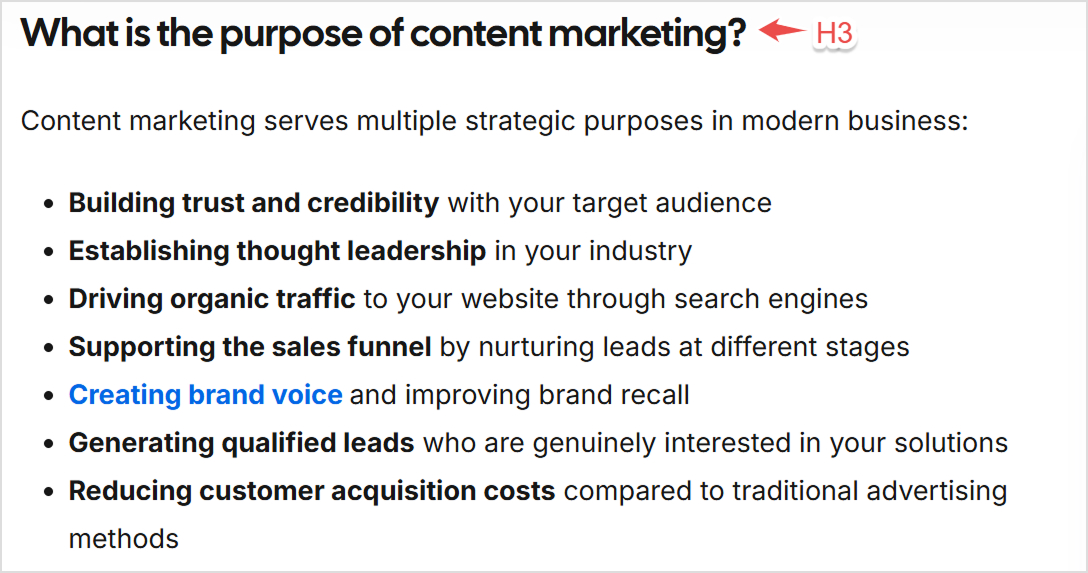
    • Use header tags (H1, H2, H3) to structure your content clearly.
    • Include alt text for your images.

    Overall, you need to focus on creating genuinely helpful content that answers searchers’ questions thoroughly. With AI-generated content becoming more and more popular, search engines are getting even better at recognizing and rewarding high-quality, user-focused content.

    Also read: The ultimate 15-step on-page SEO checklist for 2025

    Step 10: Write a call-to-action (CTA)

    Every blog post should guide readers toward the next step. Whether it’s subscribing to your newsletter, downloading a resource, checking out a product, or simply reading another post, give your readers a clear direction.

    Make your CTA specific and action-oriented. Instead of generic phrases like “click here,” use language that clearly communicates the benefit of taking action. “Download our free template” or “Get started with your free trial” are much more compelling.

    Place your CTA naturally within your content where it makes sense, not just awkwardly placed at the end of your post.

    Step 11: Format & finalize

    Good formatting makes your content scannable and reader-friendly. This is why you should use plenty of white space, bullet points, and subheadings to break up long blocks of text.

    Most readers scan before they read, so make it easy for them to find the information they’re looking for. Also, it is vital to check that your blog post looks good on both desktop and mobile devices. With most people reading blogs on their phones, mobile-friendly formatting is essential for user experience.

    Step 12: Publish & share

    By following the 11 steps discussed till now, you’ve put in all the time and effort required to write an engaging blog post. Now it’s time to get your content in front of readers. Publish your post and immediately share it across your social media channels, email newsletter, and any other distribution channels you use.

    Make sure you don’t just publish and forget. The real work of promoting your content begins with an effective content marketing strategy after you hit the publish button. But we’ll dive deeper into that in the next section.

    Ideal blog post structure

    Having a consistent blog post format makes writing easier and creates a better experience for your readers. Let’s look at the blog post template that works for most topics and industries, along with an example:

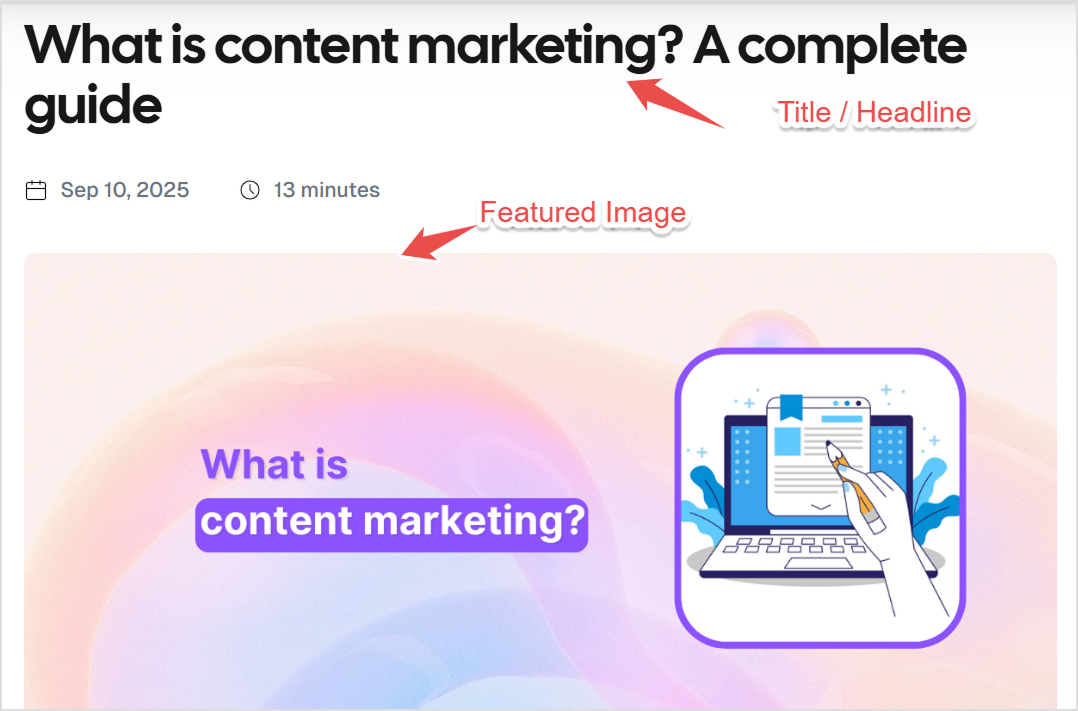
    Title/headline

    Your title should be clear, compelling, and include your target keyword when it makes sense. It’s the first thing readers see, so make it count.

    title or headline - contentpen

    Introduction

    Your blog post introduction should hook readers immediately and clearly explain what they’ll learn or gain from reading your post. Keep it concise but compelling to give readers a reason to keep reading without giving everything away upfront.

    A good introduction often starts with a relatable problem, an interesting statistic, or a thought-provoking question. Then it bridges to your main topic and outlines what the post will cover.

    Blog introduction - contentpen

    Main body (Organized by sections)

    An ideal blog post format has a main body that is organized efficiently in terms of sections with clear subheadings. Each section should cover one main point and flow naturally to the next. Moreover, you should use a mix of paragraphs, bullet points, and numbered lists to keep your content varied and engaging.

    body content - contentpen

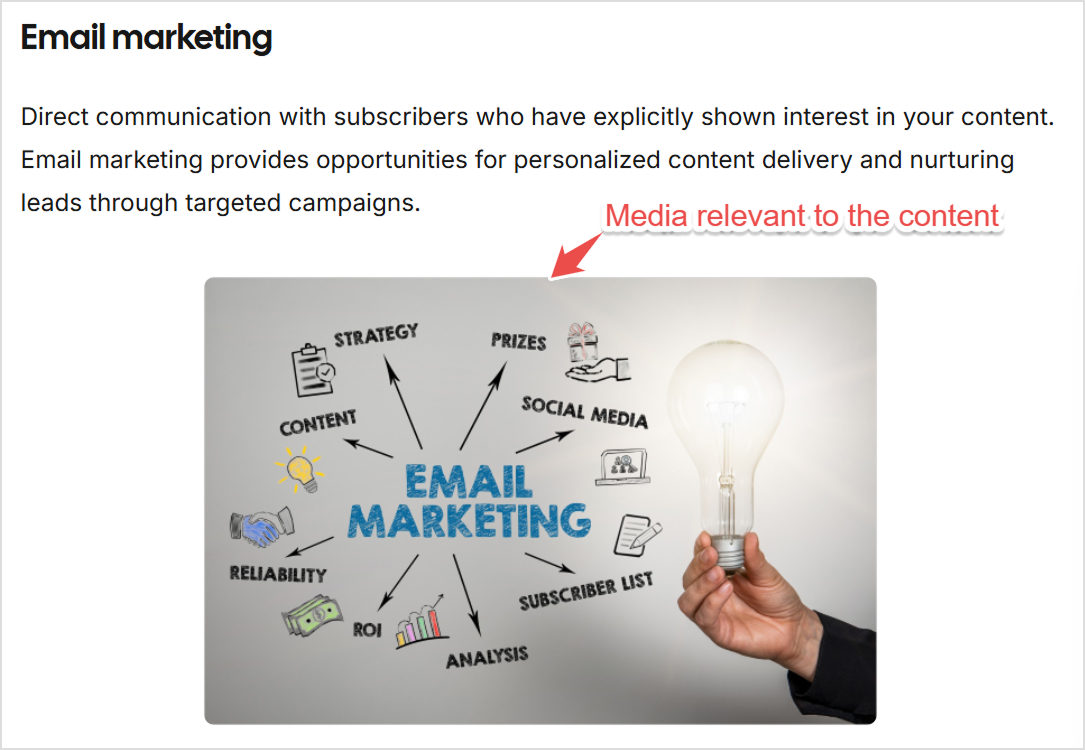
    Supporting media

    Strategically place images, videos, infographics, or other visual elements throughout your post to support your points and provide visual breaks. Don’t just add media for decoration, as these elements should add value.

    Email marketing - contentpen

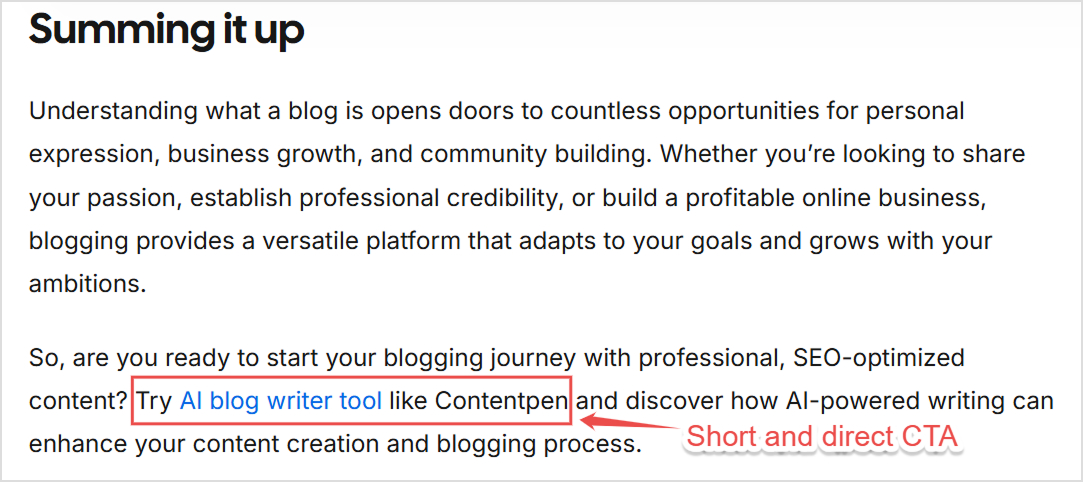
    Conclusion with call-to-action (CTA)

    Wrap up your post by summarizing your main points and reinforcing the key takeaways. A strong conclusion leaves readers feeling satisfied and clear about what they’ve learned. Moreover, CTA is an important part of the conclusion to guide readers toward their next step.

    Blog CTA - contentpen

    Extras (Optional)

    Depending on your post and audience, you might want to include additional elements, such as:

    • FAQs section to address common questions related to your topic
    • Related posts to keep readers engaged with links to similar content
    • Author bio to build credibility and connection with your audience

    What to do after publishing your blog post?

    Publishing your post is just the beginning. Here are the key things you can do maximize the reach and impact of your blog posts:

    Share on social media

    Craft unique posts for each social platform that highlight different aspects of your blog post. Don’t just share the same message everywhere. Instead, customize your approach to each platform’s audience and format preferences.

    Send to your email list

    Your email subscribers are your most engaged audience. Send them a dedicated email featuring your new post, or include it in your regular newsletter with a compelling preview. You can build a large email list over time.

    Optimize for SEO

    Monitor your post’s performance in search results and make improvements over time. Add internal links from other relevant posts on your site, and look for opportunities to earn backlinks from other websites.

    Engage with readers

    Respond to comments on your post and social media shares. Engagement signals to search engines that your content is valuable and helps build relationships with your audience. It also helps in keeping the readers coming back to your blog.

    Repurpose content

    Turn your blog post into other content formats. For instance, you can create social media graphics with key quotes, record a podcast episode on the topic, or develop a presentation for speaking opportunities.

    Build backlinks

    Reach out to other websites in your industry that might find your post valuable. Guest posting, participating in industry discussions, and building relationships with other creators can help earn quality backlinks. It will also boost the ranking of your content and get more organic traffic.

    Track performance

    Use analytics tools to monitor how your post performs. Track metrics like page views, time on page, social shares, and conversions to understand what resonates with your audience. Use this data to further improve your blog posts.

    Update over time

    Keep your content fresh and accurate by updating it periodically. Add new information, update statistics, and refresh examples to maintain its value and search rankings. Evergreen topics might not require frequent updates, but you should analyze the written content from time to time to ensure readers are getting correct and updated information.

    Conclusion

    Writing an engaging and optimized blog post is both an art and a science. By following this systematic approach of how to write a blog post in 12 steps from initial topic research to post-publication promotion, you’ll create content that not only serves your audience but also drives real results for your brand.

    Remember, great blog writing improves with practice. The key is to follow an ideal blog post format and structure and provide genuine value to your readers. The most important step is simply getting started and remaining consistent with your publishing schedule. Plus, an AI blog writer like Contentpen can help you in your blogging journey by creating outlines as well as complete SEO-optimized blog posts.

    Frequently Asked Questions

    What is an example of a blog post?

    A blog post is any article published on a blog, such as “10 healthy dinner recipes,” “How to start a small digital marketing business,” or “The ultimate guide to social media marketing.” There are many different types of blog posts, such as how-to guides, listicles, personal stories, industry news, and opinion pieces.

    Do personal bloggers get paid?

    Yes, personal bloggers can earn money through various methods, including affiliate marketing, sponsored posts, selling digital products, offering consulting services, display advertising, and selling courses or ebooks.

    What are the four main parts of a blog?

    The four main parts of a blog are:
    1. Header containing the blog title, navigation menu, and branding
    2. Main content area where blog posts are displayed)
    3. Sidebar featuring widgets like recent posts, categories, or social media links
    4. Footer containing copyright information, additional links, and contact details
    These elements create the overall structure and user experience of a blog.

    Who pays you as a blogger?

    Bloggers can be paid by various sources, including:
    – Companies for sponsored content
    – Affiliate programs for promoting products
    – Advertising networks for display ads
    – Readers who purchase products or services
    – Clients for freelance writing work
    – Businesses for consulting or speaking opportunities.
    Some bloggers also earn through membership sites, online courses, or selling their own products.

    What are the three types of blogs?

    The three main types of blogs are:
    1. Personal blogs that share personal experiences, thoughts, and lifestyle content
    2. Business blogs are available on companies’ websites for marketing, customer education, and brand building
    3. Niche blogs focusing on specific topics like travel, food, technology, or finance
    Each type serves different purposes and audiences, but all aim to provide valuable content to their readers.

    What should the first sentence of a blog be?

    The first sentence of a blog post should immediately grab the reader’s attention and clearly relate to your topic. It could be a surprising statistic, a thought-provoking question, a relatable problem statement, or a bold declaration.

    How to write a blog post on WordPress?

    Writing a blog post on WordPress is possible in a few steps. First, you’ll log into your dashboard, then navigate to “Posts” and click “Add New” to open the editor.
    Start by entering a compelling title at the top. Next, use the intuitive block editor to create your content, easily adding paragraphs, formatting text, inserting images, and building lists. Before publishing, look at the settings sidebar to choose relevant categories and tags so readers can discover your post.
    If you’re using an SEO plugin, this is also where you’d write a concise meta description to optimize how it appears in search results. Finally, use the “Preview” button to ensure everything looks perfect, and when you’re satisfied, click “Publish” to share your post with the world!

    How to write a blog post on Shopify?

    Writing a blog post using Shopify’s built-in blogging feature is quick and perfect for e-commerce content.
    To get started, navigate to your Shopify admin panel, click on “Online Store,” and then select “Blog Posts.” From there, hit the “Create blog post” button. You’ll then enter your title and craft the body of your content using the user-friendly rich text editor.
    Before you save, be sure to optimize your post by setting a strong SEO title and description—this helps people find it on Google. Finally, you can select relevant tags for better organization, choose your publication settings (whether it’s live or a draft), and click “Save” or “Publish” to complete the process. Shopify keeps its blogging feature simple but effective, letting you focus on creating great content to support your store.

  • Claude vs ChatGPT for blog writing: Which AI tool wins?

    Claude vs ChatGPT for blog writing: Which AI tool wins?

    The artificial intelligence (AI) industry is rapidly expanding with more and more Large Language Models (LLMs) like OpenAI’s ChatGPT and Anthropic’s Claude being introduced. Content creation and blog writing are two of the many key areas where AI is changing the workflow, so it is important to choose the right platform to get the best results. 

    While there are many different AI systems and platforms, we’ll be focusing on Claude vs ChatGPT in this article. We’ll determine which of them actually delivers better articles, more engaging blog posts, and content that resonates with readers.

    Let’s start with the basics. 

    Pro Tip: Don’t want to go through the entire debate of Claude vs ChatGPT? Skip to the end to see why Contentpen is the perfect alternative to both of them!

    General overview of ChatGPT’s capabilities

    ChatGPT, developed by OpenAI, is one of the most widely used AI writing tools today. It’s built on an advanced GPT (Generative Pre-trained Transformer) architecture, which is known for producing coherent, engaging, and human-like text across a wide range of topics.

    ChatGPT

    When it comes to content writing and blogging, ChatGPT stands out for its:

    • Strong storytelling and creativity: It can write in diverse tones and styles, ranging from casual blog posts to professional articles. The key thing is to give it the right prompt.
    • SEO and keyword integration: ChatGPT easily incorporates different types of keywords naturally, making it effective for search-optimized content.
    • Research and structure handling: It can outline blog posts, write introductions, expand points with logical flow, and summarize complex topics clearly.
    • Editing and rewriting support: Users can give different prompts to refine tone, grammar, and structure. You can also request rewrites.

    Overall, ChatGPT is a versatile, reliable assistant for anyone looking to generate polished, ready-to-publish written content quickly and efficiently.

    Limitations

    While ChatGPT produces fluent text, its content can sometimes feel formulaic, particularly in introductions and conclusions.

    Writers often notice repetitive phrases like “in today’s digital landscape” or the excessive use of dashes that require editing. The model occasionally prioritizes sounding confident over accuracy, which means fact-checking remains essential for published content.

    General overview of Claude’s capabilities

    Claude, developed by Anthropic, is another leading AI writing model known for its natural tone and context-aware writing. Inspired by principles of “Constitutional AI,” Claude is designed to be helpful, honest, and harmless, which makes it a reliable AI tool for long-form writing and editorial work.

    Claude

    Some of the key areas where Claude excels are:

    • Contextual depth: It understands and maintains context over long pieces of text, making it ideal for detailed blogs or guides.
    • Clarity and factual accuracy: Claude focuses on producing content that’s well-reasoned and accurate, minimizing filler or vague statements.
    • Human-like tone: Its writing often feels smooth and conversational, which is suitable for lifestyle or thought-leadership blogs.
    • Summarization and research synthesis: Claude can summarize lengthy research or merge multiple data points into cohesive sections.
    • Ethical and transparent writing: It tends to avoid exaggeration, offering more neutral and trustworthy content.

    In short, Claude’s strength lies in crafting insightful, clear, and well-structured long-form content, which is perfect for writers who prioritize accuracy and depth over flashy language.

    Limitations

    Claude can sometimes be overly cautious, occasionally declining to write content on sensitive topics where other AI models might proceed. For content creators, this means you might occasionally need to rephrase requests. Moreover, some writers find Claude to be slightly slower at generating quick, punchy content compared to ChatGPT’s rapid-fire output.

    Comparing Claude vs ChatGPT

    When it comes to AI-assisted writing, both Claude and ChatGPT deliver impressive results. However, we get to see a real difference between them by comparing their output in terms of research, reasoning, content writing, image generation, and SEO optimization. These are the key areas that matter the most to bloggers and marketers.

    claude vs chatgpt

    The following table shows a quick side-by-side comparison of Claude vs ChatGPT:

    FeatureClaudeChatGPT
    Content qualityNatural, less AI-sounding. Excellent for long-formFluent and versatile. Can feel formulaic at times
    Research capabilityStrong web search integration and takes caution with factsWeb browsing is available (Plus) with an extensive knowledge base
    ReasoningExcellent analytical thinkingStrong reasoning
    Content depthIdeal choice for in-depth articlesGood depth, but can lose focus in very long pieces
    Tone consistencyHighly consistent across long contentGenerally consistent
    SEO understandingUnderstands SEO principles, but requires prompts for implementationExcellent SEO awareness and  keyword integration
    Image generationNot availableDALL-E integration available (Plus/Pro)
    SpeedThoughtful but slightly slowerGenerally faster output
    Fact accuracyAcknowledges uncertainty to ensure maximum accuracyCan give wrong or outdated facts, so manual fact-checking is necessary
    Pricing (Paid plan)Pro: $17/month Max: $100/person/monthPlus: $20/month Pro: $200/month
    Best forLong-form blogs, thought leadership, research articlesVersatile content, quick posts, social media, visuals

    Let’s compare Claude vs ChatGPT in detail:

    Claude vs ChatGPT in research

    ChatGPT excels at collecting information, summarizing data, and organizing research-based content into digestible blog formats. So, it is effective for writers who need fast, structured overviews or topic summaries.

    Claude, on the other hand, prioritizes accuracy and context. It tends to rephrase or validate information in a more natural, fact-driven tone. It is suitable for writers who value reliability and balanced explanations over speed.

    Verdict

    In terms of Claude vs ChatGPT for research, ChatGPT wins for quick and SEO-ready research summaries. If you have access to ChatGPT Plus, you can expect even more accurate results. However, for more detailed explanations, Claude takes the lead.

    Claude vs ChatGPT in reasoning

    Reasoning plays a big role in long-form writing. ChatGPT is excellent for structuring arguments and generating logical outlines. It can also mimic reasoning patterns that suit marketing, product comparisons, or educational blogs.

    Claude, however, has a more analytical reasoning process. It doesn’t just list ideas, but also connects them with deeper insights or cause-and-effect explanations. This is why Claude’s writing is more thoughtful.

    Verdict

    Use ChatGPT for concise and structured reasoning. But if you want deeper and layered logic, you can use Claude.

    Claude vs ChatGPT in content writing

    We’ll be discussing Claude vs ChatGPT for writing in detail later in this article with a blog example. But overall, ChatGPT shines in content writing due to its versatility, as it can easily adapt tone and voice to fit a brand’s identity. 

    You can use ChatGPT to produce everything from catchy blog introductions to detailed how-to guides. Its fluency and creativity make it ideal for marketing and storytelling.

    Claude, meanwhile, delivers editorial-quality writing that feels human and deliberate. It prioritizes flow and readability. It is more suitable for thought leadership, journalism, and reflective blogs.

    Verdict

    ChatGPT performs better for brand-driven and SEO-optimized blogs, while Claude is ideal for long-form writing.

    Claude vs ChatGPT in content depth

    ChatGPT can generate comprehensive outlines and expand sections efficiently. It is an ideal choice when you can write an article section-by-section instead of a one-click article generation.

    On the other hand, Claude emphasizes depth over volume. It dives deep into nuances, examples, and reasoning that make content feel more researched and detailed. Plus, you can expect Claude to write a comprehensive blog post through a single well-designed prompt.

    Verdict

    Claude is better than ChatGPT for nuanced and in-depth writing.

    Claude vs ChatGPT in image generation

    Image generation is one area where ChatGPT is the clear winner because Claude does not support visual generation at all.

    Through integrations like DALL·E, ChatGPT can generate images, illustrations, and visuals directly within the writing process. Claude, however, is text-only, which focuses solely on writing and editing tasks. It can describe visuals effectively, but cannot generate them.

    Verdict

    Use ChatGPT to create visual assets along with written content.

    Claude vs ChatGPT in SEO understanding

    When comparing Claude vs ChatGPT in SEO understanding, the difference is in practical implementation.

    ChatGPT has a strong grasp of on-page SEO elements, including keyword placement, meta descriptions, subheadings, and content flow. It can write optimized blogs that balance readability with search intent.

    Claude, while aware of SEO best practices, leans toward natural readability and human tone over keyword optimization. You have to give it detailed prompts to ensure Claude follows SEO best practices in its writing. 

    Verdict

    ChatGPT is an effective AI tool for SEO-heavy content, while Claude performs better for organic readability.

    Creating a real blog with ChatGPT and Claude

    By now, we’ve compared ChatGPT vs Claude in terms of many different factors. But when it comes to writing, the best way to compare them is to create a real blog. So, in this section, we’ll create a blog post using the same prompt and then compare the writing process, structure, and overall quality.

    This hands-on comparison will help you see how each tool performs when faced with an actual content writing task, from research to final output. 

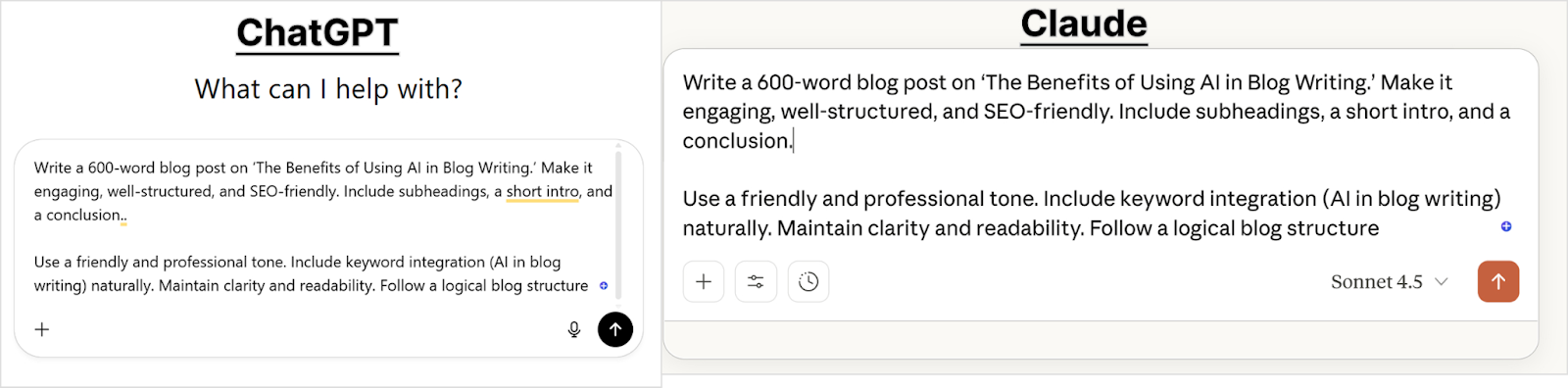
    Setting up the test

    To make the comparison fair and focused, both Claude and ChatGPT are given the same prompt, tone requirements, and structure expectations.

    Prompt used:

    “Write a 600-word blog post on ‘The Benefits of Using AI in Blog Writing.’ Make it engaging, well-structured, and SEO-friendly. Include subheadings, a short intro, and a conclusion.”

    Both AIs are expected to:

    • Use a friendly yet professional tone
    • Include keyword integration naturally
    • Maintain clarity and readability
    • Follow a logical blog structure
    claude vs chatgpt toc creation

    This setup allows us to observe not only the quality of their writing but also how they handle organization, SEO intent, and voice.

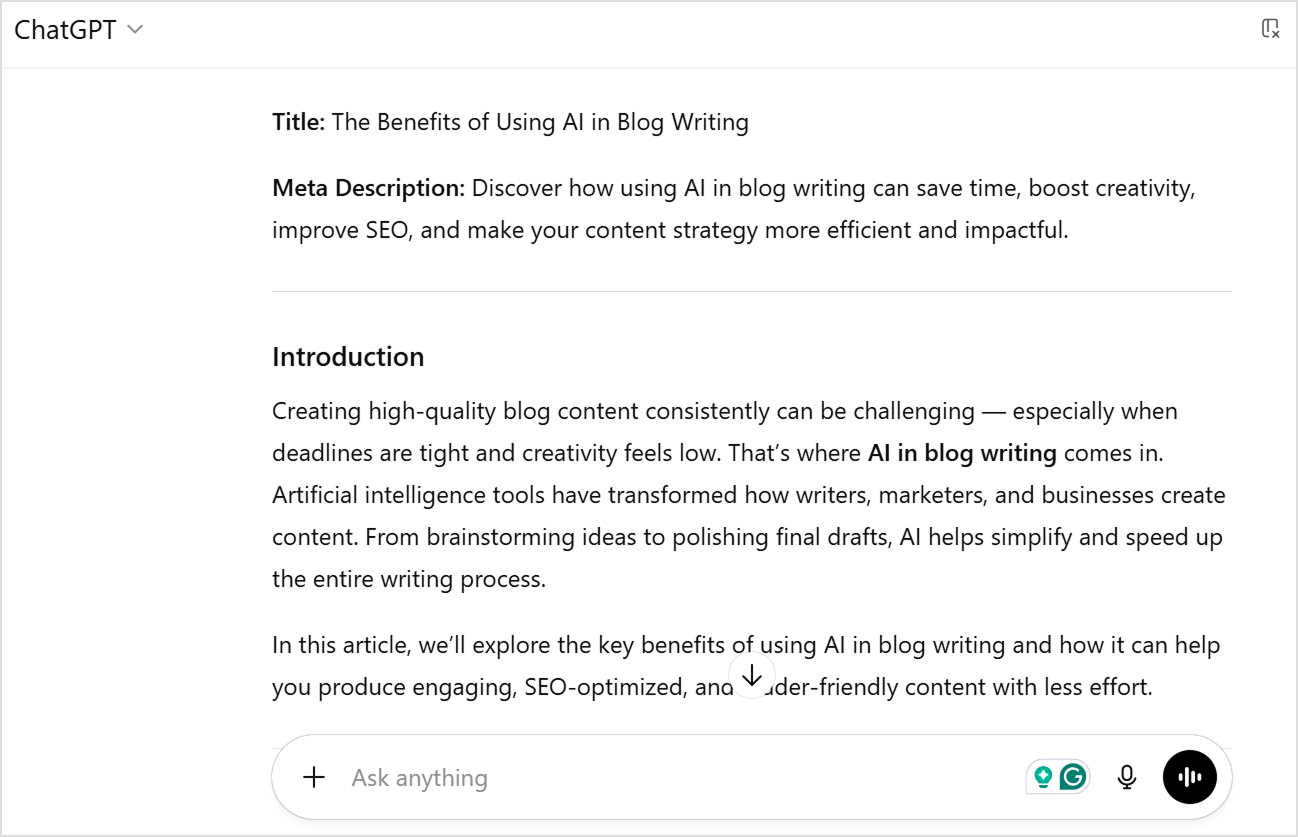
    Analysis of ChatGPT’s writing output

    Chatgpt output

    ChatGPT delivered a comprehensively structured post with clear organization. The title and meta description came automatically, which is great for SEO workflows. The introduction opened with a relatable pain point: “Creating high-quality blog content consistently can be challenging — especially when deadlines are tight and creativity feels low.”

    The structure followed a classic listicle format with numbered benefits. Moreover, each section included bullet-pointed sub-benefits, making the content scannable and easy to digest. 

    Overall, the writing was clear and functional, using straightforward language like “AI tools streamline these steps by…” and “Here’s how AI enhances content quality…”

    ChatGPT’s strengths for writing

    • Immediate SEO readiness: Automatically generated an optimized title and meta description without additional prompting, saving time in the content workflow.
    • Superior formatting structure: Used numbered lists, bullet points, and clear hierarchies that make content highly scannable.
    • Consistent organization: Each benefit section followed the same predictable pattern (introduction → bullet points → explanation), creating a familiar structure that readers expect.
    • Action-oriented language: Phrased benefits as concrete outcomes (“Saves Time,” “Improves Quality”) rather than abstract concepts.
    • Quick reference value: The listicle format makes it easy for readers to extract specific information without reading the entire article.
    • Beginner-friendly: Simple, direct language accessible to all reading levels without sacrificing information density.

    ChatGPT’s weaknesses for writing

    • Generic AI phrases: Included clichés like “in a fraction of the time” and “speaks directly to their interests” that immediately signal AI-generated content.
    • Lacks a distinctive voice: The writing feels template-driven, making it difficult to differentiate from thousands of other AI-written articles on the same topic.
    • Surface-level explanations: Covered breadth effectively but didn’t explore why benefits matter or provide a deeper context that demonstrates expertise.
    • Forced transitions: Phrases like “it complements it beautifully” felt unnatural and overly enthusiastic in ways human writers rarely express.
    • Predictable structure: The rigid numbered format, while scannable, can feel formulaic and reduce engagement for readers seeking more nuanced discussion.
    • Requires significant editing: To make this publication-ready for a brand-building strategy, you’d need to inject personality, remove AI tells, and add unique insight.

    Analysis of Claude’s writing output

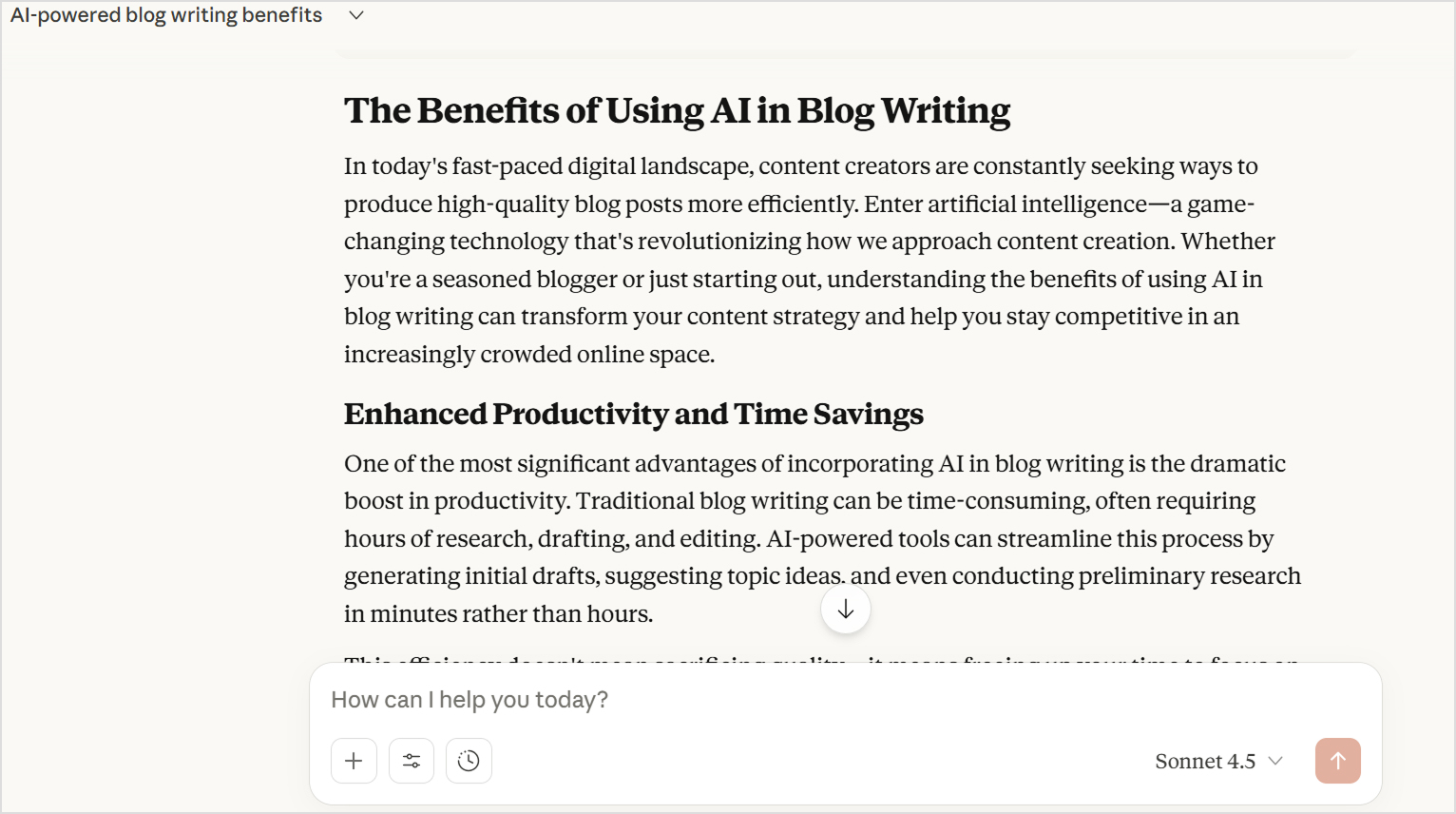
    Claude output

    Claude opened with a more narrative introduction: “In today’s fast-paced digital landscape, content creators are constantly seeking ways to produce high-quality blog posts.” Such an introduction, while engaging, is common in all types of AI-generated blog posts.

    The structure used descriptive H2 headings rather than numbers. Moreover, Claude wrote in flowing paragraphs without bullet points, creating a more article-like reading experience. Each section explored concepts more deeply with explanations of why benefits matter, not just what they are. 

    For example, rather than listing ways AI helps with SEO, Claude explained: “By leveraging AI in blog writing, you can ensure your content is discoverable by your target audience.”

    Claude’s strengths for writing

    • Deeper conceptual explanations: Doesn’t just list benefits but explains the underlying reasoning, helping readers truly understand concepts rather than just memorize tips.
    • Variation in sentence structure: Uses varied sentence structures and more nuanced language to improve the content’s authority.
    • Narrative coherence: Each section builds on previous ideas, creating a cohesive article rather than disconnected tips.
    • Authentic tone: The voice feels like a knowledgeable person sharing insights rather than a bot assembling information.
    • Thoughtful conclusions: Ties concepts together meaningfully instead of generic wrap-ups.
    • Less editing required: Typically needs only 15-20% editing to add brand-specific elements and personal touches.

    Claude’s weaknesses in writing

    • Missing SEO elements: Didn’t automatically provide title tags or meta descriptions, requiring follow-up prompts for complete SEO optimization.
    • Less scannable format: Paragraph-heavy structure makes it harder for skimmers to extract key information quickly, which can reduce engagement for casual readers.
    • Occasional AI clichés: Started with “In today’s fast-paced digital landscape”, which is one of the most overused phrases in both Claude and ChatGPT.
    • Requires formatting work: To match modern blog standards, you’d need to add bullet points, callout boxes, or other visual breaks for better readability.
    • No built-in visual generation: Must use separate tools for images, while ChatGPT offers integrated DALL-E access.
    • Slightly longer generation time: Takes 30-60 seconds more than ChatGPT for equivalent content length.
    • May exceed word counts: Tends to write longer than requested because it develops ideas thoroughly rather than hitting arbitrary targets. It increases the chances of fluff. 

    Summary of Claude vs ChatGPT for blog writing

    When it comes to creating a real blog, both tools perform impressively, but they cater to different goals.

    • ChatGPT feels like a creative content partner, ideal for marketers, bloggers, and SEO writers who want speed, variety, and adaptability.
    • Claude feels more like a skilled editor, ideal for writers who prioritize accuracy, flow, and brand tone consistency over flashy language.

    For this test, ChatGPT delivered more immediately usable content for quick publication. Claude produced higher-quality writing that would perform better for building authority and engaging serious readers, but required additional prompts for SEO elements and formatting optimization.

    The choice between them depends on your content goals and whether you prefer efficiency and flair (ChatGPT) or depth and refinement (Claude).

    Related: Does Google penalize AI content?

    ChatGPT vs Claude: Strengths and weaknesses for content writing

    The following table summarizes the strengths and weaknesses of Claude and ChatGPT:

    AspectChatGPTClaude
    Writing quality✅ Clear, functional, well-organized❌ Generic, template-driven, lacks personality, unless specific prompts are given✅ Natural, human-like prose❌ Occasionally uses AI clichés, especially in intros
    Content structure✅ Excellent formatting with lists and bullets✅ Highly scannable❌ Predictable, formulaic patterns✅ Cohesive narrative flow❌ Paragraph-heavy, less scannable❌ Requires formatting work
    Content depth✅ Covers breadth effectively❌ Surface-level explanations✅ Deeper conceptual explanations❌ May exceed word count targets and add fluff
    SEO readiness✅ Auto-generates titles and meta descriptions✅ Immediate SEO optimization❌ Requires separate prompts for SEO elements✅ Natural keyword integration
    Voice & authenticity✅  Follows brand voice on specific prompts❌ Forced transitions and phrases✅ Harder to identify as AI-written✅ Sophisticated, varied language
    Editing required❌ 30-40% rewrite needed✅ Only 15-20% editing needed
    Speed✅ Faster generation (1-2 min for 1,500 words)❌ Slightly slower (2-3 min for 1,500 words)
    Visual content✅ Integrated DALL-E image generation❌ No built-in image creation
    Best forQuick, scannable blog posts and listicles and how-tosLong-form thought leadership and authority-building content

    Users’ reviews for Claude & ChatGPT

    Real user experiences provide valuable insights beyond technical specifications when evaluating Claude vs ChatGPT for writing.

    G2 and Capterra are two of the most trusted software review platforms where verified users share honest feedback about tools they use daily. These reviews come from actual content creators, marketers, and businesses who rely on these AI assistants in their workflows.

    Overall ratings

    G2 reviews

    • ChatGPT: 4.7/5 – Higher overall satisfaction score
    • Claude: 4.4/5 – Strong rating with room for growth
    G2 reviews

    Capterra reviews

    • Claude: 4.6/5 – Leading in user satisfaction
    • ChatGPT: 4.5/5 – Closely competitive rating
    Capterra reviews

    Interestingly, Claude scores higher on Capterra while ChatGPT leads on G2, suggesting both platforms have devoted user bases with different priorities and use cases.

    What users say about ChatGPT

    ChatGPT review

    Praised for:

    • Speed and efficiency: Provides answers instantly, making content creation significantly faster.
    • Ease of use: Intuitive interface that feels like “having a buddy” available 24/7.
    • Overcoming writer’s block: Excellent for getting initial drafts started and eliminating blank page syndrome.
    • Versatility: Handles diverse content types from emails to blog posts, social media captions to academic assignments.
    • Time-saving capabilities: Summarizes long documents quickly and assists with research across multiple domains.
    • Creative collaboration: Acts as a brainstorming partner that provides thoughtful suggestions and fresh perspectives.
    • Breaking down complexity: Excels at simplifying complex topics into understandable language.

    Common complaints:

    • Confidence despite inaccuracy: Often presents wrong or outdated information with complete confidence, requiring rigorous fact-checking.
    • Obviously AI-generated: Content is easily identifiable as machine-written, sounding overly formal and lacking authenticity.
    • Technical glitches: Makes grammatical errors and provides misinformation that undermines reliability.
    • Not a human replacement: Clearly needs human oversight to verify validity, adjust tone, and provide proper context for target audiences.
    • Struggles with niche topics: Limited effectiveness for specialized subjects or recent events.
    • Overly restrictive filters: Safety features sometimes prevent getting the desired responses.
    • Limited image generation: Frustrating restrictions on the number of images that can be created.
    • Free version limitations: Performance constraints affect user experience.

    What users say about Claude

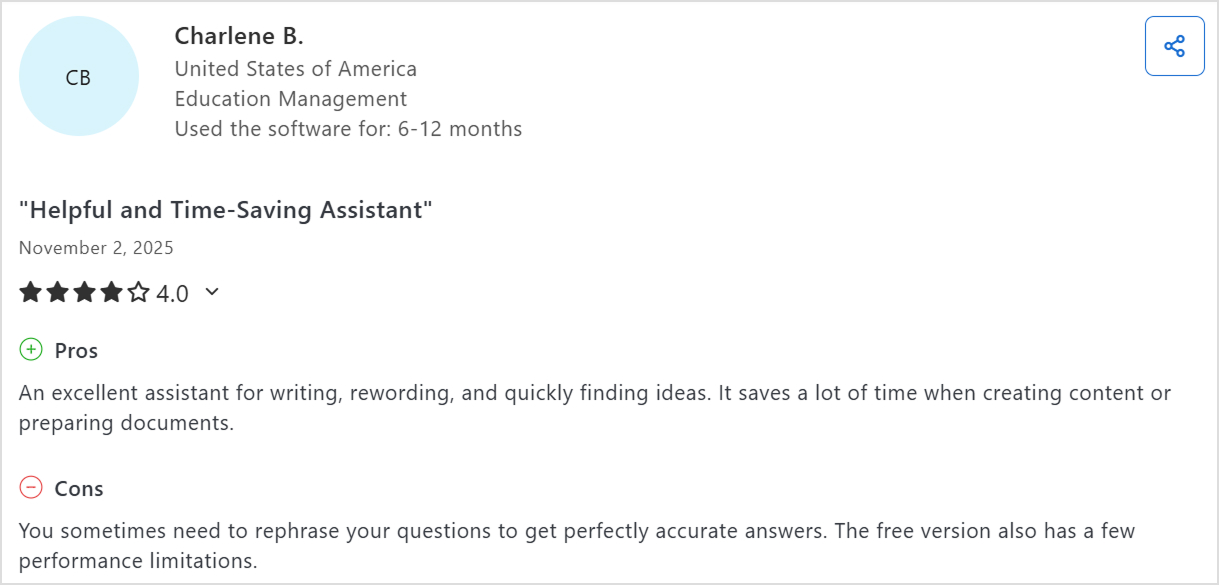
    Claude reviews

    Praised for:

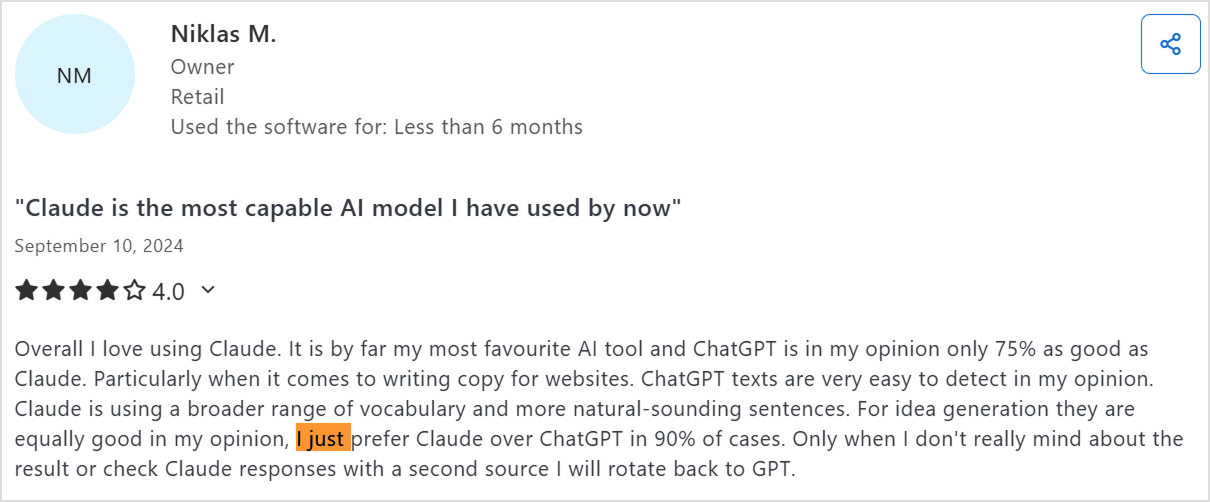
    • Superior to ChatGPT for copywriting: “By far my most favourite AI tool and ChatGPT is in my opinion only 75% as good as Claude” for website copy.
    • Natural-sounding content: Uses broader vocabulary and more natural sentence structures that are harder to detect as AI-generated.
    • Better context retention: Remembers past conversations more effectively and pulls more context from background information.
    • File upload capability: Can upload and summarize documents directly within the platform.
    • Precise information delivery: Provides condensed, well-organized information that simplifies research.
    • Excellent for marketing content: Highly effective for blog articles, brainstorming topics and titles, and business idea development.

    Common complaints:

    • Still reads as AI-generated: Text requires reworking to sound fully authentic despite being better than ChatGPT.
    • Poor link handling: Doesn’t summarize URLs well and sometimes fabricates information when processing links.
    • Usage limitations: Recent implementations of capacity restrictions that convert to shorter responses unless users upgrade (described as “bait and switch”).
    • Needs question rephrasing: Sometimes requires reformulating prompts to get accurate answers.
    • Smaller feature set: Lacks some of the integrated tools available in ChatGPT.

    User Preference Patterns

    One Claude user summarized the comparison perfectly: “I just prefer Claude over ChatGPT in 90% of cases. Only when I don’t really mind about the result or check Claude responses with a second source I will rotate back to GPT.”

    Overall, the reviews confirm what our testing showed that both AI tools excel in different scenarios. Your choice should align with your specific content priorities: ChatGPT for versatility and speed, Claude for natural-sounding, quality-focused content.

    Contentpen – A better alternative to Claude & ChatGPT

    While Claude and ChatGPT are powerful AI writing assistants, they weren’t specifically built to manage the entire blogging process. Both tools can generate quality drafts, but you still need to handle keyword research, SEO optimization, publishing, and performance tracking manually.

    That’s where Contentpen stands out. It’s not just an AI writer, but an all-in-one platform designed to help you write, rank, and scale blogs effortlessly. It is a modern AI-powered blog writer that helps everyone from solo bloggers to enterprises in bulk content creation. 

    Contentpen interface

    The following table explains why Contentpen is better than both Claude and ChatGPT:

    FeatureClaudeChatGPTContentpen
    AI writing quality✅ Excellent clarity✅ Creative and versatile✅ SEO-focused, brand-aligned. One-click option available.
    Keyword research❌ Manual❌ Manual✅ Automatic and smart
    SEO & GEO optimization⚪ Basic⚪ Strong✅ Advanced, built-in
    Publishing❌ Manual❌ Manual✅ 1-click to WordPress
    Images & media❌ No✅ Limited✅ AI-generated visuals included
    Content calendar❌ None❌ None✅ Auto-created and scheduled
    SEO insights❌ None⚪ Limited via plugins✅ Built-in SEO insights
    Scalability⚪ Moderate⚪ High✅ Unlimited content automation

    Overall, Claude and ChatGPT are great writing assistants, but Contentpen is the entire content department. It helps you go from idea to traffic-generating blog automatically, ensuring that every post is optimized, engaging, and aligned with your brand.

    Final Verdict – Which is better for blog writing?

    So, which AI wins the Claude vs ChatGPT debate for content writing? The honest answer is it is dependent depends on your priorities. ChatGPT excels at speed, versatility, and immediate SEO optimization, while Claude dominates in content quality, natural language flow, and analytical depth.

    However, if you’re looking beyond individual AI assistants to scale your content marketing systematically, neither ChatGPT nor Claude offers the complete solution content-driven businesses actually need. You need Contentpen to get the combined benefits of AI writing and automated keyword research, bulk content generation, direct WordPress publishing, SEO tracking, and performance optimization in one integrated platform.

    Start your free trial today and see how Contentpen can transform your blogging process.

    Frequently asked questions

    When to use Claude vs ChatGPT?

    Use Claude when you need long-form, factual, and context-rich content — like thought-leadership blogs or editorial pieces. Choose ChatGPT for fast, SEO-focused, and creative content such as blog posts, ad copy, or social media articles.

    Is Claude AI better than ChatGPT?

    Not necessarily, as both of these LLMs excel in different areas. Claude offers clearer reasoning and consistency, while ChatGPT delivers stronger SEO awareness, creativity, and tool integration.

    Is Claude the most powerful AI?

    Claude is one of the most advanced writing models, but not the absolute most powerful. Its strength lies in thoughtful reasoning and context handling, not necessarily in versatility or integrations.

    Is there any AI stronger than ChatGPT?

    It depends on the task. Some AIs like Claude 4.5 or Gemini 2.5 may outperform ChatGPT in reasoning or document analysis, but ChatGPT remains unmatched in creativity and general prompts.

    What is the 30% rule in AI?

    The 30% rule suggests that AI should handle around 70% of repetitive, low-value tasks, allowing humans to focus on the remaining 30% work that requires creativity, ethical judgment, and critical thinking. It ensures AI improves human productivity, instead of replacing it.

    What is the knowledge cutoff for Claude?

    The knowledge cutoff for Claude 4.5 is January 2025. It means Claude can only get knowledge of events from February through November 2025 by using web search to find current information.

    What is the knowledge cutoff for ChatGPT?

    For GPT-5 (ChatGPT’s latest version), the knowledge cutoff is October 2025, though it can access the web for updated, real-time information when browsing is enabled.

  • 15+ Top Black Friday software deals 2025 you don’t want to miss

    15+ Top Black Friday software deals 2025 you don’t want to miss

    Black Friday 2025 is here, and with it comes the biggest wave of software deals of the year. Whether you’re a content creator, marketer, or entrepreneur, this is the perfect time to upgrade your digital toolkit without breaking the bank. 

    From AI writing assistants and SEO platforms to project management and design tools, top brands are offering massive discounts.

    But with hundreds of promotions flying around, finding the real value deals can get overwhelming. That’s why we’ve done the digging for you!

    Below, you’ll find a handpicked list of the best Black Friday software deals of 2025, tools that can actually help you create better content, scale your business, and save time.

    1. Contentpen.ai

    Contentpen BF deal

    ContentPen.ai is an advanced AI-powered writing and content-generation platform built for creators, marketers, and businesses that want to produce high-quality content fast. 

    It helps you craft blogs, social media posts, email campaigns, ad copy, and SEO-optimized articles in minutes, all with natural tone, factual consistency, and your brand’s voice. With built-in templates, collaboration tools, and smart editing suggestions, ContentPen.ai helps users turn ideas into publish-ready content in no time. 

    It feels like having a full creative team right at your fingertips.

    • Black Friday offer: 

    This Black Friday, ContentPen.ai is offering 20% off on all monthly plans and a massive 50% off on all annual plans, the biggest discount of the year.

    • How to avail: 

    The offer is automatically applied at checkout, so there’s no need to enter any promo codes. Simply purchase on ContentPen.ai between 20th and 30th November 2025, and the discount will reflect instantly on your selected plan.

    2. Replug.io

    Replug BF deal

    Replug.io is a powerful link-management and retargeting tool that helps marketers turn every shared link into a conversion opportunity. It lets you add call-to-action (CTA) overlays, track link performance, and even retarget users who click your shared URLs.

    It’s particularly useful for content creators, affiliate marketers, and social-media managers who share curated links and want to extract more value from them.

    • Black Friday offer: 

    Flat 60% off on all annual plans, one of the biggest discounts Replug has ever offered.

    • How to avail: 

    The discount is automatically applied at checkout, so there’s no need for any promo code. Simply visit Replug.io between 20th and 30th November and choose your annual plan.

    3. ContentStudio

    Contentstudio BF deal

    ContentStudio is an all-in-one content marketing and social-media management platform designed for creators, agencies, and brands. It lets you plan, collaborate, and schedule content across multiple social networks, analyze performance, and even discover trending topics through its AI-powered content discovery engine.

    It’s a favorite among marketing teams looking to centralize all their content workflows.

    • Black Friday offer:

    40% off on your first annual plan, perfect for new users wanting to get started at a big discount.

    • How to avail:

    The discount is automatically applied at checkout; no coupon code required. Just sign up on ContentStudio.io between 20th and 30th November to claim the offer.

    4. PostNitro

    PostNitro Black friday deal

    PostNitro is a dynamic social-media scheduling and analytics tool tailored for creators, marketers, and small businesses.

    It simplifies content planning, automates posting, and provides actionable insights to help users grow faster across platforms like LinkedIn, X, Instagram, and Facebook. The intuitive dashboard and AI-powered scheduling suggestions make it a solid time-saver for busy teams.

    • Black Friday offer:

    20% off on all monthly plans and 40% off on all annual plans.

    • How to avail:

    Use promo code BF20OFFMONTHLY for monthly plans.
    Use promo code BF40OFFANNUAL for annual plans.
    Just visit PostNitro.io and apply the appropriate code at checkout.

    5. Vadoo AI

    Vadoo BF deal

    Vadoo AI is an all-in-one AI video generator designed to transform text prompts, images, audio, and URLs into stunning videos.

    It empowers creators to effortlessly produce short-form social media content by automatically generating visuals, voiceovers, captions, and background music, no editing skills required. With smart automation, it can turn plain text into dynamic videos, create faceless videos using AI-generated visuals and scripts, and even repurpose blog posts or written content into short, shareable video formats.

    Vadoo also allows users to add B-rolls, background music, transitions, effects, and more, offering powerful editing tools to refine videos before uploading them to platforms like YouTube and Instagram. With its user-friendly interface, Vadoo AI streamlines the entire video creation process, enabling users to produce professional-quality content with ease and efficiency.

    • Black Friday offer:

    Get a 30% discount on the annual Pro or Advance Plans. Valid from 21-Nov-2025 to 5-Dec-2025.

    • How to avail:

    Apply BF30 and access the deal.

    6. Pixpa

    Pixpa BF deal

    Pixpa is an all-in-one, no-code website builder for creatives and small businesses to create beautiful, professional websites with an in-built online store, a dynamic blog, client galleries, ecommerce galleries, a photo gallery app, and marketing tools. Pixpa’s versatile platform has everything you need to showcase your work, share ideas, and sell your work online without any coding knowledge.

    • Black Friday offer:

    Get up to 55% discount on Pixpa’s annual plans. Valid from Nov 28 – Dec 31 2025.

    • How to avail:

    Use this promo code BLFPIXPA55 and access the deal.

    7. Consolto

    Consolto BF deal

    Consolto is an all-in-one customer engagement powerhouse, offering everything from AI chatbot and live chat to booking software and video meetings. It replaces four tools with one sleek platform designed to convert website visitors into real conversations and paying customers.

    • Black Friday offer:

    40% off for the first year, valid from October 25th – December 4th, 2025

    • How to avail:

    Use the promo code 40OFFBF2025 and access the deal.

    8. Snov.io

    Snov.io BF deal

    Snov.io’s sales automation tool lets teams turn clean lead data into personalized, scalable outreach, without juggling multiple apps. Build multistep email sequences with scheduling, delays, and if/then logic; personalize with custom fields and liquid tags; and let the AI Email Writer draft tailored opens, follow-ups, and variants.

    Track opens, clicks, replies, and outcomes, auto-stop on reply, and route leads with tags or webhooks. Bulk actions, a Chrome extension, and CRM/API sync keep pipelines updated, while verification and throttling protect deliverability.

    • Black Friday offer:

    Snov.io’s Black Friday runs November 24–December 3 with 50% off annual, 30% off 6-month, and 10% off 3-month plans. Discount applies to full prices, not stackable; monthly plans, add-ons, and token purchases are excluded.
    • How to avail:

    Go to snov.io/pricing between Nov 24–Dec 3 and sign in or create an account.
    Pick an annual (50% off), 6-month (30% off), or 3-month (10% off) plan — the discount will auto-apply at checkout (no code needed).
    Confirm the discounted total before paying. Note: monthly plans, add-ons, and token purchases aren’t eligible, and discounts can’t be combined.
    Existing users: open Billing → Change plan to upgrade with the promo.

    9. Acowebs WooCommerce

    Acowebs WooCommerce BF deal

    If you’re running a WooCommerce store and want to super-charge it without the usual tool-tangling, Acowebs is your plugin playground.

    From bulk discounts and checkout tweaks to wishlist boosts and currency switches, their suite gives e-commerce folks extra power without going crazy.

    This Black Friday, it’s a smart move for store owners, agencies managing multiple client stores, and freelancers alike to catch more for less. Improving your store now means you’ll reap the rewards all year. Don’t let this one slip by!

    • Black Friday offer:

    Up to 30% off on all products from 26th November till 4th December 2025

    • How to avail:

    Discount applied automatically at checkout.

    10. Botsify

    Botsify BF deal

    Botsify is an AI Agent builder platform that helps businesses create intelligent, context-aware agents to automate support, sales, and engagement across web and messaging channels, no coding or workflows required. It’s trusted by 150,000+ creators, founders, and small businesses worldwide.

    • Black Friday offer:

    Get lifetime access to Botsify’s AI Agent Builder, no monthly fees!

    $99 Lifetime Deal (Regular $49/month)

    $499 Lifetime Agency Deal (Regular $199/month, includes white-label platform & reselling rights)

    Valid until 6th December 2025.

    • How to Avail:

    No coupon code needed, the discount is auto-applied.
    Simply visit this page to claim your offer

    11. Plerdy

    Plerdy BF deal

    Plerdy is an all-in-one website analysis tool designed for Conversion Rate Optimization (CRO) & SEO. It allows businesses to track, analyze, and convert visitors into buyers with AI assistance. Features include UX analytics, e-commerce insights, AI-powered reports, heatmap capabilities, and A/B Testing.

    • Black Friday offer:

    50% OFF on annual plans, valid from 11/14 – 12/03, 2025

    • How to Avail:

    Use promo code plerdyBF2025. Just visit the page, and apply the appropriate code at checkout.

    12. StoreAgent

    StoreAgent Black Friday deal

    StoreAgent is an AI toolkit designed for WooCommerce stores that automates customer chats, product content creation, and insights. With StoreAgent Chat, you can answer shopper questions in real time using your catalog data, improving engagement and conversions.

    StoreAgent Content helps you generate SEO-optimized product descriptions, tags, review summaries, and category descriptions, keeping your listings informative and appealing. This helps you save time, sell smarter, and deliver a better shopping experience.

    • Black Friday offer:

    Up to 60% off on all plugins and bundles, valid from November 24, 2025 to December 4, 2025

    • How to Avail:

    Visit their pricing page and choose the bundle you prefer.

    13. PaperForm

    Paperform BF deal

    Paperform is a beautiful and powerful AI form builder for small businesses to easily create all kinds of forms, surveys, quizzes, payments and scheduling in one place. It combines flexible design tools with powerful features like payments, automation, conditional logic, and integrations, making it easy to build anything from surveys and quizzes to booking forms and product pages.

    • Black Friday offer:

    Get 50% off your first year of Paperform Essentials, starting at $14.50/month. Valid from November 14th – Dec 1 UTC.

    • How to Avail:

    Visit their deal page and use the code PFBF25 within the applicable dates.

    14. PaperSign

    Papersign BF deal

    Papersign makes it easy and cost effective to get documents signed online. It is a streamlined e-signature and document-workflow tool built by Paperform.

    It enables users to upload an existing PDF or create a document from scratch, add signature fields, send it for signing, and track its status in real-time. Papersign Pro comes with unlimited documents signed per month.

    • Black Friday offer:

    Get 50% off your first year of Papersign Pro, starting at $10/month. Valid from November 14th – Dec 1 UTC.

    • How to Avail:

    Visit their deal page and use the code PFBF25 within the applicable dates.

    15. Stepper

    Stepper BF deal

    Stepper is an AI first workflow automation platform built for SMBs and Solopreneurs to easily automate at scale.

    Instead of wiring complicated logic by hand, you can simply describe what you want in natural language, and Stepper will help generate the workflow steps. Stepper Pro comes with unlimited runs within fair use.

    • Black Friday offer:

    Get 50% off your first year of Stepper Pro (which is $9.50/month). Valid from November 14th – Dec 1 UTC.

    • How to Avail:

    Visit their deal page and use the code PFBF25 within the applicable dates.

    16. CodedThemes

    CodedThemes

    CodedThemes stands out with exclusive discounts on its high-quality, customizable admin dashboard templates, designed to streamline web and mobile app development.

    Known for responsive designs and clean code, CodedThemes specializes in templates built with popular frameworks like Bootstrap, React, Angular, and Vue, making it easier for developers to create visually appealing and functional interfaces.

    • Black Friday offer:

    Flat 40% OFF on store wide purchases. Valid from 24th November to 7th December 2025.

    • How to Avail:

    Visit their website and use the code BFCM2025 at checkout.

    17. SubtitleBee

    Subtitlebee BF deal

    SubtitleBee is an AI-powered subtitle generator designed to boost video engagement and accessibility by creating accurate, multilingual captions in over 120 languages.

    It allows you to automatically transcribe and translate audio, add overlay text using more than 350 creative fonts, and crop or resize videos for various social media platforms. You can also export videos with or without watermarks and download subtitles in formats such as VTT, ASS, SRT, and TXT, making SubtitleBee a versatile all-in-one tool for enhancing and optimizing your video content.

    • Black Friday offer:

    20% off on monthly plans and up to 32% off on annual plans, from November 1st to December 4th, 2025

    • How to avail

    Use the code BEE20 at checkout.

    18. NoCodeBundle

    NoCodeBundle BF deal

    NoCodeBundle is your go-to hub for discovering the best no-code tools, AI apps, SaaS platforms, and curated bundles for every workflow.

    NoCodeBundle offers a curated directory of top no-code tools, exclusive deals and bundled offers, and smart workflow-based recommendations to help users choose the right solutions. It also includes premium newsletter insights for staying updated with trends, along with beginner-friendly resources to make it easy for anyone to get started in the no-code ecosystem.

    • Black Friday offer:

    This Black Friday, you can unlock NoCodeBundle Premium Newsletter Membership for FREE – giving you exclusive deals, expert picks, and early-bird offers. Free subscription to the First 200 users from Valid email domains (after verification). Valid from November 28th – December 24th.

    • How to avail

    Visit the page and the coupon is applied automatically at checkout.

    19. NordPass

    Nordpass BF deal

    NordPass is a password management service that gives you a secure vault for your credentials, dark-web monitoring, multi-factor authentication, import/export options and cross-device sync. It’s built for both individuals and teams who want better online security.

    • Black Friday offer:

    A 58% discount on the 24-month plan, bringing the total cost down to about US$35, plus an extra 4 months free.

    • How to avail:

    Visit the NordPass deal page and select the 24-month plan; the discount appears applied.

    20. Hostinger Website Builder

    Hostinger BF deal

    Hostinger’s Website Builder is a platform that offers drag-and-drop website creation, blogging tools, e-commerce functionality, AI website writer/image generator, SEO assistant, mobile editing, and more. It’s positioned as a lower-cost alternative to bigger names like Wix or Squarespace.

    • Black Friday offer:

    Up to 80% off regular pricing on Premium plan (e.g., $12.19/month down to $2.49/month) or Business plan (from $13.99/month to $3.29/month).

    • How to avail:

    Visit the Hostinger Website and select the plan; the discount appears applied.

    21. MagicPost

    MagicPost

    MagicPost is a content-management tool built specifically for creators on LinkedIn. It enables you to plan, author, schedule and manage LinkedIn posts with better engagement through templates, insights and automation. If your blog audience is content creators or personal brands, this is a tool many of them will find relevant.

    • Black-Friday offer:

    50% off on all annual plans, and 25% off on monthly plans. For example, the Creator Plan (normal ~$348/year) drops to ~$168/year.

    • How to avail:

    Visit the MagicPost site during the promotion window; either the discount is auto-applied or use the code (if provided) at checkout.

    Black Friday 2025 is shaping up to be a goldmine for creators, marketers, and businesses looking to scale smartly without overspending. From powerful automation platforms and social media tools to all-in-one content suites, these limited-time offers give you the chance to upgrade your digital toolkit for a fraction of the cost. Whether you’re streamlining your workflow, boosting engagement, or amplifying your content strategy, the right software can make all the difference.

    Make sure to grab your favorite deals before they expire; most of them are live only through the end of November.

  • How to turn your blog into a profitable online business

    How to turn your blog into a profitable online business

    “How can we earn money from a blog”, “Can I earn money from a blog website?” “Is blogging profitable?”

    These are not some random thoughts, but some of the most asked questions about blogging. People who are just starting their blogging journey or thinking of creating a blog website are often curious about whether this is a profitable thing to do. 

    So, let’s answer this core question: yes, it is definitely possible to earn money from blogging

    But the process of turning your blog into a profitable online business is not necessarily a smooth journey, as you have to be familiar with different methods to monetize your blog. Moreover, there are some bloggers who earn only a few hundred dollars monthly, while others are able to generate a six-figure income from blogging by using multiple income streams. 

    In this comprehensive article, you’ll learn about seven different methods to earn money from blog writing, along with practical tips to accelerate this process. 

    1. Ad networks

    Ad networks remain the most popular monetization method for both new and experienced bloggers. They’re relatively easy to implement and provide passive income once your blog starts getting good traffic.

    Ad networks

    Working of ad networks

    Ad networks like Google AdSense and Mediavine act as intermediaries between advertisers and publishers. They place display ads on your blog, and you earn money based on impressions (views) or clicks. Hence, the more traffic you generate, the higher your earnings potential.

    Popular ad network options

    • Google AdSense: Best for beginners with no traffic requirements, though earnings per thousand impressions (RPM) tend to be lower ($1-5)
    • Mediavine: Requires 50,000 monthly sessions, offers higher RPMs ($15-25). It offers excellent support.
    • Raptive: Premium network requiring 100,000+ monthly pageviews, highest RPMs ($20-40)
    • Ezoic: AI-driven ad optimization, accepts smaller sites, and helps maximize revenue through testing

    Pros and cons

    Ad networks provide truly passive income once set up, requiring minimal ongoing effort. However, they can impact site speed and user experience if not implemented carefully. You’ll also need substantial traffic before earnings become meaningful. This traffic typically starts from 10,000+ monthly visitors.

    Pro tip: Google AdSense does not have any minimum traffic requirement, but you should not apply for it with a completely new blog. Instead, first establish your blog and get sufficient traffic to maximize your chances of being accepted into the AdSense program. 

    The key is balancing ad placement with user experience. Too many ads can drive readers away, while too few leave money on the table. Premium networks handle this optimization automatically, which is why their higher traffic requirements often justify the wait.

    2. Private advertising

    Once you’ve built an engaged audience, selling ad space directly to companies can be significantly more profitable than ad networks. Private advertising puts you in control of pricing, placement, and the types of ads appearing on your blog.

    Why private advertising pays more

    When you eliminate the ad network middleman, you keep 100% of revenue instead of splitting it 50/50 or worse. A banner ad that would earn you $200 monthly through an ad network might fetch $500-1,000 sold directly to an advertiser.

    How to land private advertisers

    Start by creating a dedicated “Advertise With Us” page outlining your traffic stats, audience demographics, and available ad placements. Research companies that sell products your readers would love, then reach out with personalized pitches explaining the value you offer.

    In terms of pricing, you have to calculate your rates based on traffic volume, audience engagement, and niche specificity. Highly targeted niche blogs can charge premium rates even with modest traffic because advertisers value reaching qualified prospects. Most bloggers charge $50-500+ monthly per banner spot, depending on placement and audience quality.

    Remember that success with private advertising requires treating it like a business relationship. You must deliver on promises, provide performance reports, and make it easy for advertisers to work with you. Happy advertisers often renew contracts and refer others, creating stable, recurring revenue.

    3. Affiliate offers

    Statistics show that the global affiliate marketing industry is worth over $19 billion in 2025, and 64% of affiliate marketers use blogging as their primary channel. It means affiliate marketing is one of the most lucrative ways to earn money from blog posts. 

    Affiliate offers

    Affiliate marketing via blog posts involves recommending products you genuinely use and believe in to your audience. When readers purchase through your unique affiliate links, you can earn a commission that can even be up to 50% or more.

    Top affiliate program categories:

    The affiliate marketing process involves partnering with companies that offer affiliate programs. You receive unique tracking links from those companies, and when readers use your links to make purchases, you earn commissions.

    You don’t have to manage any inventory, shipping, or customer service on your end. Instead, you need to focus on crafting engaging blog posts with honest recommendations to help your audience buy the right product or service.

    Some of the best affiliate program categories are:

    • Amazon Associates: Easy to start with a massive product selection, but low commissions (1-10%)
    • Software/SaaS: High recurring commissions (20-50%) with long cookie windows. Suitable for tech blogs
    • Digital products: Offers 30-75% commissions on courses, ebooks, and templates
    • Financial services: Credit cards and banking apps offer $50-200+ per approved application
    • Web hosting: Companies like Bluehost and SiteGround pay $50-150+ per signup

    Creating effective affiliate content

    The best affiliate content solves problems while naturally incorporating product recommendations. Comprehensive blog posts comparing products, tutorials showing how to use tools, and honest reviews all convert well.

    Remember that transparency is crucial, so you should always disclose affiliate relationships and never recommend products solely for commissions. Your reputation and reader trust are worth more than any single sale. 

    So, focus on creating quality content that genuinely helps your audience, and affiliate income will follow naturally.

    Advanced affiliate strategies

    • Create dedicated resource pages listing your favorite tools with affiliate links
    • Write comparison posts targeting buyer-intent keywords
    • Build email sequences that nurture subscribers toward affiliate offers
    • Use bonus incentives (free guides, templates) to increase conversions through your links

    4. Create & sell info products

    Information products (or “info products”) are digital educational materials that teach people how to solve specific problems or achieve desired outcomes.

    Unlike physical products, info products have no inventory costs, shipping hassles, or manufacturing limitations. Once created, they can be sold infinitely with near-zero marginal costs.

    Create & sell info products

    Info products are incredibly scalable, so whether you sell 10 copies or 10,000, your profit margins remain exceptional. You keep 100% of revenue minus payment processing fees, and successful digital products like ebooks, templates, and online courses generate passive income long after creation.

    Types of profitable info products

    Here are some of the most profitable info products you can create and sell:

    • Ebooks and guides: Quick to create, easy to distribute, perfect for beginners. Price ranges from $5-100+, depending on depth and niche.
    • Online courses: Higher perceived value than ebooks and can range between $100-1000+. You can also combine video, text, assignments, and community access for premium offerings.
    • Templates and tools: Spreadsheets, design templates, checklists, and worksheets solve specific problems. These have lower pricing between ($5-50) but high volume potential.
    • Membership sites: Recurring revenue model providing ongoing access to exclusive content, community, or resources.

    Identification and creation of info product opportunities

    You should pay attention to the questions your blog readers ask repeatedly. These represent knowledge gaps you can fill profitably. Moreover, review blog comments, email replies, and social media interactions to explore pain points people will pay to solve.

    Once you have identified the right opportunities, you can start by validating demand before investing months into creation. For this purpose, survey your audience, pre-sell a beta version, or create a minimum viable product to test interest. Using AI can help you write blog posts fast to promote your products.

    Once you’ve confirmed demand, create your product with implementation in mind. People buy transformations, not information, so focus on actionable steps that help them achieve specific outcomes.

    Pricing strategy

    Don’t undervalue your expertise. Your product’s value isn’t determined by creation time but by the value it provides. For instance, a $200 course that helps someone land a $75,000 job or save 50 hours monthly is worth every penny.

    5. Sell services online

    Using your blog to attract high-value service clients creates an immediate income stream while building your audience. Many successful bloggers earn more from services than from any other monetization method, especially in their first few years.

    Sell services online

    Service opportunities for bloggers

    Some of the most popular service opportunities for bloggers are:

    • Consulting and coaching: Share your expertise one-on-one or in small groups. Rates range from $100-500+ per hour, depending on your niche and positioning.
    • Freelance writing: If you run a blog, you can write for others. Blog writing services can command $0.10-$1+ per word for quality content.
    • Content creation services: Offer to manage content strategy, create social media posts, or produce videos for businesses in your niche.
    • Design and development: If you have technical skills, your blog proves your capabilities while attracting clients.
    • Speaking and workshops: As your authority grows, companies and conferences pay thousands for keynote speeches and training sessions.

    Using your blog as a portfolio

    Every article you publish demonstrates your expertise and communication skills to potential clients. A well-structured blog is one that showcases your ability to organize ideas, explain complex topics, and engage readers, which is exactly what clients want.

    You should also create case studies highlighting results you’ve achieved. Moreover, include a clear “Work With Me” page outlining your services, process, and testimonials. You should make it highly easy for qualified leads to book discovery calls.

    Pricing the services for profit

    New service providers often undercharge, afraid to lose opportunities. Instead, price based on value delivered, not hours worked. If your consulting helps a business generate $50,000 in additional revenue, $5,000 is a bargain.

    Start with project-based pricing rather than hourly to capture the value of expertise and speed. As you gain experience, you’ll complete work faster, so hourly pricing punishes efficiency while project rates reward it.

    6. Sponsorships

    Sponsored content partnerships allow you to earn money from blog websites by collaborating with brands to create content featuring their products or services. This is different from private banner ads because sponsorships integrate naturally into your editorial calendar while providing value to readers.

    Sponsorships

    Types of sponsorship deals

    You can partner up with different sponsors in different ways, such as:

    • Sponsored posts: Brands pay you to write articles featuring their products. Rates typically range from $100-10,000+, depending on your traffic and engagement.
    • Sponsored social shares: Companies pay for social media posts promoting their content or products to your audience.
    • Sponsored newsletters: Email list sponsorships can command premium rates since subscribers are highly engaged.
    • Ambassador programs: Long-term relationships where you become a brand representative, creating ongoing content over months or years.

    Finding sponsorship opportunities

    If you’re ready to start earning from brand collaborations, join influencer platforms like ACTIVATE, AspireIQ, or Collabor8. 

    These networks make it easy to connect with brands that are actively searching for bloggers and creators to work with. Other than these platforms, you should not hesitate to reach out directly. You can find companies whose products genuinely fit your content and audience, and send them a personalized pitch along with your media kit.

    Creating a compelling media kit

    Think of your media kit as your blog’s resume. It should highlight key stats like your website traffic, audience demographics, engagement rates, and past collaborations. Include a few testimonials from happy clients if you have them. 

    Keep the design clean, on-brand, and visually engaging. Remember, marketers typically go through dozens of pitches a week, so make yours easy to skim and hard to forget.

    Setting sponsorship rates

    When setting your rates, consider your monthly traffic, email list size, social reach, and how specific your niche is. 

    As a general rule, you can charge $25–$100 per 1,000 monthly pageviews for a sponsored post. If your content targets a highly specific or engaged audience, don’t hesitate to charge more, as brands will gladly pay extra to reach the right people.

    Maintaining editorial integrity

    Your readers trust you, so you must protect that trust by only promoting brands and products that you truly believe in and that align with your content. Always disclose sponsorships clearly, and make sure you have final say over the content. 

    Remember, one poorly chosen partnership can undo years of credibility and connection with your audience.

    7. Subscriptions

    Subscription models create predictable, recurring revenue by providing exclusive content or experiences to paying members. This monetization method builds loyal communities while generating stable income independent of traffic fluctuations.

    Subscriptions

    Subscription model options

    Some of the major subscription models are:

    • Membership sites: Members-only area with exclusive content, resources, or community access. Monthly fees typically range from $9-99+, depending on the value provided.

    • Premium content: Use platforms like Patreon or Substack to offer bonus content to subscribers while keeping your main blog free.
    • Private communities: Create exclusive forums, Slack channels, or Discord servers where members network and learn together.
    • Content licensing: Allow businesses to republish your content for a monthly fee, common in B2B niches.

    Building a successful subscription website

    A thriving subscription model starts with one simple rule: offer something your free content can’t. 

    Think exclusive deep-dive tutorials, downloadable templates, behind-the-scenes access, or even a private community where members can connect directly with you and each other. People don’t just pay for information, but they pay for results, experiences, and relationships.

    Before you launch, ask your most loyal readers what kind of premium content they’d actually value. Then, start small. 

    Invite a beta group to test your offer, gather honest feedback, and fine-tune everything. Reward those early supporters with “founding member” discounts, so they’ll not only help you improve your product but also become your biggest advocates when you go public.

    Retention strategies

    Acquiring members is exciting, but keeping them is where real growth happens. In order to retain paying customers, you should:

    • Regularly engage your community with fresh, meaningful content
    • Conduct exclusive Q&A sessions
    • Do live workshops, member spotlights, and interactive events. 
    • Provide special offers to make your subscribers feel seen and appreciated.

    • Always ask for feedback and act on it.

    Keep an eye on your churn rate (members lost ÷ total members) every month. Generally, you should aim to stay under 5%, because even a small bump in retention can make a huge difference in long-term revenue and brand loyalty.

    Tips to make money through blogging

    The process of learning how can we earn money from blog websites does not end at just analyzing the monetization methods. Instead, you must be familiar with effective tips that can help you earn money from blogging. 

    You need to remember that success in blog monetization is not random, as it follows predictable patterns. 

    The following strategies separate hobbyists from full-time bloggers earning substantial incomes:

    Tip #1: Pick a profitable niche

    Not all niches offer equal monetization potential. For example, financial blogs might earn $30+ RPM from ads while entertainment blogs struggle to hit $5. So, you should choose topics where you can demonstrate expertise AND where audiences have money to spend on solutions.

    Some of the most profitable niches typically include:

    • Business and marketing
    • Personal finance and investing
    • Health and fitness
    • Technology and software
    • Professional development

    Research competitor blogs to understand revenue potential because if others are monetizing successfully in your niche, you can too.

    Tip #2: Focus on quality content

    Quality content creation is non-negotiable. Search engines reward comprehensive, well-researched articles that satisfy user intent. Moreover, readers share and link to valuable content, amplifying your reach organically.

    You should invest time in thorough research, clear writing, and helpful examples because one exceptional 3,000-word guide can outperform ten shallow 500-word posts every time. Moreover, using AI SEO writing tools can help you maintain quality while increasing output, but always add your unique perspective and expertise.

    Tip #3: Build an email list early

    Your email list is your most valuable asset as it’s the one audience platform you truly own. Social algorithms change, search rankings fluctuate, but your email list remains accessible regardless of external factors.

    A successful email marketing strategy involves:

    • Start collecting emails from day one. 
    • Offer valuable lead magnets (free guides, checklists, templates) in exchange for email addresses. 
    • Nurture subscribers with helpful content, building trust before promoting products or services.

    Most blog revenue comes from email, whether through affiliate promotions, product launches, or service inquiries. This is the reason why bloggers with 10,000 engaged subscribers often earn more than those with 100,000 monthly visitors but no list.

    Tip #4: Master SEO & traffic growth

    No traffic means no income, regardless of how many monetization methods you implement. Understanding SEO fundamentals and consistently applying them separates successful blogs from abandoned ones.

    Start with keyword research to identify topics people actively search for. Use SEO writing tools to optimize content structure, meta descriptions, and internal linking. Focus on creating genuinely helpful content that answers questions comprehensively.

    Target a mix of keywords, including:

    • Quick wins: Long-tail keywords with lower competition
    • Money keywords: High commercial intent terms that drive conversions
    • Authority keywords: Competitive terms that build credibility as you rank

    Remember, consistency matters more than perfection. You can even publish one well-optimized article weekly instead of ten articles randomly.

    Tip #5: Diversify monetization

    Relying on a single income stream creates vulnerability. What happens if Google updates your ad account, your affiliate program closes, or algorithm changes tank your traffic?

    This is why successful bloggers diversify across multiple monetization methods. For instance, you can earn money from a blog website in this structure:

    • 30% from affiliate marketing
    • 25% from sponsored content
    • 20% from digital products
    • 15% from ad networks
    • 10% from services

    This distribution protects you from changes affecting any single revenue source. Generally, you should start with one or two methods, then gradually add others as you grow.

    Tip #6: Build authority

    Authority attracts opportunities. When you’re recognized as an expert in your niche, brands approach you with sponsorships, speaking opportunities emerge, and readers eagerly purchase your products. It also helps you in link building and off-page SEO.

    Build authority through:

    • Consistent, high-quality content demonstrating expertise
    • Guest posting on established publications in your niche
    • Speaking at virtual or in-person events
    • Earning backlinks from respected sources
    • Engaging authentically with your community
    • Sharing original research or case studies

    Establishing your brand voice helps you stand out in crowded niches. Readers connect with authentic personalities, not generic content factories.

    Tip #7:Use analytics to double down

    Data reveals what’s working and what’s wasting your time. Review analytics monthly to identify your highest-performing content, primary traffic sources, and most profitable monetization channels.

    Questions to ask:

    • Which posts generate the most traffic? Create more content on similar topics
    • Where does traffic come from? Double down on your best channels
    • Which monetization methods produce highest ROI? Prioritize and optimize them
    • What’s your bounce rate? High bounces indicate content-audience mismatches

    Analytics tools provide insights, but action drives results. Use data to inform decisions, then test, measure, and iterate continuously.

    Tip #8: Treat it like a business

    The difference between earning $500 monthly versus $5,000+ monthly often comes down to mindset. Hobbyists write when inspired; professionals maintain publishing schedules. Hobbyists hope for income; professionals track metrics and optimize systematically.

    Set revenue goals, create quarterly plans, track expenses, and measure ROI on your time investments. Decide which tasks to handle yourself versus outsourcing. Learn about content automation to free up hours weekly for strategy and relationship building.

    Tip #9: Be patient but consistent

    Most successful bloggers earn little in their first 6-12 months. Building traffic, authority, and income takes time, but consistency compounds dramatically. Many bloggers quit right before breakthrough moments. The ones who persist through initial slow growth often look back 18 months later, amazed at their progress.

    Tip #10: Network & learn

    The blogging community is remarkably generous. Other bloggers share strategies, promote each other’s content, and collaborate on projects. Isolation limits growth, while connection accelerates it.

    So, you should join blogging communities, attend virtual conferences, and engage authentically with others in your niche. The relationships you build lead to guest posting opportunities, collaboration projects, and knowledge sharing that accelerate your growth.

    You should also keep studying successful bloggers in your niche and analyze things like what monetization methods do they use? How do they structure content? What topics do they cover? The bottom line is that you don’t need to reinvent the wheel, but adapt proven strategies to your unique voice and audience.

    How can Contentpen help?

    Consistent, high-quality content is the foundation of every successful money-making blog. But creating multiple well-structured blog posts weekly while managing monetization strategies, networking, and audience building is overwhelming.

    This is where our AI blog writer streamlines your content creation process using advanced AI that understands SEO requirements and your brand voice. Instead of spending hours researching, outlining, and writing, you can:

    • Generate SEO-optimized content quickly: Contentpen analyzes top-ranking content for your target keywords and creates comprehensive articles that satisfy search intent while incorporating your unique perspective.
    Generate SEO-optimized content
    • Maintain consistent publishing: Bulk article creation lets you generate multiple posts at once, building a content buffer that keeps your blog active even during busy periods.
    Maintain consistent publishing
    Preserve your brand voice
    • Optimize existing content: Refresh underperforming articles to recapture rankings and improve conversions without starting from scratch.
    • Streamline publishing: WordPress integration lets you publish directly from Contentpen to your blog, saving time on formatting and uploads.

    The time you save on content creation can be reinvested in relationship building, monetization optimization, and strategic planning, activities that directly increase your blog income.

    To sum it up, the process to earn money from blog writing is not a get-rich-quick scheme, but it’s a legitimate path to building substantial passive income, flexibility, and professional fulfillment. 

    The bloggers generating four, five, or six-figure incomes didn’t find overnight success. Instead, they strategically combined multiple monetization methods, consistently created valuable content, and persisted through initial slow growth.

    Frequently asked questions

    How much money can a blog make?

    Blog income varies dramatically based on niche, traffic, monetization strategy, and effort invested. New blogs typically earn $0-500 monthly in their first year. Established blogs with 50,000+ monthly visitors commonly generate $2,000-10,000 monthly.

    How much do you make per 1,000 views on a blog?

    Revenue per thousand pageviews (RPM) ranges from $5-50+, depending on your monetization mix and niche. Basic ad networks like Google AdSense generate $3-8 RPM. Premium networks like Mediavine or AdThrive deliver $15-40 RPM. Blogs monetizing through affiliates and digital products can exceed $100 RPM since these methods convert visitors into buyers at higher values than display advertising alone.

    How long does it take to make $500 per month blogging?

    Most bloggers reach $500 monthly income within 12-18 months of consistent effort, publishing 2-4 quality articles weekly. Some in lucrative niches with effective monetization strategies achieve this in 6-9 months. The timeline depends on your niche, content quality, SEO effectiveness, and monetization methods.

    Who pays bloggers?

    Bloggers receive payment from multiple sources. Ad networks (Google AdSense, Mediavine) pay based on impressions or clicks. Companies pay directly for sponsored content and banner advertising. Affiliate programs provide commissions when readers purchase through your links. Readers themselves pay for digital products, courses, memberships, and services.

    How much do Google ads pay you?

    Google AdSense typically pays $0.20-$2.50 per click, though rates vary significantly by niche and advertiser competition. For display ads shown but not clicked, you earn approximately $3-8 per thousand pageviews (RPM). Financial, legal, and insurance niches earn higher rates ($5-15 RPM) while entertainment and lifestyle niches earn lower rates ($1-5 RPM).

    Is it possible to make money with a 1-year blog?

    Absolutely. Many bloggers generate meaningful income within their first year, especially in profitable niches with effective monetization strategies. While first-year income typically ranges from $500-$3,000 annually for consistent bloggers, some exceed $10,000+ by focusing on SEO, building email lists, and implementing multiple income streams. The key is treating your blog like a business from day one rather than waiting until you have massive traffic before monetizing.

  • The complete B2B content marketing guide: Strategy, funnel & examples

    The complete B2B content marketing guide: Strategy, funnel & examples

    B2B content marketing is something that can make or break your business. You might already be familiar with its basics, but it is important to discuss it in detail in terms of types, benefits, examples, and strategies to implement a successful B2B content marketing strategy.

    And if you are wondering why you need B2B content marketing, you should be familiar with these key statistics:

    • 50% of B2B buyers view at least eight pieces of content before making a buying decision.
    • More than 80% of B2B buyers view at least five articles before purchasing.
    • 6 out of 10 B2B buyers are likely to make the final purchase decision based only on digital content.

    The purpose of stating these stats right off the bat is to let you know that “B2B content marketing” is not a buzzword. In fact, it is a whole mechanism that can help you get more clients and make more revenue. 

    This comprehensive guide walks you through everything you need to know about B2B content marketing. It starts with foundational concepts and progresses to advanced strategies. 

    You will learn how leading companies generate qualified leads and establish market authority.

    What is B2B content marketing?

    B2B content marketing is the strategic approach that involves creating and distributing valuable, relevant content to attract and engage business customers.

    Rather than directly pitching products or services, companies provide helpful information. This information addresses specific business challenges, educates stakeholders, and builds trust. It is especially effective throughout lengthy sales cycles.

    The goal of effective B2B content marketing is much more than just creating brand awareness. Instead, it includes:

    • Nurturing relationships with potential clients
    • Positioning your company as an industry authority
    • Guiding prospects through complex buying journeys that often involve multiple decision-makers and extended evaluation periods.

    Related: What is content marketing? A complete guide

    B2B content marketing vs B2C content marketing

    While both approaches aim to attract and convert customers through valuable content, several key differences distinguish B2B from B2C strategies:

    AspectB2B Content MarketingB2C Content Marketing
    Decision-making complexityInvolves multiple stakeholders, committees, and approval processesUsually, individual and immediate decisions
    Content depthRequires detailed, technical information, including whitepapers, case studies, and ROI calculatorsOften focuses on entertainment value and emotional connection
    Sales cycle lengthSpans weeks or months, requiring ongoing nurturing contentTransactions often happen within minutes or days
    Relationship focusEmphasizes long-term partnerships and ongoing value deliveryOften focuses on one-time transactions
    Content toneMaintains professional, educational tone with industry-specific terminologyCan be more casual and lifestyle-oriented
    Measurement metricsTracks lead quality, pipeline influence, and deal sizeFocuses more on conversion rates and transaction volume

    Why is content marketing important to B2B?

    Modern B2B buyers conduct extensive independent research before ever contacting a sales representative. Studies consistently show that decision-makers are already 60-70% through their buying journey before engaging with sellers directly.

    So, content marketing is vital for B2B because:

    • Builds credibility and trust: Thoughtful, expert content demonstrates your company’s knowledge and reliability before prospects even speak with your team
    • Educate your audience: Complex B2B solutions require explanation, and content helps prospects understand problems they didn’t know they had and solutions they hadn’t considered.
    • Generates qualified leads: Strategic content attracts prospects actively searching for solutions, delivering higher-quality leads than interruptive advertising
    • Supports sales enablement: Sales teams use content to address objections, demonstrate value, and move deals forward more efficiently
    • Establishes thought leadership: Consistent, insightful content positions your company as an industry authority, making you the go-to resource in your field
    • Improves SEO visibility: Quality content helps your website rank for valuable search terms, capturing organic traffic from prospects actively researching solutions.

    What are the 4 types of B2B marketing?

    B2B marketing itself is an umbrella term that has different types based on numerous marketing channels. 

    Types of b2b marketing

    Each type serves distinct purposes and works best when integrated into a cohesive marketing ecosystem.

    Email marketing

    Email remains one of the most effective B2B channels. It delivers personalized messages directly to decision-makers’ inboxes. 

    Successful email marketing in B2B contexts includes:

    • Nurture campaigns: Automated sequences that guide prospects through the buyer’s journey with progressive content
    • Newsletter communications: Regular updates sharing industry insights, company news, and valuable resources
    • Event invitations: Targeted outreach for webinars, conferences, and product launches
    • Account-based campaigns: Highly personalized messages for specific high-value accounts
    • Re-engagement sequences: Win-back campaigns for dormant leads or inactive customers

    Digital marketing

    Digital marketing includes paid and organic tactics that drive online visibility and engagement. Core components include:

    • Search engine marketing (SEM): Paid search campaigns targeting high-intent keywords
    • Display advertising: Banner ads and retargeting campaigns that maintain brand presence
    • Programmatic advertising: Automated ad buying that targets specific audiences across multiple platforms
    • Paid social campaigns: LinkedIn ads, Twitter campaigns, and other platform-specific initiatives
    • Website optimization: Conversion rate optimization and user experience improvements

    Content marketing

    As discussed throughout this guide, content marketing strategies involve creating valuable resources that attract and engage target audiences. This includes:

    • Blog content: Regular articles addressing industry challenges and providing actionable solutions
    • Long-form resources: Whitepapers, ebooks, and guides that demonstrate deep expertise
    • Video content: Explainer videos, product demonstrations, and customer testimonials
    • Podcasts: Audio content featuring industry experts and thought leadership discussions
    • Interactive tools: Calculators, assessments, and configurators that provide personalized value

    Content marketing serves as the fuel for other marketing channels. Email campaigns share content, digital ads promote gated resources, and social media amplifies your best pieces. Tools like ContentPen can help streamline your content creation process, making it easier to maintain consistent publication schedules.

    Social media marketing

    Social platforms have evolved beyond consumer spaces to become crucial B2B channels, particularly LinkedIn, which is the most popular channel for B2B marketing.

    Effective B2B social media strategies include:

    • LinkedIn engagement: Sharing insights, participating in industry discussions, and building professional networks
    • Twitter thought leadership: Quick insights, industry commentary, and real-time engagement
    • YouTube education: Video tutorials, product demos, and customer success stories
    • Community building: Creating and nurturing groups where prospects and customers connect
    • Employee advocacy: Empowering team members to share company content and amplify reach

    How to create and implement an effective B2B content marketing strategy?

    Now that you know all about the basics of B2B content marketing, let’s discuss the top 8 steps to create and implement an effective B2B content marketing strategy.

    steps of b2b content marketing

    By following these steps, you will have a structured strategy to ensure every piece serves specific business objectives and guides prospects toward conversion.

    Step #1: Define goals

    Start by establishing clear, measurable objectives that align with broader business goals. Effective content marketing goals might include:

    • Lead generation targets: Specific numbers of marketing qualified leads (MQLs) per month
    • Pipeline influence: Percentage of opportunities that engaged with content before converting
    • Brand awareness metrics: Increases in organic traffic, search rankings, and social following
    • Engagement benchmarks: Time on site, pages per session, and content download rates
    • Customer retention goals: Reduced churn through ongoing education and value delivery

    You should avoid vague aspirations like “increase brand awareness.” Instead, define specific metrics like “increase organic traffic by 40% in six months” or “generate 200 qualified leads per month from content.”

    Step #2: Understand your target audience

    Deep audience research separates effective content from wasted effort. You should develop detailed buyer personas that include:

    • Demographics: Job titles, seniority levels, industries, and company sizes
    • Challenges and pain points: Specific problems your prospects face daily
    • Goals and aspirations: What success looks like for them professionally
    • Information preferences: How they consume content—long-form reading, video, audio, etc.
    • Buying journey stage: What information do they need at the awareness, consideration, and decision phases
    • Objections and concerns: Common hesitations that prevent purchase decisions

    Interview existing customers, survey prospects, and analyze support tickets to gather authentic insights. Here’s a generic template for a B2B buyer persona:

    b2b buyer persona

    Step #3: Plan your content

    Strategic content planning ensures consistent publication and comprehensive topic coverage. Your plan should include:

    • Content themes: Core topics that align with audience needs and business expertise
    • Publishing calendar: Scheduled publication dates that maintain a consistent presence. 
    • Format variety: Mix of blog posts, videos, infographics, and long-form resources
    • Topic clusters: Related content pieces that establish topical authority for SEO
    • Seasonal considerations: Content timed around industry events, fiscal calendars, and buying seasons

    Many successful B2B companies plan content quarterly, allowing flexibility for timely topics while maintaining strategic focus. Consider using content creation tools like Contentpen to organize your editorial calendar and write content from the same tool. 

    Contentpen content calendar

    Step #4: Choose from the content formats that work in B2B

    Different formats serve different purposes throughout the buyer’s journey. An effective B2B content marketing is one that uses multiple formats, including:

    • Blog posts: Regular articles that drive organic traffic and establish expertise on specific topics
    • Whitepapers and ebooks: In-depth resources that generate leads through gated downloads
    • Case studies: Proof of results that help prospects envision success with your solution
    • Webinars: Interactive sessions that educate audiences while demonstrating expertise
    • Video content: Engaging explanations of complex concepts or product demonstrations
    • Infographics: Visual representations of data and processes that simplify complex information
    • Podcasts: Convenient audio content for busy executives consuming information during commutes
    • Templates and tools: Practical resources that provide immediate value while demonstrating capability

    Choose formats based on audience preferences and content goals. For example, a technical blog post might work well for SEO, while a case study better supports late-stage sales conversations.

    Step #5: Pick the distribution channels

    Creating great content is only half the battle, as you also have to focus on getting it in front of your audience via strategic distribution. Some of the most effective content distribution channels include:

    • Organic search: Optimize content for search engines to capture prospects actively researching solutions
    • Email campaigns: Share new content with segmented lists based on interests and behavior
    • Social media: Promote content on LinkedIn, Twitter, and industry-specific platforms
    • Paid promotion: Amplify top-performing content through targeted ads
    • Industry publications: Contribute guest posts to established platforms in your space
    • Partner networks: Collaborate with complementary companies to expand reach
    • Sales enablement: Equip sales teams with content for direct sharing with prospects

    Different content types work better on specific channels. Short insights perform well on LinkedIn, while comprehensive guides drive more value through email campaigns to existing subscribers.

    Step #6: Focus on lead capture & nurturing

    Converting anonymous visitors into known prospects is essential for measuring content ROI. Implement capture mechanisms throughout your content:

    • Gated resources: Require email addresses for high-value content downloads
    • Newsletter subscriptions: Offer ongoing value in exchange for contact information
    • Webinar registrations: Capture details when prospects sign up for live events
    • Tool access: Provide calculators or assessments in exchange for information
    • Exit-intent popups: Capture leaving visitors with compelling last-minute offers

    Once captured, nurture leads through automated email sequences that provide progressive value and guide prospects toward sales conversations. The goal is staying top-of-mind throughout lengthy buying cycles.

    Step #7: Measure the traffic

    Analytics reveal which content drives results and where to invest additional resources. Key metrics include:

    • Traffic metrics: Page views, unique visitors, and traffic sources
    • Engagement metrics: Time on page, bounce rate, and scroll depth
    • Conversion metrics: Form submissions, download rates, and demo requests
    • SEO metrics: Keyword rankings, organic traffic growth, and backlink acquisition
    • Pipeline influence: Opportunities that engaged with content before converting
    • Revenue attribution: Closed deals influenced by specific content pieces

    Use tools like Google Analytics, marketing automation platforms, and CRM systems to track performance. Review metrics monthly to identify trends and optimization opportunities.

    Related: How to find high opportunity keywords in Contentpen?

    Step #8: Ensure SEO optimization

    Search visibility drives consistent, qualified traffic to your content. Optimize every piece for search engines by:

    • Keyword research: Identify search terms your prospects use when researching solutions
    • On-page optimization: Include target keywords in titles, headers, and throughout content naturally
    • Technical SEO: Ensure fast load times, mobile responsiveness, and proper site structure
    • Internal linking: Connect related content to establish topical authority and improve navigation
    • Meta descriptions: Write compelling summaries that encourage click-throughs from search results
    • Image optimization: Use descriptive file names and alt text for visual content

    You should consider using SEO writing tools to streamline optimization and identify opportunities.

    4 stages of the B2B content marketing funnel

    b2b content marketing funnel

    The content funnel maps different content types to specific stages of the buyer’s journey. Understanding this framework helps you create the right content for each phase of the decision-making process.

    1. Awareness stage (top of funnel – TOFU)

    Prospects at the top of the funnel are just beginning to recognize they have a problem or opportunity. They’re conducting broad research and seeking educational content rather than product information.

    Content for awareness stage:

    • Educational blog posts: Articles explaining common challenges and industry trends
    • Infographics: Visual content simplifying complex topics
    • Social media content: Short insights and observations that spark interest
    • Videos: Explainer content that introduces concepts and frameworks
    • Podcasts: Discussions about industry trends and emerging challenges

    The goal at this stage is to attract attention and establish credibility. So, you should focus on being helpful rather than promotional.

    Also read: How to structure a blog? Complete guide for content success

    1. Consideration stage (middle of funnel – MOFU)

    Middle-funnel prospects understand their problem and are actively researching potential solutions. They’re comparing approaches and evaluating different vendors.

    Content for the consideration stage:

    • Comparison guides: Objective evaluations of different solution approaches
    • Webinars: Deep dives into specific topics with expert insights
    • Ebooks and whitepapers: Comprehensive resources exploring solutions in detail
    • Product videos: Demonstrations showing how your solution works
    • Templates and worksheets: Practical tools prospects can use immediately

    This stage requires more detailed, solution-oriented content that positions your approach favorably without being overtly salesy. The focus shifts from education to evaluation support.

    1. Decision stage (bottom of funnel – BOFU)

    Bottom-funnel prospects are ready to make a purchase decision. They’re comparing specific vendors and need concrete proof that your solution delivers results.

    Content for the decision stage:

    • Case studies: Detailed stories showing results achieved for similar companies
    • ROI calculators: Tools demonstrating potential return on investment
    • Product comparisons: Direct comparisons between your solution and competitors
    • Demo videos: Detailed walkthroughs of features and capabilities
    • Customer testimonials: Social proof from satisfied clients
    • Free trials or assessments: Low-risk ways to experience your solution

    Content at this stage should remove final objections and provide the evidence decision-makers need to choose your solution confidently.

    1. Retention & advocacy (post-purchase)

    The funnel doesn’t end at purchase. Post-sale content reduces churn and transforms customers into advocates who generate referrals and case study opportunities.

    Content for retention and advocacy:

    • Onboarding resources: Guides and videos helping customers achieve early success
    • Best practice content: Advanced tips maximizing value from your solution
    • Customer newsletters: Regular updates about new features and success stories
    • Community content: Forums and user groups facilitating peer learning
    • Success stories: Highlighting customer achievements with your solution

    Investing in post-purchase content increases customer lifetime value and creates advocates who refer new business and participate in marketing initiatives.

    Examples of B2B content marketing funnel

    Here are two examples of a B2B content marketing funnel:

    SaaS Company Funnel Example

    • Awareness: A blog post titled “5 Common Data Security Mistakes Businesses Make” educates readers on risks.
    • Consideration: A downloadable whitepaper compares different cloud security approaches.
    • Decision: A case study shows how a client reduced data breaches by 40% using the company’s software.
    • Retention & Advocacy: A monthly customer newsletter shares advanced security configuration tips and success stories.

    B2B Marketing Agency Funnel Example

    • Awareness: A LinkedIn post series breaking down trends in B2B lead generation.
    • Consideration: A live webinar discussing how inbound marketing outperforms traditional outreach.
    • Decision: A client testimonial video highlighting ROI from a recent campaign.
    • Retention & Advocacy: A “Client Spotlight” blog showcasing long-term partners and the results achieved together.

    B2B content marketing examples

    Studying successful B2B content marketing provides inspiration and practical lessons to implement in your own strategy. 

    The following companies demonstrate different approaches that drive measurable business results.

    HubSpot – Educational content hub

    Hubspot

    HubSpot built a massive audience by creating comprehensive educational resources before aggressively promoting its software. Their blog, academy, and resource library attract millions of visitors seeking marketing, sales, and service advice.

    Key lessons:

    • Invest in genuinely helpful content that addresses audience needs
    • Create comprehensive topic coverage that establishes topical authority
    • Use content to demonstrate expertise before asking for the sale

    Salesforce – Thought leadership

    salesforce

    Salesforce publishes extensive thought leadership content exploring the future of business technology, customer experience, and digital transformation. Their content positions them as visionaries rather than just software vendors.

    Key lessons:

    • Address big-picture industry trends, not just product features
    • Feature executive voices and company perspectives on industry evolution
    • Use content to shape conversations rather than just participate in them

    IBM – Case studies

    IBM case studies

    IBM excels at creating detailed case studies showcasing client success across industries and use cases. These stories provide concrete proof of capability and help prospects envision similar results.

    Key lessons:

    • Document specific results with quantifiable metrics
    • Create case studies across different industries and company sizes
    • Use customer voices to tell authentic stories

    LinkedIn – Sales Navigator

    LinkedIn - Sales Navigator

    LinkedIn offers powerful B2B content marketing features through Sales Navigator, an AI-powered B2B sales tool. They create comprehensive educational resources, including customer success stories, industry-specific use cases, and best practice guides that showcase real results.

    Key lessons:

    • Use concrete data and third-party validation to build trust (like Forrester study results)
    • Feature real customer testimonials that address specific pain points
    • Demonstrate ROI clearly with quantifiable benefits before requesting paid commitment

    Adobe – Webinars & virtual events

    Adobe – Webinars & virtual events

    Adobe hosts extensive webinar programming featuring product tutorials, creative inspiration, and industry expert discussions. These live events create community while educating prospects.

    Key lessons:

    • Use live formats to create urgency and drive registration
    • Feature external experts alongside internal voices for credibility
    • Record and repurpose webinar content for ongoing value

    Slack – Blog & customer stories

    Slack – Blog & customer stories

    Slack combines practical productivity advice with inspiring customer stories on its blog. The mix of educational content and social proof supports both awareness and conversion.

    Key lessons:

    • Balance educational content with promotional material
    • Let customers tell their own success stories authentically
    • Address productivity and workplace challenges beyond your specific product

    Deloitte – Long-form reports

    Deloitte – Long-form reports

    Deloitte publishes extensive research reports analyzing industry trends, economic forecasts, and business challenges. These substantial resources establish unquestionable authority and generate media coverage.

    Key lessons:

    • Invest in original research that provides unique insights
    • Create content substantial enough to be newsworthy
    • Use premium content to reach enterprise decision-makers

    B2B content marketing trends in 2025

    The content marketing trends and strategies tend to change from time to time due to the evolution of digital marketing, SEO, blog writing, and AI. It is vital to stay current with emerging trends to maintain a competitive advantage and reach audiences effectively.

    AI-powered content creation, optimization & personalization

    Artificial intelligence is transforming content production. It enables teams to create more content faster while maintaining quality. AI-powered tools now assist with research, drafting, optimization, and personalization at scale.

    Key applications:

    • Automated content generation for routine topics
    • SEO optimization and keyword integration
    • Personalized content variations for different audience segments
    • Performance prediction and topic recommendations

    The question is no longer whether to use AI, but how to use it effectively while maintaining authenticity.

    Also read: Does Google penalize AI content?

    Hyper-personalization & micro-targeted content

    Generic content no longer cuts through the noise. Advanced segmentation enables creating highly specific content for narrow audience segments based on industry, role, company size, and behavior.

    Implementation strategies:

    • Industry-specific versions of core content
    • Role-based content addressing different stakeholder concerns
    • Dynamic website content adapts to visitor characteristics
    • Personalized email campaigns using behavioral triggers

    Video & live/interactive formats

    Video consumption continues growing, with B2B buyers increasingly preferring visual content over text. Live formats create urgency and authenticity that recorded content can’t match.

    Emerging formats:

    • Live Q&A sessions with industry experts
    • Interactive product demonstrations
    • Virtual events and conferences
    • Short-form video for social platforms
    • Shoppable video content

    Thought leadership, trust & authority content

    In an era of information overload and declining trust, establishing genuine authority becomes more valuable. Companies investing in deep, insightful thought leadership stand out from competitors recycling surface-level content.

    Focus areas:

    • Original research and data-driven insights
    • Executive visibility and perspective sharing
    • Position papers on industry issues
    • Bold predictions and provocative viewpoints

    Interactive & immersive content experiences

    Static content competes with increasingly sophisticated digital experiences. Interactive elements boost engagement and provide personalized value that passive content cannot.

    Interactive formats:

    • Calculators and ROI tools
    • Assessments and maturity models
    • Configurators and product builders
    • Interactive infographics and data visualizations
    • Augmented reality product experiences

    Data-driven strategy & analytics

    Sophisticated analytics enable optimizing content performance with great precision. Data-driven approaches ensure resources focus on the highest-impact content.

    Key metrics and approaches:

    • Content attribution throughout the customer journey
    • Topic and format performance analysis
    • Predictive analytics for content planning
    • Real-time optimization based on engagement signals

    Omnichannel & content syndication for reach

    Single-channel strategies limit reach and miss audiences consuming content across multiple platforms. Omnichannel approaches ensure a consistent presence wherever prospects engage.

    Distribution strategies:

    • Cross-platform content adaptation
    • Syndication partnerships with industry publications
    • Community participation and guest contributions
    • Platform-specific content variations

    Emphasis on sustainability, values & authenticity

    B2B buyers increasingly evaluate vendors based on values, sustainability commitments, and authentic communication. Purpose-driven content resonates with modern decision-makers.

    Content themes:

    • Corporate social responsibility initiatives
    • Sustainability efforts and environmental impact
    • Diversity, equity, and inclusion commitments
    • Ethical business practices and transparency

    Employee advocacy & UGC in B2B

    Empowering employees to share company content amplifies reach and adds authenticity. User-generated content from customers provides social proof that marketing claims cannot match.

    Implementation tactics:

    • Employee advocacy platforms and training
    • Customer content creation programs
    • Social media amplification initiatives
    • Community-generated resources and discussions

    Shift towards owned media & cost efficiency

    Rising advertising costs and privacy changes reduce paid media effectiveness. Companies are investing more in owned channels, including websites, email lists, and communities, to have optimum control.

    Owned media strategies:

    • Building engaged email subscriber lists
    • Creating proprietary communities and forums
    • Developing direct relationship channels
    • Reducing dependence on paid distribution

    How can Contentpen help you create a profitable B2B blog?

    Creating consistent, high-quality B2B content requires significant resources and expertise. Our AI blog writer streamlines the content creation process, enabling B2B companies to publish SEO-optimized content at scale without sacrificing quality.

    Here are the key features of Contentpen that make it perfect to create a profitable B2B blog:

    • Strategic content planning: ContentPen helps identify high-opportunity keywords in your niche, ensuring every article targets terms your prospects actually search for.
    • Brand voice consistency: Use ContentPen’s brand voice features to maintain consistent tone across all content, ensuring your B2B brand identity remains strong regardless of who creates content.
    • Automated optimization: Built-in SEO optimization ensures every piece follows best practices for search visibility, from keyword placement to internal linking strategies.
    • Bulk content creation: Generate multiple articles simultaneously when scaling your content operation, perfect for covering comprehensive topic clusters or launching new content initiatives.
    • Content refreshing: Update existing articles to maintain freshness and improve rankings, extending the value of previously published content.
    • WordPress integration: Connect directly to WordPress for seamless publishing, eliminating manual content transfer steps.
    • Custom presets: Save content templates and configurations for different content types, ensuring consistency and speeding up production.

    Whether you’re publishing your first B2B blog or scaling an established content operation, ContentPen provides the infrastructure to create professional content efficiently. The platform handles technical optimization while you focus on strategy and audience engagement.

    The following video summarizes the article creation process with Contentpen:

    Conclusion

    B2B content marketing has certainly evolved from a nice-to-have into an essential growth driver for modern businesses. A successful B2B content marketing strategy requires understanding your audience deeply, creating valuable content across the entire buyer’s journey, and maintaining consistency through strategic planning. 

    The four core marketing types, email, digital, content, and social media, ultimately work together to reach decision-makers wherever they consume information.

    Implementing the eight-step strategy discussed in this article ensures your content serves specific business objectives. It covers everything from goal-setting and audience research to SEO optimization and performance measurement.

    As we move into an AI-powered future, companies should invest in thought leadership, embrace data-driven strategies. You can also use tools like ContentPen to maintain quality at scale and build lasting customer relationships.

    Frequently asked questions

    Which platform is most suitable for B2B content marketing?

    LinkedIn dominates B2B content marketing due to its professional user base and targeting capabilities. The platform helps reach decision-makers by job title, industry, and company size while facilitating thought leadership and engagement.

    What is the 3 2 1 rule on LinkedIn?

    The 3-2-1 rule suggests posting three pieces of curated content from others, two pieces of original content, and one promotional post. This ratio maintains audience engagement by providing value before asking for anything in return, preventing feeds from becoming overly promotional.

    What is the rule of 7 in B2B marketing?

    The rule of 7 states that prospects need to encounter your brand seven times before taking action. This principle emphasizes consistent presence across multiple touchpoints, including blog posts, social media, email, and ads, throughout the extended B2B buying cycle.

    What is the biggest B2B example?

    Amazon Business represents one of the largest B2B operations globally, serving millions of business customers with procurement solutions, bulk purchasing, and business-only pricing. The platform demonstrates how consumer-focused companies can successfully expand into business markets with adapted experiences and value propositions.

    What is the most valuable B2B brand?

    Microsoft consistently ranks as the most valuable B2B brand globally. Its value is estimated to be $3.34 trillion due to Microsoft’s numerous solutions, including AI, cloud computing, productivity software, and enterprise software serving businesses worldwide. 

    What is a real-life example of B2B marketing?

    Salesforce’s content marketing demonstrates an effective B2B strategy in practice. The company publishes extensive educational resources, hosts the Dreamforce conference, maintains an active social presence, and creates customer success stories. All of these efforts are to attract business customers, demonstrate value, and support lengthy enterprise sales cycles.