Category: SEO

Access complete SEO guides and tips to boost your search rankings, optimize content, and grow your online presence effectively.

  • 20 types of keywords: Complete SEO guide for 2026

    20 types of keywords: Complete SEO guide for 2026

    Keywords are the bridge between what people search for and the content you create. Understanding the various types of keywords is therefore essential for developing an effective SEO strategy that attracts targeted traffic and converts visitors into customers. 

    In this comprehensive guide, you’ll discover the 20 most important types of organic keywords, learn how to find them, and understand precisely how to use each type to boost your search rankings.

    So, let’s get started.

    Why should you know about keyword types?

    Before exploring specific keyword types, let’s first understand why this knowledge is crucial for your SEO strategy.

    • Better content planning: Each keyword type requires different content formats. Informational keywords are best suited for educational blog posts, while transactional keywords are most effective on product pages.
    • Improved user experience: Matching content to search intent (the reason behind someone’s search) dramatically enhances user satisfaction and engagement metrics.
    • Strategic resource allocation: Knowing which keywords are easier to rank for helps you prioritize your content creation efforts for maximum ROI.
    • Competitive advantage: Most websites randomly target keywords without understanding intent. Strategic keyword selection puts you ahead of 90% of your competition.

    Matching each keyword type with the right content helps Google understand that your page is exactly what people are looking for when they type in that phrase in search.

    Types of keywords: Quick reference guide

    Here’s a complete overview of 20 keyword types for SEO success.

    Keyword TypeExampleBest Use CaseCompetition Level
    1. Informational“How to make coffee”Building authority, top-funnel contentLow-Medium
    2. Commercial“Best coffee makers 2025”Product comparisons, mid-funnelMedium-High
    3. Transactional“Buy a coffee maker online”Sales pages, bottom-funnelHigh
    4. Navigational“Google sign in”Brand searches, local pagesVariable
    5. Short-tail“Coffee maker”High traffic, brand awarenessVery High
    6. Long-tail“Best drip coffee maker under $100”Targeted traffic, easier rankingLow-Medium
    7. Seed“Email marketing”Foundation for doing keyword researchVariable
    8. Primary“Email marketing best practices”Main page focus, content strategyMedium-High
    9. Secondary“Email marketing tips”Supporting content, topic coverageLow-Medium
    10. Semantic (LSI)“Email deliverability”Improving topical depth and AI contextLow-Medium
    11. Low-competition“Email automation for B2B SaaS”Quick wins, new websitesLow
    12. Zero-volume“How to integrate ContentStudio with CRM”Hyper-targeted niche authorityVery Low
    13. Trending“ChatGPT for business”Early authority, viral potentialLow-Medium
    14. Branded“Mailchimp templates”Brand protection, loyaltyMedium
    15. Non-branded“Email marketing software”Market expansion, new audiencesHigh
    16. Local“Coffee shops Boston”Local business, geo-targetingMedium
    17. “Near Me”“Coffee shops near me”Mobile traffic, immediate intentMedium
    18. Question-based“What is domain authority?”Featured snippets, voice search, AI answersVariable
    19. Problem-based“Why is my website loading slowly?”High-intent troubleshooting, trust buildingMedium
    20. Evergreen“Basic accounting principles”Long-term sustainable traffic growthMedium-High

    Pro Tip: The best way to rank higher in SERPs and AI Overviews is to combine multiple keyword types in your SEO strategy.

    Keywords by search intent: The foundation of modern SEO

    Search intent is the most efficient way to categorize keywords. Google’s algorithm prioritizes content that matches what users actually want to find.

    1. Informational keywords

    Informational keywords are search queries used by people who want to learn, understand, or research a topic rather than make an immediate purchase. These keywords help you build authority and trust with potential customers early in their journey. 

    While they don’t directly drive sales, informational keywords are ideal for attracting individuals who may become customers later and establishing your brand as a trusted resource within your industry.

    Examples:

    Intent signals typically contain words such as “how to,” “what is,” “why does,” “guide to,” “tutorial,” or “tips.”

    Content formats: Blog posts, guides, tutorials, FAQ pages, and educational videos.

    How to find them:

    1. Use Google’s “People Also Ask” feature for your topic.
    2. Search AnswerThePublic for question-based keywords.
    3. Filter keyword tools for “informational” intent.
    4. Check forums like Reddit and Quora for common questions.
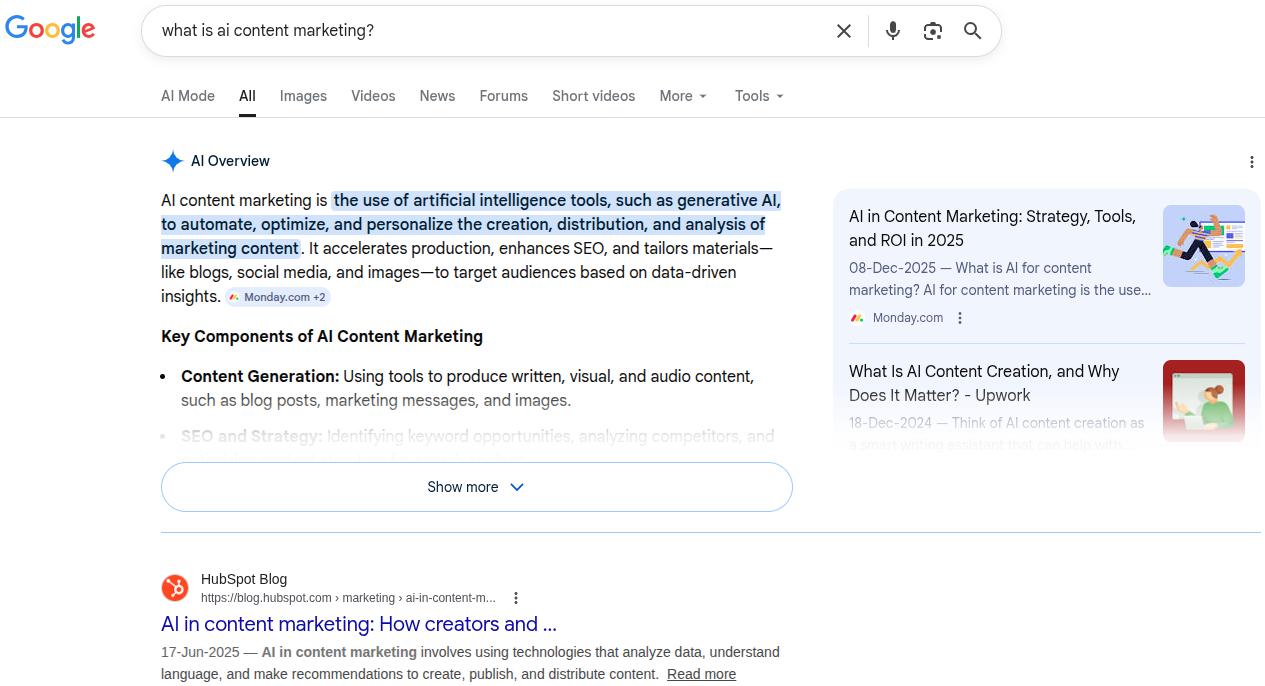
    Informational intent example from Google search

    Optimization tips:

    • Create comprehensive, well-researched content.
    • Answer the question directly in the first paragraph.
    • Include related subtopics to cover the topic thoroughly.
    • Use clear headings and formatting for easy scanning.

    2. Commercial keywords

    Commercial keywords are search queries from users who are considering a purchase but require additional information before making a decision. These keywords target high-intent users who are close to making a purchase decision and often have higher conversion rates than informational terms. They represent the crucial middle-funnel stage where prospects are actively evaluating options.

    Examples:

    • “Best CRM software for small business”
    • “iPhone vs Samsung comparison”
    • “Top 10 coffee grinders 2026”
    • “Writesonic alternatives“

    Intent signals: Words like “best,” “top,” “review,” “comparison,” “vs,” “alternative,” and “pros and cons.”
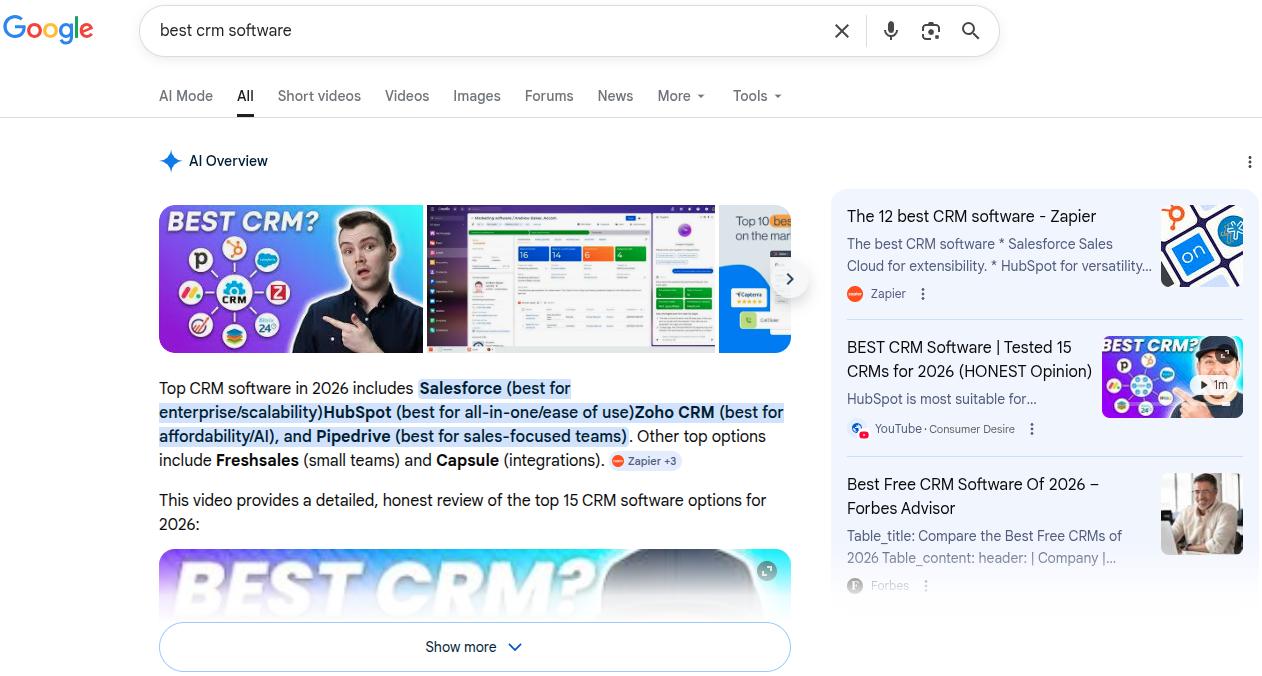
    Commercial keyword example

    Content formats: Product comparisons, review articles, buyer’s guides, and “best of” lists.

    How to find them:

    1. Add commercial modifiers to your seed keywords (best + [product]).
    2. Look for keywords with commercial intent flags in keyword tools.
    3. Monitor what products/services people compare to yours.

    Optimization tips:

    • Include detailed product specifications and comparisons.
    • Add pros and cons sections.
    • Use high-quality images and comparison tables.
    • Include clear calls to action toward your products.
    • Add trust signals like reviews and testimonials.

    3. Transactional keywords

    Transactional keywords are search queries from users who are ready to take action, typically making a purchase or signing up for something. These keywords have the highest conversion potential, as users searching for these terms are likely to have their credit cards ready and know what they want. They represent the bottom of the marketing funnel, where prospects are ready to become customers.

    Examples:

    • “Buy MacBook Pro 2026.”
    • “Download free SEO template”
    • “Order pizza online”
    • “Subscribe to Netflix”

    Intent signals: Action words like “buy,” “order,” “purchase,” “download,” “subscribe,” “get,” and “shop.”
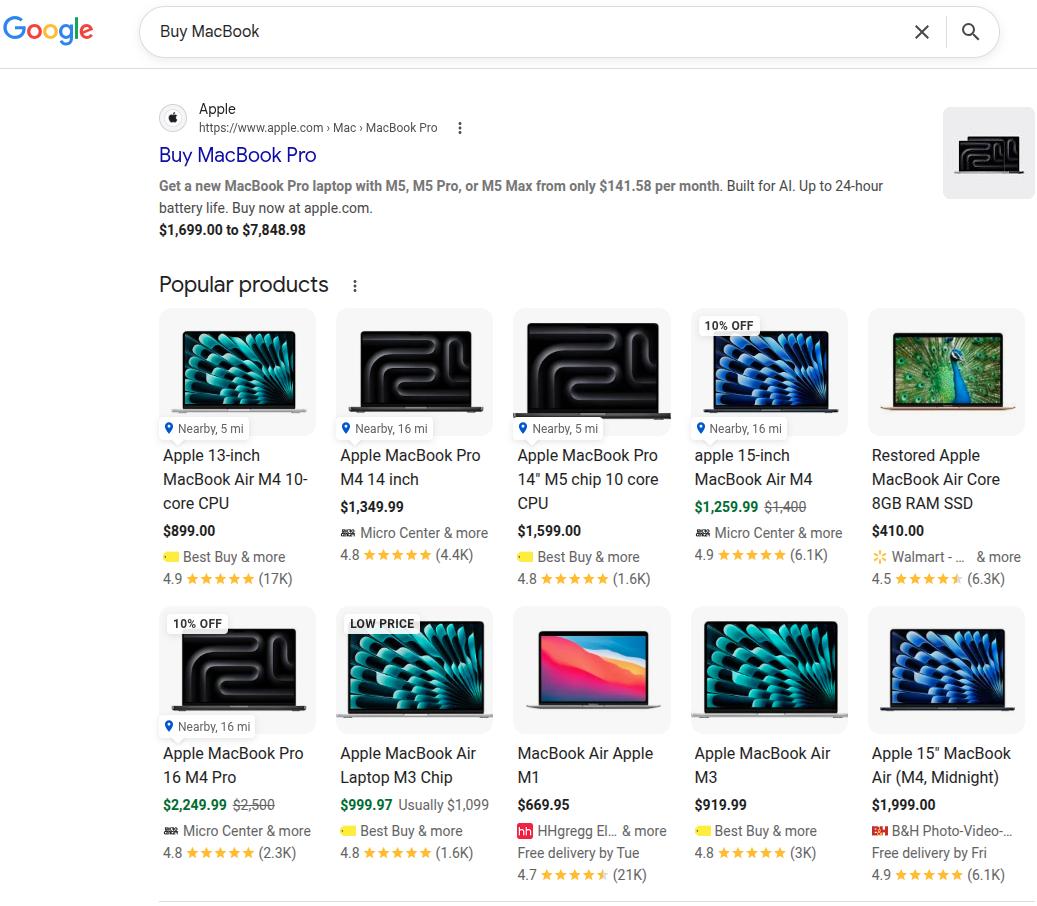
    Buying items through search showcases transactional keyword

    Content format: Product pages, service pages, landing pages, and checkout pages.

    How to find them:

    1. Add buying modifiers to your product keywords.
    2. Check what transactional terms competitors rank for.
    3. Use Google Ads Keyword Planner to find high-CPC terms (indicates commercial value).
    4. Monitor your sales team’s most common customer requests.

    Optimization tips:

    • Create dedicated landing pages for each transactional keyword.
    • Include transparent pricing and purchase options.
    • Minimize distractions and focus on conversion.
    • Add urgency elements (limited-time offers, stock levels).
    • Ensure fast page loading and mobile optimization.

    4. Navigational keywords

    Navigational keywords are search queries where users want to find a specific website, brand, or page. If people are searching for your brand, you want to capture that traffic. For other brands, these keywords are usually not worth targeting unless you’re creating comparison content. They’re essential for brand protection and controlling your online presence.

    Examples:

    • “ContentStudio login“
    • “Amazon customer service”
    • “Nike official website”
    • “Gmail sign in”

    Intent signals: Brand names, website names, specific page types (“login,” “contact,” “support”).
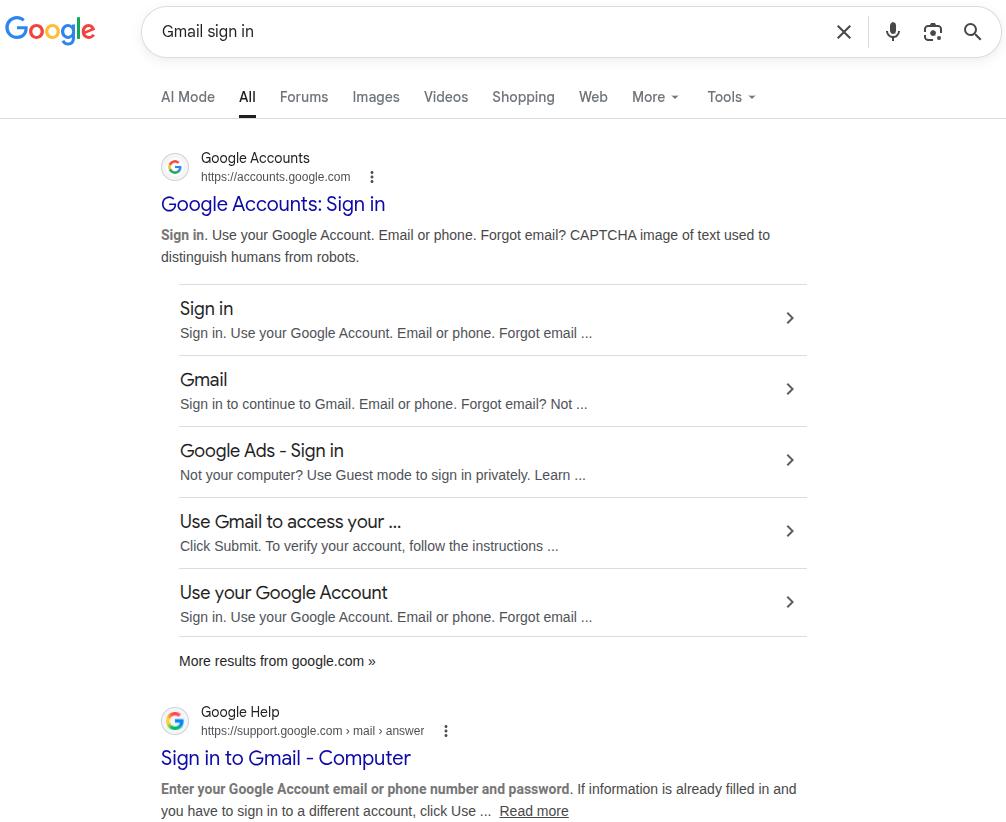
    Navigational keyword type example

    Content format: Homepage, brand pages, specific landing pages.

    How to find them:

    1. Monitor searches for your brand name and variations.
    2. Check Google Search Console for branded search terms.
    3. Use keyword tools to find “brand + modifier” combinations.
    4. Track misspellings of your brand name.

    Optimization tips:

    • Ensure your official pages rank #1 for your brand terms.
    • Create pages for familiar brand + modifier searches.
    • Optimize for voice search versions of your brand name.
    • Monitor and protect against negative SEO targeting your brand.

    Keywords by length and specificity

    The length of a keyword often correlates with its competitiveness and specificity.

    5. Short-tail keywords (head terms)

    Short-tail keywords are broad keywords with 1-3 words that have high search volume but vague intent. While challenging to rank for, these keywords can drive significant traffic and help establish your industry’s topical authority. They’re essential for long-term SEO strategy and brand visibility, though they typically have lower conversion rates due to their broad nature.

    Examples:

    • “Healthy food recipes”
    • “SEO tools”
    • “Running shoes”
    • “digital marketing“

    Characteristics:

    • High monthly search volume (10,000+ searches).
    • Very competitive.
    • Broad, unclear intent.
    • Lower conversion rates.

    How to find them:

    1. Start with your primary business categories.
    2. Use Google Autocomplete for basic terms.
    3. Check what broad terms competitors rank for.
    4. Think about how customers describe your industry.
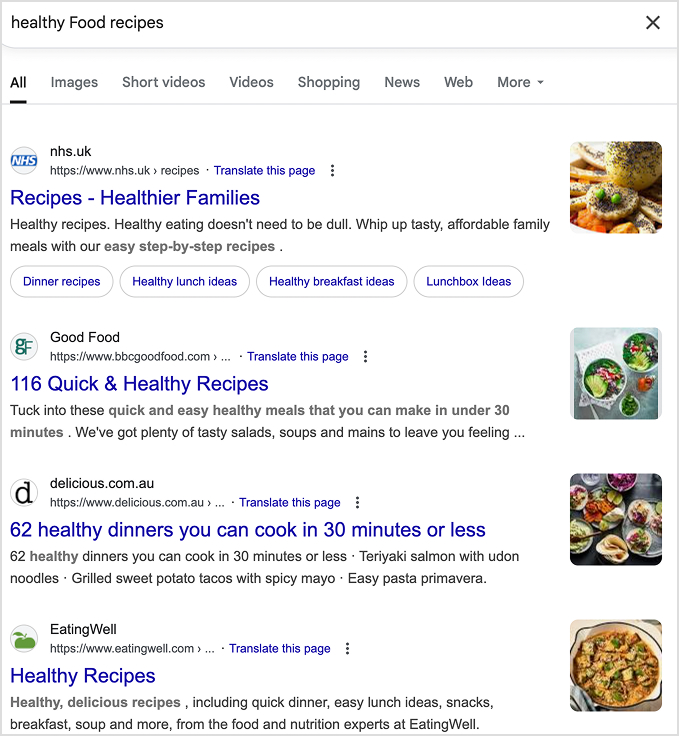
    Short-tail keyword example

    Optimization strategy:

    • Target them with comprehensive pillar pages.
    • Create topic clusters around these terms.
    • Focus on long-term ranking goals.
    • Ensure high domain authority before targeting.

    6. Long-tail keywords

    Long-tail keywords are specific phrases with four or more words that have lower search volume but more apparent intent. These keywords are often easier to rank for and attract highly qualified traffic, making them perfect for new websites to build authority. They typically have higher conversion rates because they capture users with particular needs and intentions.

    Examples:

    • “Best espresso machine under $500”
    • “How to optimize blog posts for SEO”
    • “Organic dog food for sensitive stomachs”
    • “Email marketing automation for e-commerce”

    Characteristics:

    • Lower monthly search volume (usually under 1,000).
    • Less competitive.
    • Specific, clear keyword intent.
    • Higher conversion rates.

    How to find them:

    1. Use Google Autocomplete and “People Also Ask”.
    2. Check AnswerThePublic for question-based long-tail terms.
    3. Analyze your Google Search Console data for long phrases.
    4. Use keyword tools with long-tail filters.
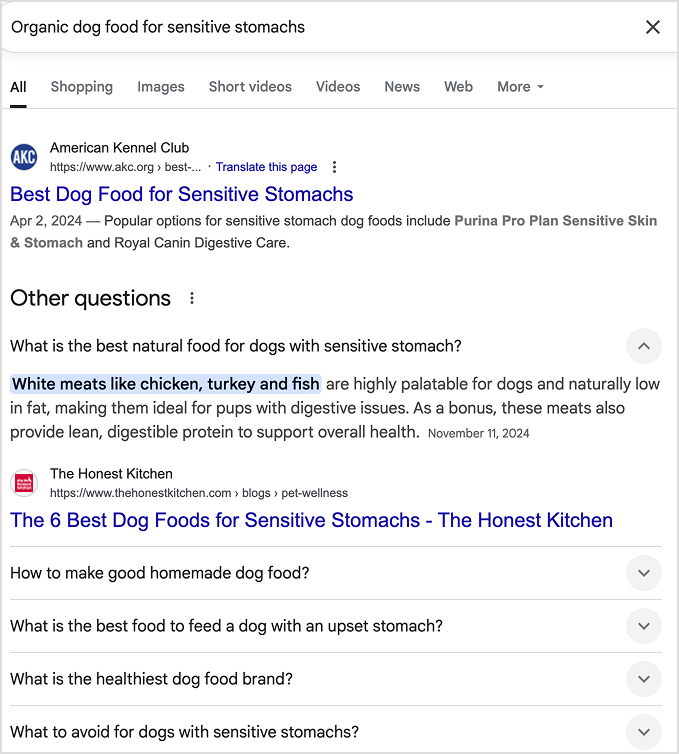
    Long-tail keywords example

    Optimization strategy:

    • Create specific, focused content for each long-tail term.
    • Group related long-tail keywords into topic clusters.
    • Target multiple long-tail variations on single pages.
    • Use them in FAQ sections and subheadings.

    For a large-scale example, read Zapier’s programmatic SEO playbook.

    Keywords by research strategy

    These keyword types form the foundation of your research process.

    7. Seed keywords

    Seed keywords are basic terms that describe your business, industry, or topics you want to rank for. They’re the starting point for finding more specific keywords and determining what other keywords you’ll discover during research. Choosing the right seed keywords is crucial because incorrect seeds can lead to wasted time targeting irrelevant terms that don’t align with your business goals.

    Examples:

    • “Email marketing” (for a marketing agency)
    • “Yoga” (for a fitness blog)
    • “Coffee” (for a coffee shop)
    • “Accounting software” (for a SaaS company)
    • Auto repair (for windshield replacement)

    How to find them:

    1. Brainstorm core business terms.
    2. Check your website’s navigation menu.
    3. Ask customers how they describe your products.
    4. Look at competitor websites for category names.
    5. Use your industry’s common terminology.

    Best practices:

    • Start with 5-10 seed keywords per topic.
    • Include both product terms and problem-focused terms.
    • Consider different ways customers might describe the same thing.
    • Validate seeds by checking if they generate relevant keyword suggestions.

    8. Primary keywords

    Primary keywords are the main keywords you want a specific page to rank for. Each page should have one primary keyword that guides the content strategy and prevents keyword cannibalization (multiple pages competing for the same term). Having an explicit primary keyword provides focus for your content creation and helps search engines understand the fundamental topic of your page.

    Examples:

    • Primary keyword for a blog post: “email marketing best practices”
    • Primary keyword for a product page: “project management software”
    • Primary keyword for a service page: “SEO audit”

    How to choose them:

    1. Pick keywords with decent search volume (varies by industry).
    2. Ensure a manageable competition level.
    3. Match search intent with your content type.
    4. Consider business value and conversion potential.
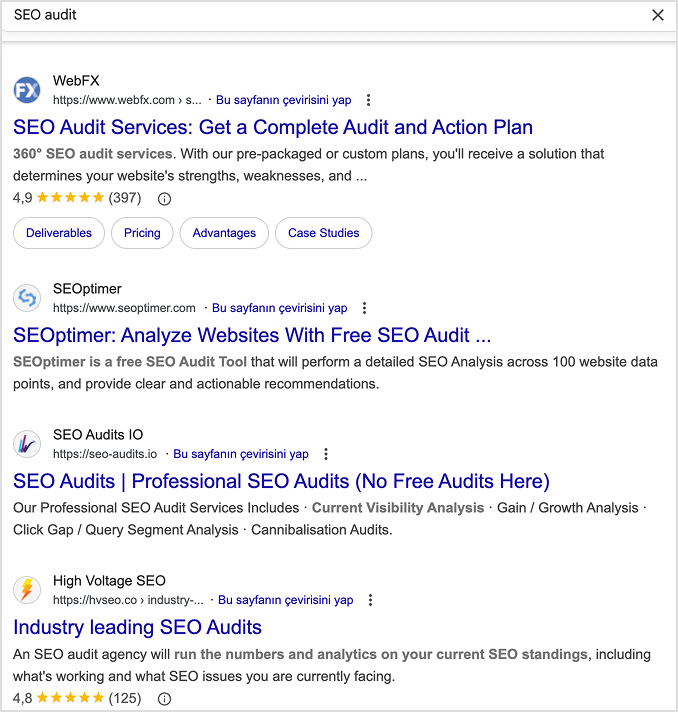
    Primary keyword example written in Google search bar

    Optimization strategy:

    • Include in title tag, H1, and URL.
    • Mention it naturally in the first paragraph.
    • Use in image alt text and meta description.
    • Don’t overuse; focus on natural, helpful content.

    9. Secondary keywords

    Secondary keywords are related terms that support your primary keyword and help you rank for multiple variations. They enable you to cover topics comprehensively and capture additional search traffic with related intent, while also helping search engines better understand the full scope and context of your content.

    Examples: 

    If the primary keyword is “email marketing best practices,” then secondary keywords can be:

    • “email marketing tips”
    • “effective email campaigns”
    • “email marketing templates”
    • “email marketing platforms”

    How to find them:

    1. Use “People Also Ask” and “Related Searches” on Google.
    2. Check keyword tool suggestions for your primary term.
    3. Look at what terms top-ranking pages also rank for.
    4. Use Google Search Console to find terms your existing content ranks for.

    Optimization strategy:

    • Include in H2 and H3 subheadings.
    • Use naturally throughout the body content.
    • Add to image alt text and captions.
    • Use as an internal link’s anchor text.

    10. Semantic (LSI) keywords

    Semantic keywords are terms and phrases conceptually related to your primary keyword. They aren’t just synonyms; they are entities that search engines expect to see when a topic is covered comprehensively. Including these helps search engines verify that your content provides genuine depth rather than just surface-level information.

    Examples:

    If your primary keyword is “email marketing best practices,” then semantic keywords may include:

    • “email best practices for employees”
    • “B2B email best practices”
    • “email automation workflows”
    • “A/B testing emails”
    • “email deliverability”

    How to find them:

    1. Analyze the “Related searches” or “People also search for” results at the bottom of Google search results.
    2. Look at the bolded words in the meta descriptions of top-ranking competitors.
    3. Use specialized semantic research tools to identify missing “entities” in your content.
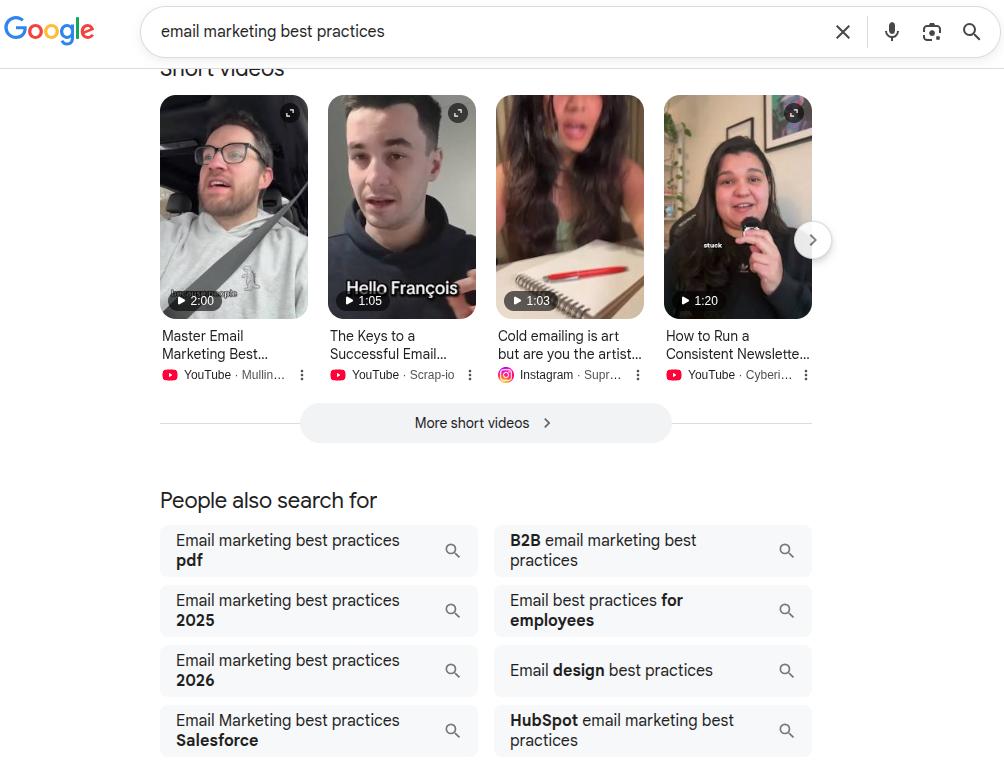
    Where to find semantic keywords on a Google search

    Optimization tips:

    • Sprinkle them naturally where they add value to the reader.
    • Avoid keyword stuffing. The goal is to build a topical map, not to hit a density percentage.
    • Use these terms to help AI models (GEO) categorize your content correctly.

    Also read: 10 SEO keywords examples to boost your rankings.

    Keywords by competition level and opportunity

    Understanding keyword difficulty helps you prioritize your efforts.

    11. Low-competition keywords

    Keywords that are relatively easy to rank for due to lower competition from other websites.

    Characteristics:

    • Lower keyword difficulty scores (typically under 30).
    • Fewer high-authority sites are ranking.
    • Often longer, more specific phrases.
    • May have lower search volume but higher conversion potential.

    Examples:

    • “Best project management software for remote teams under 50 people”
    • “How to optimize a Shopify store for voice search”
    • “Email marketing automation for B2B SaaS companies”

    How to find them:

    1. Use keyword difficulty filters in SEO tools (set max difficulty to 20-30).
    2. Target long-tail variations of competitive terms.
    3. Look for newly trending topics before they become competitive.
    4. Focus on niche-specific terms in your industry.

    Strategic advantages:

    • Faster ranking results for new websites.
    • Higher chance of reaching page 1.
    • Often, more targeted, qualified traffic.
    • Suitable for building initial authority and traffic.

    12. Zero-volume keywords

    Zero-volume keywords are hyper-specific terms that keyword tools report as having “0” monthly searches. In reality, these terms often drive the most qualified traffic because they are so specific that they face almost no competition. They represent highly motivated users with very particular needs.

    Examples:

    • “Email marketing automation for B2B SaaS”
    • “Best organic dark roast coffee for Aeropress cold brew”
    • “How to integrate ContentStudio with CRM”

    How to find them:

    1. Pay attention to specific phrasing used in niche communities or professional Slack groups.
    2. Look at your own internal site search data to see what users are searching for on your site.
    3. Use “wildcard” searches in Google Autocomplete to find long-tail gems that tools might miss.
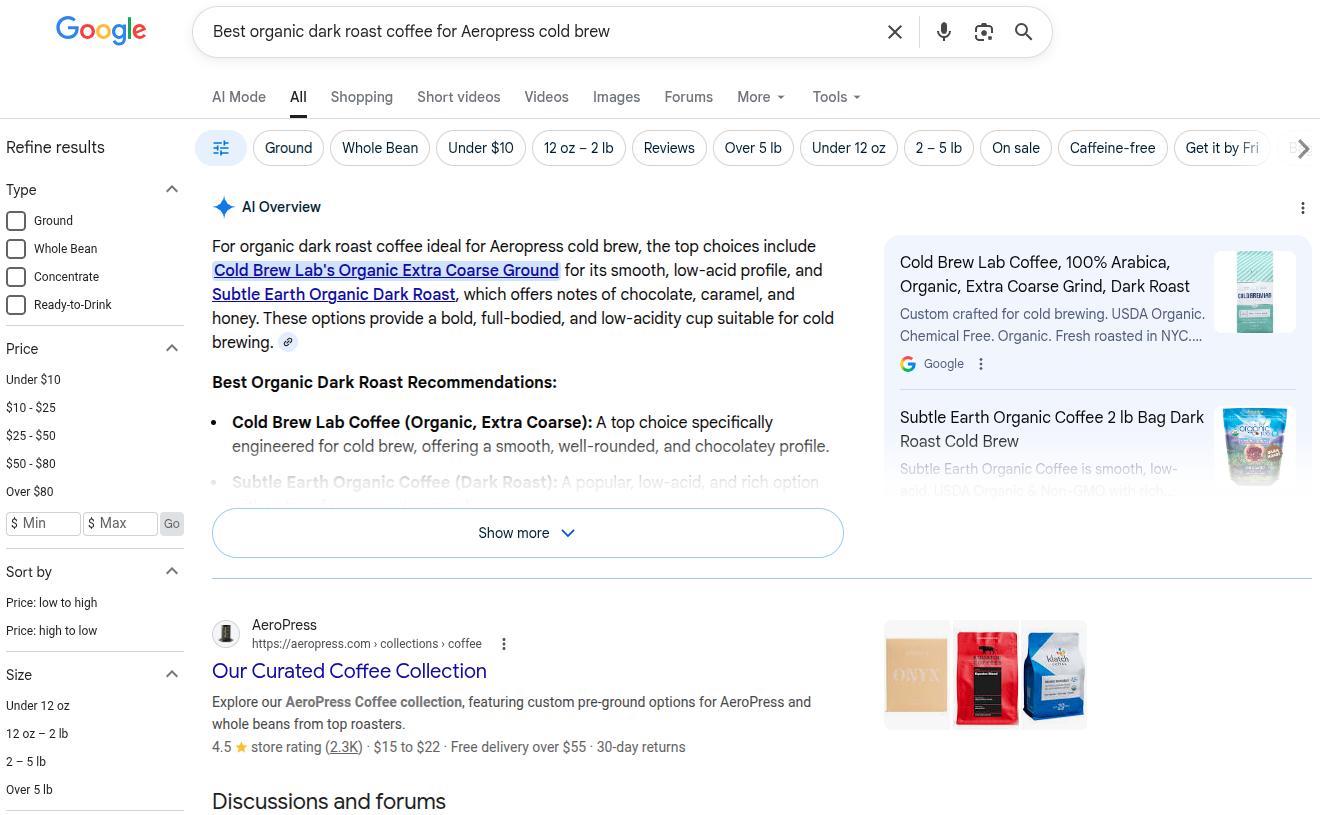
    Zero-volume keyword example

    Optimization tips:

    • Don’t let the “0” search volume discourage you; if it’s a real-world problem, someone is searching for it.
    • Aim to be the only comprehensive resource on the internet for that specific query.
    • Group multiple related zero-volume terms into one “Ultimate Resource” for a specific niche.

    13. Trending (seasonal) keywords

    Search terms experiencing rapid growth in search volume are often related to current events, new technologies, or seasonal trends.

    Examples:

    • “ChatGPT for business” (emerged in 2025)
    • “iOS 26 features” (seasonal around Apple releases)
    • “Sustainable packaging solutions” (growing environmental trend)
    • “Remote work productivity tools” (grew during the pandemic)

    How to identify them:

    1. Use Google Trends to spot rising search terms.
    2. Monitor social media for emerging topics in your industry.
    3. Check keyword tools for terms with growth indicators.
    4. Follow industry news and technological developments.
    5. Set up Google Alerts for industry keywords.
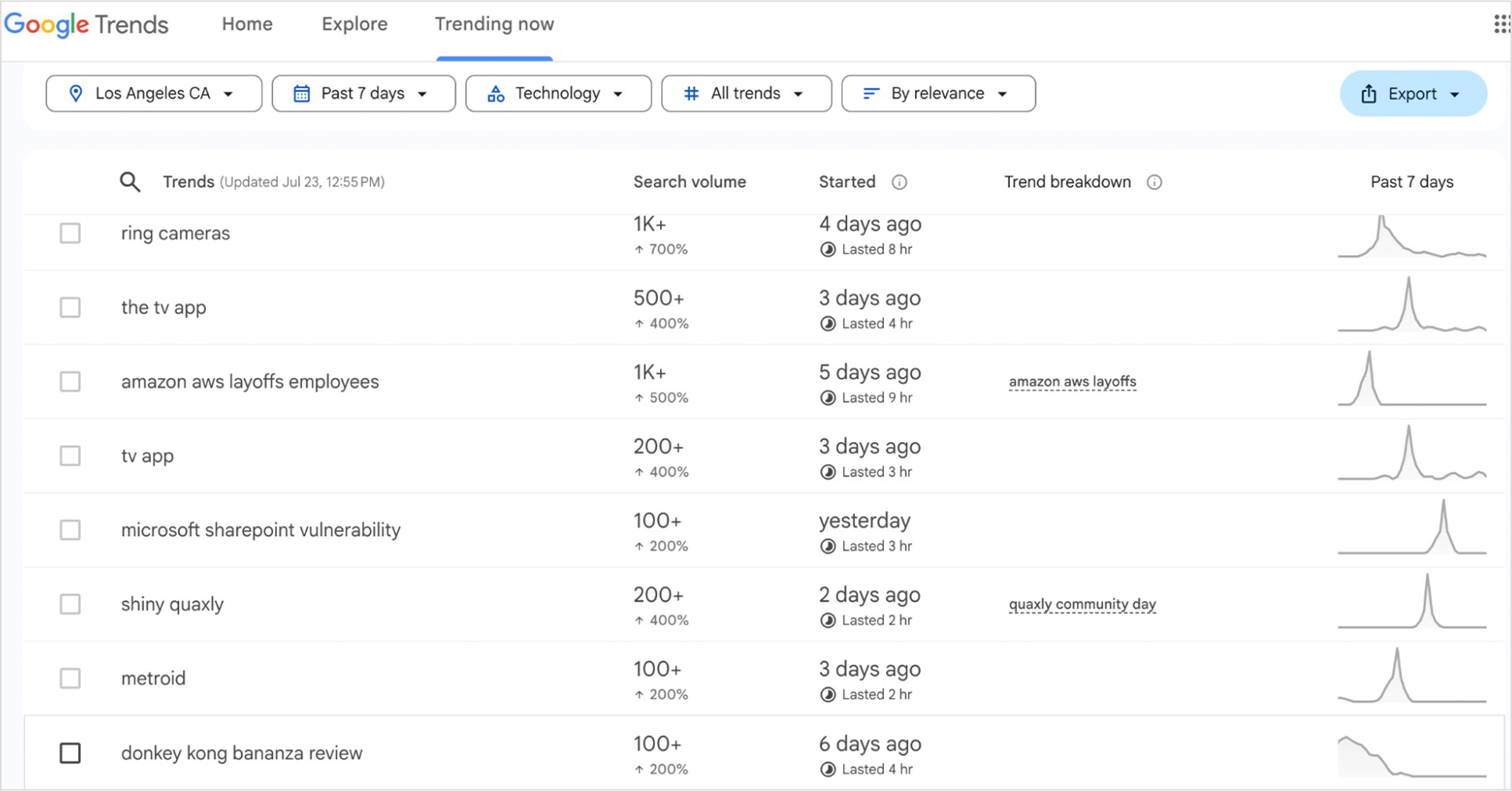
    Google Trends shown with trending keywords

    Why they’re valuable:

    • Lower competition in the early stages.
    • Opportunity to become an authority on new topics.
    • Potential for viral content and backlinks.
    • Can establish thought leadership.

    Risks to consider:

    • Maybe temporary trends with short lifespans.
    • Could become highly competitive quickly.
    • Might not have lasting search volume.
    • May not align with your business goals.

    Keywords by brand association

    Brand-related keywords require different strategies depending on ownership.

    14. Branded keywords

    Branded keywords are search terms that include your brand name, product names, or other branded terms specific to your company. These keywords typically have high conversion rates since users already know your brand, are easier to rank for because you own the brand, and are essential for brand protection and control. They often indicate bottom-funnel traffic with strong purchase intent.

    Examples:

    • “Nike running shoes”
    • “Mailchimp email templates”
    • “Contentstudio free tools”
    • “Tesla Model 3 review”

    How to optimize for them:

    1. Ensure your official pages rank #1 for brand terms.
    2. Create pages for brand + product combinations.
    3. Monitor for negative content ranking for your brand terms.
    4. Optimize for brand + location combinations if relevant.

    Types of branded keywords to target:

    • Brand name alone
    • Brand + product categories
    • Brand + “review,” “pricing,” “features”
    • Brand + location modifiers
    • Common misspellings of your brand
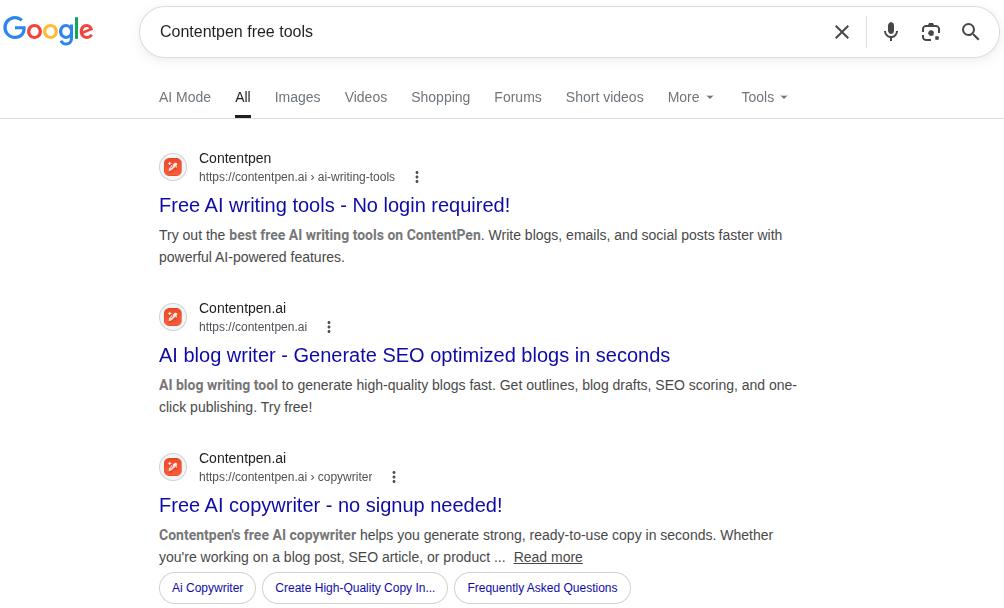
    Branded keyword example - Contentpen.ai

    15. Non-branded keywords

    Non-branded keywords are generic terms that don’t include any specific brand names but relate to your industry, products, or services. They’re essential for capturing users who are unfamiliar with your brand, typically have higher search volume than branded terms, and are crucial for market expansion and establishing authority in your category. While usually more competitive, they’re essential for long-term growth.

    Examples:

    • “Email marketing software” (instead of “Mailchimp”)
    • “Running shoes” (instead of “Nike running shoes”)
    • “Project management tool” (instead of “Asana”)
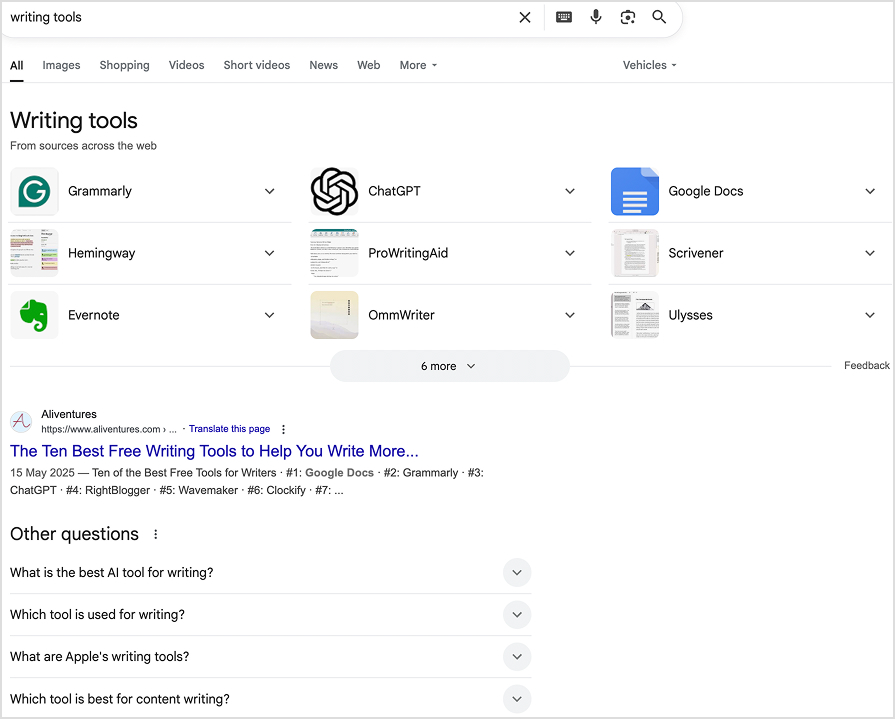
    Non-branded keyword example

    Competition considerations:

    • Usually, more competitive than branded terms.
    • Require stronger content and SEO efforts.
    • May have lower initial conversion rates.
    • Important for long-term growth.

    Keywords by location

    Local and geographic keywords are crucial for location-based businesses.

    16. Local keywords

    Local keywords are search terms that include specific geographic locations, such as cities, neighborhoods, or regions. They’re essential for local businesses, often trigger Google’s local pack results, usually have high commercial intent, and face less global competition. These keywords are crucial for companies that serve specific geographic areas and want to attract nearby customers.

    Examples:

    • “Pizza delivery Manhattan”
    • “Dandelion Chocolate, San Francisco”
    • “Wedding photographers San Francisco”
    • “SEO agency London”

    Types of local keywords:

    • Service + city (“plumber Boston”)
    • Service + neighborhood (“hair salon SoHo”)
    • Service + “near [landmark]” (“coffee shop near Central Park”)
    • Service + zip code (“restaurants 90210”)

    How to find them:

    1. Combine your primary services with local area names.
    2. Use Google My Business insights to see how people find you.
    3. Check local competitor websites for the location terms they target.
    4. Use a local keyword research tool to help you cluster keywords by location, intent type, competition level, brand association, or SEO strategy. 
    Automated keyword research

    Work on keywords worth writing for

    Get search terms with real ranking potential, not just high volume.

    Try Keyword Research for FREE →
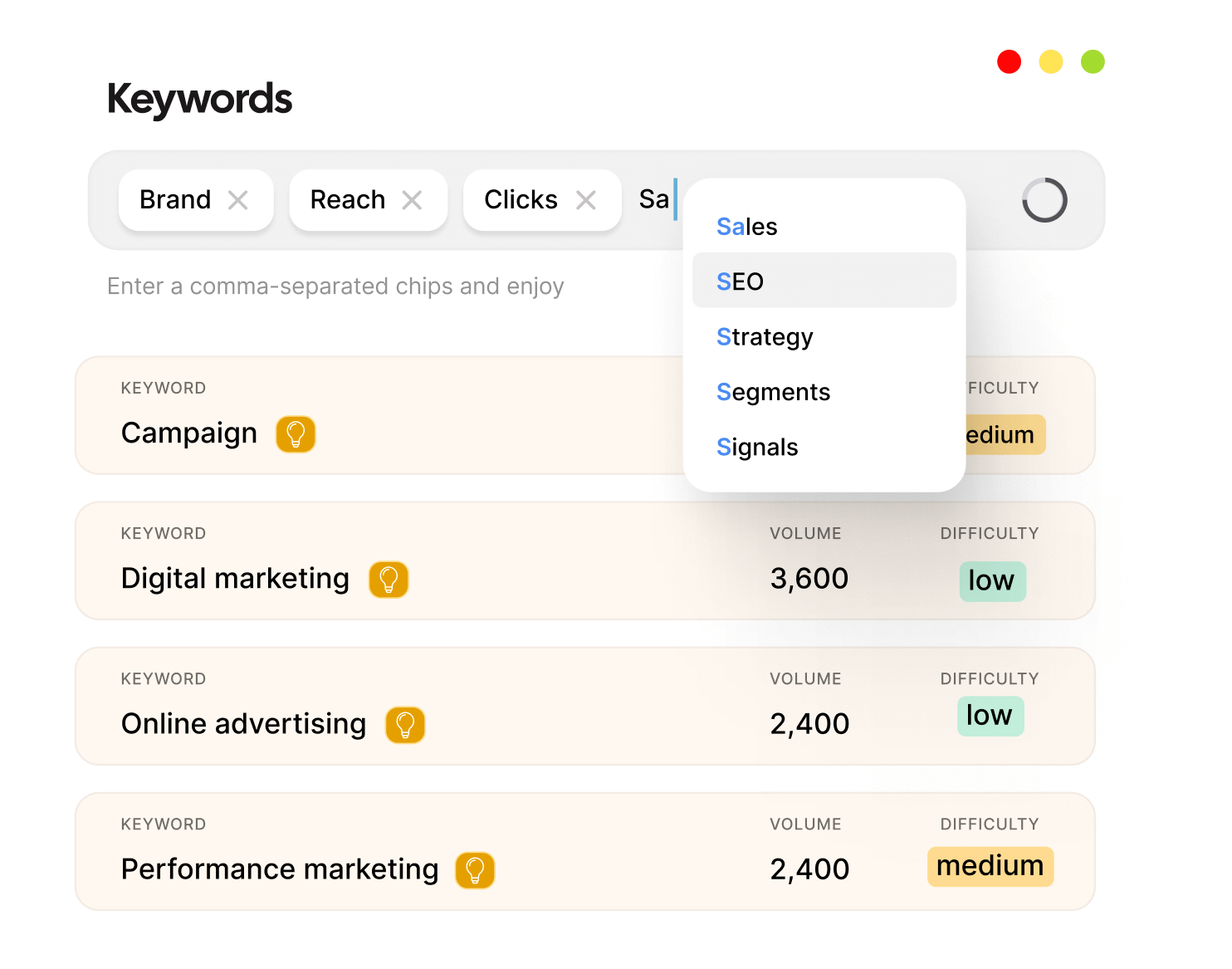
    AI SEO Interface

    17. “Near Me” keywords

    “Near Me” keywords are search queries where users add “near me” to find local businesses or services in their vicinity. These keywords have extremely high commercial intent, representing mobile-first searches with immediate needs that often lead to same-day visits or purchases, and are growing rapidly with the adoption of voice search. They’re invaluable for local businesses seeking to capture customers who are ready to take immediate action.

    Examples:

    • “Coffee shops near me”
    • “Auto repair near me”
    • “Gyms near me”
    • “Italian restaurants near me”

    Optimization strategies:

    • Ensure Google My Business (GMB) is fully optimized.
    • Include location information throughout your website.
    • Create location-specific landing pages.
    • Optimize for mobile and page speed.
    • Encourage customer reviews and local citations.
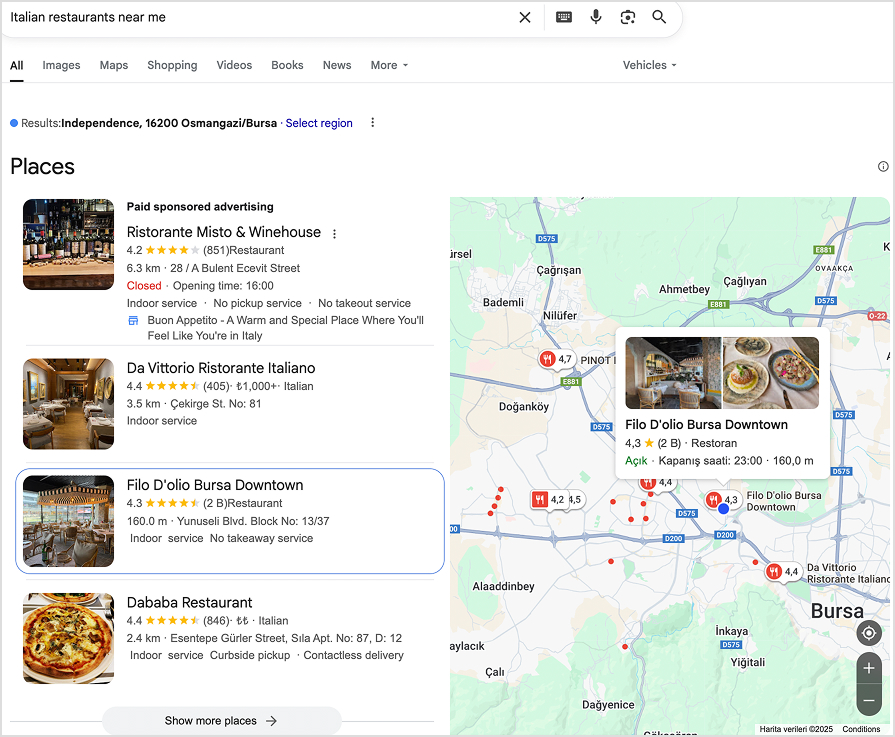
    Near me type of keyword example shown on Google for an Italian restaurant

    Other types of keywords you should know in 2026

    While we’ve covered the foundational SEO keywords for success in 2026, there are still some other types of keywords that you should know.

    18. Question-based keywords

    Question-based keywords are search queries phrased as direct questions. They reflect users looking for clear answers, definitions, or step-by-step guidance. These keywords are especially powerful for brands wanting visibility in Featured Snippets, “People Also Ask” boxes, and AI-generated search results.

    Examples:

    • “What is domain authority?”
    • “How does Google rank websites?”
    • “Why is my website not getting traffic?”
    • “Can you rank without backlinks?”

    Intent signals: Words such as “what,” “how,” “why,” “when,” “where,” and “can.”

    Content formats: FAQ pages, definition-style articles, structured blog posts, how-to guides.

    How to find them:

    1. Use Google’s “People Also Ask” feature.
    2. Analyze Google’s Autocomplete suggestions when typing question phrases.
    3. Browse Reddit, Quora, and niche forums.
    4. Use AnswerThePublic for question variations.
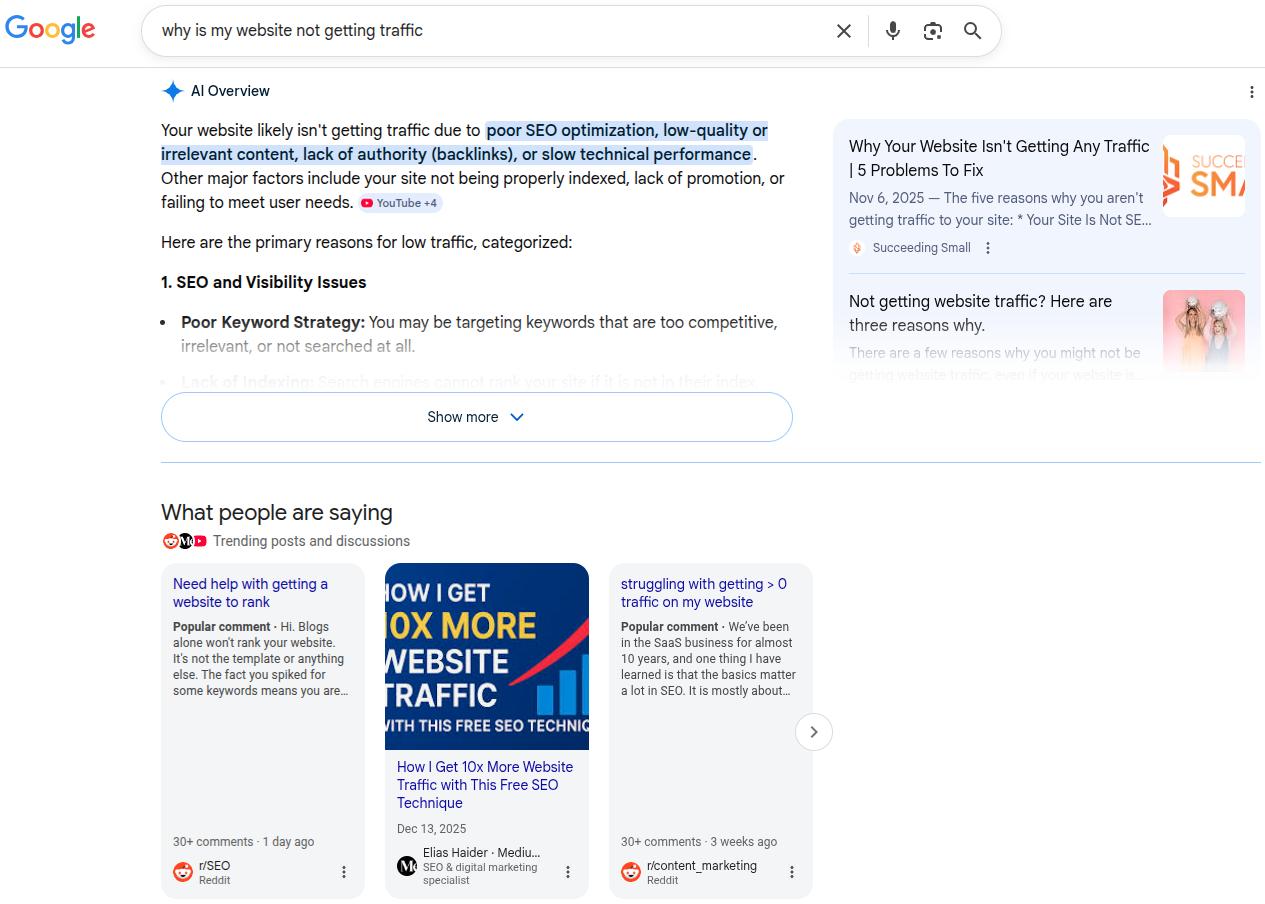
    Question-based keyword example shown

    Optimization tips:

    • Answer the question directly in the first paragraph.
    • Use the exact question as an H2 or H3 heading.
    • Keep answers concise before expanding into a deeper explanation.
    • Add FAQ schema markup where appropriate.

    19. Problem-based Keywords

    Problem-based keywords target the specific pain points your audience is experiencing before they even know your product is the solution. These are often high-conversion terms because they attract users who are actively looking for a way to fix a frustrating issue.

    Examples:

    • “Why is my website loading slowly?”
    • “How to stop coffee beans from going oily.”
    • “Computer making a loud fan noise.”

    Intent signals: Contain words like “fix,” “problem,” “issue,” “why is,” or “help with.” 
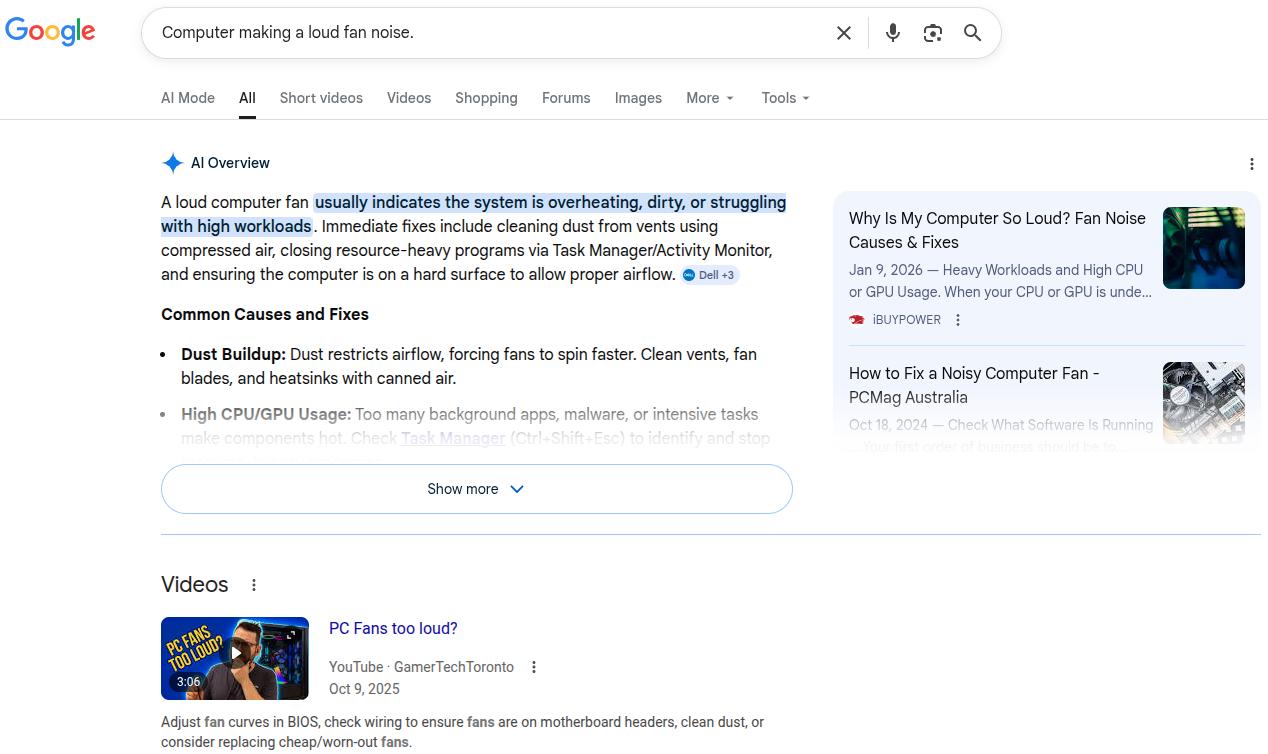
    Problem-based keyword example

    Content formats: Troubleshooting guides, fix-it tutorials, and deep-dive case studies.

    How to find them:

    1. Search industry-specific forums for common user complaints and frustrations.
    2. Ask your customer support or sales team for the most frequent issues customers report.
    3. Analyze search queries that include negative modifiers like “broken” or “not working.”

    Optimization tips:

    • Acknowledge the user’s frustration early in the content to build immediate trust.
    • Provide a clear, step-by-step solution that naturally leads to your recommended tool or service.
    • Use instructional headings that clearly describe each stage of the solution.

    20. Evergreen keywords

    Evergreen keywords are search terms that maintain consistent interest and search volume over a long period. Unlike trending keywords that spike and fade, evergreen terms provide a steady, predictable stream of traffic for years, forming the sustainable core of your SEO strategy.

    Examples:

    • “How to lose weight”
    • “History of the Roman Empire”
    • “Basic accounting principles”
    • “How to tie a tie.”

    Intent signals: Foundational topics that aren’t tied to a specific year, trend, or software version. Content formats: Ultimate guides, “What is” articles, and foundational “How-to” pages.

    How to find them:

    1. Check Google Trends for a steady, flat line over a 5-year period.
    2. Identify “timeless” pain points in your industry that don’t change with technology.
    3. Target fundamental industry pillars that beginners will always need to learn.

    Optimization tips:

    • Periodically update the content with fresh images or data to maintain its “freshness” score.
    • Use a generic URL structure (e.g., /seo-basics/ instead of /seo-basics-2025/).
    • Build a strong internal linking structure toward these pages to maintain their authority over time.

    How to find and use different types of keywords

    To have a successful SEO strategy, you need to combine all types of keywords by utilizing the following methods:

    • Google Autocomplete: Start typing your seed keyword in Google and note the suggestions that appear. These represent real searches people are making.
    • People Also Ask: Look for the expandable questions that appear in search results. Each question represents a potential keyword opportunity.
    • Related Searches: Scroll to the bottom of Google search results to find related search terms. Use these naturally throughout your content to rank better in SERPs.
    • Google Search Console: Check what keywords your website already ranks for. Look for opportunities to optimize for terms that rank on the first two pages of the search results.
    • Competitor Analysis: Visit your competitors’ websites and note the terms they use in titles, headings, and body content. Some of them might be question-based, while others can be branded, trending, semantic, and other types of keywords.
    • Use Contentpen: Our tool automatically recognizes ranking opportunities for you by analyzing your website and competitor details in the niche. You can directly use these different types of keywords together to make a high-ranking blog post immediately.

    Turn existing content into growth opportunities

    check

    Identify pages losing traffic or CTR

    check

    Find quick wins to improve clicks and rankings
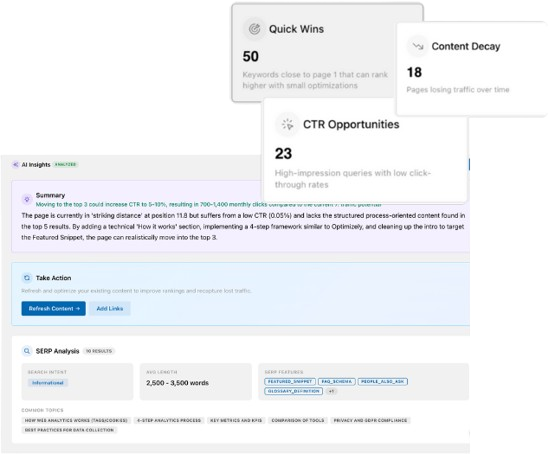
    Find Content Opportunities →
    AI SEO Interface

    Measuring keyword performance

    Implementing keywords is not that straightforward. You need to consistently monitor keyword positions to understand where they stand in the space and what can be done to improve or maintain them.

    Key metrics to track

    1. Rankings: Monitor position changes for target keywords to see if your optimization efforts are working. Track both individual keyword positions and overall ranking trends.

    2. Organic Traffic: Track search traffic from different keyword groups to understand which types of keywords drive the most visitors to your site.

    3. Click-Through Rate (CTR): Measure how compelling your titles and meta descriptions are by monitoring what percentage of people click on your results when they appear in search.

    4. Conversion Rate: Track which keywords drive the most valuable actions (purchases, signups, downloads) to focus your efforts on high-converting terms. Conversely, you could also take a look at the bounce rate.

    5. Search Impression Share: See how often you appear for target terms compared to total search volume, helping identify growth opportunities. This metric is also known as share of voice in the online space.

    Tools for tracking

    These are some of the most useful tools for keyword tracking you can use today to rank higher on both search engines and AI discovery platforms.

    1. Contentpen
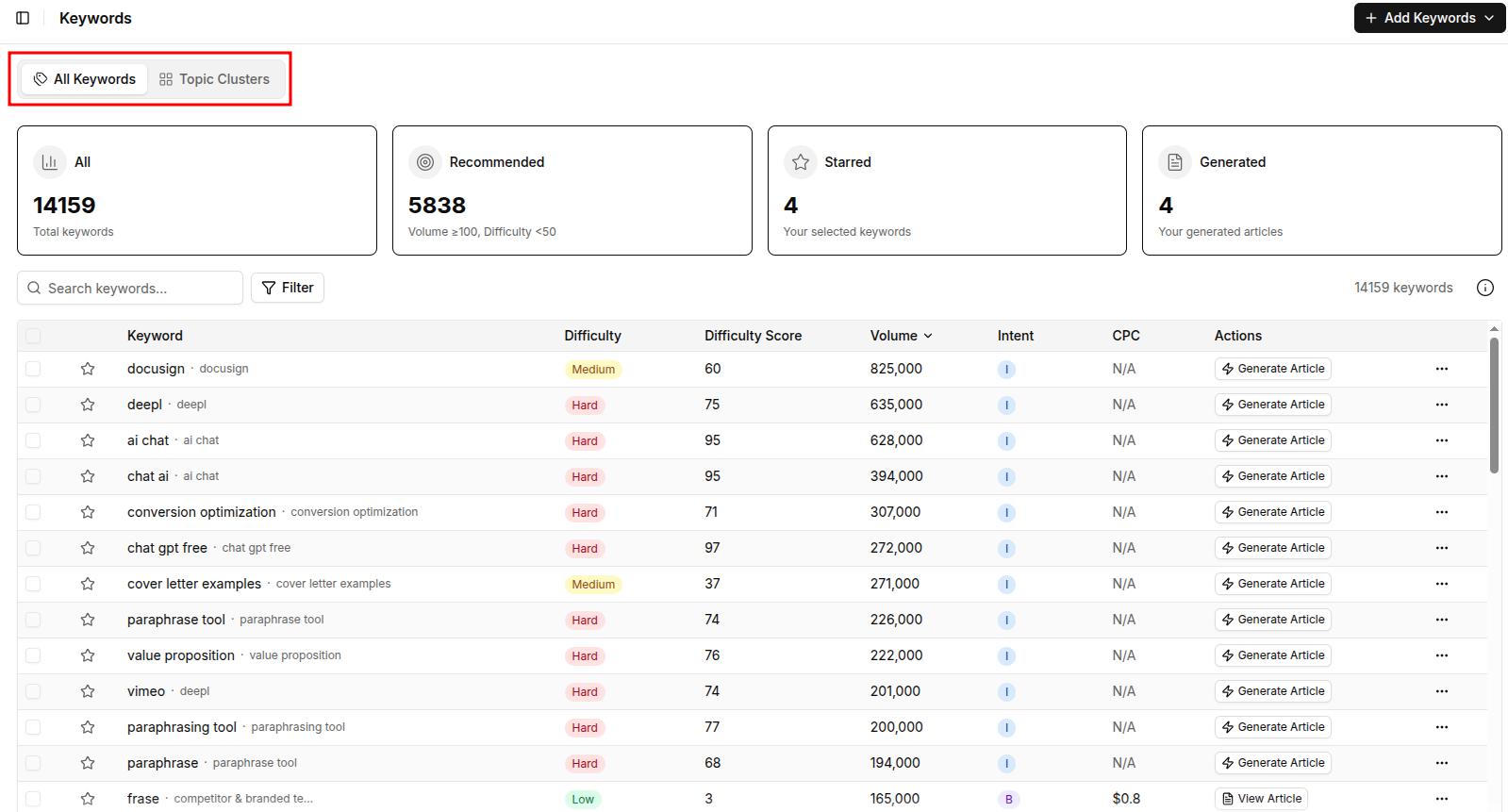
    Keyword clusters and discovery options - Contentpen.ai
    1. This SEO platform offers AI-powered keyword discovery and content optimization.
    2. Comprehensive keyword analysis with real-time, updated search volume data.
    3. Topical cluster creation based on your needs, helping you target more keyword options.

    2. Google Search Console

    1. Free tracking of rankings, impressions, and clicks.
    2. Shows which keywords already drive traffic to your site.
    3. Identifies opportunities for improvement.

    3. Usermaven

    1. Detailed traffic and conversion tracking.
    2. Revenue attribution to specific keywords.
    3. User behavior analysis for keyword-driven traffic.
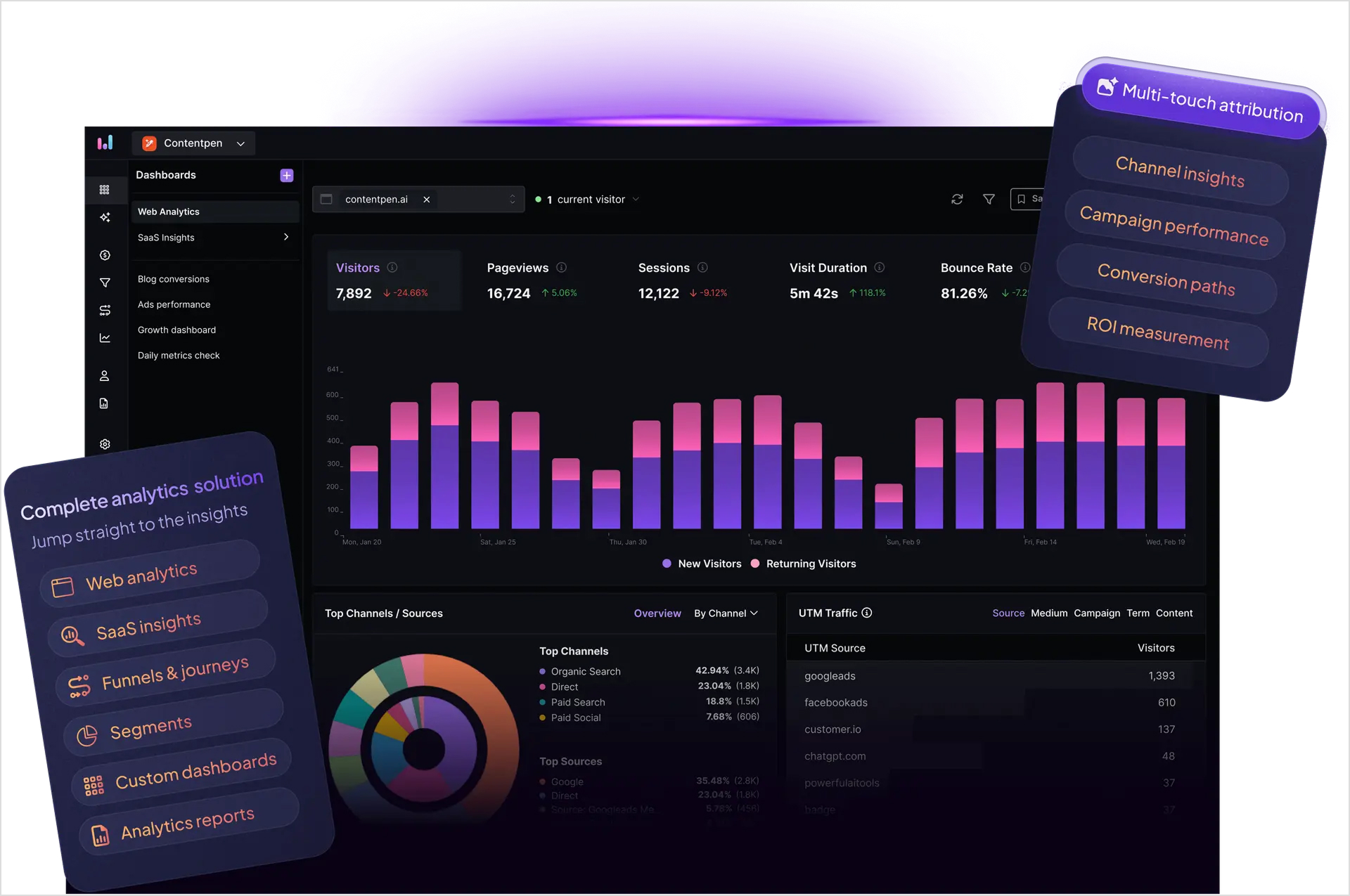
    Usermaven as a keyword tracking tool

    4. Semrush

    • Automated position monitoring for target keywords.
    • Historical ranking data and trend analysis.
    • Competitor ranking comparisons.

    5. Ahrefs

    • Ongoing opportunity identification.
    • Search volume and competition tracking.
    • New keyword discovery and trend monitoring.

    Conclusion

    A successful keyword strategy isn’t about ranking for the most keywords; it’s about ranking for the right keywords that drive qualified traffic and conversions for your business.

    The SEO landscape continues to evolve, but focusing on user intent and providing genuine value will always be the foundation of effective keyword targeting. Use this guide as your roadmap, but always prioritize creating content that genuinely helps your audience. 

    Start by auditing your current content against these keyword types, first identifying gaps in your strategy, and then begin creating content that targets the most valuable opportunities for your business.

    Frequently asked questions

    What are the 4 different types of keywords?

    The four main 4 different types of keywords for SEO are commercial, transactional, navigational, and informational. 

    How many keyword types should I target on each page? 

    There is no set pattern with this. But generally speaking, focus on a single primary keyword per page, followed by a mix of secondary, semantic, and other relevant keywords where contextually relevant.

    What is keyword cannibalization?

    Keyword cannibalization occurs when multiple pages on the same website target the same keyword or very similar keywords, causing them to compete with each other in search results.

    Should new websites avoid competitive keywords entirely? 

    Not entirely, but prioritize long-tail and low-competition keywords first. As your site gains authority, gradually target more competitive terms.

    How often should I update my keyword strategy? 

    Review quarterly for major updates, but monitor performance on a monthly or weekly basis. Industry trends, seasonality, and algorithm changes may require more frequent adjustments.

    Can one keyword fit multiple types?

    Absolutely. For example, “best coffee maker 2026” is a commercial intent, medium-tail length, and non-branded term. Understanding all applicable types helps with strategic decisions and how you can use them together for better results.

    What’s the most essential keyword type for new businesses? 

    Start with informational long-tail keywords to build authority and traffic, then gradually incorporate commercial and transactional terms as your content library grows.
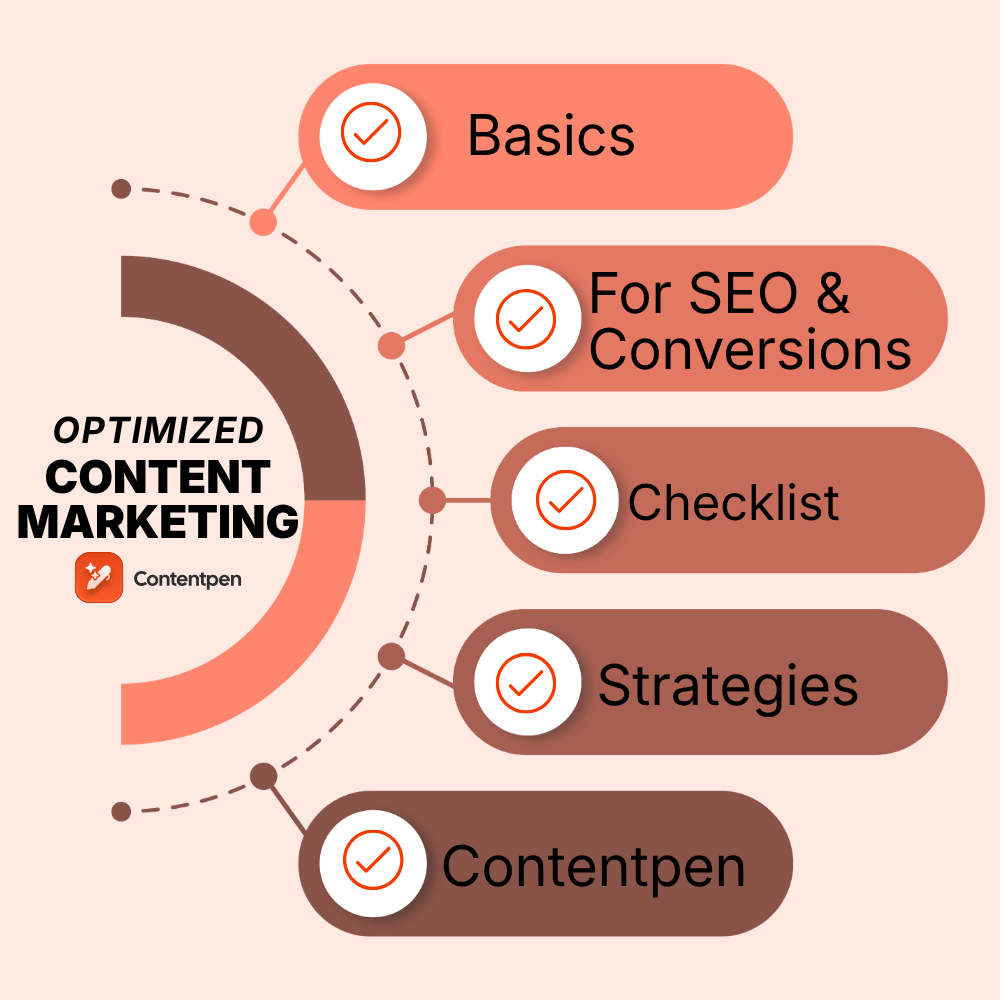
  • Guide to optimized content marketing for SEO and GEO success

    Guide to optimized content marketing for SEO and GEO success

    Optimized content marketing is about mixing SEO/GEO strategies, content marketing, and improving the design and usability of their websites to attract, engage, and convert more users.

    But achieving real growth with SEO or AEO isn’t something that happens by luck. It requires consistent efforts. From keyword research and high-quality content creation to technical optimization, every element on the SEO checklist plays a role in improving search and AI visibility.

    Before we dive deeper into how content marketing supports growth, let’s start by understanding the basics.

    What is optimized content marketing?

    Optimized content marketing explained.

    Optimized content marketing refers to the process of strategically enhancing the quality of content to increase its reach, visibility, and ranking. It is about making your content helpful, product-tied, answer-first for AEO, and covering the on-page SEO and technical basics for search engines.

    Importance of optimized content marketing

    In 2026, optimized content marketing is important to not only improve organic traffic, but also conversions to meet critical business goals.

    For instance, a software company might want to bring new customers on board by offering prospects a 14-day free trial with no strings attached.

    This company may need to position its software as a must-have tool to accomplish the task. Therefore, this company needs to optimize its content marketing strategy accordingly.

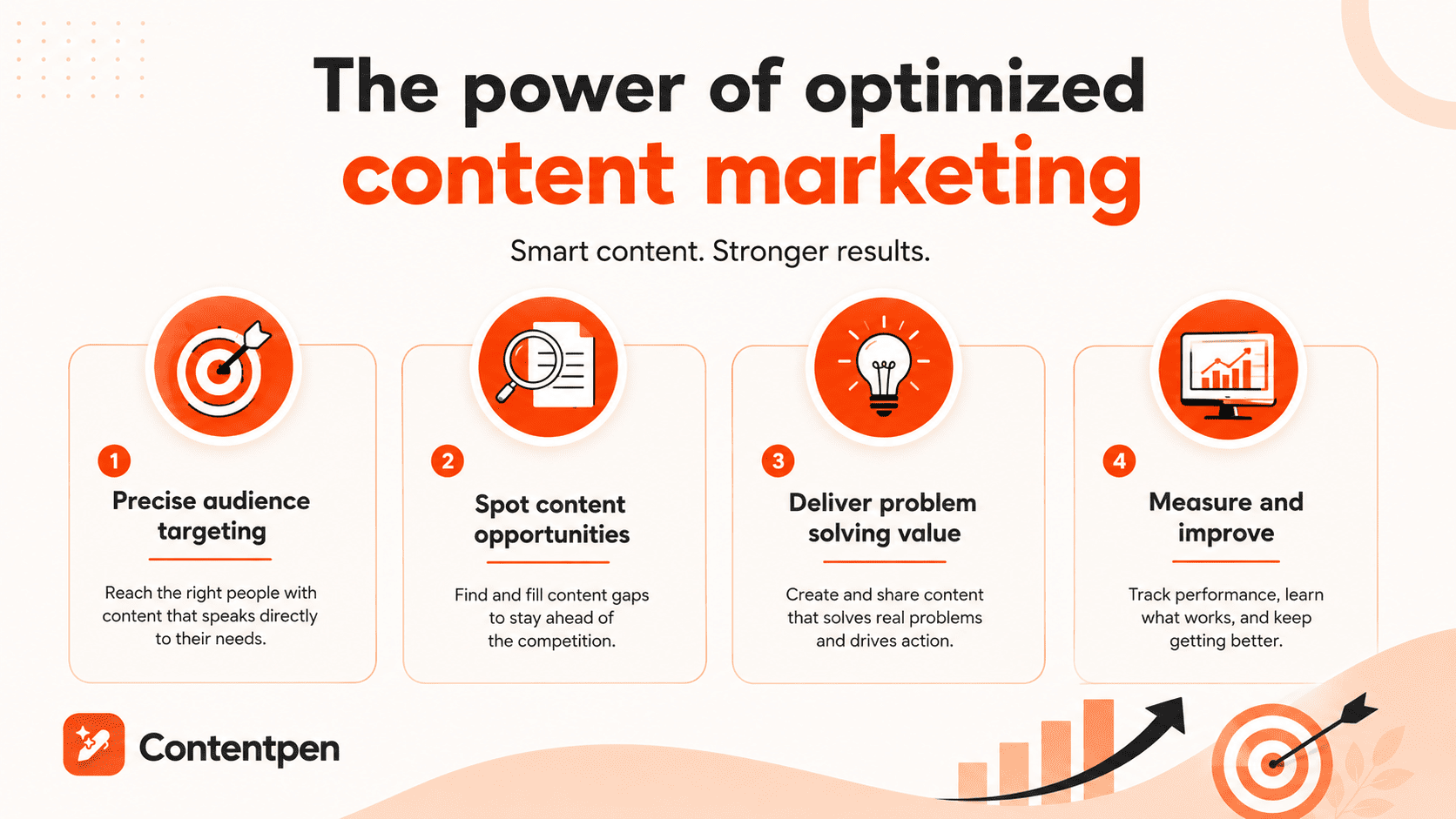
    Here’s why optimized content marketing is important for any marketing campaign:

    1. Laser-focused consumer targeting

    The approach of “throwing it at the wall and seeing what sticks” doesn’t always work in content marketing. The laser-sharp targeting enhances your content marketing efforts, enabling brands or individuals to produce highly optimized, effective content that consistently addresses the target audience.

    2. Content gap identification

    One of the reasons optimized content marketing is crucial to your digital marketing campaign is that it encourages you to identify content gaps in the space. It lays a strong foundation for your content marketing strategy, which ensures a competitive edge and market dominance.

    Also read: Top 10 AI writing tools to speed up your content creation.

    3. Problem-solving content distribution

    Optimized content marketing requires a strategic approach to creating and distributing content that solves real-life issues faced by the prospective audience.

    When such high-quality, targeted content gets published, it’s most likely to bring better ranking, more social reach, and increased conversion rate.

    4. Analyzing marketing content performance

    An optimized content marketing campaign can’t be completed without proper monitoring and analysis of the process. Proper processes allow marketers to identify weaknesses, ensuring they are addressed next time.

    Why optimized content matters for SEO and conversions

    A website or blog doesn’t stand a chance in the SERP if its content isn’t optimized for SEO, AEO, and the same goes for conversion.

    Role of content optimization in SEO and AEO

    A common perception about SEO is that backlinks, meta tags, and keyword selection are the most important aspects of SEO, which is correct to some extent. However, SEO isn’t complete without content optimization.

    Content optimization encapsulates keyword selection, sentence structuring, on-page optimization, content scanability, and how well the content answers the main intent.

    Good AEO builds on SEO. So, if your basic on-page efforts are not in the right direction, you will loose AI visibility as well.

    Besides having good SEO, you need to ensure your content is formatted in the answer-first, explanations later format. Whatever you write should be accurate and updated, including all the cited stats, diagrams, and factual data.

    Content optimization plays a pivotal role in the SEO and AI visibility growth of a website or blog, which makes it almost irreplaceable today.

    Driving conversions with optimized content

    A misconception about high-quality content is that it drives conversion just because it’s well-crafted, grammatically correct, and easy to read. However, it’s not necessarily true that high-quality content would also be optimized for conversion.

    The point is that optimized content is fine-tuned for conversion. Not only is it well-written, but it is also written with a goal in mind. It contains CTAs (call-to-actions) that are well-placed for a newsletter sign-up, demo test run, or call booking.

    It’s safe to say that optimized content is crucial for driving conversions, no matter what your niche is.

    Related: 30 recent innovative content marketing examples.

    How Contentpen supports optimized content marketing

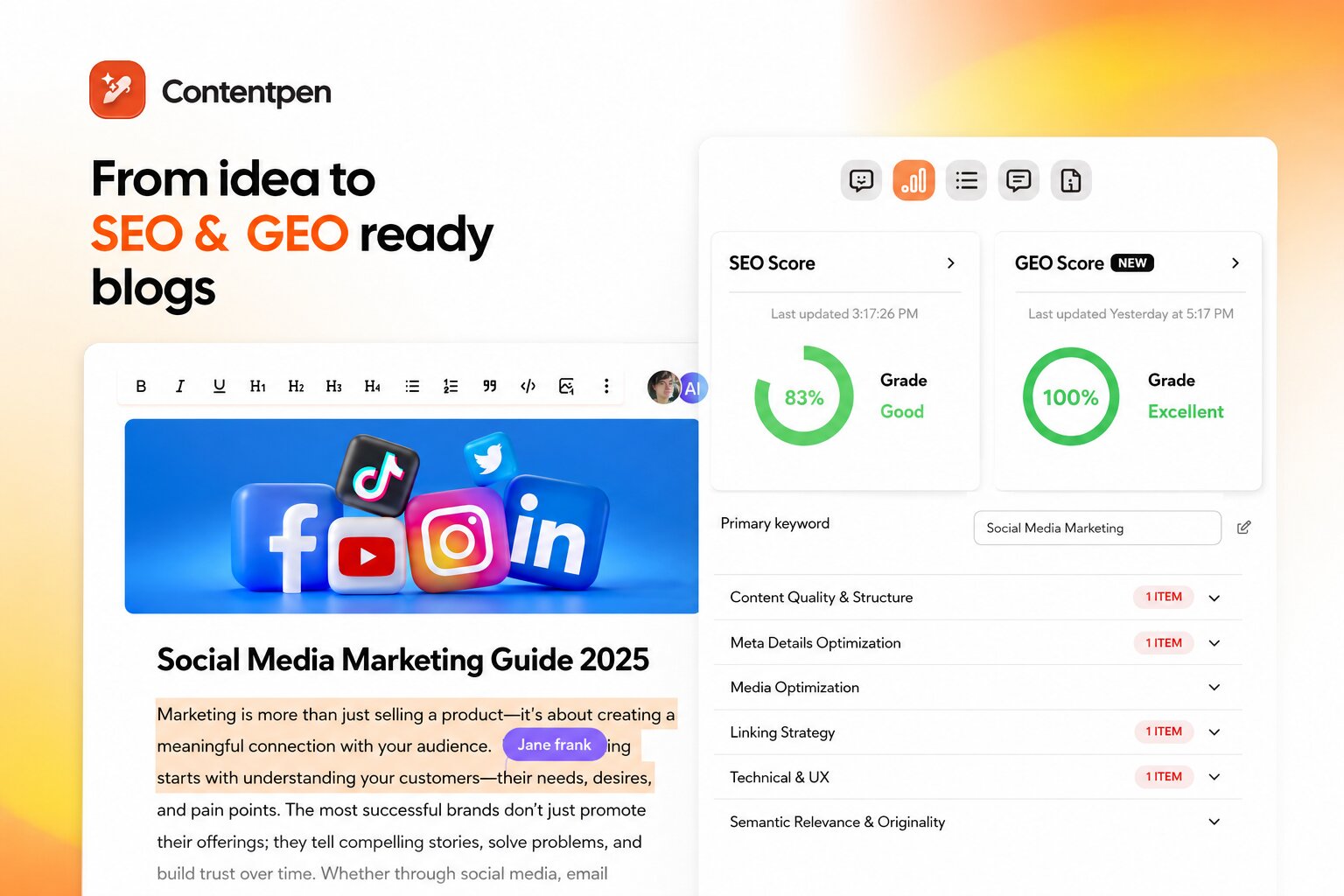
    Contentpen for SEO and GEO-ready blogs.

    The outcome of an optimized content marketing campaign isn’t a fluke. It requires a plan of action that translates the content marketing strategy into a high-performance marketing campaign.

    The infusion of AI and automation in content marketing works as icing on the cake. Let’s discuss how automation and AI-powered tools can help shape an optimized content marketing strategy.

    Write content that’s built to rank, not just read

    Create search-optimized blogs aligned with SEO and GEO signals, so your content performs well across search and AI-driven discovery.

    Try SEO Blogging FREE →
    AI SEO Interface

    Here’s the breakdown of how to automate your content optimization workflow with Contentpen.

    1. Keyword hunting

    First things first, your keyword targeting needs to be spot on. The only caveat is that SEO analysis and keyword tracking tools are too expensive for most users.

    This is where Contentpen comes in. It is an advanced AI blog writing tool that generates high-quality, optimized articles in minutes. The best part about Contentpen is that it has a built-in keyword research tool, which works like an alternative to Google Keyword Planner, Semrush, and other keyword tools.

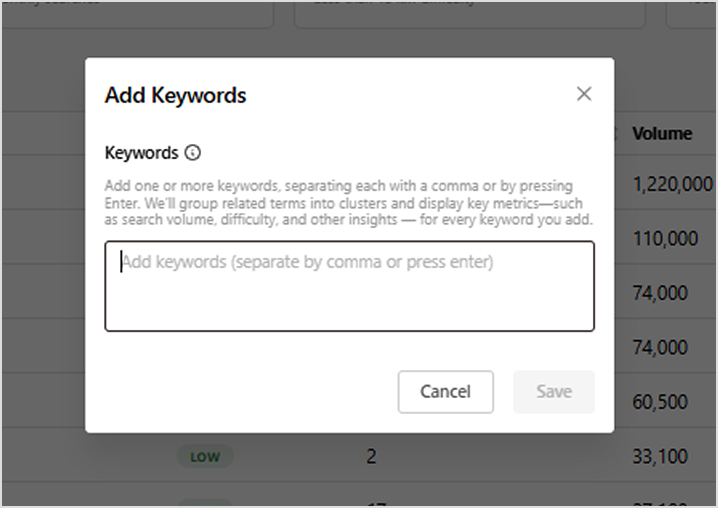
    Add keywords in Contentpen manually or automatically using AI.

    All users need to do is plug in some keywords or let AI generate you keywords based on your niche and content pillars extracted from your site.

    The tool will automatically start tracking those keywords and report back on various metrics, such as keyword volume, CPC, difficulty, and intent, allowing you to plan content accordingly.

    2. Create optimized content using AI

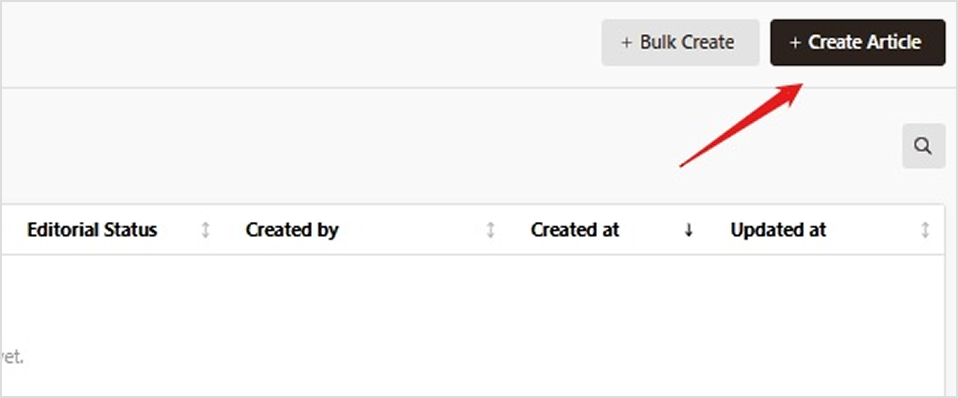
    Once the keywords have been identified, the next step is to create optimized content using AI. Contentpen offers an excellent AI-based article writer. Head over to the Planner tab and click on the “Create Article” button.

    create article

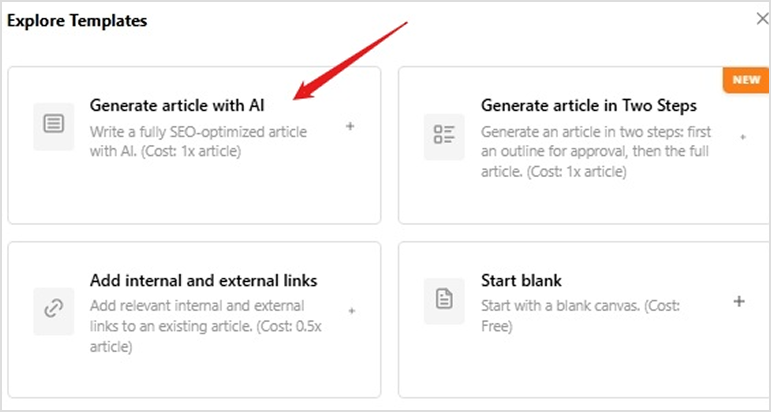
    A pop-up window will appear asking for the type of article to generate. 

    Choose the “Generate article with AI” option to proceed. Alternatively, you can also choose the two-step generation method to approve the outline first before generating content.

    Generate article with AI

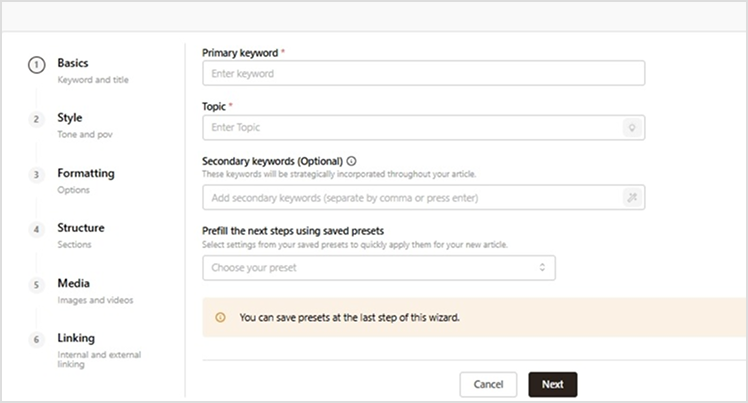
    Add article details, such as title, keyword, formatting, structure, and media, to generate an optimized article. 

    Create your preset

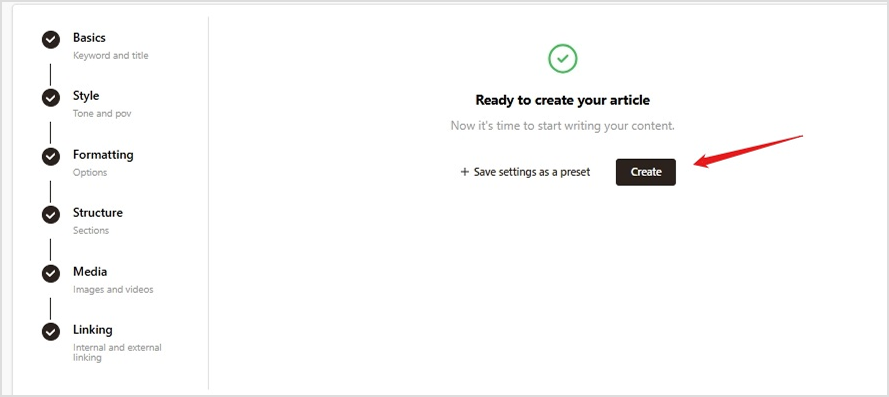
    Once all the details have been added, proceed to the next step. 

    Double-check all the data and click on the “Create” button to generate the article.

    Create your article

    Also read: What is AI-generated content?

    3. Automate internal and external links

    Contentpen automates internal and external linking for new articles and also allows users to add links to existing content.

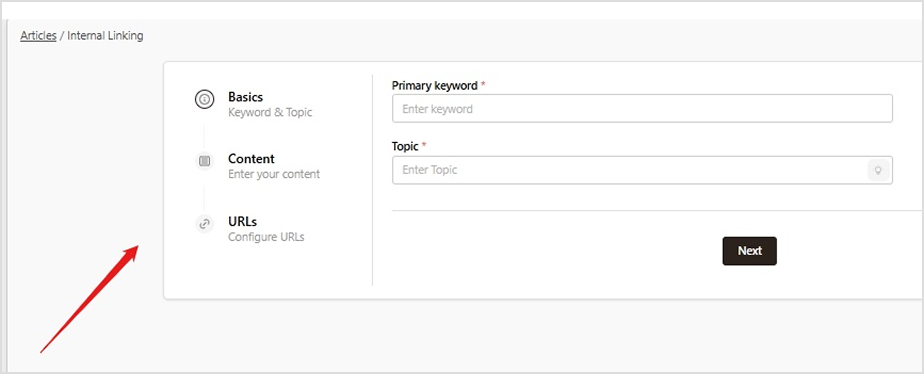
    To add both types of links, go to the “Create Article” section again and choose the “Add internal and external links” option this time.

    Add external or internal links

    Now provide the keyword, topic, and URLs to let Contentpen process all the details. 

    Add keyword and topic

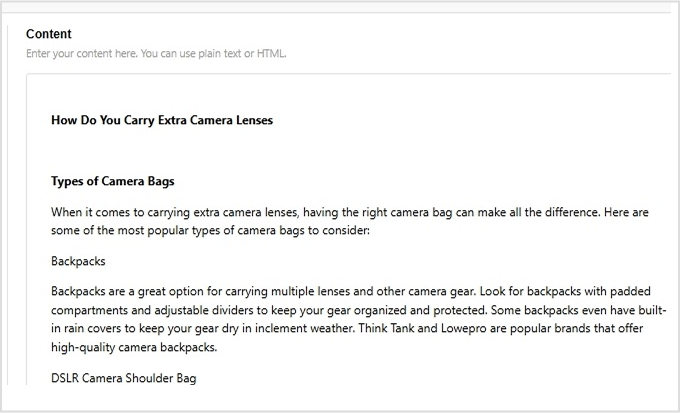
    At the next stage, Contentpen will ask you to paste the content. So, go ahead and paste the article. 

    Paste your Article

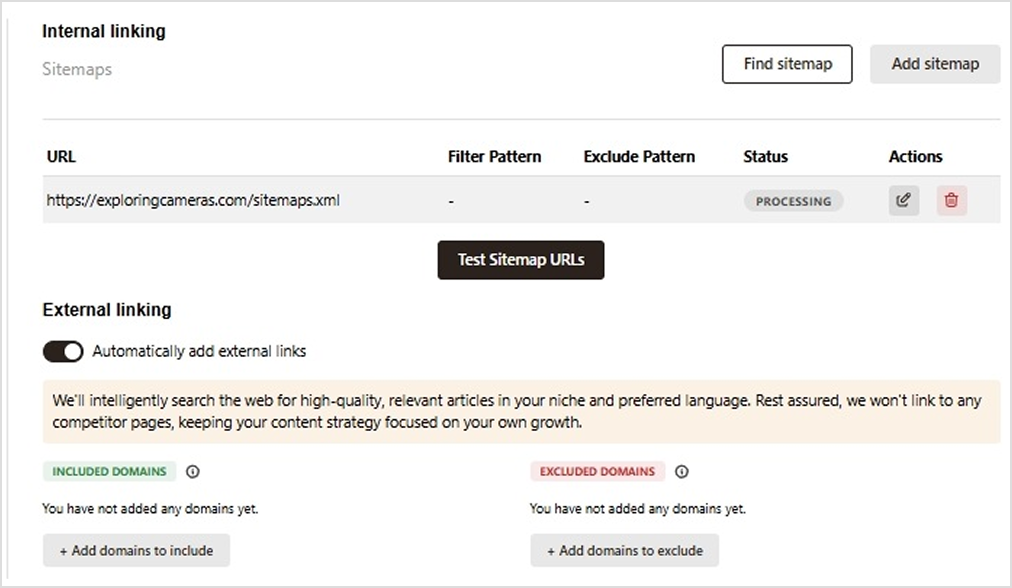
    It will automatically process the internal and external links and include them in your article. Furthermore, Contentpen is intelligently developed to avoid linking to your competitors. 

    Add sitemap

    Add your sitemaps for internal linking. Plus, this is where you can include and exclude websites for external links. 

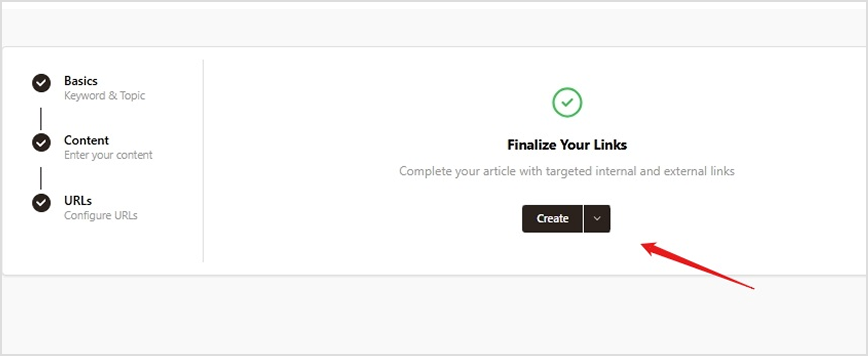
    Finalize your links

    Once your links are finalized, click on the “Create” button to add links to your article.

    How Contentpen ensures SEO-friendly content every time

    Contentpen uses AI to learn and train its system to create SEO-friendly, effective content every time the user hits the “Create Article” button.

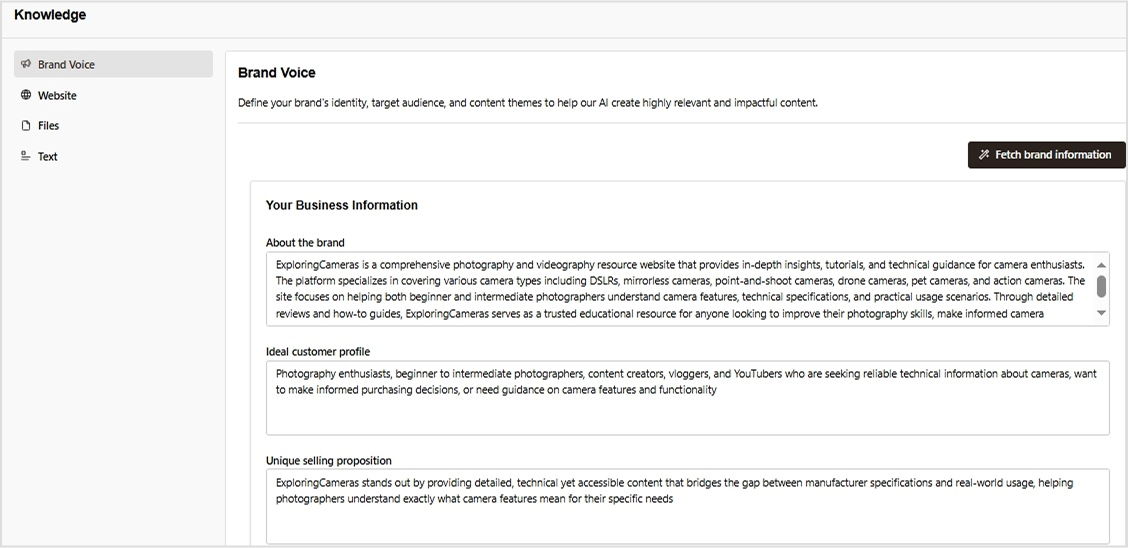
    Behind its cutting-edge software technology, it utilizes multiple knowledge assets, such as brand voice, website details, and other text-based information about the client’s brand to keep its content consistent.

    Brand voice

    It ensures that the content it produces is SEO- and GEO-friendly with SEO and GEO-scoring, value-driven, and keyword-oriented, so that every piece of content is aligned with the client’s brand and performs well on Google and AI search engines.

    How to optimize content for SEO and AEO: Step-by-step checklist

    Generally, you can follow the steps given below to optimize your content for SEO and AEO.

    1. Understand keywords and search intent

    Content optimization starts with identifying the right keywords and aligning them with user intent.

    Keyword research helps uncover niche-relevant terms that guide your content strategy. Understanding search intent ensures you’re targeting the topics your audience is actively searching for. Both are vital for ranking and relevance.

    Best practice: Use your target keywords naturally within your content.

    Common mistake: Avoid keyword stuffing, as it harms readability and makes your content look spammy in the eyes of search engines.

    2. On-page and technical optimization

    Optimization goes beyond the surface. On-page SEO includes placing keywords in the title, subheadings, and early in the content. It also involves internal linking and adding relevant alt text to images.

    Technical optimization includes improving page speed, mobile responsiveness, and structured data to ensure search engines can crawl and understand your site effectively.

    Best practice: Always optimize meta titles and descriptions to improve click-through rates.

    Common mistake: Avoid using misleading or clickbait headlines that don’t reflect your content. They can drive visitors away quickly.

    3. Improve formatting and readability

    A key aspect of content optimization is ensuring your content is easy to consume. This includes short paragraphs, clear subheadings, and using bullet points where necessary.

    These formatting choices help guide the reader’s eye and improve readability. It also helps with AEO as your content becomes easier to cite by AI answer engines.

    Best practice: Always check the mobile version of your content after publishing.

    Common mistake: Ignoring mobile formatting can damage user experience and hurt your rankings.

    Also read: How to avoid AI detection in writing.

    4. Add multimedia for engagement

    Adding visuals like images, infographics, or videos increases engagement and adds value to your content.

    Best practice: Use high-quality media to enhance understanding.

    Common mistake: Don’t overlook page speed. Heavy media files can slow down your site if not optimized.

    5. Audit your existing content

    Begin by reviewing your current content. Identify what performs well, what needs improvement, and what should be removed. Old content often holds SEO potential. You just need to refresh and optimize it.

    Best practice: Regularly update outdated content to keep it relevant using Contentpen’s SEO opportunities.

    Common mistake: Never change URLs without proper redirects. This can cause SEO losses.

    6. Optimize for keywords and topics

    Ensure each piece of content targets a specific topic and includes relevant keywords naturally throughout the text. Don’t forget to update your image alt tags and use keywords in headings where appropriate.

    Best practice: Cover as many niche-related subtopics as possible to improve topical authority.

    Common mistake: Ignoring keyword placement in meta tags, headers, or image alt text reduces SEO effectiveness.

    7. Refine structure and internal linking

    A clean, logical content structure enhances user experience. Use subheadings and anchor links to guide the reader. Internal links help distribute page authority and keep visitors exploring your site.

    Best practice: Use clear, descriptive anchor texts (ideally 3 to 4 words) for linking.

    Common mistake: Avoid over-linking, especially to irrelevant sources, as it can dilute SEO value.

    8. Track and measure performance

    Once your content is optimized, monitor its performance using SEO analytics tools like Google Analytics or Usermaven. Measure user behavior, traffic, bounce rate, and conversions to evaluate success.

    Best practice: Wait 2 to 3 months after optimization to assess results accurately.

    Common mistake: Neglecting performance tracking can lead to missed opportunities for improvement.

    Examples of optimized content that work

    Take a quick look at some of the examples of optimized content that work:

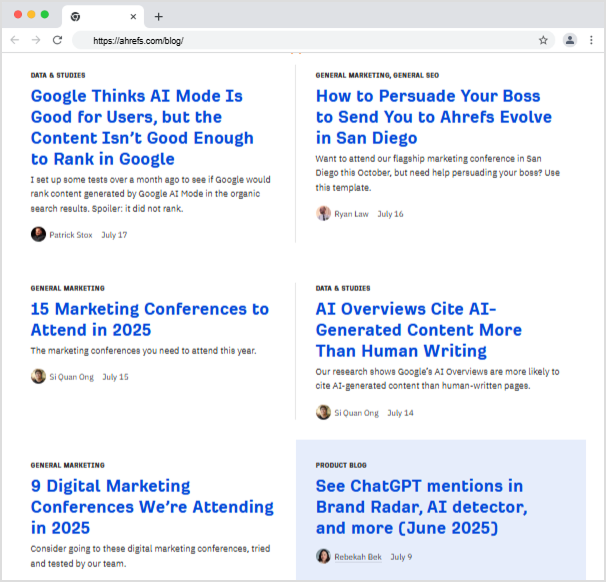
    Ahrefs blog keeps on pushing their conference

    There is nothing wrong with pushing your product sales or event in your content, unless it starts irritating the readers. Ahrefs is doing a decent job here:

    Ahrefs blog example.

    They have been covering digital marketing conference topics to mention their conference in every piece. That’s basic content marketing.

    However, what they have smartly done is that they’re strategically optimizing their recent articles to get maximum attention for their conference. Not too shabby!

    ContentStudio integrates videos into its blog

    The digital marketing team at ContentStudio has done a pretty good job of optimizing the company’s blog for maximum exposure and search ranking.

    ContentStudio blog.

    They have introduced a video section called Video Vault on the official blog and inserted the most relevant and useful videos in it. So, this integration basically optimizes their blog content and increases user engagement.

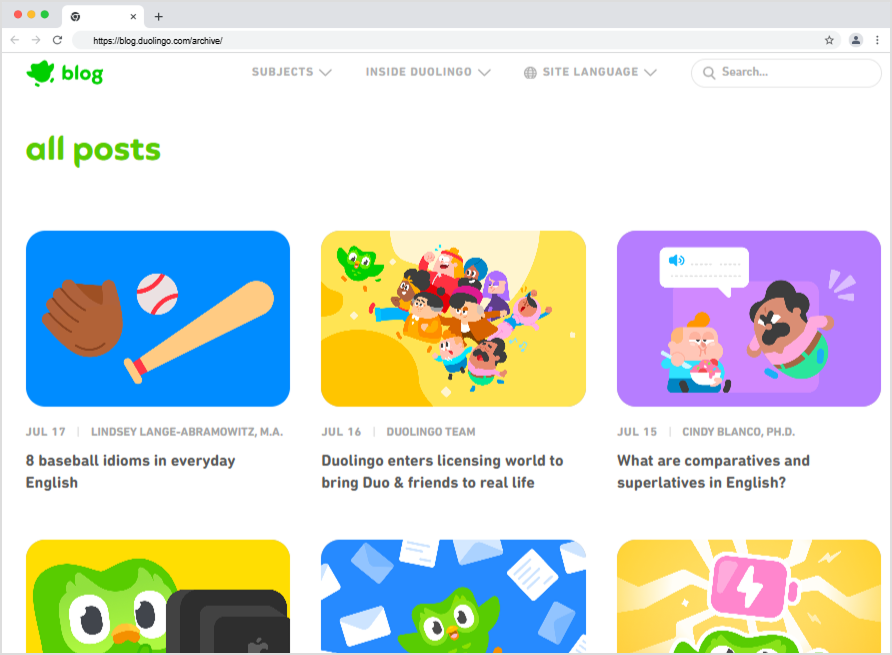
    Duolingo uses its branding across its featured images

    Duolingo is a popular language learning platform that helps students learn new languages in a fun way. The language-learning app has an excellent content marketing strategy in place.

    Duolingo blog.

    Besides publishing relevant articles on the blog, they utilize their branding, meaning logo, sign, and color scheme, throughout their blog featured images. It optimizes their blog from visual appearance and branding standpoints.

    Strategies for digital and product content optimization

    Digital and product content optimization needs a systematic approach. Apply the following strategies to establish an empowering digital and product content plan:

    Digital content optimization for web and social media

    Digital content optimization caters to both search engine bots and human audiences. For websites, focus on keyword integration, fast loading speeds, mobile-friendliness, internal linking, and clear structure.

    For social media, use platform-specific content formats, engaging captions, strong visuals, and relevant hashtags. Monitor performance metrics like CTR, engagement rate, and shares to refine your content strategy.

    Product content optimization for e-commerce

    Product content optimization involves creating accurate, detailed, and persuasive content for e-commerce product pages. The purpose is to engage, attract, and convert the audience. Use high-quality images, keyword-rich titles, bullet points, and value-oriented descriptions.

    Include product specs, FAQs, and user reviews to build trust. Moreover, structured data also helps search engines display your product better in search results, increasing visibility and conversions.

    Also read: 23 best product blog examples to inspire your own.

    Summing it up

    A long-term content optimization strategy comprises several elements. Start by auditing your existing content, setting performance goals, and using analytics to track results. Then, create content guidelines, templates, and workflows to maintain consistency.

    Automate routine tasks such as keyword tracking or content rescheduling with AI-integrated tools. Pay attention to regularly updating top-performing content to keep it fresh and relevant. This will allow you to build a strong, sustainable content optimization strategy.

    Frequently asked questions

    What is optimized content?

    Optimized content is a bit of a polished version of an article or website copy. It can be optimized for keywords, readability, SEO/GEO score, or internal links.

    How to optimize content for SEO?

    To optimize content for SEO, one must go through all the basic and technical aspects of SEO to improve the overall content performance. It includes improving structure, readability, meta tags, headings, paragraphing, images, internal links, external links, page speed, etc.

    What are the keys to content optimization?

    The keys to content optimization include fixing the structure, improving readability, increasing keyword score, updating the meta tags, and internally linking relevant pages.

    What is the difference between content optimization and digital content optimization?

    Content optimization is the overall process of improving any type of content, such as written, visual, or other. However, digital content optimization specifically focuses on optimizing content for digital platforms like websites, social media, and apps.

    Why is product content optimization important?

    The reason product content optimization is important for the business is that it brings clarity to the brand’s message. Search engines understand the business better, resulting in an influx of organic traffic to the site.

    How does Contentpen.ai help with content optimization?

    Contentpen is an excellent AI-powered writing tool for generating fast, effective articles for brands, marketers, influencers, and bloggers. The Planner section helps in crafting AI writing, and the Keywords feature keeps on tracking the given keywords, eliminating the need for a third-party keyword research tool.

  • The ultimate 17-step on-page SEO checklist for 2026

    The ultimate 17-step on-page SEO checklist for 2026

    Creating content that ranks well in search engines requires both excellent writing and strategic keyword optimization. You also need a solid on-page SEO checklist and technical optimization to beat the competition for a target query.

    This comprehensive AI SEO checklist provides everything you need to optimize your blog pages for better search rankings and increased organic traffic. 

    Whether you’re a beginner or an experienced marketer, these 17 essential techniques will help you maximize your content’s search visibility without too much hassle.Add appropriate schema types to your content

    So, let’s get started.

    What is on-page SEO?

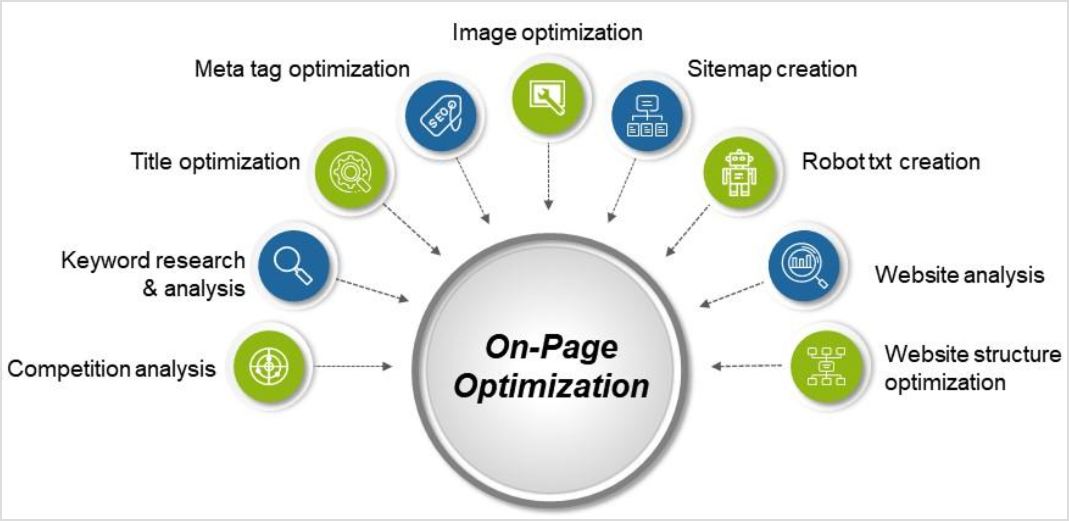
    On-page SEO refers to the practice of optimizing individual web pages to rank higher in search engines and attract more relevant traffic. 

    Unlike off-page SEO, which focuses on external factors like backlinks, on-page SEO deals with elements you can directly control on your website.

    On page SEO optimization - Contentpen.ai.

    This includes optimizing your content, HTML source code, and site architecture to make your pages more accessible to search engines and valuable to users. 

    When you optimize content for SEO, you’re essentially creating a bridge between what people are searching for and what your content offers.

    Why does on-page SEO still matter in 2026?

    Search Engine Optimization (SEO) continues to evolve due to AI search, but the on-page SEO checklist remains the foundation of any successful digital marketing strategy. 

    While Google’s algorithms become increasingly sophisticated, the fundamental principles of creating content that both users and search engines love haven’t changed.

    For instance, pages with URLs containing relevant keywords show a 45% higher CTR on average, and refreshing old blog posts increases organic traffic by 106%.

    These are just a few examples of why an on-page SEO checklist is a must in 2026. 

    Beyond traditional search, on-page SEO is now the entry ticket into AI-generated answers.

    Platforms like ChatGPT, Perplexity, and Google’s AI Overviews don’t pull data from random pages. They cite sources that are clearly structured, topically authoritative, and easy to extract.

    Therefore, you need to consistently create and optimize content with on-page SEO principles front and center.

    This means more search visibility will drive more organic traffic and clicks, which creates more chances of interaction and conversion for your online platforms.

    Also read: 30 recent innovative marketing examples.

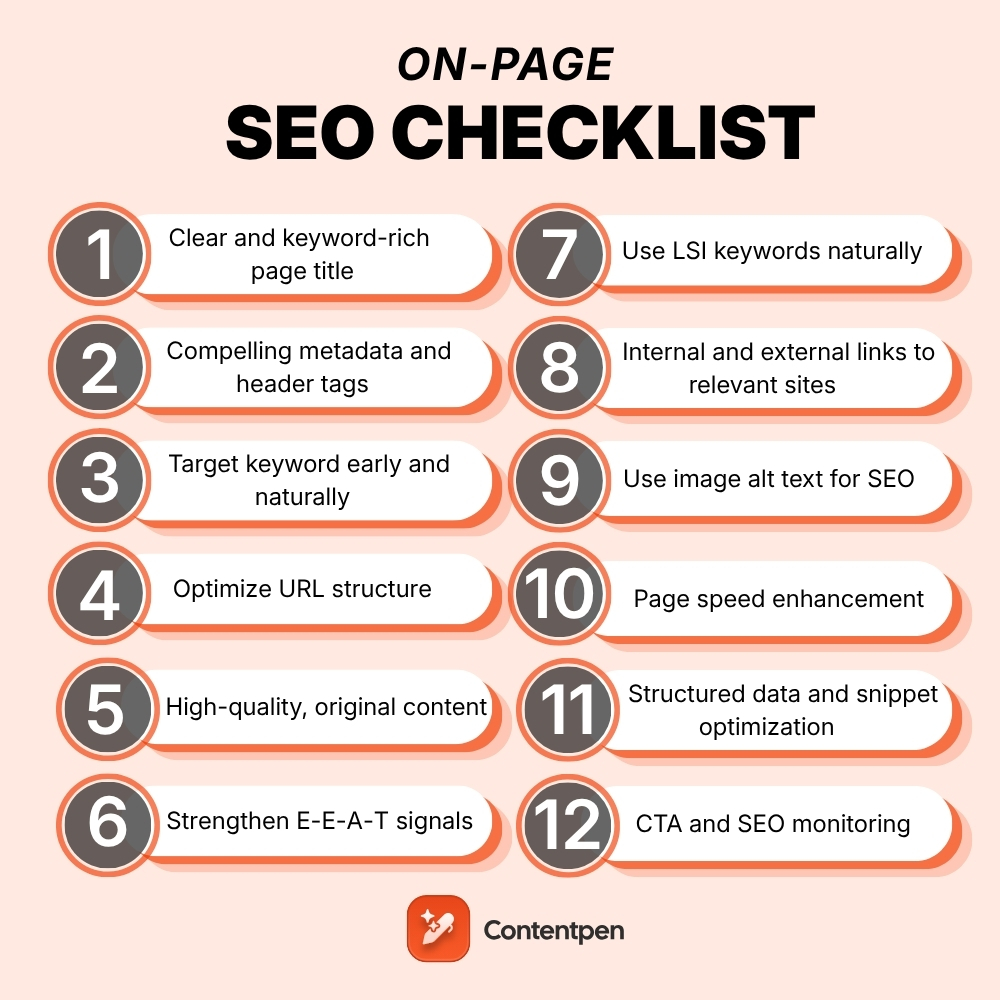
    A complete 17-point on-page SEO checklist

    This complete SEO checklist 2026 covers all essential elements you need to optimize for better search rankings. Each point includes actionable steps and best practices to improve website SEO performance.

    1. Use a clear and keyword-rich page title

    Your page title is the first thing both users and search engines see. Craft compelling titles that include your primary keyword near the beginning while staying under 60 characters to avoid truncation in search results.

    Title optimization checklist:

    • Include your target keyword naturally (preferably at the beginning)
    • Keep titles under 60 characters for full visibility
    • Make each title unique across your website
    • Write for humans first, search engines second
    • Avoid keyword stuffing and clickbait tactics
    • Use title tag modifiers like “Best,” “Complete,” “2026,” or “Ultimate.”

    Best practices for title tags:

    • Front-load your keyword for maximum impact
    • Use power words that encourage clicks
    • Include your brand name when space allows
    • Test different variations to improve click-through rates
    • Add compelling modifiers to stand out in search results

    Title tag modifiers that work:

    • Best
    • Complete
    • Ultimate
    • [Current year]
    • Checklist
    • Guide
    • Step-by-step

    Example: “Complete On-page SEO Checklist: 17 Essential Steps for 2026”

    Studies show that pages with optimized meta titles show 8.9% higher CTR compared to generic titles with no relevant keyword implementation.

    2. Write a compelling meta description

    The second most important thing in our SEO checklist for a website is meta descriptions. They don’t directly impact rankings, but they significantly influence click-through rates.

    Write persuasive descriptions that include your target keyword and encourage users to click and convert.

    Meta description optimization checklist

    • Keep descriptions between 130 and 160 characters
    • Include your primary keyword naturally (Google often bolds matching terms)
    • Add a clear call-to-action (discover, learn, explore)
    • Make each description unique across your website
    • Use synonyms and related terms for context
    • Clearly mention what users will get from your page

    Meta description best practices

    • Write clear, complete sentences that don’t get cut off
    • Avoid duplicate descriptions across multiple pages
    • Include your brand name when space allows
    • Use the active voice for better engagement
    • Test different variations to improve click-through rates

    Note: Search engines may sometimes generate their own descriptions for your pages. Writing clear, relevant descriptions that match search intent reduces the likelihood of this happening and gives you more control over how your page appears in search results.

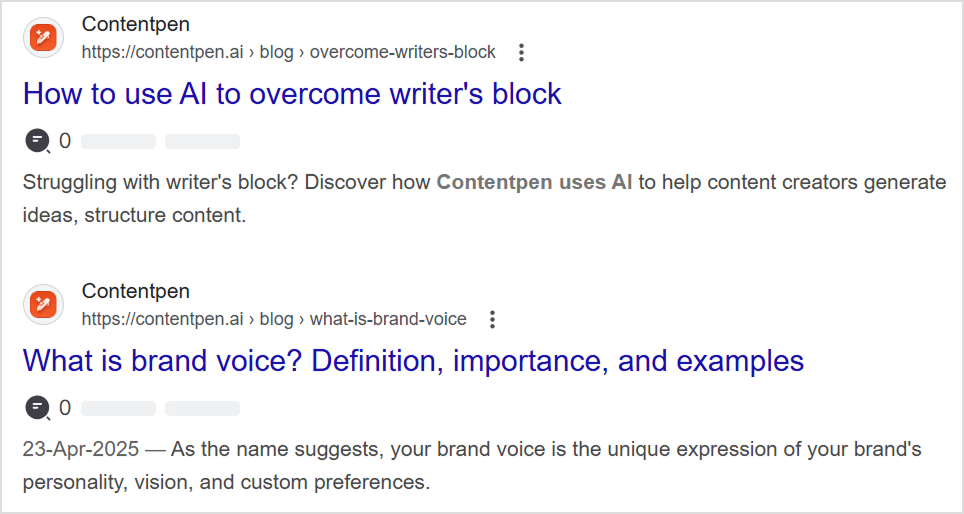
    The following image shows examples of well-optimized meta titles and meta descriptions:

    Contentpen SERP preview for two articles.

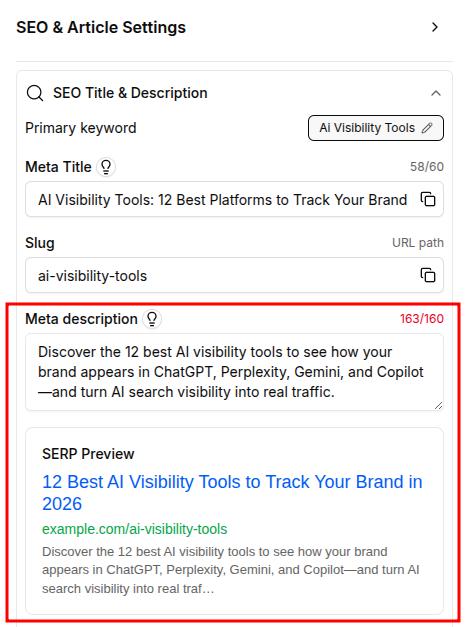
    If you have a problem visually putting the metadata into perspective, then you can go into Contentpen’s ‘SEO & Article Settings’ to see a SERP preview.

    Contentpen 'SEO & Article Settings' preview for article 'AI Visibility Tools.'

    In the above example for the article ‘AI visibility tools’, you can see that our tool is implementing the 160-character limit for the meta description. 

    Besides that, it also offers a built-in AI (the light-bulb emoji) to help you write the best meta titles and descriptions possible for your target keyword. This way, and in many other ways, the SEO platform boosts your search engine rankings with convenience.

    3. Use proper header tags (H1, H2, H3)

    Header tags create a logical content hierarchy that helps both users and search engines understand your content structure. Use them strategically to improve website SEO and enhance user experience.

    Header tag optimization checklist

    • Use only one H1 tag per page (your main headline)
    • Include your primary keyword in the H1, preferably near the beginning
    • Structure content with H2 and H3 subheadings in logical order
    • Place keywords naturally in headers without stuffing
    • Keep headers descriptive and user-friendly
    • Maintain proper hierarchy (H1 > H2 > H3 > H4)
    • Make headers compelling and scannable

    Header tag hierarchy and best practices

    • H1: Your main page title that clearly describes the content
    • H2: Major section headings that break up your content
    • H3-H6: Subsection headings that create a detailed structure

    Advanced header optimization

    • Include relevant keywords naturally: Don’t force keywords, but include them where they make sense.
    • Write compelling headlines: Use action words and benefits to engage readers.
    • Create scannable content: Headers should allow users to quickly understand your content structure.
    • Align with search intent: Ensure headers match what users are looking for.

    Remember that you need to include related keywords in your headers naturally, but prioritize readability over keyword density. Well-structured headers improve user experience and help search engines understand your content topics and hierarchy.

    Make your subheadings sound human — your AI search edge

    Furthermore, with the rise of AI search platforms and voice assistants, we recommend making H2s, H3s, and H4s more conversational, just like how humans ask questions.

    For example, ‘how to make rice in a cooker that is not well padded’ or ‘how to tie shoelaces for a long marathon run.’ This is to target the long-tail keywords that most of the users ask AI chatbots. 

    Yes, these conversational headers often have lower search volume than their short-tail counterparts. But that’s not a weakness. Lower volume means lower competition, and the traffic that does arrive is high-intent and ready to act. 

    4. Include your target keyword early and naturally

    Place your primary keyword within the first 100-150 words of your content. This signals to search engines what your page is about and helps with topical relevance and search intent alignment.

    Early keyword placement strategies

    • Include the main keyword in the first paragraph naturally
    • Make it flow within the context of your introduction
    • Don’t force keywords unnaturally into sentences
    • Use variations and synonyms throughout the content
    • Focus on user intent over strict keyword density
    • Ensure the keyword placement makes sense to human readers

    Remember: Google’s algorithms are sophisticated enough to understand context and related terms. Focusing on semantic SEO and creating comprehensive, valuable content that naturally incorporates your target keywords makes all the difference.

    5. Optimize URL structure

    Next in our SEO checklist are URLs. Clean, descriptive URLs improve user experience and search engine crawling. Your URL should reflect your page’s content and include your primary keyword.

    URL optimization checklist

    • Keep URLs short and descriptive (under 60 characters when possible)
    • Use hyphens to separate words, not underscores
    • Include your target keyword near the beginning
    • Avoid special characters, numbers, and parameters
    • Use lowercase letters consistently
    • Make URLs readable and logical
    • Ensure each page has a single, canonical URL

    URL structure best practices

    • Place keywords toward the beginning of the URL
    • Avoid unnecessary parameters and tracking codes
    • Use canonical tags for duplicate content issues
    • Create a logical hierarchy that reflects your site structure
    • Make URLs human-readable and shareable

    Good example: /what-is-blogging

    Poor example: /page123?id=4567&cat=seo&ref=blog

    6. Write high-quality, original content

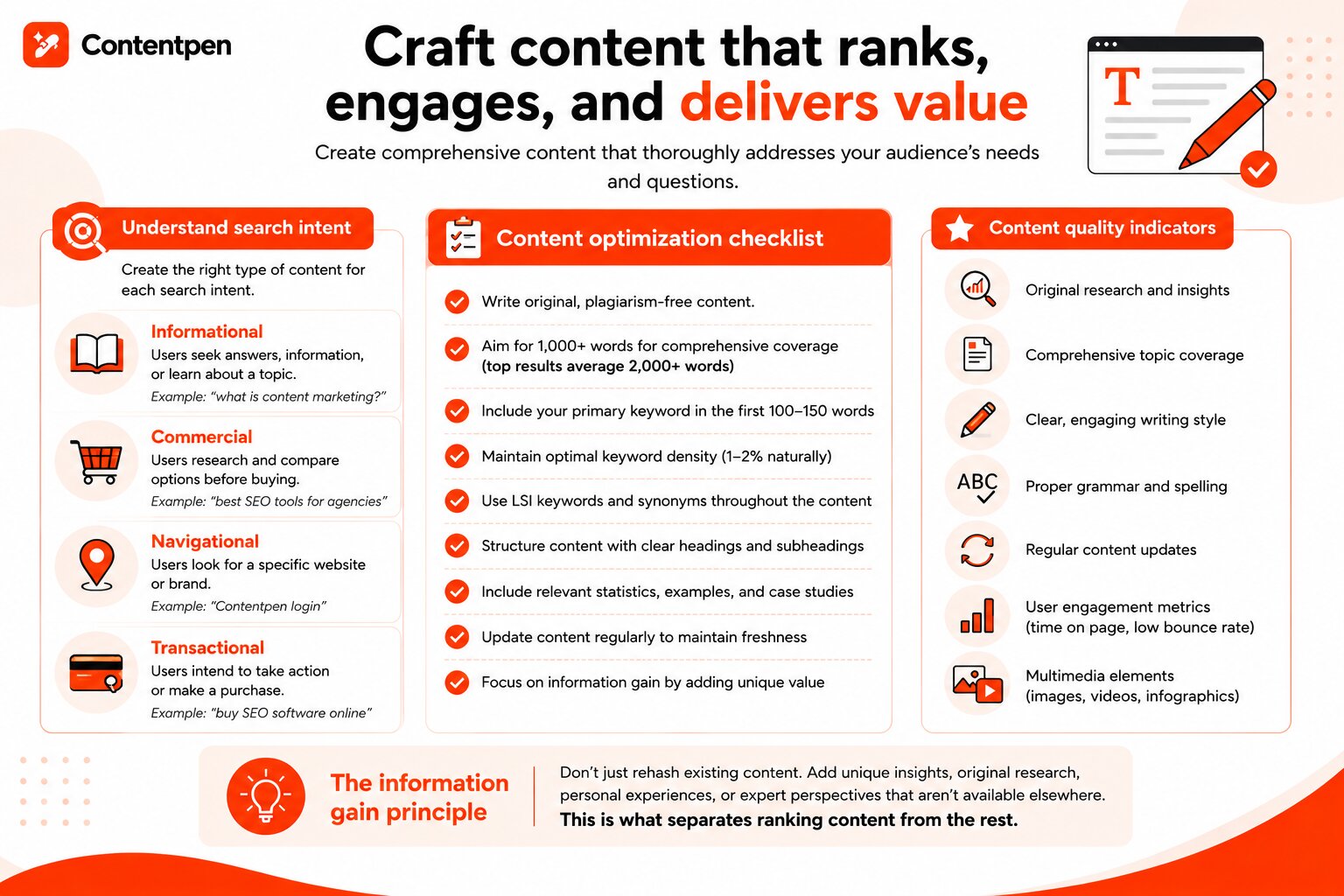
    Content quality remains the most important on-page SEO ranking factor. Create comprehensive, valuable content that thoroughly addresses your audience’s needs and questions.

    Create valuable, engaging content - Contentpen.ai.

    But before you write, differentiate between the types of search intent (informational, commercial, navigational, transactional) that exist so you can create the right type of content needed.

    Content optimization checklist

    • Write original, plagiarism-free content.
    • Aim for 1,000+ words for comprehensive coverage (top results average 2,000+ words)
    • Include your primary keyword in the first 100-150 words
    • Maintain optimal keyword density (1-2% naturally)
    • Use LSI keywords and synonyms throughout the content
    • Structure content with clear headings and subheadings
    • Include relevant statistics, examples, and case studies
    • Update content regularly to maintain freshness
    • Focus on information gain by adding a unique value

    Content quality indicators

    • Original research and insights
    • Comprehensive topic coverage
    • Clear, engaging writing style
    • Proper grammar and spelling
    • Regular content updates
    • User engagement metrics (time on page, low bounce rate)
    • Multimedia elements (images, videos, infographics)

    The information gain principle: Don’t just rehash existing content. Add unique insights, original research, personal experiences, or expert perspectives that aren’t available elsewhere. This is what separates ranking content from the rest.

    Tools like Contentpen help you create high-quality, SEO-optimized content at scale while maintaining your brand voice and meeting keyword intent. 

    The platform automatically performs SERP and gap analysis to generate and optimize content that performs better in search results.

    Analyze SERPs, spot gaps, and create content that fills them

    Find exactly where your content is falling short, and how to beat competitors.

    Try FREE →
    AI SEO Interface

    7. Demonstrate E-E-A-T signals on every page

    Google’s quality rater guidelines center on Experience, Expertise, Authoritativeness, and Trustworthiness, collectively known as E-E-A-T. 

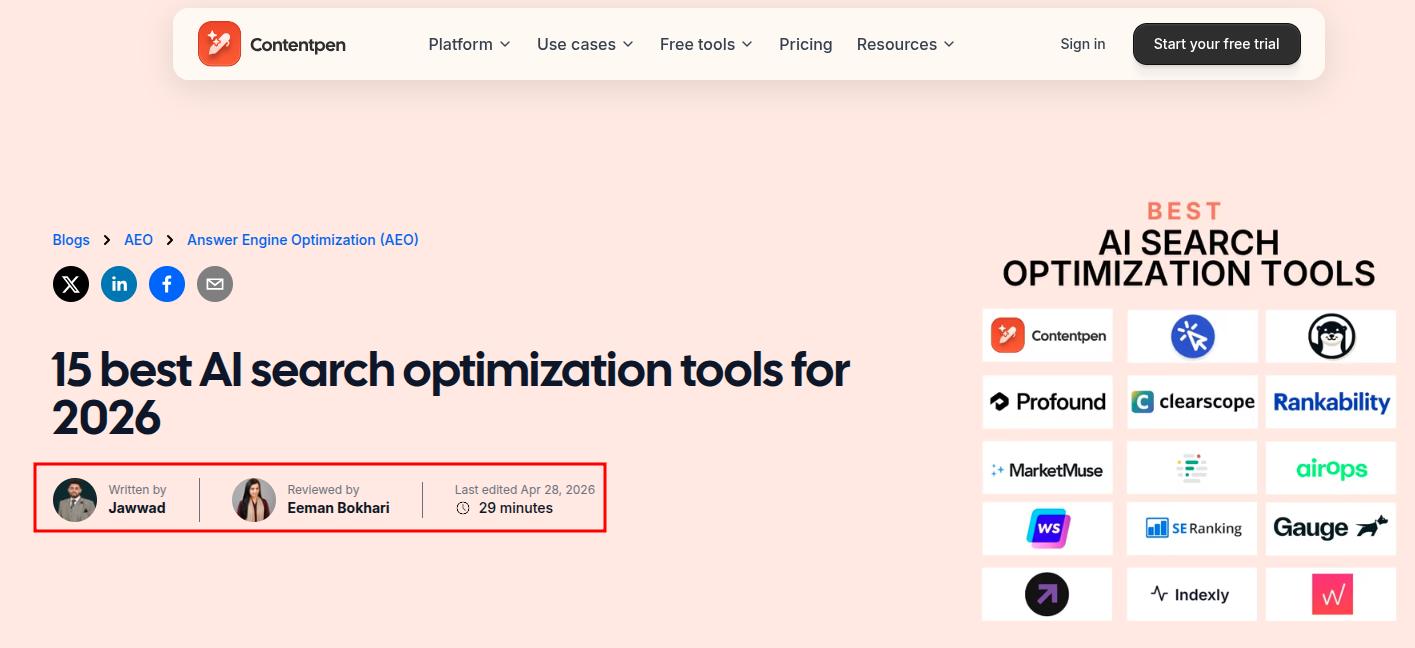
    Contentpen example for showing E-E-A-T signals for blog 'AI search optimization tools.'

    While these aren’t direct ranking signals in isolation, they influence how Google’s systems evaluate content quality and how AI platforms decide which sources to cite.

    E-E-A-T on-page checklist

    • Add an author byline with a link to a dedicated author bio page
    • Include author credentials relevant to the topic (certifications, job title, years of experience)
    • Add Author schema (JSON-LD) to every article page
    • Link to primary sources, studies, and authoritative external references
    • Include first-person experience or real examples where relevant to the topic
    • Display a clear publication and last-updated date on every post
    • Add an “About” page that establishes your brand’s expertise and history
    • Ensure your site has visible contact, privacy policy, and terms of service information

    Why E-E-A-T matters for AI search

    AI systems like ChatGPT and Perplexity actively prefer citing sources with verifiable authorship and institutional credibility. 

    A page with a named expert author, linked credentials, and cited sources is significantly more likely to be pulled into an AI-generated answer than anonymous content. E-E-A-T isn’t just a Google quality signal anymore. It’s also your ticket into AI-cited results.

    Implementation tip: Don’t bury your author bio at the bottom of the page. Place a brief byline with credentials directly below the article title, with a link to the full bio page. This is the first thing Google’s quality raters and AI crawlers look for.

    8. Use LSI and related keywords naturally

    Latent Semantic Indexing (LSI) keywords help search engines understand your content’s context. Include related organic keywords and synonyms naturally throughout your content to avoid keyword stuffing while improving topical relevance.

    LSI keyword optimization

    • Use synonyms and related terms throughout your content
    • Include long-tail keyword variations
    • Maintain natural language flow
    • Research semantic keywords using tools like LSIGraph
    • Study competitor content for related terms
    • Focus on user intent and context

    How to find LSI keywords

    • Use Google’s “People also ask” section
    • Check related searches at the bottom of Google results
    • See Google’s Autocomplete queries
    • Use tools like Semrush’s Keyword Magic Tool
    • Analyze competitor content for semantic terms

    Implementation tip: Naturally weave these terms throughout your content rather than stuffing them in artificially. Focus on creating comprehensive, contextually rich content that covers your topic thoroughly.

    9. Add internal links to relevant pages

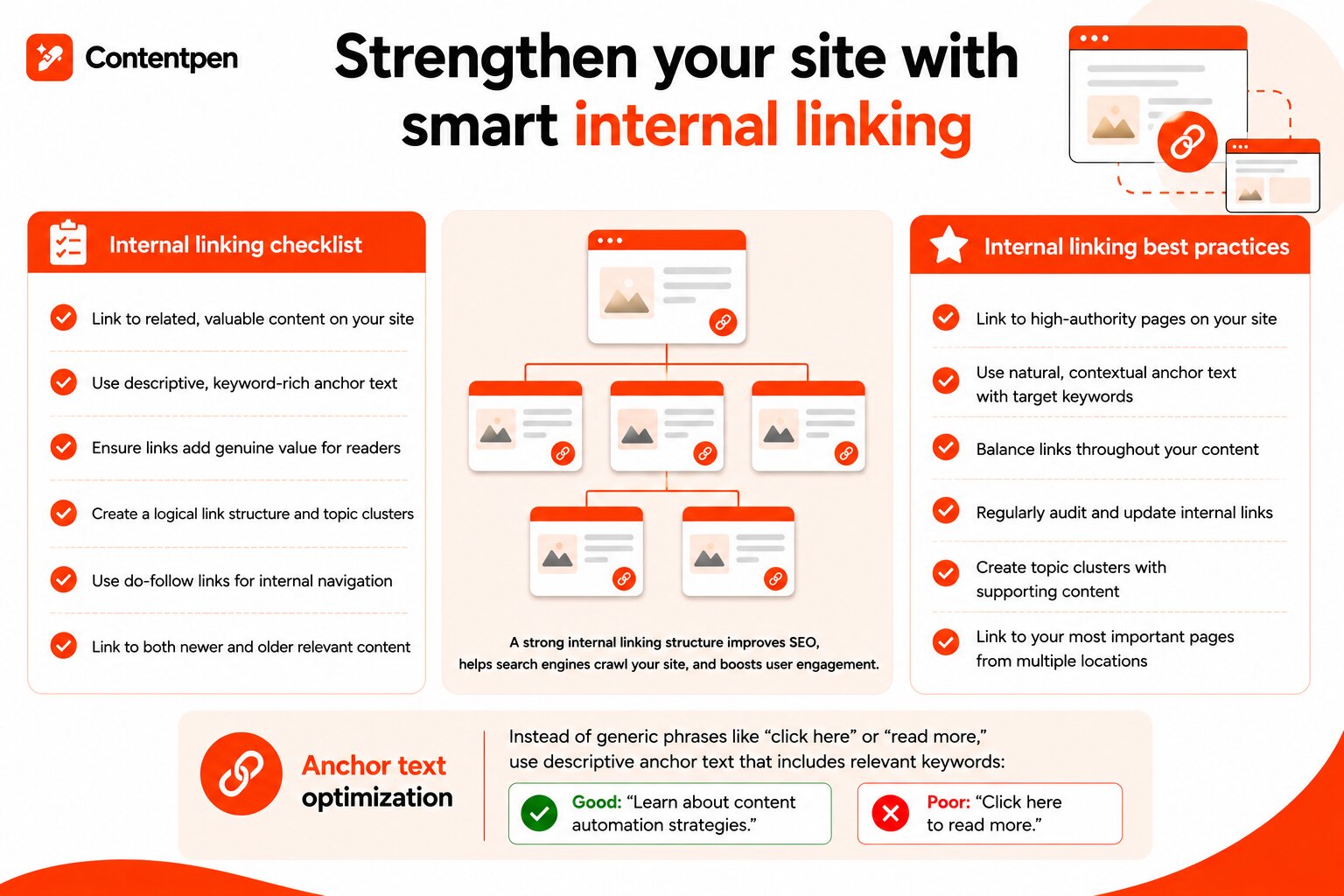
    Internal linking helps distribute page authority throughout your site and keeps users engaged longer. Link to relevant pages using descriptive, keyword-rich anchor text.

    Smart interlinking to strengthen site structure and dwell time - Contentpen.ai.

    Internal linking checklist

    • Link to related, valuable content on your site
    • Use descriptive, keyword-rich anchor text
    • Ensure links add genuine value for readers
    • Create a logical link structure and topic clusters
    • Use do-follow links for internal navigation
    • Link to both newer and older relevant content

    Internal linking best practices

    • Link to high-authority pages on your site
    • Use natural, contextual anchor text with target keywords
    • Balance links throughout your content
    • Regularly audit and update internal links
    • Create topic clusters with supporting content
    • Link to your most important pages from multiple locations

    Anchor text optimization: Instead of generic phrases like “click here” or “read more,” use descriptive anchor text that includes relevant keywords:

    10. Include outbound links to authority sites

    Linking to reputable, authoritative websites can improve your content’s credibility and provide additional value to readers. This practice can positively impact your SEO ranking factors by showing search engines that your content is well-researched and trustworthy.

    Outbound linking checklist

    • Link to high-authority, relevant sites in your industry
    • Use descriptive, contextual anchor text
    • Open external links in new tabs to keep users on your site
    • Ensure linked content is current and valuable
    • Verify all links work properly using the ‘Check My Links’ browser extension.
    • Choose reputable sources like industry leaders, research studies, and official organizations.

    Quality outbound links demonstrate to search engines that you’re providing comprehensive, well-researched content to the users.

    Related: How to automate internal and external linking using Contentpen?

    11. Use image alt text for SEO

    Alt text helps search engines understand your images and improves accessibility. Include descriptive alt text that incorporates relevant keywords when appropriate.

    Image optimization checklist

    • Add descriptive alt text to all images
    • Include target keywords naturally in alt text
    • Keep alt text under 125 characters
    • Describe the image content specifically
    • Use relevant keywords in image file names
    • Optimize image file sizes for faster loading
    • Choose appropriate image formats (WebP, JPEG, PNG)

    Alt text best practices

    • Write for users first, search engines second
    • Avoid keyword stuffing in alt attributes
    • Don’t start with “image of” or “picture of.”
    • Be specific and descriptive
    • Include context when relevant to the surrounding content

    Remember that images can also rank in Google Image Search, potentially driving additional traffic to your website. Optimized images with proper alt text and descriptive filenames are more likely to appear in image search results.

    Related: How to write alt text?

    12. Ensure mobile-friendliness

    With mobile-first indexing, your site must perform excellently on mobile devices. This is crucial for both user experience and SEO optimization.

    Mobile optimization checklist

    • Responsive design that adapts to all screen sizes
    • Fast loading times on mobile (under 2 seconds)
    • Easy navigation and readable text
    • Touch-friendly buttons and links
    • Optimized images for mobile viewing
    • Accessible forms and interactive elements

    SEO best practices

    • Test your site on various types of mobile devices
    • Use an online Mobile-Friendly Test tool
    • Optimize for Core Web Vitals
    • Ensure text is readable without zooming
    • Make buttons and links easy to tap

    Mobile traffic now accounts for over 50% of web traffic globally, making mobile optimization essential for SEO success.

    13. Improve page speed

    Page speed is a confirmed ranking factor and crucial for user experience. Slow-loading pages lead to higher bounce rates and lower search rankings.

    Page speed optimization checklist

    • Achieve loading times under 2 seconds
    • Optimize and compress images
    • Enable browser caching
    • Minimize HTTP requests
    • Use a Content Delivery Network (CDN)
    • Minify CSS, JavaScript, and HTML
    • Choose quality hosting with fast servers
    • Eliminate render-blocking resources

    Page speed impact on SEO

    • Google uses page speed as a ranking factor
    • Faster pages have lower bounce rates
    • Improved user experience signals
    • Better Core Web Vitals scores
    • Higher conversion rates and user engagement

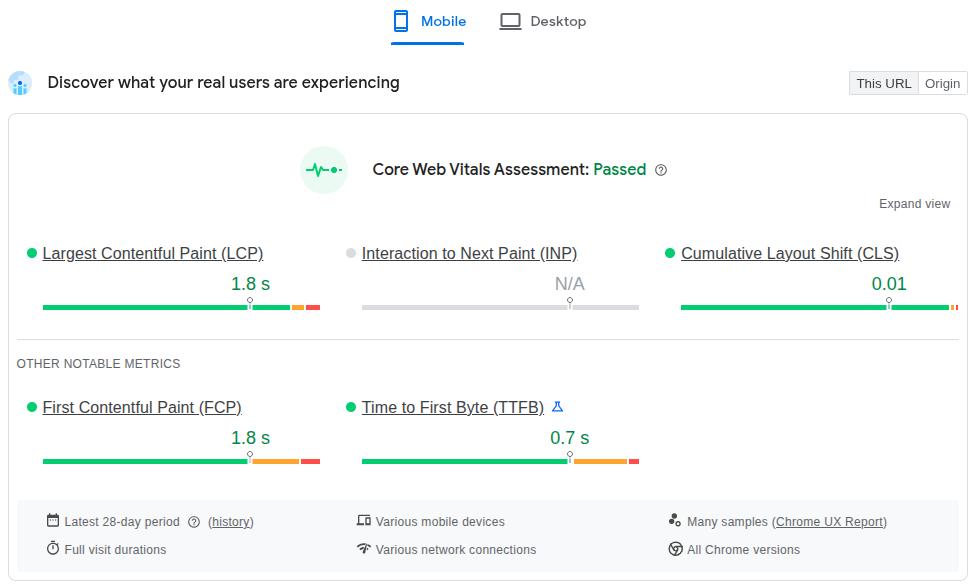
    Pro tip: You can use PageSpeed Insights to check the speed of your web pages.

    PageSpeed Insights to tell website health.

     14. Use schema markup

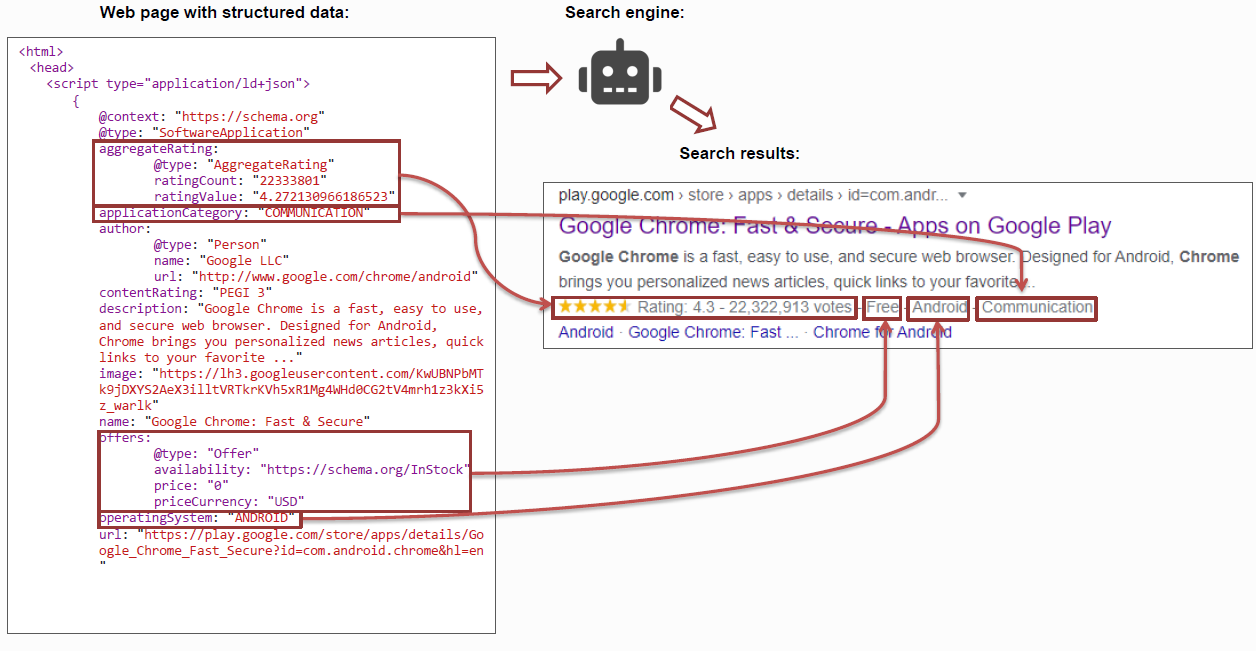
    Schema markup details for a webpage shown as code.

    Schema markup (structured data) helps search engines understand your content better and can lead to rich snippets in search results. This technical SEO element can significantly improve your click-through rates in SERPs and also AI search visibility.

    Schema markup benefits

    • Enhanced search listings with rich snippets
    • Better search engine understanding of your content
    • More extractability in AI discovery platforms
    • Increased click-through rates from search results
    • Improved local search visibility
    • Better content categorization and indexing

    Schema markup checklist

    • Add appropriate schema types to your content
    • Use JSON-LD format for implementation (recommended by Google)
    • Test schema markup with Google’s Rich Results Test
    • Include relevant properties for your content type
    • Keep markup up-to-date with content changes
    • Validate structured data regularly

    Common schema types and use cases

    • Article schema: For blog posts, news articles, and editorial content
    • Product schema: For e-commerce pages with prices, availability, and reviews
    • LocalBusiness schema: For businesses with physical locations, hours, and contact details
    • FAQ schema: For frequently asked questions and answers
    • Recipe schema: For cooking instructions, ingredients, and nutrition information
    • Event schema: For dates, times, locations, and ticket information
    • Review schema: For product reviews, ratings, and testimonials

    Schema markup is an advanced but valuable on-page SEO technique that can set your content apart in search results and improve user engagement.

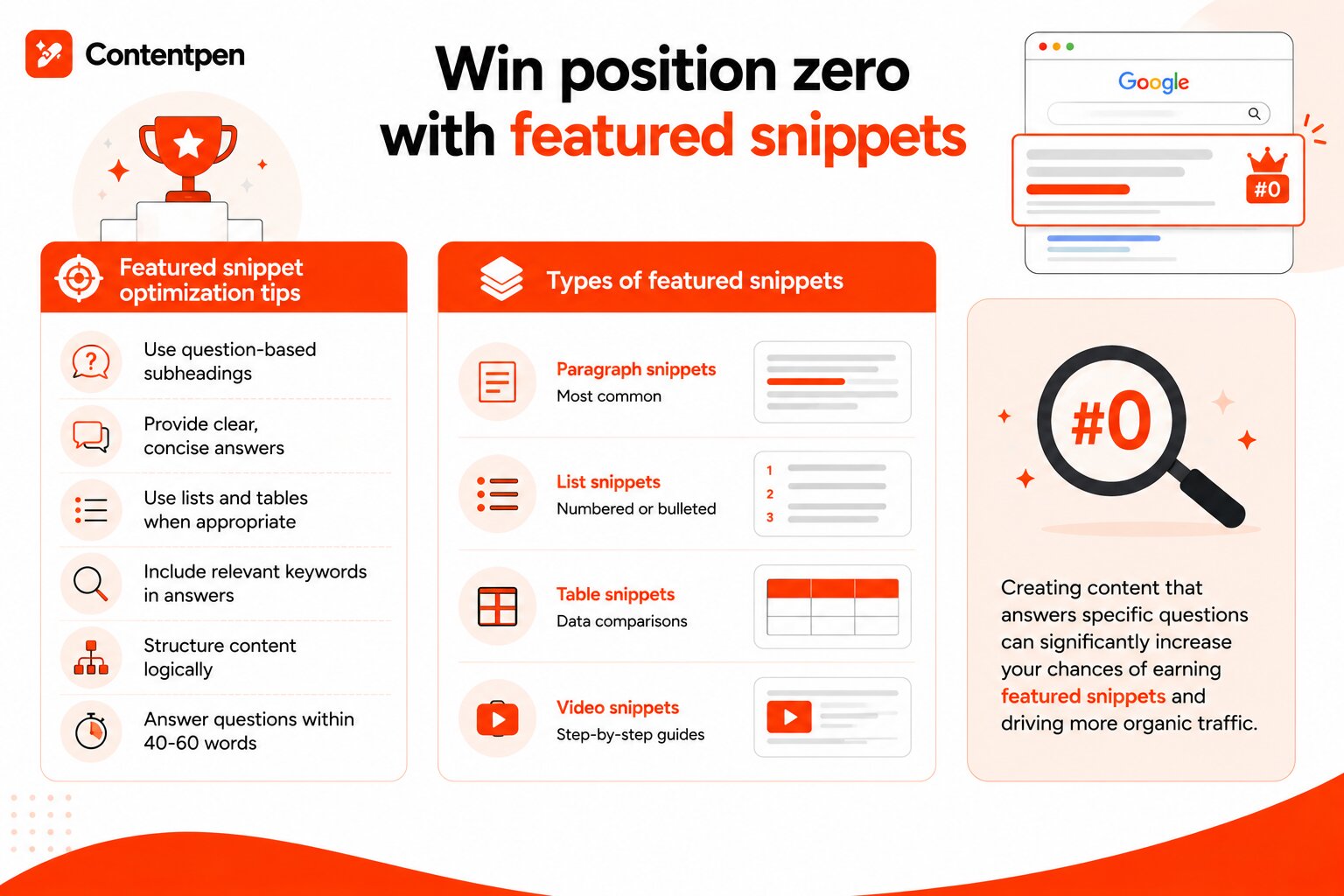
    15. Optimize for featured snippets

    Featured snippets occupy position zero in search results, driving significant traffic. Structure your content to answer common questions directly and concisely, especially with AI Overviews appearing for a majority of queries in 2026.

    Winning featured snippets with on-page SEO optimization.

    Featured snippet optimization tips

    • Use question-based subheadings
    • Provide clear, concise answers
    • Use lists and tables when appropriate
    • Include relevant keywords in answers
    • Structure content logically
    • Answer questions within 40-60 words

    Types of featured snippets

    • Paragraph snippets (most common)
    • List snippets (numbered or bulleted)
    • Table snippets (data comparisons)
    • Video snippets (step-by-step guides)

    Creating content that answers specific questions can significantly increase your chances of earning featured snippets and driving more organic traffic.

    16. Add a clear call-to-action (CTA)

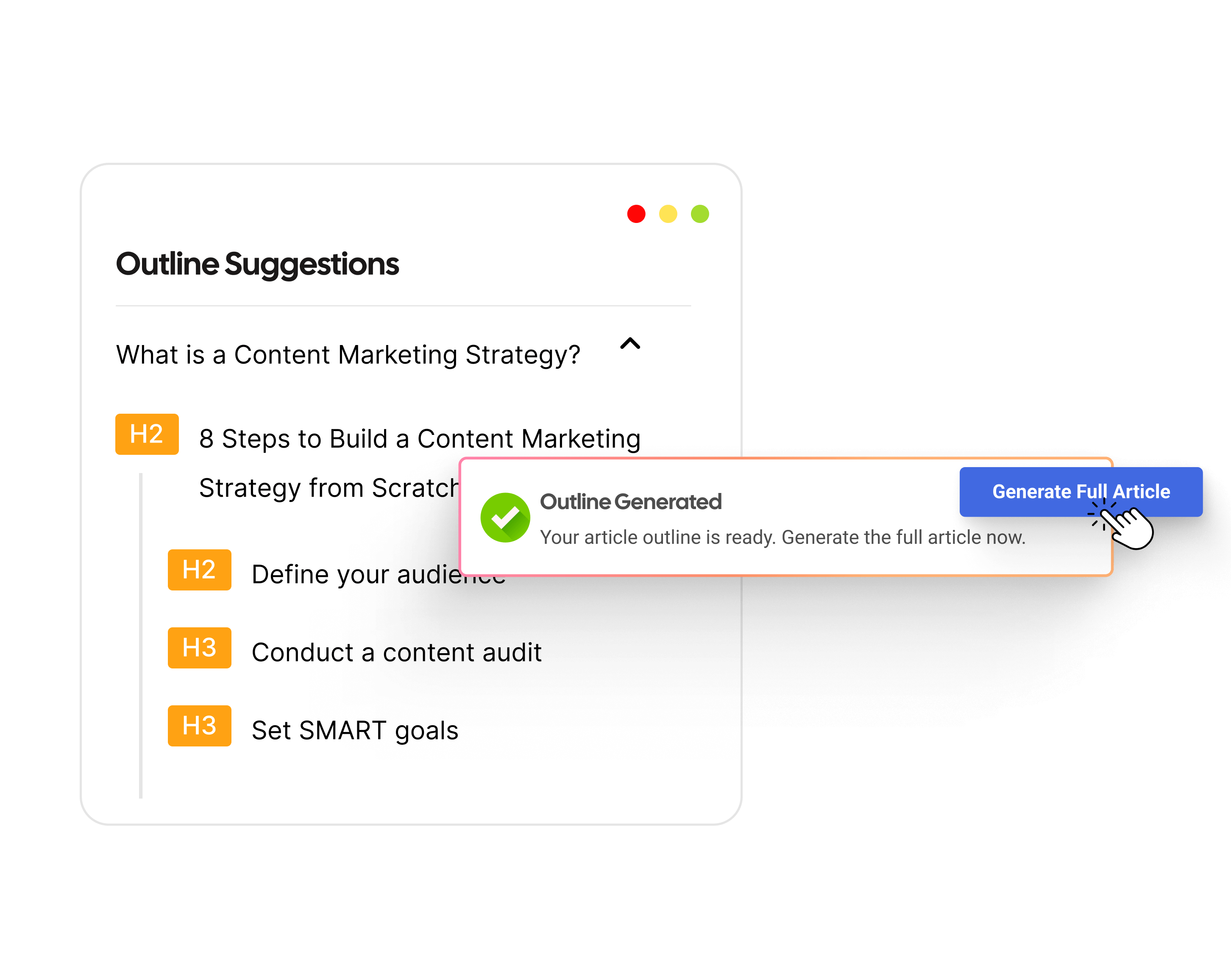
    Every page should guide users toward a specific action. Whether it’s subscribing to your newsletter, downloading a resource, or making a purchase, include clear CTAs throughout your content. Take the following Contentpen CTA for outline-to-blog generation as an example:

    From outline to publish-ready content that fills them

    check

    Structured

    check

    Consistent

    check

    SEO-aligned

    check

    Fast

    Generate Outlines FREE →
    AI SEO Interface

    CTA optimization checklist

    • Use action-oriented language
    • Make CTAs visually prominent
    • Place call-to-actions strategically throughout content
    • A/B test CTA variations
    • Align CTAs with user intent
    • Keep CTAs relevant to the content

    Well-placed CTAs can improve user engagement, reduce bounce rates, and increase conversions, which are all positive signals for search engines.

    17. Monitor SEO performance and update content regularly

    Publishing SEO- and GEO-positive content is just the beginning. Maintaining strong search rankings requires ongoing monitoring and improvements. 

    Search engine algorithms change frequently, and so do user behaviors. Regularly updating your content ensures it stays relevant, competitive, and aligned with current SEO best practices.

    Performance monitoring checklist

    • Track keyword rankings with advanced SEO tools.
    • Monitor organic traffic trends and user engagement metrics (bounce rate, time on page, etc.)
    • Check for keyword cannibalization
    • Identify underperforming pages and optimize them for improved results
    • Update outdated statistics, facts, and broken links
    • Refresh content based on new trends or search intent
    • Re-optimize titles, meta descriptions, and headers if CTR drops
    • Review internal links and add new contextual ones where appropriate

    Why tracking SEO performance matters

    Google rewards fresh, high-quality content. Pages that are regularly updated tend to perform better in search results compared to stagnant content. 

    Refreshing your content also increases the chances of earning featured snippets, improving user engagement, and extending the lifespan of your blog posts. 

    And with that, our SEO checklist ends.

    Best tool that simplifies the on-page SEO checklist

    Contentpen for SEO- and GEO-optimized blogs.

    Managing all these on-page SEO best practices manually can be overwhelming, especially when creating content at scale. This is where Contentpen becomes invaluable for modern content creators and businesses serious about SEO and GEO optimization.

    Contentpen’s multi-agent AI system handles research, writing, and optimization simultaneously. While tools like ChatGPT require multiple prompts and manual SEO work, Contentpen delivers SEO-optimized content ready for publication.

    The tool also offers one-click multi-platform content publishing to ensure that your writing workflows remain streamlined for maximum productivity.

    Publish content directly to your CMS, without copy-pasting

    Move from draft to live post in a single step. No hassle, no errors!

    Try One-click Publishing →
    AI SEO Interface

    Contentpen automatically handles all the complex SEO optimization tasks to help you complete your on-page SEO checklist with ease. The tool offers:

    • Advanced keyword research: The tool naturally incorporates the best possible secondary keywords for your target phrase throughout the content while maintaining readability.
    • Content structure optimization: Creates properly formatted headers, meta descriptions, and URL structures that follow the latest SEO optimization checklist 2026 standards.
    • Automated internal linking: Intelligently suggests and adds relevant internal links from your website and external links from credible sources to improve site structure and content authority.
    • SEO opportunities: Automatically surfaces relevant changes to your existing content and AI-powered suggestions to secure quick wins and save decaying pages.
    • Website analytics: Offers detailed clicks, impressions, CTR, and average position metrics to inform you of your website’s current and past performance.
    • Maintain brand voice: Contentpen’s brand knowledge system ensures every piece of content aligns with your brand voice while meeting SEO requirements. 
    • Bulk content generation: You can use Contentpen’s bulk content generation to scale your content marketing efforts with custom presets.

    The following video shows the complete process of creating an SEO-optimized blog post with Contentpen:

    Additional on-page SEO factors to consider

    While the 17 points above form the core of effective on-page SEO optimization, several additional factors can further enhance your search performance:

    • Technical elements: XML sitemaps, robots.txt optimization, canonical tags, Core Web Vitals, and HTML validation.
    • Content enhancements: Regular content updates, multimedia integration, social sharing buttons, and user-generated content like reviews.
    • Advanced tactics: Featured snippet optimization, voice search targeting, local SEO elements, and E-E-A-T signals through author credentials.

    • Performance: Site uptime monitoring, accessibility compliance, cross-browser compatibility, and mobile-first design. You can utilize tools like Ping Bot, Screaming Frog, or others to simplify these technical audit elements for you.

    Implementation priority: Focus on mastering the core 17 points first, then gradually incorporate these additional elements based on your specific industry, audience, and business goals. 

    Not every factor will be relevant for every website, so prioritize based on your unique circumstances and resources.

    Also read: How to use AI for content creation?

    Final thoughts: Turn this checklist into your SEO habit

    This complete SEO checklist provides a roadmap for optimizing every piece of content you create. However, consistency is key to seeing results. And for that, you need to understand that on-page SEO is an ongoing process, not a one-time task. 

    Also, you should always prioritize user experience, write quality content, monitor your posts regularly, and use SEO writing tools like Contentpen to streamline the entire process.

    Start implementing the on-page SEO checklist tips today and see improvements in your search rankings, user engagement, and overall online presence. 

    Ready to transform your content creation process? Start your free Contentpen trial and experience how AI-powered content creation can transform your SEO strategy.

    Frequently asked questions

    What’s the most important on-page SEO factor in 2026?

    Content that matches search intent is the most important on-page SEO factor right now. Get the intent right first, then layer the other on-page optimizations on top.

    Does on-page SEO still matter if I’m targeting AI search engines?

    Yes, arguably more than ever. On-page SEO is the foundation that makes your content extractable and trustworthy enough for AI to surface. It ensures that your page is clearly structured, keyword-relevant, and authoritative for the AI tools to cite.

    What should I do if Google keeps changing my meta descriptions?

    If Google frequently rewrites your meta descriptions, it usually means your descriptions don’t match search intent well enough. Focus on writing more relevant, specific descriptions that directly address what users are searching for.

    How often should I update my on-page SEO?

    Review and update your on-page SEO elements at least quarterly, or whenever you publish new content. Monitor your rankings and user engagement metrics weekly or monthly.

    Can I do on-page SEO without technical knowledge?

    Yes! Many on-page SEO best practices are accessible to beginners. Focus on content quality, natural keyword integration, and basic HTML elements. Tools like Contentpen automate much of the SEO and GEO work so you can focus on content strategy.

    How long does it take to see results from on-page SEO?

    On-page SEO results typically appear within 3-6 months, depending on competition and implementation quality. Some improvements, like better click-through rates, may be visible earlier than that, sometimes within days after a crawl.

    How do I know if my on-page SEO is working?

    Watch for three key signals: impressions, CTR, and average position. If impressions rise but CTR stays flat, your title tag and meta description need work. If position improves but traffic doesn’t follow, you may be ranking for the wrong intent.

  • The ultimate list of SEO writing tools that actually improve rankings

    The ultimate list of SEO writing tools that actually improve rankings

    SEO writing has come a long way from keyword stuffing to smart, data-driven strategies that drive results. Today’s best SEO writing tool supports the entire content workflow – from keyword research and SERP analysis to real-time content optimization.

    Whether you’re a content marketer, SEO strategist, or freelance writer, the right SEO content writing software can elevate your content’s visibility, engagement, and overall performance. In this guide, we’ll explore the top SEO writing tools and why Contentpen is leading the way. Along the way, we’ll break down key terms like SEO, article writing software, and content writing tools for SEO to help you choose the best fit for your needs.

    1. Contentpen.ai – All-in-one SEO and AEO writing software

    Contentpen landing page.

    Contentpen.ai is an all-in-one SEO and AEO platform that streamlines every aspect of content creation. From generating SEO-optimized outlines to finalizing publication-ready drafts and tracking whether AI engines cite your brand, Contentpen provides a seamless experience for content creators who want to rank higher and convert better.

    Key features

    • Brand-aligned content: Learns from your website, blogs, and uploaded documents to match tone, style, and messaging.
    • Custom brand profiles: Builds a knowledge base from your content for consistent brand voice.
    • Smart keyword targeting: Suggests keywords based on volume, intent, and competition.
    • High-CTR title suggestions: Recommends engaging titles based on SERP trends.
    • Competitor & SERP analysis: Identifies content gaps and winning angles to outrank others.
    • AI research & SEO outlines: Uses multiple agents to generate research-backed outlines with keywords, questions, and structure.
    • Automated long-form drafting: Produces SEO-optimized blog posts using your brand tone with minimal input.
    • Bulk content generation: Upload keyword lists to generate dozens of blogs at once with consistent quality.
    • Internal/external linking assistant: Automatically suggests relevant contextual links within and outside your content.
    • Real-time SEO optimization: Adds internal/external links, metadata, and alt text while checking for tone and plagiarism.
    • Ask AI: On-demand AI support to generate ideas, rewrite content, or resolve content gaps.
    • Refresh blog feature: Update outdated content automatically while preserving original intent and SEO value.
    • AI-generated visuals: Inserts featured and in-line images relevant to blog context, according to your brand colors and style.
    • One-click CMS publishing: Seamless export to WordPress, Wix, Webflow, Ghost, Shopify, and EmDash CMS platforms with scheduling options.
    • Kanban-style workflow: Organize tasks, approvals, and team collaboration in one dashboard.
    • Multi-brand management: Handle multiple brands or clients in a single workspace.
    • Content sprint planning: Run entire campaigns from research to publishing in batch mode.
    • AI search-optimized content: Generates unique, high-quality blogs every time that get cited by AI systems and ranked on SERPs.
    • SEO and GEO scoring: Scores every draft for search rankings and AI answer engine readiness, with Fix with AI to resolve issues in one pass.
    • AI visibility tracking: Tracks brand mentions, sentiment, and share of voice across up to 7 AI engines, included in every plan.
    • Website analytics and SEO opportunities: Pulls Google Search Console data and, on the Growth plan and above, flags decaying pages, CTR gaps, and quick wins.
    • Autopilot: Finds topics, writes in your brand voice, and publishes on a schedule, with optional approval before anything goes live.

    Why Contentpen tops the list

    Unlike other tools that focus solely on optimization or generation, Contentpen provides a full-cycle SEO and AEO writing experience – from ideation to publication to tracking whether AI engines cite your content. It’s perfect for content marketers, agencies, and SEO and AEO teams looking for speed, scalability, and search visibility. Its intuitive interface makes it beginner-friendly while providing advanced features for pros.

    Whether you’re creating product pages, blogs, pillar content, or landing pages, Contentpen is the best SEO writing software to make your content stand out in search engines and AI answer engines at the same time.

    See how we compare with other writing tools.

    2. Surfer

    Surfer SEO landing page 2026.

    Surfer SEO is a widely used SEO content writing tool, designed to help writers craft content that ranks well on Google by following real-time SERP data.

    Key features

    • SERP-driven AI content: Surfer analyzes the top 10–20 pages ranking for your keyword and provides a data-backed structure.
    • Content Editor with SEO Score: Writers receive a live content score based on keyword usage, structure, headings, and more.
    • Keyword suggestions and guidelines: Offers recommended NLP terms and phrases for semantic depth.
    • Collaboration tools: Invite team members to review and optimize content collaboratively.

    Why choose Surfer

    Surfer excels in providing highly data-driven insights. Its real-time optimization guidance ensures that your articles are not just well-written, but also highly competitive.

    If you’re an SEO professional or a content team looking for accurate content grading and keyword suggestions, this SEO writing software should be part of your toolkit.

    That said, while Surfer is strong on data and SERP alignment, it can feel rigid or overwhelming for non-technical writers.

    3. Clearscope

    Clearscope landing page.

    Clearscope is a premium SEO content writing software focused specifically on optimizing existing content. It’s ideal for large teams or agencies that require scalability and precision.

    Key features

    • Content grading and scoring: Clearscope assigns a grade to your content based on its relevance and completeness compared to top-ranking results.
    • Keyword and topic suggestions: Generates a comprehensive list of NLP and LSI keywords based on real-time SERPs.
    • Advanced readability analysis: Ensures your writing is both SEO-friendly and user-friendly.
    • Google Docs and CMS integrations: Use Clearscope directly in your preferred writing platform.

    Why Clearscope is powerful

    Clearscope doesn’t just help you write better – it helps you write smarter. By enhancing semantic SEO, content depth, and topical relevance, it enables teams to outperform competitors in organic rankings.

    However, Clearscope’s premium pricing and focus on existing content optimization may not suit everyone, especially smaller teams or creators producing fresh content at scale.

    In contrast, Contentpen blends affordability with advanced features like real-time writing assistance, keyword optimization, and SERP-driven guidance, making it a more accessible and well-rounded solution for modern content teams.

    4. Semrush

    Semrush main interface.

    Semrush, best known for its keyword research and SEO tracking tools, now offers a comprehensive SEO writing toolkit. Its AI copilot and content template tool work together to streamline content creation.

    Key features

    • SEO content template: Automatically builds outlines based on top-ranking pages.
    • AI writing assistant: Suggests headlines, paragraphs, and meta tags using real-time keyword insights.
    • Content audit reports: Identifies keyword gaps, tone mismatches, and structure weaknesses.
    • Built-in plagiarism and readability checks: Helps ensure unique and accessible content.

    Why use Semrush

    Semrush’s SEO content writing software is a solid choice for marketers already invested in the Semrush platform. It excels at content planning, auditing, and keyword targeting, making it a valuable asset for marketers.

    However, when it comes to drafting content from scratch with real-time SEO guidance, Semrush may feel more fragmented.

    That’s where Contentpen shines by offering an end-to-end experience that combines SERP-driven content creation, seamless writing workflows, and smarter AI assistance for modern content teams.

    5. Frase

    Frase landing page.

    Frase is a smart SEO content writing software tool that automates research and outlines. It’s ideal for content strategists and writers who want to save time on prewriting tasks.

    Key features

    • AI-generated content briefs: Save hours on research by auto-generating structured outlines.
    • SEO content editor: Optimize content in real time with keyword scoring.
    • Answer engine integration: Identify and target questions your audience is searching for.

    Why Frase is unique

    Frase simplifies the research phase of content creation, making it a standout SEO article writing software for bloggers, content marketers, and SEO specialists. Its automated outline generation based on live SERP results saves time and helps maintain topical relevance.

    That said, while Frase is excellent for speeding up content research and making your content SEO and GEO-optimized, it may lack the simplicity required for beginners to use AI writing tools.

    6. Jasper

    Jasper landing page.

    Jasper is an AI writing tool known for producing long-form content quickly according to a strict brand voice. Though not built exclusively for SEO, Jasper includes features for SEO-friendly writing.

    Key features

    • SEO mode: Integrates with Surfer SEO for real-time optimization.
    • Multiple content templates: From blog intros to AIDA frameworks.
    • Brand voice memory: Ensures content remains consistent across outputs.

    Why Jasper is ideal for scale

    Jasper is a powerful addition to any SEO content writing software stack, particularly useful when you need to generate high-volume content fast with a strict brand voice across channels.

    However, Jasper often requires multiple integrations to deliver end-to-end SEO performance. In contrast, Contentpen offers a more unified solution. It combines fast, AI-powered writing with built-in SEO analysis, SERP data, and real-time optimization, eliminating the need for juggling multiple tools.

    Also read: The best Jasper AI alternative: Honest, tested, and reviewed

    7. Scalenut

    Scalenut landing page.

    Scalenut is a comprehensive SEO writing software solution designed to handle everything from keyword research to content creation.

    Key features

    • Cruise mode writing: Generates a blog in minutes based on target keywords.
    • NLP term integration: Optimizes your content for semantic relevance.
    • Content reports: Shows competition benchmarks and improvement areas.
    • Reddit engagement: Allows users to reply to subreddits and threads where their brand gets discussed.

    Why use Scalenut

    Scalenut is a full-suite SEO content writing tool designed for scale, making it especially valuable for agencies managing multiple clients and campaigns. From topic planning to optimization, it streamlines content operations across the board.

    That said, Scalenut’s breadth of features can come with a learning curve, and its interface may feel overwhelming for individual creators or smaller teams.

    8. Copy.ai

    Copy.ai landing page.

    Copy.ai is a dynamic SEO content software built primarily for generating marketing copy and short-form content. Though not as robust for full articles, it’s highly efficient for ads, product descriptions, and social captions.

    Key features

    • Ad copy generation: Quickly create Google Ads, Meta headlines, and sales copy.
    • Meta descriptions and e-commerce product text: Built-in templates for fast SEO copywriting.
    • Content rephrasing and idea generation: Useful for refreshing old content or brainstorming.

    Why Copy.ai is a suitable choice

    Copy.ai is made for social media managers, paid ad specialists, and ecommerce brands. While it isn’t a replacement for full-scale SEO content writing software, Copy.ai is a solid SEO writing tool for performance copy and microcontent. Read our comparison guide if you want to know more about how it compares as an SEO AEO tool.

    Also read: 10+ best Copy.ai alternatives in 2026

    9. Writesonic

    Writesonic landing page 2026.

    Writesonic offers both short-form and long-form content generation tools, positioning itself as a multipurpose SEO writing assistant tool.

    Key features

    • Landing page copy: Includes templates for creating SEO-optimized landing pages.
    • Blog post writer: Generates intro, body, and conclusion sections automatically.
    • AIDA & PAS framework support: Ideal for writing structured and persuasive content.

    Why should you use Writesonic?

    Writesonic is a solid choice for growth marketers, SaaS founders, and content creators who need quick content at scale. It is also suitable for AEO-first writing, as it provides prompt tracking for up to 10 AI models.

    However, teams looking for more editorial control, deeper SERP analysis, and real-time SEO optimization within one streamlined platform will find tools like Contentpen more effective, especially since Contentpen includes AI visibility tracking in every plan.

    Also read: 10+ best Writesonic alternatives in 2026

    10. Anyword

    Anyword landing page.

    Anyword combines AI generation with conversion-focused optimization, making it a unique SEO content writing software for performance marketers.

    Key features

    • Predictive performance score: Anticipates how well your content will convert.
    • Audience targeting: Customize tone and message based on user persona.
    • A/B testing for copy: Test different headlines, CTAs, and descriptions for paid ads.

    Why should you consider Anyword?

    Anyword is especially effective for e-commerce teams and paid media specialists. Its predictive tools help optimize content for ROI, making it a great SEO writing tool for ad-focused strategies.

    That said, while Anyword excels at short-form and ad content, it’s not built for creating in-depth, SEO-rich blog posts or long-form articles.

    For that, tools like Contentpen offer a more complete solution, blending AI writing, SERP insights, and SEO optimization into one powerful platform for content teams.

    Supporting tools for SEO content writing

    To maximize your success with any SEO content writing software, it’s essential to use supporting tools that enhance research, visibility, and strategy:

    Ahrefs

    • Comprehensive keyword research tool
    • Tracks backlinks, keyword positions, and SERP features
    • Great for identifying content gaps

    Moz

    • Known for domain authority metrics and keyword explorer
    • Ideal for tracking ranking shifts and opportunities

    Google Search Console

    • Free tool to monitor your site’s organic performance
    • Provides data on CTR, impressions, indexing, and technical SEO issues

    BuzzSumo

    • Discover trending topics and viral headlines
    • Helps generate content ideas based on what’s working in your niche

    AnswerThePublic

    • Visual keyword mapping tool
    • Generates long-tail queries and question-based searches that you can target in blogs

    These tools integrate well with your SEO article writing tools to build a robust SEO content workflow.

    Frequently asked questions

    What is SEO writing software?

    SEO writing software helps writers create content that ranks well on search and AI engines. These tools assist with keyword optimization, content structure, readability, and semantic relevance.

    Which is the best SEO writing software in 2026?

    Contentpen stands out as the best all-in-one SEO writing software for 2026. It offers keyword-first content generation, SERP analysis, and real-time content optimization.

    Can SEO content writer tools improve existing blogs?

    Absolutely. Tools like Contentpen, Surfer AI, and Semrush help optimize outdated or underperforming blog content by suggesting keywords, improving readability, and enhancing topical depth.

    Is there a difference between SEO article writing software and general content writing software?

    Yes. SEO article writing software is focused specifically on search engine optimization, helping your content rank better. General content writing software may support grammar and clarity, but lacks SEO- or GEO-specific insights.

    Do I need multiple tools for effective SEO writing?

    Not necessarily. A robust platform like Contenpen can cover your end-to-end workflow. However, supporting tools like Ahrefs, Moz, and BuzzSumo help deepen your strategy.

    What features should I look for in SEO content writer software?

    Look for keyword research, competitive analysis, content scoring, readability checks, internal linking suggestions, brand voice control, and integration with your CMS or Google Docs.

  • 12 best AI SEO tools in 2026: Tested & ranked by real users

    12 best AI SEO tools in 2026: Tested & ranked by real users

    SEO has evolved from the tedious process of manually researching keywords for hours and crafting content based on educated guesses. Today’s leading marketers use AI-powered analytics that dissect competitor strategies in minutes, generate data-backed content frameworks, and align with search intent using predictive algorithms.

    But here’s the challenge: with over 300 AI SEO tools flooding the market, how do you separate the best from the glorified content spinners?

    We’ve tested the top AI SEO tools for three months, using them on actual websites across different industries.

    This blog shows you exactly which tools work, which ones waste your money, and how to choose the right one for your business.

    How do we test these AI SEO tools?

    Before diving into the rankings, let me explain our testing methodology. Each tool was evaluated across five critical criteria:

    • Content quality & SEO optimization: How well does the AI understand search intent and create genuinely helpful content that ranks?
    • Data accuracy & insights: Are the keyword suggestions, competitor analysis, and SEO recommendations based on reliable, up-to-date data?
    • Ease of use & learning curve: Can your team implement and benefit from this tool without extensive training?
    • Integration & workflow: How seamlessly does it fit into existing marketing stacks and content workflows?
    • ROI & Value: Does the tool deliver measurable results that justify its cost?

    We tested each platform using real client websites in different industries, from local businesses to enterprise e-commerce sites. The results might surprise you.

    Quick comparison: Top AI SEO tools at a glance

    ToolBest forStarting priceKey strength
    Contentpen.aiComplete AI SEO content generation$49/monthSEO and AEO content with AI visibility tracking
    Semrush CopilotSEO strategy & insights$139/monthComprehensive data analysis
    ChatGPTVersatile AI assistant$20/monthFlexible prompt-based tasks
    FraseContent optimization$45/monthSERP analysis integration
    Jasper AILong-form content$69/monthBrand voice consistency
    Surfer SEOOn-page optimization$79/monthContent scoring system
    WritesonicCompetitive analysis$20/monthReal-time competitor insights
    MarketMuseContent strategy$149/monthTopic modeling expertise
    Copy.aiSEO workflows$29/monthAutomation capabilities
    ClearscopeContent quality$129/monthReadability optimization
    SE RankingAll-in-One platform$65/monthComplete SEO suite
    Alli AITechnical SEO$169/monthAutomated optimization

    The 12 best AI SEO tools for 2026

    1. Contentpen.ai – Best AI-powered SEO content generator

    Contentpen creates SEO content using four different AI agents. One agent researches competitors and keywords, another learns your brand’s writing style, the third optimizes content for search engines, and the fourth plans your content calendar and strategy.

    Contentpen SEO and AEO tool.

    What it does: 

    Contentpen transforms the traditional content creation process by automating research, writing, and optimization through intelligent AI agents. The platform analyzes top-ranking competitors, learns your brand voice, creates comprehensive content outlines, generates SEO-optimized articles, and manages your content calendar, ensuring consistency with your brand messaging and search intent alignment. Every plan also tracks how often AI engines like ChatGPT, Gemini, and Perplexity mention and cite your brand.

    Key features

    • Multi-agent AI system: Four specialized AI agents handle research, brand voice, SEO optimization, and content strategy
    • Advanced SERP analysis: Deep competitor analysis with content gap identification and semantic keyword discovery
    • Brand voice cloning: AI learns your writing style and brand personality from existing content samples
    • Content cluster planning: Creates strategic topic clusters to build topical authority
    • One-click CMS publishing: Direct publishing to WordPress, Webflow, Shopify, Ghost, Wix, and EmDash, with proper formatting, meta tags, and internal links
    • Keyword opportunity detection: Identifies new keyword opportunities and ranking improvements
    • Performance analytics: Tracks content performance from Google Search Console, with SEO opportunities flagging decaying pages and quick wins (Growth plan and above)
    • FAQ development: Generates featured snippet-optimized question sections
    • Content calendar management: Automated scheduling and strategy planning
    • AI visibility tracking: Monitors brand mentions, sentiment, and share of voice across up to 7 AI engines, depending on plan
    • GEO scoring: Scores every draft for AI answer engine readiness, with Fix with AI for SEO and GEO issues
    • Autopilot: Finds topics, writes in your brand voice, and publishes on a schedule

    Best for

    • Content agencies managing multiple client accounts
    • E-commerce businesses needing product descriptions and blog content at scale
    • SaaS companies requiring technical content that maintains brand consistency
    • Marketing agencies offering AI-powered content services
    • Businesses creating 10+ pieces of content monthly

    Limitations

    • Learning curve for maximizing the multi-agent system
    • Requires initial setup time for brand voice training
    • Autopilot, SEO opportunities, and broader AI engine coverage start on the Growth plan

    Pricing

    • Starter: $49/month – 12 articles, 75 AI images, 2 AI engines tracked
    • Growth: $99/month – 40 articles, 250 AI images, 4 AI engines, Autopilot, SEO opportunities
    • Scale: $249/month – 75 articles, 500 AI images, 5 AI engines, free onboarding, priority support
    • Agency: $449/month – 150 articles, 1,000 AI images, all 7 AI engines, unlimited seats
    • Annual billing: Saves 20% (Starter is $39/month)
    • Free trial: 7-day trial on every paid plan

    From outline to publish-ready content that fills them

    check

    Structured

    check

    Consistent

    check

    SEO-aligned

    check

    Fast

    Generate Outlines FREE →
    AI SEO Interface

    2. Semrush Copilot – Best for SEO strategy & insights

    Semrush Copilot is an AI-powered dashboard assistant integrated into the comprehensive Semrush SEO platform. It acts as your personal SEO analyst, automatically monitoring website performance across multiple metrics and delivering personalized, actionable insights instead of overwhelming you with raw data.

    What it does 

    Copilot analyzes your Semrush data from tools like Position tracking, Site audit, and Competitive research, then translates complex metrics into clear, prioritized action items. It monitors your SEO performance 24/7, alerts you to opportunities and threats, and provides specific recommendations for improving your search rankings.

    Key features

    • Personalized daily insights: Automated analysis of your SEO performance with actionable recommendations
    • Competitor monitoring: Real-time alerts about competitor movements and new opportunities
    • Technical SEO alerts: Automatic detection of crawl errors, broken links, and optimization issues
    • Keyword opportunity detection: Identifies new keyword opportunities and ranking improvements
    • Performance trend analysis: Tracks your progress and predicts potential issues
    • Content gap identification: Spots missing content opportunities in your strategy

    Limitations

    • Requires an existing Semrush subscription (higher cost barrier)
    • Limited customization of insight types
    • Can be overwhelming for SEO beginners
    • Insights quality depends on your existing Semrush data setup

    Pricing

    • Pro plan: $139/month – Includes Copilot with fundamental insights
    • Guru plan: $249/month – Enhanced Copilot features and historical data
    • Business plan: $499/month – Full Copilot capabilities with advanced analytics
    • Free trial: 14-day trial available

    3. ChatGPT – Best overall AI assistant for SEO

    ChatGPT is OpenAI’s versatile conversational AI that has become an indispensable tool for SEO professionals. While not specifically designed for SEO, its flexibility and advanced language understanding make it excellent for various optimization tasks when prompted correctly.

    What it does

    ChatGPT is a flexible AI assistant that can handle multiple SEO tasks through custom prompts. It analyzes content, generates SEO-optimized copy, creates detailed outlines based on competitor research, and helps with various optimization strategies, all through conversational interactions.

    chatgpt

    Key features

    • Flexible, prompt engineering: Unlimited customization for any SEO task
    • Content analysis: Evaluate existing content for optimization opportunities
    • Meta tag generation: Creates optimized titles and descriptions at scale
    • SERP analysis: Analyzes competitor content to identify gaps and opportunities
    • FAQ development: Generates featured snippet-optimized question sections
    • Internal linking strategy: Suggests linking opportunities and anchor text variations

    Limitations

    • Requires SEO knowledge to craft effective prompts
    • No built-in SEO data or SERP analysis capabilities
    • Results quality varies significantly based on prompt quality
    • No direct integrations with SEO tools or platforms

    Pricing

    • Free tier: Limited access to GPT-4.1 with usage restrictions
    • ChatGPT plus: $20/month – Access to GPT-4.5, faster responses, priority access
    • Team plan: $200/user/month – Team collaboration features, access to OpenAI o3‑pro

    4. Frase – Best for content optimization

    Frase is an AI-powered content optimization platform that analyzes top-ranking content and provides specific, actionable recommendations for improving its search performance. With data-driven insights, it bridges the gap between content creation and SEO optimization.

    What it does 

    Frase analyzes search engine results pages (SERPs) for your target keywords, examines what makes top-ranking content successful, and provides detailed recommendations for optimizing your content. It combines content research, writing assistance, and optimization scoring in one streamlined workflow.

    frase

    Key features

    • SERP Analysis with topic modeling: Detailed analysis of top-ranking pages with content structure insights
    • AI Article wizard: Step-by-step content creation based on competitor analysis
    • Real-time content scoring: Live optimization feedback as you write
    • Question research tool: Identifies common questions for FAQ optimization
    • Content brief generator: Creates detailed briefs based on top-performer analysis
    • Competitor content comparison: Side-by-side analysis of your content vs. competitors

    Limitations

    • Limited content generation compared to dedicated AI writers
    • Requires manual input for best results
    • SERP analysis is limited to Google search results
    • Can be overwhelming for complete SEO beginners

    Pricing

    • Starter plan: $45/month – 1 user, 15 content projects, SEO analytics for one domain
    • Professional plan: $45/month – 1 user, 30 search queries, advanced features
    • Enterprise plan: $115/month – 3 users, unlimited queries, collaboration tools

    Also read: Top 12 Frase alternatives in 2026

    5. Jasper AI – Best for Long-form content

    Jasper AI is a comprehensive AI writing platform that excels at creating long-form, brand-consistent content at scale. Initially focused on copywriting, it has evolved into a powerful tool for businesses that need to maintain consistent messaging across large volumes of SEO content.

    What it does 

    Jasper generates high-quality, long-form content while maintaining your brand voice and style guidelines. It creates comprehensive blog posts, pillar pages, and detailed articles that align with your SEO strategy while ensuring consistency across all content pieces.

    Jasper. AI

    Key features

    • Brand voice training: AI learns and maintains your specific writing style and messaging
    • SEO mode integration: Built-in optimization features with Surfer SEO integration
    • Long-form templates: Pre-built templates for blogs, pillar pages, and comprehensive guides
    • Team collaboration: Multiple users can work within consistent brand guidelines
    • Content expansion: Transforms short briefs into comprehensive, detailed articles
    • Multiple output formats: Blog posts, social content, emails, and more from single inputs

    Limitations

    • The higher learning curve for maximizing brand voice features
    • SEO optimization requires additional tool integrations
    • Can be expensive for smaller teams or individual users
    • Content may require significant editing for technical topics

    Pricing

    • Pro plan: $69/seat/month – two brand voices, AI Image generation & editing toolsets
    • Business plan: Custom pricing
    • Free trial: 7-day trial available

    Also read: The best Jasper AI alternative: Honest, tested, and reviewed

    6. Surfer SEO – Best for on-page optimization

    Surfer SEO is a data-driven content optimization platform that pioneered the concept of content scoring based on SERP analysis. It provides real-time feedback on how well your content matches the optimization patterns of top-ranking pages for your target keywords.

    What it does 

    Surfer analyzes the top-ranking pages for your target keywords and provides specific optimization recommendations, including keyword density, content length, heading structure, and semantic keyword usage. It offers real-time scoring as you write, ensuring your content meets optimization benchmarks.

    SurferSEO

    Key features

    • Real-time content scoring: Live optimization feedback while writing
    • SERP analyzer: Detailed analysis of top-ranking competitor content
    • Content editor: Writing interface with built-in optimization recommendations
    • Keyword research tool: Data-driven keyword suggestions with difficulty scores
    • Content audit: Analysis of existing content with improvement recommendations
    • Content planning: Strategic planning tools for content clusters and topics

    Limitations

    • Can lead to over-optimization if followed too strictly
    • Focuses heavily on keyword metrics rather than user experience
    • Limited content generation capabilities
    • May not account for brand voice and messaging nuances

    Pricing

    • Essential plan: $79/month – 360 articles, content editor, SERP analyzer
    • Scale plan: $175/month – 1200 articles, advanced features, team collaboration
    • Enterprise plan: Contact Sales for pricing and demo – 300 articles, API access, priority support

    Also explore: 12 best Surfer SEO alternatives.

    7. MarketMuse – Best for content strategy

    MarketMuse is an AI-powered content intelligence platform that goes beyond individual content pieces to help you build comprehensive content strategies. It uses advanced topic modeling to identify content gaps and develop authority-building content plans for competitive niches.

    What it does 

    MarketMuse analyzes your content against competitors to identify topical gaps, suggests content clusters that build authority, and provides strategic recommendations for content planning. It helps you understand what to write and how individual pieces fit into your broader content strategy.

    MakretMuse

    Key Features

    • Topic modeling and authority analysis: Identifies content gaps and authority-building opportunities
    • Content planning dashboard: Strategic overview of your content landscape vs. competitors
    • Competitive content analysis: Deep analysis of competitor content strategies
    • Content scoring: A quality assessment based on topical coverage and depth
    • Content brief generation: Detailed briefs with strategic context and requirements
    • Content optimization: Recommendations for improving existing content performance

    Limitations

    • Steep learning curve for new users
    • Higher price point than simpler content tools
    • Can be overwhelming for small businesses with simple needs
    • Requires strategic thinking to maximize value

    Pricing

    • Free plan: Limited analysis, 10 queries per month
    • Standard plan: $149/month – 100 queries, content briefs, optimization
    • Team plan: $399/month – Unlimited queries and briefs, team features
    • Premium plan: Custom pricing for enterprise needs

    8. Writesonic – Best for competitive analysis

    Writesonic has evolved from a simple AI writing tool into a comprehensive SEO platform with powerful competitive analysis capabilities. It combines AI-powered content creation with real-time competitive intelligence to help you stay ahead of competitors in fast-moving industries.

    What it does 

    Writesonic analyzes competitor content strategies, identifies trending topics in your industry, and generates content that outperforms competition. It provides real-time insights into competitors’ actions and helps you create superior content based on competitive gaps.

    writersonic

    Key features

    • Real-time competitive analysis: Live monitoring of competitor content and strategy changes
    • Trending topic identification: AI-powered detection of emerging trends in your niche
    • Content gap analysis: Identifies opportunities competitors are missing
    • Multi-format content generation: Blogs, social posts, ads, and more from a single input
    • SERP integration: Creates content based on the current search result analysis
    • Brand voice adaptation: Maintains consistent messaging across all content types

    Limitations

    • Competitive analysis depth varies by industry
    • Content quality can be inconsistent without proper prompting
    • Limited advanced SEO features compared to dedicated SEO tools
    • Requires manual verification of competitive insights

    Pricing

    • Free plan: 10,000 words monthly, basic features
    • Basic plan: $20/month – 100,000 words, competitive analysis
    • Lite plan: $49/month – 300,000 words, collaboration features
    • Standard plan: $99/month – 1,000,000 words, advanced features

    Also read: Best Writesonic alternatives in 2026.

    9. Copy.ai – Best for SEO workflows

    Copy.ai has transformed from a simple content generator into a comprehensive workflow automation platform for SEO teams. It specializes in creating systematic, repeatable content creation and optimization processes, making it ideal for teams that want to scale their SEO efforts efficiently.

    What it does 

    Copy.ai automates entire SEO content workflows through customizable templates and multi-step processes. It creates systematic approaches to content creation, from keyword research to final optimization, allowing teams to maintain consistency and quality across all content pieces.

    copy.ai

    Key features

    • Workflow automation: Multi-step processes for complete SEO content creation
    • Template library: Pre-built workflows for common SEO tasks
    • Team collaboration tools: Shared workflows and approval processes
    • Integration capabilities: Connects with popular marketing and SEO tools
    • Custom workflow builder: Create unique processes tailored to your needs
    • Quality control systems: Built-in review and approval mechanisms

    Limitations

    • Requires time investment to set up effective workflows
    • Less flexible than prompt-based AI tools
    • Limited advanced SEO analysis capabilities
    • Can be complex for simple content creation needs

    Pricing

    • Starter plan: $29/month – 5 seats and unlimited words in Chat
    • Enterprise: Custom pricing

    Also read: 10+ best Copy.ai alternatives in 2026

    10. Clearscope – Best for content quality

    Clearscope is a premium content optimization platform that focuses exclusively on helping you create the highest-quality, most comprehensive content possible for your target keywords. It emphasizes content depth, user intent matching, and readability optimization over simple keyword targeting.

    What it does 

    Clearscope analyzes top-performing content to identify not just what keywords to use but also how to structure content for maximum user value and search performance. Based on what actually ranks well, it provides detailed recommendations for improving content quality, readability, and comprehensiveness.

    Clearscope

    Key features

    • Advanced readability analysis: Detailed scoring and recommendations for user engagement
    • Comprehensive keyword research: Intent-based keyword suggestions beyond basic tools
    • Content quality grading: Sophisticated scoring based on multiple quality factors
    • User intent analysis: Deep understanding of what searchers actually want
    • Editor integrations: Real-time optimization within Google Docs and WordPress
    • Content performance prediction: AI-powered predictions of content success

    Limitations

    • Higher price point than most competitors
    • Limited content generation capabilities
    • Steep learning curve for optimization recommendations
    • No free trial; only demos are available

    Pricing

    • Essentials plan: $129/month – Basic optimization features, limited reports
    • Business plan: $399/month – Advanced features, unlimited reports
    • Enterprise plan: Custom pricing – Full feature suite, dedicated support
    • Demo: Available upon request

    11. SE Ranking – Best all-in-one platform

    SE Ranking is a comprehensive SEO platform offering a complete suite of optimization tools enhanced with AI capabilities, all at a more affordable price than premium alternatives. It provides everything from rank tracking to content optimization in a single, integrated platform.

    What it does 

    SE Ranking combines traditional SEO tools with AI-powered insights to provide comprehensive website optimization capabilities. It handles rank tracking, technical audits, content optimization, competitor analysis, and performance reporting in one unified dashboard.

    SE Ranking

    Key features

    • Complete SEO suite: Rank tracking, site audits, keyword research, and competitor analysis
    • AI-powered content editor: Smart content optimization with real-time scoring
    • Technical SEO automation: Automated site audits with AI-driven recommendations
    • Competitor intelligence: Comprehensive competitor analysis and monitoring
    • Local SEO tools: Specialized features for local business optimization
    • White-label reporting: Customizable reports for agencies and clients

    Limitations

    • Individual tools may not be as advanced as specialized alternatives
    • Learning curve due to the comprehensive feature set
    • Limited advanced AI features compared to cutting-edge tools
    • Customer support can be slower than premium platforms

    Pricing

    • Essential plan: $65/month – Basic features, suitable for small websites
    • Pro plan: $119/month – Advanced features, multiple projects
    • Business plan: $259/month – Full feature suite, agency tools
    • Free trial: 14-day trial available

    12. Alli AI – Best for technical SEO

    Alli AI is a specialized technical SEO platform that automates complex optimization tasks normally requiring developer resources. It focuses on implementing technical SEO improvements across websites without requiring coding knowledge or extensive development time.

    What it does 

    Alli AI automatically identifies and fixes technical SEO issues across your website, from meta tag optimization to schema markup implementation. It performs bulk optimizations, automates routine technical tasks, and implements SEO best practices at scale without requiring manual coding.

    Alli AI

    Key features

    • Automated technical optimization: Bulk fixes for meta tags, headers, and technical elements
    • Schema markup automation: Automatic generation and implementation of structured data
    • Page speed optimization: Automated improvements for site performance
    • Internal linking automation: AI-powered internal link optimization and management
    • Technical SEO monitoring: Continuous monitoring and fixing of technical issues
    • A/B testing for SEO: Test different optimization approaches automatically

    Limitations

    • High price point compared to content-focused tools
    • Requires careful monitoring to avoid over-optimization
    • Limited content creation capabilities
    • Setup complexity for advanced features

    Pricing

    • Small plan: $169/month – Up to 1 site, basic automation features
    • Consultant plan: $399/month – Up to 5 sites, advanced features, team access
    • Agency plan: $699/month – 15 Sites, API access, AI agents
    • Enterprise plan: $1,249/month – Up to 50 sites, full feature suite
    • Free trial: 10-day trial available
    Contentpen

    How to use AI SEO tools without getting penalized?

    Use AI as a starting point, not the finish line

    AI tools create first drafts and research outlines. You need to add your expertise, real examples, and unique insights before publishing. This combination of AI speed and human knowledge creates content that ranks and provides real value.

    Focus on search intent, not just keywords

    Don’t just stuff keywords into AI-generated content. Make sure your content actually answers what people are searching for. Use AI to analyze top-ranking pages, then create content that solves problems better than competitors.

    Maintain your brand voice

    Train AI tools with your best content so they understand your writing style. Review everything before publishing to ensure it sounds like your brand, not a generic AI writer.

    Fact-check everything

    AI tools can make mistakes or use outdated information. Always verify facts, statistics, and claims before publishing. Add recent examples and current data to keep content accurate and relevant.

    Build E-E-A-T Into Your Content

    Google values Experience, Expertise, Authority, and Trust. Add author bios, personal examples, and case studies, and cite authoritative sources. Link to reputable websites and get quality backlinks to your content.

    Don’t over-optimize

    AI tools might suggest using keywords too frequently. Focus on natural language that helps readers first and search engines second. If the content sounds robotic, it needs more human editing.

    Track performance and adjust

    Monitor how AI-generated content performs compared to human-written pieces. Use this data to improve your prompts and processes. Not all AI content will rank well immediately.

    Final thoughts

    SEO has changed completely in the past two years. AI tools now handle tasks that used to take hours of manual work. See how these tools compare in our full comparison.

    After extensive testing, Contentpen emerges as the best SEO and AEO platform for agencies, thanks to its multi-agent approach, its focus on creating content that ranks, and built-in tracking of whether AI engines cite that content.

    For businesses serious about scaling their SEO efforts, combining Contentpen.ai for content creation, Semrush Copilot for strategic insights, and ChatGPT (or a strong ChatGPT alternative like Jasper or Copy.ai) for flexible AI assistance creates a powerful toolkit that can compete with much larger competitors.

    Comparing a specific tool? See our comparison guides on AirOps, Article Forge, Arvow, ContentForce AI, GravityWrite, Junia AI, Outrank, RankPill, Rewriter.io, Scalenut, and Soro alternatives.

    Frequently asked questions

    Are AI SEO tools worth the investment in 2026?

    Absolutely. The time savings alone justify the cost for most businesses. AI SEO tools can reduce content creation time by 70-80% while improving quality and optimization. The key is choosing tools that fit your specific needs and budget.

    Will Google penalize AI-generated content?

    Google doesn’t penalize content based on how it’s created—they focus on quality and user value. AI-generated content that’s well-researched, factually accurate, and serves user intent performs just as well as human-written content.

    Can AI replace human SEO experts?

    Not yet, and probably not entirely. AI excels at data analysis, content optimization, and routine tasks, but humans are still needed for strategy, creativity, and complex problem-solving. The most successful approach combines AI efficiency with human expertise.

    How does Contentpen.ai compare to other AI SEO tools?

    Contentpen.ai stands out for its multi-agent AI system and focuses specifically on SEO content creation. While tools like Jasper are great for general content, Contentpen.ai is built specifically for content that needs to rank well in search engines.

  • How to fact-check AI-generated content in 7 steps?

    How to fact-check AI-generated content in 7 steps?

    Artificial intelligence (AI) has shaken the world with its quick adoption across all mainstream fields, such as medicine, education, engineering, agriculture, IT, and technology.

    This has led to the opening of new information portals through AI-generated content. However, fact-checking AI-generated content has been a challenge since its inception.

    Given that AI can mass-produce content within a few seconds, the chances are that the AI content generators might spit out some misleading information.

    So, to cope with these AI-based content creation challenges, marketers, agencies, and publishers must rely on trusted tools like Contentpen. It’s an advanced AI blog content generator that streamlines AI-based content generation for both personal and professional users.

    Write better blogs in less time, without sacrificing quality.

    Let AI handle structure, clarity, and flow while you stay in control of the message.

    Try AI blog writing →
    AI SEO Interface

    The best part about Contentpen is that it equips bloggers, SEOs, marketers, and influencers to create and publish high-quality, SEO-optimized articles in no time.

    fact-check AI-generated content

    Why is it important to fact-check AI content?

    AI-powered content is gaining massive popularity, especially among digital marketing circles. The reason is that it’s easy to create and affordable for everyone, making AI content verification and authentication challenging. Therefore, AI content fact-checking has never been this important.

    Let’s go through some of the key reasons for fact-checking AI content:

    Risk of spreading misinformation

    Spreading incorrect information generated with AI can be extremely damaging to your brand. Not only does it hurt your brand voice, but it also affects the audience that consumes the content. This is why it’s important to have checks and balances on AI-generated content.

    AI hallucinations

    While AI content generators can give answers or generate pieces that have low content accuracy, an AI tool may generate content that contains completely unverified, incorrect information. This behavior of AI content creation tools is called AI hallucinations.

    Inaccurate explanation of critical subjects

    One of the key reasons why it’s important to have a fact-checking system for AI content in place is that inaccurate information on critically important subjects, such as medicine, health, fitness, finance, and others, could have serious consequences on people’s lives.

    Reputation at stake

    Reputation is hard to make but even harder to maintain. In the digital marketing world, where every individual and brand wants to dominate the space with high-ranking articles, viral TikTok videos, and million-view YouTube videos, reputation is always at stake. So, publishing AI content without fact-checking puts the brand reputation at risk.

    7 steps to fact-check AI-generated text

    Experienced digital marketers and professional bloggers ensure they fact-check AI-generated content before publishing on their blogs. Here are seven steps to take when fact-checking AI-generated content:

    Step 1: Identify the source and context

    AI generates text by scanning relevant sources and compiling information from them. Therefore, it’s necessary to take a moment to examine its origin and purpose. Blindly trusting or sharing AI-generated content can lead to certain issues.

    You must have some idea of the source of AI-generated text to get a clear picture. AI-generated outputs can be shaped by prompts, user intent, or platform defaults, so context matters. Make sure the source of the AI content is identified and mentioned.

    Step 2: Cross-verify claims with trusted sources

    One of the essential steps is the cross-verification of the claims. Don’t accept facts at face value. Check key claims against credible sources such as government websites, well-known media outlets, statistics portals, or academic databases.

    This is especially important for data-driven content (that includes statistics, dates, or numbers) or news-based content. When using AI for content creation, supplement it with your manual research process to ensure accuracy.

    For example, Statista is the go-to website for various types of statistics:

    Statista

    Step 3: Analyze citations and references

    It’s easier to get carried away when generating text with AI-powered writing tools. It’s no surprise that AI can sometimes generate fake or misrepresented citations. When it comes to cited sources, they can be fake or unavailable. So, always check whether the cited sources exist, are properly formatted, and genuinely support the statements made.

    Sometimes, tools like ChatGPT can create hyperlinks based on the prompt, but the pages it’s linking out to don’t exist. 

    ChatGPT

    To solve this, Contentpen comes equipped with built-in sitemap integration, allowing it to automatically add internal links to your content if you choose to enable it. You can also take advantage of the external linking feature, which keeps your content accurate and SEO-optimized. 

    sitemap integration for internal linking

    It intelligently suggests relevant links from your own site or trusted external sources, so you’re not just linking for the sake of it; you’re linking with purpose. With Contentpen, you can eliminate broken links, strengthen your site structure, and build reader trust with confidence.

    external linking

    Step 4: Use fact-checking tools and extensions

    One important aspect of using AI-generated text is fact-checking. Publishing AI content without proper examination, either manually or using a third-party fact-checking tool, can have serious consequences. Nobody wants to put their credibility on the line.

    Google Fact Check Explorer

    Fact-checking tools can make your work faster and more reliable, thanks to tools like Google Fact Check Explorer, Snopes, and others. Moreover, browser extensions such as NewsGuard or Media Bias/Fact Check can also help validate trending topics or controversial claims.

    Step 5: Detect bias or hallucination in AI text

    Most AI tools give a heads-up to the users about the possibility of incorrect information. The reason is that these AI models can “hallucinate”, meaning make up facts or inject bias through overly confident or emotionally charged phrases.

    Users are advised to be alert to statements that sound overly definitive without support or sources. Contentpen helps you clean up these biases and tone issues by refining AI drafts into accurate, neutral, and human-sounding content that fits your editorial standards.

    Contentpen

    Step 6: Review data, stats, and quotes separately

    Since AI writing tools can find references or cite sources in the generated content, there is no guarantee that those citations or references are 100% right.

    AI-generated content may mix accurate information with plausible-sounding but incorrect data. Always double-check statistics, dates, and quoted statements using sources like official reports, press releases, or verified interviews.

    The whole point is that you don’t blindly rely on automated writing tools alone. Try to build a habit of confirming details manually, especially when publishing content on data-heavy topics.

    Step 7: Consult subject matter experts (if needed)

    You must have seen a tag saying “medically reviewed by [doctor’s name]” on top of the medical or health-related articles. The purpose is to showcase that a subject matter expert verifies this information.

    Source verficication

    However, this verification shouldn’t be limited to medicinal or health content. If you publish content in legal, scientific, finance, and fitness niches, it’s wise to consult experts before publishing.

    AI can mimic confidence or hallucinate without seeming dodgy, so getting a professional’s input can be the difference between credible and misleading content. Whether you’re refining a blog post or publishing an eBook, combine AI support with real-world insights for high-authority publishing.

    Conclusion

    The purpose of writing this piece about fact-checking AI-generated content is to ensure that the brand’s reputation isn’t affected by low-quality AI-based content.

    When a brand publishes unverified content or doesn’t support the claims with citations, it starts to affect its credibility.

    Since AI tools can add gibberish or link out to non-existent sources, automated fact-checking seems inevitable, especially for publishers that heavily rely on AI writing tools.

    Here are the key takeaways to apply when fact-checking AI-generated content:

    • The answers AI-powered writing tools generate must make sense to a common person. The advanced AI models can work on in-depth scientific and technical topics to assist users.
    • The real-life implementation of the suggested solutions is important. The solutions AI suggests must be doable in real life and shouldn’t be vague, resulting in ambiguity.
    • Users must adhere to the responsible and fair use policy of the AI writing tools to create valuable and effective content that impacts readers’ lives.
    • Users must not solely rely on the AI tools for answering questions related to health, medicine, food, finance, and other sensitive areas.

    No wonder fact-checking for AI-generated content can be a tedious task unless you have a system in place or a tool that streamlines the whole process.

    Contentpen is a state-of-the-art AI blog writing tool that creates and publishes highly effective, SEO-friendly articles without breaking the bank.

    It’s an advanced AI writer that dives deep into the user’s website to gather brand knowledge. Users can also provide brand assets, such as docs or PDFs, to let the AI agent know everything about the brand.

    It can create an effective blog outline that transforms the blog writing purpose. It offers a research-backed structure and semantic SEO build-up from the very base.

    Contentpen employs multiple AI agents that collaborate and work in coherence. Moreover, it’s able to produce both authoritative and engaging content across different social media channels.

    FAQs about fact-checking AI-generated content

    How to fact-check AI information?

    There are several fact-checking AI information tools available on the market, for instance, Automated Fact-Checker and AI Fact-Checking are two popular ones.

    Does Google fact-check AI content?

    Google seems to be working on its fact-checking AI content tool that might be available sometime in the future. However, there are no confirmations whatsoever.

    Does ChatGPT do its fact-checking?

    ChatGPT doesn’t have its fact-checking system in place as of now, but you never know what it will come up with in the future. Users have to rely on third-party tools for this.

  • The best Surfer SEO alternative in 2026 [tested and compared]

    The best Surfer SEO alternative in 2026 [tested and compared]

    Looking for strong Surfer SEO alternatives? Tired of all the old ways of trying to get the content ranked? Don’t worry, we’ve got you covered.

    Although Surfer SEO has dominated content optimization, its high price point and feature limitations have many marketers seeking alternatives. 

    These 12 powerful tools offer similar or superior capabilities at often more affordable prices, with some unique features that Surfer doesn’t offer.

    If you’re looking for powerful AI-driven content creation software, SEO analytics, better workflow integration, or specialized optimization capabilities, then this post is for you.

    So, let’s get started.

    Why do people look for a Surfer SEO alternative?

    Surfer SEO remains popular for its data-driven content optimization, but users consistently report four key pain points:

    #1: Hidden costs beyond subscriptions

    The challenge with Surfer isn’t just the base subscription ($99-$299 monthly); it’s the accumulation of additional costs that impact budgets. The pricing structure includes:

    • Extra charges when exceeding the monthly content credit limits 
    • Premium fees for AI-written articles ($9 per article on top of subscription).
    • Additional costs for using advanced features like SERP Analyzer

    You should also note that there is no Surfer SEO lifetime deal available. So, the prices can scale quickly for large businesses, especially those that require bulk content.

    #2: Data complexity

    Surfer’s dashboard presents users with an overwhelming array of data points. These include NLP scores, content scores, keyword density graphs, SERP feature analysis, and dozens of other metrics. Such UI complexity creates several workflow obstacles:

    • Writers face significant learning curves before effectively using the platform
    • Content creation slows as teams navigate complex optimization recommendations
    • Organizations often need dedicated specialists to interpret Surfer’s data effectively

    #3: The content quality concern

    Following Surfer’s recommendations often leads to content prioritizing optimization metrics over reader experience. It creates several issues:

    • Content can become awkwardly structured to accommodate keyword placement requirements
    • Similar content patterns emerge across different topics due to formulaic optimization approaches
    • Over-optimization sometimes triggers search engine quality filters, counteracting ranking efforts
    • User engagement metrics may suffer despite improved technical optimization scores

    #4: Limited AI integration

    While Surfer eventually added AI writing capabilities, they present significant limitations compared to dedicated alternatives:

    • AI features exist as expensive add-ons rather than integrated core functionality
    • The writing workflow feels disconnected from the optimization process
    • Output quality typically requires substantial editing for brand voice alignment and factual accuracy
    • The AI capabilities haven’t evolved as rapidly as specialized content creation platforms

    Comparing the best Surfer alternatives at a glance

    ToolStarting PriceAI Writing StrengthSEO Optimization DepthBest ForG2 Rating
    Contentpen$39/mo⭐⭐⭐⭐⭐⭐⭐⭐⭐SEO and GEO-optimized blog generation and publication4.9/5
    Frase$39/mo⭐⭐⭐⭐⭐⭐⭐⭐Content briefs + AI optimization4.8/5
    Clearscope$129/mo⭐⭐⭐⭐⭐⭐⭐Enterprise content teams4.9/5
    MarketMuseCustom⭐⭐⭐⭐⭐⭐⭐⭐Topical authority strategy4.6/5
    Jasper$59/seat/mo⭐⭐⭐⭐⭐⭐⭐AI-first marketing teams4.7/5
    Content Harmony$42/mo⭐⭐⭐⭐⭐ (Research-first)Agencies & strategists4.8/5
    Scalenut$30/mo⭐⭐⭐⭐⭐⭐⭐⭐Budget SEO teams4.7/5
    SE Ranking$65/mo⭐⭐⭐⭐⭐⭐⭐⭐All-in-one SEO users4.8/5
    Dashword$99/mo⭐⭐⭐⭐⭐⭐Readability-focused teams4.5/5
    NeuronWriter$19/mo⭐⭐⭐⭐⭐⭐⭐Multilingual SEO4.4/5
    Semrush$129/mo⭐⭐⭐⭐⭐⭐⭐Full-scale SEO strategy4.5/5
    WriterZen$75/mo⭐⭐⭐⭐⭐⭐⭐Keyword research + planning4.7/5

    Surfer SEO sits primarily in the “NLP optimization-first” category. The tools above either improve on Surfer’s AI capabilities, expand into full SEO suites, reduce pricing barriers, or shift the workflow toward research-first or strategy-driven content production.

    1. Contentpen

    Contentpen SEO and AEO tool.

    Contentpen delivers fully optimized articles without the typical AI hallmarks. Contentpen stands apart from Surfer SEO by generating entire blog posts using specialized AI agents rather than just optimizing existing content.

    It is ideal for scaling content production while maintaining quality. Website analytics, SEO opportunities, and AI visibility tracking all sit in one workspace, so you can avoid switching tabs.

    Why it’s a serious Surfer SEO alternative

    • Starts at $39/month billed annually, with AI visibility tracking included in every plan. Surfer sells its AI Tracker as a separate product.
    • Creates complete, ready-to-publish blog content rather than just optimizing existing text
    • Makes content SEO and GEO-optimized for better SERP and AI engine visibility
    • Tracks how often ChatGPT, Google AI, Gemini, Perplexity, and other AI engines cite your brand, across up to seven engines depending on plan
    • Integrates brand knowledge through website analysis and custom knowledge bases
    • Direct publishing to WordPress, Webflow, Shopify, Ghost, Wix, and EmDash
    • Provides automatic internal linking and external linking
    • Offers approval workflows for team collaboration

    Content creation capabilities

    • Complete AI-driven blog post generation that feels human, ranks higher, and keeps your audience coming back
    • Keyword and title selection with CTR optimization
    • Brand voice integration ensures a consistent tone across all content
    • Built-in SEO scoring into the content creation process
    • Autopilot finds topics, writes in your brand voice, and publishes on a schedule, with optional approval before anything goes live

    Know exactly what to fix, before publishing to get it ranked!

    Get real-time SEO feedback while writing, no guesswork, no plugins.

    Try SEO Scoring →
    AI SEO Interface

    Interface and user experience

    • Clean, intuitive dashboard focused on content production workflow
    • Simple approval process for team collaboration
    • Status tracking of content through the creation pipeline
    • Modern, user-friendly design requiring minimal onboarding 

    Limitations

    • It may require an initial setup time to integrate brand knowledge properly
    • No SEO backlink management data

    Pricing structure

    Contentpen offers three pricing tiers billed annually: Starter ($39/month for 12 articles), Growth ($79/month for 40 articles), Scale ($199/month for 75 articles), and Agency ($359/month for 150 articles). Every plan includes AI visibility tracking, and monthly billing is also available.

    Also read: How to create a blog in less than 10 minutes using content presets.

    2. Frase

    Frase AI writer

    Frase delivers Surfer SEO’s optimization power with superior AI writing capabilities at less than half the price. This platform excels at content research, optimization, and AI-assisted writing, offering the closest feature set to Surfer SEO.

    Key advantages over Surfer SEO

    • Significantly more affordable ($39/month vs. Surfer’s $99/month entry price)
    • Superior content brief creation capabilities with more detailed insights 
    • More generous allowance of content reports per month
    • Better AI writing assistant with contextual understanding 
    • More robust question research features (SERP, People Also Ask, Quora, Reddit) 

    Content creation capabilities

    • A powerful AI-powered writing assistant
    • 40+ AI copywriting templates for various content types
    • Content brief generator with headings and FAQ suggestions
    • Topic research with competitor analysis
    • Real-time SEO score based on NLP analysis 
    • Comprehensive brief generator with H2 and H3 heading suggestions 

    Limitations

    • Limited keyword data compared to dedicated keyword research tools
    • Limited content management features for organizing multiple projects
    • Customer support was reported to be slower than that of some competitors
    • Can struggle with very technical or niche topics

    Pricing structure

    Frase’s Starter plan, which includes 50 audit pages and 10 AI-optimized articles, starts at $39/month (billed annually).

    Also explore: Frase vs Contentpen.

    3. Clearscope

    Clearscope landing page

    Clearscope provides a clean interface and a powerful content grading system, making it a preferred tool for large content teams needing precision and ease of use.

    Despite its high price point, it delivers some interesting features over Surfer SEO, making it a powerful Surfer SEO alternative.

    Key advantages over Surfer SEO

    • More accurate NLP analysis powered by IBM Watson 
    • Cleaner, more intuitive user interface 
    • Superior content grading system (letter grades A+ to F) 
    • More reliable correlation between content score and rankings 
    • Better integration with enterprise content workflows 

    Content creation capabilities

    • Content grading system that correlates strongly with ranking potential 
    • Relevant terms suggestions with importance ratings 
    • Competitor content structure analysis 
    • Readability scoring and optimization
    • Comprehensive keyword data integration 
    • Content history tracking for performance optimization 

    Limitations

    • Significantly higher price point than most Surfer SEO alternatives
    • A limited number of content reports per plan
    • Less comprehensive AI writing capabilities than some Surfer SEO competitors
    • A steeper learning curve for maximizing content scores
    • It may be overkill for smaller businesses or individual content creators

    Pricing structure

    Clearscope’s essentials plan starts at $129 per month and includes limited reports. Business plan is $399/month, and a custom enterprise plan is also available.

    4. MarketMuse

    MarketMuse landing page

    MarketMuse is an AI-powered content intelligence platform that builds actual topical authority through comprehensive research. 

    Unlike Surfer’s focus on individual content optimization, MarketMuse excels at building expansive topic research and clustering capabilities. 

    Key advantages over Surfer SEO

    • Superior topic cluster analysis for building site-wide authority 
    • More comprehensive content inventory and auditing 
    • Better identification of content gaps and opportunities 
    • More sophisticated competitor analysis 
    • Focus on topical authority rather than just keyword optimization

    Content creation capabilities

    • AI-generated content briefs with comprehensive topic coverage 
    • Content scoring based on the depth and breadth of keywords
    • Content inventory and auditing 
    • AI-powered topic suggestions and content plan generation

    Limitations

    • Very high price point compared to most alternatives
    • Overwhelming interface for beginners
    • Complex data may require SEO expertise to interpret effectively
    • Overkill for businesses focusing on individual content pieces rather than a comprehensive strategy

    Pricing structure

    MarketMuse offers four pricing tiers: Free, Optimize, Research, and Strategy, with custom pricing.

    5. Jasper AI

    Jasper landing page

    Jasper is a powerful AI-powered content creation platform that generates blog posts, product descriptions, full-length articles, and more, thanks to its extensive template library.

    While Surfer SEO focuses heavily on optimization metrics, Jasper is built primarily for content generation at scale with customized brand voice and tone settings.

    Key advantages over Surfer SEO

    • Significantly stronger AI writing capabilities
    • Advanced brand voice training and memory features
    • More stable and coherent long-form content generation
    • Far better integration options with other SEO, CMS, productivity, and automation platforms
    • Wider language support for all types of content creation tools

    Content creation capabilities

    • AI chat workflows for rewriting, expansion, and ideation
    • Marketing and conversion-focused content templates
    • Multi-channel content repurposing to populate several marketing channels at once
    • Smarter AI understands input text well to create, edit, or optimize existing content

    Limitations

    • No native SERP-based NLP optimization engine
    • Needs heavy human editing on occasion to ensure accuracy in content
    • Can become costly at scale

    Pricing structure

    Jasper.AI pricing starts at $59/seat/month for the Pro plan (billed annually). It also offers a Business plan with custom pricing.

    Also read: Best Jasper AI alternative in 2026 or Jasper comparison guide.

    6. Content Harmony

    Content Harmony tool

    Content Harmony competes with Surfer SEO from a strategy-first perspective. Rather than optimizing content after writing, Content Harmony focuses on building comprehensive research-driven content briefs before drafting begins.

    The tool serves as a powerful alternative to Surfer SEO for agencies and SEO strategists who prioritize structure, intent alignment, and SERP research in their daily workflow.

    Key advantages over Surfer SEO

    • Deep SERP intent analysis
    • Question extraction from search results (People Also Ask)
    • Competitor topic mapping and gap identification
    • Faster research workflows for agencies

    Content creation capabilities

    • Detailed content brief generation with headings and questions
    • Keyword grouping and topic modeling
    • Outline exports for writers and teams
    • Search intent mapping for better writing
    • SERP feature breakdown

    Limitations

    • No built-in AI writing functionality
    • Focused primarily on research and briefing
    • Requires additional tools for content generation and optimization

    Pricing structure

    Content Harmony pricing varies based on the number of writing workflows required. Starting at $42/month billed annually (5 workflows) and rising to $719/month billed annually (150 workflows), with higher rates for Enterprise Plans.

    7. Scalenut

    Scalenut landing page

    Scalenut stands out with its affordability while still providing powerful AI writing and SEO optimization features. This makes it a strong Surfer SEO alternative and perfect for budget-conscious marketers who don’t want to sacrifice quality. 

    Key advantages over Surfer SEO

    • Superior topic research and AI article writing capabilities 
    • “Cruise Mode” provides more control in content creation than Surfer’s approach 
    • SERP-based clustering offers a more powerful analysis than Surfer
    • Analyzes the top 30 ranking pieces to create content

    Content creation capabilities

    • Comprehensive brief generator with H2 and H3 heading suggestions and FAQs 
    • Content outline creation with writing points 
    • Advanced NLP and machine learning technologies for real-time SEO scoring
    • SEO content editor with keyword suggestions and competitor insights
    • One-click content optimization with “Fix-it” technology 

    Limitations

    • SEO document limits may be restrictive for high-volume content teams
    • Some users report occasional inconsistencies in AI-generated content
    • Advanced features may require upgrading to higher-tier plans
    • Limited template customization options compared to some Surfer competitors

    Pricing structure

    Scalenut’s Starter Plan, which includes 5 ready-to-rank GEO articles, starts at $30/month (billed annually). It offers a 7-day free trial and significant discounts on annual plans.

    8. SE Ranking 

    SE Ranking tool

    SE Ranking provides a complete SEO toolset that includes rank tracking, site auditing, and competitor analysis, along with a Surfer SEO-like content editor.

    Key advantages over Surfer SEO

    • Part of a comprehensive SEO suite (better value if you need other SEO tools) 
    • More extensive keyword data with search volume, keyword difficulty, and competition metrics 
    • Can set recommendations for title, description, and slug, not just body content 
    • AI Writer includes 11 different writing tones
    • Collaborative features don’t require a subscription for invited users
    • Supports multiple languages, including English, French, German, Dutch, Italian, Russian, Portuguese, Spanish, Ukrainian, and Japanese

    Content creation capabilities

    • Proprietary AI-powered algorithm for content generation 
    • AI Writer can produce short and long content pieces on any topic
    • Generates headlines (H1), headings, and subheadings 
    • Creates metadata optimized for target keywords
    • Drawing up detailed content briefs with word count, keyword, and structure recommendations 
    • Quality score assessment for content 

    Limitations

    • Entry-level plan limits may be restrictive (15 articles, 3 plagiarism checks)
    • The learning curve when using the full SEO suite features
    • Some users report occasional AI output inconsistencies
    • It may be overwhelming for users who only need content optimization
    • Mobile experience is not as robust as the desktop interface
    • Additional costs for scaling up article counts and AI word usage

    Pricing structure

    SE Ranking’s content marketing module starts at $65/month for 15 articles, with higher tiers at $103/month and $203/month that offer increased capacity.

    Also Read: Best Writesonic alternatives.

    9. Dashword

    Dashword AI tool

    The content optimization platform focuses on quality over keyword stuffing. Dashword takes a more sophisticated approach to content optimization than Surfer SEO, prioritizing readability and user experience alongside SEO factors for more natural, high-quality content. 

    Key advantages over Surfer SEO

    • Simplifies content optimization by showing only relevant, actionable data 
    • Groups keyword variations intelligently (e.g., “trip” and “trips” are treated as the same keyword) 
    • Better content brief generation with a drag-and-drop interface 
    • Focuses on producing quality content rather than just keyword optimization 
    • Interface with less overwhelming data

    Content creation capabilities

    • Content optimization with real-time feedback 
    • Keyword research and suggestions based on SERP analysis
    • Competitor content structure analysis
    • FAQ identification and integration 
    • Content scoring from F- to A+ for optimization quality 
    • Meta description generator built-in 

    Limitations

    • Higher starting price than some alternatives ($99/month)
    • Limited to 30 content reports on the entry-level plan
    • Lacks some of the advanced AI capabilities of newer platforms
    • Limited integrations
    • Less comprehensive SEO tools beyond content optimization

    Pricing structure

    Dashword offers a free trial. Plans start at $99/month for 30 content reports and five user seats, with business plans starting at $349/month.

    10. NeuronWriter

    NeuronWriter AI writing tool

    NeuronWriter is a budget-friendly, multilingual content optimization powerhouse. Its support for over 19 languages and affordable pricing stand out, making it an excellent choice for international businesses or content creators working across multiple language markets. 

    Key advantages over Surfer SEO

    • Significantly more affordable starting at $19/month vs. Surfer’s $99/month
    • Allows adding keywords from GSC directly in the writing workflow
    • Includes AI writing capabilities in the base plan
    • Offers lifetime deals, which Surfer doesn’t

    Content creation capabilities

    • NLP-driven content optimization with real-time scoring
    • Competitor SERP analysis of top-ranking pages
    • Content ideas generation based on competitor research
    • AI-generated content outlines and draft creation
    • Content brief development with heading suggestions 

    Limitations

    • Limited content management features compared to other Surfer SEO alternatives
    • Some users report occasional inconsistencies in language support quality
    • Smaller user community and support resources
    • Basic reporting capabilities compared to enterprise alternatives
    • Less robust team collaboration features
    • Limited integration options with other marketing tools

    Pricing structure

    NeuronWriter starts at $19/month for the Bronze Plan, with Silver ($37/month), Gold ($57/month), Platinum ($77/month), and Diamond ($97/month) plans for expanded features.

    11. Semrush

    Semrush AI writer and optimizer

    Semrush is not just a Surfer SEO alternative; it is a full-scale SEO ecosystem. It contains tools for managing organic traffic and paid clicks, including the ability to write, edit, and optimize content for both types of campaigns.

    Key advantages over Surfer SEO

    • Comprehensive keyword research database
    • Rank tracking and competitor analysis
    • Advanced backlink analytics
    • Technical SEO auditing tools
    • Integrated content creation and optimization tools

    Content creation capabilities

    • Content template generation based on top-ranking competitors
    • Powerful AI article generator to create coherent, long-form content
    • AI search optimizer to enhance search rankings
    • On-page SEO recommendations for title, meta description, and structure
    • Performance tracking for published content

    Limitations

    • Content editor is less specialized and detailed than Surfer’s NLP engine
    • Interface can feel overwhelming for content-only users
    • AI writing features are less advanced compared to dedicated AI writing platforms
    • Higher pricing is not suitable for many startups or small businesses

    Pricing structure

    While the complete SEO suite is more expensive, the core Semrush writing features are available for a starting price of $60/month (billed annually).

    Also Read: 9 best ChatGPT alternatives in 2025.

    12. WriterZen

    WriterZen AI tool

    WriterZen is an end-to-end content creation platform with superior keyword research capabilities. 

    It excels at discovering valuable keyword opportunities and organizing them into effective content plans, making it ideal for content marketers who want to own the entire creation process.

    Key advantages over Surfer SEO

    • Superior keyword research with a unique “Golden Filter” feature
    • More comprehensive keyword clustering and planning capabilities
    • End-to-end support from topic discovery to content creation
    • Better organization of the content creation workflow
    • Integrated plagiarism checking 

    Content creation capabilities

    • Topic discovery tool for generating content ideas
    • Keyword Explorer powered by Google’s database
    • Content creator with NLP optimization
    • Built-in AI writing assistance

    Limitations

    • The higher price point for a complete package of features
    • The steeper learning curve for maximizing keyword research capabilities
    • Limited AI writing capabilities compared to dedicated AI writing tools
    • Some users report occasional data discrepancies in keyword metrics
    • Less intuitive content editor than some alternatives

    Pricing structure

    WriterZen offers one-time plans: the keyword research plan starts at $75, the All-In-One Basic at $150/month, and the All-In-One Advanced at $225/month.

    Summing it up

    In 2026, there are many Surfer SEO alternatives available, offering diverse options for every content need and budget. 

    For instance, Frase and NeuronWriter stand out for their minimal pricing, while enterprise teams might prefer the established accuracy of Contentpen, Clearscope or MarketMuse.

    All in all, the best choice depends on your specific needs and your focus on content creation, optimization, distribution, or analytics. You can also see how the main tools compare side by side. 

    However, if you require all of those things in one place, then look no further than Contentpen. It is one of the best Surfer SEO alternatives as it provides SEO and GEO scoring, on-page optimization tips, linking automation, detailed analytics, and AI visibility tracking, all in one place.

    Frequently asked questions

    Are there any Surfer SEO alternative free versions available?

    Yes. You can use Market Muse’s free plan (stays free) to perform basic SEO audits and content optimizations. However, you will be limited to only 10 queries/month.

    Can ChatGPT do SEO and be used as a Surfer SEO alternative?

    Yes and no. While ChatGPT is a great tool to get started with SEO tasks, it is not a full-pledged SEO and GEO-focused content creation software. Furthermore, ChatGPT requires extensive prompting to produce measurable results, which is time-consuming, to say the least.

    What are the best Surfer SEO alternatives that generate publish-ready articles?

    Many Surfer alternatives, including Contentpen, Semrush, Frase, Scalenut, and WriterZen, can generate complete, publish-ready blog posts and articles with the required optimization to rank in SERPs and AI Overviews.

    Which Surfer SEO alternative stands out the most?

    Contentpen distinguishes itself from other Surfer SEO alternatives due to its ability to include SEO scoring, automate internal and external links, and SEO opportunities and analytics in one window.

  • Does Google penalize AI content?

    Does Google penalize AI content?

    The short answer is no!

    “No, Google doesn’t penalize AI-generated content if it’s used appropriately”, says Google.

    The widespread adoption of AI in content creation has sparked considerable debate about its potential impact on search engine rankings, particularly whether Google penalizes AI-generated content.

    This post explores the potential implications of AI on rankings, factors Google may consider when evaluating such content, and how creators can use AI blog writer tools responsibly to produce high-quality content that meets Google’s standards.

    Key takeaways

    • No, Google does not punish AI-generated content.
    • Yes, Google can detect AI-generated content.
    • Adhere to the Google guidelines related to helpful content and EEAT principles to rank on Google and win AI citations.
    • Use Contentpen for smart content automation while generating useful content for your audience.

    Understanding AI-generated content

    AI-generated content refers to text, images, videos, or any other forms of media created by artificial intelligence without direct human input.

    At the core of many AI content creation tools are technologies like machine learning and natural language processing (NLP).

    Machine learning allows these systems to analyze and learn from large volumes of data, improving their ability to generate relevant and coherent content over time. Meanwhile, NLP enables AI to understand and produce human-like language, allowing it to craft narratives that closely resemble those written by people.

    The capabilities of AI-generated content have evolved significantly. For instance, AI can now create articles that range from simple reports to complex blogs, mimicking various writing styles and tones depending on the intended audience.

    Additionally, it can generate visual content, such as images and graphics, that meets specific themes or design requirements.

    The million-dollar question is whether Google can detect and truly rank AI-generated content or not.

    Let’s take a deep dive into it.

    Can Google detect and penalize AI content?

    Yes, Google can detect AI-generated content to some extent. While Google’s algorithms do not explicitly penalize AI-generated content, they are designed to assess content quality, relevance, and adherence to Google’s EEAT guidelines.

    Is AI content good or bad for SEO?

    AI-generated content can be a bit of a double-edged sword for SEO. On one hand, it’s super efficient for cranking out lots of content that’s optimized for specific types of keywords.

    But here’s the catch: if that content lacks a personal touch or feels too generic, it’s probably not going to resonate with your audience. Hence, it will lose SERP position and a chance to get cited in AI answers.

    So, the secret sauce? Pairing AI with that all-important human touch. It’s all about making sure your content not only checks the SEO (and therefore, AEO) boxes, but also connects with readers in a meaningful way.

    Danny Sullivan, now former Google’s Search Liaison, clarified this in 2022, stating:

    “Using AI doesn’t make content inherently against our guidelines. If content is helpful and created for people first, it will do well regardless of how it was produced.”

    The myth that AI-generated content can get penalized by search engines has been debunked. Let’s further support this with relevant data and insights.

    Semrush analysis shows Google can successfully rank AI-generated content

    Semrush took a deep dive into the actual search engine results pages (SERPs) by picking 20,000 random keywords and examining the top 20 results on Google for each one.

    They compared how AI-generated content stacks up against human-written content in those top search positions. 

    So, what did they find?

    While it’s true that human-written content often has a bit of an edge over AI-generated pieces, the difference isn’t as big as you might think.

    Take a look at the numbers: 57% of AI-generated content and 58% of content created by humans made it into the top 10.

    So, it’s pretty clear that AI is making some impressive strides!

    How to create AI-generated content that ranks on Google?

    Getting the most out of AI in content creation involves:

    • Using top-quality AI tools
    • Following Google Search’s guidelines

    Using the best content creation tools

    Using the right tools to create AI-generated content can significantly enhance the quality and effectiveness of your output. These advanced tools not only streamline the writing process but also help in generating ideas, improving grammar, and ensuring content relevance. 

    With various tools available in the market today, each offering unique features tailored to different aspects of content creation, it can be overwhelming to choose the best one.

    Contentpen is an AI blog writer that combines deep research with your brand’s voice to craft high-impact, SEO-optimized articles that outperform your competition and help you rank on SERPs. 

    Multiple AI-powered brand agents

    Contentpen utilizes multiple specialized agents to streamline and enhance the content creation process, ensuring every piece of writing aligns with your brand’s identity and meets high-quality standards.

    • Brand Knowledge agent: An AI that learns and understands your brand voice, unique selling points, target audience, and competitors to tailor content effectively.
    • SERP Analysis agent: An AI that conducts in-depth research to analyze search engine results, identifying top-ranking pages and strategies that resonate with your audience.
    • Writing agent: An AI that drafts engaging content based on selected keywords and SEO practices, creating compelling articles that align with your brand’s narrative.
    • Reviewer agent: An AI that meticulously reviews and refines the draft, ensuring it meets quality standards and adheres to proven SEO and AEO guidelines for optimal performance.
    • Optimization agent: An AI that enhances the article by adding strategic internal and external links, relevant images, YouTube embeds, and other elements to ensure comprehensive optimization.

    Automate your blog publishing directly to your CMS

    Contentpen is designed to seamlessly integrate with WordPress, eliminating the frustrations of manual uploads and tedious formatting. With just a simple click, you can publish your posts directly to your site or even schedule them for a later date. This means you can spend less time on administrative tasks and more time focusing on what truly matters: creating incredible, engaging content that captivates your audience.

    Generate blogs in bulk for content publishing at scale

    Contentpen has introduced a game-changer with its bulk generation feature, designed specifically for content creators looking to amplify their efforts. Contentpen’s bulk generation capability streamlines the content creation process, allowing you to generate multiple pieces of content effortlessly.

    Streamline your tasks with an approval workflow

    The approval workflow transforms the way teams collaborate. The approval workflow allows for real-time feedback, making it easy for team members to voice their opinions and for clients to provide their insights instantly. This transparency fosters a collaborative environment where ideas can be shared freely, and adjustments can be made promptly, ensuring that each piece of content is polished to perfection before it goes live.

    Ask AI

    The magic of Contentpen lies not only in its efficiency but also in its ability to optimize and improve any content piece through its Ask AI feature.

    Contentpen vs others

    FeaturesContentpenOthers
    (GPT+Deepseek+Gemini+Claude+Perplexity etc.) 
    Direct publishing to WordPressYesNo
    Tailored for high-quality blog contentYesNo
    Integrated SEO optimizerYesNo
    Understands search intent and toneYesNo
    Kanban board for task managementYesNo
    All-in-one blog creation toolYesNo
    Brand-specific content creationYesNo
    Multiple AI agents for superior contentYesNo
    Collaboration-friendly designYesNo

    Follow Google Search’s guidelines to generate AI content

    Automation can create helpful content

    While content automation, including AI, is allowed for content generation, using it primarily to manipulate search rankings violates Google’s spam policies. This means that content created solely to exploit search ranking loopholes risks being flagged as spam. Google employs sophisticated algorithms, like SpamBrain, to detect such practices, which can lead to penalties such as lower rankings or removal from search results. Therefore, content creators should prioritize delivering genuine value, ensuring that AI is used to enhance content quality rather than deceive search engines.

    Focus on E-A-T

    Create content that is well-researched and informative. Make sure it meets the needs of your audience. Google prioritizes content that demonstrates E-E-A-T. AI-generated content that lacks credible sources or authorial expertise could be penalized. Strive to create original and unique content that offers a fresh perspective or valuable insights.

    User intent and relevance 

    Google rewards high-quality content, regardless of how it is produced. So create content that satisfies user intent and is relevant to the search query. AI-generated content that fails to address user needs or is irrelevant to the query could be ranked lower.

    Human oversight and editing 

    Human involvement is crucial to ensure AI-generated content meets quality standards and aligns with brand voice and messaging. Adding personal insights and examples can make the content more engaging and relevant.

    Technical quality

    Google expects content to be well-written, formatted, and free of errors. AI-generated content that is poorly written or contains technical errors could be penalized.

    Avoid deceptive practices

    Don’t create content just to trick search engines into ranking higher. Focus on providing real value to users. Ensure your content reflects its true purpose. Avoid clickbait or misleading headlines that can annoy users.

    Regularly update content

    Keep your content current and relevant. Regular updates help reflect new information and meet user needs effectively.

    Final thoughts

    AI has the potential to revolutionize content creation and significantly impact search engine rankings. By understanding the factors Google considers when evaluating AI-generated content and following responsible AI use guidelines, creators can leverage AI’s power to produce high-quality content that meets Google’s standards and achieves high search rankings.

    Potential implications of AI on search engine rankings

    • Quality and relevance: AI has the potential to generate high-quality, relevant content at scale, which could positively impact search rankings. However, if AI-generated content lacks originality, depth, or accuracy, it could negatively affect rankings.
    • Efficiency and speed: AI can automate repetitive content creation tasks, enabling faster content production and potentially improving rankings by increasing content freshness and frequency. However, overreliance on AI without human oversight could lead to low-quality content and harm rankings.
    • User experience: AI can personalize content and enhance user experience, which could indirectly improve rankings by increasing engagement and reducing bounce rates. Conversely, poorly executed AI-generated content could lead to a negative user experience and lower rankings.

    Frequently asked questions

    Does Google rank AI content?

    Yes, Google ranks AI-generated content, but it applies the same criteria it uses for all content. The content must be valuable, relevant, original, and created with user experience in mind. If AI-generated content fulfills these criteria and is well-optimized, it can rank effectively.

    Will AI replace SEO?

    AI is unlikely to replace SEO but will transform how SEO is practiced. AI can enhance tasks such as keyword research, content creation, and data analysis, allowing SEO professionals to focus more on strategy and creativity. Rather than replacing, AI will serve as a tool to improve efficiency and effectiveness in SEO.

    How much AI content is acceptable by Google?

    There isn’t a specific threshold for “acceptable” AI content, but it should meet quality standards set by Google. The focus should be on providing valuable, relevant content that engages users. A best practice is to view AI as an assistant for generating drafts and ideas rather than a replacement for human creativity and oversight.

    What factors may Google consider when evaluating AI-generated content?

    Google evaluates AI-generated content based on several key factors:
    Quality and relevance: Content must provide real value to users, answering their queries effectively.
    E-A-T (expertise, authoritativeness, trustworthiness): Google looks for content created by experts in the field, with authoritative sources and accuracy.
    Originality: Avoidance of plagiarism and ensuring the content adds unique perspectives or information.
    User engagement: Metrics such as click-through rates, time spent on the page, and bounce rates can indicate how useful the content is to users.
    Adherence to guidelines: Content must adhere to Google’s guidelines against spammy behavior and manipulation.

    How can I get started with using AI for SEO?

    To start using AI for SEO:
    Identify tools:
     Research and select AI-powered tools such as content generators, keyword research tools, and analytics platforms.
    Keyword optimization: Use AI to generate keyword ideas by inputting topics relevant to your niche.
    Content creation: Utilize AI writers to draft content, ensuring you edit and enhance it for quality and relevance.
    Data analysis: Employ AI for analyzing performance metrics, understanding user behavior, and optimizing your website accordingly.
    Stay updated: Follow industry trends in AI developments and adapt your strategy based on new features and best practices.