Blog

  • What is AI-generated content?

    What is AI-generated content?

    AI-generated content quickly transforms how individuals and businesses create written, visual, and audio material. From blog posts and product descriptions to social media captions and marketing videos, artificial intelligence is now capable of producing content that closely mimics human creativity.

    This shift isn’t just a passing trend; it’s becoming an essential tool in modern content strategies, offering speed, efficiency, and scalability like never before. 

    But what exactly is AI-generated content, and how does it work? In this article, we’ll explore the fundamentals of AI-driven content creation, the tools behind it, its benefits and limitations, and how it compares to traditional human-made content.

    Whether you’re a marketer, writer, or curious reader, understanding AI-generated content is key to staying ahead in the evolving digital landscape.

    What is AI-generated content?

    AI-generated content refers to any type of media – text, images, video, or audio created with artificial intelligence. Instead of relying solely on human input, this content is produced using machine learning models that can understand context, patterns, and language structures to generate human-like results.

    For example, a marketer might use an AI writing tool like Contentpen to generate a blog post outline or a complete article based on a short prompt such as “Top 5 social media trends for 2026.” The AI will analyze the prompt, draw from its training data, and produce coherent and relevant content within seconds.

    AI-generated content can range from social media captions and product descriptions to music tracks and digital artwork, making it a powerful resource for creators and businesses looking to scale content production quickly and efficiently.

    Types of AI-generated content

    AI can produce various content formats depending on the purpose and platform. Here are the most common types:

    • Text-based content: Blog posts, articles, social media captions, emails, product descriptions, ad copy.
    • Visual content: AI-generated images, infographics, and designs.
    • Audio content: Voiceovers, podcast scripts, and AI-cloned voices for narration or interactive media.
    • Video content: Scriptwriting, subtitles, and even fully AI-generated video clips or avatars.
    • Interactive content: Chatbot conversations, quizzes, personalized recommendations, and customer support flows.

    Each type uniquely serves in modern marketing and communication, helping creators and teams scale content faster than ever.

    How does AI generate content?

    AspectDescription

    Core technologies

    Uses Natural Language Processing (NLP) and Machine Learning (ML) to understand and generate text.

    Training data

    Trained on vast datasets like books, websites, articles, and more to learn structure, grammar, and tone.

    Language models

    Models like Contentpen predict words and generate coherent content based on the input.

    Visual content creation

    Tools like DALL·E and Midjourney turn text prompts into images using AI-based image generation models.

    Audio and music

    AI can clone voices or compose music by identifying and mimicking patterns in sound data.

    Human vs. AI creation

    Humans use intuition and experience; AI relies on data and algorithms to simulate creativity.

    In short, AI mimics how humans create content, but instead of intuition and experience, it relies on data and algorithms.

    Uses of AI-generated content

    AI-generated content is transforming how individuals and businesses create, scale, and manage content. Here are some of the most common and impactful use cases:

    Blog writing and SEO

    An AI blog writer tool like Contentpen helps generate keyword-optimized articles, meta descriptions, and blog outlines, making it easier to maintain content consistency and improve search rankings.

    Social media content

    Platforms like ContentStudio use AI to create engaging captions, hashtags, and platform-specific posts, saving time and boosting engagement.

    For more visual social content, a meme creator can also help turn ideas into quick, shareable graphics that fit different platforms and campaigns.

    Email marketing

    AI assists in writing personalized subject lines, email bodies, and product recommendations, improving open and conversion rates.

    E-commerce product descriptions

    Retailers use AI to automatically generate thousands of product descriptions while maintaining tone and structure across listings.

    Customer support and chatbots

    AI powers chatbots, auto-replies, and help center content, offering 24/7 support and reducing the need for manual intervention.

    Video scripts and podcast outlines

    Creators use AI to draft scripts, show notes, and episode summaries for YouTube, TikTok, and podcasts. Marketers also use avatars from tools such as the avatar generator and AI video generator to turn scripts into professional videos without cameras, studios, or actors.

    Internal reports and summaries

    AI helps teams generate meeting notes, executive summaries, and status updates quickly and consistently.

    Benefits of using AI for content creation

    AI is reshaping content creation by offering practical advantages that help creators, marketers, and businesses work faster and smarter. Here are the key benefits explained:

    1. Speed and efficiency

    AI can produce content in seconds that might take human hours or even days to create. Whether generating an article outline, writing a product description, or designing a social media post, AI helps streamline repetitive tasks and accelerates content workflows. This allows teams to focus more on strategy and creativity.

    2. Scalability

    One of AI’s biggest advantages is its ability to consistently create a large volume of content. Brands managing multiple platforms or targeting global audiences can use AI to generate variations of content quickly, making it easier to scale campaigns without burning out internal teams.

    3. Cost-effectiveness

    Hiring writers, designers, or video editors for every piece of content can be expensive. AI reduces this burden by automating parts of the process, lowering production costs. While it may not replace human expertise in all areas, it can handle simpler, high-volume tasks at a fraction of the cost.

    4. Multilingual capabilities

    Many AI tools support content generation in multiple languages. This helps businesses reach international audiences without needing a separate translator or writer for each market. AI can localize content while maintaining tone and context, speeding up global content strategies.

    5. Consistency and personalization

    AI can consistently follow brand guidelines, tone, and messaging across all pieces of content. At the same time, it can personalize messages at scale, for example, by creating customized email subject lines or ad copy based on user behavior or preferences.

    When used strategically, AI boosts productivity and enhances brands’ communication with their audiences, making it a valuable asset in today’s content-driven world.

    Popular tools for AI content generation

    With the rise of AI in content creation, a wide range of tools have emerged, each offering unique features to help writers, marketers, and businesses scale their efforts. Below are some of the most widely used and trusted AI content generation tools:

    1. Contentpen

    Contentpen is a powerful AI content generation tool designed to help businesses scale their content output efficiently without sacrificing quality or SEO performance. Built for growth-driven teams, it blends speed, creativity, and optimization to simplify content production across the board.

    Key features:

    • Bulk content generation 
    • Automated keyword suggestions 
    • Built-in SEO optimization tools
    • Deep brand voice analysis and integration
    • Built-in content approval workflow
    • Multiple specialized AI agents 
    • Direct WordPress publishing integration

    Pricing:

    • Starter: $27/month
    • Premium: $55/month
    • Agency: $139/month

    2. ContentStudio’s AI Assistant 
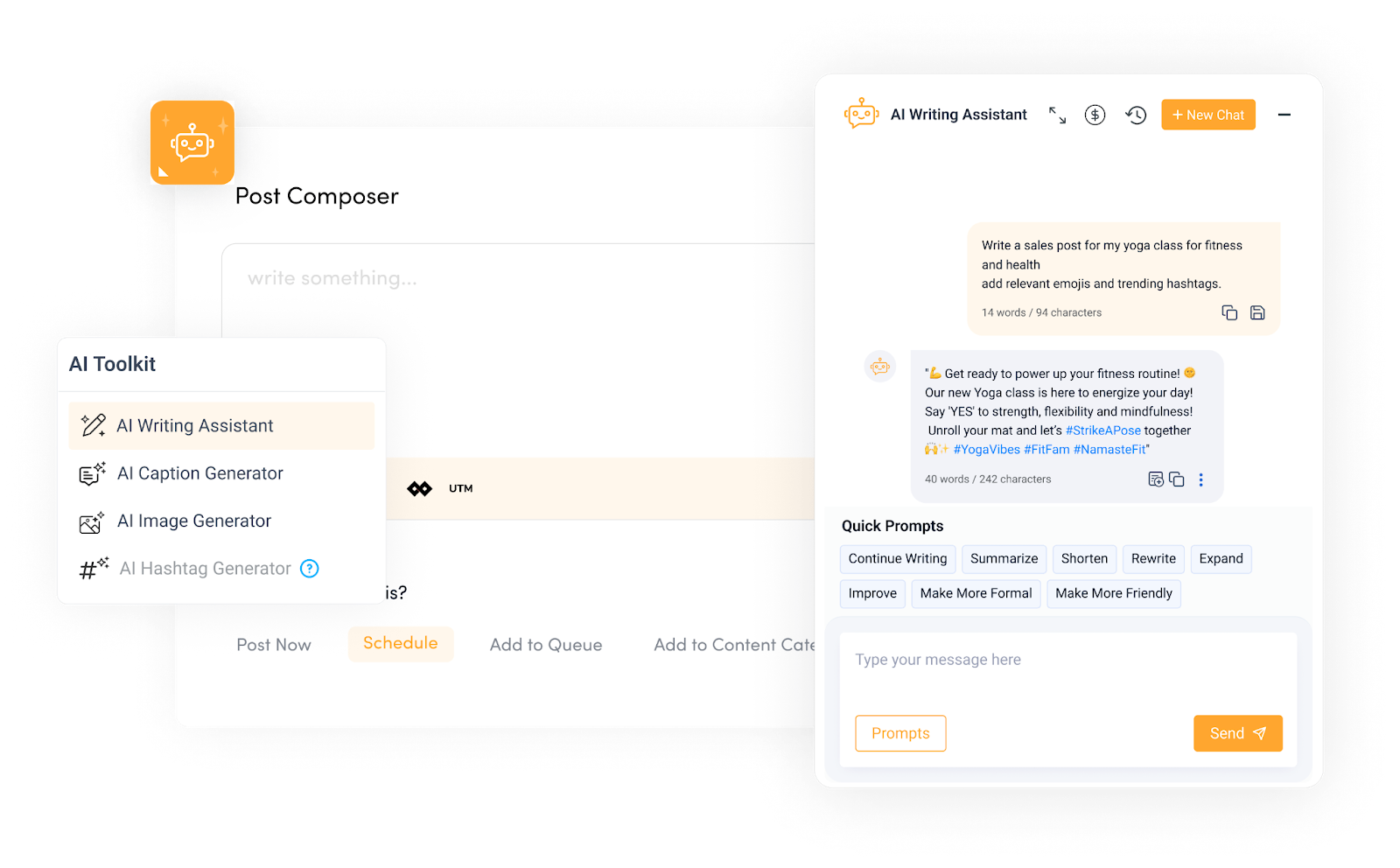
    ContentStudio's AI Assistant interface.

    ContentStudio’s AI Assistant is designed to help marketers, content creators, and businesses generate high-quality, engaging content faster and more efficiently.

    Its customizable writing tones, text enhancement, and a predefined prompt library make the job easy. The AI assists in creating social media captions, generating images, generating text from images, hashtags, and more, all tailored to your brand voice and audience. 

    Best for: Generating and editing short-form social media content and images. 

    3. Canva & Canva Magic Write
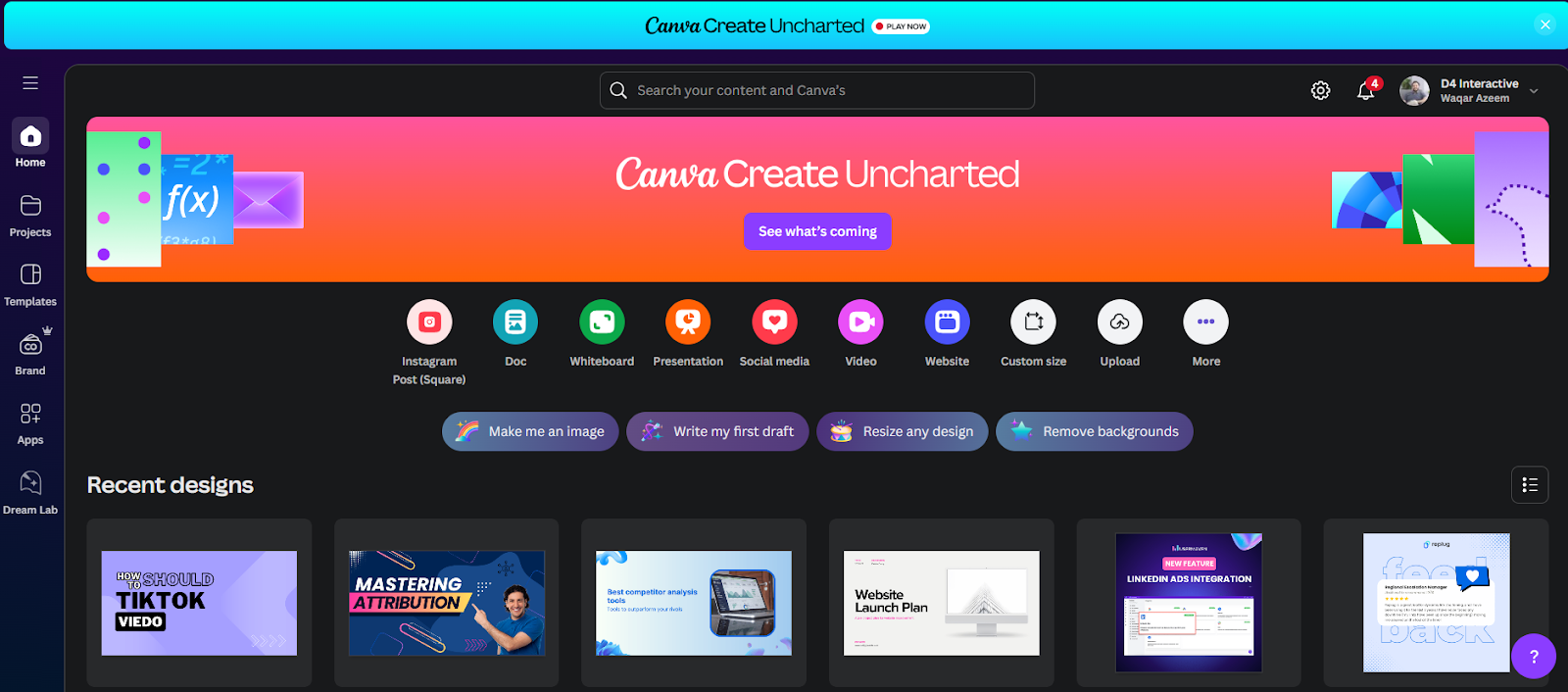
    Canva interface image.

    Canva is no longer a simple graphic design tool but an efficient AI-driven content creation platform. Its user-friendly drag-and-drop interface makes designing social media posts, presentations, and videos accessible to everyone without any pro-level design skills.

    Canva Write Magic is an AI writing tool built into Canva that assists in generating short-form content for presentations, social posts, and designs. It pairs well with Canva’s visual editing features.

    Best for: Designers and marketers who want quick, AI-powered copy for visual content.

    Choosing the right AI tool depends on your specific content goals, whether you need fast output, tailored copy, or polished language. Many professionals use a combination of tools to generate, refine, and scale content efficiently.

    AI-Generated content vs human-written content

    As AI becomes more prevalent in content creation, it’s important to understand how it compares to traditional human writing. Each approach has its strengths and weaknesses, and the best results often come from knowing when to use one over the other or how to combine both.

    The table below provides a quick glance:

    AspectAI-generated contentHuman-written content
    Speed & volumeExtremely fast; can create high volumes of content in secondsSlower, but allows for thoughtful, deliberate writing
    CreativityMimics patterns, limited originality, lacks true ideationHighly creative; draws on unique experiences, emotions, and storytelling
    AccuracyCan generate factual errors; does not verify informationCan research and fact-check for reliable, up-to-date content
    Tone & voiceCan imitate tone styles but may lack brand consistency or nuanceCaptures subtle tone variations and maintains consistent brand voice
    Cost & EfficiencyLow cost, high efficiency for repetitive tasksHigher cost, but with greater attention to detail and quality
    Emotional connectionLacks emotional depth; harder to build authentic audience relationshipsConnects with readers on a deeper, emotional level
    Best used forProduct descriptions, social media posts, drafts, bulk contentStorytelling, opinion pieces, thought leadership, sensitive or in-depth topics

    AI-generated content is a powerful tool for fast, scalable content production, but it can’t fully replace human insight, creativity, and emotional intelligence. The most effective content strategies often combine both, letting AI handle the heavy lifting while humans polish, guide, and elevate the final output.

    Is AI content ethical and legal?

    As AI-generated content becomes more widespread, important ethical and legal questions arise. Understanding these concerns is critical for creators and businesses to use AI responsibly and avoid pitfalls.

    1. Copyright and intellectual property

    One of the most significant legal questions around AI content is ownership. Since AI models learn from vast amounts of existing work, there’s a debate over whether AI-generated content infringes on copyright. For example, in 2023, the U.S. Copyright Office clarified that works created entirely by AI without human authorship may not qualify for copyright protection. However, copyright can be claimed if a human edits or guides the AI output.

    Example: OpenAI’s content is governed by usage policies that clarify user ownership of AI-generated content, but creators must ensure that they do not infringe on copyrighted material used in training.

    2. Transparency and disclosure

    Ethical use of AI content often involves disclosing when AI generates or assists content. This transparency builds trust with audiences and avoids misleading readers who might assume all content is human-created.

    Example: The Associated Press openly stated it uses AI to generate earnings reports and weather updates, but clarifies when content is AI-assisted to maintain credibility.

    3. Bias and fairness

    AI models can inherit biases from the data they were trained on, leading to discriminatory or unfair content. For example, facial recognition AI and language models have shown biases against minority groups due to unbalanced datasets.

    Example: IBM’s AI Fairness 360 toolkit helps developers detect and mitigate bias in AI models.

    Also read: 9 best ChatGPT alternatives in 2025.

    4. Misinformation and accountability

    AI-generated content can unintentionally spread false or misleading information because AI doesn’t verify facts. For example, during the COVID-19 pandemic, some AI-generated content circulated misinformation, highlighting the need for human review.

    Example: Fact-checking organizations like Snopes emphasize the importance of human oversight for AI content.

    5. Job displacement concerns

    The rise of AI in content creation has sparked debates about potential job losses among writers, editors, and creatives. However, AI is also seen as a tool to augment human work rather than replace it entirely.

    Example: The World Economic Forum reports that while AI may displace some jobs, it will also create new roles focused on managing and enhancing AI technology.

    6. Compromised SEO rankings 

    Although AI can help optimize content for search engines, overreliance on it can lead to keyword stuffing or content that lacks true value, both of which can hurt SEO rankings. Additionally, since AI draws from large datasets, there’s a possibility of unintentionally reproducing phrases that are too similar to existing content, raising plagiarism concerns.

    7. Lack of human emotion and creativity

    AI struggles to replicate human nuance, emotional intelligence, and storytelling ability. It can’t truly empathize with readers or deliver content with a unique voice or flair. This can be a disadvantage in content where tone, emotional resonance, or originality is key, such as brand campaigns or opinion pieces.

    AI-generated content offers incredible possibilities, but ethical and legal considerations must guide its use. Transparency, accountability, and human involvement are key to ensuring AI supports creativity without compromising trust or integrity. Staying informed about evolving laws and best practices will help users navigate this complex landscape responsibly.

    From outline to publish-ready content that fills them

    check

    Structured

    check

    Consistent

    check

    SEO-aligned

    check

    Fast

    Generate Outlines FREE →
    AI SEO Interface

    Wrapping up: The future of AI in content generation

    AI is not just a trend; it’s reshaping how content is ideated, created, distributed, and optimized. As the technology advances, its role in content creation will continue to evolve, moving beyond assistance into true collaboration with human writers.

    In the near future, we can expect AI tools to become more context-aware, better at understanding nuance, and more integrated across creative workflows. Personalized content at scale, real-time language translation, and predictive content strategies will become the norm.

    Also read: What is content automation: Key benefits, tools and tips.

    Writers and marketers will work alongside AI as co-creators, using it to speed up production, test variations, and unlock deeper insights from data.

    However, human creativity, emotion, and storytelling will remain irreplaceable. The future lies in striking the right balance: letting AI handle repetitive tasks while humans lead with originality, empathy, and ethical judgment.

    In essence, AI won’t replace content creators; it will empower them to do more, faster, and smarter.

    FAQs on AI-generated content

    What is AI-generated content?

    AI-generated content refers to text, images, audio, or video created by artificial intelligence tools or algorithms, often trained on large datasets. These tools can produce blog posts, product descriptions, social media content, and more with minimal human input.

    How does AI create content?

    AI uses natural language processing (NLP) and machine learning to understand patterns in data. It analyzes existing content and then generates new material based on prompts or instructions given by the user.

    What types of content can AI generate?

    AI can create a wide range of content, including articles, marketing copy, social media posts, emails, poetry, code, images, and even videos. The quality and accuracy depend on the tool and the input provided.

    Is AI-generated content original?

    Yes, AI-generated content is typically original in the sense that it produces unique outputs based on training data. However, it’s essential to review for accuracy, tone, and potential plagiarism—especially for sensitive or factual content.

    Can AI-generated content replace human writers?

    AI can assist or speed up content creation, but it’s not a full replacement for human creativity, critical thinking, or emotional nuance. The best results often come from combining AI with human editing and oversight.

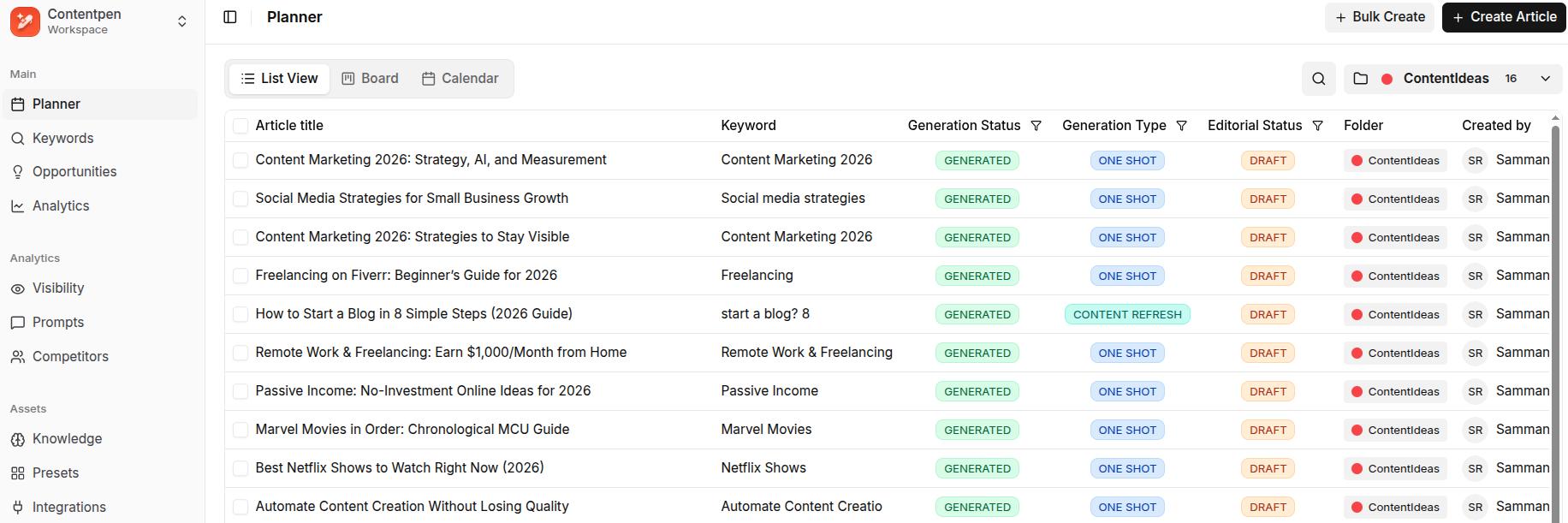
  • How to refresh an existing article in Contentpen?

    How to refresh an existing article in Contentpen?

    Content doesn’t just need to be created; it needs to stay relevant, accurate, and engaging. That’s why Contentpen’s article refresh feature is so important for bloggers, marketers, and SEO professionals alike.

    Whether you’re updating outdated stats, improving SEO, or giving your piece a modern twist, Contentpen makes refreshing articles quick and simple.

    In this guide, we’ll walk you through step-by-step instructions on how to refresh an existing article in Contentpen. We will also see how you can update a published piece for better SERP rankings and AI visibility.

    So, let’s get started.

    Why refresh an existing article?

    Before diving in, let’s quickly understand the value of refreshing content:

    • Boost SEO performance – Updated, accurate content is more likely to hold or regain its rankings, especially for topics that change often.
    • Update outdated information – Stats, trends, and tools change.
    • Improve readability and structure – Content evolves as user expectations shift.
    • Optimize for conversions – Refresh your CTAs or align with new campaign goals.

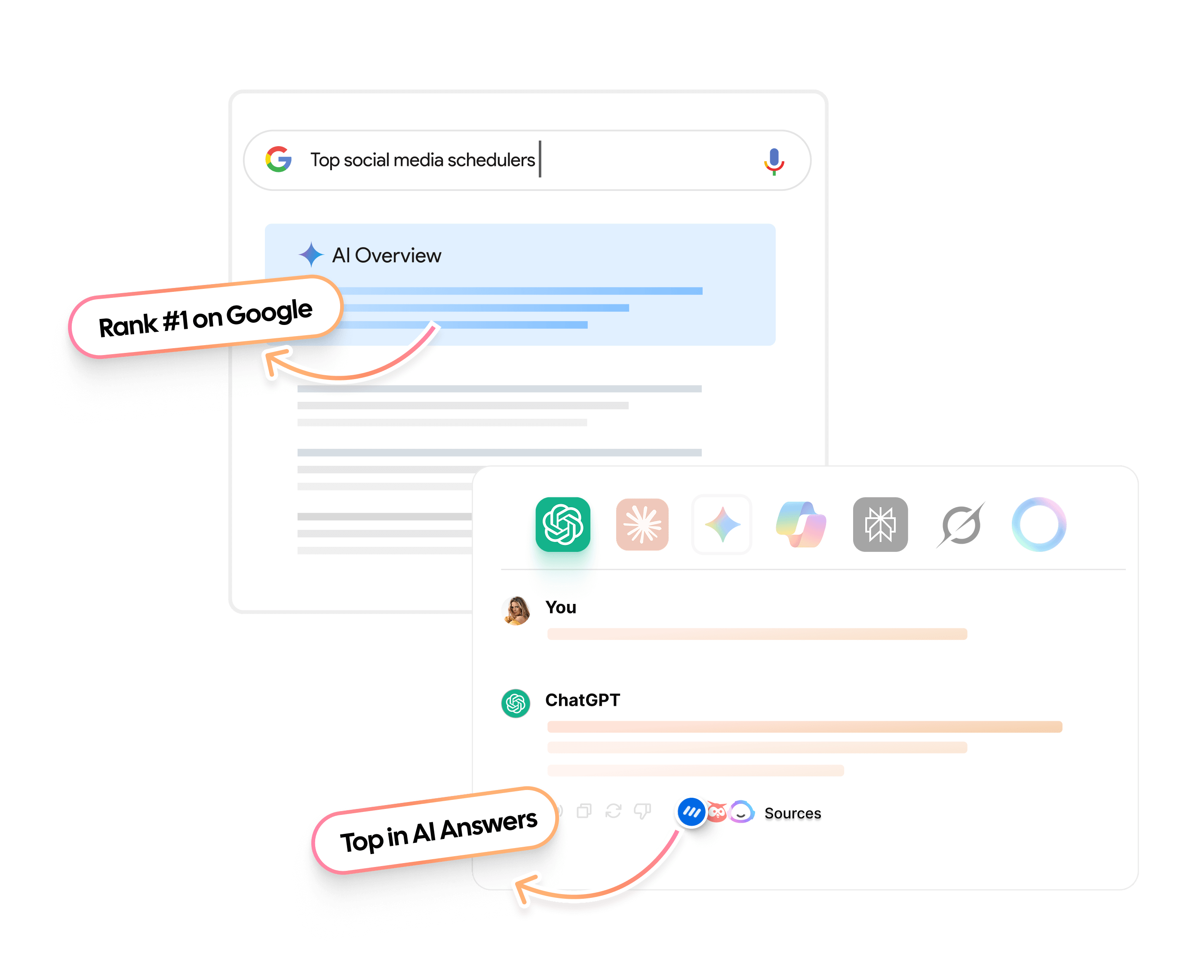
    • Win back AI citations – AI engines favor current, clearly structured answers, so refreshed content has a better chance of being cited in ChatGPT, Perplexity, and Google’s AI Overviews.

    Instead of writing from scratch, Contentpen allows you to breathe new life into existing content with minimal effort.

    Not sure which articles to refresh first?

    Contentpen’s SEO opportunities flags pages losing traffic to content decay, pages with low click-through rates, and keywords where your own articles compete with each other, so you know exactly where a refresh will have the biggest impact.

    Also read: What is AI content automation: Key benefits, tools and tips.

    Step-by-step approach to refreshing an article in Contentpen

    Below are the steps needed to convert your existing draft into a powerful piece.

    Step 01: Start from the dashboard

    Log in to your Contentpen account. Once you’re inside, you’ll land directly on the main dashboard.

    Contentpen main dashboard.

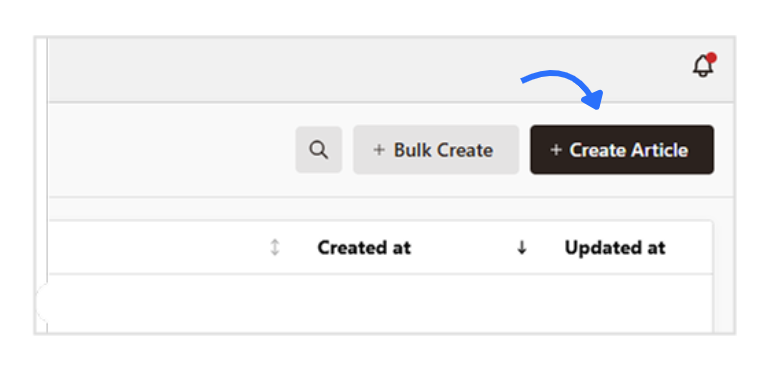
    From here, click the “Create Article” button in the top right corner. 

    Create article button - Contentpen.ai.

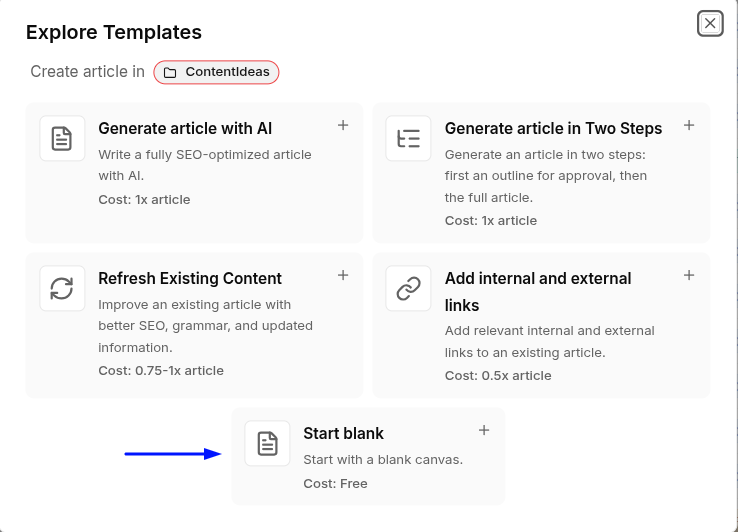
    A pop-up will appear with five options. The fastest way to refresh a published post is the ‘Refresh Existing Content’ template.

    Five content templates in Contentpen.ai.

    Enter the live URL of the published article, then choose one of three refresh modes depending on how much you want to change: Enhance Existing, Full Rewrite, or Research & Update. Contentpen then shows the original and refreshed versions side by side, so you can review every change before accepting it.

    If you’d rather work section by section with your own instructions, select “Start Blank” instead and follow the steps below.

    Related Read: How to write an article using Contentpen.

    Step 02: Add your content

    Moving on with the blank template, you’ll now have an empty canvas to work with. Here, paste the text of the article you want to refresh.

    Existing content pasted in Contentpen.ai for a refresh.

    Important: Analyze the existing content

    Before you start making edits, take a moment to read through the entire article. Ask yourself the following questions:

    • Is the content still relevant?
    • Does it have outdated information?
    • Are there any broken links or missed internal linking opportunities?
    • Can you add any new insights, case studies, or recent trends?

    Having a clear picture of what needs updating will guide your editing process.

    Step 03: Click on “Ask AI”

    Once your content is added, it’s time to start the refresh process.

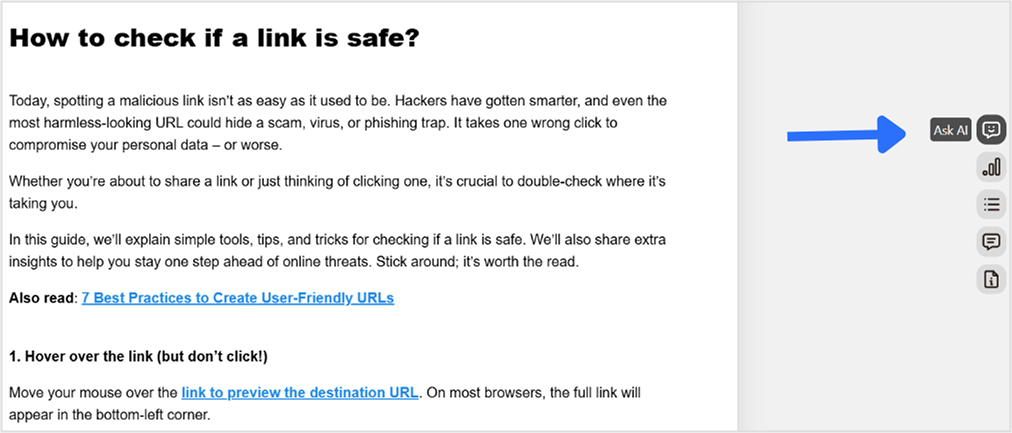
    On the right-hand menu, you’ll see the “Ask AI” option. Click on it, and the Contentpen AI bot will appear.

    Ask AI option in the sidebar.

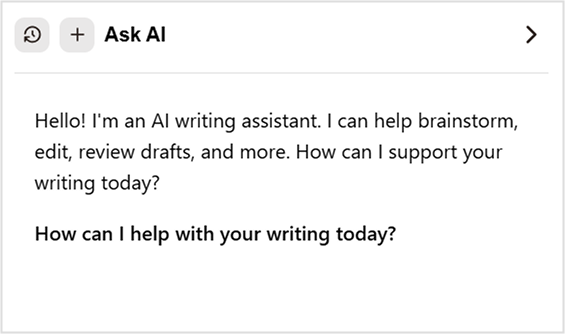
    Once the bot opens up, start asking it what to do with the content in simple, plain language. Talk to it like you would to a human assistant.

    Ask AI - Contentpen's integrated AI writing and SEO optimization assistant.

    Tip: Check the SEO and GEO scores in the editor as you refresh. The SEO score covers keyword optimization for your title and meta description, the GEO score shows how easily AI engines can extract and cite your content, and Fix with AI resolves issues in both in one pass.

    Step 04: Give instructions to the Contentpen AI bot

    You can give the AI bot specific instructions for what you want to improve. Some example prompts include:

    • “Rewrite [X] section for better content flow and fluency.”
    • “Adjust the tone to fit a younger audience (20–30 years old).”
    • “Add a comparison table for [X] and [Y] quantities, highlighting common similarities and differences between the two.”

    If nothing works, you can simply say: “Update this content based on the latest data and SEO trends,” and the tool will start its operation.

    Prompt added to Ask AI.

    Bonus tip: Rewrite specific paragraphs, sentences, or change the tone for clarity. If a paragraph feels awkward or unclear, Contentpen can help rephrase it more readably.

    The AI can also modify the tone of specific sections to match your brand voice, whether you want it to be more casual, formal, or persuasive.

    Step 05: Enjoy your updated content

    Once the AI processes your request, you’ll receive a refreshed version of your article. Review it, make any necessary manual tweaks, and you’ll be good to go.

    Once you’re happy with the updates, hit the “Publish” button. 

    Contentpen will automatically save and publish the refreshed article to your preferred CMS platform, such as WordPress, Webflow, Shopify, Ghost, Wix, or EmDash. You can also choose to schedule the content for a later time if preferred.

    Plan once.
    Publish consistently.

    check

    Scheduled

    check

    Organized

    check

    Predictable

    check

    Scalable

    Schedule Your Content →
    AI SEO Interface

    What if your article is already published through Contentpen?

    Let’s say you want to update a previously published piece in Contentpen. Here’s how you can do that with ease:

    1. Log in to your Contentpen account – If you haven’t already, sign in.
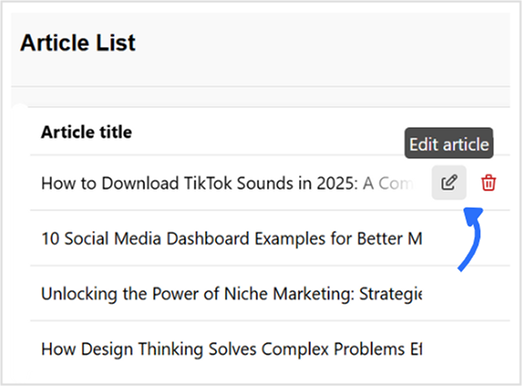
    2. Navigate to your dashboard – You’ll see a list of all your saved or published articles.
    3. Locate your article – Click the “Edit” button next to the article you want to refresh. This will open the content editor, where you can make all necessary updates.
    Edit article option in Contentpen.ai.

    Things to check when refreshing a published article 

    Once you are in the edit window, you can make a lot of changes to your already existing blog. You can:

    1. Add internal and external links

    Ensure your article includes valuable internal links to related posts and credible external sources to boost SEO and user engagement.

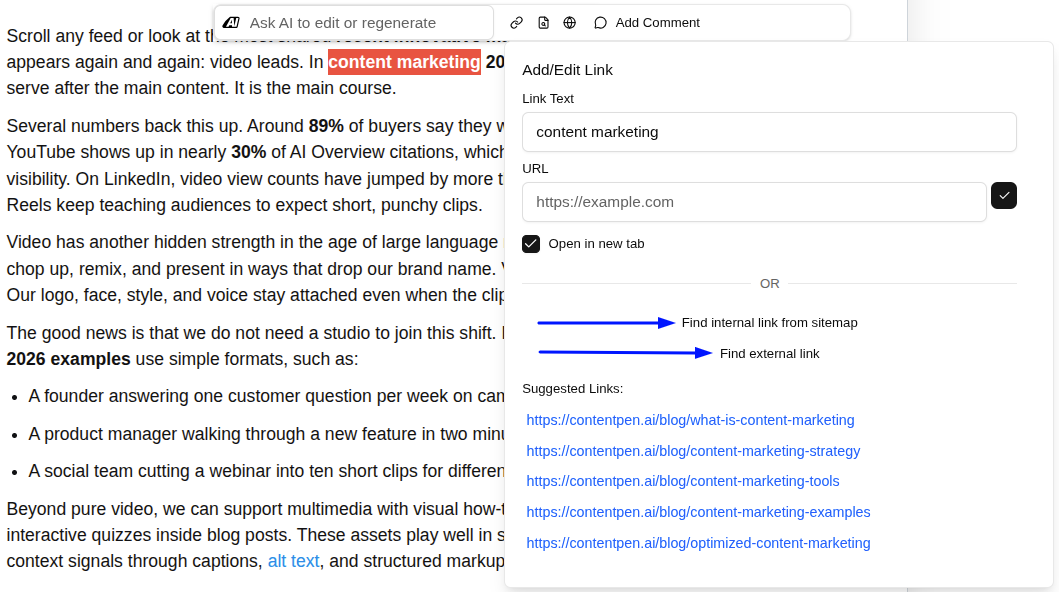
    Contentpen allows you to automate internal and external links. All you have to do is select an anchor text and click the ‘Add/Edit link’ option. Once the window opens, decide which type of link you want to place.

    If you click on ‘Find internal link from sitemap,’ you can establish effective internal linking by simply choosing any of the suggested options.

    Automating internal and external linking - Contentpen.ai.

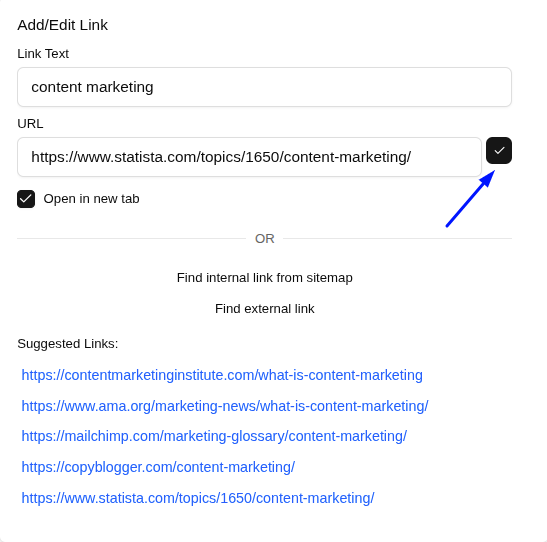
    If you choose ‘Find external linking,’ the tool will scan the most credible sources online for your topic or niche and provide its suggestions. Click on the ‘tick’ icon next to the URL text field to place the link.

    Placing internal and external links in the content.

    2. Update visuals

    Refreshing your article? Don’t forget about the visuals:

    • Replace outdated images with fresh ones by clicking the image and using the ‘Replace Image’ option in Contentpen.
    Replace image and visuals in Contentpen.ai.

    Contentpen’s built-in media library will open up, where you can generate images with AI or browse and use any existing visuals for your content.

    • You can also optimize image sizes for better load times.
    • Edit alt text for SEO directly in the tool by clicking the ‘pencil’ icon.

    Contentpen also allows you to easily integrate any custom-created visuals and infographics to enhance the engagement and aesthetics of the content.

    3. Check your CTAs

    Make sure your calls to action are still relevant to your current goals or campaigns. If that’s not the case, you can make use of the ‘Ask AI’ assistant again to polish your CTAs for better conversions.

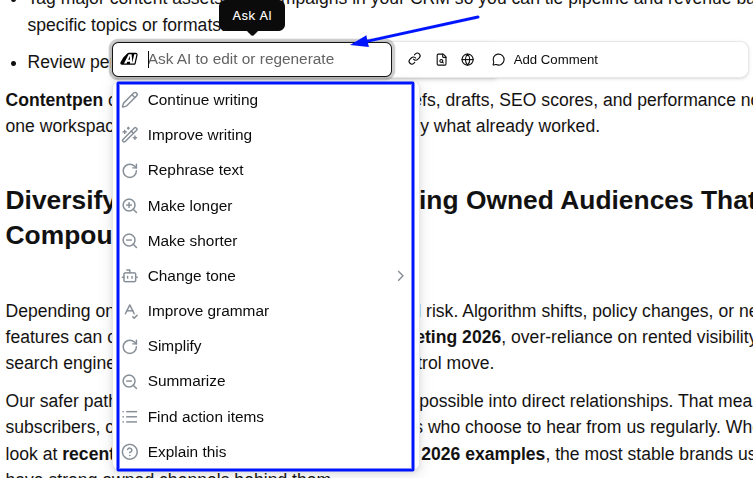
    Highlight the content you want edited, and a pop-up will appear. Here, you can see the Ask AI assistant window.

    Click on the empty text field to expand some common text editing options.

    In-line text editing options - Contentpen.ai.

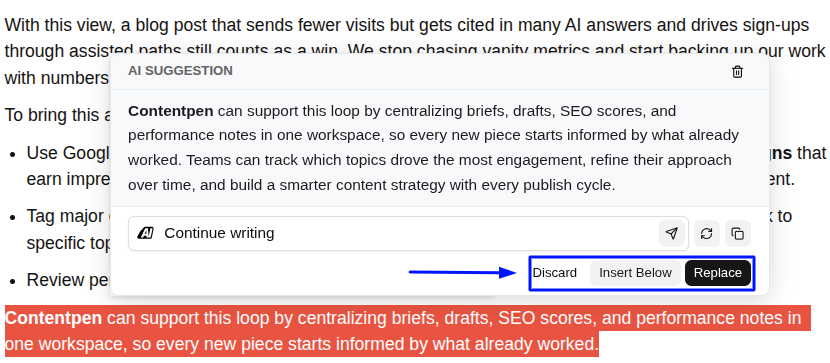
    Choose any existing options to rewrite your existing CTA. For example, if we click on ‘Continue Writing’ and press Enter, the AI will start processing and show us the exact content that needs to be added to improve content flow.

    Further options to 'Discard', 'Insert Below' or 'Replace' the current text with the new one.

    Now, you can either ‘Discard’ the AI suggestion, or you can select ‘Insert Below’ to add the new content along with the existing one. You can also ‘Replace’ to completely erase the previous version and use the recently generated CTA instead.

    4. Check formatting

    Ensure headings, lists, and spacing look clean and consistent.

    Contentpen’s powerful text editor provides you with complete freedom to change formatting. You can modify your headings, from H1 to H4, introduce bullet points, numbered lists, and also add any tables, quotes, and code snippets you like.

    5. Test links and image visibility

    Click through all internal and external links and confirm all pages load properly. Check the images and their alt text before publishing the updated content again.

    Final thoughts

    Refreshing your existing articles with our AI SEO tool is an effective way to ensure your content remains relevant, valuable, and optimized for both search engines and readers. 

    By following these steps, you can quickly update your content, improve SEO and GEO, and maintain a high-quality blog. Make it a regular practice to refresh older articles, and use AI visibility tracking to see whether refreshed content starts earning more AI citations.

    Frequently asked questions

    Can I refresh an article without starting from scratch in Contentpen?

    Yes! Use the Refresh Existing Content template and paste the article’s URL. Choose Enhance Existing to improve it while keeping its structure, Full Rewrite to start fresh on the same topic, or Research & Update to bring facts and stats up to date. You can review the original and refreshed versions side by side before accepting any changes.

    Will Contentpen keep my original formatting during the refresh?

    Yes. Contentpen maintains your formatting, but it’s always a good idea to review headings, lists, and spacing in the preview before publishing the refreshed version.

    How can I make sure my refreshed content is SEO-friendly?

    Use the built-in SEO score in Contentpen and check your keywords, meta tags, and headings. You can also instruct the AI to optimize your article based on the latest SEO trends to improve your SERP ranking.

    Can Contentpen help rewrite just certain paragraphs or sentences?

    Absolutely. You can highlight specific sections and ask the AI to rephrase them for clarity, adjust tone, or improve readability, without changing the rest of your content.

  • How to automate internal and external linking using Contentpen

    How to automate internal and external linking using Contentpen

    Effective internal and external linking is essential for SEO, guiding users through your website and building content authority. 

    Proper links help search engines understand your site structure and direct readers to related content. While manual linking works for smaller sites, it becomes time-consuming and error-prone as your content grows.

    Automation streamlines this process by scanning your site and inserting valuable links without manual effort, saving time and ensuring consistency.

    By the end of this guide, you’ll see how Contentpen makes internal and external linking simple and scalable, whether you’re a small business owner, content manager, or SEO specialist.

    So, let’s get started.

    Why automate internal and external linking?

    Manual link management quickly becomes overwhelming as your content volume increases. When you handle links on a case-by-case basis, inconsistencies inevitably emerge, with some pages receiving too many links while others remain underlinked or completely disconnected. 

    This uneven approach not only wastes precious time but also creates an imbalanced site structure that confuses both users and search engines.

    Manual linking creates several challenges as your content grows:

    • Time-consuming process that diverts resources from content creation.
    • Inconsistent implementation leading to an unbalanced site structure.
    • Difficulty in maintaining links as content volume increases.
    • Higher risk of missing linking opportunities.
    • Challenges in identifying the most valuable linking connections.

    Automated linking eliminates these challenges by systematically scanning your entire website for linking opportunities and inserting links based on predefined rules and contextual relevance.

    Take a look at the table below, where all of this information is summarized, telling you why exactly it is a good idea to automate internal and external linking with Contentpen.

    Manual linkingAutomated linking with Contentpen
    A slow process that needs constant attention.Saves hours of work through intelligent automation
    Inconsistent implementation across contentEnsures a uniform linking strategy site-wide
    Links are often added based on convenience rather than strategyStrategic link placement based on relevance and SEO value
    Difficult to scale as the content library growsEffortlessly scales with expanding content libraries
    Prone to human error and oversightSystematically identifies all potential linking opportunities
    Requires ongoing manual review to maintainApplies your linking rules automatically to every new article

    The benefits extend beyond mere time savings. Automated linking creates a balanced link profile that clearly signals site relevance and authority to search engines, driving improved search visibility and organic traffic.

    Linking automation also helps reduce orphaned pages by linking new content to relevant existing pages, strengthening your overall site architecture.

    Getting started: Automating linking with Contentpen

    Automating linking with Contentpen is simple and integrates easily into your content workflow:

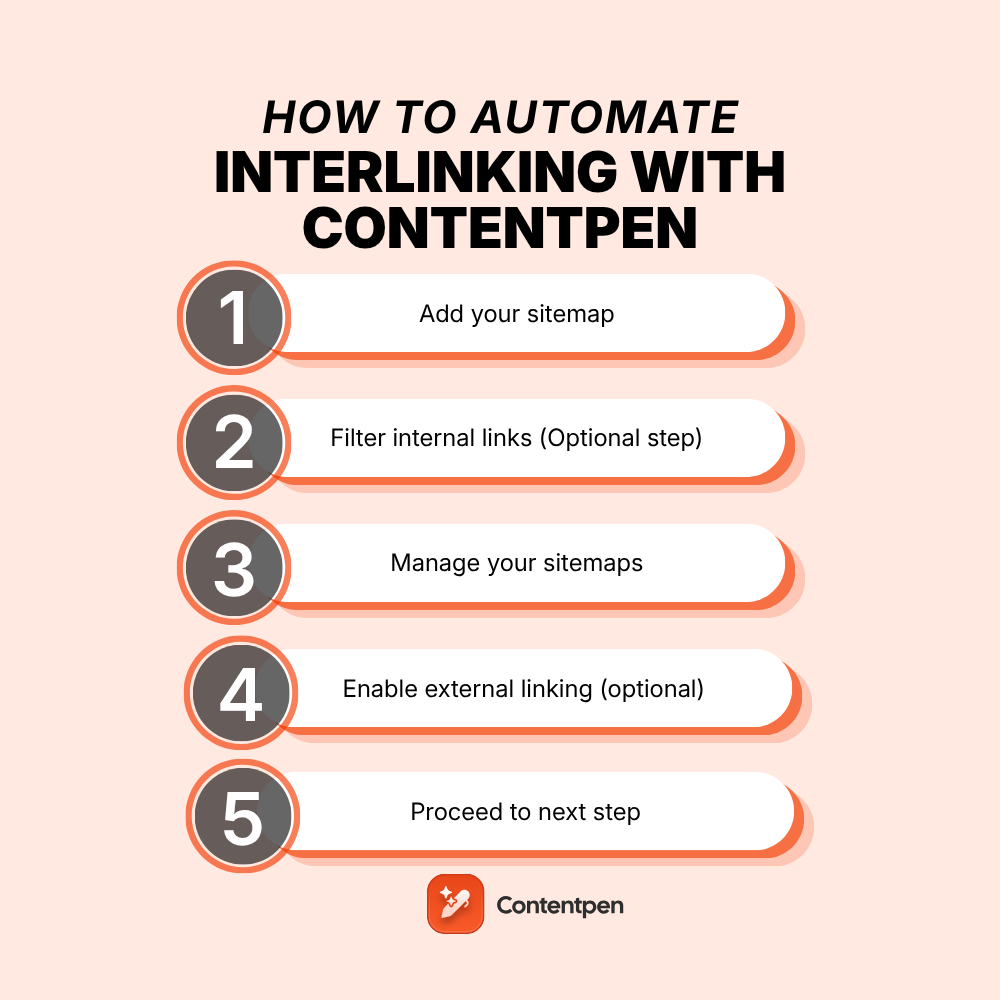
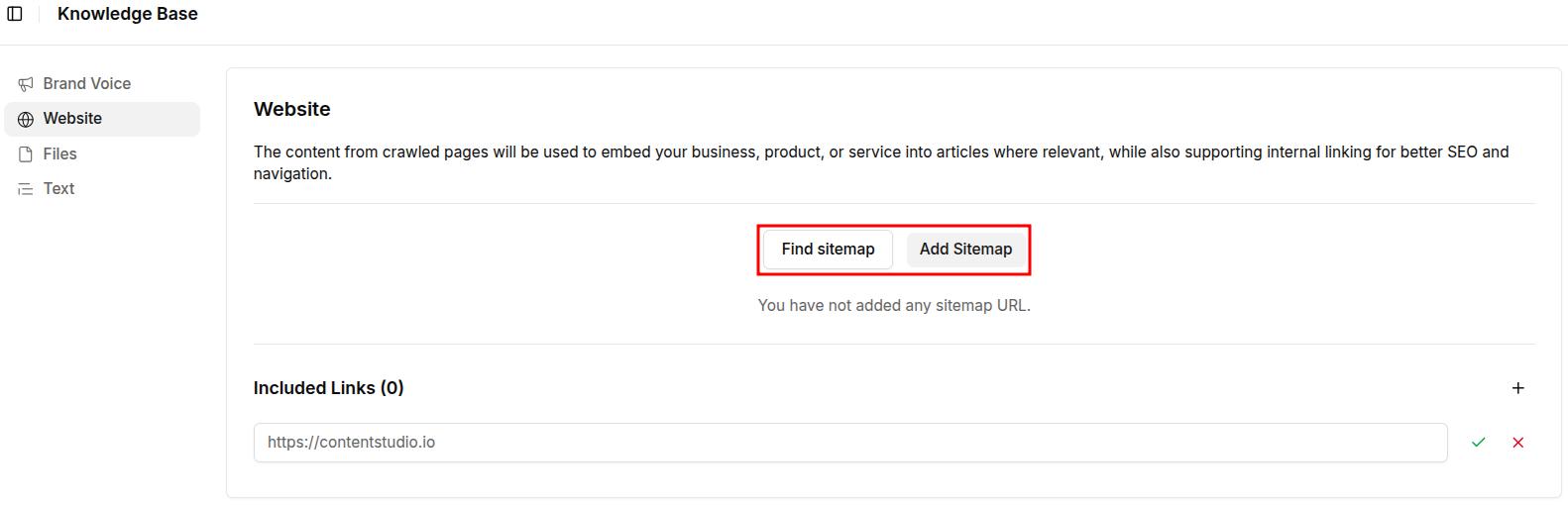
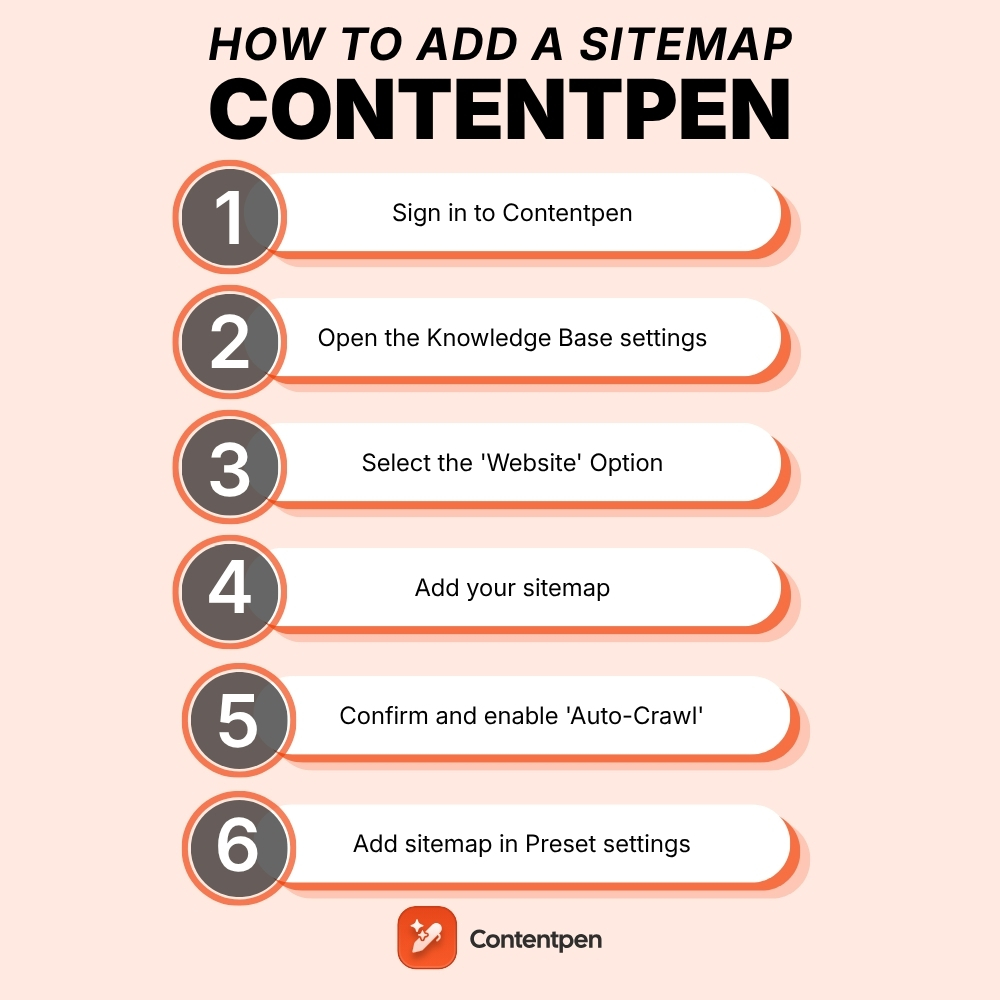
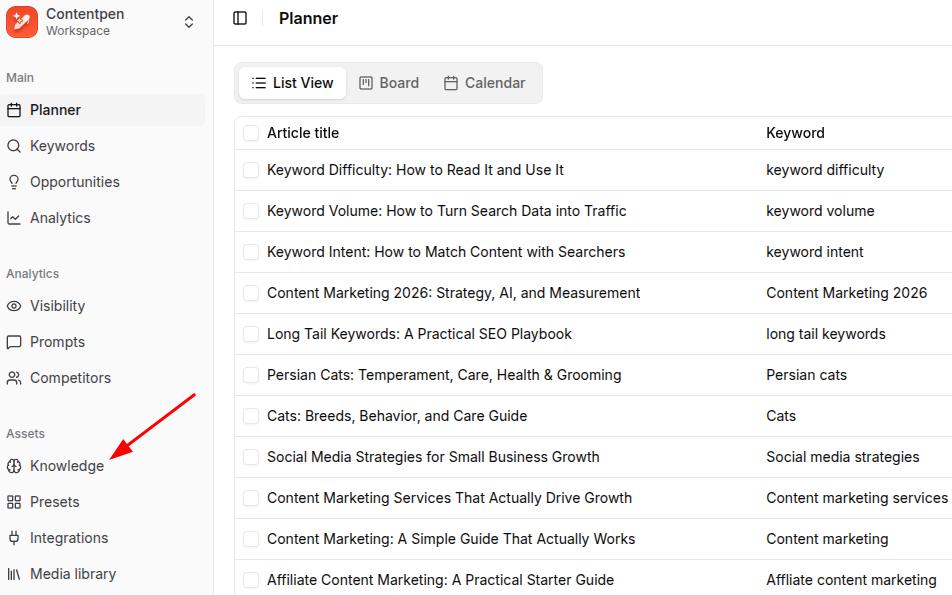
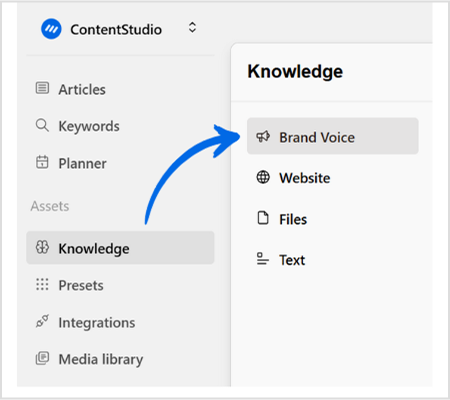
    Start by logging in to your Contentpen account. From the dashboard, you’ll see a menu on the left. From there, go to Knowledge -> Website. 

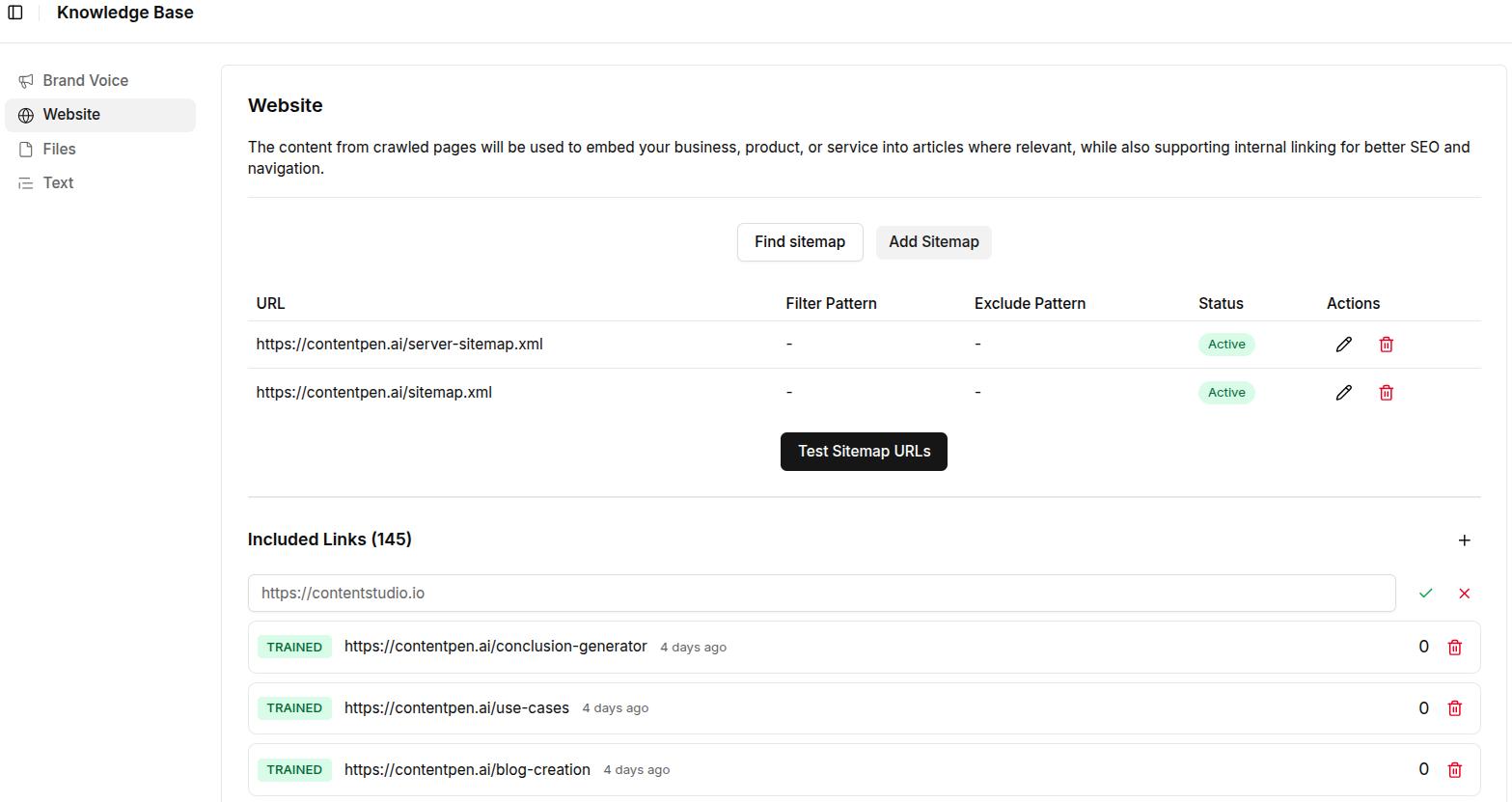
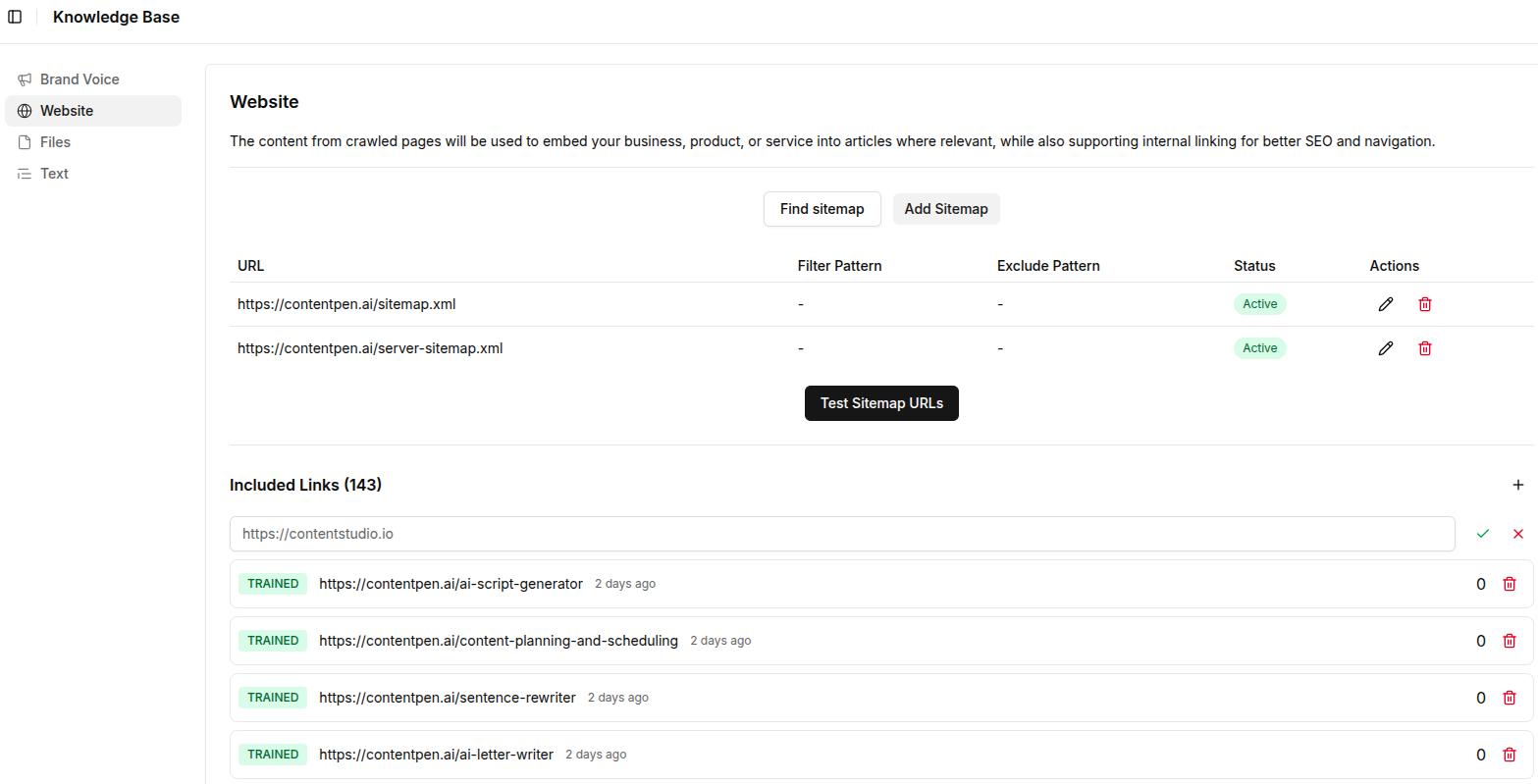
    Here, you’ll spot the “Find Sitemap” and “Add sitemap” options. Click on ‘Find Sitemap’ for now and proceed with the next steps.

    Screenshot showing the sitemap screen inside Contentpen.

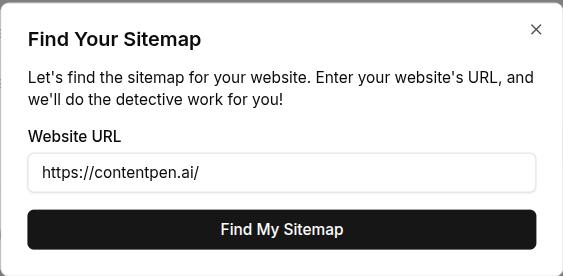
    Step 01: Find your sitemap

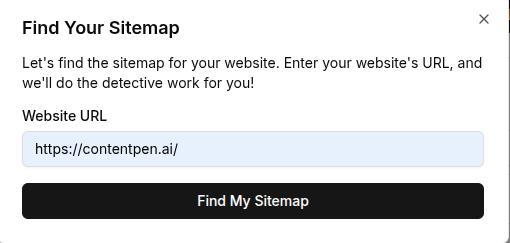
    If you don’t know your sitemap, Contentpen will help you find it using its built-in system. Simply add your domain and click on the ‘Find My Sitemap’ button to proceed.

    Finding sitemap screen - Contentpen.ai.

    Step 02: Add your sitemap

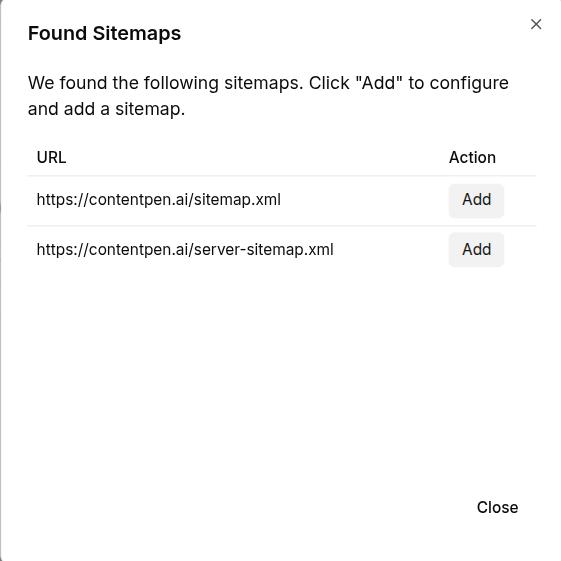
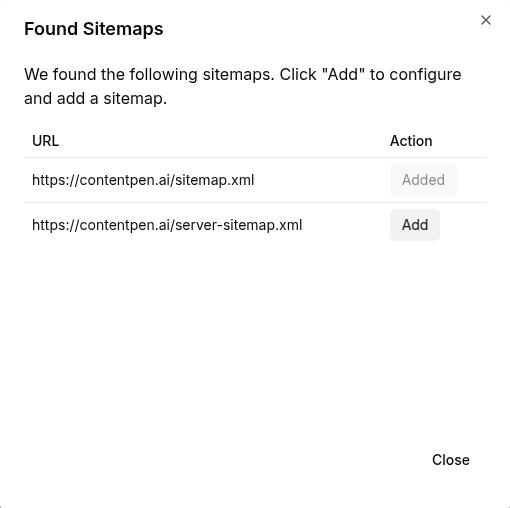
    Once our SEO platform detects your sitemap, it will display it in the following manner:

    Sitemap found for your domain - Contentpen.ai.

    Click on the ‘Add’ button to include your sitemap(s), which will make Contentpen ready to automate internal and external linking for your content.

    Step 03: Filter internal links (optional)

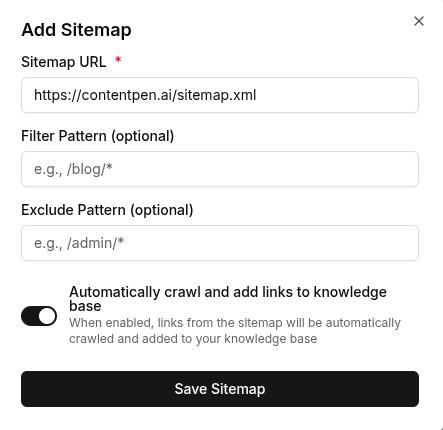
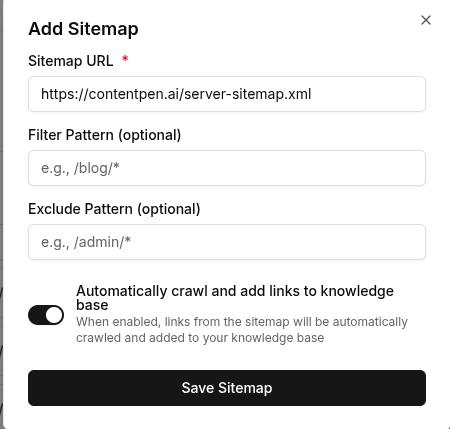
    After adding your sitemap, use Contentpen’s filtering options to exclude specific internal links you don’t want inserted. This helps you maintain control over your link strategy by avoiding redundant or low-priority pages, such as ‘Thank you’, ‘checkout screens’, or others.

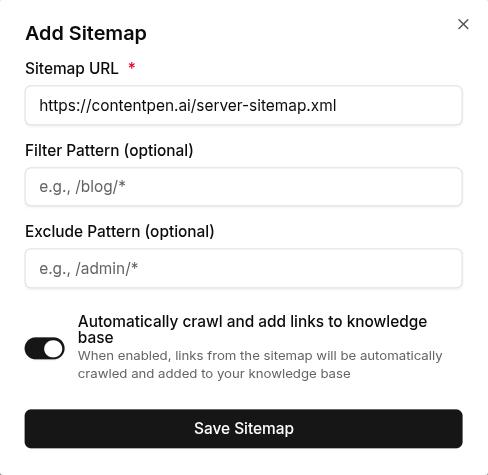
    Adding a sitemap in Contentpen.

    Once you are done with adding a filtering or exclusion pattern, keep the ‘Automatically crawl and add links to knowledge base’ slider on and hit the ‘Save Sitemap’ button to proceed.

    Step 04: Manage your sitemaps

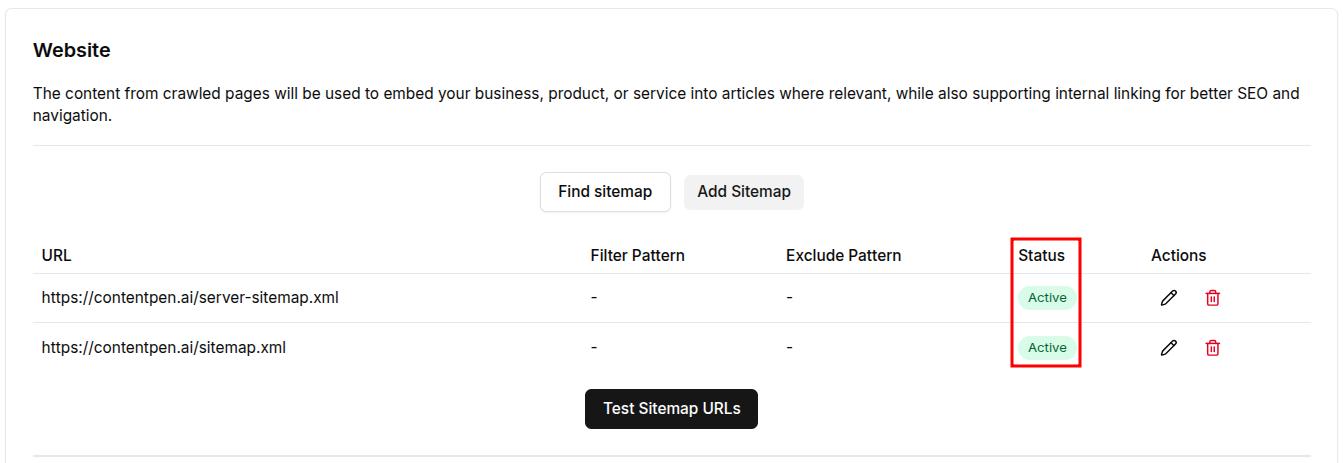
    After a bit of processing, your sitemap(s) will appear with a status indicator as shown below. 

    Screenshot showing the status of sitemaps added in Contentpen.ai.

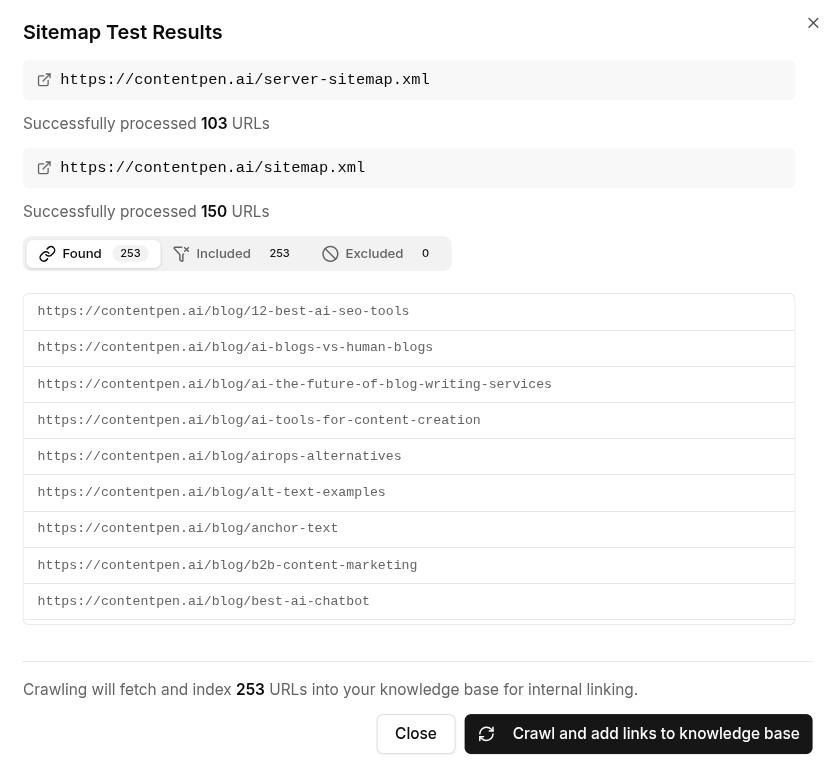
    Now you can test your sitemap URLs to check if all the internal pages are getting accessed properly.

    Sitemap adds internal links to the knowledge base - Contentpen.ai.

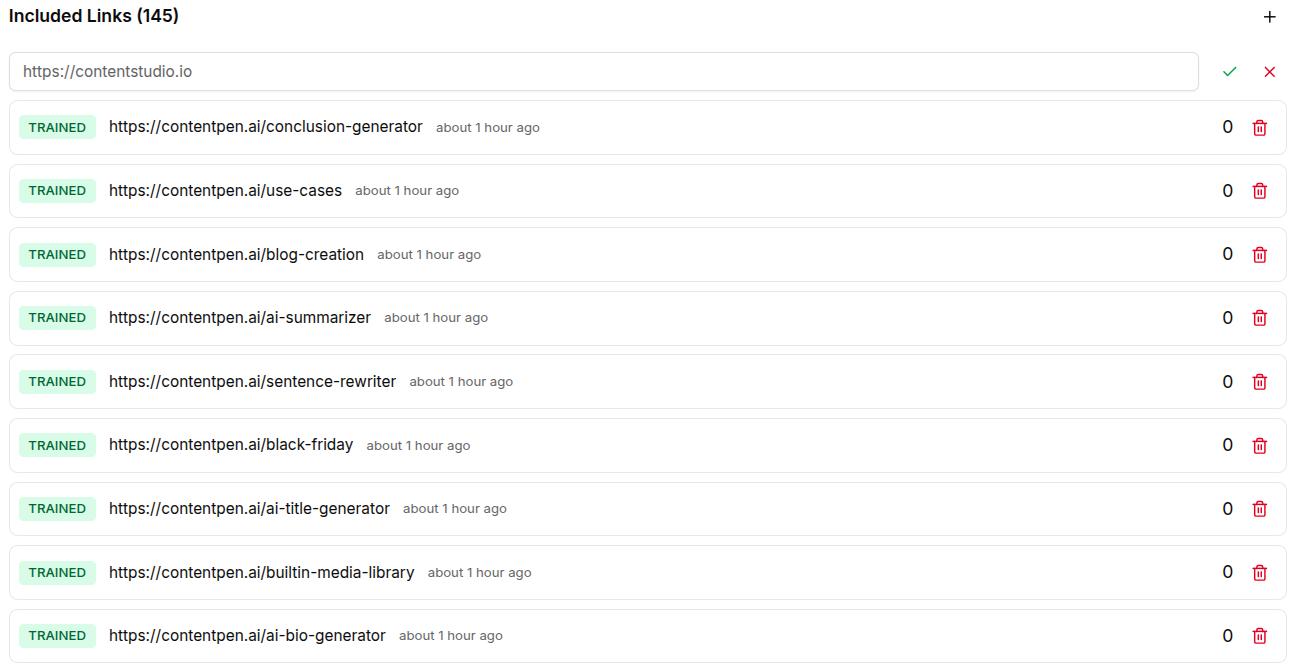
    You can also edit/remove page entries as needed from the ‘Sitemap Test Results’ screen to ensure smooth internal linking in content.

    A screen showing all the included links inside your Contentpen workspace.

    Step 05: Enable external linking

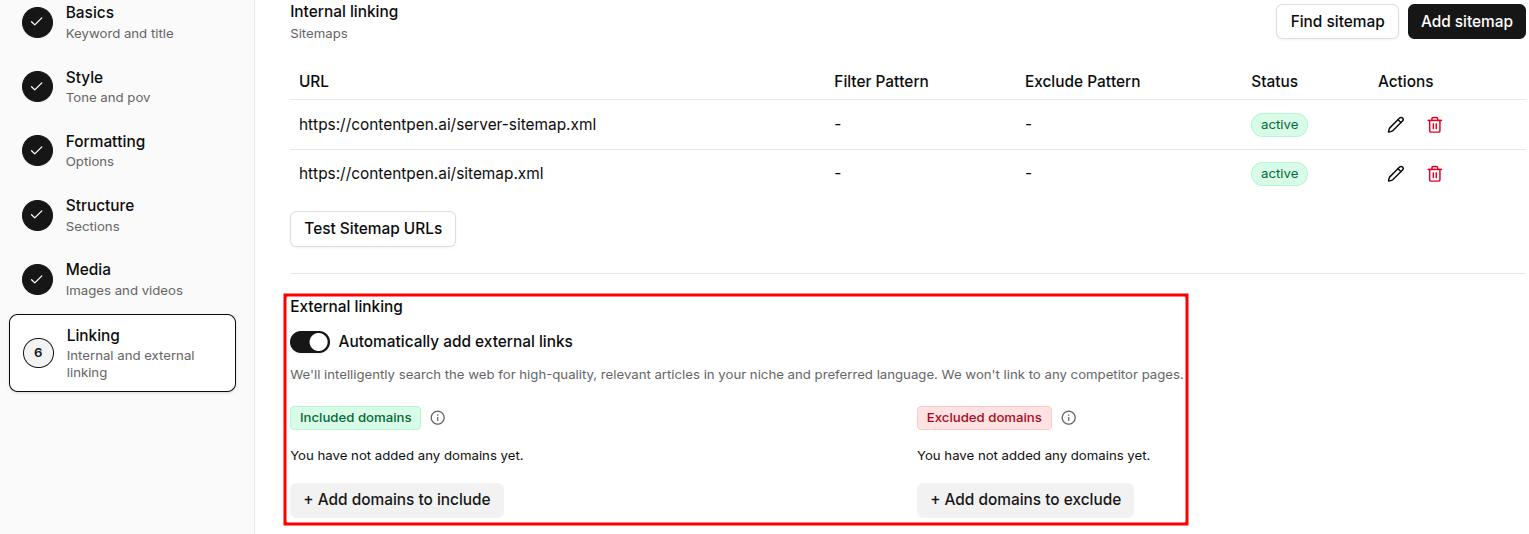
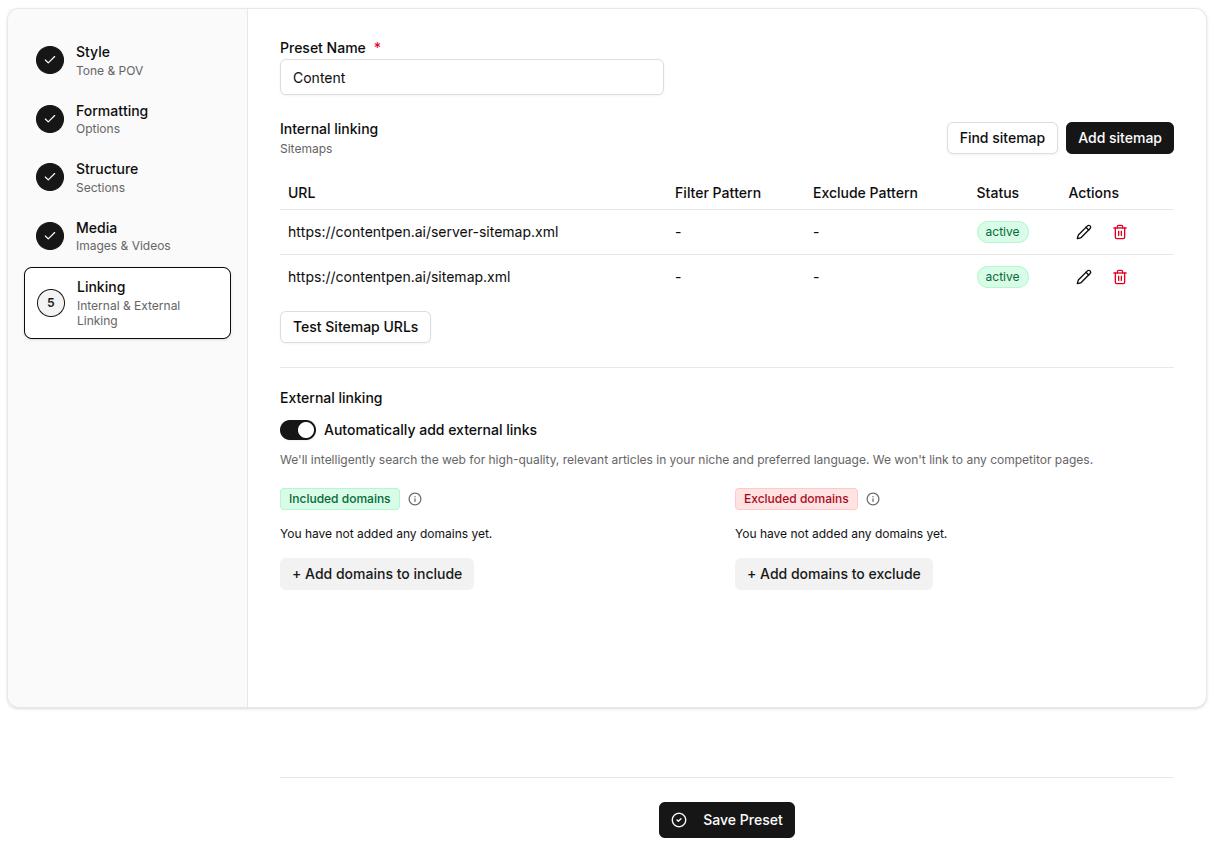
    After you’re done setting up internal linking, go to ‘Create Article – > Content Template -> Linking’ settings. Turn on the external linking slider if you want Contentpen to automatically insert relevant external links. 

    The tool will automatically find and place high-quality external sources in your content based on your niche and language preferences.

    External linking options in Contentpen turned on.

    Pro tip: Specify which domains you want to include or exclude from external links. This keeps your content free from competitor links and ensures only trusted sources are used, such as .edu domains or high-authority sites in your industry.

    Step 06: Test your links

    Click ‘Next’ to move forward and create an article in Contentpen. 

    Related read: How to write an article using Contentpen.

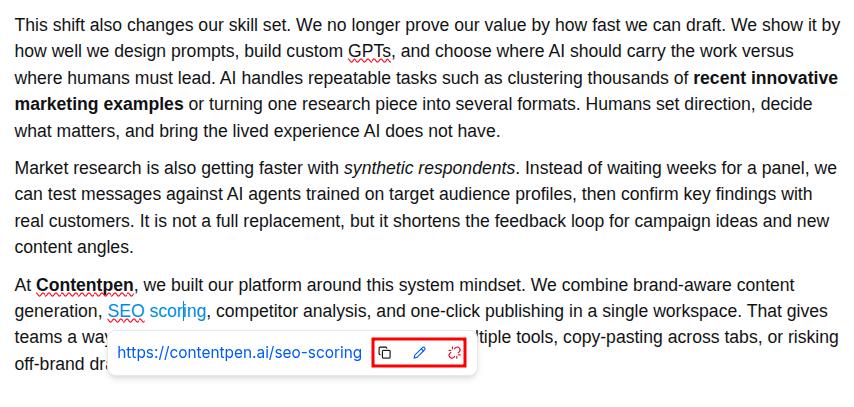
    Finally, test all the internal and external links created by the tool by clicking them to see if they function properly.

    Article generated by Contentpen with automated internal and external links.

    You can use our content editing tools to remove, edit, or copy a link to your clipboard to use it elsewhere in the content.

    Improve SEO with automated linking that fills them

    check

    Adds context-aware internal and external links automatically

    check

    Uses relevant anchor text to improve SEO and content flow

    Try Auto-Interlinking →
    AI SEO Interface

    Final thoughts

    Automating internal and external linking is no longer a luxury; it’s a necessity. As content grows, manual linking becomes unmanageable and inconsistent.

    Contentpen solves this with intelligent automation, offering sitemap integration, contextual link suggestions, and customizable presets to keep your site structure strategic and user-friendly.

    With Contentpen by your side, you get better crawlability, improved authority flow, and smoother user journeys, without the manual effort. Well-structured internal links and credible external sources also make your content easier for AI engines to understand and cite, helping you rank on Google and show up in AI answers. It lets you focus on creating valuable content while ensuring every page is meaningfully connected.

    Frequently asked questions

    Does automated linking work for websites with multiple languages?

    Yes. Contentpen automates internal and external links for non-English websites. It supports 50+ languages, so you’ll never have to face any trouble with automatic linking.

    How many internal links does Contentpen insert per article?

    There’s no limit to how many internal links Contentpen inserts in an article. It places links based only on the context of the content.

    Can I prioritize certain pages to receive more internal links?

    Yes. The tool provides a ‘Custom Instructions’ setting while creating or refreshing a piece of content. Here, you can write directly to the AI to prioritize more internal links for a cornerstone content or a pillar page.

    Will automated linking hurt my content’s readability?

    No. Contentpen is designed to preserve the natural reading flow. It places links contextually and intelligently on anchor texts, ensuring that the reader experience remains seamless and engaging.

    Can I automate linking for content I publish outside of Contentpen?

    Yes. Our tool provides the option for you to refresh your existing content by using the‘add internal and external links’ template.

  • How to set up brand knowledge in Contentpen: 5 simple steps

    How to set up brand knowledge in Contentpen: 5 simple steps

    Creating high-quality content consistently is one of the biggest challenges modern brands face, especially when working with multiple writers or relying on AI assistance.

    That’s where the brand knowledge feature in Contentpen comes in. It allows you to define your brand’s identity, voice, target audience, and strategic messaging, all in one place, so every piece of content reflects your unique positioning.

    Whether you’re a B2B SaaS company, digital marketing agency, or content manager running multiple campaigns, aligning your content with your brand identity helps build trust, improve conversions, and save time. 

    In this guide, you’ll learn how to build brand knowledge in Contentpen using its four key components: brand voice, website, files, and text snippets. Each step ensures the AI writes in your voice, for your audience, with content that supports your marketing and business goals.

    So, let’s get started.

    What is brand knowledge in Contentpen?

    Brand knowledge in Contentpen is a foundational feature that trains the AI to understand your brand’s identity, voice, audience, and messaging framework. 

    Instead of starting from scratch every time you generate content, you can preload essential brand information, so Contentpen consistently produces accurate, on-brand outputs.

    The brand knowledge setup consists of four integrated components:

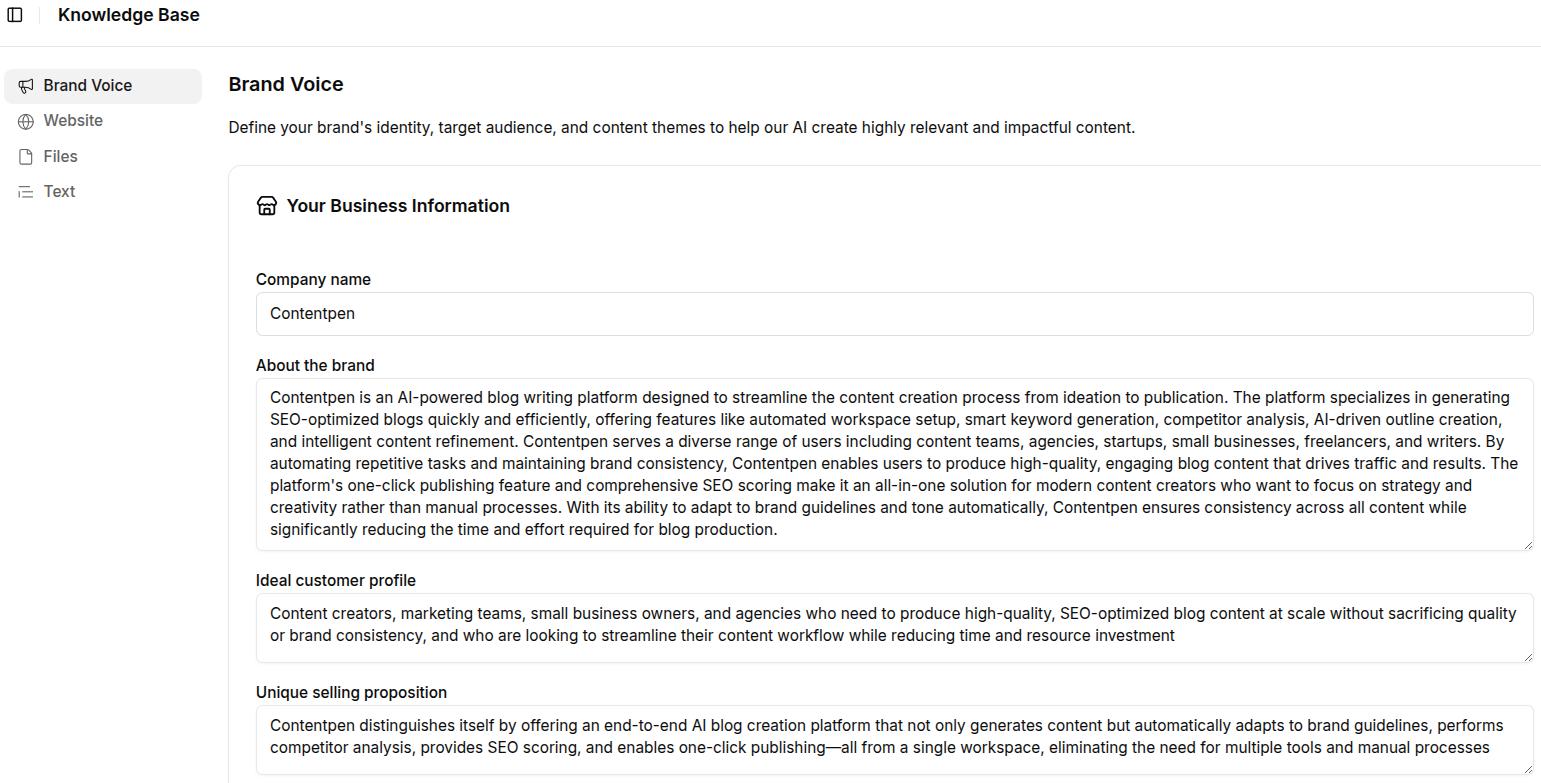
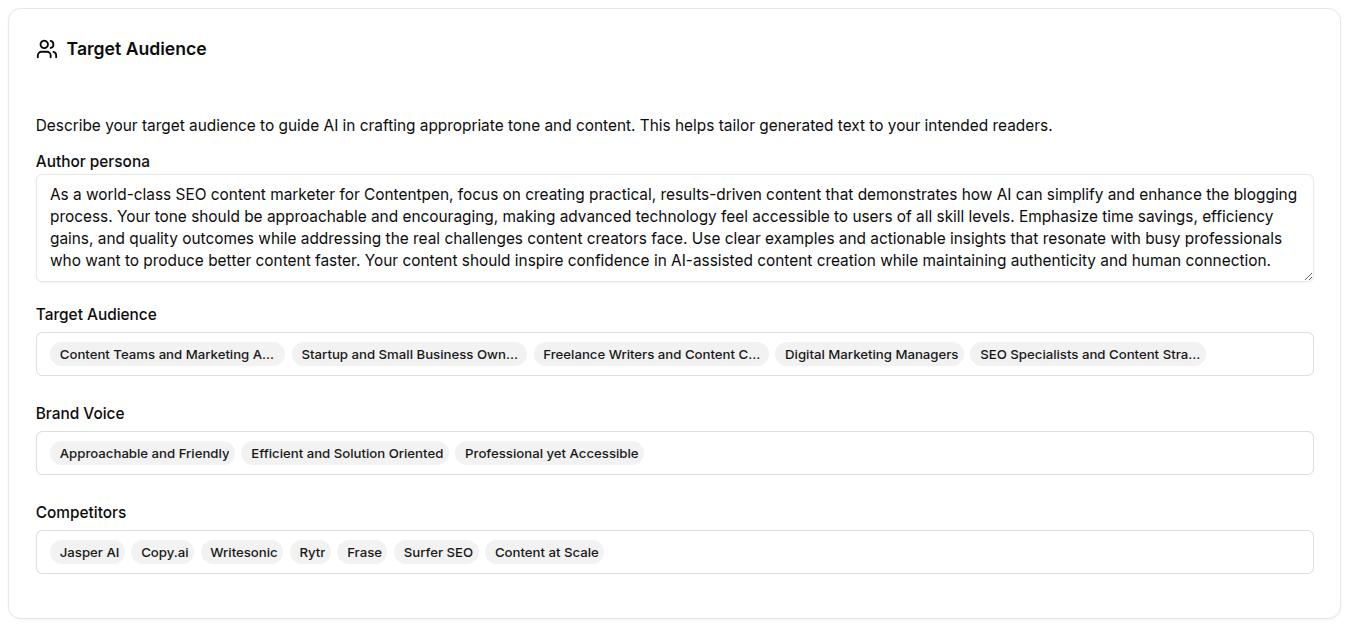
    • Brand voice: Define the basics of your brand: name, about, ideal customer profile (ICP), and a unique selling proposition (USP). There are also options to add author persona, target audience, brand voice, competitors, and your content pillars.
    • Website: Add your sitemap so Contentpen can automatically crawl and understand your site structure. This improves both the accuracy of content references and the quality of internal linking.
    • Files: Upload internal documents such as brand guidelines, product decks, or past content that reflect your voice and messaging.
    • Text snippets: Create reusable blocks of copy (e.g., product descriptions, taglines, value props) to maintain consistency across assets.

    This central system acts as your brand’s memory inside Contentpen, making it easier to scale content creation while preserving voice, relevance, and messaging clarity.

    Write content that’s built to rank, not just read

    Create search-optimized blogs aligned with SEO and GEO signals, so your content performs well across search and AI-driven discovery.

    Try SEO Blogging FREE →
    AI SEO Interface

    Why aligning content with your brand identity matters

    Customers’ interaction with your content shapes how they perceive your brand. If your messaging, tone, or positioning is inconsistent, it creates confusion, weakens trust, and reduces the likelihood of engagement or conversion.

    Aligning content with your brand identity ensures that every blog post reflects your unique voice and values, regardless of who is writing in your team.

    Here’s why it matters:

    • Consistency builds trust: When your tone, vocabulary, and message stay consistent across channels, it reinforces brand recognition and credibility.
    • Saves editing time: Writers and marketers spend less time reworking AI-generated content because it already sounds “on-brand” from the first draft.
    • Improves content performance: Clear, targeted messaging resonates better with the intended audience, resulting in higher engagement, lower bounce rates, and improved conversions.
    • Supports SEO and internal linking: A clearly defined brand voice and page structure help the AI generate SEO-aligned content with proper internal links, driving more organic traffic to key pages.

    By configuring brand knowledge in Contentpen, you’re improving content creation and turning it into a strategic asset that accurately and consistently reflects your brand.

    From outline to publish-ready content that fills them

    check

    Structured

    check

    Consistent

    check

    SEO-aligned

    check

    Fast

    Generate Outlines FREE →
    AI SEO Interface

    How to build brand knowledge in Contentpen?

    Setting up brand knowledge in Contentpen is a one-time configuration that enables the AI to fully understand and replicate your brand’s identity, though it’s worth reviewing regularly.

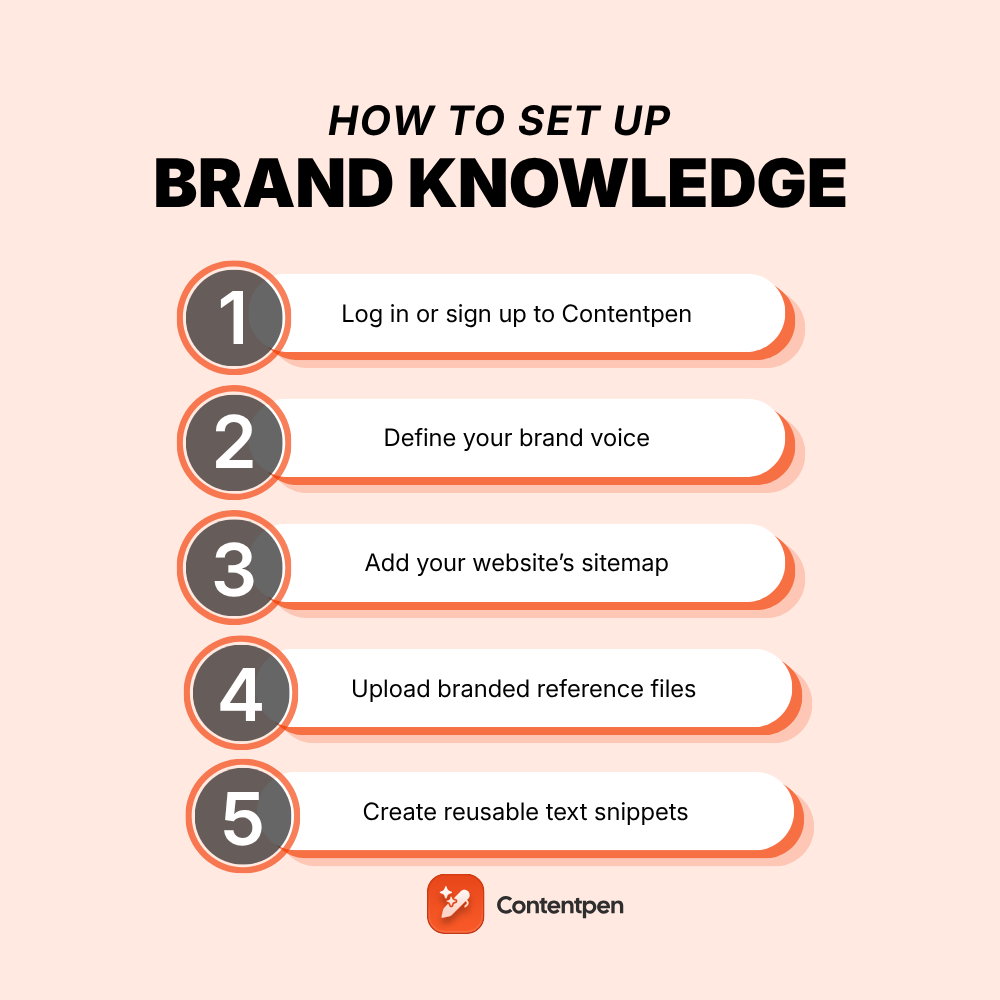
    Follow these five steps to complete your setup:

    Step 1: Log in or sign up to Contentpen

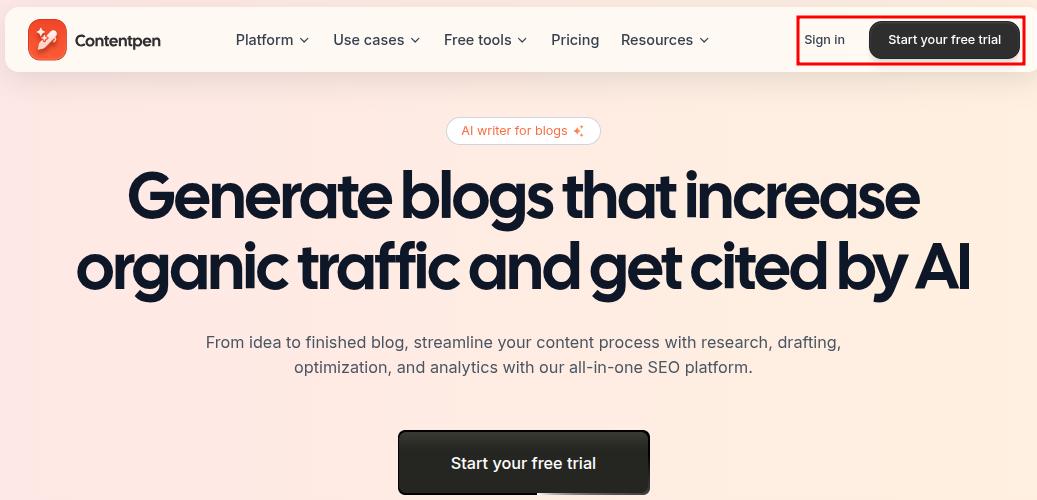
    To begin, go to our SEO AEO tool and log in to your workspace. If you don’t have an account yet, click ‘Start your free trial’ and create one.

    Contentpen main landing page showing the 'Sign-in' and 'Start your free trial' buttons.

    Once you’re inside, navigate to the Knowledge tab from the left-hand sidebar. This is where you’ll manage all components of your brand knowledge setup.

    Also read: How to set up your Contentpen workspace?

    Step 2: Define your brand voice

    Navigate to Knowledge → Brand Voice.

    Fill out the following fields:

    • About the brand: Describe what your company does, your core offering, and brand values.
    • Ideal customer profile: Identify who your target users are, include roles (e.g., marketing managers, founders), industries, and their key pain points.
    • Unique selling proposition (USP): Clearly explain what sets your product or service apart from competitors.
    Screenshot showing brand voice settings in Knowledge Base inside Contentpen.

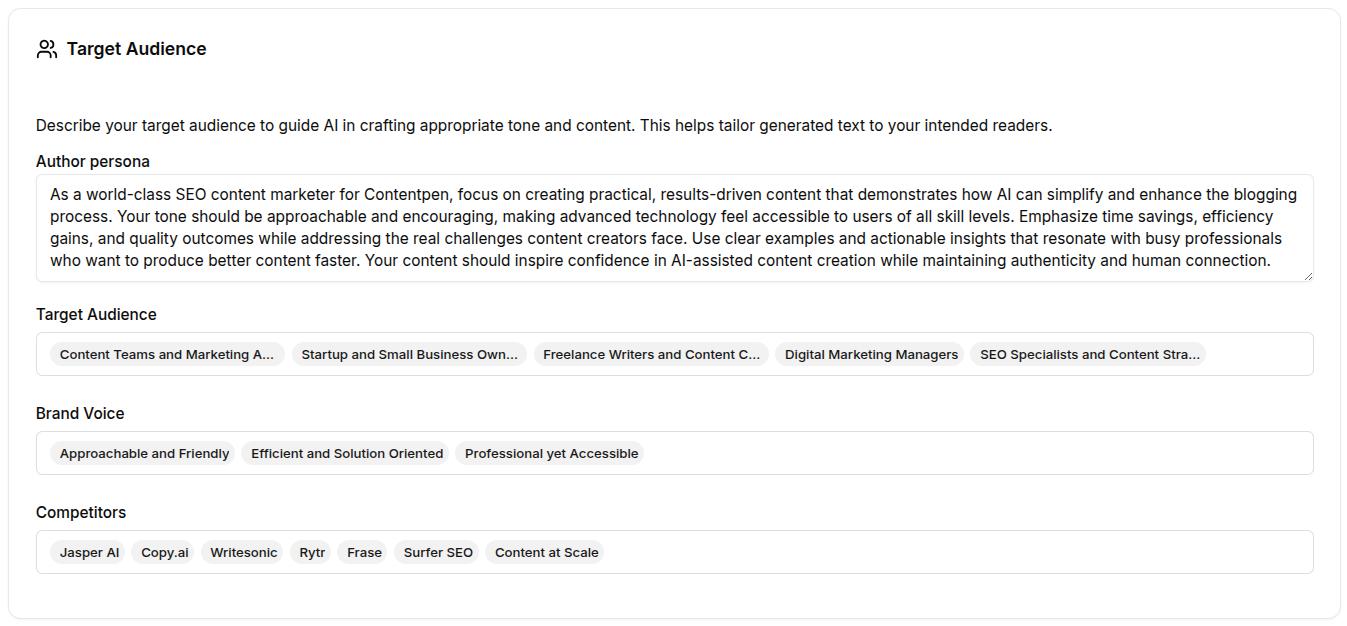
    Still within the brand voice section:

    • Define your author persona: What kind of character is narrating your brand content? Specify their tone, confidence level, and point of view.
    • Add relevant Target Audience Tags (e.g., growth marketers, SaaS product leads, early-stage founders).
    • Select brand voice tags such as “Professional but approachable,” “Clear and straightforward,” or “Helpful and solution-focused.”
    • List competitors to help the AI differentiate your tone and messaging. Contentpen also uses these competitors for Competitor Gap Analysis, which finds topics they rank for that you haven’t covered.
    Brand voice settings continued: Author persona, target audience, and competitors shown.

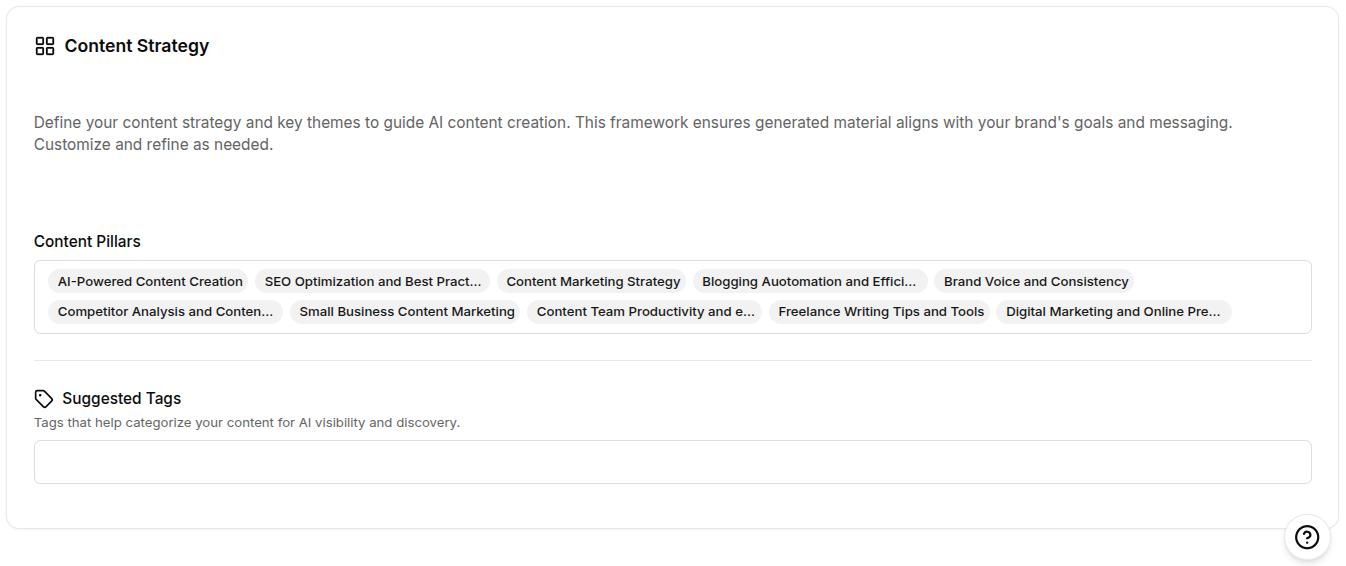
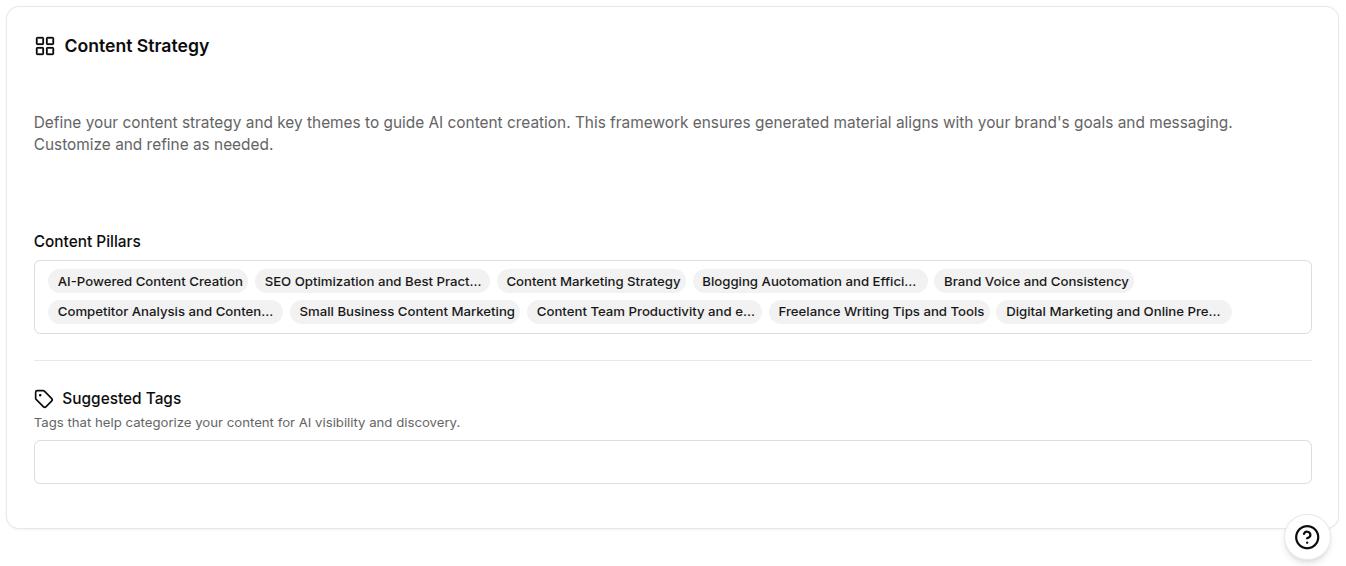
    Then, establish content strategy pillars to guide AI-generated content topics. For example:

    • SEO and analytics
    • Content marketing
    • SaaS growth
    • AI in marketing
    Brand voice settings continued: Content strategy settings showing content pillar and suggested tags.

    These details train the AI to create content that’s relevant, audience-specific, and in line with your brand’s positioning.

    Step 3: Add your website’s sitemap

    Navigate to Knowledge → Website.

    Click Add Sitemap or use the Find Sitemap option for automatic detection. Once added:

    • Review the pages pulled from your sitemap.
    • Use the Exclude Pattern feature to omit irrelevant sections (e.g., /careers/* or /legal/*).
    • Click Test Sitemap URLs to confirm everything is properly indexed.
    Knowledge-base, website settings showing sitemap added for Contentpen.

    Why it matters: The sitemap enables the AI to reference your actual site content for accuracy and SEO.

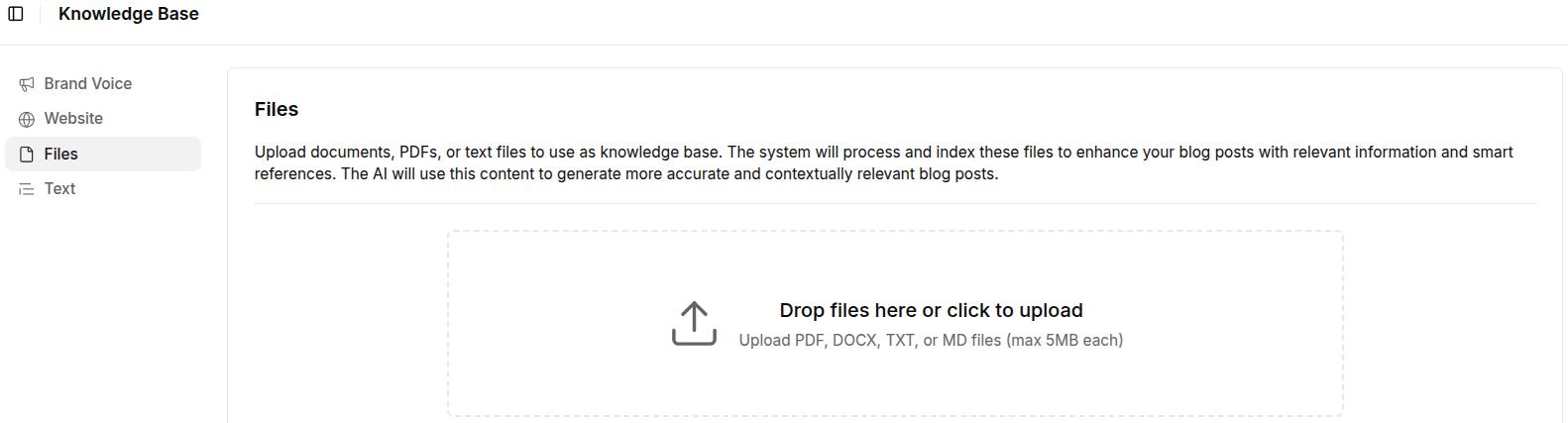
    Step 4: Upload branded reference files

    Go to Knowledge → Files.

    Upload content-rich documents like:

    • Brand guidelines
    • Product brochures or one-pagers
    • Internal messaging frameworks
    • Tone-of-voice documentation

    Supported formats: PDF, DOCX, DOC, TXT, and MD files (each under 5MB)

    Files settings to update brand knowledge in Contentpen.

    These files provide the AI with real examples of your brand’s language, structure, and positioning, improving the contextual quality of content generation.

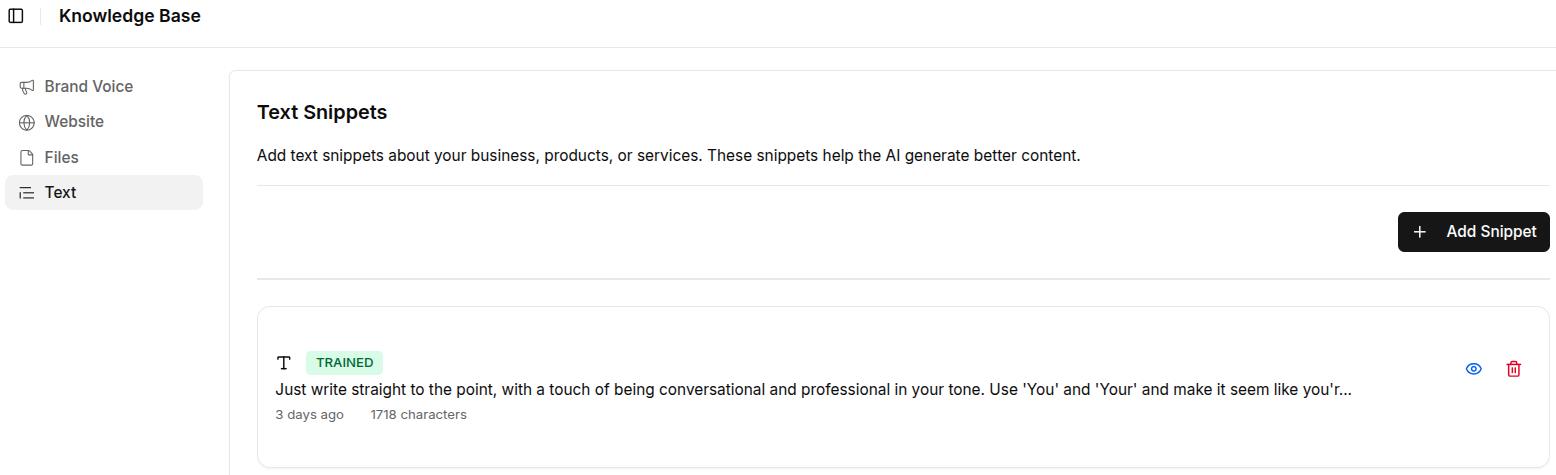
    Step 5: Create reusable text snippets

    Go to Knowledge → Text.

    Click + Add Snippet and input short, reusable pieces of copy (up to 5000 characters) such as:

    • Product descriptions
    • Taglines or slogans
    • Boilerplate value props
    • CTA templates
    Screenshot showing dummy text snippet added to improve Contentpen's performance.

    Snippets are particularly useful for ensuring consistent messaging across blog intros, feature highlights, meta descriptions, or social captions.

    Also read: How to use Contentpen presets to save time and write faster.

    Best practices to manage your brand knowledge setup

    Once your brand knowledge is set up in Contentpen, keeping it updated and aligned with your evolving strategy is key to ensuring long-term content quality and consistency. Here are a few best practices to follow:

    1. Update your inputs regularly

    • Refresh your Brand Voice inputs whenever your positioning, messaging, or target audience changes.
    • Add new customer segments or content themes as your business grows or pivots.
    • Keep your author persona aligned with any shifts in tone (e.g., moving from formal to conversational).

    2. Replace outdated content sources

    • Revisit the “Files” section every few months to remove or replace outdated assets.
    • Upload the latest product one-pagers, feature documents, or revised brand guidelines to reflect current messaging.

    3. Expand your text snippet library

    • Add new snippets as you develop fresh CTAs, headlines, or copy frameworks.
    • Monitor frequently reused language in your campaigns and standardize it inside the Text section.

    4. Monitor AI-generated content for alignment

    • Review the tone, vocabulary, and message of AI-generated outputs to ensure they match your expectations.
    • Provide feedback internally or refine Brand Knowledge inputs when outputs don’t align with the brand identity.

    5. Collaborate across teams

    • Work with marketing, product, and leadership teams to capture a complete and accurate brand voice.
    • Centralize feedback from stakeholders and reflect it in the Brand Knowledge configuration.

    Final thoughts

    Brand Knowledge in Contentpen is more than a configuration panel; it’s the foundation for producing AI-assisted content that actually sounds like your brand. 

    By taking the time to define your tone, clarify your audience, upload key documents, and set strategic messaging pillars, you’re giving the AI everything it needs to write with confidence and clarity.

    As your business evolves, updating your Brand Knowledge inputs keeps your content aligned, relevant, and strategically on point. 

    If you’re serious about building a brand that resonates across every channel, Brand Knowledge is not just helpful; it’s essential.

    Frequently asked questions

    What is brand knowledge in Contentpen?

    Brand knowledge is a core feature in Contentpen that allows you to preload your brand’s identity, tone, audience, and messaging strategy. This helps the AI generate consistent, on-brand content across all formats.

    Can I use brand knowledge for multiple brands or clients?

    Currently, brand knowledge is designed to align AI output with one brand at a time. If you manage content for multiple brands, you’ll need to configure and switch between workspaces manually.

    What kind of files should I upload to the Files section?

    Upload any document that reflects your brand’s voice, tone, and positioning. This includes brand guidelines, product brochures, messaging frameworks, internal training docs, and approved blog samples.

    How often should I update my brand knowledge inputs?

    Update your brand knowledge setup whenever there are changes in product features, brand messaging, target audience, and website structure. Review it at least quarterly to ensure all data remains current.

  • 10+ best Writesonic alternatives in 2026

    10+ best Writesonic alternatives in 2026

    In 2026, creating content at scale is no longer optional; it’s a necessity. AI writing tools have become essential for businesses looking to produce more content quickly without compromising on quality.

    While Writesonic is a popular choice, it’s not perfect. Its credit-based pricing can get expensive as needs grow, and some users report inconsistent quality with long-form content. Others feel its SEO tools fall short in ranking performance.

    Fortunately, we have many more tools available today that can serve as the best Writesonic alternatives in 2026. In this guide, we’ll explore these options by comparing features, pricing, and use cases to help you find the right fit for your content goals.

    So, let’s get started.

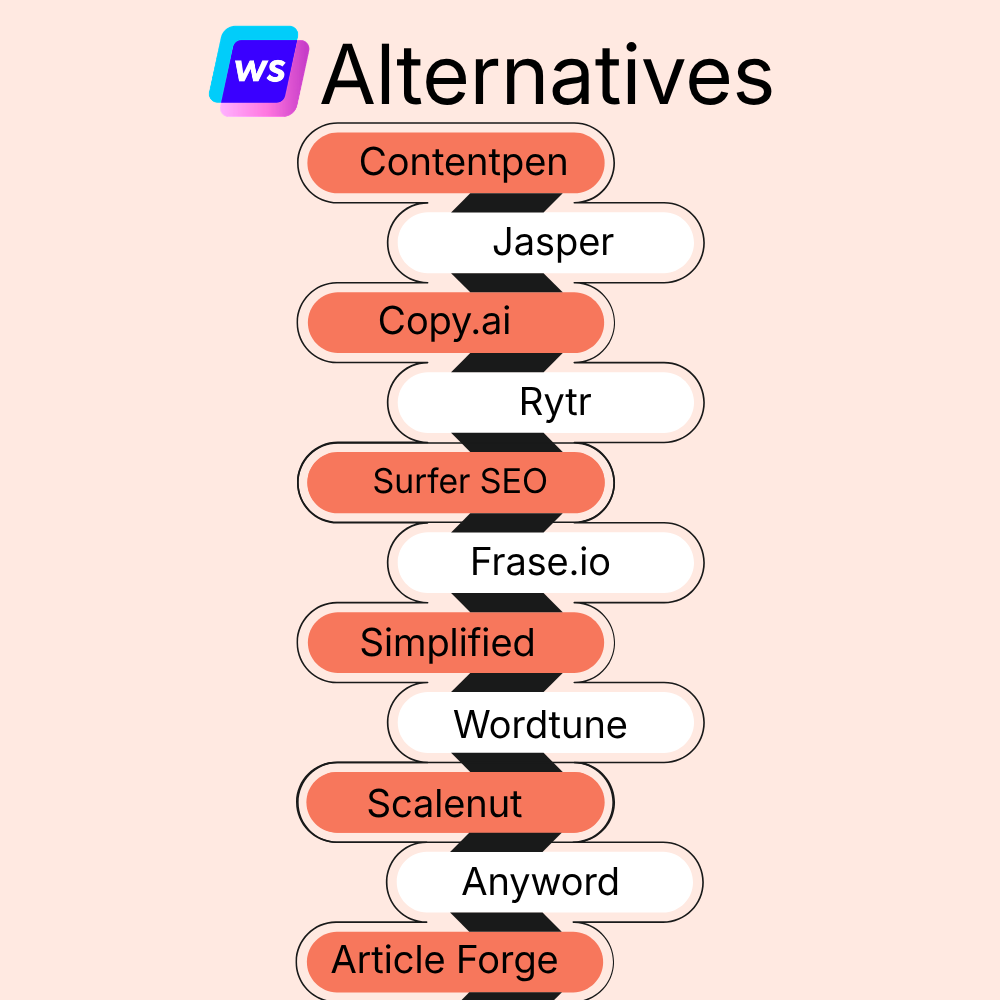
    Writesonic alternatives at a glance

    ToolBest ForStandout Feature vs WritesonicLimitationStarting Price (Annual)G2 Rating
    ContentpenSEO and GEO-optimized blogsAI visibility tracking included in every plan, plus SEO opportunitiesBlog-only focus$39/mo4.9 ⭐
    Jasper AIBrand-led campaignsAdvanced brand voice + extensive content templatesExpensive for SMBs$59/seat/mo4.7 ⭐
    Copy.aiSales and outbound copyFaster ad + email ideationWeak SEO depth$24/mo4.7 ⭐
    RytrBudget AI writingCheapest entry + simple UIThin long-form content$7.50/mo4.7 ⭐
    Surfer SEOContent optimizationNLP keyword + SERP scoringNot a standalone AI writer$99/mo4.8 ⭐
    Frase.ioSEO research + briefsPAA mining + intent structuringOccasional system lag$39/mo4.8 ⭐
    SimplifiedComprehensive marketing workflowsWriting + design + video suiteWeak blog depth$19/mo4.6 ⭐
    WordtuneRewriting & editingFluency + tone rewritingNot suitable for long-form content$9.99/mo4.6 ⭐
    ScalenutSEO long-formCruise Mode + topical clusteringComplex UI$30/mo4.7 ⭐
    AnywordPaid ad performancePredictive ROI scoringWeak organic SEO features$39/mo4.8 ⭐
    Article ForgeFull content automation1-click article generationLow nuanced depth$27/mo4.2 ⭐

    Also explore: Best ChatGPT alternatives.

    Why look for Writesonic alternatives?

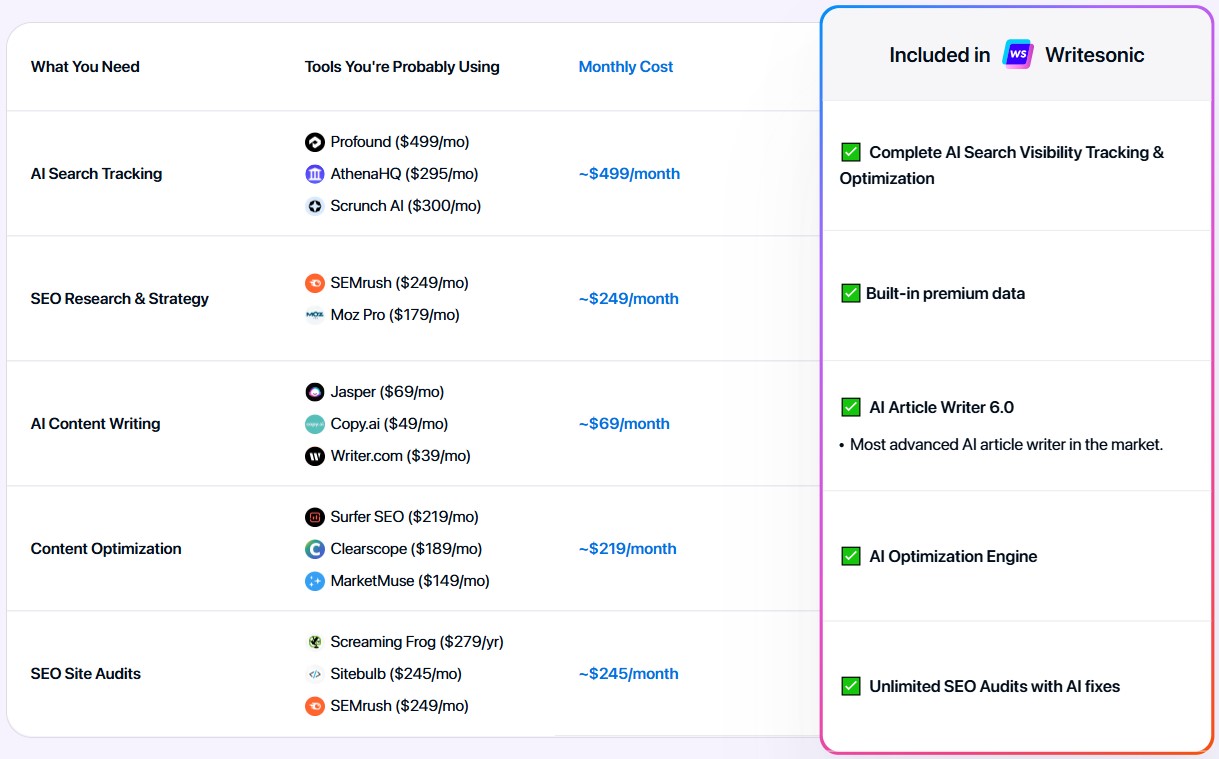
    The biggest problem with Writesonic right now is that it has started offering all the features in one place. It has an AI optimization engine, SEO audits, an AI article writer, and AI search visibility tracking.

    WriteSonic AI and SEO features

    The problem is the specialization. Each aspect of SEO and GEO-optimized content is covered, but users feel that neither completely fulfils its purpose. This is why they consider Writesonic alternatives. 

    Other problems include cost, inconsistent quality, limited SEO, and collaboration features. 

    1. Cost scalability concerns

    Writesonic’s credit-based pricing model can be very confusing for businesses. Also, as content requirements scale up, costs can increase dramatically, often exceeding initial budget projections.

    The platform’s premium pricing for higher-quality outputs also forces uncomfortable tradeoffs between content quality and budget constraints. In such cases, the Writesonic free version is of no use.

    2. Inconsistent content quality

    The most frequently cited reason for seeking Writesonic alternatives is inconsistent output quality, particularly for longer-form content. 

    Users report that while the Writesonic article writer can produce acceptable short-form content, quality degrades noticeably as word count increases.

    3. Limited advanced SEO capabilities

    As search algorithms have grown more sophisticated in 2026, Writesonic’s relatively basic SEO features have fallen behind industry leaders. The platform lacks advanced capabilities for:

    • Comprehensive search intent analysis
    • Competitive content benchmarking and gap analysis
    • Content structure optimization
    • Internal linking strategy implementation

    Even though Writesonic offers generative engine optimization (GEO), free users can’t access these features, at least not until they sign up to the platform.

    4. Workflow and collaboration friction

    Modern content production typically involves multiple collaborators, which WriteSonic lacks compared to its alternatives. 

    Teams report challenges with managing approval workflows, tracking content revisions, feedback implementation, and integrating with other tools.

    11 alternatives to Writesonic that are worth considering in 2026

    1. Contentpen

    Contentpen SEO and AEO tool.

    Best for: SEO and GEO-optimized blogs with AI-powered insights for better ranking opportunities.

    Contentpen is a strong alternative to Writesonic in creating high-quality, SEO-optimized blog content that drives measurable traffic and conversions. 

    Unlike general-purpose AI writing tools, Contentpen was built from the ground up to focus on creating blog posts that rank in SERPs and AI Overviews. It also tracks your AI visibility in every plan, so you can measure whether that content gets cited.

    Pros:

    • Advanced SEO optimization: Contentpen aligns your content with search intent and conducts in-depth competitor analysis. It identifies content gaps and optimizes meta details, heading structure, and other on-page SEO elements for higher rankings.
    • Intelligent linking: Unlike WriteSonic, Contentpen uses your sitemap for strategic internal linking based on semantic relevance, not just keywords. It maintains optimal link density and ensures natural use of anchor text.
    • Diverse integrations: Contentpen integrates with top CMS platforms, including WordPress, Webflow, Shopify, Ghost, Wix, and EmDash, enabling one-click publishing after content is written.
    • Automatic image generation: Contentpen generates contextually relevant, high-quality images for specific content sections. Contentpen’s in-article and feature images also come with suitable alt texts, helping you with image optimization as well.
    • AI visibility tracking included: Every plan tracks how ChatGPT, Google AI, Gemini, Perplexity, Claude, and other AI engines mention and cite your brand, with share of voice, sentiment, and source gaps. Coverage goes up to seven engines depending on plan, and it’s included from the entry price rather than requiring a higher-priced tier.
    • Predictable pricing: Plans are based on a set number of articles per month instead of Writesonic-style credits, so your costs don’t climb unexpectedly as you scale.

    Cons:

    • Limited trial period: The tool offers only a 7-day trial, which may be too short for many users to evaluate the AI blog writer’s performance.
    • Learning curve: If you are new to content writing and creation, you may take a while to get used to the requirements to publish a rank-ready piece.

    Pricing:

    Pricing starts at $39/month billed annually ($49 monthly).

    Also explore: WriteSonic vs Contentpen.

    2. Jasper AI

    Jasper landing page

    Best for: Brand-led campaigns that require detailed tone and voice customization.

    When we compare Jasper AI vs Writesonic in day-to-day production workflows, the biggest difference comes down to campaign depth vs article automation.

    Writesonic is faster when generating standalone blog drafts. Jasper, on the other hand, is built to orchestrate entire marketing ecosystems: ads, landing pages, emails, and long-form assets under one brand voice.

    Pros:

    • Smarter brand voice training: Jasper has a stronger brand voice system that helps users keep their tone consistent across content using their custom brand knowledge.
    • Unlimited generation on higher tiers: Writesonic’s credit model creates scaling anxiety for businesses. Jasper’s unlimited words model on paid tiers makes cost forecasting far more predictable as content production increases.
    • Deeper template infrastructure: Jasper and Writesonic both offer a similar number of standard templates (50+). However, Jasper’s template output is much richer than Writesonic.

    Cons:

    • Requires structured prompting: The prompting part is extensive with Jasper, especially when producing long-form articles, blog posts, or case studies.
    • Too expensive for SMBs: Jasper is not for startups and small businesses because it falls into the premium tier.

    Pricing:

    Pricing starts at $59/seat/month (billed annually).

    Also read: 14 best Jasper alternatives

    3. Copy.ai

    Copy.ai landing page

    Best for: Sales and outbound copy generation.

    Copy.ai excels at creating conversion-oriented content, with particular strength in sales copy, email sequences, and marketing materials that drive audience action.

    Pros:

    • Faster ideation cycle: When testing multiple ad angles, Copy.ai produces usable variations quicker than Writesonic.
    • Stronger persuasive writing: In our testing, we found that Copy.ai’s writing feels far more persuasive, lively, and natural than Writesonic’s. Cold outreach, sales emails, ad hooks, and product messaging feel sharper and more conversion-aware.

    Cons:

    • Limited SERP optimization: Copy.ai falls short in SEO capabilities compared to Contentpen and other tools on the list.
    • Less suited to organic traffic strategies: The tool performs better in paid acquisition workflows than in SEO ecosystems.

    Pricing:

    Price is $24/month (billed annually).

    4. Rytr

    Ryter landing page

    Best for: Budget AI writing.

    The Writesonic vs Rytr comparison comes up often, especially among users searching for Rytr writing tools or budget AI writers. Rytr offers accessible AI writing capabilities at an affordable price, making it particularly attractive to budget-conscious users and small businesses.

    However, from our testing, the tradeoff is clear: cost vs depth. Writesonic delivers a stronger long-form structure, while Rytr wins on affordability and simplicity.

    Pros:

    • Faster short-form drafting: Rytr generates captions, emails, and blog drafts more quickly than Writesonic and with less prompting and effort.
    • Simpler UI: The tool offers a simpler UI, making onboarding easier than Writesonic’s detailed feature suite.
    • Support for 30+ languages: Rytr supports more languages than Writesonic, enabling users from different regions to create their content with ease.

    Cons:

    • Thinner long-form content: Longer content, such as articles, blogs, and guest posts, can appear to lack value. The same argument can be reworded to lengths, and no deep competitor analysis causes content to lose SERP value.
    • Abrupt structural endings: Sometimes articles are cut mid-thought, requiring manual editing to complete.

    Pricing:

    Pricing starts at $7.50/month (billed annually).

    5. Surfer SEO

    Surfer SEO landing page

    Best for: SEO content optimization for better ranking and visibility.

    Surfer SEO is primarily an SEO-content optimizer first and an AI writer second. However, we’ve found it to be a good alternative to Writesonic, especially for bloggers who prefer improved CTR and conversion rates over other KPIs.

    Pros:

    • Strong NLP keyword mapping: The tool suggests semantically relevant keywords that Google is likely to rank for a particular query. Though WriteSonic does support AI search optimization, the keywords it provides aren’t as well-suited as those from Surfer SEO.
    • SEO audit feature: Surfer audits your underperforming posts in detail and surfaces important actions to address.
    • Built-in content scoring: Similar to Contentpen, Surfer SEO also provides built-in content scoring that forecasts your performance for AI overviews and SERPs.

    Cons:

    • Needs pairing with other tools: Surfer SEO may enhance your wording to improve search engine performance through rewriting or other methods. However, it is not an independent writing tool.
    • Data overload: Beginners may find it difficult to navigate the interface because there are many SEO metrics displayed at once.

    Pricing:

    Pricing starts at $99/month (billed annually).

    6. Frase.io

    Frase AI writer

    Best for: Generating comprehensive SEO content briefs.

    Frase is a powerful Writesonic alternative in all the ways imaginable. Just like Writesonic, Frase also conducts keyword research, tracks AI visibility, writes, and optimizes content in one window.

    What sets Frase.io apart from Writesonic is its ability to write naturally smooth, readable content while providing comprehensive SERP analysis.

    Pros:

    • Question mining: Frase.io extracts questions from the People Also Ask (PAA) sections for a particular query and incorporates them into your content. Although Writesonic can generate FAQs, they’re not as comprehensive or as rank-worthy as Frase.
    • SEO content briefs: The tool provides in-depth SEO briefs for bloggers, content marketers, and freelancers, allowing them to see all SERP gaps quickly and effectively.
    • Answer engine and intent alignment: Frase specifically structures content for answer engines, such as AI Overviews. It also creates blog posts and articles based on the search intent.

    Cons:

    • Random system crashes: The website and competitor analyzer can sometimes crash unexpectedly, which can be frustrating when dealing with tight deadlines and jammed content pipelines.
    • Interface takes time to learn: Frase.io requires time to master all its features and options, with some trial and error to create compelling content.

    Pricing:

    Pricing starts at $39/month (billed annually).

    Also explore: Frase vs Contentpen.

    7. Simplified

    Simplified landing page

    Best for: Combining multiple AI creation workflows in one place.

    When we evaluate Simplified vs Writesonic, the difference becomes clear almost immediately. Writesonic is built primarily for content generation and SEO workflows, while Simplified positions itself as an all-in-one marketing creation suite.

    Simplified offers a comprehensive creative ecosystem that extends beyond AI writing to include design, video, and social media management tools in a unified interface.

    Pros:

    • Stronger social media workflow: Simplified includes post schedulers, caption generators, hashtag suggestions, and platform formatting. Writesonic can generate captions, but Simplified helps you actually package and publish campaigns end-to-end.
    • Built-in collaboration for creatives: With Simplified, you can assign designs, review visuals, and approve copy within shared workspaces, something Writesonic’s editorial collaboration layer doesn’t fully cover.
    • AI asset creation: The tool covers a wide range of AI asset creation, including images and videos for reels, ad campaigns, and YouTube content. This becomes a major production advantage over writing-only tools like Writesonic.

    Cons:

    • Weaker long-form writing: Since Simplified is not a dedicated AI writer, it struggles to produce long-form content in terms of accuracy, coherence, and comprehensiveness.
    • Limited SERP and SEO optimization: Simplified can improve readability for better SEO performance, but that’s about it. It does not have extended SERP, SEO, or GEO features like other tools on the list.

    Pricing:

    Pricing starts at $19/month (billed annually).

    8. Wordtune

    Wordtune content editor

    Best for: Rewriting and editing content for maximum readability and clarity.

    Wordtune takes a different approach by focusing primarily on improving and rewriting existing content rather than generating it from scratch, making it an excellent companion to other writing tools. 

    Pros:

    • Powerful tonal consistency: Whether you’re continuing an existing thought or rewriting a complete paragraph, Wordtune ensures that the selected tone remains consistent.
    • Strong grammar + fluency suggestions: Wordtune provides very reasonable grammar and fluency suggestions without over-optimizing the content. This makes your posts rank-worthy with minimal manual effort.
    • Diverse integration: You can use Wordtune inside Google Docs, Gmail, and browsers using extensions. On the other hand, Writesonic’s integrations are quite limited, which diminishes any productivity gains.

    Cons:

    • Requires prompting for long-form content: You need to consistently provide prompts to Wordtune to generate pillar content or cornerstone blog posts. This makes it not so suitable for longer blog posts, articles, or case studies.
    • No SEO optimization: Wordtune does not provide any SEO optimization features, so you’ll have to pair it with other AI SEO tools to extract the best results.

    Pricing:

    Pricing starts at $9.99/month (billed annually).

    9. Scalenut

    Scalenut landing page

    Best for: Creating long-form SEO content.

    Scalenut competes more directly with Writesonic’s long-form and SEO optimization stack. It combines AI writing, SERP analysis, and content optimization, making it closer to Surfer + AI writer hybrids.

    Pros:

    • Cruise Mode for long-form SEO articles: Cruise Mode is a smart addition from Scalenut, helping users write human-first, AI-cited content for better growth.
    • Topical clustering: Scalenut’s topical clustering is more comprehensive than Writesonic, especially for keywords with informational and commercial intent.
    • Detailed backlink insights: This WriteSonic alternative offers backlink data, keyword planning, and social listening capabilities, making it a unique addition to our list.

    Cons:

    • Fewer marketing copy templates: Scalenut offers fewer marketing copy templates than Writesonic.
    • Complex UI: The user interface is another challenge with Scalenut, especially for marketing beginners who are new to content creation.

    Pricing:

    Pricing starts at $30/month (billed annually).

    10. Anyword

    Anyword tool landing page

    Best for: Monitoring paid ad performance and optimizing messaging.

    Anyword differentiates itself with predictive performance scoring that forecasts content effectiveness before publication, helping marketers optimize messaging for maximum impact.

    Pros:

    • Ad copy optimization across paid channels: Writesonic leans toward blog posts and organic acquisition, while Anyword excels in paid ecosystems. Anyword provides stronger outputs for Meta ads, Google Ads, and display campaigns.
    • Audience persona targeting: Anyword tailors messaging to specific audience segments, which makes it easier to produce funnel-specific copy. In comparison, Writesonic’s audience targeting feels broader and less effective for niche markets.
    • Enterprise-grade campaign testing workflows: Anyword allows users to generate multiple ad variations and prioritize them based on predicted ROI. This reduces the time and resources wasted during A/B testing.

    Cons:

    • Expensive compared to other AI writers: Anyword falls into the premium pricing bracket. For businesses evaluating cost vs scale, Writesonic’s pricing model is more accessible.
    • Not designed for organic traffic flows: There’s minimal keyword clustering, competitor benchmarking, or search intent mapping. This makes Anyword less suitable for organic traffic optimization or detailed ranking strategies.

    Pricing:

    Pricing starts at $39/month (billed annually).

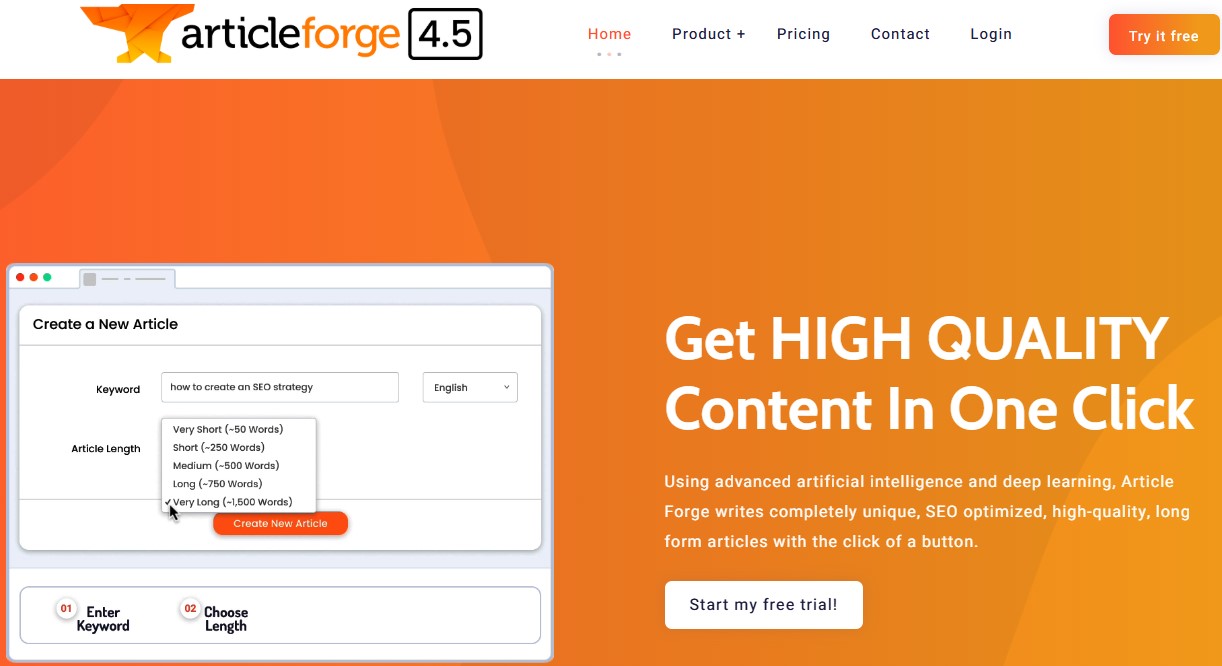
    11. Article Forge

    Article Forge landing page

    Best for: Content automation with minimal human input.

    Article Forge takes content automation to the extreme by generating complete articles from minimal input, making it the fastest but least customizable option among Writesonic alternatives.

    Pros:

    • Built-in LSI keyword integration: The platform automatically includes semantically related terms, helping articles appear more contextually relevant without manual keyword mapping.
    • Useful for low-competition content scaling: Article Forge’s main benefit is its content creation speed. It is ideal for filler blog posts and similar content that don’t require much depth.
    • Minimal input requirement: Unlike Writesonic, which often benefits from structured prompts, outlines, or optimization settings, Article Forge requires very little human input, making it an ideal content-automation companion.

    Cons:

    • Weak brand voice control: There’s limited ability to train tone, messaging, or stylistic consistency, making it harder for brands to maintain identity across content channels.
    • Minimal SEO optimization: Article Forge does not provide any in-depth competitor analysis, search intent mapping, or content scoring features, which costs it a point against Writesonic.

    Pricing:

    Pricing starts at $27/month/user (billed annually).

    Ready to transform your content strategy?

    After conducting a comprehensive analysis of the top Writesonic alternatives available in 2026, Contentpen clearly emerges as the superior choice for businesses serious about creating high-quality, SEO-optimized blog content.

    While each alternative offers distinctive strengths, Contentpen’s specialized focus on AI content creation, combined with its advanced SEO capabilities, SEO analytics, and built-in AI visibility tracking, makes it the ideal solution.

    Companies looking to drive sustainable traffic and conversions through content marketing should consider Contentpen as their daily driver.

    Frequently asked questions

    Why should I choose a Writesonic alternative in 2026?

    While Writesonic remains a popular AI writing tool, users have expressed concerns about its credit-based pricing model, inconsistent quality of long-form content, limited advanced SEO features, and collaboration tools.

    Are there any Writesonic alternatives that handle long-form content creation?

    Yes. Tools like Contentpen are made for long-form blog posts to boost AI discoverability and SERP results. It handles the entire production workflow, from ideation and keyword selection to content generation and publishing, all in a single window.

    How do Writesonic alternatives handle SEO and AEO?

    It varies. Some tools, such as Jasper, integrate with other SEO platforms, while others, like Contentpen, conduct keyword research and clustering, competitor research, and have built-in SEO scoring. Frase is another Writesonic competitor that structures content for answer engines.

    Why Contentpen stands out amongst other Writesonic alternatives?

    Contentpen is the best Writesonic alternative because it offers advanced SEO optimization, brand voice consistency, intelligent linking, and streamlined approval workflows without switching a single tool. This makes it effective for SEO and GEO-optimized content at scale.

  • The best Surfer SEO alternative in 2026 [tested and compared]

    The best Surfer SEO alternative in 2026 [tested and compared]

    Looking for strong Surfer SEO alternatives? Tired of all the old ways of trying to get the content ranked? Don’t worry, we’ve got you covered.

    Although Surfer SEO has dominated content optimization, its high price point and feature limitations have many marketers seeking alternatives. 

    These 12 powerful tools offer similar or superior capabilities at often more affordable prices, with some unique features that Surfer doesn’t offer.

    If you’re looking for powerful AI-driven content creation software, SEO analytics, better workflow integration, or specialized optimization capabilities, then this post is for you.

    So, let’s get started.

    Why do people look for a Surfer SEO alternative?

    Surfer SEO remains popular for its data-driven content optimization, but users consistently report four key pain points:

    #1: Hidden costs beyond subscriptions

    The challenge with Surfer isn’t just the base subscription ($99-$299 monthly); it’s the accumulation of additional costs that impact budgets. The pricing structure includes:

    • Extra charges when exceeding the monthly content credit limits 
    • Premium fees for AI-written articles ($9 per article on top of subscription).
    • Additional costs for using advanced features like SERP Analyzer

    You should also note that there is no Surfer SEO lifetime deal available. So, the prices can scale quickly for large businesses, especially those that require bulk content.

    #2: Data complexity

    Surfer’s dashboard presents users with an overwhelming array of data points. These include NLP scores, content scores, keyword density graphs, SERP feature analysis, and dozens of other metrics. Such UI complexity creates several workflow obstacles:

    • Writers face significant learning curves before effectively using the platform
    • Content creation slows as teams navigate complex optimization recommendations
    • Organizations often need dedicated specialists to interpret Surfer’s data effectively

    #3: The content quality concern

    Following Surfer’s recommendations often leads to content prioritizing optimization metrics over reader experience. It creates several issues:

    • Content can become awkwardly structured to accommodate keyword placement requirements
    • Similar content patterns emerge across different topics due to formulaic optimization approaches
    • Over-optimization sometimes triggers search engine quality filters, counteracting ranking efforts
    • User engagement metrics may suffer despite improved technical optimization scores

    #4: Limited AI integration

    While Surfer eventually added AI writing capabilities, they present significant limitations compared to dedicated alternatives:

    • AI features exist as expensive add-ons rather than integrated core functionality
    • The writing workflow feels disconnected from the optimization process
    • Output quality typically requires substantial editing for brand voice alignment and factual accuracy
    • The AI capabilities haven’t evolved as rapidly as specialized content creation platforms

    Comparing the best Surfer alternatives at a glance

    ToolStarting PriceAI Writing StrengthSEO Optimization DepthBest ForG2 Rating
    Contentpen$39/mo⭐⭐⭐⭐⭐⭐⭐⭐⭐SEO and GEO-optimized blog generation and publication4.9/5
    Frase$39/mo⭐⭐⭐⭐⭐⭐⭐⭐Content briefs + AI optimization4.8/5
    Clearscope$129/mo⭐⭐⭐⭐⭐⭐⭐Enterprise content teams4.9/5
    MarketMuseCustom⭐⭐⭐⭐⭐⭐⭐⭐Topical authority strategy4.6/5
    Jasper$59/seat/mo⭐⭐⭐⭐⭐⭐⭐AI-first marketing teams4.7/5
    Content Harmony$42/mo⭐⭐⭐⭐⭐ (Research-first)Agencies & strategists4.8/5
    Scalenut$30/mo⭐⭐⭐⭐⭐⭐⭐⭐Budget SEO teams4.7/5
    SE Ranking$65/mo⭐⭐⭐⭐⭐⭐⭐⭐All-in-one SEO users4.8/5
    Dashword$99/mo⭐⭐⭐⭐⭐⭐Readability-focused teams4.5/5
    NeuronWriter$19/mo⭐⭐⭐⭐⭐⭐⭐Multilingual SEO4.4/5
    Semrush$129/mo⭐⭐⭐⭐⭐⭐⭐Full-scale SEO strategy4.5/5
    WriterZen$75/mo⭐⭐⭐⭐⭐⭐⭐Keyword research + planning4.7/5

    Surfer SEO sits primarily in the “NLP optimization-first” category. The tools above either improve on Surfer’s AI capabilities, expand into full SEO suites, reduce pricing barriers, or shift the workflow toward research-first or strategy-driven content production.

    1. Contentpen

    Contentpen SEO and AEO tool.

    Contentpen delivers fully optimized articles without the typical AI hallmarks. Contentpen stands apart from Surfer SEO by generating entire blog posts using specialized AI agents rather than just optimizing existing content.

    It is ideal for scaling content production while maintaining quality. Website analytics, SEO opportunities, and AI visibility tracking all sit in one workspace, so you can avoid switching tabs.

    Why it’s a serious Surfer SEO alternative

    • Starts at $39/month billed annually, with AI visibility tracking included in every plan. Surfer sells its AI Tracker as a separate product.
    • Creates complete, ready-to-publish blog content rather than just optimizing existing text
    • Makes content SEO and GEO-optimized for better SERP and AI engine visibility
    • Tracks how often ChatGPT, Google AI, Gemini, Perplexity, and other AI engines cite your brand, across up to seven engines depending on plan
    • Integrates brand knowledge through website analysis and custom knowledge bases
    • Direct publishing to WordPress, Webflow, Shopify, Ghost, Wix, and EmDash
    • Provides automatic internal linking and external linking
    • Offers approval workflows for team collaboration

    Content creation capabilities

    • Complete AI-driven blog post generation that feels human, ranks higher, and keeps your audience coming back
    • Keyword and title selection with CTR optimization
    • Brand voice integration ensures a consistent tone across all content
    • Built-in SEO scoring into the content creation process
    • Autopilot finds topics, writes in your brand voice, and publishes on a schedule, with optional approval before anything goes live

    Know exactly what to fix, before publishing to get it ranked!

    Get real-time SEO feedback while writing, no guesswork, no plugins.

    Try SEO Scoring →
    AI SEO Interface

    Interface and user experience

    • Clean, intuitive dashboard focused on content production workflow
    • Simple approval process for team collaboration
    • Status tracking of content through the creation pipeline
    • Modern, user-friendly design requiring minimal onboarding 

    Limitations

    • It may require an initial setup time to integrate brand knowledge properly
    • No SEO backlink management data

    Pricing structure

    Contentpen offers three pricing tiers billed annually: Starter ($39/month for 12 articles), Growth ($79/month for 40 articles), Scale ($199/month for 75 articles), and Agency ($359/month for 150 articles). Every plan includes AI visibility tracking, and monthly billing is also available.

    Also read: How to create a blog in less than 10 minutes using content presets.

    2. Frase

    Frase AI writer

    Frase delivers Surfer SEO’s optimization power with superior AI writing capabilities at less than half the price. This platform excels at content research, optimization, and AI-assisted writing, offering the closest feature set to Surfer SEO.

    Key advantages over Surfer SEO

    • Significantly more affordable ($39/month vs. Surfer’s $99/month entry price)
    • Superior content brief creation capabilities with more detailed insights 
    • More generous allowance of content reports per month
    • Better AI writing assistant with contextual understanding 
    • More robust question research features (SERP, People Also Ask, Quora, Reddit) 

    Content creation capabilities

    • A powerful AI-powered writing assistant
    • 40+ AI copywriting templates for various content types
    • Content brief generator with headings and FAQ suggestions
    • Topic research with competitor analysis
    • Real-time SEO score based on NLP analysis 
    • Comprehensive brief generator with H2 and H3 heading suggestions 

    Limitations

    • Limited keyword data compared to dedicated keyword research tools
    • Limited content management features for organizing multiple projects
    • Customer support was reported to be slower than that of some competitors
    • Can struggle with very technical or niche topics

    Pricing structure

    Frase’s Starter plan, which includes 50 audit pages and 10 AI-optimized articles, starts at $39/month (billed annually).

    Also explore: Frase vs Contentpen.

    3. Clearscope

    Clearscope landing page

    Clearscope provides a clean interface and a powerful content grading system, making it a preferred tool for large content teams needing precision and ease of use.

    Despite its high price point, it delivers some interesting features over Surfer SEO, making it a powerful Surfer SEO alternative.

    Key advantages over Surfer SEO

    • More accurate NLP analysis powered by IBM Watson 
    • Cleaner, more intuitive user interface 
    • Superior content grading system (letter grades A+ to F) 
    • More reliable correlation between content score and rankings 
    • Better integration with enterprise content workflows 

    Content creation capabilities

    • Content grading system that correlates strongly with ranking potential 
    • Relevant terms suggestions with importance ratings 
    • Competitor content structure analysis 
    • Readability scoring and optimization
    • Comprehensive keyword data integration 
    • Content history tracking for performance optimization 

    Limitations

    • Significantly higher price point than most Surfer SEO alternatives
    • A limited number of content reports per plan
    • Less comprehensive AI writing capabilities than some Surfer SEO competitors
    • A steeper learning curve for maximizing content scores
    • It may be overkill for smaller businesses or individual content creators

    Pricing structure

    Clearscope’s essentials plan starts at $129 per month and includes limited reports. Business plan is $399/month, and a custom enterprise plan is also available.

    4. MarketMuse

    MarketMuse landing page

    MarketMuse is an AI-powered content intelligence platform that builds actual topical authority through comprehensive research. 

    Unlike Surfer’s focus on individual content optimization, MarketMuse excels at building expansive topic research and clustering capabilities. 

    Key advantages over Surfer SEO

    • Superior topic cluster analysis for building site-wide authority 
    • More comprehensive content inventory and auditing 
    • Better identification of content gaps and opportunities 
    • More sophisticated competitor analysis 
    • Focus on topical authority rather than just keyword optimization

    Content creation capabilities

    • AI-generated content briefs with comprehensive topic coverage 
    • Content scoring based on the depth and breadth of keywords
    • Content inventory and auditing 
    • AI-powered topic suggestions and content plan generation

    Limitations

    • Very high price point compared to most alternatives
    • Overwhelming interface for beginners
    • Complex data may require SEO expertise to interpret effectively
    • Overkill for businesses focusing on individual content pieces rather than a comprehensive strategy

    Pricing structure

    MarketMuse offers four pricing tiers: Free, Optimize, Research, and Strategy, with custom pricing.

    5. Jasper AI

    Jasper landing page

    Jasper is a powerful AI-powered content creation platform that generates blog posts, product descriptions, full-length articles, and more, thanks to its extensive template library.

    While Surfer SEO focuses heavily on optimization metrics, Jasper is built primarily for content generation at scale with customized brand voice and tone settings.

    Key advantages over Surfer SEO

    • Significantly stronger AI writing capabilities
    • Advanced brand voice training and memory features
    • More stable and coherent long-form content generation
    • Far better integration options with other SEO, CMS, productivity, and automation platforms
    • Wider language support for all types of content creation tools

    Content creation capabilities

    • AI chat workflows for rewriting, expansion, and ideation
    • Marketing and conversion-focused content templates
    • Multi-channel content repurposing to populate several marketing channels at once
    • Smarter AI understands input text well to create, edit, or optimize existing content

    Limitations

    • No native SERP-based NLP optimization engine
    • Needs heavy human editing on occasion to ensure accuracy in content
    • Can become costly at scale

    Pricing structure

    Jasper.AI pricing starts at $59/seat/month for the Pro plan (billed annually). It also offers a Business plan with custom pricing.

    Also read: Best Jasper AI alternative in 2026 or Jasper comparison guide.

    6. Content Harmony

    Content Harmony tool

    Content Harmony competes with Surfer SEO from a strategy-first perspective. Rather than optimizing content after writing, Content Harmony focuses on building comprehensive research-driven content briefs before drafting begins.

    The tool serves as a powerful alternative to Surfer SEO for agencies and SEO strategists who prioritize structure, intent alignment, and SERP research in their daily workflow.

    Key advantages over Surfer SEO

    • Deep SERP intent analysis
    • Question extraction from search results (People Also Ask)
    • Competitor topic mapping and gap identification
    • Faster research workflows for agencies

    Content creation capabilities

    • Detailed content brief generation with headings and questions
    • Keyword grouping and topic modeling
    • Outline exports for writers and teams
    • Search intent mapping for better writing
    • SERP feature breakdown

    Limitations

    • No built-in AI writing functionality
    • Focused primarily on research and briefing
    • Requires additional tools for content generation and optimization

    Pricing structure

    Content Harmony pricing varies based on the number of writing workflows required. Starting at $42/month billed annually (5 workflows) and rising to $719/month billed annually (150 workflows), with higher rates for Enterprise Plans.

    7. Scalenut

    Scalenut landing page

    Scalenut stands out with its affordability while still providing powerful AI writing and SEO optimization features. This makes it a strong Surfer SEO alternative and perfect for budget-conscious marketers who don’t want to sacrifice quality. 

    Key advantages over Surfer SEO

    • Superior topic research and AI article writing capabilities 
    • “Cruise Mode” provides more control in content creation than Surfer’s approach 
    • SERP-based clustering offers a more powerful analysis than Surfer
    • Analyzes the top 30 ranking pieces to create content

    Content creation capabilities

    • Comprehensive brief generator with H2 and H3 heading suggestions and FAQs 
    • Content outline creation with writing points 
    • Advanced NLP and machine learning technologies for real-time SEO scoring
    • SEO content editor with keyword suggestions and competitor insights
    • One-click content optimization with “Fix-it” technology 

    Limitations

    • SEO document limits may be restrictive for high-volume content teams
    • Some users report occasional inconsistencies in AI-generated content
    • Advanced features may require upgrading to higher-tier plans
    • Limited template customization options compared to some Surfer competitors

    Pricing structure

    Scalenut’s Starter Plan, which includes 5 ready-to-rank GEO articles, starts at $30/month (billed annually). It offers a 7-day free trial and significant discounts on annual plans.

    8. SE Ranking 

    SE Ranking tool

    SE Ranking provides a complete SEO toolset that includes rank tracking, site auditing, and competitor analysis, along with a Surfer SEO-like content editor.

    Key advantages over Surfer SEO

    • Part of a comprehensive SEO suite (better value if you need other SEO tools) 
    • More extensive keyword data with search volume, keyword difficulty, and competition metrics 
    • Can set recommendations for title, description, and slug, not just body content 
    • AI Writer includes 11 different writing tones
    • Collaborative features don’t require a subscription for invited users
    • Supports multiple languages, including English, French, German, Dutch, Italian, Russian, Portuguese, Spanish, Ukrainian, and Japanese

    Content creation capabilities

    • Proprietary AI-powered algorithm for content generation 
    • AI Writer can produce short and long content pieces on any topic
    • Generates headlines (H1), headings, and subheadings 
    • Creates metadata optimized for target keywords
    • Drawing up detailed content briefs with word count, keyword, and structure recommendations 
    • Quality score assessment for content 

    Limitations

    • Entry-level plan limits may be restrictive (15 articles, 3 plagiarism checks)
    • The learning curve when using the full SEO suite features
    • Some users report occasional AI output inconsistencies
    • It may be overwhelming for users who only need content optimization
    • Mobile experience is not as robust as the desktop interface
    • Additional costs for scaling up article counts and AI word usage

    Pricing structure

    SE Ranking’s content marketing module starts at $65/month for 15 articles, with higher tiers at $103/month and $203/month that offer increased capacity.

    Also Read: Best Writesonic alternatives.

    9. Dashword

    Dashword AI tool

    The content optimization platform focuses on quality over keyword stuffing. Dashword takes a more sophisticated approach to content optimization than Surfer SEO, prioritizing readability and user experience alongside SEO factors for more natural, high-quality content. 

    Key advantages over Surfer SEO

    • Simplifies content optimization by showing only relevant, actionable data 
    • Groups keyword variations intelligently (e.g., “trip” and “trips” are treated as the same keyword) 
    • Better content brief generation with a drag-and-drop interface 
    • Focuses on producing quality content rather than just keyword optimization 
    • Interface with less overwhelming data

    Content creation capabilities

    • Content optimization with real-time feedback 
    • Keyword research and suggestions based on SERP analysis
    • Competitor content structure analysis
    • FAQ identification and integration 
    • Content scoring from F- to A+ for optimization quality 
    • Meta description generator built-in 

    Limitations

    • Higher starting price than some alternatives ($99/month)
    • Limited to 30 content reports on the entry-level plan
    • Lacks some of the advanced AI capabilities of newer platforms
    • Limited integrations
    • Less comprehensive SEO tools beyond content optimization

    Pricing structure

    Dashword offers a free trial. Plans start at $99/month for 30 content reports and five user seats, with business plans starting at $349/month.

    10. NeuronWriter

    NeuronWriter AI writing tool

    NeuronWriter is a budget-friendly, multilingual content optimization powerhouse. Its support for over 19 languages and affordable pricing stand out, making it an excellent choice for international businesses or content creators working across multiple language markets. 

    Key advantages over Surfer SEO

    • Significantly more affordable starting at $19/month vs. Surfer’s $99/month
    • Allows adding keywords from GSC directly in the writing workflow
    • Includes AI writing capabilities in the base plan
    • Offers lifetime deals, which Surfer doesn’t

    Content creation capabilities

    • NLP-driven content optimization with real-time scoring
    • Competitor SERP analysis of top-ranking pages
    • Content ideas generation based on competitor research
    • AI-generated content outlines and draft creation
    • Content brief development with heading suggestions 

    Limitations

    • Limited content management features compared to other Surfer SEO alternatives
    • Some users report occasional inconsistencies in language support quality
    • Smaller user community and support resources
    • Basic reporting capabilities compared to enterprise alternatives
    • Less robust team collaboration features
    • Limited integration options with other marketing tools

    Pricing structure

    NeuronWriter starts at $19/month for the Bronze Plan, with Silver ($37/month), Gold ($57/month), Platinum ($77/month), and Diamond ($97/month) plans for expanded features.

    11. Semrush

    Semrush AI writer and optimizer

    Semrush is not just a Surfer SEO alternative; it is a full-scale SEO ecosystem. It contains tools for managing organic traffic and paid clicks, including the ability to write, edit, and optimize content for both types of campaigns.

    Key advantages over Surfer SEO

    • Comprehensive keyword research database
    • Rank tracking and competitor analysis
    • Advanced backlink analytics
    • Technical SEO auditing tools
    • Integrated content creation and optimization tools

    Content creation capabilities

    • Content template generation based on top-ranking competitors
    • Powerful AI article generator to create coherent, long-form content
    • AI search optimizer to enhance search rankings
    • On-page SEO recommendations for title, meta description, and structure
    • Performance tracking for published content

    Limitations

    • Content editor is less specialized and detailed than Surfer’s NLP engine
    • Interface can feel overwhelming for content-only users
    • AI writing features are less advanced compared to dedicated AI writing platforms
    • Higher pricing is not suitable for many startups or small businesses

    Pricing structure

    While the complete SEO suite is more expensive, the core Semrush writing features are available for a starting price of $60/month (billed annually).

    Also Read: 9 best ChatGPT alternatives in 2025.

    12. WriterZen

    WriterZen AI tool

    WriterZen is an end-to-end content creation platform with superior keyword research capabilities. 

    It excels at discovering valuable keyword opportunities and organizing them into effective content plans, making it ideal for content marketers who want to own the entire creation process.

    Key advantages over Surfer SEO

    • Superior keyword research with a unique “Golden Filter” feature
    • More comprehensive keyword clustering and planning capabilities
    • End-to-end support from topic discovery to content creation
    • Better organization of the content creation workflow
    • Integrated plagiarism checking 

    Content creation capabilities

    • Topic discovery tool for generating content ideas
    • Keyword Explorer powered by Google’s database
    • Content creator with NLP optimization
    • Built-in AI writing assistance

    Limitations

    • The higher price point for a complete package of features
    • The steeper learning curve for maximizing keyword research capabilities
    • Limited AI writing capabilities compared to dedicated AI writing tools
    • Some users report occasional data discrepancies in keyword metrics
    • Less intuitive content editor than some alternatives

    Pricing structure

    WriterZen offers one-time plans: the keyword research plan starts at $75, the All-In-One Basic at $150/month, and the All-In-One Advanced at $225/month.

    Summing it up

    In 2026, there are many Surfer SEO alternatives available, offering diverse options for every content need and budget. 

    For instance, Frase and NeuronWriter stand out for their minimal pricing, while enterprise teams might prefer the established accuracy of Contentpen, Clearscope or MarketMuse.

    All in all, the best choice depends on your specific needs and your focus on content creation, optimization, distribution, or analytics. You can also see how the main tools compare side by side. 

    However, if you require all of those things in one place, then look no further than Contentpen. It is one of the best Surfer SEO alternatives as it provides SEO and GEO scoring, on-page optimization tips, linking automation, detailed analytics, and AI visibility tracking, all in one place.

    Frequently asked questions

    Are there any Surfer SEO alternative free versions available?

    Yes. You can use Market Muse’s free plan (stays free) to perform basic SEO audits and content optimizations. However, you will be limited to only 10 queries/month.

    Can ChatGPT do SEO and be used as a Surfer SEO alternative?

    Yes and no. While ChatGPT is a great tool to get started with SEO tasks, it is not a full-pledged SEO and GEO-focused content creation software. Furthermore, ChatGPT requires extensive prompting to produce measurable results, which is time-consuming, to say the least.

    What are the best Surfer SEO alternatives that generate publish-ready articles?

    Many Surfer alternatives, including Contentpen, Semrush, Frase, Scalenut, and WriterZen, can generate complete, publish-ready blog posts and articles with the required optimization to rank in SERPs and AI Overviews.

    Which Surfer SEO alternative stands out the most?

    Contentpen distinguishes itself from other Surfer SEO alternatives due to its ability to include SEO scoring, automate internal and external links, and SEO opportunities and analytics in one window.

  • How to use Contentpen presets to save time and write faster

    How to use Contentpen presets to save time and write faster

    If you’re writing blog posts regularly, you already know how much effort goes into just getting started. It’s tedious. It’s inconsistent. And it eats up more time than the actual writing.

    Now imagine you could skip all of that with one click.

    That’s what presets in Contentpen are for. They help you save your ideal article setup, including voice, structure, formatting, and linking settings, so you never have to start from scratch again.

    Whether you’re blogging manually or already using our SEO AEO tool, this guide will show you how presets cut hours from your blogging workflow and help you publish faster.

    So, let’s get started.

    What are presets in Contentpen?

    Screenshot showing some pre-made content presets inside Contentpen.

    Presets are reusable content blueprints that let you predefine exactly how your articles should be written and structured inside Contentpen.

    Think of them as your saved writing formula. Instead of selecting the same tone, adjusting formatting, picking section types, or setting up internal links every time, you define it once and apply it instantly to any new article.

    Each preset includes the following 5 options and subcategories:

    #1: Style:

    • Language and target country
    • Tone of voice
    • Target audience and POV (point of view)

    #2: Formatting:

    • Preferred formatting (bold, italics, tables, quotes, and lists)
    • Heading letter case

    #3: Structure:

    • Article size
    • Introduction style
    • Extra sections (key takeaways, conclusion, and FAQs)

    #4: Media:

    • Featured image styles
    • In-article image styles

    #5: Linking:

    • Internal linking rules using your sitemap
    • External linking preferences (include or exclude specific domains)

    Once set, you or your team can apply a preset with a single click, so every blog starts with your exact preferences already in place.

    Why Contentpen presets matter for your blogging workflow

    If you’re still doing everything manually and trying to keep every post consistent, you’re spending hours on tasks that can be automated.

    Contentpen presets eliminate that friction. The feature turns your best practices into repeatable systems. Here’s how:

    • Save time: Stop redoing the same setup for every article.
    • Ensure consistency: Every article follows the same tone, structure, and standards, whether you or a team member writes it.
    • Scale without stress: As your content volume grows, presets make it easy to maintain quality at speed.
    • Reduce manual errors: Never forget a formatting rule, section type, or linking guideline again.
    • Reclaim your creative energy: With the busywork handled, you can focus on your content strategy.

    It’s one of the simplest ways to get consistent, on-brand articles without repeating the same setup every time.

    Write content that’s built to rank, not just read

    Create search-optimized blogs aligned with SEO and GEO signals, so your content performs well across search and AI-driven discovery.

    Try SEO Blogging FREE →
    AI SEO Interface

    How to use Contentpen presets: 8 simple steps

    Follow these easy steps to create a content preset inside Contentpen that fits your writing style, structure, and content goals.

    1. Sign in or create your account

    To get started, log in to your Contentpen account. 

    Sign up screen - Contentpen.ai.

    If you’re new, sign up and start your free 7-day trial. Presets are available to all users and can be created as soon as you access your Contentpen workspace.

    Screenshot showing 'Presets' option under 'Assets' in the main Contentpen workspace.

    Once you are in the main dashboard, go to Presets.

    2. Create a new content preset

    Click Create New Preset to begin setting yours up.

    Creating a new Contentpen preset.

    3. Set your article style

    In this step, you’ll define how your content should sound, the tone, audience, and point of view. These settings help ensure that every article reflects your brand voice and connects with the right readers.

    • Preset name: Enter a preset name that you can easily remember and refer to later on.
    • Language and target country: Contentpen now supports more than 50 global languages. After selecting a language, choose your target country (this option is set to the United States by default).
    • Tone of voice: Choose from predefined options like professional, conversational, formal, authoritative, educational, casual, and others. 
    • Target audience: Select the type of reader you’re writing for, such as marketers, founders, agency owners, startups, enterprises, etc.
    • Point of view: Choose first person singular (I/me/my), first person plural (We/us/our), second singular (You/your), or second person plural (You all/your). You can also let this option be on ‘Automatic’ to let Contentpen decide your POV automatically.
    Article style settings, including language, target country, tone of voice, target audience, and POV.

    4. Choose formatting preferences

    Next, decide how your content should appear visually. These formatting rules help standardize your content and reduce post-editing work.

    Toggle on or off the following elements:

    • Bold: Automatically bold key phrases for emphasis
    • Italic: Subtly change the appearance of certain ideas
    • Tables: Display structured data clearly
    • Quotes: Include callouts or tips
    • Lists: Use bullet points or numbers where needed

    You can also choose your heading capitalization: Title Case, sentence case, lowercase, or unchanged (recommended for non-English users).

    Formatting options for content preset, including appearance options and heading letter case.

    5. Define article structure

    Now, outline how your blogs should be built, from length to extra sections and intro hooks.

    Article size: Select from:

    • Small (800-1200 words, 3–4 sections)
    • Medium (1200–1800 words, 4–5 sections)
    • Large (1800–2500 words, 5–7 sections)
    • Very Large (2500–3500 words, 7–10 sections)

    Paragraph length and readability: Set how long your paragraphs should be and the reading level you’re writing for, so every article matches your audience.

    Custom introduction (optional): Choose how your articles should begin. Click on this slider to reveal options, including:

    • Custom
    • Question
    • Statistic
    • Quote
    • Anecdote
    • Emotional opener

    Optional sections: Enable or disable these:

    • Key Takeaways (blog summary at the top)
    • Conclusion
    • FAQs
    Screenshot showing content structure settings, including article size, introduction style, and extra sections.

    6. Select media assets

    On this step, choose the type of images you want generated for your blog. You can select from the following options:

    • 1 featured image
    • 3 – 4 high-quality in-article images
    Media options inside Contentpen preset for featured and in-article images.

    You can create images in 12 different styles: Realistic, Abstract, Cartoon, Flat Design, Iconographic, Minimalist, Oil Painting, Pastel, Pencil Sketch, Branded, Vintage, and Watercolor.

    Choose the Branded style to apply your Brand Imagery settings, so your logo and colors appear in every generated image. This ensures every article is pre-structured the way you want and visually on-brand to enhance audience engagement.

    7. Set up internal and external linking

    Good linking boosts SEO and increases dwell time for your platforms. Here’s how you can automate it inside your content preset:

    Internal linking:

    • Add/Find Sitemap: Manually paste your sitemap URL or use the ‘Find Sitemap’ feature to let Contentpen discover your website links.
    • Edit Sitemap: Click the pencil icon next to your added sitemap to edit it. Include only blog pages (e.g., /blog/*) and exclude non-content paths (e.g., /admin/). Then enable ‘Automatically crawl and add links to knowledge base’ and click update.
    • Test Sitemap URLs: Once you’re done adding the sitemap, you can click the ‘Test Sitemap’ button to verify it.

    Also read: How to add a sitemap in Contentpen?

    External linking:

    • Auto-linking toggle: Automatically add external links to trusted sources in your niche.
    • Included domains: Whitelist reliable sources you’d like linked in articles.
    • Excluded domains: Prevent links to competitors or irrelevant sites by adding their domains in the excluded section.
    Internal and external linking options for the Contentpen preset.

    8. Save your preset

    Once everything is configured, click Save Preset.

    It will now appear in your Presets list and can be instantly applied to any future article, including every row in Bulk Create, so your content creation starts with all the right settings, every time.

    Final thoughts

    Presets in Contentpen aren’t just a convenience; they’re a content creation advantage. By eliminating repetitive setup tasks, ensuring brand consistency, and speeding up your workflow, presets help you publish more high-quality content in less time.

    Content presets take the guesswork out of every new article, so you can write with focus and publish with confidence. This feature makes our tool useful for freelancers looking to streamline their process or agencies managing several clients, where a separate preset for each client keeps every brand’s articles consistent.

    Write better blogs in less time, without sacrificing quality.

    Let AI handle structure, clarity, and flow while you stay in control of the message.

    Try AI blog writing →
    AI SEO Interface

    Frequently asked questions

    Can I create multiple presets for different content types?

    Yes, you can create as many presets as you need. For example, one for SEO how-to guides, another for founder blogs, and a separate one for product announcements, each with its own tone, length, and structure.

    Can I edit or update a preset after I’ve created it?

    Yes, you can go back to any saved preset, make changes, and update it to match your evolving content needs. You can also duplicate a preset to create a variation without starting over.

    Do I need to use a preset every time I create an article?

    No, using a preset is optional. If you prefer to customize settings manually for a specific post, you can skip the preset and configure everything on the spot. Presets are there to speed things up when you need them.

    How do presets help with brand consistency?

    Presets standardize tone, structure, and formatting across every article, so whether you’re writing solo or with a team, your content always looks and sounds on-brand.

    Is using presets better than writing manually in Google Docs or a CMS?

    Yes, significantly. Manual workflows often involve repeating setup steps, copying old formats, and manually linking. Contentpen presets eliminate that repetition, reduce human error, and streamline your writing process, so you can focus on creating content, not configuring it.

  • How to rewrite a paragraph using AI?

    How to rewrite a paragraph using AI?

    Rewriting content is a super important part of the writing process; it helps you fine-tune your tone, make things easier to understand, and keep your readers hooked.    

    But doing it manually can be time-consuming and often overwhelming, especially when you’re short on time or creativity. That’s where AI tools come in handy.

    AI-powered writing assistants help you rewrite paragraphs quickly while maintaining the original meaning. 

    One such easy-to-use tool is Contentpen,

    An ultimate AI blog generator that combines deep research with your brand’s voice to craft high-impact, SEO-optimized articles that outperform your competition.

    Let’s walk through how you can use Contentpen to rewrite a paragraph in just a few clicks.

    Step 01: Access your dashboard

    • Go to your Contentpen dashboard and click on “Create Article”
    • Choose the “Start blank” option to begin a new article from scratch.
    start blank

    Step 02: Add your content

    • You’ll be redirected to the editor window, where you can paste or write your content.
    add content you wnat to rewrite

    Step 03: Select the paragraph

    • Highlight the paragraph you want to rewrite. Once selected, a small “Ask AI to edit or rephrase” bar will appear above it.
    Ask AI

    Step 04: Choose the rephrase option

    • Click on the bar and select “Rephrase text” from the available options, such as “Improve writing,” “Make longer,” “Simplify,” or “Change tone.”
    rephrase text
    • Press Enter, and the AI will rewrite the selected paragraph.
    replace text

    Step 05: Apply the new version

    You can click “Replace section” to update the original or choose to add it below the existing paragraph, whichever suits your workflow.

    rephrased text

    Also read: How to write an article using Contentpen?

    Conclusion

    Rewriting pragraphs doesn’t have to be time-consuming. With Contentpen’s AI-powered editor, you can enhance your writing instantly. Whether you’re editing for clarity, tone, or variety, the rephrase tool helps you polish your content with just a few clicks.

    Frequently asked questions

    Can Contentpen rewrite entire articles or just paragraphs?

    Yes, Contentpen can help you rewrite entire articles or specific paragraphs, highlight the text you want to improve, and let the AI handle the rest.

    Does the rewrite tool change the meaning of my content?

    No, the tool is designed to maintain the original intent while improving wording, tone, and clarity.

    Can I choose different tones when rewriting a paragraph?

    Absolutely! Alongside the rephrase option, you can select different tones like formal, casual, or persuasive to match your content’s purpose.

    Is Contentpen beginner-friendly?

    Yes, the interface is intuitive and easy to use, even if you’ve never worked with AI writing tools before.

  • How to add a sitemap in Contentpen?

    How to add a sitemap in Contentpen?

    A sitemap is an XML file that lists your site’s important URLs, such as pages, videos, and other files. It helps search engines like Google discover and index your content more efficiently. But its usefulness doesn’t stop at search engines.

    Sitemaps also allow tools like Contentpen to automate internal linking for your blogs and articles. The best news? This process is only a one-time effort and doesn’t require manual tweaking as you add content.

    Curious to learn more? Let’s check how to add a sitemap in Contentpen with all methods considered.

    2 ways to add a sitemap in Contentpen

    There are two ways in which you can enter your sitemap in our SEO tool:

    • Through ‘Knowledge Base’ settings
    • Through ‘Presets’ options

    Let’s review them in more detail.

    Using the Knowledge Base settings

    Step 1: Sign in or create an account on Contentpen to access the main dashboard.

    Sign up screen - Contentpen.ai.

    Step 2: From there on, see the ‘Knowledge’ button from the left-side navbar and click on it.

    Selecting the 'Knowledge' settings from the main dashboard.

    Step 3: Then, click the ‘Website’ option to proceed with setting up your sitemap in Contentpen.

    Website settings, leading to the sitemap adding screen.

    On this screen, you see two buttons, ‘Find Sitemap’ and ‘Add Sitemap.’

    Usually, sitemaps follow a familiar pattern: 

    https://yoursite.com/sitemap.xml

    Or

    https://yoursite.com/server-sitemap.xml

    Step 4: If you know yours, click ‘Add Sitemap’ to proceed with the XML sitemap integration inside Contentpen.

    Adding sitemap screen - Contentpen.ai.

    On this screen, you can use the Filter and Exclude Pattern (optional) fields as well. In simpler terms, it means:

    • Filter Pattern – To only include selected categories or pages you prefer to show. For instance, ‘/blog/’.
    • Exclude Pattern – To leave out specific pages you don’t want found or crawled from the sitemap. For example, ‘/admin/’.

    Also read: Search engine basics: How they work and why they matter.

    Step 5: Alternatively, if you don’t know your sitemap or want this process to be completely automated, then use the ‘Find Sitemap’ button.

    'Find Your Sitemap' screen with the website URL occupying https://contentpen.ai/.

    At this screen, enter your domain and hit the ‘Find My Sitemap’ button to let Contentpen automatically discover your XML file(s).

    Contentpen automatically discovering XML sitemaps for a website.

    Step 6: Once discovered, click ‘Add’ to include your sitemap in Contentpen and proceed with the same configuration steps as shown earlier in step 4.

    'Adding sitemap' screen for the server sitemap of Contentpen.

    Finally, you can test your added sitemap using the ‘Test Sitemap URLs’ button.

    Note: Keep the ‘Automatically crawl and add links to knowledge base’ slider on to help Contentpen learn contextual details from your pages. This will ensure smooth internal linking and better on-brand content for your blogs.

    Using the Presets settings

    Step 1: For the second method of adding your sitemap to Contentpen, go to the ‘Presets’ options from the main dashboard.

    Presets settings shown on the main content planner - Contentpen.ai.

    Then, click on the ‘Create New Preset’ button to proceed.

    Creating a new Contentpen preset.

    Step 2: Once you are at the preset settings, set up your ‘Style’, ‘Formatting’, ‘Structure’, and ‘Media’ details, as shown in the ‘How to use Contentpen presets’ blog.

    Step 3: After all the other preset options are done, go down to the final ‘Linking’ option.

    Linking option inside the Presets settings - Contentpen.ai.

    Here you will find the same ‘Find sitemap’ and ‘Add sitemap’ buttons as in the previous method.

    Repeat step 4, or steps 5 and 6 from the Knowledge Base method to achieve a successful Contentpen sitemap setup.

    Note: You can toggle external links on or off from this screen. Use this feature to add or exclude domains that you don’t want as outbound sources in your content to strengthen your link profile and automate internal and external linking.

    Final thoughts

    Adding a sitemap in our SEO platform is simple, quick, and designed to make internal linking easier. Whether you prefer to let the system handle it automatically or want to add or adjust it manually, the process is smooth and flexible.

    Plus, with powerful customization options like exclude and filter patterns, you stay in full control of what shows up in your content.

    Once your sitemap is set up, you can fully automate your linking and content structure, saving hours on manual SEO work and giving AI engines a clearer picture of how your content connects.

    From outline to publish-ready content that fills them

    check

    Structured

    check

    Consistent

    check

    SEO-aligned

    check

    Fast

    Generate Outlines FREE →
    AI SEO Interface

    Frequently asked questions

    Can I add multiple sitemaps to Contentpen?

    Yes. If your website has more than one sitemap (e.g., a separate one for blog posts and products), you can add each one individually through the Knowledge Base or Presets settings.

    Does Contentpen use my sitemap for anything other than internal linking?

    Yes. Once crawled, your sitemap helps Contentpen build a knowledge base of your existing content, which it uses to generate more contextually relevant and on-brand articles.

    Is it possible to include only selected pages in my sitemap?

    Yes. The “Filter pattern” feature lets you specify which pages or categories you want to include, giving you complete control of your internal links.

    Will my sitemap update automatically when I publish new content?

    If you’ve enabled the automated feature, then yes. Your sitemap will update in real time as you publish new content.

    What happens if I change my website URL?

    In that case, you’ll need to update your sitemap settings with the new URL. You can either fetch it automatically again or manually paste the new sitemap.

    Do I need any technical skills to use the sitemap feature?

    Not at all. Whether you’re using the automated or manual method, the process is beginner-friendly and takes just a few clicks.

  • How to build a brand voice using Contentpen?

    How to build a brand voice using Contentpen?

    Brand voice is the distinct personality of a business that helps it stand out from others. A consistent, recognizable voice makes your content more memorable, builds trust faster, and helps readers choose you over similar brands.

    Building a brand voice for Contentpen is surprisingly simple. With just a few easy steps, you’ll be ready to publish tone-consistent content that is bound to engage, educate, and convert.

    No matter if you are a small business with multiple writers or a freelancer, the brand voice feature is definitely going to be very helpful to you. By using it, you can build trust with the audience in no time.

    So, let’s break down how you can use AI to develop a distinct, human, and memorable brand voice for your business.

    A step-by-step guide to setting up your brand voice

    The good part about Contentpen is that you don’t have to build a brand voice manually like most other writing tools. The AI SEO tool does most of the work once you sign in and add your website details.

    Step 01: Sign in and enter your website

    Once you sign in to Contentpen, enter your website URL and name in the designated fields to start building your brand voice.

    Create your workspace inside Contentpen.

    From there, the platform goes to work instantly. It pulls your website’s content, tone, and language patterns to generate a preliminary brand voice profile.

    AI analyzing details for your business - Contentpen.ai.

    Step 02: Let AI analyze your content

    Contentpen uses AI to scan your existing website copy, blog posts, product descriptions, and even metadata. It identifies your tone, style, and audience preferences to create a brand voice that reflects your current content identity.

    The analysis covers three areas:

    • Business identity: Your brand persona (About the brand), ICP (Ideal Customer Profile), and USP (Unique Selling Point).
    Business identity information for brand voice settings.
    • Audience targeting: Your author persona, target audience, voice, and competitors in the same niche.
    Author persona and target audience settings inside brand voice menu.
    • Content strategy: Your content themes (pillars) to align with your brand goals. Also, you can add any suggested tags manually that can help categorize your content for AI visibility and discovery.
    Content strategy options - Contentpen.ai.

    Step 03: Save and apply across your content

    Once you’re happy with the setup, you can save your brand voice and start using it instantly with the suggested topics. 

    Suggested article topics to begin your content journey - Contentpen.ai.

    Contentpen will now automatically apply your brand voice to every article it writes, including articles created with Bulk Create and Autopilot. You can click ‘Create Article’ to instantly make a blog, or choose ‘Skip for Now’ to access your main dashboard and write later.

    Write content that’s built to rank, not just read

    Create search-optimized blogs aligned with SEO and GEO signals, so your content performs well across search and AI-driven discovery.

    Try SEO Blogging FREE →
    AI SEO Interface

    Additional step: Refine or update your brand voice anytime

    Not satisfied with the auto-generated voice or want to tweak it to align with your evolving brand personality? No problem. Contentpen gives you full control to manually adjust it. Here’s how:

    1. Head to your Contentpen dashboard.
    2. From the left-hand menu, click on “Knowledge”, then select “Brand voice.”
    Knowledge settings leading to brand voice menu.

    In this section, you can manually update details like your USPs, target audience, author persona, tone, and more. Once you’ve made your changes, you can head out to the main dashboard, and Contentpen will automatically save all your details for the next draft.

    Also read: How to set up brand knowledge in Contentpen to add brand files, text snippets, and your sitemap alongside your brand voice.

    Final thoughts

    In 2026, brand voice isn’t just about logos and color palettes – it’s about how you sound. Whether you’re a startup or a growing digital brand, your voice is your vibe. It tells your audience who you are, what you stand for, and why they should care.

    Contentpen makes it incredibly easy to build a brand voice that stays consistent across all your content. And once that content is live, AI visibility tracking shows your share of voice in AI answers, so you can see how often ChatGPT, Gemini, Perplexity, and other AI engines mention your brand compared with competitors.

    Frequently asked questions

    Do I need any technical skills to build a brand voice on Contentpen?

    Not at all. Contentpen is built for ease: just sign in, add your website, and the AI will do the rest to determine your brand voice.

    Can I manually adjust the brand voice Contentpen creates?

    Yes! You can refine or completely update your brand voice anytime from the dashboard under the “Knowledge” settings.

    How does Contentpen analyze my content?

    It uses AI to analyze tone, sentence structure, vocabulary, and audience targeting patterns across your existing content.

    What if I don’t have a website yet?

    You can still build your brand voice manually by inputting your brand persona, target audience, USPs, tone, and content themes directly into the platform.

    Is the tool suitable for startups or solo creators?

    Absolutely. Contentpen is perfect for small teams or individuals who want to build a consistent and professional brand voice without a full-scale creative team.