Blog

  • 11 best Surfer SEO alternatives in 2025

    11 best Surfer SEO alternatives in 2025

    Surfer SEO has dominated content optimization, but its high price point and feature limitations have many marketers seeking alternatives. These 12 powerful tools offer similar or superior capabilities at often more affordable prices, with some providing unique features Surfer doesn’t offer.

    If you’re looking for AI-driven content creation, more affordable pricing, better workflow integration, or specialized optimization capabilities, this comprehensive guide has you covered. 

    Why people look for Surfer SEO alternatives

    Surfer SEO remains popular for its data-driven content optimization, but users consistently report four key pain points:

    The pricing problem: Hidden costs beyond subscriptions

    The challenge with Surfer isn’t just the base subscription ($99-$219 monthly) – it’s the accumulation of additional costs that impact budgets. The pricing structure includes:

    • Extra charges when exceeding the monthly content credit limits 
    • Premium fees for AI-written articles ($9 per article on top of subscription).
    • Additional costs for using advanced features like SERP Analyzer

    The complexity challenge: Technical barriers to workflow

    Surfer’s dashboard presents users with an overwhelming array of data points – NLP scores, content scores, keyword density graphs, SERP feature analysis, and dozens of other metrics. This complexity creates several workflow obstacles:

    • Writers face significant learning curves before effectively using the platform
    • Content creation slows as teams navigate complex optimization recommendations
    • Organizations often need dedicated specialists to interpret Surfer’s data effectively

    The content quality concern: Optimization vs. Readability

    Following Surfer’s recommendations often leads to content prioritizing optimization metrics over reader experience. It creates several issues:

    • Content can become awkwardly structured to accommodate keyword placement requirements
    • Similar content patterns emerge across different topics due to formulaic optimization approaches
    • Over-optimization sometimes triggers search engine quality filters, counteracting ranking efforts
    • User engagement metrics may suffer despite improved technical optimization scores

    The limited AI integration: Expensive add-on vs. Core Feature

    While Surfer eventually added AI writing capabilities, they present significant limitations compared to dedicated alternatives:

    • AI features exist as expensive add-ons ($9 per article) rather than integrated core functionality
    • The writing workflow feels disconnected from the optimization process
    • Output quality typically requires substantial editing for brand voice alignment and factual accuracy
    • The AI capabilities haven’t evolved as rapidly as specialized content creation platforms

    1: Contentpen

    Contentpen

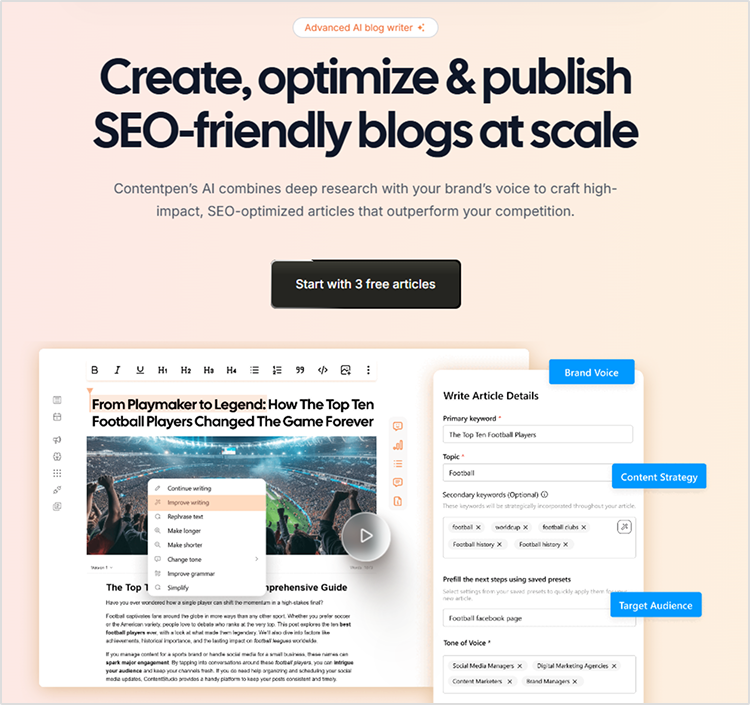
    The newest AI blog writer tool delivers fully optimized articles without the typical AI hallmarks. Contentpen stands apart from Surfer SEO by generating entire blog posts using specialized AI agents rather than just optimizing existing content, making it ideal for scaling content production while maintaining quality. 

    Key advantages over Surfer SEO

    • Creates complete, ready-to-publish blog content rather than just optimizing existing text
    • Utilizes a team of specialized AI agents working together (research agent, copywriting, content reviewer, etc.)
    • Integrates brand knowledge through website analysis and custom knowledge bases
    • Direct publishing to WordPress and other CMS platforms (coming soon)
    • Provides automatic internal and external linking
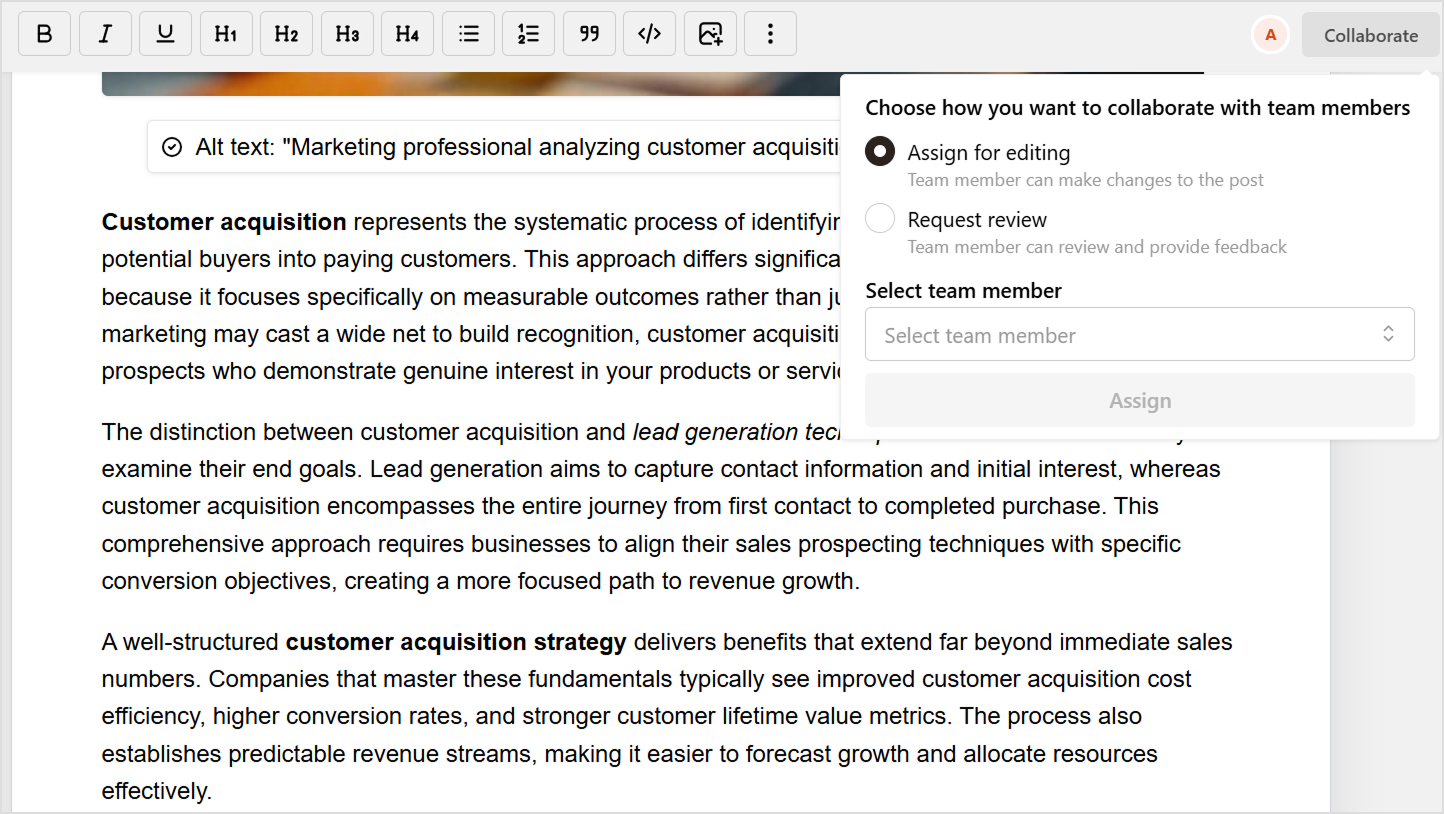
    • Offers approval workflows for team collaboration 

    Content creation capabilities

    • Complete AI-driven blog post generation that “feels human, ranks higher, and keeps your audience coming back
    • Keyword and title selection with CTR optimization
    • Brand voice integration ensures a consistent tone across all content
    • Automatic SEO optimization is built into the content creation process 
    • Produces authoritative content that outranks competitors while maintaining your brand’s unique perspective 

    Interface and user experience

    • Clean, intuitive dashboard focused on content production workflow
    • Simple approval process for team collaboration
    • Status tracking of content through the creation pipeline
    • Modern, user-friendly design requiring minimal onboarding 

    Pricing structure

    Contentpen offers three pricing tiers: Starter ($39/month for 10 articles), Premium ($79/month for 30 articles), and Agency ($199/month for 100 articles). Save 30% with yearly billing.

    Limitations

    • Relatively new to the market with a less established track record
    • Limited integrations compared to more mature platforms
    • WordPress publishing is still in the development phase
    • It may require an initial setup time to integrate brand knowledge properly
    • Custom pricing model makes it difficult to compare costs directly with competitors

    Also read: How to create a blog in less than 10 minutes using content presets

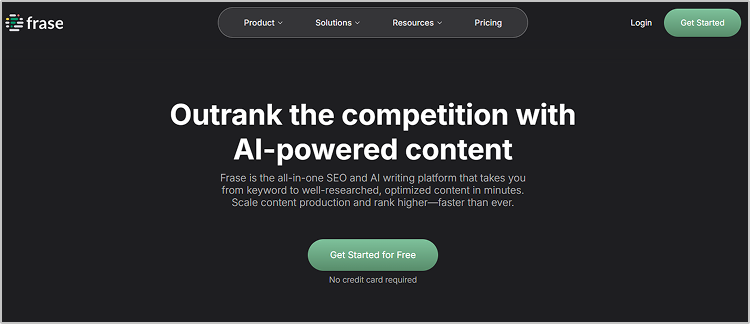
    2. Frase

    frase

    Frase delivers Surfer SEO’s optimization power with superior AI writing capabilities at less than half the price. This platform excels at content research, optimization, and AI-assisted writing, offering the closest feature set to Surfer SEO but with more generous content report allowances and better pricing. 

    Key advantages over Surfer SEO

    • Significantly more affordable ($115/month vs. Surfer’s $219/month entry price)
    • Superior content brief creation capabilities with more detailed insights 
    • More generous allowance of content reports per month
    • Better AI writing assistant with contextual understanding 
    • More robust question research features (SERP, People also ask, Quora, Reddit) 

    Content creation capabilities

    • AI-powered writing assistant that generates up to 150 words at a time 
    • 40+ AI copywriting templates for various content types
    • Content brief generator with headings and FAQ suggestions
    • Topic research with competitor content analysis
    • Real-time SEO score based on NLP analysis 
    • Comprehensive brief generator with H2 and H3 heading suggestions 

    Pricing structure

    Frase’s solo plan, which includes unlimited briefs and 30 document optimizations, starts at $45/month.

    Limitations

    • No direct WordPress plugin for seamless integration
    • Limited keyword data compared to dedicated keyword research tools
    • AI writing capacity is capped at 150 words per generation
    • Limited content management features for organizing multiple projects
    • Customer support was reported to be slower than that of some competitors
    • Can struggle with very technical or niche topics

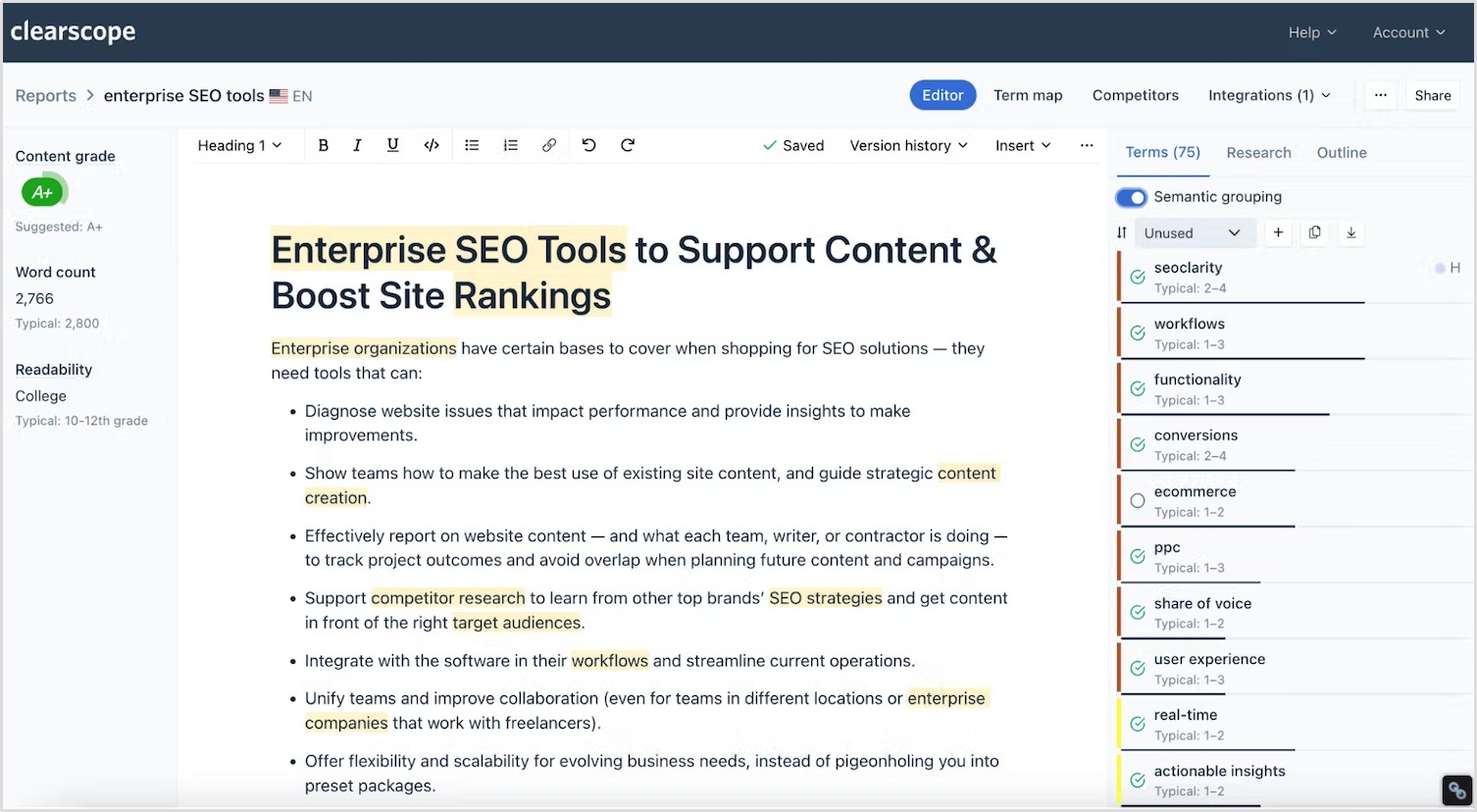
    3. Clearscope

    Clearscope

    The pioneer in enterprise-grade content optimization delivers unmatched accuracy with premium pricing to match. Clearscope’s clean interface and powerful content grading system make it the tool of choice for large content teams needing precision and ease of use despite its high price point. 

    Key advantages over Surfer SEO

    • More accurate NLP analysis powered by IBM Watson 
    • Cleaner, more intuitive user interface 
    • Superior content grading system (letter grades A+ to F) 
    • More reliable correlation between content score and rankings 
    • Better integration with enterprise content workflows 

    Content creation capabilities

    • Content grading system that correlates strongly with ranking potential 
    • Relevant terms suggestions with importance ratings 
    • Competitor content structure analysis 
    • Readability scoring and optimization
    • Comprehensive keyword data integration 
    • Content history tracking for performance optimization 

    Pricing structure

    Clearscope’s essentials plan begins at $189 monthly and includes limited reports. Professional and enterprise plans are available for $399 monthly and feature custom pricing, respectively.

    Limitations

    • Significantly higher price point than most alternatives
    • A limited number of content reports per plan
    • No free trial unless specifically requested
    • Less comprehensive AI writing capabilities than some competitors
    • A steeper learning curve for maximizing content scores
    • It may be overkill for smaller businesses or individual content creators

    4. MarketMuse

    MarketMuse

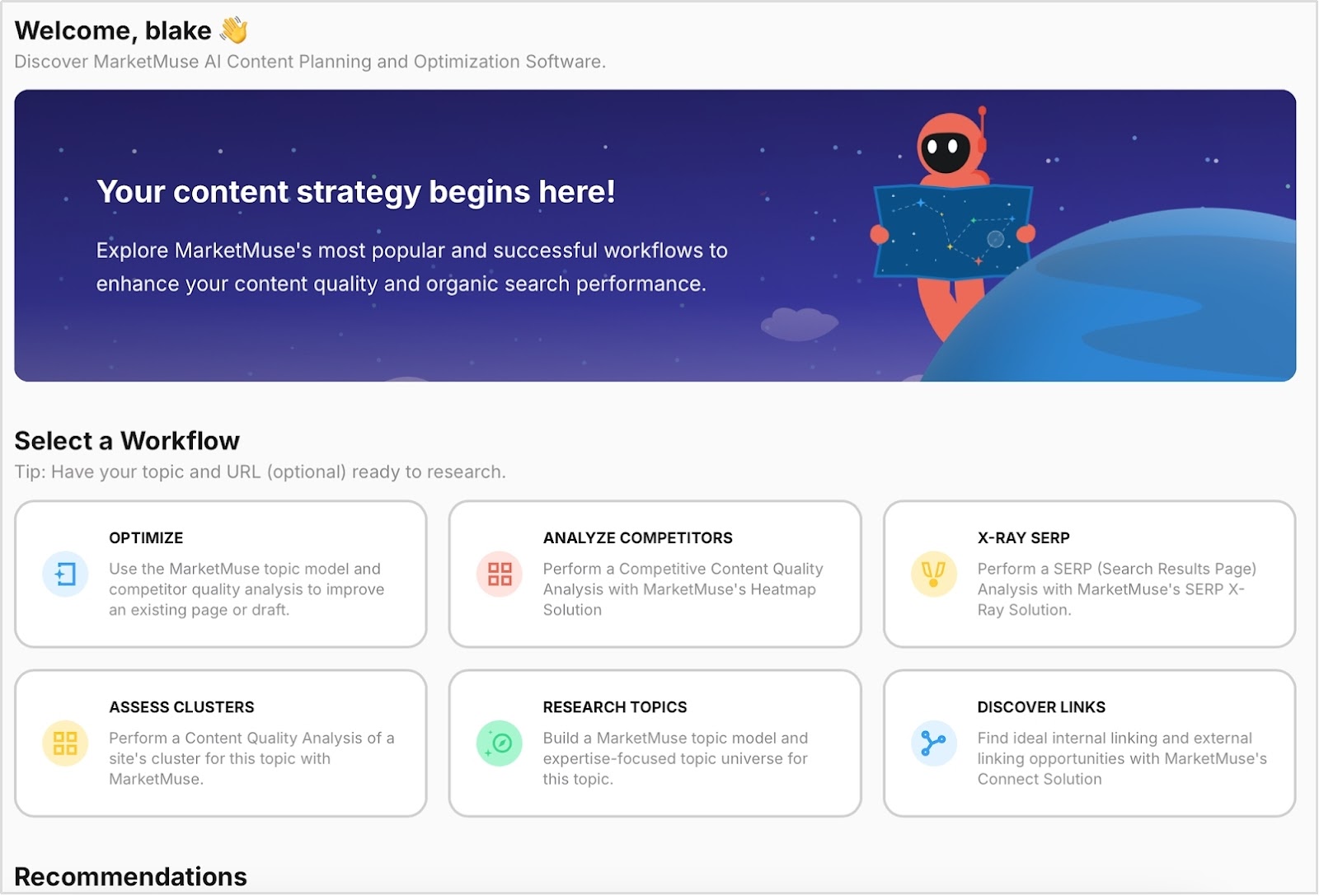
    The AI-powered content intelligence platform builds actual topical authority through comprehensive research. Unlike Surfer’s focus on individual content optimization,MarketMuse excels at building topical authority across your site with expansive topic research and clustering capabilities. 

    Key advantages over Surfer SEO

    • Superior topic cluster analysis for building site-wide authority 
    • More comprehensive content inventory and auditing 
    • Better identification of content gaps and opportunities 
    • More sophisticated competitor analysis 
    • Focus on topical authority rather than just keyword optimization

    Content creation capabilities

    • AI-generated content briefs with comprehensive topic coverage 
    • Content scoring based on depth and breadth of topic coverage 
    • Topic research and clustering for content planning 
    • Competitive content analysis 
    • Content inventory and auditing 
    • AI-powered topic suggestions and content plan generation 

    Pricing structure

    MarketMuse offers four pricing tiers: a Free plan for individuals with limited applications, optimized with 100 tracked topics and five briefs; Research with 1000 topics and 10 briefs; and Strategy with 10K topics and 20 monthly briefs for larger teams and agencies.

    Limitations

    • Very high price point compared to most alternatives
    • A steep learning curve requires significant time investment
    • Annual billing only, with no monthly payment option
    • Overwhelming interface for beginners
    • Complex data may require SEO expertise to interpret effectively
    • Overkill for businesses focusing on individual content pieces rather than a comprehensive strategy

    Also read: How to write an article using Contentpen?

    5. ContentStudio

    ContentStudio

    The all-in-one social media management platform with an advanced AI Toolkit amplifies your optimized content across channels. While not a direct Surfer SEO alternative for content optimization, ContentStudio excels at content distribution and social media management, helping your optimized content reach a wider audience through its comprehensive AI-powered tools.

    Key advantages over Surfer SEO

    • Comprehensive social media management capabilities
    • Content discovery and curation features
    • Scheduling and automation across multiple platforms
    • AI-driven performance analytics for content distribution
    • Team collaboration for content approval workflows 

    Content creation capabilities

    • AI Toolkit featuring AI caption generator, hashtag generator, and image creator
    • AI writing assistant for both social posts and blog content
    • Content curation tools to find and share industry content
    • Content repurposing tools for cross-platform sharing
    • Post templates and content calendar planning
    • Visual content creation tools 

    Pricing structure

    ContentStudio starts at $19/month for basic features, with Pro ($49/month) and Business ($99/month) plans offering expanded capabilities and savings of up to 34% on annual plans.

    Limitations

    • Limited SEO-specific features for optimizing content
    • Primarily focused on distribution rather than creation
    • The learning curve for managing multiple social platforms

    6. Scalenut

    Scalenut

    The most cost-effective Surfer SEO alternative delivers similar capabilities at a fraction of the price. Scalenut stands out with its affordability while still providing powerful AI writing and SEO optimization features, making it perfect for budget-conscious marketers who don’t want to sacrifice quality. 

    Key advantages over Surfer SEO

    • Much more cost-effective (10-12x more affordable on a like-to-like basis) 
    • Superior topic research and AI article writing capabilities 
    • “Cruise Mode” provides more control in content creation than Surfer’s AI approach 
    • SERP-based clustering offers a more powerful analysis than Surfer’s semantic clustering 
    • Better content auto-optimization with “Fix-it” technology at no extra cost 
    • Analyzes top 30 ranking pieces (versus fewer with Surfer)

    Content creation capabilities

    • AI-powered Cruise Mode generates first drafts that score at least 70 on the SEO score 
    • 40+ AI copywriting templates for various content types (ad copies, social media content, emails) 
    • Comprehensive brief generator with H2 and H3 heading suggestions and FAQs 
    • Content outline creation with writing points 
    • Advanced NLP and machine learning technologies for real-time SEO scoring
    • SEO content editor with keyword suggestions and competitor insights
    • One-click content optimization with “Fix-it” technology 

    Pricing structure

    Scalenut’s essential Plan, which includes five ready-to-rank humanized articles and optimizes and humanizes existing articles monthly, starts at $49/month. It offers free trials and significant discounts on annual plans.

    Limitations

    • A newer platform with a less established track record
    • SEO document limits may be restrictive for high-volume content teams
    • Some users report occasional inconsistencies in AI-generated content
    • Advanced features may require upgrading to higher-tier plans
    • Limited template customization options compared to some competitors
    • Smaller user community for troubleshooting and knowledge sharing

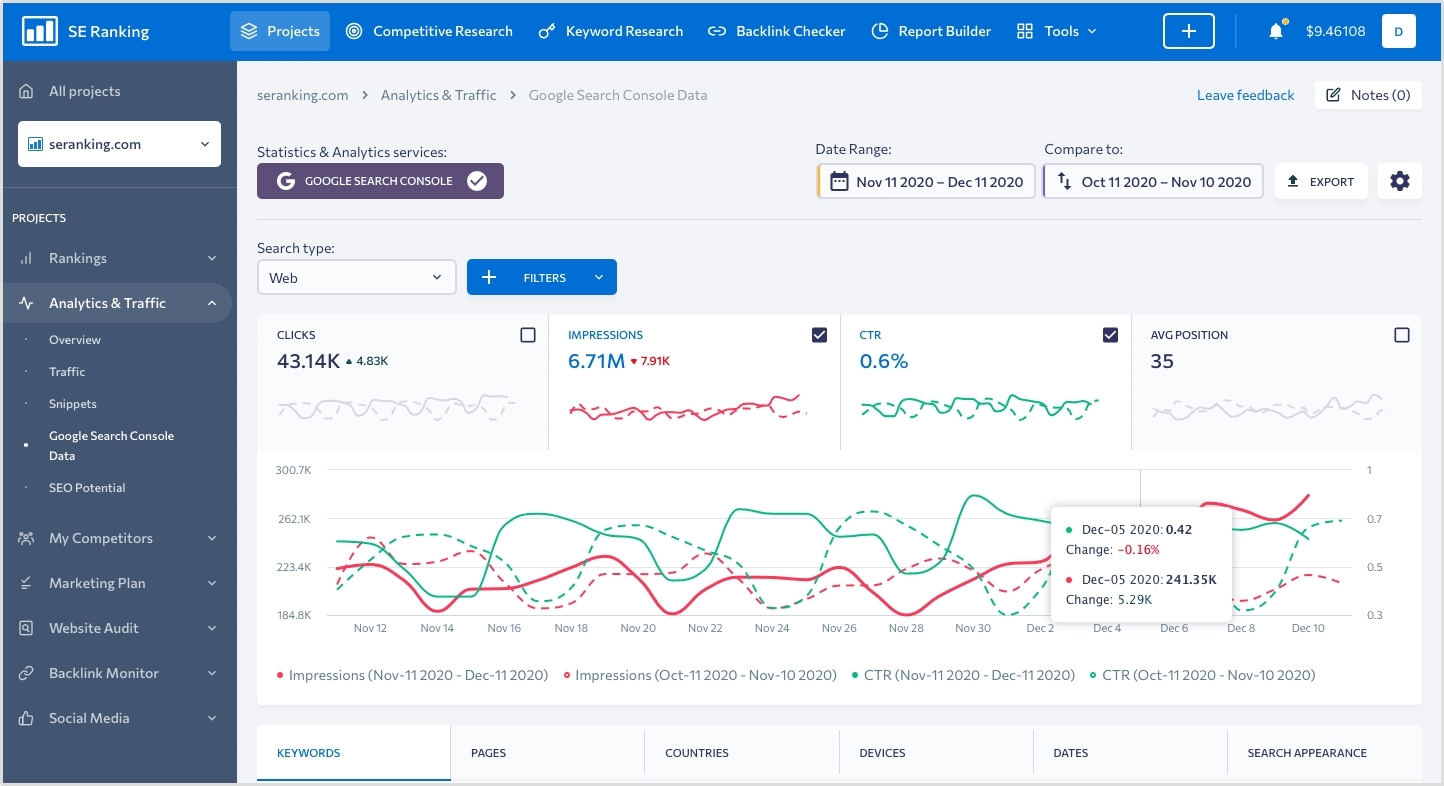
    7. SE Ranking 

    SE Ranking 

    The comprehensive SEO suite includes a powerful content editor at a value price point. SE Ranking offers more than content optimization, providing a complete SEO toolset that includes rank tracking, site auditing, and competitor analysis alongside its Surfer SEO-like content editor.

    Key advantages over Surfer SEO

    • Part of a comprehensive SEO suite (better value if you need other SEO tools) 
    • More extensive keyword data with search volume, keyword difficulty, and competition metrics 
    • Can set recommendations for title, description, and slug (not just body content) 
    • AI Writer includes 11 different writing tones (more customization) 
    • Collaborative features don’t require subscription for invited users
    • Supports multiple languages (English, French, German, Dutch, Italian, Russian, Portuguese, Spanish) 

    Content creation capabilities

    • Proprietary AI-powered algorithm for content generation 
    • AI Writer can produce short and long content pieces on any topic
    • Generates headlines (H1), headings, and subheadings 
    • Can expand a single sentence into a comprehensive paragraph 
    • Creates title tags and meta descriptions optimized for target keywords
    • Drawing up detailed content briefs with word count, keyword, and structure recommendations 
    • Quality score assessment for content 

    Pricing structure

    SE Ranking’s content marketing module starts at $65/month for 15 articles and 25,000 AI writer words, with higher tiers at $119/month and $259/month, offering increased capacity and a 20% discount on annual billing.

    Limitations

    • Entry-level plan limits may be restrictive (15 articles, 3 plagiarism checks)
    • The learning curve when using the full SEO suite features
    • Some users report occasional AI output inconsistencies
    • It may be overwhelming for users who only need content optimization
    • Mobile experience is not as robust as the desktop interface
    • Additional costs for scaling up article counts and AI word usage

    8. Dashword

    Dashword

    The content optimization platform focuses on quality over keyword stuffing. Dashword takes a more sophisticated approach to content optimization than Surfer SEO, prioritizing readability and user experience alongside SEO factors for more natural, high-quality content. 

    Key advantages over Surfer SEO

    • Simplifies content optimization by showing only relevant, actionable data 
    • Groups keyword variations intelligently (e.g., “trip” and “trips” are treated as the same keyword) 
    • Better content brief generation with a drag-and-drop interface 
    • Focuses on producing quality content rather than just keyword optimization 
    • Interface with less overwhelming data 
    • More advanced readability assessment, in addition to SEO scoring 

    Content creation capabilities

    • AI-powered content brief creation 
    • Content optimization with real-time feedback 
    • Keyword research and suggestions based on SERP analysis
    • Competitor content structure analysis
    • FAQ identification and integration 
    • Content scoring from F- to A+ for optimization quality 
    • Meta description generator built-in 
    • Advanced readability scoring beyond basic metrics 

    Pricing structure

    Dashword offers a free trial. Plans start at $99/month for 30 content reports and five user seats, with business plans starting at $349/month and a 20% discount on annual billing.

    Limitations

    • Higher starting price than some alternatives ($99/month)
    • AI writing features are only available on the Business plan ($349/month)
    • Limited to 30 content reports on the entry-level plan
    • Lacks some of the advanced AI capabilities of newer platforms
    • No direct WordPress publishing integration
    • Less comprehensive SEO tools beyond content optimization

    9. NeuronWriter

    NeuronWriter

    NeuronWriter is a budget-friendly, multilingual content optimization powerhouse. Its support for over 170 languages and affordable pricing stand out, making it an excellent choice for international businesses or content creators working across multiple language markets. 

    Key advantages over Surfer SEO

    • Significantly more affordable starting at $23/month (vs. Surfer’s $89/month)
    • Supports over 170 languages (compared to Surfer’s 11 languages)
    • Includes AI writing capabilities in base plan (Surfer charges extra)
    • More user-friendly interface for beginners 
    • Better pricing tiers for scaling content needs
    • Occasional lifetime deals through AppSumo 

    Content creation capabilities

    • Advanced AI writing assistant powered by GPT models
    • NLP-driven content optimization with real-time scoring
    • Competitor SERP analysis of top-ranking pages
    • Content ideas generation based on competitor research
    • Support for over 170 languages
    • AI-generated content outlines and draft creation
    • Content brief development with heading suggestions 

    Pricing structure

    NeuronWriter starts at just $23/month for the Bronze Plan, with Silver ($45/month) and Gold ($69/month) plans for expanded features and significant discounts on annual plans.

    Limitations

    • Limited content management features compared to more robust platforms
    • Some users report occasional inconsistencies in language support quality
    • Smaller user community and support resources
    • Basic reporting capabilities compared to enterprise alternatives
    • Less robust team collaboration features
    • Limited integration options with other marketing tools

    10. Topic

    Topic

    The specialized content brief creation platform saves hours of research time. The topic focuses exclusively on creating comprehensive content briefs in record time, making it the go-to tool for agencies and content teams that need to streamline their brief creation process. 

    Key advantages over Surfer SEO

    • Specialized in content brief creation rather than trying to be an all-in-one tool
    • More comprehensive briefing capabilities 
    • Faster brief creation process (reportedly 10 minutes vs. an hour)
    • Better organization of brief elements for writers
    • More writer-friendly output format
    • Focus on content strategy rather than just optimization

    Content creation capabilities

    • Analyzes the top 30 Google results for any keyword
    • Content brief generator with headings, questions, and keywords
    • Outline builder with AI-assisted content ideas
    • Content grader to evaluate draft quality
    • Explicitly designed for accelerating the content creation process
    • Easy-to-use interface focused on content brief creation
    • Comprehensive SERP research integration 

    Pricing structure

    Topic’s starter plan begins at $99/month for 10 content briefs, with plus ($199/month) and premium ($299/month) plans offering increased capacity and annual discounts.

    Limitations

    • Limited functionality beyond content brief creation
    • No content editor for actual writing/optimization
    • Relatively high price point for specialized functionality
    • Limited to 10 content briefs on the entry-level plan
    • No free trial (only demonstrations)
    • Lacks comprehensive SEO features found in all-in-one alternatives

    Also Read: 9 best ChatGPT alternatives in 2025

    11. WriterZen

    WriterZen

    The end-to-end content creation platform with superior keyword research capabilities. WriterZen excels at discovering valuable keyword opportunities and organizing them into effective content plans, making it ideal for content marketers who want to own the entire creation process from keyword to publication.

    Key advantages over Surfer SEO

    • Superior keyword research with a unique “Golden Filter” feature
    • More comprehensive keyword clustering and planning capabilities
    • End-to-end support from topic discovery to content creation
    • Better organization of the content creation workflow
    • More intuitive topic discovery tools
    • Integrated plagiarism checking 

    Content creation capabilities

    • Topic discovery tool for generating content ideas
    • Keyword Explorer powered by Google’s database
    • Keyword clustering and planning capabilities
    • Content creator with NLP optimization
    • Plagiarism checker to ensure content originality
    • Built-in AI writing assistance
    • Golden filter feature for finding valuable keywords

    Interface and User experience

    • Well-organized dashboard for complete content workflow
    • Intuitive keyword research interface
    • Clear visualization of keyword relationships
    • Simple content optimization scoring
    • Easy-to-understand recommendations
    • Logical workflow progression from research to writing
    • Modern, clean design throughout the platform

    Pricing structure

    WriterZen’s keyword research plan starts at $75/month, with All-In-One plans at $150/month (Basic) and $225/month (Advanced), plus occasional lifetime deals through AppSumo.

    Limitations

    • The higher price point for a complete package of features
    • The steeper learning curve for maximizing keyword research capabilities
    • Limited AI writing capabilities compared to dedicated AI writing tools
    • Some users report occasional data discrepancies in keyword metrics
    • Less intuitive content editor than some alternatives
    • More focused on research than actual content creation

    Conclusion

    The Surfer SEO alternatives landscape offers diverse options for every content need and budget.

    For those seeking the most comprehensive solution, Contentpen delivers complete blog content creation with built-in optimization. Budget-conscious marketers will find exceptional value in Frase and NeuronWriter, while enterprise teams might prefer the established accuracy of Clearscope or MarketMuse.

    All in all, the best choice depends on your specific needs and your focus on content creation, optimization, distribution, or analytics.

  • How to use Contentpen presets to save time and write faster

    How to use Contentpen presets to save time and write faster

    If you’re writing blog posts regularly, you already know how much effort goes into just getting started. You open a doc, figure out what structure to use, decide on tone, try to remember what formatting you used last time, then copy links from your last article or dig through your sitemap to do internal linking manually.

    It’s tedious. It’s inconsistent. And it eats up more time than the actual writing.

    Now imagine you could skip all of that with one click.

    That’s what presets in Contentpen are for. They help you save your ideal article setup, including voice, structure, formatting, and linking, so you never have to start from scratch again.

    Whether you’re blogging manually or already using the AI blog writer online Contentpen, this guide will show you how presets cut hours from your workflow, keep your content consistent, and help you publish faster with less friction.

    Key Takeaways

    • Presets eliminate repetitive work by saving your preferred content settings, including tone, formatting, structure, and linking, in one reusable template.
    • Manual blogging is time-consuming, error-prone, and inconsistent. Presets help streamline your workflow and maintain brand standards.
    • Contentpen lets you create multiple presets, so you can tailor your setup for different content types, audiences, and campaign goals.
    • Using presets saves hours each week, making it easier to scale high-quality content production without sacrificing speed or consistency.

    What are presets in Contentpen?

    Presets are reusable content blueprints that let you predefine exactly how your articles should be written and structured inside Contentpen.

    Think of them as your saved writing formula. Instead of selecting the same tone, adjusting formatting, picking section types, or setting up internal links every time, you define it once and apply it instantly to any new article.

    Each preset can include:

    • Tone of voice and audience
    • Preferred formatting (bold, quotes, tables, heading styles)
    • Article structure, length, and optional sections (FAQs, takeaways, etc.)
    • Intro style (custom, emotional, statistical, etc.)
    • Internal linking rules using your sitemap
    • External linking preferences (include or exclude specific domains)

    Once set, you or your team can apply a preset with a single click, so every blog starts with your exact preferences already in place.

    Why presets matter (especially if you’re blogging manually)

    If you’re still doing everything by hand, writing in Docs, formatting manually, and trying to keep every post consistent, you’re spending hours on tasks that can be automated.

    Presets eliminate that friction. They turn your best practices into repeatable systems.

    Here’s why they’re worth using, no matter how you currently blog:

    • Save time: Stop redoing the same setup for every article.
    • Ensure consistency: Every article follows the same tone, structure, and standards, whether you or a team member writes it.
    • Scale without stress: As your content volume grows, presets make it easy to maintain quality at speed.
    • Reduce manual errors: Never forget a formatting rule, section type, or linking guideline again.
    • Reclaim your creative energy: With the busywork handled, you can focus on what actually matters, the content.

    If you’re already using Contentpen, presets are the fastest way to unlock serious workflow gains. And if you’re blogging manually today, this is the feature that makes switching worth it.

    How to use Contentpen presets: 7 simple steps

    Setting up your first preset in Contentpen is simple, and once it’s done, you’ll never have to manually configure your content setup again. Follow these easy steps to create a preset that fits your writing style, structure, and content goals.

    1. Sign in or create your account

    To get started, log in to your Contentpen account. If you’re new, sign up and start your free trial – and enjoy a 30% discount on annual plans while it lasts.

    Presets are available to all users and can be created as soon as you access your workspace.

    2. Navigate to the Presets section

    In the left-hand sidebar, go to Assets → Presets. If you haven’t created any presets, you’ll see a message inviting you to start.

    Click Create New Preset to begin setting yours up.

    how-to-use-contentpen-presets

    3. Set your article style

    In this step, you’ll define how your content should sound, the tone, audience, and point of view. These settings help ensure that every article reflects your brand voice and connects with the right readers.

    • Tone of voice: Choose from predefined options like professional, conversational, formal, authoritative, educational, casual, etc. 
    • Target audience: Select the type of reader you’re writing for, such as marketers, founders, agency owners, startups, enterprises, etc.
    • Point of view: Choose first person (I/we), second person (you), third person (they/it), or let Contentpen decide automatically.
    Choose formatting preferences

    4. Choose formatting preferences

    Next, decide how your content should appear visually. These formatting rules help standardize your content and reduce post-editing work.

    Toggle on or off the following elements:

    • Bold: Automatically bold key phrases for emphasis
    • Italic: Subtly highlight certain ideas
    • Quotes: Include callouts or tips
    • Tables: Display structured data clearly
    • Lists: Use bullet points or numbers where needed

    You can also choose your heading capitalization: Title Case or sentence case.

    how-to-use-contentpen-presets

    5. Define article structure

    Now, outline how your articles should be built, from length to sections and intro hooks.

    Article size: Select from:

    • Small (3–5 headings)
    • Medium (5–8 headings)
    • Large (8–12 main sections)
    • Very Large (12–15 sections)

    Intro hook (optional): Choose how your articles should begin. Options include:

    • Custom
    • Question
    • Statistic
    • Quote
    • Anecdote
    • Emotional opener

    Optional sections: Enable or disable these:

    • Key Takeaways (summary at the top)
    • Conclusion
    • FAQs

    Media options: Choose whether to include:

    • 1 featured image
    • 3 – 4 in-article images

    This ensures every article is pre-structured the way you want, without needing to reformat later.

    Set up internal and external linking

    6. Set up internal and external linking

    Good linking boosts SEO and keeps readers engaged. Here’s how you can automate it inside your preset:

    Internal linking:

    • Website URL: Enter your main site – Contentpen will auto-detect your sitemap. Or,
    • Add Sitemap: Manually paste your sitemap URL if needed.
    • Filter/Exclude Paths: Include only blog pages (e.g., /blog/*) and exclude non-content paths (e.g., /admin/).
    • Enable auto-knowledge linking: Let Contentpen pull internal links directly from your sitemap into articles.

    Also read: How to add a sitemap in Contentpen?

    External linking:

    • Auto-linking toggle: Automatically add outbound links to trusted sources in your niche.
    • Included domains: Whitelist reliable sources you’d like linked in articles.
    • Excluded domains: Prevent links to competitors or irrelevant sites.
    how-to-use-contentpen-presets

    7. Save your preset

    Once everything is configured, click Save Preset.

    It will now appear in your Presets list and can be instantly applied to any future article, so your content creation starts with all the right settings, every time.

    Why use Contentpen for content creation?

    Contentpen isn’t just another AI writing tool, it’s built for content marketers and teams who care about speed, structure, and quality at scale.

    Unlike traditional writing tools that give you a blank page and generic output, Contentpen is designed to help you plan, structure, and publish better content faster. With features like:

    • Smart article presets: Save and apply your favorite writing configurations in one click
    • Content types for every goal: From how-to guides to SEO listicles, choose from multiple blog styles
    • Built-in linking and formatting: Automate internal/external links, bolding, quotes, and layout styles
    • Visual-ready content: Add featured and in-article images without using design tools
    • Collaborative workspace: Perfect for agencies, marketing teams, and solo creators scaling their output

    If you’re still spending hours formatting articles, aligning tone, or manually linking pages, Contentpen simplifies all of it in minutes. It’s built to help you do less busywork and publish content that performs.

    Bottom line: How to use presets in Contentpen

    Presets in Contentpen aren’t just a convenience, they’re a content creation advantage. By eliminating repetitive setup tasks, ensuring brand consistency, and speeding up your workflow, presets help you publish more high-quality content in less time.

    Whether you’re a solo creator looking to streamline your process or a content team aiming for scale, presets take the guesswork out of every new article, so you can write with focus and publish with confidence.

    FAQs about using presets in Contentpen

    What exactly does a Contentpen preset include?

    A preset includes all your preferred writing configurations, such as tone of voice, target audience, formatting style, article structure, intro type, internal linking rules, and external link preferences. Once saved, it can be applied to any future article in one click.

    Can I create multiple presets for different content types?

    Yes, you can create as many presets as you need. For example, one for SEO how-to guides, another for founder blogs, and a separate one for product announcements, each with its own tone, length, and structure.

    Can I edit or update a preset after I’ve created it?

    Yes, you can go back to any saved preset, make changes, and update it to match your evolving content needs. You can also duplicate a preset to create a variation without starting over.

    Do I need to use a preset every time I create an article?

    No, using a preset is optional. If you prefer to customize settings manually for a specific post, you can skip the preset and configure everything on the spot. Presets are there to speed things up when you need them.

    How do presets help with brand consistency?

    Presets standardize tone, structure, and formatting across every article, so whether you’re writing solo or with a team, your content always looks and sounds on-brand.

    Is using presets better than writing manually in Google Docs or a CMS?

    Yes, significantly. Manual workflows often involve repeating setup steps, copying old formats, and manually linking. Contentpen presets eliminate that repetition, reduce human error, and streamline your writing process, so you can focus on creating content, not configuring it.

  • How to rewrite a paragraph using AI?

    How to rewrite a paragraph using AI?

    Rewriting content is a super important part of the writing process, it helps you fine-tune your tone, make things easier to understand, and keep your readers hooked.    

    But doing it manually can be time-consuming and often overwhelming, especially when you’re short on time or creativity. That’s where AI tools come in handy.

    AI-powered writing assistants help you rewrite paragraphs quickly while maintaining the original meaning. 

    One such easy-to-use tool is Contentpen,

    An ultimate AI blog generator that combines deep research with your brand’s voice to craft high-impact, SEO-optimized articles that outperform your competition.

    Let’s walk through how you can use Contentpen to rewrite a paragraph in just a few clicks.

    Step 01: Access your dashboard

    • Go to your Contentpen dashboard and click on “Create Article”
    • Choose the “Start blank” option to begin a new article from scratch.
    start blank

    Step 02: Add your content

    • You’ll be redirected to the editor window, where you can paste or write your content.
    add content you wnat to rewrite

    Step 03: Select the paragraph

    • Highlight the paragraph you want to rewrite. Once selected, a small “Ask AI to edit or rephrase” bar will appear above it.
    Ask AI

    Step 04: Choose the rephrase option

    • Click on the bar and select “Rephrase text” from the available options, such as “Improve writing,” “Make longer,” “Simplify,” or “Change tone.”
    rephrase text
    • Press Enter, and the AI will rewrite the selected paragraph.
    replace text

    Step 05: Apply the new version

    You can click “Replace section” to update the original or choose to add it below the existing paragraph, whichever suits your workflow.

    rephrased text

    Also read: How to write an article using Contentpen?

    Conclusion

    Rewriting pragraphs doesn’t have to be time-consuming. With Contentpen’s AI-powered editor, you can enhance your writing instantly. Whether you’re editing for clarity, tone, or variety, the rephrase tool helps you polish your content with just a few clicks.

    Frequently asked questions

    Can Contentpen rewrite entire articles or just paragraphs?

    Yes, Contentpen can help you rewrite entire articles or specific paragraphs, highlight the text you want to improve, and let the AI handle the rest.

    Does the rewrite tool change the meaning of my content?

    No, the tool is designed to maintain the original intent while improving wording, tone, and clarity.

    Can I choose different tones when rewriting a paragraph?

    Absolutely! Alongside the rephrase option, you can select different tones like formal, casual, or persuasive to match your content’s purpose.

    Is Contentpen beginner-friendly?

    Yes, the interface is intuitive and easy to use, even if you’ve never worked with AI writing tools before.

  • How to add a sitemap in Contentpen?

    How to add a sitemap in Contentpen?

    Today, we’re here with another guide, showing you how to add a sitemap in Contentpen.

    The best news? It’s fully automated and requires minimal effort.

    Once enabled, the sitemap feature in Contentpen – The AI blog generator automatically tracks and organizes all your published content. It ensures that your latest content is always included – no manual updates needed. 

    You also get customization options like:

    • Exclude Pattern – leave out specific pages or blog categories you don’t want to be included.
    • Filter Pattern – to only include selected categories or pages you prefer to show.

    So let’s get started!

    Method 01: Automatically fetch your sitemap

    • After signing up and starting a new workspace, simply add your brand name and website URL.
    add your brand name and website URL
    • The system will automatically fetch your sitemap based on the website URL you provide.
    analyze your bussiness
    • Once your workspace is set up, head to your dashboard and navigate to Knowledge > Website – your sitemap will already be there.
    automatically fetched sitemap
    • And that’s it – you’re all set!

    Also read:  How to set up your Contentpen workspace?

    Method 02: Manually add your sitemap

    Now lets say that you’re creating a new workspace or just want to change your sitemap or add a new sitemap. Here’s how you would do that. 

    • Go to Contentpen and log in with your account.
    • From the dashboard, navigate to the Knowledge section via the left-hand menu.
    go to knoweledge
    • Click on Website. You’ll see two options: Find Sitemap and Add Sitemap.
    go to website

    If you don’t know your sitemap:

    • Click “Find Sitemap” and enter your website URL.
    • The AI agent will locate the sitemap for you.
    find sitemap
    sitemap link

    Once found:

    • Click “Add Sitemap”.
    • Paste the copied sitemap URL.
    • And save your sitemap.
    Add sitemap
    • That’s it – your sitemap has been added
    sitemap

    Conclusion

    Adding a sitemap in Contentpen is simple, quick, and designed to make internal linking easier. Whether you prefer to let the system handle it automatically or want to add or adjust it manually, the process is smooth and flexible.

    Plus, with powerful customization options like exclude and filter patterns, you stay in full control of what shows up. Keep your content SEO-ready without the hassle, and let your sitemap do the heavy lifting behind the scenes.

    Frequently asked questions

    Can I exclude any pages or blog categories from my sitemap?

    Absolutely. You can use the “Exclude pattern” option to leave out specific pages, categories, or even tags you don’t want indexed.

    Is it possible to include only selected pages in my sitemap?

    Yes. The “Filter pattern” feature lets you specify which pages or categories you want to include, giving you complete control.

    Will my sitemap update automatically when I publish new content?

    If you’ve enabled the automated feature, yes – your sitemap will update in real time as you publish new content.

    What happens if I change my website URL?

    You’ll need to update your sitemap settings with the new URL. You can either fetch it automatically again or manually paste the new sitemap.

    Do I need any technical skills to use the sitemap feature?

    Not at all. Whether you’re using the automated or manual method, it’s beginner-friendly and takes just a few clicks.

  • How to build a brand voice using Contentpen?

    How to build a brand voice using Contentpen?

    In our previous blog, we broke down the concept of brand voice – what it is, why it matters, and the different types. Today, we’re taking it a step further and showing you exactly how to build your brand voice using AI blog generator – Contentpen.

    The best part? It’s surprisingly simple. With just a few easy steps, you’ll have your brand voice ready in no time. 

    But here’s the twist: you don’t need a huge creative team to craft it anymore. Thanks to Contentpen’s automation, the entire process takes just minutes.

    Let’s break down how you can use AI (like the tech behind Contentpen) to develop a distinct, human, and memorable brand voice.

    A step-by-step guide to setting up your brand voice

    The good part about Contentpen is that you don’t have to build a brand voice manually like most other writing tools. As Contentpen automatically fetches all the data for you. 

    For example when you sign in  and add your website URL and name it automatically adds in all the details for you.

    However if you want to manually change or customize you brand voice or any other component. You can do that too as well.  

    Step 01: Sign in and enter your website

    Once you sign in to Contentpen, all you need to do is enter your website URL and name. 

    add yoru website url and name

    From there, the platform goes to work instantly. It pulls your website’s content, tone, and language patterns to generate a preliminary brand voice profile.

    analyze your bussiness information

    Step 02: Let AI analyze your content

    Contentpen uses AI to scan your existing website copy, blog posts, product descriptions, and even metadata. It identifies your tone, style, and audience preferences to create a brand voice that reflects your current content identity.

    • Business identity – define your brand persona, USPs, and ISPs
    your bussiness information
    • Audience targeting – set your author persona, audience profile, voice, and competitors
    targeted audience
    tone of voice
    • Content strategy – add key content themes to align with your goals
    brand content strategy

    It’s perfect for brands that are rebranding or want to experiment with multiple voices for different campaigns.

    Step 03: Save and apply across your content

    Once you’re happy with the setup, you can lock in your brand voice and start using it instantly. Contentpen will now automatically align with your chosen brand voice for every blog post.

    Additional step: Refine or update your brand voice anytime

    Not satisfied with the auto-generated voice or want to tweak it to align with your evolving brand personality? No problem. Contentpen gives you full control to manually adjust it. Here’s how:

    1. Head to your Contentpen dashboard.
    2. From the left-hand menu, click on “Knowledge”, then select “Brand voice.”
    go to brand voice

    In this section, you can either:

    • Refetch all information to regenerate your brand voice based on your current website.
    fetch brand information
    • Or manually update details like your USPs, target audience, author persona, tone, and more.
    manually add brand voice

    Once you’ve made your changes, just click “Save,” and your new brand voice will be applied across your content moving forward.

    Conclusion

    In 2026, brand identity isn’t just about logos and color palettes – it’s about how you sound. Whether you’re a startup or a growing digital brand, your voice is your vibe. It tells your audience who you are, what you stand for, and why they should care. 

    Contentpen makes it incredibly easy to create a distinct, human, and memorable tone that speaks directly to your audience.

    FAQs on brand voice with Contentpen

    Do I need any technical skills to build a brand voice on Contentpen?

    Not at all. Contentpen is built for ease, just sign in, add your website, and let AI do the heavy lifting.

    Can I manually adjust the brand voice Contentpen creates?

    Yes! You can refine or completely update your brand voice anytime from the dashboard under the “Knowledge” section.

    How does Contentpen analyze my content?

    It uses AI to scan your existing website copy, product pages, blog posts, and metadata to identify patterns in tone, language, and audience preferences.

    What if I don’t have a website yet?

    You can still build your brand voice manually by inputting your brand persona, target audience, USPs, tone, and content themes directly into the platform.

    Is this suitable for startups or solo creators?

    Absolutely. Contentpen is perfect for lean teams or individuals who want to build a consistent and professional brand voice without hiring a full creative team.

  • How to connect your WordPress with Contentpen?

    How to connect your WordPress with Contentpen?

    Connecting your WordPress site to Contentpen is quick and easy. This integration allows you to seamlessly manage, schedule, and publish AI-generated or team-approved content from Contentpen directly into your WordPress dashboard. 

    You’ll be able to skip the manual uploads and enjoy a smoother publishing experience. With just a few clicks, you can connect your site, install the Contentpen plugin, and start pushing content live – all from one place. 

    Let’s get started

    Step 01: Copy your Contentpen “API key”

    • Start by logging into your Contentpen account. If you don’t have one yet, sign up at contentpen.ai.
    • Go to the “Integration” tab in the left menu.
    go to integrations
    • Enter your WordPress site URL and click “Connect WordPress.”
    add your wordpress site link
    • Click “Connect WordPress.” Copy the API Key that appears.
    Copy API

    Once you’ve copied your API key, it’s time to install the Contentpen WordPress plugin.

    Step 02: Install the Contentpen WordPress plugin

    • Log in to your WordPress admin panel. In the left-hand sidebar menu, hover over “Plugins” and then click “Add Plugin.”
    Add plugin
    • In the search bar at the top right, type “Contentpen.” You should see the official Contentpen plugin in the search results. Look for a plugin with the Contentpen logo and a description.
    • Once you’ve found the correct plugin, click the “Install Now” button next to it.
    Install Contentpen plugin
    • After the plugin has been installed, the “Install Now” button will change to “Activate.” Click “Activate” to enable the plugin on your WordPress site.
    activate Contentpen plugin

    Step 03: Connect your WordPress site to your Contentpen account

    Once the plugin is activated, you’ll usually need to connect it to your Contentpen account. 

    • Now, you need to find the Contentpen settings. After activation, a new menu item for “Contentpen” might appear in your WordPress sidebar.
    Click on Contentpen
    • In the Contentpen settings, paste the API key you copied earlier to link your WordPress site.
     paste the API key you copied earlier to link your WordPress site.
    • Save or update the settings to verify the connection from both the WordPress plugin and the Contentpen account.

    Verify the connection from WordPress

    Verify connection from WordPress

    Verify connection from Contentpen

    Verify connection from Contentpen
    • After connecting, you can begin publishing and scheduling Contentpen content directly to WordPress.

    Here’s how to publish a blog directly from Contentpen to WordPress

    Let’s say you’ve just finalized a blog post draft in Contentpen. Instead of downloading and manually uploading it into WordPress, you can now:

    Step 01: Click on the content piece you want to publish.

    Step 02: Hit the “Publish” button in the corner. 

    Hit publish

    Step 03: A pop-up will appear, allowing you to choose an author, assign categories, and add relevant tags.

    publish blog post

    Step 04: When you’re ready, hit “Publish Post” in the pop-up, your blog will go live on your website as well as WordPress instantly.

    published blog post

    Conclusion

    You’ve successfully connected your WordPress site with Contentpen – AI blog writer tool. This integration allows you to leverage the content management capabilities of Contentpen while maintaining the familiar WordPress publishing environment. 

    Remember to regularly check for plugin updates to ensure compatibility and access to new features.

    For more information or technical support, contact our support team through your dashboard.

    Frequently asked questions

    Where can I find my API key in Contentpen?

    Once logged into Contentpen, go to the “Integration” tab in the left menu, enter your WordPress site URL, click “Connect WordPress,” and your API key will be generated there.

    Do I need any coding skills to connect Contentpen with WordPress?

    Not at all! The setup involves simple copy-paste steps and plugin installation – no coding is required.

    Can I disconnect Contentpen from WordPress anytime?

    Yes, you can remove the plugin or reset the integration from your Contentpen account at any time.

    Is it safe to use my API key in WordPress?

    Yes, your API key is unique to your account and securely links Contentpen with your site. However, never share it publicly or with untrusted users.

  • What is brand voice? Definition, importance, and examples

    What is brand voice? Definition, importance, and examples

    As the name suggests, your brand voice is the unique expression of your brand’s personality, vision, and custom preferences.

    It’s the distinctive character that comes through in all your brand’s communications – whether written, spoken, or visual.

    Your brand voice is a unique blend of your USPs (Unique Selling Propositions), ICPs (Ideal Customer Profiles), and overall brand persona tailored to your target audience.

    It defines how your brand communicates – through word choice, tone, rhythm, and style – and serves as the verbal reflection of your identity and core values.

    In today’s blog, we’ll see why brand voice matters, explore its key components, and share tips to help you develop one that resonates.

    So, without any further ado – let’s get started!

    Why brand voice matters?

    When consumers encounter thousands of marketing messages daily, brands with inconsistent or generic voices simply fade into the background.

    1. Brand recognition and recall

    Just as we recognize friends by their speech patterns without seeing them, consumers can recognize brands through their distinctive communication style. A consistent voice creates memorable impressions that stick with customers even when they’re not actively engaging with your content.

    2. Trust and authenticity

    When your voice remains consistent across all touchpoints, it signals reliability and authenticity to your audience. Conversely, an inconsistent voice creates cognitive dissonance and can undermine trust. Imagine if your bank suddenly started using slang-filled, casual messaging after years of formal communication.

    3. Differentiation in crowded markets

    In industries where product differentiation is challenging, a distinctive brand voice can provide a competitive edge. Consider how brands like Dollar Shave Club disrupted the razor industry not through revolutionary products but through a fresh, irreverent voice that stood apart from established competitors.

    4. Emotional connection

    The right brand voice can forge emotional bonds with audiences by reflecting shared values, aspirations, or worldviews. This emotional connection goes beyond functional benefits, creating a deeper brand loyalty.

    5. Consistency across teams and channels

    A documented brand voice provides guidelines for everyone creating content for your brand, from in-house teams to external agencies, ensuring consistency even as your communication channels multiply.

    Components of brand voice

    ComponentWhat it meansWhy it matters
    ToneThe emotional flavor or attitude in your messaging (e.g., friendly, professional)Sets the mood and helps match your brand’s vibe to your audience’s expectations.
    Unique Selling Proposition (USP)The distinctive feature or benefit that makes the brand stand out from competitors.It helps to clearly define the brand’s niche and sets it apart in the marketplace, making it memorable to the audience.
    Brand persona The core goal behind your communication (e.g., to inspire, to inform, to sell)Ensures your messaging stays focused and consistent across channels.
    Key themesThe beliefs and principles that guide your brand voiceBuilds trust and helps connect with like-minded audiences.
    Targeted audience How well your voice aligns with your target audience’s preferencesMakes your messaging feel relevant and relatable, boosting engagement.

    How to use AI to create your brand voice?

    With the rise of AI, developing that unique voice is no longer reserved for big teams or agencies. Today, smart tools can help you define how your brand sounds and ensure that tone stays consistent across every piece of content.

    Introducing Contentpen – The ultimate AI writing tool

    ​Contentpen is an AI-powered content creation platform that helps you establish a distinct tone of voice. And keep it consistent across every channel with ease. With customizable content presets, you can define your brand personality once and apply it to everything from blog posts to ad copy. Need to scale? 

    Contentpen’s bulk article generation lets you produce high-quality, on-brand content in minutes – not days. Plus, built-in SEO optimization ensures your content doesn’t just sound great; it performs, too. 

    Whether you’re managing one brand or juggling several, Contentpen makes it effortless to stay true to your voice while expanding your online presence.

    Brand voice in action: Examples

    Looking at successful brands can provide inspiration for developing your own voice:

    The New York Times: Authoritative and thoughtful

    The Times maintains a voice of reasoned authority – formal without being stuffy, intelligent without being pretentious, and serious without being devoid of humanity.

    new york times

    ContentStudio: Professional and action-oriented 

    ContentStudio talks with you in crisp, action-driven language, powerful enough to fuel complex campaigns but approachable enough for every team member. It’s clear, step-by-step prompts guide you from ideation through scheduling to performance insights, so you can craft, publish, and optimize social content that truly connects and converts with ease.
    Contentstudio -the social media management tool

    Wendy’s: Irreverent and bold

    Particularly on social media, Wendy’s has cultivated a sassy, irreverent voice that’s unafraid to challenge competitors directly and use humor to connect with younger audiences. Just like this

    wendys social post

    Common challenges business face when setting a brand voice 

    Developing and maintaining a consistent brand voice often involves navigating several challenges:

    1. Scaling across large organizations

    As companies grow, maintaining voice consistency becomes more complex. Creating clear guidelines, providing ongoing training, and establishing content review processes can help address this challenge.

    2. Adapting to new platforms

    Each new communication channel may require adaptations of your voice while maintaining its core elements. For example, your LinkedIn content might use a more professional tone than your TikTok content, but both should still be recognizably your brand.

    3. Balancing global consistency with local relevance

    International brands must consider how their voice translates across cultures and languages, often requiring flexibility to respect local communication norms while maintaining global brand cohesion.

    4. Managing voice during crises

    Difficult situations may require temporary adjustments to your typical voice, showing appropriate sensitivity while remaining authentic to your brand identity.

    Measuring brand voice effectiveness

    While somewhat subjective, several approaches can help evaluate your brand voice:

    • Audience perception surveys: Ask customers to describe your brand’s personality based on your communications
    • Content engagement metrics: Monitor how audiences respond to content that exemplifies your voice
    • Brand recognition tests: See if audiences can identify your brand from unbranded content samples
    • Consistency audits: Regularly review content across channels for voice alignment
    • Team adoption measurement: Assess how consistently team members apply voice guidelines

    Conclusion

    Brand voice is far more than a marketing nicety – it’s a strategic asset that shapes how audiences perceive, remember, and connect with your brand.

    In an increasingly digital marketplace where consumers encounter countless messages daily, a distinctive, consistent, and authentic voice helps your brand cut through the noise and build meaningful relationships with your audience.

    By thoughtfully developing your brand voice based on your fundamental values and audience needs, then systematically implementing it across all communications, you create a powerful tool for brand recognition, differentiation, and emotional connection that delivers measurable business benefits.

    FAQs on brand voice

    What is a brand voice?

    A brand voice is the unique personality and tone a company uses in its communications, reflecting its values and connecting with its audience.​

    Why is a consistent brand voice important?

    Consistency builds trust and recognition, ensuring all brand messages align and resonate with the target audience.​

    How can AI assist in developing a brand voice?

    AI tools can analyze existing content to identify tone patterns and help generate new content that maintains a consistent brand voice.​

    What challenges do businesses face in establishing a brand voice?

    Challenges include maintaining consistency across platforms, adapting to different audiences, and ensuring all team members adhere to the established voice.

  • How to create a blog in less than 10 minutes using content presets

    How to create a blog in less than 10 minutes using content presets

    Remember when creating a blog post meant spending hours drafting content, formatting text, adding images, and then going through multiple editing rounds? Those days are becoming obsolete. Content creation has transformed from a lengthy, meticulous process into something anyone can efficiently create a blog in 10 minutes.

    This revolution in blogging has democratized content production, allowing writers of all experience levels to publish professional-quality articles without excessive time investment.

    The good news is that modern content creation tools have transformed this process. What once took hours can now be accomplished in minutes without sacrificing quality.

    This revolution in content production empowers writers of all experience levels to publish professional-quality articles efficiently and consistently.

    Let’s see how you can create a blog post in 10 minutes.

    What is the best way to create a blog in 10 minutes?

    Creating a blog the traditional way is exhausting. From researching the topic, drafting content, optimizing for SEO, to finally formatting everything, it can easily take hours, if not days. And if you’re managing multiple tasks or clients, that time adds up fast. The pressure to consistently produce high-quality content can feel overwhelming and unsustainable.

    Introducing Contentpen – The best AI blog writer online

    Contentpen is an AI-powered writing assistant designed to help users create high-quality, SEO-optimized content efficiently.

    The 10-minute content creation system explained

    Here’s the streamlined workflow that makes 10-minute content creation possible:

    1. Pick your topic and angle (1 minute)

    Begin by identifying what specific value you’ll deliver to readers. Instead of broad topics like “digital marketing,” focus on targeted angles like “how small businesses can use email marketing to increase repeat purchases.” This clarity creates a natural structure for your content and helps you stay focused during the writing phase.

    2. Set up your content preset (2 minutes)

    This is where Contentpen truly shines. Configure your content preset once with settings that match your content goals:

    • Tone of voice: Select from options like “clear and straightforward,” “professional but approachable,” “helpful and solution-focused,” or “confident without being pushy.” This setting ensures a consistent voice across all your content without constant conscious adjustment.
    • Target audience: Define precisely who you’re writing for – marketing professionals, business owners, IT managers, product teams, or other specific groups. This setting helps you maintain appropriate terminology and examples throughout your content.
    • Formatting preferences: Choose which text treatments to apply automatically. Enable bold formatting for key concepts, italics for emphasis, tables for data presentation, pull quotes for important insights, and list formatting for scannable information.
    • Structure elements: Select your preferred article length (small, medium, or large) and additional sections like key takeaways, conclusions, and FAQs. These structural elements create reader-friendly content without requiring manual formatting.
    • Linking strategy: Configure how you want internal and external links handled. Set up automatic internal linking to your existing content and control which external domains to include or exclude.

    3. Write your content (5 minutes)

    With your preset handling of all formatting and structural decisions, you can focus entirely on your ideas. This is pure content creation – no more switching between writing and formatting modes. The preset acts like a professional editor working alongside you, automatically implementing your predetermined style preferences as you write.

    Since you don’t need to worry about how your content will look, you can dedicate your full attention to explaining concepts clearly, providing valuable insights, and connecting with your readers. Many writers report that this focused approach not only saves time but also improves the quality of their writing.

    4. Add visuals (1 minute)

    Visuals dramatically improve reader engagement, but finding, sizing, and positioning images often becomes a time-sink. Your Contentpen preset handles these technical aspects automatically:

    • Featured images are properly sized and positioned
    • In-article images maintain consistent formatting
    • Tables follow your predetermined styling
    • Visual hierarchy remains consistent across all content

    Simply select the images you want to include, and your preset ensures they enhance your content without disrupting your writing flow.

    5. Review and publish (1 minute)

    With structural and formatting elements handled automatically, your final review can focus entirely on content quality. Quickly scan for:

    • Clarity of your main points
    • Coherence of your overall argument
    • Any obvious grammatical issues
    • Effectiveness of your headline

    Once satisfied, you can publish with confidence, knowing your content maintains professional quality and brand consistency – all created in just 10 minutes.

    This streamlined approach doesn’t just save time – it fundamentally changes the content creation experience. By removing technical distractions, Contentpen lets you focus on what truly matters: sharing your expertise and connecting with your audience through valuable content.

    How Contentpen presets transform content creation

    Think of presets as your personal content production team – a designer, editor, and SEO specialist working silently in the background while you focus solely on your ideas. Let’s explore how each component of this system works together to revolutionize your content creation process:

    Style settings that establish your consistent voice

    Every writer knows that maintaining a consistent tone across multiple articles is challenging. Without a system, your writing voice might shift depending on your mood or energy level. Contentpen solves this through style presets that provide a consistent framework:

    content style

    Tone of voice options include:

    • Clear and straightforward: Direct language that prioritizes simplicity and clarity, ideal for instructional content or technical explanations
    • Professional but approachable: Balanced tone that conveys expertise while remaining conversational, perfect for business blogs and thought leadership
    • Helpful and solution-focused: Empathetic tone that emphasizes practical answers to reader problems, great for how-to content
    • Confident without being pushy: Authoritative voice that presents strong opinions while respecting different perspectives

    Target audience settings ensure your content speaks directly to:

    • Marketing professionals and teams: Using appropriate terminology and examples relevant to marketers’ daily challenges
    • Product managers and teams: Framing concepts in terms of product development cycles and user experience
    • Business owners and founders: Focusing on practical implementation and business outcomes rather than theory
    • IT managers and developers: Incorporating technical specificity while maintaining accessibility
    • Digital marketing agencies: Addressing agency-specific workflows and client relationship considerations

    When you select these style settings, Contentpen subtly guides your writing process. For example, if you’ve selected “helpful and solution-focused” for a business owner audience, the system might suggest more actionable subheadings and practical examples instead of theoretical discussions.

    Formatting options that create visual consistency

    Readers form impressions about your content quality within seconds, largely based on visual presentation. Inconsistent formatting signals amateur content, while consistent styling builds trust. Contentpen’s formatting presets automatically implement your visual preferences:

    content formatting

    Text formatting elements you can automate include:

    • Bold for important keywords: Drawing attention to critical terms and concepts that define your topic
    • Italic for subtle emphasis: Creating natural reading rhythm by highlighting key phrases
    • Tables for organized data: Presenting comparative information in consistently styled, scannable formats
    • Quotes for testimonials or insights: Setting apart important statements with distinctive styling
    • Lists for easily scannable information: Breaking complex processes into digestible steps with consistent formatting

    Heading case consistency options include:

    • Title case: How to Create a Blog in Less Than 10 Minutes
    • Sentence case: How to create a blog in less than 10 minutes
    • lowercase: how to create a blog in less than 10 minutes

    When implemented across dozens or hundreds of articles, these consistent formatting choices create a professional, cohesive reading experience that builds trust with your audience. Rather than spending time manually formatting each element, your preset applies these styling decisions automatically.

    Structure settings that enhance readability

    Content structure significantly impacts how readers engage with your ideas. Well-structured content leads readers naturally from introduction to conclusion, while poor structure creates confusion and abandonment. Contentpen’s structure presets implement proven readability principles:

    content strcuture

    Article structure options include:

    • Small articles (3-4 headings): Concise content focused on a single specific topic or question
    • Medium articles (5-8 headings): Comprehensive coverage of broader subjects with multiple subtopics
    • Large articles (8+ headings): In-depth explorations of complex topics with detailed subsections

    Additional structural elements you can automatically include:

    • Key takeaways: Summary sections highlighting essential points for readers who scan
    • Conclusion: Synthesized wrap-ups that reinforce main arguments and provide closure
    • FAQs: Anticipatory question-and-answer sections addressing common reader concerns
    • Featured images: Consistently positioned and sized visual elements that enhance engagement
    • In-article visuals: Strategically placed images that break up text and illustrate concepts

    These structure settings don’t just save time – they implement proven readability principles that keep readers engaged. When readers encounter content with a familiar, logical structure, they can focus on your ideas rather than struggling to follow your organization.

    Linking strategies that strengthen your content ecosystem

    Strategic linking transforms standalone articles into interconnected content ecosystems that boost SEO performance and reader engagement. However, managing links manually across dozens or hundreds of articles becomes impossibly complex. Contentpen’s linking presets automate this process:

    internal linking

    Internal linking capabilities include:

    • Sitemap integration: Automatically identifying relevant connection points within your existing content
    • Content relationship mapping: Building logical pathways between related topics
    • Historical content utilization: Ensuring older articles remain connected to newer content

    External linking features include:

    • Intelligent link suggestion: Finding high-quality, relevant external resources that enhance your credibility
    • Domain control system: Including trusted sources while excluding competitor content
    • Automatic relevance detection: Identifying contextually appropriate linking opportunities

    Instead of spending hours manually identifying and inserting links, your preset implements your linking strategy automatically across all content.

    Three real examples of Contentpen presets in action

    Let’s explore three scenarios demonstrating how different preset configurations serve specific content needs:

    1. The marketing consultant’s educational blog

    Scenario: Jessica runs a digital marketing consultancy and needs to regularly publish educational content for potential clients.

    Preset configuration:

    • Style: Professional but approachable tone targeting business owners and marketing professionals
    • Formatting: Bold for key marketing terms, italics for emphasis, lists for step-by-step instructions
    • Structure: Medium articles (5-8 headings) with conclusion and FAQs sections
    • Linking: Automatic internal linking to related marketing resources on her site

    Why this works: This preset creates professionally structured content that positions Jessica as an expert while making complex marketing concepts accessible to business owners. The consistent formatting and helpful additional sections (like FAQs) enhance readability and demonstrate thoroughness.

    Time-saving benefit: Jessica can focus entirely on sharing her marketing expertise without worrying about formatting consistency or structure. Her articles always look professional and maintain the same helpful tone that her audience expects.

    content presets
    1. The SaaS company’s product updates

    Scenario: A software company needs to regularly publish product updates and feature announcements.

    Preset configuration:

    • Style: Clear and straightforward tone targeting IT managers and developers
    • Formatting: Tables for feature comparisons, bullet lists for key changes
    • Structure: Small articles (3-4 headings) with a key takeaways section highlighted at the top
    • Linking: Internal links to documentation and previous feature announcements

    Why this works: This preset configuration creates concise, well-organized product updates that technical audiences can quickly scan for relevant information. The consistent structure helps regular readers know exactly where to look for the information they need.

    Time-saving benefit: Multiple team members can contribute to product update articles while maintaining perfect consistency in branding, terminology, and presentation, critical for technical documentation.

    1. The travel blogger’s destination guides

    Scenario: Marco creates in-depth travel guides about international destinations.

    Preset configuration:

    • Style: Helpful and solution-focused tone targeting travel enthusiasts
    • Formatting: Quotes for local insights, bulleted lists for packing tips
    • Structure: Large articles (8+ headings) with featured images and in-article photography
    • Linking: External linking enabled to trusted travel resources and booking sites

    Why this works: This preset creates comprehensive, visually rich travel guides with consistent sections that readers come to expect (accommodations, local transportation, must-see attractions). The helpful tone and solution-focused approach build trust with travelers planning their trips.

    Time-saving benefit: Marco can create detailed travel guides in a fraction of the typical time, allowing him to publish more frequently and cover more destinations. The preset ensures that his guides maintain the same quality and structure that his audience values.

    Why blogs still matter in a world full of videos?

    Today, videos are everywhere. TikTok, YouTube, and Instagram clips fill our screens daily. With so much video content, you might wonder if blogs are still worth creating. The answer is a strong yes. Written content offers unique benefits that videos simply cannot replace.

    why blogs still matter

    Better visibility in search engines

    When people search for information online, written content still shows up more often in results. Search engines like Google can understand text much better than video content. This means:

    • Blogs help more people find your website through searches
    • Written content can rank for many different search terms at once
    • Search engines can better understand what your site is about through your writing
    • Links between your blog posts help search engines see your site as valuable
    • Text is easier for search engines to read and recommend to others

    Content that lasts longer 

    Unlike social media posts that disappear quickly, blog articles can bring value for years:

    • A good blog post can continue getting readers long after you publish it
    • You can easily update old posts to keep them current
    • Your collection of articles builds up over time, creating a valuable resource
    • Helpful content continues solving people’s problems for years
    • Older posts keep working for you without additional effort

    Turning readers into customers 

    Blog content is excellent at guiding people toward becoming customers:

    • You can naturally include a call to action at key points in your articles
    • Readers can sign up for more content while reading your blog
    • People often feel more comfortable considering purchases while reading
    • You can offer downloadable resources in exchange for contact information
    • Written comparisons and reviews help people make buying decisions

    Explaining complex topics thoroughly

    Some subjects need detailed explanations that videos can’t provide effectively:

    • Readers can go through the information at their own speed
    • Complex ideas often need careful reading to understand
    • Technical details and data are easier to present in text
    • Step-by-step instructions are simple to follow in written form
    • People can easily refer back to specific parts of your article

    Reaching more types of people

    Written content works for people in situations where video doesn’t:

    • People with hearing problems can access written content easily
    • Blogs work for people with slow internet connections
    • Text can be translated into other languages more accurately
    • People can read blogs at work without needing headphones
    • Screen readers can convert text for people with visual impairments

    Easier and cheaper to create

    Blog content typically needs fewer resources than good videos:

    • You only need a computer to write
    • No special equipment or editing software required
    • Writing usually takes less time than video production
    • Text is easier to fix and update later
    • One person can handle the entire writing process

    What readers prefer

    Many people still prefer reading in certain situations:

    • Professional information is often easier to understand in writing
    • People like to scan written content during work hours
    • Technical instructions are clearer in text form
    • In-depth topics benefit from the structure of written content
    • Some people simply prefer reading to watching videos

    Working with videos, not against them 

    Blogs and videos can work together effectively:

    • Blog posts can expand on ideas from your videos
    • Written content can provide details to support video demonstrations
    • Articles make information from videos searchable
    • Adding videos to blog posts increases engagement
    • Written content brings different people to your site than videos alone

    How Contentpen changes the content creation game

    Content creation technology has fundamentally transformed what’s possible for writers and publishers. With platforms like Contentpen and the power of content presets, you can transform your ideas into polished, professional articles in just minutes. This efficiency doesn’t just save time – it enables more consistent publishing, broader topic coverage, and ultimately, greater audience impact.

    Frequently asked questions

    How can I create quality content so quickly?

    The 10-minute approach works because it separates content creation from technical formatting. By using structured outlines and content presets, you can focus purely on your ideas while automation handles the presentation aspects. It’s like having a professional designer and editor working alongside you in real-time.

    Does content presets limit my creativity or make my blog look generic?

    Unlike basic templates, modern content presets offer sophisticated customization while maintaining design coherence. Contentpen’s presets handle technical formatting while still allowing your unique voice and style to shine through. You can also modify presets to create a signature look for your content.

    How do content presets differ from regular blog templates?

    Templates typically control only the basic layout, while content presets manage dozens of parameters, including typography, spacing, image handling, interactive elements, and platform-specific optimizations. They’re much more comprehensive and specifically designed for efficient content production rather than just visual presentation.

    Can I use the 10-minute approach if I’m not a professional writer?

    Absolutely. In fact, this approach particularly benefits non-professional writers by providing structure and handling technical aspects of content creation. The preset system acts as a guide, helping you organize your thoughts while ensuring a professional presentation.

    Can content created this quickly perform well in search engines?

    Yes. Search engines prioritize valuable, well-structured content – which this approach delivers. Contentpen’s presets include SEO-friendly formatting, heading structures, and metadata optimization. Your content’s search performance ultimately depends on its value to readers, not how long it took to create.

    How can I make my quickly created content stand out from competitors?

    Focus on bringing unique perspectives, original insights, or exclusive information to your topics. While presets handle formatting consistency, your distinct viewpoint and expertise will differentiate your content. Consider incorporating only original research, personal experiences, or specialized knowledge that you can provide.

    Can I still personalize my content when using presets?

    Absolutely. Presets handle the technical and design foundation, but you maintain complete control over your content, voice, and creative direction. You can also customize presets to align perfectly with your brand identity while retaining all the time-saving benefits.

  • 9 best AI tools for content creation

    9 best AI tools for content creation

    Creating high-quality content consistently is tough, especially when you’re racing against deadlines, out of ideas, or short on resources. That’s where AI tools for content creation, like Contentpen, step in to transform the game. 

    From generating blog topics and social captions to designing visuals and optimizing for SEO, AI-powered platforms are helping marketers, creators, and teams produce content faster, smarter, and with less stress.

    With the right AI blog writer online in your stack, you can save hours of manual effort, streamline your content workflow, and focus more on strategy and creativity rather than repetitive tasks. But with so many tools available, finding the best ones for your needs can be overwhelming.

    That’s why we’ve handpicked nine of the best AI tools for content creation, each offering unique features to help you write, design, plan, and publish content more efficiently. 

    Whether you’re a solo creator, part of a marketing team, or running an agency, these tools are designed to supercharge your content process and deliver better results. Let’s explore!

    05 benefits of AI content creation tools

    AI content creation tools are transforming how businesses and creators approach content marketing. Here are five key benefits of using these tools:

    • Speedy content production: AI generates ideas, outlines, and drafts in minutes – cutting down hours of work and freeing you up for strategy and fine-tuning.
    • Boosted creativity: Stuck in a creative rut? AI offers fresh angles, catchy headlines, and unique suggestions to keep your content sharp and inspired.
    • Cost-efficient output: Skip the high costs of hiring multiple creators. AI tools handle repetitive tasks, helping you produce quality content on a leaner budget.
    • Better SEO performance: With built-in optimization features, AI tools suggest keywords, structure, and metadata to improve search rankings and drive traffic.
    • Consistent brand messaging: AI helps maintain a unified voice across all platforms  – from blogs and emails to social media, and keeps your content on-brand every time.

    9 best AI tools for content creation

    1. Contentpen

    Contentpen is a game-changing AI content creation tool built to help businesses scale their content production effortlessly without compromising on quality or SEO performance. Designed with growth-focused teams in mind, it combines speed, creativity, and optimization to streamline content creation at every level.

    Key features:

    • Specialized AI agents working in coherence
    • Deep brand voice analysis and integration
    • Automated keyword suggestions and research 
    • Built-in SEO optimization tools
    • Built-in content approval workflow
    • Direct WordPress publishing integration
    • Bulk content generation 
    • Content pipeline management with Kanban board

    Key steps to create high-quality content using Contentpen’s AI writer  

    • Define your topic and keywords (include primary and secondary keywords)
    • Select a tone of voice (e.g., professional, conversational, authoritative).
    • Define your target audience (marketers, business owners, developers, etc.).
    • Choose your point of view (first-person, second-person, or third-person).
    • Set formatting preferences for better readability
    • Define the article length (short, medium, or long-form).
    • Select a featured image and in-article images that align with your article (realistic, abstract, cartoon).
    • Review, refine, and optimize your article

    Pros:

    • Multiple specialized AI agents instead of one 
    • Produces large volumes of SEO-optimized content quickly
    • Highly customizable output based on features 
    • Simplified team collaboration
    • Content produced to increase organic visibility 
    • Consistent content due to a unique brand voice 

    Cons:

    • Best suited for SEO-focused blog content creation only
    • Premium features are restricted to higher-tier plans
    • Learning curve for new users, given the step-wise process

    Pricing:

    • Starter: $27/month
    • Premium: $55/month
    • Agency: $139/month

    2. ContentStudio’s AI Assistant 

    ContentStudio’s AI Writing Assistant

    ContentStudio’s AI Writing Assistant is designed to help marketers, content creators, and businesses generate high-quality, engaging content faster and more efficiently. Powered by advanced natural language processing, it assists in creating blog posts, social media captions, product descriptions, emails, and more — all tailored to your brand voice and audience. 

    Key features:

    • Customizable writing tones
    • Quick prompts and predefined prompts library
    • Chat history 
    • Text enhancement 
    • Relevant hashtag suggestions 
    • Social caption generator 
    • Unique content variations 
    • Text to image and image to text

    Pros:

    • Smart content suggestions
    • SEO-friendly keyword recommendations
    • Simplified photo creation
    • Enhanced impressions with targeted hashtags 
    • Tailored AI social content 

    Cons:

    • Dependency on input quality
    • AI performs best for short-form content

    Pricing:

    • Standard: $19/month
    • Advanced: $49/month
    • Agency Unlimited: $99/month

    3. Jasper.AI

    Jasper.AI

    Jasper, formerly known as Jarvis, was one of the first AI writing tools to hit the market, giving it a head start in refining its UI and features. It offers AI text generation for a wide range of content types, from landing pages to full marketing campaigns. Key tools include Remix for reworking existing content, an interactive Chat for brainstorming, and a handy Chrome extension.

    Key features:

    • Real-time collaboration with Kanban
    • Calendar views for managing projects
    • Smart suggestions
    • Offers chrome extension

    Pros:

    • 50 content templates
    • Integration with third-party tools
    • Supports content ideation

    Cons:

    • Enterprise pricing varies
    • Cost for third-party integrations 
    • Higher pricing compared to alternatives
    • Best for marketing content only

    Pricing:

    • Creator: $39/month
    • Pro: $59/month
    • Business: Custom pricing 

    4. Surfer SEO

    Surfer SEO

    Surfer SEO is a powerful content optimization tool designed to help marketers, content creators, and SEO professionals create high-ranking content with ease. It analyzes top-performing pages for your target keyword and provides actionable recommendations to improve your content’s structure, keyword usage, and on-page SEO elements.

    Key features:

    • Content scoring
    • Keyword density checks
    • Internal linking suggestions
    • AI-driven content outlines
    • Third-party integrations

    Pros:

    • Content editing interface with SEO optimization
    • Data-driven customization options
    • Third-party integrations with Google Docs and more

    Cons:

    • Steep learning curve
    • Focused more on optimization
    • Higher cost for solo creators 
    • Keyword stuffing risk

    Pricing:

    • Essential: $79/month
    • Scale: $175/month
    • Enterprise: Custom pricing 

    5. Copy.AI

    Copy.AI

    Copy.ai is an AI-powered writing tool designed to help marketers, entrepreneurs, and content creators generate engaging copy in seconds. It offers a wide range of templates for social media captions, blog ideas, product descriptions, email copy, and more, making it a versatile option for both short-form and long-form content needs.

    Copy.ai is particularly useful for brainstorming ideas, overcoming writer’s block, and generating drafts quickly without starting from scratch. 

    Key features:

    • The blog post wizard quickly generates full-length blog posts 
    • AI-Powered copy templates
    • Brand voice customization
    • Workflow automation
    • Multi-language support in 25+ languages

    Pros:

    • Fast content generation
    • Wide range of templates
    • Third-party integrations 

    Cons:

    • Limited long-form content control
    • Repetitive output
    • No built-in SEO optimization
    • Dependence on prompt quality

    Pricing:

    • Free
    • Starter: $49/month
    • Advanced:  $249/month

    6. Canva

    Canva

    Canva has evolved from a simple graphic design tool into a powerful AI-driven content creation platform. It’s best known for its user-friendly drag-and-drop interface that makes designing social media posts, presentations, marketing materials, and videos accessible to everyone — no design skills required.

    Key features:

    • Canva’s content planner
    • Brand kits
    • Magic Write (AI writing assistant)
    • Magic Design (instant design generation)
    • Magic Edit (AI-powered image editing)
    • Team collaboration

    Pros:

    • Combines visual design and AI writing in one tool
    • Extremely beginner-friendly with pre-made templates
    • Great for social media, marketing visuals, and quick content generation
    • Affordable pricing for individuals and small teams

    Cons:

    • Limited control over long-form content generation
    • AI writing features are basic compared to specialized tools
    • Some advanced features are locked behind paid plans
    • Not ideal for in-depth SEO-focused content creation
    • Requires manual input for brand voice customization

    Pricing:

    • Free
    • Canva Pro: $55/month
    • Canva Teams: $50/month
    • Enterprise: Custom pricing 

    7. InVideo

     InVideo

    InVideo is an AI-driven video creation platform designed to simplify the video production process for marketers, content creators, and businesses. It allows users to create high-quality videos quickly with minimal effort, even if they have no prior video editing experience. Whether you’re producing promotional videos, social media content, or explainer videos, InVideo offers a range of templates and tools to help you bring your vision to life.

    Key features:

    • Automatic scene generation
    • Text-to-video capabilities
    • Smart video editing
    • Extensive media library
    • Ready to use templates 
    • Voiceover and audio integration 

    Pros:

    • Easy-to-use interface
    • Time-saving AI tools that automate video creation tasks
    • Large selection of templates and stock media 
    • Affordable pricing, with both free and premium options

    Cons:

    • Limited advanced editing features 
    • AI-generated scripts and videos may lack creativity or nuance
    • Export quality is limited on free plans
    • May require additional manual editing to perfect the final video
    • Not as suitable for complex, high-budget video projects

    Pricing:

    • Free
    • Plus: $28/month
    • Max: $48/month
    • Generative: $96/month

    8. Murf

    Murf

    Murf is an advanced AI tool designed for creating realistic voiceovers, podcasts, and audio content without the need for professional voice actors or audio engineers. The platform uses AI to convert text into natural-sounding speech, making it perfect for a wide range of applications, from explainer videos and presentations to audiobooks and podcasts.

    Murf offers a collection of lifelike voices, which can be customized by adjusting pitch, tone, and speed, ensuring that the generated voiceover aligns with your brand and content style.

    Key features:

    • Text-to-speech conversion
    • Voice customization
    • Wide range of voices
    • Audio syncing
    • Real-time Collaboration
    • Supports multiple languages

    Pros:

    • High-quality, lifelike voiceovers
    • Easy-to-use interface suitable for beginners
    • Customizable voices to suit various content styles and tones
    • Reduces the need for professional voice actors
    • Supports a wide range of languages

    Cons:

    • Limited creative control
    • Voices may sound robotic or unnatural in certain contexts
    • Higher-tier plans are required for full access to premium features and voices
    • No video editing features
    • Output quality can vary depending on the clarity and complexity of the original text

    Pricing:

    • Creator: $19/month
    • Growth: $66/month
    • Business: $199/month
    • Enterprise: Custom

    9. Grammarly

    Grammarly

    Grammarly is one of the most popular AI writing tools, designed to help users write clear, mistake-free, and impactful content across multiple platforms.

    Beyond basic proofreading, Grammarly offers advanced features like tone detection, style suggestions, and clarity improvements, ensuring your writing matches your intent and audience. Its plagiarism checker is especially useful for content creators aiming to produce original content.

    Key features:

    • Real-time grammar, spelling, and punctuation checks
    • Tone and clarity suggestions 
    • Plagiarism checker 
    • AI-powered rewrite and improvement suggestions
    • Cross-platform compatibility (browser extension, desktop app, integrations)
    • Style guide and brand tone consistency tools for teams

    Pros:

    • Easy-to-use interface with real-time writing suggestions
    • Enhanced content clarity, engagement, and correctness
    • Helpful tone detector and rewrite suggestions
    • Works across multiple tools and platforms
    • Useful plagiarism checker

    Cons:

    • Limited features in the free version
    • May over-correct or suggest unnecessary changes for creative writing
    • The plagiarism checker is only available in premium plans
    • Not a content generation tool 
    • Requires internet access for real-time suggestions and checks

    Pricing:

    • Free
    • Premium: $12/month
    • Business: $15/month

    Which is the best AI tool for content creators?

    If you’re looking for the best AI tool for content creators, Contentpen stands out as the top choice. 

    Here’s why Contentpen leads the pack:

    • Specialized AI agents collaborate behind the scenes to generate strategic, brand-aligned content.
    • Deep brand voice integration ensures every piece of content sounds like you.
    • Built-in SEO optimization drives more organic visibility with zero manual effort.
    • Content workflows, pipelines, and publishing tools keep teams in sync and scale production easily.

    Whether you’re a solo creator or part of a growing team, Contentpen doesn’t just help you create content; it helps you create better, faster, and with intent.

    Final words

    AI tools have transformed the way content is created, helping marketers, creators, and businesses produce high-quality content faster and more efficiently than ever before. From generating blog posts and social media captions to designing visuals and optimizing for SEO, these AI-powered tools offer smart solutions for every stage of content creation.

    AI is not here to replace creativity; it’s here to enhance it. Let these tools handle the heavy lifting so you can focus on what matters most: crafting content that connects and converts.

    FAQs on the best AI tools

    What are AI content creation tools?

    AI content creation tools use artificial intelligence to help generate, optimize, and edit different types of content like blog posts, social media captions, videos, and graphics with minimal manual effort.

    Are AI writing tools good for SEO?

    Yes, many AI writing tools come with built-in SEO optimization features such as keyword suggestions, content scoring, and optimization tips to help your content rank better on search engines.

    Can AI tools create visual content too?

    Absolutely! Tools like Canva and InVideo use AI to generate visuals, videos, social media graphics, and even automate design suggestions for faster content creation.

    Are AI content tools suitable for beginners?

    Most AI content creation tools are user-friendly and designed for beginners. They offer templates, guided workflows, and automation features to make the process easy, even for non-experts.

  • How to set up your Contentpen workspace?

    How to set up your Contentpen workspace?

    Setting up your Contentpen workspace is super easy – and it only takes a few minutes to get started. 

    Whether you’re a content creator, marketer, or brand strategist, this setup guide will help you personalize your workspace and tailor it to your content needs.

    Let’s walk you through the steps:

    A step-by-step guide to create Contentpen workspace

    To get started, simply sign up for your Contentpen account by entering your name, email address, and a secure password. You can also add your team or brand name if you’d like.

    Once that’s done, click on “Create Account”, and you’re in!

    create a Contentpen account

    Step 1: Add your brand details

    Start by entering the basics – this helps Contentpen understand the foundation of your brand.

    • Workspace name
    • Workspace URL
    • Workspace timezone
    create your Contentpen workspace

    Once you enter the details, Contentpen will analyze the information for further customization.

    analyzing brand details

    Step 02: Automated brand information

    After you’ve added your brand info, Contentpen’s AI blog writer jumps into action. It automatically pulls key brand elements from your website, including:

    • Your ideal customer profile (ICP)
    • Your unique selling proposition (USP)
    brand information

    You’re free to tweak or add more details if needed. Once everything looks good, hit “Next.”

    Step 03: Adjust targeted audience

    You’ll come across another automated section containing author persona, target audience, brand voice, and competitors.

    The platform auto-generates:

    • An author persona
    • Your target audience profile
    • Your brand voice
    • A list of top competitors
    targeted audience
    brand voice

    Everything is editable. Keep what works, remove what doesn’t, and make sure it matches your brand’s personality and goals.

    Step 04: Set up your content strategy

    Finally, you’ll be asked to fine-tune your content strategy.

    Click “Next” once you’re done, and you’re all set!

    content strategy

    That’s it – your workspace is ready! 

    You’ll be redirected to the main Contentpen dashboard, where you can begin creating content effortlessly.

    Final thoughts

    And that’s it – your Contentpen workspace is ready to go!

    With just a few easy steps, you’ve set the foundation for a content workflow that’s smart, organized, and built around your brand. Whether you’re writing solo or collaborating with a team, your workspace is now fully tailored to your needs.

    Frequently asked questions

    Can I update my brand details later?

    Yes! All brand details – including workspace name, URL, and time zone – can be edited anytime from your settings.

    Is Contentpen suitable for agencies managing multiple clients?

    Absolutely. You can create and switch between multiple workspaces, making it easy to manage content strategies for different clients.

    Will I lose progress if I don’t complete the setup in one go?

    No, Contentpen auto-saves your progress – you can resume setup anytime from where you left off.

    What happens after setup, can I start publishing immediately?

    Once your setup is complete, you’ll land on the Contentpen dashboard, where you can start creating and scheduling content right away.

    Is there a free trial to explore the platform before committing?

    Definitely! Contentpen offers a free trial so you can explore all features and see how it fits your workflow before upgrading.