HyperWrite is excellent for quick writing tasks, but many users outgrow it once they need SEO, larger content workflows, or higher usage limits. That’s where dedicated HyperWrite alternatives become worth considering.
In 2026, the strongest alternatives to HyperWrite AI include Contentpen, Anyword, Sudowrite, Grammarly, Jasper, and others.
Together, these AI writing tools cover long‑form SEO blogs, performance copy, creative stories, academic papers, and detailed editing, so you can pick the tool that fits your workflow.
This guide compares HyperWrite alternatives side by side based on certain criteria we set. Keep reading to find out more about each platform.
Key takeaways
- HyperWrite is helpful but limited for scale. Limited SEO support and free plan caps hold back serious, content-first teams.
- Effective HyperWrite alternatives handle more than generating plain text. They help with briefs, SEO, formatting, and content publishing.
- Contentpen stands out for full blog workflows. It connects keyword research, outlining, drafting, CMS publishing, and AI visibility tracking in one place.
- Choose whichever tool suits your use case.
What is HyperWrite AI?
HyperWrite is a general-purpose AI writing assistant that integrates directly with Google Docs, Notion, and Chrome as an extension attached to your browser.
It is very useful for drafting quick emails, headlines, and other types of short-form copy. You can also rewrite texts for clarity or modify tone according to the context and audience. The main features include:
- Flexible AutoWrite: You can use AI to write original content on any topic.
- TypeAhead: The smart AI will autocomplete your sentences as you type with the context in mind.
- Scholar AI: This is HyperWrite’s academic research component, helping you conduct deep research on topics and receive factual citations.
- AI summarizer: Condense lengthy content into a few paragraphs to understand the key points without any hassle.
- Custom Personas: HyperWrite AI will learn your writing tone to generate content exactly how you’d do.
- Image generator: Helps you create detailed images and visuals using textual descriptions.
The platform also offers other types of AI tools, such as an AI speech writer and AI book reviewer, that you can use for your projects.
Why look beyond HyperWrite in 2026?
HyperWrite is good for everyday work, but it doesn’t help you achieve specific goals, such as ranking on Google or winning AI citations in your niche. For those purposes, you’ll need specialized tools.
Through user reviews and personal testing, the following issues come to light.
- Outputs need significant editing: The chat writing outputs often need many rounds of editing before you see a usable draft.
- No built-in SEO or GEO features: HyperWrite has no built‑in keyword research, clustering, SEO scoring, or AI search content optimization.
- Pricing and usage limits: The paid plan, starting at $19.99/month, provides only 250 AI messages, which is a strict cap that makes it hard to rely on for daily content needs.
For writers, marketers, and founders, that means you need to look for HyperWrite AI competitors to gain organic traffic, online visibility, and improve conversions.
10 best HyperWrite alternatives in 2026
The 10 best HyperWrite alternatives overlap with many of the best AI writing tools for 2026 across SEO blogs, marketing copy, and content editing. Let’s see them at a glance below.
| Tool | Primary strength | Starting price | Best for |
| Contentpen | SEO and GEO blogs workflow | $49/month | Content teams and agencies |
| Anyword | Conversion copy | $49/month | Performance marketers |
| Sudowrite | Fiction drafting assistance | $19/month | Novelists and storytellers |
| Grammarly | Grammar and clarity | $12/month | Everyday writing |
| Quillbot | Paraphrasing and citations | $19.95/month | Students and researchers |
| Jasper | Brand‑safe marketing copy | $69/seat/month | Marketing teams |
| Wordtune | Sentence rewriting | $13.99/month | Draft refinement |
| Jenni AI | Academic writing support | $30/month | Students and researchers |
| Rytr | Low‑cost short form content generation | $9/month | Freelancers and small teams |
| ProWritingAid | Deep style reports and writing help | $30/month | Authors and editors |
Now, we will see each platform in more detail.
#1: Contentpen – Best for content teams and agencies
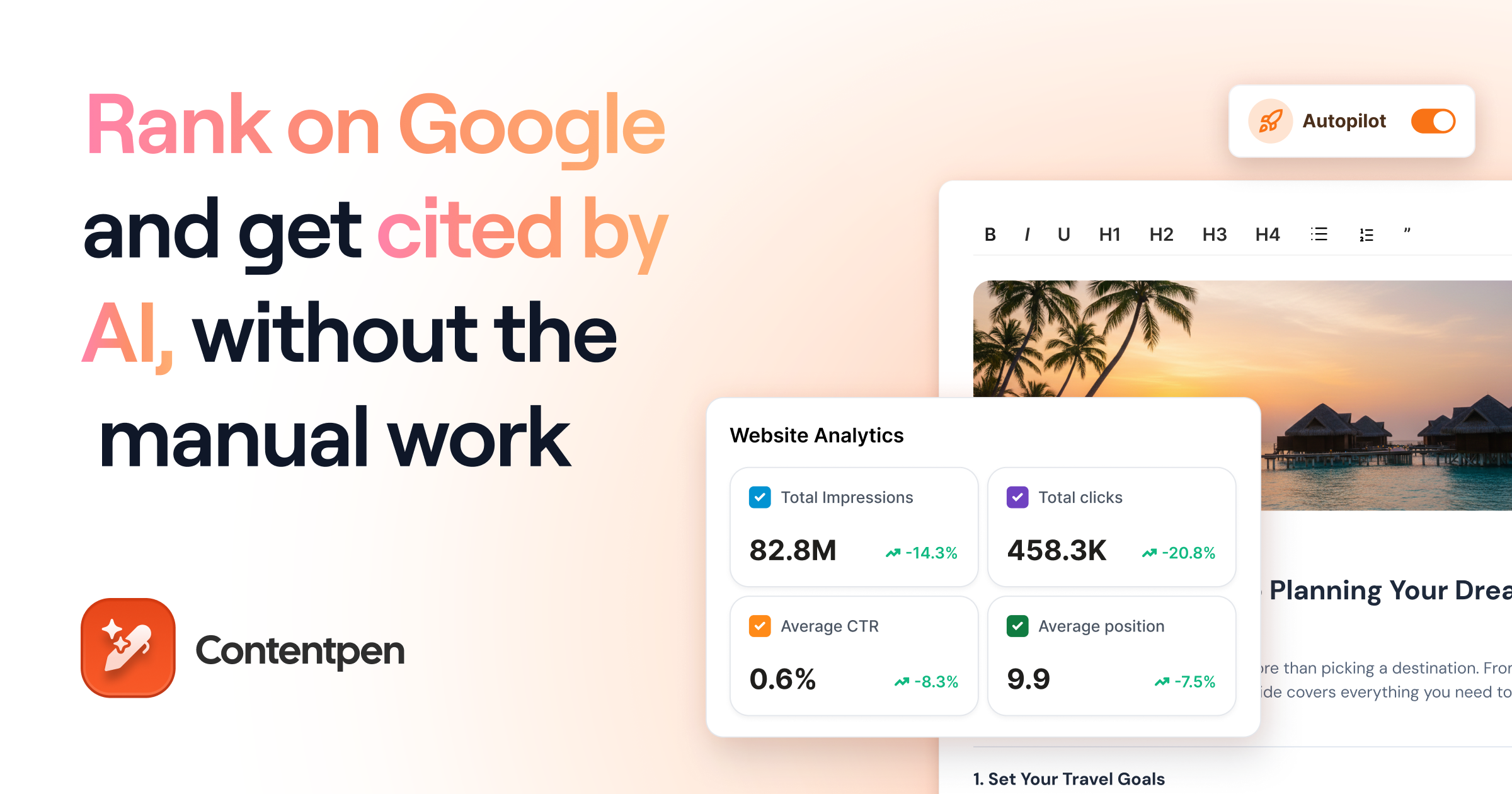
Contentpen is an end-to-end SEO and AEO tool that does everything that HyperWrite AI does and more. It helps you create long‑form articles that rank on Google and get cited in AI answers with the least manual work.
You start with the keyword research module, then receive detailed outlines, which the tool turns into SEO and GEO-scored content in minutes. The tool also adds internal links and external citations in your content, along with on-brand images that depict your thoughts visually.
Key features:
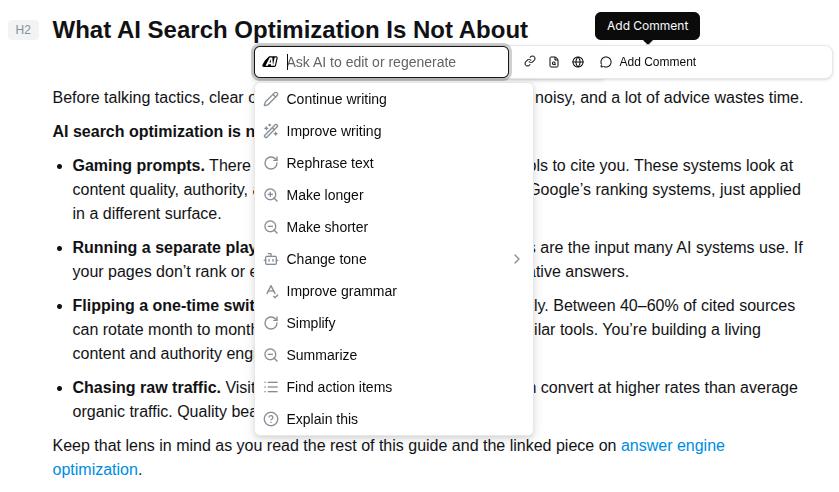
- Built-in ‘Ask AI’ assistant: While writing content, ask the AI assistant to rewrite sentences, shorten a paragraph, or expand a section. You can also change the tone, summarize, or improve grammar without leaving the interface.
- Content scheduling: Away from your desk but want the content engine to keep running? No problem. With Contentpen’s content scheduling, you can plan months of content and let the tool publish whenever, wherever you like.

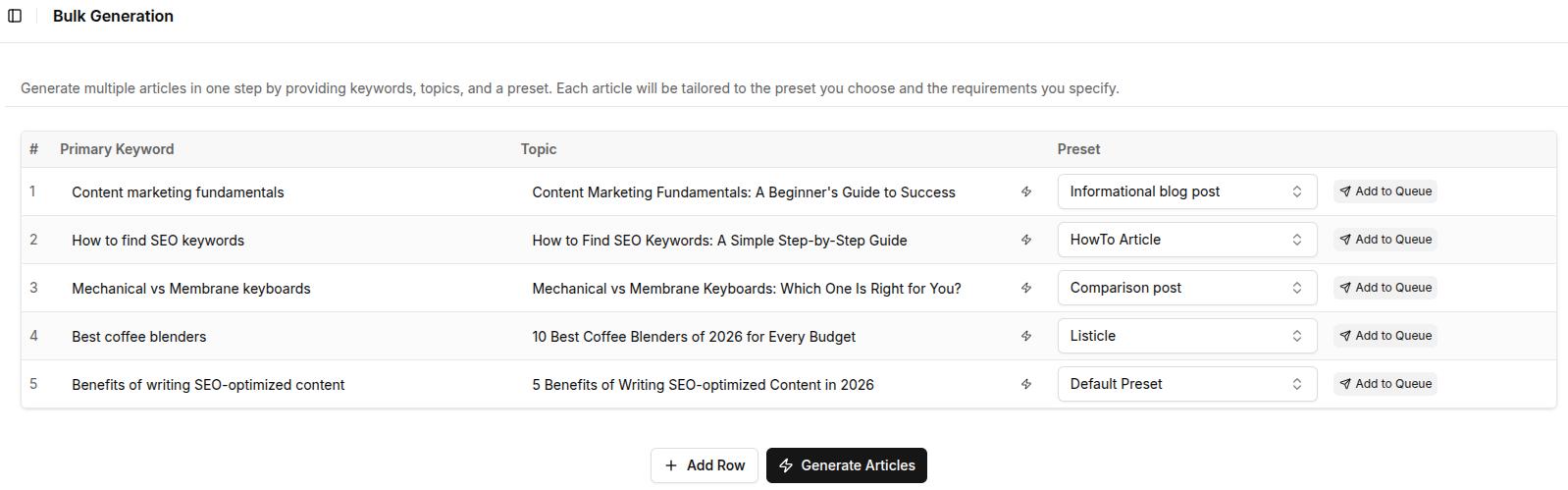
- Bulk content creation: Contentpen helps you create multiple articles at once. Using the content presets, you can control how each piece will sound without manually changing anything.
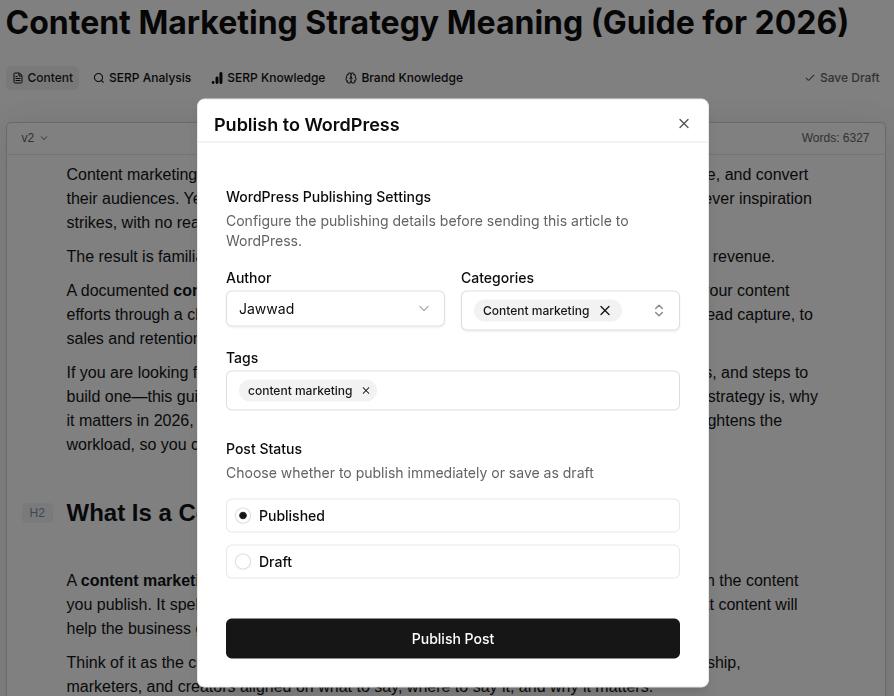
- Integrated publishing: Post your content directly to WordPress, Webflow, Shopify, Ghost, Wix, and EmDash. You can also leverage the ContentStudio integration to post on your social media profiles from the same window.
- Post-publish ranking opportunities: Contentpen continuously monitors your content after publishing to find pages that are losing traffic, CTR gaps, and quick-win pages that need a slight nudge to regain position.
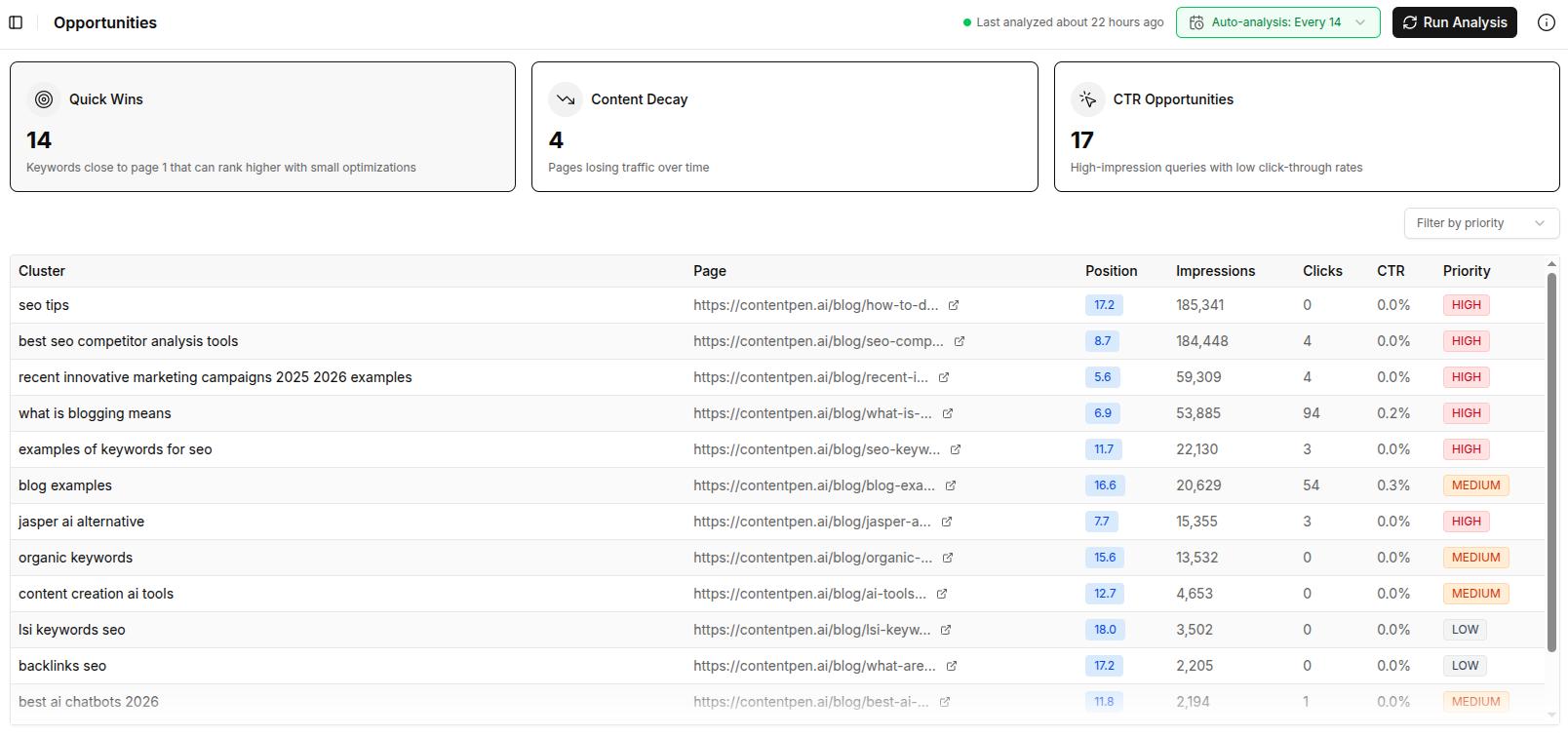
Use the AI-powered insights to understand what’s working and what’s not. Fix with one-click optimization to improve your platform performance and immediately see the impact on your web analytics dashboard.
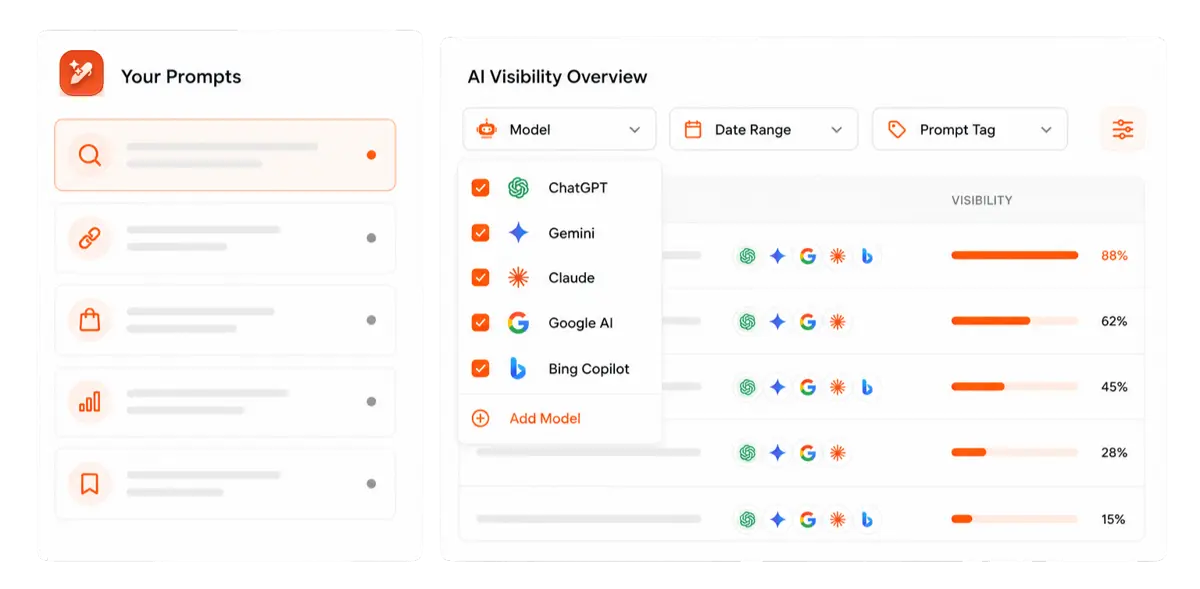
Every plan also includes AI visibility tracking, so you can see how often your brand is mentioned and cited across up to seven AI engines (ChatGPT, Google AI, Copilot, Gemini, Perplexity, Grok, and Claude, depending on plan).

Find your brand in AI search

Track AI citations, share of voice, and brand sentiment
Find the top sources driving citations
Since Contentpen is also optimized for mobile devices, you can check your key SEO and AEO metrics anytime.
Cons:
- Learning curve: It might take a while to learn all the features inside our SEO and AEO platform.
- Focuses on long-form content: Contentpen is most suitable for long-form HowTo, informational, listicles, and comparison posts.
Pricing:
Every Contentpen plan includes both SEO content creation and AI visibility tracking. Plans start at $49/month, or $39/month billed annually, for 12 articles and tracking on ChatGPT and Google AI. Higher plans add more articles, AI engines, Autopilot, and SEO opportunities. Every paid plan comes with a 7-day free trial.
#2: Anyword – Best for conversion-driven copy
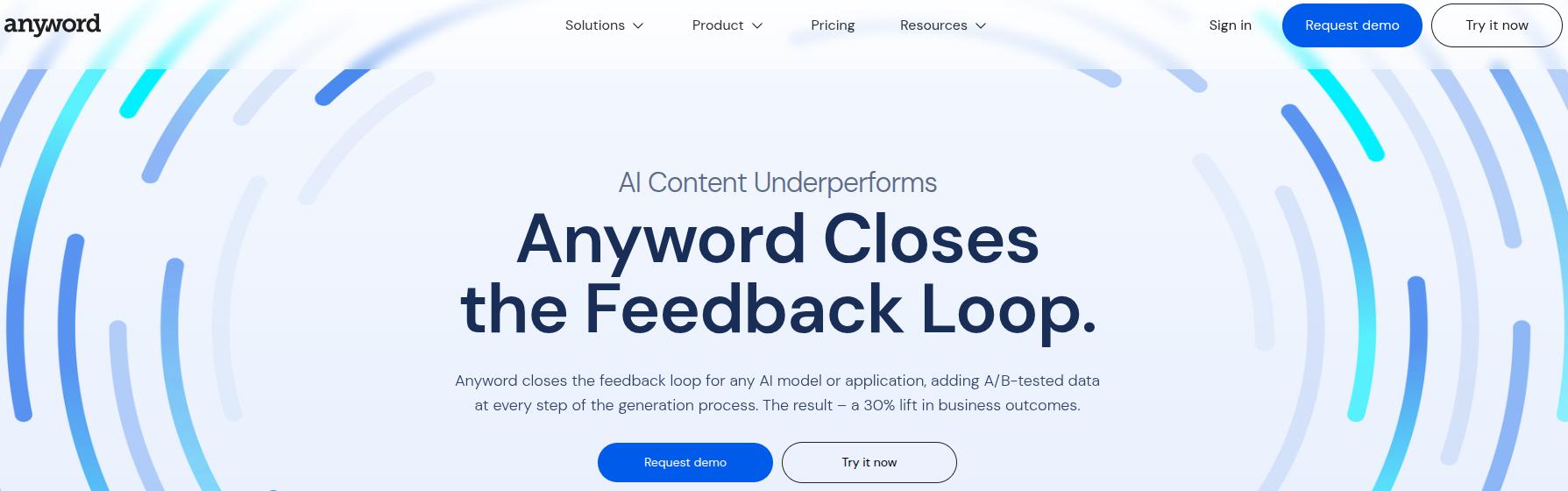
Anyword focuses on data‑driven marketing copy. Its Predictive Performance Score estimates how each variation might perform for a target audience before launch.
You can generate and test ads, landing page headlines, email subject lines, and blog intros with built‑in tone and length suggestions.
Key features:
- Brand voice: Anyword allows users to add their brand voice so every copy it generates is exactly how you sound.
- Wide array of integrations: You can connect Anyword directly to Google Ads, Meta Ads Manager, Salesforce, and HubSpot.
- Browser extension: Similar to HyperWrite, you can get Anyword on your browser with the extension to help you write directly on your favorite platforms.
Cons:
- No built-in keyword research: Anyword doesn’t generate keywords for your niche or create topical clusters, like the other HyperWrite alternatives like Contentpen do.
- Limited long-form content generation: The tool can generate blogs and articles, but those require heavy manual input and editing before publishing.
Pricing:
A 7-day free trial is available, and paid plans on Anyword’s pricing page start at $49/month, which provides 50 performance predictions.
#3: Sudowrite – Best for creating stories and deep narratives
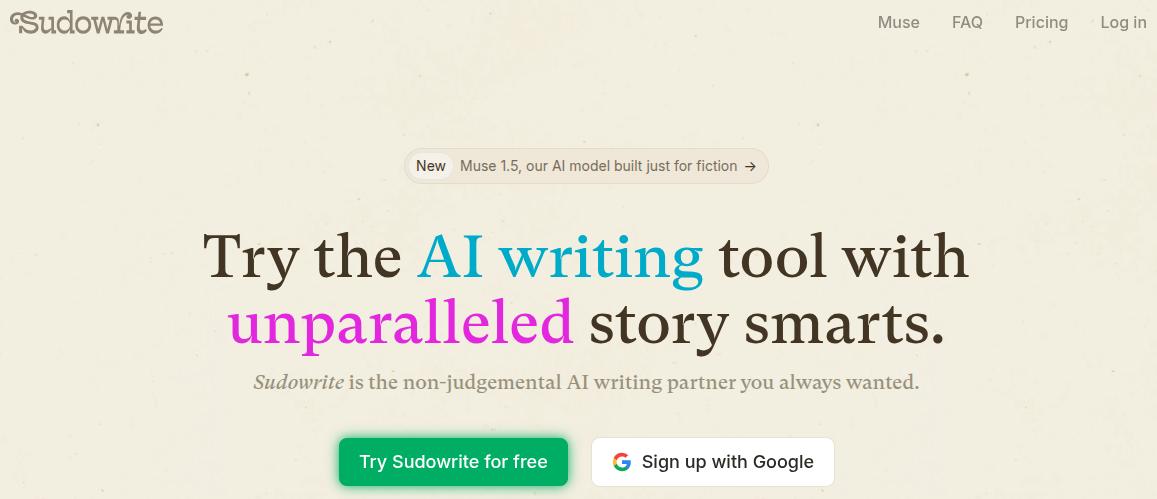
Sudowrite serves fiction writers who want help with plot, characters, and description generation for stories instead of SEO or ad copy.
The Story Engine feature walks you through chapters scene by scene, while ‘Brainstorm’ and ‘Describe’ options expand sparse notes into vivid paragraphs.
Key Features:
- Rewrite sentences: Similar to HyperWrite, Sudowrite offers to help with your sentences to fix them according to the context, tone, and style.
- Content feedback: You can use the AI to review your chapters. The tool provides detailed insights on your character selection, plot details, and much more.
- Visualize characters: Use the built-in image generator to visualize your characters using your descriptions.
- Full screen mode: Create compelling narratives without any distractions in the full screen mode.
Cons:
- Credit-based subscriptions: Since the tool uses a credit-based subscription model, you can end up paying more than the initial price as heavy AI drafting burns up tokens.
- Export limitations: Exporting your manuscripts to common publishing formats, such as PDF, DOCX, or EPUB, is challenging.
Pricing:
Plans start at $19/month, with higher tiers that give more generations for heavy daily writing and ideation.
#4: Grammarly – Best for everyday writing tasks
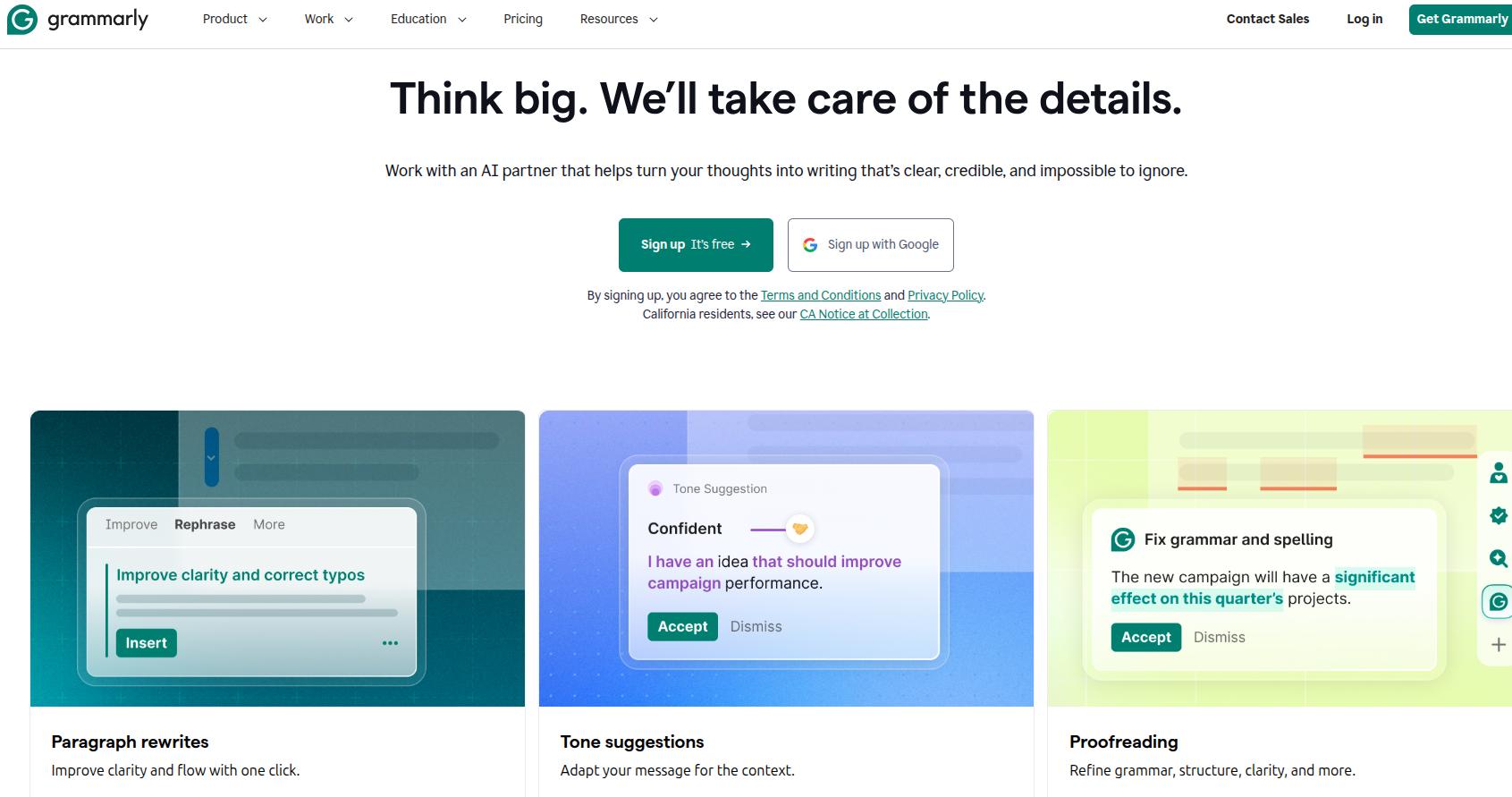
Grammarly remains the go‑to choice for grammar, spelling, and clarity checks across apps like Google Docs, Outlook, and Slack. It flags issues in real time and suggests rewrites that match your chosen tone, such as confident, friendly, or formal.
Key features:
- Rewrite ideas: You can use the built-in options to rewrite your sentences or paragraphs to improve, shorten, or make them more descriptive.
- Built-in plagiarism checks: Users can directly check their drafts for originality with Grammarly.
- Availability across writing apps: The tool is available to use as an extension inside MS Word, or online on Google Docs, Notion, and email clients.
Cons:
- Context misinterpretation: Sometimes, the tool may provide you with incorrect grammatical suggestions that misunderstand the context of complex sentences.
- Over-optimization of content: Grammarly may strip you of your natural writing style with too many suggestions or over-the-top rewrites.
Pricing:
A free plan covers basic grammar and spell checks, while paid tiers start from $12/month, unlocking advanced style checks, plagiarism detection, and team editing controls.
#5: Quillbot – Best for paraphrasing and citation generation
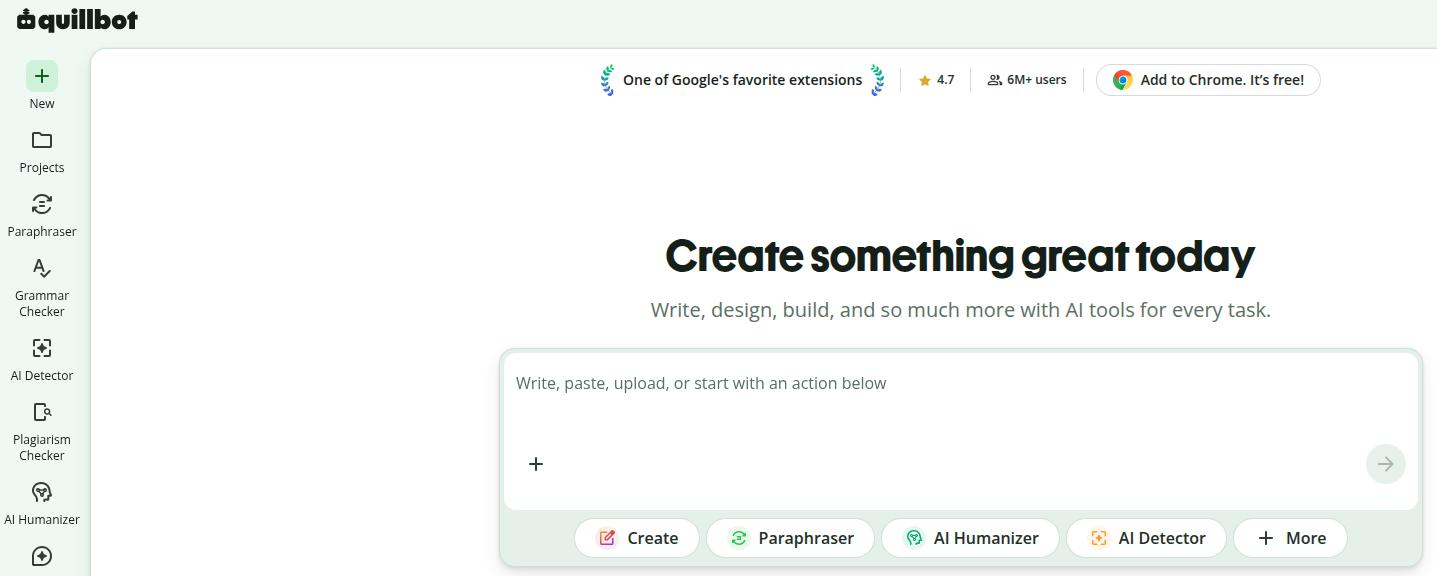
Quillbot started as a paraphrasing tool and still excels at rewriting sentences with different levels of formality or length. Modes like Standard, Fluency, Shorten, and Expand make it easy to adjust tone without losing meaning.
The platform also includes grammar checking, a citation generator, and plagiarism detection, which helps academic professionals keep work clean and original.
Key features:
- Multiple paraphrasing modes: Switch between Standard, Fluency, Academic, Formal, Simple, Expand, or Shorten modes depending on whether you need clearer writing, simpler language, or a more academic tone than HyperWrite typically produces.
- Plagiarism checker: Check for your content’s originality to make sure your drafts are fresh and unique.
- Citation generator: Generate citations in APA, MLA, Chicago, and other popular styles without leaving the editor.
Cons:
- Limited long-form content generation: Quillbot focuses on improving existing text rather than generating complete long-form articles from scratch.
- Paraphrasing quality varies: Longer technical passages can sometimes lose nuance or introduce awkward phrasing with paraphrasing modes, which requires manual editing to fix.
Pricing:
A free tier gives limited rewrites, while paid plans start at $19.95/month, unlocking higher word limits and plagiarism checking.
#6: Jasper – Best for brand-consistent writing

Jasper centers on marketing teams that need consistent brand voice across blogs, ads, email, and social media. You can define brand guidelines, connect data sources, and generate campaigns that stay on brand across many formats.
The tool offers 50+ content templates that cover long‑form posts, product descriptions, and more. There is also a Jasper Chat view for interactive drafting.
Key features:
- Brand Voice and Style Guide: Jasper learns your company’s tone, terminology, and preferred writing style so every output stays consistent across blogs, emails, ads, and landing pages.
- Marketing workflows: Instead of isolated prompts like HyperWrite, Jasper includes complete workflows for campaign creation, helping teams produce multiple assets from one brief.
- Knowledge assets: With this feature, you can upload product documentation, company information, and messaging so Jasper references your business instead of relying entirely on general AI knowledge.
Cons:
- Expensive for individuals: Jasper’s pricing makes more sense for large-scale marketing teams rather than freelancers or individual writers.
- Limited SEO workflow: Although Jasper produces quality drafts, you’ll still need separate SEO tools for keyword research, optimization, and ranking analysis that platforms like Contentpen include.
Pricing:
Plans start at $69/seat/month, which includes 2 brand voices, 5 knowledge assets, and access to marketing templates for day-to-day content creation.
Also read: The best Jasper AI alternative: Honest, tested, and reviewed
#7: Wordtune – Best for sentence rewriting
Wordtune is ideal when you already wrote a draft and want each sentence to read smoother or match a specific tone. You can highlight a line and choose options such as casual, formal, shorter, or longer, then pick the version that feels right to replace existing content.
The ‘Spices’ feature can inject examples, counterpoints, or statistics into existing text when you need extra writing support.
Key features:
- Sentence-level rewrites: You can rewrite individual sentences in multiple styles without changing the surrounding content, making it ideal for polishing existing drafts rather than starting from scratch.
- AI summaries: Summarize articles, PDFs, webpages, and YouTube videos to quickly understand lengthy material before writing.
- Fact-based writing: Wordtune can use uploaded sources as reference when generating content, helping reduce factual mistakes during drafting.
Cons:
- Not built for complete workflows: Compared to other HyperWrite alternatives like Contentpen, Wordtune lacks keyword research, publishing, and work management capabilities.
- Usage limits on lower plans: Frequent rewriting sessions can quickly reach monthly generation limits unless you upgrade to the paid plans.
Pricing:
Paid plans start at $13.99/month, which provides 30 AI rewrites, 15 AI summarizations, and unlimited grammar checks.
Also read: Wordtune Alternatives: 10 Best Tools to Try in 2026
#8: Jenni AI – Best for academic writing
Jenni AI aims at academic and research writing with tools that respect citation needs. You can upload papers or notes, then have the assistant suggest paragraphs that refer back to those sources with in‑text citations in styles such as APA, MLA, or Chicago.
The ‘Autocomplete’ feature speeds up drafting for theses, essays, and literature reviews without losing content tone, style, or structure.
Key features:
- Traceable citations: The tool connects every AI-suggested sentence to the precise location in your source PDF, helping you verify citations with one click.
- Research discovery: Jenni AI helps you find 200M+ papers online for academic research without leaving the interface.
- AI-powered reviews: You can use the ‘Reviews’ feature inside Jenni AI to proofread your content and catch unsupported arguments, grammatical mistakes, and poor word choices.
Cons:
- Narrow use case: Jenni AI is designed primarily for academic writing, making it less suitable for marketing content or SEO blogs.
- Occasional citation verification needed: Although references are helpful, users might still need to verify them before publishing.
Pricing:
Plans start at $30/month, giving users unlimited PDF uploads, 500 AI edits, and 10 reviews for research projects.
#9: Rytr – Best for low-cost short-form content generation
Rytr gives a friendly entry point into AI writing with one of the lowest price points on this list. It offers templates that cover emails, social captions, product descriptions, and blog ideas in 30+ languages.
A built‑in plagiarism checker and simple style editing controls help newer writers feel more confident about publishing their content online.
Key features:
- My Voice tone matching: Upload writing samples, and Rytr will adjust its templated output to match your tone.
- Built-in copywriting formulas: Templates are structured around formulas like AIDA and PAS, enforcing a persuasive structure without you needing to know the formula yourself.
- Improve, Expand, and Rewrite tools: These editing commands work on text you’ve already written, cleaning up phrasing and tightening sentences for clarity and coherence.
Cons:
- Weak long-form writing: Rytr performs well for short-form copy but struggles with comprehensive articles compared to other HyperWrite alternatives focused on blogging.
- Lacks SEO and GEO features: The platform lacks advanced SEO scoring, keyword research, AI visibility tracking, and publishing workflows available in Contentpen.
Pricing:
The free plan includes a 10,000-character limit that resets every month. You can get the paid plan starting at $9/month, which unlocks unlimited AI content generation and 20+ pre-programmed tones of voice.
Also read: 12 best Rytr alternatives for smarter AI writing
#10: ProWritingAid – Best for writing help and editing
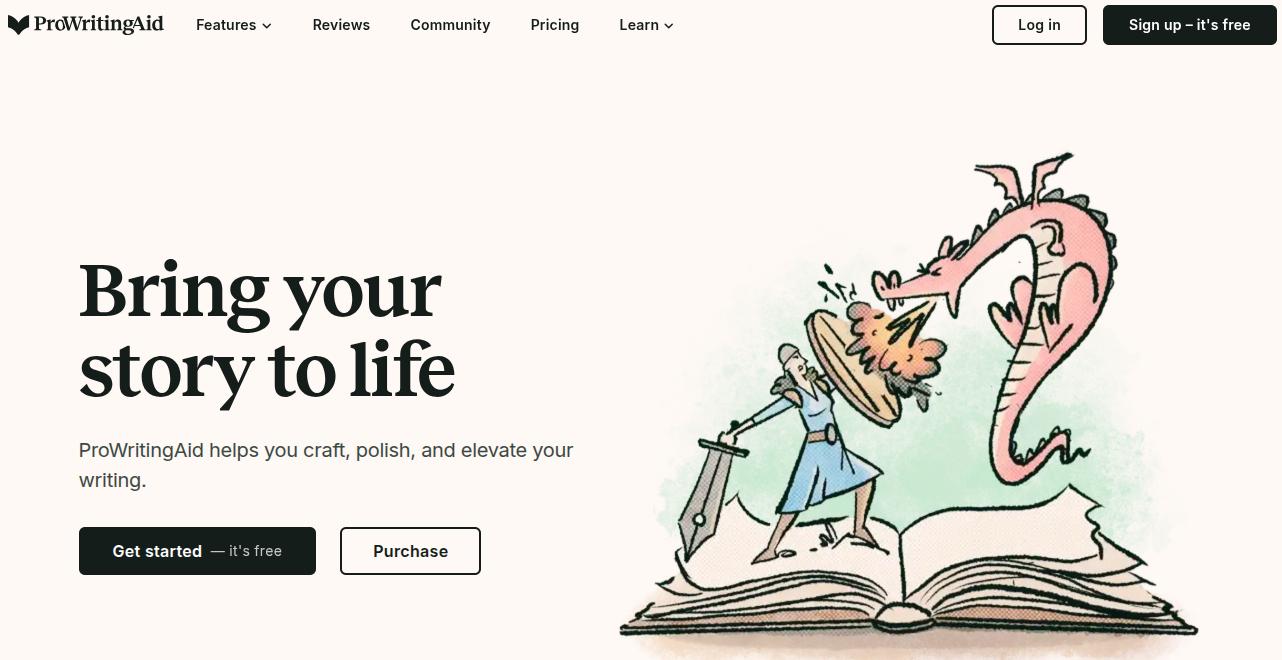
ProWritingAid combines grammar correction with deep style analysis that suits serious authors and editors. Detailed reports highlight pacing issues, repeated phrases, sticky sentences, and readability scores so you can improve drafts with real data.
The ‘Sparks’ feature offers alternative phrasings while keeping voice intact, which helps both fiction and business writers.
Key features:
- Scrivener integration: A direct plugin for Scrivener lets novelists run reports on individual chapters or scenes without exporting the manuscript first.
- 25+ specialized reports: Beyond grammar, dedicated reports cover pacing, dialogue tags, sticky sentences, and overused words, giving fiction and long-form writers pattern-level feedback.
- Built-in contextual thesaurus: Highlight a word to see related terms, collocations, and alliteration options, useful for varying word choice across a long manuscript without leaving the editor.
Cons:
- Interface feels dated: Compared to HyperWrite’s cleaner, more modern layout, ProWritingAid’s report-heavy interface can overwhelm new users, and its browser extension runs noticeably slower than other HyperWrite competitors.
- Built for revisions, not real-time writing: The tool works best as a dedicated editing assistant, not as an always-on companion while you’re actively typing.
Pricing:
Paid plans start at $30/month, which gets you unlimited word count, 5 Sparks per day, citations, and author comparisons.
How to choose the right HyperWrite alternative for your needs
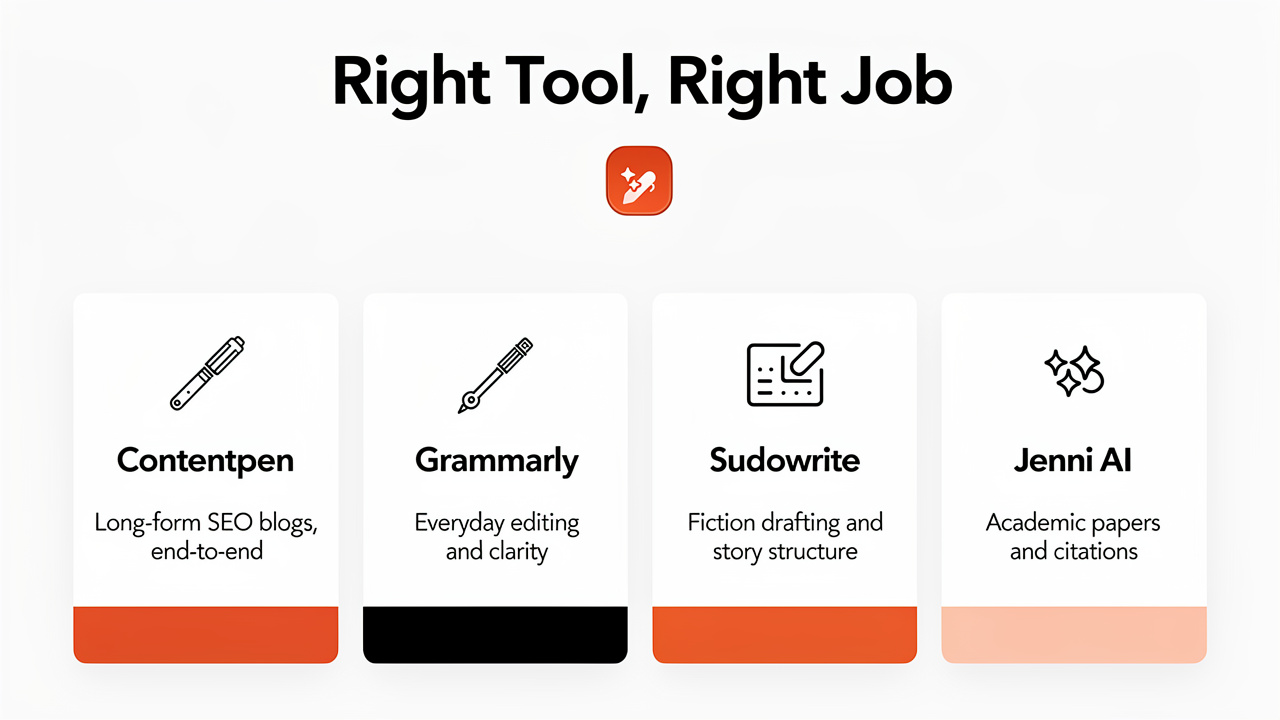
Choosing between HyperWrite alternatives means matching one tool to your main writing job and budget. Some teams care about SEO, others need spotless grammar or fast short‑form output.
Once you phrase your main requirements clearly, it becomes easier to spot the best AI tools for your situation.
- SEO content teams: Start with Contentpen for research, drafting, publishing, and AI visibility tracking, then pair it with Grammarly for further polishing if needed.
- Performance marketers: Anyword or Jasper fit best for this use case, especially when you care about conversions, A/B tests, and brand voice controls.
- Editing‑heavy roles: Wordtune and ProWritingAid work well for this purpose to clean and refine drafts from any source.
- Academic writing: Jenni AI and Quillbot both support citations, paraphrasing, and structured arguments, which work quite well for academic writers compared to HyperWrite.
- Fiction authors: Sudowrite is the better choice here because of its focus on plot, character, and world‑building capabilities.
Write down your main use case and budget before you test any tool. It keeps comparison focused and stops spec sheets from distracting your decision.
The bottom line
HyperWrite is still a useful tool for quick content edits and drafting. However, serious professional teams and growth marketers often outgrow its chat‑style usage limits and mundane-looking outputs.
When SEO traffic, GEO readiness, or tight workflows matter, focused HyperWrite alternatives make a clear difference.
Contentpen stands out as the best fit when you need an all‑in‑one engine for keyword research, blog drafting, optimization, and publishing.
From outline to publish-ready content that fills them
Structured
Consistent
SEO-aligned
Fast
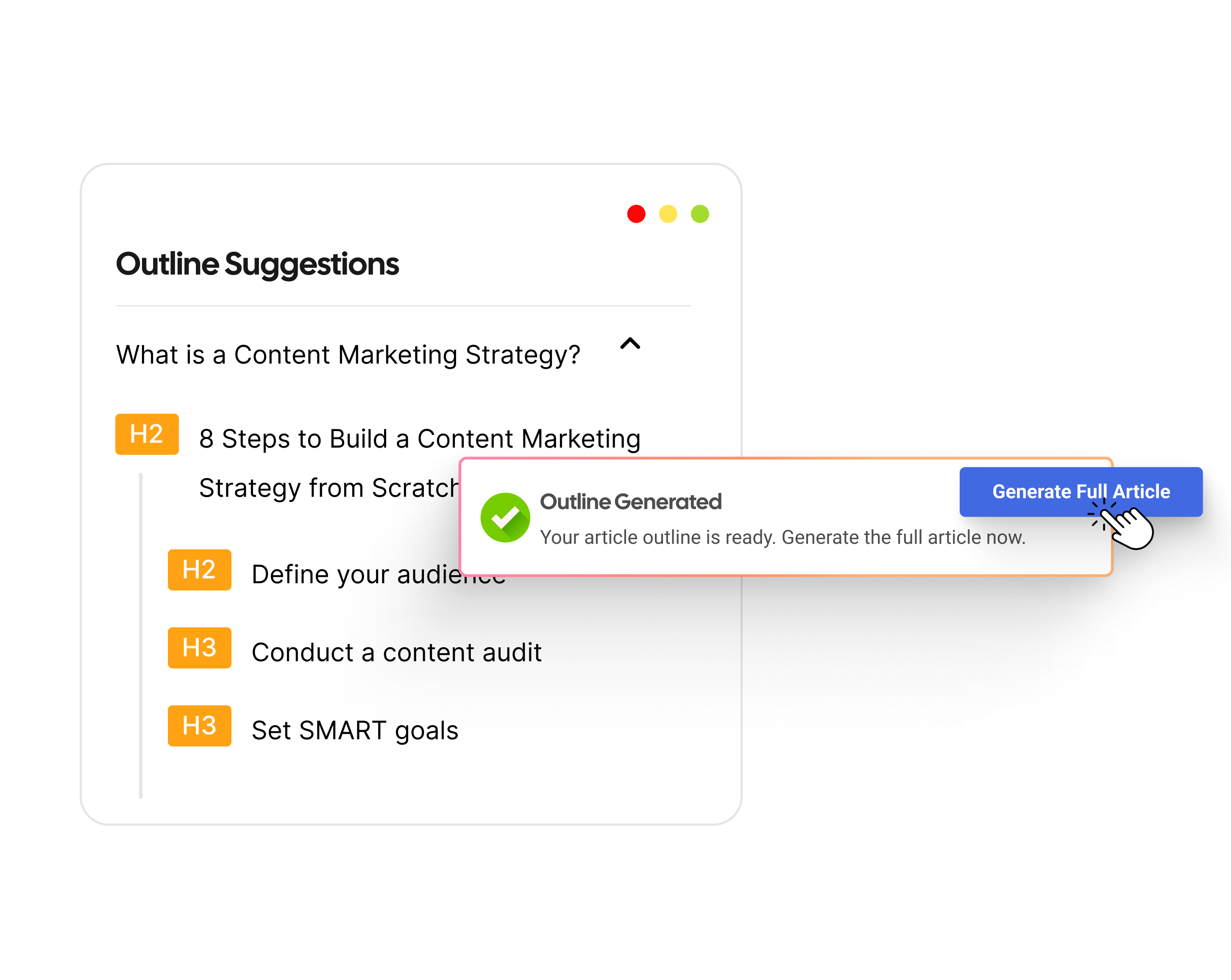
It also offers an angle that most tools miss: tracking what happens to your content after publishing. Other tools in this list then cover sharp roles such as editing, performance copy, or academic support.
Our recommendation is to try the tool that matches your main bottleneck first, then layer a second one if gaps remain.
Frequently asked questions
HyperWrite is solid for real‑time editing and research summaries, but it falls behind tools like Contentpen for SEO, automation, and workflows. Many teams outgrow it once they need AEO-focused, search‑driven content.
Yes, you can use HyperWrite on a free plan, but strict daily limits apply (around 15-50 messages per day). Those generation caps make it hard for agencies or freelancers to produce any meaningful content, especially those who write many pieces each day.
For copywriting that needs conversions, Anyword and Jasper stand out because they mix templates with testing features and brand controls.
No single AI is best for every type of writing. Contentpen leads for long‑form SEO blogs, Grammarly for editing, Sudowrite for fiction content, and Jenni AI for research papers or academic essays. Choose whichever one fulfills your purpose.
Yes, several free HyperWrite alternatives exist, including Grammarly and Rytr. You can use them on the free plan forever, but with advanced features gated behind pricing tiers.