Surfer SEO is a powerful tool for on-page guidance and competitor-aware suggestions. But if you also want keyword research, rank tracking, AI search analytics, and publishing in one place, then you might want to look elsewhere.
This Surfer SEO review covers how the tool works, pricing details, strengths, weaknesses, and how it compares to Jasper, Semrush, SE Ranking, and Contentpen. By the end, you will be able to choose the right tool for your workflow needs.
So, let’s get started, shall we?
Key takeaways
- Surfer SEO is an on-page content optimization platform built around its Content Editor and Content Score
- Pricing starts with the Discovery plan at $59/month (billed monthly) or $49/month (billed yearly)
- Surfer works best for content teams focused on single-page optimization, while agencies needing deep reporting often need Semrush, Ahrefs, or SE Ranking
- Tools like Contentpen offer a fuller content workflow from research to AI drafting, GEO-focused formatting, one-click publishing, and AI visibility tracking at a lower price point
Learning about Surfer SEO: How does it work?
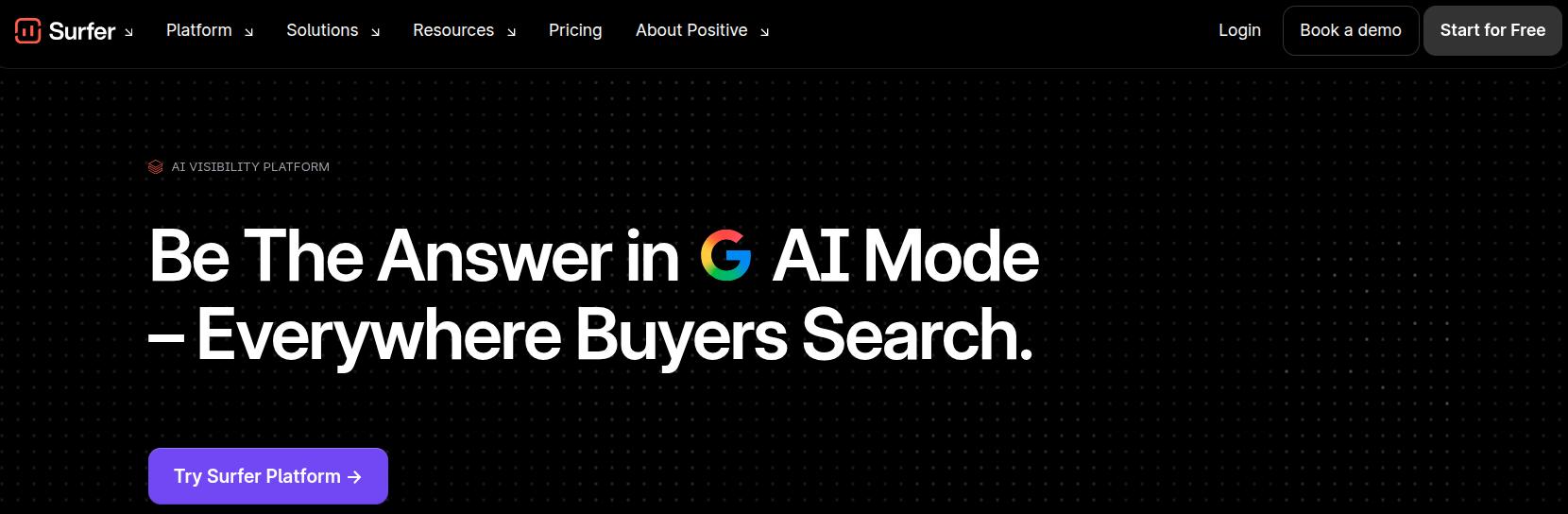
Surfer SEO is a powerful on-page optimization and content generation platform that starts by taking your brand details into account and finding topic ideas for it. Then, it will guide you to target a keyword and create content for it.
While targeting a phrase, Surfer will pull in pages already ranking on Google for it and analyze on-page signals across those results. It looks at word count, headings, related terms, questions, and internal and external links on sites that already win traffic and get cited by AI.
Then, inside the Content Editor, you either paste an existing draft or start from scratch. Surfer will show a Content Score, recommended word count, and a live checklist of terms to add or expand for better ranking.
In 2026, Surfer also includes an AI tracker that keeps tabs on how your brand appears in ChatGPT, Perplexity, Google AI Overviews, and Gemini.
Beyond the editor, Surfer SEO helps users spot pages that could gain rankings with small updates using its Content Audit module.
Together, these features keep Surfer centered on one task: turning live SERP data into writing suggestions and content that users can post to enhance their AI and search visibility.
How did we test Surfer SEO?
To test Surfer SEO, we gave it two tasks: one for writing content from scratch (Surfer AI) and one for optimizing an existing one (with Surfy). We also saw our existing content performance inside the Content Audit module to understand our ranking gaps.
Writing content with Surfer
The major writing workflow with Surfer goes like this: You choose a keyword or take one from Surfer’s recommendations based on your brand details.
Then, the tool will conduct deep AI and Google research to pull in all the required parameters to make your content rank. After that, you can select your brand voice, custom instructions for an article, and the content type you want to create (e.g., listicle, comparison post, etc.)
Before it writes a word, Surfer AI will show you the outline that it has created for your phrase by scraping 10+ sources from Google and AI chatbots. Then, it will create a piece of content, displaying your Content Score, from 0 – 100, NLP phrases, and other details in the editor.

Credits: Surfer Content Editor.
The AI-generated articles also have images in them, but these are less on-brand and more generic fillers. If visual content is essential to you, try a tool like Contentpen, whose Brand Imagery settings apply your logo, colors, and style to every in-article and featured image.
Content optimization and editing
This is where Surfer SEO really shines. You can input your draft and let the tool auto-optimize it for better Google rankings and AI visibility.
If you feel like having a bit of manual control here, you can use the suggested terms in your content by yourself. The terms will turn green as you use them in your content, showing a sign of progress.
Another reason why on-page SEO optimization felt like a charm with Surfer SEO is its Content Structure feature inside the editor.
The tool lets you analyze what headings, format, and number of images your competitors have used to outrank you on your target keyword. This helps you cover those gaps before publishing to allow better organic traffic flowing to your platform.
Finally, you can insert internal links with Surfer’s help and conduct a pre-publish review with readability, plagiarism, and AI readability checks. Once the article is finalized, you can publish to WordPress or export it to your device for later use.
Surfer SEO pros and cons
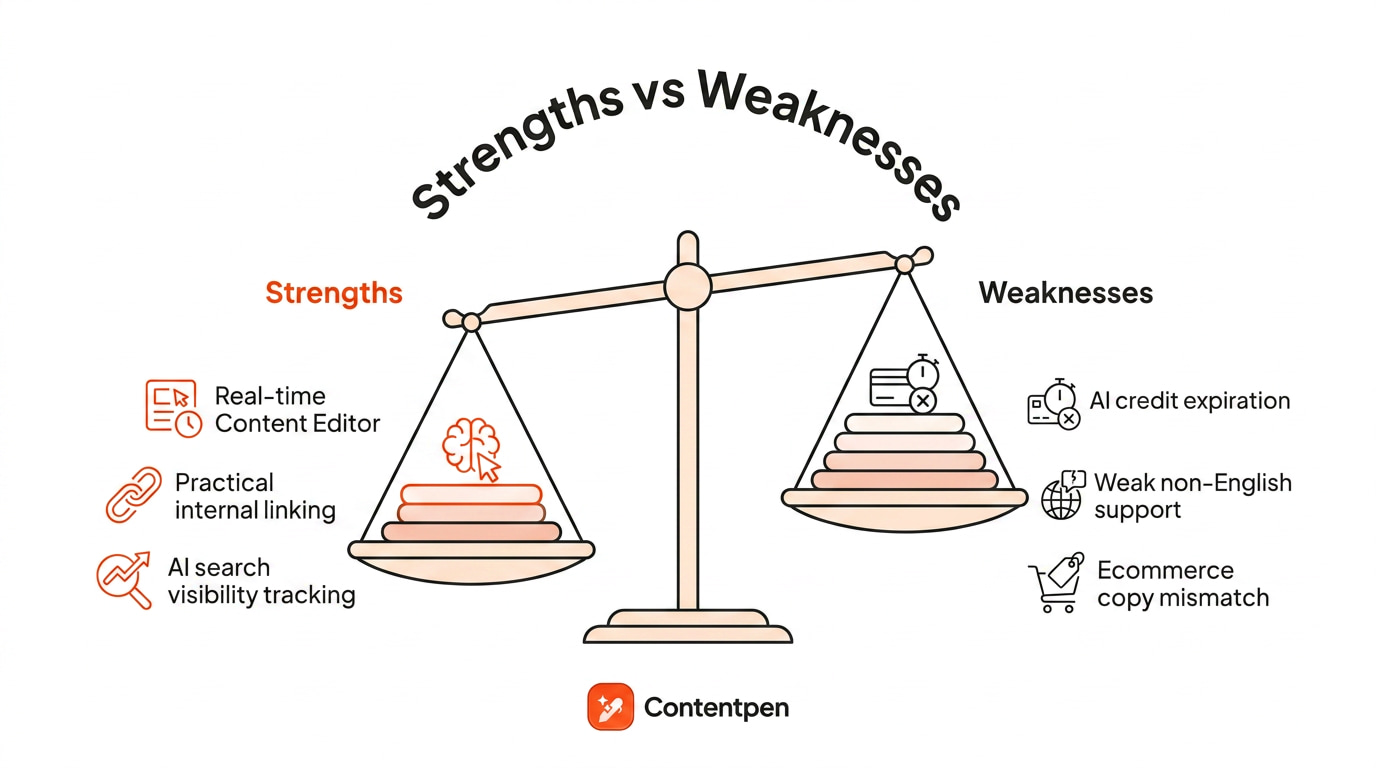
After our detailed testing of the platform, we were able to conclude the following pros and cons of the system.
Where Surfer SEO pulls ahead
In all honesty, Surfer’s content editing has always been top-notch. It has been its secret sauce for years now, besides a few other winning points that we’ve listed below in 2026.
- Topical mapping: Surfer’s topical clusters help users establish authority in a space or niche. It meticulously plans and surfaces topics that you should cover to increase share of voice and online visibility.
- Content output: We personally didn’t expect Surfer AI’s first draft to be good, but it was reasonably readable, structured, and properly formatted with bullets and tables.
- Auto-optimize: The auto-optimize feature quickly ticks off your on-page optimization checklist without any manual intervention. Sure, the output may still need a human pass before publishing, but it is a nice-to-have, nevertheless.
- Pre-publish checks: Our content team enjoyed having a “final-final check” before publishing to ensure nothing embarrassing slips through at the end.
Some of the pros that we didn’t mention on purpose were borderline between “meh” and “I guess it’s a pro.”
For example, the image generation feature is a positive point, but since you can’t control what visuals you generate, the usefulness of this option quickly fades away.
Similarly, there is AI search tracking, but only 4 major AI models are supported, and full coverage sits in a separate AI Search Analytics product starting at around $158/month. Other tools in this space offer more coverage for less. Contentpen, for example, includes AI visibility tracking in every plan, covering 4 AI engines on the Growth plan at $79/month billed annually and all 7 on the Agency plan.
Where Surfer SEO falls short
Now coming on to Surfer SEO cons, these were the shortcomings we were able to identify for the tool:
- Over-optimization of content: Surfer over-optimizes content to improve NLP term coverage, which can make your pages read robotic. For instance, it would change “best singing microphones” to “best vocal microphones.” Not wrong, just a bit off-putting.
- Heavy AI credit usage: As a Surfer user, your AI credits will run out quicker than you expect because you get limited AI article and image generations per month, and before you know it, you’ll be required to top up your account with additional credits.
- Generic filler content for non-English users: Agencies working with Spanish and German sites often mention grammar issues and less accurate term suggestions during audits, even though those languages are officially supported.
- Weak e-commerce output: Some users report applying Surfer’s recommendations across their category and product pages and seeing poor results because the suggestions favor long-form informational content over concise transactional copy.
At the end, this user review from Fabiano perfectly sums up our experience with Surfer SEO:
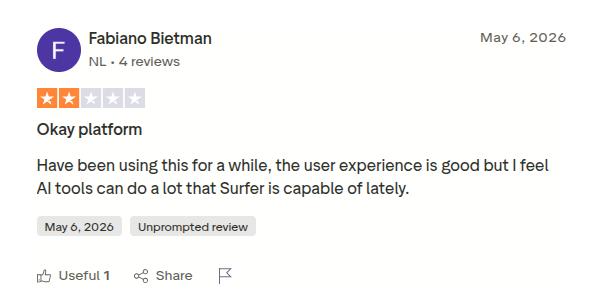
Just like Fabiano, we also feel that Surfer could be doing a lot more than what it is doing right now, especially at this price point. Speaking of which, it is time now to explore Surfer pricing in more detail.
How much does Surfer SEO cost?
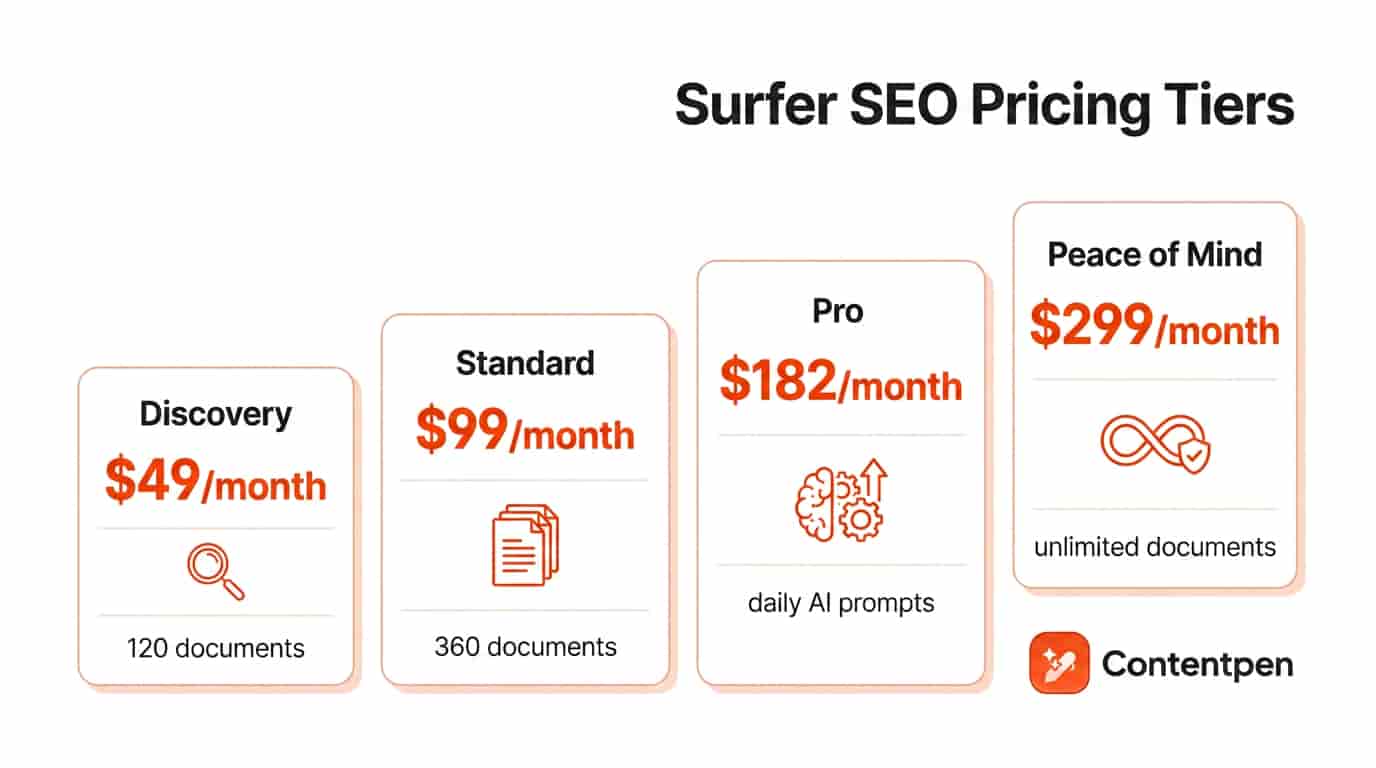
According to the official Surfer SEO pricing page, the Discovery plan starts at $49/month when billed yearly or $59/month when billed monthly.
That tier lets you:
- Create or optimize 120 documents
- Track 10 pages
- Use AI SEO optimization guidelines
- Access Surfy, the AI SEO assistant
The Standard plan jumps to $99/month billed yearly or $119/month billed monthly and supports 360 documents plus 25 AI prompts refreshed weekly.
It adds:
- AI visibility tracking for ChatGPT
- WordPress and Google Docs integrations
- Brand knowledge features
- Plagiarism checks
- Basic team collaboration
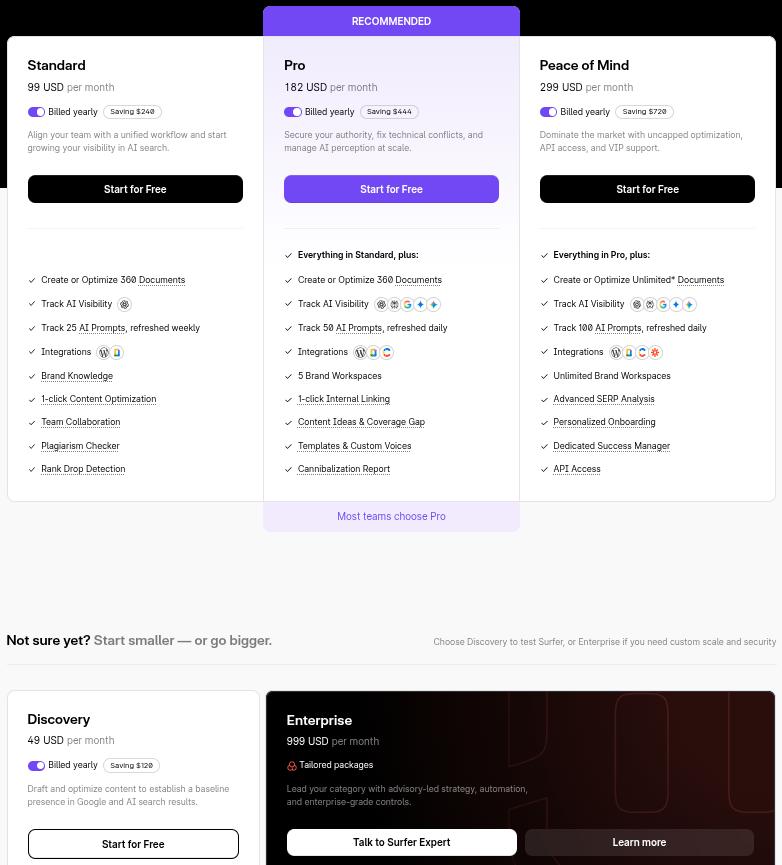
For heavier use, the Pro plan costs $182/month billed yearly or $219/month and targets agencies or larger teams. It keeps the 360 document cap, but increases tracked AI prompts to 50, refreshed daily.
The Peace of Mind plan, priced at $299/month billed yearly or $359/month billed monthly, unlocks:
- Unlimited documents
- 100 daily AI prompts
- Advanced SERP analysis
- Zapier integration
- API access
There is also a separate AI Search Analytics product starting at approximately $158/month plus an Enterprise plan at $999 for custom limits and white-label support.
Compared with other content optimization tools, Surfer usually sits in the mid to higher range.
For context:
| Tool | Entry plan | Starting Price (billed annually) | Plan limits |
| Contentpen | Starter | $39/month | 12 articles, 1 workspace, AI visibility tracking included (25 prompts, 2 AI engines) |
| SE Ranking | Core | $103.20/month | 10 projects, 2,000 daily keyword checks |
| Jasper | Pro | $59/seat/month | 1 seat, Jasper Canvas, 2 Brand Voices, 3 Audiences |
| Semrush | SEO Pro | $117.33/month | 5 projects, 500 tracked keywords |
| Clearscope | Essentials | $129/month | 50 tracked prompts, 50 pages, 20 drafts/month |
| Surfer SEO | Discovery | $49/month | 120 documents, 10 tracked pages |
Now let’s see how Surfer SEO holds up against other competitors in terms of features and functionalities.
How does Surfer SEO compare to other tools?
Surfer can be worth the spend, especially if you publish at least several SEO pieces each month.
But if your biggest needs are backlink analysis, technical audits, full AI search reporting, or an end-to-end blogging workflow, then you should consider other Surfer SEO alternatives.
Surfer SEO vs Contentpen
Surfer SEO focuses on scoring and improving content you already planned or drafted, while Contentpen aims to cover the full life cycle of an SEO blog post.
With Contentpen, teams can:
- Research keywords and build topic clusters
- Generate detailed briefs based on search intent
- Create AI drafts that follow those briefs
- Apply SEO and GEO checks on structure and metadata
- Push articles live with one-click publishing to WordPress, Webflow, Shopify, Ghost, Wix, and EmDash, or no-code webhooks
- Track brand mentions, share of voice, and sentiment across up to 7 AI engines, depending on plan
- Run Autopilot to plan, write, and publish on a schedule
Surfer’s strength is precise optimization against current search results, but you still need other tools like Contentpen for outlines, scheduling, web analytics, and affordable AI visibility tracking.
Surfer SEO vs Jasper
Jasper AI exists to produce marketing copy across formats, from landing pages to ad text and emails, with strong brand voice controls.
Surfer, by contrast, expects either a human or another AI tool like Jasper to produce the first draft with facts verified and tone checked for consistency.
Even though Surfer does offer a separate AI writer, its main job starts once content is finalized with all these checks.
Many teams plug Jasper into Surfer’s Content Editor so Jasper writes the draft and Surfer shapes it for search before publication.
Surfer SEO vs Semrush
Semrush is an all-around SEO and competitive research suite, while Surfer is a specialist focused on on-page content.
The Semrush SEO plan covers:
- Rank tracking for large keyword sets
- Keyword research with extensive databases
- Site audits and technical recommendations
- AI search reports across models like ChatGPT and Gemini
If you already have Semrush for monitoring and reporting, adding Surfer gives better on-page depth.
However, Semrush alone may be enough for teams that do not publish large volumes of written content or that rely more on technical and backlink gains.
Surfer SEO vs SE Ranking
SE Ranking positions itself as a broad SEO platform with rank tracking, backlink checks, and site audits, while Surfer narrows its focus to on-page optimization.
Surfer alone will not replace the monitoring and reporting features SE Ranking already covers, but it can add sharper content scoring, creation, and audit options for writers.
The bottom line
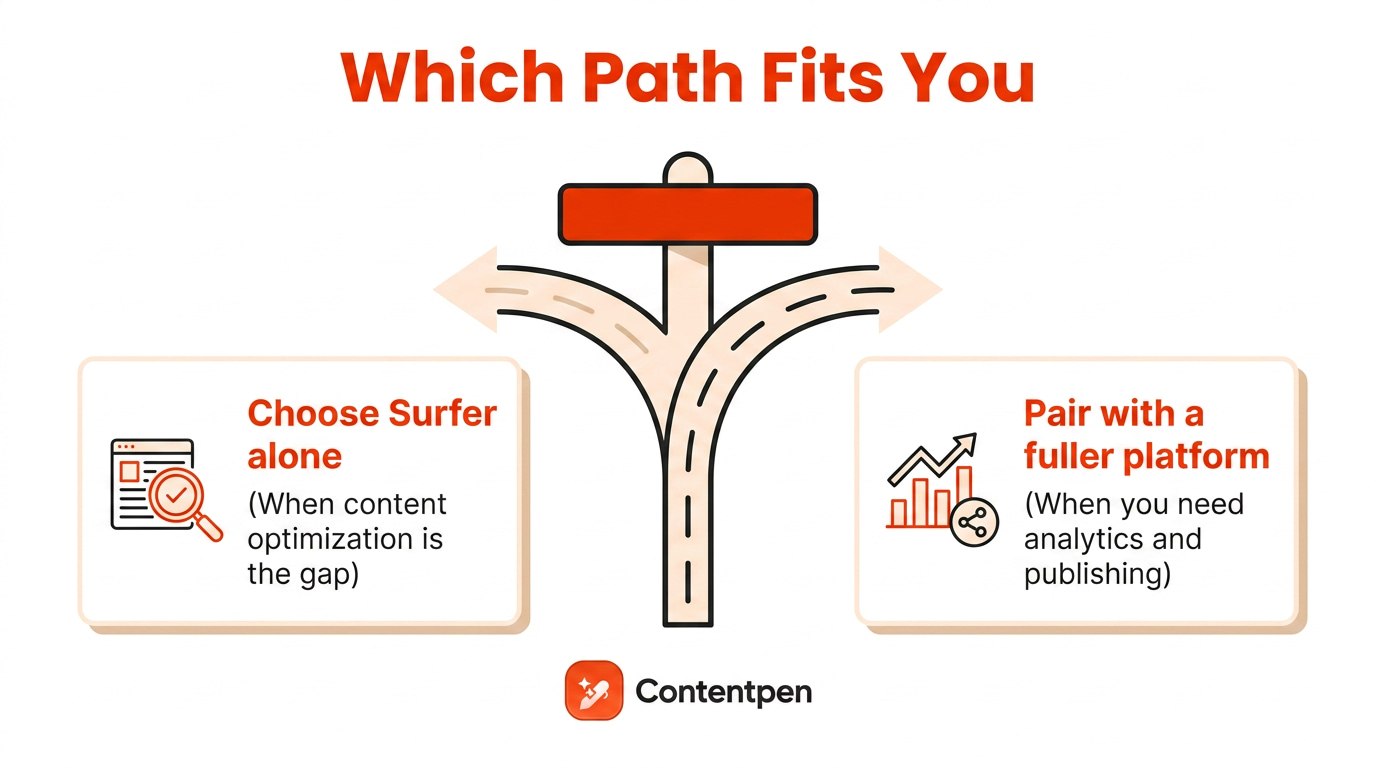
Surfer SEO has earned a strong reputation for writers and content teams that focus on long-form articles and service pages.
The Content Editor and Audit tools give practical, data-backed guidance that can lift traffic when used with solid writing and smart topic choices.
At the same time, non-English gaps, over-optimization of content, and ecommerce limitations are real concerns.
Agencies and enterprises almost always pair Surfer with broader platforms like Semrush, SE Ranking, or an end-to-end content system such as Contentpen to handle research, rank tracking, and publishing.

Write content that’s built to rank, not just read
Create search-optimized blogs aligned with SEO and GEO signals, so your content performs well across search and AI-driven discovery.
Try SEO Blogging FREE →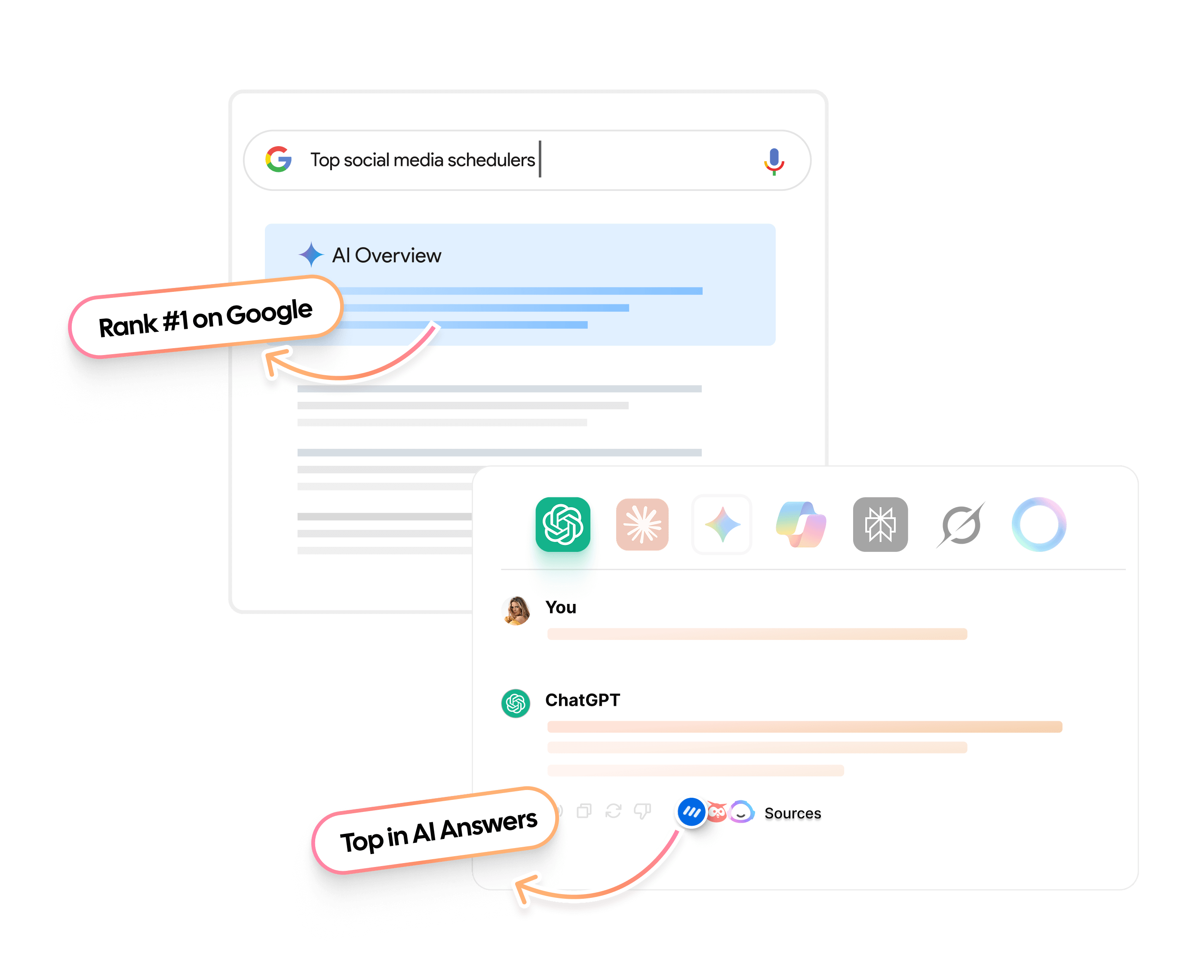
Frequently asked questions
Yes, you can get a 7-day free trial for Surfer on its Pro plan (only applicable for new accounts), but a credit card is required to commence the trial.
A Content Score above 70-80 is usually considered ready to publish, because it means your page matches most competitive on-page signals. For very tough queries, aim closer to the range top pages reach inside Surfer instead of chasing a fixed number.
Surfer AI can draft full articles from a single keyword and tone selection, so you get a structured post without starting from a blank page. However, that output often needs human editing for voice, nuance, and business-specific details.
Surfer directly integrates with Chrome, Google Docs, and other online apps as a browser extension. It also offers native connections with CMS platforms like WordPress and Contentful. For other Surfer integrations, you might have to build them through Zapier.
In 2025, Surfer SEO was acquired by Positive Group, which also owns email and CRM products, and now serves as its AI search visibility division. The core tools still work, but teams should watch for future pricing or roadmap shifts tied to the wider product family.