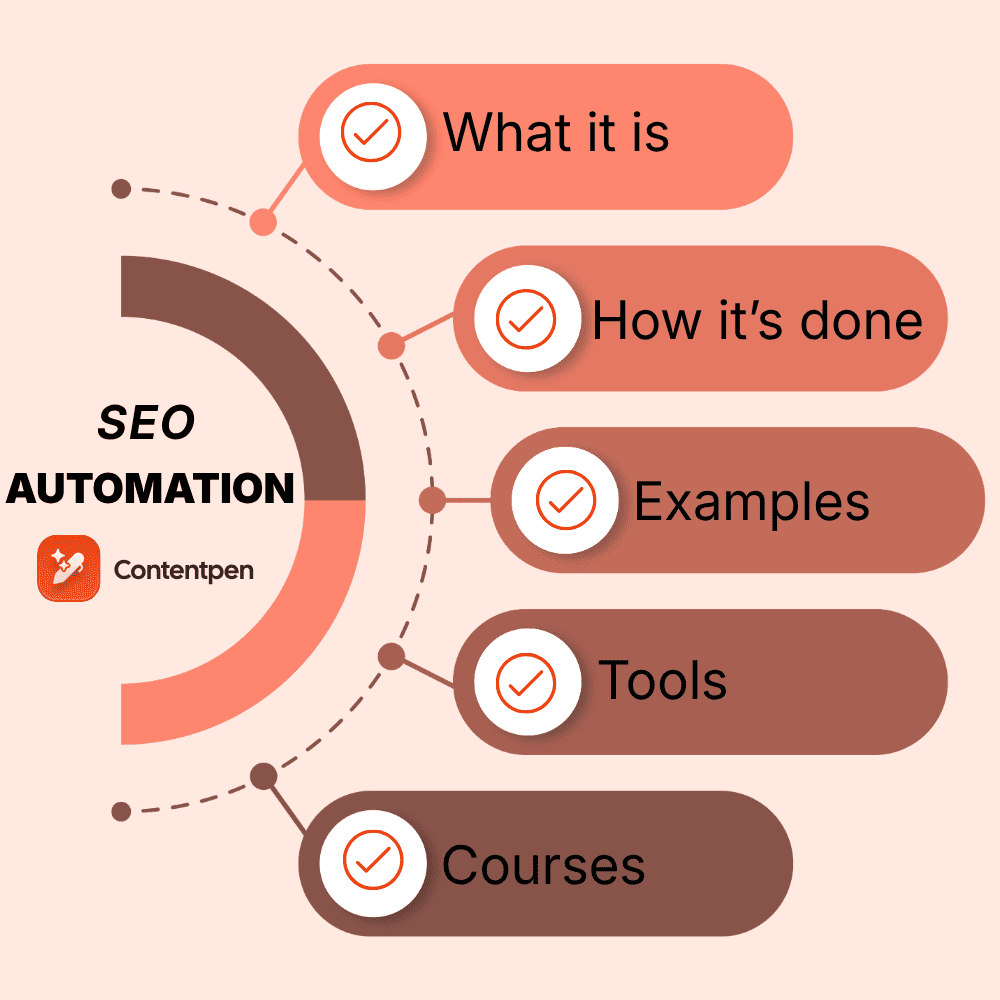
SEO automation is the use of software and AI to handle repeatable search optimization work, like rank tracking, site audits, internal linking, and content updates. If AI automation is generally about automating repetitive tasks, SEO automation is the search-specific version of it.
Automating on-page, off-page, technical, and parts of local SEO helps your team focus on strategy-making and relationship-building with clients. You still need a human in the loop, but AI can now handle most of the tasks on its own quite accurately.
In this article, we’ll learn about SEO automation in detail. It discusses what to automate, what to keep human, and how to build your first workflow without breaking anything.
By the end, you’ll also see how AI tools, like Contentpen, can help automate SEO and AEO tasks without requiring manual hand-offs.
So, let’s get started.
Key takeaways
- SEO automation handles repeatable work like monitoring, audits, linking, and reporting, so people can focus on strategy and judgment.
- The introduced SPARK framework in the article splits SEO into five stages. Scan, Prioritize, Author, Release, and Know.
- SEO isn’t dead, but AI summaries reduce organic clicks. So tracking citations now matters as much as tracking SERP rankings.
- You can start for free with Google Search Console, Looker Studio, or n8n, then add an autopilot tool like Contentpen.
Defining SEO automation
SEO automation means using software, scripts, or AI to run repeatable optimization tasks without a person doing every step by hand.
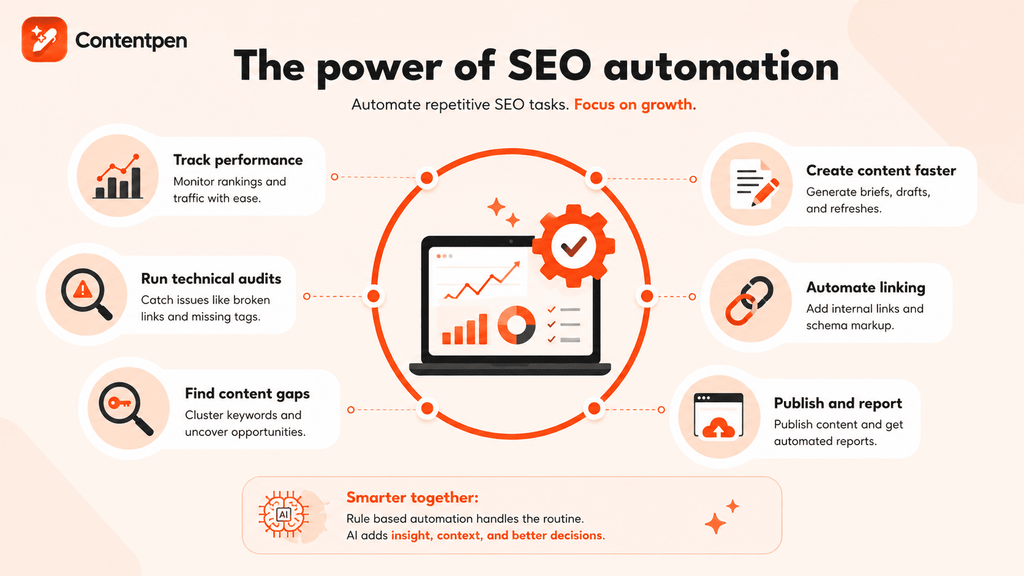
In other words, automation in SEO takes the repetitive, mundane work off your plate and leaves the decisions with you.
Most SEO work follows a pattern. A page gets published, indexed, ranked, refreshed, and reported on. Every stage has parts a machine can repeat daily without getting tired or skipping a step.
Here’s what search engine optimization automation commonly covers.
- Rank and traffic tracking: AI systems can see how your pages are doing without requiring you to do a manual audit.
- Technical audits and broken link checks: Automated SEO analytics tools can ensure you get reports on bad links, missing alt text, meta titles, etc., without digging into the site yourself.
- Keyword clustering and content gap analysis: Smart content automation tools, such as Contentpen, can streamline keyword research and SERP analysis without requiring separate tabs.
- Content briefs, drafts, and refreshes: AI can write briefs, outlines, and detailed drafts, based on your prompting.
- Internal linking and schema markup: Tools like Contentpen can automate internal and external link placements in your content by taking your pages from your sitemap.
- Publishing and reporting: You can publish your content directly to your preferred platforms and receive detailed audit reports without doing anything by hand.
None of this means pressing a button and walking away. The best setups keep a person in charge of what gets built, approved, and published.
How AI fits into SEO automation
Classic automation follows fixed rules. If a page returns a 404 error, such systems will send an alert. That works well for predictable checks.
However, AI adds a judgment layer to basic marketing automation routines due to its machine learning and natural language processing capabilities. It can read a page, spot a missing subtopic, or group thousands of keywords by search intent.
Today, most modern workflows mix both: rule-based, rigid automation for predictable parts and AI for decisions.
The SPARK framework for SEO automation
Every SEO task fits into one of five stages. We call the model SPARK, short for Scan, Prioritize, Author, Release, and Know.
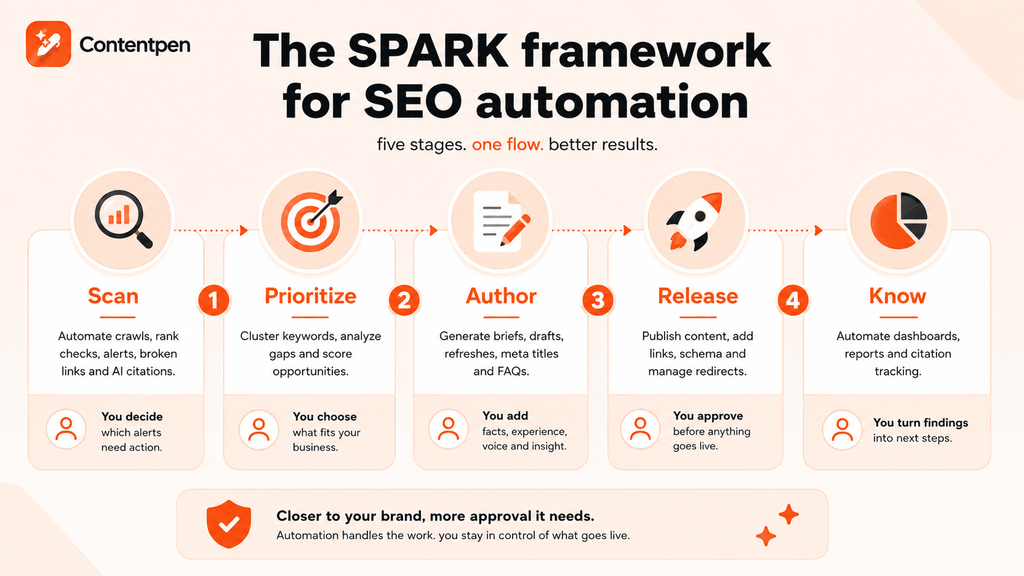
Each stage has a safe level of automation, and each one feeds the next.
| Stage | What it covers | How much to automate | Where you stay involved |
| Scan | Crawls, rank checks, indexing alerts, broken links, AI citation checks | Fully | Deciding which alerts deserve action |
| Prioritize | Keyword clustering, gap analysis, opportunity scoring | The sorting, not the choice | Picking what fits your business |
| Author | Briefs, drafts, refreshes, meta titles, FAQs | With review | Facts, unique angle, voice, and real experience |
| Release | Publishing, internal links, schema, redirects | With an approval gate | Signing off on anything public |
| Know | Dashboards, digests, attribution, citation tracking | The reporting, not the interpretation | Turning findings into next steps |
Let’s discuss the SPARK framework in more detail.
Scan – Checking what’s wrong
Scanning is the easiest place to start because a wrong alert costs you a few minutes, not your reputation. You can easily automate crawls, rank checks, indexing alerts, broken link sweeps, and page speed checks with just a few clicks.
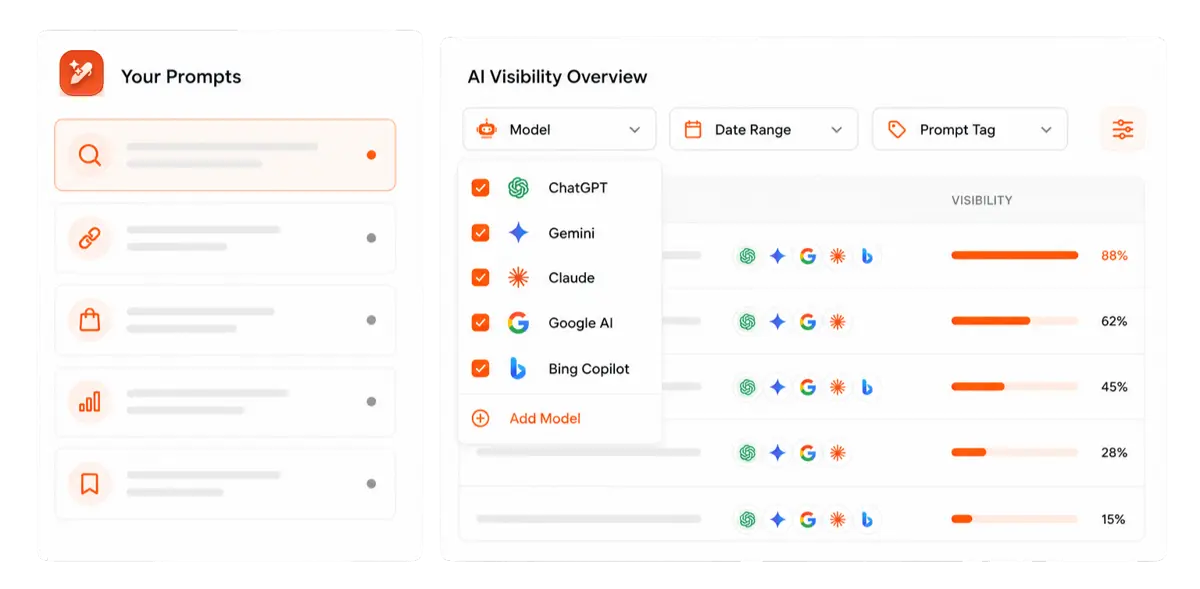
Add AI visibility checks too, so you know when a chatbot stops citing you and who it cites instead.

Find your brand in AI search

Track AI citations, share of voice, and brand sentiment
Find the top sources driving citations
Your job here is to decide which alerts and checks actually deserve action and which ones you can set up later.
Prioritize – Actions to take
Prioritizing turns raw data into a short list of actions. At this stage, AI systems can help you cluster keywords by intent, compare your pages against competitors to give a rundown, and flag keywords stuck on page two.
That last one is often the fastest win, because a small update can push a page onto page one, especially with the help of features like Contentpen’s SEO opportunities.
You still choose what fits your business, since a keyword can look perfect on paper and be wrong for your buyers. Then, you let an AI system decide on the next steps.
Author – Writing content
Authoring covers briefs, drafts, refreshes, meta titles, and FAQ blocks. AI can produce a solid first pass in minutes, but it can’t supply your experience, your data, or your point of view.
You can give AI tools the first draft, but it is important to provide your input heavily at this stage to ensure your content is valuable, readable, and trustworthy for the buyers.
Release – Publishing to the public
Releasing means getting your content live, either from scratch or after updates. That includes publishing posts, adding internal links, editing schema, and fixing redirects. This is where mistakes go public, so add an approval gate with a human in the mix.
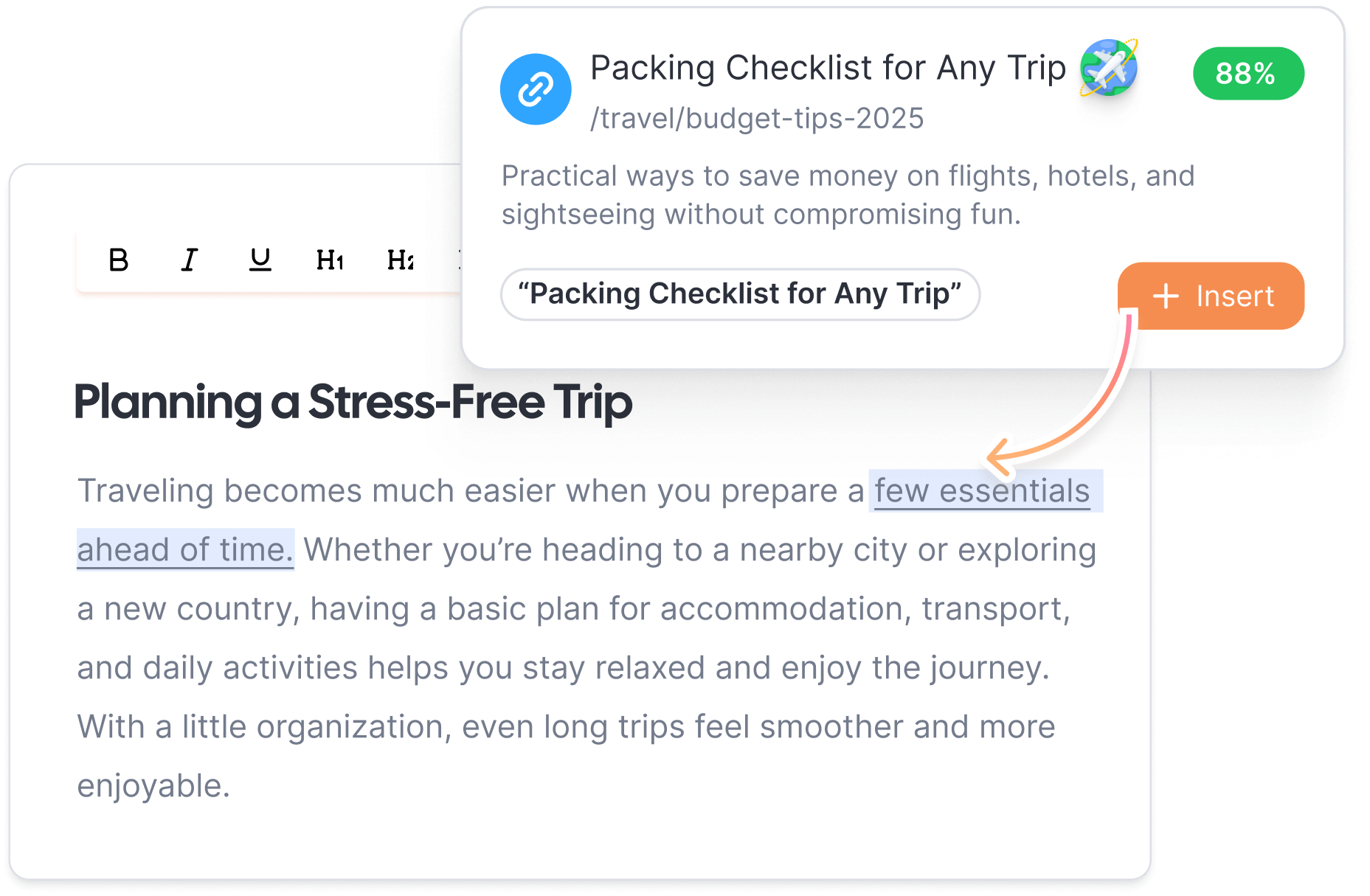
Contentpen’s SEO Autopilot follows this rule. It handles keyword selection, gap analysis, drafting, and publishing to WordPress, Ghost, Wix, Webflow, EmDash, or Shopify. You decide where the approval checkpoints sit, either before or after the draft is generated.
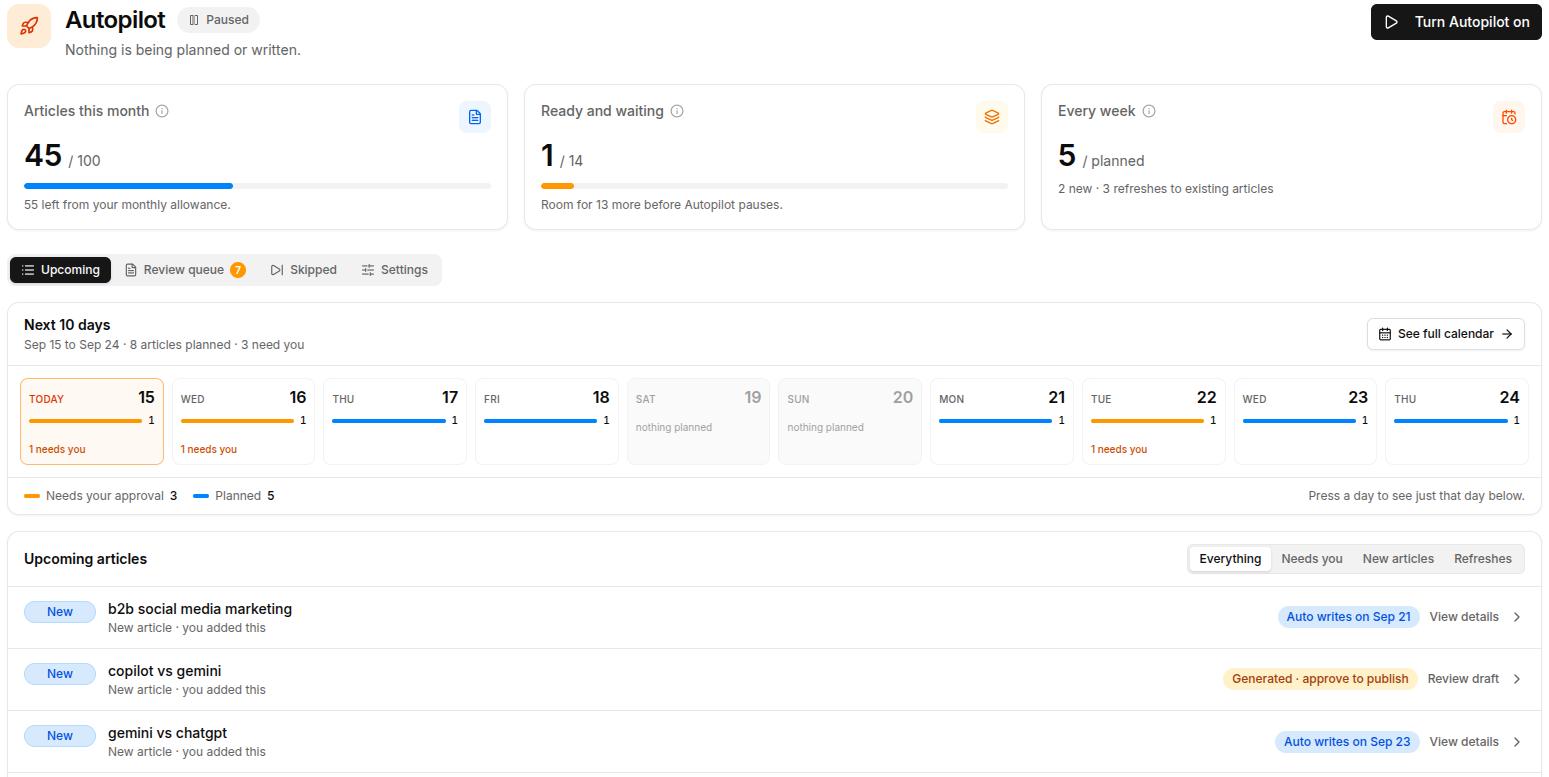
Internal and external links are a good example of work that’s important and tedious. Someone has to find relevant pages, choose natural anchor text, and repeat that for every new post.
Contentpen scans each draft for context and places internal and external links automatically where they genuinely help a reader, so your editors review links instead of hunting for them.
Improve SEO with automated linking that fills them
Adds context-aware internal and external links automatically
Uses relevant anchor text to improve SEO and content flow
Know – Post-publish analytics
Knowing closes the loop. Here you can automate dashboard-building using SEO analytics platforms and get attribution reports to look at what changed, why, and what to do next after publishing. That decision feeds straight back into the Scan stage.
A simple rule keeps the SPARK framework practical. The closer a task sits to your public image, the more approval it needs. So, keenly observing the content before and after it goes live is always a good idea.
SEO automation examples

Several companies and businesses now choose SEO automation to relieve themselves of the constant repetitive work and surface ranking opportunities without any delays.
Here are four SEO automation workflow examples worth building first for your business, one for each of the main SPARK stages.
- Weekly traffic-drop alert (Scan): Create a workflow that compares this week’s clicks to last week’s and messages you in Slack or email. You can also tell the system to add an entry on a spreadsheet about pages that fell sharply.
- Striking-distance list (Prioritize): Get a scheduled report that lists keywords ranking between positions 8 and 20, so you know which pages need a small push.
- Keyword-to-post pipeline (Author and Release): With AI SEO automation, you can turn a target keyword into an outline, draft, and optimize the post before publishing.
- Monthly visibility digest (Know): Receive one summary that shows rankings, clicks, and AI citations, so the whole team sees the same numbers.
Real teams use this approach too. NETK5 Technology improved its search and AI visibility with Contentpen and saved roughly $500 a month on SEO and AEO tasks, without adding headcount.
SEO consultant Ankit helped a client’s blog reach position 4 on Google using Contentpen’s automated blog generation and SEO and GEO optimization, without building a single backlink.
SEO automation tutorial: Building a workflow
Let’s say you want to build a general SEO automation workflow with a weekly traffic-drop alert for your site.
We’ll use n8n for this walkthrough, which is a visual workflow builder that connects apps through blocks called nodes. It offers a free trial on n8n Cloud, and its community edition is free to self-host, though you cover the hosting.
- Sign up: Go to n8n.io and create your account to start your first workflow.
- Set the trigger: Add a Schedule Trigger node to run it every Monday morning or whatever cadence you want to choose.
- Pull your data: Connect the Google Search Console API, usually through an HTTP Request node signed in with Google, and fetch clicks by page for the last 7 days.
- Compare the data for last week: Use a Filter or Code step to flag pages whose clicks dropped by more than 20%. Ignore pages with very few clicks, so small numbers don’t create noise in the data.
- Add an AI step if you like: Ask an AI model (will be charged separately) to group the flagged pages by topic, so patterns are easier to spot.
- Send it where your team works: Post the list to Slack, email it, or add rows to a Google Sheet.
- Test before you trust it: Run each node manually first to check if you’re receiving the intended output correctly or not. Then, check the numbers against Search Console to verify the integrity of the created workflow.
You don’t have to start from scratch. Community collections like Marvomatic’s n8n templates include ready-made workflows for indexing checks, keyword cannibalization, and Search Console analysis.
That said, two cautions are worth knowing. The Search Console API is free, but many third-party keyword data or AI model APIs bill per lookup. Also, if you’d rather skip hosting, Make and Zapier can build similar flows with less setup.
SEO automation tools worth knowing
Most SEO automation tools fall into three groups: Watchers, Builders, and Autopilots.
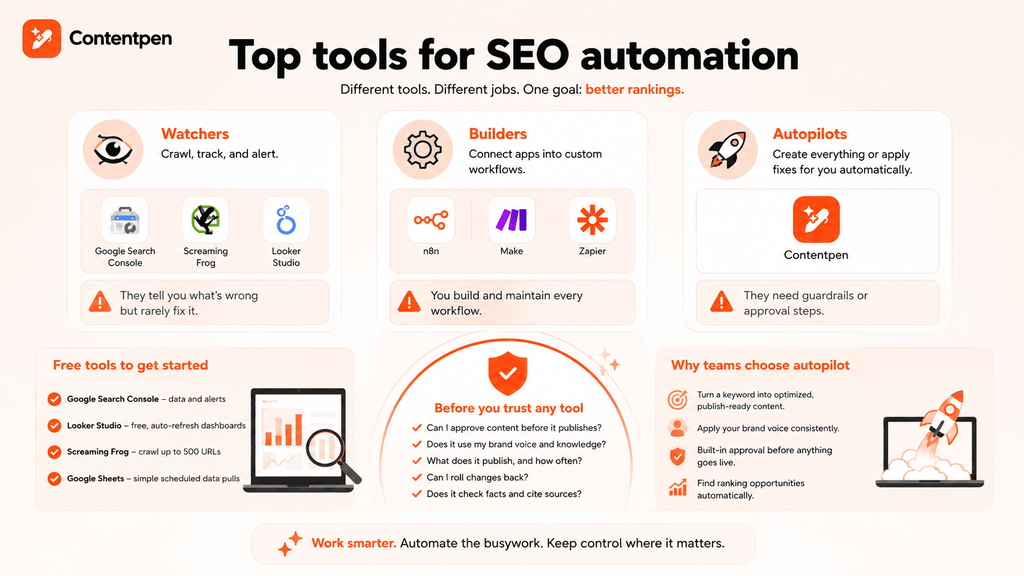
Watchers report on what’s happening, builders let you wire up your own workflows, and autopilots do the work for you.
See the table below for more details about these different types of tools.
| Type | What it does | Examples | Watch out for |
| Watchers | Crawl, track, and alert | Google Search Console, Screaming Frog, Ahrefs | They tell you what’s wrong but rarely fix it |
| Builders | Connect apps into custom workflows | n8n, Make, Zapier | You build and maintain every workflow |
| Autopilots | Create everything or apply fixes for you automatically | Contentpen, OTTO SEO | They need guardrails or approval steps |
You can start SEO automation for free as well.
Free SEO automation tools
Many SEO beginners can use Google Search Console with Looker Studio. Together, they cover most of the Scan and Know stages at no cost.
- Google Search Console: Performance data, indexing reports, and alerts.
- Looker Studio: Free dashboards that refresh automatically from Search Console.
- Screaming Frog: The free version crawls up to 500 URLs.
- Google Sheets: A simple destination for scheduled data pulls.
Free tools mostly watch and report. They rarely publish or fix anything, which is where autopilots like Contentpen come in.
SEO autopilot options
Autopilot tools promise to do the work for you. Some deliver, but they differ a lot in what stage of the SPARK framework they touch, so it helps to compare them head-to-head:
- OTTO SEO: Search Atlas describes OTTO SEO as an AI agent that scans your site and applies fixes like titles, schema, canonicals, and redirects. It deploys changes through Cloudflare, your CMS, or a one-time pixel install, and offers an approval mode.
- AutoSEO: AutoSEO describes itself as a service for small businesses that publishes a daily article and builds backlinks through a WordPress plugin.
- Contentpen: This SEO and AEO tool automates the content and on-page SEO work, from keyword research and clustering to publishing. It scores every page while you write and scans published posts for ranking opportunities.
Before you trust any autopilot, ask these five questions.
- Can I approve content before it publishes?
- Does it use my brand voice and real product knowledge?
- What does it publish, and how often?
- Can I roll changes back?
- Does it check facts and cite sources?
Also note that publishing content at scale without manual review is the fastest way to run into Google’s spam policy-related penalties. So, it’s always important to keep a human in the loop before anything goes live.
Where to start automating SEO tasks, by team type
You can’t start automating everything at once. For that, you need to recognize where you stand currently and what the next steps should be accordingly.
| Team | Start with | Why |
| Freelancers | Scan and Know | Search Console gives alerts, and a Looker Studio report saves time and impresses clients |
| Small businesses | Author and Release, with approvals | Consistent publishing matters most when you have little time or resources to allocate toward content creation |
| Agencies | Know, then Scan | Client reporting eats the most hours across accounts and workspaces |
| SEO and AEO teams | Scan with citation checks, then prioritize | Early warning on ranking and AI visibility shifts |
| Enterprises | Release with approvals and audit logs | Many stakeholders and larger scale of content operations increase brand image risks |
| Growth marketers | Prioritize and Author | Faster tests and more pages tied to pipeline |
It is not necessary that your team classifies as one of those mentioned above. So, you will have to make the decision about the extent to which you need to push your SEO and GEO automations, based on the current team skill, budget, and size.
What not to automate
Some SEO work should stay with humans, even when a tool can technically do it.
- Final approval of anything customer-facing
- Strategic keyword and topic choices
- Link outreach relationships
- Original experience, quotes, and data
- Brand voice decisions
Automating these doesn’t save time. It just moves mistakes into public view.
SEO automation course and learning path
You don’t need a formal course to start learning SEO automation, but a little structure helps.
- Semrush Academy: This site provides free courses, including one on becoming an AI-powered marketer.
- Google’s SEO Starter Guide: Learn from Google’s official free basic courses to get started.
- Contentpen’s blog guides: Start with how to write a blog post to understand the Author stage before you automate it, and learn about other crucial SEO basics with our blogs.
Besides these free courses, you can check out Julian Goldie SEO‘s channel on YouTube for fun walkthroughs, or follow along the SEO automation video playlist created by Ahrefs.
Wrapping up
SEO automation works best as a loop. Scan what’s happening, prioritize what matters, author the fix, release it with approval, and know what worked. Then repeat the same process with confidence.
Start with one stage, prove it saves time, and expand from there. Free tools can carry you a long way, and an autopilot earns its place once the manual work starts eating your time.
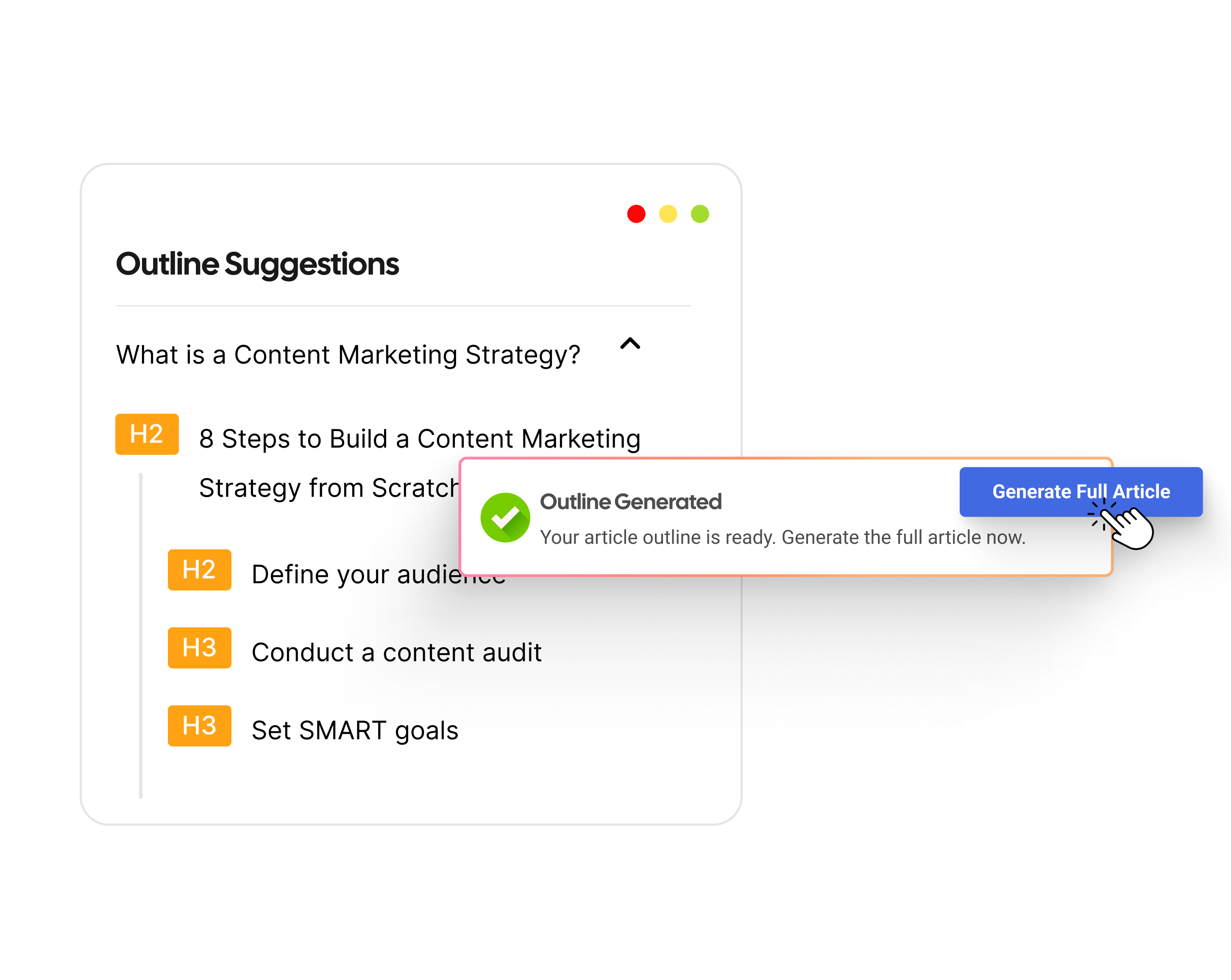
If keyword research, drafting, optimization, and publishing feel like separate jobs on your team, Contentpen’s SEO Autopilot runs them as one workflow with approval checkpoints you control. It’s a simple way to see SPARK in action on your own content.
From outline to publish-ready content that fills them
Structured
Consistent
SEO-aligned
Fast
Frequently asked questions
No. SEO isn’t dead, but the job has changed. Rankings still matter, and now getting cited inside AI answers, such as AI Overviews, matters too.
It depends on the job. A common five are Google Search Console for free performance data, Ahrefs for keyword and backlink data research, Screaming Frog for technical crawls, and Contentpen for automating SEO and GEO content tasks from keyword to publishing.
Yes. Start with search intent, useful content, clear titles, and internal links, and use Google’s free SEO Starter Guide and Search Console to learn. Add automation after you understand the basics.
Not for automation itself. Google’s spam policies target scaled content abuse, meaning many low-value pages published without EEAT guidelines in mind, no matter how they’re created. Keep human review on anything you publish to stay safe from organic traffic or ranking loss.
It depends on the type and stage of SEO automation. Simple automation just speeds up the repetitive on-page SEO work, while technical fixes done due to automated alerts can pay off within weeks. Publishing new content with AI usually takes a few months to build rankings.