Category: SEO

Access complete SEO guides and tips to boost your search rankings, optimize content, and grow your online presence effectively.

  • What are organic clicks? 7 strategies to boost your rankings

    What are organic clicks? 7 strategies to boost your rankings

    Are rankings and clicks trickling away from you? Is there a big difference between your impressions and clicks? Desperate for a solution, but don’t know how? Read on to find out more.

    Organic clicks are visits from unpaid search results. They are different from paid ads, which cost money with every visit. With strong organic search optimization, each click is earned through helpful content and smart SEO, not through a bid.

    This guide breaks down 7 proven strategies that help increase organic clicks from web search. You will learn how to tune title tags, optimize meta descriptions, use structured data, manage featured snippets, and improve overall rankings to optimize clicks. 

    So, let’s get started.

    Key takeaways

    • Organic clicks are visits earned from unpaid search results, and a big gap between impressions and clicks usually points to a snippet problem rather than a ranking problem.
    • Click data has limits because it says nothing about traffic quality, shifts with SERP layout changes like AI Overviews, and should always be read alongside rankings, engagement, and conversions.
    • Compelling titles of 50 to 60 characters and meta descriptions of about 140 to 160 characters work like ad copy that turns impressions into visits.
    • Structured data can earn rich snippets such as review stars and FAQ dropdowns, which make a listing stand out.
    • Direct answers to common questions, stronger rankings, better user experience, and competitor SERP analysis compound over time to lift organic clicks across many pages.

    Organic clicks explained – Why do they matter?

    Organic clicks come from users who click on your website after seeing it in unpaid search results without any paid marketing.

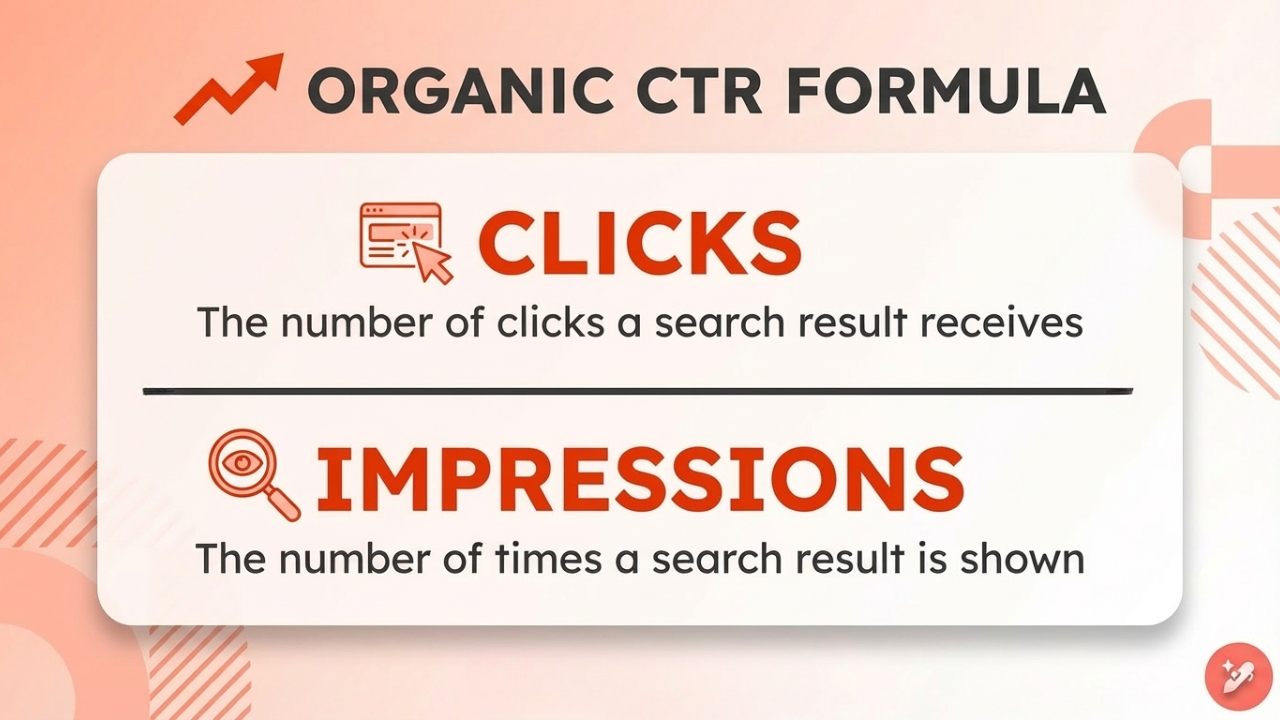
    As we’ve previously discussed in our What Is a CTR blog, the CTR formula is simply total clicks divided by the total impressions.

    In the case of organic clicks, this is the number of clicks an organic search receives divided by the number of times it’s viewed in the SERP, without any search engine marketing involved.

    Organic clicks matter because they help you:

    • Identify pages that rank but underperform
    • Spot mismatches between keyword intent and messaging
    • Estimate potential traffic gains
    • Prioritize quick-win optimization opportunities

    When impressions are high but organic clicks are low, you do not necessarily have a ranking problem. You likely have a snippet optimization problem.

    Related read: How to do SEO step-by-step.

    The limitations of organic CTR

    Organic CTR is powerful, but it is not a complete SEO metric.

    #1: Organic clicks don’t tell anything about traffic quality

    Clicks do not measure traffic quality. A page might attract many clicks but fail to drive engagement, leads, or conversions, leading to fewer business opportunities.

    #2: Organic clicks are SERP influenced

    Organic clicks are heavily influenced by SERP layout changes. AI Overviews, featured snippets, People Also Ask boxes, and shopping modules can push traditional organic listings lower on the page.

    So, even if your ranking stays the same, your clicks may drop significantly.

    #3: Organic clicks vary dramatically due to various factors

    Clicks can change due to:

    • Search intent (informational vs transactional)
    • Device type (mobile vs desktop)
    • Brand familiarity
    • Industry competition

    Because of this, there is no universal “good” organic clicks number.

    Organic clicks should always be analyzed alongside search rankings, impressions, engagement metrics, and, most importantly, conversions.

    #4: Organic clicks are not a direct ranking factor

    Although this is debatable, organic clicks are not a direct ranking factor for Google. They highlight an opportunity. But if you only see organic clicks for a platform and no other metrics, that could mislead your strategic decisions.

    Organic clicks vs paid clicks

    Before diving in, it helps to compare organic clicks with paid clicks side by side.

    AspectOrganic clicksPaid clicks
    Cost per visitNo direct cost per click; investment goes into content and organic SEO techniquesYou pay for each visit based on bids and competition
    SustainabilityTraffic can keep coming for months or years from the same contentTraffic stops as soon as the ad budget is paused
    Trust levelMany users prefer and trust natural listings over adsSome users scroll past ads or ignore them
    Conversion behaviorVisitors often show strong intent and explore more pagesVisitors convert quickly, but may bounce fast if the ad and landing page do not align

    Now, let’s take a look at the ways in which you can boost your organic clicks for your website.

    Ways to improve organic clicks in 2026

    Below are 7 strategies you can apply today to improve your organic clicks in 2026.

    1. Write captivating titles
    2. Craft compelling meta descriptions
    3. Use structured data
    4. Optimize for Zero-click answers
    5. Improve search rankings
    6. Enhance user experience
    7. Analyze competitor data

    Now, we’ll discuss these in more detail.

    1. Craft irresistible titles that demand attention
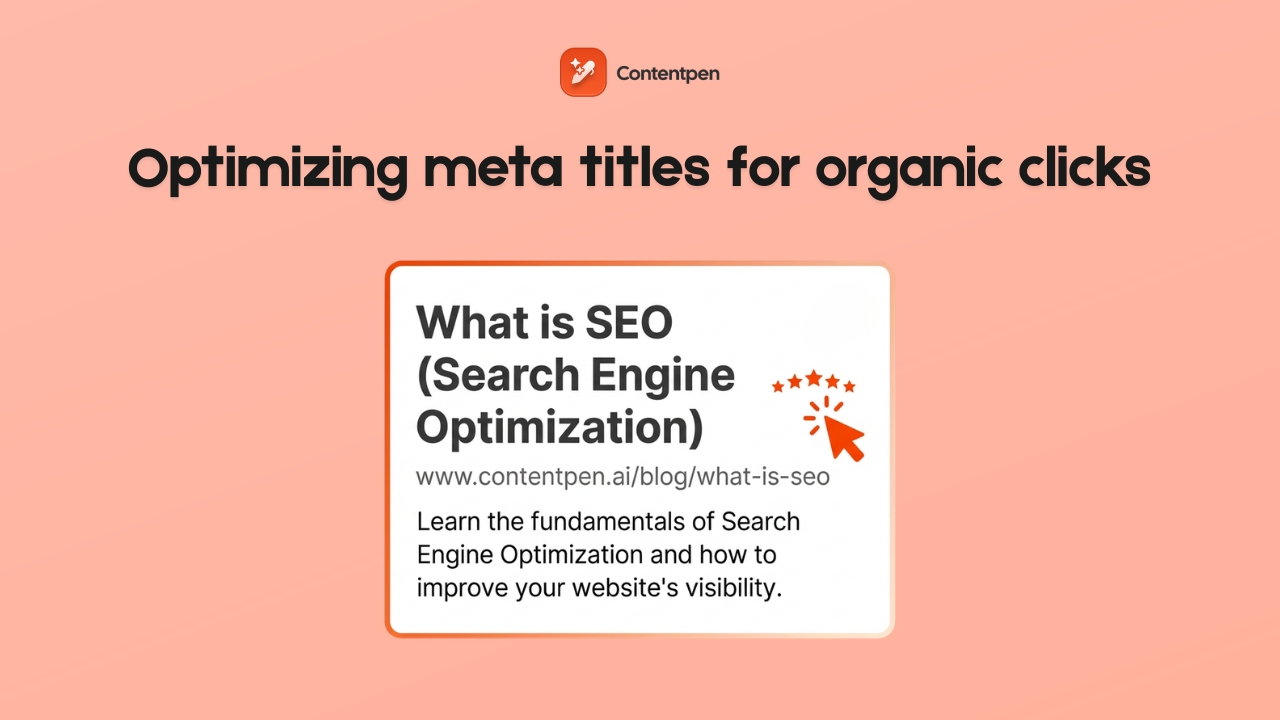
    Optimizing meta titles - Contentpen.ai.

    The title tag is the headline that shows in search results, and it is often the single biggest factor behind whether someone clicks or scrolls past your content. 

    Even if a page ranks well, a dull or confusing title can cause organic clicks to slip away to competitors. Strong titles speak directly to the searcher and promise a result that feels worth their time, matching the searcher’s intent for the given query.

    A practical framework for high-CTR titles starts with placing the main keyword near the front. Then add a clear angle, such as a guide, checklist, or case study, and use numbers when they fit the topic. 

    Aim for 50- 60 characters (with spaces) in the meta title so the message fits fully on the SERP. Watch out for these common mistakes that quietly hurt your clicks:

    • Keyword stuffing that makes titles look spammy.
    • Weak phrases like “various insights” and “information” say almost nothing about the real content.
    • Titles that overpromise compared to the content on the page.

    The title should clearly convey a strong value promise that aligns with the page. Use Google Search Console to sort pages by impressions and CTR. Rewrite weak titles, then review the data a few weeks later to see which styles drive more organic traffic.

    2. Write meta descriptions that act as compelling ad copy

    If the title tag (meta title) is the headline, the meta description is the short pitch that lives right under it. Many sites treat it as a box to fill in at the last minute, but it can create the difference between an impression and a click. 

    A good meta description explains who the page is for, what it delivers, and why the reader should care now.

    A simple formula works well for most pages:

    1. Name the problem or goal.
    2. Promise a clear outcome.
    3. Finish with a gentle call to action.

    For example, a description for this topic might read: “Struggling to get organic clicks? Learn 7 practical strategies to improve click-through rate, increase organic traffic, and turn impressions into visitors.”

    Length matters here. Aim for about 140- 160 characters so your full message appears on both desktop and mobile SERP versions. Include your main keyword and close variants because search engines often bold these terms, which helps your listing stand out from others. 

    Use active language with verbs such as discover, learn, or compare to nudge people toward the click. Meta description optimization only helps when the promise matches the page. If a description teases a guide and the page is a thin sales pitch, visitors will leave fast. 

    3. Use structured data to earn eye-catching rich snippets
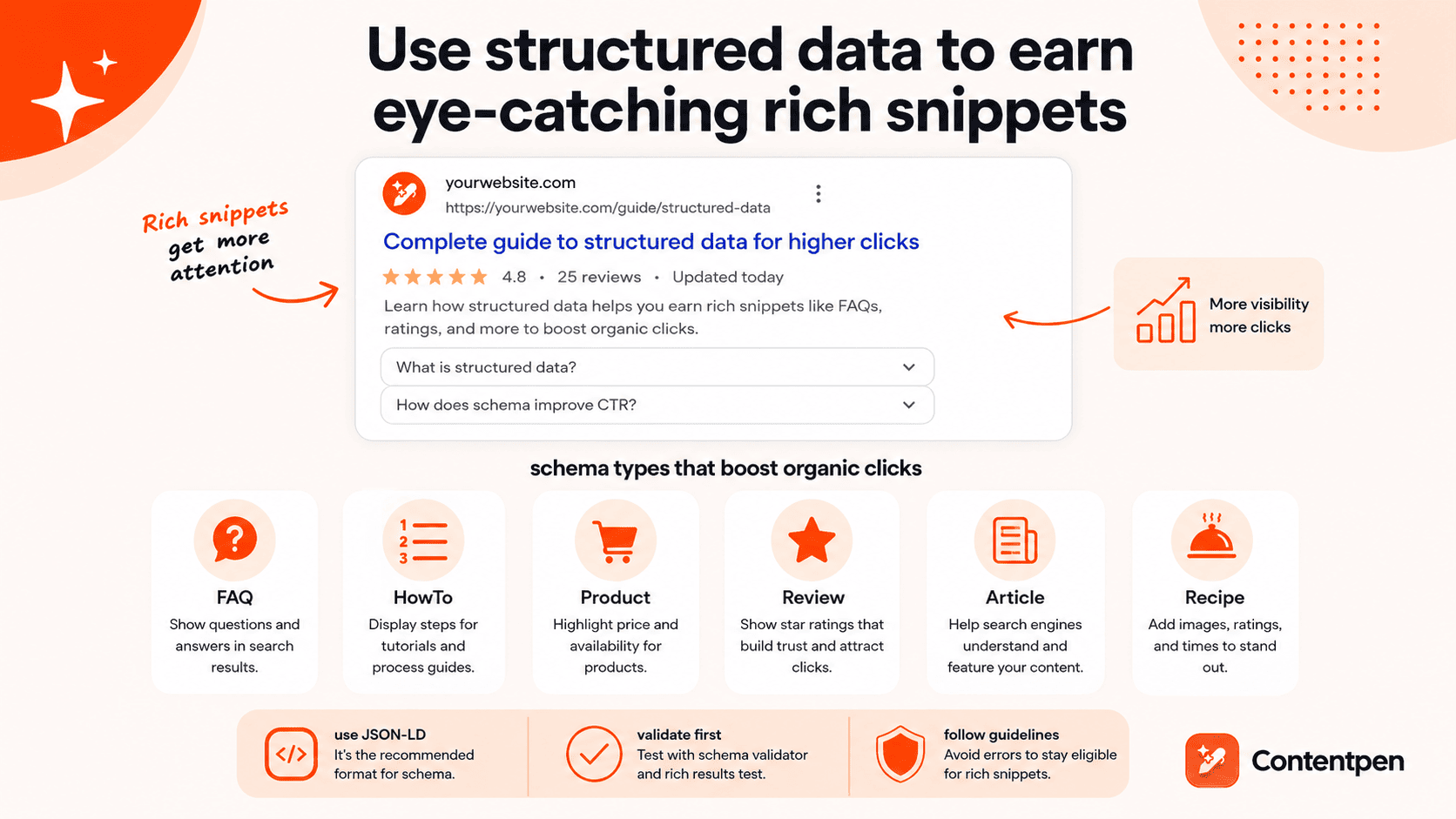
    Structured data boosting organic clicks - Contentpen.ai.

    Structured data, also known as schema markup, is extra code that helps search engines understand what is on a page. When this data is clear and accurate, Google can show rich snippets such as star ratings, prices, and FAQ dropdowns. 

    These richer results attract more attention, often leading to higher organic clicks even when the ranking position stays the same.

    The real power of structured data is the visual boost it gives your listing. A plain blue link with two gray lines of text can look flat next to a result that shows review stars, product availability, or direct answers.

    Here are common schema types that help with organic SEO techniques and clicks:

    Schema typeBest used forImpact on clicks
    FAQGuides, support pages, and service pages with clear questions and answersExtra questions appear under your search results, giving more chances to win the click
    HowToStep-by-step tutorials and process guidesSteps can be shown in the SERP, making your result look like a complete walkthrough
    ProductEcommerce product pagesPrice and availability stand out, which can lift clicks from product searches
    ReviewAny page with ratings or reviewsStar ratings add social proof that attracts visitors
    ArticleNews, blog posts, educational contentHelps search engines classify and feature your articles more effectively
    RecipeCooking and food contentImages, ratings, and prep times make the result far more attractive
    VideoPages where video is a main elementThumbnail previews invite clicks, especially on mobile

    The easiest way to add schema is to use an online generator that creates this structured data, usually in JSON-LD format. Before adding the schema to your site, test it with the schema validator to ensure that it is correctly made.

    After adding it, run the page through Google’s Rich Results Test to confirm that the markup is valid and eligible for rich features. Avoid marking up content users cannot see, mixing up types, or leaving out required fields, as these mistakes can prevent rich snippets from appearing.

    4. Optimize for Zero-click answers

    In 2026, creating content is all about being direct and helpful in your approach while answering the common user questions for a particular topic.
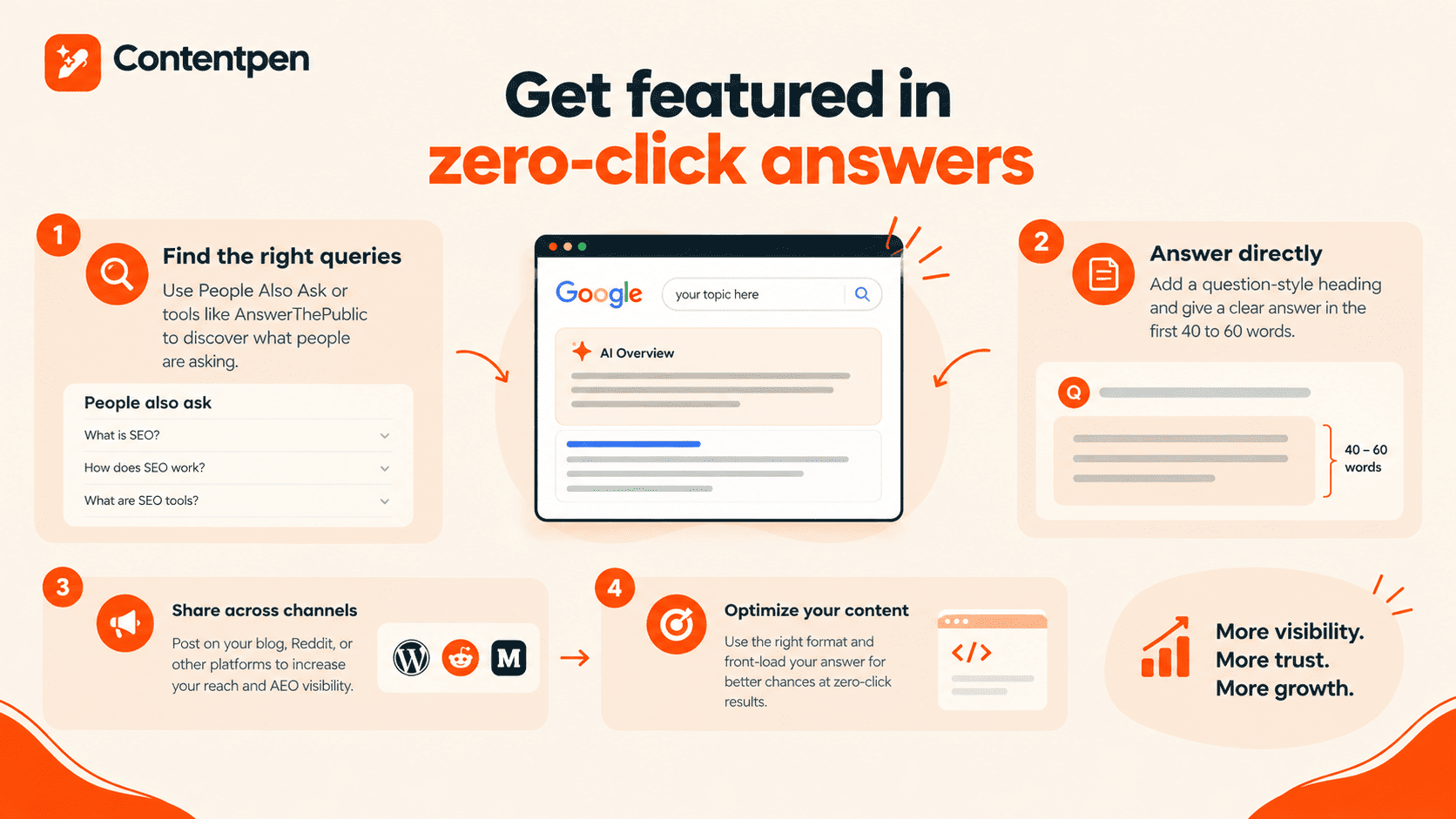
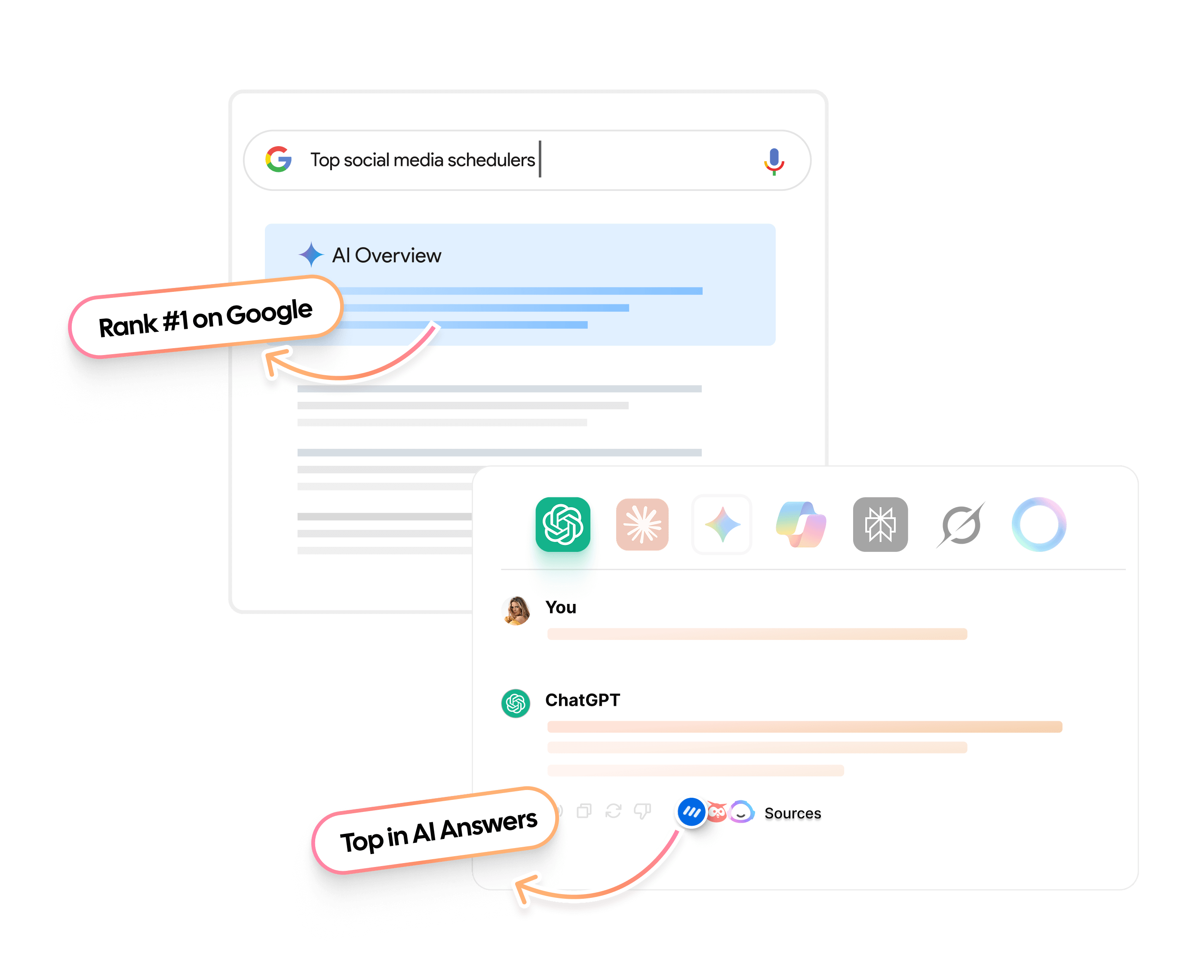
    How to win zero-click answers in 2026 - Contentpen.ai.

    The benefit of answering questions regarding your topic or niche is that you start ranking for Google AI Overviews for the said query.

    And even though zero-click answers have contributed to the decline of click-through rates, owning the share of voice in a space still helps.

    It facilitates brands in building strong brand awareness, earning trust, and often attracting high-intent visitors to explore more details.

    Besides zero-click answers, you can also win the top organic search result with content that answers real questions from real users.

    You can either create a Reddit thread and discuss those queries or do it directly on your blog. Spreading your message through different channels is also beneficial for AEO.

    Also read: Reddit SEO – The complete guide for marketers.

    To start winning zero-click answers, gather queries from the People Also Ask sections in Google or use tools like AnswerThePublic for the given topic. Place a question-style heading on the page and answer it directly in the first 40- 60 words before going into more details.

    5. Improve your search rankings to gain more impressions

    Organic clicks vary a lot depending on where you appear in the search results. Moving from the bottom of page one into the top three can feel like turning on a new traffic channel.

    While numbers vary by niche, typical CTR range values look like this:

    Google search positionTypical organic CTR range
    138.9% – 42.9%
    227.4% – 29.5%
    311% – 15%
    47% – 10%
    55% – 7%
    64% – 5%
    73% – 4%
    82% – 3%
    91.5% – 2%
    10 (if present)0.5% – 1.5%

    Source: FirstPageSage.

    These are averages taken from the Google search environment, so treat them as starting points rather than strict goals. Use them to spot pages where your organic clicks are far below what the position usually earns. 

    When impressions are strong but organic clicks are weak, you likely have a CTR issue. When impressions are low across the board, the main problem is ranking, not snippet appeal.

    Better rankings start with keyword research that matches user intent:

    • Informational queries need clear explanations.
    • Commercial queries want comparisons and proof.
    • Transactional terms call for strong offers and simple paths to act.

    Google looks for content that shows depth, originality, and real expertise, and it favors pages that stay fresh with updated details and current examples.

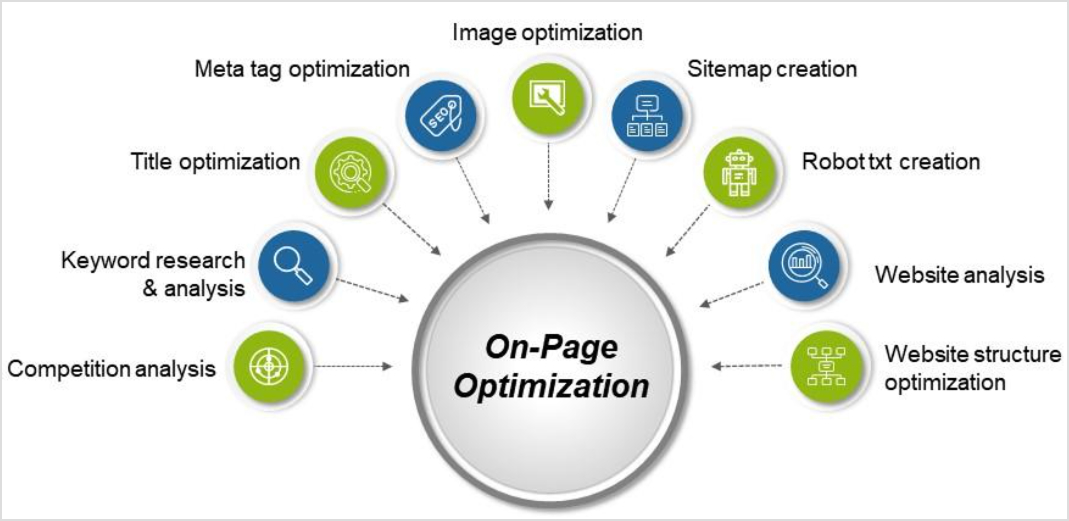
    On-page SEO still matters. Use clear header hierarchy, place main keywords in titles, headings, and early paragraphs, and connect related pages with internal links that guide both users and crawlers. 

    Technical basics such as fast load times, mobile-friendly layouts, and clean site structure remove barriers that can hold rankings back. Receiving SEO backlinks from trusted sites also helps, since they act as votes of confidence.

    6. Improve user experience signals to boost rankings and clicks

    Search engines pay close attention to what happens after a click. When visitors stay, scroll, and interact, it indicates that the page matches their intent.

    Improving the user experience (UX) makes each visit more satisfying, which can support both rankings and organic clicks over time.

    Core Web Vitals give a simple way to think about performance:

    • Largest Contentful Paint (LCP) measures how quickly the main content shows up.
    • First Input Delay (FID) measures how quickly someone can interact with page elements.
    • Cumulative Layout Shift (CLS) measures how stable the layout feels during load.

    Strong scores on these metrics lead to smoother pages that feel fast and reliable, especially on mobile devices where most search engine traffic now lives.

    There are many practical steps that help here. Use responsive design so pages adapt nicely to any screen size, compress large images, and trim heavy scripts that slow down browsing.

    As user experience improves, behavior metrics tend to follow suit, which can raise search engine rankings, drive more impressions, and create a positive cycle of growing organic clicks.

    7. Analyze competitor SERP performance to uncover CTR opportunities

    No page competes alone on the SERP. For every keyword, searchers see a row of titles, descriptions, and rich results side by side. Understanding how competitors present themselves there helps you spot the changes that could bring more organic clicks to your own listings.

    Start by searching for key terms and studying the top results with a critical eye. Notice how competitors phrase their title tags and meta descriptions. Some might focus only on keywords and miss the chance to promise a clear benefit or outcome. 

    Others may ignore emotional drivers such as saving time, avoiding risk, or gaining an advantage. These gaps open space for your pages to stand out with stronger, more specific messaging that improves clicks.

    Analyzing competitors is one thing, but utilizing these ranking opportunities is another. You may know what to add to your blogs to win higher search rankings, but actually writing the content is where many individuals, small businesses, and agencies can struggle.

    To execute these changes at scale, you can utilize Contentpen. It not only helps uncover click opportunities but also creates SEO and GEO-optimized content, along with high-quality visuals and metadata.

    Our SEO and AEO platform also automatically creates topical clusters that you can target to immediately improve SERP performance and organic clicks. The tool helps your brand stay on top to earn the conversions it deserves.

    Create topical authority, not isolated posts that fills them

    check

    Group related content into SEO-friendly clusters

    check

    Strengthen rankings with internal relevance
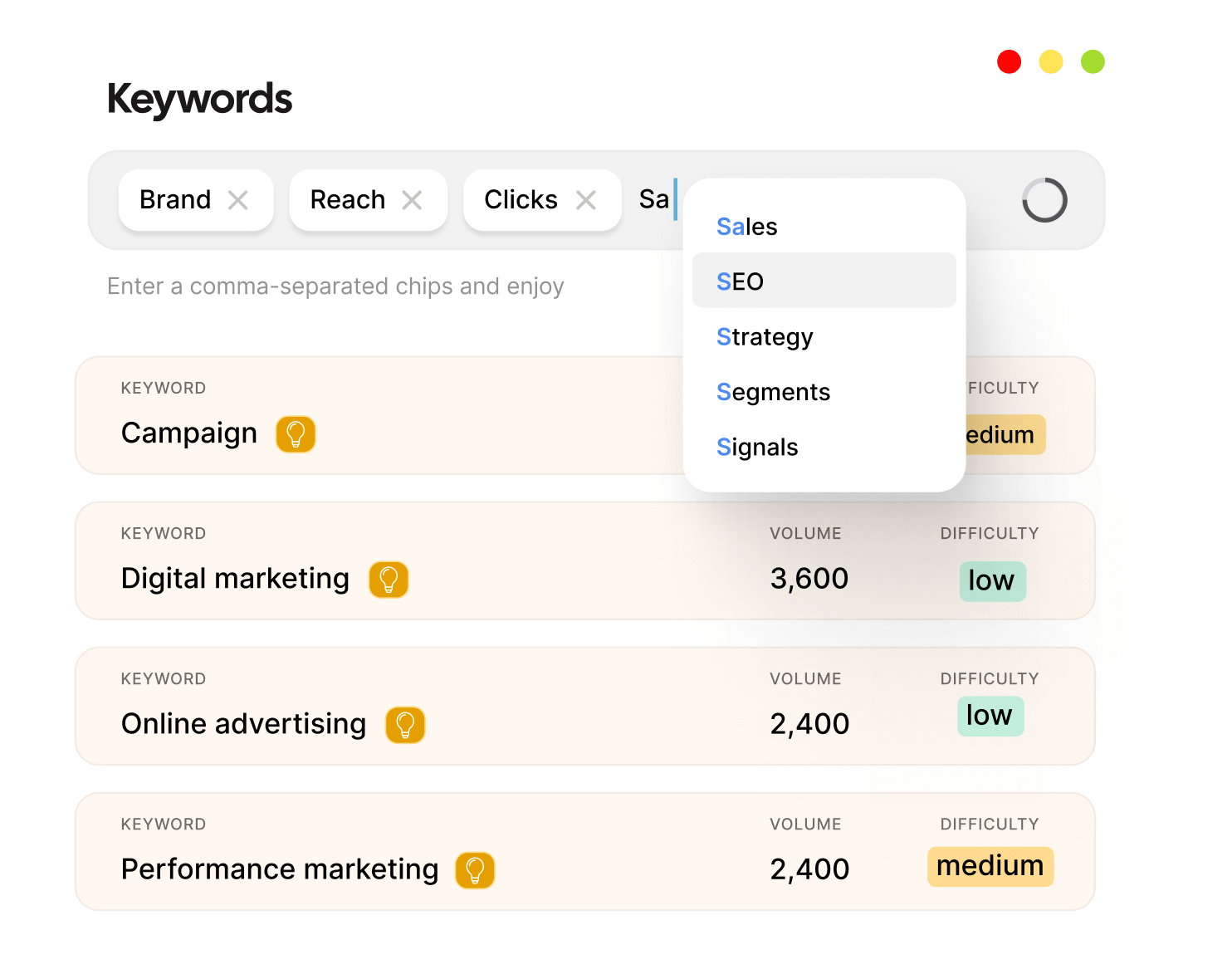
    Try Topical Clustering →
    AI SEO Interface

    Final thoughts

    Increasing organic clicks is not about one magic trick. It is the result of many small, smart changes working together. Strong title tags pull attention, sharp meta descriptions act like ad copy, and structured data opens the door to rich snippets that make your results stand out. 

    The real power comes from the compound effect. A few percentage points of organic click-through rate improvement on dozens or hundreds of pages can add up to a big lift in organic traffic and leads, overall. 

    To get there, keep measuring, testing, and adjusting. Watch impressions, organic clicks, and search traffic in Google Search Console and SEO analytics tools, and treat every page with care.

    Frequently asked questions

    What is a good organic click-through rate?

    A good organic click-through rate depends heavily on where a page ranks and which industry it serves. Instead of chasing a single benchmark, compare each page’s organic clicks and CTR to your own site average in Google Search Console and focus on lifting the pages that lag behind.

    How long does it take to get better organic clicks from CTR optimization?

    Most pages start to show results from CTR optimization within 2-4 weeks. That window depends on how often Google crawls and reprocesses your pages, which usually happens faster for URLs that already sit on page one.

    Can optimizing for organic clicks hurt my rankings?

    Done correctly, optimizing for organic clicks should improve rankings rather than hurt them. Problems appear when titles or meta descriptions drift into clickbait territory and promise something the page does not deliver.

    What is organic and inorganic traffic in SEO?

    Organic traffic comes from unpaid search engine results. Inorganic traffic (often called paid traffic) comes from ads, such as Google Search Ads or paid social campaigns.
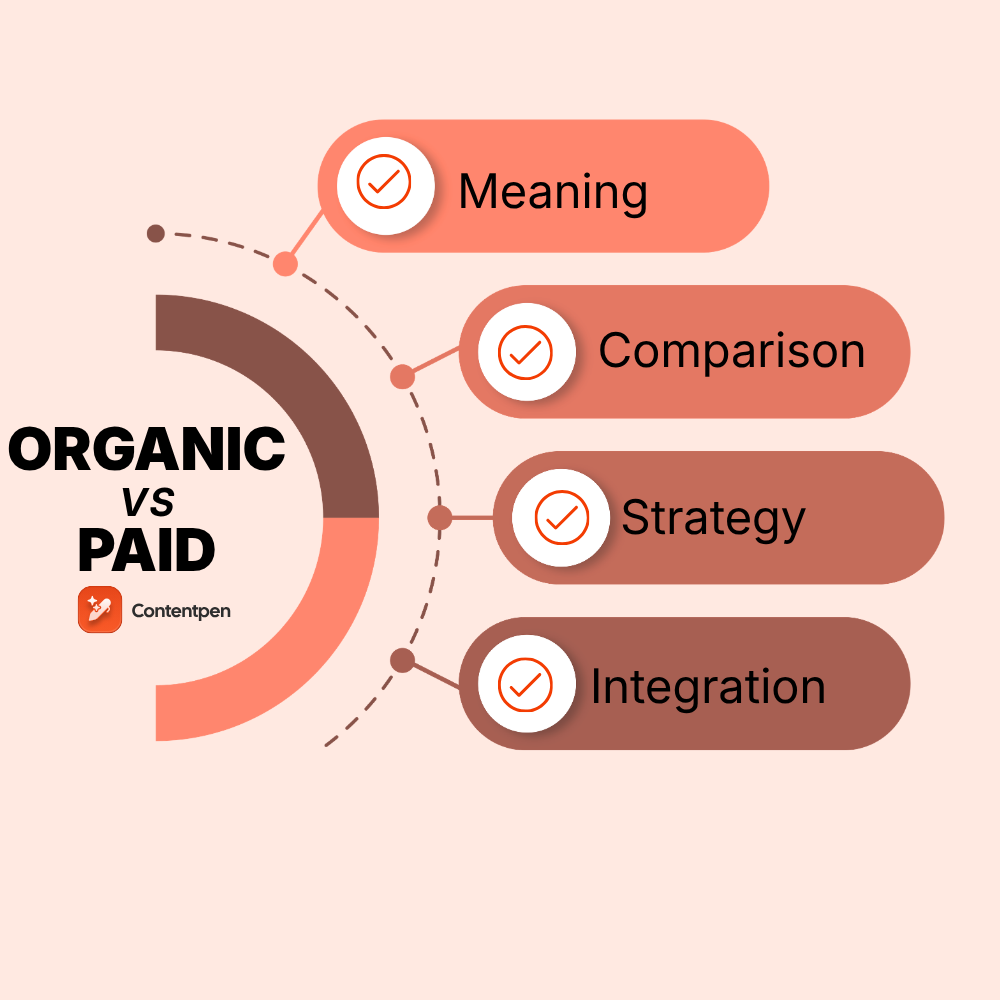
  • Organic traffic vs paid traffic: Which wins in 2026?

    Organic traffic vs paid traffic: Which wins in 2026?

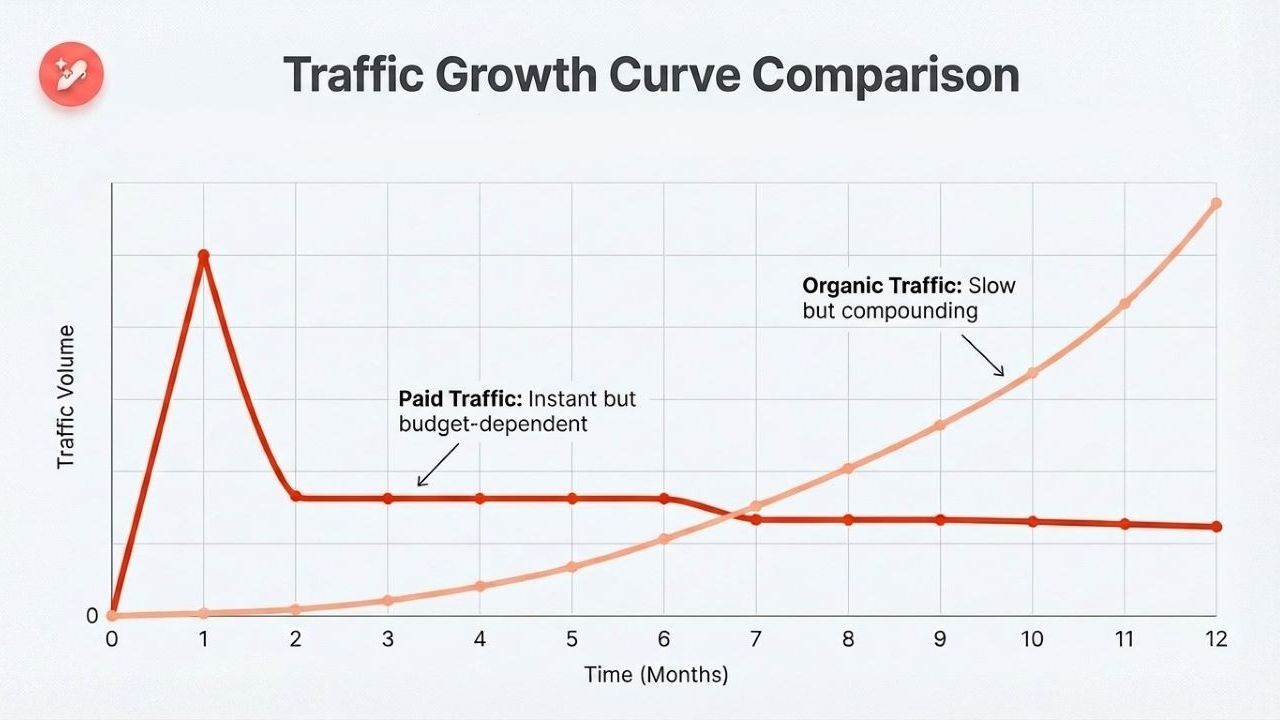
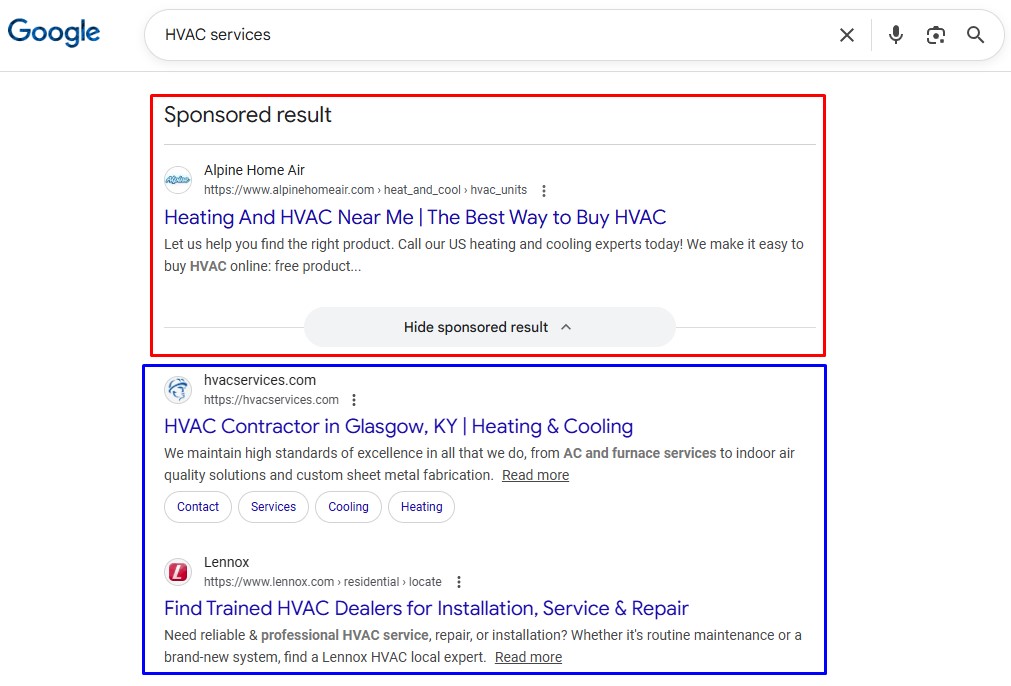
    Organic traffic comes from unpaid search results, while paid traffic comes from ads. Paid channels deliver instant visibility, but diminish once spending stops. Organic traffic grows more slowly but compounds over time, often producing higher long-term ROI.

    If you want traffic, you have two choices:

    You can earn it through SEO, content, and organic discovery.
    Or you can buy it through ads, sponsored placements, and paid campaigns.

    Both work. Both drive results. But they behave very differently.

    In 2026, rising ad costs, AI search experiences, and changing user trust signals have reshaped how each channel performs. What worked five years ago doesn’t guarantee results today.

    So, which one actually wins now, organic traffic or paid traffic? This guide breaks down the strengths, weaknesses, and best-fit use cases for each framework, helping you decide which one suits your needs.

    Let’s start by defining both traffic types.

    What is paid traffic?

    Paid traffic is when you place ads to gain visibility for your brand. Here, visitors arrive after clicking an advertisement or sponsored placement you pay for. That might be a Google Ads search campaign, a promoted post on LinkedIn, or a YouTube pre-roll ad.

    Paid vs organic search results

    This is what marketers typically mean by paid traffic in digital marketing.

    Classic paid traffic examples include:

    • Search engine marketing on Google Ads and Microsoft Ads
    • Paid social on platforms like Facebook, Instagram, LinkedIn, and X
    • Display ads and native ads on publisher sites
    • Video ads on YouTube and streaming platforms
    • CPA / CPL networks that charge per lead or per sale

    Benefits of paid traffic

    Paid traffic wins on speed. You can launch a Google Ads or Meta campaign and see clicks the same day. Within weeks, you have data to refine your paid media strategy, A/B test landing pages, and adjust bids accordingly.

    For product launches, short-term promotions, and rapid market tests, this speed is hard to beat.

    Although cost is a major concern for small businesses and agencies, paid ads can fit within all types of marketing budgets.

    What is organic traffic?

    Organic traffic comes from unpaid search results. When someone types a query into Google and clicks a regular result instead of an ad, that visit counts as organic. This is the heart of SEO in practice. You earn that click with relevant content and a site that search engines trust.

    The main drivers are:

    • Consistent, high-quality content publishing (blogs, articles, etc.)
    • On-page SEO optimization (titles, headings, internal links, schema)
    • Off-page SEO to get votes of trust from high-authority pages.
    • Brand-building and social media activity that spark more branded searches

    Benefits of organic traffic

    The biggest advantage of organic traffic is the conversion rate. Organic search vs paid search statistics show that:

    • Organic visitors convert at around 2.4% on average.
    • Paid visitors convert at most 1.3%.

    These numbers reflect that paid campaigns (pay-per-click) attract a broad audience, but most of them are not ready to buy. But since organic traffic is built over time through trustworthy content and considerate brand-building, the users who reach your platform are ready to decide.

    Another benefit of organic traffic is sustainability. You need a budget to consistently run paid ads and PPC campaigns, which may not be suitable for many startups, freelancers, or small agencies.

    On the other hand, organic traffic magnets, such as evergreen blog posts, articles, and how-to guides, attract visitors month after month without requiring any monetary investment.

    Organic traffic vs paid traffic: Comparison explained

    Below is a detailed comparison breakdown between organic traffic and paid traffic:

    FactorOrganic TrafficPaid Traffic
    DefinitionVisits from unpaid search engine resultsVisits generated through paid ads
    Speed of resultsSlow build (3–9+ months)Immediate (same day to weeks)
    Cost modelNo cost per click (content + SEO investment)Pay per clicks/impressions/ conversion
    Long-term ROIVery high due to compounding trafficModerate. Stops when spending stops
    SustainabilityLong-lasting, evergreen trafficShort-term, budget-dependent
    Trust & credibilityHigher user trustLower trust vs organic listings
    Targeting precisionIntent-based (keywords/search queries)Advanced demographic + behavioral targeting
    ScalabilitySlower but exponential over timeFast but linear to the budget
    Click-through ratesHigher on informational queriesHigher on commercial queries
    Conversion qualityOften, higher-intent visitorsMixed, depends on audience targeting
    Testing capabilitySlow testing cyclesRapid A/B testing is possible
    Best use casesBrand building, thought leadership, and evergreen leadsLaunches, promotions, rapid lead generation

    Organic listings benefit from perceived third-party validation, while ads rely solely on brand messaging.

    Cost differences

    Cost is where the gap between organic and paid traffic becomes most visible.

    Paid traffic operates on a direct spend model. You pay for every click, impression, or conversion. In competitive industries, cost per click can rise significantly, making customer acquisition expensive at scale.

    Organic traffic works differently. Instead of paying per visitor, you invest upfront in content, SEO tools, and production. Once pages rank, they can generate traffic for months or even years without additional spend.

    A simplified comparison looks like this:

    • Paid traffic → predictable but recurring cost
    • Organic traffic → upfront investment, long-term payoff

    Over time, organic acquisition costs typically decrease for organic channels, while paid acquisition costs often rise as you scale campaigns.

    Growth timeline

    The difference between organic and paid traffic becomes clearer when viewed over time.

    In the early months, paid campaigns dominate because they drive immediate clicks. Organic traffic starts slowly as content gets indexed and rankings build.

    Organic vs. paid traffic growth comparison - Contentpen.ai

    By the 6–12-month mark, strong SEO campaigns begin compounding. Traffic from multiple articles and pages stacks together, often reducing reliance on paid spend.

    To see how the two channels play out in real search environments, consider the following example.

    Organic traffic vs paid traffic: A real-life example

    Puma, an athletic apparel and footwear brand, might not use PPC for the search query ‘PUMA.’ Why? Because they’ve already established themselves in the market and will probably top the SERPs on their brand name. So, they’ll stick to organic search.

    But Puma will definitely consider paid traffic routes for a general, broad search term, such as ‘men’s footwear’ or ‘women’s running shoes.’ Why? Because plenty of other companies will now be competing for visibility and traffic for this specific term.

    Paid and organic routes often work together in a brand strategy. While organic routes dominate branded searches, paid campaigns protect against competitor bidding and capture broader commercial keywords.

    Risks and limitations of each channel

    While both channels drive growth, each carries its own set of risks.

    Organic traffic depends heavily on search engine algorithms and ranking shifts. Here, content decay can occur due to technical SEO issues and underlying problems with the website.

    Paid traffic risks are driven by budget and platform. Rising CPCs, ad fatigue, or platform policy changes can quickly reduce performance.

    In short:

    • Organic risk → algorithm volatility
    • Paid risk → cost volatility

    A balanced strategy reduces dependence on either one.

    The reality of traffic composition for successful businesses

    So, how does the organic traffic vs paid traffic split look for companies that invest in both? Data from many sites show a pattern once SEO and paid campaigns mature over 1-3 years.

    A healthy mix often looks like this:

    • Organic search: About 62% of overall visits
    • Paid search and other ads: Around 21%
    • Email and social media: About 13%
    • Direct, referrals, and other: 4%

    In other words, even with strong paid investment, organic search remains a top method for brands to build trust, increase visibility, and convert visitors into buyers.

    For younger sites, the picture is different, especially since organic search traffic is down year over year in some sectors. This makes the early stages of building organic presence more challenging than in previous years. 

    A very high share of paid traffic, about 40–50%, can be a warning sign. It shows that growth depends heavily on ad budgets and auction rules. If costs rise or a platform changes its policies, performance can drop quickly.

    That is why many teams treat organic campaigns as the base layer of marketing and use paid channels as a sharp tool only to achieve specific goals.

    Choosing the right strategy for your business

    At this point, it should be clear that there is no single winner in the organic traffic vs. paid traffic debate. The better question is which mix fits your goals, budget, and current stage of growth.

    Start with money. Paid traffic demands a steady monthly spend. Organic traffic requires investment in content creation and SEO audit skills. That can feel heavy early on, but once content ranks, it brings in visits at no extra cost per click. 

    If your budget is stretched thin but you can put in consistent time and effort, building organic assets for organic clicks may be more realistic than committing to a big ad spend.

    The timeline comes next. If you need leads this month for a webinar, launch, or sales target, then paid PPC campaigns are the right move. 

    If your main aim is long-term brand building, thought leadership, and lower customer acquisition cost (CAC) over the next few years, then organic traffic wins.

    Industry and competition also matter:

    • In crowded niches, bidding on core keywords can be very expensive. Paid ads help you appear on page one while your SEO strategy takes care of long-term benefits.
    • In less competitive niches, a focused organic push can reach top positions faster and at a lower total cost, especially when you use AI tools to publish valuable content at scale.

    Think about audience behavior as well. Some B2B buyers rely heavily on in-depth articles, case studies, and guides. They often trust organic content more than ads during their research process. 

    Other groups, especially in consumer markets, respond well to highly targeted social ads and remarketing. Your search traffic strategies should reflect how your ideal buyers prefer to discover and compare options.

    Integrating organic and paid strategies for maximum impact

    The smartest move in 2026 is usually not picking organic traffic vs paid traffic, but building a plan where they work together. An integrated approach lets you enjoy the speed of paid channels and the sustainability of organic traffic at the same time.

    Funnel role of organic vs paid traffic

    Each channel plays a different role across the marketing funnel.

    Funnel stageOrganic traffic rolePaid traffic role
    AwarenessBlogs, guides, SEO pagesDisplay and social ads
    ConsiderationComparison pages, case studiesSearch ads, retargeting
    ConversionProduct pages, branded searchPPC, remarketing

    In short, organic builds demand, and paid channels capture and accelerate it.

    Organic and paid channel integration example

    You might promote an ebook, checklist, or host a webinar using search ads and paid social, bringing in a steady stream of leads. Meanwhile, you can create deeper organic content around the same topics to ensure that you maintain the top SERP spots in the future.

    Over a few months, those articles, guides, and landing pages begin to rank, and you can shift some budget from always-on ads into other parts of your paid media strategy.

    Seeing your brand in both paid and organic spots on the same page also builds extra trust and boosts total share of voice. That kind of soft dominance is hard to match with ads or organic channels alone.

    How Contentpen changes organic content strategy

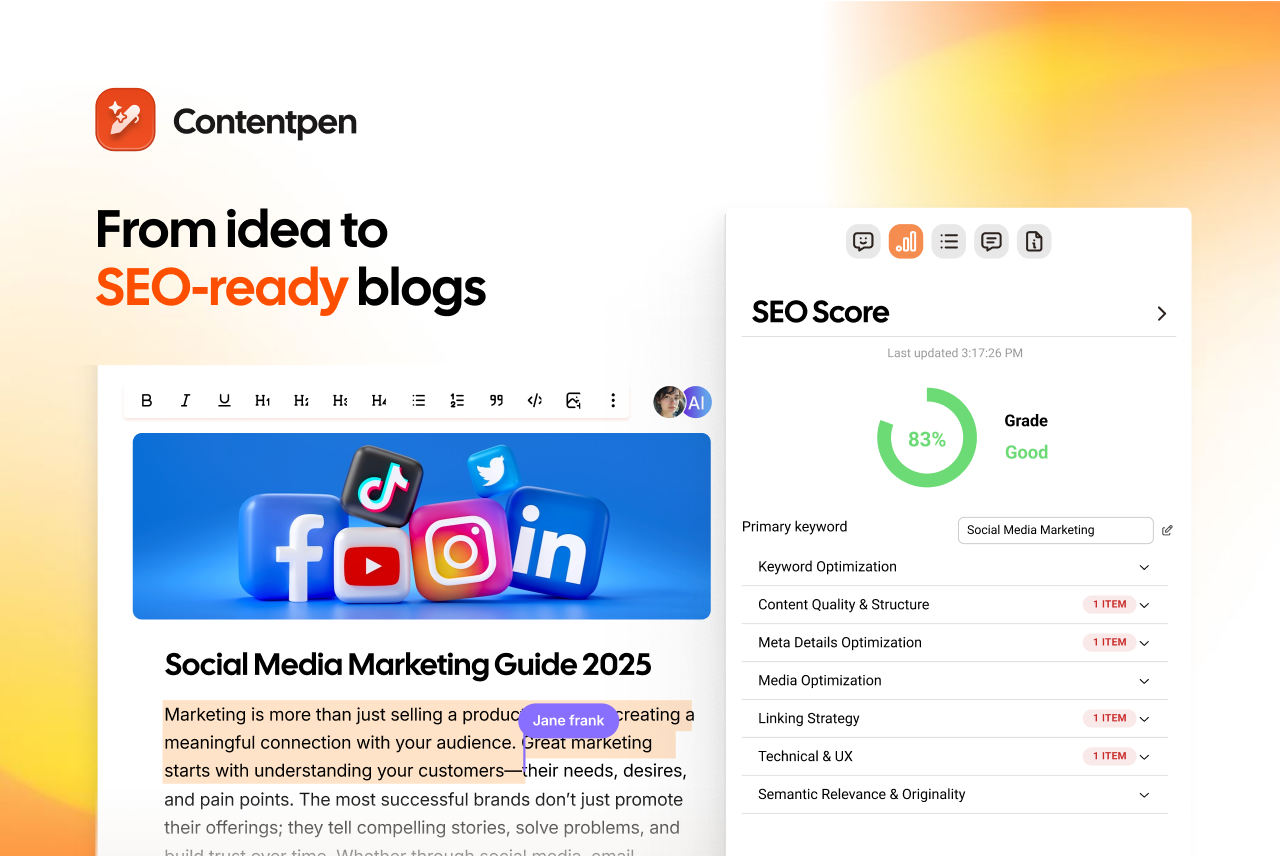
    SEO-ready blogs - Contentpen.ai

    While paid traffic scales with budget, organic traffic scales with content capacity.

    Organic growth has huge upside, but it often stalls because content production is slow, expensive, and hard to manage. This is where Contentpen steps in for teams trying to win the organic traffic vs paid traffic race over the long term.

    Contentpen is an AI-powered blog creation platform built for SEO and GEO-optimized content. It helps you move from a blank page to a full, rank-ready article faster than traditional workflows.

    Instead of spending hours on each draft, your team can generate comprehensive posts, refine them, and ship them on a steady schedule without getting overloaded.

    Our SEO platform makes an organic content campaign realistic with its integrated publishing and bulk creation.

    The platform does more than write. Built-in competitor analysis and content gap research show which topics and keywords can actually move the needle. You are not guessing which articles to publish; you focus on what helps you outrank competitors and capture the right search demand.

    Each piece of content also receives an SEO score, along with clear suggestions to improve rankings. That means titles, headings, internal links, and structure match what search engines expect before you hit publish.

    Summing it up

    The organic traffic vs paid traffic comparison has no clear winner. Each channel does a different job. Paid traffic brings speed and precise targeting for short-term campaigns. Meanwhile, organic traffic provides sustainable growth, greater trust, and higher conversion rates.

    The winning pattern in 2026 is clear. The leaders who mix both channels win. They pursue paid, time-sensitive goals and bottom-of-funnel conversions while building an organic base that lowers acquisition costs month after month.

    AI platforms like Contentpen help change the scenario, especially for many small teams. The tool removes many of the old barriers to organic growth by reducing production time, guiding SEO decisions, and maintaining high content quality.

    Frequently asked questions

    What is the main difference between organic reach and paid reach?

    Organic reach comes from unpaid search results, where people click your page because it ranks well for their search. Paid reach comes from ads you fund on search engines or social platforms.

    Is organic traffic really free?

    Organic traffic is not truly free. You do not pay per click, but you invest in people, tools, and time. You may need SEO specialists, writers, developers, and editors to build a steady flow of content.

    What is the difference between organic and direct traffic?

    Organic traffic comes from people who find your website through search engines after clicking a non-paid result. Direct traffic comes from users who visit your site by typing your URL, using a bookmark, or accessing it without a tracked source.

  • How to calculate CTR: Formula and examples

    How to calculate CTR: Formula and examples

    If your ad gets 10,000 impressions but 230 clicks, is that a win or a silent budget leak?

    CTR is one of the most misunderstood but powerful performance metrics in digital marketing. It shows how many people clicked after seeing a page, ad, or email to see what you actually had to offer.

    When someone understands how to calculate CTR and its implications, they can quickly determine whether a campaign is performing well or wasting budget.

    This guide breaks CTR down step by step. You will see the CTR formula, simple, realistic examples, and a free CTR “calculator” you can use now.

    So, let’s get started.

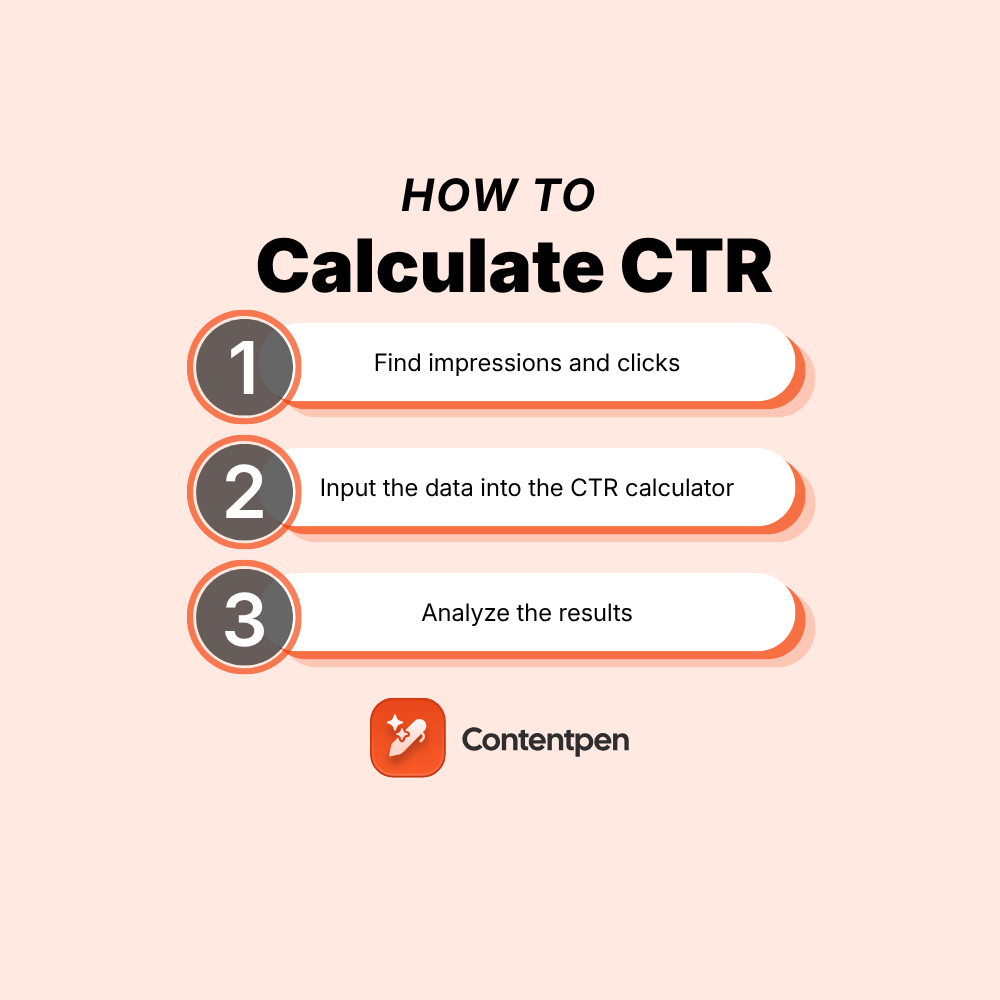
    Calculating and analyzing CTR in 3 simple steps

    Organic CTR formula - Contentpen.ai

    The first step in calculating CTR for any channel is to gather your data.

    #1: Find impressions and clicks

    The CTR formula dictates:

    CTR = Total Clicks ÷ Total Impressions x 100

    In this equation, clicks refer to the action a user takes. If someone taps or clicks a link, ad, or button that sends them to a landing page, website, app store, or video, it counts as a click.

    Impressions record how many times an ad or piece of content is shown to a user’s feed. In paid search, an impression happens when the ad appears on a search results page. For display ads, this is when the banner ad loads on a site.

    In short, you need the total number of clicks and impressions your website, advert, email, or any other marketing channel received to calculate CTR.

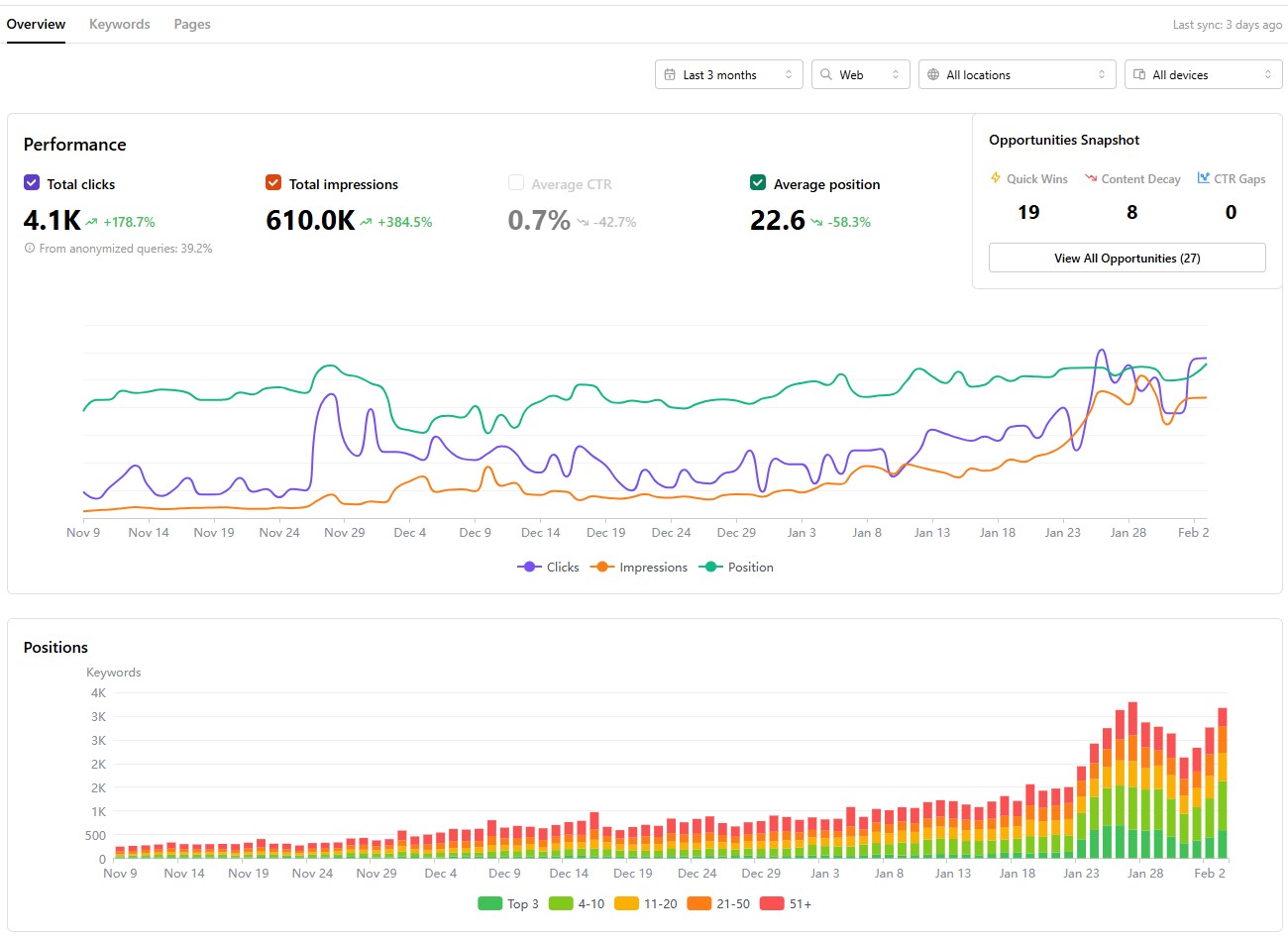
    You can use many online tools to get this data. For example, for online platforms or pages, Google Search Console is a good way to get click and impression data.

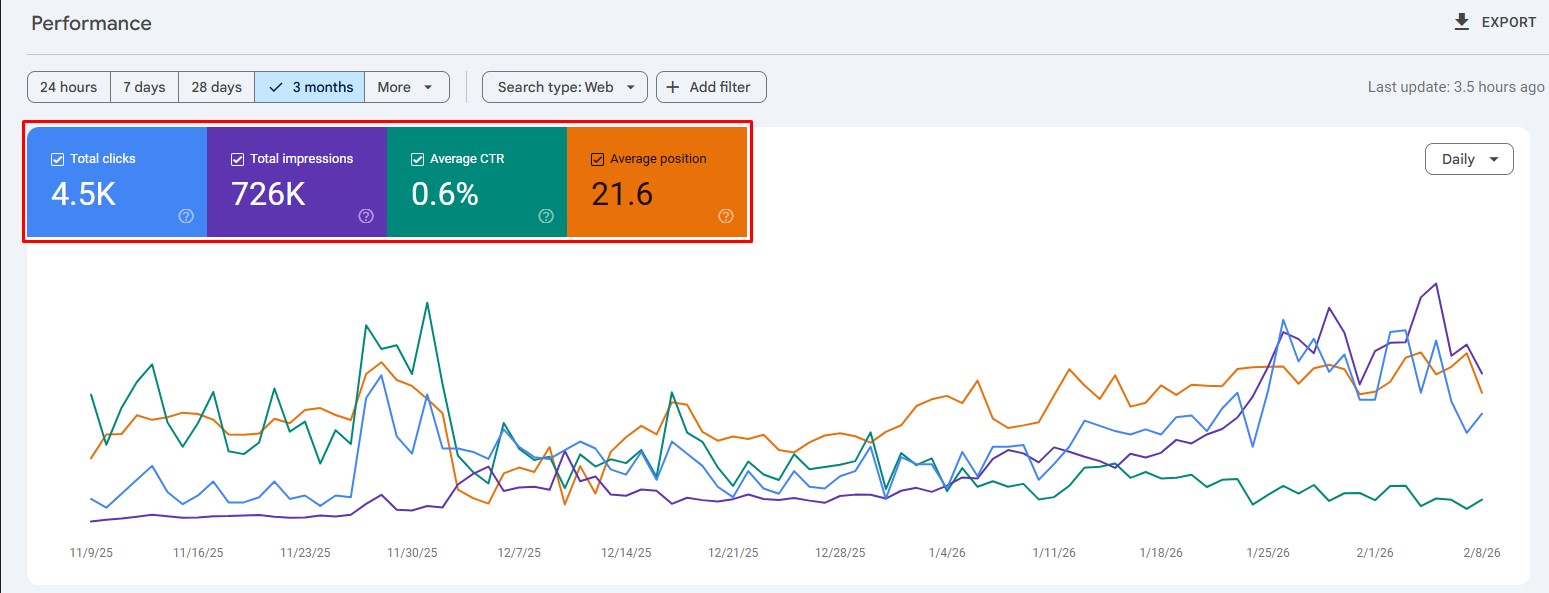
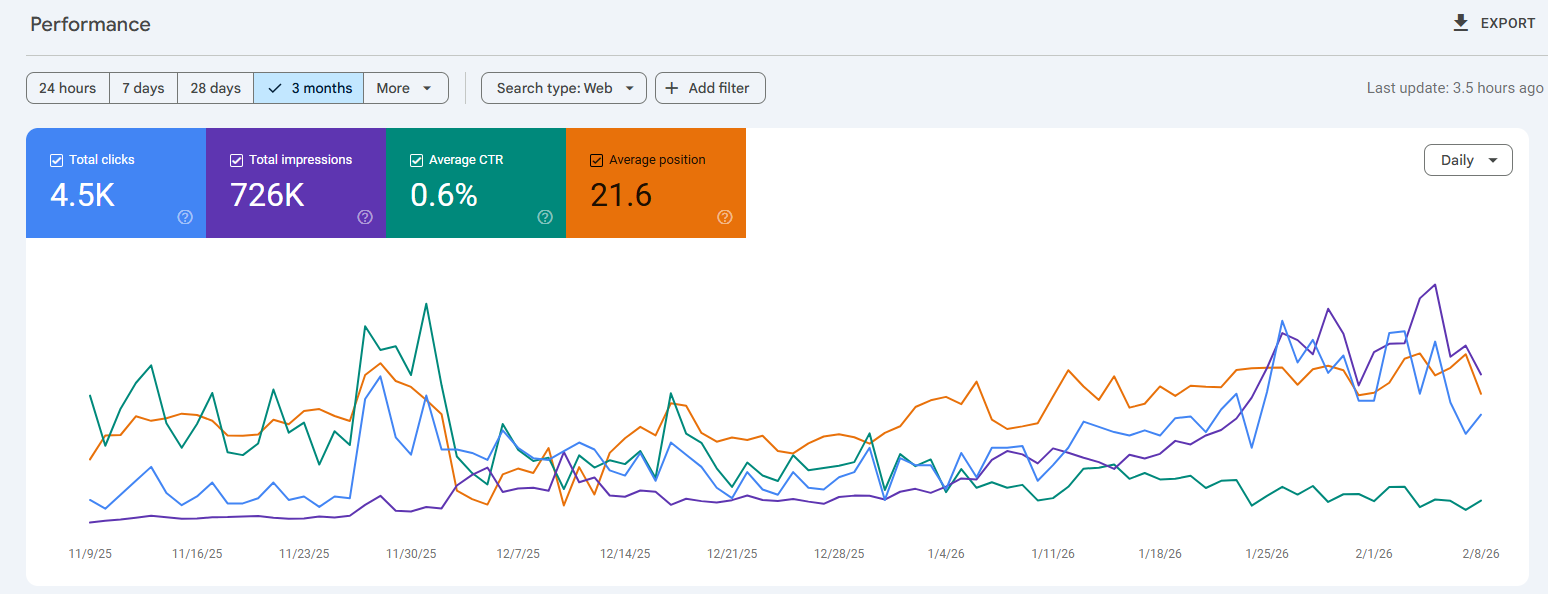
    Google Search Console with CTR data example

    The GSC tool also shows the ‘Average CTR’ for the specific target, helping you track organic CTR across pages or platforms.

    That said, it is still a good idea to learn the CTR calculation manually to understand how marketing verticals are performing overall.

    #2: Input the data into the CTR calculator

    Once you have the number of clicks and impressions, it is time to utilize the CTR (%) formula we mentioned earlier.

    Carrying on with our previous example in Search Console, if we have 4500 total clicks and 726,000 total impressions, the CTR would look like:

    CTR = [4500 ÷ 726,000] x 100 = 0.6198% CTR

    As you can see, the CTR we calculated in the example is nearly the same as the ‘Average CTR’ number provided by Google Search Console. This shows that our process was, indeed, a success.

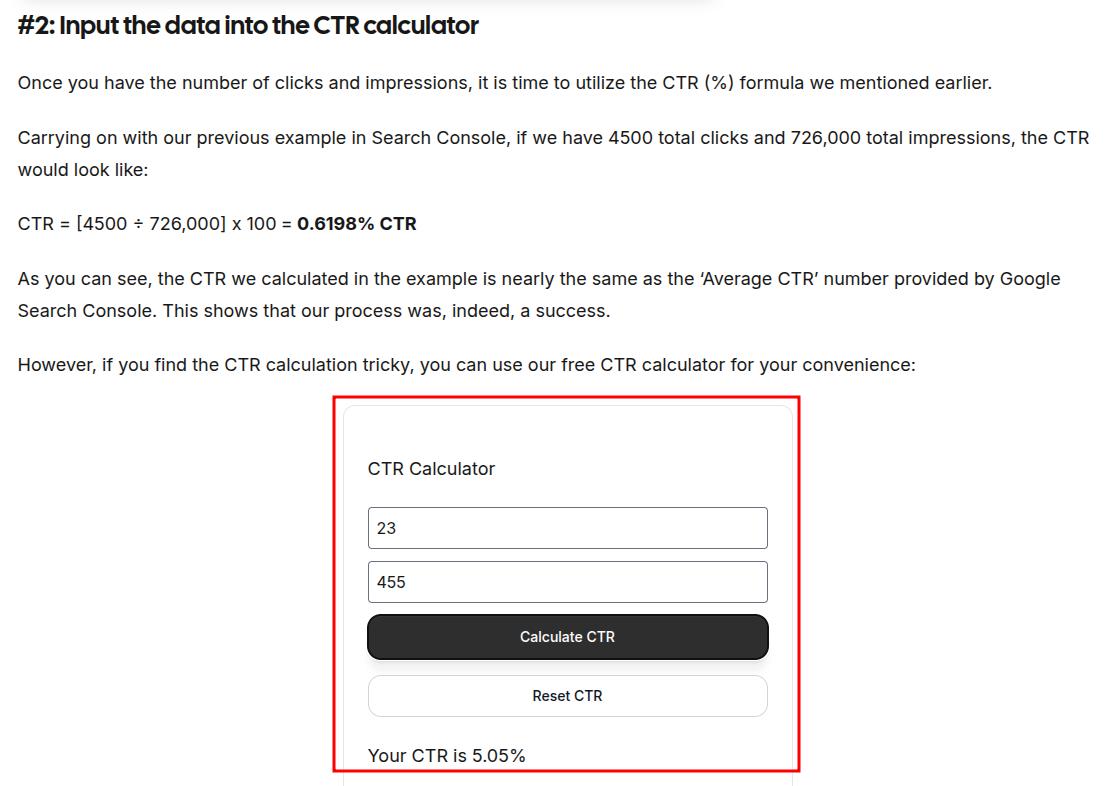
    However, if you find the CTR calculation tricky, you can use our free CTR calculator for your convenience:

    Try out a few examples to help you get started.

    Search ad example:
    If a search ad gets 1,000 impressions and 50 clicks, then its CTR calculation will be:

    50 ÷ 1,000 = 0.05

    0.05 × 100 = 5% CTR

    That means 5 out of every 100 impressions turned into a click.

    Email example:
    If an email campaign sends 2,500 messages, and 100 people click a link inside, then its CTR calculation will be like:

    100 ÷ 2,500 = 0.04

    0.04 × 100 = 4% CTR

    #3: Analyzing the results

    Now that we have our CTR number, it is time to analyze it in depth.

    As discussed in our CTR blog, the click-through rate can vary by industry, channel, and targeted keywords. Still, for many search campaigns, a CTR below 2% may indicate room for improvement.

    Understanding why your CTR falls short

    When your CTR analysis reveals underperformance (like our 0.6% example), the root causes typically fall into three categories:

    1. Content relevance issues: Your titles and meta descriptions may not align with search intent.
    2. Competitive landscape factors: Stronger competitors may be outranking you with more compelling messaging.
    3. SERP environment changes: Modern search results pages contain features that intercept clicks before users reach organic listings.

    The first two factors are within your direct control through search engine optimization. The third factor requires a different strategic approach because you’re competing not just against other websites but against Google’s own features, namely AI Overviews.

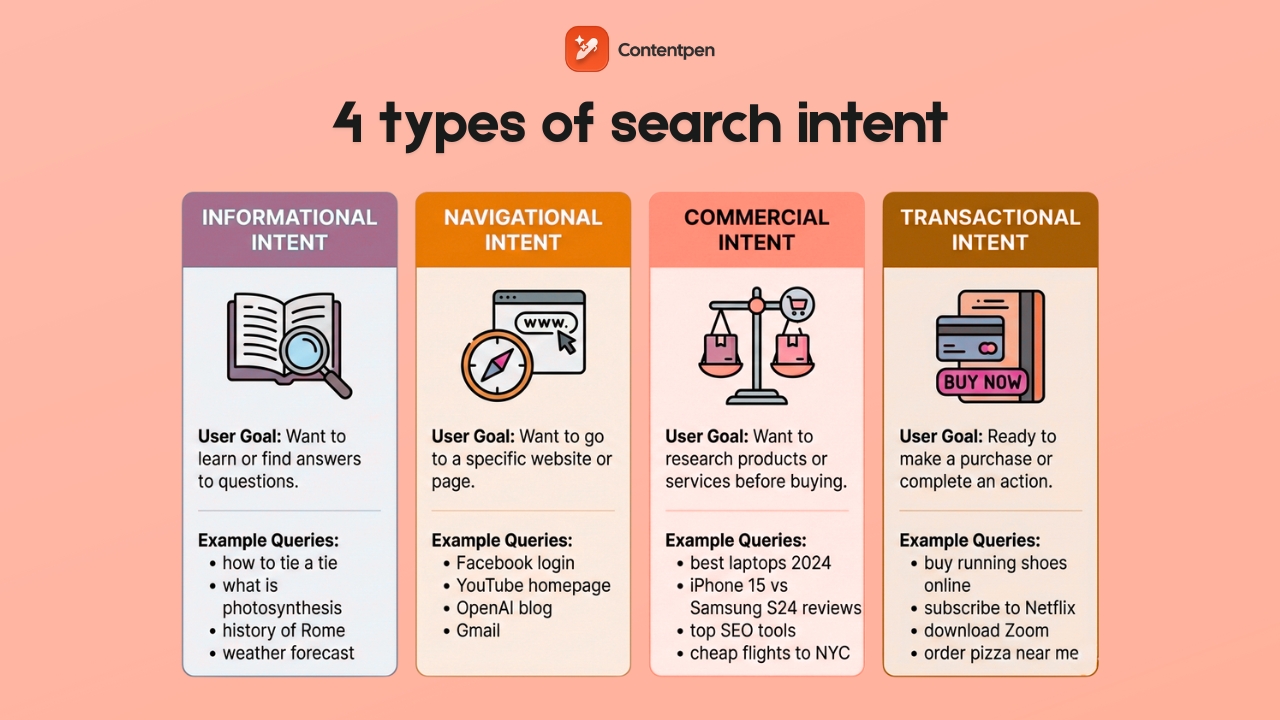
    These AI overviews provide ‘zero-click answers’, especially for informational search queries, like ‘How tall is the Eiffel Tower?’ Therefore, users don’t proceed to read lengthy blog posts or articles to get a straightforward answer to a standard question.

    Types of search intent - Contentpen.ai

    That said, commercial and navigational intents still see high CTR since people want to buy diligently and explore extensively.

    In 2026, SERP features and AI overviews impact CTR a lot. Let’s explore concrete tactics to maintain strong click-through rates in this changing environment.

    How SERP impacts CTR

    Modern search results pages (SERPs) display far more than ten blue links. Featured snippets, People Also Ask boxes, local packs, and AI-generated overviews now dominate many SERPs, and each can reduce clicks to traditional organic listings.

    Below are some common SERP elements that appear frequently and can impact CTR for your pages:

    • Featured snippets: Answer boxes positioned above the #1 organic result.
    • People Also Ask (PAA): Expandable question boxes with quick answers.
    • Local packs: Map listings showing business information for location-based searches.
    • Knowledge panels: Information boxes about entities, businesses, or topics.
    • Image carousels: Visual result grids for image-focused queries.
    • Video thumbnails: Embedded previews from YouTube and other video platforms.
    • AI Overviews: Google’s AI-generated answers that synthesize multiple sources.

    So if all these factors reduce CTR, is there a way to improve or maintain it?

    The answer is YES! There are multiple ways to improve and maintain CTR, even with so many SERP and AI features around.

    How to maintain and improve CTR when competing with SERP and AI features

    You cannot remove SERP features, but you can position your content to capture clicks alongside them. To do that, you need to implement the following strategies:

    #1: Optimize content to win the featured snippet yourself

    Structure content with clear question-and-answer formats. Use concise 40-60-word answers immediately following question-style headings.

    Tools like Contentpen can help you write SEO and GEO-optimized blogs and articles that help you win more snippets and clicks to your platforms so that you can rank on Google. 

    Using built-in SEO scoring, GEO scoring, and SERP analysis, the tool writes click-worthy meta titles, descriptions, headings, and body content, helping you improve conversions and organic traffic.

    When you own the featured snippet, your visibility increases significantly, giving you a chance to market your offerings to the right audience and generate a decent return on investment.

    #2: Target long-tail and specific keywords

    Broad terms like “digital marketing” trigger extensive SERP features, so it is naturally difficult to rank for such keywords.

    More specific phrases, such as “calculate email CTR in Mailchimp,” face fewer competing elements and maintain higher organic clicks.

    Also, focus on queries that require interaction beyond reading:

    • ✅ “CTR calculator tool.”
    • ✅ “Free CTR tracking template download.”
    • ✅ “Google Ads CTR setup tutorial.”
    • ❌ “What is CTR?” (easily answered by AI.)
    • ❌ “CTR definition” (no click required.)

    When you start thinking with this strategy, winning the right clicks becomes much easier.

    #3: Focus on branded search optimization

    When users search for your company name specifically, Google shows fewer competing features because the intent is clearly navigational. For example, the term “Contentpen” has a better chance of appearing on SERPs than plain ‘AI blog writer.’

    This tactic helps you achieve a higher CTR, or at least maintain it for your brand in the long term.

    #4: Write irresistible title tags and meta descriptions, but don’t overcommit

    Compelling titles and meta descriptions make your listings, landing pages, and blog posts the most clickable. 

    To improve CTR, try using the title tags and descriptions in the following manner:

    • Specific numbers: “7 Proven Tactics” instead of “Several Methods”
    • Clear benefits: “Cut calculation time by 80%” vs. “Faster calculations.”
    • Action words: “Master,” “Discover,” “Calculate” vs. passive language.

    You can always use our AI blog writing tool to help you out with drafting winning meta titles and descriptions that suit the content and drive more clicks.

    Write content that’s built to rank, not just read

    Create search-optimized blogs aligned with SEO and GEO signals, so your content performs well across search and AI-driven discovery.

    Try SEO Blogging FREE →
    AI SEO Interface

    #5: Create tools and resources that AI cannot replicate

    Build interactive calculators (like our CTR calculator), downloadable templates, or platform-specific walkthrough guides.

    Since AI can describe these resources but cannot provide them directly, creating such resources puts you in a very good position to earn more clicks.

    You should also consider adding original research, case studies from your clients, or unique methodologies for a particular topic. Such content provides more insight than simple AI summaries, so users will often visit your page to learn more about a query.

    #6: Optimize for AI citation

    Structure content so AI systems can easily extract and cite your information:

    • Use short paragraphs (2-3 sentences maximum).
    • Lead with definitive statements before explanations.
    • Include specific data points and statistics.
    • Format calculations clearly with step-by-step breakdowns.

    When AI features cite your content, they often include attribution links back to your page, driving qualified clicks from users who want deeper information.

    Final thoughts

    CTR is one of the clearest signals of how well a message lands with its audience. Once you know how to calculate CTR with the simple formula, you can judge performance in seconds across ads, email, and search.

    The math is only the start, though. Real gains come from understanding your audience, refining headlines and calls to action, improving design, and running steady tests instead of one-off guesses. 

    When you keep measuring click-through rate, comparing it to benchmarks, and tracking trends over time, patterns start to emerge that you can act upon. Over time, you will receive better returns.

    Frequently asked questions

    How to calculate CTR in Excel?

    To calculate CTR in Excel, place ‘clicks’ in cell A1 and impressions in cell ‘B1’, then enter =A1/B1*100 in cell C1 and set that cell to percentage format. Repeat the same process for each campaign or ad.

    How do I calculate CTR in Google Ads?

    Google Ads automatically shows CTR in your campaign and ad group tables, calculated as clicks divided by impressions, then multiplied by 100. To review it, add the CTR column if it is hidden and scan the numbers by keyword or ad.

    Is a 5% CTR considered good?

    A 5% CTR is very strong for most search ads and display campaigns. Email CTR varies widely by industry and list quality, but 2-5% is common for many campaigns. Always check against benchmarks and your own past results to get a better idea of what a good CTR is.

    What is the CPC formula, and how is it different than CTR?

    The CPC (Cost Per Click) formula is CPC = Total Cost ÷ Total Clicks. It means that if you spend $200 and get 100 clicks, your CPC is $2. The main difference between the two is that CTR shows the percentage of people who clicked after seeing your link, while CPC shows how much you pay for each click.

  • Best SEO analytics tool in 2026 for smarter search growth

    Best SEO analytics tool in 2026 for smarter search growth

    A good SEO analytics tool is like a health monitor for your site. It helps you see what is working, what is failing, and where the next easy win might be hiding.

    The right SEO analytics platform should not feel like a stats textbook. It should turn web SEO analysis into plain language, show website keyword rankings in context, and suggest clear next steps.

    Thanks to AI, many tools now turn messy SEO data analysis into simple to‑do lists anyone on the content team can follow.

    This guide walks through expert‑tested picks for SEO analytics tools for every type of user and budget. It covers free SEO analysis basics from Google, full all‑in‑one suites, and focused tools for content, technical audits, and rank tracking. 

    So, let’s get started.

    What is an SEO analytics tool?

    In simple terms, an SEO analytics tool is an application that helps users plan and strategize to improve their visibility in search engines and grow organic traffic.

    As you’ll see in today’s lineup of best SEO analytics tools in 2026, each option in the list specializes in a certain aspect of search engine optimization.

    Some of them help you with keyword research and content creation, while others help display important CTR, impressions, and other types of data for your platforms.

    During our comparisons across different categories of SEO tools, you’ll also encounter all-in-one suites that take care of all these aspects and more.

    What makes an SEO analytics tool truly user-friendly?

    User‑friendliness sounds simple, but anyone who has opened a cluttered SEO analytics dashboard knows it is not. A tool can have the best data in the market and still sit unused if it feels confusing or slow. 

    To judge any SEO analytics tool, it helps to think about how quickly a new user can get from login to a useful insight.

    Most user‑friendly tools tend to share a few traits:

    • Clear interface. A user-friendly SEO analytics tool must include filters, date ranges, and export buttons to help users make sense of the data. If users need a guide just to find basic reports from the website analysis tool, the platform is working against them.
    • Actionable output. Raw numbers have limited value on their own. A user‑friendly SEO analytics platform explains what numbers mean and what to do next. Clear guidance matters more than fancy graphs.
    • Learning support. Strong tools offer short onboarding flows, in‑app tips, and links to simple help articles or videos. Some even bake training into the product so that beginners can learn SEO analysis step by step.
    • Smooth integrations and pricing. Helpful tools fit into an existing workflow instead of fighting it. Direct connections to Google Search Console, GA4, WordPress, and reporting tools keep data in sync, and an affordable price is always a plus.

    Ideally, an SEO analytics tool should have all these things, or at least to some degree: a low entry barrier and essential metrics needed for growth.

    All SEO analytics tools compared

    Below is a detailed table of all the SEO analytics tools we will discuss today.

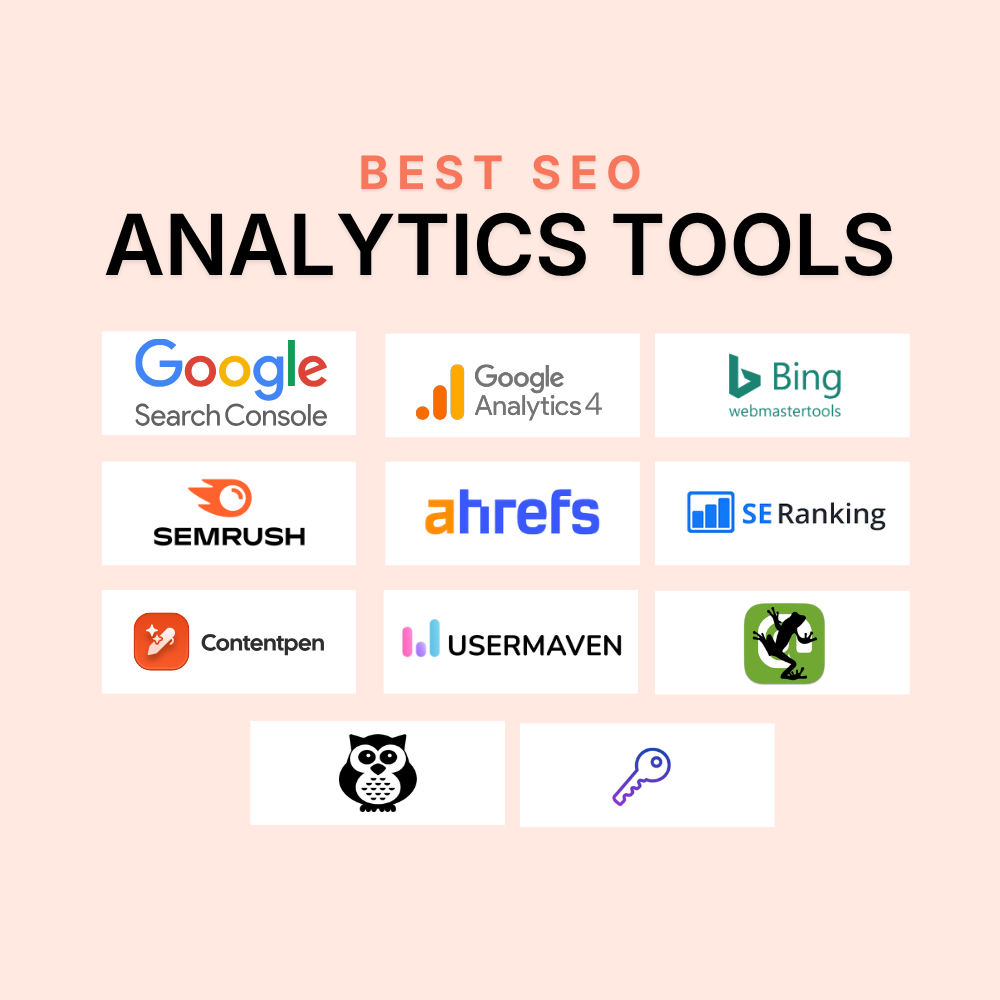
    #ToolBest ForCore Analytics FocusAI Analytical FeaturesTrial / Pricing
    1Google Search ConsoleFirst-party SEO performance trackingQueries, clicks, impressions, rankings, indexing, Core Web Vitals✅ (AI-powered configuration)Free
    2Google Analytics 4 (GA4)Post-click behavior and conversion trackingTraffic sources, user paths, conversions, and AI referral tracking❌Free
    3Bing Webmaster ToolsBing and AI assistant visibilityPerformance data, indexing, site scans, and technical issues❌Free
    4SemrushEnterprise SEO analyticsRankings, backlinks, site audits, and visibility tracking✅ (AI search tracking)7-day trial, from $199/mo
    5AhrefsBacklink analytics and competitor intelBacklinks, rankings, traffic estimates, and content gaps✅ (AI Content Helper)No free plan, from $129/mo
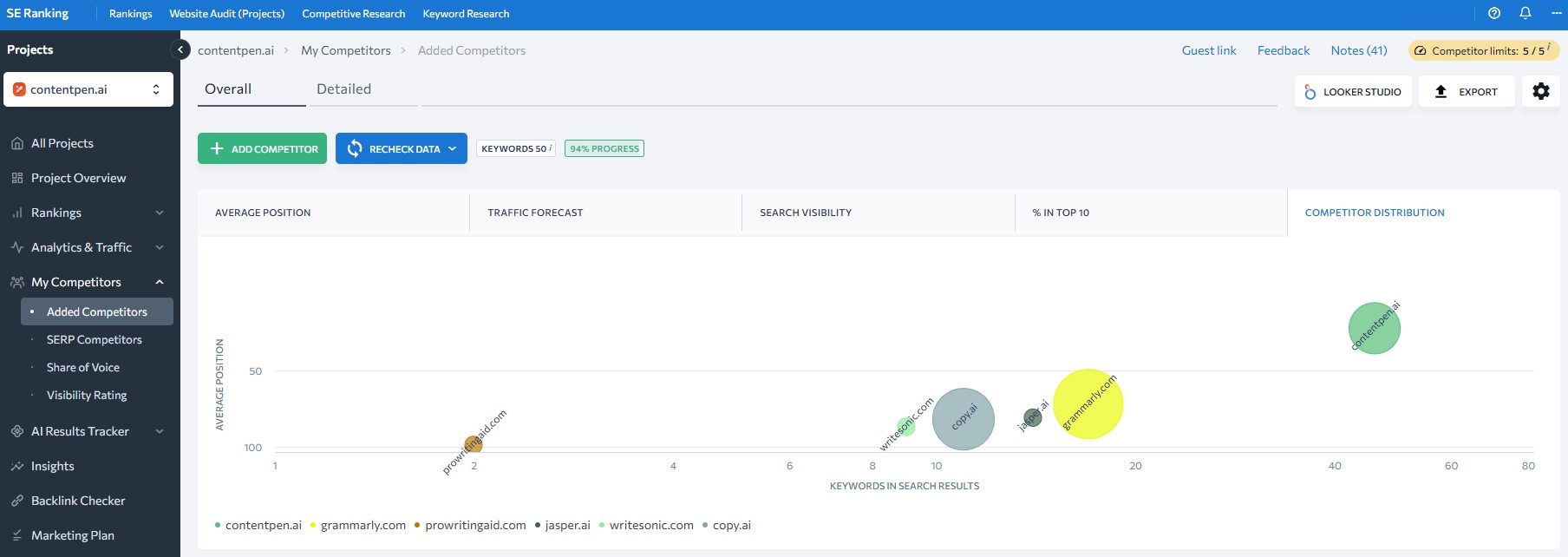
    6SE RankingScalable rank trackingRankings, audits, backlinks, and AI Overview tracking✅ (AI Overview tracker)14-day trial, from $129/mo
    7KeySearchBudget-friendly SEO analyticsKeyword research, basic rank tracking, competitor checks❌7-day trial, from $24/mo
    8ContentpenContent performance analyticsCTR, impressions, rankings, competitor content comparison✅ (Ask AI, SEO scoring, AI writing)7-day trial, from $27/mo
    9UsermavenPost-click SEO attribution and behavior analyticsFunnels, events, organic traffic behavior, conversions✅ (Maven AI)14-day trial, from $84/mo
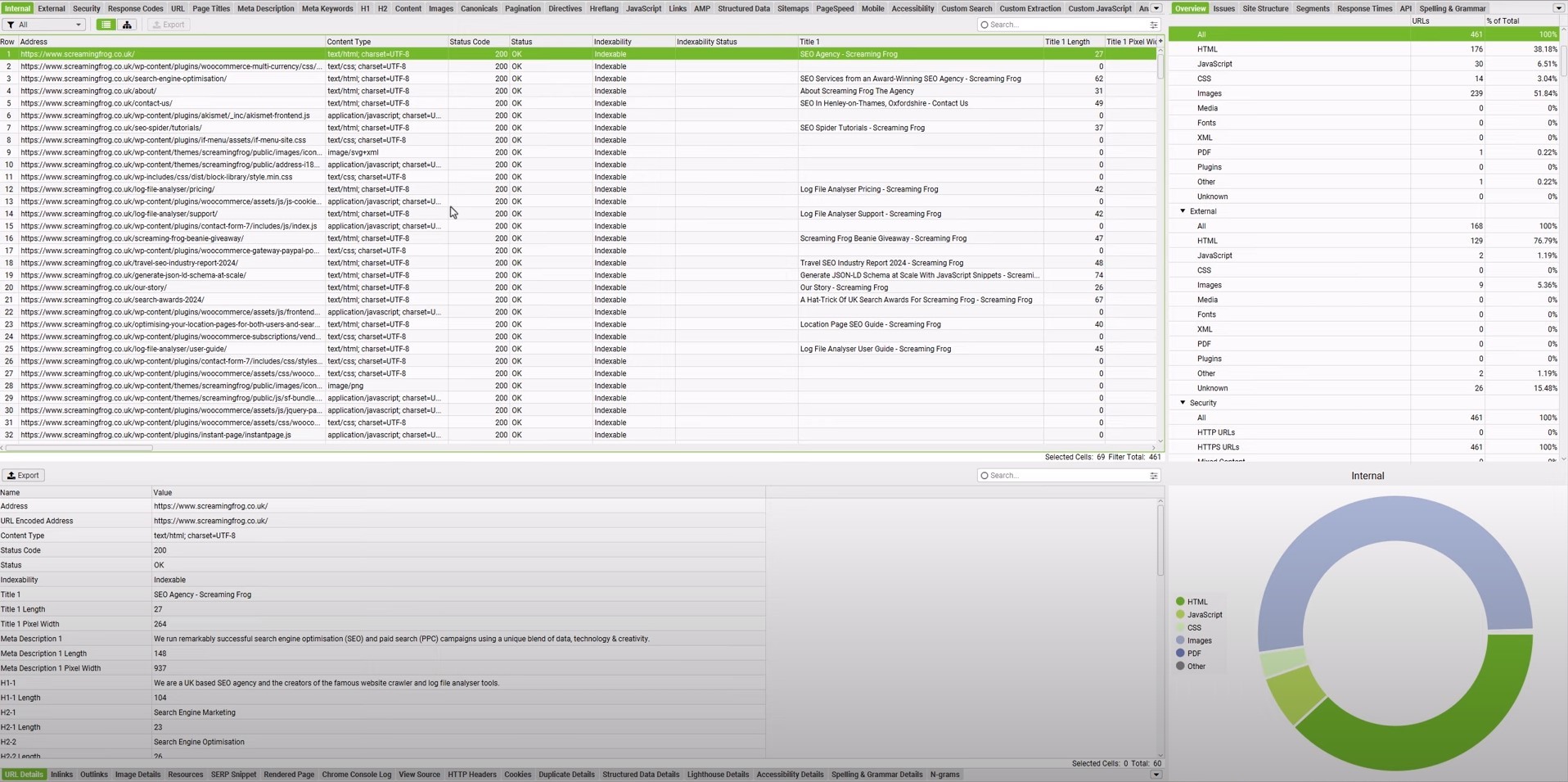
    10Screaming FrogTechnical SEO diagnosticsCrawl data, broken links, metadata, indexability❌Free (500 URLs), $279/yr
    11NightwatchPrecision rank tracking and local SEOKeyword rankings, SERP tracking, geo-level visibility✅ (Nightwatch AI Agent)14-day trial, from $39/mo

    Choosing the right SEO tool for your needs comes down to your preference and what your priorities are.

    • If your marketing fundamentals revolve around content-driven approaches, choose Contentpen. 
    • If the services you offer require local visibility, choose Nightwatch.
    • If you require enterprise-level backlink data and SEO analytics, then Semrush or Ahrefs is your best bet.

    Also, it is important to consider your team’s skills, budget, and existing tool stack to make the right call for an SEO analytics tool. Always consider the software’s free trials to try it in your daily workflow before fully committing.

    Essential free SEO analytics tools every marketer needs

    Before paying for any SEO platform, it makes sense to use the free keyword analysis tools provided by Google and Bing. 

    These tools can help you get started with SEO analytics and learn the search engine basics without any investment.

    #1: Google Search Console

    Google Search Console SEO analytics.

    Best for: First-party SEO performance tracking.

    Google Search Console shows which queries drive clicks, how often pages appear in results, and the average position for each term. 

    It also flags indexing errors, mobile issues, and Core Web Vitals issues that can harm rankings. The URL Inspection feature works like a fast SEO checker for a single page, so issues are easier to find.

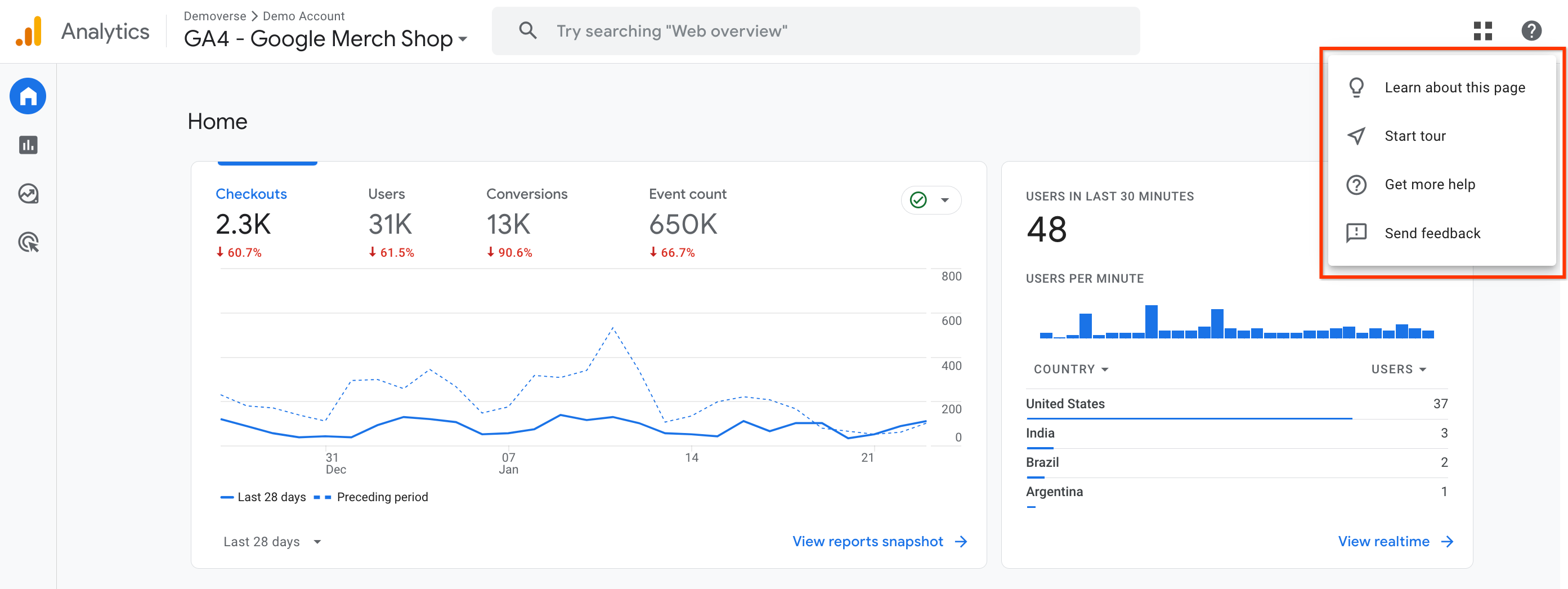
    #2: Google Analytics 4 (GA4)

    Google Analytics 4 snapshot.

    Best for: Post-click behavior and conversion tracking.

    Google Analytics 4 (GA4) adds the full picture of user behavior. While Search Console focuses on search, GA4 shows every traffic source, on‑site paths, and conversions.

    GA4 also helps track referral traffic from AI tools like ChatGPT or Perplexity, which is vital as AI‑generated answers grow.

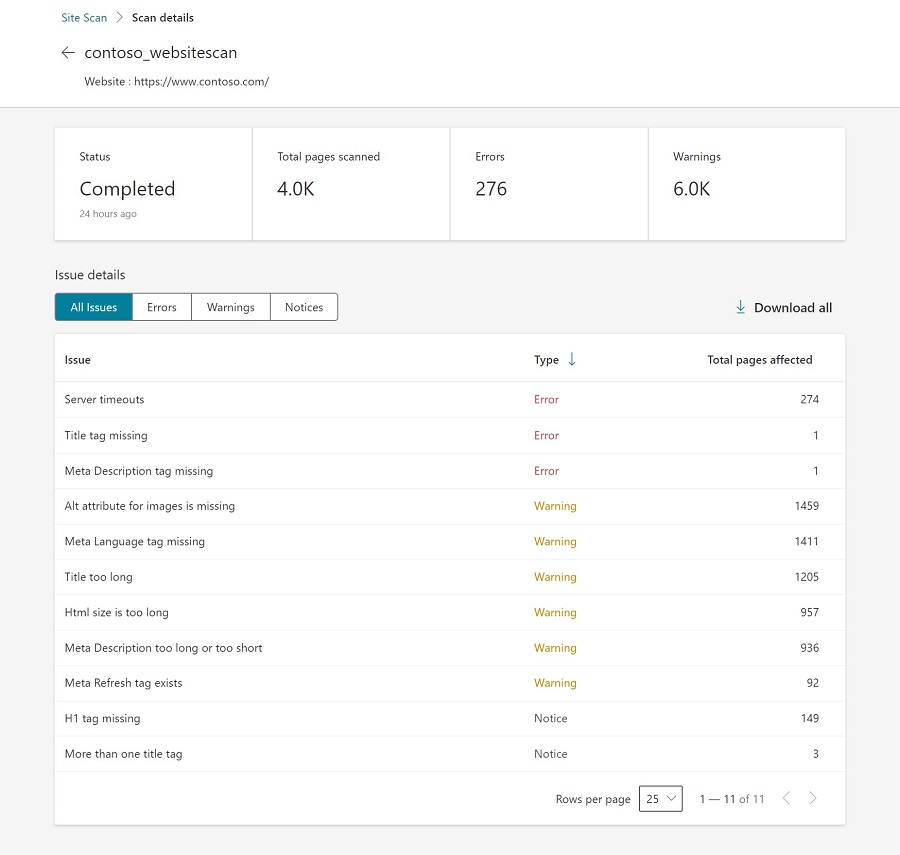
    #3: Bing Webmaster Tools

    Bing Webmaster Tools technical scan.

    Best for: Tracking technical issues and ensuring AI visibility.

    Bing Webmaster Tools is often overlooked, but it plays a bigger role, especially now that Bing powers many AI assistants. 

    It mirrors much of Google Search Console, with some extra perks such as an easy Site Scan for technical checks that feels like a light SEO audit tool. 

    Because ChatGPT pulls data from Bing, good performance here can also mean better visibility in AI mentions. The setup is quick, making it a good entry tool for SEO beginners.

    Setting up these 3 tools can help you lay the base of a comprehensive SEO analytics workflow, from initial data collection through analysis and reporting. 

    Best all-in-one SEO analytics platforms for comprehensive insights

    Free tools handle a lot, but there comes a point where deeper competitive analysis and smoother workflows are needed. That is when an all‑in‑one SEO analytics platform starts to pay off. 

    These SEO tools often replace several point tools at once, bringing keyword research, auditing, rank tracking, and reporting into a single dashboard.

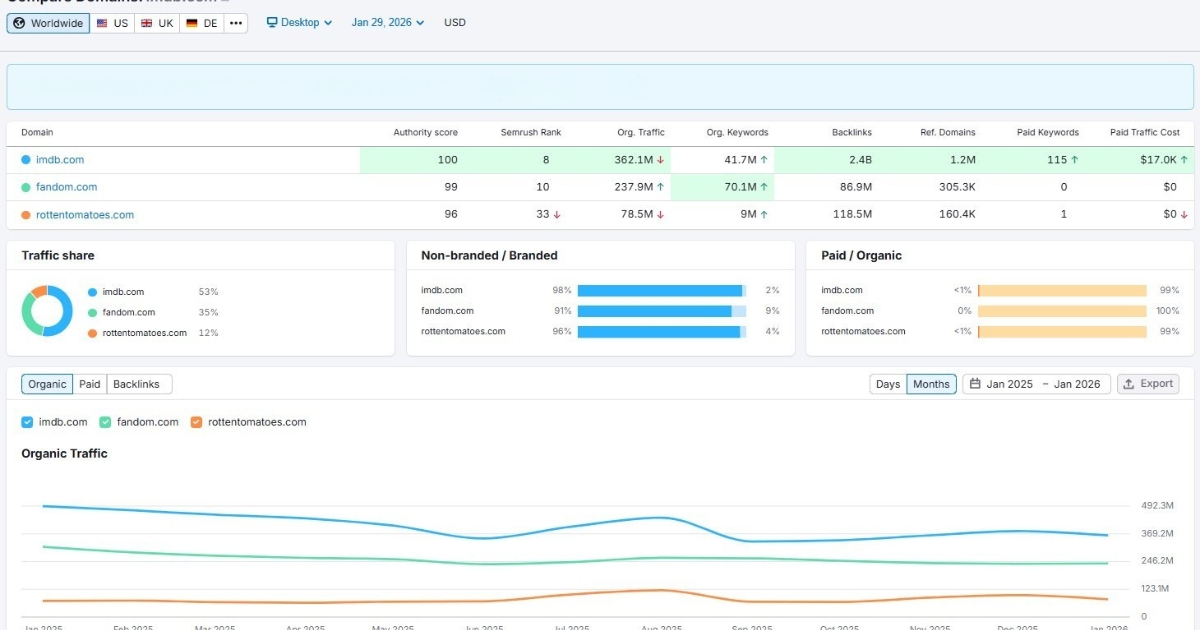
    #4: Semrush

    Semrush SEO analytics dashboard.

    Best for: Enterprise off-page and on-page SEO analytics and competitor analysis.

    Semrush sits at the high end of the all‑in‑one market and acts like a control center for nearly every SEO task. 

    It shines for agencies, larger in‑house teams, and SEO specialists who handle many sites and need detailed data. With a large keyword index and strong link data, it doubles as both an SEO analyzer and a competitor website analysis tool.

    Key strengths include:

    • Extensive keyword database with powerful topic research tools.
    • AI features such as Semrush Copilot and Personal Keyword Difficulty make search engine marketing analysis faster by pointing out realistic targets for a specific domain.
    • Visibility tracking for traditional rankings and AI search experiences, which helps teams follow both classic and new types of results.

    The tradeoff is the learning curve and the price. New users may need a couple of weeks to feel comfortable with the interface, while the tool may not be particularly lucrative for startups or freelancers on a budget.

    Pricing:

    7-days free trial with limitations. Paid plan starts at $199/month.

    #5: Ahrefs

    Ahrefs SEO analytics.

    Best for: Backlink analytics and competitor research.

    Ahrefs is widely known for having one of the strongest backlink indexes on the market. For link‑focused campaigns and deep competitor work, it is often the first paid SEO analytics tool professionals consider. 

    The Site Explorer module offers a comprehensive view of competitors’ pages, keywords, and links in a clean, simple layout.

    Its main strengths are:

    • Backlink data that supports serious link building and online PR campaigns.
    • Keyword research with difficulty scores and click‑through estimates makes SEO analysis more practical.
    • The AI Content Helper checks topical coverage and points out gaps in content drafts.

    Many users also trust Ahrefs for early signals of new rivals in a niche, thanks to its steady crawling. It is not cheap by any means, but it is mostly accurate in its analytics data. 

    Pricing:

    No free plan available. Pricing starts at $129/month.

    #6: SE Ranking

    SE Ranking analytics.

    Best for: Scalable rank tracking.

    SE Ranking aims to give agencies and growing teams a strong feature set without enterprise‑level pricing. 

    It covers keyword research, auditing, backlink data, and reporting, but is best known for accurate rank tracking and client‑friendly reports. Its project‑based layout also makes it easy to manage many sites at once.

    Notable features include:

    • Accurate rank tracking with flexible grouping and tagging.
    • The AI Overview tracker, which watches how often a site appears inside Google’s AI‑style summaries.
    • White‑label reports and lead‑generation widgets that support agency growth.

    For many teams, SE Ranking is the most practical SEO analytics platform when price and features are both crucial.

    Pricing:

    14-day free trial. Paid plans start from $129/month.

    #7: KeySearch

    KeySearch SEO analytics.

    Best for: Budget-friendly SEO analytics.

    KeySearch is a budget‑friendly pick for people just starting with SEO analytics. It delivers many features of larger suites at a much lower price, helping new businesses move past the guesswork and gain better visibility in SERPs and AI overviews.

    Users get:

    • Keyword research with difficulty scoring.
    • Light competitor checks that point out what similar sites rank for.
    • Basic rank tracking and a simple content assistant.

    KeySearch works well as a first paid SEO analytics tool for people who want more than a single Google keyword analysis tool but are not ready to commit to Semrush or Ahrefs yet.

    The data comes from well‑known sources, and the interface is simple enough. It is not as deep or as fast as higher‑priced platforms, but it gets the job done.

    Pricing:

    Free 7-day trial available. Paid plans start at $24/month.

    Performance and diagnostic SEO analytics tools for better growth

    All‑in‑one suites are great for day‑to‑day work, but sometimes a focused SEO analytics tool does a single job far better. Content optimization, full‑scale site crawls, and precise rank tracking are common cases where specialist tools shine. 

    Let’s see them in more detail.

    #8: Contentpen

    Contentpen SEO analytics.

    Best SEO analytics tool for accurate content performance tracking.

    Contentpen stands out as an integrated platform that combines AI-assisted writing, SEO scoring, and publishing workflows into one system. 

    It provides robust analytical features to help you analyze traffic sources across your platforms, along with keyword positions, CTR values, and page impressions.

    Key capabilities include:

    • AI-powered content creation with a built-in AI assistant (Ask AI) to boost readability in blogs while ensuring search engine discoverability.
    • SEO scoring based on real ranking data that stays updated.
    • Competitor content comparison to surface quick wins, decaying blogs, and ranking opportunities.
    • Performance tracking across web, image, video, and news sources for multiple device types.
    • Date range selection from the last 7 days to 16+ months to view all the essential SEO metrics at a glance.

    Contentpen is ideal for agencies, editorial teams, and businesses that want to scale content without scaling tools.

    Pricing:

    Free trial for 7 days. Paid plans start at $27/month.

    #9: Usermaven

    Usermaven SEO analytics.

    Best for: Post-click SEO attribution and behavior analytics.

    Usermaven is an AI-powered web and product analytics and attribution tool designed as a powerful alternative to GA4. It helps teams track the full customer journey and understand how users behave across pages, funnels, and events, without overwhelming dashboards.

    Usermaven is ideal for:

    • Tracking organic traffic behavior post-click.
    • Advanced SEO attribution to see where the traffic is coming from.
    • Segmenting audiences to enable personalized digital marketing efforts.
    • Maven AI is included to answer analytical queries with ease.

    Usermaven’s real-time data access and integration with popular tools, such as HubSpot and Slack, ensure better decision-making and more productivity.

    Pricing:

    A 14-day free trial is available. Paid plans start at $84/month.

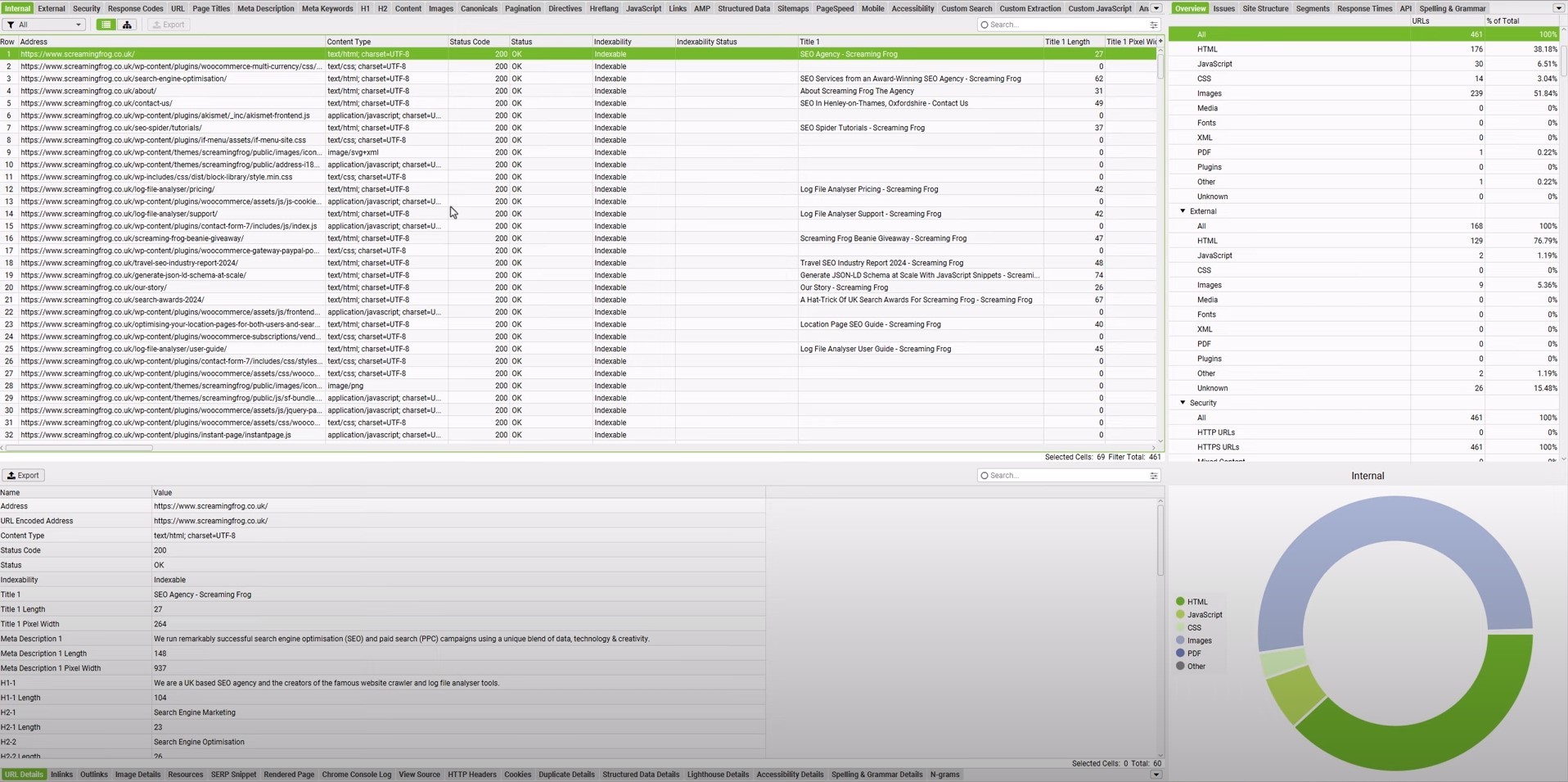
    #10: Screaming Frog

    Screaming Frog technical analysis.

    Best for: Technical SEO diagnostics.

    Screaming Frog is a well‑known tool for technical SEO. It is a desktop crawler that scans a site in the same way search bots do. It reports on broken links, redirect chains, thin content, missing tags, and more. For a deep website analysis tool, it is hard to beat.

    Typical use cases include:

    • Spotting broken links on anchor texts and redirect loops.
    • Checking metadata such as title tags, meta descriptions, and canonical tags.
    • Finding thin or duplicate content that should be merged or expanded.

    Reading the reports requires some basic technical SEO knowledge, especially when using advanced filters. Yet for agencies and seasoned SEO pros, Screaming Frog offers the detail they need.

    Pricing:

    A free version is available that handles crawling for up to 500 URLs. The price per license for the advanced version is $279/year.

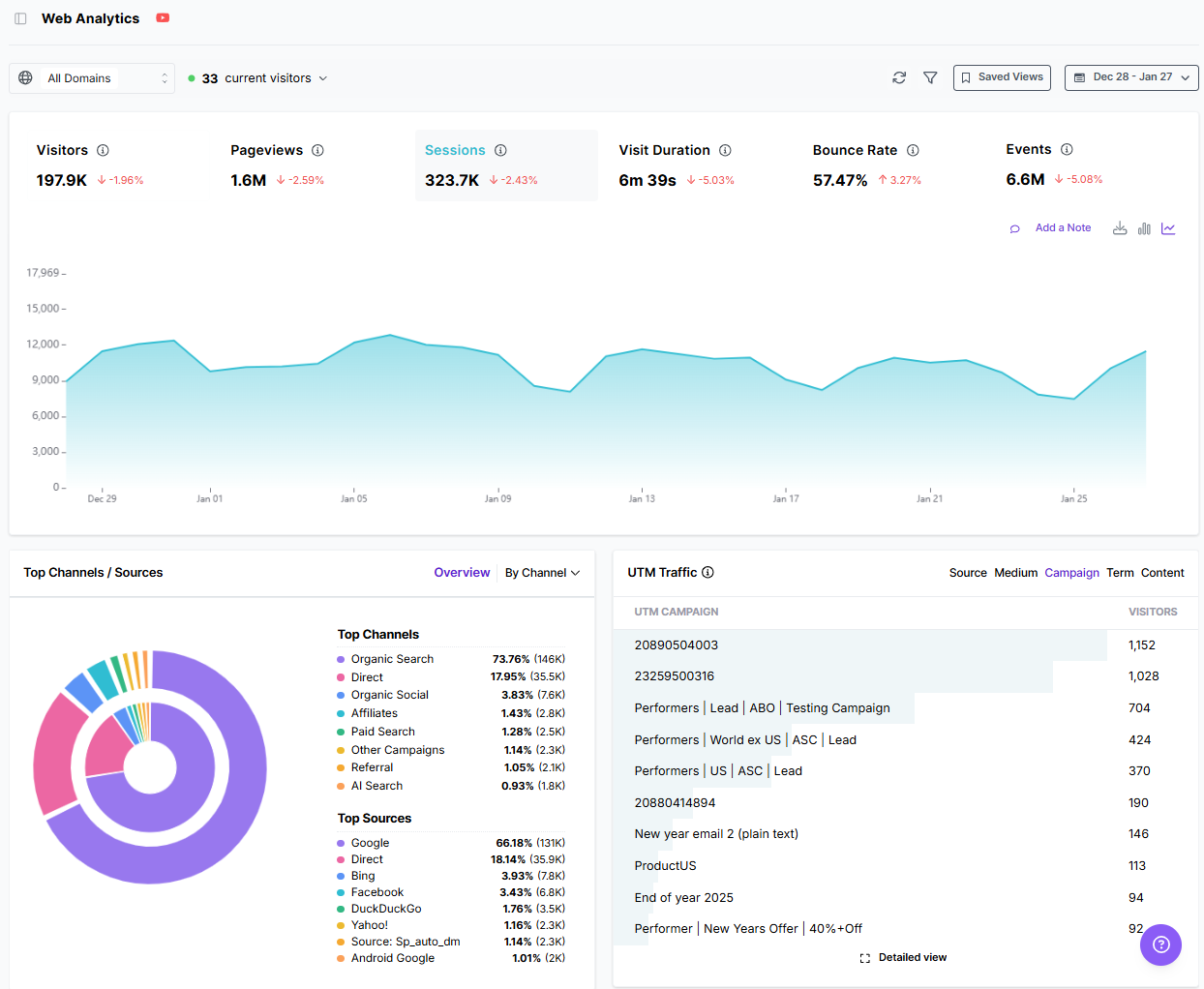
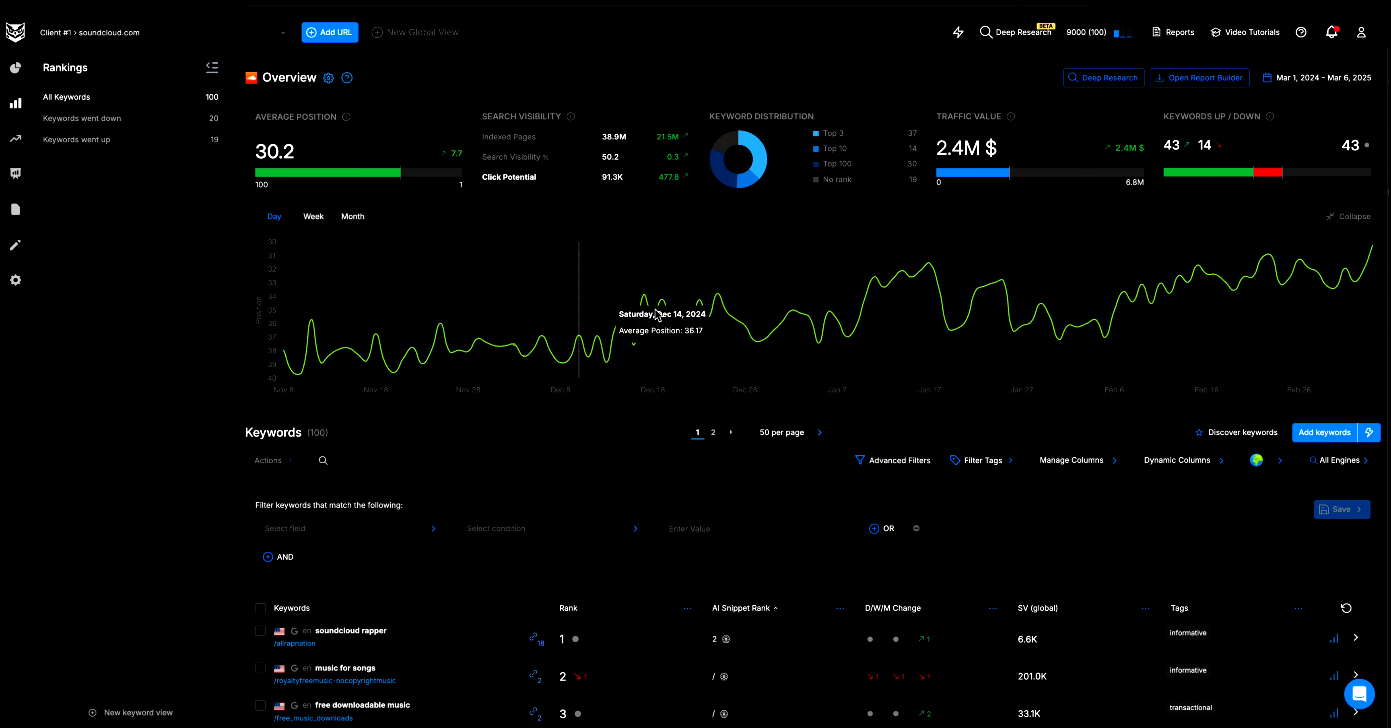
    #11: Nightwatch

    Nightwatch local SEO analytics.

    Best for: Precision rank tracking and local SEO.

    Accurate rank tracking is the backbone of search engine optimization analysis, and Nightwatch is built around that task. It focuses on precision, especially for local and citation SEO rankings across cities or even neighborhoods.

    Key capabilities include:

    • Keyword tracking across famous search engines and AI discovery platforms, such as Google, Bing, YouTube, Perplexity, and ChatGPT.
    • Zip-code-level tracking precision for more than 107,000 locations.
    • Wide device support, allowing users to track rankings, SERPs, and other numbers on desktop, mobile, and tablet devices.

    Integrations with Google Analytics and Looker Studio help tie rankings back to traffic and conversions, while the interface stays clean and modern.

    Pricing:

    A 14-day full-feature trial is available. Paid plans start at $39/month.

    How AI is reshaping SEO analytics (and making it more accessible)

    AI has transformed SEO analytics from spreadsheet work into guided, conversational analysis. Instead of manually exporting data and searching for patterns, users now receive summarized insights, prioritized recommendations, and automated workflows.

    Artificial intelligence also opens a new front, often called Generative Engine Optimization (GEO). People now find content not only on classic search pages but also through AI systems like ChatGPT, Perplexity, and Gemini. 

    Therefore, it is now necessary to track mentions for these chatbots with specialized SEO analytics tools, such as SE Ranking. This tool adds its own AI Overview tracking to help users see when they are named in Google’s AI-style sections.

    Similarly, our AI writer produces SEO- and GEO-optimized content that aligns with your custom brand voice. The analytics show AI discovery platforms as traffic sources, helping you accurately weigh your content writing efforts.

    Final thoughts

    An SEO analytics tool is a bare essential in 2026, especially when visibility is desired in both SERPs and AI Overviews. Today, most brands require these specialized SEO tools to beat competitors and drive organic traffic.

    Our list covers both free and paid SEO analytics tools to help you choose the option that best fits your needs.

    It is always recommended to test these tools before purchasing and to invest in team training and workflow integration to maximize ROI. With proper planning, you can fully utilize the best SEO analytics tools in 2026 and achieve the desired results.

    Frequently asked questions

    What is an SEO tool used for?

    An SEO tool is used to measure search visibility, diagnose ranking issues, track performance, and guide optimization decisions that improve organic traffic.

    Can SEO analytics tools help with content creation, or just analysis?

    Yes. Modern SEO analytics tools like Contentpen support content planning, optimization, and performance measurement by identifying ranking gaps, search intent, and opportunities to improve existing pages.

    Can ChatGPT do SEO?

    Yes, it can, but the prompting required for ChatGPT to do so is intense. Better alternatives are available, such as Contentpen for content-driven SEO and Nightwatch for local SEO.

    How often should SEO analytics be reviewed?

    SEO analytics should be reviewed weekly for performance trends and monthly for strategy adjustments. Sites in competitive niches may require daily monitoring of rankings to see traffic and audience behavioral shifts for better growth.

  • What is CTR (Click-through rate)? Why is it important in SEO?

    What is CTR (Click-through rate)? Why is it important in SEO?

    Click-through rate (CTR) is the ratio of people who clicked your hyperlink to those who saw it. 

    In SEO, CTR shows how many users clicked through to your page from the SERPs, indicating the success of your content marketing efforts.

    This article walks through the CTR formula, provides step-by-step examples for calculating CTR, explains what counts as a good or average click-through rate, and offers specific tactics for improving CTR in real campaigns. 
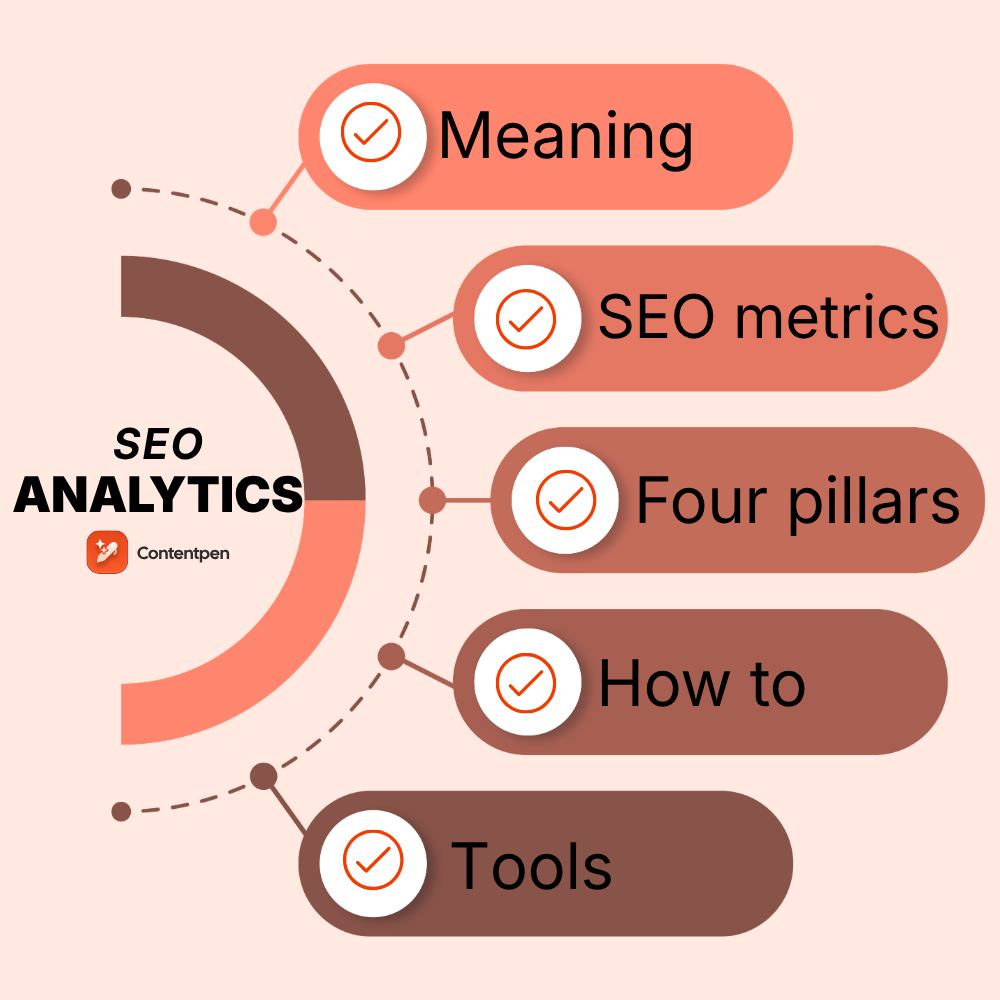
    It also shows how smart tools like Contentpen help content marketers and agencies write titles, body content, and descriptions that drive clicks and, therefore, revenue.

    So, keep reading on to discover everything about CTR.

    What is click-through rate (CTR)?

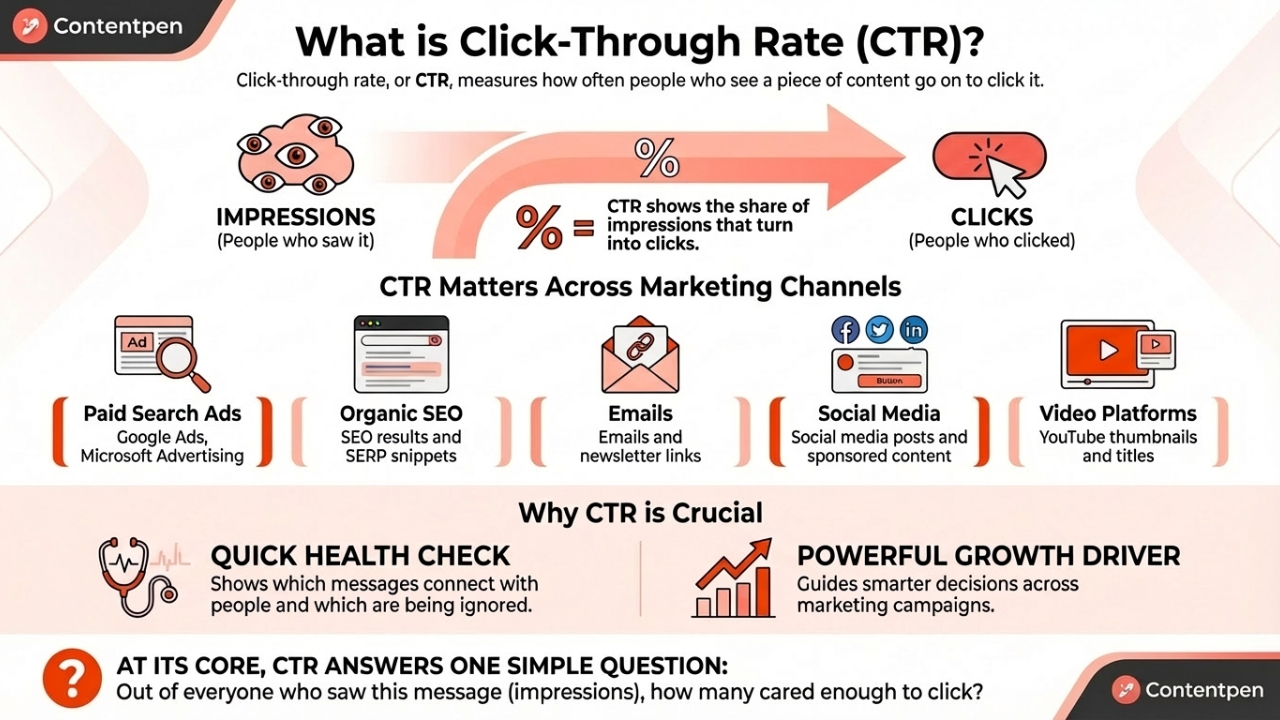
    What is CTR explained - Contentpen.ai.

    Click-through rate, or CTR, measures how often people who see a piece of content go on to click it. In simple terms, CTR shows the share of impressions that turn into clicks.

    Click-through rate matters across almost every channel used in marketing, including:

    • Paid search ads (Google Ads, Microsoft Advertising)
    • Organic SEO results and SERP snippets
    • Emails and newsletter links
    • Social media posts and sponsored content
    • Video platforms such as YouTube, where thumbnails and titles drive clicks

    CTR serves as both a quick health check and a powerful growth driver for digital marketing campaigns. It shows which messages connect with people and which ones are being ignored.
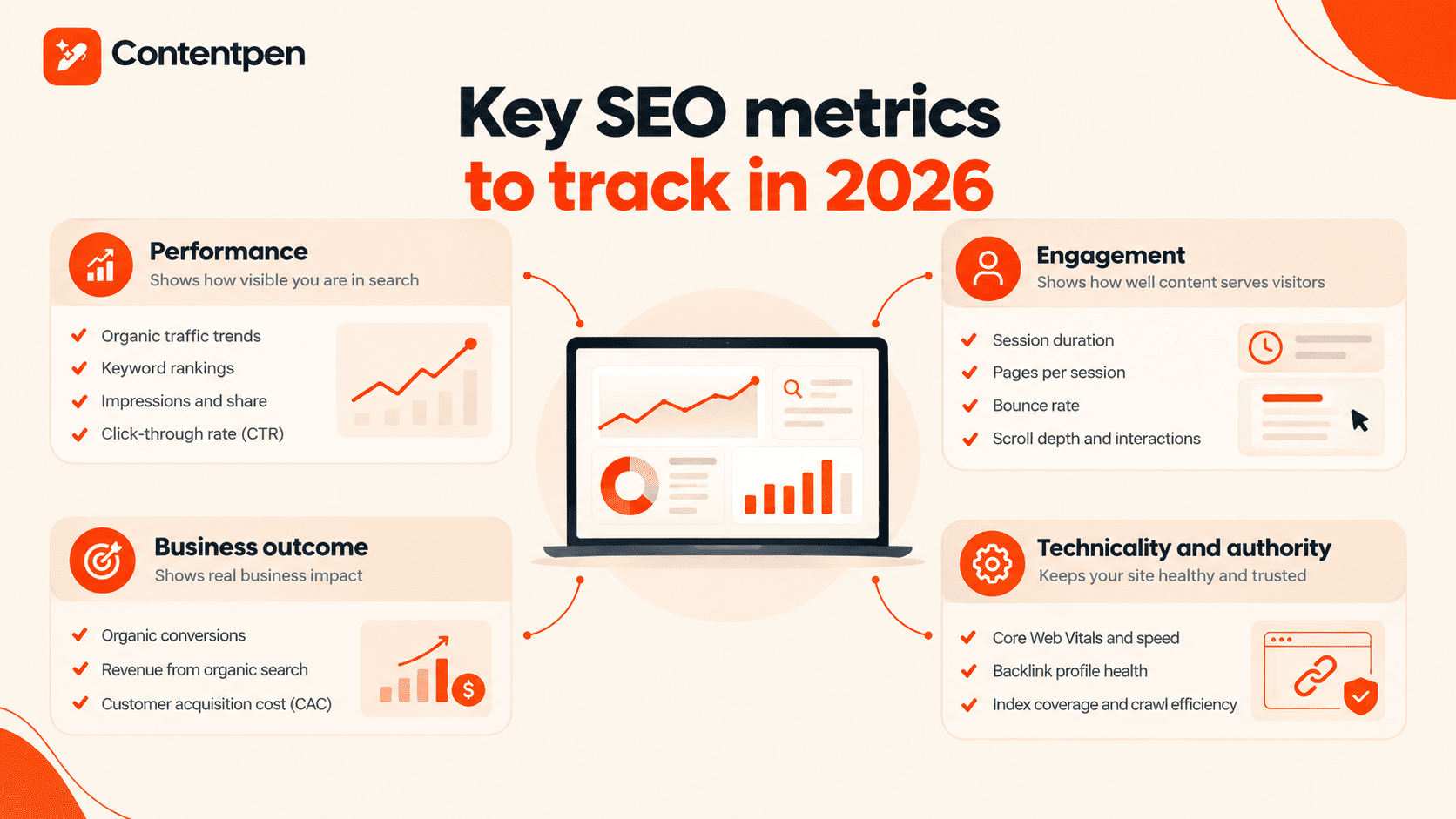
    At its core, CTR answers one simple question: Out of everyone who saw this message (impressions), how many cared enough to click? 

    CTR is one of those metrics that, once tracked closely, start to guide smarter decisions across marketing campaigns.
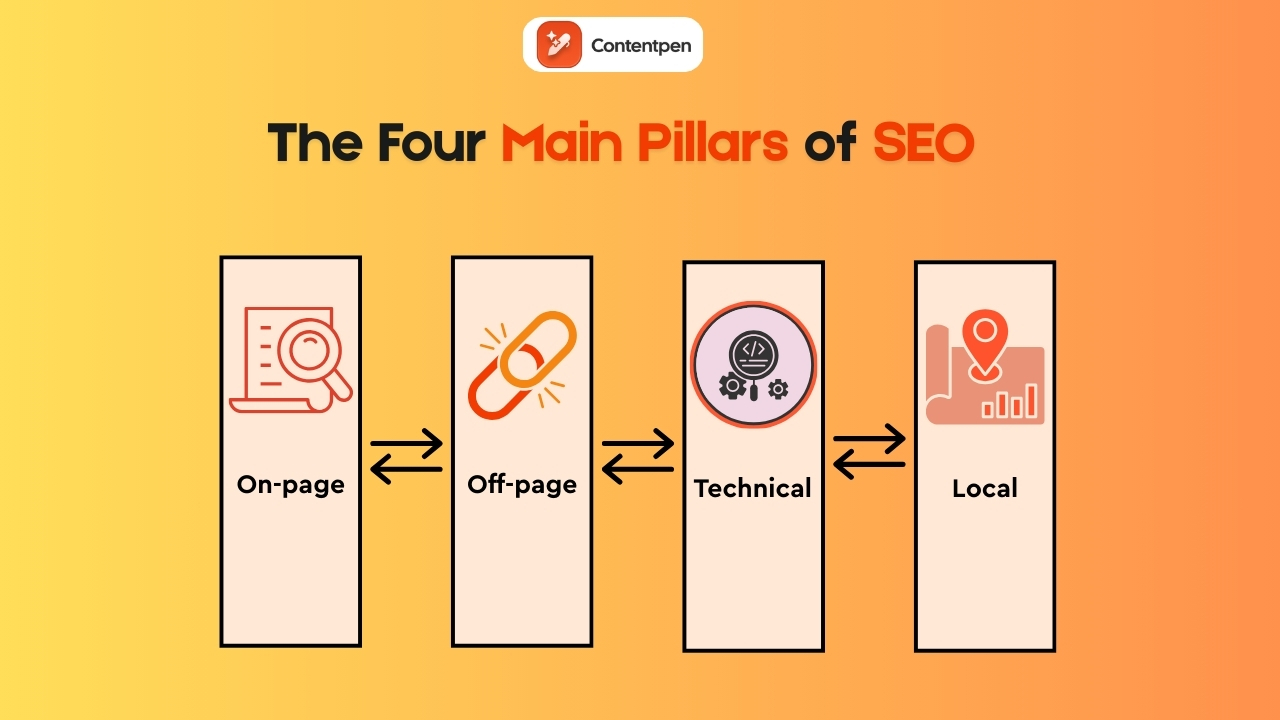
    Read more: 30 recent innovative marketing examples in 2026.

    The CTR formula

    The CTR formula is very simple. No matter which platform is used, calculating CTR follows the same structure.

    CTR = (Total clicks ÷ Total impressions) × 100

    So, if your ad was seen by 1000 people, and only 20 users clicked on it, then your CTR will be 20/1000 = 0.02 x 100 = 2%.

    Even though most platforms calculate CTR automatically, understanding the formula helps spot issues faster and compare performance across channels with confidence.

    Is CTR a ranking signal in Google?

    No. CTR is not a direct ranking signal for Google. As explained by Google representatives on Reddit, it shows that a website is well-received by people for a particular search query, but it does not determine exactly where you appear in SERPs.

    That said, CTR is a controversial topic in the SEO community. Some experts, like Rand Fishkin, conducted experiments that showed CTR is a ranking factor for Google. This created a lot of buzz among SEO specialists and led to many more debates, but sadly, to no avail.

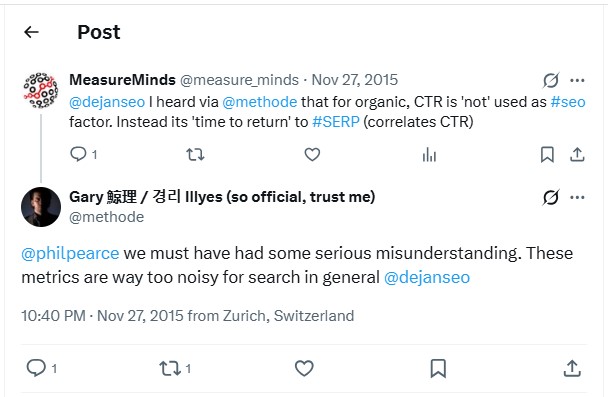
    In short, CTR can boost your rankings, but not on all platforms. It is a metric considered too noisy for search in general, as indicated by Gary Illyes in this thread:

    Gary Illyes Tweet on CTR importance in SEO.

    Why CTR is critical for your marketing success

    CTR is central to marketing because it shows how well ads and content connect with real people. A high CTR signals that the keyword, ad copy, creative, and offer match what the audience wants at that moment. A low CTR points to weak targeting, poor messaging, or both.

    In paid search platforms like Google Ads, CTR does much more than show performance. It feeds directly into Quality Score, which is Google’s rating of how relevant an ad and keyword are for users. 

    One of the main pieces of Quality Score is expected CTR, which is based on how often people have clicked similar ads in the past.

    Ad Rank, which decides where an ad appears on the search results page, depends on both bid and Quality Score. In simple form, the relationship looks like this:

    Ad Rank = Maximum CPC bid × Quality Score

    Because the expected CTR is part of the Quality Score, a higher CTR often leads to a better Ad Rank. This means your ads can place higher for a query without always raising bids.

    Also read: SEO glossary: 250+ key terms explained.

    Beyond auctions and bids, CTR also serves as a quick test of how well keywords, ads, and landing pages align. 

    For someone searching “emergency plumbing services,” an ad that reads “24/7 Emergency Plumbers Near You” feels like a perfect match and tends to earn a high CTR. 

    Meanwhile, a generic “Home Repair Deals” ad for the same search query would likely see a poor click-through rate. Watching CTR at the keyword and ad group levels helps you get more leads and revenue.

    What is a good CTR? Industry benchmarks and context

    There is no magic CTR number that fits every campaign. The quality of a click-through rate always depends on context, such as industry, channel, device, and the level of competition.

    As a rough guide, consider the recent Google Click-Through Rates (CTRs) data by ranking position as a reference:

    • Search ads in 2026 typically have a click-through rate of 1.1% to 2.1%.
    • Organic results or search positions in SERPs usually have CTRs ranging from 1.6% to 39.8% for a specific query.

    The strong search position numbers show that investing in organic SEO is still a powerful way to drive clicks and traffic on platforms.

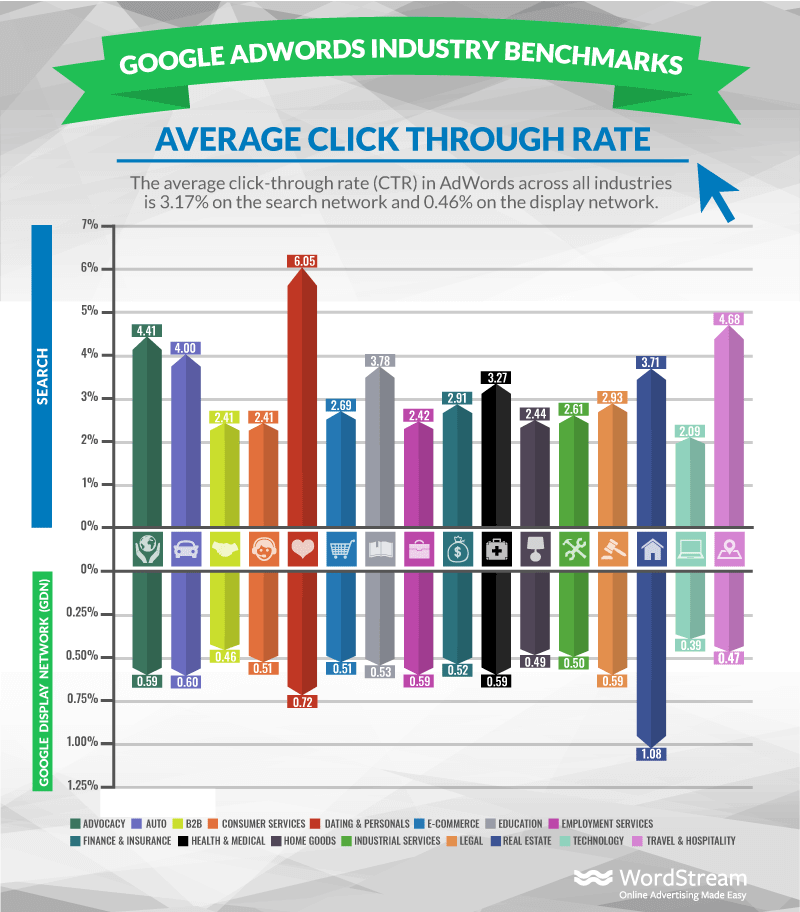
    Some industries draw strong personal interest, like travel, hobbies, or dating. These often have higher-than-average click-through rates. 

    Average CTR per industry - WordStream.com.

    Source: WordStream.

    More serious or complex fields, such as insurance and legal services, might see lower numbers than dating and personal services. This is because people often compare more legal or insurance options before purchasing, and so they move slowly through the funnel.

    Other factors that influence what counts as a “good” CTR include:

    • Ad position – The first paid result on a search page captures a large slice of the clicks, while position three or four shares attention with many other links.
    • Brand vs. non-brand – Branded keywords, such as “Contentpen,” usually have very high CTRs because searchers already have the brand in mind.
    • Device type – Some local searches do very well on mobile because click-to-call features make action easier, while longer research queries may be more useful for desktop users.
    • Audience intent – Terms close to purchase (for example, “buy running shoes size 10”) typically earn higher CTR than early research terms (“best shoes for beginners”).

    Rather than chasing a single benchmark, the best plan is to compare CTR against industry data and, even more importantly, against the brand’s own history.

    Proven strategies to improve your click-through rate

    Improving CTR is not about one secret trick. It comes from many small changes that make ads, listings, and content feel more relevant and more helpful. 

    The good news is that these changes are practical and can be tested quickly.

    Refine keyword targeting

    One important area is keyword targeting. Building tightly focused ad groups centered on closely related terms allows for very specific ad copy. 

    So, instead of putting “running shoes” and “dress shoes” in one group, separate them into topical clusters that you can target later on with ease.

    This is where Contentpen can help you get started. This SEO platform automatically creates topical clusters, enabling small businesses, agencies, freelancers, and enterprises to drive more clicks with efficient keyword targeting.

    Example 1: Running shoes cluster

    • Keywords: Best running shoes for men, lightweight running shoes, marathon running shoes
    • Contentpen use: Generate a dedicated article optimized for performance runners, with matching titles like “Best Lightweight Running Shoes for Marathon Training” created with AI.

    Example 2: Dress shoes cluster

    • Keywords: Black dress shoes for men, formal leather shoes, office wear shoes
    • Contentpen use: Create a tailored blog focused on professional and formal use, with headlines such as “Top Black Dress Shoes for Office and Formal Events.”

    By using Contentpen to generate content for each topical cluster, your titles, meta descriptions, and on-page copy become better aligned with user intent. 

    Read more: What is on-page SEO?

    This makes your listicles, how-to guides, and product update blogs feel more relevant and ready to improve CTR.

    Improve ad and content copy

    Next comes the ad or content copy. Headlines should echo the words people type into the search bar, since that instantly signals relevance. 

    Including the key phrase in the headline, such as “Click-through rate calculator for agencies,” helps raise CTR SEO performance for that page.

    Also read: What are SEO backlinks?

    If you are a service-based or product-based business, consider highlighting:

    • Free or fast shipping
    • Same-day or next-day service
    • Extended guarantees or clear return policies
    • Social proof, such as ratings or reviews

    Clear calls to action, such as “Shop now,” “Get a free quote,” or “Book a demo,” guide users to the next step.

    Use ad assets to earn more clicks

    Ad assets provide additional ways to win clicks. They include headlines, descriptions, and business details (Name, Address, Phone Number) in your ad, making it more informative without extra cost per impression. Common asset types include:

    • Sitelink assets – Send people straight to useful pages such as pricing, features, or case studies, which often improve CTR in business campaigns.
    • Callout and structured snippet assets – Add short benefit phrases and lists that help your offer stand out.
    • Location and call assets – Let local companies show a map pin or phone number so mobile users can call with one tap.
    • Image assets – Add visuals that draw impressions for a better chance to earn clicks when several similar text ads appear together.

    Testing different combinations of these ad assets often yields quick CTR lifts for your business, helping you get the required clicks quickly.

    Align landing pages with ads

    Landing page alignment closes the loop. When someone clicks an ad, the page should repeat the ad’s main promise in the headline and body copy. This helps audience retention because visitors quickly see that they are in the right place.

    A strong landing experience usually includes:

    • A headline that mirrors the ad message.
    • Fast load times, especially on mobile.
    • Clear layouts with one main call to action.
    • Content that answers the key questions raised by the ad.

    These elements support higher conversion rates, so gains from improving CTR turn into real revenue.

    Bringing CTR thinking into content creation with Contentpen

    Contentpen fits into this process by weaving CTR thinking into content creation. Its integrated SEO scoring and competitor analysis highlight which keywords, angles, and meta descriptions are more likely to earn a high CTR before a piece goes live.

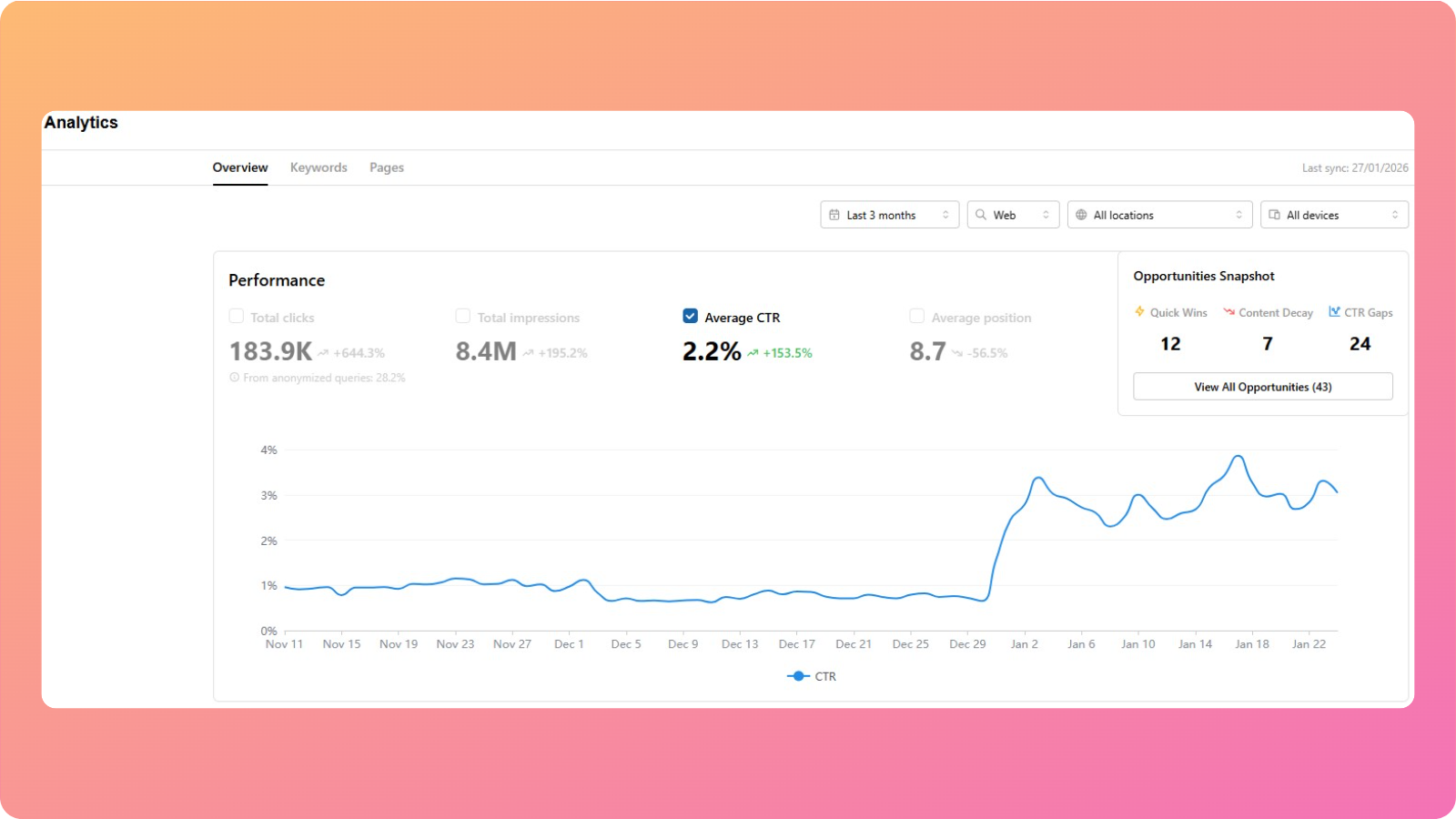
    Our AI blog writing tool also works after you’ve published your pieces. The analytics feature helps you view your website’s average CTR, pulling data directly from Google Search Console.

    CP analytics - Contentpen.ai.

    Furthermore, you can dissect CTR by keywords and pages, identify any CTR gaps using the opportunities feature, and act on the AI insights instantly to boost organic clicks.

    The tool helps content teams and agencies create click-friendly assets that bring consistent paid and organic traffic over time.

    Final thoughts

    CTR sits between visibility and action. Impressions show how often people see a message, but click-through rate reveals whether that visibility actually sparks interest or not.

    A high CTR often leads to better ad positions and lower costs, while a low CTR signals a problem with targeting, messaging, or both.

    Tools such as Contentpen help by integrating CTR SEO thinking into the content workflow, from headline ideas to meta descriptions and body content. 

    The best next step is simple. Audit the current CTR across channels, identify the lowest performers, and test a single targeted improvement this week. Small, steady gains in CTR can compound into big wins for traffic, leads, and sales over time.

    Frequently asked questions

    What’s the difference between CTR and conversion rate?

    CTR measures the share of impressions that result in clicks, while conversion rate measures the share of clicks that result in a desired action. That action might be a purchase, sign-up, download, or any other goal that matters for the business.

    What is the difference between CTR and CPC in marketing?

    CTR measures the percentage of impressions that turn into clicks, while CPC (Cost Per Click) measures how much you pay for each click. In CPC marketing campaigns, improving CTR can indirectly lower overall acquisition costs because of stronger customer engagement.

    What is CTR in banking?

    In banking, CTR stands for Currency Transaction Report. It is a financial document that banks must file when a customer conducts cash transactions above a certain threshold. It is almost similar to CTR in finance, but completely different from the click-through rate in marketing.

    Can CTR affect impression share in paid campaigns?

    Yes, indirectly. A consistently strong CTR can improve overall campaign performance metrics, allowing ads to compete more effectively in auctions. Better competitiveness can help maintain or increase impression share over time.

    Can CTR be too high?

    Sometimes an extremely high CTR raises a red flag instead of a celebration. If clicks are very high but the conversion rate is very low, the ad may be attracting the wrong people. This happens when you use overly broad keywords, vague messaging, or clickbait-style promises that attract curious users who never intended to buy or sign up.

    How quickly can I expect to see CTR improvements?

    Some CTR gains show up almost right away. Changes to ad copy, images, or ad assets can start to influence CTR within a few days, especially in high-traffic campaigns. Other changes, such as restructuring keywords or shifts in Quality Score, often take 2-4 weeks.
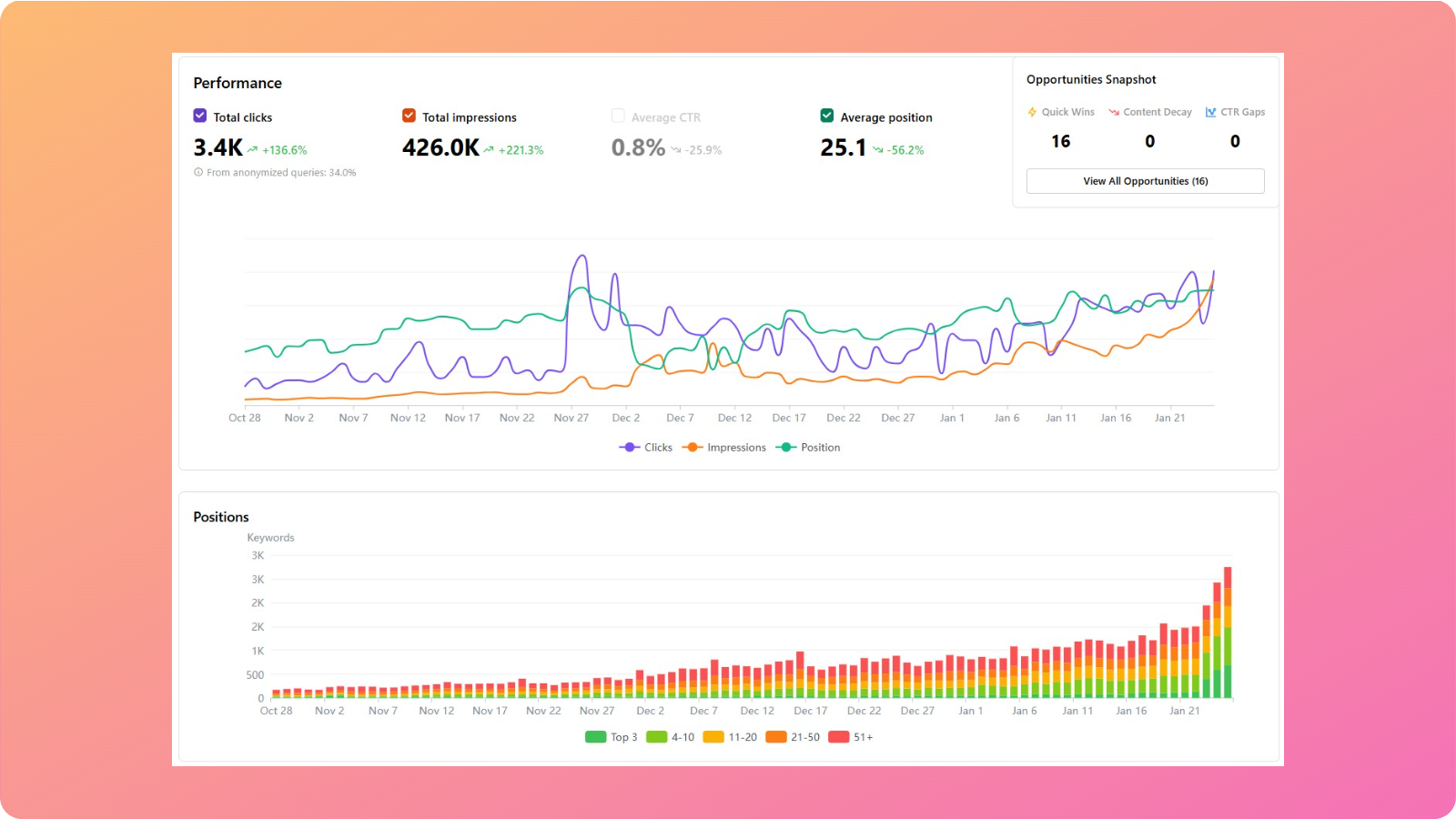
  • The complete SEO analytics guide: Tools, tips, and examples

    The complete SEO analytics guide: Tools, tips, and examples

    Search results feel very different now than they did a few years ago. There are AI summaries at the top and boxes with quick answers that people read. 

    In 2026, SEO analytics acts as a map that helps you understand this search experience, rather than relying on guesswork. Modern AI tools bring SEO analytics into everyday workflows, making it much easier to see user behavior and boost organic traffic in real time.

    By reading this guide, you’ll get a clear picture of what SEO analytics mean, which metrics matter, and how to run a practical website analysis. You’ll also see how built-in analytics in Contentpen help you make smart SEO decisions without complex dashboards.

    So, let’s get started.

    What is SEO analytics, and why does it matter in 2026?

    At its core, SEO analytics is the practice of collecting, reading, and acting on data about how a site performs in organic search.

    How SEO analytics help business growth.

    It connects what happens in Google Search and other engines with what happens on the site: traffic, engagement, leads, and revenue.

    Old-school reporting focused on vanity metrics like keyword position or total visits. Those numbers can look good on a slide, but they do not indicate the correct user behavior. 

    Modern SEO analytics goes further. It links website traffic analysis with sign-ups, deals, and customer lifetime value. In tools such as Google Analytics 4, teams can tie organic visits to conversions and see which organic keywords and pages drive real business.

    In 2026, this matters even more because of how search has changed. Google’s AI Overviews mean many searches end without an action. Therefore, competition for the remaining organic clicks is intense. 

    To keep up, teams need SEO analytics that show not only where they appear in results, but also:

    • How often do people choose their snippet
    • How long do visitors stay
    • How many visitors take action

    Without this view, it is tough to prove SEO return on investment or defend budgets.

    The most significant shift is that SEO analytics is no longer only an expert sport. Content marketers, freelance writers, and small business owners now use search engine optimization keyword analysis in their daily tools. 

    When analytics informs content planning and writing, teams can double down on topics and formats that already work without a second thought.

    Essential SEO metrics every marketer should track

    Many tools show hundreds of numbers, but only a few should guide decisions. Strong SEO analytics start with a focused set of metrics that match business goals.

    Key SEO metrics to track in 2026.

    These can be grouped into performance, engagement, business outcomes, and technical or authority signals.

    Performance

    Performance metrics show how visible a site is in search:

    • Organic traffic trends reveal whether content gains or loses reach week by week.
    • Keyword rankings and website keyword rankings highlight where the site stands for target terms and how well it holds featured spots such as snippets or AI Overviews.
    • Impressions and impression share give context by showing how often the site appears, even when users do not click.
    • Click-through rate (CTR) links this all together by showing how attractive titles and descriptions are compared with other results.

    Engagement

    Engagement metrics reveal how well content serves visitors after the click:

    • Average session duration and pages per session show whether users explore several pages or leave quickly.
    • Bounce rate and top exit pages highlight where people often give up, which can point to misaligned intent or weak calls to action.
    • More advanced SEO analytics tools also track scroll depth and interaction events such as button clicks or downloads.

    These details help connect search engine optimization keyword analysis with real on-page behavior.

    Also read: How to calculate CTR?

    Business outcome

    Business outcome metrics speak in terms that leaders and stakeholders care about:

    • Organic conversions measure how many visitors from search take key actions such as signing up or buying.
    • Revenue from organic search and customer acquisition cost (CAC) for SEO show how search compares with other channels in a complete search engine marketing analysis.

    When SEO analytics is integrated correctly, teams can see whether organic traffic grows while cost per acquisition falls or remains steady.

    Technicality and authority

    Technical and authority metrics provide the base layer for all the other numbers:

    • Core Web Vitals scores, page load speed, and mobile usability checks indicate how smooth the user experience is on your website.
    • Backlink profile health shows how strong the site appears from the outside of your platform.
    • Index coverage and crawl efficiency reports help teams catch broken links and blocked pages.

    A simple dashboard that mixes a few metrics from each group keeps SEO analytics focused. Many AI tools now adjust these dashboards based on your goals so that the most useful web analytics sit at the top.

    A helpful rule: 

    “If a metric never changes your decisions, it’s a vanity metric.” 

    Therefore, you should focus on the numbers that regularly shape your key objectives and try to improve them for better results.

    That’s a lot of metrics to keep straight, so if any of the terms above are unfamiliar, our SEO glossary has a plain and simple explanation for each.

    The four pillars of SEO: Understanding what to measure

    4 pillars of SEO - Contentpen.ai.

    When people talk about SEO, they often mix many different ideas, which makes SEO analytics harder than it has to be. A simple way to think about the work is through four pillars:

    Each pillar covers a part of your web page SEO analysis and gives clear targets for what to measure and improve.

    On-page SEO

    This pillar looks at how each page speaks to both users and search engines. It covers:

    • Keyword use and topical coverage
    • Headings and subheadings
    • Title tags and meta descriptions
    • Internal links
    • Content quality and clarity

    In SEO analytics terms, key on-page metrics include:

    • Click-through rate (CTR) from search results
    • Dwell time and average time on page
    • Bounce rate
    • Keyword rankings for each page

    These numbers help show which topics and formats hold attention and which ones lose visitors fast.

    Off-page SEO

    This area covers authority and trust signals that live outside the site. Backlinks, brand mentions, and referring domains all fall under this category. In practice, that means tracking not only how many sites link back, but also how relevant and trusted those sites are.

    Off-page SEO analytics helps answer questions such as:

    • How strong is our domain compared with direct competitors?
    • Which content attracts the best links?
    • Where should we focus: Digital PR or outreach?

    Clear off-page reporting supports smarter link-building efforts and brand visibility.

    Together, these four pillars create the measurement framework that modern SEO analytics relies on.

    Technical SEO

    Even the best content fails if search engines cannot crawl and index it easily. This pillar looks at:

    • Site speed and Core Web Vitals scores
    • Mobile usability
    • Crawl errors and broken links
    • Index coverage and canonical tags

    Good SEO analytics here rely on tools such as Google Search Console for index reports and PageSpeed Insights for performance checks. The aim is simple: remove friction so both users and crawlers move smoothly through the site.

    Local SEO

    Local SEO analytics matter a lot for physical locations and service areas. Here, teams focus on:

    • Google Business Profile data
    • See Google Maps pack rankings
    • Local keyword performance
    • Calls, direction requests, and menu clicks from search

    When these numbers improve, it usually shows that the business is winning nearby searches and getting local traffic.

    How to perform a practical SEO analysis with a step-by-step framework

    The SEO analysis framework - Contentpen.ai.

    Without a clear process, SEO analytics turns into random clicks across charts. A simple framework keeps the work grounded in outcomes rather than noise:

    • Step #1: Define clear goals
    • Step #2: Gather baseline data
    • Step #3: Run a technical health audit
    • Step #4: Review content performance
    • Step #5: Turn findings into an action plan

    Now, let’s see each of these steps in more detail.

    Step #1: Define clear goals and success metrics

    Start from business needs rather than rankings. For example, the goal might be to:

    • Add fifty qualified leads from organic search each month
    • Increase demo requests by 20%
    • Grow self-serve revenue from search by a set amount

    Once that is clear, pick numbers that match, such as:

    • Conversion rate
    • Revenue from search
    • Key keyword groups that support priority offerings

    Write these goals down. These will guide all subsequent decisions and prevent the analysis from drifting from focus.

    Step #2: Gather baseline data

    Next, collect the data that shows your starting point:

    • Pull query, impression, and click data from Google Search Console.
    • Pull traffic, engagement, and conversion data from Google Analytics 4 so that search engine optimization analysis links directly to outcomes.
    • Use an SEO analytics tool, such as Ahrefs or Semrush, for extra website analysis, current website keyword rankings, and backlink analytics.
    • Check competitor web traffic analysis and their top-ranking pages, so the team knows the starting point in the market.

    Modern AI-driven tools, such as Usermaven, can automate much of this collection, ensuring consistent analytics over time.

    Step #3: Run a technical SEO audit

    This part of SEO analytics checks for crawl errors, slow pages, and index problems. Tools such as Screaming Frog scan the site in detail to help you surface these issues with the SEO audit.

    At the page level, this means reviewing title tags, meta descriptions, and performance for key URLs. Once these basics are in place, the content has a fair chance of ranking and converting.

    Step #4: Review content performance and find gaps

    Look in Google Analytics 4 for landing pages that already drive strong organic conversions and long sessions. Note what these pieces have in common, such as:

    Then run keyword analysis and create keyword gap reports across competitors to see which valuable terms they rank for that your site has missed so far. 

    Use keyword analysis in Google Analytics and Google Search Console together to map search queries to pages and SEO performance metrics. From here, build a list of:

    • New topics to cover
    • Existing articles to update
    • Pages to consolidate if they overlap too much

    Step #5: Turn findings into an action plan

    Group issues and ideas by impact and effort, then tackle easy, high-impact items first, such as:

    • Fixing broken technical items on important pages
    • Refreshing posts that already rank on page one but sit just below the top spots
    • Improving internal links to high-value pages

    Set simple deadlines to start working toward securing top positions on search results and AI discovery platforms. Plan a monthly mini-review and a deeper quarterly review to track progress.

    Tools like Contentpen can shorten the process by blending web SEO analysis with content creation. So, writers can see an on-page SEO checklist, GEO scores, and content gaps while drafting and publishing posts.

    Write content that’s built to rank, not just read

    Create search-optimized blogs aligned with SEO and GEO signals, so your content performs well across search and AI-driven discovery.

    Try SEO Blogging FREE →
    AI SEO Interface

    Integrating SEO analytics into your content strategy

    A strong content strategy starts and ends with data. SEO analytics shows what people search for, which pages they read, and where they fall off. When that information feeds directly into planning and writing, each new piece stands a better chance of ranking and converting.

    Let analytics guide content planning

    Use keyword analysis and keyword gap data to build the editorial calendar. Focus on topics that mix:

    • Search volume
    • Clear intent
    • Strong business value

    Web SEO analysis can also reveal which formats work best in a niche, for example:

    • Long how-to guides
    • Quick checklists
    • Videos
    • Comparison pages

    With this input, teams can decide not only what to write but also how to present it.

    Build a feedback loop

    Publish content, then watch SEO analytics in Google Search Console and Google Analytics 4 for a few weeks. Check:

    • The number of queries you receive
    • Click-through rates
    • Engagement and conversion metrics

    If a page gets strong impressions but weak clicks, improve the title and description. If people visit but bounce fast, rework the intro or adjust the offer. 

    Schedule regular content audits to update or merge underperforming pages. Over time, this turns content work into a steady cycle rather than random sprints.

    Choosing the right SEO analytics tools in 2026

    The best SEO analytics tools are not the ones with the most features. They are the ones your team actually uses every day to make better decisions. 

    In 2026, successful teams build lightweight, goal-driven stacks that connect analytics directly to content, conversions, and growth.

    Rather than listing every tool again, this section focuses on how to choose the right SEO analytics setup based on your team’s needs, skills, and goals.

    Match tools to your SEO goals

    Different goals require different analytics strengths:

    • Content growth teams need tools that connect keyword insights directly to writing, editing, and publishing.
    • Revenue-driven teams need analytics that tie organic traffic to conversions, pipeline, and revenue.
    • Technical SEO teams need deep crawl data, performance monitoring, and index diagnostics.
    • Local businesses need visibility into map rankings, calls, and location-based engagement.

    Strong SEO analytics starts by defining which of these outcomes matter most and choosing tools that serve them well.

    A modern SEO analytics stack (simple and effective)

    For most teams, a practical setup looks like this:

    • Search performance layer: Tools that show how your site appears in search and which queries drive impressions and clicks.
    • Behavior and conversion layer: Analytics that connect organic traffic to engagement, sign-ups, and revenue.
    • Content and execution layer: A platform that blends SEO analytics directly into content creation, so insights turn into action immediately.

    This is where Contentpen becomes the center of the workflow. It is a workspace where web analytics and SEO opportunities actively shape what gets written, updated, and published.

    Contentpen analytics with SEO opportunities snapshot - Contentpen.ai.

    Quick comparison: SEO analytics tool categories

    Tool categoryTool exampleBest forCore SEO analytics roleTypical limitations
    Search performance toolsGoogle Search ConsoleVisibility trackingQueries, impressions, clicks, index coverageLimited content or conversion insights
    Web analytics toolsUsermavenBehavior & revenue trackingEngagement, conversions, attributionWeak keyword and ranking context
    All-in-one SEO suitesSemrushDeep SEO researchKeyword research, backlinks, and rank trackingHeavy, complex, costly
    Integrated content + SEO platformsContentpenContent teamsSEO analytics embedded in writing & publishingLess focus on raw backlink data

    This structure helps teams see not just what tools exist, but what role each plays in a complete SEO analytics system.

    Why integrated platforms outperform fragmented stacks

    Traditional SEO workflows split analytics across multiple tools. This creates delays, data silos, and lost momentum.

    Integrated SEO analytics platforms like Contentpen solve this by:

    • Surfacing keyword opportunities inside the writing flow
    • Providing live SEO scoring while drafting
    • Highlighting content gaps before publishing
    • Keeping brand voice, structure, and optimization aligned at scale

    Instead of analyzing first and writing later, teams now analyze while writing, which dramatically shortens the time from insight to impact.

    Choosing tools by team type

    Here’s how different teams typically structure their SEO analytics stack:

    • Solo creators & small businesses: Lightweight analytics + Contentpen for writing, optimization, and publishing.
    • Content teams & startups: Search performance tools + conversion analytics + Contentpen as the central execution hub.
    • Agencies & enterprise teams: Advanced SEO suites for research and reporting + Contentpen for scalable content production and optimization.

    The common thread across all setups: SEO analytics works best when it directly informs content decisions, not when it lives in separate reports.

    Advanced SEO analytics strategies in 2026

    SEO analytics can move beyond simple reports into smarter, AI-assisted work. The big change in 2026 is that tools no longer just show what happened. Many now suggest the next steps and estimate the impact before changes go live.

    How AI is transforming SEO analytics

    On the AI side, several capabilities have become common:

    • Anomaly detection: Instead of a person spotting a sudden drop in traffic weeks later, AI flags the change within a day, often linking it to a specific update, device type, or region.
    • Personalized keyword difficulty: Instead of one generic score, AI looks at your domain strength, content history, and backlink analytics to judge if a keyword is realistic for your site.
    • Forecasting: Some platforms can estimate traffic ranges for planned articles, giving teams a sense of likely returns before they invest many hours.

    AI-driven topic clustering is another powerful method. Rather than staring at hundreds of phrases, teams can use AI to group them into clear themes or content hubs. Each hub then gets a main guide page with more focused pieces around it. 

    This approach aligns with how modern search understands topics, making internal linking plans much simpler. 

    AI can also scan existing pages and give specific on-page suggestions as part of your SEO analytics work, such as:

    • Improving headings
    • Adding missing subtopics
    • Updating outdated facts

    This is, however, just a starting point for your smart analysis. You can discover other tools that work well for you and incorporate their suggestions, one at a time, to see if you get the desired results.

    Using competitive intelligence to outperform rivals

    Competitor analysis is necessary to win a niche and the relevant audience. Here are some of the useful methods used in this regard:

    • Keyword gap analysis: Highlights terms where several rivals rank but your site does not.
    • Backlink gap analysis: Lists sites that link to competitors yet ignore your domain, which sets up targeted outreach plans.
    • SERP feature tracking: Shows which content types (tools, checklists, guides) hold the most share of attention over time.

    These tactics fit into broader search engine marketing analysis, helping you secure top spots and greater organic visibility.

    Tracking brand visibility in AI-driven search results

    A new frontier in SEO analytics is tracking brand presence in AI-driven search, especially as the Google vs ChatGPT market share situation continues to evolve and reshape how users discover information. That includes how often your brand or content appears in:

    • Google AI Overviews
    • Chat-style assistants
    • AI-powered search engines such as Perplexity

    To perform well here, sites benefit from:

    • Clear authorship
    • Strong E-E-A-T signals (experience, expertise, authority, trust)
    • Accurate, well-structured content that other sources reference

    Our AEO tool can help here by providing AI search optimization features. It guides writers toward clear structure, full coverage of topics, and proper internal and external linking.

    The tool also helps you track your AI visibility in popular AI chatbots, including ChatGPT, Google AI, Perplexity, Grok, and Copilot.

    Find your brand in AI search

    check

    Track AI citations, share of voice, and brand sentiment

    check

    Find the top sources driving citations

    Try AI Visibility →
    AI SEO Interface

    As a result, your content is more likely to be cited in both classic results and AI summaries or overviews.

    Common SEO analytics mistakes and how to avoid them

    Even strong teams fall into common traps when it comes to SEO analytics. The good news is that these mistakes are easy to fix once they are visible.

    Mistake #1: Using too many SEO analytics tools without a clear system

    It is tempting to sign up for every free SEO analysis, rank tracker, and site audit. The result is often confusion, since numbers do not match and reports are hard to compare. A stronger plan is to pick a small stack, one that shows clear analysis and no noise.

    Mistake #2: Ignoring technical SEO signals in analytics

    Some teams publish many articles, yet still struggle because pages load slowly or crawlers hit errors. Regular technical checks, as part of ongoing SEO analytics, catch these issues early.

    Fixing speed issues, broken links, and mobile layouts often improves performance across many pages at once.

    Mistake #3: Treating SEO analytics as a one-time project

    Running a big SEO audit once a year and then forgetting about it means changes in search or on the site go unseen. Therefore, a light monthly review and a deeper quarterly review keep SEO analytics fresh without taking over the calendar.

    Also, don’t let SEO sit in a silo. Linking data across tools provides a comprehensive view of search engine marketing analytics and helps demonstrate how organic, paid, and other channels work together.

    Summing it up

    SEO analytics turns data into a clear action plan for marketers, agencies, and businesses. In 2026, AI summaries, rich results, and changing user habits make simple rank reports far too shallow.

    The main message is simple. You don’t need deep technical expertise for SEO analytics, but you do need a more innovative approach to improve rankings. Use the right tech stack and have a step-by-step framework to keep the four main pillars of SEO aligned.

    The real edge comes from steady, small improvements. Run regular reviews, update existing content, and try one or two advanced tactics as the team grows. With this approach, SEO becomes a strong driver of growth for your brand.

    Frequently asked questions

    What is the full form of SEO analytics?

    SEO analytics stands for search engine optimization analytics.

    Is SEO analytics free?

    Yes. You can perform SEO analytics for free using tools like Google Search Console and Google Analytics 4. Paid tools offer deeper insights, but free tools are enough to start.

    Where can I get an SEO audit report?

    You can get an SEO audit report from tools like Google Search Console, Ahrefs, Semrush, AIOSEO, or Screaming Frog. Many platforms also offer instant online audit reports for free.

    What is the difference between SEO analytics and web analytics?

    SEO analytics focuses only on organic search traffic, meaning how people find your site through search engines and what they do afterward. Web analytics covers all traffic sources, including paid ads, social media, email, and direct visits.

    How often should I perform SEO analytics reviews?

    Most sites should check key metrics weekly for sudden changes, review performance monthly for trends and content updates, and run a deeper content strategy review quarterly. This keeps SEO decisions timely without becoming overwhelming.

    How do I know if my SEO analytics efforts are working?

    Your SEO analytics are working if organic traffic leads to more conversions, the CAC from search stays stable, and you can clearly connect rankings to business outcomes. If rankings rise but revenue doesn’t, your analytics strategy needs adjustment.

  • Search Engine Basics: How Search Engines Work in 2026

    Search Engine Basics: How Search Engines Work in 2026

    The gap between great content and real visibility almost always comes down to search engine basics. 

    Search engines sit between almost every question and almost every click. Studies show that over 80% of online experiences begin with a search query. When users discover and understand a page, traffic starts flowing. When they do not, even the best ideas stay hidden.

    Search engines can seem mysterious and deeply technical, yet the core ideas are simple enough for any marketer, writer, or founder to grasp. Once those basics click, terms like crawling, indexing, and ranking stop sounding like jargon and start feeling like a clear checklist.

    By the end of this guide, you will understand what a search engine does, why that matters for business growth, and how to apply SEO fundamentals in a practical way.

    So, let’s get started.

    What is a search engine, and why does it matter?

    How search engine works diagram - Contentpen.ai.

    A search engine is a web-based tool that helps people find information on the Internet. It does not scan the live internet from scratch every time someone types a query. Instead, it searches a massive prebuilt database of pages, often called the index, and uses algorithms to decide which ones to show.

    This difference between the index and the live web sits at the heart of search engine basics. When you type a keyword, you are really asking the search engine to look inside its index and return the best matches. 

    As of 2025, Google’s index alone contains information from billions of pages and occupies well over 100 million gigabytes in size across many data centers.

    For a business, that index is where visibility lives. If a page is not in the index, it cannot appear in results at all. If it is in the index but looks weak or unclear to the algorithm, it will sit many pages deep, where almost nobody clicks. 

    That is why search engine optimization focuses so heavily on making pages easy to understand and appealing to search engines.

    Different search engines use different indexes and algorithms, which is why Google’s and Bing’s results may vary for the same query. This is demonstrated in the statistical analysis of the search engines study, which compares major search platforms side by side.

    Also explore: SEO glossary: 250+ terms explained.

    For marketers and content teams, understanding the split between index and algorithm makes SEO planning easier.

    How does the Google search engine work step by step?

    Search engine architecture - Contentpen.ai.

    Every page that appears in a result goes through the same three‑stage process: crawling, indexing, and ranking (or serving). Google’s in-depth guide to how a search engine works provides official documentation on each phase.

    To put it briefly, the three stages function as:

    • Crawling – Discovery, where bots follow links and read pages.
    • Indexing – Organization, where those pages are analyzed and added to the database.
    • Ranking and serving – Decision, where the engine matches a query to the best pages it already knows.

    This process never stops. Crawlers revisit sites, indexes update, and rankings shift as content changes, links appear, and user behavior moves. 

    Not all pages make it through each stage. Some never get crawled, some are crawled but not stored, and some are indexed but rarely or never shown.

    Here is a breakdown of those stages in the table below.

    StageWhat happensKey question for you
    CrawlBots discover URLs and fetch page contentCan search engines find and reach your pages?
    IndexSystems analyze content and add it to the search databaseIs your content clear and of high enough quality?
    ServeAlgorithms match queries to indexed pages and order the resultsDoes your page look like the best answer?

    When you hear people talk about search engine basics or SEO for beginners, they are usually talking about how to help a site move smoothly through this path. Technical SEO covers crawling and indexing, while on-page and off-page SEO influence how pages perform in the serving stage.

    Step #1: Crawling – How do search engines work to discover your content?

    Crawling is the stage where search engines learn that your pages exist. Since there is no master list of all URLs on the internet, engines use automated programs called crawlers, bots, or spiders to follow links and fetch content. Google’s crawler is often called Googlebot.

    These crawlers start with known URLs, fetch pages, and discover new ones by following links, gradually mapping the web over time.

    In simpler words, crawling in a search engine is the raw data‑gathering step. For any business that cares about SEO basics, this is where visibility starts.

    How crawlers find pages with links and sitemaps

    Crawlers rely on two main pathways to find content:

    • Internal links that connect one page to another
    • Sitemaps that act like a directory you hand to the search engine

    Internal and external links are preferred by path crawlers most of the time. When a crawler lands on a page, it looks through the links in the HTML and adds new ones to its to‑visit list. That means your internal linking structure matters a lot, because pages that are buried with no links pointing at them are much harder for bots to discover. 

    When you make sure important pages are linked from menus, category pages, and other high‑traffic content, you help crawlers find and revisit those key URLs.

    Sitemaps provide a second line of help. An XML sitemap lists important pages and optional details such as last-modified dates. Many modern content platforms can generate this file automatically, making it easy for teams without advanced technical skills to rank.

    When you submit that sitemap through tools like Google Search Console, you give crawlers a direct map of what matters on your site. Using both methods together is far stronger than relying on only one.

    Frequency rendering and limitations with crawlers

    Crawling is not random. Search engines decide how often to visit each site, how many URLs to fetch, and how deep to go based on several signals.

    Important factors include:

    • Popularity – Pages and sites that attract many links and visits tend to get crawled more often.
    • Update habits – A news site that publishes multiple times a day sends a clear signal to crawlers to return often, while a static brochure site might be checked far less often.
    • Technical health – Clean site structure and fast server response let crawlers fetch more pages without strain.

    Modern crawlers do more than read HTML. Googlebot, for example, can render pages with a headless browser similar to Chrome. That means it can run JavaScript, load dynamic content, and see most of what a human visitor sees. This is very important for single‑page apps and sites that depend on scripts for core content.

    Crawling still has limits. Robots.txt files can block entire folders or an entire site if misconfigured. Pages behind logins or paywalls are off‑limits. 

    Also, orphan pages with no internal or external links may never be found, and slow or error-prone servers can cause crawlers to back off.

    Step #2: Indexing — How do search engines work to organize and store information?

    Indexing begins after a page has been crawled. At this point, the search engine tries to understand the content and decide where and how to store it in the index.

    During indexing, the engine processes text, layout, links, and structured data. It records which words appear, which phrases stand out, and how the content is organized with headings, lists, and other markup. 

    It also looks at signals such as language, country targeting, and mobile readiness, all of which are now considered important ranking factors.

    What information gets stored in the index

    When a page is indexed, the system does not keep just one flat copy of the text. It stores several kinds of information that help with matching and ranking:

    • Words and phrases – Which terms appear on the page, how often, and in which positions? Titles, headings, and early paragraphs carry more weight than text in footers.
    • HTML and metadata – Title tags, meta descriptions, header tags (H1, H2, H3), and image alt text all provide clues about the topic. Schema markup can describe products, events, articles, How-to guides, etc., in a much more structured way.
    • Broader signals – Primary language, likely geographic focus, freshness, mobile friendliness, and engagement patterns for similar pages. Over time, backlink information and user interactions also contribute to the stored profile for that URL.

    Common filler words, often called stop words, are sometimes ignored to save space and make indexing more efficient.

    Canonicalization and managing duplicate content

    Canonicalization and managing duplicate content.

    The web overflows with near‑duplicate pages. The same content can appear at multiple URLs because of tracking parameters, print views, mobile versions, or simple copy‑paste behavior. Search engines need a way to sort through these clusters so that results are not filled with duplicate pages.

    Canonicalization is the process of selecting a single version from a set of duplicates. The engine tries to find the best representative page and treats that URL as the primary one for ranking purposes. Other versions are still noticed but are treated as alternates.

    Duplicates can arise for many reasons. For example:

    • An online store might show the same product under different categories with different URL paths.
    • A blog might have both www and non‑www versions, or show the same article with and without tracking codes.
    • Sometimes mobile and desktop versions live on separate subdomains.

    You can help the engine choose the correct page by using canonical tags. 

    A rel=”canonical” tag in the HTML head points to the preferred URL for that content. 

    When used well, this tag keeps link equity from splitting across many copies and makes ranking signals clearer.

    Common indexing problems and fixes

    Even when crawling looks healthy, pages can fail to make it into the index. Most of the time, this comes down to content quality, blocking rules, or site structure.

    • Thin content – If a page has only a few lines of text or feels spammy, search engines may mark it as crawled but not indexed.
    • Noindex directives – Meta robots directives such as noindex are useful on thank‑you pages or admin areas that should be excluded from search results. Problems arise when they end up on important pages by mistake during a template change or redesign.
    • Complex architecture and heavy JavaScript – If key content only appears after user actions, or if the HTML structure gives little hint about the topic, the engine may struggle to understand the page.

    Creating helpful content is usually the most reliable long‑term fix for businesses and platforms of all types. However, not all businesses can generate such content or create such user experiences.

    Which is why you need tools like Contentpen to help. It automatically generates high-quality, beautifully structured SEO and GEO-optimized content at scale while handling internal and external linking.

    The best part is that this SEO platform also supports integrations with your favorite CMS platforms, such as WordPress, Ghost, Wix, and others. So, you don’t need to switch tabs when publishing content and always meet your deadlines.

    Step #3: Serving results — how do search engines work to decide what you see?

    Searching training and development on Google search bar.

    Ranking and serving are the stages most people notice. It is what happens after someone types a query into the search box and presses Enter. The search engine now has to choose which of its billions of indexed pages to show and how to order them.

    The process starts with query processing. The system parses the user’s input, infers intent, converts words into its internal numerical form, and compares it against the index. It looks for pages that match not only the literal keywords but also related concepts and common patterns for that type of search.

    The results appear on the Search Engine Results Page (SERP). This page can include standard blue links, local map results, image carousels, videos, product cards, and featured snippets that try to answer the question right away. The layout changes based on what the engine believes the searcher wants in that moment.

    Behind the scenes, hundreds of ranking factors influence which pages rise to the top. These factors fall into groups such as relevance, content quality, authority, user context, and technical health.

    Query processing from the search box to the results

    When a query comes in, the search engine first cleans and interprets it. It may correct spelling, expand abbreviations, or guess that certain words form a known phrase. Then it converts that processed query into the same kind of numerical tokens used in the index.

    Next, the engine uses math to compare the query tokens with the tokens stored for each page. It looks for close matches, related terms, and patterns that signal a strong answer. This matching step happens extremely quickly.

    Search operators give users more control when searching for specific information. Typically, this is how to use a search engine for routine tasks in a daily workflow:

    Search operatorWhat it doesExample
    “”Search for the exact phrase that mentions this word or phrase“NVIDIA”
    OR / ISearch for results related to either one term or the otherNVIDIA OR AMD
    ANDSearch for results related to both terms mentionedNVIDIA AND AMD
    –Search for results that don’t mention a specific wordNVIDIA -AMD
    Site:Search for results from a specific siteSite:NVIDIA.com
    inConvert one unit to another£84 in USD

    There are many more search operators you can use to narrow results and find the information you need quickly.

    These operators, mainly Site: and “”, are useful for competitive research, content audits, and technical checks. These also help you see how many of your pages are visible to the audience and which require your attention for editing.

    The main ranking factors and what really matters

    While search algorithms use hundreds of inputs, many of them boil down to a few main themes. If you keep these in mind while planning content and technical work, you can cover most of what matters for search engine optimisation basics:

    • Relevance – Does the page match the searcher’s intent and query? Pages that repeat a phrase without real depth often lose out to pages that answer questions in a clear, thorough way.
    • Content quality – Search systems look for signs of expertise, author bylines that make sense for the topic, clear sourcing, and original thought. They pay attention to grammar, readability, and structure because those details affect how helpful a piece feels.
    • Authority – This flows mostly through links. A strong backlink profile includes links from relevant sites, a natural mix of anchor text, and steady growth over time.
    • User context and experience – Location, language, device type, and past behavior all influence which results someone sees. Technical factors such as page speed, mobile readiness, HTTPS, and clean site architecture also matter.

    You cannot buy higher organic rankings. 

    Paid ads can give a site visible placements marked as sponsored, but the main results depend on how well the algorithm scores your pages across all these areas.

    What you can do, instead, is focus on SEO basics rather than looking for shortcuts.

    How SERP features change based on search intent

    SERPs and Google AI Overviews explained.

    The SERP format shifts based on what the engine believes the user wants, often referred to as search intent.

    • For local intent searches, such as pizza near me, the SERP often shows a map with nearby businesses, star ratings, and quick buttons to call or get directions. For these searches, local SEO basics and a strong Google Business Profile matter a lot.
    • For informational intent searches, such as how to write a blog post, you may see a featured snippet at the top that pulls a short answer from one page. In this case, clear headings, direct answers, and well‑structured content can help you earn the top spot.
    • In commercial intent searches, such as best SEO competitive analysis tools, review snippets, and product grids often appear. Comparison content, rich product data, and honest reviews do well here.
    • For navigational intent searches, such as Contentpen login, results mostly show brand pages that help users quickly reach a specific site.

    Studying these types of search intents before picking target keywords is a smart move. It shows what kind of content Google expects for each phrase and gives a clearer sense of how to shape your own pages for better SERP and AI Overview visibility.

    How to optimize for search engines with SEO fundamentals

    Good search engine optimization basics rest on three pillars:

    • Access – Crawlers need clear paths and fast responses.
    • Clarity – Algorithms need well‑organized, helpful content.
    • Authority – Users and other sites need reasons to trust and recommend your pages.

    Now, let’s see each of these aspects in more detail.

    Crawling optimization to ensure content discoverability

    Crawling optimization focuses on making your site easy and safe for bots to explore. Even small steps here can lead to better coverage.

    Site architecture and crawlability - Contentpen.ai.
    • Create and submit XML sitemaps. Many content management systems automatically generate these files that list key URLs. By submitting them to GSC, you give crawlers a clear overview of your site.
    • Build a clear internal linking structure. Every important page should be reachable within a few clicks from the home page, ideally through logical category and subcategory paths.
    • Keep robots.txt files clean and focused. Regular SEO audits after site changes can catch accidental blocking of key folders. Monitoring crawl errors and coverage reports in Search Console lets you spot repeated issues, such as broken redirects or error pages.

    On larger sites, considering crawl budget and trimming very low‑value pages or thin filters can keep crawlers focused on the URLs that matter most.

    Indexing optimization to make your content index-worthy

    Indexing optimization is about giving search engines content that is worth storing and easy to understand. It sits at the crossroads of content quality and technical setup.

    High‑quality, original content remains the foundation. That means writing pieces that cover a topic in real depth, speaking from experience where possible, and adding examples or data that readers cannot get from a quick skim elsewhere. 

    When you combine this with thoughtful keyword use, you support both users and algorithms.

    Our on-page SEO checklist helps convey that value:

    • Clear, descriptive title tags that include primary keywords
    • Honest meta descriptions that invite organic clicks
    • A clean hierarchy of H1, H2, and H3 headings
    • Descriptive alt text on images

    Technical signals matter here as well. A mobile‑friendly design, HTTPS security, and clean canonical tags reduce noise and help the index represent your site correctly. 

    Structured data with schema markup can highlight products, reviews, FAQs, and more in a format the engine understands at a glance.

    When you find thin pages with little value, either improve them or fold them into stronger related content so they do not weigh down the index profile.

    Ranking optimization to compete for top positions

    Ranking optimization pulls together keyword strategy, content quality, authority building, and user experience. This is where SEO marketing basics and more advanced tactics meet.

    • Keyword targeting – Good research helps you find phrases with real search volume and clear intent that fit your business. Long‑tail keywords often offer a balance of focused intent and realistic competition, especially for newer sites.
    • Better content than current winners – Better content does not always mean longer, but it does mean writing articles that are clearer, more helpful, and provide up‑to‑date information. You can add original data, expert commentary, step‑by‑step walkthroughs, or visuals that make hard ideas simple.
    • Authority building through backlinks – Earning links from strong, relevant sites through guest posts, partnerships, digital PR, and genuinely useful assets builds trust with algorithms. Avoid schemes that trade or buy links in unnatural ways.
    • User experience – Fast load times, smooth scrolling, stable layout, and readable typography all help visitors stay longer and engage more. Clear calls to action and helpful internal links keep people exploring instead of increasing bounce rate.

    For local businesses, claiming and optimizing a Google Business Profile, building consistent local citations, and gathering reviews play important roles in how well you show up in map packs.

    Scale your SEO with Contentpen

    Contentpen main interface - Contentpen.ai.

    Optimizing content for search engines is a tough ask, especially if you have a lot of pages to manage. Researching topics, drafting or refreshing content, and even choosing and implementing the right keywords become a mess.

    This is where a platform like Contentpen comes in. It is built to help teams ship SEO‑focused content faster without losing quality. It can draft well‑structured articles that already follow search engine basics, suggest on‑page improvements as you work, and keep formatting consistent across your site.

    Inside Contentpen, integrated SEO scoring highlights strengths and gaps in each draft. You can see whether titles use the right terms and whether headings fully cover the topic. Competitor insights show which topics and keywords others already win, so you can spot gaps and decide where a new article has a real chance to rank.

    Write better blogs in less time, without sacrificing quality.

    Let AI handle structure, clarity, and flow while you stay in control of the message.

    Try AI blog writing →
    AI SEO Interface

    Once a piece is ready, one‑click publishing shortens the time between idea and live page, which helps Google crawl and index your work sooner. 

    For teams handling many clients or brands, this mix of AI‑powered drafting, real‑time SEO guidance, and fast publishing makes it much easier to maintain content velocity while sticking to core SEO fundamentals.

    Final thoughts

    Search engines may run on vast data centers and complex math, but the path from your page to a search result follows a simple three‑step process. 

    First, crawlers need to find and fetch your content. Then, indexing systems need to understand it and store it. Finally, ranking algorithms check whether your answers help resolve common user queries to display them in the top results.

    When you understand search engine basics, SEO no longer feels like a mystery. It becomes a checklist you can apply to every new page and see organic traffic in no time.

    Modern tools such as Contentpen can help your SEO and GEO efforts by planning, writing, and publishing SEO‑ready content at scale. The strategic thinking still comes from you, but the heavy lifting gets lighter.

    Frequently asked questions

    How long does it take for a new page to appear in search results?

    New pages can start appearing in search results within a few days, but it can also take several weeks. The speed depends on factors such as how often your site is crawled, how strong your domain is, and whether you submit the page via tools like Google Search Console.

    Can I control how often search engines crawl my website?

    You cannot set an exact crawl schedule, but you can influence how often bots visit. Fast, stable servers and fresh content published on a steady schedule encourage more frequent crawls. Clean sitemaps and strong internal links also help crawlers move through your site efficiently.

    What is a quick way to check whether my pages are indexed?

    One quick method is to search Google using the site: operator, such as typing site:example.com plus a keyword related to your page. This shows pages from your domain that Google currently indexes.

    Why do my rankings fluctuate daily?

    Small ranking shifts from day to day are normal and happen to almost every site. Personalization can also change what you see compared to what others see. Competitor updates and new content entering the index can also add more movement.

    Do social media signals affect search rankings?

    Most evidence suggests that social metrics such as likes and shares are not direct ranking factors in Google’s core algorithm. However, social activity can still help SEO indirectly. When content spreads widely, more people discover it, improving your share of voice in the niche.

    What is the single most important ranking factor?

    No algorithm relies on a single signal, and search engines have repeatedly said that rankings are based on a mix of different factors. For starters, write high‑quality content that closely matches search intent, followed by strong, relevant backlinks and a solid technical foundation.

  • 12 SEO competitor analysis tools to outsmart your competition

    12 SEO competitor analysis tools to outsmart your competition

    Competition gets to everyone, us included. The best way to deal with it is to keep tabs on your competitors to see what they’re doing better than you. This includes their ad placements, messaging, audience engagement, and much more.

    But surface-level tracking isn’t any good for you. You need specialized tools to benchmark performance, identify gaps in your content strategy, and provide actionable insights. This is why you need SEO competitor analysis tools to simplify the process and help you win the market.

    In this post, we tested and ranked the 12 best SEO competitor analysis tools in 2026 to help you outsmart your competition. In the end, we will also provide you with an easy framework to help you choose the right tool for your needs.

    So, let’s get started.

    What is an SEO competitor analysis tool?

    SEO competitor analysis tools help you see what others in your niche are doing to win reach, audience attention, and customer retention.

    More specifically, these tools analyze backlink profiles, keyword rankings, domain authority, and organic traffic of your competitors. 

    The insights the tools provide inform everything, from on-page SEO to content marketing strategy, enabling you to capture the market with ease.

    Also read: Search engine basics: How they work and why they matter.

    Why are SEO competitor analysis tools used? (Their purpose)

    SEO competitor analysis tools help you understand why competitors rank higher, which strategies drive their traffic, and where you can outperform them using data-backed decisions.

    They eliminate the need to perform manual SEO site audits. Therefore, the tools save time and resources, allowing you to actually implement strategies rather than wasting time on spreadsheets and numbers.

    Also read: Best AI chatbots for professionals in 2026.

    How did we test these tools?

    We thoroughly researched all the tools with hands-on trials, user reviews, and feature analysis. Our criteria to select each tool depended upon:

    • Data accuracy: How accurate is the data provided?
    • User experience: Is the tool easy enough to use without training?
    • Key features: What does the tool offer beyond the basics?
    • Pricing: Does the tool justify its price tag?
    • Customer support: Will you be able to get some support when things go wrong?

    Comparison table: SEO competitor analysis tools at a glance

    Let’s see our list of the best SEO competitor analysis tools while considering all the aspects we discussed above.

    ToolBest ForCore StrengthKey LimitationStarting Price
    ContentpenContent teams and agenciesAI-driven content gap analysis and bulk creationFree trial only lasts 7 days$27/month
    AhrefsSEO professionalsIndustry-leading backlink dataExpensive for small teams$129/month
    SemrushAll-in-one marketing teamsSEO, PPC, content, and social analysisBacklink data is weaker than Ahrefs$199/month
    TapClicksAgencies and enterprisesPPC competitor intelligence & reportingLimited organic SEO featuresNot disclosed
    SpyFuSMBs and consultantsAffordable keyword and PPC competitor researchLess accurate traffic data$39/month
    Moz ProSEO specialistsDomain Authority tracking and clean UISmaller link index$49/month
    SE RankingAgencies on a budgetWhite-label SEO competitor trackingLearning curve$65/month
    SimilarwebMarket analystsTraffic analytics and audience insightsHigh pricing$199/month
    BuzzSumoContent marketersViral content and influencer trackingLimited keyword SEO data$199/month
    SerpstatGrowing businessesKeyword clustering and topical dominanceHigher price for small teams$199/month
    VisualpingCompetitive monitoring teamsWebsite change alerts in real timeNo SEO metricsFrom $10/month
    WhitesparkLocal SEO agenciesCitation tracking and local rankingsNot useful for global SEO effortsFrom $1/location/month

    We’ve selected tools that support a wide range of use cases and industries, so pick whichever one you think suits you best.

    1. Contentpen

    Competitor analysis using the opportunities feature - Contentpen.ai.

    Best for: Agencies, small businesses, and creators that prioritize content creation and SEO optimization at scale with up-to-date competitor data.

    Contentpen is an all-in-one AI blogging platform that helps you identify content gaps and priority actions you can take right now to improve rankings and SERP visibility. It is like your personal writing assistant that allows you to outsmart your rivals with less manual work and hassle.

    Key features

    Pros

    • AI-powered insights provide quick wins and losses to save time while conducting competitor analysis.
    • Bulk content creation enables small businesses and agencies to stand toe-to-toe with big industry names.
    • A built-in media library helps users stand out from competitors with high-quality visuals.
    • Integrations with leading CMS platforms, such as WordPress, Ghost, Wix, and Webflow, enable faster publishing to beat competitors on trending topics.

    Cons

    • No backlink analysis.
    • Free trial only lasts 7 days.

    Pricing

    Paid plans start at $27/month.

    2. Ahrefs

    Ahrefs SEO competitor analysis.

    Best for: SEO professionals who need comprehensive backlink analysis and competitor tracking for effective off-page strategies with one of the largest link databases available.

    Ahrefs has earned its reputation as the go-to tool for understanding why a competitor outranks you. Its Site Explorer feature is unmatched for reverse-engineering a rival’s link-building strategy, helping you rank for competitive keywords and in niche markets.

    Key features

    • Up-to-date crawler data
    • Content gap tool
    • Rank tracker with SERP feature monitoring
    • Site audit

    Pros

    • Keyword explorer provides accurate search volume and keyword difficulty scores.
    • Historical data lets you track competitor trends over months or years.
    • One of the most extensive and most frequently updated backlink indexes in the industry.

    Cons

    • Premium pricing puts it out of reach for solopreneurs and small teams.
    • Reporting features feel less intuitive compared to SEMrush.

    Pricing

    Paid plans start at $129/month.

    3. Semrush

    Semrush competitor analysis.

    Best for: Marketing teams that need an all-in-one platform covering SEO, PPC, content, and social media competitor analysis.

    Semrush is known for its usefulness and adaptability when performing competitor analysis. It helps you uncover top SEO keywords and backlinks, and identify gaps in your content strategy. You can also use its AI-powered insights to secure and maintain top search positions.

    Key features

    • Competitor advertising research
    • Keyword gap analysis
    • Domain overview
    • Topic research for content

    Pros

    • Combines SEO, PPC, content, and social media competitor analysis in one dashboard.
    • Position tracking updates daily and can monitor local rankings across cities for comprehensive competitor analysis.
    • The content analyzer compares your articles directly with top-ranking competitor pages.

    Cons

    • Report export limits on lower-tier plans can be frustrating for agencies.
    • Backlink data isn’t as comprehensive as Ahrefs.

    Pricing

    Paid plans start at $199/month.

    4. TapClicks

    TapClicks landing page.

    Best for: Marketing agencies and enterprise teams that need unified PPC competitor intelligence, reporting, and campaign management on a single platform.

    TapClicks, formerly known as iSpionage, provides competitive PPC research, along with campaign management, client reporting, and performance analytics. You can research competitor ads, launch your own campaigns, and report on results without switching tools.

    Key features

    • Landing page monitoring
    • Unified reporting dashboard
    • Campaign management tools
    • Keyword competition analysis

    Pros

    • Ad intelligence integrates directly with campaign execution and reporting.
    • Historical ad data reveals seasonal patterns and long-term strategy shifts.
    • Automated reporting saves hours every week for agency teams.

    Cons

    • The platform can feel complex with so many modules.
    • Organic SEO features are less robust than dedicated tools like Ahrefs.

    Pricing

    Not disclosed on the official site.

    5. SpyFu

    SpyFu competitor analysis interface.

    Best for: Small businesses and consultants who need an affordable, straightforward competitor keyword and PPC research tool.

    Just like its name suggests, SpyFu looks through your competitors’ strategies and keeps you informed of all their moves. It doesn’t have the polished SEO competitor analysis capabilities of Semrush or the backlink depth of Ahrefs, but it’s surprisingly powerful for its price.

    Key features

    • Adwords advisor for PPC campaigns
    • Link-building opportunities
    • Kombat tool for competitor comparison
    • Keyword research with historical data

    Pros

    • Unlimited search queries and data exports, even on lower-tier plans.
    • Custom reporting templates save time for agencies managing multiple clients.
    • Affordable entry point for freelancers, startups, and small businesses.

    Cons

    • Traffic estimates can be less accurate for smaller websites.
    • Limited international data compared to Semrush.

    Pricing

    Paid plans start at $39/month.

    6. Moz Pro

    Moz Pro landing page.

    Best for: SEO specialists who value clean, user-friendly interfaces and prioritize domain authority tracking.

    Moz Pro has been a staple in the SEO community for years, and for good reason. Its Domain Authority (DA) metric is still the industry standard for quickly assessing a competitor’s SEO strength, helping you inform your ranking strategies.

    Key features

    • Link explorer for backlink analysis
    • Rank tracker with local SEO monitoring
    • Page optimization recommendations
    • Site crawl metrics

    Pros

    • A clean, intuitive interface makes onboarding new team members quick and easy.
    • Custom reports can be white-labeled for agency use.
    • SEO professionals can quickly find weak spots in their platforms to outrank rivals.

    Cons

    • Smaller link index compared to Ahrefs.
    • The keyword database is smaller than Semrush.

    Pricing

    Paid plans start at $49/month.

    7. SE Ranking

    SE Ranking competitor analysis.

    Best for: Teams that need a full SEO competitor analysis suite with white-label reporting at a mid-tier price point.

    SE Ranking is a solid all-rounder with strong competitor tracking, keyword research, and AI-powered insights that agencies love. The platform punches above its weight class, especially given how much it costs compared to the big names. 

    Key features

    • Visibility rating
    • Share of voice with competitors
    • SERP analysis
    • Comparing multiple rivals at once

    Pros

    • Page changes monitor alerts you when competitors update key pages.
    • Free to sign up without excessive screens or pop-ups.
    • On-page SEO checker compares your content directly to top-ranking pages.

    Cons

    • No social media competitor tracking on the free plan.
    • There is a slight learning curve compared to other tools, like SpyFu.

    Pricing

    Paid plans start at $65/month.

    8. Similarweb

    Similarweb competitor analysis.

    Best for: Analysts who need detailed traffic analytics and audience insights beyond traditional SEO metrics.

    Similarweb is a handy SEO competitor intelligence tool that provides detailed traffic analytics to its users. You can see a rival’s top traffic sources, audience demographics, engagement metrics, and even which apps they’re investing in, allowing you to take the lead.

    Key features

    • Website analysis
    • SEO backlinks analytics
    • Extensive search tracking
    • Gen AI intelligence

    Pros

    • Audience Insights reveal competitor demographics and interests.
    • Market share reports help identify who’s winning in your niche and where.
    • Traffic journey shows how users move between competitor sites.

    Cons

    • The price can be too high for small businesses and teams.
    • Takes time to learn and implement.

    Pricing

    Paid plans start at $199/month.

    9. BuzzSumo

    BuzzSumo competitor analysis.

    Best for: Content marketers and social media managers who need to track viral competitor content and influencer engagement.

    BuzzSumo is the tool we turn to when we need to see which competitor articles are being shared, linked to, and discussed across social media. Instead of tracking ranking, BuzzSumo shows you what’s resonating with real audiences, helping you quickly and effectively.

    Key features

    • Content analyzer
    • Influencer search
    • Competitor alerts
    • Question analyzer

    Pros

    • Social engagement metrics go beyond SEO to show real audience interest.
    • Backlink data, when integrated with social shares, provides a full picture of content performance.
    • Chrome extension lets you analyze any page on the go.

    Cons

    • Less focused on traditional SEO metrics like keyword rankings.
    • Pricing scales quickly if you need more searches and alerts.

    Pricing

    Paid plans start at $199/month.

    10. Serpstat

    Serpstat landing page.

    Best for: Growing businesses that need an affordable all-in-one SEO platform with strong keyword clustering features.

    Serpstat is particularly useful for grouping related keywords into clusters, which makes content planning much more strategic. Serpstat helps you identify the broader topic areas where competitors dominate and provides the data to take them down, improving reach and visibility.

    Key features

    • Missing keywords to find gaps
    • Batch analysis to compare up to 200 domains
    • Text analytics to reverse-engineer top-ranking content
    • Smart keyword profiles

    Pros

    • API access allows for custom integrations and automated reporting.
    • Supports multiple countries and languages.
    • Keyword clustering reduces content overlap and improves topical authority.

    Cons

    • Backlink data can be less current for smaller websites.
    • The user interface feels less polished than that of premium competitors.

    Pricing

    Paid plans start at $199/month.

    11. Visualping

    Visualping interface

    Best for: Marketers and competitive intelligence teams who need real-time alerts when competitors change their websites.

    Visualping watches competitor websites like a hawk and alerts you the second something changes. We use it to monitor competitor pricing pages, product launches, and blog post updates to see how others in our space are modifying their web pages and strategies.

    Key features

    • Visual change detection
    • Selective monitoring 
    • Scheduled checks 
    • Team collaboration 

    Pros

    • Simple, focused tool that’s easy to set up and use immediately.
    • Alerts can be customized by changing the threshold to reduce noise.
    • API access for integrating alerts into your existing workflow.
    • Works on any website, including password-protected and JavaScript-heavy pages.

    Cons

    • No SEO metrics or keyword tracking.
    • Limited analysis features compared to full-suite platforms.

    Pricing

    Customizable payment plans, starting at $10/month and changing depending on the number of pages you scan.

    12. Whitespark

    Whitespark landing page

    Best for: Local SEO specialists and agencies focused on citation building and local search competitor tracking.

    Whitespark is purpose-built for local SEO. If your business depends on local visibility, this tool is essential. It helps you see exactly where your competitors are listed online, which citations they’ve built, and how their local rankings stack up against yours.

    Key features

    • Local citation finder
    • Google Business Profile rank tracker
    • Reputation builder for reviews
    • Local search audit

    Pros

    • Review monitoring shows how competitors manage their online reputation, enabling you to handle reviews as well.
    • Built-in outreach tools streamline the citation-building process for your business.
    • Edit locations in bulk to save time and effort while performing local SEO optimization.

    Cons

    • Narrowly focused on local SEO, so it won’t help with broader organic strategies.
    • Pricing can add up quickly for agencies managing multiple locations.

    Pricing

    Customizable payment plans, starting at $1/location/month, and change depending on the number of locations you set up or optimize.

    Best free SEO competitor analysis tools (what Google offers)

    Not every team has the budget for premium platforms. The good news is that you can start competitor website analysis without spending a cent, especially if you know where to look within Google’s own ecosystem.

    Google offers a surprising number of free competitor analysis tools that give you genuine insights, even if they lack the polish and depth of paid platforms. 

    Here’s what actually works:

    Google Search

    Don’t overlook the simplest Google competitor analysis tool of all: the search bar itself.

    Run manual searches for your target keywords and study what ranks on page one. 

    Look at:

    • Title tags and meta descriptions of SERP pages
    • Content length and structure
    • Multimedia elements (images, videos, infographics)
    • External and internal links

    This hands-on approach to competitor analysis isn’t scalable, but it’s free and fast, and it gives you a gut-level sense of what Google rewards in your niche.

    Google Search Console

    If you have access to a competitor’s domain (or you’re analyzing your own site against rivals), Google Search Console shows which queries drive impressions and clicks. 

    You can see:

    • Which pages rank for specific keywords
    • Average position in search results
    • Click-through rates by query

    While you won’t get direct competitor data, you can reverse-engineer their strategy by analyzing your own Search Console reports and comparing them to what you see ranking in the SERPs.

    Also read: Google Gemini vs ChatGPT comparison.

    Google Trends

    Google Trends is one of the most underrated free competitor analysis tools. It shows:

    • Which topics and queries are trending in your industry
    • Seasonal patterns that affect search volume
    • Regional interest in specific keywords

    Use it to see what competitors are likely targeting based on rising trends, then validate those hunches with your own keyword research.

    Google Analytics

    If you’re running Google Ads, the Auction Insights report inside Google Analytics and Google Ads reveals how your ad performance stacks up against competitors bidding on the same keywords. You can see:

    This is especially useful for PPC competitor analysis when you’re trying to figure out who’s outbidding you and by how much.

    Google Merchant Center

    For e-commerce brands, Google Merchant Center offers two helpful reports:

    • Price competitiveness report: Shows how your product pricing compares to competitors in Google Shopping.
    • Best sellers list: Reveals which products in your category are performing best.

    These reports help you adjust pricing and product positioning without needing a separate competitor website analysis tool.

    Google News and Alerts

    Set up Google Alerts to track when competitors publish new content, get mentioned in the press, or rank for priority keywords. 

    Alerts won’t give you traffic data or backlink profiles, but they keep you informed about competitor activity in real time. This is especially useful if you’re tracking content marketing moves from your rivals, trying to outsmart them quickly and for free.

    How to choose the right SEO competitor analysis tool for your needs

    Choosing a competitor analysis tool online isn’t about finding the “best” on the market. It is about finding the one that fits your team, your budget, and the type of competitor research you actually need to do.

    Some tools are built for agencies running dozens of client campaigns. Others are designed for solo marketers who need quick wins without too much complexity. 
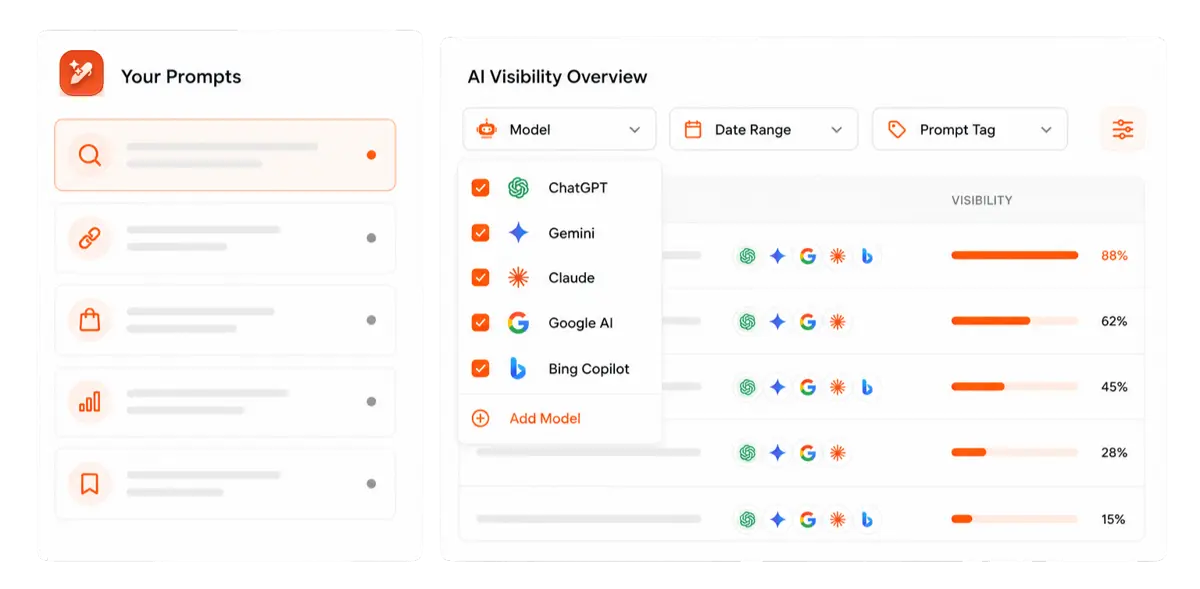
    Here is a simple framework to help you narrow down your options and pick the right tool for your needs:

    Define what you need to track

    Start by listing the competitor metrics that matter most to your SEO strategy:

    • Organic keywords and rankings: Tools like Ahrefs, Semrush, and Contentpen excel in this area.
    • Backlink profiles: You can use tools such as Ahrefs and Moz Pro to get up-to-date backlink data on your competitors and plan your next move accordingly.
    • PPC and ad campaigns: For this purpose, you can utilize SEO competitor tools, such as TapClicks and SpyFu, which specialize in paid search intelligence.
    • Content performance and social shares: BuzzSumo can be your go-to for monitoring competitor social shares and performance.
    • Local SEO and citations: Tools like Whitespark can be used for local SEO and citation monitoring.
    • Website changes and updates: Visualping is a solid choice for checking competitor site updates in real time, helping you develop new strategies to outsmart your rivals.

    Narrowing down which competitive intelligence metrics you want greatly simplifies choosing the right tool.

    After reviewing information, you can use AI meeting note-taking apps to capture topic priorities, decisions, and follow-up tasks, helping turn competitor research into a concrete content plan.

    Also read: How to do SEO?

    Consider your team size and skill level

    Not every tool is built for every user. Some platforms assume you already know SEO inside and out. Others are designed to onboard beginners quickly. Therefore, it is crucial to keep your workforce in mind while choosing an SEO competitor analysis tool.

    • Solo marketers and small teams: Look for simple, affordable tools like Visualping, SpyFu, or Contentpen that do not require much training and are highly affordable.
    • Agencies managing multiple clients: At this level, you will want white-label reporting, API access, and bulk analysis features, especially if you’re running a SaaS web design agency. These features can be found in tools like SE Ranking, Semrush, or TapClicks.
    • Enterprise teams: Platforms like Similarweb offer advanced data integrations and custom dashboards for larger teams. If your purpose is to create and optimize content, our SEO AEO tool also offers collaborative and integration capabilities.

    As a general rule of thumb, if your team is small, choose a tool with a clean interface and strong support. Do not create extra hurdles in your workflow, as this will defeat the whole purpose of selecting a tool.

    Also read: Best AI tool for writing SEO-rich blog content.

    Set a realistic budget

    As you’ve seen earlier with our list, SEO competitor analysis tools range from $10/month to well over $500/month. However, price does not always equal value, not for all teams, anyway.

    Do not overpay for features you will not use. If you only need keyword research and rank tracking, a mid-tier plan from Contentpen or SE Ranking will serve you better than an expensive all-in-one SEO suite, such as Semrush or Ahrefs.

    Test before you commit

    Most competitor analysis tools online, like Contentpen, offer free trials. Use them.

    Spend a week running real competitor website analysis on your actual rivals. Check how accurate the data feels, how easy the interface is to navigate, and whether the insights actually help you make the right decisions or not.

    Pay attention to:

    • Data freshness: Are keyword rankings and backlink profiles updated regularly?
    • Export and reporting: Can you pull clean reports without hitting frustrating limits?
    • Customer support: Will you get help when you can’t figure something out?

    The best tool is the one you will actually use consistently, not the one with the longest feature list.

    Think about workflow integration

    If you already use tools for content creation, publishing, or project management, check whether your SEO competitor analysis tool integrates with them.

    Contentpen, for example, connects directly to WordPress, Ghost, Wix, Shopify, and Webflow, so you can research, write, and publish without switching platforms. It also offers Webhook integrations so that you can make your own workflows without any hurdles.

    Other tools, such as Semrush, integrate with Google Analytics, Google Search Console, and dozens of marketing apps. These integrations save time and reduce the risk of data falling through the cracks.

    Prioritize actionable insights

    Some tools give you mountains of data but no clear next steps. Others highlight exactly what to do next.

    Look for platforms that surface quick wins and content gaps, rather than just showing you charts. Tools like Contentpen excel at this by turning competitor research into actionable items, such as writing an article on a particular keyword or optimizing a specific heading on a blog.

    Also read: The ultimate guide to optimized content marketing for SEO success.

    TL;DR: If a tool makes you feel smarter and more focused after using it, that is a good sign. If it leaves you overwhelmed and confused, keep looking.

    Summing it up

    SEO competitor analysis tools help you surface what your rivals are doing, how they’re doing it, and where you can take the lead. These tools power strategies and decision-making, defining the modern SEO framework.

    Choosing a suitable tool for competitor analysis in 2026 can be tricky, especially with so many options on the market. We hope our guide helped you pick the right tool for your needs so you can excel without limits.

    If you want to see real ranking keyword opportunities and detailed competitor insights for your content, sign up now at Contentpen.

    Frequently asked questions

    How often should I run competitor analysis?

    Most teams should review competitors monthly, with deeper audits quarterly. Highly competitive niches may require weekly monitoring to stay ahead of ranking shifts and content changes.

    Can I use multiple SEO competitor analysis tools at the same time?

    Yes, and many teams do. Most businesses layer a backlink-focused tool with a content or keyword tool like Contentpen or Semrush. The key is avoiding overlap that wastes budget. Pick tools that complement each other rather than duplicate the same data.

    Do SEO competitor analysis tools show real traffic numbers?

    Most tools provide traffic estimates based on models, rather than exact data. While not perfect, these estimates are accurate enough for competitive benchmarking and trend analysis.

    Can SEO competitor analysis tools help with content planning?

    Yes. Tools, such as Contentpen, reveal content gaps, top-performing competitor pages, keyword clusters, and search intent patterns that directly inform content strategy and topic prioritization.

    Do I need coding or technical skills to use SEO competitor analysis tools?

    No. Most modern tools are designed for marketers and content teams without requiring coding knowledge. However, some advanced features, such as API integrations or custom reporting, may need technical support.

    How long does it take to see results after using competitor analysis insights?

    It depends on what changes you make. Quick wins, such as optimizing title tags or targeting low-competition keywords, can show ranking improvements within weeks. Greater efforts, such as publishing content, typically take two to six months to noticeably affect rankings.

  • What is anchor text, and why does it matter for your SEO strategy?

    What is anchor text, and why does it matter for your SEO strategy?

    Anchor text is the clickable text in a hyperlink that you see and interact with on web pages. It looks simple, yet it plays a huge role in how pages appear in search results.

    With so many types of anchor text, rules, and warnings about penalties, it is easy to feel unsure about what to do next.

    This is why we created this guide to cover everything about anchor texts. We will see how anchor text works in SEO, with examples and practical best practices you can apply right away to see ranking gains and traffic improvements.

    You will also see how an AI-powered platform like Contentpen can guide anchor choices as you write, so you get consistent internal links without manual work.

    So, let’s begin, shall we?

    Anchor text basics explained

    Anchor text is a relevance signal that helps search engines connect pages to topics. They serve as a roadmap for people to learn more about your services and offerings, and they tell readers what to expect on the destination page.

    But when anchor text is random, generic, or stuffed with keywords, it does more harm than good.

    In HTML, the anchor text sits between the opening and closing <a> tags. 

    Here’s how it looks:

    Anchor text in HTML - Contentpen.ai

    This is anchor text in HTML form, and it is what Google crawlers read during link analysis.

    Anchor text has a dual role:

    • It helps users decide whether to click.
    • It helps search engines interpret the topic and relevance of the linked page.

    The same principle applies when an image functions as a link. In this case, search engines rely on the image’s alt attribute to understand the link’s context. Because images contain no visible anchor text, the alt value becomes the primary descriptive signal.

    For example:

    <a href="/reddit-seo"><img src="reddit-seo-checklist.png" alt="Reddit SEO checklist"></a>

    Here, Google treats “Reddit SEO checklist” as the anchor text, helping associate the destination page even without visible link text.

    Why anchor text matters for SEO

    Anchor text matters because it provides context to Google. When many pages link to the same URL with relevant link text, the search engine can guess the topic of that page with more confidence. 

    If several trusted sites link with text like “what is off-page SEO,” that page is more likely to rank for searches related to off-page SEO guides.

    John Mueller from Google has explained that anchor text helps Google understand what a page is about, but it is “just one of many factors” the system uses.

    Also read: SEO glossary: 250+ terms to know in 2026.

    Anchor text also affects how link equity flows. When an authoritative site links with descriptive backlink anchor text, it passes both authority and topical relevance. 

    That is why a strong link anchor can move rankings, while a weakly descriptive anchor text often does far less, even if it comes from an authoritative source.

    To put it simply, relevant anchor text helps with:

    • Keyword and topic relevance
    • Stronger signals from high-quality backlinks
    • Better user expectations and click-through rates
    • Clearer internal navigation for readers and crawlers

    Now, let’s see the types of anchor texts and different scenarios where you can utilize them for better search engine optimization.

    Types of anchor text and when to use them

    Types of anchor text - Contentpen.ai

    Not all anchor text looks the same. A healthy anchor text strategy uses a mix of styles, so your profile seems natural and helpful rather than forced. Each type comes with strengths and risks, which you can balance with a simple mental anchor text formula (we’ll get to it later).

    Exact-match

    Exact-match anchors use the exact keyword that the target page wants to rank for. 

    Example: A link with the text “what is on-page SEO” pointing to a guide with the same focus. 

    Exact-match anchors send very clear relevance signals, so you should use them sparingly for important internal links.

    Partial-match

    Partial-match anchors include the main keyword plus other words. 

    Example: A phrase like “18 best blog examples you can learn from in 2026” can be a partial match for the focus keyword of ‘best blog examples’.

    This style fits better inside real sentences and feels more natural to readers. These types of anchors also work well for most internal links and many outreach efforts.

    Branded

    Branded anchors use only your brand name.

    Example: Contentpen. 

    These anchors help build brand strength and trust. They tend to look normal to Google because many people use brand names when linking to sites they know.

    Compound

    These combine your brand name and a relevant phrase. 

    Example: Text such as “Contentpen SEO tools” falls in this group. 

    These anchors link brand and topic in a way that supports both awareness and rankings.

    Naked

    Naked anchors show the raw URL as the anchor text.

    Example: A naked URL can be like “https://contentpen.com.” 

    People often use this style in forums, comments, and quick mentions. These links are less descriptive, yet they still count as part of a natural mix of hyperlink anchor text on the web.
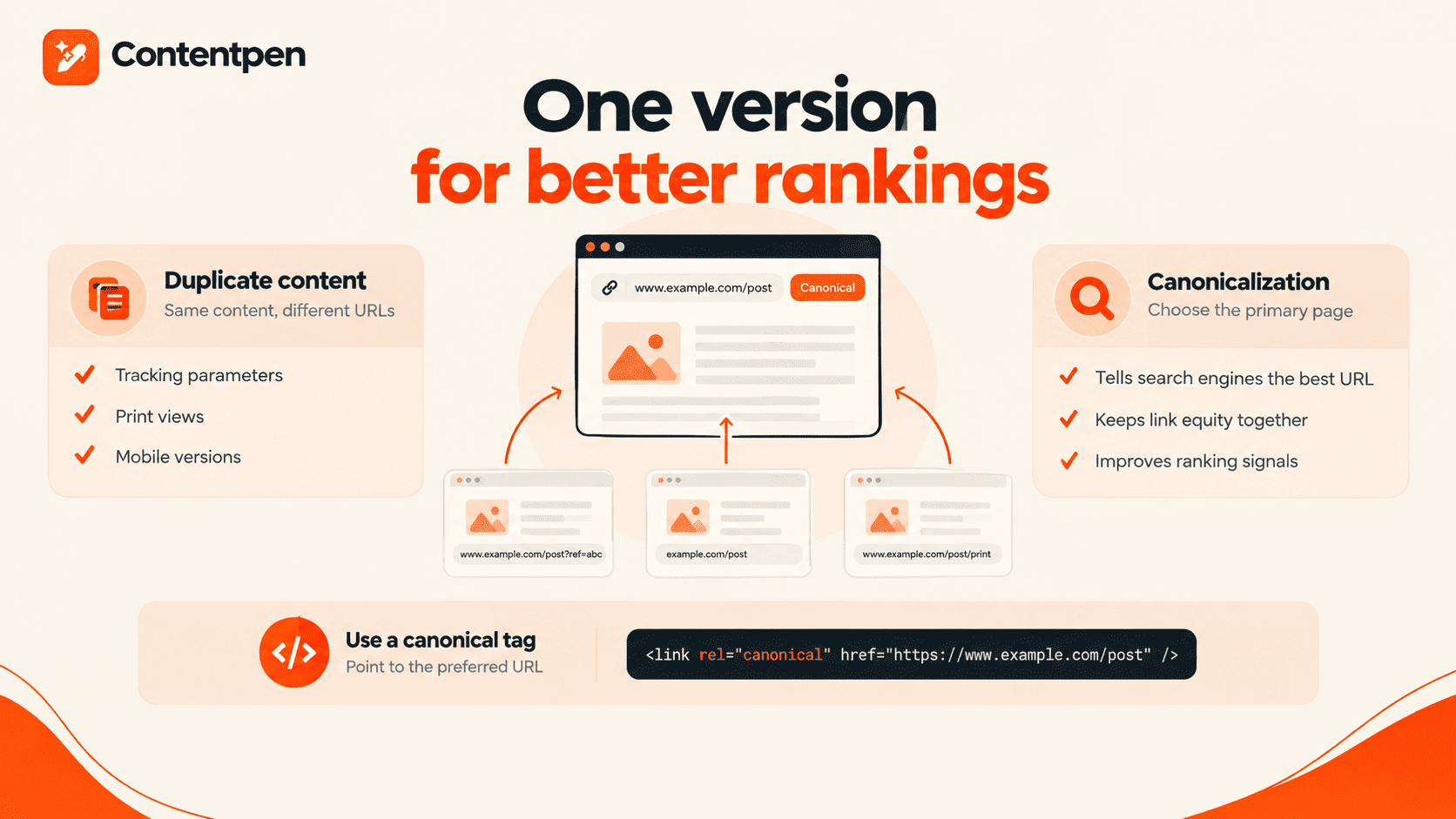
    Generic

    These types of anchor texts are very general and less descriptive about the target page.

    Example: “click here,” “read more,” or “this article.” 

    Such anchors rarely help users or search engines determine the page’s topic. In most cases, it is better to avoid generic anchors and replace them with more descriptive ones.
    Image

    Image link anchors rely on the image alt text. 
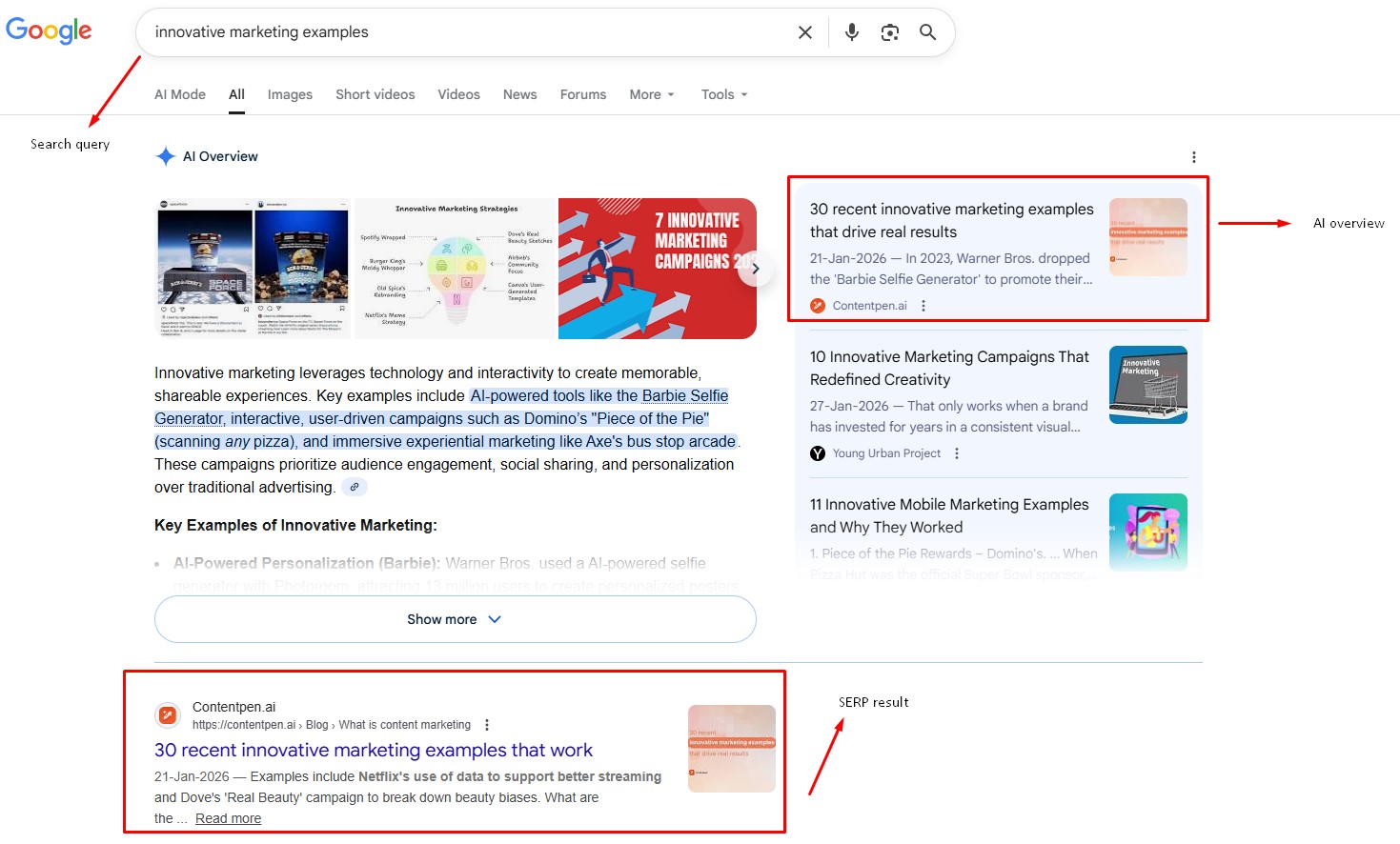
    Example: 

    On-page SEO checklist

    (alt text: on-page SEO checklist)

    When image alt text is descriptive, it acts as the anchor text meaning for search engines. If the alt field is empty, the image link provides almost no context.

    Related

    Related keyword anchors use terms that are close to your main topic but not exact matches. 

    Example: For a page about “best AI chatbot for professionals,” a phrase like “AI automation tools” can serve as a related anchor. 

    This style helps you show Google the broader topic cluster around a page.

    Page title

    Page title anchors match the exact title of the target page. 

    Example: A link that uses “What is technical SEO? Your complete guide to getting started” as the anchor text. Writers often use this style when they cite articles, so it feels natural in many contexts.

    Here’s a breakdown of each anchor text type at a glance and its use cases at a glance:

    Anchor typeExampleMain use case
    Exact matchAnchor text strategyStrong relevance, use in moderation
    Partial matchGuide to anchor text strategyNatural linking is the most common
    BrandedContentpenBrand building and trust
    Brand + keywordContentpen SEO toolsBrand + topical relevance
    Naked URLhttps://contentpen.comMentions, profiles, citations
    GenericClick hereAvoid when you can. Not recommended
    Image (via alt text)alt=”on-page SEO checklist”Visual links with context
    Related keywordInternal linking tipsTopic clustering and synonyms
    Page titleFull article titleCitations and references

    You may also use this anchor text formula to help you get started:

    Anchor Text = Relevant Keyword + Natural Flow of Text

    Anchor text formula example - Contentpen.ai

    However, this formula is a general best practice and may vary based on your brand guidelines and SEO strategy.

    How do I create anchor text?

    Creating anchor text starts with understanding the page you are linking to and choosing words that clearly describe it in a natural sentence. Instead of thinking in terms of keywords first, think in terms of meaning and usefulness.

    Here’s a simple process you can follow every time.

    Identify the core topic of the destination page

    Ask yourself one question:

    What would I tell someone about this page in one short phrase?

    That phrase becomes the foundation of your anchor text. For example, if the page explains how to audit a website for SEO, your anchor should reflect that purpose rather than a vague action.

    Place the link inside a relevant sentence

    Anchor text should live inside a sentence that already supports the topic of the linked page. Instead of adding a link at the end of a paragraph, embed it where the topic naturally appears. This improves readability and strengthens topical relevance for search engines.

    Write the anchor as part of the sentence

    Good anchor text feels like normal language, not a tag or label.

    For example, instead of writing:

    Click here to read our SEO audit guide.

    Write:

    Our SEO audit guide explains how to evaluate your site’s performance step by step. 

    This keeps the content smooth and user-focused.

    Keep the anchor centered on one idea

    Each anchor should represent a single concept. Avoid stacking multiple ideas into one link or using overly long phrases.

    If a sentence introduces two different topics, it is better to use two separate links rather than forcing one long anchor.

    Adjust the wording based on context

    The same page can be linked with different anchor texts depending on the context. A guide about internal linking might be referenced as:

    • “Internal linking strategy” in one article
    • “How to structure internal links” in another

    This variation helps search engines better understand the page without repeating the same phrase over and over again.

    Anchor text best practices

    Anchor text best practices - Contentpen.ai

    Good anchor text feels natural to readers and helpful to search engines. When you plan an anchor text strategy, it helps to think about the user first and the algorithm second.

    The words you choose for an anchor must match the content of the target page. If a link says “keyword research guide” yet points to a pricing page, visitors will feel tricked. Over time, that kind of behavior can lead to lower engagement and weaker trust signals in search.

    Natural flow also matters. If the phrase feels bolted on just to add a keyword, rewrite the line. Remember that internal links are not only about the clickable words. They also rely on the surrounding copy.

    To keep things practical, you can follow a few simple rules:

    Be watchful of keyword stuffing

    Watch for keyword stuffing in anchors and nearby text. If a sentence repeats the same keyword several times just to squeeze it in, it weakens the copy. 

    Before Google’s Penguin update in 2012, many sites used exact keyword anchor text again and again to gain rankings. However, that tactic created unnatural link profiles, and Penguin went after those patterns.

    Here’s one example from Google that can help you understand what to avoid while using your anchor texts:

    Google example of keyword stuffing

    Modern Google is much smarter. It looks at anchor text, the sending page, the receiving page, domain quality, and the overall mix of anchors. 

    Exact and partial-match keyword anchor text still helps when it looks natural. Yet heavy repetition, spammy phrases, and off-topic anchors can trigger spam filters.

    A single, well-placed keyword anchor text within a single logical phrase usually sends a stronger, safer signal.

    Make the links visible

    Make sure links stand out visually on your pages. Use contrast and underlines carefully so people can see which words they can click.

    When you make links visible, you also improve your platform’s dwell time. Users notice more of your pages and check them out, giving a highly positive signal to Google, Bing, and other search engines and AI discovery tools.

    Monitor anchor texts

    Review your anchor mix regularly with SEO tools. Online tools such as Ahrefs, Semrush, and Moz can show your internal and external linking anchor text types and ratios. Use the tool suggestions to gain rankings and retain users on your platforms.

    Consider the accessibility of links

    Screen readers often read link text aloud, so phrases like “this article” or “click here” can be confusing. Clear anchors, such as “anchor text best practices,” are much easier to understand.

    Also, make sure to keep the anchors short and sweet. We recommend keeping it to 5 words or less.

    How Contentpen streamlines anchor text optimization

    Manually checking every link on a site and thinking through anchor text for each one takes time. It is even harder when a team manages hundreds of articles and has several writers, each with a different style. 

    In that setup, maintaining a healthy, consistent anchor text profile across the entire site can feel almost impossible.

    Contentpen tackles this problem inside the writing workflow. As an end-to-end AI blog creation platform, it guides content teams from draft to SEO review in one place. 

    Contentpen anchor text and link edit options - Contentpen.ai

    Its integrated SEO scoring highlights on-page gaps, including missed opportunities for helpful internal links. Writers see those insights as they work, so they adjust anchors before content goes live.

    Contentpen helps you automate internal and external linking. The tool selects the most suitable anchor text based on context and topic as it generates your blog. This removes the need for manual link placement entirely.

    You can think of it as an AI blog writing tool equipped with an anchor text generator that follows all the SEO best practices to help you rank on Google.

    The platform also supports smarter planning. With built-in SERP and competitor analysis, you can study how top sites in your niche use links and anchor types. That insight makes it easier to design an SEO anchor text strategy that lines up with what already works in your niche.

    Contentpen keeps teams in a single workspace for all tasks, eliminating the need to jump between tools to manage anchor optimization. 

    Over time, that leads to a site where keyword anchor text, related terms, and branded anchors follow a clear pattern without heavy manual review.

    Concluding thoughts

    Anchor text may look like a small detail, yet it carries a lot of weight. Those clickable words guide users through your content and tell search engines what each linked page is about. When that link text matches the topic, both people and algorithms get better signals.

    The goal is balance. An innovative approach mixes branded, partial-match, related, exact-match, and other anchor text types in a way that feels human. You want anchors that are relevant, clear, and easy to read, without sliding into keyword stuffing or spammy patterns.

    A good first step is to perform a simple audit of your internal links. Look for generic anchors and repeated phrases, then replace them with clear, keyword-rich anchor text that accurately reflects the target page.

    If you want help placing anchors throughout the platform, use Contentpen. Integrate anchor text optimization into your normal content process so your links deliver more today.

    Frequently asked questions

    What is the ideal anchor text ratio for SEO?

    There is no universal ratio. The best approach is a natural distribution of branded, partial-match, related, and occasional exact-match anchors that reflects real editorial linking behavior.

    Can I use the same anchor text for multiple internal links?

    You can, but using varied, relevant anchor phrases helps search engines better understand the page’s topic and improves the quality of internal links.

    How do I check my current anchor text profile?

    Use SEO analytics tools like Ahrefs, Semrush, or Moz to analyze backlink anchors, and site crawlers or CMS exports to review internal anchors across your pages.

    What is anchor text in SEO, with an example?

    For example, a link text that says “how to do SEO” and points to a relevant checklist article or guide is an example of an anchor text in SEO. Now, search engines will associate that page with broader SEO topics.

    What is anchor text in reading?

    In reading, anchor text is the visible part of a link that guides readers to related information. It acts as a navigation cue that connects one piece of content to another.

    Does anchor text matter for no-follow links?

    Yes. Clear anchor text improves user understanding, click behavior, and overall content clarity for no-follow links.

  • What is an external link? Guide to better link-building in 2026

    What is an external link? Guide to better link-building in 2026

    An external link is a hyperlink that points from your website to another domain, or vice versa. It serves as a vote of confidence, endorsing the offerings of the linked platform and signaling to search engines and users that the linked page is worth a visit.

    While many users know the basic definition of the term, their external linking strategies are weak and inefficient. The result? They leave a lot of ranking potential on the table.

    This guide walks through the basics of what an external hyperlink is, how search engines judge link quality, and how to build a powerful inbound and outbound link profile.

    By the end, you’ll also see how Contentpen helps automate external linking.

    So, let’s get started.

    Key takeaways

    • An external link connects one domain to another, and search engines use it to judge a page’s popularity, trust, and topical relevance.
    • Link quality depends on signals like the trust of the linking domain, topical relevance, anchor text, and link diversity, not just raw link counts.
    • The strongest inbound link profiles come from linkable assets, broken link building, and relationship-first outreach.
    • Outbound links should always help the reader, and the right rel attributes (sponsored, ugc, nofollow) should be placed on the links.
    • External links need regular audits to catch link rot and unsafe domains, and Contentpen helps by producing link-worthy content and automating internal and external linking.

    Defining external links for SEO

    An external link connects one domain to another. When another site links to yours, that’s a backlink (or inbound link). When you link from your content to another site, that’s an external link in SEO.

    On a technical level, an external link looks like this in HTML:

    <a href="https://www.example.com/">Helpful SEO guide</a>

    The href attribute holds the URL of the page on another domain. The visible part between the tags is the anchor text.

    To a user, it is just a clickable phrase. To a search engine, it is a clue about what the linked page covers.

    Links became important when Google introduced PageRank. The idea was simple: a link from one page to another counted like a vote. The more quality votes a page earned, the more important it seemed. 

    Over time, the model grew more advanced, but the core concept stayed. A strong external link from an authoritative source passes link equity and signals that a page has value.

    Today, search engines use each external link to judge several things: popularity, trust, and topical relevance. They look at:

    • How many high‑quality sites point to a page
    • Who is doing the linking
    • How closely the topics match
    • Which words appear in the anchor text

    Together, these factors help search engines decide how a page should rank.

    External links vs internal links: Understanding the difference

    Internal links connect pages within your own website and help organize content, guide users, and distribute link equity.

    On the other hand, external links point from your site to other domains and help provide context, cite sources, and connect your content to the wider web.

    As we’ve already highlighted earlier in our internal linking guide, both types of links are essential for SEO.

    Also read: How to do SEO?

    Internal links strengthen your site’s structure, and external links improve your site’s credibility.

    How search engines evaluate external link quality

    External links visualized - Contentpen.ai.

    Search engines evaluate external links based on six core signals:

    • Trust level of the linking domain. A link from a long‑standing news site, a respected .edu, or a known industry blog carries more weight than one from a site with thin, duplicated, or spam content.
    • Popularity of the source page: A mention from a page that has many strong backlinks passes more link equity than a link buried on an orphan page with no visitors.
    • Topical relevance: If a page about technical SEO links to your article on off-page SEO, the match in subject tells search engines that your content belongs in that bigger topic of search engine optimization.
    • Anchor text: The words used in the anchor text give search engines a hint about what the target page covers.
    • Link diversity: Earning links from many domains signals broader support than getting many links from a single site.
    • Ownership patterns: If several domains are owned by the same company and link heavily to one another, those links often carry less significance than true third‑party mentions.

    TL; DR: Search engines have become quite good at spotting clear self‑promotion techniques.

    Collectively, these signals tell search engines about the quality of an inbound link a website earns.

    Building a powerful inbound link profile

    Modern link building should not feel like tricks or shortcuts. The best approach is to write a blog post that solves real problems or answers real questions that users might have.

    Then, you can help the right people discover those pages with SEO and GEO techniques so they can decide to link to your content.

    Building a strong inbound link profile starts with:

    • Creating linkable assets (blogs, How-To guides, templates, etc.)
    • Utilizing broken link building (asking webmasters to replace a bad link on their page with yours)
    • Investing in ethical outreach (genuinely inviting similar-niche sites to invest in link-building)

    Let’s discuss these one by one to help you get started.

    Creating linkable content assets

    Linkable assets are pieces of content that are comprehensive, well-structured, and answer all common user queries for the topic.

    They mostly contain stuff that you cannot find elsewhere, like a CTR calculator, an executive summary template, or internal statistics that people would want to share or link to.

    CTR calculator by Contentpen.ai.

    You should also include:

    • Clear definitions
    • Visual diagrams
    • Real-world examples
    • Actionable best practices

    When a guide becomes the go-to resource for a topic, it can attract backlinks for years.

    Also read: What is CTR? Explained for beginners.

    Using broken link-building to your advantage

    Broken link building involves finding dead outbound links on relevant sites and offering your content as a replacement.

    Since you are helping the site owner fix a problem, they are more likely to consider your suggestion.

    That said, try to send a personalized message to the site owner. Do not use generic email templates as they won’t help you get noticed.

    Investing in ethical outreach

    Ethical outreach is about bringing your linkable assets to the right people without sliding into spam.

    The mindset should be relationship-first. Editors and creators hear from many people who only want a backlink. Stand out by caring about your work. 

    In each email, Reddit DM, or LinkedIn message, mention a specific article you liked and why your resource fits their audience.

    Explain clearly how linking to your page would help their readers understand a topic better. Keep the note short and respectful of their time.

    Timing matters too. Reach out soon after you publish a significant asset, while your own energy and focus are high.

    If your content ties into a fresh trend or news story, mention that link. Editors often look for timely resources to share to give their platforms a healthy boost in organic traffic.

    A few simple habits keep outreach effective:

    • Make the link easy to add by suggesting natural anchor text and where it could fit in their article.
    • Avoid pushy follow‑ups. One gentle reminder after a week or two is fine. Daily nags or guilt trips are not. You want to be seen as helpful, not as a constant source of pressure.
    • Track your outreach in a simple sheet or CRM. Note who you contacted, when, and how they responded. This helps you avoid sending repeat messages and lets you see which approaches work best.

    When done well, healthy outreach turns strangers into partners and external links into the natural next step of a real connection. This practice also helps improve your share of voice in the niche.

    Outbound linking best practices for SEO

    When people hear “external links and SEO,” they often think only about getting backlinks.

    Outbound linking best practices - Contentpen.ai.

    Outbound links matter as well. How you link from your content to other sites affects user trust, search engine signals, and even how other publishers see your brand.

    The starting point is simple. Every external link on your website should help the reader clearly. It might:

    • Back up a claim
    • Show comprehensive research behind a short quote
    • Provide a useful calculator or tool
    • Share an official source or policy

    Anchor text placement matters too. Links that appear inside the main body of your content usually carry more weight than a long list of references at the bottom. They are easier for readers to notice and feel more natural.

    Setting up proper rel attributes

    Link attributes provide search engines with more information about the nature of each external link.

    rel= ”dofollow”

    For most editorial links to trusted sources, a normal dofollow link is fine. It lets you pass on a vote of confidence to the site that you endorse its offerings.

    In HTML, they look like the following:

    <a href="https://example.com/">Standard Dofollow Link</a>

    Most modern content management platforms, like WordPress, have built-in options to manage these link rel attributes. So, chances are that you won’t see these HTML codes written like that, ever. But you should know their details, regardless.

    rel= ”sponsored”

    Use this rel attribute if you want to tell the crawler that the page you’re linking to is a sponsorship, not a free third-party endorsement.

    <a href="https://example.com/" rel="sponsored">Affiliate Product Link</a>

    This includes sponsorships, ads, and many affiliate links, which are quite popular in blogging.

    rel= ”ugc”

    The rel=”ugc” attribute stands for user‑generated content. Use it for external links in comments, forums, and other areas where visitors can post their own URLs.

    <a href="https://example.com/" rel="ugc">User Posted Link</a>

    This tells search engines that you did not place those links yourself.

    rel= ”nofollow”

    These types of rel attributes are used when you don’t want to endorse the external linked page or its services.

    <a href="https://example.com/" rel="nofollow">Nofollow Link</a>

    Site owners also use nofollow to avoid leaking link equity to their competitors in the same niche.

    rel = “multiple values”

    You can assign multiple rel attributes to a single link to give search engines clearer signals about its purpose.

    For example, if a link is both paid and user-generated, you can combine attributes like this: rel= ”sponsored ugc”.

    <a href="https://example.com/" rel="nofollow sponsored">Paid + Nofollow Link</a>
    
    OR
    
    <a href="https://example.com/" rel="nofollow ugc">User Content + Nofollow Link</a>

    These tags can also be listed together using commas, like rel= ”sponsored, ugc”.

    From a user experience perspective, open links to external sites in a new tab. That way, visitors can explore the resource without losing their place on your page. 

    Whatever you choose, keep the behavior consistent across your content.

    Managing and maintaining your external link profile

    External links are not a ‘set it and forget it’ task. Over time, pages move, domains expire, and once‑helpful resources turn into spam.

    Managing external link profile - Contentpen.ai.

    If you never review your links to external sites, your content can quietly fill up with dead or unsafe links, also called link rot.

    Managing an SEO external links profile means keeping outbound links healthy and monitoring external backlinks pointing in. 

    The goal is to protect user experience, maintain your site’s standing with search engines, and identify new growth opportunities.

    When you find a broken external link on your website, there are several options:

    • If the link is no longer important, remove it from the page. This is the fastest fix and avoids sending people to an error page.
    • If the information is still useful, try to find a replacement on another trusted site.
    • If the content moved within the same site, update the link to the new URL by adding a successful redirect.
    • If no replacement exists and the source was important, look for an archived version of the page you can link to.

    You also need to watch for hijacked or compromised domains that were once trustworthy but are now spammy or filled with scraped articles from every niche imaginable.

    Remove or replace all the unsafe external links to avoid penalties to your rankings. Use tools like Screaming Frog for a deep technical SEO audit of your links.

    Screaming Frog detailed link audit for a website.

    The tool will show you error codes for all your links. Then, you can promptly resolve the issues to keep your link profile clean and healthy.

    Other important tools for monitoring and analyzing external links

    Manually tracking external links doesn’t scale. The right tools help you monitor backlinks, audit outbound links, and catch problems before they affect rankings.

    • Google Search Console is the best free starting point. It shows who links to your site, which pages earn backlinks, and how Google views your domain.
    • Ahrefs and Semrush are powerful paid tools for deep backlink analysis, broken link discovery, and outreach research.
    • Wayback Machine lets you review archived versions of dead pages and recover lost references when needed.

    For most solo creators, Google Search Console plus one paid backlink tool is enough. Larger teams may use multiple tools for analysis, outreach, and link audits.

    How Contentpen helps you create link-worthy content

    Contentpen for SEO and GEO-ready blogs.

    Every strong external link strategy starts with content worth linking to. Without that, even the best outreach plan struggles.

    This is where Contentpen becomes a powerful partner and helps you rank on Google.

    Contentpen is an end‑to‑end AI blog creation platform. It helps marketing teams, agencies, and solo creators produce high‑quality, long‑form content with minimal effort.

    The platform’s integrated SEO scoring and AI optimization guide you while you write to rank better in search engines and get cited by AI.

    It takes care of essential on‑page SEO factors such as headings, keyword usage, structure, and readability, and provides you with content that is easily discoverable.

    Contentpen can also automate internal and external linking to help site owners finish their drafts with confidence and successfully implement their link-building strategies.

    Contentpen brings research, drafting, optimization, publishing, and post-publish analytics into a single workflow. Therefore, you spend less time bouncing between tools and more time on link-building efforts.

    Final thoughts

    External links are one of the clearest signals search engines use to decide which pages deserve to rank.

    Success with SEO external links is not about tricks. It blends solid technical understanding with consistent content creation and real relationships.

    Tools and platforms such as Contentpen help you use AI to write blog posts and produce the kind of content that naturally attracts external links.

    A simple next step is to start small and concrete. Audit your current outbound links, fix obvious problems, and improve weak content. Then plan one or two new linkable assets and start reaching out to others.

    Frequently asked questions

    What is an external link symbol?

    An external link is commonly shown as a small box with an arrow pointing to the upper right (↗). In Unicode, it can also be represented as U+1F517.

    How are external links in HTML used?

    External links in HTML use the anchor tag (<a>) with the href attribute. The target URL goes inside the href attribute, and the clickable text appears between the tags.

    Why are my external links not opening in Chrome?

    External links may not open due to incorrect HTML, browser extensions, cached data, or security settings. Check that your links are clickable, clear your browser cache, and disable any conflicting extensions.

    What are external links in Obsidian?

    In Obsidian, external links use Markdown format: [link text](URL). Place the visible anchor text in square brackets and the target URL in parentheses.

    How to get external links?

    To earn reputable SEO backlinks, create high-quality, helpful content and promote it through outreach, partnerships, and organic sharing.

    How many external links should a page have?

    There is no fixed number of external links per page. A good guideline is to include only as many links as needed to add value, typically 3–10 high-quality, relevant links for a standard blog post.