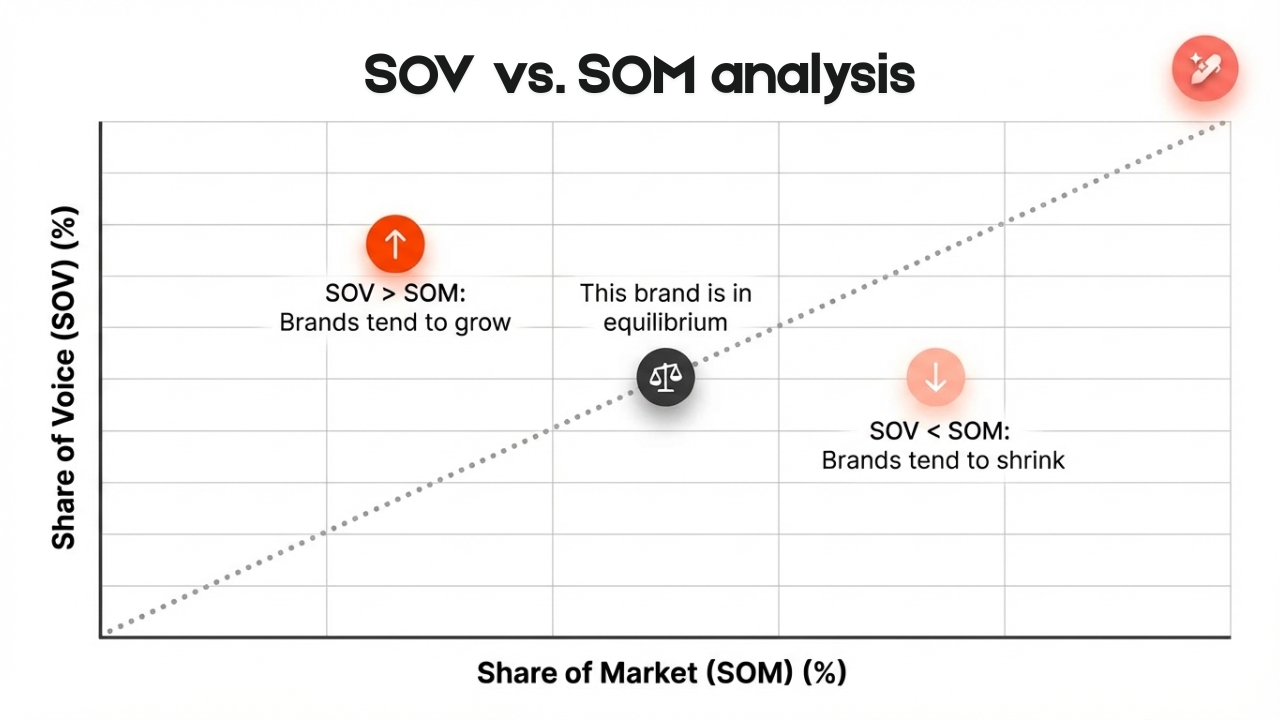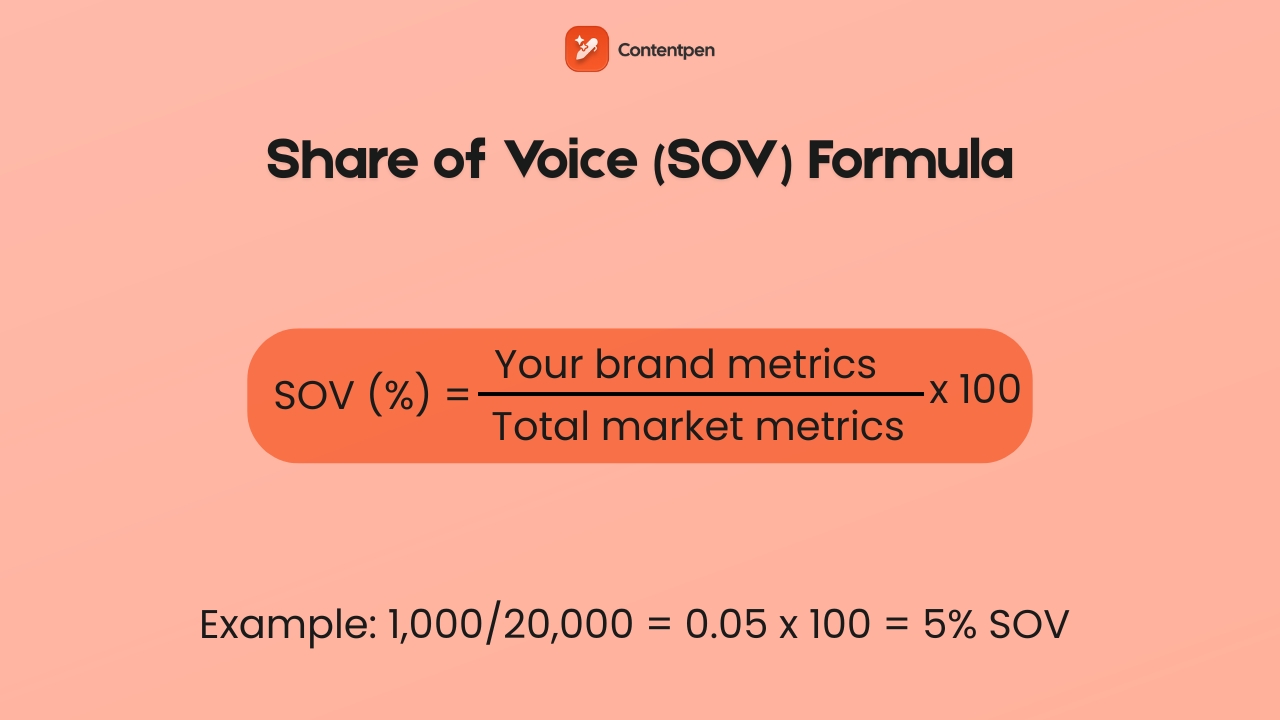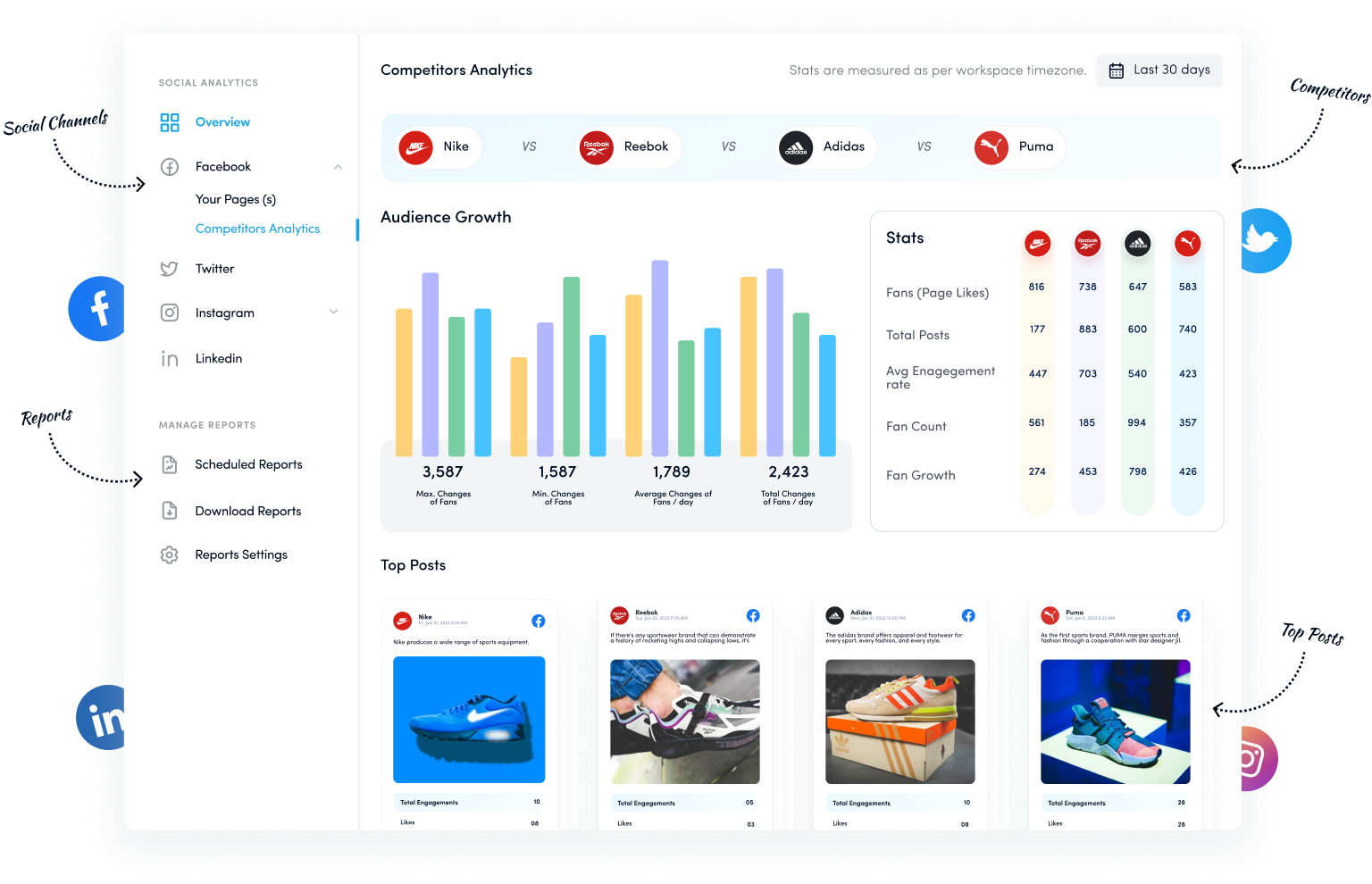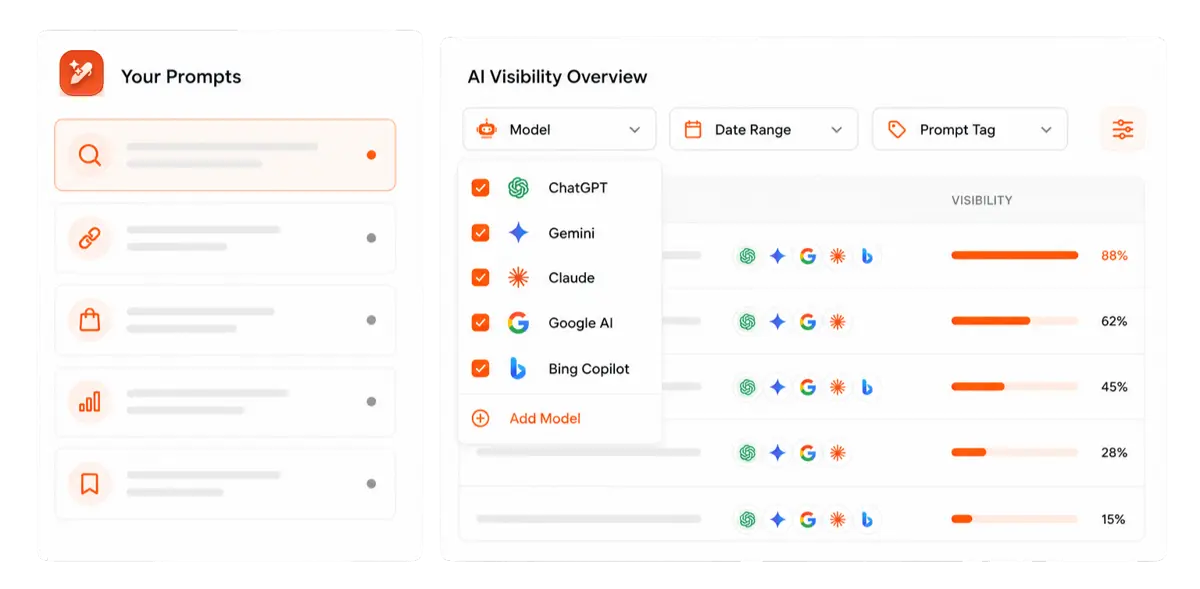
94.8% of homepages have accessibility errors, and missing or inaccurate image descriptions make up more than half of those issues. That is a huge chunk of visitors running into silent images, broken context, and a poor experience.
For most content creators, marketers, SEO specialists, and small business owners, this is low-hanging fruit. A few words in the right place can support web accessibility guidelines such as WCAG and give you an image SEO boost for better visibility.
With this post, we aim to help you write the right image descriptions by sharing 12 real-world alt text examples covering different use cases and platforms.
By the end, you will be able to look at any image on your site and know exactly what to write in the alt attribute without any doubts.
So, let’s get to it, shall we?
E-commerce product image alt text examples
Many online businesses and agencies use images to represent their products on popular E-commerce platforms, such as Shopify, WooCommerce, and others.
However, most of them fail to write suitable image descriptions, which results in poor image SEO and weak content accessibility for screen reader users.
Under WCAG Success Criterion 1.1.1, every non-text element on a page must have a text alternative that serves an equivalent purpose. Therefore, vague descriptions like “bag” or “promotional banner” do not meet that bar.
The good news is that you can follow a simple alt text formula that most content teams never use:
[Product type] + [Brand if relevant] + [Key attribute] + [Color/Material] + [Variant detail if applicable]
Let’s review some quick e-commerce image examples to help you grasp the way to apply the above formula.
1. Main product shot (the hero image)
This is the image that appears in search results and at the top of the product page. It needs to communicate what the product is and what distinguishes it.
✅ Good: ‘Matte black leather laptop bag with gold zip pulls and padded shoulder strap.’
❌ Bad: ‘A matte laptop bag.’ [The bad alt text doesn’t describe any of the essential details of the bag, for instance, its color, zipper style, brand name, angle of shot, etc.]
2. Variant/color selector images
If you have an image with product variants in different colors or sizes, then your alt text must be able to specify that. Otherwise, screen readers and Google will miss out on this critical detail.
✅ Good: ‘Men’s linen shirts button-down in navy, olive, white, and terracotta.’
❌ Bad: ‘linen shirts (repeated on 4 colors.)’ [Define what colors or sizes are available so that you have a better chance of selling your items.]
3. Images with text (promotional graphics, sale banners)
For promotional images, include the full text from the image in the alternative description. This is the one case where your alt text might be longer than usual.
✅ Good: ‘A blue-white banner for SprintX, reading: Summer Sale: 30% off all shoes. Offer ends July 31. Use code SUMMER30 at checkout.’
❌ Bad: ‘Promotional banner for SprintX.’ [You lose the chance of telling search engines and screen readers what you offer in the promotion.]
Social media alt text examples by each platform
When it comes to social media, each platform has different character limits and different conventions for writing alt texts. Some apps will automatically write an alt text for you, but these are mostly not fit for use.
1. Alt text examples for Instagram
Instagram’s auto-generated alt text is notoriously vague (“may contain: one person, smiling, outdoors”). Always override it. You have 100 characters to work with, so prioritize subject + action + context.
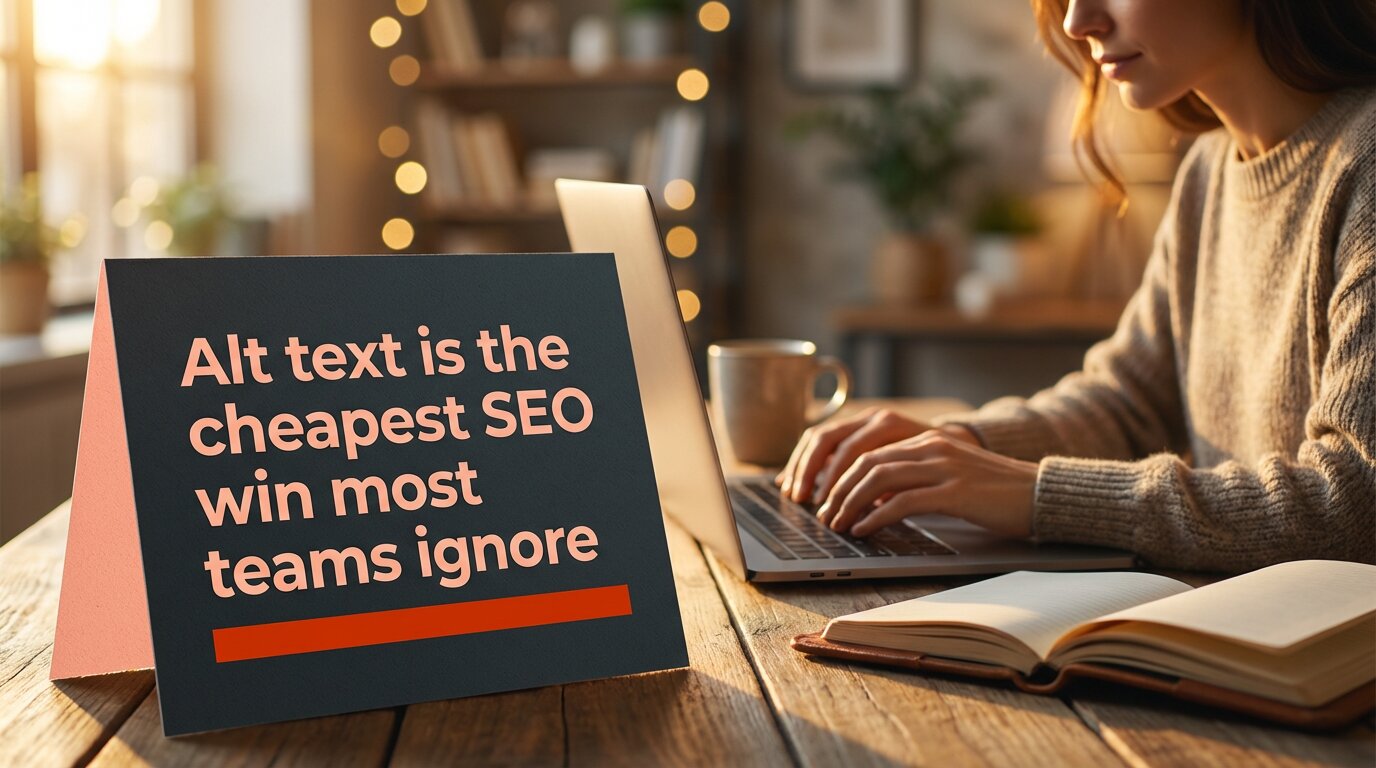
Let’s take an example of how to write alt text for art, or in this case, a quote graphic posted on IG.
✅ Good: ‘Quote: “Alt text is the cheapest SEO win most teams ignore.”’
❌ Bad: ‘Person typing on a laptop with an opened notebook on the desk.’ [Focuses on unnecessary elements.]
Pro tip: Instagram Stories currently don’t support native alt text. For stories, you need to use the text overlay feature to add a written description directly onto the story to boost engagement.
2. Alt text for LinkedIn
LinkedIn may auto-generate alt text, but its descriptions are frequently inaccurate. The platform has a professional context, so alt text should reflect exactly that.
The alt text character limit for LinkedIn is debatable. However, it is always a better idea to keep your image descriptions to less than 125 characters, as screen-readers typically don’t read past this point.
✅ Good: ‘Torbjørn Flensted, founder of SEO.ai, speaking at SEO conference SEOday.’
❌ Bad: ‘Torbjørn Flensted speaking on a stage to other SEO professionals.’ [Again, this bad alt text example focuses on irrelevant details, missing the key context of the image.]
Pro tip: LinkedIn alt text cannot be added or edited after a post is published. So, write it well enough before posting.
3. X / Twitter (1,000 character limit)
X gives you far more room than any other platform, but that doesn’t mean you should use it all. Most posts need 1–2 sentences. Use the extra allowance for genuinely complex images like detailed charts or diagrams.
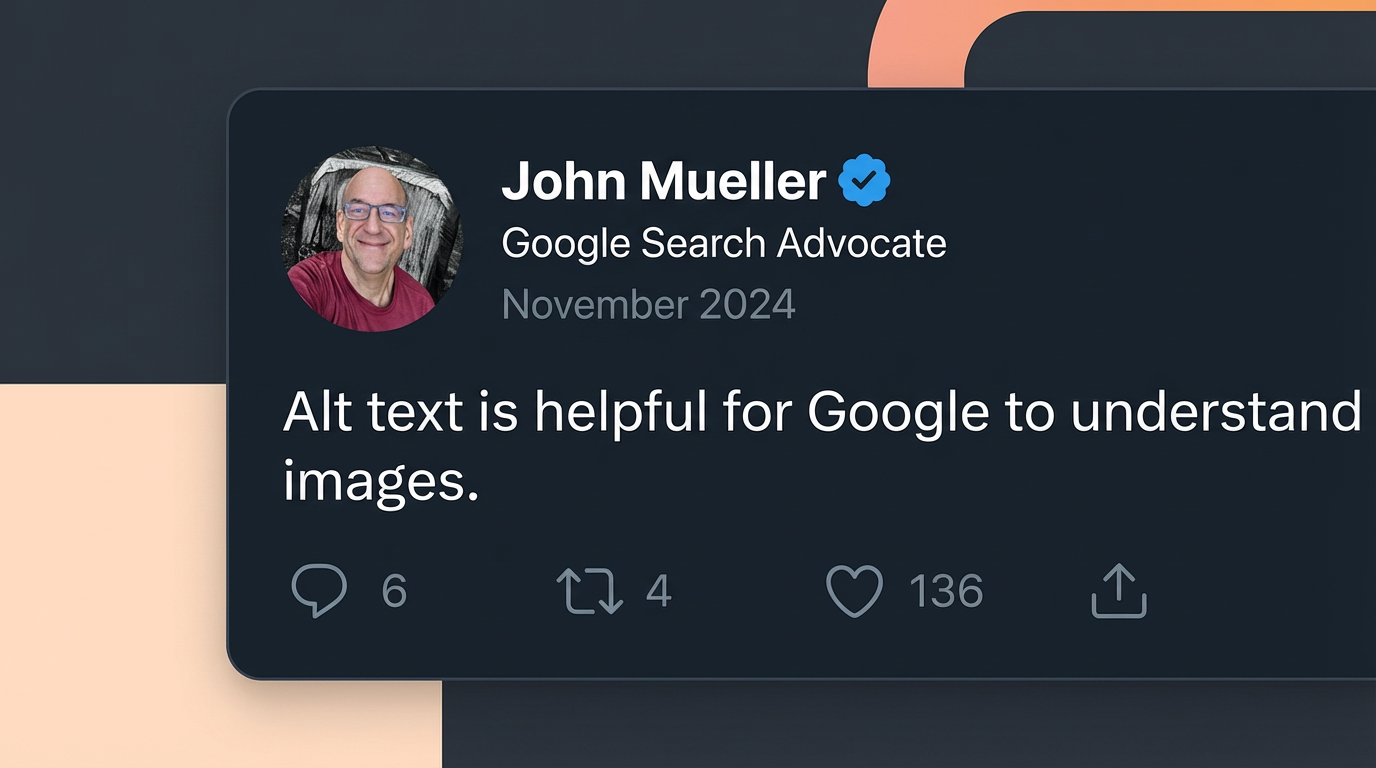
Right now, we will show you a screenshot example for alt text, which discusses one of the key points mentioned by John Mueller regarding alt text.
✅ Good: ‘Screenshot of a tweet by John Mueller reading: “Alt text is helpful for Google to understand images.” Posted November 2024.’
❌ Bad: ‘John Mueller Tweet on alt text.’ [Alt text for screenshots must explain what they say to the audience directly. This nuance is really important for Google Image SEO.]
Pro tip: X requires you to enable alt text in your “Accessibility Settings” before the option appears when uploading images. It’s off by default.
4. Facebook (100 character limit)
Facebook also auto-generates alt text using AI, but again, the output is not very useful. Therefore, you should always write custom alt text, especially for brand content.
✅ Good: ‘Contentpen bulk content creation feature – generate multiple optimized posts in one workflow.’
❌ Bad: ‘Contentpen new feature.’ [The alt text for Facebook should explain what the image communicates, especially if it’s a product or feature announcement.]
Alt text examples for common content types
Alt text requirements shift depending on the kind of image you use, and the best alt text varies image to image.
Below are some alt text examples that you can use in daily life, helping you to enhance content inclusivity and engagement on your platforms.
1. Simple photograph
Better alt text: ‘Child drawing with crayons at a kitchen table on a rainy afternoon.’
Weak alt text: ‘Child making a drawing.’
2. Headshot or portrait
Better alt text: ‘Jack Martinez, Senior Content Strategist at OpusMedia.’
Weak alt text: ‘A man with a smile.’
On a team page with headshots, the important details are the person’s name and role. So, the good alt text example gives visitors exactly what they need to know without any fluff.
3. Logo
Many sites still use alt=”logo” on brand marks, which does not help anyone. You should, at the very least, mention the brand name in the alt text for logos.
Better alt text: ‘Contentpen logo.’
Weak alt text: ‘Logo.’
If the logo links to the homepage, you can use alt=”Contentpen home page” so screen reader users know where the link goes.
4. Icon used as a button
For a search icon, some teams write alt=”magnifying glass”, which describes the look but not the function of the interactive element. Consider the example below to help you with these types of images.
Better alt text: ’Download the free SEO content guide book.’
Weak alt text: ’An opened book.’
Here, the action is what matters. This kind of descriptive alt text makes navigation clear for people using keyboards or screen readers.
5. Charts or graphs
Bar charts, graphs, and other complex infographics and visuals need a detailed description to help the users understand their purpose. However, this is where things can get a little interesting.
Level
Alt text
Too vague
‘Bar chart.’
Too literal
‘A bar chart with blue and orange columns showing numbers from January to June.’
Correct (conveying the right context)
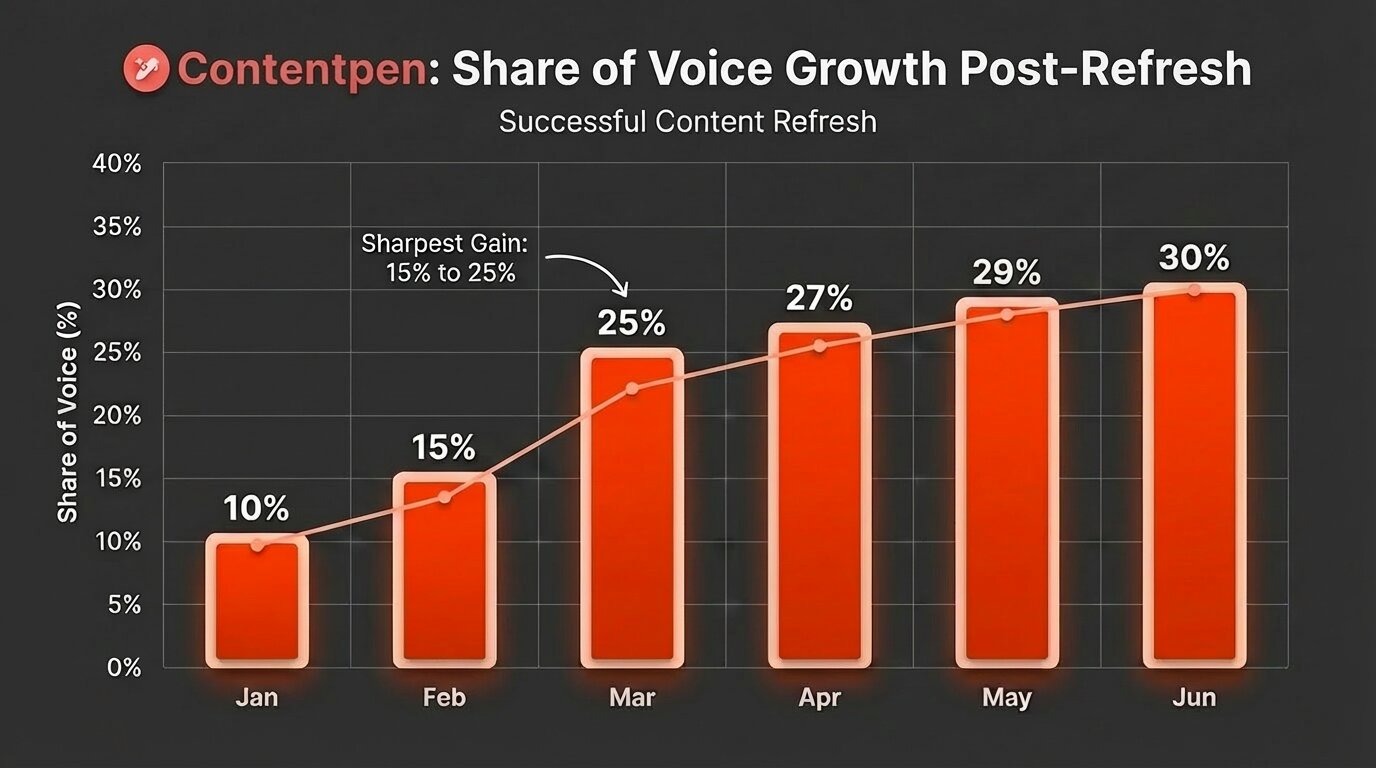
‘Bar chart showing share of voice growing from 10% in January to 30% in June, with the sharpest gain in March, going from 15-25%.’
TL;DR: Do not be too short or too literal in your way of explaining a complex image. Briefly mention the key numbers and dates to the audience so that they can visualize the right type of graph or chart when they read your image description. Leave the details for body content.
Concluding thoughts
Alt text is more than a checkbox for accessibility audits. For most sites, it is an overlooked way to make content readable for everyone and to send clear signals to search engines about what each page covers.
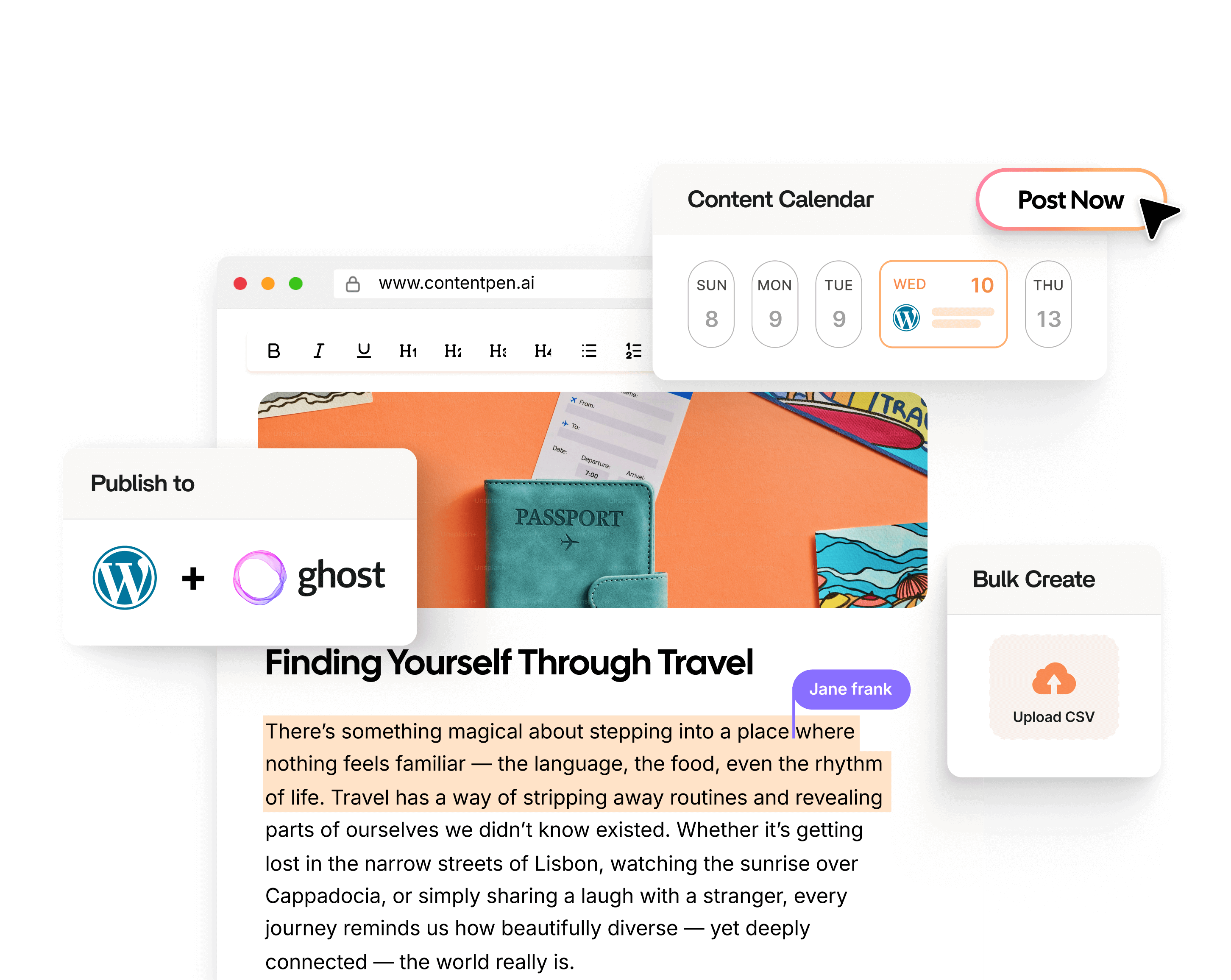
That said, writing alt text at scale can feel heavy, especially if you already have countless images live. That is where Contentpen steps in. It generates context-aware alt text automatically for every image in your workflow and ships it directly to your CMS.
If you are publishing content at any kind of scale, try Contentpen free and see how much faster your workflow moves to help you rank on Google with ease.
Frequently asked questions
What images should have alt text?
Every image that contains some valuable data, information, or context that supports the main body content must have alt text. You can leave the alt attribute empty if the image is only decorative, for instance, an arrow or a line separator used for page aesthetics.
Why do chart alt text examples summarize instead of listing data?
Because screen readers need the takeaway, not raw data. Full details should be provided elsewhere on the page.
How do you handle alt text for images that already have captions?
If the caption explains the image fully, alt text can be shorter or even empty to avoid repetition for screen reader users.
Should alt text examples describe everything in the image?
No. Good alt text focuses only on what matters for the page, not every visual detail.
A lot of content teams know they should write alt text. Far fewer actually do it, or do it consistently well. The result is a site full of images that screen readers can’t describe, search engines can’t index, and visitors see as broken boxes when images don’t load.
Writing good alt text is not hard. It takes a few seconds per image and follows a small set of rules. The difficulty is knowing which rule applies to which image, understanding why context changes everything, and building the habit before publishing.
This guide covers practical tips for writing alternative text for all image types in 2026. It will also cover how Contentpen can help you with alt text so that your images are accessible for all types of readers.
So, let’s get started.
Quick recap: What alt text actually is
Alt text is a short description inside an image’s HTML alt attribute. When a screen reader reaches an image, it reads this description aloud instead of the visual.
Browsers use alternative text to explain an image when it fails to load on a webpage. Search engines use the image description to understand what it is about. Therefore, using alt text in 2026 is non-negotiable both for humans and bots.
Let’s consider the alt text example below to understand how alternative text for images works:
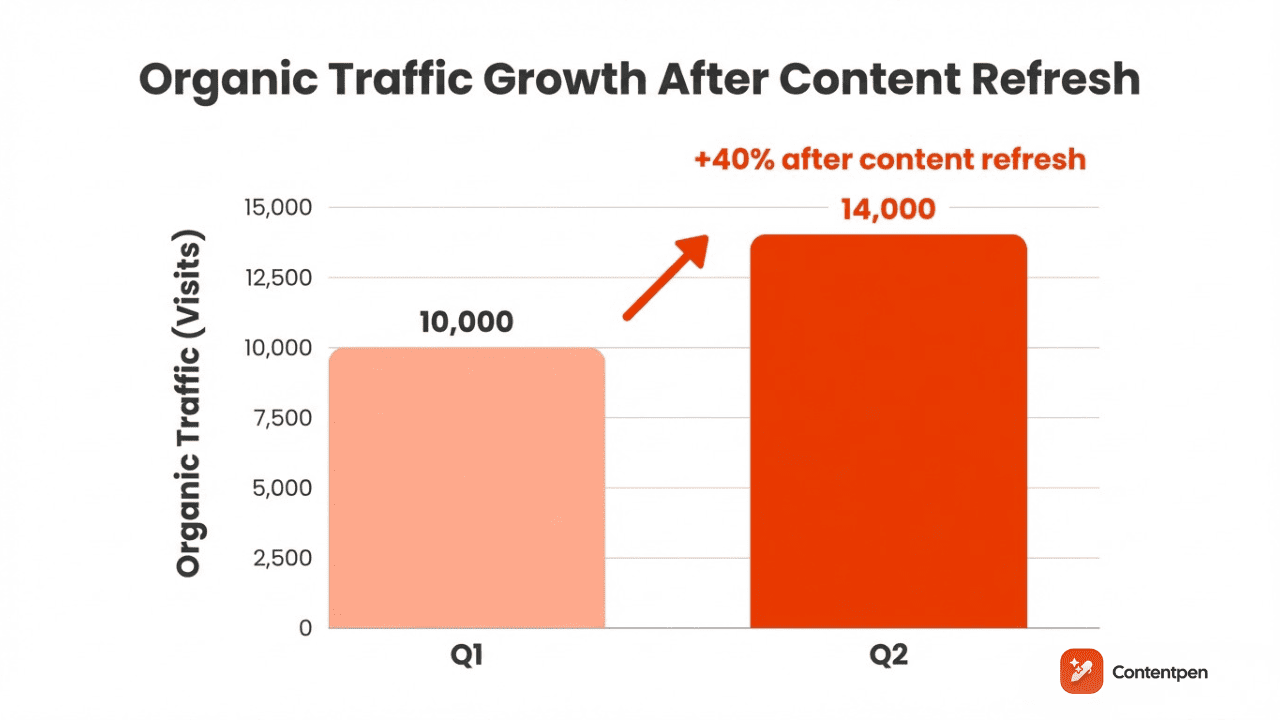
<img src=”data-chart.png” alt=”Bar chart showing a 40% increase in organic traffic from Q1 to Q2 after a content refresh.”>
The above line does three jobs at once: it serves accessibility, supports SEO, and provides a fallback for broken images.
According to the WCAG Guideline, all non-text content should have alt text that serves its purpose in explaining the visual. Doing so also makes your content inclusive for all types of audiences.
What to consider before writing alt text
Before touching the alt attribute, you need to answer one question: Does this image add information that a visitor would miss if the image were not there?
The mental test is to imagine removing the image entirely. If the page still makes complete sense without it, the image is decorative and does not need a description.
If removing the visual would leave a gap, for instance, a missing data point, an unclear reference, or a link with no label. Then the image is informative or functional and needs a description.
The techniques of writing alt text can change from one photo type to another, depending on the purpose the visual fulfils (more on this later).
The context rule: Same image, different alt text
This is the most important thing most alternative text guides skip entirely. The correct alt text for an image is not a fixed property of the image. It depends entirely on why you put it on that specific page.
Consider a photo of a campus building. In an article about spring weather on campus, the relevant alt text might be:
“Students sitting in brightly colored chairs outside Hollis Hall on a sunny afternoon.”
In an article about the history of that building, the alt text might be: “Hollis Hall, a red brick colonial building in the center of Harvard Yard.”
Same photo. Two completely different alt texts, because the reader needs different information in each context.
Tip: A good alt text answers the question: ‘What does a reader gain from this image, in the context of what surrounds it?’
This is also why AI-generated alternative text is unreliable as a final output. A model can describe what it sees in the image. But it cannot read your mind about why you included it in the first place.
Alt text best practices: The core principles
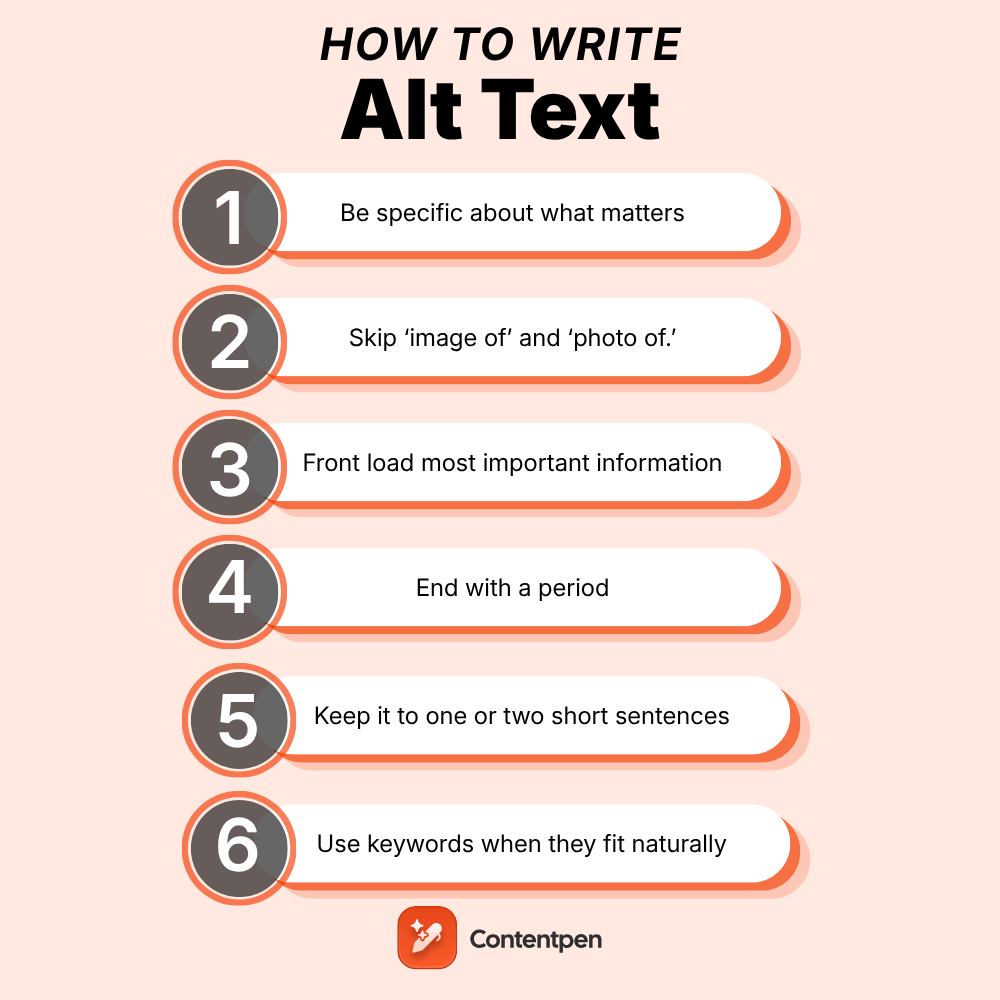
So far, we know the basics of alt text and how they change based on context. But how about actually writing them? Below are 6 key practical tips for writing alt text that will help you out.
1. Be specific about what matters, not everything
Describe the key subject, the action, and any details that are relevant to the page topic. You do not need to describe every element in the frame, just the ones that carry meaning.
Example:
Weak alt text: “People outside.”
Good alt text: “Three colleagues reviewing printed documents at an outdoor table.”
The second version tells a screen reader user something specific. The first tells them almost nothing.
2. Skip ‘image of’ and ‘photo of.’
We’ve previously discussed this with our ‘What is alt text’ blog as well. Do not use generic fillers in image descriptions.
Since screen readers already announce that they have reached an image element, starting with ‘image of’ or ‘photo of’ wastes the first words, which are the most crucial.
Therefore, you should start with the most important word. If the image shows a bar chart, start with ‘A bar chart.’ If it shows a founder, start with their name, designation, and relation to the content on the page.
3. Frontload the most important information
People using screen readers cannot skim the way sighted readers do. They hear alt text sequentially, and many will stop listening partway through.
Hence, you should make it a habit of writing useful alt text by putting the single most useful piece of information at the beginning.
Example:
Less effective: “In a modern office setting with large windows and plants in the background, a content manager reviews an SEO report on a laptop.”
More effective: “Content manager reviewing an SEO report on a laptop in a bright, modern office.”
4. End with a period
Screen readers pause slightly at the end of a sentence when they hit a period. Without it, the alt text runs directly into the next element, which makes it harder to follow.
This is a small detail that meaningfully improves the listening experience and makes your content more inclusive.
5. Keep it to one or two short sentences
Most images need a single sentence. Complex diagrams may need two. If you find yourself writing a paragraph, you need to stop and analyze if the information belongs in the body copy or the image description.
Also, you should keep your alt text around 125 characters, though this is not a strict technical limit.
6. Use keywords when they fit naturally
You can write alt text for SEO if the image genuinely relates to your target keyword and a natural description includes that phrase. If you are forcing a keyword into an image description where it does not belong, leave it out.
Keyword stuffing in alternative text is a known spam signal and hurts your rankings rather than helping them.
How to write alt text for images based on various types
Alt text varies depending on the type of image involved.
Photographs and standard editorial images
When writing alt text for photographs and editorials, it is generally a good idea to describe the subject, the action, and any contextually relevant details. However, this formula can change from one photo type to another.
For instance, setting shots must describe what the scene communicates or its feel rather than the subject or action. Therefore, considering the purpose of a photograph is very important to describe it well.
To learn this in more detail, check out the table below for each image type and its good and bad alt text examples.
Photo type
Weak alt text
Strong alt text
Team photo
❌ A photo with a bunch of people
✅ Four-person marketing team reviewing campaign results on a whiteboard
Portrait
❌ Headshot of Jawwad Ul Gohar
✅ Jawwad Ul Gohar, SEO content writer and author at Contentpen
Setting shot
❌ Book on a chair
✅ Cozy armchair with an open book resting on the seat and a blanket draped over the side.
Event photo
❌ Panelist photo in a conference
✅ Panelist Mr. Abraham at a content marketing conference, discussing AI writing tools on stage
For photos of people, only mention identifying characteristics (race, gender, age, physical descriptors) when those characteristics are the reason the image was included.
Functional images: buttons, icons, and linked images
For any image that does something when clicked, the alt text must describe what will happen, not what the image looks like.
An Instagram logo linking to a profile: “Visit the Contentpen Instagram page” – not just “Instagram logo.”
A printer icon: “Print the event schedule” – not just “a printer icon.”
If a text label already sits next to the icon and they link to the same destination as the label, then the icon should use an empty alt attribute.
Charts, graphs, and diagrams
The goal with data visuals is not to transcribe every number, but it is to communicate the main takeaway.
To put charts, graphs, and diagrams into the users’ perspective, start by naming the chart type first, then summarize what it shows.
Example: “Line chart showing a 25% increase in quarterly website traffic from Q1 to Q2, with the sharpest growth in March.”
For complex diagrams where one sentence is not enough, pair short alt text with a full data table or detailed explanation in the body copy nearby. The alt attribute stays concise; the surrounding content carries the detail.
For infographics, summarize the core message. Individual data points belong in an adjacent text section and should not be stuffed into the alt attribute.
Images that contain text
Screenshots, infographics, logos, and illustrated quotes often contain words that are part of the image. Include any text that is important to understanding the image in the alt description.
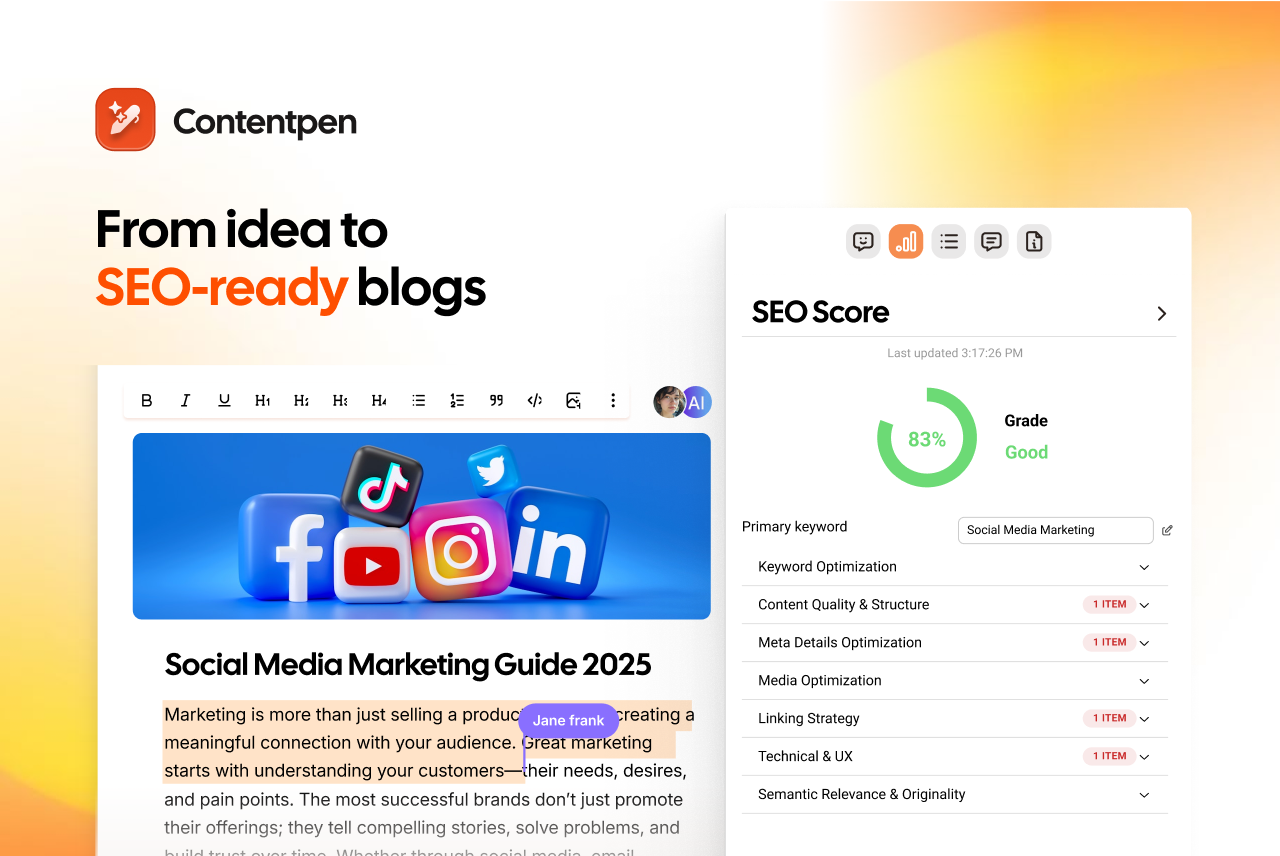
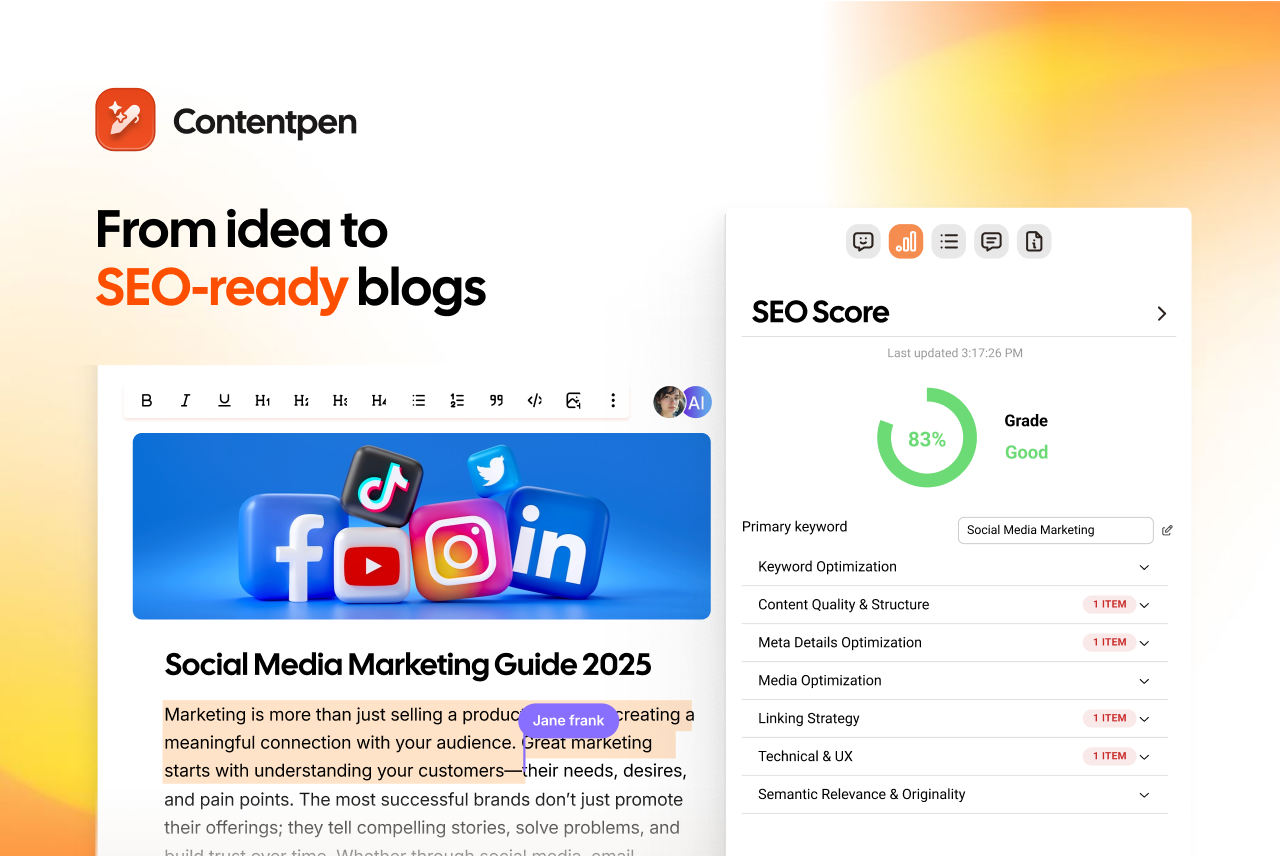
Example: “Screenshot of the Contentpen SEO scoring dashboard showing a blog post getting a score of 83 out of 100.”
You do not need to transcribe every word in a dense screenshot. Just focus on what matters and what is crucial to convey to the audience.
Decorative images
Decorative images include stock photos used purely for visual texture, page dividers, background patterns, and any image that does not add information beyond what the text already says.
For these, use an empty alt attribute: alt=””. Do not write anything between the quotes. This tells screen readers to skip the element entirely.
Never omit the alt attribute altogether. If the attribute is missing, some screen readers will read the image file name aloud (e.g., “IMG_4892_FINAL_v3.jpg”), which can be disorienting to say the least.
When possible, handle purely decorative images as CSS background images rather than HTML img tags. That keeps them out of the document structure entirely.
Who should write alt text, and when
This is a process question most teams never ask, and it causes most of the problems.
Alt text written long after publication is usually weaker than alt text written at the time the image was chosen. This is because the person who selected the image knows why they chose it in that moment. By the time the audit happens, that context is mostly forgotten.
Therefore, what we suggest is a better workflow:
Content writers: Write alternative text for editorial images as soon as you draft the post, because this is the time you know what the visual illustrates.
Designers: Create alt text for icons, logos, and UI elements as soon as you finalize wireframes or design specs, not when the developer is implementing the assets on the site.
Developers: Implement the alt text for the media as soon as you receive it from the design and writing teams.
Even though this workflow sounds too tiring, in reality, it isn’t.
Once you have the habit of writing/publishing alt texts alongside your images, the whole process will barely take another second. And just like that, you’ll make your images more accessible and SEO-friendly.
The alt text decision tree: A quick reference
When you are looking at an image and are not sure how to approach it, this sequence of questions covers most situations that you might face:
Does the page make full sense without this image? → Decorative. Use alt=””.
Does the image do something when clicked? → Functional. Describe the action or destination.
Does the image add meaning not in the surrounding text? → Informative. Describe what it communicates in context.
Is the image very complex (dense chart, infographic, diagram)? → Write a short summary, then add a full text explanation nearby.
Is there text inside the image that matters? → Include it in the alt text.
The above decision tree will help you decide what type of alt text you should use in every situation without any hassle.
Common alt text mistakes
Though writing alternative texts is easy, many content marketers and SEO teams commit the following mistakes that can be easily avoided.
Mistake
Why it’s a problem
What to do instead
Using the filename as alt text
File names can be meaningless and off-putting to readers
Write a short description that matches the image and its context
Leaving the alt attribute out entirely
Screen readers read the file name aloud (IMG_4892_v3.jpg)
Always include alt=”” at a minimum
Reusing the same alt text on every image
Each image on the page has a different purpose. Identical descriptions break the listening flow
Write unique alt text for each image based on its role
Keyword stuffing
Looks spammy to search engines, frustrating to screen reader users
Use keywords only when they naturally describe the image
Leaving functional icons without alt text
Critical UI elements become invisible to screen reader users
Describe the action: ‘Search’, ‘Open menu’, ‘Download case study.’
Copying the surrounding body text
Forces screen reader users to hear the same information twice
Use alt=”” if the image is redundant to the text
Writing too vague or too long
Single words give no context; long paragraphs are exhausting to listen to
Aim for one specific, context-driven sentence
While realizing your common mistakes with alt text is essential, you still have one more thing to do.
Testing your alt text before you publish
Writing image descriptions is only half of the job. Testing it before the page goes live is the other half, and most teams skip it entirely.
To test out your alt text, use the following methods:
Read it aloud in the context of the sentence or paragraph surrounding it. If it sounds out of place or adds nothing, revise it.
Use a browser extension like WAVE from WebAIM. It overlays alt text on images so you can see every description in context without using a full-screen reader.
Test with a real screen reader. NVDA (free for Windows 8.1 or above) and VoiceOver (Mac/iOS, built-in) let you navigate your page the way a blind or low-vision visitor would. Turn off the monitor and try to follow the content.
Disable images in your browser to see what alt text displays in place of each image. This is the fastest way to check alt descriptions of images manually.
If possible, have someone with low or no vision test your pages before launch. Their feedback will surface problems that no checklist will ever catch.
How Contentpen handles alt text
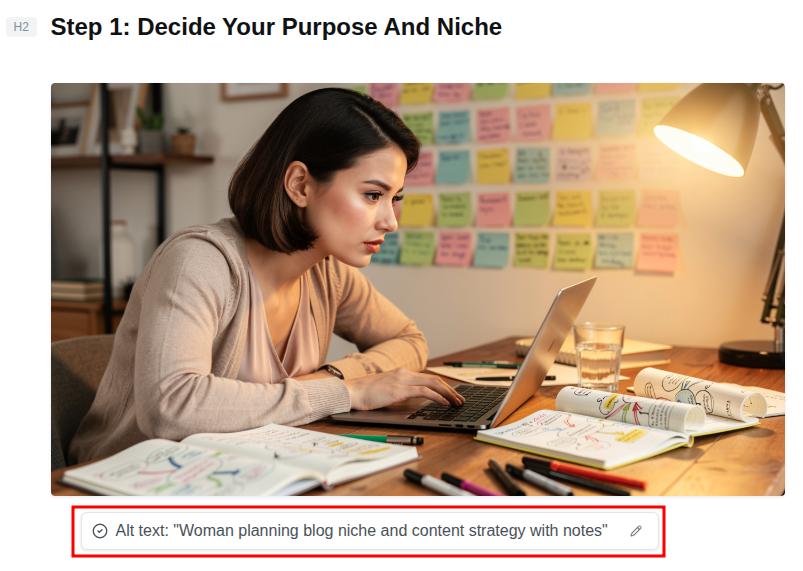
Contentpen generates alt text automatically for every in-article and feature image as part of the content creation workflow.
It follows the best practices covered in this guide to create concise, context-aware descriptions that support both accessibility and image search indexing.
You can review and edit the generated alt text before publishing, and it ships directly to your CMS with one-click publishing.
Publish content directly to your CMS, without copy-pasting
Move from draft to live post in a single step. No hassle, no errors!
Our AI writing tool online ensures that there is no copy-pasting, no separate alt text sprint, and no missed images from your scope.
Final thoughts
Writing good alt text comes down to three habits: understand what type of image you are dealing with, describe what it communicates in the context of the page, and do it at the time the image is added.
The next time you add an image to a post, pause for ten seconds and apply the principles we discussed in this post. This small habit will make a meaningful difference in the inclusivity of your content and how well your content performs in image search.
If you are tired of manually adding and auditing alt texts, try Contentpen today. Put your content production on autopilot and instantly enhance productivity.
Frequently asked questions
What is an example of good alt text?
A good example of alternative text can be ‘Snow leopard resting on a rocky ledge, blending into its mountain surroundings.’ The description clearly illustrates a picture in the mind of the reader and tells them exactly what it is about.
Can AI write alt text for me?
Yes. AI tools, such as ChatGPT, Gemini, or Perplexity, can produce a useful first draft for the alt text, especially for simple informative images. However, these tools may struggle with defining functional or complex images.
What is the difference between alt text and a caption?
A caption appears visually below the image and is part of the page for all visitors. Alt text is inside the HTML, read by screen readers and search engines, but invisible in the normal page view. Both can coexist but serve different purposes.
What is alt text in Amazon A+ content?
In Amazon A+, alt text is used for product images and modules so shoppers using screen readers can understand every visual. Brands must add clear, keyword-aware descriptions for each image to support both accessibility and on-platform search.
Alt text (alternative text) is a short written description added to an image’s HTML code that helps screen readers and search engines understand what the image or graphic element shows. It improves both accessibility and SEO by making visual content readable in text form.
Despite being an integral part of the SEO landscape, alt text is often ignored by a lot of content marketers and professionals. By not crafting proper alt text, you lose the ability to engage a diverse audience and the ranking potential to competitors.
In this post, we will learn everything about alt text: what it is, why it is important in SEO, and how to write it properly for your images. We will also discuss some 2026 alt text best practices so that your content is never lost again on search engines.
So, let’s begin, shall we?
Basics of alt text: How does it work?
To explore the basics of alt text, we need to start with HTML. Every image on a page uses an img tag. Inside that tag, the alt attribute holds a short description. That string of text is the alternative text for the image, usually called alt text.
In code, alt text looks like this:
<img src=”dog.jpg” alt=”A golden retriever puppy running on a beach.”>
In the above example, the part inside the quotes is the alt text. A screen reader will read that description aloud, and a search engine crawler will use it to understand what the image shows and how it relates to the context of the content.
Alt text vs title attribute: What’s the difference?
Alt text and the title attribute are often confused because both are added to images in HTML. However, they serve very different purposes in accessibility and SEO.
The alt attribute describes the content of an image, while the title attribute provides additional, optional information that may appear as a tooltip when a user hovers over the image.
Here’s a simple comparison:
Feature
Alt text
Title attribute
Purpose
Describes the image content
Provides extra context or a tooltip
Accessibility
Essential for screen readers
Not reliably read by screen readers
SEO impact
Important ranking signal for images
Minimal to no direct SEO value
Visibility
Used when the image doesn’t load
Visible on hover (desktop only)
HTML usage
<img alt=”description”>
<img title=”extra info”>
These two attributes are just one of several SEO pairs that get muddled in practice — our SEO glossary lays out each one side by side in plain language.
Example in HTML
<img src=”team.jpg” alt=”Marketing team collaborating in a meeting room” title=”Contentpen marketing team meeting – Q1 strategy”>
In this example:
The alt text explains what is happening in the image.
The title attribute adds extra context but is not essential.
Which one should you prioritize?
Always prioritize alt text.
If you had to choose between the two, alt text should never be skipped because it directly affects accessibility and how search engines understand your images.
The title attribute, on the other hand, is optional and should only be used when it adds meaningful supplementary information that is not already covered in the alt text or surrounding content.
Best practice
Avoid repeating the same text in both attributes. If your alternative description already explains the image clearly, adding the same sentence in the title attribute creates redundancy without adding value.
Why is alt text important for accessibility and SEO?
As we’ve mentioned above, alt text supports both people and search engines at the same time.
Alt text for accessibility
When someone with low or impaired vision uses a screen reader, the software moves through the page and announces each element. When it reaches an image, it cannot see pixels or colors, so it reads the alt text instead.
That is why good image alternative text is an accessibility issue, not just a technical detail. A short description lets a visitor who cannot see the screen understand what the image adds to the story. This can be a product angle, a data point in a chart, or the face behind a founder profile.
If an image fails to load because of a slow connection, then the browser may display the alt text instead, so visitors can still get what the image is about.
Alt text in SEO
Search engines also cannot see photos or icons. Crawlers read code. When they reach an image, they use the alternative description, file name, and nearby copy to figure out what the visual content shows.
Alt text for SEO is basically descriptive HTML that explains to search engines what is going on in a visual.
If your description uses natural language and includes a relevant keyword, your image has a better chance of appearing in Google Images for that particular topic.
How to write alt text? Best practices for 2026
Once you understand what alt text is and why it matters, the next step is writing it well. Let’s follow these best practices for better alt texts.
#1: Be specific and concise
Aim for 1-2 short sentences that focus on what matters most in the image. You do not need to overthink this part at all, and simply write to explain what is occurring in the visual.
Consider this example:
The alt text for this image is “A group of friends walking in the park on a sunny morning with sunglasses on.” As you can see, this is exactly what’s happening in the image: nothing more, nothing less.
#2: Skip phrases like “image of” or “picture of.”
Screen readers already announce that the element is an image. So, when you write the alt text with something like ‘An image of XX item in YY setting’, then you are repeating the image element to the reader. This can be annoying for the audience and represents bad UX.
Therefore, the best approach is to go straight to the subject. What do you see, and what shouldthe search engines, screen readers, and other audiences see to retain the context of the image?
#3: Include important on-image text
Logos, screenshots, illustrations, and infographics often contain words that matter. Use any key text in the alt description so all types of visitors understand the important data that these types of visuals may cover.
You can write the alt text of an image with something like, ‘an illustration of …’ or ‘a cartoon sketch of …’ This practice helps the search engines and screen readers also understand the visual type.
Example:
Alt text: ‘A cartoon sketch of a businessman seated behind a desk interviewing a candidate in a suit who has scruffy hair and a long white beard.’
#4: Use proper punctuation
End the alt description with a period. Many screen readers pause at the end of a sentence, which makes the alt text easier to follow and separates it from what comes next.
Also, capitalize the first word of your alt text and use other types of punctuation where necessary.
#5: Use empty alt text only for decoration
Some visuals are there for style only, such as divider images or fillers. For those visual assets, set alt=”” so assistive tools skip them and focus on real content.
#6: Audit alt text regularly
In most content audits, missing alt text is one of the most common SEO gaps that we regularly see. Therefore, make it a habit of improving your existing image alt texts. Correct any misspelled words and optimize for better readability.
Alt text examples by image type
Alt text examples help when you move from theory to real pages. The table below shows poor and better options for common image types, based on the same alt text best practices above.
Image type
Poor alt text
Good alt text
Photograph
Image of people
Two colleagues review a marketing report at a standing desk in a modern office.
Logo linked to homepage
Logo image
Contentpen logo with red and orange color theme
Chart or graph
A bar chart
Bar chart showing a 25% increase in quarterly website traffic from Q1 to Q2.
Decorative image
Decorative line
alt=””
Add an alternative description for every icon asset on your site. Also, include alt text for the CTA buttons you leave on each webpage with the action that you intend for the user to take. For example, ‘download the SEO content template’ or ‘Search.’
For complex images such as dense charts or full infographics, keep the alt attribute short and give only a summary. Place a full text explanation nearby in the body copy or on a linked page so every bit of data is available without forcing the alt text to become a long paragraph.
Even when you know what alt text should do, it is easy to slip into habits that hurt users or SEO. Many sites repeat the same problems. Watch for these traps so your work stays helpful.
Skipping the alt attribute is the most serious problem. When the attribute is missing, a screen reader may read the raw file name, which is almost never helpful. Always include alt on every img tag, even if the value is empty for decoration.
Using vague placeholder text wastes a valuable field. Labels such as “image,” “photo,” or “graphic” do not explain what the picture adds to the page, and search engines gain nothing from them. Use specific nouns and simple verbs that describe the content.
Stuffing keywords into alt text does more harm than good. A line such as “SEO image optimization best practices 2026 guide” sounds like a tag list, not a sentence. It frustrates people listening with a screen reader and can look spammy in search tools.
Copying the surrounding body text creates repetition. If a paragraph already explains everything in the image, repeating it as alt text forces assistive tools to say the same thing twice. In that case, a null alt attribute (alt=””) is better.
How to set up alt text?
You can set up and write alt text on almost all types of word editing software and content management systems (CMS).
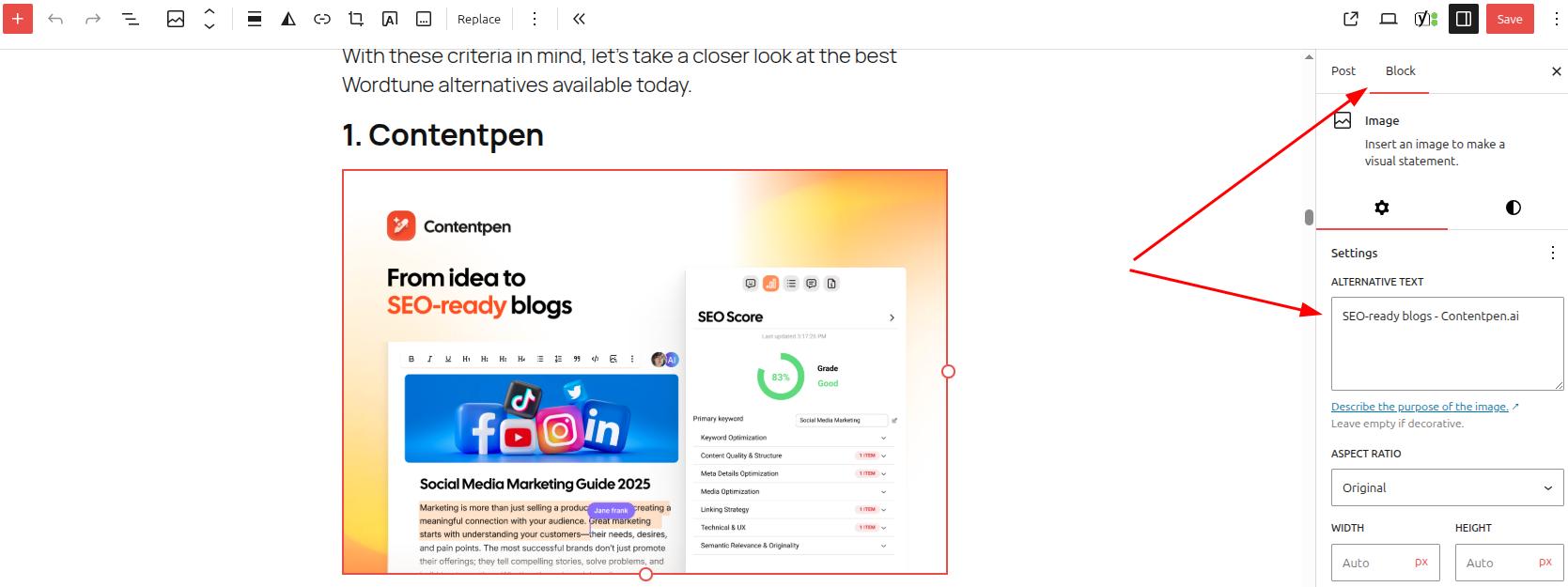
For example, let’s consider WordPress for now. If you want to add alt text for an image in WP, simply add the visual using the ‘Image’ block in the Gutenberg editor.
Once the image is placed into the content, open settings or press Ctrl + Shift +, and go to ‘Block’ -> ‘Settings’ -> ‘Alternative Text.’
Here, you can also change the aspect ratio of the image and the alt attributes connected to custom fields or other dynamic data.
Amongst its many abilities, such as automating linking, media generation, etc., the AI SEO content writer also generates suitable alt text for images on autopilot.
Contentpen does it for every in-article or feature image so that you always get indexed at the top of Google Images, while making your content accessible and easily understandable. It follows all the best practices for alt text we mentioned earlier, greatly simplifying your workflow.
You can also edit the alt text if required and send all the img tags along with their alt attributes directly to your favorite CMS with one-click publishing.
Publish content directly to your CMS, without copy-pasting
Move from draft to live post in a single step. No hassle, no errors!
This convenience makes your content pipelines smooth, and productivity maximized without friction.
Final thoughts
Alt text is an essential consideration for all bloggers, website owners, and content marketers. Good alt text is specific, contextual, and concise. It focuses on why the image is on the page, avoids keyword stuffing, and stays out of the way when a picture is only for style.
It is important to keep alternative text at the center of your content audits. Check if your current content has proper image descriptions. If not, add them to help your platforms be more inclusive for all audience types and surface on top of SERPs with better search engine indexability.
For smoother content workflows without the constant to and fro, choose Contentpen. Publish more. Publish confidently. Scale limitless.
Frequently asked questions
What is alt text on Instagram?
Alt text on Instagram is the same as alt text on any online platform. The only difference is how you add it. During the final step of creating a post, tap ‘More options’-> Accessibility -> ‘Write alt text’ and add the alt text to your images.
How to add alt text in Word?
To add alt text in Microsoft Word, simply add an image to a blank document. Then, right-click the image and press the ‘Format Picture’ option. From there, navigate to ‘Layout & Properties’ ->‘ALT TEXT’ and add the title and alternative description of the image.
Can we write alt text in Excel?
Yes. You can go to the Format -> Accessibility settings and add the alt text for charts, infographics, illustrations, and other types of pictures directly from the given ‘Alt Text’ option.
How long can an alt text be?
There is no general limit to how long alt text for images can be, as long as the description clearly states what’s in the picture and its context within the article. That said, in most cases, keeping the alt text around 125 characters is a smarter move.
Should we consider alt text as a major ranking signal?
According to Google’s John Mueller, alt text helps search engines understand the pictures better. It is part of on-page SEO and is considered an important ranking signal by many SEO specialists in the industry.
Is alt text similar to anchor text?
No. Alt text is the concise description added to images to convey their meaning with context. On the other hand, anchor text is the text on which an internal or external link is placed. Both types of texts serve different purposes, but help structure the overall user experience and boost SEO.
Publishing blog posts that tick every keyword box and still sit on page three of Google can feel pretty painful. The title looks right, the main keyword is in all the “right” places, yet traffic barely moves. That is the gap semantic SEO is meant to close.
Semantic SEO shifts focus from stuffing in phrases to helping search engines understand what your page actually means.
Instead of only matching exact keywords, Google now looks at topics, context, and intent to serve results to users. That is why it is necessary to learn everything about semantic SEO in this article.
By the end, you will know what to change in your SEO strategy and how tools like Contentpen can help you do it faster and more consistently.
So, let’s begin, shall we?
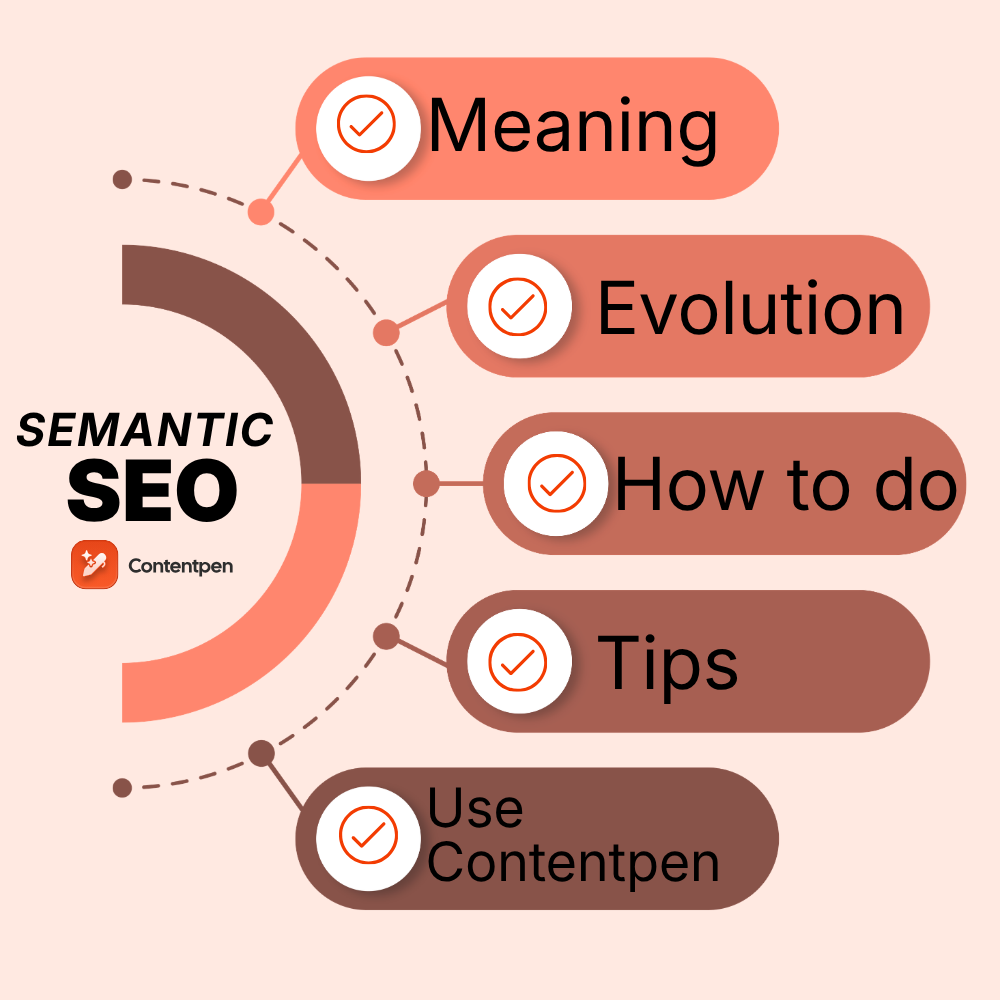
What is semantic SEO, and how does it work?
Semantic SEO is a search engine optimization approach that focuses on satisfying the topics, context, and user intent, rather than targeting singular keywords or phrases in content.
The goal is content relevance at the topic level, not only at the keyword level.
Traditional SEO often meant repeating a phrase such as “best running shoes” in the title, headings, and body again and again to rank. However, this approach no longer works.
In modern SEO, you must cover related ideas in your content for the target keyword. For instance, for the keyword “best running shoes,” these thoughts can be related:
Injury prevention
Shoe cushioning types
Running styles and experience levels
Popular shoe brands and product lines
All of this gives search engines many more clues about what your page means, so it can serve the results appropriately when needed for a particular query.
A core concept inside semantic SEO is the idea of entities. An entity is a person, place, thing, or idea that is clearly defined, such as Apple, iPhone, New York City, or semantic SEO Koray when people refer to Koray Gübür’s work on the topic.
Google stores entities and their relationships in the Knowledge Graph. When someone searches for “Apple,” the engine uses surrounding entities on the page to decide whether you mean the company or the fruit.
Pro Tip: Content shouldn’t just mention an entity (e.g., Running Shoes), but should define its attributes (e.g., weight, drop height, pronation support) to help search engines build a more confident “knowledge triple.”
These words and entities are then turned into numbers called embeddings. In this numeric vector space, related word meanings sit close to each other to provide the most suitable outcome to the searcher.
So, if your article sends signals that match the same cluster of meanings as a search query, you win on the keywordwithout stuffing it everywhere in the content.
Concepts like entities, embeddings, and knowledge triples can get abstract quickly, our SEO glossary distills each into a one-line definition you can refer back to.
Evolution of semantic SEO
Over the years, several algorithm updates pushed search toward semantics and semantic search optimization. Here is a quick overview of where we started from vs. where we are today:
Update name
Release date
Main impact on search understanding
Caffeine
2010
A much faster way to crawl and index the Internet
Hummingbird
2013
Focus on the full query and intent rather than single words
RankBrain
2015
Machine learning to guess the meaning of new or unclear queries
BERT
2018
Better reading of natural language and word order inside queries
MUM
2021
1,000 more powerful than BERT at understanding and generating language
AI Overviews
2024-2025
Generative AI is creating answers from semantically rich sources
Pre-2013 is often considered the “keyword era” with keyword stuffing being very common. The post-2013 era is considered the “semantic era” for Google, where writing helpful, human-first content, in line with the EEAT principles, results in better rankings.
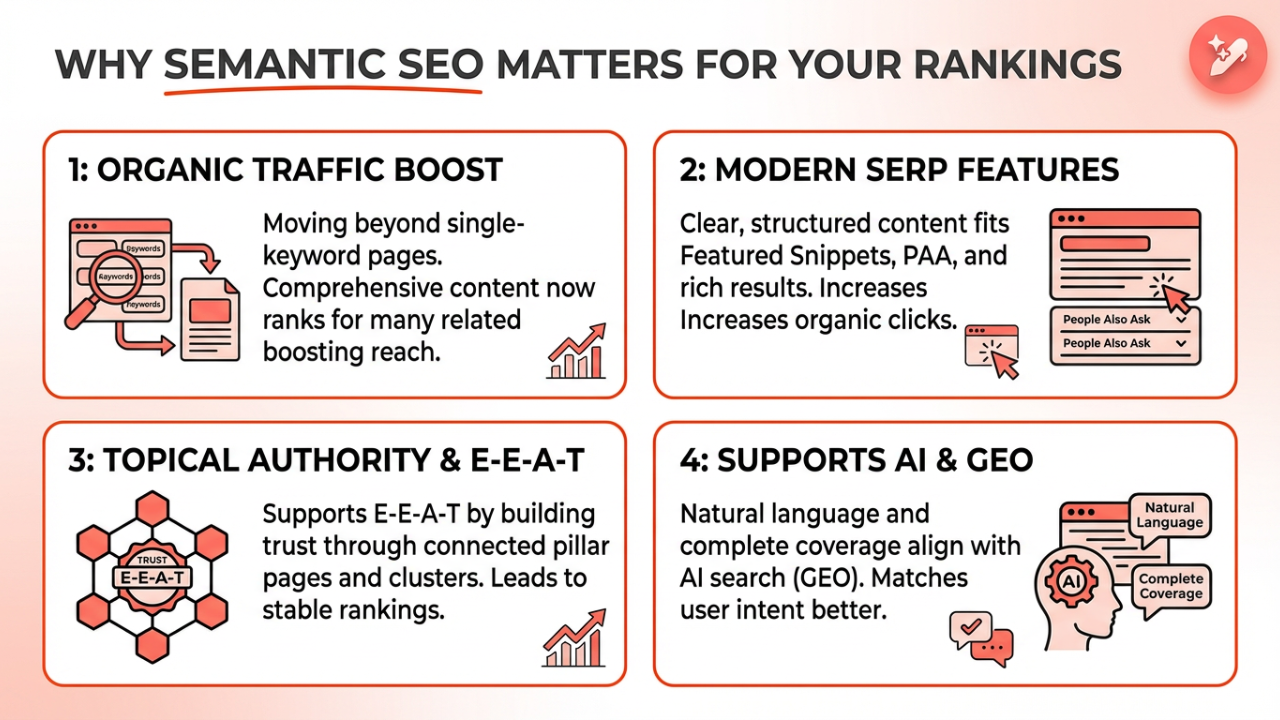
Why semantic SEO matters for your rankings
Semantic SEO matters because it aligns with how modern search engines evaluate pages.
#1: Semantic SEO affects the organic traffic of your platforms
Before Google’s Hummingbird update, you could create different pages for similar phrases and pull the traffic across them.
For instance, making four pages with the following focus keywords each: ‘tastiest burgers’, ‘best burger recipe’, ‘best recipes for burgers’, and ‘tastiest burger recipe’ to get visitors from each.
However, in 2026, this approach no longer works. Now, Google shows nearly identical results for similar phrases and keywords and actually prefers pages that comprehensively answer all the related queries and subqueries for a topic.
This means a single page can rank for many related searches at once, helping boost brand awareness and share of voice in your niche.
#2: Semantic SEO content fits better into modern SERP features
Featured snippets, People Also Ask boxes, and rich search results depend on clear answers and structured content.
When your page is well organized around a topic and has semantic depth, it is more likely to appear on users’ screens and drive more organic clicks.
#3: Semantic SEO helps build topical authority
Semantic SEO also supports topical authority and E‑E‑A‑T. When a site covers a subject through connected pillar pages and clusters, and the content is correct and helpful, Google is more likely to trust it on related searches. That leads to more stable rankings across many queries.
#4: Semantic SEO supports generative engine optimization (GEO)
AI-powered search makes semantic SEO even more important. AI Overviews and other AI semantic SEO experiences pull from pages that use natural language, clear headings, and complete coverage.
Natural language processing SEO is at the heart of those systems, so pages written in a clear, human way have an advantage over those that rely on jargonated terms to convey their thoughts.
From a user side, semantically complete content tends to match search intent better. People find what they need faster, stay longer, and interact more deeply with the site. Those behavioral signals also help rankings over time.
How to do semantic keyword research and build topic clusters
Semantic SEO starts with understanding the topic space around your main keyword. Instead of a flat list of phrases, you want a map of related terms, questions, and entities. Then you group them into clusters that match how users think.
Finding semantically related keywords and LSI keywords
LSI keywords, or Latent Semantic Indexing keywords, are a popular industry phrase for terms that often appear together with your main keyword. These terms share context, not just wording.
For example, for a page about semantic SEO, LSI-style keywords might include:
Topic clusters
Entity-based SEO
Structured data
Search intent optimization
When you use these terms in a natural way, you help search engines see the full context.
You can also find many of these with free Google features, which are very helpful to dig up LSI keywords:
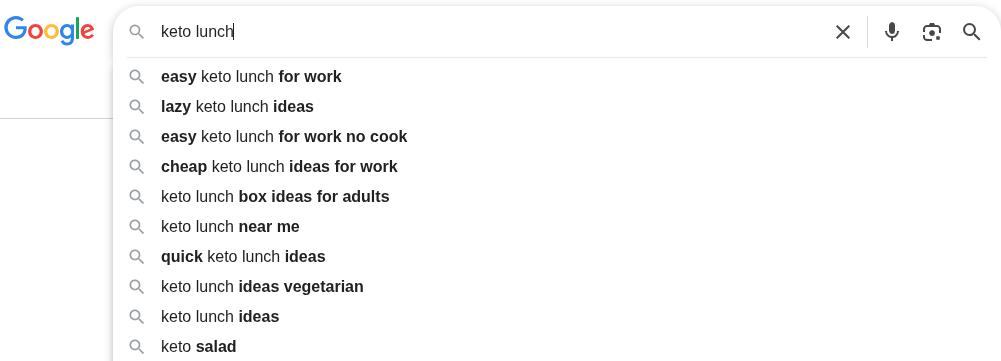
Start typing your topic into the search bar and watch Google Autocomplete. The phrases that drop down show how real users extend your seed term.
Open a few top results and look for bolded words in snippets, since those highlight what Google sees as semantically close.
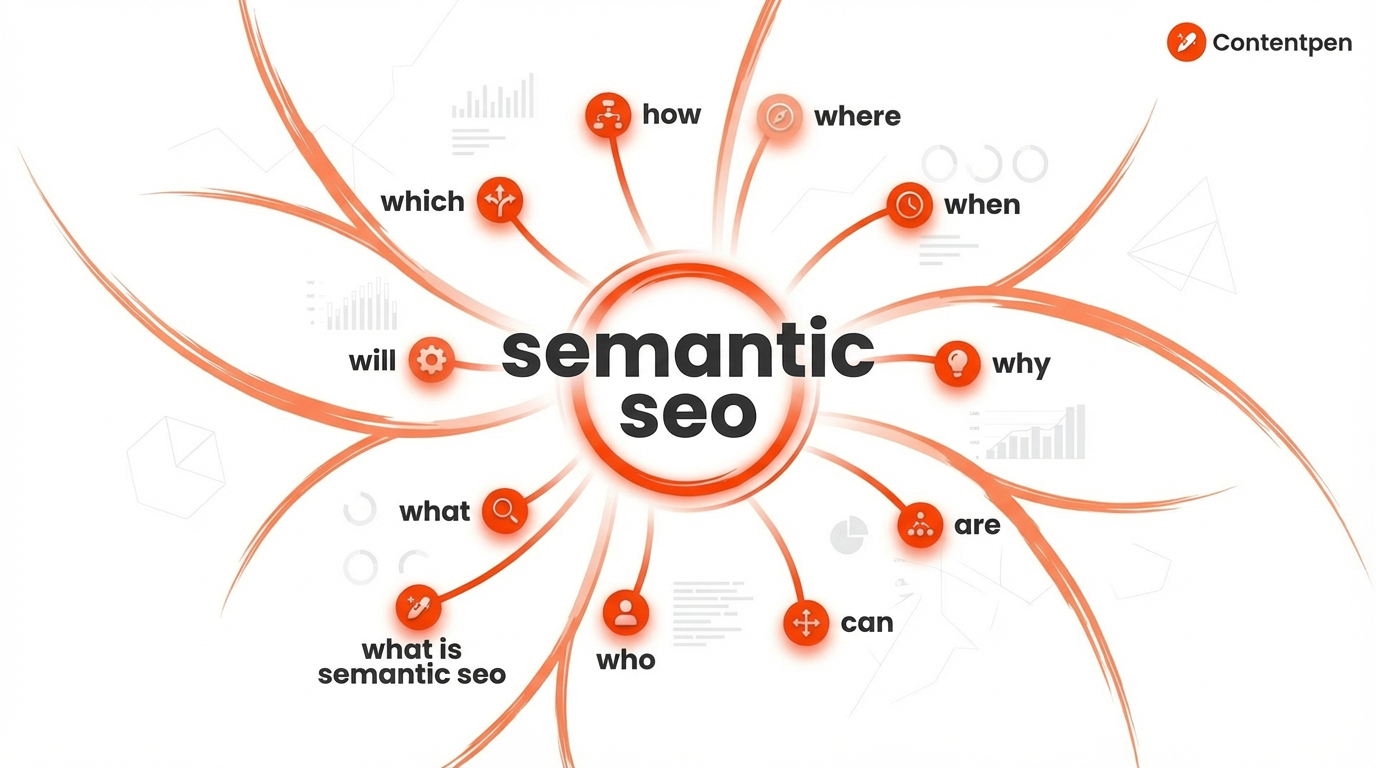
Scroll to People Also Ask after a search. These boxes show real questions you should answer in your content, often as subheadings, headings, or otherwise.
Check Related searches at the bottom of the SERP as well to spark ideas for extra sections or future articles.
This simple practice already gives you a strong list of semantic SEO keywords that you can use today to rank well for multiple phrases at once.
You can also use Google Search Console data from your own site to find queries your pages already rank for and expand those into new content. The key is to move from a single primary phrase to a wide web of related concepts around your topic.
Building a topic cluster strategy
Once you have your list of semantic keywords, the next step is to group them into topic clusters.
A topic cluster is a set of pages that cover one broad subject from many angles. This structure is a strong base for semantic web SEO and helps search engines read your site like a map.
Most teams use a pillar and cluster model:
The pillar page gives a broad overview for a mid-tail phrase such as “semantic SEO.”
Cluster pages then dive deep into subtopics such as “semantic search optimization,” “structured data SEO,” and “topic clusters SEO.”
Each cluster links back to the pillar, and the pillar links out to each cluster. The clusters link with each other.
This internal linking pattern signals to Google that all those pages are in the same topic family.
When you map and implement your pillar-cluster model in this manner, it shows the search engine that you’ve covered the topic completely.
However, manually implementing the pillar-cluster model can be a lot of work, especially when you have all the content to manage for yourself.
This is where tools such as Contentpen can help your cause. Our AI SEO content writer not only automates topical clustering but also content creation, optimization, and publishing.
Create topical authority, not isolated posts
that fills them

With built-in SEO scoring, SEO opportunities, and web analytics, you are bound to uncover CTR gaps and win a niche in no time.
Practical tips to create semantically optimized content
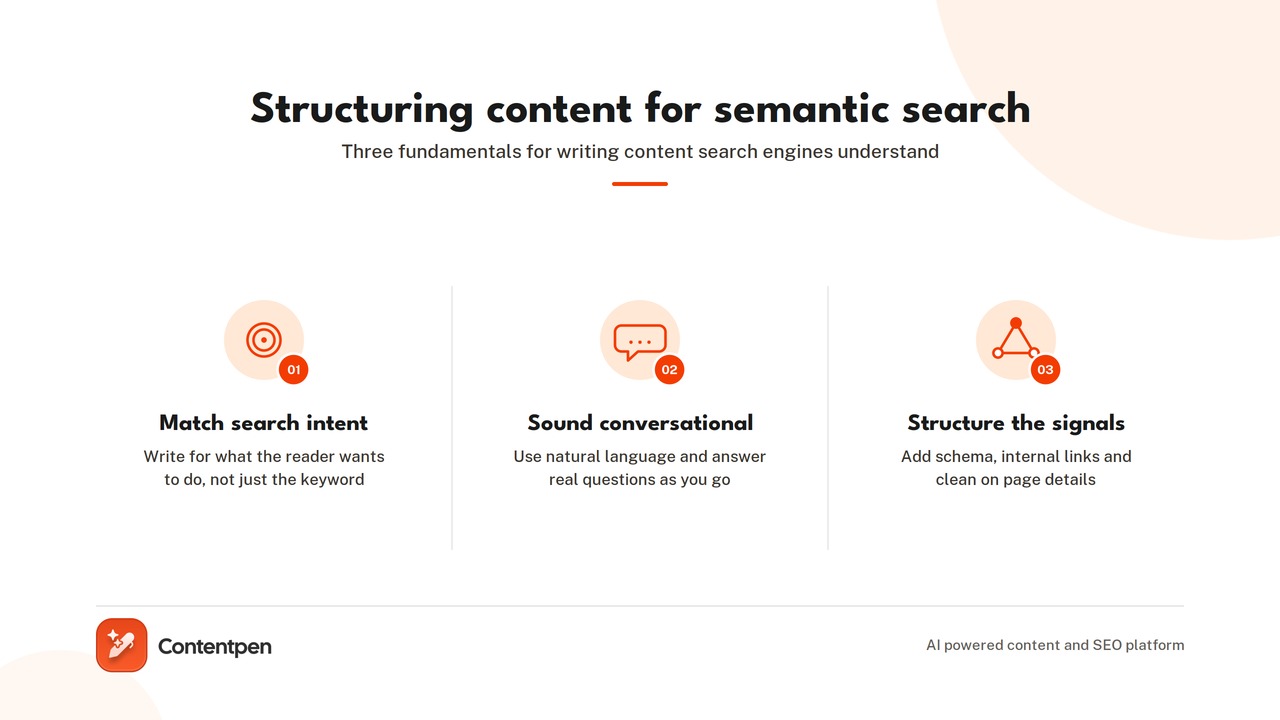
To win with semantic SEO, every piece needs strong intent alignment, topical depth, and clean on-page SEO optimization.
#1: Write for intent, depth, and natural language
Start each article by focusing on the main search intent. Ask yourself what the reader really wants to do. Is the phrase informational, like “what is content marketing,” or more transactional, like “best content marketing tools”?
When you know the intent, you can decide how much education, comparison, or conversion content to include.
#2: Focus on making language conversational
Write in clear, conversational language that fits natural language processing SEO systems.
Also, aim for depth instead of word count. For each key page, try to:
Cover core definitions and key terms
Explain practical steps and workflows
Call out common mistakes and myths
Add at least one concrete worked example
Use People Also Ask questions as subheadings and answer them directly in the following paragraph. This helps with featured snippets and makes your content easier to skim.
#3: Use structured data, internal linking, and on-page optimization
Words are not the only way to send semantic signals. Structured SEOdata uses schema markup to tell search engines what kind of content is on the page.
There are different markups for blog posts, FAQ, articles, breadcrumbs, and How-To guides. Although using schema markups isn’t a direct ranking factor, it can trigger rich results such as FAQ dropdowns or user reviews, which lift your click-through rate.
Internal linking is another key aspect of SEO semantics. When internal linking, use descriptive anchor text to spread authority through your topic cluster and guide users properly through your pages.
For on-page SEO optimization, do the following:
Place your primary topic and a semantic variant in the title tag.
Use them naturally in the meta description, early in the introduction, and in at least one H2.
Rename image files with simple descriptive names and add alt text that reflects the topic with a few related terms.
Refresh older posts with new entities, updated examples, and fresh PAA questions to maintain high content relevance.
Over time, this mix of content, structure, and markup makes your pages easier for both users and search engines to understand.
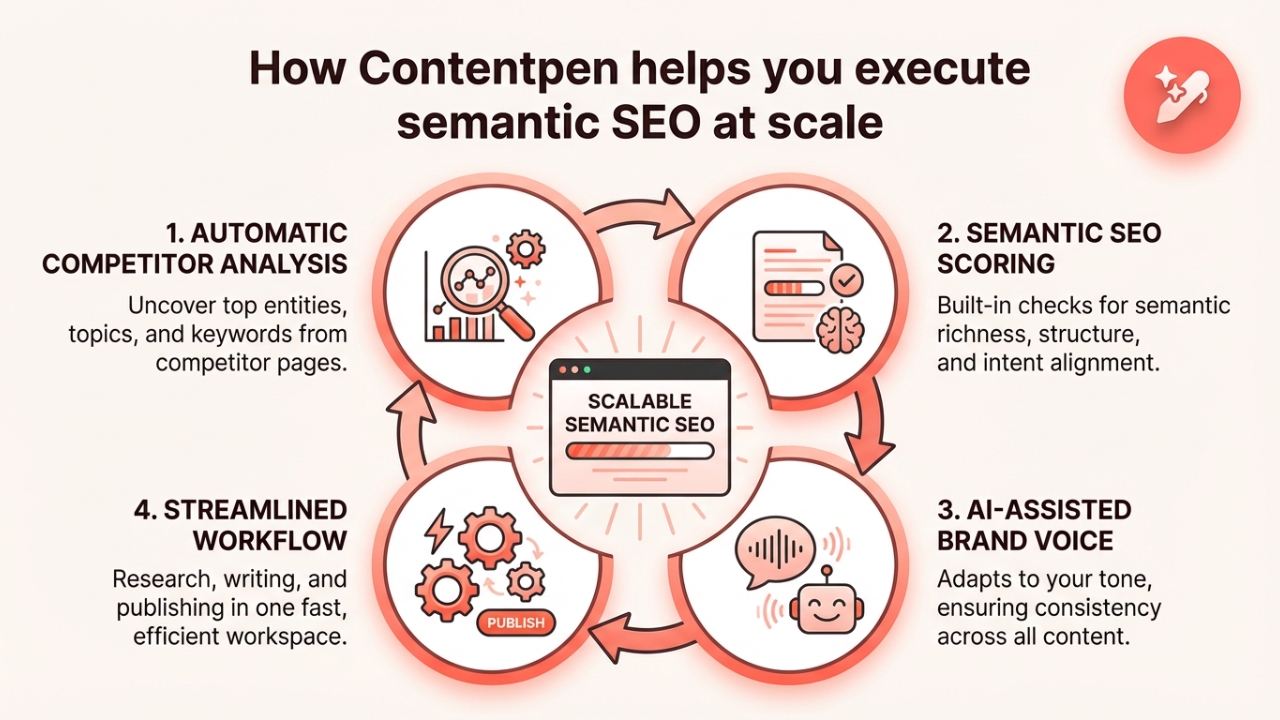
How Contentpen helps you execute semantic SEO at scale
Building semantic SEO across a whole site can feel heavy without the right tools. Contentpen allows you to rank on Google by implementing semantic SEO practices into your daily workflow.
The platform runs automatic competitor analysis so you can see which entities, topics, and keywords top pages cover.
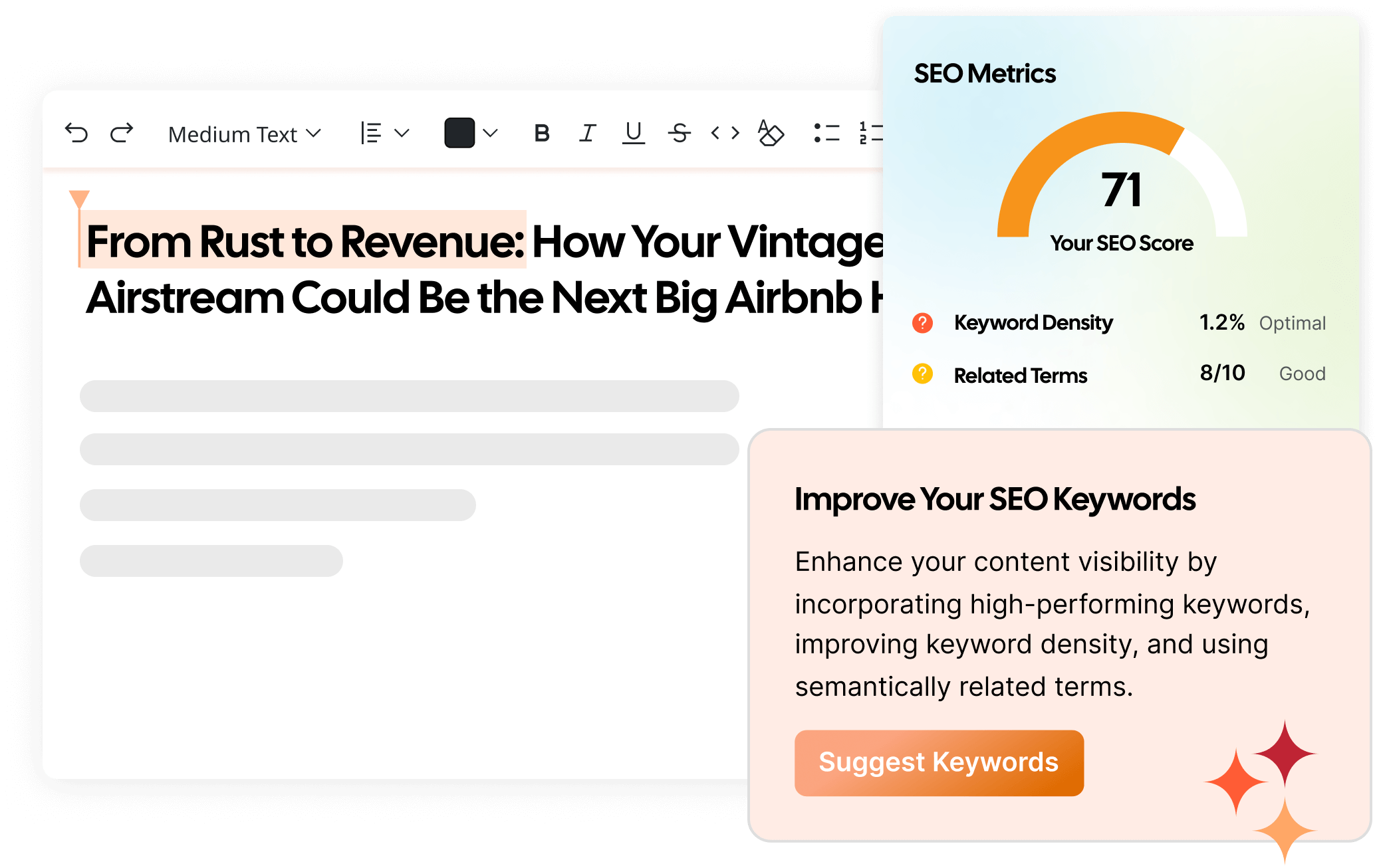
Built-in SEO scoring then checks each draft for semantic richness, structure, and alignment with intent before you hit publish. Contentpen also adapts to your brand voice, keeping the tone steady across all your pages.
Because you can perform content research, AI-assisted writing, and one-click publishing in one workspace, content teams can move faster without juggling separate tools.
Final thoughts
Semantic SEO changes how you think about rankings. Instead of chasing single phrases, you focus on user intent, entities, and full topic coverage. That shift lines up with how Google and other engines read pages.
The path is clear. Start with smarter semantic keyword research and topic clusters. Turn those clusters into comprehensive, well-structured articles that answer real questions.
Doing this across a whole site can seem like a big project, especially for lean content teams. Therefore, you must begin with one pillar page and a small set of clusters, then build from there upon.
Frequently asked questions
What’s the difference between semantic SEO vs. traditional SEO?
Traditional SEO focuses on exact-match keywords, keyword density, and on-page placements. Whereas semantic SEO looks at topics, entities, context, and search intent. Semantic SEO usually holds more stable rankings over time than traditional SEO.
What are the best semantic SEO tools?
Helpful semantic SEO tools include Contentpen for research, drafting, and SEO guidance, LSI Graph for LSI-style keywords, Semrush for topic research, Ubersuggest for keyword variations, and Google Search Console for real query data.
How does structured data help with semantic SEO?
Structured data provides search engines with extra context about your page’s type and key details. It can trigger rich snippets such as reviews, FAQs, or recipe cards, which improves visibility and click rates even if rankings stay the same.
What are some semantic SEO examples?
Semantic SEO examples include using related topics and entities around a main keyword instead. For instance, a page on “email marketing” may also cover related terms such as email campaigns, subscriber lists, and automation workflows.
What are semantic SEO keywords?
Semantic SEO keywords are terms that share context with your main keyword instead of being exact copies. They include LSI-style keywords, related entities, and question-based variations that users type into search to find answers.
There are over 3.5 billion searches on Google every single day, and the reason why people are able to find your platform is through organic keywords. Even though finding the right organic keywords for SEO can take time and effort, the results are worth the hassle.
When a business earns strong positions for the right organic search terms, it establishes authority in a niche, which helps it gain recurrent traffic and qualified leads.
In this guide, we break down everything about organic keywords: what they mean, how to find them, and advanced tools you can use today. By the end, there will be a clear path for you to evaluate which keywords are worth chasing and the way to implement them in your content.
So, let’s get started.
What are organic keywords?
Organic keywords are the words and phrases people type into search engines when they want particular information, products, or services. When a page on a site appears for those searches without any ad spend, it is ranking for organic keywords.
A simple organic search example helps here.
Picture someone typing “how to improve organic traffic” into Google. Then the phrase “organic traffic” is an organic keyword.
In 2026, finding organic keywords for your business or service is like helping the search engines connect your platform with the users. It is about being honest about what you offer to achieve a minimum bounce rate and a maximum dwell time for a chance to get better conversions.
Organic keywords also guide the entire content process. They help decide:
Which topics deserve full guides and deep articles
Which belong in the FAQ sections or support documentation
Which should support bottom‑of‑funnel product or service pages
When done well, a single pillar article can rank for dozens of related organic search terms and bring in traffic from many different angles.
In the end, better visibility for important organic keywords usually leads to better business outcomes. Greater search visibility leads to more demos, consultations, sign‑ups, and sales. That is why SEO success almost always starts with getting organic keywords right.
Organic keywords vs. paid keywords
Organic keywords relate to unpaid rankings. Paid keywords are used in pay‑per‑click campaigns, where each click incurs a direct cost to the publishing company.
Paid keywords are used in platforms like Google Ads or Microsoft Advertising. Marketers choose phrases, set bids, and write ad copy. When users search those phrases, ads can appear above or below organic results. When someone clicks, the advertiser pays.
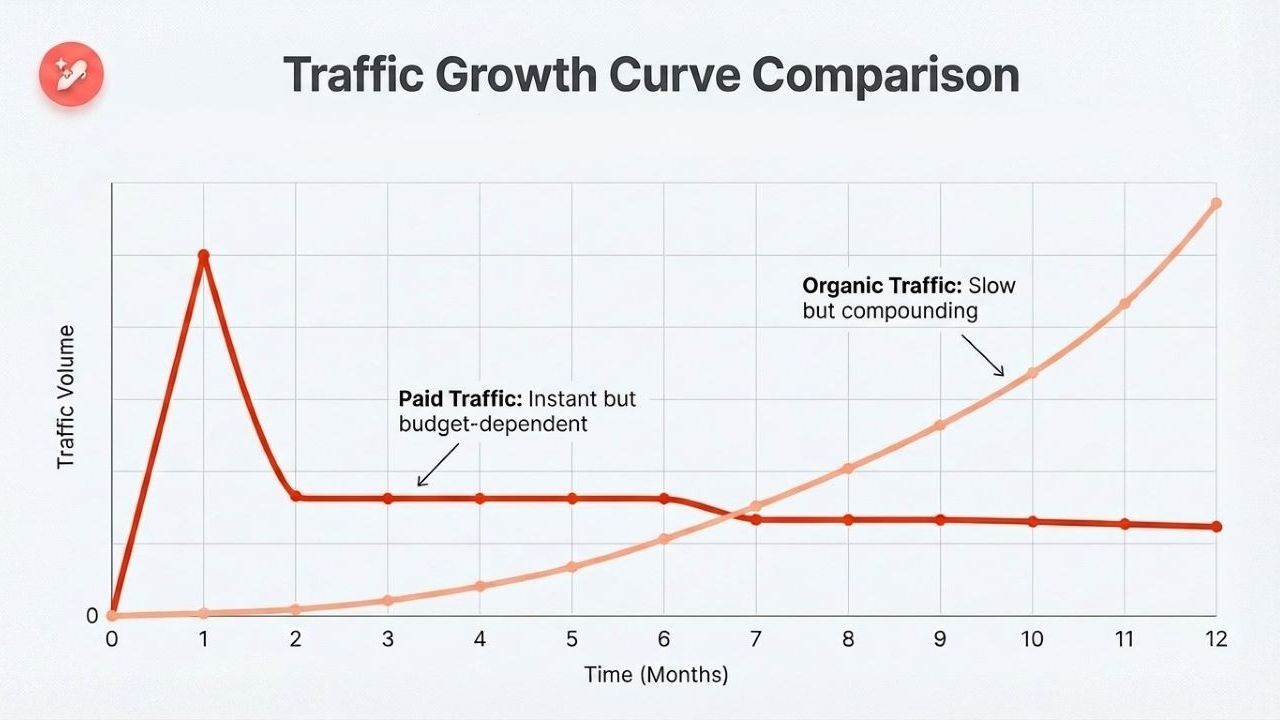
This approach can drive traffic within hours of launching a campaign; however, it can dry up as soon as the ad funding is cut.
Organic keywords work very differently. They generate free traffic when a page ranks in the main results through SEO.
Instead of bids, the “price” is the time and effort invested in keyword research, content, and internal plus external links. It often takes weeks or months for a new platform to stabilize its organic keyword rankings, but once it does, traffic can be very steady.
For many small businesses and startups with limited budgets, leaning into organic keywords first is often the smarter path. Then, paid campaigns can support key launches or short windows while organic visibility grows.
4 best ways to find organic keywords in 2026
Finding strong organic keywords is not a one‑time task. It is an ongoing process of research, testing, and expansion. The best way to work is to combine several methods so that the keyword list covers both obvious topics and hidden gaps competitors may have missed.
Some methods rely on paid tools, while others use free data directly from Google.
#1: Using paid keyword research tools
Dedicated keyword tools are often the fastest way to build a broad view of any topic. These platforms gather billions of organic keywords and provide helpful metrics such as volume, difficulty, and keyword intent.
The common starting point is a “seed” keyword. This is a broad phrase that matches the niche, such as “content marketing,” “interior design,” etc.
After you’re comfortable with your seed keyword, enter it into one of the paid keyword research tools of your choice:
Semrush
Ahrefs
These are two widely used options for finding a wide array of SEO keywords relevant to your niche. For the sake of experimentation, we will use Semrush for now.
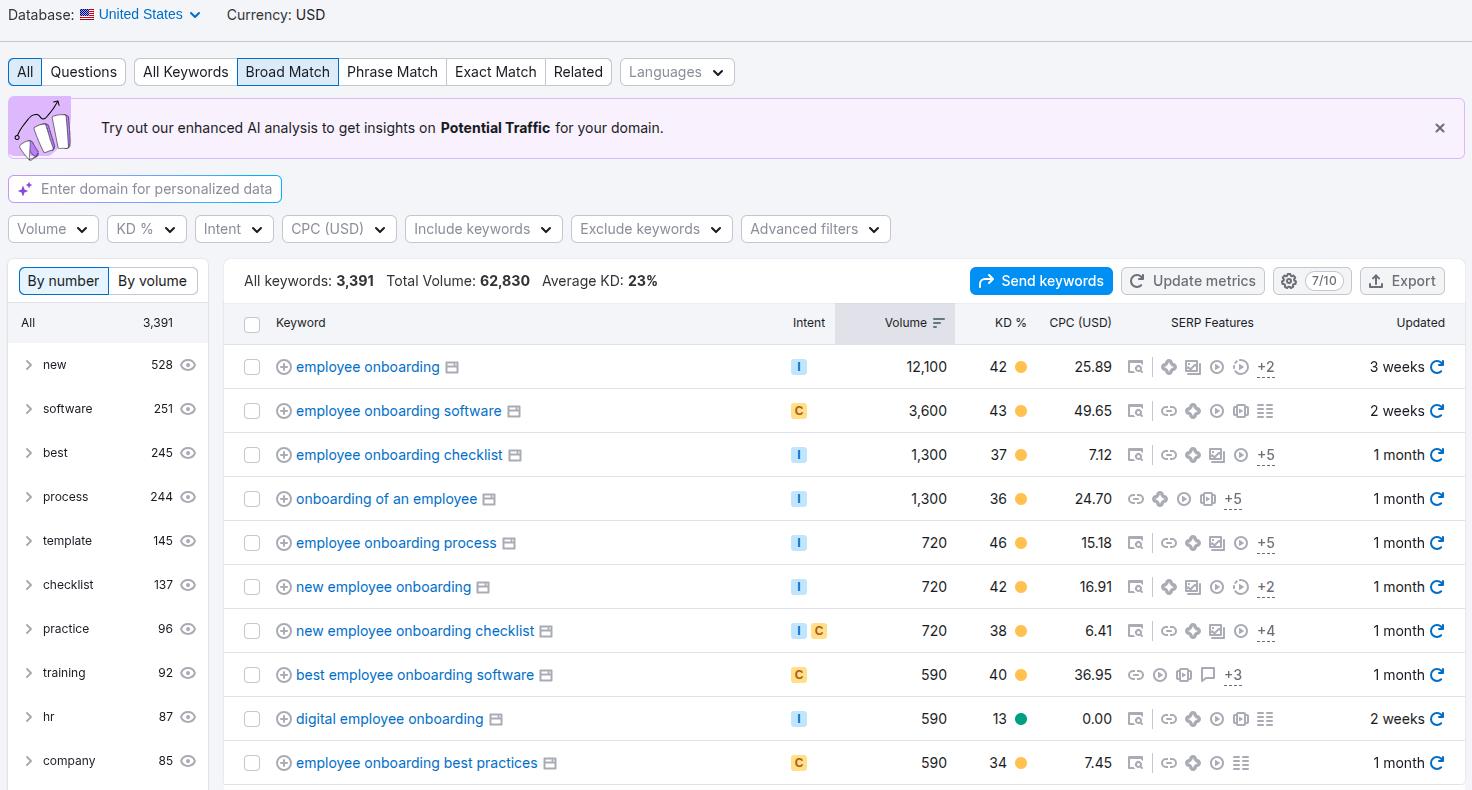
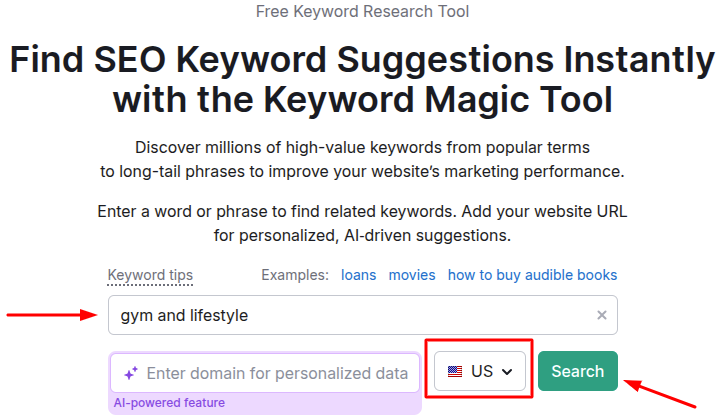
Open Semrush and toggle to SEO -> Keyword Magic Tool. Here, you enter your seed phrase, such as ‘gyming’, choose the location in which you want the organic keyword rankings, and press ‘Search’.
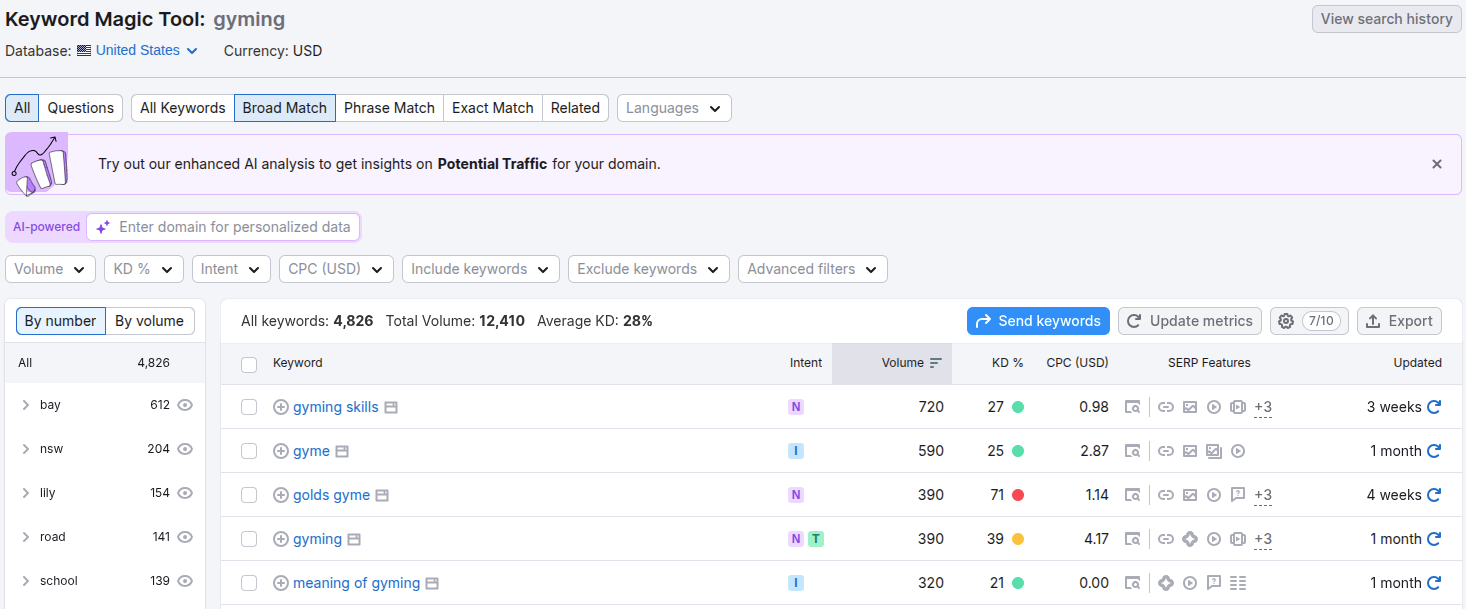
Once that seed is entered into the tool, the platform returns thousands of related phrases, questions, and long‑tail variations of the main keyword.
Now, you can select the keywords based on their CPC (in USD), keyword difficulty, and other metrics that you think are relevant to your business. Use these organic phrases throughout your site for a better chance of appearing at the top of SERPs and AI Overviews.
#2: Using Google Search Console
Google Search Console (GSC) is one of the most valuable free SEO tools. Unlike most platforms, it does not guess how a site performs. It shows actual Google data on which queries already lead to impressions and clicks.
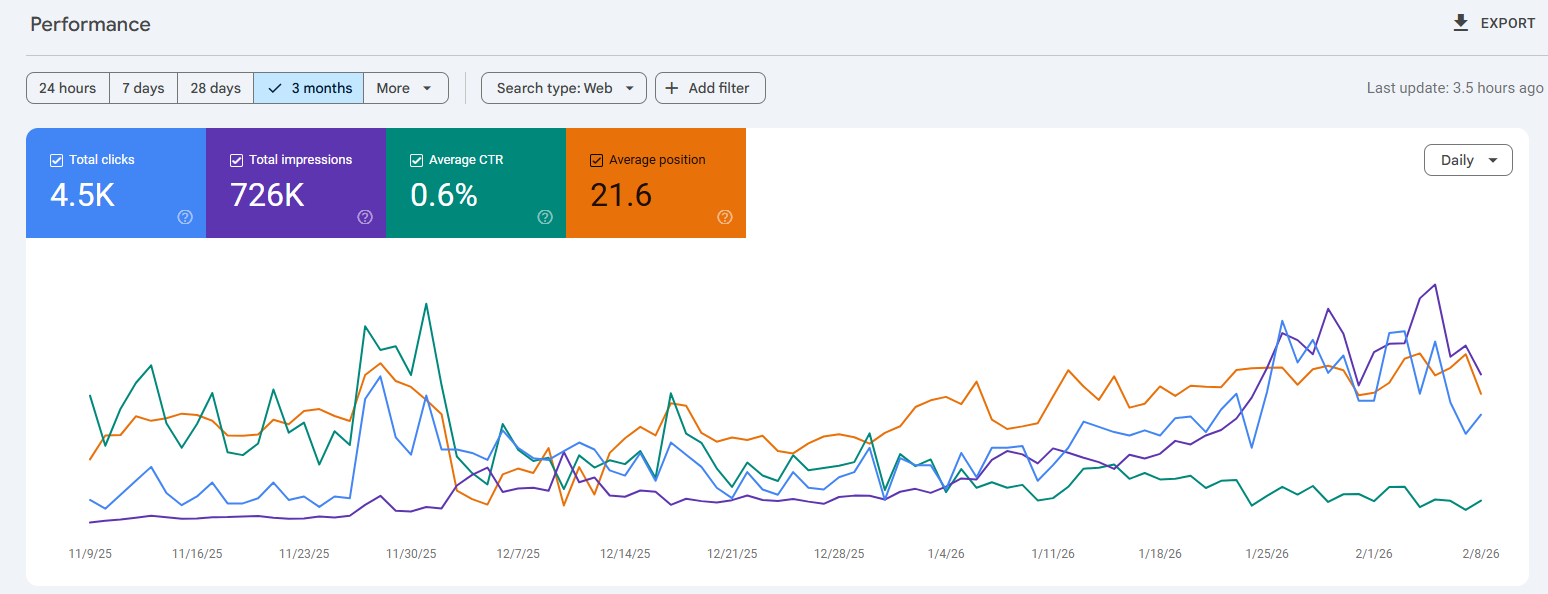
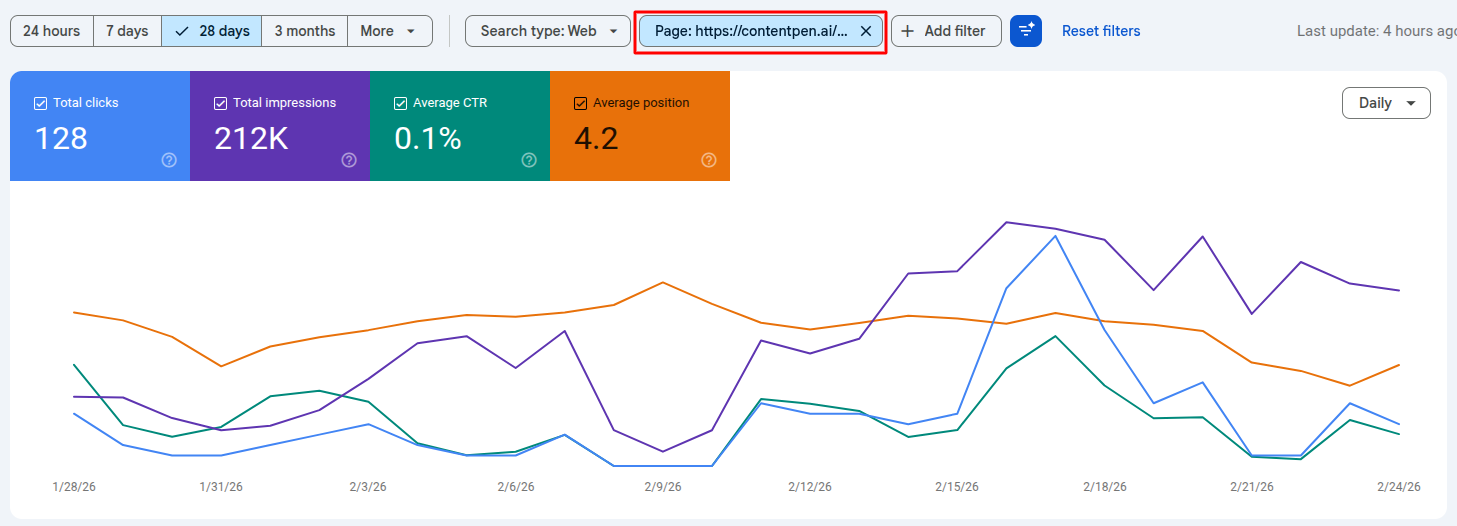
After logging in to GSC and selecting a property, go to the Performance section and find the Search results report. This screen shows total clicks, impressions, average position, and click‑through rate for all the pages on your website:
By default, your ‘Average CTR’ and ‘Average Position’ windows might not be selected, so go ahead and click them. Then, click on the pages tab and select any single page for which you want the organic keywords.
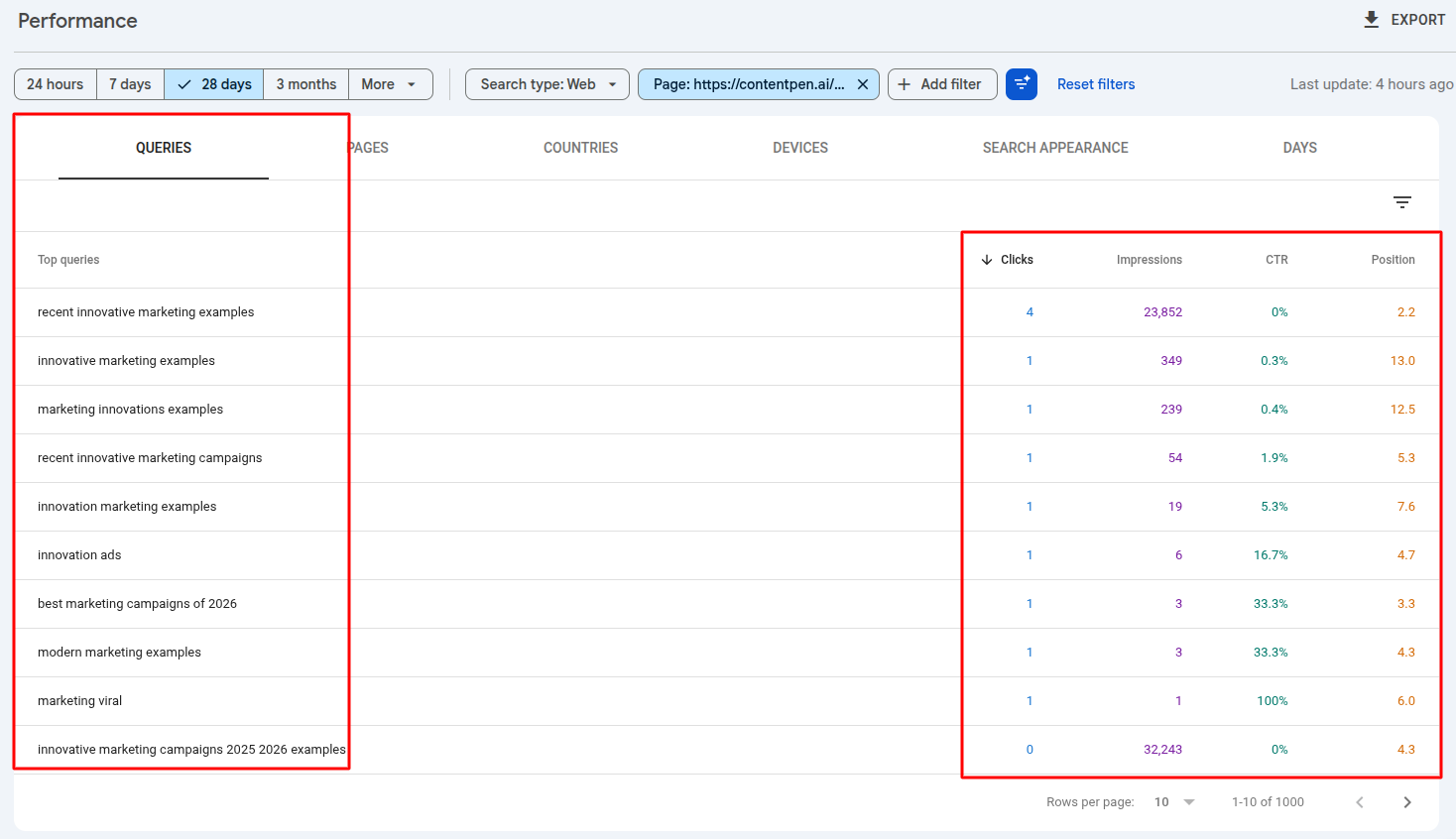
Once that is done, scroll down and click the Queries tabto see your clicks, impressions, CTR, and position on SERPs for all the organic keywords for that page.
Analyze this data to identify which keywords drive the most traffic to that page. Now, start optimizing your website for these organic keywords to gain steady visitors, potential leads, and eventually, conversions.
#3: Through smart competitor analysis
Competitor analysis in the scope of organic keywords means looking at the phrases that actually drive traffic to other sites in your niche to redefine your SEO strategies.
The first task is to identify true SEO competitors. These are the domains that appear repeatedly when searching for the target ranking queries.
Once this list is ready, use Semrush organic research or Ahrefs competitor analysis to see the organic keywords your rivals are ranking for.
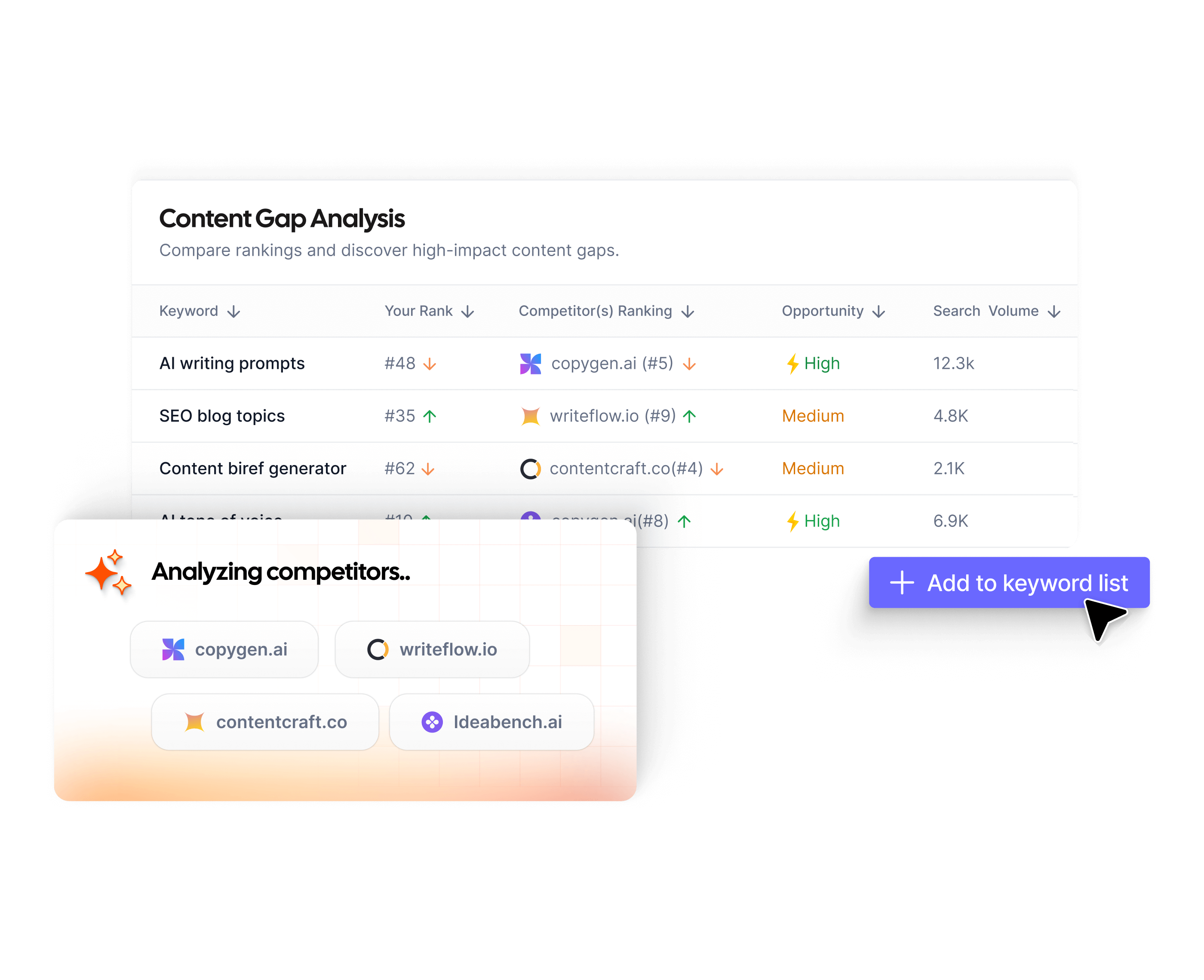
You should also consider Contentpen for this task. Our tool’s built-in SERP and gap analysis capabilities, and its SEO opportunities features, compare your content to others in the space to uncover quick wins to help you rank on Google.
Our AI blog writer can also scan a domain and pull out a competitor’s top organic keywords for you to strategize your content upon. Unlike other tools, it also helps you draft content using the discovered organic keywords and publish it directly to CMS platforms in a single window.
#4: Exploring Google’s SERP features
The search results page (SERP) itself is a powerful free research tool. Even without any tool logins or subscriptions, it shows what people are searching for and how Google connects topics to websites.
Using Google Autocomplete
Typing a seed keyword into the search bar brings up Google Autocomplete suggestions. These are based on real search behavior and show how users finish common phrases.
Trying different letters or short words after the seed keyword can surface many ideas, especially long‑tail organic keywords people actually use to find something. You can use these variations in your content to rank high on SERPs.
Using People Also Ask
You can also use the People also ask boxes to find organic keywords. Each question in this box is a real query. Clicking one expands a short answer and often loads more related questions below.
Collecting these questions provides perfect prompts for subheadings or FAQ sections, because they mirror what people type into Google.
Using People Also Search For
Finally, at the bottom of a search results page, you can see the People also search for section, which lists more queries closely related to the original one.
These often show synonyms and related topics that can closely match your organic keyword. They can also hint at future content ideas for cluster articles around a central, main theme.
Working through “Google Autocomplete”, “People also ask”, and “People also search for” reveals several organic keywords that you can use to create content and rank.
However, utilizing these keywords is a separate struggle. You have to consistently strive to make your content SEO- and GEO-friendly, but not anymore.
Contentpen handles all the writing, SEO scoring, and publishing for you. It removes friction in using organic keywords to rank by automating content tasks and supporting bulk content creation.
From outline to publish-ready content
that fills them
Once a big list of organic keywords exists, the real work begins. A pile of phrases without structure leads to random content and wasted effort. A clear plan groups related keywords, assigns them to specific pages, and decides which ones deserve attention first.
Good organization helps with both SEO and content operations. It keeps writers focused on key themes, avoids duplicate angles, and builds authority in the eyes of search engines. Instead of isolated posts, the site becomes a network of related pages that support each other.
Grouping keywords by topic clusters
The topic cluster model is a simple way to turn a messy keyword sheet into a clear content map. In this model, each big theme has a main pillar page and several supporting cluster pages. Internal links then tie everything together, so both users and search engines see the structure.
For visitors, topic clusters feel natural.
Someone can start with a high‑level guide and then click into detailed articles as their questions sharpen. That smooth path increases time on site and the chances that readers move from learning to considering a product or service improve significantly.
Prioritization framework
Even with good clusters, most teams cannot cover every keyword right away. There needs to be a simple way to decide what to tackle first. A clear set of filters helps sort organic search terms into near‑term, mid‑term, and long‑term targets.
You can think about prioritization through four lenses:
Relevance: A keyword should closely match what the business offers or what its audience expects from its content.
Keyword difficulty and search volume: Lower difficulty, combined with modest volume, is often the best approach. Looking at these two numbers together avoids putting huge effort into pages that have little chance of ranking in the near future.
Business value: Some keywords attract readers who love to learn but never buy. Others show clear buying or sign‑up intent. Prioritizing your efforts on commercial intent organic keywords can be a wise decision if your business or service allows for it.
Time span: Decide which phrases can bring near‑term wins and which are longer projects that build authority over months or years. Using Contentpen here can dispel any doubts and provide clarity on your SEO and content plans.
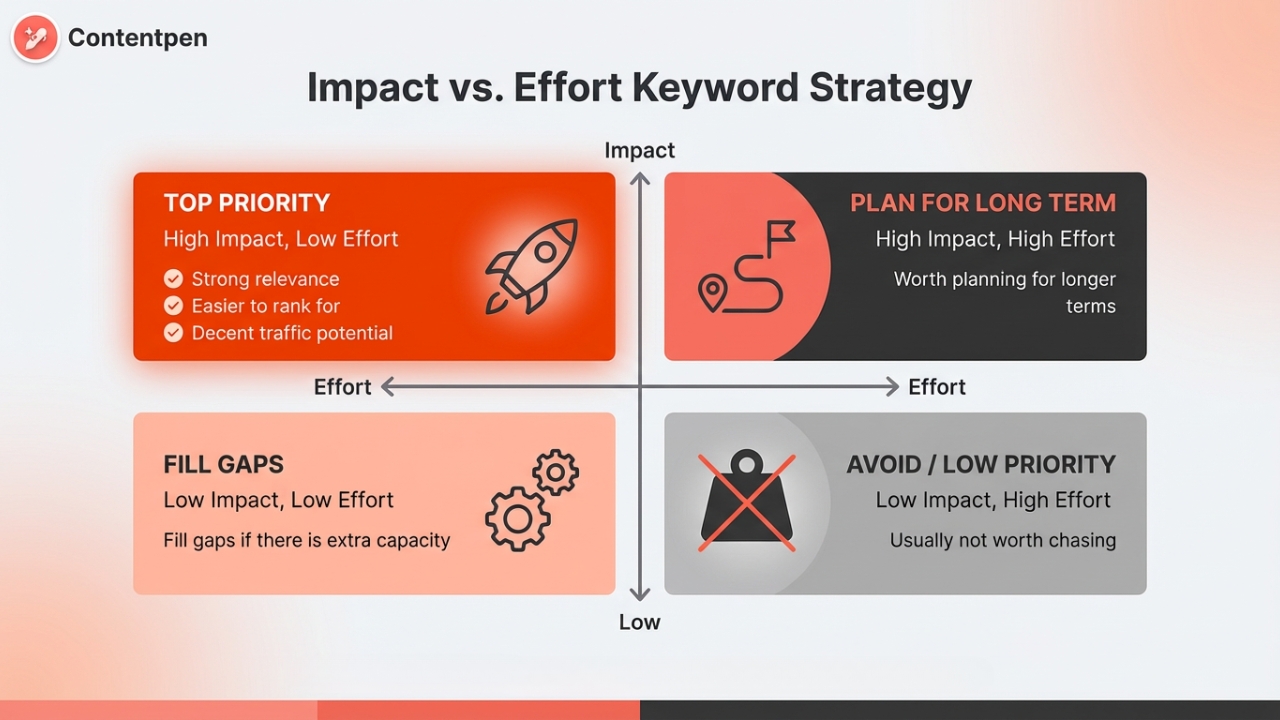
Many teams like to visualize this with an Impact vs. Effort grid. High‑impact, low‑effort keywords are in the top-priority box. These keywords are strongly relevant, easier to rank for, and have decent traffic potential.
High‑impact, high‑effort terms are worth planning for longer terms. Low‑impact, low‑effort terms can fill gaps if there is extra capacity in your content calendar, while low‑impact, high‑effort keywords are usually not worth chasing.
Creating a keyword roadmap like this keeps content efforts focused and helps utilize most of your resources for ranking.
How to optimize content for organic keywords
Finding strong organic keywords is only half of SEO. The next step is to shape content and on‑page elements so that search engines and users clearly understand what each page covers. This is where classic on‑page SEO comes in.
On‑page work signals why a page deserves to rank for a keyword. That includes titles, headings, body copy, images, URLs, and internal links.
None of this replaces the need for good content, but it does make sure that hard‑won articles have a fair shot at strong organic keyword rankings.
Aligning content with search intent
Before tweaking a single tag or heading, it is important to confirm that the page type aligns with the search intent. Many ranking problems trace back to this one mistake. If the page is the wrong kind of content, no amount of keyword placement will fix it.
A simple way to check is to search the target keyword and scan the first ten results. Ask:
Are most top pages how‑to guides?
Are they product or pricing pages?
Are they comparison lists or review articles?
If almost all top pages are how‑to guides, then that keyword expects informational content. If most results are product listings or pricing pages, the query leans transactional. If many results compare tools, it suggests a commercial investigation.
Matching intent also includes depth. If all top results for a topic are long, detailed guides, a 500-word article will likely struggle to rank. In that case, the content should be expanded to cover the same level of detail, plus extra angles where possible.
Only after this alignment step is solid does it make sense to adjust keyword placement and other on‑page elements.
Strategic keyword placement
Once the content type and depth fit the keyword, it’s time for careful organic keyword placement.
Key areas to focus on include:
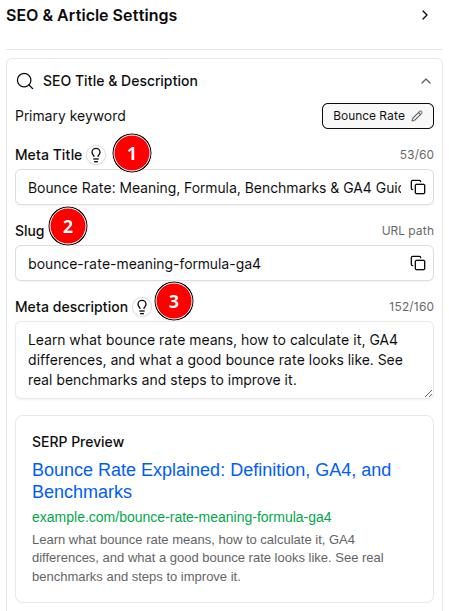
Title tag: This acts as the main headline in search results. It should include the primary organic keyword near the start and stay under about 60 characters so it shows fully on most screens.
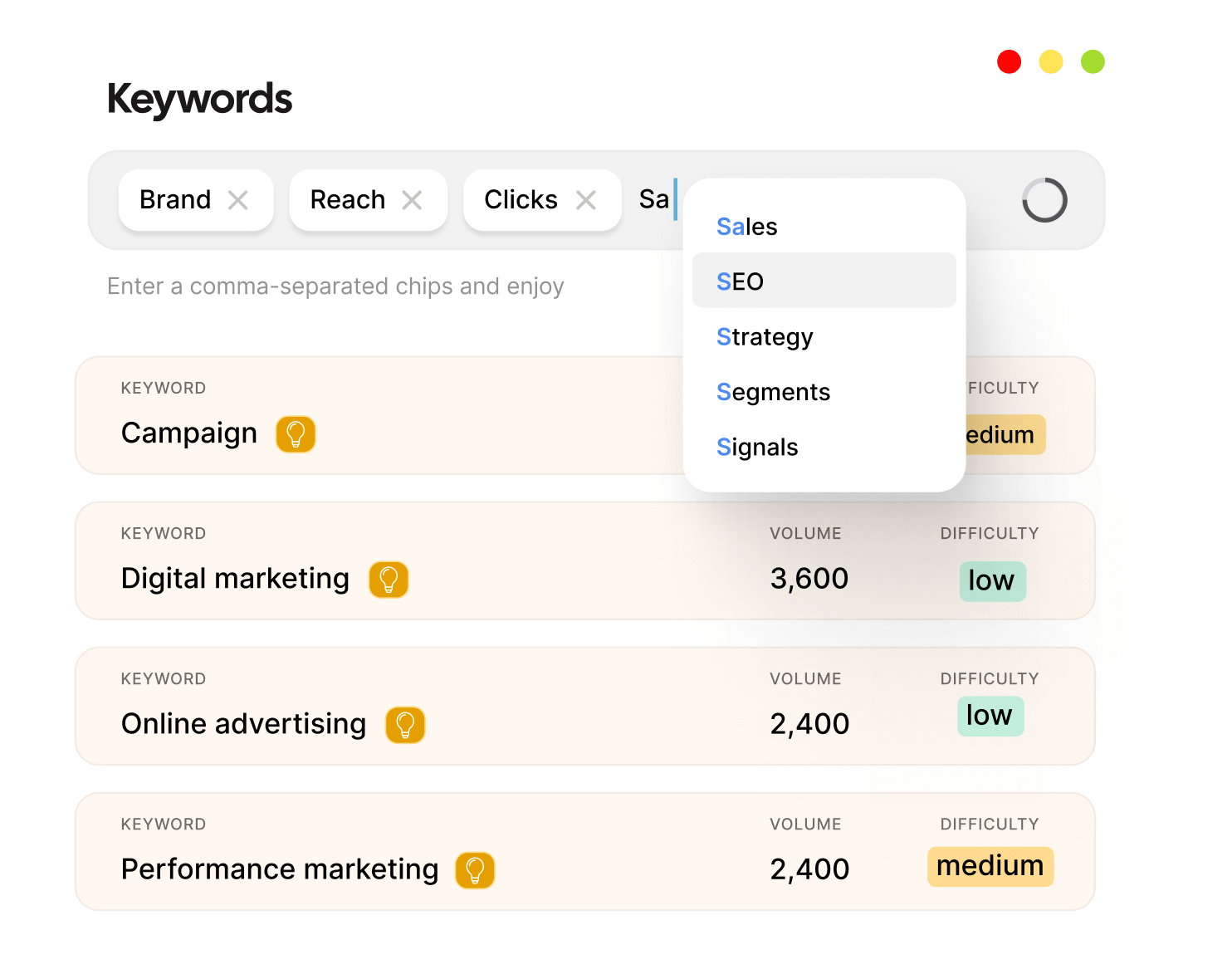
Meta description: This heavily influences how many people click your page. A good description utilizes the main keyword naturally at the start and summarizes everything on the page. You can access many metadata variations with Contenpen by clicking the ‘bulb’ icon. Also, see the slug and SERP preview to know how your page looks before publishing.
URL slug: Short, descriptive slugs such as /organic-keywords-guide or /organic-keyword-research are easier for both users and search engines to understand than long strings of numbers or tracking parameters.
H1 heading: The H1 heading should closely mirror the title and include the main keyword. Many templates use the blog title as the H1 by default, which is fine as long as the keyword appears naturally.
H2 and H3 subheadings: Break content into sections and give more chances to include related keywords in each H2 and H3 subheading. Try to use more conversational headings to support voice-enabled search indexing and AI Overview visibility.
First paragraph: Your opening paragraph should include the primary organic keyword in the opening 100-150 words, generally. Still, you must keep your sentences natural and easy to read.
Body content: This is where you will place most of your organic keyword list in a natural way. Cover all the keyword variations possible without overloading users with buzzwords. Readers need value from the content as well [pro tips, cheat sheets, etc.]
Images and alt text: Adding alt text that explains what is shown in a picture helps both accessibility and SEO. You should include organic secondary keywords or LSIs in the alt text to improve image SEO, or use Contentpen to automatically add a fitting description.
Internal links: Connect related content and share authority across the site. When linking, use descriptive anchor text to help both search engines and human readers to understand how topics relate to one another.
Creating high-quality, comprehensive content
Technical tweaks matter only if the content itself truly helps the reader. Search engines have become better at judging depth, accuracy, and usefulness. Thin pages packed with keywords tend to fade, while detailed, reader‑friendly content wins.
High-quality content starts with complete coverage. A good article on a topic like SEO backlinks should explain:
What backlinks are
Why they matter for search engine rankings
How to earn high-quality backlinks ethically
How to evaluate backlink quality
How to monitor and manage your backlink profile over time
It should answer follow-up questions a reader is likely to have, instead of leaving those gaps for competitors.
Original insight is just as important. Copying the structure or wording of top results rarely pays off. Adding fresh examples, clear examples, small case studies, or personal experience makes content stand out.
Avoiding keyword stuffing
Keyword stuffing no longer works and can even hurt performance for your online platforms.
From a reader’s point of view, stuffed content feels spammy. Sentences stop making sense, and paragraphs read like a list of slightly altered phrases. This leads to fast exits and poor engagement signals, which send the wrong message to search engines.
Modern SEO favors natural language. It is fine to mention a primary keyword several times and to include supporting phrases. The key is that each use should fit smoothly into the sentence and add some value to the reader.
Semantic SEO understanding also matters. Google can now recognize related ideas and synonyms. A page can rank for “organic keywords meaning” even if it sometimes uses phrases like “unpaid search phrases” or “natural search queries.”
This also means that the tactic of creating separate blogs for similar organic phrases, such as “natural search queries” and “unpaid search phrases,” probably doesn’t make sense in 2026.
Tracking organic keyword performance
SEO does not end at publication. Once content is live and optimized for a set of organic search terms, it is important to watch how those pages perform. Tracking turns SEO from guessing into a cycle of measure, learn, and improve.
Rank tracking means keeping a regular record of where a site appears in search results for specific keywords. Without this data, it is hard to know whether new content or optimizations are helping or whether rankings are sliding without notice.
Many SEO platforms include tracking modules. For example, Semrush offers Position Tracking, and Ahrefs has the Rank Tracker. The basic setup flows in a similar way across tools:
Create a project for the domain.
Add a set of target keywords, grouped by topic or intent.
Choose the search engine, location, and device type to track.
Schedule how often rankings should be checked (daily or weekly).
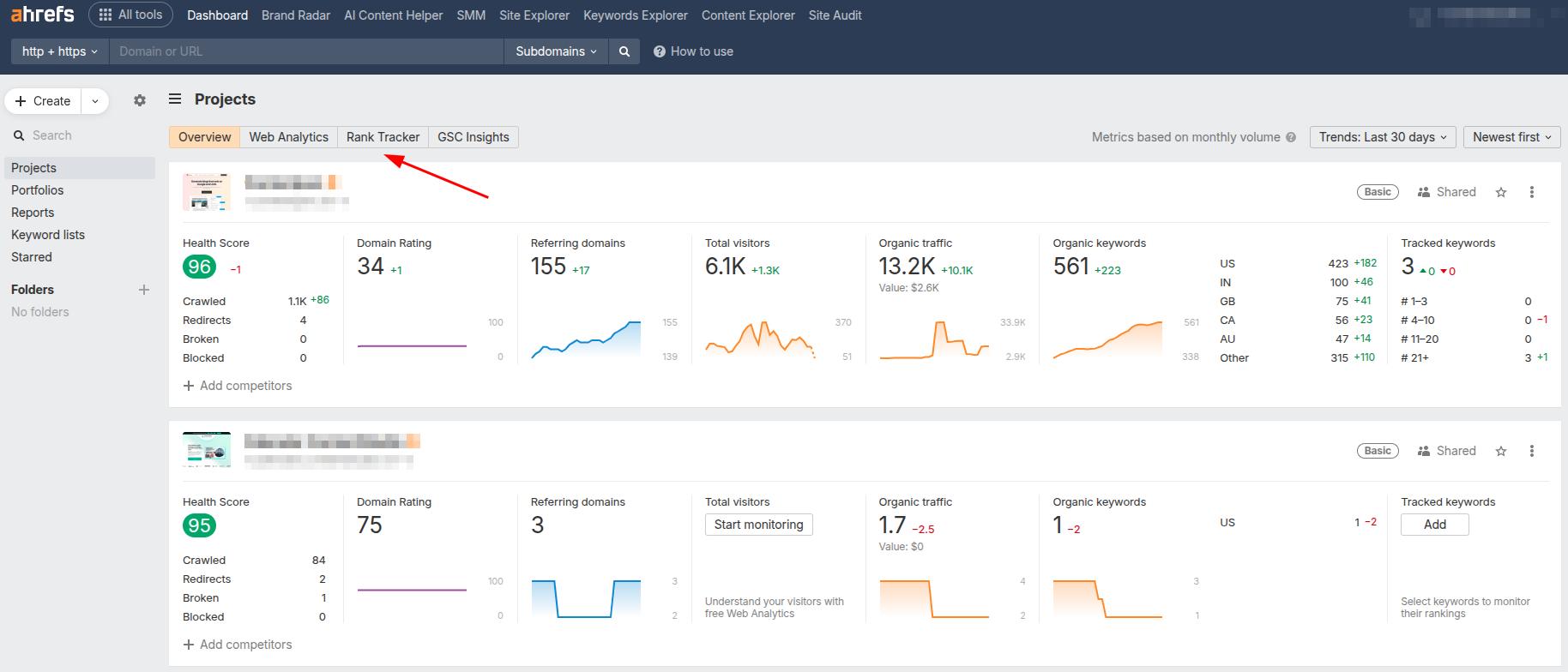
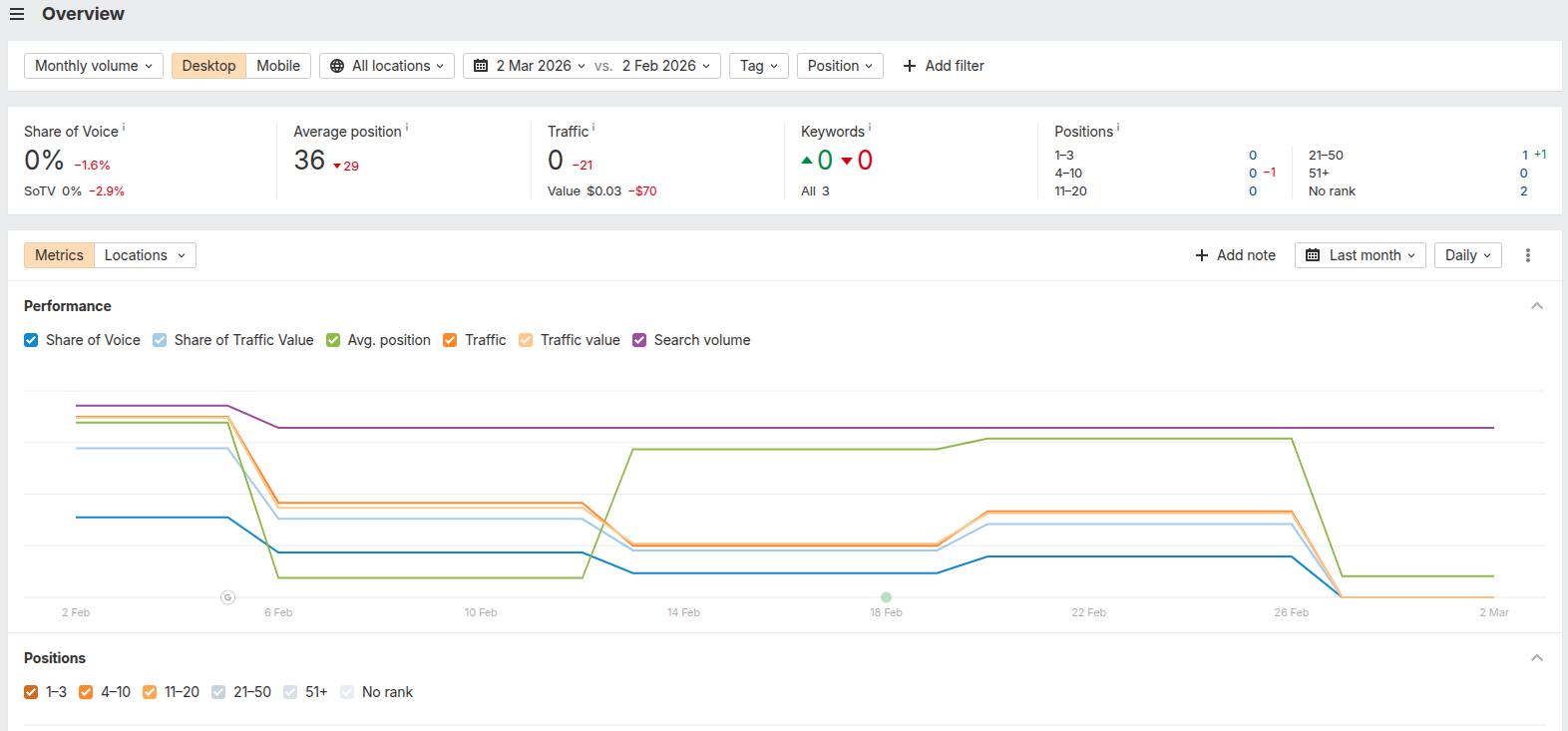
To show you the process, we’ll use Ahrefs as the organic keywords checker for now. At the main tool overview, toggle to Projects -> Rank Tracker.
Here, click on the ‘keywords’ option to see how your organic keywords are currently ranking for different search and AI engines.
Finally, you can see the organic keywords ranking by position, traffic, and share of voice. If you want, you can change the viewing parameters, such as device type and location, to suit your business or service.
Data from Google Search Console can also help, although it is not a pure rank tracker. GSC shows average positions and changes over time for many searches, which is often enough for early‑stage projects.
Setting up tracking gives a clean baseline. Over the next few weeks and months, you can monitor trend lines to see whether a page is climbing, flattening, or falling, which guides future updates and link‑building efforts.
Summing it up
Organic keywords are the foundation of sustainable SEO growth. When you understand what they are, how to find them, and how to optimize content around them, you move from random publishing to strategic organic visibility.
The process is simple in theory: research with the right tools, prioritize keywords based on relevance and business value, create genuinely helpful content, and track performance over time.
When done consistently, organic keyword rankings compound, bringing steady traffic, stronger authority, and measurable business results.
Can Google Keyword Planner and Google Trends be used for organic keyword research?
Yes. Google Keyword Planner helps validate search demand and find related queries, while Google Trends shows keyword popularity over time and rising topics. Together, they help identify and prioritize organic keywords.
What is the best organic keywords checker for small businesses in 2026?
Google Search Console is the best starter organic keywords checker. For deeper competitive content insights, small businesses can use Contentpen with a very minimal starting price.
When should you target organic keywords instead of paid keywords for faster ROI?
Target organic keywords when you want long-term traffic without ongoing ad spend. Paid keywords are better for short-term campaigns, while organic SEO delivers sustainable ROI over time.
Can I get organic keyword rankings without paid tools?
Yes, you can rank using free tools like Google Search Console and manual SERP research. However, Contentpen helps speed up the process by identifying keyword opportunities, optimizing content structure, and streamlining publishing for better organic visibility.
As a growing marketer, you’ve likely seen the bounce rate metric in Google Analytics and wondered what it is and why it matters.
Bounce rate is the percentage of visitors who land on a page and leave without taking any further action. It is a central metric for many digital marketing and SEO efforts, and is crucial for decision-makers to further their strategies.
The problem is that bounce rate is one of the most misunderstood numbers in SEO analytics. Many teams see a high website bounce rate and panic, even when the page is doing its job. Others ignore it, missing serious content or user experience issues.
This guide breaks down everything about bounce rate. It explains the basics, how the bounce rate formula works, what counts as a good bounce rate, and practical steps to quickly reduce it for your platforms.
So, let’s get started, shall we?
What is bounce rate?
Bounce rate is the percentage of sessions in which someone lands on a page and then leaves without any further interaction. For a single page, this is often called the page bounce rate.
Old Analytics: If someone leaves without clicking anything else, it’s a bounce.
New GA4: If someone stays for less than 10 seconds, doesn’t trigger a conversion, and doesn’t see 2 or more pages, it’s a bounce.
The newer way is much better at measuring “boredom” vs. “interest” and at determining whether the content users found on your site was actually helpful or not.
How to calculate bounce rate?
We can quantify this metric by using a simple bounce rate formula like this:
Let’s understand this with a quick bounce rate example. So, if you have a site with 1,000 total sessions, of which 500 were unattended or unengaged (with no action), then the bounce rate is 500/1,000, or 50%.
It is also important to note that the engagement rate is the inverse of the bounce rate. So if your site has a 30% bounce rate, that means the engagement rate would be 70%.
Mathematically, this means:
Bounce rate (%) = 100 – engagement rate (%)
Or vice versa.
How can visitors bounce off a page?
A visitor can bounce in several common ways:
Users click the browser back button right after the page loads. This often happens when the content does not match what they expected from the search result. It can also happen when the layout feels confusing at a glance, or the page takes too long to load.
Since mobile devices are now the primary source of website traffic, poor mobile optimization will almost certainly result in higher bounce rates.
Some visitors type a new URL into the address bar. That can signal they changed their mind or the content did not feel trustworthy.
A session can time out after a period of inactivity, often around 30 minutes. When that happens with only one pageview, SEO analytics tools, such as Google Analytics, record it as a bounce.
Exit rate vs. bounce rate: What’s the difference?
Exit rates and bounce rates are two separate metrics used to evaluate a site, but are often confused.
The confusion usually comes from one fact:
Every bounce is an exit. But not every exit is a bounce.
To understand the difference clearly, focus on when the session ends and what happened before it ended.
You can also see this table for a clearer explanation:
Bounce Rate
Exit Rate
Measures sessions that end on the first page
Measures sessions that end on any page
Only applies to entry pages
Applies to every page on your site
Based on sessions
Based on pageviews
Requires zero further interaction
Can happen after multiple interactions
Indicates failure to continue
Indicates where users finish
TL;DR:
Use bounce rate to evaluate first impressions and engagement.
Use the exit rate to diagnose journey drop-offs and flow efficiency.
Checking bounce rate in Google Analytics 4 is simple, but you need to know where to look because it is not shown in every default report.
The quickest way to find it is to perform the following steps:
Step 1: Open the Reports section
Go to Reports → Engagement → Pages and screens.
This report shows performance data for individual pages. If bounce rate is not visible, click the pencil icon (Customize report) and add Bounce rate as a metric.
Now, drag the bounce rate to one of the top positions, then hit Save to easily add this metric to your report.
Step 2: Check bounce rate by page
Once added, you will see the bounce rate next to views, users, engagement rate, and average engagement time.
Remember that in GA4, bounce rate is calculated as the percentage of unengaged sessions, meaning:
Less than 10 seconds
No conversion
No second pageview
So if you see a 35% bounce rate, that means 65% of sessions were engaged.
Step 3: Check bounce rate by traffic source
To diagnose problems more deeply, go to:
Reports → Acquisition → Traffic acquisition
By default, you may see the engagement rate there in a column.
You can either use the mathematical formula (1 – engagement rate)= bounce rate to calculate the bounce rate for all traffic sources. Or you can add the bounce rate directly to the column as well from the customization option.
What is a good bounce rate? (benchmarks by industry and page type)
Many teams ask what a normal bounce rate for a website should be, but there is no single perfect number. A good bounce rate for a website depends on the industry, traffic source, and page type.
Still, there are some benchmark numbers, produced by customedialabs, that you should know for different websites:
There are also some industry benchmarks available for different niches. Please note that these are average numbers and can vary for your site.
Let’s break down these numbers by industry to help you better understand the bounce rate benchmarks.
If you look closely at the table, the apparel and footwear industry typically has lower bounce rates because users intend to stick around, browse products, and buy stuff.
Contrastingly, content-heavy industries (news outlets, etc.) tend to see higher bounce rates, as users read one thing and then move on to another page when they’ve got their answers.
Detailed data can also help you separate “high but healthy” bounce rates from “high and harmful” ones:
High but healthy: Single‑purpose landing pages, FAQ pages that answer one question, directions/contact pages, quick reference posts.
High and harmful: Product pages with very little detail, blog posts that never answer the main question, pages with heavy technical problems, or confusing design.
This context keeps the team focused on the right fixes instead of chasing a random target.
Why is your bounce rate high? (Common causes)
High bounce rate can be due to the following reasons:
Technical SEO and performance issues
Content and metadata mismatches
On-page user experience problems
Asking too little or too much of the user
Let’s discuss these in more detail.
Technical SEO and performance issues
These issues are a frequent cause of a high bounce rate. Slow page load speed is a major issue, and as seconds tick by, more visitors leave before they see any content. Blank pages, 404 errors, and server problems also push people away.
A site that is not mobile-friendly is just as bad, so these problems hurt both bounce rate and search performance.
Content and metadata mismatches
If the content you’re writing doesn’t match the meta title and meta description you’ve written for your page, then that ends up being clickbait. Users often feel they’ve been lied to, which compels them to check out your competitors, increasing bounce rates.
Also, a piece of content that doesn’t properly satisfy search intent can also send people away because it fails to answer the question they had in mind.
On-page user experience problems
Users want the fewest disruptions during their browsing sessions. If all they get are intrusive pop-ups, auto-playing videos with sound, and heavy ad layouts, it makes it hard for them to stay on your page.
Think about how you like to see a webpage. Do you like it messy and unorganized, or neat and aesthetic?
Poor readability, with tiny fonts and no white spaces, can also cause people to give up quickly. Not performing on-page SEO or not refining on-page elements will hurt your business in the long run.
Asking too little or too much
Finally, when there is no clear call to action, visitors do not know what to do next, causing them to leave your page.
On the contrary, asking for too much too soon, such as filling out long forms or signing up for a newsletter even though the brand hasn’t earned the trust or attention yet, also leads to more exits.
A high bounce rate is rarely caused by a single issue. Most of the time, there is a mix of small technical, content, and design problems that add up. Fixing them as a team tends to lower the bounce rate and improve other metrics as well.
How to improve bounce rate with proven strategies that work
Improving bounce rate is very doable once the causes are clear. The best wins come from matching content to search intent, making pages easier to read, resolving technical issues, and clearly guiding visitors toward the next step.
Strategy 1: Align content with search intent
The fastest way to improve bounce rate is to match each page to what visitors really want. That starts by looking at the search results for a target keyword and noticing what types of pages rank. This keyword research shows whether people want how‑to guides, product pages, or quick answers for the target phrase.
Also, make sure to:
Match title tags, meta descriptions, and H1 headings to the page topic. Clear, honest copy and metadata keep expectations in line.
Review each important page and ask whether it fully answers the main question behind the keyword. If not, expand or adjust the content so visitors do not have to click the back button and try another result.
Map one primary intent per page (informational, commercial, transactional, navigational) and trim anything that distracts from that main goal.
If you set your goal to help users with genuine content, you automatically beat the majority of results for that search query. This raises engagement rate and decreases bounce rate.
Strategy 2: Improve content quality and readability
Clean, useful content is one of the strongest ways to reduce bounce rate. Short paragraphs, clear headings, and simple language help readers scan and stay. Keeping information accurate and up to date also improves how people feel about the page.
Practical ways to improve content quality include:
Break long blocks of text into sections with descriptive H2, H3, or H4 headings. Include a TOC (Table of Contents) or jumpable links that help visitors find the part that matters most to them without having to click away from the page.
Use short paragraphs, bullet lists, and plenty of white space to keep pages light. Add helpful visuals like images and diagrams to show key points, not just tell them. Update older posts with new data and examples so they match what people expect this year.
End key articles with a short summary or key takeaways section so skimmers still feel they got value.
Creating this kind of content every week takes time and effort, which is why Contentpen is here for your help. Our SEO platform helps teams produce SEO- and GEO-friendly articles that align with search intent and brand voice every time.
The tool also includes SEO scoring and built-in SERP and gap analysis, so each post is written to keep visitors on the page and move them deeper into the site.
Know exactly what to fix, before publishing to get it ranked!
Get real-time SEO feedback while writing, no guesswork, no plugins.
A simple way to use Contentpen for bounce rate improvement is to:
Enter your target keyword and audience.
Let the platform suggest suitable secondary keywords and outline that mirrors top‑ranking content.
Refine sections, add brand examples, and publish to your favorite CMS platform with built-in integrations.
Revisit high‑bounce pages and use Contentpen’s opportunities feature to restructure or expand them based on what users seem to be missing.
Strategy 3: Fix technical performance
Even the best content loses if the page feels slow or broken. Technical fixes often deliver quick gains in bounce rate, especially on high-traffic pages. They also support better rankings and conversion rates.
Keep your focus on:
Compressing images and using modern formats to speed page load times. Minify CSS and JavaScript files to cut unnecessary weight. Run important URLs through Google PageSpeed Insights and focus on the warnings that affect real users.
Checking that your site uses a responsive design that works well on phones and tablets. Test forms, menus, and buttons on different devices to be sure they are easy to tap.
Fixing broken links, 404 errors, and redirect loops so visitors do not hit dead ends. Watch your error logs and Google Search Console reports for any emerging patterns.
Using a reliable hosting setup and a content delivery network (CDN) if traffic is spread across regions.
Even shaving one or two seconds off load time can reduce abandonment on busy pages, leading to much lower bounce rates and higher engagement rates.
Strategy 4: Strengthen on-page engagement signals
Once visitors land on a page and find it useful, the next step is to guide them. Strong internal links and clear CTAs help turn one‑page visits into deeper sessions, leading to better conversions.
You can also strengthen engagement and increase conversions by building trust with the users. To do so, you may:
Show social proof like reviews, ratings, and logos near a certain call to action so people feel safe to continue.
A/B test different headlines, layouts, and buttons to see which versions keep visitors around longer.
Reduce intrusive elements, such as aggressive pop-ups or autoplay audio, in video ads or product demos, especially on mobile.

Small gains across these strategies add up. When content matches intent, pages load quickly, visitors know what to do next, and bounce rate drops; other metrics improve as well.
Final thoughts
Bounce rate is a helpful signal that indicates whether pages are meeting the visitor’s needs or not. When read properly, it becomes a clear guide for what to fix on your site.
Real gains come from combining several changes. Align content with search intent, improve readability, clean up technical issues, and give visitors obvious next steps. Start with the pages with the highest bounce rates, then move deeper into the site.
For teams looking to improve content quality and SEO alignment, Contentpen is a valuable option. It offers search-focused articles at scale to help visitors stay longer and engage from the first click.
Frequently asked questions
Is bounce rate a Google ranking factor?
Google has said that bounce rate is not a direct ranking factor. The number itself is not used inside the core algorithm. However, a very high bounce rate can indicate problems affecting rankings, especially on AI platforms such as Perplexity and ChatGPT.
What is considered a bad bounce rate?
For many sites, a bounce rate above 70% is a warning sign worth checking. It often means visitors are not finding what they expected, or the page feels hard to use.
How is bounce rate different in GA4 vs. Universal Analytics?
In Universal Analytics, any single-page session with no recorded interaction is counted as a bounce. In GA4, bounce rate reports the share of unengaged sessions: sessions under 10 seconds with no conversion and no second pageview.
Is a higher bounce rate better?
No. Generally, the lower the bounce rate, the better. This metric varies by industry and page type, so there’s no single value that’s good or bad for you. The better idea is to compare your bounce rate with industry benchmarks and see whether any changes are needed to your site.
Imagine two brands in the same niche. Their products are similar, their ad budgets are close, and their teams are equally busy. Yet when people talk online, search on Google, or scroll social feeds, one brand keeps showing up, and the other feels invisible.
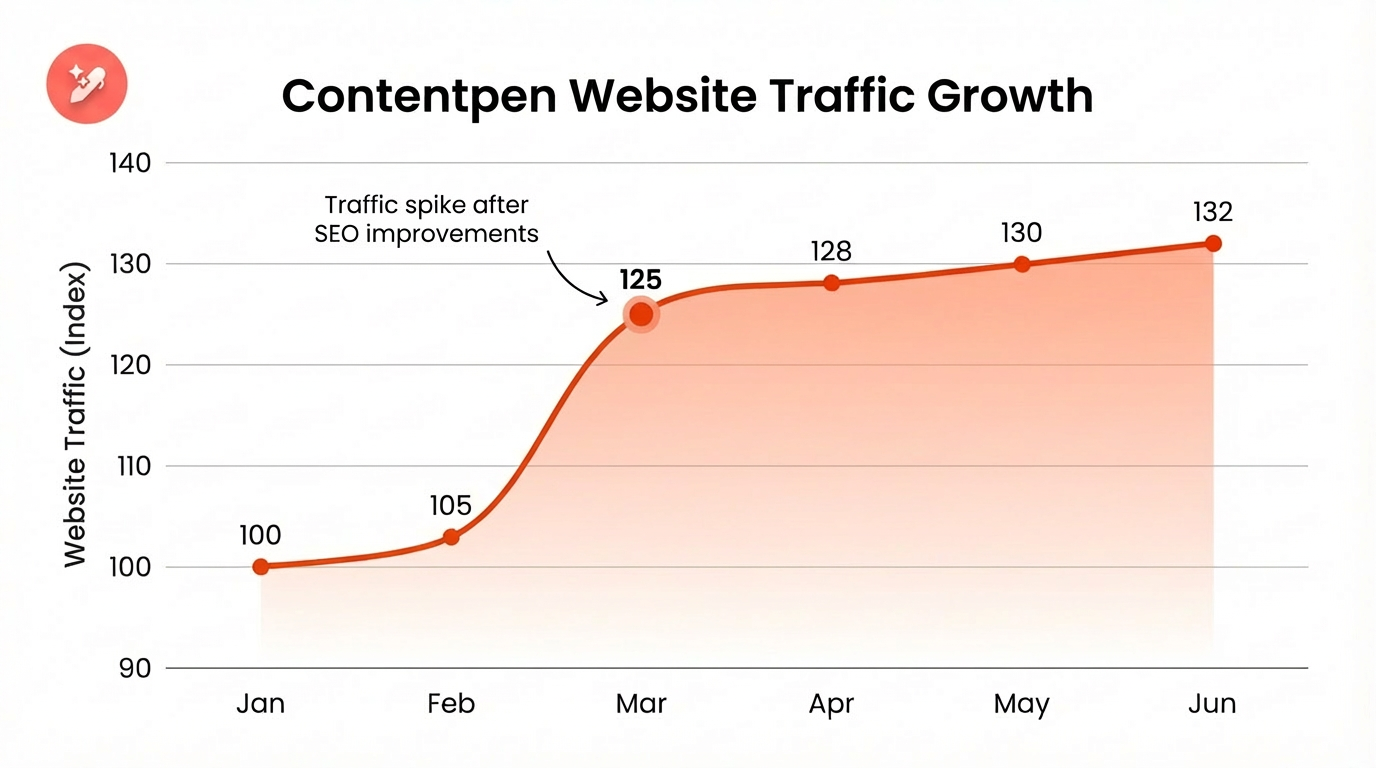
The difference is not only ad spend. This difference is the share of voice.
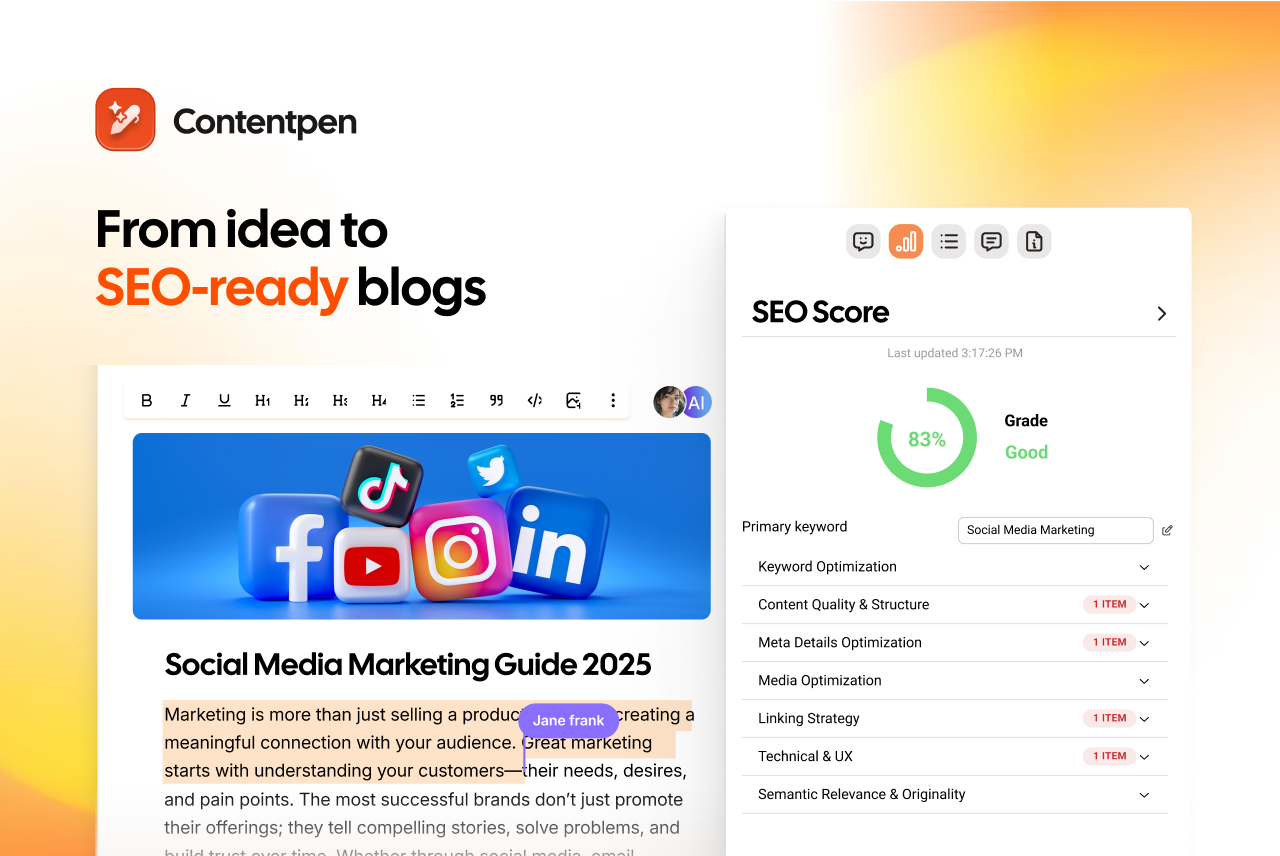
Put simply, share of voice (SOV) is the percentage of brand awareness your brand holds in a market. In SOV marketing, it shows who appears most in ads, search results, and social media posts. When a brand builds its share of voice, it usually increases trust and, eventually, sales.
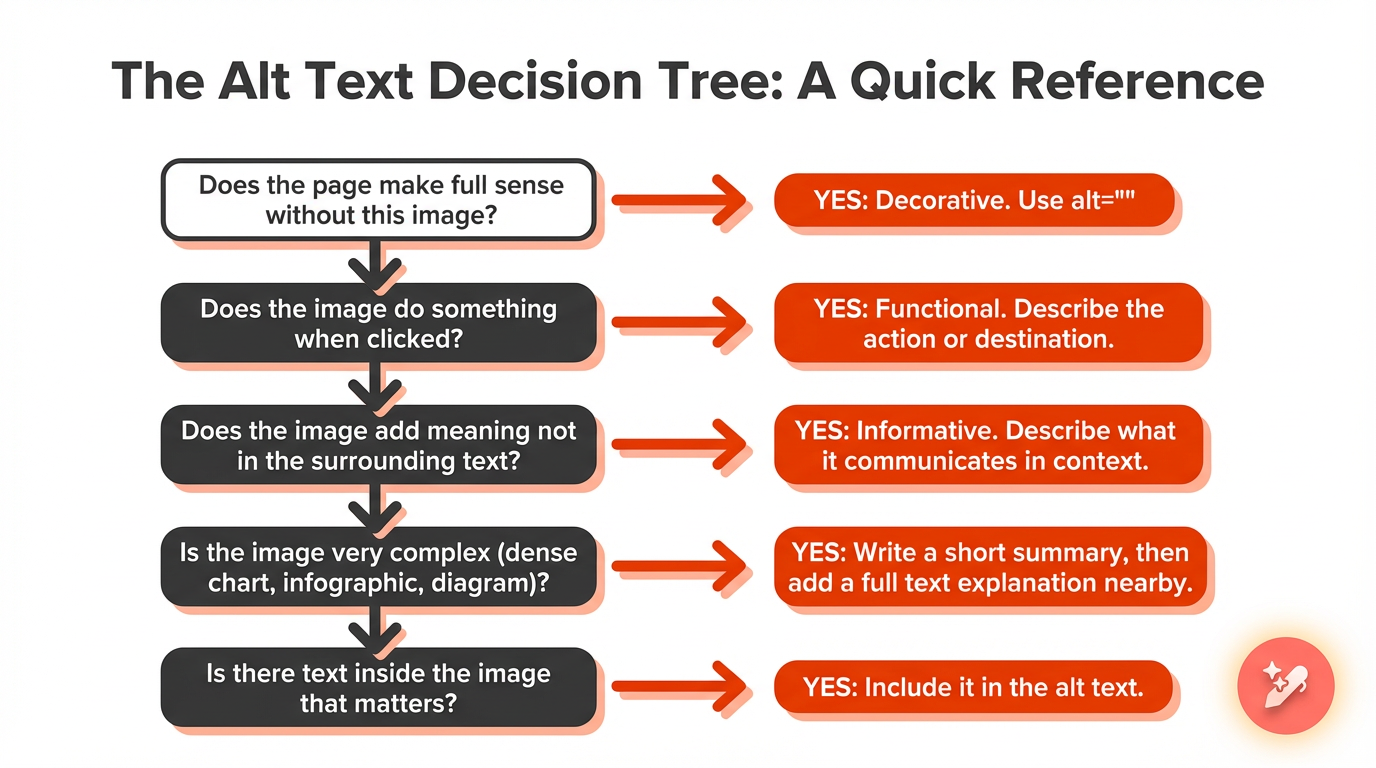
This guide breaks down everything about SOV and provides clear ways to grow it with content. By the end, anyone on a marketing or content team will know how to measure share of voice and improve brand visibility in no time.
So, let’s get started.
Definition of share of voice and core concept
Marketers use the term share of voice to describe how much space a brand takes up in market conversations relative to competitors.
It is a marketing metric that shows the portion of total visibility, impressions, or mentions in a category that belongs to a single brand. If many people see or talk about a brand compared with its rivals, that brand has a strong share of voice.
The classic share of voice definition came from paid advertising and analyzing paid traffic. Teams reviewed media spend by channel or category. If a brand spent $5 million on ads in a category where all brands together spent $100 million, that brand had a 5% share of voice.
Now the definition is wider. In SOV marketing, experts define share of voice across multiple channels simultaneously. It can include:
Media/PR with brand mentions in blogs, news, or articles
The share of voice changes constantly. A campaign launch, a viral tweet, or a competitor price cut can move the numbers quickly. So SOV is not just about making the most noise. It is about having a strategic presence in the right topics and channels.
Type of SOV
What it measures
Social media SOV
Your share of brand mentions and engagement across social platforms
SEO SOV
Your share of organic search visibility for target keywords
PPC SOV
Your share of paid ad impressions vs. total eligible impressions
Media/PR SOV
Your share of mentions across news outlets, blogs, and publications
Why does share of voice matter for your brand?
Tracking share of voice provides context that raw traffic or click numbers cannot.
A site may gain visits, yet still lose ground if competitors grow faster. SOV shows where a brand truly stands inside the wider market conversation. That makes share of voice analysis a key part of serious marketing work and reporting.
SOV offers strong audience insight
A higher share of voice often means messages, angles, and content formats are landing well. When SOV is low or declining, it can signal that topics, tone, or channels no longer align with what people want.
Reading and tagging actual mentions can even reveal questions and needs that haven’t yet been answered.
SOV is a competitor research tool
By watching rival brands and their SOV, teams can spot which campaigns move the needle and which ones fade. It becomes easier to see where others overinvest or ignore gaps so that a brand can take the edge without much hassle.
SOV makes it easy to perceive brand reputation
A brand might appear often, but in negative threads. Therefore, tracking both volume and customer sentiment lets teams address issues early, before they spread.
When we talk about brand reputation, we must also see the strong link between share of voice and share of market (SOM).
Research by Les Binet and Field found that when a brand sets its SOV above its SOM, it is likely to grow in the long term.
Les Binet also reported an annual 0.5% SOM increase for brands across different categories when 10% was invested in extra SOV (eSOV).
SOV is a useful score for a campaign review
Finally, SOV is a useful score for campaign review. Brands can compare share of voice before, during, and after major launches. If SOV rises in the period that matters, the campaign probably drew attention. If it stays flat, it is time to check the message, formats, or media mix.
The share of voice formula and how to calculate SOV
The good news for busy marketers is that the share of voice formula is simple and consistent. No matter which channel a team tracks, the math does not change; only the inputs do.
Mainly, the formula we use to calculate the share of voice is as follows:
Share of voice (%) = (Your brand metrics ÷ Total market metrics) × 100
In this formula, your brand metrics refer to mentions, impressions, clicks, or press stories generated by your brand over a specific period. Total market metrics means the same measure for the brand plus all direct competitors in the defined set.
Before running the numbers, it helps to be clear about:
The time period you are measuring
The channel or medium (social, search, ads, or press)
The competitors you want to compare against
The metric you will use (mentions, impressions, clicks, or articles)
For a social share of voice example, imagine a month where a brand earns 800 tagged mentions across major platforms. The same month, three key rivals earned 2,000 mentions between them. Total market mentions now equal 800 + 2,000 = 2,800. The SOV calculation is 800 divided by 2,800, times 100, which is about 28.6%.
For an SEO SOV example, consider clicks on organic keywords. Say a site receives 1,200 organic clicks in a month, while all the other brands gained 6,000 clicks. The SEO SOV is 1,200 divided by 7,200, times 100, which is 16.7%.
Share of voice tools and measurement methods for each SOV type
To see the full picture of brand share of voice, it helps to break SOV into types by channel. Each type of SOV requires different data and tools to understand the numbers properly.
#1: Social media SOV
For social media share of voice, the focus is on day-to-day conversation. This SOV type tracks how often people talk about the brand on platforms like X, Instagram, LinkedIn, or TikTok, compared with how often they talk about rivals.
To measure this social share of voice at scale, teams can lean on tools such as Sprout Social, Talkwalker, or ContentStudio.
These tools scan streams for brand and keyword mentions and compare them with a chosen competitor list. Many of them also sort mentions by sentiment and platform, which makes it easier to tie social SOV to content plans.
#2: SEO SOV
For SEO share of voice, the goal is to track how often searchers click the brand instead of a rival. This often appears under names such as ‘search visibility’ or ‘visibility index’.
Measuring SEO SOV starts with a focused keyword set that aligns with the target audience’s search intent. Marketers and teams track rankings and estimated clicks from those terms for their own site and for key competitors.
Click-through rate and position both matter, since a ranking that wins more clicks raises SOV more than a weak one in the same spot.
SEO share of voice tools such as Semrush, Ahrefs, and Moz help here. They estimate traffic share from keyword groups, highlight where a site lags, and show where rivals lead with detailed competitor analysis.
In practice, growing this type of SOV comes from steady, optimized content and strong technical SEO, so searchers keep seeing and choosing the brand.
#3: PPC SOV
For PPC share of voice, impression share gives the cleanest view. It shows how often a brand appears in paid ad slots when it is allowed to compete. A high value suggests bids, budgets, and ad quality are strong enough to win most chances to show.
When impression share is low, it often means cost per click is too high for the current bids, ad quality scores are weak, or targeting is too narrow for ads to enter auctions.
Watching how this SOV value changes during tests helps teams see whether budget shifts or creative refreshes are making any real difference.
Platforms such as Google Ads and Microsoft Ads report impression share inside their standard views. Extra tools like SpyFu can add more detail on rival bidding patterns. By pairing those insights with creative tests, teams can grow their paid SOV without wasting budget.
#4: Media/PR SOV
Finally, for media and PR share of voice, the focus shifts to press and long-form coverage. This means tracking how often a brand appears in news stories, blogs, interviews, and reports in its space. Combined with social SOV, this type rounds out a fuller view of brand visibility.
Measuring media SOV starts with a source list. This can range from major national outlets down to small niche blogs, as long as they reach the right audience.
Tools for measuring share of voice in media include suites such as Talkwalker and Meltwater. These tools collect clippings, sort them by outlet and tone, and help teams see where they stand in earned coverage.
How to increase your share of voice with high-quality content
Once teams know where they stand, the next step is growing their share of voice in a smart way.
Content sits at the heart of that work. In 2026, content is the engine that feeds share of voice marketing across search, social, email, and media. More high-quality, relevant content often leads to more mentions, links, rankings, and better ad performance.
Step #1: Build thought leadership in niche topics
Instead of trying to dominate every broad term, it is often wiser to target a narrow niche.
By publishing clear, research-backed content, you can easily win a niche and become the default voice in the space. Over time, as that pocket of SOV grows, the brand can expand into related topics while having a stronger base.
Step #2: Create share-worthy and useful content
People share content that makes them look smart, helps them act, or makes them feel seen. That is why deep guides, checklists, data stories, and simple visual explainers often do well for SOV.
When content answers real questions, the likelihood of earning mentions and backlinks increases. These extra signals, in turn, help both SEO share of voice and social SOV grow.
Step #3: Encourage user-generated content and social proof
Posts from real customers often carry more weight than brand posts. Inviting buyers to share photos, short reviews, or use case stories can boost social share of voice in a natural way.
As these posts stack up, the brand gains visibility and trust without adding extra strain on the internal team to pump out content.
Step #4: Stay consistent at scale with Contentpen
One of the biggest threats to brand share of voice is uneven publishing. A team may post a lot during a big launch, then go quiet for months. That silence creates room for competitors to step in.
This is where Contentpen makes a real difference. As an AI-powered blog creation platform, Contentpen helps content marketers, small businesses, and agencies ship high-quality, SEO and GEO-friendly articles 3x faster than manual writing.
Its built-in SEO scoring, competitor analysis, and content gap research show where more content can win extra SOV. With a single workspace for planning, drafting, and publishing, our AI writer online helps teams streamline content pipelines to grow SOV without burning out writers.
Write better blogs in less time, without sacrificing quality.
Let AI handle structure, clarity, and flow while you stay in control of the message.
Brands that grow their share of voice pay attention to what people talk about right now. By setting alerts for brand names, key topics, and rival campaigns, teams can see rising themes early.
A quick, thoughtful response to a trend, meme, or news event can spark a sharp but meaningful spike in SOV. The key is to respond in a way that aligns with the brand voice and adds value, not noise.
Final thoughts
Share of voice is a simple way to see how much market share a brand holds. By looking at the SOV across social, search, ads, and media, teams can see their real position and spot clear chances to grow.
When brands raise SOV in the right topics, they often see later gains in leads and revenue. That is why the share of voice marketing matters for startups and large teams alike.
In the end, the most reliable path to higher SOV is steady, useful, and well-targeted content, which you can get with Contentpen. Our tool gives teams the power to plan, write, and publish SEO and GEO-ready content at scale while staying true to your brand voice.
Frequently asked questions
What is a good share of voice percentage?
There is no single number that fits every market. In a tight niche, a 20-30% share of voice can signal strong leadership. In even more crowded niches, a few percent can still matter.
What does 100% share of voice mean?
It means your brand captures all measurable visibility within the defined category and timeframe, with no competitors appearing in the tracked results.
How do you explain share of voice marketing?
Share of voice marketing is the deliberate effort to increase a brand’s visibility relative to competitors in order to influence future demand and growth.
What is the difference between share of voice and market share?
Share of voice measures how visible a brand is in its market, while market share measures how much of the market’s sales or revenue the brand owns. In simple terms, SOV reflects attention and visibility, and SOM reflects actual sales performance.
Are rankings and clicks trickling away from you? Is there a big difference between your impressions and clicks? Desperate for a solution, but don’t know how? Read on to find out more.
Organic clicks are visits from unpaid search results. They are different from paid ads, which cost money with every visit. With strong organic search optimization, each click is earned through helpful content and smart SEO, not through a bid.
This guide breaks down 7 proven strategies that help increase organic clicks from web search. You will learn how to tune title tags, optimize meta descriptions, use structured data, manage featured snippets, and improve overall rankings to optimize CTR.
So, let’s get started.
What is organic CTR and why does it matter?
Organic click-through rate (organic CTR) is the percentage of users who click your website after seeing it in unpaid search results.
As we’ve previously discussed in our what is a CTR blog, the CTR formula is simply total clicks divided by the total impressions.
In the case of organic clicks, this is the number of clicks an organic search receives divided by the number of times it’s viewed in the SERP.
Organic CTR matters because it helps you:
Identify pages that rank but underperform
Spot mismatches between search intent and messaging
Estimate potential traffic gains without improving rankings
Prioritize quick-win optimization opportunities
When impressions are high but organic clicks are low, you do not necessarily have a ranking problem. You likely have a snippet optimization problem.
The limitations of organic CTR
Organic CTR is powerful, but it is not a complete SEO metric.
#1: Organic clicks don’t tell anything about traffic quality
CTR does not measure traffic quality. A page might attract many clicks but fail to drive engagement, leads, or conversions.
#2: Organic clicks are SERP influenced
Organic CTR is heavily influenced by SERP layout changes. AI Overviews, featured snippets, People Also Ask boxes, and shopping modules can push traditional organic listings lower on the page. Even if your ranking stays the same, your click-through rate may drop significantly.
#3: Organic clicks vary dramatically due to various factors
CTR can change due to:
Search intent (informational vs transactional)
Device type (mobile vs desktop)
Brand familiarity
Industry competition
Because of this, there is no universal “good” organic CTR number.
CTR should always be analyzed alongside search rankings, impressions, engagement metrics, and most importantly, conversions.
#4: Organic clicks are not a direct ranking factor
Although this is debatable, CTR is not a direct ranking factor for Google. Organic CTR highlights opportunity. But if you only see organic clicks for a platform and no other metrics, that could mislead your strategic decisions.
Organic clicks vs paid clicks
Before diving in, it helps to compare organic clicks with paid clicks side by side.
Aspect
Organic clicks
Paid clicks
Cost per visit
No direct cost per click, investment goes into content and organic SEO techniques
You pay for each visit based on bids and competition
Sustainability
Traffic can keep coming for months or years from the same content
Traffic stops as soon as the ad budget is paused
Trust level
Many users prefer and trust natural listings over ads
Some users scroll past ads or ignore them
Conversion behavior
Visitors often show strong intent and explore more pages
Visitors convert quickly, but may bounce fast if the ad and landing page do not align
Now, let’s take a look at the ways in which you can boost your organic clicks and improve click-through rate for your website.
Ways to improve organic clicks in 2026
Below are 7 strategies you can apply today to improve your organic CTR.
Write captivating titles
Craft compelling meta descriptions
Use structured data
Optimize for Zero-click answers
Improve search rankings
Enhance user experience
Analyze competitor data
We’ll discuss these in more detail.
1. Craft irresistible titles that demand attention
The title tag is the headline that shows in search results, and it is often the single biggest factor behind whether someone clicks or scrolls past your content.
Even if a page ranks well, a dull or confusing title can cause organic clicks to slip away to competitors. Strong titles speak directly to the searcher and promise a result that feels worth their time, matching the searcher’s intent for the given query.
A practical framework for high-CTR titles starts with placing the main keyword near the front. Then add a clear angle, such as a guide, checklist, or case study, and use numbers when they fit the topic.
Aim for 50 – 60 characters (with spaces) in the meta title so the message fits fully on the SERP. Watch out for these common mistakes that quietly hurt CTR:
Keyword stuffing that makes titles look spammy.
Weak phrases like “various insights” and “information” say almost nothing about the real content.
Titles that overpromise compared to the content on the page.
The title should clearly convey a strong value promise that aligns with the page. Use Google Search Console to sort pages by impressions and CTR. Rewrite weak titles, then review the data a few weeks later to see which styles drive more organic traffic.
2. Write meta descriptions that act as compelling ad copy
If the title tag (meta title) is the headline, the meta description is the short pitch that lives right under it. Many sites treat it as a box to fill in at the last minute, but it can create the difference between an impression and a click.
A good meta description explains who the page is for, what it delivers, and why the reader should care now.
A simple formula works well for most pages:
Name the problem or goal.
Promise a clear outcome.
Finish with a gentle call to action.
For example, a description for this topic might read: “Struggling to get organic clicks?” Learn 7 practical strategies to improve click-through rate, increase organic traffic, and turn impressions into visitors.”
Length matters here. Aim for about 130 – 160 characters so your full message appears on both desktop and mobile SERP versions. Include your main keyword and close variants, because search engines often bold these terms, which helps your listing stand out from others.
Use active language with verbs such as discover, learn, or compare to nudge people toward the click. Meta description optimization only helps when the promise matches the page. If a description teases a guide and the page is a thin sales pitch, visitors will leave fast.
3. Use structured data to earn eye-catching rich snippets
Structured data, also known as schema markup, is extra code that helps search engines understand what is on a page. When this data is clear and accurate, Google can show rich snippets such as star ratings, prices, and FAQ dropdowns.
These richer results attract more attention, often leading to higher organic clicks even when the ranking position stays the same.
The real power of structured data is the visual boost it gives your listing. A plain blue link with two gray lines of text can look flat next to a result that shows review stars, product availability, or direct answers.
For a restaurant, a review schema may show a star rating that makes searchers more confident. For a guide like this, the FAQ schema can add extra questions and answer rows under the main snippet, taking up more space and increasing the chance of a click.
Here are common schema types that help with organic SEO techniques and click-through rate:
Schema type
Best used for
Example impact on CTR
FAQ
Guides, support pages, and service pages with clear questions and answers
Extra questions appear under your search result, giving more chances to win the click
HowTo
Step-by-step tutorials and process guides
Steps can be shown in the SERP, making your result look like a complete walkthrough
Product
Ecommerce product pages
Price and availability stand out, which can lift clicks from product searches
Review
Any page with ratings or reviews
Star ratings add social proof that attracts visitors
Article
News, blog posts, educational content
Helps search engines classify and feature your articles more effectively
Recipe
Cooking and food content
Images, ratings, and prep times make the result far more attractive
Video
Pages where video is a main element
Thumbnail previews invite clicks, especially on mobile
The easiest way to add schema is to use an online generator that creates this structured data, usually in JSON-LD format. Before adding the schema to your site, test it with the schema validator to ensure that it is correctly made.
After adding it, run the page through Google’s Rich Results Test to confirm that the markup is valid and eligible for rich features. Avoid marking up content users cannot see, mixing up types, or leaving out required fields, as these mistakes can prevent rich snippets from appearing.
4. Optimize for Zero-click answers
In 2026, creating content is all about being direct and helpful in your approach while answering the common user questions for a particular topic. You can take these queries from the People Also Ask sections in Google, or use tools like AnswerThePublic for the given topic.
The benefit of answering questions regarding your topic or niche directly on your pages is that you start ranking for Google AI Overviews for the said query.
But this raises a question. If you get featured for zero-click answers, how does that benefit your organic clicks?
The answer is simple. Even though zero-click answers have contributed to the decline of click-through rates, owning the top voice in a space still helps. It facilitates brands to build strong brand awareness, earn trust, and often attract high-intent visitors to explore more details.
Besides zero-click answers, you can also win the top organic search result with content that answers real questions from real users.
To win these, place a question-style heading on the page and answer it directly in about 40 – 60 words right under that heading. Then back it up with a fuller explanation so the page also works for readers who scroll.
5. Improve your search rankings to gain more impressions
CTR varies a lot depending on where you appear in the search results. Moving from the bottom of page one into the top three can feel like turning on a new traffic channel.
While numbers vary by niche, typical CTR range values look like this:
These are averages taken from the Google search environment, so treat them as starting points rather than strict goals. Use them to spot pages where your organic click-through rate is far below what the position usually earns.
When impressions are strong, but organic clicks are weak, you likely have a CTR issue. When impressions are low across the board, the main problem is ranking, not snippet appeal.
Better rankings start with keyword research that matches user intent:
Informational queries need clear explanations.
Commercial queries want comparisons and proof.
Transactional terms call for strong offers and simple paths to act.
Google looks for content that shows depth, originality, and real expertise, and it favors pages that stay fresh with updated details and current examples.
On-page SEO still matters. Use clear header hierarchy, place main keywords in titles, headings, and early paragraphs, and connect related pages with internal links that guide both users and crawlers.
Technical basics such as fast load times, mobile-friendly layouts, and clean site structure remove barriers that can hold rankings back. Receiving SEO backlinks from trusted sites also helps, since they act as votes of confidence.
6. Improve user experience signals to boost rankings and clicks
Search engines pay close attention to what happens after a click. When visitors stay, scroll, and interact, it indicates that the page matched their intent.
Improving the user experience (UX) makes each visit more satisfying, which can support both rankings and organic clicks over time.
Core Web Vitals give a simple way to think about performance:
Largest Contentful Paint (LCP) measures how quickly the main content shows up.
First Input Delay (FID) measures how quickly someone can interact with page elements.
Cumulative Layout Shift (CLS) measures how stable the layout feels during load.
Strong scores on these metrics lead to smoother pages that feel fast and reliable, especially on mobile devices where most search engine traffic now lives.
There are many practical steps that help here. Use responsive design so pages adapt nicely to any screen size, compress large images, and trim heavy scripts that slow down browsing.
As user experience improves, behavior metrics tend to follow suit, which can raise search engine rankings, drive more impressions, and create a positive cycle of growing organic clicks.
7. Analyze competitor SERP performance to uncover CTR opportunities
No page competes alone on the SERP. For every keyword, searchers see a row of titles, descriptions, and rich results side by side. Understanding how competitors present themselves there helps you spot the changes that could bring more organic clicks to your own listings.
Start by searching for key terms and studying the top results with a critical eye. Notice how competitors phrase their title tags and meta descriptions. Some might focus only on keywords and miss the chance to promise a clear benefit or outcome.
Others may ignore emotional drivers such as saving time, avoiding risk, or gaining an advantage. These gaps open space for your pages to stand out with stronger, more specific messaging that improves click-through rate.
Analyzing competitors is one thing, but utilizing these ranking opportunities is another. You may know what to add to your blogs to win higher search rankings, but actually writing the content is where many individuals, small businesses, and agencies can struggle.
To execute these changes at scale, you can utilize Contentpen. It not only helps uncover CTR opportunities but also creates SEO and GEO-optimized content, along with high-quality visuals and metadata.
Our AI writer also automatically creates topical clusters that you can target to immediately improve SERP performance and organic clicks. The tool helps your brand stay on top to earn the conversions it deserves.
Create topical authority, not isolated posts
that fills them
Increasing organic clicks is not about one magic trick. It is the result of many small, smart changes working together. Strong title tags pull attention, sharp meta descriptions act like ad copy, and structured data opens the door to rich snippets that make your results stand out.
The real power comes from the compound effect. A few percentage points of organic click-through rate improvement on dozens or hundreds of pages can add up to a big lift in organic traffic and leads, overall.
To get there, keep measuring, testing, and adjusting. Watch impressions, organic CTR, and search traffic in Google Search Console and SEO analytics tools, and treat every page with care.
Frequently asked questions
What is a good organic click-through rate?
A good organic click-through rate depends heavily on where a page ranks and which industry it serves. Instead of chasing a single benchmark, compare each page’s organic clicks and CTR to your own site average in Google Search Console and focus on lifting the pages that lag behind.
How long does it take to get better organic clicks from CTR optimization?
Most pages start to show results from CTR optimization within 2-4 weeks. That window depends on how often Google crawls and reprocesses your pages, which usually happens faster for URLs that already sit on page one.
Can optimizing for organic clicks hurt my rankings?
Done correctly, optimizing for organic clicks should improve rankings rather than hurt them. Problems appear when titles or meta descriptions drift into clickbait territory and promise something the page does not deliver.
What is organic and inorganic traffic in SEO?
Organic traffic comes from unpaid search engine results. Inorganic traffic (often called paid traffic) comes from ads, such as Google Search Ads or paid social campaigns.
Organic traffic comes from unpaid search results, while paid traffic comes from ads. Paid channels deliver instant visibility, but diminish once spending stops. Organic traffic grows more slowly but compounds over time, often producing higher long-term ROI.
If you want traffic, you have two choices:
You can earn it: through SEO, content, and organic discovery. Or you can buy it: through ads, sponsored placements, and paid campaigns.
Both work. Both drive results. But they behave very differently.
In 2026, rising ad costs, AI search experiences, and changing user trust signals have reshaped how each channel performs. What worked five years ago doesn’t guarantee results today.
So, which one actually wins now, organic traffic or paid traffic? This guide breaks down the strengths, weaknesses, and best-fit use cases for each framework, helping you decide which one suits your needs.
Let’s start by defining both traffic types.
What is paid traffic?
Paid traffic is when you place ads to gain visibility for your brand. Here, visitors arrive after clicking an advertisement or sponsored placement you pay for. That might be a Google Ads search campaign, a promoted post on LinkedIn, or a YouTube pre-roll ad.
This is what marketers typically mean by paid traffic in digital marketing.
Classic paid traffic examples include:
Search engine marketing on Google Ads and Microsoft Ads
Paid social on platforms like Facebook, Instagram, LinkedIn, and X
Display ads and native ads on publisher sites
Video ads on YouTube and streaming platforms
CPA / CPL networks that charge per lead or per sale
Benefits of paid traffic
Paid traffic wins on speed. You can launch a Google Ads or Meta campaign and see clicks the same day. Within weeks, you have data to refine your paid media strategy, A/B test landing pages, and adjust bids accordingly.
For product launches, short-term promotions, and rapid market tests, this speed is hard to beat.
Although cost is a major concern for small businesses and agencies, paid ads can fit within all types of marketing budgets.
What is organic traffic?
Organic traffic comes from unpaid search results. When someone types a query into Google and clicks a regular result instead of an ad, that visit counts as organic. This is the heart of SEO in practice. You earn that click with relevant content and a site that search engines trust.
These numbers reflect that paid campaigns (pay-per-click) attract a broad audience, but most of them are not ready to buy. But since organic traffic is built over time through trustworthy content and considerate brand-building, the users who reach your platform are ready to decide.
Another benefit of organic traffic is sustainability. You need a budget to consistently run paid ads and PPC campaigns, which may not be suitable for many startups, freelancers, or small agencies.
On the other hand, organic traffic magnets, such as evergreen blog posts, articles, and how-to guides, attract visitors month after month without requiring any monetary investment.
Organic traffic vs paid traffic: Comparison explained
Below is a detailed comparison breakdown between organic traffic vs paid traffic:
Factor
Organic Traffic
Paid Traffic
Definition
Visits from unpaid search engine results
Visits generated through paid ads
Speed of results
Slow build (3–9+ months)
Immediate (same day to weeks)
Cost model
No cost per click (content + SEO investment)
Pay per clicks/impressions/ conversion
Long-term ROI
Very high due to compounding traffic
Moderate. Stops when spending stops
Sustainability
Long-lasting, evergreen traffic
Short-term, budget-dependent
Trust & credibility
Higher user trust
Lower trust vs organic listings
Targeting precision
Intent-based (keywords/search queries)
Advanced demographic + behavioral targeting
Scalability
Slower but exponential over time
Fast but linear to the budget
Click-through rates
Higher on informational queries
Higher on commercial queries
Conversion quality
Often, higher intent visitors
Mixed, depends on audience targeting
Testing capability
Slow testing cycles
Rapid A/B testing is possible
Best use cases
Brand building, thought leadership, and evergreen leads
Launches, promotions, rapid lead generation
Organic listings benefit from perceived third-party validation, while ads rely solely on brand messaging.
Cost differences
Cost is where the gap between organic and paid traffic becomes most visible.
Paid traffic operates on a direct spend model. You pay for every click, impression, or conversion. In competitive industries, cost per click can rise significantly, making customer acquisition expensive at scale.
Organic traffic works differently. Instead of paying per visitor, you invest upfront in content, SEO tools, and production. Once pages rank, they can generate traffic for months or even years without additional spend.
Over time, organic acquisition costs typically decrease for organic channels, while paid acquisition costs often rise as you scale campaigns.
Growth timeline
The difference between organic and paid traffic becomes clearer when viewed over time.
In the early months, paid campaigns dominate because they drive immediate clicks. Organic traffic starts slowly as content gets indexed and rankings build.
By the 6–12 month mark, strong SEO campaigns begin compounding. Traffic from multiple articles and pages stacks together, often reducing reliance on paid spend.
To see how the two channels play out in real search environments, consider the following example.
Organic traffic vs paid traffic: A real-life example
Puma, an athletic apparel and footwear brand, might not use PPC for the search query ‘PUMA.’ Why? Because they’ve already established themselves in the market and will probably top the SERPs on their brand name. So, they’ll stick to organic search.
But, Puma will definitely consider paid traffic routes for a general, broad search term, such as ‘men’s footwear’ or ‘women’s running shoes.’ Why? Because plenty of other companies will now be competing for visibility and traffic for this specific term.
Paid and organic routes often work together in a brand strategy. While organic routes dominate branded searches, paid campaigns protect competitor bidding and capture broader commercial keywords.
Risks and limitations of each channel
While both channels drive growth, each carries its own set of risks.
Organic traffic depends heavily on search engine algorithms and ranking shifts. Here, content decay can occur due to technical SEO issues and underlying problems with the website.
Paid traffic risks are driven by budget and platform. Rising CPCs, ad fatigue, or platform policy changes can quickly reduce performance.
In short:
Organic risk → algorithm volatility
Paid risk → cost volatility
A balanced strategy reduces dependence on either one.
The reality of traffic composition for successful businesses
So, how does the organic traffic vs paid traffic split look for companies that invest in both? Data from many sites shows a pattern once SEO and paid campaigns mature over 1-3 years.
A healthy mix often looks like this:
Organic search: About 62% of overall visits
Paid search and other ads: Around 21%
Email and social media: About 13%
Direct, referrals, and other: 4%
In other words, even with strong paid investment, organic search remains a top method for brands to build trust, increase visibility, and convert visitors into buyers.
For younger sites, the picture is different, especially since organic search traffic is down year over year in some sectors. This makes the early stages of building organic presence more challenging than in previous years.
A very high share of paid traffic, about 40–50%, can be a warning sign. It shows that growth depends heavily on ad budgets and auction rules. If costs rise or a platform changes its policies, performance can drop quickly.
That is why many teams treat organic campaigns as the base layer of marketing and use paid channels as a sharp tool only to achieve specific goals.
Choosing the right strategy for your business
At this point, it should be clear that there is no single winner in the organic traffic vs. paid traffic debate. The better question is which mix fits your goals, budget, and current stage of growth.
Start with money. Paid traffic demands a steady monthly spend. Organic traffic requires investment in content creation and SEO skills. That can feel heavy early on, but once content ranks, it brings in visits at no extra cost per click.
If your budget is stretched thin but you can put in consistent time and effort, building organic assets for organic clicks may be more realistic than committing to a big ad spend.
Timeline comes next. If you need leads this month for a webinar, launch, or sales target, then paid PPC campaigns are the right move.
If your main aim is long-term brand building, thought leadership, and lower customer acquisition cost (CAC) over the next few years, then organic traffic wins.
Industry and competition also matter:
In crowded niches, bidding on core keywords can be very expensive. Paid ads help you appear on page one while your SEO strategy takes care of long-term benefits.
In less competitive niches, a focused organic push can reach top positions faster and at a lower total cost, especially when you use AI tools to publish valuable content at scale.
Think about audience behavior as well. Some B2B buyers rely heavily on in-depth articles, case studies, and guides. They often trust organic content more than ads during their research process.
Other groups, especially in consumer markets, respond well to highly targeted social ads and remarketing. Your search traffic strategies should reflect how your ideal buyers prefer to discover and compare options.
Integrating organic and paid strategies for maximum impact
The smartest move in 2026 is usually not picking organic traffic vs paid traffic, but building a plan where they work together. An integrated approach lets you enjoy the speed of paid channels and the sustainability of organic traffic at the same time.
Funnel role of organic vs paid traffic
Each channel plays a different role across the marketing funnel.
Funnel stage
Organic traffic role
Paid traffic role
Awareness
Blogs, guides, SEO pages
Display and social ads
Consideration
Comparison pages, case studies
Search ads, retargeting
Conversion
Product pages, branded search
PPC, remarketing
In short, organic builds demand, and paid channels capture and accelerate it.
Organic and paid channel integration example
You might promote an ebook, checklist, or host a webinar using search ads and paid social, bringing in a steady stream of leads. Meanwhile, you can create deeper organic content around the same topics to ensure that you maintain the top SERP spots in the future.
Over a few months, those articles, guides, and landing pages begin to rank, and you can shift some budget from always-on ads into other parts of your paid media strategy.
Seeing your brand in both paid and organic spots on the same page also builds extra trust and boosts total share of voice. That kind of soft dominance is hard to match with ads or organic channels alone.
How Contentpen changes organic content strategy
While paid traffic scales with budget, organic traffic scales with content capacity.
Organic growth has huge upside, but it often stalls because content production is slow, expensive, and hard to manage. This is where Contentpen steps in for teams trying to win the organic traffic vs paid traffic race over the long term.
Contentpen is an AI-powered blog creation platform built for SEO and GEO-optimized content. It helps you move from blank page to full, rank-ready article faster than traditional workflows.
Instead of spending hours on each draft, your team can generate comprehensive posts, refine them, and ship them on a steady schedule without getting overloaded.
The platform does more than write. Built-in competitor analysis and content gap research show which topics and keywords can actually move the needle. You are not guessing which articles to publish; you focus on what helps you outrank competitors and capture the right search demand.
Each piece of content also receives an SEO score, along with clear suggestions to improve rankings. That means titles, headings, internal links, and structure match what search engines expect before you hit publish.
Summing it up
The organic traffic vs paid traffic comparison has no clear winner. Each channel does a different job. Paid traffic brings speed and precise targeting for short-term campaigns. Meanwhile, organic traffic provides sustainable growth, greater trust, and higher conversion rates.
The winning pattern in 2026 is clear. The leaders who mix both channels win. They pursue paid, time-sensitive goals and bottom-of-funnel conversions while building an organic base that lowers acquisition costs month after month.
AI platforms like Contentpen help change the scenario, especially for many small teams. The tool removes many of the old barriers to organic growth by reducing production time, guiding SEO decisions, and maintaining high content quality.
Frequently asked questions
What is the main difference between organic reach and paid reach?
Organic reach comes from unpaid search results, where people click your page because it ranks well for their search. Paid reach comes from ads you fund on search engines or social platforms.
Is organic traffic really free?
Organic traffic is not truly free. You do not pay per click, but you invest in people, tools, and time. You may need SEO specialists, writers, developers, and editors to build a steady flow of content.
What is the difference between organic and direct traffic?
Organic traffic comes from people who find your website through search engines after clicking a non-paid result. Direct traffic comes from users who visit your site by typing your URL, using a bookmark, or accessing it without a tracked source.
If your ad gets 10,000 impressions but 230 clicks, is that a win or a silent budget leak?
CTR is one of the most misunderstood but powerful performance metrics in digital marketing. It shows how many people clicked after seeing a page, ad, or email to see what you actually had to offer.
When someone understands how to calculate CTR and its implications, they can quickly determine whether a campaign is performing well or wasting budget.
This guide breaks CTR down step by step. You will see the CTR formula, simple, realistic examples, and a free CTR “calculator” you can use now.
So, let’s get started.
Calculating and analyzing CTR in 3 simple steps
The first step of calculating CTR for any channel is to gather your data.
#1: Find impressions and clicks
The CTR formula dictates:
CTR = Total Clicks ÷ Total Impressions x 100
In this equation, clicks refer to the action a user takes. If someone taps or clicks a link, ad, or button that sends them to a landing page, website, app store, or video, it counts as a click.
Impressions record how many times an ad or piece of content is shown to a user’s feed. In paid search, an impression happens when the ad appears on a search results page. For display ads, this is when the banner ad loads on a site.
In short, you need the total number of clicks and impressions your website, advert, email, or any other marketing channel received to calculate CTR.
You can use many online tools to get this data. For example, for online platforms or pages, Google Search Console is a good way to get click and impression data.
The GSC tool also shows the ‘Average CTR’ for the specific target, helping you track organic CTR across pages or platforms.
That said, it is still a good idea to learn the CTR calculation manually to understand how marketing verticals are performing overall.
#2: Input the data into the CTR calculator
Once you have the number of clicks and impressions, it is time to utilize the CTR (%) formula we mentioned earlier.
Carrying on with our previous example in Search Console, if we have 4500 total clicks and 726,000 total impressions, the CTR would look like:
CTR = [4500 ÷ 726,000] x 100= 0.6198% CTR
As you can see, the CTR we calculated in the example is nearly the same as the ‘Average CTR’ number provided by Google Search Console. This shows that our process was, indeed, a success.
However, if you find the CTR calculation tricky, you can use our free CTR calculator for your convenience:
Try out a few examples to help you get started.
Search ad example: If a search ad gets 1,000 impressions and 50 clicks, then its CTR calculation will be:
50 ÷ 1,000 = 0.05
0.05 × 100 = 5% CTR
That means 5 out of every 100 impressions turned into a click.
Email example: If an email campaign sends 2,500 messages, and 100 people click a link inside, then its CTR calculation will be like:
100 ÷ 2,500 = 0.04
0.04 × 100 = 4% CTR
#3: Analyzing the results
Now that we have our CTR number, it is time to analyze it in depth.
As discussed in our CTR blog, the click-through rate can vary by industry, channel, and targeted keywords. Still, for many search campaigns, a CTR below 2% may indicate room for improvement.
Understanding why your CTR falls short
When your CTR analysis reveals underperformance (like our 0.6% example), the root causes typically fall into three categories:
Content relevance issues: Your titles and meta descriptions may not align with search intent.
Competitive landscape factors: Stronger competitors may be outranking you with more compelling messaging.
SERP environment changes: Modern search results pages contain features that intercept clicks before users reach organic listings.
The first two factors are within your direct control through search engine optimization. The third factor requires a different strategic approach because you’re competing not just against other websites, but against Google’s own features, namely AI Overviews.
These AI overviews provide ‘zero-click answers’, especially for informational search queries, like ‘How tall is the Eiffel Tower?’ Therefore, users don’t proceed to read lengthy blog posts or articles to get a straightforward answer to a standard question.
That said, commercial and navigational intents still see high CTR since people want to buy diligently and explore extensively.
In 2026, SERP features and AI overviews impact CTR a lot. Let’s explore concrete tactics to maintain strong click-through rates in this changing environment.
How SERP impacts CTR
Modern search results pages (SERPs) display far more than ten blue links. Featured snippets, People Also Ask boxes, local packs, and AI-generated overviews now dominate many SERPs, and each can reduce clicks to traditional organic listings.
Below are some common SERP elements that appear frequently and can impact CTR for your pages:
Featured snippets: Answer boxes positioned above the #1 organic result.
People Also Ask (PAA): Expandable question boxes with quick answers.
Local packs: Map listings showing business information for location-based searches.
Knowledge panels: Information boxes about entities, businesses, or topics.
Image carousels: Visual result grids for image-focused queries.
Video thumbnails: Embedded previews from YouTube and other video platforms.
AI Overviews: Google’s AI-generated answers that synthesize multiple sources.
So if all these factors reduce CTR, is there a way to improve or maintain them?
The answer is YES! There are multiple ways to improve and maintain CTR, even with so many SERP and AI features around.
How to maintain and improve CTR when competing with SERP and AI features
You cannot remove SERP features, but you can position your content to capture clicks alongside them. To do that, you need to implement the following strategies:
#1: Optimize content to win the featured snippet yourself
Structure content with clear question-and-answer formats. Use concise 40-60-word answers immediately following question-style headings.
Tools like Contentpen can help you write SEO and GEO-optimized blogs and articles that help you win more snippets and clicks to your platforms so that you can rank on Google.
Using built-in SEO scoring and SERP analysis, the tool writes click-worthy meta titles, descriptions, headings, and body content, helping you improve conversions and organic traffic.
When you own the featured snippet, your visibility increases significantly, giving you a chance to market your offerings to the right audience and generate a decent return on investment.
#2: Target long-tail and specific keywords
Broad terms like “digital marketing” trigger extensive SERP features, so it is naturally difficult to rank for such keywords.
More specific phrases, such as “calculate email CTR in Mailchimp,” face fewer competing elements and maintain higher organic clicks.
Also, focus on queries that require interaction beyond reading:
✅ “CTR calculator tool.”
✅ “Free CTR tracking template download.”
✅ “Google Ads CTR setup tutorial.”
❌ “What is CTR?” (easily answered by AI.)
❌ “CTR definition” (no click required.)
When you start thinking with this strategy, winning the right clicks becomes much easier.
#3: Focus on branded search optimization
When users search your company name specifically, Google shows fewer competing features because the intent is clearly navigational. For example, the term “Contentpen” has a better chance of appearing on SERPs than plain ‘AI blog writer.’
This tactic helps you achieve a higher CTR, or at least maintain it for your brand in the long term.
#4: Write irresistible title tags and meta descriptions, but don’t overcommit
Compelling titles and meta descriptions make your listings, landing pages, and blog posts the most clickable.
To improve CTR, try using the title tags and descriptions in the following manner:
Specific numbers: “7 Proven Tactics” instead of “Several Methods”
Clear benefits: “Cut calculation time by 80%” vs. “Faster calculations.”
Action words: “Master,” “Discover,” “Calculate” vs. passive language.
You can always use our AI blog writing tool to help you out with drafting winning meta titles and descriptions that suit the content and drive more clicks.
#5: Create tools and resources that AI cannot replicate
Since AI can describe these resources but cannot provide them directly, creating such resources puts you in a very good position to earn more clicks.
You should also consider adding original research, case studies from your clients, or unique methodologies for a particular topic. Such content provides more insight than simple AI summaries, so users will often visit your page to learn more about a query.
#6: Optimize for AI citation
Structure content so AI systems can easily extract and cite your information:
Use short paragraphs (2-3 sentences maximum).
Lead with definitive statements before explanations.
Include specific data points and statistics.
Format calculations clearly with step-by-step breakdowns.
When AI features cite your content, they often include attribution links back to your page, driving qualified clicks from users who want deeper information.
Final thoughts
CTR is one of the clearest signals of how well a message lands with its audience. Once you know how to calculate CTR with the simple formula, you can judge performance in seconds across ads, email, and search.
The math is only the start, though. Real gains come from understanding your audience, refining headlines and calls to action, improving design, and running steady tests instead of one-off guesses.
When you keep measuring click-through rate, comparing it to benchmarks, and tracking trends over time, patterns start to emerge that you can act upon. Over time, you will receive better returns.
Frequently asked questions
How to calculate CTR in Excel?
To calculate CTR in Excel, place ‘clicks’ in a cell A1 and impressions in a cell ‘B1’, then enter =A1/B1*100 in cell C1 and set that cell to percentage format. Repeat the same process for each campaign or ad.
How do I calculate CTR in Google Ads?
Google Ads automatically shows CTR in your campaign and ad group tables, calculated as clicks divided by impressions, then multiplied by 100. To review it, add the CTR column if it is hidden and scan the numbers by keyword or ad.
Is a 5% CTR considered good?
A 5% CTR is very strong for most search ads and display campaigns. Email CTR varies widely by industry and list quality, but 2-5% is common for many campaigns. Always check against benchmarks and your own past results to get a better idea of what a good CTR is.
What is the CPC formula and how is it different than CTR?
The CPC (Cost Per Click) formula is CPC = Total Cost ÷ Total Clicks. It means that if you spend $200 and get 100 clicks, your CPC is $2. The main difference between the two is that CTR shows the percentage of people who clicked after seeing your link, while CPC shows how much you pay for each click.